Newsletter
Want to keep up to date with all our latest news and information?


ResidentialBusiness
Administrators
-
Joined
-
Last visited
Everything posted by ResidentialBusiness
-
The Baltimore Community Foundation (BCF), in partnership with the Greater Baltimore Committee (GBC) and three local community development organizations, has launched the Key Bridge Small Business Direct Grant Program to provide financial relief to businesses severely impacted by the Francis Scott Key Bridge collapse. Funded by BCF’s Maryland Tough Baltimore Strong Key Bridge Fund, the initiative prioritizes businesses in Southeastern Baltimore City, Southeastern Baltimore County, and Northern Anne Arundel County. The grant program, which opened for applications on February 18 and runs through March 20, offers grants ranging from $10,000 to $50,000 to stabilize operations, help businesses pivot, and support long-term viability. A 30-day review period will follow the application deadline. “As the backbone of our communities, small businesses in the impacted communities have felt immense financial strain since the Key Bridge collapse,” said BCF President and CEO Shanaysha Sauls. “This program is designed to give them the working capital they need to adapt and continue contributing to the economic vitality of our region.” Funding and Background Established within 48 hours of the Key Bridge collapse, the Maryland Tough Baltimore Strong Key Bridge Fund has raised $16 million from national, regional, and local businesses and individual donors. The fund has provided cash assistance to Port of Baltimore workers, charitable organizations, and community programs supporting those affected. The latest phase shifts focus to direct small business support. “The collapse of the Francis Scott Key Bridge on March 26, 2024 significantly affected small businesses throughout the impacted areas of Baltimore City, Baltimore County, and Anne Arundel County” said GBC President and CEO Mark Anthony Thomas. “The establishment of today’s Key Bridge Small Business Direct Grant Program will be instrumental in supporting the small businesses and healthy commercial corridors that are central to a strong regional economy.” Eligibility and Application Process Eligible businesses must demonstrate financial impact from the bridge collapse and meet the following criteria: Located in Southeastern Baltimore City, Southeastern Baltimore County, or Northern Anne Arundel County. Operational for at least two years as of March 26, 2024, with a minimum annual revenue of $50,000 in one of the prior two years. Provide a 2023 profit and loss statement, a year-end 2024 balance sheet, and a 2024 profit and loss statement. Employ at least two people, including the owner(s). Businesses must apply through designated partner organizations, which will assist applicants in English and Spanish: Anne Arundel County Economic Development Corporation (AAEDC) – for businesses in Anne Arundel County. Baltimore Community Lending (BCL) – for businesses in Baltimore City. Latino Economic Development Center (LEDC) – for businesses in Baltimore County. Continued Support for Small Businesses In addition to direct grants, BCF continues to support small business development through other funding initiatives. In September 2024, BCF and GBC launched a technical assistance program to help small businesses build capacity. Nonprofits offering these services are encouraged to apply for funding at bcf.org/keybridgesmallbusiness. Governor Wes Moore praised the initiative, stating, “IIn Maryland, we move mission-first, people-always. After the collapse of the Key Bridge, we worked in partnership with leaders across the public and private sectors and all levels of government to protect and uplift our small businesses. And today, we take another step forward in our commitment to that pledge.” For more information on the Key Bridge Small Business Direct Grant Program and application details, visit bcf.org/keybridge-directgrant-smallbiz. This article, "Baltimore Community Foundation Launches Grant Program for Key Bridge Collapse Recovery" was first published on Small Business Trends View the full article
-
The Baltimore Community Foundation (BCF), in partnership with the Greater Baltimore Committee (GBC) and three local community development organizations, has launched the Key Bridge Small Business Direct Grant Program to provide financial relief to businesses severely impacted by the Francis Scott Key Bridge collapse. Funded by BCF’s Maryland Tough Baltimore Strong Key Bridge Fund, the initiative prioritizes businesses in Southeastern Baltimore City, Southeastern Baltimore County, and Northern Anne Arundel County. The grant program, which opened for applications on February 18 and runs through March 20, offers grants ranging from $10,000 to $50,000 to stabilize operations, help businesses pivot, and support long-term viability. A 30-day review period will follow the application deadline. “As the backbone of our communities, small businesses in the impacted communities have felt immense financial strain since the Key Bridge collapse,” said BCF President and CEO Shanaysha Sauls. “This program is designed to give them the working capital they need to adapt and continue contributing to the economic vitality of our region.” Funding and Background Established within 48 hours of the Key Bridge collapse, the Maryland Tough Baltimore Strong Key Bridge Fund has raised $16 million from national, regional, and local businesses and individual donors. The fund has provided cash assistance to Port of Baltimore workers, charitable organizations, and community programs supporting those affected. The latest phase shifts focus to direct small business support. “The collapse of the Francis Scott Key Bridge on March 26, 2024 significantly affected small businesses throughout the impacted areas of Baltimore City, Baltimore County, and Anne Arundel County” said GBC President and CEO Mark Anthony Thomas. “The establishment of today’s Key Bridge Small Business Direct Grant Program will be instrumental in supporting the small businesses and healthy commercial corridors that are central to a strong regional economy.” Eligibility and Application Process Eligible businesses must demonstrate financial impact from the bridge collapse and meet the following criteria: Located in Southeastern Baltimore City, Southeastern Baltimore County, or Northern Anne Arundel County. Operational for at least two years as of March 26, 2024, with a minimum annual revenue of $50,000 in one of the prior two years. Provide a 2023 profit and loss statement, a year-end 2024 balance sheet, and a 2024 profit and loss statement. Employ at least two people, including the owner(s). Businesses must apply through designated partner organizations, which will assist applicants in English and Spanish: Anne Arundel County Economic Development Corporation (AAEDC) – for businesses in Anne Arundel County. Baltimore Community Lending (BCL) – for businesses in Baltimore City. Latino Economic Development Center (LEDC) – for businesses in Baltimore County. Continued Support for Small Businesses In addition to direct grants, BCF continues to support small business development through other funding initiatives. In September 2024, BCF and GBC launched a technical assistance program to help small businesses build capacity. Nonprofits offering these services are encouraged to apply for funding at bcf.org/keybridgesmallbusiness. Governor Wes Moore praised the initiative, stating, “IIn Maryland, we move mission-first, people-always. After the collapse of the Key Bridge, we worked in partnership with leaders across the public and private sectors and all levels of government to protect and uplift our small businesses. And today, we take another step forward in our commitment to that pledge.” For more information on the Key Bridge Small Business Direct Grant Program and application details, visit bcf.org/keybridge-directgrant-smallbiz. This article, "Baltimore Community Foundation Launches Grant Program for Key Bridge Collapse Recovery" was first published on Small Business Trends View the full article
-
We may earn a commission from links on this page. Deal pricing and availability subject to change after time of publication. Samsung announced the Galaxy Watch Ultra last summer—it was marketed as competition for the Apple Watch Ultra, with an emphasis on outdoor and exercise features. Fast forward half a year after its release, and now you can get the Galaxy Watch Ultra starting at $409.06 (originally $649.99), the lowest price it has been, according to price-checking tools. Samsung Galaxy Watch Ultra 47mm LTE $409.06 at Amazon /images/amazon-prime.svg $649.99 Save $240.93 Get Deal Get Deal $409.06 at Amazon /images/amazon-prime.svg $649.99 Save $240.93 Samsung Galaxy Watch Ultra 47mm LTE $417.99 at Amazon $649.99 Save $232.00 Get Deal Get Deal $417.99 at Amazon $649.99 Save $232.00 Samsung Galaxy Watch Ultra 47mm LTE $419.99 at Amazon /images/amazon-prime.svg $649.99 Save $230.00 Get Deal Get Deal $419.99 at Amazon /images/amazon-prime.svg $649.99 Save $230.00 SEE 0 MORE The Galaxy Watch Ultra excels at one aspect over other watches: outdoorsy features. If you're an avid hiker or an athlete who spends long hours outdoors, this smartwatch is a great choice. The biggest downside is that it only comes in one size, 47mm, and the screen is a 1.47-inch Super AMOLED display (it is brighter than previous Samsung AMOLED smartwatches). Like a good rugged watch, this one is tough, made out of Grade 4 titanium, and has an IP68 water- and dust-resistant rating. You can also take it up high altitudes (up to 9,000 meters) and it can withstand up to 10ATM of pressure (about 330 feet underwater). You also get a built-in siren in case of emergencies. Since this is the LTE version, you don't rely on wifi or Bluetooth for satellite signal (and yes, you can take calls on it). The watch uses Wear OS from Samsung and comes with 2GB of RAM and 32GB of storage. The 590mAh battery is one of the best for its price point, making it very competitive and perfect for outdoor use. If you don't use any power-saving modes, it'll last 60 hours, but it can go up to 100 hours if you're conservative. One of the new features this watch brings is AI-based health metrics and advanced sleep tracking, which you can read more about on PCMag's "excellent" review. If you're looking for a more budget-friendly and smaller option for more general use, the Samsung Galaxy Watch 7 at $239 (originally $299.99) is a great option. View the full article
-
Consumers expect prices will climb at an annual rate of 3.5% over the next five to 10 years, according to the final February reading from the University of Michigan. View the full article

-
Frontrunner for chancellor expresses doubts over US Nato commitments, with the far-right AfD set for its best resultView the full article
-
UnitedHealth Group, America’s largest insurer, is facing yet another crisis. The company’s stock price (NYSE: UNH) plummeted in early trading this morning after a new report alleged that the private insurance provider is facing a probe from the U.S. Department of Justice (DOJ) over its Medicare billing practices, a claim UnitedHealth Group denies. Here’s what to know: UnitedHealth’s Medicare billing practices Shares in UnitedHealth Group fell this morning after the Wall Street Journal published a report stating that the $400 billion company was under investigation by the DOJ over its Medicare billing practices. The report states that the investigation is a civil fraud case and not a criminal one. At the heart of the investigation are DOJ concerns that UnitedHealth is recording patient diagnoses that generate additional payments to its Medicare Advantage plans. As the WSJ notes, UnitedHealth Group (aka UHG) and other insurers get lump sum payments from the federal government via the Medicare Advantage system. If patients have certain conditions, those lump sum payments can increase, generating more profit for insurers. Fast Company reached out to the DOJ for comment. The alleged investigation follows a December report from the WSJ in which the publication looked at billions of Medicare records. Those records allegedly showed that patients who joined Medicare Advantage plans saw “huge increases” in diagnoses that were more lucrative to UnitedHealth. “Doctors said UnitedHealth . . . trained them to document revenue-generating diagnoses, including some they felt were obscure or irrelevant,” the Journal reported. “The company also used software to suggest conditions and paid bonuses for considering the suggestions, among other tactics, according to the doctors.” In short, the DOJ may be concerned that UHG is trying to pad its bottom line by assigning unneeded diagnoses to patients in order to increase their taxpayer-fueled payments from the federal government. Reached for comment by Fast Company, a UnitedHealth Group spokesperson sent the following statement: “The Wall Street Journal continues to report misinformation on the Medicare Advantage (MA) program. The government regularly reviews all MA plans to ensure compliance and we consistently perform at the industry’s highest levels on those reviews. We are not aware of the “launch” of any “new” activity as reported by the Journal. We are aware, however, that the Journal has engaged in a year-long campaign to defend a legacy system that rewards volume over keeping patients healthy and addressing their underlying conditions. Any suggestion that our practices are fraudulent is outrageous and false.” Yet another crisis for UHG The alleged DOJ civil fraud investigation is the second major recent crisis for UnitedHealth Group. On December 4, a gunman fatally shot Brian Thompson, CEO of UHG’s UnitedHealthcare unit, as he arrived for an early-morning investors conference in midtown Manhattan. Yet the murder of UnitedHealthcare’s CEO did not generate an outpouring of support for the company, as might be expected. Instead, it generated widespread glee on social media from Americans increasingly angry about the state of the country’s private healthcare industry, which many find unfair and unaffordable. That glee saw UnitedHealthcare and many other health insurers remove photos of their executives from their websites. UnitedHealth received further scorn after UnitedHealth Group CEO Andrew Witty published an ill-received op-ed in the New York Times, which generated an outpouring of new responses from Americans conveying the challenges they’ve faced trying to get needed treatment—or getting UnitedHealth to pay for the treatment. In the aftermath of Thompson’s killing and the public outcry from Americans about the struggles they’ve faced with UnitedHealthcare, UnitedHealth Group’s stock fell and hasn’t recovered since. UNH shares fall again Before the public outcry against UnitedHealthcare began in early December, the UnitedHealth Group’s stock price was trading at over $600 per share. By mid-December, it had fallen to below $500 per share. Today, the company’s stock is even lower. As of the time of this writing, UNH shares are down nearly 9% on news of the alleged DOJ probe. Shares are currently trading below $460 each. As of today’s fall, UNH shares are now down over 9.4% year-to-date. Over the past 12 months, UNH shares have fallen over 12%. View the full article

-
Everything you need to know about the parties, policies and voting in Sunday’s pollsView the full article
-
We may earn a commission from links on this page. Deal pricing and availability subject to change after time of publication. If you’re looking for a budget-friendly smart doorbell, and don't mind going the pre-owned route, this (Like New) Blink Video Doorbell is now $27.99 (down from $44.99)—its lowest price yet, according to price trackers. Prime members get free shipping, while non-Prime shoppers need to hit the $35 minimum threshold for free delivery. Like-New Blink Video Doorbell $27.99 at Amazon /images/amazon-prime.svg $44.99 Save $17.00 Get Deal Get Deal $27.99 at Amazon /images/amazon-prime.svg $44.99 Save $17.00 That "Like New" tag means this device has been refurbished, tested, and certified to work like a fresh-out-of-the-box unit. And to back that up, it comes with the same one-year limited warranty as a brand-new one (so you're not rolling the dice on reliability). Available in black or white, the video doorbell connects via 2.4 GHz wifi and offers wired (16-24 VAC) and wireless (AA battery-powered) setups, with Blink claiming up to two years of battery life—though real-world performance varies depending on settings and use. Its 135° horizontal and 80° vertical field of view gives decent coverage (although it’s not the widest out there) with 1080p HD video quality and infrared night vision for after-dark monitoring. It also integrates well with Echo Show devices for live feeds, lets you chat with visitors via two-way audio, and supports custom Alexa routines. That said, it doesn’t work with Google Assistant, Apple HomeKit, or IFTTT, which could feel limiting, notes this PCMag review. Like most budget smart doorbells, cloud storage requires subscriptions. You get a free 30-day trial, but after that, a $3 per month Basic plan is required to save and share motion-triggered recordings and keep video history (up to 60 days) for a single camera. If you have multiple cameras, the Plus plan ($10/month) covers unlimited devices. If you don’t want to deal with subscriptions, there’s an option for local storage, but you’ll need the Sync Module 2 and a USB drive (up to 256GB), which are sold separately. Without a subscription or the hub, you can still use live view and two-way audio, but only in response to a doorbell press or motion event—no on-demand access to saved footage (so if you miss an event there’s no way to check what happened). At $28, this is an easy buy—but if you want full functionality, you might end up spending more down the line. A new Blink Video Doorbell + Sync Module 2 bundle costs $69.99. View the full article
-
The prospect of banning the sale of so-called lab-grown meat might seem like a no-brainer in Nebraska, where beef is king, but some of the proposal’s staunchest opposition has come from ranchers and farming groups who say they can compete without the government’s help. Nebraska Gov. Jim Pillen — one of the largest pork producers in the country — is behind the push to ban cultivated meat, saying he wants to protect ranchers and meat producers. The Republican governor signed an executive order last August to keep state agencies and contractors from procuring lab-created meat, even though it could be years before such products are on store shelves. A number of ranchers and meat industry groups are pushing back on the governor’s plan. Dan Morgan is a fourth-generation cattle rancher from central Nebraska who supplies high-end beef to all 50 states and six countries. He welcomes companies seeking to produce lab-grown meat to “jump into the pool” and try to compete with his Waygu beef. Stifling competition in a free market should be anathema in a Republican-dominated state like Nebraska, he said. “It sounds like a bunch of right-wing Republicans echoing a bunch of left-wing Democrats,” he said, adding that the government should be limited to regulating the new product’s labels and inspecting its facilities to ensure food safety. “After that, it’s up to the consumer to make the decision about what they buy and eat.” Nebraska is among about a dozen states that have introduced measures to ban the manufacture, sale or distribution of lab-grown products. Two states — Florida and Alabama — have already enacted such bans. The target of the bills is “cell-cultivated” or “cell-cultured” meat, which is grown from the cells of animals in bioreactor steel tanks. The cells are bathed for weeks in nutrients, prompting them to grow and divide, turning them into skeletal muscle, fat and connective tissues. The push to ban cultivated meat comes well before the innovation could be considered an industry. While more than two dozen companies are working to develop such meat products, only two — Upside Foods and Good Meat, both based in California — have been approved by the federal government to sell cultivated chicken in the U.S. Even then, none of the companies are close to mass producing and selling the products on store shelves. In recent weeks, supporters of the Nebraska bill have shifted their arguments from industry protection to questions of safety surrounding cell-cultured meat. That includes its sponsor, state Sen. Barry DeKay, a Nebraska rancher, and Sherry Vinton, the director of the Nebraska Department of Agriculture. Both testified in support of the bill at a committee hearing earlier this week, calling cultured meat “synthetic food” and voicing concern about possible health implications from eating it. But it’s been no secret that the push for a ban is rooted in shielding Nebraska’s traditional meat industry. Nebraska tops all other states for beef production and beef exports, according to the Nebraska Department of Agriculture. Pillen named the ban among his top priorities during his State of the State address last month. “The backers of these products are cut from the same cloth as the anti-farmer activists who want to put our agriculture producers out of business, and we need to recognize them as such,” he said. The Association for Meat, Poultry and Seafood Innovation, the lobbying group for the emerging cultured meat industry, disputes Pillen’s insistence that it’s a threat to the traditional meat industry, noting studies that show global demand for meat-based protein will double by 2050. “We’re really a complementary component here,” said Suzi Gerber, executive director of the association. “So it’s a little bit mystifying to me why any individual stakeholder would see this as a threat.” Several farm organizations, including Nebraska Farm Bureau, Nebraska Cattlemen and the Nebraska Pork Producers, agree they’re not worried about competition from the emerging industry. Those groups prefer a sister bill that would only require they be clearly labeled as lab-grown products to separate them from traditional meat. More than a dozen states have also issued similar labeling bills, and some — like Colorado — have seen ban efforts abandoned in favor of labeling measures. Paul Sherman is an attorney with the Institute for Justice, which is representing Upside Foods in its lawsuit challenging the Florida ban. He said it’s no surprise most of the proposed bans are being pushed by those with connections to traditional agriculture. “I think it certainly shows that the purpose of these laws isn’t about protecting public health and safety,” he said. “It’s about protecting traditional agriculture from economic competition. And that is not a legitimate use of government power.” —Maregery A. Beck, Associated Press View the full article

-
Officials had been studying hard limit as way to reduce numbers View the full article
-
If you’re unfamiliar with What is Canva, it’s an excellent tool for producing professional-quality designs. Many individuals are curious about whether they can sell products made with images created with Canva. In this blog post, we’ll explore the Canva personal or commercial use policy to help you understand what you can and cannot do with your creations. Can You Use Canva for Commercial Use? Canva is an excellent tool for creating stunning designs on your personal computer or mobile device, even if you aren’t a professional graphic designer. According to the license agreement, all free photos, music, and video files available on the Canva platform can be used for both commercial and noncommercial purposes. Even though Canva provides a royalty-free license, be sure to check the image source if you’re using any photos, music, or videos that contain identifiable people, places, logos, or trademarks. These may have additional restrictions. Can You Use Canva Design for Client Work? Yes, you can use Canva for client work. Canva users can use a free account or upgrade to a paid account for more features and options. For example, with a paid account, you can remove the Canva watermark from your designs. You can also use Canva Pro or Canva for Enterprise if you need more design features and options, such as branded templates, team collaboration, and more. Can You Use Canva for a Social Media Post? Yes, you can use Canva to create social media posts for personal or promotional purposes. You can choose from a variety of free images and any stock photo on Canva, or you can upload your own. Canva provides a diverse selection of templates and tools that assist you in creating visually appealing, professional designs. Canva Commercial Use Guidelines Canva is a great resource for anyone looking for high-quality stock media. You can use all of the photos, videos, and music files on Canva for free for commercial purposes. If an image, music, or video file features an identifiable person, place, logo, or trademark, it is advisable to verify the source of the media or reach out to Canva support if you have any uncertainties. Nonetheless, Canva cannot assure that all free stock media available on its site includes the necessary commercial use releases. When it comes to what you can’t do with Canva’s stock media photos, music, and videos, there are a few things to keep in mind. First and foremost, you can’t sell unaltered copies as stock media. This means no selling the files as-is on stock photo platforms or as prints, posters, or other physical products. You also can’t redistribute the files on other stock media platforms. Lastly, you can’t use Canva’s photos, music, or videos in a way that implies endorsement by people or brands featured in the files. So no using shots of people using your product to suggest they’re fans of it, for example. Ways You Can Get Creative Using Canva With Canva you can create professional-looking graphics for yourself or clients using their simple drag-and-drop interface. Here are five examples of products that can be created using Canva. Business Cards – Every business needs business cards! With Canva, you can create custom cards for yourself or your client’s business. With the easy-to-use Canva design tools, you can create a card that’s perfect for any occasion. Flyers – Designing an attractive flyer can be simple and quick. Using Canva’s free flyer maker, you can produce a beautiful design in just minutes, regardless of your prior design experience. With an extensive selection of templates available, you can craft professional-quality designs effortlessly. Social Media Graphics – When it comes to creating amazing graphics for social media, there’s no tool more versatile or user-friendly than Canva. With a wide range of stock media, templates, and tools available, anyone can create stunning visuals for their social media accounts – no design experience is necessary! Infographics – Canva’s free online infographic maker helps you easily create your own unique and professional infographics in minutes using stock media, even for non-designers. Ebooks – Whether you’re creating a design for online or electronic publications, Canva design makes it simple to achieve the results you want. Where to Sell Your Canva Designs and Templates If you’re a designer, Canva is a great way to create professional-looking designs and templates. But what do you do when you’re finished with them? Here are six places to sell your Canva designs and templates. Etsy Etsy is a popular marketplace for selling handmade and vintage items. You can also sell digital products, like Canva templates. To sell on Etsy, you’ll need to create an account and set up a shop. Then, you can upload your designs and set your own prices. Design Bundles On Design Bundles, you can sell design resources, like fonts, graphics, and Canva template designs. You can create an account for free and upload your designs. Then, you can set your own prices or choose to have your designs included in bundle deals. Creative Market Creative Market is an additional platform for selling design resources. To start selling on Creative Market, you must create an account and submit your designs for approval. Once your designs receive approval, you can set your own prices. Design Bundles The Design Bundles marketplace allows you to sell design resources, like fonts, graphics, and templates, and set your own prices. You can also choose to have your designs included in bundle deals. Creative Fabrica Creative Fabrica is another platform where you can sell design resources. To start selling on Creative Fabrica, you must create an account and submit your designs for evaluation. Once your designs receive approval, you can set your own prices. Design Cuts Design Cuts lets you sell design resources as well. You can create an account for free and upload your fonts, graphics, and template designs. Then, you can set your own prices or choose to have your designs included in bundle deals. Can You Use Canva Pro Images for Commercial Use? Yes, you can use Canva images for personal and commercial use, like marketing and advertising. Canva Pro’s monthly fee covers unlimited licenses for the images. This indicates that you only need to pay for them a single time, after which you can use them indefinitely. However, please remember that you cannot redistribute the files on other stock media platforms. You also cannot use Canva’s photos, music, or videos in any manner that suggests endorsement by the individuals or brands depicted in those files. What is Stock Media on Canva? Stock media is a library of royalty-free videos, stock images, and audio files that you can use in your designs on Canva. You can search for specific Canva images or browse by subject matter, and all the files in the library are licensed for commercial use. This means you can use them in your designs without worrying about copyright infringement. Are the Images on Canva Copyrighted? Yes, the images on Canva are copyrighted and licensed to you. This includes photos, templates, videos, and elements. You can use these images for commercial, promotional, and other business purposes. However, you cannot sell or redistribute unaltered media as your own. Image: Envato Elements This article, "Can You Sell Products Made with Canva?" was first published on Small Business Trends View the full article
-
If you’re unfamiliar with What is Canva, it’s an excellent tool for producing professional-quality designs. Many individuals are curious about whether they can sell products made with images created with Canva. In this blog post, we’ll explore the Canva personal or commercial use policy to help you understand what you can and cannot do with your creations. Can You Use Canva for Commercial Use? Canva is an excellent tool for creating stunning designs on your personal computer or mobile device, even if you aren’t a professional graphic designer. According to the license agreement, all free photos, music, and video files available on the Canva platform can be used for both commercial and noncommercial purposes. Even though Canva provides a royalty-free license, be sure to check the image source if you’re using any photos, music, or videos that contain identifiable people, places, logos, or trademarks. These may have additional restrictions. Can You Use Canva Design for Client Work? Yes, you can use Canva for client work. Canva users can use a free account or upgrade to a paid account for more features and options. For example, with a paid account, you can remove the Canva watermark from your designs. You can also use Canva Pro or Canva for Enterprise if you need more design features and options, such as branded templates, team collaboration, and more. Can You Use Canva for a Social Media Post? Yes, you can use Canva to create social media posts for personal or promotional purposes. You can choose from a variety of free images and any stock photo on Canva, or you can upload your own. Canva provides a diverse selection of templates and tools that assist you in creating visually appealing, professional designs. Canva Commercial Use Guidelines Canva is a great resource for anyone looking for high-quality stock media. You can use all of the photos, videos, and music files on Canva for free for commercial purposes. If an image, music, or video file features an identifiable person, place, logo, or trademark, it is advisable to verify the source of the media or reach out to Canva support if you have any uncertainties. Nonetheless, Canva cannot assure that all free stock media available on its site includes the necessary commercial use releases. When it comes to what you can’t do with Canva’s stock media photos, music, and videos, there are a few things to keep in mind. First and foremost, you can’t sell unaltered copies as stock media. This means no selling the files as-is on stock photo platforms or as prints, posters, or other physical products. You also can’t redistribute the files on other stock media platforms. Lastly, you can’t use Canva’s photos, music, or videos in a way that implies endorsement by people or brands featured in the files. So no using shots of people using your product to suggest they’re fans of it, for example. Ways You Can Get Creative Using Canva With Canva you can create professional-looking graphics for yourself or clients using their simple drag-and-drop interface. Here are five examples of products that can be created using Canva. Business Cards – Every business needs business cards! With Canva, you can create custom cards for yourself or your client’s business. With the easy-to-use Canva design tools, you can create a card that’s perfect for any occasion. Flyers – Designing an attractive flyer can be simple and quick. Using Canva’s free flyer maker, you can produce a beautiful design in just minutes, regardless of your prior design experience. With an extensive selection of templates available, you can craft professional-quality designs effortlessly. Social Media Graphics – When it comes to creating amazing graphics for social media, there’s no tool more versatile or user-friendly than Canva. With a wide range of stock media, templates, and tools available, anyone can create stunning visuals for their social media accounts – no design experience is necessary! Infographics – Canva’s free online infographic maker helps you easily create your own unique and professional infographics in minutes using stock media, even for non-designers. Ebooks – Whether you’re creating a design for online or electronic publications, Canva design makes it simple to achieve the results you want. Where to Sell Your Canva Designs and Templates If you’re a designer, Canva is a great way to create professional-looking designs and templates. But what do you do when you’re finished with them? Here are six places to sell your Canva designs and templates. Etsy Etsy is a popular marketplace for selling handmade and vintage items. You can also sell digital products, like Canva templates. To sell on Etsy, you’ll need to create an account and set up a shop. Then, you can upload your designs and set your own prices. Design Bundles On Design Bundles, you can sell design resources, like fonts, graphics, and Canva template designs. You can create an account for free and upload your designs. Then, you can set your own prices or choose to have your designs included in bundle deals. Creative Market Creative Market is an additional platform for selling design resources. To start selling on Creative Market, you must create an account and submit your designs for approval. Once your designs receive approval, you can set your own prices. Design Bundles The Design Bundles marketplace allows you to sell design resources, like fonts, graphics, and templates, and set your own prices. You can also choose to have your designs included in bundle deals. Creative Fabrica Creative Fabrica is another platform where you can sell design resources. To start selling on Creative Fabrica, you must create an account and submit your designs for evaluation. Once your designs receive approval, you can set your own prices. Design Cuts Design Cuts lets you sell design resources as well. You can create an account for free and upload your fonts, graphics, and template designs. Then, you can set your own prices or choose to have your designs included in bundle deals. Can You Use Canva Pro Images for Commercial Use? Yes, you can use Canva images for personal and commercial use, like marketing and advertising. Canva Pro’s monthly fee covers unlimited licenses for the images. This indicates that you only need to pay for them a single time, after which you can use them indefinitely. However, please remember that you cannot redistribute the files on other stock media platforms. You also cannot use Canva’s photos, music, or videos in any manner that suggests endorsement by the individuals or brands depicted in those files. What is Stock Media on Canva? Stock media is a library of royalty-free videos, stock images, and audio files that you can use in your designs on Canva. You can search for specific Canva images or browse by subject matter, and all the files in the library are licensed for commercial use. This means you can use them in your designs without worrying about copyright infringement. Are the Images on Canva Copyrighted? Yes, the images on Canva are copyrighted and licensed to you. This includes photos, templates, videos, and elements. You can use these images for commercial, promotional, and other business purposes. However, you cannot sell or redistribute unaltered media as your own. Image: Envato Elements This article, "Can You Sell Products Made with Canva?" was first published on Small Business Trends View the full article
-
National security adviser Mike Waltz tells conference that ‘economic partnership’ will be ‘good’ for KyivView the full article
-
Artificial intelligence may be threatening to take your job, but the tech can also help you find a new one, Google thinks: It's just rolled out a new AI-powered tool called "Career Dreamer," which leverages AI algorithms to help you identify roles that are suited to your skills and experience. Google says it's worked with groups including students, recent graduates, adult learners seeking a career change, and veterans to help develop the tool. It's part of the wider "Grow with Google" portal, which offers a variety of tools and guides for job seekers and businesses—many of which involve some form of AI. Credit: Lifehacker This isn't a full end-to-end job application app, but rather a way of exploring jobs that you'd do well at—and which you might not otherwise have thought of. In the announcement blog post, Grow with Google's Lisa Gevelber points to a stat from the World Economic Forum: Workers now hold an average of 12 different jobs across their lifetime, and that number's growing. "The less traditional your career path is, the harder it can be to frame your previous experiences into one cohesive narrative, or to understand what careers align with your particular skills and strengths," writes Gevelber. Tell the AI what you do and the skills you've gained. Credit: Lifehacker Career Dreamer is able to "connect the dots" for you, and you don't need to invest much time or effort—just tell the tool a bit about your expertise, past work, and interests. From there, you can switch to Gemini to take the next steps, like working on a cover letter. You can try Career Dreamer for free here. How to use Career DreamerClick the Start button, and the first prompt asks you to share a current or previous role. As you work through the various screens that help Career Dreamer learn a little bit about you, you'll be asked about the specific tasks you've done and the skills you've learned along the way—so researched technology trends and written articles, would be two examples from my own career. You get a Career Identity Statement written for you. Credit: Lifehacker Eventually you get to a Career Identity Statement, which sums up your career journey so far—from here you can add more previous roles and existing skills, your education history, and any additional (work-related) interests. You can keep regenerating your Career Identity Statement as you go, though it tends to always sound rather generic (and like something you'd see a lot of on Linkedin). Switch to the Explore Paths tab, and you get a chart of roles you might be interested in—some pulled from recruitment databases, and others thought up by AI. You can click on any of the results for more information about the job, and narrow down the selection based on your experiences, education, skills, and interests. Career Dreamer tells you the roles you're suited to. Credit: Lifehacker As AI might soon be able to do the job of telling you how to manage your Windows notifications or how good the Google Pixel 9 Pro Fold is, I thought I'd spin up Career Dreamer myself and see if there were any alternative career paths I could take outside of tech journalism. I didn't find the suggestions all that inspiring; it was just the usual obvious alternatives to tech journalism—public relations, technical writing, web developing, editing—but your mileage may vary. Everything is wrapped up in a slick interface and is easy to use, even if the end results are rather generic. The tool gives you the option to Jump to Gemini, where you can start exploring more about potential roles, brush up your resume, and explore different paths for your career. There's no way to log into Career Dreamer, but the site should remember your previous session by identifying your browser and device, if you leave and come back. View the full article
-
Contract closings in January decreased 4.9% to an annualized rate of 4.08 million, data released Friday by the National Association of Realtors show. View the full article

-
The ‘special relationship’ has underpinned the UK’s security since the Suez Canal debacle — but the world has changedView the full article
-
In a James Bond shakeup that stirred the film industry, Amazon MGM announced Thursday that the studio has taken the creative reins of the 007 franchise after decades of family control. Longtime Bond custodians Michael G. Wilson and Barbara Broccoli said they would be stepping back. Amazon MGM Studios, Wilson and Broccoli formed a new joint venture in which they will co-own James Bond intellectual property rights—but Amazon MGM will have creative control. Financial terms weren’t disclosed. The deal is expected to close sometime this year. “With my 007 career spanning nearly 60 incredible years, I am stepping back from producing the James Bond films to focus on art and charitable projects,” Wilson said in a statement. “Therefore, Barbara and I agree, it is time for our trusted partner, Amazon MGM Studios, to lead James Bond into the future.” Amazon bought MGM Studios in 2022 for $6.1 billion, a purchase that was significantly motivated by the acquisition of one of the movies’ most beloved and long-running franchises. Since the Daniel Craig era of 007 concluded with 2021’s No Time to Die, Broccoli and Wilson have reportedly clashed with Amazon MGM over the direction of Bond. The announcement Thursday means that for the first time in the more than half a century of Bond, a Broccoli won’t be greenlighting the next 007 film, or picking who inherits his tux. Amazon MGM also anticipates expanding the franchise beyond movies. “We are grateful to the late Albert R. Broccoli and Harry Saltzman for bringing James Bond to movie theaters around the world, and to Michael G. Wilson and Barbara Broccoli for their unyielding dedication and their role in continuing the legacy of the franchise that is cherished by legions of fans worldwide,” said Mike Hopkins, head of Prime Video and Amazon MGM Studios. “We are honored to continue this treasured heritage, and look forward to ushering in the next phase of the legendary 007 for audiences around the world.” Bond had been a family business since Albert “Cubby” Broccoli secured the rights to adaptations of Ian Fleming’s novels and kicked off a run of 25 Bond films produced by Eon Productions, beginning with 1962’s Dr. No. Those movies have accrued $7.6 billion in box office. In 1995, the elder Broccoli handed over control of Eon to his daughter, Broccoli, and stepson, Wilson. In recent years, the 64-year-old Broccoli has largely taken the lead as Wilson, 83, has aged into retirement. “My life has been dedicated to maintaining and building upon the extraordinary legacy that was handed to Michael and me by our father, producer Cubby Broccoli,” Broccoli said in a statement. “I have had the honor of working closely with four of the tremendously talented actors who have played 007 and thousands of wonderful artists within the industry. With the conclusion of ‘No Time to Die’ and Michael retiring from the films, I feel it is time to focus on my other projects.” Broccoli and Wilson’s previous standoff with Amazon MGM had essentially frozen development on the next Bond movie. No script, director or star has yet been announced for the next installment, an unusually long break for a franchise that has typically spaced films two or three years apart. Broccoli also produced the 2022 film Till and the musical Buena Vista Social Club, opening next month on Broadway. A key point for the producers in the Amazon acquisition of MGM was a commitment to theatrically release James Bond films. That Bond’s future is now in the hands of an e-commerce giant with one of the leading streaming services will immediately prompted doubts from some fans about Bond’s new corporate overloads. Other billion-dollar movie franchises, such as the Disney-owned Star Wars and Marvel brands, have in recent years struggled with over-saturation. Even Joe Russo, codirector of four Marvel Cinematic Universe films including Avengers: Endgame, pleaded to Amazon MGM: “DON’T cinematic universe James Bond.” “It is one of our last, great theatrical events,” Russo said on X. “Don’t dilute that with a plethora of streaming spin-offs.” In an interview last fall ahead of receiving an honorary Oscar alongside her brother, Broccoli told the Associated Press that, in an era of upheaval in the movie industry, boldness was necessary. “People are playing it very safe,” Broccoli said. “I think in times of crisis like this, you’ve got to be brave.” —Jake Coyle, AP Film Writer View the full article

-
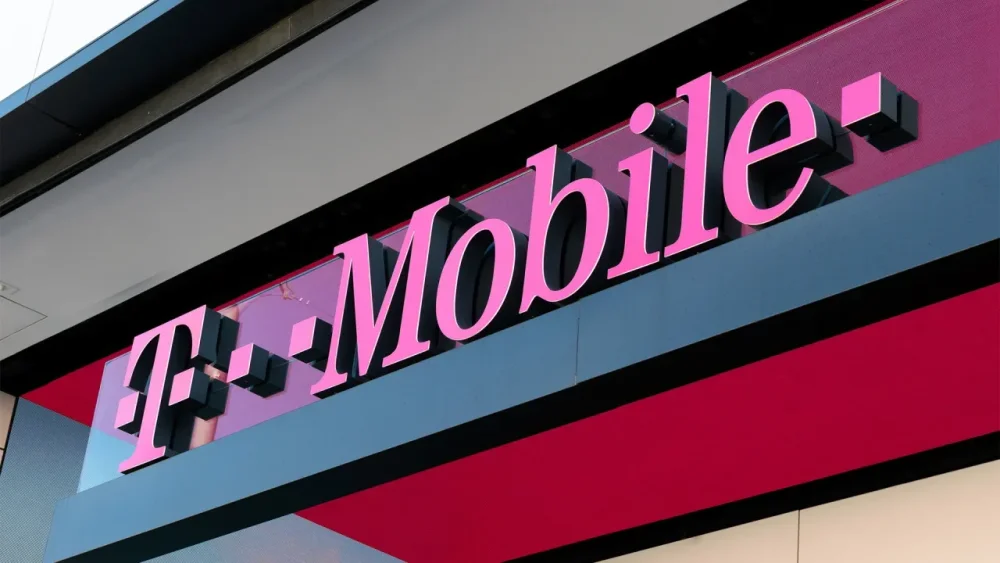
T-Mobile is making moves to make sure it’s “first” among first responders. The mobile giant announced that as a part of its T-Priority solution—a portion of T-Mobile’s 5G network that’s set aside specifically for use by first responders, to avoid network congestion and slowdowns during emergencies—it’s signed a contract with the City of New York to be the single carrier for the city’s public safety network comprising more than 40,000 personnel, and is allowing free limited-time access to T-Priority through its first responder rate plans. Additionally, the company is partnering with others in the industry to create an advanced 5G ecosystem, which should help numerous tools such as drones and AI-powered deployables perform better in the field. That partnership includes companies like Samsung and Skydio. T-Mobile is also making a $2 million donation to the Tunnel to Towers Foundation, which supports the families of fallen first responders. “These are big investments, and it’s incredibly important work,” said Callie Field, president of T-Mobile Business Group, at an event in New York City on Thursday announcing the news. “We launched T-Priority for a reason. It was time to get this community better options . . . Even in 2025, when we expect instant communication, there are times when they can’t connect.” Field went on to say that almost two-thirds of first responders say they are concerned about network connectivity. As such, Field said T-Mobile saw the announced moves as the company’s “responsibility.” T-Mobile’s moves may be significant for emergency services, as first responders can find it difficult to communicate when cell service goes down. While fire and police departments generally do have other ways to get in touch with one another—via walkie-talkies or pagers, which should work in the event that cell service is down—when carrier networks are clogged up or otherwise crippled, it can hamper responses and potentially cost lives. T-Mobile’s data says that T-Priority can offer up to 40% more 5G capacity to ensure first responders can stay connected, and it’s designed to emphasize speed for data-intensive communications. T-Priority also meshes with T-Mobile’s plan to launch T-Mobile Starlink this year, which will help get signals through to parts of the country that are not reachable by cell towers. View the full article
-
Converting between currencies when you're traveling can make it difficult to know exactly how much you're spending when you're making a purchase—which, along with conversion fees, can lead to surprises when you see your card or bank statement. Uber now has a feature that'll show you the cost of your ride in your preferred or home currency—but you'll pay a conversion fee for the convenience, so you may not want to have this enabled. Regardless of which currency your Uber account is set to, the actual fare for your trip is the same. But if the price of your ride is shown and charged in your home currency rather than the local currency, Uber tacks on a 1.5% conversion fee. (The 1.5% is applied to your fare but not tips.) Paying in the local currency instead—and simply calculating the conversion on Google if you really need to know—may allow you to skip fees entirely if your credit card provider or bank allows fee-free foreign transactions. Be sure to check with the terms of your payment method for any applicable fees. Unfortunately, you can't change your preference after booking once you've seen the price in your preferred currency, as new settings apply to the next eligible trip. Uber's preferred currency pricing option is available for rides in the United States, Canada, and the Eurozone. It does not apply to split fares, Uber Cash, Uber Money, Uber Eats/Delivery, or gift cards. How to change your currency for Uber ridesAccording to Uber's FAQ, the company may assign your home currency as your preferred currency by default. To change from your home currency to the local currency (or vice versa), open the Uber app and tap the Account icon in the bottom-right corner. Tap Wallet > Set preferred currency. Once you've booked a trip, you can switch your payment method for that trip but not your currency. View the full article
-
Tech group says it can no longer offer advanced protection to British users after demand for ‘back door’ to user dataView the full article
-
Digital marketing relies in part on Search Engine Optimization (SEO) to foster the success of a website. Effective strategies drive organic traffic, boosting both sales and conversions. Mistakes like not optimizing for essential keywords can lead to a drop in profits and sales. Remember, potential customers looking for online goods and services use keywords and phrases to start the process. The Impact of SEO Mistakes Understanding SEO is crucial for online success. For businesses considering how to start an SEO company, knowing these common mistakes can provide a solid foundation for offering effective SEO services. Other SEO errors can cause problems for a website’s search engine rankings: Mistakes like broken links can cause a drop in organic traffic. Misleading meta descriptions can damage the site’s credibility. Duplicate content can result in a decline in visibility on Search Engine Results Pages (SERPS). The Most Common SEO Mistakes to Avoid Along with these mistakes, focusing on video SEO and YouTube SEO is equally important, as video content increasingly dominates the digital landscape. Sidestepping the following SEO mistakes can help your site rank higher and boost sales. Ignoring the Importance of Keyword Research The Mistake Neglecting this research reduces a website’s visibility and potential traffic. Keywords are the basis of SEO. In effect, they are the phrases your audience uses to look for the goods and services you have to sell. The Solution You can use several research tools, including SEMrush and Google Keyword Planner. These can help you find high-volume, low-competition keywords. One strategy is to target long-tail ones and their variations. Overlooking the Power of Meta Descriptions The Mistake Don’t underestimate the critical nature of meta descriptions. Not using them properly can affect your visibility and click-through rates. The Solution A meta description should be approximately 150 to 160 characters long, written in the active voice to emphasize unique selling points. WordPress Has some excellent SEO plugins for these descriptions. The same goes for Yoast SEO. Failing to Optimize for Mobile Users The Mistake Ignoring mobile optimization leads to lower rankings on mobile searches and higher bounce rates. The Solution A responsive design is the solution. These designs need to adapt to various devices and screen sizes. Neglecting Internal Links The Mistake User navigation can be affected when you overlook these links. Another consequence occurs with indexing by search engines. The Solution Conducting an audit will help you pinpoint pages that have outdated links or are missing internal links. It is advisable to create an internal linking strategy that emphasizes relevant content. It’s also an excellent strategy to optimize your menus and navigation bars to incorporate internal links Overusing Keywords (Keyword Stuffing) The Mistake Overusing keywords can do much more than lead to a poor user experience. Search engines impose penalties for keyword stuffing. The Solution Writing content that appeals to users is part of the solution. Use words naturally so there’s a sense of flow and readability. Keywords need to be placed in strategic locations like a meta description, headings and titles. Density matters, and you should aim for what’s organic, which is typically up to 2% of all of the content. Not Utilizing Google Search Console The Mistake Google Search Control can assist you in troubleshooting, maintaining, and monitoring your website’s presence in Google search results. If you’re not utilizing it, you’re missing out on valuable insights. The Solution Fixing this problem starts with going to Google Search Control and adding your website URL. You need to upload your site’s XML sitemap. Ignoring Local SEO The Mistake Ignoring local SEO is a big mistake if you’re looking to target local prospects. Not using the strategy will lower your rankings in local search results. The Solution Fixing this problem means creating a Google My Business (GMB) listing. It’s also essential to optimize your content and website with location-based keyword phrases and keywords. Remember to ask satisfied customers to leave reviews on your GMB page. Not Optimizing for Voice Search The Mistake Voice Search is an emerging trend that you should leverage. It has the potential to enhance your visibility. The Solution Finding conversational keywords that prospects might use when speaking is a solution. Usually, these are long-tail keywords. You’ll also need to ensure your website is mobile-friendly because most searches are done that way. Forgetting to Regularly Update Content The Mistake Your website’s authority and relevance will suffer if you don’t update content regularly. The Solution It’s easier to schedule updates when you use a content calendar regularly. You can also consider updating old posts with brand-new information or statistics. New formats are another way to increase your rankings. Think podcasts, infographics, and videos. Overlooking User Experience (UX) The Mistake Lower engagement numbers and higher bounce rates result when ignoring user experience (UX). The Solution Make sure that your website performs well on mobile devices and is responsive. Optimize images and reduce unnecessary scripts. Streamline your navigation with user-friendly categories and menus and a logical site hierarchy. Don’t forget to use bullet points and headers to make content easy to read. Poor Site Speed and Performance The Mistake Poor performance and slow speed can hinder user experience and your SEO rankings at the same time. The Solution Consider using a faster hosting provider as a potential solution. Additionally, you can decrease HTTP requests by minimizing redirects and taking advantage of browser caching. Start by using tools like Google PageSpeed Insights to identify any performance issues. Failing to Utilize Social Media Signals The Mistake Your brand’s visibility can be limited if you ignore your social media presence and don’t maintain it properly. The Solution Sharing infographics, articles, blog posts, and videos will help engage with your target market. Remember to run contests and respond to any comments made on these channels. Not Using Analytics to Drive SEO Strategy The Mistake Optimizing your SEO strategies begins when you utilize the information you get from analytics. Ignoring this critical part of the puzzle deprives you of the tweaks necessary for any campaign. The Solution You can track user behavior and website traffic using Google Analytics. This tool helps you identify trending topics and high-performing keywords. The information you’ll get through analytics will help you align your strategies with your target market preferences. Inadequate Backlink Strategies The Mistake Your website authority will suffer, and your SEO performance drop if you don’t use quality backlinks. The Solution Ensure you reach out to relevant locations for these. Guest posting to relevant and reputable websites is a great way to get links back to your website. Overlooking the Importance of Meta Tags and Title Tags The Mistake Pay attention to title tags and the meta version. Your search visibility and click-through rates will be hampered if you don’t. The Solution One solution is descriptive, compelling titles of less than 70 characters containing your keywords. Encourage links with a meta description that is less than 160 characters. Not Addressing Broken Links The Mistake Maintaining vigilance over these links is essential, as they can adversely affect your SEO. Failing to monitor them can result in lost rankings and decreased sales. The Solution You’ll need to check for these periodically, and you can use tools like Screaming Frog. SEO Best Practices For those looking to deepen their SEO knowledge, exploring SEO courses can be incredibly beneficial. Additionally, learning how to improve writing and SEO can greatly enhance content quality and search engine rankings. Here are five strategies to help you build a successful SEO strategy and avoid mistakes. Optimizing your site’s speed means minimizing HTTP requests and compressing images. Active profiles on social media mean engagement. Respond to comments and integrate social sharing buttons. Utilize Google Analytics to make informed decisions by tracking popular content and website traffic, which encompasses choosing relevant keywords. Look for reputable backlinks from quality websites through guest posting and quality content. Don’t forget to optimize title tags and their meta counterparts. Beyond these practices, creating a well-rounded SEO strategy and improving blog SEO are crucial steps. Remember, understanding mobile SEO facts is key in an increasingly mobile-first world. Best PracticeDescriptionTools/ResourcesKey Tips Keyword ResearchIdentify relevant keywords that your target audience is searching for.Google Keyword Planner, SEMrush.Focus on long-tail keywords for less competition. Quality ContentCreate valuable and informative content that meets user needs.Content management systems, Grammarly.Regularly update your website with fresh, relevant content. On-Page OptimizationOptimize individual web pages to rank higher.Yoast SEO, Moz SEO tools.Include keywords in titles, headings, and meta descriptions. Mobile OptimizationEnsure your website is mobile-friendly.Google's Mobile-Friendly Test, responsive web design.A mobile-responsive website is crucial for better ranking. Loading SpeedImprove website loading times for better user experience.Google PageSpeed Insights, website caching tools.Fast loading speeds are crucial for both ranking and user experience. Quality BacklinksBuild high-quality backlinks from reputable websites.Backlink analysis tools like Ahrefs, guest blogging.Focus on building organic backlinks over quantity. Local SEOOptimize for local searches, especially if you have a physical location.Google My Business, local directories.Ensure your business is listed on local directories and Google My Business. Image OptimizationOptimize images for faster loading and descriptive alt-text.Image compression tools, descriptive file names.Use relevant alt-text and compress images for faster loading. Regular Analytics ReviewRegularly check analytics to understand traffic and user behavior.Google Analytics, Google Search Console.Use insights to refine your SEO strategies over time. SSL CertificateSecure your website with HTTPS for safety and ranking.SSL certificates from hosting providers.Websites with HTTPS are favored by search engines. https://youtube.com/watch?v=MrxJTEfL_Og%3Fsi%3DMWLrnBvF1Wz4WaCL FAQs: Common SEO Mistakes Here are some answers to common questions asked about these mistakes. Should a small business pay a specialist to optimize a website for search engines? Hiring a professional will give you expert implementation of the most innovative SEO strategies. How often should an SEO strategy be reviewed? Regularly reviewing your strategy every 3 to 6 months will enable you to adjust to evolving user behaviors, algorithm updates, and market trends. What are the key factors search engines consider when ranking websites? The factors search engines evaluate include: Content quality and keywords. Backlinks and user experience, which include mobile-friendliness and website speed. Technicalities like sitemaps, schema markup, and proper website structure. Domain Authority, which judges the credibility and trustworthiness of the site. Engagement metrics, which include click-through rates. How costly can an SEO mistake be? An SEO mistake can lead to a significant drop in website traffic, visibility, and rankings. That can spell a decrease in organic search traffic and a loss of revenue. Image: Envato Elements This article, "Common SEO Mistakes You Don’t Want to Be Making" was first published on Small Business Trends View the full article
-
Digital marketing relies in part on Search Engine Optimization (SEO) to foster the success of a website. Effective strategies drive organic traffic, boosting both sales and conversions. Mistakes like not optimizing for essential keywords can lead to a drop in profits and sales. Remember, potential customers looking for online goods and services use keywords and phrases to start the process. The Impact of SEO Mistakes Understanding SEO is crucial for online success. For businesses considering how to start an SEO company, knowing these common mistakes can provide a solid foundation for offering effective SEO services. Other SEO errors can cause problems for a website’s search engine rankings: Mistakes like broken links can cause a drop in organic traffic. Misleading meta descriptions can damage the site’s credibility. Duplicate content can result in a decline in visibility on Search Engine Results Pages (SERPS). The Most Common SEO Mistakes to Avoid Along with these mistakes, focusing on video SEO and YouTube SEO is equally important, as video content increasingly dominates the digital landscape. Sidestepping the following SEO mistakes can help your site rank higher and boost sales. Ignoring the Importance of Keyword Research The Mistake Neglecting this research reduces a website’s visibility and potential traffic. Keywords are the basis of SEO. In effect, they are the phrases your audience uses to look for the goods and services you have to sell. The Solution You can use several research tools, including SEMrush and Google Keyword Planner. These can help you find high-volume, low-competition keywords. One strategy is to target long-tail ones and their variations. Overlooking the Power of Meta Descriptions The Mistake Don’t underestimate the critical nature of meta descriptions. Not using them properly can affect your visibility and click-through rates. The Solution A meta description should be approximately 150 to 160 characters long, written in the active voice to emphasize unique selling points. WordPress Has some excellent SEO plugins for these descriptions. The same goes for Yoast SEO. Failing to Optimize for Mobile Users The Mistake Ignoring mobile optimization leads to lower rankings on mobile searches and higher bounce rates. The Solution A responsive design is the solution. These designs need to adapt to various devices and screen sizes. Neglecting Internal Links The Mistake User navigation can be affected when you overlook these links. Another consequence occurs with indexing by search engines. The Solution Conducting an audit will help you pinpoint pages that have outdated links or are missing internal links. It is advisable to create an internal linking strategy that emphasizes relevant content. It’s also an excellent strategy to optimize your menus and navigation bars to incorporate internal links Overusing Keywords (Keyword Stuffing) The Mistake Overusing keywords can do much more than lead to a poor user experience. Search engines impose penalties for keyword stuffing. The Solution Writing content that appeals to users is part of the solution. Use words naturally so there’s a sense of flow and readability. Keywords need to be placed in strategic locations like a meta description, headings and titles. Density matters, and you should aim for what’s organic, which is typically up to 2% of all of the content. Not Utilizing Google Search Console The Mistake Google Search Control can assist you in troubleshooting, maintaining, and monitoring your website’s presence in Google search results. If you’re not utilizing it, you’re missing out on valuable insights. The Solution Fixing this problem starts with going to Google Search Control and adding your website URL. You need to upload your site’s XML sitemap. Ignoring Local SEO The Mistake Ignoring local SEO is a big mistake if you’re looking to target local prospects. Not using the strategy will lower your rankings in local search results. The Solution Fixing this problem means creating a Google My Business (GMB) listing. It’s also essential to optimize your content and website with location-based keyword phrases and keywords. Remember to ask satisfied customers to leave reviews on your GMB page. Not Optimizing for Voice Search The Mistake Voice Search is an emerging trend that you should leverage. It has the potential to enhance your visibility. The Solution Finding conversational keywords that prospects might use when speaking is a solution. Usually, these are long-tail keywords. You’ll also need to ensure your website is mobile-friendly because most searches are done that way. Forgetting to Regularly Update Content The Mistake Your website’s authority and relevance will suffer if you don’t update content regularly. The Solution It’s easier to schedule updates when you use a content calendar regularly. You can also consider updating old posts with brand-new information or statistics. New formats are another way to increase your rankings. Think podcasts, infographics, and videos. Overlooking User Experience (UX) The Mistake Lower engagement numbers and higher bounce rates result when ignoring user experience (UX). The Solution Make sure that your website performs well on mobile devices and is responsive. Optimize images and reduce unnecessary scripts. Streamline your navigation with user-friendly categories and menus and a logical site hierarchy. Don’t forget to use bullet points and headers to make content easy to read. Poor Site Speed and Performance The Mistake Poor performance and slow speed can hinder user experience and your SEO rankings at the same time. The Solution Consider using a faster hosting provider as a potential solution. Additionally, you can decrease HTTP requests by minimizing redirects and taking advantage of browser caching. Start by using tools like Google PageSpeed Insights to identify any performance issues. Failing to Utilize Social Media Signals The Mistake Your brand’s visibility can be limited if you ignore your social media presence and don’t maintain it properly. The Solution Sharing infographics, articles, blog posts, and videos will help engage with your target market. Remember to run contests and respond to any comments made on these channels. Not Using Analytics to Drive SEO Strategy The Mistake Optimizing your SEO strategies begins when you utilize the information you get from analytics. Ignoring this critical part of the puzzle deprives you of the tweaks necessary for any campaign. The Solution You can track user behavior and website traffic using Google Analytics. This tool helps you identify trending topics and high-performing keywords. The information you’ll get through analytics will help you align your strategies with your target market preferences. Inadequate Backlink Strategies The Mistake Your website authority will suffer, and your SEO performance drop if you don’t use quality backlinks. The Solution Ensure you reach out to relevant locations for these. Guest posting to relevant and reputable websites is a great way to get links back to your website. Overlooking the Importance of Meta Tags and Title Tags The Mistake Pay attention to title tags and the meta version. Your search visibility and click-through rates will be hampered if you don’t. The Solution One solution is descriptive, compelling titles of less than 70 characters containing your keywords. Encourage links with a meta description that is less than 160 characters. Not Addressing Broken Links The Mistake Maintaining vigilance over these links is essential, as they can adversely affect your SEO. Failing to monitor them can result in lost rankings and decreased sales. The Solution You’ll need to check for these periodically, and you can use tools like Screaming Frog. SEO Best Practices For those looking to deepen their SEO knowledge, exploring SEO courses can be incredibly beneficial. Additionally, learning how to improve writing and SEO can greatly enhance content quality and search engine rankings. Here are five strategies to help you build a successful SEO strategy and avoid mistakes. Optimizing your site’s speed means minimizing HTTP requests and compressing images. Active profiles on social media mean engagement. Respond to comments and integrate social sharing buttons. Utilize Google Analytics to make informed decisions by tracking popular content and website traffic, which encompasses choosing relevant keywords. Look for reputable backlinks from quality websites through guest posting and quality content. Don’t forget to optimize title tags and their meta counterparts. Beyond these practices, creating a well-rounded SEO strategy and improving blog SEO are crucial steps. Remember, understanding mobile SEO facts is key in an increasingly mobile-first world. Best PracticeDescriptionTools/ResourcesKey Tips Keyword ResearchIdentify relevant keywords that your target audience is searching for.Google Keyword Planner, SEMrush.Focus on long-tail keywords for less competition. Quality ContentCreate valuable and informative content that meets user needs.Content management systems, Grammarly.Regularly update your website with fresh, relevant content. On-Page OptimizationOptimize individual web pages to rank higher.Yoast SEO, Moz SEO tools.Include keywords in titles, headings, and meta descriptions. Mobile OptimizationEnsure your website is mobile-friendly.Google's Mobile-Friendly Test, responsive web design.A mobile-responsive website is crucial for better ranking. Loading SpeedImprove website loading times for better user experience.Google PageSpeed Insights, website caching tools.Fast loading speeds are crucial for both ranking and user experience. Quality BacklinksBuild high-quality backlinks from reputable websites.Backlink analysis tools like Ahrefs, guest blogging.Focus on building organic backlinks over quantity. Local SEOOptimize for local searches, especially if you have a physical location.Google My Business, local directories.Ensure your business is listed on local directories and Google My Business. Image OptimizationOptimize images for faster loading and descriptive alt-text.Image compression tools, descriptive file names.Use relevant alt-text and compress images for faster loading. Regular Analytics ReviewRegularly check analytics to understand traffic and user behavior.Google Analytics, Google Search Console.Use insights to refine your SEO strategies over time. SSL CertificateSecure your website with HTTPS for safety and ranking.SSL certificates from hosting providers.Websites with HTTPS are favored by search engines. https://youtube.com/watch?v=MrxJTEfL_Og%3Fsi%3DMWLrnBvF1Wz4WaCL FAQs: Common SEO Mistakes Here are some answers to common questions asked about these mistakes. Should a small business pay a specialist to optimize a website for search engines? Hiring a professional will give you expert implementation of the most innovative SEO strategies. How often should an SEO strategy be reviewed? Regularly reviewing your strategy every 3 to 6 months will enable you to adjust to evolving user behaviors, algorithm updates, and market trends. What are the key factors search engines consider when ranking websites? The factors search engines evaluate include: Content quality and keywords. Backlinks and user experience, which include mobile-friendliness and website speed. Technicalities like sitemaps, schema markup, and proper website structure. Domain Authority, which judges the credibility and trustworthiness of the site. Engagement metrics, which include click-through rates. How costly can an SEO mistake be? An SEO mistake can lead to a significant drop in website traffic, visibility, and rankings. That can spell a decrease in organic search traffic and a loss of revenue. Image: Envato Elements This article, "Common SEO Mistakes You Don’t Want to Be Making" was first published on Small Business Trends View the full article
-
We may earn a commission from links on this page. Body Horror is one of those sub-genres that can be a bit tricky to define, though one that sometimes gets conflated with anything gory. There has to be a human body (preferably several) facing any number of forms of grotesque alteration or violation but, for my money, true body horror needs an extra layer: it has to mean something. There's no greater fear, perhaps, than the terror of our bodies breaking down and betraying us—and we're easily repulsed by the simple functions that go on within and without our own forms. Even if we've been lucky enough to have bodies that are relatively healthy and able, it's only a matter of time before something goes wrong—perhaps horribly wrong. Good body horror reminds us of our fears in that area: loss of physical control, the toll of disease, the ravages of aging, and it often adds some new ones that we maybe haven't thought of yet. It's not a genre for the faint of heart or weak of stomach, but it's one that can have an awful lot to say, as is the case with writer/director Coralie Fargeat's The Substance, starring Demi Moore, which points a very sharp stick at our fears of aging and, even more, our fears of watching other people (particularly women) age. The Substance (2024) Demi Moore's comeback has made such a cultural splash that it might just pave the way for horror—and body horror, no less—to make it big at the Oscars. The movie earned five nominations, including for Best Picture. Demi (I can call her Demi, right?) plays a celebrity aging out of the A-list who learns of a black market drug that creates a younger version of herself. Of course, there are increasingly gruesome side effects. It's as good and queasy a satire of our terrible misogynistic beauty standards as you're likely to find. You can rent The Substance from Prime Video. The Substance (2024) at Prime Video Learn More Learn More at Prime Video The Fly (1986) Sometimes body horror is about how skewed out we are by our own bodies, a perfectly valid and potent topic. But, at other times, there's more going on. No one has ever done body horror like David Cronenberg, and The Fly came along at a very specific moment in history: In 1986, the AIDS crisis was at its height, and thousands were fighting and succumbing to a still mysterious disease that had seemingly come out of nowhere just a few years before. Jeff Goldblum plays Seth Brundle, a scientist working on molecular teleportation who makes one small and largely innocent mistake only to find his body betraying him in increasingly grotesque ways. Though it probably wasn't intended as a straight metaphor, the timing and the applicability to the era give the movie an added power. You can rent The Fly from Prime Video. The Fly (1986) at Prime Video Learn More Learn More at Prime Video The Thing (1982) Perhaps John Carpenter's greatest film, but certainly his goopiest, The Thing adapts the classic John W. Campbell novella Who Goes There?, which was itself adapted as The Thing from Another World, one of the best sci-fi/horror films of the 1950s. This '80s version is nearly two hours of concentrated paranoia and isolation, as a malicious alien lifeform stalks an arctic research base, sowing mutual mistrust by taking on the physical forms of the various researchers. While the earlier take hinted at Communist infiltration, Carpenter's bleak (but thrilling) film argues that our biggest threat will always be our fear of each other. Effects creator Rick Bottin's gloriously gory creature effects, capturing our alien intruder in various phases of shifting into human (and animal) forms, are an absolute highlight—for viewers with strong stomachs. You can rent The Thing on Prime Video. The Thing (1982) at Prime Video Learn More Learn More at Prime Video Titane (2021) Just another film about a gender-fluid erotic dancer (Alexia/Adrien, played by Agathe Rousselle) who fucks a car, gets pregnant as a result, and is then taken in by a man (Vincent Lindon) who believes he's found his long lost son. Oh, and our lead character is also a serial killer. There's a lot going on in writer/director Julia Ducournau's wildly unconventional love story, but what stands out is the ways in which Alexia/Adrien's gender nonconformity is not treated as a subject of horror, but, ultimately, her greatest asset and a focus of affection. You can stream Titane on Tubi. Titane (2021) Learn More Learn More Hellraiser (1987) Let's say that you gave up your body to these sexy kinky hell priests and, while it was fun for a while, you find yourself wondering: What's next? Frank (Sean Chapman) wants his girlfriend (Clare Higgins, deliciously nasty) to bring him fresh supplies of flesh and blood so that he can gradually rebuild his human body. There's a lot here about links between pleasure and pain in an S&M kinda way, but it's also a movie that absolutely revels in the gloopy viscera of human bodies stripped of skin. You can stream Hellraiser on Tubi, Prime Video, Pluto TV, AMC+, and Shudder. Hellraiser (1987) at Prime Video Learn More Learn More at Prime Video Cabin Fever (2002) Eli Roth (Hostel, Thanksgiving) kickstarted his directing career with this cabin-in-the-woods-style horror movie, albeit one with a giant twist. A group of college friends head out into the woods for October break when they encounter, and refuse to help, your typical weird old hermit (a slasher movie staple)—except that Henry's not trying to warn them about a human killer, but a deadly flesh-eating virus. Using slasher tropes, Roth and company tell a story about a rather gory infection that, inevitably, turns friend against friend as they each try to avoid contagion. You can rent Cabin Fever from Prime Video. Cabin Fever (2002) Learn More Learn More Thanatomorphose (2012) Laura (Kayden Rose) is a depressed and introverted young woman with an abusive boyfriend...but wait, it gets worse. She wakes up in the middle of the night to find a strange spot on her groin. And then one of her fingernails falls off. Laura begins literally decomposing, following the various stages of decay of a human body while very much alive and conscious. It's extremely visceral, but the movie has bigger ambitions than just grossing us out; Rose's impressive lead performance makes clear that we're watching a movie about psychological trauma via an extremely grisly body horror metaphor. You can stream Thanatomorphose on Tubi. Thanatomorphose (2012) at Tubi Learn More Learn More at Tubi Raw (2016) A vegetarian veterinary student develops a taste for meat. A lot of meat. All the time. Much of it human. Human cannibalism is disturbing, but hardly unheard of. Raw takes it several graphic steps further, leaving even the most jaded audiences feeling queasy, though it's also a coming-of-age story. Its director, Julia Ducournau, went on to win the Palm D’Or at Cannes for the previously discussed Titane, having already established herself as a purveyor of fucked-up modern classics. You can rent Raw from Apple TV. Raw (2016) at Apple TV Learn More Learn More at Apple TV Swallowed (2022) Ben (Cooper Koch) just wants to pop off to Los Angeles for an exciting new life as a gay porn star—but, first, his friend Dom (who has a secret crush) has a great idea: They'll make a quick drug run across the Canadian border for some seed money, if you will. Actually, and unsurprisingly, it's a very bad idea, as the two are forced to swallow condoms full of a mysterious...something. Some of the condoms are broken during a confrontation with a bigot in a bathroom truck stop, and things go from bad to worse when they finally meet the drug boss (Mark Patton) who's simultaneously ruthless, and also extremely hot for Ben. Oh, and did I mention that the condoms are filled with the larvae of a bug that bites to get you high and/or erect? Classify this one as Boner Body Horror. You can stream Swallowed on Tubi or rent it from Prime Video. Swallowed (2022) at Prime Video Learn More Learn More at Prime Video Mad Love (1935) Just a boy-meets-girl story with an A-list star from Hollywood's golden age! Except that the boy is a surgeon played by Peter Lorre, and the girl is a married actress with whom he’s obsessed. When her pianist husband’s hands are mutilated in a train accident, Lorre’s character gives him the hands of a murderer, and then proceeds to attempt to drive him mad by pretending to be the beheaded former owner of said hands. It’s gloriously demented, with bits of beautiful expressionist cinematography. For the characters of Mad Love, hands are central to every endeavor: They can make music, practice science, conduct surgery—at least when whole. When these tools are damaged, the film suggests, we are at the mercy of fate (and also of Peter Lorre). You can rent Mad Love from Prime Video. Mad Love (1935) at Prime Video Learn More Learn More at Prime Video Eraserhead (1977) It’s the David Lynch-iest of all David Lynch films, and an early arthouse masterpiece, so it probably goes without saying that trying to sum up the plot is an exercise in futility. It’s something like: Man reconnects with an old fling just in time for her to give birth to their child, a lizard creature, while woman who lives in a radiator looks on. What stands out here is an equal fascination and horror with the reproductive impulse and act—not only birth itself, but the entire weird and disturbing process by which we propagate ourselves. You can stream Eraserhead on Max and The Criterion Channel or rent it from Prime Video. Eraserhead (1977) at Max Learn More Learn More at Max From Beyond (1986)Director Stuart Gordon re-teamed with Jeffrey Combs and Barbara Crampton from Re-Animator for a further H.P. Lovecraft adaptation that does the earlier film one better, at least in terms of horrific effects. Combs plays Dr. Crawford Tillinghast, assistant to Ted Sorel's Dr. Pretorius, both working on a machine that can make visible a world that exists just outside of our perception. It turns out that what exists just beyond the veil isn't particularly friendly, though Pretorius discovers that, by surrendering his body, he can expand his consciousness or, at least, the parts of his consciousness that are both insane and evil. Returning from the void with only a suggestion of a body, the doctor is an increasingly repulsive and generally amorphous blob, at odds with science fiction ideas about mentally evolved humans as somehow more beautiful—or at least not murderous and dripping with ooze. You can stream From Beyond on MGM+ and Pluto TV. From Beyond (1986) at Pluto TV Learn More Learn More at Pluto TV Possessor (2020) In the near future, a corporation offers assassinations to wealthy clients, by proxy: They'll kidnap and drug a friend of family member of the target and put the body in the control of a killer with 48 hours to get the job done. Andrea Riseborough plays Tasya Vos, a top assassin who is, nonetheless, starting to lose track of her own identity. Director Brandon Cronenberg (son of David and very much a chip off the ol' block) has created here a bloody, exceedingly gory science fiction story following characters with tenuous connections to their own bodies, and even more tenuous connections to other people's bodies. You can stream Possessor on Tubi or rent it from Prime Video. Possessor (2020) at Prime Video Learn More Learn More at Prime Video View the full article
-
President orders cabinet to give domestic producers preferential treatment as payback for sanctionsView the full article
-
Prime minister opts out of G7 call as dream of mediating between US and Europe fadesView the full article