Newsletter
Want to keep up to date with all our latest news and information?


ResidentialBusiness
Administrators
-
Joined
-
Last visited
Everything posted by ResidentialBusiness
-
With a new streamlined application, it’s easier than ever to apply to Fast Company’s Best Workplaces for Innovators. Here are six reasons why you should apply to our seventh annual BWFI program. 6 reasons to apply 1. Brand exposure. Every company ranked in the top 100 or earning honoree status in a category will appear in the fall (September) issue of the magazine and on fastcompany.com. 2. Talent retention. Public recognition as a Best Workplace for Innovators honoree provides powerful third-party validation that enhances your ability to recruit and retain top talent. 3. Editorial access. Fast Company editors will review all applications; the application represents an opportunity to highlight individuals and projects that showcase your company’s innovative prowess. The insight Fast Company editors glean from judging applications informs our ongoing coverage, often leading to stories. 4. Credibility. Fast Company’s reputation for writing about innovation is unparalleled in business media. Inclusion on the Best Workplaces for Innovators list is a powerful stamp of approval of your company’s efforts. 5. Employee recognition. The program honors an Innovative Team of the Year as well as an Innovative Leader of the Year, along with finalists in each category. 6. A level playing field. Every company is unique, so the application is structured to allow your company to focus on whatever particular initiatives and programs you’ve established to cultivate innovative work across your organization. There are different categories for different size companies, as well as companies from different regions and those with a particular focus on AI, automation, and machine learning. Outstanding achievement in business innovation For more than 15 years, Fast Company has been recognizing outstanding achievement in business innovation with its annual awards programs. In addition to Best Workplaces for Innovators, Fast Company’s Most Innovative Companies, Innovation by Design, World Changing Ideas, Brands That Matter, and the Next Big Thing in Tech lists have celebrated thousands of organizations transforming industries and shaping society through paradigm-shifting products, insights, or services. What differentiates Best Workplaces for Innovators from existing best-places-to-work lists is that it goes beyond benefits, competitive compensation, and collegiality (mere table stakes in today’s competitive talent marketplace) to identify which companies are actively creating and sustaining the kinds of innovative cultures that many top employees value even more than money. These are the places where people can do the best work of their careers and improve the lives of hundreds, thousands, even millions of people around the world. Best Workplaces for Innovators is the most authoritative list of companies cultivating an organization-wide commitment to innovation. We hope you’ll submit your company today. For more information on applying, see the FAQs. But don’t delay—the final deadline is March 28. View the full article

-
We may earn a commission from links on this page. There was a time when I would confuse the terms “Dutch oven” and “slow cooker.” I couldn’t tell you why, but it was probably because I had never really operated either of them before and these vague, old-timey titles fused together in my mind. (I envisioned a cauldron over a fire.) Well, let the record show that they’re not the same. Not only are they completely dissimilar in appearances, but they specialize in somewhat different cooking tasks. H Both cookers are known for their slow and steady cooking properties, and due to their deep shape, the Dutch oven and slow cooker are both good candidates for high-moisture foods. The biggest difference is that one is a proper electronic appliance, and one is, well, a pot. The slow cooker Credit: Allie Chanthorn Reinmann What is it?The slow cooker is a cooking appliance that includes a lightweight (usually aluminum) housing with an electric heating element at the bottom. There’s always a heavy ceramic vessel that sits snugly into the housing and this is where the food cooks. Oh, and there’s a lid. The lid fits loosely and that seems like a mistake at first, but it’s not supposed to be tight—steam is supposed to gently escape during cooking. On the front of every slow cooker is a control panel. This might be a simple rotating dial, or it could be a whole digital display with buttons and a timer. The settings are usually high, low, keep warm, and the amount of time it’s cooking for. Here's the one I have, and it works well for me. Hamilton Beach Four-Quart Slow Cooker $46.99 at Amazon /images/amazon-prime.svg Shop Now Shop Now $46.99 at Amazon /images/amazon-prime.svg When to use your slow cooker The electric heating element in the housing gently heats the ceramic interior vessel to a range just around boiling. Depending on the model, low temperature might be around 200°F and it may only go as high as 300°F. With temperatures this low and gentle, you can see why it’s called a slow cooker. Most things that go in will take over an hour to cook. That makes this appliance great for hands-off cooking where you want flavors to deepen and meld, and tough meats that would benefit from the tenderization of low, slow heat. Where the slow cooker really shines is with set-it-and-forget-it cooking and keeping foods warm for a long period of time. Since it’s not cooked on the stove and the entire heating mechanism is enclosed, the slow cooker is safe to leave on the counter unattended. (As long as you trust your cats to leave it alone. It’s a gamble for me.) The slow cooker can be a huge helper when you need to free up the stove and oven, like for Thanksgiving. I think the “keep warm” function is the biggest boon for party hosting. I’ll keep a huge tank of Swedish meatballs warm in a large slow cooker, and a small batch of mulled glögg steaming in another. Set up the slow cooker for: Bean soups Stews with tough cuts of meat Chili Meatballs in gravy Mulled wine or other hot beverages You wouldn’t use the slow cooker for anything that needs to be done quickly, or anything that requires high heat. For example, you can’t sear something in the slow cooker. It’s a better tool for boiling, steaming, or keeping moist foods and drinks warm. The Dutch oven Credit: Allie Chanthorn Reinmann What is it?A Dutch oven is not an appliance at all. I’m willing to bet that the word “oven” in the title is what throws off most people. In the simplest terms, it’s a heavy-duty cast iron pot with a lid. There are no moving parts, no plugs, and no instruction manual. The fanciest thing about it is the enamel glaze that can come in a rainbow of colors and makes the interior somewhat non-stick. I’ve been pretty obsessed with mine this winter. My Dutch oven was a gift and it has no brand name (many of the affordable ones are just as good as the fancy ones), but if I were to buy another one it would probably be a Lodge. Lodge Six-Quart Enameled Dutch Oven $79.90 at Amazon /images/amazon-prime.svg Shop Now Shop Now $79.90 at Amazon /images/amazon-prime.svg When to use itThe Dutch oven excels at holding onto heat for long periods of time and distributing it evenly because of its dense walls. They’re also oven-safe up to 500°F (and maybe higher, depending on the brand). That makes this pot great for anything that needs to be cooked for a long period of time, any meals that move from the stove top to the oven, or things that benefit from roasting in an enclosed space in the oven. The Dutch oven is a great vessel for frying since the thick metal retains heat better than a thin pot. You won’t have to keep messing with the flame to maintain a 350°F temperature. My favorite things to throw in Ol’ Dutchie are bread for the increased oven spring (the final rise a loaf of bread does in the oven) and soup or stew. If you’re in need of a recipe, my crispy chicken and rice recipe really shows off what the Dutch oven is capable of. Pull out the Dutch oven for: Braised meats Roasted meats Sauces or soups that simmer at a low temperature Deep frying Bread baking You wouldn’t use the Dutch oven for anything that you want to cook quickly because it takes so long for the metal to come up to temperature. Frying eggs, quick stir-fried noodle dishes, and whipping up grilled cheese sandwiches are still best done in a classic frying pan. How to choose between the twoThe next time you're making pulled pork, stew, or white bean chili, you could reach for either cooking tool. When deciding between the two I usually ask myself a few questions: Do I want to do a little work or practically no work, are there tough cuts of meat I'd like to tenderize, and how much time do I have until I want to eat? If I have a few hours or tough bits of beef to cook, I'll probably dump the ingredients in the slow cooker. If I want to eat within the hour and/or the meal has seared and simmered elements, I'll likely turn to my Dutch oven. View the full article
-
Meanwhile, home prices are set to grow 3 to 4% in 2025, a Fitch report predicts. View the full article

-
US president’s public exchange of insults with Zelenskyy forms part of rapid pivot towards RussiaView the full article
-
We may earn a commission from links on this page. Deal pricing and availability subject to change after time of publication. When building out your DIY toolkit, it can be difficult to find good quality tools at an affordable price. Milwaukee tools are known for their durability and are often used by professionals for carpentry and construction jobs, but they are outside the price range of many DIYers. If you're looking for tools, there's a great sale right now at Home Depot offering up to 50% off cordless Milwaukee sets. Driver setDrills and drivers are the essential tools of any aspiring home maintenance DIYer. The Milwaukee 18-volt impact driver set is on sale right now for $99, 50% off its regular price. The set includes an 18-volt impact driver, a 2-amp-hour battery, a charger, and a tool bag. If you need a replacement driver or just want to upgrade from using a cordless drill as a driver, this is a good deal. Milwaukee 18-volt impact driver set $99.00 at Home Depot $199.00 Save $100.00 Get Deal Get Deal $99.00 at Home Depot $199.00 Save $100.00 Battery and chargerThe Milwaukee 18-volt, 8-amp-hour battery and charger set is on sale for $149, 40% off its regular price. The set comes with the battery and the charger, allowing you to use many Milwaukee M-18 tools for up to eight hours without needing to swap out the battery. If you need extra batteries for your growing Milwaukee cordless tool collection, adding a longer-lasting option can help you level up your DIY game. Oscillating multitool setAn oscillating multitool is becoming a staple for a well-rounded tool kit because of its versatility, cutting, sanding, and buffing multiple materials. The Milwaukee 18-volt oscillating tool set is on sale for $179, 45% off its regular price. It comes with the tool, an 18-volt, 5-amp-hour battery, a charger, and a tool bag. It’s a good addition to an existing toolkit if you already have a few basics, or for a beginner who needs a multi-functional tool to try out different projects and materials. Milwaukee 18-volt oscillating tool set $179.00 at Home Depot $328.00 Save $149.00 Get Deal Get Deal $179.00 at Home Depot $328.00 Save $149.00 Tool setsA good quality set of cordless tools is a must for DIY and home maintenance enthusiasts. These Milwaukee sets can help you build out a first-time kit or replace a broken or worn-out set. The Milwaukee 18-volt 5-tool combo kit is on sale for $299, 50% off its usual price. The kit comes with a drill, an impact driver, an oscillating multi-tool, a reciprocating saw, a work light, a 1.5 CP battery, a 3 CP battery, a charger, a tool bag, a blade, and sanding attachments for the oscillating tool. CP batteries are compact versions of Milwaukee’s regular 18-volt batteries and are lighter and smaller than their counterparts. This kit has everything you need to get started on most DIY and home maintenance projects. An expanded Milwaukee 18-volt, 9-tool combo kit is on sale for $599, 45% off its regular price. The kit includes a drill, a quarter-inch impact driver, a half-inch impact wrench, a reciprocating saw, a circular saw, an oscillating tool, a cutoff grinder, a work light, a blower, a 3 CP battery, a 1.5 CP battery, a charger, and a tool bag. If you’re ready to do some carpentry or larger repair projects around the house, this tool kit is a good investment. The Milwaukee 12-volt, 5-tool cordless kit is on sale for $199, 50% off its list price. This kit includes a drill, an impact driver, a ratchet, a reciprocating saw, a work light, a CP 1.5 battery, a charger, and a tool bag. The voltage of this kit means that it’s made for smaller projects or projects where a lighter touch is needed, like installing shelving or cutting lighter, more delicate material. It’s a great beginner kit for someone just getting into DIY, or testing out their home maintenance chops. Milwaukee 12-volt, 5-tool cordless kit $199.00 at Home Depot $399.00 Save $200.00 Get Deal Get Deal $199.00 at Home Depot $399.00 Save $200.00 View the full article
-
New residential construction decreased 9.8% to an annualized pace of 1.37 million last month, slipping after a nearly 16% surge in December, according to government data released Wednesday. View the full article

-
We all “scream for ice cream,” and you’ll shriek at the profit potential in a mobile ice cream business. Running an ice cream truck business is among the most sought-after food truck ideas. You have the flexibility to decide whether to operate on a set route or at events. Additionally, you can select the days you wish to operate and determine if you want to run your business seasonally. For more information about ice cream trucks, and to keep track of industry trends, check out the International Association of Ice Cream Distributors and Vendors. Additionally, stay informed about this development – Nissan introduced a prototype all-electric ice cream truck equipped with rooftop solar panels, and they have been operational on the roads in the UK for a period of time. Why You Should Start an Ice Cream Truck Business You love ice cream You have childhood memories of a neighborhood truck and want to continue the tradition You love children You want to be independent and own your own business How to Start an Ice Cream Truck Business with These Simple Steps Entrepreneurs and food trucks are a great match. Before you launch your ice cream truck business, work your way through these steps: Research Nearby Ice Cream Truck Businesses You should research these businesses as competitors. And you should research how they do business. Find out what products they sell and what’s been most popular. You can get those answers by reading through their websites and social media pages. Find Suppliers The proximity of suppliers may impact what type of frozen treat you sell. Ice cream trucks are typically large, heavy diesel-fuel trucks. In other words, you want to make trips to resupply as infrequently as possible or find a supplier who will deliver. You’ll want to set up storage freezers in your home or headquarters and resupply them as needed. Need to know: An ice cream truck is connected to a power source overnight. When fully charged, the truck can keep the ice cream frozen for 10-12 hours at a temperature of 90 degrees. This means you should ensure that your suppliers are not located too far away. Write an Ice Cream Truck Business Plan What’s your target market? Are you going to run various set routes, or are you going to focus on attending events? Or a mix of both? As part of your business plan, you’ll need a name. You’ll also need to estimate a budget, which will include a calculation of other expenses, including the cost of restocking, any labor costs, and the cost to purchase and maintain the truck. Without a well-written business plan, it’s unlikely for owners to get business loans. Establish Menus, Choose Flavors, and Set Prices There is a wide variety of delicious ice cream products available. These include hard ice cream, soft-serve ice cream, ice cream sandwiches, sundaes, pre-packaged ice cream, low-calorie options, numerous flavors, and other ice cream novelties—there’s even ice cream designed for pets. Before purchasing ice cream for your ice cream truck business, take a look at what other ice cream vendors are offering. Form a Business Entity and Register Your Business Your business name is very important. When you check with your Department of State, you may find that your name is already taken. You may also find that someone else has already claimed the web domain. Take your time with this step, and use friends and family to brainstorm a business name. The majority of ice cream truck business owners choose the Limited Liability Company LLC as the business entity. Open a Business Bank Account Open a business bank account and obtain a business credit card. POS System The majority of food truck vendors have switched to a contactless point of sale system, although you may still need a cash box. Find an Ice Cream Truck Don’t scrimp on the truck. If ice cream melts or reaches room temperature, you must discard it. Most ice cream trucks are outfitted with a deep cell battery, which is designed to be frequently drained and recharged. And the trucks will have cold plate freezers, an ice cream dipping cabinet, and soft serve machines. It’s a lot to keep cold. If you’re purchasing a used ice cream truck, ensure it is thoroughly inspected. Regardless of whether you have a used or new ice cream truck, incorporate regular preventative maintenance into your daily routine. Purchase Your Ice Cream Truck Equipment If the truck isn’t already outfitted, you’ll need the cold plate freezers, the ice cream dipping cabinet, and a soft-serve machine. You’ll also need related supplies such as ice cream cones, napkins, and serving containers. Apply for Permits and Licenses Needed for Ice Cream Trucks Start at the state level and work your way down through the county clerk’s office and local officials. Ice cream truck drivers may need special licensing and registration for their motor vehicles, depending on the vehicle’s weight. Although it’s a mobile business, you’ll need a business license. Get Insured Small business owners operating an ice cream truck business require general business insurance, which should encompass general liability insurance and commercial auto insurance. While ice cream manufacturers typically hold product liability insurance, you will also need this coverage, as you may be combining the ice cream with toppings and dips to create unique products. Prepare for a Health Inspection Each person who handles food needs Food Handling Certification. Make sure you have those records handy for the inspection by the local health department. The inspector from your local Department of Health will also want to see a schedule for cleaning and maintenance, as well as that proper steps are taken to prevent food contamination. Get Your Taxes in Order Since you’re selling a product, you’ll need to collect and report sales tax. For that, you’ll need an Employer Identification Number (EIN). Plan an Ice Cream Truck Route If you develop the right routes, your potential customers will become repeat customers. One of the best ways to do this is by using an App. Customers can use the App to see where you are and when you will arrive in their neighborhood. Consider Employing Staff Whether to employ staff or not is a major factor in how you run the business. You should choose workers who have strong customer service skills. You may only need staff for the summer season, or year-round, depending on the climate where you operate. If you have staff, you’ll need to obtain Workers Compensation Insurance. Market Your Business Are you going to offer new ice cream flavors? Make an announcement on social media accounts. Reward repeat customers by offering free ice cream after a set number of purchases. If you don’t have marketing knowledge, encourage customers to offer input. Expand Your Ice Cream Truck Business If a route isn’t performing well, don’t hesitate to make changes. Participate in events like festivals and seek feedback from your customers. Some ice cream truck vendors study school bus routes – which are good indicators of where children live. How Much Does it Cost to Start an Ice Cream Truck Business? The largest expense when starting an ice cream truck business is the vehicle itself. You should budget a minimum of $10,000 for the truck. Related ice cream truck costs include fuel, oil, tires, insurance (typically ranging from $800 to $1500 each year), and stocking the ice cream (at least $500). Business insurance will generally cost between $500 and $1200 each year. With a solid business plan, you might be able to secure a business loan. Is it Profitable to Start an Ice Cream Truck Business? Yes. During peak seasons, the typical monthly income is $5,000, based on working 20 days. This results in average annual profits of $60,000. Image: Depositphotos This article, "How to Start an Ice Cream Truck Business" was first published on Small Business Trends View the full article
-
We all “scream for ice cream,” and you’ll shriek at the profit potential in a mobile ice cream business. Running an ice cream truck business is among the most sought-after food truck ideas. You have the flexibility to decide whether to operate on a set route or at events. Additionally, you can select the days you wish to operate and determine if you want to run your business seasonally. For more information about ice cream trucks, and to keep track of industry trends, check out the International Association of Ice Cream Distributors and Vendors. Additionally, stay informed about this development – Nissan introduced a prototype all-electric ice cream truck equipped with rooftop solar panels, and they have been operational on the roads in the UK for a period of time. Why You Should Start an Ice Cream Truck Business You love ice cream You have childhood memories of a neighborhood truck and want to continue the tradition You love children You want to be independent and own your own business How to Start an Ice Cream Truck Business with These Simple Steps Entrepreneurs and food trucks are a great match. Before you launch your ice cream truck business, work your way through these steps: Research Nearby Ice Cream Truck Businesses You should research these businesses as competitors. And you should research how they do business. Find out what products they sell and what’s been most popular. You can get those answers by reading through their websites and social media pages. Find Suppliers The proximity of suppliers may impact what type of frozen treat you sell. Ice cream trucks are typically large, heavy diesel-fuel trucks. In other words, you want to make trips to resupply as infrequently as possible or find a supplier who will deliver. You’ll want to set up storage freezers in your home or headquarters and resupply them as needed. Need to know: An ice cream truck is connected to a power source overnight. When fully charged, the truck can keep the ice cream frozen for 10-12 hours at a temperature of 90 degrees. This means you should ensure that your suppliers are not located too far away. Write an Ice Cream Truck Business Plan What’s your target market? Are you going to run various set routes, or are you going to focus on attending events? Or a mix of both? As part of your business plan, you’ll need a name. You’ll also need to estimate a budget, which will include a calculation of other expenses, including the cost of restocking, any labor costs, and the cost to purchase and maintain the truck. Without a well-written business plan, it’s unlikely for owners to get business loans. Establish Menus, Choose Flavors, and Set Prices There is a wide variety of delicious ice cream products available. These include hard ice cream, soft-serve ice cream, ice cream sandwiches, sundaes, pre-packaged ice cream, low-calorie options, numerous flavors, and other ice cream novelties—there’s even ice cream designed for pets. Before purchasing ice cream for your ice cream truck business, take a look at what other ice cream vendors are offering. Form a Business Entity and Register Your Business Your business name is very important. When you check with your Department of State, you may find that your name is already taken. You may also find that someone else has already claimed the web domain. Take your time with this step, and use friends and family to brainstorm a business name. The majority of ice cream truck business owners choose the Limited Liability Company LLC as the business entity. Open a Business Bank Account Open a business bank account and obtain a business credit card. POS System The majority of food truck vendors have switched to a contactless point of sale system, although you may still need a cash box. Find an Ice Cream Truck Don’t scrimp on the truck. If ice cream melts or reaches room temperature, you must discard it. Most ice cream trucks are outfitted with a deep cell battery, which is designed to be frequently drained and recharged. And the trucks will have cold plate freezers, an ice cream dipping cabinet, and soft serve machines. It’s a lot to keep cold. If you’re purchasing a used ice cream truck, ensure it is thoroughly inspected. Regardless of whether you have a used or new ice cream truck, incorporate regular preventative maintenance into your daily routine. Purchase Your Ice Cream Truck Equipment If the truck isn’t already outfitted, you’ll need the cold plate freezers, the ice cream dipping cabinet, and a soft-serve machine. You’ll also need related supplies such as ice cream cones, napkins, and serving containers. Apply for Permits and Licenses Needed for Ice Cream Trucks Start at the state level and work your way down through the county clerk’s office and local officials. Ice cream truck drivers may need special licensing and registration for their motor vehicles, depending on the vehicle’s weight. Although it’s a mobile business, you’ll need a business license. Get Insured Small business owners operating an ice cream truck business require general business insurance, which should encompass general liability insurance and commercial auto insurance. While ice cream manufacturers typically hold product liability insurance, you will also need this coverage, as you may be combining the ice cream with toppings and dips to create unique products. Prepare for a Health Inspection Each person who handles food needs Food Handling Certification. Make sure you have those records handy for the inspection by the local health department. The inspector from your local Department of Health will also want to see a schedule for cleaning and maintenance, as well as that proper steps are taken to prevent food contamination. Get Your Taxes in Order Since you’re selling a product, you’ll need to collect and report sales tax. For that, you’ll need an Employer Identification Number (EIN). Plan an Ice Cream Truck Route If you develop the right routes, your potential customers will become repeat customers. One of the best ways to do this is by using an App. Customers can use the App to see where you are and when you will arrive in their neighborhood. Consider Employing Staff Whether to employ staff or not is a major factor in how you run the business. You should choose workers who have strong customer service skills. You may only need staff for the summer season, or year-round, depending on the climate where you operate. If you have staff, you’ll need to obtain Workers Compensation Insurance. Market Your Business Are you going to offer new ice cream flavors? Make an announcement on social media accounts. Reward repeat customers by offering free ice cream after a set number of purchases. If you don’t have marketing knowledge, encourage customers to offer input. Expand Your Ice Cream Truck Business If a route isn’t performing well, don’t hesitate to make changes. Participate in events like festivals and seek feedback from your customers. Some ice cream truck vendors study school bus routes – which are good indicators of where children live. How Much Does it Cost to Start an Ice Cream Truck Business? The largest expense when starting an ice cream truck business is the vehicle itself. You should budget a minimum of $10,000 for the truck. Related ice cream truck costs include fuel, oil, tires, insurance (typically ranging from $800 to $1500 each year), and stocking the ice cream (at least $500). Business insurance will generally cost between $500 and $1200 each year. With a solid business plan, you might be able to secure a business loan. Is it Profitable to Start an Ice Cream Truck Business? Yes. During peak seasons, the typical monthly income is $5,000, based on working 20 days. This results in average annual profits of $60,000. Image: Depositphotos This article, "How to Start an Ice Cream Truck Business" was first published on Small Business Trends View the full article
-
US tech giant says it has harnessed a new state of matter to create the basic building blocks of a quantum machineView the full article
-
We may earn a commission from links on this page. Deal pricing and availability subject to change after time of publication. The Sennheiser CX Plus True Wireless earbuds are down to $54.99 (their lowest price, according to price-tracking tools) on Woot, a massive drop from their usual $179.99. This deal runs for the next three days or until stock runs out, and if you’re a Prime member, shipping is free (otherwise, you’ll have to shell out an extra $6, and shipping isn’t available to Alaska, Hawaii, or PO boxes). Additionally, they come with a two-year Sennheiser manufacturer warranty, so you're covered if anything goes wrong. Sennheiser CX Plus True Wireless Earbuds $54.99 $179.99 Save $125.00 Get Deal Get Deal $54.99 $179.99 Save $125.00 Available in black, these earbuds come with four sizes of silicone ear tips for a more comfortable and snug fit. They use Bluetooth 5.2 and support multiple codecs, including AAC, AptX, and AptX Adaptive for high-fidelity playback (though LDAC is missing). Plus, their 7mm dynamic drivers push a 5Hz to 21kHz frequency range, delivering a well-balanced sound signature—the bass hits hard without distortion, and the highs remain crisp even at high volumes. The touch controls are well-designed—a single tap on the left earbud toggles transparency mode, while the right earbud handles playback. Double and triple taps manage track navigation (backward on the left, forward on the right) and voice assistants, respectively. If that doesn’t work for you, the companion app lets you customize controls. The Smart Control app also includes EQ adjustments, though the three-band EQ is somewhat basic, according to this PCMag review. Noise cancellation on the CX Plus is above average, especially for a budget-friendly pair. It does well with low-frequency sounds like plane engines, and cuts down mids and lows in crowded spaces, but higher-pitched noises reportedly leak. Battery life is rated at around eight hours per charge, with the case adding another 16 hours (your mileage may vary). And, with an IPX4 rating, they can handle sweat and light rain; if you need something more waterproof, though, the Jabra Elite 7 Pro ($154.99) might be a better choice, though it costs nearly three times as much. View the full article
-
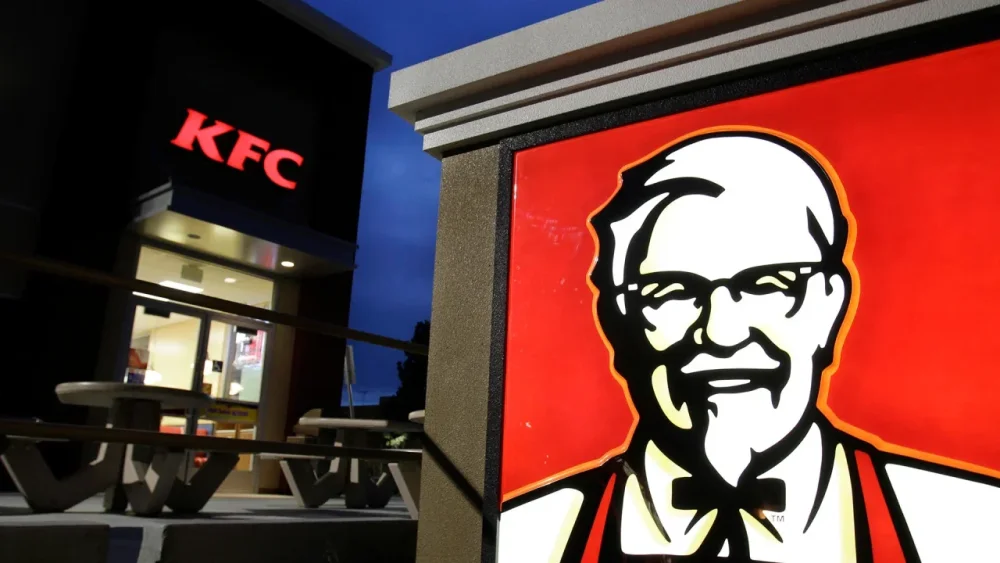
Kentucky Fried Chicken is being uprooted from its ancestral home state in a shake-up announced Tuesday by its parent company that will relocate the chain’s U.S. corporate office to Texas. The food chain now known as KFC—launched by Colonel Harland Sanders and his secret blend of 11 herbs and spices—will be based in Plano, Texas, and about 100 KFC corporate employees will be relocated in the next six months, said Yum Brands, which owns KFC, Taco Bell and Pizza Hut. The relocation of KFC’s corporate office from Louisville brought a quick response from political leaders in Kentucky. “I am disappointed by this decision and believe the company’s founder would be, too,” Gov. Andy Beshear said in a statement. “This company’s name starts with Kentucky, and it has marketed our state’s heritage and culture in the sale of its product.” Beshear, a Democrat, said he hopes Yum rethinks moving KFC employees out of Kentucky. Louisville Mayor Craig Greenberg also expressed disappointment with the corporate reshuffling of workers to Texas, noting that the brand “was born here and is synonymous with Kentucky.” Yum said the move is part of its broader plans to designate two brand headquarters in the U.S.—in Plano and Irvine, California. KFC and Pizza Hut will be headquartered in Plano, while Taco Bell and Habit Burger & Grill will remain based in Irvine, the company said. Yum added that 90 U.S.-based employees who have worked remotely will be asked to eventually relocate to the campus where their work occurs. Yum and the KFC Foundation will maintain corporate offices in Louisville, the company said. The governor and mayor said they were grateful those jobs are being retained in Kentucky’s largest city. “I’ve asked to meet with the Yum CEO soon and am heartened Yum will retain its corporate headquarters and 560 employees here,” Greenberg said in his statement. “I will work tirelessly with Yum’s leadership to continue growing its presence in Louisville.” Employees being shifted will receive relocation and transition support, the company said. Yum said that designating two brand headquarters is meant to foster greater collaboration among its brands and employees. “These changes position us for sustainable growth and will help us better serve our customers, employees, franchisees and shareholders,” Yum CEO David Gibbs said in a news release. Yum also announced it would provide a $1 million endowment to the University of Louisville’s College of Business to fund Yum-sponsored scholarships. And the company said KFC will continue its brand presence in Louisville with the goal of building a first-of-its-kind flagship restaurant. KFC’s ties to Kentucky run nearly a century deep. In 1930, at a service station in Corbin, Kentucky, Sanders began feeding travelers and spent the next nine years perfecting his blend of herbs and spices, as well as the basic cooking technique, KFC’s website says. And the goateed entrepreneur’s likeness is known globally, having been stamped on KFC restaurant signs and chicken buckets. There are now over 24,000 KFC outlets in more than 145 countries and territories around the world, the brand’s website says. —Bruce Schreiner, Associated Press View the full article
-
Overall home loan application activity fell 6.6% last week, according to the Mortgage Bankers Association, with volume resembling the frigid start to the year. View the full article

-
To kick off the month, Hulu will be streaming the 97th Oscars, hosted by Conan O'Brien, on Sunday, March 2. The show will be airing on ABC and available to all Hulu subscribers, with red carpet coverage beginning at 3:30 p.m. PT and the award show at 4 p.m. PT. Hulu Original comedy Deli Boys will premiere on March 6 with all 10 episodes of season one. The series stars Asif Ali and Saagar Shaikh as Pakistani-American brothers who discover their late father's business, which they are now tasked with, was a front. Also coming to Hulu: the eighth and final season of Roseanne spinoff sitcom The Connors (March 27) and the next season of American Idol (March 10). On the documentary lineup is Last Take: Rust and the Story of Halyna (March 11), a Hulu original film about the 2021 death of cinematographer Halyna Hutchins on the set of Rust, when Alec Baldwin fired a live bullet from a prop gun. Good American Family (March 19) is a limited true-crime drama series based on the true story of Natalia Grace (Ellen Pompeo and Mark Duplass star as Natalia's adoptive parents). Finally, there's a new Bill Burr comedy special: Drop Dead Years covers themes like male sadness and dating and will be available on March 14. Here’s everything else coming to (and leaving) Hulu in March. What’s coming to Hulu in March 2025Arriving March 1Akeelah And The Bee (2006) Alien (1979) Alien 3 (1992) Alien Resurrection (1997) Alien Vs. Predator (2004) Alien: Covenant (2017) Aliens (1986) Aliens Vs. Predator - Requiem (2007) The Amateur (1982) American Hustle En Español (2013) American Hustle (2013) The Angry Birds Movie (2016) Anger Management (2003) Big (1988) Birdman Or (The Unexpected Virtue Of Ignorance) (2014) Bohemian Rhapsody (2018) Brooklyn (2015) Couples Retreat (2009) Crazy Heart (2010) Dangerous Beauty (1998) Firehouse Dog (2007) Good Will Hunting (1997) High Fidelity (2000) Jojo Rabbit (2019) L.A. Confidential (1997) The Last King Of Scotland (2006) The Legend of Zorro (2005) Life Of Pi (2012) Lincoln (2012) My Cousin Vinny (1992) The Other Guys (2010) The Other Guys En Español (2010) Pacific Rim: Uprising (2018) Predator (1987) Predator 2 (1990) Predators (2010) The Predator (2018) The Princess Bride (1987) Prometheus (2012) Pulp Fiction (1994) Sideways (2004) The Social Network (2010) The Wrestler (2008) Think Like A Man Too En Español (2014) Think Like a Man Too (2014) The Truman Show (1998) 3:10 to Yuma (2007) True Grit (2010) The Ugly Truth En Español (2009) The Ugly Truth (2009) Unbreakable (2000) Wadjda (2013) War Horse (2011) Welcome To The Rileys (2010) Whatever Works En Español (2009) Whatever Works (2009) Wild Target (2010) Arriving March 2The Oscars: Special Premiere Love Again (2023) Love Again En Español (2023) Arriving March 3Sensory Overload Arriving March 4The Gutter (2024) Arriving March 6Deli Boys: Complete Season 1 Arriving March 7The Banger Sisters (2002) Classified (2024) Confessions Of A Shopaholic (2009) Hellboy: The Crooked Man (2024) The Inner Portrait (2025) Notes On A Scandal (2006) Arriving March 8Babylon (2022) Babylon En Español (2022) Arriving March 10American Idol: Season 8 Premiere The $100,000 Pyramid: Season 8 Premiere The Benefactor (2015) Ca$h (2010) Hesher (2010) Arriving March 11Last Take: Rust and the Story of Halyna: Documentary Premiere New Life (2023) Arriving March 12Murai In Love: Complete Season 1 (Dubbed) Am I Being Unreasonable?: Complete Season 2 The Conners: Complete Seasons 1-5 Arriving March 13Control Freak: Film Premiere After the First 48: Season 9B American Godfathers: The Five Families: Complete Season 1 Brigham Young: Architect Of Faith: Complete Season 1 Lifetime Presents Women Making History: Complete Season 1 Parents Gone Wild: Complete Season 1 Pawn Stars: Best Of: Complete Season 5 Sentenced to Life: Teen Killers: Complete Season 1 The First 48: Complete Season 26 The Boston Strangler The First 48: Critical Minutes Monster Hunter (2020) Stepmom from Hell Arriving March 14Bill Burr: Drop Dead Years: Special Premiere Fight Club (1999) Force of Nature: The Dry 2 (2024) The Last Of The Mohicans (1992) The Prestige (2006) True Lies (1994) Arriving March 15Premonition (2007) Premonition En Español (2007) The Roundup: No Way Out (2024) The Roundup: Punishment (2024) Arriving March 17The Sabrina Soto Show: Complete Season 1 Anora (2024) Arriving March 18Carol (2015) Exhibiting Forgiveness (2024) Arriving March 19Gannibal: Season 2 Premiere Good American Family: Series Premiere Hyper Knife: Series Premiere (Subbed & Dubbed) Tokyo Revengers: Complete Season 2B (Dubbed) Magi: Compete Seasons 1-2 (Dubbed) Rega Crimson: Complete Season 1 (Subbed & Dubbed) Arriving March 20O'Dessa: Film Premiere My Strange Arrest: Complete Season 2 Ol' Dirty Bastard: A Tale of Two Dirtys: Complete Season 1 The Proof Is Out There: Alien Edition: Complete Season 1 Rachael Ray in Tuscany: Complete Season 1 Trapped in the Rocky Mountains Arriving March 21The Demon Sword Master of Excalibur Academy: Complete Season 1 (Subbed & Dubbed) I've Somehow Gotten Stronger When I Improved My Farm-Related Skills: Complete Season 1 (Subbed & Dubbed) Arriving March 22The Jesus Music (2021) Arriving March 23The Machine (2023) The Machine En Español (2023) Arriving March 24Wildflower (2022) Arriving March 25Big Boys: Complete Season 3 Dandelion (2024) Arriving March 26The Conners: Complete Season 6 Arriving March 27The Conners: Season 8 Premiere Alone: Complete Season 11 Biography: WWE Legends: Complete Season 4 Find My Country House: Complete Season 1 Arriving March 28Chosen Family (2024) The Line (2023) Arriving March 31The Fable: Complete Season 1 (Dubbed) Alex Cross (2012) Bachelorette (2012) What’s leaving Hulu in March 2025Leaving March 1Rubikon (2022) Leaving March 2Simulant (2023) Leaving March 3Benedetta (2021) Leaving March 4Lantern's Lane (2021) Leaving March 5Mark, Mary & Some Other People (2021) Leaving March 697 Minutes (2023) Rabbit Academy: Mission Eggpossible (2022) Leaving March 7India Sweets and Spices (2021) Leaving March 11Multiverse (2022) Leaving March 14Bad Therapy (2020) Bayou Caviar (2018) Changeland (2019) Flux Gourmet (2022) Wetlands (2017) You Can't Kill Meme (2021) You Laugh But It's True (2011) Leaving March 15Official Competition (2021) Leaving March 16Bad Luck Banging or Loony Porn (2021) Leaving March 18Captains of Za'atari (2021) Manifest West (2022) Leaving March 22Section 8 (2022) Leaving March 24Arts, Beats & Lyrics Leaving March 25American Siege (2022) Mass (2021) Leaving March 31Insomnium (2017) Night Raiders (2021) Snakehead (2021) View the full article
-
Are you looking to make some extra money? If so, you might want to consider Twitch streams. In this article, we’re going to teach you everything you need to know about how to make money on Twitch. We’ll cover the different ways that you can monetize your channel, as well as some tips to help you make the most of your streaming career. Let’s get started! How to Start Making Money on Twitch For many Twitch users, the aspiration when they first discover how to make money on Twitch is to eventually earn a full-time income by streaming their favorite games. While reaching this goal can be challenging for many Twitch users, there are several steps you can take to boost your chances of success. Here are a few essential elements you’ll need to begin learning how to make money on Twitch: The right equipment. Before you can start streaming, you will need the right equipment, which includes a quality webcam and microphone, as well as a fast, reliable internet connection. A Twitch account. You will need to create a Twitch account and start streaming on the platform. It’s quick and easy to do! Followers. One of the most important steps you can take is gaining followers on Twitch. The more Twitch users you have following you, the better chance you have of making money. Set up monetization options. Once you have followers, you can set up subscriptions and donations on your Twitch channel. You can also look into sponsorships, affiliate marketing, and product sales. Stay consistent. One of the biggest keys to success on Twitch is consistency. Try to stream regularly and provide entertaining content for your viewers. Leveraging Analytics and Insights Utilizing Twitch analytics is crucial for understanding your audience and refining your content strategy. These insights can reveal viewer preferences, peak streaming times, and which content resonates most with your audience. By analyzing this data, you can optimize your streaming schedule, fine-tune your content to better align with viewer interests, and maximize your earning potential. Analytics also help in identifying growth trends and areas for improvement, guiding your efforts to become a more successful streamer on Twitch. Diversifying Content Beyond Gaming While Twitch started as a gaming-focused platform, it has evolved to include a variety of content categories. Diversifying your content to include non-gaming streams, such as Just Chatting, music performances, art creation, cooking shows, or educational content, can attract a broader audience. This diversification not only enhances your visibility on the platform but also opens up new avenues for monetization. Viewers with varied interests might find your non-gaming content appealing, leading to increased followers and subscribers. READ MORE: YouTube Users, Would You Switch to Twitch? Common Ways to Make Money on Twitch There are several methods to monetize your Twitch channel and start generating income from streaming. Below are the most common ways Twitch streamers make money: Become a Twitch Affiliate Through the Twitch affiliate program, Twitch affiliates have the opportunity to generate income from specific games, game sales, and Twitch Bits. Streaming regularly, which is at least seven days with at least three concurrent viewers, and increasing your Twitch affiliate status opens up the Twitch partner program. Start Your Own Twitch Store You can start selling your own merchandise and products on Twitch. This could include T-shirts, mugs, or posters related to your stream. Donations If your Twitch account is so new that you cannot set up subscriptions, then you may consider accepting donations from your viewers. This can be a great way to start earning money on Twitch until you become successful enough to gain subscribers. You can set up donations using a Steamlabs tip page, or using a PayPal donations button. Offer Twitch Subscriptions Subscriptions are one of the most popular ways to make money on Twitch. Offering subscriptions gives paying subscribers extra perks. You can set up three subscription levels at the price points of $4.99, $9.99, and $24.99 monthly. Twitch Partner Program With the Twitch Partner Program, you’ll be able to earn a portion of ad revenue generated during your streams. To qualify so you can earn ad revenue, you’ll need to stream regularly, have an established, engaged audience, and be a role model in your Twitch community. You must also stream for a total of 25 hours across 12 different days, maintaining an average of at least 75 viewers. Twitch Bits As a Twitch affiliate, you can earn revenue from Twitch Bits, which is a virtual currency that viewers can use to donate or cheer on streamers. Each Bit is worth 1 cent and streamers can set a minimum amount of Bits each follower can send. Brand Sponsorships and Partnerships As your Twitch channel grows in popularity, you can reach out to businesses to discuss partnerships and sponsorships. Companies are always looking for influencers, so if you have a large enough audience, there are many opportunities available to you. Affiliate Marketing If your stream is focused on a certain niche or game, you can promote products and services related to that topic and earn a commission from each sale. Stream on Multiple Platforms If you want to maximize your earning potential, consider streaming on more than just Twitch. You can stream the same content on your YouTube channel, Mixer, Facebook Gaming, and other streaming platforms. You can even upload YouTube videos of your previous Twitch streams. Coaching and Consulting If you have an established Twitch stream and viewers, you can offer consulting services and coaching. You can charge a fee for these services and help people learn the ins and outs of streaming on Twitch. Upload YouTube Videos of Previous Streams You can also earn money by uploading clips of your streams to YouTube. You’ll earn a portion of the advertising revenue for every view, so the more views your videos get, the more money you can make. To qualify for YouTube’s ad revenue, you need at least 1,000 subscribers and 4,000 watch hours in the last 12 months. You can also use many of the Twitch monetization methods discussed above on your YouTube channel. Advanced Monetization Strategies As you grow on Twitch, explore advanced monetization strategies to further increase your revenue. Consider hosting exclusive events or streams for subscribers, where you can offer unique content or experiences. Create premium content or behind-the-scenes access for Patreon supporters. Additionally, think about hosting paid workshops or seminars if you have expertise in a particular area. These strategies not only provide additional income streams but also add value to your channel, making it more attractive for viewers to subscribe and engage. READ MORE: Twitch Debuts Pulse: What Is It and What Should Your Small Business Do With It? More Tips for Making Money with a Twitch Channel Many streamers find success by using a combination of these methods. Here are a few more tips to help you make money on Twitch: Use Twitch for marketing. Use your streams to promote your brand and other ventures. This could include linking to your Patreon page, mentioning upcoming events or products, and engaging with your audience. Provide value. If you have in-game experience, unique knowledge, or other valuable information to share, offer value to your viewers and followers. This could include game guides, tutorials on streaming, or advice on a specific game. Get creative. Consider unique and entertaining methods to engage with your viewers that are both enjoyable and captivating. This might involve giveaways, contests, raffles, and other interactive activities. Utilize social media. Cross-promote your Twitch channel on other social media accounts like Twitter, Instagram, and Facebook to maximize reach and engagement. Mix and match monetization methods. Experiment and see what works best for your channel. Use a combination of all the methods to maximize your earnings. The more streams of income you have, the more successful you’ll be. Tips for Making Money with a Twitch Channel 1. Use Twitch for Marketing - Promote Your Brand: Utilize your streams to promote your brand and other ventures. Link to your Patreon page, mention upcoming events or products, and engage with your audience. 2. Provide Value - Share Valuable Information: If you have in-game experience, unique knowledge, or valuable information to share, offer it to your viewers. Provide game guides, streaming tutorials, or game-specific advice. 3. Be Creative - Engage with Excitement: Interact with your viewers in innovative and exciting ways. Consider hosting giveaways, contests, raffles, and other interactive activities. 4. Utilize Social Media - Cross-Promote: Extend your reach and engagement by promoting your Twitch channel on other social media platforms like Twitter, Instagram, and Facebook. 5. Mix and Match Monetization Methods - Experiment and Maximize Earnings: Try different monetization methods and find what works best for your channel. Combine multiple methods to increase your overall income. Collaborations and Networking Collaborating with other Twitch streamers or influencers can significantly boost your channel’s visibility. Through cross-promotion, you can tap into each other’s audiences, potentially gaining new followers and subscribers. Attend Twitch events, join streamer communities, and actively network to find collaboration opportunities. Collaborations are not just limited to streaming together; they can include joint giveaways, contests, or even creating content for each other’s channels. Networking can also lead to partnerships and sponsorships, providing additional revenue streams. Dealing with Challenges and Overcoming Obstacles Streaming on Twitch can present several challenges, such as market saturation, balancing streaming with personal life, and managing viewer expectations. It’s important to set realistic goals and expectations for your channel. Stay adaptable and open to changing your content or strategy based on viewer feedback and market trends. Maintain a healthy work-life balance to avoid burnout. Understand that growth on Twitch can be gradual, and persistence is key. Learning from obstacles and adapting your approach will help you become more resilient and successful in the long run. Long-term Sustainability on Twitch To sustain a successful Twitch channel over the long term, it’s important to continuously evolve your content and adapt to changes on the platform. Keep experimenting with new content ideas to keep your streams fresh and engaging. Stay updated with Twitch’s policies and features to leverage them effectively. Take care of your mental and physical health to avoid burnout. Building a strong, loyal community and diversifying your content and income streams can also provide stability. Remember, a successful Twitch career is a marathon, not a sprint; staying adaptable, creative, and resilient will help you thrive in the dynamic world of live streaming. What Is Twitch? Twitch is a live-streaming video platform focused on video gaming, established in the early 2010s. The site primarily focuses on gamers streaming themselves playing video games but also features live streams of other activities such as creative content and music. Twitch also offers paid subscriptions, which allow users to donate money to streamers and, in return, receive benefits such as emotes, voice chat badges, and other exclusive features. READ MORE: Make Money Selling Games You Stream on Twitch How Do You Make Money on Twitch? What you need to understand right away when learning how to make money on Twitch is that you need to appeal to your Twitch audience. The best way to do this is by streaming content that they are interested in. You can also monetize your channel by using paid subscriptions and donations from viewers. Building and Engaging with Your Community The success of a Twitch streamer largely depends on their ability to build and maintain a strong community. Engage with your viewers during streams, respond to comments, and create an inclusive environment. Utilize polls, Q&A sessions, and interactive games to keep viewers involved. Regularly interact with your community outside of Twitch through social media platforms, Discord servers, or community events. Building a loyal and engaged community not only boosts your viewership but also increases the potential for subscriptions, donations, and sponsorships. How Much Money Can Twitch Streamers Make? This is a common question among Twitch users who are exploring how to make money on Twitch. Given the large number of Twitch streamers, it can be challenging to determine precisely how much money one can earn. It depends on your audience size, the monetization methods you use, and your willingness to put in the time and effort necessary to build an engaged community. Popular Twitch streamers can easily make thousands of dollars per month, and some even more than that. It all depends on your dedication and willingness to work hard. How Do You Qualify to Become a Twitch Partner? To qualify for the Twitch Partner Program, you’ll need to have an established and engaged audience, stream often (25 hours a week on 12 different days) with at least three concurrent viewers, and be a positive role model in your community. You’ll also need to keep up with all of Twitch’s rules and guidelines. Once you’ve reached these requirements, you can apply for the Partner Program and start monetizing your streams with Twitch ads. How Many Followers Do You Need on Twitch to Make Money? The number of followers you need to make money on Twitch depends on the monetization methods you use. Some advertisers require a minimum of 1,000 Twitch followers before they’ll consider partnering with your channel. On the other hand, monetizing through subscriptions and donations requires fewer followers. As long as you have an engaged and supportive community, you’ll be able to make money on Twitch. How Do You Get Paid on Twitch? There are various ways Twitch streamers generate revenue. Depending on how you choose to earn money on Twitch will dictate how you’ll be paid. For example, if you are using subscriptions and donations as your primary source of income, you’ll be paid through Twitch directly. Ad revenue typically comes from advertisers, whereas other methods, such as merchandise sales and affiliate links, provide direct payments to you. Make sure to carefully review the terms and conditions of any contract before committing to monetization. Image: Depositphotos This article, "How to Make Money on Twitch" was first published on Small Business Trends View the full article
-
Are you looking to make some extra money? If so, you might want to consider Twitch streams. In this article, we’re going to teach you everything you need to know about how to make money on Twitch. We’ll cover the different ways that you can monetize your channel, as well as some tips to help you make the most of your streaming career. Let’s get started! How to Start Making Money on Twitch For many Twitch users, the aspiration when they first discover how to make money on Twitch is to eventually earn a full-time income by streaming their favorite games. While reaching this goal can be challenging for many Twitch users, there are several steps you can take to boost your chances of success. Here are a few essential elements you’ll need to begin learning how to make money on Twitch: The right equipment. Before you can start streaming, you will need the right equipment, which includes a quality webcam and microphone, as well as a fast, reliable internet connection. A Twitch account. You will need to create a Twitch account and start streaming on the platform. It’s quick and easy to do! Followers. One of the most important steps you can take is gaining followers on Twitch. The more Twitch users you have following you, the better chance you have of making money. Set up monetization options. Once you have followers, you can set up subscriptions and donations on your Twitch channel. You can also look into sponsorships, affiliate marketing, and product sales. Stay consistent. One of the biggest keys to success on Twitch is consistency. Try to stream regularly and provide entertaining content for your viewers. Leveraging Analytics and Insights Utilizing Twitch analytics is crucial for understanding your audience and refining your content strategy. These insights can reveal viewer preferences, peak streaming times, and which content resonates most with your audience. By analyzing this data, you can optimize your streaming schedule, fine-tune your content to better align with viewer interests, and maximize your earning potential. Analytics also help in identifying growth trends and areas for improvement, guiding your efforts to become a more successful streamer on Twitch. Diversifying Content Beyond Gaming While Twitch started as a gaming-focused platform, it has evolved to include a variety of content categories. Diversifying your content to include non-gaming streams, such as Just Chatting, music performances, art creation, cooking shows, or educational content, can attract a broader audience. This diversification not only enhances your visibility on the platform but also opens up new avenues for monetization. Viewers with varied interests might find your non-gaming content appealing, leading to increased followers and subscribers. READ MORE: YouTube Users, Would You Switch to Twitch? Common Ways to Make Money on Twitch There are several methods to monetize your Twitch channel and start generating income from streaming. Below are the most common ways Twitch streamers make money: Become a Twitch Affiliate Through the Twitch affiliate program, Twitch affiliates have the opportunity to generate income from specific games, game sales, and Twitch Bits. Streaming regularly, which is at least seven days with at least three concurrent viewers, and increasing your Twitch affiliate status opens up the Twitch partner program. Start Your Own Twitch Store You can start selling your own merchandise and products on Twitch. This could include T-shirts, mugs, or posters related to your stream. Donations If your Twitch account is so new that you cannot set up subscriptions, then you may consider accepting donations from your viewers. This can be a great way to start earning money on Twitch until you become successful enough to gain subscribers. You can set up donations using a Steamlabs tip page, or using a PayPal donations button. Offer Twitch Subscriptions Subscriptions are one of the most popular ways to make money on Twitch. Offering subscriptions gives paying subscribers extra perks. You can set up three subscription levels at the price points of $4.99, $9.99, and $24.99 monthly. Twitch Partner Program With the Twitch Partner Program, you’ll be able to earn a portion of ad revenue generated during your streams. To qualify so you can earn ad revenue, you’ll need to stream regularly, have an established, engaged audience, and be a role model in your Twitch community. You must also stream for a total of 25 hours across 12 different days, maintaining an average of at least 75 viewers. Twitch Bits As a Twitch affiliate, you can earn revenue from Twitch Bits, which is a virtual currency that viewers can use to donate or cheer on streamers. Each Bit is worth 1 cent and streamers can set a minimum amount of Bits each follower can send. Brand Sponsorships and Partnerships As your Twitch channel grows in popularity, you can reach out to businesses to discuss partnerships and sponsorships. Companies are always looking for influencers, so if you have a large enough audience, there are many opportunities available to you. Affiliate Marketing If your stream is focused on a certain niche or game, you can promote products and services related to that topic and earn a commission from each sale. Stream on Multiple Platforms If you want to maximize your earning potential, consider streaming on more than just Twitch. You can stream the same content on your YouTube channel, Mixer, Facebook Gaming, and other streaming platforms. You can even upload YouTube videos of your previous Twitch streams. Coaching and Consulting If you have an established Twitch stream and viewers, you can offer consulting services and coaching. You can charge a fee for these services and help people learn the ins and outs of streaming on Twitch. Upload YouTube Videos of Previous Streams You can also earn money by uploading clips of your streams to YouTube. You’ll earn a portion of the advertising revenue for every view, so the more views your videos get, the more money you can make. To qualify for YouTube’s ad revenue, you need at least 1,000 subscribers and 4,000 watch hours in the last 12 months. You can also use many of the Twitch monetization methods discussed above on your YouTube channel. Advanced Monetization Strategies As you grow on Twitch, explore advanced monetization strategies to further increase your revenue. Consider hosting exclusive events or streams for subscribers, where you can offer unique content or experiences. Create premium content or behind-the-scenes access for Patreon supporters. Additionally, think about hosting paid workshops or seminars if you have expertise in a particular area. These strategies not only provide additional income streams but also add value to your channel, making it more attractive for viewers to subscribe and engage. READ MORE: Twitch Debuts Pulse: What Is It and What Should Your Small Business Do With It? More Tips for Making Money with a Twitch Channel Many streamers find success by using a combination of these methods. Here are a few more tips to help you make money on Twitch: Use Twitch for marketing. Use your streams to promote your brand and other ventures. This could include linking to your Patreon page, mentioning upcoming events or products, and engaging with your audience. Provide value. If you have in-game experience, unique knowledge, or other valuable information to share, offer value to your viewers and followers. This could include game guides, tutorials on streaming, or advice on a specific game. Get creative. Consider unique and entertaining methods to engage with your viewers that are both enjoyable and captivating. This might involve giveaways, contests, raffles, and other interactive activities. Utilize social media. Cross-promote your Twitch channel on other social media accounts like Twitter, Instagram, and Facebook to maximize reach and engagement. Mix and match monetization methods. Experiment and see what works best for your channel. Use a combination of all the methods to maximize your earnings. The more streams of income you have, the more successful you’ll be. Tips for Making Money with a Twitch Channel 1. Use Twitch for Marketing - Promote Your Brand: Utilize your streams to promote your brand and other ventures. Link to your Patreon page, mention upcoming events or products, and engage with your audience. 2. Provide Value - Share Valuable Information: If you have in-game experience, unique knowledge, or valuable information to share, offer it to your viewers. Provide game guides, streaming tutorials, or game-specific advice. 3. Be Creative - Engage with Excitement: Interact with your viewers in innovative and exciting ways. Consider hosting giveaways, contests, raffles, and other interactive activities. 4. Utilize Social Media - Cross-Promote: Extend your reach and engagement by promoting your Twitch channel on other social media platforms like Twitter, Instagram, and Facebook. 5. Mix and Match Monetization Methods - Experiment and Maximize Earnings: Try different monetization methods and find what works best for your channel. Combine multiple methods to increase your overall income. Collaborations and Networking Collaborating with other Twitch streamers or influencers can significantly boost your channel’s visibility. Through cross-promotion, you can tap into each other’s audiences, potentially gaining new followers and subscribers. Attend Twitch events, join streamer communities, and actively network to find collaboration opportunities. Collaborations are not just limited to streaming together; they can include joint giveaways, contests, or even creating content for each other’s channels. Networking can also lead to partnerships and sponsorships, providing additional revenue streams. Dealing with Challenges and Overcoming Obstacles Streaming on Twitch can present several challenges, such as market saturation, balancing streaming with personal life, and managing viewer expectations. It’s important to set realistic goals and expectations for your channel. Stay adaptable and open to changing your content or strategy based on viewer feedback and market trends. Maintain a healthy work-life balance to avoid burnout. Understand that growth on Twitch can be gradual, and persistence is key. Learning from obstacles and adapting your approach will help you become more resilient and successful in the long run. Long-term Sustainability on Twitch To sustain a successful Twitch channel over the long term, it’s important to continuously evolve your content and adapt to changes on the platform. Keep experimenting with new content ideas to keep your streams fresh and engaging. Stay updated with Twitch’s policies and features to leverage them effectively. Take care of your mental and physical health to avoid burnout. Building a strong, loyal community and diversifying your content and income streams can also provide stability. Remember, a successful Twitch career is a marathon, not a sprint; staying adaptable, creative, and resilient will help you thrive in the dynamic world of live streaming. What Is Twitch? Twitch is a live-streaming video platform focused on video gaming, established in the early 2010s. The site primarily focuses on gamers streaming themselves playing video games but also features live streams of other activities such as creative content and music. Twitch also offers paid subscriptions, which allow users to donate money to streamers and, in return, receive benefits such as emotes, voice chat badges, and other exclusive features. READ MORE: Make Money Selling Games You Stream on Twitch How Do You Make Money on Twitch? What you need to understand right away when learning how to make money on Twitch is that you need to appeal to your Twitch audience. The best way to do this is by streaming content that they are interested in. You can also monetize your channel by using paid subscriptions and donations from viewers. Building and Engaging with Your Community The success of a Twitch streamer largely depends on their ability to build and maintain a strong community. Engage with your viewers during streams, respond to comments, and create an inclusive environment. Utilize polls, Q&A sessions, and interactive games to keep viewers involved. Regularly interact with your community outside of Twitch through social media platforms, Discord servers, or community events. Building a loyal and engaged community not only boosts your viewership but also increases the potential for subscriptions, donations, and sponsorships. How Much Money Can Twitch Streamers Make? This is a common question among Twitch users who are exploring how to make money on Twitch. Given the large number of Twitch streamers, it can be challenging to determine precisely how much money one can earn. It depends on your audience size, the monetization methods you use, and your willingness to put in the time and effort necessary to build an engaged community. Popular Twitch streamers can easily make thousands of dollars per month, and some even more than that. It all depends on your dedication and willingness to work hard. How Do You Qualify to Become a Twitch Partner? To qualify for the Twitch Partner Program, you’ll need to have an established and engaged audience, stream often (25 hours a week on 12 different days) with at least three concurrent viewers, and be a positive role model in your community. You’ll also need to keep up with all of Twitch’s rules and guidelines. Once you’ve reached these requirements, you can apply for the Partner Program and start monetizing your streams with Twitch ads. How Many Followers Do You Need on Twitch to Make Money? The number of followers you need to make money on Twitch depends on the monetization methods you use. Some advertisers require a minimum of 1,000 Twitch followers before they’ll consider partnering with your channel. On the other hand, monetizing through subscriptions and donations requires fewer followers. As long as you have an engaged and supportive community, you’ll be able to make money on Twitch. How Do You Get Paid on Twitch? There are various ways Twitch streamers generate revenue. Depending on how you choose to earn money on Twitch will dictate how you’ll be paid. For example, if you are using subscriptions and donations as your primary source of income, you’ll be paid through Twitch directly. Ad revenue typically comes from advertisers, whereas other methods, such as merchandise sales and affiliate links, provide direct payments to you. Make sure to carefully review the terms and conditions of any contract before committing to monetization. Image: Depositphotos This article, "How to Make Money on Twitch" was first published on Small Business Trends View the full article
-
Disney+ is checking its superhero box in March with the premiere of Marvel Television’s Daredevil: Born Again (March 4), the 13th series set in the MCU with Charlie Cox reprising his role as Matt Murdock (Daredevil), blind lawyer by day and vigilante superhero by night. Episodes will drop on Tuesdays beginning March 4. Also coming in March are additional episodes of the emotion-packed Pixar miniseries Win or Lose (weekly on Wednesdays) and the twelve remaining episodes of season two of Star Wars: Young Jedi Adventures (March 19). A new Disney+ original comedy film is premiering at the end of the month. Alexander and the Terrible, Horrible, No Good, Very Bad Road Trip (March 28) is a sequel to the 2014 film Alexander and the Terrible, Horrible, No Good, Very Bad Day, based on Judith Viorst's children's book of the same name. The second installment stars Eva Longoria as Alexander's mother alongside Jesse Garcia, Paulina Chávez, Cheech Marin, and Thom Nemer, who plays the titular character. Finally, Disney+ will get the six-part NatGeo docuseries David Blaine Do Not Attempt, filmed during the performer's trip around the world to explore culture through magic. Two installments will premiere each on March 24 and March 31 (with the final two to follow hopefully in April). Here's everything coming to Disney+ in March. Disney Plus series with new episodes weekly in March 2025Marvel Television’s Daredevil: Born Again—new episodes on Tuesdays beginning March 4 Win or Lose—new episodes weekly on Wednesdays David Blaine Do Not Attempt—new episodes on Mondays beginning March 24 Movies and complete series/seasons coming to Disney Plus in March 2025Arriving March 3Malawi Wildlife Rescue (S2, 6 episodes) Arriving March 5Morphle: Shorts (S1, 15 episodes) Primos (S1, 9 episodes) Arriving March 12Disney Jr.’s Ariel (S1, 4 episodes) Port Protection Alaska (S8, 10 episodes) Meet the Pickles: The Making of Win or Lose Arriving March 19Life Below Zero (S23, 20 episodes) Star Wars: Young Jedi Adventures (Season 2) Arriving March 22Animals, They’re Just Like Us! (S1, 6 episodes) Arriving March 26Morphle and the Magic Pets: Shorts (S1, 10 episodes) Arriving March 28Alexander and the Terrible, Horrible, No Good, Very Bad Road Trip—Disney+ Original premiere Hulu + ESPN content coming to Disney+ in March 2025Like last month, Disney+ subscribers will also have access to select content from Hulu and ESPN in March, including live streams of sporting events like the NHL Stadium Series, The Players Championship, the Arnold Palmer Invitational, the Texas Children's Houston Open, and the NWSL Opening Weekend matches. Here are a few of the other titles coming to Disney+: Secret Lives of Mormon Wives Castle King of the Hill American Horror Story Tell Me Lies Feud Bohemian Rhapsody Kingdom of the Planet of the Apes (2024) Alien Predator College GameDay Pardon the Interruption The Mina Kimes Show featuring Lenny No Scope: The Story of FaZe Clan Dude Perfect: A Very Long Shot Black Girls Play Motorcycle Mary Long Beach Lifeguards View the full article
-
GoPro, Inc. has unveiled a series of updates to its 360 video ecosystem, including the reintroduction of the refreshed MAX 360 camera, an upgraded mobile editing experience in the GoPro Quik App, and a new GoPro Reframe plugin for Adobe Premiere Pro and After Effects. These updates enhance both mobile and desktop editing workflows, providing AI-powered tracking, advanced keyframing, and cinematic effects. GoPro’s MAX 360 camera now features a 5.6K spherical video capability, a longer-lasting MAX Enduro Battery, and a new mounting system compatible with standard ¼-20 tripod mounts. The camera is available for purchase at $349.99 MSRP. Quik App Introduces AI-Powered 360 Editing GoPro has overhauled the Quik App’s 360 editing capabilities, making it easier for users to edit MAX footage with new features such as: AI-Powered Object Tracking: Automatically keeps a selected subject in focus for the duration of the clip. Keyframing with Digital Lens Options: Users can precisely adjust framing and change digital lenses for customized edits. CameraFX: Pre-set cinematic movements, such as barrel rolls and backflips, can be applied with a tap. Automatic Transitions: Smoothly combines multiple ReFrame modes throughout an edit. Single Clip Edits: Enables filters, volume adjustments, and color corrections on individual 360 clips. New Frame Grab Tool: Allows users to extract high-quality still images from 360 videos. “MAX never misses—and that’s why it’s the go-to 360 camera for the world’s most creative athletes, adventurers and content creators. Getting ‘the shot’ has never been this easy,” said Nicholas Woodman, Founder and CEO of GoPro. “And with the Quik App’s new 360 editing experience, featuring AI-powered Object Tracking and simplified but powerful editing tools, it’s never been this easy or fun to edit your 360 content into amazing sharable moments.” For professional video editors, GoPro has introduced the GoPro Reframe plugin, bringing 360 editing capabilities to Adobe Premiere Pro and After Effects. The plugin enables users to adjust angle, position, lens curvature, horizon level, motion blur, and other settings for both 360 and 2D media. GoPro Premium and Premium+ subscribers now have the added benefit of editing 360 footage directly from the cloud, along with unlimited cloud storage. The GoPro MAX 360 camera is available for purchase at GoPro.com and select retailers for $349.99. The Quik App with new 360 editing features is available on iOS and Android, while the GoPro Reframe plugin can be downloaded for Adobe Premiere Pro and After Effects. This article, "GoPro Updates 360 Experience with Refreshed MAX Camera and AI-Powered Editing Tools" was first published on Small Business Trends View the full article
-
GoPro, Inc. has unveiled a series of updates to its 360 video ecosystem, including the reintroduction of the refreshed MAX 360 camera, an upgraded mobile editing experience in the GoPro Quik App, and a new GoPro Reframe plugin for Adobe Premiere Pro and After Effects. These updates enhance both mobile and desktop editing workflows, providing AI-powered tracking, advanced keyframing, and cinematic effects. GoPro’s MAX 360 camera now features a 5.6K spherical video capability, a longer-lasting MAX Enduro Battery, and a new mounting system compatible with standard ¼-20 tripod mounts. The camera is available for purchase at $349.99 MSRP. Quik App Introduces AI-Powered 360 Editing GoPro has overhauled the Quik App’s 360 editing capabilities, making it easier for users to edit MAX footage with new features such as: AI-Powered Object Tracking: Automatically keeps a selected subject in focus for the duration of the clip. Keyframing with Digital Lens Options: Users can precisely adjust framing and change digital lenses for customized edits. CameraFX: Pre-set cinematic movements, such as barrel rolls and backflips, can be applied with a tap. Automatic Transitions: Smoothly combines multiple ReFrame modes throughout an edit. Single Clip Edits: Enables filters, volume adjustments, and color corrections on individual 360 clips. New Frame Grab Tool: Allows users to extract high-quality still images from 360 videos. “MAX never misses—and that’s why it’s the go-to 360 camera for the world’s most creative athletes, adventurers and content creators. Getting ‘the shot’ has never been this easy,” said Nicholas Woodman, Founder and CEO of GoPro. “And with the Quik App’s new 360 editing experience, featuring AI-powered Object Tracking and simplified but powerful editing tools, it’s never been this easy or fun to edit your 360 content into amazing sharable moments.” For professional video editors, GoPro has introduced the GoPro Reframe plugin, bringing 360 editing capabilities to Adobe Premiere Pro and After Effects. The plugin enables users to adjust angle, position, lens curvature, horizon level, motion blur, and other settings for both 360 and 2D media. GoPro Premium and Premium+ subscribers now have the added benefit of editing 360 footage directly from the cloud, along with unlimited cloud storage. The GoPro MAX 360 camera is available for purchase at GoPro.com and select retailers for $349.99. The Quik App with new 360 editing features is available on iOS and Android, while the GoPro Reframe plugin can be downloaded for Adobe Premiere Pro and After Effects. This article, "GoPro Updates 360 Experience with Refreshed MAX Camera and AI-Powered Editing Tools" was first published on Small Business Trends View the full article
-
On Feb. 11, "volunteer IT consultant" Elon Musk appeared at an Oval Office event to discuss the findings of the newly formed Department of Government Efficiency. Among other claims, Musk said that a "cursory examination of Social Security” revealed that people who are clearly dead may be receiving social security benefits. “We’ve got people in there that are 150 years old,” Musk said “Now, do you know anyone who’s 150? I don’t, OK… I think they’re probably dead, is my guess, or they should be very famous, one of the two.” In a later post on X, Musk provided some numbers and joked, "Maybe Twilight is real and there are a lot of vampires collecting Social Security." This Tweet is currently unavailable. It might be loading or has been removed. Like many hot-button political issues, almost everyone is wrong about this one. Musk isn't pulling numbers out of his ass; he isn't lying about clearly dead people being listed as alive by social security. But he hasn't uncovered any waste or fraud, either. Did Musk's number come from not understanding computer programming?Soon after Musk's press event, online folks were speculating that Musk's "150-year-old" number was the result of not understanding how databases are programmed. They're (probably) wrong. This X post explaining the theory has been viewed over 300,000 times: This Tweet is currently unavailable. It might be loading or has been removed. While it would be funny if this was true, it can't be proven and seems unlikely to me. Musk seemed to be pulling a "shocking" number out of the air, but his figures are roughly in keeping with the data in previous audits of the social security system. There really are a lot of records of people who were born more 150 years ago but who are not listed as dead in the social security database. But this isn't something Musk uncovered and it isn't an indication of fraud or waste. Are 150-year-olds listed as alive by social security? At 116, Inah Canabarro Lucas is the oldest person alive. The oldest person ever lived to 122. But according to an audit of the Social Security administration conducted in 2023 (a real audit, not a cursory examination), 18.9 million people are listed in the database as having been born before 1920 but do not have death information on record. According to the census bureau, there were only 86,000 people alive in the US in 2023 who were over 100 years old. But these "numberholders who exceeded maximum reasonable life expectancies" (as the government calls them) don't seem to be collecting social security benefits. What is "death," anyway?The social security system's database, Numident, is huge and complicated. While the Numident does keep track of people's deaths, its purpose is to "administer its programs"—it's not "a comprehensive accounting of all deaths in the country." Ultimately, the database's "living dead" are trapped in perpetual paperwork limbo because "the individuals died decades ago—before the use of electronic death reporting," or so independent auditors concluded. It's a paperwork problem that doesn't necessarily lead to fraud or waste. Did Elon Musk identify widespread fraud in the social security administration?He did not. This is not a smoking gun. Despite the nation's roughly 20 million only-alive-on-paper elders, the Social Security Administration sends benefits to around 44,000 people who are over 100, which is in keeping with the number of super-oldsters who actually live in the nation, according to the census. In fact, a 2015 report found 6.5 million active Social Security numbers for people over the age of 112, but only 13 of them were being used to receive benefits—turns out there are much better ways of defrauding social security than collecting a dead ancestor's monthly check for $22.54—the payment a 150-year-old would receive. Ultimately, Musk has not uncovered fraud or waste. He didn't uncover anything. He brought this issue to people's attention, but the bottom line is, social security "vampires" are a clerical problem we've known about for a long time that has already been addressed and doesn't appear to be that big of a problem. The truth about social security is not very sexyAnother social security audit—we actually do these regularly—published in 2015 stated that 6.5 million people on the Numident database were listed as older than 112. Benefits were sent to 266 beneficiaries (most of them were probably under the age of 112, despite what the database said—things get messy when dealing with paperwork from the early 20th century). To be fair, the 2015 audit and the one conducted in 2023 reached roughly the same conclusion as Musk: We should probably fix this. "Death information missing from the Numident and the DMF hampers both SSA and Government-wide efforts to prevent and detect fraud and misuse," concluded the 2023 audit. So why don't we fix it? What is "government waste," anyway?The government doesn't just check "yes" in the field for "is this person dead?" for people who were born more than 120 years ago because, according to the SSA, adding "presumed dead" to records in the Numident system would be "costly to implement, would be of little benefit to the agency, would largely duplicate information already available to data exchange consumers and would create cost for the states and other data exchange partners.” In contradiction to the conclusion that Musk and co. reached, the SSA thinks it would be more wasteful to fix the problem than to just leave it alone: The Treasury Department already has anyone over a certain age on its Do Not Pay List anyway, so they're just letting the files not list a death date because that's free. View the full article
-
Email signatures are a crucial part of a business email and have a lot of importance. The presence of an email signature can tell a recipient who you are, what you do, and the best ways to get in touch with you. A well-crafted, relevant email signature can have a lot of benefits for your business. We’ll look at what an email signature is and why it’s important, plus email signature examples to help you create your own. What is an Email Signature? An email signature is a combination of text and images that goes at the end of every email you send. Depending on your email client, you can create an email signature that adds to every email you send. If you pay attention to your emails, you’ll likely see that most professional emails have some kind of a signature at the end as a sign-off. Why do I Need a Business Email Signature? There are many reasons why a business email signature is helpful. The easiest way to think of it is as a type of business card. It tells the recipient who you are, where you work, and how to get in touch with you. And don’t forget to keep email signature best practices in mind. Here are a few reasons why you should consider a business email signature: AspectDescription Contact InformationIt's an easy way to provide all your contact information in one place, rather than having to type it out every time. PromotionYour email signature works as a marketing channel since it includes key information about your company and serves as a form of brand awareness. Personal TouchAn email signature adds a more personal element to your email and creates a connection with the recipient right away. ProfessionalismAn email signature is a way to build trust, especially if you haven't contacted the recipient before, as it shows that you are part of a company. Encourages ActionDepending on the structure of your email signature and email, you can use email signatures as a call to action tool to encourage recipients to get back to you. What Should My Business Email Signature Include? There are some integral components that go into creating an email signature block, such as: Name Job title Your company name, company logo, and even your department if appropriate Contact details such as a direct phone number Secondary contact information such as other direct lines, work phones, etc. Social icons that link out to relevant social media pages for your company Any awards you or your company have won A call to action (if relevant) Simple Email Signature Examples We’ll look at some simple email signature examples to help you get started. Example 1: Name Title Company Phone You can use this example for your personal brand, as professional email signature templates usually contain this information at the minimum. Example 2: Name Title Company Website This is a basic email signature that is best if you’d rather not provide a phone number or for email inboxes monitored by multiple people. Example 3: Name Title Company Phone Website A more comprehensive email signature that can work well as a marketing rep email signature and for other professional services. Note that you can add a business logo to these email signatures if you’d like, but it’s not necessarily a requirement if you’d like to keep them simple. Funny (But Professional) Email Signature Examples For those looking to add a little wit and sass to their email signature, you can find some email signatures examples here that could be useful. The best way to add a funny saying to your email signature is to use one of the examples here, and add a funny saying or phrase to it. They can be a great addition for departments such as customer service and marketing where a more personal connection needs to be established. Funny email signature example 1: Name Title Company Phone Funny saying here Funny email signature example 2: Name Title Company Funny saying here Website Professional Email Signature Examples Including professional email signatures to your email is incredibly crucial for both business owners an employees. Corporate email signatures are key for recipients since they can quickly understand what you do and how they might know you. Here are some professional signature examples that you can use. Example 1: Name Corporate logo, Title, and Department Company Website Social media links Example 2: Name Corporate logo, Title, and Department Company Phone Website Social media links Example 3: Name Company Title and Department Phone Website Social media icons Personal Email Signature Examples For those seeking something a little more personal and perhaps something casual, email signatures can be reworked to be less formal. Here are some of the best examples of business email signatures that don’t feel as business-like. Example 1 Name Title Phone Example 2 Name Phone Website Example 3 Name Title Phone Creative Email Signature Examples Some professions may require a unique style of email signature. For instance, a graphic designer’s email signature might benefit from a more visually appealing design than those in other fields. Additionally, you can explore funny phone signature ideas suitable for your smartphone or tablet. Below are some creative email signature examples to inspire you: Example 1 Brand logo Name Title Company Phone Website Social media icons Example 2 Brand logo Name Title Phone Portfolio link Example 2 Brand logo Name Title Phone Website HTML Email Signature For a more dynamic and visual email signature, HTML formatting can help. Although it might seem complicated, there are many HTML signature examples that can be used with most major email clients such as Gmail and Outlook. This option allows you to create a personalized signature by incorporating additional elements, such as email signature banners, using more graphics, and including more details. You can find email signature examples for HTML here that you can customize accordingly. Email Signature Template You can create email signatures with signature generators, an email signature maker, and various signature templates. You can utilize a free email signature generator to create your signature. If you’re in search of email signature templates, we are here to assist you. Feel free to use the template provided below and customize it by adding or editing items to make it uniquely yours. [Company’s logo on the left side] Your Name Your title | www.yourcompany website.com Telephone: XXX Mobile: XXX Email: yourname@yourcompany.com Address: Business address here [Social media icons below, linked to relevant company pages] How to Add an Email Signature to Your Email Most major email clients let you set up an email signature in just a few clicks, so it’s a simple step that can have a significant impact on your business. Here’s how to set up your email signature, including Gmail email signatures and For Outlook email signatures: Navigate to Settings in your Outlook and select ‘view all settings for your Outlook.’ Select Mail and then select Compose and Reply You’ll see an option for ’email signature’ where you can set up your signature and format it as needed. Once the entire signature is formatted, you can select whether you want the email signature to appear only in new emails by choosing the ‘Automatically include my signature on new messages I compose.’ For Gmail email signatures: Navigate to settings and select ‘See all settings.’ You’ll then see a ‘Signature’ section where you can format and add your signature, including multiple signatures as well, if you’d prefer. Once you have formatted your email signature, you’ll just need to click ‘Save changes’ for it to take effect. Tips for Creating the Perfect Email Signature Crafting an ideal company email signature involves acknowledging the individual while also aligning with the company’s branding needs and marketing opportunities. Here are some tips on how to create the perfect email signature: Add a logo: Adding your company logo can make your email signature look more professional, as it adds a visual element to make it more interesting. Incorporate a marketing campaign: Where possible, try to incorporate marketing campaign taglines, articles, and even a recent blog post to create more visibility for the brand. Prioritize Readability: Make certain that your email signature is easy to read. Use a clear font along with an appropriate font size, and ensure there is good contrast between the text and the background. Steer clear of script or overly decorative fonts that could be difficult for some individuals to read. Opt for a Clean Layout: Organize the information in your signature in a logical manner. If your signature is too busy or cluttered, key details may be overlooked. A simple and clean layout ensures that the recipient can quickly find the information they’re looking for. Limit the Number of Links: While it’s tempting to link to every social media platform and webpage you’re involved with, too many links can be overwhelming. Stick to the most important and relevant links, and consider using link shorteners if necessary to keep the signature tidy. Avoid Large Images or Files: Using large images or attaching files (like vCards) to your signature can make your emails bulkier and increase the chances of them being flagged as spam. If you include a company logo or other graphic, ensure it’s optimized for email and is of a reasonable size. Test Your Signature: Before finalizing your email signature, send test emails to different email clients (like Gmail, Outlook, and Yahoo) and check them on various devices (desktop, tablet, mobile). This ensures your signature looks consistent and as intended, regardless of how the recipient is viewing it. Promote your social media: You can add links to social media sites by using social media icons is a creative way to market your brand while building out your email signature. Be consistent: If you are adding an email signature, encourage other employees to do so to ensure that each team member presents themselves professionally with up-to-date information using the existing signature structure. Include different types of contact information: Not everyone prefers to respond to an email, so having other contact information, including a direct line, ensures that recipients can get in touch with you. Image: Depositphotos This article, "Email Signature Examples to Help Create Your Own" was first published on Small Business Trends View the full article
-
Email signatures are a crucial part of a business email and have a lot of importance. The presence of an email signature can tell a recipient who you are, what you do, and the best ways to get in touch with you. A well-crafted, relevant email signature can have a lot of benefits for your business. We’ll look at what an email signature is and why it’s important, plus email signature examples to help you create your own. What is an Email Signature? An email signature is a combination of text and images that goes at the end of every email you send. Depending on your email client, you can create an email signature that adds to every email you send. If you pay attention to your emails, you’ll likely see that most professional emails have some kind of a signature at the end as a sign-off. Why do I Need a Business Email Signature? There are many reasons why a business email signature is helpful. The easiest way to think of it is as a type of business card. It tells the recipient who you are, where you work, and how to get in touch with you. And don’t forget to keep email signature best practices in mind. Here are a few reasons why you should consider a business email signature: AspectDescription Contact InformationIt's an easy way to provide all your contact information in one place, rather than having to type it out every time. PromotionYour email signature works as a marketing channel since it includes key information about your company and serves as a form of brand awareness. Personal TouchAn email signature adds a more personal element to your email and creates a connection with the recipient right away. ProfessionalismAn email signature is a way to build trust, especially if you haven't contacted the recipient before, as it shows that you are part of a company. Encourages ActionDepending on the structure of your email signature and email, you can use email signatures as a call to action tool to encourage recipients to get back to you. What Should My Business Email Signature Include? There are some integral components that go into creating an email signature block, such as: Name Job title Your company name, company logo, and even your department if appropriate Contact details such as a direct phone number Secondary contact information such as other direct lines, work phones, etc. Social icons that link out to relevant social media pages for your company Any awards you or your company have won A call to action (if relevant) Simple Email Signature Examples We’ll look at some simple email signature examples to help you get started. Example 1: Name Title Company Phone You can use this example for your personal brand, as professional email signature templates usually contain this information at the minimum. Example 2: Name Title Company Website This is a basic email signature that is best if you’d rather not provide a phone number or for email inboxes monitored by multiple people. Example 3: Name Title Company Phone Website A more comprehensive email signature that can work well as a marketing rep email signature and for other professional services. Note that you can add a business logo to these email signatures if you’d like, but it’s not necessarily a requirement if you’d like to keep them simple. Funny (But Professional) Email Signature Examples For those looking to add a little wit and sass to their email signature, you can find some email signatures examples here that could be useful. The best way to add a funny saying to your email signature is to use one of the examples here, and add a funny saying or phrase to it. They can be a great addition for departments such as customer service and marketing where a more personal connection needs to be established. Funny email signature example 1: Name Title Company Phone Funny saying here Funny email signature example 2: Name Title Company Funny saying here Website Professional Email Signature Examples Including professional email signatures to your email is incredibly crucial for both business owners an employees. Corporate email signatures are key for recipients since they can quickly understand what you do and how they might know you. Here are some professional signature examples that you can use. Example 1: Name Corporate logo, Title, and Department Company Website Social media links Example 2: Name Corporate logo, Title, and Department Company Phone Website Social media links Example 3: Name Company Title and Department Phone Website Social media icons Personal Email Signature Examples For those seeking something a little more personal and perhaps something casual, email signatures can be reworked to be less formal. Here are some of the best examples of business email signatures that don’t feel as business-like. Example 1 Name Title Phone Example 2 Name Phone Website Example 3 Name Title Phone Creative Email Signature Examples Some professions may require a unique style of email signature. For instance, a graphic designer’s email signature might benefit from a more visually appealing design than those in other fields. Additionally, you can explore funny phone signature ideas suitable for your smartphone or tablet. Below are some creative email signature examples to inspire you: Example 1 Brand logo Name Title Company Phone Website Social media icons Example 2 Brand logo Name Title Phone Portfolio link Example 2 Brand logo Name Title Phone Website HTML Email Signature For a more dynamic and visual email signature, HTML formatting can help. Although it might seem complicated, there are many HTML signature examples that can be used with most major email clients such as Gmail and Outlook. This option allows you to create a personalized signature by incorporating additional elements, such as email signature banners, using more graphics, and including more details. You can find email signature examples for HTML here that you can customize accordingly. Email Signature Template You can create email signatures with signature generators, an email signature maker, and various signature templates. You can utilize a free email signature generator to create your signature. If you’re in search of email signature templates, we are here to assist you. Feel free to use the template provided below and customize it by adding or editing items to make it uniquely yours. [Company’s logo on the left side] Your Name Your title | www.yourcompany website.com Telephone: XXX Mobile: XXX Email: yourname@yourcompany.com Address: Business address here [Social media icons below, linked to relevant company pages] How to Add an Email Signature to Your Email Most major email clients let you set up an email signature in just a few clicks, so it’s a simple step that can have a significant impact on your business. Here’s how to set up your email signature, including Gmail email signatures and For Outlook email signatures: Navigate to Settings in your Outlook and select ‘view all settings for your Outlook.’ Select Mail and then select Compose and Reply You’ll see an option for ’email signature’ where you can set up your signature and format it as needed. Once the entire signature is formatted, you can select whether you want the email signature to appear only in new emails by choosing the ‘Automatically include my signature on new messages I compose.’ For Gmail email signatures: Navigate to settings and select ‘See all settings.’ You’ll then see a ‘Signature’ section where you can format and add your signature, including multiple signatures as well, if you’d prefer. Once you have formatted your email signature, you’ll just need to click ‘Save changes’ for it to take effect. Tips for Creating the Perfect Email Signature Crafting an ideal company email signature involves acknowledging the individual while also aligning with the company’s branding needs and marketing opportunities. Here are some tips on how to create the perfect email signature: Add a logo: Adding your company logo can make your email signature look more professional, as it adds a visual element to make it more interesting. Incorporate a marketing campaign: Where possible, try to incorporate marketing campaign taglines, articles, and even a recent blog post to create more visibility for the brand. Prioritize Readability: Make certain that your email signature is easy to read. Use a clear font along with an appropriate font size, and ensure there is good contrast between the text and the background. Steer clear of script or overly decorative fonts that could be difficult for some individuals to read. Opt for a Clean Layout: Organize the information in your signature in a logical manner. If your signature is too busy or cluttered, key details may be overlooked. A simple and clean layout ensures that the recipient can quickly find the information they’re looking for. Limit the Number of Links: While it’s tempting to link to every social media platform and webpage you’re involved with, too many links can be overwhelming. Stick to the most important and relevant links, and consider using link shorteners if necessary to keep the signature tidy. Avoid Large Images or Files: Using large images or attaching files (like vCards) to your signature can make your emails bulkier and increase the chances of them being flagged as spam. If you include a company logo or other graphic, ensure it’s optimized for email and is of a reasonable size. Test Your Signature: Before finalizing your email signature, send test emails to different email clients (like Gmail, Outlook, and Yahoo) and check them on various devices (desktop, tablet, mobile). This ensures your signature looks consistent and as intended, regardless of how the recipient is viewing it. Promote your social media: You can add links to social media sites by using social media icons is a creative way to market your brand while building out your email signature. Be consistent: If you are adding an email signature, encourage other employees to do so to ensure that each team member presents themselves professionally with up-to-date information using the existing signature structure. Include different types of contact information: Not everyone prefers to respond to an email, so having other contact information, including a direct line, ensures that recipients can get in touch with you. Image: Depositphotos This article, "Email Signature Examples to Help Create Your Own" was first published on Small Business Trends View the full article
-
Ministers are looking at scrapping popular cash Isas to encourage investment in London stock marketView the full article
-
Ukrainian president’s remarks come as US counterpart appeared to blame Kyiv for war with RussiaView the full article
-
Lab assistant powered by artificial intelligence can help generate scientific hypotheses View the full article
-
Ever wondered what it would be like to wake up in Pompei on eruption day? How about how it would have felt to be a passenger on the Titanic? Now you don’t need to. A new TikTok trend lets you travel back in time via artificial intelligence and experience the POV of someone living though that time period. From waking up as a caveman in 40 B.C. to being the last person on earth in 2087, many of the most viral videos have been posted by creator @timetravellerpov. “The inspiration behind my videos is the desire to bring history to life in a way that feels immersive,” @timetravellerpov tells Fast Company over email. “Each one is designed to transport viewers into different eras, myths, and alternate realities—making them feel like they’ve stepped into another world.” While the account posted its first video just at the start of this year, it has quickly grown to over 329,000 followers with over 5.7 million likes. One viral example drops you in 1351 London during the Black Plague. The clip begins in bed before the POV takes you for a walk through the muddy streets. Here, everyone is sick and hungry. All you have left is a crust of bread, which you give to a beggar child. You visit your sick mother in the quarantine zone and try not to catch the deadly disease. Spoiler alert: It doesn’t end well. Each video takes @timetravellerpov around four hours to bring to life. You can tell the content is AI because, obviously, cameras didn’t exist in the 14th Century. However, the content is realistic enough to receive over 18.6 million views and thousands of comments. “Shoutout to the camera man,” one person wrote. “The only right way to use ai,” another added. “I just died in pompeii now I’m here give me a break,” a third commented. “I believe my videos have resonated with so many people because they tap into nostalgia, curiosity, and the desire to explore places and moments we could never otherwise experience,” says @timetravellerpov. “For me, it’s all about creating that ‘wow’ moment—where someone watches and says, ‘I feel like I’m actually there.’” While the Black Plague might not be everyone’s first choice of time period to travel back to, the trend has since taken an even darker turn. Other POV videos posted by different creators include being a student during COVID-19, a worker in the World Trade Centre on September 11, 2001, or living through President John F. Kennedy‘s assassination. But the trend isn’t just for experiencing the darkest days in history. For those wishing to travel back to happier times, one of @timetravellerpov’s videos lets viewers experience a day in the life of a child living in England in the 2000s. Here, the POV takes you under a parachute in the school playground and on a trip to the now-defunct video store Blockbuster. “I know this is AI, but damn that felt real,” one viewer commented under the video. “Nah this is too sad, take me back to Pompeii,” added another. View the full article