Newsletter
Want to keep up to date with all our latest news and information?


ResidentialBusiness
Administrators
-
Joined
-
Last visited
Everything posted by ResidentialBusiness
-
Fans of Apple TV+'s Severance, your day is about to be improved: Apple has released eight chapters of The You You Are, the fictional self-help book by Dr. Ricken Lazlo Hale that is central to the plot of the show. If you want to read it, you can even download it for free, or listen to the audiobook version, narrated by Ricken himself (actor Michael Chernus). The brief excerpts from The You You Are that have appeared in Severance are among the funniest bits in the show, but the book as released isn't just for laughs: It's also a great representation of how propaganda works, both in the Severance universe and in real life. In the "outie" world of the show, The You You Are is a joke, a pretentious self-help book only fools take seriously. But in the world of the innies, an ill-gotten copy of The You You Are is seen as a work of towering genius with the power to change lives and change the world. This is only because the sole other book in the Lumon office is The Compliance Handbook, a ponderous, quasi-religious text that exists only so Lumon can keep control of its employees. The innies' reaction to Ricken's work reminds me of those people who read half a book (or a single headline) and suddenly think they know everything about a complex topic, and who hasn't met a few of them? What is The You You Are about?Ricken's book excerpt is hilarious and in keeping with the show's darkly comic style. It opens with, “It’s said that as a child, Wolfgang Mozart killed another boy by slamming his head in a piano. Don’t worry. My research for this book has proven the claim untrue,” and continues in that vein. Ricken's book purports to be a practical guide to self-improvement, where readers are meant to gain self-knowledge by following a series of steps: Figure out your YouType (more on that below), write it on a piece of paper and affix it to your vanity. Write your name on another post-it and tape it next to your YouType. Choose a theology and add a "totem" of it to your YouShrine. “This could be a Christianman’s cross, an An-Ra Scarab, or a Masonic square and compass," Ricken writes, also suggesting you can "use a photo or etching of me." Add something you consider sexy. As the author puts it: "Something that whispers to your nethers in a voice only they can hear. This may be a pinup photo from wartimes of yore, a beloved undergarment, or a still life of a sinewy gourd." Ricken also suggest you can use a picture of him for this step. Think of an insult you've heard. Write an acrostic poem using the letter of each word of the insult and add it to your vanity. Ricken goes with "Everyone laughs at you the second you walk out of the fucking room," which was once said to him by Severance main character Mark S. Print out a copy of a poem that Ricken wrote and paste it to your vanity. “Conceive and found a charitable organization based on a cause that you hold dear...Whether you wish to curtail bear populations, bathe the infirm, or send bottled water to astronauts, stay the course until the organization is procedurally viable. Then, once your licensing paperwork comes in, affix it to the vanity amongst your other totems.” This is where the excerpt ends. Too bad; I hear page 197 slaps. Does The You You Are include any clues about the plot of Severance?In Chapter 3, Ricken mentions going to a theater to see "an American religious satire film which I consider to be the most over-celebrated piece of commercial cinema ever produced," a film we know as Sister Act. There's other evidence in the show, but the Sister Act bit confirms that Severance takes place somewhere around now in something like our world, despite the ancient computers and everyone driving cars from the '80s and '90s. The You You Are also gives us a ton of backstory about Ricken's character and history. For instance, he was conceived and born as part of a "nine-month performance art piece originated by [his] parents titled 'Smells Like Afterbirth, F**ker.'” There's no information about how, exactly, Ricken has enough money to afford his relatively lavish lifestyle. It certainly isn't from sales of his books, and his parents were performance artists, so it's not likely to be family money either—unless, as some have theorized online, that Ricken is actually a black sheep member of the Eagan clan. Maybe the most important thing in The You You Are are the passages where we learn about Ricken's feelings toward Mark's (maybe) dead wife Gemma. When Ricken writes about Gemma, he seems to be in love with her. This could be a red herring, but as Severance unfolds, I wouldn't be surprised if Ricken's feelings toward Gemma become a major plot point. The deeper meaning of The You You Are within the Severance universeThe "big idea" behind Ricken's book is the "YouType," the kind of made-up psychological concept common to self-help books, pseudo science, and cults—think "love languages," the Myers-Briggs personality inventory, and Scientology's "emotional tone scale." According to Ricken, everyone fits into one of five YouTypes: The Coward, The Warrior, The Dove, The Scribe, and The Vestal. This mirrors the idea behind Lumon's Compliance Manual. According to Kier Eagan, there are four "tempers," Woe, Frolic, Dread, and Malice, and everyone else are defined by the ratio of each within themselves. Kier's ponderous religiosity and Rickens' brain-dead aphorisms seem like two sides of the same coin. In the show, when the "powers that be" at Lumon discover the book has inspired the innies to revolt, their reaction isn't to ban or discredit The You You Are. Instead, they approach Ricken with an offer to write a new version of the book, specifically for innies. Ricken, ever the egotist and attention seeker, is eager to go ahead with the project so at least someone will take his book seriously. Lumon's plan is no doubt to coopt the (unintentionally) subversive ideas in Ricken's book and twist them to support the Lumon status quo. It's not a heavy lift, given the book contains passages like, "A society with festering workers cannot flourish, just as a man with rotting toes cannot skip.” This is all a sly commentary on how revolutionary ideas are routinely manipulated and co-opted to serve the ruling class, and how easily people can be tricked into feeling like they're "sticking it to the Man," even when the Man is at once profiting and protecting itself by taking the teeth out of dangerous ideas. Think Wal-Mart selling Che Guevara t-shirts, or one of the richest corporations in the world making a TV show about the dehumanization and misery of corporate drudgery. View the full article
-
YouTube's Android app is cluttered, slow, and full of ads. Even worse: It tracks every video you watch. NewPipe is a free and open source Android alternative interface for YouTube that's fully private and doesn't show ads. We've talked about ways to watch ad-free YouTube videos, and NewPipe is arguably the best one for Android users. Even better: NewPipe plays the audio from videos in the background, making it perfect for multitasking. You can listen to music, podcasts, or video essays on YouTube while doing chores, all without the need to keep the screen on. It also offers picture-in-picture mode, so you can watch videos while using another app, and downloads videos so you can watch them offline. These are features you'd otherwise need a paid YouTube Premium subscription for to get in an app. Credit: Justin Pot There are a few potential downsides. You can't sign into your Google account, meaning your subscriptions won't be in the application. There also isn't an algorithm. This is inevitable for any app built around privacy but is worth thinking about. The good news is that you can add subscriptions inside the application, allowing you to build a steady stream of videos from creators you trust. There's also a bookmarking feature, allowing you to mark playlists or videos you'd like to watch later. In short, you're going to have the opportunity to be a little more proactive about which videos you want to watch. There is support for exporting and importing your subscriptions and playlists, which is useful when switching devices. Another potential downside is that you can't get in Google Play—you'll need to either install the .apk file from the website, which is going to require that you allow your device to install software from "unknown" sources. An alternative, which would also make installing updates easier, is to install NewPipe using F-Droid, which is a dedicated app store for open source Android publications. View the full article
-
Peter Thiel-chaired group has Washington and Westminster network that helped secure around $3bn in official contractsView the full article
-
When the Nintendo Switch 2 was officially announced, it was hard to feel like it wasn’t just more of the same. With no weird 3D gimmicks and no absurd naming scheme, did it even really feel like a new Nintendo device? But eagle-eyed viewers picked up on something else—Nintendo, it turns out, might be the first console maker to build a mouse right into its default controller. At about 1:01 into the announcement trailer, you can see what looks like an optical sensor pop up on the side of one of the Switch 2’s Joy-Con controllers (or whatever they end up being called), and just a few seconds later, those same two controllers glide along a desk on their side, as if they’re being used like mice. The moment followed weeks of rumors and supposed leaks, but nothing concrete had surfaced…until now. In a patent filed on August 1 of last year and published on Feb. 6, Nintendo describes an “input device” that looks and sounds a lot like a Switch 2 Joy-Con (that’s what I’m going to call it for now) being held on its side and includes a “sensor for mouse operation.” Finally, it seems like Nintendo's Switch 2 might not be so boring after all. Credit: Nintendo via World Intellectual Property Organization In a diagram included with the patent, a hand seems to be using the Joy-Con’s shoulder and trigger buttons as mouse buttons, and perhaps using the thumbstick as a scroll wheel. A button does seem to be missing from the Joy-Con in the diagram, the mysterious new C button seen in the Switch 2 trailer from the end of last month, but aside from that, everything seems to be depicted exactly as expected. Technically, Nintendo isn’t the first to have this idea. A similar feature, albeit with slightly clunkier implementation, is already available on the Lenovo Legion Go, with that device’s “FPS mode.” But with Nintendo giving mouse control to its entire user base, developers will likely feel much more comfortable supporting the control scheme. So, what could a mouse on the Switch 2 mean? Well, more natural PC ports and easier aiming in shooting games, for sure. But I’ve got a slightly more out-there theory. I think Nintendo wants to bring DS games to the TV for the first time since the Wii U's virtual console. The company recently added Game Boy Advance games to an upgraded tier of the Switch Online library, but with a mouse, Nintendo could easily bring over DS games to the Switch 2 as well. Yes, technically, the Joy-Con’s motion controls could mimic a touchscreen stylus to a degree, but a mouse will much more easily provide the speed and precision needed for DS classics like The World Ends With You, which has never really translated well to any other systems (despite multiple attempts from Square Enix). Finally, there will be a good official method for playing these games that doesn’t involve actually breaking out the old DS Lite (or, yes, a 3DS). But even if I’m wrong and the mouse just becomes an optional control feature for certain games, it is funny to imagine a future where the Nintendo Switch has better support for shooters than the Xbox. View the full article
-
Bluesky is setting itself up to be a social media jack of all trades. There's the main experience, of course, which replaces something like X or Threads. But it's not all about the text posts: Soon, you'll be able to use an app like Flashes to transform Bluesky into a kind of Instagram. Before that drops, however, you can use a different app to turn Bluesky into TikTok. It's not quite there yet, but it's a fascinating look into a unique kind of social media client—an app that turns one platform into something else entirely. Introducing Bluescreen for Bluesky Bluescreen is a Bluesky client with one singular purpose: It identifies the videos from your Bluesky feed and delivers them to you in a TikTok-style endless scrolling interface. You don't interact with text-based posts, nor do you see still images. It's as if Bluesky offered a "video only" feed. But, since they don't, Bluescreen exists. It's a cool idea, and it's also the idea behind Flashes. Instead of isolating the videos in your Bluesky feed, Flashes isolates the images, which lets you turn Bluesky into an Instagram alternative. If you're surprised to hear two different Bluesky clients using the same strategy to achieve two similar outcomes, that's because they're both developed by the same person: Sebastian Vogelsang. Vogelsang announced Flashes before Bluescreen, but released the video app ahead of the photo app. While we wait for the Instagram of Bluesky to get here, we can try out the TikTok of Bluesky instead. Using Bluescreen to watch videos on Bluesky Credit: Lifehacker In execution, Bluescreen does it what's it's supposed to, though there is definitely some room to grow. Once you connect your Bluesky account to the client, you'll be presented with a video—just as you are when opening an app like TikTok, or when using Instagram Reels or YouTube Shorts. As with these services, there are multiple options to interact with the video: Tapping the heart button gives the video a like, without having to leave the video feed itself. If you tap on the comment button, however, Bluescreen leaves the video feed, and shows you the comments in a different window. You can tap the button with the two arrows to repost the video, and the three dots icon to access additional controls, like Translate, Share, and Report. There's also a general mute button available in the bottom right corner. If you tap the video itself, you'll pull up the standard iOS video control menu. From here, you can play and pause, rewind or jump ahead, AirPlay, or control the volume of the video, if you'd rather not mess with your iPhone's general volume setting. Speaking of volume, that is my one main criticism of Bluescreen as it exists right now: Each video is muted by default, even though the mute button says the volume should be on. You have to tap this mute button twice; once to mute the video, then again to unmute it, before it starts playing. You need to do this for each video you swipe through. Oddly, this is only a problem when watching through your phone's speakers: Connect a pair of Bluetooth headphones, and the videos sound off as they should. I imagine this is a bug that Vogelsang will work out in due time. At the top of the page, you can choose which feed to pull videos from. The App Store page says you can choose from thousands of feeds, but if that sounds overwhelming, you can stick with video from your main feeds, such as the Following or Discover tabs, or any of your pinned feeds. It's neat to choose the Astronomy feed I follow, for example, and see videos specifically about this topic. (It also shows me I might need to drop some of my pinned feeds, due to low-quality content.) You can also use the search icon in the top right to search for whatever content you like, in addition to finding trending topics. Again, if you've used a social media platform before, you'll be familiar with this. In theory, this could be an awesome experience. If you curate your Bluesky feeds well enough, you could have a varied filter of all short-form videos posted to the platform. It's still an early concept, so the UI isn't quite as fluid or polished as established video apps, but I can totally see the potential here. Uploading your own videos via BluescreenThis isn't just a passive experience, however: You can use Bluescreen to upload videos to Bluesky. If you hit the (+) on the bottom of the screen, you can choose a video from your library to post on Bluesky via Bluescreen. You can access light editing tools along the way, add a caption for your video, choose who can reply to the post, and the language of the post before publishing. Remember: You're not posting on Bluescreen; rather, Bluesky. While it'll look like you're posting on a new platform, all you're really doing is posting a video to your existing Bluesky account. Credit: Lifehacker View the full article
-
Hiring difficulties remain a significant challenge for small businesses, particularly in the construction and transportation sectors, according to NFIB’s January jobs report. The report found that 35% of small business owners reported job openings they could not fill in January, a figure unchanged from December. Job openings were most prevalent in transportation, construction, and manufacturing, while the agriculture and finance sectors reported the fewest vacancies. The construction sector saw a notable four-point increase in job openings from December but remained two points lower than January 2024. “Small business owners are certainly feeling hopeful about the direction of the economy,” said NFIB Chief Economist Bill Dunkelberg. “However, employment remains a top concern as Main Street owners continue to face challenges in finding qualified employees to fill their open positions.” A total of 52% of small business owners reported hiring or attempting to hire in January, a three-point decline from December. Among them, 47% (90% of those hiring or trying to hire) reported few or no qualified applicants for open positions. Breaking this down further: 24% reported few qualified applicants 23% reported no qualified applicants Skilled labor remains in demand, with 29% of businesses reporting openings for skilled workers (unchanged from December), while 10% had openings for unskilled labor, a three-point drop. Despite hiring challenges, 18% of business owners plan to create new jobs in the next three months, a slight one-point drop from December. Labor quality remains a top operational concern, though the percentage of owners citing it as their biggest challenge fell one point to 18%. Similarly, labor costs as the single most important business problem dropped two points to 9%, remaining four points below the peak of 13% recorded in December 2021. To attract and retain workers, 33% of small business owners reported raising compensation in January, a four-point increase from December’s lowest level since March 2021. However, forward-looking plans for wage increases showed a decline, with 20% of owners planning to raise compensation in the next three months, down four points from December. Looking Ahead While hiring difficulties persist, small business owners remain cautiously optimistic about the economic outlook. The tight labor market and shortage of qualified applicants continue to pose challenges, particularly in industries that rely on skilled labor. However, compensation increases suggest that businesses are adjusting strategies to attract talent and maintain operations amid ongoing workforce shortages. This article, "Hiring Challenges Persist for Small Businesses, Construction and Transportation Hit Hardest" was first published on Small Business Trends View the full article
-
Hiring difficulties remain a significant challenge for small businesses, particularly in the construction and transportation sectors, according to NFIB’s January jobs report. The report found that 35% of small business owners reported job openings they could not fill in January, a figure unchanged from December. Job openings were most prevalent in transportation, construction, and manufacturing, while the agriculture and finance sectors reported the fewest vacancies. The construction sector saw a notable four-point increase in job openings from December but remained two points lower than January 2024. “Small business owners are certainly feeling hopeful about the direction of the economy,” said NFIB Chief Economist Bill Dunkelberg. “However, employment remains a top concern as Main Street owners continue to face challenges in finding qualified employees to fill their open positions.” A total of 52% of small business owners reported hiring or attempting to hire in January, a three-point decline from December. Among them, 47% (90% of those hiring or trying to hire) reported few or no qualified applicants for open positions. Breaking this down further: 24% reported few qualified applicants 23% reported no qualified applicants Skilled labor remains in demand, with 29% of businesses reporting openings for skilled workers (unchanged from December), while 10% had openings for unskilled labor, a three-point drop. Despite hiring challenges, 18% of business owners plan to create new jobs in the next three months, a slight one-point drop from December. Labor quality remains a top operational concern, though the percentage of owners citing it as their biggest challenge fell one point to 18%. Similarly, labor costs as the single most important business problem dropped two points to 9%, remaining four points below the peak of 13% recorded in December 2021. To attract and retain workers, 33% of small business owners reported raising compensation in January, a four-point increase from December’s lowest level since March 2021. However, forward-looking plans for wage increases showed a decline, with 20% of owners planning to raise compensation in the next three months, down four points from December. Looking Ahead While hiring difficulties persist, small business owners remain cautiously optimistic about the economic outlook. The tight labor market and shortage of qualified applicants continue to pose challenges, particularly in industries that rely on skilled labor. However, compensation increases suggest that businesses are adjusting strategies to attract talent and maintain operations amid ongoing workforce shortages. This article, "Hiring Challenges Persist for Small Businesses, Construction and Transportation Hit Hardest" was first published on Small Business Trends View the full article
-
‘Fast Company’ senior editor Jeff Beer breaks down the price of what a Super Bowl campaign actually costs. Is it still worth it? View the full article

-
All live poultry markets in New York City and some of its suburbs were ordered Friday to close for a week after the detection of seven cases of avian flu, which has also hit farms nationwide, led to the slaughter of millions of birds and driven up egg prices. Gov. Kathy Hochul said there is no immediate threat to public health and that the temporary closure of bird markets in the city and its Westchester County and Long Island suburbs comes out of an abundance of caution. No cases of avian flu have been detected among humans in New York, officials said. The order came after birds infected with the virus were found during routine inspections of live bird markets in the New York City boroughs of the Bronx, Brooklyn and Queens. The U.S. Centers for Disease Control and Prevention has said the virus poses low risk to the general public. The agency said there have been 67 confirmed cases of bird flu in humans in the U.S., with illnesses mild and mostly detected among farmworkers who were exposed to sick poultry or dairy cows. The first bird flu death in the U.S. was reported last month in Louisiana, with health officials saying the person was older than 65, had underlying medical problems and had been in contact with sick and dead birds in a backyard flock. In New York, live bird markets where the virus was detected have to dispose of all poultry in a sanitary manner, according to the state’s order. Other bird markets that do not have cases will have to sell off remaining poultry within three days, clean and disinfect and then remain closed for at least five days and be inspected by state officials before reopening. Ahead of the mandatory disposal order for markets with no cases, employees at La Granja, a halal-certified poultry market in Manhattan’s Harlem neighborhood, raced to sell the remainder of its inventory: around 200 live chickens of different varieties, along with turkeys, quail, ducks, roosters, pigeons and rabbits. Any remaining animals would be slaughtered and given away to employees and longtime customers, according to Jose Fernandez, the owner. “We’re going to lose money, for now,” he said. “But the law is the law. They know what they’re doing.” The H5N1 strain of bird flu has been spreading among wild birds, poultry, cows and other animals. Officials have urged people who come into contact with sick or dead birds to wear respiratory and eye protection and gloves when handling poultry. More than 156 million birds nationwide have been affected by the outbreak, many at large farming operations that have had to slaughter their entire flocks. Despite growing attention on the avian flu, New York City’s poultry markets appeared to be doing brisk business Friday. Outside the Wallabout Poultry market in Brooklyn, a line of customers took numbers and picked their chickens, which employees snatched from crowded cages, weighing them upside down, before bringing them to a backroom to be slaughtered. “I’m not worried about any bird flu,” said Stan Tara, a 42-year-old Brooklyn resident, as he purchased a large chicken for $22.50. “It’s the same as you buy from the supermarket. A little more expensive, but at least it’s fresh.” Some animal rights groups, meanwhile, questioned the purpose of a state order that allowed the markets to continue selling fowl, rather than shutting them down immediately. “The public is going into markets where no one knows if there are outbreaks of avian flu, then taking home dead birds that may or may not be infected,” said Edita Birnkrant, executive director of NYCLASS, which has long raised alarms about conditions within the city’s roughly 70 live animal markets. “It’s ludicrous.” U.S. egg prices are likely to remain high past Easter and well into 2025, largely because of avian flu, according to CoBank, a Denver-based provider of loans and other financial services to the agriculture sector. The highly contagious virus has affected nearly 100 million egg-laying hens in the U.S. since 2022. But CoBank said other factors are also causing supply constraints and driving up prices, such as skyrocketing consumer demand for eggs in recent years. Fast-growing breakfast and brunch chains like First Watch are also eating up supplies. —Jake Offenhartz, Associated Press Associated Press writers Anthony Izaguirre and Dee-Ann Durbin contributed to this report. View the full article

-
Have you ever been scrolling along, minding your own business, when an ad suddenly hijacks your page with a full-screen warning about a computer virus or account insecurity? These are invariably scams, but to the untrained eye, they could look like a genuine pop-up from a firewall. That’s why Microsoft Edge is using AI to help users spot when someone’s trying to frighten them into downloading malware or giving up sensitive information. Available now to all users via a preview, the browser’s new “Scareware blocker” is an AI-based tool for dismissing and navigating away from these troublesome interruptions. While Edge’s built-in Defender SmartScreen tool already blocks known scams, the idea is for Scareware blocker to help address new threats. The tool uses a local AI model to detect when your browser enters full screen mode, a staple of scareware pop-ups, and then examines what you’re looking at to see if it resembles a scam. It’s been trained on “thousands of sample scams that the scam-fighting community shared” with Microsoft, and supposedly doesn’t save images or send them to the cloud at any point. While users can manually hold the ESC key to exit full screen mode at any point, the model will do this for you, taking a screenshot of the site and moving you over to a page that warns you that it looks suspicious. You’ll then have the option to either close the page or continue. In addition to helping protect users susceptible to scams, Scareware blocker also sets out to reduce some of the panic of coming across one of these ads, as they’ll often also play loud noises and hide the mouse cursor. By quickly closing them out and taking you to a warning page, the feature aims to help you regain your senses. Credit: Microsoft While I have encountered these ads before, I wasn’t able to summon one up while trying to test out the feature, but it’s easy enough to enable. Simply navigate to Settings > Privacy Search and Services and scroll down a bit until you see the Scareware blocker toggle. Switch it on, and you’ll be prepared the next time a scammer tries to scare you into selling yourself out. If you don’t see the toggle, it’s possible you might need to update Edge (in Settings > About Microsoft Edge) or restart the browser. View the full article
-
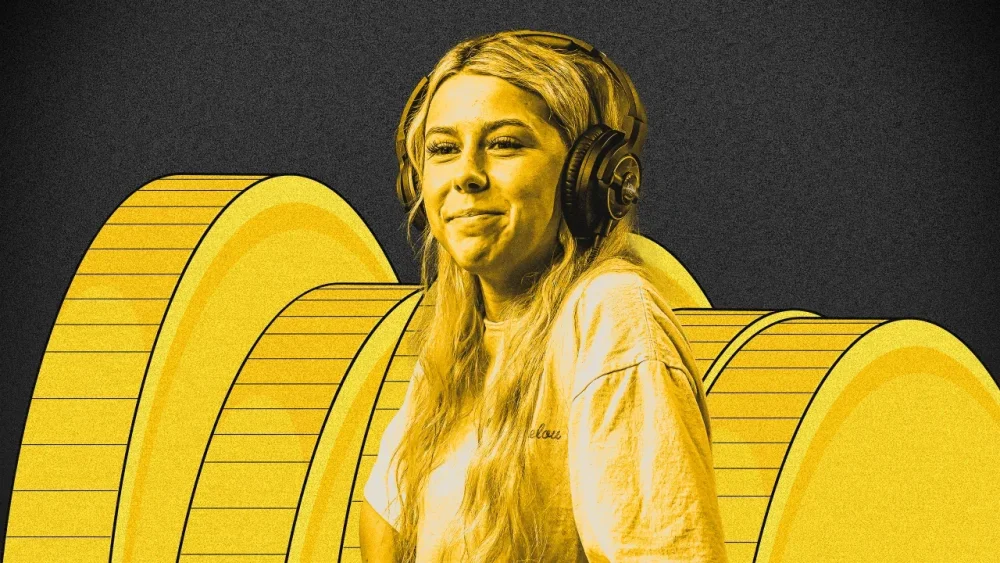
Following a cryptocurrency scandal in December 2024, Haliey Welch (aka Hawk Tuah girl) seemed to drop off the map. Months later, she’s opening up about what really happened. The trouble started when Welch, who rose to fame after a viral street interview moment last summer, announced she would be releasing her own cryptocurrency memecoin called $HAWK late last year. The token was publicized heavily and quickly rose to a $490 million market cap when launched on December 4. It tanked just as quickly, and its value plunged $440 million in just 20 minutes. Now, more than two months later, we finally have an explanation. “How this idea got brought to me, it was supposed to be a ‘long-term coin,’” Welch explained to Richard Bengtson (better known as Banks), founder of the e-sports brand FaZe Clan, on a leaked episode of Welch’s podcast Talk Tuah. (The leaked episode was first reported by Dexerto.) Welch claimed a “friend of a friend” came up with the idea. Welch, who didn’t know much about crypto, trusted his plan—and that, she said, turned out to be her “biggest mistake.” Welch recalled this mutual friend acted “a little weird” on the token launch day. At launch, only 3% of the token supply was made available for trading, while 17% was allocated to “presale investors.” These early investors collectively raised $2.8 million for their share, but two-thirds quickly cashed out, selling off their holdings for an immediate profit. “I feel really bad for all the people that got affected by it,” Welch said through tears. “And it just didn’t go the way I planned.” At the time of the scandal, Bengtson urged Welch to fire her team, calling the token an outright “scam.” Now, he is again making that same demand—but for an entirely different reason. On February 6, 2025, Bengtson revealed on X that he had agreed to appear as a special guest on Welch’s comeback episode under strict conditions, which included “not allowing markets to be manipulated by leaking this episode’s existence before a resolution was found” and “finding a real solution regarding the money she made, where that should go, and what to do with the $HAWK project moving forward.” So in an attempt to hear Haliey Welch’s side of the Crypto scam story, I agreed to do her first podcast back. I had heavy stipulations including; 1) Not allowing markets to be manipulated by leaking this episodes existence before a resolution was found. 2) Her team finding… pic.twitter.com/X3TW5nZmtR — FaZe Banks (@Banks) February 6, 2025 But according to Bengtson, someone from Welch’s team “leaked or inside-traded the token,” causing him to call off the episode on the spot. Yesterday, however, the episode was “randomly” leaked. Though it was quickly taken down, Bengtson wrote, “The price of $HAWK is pumping and they completely fucking fumbled the bag, yet again.” After calling, again, for Welch to fire her team, he added: “Poor girl, it’s a wonder how she found herself in this position in the first place.” View the full article
-
We may earn a commission from links on this page. Deal pricing and availability subject to change after time of publication. The Apple community has been finding their lost keys since 2021 with the AirTag, but Tile has been helping both Android and Apple users locate their missing devices since 2013. Over a decade later, their latest tracker (after being acquired by Life360), the Tile Mate, is just $16.95 (originally $27.99) for a single tracker, $33.99 (originally $44.99) for a two-pack, and $55.99 (originally $79.99) for a four-pack, the lowest prices, according to price-tracking tools. If you're an Android user, this is a good opportunity to stock up. (If you're an Apple user, you can use Tiles, but you're better off waiting for the AirTags to drop to $19 to stock up, or get the 4-pack for $69.99 right now; they're much better than Tile's tracker.) Batteries: Yes, Number of Batteries: 1 Lithium Metal Battery, Material: Plastic Tile by Life360 Mate 2024 Bluetooth Tracker (1-Pack) $16.95 at Amazon /images/amazon-prime.svg $27.99 Save $11.04 Get Deal Get Deal $16.95 at Amazon /images/amazon-prime.svg $27.99 Save $11.04 Batteries: Yes, Number of Batteries: 2 Lithium Metal Battery, Material: Plastic Tile by Life360 Mate (2024) Bluetooth Tracker, Keys Finder and Item Locator for Keys, Bags and More. Phone Finder. Both iOS and Android Compatible. 2-Pack (Black/White) $33.99 at Amazon /images/amazon-prime.svg $44.99 Save $11.00 Get Deal Get Deal $33.99 at Amazon /images/amazon-prime.svg $44.99 Save $11.00 Batteries: Yes, Number of Batteries: 4 Lithium Metal Battery, Material: Plastic Tile by Life360 Mate (2024) Bluetooth Tracker, Keys Finder and Item Locator for Keys, Bags and More. Phone Finder. Both iOS and Android Compatible. 4-Pack (Black) $55.99 at Amazon /images/amazon-prime.svg $79.99 Save $24.00 Get Deal Get Deal $55.99 at Amazon /images/amazon-prime.svg $79.99 Save $24.00 SEE 0 MORE The concept of Tile trackers is the same as AirTags and their usefulness extends to your creativity. Most people use them to find purses, keys, and travel bags, but you can use them to train your dog or as a device to know if people are near a specific spot you want to keep tabs on. (Anyone else want to keep tabs on their abandoned cabin in the woods?) Once the Tile tracker is outside of Bluetooth range (up to 350 feet in direct line-of-sight conditions, but PCMag's review says it realistically gets about 30 feet), the device uses the Tile community of about 20 million people (according to Tile) to update the location of the tracker by using their phone's Bluetooth. (Apple's community is much larger, with about a billion users, according to Apple). The back of the Tile Mate has a QR code that people can scan to notify you when they find it. There is a sealed battery inside that is not replaceable that Tile says will last about three years. There is an optional premium subscription that starts at $2.99 per month for more features, if you're interested in that. View the full article
-
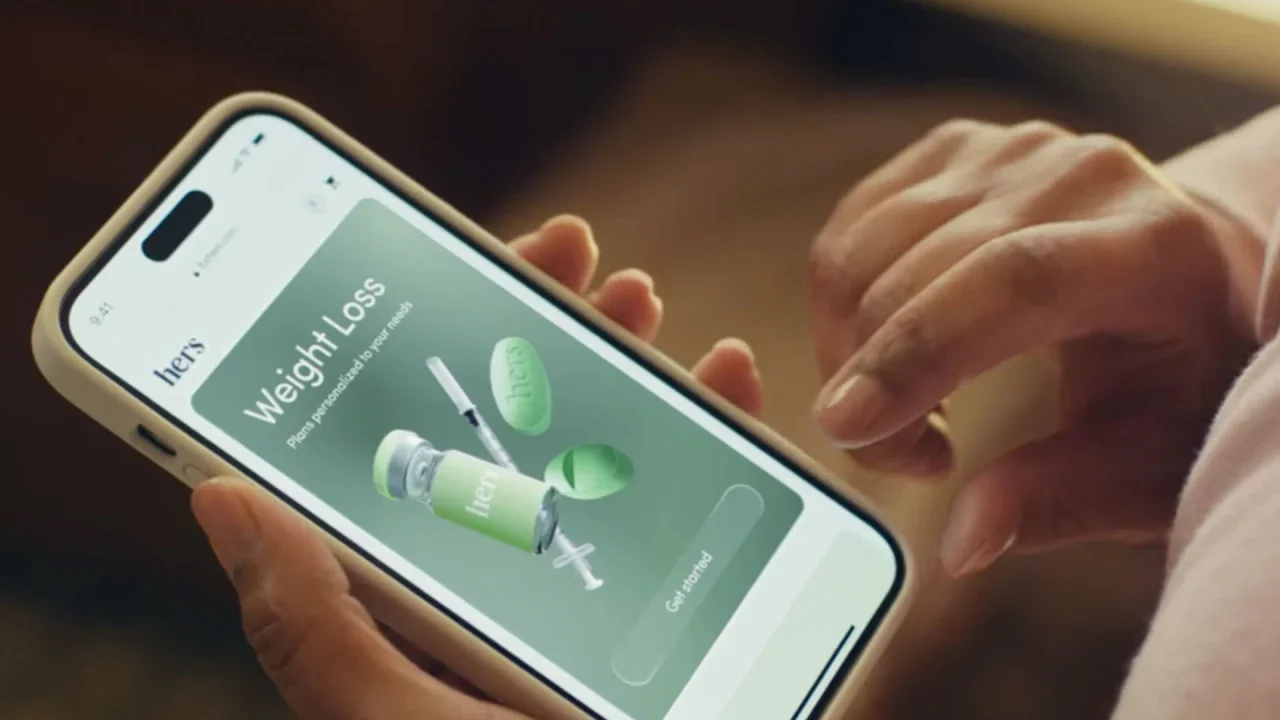
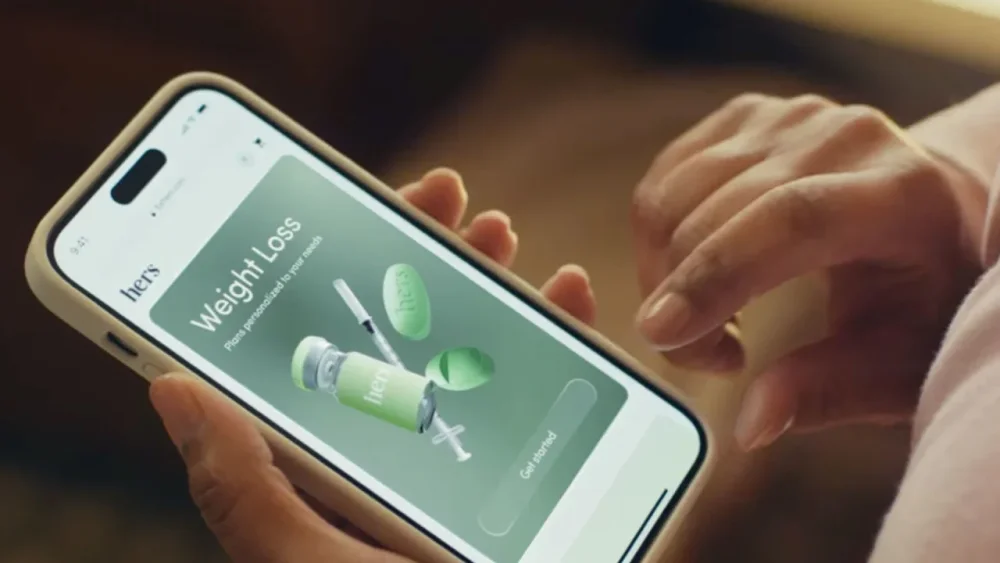
Telehealth company Hims & Hers Health is fighting back after the drug industry’s main lobbying group called out its first Super Bowl ad as “misleading” and in potential violation of marketing rules. The ad is a one-minute spot set to Childish Gambino’s “This is America,” which admonishes the U.S.’s “broken” weight-loss business and instead offers up its “affordable, doctor-trusted” copycat weight-loss drugs. The lobbying group, Pharmaceutical Research and Manufacturers of America, said Thursday the ad was “a clear violation” of the Federal Food, Drug, and Cosmetic Act and “misrepresents the safety and efficacy of their knockoff GLP-1 medicines.” Hims & Hers, which includes a brief disclaimer in the ad that the compounded drugs aren’t FDA approved, said the pushback from the industry meant its ad had clearly struck a chord. “We’ve called out the system and now the system is asking that our ad get taken down,” a spokesperson says. “This is a blatant attempt to shut down an ad that calls them out.” The telehealth firm operates on the idea that consumers who can’t afford, or balk at, the hundreds or thousands of dollars required to get weight-loss medications such as Wegovy, will pay Hims & Hers for less expensive, compounded versions of those medications. The compounded versions also serve as a way to increase access to weight-loss drugs in a time of steep shortages. To be sure, compounded drugs aren’t the same as generic drugs. They’re not approved by the FDA, so compounded drugs don’t require the same rigorous testing that is required for brand-name drugmakers. They’re often criticized due to their risk for potential contamination. But companies that sell compounded medicines say they offer high-quality drugs. Hims & Hers said that its “commercial aims to highlight why the U.S. is in an obesity crisis, while showcasing that Hims & Hers is committed to being part of easing the strain the weight-loss drug shortage is placing on the millions of Americans who have obesity and are looking for help.” Hims & Hers stock jumped more than 11% on Friday following the pushback. As of Friday afternoon, shares were up nearly 8%. The company declined to comment on the bump, as it’s in a quiet period ahead of releasing its earnings report. View the full article
-
Amazon has agreed to pay nearly $4 million to settle charges that the e-commerce company subsidized its labor costs by taking tips its delivery drivers received from customers, District of Columbia Attorney General Brian L. Schwalb said Friday. The settlement came four years after Amazon forked over $61.7 million to resolve a complaint the Federal Trade Commission brought over similar accusations. In 2022, the office of D.C.’s attorney general at the time followed up with a lawsuit alleging Amazon violated the District’s consumer protection laws by misleading residents about how tips paid digitally were used. According to the lawsuit, the affected drivers were part of Amazon’s Flex business, which allows people to deliver Amazon packages with their own cars. D.C.’s lawsuit said that after launching the program in 2015, the company represented to consumers that all tips added during check-out for Amazon Flex orders would go to drivers. But both the District and the FTC alleged that Amazon changed its payment model in late 2016 to lower its costs but did not disclose the switch to either customers or drivers. In particular, the FTC’s previous complaint alleged the company algorithmically reduced its own wages for drivers in different locations using data it collected about average tips in a specific area. Amazon then used the tips to make up the difference between its new base pay and the $18-$25 per hour it had promised drivers, the complaint said. The FTC said Amazon didn’t stop taking the tips until 2019, when the company found out about the agency’s investigation into the issue. Amazon has denied the allegations and did not admit to wrongdoing as part of the settlement announced Friday. “Like any successful program, Amazon Flex has evolved over time, and this lawsuit relates to a practice we changed more than five years ago,” Amazon spokesperson Steve Kelly said in a statement. Under the terms of the settlement, the company will pay $2.45 million in penalties plus $1.5 million in legal fees. It must also disclose on its website and app how tips impact driver earnings. View the full article

-
Thanks to a tight market, sky-high prices, and elevated interest rates, the path to home ownership is more littered with obstacles than ever, but buying property remains a key goal for most Americans—nearly 70% of us still consider it part of the American Dream. But as much as you might think you want it, it's important to weigh all the financial and emotional factors that go into buying a huge. While it sounds impossible, considering the size of the commitment, it's surprisingly easy to get so focused on the anxiety of never being able to find the right house that you buy the wrong house for the wrong reasons. If you don’t want to wind up with a money pit or a house that simply doesn’t serve your needs (or your budget), it’s essential to take a step back from the brink and really examine your reasons for buying a particular property. If it’s one of the five listed below, you should reconsider. The viewSome homes offer spectacular views—of nature, of a city skyline, or maybe the ocean. But buying a home for the view it offers is generally a bad idea, for several reasons: Cost. Homes that offer attractive views almost always come at a premium, meaning you’ll spend more for the same amount of house you could buy in the same area without the spectacular view. And some views come with even more additional costs, like a house with an ocean view that comes with a flood insurance premium. Impermanence. While some views are unlikely to change, you often can’t guarantee that someone won’t build something to obstruct your view in the future, or that other changes to the environment around your house won’t conspire to ruin your view. Imperfections. Amazing views can be distracting—if you focus too much on the incredible skyline, you might overlook other problems with the home or things that aren’t going to work with your lifestyle just so you have a nice view while sipping coffee in the morning. Because “it’s time”It’s easy to compare yourself to other people around your age, and if those folks are all buying houses, you might feel pressure to catch up. Or maybe you suddenly realize you’re the only person in your group of friends who’s still renting. Or just you’ve more or less arbitrarily made home ownership a box to check on your list of accomplishments. But buying a house before you’re financially and emotionally ready for it can be a disaster. Buying a house isn’t just about coming up with a down payment and calculating a monthly mortgage—there are a lot of financial factors you need to consider, including whether you’re ready to make hard choices if find yourself facing an unexpected repair bill. You’ll also need to think about your readiness to tackle the truly endless home maintenance tasks a home requires—or to pay someone else to do them for you. To save on rentIt used to be a golden rule: Paying a mortgage is cheaper than renting—or, if it’s about the same cost, at least you’re not throwing money into a hole every month, but building equity in an investment. The equity part is true enough—your mortgage buys you more and more direct ownership of your property, while rent merely buys you one more month living in that space. But thanks to elevated prices and higher interest rates, the cost part isn’t true anymore, generally speaking: While you might find a specific house in a specific area that’s cheaper to buy than the local rents (particular if it's in a larger city with a hot rental market), nationwide averages show that renting is cheaper than home ownership, and will probably stay that way for the immediate future. Plus, there are those pesky insurance and maintenance costs, as well. If you’re buying a house because you think it will save you money, forget it. You're betting on the neighborhood to improveHomes in neighborhoods with a lack of services, high crime rates, or lots of unmaintained houses are generally cheaper, and if you have reason to believe that robust improvements are coming to the area, it can be tempting to buy low and then celebrate as your property values rise and rise. The problem with this plan, of course, is that nothing is guaranteed: Whether it’s business investment, a government-sponsored redevelopment plan, or you think you see the signs of simple gentrification, any number of factors—canceled contracts, local elections, stalled construction projects, a faltering economy—can change the course of events and leave you holding the bag. Relying on a neighborhood turnaround also comes with plenty of other downsides: Time. Until your hoped-for revitalization comes to pass, you’ll be living in a crappy area and dealing with all the associated downsides, which might include higher crime, nastier neighbors, and worse schools. Taxes. If your property values go up, so do your taxes (eventually). Fewer options. If your life takes a turn you might have trouble selling that house or finding reliable renters due to its location. And if it’s cheap to buy, your equity in it will be relatively low until things pick up (if they pick up), meaning you’ll have limited resources for improvements and repairs. It’s a fixer-upperIf you’re buying a house because it’s a “fixer-upper” at a bargain price, think twice. If you have experience in home renovation and construction and you have a solid plan for renovating the place, that’s one thing. But if you’re buying a run-down place with a vague idea that you’ll fix it up over time, there are a lot of reasons to hesitate: The unknowns. You really have no idea how bad that house is, why it’s been priced so attractively, and how much it will really cost to fix up until you get in there and start opening walls and floors. Your budget? Fiction until you actually see the wiring, plumbing, foundation, and other essential aspects of the house. Living in a construction zone. Whole-house renovations can take as long as a year to complete, and that’s if you’re working nonstop and don’t encounter any soul-chilling problems once you dig into the property. If you’re going to do it piecemeal, the renovation could stretch on for years, and you’ll be dealing with dust in your cereal bowl and splinters everywhere during the entire experience. Price uncertainty. You can buy a cheap house and put quality work into it, but that doesn’t mean the market will cooperate and raise your home’s value enough for you to get the return on that investment you’re hoping for. Keep in mind that the money you spend fixing up a house is part of the total cost of ownership; if you buy a bargain for $200,000 and spend $100,000 fixing it, you really spent $300,000 on that house—not counting mortgage interest, insurance premiums, and other incidental costs. Adding it all up can transform a bargain into a non-bargain pretty fast. Only you can decide if buying a house is the right move—but if your reasons appear anywhere above, you owe it toy ourself to think again. View the full article
-
Bids were due last week for the portfolio of so-called jumbo mortgages from US homeowners with relatively high credit scores. View the full article
-
While prices and mortgage rates are having an effect on consumers, homeownership is still more affordable than renting in much of the country, new research found. View the full article

-
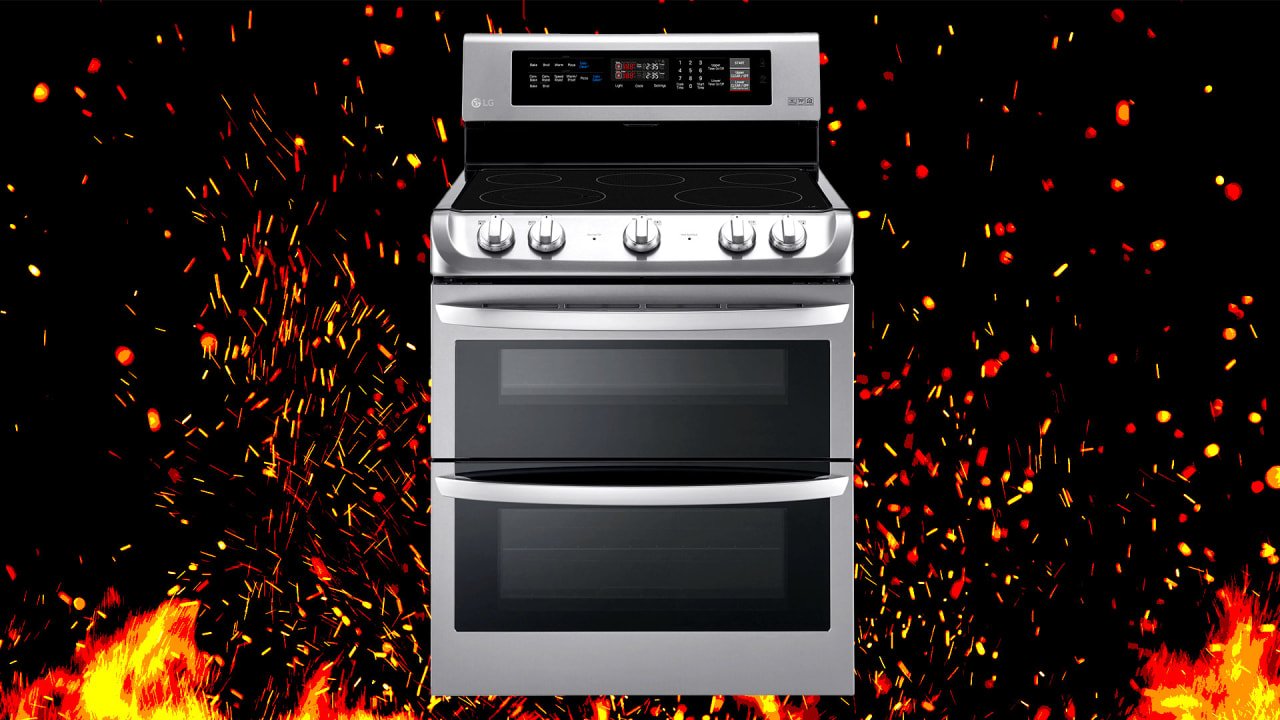
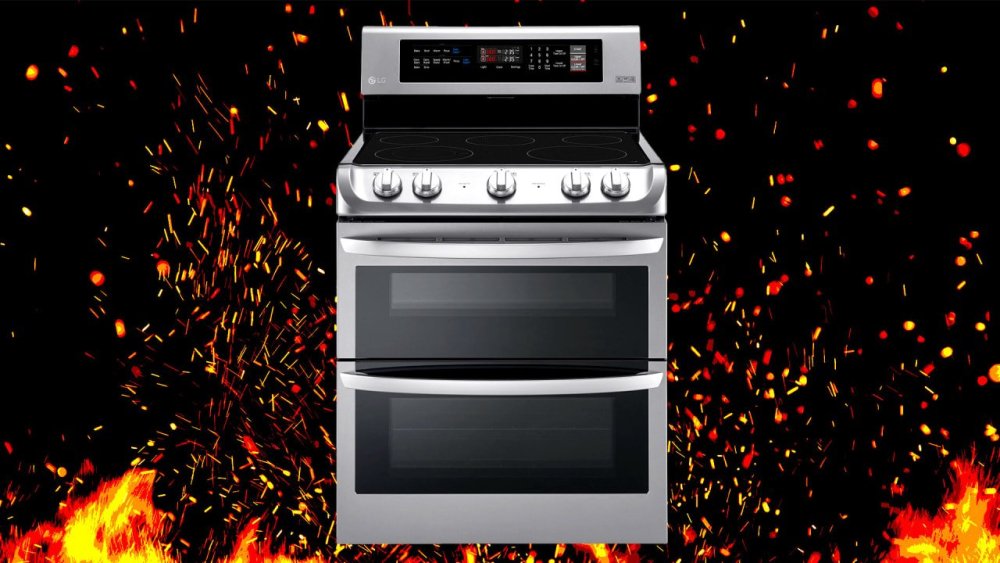
LG Electronics USA is recalling half a million electric ranges that have been involved in at least 28 fires, resulting in numerous injuries and a few pet deaths. But instead of issuing a refund or replacement, the home appliance maker is sending customers warning label stickers. The Consumer Product Safety Commission (CPSC) posted an alert on Thursday that it received at least 86 reports of “unintentional activation of the front-mounted knobs” leading to “at least five fires,” which “caused extensive property damage totaling over $340,000” as well as burns and eight minor injuries, with three fires resulting in pet deaths. According to the announcement, customers and their pets can accidentally activate the front-mounted knobs on LG Slide-In Ranges and Freestanding Ranges, potentially causing fires. In response, LG is encouraging consumers to use the ranges’ “Lock Out” or “Control Lock” features, which “[lock] the cooktop . . . from being turned on even when the knob is turned, reducing the risk of accidental activation,” according to a statement from the company. “I’d like to clarify that this is not the usual kind of CPSC ‘recall,’ because the affected products have a proven safety feature built in,” John Taylor, senior vice president of LG Electronics USA Inc., told Fast Company in a statement. Consumers can find detailed instructions for using the Lock Out/Control Lock features at LGcares.com. Where were the ranges sold? According to the CPSC, the ranges were sold from 2015 to January 2025, for between $1,400 and $2,650, at the following stores: Best Buy Costco The Home Depot Lowe’s In addition, the recall notes the ranges were sold at other appliance stores nationwide and online at LG.com. The model and serial numbers of the affected products are listed here. LG told Fast Company on Friday that for 10 of the 11 models listed, only those units manufactured through 2023, as indicated by serial number, are affected. All units of model LDE4413 are affected. (The serial numbers can be found inside the oven door or storage drawer located on the bottom of the oven.) What should I do if I think my range was recalled? Consumers should contact LG through the company’s website for a free warning label and placement instructions, and use the Lock Out/Control Lock function on the range control panel to disable heating elements when the range is not in use. Here’s LG’s instructional video on how to use the Lock Out/Control Lock features. Consumers should also keep children and pets away from the knobs and check the range knobs to ensure they are off before leaving the house or going to bed, and should not leave objects on the range when it’s not in use. View the full article
-
Kickoff for the Super Bowl LIX matchup between the Kansas City Chiefs and the Philadelphia Eagles is set for 6:30 p.m. ET on Sunday, Feb. 9. Fox is broadcasting the game live from Caesars Superdome in New Orleans, so anyone with a cable or broadcast TV subscription (or an OTA antenna) can view the game via Fox, Fox Deportes, or Telemundo. If you don't have cable, you can still stream the game to your computer, mobile device, or smart TV—even if you're outside the U.S. Here's how. Where to stream Super Bowl LIX in the U.S.Fox-owned Tubi is streaming Super Bowl LIX for free in the U.S. and Canada. The platform supports a wide range of streaming devices and smart TVs as well as Android, iOS, and web browsers, so you can watch from (almost) anywhere, including on your laptop or mobile device. The game will also be available in 4K on Roku, Fire TV, Android TV, and Apple TV. You have to create a Tubi account and be logged in at game time, no credit card required. Alternatively, Fox is available to many U.S. viewers via live TV streaming services like DirectTV Stream, FuboTV, Hulu + Live TV, YouTube TV, and Sling TV. If you're not already a subscriber, most of these platforms offer limited free trials, so you can sign up to watch the game and cancel before you are actually billed. While not free, you can also watch the game using the Fox Sports app (if you pay for Fox via cable, satellite, or live TV streaming) or through the NFL+ app (with a $7 subscription) on mobile. Where to stream Super Bowl LIX outside the U.S. The NFL has a full list of international broadcasts for Super Bowl LIX audiences located outside the U.S. An NFL Game Pass will get you full coverage via DAZN in any country except the U.S. and China. DAZN is available on most game consoles, smart TVs, and streaming sticks, as well as mobile devices, and prices vary by country. The game will also be available on ESPN in many countries and on local sports networks in select areas. For example, UK viewers can stream the game for free on ITV1 (or with a subscription to Sky Sports), and Australian fans can tune in on 7mate and 7plus. How to use a VPN to watch Super Bowl LIXIf you have a streaming subscription (or want to watch via one of the free options) but are in an area where that service is blocked, you can use a VPN to connect back to the country where broadcast rights are available. We've got a list of the best free VPNs, which let you select IP addresses in specific locations so you can stream content even when you're abroad. View the full article
-
As convenient as the internet is, when big tech companies chase endless growth, that can mean bloat. Nowadays, it feels like every company wants to lure me into an algorithm trap, convince me to use their AI services, or try to make me pay a premium to browse like I used to. One of my favorite tools for fighting back against these trends is Tapestry. It's a timeline app for iPhone and iPad that lets you combine multiple feeds from blogs, YouTube, podcasts, and social media, then view them in chronological order, with a beautiful interface. Essentially, you can use it to make your own curated version of (nearly) the entire internet. Tapestry is designed by The Iconfactory, which also developed the excellent (but now-defunct) Twitter client Twitteriffic. What is a timeline app?Timeline apps are a new genre of app that lets you take back control from big tech's algorithms and decide what you want to see and when you want to see it. These apps allow you to create your own personalized timelines with posts from multiple websites. You could use these apps to follow a blog you like, a YouTuber you enjoy, and even a subreddit or social media feed that you like seeing. It's like using an RSS reader, but with support for content from many more types of sources. Making the most of Tapestry on your iPhoneInstalling Tapestry will start you off with a very useful sign-up flow. This shows you a list of various recommended feeds you can add to your timeline with just one tap, which allows you to populate the app in record time. If you're big on customization, you can also skip the recommendations and manually add your feeds to the app by going to the Settings tab and tapping the Add Feed button. After that, you can just paste the URL of the website, YouTube channel, podcast, or Mastodon/Bluesky account you want to follow, and Tapestry will look for the feed and add it to your timeline. There's a bit more than that going on in the back end, but Tapestry's Feed Finder feature is pretty good at locating and loading feeds for you from a simple URL. Once your feeds are added, you'll be able to view them all in a neat, chronological timeline. The app's free tier is quite generous. It allows you to add multiple feeds and follow them all on one infinite scrolling timeline. If you like a post, tap the flag icon below the post to mark it (aka bookmark it) or use the share button to send it to your friends or social media accounts. Without a subscription, Tapestry will show you ads in your timeline. However, these are some of the least intrusive ads I've come across. They follow the design language of the app, and most of the ads I saw were either asking me to add a feed to Tapestry or to install another app. The app is beautifully designed and reminds me a lot about the best of Twitteriffic. A unified timeline can easily get very messy, very fast, but Tapestry handles this well by color-coding posts from various sources and prominently displaying a logo for each feed. It picked up the logos of two newsletters I loaded, too, which is a very nice touch. You can customize this experience by going to the Appearance settings page within the app, where you can change the font and the length of post previews. This lets you make your timeline look neater, and you can make it even better by tapping the three-lines icon in the bottom-left corner of the timeline. That lets you choose different sizes for each post— I find the collapsed view is best for quickly browsing, but the expanded view is better for skimming through newsletters. Credit: Pranay Parab Each post in your timeline is truncated by default, and even the expanded view only shows a few paragraphs at most. However, you can tap the Read More button on any post to read it in full in a new page. This view is free of ads and clutter, loads quickly, and the background retains the color scheme Tapestry assigned to it on your timeline. Tapestry also has two types of filters to help you clean up your feeds—muffles and mutes. Muffles will collapse posts containing specific keywords and are useful when you want to avoid spoilers from a new movie or TV show. Mutes will hide posts containing certain keywords entirely—great for blocking politics, sports, or other subjects from your feed, as an example. The biggest limitation of Tapestry's free tier is that it lets you add just the one timeline. You do have access to certain timeline filters that let you view marked posts, only posts from today, or posts from a single feed at a time. However, if you want to create more than one timeline, you're going to have to upgrade to the paid tier, which costs $2/month or $20/year. There's also a one-time lifetime unlock option at $80, in case you want to avoid subscriptions. Once upgraded, you'll no longer see ads and you can create as many timelines as you like. I've used this to separate social media feeds, newsletters, and other types of feeds, but the good news is that you can craft a timeline to suit your needs. Some people would prefer to combine posts from Bluesky and Mastodon into one chronological feed, and Tapestry allows you to do that, too. One of my biggest complaints about Bluesky is that it doesn't save your reading position, which means that it refreshes to the top of the feed whenever I open the app. I like it when apps remember where I stopped reading and then allow me to scroll to catch up on all the posts that came after the last one I read. Tapestry shows you a nice counter in the top-right corner, which says how many posts are above what you're reading, and it remembers where I paused scrolling. This is great for timeline completionists like me, and I've been using Tapestry to read my Bluesky feed in chronological order, and to follow a few accounts from Bluesky. Credit: Pranay Parab Note that you can't use Tapestry to post anything to social media, to like posts, repost, or interact with them directly. You can tap a button to open the post in the site it's hosted on, and interact with it there. Still, Tapestry is great for creating a timeline and reading, watching videos, or listening to podcasts. This app lets you listen to entire podcast episodes without leaving it if you like, and it also loads YouTube videos in the company's own player. It's a fairly seamless experience if you want to follow a few of your favorite creators. You're going to enjoy Tapestry the most if you're careful about the feeds you add. If you add a high-volume news feed, it could drown out low-frequency feeds, but if you find the right balance, it could become your own cozy corner of the web. The Iconfactory has delivered a very polished app considering it's just version 1.0 at this point. I'm excited to see where Tapestry goes and I hope that it heads to desktop at some point, too. At the moment, there aren't too many timeline apps that do the job that Tapestry does. The best alternative I've come across is Reeder, which is another beautifully designed timeline app with a similar feature set and pricing model. Ideally, you'll try both apps and decide which one works best for you, and I suspect the decision will come down to which design language you like more. Tapestry's bright and colorful design appeals to me, while others may prefer Reeder's subtler tones and animations. View the full article
-
We may earn a commission from links on this page. Chances are good that if you've ever owned an e-reader, it was one of the many varieties of the Amazon Kindle. But though the Kindle is the most ubiquitous e-reader, that doesn't mean it's the best—nor does it mean that other companies haven't bettered Amazon at the game it more or less invented. One of the most interesting competitors in the space is Onyx International, a Chinese company that has been producing innovative e-readers for more than a decade under the brand name Boox, often including new features (like color e-ink displays) years before Amazon brought them to the Kindle. Though Boox makes my own favorite e-book device (that would be the phone-shaped Boox Palma, which I'll recommend every time I get the chance), they've expanded well beyond the e-reader market, launching multiple lines of e-ink notebooks. You can think of these devices as a cross between a Kindle and an iPad—they've typically got those familiar greyscale screens, but can run apps and work with a stylus, like a full-fledged tablet. I recently reviewed the Boox Note Air 4C, the latest model of the company's color e-ink digital notebook, and came away very impressed: While the price might be a deterrent for some, it's a fabulous option for anyone looking for a device with a writeable, paper-like screen and enough features and processing power to serve as as a truly versatile productivity tool. For the past two weeks, I've been testing out Boox's newest release in the space, and I think I like it even better than the Note Air 4C, for one simple reason: As the name implies, the Boox Note Max is freaking huge, in a good way. BOOX Note Mac 13.3" E-Ink Notebook $649.99 at Amazon /images/amazon-prime.svg Shop Now Shop Now $649.99 at Amazon /images/amazon-prime.svg BOOX Note Max Keyboard Cover $169.99 at Amazon /images/amazon-prime.svg Shop Now Shop Now $169.99 at Amazon /images/amazon-prime.svg BOOX Note Max Magnetic Cover $50.99 at Amazon /images/amazon-prime.svg Shop Now Shop Now $50.99 at Amazon /images/amazon-prime.svg SEE 0 MORE A truly massive deviceI know they make big iPads, but the biggest tablet I'd used prior to the Note Max had a 10-inch screen. This 13.3-inch device feels much larger. It's like that math equation that proves you should always order the bigger pizza, because it turns out there is quite a big difference between a 16-inch pizza and an 18-inch pizza. The Note Max is roughly the size of my laptop screen, but holding it, it feels a lot bigger—but it's also super thin, which makes it feel truly high-end (as befitting the price tag, I suppose). The included stylus, with a 4096-level pressure sensitivity, is also on par with the Apple Pencil in terms of the writing experience and the solidness of the build. Credit: Joel Cunningham For most of the stuff you'll want to do with this device, you'll truly appreciate the extra real estate. Whether you're marking up a PDF, paging through a recipe book, reading manga, or using split screen to read a book and take notes at the same time, it's wonderful for everything to be so big (and I say that as someone who prefers to read on an e-read the size of an iPhone). The 13.3" Note Max (left) is significantly larger than the 10.3" Note Air 4C, not to mention the iPhone-sized Boox Palma. Credit: Joel Cunningham The screen is an HD E Ink Carta 1300 screen with a resolution of 3,200 x 2,400 pixels (300ppi) that delivers impressive clarity—text looks especially sharp even blown up, and images are crisp enough that you'll have no problem reading the tiny dialogue bubbles in your comic. The Carta 1300 is supposed to look brighter and whiter than older e-ink displays, but to be honest, if you asked me what color the screen is, I'd still say gray. And that brings me to the one big love-it-or-hate-it caveat with this device. There's no front light, for a reasonSince at least the release of the first Nook Glowlight, a front lit e-ink screen has been a standard feature for most every e-reader—certainly any pricier model. So why, then, does the Boox Note Max lack a front light? It has to do with Boox's intended use case for this device. This is a digital notebook aimed at a user with specific and relatively sophisticated needs: reading and editing documents, organizing their calendar, and, most importantly, taking written notes. It turns out that putting a front light on an e-ink tablet involves putting an additional layer between the display and the outer glass. That also means that when you use the stylus, the tip of your pen is that much farther from the surface you actually appear to be writing on. It doesn't affect performance that much, but the effect is certainly a little less smooth—or so I've ascertained from comparing the Note Max to the Note Air 4C I mentioned earlier. Taking notes or doodling on the latter delivers a good approximation of putting pen to paper, but the Note Max really perfects it. Eliminating that little bit of extra distance adds that much more verisimilitude to the experience, which in turn makes the device very satisfying to write on—kind of fun, even, though I assume the novelty will wear off. Apparently the lack of a front light also improves overall clarity, which is a good thing, because you'll need it if you are trying to use the Note Max in anything but direct light. I'm old enough to already need to crank the brightness on my laptop just to read it comfortably, and I had a little trouble with smaller print on the note max unless I was sitting in a fairly bright room. Is the tradeoff worth it? I think if you plan to take a lot of handwritten notes on it, yes—the improved writing experience and larger screen will serve you well. But if you really want that front light, the significantly smaller but still very capable Note Air 4C is probably a better choice. A dream digital note-taking deviceIf a device has been optimized to best serve as a digital notebook, then it had better perform well enough at those tasks—note-taking, marking up PDFs, linking files, working on- and offline—to justify the loss of a useful feature like a front light. And it's here that the Note Max truly excels. It has basically the same functionality as the Note Air 4C, but with a larger screen. Using the Notes app is effortless, and there are a lot of options to customize, from the type of virtual writing instrument you're using to the thickness of the lines. You can zoom into a PDF and move it around with little lag time. The split screen mode allows you to run any two apps side-by-side, so you can, for example, read an online article while taking notes on it at the same time. Credit: Joel Cunningham Though I haven't used the the Kindle Scribe, Amazon's flagship e-notebook, I have read many user reviews filled with complaints about the difficultly in getting files on and off the device. The Note Max solves for that by integrating with most of the major cloud services, like Google Drive and Dropbox. Importing and exporting PDFs, notes, and anything else you are working on is a matter of a few taps (and, OK, mastering the not always intuitive file structure). Credit: Joel Cunningham In short, if you are looking for a digital notebook that can handle any planning, research, and organizational tasks you can throw at it, this one is it. Be prepared for a learning curveConsidering the native Boox apps were likely developed in Chinese and localized for the English-language version, I'm all the more impressed at how straightforward they are to use (this definitely hasn't been the case with every app-in-translation I've used). That isn't to say it's simple, however. The fact is that the Note Max can do so much, that figuring out how to make it work best for you is going to take a lot of poking around, experimentation, and trial and error. Multiple times throughout my testing, I'd have to google how to accomplish a particular task, from opening a PDF in splitscreen mode to linking a website directly from a particular word in my notes or a PDF. On the plus side, I never encountered a need the Note Max wasn't capable of handling—the native notes apps are truly feature-packed, and built with power users in mind—but it took some work to figure them all out. If you're used to Apple hand-holding you through using one of its apps, you might get frustrated, but I think the robust tool set and customization options are worth the tradeoff. A lot more than just a digital notebookWhile the digital notebook capabilities are definitely the reason to pick up the Note Max, that's not to suggest it doesn't excel as an e-reader, for many of the same reasons I praised both the Palma and the Note Air 4C. Like those devices, the Note Max runs on a fairly basic version of Android 13 that allows you to access the Google Play Store out of the box. This means you can install basically any apps you want, and the format agnosticism is great if you've amassed a collection of e-books from different sources over the years—Kindle, Nook, Kobo, and more. A great device for reading books, manga, and black and white comicsThe massive screen is nice to read on if you're sitting comfortably, though I do think the device is heavy enough to make it impractical for reading in bed or while commuting. Still, the size is particularly nice if you want to read anything with a lot of graphical elements, like comics or manga. Credit: Joel Cunningham Granted, black-and-white-only display means it takes some fiddling with the settings to make color images more legible, and certainly something is going to be lost in the translation. But reading manga or other black and white comics is a real joy, thanks to the size and crisp resolution. Use any apps you like (with mixed results)The app store access doesn't limit you to just e-reading apps, and you can definitely use the Note Max to access your Gmail, use Google Docs, play games, and even watch videos. Like Boox's other signature devices, the Note Max includes multiple screen modes, from "Normal" to "Regal" to "A2" that control how quickly the e-ink display will refresh. More than that, you can set how often the screen will perform a full refresh on a per-app basis, which is a good option considering not all tasks will put the same demands on the hardware. Credit: Joel Cunningham High resolution modes will offer super crisp text and images, but you're likely to see a lot of ghosting (afterimages are visible after you change what's onscreen), making them best for relatively static tasks like reading a print e-book. The faster modes allow for faster scrolling and far less ghosting, which is a must when trying to scroll through a website or watch a video, but there's a tradeoff: You'll lose a lot of detail. In short, this means that while the Note Max can technically do anything you'd ask of your iPad short of making FaceTime calls, those experiences won't necessarily be all that satisfying. It's great for reading Reddit, but you probably don't want to use it to watch Netflix. A note about reliabilityTo be clear, I've experienced no hardware issues in my time testing this device. It has continued to perform as you would expect a new device to perform. That said, Boox devices aren't exactly known to receive much in the way of customer support, and if you have a problem with yours—say, you drop it and the screen breaks, or you experience an unexplained screen failure like those I've read about on Reddit—it's likely you'll be footing the bill for a repair. Unhappy customers have reported having little luck getting what they believed were faulty devices repaired under warranty, and mailing it in involves shipping to China. That said, if you purchase the device from Amazon, instead of directly from the company, you'll be covered under Amazon's typically generous return and exchange policies. The optional keyboard case is nice-looking but not quite there yetIf you buy the Boox Note Max direct from Onyx, it comes with a relatively basic magnetic cover (which you can also pick up separately from Amazon, if you're not comfortable ordering from a China-based company with questionable customer service reviews), but you can also pay another $170 for a case with a built-in keyboard. I got one of them to test out alongside the Note Max, and I would say that, like the tablet itself, it's not for everyone. One thing the keyboard case has going for it is build quality: With a faux-leather look, a weight that feels substantial if not heavy, a large trackpad, and a keyboard that feels roughly as comfortable to use as the one on my MacBook Air, it definitely has premium trappings. Just look at it: Credit: Joel Cunningham Unfortunately, it's not nearly as nice to actually use—but I think that's mostly down to the peculiarities of e-ink. You can open up the Notes app or an email window and start typing away, but the lag time between your input and the character appearing onscreen is...not short. It's very noticeable, and if you're an awkward touch-typer like me, it will mean a lot more typos. The trackpad also gave me some trouble; again, the culprit was lag time. You feel less like you're moving the cursor and more like you're dragging it along. This makes it surprisingly hard to do things like select from a drop-down menu or click a button. It's very pretty though, and I've read anecdotal reports suggesting it has continued to improve through subsequent rounds of software updates. The bottom lineAfter spending more than a week testing out the Boox Note Max, I feel like I'm only just starting to realize its potential. Its premium build quality and massive size in comparison to other digital notebooks make it a joy to read (and write!) on, but the complex array of features and settings are far from intuitive, and it will take some effort to fully grasp, let alone make work for you. That's not really a negative—all those options mean you can basically configure it how you like—but it does suggest to me that this is a device for power users. That is to say: If your needs include a lot of text editing and digital note-taking, you're going to love it. If they don't, it's probably more device than you really need. BOOX Note Max E-Ink Notebook $649.99 at Amazon /images/amazon-prime.svg Shop Now Shop Now $649.99 at Amazon /images/amazon-prime.svg Onyx Boox Note Max specsDisplay: 13.3" E Ink Carta Plus (Carta1300), 300 ppi CPU: 2.8Ghz Qualcomm Octacore processor RAM: 6GB Storage: 128GB Connectivity: Wi-Fi 5 (2.4/5GHz), Bluetooth 5.0 Lighting: None Operating system: Android 13 Battery/charging: 3,700 mAh via USB-C Size: 287.5 x 243 x 4.6 mm SD card support: None Weight: 615g View the full article
-
The billionaire’s aggressive efficiency drive has critics warning of a constitutional crisis. Allies say he’s just getting started View the full article
-
If you scroll through your old photos from the mid-2010s—the golden era of Snapchat—chances are a fair number of those pictures feature a dog filter or a flower crown. Now, nearly a decade later, one TikToker has now been struck by a unique dilemma. “Your daughter wants to see her baby pictures, but she was born in 2016,” user @themkidzmama3 posted in a video that has since gone viral. As the Adele’s 2015 hit “Hello” plays, a slideshow of her daughter’s baby photos flashes across the screen. Each photo uses a different filter, from the dog ears to a Sia wig. It’s undeniable: Her daughter is a product of the Snapchat filter era. There was a time when baby photos were professionally staged and displayed proudly in parents’ homes. But with smartphones and social media parents now have the ability to snap hundreds of photos a day (not all of them keepsake-worthy). The TikTok video gained over 26.5 million views, with other parents’ relating to Snapchat filters of that era. “There’s gonna be money in defiltering apps in the future,” one user wrote in the comments. “Kids nowadays won’t get photo albums, they’ll get an icloud folder,” another added. Following the virality of @themkidzmama3’s video, another mom jumped on the trend, showing off her daughter’s baby photos from the same era. “I have nothing to say for myself apart from I’m sorry my princess. A true victim of the Snapchat era,” she wrote in the caption of the video. Her slideshow includes a face-swap photo featuring mom-and-daughter and a picture with the ever-present flower crown. “The flower crown was a universal baby photo for 2016-2017,” one person wrote in the comments. Another confessed: “The amount of photos I have of my baby as a chicken nugget.” View the full article

-
UK prime minister launches fresh attempt to reboot ailing government at six-hour cabinet meetingView the full article
-
We may earn a commission from links on this page. Like any surface, a wood floor can get stained and dirty, but you have to be really careful with how you clean it. You shouldn't use harsh chemicals, whether your floor is sealed or unsealed, because you don't want to damage the wood itself, but that leaves you with fewer options. I tried two—well, three, but we'll get to that—simple techniques that didn't require any intense chemicals today and they both worked well. Remove stains from wood floors with vinegarFirst, I assessed the stains I was dealing with, which I noticed while cleaning under my couch earlier in the week. They appeared to be leftover from a project I did a while back involving glue, newspaper, and paint, so I had a big selection of stain types to test my methods on. In general, whether you're working on sealed or unsealed floors, you want to dab, not drench, your stain, so liquid doesn't seep into any cracks and cause damage underneath, which I kept in mind while I got to work with my first test: vinegar. If you're not sure whether your floor is sealed or unsealed, place a few drops of water on the surface. If they stay beaded up on top, it's likely sealed, but if they absorb quickly, it likely isn't. I am a renter in my home and wasn't here when this floor was put down, which means I don't know anything about it for sure, so checking that was important. If your floor is unsealed, try these steps with soap and water before moving on to vinegar if you have to, but since mine is sealed, I went straight to the cupboard staple. I mixed equal parts vinegar and warm water, then dabbed it up and down on the stains, pausing every few seconds to give the stain I was working on a good scrub with my rag. The dilution here is important, as pure vinegar can be too acidic and can break down sealant if it's too strong. It definitely took some time (and smelled bad, of course) but slowly, darker stains started to lift up. Once I'd removed them most of the way, I went in with a melamine sponge and they basically disappeared—and with them went the fear I'd need to make an emergency Target run to get something stronger. Remove harder stains with baking soda paste The problem on the left. Baking soda paste and vinegar on the right. Credit: Lindsey Ellefson A few stains seemed more deeply set-in, but I knew I didn't want to leave them drenched in vinegar and risk the integrity of the floor. For those, I made a paste by filling a small bowl halfway with water, then adding and stirring in baking soda until it was thick. I'm a fan of the abrasive quality of baking soda when used to clean, but also its lack of acidity. I left the paste on the stains for about 20 minutes, wiped it off, and proceeded with my melamine sponge. These, too, came right up. You shouldn't use this technique to clean the whole floor. It's just not necessary. The best uses for baking soda paste on wood floors are these: When a stain is really set in there and regular cleaning doesn't budge it When the stain is oily or greasy Bonus: Glue and squished sticky stuff get the hair dryerThose two methods worked really well and thankfully didn't require harsh chemicals or cause any damage to my floors, but at the end of my experiment, I was still left with some splotches. They were raised, not technically "stains," but they deserve inclusion here nonetheless. I'd been afraid that those were made up of glue, but now I was sure. I tried prying them up with a knife and got nowhere; they were stuck. I read up on what to do and found that most pros suggested I trek to the hardware store for professional adhesive remover. For under $15, you can definitely do that, but before I spent hard-earned money on a solution I needed to use just once, I had the idea to try something else for free. Two weeks ago, I wrote about how easily you can remove stickers from household goods by blasting them with a hair dryer. It couldn't hurt to give that a shot on the floor, right? I directed the heat at all four glue spots, one at a time, for about 45 seconds. Each one peeled up like magic, despite being very firmly attached just a minute prior. Beyond not having to spend $15 on a product that would then clutter up my cleaning shelf for years to come, I didn't have to apply anything harsh to the floor. For messes that are gelled, stuck, or otherwise squished onto your wood floor, try the hair dryer first. Overall wood floor stain-removing tipsWhichever method you try, do a spot test first in an inconspicuous place, like under a big piece of furniture. As mentioned, dab, don't drench, and avoid using anything really acidic or harsh, like acetone (which I was close to doing for the glue before reconsidering what a nightmare that could be for my sealant). If baking soda paste isn't quite abrasive enough, don't reach for anything too stiff to scrape at stains. Instead, opt for a semi-sturdy sponge or an old toothbrush. The goal here should be spot-treating only, too. Don't distribute your vinegar or baking soda paste any farther than you have to. Just keep it on the stain and dab up and down. When I finished up and had all my stains removed, I definitely had some crusty baking soda left over, as well as some suds from using the Mr. Clean Magic Eraser Ultra Foamy, so the job didn't end there. I wiped the whole area down with some Fabuloso, the same as I would for normal cleaning, and then let it air dry. Unless you have great luck with the vinegar from the get-go, this isn't a quick process from spot testing to finishing, so make sure you allot enough time. View the full article