Newsletter
Want to keep up to date with all our latest news and information?


ResidentialBusiness
Administrators
-
Joined
-
Last visited
Everything posted by ResidentialBusiness
-
The fourth quarter results integrated the operations of both Redfin and Mr. Cooper into Rocket Cos., with the deals likely contributing to the full year loss. View the full article
-
MBS buying has become the near-term focus but a 2026 offering is still possible, Federal Housing Finance Agency official Bill Pulte told Fox Business. View the full article

-
Extra tax obtained from the 2,000 largest businesses doubles in three yearsView the full article
-
Fall in index raises questions over whether recent improvement in economic indicators will continueView the full article
-
Rocket Mortgage and Compass launched a three-year Redfin listing partnership, expanding access to 500,000+ homes, with executives saying they see no RESPA compliance issues. View the full article

-
Group’s shares surge 25% as CEO says ‘most companies are late’ to realise how much technology will affect employmentView the full article
-
A Paychex Cash Advance is a service that allows you to access a portion of your earned wages before your regular payday, using the Payactiv app. You can withdraw up to 50% of your net earnings after each workday, based on the hours you’ve worked. This option offers immediate financial relief by appearing as a deduction from your next paycheck. Comprehending how this service functions is essential, especially when considering its benefits and potential drawbacks. Key Takeaways Paychex Cash Advance allows employees to access up to 50% of earned wages through the Payactiv app after each workday. Eligibility requires direct deposit, a minimum of $200 in deposits, and completion of onboarding with Paychex linked as the employer. Funds accessed are automatically deducted from the next paycheck with no interest charges involved. Users can manage cash advances via the Paychex Flex dashboard, selecting amounts based on available balance and preferred payment method. While convenient, be aware of potential fees for frequent use and the importance of budgeting to avoid financial mismanagement. Understanding Paychex Cash Advance Comprehending how Paychex Cash Advance works is essential for employees seeking immediate access to their earned wages. This service allows you to tap into up to 50% of your net earnings after each workday through the Payactiv app, making it a form of on-demand pay. Unlike traditional on-demand payroll systems, the Paychex Cash Advance calculates your available balance based on the hours you’ve worked after each shift. This means you can make timely financial decisions without waiting for your paycheck. The funds accessed through the cash advance will appear as deductions on your next paycheck, ensuring a straightforward repayment process. The program aims to alleviate financial stress by providing access to your earned wages, helping you avoid late fees and high-interest loans during emergencies. You can enroll in this program through Paychex Flex, easily managing your cash advance options via the app or dashboard. Eligibility Requirements for Cash Advance To qualify for a Paychex cash advance, you need to meet certain eligibility requirements. First, you must have direct deposit set up, ensuring that your earnings are deposited directly into your Paychex account. Furthermore, there’s a minimum earnings threshold that you’ll need to reach to access the advance, making it crucial to understand your financial situation before applying. Direct Deposit Requirement When you consider applying for a Paychex cash advance, it’s vital to understand the direct deposit requirement that determines your eligibility. To qualify, you must have at least $200 deposited directly into your Payactiv account, which allows you to access a portion of your earned wages. You’ll additionally need to link Paychex as your employer within the Payactiv app to use the cash advance feature. The amount available for cash advance is based on the hours you’ve worked after each shift, letting you access up to 50% of your net earnings. Minimum Earnings Threshold Grasping the minimum earnings threshold is essential for those looking to qualify for a Paychex cash advance. To be eligible, you typically need at least $200 in direct deposits in your Paychex Flex account. Furthermore, you can access up to 50% of your net earnings accumulated after each workday. Remember, you must be actively employed and have completed your onboarding process. Eligibility may vary by employer, so it’s wise to check with your HR or payroll department for specific criteria. Requirement Details Minimum Direct Deposit At least $200 in your Paychex Flex account Maximum Cash Advance Up to 50% of net earnings per workday Employment Status Must be actively employed and onboarded How to Access Your Cash Advance Accessing your cash advance through Paychex is a straightforward process that can be done in just a few steps. First, log in to the Paychex Flex dashboard or app and navigate to the Pay on Demand feature. You can access up to 50% of your net earnings based on the hours you’ve worked after each shift. Here’s how to get started: Select your cash advance amount: Choose how much you want to withdraw based on your available balance. Choose your payment method: Transfer your funds to a bank account, debit card, or a Payactiv Visa Card. Confirm your transaction: Once you finalize the request, the funds will be available to you, and the deductions will appear on your next paycheck. For those already using Payactiv, linking your Paychex account makes accessing your wages even easier. Repayment Process Explained The repayment process for your Paychex cash advance is designed to be simple and automatic, guaranteeing you won’t have to worry about manual payments. When you access funds through the Payactiv app, up to 50% of your net earnings after each workday, the amount you withdraw will be automatically deducted from your next paycheck. This deduction provides a clear accounting of your accessed funds, allowing you to track your earnings easily. Since there are no interest charges associated with the cash advance, you won’t incur additional costs, making it a cost-effective way to access your wages early. Yet, it’s crucial to monitor the funds you’ve accessed to understand their impact on your upcoming paycheck, avoiding any unexpected shortfalls. By staying informed about your cash advance, you’ll guarantee a smooth financial experience without surprises on payday. Benefits of Using Paychex Cash Advance Utilizing the Paychex Cash Advance can greatly boost your financial flexibility by providing immediate access to your earned wages. This service allows you to access up to 50% of your net earnings after each workday, helping you manage unexpected expenses effectively. With this option, you won’t have to wait for payday, which can improve your financial wellness by avoiding late fees. Here are some key benefits of using Paychex Cash Advance: Immediate Access: Get quick access to funds for bills or daily expenses without delay. Transparent Pricing: Enjoy a fair pricing structure with no fees for ACH transfers and bill pay options. Easy Management: Deductions are reflected in your next paycheck, simplifying your financial management. Potential Drawbacks to Consider As well as the Paychex Cash Advance service offers quick access to funds, you should be aware of potential transaction fees that can add up if you use it frequently. Relying too heavily on cash advances might lead to financial mismanagement, especially if you’re already living paycheck to paycheck, creating a cycle of dependency. Furthermore, unclear communication about fees and terms can cause misunderstandings, affecting your financial stability in the long run. Transaction Fees Overview Comprehending transaction fees is crucial when considering the Paychex Cash Advance service, especially since these costs can add up quickly. Here are some points to keep in mind: A transaction fee of $2.99 applies if you don’t have a qualifying direct deposit of $200, increasing your overall cost. Additional fees may occur for transfers to non-Payactiv debit or payroll cards, further impacting expenses. Although ACH bank transfers and bill pay options are fee-free, be aware of the conditions to avoid charges. Transparency in pricing is emphasized, but you should carefully review fee schedules to understand potential costs. Frequent usage of cash advances can lead to increased expenses and could affect your net earnings, so always stay mindful of these fees. Financial Mismanagement Risks Relying on a Paychex cash advance can lead to significant financial mismanagement, particularly if it becomes a frequent habit. When you access your wages repeatedly, you may not address underlying budgeting issues or spending habits, creating a cycle of dependency. This situation can be especially challenging for those living paycheck to paycheck, as it may increase financial stress rather than alleviate it. Frequent advances can likewise obscure your true income levels, making it difficult to manage finances and plan for future expenses. Moreover, without comprehending potential tax implications, you might encounter unexpected deductions, further straining your finances. Employers need to communicate fee structures clearly to prevent misinterpretations that could lead to greater financial difficulties. Tips for Managing Your Finances With Cash Advances Managing your finances effectively when using cash advances requires a strategic approach to guarantee you don’t fall into a cycle of debt. Here are some tips to help you manage your cash advances wisely: Utilize the Payactiv app to access up to 50% of your net earnings after each workday, giving you immediate funds for unexpected expenses without resorting to high-interest loans. Set up automatic bill pay through the app to avoid late fees, ensuring timely payments and enhancing your financial management. Take advantage of the goal-based savings feature to allocate funds for specific financial targets, promoting disciplined saving habits. Also, be mindful of any potential fees associated with cash advances, and plan your usage to prevent over-reliance. Engaging with financial coaching services through your employer can help you develop a personalized plan for managing cash advances and improving your overall financial wellness. Frequently Asked Questions How Does Paychex Advance Pay Work? Paychex Advance Pay lets you access up to 50% of your net earnings after each workday through the Payactiv app. You can withdraw funds based on hours you’ve worked, helping you manage bills or unexpected expenses without waiting for payday. Once you access these funds, they’ll be deducted from your next paycheck. This system likewise offers features like automatic bill pay and financial coaching to improve your financial wellness. How Do Paycheck Cash Advances Work? Paycheck cash advances let you access a portion of your earned wages before payday, offering quick financial relief for unexpected expenses. You can withdraw up to 50% of your net earnings after each workday, typically through an app. The amount you take out is deducted from your next paycheck, making it easy to manage. Be aware that fees may apply, depending on your chosen payment method and whether you have a qualifying direct deposit. What Is a Cash Advance and How Does It Work? A cash advance lets you access part of your earned wages before payday, providing quick funds for urgent expenses. Typically, the amount you can receive depends on your hours worked and earnings accumulated. You can use apps to request this advance, transferring funds directly to your bank account or debit card, or picking up cash at designated locations. Be mindful that fees may apply, especially if you lack qualifying direct deposits. Does Paychex Give Loans? Paychex doesn’t provide traditional loans. Instead, it offers an on-demand pay service that lets you access a portion of your earned wages before payday. You can use the Payactiv app to withdraw up to 50% of your net earnings after each workday. Keep in mind, these funds are deducted from your next paycheck, and transaction fees may apply if you don’t meet certain deposit qualifications, impacting overall costs. Conclusion In conclusion, a Paychex Cash Advance provides employees with early access to their earned wages, allowing for financial flexibility before payday. By comprehending eligibility, accessing funds through the Payactiv app, and knowing the repayment process, you can make informed decisions about using this service. Although it offers immediate relief from financial pressures, it is crucial to weigh the benefits against potential drawbacks. Proper financial management can help guarantee that cash advances serve as a helpful tool, rather than a burden. Image via Google Gemini This article, "What Is a Paychex Cash Advance and How Does It Work?" was first published on Small Business Trends View the full article
-
A Paychex Cash Advance is a service that allows you to access a portion of your earned wages before your regular payday, using the Payactiv app. You can withdraw up to 50% of your net earnings after each workday, based on the hours you’ve worked. This option offers immediate financial relief by appearing as a deduction from your next paycheck. Comprehending how this service functions is essential, especially when considering its benefits and potential drawbacks. Key Takeaways Paychex Cash Advance allows employees to access up to 50% of earned wages through the Payactiv app after each workday. Eligibility requires direct deposit, a minimum of $200 in deposits, and completion of onboarding with Paychex linked as the employer. Funds accessed are automatically deducted from the next paycheck with no interest charges involved. Users can manage cash advances via the Paychex Flex dashboard, selecting amounts based on available balance and preferred payment method. While convenient, be aware of potential fees for frequent use and the importance of budgeting to avoid financial mismanagement. Understanding Paychex Cash Advance Comprehending how Paychex Cash Advance works is essential for employees seeking immediate access to their earned wages. This service allows you to tap into up to 50% of your net earnings after each workday through the Payactiv app, making it a form of on-demand pay. Unlike traditional on-demand payroll systems, the Paychex Cash Advance calculates your available balance based on the hours you’ve worked after each shift. This means you can make timely financial decisions without waiting for your paycheck. The funds accessed through the cash advance will appear as deductions on your next paycheck, ensuring a straightforward repayment process. The program aims to alleviate financial stress by providing access to your earned wages, helping you avoid late fees and high-interest loans during emergencies. You can enroll in this program through Paychex Flex, easily managing your cash advance options via the app or dashboard. Eligibility Requirements for Cash Advance To qualify for a Paychex cash advance, you need to meet certain eligibility requirements. First, you must have direct deposit set up, ensuring that your earnings are deposited directly into your Paychex account. Furthermore, there’s a minimum earnings threshold that you’ll need to reach to access the advance, making it crucial to understand your financial situation before applying. Direct Deposit Requirement When you consider applying for a Paychex cash advance, it’s vital to understand the direct deposit requirement that determines your eligibility. To qualify, you must have at least $200 deposited directly into your Payactiv account, which allows you to access a portion of your earned wages. You’ll additionally need to link Paychex as your employer within the Payactiv app to use the cash advance feature. The amount available for cash advance is based on the hours you’ve worked after each shift, letting you access up to 50% of your net earnings. Minimum Earnings Threshold Grasping the minimum earnings threshold is essential for those looking to qualify for a Paychex cash advance. To be eligible, you typically need at least $200 in direct deposits in your Paychex Flex account. Furthermore, you can access up to 50% of your net earnings accumulated after each workday. Remember, you must be actively employed and have completed your onboarding process. Eligibility may vary by employer, so it’s wise to check with your HR or payroll department for specific criteria. Requirement Details Minimum Direct Deposit At least $200 in your Paychex Flex account Maximum Cash Advance Up to 50% of net earnings per workday Employment Status Must be actively employed and onboarded How to Access Your Cash Advance Accessing your cash advance through Paychex is a straightforward process that can be done in just a few steps. First, log in to the Paychex Flex dashboard or app and navigate to the Pay on Demand feature. You can access up to 50% of your net earnings based on the hours you’ve worked after each shift. Here’s how to get started: Select your cash advance amount: Choose how much you want to withdraw based on your available balance. Choose your payment method: Transfer your funds to a bank account, debit card, or a Payactiv Visa Card. Confirm your transaction: Once you finalize the request, the funds will be available to you, and the deductions will appear on your next paycheck. For those already using Payactiv, linking your Paychex account makes accessing your wages even easier. Repayment Process Explained The repayment process for your Paychex cash advance is designed to be simple and automatic, guaranteeing you won’t have to worry about manual payments. When you access funds through the Payactiv app, up to 50% of your net earnings after each workday, the amount you withdraw will be automatically deducted from your next paycheck. This deduction provides a clear accounting of your accessed funds, allowing you to track your earnings easily. Since there are no interest charges associated with the cash advance, you won’t incur additional costs, making it a cost-effective way to access your wages early. Yet, it’s crucial to monitor the funds you’ve accessed to understand their impact on your upcoming paycheck, avoiding any unexpected shortfalls. By staying informed about your cash advance, you’ll guarantee a smooth financial experience without surprises on payday. Benefits of Using Paychex Cash Advance Utilizing the Paychex Cash Advance can greatly boost your financial flexibility by providing immediate access to your earned wages. This service allows you to access up to 50% of your net earnings after each workday, helping you manage unexpected expenses effectively. With this option, you won’t have to wait for payday, which can improve your financial wellness by avoiding late fees. Here are some key benefits of using Paychex Cash Advance: Immediate Access: Get quick access to funds for bills or daily expenses without delay. Transparent Pricing: Enjoy a fair pricing structure with no fees for ACH transfers and bill pay options. Easy Management: Deductions are reflected in your next paycheck, simplifying your financial management. Potential Drawbacks to Consider As well as the Paychex Cash Advance service offers quick access to funds, you should be aware of potential transaction fees that can add up if you use it frequently. Relying too heavily on cash advances might lead to financial mismanagement, especially if you’re already living paycheck to paycheck, creating a cycle of dependency. Furthermore, unclear communication about fees and terms can cause misunderstandings, affecting your financial stability in the long run. Transaction Fees Overview Comprehending transaction fees is crucial when considering the Paychex Cash Advance service, especially since these costs can add up quickly. Here are some points to keep in mind: A transaction fee of $2.99 applies if you don’t have a qualifying direct deposit of $200, increasing your overall cost. Additional fees may occur for transfers to non-Payactiv debit or payroll cards, further impacting expenses. Although ACH bank transfers and bill pay options are fee-free, be aware of the conditions to avoid charges. Transparency in pricing is emphasized, but you should carefully review fee schedules to understand potential costs. Frequent usage of cash advances can lead to increased expenses and could affect your net earnings, so always stay mindful of these fees. Financial Mismanagement Risks Relying on a Paychex cash advance can lead to significant financial mismanagement, particularly if it becomes a frequent habit. When you access your wages repeatedly, you may not address underlying budgeting issues or spending habits, creating a cycle of dependency. This situation can be especially challenging for those living paycheck to paycheck, as it may increase financial stress rather than alleviate it. Frequent advances can likewise obscure your true income levels, making it difficult to manage finances and plan for future expenses. Moreover, without comprehending potential tax implications, you might encounter unexpected deductions, further straining your finances. Employers need to communicate fee structures clearly to prevent misinterpretations that could lead to greater financial difficulties. Tips for Managing Your Finances With Cash Advances Managing your finances effectively when using cash advances requires a strategic approach to guarantee you don’t fall into a cycle of debt. Here are some tips to help you manage your cash advances wisely: Utilize the Payactiv app to access up to 50% of your net earnings after each workday, giving you immediate funds for unexpected expenses without resorting to high-interest loans. Set up automatic bill pay through the app to avoid late fees, ensuring timely payments and enhancing your financial management. Take advantage of the goal-based savings feature to allocate funds for specific financial targets, promoting disciplined saving habits. Also, be mindful of any potential fees associated with cash advances, and plan your usage to prevent over-reliance. Engaging with financial coaching services through your employer can help you develop a personalized plan for managing cash advances and improving your overall financial wellness. Frequently Asked Questions How Does Paychex Advance Pay Work? Paychex Advance Pay lets you access up to 50% of your net earnings after each workday through the Payactiv app. You can withdraw funds based on hours you’ve worked, helping you manage bills or unexpected expenses without waiting for payday. Once you access these funds, they’ll be deducted from your next paycheck. This system likewise offers features like automatic bill pay and financial coaching to improve your financial wellness. How Do Paycheck Cash Advances Work? Paycheck cash advances let you access a portion of your earned wages before payday, offering quick financial relief for unexpected expenses. You can withdraw up to 50% of your net earnings after each workday, typically through an app. The amount you take out is deducted from your next paycheck, making it easy to manage. Be aware that fees may apply, depending on your chosen payment method and whether you have a qualifying direct deposit. What Is a Cash Advance and How Does It Work? A cash advance lets you access part of your earned wages before payday, providing quick funds for urgent expenses. Typically, the amount you can receive depends on your hours worked and earnings accumulated. You can use apps to request this advance, transferring funds directly to your bank account or debit card, or picking up cash at designated locations. Be mindful that fees may apply, especially if you lack qualifying direct deposits. Does Paychex Give Loans? Paychex doesn’t provide traditional loans. Instead, it offers an on-demand pay service that lets you access a portion of your earned wages before payday. You can use the Payactiv app to withdraw up to 50% of your net earnings after each workday. Keep in mind, these funds are deducted from your next paycheck, and transaction fees may apply if you don’t meet certain deposit qualifications, impacting overall costs. Conclusion In conclusion, a Paychex Cash Advance provides employees with early access to their earned wages, allowing for financial flexibility before payday. By comprehending eligibility, accessing funds through the Payactiv app, and knowing the repayment process, you can make informed decisions about using this service. Although it offers immediate relief from financial pressures, it is crucial to weigh the benefits against potential drawbacks. Proper financial management can help guarantee that cash advances serve as a helpful tool, rather than a burden. Image via Google Gemini This article, "What Is a Paychex Cash Advance and How Does It Work?" was first published on Small Business Trends View the full article
-
CEO Dario Amodei said start-up ‘cannot in good conscience’ agree to US government’s termsView the full article
-
FS KKR shares tumble 15% as markdowns highlight growing strains in debt extended to unlisted companiesView the full article
-
While overall delinquencies eased in January, foreclosure starts jumped to their highest point since early 2020, signaling growing strain among late-stage borrowers despite steady mortgage performance. View the full article
-
From changing the daily workflow to the way we order food at a kiosk, AI is showing up in just about everything we do. But according to a new report, the way people use AI differs based on generation. And some of those ways are downright weird. The new insights come from a survey by AI-powered study aid Edubrain of 3,000 Americans ages 18 to 60. (Boomers weren’t included in the survey, but according to other recent research, they’re the least likely to use AI). It found that when it comes to who is using AI the most regularly, it’s not the youngest tech-savvy group. It’s actually millennials: 37% of the group uses it daily, while only 25% of Gen Zers, and 19% of Gen Xers can say the same. There may be a good reason why millennials are relying on AI more than others, the report explains. Given the 30- to 40-somethings are more likely to be in busy parts of their life, it makes sense they may be more inclined to rely on technology to ease their burdens. “They’re juggling work, kids, bills, and everything in between, and they’re willing to take any help they can get,” the report says. Mostly, AI is being used to find information, such as in a quick internet search or asking ChatGPT a question. Sixty-nine percent of millennials and 63% of Gen Xers say they use it for these kinds of tasks. Meanwhile, Gen Z is more inclined to use the tool for creative tasks than for gathering information: 60% of the group uses it to help with creative tasks, which is more than any other generation. While AI is being widely used, many would rather not discuss their AI usage in a room full of people. In fact, a staggering 36% admitted that they’d be embarrassed by the ways they’re routinely using AI. Perhaps that’s because Americans are using AI in some offbeat ways. For example, 35% have asked the tool to predict the future. Meanwhile, even more have used AI to create a fake person, like a friend or confidant. Forty-five percent of Gen Zers have done so, 40% of millennials, and only 27% of Gen Xers. While AI is being used for a wide variety of purposes, one generation seems to be using it for the most devious reasons. Overall, 18% say they’ve used AI for help with something illegal, including creating sexual images of someone they know without that person’s consent. Gen Xers are the worst offenders, with 11% saying they’ve used AI this way. Likewise, 10% of Gen Xers have actually used the tool to assist them in stalking someone. Gen Zers may get called out for being incessantly on screens as the first generation of digital natives. But, per the survey, it’s the older generations who have some explaining to do when it comes to AI use. View the full article

-
Grating coworkers, tone-deaf bosses, a ninth ask for revisions on a PowerPoint deck—as the workday annoyances pile up, it’s only a matter of time before every worker hits a boiling point. And when they do, they often hit up a trusted colleague to vent to in a direct message on a platform like Slack or Teams. “So often you’re sitting in a meeting, you’re hearing something, and you’re like, ‘Am I crazy, or are they contradicting themselves? Did they change the strategy again? Can you believe they just said this thing?’” says one former employee at a consulting firm, who agreed to speak to Fast Company anonymously. Sounding off to coworkers in DMs feels like both an outlet and validation: “It’s for your mental health, right?” The problem: While this act feels like the equivalent of a private, hushed conversation in the hallway or sharing a drink at happy hour with a confidante, there’s a risk in kvetching on your company’s official corporate communications channels. Your bosses have ways to get their hands on your messages. On Slack, DMs can be accessed if the company provides Slack with a reason for the download. With Teams, your history’s pretty much accessible whether or not a DM is private. Plus, AI is making it easier for companies to snoop on DMs as well, with at least one tool that can track employee sentiment and trends in public (and otherwise private) chats. You may think switching over to personal text messages is a safer method. After all, in the U.S., policies prohibiting extracurricular conversations are rarely legal. But complaining about a coworker may not come with a ton of protection: States with at-will employment rules provide companies with a wide berth for when and why they fire employees, which can include no-texting policies. In these situations, companies can treat backchanneling as a violation of company rules—or simply fire you without tying your termination to outside communications. Backchanneling beyond the gripe Venting is a big part of backchanneling. There’s complaining about the guy who always cooks shrimp in the microwave, or ranting about a boss who tells you to hire a babysitter so you can come to the office during a blizzard But in other circumstances, you may move off company-sanctioned comms platforms when you need to support coworkers during turbulence at work—or even let them know when their jobs might be at risk. In such cases, backchanneling may be less about talking smack, and more about sharing vital information. When the consultant’s company initiated mass layoffs, few staffers knew what was happening. The company made no internal announcement, which led to most employees sharing and finding out details through conversations on anonymous networking app Fishbowl. “When [they] finally acknowledged it, they provided absolutely no details. They said, ‘We don’t know when we’re going to do it. We don’t know how many people it’s going to be. We’ll keep you posted,’” says the former employee. That’s when the information sharing began. Both partners and contractors began posting what they’d heard on Fishbowl, rumors of which departments could be impacted, and even when the rollout would begin. “If I didn’t have that, I would have been in the dark completely. […] I knew what day to wake up early to see if I had the email for the meeting that was going to lay me off,” the source continues. Some employees also choose to backchannel for other important reasons, such as communicating about real, problematic workplace conditions. That could be toxic or abusive management, discrimination, or any other serious violations. While “most private sector employees can be fired for any reason, including no reason,” says Jason Solomon, Director of the National Institute of Workers’ Rights, having unsanctioned conversations with your coworkers about unfair, even illegal work environments fall into the situations in which you may be legally protected. “It can’t just be venting. It has to be more like, ‘We’re talking about this, and we might do something about it.’” The National Labor Relations Act calls these conversations “concerted activity.” This typically covers discussions ranging from reporting unsafe working conditions to union organizing. Even though you may theoretically be protected by law, only a few cases make it to court. That means that if employers find out about backchanneling, they might not hesitate to ding you for the messages—or worse. At-will employment, standard in the U.S., allows employers to fire you for any (or no) reason, which in many cases can create soft barriers that might make you think twice about hitting send. If you find that your conversations with coworkers are bringing up real issues, however, there are two things to keep in mind. First, remember that official channels do exist for filing workplace complaints. But if you’re not ready to go that far, there may be strength in numbers: “Try to enlist as many of your coworkers as possible,” Solomon says. “The boss is not going to want to fire everybody.” The point of going off company-sanctioned channels is so you don’t have to watch what you say and how you say it. But experts say you should still use discretion. You can’t ever exactly know where your communications could end up, even if you think they’re safe at the time. In 2011, the NLRB sided with an employer’s decision to fire a bartender for venting in a Facebook DM about not getting raises and being forced to share work without tips, among other complaints. Although the message mentioned workplace pay practices, the NLRB decided it wasn’t protected concerted activity: No coworkers participated, and no group organizing was considered. The message never went beyond private venting, so it was fair game for termination. What complicates things even further is a post-pandemic workforce. With the rise of remote work, more things are forced to be put into writing, since many workers simply spend less time in person. “It takes so much longer to get to know people—that element of trust,” says the former consulting employee. “Pre-Zoom, it would be a walk-and-talk.” In the past, a venting session used to be a muffled conversation in the breakroom—now, it’s become a video call, chat, or other documentable forms of communication. On the other hand, some workers have given up on griping altogether, even if there’s plenty to discuss. Another worker at a software company tells Fast Company, “I only do it with people who are no longer with the company. I consider that to be safer.” They have worked with their company for four years, and aren’t interested in taking any chances with their career. “You never know if people can turn that against you. Not everyone is going to be your friend. If you say something that might offend people, that is going to travel faster than light.” View the full article

-
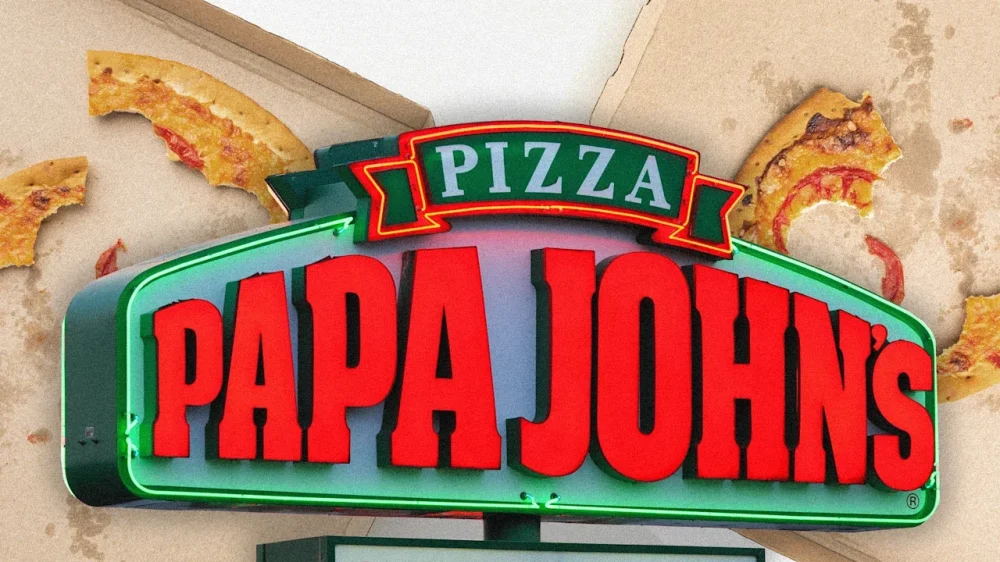
In the latest chapter of the pizza wars, Papa Johns announced it is closing hundreds of North America locations during a fourth-quarter earnings call on Thursday. It will also cut about 7% of its workforce. In that call, Papa Johns’ chief financial officer and president of North America Ravi Thanawal said the company plans to shutter a total of 300 underperforming restaurants in North America “that are not meeting brand expectations or lack a clear path to sustainable financial improvement, as well as locations where we can effectively transfer sales to a nearby restaurant.” The closures will happen by the end of 2027, with the first two-thirds closed by year end. According to the company’s annual report, it had about 3,500 locations at the end of 2025, per CNN. Papa Johns International (PZZA) was trading down over 8% at the end of Thursday’s trading day. Fast Company has reached out to Papa Johns for a list of locations that will be closing. The news comes just three weeks after Pizza Hut said it, too, was closing 250 “underperforming” locations in 2026 as fast-casual restaurant chains struggle, with consumer spending dropping amid higher inflation and a high cost of living. Pizza Hut plans to shut those 250 locations, which amount to about 3% of its U.S. locations, in the first six months of this year. The chain cited competition from rival Domino’s Pizza and declining store sales. Speaking of Domino’s—unlike Pizza Hut and Papa Johns, its earnings beat expectations, and its success proves people are still eating tomato pies, even as the competition falters. What’s the secret sauce? As Fast Company previously reported, Domino’s chief financial officer Sandeep Reddy mentioned the company plans to capitalize on Pizza Hut’s recent store closings. With overall pizza-eating up somewhere between 1 to 2%, the question remains: Who can capture these consumers, given their current nuanced purchasing behavior? “The total number of pizzas sold [is] actually increasing 1%, as well as improvement in orders that included multiple pizzas . . . [but] single pie orders declined during the quarter, and total pizza sales declined low single digits as our order mix shifted towards smaller, non-specialty pizzas,” Papa Johns CEO Todd Penegor explained during Thursday’s earnings call. Papa Johns reported fourth-quarter earnings results with revenue missing expectations, coming in at $498.2 million, below estimates of $517.9 million; and adjusted earnings per share (EPS) coming in at 34 cents, beating the expected 33 cents. View the full article
-
Streaming company has four business days to sweeten its proposal to buy the Hollywood studioView the full article
-
We may earn a commission from links on this page. If you track your runs (and bike rides, and all your other exercise) with a Garmin device, you’ve probably already found its gear tracking features. This is how I realized I'd put over 1,000 miles on my favorite Nikes. Until recently, the usefulness stopped there. But in a new (free) update, Garmin has introduced a ton of new gear tracking features, including one I’ve been hoping for ever since I bought my first pair of trail shoes. Garmin Forerunner 970 Premium GPS Smartwatch (Black) $740.00 at Amazon Get Deal Get Deal $740.00 at Amazon Now, gear tracking isn’t just for shoes. If you ride a bike, you can now count your bike as a piece of gear, or even individual components of your bike, like the frame or the tires. Other now trackable types of gear include skis, surfboards, boots, boats, skates, and wheelchairs. These new tracking features can be found in the Garmin Connect phone app that came out alongside a software update for several Garmin watches. What’s in the new Garmin app updateGarmin Connect (the phone app that syncs with your Garmin watch or other device) has a revamped set of features for the Gear section, which you’ll find under the More menu in the bottom right corner of the app. The new features include: More gear types Photos and notes for each gear entry A database of existing brands and models Automatic gear tracking is more detailed You can create “collections” of gear that are used together Gear stats are now viewable from your watch Credit: Beth Skwarecki Garmin's new gear-tracking feature is exactly what I needed for my trail shoesThere’s a small thing I missed when I switched from Coros back to Garmin last year: In the Coros app, I was able to designate a default shoe for my regular runs, and a different default shoe for trail runs. Garmin used to only allow you to have one default running shoe. The new update delivers similar functionality to my Garmin, alongside a lot more detail. You can now choose to automatically add a given gear item to any activity your watch can track. For example, I can still set a shoe to be added automatically to “all Running” and that will be the same behavior as before. But I can also set my beloved (muddy, ripped-up, long-suffering) trail shoes as the default for trail running, and my nice new Nike Downshifters (1,000 mile target) as the default for the regular “run” activity. If I had a shoe I kept in my gym bag for the treadmill, I could set a separate default for treadmill runs as well. Collections help you manage multiple gear itemsGarmin now offers “collections” of gear that you use together. For a bike, you could combine your favorite tires, frame, and so on. Just as you can add individual items automatically to certain activity types, you can also assign a collection as the default for an activity. For example, a collection that includes your jogging stroller and your street running shoes could be automatically added to all your street running activities. You can view and change your gear right from your watchSo far there's no overall gear viewer on the watch (I was hoping for a glance) but you can see your gear options under the activities. Select an activity—say, Run—and you'll see which shoe or gear is assigned to it by default. If you'd like to change the default, you can scroll down and select a different shoe, or decide not to log a shoe at all. When you look at each shoe, you can see a bar showing how many miles you've put on the gear compared to the lifespan you've entered. View the full article
-
Senate Majority Leader John Thune, R-S.D., moved to consider the housing package next week, but it's not clear what version of the bill senators will be voting on as the House, Senate and White House are still negotiating priorities. View the full article

-
The national median payment applied for by purchase applicants rose from $2,025 in December to $2,070 last month, according to the Mortgage Bankers Association. View the full article
-
If the 1990 classic movie Ghost is any indication, the dead love a good tune. We all remember when the recently deceased Sam (Patrick Swayze) had his infamous pottery session with his very alive partner Molly (Demi Moore). Now, Liquid Death and Spotify are aiming to use music in a similar way, by giving a few hundred of the recently deceased the opportunity to hear their favorite music for all of eternity. The two brands have collaborated on what they claim to be the first-ever Bluetooth-enabled speaker urn. The tasteful white urn has a top outfitted with a Bluetooth speaker. Spotify is also introducing the “Eternal Playlist Generator” in the U.S., where you can answer a few questions and prompts to generate a personalized mix for your ashes to enjoy for all of eternity. Liquid Death is producing a few hundred of the urns, which will sell on its site for $495. Liquid Death’s vice-president of marketing Dan Murphy says that the idea came out of informal conversations between the brands. Murphy had worked with Spotify’s senior director of global brand and marketing, Lauren Solomon, and there were other connections between brand leaders. “It just started as, ‘Our brands should work together sometime!’” says Murphy. “Soon we were doing our Liquid Death thing, which is always the same: If you take another brand or celebrity into the Liquid Death universe, what is the one right answer? And so of course, it was the Eternal Urn powered by a Spotify custom playlist that’s going to fuel it.” The quirky collab strategy Liquid Death has made a habit of creating quirky collabs with unlikely partners, but has stepped up its game over the past year. What started with a Martha Stewart candle has evolved into making a faux leather adult diaper for dive bars with Depends (The Pit Diaper), a coffin-shaped “Death Trap” snowboard with Burton, and Corpse Paint makeup with e.l.f. Cosmetics. Most sell out in minutes. The Corpse Paint ad, for example, hit 12 billion impressions in two weeks, and the limited-edition collab sold out in less than 45 minutes. Murphy says the collabs have evolved significantly over the last two years, to include global brands like Amazon and Spotify. “We’ve established our place in culture and creativity such that maybe two or three years ago, it might’ve been deemed a little too risky to work with us, or maybe we weren’t big enough or interesting enough, but now we’re kind of doing it in our sleep.“ A month before Ozzy Osbourne died, he collaborated with Liquid Death on a collection of cans containing his DNA. For “Infinitely Recyclable Ozzy,” he drank 10 cans of the brand’s iced tea, leaving “trace DNA from his saliva” on the now-precious metal, which originally sold for $450 each. Weeks later, one sold on eBay for $4,655. Murphy says that the brand’s collaboration strategy has been to create a brand halo for Liquid Death by using these unexpected collabs to reach new audiences. “We find a lot of brands are interested in our unique audience and our creativity,” says Murphy. “We film and produce and direct these things in-house, so they get that value, and then we’ll find brands that will allow me to extend my marketing budget, jump in on their audience, level up the PR with major household names, that bring what they do best to the table.” The company’s last valuation was $1.4 billion in 2024, and in early 2026 it launched into the energy drink category. The company started with spring water, expanded to flavored sparkling water in 2021, juice-spiked iced teas in 2022, soda-flavored sparkling water this year, and now—much like Liquid I.V.—sees opportunity in energy drinks. “We might not do as many collabs next year, so I think it’ll be even just a fewer, bigger, better strategy,” says Murphy. “As we move into a fourth category of healthy, better-for-you energy, it’s that next level of complexity of customer and occasion and strategy. So it’ll take a little bit more focus on the core product. We’ve never taken our eye off that ball, but I think as a consequence, we’ll just look to a few fewer and always bigger and better. That’s what we’re trying for.” The Pantheon Bigger and better is getting tougher to reach after a few years of bigger and slightly unhinged collab ideas. Here’s my Top 5 Pantheon of Liquid Death Collabs: 5. Deathtrap snowboard x Burton No camber, no sidecut, absolutely should not be taken down a hill. Only 50 of these casket-shaped snowboards were made, and it’s a lock that all 50 are hanging on someone’s wall for wine and burrata night. 4. Death Watch x Nixon Classy and timeless, and for the one-time low price of… your eternal soul. The Death Watch started in 2021, and is still ticking, selling its fourth iteration in 2024. 3. Pit Diaper x Depends Sometimes the Liquide Death creative team comes up with an idea and then approaches a brand to collaborate with on it. This faux leather dive bar diaper holder is one such example. 2. Corpse Paint x e.l.f. Cosmetics One of the most unintuitive collabs ever made, but its numbers speak for itself. Absolute gangbusters for both brands. Eternal Playlist Urn x Spotify The weirdest, most useless, yet kind of amazing product we didn’t know we needed. Steve Jobs once said, “A lot of times, people don’t know what they want until you show it to them.” Damn you, Bluetooth speaker Urn, damn you. View the full article

-
At the beginning of February, Amazon officially launched Alexa+, the company's new AI-powered assistant. Alexa+ is like the old Alexa, but with new contextual abilities. Users can ask complex, multipart questions, as well as requests for tasks, like asking Alexa to book you concert tickets. If you've used a voice mode on chatbots like ChatGPT or Gemini, you're familiar with the concept—it's just now available on your Echo devices, too. Now, Amazon is letting you lightly customize the personality of your new AI assistant, offering the choice between concise, calm, and enthusiastic bots. On Wednesday, Amazon announced "Alexa+ personality styles," a new feature that lets you customize how Alexa responds to queries and requests. At launch, Amazon is rolling out three styles for this experience: "Brief," "Chill," and "Sweet." According to Amazon, Brief is the choice for users who want shorter responses that are more direct and to the point. There should be less flowery language that chatbots are known for, including small talk and "extra conversation." Chill, on the other hand, aims to be an "easygoing and "relaxed" personality, that emulates "chatting with a laid-back friend." Amazon says users who add the Chill personality to Alexa+ will notice conversations are "breezy," and Alexa+ should offer "gentle guidance" with requests. Sweet is your "biggest cheerleader": Amazon says this bot responds with warmth and enthusiasm, celebrating your successes, encouraging you, and transforming "everyday moments into opportunities for positivity." (I just wanted to know the weather, Alexa.) You can hear a sample of each personality on Amazon's official announcement page, or use the embeds below. Amazon has uploaded Soundcloud links with a brief for each, so you can get a sense of the voice and style of all three. First, there's Brief, which just says, "Operating efficiently": Amazon Alexa · Brief Personality Style Next, is Chill, which says, "Life's treating me well. All systems are zen, and the digital universe is spinning in harmony": Amazon Alexa · Chill Personality Style Finally, there's Sweet, which says, "Absolutely fantastic. I'm radiating pure joy, and ready to make your day incredibly amazing": Amazon Alexa · Personality Styles Amazon says each of these voices was created following five pillars: Expressiveness, which can be concise to verbose; Emotional Openness, which can be reserved to enthusiastic; Formality, which can be professional to casual; Directness, which can be diplomatic to blunt; and Humor, which can range from subtle wit to overt sarcasm. Each pillar has its own ranges, which informs each personality. For example, Amazon says that Brief is specifically concise, casual, and direct, with minimal humor, while Sweet is warm, emotionally expressive, casual, and encouraging. Despite the audio samples above, Amazon won't force you to stick with these default voices, either. You can choose a new personality style while, at the same time, swapping between the eight different voice options Amazon offers. How to try Amazon's new personality styles with AlexaAnyone with access to Alexa+—either through the Alexa+ subscription or a Prime subscription—can try these changes. Amazon says it made the process for trying new personality styles quite easy: You can just say "Alexa, change your personality style." Alternatively, you can also find the options in the Alexa app. Select the device in question, then head to Device Settings > Alexa's Personality Style. To change the voice of your chosen style, head to your device's settings again in the Alexa app, then, under "General," choose your voice. View the full article
-
In their decision to send the case to a lower court, appellate court judges said the servicer's handling of borrowers' mortgage payments was still unclear. View the full article
-
The “Make America Healthy Again” movement wants to name one of its own as America’s top doctor. U.S. surgeon general nominee Casey Means fielded questions about vaccines, autism research, and her own qualifications before Congress this week, a critical moment in the The President administration’s quest to remake America’s health systems. In her opening statements on Wednesday before the Senate Committee on Health, Education, Labor, and Pensions, Means expressed concerns about the proliferation of “preventable disease” that plagues Americans, including chronic illness, diabetes, and high blood pressure. During the hearing, Means touched on many policy priorities she shares with HHS Secretary Robert F. Kennedy Jr. and other figures in the Make America Healthy Again movement, better known as MAHA – a spin on The President’s MAGA branding. “As Surgeon General, I would call on every American and the Public Health Service to join in a great national healing—one that halts preventable chronic disease, makes healthy living the easiest choice, honors the body’s connection to the environment, and puts America back on the road toward wholeness and health,” Means said. MAHA Controversy surrounds Means A close ally and adviser of Kennedy, Means would be an anomaly as the first U.S. surgeon general who lacks an active medical license. Without an active medical license, doctors cannot see patients or write a prescription – and Means says she has no plans to reactivate it, even if she is confirmed. Historically, practicing physicians with years of experience take on the role as America’s top public health communicator, but the qualification is tradition, not a requirement. Means, a 38-year-old wellness influencer, graduated from Stanford’s medical school but left her surgical residency program at Oregon Health & Science University before completing it. “Left my residency in my 5th year to focus on the real root causes of why Americans are so sick,” Means, previously an otolaryngology resident, wrote on her LinkedIn page. “Public health leadership must address the evidence-based, modifiable drivers of chronic diseases including ultra-processed diet, industrial chemical exposure, lack of physical activity, chronic stress and loneliness, and overmedicalization,” Means said. “I have been asked to help our nation get healthy and answer the call of millions—especially mothers—who are begging for transparency and support. That is what I am here to do. Means cashed in on health trends Beyond her lack of experience as a practicing physician, Means is an untraditional surgeon general choice in other ways. She is a co-founder and former chief medical officer of the health tech startup Levels, which makes a popular app that helps people monitor their blood glucose levels continuously. Levels has raised funding from Andreessen Horowitz and other prominent Silicon Valley investors. In excerpts from her book, Good Energy: The Surprising Connection Between Metabolism and Limitless Health published on the Levels blog, Means has extolled the virtues of monitoring blood sugar to shift eating habits and “reduce global metabolic suffering.” Blood glucose monitoring isn’t the only health business Means has cashed in on. The surgeon general nominee has also made hundreds of thousands of dollars by promoting supplements, vitamins, and wellness products through her newsletter and social media channels – often without disclosing her paid partnerships. Those lucrative relationships pose sticky and unprecedented ethical questions for someone seeking to shape the national health conversation as America’s next surgeon general. A MAHA-friendly vaccine message Like other members of the MAHA movement, Means emphasizes personal habits and mindful eating, criticizing common pharmaceutical and medical interventions as a corporate cash grab. A prolific blogger, Means mixes sound science – like recent research on the risks of alcohol – with dubious claims sowing concerns about the dangers of vaccines. “There is growing evidence that the total burden of the current extreme and growing vaccine schedule is causing health declines in vulnerable children,” Means wrote in a newsletter published last year, echoing a core concern of the anti-vaccine movement. On Wednesday, Means faced direct questions over her beliefs about autism and vaccines from Republicans and Democrats alike. During the hearing, Means claimed that “anti-vaccine rhetoric has never been a part of my message” while suggesting that the link between the “autism crisis” and vaccines remains unexplored. Hinting at a possible link between autism and vaccines without scientific evidence denies established research on the topic and can dissuade adults and parents from seeking potentially life-saving vaccinations. The American Medical Association wrote last year that “an abundance of evidence from decades of scientific studies shows no link between vaccines and autism” and urged people to seek vaccines which have been proven to be safe and effective. This week, 15 states announced that they would sue the The President administration over its decision to pare down federal recommendations for childhood vaccines. While vaccinations for measles, polio, and whooping cough are still recommended for all children, federal health policies no longer recommends jabs for COVID-19, rotavirus, meningitis, hepatitis A, or hepatitis B across the board. During her hearing, Means was pressed repeatedly to articulate her position on childhood vaccines – probably the most contentious issue to emerge out of Kennedy’s MAHA movement. Means, who previously called the practice of giving newborns the hepatitis B vaccine “absolute insanity,” emphasized parent and patient choice over universal public health policies designed to protect Americans at large. “I do believe that each patient, mother, parent, needs to have a conversation with their pediatrician about any medication they’re putting in their body or their children’s body,” Means said. View the full article

-
The bill, offered by Sens. Catherine Cortez Masto, D-Nev., and Todd Young, R-Ind., would allow Federal Home Loan Bank members to establish tax-exempt community infrastructure development bonds. View the full article

-
London-based Erdit Hoxha will join Izzy Englander’s firm that manages $86bn of assetsView the full article
-
Willamette Valley Bank cited consumer shifts to nonbanks and stubborn interest rates behind the decision, joining a line of institutions to exit since 2025. View the full article