Newsletter
Want to keep up to date with all our latest news and information?


ResidentialBusiness
Administrators
-
Joined
-
Last visited
Everything posted by ResidentialBusiness
-
The bill's signing comes weeks after one of the most notorious NTRAP providers agreed to legal settlements in two states, nullifying existing contracts. View the full article
-
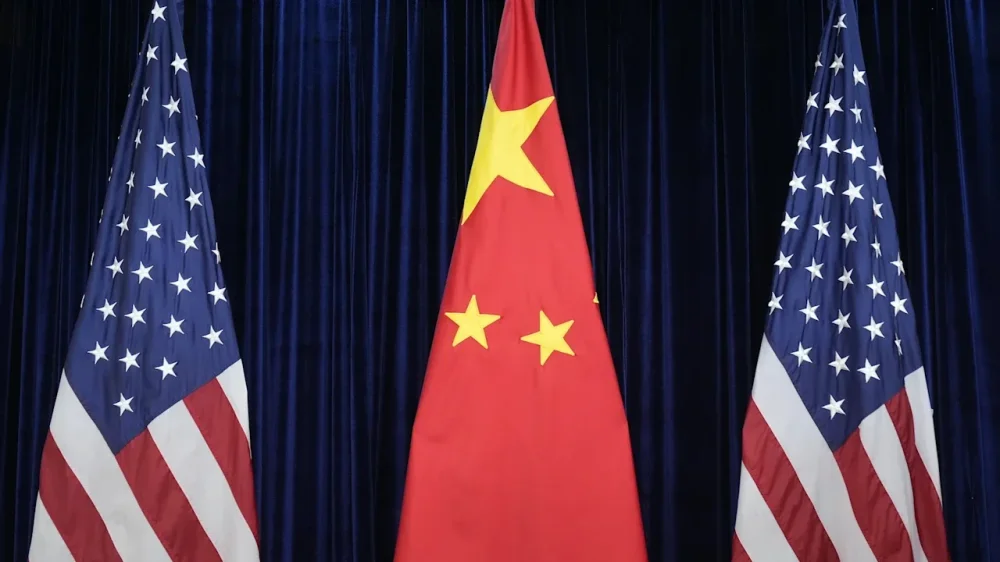
China is exploiting partnerships with U.S. researchers funded by the Department of Energy to provide the Chinese military with access to sensitive nuclear technology and other innovations with economic and national security applications, according to a congressional report published Wednesday. The authors of the report say the U.S. must do more to protect high-tech research and ensure that the results of taxpayer-funded work don’t end up benefiting Beijing. They recommended several changes to better protect scientific research in the U.S., including new policies for the Department of Energy to use when deciding whether to fund work that involves Chinese partnerships. The investigation is part of a congressional push to raise a firewall blocking U.S. research from boosting China’s military buildup when the two countries are locked in a tech and arms rivalry that will shape the future global order. Investigators from the House Select Committee on the Chinese Communist Party and the House Committee on Education and the Workforce identified more than 4,300 academic papers published between June 2023 and June of this year that involved collaborations between DOE-funded scientists and Chinese researchers. About half of the papers involved Chinese researchers affiliated with China’s military or industrial base. Particularly concerning, investigators found that federal funds went to research collaborations with Chinese state-owned laboratories and universities that work directly for China’s military, including some listed in a Pentagon database of Chinese military companies with operations in the U.S. The report also detailed collaborations between U.S. researchers and groups blamed for cyberattacks as well as human rights abuses in China. The Energy Department routinely funds advanced research into nuclear energy and the development and disposal of nuclear weaponry, along with a long list of other high-tech fields like quantum computing, materials science and physics. It doles out hundreds of millions of dollars each year for research. The department oversees 17 national laboratories that have led the development in many technologies. The report followed a number of congressional investigations into federally funded research involving Chinese scientists and researchers. Last year, a report released by Republicans found that partnerships between U.S. and Chinese universities over the past decade had allowed hundreds of millions of dollars in federal funding to help Beijing develop critical technology that could help strengthen its military. Another investigation this year revealed that the Pentagon in a recent two-year period funded hundreds of projects in collaboration with Chinese entities linked to China’s defense industry. The Energy Department has failed for decades to take steps to ensure the research it funds doesn’t benefit China, the report’s authors found. They made several recommendations to tighten the rules, including a new standardized approach to assessing the national security risks of research, as well as requirements that the department share information about research ties with China with other U.S. government agencies to make it easier to spot problems. “These longstanding policy failures and inaction have left taxpayer-funded research vulnerable to exploitation by China’s defense research and industrial base and state-directed technology transfer activities,” the authors concluded. The Department of Energy did not immediately respond to questions about the report and its recommendations. A message seeking comment was left with the Chinese Embassy in Washington. Rep. John Moolenaar, a Michigan Republican who chairs the select committee, said in a statement that the “investigation reveals a deeply alarming problem: The Department of Energy failed to ensure the security of its research and it put American taxpayers on the hook for funding the military rise of our nation’s foremost adversary.” Moolenaar this year introduced legislation aimed at preventing research funding in science and technology and defense from going to collaborations or partnerships with “foreign adversary-controlled” entities that pose a national security risk. The legislation cleared the House but failed to advance to become part of the annual sweeping defense policy bill. It was met with strong opposition from scientists and researchers, who argued that the measures were too broad and could chill collaboration and undermine America’s competitive edge in science and technology. In an October letter, a group of more than 750 faculty members and senior staffers from American universities told congressional leaders overseeing the armed services that the U.S. is in a global competition for talent. They called for “very careful and targeted measures for risk management” to address security concerns. —David Klepper and Didi Tang, Associated Press View the full article
-
Software giant suffers renewed declines after backer Blue Owl pulls out of $10bn projectView the full article
-
Mortgage activity fell 3.8% from one week prior for the week ending Dec. 12, led by a 4% drop in refinance applications, the Mortgage Bankers Association said. View the full article

-
In a move set to transform online shopping for small businesses, Google has unveiled an innovative virtual try-on tool that eliminates some of the common pain points experienced by shoppers. Gone are the days of awkward dressing room selfies and bad lighting; now, U.S. shoppers can upload a simple selfie to virtually try on clothing from billions of product listings. This new feature is powered by the Gemini 2.5 Flash Image model, dubbed “Nano Banana,” which can generate a full-body digital version of users. For small business owners, this capability offers an exciting array of benefits, making it easier to connect customers with products in a more personal and engaging way. By simply uploading their selfie at g.co/shop/tryon, users can select their clothing size, and Google’s advanced technology will create several studio-quality images. Shoppers can then choose their preferred image to serve as their default try-on avatar. “Now if you don’t have a full body photo of yourself, you can use a selfie,” Google announced in their press release. This development opens up a wealth of opportunities for small businesses in the fashion and retail sectors. Having an intuitive and visually appealing shopping experience can significantly enhance customer engagement. Local businesses can benefit from this tool by showcasing their products in a more relatable manner—potentially increasing customer satisfaction and boosting conversion rates. Moreover, the use of a full-body photo isn’t mandatory. Google’s tool allows users to explore clothing options on models of various body types, enhancing inclusivity and enabling customers to visualize how garments will look on them. However, there are challenges that small business owners should keep in mind while exploring this technology. Implementing new tools often comes with a learning curve, and businesses will need to invest time and resources into understanding how to effectively incorporate this virtual try-on feature into their existing platforms. They may need to adapt their marketing strategies to highlight this new capability and encourage user participation. The necessity for proper digital marketing also cannot be overlooked. Simply adding a virtual try-on option is not enough; businesses will need to inform their customers about how to use it effectively. This will likely involve social media campaigns, email newsletters, and possibly even virtual demonstrations. There is also the question of data privacy. As users upload personal images, customers may have concerns regarding how their data is stored and used. Small business owners will need to ensure transparency and assure their customers that their data will be handled securely. As retail continues to evolve towards more digital, user-centered approaches, tools like Google’s virtual try-on feature provide small business owners with essential resources to better engage their customers. Adopting this technology not only boosts the shopping experience but also positions businesses as forward-thinking players in a competitive market. With Google’s tool, small businesses can make strides in enhancing customer interaction, showcasing their products in an imaginative way, and navigating the complexities of modern retailing. Time will tell how deeply this innovation will impact small businesses, but it is clear that embracing such technology could lead to significant advantages in customer engagement and sales. For more details, visit Google’s official announcement. Image via Google Gemini This article, "Google Gemini Launches Selfie-Powered Virtual Try-On for Shoppers" was first published on Small Business Trends View the full article
-
In a move set to transform online shopping for small businesses, Google has unveiled an innovative virtual try-on tool that eliminates some of the common pain points experienced by shoppers. Gone are the days of awkward dressing room selfies and bad lighting; now, U.S. shoppers can upload a simple selfie to virtually try on clothing from billions of product listings. This new feature is powered by the Gemini 2.5 Flash Image model, dubbed “Nano Banana,” which can generate a full-body digital version of users. For small business owners, this capability offers an exciting array of benefits, making it easier to connect customers with products in a more personal and engaging way. By simply uploading their selfie at g.co/shop/tryon, users can select their clothing size, and Google’s advanced technology will create several studio-quality images. Shoppers can then choose their preferred image to serve as their default try-on avatar. “Now if you don’t have a full body photo of yourself, you can use a selfie,” Google announced in their press release. This development opens up a wealth of opportunities for small businesses in the fashion and retail sectors. Having an intuitive and visually appealing shopping experience can significantly enhance customer engagement. Local businesses can benefit from this tool by showcasing their products in a more relatable manner—potentially increasing customer satisfaction and boosting conversion rates. Moreover, the use of a full-body photo isn’t mandatory. Google’s tool allows users to explore clothing options on models of various body types, enhancing inclusivity and enabling customers to visualize how garments will look on them. However, there are challenges that small business owners should keep in mind while exploring this technology. Implementing new tools often comes with a learning curve, and businesses will need to invest time and resources into understanding how to effectively incorporate this virtual try-on feature into their existing platforms. They may need to adapt their marketing strategies to highlight this new capability and encourage user participation. The necessity for proper digital marketing also cannot be overlooked. Simply adding a virtual try-on option is not enough; businesses will need to inform their customers about how to use it effectively. This will likely involve social media campaigns, email newsletters, and possibly even virtual demonstrations. There is also the question of data privacy. As users upload personal images, customers may have concerns regarding how their data is stored and used. Small business owners will need to ensure transparency and assure their customers that their data will be handled securely. As retail continues to evolve towards more digital, user-centered approaches, tools like Google’s virtual try-on feature provide small business owners with essential resources to better engage their customers. Adopting this technology not only boosts the shopping experience but also positions businesses as forward-thinking players in a competitive market. With Google’s tool, small businesses can make strides in enhancing customer interaction, showcasing their products in an imaginative way, and navigating the complexities of modern retailing. Time will tell how deeply this innovation will impact small businesses, but it is clear that embracing such technology could lead to significant advantages in customer engagement and sales. For more details, visit Google’s official announcement. Image via Google Gemini This article, "Google Gemini Launches Selfie-Powered Virtual Try-On for Shoppers" was first published on Small Business Trends View the full article
-
Data bolsters expectations that Bank of England will cut interest rates on ThursdayView the full article
-
CMA considers whether to ask court to ban pair after firm was fined for NHS drug pricingView the full article
-
There are fewer and fewer hardware differences between iPhones and Androids as the years go on, but back in the day, that was far from the case. At one point, many major Android devices came with dedicated LEDs that would shine whenever you received a notification. It was a passive way to know whether you had something on your phone to attend to, without having to actually wake up the display and risk getting unnecessarily sucked into your device. iPhones have never had this specific feature, but Apple included a workaround for anyone interested in a similar experience. For years, you've been able to dive into Accessibility settings to turn your iPhone's LED flash into a notification light. Any time you received a text, app notification, or call, your camera flash would go off, ensuring you didn't miss an important update. This can be helpful both those who are hard of hearing, and who wouldn't be able to rely on audible alerts, or anyone who keeps their phone on silent, but would like a visual cue that they have a new notification. For the first time in years, Apple is updating its flash alerts feature. With iOS 26.2, which the company released on Friday, you now have the option to have your iPhone's display itself flash for new alerts. You can choose to make the display the only light that flashes, or to use the feature in tandem with the LED flash, which I think makes the most sense for people who like this option. That way, it won't matter whether your iPhone is face up or face down: You'll always see a light flash for new alerts one way or another. Display flash doesn't work like you might expect, especially if you've used LED flashes before. I thought my iPhone would flash a bright light on and off again a few times, mimicking how LED flash alerts works. Instead, when you get a new notification, the screen instantly increases the brightness for a few seconds, before lowering it again. It works—you're bound to notice your display jump in brightness if it isn't already maxed out—but it doesn't quite grab your attention as well as the LED flash. How to set up Flash for Alerts on iPhoneTo start, open the Settings app on your iPhone, then head to Accessibility. Scroll down to Hearing, then choose Audio & Visual. Scroll to the bottom of this page, then tap Flash for Alerts. If you're running an older version of iOS, you'll only have the option to enable "LED Flash." However, those running iOS 26.2 and newer will also see an option for "Screen." Choose that option if you want the display to flash for new alerts, or "Both" to have both lights enabled. You'll also find two choices that affect when these flash alerts go off, no matter which of the above options you pick. First, you can choose whether your iPhone will use flash alerts while locked. If you disable this option, you'll only see these light alerts when your iPhone is unlocked. Second, you can choose whether to use flash alerts in Silent Mode. I'd keep that setting enabled, since it seems most useful when your iPhone has no other way to alert you to new notifications. It's also important to note that using an Apple Watch can complicate this feature a bit, at least in my experience. While giving this option a test, I had trouble getting alerts to come through on my locked phone without first going to my watch. If you have an Apple Watch, and its notifications mirror your iPhone's, you'll get the most out of this feature when your iPhone is unlocked. View the full article
-
Valuations rest on the incorrect assumption that frontier model creators have built massive, durable moatsView the full article
-
A private equity firm owned by President Donald The President’s son-in-law, Jared Kushner, is no longer backing Paramount’s hostile acquisition bid for Warner Bros. Discovery, the firm confirmed Tuesday. Days after Warner agreed to be bought by Netflix in early December, Paramount launched a rival bid that seeks to bypass Warner’s management and appeal directly to its shareholders with more money. Paramount is offering $30 per Warner share to Netflix’s $27.75. Warner, one of the “big five” Hollywood studios, owns Warner Bros. Pictures, HBO, the DC Comics universe and the Harry Potter franchise. Experts say its acquisition could supercharge the winning company and reshape the streaming wars, either by catapulting Netflix further ahead of top competitors or by cementing a new power player in Paramount. Paramount, which is significantly smaller than Netflix, said its decision to circumvent Warner’s top managers came after they “never engaged meaningfully” with several earlier offers by the company. Paramount made the details of its new offer public and gave Warner shareholders an option to tender their shares — selling them directly at a set price — in support of its bid. The company is offering to buy Warner’s entire portfolio, including cable networks like CNN that Netflix excluded from its bid. In its appeal to shareholders, Paramount argued its offer may be more likely to pass regulatory scrutiny from the The President administration. The president has said the Warner and Netflix deal “could be a problem” due to the size of the combined market share. Kushner’s decision to pull his firm’s financial backing takes away a possible Paramount advantage to win over The President. The amount Kushner’s Affinity Partners was contributing to the offer was not disclosed in Paramount’s latest SEC filings. “With two strong competitors vying to secure the future of this unique American asset, Affinity has decided no longer to pursue the opportunity,” the firm said in a statement. “The dynamics of the investment have changed significantly since we initially became involved in October. We continue to believe there is a strong strategic rationale for Paramount’s offer.” Paramount’s bid is still backed by wealth funds run by three governments in the Persian Gulf, widely reported as Saudi Arabia, Abu Dhabi and Qatar. Paramount, which owns which owns CBS, MTV and the streaming service Paramount+, is newly headed by David Ellison, the son of a major The President donor. But The President has recently criticized the Ellisons for his treatment by CBS News’ “60 Minutes.” “If they are friends, I’d hate to see my enemies!” The President said Tuesday on Truth Social. Warner is reviewing Paramount’s offer and is expected to tell shareholders soon whether it’s a better deal than selling to Netflix. —Hannah Schoenbaum, Associated Press View the full article

-
Want to know how much you spent on Uber Eats this past year? If the answer is no, bad luck. Just days after Saturday Night Live dropped a satirical skit about an “Uber Eats wrapped,” Uber brought the feature to life with a year-end recap. Around this time each year, platforms from Spotify to YouTube start rolling out personalized recaps, breaking down how users spent their time over the past 12 months. The next logical step? A full accounting of every Uber trip taken and every guilt-ridden Uber Eats order placed this year. On Monday, the company launched its new year-in-review feature called “YOUBER,” which compiles users’ activity across both Uber and Uber Eats. The recap shows where you went, how often you splurged on Uber Comfort, and just how frequently you returned to the same takeout spot. If you rank in the top 1% of a restaurant’s customers, YOUBER will let you know, whether or not that realization fills you with pride or shame. In the SNL sketch, one character learns he’s eaten more chicken nuggets than 99% of users worldwide. Another is assigned an “Uber Eats age”—a riff on Spotify’s “listening age”—only to be told his is “Dead.” “Better than mine,” his wife replies. “52 and fat.” The parody recap also shows users the compromising and unflattering ways they appeared to the delivery driver while grabbing their food from their doorway. Finally, the app shows personalized messages from customers’ most frequented restaurants, and calculates the total spent on deliveries—in this case, $24,000. Uber’s real version is slightly less brutal. The YOUBER feature—currently available only in the U.S.—can be accessed via a banner in the app and presents users with a card of their stats. That includes total rides, top order, most-used ride type, Uber rating, and one of 14 assigned “Uber Personality Profiles,” such as “Do-Gooder” for Uber Electric loyalists, “Rise & Shiner” for early-morning riders, or “Delivery Darling” for users who “live for deliveries of all kinds.” Of course, all shareable on social media if you’re brave enough. Alongside individual recaps, Uber also shared global highlights from its 2025 data. The longest ride of the year stretched nearly 700 miles from Austin, Texas, to Pensacola, Florida, taking around 11 hours. Meanwhile, Uber Eats’ largest order of the year was a Chinese food delivery containing more than 180 items. View the full article
-
The proposed $85 billion merger of Union Pacific and Norfolk Southern railroads has lost the support of two unions that represent more than half their workers over concerns it will jeopardize safety and jobs, raise shipping rates and consumer prices, and cause significant disruptions. The Brotherhood of Locomotive Engineers and Trainmen and the Brotherhood of Maintenance of Way Employes Division are among the most prominent critics of the deal to create the nation’s first transcontinental railroad. When they officially announce their decision Wednesday, they will join the American Chemistry Council, an assortment of agricultural groups, and competing railroad BNSF in raising concerns the merger would hurt competition. The deal has the support of the nation’s largest rail union, which represents conductors and hundreds of individual shippers, and President Donald The President has said the deal sounds good to him. The U.S. Surface Transportation Board will weigh the opinions of all stakeholders to determine whether the merger is in the public interest once the railroads file their formal application, which is expected later this week. Union Pacific CEO Jim Vena has argued that creating a railroad that stretches from coast to coast would be good for the economy because without the need for a hand-off between railroads in the middle of the country rail shipments would move faster, meaning it could better compete against trucking. But after months of meetings with Vena and other executives, the presidents of the Brotherhood of Locomotive Engineers and Trainmen and the Brotherhood of Maintenance of Way Employes Division unions—both affiliated with the Teamsters—said they have serious doubts about the potential benefits, and warned the promises Vena made to preserve jobs aren’t detailed enough to be reliable. The unions say there’s nothing to keep the companies from transferring jobs hundreds of miles away or to prevent the sale of some UP lines to short-line railroads that pay less. Union Pacific said in a statement that “every employee with a union job at the time of the merger will continue to have one. We’ve formalized this jobs-for-life agreement with five unions.” Vena has acknowledged that the number of employees at the combined railroad could still shrink through attrition, if workers leave on their own. Rail unions worry about safety and shippers “This proposed monopoly will end up costing businesses more and those costs will be passed on to consumers,” Brotherhood of Locomotive Engineers and Trainmen National President Mark Wallace said. “We believe this transcontinental railroad will make shipping by rail less attractive as the merged carrier passes off rail lines that serve small towns, factories and farms to short line railroads while running miles-long slow-moving trains on the main line. For rail customers it will be a choice between ’Hell or the highway.’ ” The unions say they are worried that safety could deteriorate after a merger, because Union Pacific hasn’t made the same improvements Norfolk Southern has in the two and a half years since the disastrous derailment in East Palestine, Ohio. Vena and Norfolk Southern CEO Mark George have said they are optimistic the merger will be approved because they believe it will be good for the country, their customers and rail workers. Shareholders of both railroads overwhelmingly support it. Deal faces stringent review The Surface Transportation Board will review the deal under a tough new standard it adopted in 2001 after a series of disastrous rail mergers in the 1990s that led to shipment delays of weeks or even months. These untested rules require any merger of the six largest railroads to be in the public interest and show that it will enhance competition. When the Surface Transportation Board approved the first major rail merger in more than two decades two years ago, it used a less stringent standard allowing Canadian Pacific’s $31 billion acquisition of Kansas City Southern. Transportation expert and DePaul University Professor Joe Schwieterman said many people have questioned the Union Pacific merger because of its scope and the likelihood that it could trigger another merger, resulting in only two American railroads. Everyone will examine the merger application closely, Schwieterman said. Currently, Norfolk Southern and CSX serve the eastern U.S. while Union Pacific and BNSF serve the west, and the two major Canadian rails compete where they can with their tracks crossing Canada and extending into the United States and Mexico. A merged Union Pacific would likely control more than 40% of the nation’s freight. “This merger is like nothing we’ve seen before. It’s creating a railroad of such enormous scope that it’s somewhat of a paradigm shift,” Schwieterman said. Competitors question the benefits BNSF’s Chief of Staff Zak Andersen said his railroad, which is owned by Warren Buffett’s Berkshire Hathaway, is convinced this merger would be bad for competition and lead to higher rates and fewer options for shippers. “No customer is asking for this. This is strictly a Wall Street play for shareholders,” Andersen said. Earlier this fall, Buffett and CPKC’s CEO both said they weren’t interested in any kind of rail merger right now. Instead, they believe the railroads should continue to find ways to cooperate to deliver shipments more quickly, which can be done without all the complications of a merger. Still, CSX decided to replace its CEO this fall with an executive who has a background leading companies through major mergers. —Josh Funk, AP transportation writer View the full article

-
Defining a product line involves grouping related products under a single brand to meet specific customer needs. These products often share similar features, functions, or target audiences. For example, a skincare company might have a line of moisturizers that vary by skin type or texture. Comprehending what constitutes a product line is essential for effective marketing strategies and customer engagement. Let’s explore how these lines function and their impact on business success. Key Takeaways A product line consists of closely related products marketed under a single brand, targeting specific customer markets. Products within a line share similar functions or target demographics but vary in attributes like size, color, and performance. The depth of a product line indicates the number of variations available, enhancing customer choice and market segmentation. Product line extensions leverage established brand recognition to boost sales and cater to diverse customer needs. Companies use market research and analysis to define product lines, optimizing their offerings based on consumer behavior and trends. What Is a Product Line? A product line is fundamentally a collection of closely related products that a company markets under a single brand. Product lines are a part of a product strategy designed to target specific customer markets with similar functionality and characteristics. For instance, a Coca-Cola brand might offer various flavors, whereas an Nike shoe company may provide different styles. The relationship between a product line and product mix is crucial, as a product line refers to a specific category within the broader product mix. Companies manage their product lines by making strategic decisions about expansion, modification, or discontinuation based on market trends. A well-defined product line improves brand recognition and nurtures customer loyalty, ensuring you find options that meet your preferences. Characteristics of Product Lines Product lines possess distinct characteristics that differentiate them from other categories within a company’s product mix. Comprehending these traits helps you effectively manage your offerings. Key characteristics include: A collection of related products marketed under a single brand. Shared functions or target demographics among products. Variations in attributes like size, color, model, capacity, and performance. The depth of the product line, indicating the number of variations available. Strategic pricing that aligns with other products in the line to attract various market segments. These elements work together to improve customer loyalty and guarantee brand recognition, while simultaneously providing a range of options to meet different consumer preferences. Balancing these characteristics is essential for maintaining a strong product line. How Product Lines Work Comprehending how product lines work is key to effective marketing and management. You’ll find that product lines consist of related items that share similar features, allowing for better brand cohesion and customer loyalty. Product Line Characteristics In the domain of marketing, a well-defined product line plays a fundamental role in meeting consumer needs and preferences. A product line groups related products under one brand, targeting similar demographics and sharing attributes like functionality and quality. Key characteristics of product lines include: Differentiation: Varieties in price, size, model, and performance cater to diverse consumer preferences. Filling Gaps: Companies add variations to existing lines, addressing customer demand and enhancing satisfaction. Data Analysis: Effective management involves analyzing sales data and market trends to optimize the product mix. Extensions: Introducing new flavors or models leverages brand recognition, reducing risk. Loyalty Building: Product line extensions nurture customer loyalty as they broaden market reach. Understanding these characteristics can help you navigate marketing strategies effectively. Product Line Management Managing a product line effectively requires a sharp awareness of market dynamics and consumer preferences. As a product line manager, you’ll oversee a collection of related products, ensuring they align with overall company objectives. You’ll analyze market trends and consumer behavior to make informed decisions about product expansions, modifications, or removals. It’s crucial to assess each product’s contribution margin to determine its viability and overall impact on profitability. By maintaining consistent branding across all offerings, you’ll improve brand loyalty and customer retention. Offering a diverse range of products that meet consumer needs can eventually lead to increased sales and a stronger market presence. This strategic approach to product line management is fundamental for long-term success. The Importance of Product Line Extensions When you consider product line extensions, you’re tapping into the strength of brand recognition, which can considerably lower the risks involved in launching new products. These extensions allow you to cater to diverse customer needs, in the end broadening your market share and attracting a wider audience. Brand Recognition Benefits Product line extensions greatly benefit from established brand recognition, as they create a sense of trust and familiarity among consumers. This recognition simplifies the process of launching new products and helps reduce marketing costs. Here are some key benefits: Consumers are more likely to trust products from familiar brands. Loyalty from existing customers can drive sales, with up to 30% of new product sales coming from them. Brand extensions can boost new product introduction success rates by 20%. They fulfill diverse customer needs, enhancing overall satisfaction. Familiarity often leads to increased customer retention, as consumers feel comfortable exploring new offerings under a trusted brand. Leveraging brand recognition is crucial for maximizing product line extension success. Market Share Expansion Increasing market share through product line extensions is a strategic approach that can greatly benefit your business. By introducing new products that meet existing customer needs, you leverage brand recognition to attract new consumers. When customers trust your brand, they’re more likely to try your new offerings, boosting their loyalty. Adding variations or complementary products not only reduces market risk but also satisfies diverse customer preferences, giving you a competitive edge. Studies show that successful product line extensions can lead to a 25% increase in overall sales, as they expand consumer options and strengthen brand presence. Ultimately, an effective product line extension strategy improves market share and profitability by tapping into underserved market segments aligned with your brand promise. Examples of Product Lines Defining product lines is essential for businesses aiming to meet diverse consumer needs, and various companies showcase this concept effectively through their offerings. Here are some notable examples: Procter & Gamble (P&G): Offers product lines in baby care, feminine care, and oral care. Nestlé: Features brands like Milo, Kit Kat, and Nan, providing a variety of food and beverage options. Coca-Cola: Boasts over 500 brands, each serving as a unique product line for different markets. Microsoft: Develops high-end product lines such as Microsoft Office, Energy BI, Xbox, and Windows Operating Systems. Nike: Creates specialized product lines for sports, including footwear, clothing, and equipment customized for athletes and fitness enthusiasts. These examples illustrate how product lines cater to specific consumer preferences. Product Line vs. Product Mix Though comprehending the differences between a product line and a product mix might seem straightforward, grasping these concepts is crucial for effective business strategy. A product line refers to a specific group of related products offered by your company, whereas a product mix encompasses all product lines and individual products you sell. The width of your product mix indicates how many distinct product lines you have, and the length refers to the total number of products within those lines. Furthermore, product line depth measures the variety within a specific line, while consistency assesses how closely related your product lines are. Strategies for Creating a Product Line Creating a successful product line requires a strategic approach that begins with comprehension of your target audience. To effectively develop your product line, consider these key strategies: Define your target user and conduct thorough market research to understand their needs. Develop a go-to-market strategy to detail how you’ll introduce your products to the market. Validate your product ideas through testing and gather feedback to ascertain they meet customer expectations. Plan pre-launch activities, including marketing campaigns that generate excitement and awareness. Continuously monitor performance post-launch, gathering insights to inform future developments and potential line extensions. Frequently Asked Questions How to Define a Product Line? To define a product line, start by identifying a group of related products that share common characteristics but differ in variations like size or color. Analyze customer needs and preferences through market research to guarantee your products meet specific demands. Consider how these products align with your brand identity. For example, if you sell athletic shoes, your product line may include running, basketball, and casual styles, each customized for different consumers. Which Statement Best Defines a Product Line? A product line best defines a group of related products marketed under a single brand name. These products share similar characteristics, such as functionality and price range, which helps target specific customer demographics. For example, a skincare brand might offer a product line that includes cleansers, moisturizers, and serums customized for oily skin. This approach streamlines marketing efforts, improves brand recognition, and allows companies to manage consumer preferences effectively within that category. What Is an Example of a Product Line Company? An example of a product line company is Procter & Gamble (P&G). They offer various product lines, including baby care, feminine care, and oral care. Each line features a specific range of products designed to meet different consumer needs. For instance, within their baby care line, you’ll find diapers, wipes, and lotions. This strategy allows P&G to cater to distinct market segments, enhancing their reach and customer satisfaction effectively. What Is an Example of a Product Line Structure? A clear example of a product line structure is Apple’s iPhone range. Within this line, you’ll find several models, such as the iPhone 14, iPhone 14 Pro, and iPhone 14 Pro Max. Each model offers different features, sizes, and prices, catering to various consumer preferences. This segmentation allows Apple to target distinct demographics effectively, enhancing brand loyalty and recognition as well as providing customers with customized options that meet their needs and expectations. Conclusion Defining a product line is vital for effectively targeting customer needs and preferences. By grouping related products under one brand, companies can improve market reach and build customer loyalty. Comprehending the characteristics and mechanics of product lines allows businesses to create effective extensions that meet diverse market demands. In the end, a well-defined product line contributes to clearer branding and improved sales performance, making it a significant aspect of any successful marketing strategy. Image via Google Gemini This article, "How to Define a Product Line and What It Refers To" was first published on Small Business Trends View the full article
-
Defining a product line involves grouping related products under a single brand to meet specific customer needs. These products often share similar features, functions, or target audiences. For example, a skincare company might have a line of moisturizers that vary by skin type or texture. Comprehending what constitutes a product line is essential for effective marketing strategies and customer engagement. Let’s explore how these lines function and their impact on business success. Key Takeaways A product line consists of closely related products marketed under a single brand, targeting specific customer markets. Products within a line share similar functions or target demographics but vary in attributes like size, color, and performance. The depth of a product line indicates the number of variations available, enhancing customer choice and market segmentation. Product line extensions leverage established brand recognition to boost sales and cater to diverse customer needs. Companies use market research and analysis to define product lines, optimizing their offerings based on consumer behavior and trends. What Is a Product Line? A product line is fundamentally a collection of closely related products that a company markets under a single brand. Product lines are a part of a product strategy designed to target specific customer markets with similar functionality and characteristics. For instance, a Coca-Cola brand might offer various flavors, whereas an Nike shoe company may provide different styles. The relationship between a product line and product mix is crucial, as a product line refers to a specific category within the broader product mix. Companies manage their product lines by making strategic decisions about expansion, modification, or discontinuation based on market trends. A well-defined product line improves brand recognition and nurtures customer loyalty, ensuring you find options that meet your preferences. Characteristics of Product Lines Product lines possess distinct characteristics that differentiate them from other categories within a company’s product mix. Comprehending these traits helps you effectively manage your offerings. Key characteristics include: A collection of related products marketed under a single brand. Shared functions or target demographics among products. Variations in attributes like size, color, model, capacity, and performance. The depth of the product line, indicating the number of variations available. Strategic pricing that aligns with other products in the line to attract various market segments. These elements work together to improve customer loyalty and guarantee brand recognition, while simultaneously providing a range of options to meet different consumer preferences. Balancing these characteristics is essential for maintaining a strong product line. How Product Lines Work Comprehending how product lines work is key to effective marketing and management. You’ll find that product lines consist of related items that share similar features, allowing for better brand cohesion and customer loyalty. Product Line Characteristics In the domain of marketing, a well-defined product line plays a fundamental role in meeting consumer needs and preferences. A product line groups related products under one brand, targeting similar demographics and sharing attributes like functionality and quality. Key characteristics of product lines include: Differentiation: Varieties in price, size, model, and performance cater to diverse consumer preferences. Filling Gaps: Companies add variations to existing lines, addressing customer demand and enhancing satisfaction. Data Analysis: Effective management involves analyzing sales data and market trends to optimize the product mix. Extensions: Introducing new flavors or models leverages brand recognition, reducing risk. Loyalty Building: Product line extensions nurture customer loyalty as they broaden market reach. Understanding these characteristics can help you navigate marketing strategies effectively. Product Line Management Managing a product line effectively requires a sharp awareness of market dynamics and consumer preferences. As a product line manager, you’ll oversee a collection of related products, ensuring they align with overall company objectives. You’ll analyze market trends and consumer behavior to make informed decisions about product expansions, modifications, or removals. It’s crucial to assess each product’s contribution margin to determine its viability and overall impact on profitability. By maintaining consistent branding across all offerings, you’ll improve brand loyalty and customer retention. Offering a diverse range of products that meet consumer needs can eventually lead to increased sales and a stronger market presence. This strategic approach to product line management is fundamental for long-term success. The Importance of Product Line Extensions When you consider product line extensions, you’re tapping into the strength of brand recognition, which can considerably lower the risks involved in launching new products. These extensions allow you to cater to diverse customer needs, in the end broadening your market share and attracting a wider audience. Brand Recognition Benefits Product line extensions greatly benefit from established brand recognition, as they create a sense of trust and familiarity among consumers. This recognition simplifies the process of launching new products and helps reduce marketing costs. Here are some key benefits: Consumers are more likely to trust products from familiar brands. Loyalty from existing customers can drive sales, with up to 30% of new product sales coming from them. Brand extensions can boost new product introduction success rates by 20%. They fulfill diverse customer needs, enhancing overall satisfaction. Familiarity often leads to increased customer retention, as consumers feel comfortable exploring new offerings under a trusted brand. Leveraging brand recognition is crucial for maximizing product line extension success. Market Share Expansion Increasing market share through product line extensions is a strategic approach that can greatly benefit your business. By introducing new products that meet existing customer needs, you leverage brand recognition to attract new consumers. When customers trust your brand, they’re more likely to try your new offerings, boosting their loyalty. Adding variations or complementary products not only reduces market risk but also satisfies diverse customer preferences, giving you a competitive edge. Studies show that successful product line extensions can lead to a 25% increase in overall sales, as they expand consumer options and strengthen brand presence. Ultimately, an effective product line extension strategy improves market share and profitability by tapping into underserved market segments aligned with your brand promise. Examples of Product Lines Defining product lines is essential for businesses aiming to meet diverse consumer needs, and various companies showcase this concept effectively through their offerings. Here are some notable examples: Procter & Gamble (P&G): Offers product lines in baby care, feminine care, and oral care. Nestlé: Features brands like Milo, Kit Kat, and Nan, providing a variety of food and beverage options. Coca-Cola: Boasts over 500 brands, each serving as a unique product line for different markets. Microsoft: Develops high-end product lines such as Microsoft Office, Energy BI, Xbox, and Windows Operating Systems. Nike: Creates specialized product lines for sports, including footwear, clothing, and equipment customized for athletes and fitness enthusiasts. These examples illustrate how product lines cater to specific consumer preferences. Product Line vs. Product Mix Though comprehending the differences between a product line and a product mix might seem straightforward, grasping these concepts is crucial for effective business strategy. A product line refers to a specific group of related products offered by your company, whereas a product mix encompasses all product lines and individual products you sell. The width of your product mix indicates how many distinct product lines you have, and the length refers to the total number of products within those lines. Furthermore, product line depth measures the variety within a specific line, while consistency assesses how closely related your product lines are. Strategies for Creating a Product Line Creating a successful product line requires a strategic approach that begins with comprehension of your target audience. To effectively develop your product line, consider these key strategies: Define your target user and conduct thorough market research to understand their needs. Develop a go-to-market strategy to detail how you’ll introduce your products to the market. Validate your product ideas through testing and gather feedback to ascertain they meet customer expectations. Plan pre-launch activities, including marketing campaigns that generate excitement and awareness. Continuously monitor performance post-launch, gathering insights to inform future developments and potential line extensions. Frequently Asked Questions How to Define a Product Line? To define a product line, start by identifying a group of related products that share common characteristics but differ in variations like size or color. Analyze customer needs and preferences through market research to guarantee your products meet specific demands. Consider how these products align with your brand identity. For example, if you sell athletic shoes, your product line may include running, basketball, and casual styles, each customized for different consumers. Which Statement Best Defines a Product Line? A product line best defines a group of related products marketed under a single brand name. These products share similar characteristics, such as functionality and price range, which helps target specific customer demographics. For example, a skincare brand might offer a product line that includes cleansers, moisturizers, and serums customized for oily skin. This approach streamlines marketing efforts, improves brand recognition, and allows companies to manage consumer preferences effectively within that category. What Is an Example of a Product Line Company? An example of a product line company is Procter & Gamble (P&G). They offer various product lines, including baby care, feminine care, and oral care. Each line features a specific range of products designed to meet different consumer needs. For instance, within their baby care line, you’ll find diapers, wipes, and lotions. This strategy allows P&G to cater to distinct market segments, enhancing their reach and customer satisfaction effectively. What Is an Example of a Product Line Structure? A clear example of a product line structure is Apple’s iPhone range. Within this line, you’ll find several models, such as the iPhone 14, iPhone 14 Pro, and iPhone 14 Pro Max. Each model offers different features, sizes, and prices, catering to various consumer preferences. This segmentation allows Apple to target distinct demographics effectively, enhancing brand loyalty and recognition as well as providing customers with customized options that meet their needs and expectations. Conclusion Defining a product line is vital for effectively targeting customer needs and preferences. By grouping related products under one brand, companies can improve market reach and build customer loyalty. Comprehending the characteristics and mechanics of product lines allows businesses to create effective extensions that meet diverse market demands. In the end, a well-defined product line contributes to clearer branding and improved sales performance, making it a significant aspect of any successful marketing strategy. Image via Google Gemini This article, "How to Define a Product Line and What It Refers To" was first published on Small Business Trends View the full article
-
Fernando Moreno has been on dialysis for about two years, enduring an “unbearable” wait for a new kidney to save his life. His limited world of social contacts has meant that his hopes have hinged on inching up the national waiting list for a transplant. That was until earlier this year, when the Philadelphia hospital where he receives treatment connected him with a promising pilot project that has paired him with “angel advocates” — Good Samaritan strangers scattered around the country who leverage their own social media contacts to share his story. So far, the Great Social Experiment, as it was named by its founder, Los Angeles filmmaker David Krissman, hasn’t found the Vineland, New Jersey, truck driver a living kidney donor. But there are encouraging early signs the angel advocate approach is working, and there’s no question it has given Moreno new optimism. “This process is great,” said Moreno, 50, whose own father died of kidney failure at 65. “I’m just hoping there will be somebody out there that’s willing to take a chance.” Moreno is part of a pilot program with 15 patients that began in May at three Pennsylvania hospitals. It’s testing whether motivated, volunteer strangers can help improve the chances of finding a life-saving match for a new kidney — particularly for people with limited social networks. “We know how this has always been done, and we’re trying to put that on steroids and really get them the help that they need,” Krissman said. “Most patients are too sick to do this on their own — many don’t have the skills to do it on their own.” Seeking a blueprint for the future The Gift of Life Donor Program, which serves as the organ procurement network for eastern Pennsylvania, southern New Jersey and Delaware, is supporting the pilot program with a grant of more than $100,000 from its foundation. So far, two of the five patients in the program through Temple University Hospital have found kidney donors, and one is preparing for surgery, according to Ryan Ihlenfeldt, the hospital’s director of clinical transplant services. One of the five patients at the University of Pittsburgh Medical Center in Harrisburg has also undergone a transplant. The approach Krissman has developed is something new, said Richard Hasz Jr., Gift of Life’s chief executive, and may help identify the types of messages that attract and motivate potential live kidney donors. “This is the first of its kind that I’m aware of,” Hasz said. “That’s why, I think, the foundation was so interested in doing it — studying it and hopefully publishing it — so we can create that blueprint, if you will, for the future.” Gift of Life agreed to fund a broader test and helped Krissman identify five patients each at Temple, UPMC-Harrisburg and Jefferson University Hospital in Philadelphia. Hasz said the pilot program’s approach combines social media outreach with Krissman’s storytelling talents and aggressive efforts to mobilize the patients’ own connections. “We know that patients who are waiting don’t always have the energy or the resources to do this themselves,” Hasz said. There have been other ways for patients to set up “microsites” where they can tell their stories and seek a donor match. But the pilot program currently underway in Pennsylvania aims to connect patients with a wide universe of potential donors and produce videos and other ways to spread their message. Potential to ‘snowball’ Krissman’s bout with an illness about two decades ago inspired him to tackle the sticky challenge of increasing live kidney donations. He was debilitated for more than a year before medication helped him recover, explaining, “It gave me my life back. And I never forgot what it’s like to be chronically sick.” After producing a podcast on kidney transplantation, Krissman recruited four patients through Facebook who were waiting for kidneys. He was able to help two of them. A second effort, a pilot program with three patients in North Carolina that ended last year, helped match all three with living donors. Becca Brown, director of transplant services at UPMC-Harrisburg, thinks it might be a game changer. “There’s potential for this to really snowball,” Brown said. “I’m anxious to see what happens and if we can roll it out to other patients.” Some 90,000 people in the United States are on a list for a kidney transplant, and most of the roughly 28,000 kidneys that were transplanted last year came from deceased donors. Living kidney donations are hard to come by — about 6,400 were transplanted last year. Thousands die each year waiting for an organ transplant in the United States. Living kidney donations can be a better match, reducing the risk of organ rejection. They allow for surgery to be planned for a time that is optimal for the donor, the recipient and the transplant team. And, the foundation says, living donor kidneys, on average, last longer than kidneys from deceased donors. The National Kidney Foundation says living donors must be at least 18 years old, although some transplant centers set the minimum age at 21. Potential donors get screened for health problems and can be ruled out if they have uncontrolled high blood pressure, diabetes or cancer, or if they are smokers. Many living donors make “directed donations” to specify who will get their kidney. Nondirected donations are made anonymously to a patient. A way to make a difference Francis Beaumier, a 38-year-old information technology worker from Green Bay, Wisconsin, came into contact with the angel advocate program after being a double living donor — a kidney and part of his liver. He sees the program as “a great little way for everyone to make a small difference.” Another angel advocate, Holly Armstrong, was also a living donor. She hopes her efforts will plant a seed. “Some people might just keep scrolling,” said Armstrong, who lives in Lake Wiley, South Carolina. “But there might be someone like me, where they stop scrolling and say, ‘This boy needs a kidney.'” A study released last year found that people who volunteer to donate a kidney are at a lower risk of death from the operation than doctors had previously thought. Tracking 30 years of living kidney donations, researchers found fewer than 1 in every 10,000 donors died within three months of the surgery. Newer and safer surgical techniques were credited for dropping the risk from 3 deaths per 10,000 living donors. Temple serves a large cohort of poorer patients who can have difficulty understanding health issues and who suffer from uncontrolled hypertension and diabetes, Ihlenfeldt, who works there, said. “What David’s trying to do is coalesce a network of support around these patients who are sharing the story for them,” Ihlenfeldt said. Rallying for Ahmad At a kickoff event in a Harrisburg meeting room for kidney patient Ahmad Collins, a couple dozen friends and family listened with rapt attention as Krissman went over the game plan, answering questions and describing the transplant process. Collins, a 50-year-old city government worker and former Penn State linebacker, has needed 10 hours a night of dialysis since a medical procedure left him with damaged kidneys late last year. His mind was on the strangers who might decide to pitch in. “They can be a superhero, so to speak,” Collins said. “They can have the opportunity to save somebody’s life, and not too many times in life do you have that opportunity.” —Mark Scolforo, Associated Press View the full article

-
The deal significantly grows United Wholesale Mortgage's servicing portfolio, and it will increase the float on its common stock, making it more investable. View the full article

-
Policymaker set to meet Donald The President on Wednesday for interview to be next chair of US central bankView the full article
-
The Great British Railways has a great British brand. The U.K.’s new public railway is leaning on well-known, classic symbolism for its visual identity unveiled this month. Train liveries for the new brand will show a design of a stylized Union Jack flag, while the new logo brings back an old double arrow concept designed in 1965 by Gerald Barney for the old state-run British Rail. The brand’s font is the simple, modern sans-serif Rail Alphabet 2, an updated version of the British Rail font designed in the 1960s by Margaret Calvert and Jock Kinneir. The new brand was designed in house by the U.K.’s Department for Transport and it will begin rolling out on trains, stations, signage, websites, and a ticketing app by spring 2026. The branding is an outward manifestation of a wider goal to deliver better public transportation. Already, they’ve frozen rail fare for the first time in 30 years. “This isn’t just a paint job,” U.K. Transport Secretary Heidi Alexander said in a statement. Instead, “it represents a new railway, casting off the frustrations of the past and focused entirely on delivering a proper public service for passengers.” A new take on an old brand Modern, minimalist, and geometric, Barney’s original 1965 double arrow logo for British Rail used the lines and angles of the U.K. flag to cleverly communicate two-way transportation. The mark also has staying power. Even after British Rail began to be privatized in the 1990s, the double arrow mark remained in use as an official rail symbol in the U.K. at stations and on tickets. And just as with classic mid-century civic design in the U.S., there’s similarly an audience for print standards manuals of the old British Rail brand. The U.K. is in the process of renationalizing its railway companies following challenges like a drop in riders following the pandemic and high ticket prices. Both Conservative and Labour governments have pushed to make more of the country’s railways public, and for now, nine train operators, representing a third of all passenger train traffic in Great Britain, are nationalized. The remaining seven are expected to be nationalized by October 2027. Bringing the double arrow logo back, refining an old, classic font, and using a flag-inspired livery design is a smart move that keeps the public’s ownership of the brand front and center with well known and widely understood symbolism. If Great British Railways can deliver on a better experience for riders, the brand could become an example of civic design and public ownership done right. View the full article

-
If you’re looking for free accounting software alternatives to QuickBooks, there are several options available that cater to various business needs. Wave stands out for its unlimited invoicing capabilities, whereas Zoho Books is ideal for micro businesses with its seamless application integration. ZipBooks offers an easy interface for managing contacts and payments, and GnuCash focuses on data privacy. Each software solution has unique features that can improve your accounting processes. Let’s explore these options further. Key Takeaways Wave offers unlimited invoicing and estimates with no income limits, making it ideal for small businesses. Zoho Books is perfect for micro businesses with under $50,000 in annual revenue, managing up to 1,000 invoices yearly. ZipBooks provides unlimited invoicing and integrates easily with payment processors like Square and PayPal for seamless transactions. GnuCash is an open-source option that prioritizes data privacy and supports multi-currency transactions for international accounts. Akaunting is a customizable open-source software with user-friendly financial reporting and community support for ongoing development. Wave: Best Free Accounting Software for Invoicing and Estimates When you’re looking for an efficient way to manage your finances, Wave stands out as the best free accounting software for invoicing and estimates. Unlike other free accounting software like QuickBooks, Wave allows you to send unlimited invoices and estimates without any income limits, making it ideal for freelancers and small businesses. Its user-friendly interface features receipt scanning, expense tracking, and sales tax management, all directly on invoices and bills. With mobile apps for iOS and Android, you can manage your finances on-the-go. Furthermore, Wave enables you to manage unlimited businesses under one account, simplifying organization for entrepreneurs. The Pro plan offers advanced features like recurring billing and automatic credit card processing, enhancing your payment efficiency. Zoho Books: Best Free Bookkeeping Software for Micro Businesses If you’re running a micro business with annual revenue under $50,000, Zoho Books could be your ideal bookkeeping solution. This free software not just offers extensive reporting features to help you analyze your financial performance, but it additionally comes with a user-friendly mobile app, allowing you to manage invoicing and expenses on the go. With its ability to integrate seamlessly with other Zoho applications, you can streamline your workflow and improve productivity effectively. Ideal for Micro Businesses For micro businesses looking to streamline their financial management, Zoho Books stands out as an ideal free bookkeeping solution. Designed particularly for businesses earning $50,000 or less annually, it allows you to manage up to 1,000 invoices each year. With support for one user and an accountant, it’s perfect for small teams. Key features include expense tracking and automation for recurring expenses, which improve your financial workflows. As free accounting software similar to QuickBooks, Zoho Books integrates seamlessly within the broader Zoho ecosystem, providing access to additional tools as your business grows. Plus, the mobile app guarantees you can invoice, get paid, and track time on-the-go, keeping your financial management efficient and accessible. Extensive Reporting Features Grasping your business’s financial health is crucial, and Zoho Books stands out in providing extensive reporting features that empower micro businesses to make informed decisions. As a free QuickBooks alternative, it offers over 40 customizable reports, including profit and loss statements, balance sheets, and cash flow forecasts, allowing you to track your financial status effectively. The platform automates report generation, delivering real-time insights into sales, expenses, and outstanding invoices. With visual dashboards showcasing key performance indicators (KPIs), you can quickly analyze financial data and understand trends. Zoho Books additionally supports multi-currency reporting, making it easier to manage finances across different currencies, and includes tax tracking features to help guarantee compliance with local regulations during tax filing. User-Friendly Mobile App Managing finances on the go is essential for micro-business owners, and the Zoho Books mobile app provides a user-friendly solution to streamline this process. This app simplifies bookkeeping tasks, making it an excellent choice among free software like QuickBooks. You can easily manage your finances with features such as: Create and send invoices directly from your phone. Receive payments and track time on the spot. Scan and categorize receipts for quick expense tracking. Access real-time reporting for informed decision-making. Enjoy a free plan if your business earns less than $50,000 annually. With its intuitive interface, even those without extensive accounting knowledge can efficiently navigate the app, making financial management straightforward and accessible. ZipBooks: Best Free Accounting App for Unlimited Contacts and Payments ZipBooks stands out as a top choice for those needing unlimited invoicing features and easy integration options. With its free plan, you can manage an unlimited number of invoices and contacts without worrying about hidden fees, making it perfect for freelancers and small businesses. Plus, the seamless integration with payment processors like Square and PayPal lets you accept payments effortlessly within the app, streamlining your financial operations. Unlimited Invoicing Features For small businesses seeking efficient invoicing solutions, ZipBooks stands out as a robust option that offers unlimited invoicing capabilities without the burden of additional costs. Unlike the free version of QuickBooks, ZipBooks allows you to manage unlimited contacts and automate billing with recurring invoices. Here are some key features: Send unlimited invoices directly to clients. Manage unlimited contacts for better organization. Choose between cash and accrual accounting methods. Integrate seamlessly with payment processors like Square and PayPal. Access a user-friendly dashboard for financial insights. These features help you maintain timely payments and track your business’s financial health effectively, making ZipBooks a compelling choice for growing enterprises. Easy Integration Options When looking for an accounting solution that streamlines your financial management, seamless integration options are essential for enhancing efficiency. ZipBooks stands out as a free QuickBooks replacement, allowing you to manage unlimited contacts and payments effortlessly. Its integration with popular payment gateways like Square and PayPal makes processing invoices a breeze. You can likewise access cash and accrual reporting, catering to various accounting needs. Feature Benefit Integration Unlimited Contacts Manage all your customers without limits Square, PayPal Expense Organization Keep track of expenses easily Easy setup Invoice Management Streamline invoicing for faster payment Quick connections The intuitive interface simplifies linking your business accounts, ensuring smooth financial management. GnuCash: Best Free Desktop Accounting Software for Data Privacy GnuCash stands out as one of the best free desktop accounting software options, especially for those who prioritize data privacy. As an open source QuickBooks replacement, it offers robust features that cater to your accounting needs during ensuring your sensitive data remains secure. Here are some key benefits: Double-entry accounting for accurate financial tracking Comprehensive reporting tools to analyze your finances Offline operation to keep your data on your local machine Invoicing and recurring billing capabilities for managing transactions Multi-currency support, allowing you to handle international accounts Compatible with Windows, macOS, and Linux, GnuCash provides the flexibility you need during ensuring your financial information stays private and secure. Odoo: Best Free Accounting Software for Profit Tracking and Budgeting If you’re looking for free accounting software that stands out in profit tracking and budgeting, Odoo is a strong contender. This open source QuickBooks alternative offers a free accounting app that automates financial processes and allows unlimited user access, making it perfect for small businesses and startups. Odoo provides customizable KPI reports and analytics features, enabling you to track profits and manage budgets efficiently. Its user-friendly interface simplifies navigation through financial reports and expense management. Nevertheless, keep in mind that although the first app is free, additional apps require payment. Furthermore, Odoo lacks integrated payroll features, so you may need to explore other applications for thorough financial management. Feature Description User Access Unlimited users Automation Automates financial processes Customizable Reports KPI reports for tracking User Interface Easy navigation Payroll Features Lacks integrated payroll Akaunting: Best Open-Source Accounting Software for Customization Akaunting offers a robust open-source accounting solution that thrives in customization, making it an ideal choice for small businesses looking to tailor their financial management tools. As one of the top best free nonprofit QuickBooks alternatives, Akaunting provides a versatile platform with features that include: Unlimited invoicing and expense management Support for multiple currencies User-friendly financial reporting Accessible on both web and mobile devices Community-driven development with free resources You can easily customize your experience with various add-ons and integrations, allowing you to adapt the software to your specific needs without extra costs. This flexibility guarantees you’re equipped to manage your finances effectively, no matter your business’s unique requirements. NCH Express Accounts: Best Free Desktop Software for Small Teams NCH Express Accounts stands out as an excellent free desktop accounting software customized for small teams, enabling you to manage your finances efficiently without incurring subscription fees for up to five employees. This software offers features like invoice automation and expense tracking, empowering you to streamline your accounting processes. With over 20 customizable financial reports, you can gain valuable insights into your business’s performance. Moreover, it supports multiple currencies, making it a practical choice for businesses with international clients. You’ll appreciate its user-friendly interface, which simplifies creating and managing invoices as well as keeping accurate financial records. If you’re seeking a cheaper alternative to QuickBooks, NCH Express Accounts is compatible with both Windows and Mac, providing flexibility for your team. Frequently Asked Questions What Is a Good Free Alternative to Quickbooks? If you’re looking for a good free alternative to QuickBooks, consider Wave, which offers unlimited invoicing and estimates without income limits. Another option is ZipBooks, featuring unlimited invoicing and integration with payment platforms like Square and PayPal. For smaller operations, Zoho Invoice allows free usage for up to five clients and includes customizable invoicing. Furthermore, GnuCash is open-source and supports detailed financial reporting, making it suitable for single-user businesses. What Are People Replacing Quickbooks With? People are replacing QuickBooks with several alternatives that better suit their needs. For instance, Wave offers free features like unlimited invoicing, making it ideal for small businesses. FreshBooks attracts freelancers with its user-friendly invoicing, though it requires a subscription. Zoho Books has a free tier for businesses earning under $50,000, whereas ZipBooks provides unlimited invoicing and integrates with popular payment platforms. GnuCash serves those who prefer a free, downloadable option with detailed reporting capabilities. Is There a Free Version of Intuit Quickbooks? No, Intuit QuickBooks doesn’t offer a free version beyond its 30-day trial. After that, you’ll need to choose a paid subscription plan, which can be costly for small businesses. QuickBooks provides valuable features like income tracking and invoicing, but these are locked behind a paywall. If you’re looking for free alternatives, consider options like Synder, ZipBooks, or Zoho Invoice, which offer crucial functionalities without ongoing subscription costs. Does Google Have a Free Bookkeeping Program? Google doesn’t offer a dedicated free bookkeeping program, but you can use Google Sheets to create customized spreadsheets for tracking your income and expenses. This allows you to tailor your bookkeeping process to your specific needs. You can additionally integrate Google Forms to collect expense data from clients, streamlining data entry. Although it lacks automated features typical of dedicated software, you might explore third-party add-ons within Google Workspace for improved functionality. Conclusion In conclusion, there are several effective free accounting software alternatives to QuickBooks that cater to various business needs. Wave stands out for its invoicing capabilities, whereas Zoho Books is ideal for micro businesses because of its seamless integrations. ZipBooks offers unlimited contacts, and GnuCash emphasizes data privacy. Odoo thrives in profit tracking, Akaunting provides customization options, and NCH Express Accounts is suitable for small teams. Each option can improve your financial management without incurring additional costs. Image via Google Gemini This article, "Top 7 Free Accounting Software Like QuickBooks" was first published on Small Business Trends View the full article
-
If you’re looking for free accounting software alternatives to QuickBooks, there are several options available that cater to various business needs. Wave stands out for its unlimited invoicing capabilities, whereas Zoho Books is ideal for micro businesses with its seamless application integration. ZipBooks offers an easy interface for managing contacts and payments, and GnuCash focuses on data privacy. Each software solution has unique features that can improve your accounting processes. Let’s explore these options further. Key Takeaways Wave offers unlimited invoicing and estimates with no income limits, making it ideal for small businesses. Zoho Books is perfect for micro businesses with under $50,000 in annual revenue, managing up to 1,000 invoices yearly. ZipBooks provides unlimited invoicing and integrates easily with payment processors like Square and PayPal for seamless transactions. GnuCash is an open-source option that prioritizes data privacy and supports multi-currency transactions for international accounts. Akaunting is a customizable open-source software with user-friendly financial reporting and community support for ongoing development. Wave: Best Free Accounting Software for Invoicing and Estimates When you’re looking for an efficient way to manage your finances, Wave stands out as the best free accounting software for invoicing and estimates. Unlike other free accounting software like QuickBooks, Wave allows you to send unlimited invoices and estimates without any income limits, making it ideal for freelancers and small businesses. Its user-friendly interface features receipt scanning, expense tracking, and sales tax management, all directly on invoices and bills. With mobile apps for iOS and Android, you can manage your finances on-the-go. Furthermore, Wave enables you to manage unlimited businesses under one account, simplifying organization for entrepreneurs. The Pro plan offers advanced features like recurring billing and automatic credit card processing, enhancing your payment efficiency. Zoho Books: Best Free Bookkeeping Software for Micro Businesses If you’re running a micro business with annual revenue under $50,000, Zoho Books could be your ideal bookkeeping solution. This free software not just offers extensive reporting features to help you analyze your financial performance, but it additionally comes with a user-friendly mobile app, allowing you to manage invoicing and expenses on the go. With its ability to integrate seamlessly with other Zoho applications, you can streamline your workflow and improve productivity effectively. Ideal for Micro Businesses For micro businesses looking to streamline their financial management, Zoho Books stands out as an ideal free bookkeeping solution. Designed particularly for businesses earning $50,000 or less annually, it allows you to manage up to 1,000 invoices each year. With support for one user and an accountant, it’s perfect for small teams. Key features include expense tracking and automation for recurring expenses, which improve your financial workflows. As free accounting software similar to QuickBooks, Zoho Books integrates seamlessly within the broader Zoho ecosystem, providing access to additional tools as your business grows. Plus, the mobile app guarantees you can invoice, get paid, and track time on-the-go, keeping your financial management efficient and accessible. Extensive Reporting Features Grasping your business’s financial health is crucial, and Zoho Books stands out in providing extensive reporting features that empower micro businesses to make informed decisions. As a free QuickBooks alternative, it offers over 40 customizable reports, including profit and loss statements, balance sheets, and cash flow forecasts, allowing you to track your financial status effectively. The platform automates report generation, delivering real-time insights into sales, expenses, and outstanding invoices. With visual dashboards showcasing key performance indicators (KPIs), you can quickly analyze financial data and understand trends. Zoho Books additionally supports multi-currency reporting, making it easier to manage finances across different currencies, and includes tax tracking features to help guarantee compliance with local regulations during tax filing. User-Friendly Mobile App Managing finances on the go is essential for micro-business owners, and the Zoho Books mobile app provides a user-friendly solution to streamline this process. This app simplifies bookkeeping tasks, making it an excellent choice among free software like QuickBooks. You can easily manage your finances with features such as: Create and send invoices directly from your phone. Receive payments and track time on the spot. Scan and categorize receipts for quick expense tracking. Access real-time reporting for informed decision-making. Enjoy a free plan if your business earns less than $50,000 annually. With its intuitive interface, even those without extensive accounting knowledge can efficiently navigate the app, making financial management straightforward and accessible. ZipBooks: Best Free Accounting App for Unlimited Contacts and Payments ZipBooks stands out as a top choice for those needing unlimited invoicing features and easy integration options. With its free plan, you can manage an unlimited number of invoices and contacts without worrying about hidden fees, making it perfect for freelancers and small businesses. Plus, the seamless integration with payment processors like Square and PayPal lets you accept payments effortlessly within the app, streamlining your financial operations. Unlimited Invoicing Features For small businesses seeking efficient invoicing solutions, ZipBooks stands out as a robust option that offers unlimited invoicing capabilities without the burden of additional costs. Unlike the free version of QuickBooks, ZipBooks allows you to manage unlimited contacts and automate billing with recurring invoices. Here are some key features: Send unlimited invoices directly to clients. Manage unlimited contacts for better organization. Choose between cash and accrual accounting methods. Integrate seamlessly with payment processors like Square and PayPal. Access a user-friendly dashboard for financial insights. These features help you maintain timely payments and track your business’s financial health effectively, making ZipBooks a compelling choice for growing enterprises. Easy Integration Options When looking for an accounting solution that streamlines your financial management, seamless integration options are essential for enhancing efficiency. ZipBooks stands out as a free QuickBooks replacement, allowing you to manage unlimited contacts and payments effortlessly. Its integration with popular payment gateways like Square and PayPal makes processing invoices a breeze. You can likewise access cash and accrual reporting, catering to various accounting needs. Feature Benefit Integration Unlimited Contacts Manage all your customers without limits Square, PayPal Expense Organization Keep track of expenses easily Easy setup Invoice Management Streamline invoicing for faster payment Quick connections The intuitive interface simplifies linking your business accounts, ensuring smooth financial management. GnuCash: Best Free Desktop Accounting Software for Data Privacy GnuCash stands out as one of the best free desktop accounting software options, especially for those who prioritize data privacy. As an open source QuickBooks replacement, it offers robust features that cater to your accounting needs during ensuring your sensitive data remains secure. Here are some key benefits: Double-entry accounting for accurate financial tracking Comprehensive reporting tools to analyze your finances Offline operation to keep your data on your local machine Invoicing and recurring billing capabilities for managing transactions Multi-currency support, allowing you to handle international accounts Compatible with Windows, macOS, and Linux, GnuCash provides the flexibility you need during ensuring your financial information stays private and secure. Odoo: Best Free Accounting Software for Profit Tracking and Budgeting If you’re looking for free accounting software that stands out in profit tracking and budgeting, Odoo is a strong contender. This open source QuickBooks alternative offers a free accounting app that automates financial processes and allows unlimited user access, making it perfect for small businesses and startups. Odoo provides customizable KPI reports and analytics features, enabling you to track profits and manage budgets efficiently. Its user-friendly interface simplifies navigation through financial reports and expense management. Nevertheless, keep in mind that although the first app is free, additional apps require payment. Furthermore, Odoo lacks integrated payroll features, so you may need to explore other applications for thorough financial management. Feature Description User Access Unlimited users Automation Automates financial processes Customizable Reports KPI reports for tracking User Interface Easy navigation Payroll Features Lacks integrated payroll Akaunting: Best Open-Source Accounting Software for Customization Akaunting offers a robust open-source accounting solution that thrives in customization, making it an ideal choice for small businesses looking to tailor their financial management tools. As one of the top best free nonprofit QuickBooks alternatives, Akaunting provides a versatile platform with features that include: Unlimited invoicing and expense management Support for multiple currencies User-friendly financial reporting Accessible on both web and mobile devices Community-driven development with free resources You can easily customize your experience with various add-ons and integrations, allowing you to adapt the software to your specific needs without extra costs. This flexibility guarantees you’re equipped to manage your finances effectively, no matter your business’s unique requirements. NCH Express Accounts: Best Free Desktop Software for Small Teams NCH Express Accounts stands out as an excellent free desktop accounting software customized for small teams, enabling you to manage your finances efficiently without incurring subscription fees for up to five employees. This software offers features like invoice automation and expense tracking, empowering you to streamline your accounting processes. With over 20 customizable financial reports, you can gain valuable insights into your business’s performance. Moreover, it supports multiple currencies, making it a practical choice for businesses with international clients. You’ll appreciate its user-friendly interface, which simplifies creating and managing invoices as well as keeping accurate financial records. If you’re seeking a cheaper alternative to QuickBooks, NCH Express Accounts is compatible with both Windows and Mac, providing flexibility for your team. Frequently Asked Questions What Is a Good Free Alternative to Quickbooks? If you’re looking for a good free alternative to QuickBooks, consider Wave, which offers unlimited invoicing and estimates without income limits. Another option is ZipBooks, featuring unlimited invoicing and integration with payment platforms like Square and PayPal. For smaller operations, Zoho Invoice allows free usage for up to five clients and includes customizable invoicing. Furthermore, GnuCash is open-source and supports detailed financial reporting, making it suitable for single-user businesses. What Are People Replacing Quickbooks With? People are replacing QuickBooks with several alternatives that better suit their needs. For instance, Wave offers free features like unlimited invoicing, making it ideal for small businesses. FreshBooks attracts freelancers with its user-friendly invoicing, though it requires a subscription. Zoho Books has a free tier for businesses earning under $50,000, whereas ZipBooks provides unlimited invoicing and integrates with popular payment platforms. GnuCash serves those who prefer a free, downloadable option with detailed reporting capabilities. Is There a Free Version of Intuit Quickbooks? No, Intuit QuickBooks doesn’t offer a free version beyond its 30-day trial. After that, you’ll need to choose a paid subscription plan, which can be costly for small businesses. QuickBooks provides valuable features like income tracking and invoicing, but these are locked behind a paywall. If you’re looking for free alternatives, consider options like Synder, ZipBooks, or Zoho Invoice, which offer crucial functionalities without ongoing subscription costs. Does Google Have a Free Bookkeeping Program? Google doesn’t offer a dedicated free bookkeeping program, but you can use Google Sheets to create customized spreadsheets for tracking your income and expenses. This allows you to tailor your bookkeeping process to your specific needs. You can additionally integrate Google Forms to collect expense data from clients, streamlining data entry. Although it lacks automated features typical of dedicated software, you might explore third-party add-ons within Google Workspace for improved functionality. Conclusion In conclusion, there are several effective free accounting software alternatives to QuickBooks that cater to various business needs. Wave stands out for its invoicing capabilities, whereas Zoho Books is ideal for micro businesses because of its seamless integrations. ZipBooks offers unlimited contacts, and GnuCash emphasizes data privacy. Odoo thrives in profit tracking, Akaunting provides customization options, and NCH Express Accounts is suitable for small teams. Each option can improve your financial management without incurring additional costs. Image via Google Gemini This article, "Top 7 Free Accounting Software Like QuickBooks" was first published on Small Business Trends View the full article
-
Number 10 business adviser to remain in Downing Street with an expanded role View the full article
-
As eBay unveils its year-end отчет, eBay Collected, small business owners have a unique opportunity to capitalize on emerging trends within the collectibles market. The report highlights key collectibles and athletes capturing attention in 2025, showcasing essential data sourced directly from eBay’s marketplace. With the collectibles market booming, understanding these shifts can provide significant advantages for small business sellers looking to diversify or improve their inventory. Adam Ireland, VP and GM of Global Collectibles at eBay, noted, “For 30 years, eBay has been the destination for collectors and fans to find, sell, and shop for the things they love, and it’s fascinating to watch trends emerge and evolve.” This year, trends such as the rise of blind box collectibles and the sustained demand for icons like Shohei Ohtani reveal that small businesses should keep a pulse on these emerging preferences. Key Takeaways: Trending Collectibles: Special attention should be paid to items like rare Labubus figures and rookie trading cards for athletes such as Shohei Ohtani, whose popularity surged by 110% this year. Global Searches Reflect Local Interests: Small business owners need to recognize that local fandom can dramatically influence what items sell. For instance, Lewis Hamilton topped searches in the U.K. while Connor Bedard and Victor Wembanyama dominated searches in Canada and France, respectively. Trading Cards Still Rule: The Pokémon franchise remains a strong performer, with the Pokémon Prismatic Evolutions and Destined Rivals sets leading searches. Additionally, Magic: The Gathering gaming cards have witnessed a remarkable resurgence. In practical terms, small business owners can benefit from these insights by adjusting their stock to include trending items. For example, if a local business has connections to the gaming community, stocking up on trending trading card sets could attract new customers and drive sales. Similarly, if you’re in the toy sector, keeping plush toys like Jellycats and Smiski figures on hand could tap into an expanding market. eBay’s report also emphasizes the phenomenon of fandom-driven collectibles, which surged this year due to adaptations in popular culture. With over one million manga listings available at any one time, small businesses that align their inventory with trending media can find opportunities for heightened engagement and increased sales. However, there are potential challenges to consider. The collectibles market can be unpredictable, with demand for certain items fluctuating dramatically. While some collectibles may see explosive growth, others may fall flat. Small business owners must be diligent about monitoring trends and consumer sentiment to avoid being stuck with stock that doesn’t move. Additionally, competition among sellers can be intense. The allure of limited-edition items means many sellers vie for customer attention. It’s crucial to build a strong online presence and create engaging marketing strategies that highlight unique offerings. Regularly updating listings and showcasing trending collectibles can give small businesses a competitive edge. To further engage the audience, eBay is hosting a live shopping event led by Storage Wars star Rene Nezhoda on December 20, where participants can bid on high-value collectibles, with proceeds benefiting the Make-A-Wish Foundation. This presents a chance for small business owners to interact with the collectibles community in real-time and observe popular items firsthand. The eBay Collected report serves as a roadmap for small business owners in the collectibles sector, underscoring the significance of staying informed about market dynamics. By leveraging these insights, businesses can strategically position themselves to benefit from the thriving world of collectibles, all while interacting with a community that values unique and historical items. For more detailed insights, you can access the original report here. Image via Google Gemini This article, "eBay Unveils 2025’s Hottest Collectibles in Year-End Trend Report" was first published on Small Business Trends View the full article
-
As eBay unveils its year-end отчет, eBay Collected, small business owners have a unique opportunity to capitalize on emerging trends within the collectibles market. The report highlights key collectibles and athletes capturing attention in 2025, showcasing essential data sourced directly from eBay’s marketplace. With the collectibles market booming, understanding these shifts can provide significant advantages for small business sellers looking to diversify or improve their inventory. Adam Ireland, VP and GM of Global Collectibles at eBay, noted, “For 30 years, eBay has been the destination for collectors and fans to find, sell, and shop for the things they love, and it’s fascinating to watch trends emerge and evolve.” This year, trends such as the rise of blind box collectibles and the sustained demand for icons like Shohei Ohtani reveal that small businesses should keep a pulse on these emerging preferences. Key Takeaways: Trending Collectibles: Special attention should be paid to items like rare Labubus figures and rookie trading cards for athletes such as Shohei Ohtani, whose popularity surged by 110% this year. Global Searches Reflect Local Interests: Small business owners need to recognize that local fandom can dramatically influence what items sell. For instance, Lewis Hamilton topped searches in the U.K. while Connor Bedard and Victor Wembanyama dominated searches in Canada and France, respectively. Trading Cards Still Rule: The Pokémon franchise remains a strong performer, with the Pokémon Prismatic Evolutions and Destined Rivals sets leading searches. Additionally, Magic: The Gathering gaming cards have witnessed a remarkable resurgence. In practical terms, small business owners can benefit from these insights by adjusting their stock to include trending items. For example, if a local business has connections to the gaming community, stocking up on trending trading card sets could attract new customers and drive sales. Similarly, if you’re in the toy sector, keeping plush toys like Jellycats and Smiski figures on hand could tap into an expanding market. eBay’s report also emphasizes the phenomenon of fandom-driven collectibles, which surged this year due to adaptations in popular culture. With over one million manga listings available at any one time, small businesses that align their inventory with trending media can find opportunities for heightened engagement and increased sales. However, there are potential challenges to consider. The collectibles market can be unpredictable, with demand for certain items fluctuating dramatically. While some collectibles may see explosive growth, others may fall flat. Small business owners must be diligent about monitoring trends and consumer sentiment to avoid being stuck with stock that doesn’t move. Additionally, competition among sellers can be intense. The allure of limited-edition items means many sellers vie for customer attention. It’s crucial to build a strong online presence and create engaging marketing strategies that highlight unique offerings. Regularly updating listings and showcasing trending collectibles can give small businesses a competitive edge. To further engage the audience, eBay is hosting a live shopping event led by Storage Wars star Rene Nezhoda on December 20, where participants can bid on high-value collectibles, with proceeds benefiting the Make-A-Wish Foundation. This presents a chance for small business owners to interact with the collectibles community in real-time and observe popular items firsthand. The eBay Collected report serves as a roadmap for small business owners in the collectibles sector, underscoring the significance of staying informed about market dynamics. By leveraging these insights, businesses can strategically position themselves to benefit from the thriving world of collectibles, all while interacting with a community that values unique and historical items. For more detailed insights, you can access the original report here. Image via Google Gemini This article, "eBay Unveils 2025’s Hottest Collectibles in Year-End Trend Report" was first published on Small Business Trends View the full article
-
Ryan Coogler’s bluesy vampire thriller “Sinners,” the big screen musical “Wicked: For Good” and the Netflix phenomenon “KPop Demon Hunters” are all a step closer to an Oscar nomination. The Academy of Motion Picture Arts and Sciences released shortlists for 12 categories Tuesday, including for best song, score, international and documentary film, cinematography and this year’s new prize, casting. “Sinners” and “Wicked: For Good” received the most shortlist mentions with eight each, including makeup and hair, sound, visual effects, score, casting and cinematography. Both have two original songs advancing as well. For “Wicked” it’s Stephen Schwartz’s “The Girl in the Bubble” and “No Place Like Home.” For “Sinners,” it’s Ludwig Göransson, Miles Caton and Alice Smith’s “Last Time (I Seen the Sun),” and Göransson and Raphael Saadiq’s “I Lied to You.” The “KPop Demon Hunters” hit “Golden,” by EJAE and Mark Sonnenblick, was another shortlisted song alongside other notable artists like: Nick Cave and Bryce Dessner for “Train Dreams”; John Mayer, Ed Sheeran and Blake Slatkin for the “F1” song “Drive”; Sara Bareilles, Brandi Carlile and Andrea Gibson for “Salt Then Sour Then Sweet” from “Come See Me In the Good Light”; and Miley Cyrus, Simon Franglen, Mark Ronson and Andrew Wyatt for “Dream as One” from “Avatar: Fire and Ash.” Diane Warren also might be on her way to a 17th nomination with “Dear Me” from “Diane Warren: Relentless.” One of the highest profile shortlist categories is the best international feature, where 15 films were named including “Sentimental Value” (Norway), “Sirât” (Spain), “No Other Choice” (South Korea), “The Secret Agent” (Brazil), “It Was Just an Accident” (France), “The Voice of Hind Rajab” (Tunisia), “Sound of Falling” (Germany) and “The President’s Cake” (Iraq). Notable documentaries among the 15 include “My Undesirable Friends: Part I — Last Air in Moscow,” “The Perfect Neighbor,” “The Alabama Solution,” “Come See Me in the Good Light,” “Cover-Up” and Mstyslav Chernov’s “2000 Meters to Andriivka,” a co-production between The Associated Press and PBS Frontline. The Oscars’ new award for casting shortlisted 10 films that will vie for the five nomination slots: “Frankenstein,” “Hamnet,” “Marty Supreme,” “One Battle After Another,” “The Secret Agent,” “Sentimental Value,” “Sinners,” “Sirāt,” “Weapons,” and “Wicked: For Good.” Notably “Jay Kelly and “Wake Up Dead Man: A Knives Out Mystery” did not make the list. Composers who made the shortlist for best score include Göransson (“Sinners”), Jonny Greenwood (“One Battle After Another”), Max Richter (“Hamnet”), Alexandre Desplat (“Frankenstein”) and Kangding Ray (“Sirāt”). For the most part, shortlists are determined by members in their respective categories, though the specifics vary from branch to branch: Some have committees, some have minimum viewing requirements. As most of the shortlists are in below-the-line categories celebrating crafts like sound and visual effects, there are also films that aren’t necessarily the most obvious of Oscar contenders like “The Alto Knights,” shortlisted in hair and makeup, as well as the widely panned “Tron: Ares” and “The Electric State,” both shortlisted for visual effects. “Tron: Ares” also made the lists for score and song with Nine Inch Nails’ “As Alive As You Need Me To Be”. The lists will narrow to five when final nominations are announced on Jan. 22. The 98th Oscars, hosted by Conan O’Brien, will air live on ABC on March 15 at 7 p.m. ET. —Lindsey Bahr, AP Film Writer View the full article