Newsletter
Want to keep up to date with all our latest news and information?


ResidentialBusiness
Administrators
-
Joined
-
Last visited
Everything posted by ResidentialBusiness
-
In February, the newly appointed chair of the Federal Communications Commission opened a probe into Verizon just as the company was awaiting approval for a sizable acquisition. The telecom giant had announced plans last fall to purchase internet provider Frontier in a $20 billion deal, which was under review by the FCC. Verizon has now made the decision to cut its DEI programs, seemingly in response to FCC chair Brendan Carr’s investigation into its diversity practices. In a letter to the agency obtained by Reuters, Verizon disclosed that the company would scrub employee trainings of any references to DEI, along with changing its practices around hiring, supplier diversity, and corporate sponsorships. This afternoon, barely a day after receiving the letter from Verizon, the FCC announced that the acquisition of Frontier had been approved. According to Reuters, Verizon is eliminating workforce representation goals and will no longer tie compensation for managers to progress on hiring women and underrepresented employees. The company is also taking down its public page on “diversity and inclusion” and will no longer use the term DEI in its external messaging. (Verizon did not immediately respond to a request for comment.) Verizon conceded in its letter that “some DEI policies and practices could be associated with discrimination.” In a statement, Carr applauded Verizon’s decision, calling it a “good and important step forward—one that promotes equal opportunity, nondiscrimination, and the public interest.” Verizon is hardly the first company to divest from its DEI commitments or make significant changes to those programs. Since January, President The President has issued a wide range of executive orders targeting DEI programs across the federal government and private sector. Many major employers have pulled back on DEI to shield against potential litigation, accelerating a shift that had already been underway since the Supreme Court ruling on affirmative action in 2023. Like Verizon, a number of companies have stopped tying executive compensation to diversity metrics, while tech giants like Meta and Google have also eliminated representation goals. It’s not yet clear which corporate sponsorships will be impacted by the changes at Verizon, but other companies have stopped sponsoring Pride events. Still, Verizon’s decision stands out as an example of how the private sector is responding to explicit pressure from the The President administration to stamp out DEI programs. In an interview with CNBC, Carr was direct about what companies would need to do if they were seeking FCC approval. “We’ve told everybody that’s trying to do deals before the FCC that they need to end their own promotion of invidious forms of DEI,” he said. Carr also specifically noted that the agency would be willing to block Verizon’s deal with Frontier over the company’s DEI practices. The FCC has already launched similar probes into Comcast and Disney to investigate their DEI practices. Paramount’s negotiations with the FCC over its proposed merger with Skydance reportedly involved a commitment to steer clear of DEI programs, according to the Wall Street Journal—in line with changes the company already made earlier this year. Other commissioners at the agency have been critical of Carr’s investigations into DEI practices. “Stoking partisan culture wars is not the FCC’s job,” FCC commissioner Anna Gomez said following the probe into Comcast. In a statement, FCC commissioner Geoffrey Starks added that “from what I know, this enforcement action is out of our lane and out of our reach.” View the full article

-
For NFL teams’ social media departments, May 14 is the Super Bowl. NFL Schedule Release Day has become an unofficial holiday on the league calendar. All 32 teams unveil their season schedules in the most creative and entertaining ways possible—chasing quote tweets and marketing impressions before the internet crowns a winner. This year, the Los Angeles Chargers dropped a Minecraft-inspired video, complete with a nod to a viral Starbucks altercation between NFL reporters Ian Rapoport and Jordan Schultz during the combine. “Give the Chargers every award,” ProFootballTalk posted on X. The Washington Commanders put their own spin on the classic game RollerCoaster Tycoon, while the Atlanta Falcons went with a Mario Kart theme. The New York Giants reimagined their 2025 opponents as contestants on Love Island. Meanwhile, the Philadelphia Eagles weren’t done flexing last season’s success. This unofficial competition started nearly a decade ago with the Seattle Seahawks’ “cupcake schedule” video. What could’ve been a simple email has since evolved into full-blown productions—in which the schedule itself can feel like an afterthought. Brainstorming starts as early as December, months before the reveal. Teams usually don’t receive their finalized schedules until the day before the official release, prompting a last-minute sprint to produce and post final edits within 24 hours. Everything is kept under tight wraps until 8 p.m. ET, on May 15. “People will ask me,” said Megan Julian, the Chargers’ senior director of digital and social media, in an interview with Sports Illustrated. “I definitely have been on Hinge [the dating app], and people are, like, ‘What are y’all doing [for this year’s schedule video]?’ This is Hinge, bro. We gotta calm down. We gotta chill out. I’m not telling you.” And, as a truly unbiased Brit: This year, the Tennessee Titans won. View the full article

-
Brussels and Washington exchange negotiating documents after weeks of deadlock View the full article
-
After a record-breaking 2024 and exciting offseason, the Women’s National Basketball Association (WNBA) is primed to keep the ball dribbling in 2025. The season kicks off tonight (Friday, May 16, 2025) with three exciting matchups. Here are some fun facts, history, and everything you need to know to get up to speed about the new season, including how to stream the games live. A brief history of the WNBA The WNBA was not the first professional women’s basketball league. That honor fell to the American Basketball League, which operated from 1996-1998. But it is the only one to have the support of the NBA. The WNBA was founded in 1996 and began balling in 1997, following the popularity of the USA Basketball Women’s National Team at the Summer Olympic Games. Eight teams battled it out on the court, but the Houston Comets prevailed as the first-ever WNBA champions. What happened during the 2025 WNBA offseason? Fast-forward to 2024 and the League had 12 teams. This year, it’s expanding to 13 with the addition of the Golden State Valkyries, based out of San Francisco. The new team on the block will be led by the first Asian American WNBA head coach, Natalie Nakase. Her impressive resume includes assistant coaching for the NBA’s Los Angeles Clippers and the WNBA’s Las Vegas Aces. Last season, the Dallas Wings were shut out of the playoffs for the first time since 2020. This year, the organization has made changes, such as adding No. 1 draft pick Paige Bueckers to the roster. She will be led by new general manager Curt Miller and a new head coach, Chris Koclanes, who both have high hopes for a comeback. One cannot talk about the WNBA without mentioning last season’s Rookie of the Year, Caitlin Clark. Despite coming off a grueling college season, she helped the Indiana Fever reach the playoffs for the first time in eight years and set a new record of 337 assists. Imagine what she might do this year after getting a bit of a rest. Weekend WNBA schedule and how to stream the games live Be prepared, fans, as this weekend is going to be jam-packed with layups and three-pointers. Friday, 7:30 p.m. ET national: The Minnesota Lynx will face the Dallas Wings. Friday, 7:30 p.m. ET local: The Atlanta Dream take on the Washington Mystics. Friday, 10 p.m. ET national: The final game of the night has a California theme when the LA Sparks and the Golden State Valkyries. All of these games can be viewed on the broadcast TV network Ion, whose full WNBA schedule is on its website. The station is available in many areas with an over-the-air antenna, or as part of a cable bundle. You can also watch Ion on live-TV streaming services such as Fubo and YouTube TV. The league also has a subscription-based service, WNBA League Pass. Saturday brings another triple header. Saturday, 1 p.m ET: The Las Vegas Aces will try to take a bite out of the Big Apple, playing the New York Liberty. Saturday, 3 p.m. ET: Following that, things get hot and windy with the Chicago Sky challenging the Indiana Fever. Saturday, 10 p.m. ET: To end the day, the Seattle Storm will face off against the Phoenix Mercury. The first two Saturday games can be viewed on ABC, ESPN+, and Disney+, while the last one can only be watched on WNBA League Pass. Sunday will bring two more chances to see nothing but net. Sunday, 1 p.m. ET: In the afternoon, the Washington Mystics take on the Connecticut Sun. Sunday, 6 p.m. ET: In the evening, the Minnesota Lynx face the LA Sparks. Both games can be viewed on WNBA League Pass. How can I stream the rest of the WNBA season? This weekend is just the beginning of 175 regular-season games. These feats of athleticism will be available to watch across multiple networks and streaming services: ABC, ESPN, CBS, CBS Sports Network, ION, NBA TV, Prime Video, and WNBA League Pass. There’s so much basketball to look forward to. The All-Star Game comes around on July 19. The playoffs begin on September 14 with the finals following in October. To plan accordingly, you can see the full WNBA schedule here. View the full article

-
We may earn a commission from links on this page. Deal pricing and availability subject to change after time of publication. The gold standard for a bang-for-your-buck portable speaker is the Beats Pill, which you can easily find for $100. But if you're looking for an even more affordable equivalent, it is the Tribit StormBox Flow, which you can currently find for $55.99 (originally $79.99) after using the 30% on-page coupon. Tribit StormBox Flow 30H Playtime, IP67 Waterproof, Bluetooth 5.3, TWS, Custom EQ, Type-C. $55.99 at Amazon $79.99 Save $24.00 Get Deal Get Deal $55.99 at Amazon $79.99 Save $24.00 I've had the Tribit StormBox Flow for a couple of months—what makes it special is what you get for the money. At $55.99, you won't find another portable speaker that is rated IP67 for waterproof, has a well-made companion app with full EQ, has Bluetooth 5.3, and a speakerphone function. You can read more about its feature set in PCMag's full review. Tritbit seems to be focused on making the best outdoor speaker and earbuds it can while staying under a certain budget. Not all of its products are home runs (I've tried a couple of speakers), but the Tribit StormBox Flow was one of the few that did surprise me based on what it can do for the price. The sound quality is acceptable for what you'd expect from a portable speaker. If you play it too loud, you will hear some distortion. But as long as you're playing it below about 85%, it won't be noticeable. The full EQ is helpful and surprisingly, one of the best I've seen on a portable speaker. The bass punches above its weight, especially for a speaker this portable. If you get more than one, you can pair them to make a stereo sound. The 30 hours of battery life is also competitive with high-end outdoor speakers. View the full article
-
Four months after Donald The President returned to the White House, governments are still agonising over how to approach an erratic, unpredictable American presidentView the full article
-
In a dramatic move, conservative hardliners blocked President Donald The President's tax and spending bill, which would have included many measures favored by banks. View the full article

-
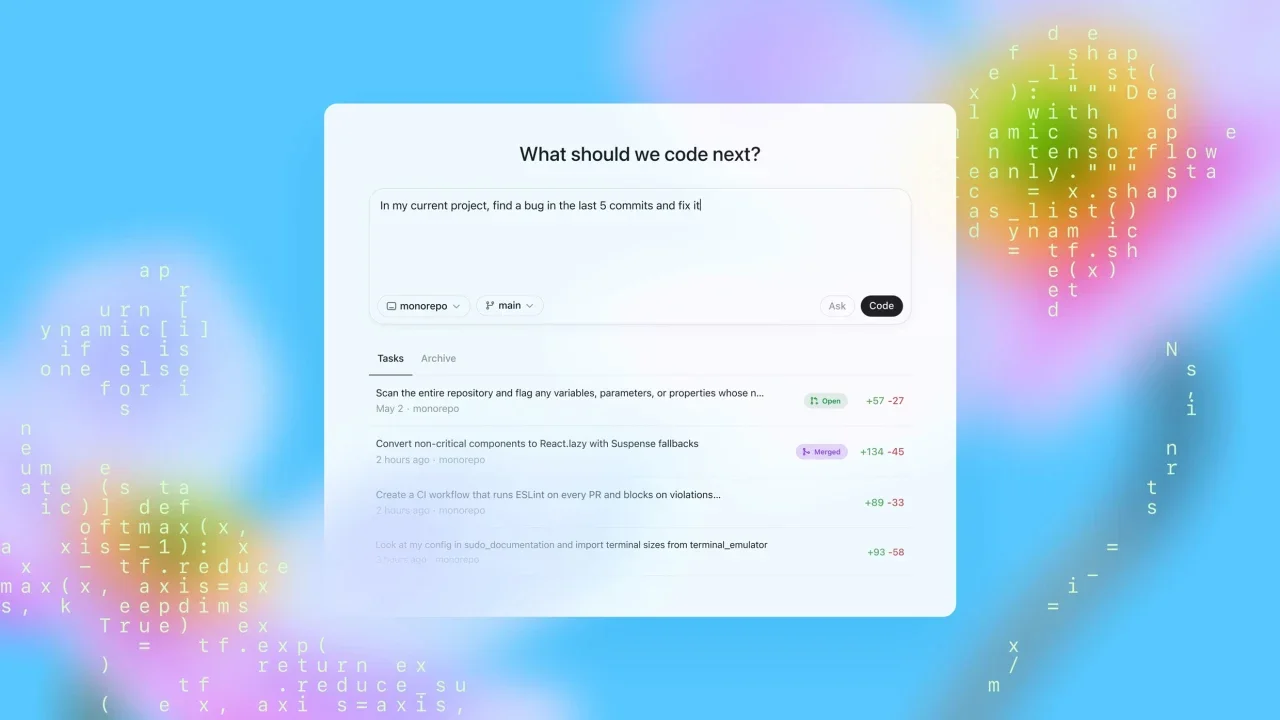
OpenAI launched a research preview on Friday of what it’s calling its most capable AI coding agent yet. Codex, a cloud-based software engineering agent, can write features, answer questions about a codebase, fix bugs, and propose pull requests for review. Several tasks can run simultaneously, and users retain full access to their computers while the agent takes anywhere from one to 30 minutes to complete a task. Since it’s still in research preview, the tool remains in early development. The company said in a blog post that it “currently lacks features like image inputs for frontend work, and the ability to course-correct the agent while it’s working. Additionally, delegating to a remote agent takes longer than interactive editing, which can take some getting used to.” Over time, however, the company said using the service will feel more like asynchronous collaboration with colleagues. Codex is available to ChatGPT Pro, Enterprise, and Team subscribers. Users will have “generous access at no additional cost” for a few weeks, after which OpenAI plans to introduce pricing options and rate-limited access. Friday’s launch comes as part of a broader rise of AI tools for software engineers that are meant to handle repetitive, boring tasks rather than take over the whole gamut. “We imagine a future where developers drive the work they want to own and delegate the rest to agents—moving faster and being more productive with AI,” OpenAI said. Companies in the AI coding space are seeing massive revenues and high valuations. Anysphere, the startup behind coding platform Cursor, reportedly raised $900 million at a $9 billion valuation. Major tech companies are also racing to stake their claim. OpenAI competitor Anthropic released an agentic coding tool in February. In April, Google added new features to its AI coding agent, and Microsoft has been active in the space as well. In addition to Codex, OpenAI is reportedly in talks to acquire Windsurf, a maker of AI coding tools, for around $3 billion—potentially its largest acquisition to date. Investor confidence in OpenAI appears strong. In March, the company announced it had raised $40 billion at a $300 billion post-money valuation, making it one of the most valuable companies in the world. Codex is available for ChatGPT Pro, Enterprise, and Team subscribers. Users will have “generous access at no additional cost” for a few weeks and after OpenAI will roll out pricing options and rate-limited access. View the full article
-
Deal with Australian developer Lendlease is part of joint venture for six projects expected to be worth £22bnView the full article
-
We may earn a commission from links on this page. Vegetable plants are expensive. To get the best yield out of them, you need to pay attention to more than just the soil, sun, and watering. You need to get your plants off on the right foot by planting them the right way. Here's what I mean. Choose the right plant at the nursery Credit: Amanda Blum When I first started gardening, I thought the best vegetable starts to buy were the ones that were the biggest, with flowers and fruit already on them. This would give the plant a head start, right? Sadly, no. Plants go through something called "transplant shock" when you move them. You’re disturbing the plant's roots, and moving it to a new environment. To survive, the plant needs to focus all its energy on the plant's roots, and if there's a lot of plant matter like leaves, flowers, and fruit to support, energy is wasted supporting them. Plants with established fruit, in particular, struggle during the transplant process. Choose plants that look healthy, with strong stems and leaves without damage, but that don't yet have flowers or fruit. Prepare your soil Credit: Amanda Blum There are legions of ways to handle your garden from season to season. Some people till the soil, while others employ a no-till method, and still others use something called "chop-and-drop." Regardless of the method, the soil you’re planting into has to be pliable enough that roots can flourish in them. For that reason, ensure that the soil is turned over and broken up—from a shovel to a shovel and a half’s depth. You can use a broadfork for this, if you don’t want to disturb the soil structure, but otherwise, just use a shovel. Breaking up the soil will help you see the texture—so you can add sand if the soil has too much clay in it, or compost if it isn't holding any moisture. You can use this time to add amendments such as vegetable fertilizer and lime. Fertilizer is obvious, but lime is used to turn your soil less acidic, which happens over time through watering and growing. Most vegetables don’t enjoy acidic environments. Turn the amendments into the soil. Choose an overcast dayYour plants will already be stressed by transplanting. Planting them into the blazing sun is even more stress. A stretch of overcast days is the perfect planting time. If that's not an option, plant at twilight to give your plants a night to adjust. Consider giving the plant some shade the next day to help it acclimate. Get the plant out of the pot without damaging the roots Credit: Amanda Blum By the time plants reach the nursery, they’re often root-bound in the plastic pots or six packs you buy them in. Roots are resilient, but you don’t want to disturb them more than necessary. The best way to break a plant free from a plastic pot is to use two fingers and squeeze the bottom of the pot. This should free the plant. Don’t turn the pot over or pound on it with your palm, and definitely don’t try to pull it loose by the plant’s stem. on the left, the eggplant seedling just out of the pot, and on the right, after the roots have been broken up Credit: Amanda Blum Once the plant is out, you want to break up the roots by using your fingers like a comb on the bottom of the plant, so that roots are freed. That said, these plants do not enjoy their roots being disturbed: cucumbers, beans, pumpkins, luffa, beets, and most root vegetables. For these, I simply dig a hole, remove the plant from the plastic tray, carefully plop the plant in, and walk away. Separate plants as necessary Credit: Amanda Blum Most pots have more than one seed in each cell. In some cases, like tomatoes, someone usually culls the seedlings so only one is left to flourish. However, in some cases, like herbs and lettuce, nurseries leave the seeds alone and let multiple seeds grow. In other cases like onions and carrots, the cells are purposely overseeded to be filled with lots of seedlings. Strawberries usually come in a pot of five to 10 starts. If you take a cell of onion seedlings out, you can separate them by diving the block in half over and over again, until you have individual seedlings. Credit: Amanda Blum When there’s more than one seedling, you need to separate them. You shouldn’t try to plant them altogether. For lettuce or herbs, this is simple: Remove one cell, and with your fingers, gently pull the soil pod apart. Start by pulling the pod in half, and then keep dividing until all the seedlings are free. This works on larger plants like squash, and smaller plants like carrots where there can be 20 or more seedlings in a single cell. Once the individual seedlings are free, they can each be planted as if they’re a whole plant. This is how you get a whole row of carrots or onions. This is also a great way to save money, since you usually get far more than six lettuce heads from a six-pack of lettuce. Know the right depth Credit: Amanda Blum Plants need to go in the ground at the right depth, ensuring that the base of the plant is at soil level. In some cases, though, you can (and should) plant the stem deeper. Leeks and onions, for example, can be planted deeply. In particular, leeks can be planted as deeply as possible, with only an inch or two of seedling above the surface of the soil. This will help blanch the leek (keep it white). Tomatoes, eggplant, and peppers can be planted deeply, as they’ll form roots along their entire stem. If your tomato is leggy (tall with little horizontal branching), this is a spectacular way to fix the problem. When in doubt, follow the directions on the plant tag, or simply plant at a standard depth so the roots are covered, but the stem is exposed above the soil. Don’t mulch against your stemsWhile mulch is an important part of insulating your vegetable plants and keeping moisture in the ground, it’s also a way to spread pathogens. You want to ensure plants have a few inches of clearance between them and the mulch. Keep your labels or make new ones Keep those plant tags. Credit: Amanda Blum In the melee of planting, it’s common to lose your plant tags. After all, a tomato is a tomato. However, you’ll be sad at the end of the season when one tomato does spectacularly and another doesn’t, and you don’t know what variety each was. Label your plants! View the full article
-
Servicing profit offset origination losses for some companies, but more than 40% of companies were unprofitable, according to the Mortgage Bankers Association. View the full article

-
Chief Jay Powell says US central bank is seeking to ensure it is a ‘responsible steward of public resources’View the full article
-
Lenders using an automated process can save up to $1,500 per loan but do they have the capacity to pass those through to applicants as the FHFA director asks? View the full article
-
UK prime minister has told allies that the Tories are heading for the ‘end of the road’ View the full article
-
Max may be adding the "HBO" back into its name, but don't let that fool you into thinking that streaming is getting any better for classic film fans in 2025—great movies older than a few decades are still hard to come by on popular subscription services like Hulu and Netflix. Sure, you could sign up for The Criterion Channel, the streaming service from the boutique media label dedicated to highlighting the best in classic and contemporary films (if you are any kind of film history geek, it's practically a moral imperative). But you actually don't need to pay anything at all to enjoy a substantial library of Criterion-approved gems: As spotted on Reddit (and possibly inspired by a Redditor and Letterboxd user who goes by the handle "Geekstache"), Tubi now has a category page collecting all the movies in the Criterion Collection that you can watch for free on the ad-supported service. "For the Cinephiles"Of course, Tubi can't come right out and say it has curated its own little Criterion corner (Criterion would probably take issue with that; plus, it's not like it's the blessing from Criterion that makes a movie great). Instead, it classifies these 150+ films—from old Hollywood screwball farces like Bringing Up Baby, to imported epics like Akira Kurasowa's Ran, to recent indie darlings like Greta Gerwig's Frances Ha—as being "For the Cinephiles." (I'm sure it is just a coincidence all of them have been released on Blu-ray and DVD in fancy Criterion editions.) The category includes a ton of movies I've long been meaning to see—and you too, probably. There are even a few I own on Criterion DVD that I haven't gotten around to actually watching yet (It Happened One Night, All That Jazz). Of course, streaming on Tubi isn't exactly equivalent to watching in high definition on a feature-packed disc, or even on The Criterion Channel itself—you'll have to sit through commercial breaks, for one thing, and its unlikely Tubi will be offering up the same pristine restored prints. But you also won't be paying for the privilege, and you can save yourself the time you'd otherwise spend endlessly scrolling for something good to watch. View the full article
-
Utility claims new legislation to block bonuses will not capture ‘retention payments’View the full article
-
Adults with grown children are often still helping support them financially. And sometimes, those contributions take away from the funds they would otherwise be saving for retirement. According to a recent Savings.com survey of 1,000 U.S. adults with grown children, half regularly assist them financially. Those numbers are going up in recent years. On average, parents are shelling $1,474 monthly to help their adult children, which is about 6% more than they provided the previous year. More than 80% said they helped pay for groceries; 65% said they foot their grown child’s cellphone bill; and nearly half (46%) even fund their adult children’s vacations. Those monthly contributions add up, coming out to a contribution of around $17,688 per year—around twice as much as they’re putting into their own retirement savings. Nearly half (47%) say they’ve sacrificed their own financial well-being and preparedness to help their grown kids find their footing. While older generations are often quick to call Gen Zers lazy or entitled, young workers are at a financial disadvantage. Not only are unemployment rates rising for recent college graduates, but an increasing number are underemployed. And, according to LinkedIn’s 2025 Grad Guide, college graduates are more frequently taking jobs that don’t typically require degrees. In fact, the fastest growing field for college graduates is construction. Real estate, utilities, wholesale, and administrative service jobs are up for the group, too, suggesting that four-year-degrees are not necessarily helping graduates land higher-paying jobs as often as they once did. Parents seem to know that their adult children are up against big challenges, which is likely why so many help pay their bills. Forty percent said they felt pressured to give to their grown children even when it negatively impacted their own stability, and 35% said they feel it’s their responsibility to provide that support. Some say they’ve set deadlines for when they will stop funding their adult children’s lives. Eleven percent plan to cut the cord within a year; 26% within one to two years; and 28% three to four years down the line. However, for some, the commitment is for life. Around 18% say there is no deadline at all for their grown children to become financially independent. View the full article

-
Luring new backers into the sector has its attractions, but risks fragmenting the system furtherView the full article
-
We've learned a lot about the Switch 2 since Nintendo announced it in back in January. We know how basic specs compare on paper to the original Switch; we know that many physical game carts won't actually have the games on them; and we know what games to expect this year. While there's still more to learn about the console before it officially launches next month, some new leaks have provided fresh insights into how the Switch 2 actually performs. Digital Foundry reports that it can definitively confirm leaks surrounding the Switch 2's hardware, answering many of the remaining questions that Nintendo and Nvidia have left a mystery thus far. The outlet highlights the key hardware upgrades for the company's new console, and explains how there are some major performance boosts—especially in docked mode. Switch 2 is more powerful, especially when docked Digital Foundry highlights that Nintendo calls the SoC (system on a chip) in both the Switch 2 and OG Switch "custom," but notes that the original Switch's SoC was really a "vanilla" chip. The Switch 2's hardware, on the other hand, really is made solely with Nintendo's console in mind. That means it should be better optimized for the company's unique situation of needing to offer console-quality game play that can adapt to handheld mode. The new custom Nvidia T239 has an eight-core ARM Cortext A87C CPU, compared to the four-core ARM Cortext A57 in the Switch 1. Digital Foundry reports that the original Switch reserved one CPU core for operating system features and left the other three open to developers, while the Switch 2 reserves six of its cores for developers, and uses two for OS tasks. CPU specs are still unclear: The original Switch had a fixed CPU clock speed (the processing rate of the CPU) of 1020MHz whether it was docked or in handheld mode. The new Switch runs at 1101MHz in handheld, but 998MHz when docked. Digital Foundry isn't sure why this is the case, though it does speculate it has something to do with memory bandwidth drops that would have an impact on CPU performance. The maximum theoretical clock speed here is 1.7GHz, compared to 1.785GHz on the Switch. GPU specs make more sense at this time. The new Ampere GPU has a typical clock speed of 1007MHz when docked, and 561MHz in handheld mode, with a maximum clock speed of 1.4GHz. The original Switch's Maxwell GPU ran at 768MHz when docked and up to 460MHz in handheld mode, with a maximum of 921MHz. An important metric to note here is TFLOPS, which measures the rate of performance for a GPU. When docked, the Switch 2's GPU is rated for 3.072 TFLOPs, but drops to 1.71 TFLOPs in handheld mode. Digital Foundry makes the point that you can't necessarily evaluate a GPU's potential from TFLOPs alone, and that it'll be up to developers to show us how well games can perform. We already knew that the Switch 2 offers 12GB of RAM (102GBps when docked and 68GBps in handheld). Digital Foundry now says it can confirm how Nintendo is allocating that memory: The OS uses 3GB of RAM, which leaves 9GB for running games. It's a stark comparison with the Switch 1, which only shipped with 4GB of RAM, with 3.2GB of that allocated to developers. That means the Switch 2 nearly triples the amount of memory game makers can use. GameChat takes up a lot of resourcesGameChat is one on Nintendo's "big" new features for the Switch 2. Coming to market a mere 22 years after Xbox Live popularized online console chat, the feature offers in-game communication features like audio and video chat and screen sharing. However, it appears that innovation comes at cost to performance. Digital Foundry says GameChat affects system resources to such a degree that Nintendo is offering developers a "Game Chat testing tool." This tool replicates the resources Game Chat takes up while running, so developers can understand how that might impact their games, without actually needing to run Game Chat itself during development. This should be no surprise to anyone who watched Nintendo's Switch 2 demos. Game Chat looks choppy, especially when sharing your screen or making video calls. (Is that 5 fps?) I suppose it's refreshing to see Nintendo so transparent about how laggy these features are, but the fact that it looks this bad in the official advertisement doesn't bode well for Game Chat's real-world performance. We'll need to wait for the games to judge the Switch 2's true capabilitiesTaken purely on paper, the Switch 2 has a big performance advantage when plugged into its dock. We already knew that the Switch 2 is capable of 4K 60 fps and 1440p 120 fps output in docked mode, compared to 1080p 120 fps output in handheld. It makes sense, then, for the Switch 2 to have an active cooling fan built into the dock to maintain that higher performance. (The Switch 1 does not have a fan in its dock, even though it is able to output a higher resolution in docked mode than handheld.) However, we'll have to see how the performance translates into real-world use. As with any piece of hardware, on-paper specs can only tell you so much. The true test is in how developers can optimize and push that hardware with their software. If devs can take advantage of the more advanced Switch 2 hardware to pull off more impressive graphics and performance, we'll naturally see that for ourselves in the gameplay. For now, it's a waiting game. View the full article
-
Ahead of Google I/O 2025, which starts on May 20, the company has announced a few big accessibility focused features for Android and Google Chrome. Among these are improvements to the Android screen reader, more expressive captions, and easier to read text in Chrome for Android. This follows Apple's recent accessibility focused announcements, with both companies' posts timed to mark Global Accessibility Awareness Day (May 15). Here are the best new accessibility features coming to Android and Chrome. Improved screen reader on Android Credit: Google TalkBack is Android's screen reader, and while it's had Gemini AI integration for a while now, it's getting a few updates. Previously, the AI could generate descriptions of onscreen images even if they didn't have alt text (which is what normally allows screen readers to describe images). Now, Google is expanding its feature set to include question and answer support for images. This should help users learn more about whatever's pictured, such as the make and model of a product, if discounts are available for it, and what else is in the photo. You could even use TalkBack to ask Gemini to look at clothes on a shopping website and recommend the best pick for a certain occasion, Google suggests. Captions will convey more emotions Credit: Google When you're watching a sports game with captions enabled, the text doesn't always convey the emotion behind the commentary. If a player scores an unbelievable goal, the commentator may say, "Gooooooooooaaaaaalllll," but the captions will often turn that into a much more stoic "Goal (cheering)." Google is aiming to address that with Expressive Captions, which uses AI to capture how someone is speaking, and not just what they're saying. The company also says that Expressive Captions will display more labels for sounds, including whistles and throat clearing. This feature is rolling out to devices running Android 15 or newer, and will work for English captions in four regions—Australia, Canada, UK, and the US. Read small text easily in Chrome for AndroidGoogle is trying to make it easier to read text in Chrome for Android. If you find the default font size too small, Chrome's new Page Zoom feature will allow you to increase the font size without zooming in on the rest of the website. Google says you'll be able to customize your adjustments and save your preferences for all websites. Better screen reader support for PDFs in ChromeIn Chrome for desktop, Google is adding the ability to use a screen reader to interact with scanned PDFs. Chrome will use OCR (Optical Character Recognition) to identify scanned pages and let you use a screen reader to select, highlight, copy, and search text. View the full article
-
The willingness to challenge received wisdom can yield results without political costsView the full article
-
We may earn a commission from links on this page. Deal pricing and availability subject to change after time of publication. If you’re in the market for a mini laser projector, the Hisense C2 Portable Laser Projector is at its lowest price yet, according to price-tracking tools, down from $1,999.99 to $1,699.99. A compact setup for small living spaces or trips, this impressive projector boasts quality comparable to that of a high-quality TV. While it doesn’t have the same quality as pricier models like the Hisense C2 Ultra, it’s a space-saving projector for casual viewing or a lag-free gaming experience. Hisense C2 4K Mini Projector $1,699.99 at Amazon $1,999.99 Save $300.00 Get Deal Get Deal $1,699.99 at Amazon $1,999.99 Save $300.00 The Hisense C2 can project up to a 300-inch movie screen, and it has an adjustable viewing angle to align with screens, walls, and ceilings precisely for a more flexible setup. It features a sharp 4K image and 2000 ANSI Lumens brightness for maximum vibrancy. The unique 4K AI Upscaler feature transforms lower-quality videos, such as classic films and home movies, into crystal-clear 4K quality, complete with vivid and accurate colors. This is achieved through the projector’s innovative MCL38 Laser design, which harnesses the power of 4 LEDs. The Ultra model comes with additional bells and whistles; it has a greater ANSI Lumens and is a stronger choice for brighter rooms and home theaters. It also features a stronger audio quality that doesn’t require any external speakers for superior sound. However, the price tag is also significantly heftier with a nearly $800 difference. They both feature the same resolution, projection size, and display technology. If you don’t plan on using this projector in very bright rooms or are hoping to replace a high-quality TV, this mini projector could hit the sweet spot. View the full article
-
Drop comes as jolt of enthusiasm among Republicans in wake of Donald The President’s election wanesView the full article
-
Like the iPhone, Samsung Galaxy handsets come loaded with a bunch of preinstalled Samsung apps that you don't necessarily need and might never use—especially as there are Google-made equivalents for a lot of them that you'll also find on your phone. As these Samsung apps come preinstalled, you might think that removing them might break something on your device, but you can safely uninstall most of them without worrying (and find them again on the Galaxy Store, if you ever need to get them back). Clearing out the apps you're not using regularly means your phone won't need to download updates for them, and you'll free up some storage space too. It's well worth taking a few minutes to delete any apps you don't need, and that includes the ones Samsung has helpfully installed for you. You can delete any app on your Samsung phone from the app drawer: Just press and hold on an app icon, then choose Uninstall > OK. These are the ones that One UI lets you get rid of, quickly and safely: Calculator: For doing sums on your phone, courtesy of Samsung. Calendar: Samsung's alternative to Google Calendar. Clock: Samsung's own app for checking times and setting alarms. Galaxy Shop: For buying everything from TVs to watches from Samsung. Galaxy Wearable: If you need to manage Galaxy smartwatches. Gaming Hub: A hub for launching your games and finding new ones. Global Goals: Samsung's app for supporting charities and causes. Notes: For creating notes with text, drawings, images, and more. Penup: Samsung's app for creating and sharing drawings. Samsung's Find app can track your devices. Credit: Lifehacker Samsung Find: Locates your family and friends, and your Samsung devices. Samsung Health: For tracking your fitness stats and other health metrics. Samsung Internet: Samsung's own mobile web browser. Samsung Members: Shows special offers and benefits with your Samsung account. Samsung TV Plus: Free streaming TV channels from Samsung. Samsung Wallet: Samsung's take on mobile payments and passes. SmartThings: For controlling smart home kit supporting Samsung's standard. Tips: Get to know the key features on your Samsung phone. Voice Recorder: For audio recordings and transcriptions on your phone. The preinstalled apps you can't deleteThat's list constitutes the majority of the Samsung apps that come bundled with One UI, but it's not all of them. You can't uninstall Bixby, Camera, Contacts, the Galaxy Store, Gallery, My Files, or Smart Switch as you look to declutter your phone. Other preinstalled apps you can deleteDepending on where in the world you are, you might also see a range of third-party apps (not made by Samsung) on your Galaxy handset. These can all be safely uninstalled, and may include Facebook, Netflix, and Spotify. You might also come across various Google and Microsoft apps. These are the ones you can get rid of to free up some space: Google Drive: For accessing your Google Drive files in the cloud. Google TV: Streaming shows and movies across various platforms. LinkedIn: The professional social network owned by Microsoft. If you're tired of LinkedIn notifications, you can uninstall the app. Credit: Lifehacker Microsoft Copilot: The AI assistant from Microsoft. Outlook: Microsoft's email client for desktop, mobile, and the web. YouTube Music: Google's music streaming service. For some preinstalled apps, including Google Chrome and Microsoft OneDrive, you won't see an Uninstall option, but you will see a Disable option. Disabling an app hides it from view and stops automatic updates for it, but it doesn't actually remove it from your phone. You can enable these apps again by opening up Settings and navigating to the Apps. View the full article
-
An environment conference opened in Nepal on Friday to discuss global climate change, including the impact on the highest Himalayan peaks where snow and ice are melting. The three-day conference in Kathmandu titled, “Climate Change, Mountains and the Future of Humanity,” is expected to include discussions of critical climate issues. “From the lap of Sagarmatha (Everest), the world’s highest peak, we send this message loud and clear that to protect the mountains is to protect the planet. To protect the mountains is to protect our seas. To protect the mountains is to protect humanity itself,” Nepal Prime Minister Khadga Prasad Oli told participants at the opening meeting. Nepal is home to eight of the tallest mountains in the world including Mount Everest. A high level of glaciers melting in the Himalayan mountains because of global warming has raised signficant concerns. Melting snow and ice have exposed the mountains and increased the risk of rock slides, landslides and avalanches. Scientists have warned the Himalayan mountains could lose up to 80% of their glaciers if the Earth warms in coming decades or centuries. They say flash floods and avalanches also could become more likely in coming years, in part because of climate change. “The tragedy is that the Himalayas are facing an unprecedented stress test in real time today, exposing not only the fragile nature of our mountain ecosystems but also a glaring evidence of the lack of meaningful global climate action,” Nepal Foreign Minister Arzu Rana Deuba said. “As a mountainous country with high disaster risk vulnerability, Nepal faces a stark predicament.” Nepal has experienced a series of severe weather events in the recent past with devastating impacts on people and their livelihoods, Deuba said. “Floods and glacial lake outbursts have caused large-scale destruction and damage, and droughts, water scarcity and forest fires have brought untold suffering to the people across the country,” she said. Ministers from neighboring India, Bhutan, and Maldives are attending the conference. Organizers have said they intend to publish a Kathmandu declaration after the discussions end Sunday. —Binaj Gurubacharya, Associated Press View the full article