Newsletter
Want to keep up to date with all our latest news and information?


ResidentialBusiness
Administrators
-
Joined
-
Last visited
Everything posted by ResidentialBusiness
-
Oil cartel agrees to add 411,000 barrels a day for the second consecutive monthView the full article
-
Voters reject opposition Liberal party’s ‘The President-like’ policies to keep Anthony Albanese as prime ministerView the full article
-
US and European withdrawals force soul-searching in the city that is home to 450 international bodies View the full article
-
Admiral Samuel Paparo says Beijing is outpacing Washington in weapons systems productionView the full article
-
Off the coast of Virginia, Dominion Energy is building what will be the largest offshore wind facility in the U.S., a 2.6-gigawatt project that will provide energy to as many as 660,000 homes. It has been under construction since 2023 and is expected to be completed by 2026—but President Donald The President’s tariffs are adding to the project’s costs. Already, through the first quarter of 2025, Dominion’s Coastal Virginia Offshore Wind project has incurred tariff costs of $4 million, CEO Bob Blue said on a recent earnings call. That increase came from The President’s 25% tariffs on steel, which the president announced in early February and which went into effect March 12. If the tariffs continue through the second quarter, the company expects that number to increase to $120 million. If they continue through to the end of 2026, it could hit $500 million. (That includes the steel tariffs, as well as general tariffs on imports from Mexico, Canada, and the European Union. It’s worth noting that tariffs on steel imports also drive up domestic prices.) Dominion plans to bear some of those cost increases itself; of that projected $500 million increase, for example, Dominion will cover about $130 million. It also noted that the updated costs could increase residential customer bills by an average of 4 cents a month over the life of the project. The Coastal Virginia Offshore Wind project “remains one of the most affordable sources of energy for our customers,” Blue noted. Before the earnings call, Dominion Energy already announced that the offshore wind project’s costs had increased, compared with initial estimates; initially, it was set to cost $9.8 billion, but in February 2025, Dominion bumped that estimate to $10.7 billion. That was the first budget increase since Dominion submitted the project to Virginia regulators back in November 2021, and Dominion said it was because of higher network upgrade costs assigned by the local grid operator, PJM. At the time of that announcement, Dominion noted that the project was 50% complete and on track to be finished by the end of 2026. The President’s tariffs have led to all sorts of price increases and uncertainty about the future. Tariffs on car and car part imports are expected to raise vehicle prices; tariffs on steel and aluminum could make everything from construction materials to appliances to canned food more expensive. The President’s trade war will also broadly impact renewable energy because many of the parts for solar and wind projects come from abroad, particularly China and Southeast Asia. The President has also taken steps to kill the wind industry generally, and has halted some offshore wind projects, like Empire Wind off the coast of Long Island, which was set to be completed by 2027 if the work continued on schedule. Dominion says that it’s confident its Coastal Virginia Offshore Wind project will get done, despite The President’s hatred of wind power and his recent actions to hamper clean energy projects. The company’s conversations with federal regulators “have continued the same way they have been for months,” Blue said during the earnings call. A pause on the project, he added, wouldn’t make sense: “It’s the fastest way to get 2.6 gigawatts on the grid to serve tech companies, defense, and security installations, and important American industries like shipbuilding. It’s employing 2,000 people. . . . It has bipartisan support in Virginia.” (The President has, however, taken aim at clean energy projects even in red states, including by freezing Inflation Reduction Act funding, which specifically brought billions of dollars to Republican districts.) And even though tariffs are adding some uncertainty to the project’s cost, Blue noted that their impacts are “manageable.” “We’ve worked on our supply chain for some time. . . . the vast majority of the materials that we procure are directly from U.S. suppliers,” he said. “We have been placing some orders ahead of tariff effective dates to mitigate cost increases where it’s possible.” View the full article

-
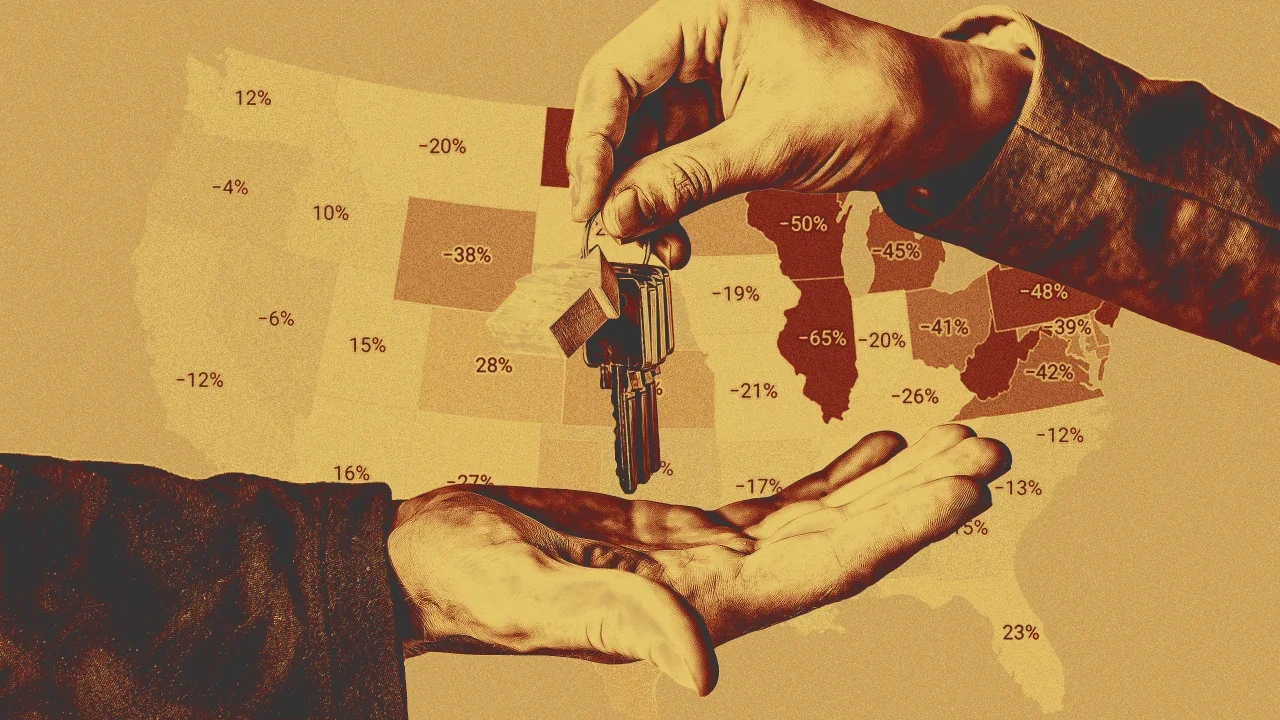
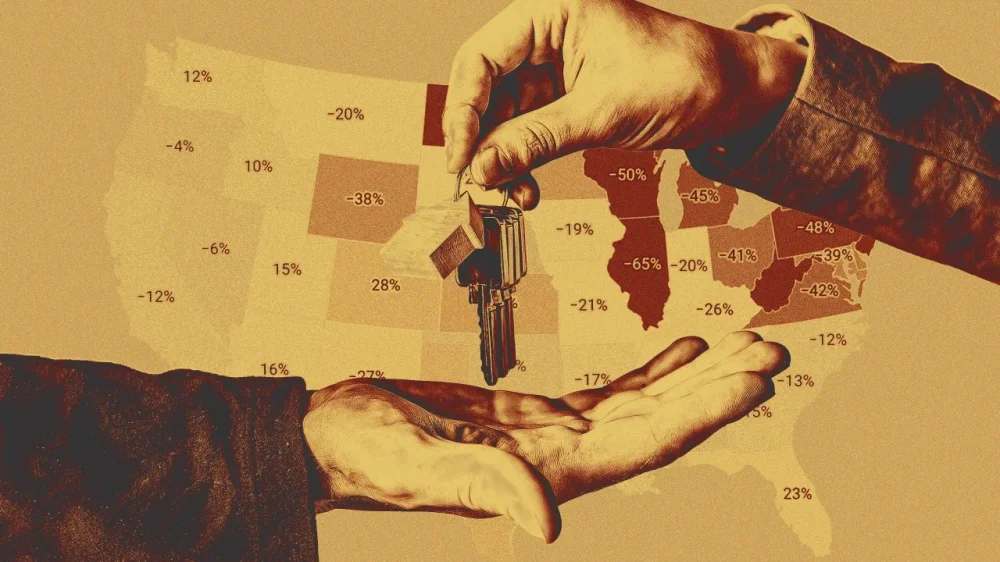
Want more housing market stories from Lance Lambert’s ResiClub in your inbox? Subscribe to the ResiClub newsletter. When assessing home price momentum, ResiClub believes it’s important to monitor active listings and months of supply. If active listings start to rapidly increase as homes remain on the market for longer periods, it may indicate pricing softness or weakness. Conversely, a rapid decline in active listings could suggest a market that is heating up. Generally speaking, local housing markets where active inventory has returned to pre-pandemic levels have experienced softer home price growth (or outright price declines) over the past 30 months. Conversely, local housing markets where active inventory remains far below pre-pandemic levels have, generally speaking, experienced stronger home price growth over the past 30 months. How is inventory shaping up in 2025? As ResiClub communicated to ResiClub PRO members in late 2023—and reaffirmed last fall—we expect national active inventory to approach pre-pandemic 2019 levels in the second half of 2025. That’s still the trajectory we’re on. National active listings are on the rise (+30.6% between April 2024 and April 2025). This indicates that homebuyers have gained some leverage in many parts of the country over the past year. Some sellers’ markets have turned into balanced markets, and more balanced markets have turned into buyers’ markets. Nationally, we’re still below pre-pandemic 2019 inventory levels (-15.6% below April 2019), and some resale markets, in particular big chunks of the Midwest and Northeast, still remain tight to tight-ish. April inventory/active listings* total, according to Realtor.com: April 2017: 1,198,424 📉 April 2018: 1,102,064 📉 April 2019: 1,137,198 📈 April 2020: 941,733 📉 April 2021: 435,663 📉 (overheating during the Pandemic Housing Boom) April 2022: 379,978 📉 (overheating during the Pandemic Housing Boom) April 2023: 562,966 📈 April 2024: 734,318 📈 April 2025: 959,251 📈 If we maintain the current year-over-year pace of inventory growth (+224,933 homes for sale), we’d have: 1,184,184 active inventory come April 2026 1,409,117 active inventory come April 2027 Below is the year-over-year percentage change by state. While active housing inventory is rising in most markets on a year-over-year basis, some markets still remain tight. As ResiClub has been documenting, both active resale and new homes for sale remain the most limited across huge swaths of the Midwest and Northeast. That’s likely where home sellers this spring will have more power. In contrast, active housing inventory for sale has neared or surpassed pre-pandemic 2019 levels in many parts of the Gulf region, including metro area housing markets such as Punta Gorda, Florida, and Austin. These areas saw major price surges during the pandemic housing boom, with home prices getting stretched compared with local incomes. As pandemic-driven migration slowed and mortgage rates rose, markets like Tampa, Florida, and Austin faced challenges, relying on local income levels to support frothy home prices. This softening trend is further compounded by an abundance of new home supply in the Sun Belt. Builders are often willing to lower prices or offer affordability incentives to maintain sales, which also has a cooling effect on the resale market. Some buyers, who would have previously considered existing homes, are now opting for new homes with more favorable deals. At the end of April 2025, nine states are above pre-pandemic 2019 active inventory levels: Arizona, Colorado, Florida, Idaho, Hawaii, Tennessee, Texas, Utah, and Washington. (The District of Columbia—which we left out of this analysis—is also back above pre-pandemic active inventory levels. Weakness in D.C. proper predates the current admin’s job cuts.) Big picture: Over the past few years we’ve observed a softening across many housing markets as strained affordability tempers the fervor of a market that was unsustainably hot during the pandemic housing boom. While home prices are falling in some areas around the Gulf, most regional housing markets are still seeing positive year-over-year home price growth. The big question going forward is whether active inventory and months of supply will continue to rise and cause more housing markets to see price softening? Below is another version of the table above—but this one includes every month since January 2017. If you’d like to further examine the monthly state inventory figures, use the interactive below. (To better understand ongoing softness and weakness across Florida, read this ResiClub PRO report.) View the full article
-
Zoning can be difficult for the average person to parse, but it has an immense impact on our lives—everything from housing to roads and green spaces are set by these rules. Zoning boils down to regulations of how land can, and cannot be used, whether commercial, industrial, and residential areas. From rising housing costs to struggling main streets and long commutes, zoning touches upon almost every aspect of our daily lives. Sara Bronin knows this better than anyone. As a trained architect, attorney, and Cornell University professor, she has worked across many different fields of urbanism. Her work focuses on how policy can create more equitable and well-designed places. From land use to renewable energy to historic preservation and road design, her investigations into zoning offer fresh insight into how policies can be overhauled to benefit more people and their everyday lives. For the last two years, Bronin was the head of the U.S. Advisory Council on Historic Preservation, nominated by President Biden and confirmed by the Senate. She is also the founder of the National Zoning Atlas, which aims to highlight key aspects of zoning codes in an online, user-friendly map for public use. Her new book, Key to the City: How Zoning Shapes Our World, is a continuation of her research, and explores the little-known world of zoning codes and how they can be better used to improve American society. The book is an optimistic call-to-arms about zoning code changes. “I wrote the book so that people could have an ‘aha’ moment about zoning and understand that this hidden regulatory power at the local level has significant impacts on our world,” Bronin says. Key to the City looks at several U.S. cities and their zoning reforms. In Boston, the city is transforming into a haven for urban farming because of a law fought for by a group of organizers, farmers, and beekeepers; in Tucson, Arizona, zoning codes are drought-proofing neighborhoods in peril in the face of climate change; in Delray Beach, Florida, a new code aims to maintain the charming town’s vibrancy through architecture. I spoke with Bronin about the zoning’s impact on our lives, despite our sometimes not even being aware of it. Our conversation has been edited for clarity. You just published a book. Tell me about it? I wrote the book so that people could have an aha moment about zoning and understand that this hidden regulatory power at the local level has significant impacts on our world. The book covers a wide range of topics from facilitating small businesses to making our food supply stronger and safer, to ensuring people have access to transportation, and of course, to providing people with a diverse range of housing options. I’m hopeful that the book will expose zoning’s immense power across various aspects of our lives. I was just reading about Long Island City and how there’s a new petition to rezone for more housing. Housing and zoning are hot topics being discussed right now. Zoning is a hot topic right now, and I hope it stays that way because we need to do a lot more talking and thinking about how we can make it better. When it comes to zoning, I read that you’re an optimist. How so? I would definitely say that I’m an optimist about what zoning can do for us. There are some who say that we should abolish zoning altogether because it has done a lot of harm to individuals and to communities since local governments first started adopting zoning ordinances about a century ago. They’re right that zoning has historically had negative consequences: exclusion, sprawl, and public health effects. Provisions that exclude certain types of housing, particularly housing that’s most accessible to low-income residents, are deeply ingrained in zoning codes nationwide. The vast majority of American suburbs almost exclusively allow for single-family housing on large lots, and little else. But zoning can also have very positive and transformative powers. It can ensure that we integrate the environment into our development. It can ensure that people have lots of different opportunities for education, for jobs, for housing, for connecting with each other. It can also help us create a sense of order in our communities and to foster improved aesthetics that give us the beautiful places that we deserve. Is there a city that is doing zoning right? For seven years, I chaired the planning and zoning commission of the city of Hartford, Connecticut, and with lots of public engagement, we were able to adopt an entirely new zoning code that has what I would consider to be some key components that other communities should consider adopting. Among other things, we eliminated minimum parking mandates, which lowers the cost of development and rejects the idea that we should be prioritizing car-related infrastructure. We also legalized housing as of right, meaning that no housing proposals in Hartford are required to undergo a public hearing. Instead, we created what zoners call a form-based code, which includes a menu of building types that a developer can choose from, in each neighborhood. The city’s new form-based code establishes architectural expectations for a community while also providing developers with certainty that the proposal will get approved as long as it satisfies the criteria outlined in the form-based code. In this way, the code respects the interests of existing residents and property owners, while providing clear development paths for newcomers. Hopefully more cities learn from what you’ve done in Hartford and do something similar. Tell me about New York City and zoning? Large cities around the country are engaging at various levels in zoning reform. New York City has recently joined other large cities in interrogating current zoning conditions and working to build more accessible communities for the future. The city’s recent adoption of the “City of Yes” rezoning proposal marks a turning point for the Big Apple. It legalized accessory dwelling units (ADU) in large parts of the city; it eliminated parking mandates in other parts of the city; and it diversified and expanded the number of places where housing can be built, including second and third floor stories above retail shops on neighborhood main streets. How are the towns and suburbs of New York affected by what happens in the city, regarding zoning? New York City is the heart of a metropolitan area with 548 surrounding cities, suburbs, and towns, including in Long Island, Westchester County, and Northern New Jersey. I hope those communities start to step up to ensure that their zoning codes are written in a way that addresses housing needs—and, by the way, climate needs too. National Zoning Atlas What can everyday people do about zoning? I’ll point you to a recent report that I coauthored with the Regional Plan Association, titled “Averting Crisis: Zoning to Create Resilient Homes for All.” That report finds that by 2040, NYC, Long Island, and Westchester County will likely have a housing deficit of 680,000 housing units, primarily due to the restrictive zoning outside of NYC and to the impact of sea-level rise, which will result in housing losses. The report underscores the need for us to think regionally about zoning and to identify the things we need to change now to plan for our future needs. In the book, I talk about ways that people can engage with zoning in their own communities. But I would also invite people to review the National Zoning Atlas, which I created to make information about zoning available to the public. The Zoning Atlas has digitized information behind over 740,000 pages of zoning codes for about 6,700 jurisdictions. That’s around 20% of the 33,000 or so jurisdictions that might have zoning in the United States. The Zoning Atlas is a counterpart to Key to the City: the book is really about the stories of zoning, while the atlas is the hard data that tells us exactly how our communities zone. Both are intended to be public resources that expose this really important regulatory tool that has a big impact on how we live. Given the political history of zoning laws, how are they (or might they) be reformed in the coming years? There’s been a lot of talk about reforms to allow for housing choice and housing abundance, and I hope and believe that there is positive political momentum to make that happen. But just as important are reforms that will help improve the impact that zoning has on the natural environment. The National Zoning Atlas has exposed that we are forcing people to build in highly environmentally unsustainable ways. We are building in environmentally sensitive areas. We are building housing—especially housing for low-income residents—in areas where we know it will flood. We are mandating patterns of development that force people to use their cars. We are jeopardizing our food security by replacing agricultural lands and restricting the places where people can grow food within cities. The data we are amassing in the National Zoning Atlas showing these conditions should serve as a national wake-up call for change. What are your thoughts on how, if at all, the The President presidency is reshaping zoning laws and our cities? There’s not currently much of a federal nexus with zoning. It’s adopted at the local level pursuant to state statutes. It remains to be seen whether the The President administration will take a strong interest in local zoning. So far, there hasn’t been much activity in that area. But we’ll see! What are you most upset about when it comes to zoning? Zoning has quite a sordid history. There is a tendency of zoning codes to have provisions that exclude certain types of housing, particularly housing that’s most accessible to low-income residents. This remains deeply ingrained in zoning codes nationwide. Zoning codes around the country still embed exclusionary principles into their basic provisions. The vast majority of American suburbs almost exclusively allow for single-family housing on large lots, and little else. View the full article

-
Just over a month ago, economists were so frightened of a potential recession they refused to call it by its name. The dreaded R word kept the financial punditry quaking in their boots on news shows—which feels a bit quaint now that we’re seeing signs of a possible stagflation on the horizon. Despite sounding like Yosemite Sam’s reaction to setting his drawers on fire, stagflation is just about the worst possible economic condition. As a portmanteau of “stagnant” and “inflation,” this kind of recession hits us with the triple threat of sluggish economic growth, rising inflation, and high unemployment rates. Until stagflation hit the United States in the 1970s, many economists did not believe this kind of economic crisis was possible. Since recovering from the 1970s-era stagflation, the U.S. has never experienced (or come close to experiencing) another bout—although stagflation in the Japanese economy in the 1990s proved that this phenomenon is not unique to America. To better understand what stagflation is, how it develops, and what we can do to protect our finances, I spoke to Kevin Matthews II, former financial adviser and founder of the financial education firm BuildingBread. Drawing on his economics degree from Hampton University and his experience teaching over 400,000 investors, Matthews has been raising the alarm about possible stagflation since March. Here’s what he shared. Recession vs. stagflation While no one jumps for joy over a recession, anyone older than the age of 20 has likely lived through more than one. Recessions are relatively common and follow a predictable pattern. According to Kiplinger, since the end of WWII, the U.S. economy has experienced a recession about once every 6.5 years, with an average recovery time of 11.1 months. This means that economists, despite their apparent terror about mentioning the word, understand recessions. “ We’ve gone through recessions before,” Matthews says. “We have answers to recessions.” Stagflation, on the other hand, isn’t normal. The U.S. economy is facing the first significant threat of stagflation since the 1970s. Unfortunately, “stagflation does not have a clear answer,” according to Matthews. “It’s worse than a recession.” This concern was echoed by economist Adam Posen of the Peterson Institute for International Economics. In a speech on April 15, 2025, Posen forecast that the U.S. economy has a 65% chance of entering a recession. But the worse news is that the situation could become a stagflationary recession, which he believes the Federal Reserve is unprepared to handle. Pulling the economy in opposite directions Matthews describes stagflation as the economy moving in two different directions at once. On the one side is inflation, where goods and services cost more money. On the other side is a slowing economy, where high unemployment leads to lower discretionary spending. This contradicts the traditional economic belief that inflation and unemployment are inversely related, as described by the Phillips curve. According to this economic theory, higher unemployment coincides with lower inflation and vice versa. Which is why the stagflation of the 1970s came as a surprise—and why economists still disagree about what exactly causes it. But this time around, we know exactly why we’re facing a potential stagflationary recession. It’s because of The President’s tariffs. “This is definitely an anomaly” Even though stagflation is already rare, Matthews regards our current situation as a “weird and unique case.” “In the 1970s, the stagflation was partially oil related,” he says. “OPEC, which included a bunch of different countries, banded together to economically harm the U.S.” The oil embargo wasn’t the only driver of the 1970s economic crisis, but it was part of the reason consumers felt the effects of stagflation from 1973 to 1982—especially the long lines at the gas pump Grandpa is always going on about. In 2025, it’s The President’s tariffs that are causing both inflation and stagnation. “ This is very much a man-made problem,” says Matthews. “In theory, we could just not have tariffs and things would go back to normal.” Unfortunately, in addition to the unforced error of The President’s tariffs, our economy is also grappling with the chaos of how the tariffs have been implemented. “Things keep moving so quickly,” Matthews says. “Tariffs are paused then unpaused. They go from 10% to 20% to 104% to whatever it is by the time this day is over. Consumers and businesses can’t plan their purchases.” In other words, even if the president immediately called a halt to the tariffs—which would probably end the specter of stagflation—the uncertainty and chaos we’ve already experienced would still affect the economy. “At a time like this, people don’t want to invest in the United States,” Matthews explains. “Companies don’t know where to build or invest or hire.” The Fed’s on/off switch With Federal Reserve chair Jerome Powell recently in the news, you might be wondering why the Fed doesn’t do something to nip the potential stagflation in the bud. Couldn’t the notorious Jerry P lower interest rates to fix this? (The president has certainly wondered the same thing out loud and repeatedly.) Unfortunately, nothing the Fed can do will improve the situation. “The Fed technically only has an on and off switch,” explains Matthews. “All it can do is raise rates or lower them.” During periods of high unemployment and slow economic growth, the Fed might lower rates to encourage spending. With lower interest rates, it’s cheaper to buy things, which can help spur economic growth. This is why the president has been publicly melting down about Powell’s refusal to lower interest rates. The President believes that lowering rates will stave off a recession. But we’ve also recently experienced significant inflation. “Normally when you see prices rise because of inflation, the Fed increases interest rates to stop people from spending,” Matthews says. Higher interest rates lead to lower demand, which helps to slow inflation. While inflation has cooled from its peak of 8 percent in 2022, many economists—including Powell—are warning The President’s trade policies will create another period of inflation. Lowering interest rates is not only pointless in the face of tariff-induced inflation, but lower interest rates also traditionally increase inflation. So lower rates wouldn’t help. On the other hand, if the Fed raised interest rates, purchases would become even more expensive—which traditionally slows economic growth and increases unemployment. Although raising interest rates to a sky-high 21% in 1979 was how Fed chair Paul Volcker ended the 1970s era stagflation, remember that his actions came after six years of ineffectual policies based on bad economic advice—and it took another three years for the economy to recover after his historic rate increase. Pulling a Volcker on the Fed rates should be considered the nuclear option. As much as we might want to appeal to Jerome Powell Kenobi as our only hope, the Fed’s on/off switch is not equipped to prevent stagflation. Preparing your finances While the average American can’t control U.S. economic policy, there is a lot you can do to secure your own financial house for the possibility of stagflation. As a bonus, these strategies will also help your bottom line if the stagflation never comes to pass: Build your emergency fund. This advice is on the personal finance greatest hits album for a reason: having money set aside for an emergency is always a good idea. But right now, Matthews suggests putting aside more than you normally would. “Things might get a little more expensive than you expect,” he says. “Also, a bigger emergency fund will help just in case you face a layoff.” Pay off high-interest debt. Whatever you can do to eighty-six your expensive debt can help you be more flexible if the economic shift hits the fan. Stay invested. You may be tempted to cash out your 401(k) and bury the money in the backyard, but Matthews wants you to remember that “staying calm and keeping your money invested is still the best long-term strategy.” Surviving stagflation Of all the cultural trends from the 1970s, stagflation is the last one we’d choose for a comeback. (Yes, even behind Jell-O Salad.) When it comes to stagflation, the Fed’s hands are tied and the U.S. economy may be in for a rough one. To add insult to injury, this stagflation reboot was entirely preventable. But even though you can’t affect policy decisions or economic forces, you can focus on your personal economic health. Building a robust emergency fund, paying off high-interest debt, and staying invested can all help protect your financial house in case we do fall into stagflation. “We’re in a very, very strange position,” Matthews says. “Focus on controlling what you can control.” View the full article

-
It’s spring, and nature is pulling me away from my computer as I write this. The sun is shining, the world is warming up, and the birds are chirping away. And that got me thinking: What if a smartphone app could translate all those chirps for us? No, I’m not talking about an app that will translate bird sounds to human speech (although that would be neat). Rather, the app we’re about to go over tells you what specific species is making any bird sound around you—kind of like Shazam, only for nature. All you have to do is hold up your phone and press one button. It’s an app I’ve personally used a bunch over the years and happily rediscovered this year. It’s especially nice when traveling—or if you’ve moved and you’re not sure which birds are in your area. One way or another, if you’re hearing chirping and you aren’t sure what animal is responsible, you’re in for a treat. Unearth all sorts of little-known tech treasures with my free Cool Tools newsletter from The Intelligence. A spiffy new discovery in your inbox every Wednesday! Animal intelligence—Shazam style Ready to fly into uncharted nature territory? ➜ The app you need is called Merlin Bird ID, and it’s created by the Cornell Lab of Ornithology at Cornell University. It’s completely free, and it can work both online and off. You don’t even need to create an account. To get started, install the free Merlin app for Android from Google Play, or get the iPhone version from the Apple App Store. While the app is free, you will be asked to provide an email address to sign up to the university’s newsletter before you can use it. (You can unsubscribe whenever you like, of course—and it appears you can enter any email address, too, even if it maybe isn’t associated with your primary personal inbox.) After going through a few screens of setup, you’ll get to the core part of the app—a big green microphone button with “Sound ID” on it. Tap the button, and Merlin will start recording audio from your phone’s microphone. If there are audible bird sounds in the area, it’ll then attempt to compare those to bird calls in its database and tell you which exact bird is behind them. It works really well, and it’ll keep recording and list multiple bird species if more than one creature is making noise around you. You can tap each bird species for more information, too. It really is that simple—but there’s more you can do, if you’re so inspired. For example, you can replay your recordings later so you can get to know all the birds you encountered. And, you can download “offline birds” for various regions so you can even identify birds if you’re off in the wilderness and don’t have an active data connection. That’s all—just a free app provided by a university that works well and has no ads or other asterisks. It’s earned itself an underground cult following for a reason. Merlin is available as a native app for both Android and iOS. It’s completely free—no catches. And it doesn’t sell or share your data. It’s created by a science lab at a university. Keep the tech tools coming with my free Cool Tools newsletter! You’ll get an instant introduction to an incredible audio app and a new off-the-beaten-path gem in your inbox every Wednesday. View the full article

-
This weekend, you will need to put on your Sunday clothes—especially a fancy hat—a day early. The 151st Run for the Roses, better known as the 2025 Kentucky Derby, will take off at 6:57 p.m. ET, on Saturday, May 3, at Churchill Downs in Louisville, Kentucky. Twenty three-year-old thoroughbreds have qualified through the “Road to the Kentucky Derby” points system and are ready to leave it all on the track. Here’s what you need to know going into the big race day. Drama on and off the track Trainer Bob Baffert is back after serving a three-year suspension beginning in 2021, which was instituted after the 147th Kentucky Derby winner, Medina Spirit, tested positive for betamethasone. This steroid is an acceptable therapeutic treatment for horses but becomes illegal when found in the bloodstream as it can be considered a performance-enhancing drug. Beyond the suspension, Baffert was forced to vacate this victory. Even without Medina Spirit, Baffert has six other Kentucky Derby wins, but so does trainer Ben Jones. Baffert is hoping to best him this year and has even hedged his bets by entering two horses to make up for lost time. He has spent countless hours training Citizen Bull and Rodriguez for these two minutes. Fellow trainer Steve Asmussen also took this strategy with Publisher and Tiztastic, but he has yet to win a Derby, despite an impressive track record. Please tell us the odds Han Solo might not have appreciated when C-3P0 told him the odds in The Empire Strikes Back, but this isn’t space travel. Ed DeRosa of Louisville’s Courier Journal picked three possible winning horses for readers to consider. He is betting on Journalism, the 3-to-1 favorite, in part because this horse is on a winning streak and does well under pressure. DeRosa also pointed out Chunk of Gold’s (30 to 1) noteworthy race in the Louisiana Derby. And don’t count out Rodriguez’s speed. Jody Demling, publisher of Cardinal Authority, has a different take and is fading Rodriguez (12-1), as CBS Sports reports. He agrees that Journalism is a sure thing and also points out Sandman’s (6 to 1) closing speed. Anything can happen on race day during those 10 furloughs. How can I watch or stream the 2025 Kentucky Derby? The 2025 Kentucky Derby will take place at 6:57 p.m ET on Saturday. Viewers with traditional cable can tune into NBC or watch the race on NBC.com with their pay-TV credentials. There are 14 other races on the same day and lots of hats to see, so the pre-show begins at 2:30 p.m. ET. Also on cable, the USA Netwok’s pre-race coverage begins at 12 p.m. ET if you want even more. If you have cut the cable cord, you can watch live on Peacock, NBCUniversal’s streaming service. The streamer’s own coverage begins at 12 p.m. ET. Other live-TV streaming services also carry NBC. They include: Fubo Sling YouTube TV And don’t forget, NBC is free over the air if you have an antenna. Whatever way you choose to tune it, it is sure to be an exciting race. View the full article

-
When Skype debuted in 2003, it was the first time I remember feeling that an individual app—and not just the broader internet—was radically disrupting communications. Thanks to its implementation of the voice over internet protocol (VOIP) and its simple interface, the app allowed users worldwide to call virtually any phone number directly from their PC with ease, in addition to calling other Skype users via its peer-to-peer (P2P) network. If you are too young to remember a time before smartphones, FaceTime, and WhatsApp, take it from me that Skype’s launch was truly revolutionary. It suddenly became simple to call home if you were traveling internationally. And if you frequently needed to contact overseas companies or individuals for work, Skype significantly reduced the associated costs. Bye-bye, outrageous international phone call charges. But come Monday, May 5, 2025—nearly 22 years after it changed communications—Skype will shut down for good. Since P2P voice calling is now integrated into nearly every popular messenger app, many will not miss it. But for the subset of us who continue to use Skype to call bona fide phone numbers via VOIP, we’ll need to find new solutions. Here’s why Skype is shutting down and how you can find suitable VOIP alternatives. The downfall of Skype Over the course of its 22 years, Skype has changed ownership many times. In 2005, just two years after the Luxembourg-headquartered Skype Technologies debuted its revolutionary app, eBay acquired it for $2.5 billion. In 2009, eBay sold its majority ownership in the app to private investors. Finally, in 2011, the service was sold in its entirety to Microsoft for $8.5 billion. At the time, $8.5 billion was the most Microsoft had ever paid for a company—and there was a good reason why it made the splurge. By 2008, Skype had swelled to a base of 400 million registered users, making it one of the most-used apps in the world. Microsoft saw Skype as the future of communication, and when the 2011 acquisition was announced, Skype CEO Tony Bates said that with Microsoft’s ownership, “we will be able to accelerate Skype’s goal to reach 1 billion users daily.” But over the next several years, as Microsoft integrated Skype into everything from Windows to smartphones to Xbox consoles, the app increasingly became bloated, going through numerous UI refreshes. What was once an easy P2P and VOIP service that allowed you to quickly call other users and nearly any phone number in the world was now cumbersome to use. But Skype’s problems weren’t all self-inflicted. The service was also faced with an explosion of competition. As smartphones proliferated, nearly every major communications app added P2P calling, including giants like Meta’s WhatsApp and Facebook Messenger, Apple’s FaceTime, and even more niche messengers like Signal. The mid-2010s also saw the rise of business communications apps like Slack and Microsoft’s own Teams—each of which allowed workers to communicate with their peers efficiently over text, voice, or video. And then came the pandemic in 2020. The world was under lockdown. This should have been the time for Skype to shine, but instead, Zoom took over, becoming the go-to communications app. It was simple to use, whereas Skype was cumbersome. Skype never recovered from that missed opportunity. With other apps having gobbled up Skype’s user base, and Microsoft’s increasing focus on Teams as its communications platform of choice, it’s no wonder that earlier this year, the company announced Skype will shut down for good on May 5. Skype VOIP alternatives for calling landline and mobile phone numbers The two main features that helped Skype take the world by storm in the early 2000s were P2P and VOIP calling. P2P let one Skype user call another using their username as the call identifier. VOIP let a Skype user call an actual phone number from the Skype app. Today, P2P calling apps are ubiquitous. The technology is integrated into nearly every smartphone messaging and communications app out there, including FaceTime, WhatsApp, Facebook Messenger, and Signal. Heck, even photo-sharing apps like Instagram have P2P calling functionality. But if you want to call an actual phone number from a smartphone app or your computer, your options are much more limited—especially after Skype shuts down on Monday. That’s because none of the popular apps above support VOIP calling. However, there are still a few good VOIP alternatives out there. Some of the best include: Google Voice: Google Voice gives you a phone number anyone can call to reach you, and from your Google Voice account, you can also make VOIP calls to most phone numbers in the world. However, VOIP calling is limited to users in the United States and Canada. Viber Out: Viber Out is an add-on service from the makers of the free Viber app, a P2P communications app. Viber Out adds VOIP functionality to Viber. This is the solution that most resembles what Skype was like in its prime: a simple, easy-to-use VOIP solution that allows you to purchase a variety of calling plans. Worldwide monthly subscription plans that let you call mobile and landlines start at just $5.99/month at the time of this writing. Zoom Phone: This is an add-on plan to Zoom that allows you to make VOIP calls to cell phones and landlines right from the Zoom app. This makes Zoom Phone similar to both Skype and Viber Out. There are various pricing options depending on whether you plan to make calls to U.S. and Canadian numbers or to phone numbers in other countries. It’s worth noting that Microsoft will also continue to offer ways for people to call landline phone numbers via a Microsoft Teams add-on feature called Teams Phone. However, Teams Phone is heavily designed around business use, so its features may be overkill and its cost a bit impractical for individuals simply looking for a quick, easy, and cheap way to make VOIP calls. Microsoft has also confirmed that any Skype users who still have active Skype Credits and subscriptions (which were required to make VOIP calls via Skype) after May 5 can still make VOIP calls by using a new Skype Dial Pad tool, which will remain available on the Skype web portal and within the free version of Microsoft Teams, known as Teams Free. However, these solutions are only available as long as your existing Skype credits or subscriptions remain. View the full article
-
Initiative backed by £50mn in government money comes as US administration seeks to cut funding and suppress researchView the full article
-
As Putin looks back to 1945, a deal that formalises the loss of Crimea could project Russian power into the heart of EuropeView the full article
-
We could be in line for a bump in prices — but property is not going to be the money spinner it once wasView the full article
-
Mark Carney shows how to be moderate in substance and populist in styleView the full article
-
Key Takeaways Understanding Vaccine Requirements: Knowing Illinois’ vaccine mandates is essential for parents, students, and businesses to navigate compliance and public health effectively. Routine Immunizations for Children: Illinois mandates key vaccinations for school-age children, including DTaP, Measles, Varicella, and Hepatitis B, impacting workplace health for those interacting with kids. Exemptions: Medical and religious exemptions exist for vaccine requirements, allowing for documented exceptions that can also influence hiring strategies. Impact on Public Health: High vaccination rates contribute to community immunity, reducing disease outbreaks and fostering a healthier workforce, which in turn boosts employee satisfaction and retention. Current Legislative Changes: Staying informed about legislative updates regarding vaccination requirements is crucial for businesses to maintain compliance and adapt hiring practices accordingly. Proactive Hiring Strategies: Incorporate knowledge of vaccination requirements and exemptions in your recruitment process to attract compliant candidates and enhance workplace health standards. In Illinois, understanding vaccine requirements is crucial for parents, students, and healthcare professionals alike. With ongoing discussions about public health and safety, knowing what’s mandated can help you navigate the complexities of vaccinations for school and work. Whether you’re preparing your child for school or ensuring your workplace complies with state regulations, staying informed about these requirements can save you time and stress. The landscape of vaccine mandates is ever-evolving, so it’s essential to keep up with the latest policies to protect your health and that of your community. Overview of Vaccine Requirements in Illinois Understanding vaccine requirements in Illinois is crucial for small businesses as it impacts employee health and workplace compliance. The state mandates specific vaccinations for school-age children, which can indirectly affect your workforce. Ensuring that your employees are informed about these requirements promotes a healthy environment and enhances employee wellness. Vaccinations are necessary for compliance with labor laws, affecting both full-time employees and part-time employees. Businesses must stay updated on any changes to HR policies regarding vaccine mandates, especially in the context of ongoing public health concerns. Non-compliance may lead to staffing challenges or heightened employee turnover due to health-related absenteeism. If you plan to hire new employees, factor in vaccination statuses during the recruitment process. Knowing the vaccine requirements helps streamline your hiring strategy and candidate screening. You can include vaccination requirements in your job postings to attract candidates who meet workplace health standards. Moreover, implementing a clear policy regarding vaccination can enhance employee satisfaction and retention. Transparent communication about your expectations fosters a positive workplace culture and motivates employees to adhere to health protocols. For staff management, consider providing resources for training and onboarding new hires about vaccine compliance and health safety. Staying informed about Illinois’ vaccine requirements positions your business to adapt quickly to any changes. This proactive approach aligns your workforce planning with state regulations and enhances your overall operational efficiency. Types of Vaccines Required Understanding the types of vaccines required in Illinois is crucial for your small business, especially when hiring employees or managing teams in environments where health regulations apply. Routine Immunizations Illinois mandates specific routine immunizations for children and some adults in child care, preschool, and school settings. The following are the primary vaccine requirements: Diphtheria, Tetanus, Pertussis (DTaP): Three doses by age 1, plus one additional dose by the second birthday. Maintain minimum intervals of four weeks between the first three doses. Measles: One dose on or after the first birthday. Varicella: One dose on or after the first birthday. Hepatitis B: Adhere to the Advisory Committee on Immunization Practices (ACIP) recommendations. Invasive Pneumococcal Disease (PCV): Proof of vaccination is required for children aged 24 to 59 months, following ACIP guidelines. These requirements impact your employee management practices if you employ part-time or full-time staff who interact with children. Staying compliant ensures a healthy workplace culture, reduces the risk of illness, and fosters employee satisfaction. Travel Vaccinations If your business involves employees traveling for work, consider travel vaccinations. While Illinois does not require specific travel vaccinations, employees may need them for international assignments. The following vaccines are essential: Hepatitis A: Recommended for travelers to areas with the virus; obtaining this vaccine minimizes health risks and enhances employee wellness during travel. Typhoid: Important for those visiting areas where typhoid is common; it helps safeguard employee health, ensuring productivity. Tetanus-Diphtheria-Pertussis (Tdap): Keeping this updated protects against diseases that can spread during travel. Incorporating knowledge about travel vaccinations into your HR policies demonstrates commitment to employee health. This proactive approach can enhance your recruitment strategy, attract suitable job candidates, and improve employee engagement. Exemptions to Vaccine Requirements Understanding exemptions to vaccine requirements is vital for small businesses navigating compliance. Illinois provides avenues for exemptions under specific conditions. Medical Exemptions Medical exemptions are available for students who can’t receive vaccinations due to medical conditions. An examining physician, advanced practice registered nurse, or physician assistant must document on the health examination form that a vaccine shouldn’t be administered. The healthcare provider submits compliant documentation explaining the contraindication, ensuring clarity for compliance requirements. Religious Exemptions Religious exemptions also exist for vaccine mandates in Illinois. Parents or legal guardians who oppose immunizations for religious reasons must submit a Certificate of Religious Exemption. This process can factor into your hiring strategy. Understanding employee vaccine status can play a significant role in workforce planning, ensuring your small business aligns with legal requirements while cultivating a diverse and compliant team. Consider including exemption criteria in your job postings to attract informed candidates and enhance your recruitment strategy. Impact of Vaccine Requirements on Public Health Vaccine requirements in Illinois play a crucial role in safeguarding public health, particularly for small businesses employing staff who interact with children or work in community settings. Community Immunity Community immunity, or herd immunity, is vital for protecting your workplace. High vaccination rates among employees and their families help shield vulnerable individuals who may not be eligible for vaccinations. By ensuring that your staff is compliant with vaccine requirements, you facilitate a healthier work environment, reduce the risk of disease transmission, and foster a culture of wellness. Employees engaged in leading community health initiatives can be an asset to your small business. Their understanding of these requirements enhances your talent pool and improves your recruitment strategy. Disease Outbreaks Preventing disease outbreaks is paramount for maintaining workplace productivity. Vaccine mandates target infections like measles, mumps, and rubella, significantly reducing the likelihood of outbreaks that could disrupt your operations. Compliance with Illinois vaccine laws protects your employees’ health and minimizes staff turnover due to illness. When crafting job descriptions or recruitment processes, consider including information about vaccination requirements to attract suitable job candidates. Keeping your workforce healthy directly impacts employee satisfaction and retention, creating a cohesive environment where team performance thrives. Current Legislative Changes Understanding current legislative changes regarding vaccine requirements in Illinois is crucial for small businesses managing staff compliance and public health. Recent Developments Recent developments in Illinois’ vaccine requirements emphasize your responsibility as a small business owner. For the 2024-2025 school year, specific immunizations are mandated for students entering childcare facilities or schools. You must ensure that your employees comply with these requirements, especially those interacting with children. Compliance not only enhances your workplace culture but also mitigates illness risks, supporting employee health and overall productivity. Future Proposals Future proposals may introduce additional vaccine requirements or adjustments to existing mandates, impacting your hiring process and employee management strategies. Staying informed about these potential changes allows you to better align your recruitment strategy with evolving regulations. Incorporating vaccine requirements in job descriptions can improve your pool of job candidates, ensuring your workforce remains compliant while supporting a healthy work environment. Engaging with updates helps you maintain compliance while focusing on employee retention and maximizing your staffing budget effectively. Conclusion Staying informed about vaccine requirements in Illinois is crucial for your health and the well-being of your community. Whether you’re a parent, employer, or healthcare professional, understanding these mandates helps you navigate the complexities of compliance. As regulations evolve, keeping up with the latest information ensures you can adapt quickly. This proactive approach not only minimizes stress but also fosters a healthier environment for everyone involved. By prioritizing vaccination awareness, you contribute to community immunity and create a safer workplace. Embracing these practices can enhance employee satisfaction and support public health initiatives, making a positive impact on your organization and the community at large. Frequently Asked Questions What are the main vaccine requirements in Illinois for students? In Illinois, students are required to have several routine immunizations, including Diphtheria, Tetanus, Pertussis (DTaP), Measles, Varicella, Hepatitis B, and Invasive Pneumococcal Disease (PCV). These vaccinations are crucial for school attendance and protecting public health. How do vaccine requirements affect small businesses? Small businesses need to stay informed about vaccine requirements to ensure compliance with state laws. This is particularly important for businesses employing staff who interact with children, as high vaccination rates promote a healthier work environment and reduce illness risk. Are there exemptions to vaccination requirements in Illinois? Yes, Illinois offers medical exemptions for students who cannot receive vaccines due to medical conditions, requiring documentation from a healthcare provider. Additionally, religious exemptions are available, necessitating a Certificate of Religious Exemption. How can businesses ensure compliance with evolving vaccine mandates? Businesses can ensure compliance by staying updated on legislative changes regarding vaccine requirements. This includes understanding current mandates and potential future proposals, which helps align recruitment strategies and employee management with state regulations. Why is community immunity important for workplaces? Community immunity, or herd immunity, is vital for protecting workplaces from disease outbreaks. By ensuring high vaccination rates among employees and their families, businesses can reduce the risk of disease transmission and maintain a healthy work environment. What role do vaccines play in employee recruitment strategies? Including vaccine requirements in job postings helps attract candidates who are informed about health and safety regulations. This approach can enhance recruitment efforts, improve employee satisfaction, and foster a cohesive workplace culture. How do vaccination requirements impact employee health? Vaccination requirements help protect employee health by reducing the likelihood of infections like measles and mumps in the workplace. A vaccinated workforce contributes to enhanced productivity and a healthier environment, minimizing absenteeism due to illness. What vaccinations are recommended for employees who travel for work? Employees who travel for work should consider receiving vaccinations such as Hepatitis A, Typhoid, and Tetanus-Diphtheria-Pertussis (Tdap). These vaccinations help ensure employee health during travel and prevent the spread of diseases in the workplace. Image Via Envato This article, "Essential Guide to Vaccine Requirements in Illinois: What You Need to Know" was first published on Small Business Trends View the full article
-
Key Takeaways Understanding Vaccine Requirements: Knowing Illinois’ vaccine mandates is essential for parents, students, and businesses to navigate compliance and public health effectively. Routine Immunizations for Children: Illinois mandates key vaccinations for school-age children, including DTaP, Measles, Varicella, and Hepatitis B, impacting workplace health for those interacting with kids. Exemptions: Medical and religious exemptions exist for vaccine requirements, allowing for documented exceptions that can also influence hiring strategies. Impact on Public Health: High vaccination rates contribute to community immunity, reducing disease outbreaks and fostering a healthier workforce, which in turn boosts employee satisfaction and retention. Current Legislative Changes: Staying informed about legislative updates regarding vaccination requirements is crucial for businesses to maintain compliance and adapt hiring practices accordingly. Proactive Hiring Strategies: Incorporate knowledge of vaccination requirements and exemptions in your recruitment process to attract compliant candidates and enhance workplace health standards. In Illinois, understanding vaccine requirements is crucial for parents, students, and healthcare professionals alike. With ongoing discussions about public health and safety, knowing what’s mandated can help you navigate the complexities of vaccinations for school and work. Whether you’re preparing your child for school or ensuring your workplace complies with state regulations, staying informed about these requirements can save you time and stress. The landscape of vaccine mandates is ever-evolving, so it’s essential to keep up with the latest policies to protect your health and that of your community. Overview of Vaccine Requirements in Illinois Understanding vaccine requirements in Illinois is crucial for small businesses as it impacts employee health and workplace compliance. The state mandates specific vaccinations for school-age children, which can indirectly affect your workforce. Ensuring that your employees are informed about these requirements promotes a healthy environment and enhances employee wellness. Vaccinations are necessary for compliance with labor laws, affecting both full-time employees and part-time employees. Businesses must stay updated on any changes to HR policies regarding vaccine mandates, especially in the context of ongoing public health concerns. Non-compliance may lead to staffing challenges or heightened employee turnover due to health-related absenteeism. If you plan to hire new employees, factor in vaccination statuses during the recruitment process. Knowing the vaccine requirements helps streamline your hiring strategy and candidate screening. You can include vaccination requirements in your job postings to attract candidates who meet workplace health standards. Moreover, implementing a clear policy regarding vaccination can enhance employee satisfaction and retention. Transparent communication about your expectations fosters a positive workplace culture and motivates employees to adhere to health protocols. For staff management, consider providing resources for training and onboarding new hires about vaccine compliance and health safety. Staying informed about Illinois’ vaccine requirements positions your business to adapt quickly to any changes. This proactive approach aligns your workforce planning with state regulations and enhances your overall operational efficiency. Types of Vaccines Required Understanding the types of vaccines required in Illinois is crucial for your small business, especially when hiring employees or managing teams in environments where health regulations apply. Routine Immunizations Illinois mandates specific routine immunizations for children and some adults in child care, preschool, and school settings. The following are the primary vaccine requirements: Diphtheria, Tetanus, Pertussis (DTaP): Three doses by age 1, plus one additional dose by the second birthday. Maintain minimum intervals of four weeks between the first three doses. Measles: One dose on or after the first birthday. Varicella: One dose on or after the first birthday. Hepatitis B: Adhere to the Advisory Committee on Immunization Practices (ACIP) recommendations. Invasive Pneumococcal Disease (PCV): Proof of vaccination is required for children aged 24 to 59 months, following ACIP guidelines. These requirements impact your employee management practices if you employ part-time or full-time staff who interact with children. Staying compliant ensures a healthy workplace culture, reduces the risk of illness, and fosters employee satisfaction. Travel Vaccinations If your business involves employees traveling for work, consider travel vaccinations. While Illinois does not require specific travel vaccinations, employees may need them for international assignments. The following vaccines are essential: Hepatitis A: Recommended for travelers to areas with the virus; obtaining this vaccine minimizes health risks and enhances employee wellness during travel. Typhoid: Important for those visiting areas where typhoid is common; it helps safeguard employee health, ensuring productivity. Tetanus-Diphtheria-Pertussis (Tdap): Keeping this updated protects against diseases that can spread during travel. Incorporating knowledge about travel vaccinations into your HR policies demonstrates commitment to employee health. This proactive approach can enhance your recruitment strategy, attract suitable job candidates, and improve employee engagement. Exemptions to Vaccine Requirements Understanding exemptions to vaccine requirements is vital for small businesses navigating compliance. Illinois provides avenues for exemptions under specific conditions. Medical Exemptions Medical exemptions are available for students who can’t receive vaccinations due to medical conditions. An examining physician, advanced practice registered nurse, or physician assistant must document on the health examination form that a vaccine shouldn’t be administered. The healthcare provider submits compliant documentation explaining the contraindication, ensuring clarity for compliance requirements. Religious Exemptions Religious exemptions also exist for vaccine mandates in Illinois. Parents or legal guardians who oppose immunizations for religious reasons must submit a Certificate of Religious Exemption. This process can factor into your hiring strategy. Understanding employee vaccine status can play a significant role in workforce planning, ensuring your small business aligns with legal requirements while cultivating a diverse and compliant team. Consider including exemption criteria in your job postings to attract informed candidates and enhance your recruitment strategy. Impact of Vaccine Requirements on Public Health Vaccine requirements in Illinois play a crucial role in safeguarding public health, particularly for small businesses employing staff who interact with children or work in community settings. Community Immunity Community immunity, or herd immunity, is vital for protecting your workplace. High vaccination rates among employees and their families help shield vulnerable individuals who may not be eligible for vaccinations. By ensuring that your staff is compliant with vaccine requirements, you facilitate a healthier work environment, reduce the risk of disease transmission, and foster a culture of wellness. Employees engaged in leading community health initiatives can be an asset to your small business. Their understanding of these requirements enhances your talent pool and improves your recruitment strategy. Disease Outbreaks Preventing disease outbreaks is paramount for maintaining workplace productivity. Vaccine mandates target infections like measles, mumps, and rubella, significantly reducing the likelihood of outbreaks that could disrupt your operations. Compliance with Illinois vaccine laws protects your employees’ health and minimizes staff turnover due to illness. When crafting job descriptions or recruitment processes, consider including information about vaccination requirements to attract suitable job candidates. Keeping your workforce healthy directly impacts employee satisfaction and retention, creating a cohesive environment where team performance thrives. Current Legislative Changes Understanding current legislative changes regarding vaccine requirements in Illinois is crucial for small businesses managing staff compliance and public health. Recent Developments Recent developments in Illinois’ vaccine requirements emphasize your responsibility as a small business owner. For the 2024-2025 school year, specific immunizations are mandated for students entering childcare facilities or schools. You must ensure that your employees comply with these requirements, especially those interacting with children. Compliance not only enhances your workplace culture but also mitigates illness risks, supporting employee health and overall productivity. Future Proposals Future proposals may introduce additional vaccine requirements or adjustments to existing mandates, impacting your hiring process and employee management strategies. Staying informed about these potential changes allows you to better align your recruitment strategy with evolving regulations. Incorporating vaccine requirements in job descriptions can improve your pool of job candidates, ensuring your workforce remains compliant while supporting a healthy work environment. Engaging with updates helps you maintain compliance while focusing on employee retention and maximizing your staffing budget effectively. Conclusion Staying informed about vaccine requirements in Illinois is crucial for your health and the well-being of your community. Whether you’re a parent, employer, or healthcare professional, understanding these mandates helps you navigate the complexities of compliance. As regulations evolve, keeping up with the latest information ensures you can adapt quickly. This proactive approach not only minimizes stress but also fosters a healthier environment for everyone involved. By prioritizing vaccination awareness, you contribute to community immunity and create a safer workplace. Embracing these practices can enhance employee satisfaction and support public health initiatives, making a positive impact on your organization and the community at large. Frequently Asked Questions What are the main vaccine requirements in Illinois for students? In Illinois, students are required to have several routine immunizations, including Diphtheria, Tetanus, Pertussis (DTaP), Measles, Varicella, Hepatitis B, and Invasive Pneumococcal Disease (PCV). These vaccinations are crucial for school attendance and protecting public health. How do vaccine requirements affect small businesses? Small businesses need to stay informed about vaccine requirements to ensure compliance with state laws. This is particularly important for businesses employing staff who interact with children, as high vaccination rates promote a healthier work environment and reduce illness risk. Are there exemptions to vaccination requirements in Illinois? Yes, Illinois offers medical exemptions for students who cannot receive vaccines due to medical conditions, requiring documentation from a healthcare provider. Additionally, religious exemptions are available, necessitating a Certificate of Religious Exemption. How can businesses ensure compliance with evolving vaccine mandates? Businesses can ensure compliance by staying updated on legislative changes regarding vaccine requirements. This includes understanding current mandates and potential future proposals, which helps align recruitment strategies and employee management with state regulations. Why is community immunity important for workplaces? Community immunity, or herd immunity, is vital for protecting workplaces from disease outbreaks. By ensuring high vaccination rates among employees and their families, businesses can reduce the risk of disease transmission and maintain a healthy work environment. What role do vaccines play in employee recruitment strategies? Including vaccine requirements in job postings helps attract candidates who are informed about health and safety regulations. This approach can enhance recruitment efforts, improve employee satisfaction, and foster a cohesive workplace culture. How do vaccination requirements impact employee health? Vaccination requirements help protect employee health by reducing the likelihood of infections like measles and mumps in the workplace. A vaccinated workforce contributes to enhanced productivity and a healthier environment, minimizing absenteeism due to illness. What vaccinations are recommended for employees who travel for work? Employees who travel for work should consider receiving vaccinations such as Hepatitis A, Typhoid, and Tetanus-Diphtheria-Pertussis (Tdap). These vaccinations help ensure employee health during travel and prevent the spread of diseases in the workplace. Image Via Envato This article, "Essential Guide to Vaccine Requirements in Illinois: What You Need to Know" was first published on Small Business Trends View the full article
-
Key Takeaways Guaranteed Revenue: FreshBooks’ retainer features ensure upfront payments, minimizing cash flow uncertainty for freelancers and small business owners. Improved Client Trust: Establishing retainer agreements fosters long-term relationships by providing consistent service and building trust. Streamlined Invoicing: Automated billing based on retainer agreements reduces administrative tasks and minimizes invoicing errors. Flexible Service Adjustments: Retainers allow for adjustments based on client needs, enhancing service delivery and client satisfaction. Effective Time and Expense Tracking: Integrated time tracking helps monitor hours and expenses, ensuring projects stay within budget and aligning productivity with client expectations. Enhanced Client Management: Customizable contracts and regular check-ins facilitate better communication, improving overall client relationships and business growth. If you’re a freelancer or small business owner, managing your client relationships and finances can be a juggling act. FreshBooks offers a powerful solution with its retainer features, designed to simplify billing and streamline your workflow. Imagine having a tool that not only tracks your time but also helps you maintain ongoing client agreements effortlessly. With FreshBooks, you can set up retainer agreements that ensure you get paid for your services upfront. This not only secures your income but also builds trust with your clients. From tracking hours to generating invoices, FreshBooks makes it easy to manage your retainers while keeping your focus on delivering exceptional work. Let’s dive into how these features can transform your business operations and enhance your client relationships. Overview of FreshBooks Retainer Features FreshBooks simplifies financial management for small business owners by offering comprehensive retainer features. These tools help you establish clear agreements, streamline invoicing, and improve cash flow. What Are Retainer Features? Retainer features in FreshBooks allow you to set up agreements with clients for upfront payments in exchange for specific services over a defined period. These features include customizable contracts, automated billing cycles, and easy tracking of hours devoted to projects. You can define the scope of work and duration, ensuring clarity for both parties. This setup provides predictable revenue and strengthens relationships with clients. Benefits of Using Retainer Features Using retainer features offers several key advantages for your small business: Guaranteed Revenue: Retainers ensure you secure income upfront, reducing cash flow uncertainty. Improved Client Trust: Establishing consistent service agreements builds trust and fosters long-term relationships. Simplified Invoicing: FreshBooks automates invoice generation based on retainer agreements, saving time and reducing errors. Focused Work: Knowing your income allows you to allocate resources effectively, concentrating on growth strategies instead of financial worries. Flexibility in Services: You can adjust services within the retainer agreements based on changing client needs or project demands. Adopting FreshBooks retainer features enhances your business’s financial stability and strengthens client partnerships, ultimately driving growth and success. Key Features of FreshBooks Retainer FreshBooks offers robust features to streamline your retainer agreements, essential for small businesses. These features enable you to manage client relationships effectively while ensuring financial stability. Setting Up Retainers Setting up retainers in FreshBooks is straightforward. You can establish customizable contracts for different services. Define the recurring payment structure—such as weekly, monthly, or yearly—in a way that suits your business model. By positioning your services upfront, you stabilize income, which fosters trust with clients. Altering contract details is easy, allowing you to adapt to changing client needs without losing transparency. Tracking Time and Expenses Tracking time and expenses with FreshBooks allows you to manage projects efficiently. You can log hours worked against the agreed retainer amount, ensuring productivity aligns with client expectations. FreshBooks gives you insights into project progress and budget adherence, reducing the risk of scope creep. Monitoring expenses closely means you maintain tighter control over your profit margins, helping to enhance your overall cash flow. Impact on Business Workflow FreshBooks’ retainer features significantly improve your business workflow by enhancing client management and streamlining invoicing processes. Improved Client Management Retainers help you foster stronger client relationships by securing upfront payments. With FreshBooks, you can easily create customizable contracts tailored to your specific service agreements. Automating invoicing and payment cycles reduces the hassle of monthly billing, allowing you to focus on delivering exceptional service. Tracking hours against contracted time instills confidence in your clients, ensuring transparent communication throughout your projects. Regular check-ins, aided by this structured approach, maintain trust and keep clients engaged with your business. Streamlined Invoicing Process FreshBooks simplifies the invoicing process through its automated systems. You generate invoices with just a few clicks, thanks to pre-set billing cycles defining when clients are charged. This efficiency enhances cash flow management, allowing you to predict income more accurately. Tracking billable hours directly within the platform ensures every minute is accounted for, leading to accurate invoicing that aligns with client expectations. Accurate invoicing minimizes disputes and accelerates payment, which directly impacts your overall profit margin and financial forecasting. User Experience and Feedback FreshBooks’ Retainer features significantly enhance the experience for small business owners managing client invoicing and project management. Pros of FreshBooks Retainer Features Streamlined invoicing: The automated billing cycles simplify the invoicing process, saving you time and reducing administrative tasks. Improved cash flow: Upfront payments ensure more predictable revenue streams, helping you manage your finances efficiently. Customizable contracts: You can create agreements tailored to your business model, ensuring clear expectations and improving client trust. Clear communication: The features encourage direct conversations focused on project deliverables rather than payment issues, fostering stronger client-provider relationships. Enhanced reporting: Detailed reports on hours tracked provide insights into project profitability and help forecast future income effectively. Cons of FreshBooks Retainer Features Learning curve: Some users may find the initial setup of retainer agreements challenging, requiring time to understand all functionalities. Limited customization: While contracts are customizable, some users feel that options could be more expansive to accommodate unique business needs. Cost concerns: Depending on your business size and usage, subscription fees may become expensive, impacting overall budget allocations. Feature reliance: Over-dependence on automated systems can lead to missed nuances in client relationships, necessitating ongoing personal engagement. Scope creep risk: Although retainer agreements clarify project boundaries, misunderstandings may arise about what falls under the agreed scope without regular communication. Utilizing FreshBooks’ Retainer feature can transform client management and financial operations for small business owners. Conclusion Leveraging FreshBooks’ retainer features can truly transform how you manage client relationships and finances. With customizable contracts and automated billing cycles, you can secure your income and build trust with clients effortlessly. These tools not only simplify invoicing but also enhance your cash flow management, allowing you to focus on delivering quality work. By adopting these features, you’re not just streamlining your processes but also setting your business up for sustainable growth. Embracing FreshBooks means you’re investing in a more organized and efficient way to run your business, ultimately leading to stronger client partnerships and improved financial stability. Frequently Asked Questions What is FreshBooks and who is it for? FreshBooks is an accounting software designed for freelancers and small business owners. It helps manage client relationships and finances, particularly through its invoicing and retainer features. How do retainer agreements work in FreshBooks? Retainer agreements in FreshBooks allow businesses to receive upfront payments for services over a defined period. This ensures stable income and fosters trust with clients while simplifying invoicing. What are the benefits of using FreshBooks’ retainer features? The main benefits include guaranteed revenue, improved client trust, simplified invoicing, and better cash flow management. Retainers also allow businesses to focus more on delivering quality work. Can I customize contracts in FreshBooks? Yes, FreshBooks enables users to create customizable contracts tailored to their business needs. This flexibility helps establish clear agreements with clients. How does FreshBooks simplify invoicing? FreshBooks automates billing cycles and streamlines invoice generation, reducing manual tasks. This allows users to save time and concentrate on client service and project delivery. Is there a learning curve with FreshBooks? While some users report a learning curve during initial setup, FreshBooks provides user-friendly resources and support to help navigate its features more smoothly. What concerns should I be aware of with FreshBooks? Potential concerns may include limited customization options, cost considerations, reliance on automation, and the possibility of scope creep if expectations are not clearly defined. How can FreshBooks impact cash flow? By utilizing retainer features, FreshBooks helps businesses predict income more accurately, minimizes payment disputes, and ensures better cash flow management through streamlined invoicing. Image Via Envato This article, "Maximize Your Business with FreshBooks Retainer Features for Better Client Management" was first published on Small Business Trends View the full article
-
Key Takeaways Guaranteed Revenue: FreshBooks’ retainer features ensure upfront payments, minimizing cash flow uncertainty for freelancers and small business owners. Improved Client Trust: Establishing retainer agreements fosters long-term relationships by providing consistent service and building trust. Streamlined Invoicing: Automated billing based on retainer agreements reduces administrative tasks and minimizes invoicing errors. Flexible Service Adjustments: Retainers allow for adjustments based on client needs, enhancing service delivery and client satisfaction. Effective Time and Expense Tracking: Integrated time tracking helps monitor hours and expenses, ensuring projects stay within budget and aligning productivity with client expectations. Enhanced Client Management: Customizable contracts and regular check-ins facilitate better communication, improving overall client relationships and business growth. If you’re a freelancer or small business owner, managing your client relationships and finances can be a juggling act. FreshBooks offers a powerful solution with its retainer features, designed to simplify billing and streamline your workflow. Imagine having a tool that not only tracks your time but also helps you maintain ongoing client agreements effortlessly. With FreshBooks, you can set up retainer agreements that ensure you get paid for your services upfront. This not only secures your income but also builds trust with your clients. From tracking hours to generating invoices, FreshBooks makes it easy to manage your retainers while keeping your focus on delivering exceptional work. Let’s dive into how these features can transform your business operations and enhance your client relationships. Overview of FreshBooks Retainer Features FreshBooks simplifies financial management for small business owners by offering comprehensive retainer features. These tools help you establish clear agreements, streamline invoicing, and improve cash flow. What Are Retainer Features? Retainer features in FreshBooks allow you to set up agreements with clients for upfront payments in exchange for specific services over a defined period. These features include customizable contracts, automated billing cycles, and easy tracking of hours devoted to projects. You can define the scope of work and duration, ensuring clarity for both parties. This setup provides predictable revenue and strengthens relationships with clients. Benefits of Using Retainer Features Using retainer features offers several key advantages for your small business: Guaranteed Revenue: Retainers ensure you secure income upfront, reducing cash flow uncertainty. Improved Client Trust: Establishing consistent service agreements builds trust and fosters long-term relationships. Simplified Invoicing: FreshBooks automates invoice generation based on retainer agreements, saving time and reducing errors. Focused Work: Knowing your income allows you to allocate resources effectively, concentrating on growth strategies instead of financial worries. Flexibility in Services: You can adjust services within the retainer agreements based on changing client needs or project demands. Adopting FreshBooks retainer features enhances your business’s financial stability and strengthens client partnerships, ultimately driving growth and success. Key Features of FreshBooks Retainer FreshBooks offers robust features to streamline your retainer agreements, essential for small businesses. These features enable you to manage client relationships effectively while ensuring financial stability. Setting Up Retainers Setting up retainers in FreshBooks is straightforward. You can establish customizable contracts for different services. Define the recurring payment structure—such as weekly, monthly, or yearly—in a way that suits your business model. By positioning your services upfront, you stabilize income, which fosters trust with clients. Altering contract details is easy, allowing you to adapt to changing client needs without losing transparency. Tracking Time and Expenses Tracking time and expenses with FreshBooks allows you to manage projects efficiently. You can log hours worked against the agreed retainer amount, ensuring productivity aligns with client expectations. FreshBooks gives you insights into project progress and budget adherence, reducing the risk of scope creep. Monitoring expenses closely means you maintain tighter control over your profit margins, helping to enhance your overall cash flow. Impact on Business Workflow FreshBooks’ retainer features significantly improve your business workflow by enhancing client management and streamlining invoicing processes. Improved Client Management Retainers help you foster stronger client relationships by securing upfront payments. With FreshBooks, you can easily create customizable contracts tailored to your specific service agreements. Automating invoicing and payment cycles reduces the hassle of monthly billing, allowing you to focus on delivering exceptional service. Tracking hours against contracted time instills confidence in your clients, ensuring transparent communication throughout your projects. Regular check-ins, aided by this structured approach, maintain trust and keep clients engaged with your business. Streamlined Invoicing Process FreshBooks simplifies the invoicing process through its automated systems. You generate invoices with just a few clicks, thanks to pre-set billing cycles defining when clients are charged. This efficiency enhances cash flow management, allowing you to predict income more accurately. Tracking billable hours directly within the platform ensures every minute is accounted for, leading to accurate invoicing that aligns with client expectations. Accurate invoicing minimizes disputes and accelerates payment, which directly impacts your overall profit margin and financial forecasting. User Experience and Feedback FreshBooks’ Retainer features significantly enhance the experience for small business owners managing client invoicing and project management. Pros of FreshBooks Retainer Features Streamlined invoicing: The automated billing cycles simplify the invoicing process, saving you time and reducing administrative tasks. Improved cash flow: Upfront payments ensure more predictable revenue streams, helping you manage your finances efficiently. Customizable contracts: You can create agreements tailored to your business model, ensuring clear expectations and improving client trust. Clear communication: The features encourage direct conversations focused on project deliverables rather than payment issues, fostering stronger client-provider relationships. Enhanced reporting: Detailed reports on hours tracked provide insights into project profitability and help forecast future income effectively. Cons of FreshBooks Retainer Features Learning curve: Some users may find the initial setup of retainer agreements challenging, requiring time to understand all functionalities. Limited customization: While contracts are customizable, some users feel that options could be more expansive to accommodate unique business needs. Cost concerns: Depending on your business size and usage, subscription fees may become expensive, impacting overall budget allocations. Feature reliance: Over-dependence on automated systems can lead to missed nuances in client relationships, necessitating ongoing personal engagement. Scope creep risk: Although retainer agreements clarify project boundaries, misunderstandings may arise about what falls under the agreed scope without regular communication. Utilizing FreshBooks’ Retainer feature can transform client management and financial operations for small business owners. Conclusion Leveraging FreshBooks’ retainer features can truly transform how you manage client relationships and finances. With customizable contracts and automated billing cycles, you can secure your income and build trust with clients effortlessly. These tools not only simplify invoicing but also enhance your cash flow management, allowing you to focus on delivering quality work. By adopting these features, you’re not just streamlining your processes but also setting your business up for sustainable growth. Embracing FreshBooks means you’re investing in a more organized and efficient way to run your business, ultimately leading to stronger client partnerships and improved financial stability. Frequently Asked Questions What is FreshBooks and who is it for? FreshBooks is an accounting software designed for freelancers and small business owners. It helps manage client relationships and finances, particularly through its invoicing and retainer features. How do retainer agreements work in FreshBooks? Retainer agreements in FreshBooks allow businesses to receive upfront payments for services over a defined period. This ensures stable income and fosters trust with clients while simplifying invoicing. What are the benefits of using FreshBooks’ retainer features? The main benefits include guaranteed revenue, improved client trust, simplified invoicing, and better cash flow management. Retainers also allow businesses to focus more on delivering quality work. Can I customize contracts in FreshBooks? Yes, FreshBooks enables users to create customizable contracts tailored to their business needs. This flexibility helps establish clear agreements with clients. How does FreshBooks simplify invoicing? FreshBooks automates billing cycles and streamlines invoice generation, reducing manual tasks. This allows users to save time and concentrate on client service and project delivery. Is there a learning curve with FreshBooks? While some users report a learning curve during initial setup, FreshBooks provides user-friendly resources and support to help navigate its features more smoothly. What concerns should I be aware of with FreshBooks? Potential concerns may include limited customization options, cost considerations, reliance on automation, and the possibility of scope creep if expectations are not clearly defined. How can FreshBooks impact cash flow? By utilizing retainer features, FreshBooks helps businesses predict income more accurately, minimizes payment disputes, and ensures better cash flow management through streamlined invoicing. Image Via Envato This article, "Maximize Your Business with FreshBooks Retainer Features for Better Client Management" was first published on Small Business Trends View the full article
-
‘They sold us the dream but the reality was much more different,’ said one employee View the full article
-
President Donald The President's proposed budget would nix funding for Community Development Financial Institutions in minority heavy areas while expanding it for rural areas. View the full article

-
Key Takeaways Leverage Unique Value Propositions: Small businesses should create a distinct value proposition that stands out against larger retailers to capture consumer interest during Black Friday. Optimize Inventory Management: Implement effective inventory management practices to ensure stock availability, focusing on high-demand products to reduce excess stock. Utilize Targeted Marketing Strategies: Develop a comprehensive marketing plan that includes email marketing, social media engagement, and time-sensitive promotions to create urgency and attract customers. Employ Effective Sales Techniques: Use upselling, cross-selling, and promotional bundles both online and in-store to maximize sales conversions and enhance customer experience. Engage with Customers via Social Media: Build anticipation and excitement for Black Friday by utilizing social media platforms for sneak peeks, contests, and direct engagement with potential customers. Monitor Metrics and Refine Strategies: Regularly track sales metrics to evaluate the effectiveness of your promotional efforts, allowing for adjustments to improve performance in real-time and future events. As Black Friday approaches, small businesses have a golden opportunity to boost sales and attract new customers. With the right strategies, you can make the most of this shopping frenzy and stand out from the competition. It’s not just about slashing prices; it’s about creating an unforgettable experience that keeps shoppers coming back. Overview of Black Friday Sales Black Friday represents a crucial opportunity for small businesses to boost sales and enhance customer engagement. You can effectively capture consumer attention by crafting a strong sales strategy that resonates with your target audience. Small businesses often face challenges during this intense shopping season, where larger retailers dominate. Positioning yourself for success involves creating a unique value proposition that attracts both new and returning customers. Focusing on customer experience, rather than solely on discounts, cultivates loyalty and fosters repeat business. Planning your sales pipeline is essential. Ensure your promotional efforts align with your sales goals. Highlighting limited-time offers or exclusive products can create urgency and drive traffic. Utilizing sales funnels to guide potential customers from interest to conversion enhances your sales process. Utilize customer relationship management (CRM) tools to track interactions and streamline follow-ups. Engaging with customers post-purchase not only boosts satisfaction but also opens the door for future sales opportunities through lead nurturing. Employ tactics like upselling or cross-selling complementary products to maximize sales conversion. Additionally, you can leverage B2C sales techniques that emphasize the emotional aspect of purchasing decisions. Presenting compelling sales presentations that address customer needs and objections enhances your chances of closing sales successfully. To capitalize on the benefits of Black Friday, focus on building relationships and fostering a community around your brand. Strong networking can lead to referral sales and collaborative promotional efforts with other local businesses. This approach not only increases your reach but also enhances your overall sales performance during this key retail period. Importance of Black Friday for Small Businesses Black Friday serves as a crucial opportunity for small businesses to elevate sales and enhance visibility. It allows you to attract new customers and create lasting impressions, especially during one of the year’s busiest shopping seasons. Increased Foot Traffic Increased foot traffic is a significant advantage of Black Friday. You can implement effective sales tactics to draw in shoppers by creating compelling window displays and offering time-sensitive promotions. Strategies such as limited-time offers can generate urgency, encouraging customers to visit your store instead of competitors. A well-planned sales pipeline helps ensure your store is well-staffed and ready, enabling you to engage effectively with potential customers once they arrive. Boosting Seasonal Revenue Boosting seasonal revenue becomes more attainable during Black Friday. This shopping event empowers you to clear inventory and significantly increase fourth-quarter profits. Combining strong sales strategies with attractive pricing can lead to impressive sales performance. Focus on upselling and cross-selling during purchase interactions to enhance average transaction values. Monitor sales metrics to evaluate the success of your Black Friday efforts, allowing you to refine your approach for future promotional events. Consider using customer relationship management (CRM) tools for lead generation and follow-up, ensuring ongoing customer engagement long after the holiday rush. Preparation Strategies for Small Businesses Effective preparation strategies enhance your sales performance during Black Friday. Focus on optimizing your operations to meet increased demand. Inventory Management Implement robust inventory management techniques to ensure stock availability. Track your sales pipeline and analyze past performance to forecast inventory needs. Use sales metrics to identify top-selling products and prioritize these items. Consider implementing just-in-time inventory practices to reduce excess stock. Develop a system for easily restocking items that generate high sales during the promotion. Marketing and Promotion Plans Craft a targeted marketing and promotion plan that aligns with your sales goals. Utilize email marketing to communicate exclusive Black Friday deals to your customer base. Develop promotional content that highlights your unique value proposition, emphasizing what sets your small business apart from competitors. Utilize social media to create buzz around your offers and encourage customer engagement. Incorporate time-sensitive promotions to create urgency and drive foot traffic to your store. Leverage customer relationship management (CRM) tools to manage your leads and track customer interactions effectively. Selling Techniques for Black Friday Maximizing sales during Black Friday requires focused strategies that resonate with your customers. Implementing effective selling techniques can significantly enhance your sales performance and drive traffic to your store. Online Sales Strategies Run flash sales to boost urgency and encourage impulse purchases. Flash sales can include hourly deals or progressive discounts throughout the day. Use countdown clocks on your website to remind customers of limited-time offers and create an immediate call to action. Implement product bundling where shoppers save more by purchasing multiple items together. Bundles increase the average order value (AOV) while providing customers with relevant products that enhance their shopping experience. Apply cross-selling tactics, recommending complementary items during the purchasing process. Ideas such as “You May Also Like” or “Others Also Bought” effectively raise sales conversions. Leverage email marketing as a part of your sales strategy. Promote exclusive online deals to your subscriber list to drive traffic to your online store and generate leads. In-Store Sales Techniques Elevate your store’s appeal with compelling window displays that catch the eye of passersby. Engage them quickly with promotional signage that highlights the best deals available on Black Friday. Train your sales team in upselling and cross-selling techniques. Equip them to provide product knowledge that enhances customer service while boosting your revenue through additional sales during the peak shopping season. Create a sense of urgency with in-store promotions, like limited-time discounts or “only a few left” signage. This fosters immediate decision-making and aids in closing sales. Utilize customer relationship management (CRM) tools to track customer interactions and preferences. Follow-up on past purchases during their next visit to enhance the shopping experience and foster repeat business. Use networking to collaborate with other local businesses for cross-promotional opportunities, enriching your customer base and expanding reach during the busy Black Friday period. By applying these sales techniques effectively, your small business can achieve substantial results on Black Friday and build a foundation for long-term customer engagement. Leveraging Social Media for Sales You can effectively leverage social media for your Black Friday sales by employing a strategic approach. Start building anticipation well in advance. Utilize social media posts, behind-the-scenes content, and sneak peeks of upcoming deals to create engagement and excitement among your audience. Use Instagram and Facebook Stories for quick updates. Share short videos and photos of popular items that will be on sale to draw attention. Engaging content can enhance customer interaction and retention. Incorporate popular hashtags like #BlackFriday2022, #CyberMonday, and local hashtags like #ShopLocal[YourCity] to increase the visibility of your posts. This strategy connects you with consumers actively searching for Black Friday deals and helps you reach nearby shoppers interested in your offerings. Running social media contests serves as an effective tactic to boost engagement. Encourage followers to participate for a chance to win prizes, while fostering community spirit. This interaction not only cultivates loyalty but also generates sales leads. Engage with your audience through direct messages or comments to create meaningful connections. Utilize customer relationship management (CRM) tools to track interactions and support follow-up efforts. By nurturing these relationships, you reinforce your value proposition and foster repeat business. Implementing these social media strategies effectively aligns with your sales goals, enhancing your overall sales funnel during Black Friday. Keep track of metrics to assess your sales performance and adjust your promotional tactics accordingly. Conclusion Black Friday presents a golden opportunity for small businesses like yours to shine. By focusing on creating unique shopping experiences and building strong customer relationships, you can stand out from larger competitors. Implementing effective sales strategies and utilizing social media can drive traffic and engagement. Remember to monitor your sales metrics to refine your approach and ensure stock availability. With careful planning and a commitment to customer satisfaction, you can turn this busy shopping season into a successful and rewarding experience for your business. Embrace the challenge and watch your efforts pay off. Frequently Asked Questions What is the best strategy for small businesses on Black Friday? To succeed on Black Friday, small businesses should focus on creating a unique shopping experience, rather than just lowering prices. This includes implementing effective sales strategies, offering exclusive products, and emphasizing customer loyalty through personalized interactions. How can small businesses attract new customers during Black Friday? Small businesses can attract new customers by utilizing targeted marketing strategies such as compelling window displays, limited-time offers, and exclusive deals that create urgency. Engaging with customers through social media and local events also helps in building awareness. Why is customer experience important for Black Friday sales? A positive customer experience encourages loyalty and repeat business, vital for small businesses competing with larger retailers. Fostering relationships through personalized service and engaging promotions can differentiate a small business and lead to enhanced customer satisfaction. How can CRM tools help during Black Friday? CRM tools allow small businesses to track customer interactions, manage sales data, and engage customers post-purchase. By analyzing this data, businesses can improve their sales strategies, personalize marketing efforts, and enhance overall customer satisfaction. What role does social media play in Black Friday promotions? Social media is crucial for building anticipation and engaging customers before Black Friday. Businesses can share sneak peeks of deals, run contests, and utilize popular hashtags to increase visibility and connect with their audience effectively. What inventory management tips should small businesses follow? Small businesses should track sales metrics to forecast inventory needs ahead of Black Friday. Prioritizing top-selling products and implementing just-in-time inventory practices can help maintain stock levels without excess inventory, maximizing sales potential. How can small businesses enhance in-store sales on Black Friday? In-store sales can be boosted by creating eye-catching window displays, training staff in upselling and cross-selling techniques, and promoting limited-time offers that create urgency among customers to make purchases. What specific online strategies can small businesses use for Black Friday? To enhance online sales, small businesses should consider running flash sales, using countdown timers, implementing product bundling, and leveraging email marketing to drive traffic. Engaging content can keep customers interested and informed about deals. Image Via Envato This article, "Essential Sales Tips for Small Businesses to Maximize Black Friday Success" was first published on Small Business Trends View the full article
-
Key Takeaways Leverage Unique Value Propositions: Small businesses should create a distinct value proposition that stands out against larger retailers to capture consumer interest during Black Friday. Optimize Inventory Management: Implement effective inventory management practices to ensure stock availability, focusing on high-demand products to reduce excess stock. Utilize Targeted Marketing Strategies: Develop a comprehensive marketing plan that includes email marketing, social media engagement, and time-sensitive promotions to create urgency and attract customers. Employ Effective Sales Techniques: Use upselling, cross-selling, and promotional bundles both online and in-store to maximize sales conversions and enhance customer experience. Engage with Customers via Social Media: Build anticipation and excitement for Black Friday by utilizing social media platforms for sneak peeks, contests, and direct engagement with potential customers. Monitor Metrics and Refine Strategies: Regularly track sales metrics to evaluate the effectiveness of your promotional efforts, allowing for adjustments to improve performance in real-time and future events. As Black Friday approaches, small businesses have a golden opportunity to boost sales and attract new customers. With the right strategies, you can make the most of this shopping frenzy and stand out from the competition. It’s not just about slashing prices; it’s about creating an unforgettable experience that keeps shoppers coming back. Overview of Black Friday Sales Black Friday represents a crucial opportunity for small businesses to boost sales and enhance customer engagement. You can effectively capture consumer attention by crafting a strong sales strategy that resonates with your target audience. Small businesses often face challenges during this intense shopping season, where larger retailers dominate. Positioning yourself for success involves creating a unique value proposition that attracts both new and returning customers. Focusing on customer experience, rather than solely on discounts, cultivates loyalty and fosters repeat business. Planning your sales pipeline is essential. Ensure your promotional efforts align with your sales goals. Highlighting limited-time offers or exclusive products can create urgency and drive traffic. Utilizing sales funnels to guide potential customers from interest to conversion enhances your sales process. Utilize customer relationship management (CRM) tools to track interactions and streamline follow-ups. Engaging with customers post-purchase not only boosts satisfaction but also opens the door for future sales opportunities through lead nurturing. Employ tactics like upselling or cross-selling complementary products to maximize sales conversion. Additionally, you can leverage B2C sales techniques that emphasize the emotional aspect of purchasing decisions. Presenting compelling sales presentations that address customer needs and objections enhances your chances of closing sales successfully. To capitalize on the benefits of Black Friday, focus on building relationships and fostering a community around your brand. Strong networking can lead to referral sales and collaborative promotional efforts with other local businesses. This approach not only increases your reach but also enhances your overall sales performance during this key retail period. Importance of Black Friday for Small Businesses Black Friday serves as a crucial opportunity for small businesses to elevate sales and enhance visibility. It allows you to attract new customers and create lasting impressions, especially during one of the year’s busiest shopping seasons. Increased Foot Traffic Increased foot traffic is a significant advantage of Black Friday. You can implement effective sales tactics to draw in shoppers by creating compelling window displays and offering time-sensitive promotions. Strategies such as limited-time offers can generate urgency, encouraging customers to visit your store instead of competitors. A well-planned sales pipeline helps ensure your store is well-staffed and ready, enabling you to engage effectively with potential customers once they arrive. Boosting Seasonal Revenue Boosting seasonal revenue becomes more attainable during Black Friday. This shopping event empowers you to clear inventory and significantly increase fourth-quarter profits. Combining strong sales strategies with attractive pricing can lead to impressive sales performance. Focus on upselling and cross-selling during purchase interactions to enhance average transaction values. Monitor sales metrics to evaluate the success of your Black Friday efforts, allowing you to refine your approach for future promotional events. Consider using customer relationship management (CRM) tools for lead generation and follow-up, ensuring ongoing customer engagement long after the holiday rush. Preparation Strategies for Small Businesses Effective preparation strategies enhance your sales performance during Black Friday. Focus on optimizing your operations to meet increased demand. Inventory Management Implement robust inventory management techniques to ensure stock availability. Track your sales pipeline and analyze past performance to forecast inventory needs. Use sales metrics to identify top-selling products and prioritize these items. Consider implementing just-in-time inventory practices to reduce excess stock. Develop a system for easily restocking items that generate high sales during the promotion. Marketing and Promotion Plans Craft a targeted marketing and promotion plan that aligns with your sales goals. Utilize email marketing to communicate exclusive Black Friday deals to your customer base. Develop promotional content that highlights your unique value proposition, emphasizing what sets your small business apart from competitors. Utilize social media to create buzz around your offers and encourage customer engagement. Incorporate time-sensitive promotions to create urgency and drive foot traffic to your store. Leverage customer relationship management (CRM) tools to manage your leads and track customer interactions effectively. Selling Techniques for Black Friday Maximizing sales during Black Friday requires focused strategies that resonate with your customers. Implementing effective selling techniques can significantly enhance your sales performance and drive traffic to your store. Online Sales Strategies Run flash sales to boost urgency and encourage impulse purchases. Flash sales can include hourly deals or progressive discounts throughout the day. Use countdown clocks on your website to remind customers of limited-time offers and create an immediate call to action. Implement product bundling where shoppers save more by purchasing multiple items together. Bundles increase the average order value (AOV) while providing customers with relevant products that enhance their shopping experience. Apply cross-selling tactics, recommending complementary items during the purchasing process. Ideas such as “You May Also Like” or “Others Also Bought” effectively raise sales conversions. Leverage email marketing as a part of your sales strategy. Promote exclusive online deals to your subscriber list to drive traffic to your online store and generate leads. In-Store Sales Techniques Elevate your store’s appeal with compelling window displays that catch the eye of passersby. Engage them quickly with promotional signage that highlights the best deals available on Black Friday. Train your sales team in upselling and cross-selling techniques. Equip them to provide product knowledge that enhances customer service while boosting your revenue through additional sales during the peak shopping season. Create a sense of urgency with in-store promotions, like limited-time discounts or “only a few left” signage. This fosters immediate decision-making and aids in closing sales. Utilize customer relationship management (CRM) tools to track customer interactions and preferences. Follow-up on past purchases during their next visit to enhance the shopping experience and foster repeat business. Use networking to collaborate with other local businesses for cross-promotional opportunities, enriching your customer base and expanding reach during the busy Black Friday period. By applying these sales techniques effectively, your small business can achieve substantial results on Black Friday and build a foundation for long-term customer engagement. Leveraging Social Media for Sales You can effectively leverage social media for your Black Friday sales by employing a strategic approach. Start building anticipation well in advance. Utilize social media posts, behind-the-scenes content, and sneak peeks of upcoming deals to create engagement and excitement among your audience. Use Instagram and Facebook Stories for quick updates. Share short videos and photos of popular items that will be on sale to draw attention. Engaging content can enhance customer interaction and retention. Incorporate popular hashtags like #BlackFriday2022, #CyberMonday, and local hashtags like #ShopLocal[YourCity] to increase the visibility of your posts. This strategy connects you with consumers actively searching for Black Friday deals and helps you reach nearby shoppers interested in your offerings. Running social media contests serves as an effective tactic to boost engagement. Encourage followers to participate for a chance to win prizes, while fostering community spirit. This interaction not only cultivates loyalty but also generates sales leads. Engage with your audience through direct messages or comments to create meaningful connections. Utilize customer relationship management (CRM) tools to track interactions and support follow-up efforts. By nurturing these relationships, you reinforce your value proposition and foster repeat business. Implementing these social media strategies effectively aligns with your sales goals, enhancing your overall sales funnel during Black Friday. Keep track of metrics to assess your sales performance and adjust your promotional tactics accordingly. Conclusion Black Friday presents a golden opportunity for small businesses like yours to shine. By focusing on creating unique shopping experiences and building strong customer relationships, you can stand out from larger competitors. Implementing effective sales strategies and utilizing social media can drive traffic and engagement. Remember to monitor your sales metrics to refine your approach and ensure stock availability. With careful planning and a commitment to customer satisfaction, you can turn this busy shopping season into a successful and rewarding experience for your business. Embrace the challenge and watch your efforts pay off. Frequently Asked Questions What is the best strategy for small businesses on Black Friday? To succeed on Black Friday, small businesses should focus on creating a unique shopping experience, rather than just lowering prices. This includes implementing effective sales strategies, offering exclusive products, and emphasizing customer loyalty through personalized interactions. How can small businesses attract new customers during Black Friday? Small businesses can attract new customers by utilizing targeted marketing strategies such as compelling window displays, limited-time offers, and exclusive deals that create urgency. Engaging with customers through social media and local events also helps in building awareness. Why is customer experience important for Black Friday sales? A positive customer experience encourages loyalty and repeat business, vital for small businesses competing with larger retailers. Fostering relationships through personalized service and engaging promotions can differentiate a small business and lead to enhanced customer satisfaction. How can CRM tools help during Black Friday? CRM tools allow small businesses to track customer interactions, manage sales data, and engage customers post-purchase. By analyzing this data, businesses can improve their sales strategies, personalize marketing efforts, and enhance overall customer satisfaction. What role does social media play in Black Friday promotions? Social media is crucial for building anticipation and engaging customers before Black Friday. Businesses can share sneak peeks of deals, run contests, and utilize popular hashtags to increase visibility and connect with their audience effectively. What inventory management tips should small businesses follow? Small businesses should track sales metrics to forecast inventory needs ahead of Black Friday. Prioritizing top-selling products and implementing just-in-time inventory practices can help maintain stock levels without excess inventory, maximizing sales potential. How can small businesses enhance in-store sales on Black Friday? In-store sales can be boosted by creating eye-catching window displays, training staff in upselling and cross-selling techniques, and promoting limited-time offers that create urgency among customers to make purchases. What specific online strategies can small businesses use for Black Friday? To enhance online sales, small businesses should consider running flash sales, using countdown timers, implementing product bundling, and leveraging email marketing to drive traffic. Engaging content can keep customers interested and informed about deals. Image Via Envato This article, "Essential Sales Tips for Small Businesses to Maximize Black Friday Success" was first published on Small Business Trends View the full article
-
Heads of congressional panels say Baidu, JD.com and others have military links that pose ‘unacceptable risk’ to investorsView the full article
-
Rideshare services are convenient, but accessing them can prove a challenge to less tech-savvy potential passengers, particularly older adults. But companies are introducing changes that make their services easier for these groups to access. Lyft Silver is a new account type that, like Women+ Connect (aimed at women and nonbinary passengers), makes it simpler and safer to hail a ride and get support when needed. Lyft Silver has several features to make rideshare services more accessible to older adults. With a Lyft Silver account, users will see a redesigned version of the app with larger fonts and simpler navigation. The app will prioritize matching Lyft Silver users with vehicles that are easy to get into and out of, and allow them to share real-time ride details with trusted contacts. Lyft will also offer live phone support between 8 a.m. and 9 p.m. ET to assist Lyft Silver riders in the U.S. How to access Lyft SilverLyft Silver will be available nationwide on May 5 to the first 25,000 riders to enroll in the service, with wait list signups open now. To enable Lyft Silver in the Lyft app, tap You on the bottom right menu bar and select Lyft Silver. You can also gift Lyft Silver to a friend or family member and fund their rides with Lyft Cash. Send an invite from the Lyft Silver page in the app—the recipient will get a link via text to turn the service on (and be prompted download the app if they don't already have it). You can add a gift card with the invite, which will automatically apply Lyft Cash to the recipient's account. Uber also has options for older ridersLyft competitor Uber also has features built for older riders. A senior account has a "simple mode" for the Uber app, with larger text and icons, fewer ride options, prominent saved locations, and a streamlined booking process. Simple mode is automatically on for senior accounts, but can be disabled under Account > Settings > Accessibility > Simple mode. Uber senior accounts can be set up by a family organizer, and health benefits cards can be added for eligible rides, such as transportation to and from medical appointments. View the full article