Newsletter
Want to keep up to date with all our latest news and information?


ResidentialBusiness
Administrators
-
Joined
-
Last visited
Everything posted by ResidentialBusiness
-
Billionaire founder of Virgin Group speaks out against potential damage of US economic policiesView the full article
-
We may earn a commission from links on this page. Deal pricing and availability subject to change after time of publication. If you’ve been eyeing a premium Xbox or PC controller that could actually give the Xbox Elite Wireless Controller a run for its money, the Razer Wolverine V3 Pro is currently $149.99 on Woot. This is its lowest price yet, according to price trackers. Normally, it sells for $199.99, which is still the going rate on Amazon. This deal is live for eight days or until it sells out, and Prime members get free shipping (others pay a six-dollar shipping fee). Razer Wolverine V3 Pro $149.99 at Woot $199.99 Save $50.00 Get Deal Get Deal $149.99 at Woot $199.99 Save $50.00 The Wolverine V3 Pro lacks Bluetooth support, but if you’re only gaming on Xbox and PC, that may not matter. Razer’s 2.4GHz Hyperspeed wireless connection offers a 250Hz polling rate (quadruple that of Bluetooth), and you can reportedly push it to 1000Hz in wired Tournament Mode on PC. For more options across all platforms, check out PCMag's best game controllers for every setup roundup. There’s a nice click to the face buttons of the V3 Pro and a surprisingly tight feel to the circular D-pad (though it isn't swappable to a plus-shaped one like the Elite's). The analog triggers use Hall Effect sensors to avoid drift and come with trigger locks for faster activation in shooters. You get two extra buttons near the triggers and four on the back, all programmable via Razer’s app, which also lets you tweak the lighting and fine-tune dead zones. That said, you can’t remap core buttons or set full trigger curves, so there’s some trade-off in flexibility. But in actual gameplay, this thing just feels dialed in. Movements are responsive, the sticks hold tight accuracy, and the familiar wide-body design hits that muscle memory if you’re coming from a standard Xbox layout. The programmable rear buttons are sculpted to sit well under your fingers, and although they can’t be swapped out, they don’t feel intrusive. You also get a textured grip, USB-C charging, and a travel case, though battery life tops out at 20 hours (shorter than the Elite’s 40), notes this PCMag review. At this price, the Wolverine V3 Pro is a serious alternative to the Elite—one that makes a few smart sacrifices in exchange for better ergonomics, long-term stick durability, and faster wireless response. View the full article
-
State-owned GB Energy will be restricted from importing equipment that may have been made with forced labour View the full article
-
When Elon Musk’s foundation sponsored the $100 million XPrize for Carbon Removal—a four-year-long competition to find credible ways to eventually remove a billion tons of CO2—Musk might have expected that a shiny new gadget would win. But the winner of the $50 million grand prize is low tech: spreading rock dust on small, low-income farms in India, Zambia, and Tanzania. The winning startup, called Mati Carbon, is one of a small group of companies using “enhanced rock weathering” to capture CO2 from the air. “We’re trying to speed up something that happens naturally,” says Jake Jordan, the startup’s chief science officer. When it rains, rocks slowly break down in a process that captures CO2 from the atmosphere and turns it into bicarbonate that can be stored for thousands of years. By crushing rocks and spreading them out on a field, that can happen much faster. For farmers, there’s a second benefit: The crushed rocks also release nutrients like calcium and magnesium that can make the soil healthier and increase crop yields. Vishal SharnagaJake JordanShubham BhomleSaritaDeeneshwariSurendra Bisen In India, for example, where the company works on rice paddies, smallholder farmers have seen 20%-plus yield increases from using the crushed rocks. The startup handles everything, sourcing rocks from local quarries and working with local crews to apply the product to fields. Farmers don’t have to pay anything. “We don’t want them to spend effort or money on this,” says founder Shantanu Agarwal. For a farming family that might have made $1,500 in a year, making an extra $300 from increased crop yields is a significant change. “This has created these massively powerful economic adoption drivers where we work,” says Jordan, who studied rock weathering after a postdoc at Yale. He previously worked with a similar startup called Lithos aimed at American farmers. He argues that farms in the U.S., where yields have already been optimized with fertilizer, have less incentive to use rock weathering. The world’s poorest farmers are more motivated, especially after they’ve seen evidence of how the approach can help. The company is taking soil samples so it can track the CO2 capture in different regions. Then it will sell carbon credits. It’s a cheaper way to tackle the problem than direct air capture, which relies on energy-guzzling machines. And it can easily scale up. Mati, which is based in Houston, plans to franchise the model in different parts of the world. “We believe there are 100 million smallholder farmer families who can directly benefit in the short term from enhanced rock weathering’s increased income, and at the same time provide a no-land-use-change solution for gigaton carbon removal,” says Agarwal. Initially, Agarwal says, many people were skeptical that the model of working with smallholder farmers was viable. But the XPrize, which went through rounds of evaluation from a panel of expert judges—including a year of operations to prove the technology’s real-life performance—helped validate the startup’s approach, he says. Now, it will use the XPrize funds to scale up. View the full article

-
There is no bad seat at Cercle Odyssey. In fact, there are no seats. Within the rectangular structure, screens project an art film inspired by Homer’s Odyssey, made especially for the concert. In the center of the space, world-famous electronic musicians—from Moby to Black Coffee—perform for a crowd of 5,000 fans. As the world’s first 360-degree immersive concert installation, it’s a FOMO-inducing Instagram story waiting to happen. Thing is, phones aren’t allowed inside (they’re secured in pouches at check-in). Instead, there’s no choice other than to be present. Cercle Odyssey is the latest project from Cercle, a French company known for producing livestream DJ sets from exotic locales. The pop-up concert series begins April 23 and runs through June 1 starting in Mexico City, then moving to Los Angeles and Paris—places where Cercle founder Derek Barbolla says the brand’s strongest online fan communities are based. Each city will host 10 events across five days (two shows per day, at 5 and 9:30 p.m.). Tickets start at $180 in the U.S. “I was equal parts blown away and baffled by what they’re [Cercle] doing with immersive spaces,” says Moby, who will perform at Cercle Odyssey in Los Angeles. “I’ll be performing but I’ll also probably spend half of my time on stage just looking at the visuals.” The project is a natural evolution for Cercle, whose YouTube videos attract millions of viewers to watch artists perform from ancient pyramids, historic monuments—even a hot-air balloon. While top-tier talent is part of the appeal for dance music fans, ticket prices are notably higher than what you’d pay to see the same artists at a similar-size venue. What sets this experience apart is the visual component, a concept Barbolla says Cercle invested 3 million euros (nearly $3.5 million) to develop and produce. The five screens throughout the structure—which measures 164 feet long and 33 feet high—stream in 8K resolution; 72 speakers by French audio company L-Acoustics line the venue. While the structure will be built to the same specs in each city, equipment is rented locally to support regional vendors and reduce excess cargo. The (dialogue-free) film that will screen during the live performances was inspired by The Odyssey and shot over six months on four continents. “I consider this a feature film,” says director Neels Castillon, who came up with the concept after revisiting the epic poem and seeing images he imagined pairing to music. He began writing a script that focuses on two men and two women, each portraying a version of the protagonist Ulysses. The film spans icebergs, sand dunes, ocean, and forest across Iceland, Namibia, Tahiti, and Bolivia. Filmed entirely with human actors and no AI or digital art, the visuals at Cercle Odyssey stand in stark contrast to the futuristic, animated aesthetics of shows like Anyma at Sphere or Eric Prydz’s HOLO. Despite those shows’ popularity, Cercle deliberately chose a more organic, story-driven approach. “When you see visuals from the Sphere in Las Vegas, to me, it’s impressive for the first 10 minutes, then you lose interest because it’s not a film and there are no narratives, there is no storytelling,” says Castillon. At each show, the arrangement of scenes will vary, modularly adapted based on feedback from each artist. Castillon originally wrote 20 scenes for Odyssey, but ended up filming more than 80, resulting in 47 hours of footage and a near “infinite combination” for artists to select from. Whether the storyline will be discernible by audience members remains to be seen, but Cercle and Castillon believe that either way the human element of the film will touch concertgoers in a unique way. So much emphasis on an immersive, multisensory experience feels at odds with the concert’s no-phones policy. Allowing attendees to share their experience could boost ticket sales and drive desire for another run of shows, but Barbolla is willing to take the risk for Cercle’s greater mission. “In this increasingly over-connected world, we end up spending more time sharing our experiences online than truly enjoying them. We are so focused on recording our lives that we forget to actually live them,” Barbolla says. And if, after a few hours of phoneless bliss, you’re still yearning to post about the experience, once the show finishes, a folder of professional videos are sent via email. You get to be fully present and still post clips that are better than anything you could capture on an iPhone mid-dance. View the full article

-
This month’s legal dustup between NFL quarterback Lamar Jackson and NASCAR legend Dale Earnhardt Jr. over trademark rights to the number 8 may have amounted to little more than a tempest in a teapot, but it has drawn attention to a rarely considered topic in branding and marketing: the use of numbers in brand names and logos. Why might a seemingly arbitrary number like 8—or 27 or 63, for that matter—be worth fighting over? And are some numbers worth more than others? Obviously, numbers are at an important disadvantage compared to letters when it comes to their use as trademarks. While an initial letter can stand for any word that it begins with, numbers are much more constrained in their ability to represent a range of meanings. This helps explain why an examination of U.S. Patent and Trademark Office records shows that, over time, there have been a total of 7,183 trademark applications for logos consisting solely of a stylized letter A—whether traditional or crossbar-less—while the most popular number (1, naturally) has garnered just 466 such logo applications. So it’s rare for numbers to stand alone as trademarks. They often serve as supporting elements in brand names, (Heinz 57, Phillips 66), or worse (Nike’s would-be moniker, Dimension 6). USPTO data reveals, surprisingly, that in trademarks that are simply names, with no graphic elements, the most commonly used number between 0 and 100 is 2, which edges ahead of 1 perhaps in part due to its ability to represent the word to in a name. Next come 4, 3, 5, 7, 10, and 100, with poor number 8—so hotly contested by Jackson and Earnhardt—relegated to 11th place. The bottom of the list is populated by the apparently uninspiring 87, 67, 82, 89, and, last of all, 83. Some numbers are able to function as trademarks by playing off meanings that have already been baked into them. Both the NBA’s Philadelphia 76ers and 76 gas stations (shortened from the more descriptive Union 76) strike patriotic chords by referring to the U.S.’s 1776 founding (although the latter also nods to the fuel’s original 76 octane rating). When no such meaning is obvious, numbers used as trademarks are like empty vessels that can be laden with significance only through some combination of time and heavy brand lifting. Take 84 Lumber: Its name is essentially arbitrary, stemming from the company’s location in the village of Eighty Four, Pennsylvania, which itself is named after . . . well, no one is quite sure. But after 69 years in business, 84 Lumber more or less “owns” the number 84. Part of the appeal of such seemingly random numbers is their mystery, and the accompanying tease that they might hold some secret meaning. This explains the popularity of the use of area codes as trademarks, and hints at why Rolling Rock continues to emblazon a 33 on each of its beer bottles. But for brands more interested in distinctiveness than riddles, perhaps the best way to employ a number as a trademark is to express it in the form of a unique logo design, making it not a mere number, but a stylized numeral. The result can be a powerful symbol, particularly for types of businesses where identifying numbers have an outsize importance, like television stations (see WABC New York’s 63-year-old “Circle 7” mark), banks (Cincinnati’s Fifth Third Bank has a delightful improper fraction for a logo), and, yes, racing concerns like NASCAR (where Dale Jr. emerged from his recent kerfuffle with the rights to the iconic “Budweiser 8”). Adopting an unusual design motif can help a brand lay claim to even the most common of numerals, as Builders FirstSource has done with its oddly tilted 1. As noted above, 1 is the most prevalent stylized logo number in the USPTO’s files. After that, though, come 7 and the coveted 8, suggesting a particular visual appeal in the form of these numerals. Following along are 3, 5, 2, 4, 9, and 6, before the first double-digit number, the aforementioned 76. Repeating digits seem popular in logos; 33 comes in at 14th, and 99 at 19th, for instance. Meanwhile, the most unpopular numbers are 71, 87, and 94, with only one logo trademark application apiece. But perhaps in these unloved numbers there are opportunities for brands to acquire an ownable set of digits that they won’t have to tussle over. View the full article

-
Welcome to Pressing Questions, Fast Company’s mini-advice column. Every week, deputy editor Kathleen Davis, host of The New Way We Work podcast, will answer the biggest and most pressing workplace questions. Q: What should I do about a coworker who dresses inappropriately at work? A: My first instinct is to advise you to keep it to yourself. Commenting on someone’s appearance is fraught and how someone dresses or styles their hair, etc. very often falls into the category of none of your business. But, there are nuances and circumstances where something is actually inappropriate. Before you say anything, run though these checks: Does your workplace have an official dress code policy? Not all workplaces do, and many are unhelpfully vague. (After all, who actually knows what “business casual” means?) If there is a policy and it states a guideline that your coworker is very clearly violating, you can bring the issue to the person’s manager or HR to handle. Consider what is truly ‘inappropriate’ Just because you think sweatpants are unprofessional doesn’t mean you need to police other’s clothing choices. Issues with appearance usually only rise to the level of intervention in a few scenarios. For example, if someone is in a client- or customer-facing role and there is an expectation to dress formally when meeting a client, or to dress in a way that respects the culture in the place you are doing business. Or if there is a need to dress safely for workplace hazards (like closed-toe shoes on a construction site, for example). Among internal colleagues, the only reason to intervene is if their appearance is causing a legitimate issue in a workplace. Clothing with political messages or graphic images likely falls in the same bucket as displaying similar content at your desk—if it’s not allowed there, it’s not allowed on your body. As for “inappropriate” in the context of “too revealing,” tread very lightly and ask yourself if it’s more of a “you” problem than a “them” problem. There’s a long sexist history of rules around women’s appearance at work—from requiring things like high heels and skirts to punishing women for dressing in a way that “distracts” men. If you truly think that someone’s appearance is holding them back from getting a promotion or being taken seriously, you can have a conversation with them where you don’t blame or shame them. Want some more advice on dress codes at work? Here you go: This is why we need to end dress codes for work How to dress for every stage of your career Managers, this is how to encourage new employees to adopt a more formal dress code Do dress codes at the office work? View the full article

-
Wall Street set to extend rally after president says he has no plans to fire Jay PowellView the full article
-
Western leaders who are said to be on special terms with the US president have nothing to show for itView the full article
-
Working remotely from the French capital can be a delight — but it does have its snags. Here’s everything you need to know to set up shop successfullyView the full article
-
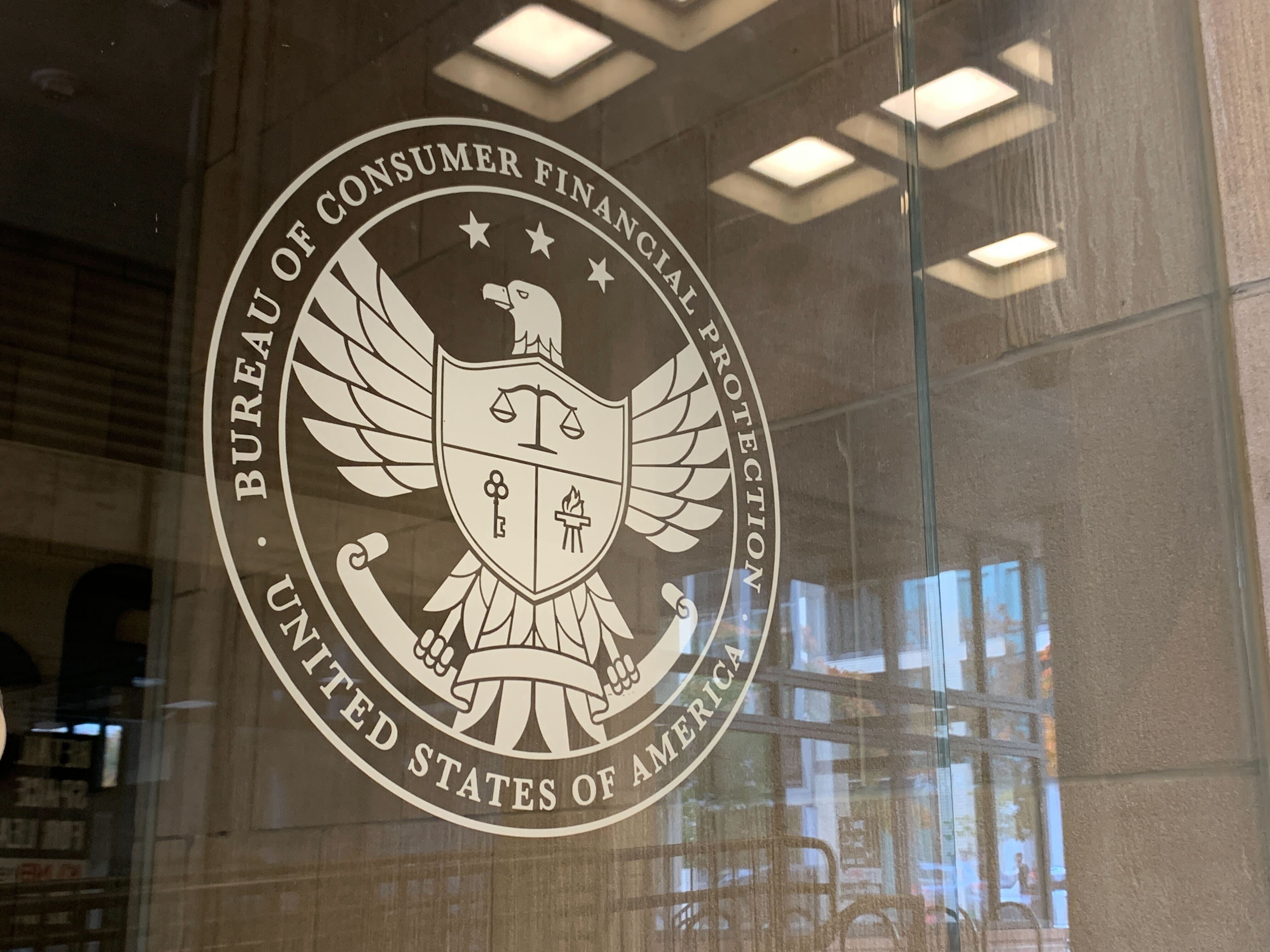
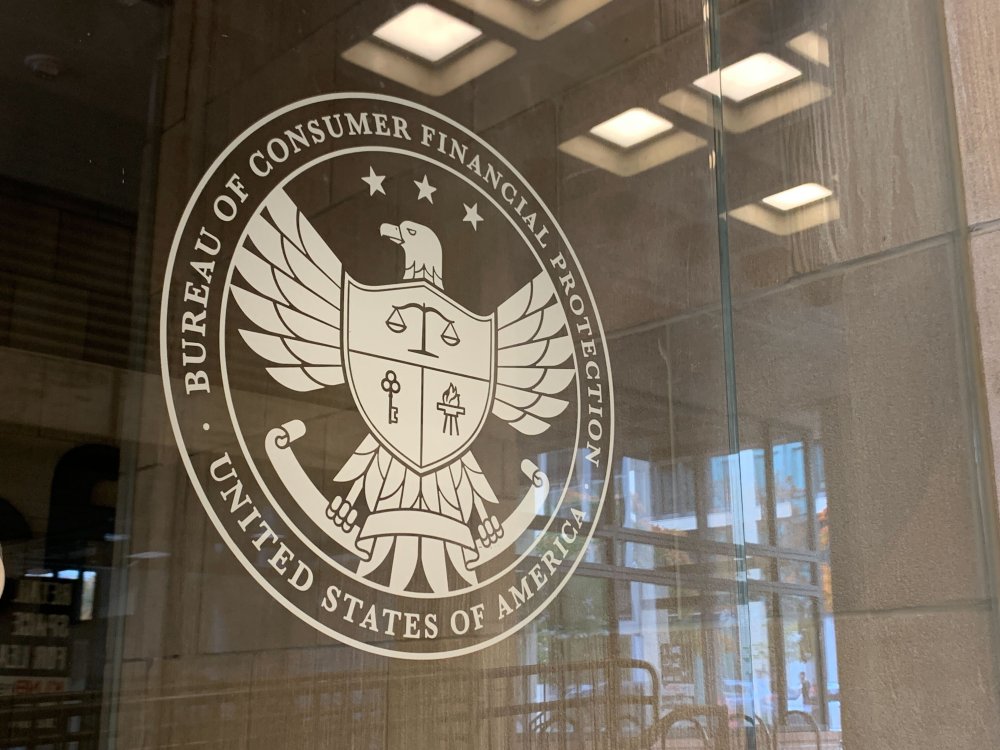
A federal judge has ordered a staff member of the Department of Government Efficiency and the Consumer Financial Protection Bureau's top lawyer to appear at an evidentiary hearing next week. View the full article
-
For most social media companies, getting users to doomscroll as much as possible is the name of the game. But Pinterest is now encouraging its young users to put their phones away during class. The mood board app is currently demoing a new pop-up for users aged 13 to 17 in the U.S. and Canada that will prompt them to stop scrolling and close the app during class, according to a report from The Verge. “Focus is a beautiful thing,” a screenshot of the prompt reads. “Stay in the moment by putting Pinterest down and pausing notifs until the school bell rings.” The pop-up is set to appear between 8 a.m. and 3 p.m. on school days, and Pinterest plans to roll out the test to millions of young users. The new test feature comes as, just this week, a new report from Pew Research found that nearly half of teens think social media has a “mostly negative” mental effect on people their age. Over the past several years, the issue of social media regulation for young users has become a prominent concern both for lawmakers and for schools. More than 40% of Pinterest’s users are Gen Z. Now, in a small way, the company is taking matters into its own hands. Phones are increasingly distracting in the classroom, teachers say In a Pew Research survey this January, 72% of high school teachers and 33% of middle school teachers reported cellphone distractions as a major problem in school. And another study from the think tank, published this Tuesday, found that 48% of teens aged 13 to 17 think that social media has a “mostly negative” effect on their peers, up 32% from a similar study question back in 2022 (though most respondents in 2025 were ambivalent about social media’s affect on themselves.) For years, experts have warned users of social media’s addicting and often distracting algorithmic properties—and the effects of these properties on school-age users is an increasingly widespread topic of discussion, as well as some potential legislation. Most recently, U.S. legislators have proposed two pieces of legislation to protect young social media users: the Children and Teens’ Online Privacy Protection Act, nicknamed COPPA 2.0, which would ban targeted advertising to minors and data collection without their consent; and the Kids Online Safety Act (KOSA), which would make explicit a “duty of care” that social media companies have when it comes to preventing harm to minors using their products. Both COPPA 2.0 and KOSA passed in the Senate this July, but have been stalled since then. (COPPA 2.0 was reintroduced in the Senate earlier this month.) While these wide-reaching pieces of legislation have not yet passed, momentum around child internet health and safety has resulted in several major outcomes. In June, for example, New York State passed legislation limiting “addictive” social media feeds for children. In September, Instagram seemingly decided to get out ahead of potential changes by introducing a new account type for teens. And, according to the health policy organization KFF, nine states have passed statewide policies that ban or restrict cellphone use in schools as of March 2025. How Pinterest is implementing more proactive safeguards for teens Despite these trends toward safeguarding school-age students’ social media use, Pinterest claims its pop-up test will be the first time a tech company tries a “proactive” feature to keep kids focused in class. “At Pinterest, we believe that schools can take advantage of all that technology has to offer students, while minimizing the harms and distractions,” Wanji Walcott, Pinterest’s chief legal and business affairs officer, told The Verge of the pop-up. “Tech companies need to work together with teachers, parents, and policymakers to build solutions that ensure in the hands of our students, smartphones are tools, not distractions.” This isn’t the first time that Pinterest’s leadership has expressed an interest in implementing more guardrails around young people’s social media use, nor is it the first instance of the app adding new safety features for teens. Pinterest CEO Bill Ready has led the company for nearly three years, during which time he has called for a national digital ID system to verify users’ ages and declared his support for KOSA. Back in 2023, an NBC News investigation found that adult men were using Pinterest to create mood boards of young girls. In response, the platform created new default privacy settings for users 16 and under—including keeping all teen accounts private and undiscoverable, adding new limits to messaging functions, and making age verification more stringent. In addition, Pinterest doesn’t allow content that might be perceived as promoting body-shaming (like weight loss ads, for example) and it has removed filters from its beauty testing features. Making Pinterest safer for teens seems to be something of a personal mission for Ready, who spoke in favor of phone-free schools at this year’s World Economic Forum. He shared in an interview at the time, “It’s so objectively clear that students will benefit from fewer distractions in the classroom. It will benefit their learning.” “A key difference between Pinterest and other platforms is that we do not optimize for time spent, but rather time spent well—time spent on joyful, inspiring experiences,” Ready wrote in a January email to Fast Company. “We’re betting on hope, not hatred as the driver of engagement on Pinterest.” View the full article

-
The elephant enclosure at your local zoo is an interesting place to be. But until 20 years ago, it was somewhere you’d encounter in person—with reverence and intimacy. A video uploaded by YouTube cofounder Jawed Karim 20 years ago today changed that. Karim wanted to test out the capabilities of a new website he and his colleagues had developed—what they called YouTube—and needed content to share with the world. It was designed to be filler: That much is evident in the halting presentation of the 19-second video. But beyond its role as a historical footnote—the video that gave birth to YouTube, the cultural phenomenon that has reshaped our consumption habits and redefined celebrity over the past two decades—“Me at the zoo” changed our lives in another, subtler way. It normalized the idea of a share-all society. Today, if you visited the elephant enclosure at the San Diego Zoo, as Karim did 20 years ago, you’d likely find people viewing the animals through their cellphone screens as much as with their own eyes. And that’s because of that video, and the behaviors it introduced to us. More kids today want to be YouTubers than astronauts. Creators who built their names on YouTube now top the list of celebrities most recognized by younger generations. But it’s not just that YouTube became a job, or that YouTubers became public figures. “Me at the zoo” and all that followed helped instill the idea that we are all content creators by default, and that our lives are meant to be shared. This shift wasn’t driven by YouTube alone, admittedly. But YouTube has been the most visible force guiding this cultural direction. It’s thanks to YouTube’s influence that we now take photos of our meals before eating, snap selfies in moments of crisis, and shape our lives to fit tidy, pithy narratives on platforms like X and Bluesky. YouTube’s early motto, “Broadcast Yourself,” was a democratizing force, a clarion call to shift our behaviors. It’s why we now see videos of subway fights, supermarket arguments, and other spontaneous snippets of life—fragments that form an intoxicating, always-on feed to follow and engage with. Two decades on from “Me at the zoo,” much will be written about how YouTube has reshaped entertainment. I’ve contributed to that discussion myself, having written a book on the platform and its rise. But I believe YouTube’s deeper, more enduring impact lies at the foundation of society itself. At the high end, through creators like MrBeast, YouTube videos now resemble big-budget TV series or Netflix productions more than off-the-cuff vlogs. Yet it all began with a simple, unscripted moment at the zoo. “Me at the zoo” normalized sharing the mundane with strangers—and turning it into a performance. It ushered in a performative culture and a share-all society that we’re still trying to understand. In doing so, it also quietly redefined what counts as meaningful or noteworthy, elevating the everyday into something worthy of an audience. And in the long run, that may be the legacy YouTube is best remembered for. View the full article

-
In early April, around 20 miles off the coast of Long Island, construction crews started working on Empire Wind 1, an offshore wind farm designed to power as many as half a million homes in New York. But on April 16, the The President administration told the project to stop work. Doug Burgum, the Interior secretary, claimed that the approval process had been “rushed”—despite the fact that the federal review of using the area for a wind farm began in 2011. After an initial environmental analysis of the area, the government auctioned off a lease in late 2016. A Norwegian company called Equinor (previously known as Statoil) was officially awarded the lease in 2017—during The President’s first term. At that point, despite The President’s antipathy for wind projects, he wasn’t actively opposing them. The company began planning Empire Wind. From 2021 to 2023, the government undertook a detailed environmental review of everything from the project’s potential impacts on wildlife and ships to its visual impact from shore. By the end of 2023, the project had permits for construction. “The idea that the review was rushed is just preposterous,” says Douglas Nowacek, a professor at Duke University’s Marine Science and Conservation Marine Lab who had planned to begin a study of whales in the construction area this month. (Spoiler: Nowacek says there’s no evidence that wind farms kill whales, despite the arguments from anti-wind activists.) “From the actual start in 2011, there was just an enormous amount of work and data that was collected over that time to get to the point of actually issuing a record of decision and then approving a construction and operation plan,” says Elizabeth Klein, who served as the director of the Bureau of Ocean Energy Management, the agency that leads regulatory approval for offshore wind projects, under President Biden. The process involves determining whether a project complies with multiple different environmental laws, from the Clean Water Act to the Marine Mammal Protection Act, and evaluating other impacts, including potential economic harm to the fishing industry. Multiple agencies are involved. The analysis looked in detail at potential impacts on wildlife, including whales. Whales have been experiencing an “unusual mortality event,” or a spike in the deaths of certain species, for nearly a decade on the East Coast. But scientists say that the primary causes are strikes from ships and entanglement in fishing gear. Part of the increase in deaths is likely linked to climate change: As ocean temperatures heat up, whales are moving to different areas that coincide with more ship traffic. New development of wind farms is unlikely to be playing a role. “The bottom line is, there’s no evidence whatsoever connecting any [whale] deaths and offshore wind development in any of its stages,” says Nowacek. One recent study looked in detail at where whales were dying and where wind development was occurring, and “there was no overlap in time or space,” he says. That isn’t to say building giant wind turbines has no impact on wildlife at all. But the effects can be mitigated; when piles are driven into the ocean floor to support a turbine, for example, it’s possible to use “curtains” of bubbles to help reduce the noise that’s created. The process lasts for several hours, but then it’s over. In contrast, surveying for oil and gas drilling in the ocean is thousands of times louder. The The President administration is pushing hard to expand offshore oil and gas development. Groups that oppose offshore wind development often argue that their concern is for whales—while failing to lobby for changes that are proven to help the animals, such as speed limits for boats and ships. And many of the “grassroots” groups that have been fighting offshore wind have actually been funded by a right-wing think tanks with ties to the oil industry. In late March, a Republican representative from New Jersey, Chris Smith, wrote to Burgum urging him to block construction of Empire Wind. He talked about “potential inadequacies in environmental reviews,” and raised other supposed risks that have been dismissed after years of research. (Studies and simulations have found that ship collisions with offshore wind turbines, for example, aren’t a significant risk when navigation is properly managed.) It’s not clear what will happen next. Equinor has a strong case to sue the government to be able to continue its work. “It’s completely unclear to me, and other observers, what legal authority [the The President administration] is using to strip Empire of its rights at this point,” says Klein. “It has been given the approval to move forward.” (Equinor did not respond to a request for comment.) If the wind farm had been built on schedule, it would have been completed by 2027. If the project can’t move forward, it would be an economic loss for the region. An onshore terminal for the project in Brooklyn, which would connect the power from the wind turbines to the local grid, was already under construction and creating hundreds of union jobs. Equinor was committed to using local materials, including stone ferried down the Hudson River from upstate New York. The company was investing millions of dollars in workforce development and training. “The ancillary benefits of that project are huge, and it really does amount to billions of dollars of investment in the U.S.,” says Klein. “This administration professes that it wants to create an environment welcoming business and economic development in the U.S., and here you’re taking an industry that was building itself up here in the U.S., and really creating investment here at home, and trying to destroy it for no good reason.” If the project doesn’t happen, it also would be a loss for the climate. “Offshore wind for certain communities, particularly on the East Coast, is really the only viable way to meet climate goals and to transition to the levels of clean energy needed,” she says. The region doesn’t have enough space for large-scale solar farms. (Without growth in offshore wind, it will also be harder to keep up with the rapidly increasing demand for energy on the grid.) If emissions don’t shrink as quickly, that’s also obviously bad for whales. “The greatest threat to marine mammals, including whales, is actually climate change,” says Klein. “And these projects are meant to address that issue.” View the full article

-
Curt Covert would love for people to play his latest board game—but with sky-high tariffs, he’s not sure anyone ever will. “At 54%, I had a plan,” Covert tells Fast Company, referring to a tariff rate on imports from China imposed by the The President administration in early April. That rate has nearly tripled since. His reponse: “145% brings business to a standstill. It is absolutely crushing to my business.” Covert is the owner of Smirk & Dagger Games, a small Connecticut-based company that has been making quirky board games for more than 20 years. Its latest title, A Place for All My Books—a game designed for introverts with a love of literature—was backed by 16,000-plus Kickstarter supporters, raising more than $1.1 million in pledged orders. “This was our biggest campaign ever,” Covert says. Around 13,000 of those backers are in the United States. Now Covert is trying to figure out how to fulfill their orders amid a trade war, since the game is manufactured in China. “The tariffs make it impossible to import anything,” he says. Even more pressure on creators Covert isn’t alone. In recent weeks, numerous Kickstarter creators have used the platform to warn backers about shipping delays, rising costs, and other uncertainties. “We have to revisit the numbers again, and again, and perhaps again,” one creator wrote in an update. “We’re in one helluva predicament right now,” admitted another. Kickstarter has addressed the issue in multiple blog posts and is exploring new ways to support creators. While the platform hasn’t seen a spike in canceled campaigns, a spokesperson acknowledged the pressure in a statement: “Tariffs and rising production costs are putting even more pressure on independent creators, many of whom already operate with limited resources and tight margins. If these changes remain in place long term, they’ll continue to pose real challenges around pricing, fulfillment, and backer communication.” Kickstarter gained prominence for ambitious consumer electronics projects like the Pebble smartwatch, but it has long been a favorite of smaller creators, particularly in the board game community. To date, the platform has hosted nearly 1 million game campaigns, which have raised more than $2.5 billion. Much of that funding supported games manufactured in China, according to George Lam, former head of Kickstarter outreach in Asia and now a crowdfunding consultant. “There just aren’t manufacturing sites outside of China that can do this,” he says. Those creators now face steep import taxes. “The board game space is very fragile,” Lam adds. “A majority of them are really small companies or mom-and-pop-type operations.” A stopgap measure to buy time Covert recently got a taste of the tariffs’ impact when a delayed shipment of games was hit with a 20% tariff for leaving port two days after a grace period ended—resulting in a $60,000 import tax bill. Now he’s preparing to ship $500,000 worth of games to the U.S. and is scrambling to avoid paying what could amount to more than $700,000 in tariffs. He’s spent the past few weeks working on contingency plans, and believes he’s found a temporary work-around. Logistics companies have long used so-called bonded warehouses in the U.S., where imported goods can be stored tariff-free and are taxed only when they leave the warehouse. Covert hopes to use one of these facilities to buy time, ideally until a new trade agreement is reached. If the trade war persists, he may need to ask Kickstarter backers to pay significantly more to receive their games on time. “You can ask for a little patience,” says Covert. “But at some point, the backers will lose confidence.” One of the The President administration’s justifications for the tariffs is to bring manufacturing back to the United States. Covert is skeptical. Most of his games can’t be produced domestically, and the few that could would be far more expensive. “A simple party game with cards that normally would retail for $20 . . . If I produced it here in the U.S., it would be a $50 dollar card game—and no one in the U.S. would pay [that].” Could new U.S. factories fill the gap? “That takes three to five years, not three to five months,” Covert says. Chinese manufacturers might actually benefit Ironically, Chinese creators might be the ones to benefit most from the current situation. Many are large manufacturers that have pivoted from producing goods for Western brands to launching their own products on platforms like Kickstarter. “They’re in a much better position to cut costs, or find a different tariff code, or find a better logistics partner,” says Lam. “It’s what they do all day.” Still, Lam believes there may be a silver lining for Western creators. If global trade slows down, so might shipping and marketing costs. “The manufacturing cost of your product is often not the biggest cost on a per-unit basis,” he says. “If you sell something on Kickstarter, you might pay $15 to the factory to make it. But you might pay $40 [for ads on] Facebook to acquire one customer for it.” Ad prices on platforms like Facebook have surged in recent years, driven by heavy spending from Chinese e-commerce giants like Temu and Shein. Now that these companies can no longer ship to the U.S. tariff-free, they’ve started dialing back their ad budgets. Covert, however, remains unconvinced that any of this will help him get his new game—or any future titles—into the U.S. without prohibitive costs. “[Losing] the ability to print new games, and bring them in affordably would be the end of my company,” he says. “It won’t [even] take a year.” View the full article
-
You might have a go-to hot sauce already. But for the past year or so, Sichuan condiments brand Fly by Jing has been repositioning to capture mainstream heat seekers, and its subtle packaging update, rolling out now, is the DTC darling’s latest move to optimize for its new distribution channel of choice: mass retail. To call the visual changes a “rebrand” would be a stretch, but the subtle updates point to how the company is pivoting its messaging for analog sales. It’s packaging uses pared-down graphics and copy, with more negative space and a strict focus on must-have details that allow first-time buyers to quickly make a purchase decision just by looking at the product in hand. What is it? What’s it taste like? And what do I put it on? “There’s three seconds that [consumers are] going to see you on-shelf before they make a decision,” says Fly by Jing founder and CEO Jing Gao. In this context, Fly by Jing cares less about brand story. Instead, it designs packaging for the three-second rule. Pivot to retail The refresh comes at a time when retail partnerships are commonplace for brands that originated as direct-to-consumer startups. CPG olive oil brand Graza is in a slew of grocery stores, including Whole Foods. Brands like Rare Beauty, Dieux Skin, and Glossier have diversified e-comm sales with wholesale partnerships at big-box beauty retailer Sephora. IRL shopping experiences continue to be a vital avenue for product discovery and testing, even if many thought the pandemic might kill brick-and-mortar shopping for good. Gao views the broad adoption of retail among DTC companies as a result of the 2021 iOS 14 update, which prompted users to give apps tracking permission. More than 80% opted not to be tracked. This made it difficult for companies to analyze how well targeted ads worked, and therefore more costly to advertise on third-party sites like Facebook and Instagram. Gao sees that moment as the sunsetting of the golden era of DTC, when digital-first brands had to diversify to reach consumers. Fly by Jing was no exception. Fly by Jing has already been making retail inroads. Gao initially marketed the chili crisp as a premium product with a $15 price point. That included premium packaging that highlighted its specialized ingredient sourcing and rich history, in part as an effort to educate consumers and counter prevailing stereotypes around Chinese food as inherently cheap. Fly by Jing has since cut its price point by 30% to make the product more accessible and reach a broader consumer base as it seeks to expand. Gao says the company achieved this by economizing its packaging design with changes like shifting from a pricey embossed decal on glass to a paper label, and finding “efficiencies in logistics and supply chain.” Its products are now available in 11,000 stores nationwide, including at major national retailers like Target, Sprouts, Wegmans, Albertsons, Safeway, and Walmart. As of 2025, it’s in 4,000 Walmart stores. It has also expanded its product categories to include prepared noodles, which launched last year and are relaunching in stores next month with new packaging. The Asian foods category is itself becoming more crowded, with brands like Momofuku and MìLà (formerly Xiao Chi Jie) offering chili crisp and prepared noodles as well. There’s lots of opportunity to go around: The ethnic foods market, which includes Asian cuisine, is expected to reach $200 billion by 2032. Fly by Jing now makes the majority of its sales in retail and is profitable. Although Gao said the company’s tariffs had doubled at the time we spoke in early April, and this has tightened the company’s margins, there are no plans to change its sourcing. She says the company “should be fine” due to cost-savings measures previously put in place and increased velocity in stores. She describes this refresh as a “key part of that.” Less-is-more labeling The brand’s previous packaging, launched in 2020, took a Dr. Bronner’s more-is-more approach that packed the label with copy and graphics related to the brand story. A Venn diagram in the center of the label included details such as its ingredients sourcing. That graphic has been replaced with a transparent window that allows shoppers to see the product inside. Previous copy described Gao’s founder story, including the reclamation of her birth name, Jing, rather than the Americanized Jenny she’d typically used. Now copy focuses on the product’s taste description and use case. The label still boasts the original line “You will find yourself putting this on everything”—that’s the mainstream play—made more prominent by reducing other copy. One of just a few front-of-label callouts reads: “Makes anything taste better.” The brand also unified product names as variations of its fastest-selling store SKU, its Sichuan chili crisp, to increase in-store velocity and create a sense of familiarity across the product range. “Online, you could tell this rich brand story. We created a brand universe you can really dive deep into,” says Gao. “But as time went on and as retail became the dominant channel for us, now all of a sudden people are seeing us on shelves for the first time versus on their phone where they can learn more, dig in more.” That’s where the aforementioned three-second rule came in. Making mainstream moves The brand’s retail expansion also meant it was entering markets it hadn’t engaged before, and consumers who were not a part of its initial customer base of “well-traveled, international people [who are] plugged in,” says Gao. “It’s constantly thinking about how do we meet people where they are in terms of their understanding, in terms of their experience?” Gao recalls a product demo at Costco. The key was to make the pitch fast to catch people as they walked by. So she simplified it by asking passerby if they wanted to try hot sauce. Then she explained the flavors. “We were able to communicate very quickly what the differences were,” Gao recalls. “People were like, ‘Oh, I want the sweet one,’ or ‘I want the crunchy one.’ That was the insight of, okay, maybe we should just pare it back for people instead of calling it Chengdu Crunch—this is a cool name, but now it makes someone think it’s different from chili crisp, when really you use it the same way. It’s just a variation.” Gao describes one of her early goals as divorcing chili crisp from the idea that it’s a Chinese condiment that can be used only on Chinese cuisine. Product imagery includes chili crisp on pizza, eggs, avocado toast, and ice cream. “That’s what really helped us to bridge the condiment into the mainstream,” says Gao. “But if you look at this old jar, that’s not immediately apparent because there’s such a rich story here. There’s so many layers that if someone were just to interact with it on a very basic [level], from an ‘I just care what it tastes like’ standpoint, they’re not going to be able to uncover that. So we wanted to . . . present the top three things that you should know about it, and then open up the window and allow someone in. Then you’ll see [it] a bit differently now, right?” The packaging design changes are indicative of the brand’s mainstream play, and an ambition to become a household product synonymous with a product category, like Cholula hot sauce or Huy Fong Sriracha. Can Fly by Jing become the Heinz of chili crisp? No matter the food, the brand wants new consumers to have the same inclination to reach for its jar and think Eggs, avocado toast, or dumplings—it has to be Fly by Jing. View the full article

-
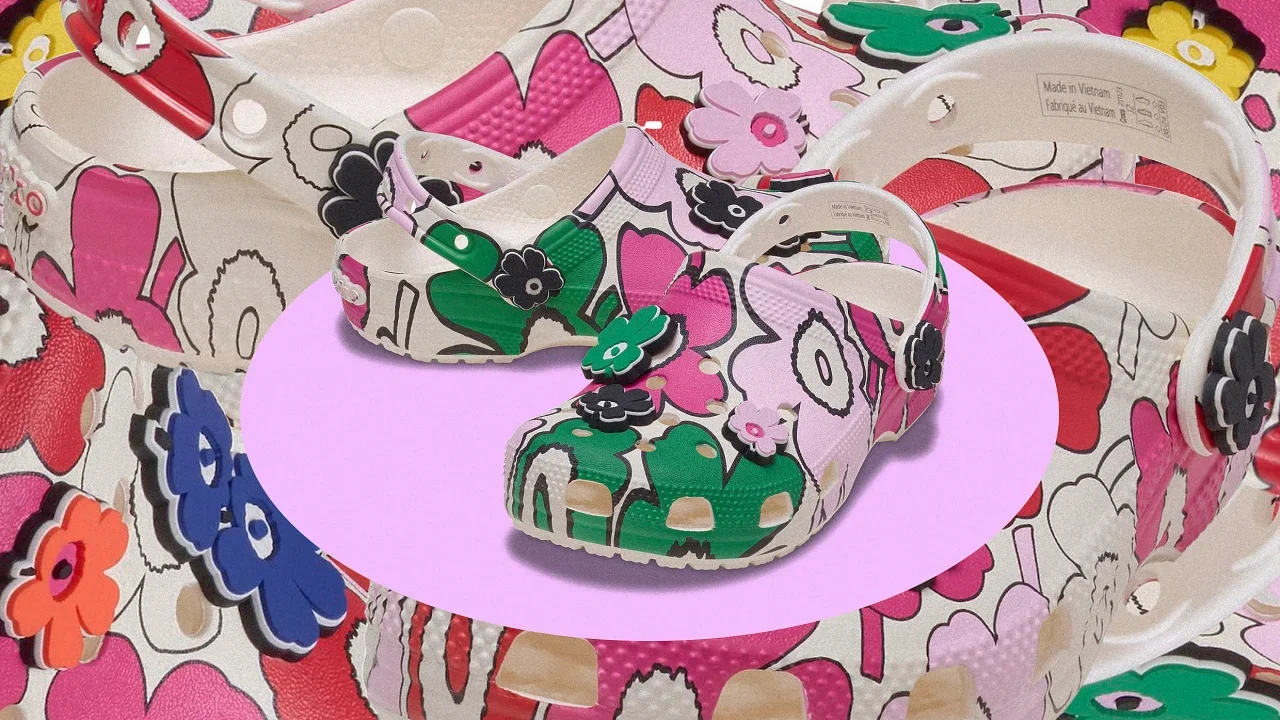
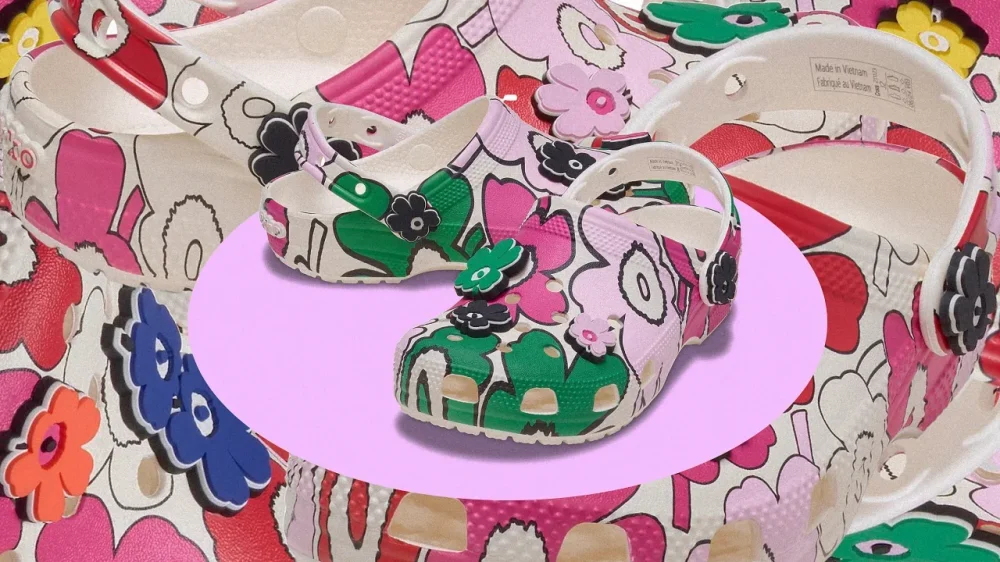
Crocs have taken a lot of forms over the years. From collaborating with Balenciaga to send 10 inch platform clogs down the runway to collaborating with Taco Bell to make a sold-out Mellow Slide together, Crocs is no stranger to whimsy. Now, Cros is partnering with the happy-go-lucky Finnish design house Marimekko to produce a line of shoes that feature the brand’s signature prints. “Marimekko and Crocs both have a very similar brand philosophy to bring joy, positive energy and playfulness to the world,” says Rebekka Bay, Marimekko’s Creative Director. “Our lifelong mission at Marimekko is to bring joy and color to people’s everyday lives, and collaborations with global brands such as Crocs are one of the ways in which we can execute this mission.” Marimekko is a brand known for its bold colors and patterns adorning clothing, home furnishings, accessories, and bags. Over its almost 74-year-long history, Marimekko has developed an impressive library of over 3,500 print designs. “I feel that in order for us to look forward, we also need to look back, so we are especially focused on the ways that we can reflect on our rich heritage whilst creating something forward-thinking,” says Bay. Starting from April 23, Crocs classic clogs and sandals will don Marimekko’s iconic Unikko print, which traces its origins back 60 years. For this collaboration, Marimekko wanted to explore new ways to interpret the flower design, from playing with the sizes to reducing it to just the pattern’s outlines. “What was cemented during that process is that Unikko is an extremely strong print that can be applied into different forms or onto different surfaces and it is still recognizably Unikko” says Bay. “That is why it was also the perfect pattern for this collaboration: it brings as much joy as a larger black and white print as it does as a very small multicolored print.” The Marimekko x Crocs collection will also include socks, a 5-pack of Jibbitz charms, and the first ever printed tote bag released by Crocs. “Our partnership with Marimekko highlights the shared values that define both of our brands— bold self-expression, unwavering authenticity, and unapologetic individuality,” said Matias Infante, Vice President of Global Marketing at Crocs. You can find the collection for a limited amount of time on the Crocs website, at select Crocs stores, and wholesale locations. View the full article
-
Optimism falls to lowest level since November 2022, pushing economy to brink of stagnationView the full article
-
In 2020, designer and brand strategist Kim Berlin got a call she was not expecting. Her small New York firm was invited to help create the visual identity of a new budget airline being formed from the bones of a former charter airline. The new airline, Avelo, would focus on bringing low-cost flights to underserved regional airports like those in Burbank, California, and New Haven, Connecticut. Berlin worked with the company to develop everything from its logo to its airplane livery to the clothes its flight attendants would wear. “It was actually a huge deal for me because I’m a one-person operation over here,” Berlin says. “I was selected to create an entire airline from scratch. It’s something that not even some of the largest design firms ever have the privilege of being able to do.” The bright and cheery design she created has won her numerous awards, including the American Graphic Design Award, and an honorable mention in Fast Company’s 2022 Innovation by Design Awards for graphic design. It’s become a kind of calling card project for Berlin and her firm. But then the business behind the brand made a controversial decision that Berlin is still trying to wrap her head around. Earlier this month it was reported that Avelo had signed an agreement to begin operating charter deportation flights out of Arizona for the U.S. Department of Homeland Security’s Immigration and Customs Enforcement agency. It’s a process the The President administration has already begun implementing with other partners, including the U.S. military. Some of these deportations have been conducted without the due process of law, a violation of the U.S. Constitution. The Supreme Court unanimously stated recently that targeted individuals must be granted time to contest their removal. Avelo’s agreement to participate in these actions has prompted a backlash, including a growing petition to boycott the company. In a statement, Avelo CEO Andrew Levy defended the partnership. “We realize this is a sensitive and complicated topic,” he said, noting that the airline’s flights would be part of a “long-term charter program” with DHS that would help with expansion and protect jobs. Berlin learned about the partnership via a Google Alert she had set up to track the company. In contrast to previous alerts about positive news like route expansions or growing revenues, the ICE partnership came as a shock. “Historically I’ve been celebrating them all along and then this shows up and I’m like, oh my God,” she says. “It sounded so different from the initial objectives of the [company] when we started . . . five years ago.” These actions have put Berlin in the awkward position of being so closely connected to a brand that has done something she neither expected nor wanted. It’s forced a kind of reckoning over how she should respond: whether to distance herself from the brand and her own work on it, to look beyond the politics of the decision, or to find some other way of celebrating the work while also opposing the decision of the company she once served. “That is the question I have been chewing on ever since I found out about a week ago,” she says. Avelo’s involvement in the deportation effort came as a surprise to Berlin because her experience working with the company’s leaders was such a positive one. “I love everyone I worked with on this project,” she says, noting that the company’s founding effort was driven by community and idealism. “It was great. It was like the little guy for the little guy. Everybody was so family-oriented. Even through the design process, some of the families got involved. We were fielding comments from wives and children.” Avelo did not respond to a request for comment by time of publication. Berlin’s processing is ongoing—“I’m still circling,” she says—but she’s found herself leaning toward a set of principles she believes other designers may find helpful should they ever encounter a similar situation. “As designers we’ve got to recognize that these babies have a whole life of their own once they’re out in the world. And what our clients decide to do with the work is entirely their prerogative. That’s the way business works,” she says. “I also feel like now more than ever is a time when we need to ask whether the way business works is actually working for us.” The experience has led her to reevaluate how she will interact with clients going forward, allowing herself more time to decide whether to take on new projects. It’s also led her to a place of acceptance about what she can and can’t control. “I’m really proud of this work. And just because they’ve made a particular decision that I don’t necessarily agree with doesn’t necessarily mean that the work I’ve done has no value,” she says. “It was really a dream to do.” Her main piece of advice to designers is to not conflate one’s work with their identity. “You are not your projects,” she says. “If you did your best, then you did your best. Don’t let somebody else’s actions or decisions take that away from you.” View the full article

-
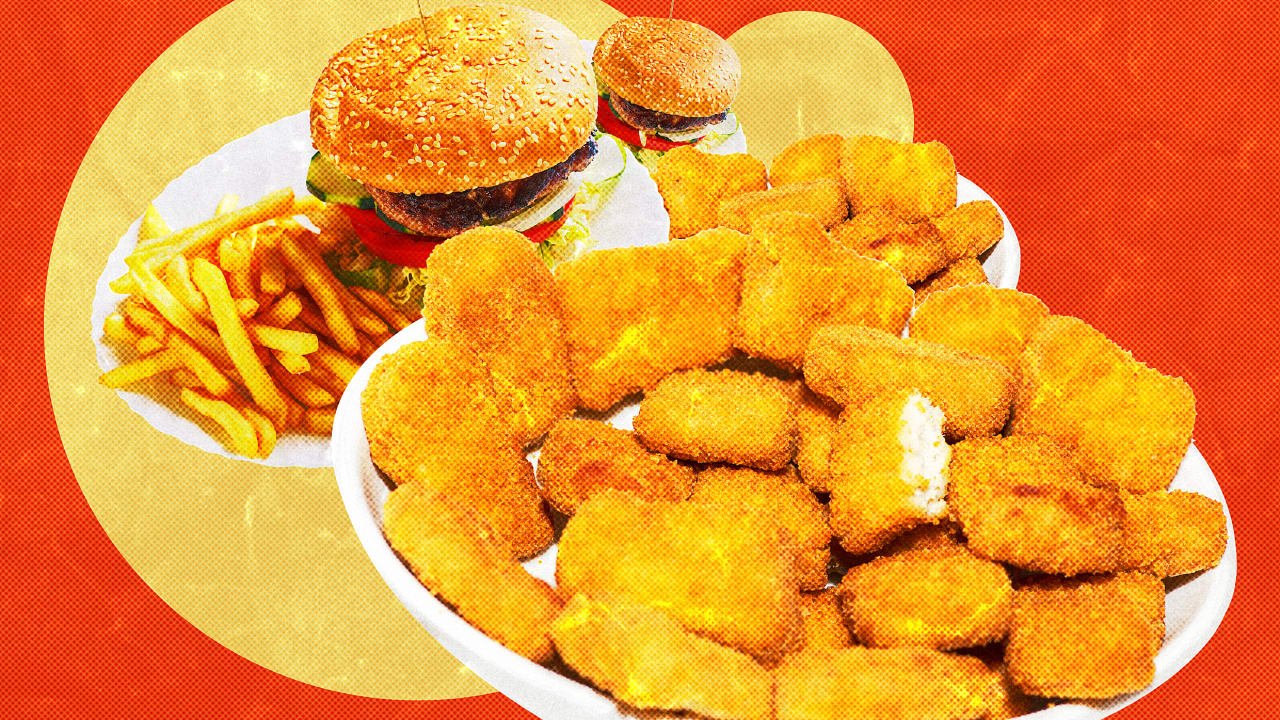
Last month, a food research organization called Nectar released an expansive set of findings from taste tests that rated plant-based meat alternatives alongside actual meat. One bit of information stood out: In terms of taste, 54% of people on average found 20 vegan products (such as burgers, nuggets, and sausages) from 13 brands (including Beyond Meat, Impossible Foods, and Gardein) to taste as good as or better than analogous conventional meat products. This should probably be good news for those of us who are concerned about the environment, public health, and animal welfare. But the flipside of this discovery is that even though plant-based meat is starting to taste just as good as (and in some cases better than) animal meat, most people aren’t changing their purchasing habits accordingly. If “taste is king,” it doesn’t deserve the crown—and ignoring this reality will doom alt protein to irrelevance. For many decades now, people in a whole array of fields have been on a mad mission to figure out how to get people to eat less meat. It has long been clear that education alone about the problems with factory farming isn’t enough to get people to change their behavior. Certainly shaming people, demanding total lifestyle overhaul, and expecting perfection are tactics that don’t work—that’s why I cofounded the Reducetarian Foundation, because encouraging incremental change actually does work. But even that has its limits. Indeed, I have always believed that a more pragmatic approach—offering people better options in the marketplace—is ultimately one of the most effective ways to drive change. Specifically, I figured that the pillars of price, convenience, and especially taste were a sort of holy grail for the alt-meat industry. We can’t reasonably expect people to change their eating habits unless and until the more ethical, environmentally friendly, and healthy option is also the more affordable, convenient, and delicious choice. Interestingly, we’ve reached a point where, at least in the case of some products, plant-based meat is indeed as tasty as (or, to some people, even tastier than) real meat. Prices are nearing parity (though aren’t quite there yet) and in some cases are even cheaper than animal meat. And plant-based meat is easier than ever to find, with major brands like Impossible Foods and Beyond Meat stocked in mainstream supermarkets and fast food chains like Burger King and Starbucks offering alt-meat options. Plant-based meat may not have totally surpassed regular meat in the price-taste-convenience (PTC) trifecta, but compelling data shows that we’re closer than ever. And yet, we’ve yet to see a real revolution in consumer habits. Plant-based meat still only makes up about 1% of total retail meat sales. We’re still a nation of meat eaters, eating more than 225 pounds of meat per year (and climbing), making us one the biggest meat-eating nations in the world. Suffice it to say, the scales aren’t tipping—at least not to the degree we’d expect to see if the so-called “PTC hypothesis” were wholly true. It turns out that in 2023, researcher Jacob Peacock, of the think tank Rethink Priorities, actually put the PTC hypothesis to the test, reviewing existing research on plant-based meat and consumer behavior. His conclusion? PTC doesn’t explain people’s choices. At least, not as comprehensively as some of us believed it would. Peacock explains some major problems with collecting good data on consumer choices—like not enough real-world research, unreliable self-reports, and missing control groups. He also reviews many studies showing that people still prefer animal meat over plant-based meat, even when price and convenience aren’t issues and they say the taste is similar. Even in hypothetical situations, people tend to report that they’d still prefer real meal to alt-meat, regardless if it’s indistinguishable in terms of price, taste, and convenience. One of Peacock’s conclusions is that we’ve been underestimating the importance of social and psychological factors. Diet, especially when it comes to meat consumption, is highly politicized. Conservative-leaning people are likely to be dissuaded by environmentally friendly messaging, and several Republican politicians have proposed legislation to keep the alt-meat industry out of their states. Meat is also gendered, being socially linked to masculinity. These ideas may be divorced from rationality, but people don’t always behave rationally—emotional, social, and psychological forces are at play, too. It comes as a bit of a blow to think that even if someone in the culinary or food tech spaces creates the most delicious burger the world has ever seen, and at an affordable price, most people will still go for regular old beef. One caveat to all this is that the Nectar study found there’s still room for improvement in taste even among the top performing products. For example, it reported that among those who preferred the plant-based products, they preferred them less strongly than those who preferred animal meat. In other words, the animal meat attracted more die-hard fans. This partially explains why some plant-based brands won a “Tasty Award,” in the language of Nectar, but not a Parity or Superiority Award, which is reserved for products that have an equal or much greater chance of being preferred. Still, the limitations of taste are clear. Given more than half of participants rated 20 plant-based meat products the same or better than animal-based meat, we’d expect plant-based meat sales to be a lot higher if taste primarily explained consumer behavior. As frustrating as it may be to champions of alt-meat, this is information we can use. Price, taste, and convenience are certainly factors in consumer choice (if smaller factors than we previously believed), and it can only help the sector—and thus, make a real difference in changing the way people eat—to make plant-based meat as tasty and cheap as possible. All of the time and resources going toward that have, likely, not been wasted. But now, it’s clear we need to diversify our attention. We need researchers to delve into the more amorphous factors that drive people’s food choices, and we need marketers and educators to include them in their messaging. When someone chooses meat over plant-based alternatives, even when they acknowledge that the plant-based option tastes just as good, we need to find out why. We need to start gathering information so we can make a real effort to combat the psychological and social factors keeping people from switching to alternative meats. What is it that’s actually stopping them, and how can we remove or lessen those obstacles? Answers to these questions won’t come easy, but nothing worthwhile ever does. View the full article

-
For years, Google made it incredibly easy to look up someone’s address, phone number, age, and other personal info. All you had to do was type in a person’s name and where they live, and you’d get all kinds of details from sites like Whitepages and Spokeo, which pull together that info from public and private sources. Creepy as this is, doing anything about it has always been a slog, and most people never bothered. While some companies charge hundreds of dollars per year to remove this data on your behalf, that’s not really necessary. If you have an hour or so to spare, you can hide your personal information from casual snoopers on Google, and even on the people search sites themselves. It’s well worth the effort and doesn’t cost you anything. This story first appeared in Advisorator, Jared’s weekly tech advice newsletter. Sign up for free to get more tips every Tuesday. Google’s search results removal tool Google’s search results removal tool lets you hide pages that include your personal details with just a few clicks. Here’s how it works: Search for your name and a bit of personal info, such as your street number, your city or town, or the last four digits of your phone number. When you find a result that includes your information, click the ⋮ button next to it. In the sidebar menu that pops up, click “Remove Result.” When asked why you’d like to remove the result, select “It shows my personal info and I don’t want it there.” Select “Contact Info,” enter your name, and specify the type of info that appears on the page. (If the page shows multiple types, such as your address and phone number, you can select either one.) Type in your name and the contact info that appears on the page. Click “Send” to confirm the request. Google says it responds to these requests within a few days, but usually it takes less than an hour. While requests are subject to Google’s removal policies—it won’t for instance, pull results that are newsworthy, or that come from government sources—it seems to be pretty lax overall. I was even able to remove a page about my wife that listed me as a relative and included a previous home address. One catch: Removal requests require a Google account, so you’ll need to set one up if you don’t have one already. But once you’ve done that, you’ll be able to track each request through Google’s “Results about you” dashboard . An update to this dashboard, coming soon, will also proactively surface results that include your personal info, and you’ll be able to get notified through Google’s mobile app if new results arise. A deeper cleanse Removing a result from Google search doesn’t delete the page itself. People can still look up that information through other search engines or by going directly to sites like Whitepages. If you want to delete the underlying info, start by setting up Permission Slip, a free app from Consumer Reports that I wrote about a couple years ago. The app’s “Auto Requests” feature automates the process of getting data brokers to delete your info, some of which feeds into popular people search sites. The app is available for both iOS and Android. Beyond that, you’ll have to make opt out requests with each individual site. Burdensome as this may seem, usually it’s just a matter of finding their opt out pages, then submitting a link to the offending page along with a valid email address to verify the request. Making manual opt out requests Here’s where you can find the opt out pages for major people search sites: Spokeo Whitepages BeenVerified/PeopleLooker/NeighborWho InstantCheckmate/Intellius/TruthFinder/US Search ClustrMaps Nuwber MyLife PeekYou PeopleFinders CheckPeople TruePeopleSearch USPhoneBook FastPeopleSearch SearchPeopleFree Radaris Unmask DeleteMe also offers a searchable list of guides to opting out of more sites. A couple caveats though: Strongly consider using a disposable email address for your requests—no need to give these companies more info than they already have—and do not pay for any opt out services they might try to offer. Should you pay for data removal? If all that seems like too much work, you can always pay a third-party service to handle deletion requests for you. DeleteMe, for instance, charges $129 per year for data removal service, while Optery charges $249 per year for its “Ultimate” package. But much like third-party antivirus software and system cleaners, these services tend to inflate the amount of work they’re actually doing. An investigation by Consumer Reports found that these services are less effective than manually making opt out requests on your own. That tracks with my own experience trying out Optery. When I signed up for its free version, it claimed that 246 sites were exposing my personal data, yet when I clicked through on many of the results, it said data was nowhere to be found. With the steps I’d taken above, most sites have already removed my data or are in the process of doing so, and none of them are showing up in Google anyway. If you insist on paying for data removal service, consider using EasyOptOuts instead. It only costs $20 per year, and while I haven’t tried it myself, Consumer Reports found that it’s just as effective as Optery’s most expensive plan—and more effective than other, pricier services. EasyOptOuts also received a positive review from Privacy Guides, another site that I trust. Security through obscurity Ultimately, the goal is not to banish every trace of personal information from the internet. That’s a Sisyphean task, especially given how often our data simply leaks into the hands of hackers. But the more friction you can introduce to the process of looking up your personal info, the more you’ll be able to deter casual snooping. To that end, even just a little effort goes a long way. This story first appeared in Advisorator, Jared’s weekly tech advice newsletter. Sign up for free to get more tips every Tuesday. View the full article

-
It takes a lot of chutzpah to walk up to television personality and Skinnygirl founder Bethenny Frankel, put a pair of sunglasses in her hands, and tell her, “These are for an oblong face.” But that bold act paid off for Kari Dowiak, founder of sunglass brand Memorí Eyewear, which specializes in sunglasses for petite and narrow faces. The result? Frankel posted a 47-second TikTok video recounting the exchange and showing off the sunnies, calling them “cute” and high quality. The video went viral, racking up more than 1.3 million views as of mid-April, and skyrocketing the company’s sales. Of course, it wasn’t all happenstance. Dowiak had signed up for a networking event and noticed that Frankel was a late addition to the speaker lineup. The founder immediately went to work analyzing Frankel’s social media posts to find out more about her interests and figure out a strategy to get the sunglasses in front of her. She refined and rehearsed her six-second pitch in advance—including noting that Frankel had called her face “oblong” in a post and adopting that language. Dowiak positioned herself at the location where speakers entered and exited the stage, ensuring she would have access to Frankel. It was a professional event, so approaching Frankel wasn’t “making it weird,” she says. “You have to be aware of your environment. I would never have approached Bethenny if she was getting out of the Uber with her daughter,” Dowiak says. “But the situation was right.” ASK to receive Negotiation and leadership expert Linda Swindling says a research-based approach like Dowiak’s is essential if you want to turn a big introduction or chance meeting into an opportunity. She uses the acronym ASK to map out her action plan when sussing out the potential for a sale or collaboration. First, comes awareness. You may be aware of the person or that they have a similar interest. Then, you seek greater understanding. That may require asking questions or doing research. Finally, the “know” phase is “know your next step,” once you’ve gathered your information, refined your pitch, and are ready to make the ask. Natalie Dawson and her husband, Brandon, used a similar approach when they sought out entrepreneur and investor Grant Cardone to partner with him on a business opportunity. They purchased front-row tickets to a 35,000-person event at which Cardone was speaking. When they had the opportunity to meet him face-to-face, they came prepared, which Dawson says is a key step in turning intros into relationships and opportunities. “We’d already done enough research to know what they were offering and what they weren’t offering, and we created a solution for an opportunity that they didn’t even know that they had,” she recalls. “We already had a track record. It wasn’t like we were asking him for a favor.” Orchestrating networking introductions With social media making many folks just a post away, some of these introductions don’t even need to be face-to-face. Tim Sharp found his next big opportunity on LinkedIn. He noticed Michael Browning, the founder and CEO of Unleashed Brands, pop up on his feed and was impressed by the entrepreneur’s energy and enthusiasm as well as the company’s Urban Air Adventure Parks, which are indoor adventure parks for children. He began interacting online, responding to some of Browning’s posts. The engagement caught Browning’s attention, and he asked Sharp to get in touch with members of his management team. Sharp met with some of the company’s senior executives—and soon became one, being named vice president of operations in 2019. Within a few days, he was in Toronto, opening a new park. That year, the company opened 54 parks in 52 weeks. This year, Sharp was named brand president. Leveraging opportunity for the long-term Natalie says asking Cardone to partner on business consultancy Cardone Ventures was just the first step. Their pitch made the business opportunity potentially lucrative for Cardone, offering a 50% partnership. In addition, she says, the couple “kept showing up.” In other words, they put in the time and effort consistently to make the business successful. Last year, the company’s gross revenue was $220 million. “But what’s more impressive is the thousands of business owners whose businesses have grown since working with us,” Natalie says. Sharp says that authenticity drove his relationship with Browning and his team from the start. “Sometimes, people get caught up in trying to sell themselves. The best way to find the right fit is—well, don’t sell yourself and listen to what the appeal is,” he says. “If it speaks to you, and you’re able to match that energy and that feeling, you’ll find that once-in-a-lifetime game changer on both sides.” Playing the long game And if you don’t? Swindling says that sometimes, an introduction or meeting is the first play in a long game. If you get a “no,” ask questions about why to get to the heart of that decision. It could be as simple as asking, “I heard you say no. Can you tell me about that?” You might find that getting to “yes” simply requires more information, adherence to a process, or some other “fixable” step. And, if not, it may be the start of a relationship where you build trust and interest and get to “yes” over time. And while Dowiak doesn’t know what the future holds with Frankel, she is using the cash infusion from the sales uptick to invest in her business, negotiate better terms with her supplier, and even invest in some advertising, all of which will help make her business stronger. “Before Bethenny, I never ran a single ad,” she says. “Now the kind of return on ad spend that we’re going to be able to get is so much higher because so many people have interacted.” View the full article

-
Every day, people are constantly learning and forming new memories. When you pick up a new hobby, try a recipe a friend recommended, or read the latest world news, your brain stores many of these memories for years or decades. But how does your brain achieve this incredible feat? In our newly published research in the journal Science, we have identified some of the “rules” the brain uses to learn. Learning in the brain The human brain is made up of billions of nerve cells. These neurons conduct electrical pulses that carry information, much like how computers use binary code to carry data. These electrical pulses are communicated with other neurons through connections between them called synapses. Individual neurons have branching extensions known as dendrites that can receive thousands of electrical inputs from other cells. Dendrites transmit these inputs to the main body of the neuron, where it then integrates all these signals to generate its own electrical pulses. It is the collective activity of these electrical pulses across specific groups of neurons that form the representations of different information and experiences within the brain. For decades, neuroscientists have thought that the brain learns by changing how neurons are connected to one another. As new information and experiences alter how neurons communicate with each other and change their collective activity patterns, some synaptic connections are made stronger while others are made weaker. This process of synaptic plasticity is what produces representations of new information and experiences within your brain. In order for your brain to produce the correct representations during learning, however, the right synaptic connections must undergo the right changes at the right time. The “rules” that your brain uses to select which synapses to change during learning—what neuroscientists call the credit assignment problem—have remained largely unclear. Defining the rules We decided to monitor the activity of individual synaptic connections within the brain during learning to see whether we could identify activity patterns that determine which connections would get stronger or weaker. To do this, we genetically encoded biosensors in the neurons of mice that would light up in response to synaptic and neural activity. We monitored this activity in real time as the mice learned a task that involved pressing a lever to a certain position after a sound cue in order to receive water. We were surprised to find that the synapses on a neuron don’t all follow the same rule. For example, scientists have often thought that neurons follow what are called Hebbian rules, where neurons that consistently fire together, wire together. Instead, we saw that synapses on different locations of dendrites of the same neuron followed different rules to determine whether connections got stronger or weaker. Some synapses adhered to the traditional Hebbian rule where neurons that consistently fire together strengthen their connections. Other synapses did something different and completely independent of the neuron’s activity. Our findings suggest that neurons, by simultaneously using two different sets of rules for learning across different groups of synapses, rather than a single uniform rule, can more precisely tune the different types of inputs they receive to appropriately represent new information in the brain. In other words, by following different rules in the process of learning, neurons can multitask and perform multiple functions in parallel. Future applications This discovery provides a clearer understanding of how the connections between neurons change during learning. Given that most brain disorders, including degenerative and psychiatric conditions, involve some form of malfunctioning synapses, this has potentially important implications for human health and society. For example, depression may develop from an excessive weakening of the synaptic connections within certain areas of the brain that make it harder to experience pleasure. By understanding how synaptic plasticity normally operates, scientists may be able to better understand what goes wrong in depression and then develop therapies to more effectively treat it. These findings may also have implications for artificial intelligence. The artificial neural networks underlying AI have largely been inspired by how the brain works. However, the learning rules researchers use to update the connections within the networks and train the models are usually uniform and also not biologically plausible. Our research may provide insights into how to develop more biologically realistic AI models that are more efficient, have better performance, or both. There is still a long way to go before we can use this information to develop new therapies for human brain disorders. While we found that synaptic connections on different groups of dendrites use different learning rules, we don’t know exactly why or how. In addition, while the ability of neurons to simultaneously use multiple learning methods increases their capacity to encode information, what other properties this may give them isn’t yet clear. Future research will hopefully answer these questions and further our understanding of how the brain learns. William Wright is a postdoctoral scholar in neurobiology at the University of California, San Diego. Takaki Komiyama is a professor of neurobiology at the University of California, San Diego. This article is republished from The Conversation under a Creative Commons license. Read the original article. View the full article

-
Figures deal blow to chancellor as The President tariffs hit economyView the full article
-
Christopher Willcox tasked with rebuilding wholesale business in wake of $2.9bn Archegos debacleView the full article