Newsletter
Want to keep up to date with all our latest news and information?


ResidentialBusiness
Administrators
-
Joined
-
Last visited
Everything posted by ResidentialBusiness
-
It can be useful, while studying any topic, to get an overview of when major events happened relative to each other. History textbooks commonly use a timeline for this—a chronological chart that shows when various events happened. WikiTimeline is a free website that uses a large language model to turn any Wikipedia article into a visual timeline you can use to see major events in a sequence. Wikipedia's open nature means there's all kinds of third party tools that use the articles in interesting ways. There's WikiTok, a sort of TikTok for Wikipedia, which allows you to scroll through articles to learn topics at random. WikiTimeline is another tool like that, putting the free and open information into a new context. To get started, just head to the home page and search for anything—you will see suggested articles. Select the article you want to turn into a timeline. WikiTimeline will scan the article, note everything in the article that happened on a particular date, then compile it all into a timeline. You can start exploring right away. You can click any item to read a few more details, typically the year and a one-sentence summary of the event. You can zoom in and out, depending on how crowded the timeline is, and you can use the arrows on the side to jump between events. You can also add multiple articles to one timeline, allowing you to compare the relative history of two people or organizations. Credit: Justin Pot You can then copy the URL to your timeline and share it. An embed code is offered if you want to put the timeline on a website. There's even the option to customize the color scheme, if you want. Credit: Justin Pot As for the timelines themselves, they're pretty good. I'd say they're useful as a quick study aid than anything as authoritative as the timelines in a history textbook. And all of the usual nuances that apply to large language models are relevant here—it might get facts wrong or miss certain things. The product's about page recommends actually reading the Wikipedia article: "Our tool is meant to be a visual aid and should not be used as the sole source of information." In other words, it's probably best to think of this tool as a visual supplement. It's a potentially useful one, though. View the full article
-
I like to say that I spend most of my life negotiating—and if you consider your own work and life, you just might feel the same. My career has been full of back-and-forth: I sat across tables negotiating agreements for Christie’s for over two decades as Global Managing Director of Strategic Partnerships; I stand on stages around the world as a charity auctioneer, negotiating prices up to maximize fundraising; and I founded a talent agency that requires me to negotiate pay and conditions on behalf of my clients. To top it all off, I’m a mom of three kids. Over the years, I have listened to many people unknowingly sink their own negotiations with a mistake as simple as using the wrong language, revealing their inexperience and lack of confidence in one sentence. Here are three phrases you should avoid if you want to come out on top in your negotiations every single time: 1. Is it okay if I ask for . . . ? One of the most important things to remember in any negotiation is to project confidence from the minute the conversation begins. I have watched innumerable people show a lack of confidence and subpar negotiating skills in the first couple of minutes of the negotiation with this phrase. If you begin a negotiation asking “Is it okay if I ask for . . . ?” you have made me the authority, which gives me the upper hand. As an auctioneer, I never look out into the audience and ask the bidder for the next increment—I tell them the number and then wait for them to agree. This doesn’t mean you need to walk into a negotiation acting aggressive or assertive if that is not your natural demeanor. In fact, it is better if you act naturally when you walk into the room, so that the person sitting across from you feels comfortable and relaxed. Body language is a telltale sign that you are in control of the situation. If you are the type of person who likes to overexplain or ask for permission, practice the negotiation with friends and family before you walk in the room and get comfortable sitting in silence. Remember, in a negotiation, confident silence will always be your greatest asset. The person who speaks and asks too much will usually come out with less than they wanted. Negotiation is about gaining the upper hand from the minute you sit down . . . and keeping the upper hand until the DocuSign has been completed. 2. Do you think my number is too high? To set the right tone for a negotiation, it is important that you appear to be in control at all times. If you have done your prep work, you should set your “LMH” number in advance of the meeting. Your L is your Low (walk away) number. Your M is your medium number; you would feel comfortable accepting this offer. Lastly, your H is your high number; would be thrilled to get this in exchange for what you are providing. By thinking this through before the negotiation, you should feel confident you won’t give away more than you want or accept less than you should in the heat of negotiation. Even better, this means you don’t need to ask the question of the person across the table because you already know what you will accept for the service or product you provide. If they want it, fantastic! If not, you already know what it will take for you to walk away. Also note that a shrewd negotiator will go into a negotiation expecting that a higher number will be stated to start the negotiation. Good negotiators expect the person across the table to be good at negotiating until proven otherwise. If you don’t feel like a confident negotiator, asking if your number is too high will only show them you don’t feel confident that what you are asking for is worth the number you have put out there. Instead of asking, state your number and let them react to it before continuing the negotiation. 3. I will just wait to hear back from you about next steps. When I stand onstage at an auction watching two bidders battle it out to win the item, the minute I slam down the gavel and read out the paddle number, I recommend the winning bidder’s credit card number be charged as soon as possible. I learned a long time ago that buyer’s remorse is real, and things that are purchased in the heat of an auction battle might not be as appealing outside of a crowded room of people cheering on the bidders. I have seen the same thing happen in a negotiation. A negotiation is not done until the contract is signed—so make sure to take the initiative to follow up immediately and ensure everything you discussed is ready to be finalized as soon as possible. The sooner you finalize the deal, the sooner you can get on to your next successful negotiation. View the full article

-
There is no way of defending the continent without cuts to social spendingView the full article
-
Delegate passes for corporate event at the party’s conference this autumn have been increased to £5,000 View the full article
-
Welcome to Pressing Questions, Fast Company’s work-life advice column. Every week, deputy editor Kathleen Davis, host of The New Way We Work podcast, will answer the biggest and most pressing workplace questions. Q: My boss is playing favorites, what should I do? A: So much of adult life can feel like you’re perpetually stuck in high school: gossip and office politics, making friends, and who the boss favors. If you feel like your boss is playing favorites, the first step is evaluating why you feel this way as objectively as possible. The more specific you are about the problem, the more specific you can be about how you address it. A vague feeling of “I think you like Sam more than me,” doesn’t have much of a solution. Do other employees get more opportunities to work on high-profile projects? Do other employees seem to get more leeway to make mistakes? Are your colleagues getting promoted or praised and you aren’t? Does your boss just seem to like your colleagues more or have formed a friendship with them and not you? Once you pinpoint what’s wrong (and it may be more than one thing), you can address the issue directly. Your feelings of being left out and overlooked are totally valid and worth bringing up. What you shouldn’t do however is pit yourself against your colleagues. If you view it as a competition, you will lose. Your work is to improve your situation, not destroy someone else’s. A rising tide lifts all boats—or at least it should. Whatever the issue, approach it as a problem you and your boss will solve together, not an accusation. If your colleagues are getting more opportunities So much of my workplace advice boils down to the same thing: Have a conversation with your boss. It’s the most obvious move, but also the thing that so many people avoid. If you want more opportunities to work on high-profile projects, set up a meeting with your boss and tell them exactly that. Don’t frame it as something they owe you. Instead, come to the meeting with some ideas of what you’d like to do. Explain how it fits into the company’s goals, as well as your career goals. It wouldn’t hurt to also have some examples of why you are ready for this new level of responsibility, too. Presented like this, even if your boss says “no,” they will be pressed to give you a reason and likely a time frame for when you can take on more. If your colleagues are getting promoted and praised When your coworkers are getting praise and promotions, it can feel particularly hard to not view it as a competition. But again it’s best to focus on yourself and your work. Follow all the advice for getting a promotion: Work above your current title and make sure your boss knows about your accomplishments. If you are doing all of those things but your colleague with the same title just got a bump up and you didn’t, you can be more explicit in your next check-in. Try something like “I feel my work is at the senior associate level. Can you help me understand what it would take for me to get to that level?” If your colleagues get more leeway to make mistakes This is tricky, as you likely don’t know all the factors behind what causes mistakes at work. Pitting your failures against someone else’s isn’t likely to end well. Instead, focus on getting feedback on your work and owning up to your mistakes if you make them. If your colleagues make mistakes that impact your work, deal with them as constructively as possible and outline your problem-solving to your manager. If your colleagues are allowed to make continuous mistakes, there will eventually be repercussions. If not, it’s a red flag for a toxic culture that you likely don’t want to be a part of. Your boss just seems to like your colleagues more This is both a professional and a personal problem and the type of problem that can make you feel the most like you’re back in high school. Some people just click more than others. You can be a friendly colleague and just not form a close personal relationship with someone. You can do the work I mention above to try to change the way your boss views your work, but you can’t really call a meeting to say “You like Dave more than me.” If there is an unprofessional level of favoritism or personal relationships between your boss and your colleagues, you can try to delicately raise it with your manager’s boss, or HR if you feel comfortable. But tread carefully. If you just feel like you want better relationships at work and it’s not clicking with your manager, look elsewhere. Make friends in other departments or start a project with someone on another team. Not only will it make you feel less alone, it might help your boss see how valuable you are. Want some more advice on favoritism at work? Here you go: What to do when your boss favors a colleague over you How to deal with a boss who plays favorites How to deal with favoritism at work View the full article

-
Consultation will explore mechanism that would replace controversial ‘windfall tax’ after 2030 View the full article
-
Figure Technologies is adding a Bitcoin option to its home equity line of credit, while Milo has done $65 million of crypto mortgages since 2021. View the full article

-
In a test on fields in California last year, a plot of tomatoes looked exactly like the tomatoes growing next to it. But thanks to a tweak in how they were grown, they lasted longer: After they were harvested, they still looked and tasted fresh two weeks later. The new crop wasn’t bred differently or genetically edited. Instead, the plants had been given an epigenetic treatment that fine-tunes certain traits without changing the plant’s DNA. That can happen either when the plant is a seed or by spraying a crop as it’s growing in the field. Decibel Bio, the startup behind the technology, is using the approach to help the food system deal with a range of growing challenges, including drought and extreme heat. The company emerged from stealth today, spinning out from another company called Sound Agriculture, with a $12 million financing round from Bill Gates’s Breakthrough Energy Ventures, Future Ventures, Bayer, and Syngenta. “Epigenetics is really a sort of frontier that hasn’t been tapped into yet in plant science,” says CEO and founder Travis Bayer (no relation to the family behind the agtech giant). “We’re at the forefront of that with our platform.” The field of epigenetics studies how the environment changes the way genes are expressed—in humans, for example, if we exercise or eat differently, our genes start to work differently, though the underlying DNA is the same. In the case of the tomatoes, exposing the seeds to certain pieces of the plant’s own DNA resulted in “tuning down” enzymes that naturally degrade the fruit. “What we’re really doing is working with what the plant has, but just making a little bit less of that enzyme that is responsible for the cell wall degradation,” Bayer says. The tomatoes lasted roughly twice as long as they otherwise would have. A similar approach for lettuce yielded greens that lasted three times as long without browning. In another set of approximately 50 trials that will run this summer in the Midwest, the startup will test how other treatments can help make corn drought-tolerant, better resist disease, or enhance yields. In a place like Iowa, where severe droughts are becoming more common—but don’t happen predictably every year—the treatment for drought tolerance could help farmers adapt in real time. The state often has plenty of rain (or too much of it); switching completely to a drought-tolerant variety could mean lower yields in wet years. With Decibel’s platform, farmers could grow standard corn and then spray it with the new product. The shift in plant physiology happens in around a week. “Our platform gives a grower the ability to kind of retune and rewire the plant physiology during the season,” Bayer says. “That’s something that hasn’t really been available to growers so far. If you plant a corn hybrid that doesn’t have drought tolerance and you have a drought, you don’t really have a way to deal with that.” The company is starting in the U.S. but says there’s an even greater opportunity to implement its technology in parts of the world with less irrigation, where farmers are completely dependent on rainfall. “The idea is to smooth out the variability that growers see, so they can have a more predictable harvest, a more predictable income, more predictable food security in their region,” he says. The basic platform can be used in multiple other ways. Some treatments could be applied to crops in advance of a major storm to help the plants survive floods. Another iteration could help keep plants growing under extreme heat. Treatments could also enhance photosynthesis—or help crops use less fertilizer. The company has also tested approaches to help crops like soy and peas grow with extra protein, something that can be useful for making plant-based meat. The team plans to continue developing new products, with a focus on major row crops like corn and wheat. A new type of treatment for a particular crop can be developed within a matter of months. The approach could be employed commercially on farms as soon as next year, depending on pilot results and regulatory approval. (Though the method is new, it will likely be regulated as a “biostimulant” by the Environmental Protection Agency; since the DNA of the crops doesn’t change, it isn’t regulated as a genetically modified organism, or GMO.) As climate change progresses, it could be a critical tool to help the food system. “If you talk to farmers today—or even 10 years ago—one thing that you hear over and over again is that the weather is more and more unpredictable every year,” Bayer says. “We know from climate models and a lot of data that we are seeing more extreme weather, and that impacts farmers directly on a day-to-day basis. Our big motivation here was, let’s try to give farmers some tools to adapt to this new reality.” View the full article

-
Online child abuse is a pernicious problem that’s rife in digital life. In 2023, the National Center for Missing and Exploited Children (NCMEC) received more than 36 million reports of suspected child sexual exploitation—and a 300% increase in reports around online enticement of youngsters, including sextortion. And a new report by social media analysts Graphika highlights how such abuse is moving into a troubling new space: utilizing AI character chatbots to interact with AI personas representing sexualized minors and other harmful activities. The firm found more than 10,000 chatbots labelled as being useful for those looking to engage in sexualized roleplay with minors, or with personas that present as if they are minors. “There was a significant amount of sexualized minor chatbots, and a very large community around the sexualized minor chatbots, particularly on 4chan,” says Daniel Siegel, an investigator at Graphika, and one of the co-authors of the report. “What we also found is in more of the mainstream conversations that are happening on Reddit or Discord, there is disagreement related to the limits as to what chatbots should be created, and even sometimes disagreement as to whether individuals under the age of 18 should be allowed on the platform itself.” Some of the sexualized chatbots that Graphika found were jailbroken versions of AI models developed by OpenAI, Anthropic and Google, advertised as being accessible to nefarious users through APIs. (There’s no suggestion that the companies involved are aware of these jailbroken chatbots.) “There’s a lot of creativity in terms of how individuals are creating personas, including a lot of harmful chatbots, like violent extremist chatbots and sexualized minor chatbots that are appearing on these platforms,” says Siegel. Of the 10,000-plus chatbots, around 100 or so of them were found linked to ChatGPT, Claude, Gemini or Character.ai, the latter of which has been sued by the parents of a teenager who took his life after interacting with a non-sexualized minor chatbot hosted on the service. “There’s a lot of efforts within these adversarial communities to jailbreak or get around the safeguards to produce this material that in many instances, is child sexual abuse material,” says Siegel. The majority of the offending chatbots were hosted on Chub AI, a character card-sharing platform that explicitly markets itself as uncensored. There, Graphika found 7,140 chatbots labeled as sexualized minor female characters, 4,000 of which were labeled as underage or engaging in implied pedophilia. “CSAM is not allowed on the platform, and any such content is detected and immediately reported to the National Center for Missing and Exploited Children,” says a Chub AI spokesperson. “We lament the ongoing media hysteria around generative AI, and hope it ends soon as people become more familiar with it. Please use that as an exact quote, including this sentence.” Debate among Redditors that Graphika analyzed circled around whether interacting with minor-presenting AI characters was immoral or not. One of the other key areas of discussion were specific tactics, techniques and procedures to try and subvert guardrails designed to prevent such interactions taking place on proprietary chatbots owned by big tech companies, including eight separate services helping broker access to uncensored versions of those chatbots. “What I thought was particularly interesting in this report was the communal efforts of a lot of the individuals across all the different platforms engaged in trading information on how to jailbreak models, or how to get around and uncensor models,” says Siegel. Because of those efforts, getting a handle on the scale and seriousness of the issue is difficult for the companies in question. “I think there are efforts being taken and there are a lot of conversations happening on this,” says Siegel. Yet he doesn’t lay blame solely at the model makers for the way their technologies and tools are being used. “With anything generative AI, there are so many different uses of it that they have to wrap their hands around and think about all the variety of ways in which their platforms or models themselves are being abused and can be abused.” Siegel declined to apportion responsibility at the door of the tech companies behind the models. “We’re not really involved in any regulatory policy efforts by any of these platforms,” he says. “What we’re doing is enabling them to understand the landscape of how abuse is happening, so they can decide whether to make an effort themselves.” It’s also incumbent on us all to recognize the risks of these chatbots being used in such a way, Siegel adds. “Oftentimes, our conversations about generative AI end up about weaponized unrealities, or the ability for large language models to produce instructions on bioweapons or extremely existential threats, which are very worrisome things that I think we should be concerned about,” he says. “But what gets lost in the conversation is harm like the animation of violent extremists through chatbots, or the ability for individuals to interact with sexualized minors online.” View the full article

-
Nearly all job growth since 1980 has been in occupations that are social-skill intensive. Teamwork, for instance, is now considered “very” or “extremely” important in eight of 10 occupations. Not surprisingly, a Stanford study shows that people working collaboratively persist on a task for 64% longer than those working individually on the same task, and they exhibit higher levels of engagement. According to the platform LinkedIn, the most in-demand skills in 2024 include “teamwork” and “communication.” Jobs that require high levels of analytical and mathematical reasoning but low levels of relational skills have been declining because they are easier to automate. As a result, workers in positions requiring social skills are demanding higher wages. These trends align with the fact that there has been a decrease in demand for jobs involving routine tasks, whereas those that require the human touch for enhancing team productivity and flexible adaptation to changing circumstances are on the rise. David Deming, who studies social skills at Harvard University, analyzed team performance and showed that there really is such a thing as a team player. He was able to isolate and replicate the effect of an individual team member’s contribution across multiple groups, showing that a team player increases group performance quite meaningfully. Similarly, in a large research study referred to as Project Oxygen, Google examined what made the company’s employees good managers. The assumption was that it was technical skills. In fact, most successful managers were relational individuals who made time for one-to-one meetings, helped employees work through problems, and took an interest in their lives. The future belongs to those with relational intelligence, and it’s vital to instill these skills from an early age. The workplace increasingly values the skills that are typically nurtured in a preschool-like environment. Paradoxically, however, preschools are starting to shift toward a more rigid, academically focused model reminiscent of the pedagogy of the industrial era, potentially neglecting the importance of play and peer interaction. James Heckman, a recipient of the Nobel Prize in economics, conducted pioneering research establishing the equal importance of noncognitive abilities—including social skills—along-side cognitive ones. Heckman asserted that these attributes are teachable, although he pointed out that American educational institutions may not consistently focus on cultivating them. To prepare students for the future, education systems should focus on and measure relational intelligence—the ability to interact and work effectively with others—not just mastery of academic skills or acquisition of content. A love of learning is also gaining importance in the ever-evolving world of work. Maintaining a thirst for learning is like having a dependable compass in a shifting landscape. We know that the average American will change jobs twelve times between the ages of 18 and 54, and will switch careers between three and seven times. About one in five American workers has a job with high exposure to artificial intelligence, according to OpenAI, the developer of ChatGPT. Over time, automation may create as many jobs as it eliminates, but those new jobs will require people to retrain and acquire new skills. As technology hurdles forward, those who embrace learning will navigate the twists and turns of the modern job market with greater ease. They will have a knack for staying in the know about the new tools, technologies, and industry trends that will be crucial for remaining competitive in their careers. But the significance of a love for learning goes beyond just professional growth. It’s about personal empowerment. It’s akin to having a versatile tool set for life. A curious and open attitude can make you more adaptable, more resilient, and a sharper problem solver. When you love learning, you tend to approach challenges as opportunities for growth rather than insurmountable obstacles. That kind of mindset not only helps you flourish in your career but also enriches your personal life. In my opinion, a love of learning is an understudied competency, despite its vital role in human flourishing. What is a love of learning? It characterizes an individual’s approach to acquiring new information and skills, encompassing both a general enthusiasm for learning and a pronounced interest in specific subject matter. When I think of a love of learning, I picture someone like my younger daughter, whose passion for dance and desire for mastery cause her to continue dancing across our living room after formally training at her dance school for five hours straight. When people possess a strong love of learning, they become mentally engaged and derive positive emotions from the process of acquiring new skills, satisfying their curiosity, building upon existing knowledge, or delving into entirely new topics. Young children simply love learning. Four-year-olds ask as many as two hundred to three hundred questions a day. How can we keep that love alive and well? Adapted excerpt from Love to Learn: The Transformative Power of Care and Connection in Early Education by Isabelle C. Hau (PublicAffairs, 2025). View the full article

-
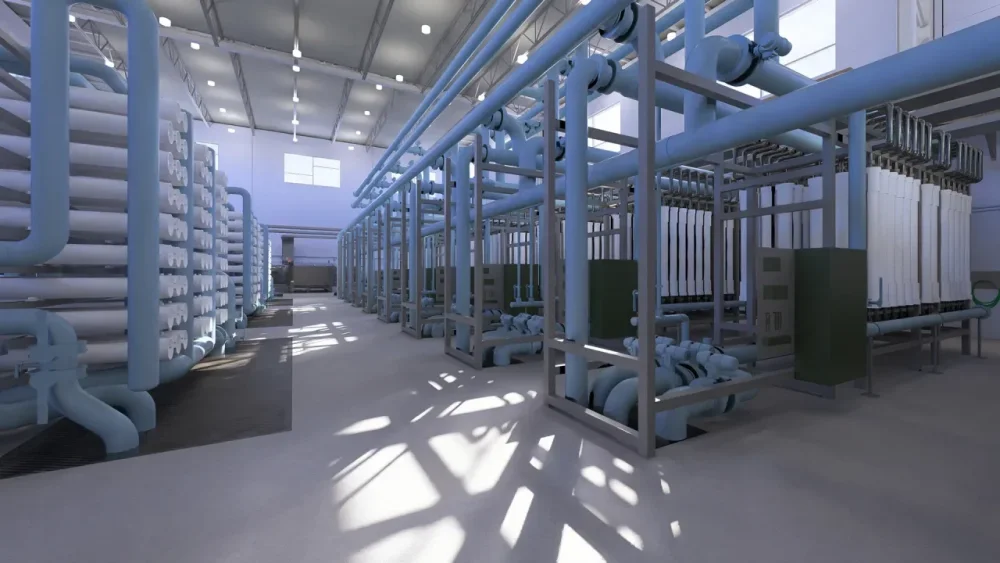
This desert city gets less than 9 inches of rain a year and experienced the two hottest years in its recorded history in 2023 and 2024. But El Paso Water started planning decades ago for this hotter, drier climate. Last Thursday, the utility broke ground on its latest project to secure water for the city of 700,000: an advanced water purification facility that will deliver 10 million gallons per day of purified water from the city’s wastewater stream directly into its drinking water supply. El Paso’s Pure Water Center, which will go online by 2028, is the first direct-to-distribution reuse facility in the country. Treating wastewater for reuse as drinking water has long been controversial. But as the technology has advanced and water resources dwindle, more cities are exploring direct reuse. El Paso is the first out of the gate, but Phoenix and Tucson are expected to follow suit. Elsewhere in Texas, communities from the Panhandle to the Hill Country are considering their own facilities. Colorado and California recently adopted rules to regulate the treatment technology. “El Paso, Texas, is the center of the universe in water recycling right now,” said Gilbert Trejo, vice president of operations at the utility, during the groundbreaking Thursday. A rendering of the Pure Water Center, which broke ground on February 27 and is expected to be operational by 2028 [Photo: courtesy El Paso Water] Growing Acceptance of Direct Reuse El Paso Water began a pilot study in 2016 to test direct potable reuse of sewage and other wastewater with a four-step treatment process. The utility sent water samples to state-certified laboratories for testing and found that the water met all drinking water standards. The Texas Commission on Environmental Quality (TCEQ) reviewed the pilot data and authorized El Paso Water to move forward with the design of a full facility. After nearly a decade of work, TCEQ approved construction of the facility in October 2024. The advanced purification process begins with treated wastewater from the Roberto Bustamante Wastewater Treatment Plant in El Paso. This source water then goes through a multiple barrier system, first going through reverse osmosis, in which a membrane separates water molecules from other substances. Then hydrogen peroxide and ultraviolet light are used to kill bacteria in the water. Next, activated carbon absorbs chemicals or compounds in the water. Lastly, chlorine is added for disinfection. TCEQ requires an online monitoring system with alarms and automatic shutdown capability. Trejo said this real-time monitoring will detect constituents breaking through the treatment process. “Before we start to break any type of threshold that would worry us, we will know well in advance so that we can take action,” he said. The utility will also work to educate residents and businesses in El Paso to discourage them from putting chemicals and pharmaceuticals down the drain. Trejo acknowledged that unwanted material will inevitably enter the sewer system, so the treatment process is designed to remove these potential contaminants. Environmental advocates have raised concerns about contaminants of emerging concern in the purified water, like per- and polyfluoroalkyl substances (PFAS), which aren’t yet regulated in drinking water. The environmental nonprofit Food and Water Watch warns, “It’s impossible to monitor every potential toxin in a direct potable reuse system.” Trejo said that the treatment process was designed to remove pharmaceuticals, emerging contaminants of concern, and future contaminants. The first step was understanding the baseline quality of the source water. To that end, the utility began collecting data from its sewer system in 2016. The utility commissioned an independent panel of experts through the National Water Research Institute to review its designs for the plant. [Image: Paul Horn/Inside Climate News] “The good thing is that our multiple-barrier approach to remove viruses, pathogens, and any of these emerging constituents of concern is in place,” Trejo said. “It’s a very robust system.” TCEQ spokesperson Richard Richter said the agency has met with El Paso Water since 2014 to review the project. TCEQ issued an authorization for the facility under Chapter 210 of Texas administrative code, which governs reclaimed water. Richter said each authorization is tailored to the specific plant design and source water quality. While TCEQ and the Environmental Protection Agency do not have specific design standards for direct potable reuse facilities, the Clean Water Act and the Safe Drinking Water Act are the foundation for design choices. “Once the facility is constructed, there are multiple steps still required in the TCEQ review process before approval can be given for the facility to send water to customers,” he said. El Paso Focuses on Reuse El Paso Water CEO John Balliew said Thursday that the Pure Water Center “is the culmination of our efforts so far to diversify the water supply of El Paso.” The utility has spent decades securing a diverse water portfolio in the Chihuahuan Desert. El Paso historically relied on the Rio Grande, whose flows have diminished, and groundwater pumped from the Hueco Bolson, an aquifer shared with Ciudad Juárez across the border. Alex Mayer, a civil engineer and director of the University of Texas at El Paso’s Center for Environmental Resource Management, said El Paso has been a leader in “drought-proofing” water supplies. “The utility has been very effective in putting together plans that make sure the water availability is there,” he said. In the 1960s, El Paso began its water reclamation program, which distributes treated wastewater to irrigate outdoor areas. El Paso Water has also treated wastewater to drinking water standards to recharge the aquifer since the 1980s. In the 1990s, El Paso Water undertook an educational campaign to encourage residents to conserve water, which successfully brought down average consumption. Green lawns were replaced with native desert landscaping. Meanwhile the utility set in motion plans to diversify its water supply. El Paso Water brought the Kay Bailey Hutchison Desalination Plant online in 2017. The plant, the largest inland desalination facility in the U.S., treats brackish groundwater from the Hueco Bolson. The utility also acquired land in Dell City, Texas, from which it will import groundwater in the future. Federal funding has aided El Paso Water’s projects. The U.S. Bureau of Reclamation provided $3.5 million for design of the advanced water purification facility in 2019 and provided another $20 million in 2022 for construction. Utility officials have estimated the total project cost to be $295 million. Balliew said the utility will seek additional state and federal funding to complete the facility. Balliew said the cost of water from the Pure Water Center will be about $500 per acre foot, which is comparable to the cost of water from the desalination plant. However, this is several times more expensive than the fresh water pumped from the aquifers and the Rio Grande. Mayer commended El Paso Water’s “very progressive water rates” that charge lower rates to households that consume less water, which are typically low-income. But as water rates trend up with new water sources coming online, he has researched the impacts on low-income residents. Nearly one in five El Pasoans live in poverty, well above the national average. In a 2022 PLOS One paper, UTEP researchers Josiah Heymen, Jessica Alger, and Mayer used climate change and groundwater depletion scenarios to project the impact of water rates on low-income households. They found that paying for basic water supply could become a significant burden for 40% of all households in El Paso. Mayer said he is confident the utility will continue its progressive rate structures for low-income households. “I am just a little worried about how far that can go,” he said. Texas, Western States Move Ahead on Direct Potable Reuse The first direct potable reuse plant in the world opened in 1968 in Namibia, southern Africa’s driest country. The New Goreangab Wastewater Reclamation Plant replaced the original facility in 2002. The technology is poised to grow in the U.S. as southwestern states contend with aridification and growing populations. The Texas Permian Basin town of Big Spring is home to the first direct reuse project in the United States. The Colorado River Municipal Water District began treating wastewater in Big Spring for direct reuse in 2013. Unlike in El Paso, the purified water is combined with raw water before distribution. Wichita Falls, Texas, also operated a temporary direct potable reuse facility from 2014 to 2015. Both Big Spring and Wichita Falls resorted to direct potable reuse during a severe drought. The federal government relies on states to regulate direct potable reuse. Texas adopted a guidance manual in 2022 to regulate direct potable reuse facilities. Colorado adopted rules in 2023 and California followed suit in 2024. Arizona is in the process of updating its rules for direct potable reuse. Several cities are moving ahead with new facilities. The Tucson City Council voted in January to accept $86.7 million from the U.S. Bureau of Reclamation to construct a direct potable reuse plant by 2032. In exchange, Tucson will leave a portion of its water supply from the Colorado River in Lake Mead over a decade. Phoenix plans to add direct potable reuse to its 91st Avenue Wastewater Treatment Plant to purify 60 million gallons per day by 2030. Communities across Texas, from Amarillo to Dripping Springs, have plans for direct potable reuse in their regional water plans filed with the Texas Water Development Board. The TCEQ spokesperson said that Liberty Hill, north of Austin, has notified the agency of its intent to pursue direct potable reuse. All eyes will be on El Paso as El Paso Water begins construction on its advanced purification facility. This article originally appeared on Inside Climate News. It is republished with permission. Sign up for its newsletter here. View the full article
-
Alexander Balan was on a California beach when the idea for a new kind of drone came to him. While tossing a football, he realized that its form factor could translate into a lightweight unmanned aerial system (UAS) designed for rapid deployment and autonomous targeting. This eureka moment led Balan to found Xdown, the company that’s building the P.S. Killer (PSK)—an autonomous kamikaze drone that works like a hand grenade and can be thrown like a football. To create the PSK, Xdown teamed up with several defense companies, including Corvid Technologies, a North Carolina-based military contractor that specializes in the design, development, and prototyping of weapons systems. While the Xdown hasn’t completed all the planned capabilities of the drone (it’s currently in the testing phase), its form factor, deployment mechanism, and propulsion system could completely change the way soldiers operate drones. Instead of depending on remote controls, the PSK will be operated by AI. And if the PSK works how Balan says it should, it could change the battlefield as we know it. The Xdown drone stands in sharp contrast to current first-person-view drones (FPV), which require time to set up (you need to put on goggles and gamepads for control) and the expertise to fly them. Balan, an engineer with a background in high-speed vertical takeoff and landing (HSVTOL) systems, has been a keen observer of the increasing use of low-cost drones in Ukraine’s defense against Russia, a force superior in numbers and equipment. “Drones are the future of modern warfare,” he says. With an estimated 15,500 Russian armored vehicles lost to Ukrainian FPVs, it’s fair to say drones are the present of modern warfare. But Balan believes that in a world where one second could be the difference between life and death, a drone needs to be more accessible and easily deployable. He says soldiers should be able to grab it, switch it on, and throw it—just like a football. Inside the design According to Balan, the football form factor serves two purposes. Operationally, the shape is so compact and sturdy that you can carry it anywhere. Made of composite material, the drone weighs 1.7 pounds when empty and is capable of carrying another 1.7 pounds, which could be an explosive head or other cargo. The PSK can carry one or two 40 mm grenades commonly used in grenade launchers today. The grenades could be high-explosive dual purpose, designed to penetrate armor while also creating an explosive fragmentation effect against personnel. These grenades can also “airburst”—programmed to explode in the air above a target for maximum effect. This allows for multiple mission scenarios. Infantry, special operations, and counterterrorism units can easily store PSK drones in a field backpack and tote them around, taking one out to throw at any given time. They can also be packed by the dozen in cargo airplanes, which can fly over an area and drop swarms of them for targeted bombing runs in which each drone goes for a designated objective. Aerodynamically, the shape is also good for flight, Balan says, as any quarterback can tell you. The PSK has a thrust-vectoring propulsion system, which can both make it fly much longer and change its course as needed. Balan claims it can reach speeds of up to 135 knots and has a range of more than 40 miles. [Photo: Xdown] Once thrown, the device activates within two seconds in the air, deploying articulated stabilizer fins and rotor blades that appear from thin slots on its sides. The PSK is a “throw-and-forget” drone, Balan says, referencing the “fire-and-forget” missile that, once locked on to a target, can seek it on its own. The PSK is designed to autonomously identify and strike high-value targets such as armored vehicles, enemy UAVs, and personnel. He tells me that once Xdown finishes its development, the drone will eventually operate through multiple layers of targeting logic. “The PSK is programmed with mission parameters and general target signatures,” he says. This means that the AI knows what to look for—say, a Russian T-80 tank—and go for it. “Once deployed, its onboard AI processes data from optical cameras, infrared sensors, radar, and lidar to classify and track potential threats,” Balan explains, noting that the system continuously evaluates battlefield conditions and selects targets based on predefined threat-assessment parameters. It can also serve as a reconnaissance drone when equipped with a video sensor head. When launched as a swarm, multiple PSKs will be able to communicate in real time, distributing targets among themselves to optimize strike efficiency, Balan claims. This swarm coordination prevents redundant attacks and maximizes battlefield effectiveness. According to Xdown, the PSK will have a wide range of potential applications. It can be an asset in maritime security operations, where it could be used to intercept small, fast-moving vessels, or conduct reconnaissance. The drone could also be employed for convoy protection, detecting threats such as teams armed with shoulder-mounted weapons or roadside bombs before they strike. Special operations forces could use it for high-value targets, leveraging its compact size and autonomous targeting to strike enemy positions with minimal setup time. Counterterrorism units could deploy the PSK for precision strikes in urban environments, reducing collateral damage compared to conventional airstrikes. It could even become a counter-UAV system, capable of autonomously identifying and intercepting enemy drones. Balan says the company is also working on a nonlethal version of the PSK, replacing its warhead with a supply container so that it’s able to “deliver food, medical kits, or ammunition to frontline troops in contested environments” (though given the 1.7-pound payload capacity, such packages would obviously be small). [Photo: Xdown] The dangers of AI targeting This targeting and “reduced collateral damage” is precisely one of PSK’s murky points, however. The drone is preprogrammed to detect certain types of enemy targets, but as Elon Musk or anyone who has tried autonomous driving can tell you, this can be problematic in the known, predictable environments of a city at peace. In the battlefield, where chaos reigns and actors can disguise themselves in different shapes and forms, it can get extremely tricky. AI can get confused and attack innocent civilians who might be near military vehicles or get mistaken for enemy soldiers. Conversely, the enemy can also disguise itself to confuse the AI systems and avoid detection. AI will continue to improve to the point of being able to mitigate these issues, but it’s not there yet. There’s a reason why scientists want to regulate autonomous killing machines and ban the use of AI for kill decisions. Ukraine is already using the HX-2, a kamikaze strike drone with AI capable of autonomous targeting. The medium-size drone, designed and made by German manufacturer Helsing, requires approval by a human to make the kill. But the Ukrainians are in such dire need that it’s logical to expect these fail-safes to eventually be switched off. As Vincent Boulanin—program director of the governance of AI at the Stockholm International Peace Research Institute—told me during a recent interview: “It’s difficult for Ukraine to think of high-level principles about what constitutes the responsible use of autonomy right now, fighting the war.” Balan says that the PSK has an abort-and-return function that gets activated if no viable target is detected. “The abort function relies on telemetry override and onboard navigation. The drone calculates the optimal return route and either glides back to the operator or enters a controlled descent,” he explains, noting that this feature prevents unnecessary munition waste and increases operational efficiency. Xdown claims that the PSK can operate in GPS-denied environments, resisting electronic warfare measures that typically disable other drones, thanks to its AI and visible light and infrared camera sensors. And it’s so small and so quiet (it has an acoustic signature of 55 decibels at 20 feet), the company contends, that it is nearly undetectable to conventional air defense systems. How far from actual combat? Balan says Xdown has “already secured thousands of preorders from both domestic and allied military buyers.” The company plans to begin delivery of training models by midsummer, with full-scale production set for 2026. “The initial technology readiness levels demonstrated that the design exceeds current requirements, and we believe this is the ultimate tactical UAS for modern and future warfare,” Balan says. Xdown is currently refining its aerodynamic performance and guidance systems through controlled throws and simulations. “We anticipate multiple test throws over the next two months to optimize thrust vectoring and wing articulation under different conditions,” Balan says. Thrust vectoring means that the rotor can adjust the orientation of the blades in real time to correct its course, fly, find, and destroy its target, so it can be operated effectively even by someone who isn’t particularly dexterous at throwing a football. Balan says that one Defense Department official told him “This is the most American munition I have ever seen.” Which, of course it is. Time will tell whether the PSK lives up to its ambitious claims. But if it works as advertised, it could mark a major shift in drone warfare on its launch convenience alone. View the full article

-
“Violence is just part of the job. Every nurse and healthcare worker experiences it at some point.” Sentiments like this echo across American hospitals and healthcare facilities, capturing a disturbing and growing reality. Though Americans think of nursing as the most trusted profession, we often fail to see that it’s also one of the most dangerous. An alarming 8 in 10 nurses face violence at work. As a result, healthcare workers are more than four times as likely to be injured by workplace violence than workers in all other industries combined. Despite these staggering numbers, the full extent of this epidemic may not be fully understood because nurses and other healthcare workers chronically underreport violent encounters. The American Nurses Association estimates that only 20% to 60% of incidents are accounted for. Additionally, there is no agreed-upon definition for workplace violence or clear way of tracking it on a national level. As a practicing bedside nurse, I have experienced my fair share of workplace violence. As a professor of nursing, my research shows that violence has become a normalized but underreported part of working in healthcare and that it affects the care patients receive in pervasive ways. What really counts as workplace violence in healthcare? When people think about workplace violence, they often imagine dramatic physical assaults. Assaults do happen, but violence directed at workers can take many other forms, including verbal threats, intimidation, sexual aggression, and bullying. What makes defining and measuring workplace violence especially difficult in healthcare settings is the range of people involved. Violence may stem from patients, their families, coworkers, or even disgruntled members of the public. Nurses and healthcare staff work with people during incredibly stressful moments in their lives. Sometimes patients are experiencing medical conditions that may cause them to act out or be confused, such as dementia, delirium, psychosis, or even postoperative reactions to anesthesia. Some healthcare organizations use vague definitions, such as “workplace violence is any violent act or threat of violence,” while nursing organizations advocate for tiered definitions delineating between perpetrator and intent. Although not all employees can recite their organization’s official definition of workplace violence, ask a nurse whether they have ever experienced a threatening situation at work and they will likely have stories at the ready. In my 14 years of nursing practice, nurses shared many different types of threatening encounters. They reported being screamed at by distraught visitors and having their hair and wrists grabbed by patients who are trying to bite or spit at them. I have personally experienced having objects thrown at me from across the room and being threatened with retribution by patients’ family members. Nurses also shared more extreme experiences in which they or their coworkers were injured in the course of trying to simply deliver care. Many described the emotional impact of watching a coworker hurt badly enough to require medical attention. From my observations, it’s not just the major incidents but the countless small threats or insensitive behaviors that add up over a nurse’s career. These seemingly less-threatening events are much harder to document, and many nurses shrug them off, but the small infractions take a toll when they happen repeatedly. Breaking the culture of silence A culture of silence makes such incidents hard to track. The medical-surgical nursing unit at the hospital where I conducted my research has a healthy and supportive culture. Yet in my ongoing doctoral work, which will be published in May, of the 74% percent of staff that acknowledged experiencing workplace violence in the past year, only 30% reported the event. When nurses stay silent, whether from fear, futility or institutional pressure, violence becomes an accepted part of the job. Without accurate data, healthcare facilities don’t understand the true extent of the problem, can’t implement effective safety measures, and struggle to support their workers in meaningful ways. There are common themes as to why nurses underreport violence. Some nurses think reporting does not make a difference. Others find the lack of clarity in defining workplace violence or reporting policies demotivating and confusing. Nurses also report a lack of support from management, a fear of reprisal, or a sense of shame when reporting. Commonly, many nurses simply find reporting tools to be too difficult and time-consuming to use. The hidden costs to healthcare For healthcare workers, the consequences extend far beyond physical injuries. Workplace violence in all its forms contributes to anxiety, depression or PTSD, as well as job dissatisfaction. Dangerous workplace violence trends are a contributing factor in 55% of healthcare workers feeling burned out and 18% of newly licensed registered nurses leaving the profession within the first year. That is a huge problem, considering that the United States is projected to have 193,100 nursing job openings per year until 2032, yet will produce only roughly 177,400 new nurses in that time frame. This also has vast repercussions for patient care. During my nursing career, I observed my peers developing complex strategies to protect themselves while trying to provide compassionate care. Like me, they tended to carefully position themselves near doorways, maintained constant awareness of their surroundings and silently assessed each new interaction for potential risks. These invisible precautions reflect the far-reaching effects of healthcare violence. When nurses are hypervigilant about their safety, they have less emotional energy for patient care. When they’re rushing between rooms due to short staffing caused by violence-related turnover, they have less time for each patient. When they are worried about what the next patient encounter may bring, they are increasing their anxiety, fear, and stress rather than focusing on delivering quality care. Creating safer healthcare together Each healthcare visit is a chance for patients and their families to improve nursing care for everyone. When you visit a hospital or clinic, try to understand the stress that healthcare workers are under and express your needs and concerns calmly. You never know what your nurse is dealing with in their interactions with other patients. They try to compartmentalize and give you their full attention, but they might also be experiencing a difficult and traumatic situation right next door. It also helps to share information that might be relevant to caring for your family member, such as whether their medical condition is causing them to act differently than normal. And you should speak up if you witness any forms of aggressive behavior. These actions might seem small, but they support healthcare staff and help prevent violence in healthcare settings. Nurses are trained to keep information private, to be problem-solvers and to bear the burden of the job, so they don’t always seek support. If you have a nurse or healthcare worker in your family or circle of friends, let them know you care. Supporting their safety validates their work and leads to better care for everyone. Jason Blomquist is an assistant professor of nursing at Boise State University. This article is republished from The Conversation under a Creative Commons license. Read the original article. View the full article

-
Welfare bill in focus as Rachel Reeves’ £9.9bn of fiscal ‘headroom’ wiped out by higher borrowing costsView the full article
-
Investors buoyed by commerce secretary Howard Lutnick implying tariffs could be loweredView the full article
-
The president touted the achievements of his first six weeks in office during a marathon address to lawmakersView the full article
-
President doubled down on levies on US trading partners and insisted he would ‘get’ Greenland in address to CongressView the full article
-
President’s speech to Congress was pure personalism, not ideologyView the full article
-
Ever miss the thrill of the 2016 Pokémon Go craze? A new anti-swiping dating app has come to fill that void, but instead of cute Pokémon you can catch yourself a hot date. These days, trying to find a partner IRL, whether at a bar or reluctantly joining a singles running club, is no easy task. Dating apps are still one of the most common places for people trying to meet The One, but . . . have you seen the apps? 2024 has been widely dissed as the year the dating apps died. Both Bumble and Match Group saw stock prices steadily decline since reaching all-time highs in 2021. Left Field, the latest dating app launched in New York City this week, has the goal to combat swipe fatigue and bring back spontaneity in dating. The app uses location-based notifications to engineer real-life meet-cutes. Instead of actively swiping through endless profiles, the app sends push notifications of a potential match in the area (when location services are switched on) and two users could happen to cross paths. Samantha Martin and Kate Sieler began building Left Field last year to address their own mounting frustrations with existing dating apps. “We interviewed over a hundred Gen Zers and heard the same three complaints again and again,” the founders told Fast Company in an email. “First, dating apps are a massive time drain; people are spending hours swiping each week. The second issue is the rise of paywalls—it feels like apps are prioritizing monetization over connections. And finally, dating feels more forced and inorganic than ever.” In 2024, 78% of dating app users reportedly feel “emotionally, mentally, or physically exhausted” from the apps, according to one Forbes Health survey. “At its core, dating should feel fun and serendipitous,” they added. “We believe the future of dating isn’t about making swiping slightly better, but about shifting the focus back to real-life connections.” The app officially launched on the Apple App Store in February, and to build its community, Left Field is leaning on in-person events and social media. It’s collaborating with comedy influencers on Instagram and TikTok while hosting singles events across New York—teaming up with bars, running clubs, and comedy venues. Looking ahead, Left Field plans to expand to college campuses in May, rolling out student ambassador programs to help spread the word. “We believe the best connections happen when you are not actively searching for them but just out living your life,” said Martin and Sieler. Gotta catch ’em all. View the full article
-
China dominates market in metals used in range of products, including those crucial for national securityView the full article
-
The automation provider plans to unveil functionality at its upcoming user conference aimed at improving new loan boarding and investor reporting processes. View the full article
-
Employees told that presence at firm’s office or client site will be considered in performance reviewsView the full article
-
Work and pensions secretary is laying groundwork for overhaul of benefits systemView the full article
-
Assets under management fell 2% last year as investors pull back from investing in sectorView the full article
-
Two of the biggest names in global macro trading, Alan Howard and Chris Rokos, embody differing approaches to legacyView the full article