ResidentialBusiness
Administrators
-
Joined
-
Last visited
Everything posted by ResidentialBusiness
-
The Transportation Security Administration (TSA) has officially launched the TSA Gold+ program. While it sounds like a luxury program for travelers, it’s actually a major shift toward privatizing airport security. The TSA announced the move in an internal memo sent to employees on May 14. According to the TSA, the program is “the future of aviation security.” The site explains that the program is a “new public-private partnership aimed at modernizing aviation security at select airports across the United States” and says it will allow airports to opt-in to a “tailored security screening service unique to each airport’s needs and space configuration.” Those airports will work with the TSA and prospective vendors. While the expansion of the program is new, around 20 airports, such as San Francisco International Airport (SFO) and Kansas City International Airport (MCI), already participate in the federal Screening Partnership Program (SPP), which allows them to contract with private security firms. TSA Gold+ is essentially expanding on that program’s model. For travelers, most won’t notice a difference at the airport, as TSA standard security rules are likely to stay the same. The TSA says the innovation will lead to smoother travel due to an upgraded screening process. However, the shift would mark a big transition for workers. It would mean TSA becomes a regulatory role focused on oversight instead of one that is used to manage day-to-day operations. The rollout of the program comes after a challenging year for the TSA when a partial government shutdown led to 61,000 TSA employees to work without pay, long airport wait times, and many walking off the job. Advocates of the new program say that it will insulate workers from lapses in paychecks. Last month, Acting TSA Administrator Ha Nguyen McNeill told Congress, “Expanding SPP is one of the many avenues the The President administration is pursuing to help protect our screening workforce from lapses in congressional appropriations. McNeill continued, saying, “In contrast, SPP screeners have not yet missed a paycheck.” On the contrary, not everyone agrees that the program is beneficial. Labor unions, such as the American Federation of Government Employees (AFGE), have been warning against privatizing airport screening. In a May 12 post, the organization explained that the shift could be problematic because it will mean that airports rely on contractors who typically pay less and offer fewer benefits. AFGE also says the move would shift national security jobs to profit-driven organizations while cutting federal jobs. View the full article

-
The U.S. currently sources a large portion of its critical minerals supply from foreign entities— a dependency that puts national security, economic competitiveness, and energy transition at risk. To build a stronger, more resilient domestic battery industry, we must understand what’s driving demand for critical minerals, how to diversify supply chains, the role of policy, and how innovation is reshaping the landscape. To put this into perspective, for 19 out of 20 strategic critical minerals, China is the leading refiner, with an average market share of approximately 70%. Demand for critical minerals doesn’t start in the ground; it starts with consumer trends that are transforming the global economy. The fastest-growing consumer markets today share a common dependency: they run on batteries, and batteries run on critical minerals. This challenge is not just the resources; it’s the entire supply chain that sources them and converts them into usable inputs. 6 FORCES DRIVING DEMAND Electric vehicles. Transportation electrification remains the most visible and material-intensive driver. Automakers are not simply replacing engines with batteries; they are redesigning mobility around energy storage. From passenger EVs to commercial fleets and heavy-duty applications, the scale is unprecedented. Each step toward electrification accelerates demand for lithium, nickel, cobalt, graphite, and manganese. Consumer electronics. Consumer devices established the foundation for lithium-ion demand. While devices are becoming smaller, their ecosystems are expanding. Wearables, smart homes, and always-on connectivity are embedding batteries deeper into daily life, creating a steady demand baseline. AI infrastructure. The growth of artificial intelligence is deeply physical, requiring rapid expansion of data centers. These facilities depend on batteries for backup power, load balancing, and renewable integration. Data center infrastructure is significantly increasing battery materials demand. Grid-scale energy storage. As renewable energy grows, so does the need to store and dispatch power reliably. Batteries are shifting from pilot projects to core infrastructure, fundamentally changing how energy systems operate and requiring massive volumes of critical minerals. Defense and national security needs. Batteries now power advanced military systems, electrified vehicles, and portable energy solutions, elevating critical minerals from economic inputs to strategic assets. Data infrastructure framework. As digital services scale, so does the need for resilient, battery-backed power systems. Each of these sectors is reshaping the battery industry. For example, battery chemistry is evolving based on priorities like cost, safety, and supply chain security. The rise of lithium iron phosphate (LFP) reduces reliance on cobalt and nickel, while next-generation chemistries may introduce entirely new material dependencies. At the same time, highly concentrated supply chains, particularly in Asia, are creating vulnerability and intensifying the global race to secure domestic sources. INDUSTRY GROWTH As demand for lithium-ion batteries accelerates, the global battery energy storage market must expand to keep pace. Experts predict the market will grow from $50.8 billion in 2025 to nearly $106 billion by 2030. This growth presents both a challenge and an opportunity: more end-of-life batteries and a greater need to recover critical materials. Battery recycling is a key lever for creating a more resilient domestic battery industry. Today, many critical minerals are mined outside our domestic borders. Recycling enables a closed-loop system by recovering materials from used batteries, refining them into battery-grade critical minerals, and reintegrating them into manufacturing. This approach reduces reliance on volatile regions, lowers costs to the consumer, and strengthens domestic supply chains, creating the foundation for a more competitive and secure industry. Recycling and processing advancements are accelerating a country’s ability to reclaim critical minerals and reuse them. These technologies are improving recovery rates, lowering costs, and providing scalable operations that have the potential to fundamentally shift the economics of the industry. In the U.S., recycling and processing capacity is expanding, with capacity expected to grow to 140 GWh by 2030, signaling meaningful progress toward supply chain resilience. BOTTOM LINE Access to critical minerals is no longer a niche issue, and battery recycling is foundational to closing the loop on the critical mineral supply chain that will define the next decade of innovation. The race is not just to build better batteries. It is to recover these materials, reuse them, and rethink the material systems that make those batteries possible. David Klanecky is CEO and president of Cirba Solutions. View the full article

-
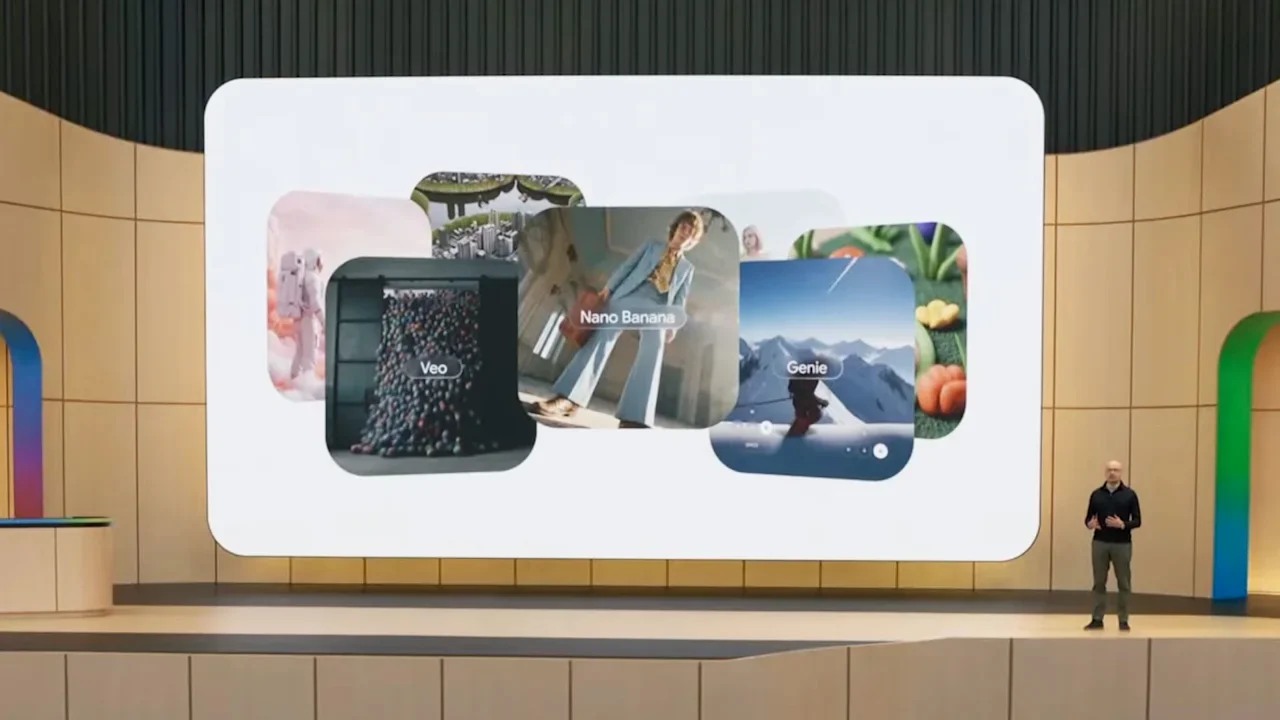
In a major salvo in the AI race, Google announced on Tuesday a slew of new and updated products at its I/O developer conference. These ranged from tools that deploy personal AI agents to code generators to search tools to a new “world model” for generating physically accurate video. Taken together, the releases paint a picture of Google’s current strategy for bringing AI to consumers and businesses. It’s a strategy that effectively leverages the company’s vast information infrastructure, built up through search, in ways that give it clear advantages over newer AI companies. New models Google DeepMind’s newest models are bigger and smarter, deeply multimodal, and tuned for taking actions. Many of the new products and features announced at I/O are powered by the new Gemini 3.5 Flash model. Google says the model is optimized for speed and efficiency, is four times faster than other frontier models, and costs between one-half and one-third the price of comparable models. Gemini 3.1 Pro was previously DeepMind’s best model, and 3.5 Flash outperforms it on nearly all benchmarks, notably coding and tool use. There is also a Gemini 3.5 Pro model, which will become DeepMind’s new flagship model, but researchers are still studying its safety implications and plan to release it publicly sometime in June. “All our focus with the 3.5 series has been on taking the model intelligence and making sure tool use, instruction following, long-horizon use cases, and agent decoding all work well,” Alphabet CEO Sundar Pichai said during a call with reporters Monday. Google also announced its entry into the growing race to build “world models,” or models that can create digital environments or video that remains true to real-world physical properties. Gemini Omni, as it’s called, is multimodal, meaning it can generate various kinds of outputs (video, images, text, audio, and more) based on prompts that include content in those same formats. One example: A user can provide an image of herself, along with a video, and the model will use high-level reasoning to let her likeness stand in as a character in the video. Google is launching a small version of Omni, Omni Flash, today. A larger Omni Pro model is currently in development. Flexing its advantages Before saying a word about its new models, Google spoke about the infrastructure it has built to support them. Google says it expects to spend up to $190 billion on new infrastructure this year. Much of that will go toward new data centers where Gemini models run on hundreds of thousands of Google’s own AI chips. The company is now on its eighth generation of tensor processing units (TPUs), the chips that perform the billions of mathematical computations required by neural networks. As AI labs scale up their computing resources, the power and cost efficiency of the chips they use increasingly affects the economics of serving AI models and apps to users. Google says training large AI models is no longer limited to a single data center, but can instead be distributed across more than 1 million TPUs globally, creating the world’s largest training cluster. Google may have a distinct advantage when it comes to training data, too. The company very likely has the world’s most advanced web crawler, the technology that continually scours and indexes web pages so they can be searched. Researchers train large AI models on massive amounts of this web content, and the volume, quality, and composition of that training data can directly impact a model’s overall intelligence. Google’s crawlers may simply reach more web pages and content than those used by other AI labs. The company also captures much of this content in a “knowledge graph,” allowing it to quickly serve information about people, places, organizations, products, events, and concepts. Any and all of that information can be used to train models. In addition, Google has the full corpus of YouTube videos available for AI training. That content was very likely used to train the new Omni world model to understand the relationships and movement of objects in the real world. A larger point: AI labs ask the public to take a lot on faith. Faith that our information will be kept secure. Faith that companies will spend responsibly on AI safety. Faith that they won’t allow their technology to be used for harmful purposes, such as autonomous weapons or mass surveillance. Faith that new data centers won’t spike energy prices or further tax the environment. Faith that the benefits of AI will be broadly distributed. And faith that the business itself will eventually generate enough market demand and revenue to survive. Google isn’t perfect, but the company’s pragmatic approach to AI gives the impression that it can credibly make such promises, that there are, in fact, adults in the room. Consumer focus The dominant narrative has been that companies like Google, Anthropic, and OpenAI need these data centers to power AI-infused business processes at large enterprises. That’s why it was striking to hear Google focus primarily on new consumer-facing models, apps, and services at I/O. Pichai said during Monday’s briefing that Google is trying to bring as much frontier intelligence to consumers as possible. “As someone who grew up using Google search, I think Google’s whole ethos has been to organize the world’s information and make it universally accessible and useful,” says DeepMind’s Tulsee Doshi, senior director of product management for Gemini & Gen Media, in an interview with Fast Company. “And now in the agentic era you can add ‘help users take action on that information in a way that is thoughtful and intentional’.” Doshi acknowledged that a large portion of the return on Google’s massive capital expenditure investment in data centers will likely come from enterprise business. Personal agents This year, Anthropic and OpenAI expanded their Claude Code and Codex coding tools to cover non-coding information work as well, including the creation and management of autonomous agents. Google may be slightly late to that party, but it is making every attempt to catch up. The company launched Gemini Spark, a personal AI agent that runs on Gemini 3.5 Flash and stays active in the background even when a user’s devices are off. Spark’s superpower may be quick personalization. By connecting to Gmail, Docs, Slides, and other widely used Workspace tools, it can quickly learn a user’s interests, preferences, and work habits. Google says it can handle complex tasks such as drafting status updates from multiple documents or planning block parties. It can also perform multi-step tasks like parsing credit card statements, monitoring a Gmail inbox for time-sensitive information, or turning meeting notes into polished documents As its rivals have already begun doing, Google has also built connectors to third-party tools such as Canva, OpenTable, and Instacart. Google says more capabilities are coming this summer, including the ability to text or email Spark directly, create custom sub-agents, and let Spark control a local browser. Users control which apps Spark can access, and the agent is designed to ask for confirmation before taking high-stakes actions like sending emails or spending money. Google says Spark will soon come to its Gemini mobile app, allowing users to manage agents from anywhere. Search and AI are becoming one At the start of the generative AI boom, many believed AI search would ruin Google’s search advertising business, its cash cow. Google had always placed ads next to ranked search results, the classic “10 blue links,” but it was unclear how advertising would work around custom AI-generated answers. The company now seems eager to argue that radically improving search with AI simply encouraged users to search more often, creating new advertising opportunities that otherwise would not have existed. Google said users conducted more searches during the first quarter of the year than in any previous quarter, likely because of the conversational, multiple-query nature of AI search. It says “AI Mode” queries have been doubling every quarter, and that more than a billion people now use the tool each month. Google first began using large language models to help interpret the intent behind user searches. After the arrival of ChatGPT, it introduced “AI Overviews” for some searches, where results were packaged into AI-generated summaries designed to answer user questions. Then came “AI Mode,” an advancement on the same idea. Now AI is best understood as a permanent layer sitting atop all Google search functionality. Many assumed Google would have to invent an entirely new kind of ad business for AI search. Instead, it has folded AI into its existing search advertising machine. Google still shows traditional search ads above and below AI-generated responses, and its existing ad auctions continue to function. Google’s new “Ask YouTube” feature, which is coming soon, offers a useful micro-example of how AI is augmenting search. Users can already search for videos on a topic, perhaps a how-to question, and then sift through the videos for answers. Soon, AI will let users “talk to” videos and ask questions about their contents. YouTube may also return custom search results that combine several videos with instructions or steps for completing a task. On a web-wide level, Google wants its AI to similarly analyze the world’s information, reason over it, and answer questions about it. “We’ve successfully combined the best of the search engine with the best of AI so that we can build a true AI search experience that brings together our most advanced Gemini models, our newest agent capabilities, and the full breadth of the world’s information,” said Search chief Liz Reid during the press briefing. Importantly, the new search capabilities Google announced are powered by the new Gemini 3.5 Flash model. For the first time, Google has altered its legacy search box so that it dynamically expands to accommodate longer and more detailed queries. In the coming months, users will also be able to deploy “background agents” that continually monitor specific information on the web or even build personalized, persistent tools such as fitness trackers. It’s worth remembering that Google’s AI ambitions still rest on the health of its core search advertising business. Unlike some of its peers, Google does not rely solely on revenue from AI model APIs or subscriptions to keep the lights on. AI is additive to search. It is also a powerful new product to sell through the company’s thriving cloud business. Wall Street may have its own way of viewing these developments, but Google’s diversified business should insulate it from growing fears that the current AI boom, and the enormous capital expenditures associated with it, may ultimately prove to be a bubble. View the full article
-
Harry Styles, the British pop singer known for his eclectic style and boy band roots, is finally back on stage after a two-and-a-half-year hiatus. But eager fans who scored tickets for his return are finding that, despite the elevated price tag, the tour is not “As It Was.” Night one of the 67-date “Together, Together” tour kicked off in Amsterdam before a crowd of 50,000 fans, bringing his new album Kiss All the Time, Disco Occasionally to life. While critics called the evening a “triumphant comeback,” some fans in attendance were less than impressed, raising concerns over a short setlist, underwhelming production, and an obstructive stage design. “Harry, please, I beg as a friend of someone that’s actually going to your shows—stadium shows cannot be the same length as arena shows—you need more than 20 songs,” one user posted on X. “[The] price they’re paying does warrant more songs—The Weeknd’s stadium shows are 39-41 songs, brother.” Similar complaints spread across social media platforms, including Threads, Instagram, and TikTok, referencing the high ticket prices that caused controversy when they first went on sale. For instance, prices were often above the $1,000 mark. Another disappointment for some was the show’s stage design, which featured large runways connected by bridges, allegedly leaving premium ticket-holders in the pit with obstructed views. “The stage set up for the Harry Styles tour is genuinely one of the most poorly planned out stage designs I think I’ve ever seen,” one commenter posted on Threads. “Like it pretty much means the majority of the floor tickets, aka the most expensive ones, have an absolutely crap view for most of the show and some can’t even see the screens.” A representative for the tour told Fast Company that “the floor concept was designed to give fans freedom of movement,” but acknowledged the obstruction issues and indicated that adjustments were being made. “That open, free-flowing floor experience has always been an essential part of Harry’s live shows,” the rep said. “A small area of the staging in specific floor positions appears to have had a restricted sightline. Those areas are being reviewed carefully and adjusted where possible in compliance with all safety restrictions” A new creative direction It wasn’t just those impacted by the stage who were underwhelmed by the show. “That big ass stage and for what?? for him to run around like a toddler with no production, no dancers,” one X user complained. The tour’s aesthetics are significantly different from what fans have come to expect from Styles. On the opening night, the singer wore tailored trousers accompanied by a red jacket, a shirt, and a tie. Although fashionable, its far less flamboyant than the creative direction of his previous tours. On his last tour, Styles’s costumes were often adorned with bright colors, sequins, and androgynous designs. While costumes might be missing, there are indeed some elements that are new to Styles. For instance, the new tour has intricate choreography, backup dancers, and more musicians for specific acoustic songs—none of which were present in past tours. “He put a lot of thought into this tour” Criticism aside, many of those who were not immediately affected by the stage—and who were willing to embrace Styles’s new era—seemed to thoroughly enjoy the show. “The king of pop is so back,” a fan who attended the concert posted on TikTok. Another added on X: “Harry Styles tour is made to be seen from seating because yesterday was amazing and I have nothing to complain about.” And others are tying the event back to the new album’s ethos, which aims to bring back dancing culture in the age of live events made for Instagrammable shots. “He put a lot of thought into this tour, he said he wanted people to dance, so obviously the floor is best for and has been made for that,” a user said. “Why be on the floor if you aren’t dancing?” View the full article

-
“Quality” is hard to define, but it’s always personal. In purchasing decisions large and small, consumers constantly weigh cost and value, and make trade-offs based on their individual needs, budget, preferences, and priorities. This explains why ratings for the same product or service can be all over the map, and why price alone doesn’t always correlate with quality. For some people, three-star restaurants will always be the “best” (though they can certainly fall short on experience). For others—even those who can afford pricier options—the local hole-in-the-wall or fast-food chain can be just what the doctor ordered. Warren Buffett famously eats breakfast at McDonald’s every day. The calculations we all make to maximize quality on our terms have shaped our behavior and decision-making in just about every aspect of life, from housing and travel to what we’ll pay for eggs at the supermarket. The glaring exception? Healthcare. That’s where our built-in quality sensors fail. A PROBLEM FOR THE WHOLE SYSTEM Healthcare doesn’t work like other markets. It’s too complicated, and people lack the data and context they need to make informed decisions. They’re overwhelmed by countless (and conflicting) physician and hospital ratings. They struggle to assess whether a provider or procedure is suitable for their specific needs. And the true cost of care often isn’t clear until the bill arrives. Not surprisingly, people still rely on word of mouth and less-than-perfect sources like U.S. News & World Report and (increasingly) ChatGPT. This isn’t just a consumer problem. When people unknowingly see low-quality doctors, they have worse short- and long-term outcomes, ranging from delayed or missed diagnoses to repeat surgeries. Meanwhile, people who believe fancier is always better may see a pricey specialist (or three) at a brand-name hospital, when they really just need high-quality, cost-effective primary care. When this becomes a trend—and it has—health outcomes decline and costs rise, for individuals and families, as well as for the employers and insurers funding a significant chunk of their care. The entire system suffers, and we all pay more for less. WHERE DID WE GO WRONG? Healthcare quality has been a moving target for decades, but we’ve been working on it. The industry has long rallied around the Triple Aim framework. The core idea is simple: Improving healthcare requires the “simultaneous pursuit” of better outcomes, better experience, and lower costs. It was—and still is—the right idea. And yet, as the Triple Aim nears its 20th birthday, confidence in U.S. healthcare system quality has hit a historic low. With such a clear target, how did we miss the mark? First, we skipped over the “simultaneous” part. Doctors and hospitals, optimizing for outcomes, have developed groundbreaking, hyperspecialized treatments—a good thing, in some ways, but also a main cost driver. Insurers, optimizing for cost, responded by ramping up prior authorization and Byzantine billing practices, which have become a major sore spot in the U.S. healthcare experience. And while digital-first health companies and other new entrants have optimized the patient experience, many have failed to generate better outcomes and cost savings at scale. Second—closely related—is that quality was never truly defined through patients’ and consumers’ eyes. By focusing on their leg of the tripod without considering the others, the stakeholders previously mentioned weren’t serving and supporting the whole person. Instead of optimizing all three quality dimensions, they inadvertently made the system more fragmented, impersonal, and difficult to navigate. Third, and arguably most important, we haven’t had the tools we needed. Balancing outcomes, experience, and costs in real time, as people make decisions about their care, requires deep connections across the clinical, financial, and administrative aspects of healthcare. The technology, data plumbing, and integration needed for those connections simply havn’t existed. Until now. PUT THE PIECES TOGETHER Several related breakthroughs are finally empowering healthcare innovators to optimize all three dimensions of quality at once. AI is a big one, of course. Building a patient-centered view of quality requires combining and interpreting data about doctors and hospitals, health insurance claims, population health trends, and patient satisfaction and preferences (to name a few key domains). Even the most sophisticated consumer—or expert—can’t calibrate all these inputs on their own. But AI can. Specifically, intelligent AI healthcare assistants that fit in your pocket and deliver a highly personalized and engaging concierge experience. Unlike mass-market chatbots, purpose-built healthcare AI not only provides answers and advice, but is also capable of connecting people to relevant health benefits and human clinicians when needed. Leaving healthcare consumers to their own devices has suddenly become a positive thing. Equally important is the rise of AI-first, quality-led alternative health plans. These consumer-friendly plans are designed to solve the biggest sticking points in the current healthcare experience: confusing deductibles and coinsurance, surprise billing (and subsequent medical debt), physician networks that limit access, fragmentation across providers, and point solutions. With AI in their DNA, these innovative plans use cost transparency and dynamic networks to continually guide people to quality while limiting inappropriate or unnecessary care. These “alternative” plans—which lower costs for consumers, employers, and other healthcare purchasers—are quickly becoming the new standard. The final piece of the puzzle is who delivers all of the above. The Triple Aim originators identified the need for an “integrator” with the capabilities and incentives to assume responsibility for all three dimensions and drive system-wide quality improvement. Health systems, insurers, and other industry incumbents have been slow to heed the call. But as I look at my own team, and my like-minded partners and peers, I see a new generation rushing to fill the gap. Finding quality healthcare will always be more complicated than choosing a restaurant. But we’re taking a big leap forward in making quality a given rather than a shot in the dark. Owen Tripp is the cofounder and CEO of Included Health. View the full article

-
Effective leadership is essential for any team’s success, and engaging in team building activities can greatly improve these skills. From the Leadership Race to the Marshmallow Challenge, each activity targets specific leadership qualities such as communication, adaptability, and strategic planning. These exercises not just promote self-awareness but likewise improve overall team dynamics. Comprehending these activities can help you nurture a more cohesive and capable team. What might these exercises reveal about your leadership style? Key Takeaways Leadership Race enhances self-awareness and personal reflection on leadership qualities through a dynamic, engaging activity among participants. Leadership Book Club fosters discussions around leadership concepts, allowing team members to share diverse perspectives and improve their leadership skills. Feedback Circle promotes open communication and trust, encouraging team members to provide constructive feedback to enhance leadership development. Insight Development provides deeper insights into individual roles and team dynamics, supporting strategic thinking and adaptability in leadership styles. Team Vision Board aligns individual ambitions with group objectives, enhancing motivation and accountability while improving overall leadership effectiveness. Leadership Race The Leadership Race is a dynamic and interactive activity created to improve leadership skills by allowing participants to engage deeply with their own qualities and those of their peers. This activity identifies effective leaders as participants step forward in response to specific leadership traits called out by a designated caller. When you relate to a trait, you share a brief explanation of why it describes you, promoting self-awareness and personal reflection on leadership qualities. The player who steps forward the most times, demonstrating a strong connection to various leadership traits, is declared the winner, showcasing their alignment with effective leadership characteristics. The Leadership Race nurtures a supportive environment where participants learn from each other’s experiences, making it an effective choice among leadership development activities. Typically lasting 45 minutes to 1 hour, it’s most impactful in small groups, serving as a valuable tool within team building activities for leadership skills. Marshmallow Challenge The Marshmallow Challenge is an effective way to improve collaboration and creativity within your team. By working with limited materials to construct a tall structure that supports a marshmallow, you’ll develop crucial time management skills as you race against the clock. This hands-on activity not merely encourages communication but likewise promotes quick thinking and adaptability, important traits in leadership. Collaboration and Creativity Boost When you participate in the Marshmallow Challenge, you’re not just building a structure; you’re furthermore improving your collaboration and creativity skills. This leadership activity for teens and adults encourages teamwork, as you strategize and iterate your design within a limited timeframe. Rapid prototyping teaches you the value of testing ideas, showing that failure can lead to better solutions. Communication is essential, as team members must share ideas and delegate tasks effectively. Leadership Activities Description Benefits Marshmallow Challenge Build a structure using limited materials Improves collaboration, creativity Team brainstorming Generate ideas in a group setting Enhances communication skills Role-playing scenarios Simulate leadership situations Develops decision-making abilities Time Management Skills Development Participating in the Marshmallow Challenge not just encourages teamwork but also serves as a practical exercise in time management skills. In this challenge, you and your team have 18 minutes to construct the tallest structure using limited materials like spaghetti and tape. This leadership exercise for teams emphasizes efficient planning, prioritization of tasks, and quick assessment of ideas. Teams that manage their time wisely balance brainstorming, construction, and testing phases, illustrating the importance of adaptability in leadership tasks. Poor time management can lead to rushed constructions, underscoring the necessity for leaders to enforce timelines and keep the team focused on their goals. Minefield Minefield is an engaging team-building activity intended to improve leadership skills through trust and communication. In this exercise, one participant is blindfolded as they maneuver through a course filled with safe obstacles, relying solely on their partner’s verbal guidance. This setup emphasizes the importance of trust, as the blindfolded player must follow instructions to avoid obstacles successfully. Minefield is adaptable for different group sizes, making it suitable for both small and medium-sized teams. The activity typically lasts about 30 to 45 minutes, allowing adequate time for setup, explanation, and execution. During the game, participants improve their communication skills, as they must articulate directions clearly and succinctly to support their blindfolded teammates. This cultivates a collaborative environment, encouraging participants to develop effective leadership qualities. Crossing the Crocodile River Challenge The Crossing the Crocodile River Challenge is an effective team-building activity intended to improve teamwork skills among participants. By maneuvering across designated stepping stones without touching the ‘river’, you’ll nurture trust and reliance within your team as you develop crucial problem-solving strategies under pressure. This challenge not just promotes clear communication but furthermore encourages collaborative decision-making, making it a valuable exercise for cultivating leadership abilities. Enhancing Teamwork Skills When teams face the Crossing the Crocodile River Challenge, they quickly learn the importance of collaboration and strategic planning. Participants must work together to navigate stepping stones across a marked “river,” cultivating strong teamwork skills. Communication becomes crucial as teams guarantee no one is left behind, promoting a supportive environment. This challenge emphasizes problem-solving; teams need to devise a strategy to avoid stepping into the river during their use of balance and creativity. If a player touches the river, the game resets, teaching resilience and adaptability when faced with setbacks. Ideal for small to medium-sized groups, this activity typically lasts 30 to 60 minutes, making it suitable for various team-building settings and enhancing overall teamwork skills effectively. Building Trust Among Participants Building trust among participants is vital for effective teamwork, especially during challenges like the Crossing the Crocodile River Challenge. This activity emphasizes the need for communication and collaboration, as each team member must navigate safely across the marked area using stepping stones. Here’s how it builds trust: Collective Responsibility: Teams must guarantee that no one gets left behind, nurturing a sense of accountability and support among members. Reliance on Each Other: Participants depend on their teammates to guide and assist them, reinforcing trust in each other’s abilities. Resilience Through Challenges: Touching the “river” means restarting, encouraging teams to adapt and persist together, ultimately enhancing camaraderie and strengthening team bonds. These elements contribute to a more cohesive team dynamic, fundamental for effective leadership. Promoting Problem-Solving Strategies Engaging in the Crossing the Crocodile River Challenge offers teams a unique opportunity to improve their problem-solving strategies through collaboration and communication. In this activity, you’ll need to work together to devise a strategy for crossing the marked river using limited stepping stones. Each decision requires critical thinking, as you’ll have to assess the safest and most efficient path while ensuring no one gets left behind. If a team member touches the river or is abandoned, the challenge resets, emphasizing accountability. Lasting between 30 minutes to an hour, this exercise not only boosts leadership skills but also nurtures a sense of accomplishment. Successfully completing the challenge strengthens interpersonal relationships, promoting overall team cohesion and effective problem-solving capabilities. Trust Fall Trust Falls are a well-known team-building exercise that emphasizes the importance of trust and communication within a group. During this activity, a participant falls backward, relying on teammates to catch them, which promotes reliance and team cohesion. Here are three key benefits of the Trust Fall exercise: Enhanced Communication: The falling participant must express their comfort level, whereas the catchers coordinate their actions, ensuring safety and clear communication. Scalability: Trust Falls can be customized to different group sizes, making them suitable for both small and large teams. This flexibility allows it to function as an icebreaker or a deeper trust-building exercise. Leadership Development: As 50% of employees cite poor leadership as a reason for leaving, this exercise highlights the critical role of trust in effective leadership, reinforcing strong team dynamics. Participants often report increased confidence and improved interpersonal relationships, demonstrating the exercise’s effectiveness in building a supportive team environment. Leadership Book Club A Leadership Book Club serves as a valuable platform for individuals looking to deepen their grasp of leadership concepts and practices. This club organizes discussions around impactful leadership-themed books, allowing participants to engage with diverse perspectives. Whether structured as a one-time event or an ongoing series, it offers flexibility in learning. During these meetings, attendees share critical opinions and pose questions about the selected texts, which encourages collaborative learning. The format promotes open dialogue and reflection on various leadership styles, enhancing your ability to apply insights in real-world situations. By engaging with leadership literature, you can identify effective leadership traits and discuss their relevance. This process not only enriches your comprehension of leadership but likewise empowers you to improve your own leadership abilities. In the end, a Leadership Book Club provides an excellent opportunity to explore and refine the skills crucial for effective leadership in today’s dynamic environment. Problem-Solving Scenarios Building on the insights gained from a Leadership Book Club, problem-solving scenarios present a practical approach to enhancing leadership skills. These scenarios encourage you and your team to tackle hypothetical challenges, promoting critical thinking and collaboration. By engaging in these activities, you’ll evaluate different leadership styles as you comprehend the impact of your decisions on team dynamics. Here are three key benefits of problem-solving scenarios: Fosters Innovation: Teams are required to generate creative solutions to complex problems, enhancing innovative thinking. Improves Communication: Participants articulate their thoughts clearly and actively listen to diverse perspectives, which strengthens communication skills. Prepares for Real-World Challenges: Simulating high-pressure situations equips teams for effective decision-making, in the end improving overall performance. Incorporating problem-solving scenarios into team-building activities can greatly develop your leadership capabilities. Team Vision Board Creating a Team Vision Board allows you to visually represent your shared goals and aspirations. Through a collaborative brainstorming process, you and your team members can express individual and collective visions using various materials, which promotes engagement. Once completed, displaying the vision board serves as a constant reminder of the team’s objectives, reinforcing your commitment to achieving them. Visual Representation of Goals Visualizing goals through a Team Vision Board can greatly improve a team’s focus and alignment. This collaborative activity allows you and your teammates to create a visual representation of your collective goals, promoting creativity and shared vision. Here are three key benefits of a Team Vision Board: Enhanced Communication: Engaging in this process encourages open dialogue, aligning individual ambitions with group objectives. Strategic Clarity: By visually mapping out goals, you gain better clarity on the direction your team wants to pursue, enhancing strategic thinking. Motivation and Accountability: Displaying the completed vision board in a common area serves as a constant reminder of your goals, boosting motivation and accountability among team members. Collaborative Brainstorming Process Engaging in a collaborative brainstorming process is a crucial step in developing a Team Vision Board. This activity involves gathering team members to visually represent shared goals and aspirations using materials like magazines, markers, and other creative supplies. During this process, you’ll encourage collective brainstorming, which promotes ownership and commitment to your team’s objectives. By creating a visual representation, the Team Vision Board improves clarity and alignment among members, enhancing communication and teamwork. Research indicates that visual goal-setting can greatly boost motivation and accountability, leading to better team dynamics. In the end, this collaborative effort not only solidifies your team’s vision but also lays a strong foundation for achieving collective goals effectively. Displaying Team Aspirations Even though a Team Vision Board serves as a strong instrument for promoting unity and focus, displaying it prominently in a common area is equally essential. This visibility constantly reminds team members of their collective goals and aspirations. Here are three key benefits of showcasing your vision board: Motivation: A visible board encourages daily engagement with the team’s objectives, keeping everyone inspired and aligned. Communication: Regular discussions about the vision board encourage open dialogue, helping clarify ideas and priorities among team members. Adaptability: Revisiting the board allows you to assess progress and adjust goals as needed, reinforcing the importance of flexibility and continuous improvement in leadership. Feedback Circle When team members participate in a Feedback Circle, they’re engaging in a structured activity designed to promote open communication and trust. This setting allows everyone to share constructive feedback, which cultivates a culture of continuous improvement. You’ll identify both strengths and areas for growth collaboratively, amplifying individual and team performance. Feedback Circles can be formal, with set guidelines, or informal, adapting to the group dynamics. Research shows that regular feedback boosts employee engagement and satisfaction, leading to increased productivity and reduced turnover. By implementing Feedback Circles, you’ll strengthen team cohesion, as members learn to appreciate diverse perspectives and develop leadership skills through mutual support. Benefits of Feedback Circle Key Features Amplifies open communication Structured or informal formats Promotes continuous improvement Collaborative feedback sessions Strengthens team cohesion Encourages appreciation of diversity Leadership Coat of Arms The Leadership Coat of Arms activity serves as a potent tool for individuals to explore and express their core leadership values through the creation of a personalized emblem. This engaging activity typically lasts between 1 to 1.5 hours and accommodates groups of all sizes, making it a versatile choice for team-building settings. By designing their coat of arms, participants identify and articulate the traits they value in leadership, improving their self-awareness and personal development. Here are three key benefits of this activity: Self-Reflection: Participants reflect on their leadership qualities, promoting a deeper comprehension of their philosophies. Public Speaking: Presenting their designs to the group strengthens public speaking skills and nurtures confidence. Team Dynamics: Sharing diverse perspectives encourages appreciation for each member’s unique leadership qualities, strengthening team bonds. Incorporating this activity into workshops can lead to improved collaboration and insight within teams. Frequently Asked Questions What Are Some Leadership Development Activities? You can engage in various leadership development activities to improve your skills. For instance, participating in the “Leadership Race” helps you identify and embrace your leadership traits. The “Marshmallow Challenge” promotes teamwork and creative problem-solving. You might likewise try “Problem-Solving Scenarios,” which present hypothetical challenges for critical thinking. Furthermore, the Feedback Circle encourages constructive communication, whereas “Role Reversal” helps you understand different perspectives within a team, boosting your empathy and leadership effectiveness. What Are the 5 C’s of Leadership Development? The 5 C’s of leadership development are Competence, Character, Communication, Collaboration, and Confidence. Competence refers to the technical skills and knowledge that enable you to make informed decisions. Character embodies the ethical values and integrity necessary to earn your team’s trust. Communication is crucial for conveying your vision clearly. Collaboration focuses on building strong relationships within your team, whereas Confidence guarantees you can lead decisively and inspire others to follow your lead. What Is the 30 Seconds Left Leadership Game? The “30 Seconds Left Leadership Game” is a dynamic activity where you present ideas or solutions within a strict 30-second limit. This exercise helps you develop concise communication and decision-making skills under pressure, mimicking real-life leadership situations. You’ll rotate roles, allowing you to experience both leading and supporting positions, which nurtures empathy. What Are the 5 R’s of Leadership? The 5 R’s of Leadership are crucial principles for effective leadership. They include Respect, which nurtures trust; Responsibility, emphasizing accountability for actions; Recognition, acknowledging contributions to boost morale; Resilience, encouraging adaptability in challenges; and Relationships, which are essential for collaboration. Conclusion Incorporating team-building activities that improve leadership skills can greatly enhance team dynamics and individual capabilities. Exercises like the Leadership Race and the Marshmallow Challenge nurture critical thinking and collaboration, whereas the Team Vision Board and Feedback Circle encourage strategic planning and open communication. By participating in these activities, team members develop vital leadership qualities, promoting a culture of growth and adaptability. In the end, these experiences equip individuals to face challenges effectively, driving overall team success and cohesion. Image via Google Gemini and ArtSmart This article, "10 Team Building Activities That Boost Leadership Skills" was first published on Small Business Trends View the full article
-
Effective leadership is essential for any team’s success, and engaging in team building activities can greatly improve these skills. From the Leadership Race to the Marshmallow Challenge, each activity targets specific leadership qualities such as communication, adaptability, and strategic planning. These exercises not just promote self-awareness but likewise improve overall team dynamics. Comprehending these activities can help you nurture a more cohesive and capable team. What might these exercises reveal about your leadership style? Key Takeaways Leadership Race enhances self-awareness and personal reflection on leadership qualities through a dynamic, engaging activity among participants. Leadership Book Club fosters discussions around leadership concepts, allowing team members to share diverse perspectives and improve their leadership skills. Feedback Circle promotes open communication and trust, encouraging team members to provide constructive feedback to enhance leadership development. Insight Development provides deeper insights into individual roles and team dynamics, supporting strategic thinking and adaptability in leadership styles. Team Vision Board aligns individual ambitions with group objectives, enhancing motivation and accountability while improving overall leadership effectiveness. Leadership Race The Leadership Race is a dynamic and interactive activity created to improve leadership skills by allowing participants to engage deeply with their own qualities and those of their peers. This activity identifies effective leaders as participants step forward in response to specific leadership traits called out by a designated caller. When you relate to a trait, you share a brief explanation of why it describes you, promoting self-awareness and personal reflection on leadership qualities. The player who steps forward the most times, demonstrating a strong connection to various leadership traits, is declared the winner, showcasing their alignment with effective leadership characteristics. The Leadership Race nurtures a supportive environment where participants learn from each other’s experiences, making it an effective choice among leadership development activities. Typically lasting 45 minutes to 1 hour, it’s most impactful in small groups, serving as a valuable tool within team building activities for leadership skills. Marshmallow Challenge The Marshmallow Challenge is an effective way to improve collaboration and creativity within your team. By working with limited materials to construct a tall structure that supports a marshmallow, you’ll develop crucial time management skills as you race against the clock. This hands-on activity not merely encourages communication but likewise promotes quick thinking and adaptability, important traits in leadership. Collaboration and Creativity Boost When you participate in the Marshmallow Challenge, you’re not just building a structure; you’re furthermore improving your collaboration and creativity skills. This leadership activity for teens and adults encourages teamwork, as you strategize and iterate your design within a limited timeframe. Rapid prototyping teaches you the value of testing ideas, showing that failure can lead to better solutions. Communication is essential, as team members must share ideas and delegate tasks effectively. Leadership Activities Description Benefits Marshmallow Challenge Build a structure using limited materials Improves collaboration, creativity Team brainstorming Generate ideas in a group setting Enhances communication skills Role-playing scenarios Simulate leadership situations Develops decision-making abilities Time Management Skills Development Participating in the Marshmallow Challenge not just encourages teamwork but also serves as a practical exercise in time management skills. In this challenge, you and your team have 18 minutes to construct the tallest structure using limited materials like spaghetti and tape. This leadership exercise for teams emphasizes efficient planning, prioritization of tasks, and quick assessment of ideas. Teams that manage their time wisely balance brainstorming, construction, and testing phases, illustrating the importance of adaptability in leadership tasks. Poor time management can lead to rushed constructions, underscoring the necessity for leaders to enforce timelines and keep the team focused on their goals. Minefield Minefield is an engaging team-building activity intended to improve leadership skills through trust and communication. In this exercise, one participant is blindfolded as they maneuver through a course filled with safe obstacles, relying solely on their partner’s verbal guidance. This setup emphasizes the importance of trust, as the blindfolded player must follow instructions to avoid obstacles successfully. Minefield is adaptable for different group sizes, making it suitable for both small and medium-sized teams. The activity typically lasts about 30 to 45 minutes, allowing adequate time for setup, explanation, and execution. During the game, participants improve their communication skills, as they must articulate directions clearly and succinctly to support their blindfolded teammates. This cultivates a collaborative environment, encouraging participants to develop effective leadership qualities. Crossing the Crocodile River Challenge The Crossing the Crocodile River Challenge is an effective team-building activity intended to improve teamwork skills among participants. By maneuvering across designated stepping stones without touching the ‘river’, you’ll nurture trust and reliance within your team as you develop crucial problem-solving strategies under pressure. This challenge not just promotes clear communication but furthermore encourages collaborative decision-making, making it a valuable exercise for cultivating leadership abilities. Enhancing Teamwork Skills When teams face the Crossing the Crocodile River Challenge, they quickly learn the importance of collaboration and strategic planning. Participants must work together to navigate stepping stones across a marked “river,” cultivating strong teamwork skills. Communication becomes crucial as teams guarantee no one is left behind, promoting a supportive environment. This challenge emphasizes problem-solving; teams need to devise a strategy to avoid stepping into the river during their use of balance and creativity. If a player touches the river, the game resets, teaching resilience and adaptability when faced with setbacks. Ideal for small to medium-sized groups, this activity typically lasts 30 to 60 minutes, making it suitable for various team-building settings and enhancing overall teamwork skills effectively. Building Trust Among Participants Building trust among participants is vital for effective teamwork, especially during challenges like the Crossing the Crocodile River Challenge. This activity emphasizes the need for communication and collaboration, as each team member must navigate safely across the marked area using stepping stones. Here’s how it builds trust: Collective Responsibility: Teams must guarantee that no one gets left behind, nurturing a sense of accountability and support among members. Reliance on Each Other: Participants depend on their teammates to guide and assist them, reinforcing trust in each other’s abilities. Resilience Through Challenges: Touching the “river” means restarting, encouraging teams to adapt and persist together, ultimately enhancing camaraderie and strengthening team bonds. These elements contribute to a more cohesive team dynamic, fundamental for effective leadership. Promoting Problem-Solving Strategies Engaging in the Crossing the Crocodile River Challenge offers teams a unique opportunity to improve their problem-solving strategies through collaboration and communication. In this activity, you’ll need to work together to devise a strategy for crossing the marked river using limited stepping stones. Each decision requires critical thinking, as you’ll have to assess the safest and most efficient path while ensuring no one gets left behind. If a team member touches the river or is abandoned, the challenge resets, emphasizing accountability. Lasting between 30 minutes to an hour, this exercise not only boosts leadership skills but also nurtures a sense of accomplishment. Successfully completing the challenge strengthens interpersonal relationships, promoting overall team cohesion and effective problem-solving capabilities. Trust Fall Trust Falls are a well-known team-building exercise that emphasizes the importance of trust and communication within a group. During this activity, a participant falls backward, relying on teammates to catch them, which promotes reliance and team cohesion. Here are three key benefits of the Trust Fall exercise: Enhanced Communication: The falling participant must express their comfort level, whereas the catchers coordinate their actions, ensuring safety and clear communication. Scalability: Trust Falls can be customized to different group sizes, making them suitable for both small and large teams. This flexibility allows it to function as an icebreaker or a deeper trust-building exercise. Leadership Development: As 50% of employees cite poor leadership as a reason for leaving, this exercise highlights the critical role of trust in effective leadership, reinforcing strong team dynamics. Participants often report increased confidence and improved interpersonal relationships, demonstrating the exercise’s effectiveness in building a supportive team environment. Leadership Book Club A Leadership Book Club serves as a valuable platform for individuals looking to deepen their grasp of leadership concepts and practices. This club organizes discussions around impactful leadership-themed books, allowing participants to engage with diverse perspectives. Whether structured as a one-time event or an ongoing series, it offers flexibility in learning. During these meetings, attendees share critical opinions and pose questions about the selected texts, which encourages collaborative learning. The format promotes open dialogue and reflection on various leadership styles, enhancing your ability to apply insights in real-world situations. By engaging with leadership literature, you can identify effective leadership traits and discuss their relevance. This process not only enriches your comprehension of leadership but likewise empowers you to improve your own leadership abilities. In the end, a Leadership Book Club provides an excellent opportunity to explore and refine the skills crucial for effective leadership in today’s dynamic environment. Problem-Solving Scenarios Building on the insights gained from a Leadership Book Club, problem-solving scenarios present a practical approach to enhancing leadership skills. These scenarios encourage you and your team to tackle hypothetical challenges, promoting critical thinking and collaboration. By engaging in these activities, you’ll evaluate different leadership styles as you comprehend the impact of your decisions on team dynamics. Here are three key benefits of problem-solving scenarios: Fosters Innovation: Teams are required to generate creative solutions to complex problems, enhancing innovative thinking. Improves Communication: Participants articulate their thoughts clearly and actively listen to diverse perspectives, which strengthens communication skills. Prepares for Real-World Challenges: Simulating high-pressure situations equips teams for effective decision-making, in the end improving overall performance. Incorporating problem-solving scenarios into team-building activities can greatly develop your leadership capabilities. Team Vision Board Creating a Team Vision Board allows you to visually represent your shared goals and aspirations. Through a collaborative brainstorming process, you and your team members can express individual and collective visions using various materials, which promotes engagement. Once completed, displaying the vision board serves as a constant reminder of the team’s objectives, reinforcing your commitment to achieving them. Visual Representation of Goals Visualizing goals through a Team Vision Board can greatly improve a team’s focus and alignment. This collaborative activity allows you and your teammates to create a visual representation of your collective goals, promoting creativity and shared vision. Here are three key benefits of a Team Vision Board: Enhanced Communication: Engaging in this process encourages open dialogue, aligning individual ambitions with group objectives. Strategic Clarity: By visually mapping out goals, you gain better clarity on the direction your team wants to pursue, enhancing strategic thinking. Motivation and Accountability: Displaying the completed vision board in a common area serves as a constant reminder of your goals, boosting motivation and accountability among team members. Collaborative Brainstorming Process Engaging in a collaborative brainstorming process is a crucial step in developing a Team Vision Board. This activity involves gathering team members to visually represent shared goals and aspirations using materials like magazines, markers, and other creative supplies. During this process, you’ll encourage collective brainstorming, which promotes ownership and commitment to your team’s objectives. By creating a visual representation, the Team Vision Board improves clarity and alignment among members, enhancing communication and teamwork. Research indicates that visual goal-setting can greatly boost motivation and accountability, leading to better team dynamics. In the end, this collaborative effort not only solidifies your team’s vision but also lays a strong foundation for achieving collective goals effectively. Displaying Team Aspirations Even though a Team Vision Board serves as a strong instrument for promoting unity and focus, displaying it prominently in a common area is equally essential. This visibility constantly reminds team members of their collective goals and aspirations. Here are three key benefits of showcasing your vision board: Motivation: A visible board encourages daily engagement with the team’s objectives, keeping everyone inspired and aligned. Communication: Regular discussions about the vision board encourage open dialogue, helping clarify ideas and priorities among team members. Adaptability: Revisiting the board allows you to assess progress and adjust goals as needed, reinforcing the importance of flexibility and continuous improvement in leadership. Feedback Circle When team members participate in a Feedback Circle, they’re engaging in a structured activity designed to promote open communication and trust. This setting allows everyone to share constructive feedback, which cultivates a culture of continuous improvement. You’ll identify both strengths and areas for growth collaboratively, amplifying individual and team performance. Feedback Circles can be formal, with set guidelines, or informal, adapting to the group dynamics. Research shows that regular feedback boosts employee engagement and satisfaction, leading to increased productivity and reduced turnover. By implementing Feedback Circles, you’ll strengthen team cohesion, as members learn to appreciate diverse perspectives and develop leadership skills through mutual support. Benefits of Feedback Circle Key Features Amplifies open communication Structured or informal formats Promotes continuous improvement Collaborative feedback sessions Strengthens team cohesion Encourages appreciation of diversity Leadership Coat of Arms The Leadership Coat of Arms activity serves as a potent tool for individuals to explore and express their core leadership values through the creation of a personalized emblem. This engaging activity typically lasts between 1 to 1.5 hours and accommodates groups of all sizes, making it a versatile choice for team-building settings. By designing their coat of arms, participants identify and articulate the traits they value in leadership, improving their self-awareness and personal development. Here are three key benefits of this activity: Self-Reflection: Participants reflect on their leadership qualities, promoting a deeper comprehension of their philosophies. Public Speaking: Presenting their designs to the group strengthens public speaking skills and nurtures confidence. Team Dynamics: Sharing diverse perspectives encourages appreciation for each member’s unique leadership qualities, strengthening team bonds. Incorporating this activity into workshops can lead to improved collaboration and insight within teams. Frequently Asked Questions What Are Some Leadership Development Activities? You can engage in various leadership development activities to improve your skills. For instance, participating in the “Leadership Race” helps you identify and embrace your leadership traits. The “Marshmallow Challenge” promotes teamwork and creative problem-solving. You might likewise try “Problem-Solving Scenarios,” which present hypothetical challenges for critical thinking. Furthermore, the Feedback Circle encourages constructive communication, whereas “Role Reversal” helps you understand different perspectives within a team, boosting your empathy and leadership effectiveness. What Are the 5 C’s of Leadership Development? The 5 C’s of leadership development are Competence, Character, Communication, Collaboration, and Confidence. Competence refers to the technical skills and knowledge that enable you to make informed decisions. Character embodies the ethical values and integrity necessary to earn your team’s trust. Communication is crucial for conveying your vision clearly. Collaboration focuses on building strong relationships within your team, whereas Confidence guarantees you can lead decisively and inspire others to follow your lead. What Is the 30 Seconds Left Leadership Game? The “30 Seconds Left Leadership Game” is a dynamic activity where you present ideas or solutions within a strict 30-second limit. This exercise helps you develop concise communication and decision-making skills under pressure, mimicking real-life leadership situations. You’ll rotate roles, allowing you to experience both leading and supporting positions, which nurtures empathy. What Are the 5 R’s of Leadership? The 5 R’s of Leadership are crucial principles for effective leadership. They include Respect, which nurtures trust; Responsibility, emphasizing accountability for actions; Recognition, acknowledging contributions to boost morale; Resilience, encouraging adaptability in challenges; and Relationships, which are essential for collaboration. Conclusion Incorporating team-building activities that improve leadership skills can greatly enhance team dynamics and individual capabilities. Exercises like the Leadership Race and the Marshmallow Challenge nurture critical thinking and collaboration, whereas the Team Vision Board and Feedback Circle encourage strategic planning and open communication. By participating in these activities, team members develop vital leadership qualities, promoting a culture of growth and adaptability. In the end, these experiences equip individuals to face challenges effectively, driving overall team success and cohesion. Image via Google Gemini and ArtSmart This article, "10 Team Building Activities That Boost Leadership Skills" was first published on Small Business Trends View the full article
-
The U.S. stock market is giving back more of its record-setting rally on Tuesday as bond markets rattled by high inflation keep cranking up the pressure. The S&P 500 fell 0.5% and was on track for a third straight loss after setting its latest all-time high. The Dow Jones Industrial Average was down 165 points, or 0.3%, as of 12:29 p.m. Eastern time, and the Nasdaq composite was 0.9% lower. That followed mixed moves for stock markets abroad, while oil prices eased in their latest yo-yo move. Falling technology stocks in Asia dragged South Korea’s Kospi down 3.3%, but Germany’s DAX returned 0.4%. Tech stocks are faltering following huge runs made because of excitement around artificial-intelligence technology, runs that critics said made them too expensive. The stumble comes as oil prices swing on uncertainty about how long the Iran war will keep the Strait of Hormuz closed for oil tankers. That in turn has pushed yields higher in bond markets, which is dragging on economies and all kinds of other financial markets. The wait is on, meanwhile, for Nvidia to report its latest quarterly results. The chip company is due to report on Wednesday, and it’s routinely blown past analysts’ expectations each quarter. Not only that, it’s provided forecasts for future growth that have consistently topped Wall Street’s. How it does could determine whether technology stocks and the larger U.S. stock market can maintain their rally. Nvidia slipped 0.2% Tuesday, but was one of the heaviest weights on the S&P 500 because of its immense size. “Every flow has its ebb,” Rex Feng, Venu Krishna and other strategists at Barclays Capital wrote in a report. They said investors have been pumping more money than usual into U.S. stock funds, which helped fuel “the fastest rebound in decades; now the pendulum could swing backwards.” Akamai Technolgoies dropped 4.6% for one of Wall Street’s sharper losses after the cybersecurity and cloud computing company said it wants to raise $2.6 billion through a convertible note offering. Home Depot rose 1.1% after erasing an early loss following its latest earnings report. Its profit and revenue edged past analysts’ expectations, but an important measure for retailers that looks at performance for stores more than 1 year old came in below some analysts’ expectations. CEO Ted Decker said Home Depot saw similar demand from its customers as it did throughout last year “despite greater consumer uncertainty and housing affordability pressure.” So far, many big U.S. companies have been reporting stronger-than-expected profits for the latest quarter thanks in part to their customers continuing to spend in the face of high gasoline prices and other challenges. In the bond market, Treasury yields climbed further. The yield on the 10-year Treasury rose to 4.66% from 4.61% late Monday and from less than 4% before the war with Iran began. That’s a notable increase, and it’s part of a worldwide climb that’s making stock prices look even more expensive and threatening to slow the economy. Higher yields can drive up rates for mortgages and loans going to companies to build AI data centers, which has been a big source of growth for the economy. Yields rose even as oil prices eased. The price for a barrel of Brent crude fell 1% to $111.02, though it’s still well above its $70 level from before the war with Iran. The average price for a gallon of gasoline rose again overnight to $4.53, according to the AAA motor club, or about 43% more than it cost last year at this time. In stock markets abroad, London’s FTSE 100 was close to flat despite a 2.2% drop for Standard Chartered. The bank said Tuesday it plans to reduce over 7,800 roles as it steps up artificial intelligence and automation uses. It’s the latest big company to cite AI as one of the reasons for cutting jobs. —Stan Choe, AP Business Writer AP Business Writers Yuri Kageyama, Matt Ho-him, and Matt Ott contributed to this report. View the full article

-
Eligible buyers and sellers can save up to $20,000 on their next home when they transact with a Redfin agent and finance with Rocket Mortgage. View the full article
-
President’s tapping of controversial candidate could give Democrats an opening in November’s midterm electionsView the full article
-
It’s graduation season, and that means commencement speakers are offering up their best advice for how to live a happy, healthy, and successful life. But instead of being met with welcoming smiles and engaged head nods, one topic is being met with anger and boos—AI. In a series of recent incidents, listeners have balked as commencement speakers have either told them to embrace artificial intelligence, or have otherwise mentioned the ever-expanding technology in a speech. It happened when Gloria Caulfield, vice president of strategic alliances for the Orlando-based company Tavistock, began telling the graduating class at the University of Central Florida’s College of Arts and Humanities and its Nicholson School of Communication and Media that the “rise of artificial intelligence is the next industrial revolution.” Instantly, the crowd erupted into boos that made the speaker take a pause. “Okay, I struck a chord! May I finish?” Caulfield said in surprise. Fast Company reached out to UCF, which declined to comment about the moment. The incident was not an isolated one. The graduating class at Middle Tennessee State University reacted similarly when Scott Borchetta, CEO at Big Machine Records, said, “AI is rewriting production as we sit here.” When the crowd began to express their distaste, the speaker pushed back, saying, “Deal with it. Like I said, it’s a tool.” “We understand and remain compassionate about our students’ concerns and questions about AI affecting their careers,” a representative for Middle Tennessee University told Fast Company. “Scott Borchetta encouraged MTSU students to explore AI as a tool to enhance their knowledge and storytelling, and reminded them that human creativity will always be the most important thing, not the platform or system.” Most recently, former Google CEO Eric Schmidt was booed on Friday when he brought up AI during his speech at the University of Arizona. As soon as he mentioned “AI,” the crowd erupted, but he pressed on, attempting to make his point over the persistent boos. “It will touch every profession, every classroom, every hospital, every laboratory, every person, and every relationship you have,” Schmidt said. “I know what many of you are feeling about that.” As boos continued, Schmidt acknowledged the response, “I can hear you. There is a fear,” he said. Fast Company reached out to the University of Arizona but did not immediately hear back. AI disruption clouds an already-cloudy job market It seems clear that a lot of students in the graduating classes of 2026 don’t want to hear about AI—which makes sense, given that the job market for new grads is tough and many likely believe that AI is at least one factor. Gen Z’s distaste for AI is becoming well documented. According to new research from GoTo, which specializes in cloud-based business communication, IT management, and remote support software, Gen Z workers, more than other generations, largely feel that AI is making them dumber. Close to half (46%) of Gen Zers felt this way, compared with 39% of workers overall. Not only do new grads not want to hear about how they should embrace the technology, but they also don’t seem to want AI anywhere near their graduation ceremonies. During the commencement ceremony at Glendale Community College in Arizona, an AI system that was being used to read graduates’ names malfunctioned. When GCC president Tiffany Hernandez tried to explain what was happening, the crowd reacted quickly. “Here’s what is happening. We’re using a new AI system as our reader,” Hernandez said as the audience booed. “Yep, yep. So that is a lesson learned for us,” Hernandez added. In a statement to AZ Family, GCC apologized for the AI glitch. “[There] was a technical issue that impacted the reading of some graduate names,” the statement read. “While the issue was corrected during the ceremony, we are sorry for the disruption it caused during what should have been a celebratory moment for our graduates and their families.” However, the statement stopped short of specifically saying that the school would no longer use AI during ceremonies. “We are incredibly proud of all our graduates and are taking steps to ensure an issue like this does not occur again,” it said. While AI is certain to keep showing up in graduation ceremonies as they continue this week, speakers who plan to talk warmly about embracing it may find that they are speaking to the wrong crowd. View the full article

-
Yesterday, a jury in Oakland, California threw out Elon Musk’s lawsuit against OpenAI. Musk had sued the company for over $150 billion in damages, claiming that its leadership had “stolen a charity” when they converted OpenAI from a nonprofit AI lab to a for-profit company. It’s a huge win for OpenAI, to be sure. But although many people will doubtless see this as a vindication of OpenAI’s bizarre corporate structure and breakneck growth, the way the case was resolved actually says almost nothing about the company’s underlying issues. Juicy revelations Throughout the long trial of Musk’s case–which took over three weeks and saw both Musk and OpenAI CEO Sam Altman take the stand–we learned plenty of juicy things about the early days of OpenAI. We now know that OpenAI co-founder Greg Brockman has made about $30 billion from his shares in OpenAI. An entry in his journal muses about “what will take me to $1B?” in the early days of the company. Manifesting, anyone? We also got to hear a lovely anecdote in which Musk, leaving OpenAI’s board, reportedly sparred with employee David Achiam over AI safety, calling Achiam a “jackass.” The rest of the staff apparently responded by making Achiam a “Jackass for Safety” trophy. On a more concerning note, former employee Rosie Campbell testified that OpenAI had become increasingly focused on profits and products, disbanding teams related to safety. And we got to learn that Altman and his crew were concerned about Musk becoming an “AI dictator.” So in terms of revelations, we didn’t walk away entirely empty-handed. Still, Musk sought to litigate far bigger issues: whether Altman should stay on as OpenAI’s CEO, whether the company should be allowed to remain a for-profit, and by implication, whether it would be able to proceed with what’s expected to be the world’s largest IPO. On those issues, he failed. But again, the reason is far more mundane than many people probably expect. Musk’s miss When the jury returned their verdict, they only ruled on one issue: the statute of limitations for the case. Most of the drama between Musk and OpenAI happened years ago, and Musk left OpenAI in 2018. He sued in 2024. The jury essentially found that Musk had waited too long to file his lawsuit. One of the most potentially impactful legal cases in the modern AI era was thus decided not based on the secretive goings-on within a notoriously locked-down company, nor was it determined based on the alleged dictatorial leanings of the world’s richest man. Rather, what ended up being litigated was Musk’s ability to follow deadlines. He failed on that count. The jury’s conclusion also impacts the likelihood that Musk could win an appeal. The jury’s finding relates to a procedural fact of the case. Legal experts say that such facts are far more challenging to overturn on appeal than questions of a company’s conduct or a person’s testimony. Of course, it’s very possible that Musk never intended to win. His motive all along may have been to troll a major competitor or to make his archrival, Sam Altman, look bad. If that’s the case, Musk may have succeeded. People are notoriously bad at following the details of legal cases. It’s possible that the public will simply remember that OpenAI faced a big lawsuit over safety and governance, and its competitors–notably Anthropic–have had no such challenges. Things could go the other way, though. The public’s main takeaway from all these courtroom machinations could just as well be “OpenAI won.” If that’s the case, then Musk has essentially placed a big rubber stamp on the company’s newfound for-profit status, giving it tons of free advertising in advance of its expected IPO later this year. Lawsuits aren’t just fought in the actual courtroom–they’re litigated in the court of public opinion. By making a public spectacle of his pursuit of OpenAI, Musk may have succeeded in weakening the company. Or he may have inadvertently handed it a golden ticket. View the full article

-
Barnes & Noble has an incredible comeback story. In 2019, the American bookstore chain was facing bankruptcy, but it’s since returned to a position of growth: In 2025, the franchise opened 67 new stores across the United States, and 60 more are slated to open throughout 2026. But recent comments from the brand’s CEO have some social media users convinced Barnes & Noble is wasting all its goodwill. James Daunt, who took over the company in 2019, shared how he plans for Barnes & Noble to adapt to the AI era—and those plans have some book lovers rethinking their relationship to the brand. “We will stock them”: Barnes & Noble opens its arms to AI In an interview with NBC News, Daunt said that he’s more than willing to stock AI-written books on Barnes & Noble’s shelves. “I have actually no problem selling any book, as long as it doesn’t masquerade or pretend to be something that it isn’t, and that it has an essential quality to it, and that the customer, the reader, wants it,” Daunt said. The key, Daunt continued, is to make it clear to consumers whether a book was written by a human or by AI. “As long as an AI-written book says it’s an AI-written book and doesn’t pretend to be something else and isn’t ripping off somebody else, as long as that’s clearly stated and the customer wants to buy it, then we will stock them,” he said. But Daunt also acknowledged that not all books created with artificial intelligence will disclose that fact. He even said that within the company’s extensive catalog of 300,000 titles, AI-generated content may already be for sale under the Barnes & Noble brand. “Do we think that some of those [titles] may be AI? The chances are that they are, but we’re not really conscious of them,” Daunt said. Still, Daunt remains unfazed by the apparent threat of AI content flooding his shelves. “At the moment, it seems unlikely to us that these AI-generated books are going to get much commercial traction,” he said. “So I think it’s something that one should treat with common sense and acceptance.” “RIP B&N”: Book lovers balk at Daunt’s comments When Daunt’s comments made their way to social media, they were immediately met with resistance from book lovers and AI critics. Several users wondered why Daunt would take a pro-AI position in the first place, considering its unpopularity, particularly among creatives, with 53% of U.S. adults expressing concern that AI will worsen people’s ability to think creatively. “Barnes and Noble has had so much growth and gained so much goodwill and they’re throwing it away,” one user lamented. “RIP B&N,” wrote another. “You had a chance to brand yourselves as unwilling to sell slop and you blew it.” Meanwhile, there seems to be little demand for AI-generated literature. Earlier this year, Hachette Book Group canceled its planned publication of the horror novel Shy Girl in the U.S. over suspicions that the book contained AI-generated writing, with online book enthusiasts already tearing the novel to shreds for its assumed use of AI. “The thing I don’t understand is there can’t be that much demand for books that actual writers aren’t already meeting,” one commenter wrote, pointing out that the publishing industry is already oversaturated with more than 600,000 traditionally published books and 3.5 million self-published books released in the United States in 2025 alone. That’s not to mention all the previously published books curious readers could pick up. With so much supply already in circulation, what demand is there for AI-generated literature on top of it? Several users cited Daunt’s comments as a reason to ditch Barnes & Noble in favor of other booksellers. “All the more reason to shop at local, independent bookstores,” one commenter wrote. “I am going to have to stop defending Barnes & Noble,” echoed another user. “I did appreciate the idea of a large bookstore, but if they want to sell AI-generated books, I am out. There are other places to buy books.” “Now is a good time to get a library card,” recommended a third. Barnes & Noble has not replied to Fast Company’s request for comment. View the full article

-
We may earn a commission from links on this page. The new Google Health app starts rolling out today, replacing the Fitbit app for data tracking on Fitbit and Pixel Watch devices. It’s what the Fitbit “Public Preview” previewed, and now, the finished app is live. The final app is definitely better than the preview, but still has its problems—here’s what I’ve noticed so far. (By the way, to get the Google Health app, you don't have to do anything—just wait, and the upgrade will come to you sometime over the next week or so.) Google Fitbit Air - Berry with Large Fog Active Band Bundle $99.99 at Amazon $134.98 Save $34.99 Get Deal Get Deal $99.99 at Amazon $134.98 Save $34.99 How Google Health differs from the Fitbit appThe new Google Health app, with its watercolor rainbow heart, replaces the Fitbit app. Some Fitbit features will be lost forever (no more sleep animals!), social features are limited, and everything runs off your Google account, rather than a standalone Fitbit account. The best features are still paywalledAs with the Fitbit app, there’s still a divide between what you get on a free account versus what you can access if you’ve paid for the Premium tier: Everybody gets step tracking, exercise tracking, and sleep scores. As with Fitbit Premium, you’ll need Google Health Premium to see detailed sleep data and access the workout library and mindfulness session library. Google Health Premium is now required for some features that were free in the Public Preview, including the ability to chat with the AI coach and have it create personalized fitness plans. A Premium subscription is $9.99/month, or $99.99/year. When you pair a new Fitbit or Pixel device (including the new Fitbit Air), you’ll be offered a three-month free trial. Yep, the AI still hallucinatesGoogle seems to have tamed the hallucinations that plagued the AI coach at launch (remember when it didn’t believe me when I told it the Pixel Watch 4 exists?)...but only somewhat. For example, today I see a message on my screen congratulating me on a sleep score of 99, but when I tap into my sleep stats, I see that my score was actually 85. In the Preview, the coach kept “notes” that you could individually delete if it seemed to be constantly harping on something that was no longer relevant. I eventually got so frustrated with it that I deleted everything. The new version of the app has a chat history instead of memories, and conversations now seem to be a little more relevant to what I’ve told the chatbot recently. There’s still a lot that I find less than satisfying, though. The bot interprets everything I say to it as a request for a condescending lecture. Sometimes it links to what seems like a source, but the links are often irrelevant to the conversation. Once, it linked a Reddit thread asking a similar question I had just asked—but the only answer in that thread was somebody saying, “Here, I’ll paste the answer I got from ChatGPT.” It’s chatbots all the way down. Logging things with the Google Health Coach is pretty convenientOne nice feature of the Google Health Coach is that you can use it to log the food you've eaten, or exercise you've done, just by telling it—though as with any AI-based nutrition logging, the exact calories and macros it generates for you will be a guess. Still, for common food items, it should be close enough. For example, I told it I had a carne asada burrito from Trader Joe’s, and it logged it as 460 calories and 25 grams of protein. According to the label, the burrito has 490 calories and 22 grams of protein—not exact, but fairly close. You can also record exercise by uploading a screenshot from another app, with mixed results (it correctly counted my heart rate zone minutes from a workout I tested, but didn’t update my weekly cardio load). You can even use a photo of a written workout from, say, your gym’s whiteboard, and it should work. The Coach will ask appropriate follow-up questions—how long did that whiteboard workout take? Do you want to adjust the serving size of the food?—though sometimes it misses details, like logging “1 rep” of a sled push instead of the listed 50 yards. But if you’re looking for convenience over accuracy, it’s good enough. View the full article
-
Inflation and a possible Fed move impacting rates are concerns that product innovation and housing policy can help with, leaders said at an industry meeting. View the full article
-
At Google I/O 2026, Google announced that they're going all in on AI Search. According to Google, AI Mode now has more than a billion monthly users. To tackle all those questions, Google is plugging their best new Gemini 3.5 model directly into AI Mode, and, of course, they're integrating agents directly into Google Search so they can accomplish things on your behalf. Google Search gets Gemini 3.5 FlashStarting today, Google is integrating its latest Flash model, the Gemini 3.5 Flash, directly into AI Mode—and it's going to be available to everyone, globally. Google also sees the AI Mode search queries as the beginning of a longer conversation, so they're making the input more dynamic. According to Google, the text box in Google Search will dynamically expand when you're asking a longer question. And now you can search across different modalities, using text, images, videos, files, and even Chrome tabs as input. Users will also be able to ask a question from AI Overviews, leading to a conversation view in AI Mode. As you provide more context, the results will get more relevant. This experience is also rolling out for desktop and mobile users worldwide today. Google is also integrating Personal Intelligence directly into AI Mode. That means your AI Search queries can return personalized information based on your Google account. Google is launching this feature in more than 200 countries and across 98 languages, and it will be available for free. The feature remains opt-in. Agentic AI comes to Google SearchSurprising absolutely no one, Google is starting to roll out agents directly in Google Search. You will be able to create and manage multiple AI agents in the search interface itself. Google is starting off with information agents that work in the background 24/7, getting you updated information that you need. A Search agent can search across different sources on the web, like articles, social media posts, and Google's real-time information on shopping, sports, and finance. Search can then send you timely updates, and because this is an agent, it can also take action on your behalf. According to an example from Google, Search agents can monitor sneaker collabs between your favorite sneaker brands and your favorite athletes, and it can notify you about new drops (providing a way to place an order as well). Agents will also be integrated into Google Shopping directly. Google is also expanding its agentic booking experience to local experiences and services. Search can help you book an experience, with details about time slots and pricing ready to go. Don't worry, though; you'll be the one placing the final order with the provided link. Information agents are coming first to Google AI Pro and AI Ultra subscribers this summer. AI Mode can make custom UI using Google AntigravityGoogle is also integrating coding elements from Google Antigravity directly in Gemini 3.5 Flash, so you can now ask Google Search to help you explain complex topics by creating interactive models. You can also use it to generate personalized dashboards to visualize data, generating what Google calls "mini-apps." For example, it can help you build a custom fitness tracker with real-time data sources like live weather data, maps data, and more. This feature will first roll out to U.S. users in the coming months, and it's limited to Google AI Pro and Ultra subscribers. View the full article
-
It wouldn't be a Google I/O keynote without a new frontier AI model. At I/O 2026, Google finally revealed the Gemini 3.5 family to the world, starting with Gemini 3.5 Flash. As you'd expect, it's the latest and greatest model from Google, designed to work across a slew of Google products like the Gemini app, Android, and Google's Antigravity coding platform. Google says that the latest frontier model is designed especially for complex agentic workflows. Google isn't the only company we're thinking about today, either. Lifehacker is launching a Big Guessing Game, featuring questions about what Apple might announce at its various events this year. The entire CNET Group is participating (CNET, Mashable, PCMag, ZDNET, and Lifehacker), and you can participate in as many of the games as you want. Gemini 3.5 Flash rolls out across the globeYou won't need to wait for Gemini 3.5—at least not for Gemini 3.5 Flash, Google's frontier free model. It's rolling out today in the Gemini app, as well as Google Search's AI Mode. Developers can also access the 3.5 Flash model via Antigravity and Gemini API in Google AI Studio. Google I/O's keynote and all the new AI features announced today are based on the 3.5 Flash model. Google was surprisingly quiet about the Gemini Pro model, but the company said it is testing it internally, and it will be rolled out next month. According to Google, Gemini 3.5 Flash outperforms Gemini 3.1 Pro on coding and agentic benchmarks like Terminal-Bench 2.1 (76.2%), GDPval-AA (1656 Elo), and MCP Atlas (83.6%), and leads in multimodal understanding (84.2% on CharXiv Reasoning). When it comes to output tokens per second, the new model is four times faster than other frontier models. Gemini 3.5 Flash is all about agentic AI and codingGemini 3.5 Flash's biggest enhancement comes in long-running and complex agentic workflows. Google has worked with partners and enterprise customers across fintech and data science teams to hone the agentic AI capabilities of the 3.5 Flash model. When it comes to agentic AI for regular consumers, Gemini 3.5 Flash will enable agentic browsing in Google Search's AI Mode and Gemini Spark, Google's new personal AI agent. In AI Mode, Google is starting off with information agents. These agents work in the background, 24/7, collecting information for you. The agents can scour the web for news articles, social media posts, and tap into Google's real-time data for finance, sports, and shopping. For example, you can use search agents to notify you when your favorite athlete collaborates with your favorite sneaker brand for an exclusive drop. These features will be available for free across the globe. Google is also testing Gemini Spark with select users, with a beta coming to Google AI Ultra subscribers next week (limited to the U.S.). Gemini Spark is a personal intelligence agent that works 24/7 in the background. It can even take actions on your behalf while under your direction. AI Mode will also include coding agents that can generate mini-apps and interactive dashboards for you on the fly, right in the Search interface. Gemini Omni lets you generate videos using text and multimedia inputsGoogle had a bit of a moment with Nano Banana 2.0: Image generation improved significantly, especially with text. Now, Gemini Omni can create media based on different kinds of input modalities. Google is starting off with video generation. In one prompt, you can combine images, audio, video, and text sources and use it to generate high-quality videos. Google will also let you edit videos in the same conversation. Google will start rolling out Gemini Omni Flash to the Gemini app, YouTube Shorts, and Google Flow. Right now, it can only generate videos, but Google will add support for image and audio outputs down the line. View the full article
-
The delay preserves a lifeline for competing bidder United Wholesale Mortgage, which previously reached an agreement to acquire the servicer last year. View the full article
-
CEO Sundar Pichai says new Gemini model closes gap with Anthropic and OpenAIView the full article
-
Google Workspace is getting a slew of AI-related updates, including a brand new app called Google Pics, which can generate and edit images for you. Many of these updates will be available to those who use Gmail, Google Docs, Google Drive, and other Google Workspace apps, the company announced during the Google I/O 2026 keynote. This includes conversational features that will allow you to control Gmail, Docs, and Keep; a new AI inbox that aims to help you stay on top of your email; and a personal AI agent called Gemini Spark that can integrate with Google Workspace apps to get things done for you. Here are all the major Google Workspace updates unveiled during Google I/O 2026. These features are rolling out for Google AI subscribers and paying Google Workspace users. This means that you won't be able to try much if you're on the free tier of Google services. Create and edit images with AI in Google PicsGoogle Pics is a new app built with the company's latest Nano Banana AI image generation model, and allows you to create and edit photos using AI. Google claims this tool makes useful image editing tools more accessible, highlighting examples such as modifying and translating text, as well as transforming specific elements in an image (e.g., changing a sweater's color or turning a dog into a cat). You can also generate an image with a text prompt, but the real highlight seems to be granular editing. Like every other AI-related image generation tool, Google Pics also raises ethical questions about the nature of an image. It's not hard to imagine how tools like these could be misused to manipulate and deceive. One can only hope that Google has guardrails in place to clearly identify images edited with Google Pics, and to prevent misuse. This app is available to "Trusted Testers" today, and will be rolling out globally to Google AI Pro and Ultra subscribers (and in preview to Google Workspace business users) this summer. Enhanced conversational capabilities in Gmail, Docs, and KeepGoogle is adding new voice features to Gmail, Google Docs, and Google Keep. The email service is getting a feature called Gmail Live, which will search your inbox to answer your questions. For instance, you could ask something like, "What's going on at my kid's school this week?" The service will then search your inbox and find all the emails from your child's school. The idea is to ask questions with natural language, which is what makes it "conversational." The next new feature is Docs Live, which acts as your partner and co-writer, according to Google. You can talk to Docs Live, and it will help you brainstorm ideas, organize your thoughts, and structure your document. Google says the feature can even pull information from Gmail, Google Drive, Google Chat, and the web with your permission. You can think of Docs Live as an outlining tool that can gather a bunch of information quickly, making the writing process quicker for those who struggle to get started with a blank document. For Google Keep users, the new conversational features can turn your "brain dump" into organized notes and lists. You can say everything you want noted down, and the AI assistant will do the sorting and organizing for you. Like Google Pics, all of these conversational features will be rolling out to Google AI Pro and Ultra subscribers (and in preview to Google Workspace business users) this summer. New features in Gmail's AI InboxGmail's AI Inbox, which offers AI-powered summaries, suggestions, and proofreading, is getting a few new tricks too. During I/O 2026, Google announced that AI Inbox will get personalized draft replies, instant file access, and streamlined task management. AI Inbox will be able to generate a contextual draft for you when it detects that an email requires an urgent response, the company claims. With instant file access, AI Inbox can find and display a link to a document from Google Docs, Sheets, or Slides when you need it, which could make it easier to find the right document in email threads. The feature also lets you mark all emails in a certain topic as read. These features will be available to Google AI Plus and Pro subscribers in the U.S. starting today. A new personal AI agent: Gemini SparkThe final Workspace-related update today is a new AI agent called Gemini Spark. The company says Spark transforms Gemini from an assistant that answers your questions to one that gets things done with your permission. Once you enable this feature, Google says Gemini Spark can perform tasks such as sending emails on your behalf, and adding events to your calendar. The company adds that it will always ask your permission before performing these actions. Gemini Spark will be rolling out to Google Workspace business users in the coming week, and it'll be available through the Gemini app. View the full article
-
Google's Gemini app is getting an overhaul, in terms of both design and function. At Google I/O 2026, the company announced Gemini is getting upgraded models that will lean more into agentic AI capabilities, which allow the assistant to send emails, add calendar events, and perform other actions on your behalf. (Google does emphasize that all agentic capabilities are designed to be used under your supervision, which hopefully allays fears of the agent going rogue and, I don't know, draining your bank accounts.) Here's is everything Google announced about Gemini's app upgrades during this year's event. Gemini has a new lookGoogle says it has revamped the design language for the Gemini app. The company calls it Neural Expressive, and it includes new animations, colors, typography, and refreshed haptic feedback. Another change: The Gemini Live conversational experience is now integrated into the Gemini app. This means you can easily switch from typing your questions to using your voice to talk to the AI. There are also changes to the voice chat mode, allowing you to tap and talk to Gemini at your own pace. This prevents unwanted interruptions and doesn't force you to keep speaking at a certain speed if you need more time to frame your thoughts, according to Google. You'll soon also have an option to ask Gemini to speak in regional dialects, which can offer a more personalized experience to some people. I think the best part of Neural Expressive design is Google's focus on making interacting with Gemini look like something more than a wall of text. The company claims Gemini will now show responses with images, interactive timelines, narrated videos, and dynamic graphics, instead of just huge blocks of text. This new design language is rolling out today and will be available on the web, Android, and iOS. Turn Gemini into a personal AI agent with SparkGemini Spark marks Google's big play on agentic AI services. It transforms Gemini from a simple word generator into an assistant that can take actions for you. This feature works even if you've switched off your laptop or phone, and it can continue to work independently based on your requirements. Some examples Google shared during I/O 2026 include the ability to set recurring tasks or triggers, such as scanning your credit card bills to flag new or hidden subscription fees, go through your meeting notes to create a "polished" document in Google Docs with a summary of its findings, and drafting a companion email to kickstart a project. Google says you'll also be able to teach Gemini Spark to pick up on deadlines for school projects and share them with your spouse, which could allow you to keep a tab on your child's schoolwork without actively monitoring their inbox every day. It's worth noting that Google's repeatedly emphasized the fact that Spark works on your commands. You'll have to choose which apps it can connect to, and it'll only take high-stakes actions with your explicit consent, whether that's spending money or sending an email. Gemini Spark is rolling out to Google AI Ultra subscribers in the U.S. next week, but it will be available to "Trusted Testers" this week. Google also said that Gemini Spark will is coming to the Gemini app for macOS later this summer, allowing you to automate workflows involving local files on your computer. Daily Brief creates a personalized morning digest for youGemini is getting a new morning digest feature called Daily Brief, which works only if you opt in to receive it. The service accesses your Gmail inbox and your calendar to give you an overview of what's ahead in your day. Google says this feature will prioritize your tasks based on your goals, and suggest the next steps you should take to tackle upcoming tasks. You'll have the ability to tune the AI service's feedback by giving it a quick thumbs up or down in the app. The Daily Brief feature is rolling out in the U.S. starting today, and it'll be available to Google AI Plus, Pro, and Ultra subscribers. Turn ideas into cinematic videos with OmniIn a move to fill the void left by OpenAI's shuttering of Sora, Google is launching Gemini Omni, which allows you to combine text, images, and video inputs to generate videos. The company claims Omni makes it easy to edit videos using conversational inputs, such as swapping out backgrounds or applying cinematic zoom effects. You'll be able to upload footage from your camera roll and use Omni to apply built-in templates to create videos quickly without needing editing software expertise. There's also an option to create a custom AI avatar that looks and sounds just like you, and drop this avatar in your videos. This feature does suggest a few ethical concerns, since it sounds like it would make it easy for a person with malicious intent to generate deepfakes. While it's nice to see that video editing is becoming more accessible, generating videos with real people's faces is in a grey area, and I hope that Google has strong guardrails in place to safeguard against abuse. Gemini Omni is rolling out starting today to Google AI Plus, Pro, and Ultra subscribers across the globe. View the full article
-
There are a flurry of AI-related announcements coming out of Google I/O 2026 today, but perhaps the most impressive is a new multimodal model called Gemini Omni. While it's launching as a video generator to begin with, it'll eventually be able to incorporate images and audio too, on both the input and output side. The idea is you can remix different audio, images, and video into a completely new clip, via a custom prompt. Right now, you can only generate videos from text prompts and images within Gemini, so you're getting the added ability to combine audio clips and existing videos too when generating something new—multiple sources for input, and then an output that Google promises is better than ever in terms of realism and accuracy. While image and audio generation is on the way, the ability to create videos is coming first, with a model called Gemini Omni Flash. The example Google gives is picking a few styles from images in your phone's gallery, and then applying them to an existing video: So if you wanted to, you could make a video of you in the real world look like a Pixar animation. Omni lets you combine videos, images, and audio into new clips. Credit: Google You can also edit your videos through "conversation," says Google. That conversation aspect will be familiar to anyone who already uses Gemini to make videos: You just explain what it is you want to see, and Omni takes care of it. You can use follow-up prompts to change something specific about the video, like an object or color, or to create your very own reshoots of the scene where the action changes. You can also change the angle or the environment of a video—transporting yourself from a bedroom to a beach scene, perhaps. Google says you can take multiple turns to refine your videos, while still being able to get back to the original clip. Gemini's world knowledgeGoogle says Gemini Omni uses "an intuitive understanding of physics" together with "Gemini's knowledge of history, science, and cultural context" to make videos as realistic and as consistent as possible—though I'll have to try this out for myself to see if this all works as well as Google says it will. Omni now comes with a better understanding of forces like gravity, kinetic energy, and fluid dynamics, so there should be less AI weirdness on show. As well as building scenes, Google says, Gemini Omni reasons about what should happen next. AI videos can often collapse because they're trying to follow patterns from the vast number of videos in their training data, rather than follow the laws of physics. If a person disappears off-camera, they won't necessarily still be there when the camera pans back. Google claims Gemini Omni will show fewer issues like this. You'll need to be signed up for a Google AI subscription to use Omni. Credit: Google To protect against deepfakes, Google is putting some limits on video creation. For now, you'll only be able to use your own voice and a digital avatar based on you to generate outputs. In addition, all videos will carry Google's invisible SynthID watermark that indicates the content is AI-generated. Gemini Omni Flash is rolling out now in the Gemini app and Google Flow, for Google AI Plus, Pro, and Ultra subscribers. It's also going to be available for free in YouTube Shorts and the YouTube Create app later this week. At the time of writing, there's no word on usage limits. At the moment, those on a Google AI Plus plan ($7.99 a month) can generate two videos a day using the Veo 3.1 Lite model. It remains to be seen how generous Google is with Gemini Omni generations—it looks like they take up a fair amount of AI processing power. View the full article
-
Among the many AI-powered features announced today at Google I/O 2026 is a new "intelligent shopping cart" designed to help you find items faster and make purchasing more seamless. Universal Cart is an agentic hub that works across Google, so you can add products from multiple merchants while using Search, Gemini, YouTube, and Gmail to a single shopping cart. How Google's new Universal Cart worksOnce you add an item to your Universal Cart, Gemini will search for deals, show pricing history, and alert you to price drops and restocks. It can suggest other products relevant to your purchase, identify potential problems (such as items that are incompatible), and provide alternatives. For example, if you're buying parts to build a PC, Universal Cart may warn you if one component isn't compatible with another. Universal Cart integrates with Google Wallet, so it will also consider loyalty points, merchant offers, and rewards programs to look for additional savings. Finally, you can complete your purchase from your cart with Google Pay or transfer saved items to the retailer's website. These checkout features will be integrated for merchants like Nike, Sephora, Target, Ulta, Walmart, Wayfair, and Shopify merchants. Universal Cart builds on existing AI shopping features from Google, like price tracking and agentic checkout, powered by the Universal Commerce Protocol (UCP). Google says the feature runs on its Gemini models, so Universal Cart should continue to improve as the company upgrades its AI over time. When is Universal Cart coming out? Universal Cart is rolling out to Search and the Gemini app this summer (in the U.S.) and will eventually integrate with YouTube and Gmail. Google is also expanding agentic checkout features to users in Canada, Australia, and the U.K. as well as to YouTube in the U.S. and services like hotel booking and food delivery. View the full article
-
The chat log era of artificial intelligence is coming to an end. Google has just released a new version of its AI assistant, Gemini, that radically rethinks the prompt-and-response interface that has been a mainstay of the first few years of widely available generative AI. Instead of users typing in questions or prompts and getting back detailed written answers—”the giant wall of text,” as Gemini’s UI/UX lead Jenny Blackburn puts it—Gemini will now respond with a wider variety of content, from rich visuals to interactive elements to magazine-like graphic layouts. Depending on the prompt or query, Gemini will organically respond with the most appropriate level of detail in the display format that makes the most contextual sense. “It stops feeling like you’re scrolling through this endless chat log and more like the interface is organically adapting around the information that’s being generated,” says Blackburn. Announced at Google’s annual developer conference, Google I/O, the redesign of Gemini is a major shakeup of the user interface of mass market AI. With an estimated 900 million monthly users, Gemini is one of the main ways most people interact with AI firsthand. Until now, those interactions have been limited by the parameters of the chat format, a sometimes clunky conversation that can require asking and re-asking a question to get an AI to return a useful nugget of non-hallucinated information. The new Gemini app and desktop experience was designed around adaptability, with more intuitive controls and features, more ways of injecting information or collateral detail into a prompt, and more nimble responses. “We think that as this technology becomes more capable, the interface should actually get simpler,” Blackburn says. “Instead of you as a user having to learn and adapt to the software, which has been how software has been forever, we really see a future where the software adapts to the user and takes into account their specific needs.” Blackburn and her team drew on a depth of user data and feedback to guide their interventions. One prominent request from users was to be able to toggle more easily between input modes, switching from typing a query to speaking to uploading documents or reference images. “Multimodality matters a lot,” says Blackburn. “We see, particularly on phones, people use their camera a lot to give context to Gemini. They also really like to switch between voice and typing. And they were telling us you need to make this easier.” The redesigned Gemini streamlines the typing interface by displaying only the text box and the keyboard during written prompting, and has a separate menu with a simple grid of icons to choose other forms of input. Blackburn says the redesign of Gemini was a chance to reframe the AI experience, offering not just a superficial gloss but a more thoughtful design scaffold undergirding the entire process of prompting and receiving a response. She and her team developed a visual concept for the new Gemini that references the atomic-level movement of energy, and simple interconnected units that work together as a system. “This is a subtle nod to what’s happening behind the glass. And it’s intended to capture the fluid momentum of the model as it’s processing data,” she says. They named the resulting design language Neural Expressive. “We wanted to create the feeling of seeing neurons fire,” she says. This shows up in various ways, from the procedurally created animated background on the main query screen to the motion in the menu when the system is listening to a query or processing information. The design language also governs how Gemini’s responses get displayed in that text-wall-busting visual layout, giving information a hierarchy and organizing it in ways that make processing large amounts of information easier. For a typical query, a simple, overarching answer is displayed at the top of the page, with additional information presented in digestible layouts like chunks of text broken up by embedded images or videos, and offset bullet points summarizing key takeaways. “Every single change we made was really engineered to make it more scannable, reduce the fatigue of reading, and really make it easy and effortless to deep-dive into the content,” Blackburn says. On the imagery side, some of what Gemini will display to users will be real images, like photos of actual products in response to a shopping query. Other times, like when a diagram would do a better job than text in explaining a scientific concept, the images will be created on the fly using Google’s Nano Banana AI image generator. Blackburn says this added functionality within Gemini works without bloating the system, or taking extra time to field a query. “The way I thought about that was this can’t be slower. If people have to wait, that’s a really hard trade-off,” she says. “We did a lot of rigorous testing to make sure that these responses are not slower because they have these new attributes in them.” The Gemini redesign is so dramatically different from the typical AI interface that it may set a new standard. At the least, it will make Gemini a less rigid AI tool for its many users. “It’s not just a cosmetic refresh. It really is sort of like a deep reimagining of the experience,” Blackburn says. “As responses become a lot more tailored to what the user needs, that’s going to change how they use the product.” View the full article
-
When Google’s Nano Banana image-generation tool first appeared in the wild in summer 2025, it quickly captured the internet’s attention for its ability to edit existing photos. The company also boasts one of the industry’s leading video models and has gained significant traction in AI media generation. Just this week, Google announced that users have generated more than 50 billion images with Nano Banana to date. However, like the rest of the industry, a lot of it is still fly-by use. People ask Google’s Gemini app to generate an image or short video clip and then move on. “These tools started as something you put a prompt into and then get an output out of, like a coin-operated [machine],” says Google Labs VP Elias Roman. Now Google wants to use its media-generation chops to build products that artists, filmmakers, and other professionals turn to over and over again, throughout the entire creative process. “We’re really building a new Google product line that’s entirely dedicated to creativity,” Roman says. Turning Google’s Flow tool into a media solution At the heart of these efforts is Flow, an online video-generation tool built by Google Labs that the company unveiled at its 2025 developer conference. Previously, Flow could generate images and 8-second video clips from text prompts. At this week’s Google I/O, the company unveiled an update to Flow aimed at going beyond generating individual assets. Users can now chat with an AI agent to brainstorm and storyboard projects, develop scenes and character art, and ultimately generate videos. For video generation, Flow uses Google’s new Gemini Omni model, which brings Nano Banana-style editing capabilities to the medium. Throughout these projects, Flow aims not only to keep characters consistent but also to maintain other stylistic guidelines. One example: Flow can preserve the same camera lens look across every shot, without users having to specify it in every prompt. “Flow is evolving from this prompt-in, content-out tool to an agent that’s a copilot at every step of the creative process,” Roman says. To support that vision, Roman says Google is allowing users to customize the platform itself, letting “creators basically vibe-code any tool or workflow they want.” Chatting with the platform’s AI agent, creatives can build tools that add video filters, compare two generated versions of a clip to spot differences, and more. “Once you make a tool, it’s shareable and even remixable by anyone else on the platform if you choose to make it public,” Roman says. Turning Flow into more than a toy for filmmakers At this point, Flow remains a Google Labs project. Turning it into a full-fledged product capable of competing with creative industry leaders like Adobe won’t be easy. But a shift in how the company positions Flow suggests Google is serious about trying. When Flow debuted last year, Google partnered with Donald Glover to promote the tool, giving it the feel of a playground for Hollywood insiders eager to experiment with AI. “We had an overly limited view of that,” Roman admits. “A year ago, we really thought it was for filmmakers.” But once the company released Flow, it saw marketers, architects, and even kindergarten teachers using it, many of whom likely don’t consider themselves the target audience for traditional creative suites aimed at media professionals. Given the right tools, though, they may become creators in their own right. “What we didn’t appreciate,” Roman says, “was that with truly AI-native tools, you’re able to serve an incredibly wide audience.” View the full article