Newsletter
Want to keep up to date with all our latest news and information?


ResidentialBusiness
Administrators
-
Joined
-
Last visited
Everything posted by ResidentialBusiness
-
QuickBooks is a financial management tool that can greatly streamline your business operations. If you’re managing invoices, payments, and expenses, it automates many of these tasks, saving you time and reducing errors. With features like payroll processing and customizable reports, it offers valuable insights into your financial health. But is it the right choice for your business? Let’s explore its key features and benefits to help you decide. Key Takeaways QuickBooks is a financial management tool that automates invoicing, payments, and expense tracking for small to medium-sized businesses. It offers various versions, including Online, Desktop, and Mac, catering to different user needs and preferences. Key features include expense tracking, payroll services, inventory management, and customizable financial reports for better business insights. QuickBooks is trusted by over 5 million users, providing real-time access to financial data from any internet-enabled device. A 30-day free trial allows potential users to assess if QuickBooks meets their specific financial management needs. Understanding QuickBooks: An Overview QuickBooks serves as a strong tool for managing finances, especially for small and medium-sized businesses. Comprehending QuickBooks: an overview can help you decide if this software is right for you. Developed by Intuit, QuickBooks simplifies financial management by automating processes like invoicing, payments, and expense tracking. This means you can save time and minimize manual errors in your financial records. With various versions available, including Online, Desktop, and Mac, QuickBooks caters to different user needs and operating systems. As of 2019, it boasted around 3.3 million subscribers, making it one of the most popular accounting solutions worldwide. If you’re wondering, “Do I need QuickBooks?” consider how its integration with numerous third-party applications can improve its functionality, allowing you to manage your finances from a centralized platform. With QuickBooks, you can streamline your financial tasks and increase overall efficiency in your business operations. Key Features of QuickBooks QuickBooks offers crucial functionalities that cater to various business needs, making it a versatile tool for users. You can automate invoicing and bill payments, generate detailed financial reports, and manage payroll seamlessly. Furthermore, industry-specific solutions are available, allowing you to tailor the software to fit your unique business requirements. Essential Functionalities Overview When managing a business, having the right tools can make all the difference in efficiency and accuracy. QuickBooks offers crucial functionalities that streamline various processes. It automates invoicing and payment processing, ensuring timely payments and reducing human error. Expense tracking is simplified through direct connections to your bank accounts, offering detailed reports. Customizable financial reports help you monitor your business health, whereas integrated payroll services manage employee payments and tax deductions. Furthermore, QuickBooks supports inventory management by tracking stock levels and sending alerts for low inventory. Feature Description Invoicing & Payments Automates invoicing and reminds for payments Expense Tracking Connects to bank accounts for detailed reports Payroll & Inventory Manages employee payments and tracks stock levels These features highlight some QuickBooks pros and cons. Industry-Specific Solutions Available Many businesses face unique challenges based on their industry, and customized solutions can greatly improve operational efficiency. QuickBooks offers customized plans for sectors like nonprofit, retail, and construction, addressing specific needs and regulatory requirements. For instance, retail businesses benefit from advanced inventory management, whereas nonprofits can track donations effectively. The QuickBooks Online Advanced plan caters to larger businesses, allowing unlimited Chart of Account entries for complex accounting. If you’re using the Plus plan, you can track up to 40 combined classes and locations, enhancing financial reporting accuracy across multiple sites. Plus, seamless integration with third-party apps relevant to your industry can further streamline your operations. Many users mention these advantages in their QuickBooks Online reviews, highlighting its practicality. Types of QuickBooks Versions When considering the types of QuickBooks versions, you’ll find options customized to different needs. QuickBooks Online offers the flexibility of cloud access, allowing you to manage your finances from any device, whereas QuickBooks Desktop provides a robust offline experience with various packages to fit different business sizes. Furthermore, QuickBooks for Mac caters particularly to Mac users, ensuring a seamless integration with Apple‘s operating system. QuickBooks Online Features QuickBooks Online offers a range of features designed to meet the diverse needs of small to medium-sized businesses, ensuring you can immerse yourself in your finances effectively. With its cloud-based solution, you can manage your accounts from any device with internet access. Here are some key QuickBooks Online features: Simple: Ideal for freelancers, focusing on invoicing and expense tracking. Essentials: Includes multi-user access and integrates with bank accounts. Plus: Allows tracking by classes and locations for better oversight. Advanced: Provides unlimited Chart of Account entries and advanced reporting for larger businesses. Each subscription plan is customized to different operational needs, helping you choose the most suitable option for your business. QuickBooks Desktop Options Choosing the right version of QuickBooks Desktop can greatly impact how you manage your business finances. QuickBooks offers several options: Pro, Premier, and Enterprise. The QuickBooks Pro version suits small businesses with up to three users, whereas Premier is customized for 5-40 users and includes industry-specific features. If you’re running a larger business, QuickBooks Enterprise provides personalization for up to 30 users, with advanced reporting and inventory management tools. Each version includes crucial features like invoicing, expense tracking, payroll management, and financial reporting, but the capabilities and user limits vary. Unlike QuickBooks Online, which requires a subscription, QuickBooks Desktop is a one-time purchase. For a deeper comprehension, consider reading a QuickBooks review to help guide your decision. Benefits of Using QuickBooks for Your Business Utilizing QuickBooks can greatly improve your business’s financial management by automating essential tasks like invoicing and bill payments. The benefits of using QuickBooks for your business are substantial, as it minimizes human error as well as freeing up your time to focus on growth. With over 5 million users, QuickBooks is trusted for its robust features, including: Seamless integration with over 800 third-party applications Real-time access to financial data from any internet-enabled device Automated tax calculations and filing assistance Detailed expense tracking and payroll management QuickBooks online reviews reflect its effectiveness in helping small and medium-sized businesses streamline their financial processes. Streamlining Financial Management With Quickbooks In regards to managing finances, having a streamlined process can make all the difference for small business owners. QuickBooks automates repetitive tasks, freeing up your time to focus on growth. By centralizing invoicing, payments, and expense tracking in one platform, you gain efficiency in managing your finances. Here’s a snapshot of QuickBooks’ key features: Feature Benefit Importance Automation Saves time Focus on growth Centralized platform Simplifies tasks Increases efficiency Real-time data Improves decision-making Enhances financial clarity Customizable reports Provides insights Aids strategic planning Third-party integrations Expands functionality Boosts operational efficiency With strong QuickBooks online reviews, many users appreciate the clarity and visibility it offers into their financial health, allowing for informed decisions. Automating Invoicing and Payments Automating invoicing and payments can greatly improve your financial management process, especially when you’re juggling multiple responsibilities as a small business owner. QuickBooks simplifies this task by allowing you to create and send invoices quickly, reducing manual entry and streamlining the billing process. Here are some key features: Auto Send Function: Schedule recurring invoices automatically to minimize overdue accounts. Customizable Designs: Tailor your invoices to reflect your brand as you ensure records are up to date. Payment Tracking: Keep tabs on payments easily to avoid confusion. Bank Integration: Automatically categorize and reconcile payments, reducing human error. Although there are pros and cons of QuickBooks Online, automating invoicing and payments can greatly improve your efficiency. You’ll save time, reduce errors, and maintain a more organized financial system, ultimately allowing you to focus on growing your business. Tracking Expenses and Generating Reports Effective financial management doesn’t stop at invoicing and payments; tracking expenses and generating reports are equally important for maintaining a clear picture of your business’s financial health. QuickBooks simplifies expense tracking by connecting to your bank and credit card accounts, automatically categorizing transactions to guarantee accuracy. You can likewise manually record transactions or bills, generating Accounts Payable reports that help you make timely payments and avoid overdue accounts. The Snap & Save feature allows you to capture receipts directly through the mobile app, enhancing organization and accessibility. Customizable financial reports, like profit-and-loss statements and balance sheets, provide actionable insights into spending patterns and overall business performance. If you’re considering how to choose the right accounting software for your business, QuickBooks offers advanced options, enabling you to create industry-specific reports for detailed financial analysis customized to your unique needs. Integrating Quickbooks With Third-Party Applications Integrating QuickBooks with third-party applications can greatly improve your business’s operational efficiency. By connecting with over 800 apps, you can boost functionality and streamline various processes. Here are some key benefits of these integrations: Automate data syncing to reduce manual entry errors. Connect with e-commerce tools like Shopify for seamless sales management. Use payment processors such as PayPal and Square for easy transactions. Integrate inventory management apps for real-time stock tracking. The QuickBooks App Store serves as a centralized resource to discover and connect with suitable tools customized to your business needs. With these integrations, you can save time, improve accuracy in financial reporting, and guarantee efficient management. If you’re interested in comprehending how these features work, check out a quickbooks pro online review to see how other users benefit from this flexibility. Evaluating if Quickbooks Is Right for You When considering whether QuickBooks is the right choice for your business, it’s essential to evaluate your specific needs and operations. QuickBooks is designed primarily for small to medium-sized businesses, offering features like invoicing, expense tracking, and payroll management. If you’re looking to automate repetitive tasks and focus on growth, you might find that QuickBooks is worth it. With over 5 million global users, its robust reporting capabilities provide real-time financial insights, helping you monitor your business’s financial health. Moreover, if you need customization, QuickBooks integrates with over 800 third-party applications, maximizing efficiency customized to your operations. Before making a commitment, take advantage of the 30-day free trial to assess its features and confirm it meets your requirements. Frequently Asked Questions What Is the Point of Using Quickbooks? Using QuickBooks helps you streamline your financial management processes, from invoicing to expense tracking. It automates tasks, reducing the risk of human error and saving you valuable time. With real-time access to your financial data, you can make informed decisions and collaborate with your accountant remotely. Furthermore, its customizable reporting features allow you to monitor business health, whereas automated tax calculations simplify compliance, ensuring timely payments and less stress during tax season. Does the IRS Look at Quickbooks? The IRS doesn’t particularly look at QuickBooks, but it may review financial records generated by the software during an audit. If you maintain accurate records, QuickBooks can be beneficial if the IRS requests documentation. By generating reports like profit-and-loss statements and balance sheets, you can provide a clear overview of your finances. Properly categorized transactions simplify verifying income and expenses, helping to reduce discrepancies that could attract IRS scrutiny. How Much Does Quickbooks Cost per Month? QuickBooks offers various pricing plans to fit different needs. The Simple Start plan starts at about $25 per month, whereas the Essentials plan is around $50 monthly. If you need more features, the Plus plan costs approximately $80 per month. For freelancers, there’s a self-employed plan priced at about $15 monthly. Keep in mind that additional fees for payroll services range from $45 to $125, depending on the features you choose. What Are People Replacing Quickbooks With? Many businesses are turning to alternatives like Xero for its real-time collaboration features and user-friendly interface. FreshBooks is popular among freelancers, thanks to its invoicing and time-tracking abilities. Zoho Books is a cost-effective choice for startups, offering an extensive suite of tools. Wave Accounting attracts entrepreneurs with its free, robust features, whereas Sage Accounting appeals to larger companies through advanced analytics and reporting capabilities, providing deeper insights compared to QuickBooks. Conclusion To sum up, QuickBooks offers a robust solution for managing your business’s financial tasks efficiently. With its diverse features, including invoicing, expense tracking, and third-party integrations, it can greatly streamline your operations. Evaluating your specific needs will help determine if QuickBooks is the right fit for your organization. If you seek to improve financial accuracy and boost reporting capabilities, investing in QuickBooks may be a beneficial choice for your business’s future success. Image via Google Gemini and ArtSmart This article, "What Is Quickbooks and Do You Need It?" was first published on Small Business Trends View the full article
-
We may earn a commission from links on this page. Deal pricing and availability subject to change after time of publication. If you want to create an authentic home theater feel without shelling out for a premium projector, a massive TV is the way to do it. A great option for this is the 100-inch model of the award-winning Hisense U8QG QLED TV, which is big enough and bright enough to make you reconsider going out to the movies ever again—and right now, it’s more than $1,200 off, taking it down to $2,797.96, its lowest price ever. 2025 Hisense 100-Inch U8QG QLED TV $2,797.96 at Amazon $3,999.99 Save $1,202.03 Get Deal Get Deal $2,797.96 at Amazon $3,999.99 Save $1,202.03 With Mini-LED backlighting, this TV gets super bright—it can hit up to 5,000 nits peak brightness and has up to 5,600 local dimming zones. This results in deep blacks, bold contrast, and high-performing HDR in Dolby Vision, HDR10, HDR10+, and hybrid log gamma (HLG). There's a built-in 4.1.2-channel spatial audio system, Wi-Fi 6E connectivity. According to this PCMag review (which gave it an Editors’ Choice Award), the set's brightness is the standout feature, while it also offers “perfect black levels for an OLED-like infinite contrast ratio,” and only minimal light bloom around the edges, given its large size. CNET’s review also calls it the brightest TV the author has ever tested, and praises the “excellent contrast and well-saturated colors.” Ultimately, if you’re not ready to splurge on a similarly sized OLED but still want impressive performance and features for less than $3,000, the monster-sized 100-inch Hisense U8QG QLED is a smart choice—and even more appealing at its current 30% discount. Our Best Editor-Vetted Tech Deals Right Now Apple AirPods Pro 3 Noise Cancelling Heart Rate Wireless Earbuds — $199.99 (List Price $249.00) Apple Watch Series 11 [GPS 46mm] Smartwatch with Jet Black Aluminum Case with Black Sport Band - M/L. Sleep Score, Fitness Tracker, Health Monitoring, Always-On Display, Water Resistant — $329.00 (List Price $429.00) Fitbit Versa 4 Fitness Smartwatch (Black) — $149.95 (List Price $199.95) Apple iPad 11" A16 128GB Wi-Fi Tablet (Silver, 2025) — $299.00 (List Price $349.00) Anker 20,000mAh Portable Power Bank With Built-in USB-C Cable — $49.99 (List Price $69.99) Deals are selected by our commerce team View the full article
-
Remember that Hyrox fitness race trend I’ve written about? Welp, looks like I’m going to be doing a race. I’m teaming up with Meredith Dietz, our resident marathon runner, to tackle Hyrox NYC in the women’s doubles division. You can read here about how she’s training and what she sees as her strengths and weaknesses. As a weightlifter, I'll explain my approach. I could honestly distill the question of “how should I train” down to one word: running. Everybody tells me that running is the most important skill of a Hyrox race, it’s the thing you’ll spend the most time doing on race day, and it should make up most of your training, especially if you’re someone like me who has a good strength base but lacks in endurance. What I need to be prepared forAs I’ve written, Hyrox is a structured fitness race. We’ll run eight kilometers (about five miles), one kilometer at a time. Meredith and I will have to do the runs together, but we can share the work when we get to the stations that fall in between the running segments: there’s a ski erg machine, a sled push, a sled pull, burpee broad jumps, a rowing machine, a farmer’s carry, lunges, and wall balls. My biggest disappointment, on researching the race format, is that none of this really plays to a weightlifter’s strengths. Being strong will certainly help, but it’s not like there’s a max deadlift in the mix. I need to get good at strength endurance—the 100 wall balls are essentially 100 very light squats. My strengthsI’m examining the race rules for things I might be good at and I'm coming up short. I know from strongman competitions that I’m really good at seated sled pulls, but the sled pull in the Hyrox race is done while standing, and I don’t feel particularly confident about it. Still, it’s possible that I’ll find some of the heavier stations a bit easier than Meredith does. There are a few small things that work in my favor. I can easily squat “ass to grass,” meaning I won’t be one of the people who gets no-reps on the wall balls (your hips have to sink below your knees every time). I’ve got reasonably good grip strength, so the farmer’s carry doesn’t scare me. I have better upper body strength than the average woman, so anywhere I can use it, that’s a little bonus. Aside from physical strengths, I do have a mental strength. I love taking on competitions where I get to perfect my technique and my strategy. I’ve beaten people who are stronger than me in strongman and odd-lift competitions by simply knowing the exercises better and making better decisions on race day. I also get a nerdy thrill by carefully studying things that other people will meathead their way through. How much will this actually help me on race day? Maybe not at all, but it’s the only source of hope I’ve got. My weaknessesAs we’ve already discussed, my weakness is: running. I’m not starting from scratch, fortunately. I already own running shoes and I know the principles of training for running. But I didn’t run at all this past winter, so I need to build up my mileage from nearly zero at the same time I need to be building cardio fitness. If I'm not careful, that's a recipe for disaster, so I need to make sure I don't increase my mileage too much too soon. We don’t have a lot of time to train, so this is a bit of a balancing act. How I’m training for the HyroxI identified three priorities at the start of training, and now that I’ve been trying different workouts and learning more about the sport, I’m all the more committed to these. In order: Get used to running. Build my endurance so I can keep working for the 90+ minutes the race will take. Learn the movements and techniques I’ll need for the stations. Note that there’s nothing about strength in my priorities. I figure that’s the least of my worries. That said, my training always includes strength work, so it’s staying in the rotation. As I explained in this Instagram video, I’m paying attention to my heart rate to pace myself in workouts. One or two workouts each week might be a hard one, like a Hyrox class or a tempo run. The rest of my work consists of easier cardio, like zone 2 and 3 runs. To avoid overuse injuries, I’m making sure not to run too much. Hiking and indoor cycling are both in the mix so that I can keep working on my endurance even when I feel I’ve done as much running mileage as I safely can in a given week. The bottom lineMeredith put it best: on paper, a runner and a weightlifter seem like they should combine to make one complete Hyrox athlete. In reality, the race format favors endurance athletes. I expect Meredith will be jogging the runs at an easy pace while I struggle to keep up. When we get to the strength stations, I might be able to pick up some slack, but honestly that will depend on how tired I am from the run. One wild card is learning to work together as a team. Meredith and I live in different cities and we won’t get to meet in person until I arrive in New York for the race. If we want to practice skills like handing off sandbags, we’ll have to do those independently with whatever gym buddies we happen to meet at our home gyms. On race day, everything will need to come together—or maybe fall apart. I have a feeling that it’s going to be a learning experience for both of us, no matter the result. View the full article
-
As tech companies continue slashing jobs with impunity, workers are right to be fearful—and fed up. But it appears that overall layoffs may actually be slowing down, according to the latest report from outplacement firm Challenger, Gray & Christmas. In April, employers across the country announced 83,387 job cuts, an uptick of 38% from the 60,620 cuts during the month prior. That figure is, however, lower than it was in April 2025, when layoffs had reached 105,441. Overall layoffs for 2026 have also significantly dropped in comparison to last year: As of April, employers have disclosed plans for over 300,000 layoffs—half the number of layoffs that had been announced by this time last year. But in tech, there were 33,361 job cuts in April, bringing year-to-date layoffs to 85,411—an uptick of 33% from the 64,118 layoffs at this point in 2025. In fact, this is the highest year-to-date total since 2023, when the industry saw record-high layoffs. The tech industry is often an exception to broader economic trends, given the boom and bust nature of the sector. Even when tech layoffs spike, those cuts don’t necessarily account for a sizable portion of total layoffs across the labor market—though they tend to get substantial attention from the media and industry observers. In this era, tech is also uniquely susceptible to the sweeping investments in AI that are driving many layoffs in the industry. The report by Challenger, Gray & Christmas captures this effect: In April, AI was the top reason that companies cited for layoffs, accounting for 26% of job cuts. AI has been behind 49,135 job cuts so far this year, and it is the third most frequently cited rationale for layoffs. “Technology companies continue to announce large-scale cuts and are leading all industries in layoff announcements,” Andy Challenger, the workplace expert and chief revenue officer for Challenger, Gray & Christmas, said in a statement. “They are also often citing AI spend and innovation. Regardless of whether individual jobs are being replaced by AI, the money for those roles is.” There is, of course, plenty of debate over how many of these job cuts actually reflect AI-related productivity gains, especially as CEOs face immense pressure to prove that their AI investments are worthwhile. Economists have cautioned that AI has yet to usher in major shifts across the labor market, and that jobs are not yet being replaced outright. Still, these ongoing layoffs are yet another sign that the tech industry no longer promises the job security that it once did—and tech workers have reason to be disillusioned as they brace themselves for endless rounds of layoffs. View the full article

-
The buyer will add around 800,000 loans to its hefty servicing portfolio, while Valon said it will shift away from servicing to focus on technology. View the full article
-
The new law, which will mandate the Bureau of Indian Affairs to approve or deny loan applications within 30 days, passed with wide bipartisan support. View the full article
-
The real estate technology company reduced its workforce and consolidated select vendor relationships. These moves will save the company roughly $2 million. View the full article
-
We’re living through a full-fledged skinny epidemic. Even if seeing celebrities get thinner and thinner doesn’t mean anything to you, notice how marketing for various weight loss products is getting increasingly ubiquitous. When I look around, the onslaught doesn’t stop with all the ads for GLP-1s. What has really caught my eye recently is how I—a fitness writer who happens to be pretty thin—keep receiving targeted ads for different types of “AI body scans.” These services take a few different forms (which I dive into below), but what they all try to sell is the same idea: Apparently, I don’t know enough about my body. It turns out I need to know my body fat percentage, muscle mass, visceral fat, and of course, my "biological age." Before I break down what exactly these AI body scans can (and cannot) tell you, know that this is not some takedown of AI tools being used by radiologists to spot cancer from a CT scan. What I’m focusing on here is all the false advertising for consumers like me, people naturally drawn to the shiniest tools to understand every little thing about their bodies. But before I build my health decisions around a number on a screen, I have to wonder about the gap between what these tools promise and what they actually deliver. What are AI body scans, exactly?Body composition scans are nothing new—it’s the AI angle that’s giving the market a fresh angle. The term "AI body scan" covers a range of technology, from clinical-grade DEXA machines used in research hospitals, to apps that claim to estimate your body fat from a selfie. At the serious end sits the DEXA scan (Dual-Energy X-ray Absorptiometry). Originally developed to measure bone density, DEXA uses two low-dose X-ray beams to distinguish between bone, fat, and lean tissue with genuine precision. It can identify visceral fat (the dangerous kind that accumulates around organs), regional fat distribution, and bone density. A single session might cost between $40 and $300 out-of-pocket, depending on where you go and whether any insurance applies. A company like BodySpec, for instance, has built businesses around making DEXA more accessible, performing around a thousand scans a day and building what it describes as the “largest proprietary DEXA dataset” in the world. Below DEXA on the precision ladder sits “bioelectrical impedance analysis” (BIA). BIA is the technology powering most "smart scales," gym body composition stations, and many of those consumer-level AI scanners that keep targeting me with ads. BIA works by passing a small electrical current through your body and measuring how it travels. Fat resists electrical current; lean tissue (mostly water) conducts it well. From this resistance, the device estimates body composition. Then, at the bottom of the technical hierarchy, sit the phone camera apps. Translating a 2D image into a body fat percentage or visceral fat estimate requires assumptions that are generous at best. These apps may be useful as very rough awareness tools, but so is a photograph. Another note on "AI" in this contextAgain, it's worth being specific about what AI is actually doing in most of these products, because as always, the word can mean a lot of things. In the better DEXA-based services, AI is being used to process and contextualize large datasets, helping users understand their results in comparison to relevant populations, flagging trends over time, and personalizing recommendations. For instance, BodySpec describes using AI to give its scanning service a kind of institutional memory for each client, stitching together health history and personal context so that consultations feel personalized at scale. In consumer devices, "AI" most often means that an algorithm has been trained on a dataset to estimate body composition. But the AI is only as good as the underlying measurement, and those underlying measurements might not be accurate in the first place. What an AI body scan cannot tell youLet’s take a look at where the marketing diverges from the medicine, and where some skepticism is warranted. A body composition scan cannot tell you about your insulin sensitivity, inflammation, thyroid function, cortisol levels, or dozens of other physiological variables that determine your actual metabolic health. Two people can have identical DEXA results (same muscle mass, same body fat, same visceral fat reading), but one can have pre-diabetes while the other doesn't. “I had two people with similar scan results, but very different metabolic health once labs were checked,” says Dr. Raymond Douglas, a board-certified oculoplastic surgeon and professor at Cedars-Sinai Hospital in Los Angeles. “And if you're making lifestyle choices based on a scan number alone, you may be fixing the wrong problem." What’s more, that sort of interpretation of scan results assume the reading was accurate in the first place, which isn’t always the case. “I have years of experience with seeing patients who have high muscle readings but are simply water-retained,” says Dr. Alexander Acosta. “If you have retained more water, say from a salty lunch or your period, the machine is likely to report a 5% increase in muscle mass.” This is especially relevant for those BIA products, like the smart scales you might see at the gym. Your hydration state—which fluctuates throughout the day, with exercise, with diet, with hormonal cycles—skews the result. Perhaps no feature of these AI scanners is more aggressively marketed than "biological age." The marketing angle makes sense: What if you find out your body is actually half your age on paper? It’s no mystery how this number has a way of inspiring either relief or dread, and it often inspires purchases. Biological age is usually calculated by an algorithm that compares your information with population averages, and those averages are limited. “From my experience, the algorithms don't take into account your genetic background and inherited metabolic rate. The computer may tell a 30-year-old they have a 50-year-old heart due to stress,”Acosta says. “I have actually seen these numbers change by five years after a bad night's sleep.” A number that swings five years based on one night's sleep isn’t a number worth obsessing over, if you ask me. What body scans are actually good for One way to approach all this is to think of body scans as a tool to track trends over time, rather than expecting to have your world rocked from a single session. “Muscle trending up, visceral fat trending down—those are worth paying attention to,” Douglas says. “The mistake most people make is treating a single session like a full medical workup." If you scan under consistent conditions every few months, you could glean a lot of useful information from the patterns that appear. Are you gaining lean mass while losing fat? Is your visceral fat creeping up despite stable weight? These are questions a body composition scan, done repeatedly, can help answer in ways a bathroom scale cannot. "A DEXA scan provides a much clearer picture of what is actually happening in your body by measuring body fat percentage by area, lean mass, bone density, and visceral fat,” says Elaine Shi, CEO and co-founder of BodySpec. “It moves us away from guessing based on proxies like BMI—which is outdated and doesn't represent diverse populations—and allows us to make decisions based on clinical-grade insights." For example, Shi says people taking GLP-1 medications for weight loss can lose a significant proportion of their reduction in lean muscle mass rather than fat, which could point to a metabolic problem that would be invisible on a regular scale. How to use these tools without being fooled by themIf you're going to use DEXA, use it over the course of several months. Numerous scans taken under consistent conditions (same time of day, same hydration status, same proximity to exercise) could show patterns worth paying attention to. If you're going to use BIA devices, understand that the readings are noisy. Don't scan after a salty meal, after intense exercise, or during a phase of hormonal flux and expect accuracy. If you’re interested in inflammatory markers, fasting glucose, insulin, lipid panels, thyroid function, a body composition score is no substitute for bloodwork. "Treat the scan as an awareness tool, then combine it with blood tests, blood markers of inflammation, and lifestyle habits to draw conclusions," says Douglas. You should also be especially skeptical of biological age scores. A single number generated by comparing your data to population averages on a given day is not a substantial medical insight. And when you see an ad for a phone camera app that claims to measure your visceral fat with AI, ask what the underlying measurement is. If there is no good answer (which there won’t be from a 2D image), the so-called AI has nothing real to work with. The bottom lineThe move away from BMI and toward actual body composition measurement is promising for a lot of people. If your doctor sends you to a DEXA scan to assess your bone density and you’re interested in other insights about your body composition along the way, consider your scan results as part of a bigger trend over time. Your body composition score may be a great starting point, but you still want a human healthcare professional to make sense of the results. At the end of the day, snake oil will always thrive in the wellness industry. These days, every snake oil salesman under the sun knows to slap on the term "AI-powered" to add authoritative language to imperfect products. Before you spend hundreds of dollars on a body scan (or waste your time and energy with a phone app), consider the limitations of these readings—and be honest about what exactly you’re trying to discover here. A scan that cannot distinguish between muscle and retained water, whose biological age score shifts five years with poor sleep, and whose readings vary with what you ate for lunch might not be giving you the answers about your body that you crave. View the full article
-
We may earn a commission from links on this page. Deal pricing and availability subject to change after time of publication. I've never really felt the need to own a power station, but when my city got hit with winter storms that took out our power for multiple days, that changed. They're the kind of thing you don't know you need until you need it—so consider learning from my mistake and get one ahead of time. When I finally bought one, I went with the EcoFlow Delta 3 Ultra Plus, which is now $1,499 (originally $2,199) after a 32% discount. The EcoFlow website is also having an up to 45% sale on multiple products right now. EF EcoFlow DELTA 3 Ultra Plus Portable Power Station 3072Wh LiFePO4 Battery, 3600W (7200W Surge) Output, Expandable to 11kWh, Solar Generator (Panel Optional), Reliable Home Battery Backup & Camping $1,499.00 at Amazon $2,199.00 Save $700.00 Get Deal Get Deal $1,499.00 at Amazon $2,199.00 Save $700.00 I've only had a brief power outage since I got the Delta 3 Ultra Plus, so I haven't been able to test it to its full potential. However, I've gotten pretty comfortable with it and used it in ways I never thought I would, like being able to run my projector on my deck or backyard for an outdoor movie night. It gives you 3,072Wh of power with an output of 3,600W and a 7,200W peak, meaning it can keep a 120W refrigerator cooling for about 35 hours, according to Mashable's review. I am impressed by the functionality of the EcoFlow app, too. You get the ability to prioritize which devices receive power the longest, so when battery power is scarce, the essentials will keep running while the other devices shut off. How that might work in the real world: You leave your refrigerator plugged in overnight, along with your phones and a heater. You can prioritize your refrigerator so if the battery runs low during the night, it will shut off power to your phone and heater to keep your fridge running longer. You can also monitor your energy use, and the app will automatically start charging your power station if it detects a storm is coming. Carrying it around is very easy with the telescoping handle that you can pull out from under it, however, rolling it around anywhere that isn't a flat, smooth surface is difficult. Our Best Editor-Vetted Tech Deals Right Now Apple AirPods Pro 3 Noise Cancelling Heart Rate Wireless Earbuds — $199.99 (List Price $249.00) Apple Watch Series 11 [GPS 46mm] Smartwatch with Jet Black Aluminum Case with Black Sport Band - M/L. Sleep Score, Fitness Tracker, Health Monitoring, Always-On Display, Water Resistant — $329.00 (List Price $429.00) Fitbit Versa 4 Fitness Smartwatch (Black) — $149.95 (List Price $199.95) Apple iPad 11" A16 128GB Wi-Fi Tablet (Silver, 2025) — $299.00 (List Price $349.00) Anker 20,000mAh Portable Power Bank With Built-in USB-C Cable — $49.99 (List Price $69.99) Deals are selected by our commerce team View the full article
-
At the Exceptional Women Alliance, we help senior women leaders mentor one another through shared insight. As founder, chair, and CEO, I speak with executives shaping how organizations evolve and perform. This month, I spoke with Jennifer Renaud, CEO of Kradle LLC and a board director with more than 30 years experience in digital innovation, commercial strategy, and customer-centered growth. She has guided companies through operating model transformation and post-integration growth. As artificial intelligence becomes embedded across organizations, Renaud believes companies must rethink how decisions are made. Traditional hierarchies, designed for stability and control, often slow organizations when speed and adaptability matter most. Here are highlights from our discussion. Q: How are traditional decision hierarchies becoming less effective? Jennifer Renaud: Hierarchies were built for predictability. They worked when markets moved slowly and information traveled through limited channels. Today, customer expectations shift quickly, competitive advantages disappear faster, and organizations are expected to respond almost immediately. Many companies still assume better decisions come from additional layers of approval. In reality, too many approvals often create delays. When decision authority sits too high in the organization, teams wait for alignment while customer and market signals lose relevance. Organizations rarely fail because of one bad decision. More often, they struggle because they make too few decisions to keep pace with change. Leaders are increasingly recognizing that decision quality improves when authority sits closer to the insight itself. The people closest to customers, products, and operations often understand emerging tradeoffs best. Q: How can companies move faster without losing alignment? Renaud: I think about this through the lens of decision proximity—how close decision authority sits to the information needed to make a strong decision. When decisions move too far from the source of insight, context weakens and response times slow. Leaders may gain consistency, but they often lose accuracy and speed. High-growth companies intentionally shorten the distance between signal and response. Amazon’s distinction between reversible and irreversible decisions is a strong example. Teams are encouraged to move quickly on decisions that can later be adjusted, rather than waiting for perfect consensus. Not every decision needs executive involvement or has to be perfect the first time. Decision proximity improves both speed and judgment because the people closest to the issue usually understand the tradeoffs most clearly. Q: How is AI changing decision-making inside organizations? Renaud: AI is dramatically increasing the number of signals organizations can act on. It is not just automating tasks; it is continuously generating insights across pricing, forecasting, supply chains, customer engagement, and operations. Signals that once took months to identify now appear in real time, forcing organizations to make decisions faster. Teams can evaluate multiple variables simultaneously and identify opportunities that would have been difficult to detect manually. For example, companies can analyze supplier constraints, production efficiencies, and product compatibility together to determine the most effective manufacturing combinations. The advantage is not simply better analysis. It is the ability to act on insight while it still matters. As AI expands the number of signals requiring interpretation, leaders cannot centralize every decision. Clarity around decision rights becomes far more important. Q: What helps leaders build strong decision cultures? Renaud: Decision cultures are shaped through everyday leadership behavior. One adjustment I’ve made personally is stepping out of meetings where decisions should be made closer to the action. When senior leaders are in the room, teams often wait for their perspective before committing. Leaders still create value by clarifying priorities, defining guardrails, and helping teams understand what good judgment looks like. As organizations grow, leadership effectiveness depends less on making every decision and more on building systems that enable strong decisions to happen consistently. Organizations that clearly define ownership and decision rights adapt faster as conditions change. Q: What mindset shifts matter most for leaders? Renaud: Many leaders feel pressure to always have the answer. One of the most important shifts is recognizing that leadership is less about personally making every decision and more about creating conditions where strong decisions can emerge throughout the organization. Companies that build decision cultures often develop stronger accountability and adaptability because insight and action remain closely connected. Hierarchies still matter for direction and alignment, but they cannot carry the full burden of decision-making in fast-moving environments. Ultimately, leadership is reflected in how consistently an organization can make strong decisions without needing the leader at every step. Larraine Segil is founder, chair, and CEO of The Exceptional Women Alliance. View the full article

-
The lenders' examples of using generative artificial intelligence were more practical than transformational, but in any case data challenges represent a common problem. View the full article
-
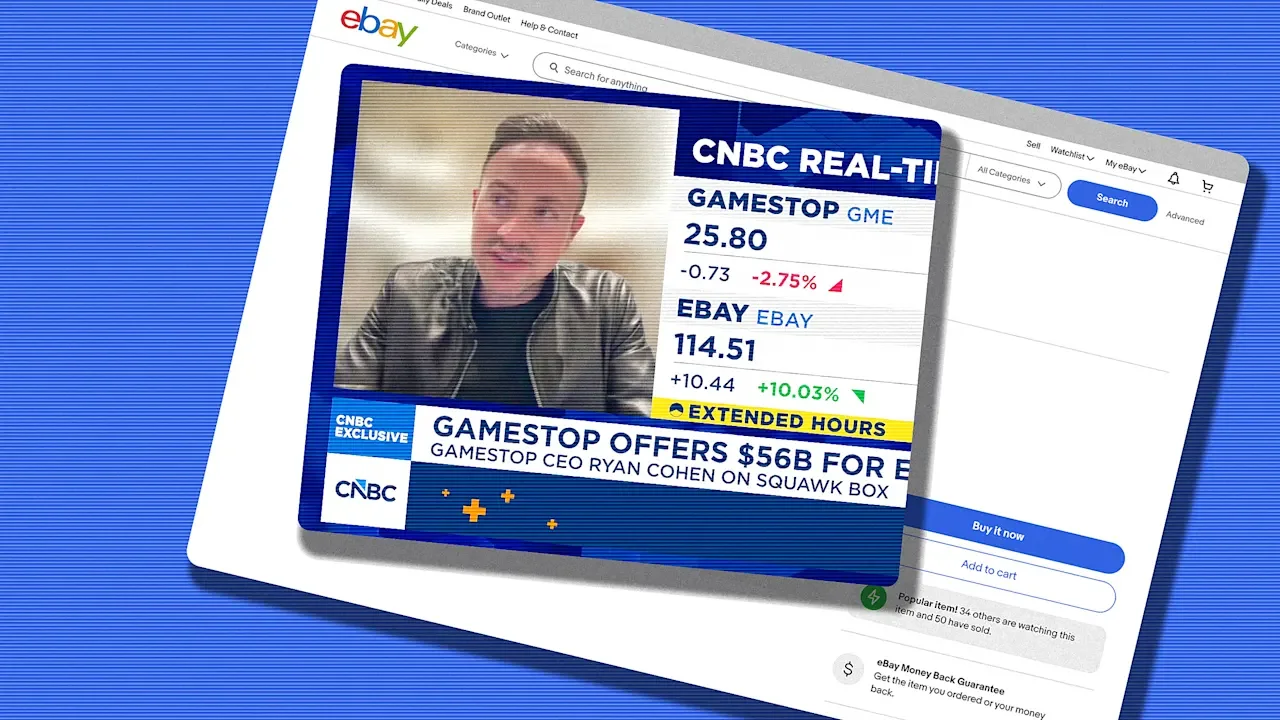
GameStop announced on Sunday that it would offer to buy eBay for nearly $56 billion. One day later, CNBC spoke to GameStop CEO Ryan Cohen about the news, in an interview media outlets have called “bizarre,” “evasive,” “dizzying” and “awkward.” In what felt more like an SNL sketch than a CNBC interview, the billionaire CEO of GameStop provided little context or further explanation as to how the company would afford and operate eBay, which has a market capitalization of $46 billion compared to GameStop’s $11 billion. When asked how math for the deal would actually pan out, Cohen answered, “It’s on our website. Half cash, half stock, but the details are on our website.” But between GameStop’s market cap, $9 billion cash reserves and the $20 billion financing confidence letter the company received from TD Securities, that still leaves Cohen short around $16 billion. “We’ll see what happens,” Cohen responded when asked how GameStop would close that gap. “That’s a pretty straightforward question,” CNBC co-anchor Becky Quick chimed in. “I don’t get it. Where’s the rest of the money coming from?” “I don’t understand your question,” Cohen said. “We’re offering half cash, half stock. We have the ability to issue stock in order to get the deal done, but the full details of the offer are on our website.” Then, yesterday, Cohen posted on X that he was “selling stuff on eBay to pay for eBay.” Shortly after, Cohen said that his eBay account was suspended. His account is still live with all listings, which includes baseball trading cards, a $9,000 first generation Apple iPhone and other collectibles. Each listing includes a signed copy of Cohen’s proposal letter to eBay. “eBay has the second largest e-commerce franchise, and there’s a big opportunity to do something much larger and pull costs out of the system, as well as accelerate revenue growth,” Cohen had said in the CNBC interview. “[Our] focus on collectibles can be a much larger business, but bringing in an entrepreneurial mindset is what I plan on doing.” GameStop has built a 5% stake in eBay. The company posted a press release to its website, confirming receipt of the offer but declining to comment any further while the board “carefully and thoroughly” considers the proposal. “There’s an opportunity to make a much larger business, to make the business much more efficient, and to accelerate revenue growth,” Cohen said in the interview. “You look at GameStop as an example,” he added. “GameStop [is a] very difficult business, [it] should’ve been bankrupt multiple times over and it’s doing okay, it’s making a few bucks. eBay is in a very, very strong position but it could be in a much stronger position, and it could be a much larger business than what it currently is.” In a separate interview with the Wall Street Journal, Cohen said that GameStop’s takeover of eBay “could be a legit competitor to Amazon.” Amazon’s revenue totaled close to $717 billion, compared to GameStop’s total revenue of $3.6 billion last year. Cohen eventually said “there’s a lot of fat to cut” at eBay, alluding to the company’s $2.4 billion spend on sales and marketing last year. He added that if he was “running the business, it would make a lot more money.” Following the CNBC interview, GameStop stock dipped more than 10%. Investor Michael Burry, who was portrayed by Christian Bale in the film The Big Short, said he sold his entire GameStop stake. Cohen later spoke to OpenAI-acquired talk show TBPN, where he seemed to be in better spirits. He still seemed staunch in his belief that he will be the right person to steer eBay in a new direction. “There’s 11,500 employees,” Cohen said. “It doesn’t make sense. I could run that business from my house. It’s eBay, it looks the same as it did in 1995. It doesn’t need 11,500 employees.” View the full article
-
In today’s fast-paced business environment, managing payroll benefits effectively requires the right tools. You need centralized benefits management systems to streamline processes and built-in compliance tools that simplify reporting obligations. Employee empowerment platforms can encourage engagement by providing self-service access to information. Meanwhile, data analytics and advanced AI features can transform your payroll data into valuable insights. Comprehending these tools can position your organization for success, but let’s explore each one in detail. Key Takeaways Centralized benefits management solutions streamline administration, automate enrollments, and enhance compliance tracking for efficient payroll management. Built-in compliance confidence tools automate ACA reporting and COBRA administration, reducing payroll errors and ensuring adherence to evolving regulations. Employee empowerment platforms offer self-service portals, enabling employees to access benefits information, compare plans, and track changes independently. Data analytics transform payroll data into actionable insights, supporting strategic workforce planning and evaluating the cost-effectiveness of benefits programs. Advanced AI features in payroll management automate processes, reduce manual handling, and integrate seamlessly with existing HRIS systems for accuracy and efficiency. Centralized Benefits Management Solutions Centralized benefits management solutions streamline the complex process of managing employee benefits by consolidating various tasks into one user-friendly platform. These systems eliminate the hassle of scattered spreadsheets and manual coordination, automating enrollments and compliance tracking. This not just reduces administrative burdens on HR teams but additionally improves efficiency in payroll and benefits management. Built-in Compliance Confidence Tools When managing payroll, having built-in compliance confidence tools can make a considerable difference in your operations. These tools, integrated within payroll software, automate crucial tasks like ACA reporting and COBRA administration. This automation markedly reduces the risk of errors, ensuring your business adheres to regulations. Leading platforms like Gusto and Rippling offer compliance management features that provide real-time updates for tax filings and labor standards, boosting your HR team’s confidence. Employee Empowerment Platforms Employee empowerment platforms play a crucial role in modern payroll management, offering intuitive self-service portals that allow employees to access and manage their personal benefits information anytime, from any device. These platforms improve engagement and satisfaction, making online benefits administration simpler and more efficient. Key features of employee empowerment platforms include: Self-service access: Employees can view and update their personal benefits anytime. Plan comparison: Users can independently compare different benefit plans. Real-time tracking: Platforms like Gusto and BambooHR provide updates on benefits changes. Centralized information: All benefits data is organized in one accessible location. Improved communication: These tools promote transparency and streamline interactions between employees and HR. Strategic Insight Through Data Analytics How can organizations leverage data analytics to improve their payroll management strategies? By utilizing advanced payroll data solutions, you can transform raw data into actionable insights that guide your HR team’s decisions on employee compensation and benefits. Integrating payroll software with analytics tools allows for real-time tracking of enrollment data, enabling your organization to monitor participation rates and adjust benefits offerings as needed. Data-driven insights additionally support strategic workforce planning by identifying trends in employee benefits usage and preferences, which can improve engagement and satisfaction. Moreover, by eliminating duplicate data entry and paperwork through this integration, you streamline processes and boost operational efficiency. Finally, evaluating the cost-effectiveness of various benefits programs through analytics allows your HR team to make smarter, more strategic decisions regarding employee benefits, in the end promoting a more satisfied workforce and optimizing your payroll management strategies. Streamlined Execution With Workflow Management Streamlined execution in payroll management relies heavily on workflow management tools that automate customizable processes. By integrating tasks across departments, you gain real-time visibility into operations, enhancing efficiency and accountability. This approach not merely simplifies complex workflows but additionally empowers your HR team to focus on strategic goals rather than repetitive tasks. Customizable Workflow Automation In today’s fast-paced business environment, implementing customizable workflow automation in payroll management can greatly boost your HR team’s efficiency. This approach allows you to design customized processes that meet your organization’s specific needs, improving operational effectiveness. By integrating benefits workflows, you gain full visibility into administration, reducing manual tasks and errors. Key benefits include: Streamlined payroll processes across departments Adaptability to manage complex payroll tasks Increased flexibility in HR workflows Quick implementation in under four months Enhanced strategic visibility for decision-making With customizable workflow automation, your HR team can respond swiftly to changing business requirements, ensuring that payroll and HR functions operate seamlessly and cohesively. Cross-Departmental Process Integration Whereas many organizations struggle with inefficiencies in their payroll processes, cross-departmental process integration through workflow management offers an effective solution. By leveraging human resources software and payroll management software, you can automate tasks and improve collaboration among HR, finance, and compliance teams. Customizable workflows allow you to align benefits administration with your organization’s objectives, promoting faster execution. As you connect benefits workflows to existing processes, you’ll streamline complex tasks, enhancing efficiency across departments. Visual Work OS tools provide flexibility, enabling you to adapt workflows as needed during maintaining oversight. With rapid implementation possible in under four months, you can quickly transform your benefits management processes, reducing manual coordination and ensuring seamless operations within your organization. Real-Time Visibility Tracking Real-time visibility tracking transforms how HR teams manage payroll and benefits administration. By using visual dashboards and automated alerts, you can efficiently monitor enrollment progress and compliance tasks. This integration improves administrative oversight and guarantees alignment across departments. Here are some key advantages: https://www.youtube.com/watch?v=8RYQj1TKyPU Seamless execution of benefits workflows with organizational processes Customizable workflows modified to various HR tasks Rapid implementation achievable in under four months Proactive identification of potential issues to maintain compliance Improved visibility across all operations for informed decision-making With real-time visibility tracking, you’re better equipped to adapt quickly to changing needs, guaranteeing your payroll benefits management remains efficient and compliant. Advanced AI Features in Payroll Management As organizations strive for greater efficiency in payroll management, advanced AI features play a crucial role in transforming traditional processes. By integrating AI-driven smart categorization into your payroll application, you can streamline the management of incoming requests, reducing manual handling and improving response times. Automated payroll processes fueled by AI identify discrepancies, minimizing errors and ensuring compliance with regulations. AI Feature Benefit Smart Categorization Reduces manual handling Automated Processes Identifies discrepancies Predictive Analytics Informs budget allocations Risk Identification Improves project planning Large-Scale Administration Frees HR for strategic tasks With effective HR and payroll management software, AI tools facilitate large-scale administration. They allow HR teams to focus more on strategic initiatives instead of routine payroll tasks, in the end leading to a more efficient organization. Key Features for Effective Benefits Administration In terms of benefits administration, having an intuitive self-service portal is crucial, as it allows employees to easily manage their benefits information. Automated compliance management tools are likewise vital, ensuring your organization meets regulations without manual oversight. Together, these features not merely improve employee engagement but additionally streamline administrative processes, reducing the risk of costly errors. Automated Compliance Management Automated compliance management is crucial for businesses traversing the intricacies of benefits administration, especially since tax laws and labor regulations are constantly evolving. By integrating automated compliance tools, you can guarantee your organization stays compliant and avoids penalties. Leading Paychex administration platforms typically offer these features: Real-time updates for tax filings and labor standards Automated ACA reporting and COBRA administration Advanced analytics for actionable compliance insights Centralized systems to streamline compliance processes Elimination of duplicate data entry and administrative burdens With these tools, your HR team can operate confidently, focusing on strategic initiatives as they manage compliance effectively. Embracing automated compliance management not just simplifies the process but also improves your overall benefits administration strategy. Intuitive Self-Service Portal An intuitive self-service portal plays a critical role in effective benefits administration by giving employees easy access to their personal benefits information around the clock. This functionality improves engagement and satisfaction, enabling you to compare benefits plans, manage selections, and make updates independently, which reduces the administrative burden on HR teams. Furthermore, self-service portals streamline communication by allowing you to access and download important documents like pay stubs and tax forms without needing HR intervention. The integration of self-service features with payroll health and HRIS systems minimizes duplicate data entry, ensuring accuracy in employee records. In addition, mobile-friendly designs enhance user experience, increasing adoption rates and empowering you to take control of your employee benefits payment solutions effectively. Frequently Asked Questions Which Tool Is Used for Payroll? For payroll, you can use tools like Gusto, Rippling, or ADP Workforce Now. These applications automate employee payments, calculate wages, and handle tax withholdings efficiently. They often include features like employee self-service portals, enabling staff to access pay stubs and tax documents. Furthermore, advanced solutions offer automated tax filing and compliance tracking, ensuring your business stays compliant with regulations. Choose a tool that fits your organization’s size and specific needs for best results. What Is the Most Essential Part of the Payroll Module? The most crucial part of the payroll module is automated payroll processing. It calculates wages, taxes, and deductions accurately, which greatly reduces manual errors and saves time. This feature streamlines the payroll process, allowing you to focus on more strategic tasks. Furthermore, it guarantees compliance with tax laws and labor regulations, minimizing penalties. What Do You Consider the Three Most Important Skills for a Payroll Manager to Have? As a payroll manager, you should prioritize strong attention to detail, proficiency in payroll software, and effective communication skills. Attention to detail guarantees accuracy in wage calculations and compliance with regulations, whereas software proficiency allows for efficient process automation. Communication skills are vital for addressing employee inquiries and collaborating with HR and finance teams. These skills not merely streamline operations but additionally help maintain compliance with evolving labor laws and tax regulations. Which Tool Is Often Used by HR for Managing Employee Information and Payroll? HR professionals often use integrated payroll software to manage employee information and payroll effectively. Tools like Gusto, Rippling, and ADP Workforce Now automate essential tasks such as payroll calculations, tax filings, and compliance tracking. They furthermore offer self-service portals for employees to access their payroll details, enhancing transparency. In addition, these systems integrate with existing HRIS and accounting software, streamlining data management and reducing errors, enabling HR teams to focus on strategic initiatives. Conclusion Incorporating these seven crucial tools into your payroll benefits management can greatly improve efficiency and compliance. Centralized systems simplify administration, whereas compliance tools automate necessary reporting tasks. Employee empowerment platforms promote engagement through self-service access, and data analytics provide valuable insights for strategic decision-making. Workflow management streamlines processes, and advanced AI features reduce errors, allowing HR teams to focus on higher-level initiatives. Adopting these tools will enhance your overall payroll management and drive better outcomes for your organization. Image via Google Gemini and ArtSmart This article, "7 Essential Tools for Payroll Benefits and Management" was first published on Small Business Trends View the full article
-
As a sole proprietor, comprehending your tax obligations is essential for managing your finances. You’ll report your net income on Schedule C of your Form 1040, and your earnings are taxed at your personal income tax rate. Furthermore, self-employment taxes kick in for profits over $400. Since state tax requirements vary, it’s important to know how much to set aside. Curious about how to maximize your deductions and avoid penalties? Key Takeaways Sole proprietors report business income on Form 1040 and Schedule C, taxed at personal income tax rates. Self-employment tax of 15.3% applies to net earnings over $400, covering Social Security and Medicare. Recommended to set aside 25-30% of income for federal taxes to avoid penalties. Deductions for ordinary business expenses can reduce taxable income, including home office and health insurance premiums. Quarterly estimated tax payments are required if expecting to owe $1,000 or more at year-end. Understanding Sole Proprietorships When you operate a sole proprietorship, you’re fundamentally running your business as an extension of yourself, which simplifies tax reporting. Since you’re viewed as the same legal entity as your business, you report all your income and expenses on Schedule C, submitted with your personal tax return (Form 1040). The income you earn is taxed at your personal income tax rate, and you additionally need to pay self-employment taxes for Social Security and Medicare. As a sole proprietor, it’s crucial to plan your finances wisely. A common question is, “how much should I set aside for taxes?” Typically, you should aim to set aside about 25-30% of your income for federal taxes. If you expect to owe $1,000 or more, quarterly estimated tax payments are required. Comprehending these basics helps clarify how much does a sole proprietor pay in taxes, allowing for better financial management. Tax Responsibilities of Sole Proprietors As a sole proprietor, you have specific tax responsibilities that can greatly impact your finances. You’ll need to report your business income on your personal tax return using Form 1040 and Schedule C, with your tax rate depending on your overall income. If your profit exceeds $400, you’re subject to self-employment tax, totaling 15.3%. Moreover, you must make estimated tax payments quarterly to avoid penalties. Your state income tax obligations vary based on where you live, often calculated from your federal figures. Fortunately, you can reduce your taxable income with deductions such as home office expenses, health insurance premiums, and the 20% pass-through deduction. Here’s a quick overview of your tax responsibilities: Tax Type Description Due Dates Federal Income Tax Reported on Form 1040 and Schedule C April 15 Self-Employment Tax 15.3% on profits over $400 Quarterly State Income Tax Based on federal income figures Varies by state Estimated Tax Payments Required to avoid penalties April 15, June 15, Sept 15, Jan 15 Deductions Home office, health insurance, pass-through N/A Filing Federal and State Income Taxes Filing your federal and state income taxes as a sole proprietor involves a series of steps that require careful attention to detail, especially since the process can greatly influence your overall tax liability. You’ll report your business income and expenses on Schedule C, which you’ll submit alongside Form 1040 for federal taxes. The combined income from Schedule C and Form 1040 determines your tax bracket and the total federal income tax owed. For state income taxes, these typically rely on the net income you report on your federal return, with rates varying by state. If you expect to owe $1,000 or more in taxes for the year, you’ll need to pay estimated taxes quarterly to both federal and state authorities. Staying organized and accurate is essential, as miscalculations can lead to penalties or higher tax bills. Self-Employment Taxes How do self-employment taxes affect your overall tax obligations as a sole proprietor? As a sole proprietor, you’re responsible for paying self-employment taxes, which amount to a total rate of 15.3%. This includes 12.4% for Social Security and 2.9% for Medicare. You must pay these taxes on net earnings of $400 or more, with only 92.35% of those earnings subject to the tax, offering a slight adjustment. Additionally, you can deduct half of the self-employment tax paid from your taxable income when filing Form 1040, helping to lower your overall tax burden. If your earnings exceed certain thresholds, like $200,000 for singles or $250,000 for joint filers, an extra Medicare tax of 0.9% applies. Self-employment tax is calculated on net earnings. A portion is deductible, reducing taxable income. Earnings above specific thresholds incur additional tax. Comprehending these taxes is vital for accurate budgeting. Deductible Business Expenses Comprehending your tax obligations as a sole proprietor goes beyond self-employment taxes; it also includes recognizing the various deductible business expenses that can greatly reduce your taxable income. You can deduct ordinary and necessary expenses like office supplies, advertising, and utilities. If you use a specific area of your home solely for business, you can take advantage of the home office deduction, which allows you to deduct a portion of your housing expenses, including mortgage interest or rent. For business-related travel, you have the option to deduct either the standard mileage rate, which is 65.5 cents per mile for 2023, or your actual vehicle expenses. Furthermore, health insurance premiums for yourself, your spouse, and dependents can be deducted, provided you don’t have access to other health plans. Each of these deductions can greatly lower your overall tax liability, allowing you to keep more of your hard-earned income. Pass-Through Deduction As you traverse your tax responsibilities as a sole proprietor, it’s crucial to understand the benefits of the pass-through deduction. This deduction allows you to deduct up to 20% of your qualified business income (QBI) from your taxable income, effectively lowering your tax burden. For 2023, the income thresholds for this deduction phase out at $182,100 for single filers and $364,200 for married couples filing jointly. If you run a specified service business and exceed these limits, you might face limitations on your deduction. The pass-through deduction is available from 2018 through 2025, providing a significant incentive for small business owners. It helps reduce your overall taxable income. You must report business income on IRS Form 1040 and Schedule C. Be aware of the income thresholds for eligibility. Planning your income strategically can maximize your benefits. Estimated Taxes for Sole Proprietors As a sole proprietor, you need to pay estimated taxes quarterly if you expect to owe at least $1,000 for the year. To calculate your estimated tax, use Form 1040-ES, which helps you determine your expected tax liability based on your income, deductions, and credits. Keeping up with these payments is essential, as failing to do so can result in penalties that might impact your business finances. Quarterly Payment Requirements When you’re a sole proprietor, comprehending your quarterly payment requirements is essential to avoid penalties and guarantee compliance with tax regulations. You need to make estimated tax payments quarterly if you expect to owe at least $1,000 in taxes for the year. The due dates are typically on April 15, June 15, September 15, and January 15 of the following year. Here are key points to keep in mind: Use Form 1040-ES to help calculate your estimated taxes. Pay at least 90% of the current year’s tax liability or 100% of the previous year’s, whichever is lower. Each payment includes both federal income tax and self-employment tax. Timely payments prevent penalties and interest charges. Calculating Estimated Tax Calculating estimated taxes can feel intimidating, but it’s a crucial step for sole proprietors to guarantee they meet their tax obligations. If you expect to owe $1,000 or more in taxes for the year, you’ll need to make quarterly estimated payments, typically due on April 15, June 15, September 15, and January 15. Use Form 1040-ES to calculate your estimated taxes; it includes a helpful worksheet that lets you project your income and tax liability based on past earnings or current estimates. Remember, the self-employment tax rate is 15.3%, covering Social Security and Medicare taxes on your net earnings. Keep detailed records of your income and expenses, as this will help you accurately estimate payments and maximize deductions. Record Keeping and Financial Advisory Resources To guarantee your tax obligations are met and to maximize deductions, maintaining accurate records is crucial for sole proprietors. Proper documentation helps you substantiate business expenses and guarantees you can claim all eligible deductions on your tax returns. Consider these key practices for effective record-keeping: Separate Bank Accounts: Keep distinct accounts for business and personal expenses to simplify tracking. Mileage Log: Document all business-related travel to maximize deductions related to transportation. Accounting Software: Utilize tools that streamline your record-keeping processes and track your income and expenses efficiently. Professional Consultation: Consult with a financial advisor or accountant for insights into optimizing tax strategies and guaranteeing compliance with filing requirements. Frequently Asked Questions How Much Should I Set Aside for Taxes as a Sole Proprietor? As a sole proprietor, you should set aside about 25% to 30% of your net income for taxes. This includes federal income tax and self-employment tax, which is 15.3% on earnings over $400. If you expect to owe $1,000 or more in taxes for the year, you’ll need to make quarterly estimated payments. Don’t forget to check your state tax rates, as those can affect your total tax obligations too. How Are You Taxed as a Sole Proprietor? As a sole proprietor, you report your business income on your personal tax return using Form 1040 and Schedule C. Your profits get taxed at your individual income tax rate. You’re furthermore responsible for self-employment taxes, which total 15.3% on your net earnings. If you earn $400 or more, you’ll need to file Schedule SE. Moreover, you can deduct business expenses to lower your taxable income, which can reduce your overall tax liability. Do Self-Employed Pay 30% Tax? Self-employed individuals don’t pay a flat 30% tax rate. Instead, your federal income tax depends on your taxable income and applicable tax brackets. You’ll additionally owe self-employment tax, currently 15.3% of your net earnings for Social Security and Medicare. As your total tax burden can approximate 30% when considering both taxes, actual rates vary based on deductions and credits, which can considerably lower your effective tax rate. Is LLC or Sole Proprietor Better for Taxes? When deciding whether an LLC or sole proprietorship is better for taxes, consider several factors. A sole proprietorship typically offers simpler tax filing, but income is taxed at your personal rate. An LLC can choose its tax treatment, potentially reducing self-employment tax liabilities. Nevertheless, it may involve more paperwork and state taxes. If you’re eligible for the 20% qualified business income deduction, that could likewise influence your decision, especially if your income is high. Conclusion In conclusion, as a sole proprietor, you’re responsible for reporting your income and paying taxes on your net earnings. You’ll need to account for federal and state income taxes, along with self-employment taxes if your profits exceed $400. It’s vital to keep track of deductible business expenses and consider making estimated tax payments quarterly. By comprehending these tax responsibilities and maintaining organized records, you can effectively manage your tax obligations and avoid surprises at tax time. Image via Google Gemini and ArtSmart This article, "How Much Does a Sole Proprietor Pay in Taxes?" was first published on Small Business Trends View the full article
-
Artificial inteligence is being touted as the most transformative technology of the 21st century, changing everything from how people work to how they live. But forget all that—what sports fans want to know is, can it predict who is going to win the World Cup? According to a new Bank of America Global Research study shared with Fast Company, titled “The Beautiful Game: BofA’s World Cup 2026 Guide,” approximately 40% of FIFA fans they surveyed are betting on France’s Les Bleus. However, AI, specifically Microsoft’s Copilot, thinks Spain’s La Roja, or “The Red One,” will take home the gold. “Our 2026 World Cup survey . . . suggests that France will lift the trophy in a final,” said the report. “Mbappé is expected to be top scorer and Lamine Yamal player of the tournament . . . AI concurs, but adds Spain with equal probability to win the World Cup.” Only time will tell if humans or AI end up being right. “This tournament marks the transition of artificial intelligence from a support tool to a control layer,” the report added. “AI will analyze thousands of performance metrics in real time, power digital twins of stadiums, and orchestrate operations across three countries . . . Total data creation could top 2 exabytes [including] AI, simulations, streaming, and social platforms.” It also noted that this year’s World Cup will be “the biggest ever,” with over 75% of the globe engaging with the tournament. It will provide a boost of up to $41 billion to the global GDP, while supporting over 800,000 jobs, including some 185,000 in the U.S. alone. The 2026 FIFA World Cup, which kicks off in just about five weeks on June 11 and runs through July 19, is set to feature 48 teams playing over 100 matches, hosted for the first time by three countries in North America: Canada, Mexico and the U.S. Some 6.5 million fans, almost double the previous record, are expected to watch the games in the 16 host cities, including 11 in the U.S.: Atlanta, Boston, Dallas, Houston, Kansas City, Los Angeles, Miami, New York/New Jersey, Philadelphia, San Francisco Bay Area, and Seattle. The final tournament is scheduled to take place outside New York City at New Jersey’s MetLife Stadium on July 19. Not only has the competition grown, but so has the payout—which is set to be the largest in World Cup history, totaling some $871 million, with Americans paying record-breaking prices for tickets. However, some fans have complained the ticket-buying process is both confusing and expensive, with some saying the seats they purchased aren’t what they thought they were getting. View the full article

-
Symbolic move indicates growing resistance to The President administration’s payments to stop such projectsView the full article
-
Book bans are on the rise—and they’re increasingly focused on censoring facts. In a new report on banned books in U.S. public schools, the free expression advocacy group PEN America found that the number of nonfiction books pulled from shelves doubled last year. The group describes a “surge” of book bannings targeting nonfiction science, history, and biographic titles, including books about the digestive system and ancient Egypt. PEN America conducted an analysis of 3,743 books removed from American school libraries and classrooms in the 2024-2025 academic year. Of the banned titles, 29% (1,100) were nonfiction, up from 14% the previous school year. Fiction titles still make up the lion’s share of banned books, but the spike in nonfiction books targeted for their content is particularly alarming and hints at a new frontier in American academic censorship. Compared with the prior school year, the portion of educational and informational books banned grew from 5% of all banned titles to 13%. “This latest trend shows an embrace of anti-intellectualism, undermining public knowledge by devaluing education and expertise,” Kasey Meehan, PEN America’s Freedom to Read program director, said in a statement. “It is another example of how censorship sweeps broadly, leading to removals of all kinds of books, in its efforts to sow fear and distrust in our public education system.” Books aren’t banned in a vacuum. Titles can be flagged and pulled in a few different ways, including through parent or community interventions, by administrative decision, or in response to government policies. When a single book is banned, hundreds of copies of that title might be pulled from circulation in a school district across libraries and classrooms. Anatomy of a banned book In its report, Pen America identified a number of trends in the titles being pulled from school shelves. Of the 3,743 unique titles banned during the last school year, 57% of those books contained violence, 48% addressed death and grief, 39% dealt with empowerment and self-esteem, and 36% featured LGBTQ+ topics. Of the nearly 4,000 titles banned between 2024 and 2025, 38% were in the realistic/contemporary genre; 25% were dystopian, sci-fi, or fantasy; 14% were history or biographic books; and 13% were educational and informational. PEN America describes the latter category as predominantly nonfiction written “for reference or learning purposes” across a wide breadth of topics, including art, language, politics, geography, identity, puberty, mental health, and self-help. Objections to exposing children to sexual content are a common complaint when people seek to ban a book, but PEN America’s report found that only 10% of titles banned in the last school year actually featured “on the page” consensual sexual content. Sex dominates the conversation around censoring the kinds of books K-12 students have access to, but the reality is that most banned books don’t actually contain descriptions of sexual content. In the latest crop of banned books, 44% featured characters who were people of color—the largest percentage to date. In the prior school year, 36% of the targeted titles featured racial minorities. The increase, along with a similar uptick in banned books featuring LGBTQ+ characters and content, reflects a broader political climate that normalizes attacks on marginalized communities beyond the library. In a report published last month, the American Library Association found that more than 90% of efforts to ban or restrict books originated with organized pressure groups, school administrators, and government officials. Less than 3% of challenges to books came from parents of schoolchildren, and even fewer originated from the students who actually use school libraries. View the full article

-
Small business owners looking for ways to streamline their operations might be interested in Workday’s recent launch of the Personnel Action Request (PAR) Agent, specifically designed for federal HR systems but with implications for any organization managing personnel processes. This new AI-driven tool aims to revolutionize how HR transactions are handled, significantly cutting down processing times and enhancing accuracy—key metrics that small businesses can also leverage. The PAR Agent has been developed to tackle common inefficiencies in personnel management. It automates workflows for hiring, promotions, reassignments, and pay changes, which traditionally are paper-heavy and often involve lengthy delays. According to reports, routine actions can take anywhere from 22 to 120 days to process. The new system reduces these cycle times by up to 60%, making average completion times drop to just 9 to 18 days. This innovation resounds positively for small business owners who often juggle multiple roles. “Federal HR leaders are under pressure to fill critical roles, retain top talent, and ensure every personnel action supports mission readiness – yet they are often constrained by legacy, paper-based processes,” said Lynn Martin, general manager of Workday Government. This sentiment resonates across the board; small business owners face similar challenges with outdated systems that hinder vital HR processes. The PAR Agent’s automated nature and real-time visibility are game changers; imagine managers and employees being able to track personnel updates without constant inquiries. The system not only improves speed but also enhances decision-making through accurate data. Errors are minimized as the tool can validate data against internal policies, providing alerts before deadlines are missed. For small businesses, where every hour spent managing personnel can impact the bottom line, the potential for savings is significant. For instance, an agency processing thousands of PARs could save approximately 64,000 labor hours annually. Small business owners might not manage those scales, but the efficiency improvements, less administrative overload, and better allocation of human resources can still yield considerable financial and operational benefits. While these benefits are promising, there are challenges to consider. Transitioning to an automated system requires investment in software and training, which could be a hurdle for some smaller enterprises. Implementation can also lead to temporary disruptions as staff adjust to new processes. Additionally, compliance with new technologies can require businesses to keep up with evolving HR laws and data management practices. Moreover, while the PAR Agent is specifically designed for federal entities, small businesses might find similar automation tools or features in broader management software platforms. The move toward integrated, AI-enabled HR solutions can help businesses streamline operations, improve employee experiences, and enhance service delivery. Workday’s PAR Agent is expected to be available to its customers in 2027, but the effects of this innovation are already being felt in the broader HR landscape. As small business owners consider their own personnel management strategies, looking toward automation could very well lead to improved efficiency and employee satisfaction, ultimately translating to better business outcomes. For more detailed information about the PAR Agent and its impact on federal HR systems, you can visit the original press release at Workday’s newsroom here. As the conversation around technology in HR continues to evolve, remaining informed about these advancements is crucial for small business success. Image via Google Gemini This article, "Workday Launches AI Agent to Slash Federal HR Processing Times by 60%" was first published on Small Business Trends View the full article
-
Despite expert advice against relying on chatbots for mental health questions and concerns, people are turning to AI programs like ChatGPT for help. The company has faced criticism for how its products have handled certain mental health issues—including episodes where users died by suicide following conversations with ChatGPT. As part of a campaign to address these problems, OpenAI is now rolling out a voluntary safety check system for users who might be concerned about their thoughts. As reported by Mashable, OpenAI just launched "Trusted Contact," a new feature that lets you choose a trusted person in your life to connect to your ChatGPT account. The idea isn't to share your conversations or collaborate on projects within ChatGPT; rather, if the chatbot thinks your personal chats are veering in a concerning direction with regards to self-harm, ChatGPT will reach out to your Trusted Contact, letting them know to check in on you. How ChatGPT's Trusted Contact works Credit: OpenAI To set up the feature, choose someone in your life who is 18 years old or older. (The contact must be 19 or older in South Korea.) ChatGPT will send that person an invitation to become your Trusted Contact: They have one week to respond before the invite expires. Of course, they can also decline the invitation if they don't want to participate. If the contact agrees, the feature kicks in. In the future, if OpenAI's automated system thinks you're discussing harming yourself "in a way that indicates a serious safety concern," ChatGPT will let you know that it may reach out to the Trusted Contact, but also encourages you to reach out that contact yourself, with "conversation starters" to break the ice. While that's happening, OpenAI has a team of "specially trained people" to analyze the situation. (It's not all automated, it seems.) If this team concludes that the situation is serious, ChatGPT will then alert your Trusted Contact via email, text, or through an in-app notification in ChatGPT if they have an account. OpenAI says the notification itself is quite limited, and only shares general information about the self-harm concern, and advises the contact to reach out to you. It won't send any chat transcripts or summaries either, so your general privacy should be preserved, all things considered. OpenAI says that it's working to review safety notifications in under one hour, and that it developed the feature with guidance from clinicians, researchers, and mental health and suicide prevention organizations. The feature is, of course, entirely voluntary, so the user will need to enroll themselves (and a contact) in if they feel it would help them. As long as they do, however, this could be a helpful way for friends and family to check in on people when they're struggling—assuming they're sharing those thoughts with ChatGPT. Disclosure: Ziff Davis, Lifehacker's parent company, in April 2025 filed a lawsuit against OpenAI, alleging it infringed Ziff Davis copyrights in training and operating its AI systems. View the full article
-
Effective organizational conflict management is vital for maintaining a productive workplace. It involves comprehending various conflict types, recognizing common causes, and addressing issues before they escalate. Implementing strategies like the Thomas-Kilmann Conflict Model can help navigate disputes, whereas training employees in communication skills encourages collaboration. Additionally, strong leadership can transform conflicts into opportunities for growth, benefiting overall performance. So, what specific strategies can leaders adopt to create a more harmonious workplace? Key Takeaways Implement the Thomas-Kilmann Conflict Model to effectively navigate and resolve disputes within the organization. Train employees in communication and negotiation skills to enhance collaboration and reduce misunderstandings. Establish clear, fair policies for conflict resolution to promote transparency and trust among team members. Foster a supportive atmosphere where employees feel comfortable expressing concerns and addressing conflicts openly. Leaders should actively maintain morale and promote ethical treatment during disputes, transforming conflicts into growth opportunities. Understanding the Importance of Conflict Management in Organizations Comprehending the importance of conflict management in organizations is vital, especially when you consider that unresolved conflicts cost American businesses around $359 billion each year. Organizational conflict, if left unaddressed, can lead to significant productivity losses, with employees often avoiding toxic situations. This avoidance results in costs of up to $7,500 per individual and over seven workdays lost. Effective conflict resolution isn’t just about addressing disputes; it improves team dynamics and nurtures collaboration, creating a culture of respect within your organization. Furthermore, poorly managed conflicts can decrease morale and increase turnover rates, driving employees to seek external support. By prioritizing organizational conflict management, you can proactively address issues, improving employee well-being and engagement. In the end, this approach boosts overall organizational performance, ensuring that your team remains motivated and united in pursuing common goals. Common Causes of Organizational Conflict When organizations face conflict, it often stems from a variety of common causes that can disrupt workplace harmony and productivity. Unclear responsibilities frequently lead to misunderstandings among team members, whereas personality clashes arise from diverse backgrounds and differing communication styles. Furthermore, resource scarcity can create competition, causing employees to vie for limited resources, which fuels conflict. Conflicting interests between departments or individuals likewise contribute to tension, making collaboration challenging. Finally, ineffective communication, including misinterpretations and lack of transparency, exacerbates misunderstandings and escalates disputes. Cause of Conflict Description Impact on Organization Unclear Responsibilities Misunderstandings about roles and tasks Decreased productivity Personality Clashes Friction because of diverse backgrounds Strained working relationships Resource Scarcity Competition for limited resources Increased tension Conflicting Interests Differing goals between teams Hindered collaboration Ineffective Communication Misinterpretations and lack of transparency Escalating disputes Types of Conflict in the Workplace In the workplace, you’ll encounter various types of conflict that can impact productivity and morale. Intrapersonal conflicts arise within individuals because of role ambiguity or conflicting values, whereas interpersonal conflicts occur between individuals, often fueled by personality clashes or miscommunication. Furthermore, group conflicts can emerge within teams or between different teams, especially when competition for resources or differing goals creates tension. Intrapersonal Conflict Dynamics Comprehending intrapersonal conflict dynamics is essential for recognizing how internal struggles can affect workplace performance. Intrapersonal conflict often arises from conflicting values, beliefs, or emotions, which can hinder your decision-making and productivity. You might experience stress or anxiety about your role, leading to reduced job satisfaction and engagement. Research shows that unresolved intrapersonal conflicts contribute to absenteeism, costing American businesses approximately $359 billion annually. To manage these conflicts effectively, you need self-awareness and emotional intelligence, which help you recognize and address your internal struggles constructively. Organizations can support you by providing resources like counseling and training programs focused on stress management and conflict resolution skills, ultimately nurturing a more resilient and productive workforce. Interpersonal Conflict Scenarios How do interpersonal conflicts manifest in the workplace? They often arise from personality clashes, communication breakdowns, or differing values. These conflicts can greatly impact team dynamics and productivity. In fact, about 53% of employees tend to avoid “toxic” situations caused by interpersonal conflict, resulting in considerable costs for organizations. Effective resolution is vital, as unresolved conflicts can lower morale and increase turnover rates. The Thomas-Kilmann Conflict Model suggests strategies like collaboration and compromise, which help encourage better workplace relationships. Leaders play a key role in mediating these conflicts, promoting open communication, and ensuring fair treatment, which ultimately improves team cohesion and employee engagement. Causes of Conflict Impact on Workplace Personality Clashes Decreased Team Dynamics Communication Breakdowns Increased Employee Turnover Differing Values Negative Organizational Reputation Avoidance Behaviors Loss of Productivity Ineffective Leadership Low Employee Morale Group Conflict Types Group conflict types in the workplace can greatly impact overall organizational effectiveness. These conflicts can be categorized into five types: intrapersonal, interpersonal, intragroup, intergroup, and inter-organizational. Intrapersonal conflicts occur within individuals, often stemming from personal dilemmas. Interpersonal conflicts arise between individuals, frequently because of personality clashes or different communication styles, disrupting team dynamics. Intragroup conflicts emerge within teams, often caused by unclear roles, leading to confusion and competition for resources. Intergroup conflicts involve disputes between teams, usually driven by competing interests or limited resources, which can hinder performance. Recognizing these distinct conflict types is essential, as it allows you to apply appropriate conflict management strategies customized to the specific challenges of each situation. The Impact of Unresolved Conflicts on Employee Engagement Unresolved conflicts in the workplace can greatly undermine employee engagement, creating a cascade of negative effects that ripple through an organization. When conflicts linger, productivity suffers considerably, contributing to the staggering $359 billion that American businesses lose each year. About 53% of employees choose to avoid “toxic” work situations, leading to an average cost of $7,500 and over seven workdays lost for each person. This avoidance can directly lower morale, reduce job satisfaction, and increase turnover rates. Furthermore, employees entangled in unresolved conflicts often report feelings of distrust and dissatisfaction, which can escalate into larger organizational issues. It’s essential to recognize that constructive conflict resolution is imperative for maintaining high employee engagement levels. By nurturing a culture of respect and collaboration, you can improve team productivity and create a healthier work environment that benefits everyone involved. Benefits of Proactive Conflict Management Proactive conflict management offers several critical benefits that can greatly improve your workplace. By addressing issues early, you can improve team cohesion, which leads to stronger collaboration among employees. Moreover, cultivating an environment of open communication boosts employee engagement and increases job retention, finally supporting a more productive and positive work atmosphere. Enhanced Team Cohesion Effective conflict management strategies can greatly improve team cohesion, especially when issues are addressed early. By proactively managing conflicts, you minimize the escalation of minor issues, preventing larger disruptions that could harm productivity. When organizations prioritize early resolution, they cultivate loyalty and retention, creating a supportive work environment that boosts team dynamics. Furthermore, addressing conflicts swiftly cultivates trust and mutual respect, which are essential for effective collaboration and innovation. This proactive approach encourages open communication, allowing you and your colleagues to express concerns without fear. In the end, a positive organizational culture emerges, leading to a harmonious workplace atmosphere where team cohesion thrives, ensuring that everyone feels valued and connected in their roles. Improved Employee Engagement When conflicts are addressed swiftly, you create an environment where employee engagement can thrive. Proactive conflict management encourages a positive work atmosphere, greatly enhancing employee satisfaction. By tackling conflicts early, organizations can reduce absenteeism and turnover, saving approximately $7,500 and over seven workdays per employee each year. When employees feel empowered to manage conflicts effectively, they’re more likely to feel valued, which boosts loyalty. This approach strengthens team cohesion and increases productivity; unresolved conflicts can cost American Express businesses $359 billion annually. Furthermore, a culture that promotes open communication and conflict resolution leads to higher morale, contributing to greater organizational success and a positive reputation in the industry. Engaged employees are crucial for achieving long-term goals. Increased Job Retention In today’s competitive job market, increased job retention is fundamental for organizational success. Proactive conflict management plays an important role in achieving this goal. By effectively addressing conflicts, organizations can greatly reduce employee turnover rates, resulting in lower absenteeism and higher job satisfaction. With companies losing an estimated $359 billion annually because of unresolved conflicts, maintaining a harmonious workplace becomes financially beneficial. Cultivating an environment focused on conflict resolution improves employee loyalty, which directly correlates with job retention and reduced hiring costs. Research shows that 53% of employees avoid “toxic” situations, underscoring the importance of proactive conflict management in retaining top talent and maintaining a positive workplace culture, critical for sustaining high employee morale. Key Strategies for Effective Conflict Resolution Conflict resolution in the workplace requires a strategic approach that can effectively address various disputes. Implementing the Thomas-Kilmann Conflict Model can improve your conflict resolution efforts by providing five strategies: Avoiding, Competing, Accommodating, Compromising, and Collaborating. Each strategy suits different levels of assertiveness and cooperativeness, allowing you to navigate conflicts more effectively. Proactive conflict management is crucial since unresolved conflicts can cost organizations around $359 billion annually. Training employees in communication and negotiation skills cultivates a culture of respect and collaboration, which improves team dynamics. Establishing clear policies for conflict resolution creates a fair and transparent environment, empowering employees to manage disputes independently. Moreover, encouraging a supportive atmosphere where employees feel safe expressing concerns can lead to higher job satisfaction and loyalty, eventually improving organizational performance and reducing turnover rates. The Role of Leadership in Conflict Management Effective leadership plays a pivotal role in managing conflict within organizations, as leaders not just address personal disputes but also guide employees in resolving their issues. When leaders effectively manage conflict, they help maintain team morale and productivity, reducing the significant $359 billion lost annually by American businesses because of unresolved disputes. By cultivating an environment of ethical treatment, leaders can guarantee fairness and accountability, which helps mitigate influence imbalances and builds trust among team members. Training managers in conflict resolution skills improves their ability to guide teams through disputes, empowering employees to tackle conflicts independently and reducing reliance on external mediation. Moreover, by promoting open communication and collaboration, leaders can transform conflicts into opportunities for growth, eventually contributing to a more resilient and engaged workforce. Your leadership sets the tone for conflict management, shaping how your team navigates challenges together. Training and Development for Conflict Management Skills When organizations prioritize training and development for conflict management skills, they equip employees with the tools needed to handle disputes effectively. Regular training sessions in conflict resolution build crucial skills like active listening and emotional intelligence. This training leads to a significant boost in employee satisfaction and engagement, finally enhancing overall productivity. Investing in conflict management training can increase employee satisfaction by 25%. Mediation training for managers encourages open communication, helping to resolve conflicts before they escalate. Continuous professional development opportunities guarantee employees adapt to evolving workplace dynamics. Moreover, regularly evaluating and updating training programs guarantees they remain relevant and effective. By focusing on these strategies, organizations can create a healthier workplace environment and reduce the costs associated with unresolved conflicts. Equipping your workforce with these skills isn’t just beneficial—it’s vital for long-term success. Building a Collaborative Workplace Culture Creating a collaborative workplace culture is essential for nurturing an environment where open communication and trust thrive. This culture greatly reduces misunderstandings and conflicts, which can cost organizations $359 billion annually. To establish this environment, consider the following strategies: Strategy Benefits Implementation Team-building activities Improves relationships Schedule regular events Training in conflict resolution Empowers employees Offer workshops on active listening and negotiation Clear conflict resolution policies Reinforces fairness Develop and communicate procedures Frequently Asked Questions What Are the 5 C’s of Conflict Management? The 5 C’s of conflict management are Communication, Collaboration, Compromise, Control, and Commitment. Communication involves clear dialogue to prevent misunderstandings. Collaboration focuses on working together to find solutions that benefit everyone involved. Compromise requires concessions from both parties when goals and relationships are moderately important. Control refers to leaders guiding the process to keep it constructive. Finally, Commitment guarantees all parties uphold agreed-upon solutions for effective conflict resolution. What Are the Five 5 Strategies to Resolve Workplace Conflict? To resolve workplace conflict, you can use five key strategies. First, avoiding works for low-stakes issues but isn’t ideal for important matters. Second, competing is effective in crises but can harm trust. Third, accommodating helps maintain relationships but may sacrifice your needs. Fourth, compromising requires both parties to give up something, balancing goals and relationships. Finally, collaborating aims for win-win solutions, enhancing both outcomes and workplace relationships. What Strategies Can Be Used to Resolve Organizational Conflict? To resolve organizational conflict, you can apply several strategies. Start by cultivating open communication, which encourages dialogue and comprehension. Utilize active listening to grasp different perspectives, and consider collaborative approaches to find win-win solutions. When appropriate, compromise can help both parties feel satisfied. Furthermore, addressing conflicts early on prevents escalation and promotes a healthier work environment. Finally, providing training in negotiation and mediation equips employees with crucial skills to manage disputes effectively. What Are the Five Conflict Management Strategies? The five conflict management strategies are Avoiding, Competing, Accommodating, Compromising, and Collaborating. Avoiding means steering clear of conflict, often suitable for minor issues. Competing involves assertively pursuing your goals, useful in emergencies. Accommodating prioritizes others’ needs, which can preserve relationships but may limit creativity. Compromising seeks a middle ground, balancing assertiveness and cooperativeness. Collaborating integrates everyone’s needs, nurturing solutions that benefit all parties, making it the most effective for complex conflicts. Conclusion In summary, effective conflict management is vital for nurturing a productive workplace. By grasping the causes and types of conflict, organizations can better address disputes and prevent escalation. Implementing strategies such as the Thomas-Kilmann Conflict Model, training employees in communication skills, and promoting a collaborative culture greatly improves resolution efforts. Leadership’s role in maintaining morale and fairness is significant, finally leading to improved performance and reduced turnover. Prioritizing conflict management benefits both employees and the organization as a whole. Image via Google Gemini and ArtSmart This article, "Key Strategies for Effective Organizational Conflict Management" was first published on Small Business Trends View the full article