Newsletter
Want to keep up to date with all our latest news and information?


ResidentialBusiness
Administrators
-
Joined
-
Last visited
Everything posted by ResidentialBusiness
-
If you have an Asus router on your home network, it may have been targeted by a sophisticated form of malware capable of adding devices to a botnet and using them for criminal activity. Researchers at Lumen's Black Lotus Labs identified this threat—dubbed KadNap—in August 2025 and estimate that more than 14,000 devices have been infected. How KadNap compromises home networksAs Ars Technica reports, KadNap exploits unpatched vulnerabilities in connected devices, most of which are Asus routers. Infected devices are added to a proxy network that can hide malicious traffic. In this case, they are carrying traffic for service called Doppelganger, which allows users to browse anonymously and engage in brute-force attacks and targeted exploitation. KadNap is particularly difficult to detect because its protocol conceals the IP addresses of hackers' command-and-control (C2) servers, allowing it to evade traditional monitoring. The design also makes it highly scalable and resistant to takedown. An estimated 60% of affected devices are located in the U.S. Taiwan, Hong Kong, and Russia account for another 5% each, with the remainder spread across numerous other countries around the world. Check your router for malicious activityIf you think your router may be infected with KadNap, compare the IP address and file hash in your device log with those on Black Lotus Labs' indicators of compromise (IOCs). You'll need to do a factory reset, as rebooting will run a shell script, not remove the malware. You could also run IP Check, a tool from threat monitoring firm Greynoise that can help determine if your router is potentially being used for malicious purposes (the KadNap botnet or otherwise). If your IP is flagged as suspicious, you'll be able to see recent scanning activity to investigate further. When it comes to network security, prevention is good protection. Update your network name and administrative password from your router's defaults (which are easy to discover). Consider disabling remote access controls, which prevents threat actors from changing settings without your knowledge, and log out of your admin account when it's not in use. Finally, keep your router's firmware up to date to ensure vulnerabilities are patched quickly. View the full article
-
Gone are the days when marketers can think in five- or 10-year plans. These days, it’s about tomorrow, not the next 16 months, because culture and what captures consumers’ attention is changing faster than ever. Today, it’s Love Island and Traitors reality TV star Rob Rausch posing shirtless on a giant billboard in Times Square for MAC Cosmetics. And tomorrow, it’s Punch the Monkey holding on to his plush doll. (And if you know what we’re talking about, congrats, you are chronically online and in tune with the culture. If you don’t, you’ve got some work to do, but that’s why we’re here.) The state of brand building in 2026 looks vastly different than what any veteran—or new—marketer remembers from even two years ago. Consumers have pulled back on purchases, with retail sales falling 0.2% in January, according to Commerce Department statistics. More consumers have mixed feelings about the economy than overall negativity, says global management consulting firm McKinsey & Co. in its February research report. But consumers are still buying, whether it’s “little treat culture” or bigger luxury products at both retail shops and the grocery store. It’s how we convince them as brands to keep buying with us that’s changing. And thus, the state of brand marketing in 2026 is born—it’s fast, it’s weird, and honestly, at times, it makes no sense. But for those of you in the room making decisions on how to engage consumers, it could be the time of your life, as long as you keep your finger on the pulse and move quickly and intently with these principles in mind. KPIs are cringe: Instead, understand the data, but don’t rely on it To be a responsible marketer, you need to understand any data a campaign or activation provides. But besides that, execute without key performance indicators, or KPIs, in mind. (To us, this term is cringe in 2026.) It’s about gut calls, vibes, and how anything is going to make someone feel in order for them to buy with their heart, not their heads. Vibe marketing is resonating with consumers—we know, because some of us started that trend. At the organic infant formula company Bobbie, we led the first breastfeeding billboard in Times Square with cookbook author Molly Baz; we also empowered mothers to parent with confidence by naming artist Cardi B chief confidence officer. At Poppi, our Super Bowl campaign with Charli XCX and Rachel Sennott was all vibes—it did not take itself too seriously, which is exactly how the company operates—leaning into top-of-funnel marketing moments for our highly captive audience of women and Gen Zers. All of this changes depending on your marketing budgets, of course. But reaching people doesn’t always take a multimillion-dollar campaign. It’s surprising and delighting your community with moments that were once exclusive to media and influencers; it’s engaging with your comments sections and turning those into campaign moments, or simply a touchpoint to send someone merch “just because.” Leaning into your community and who your consumers already are will help you develop the best messaging for your brand: What’s the story you want people to tell your brand when they’re talking to their friends, family, and neighbors? Say something, do something Culture isn’t the only thing that’s rapidly evolving. With escalating geopolitical and domestic issues, consumers are looking for their favorite brands to weigh in and stand by their values. It’s important to stress that not every brand has to take a stance if it’s not in its DNA, and that’s okay. However, many companies have always been purpose-driven. But it’s no longer enough to have a random web page with a vague statement. Consumers want to see companies put their money where their mouth is by donating or partaking in some sort of advocacy work. It doesn’t always mean launching a new product or campaign with the hopes that someone purchases your product. At Bobbie, we just released our Paint the Hill Green docuseries, which shows our efforts to bring the Black Maternal Health Momnibus Act back to Congress. Our work—along with countless others—has resulted in the bill being reintroduced to Congress under this administration for the first time. We didn’t just sign a petition or pledge to do something. We put in the time and work and brought our community along with us. For SolComms, our communications agency has advised countless brands on when they should enter a political conversation. We assess the risk and a brand’s right to win within a certain issue, and then we execute. For example, with August, the sustainable period care company, we helped them work to fight the tampon tax by refunding customers who’ve paid a sales tax on menstrual products. And for Blueland, the sustainable cleaning product brand, we assisted in introducing a bill in the New York City Council to ban the distribution and sale of plastic detergent pods and sheets in NYC. Both efforts were actionable and on-brand, and resonated strongly with their respective target audiences. Stay true to your customers Whether it’s social media, email, or even direct mail, consumers are being sold to at every single possible moment. And they’re over it. They’ll let a brand know if they don’t believe in their product and post on social media to tell people—where it can quickly take off and turn into a nightmare that no one saw coming. Instead of working on crisis communications, brands should stay true to who they are and what their products are about. Continue to make sure your products have the best quality. If you’re marketing to a certain generation, stay the course, and they’ll most likely stay with you. Drunk Elephant has become another example of this in practice. The company enjoyed an uptick in sales and awareness from Gen Alpha tweens who would stock up on the brand’s $79 serums and $66 moisturizers. The pivot to relying on this generation meant leaving behind older consumers. Tweens are fickle consumers, however, as they’re quick to chase whatever the latest trend might be. And soon Drunk Elephant was not at the top of their list. The company’s sales dropped 65% year over year in the first quarter of 2025. In January, Drunk Elephant announced a new brand direction along with a “Please Enjoy Responsibly” campaign. At Poppi, we thought we had to gain more audience, so we signed a bunch of creators and influencers, and expanded our reach into sports because we wanted to reach more men. We didn’t see any positive results from these initiatives, so we pivoted and found that talking to our female customers is how we’d get to men. It’s easy to get obsessed with other audiences and not your core audiences, in order to chase the shiny new generation. But the smarter strategy is to go deeper into your core audience. It’s easier than ever to get distracted by the hundreds of signals we think we should be following—whether it’s AI, community building, LinkedIn posts, flashy out-of-home advertisements, activations at every single major music festival, and the list goes on and on. But the brands that are capturing a consumer’s attention—and dollars—are the ones thinking about them, and only them, and what they want. Those are the brands receiving $2 billion exits, major retail exposure, and organic love from consumers; those are the companies we’ll still be writing about 20 years from now, and that will eventually become the rare, coveted 100-year-legacy brand. View the full article
-
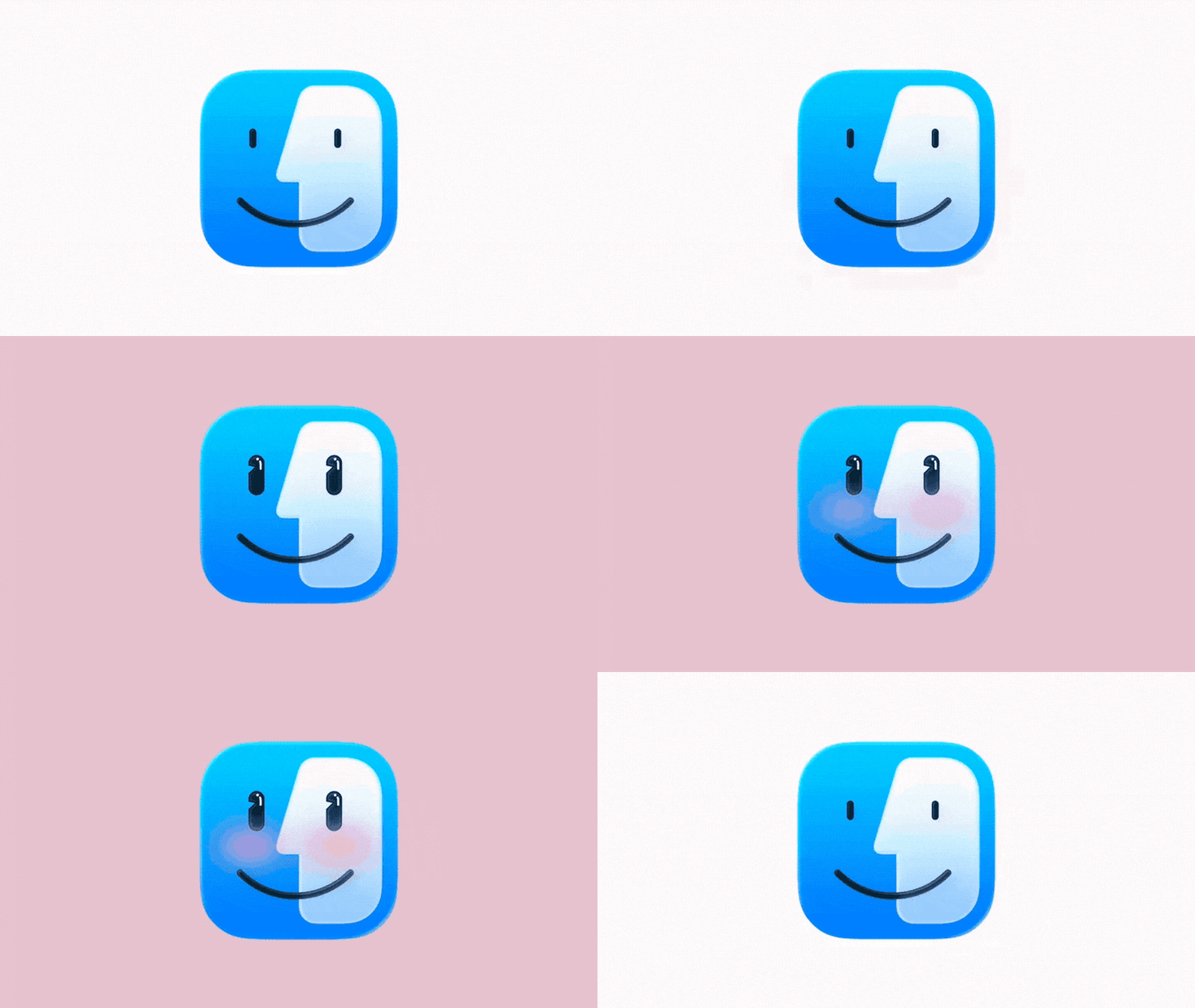
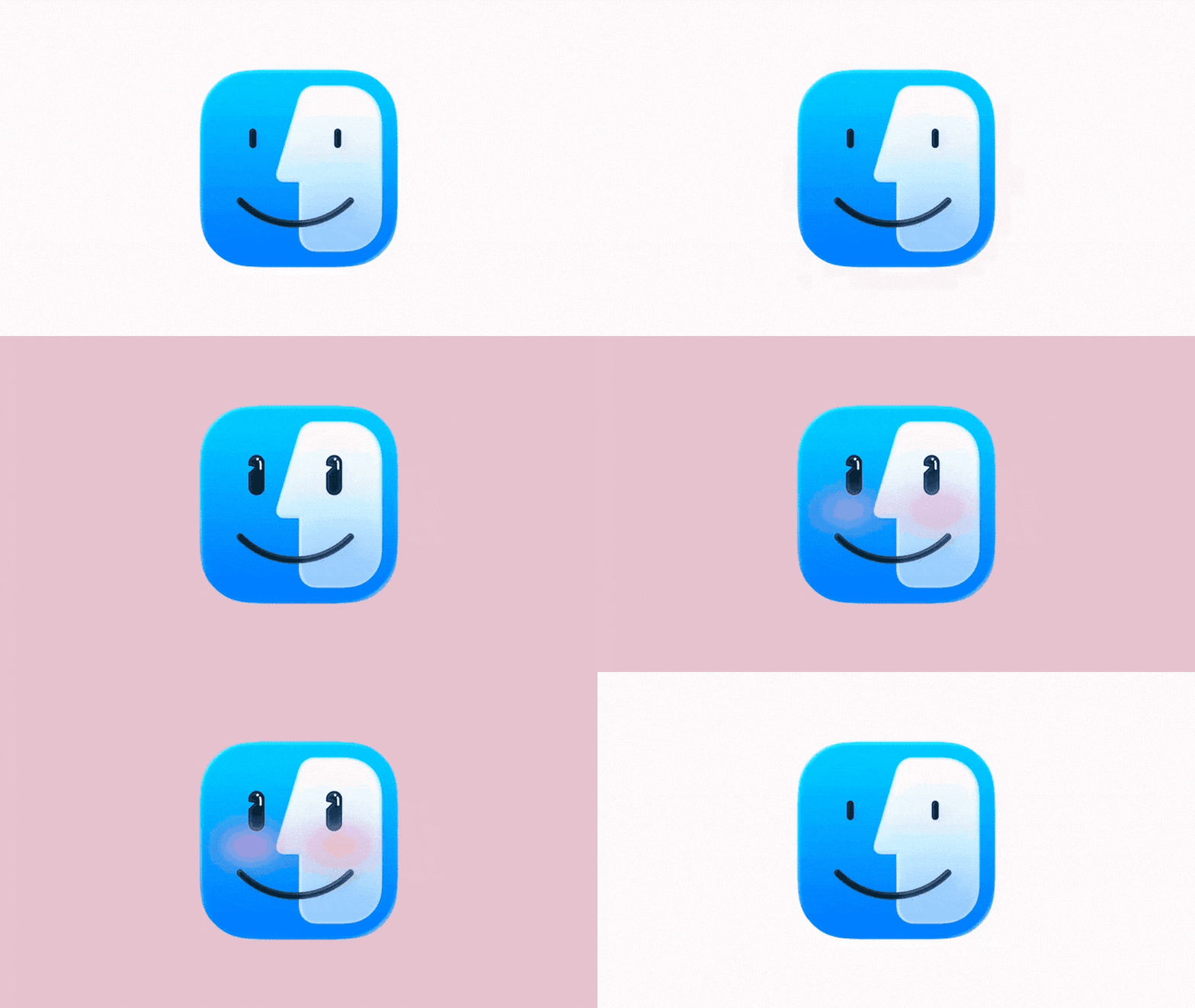
My new favorite creator on TikTok is Apple. Yes, that Apple. On March 4, Apple launched its newest product, the head-turningly affordable $599 MacBook Neo. That same day, the company also deleted all of the content that once populated its TikTok page and started over. Its new videos—on view there are now 15—run the gamut from a clip inspired by Steve Jobs’s original introduction of the 1984 Macintosh to a cutesy animation of the Mac finder icon giggling and blushing. The videos have consistently debuted in batches of three, each corresponding to one of the brand colors associated with the Neo. This TikTok refresh is a clear play to cater to the audience that Apple knows is most interested in the Neo: Gen Z. The new laptop model, powered by the same architecture inside your iPhone, is targeting a younger user base with its unprecedentedly low price point and aesthetic color options, which tap into Gen Z’s long-demonstrated obsession with retro-tech. So far, the new TikTok strategy seems to be working. Based on a Wayback Machine capture from February 28, Apple was sitting at 7 million followers and 21.9 million likes before the change; figures that have now jumped to 7.8 million and 31.6 million, respectively. Apple also recently debuted a secondary Instagram account called @helloapple, which will be dedicated to news, product marketing, and customer stories. This account has a decidedly more corporate feel than the brand’s TikTok, but demonstrates the company’s broader desire to expand its presence on socials. Apple’s new TikTok page works because it takes an amalgamation of trending aesthetics and blends them with Apple’s high design point of view, turning every silly video into a loopable work of art. Why Apple’s new TikTok is genius Plenty of brands have experimented with how to best capture Gen Z on TikTok, and Apple’s team has evidently taken notes out of multiple playbooks. The company is experimenting with everything from brain rot content to y2k nostalgia, ASMR, goofy branded songs, and creepy edits. Ordinarily, such a wide range of aesthetics might make a brand seem cringeworthy and pandering. For Apple, though, the meticulous creative execution of the launch ties everything together. Take, for example, one 14-second clip of a woman opening and swatching a pink blush, referencing the “Blush”-hued Neo. The concept is simple, but every detail of the video has been optimized to tap into Gen Z’s love for y2k aesthetics—from the model’s striped top and the pink shag rug to the custom blush container, featuring Apple’s logo, that appears to be an allusion to the colorful plastic shell of the ‘90s iMac G3 computer. This mash-up of nostalgiacore with a direct reference to a recognizable Apple product of the era makes the video feel authentic, not forced. The post’s engagement reflects that: as of this writing, it’s notched more than 64 million views and nearly 35,000 comments, most of which are begging for Apple to bring back some of its beloved colorful hardware. In a similar vein, other clips cleverly pair Apple’s signature sonic design with eye-catching visuals, like a 3-second video of the sun rising to the Mac startup chime, or a juicy mash-up of citrus fruits choreographed to an edit of various notification sounds. The account is also testing some videos that brush into brain-rot territory, a social trend we’ve described as a form of digital marketing that “embraces head-turning, often nonsensical choices, like fried visuals, abrasive design, and unsettling storylines.” These include clips like a slightly unnerving compilation of people with their hands dyed blue (presumably as a reference to the “Indigo” Neo), a custom brand song dedicated to Apple’s fingerprint recognition software, and a silly clip of a lemon facetiming a lime (mimicking the colors of the Neo’s default background screen). While other brands like Duolingo, Nutter Butter, and Brita have taken similar brain-rot strategies to the extreme on their accounts, Apple’s twist on brain-rot demonstrates that it understands what makes this content resonate—a combination of irreverence and unexpectedness—yet also knows to keep its approach restrained and aesthetically pleasing, giving it a distinctly Apple feel. It’s Steve Jobs-meets-brain-rot, in the best way possible. View the full article
-
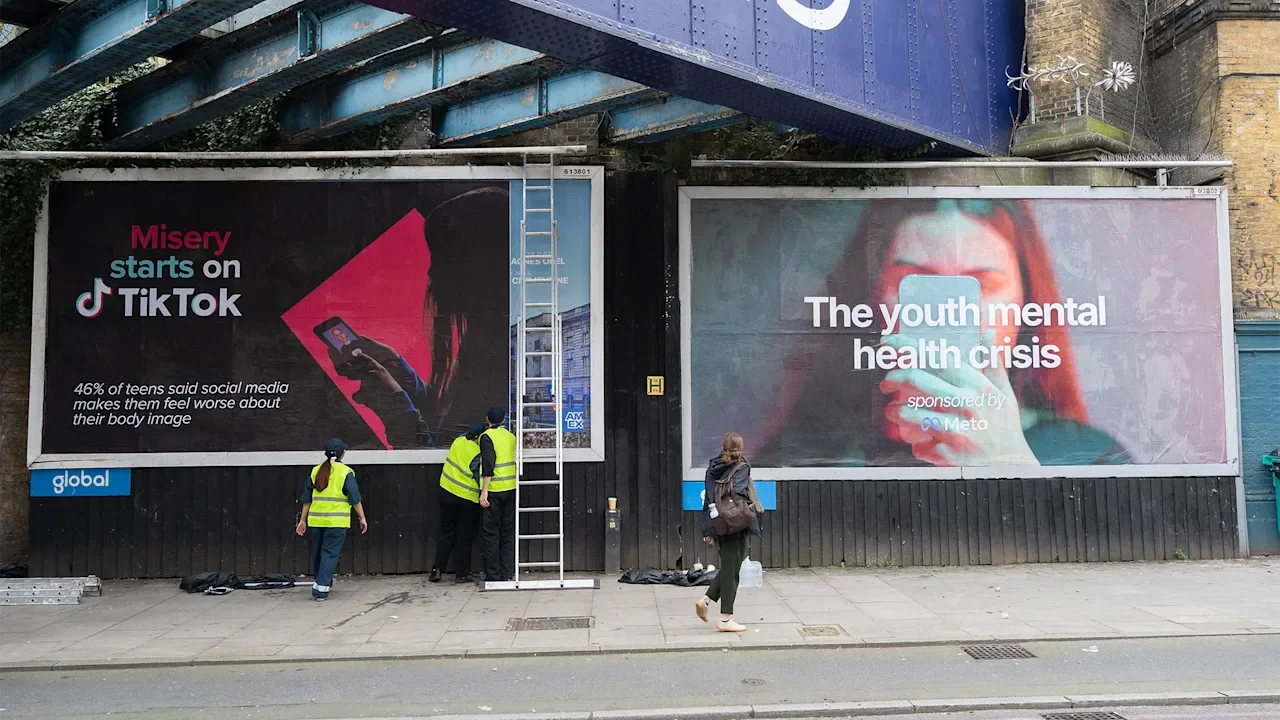
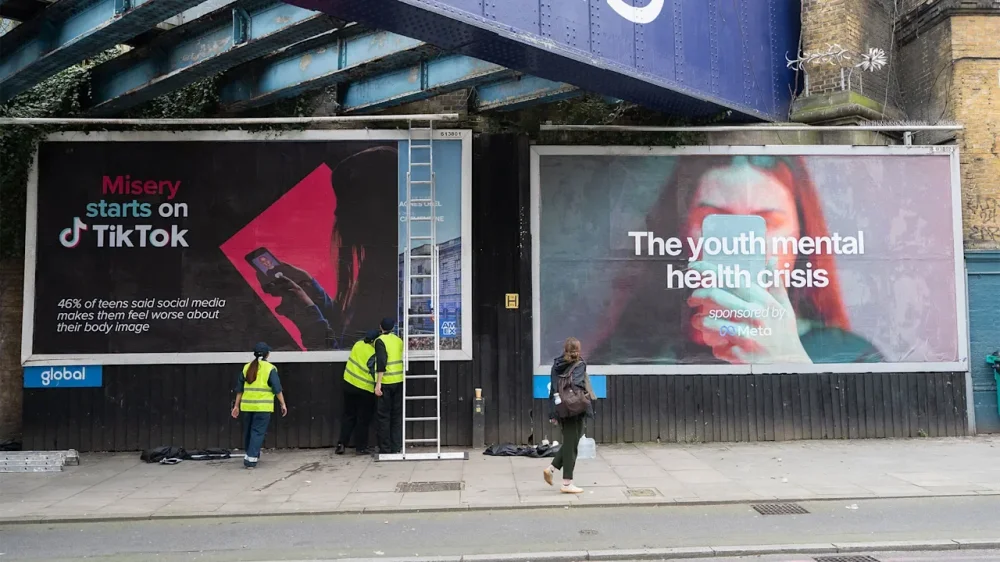
I was walking down the street with my partner in London’s Camden neighborhood on Wednesday night when we saw an ad that said, “This app was designed to keep you hooked.” A finger could be seen tapping Instagram’s app icon above a claim reading, “45% of teens say they spend too much time on social media.” In theory, this was all straightforward messaging, but the ad’s final note in the corner threw us: “From Meta,” logo and all. We turned to each other in confusion, trying to make sense of it. The ad looked so professionally designed that we wondered, could Meta Platforms, a company that has repeatedly denied responsibility for its users’ mental health, be advertising it? No. In short, Instagram and Facebook’s parent company has done nothing of the sort. Instead, the ad is from Just Treatment, a U.K.-based health justice group started in 2017. The organization’s latest campaign is Mad Youth Organise, a push to improve accessible, quality mental health care for young people. The “ad” we saw was one of eight that activists have plastered guerrilla-style across London, Just Treatment told Fast Company. A similar design to the one we saw features a photo of Meta CEO Mark Zuckerberg smiling. “If you feel worse, it’s working,” it says. Other ads are plastered with statements such as “Our anxiety is exploited by Meta” and “We’re more lonely with Meta.” Each includes a statistic to back up these claims. The campaign launched Wednesday and included a group of young people blocking Meta’s London office with another ad that bluntly stated: “The youth mental health crisis, sponsored by Meta.” The individuals involved in the protest believe social media has “pushed them into mental health crisis,” according to Mad Youth Organise. Young activists who’ve lived with adverse mental health have run and designed the entire campaign, Just Treatment says. Alongside Meta, Mad Youth Organise has also targeted TikTok. One sign reads, “Eating disorders start on TikTok,” while another says, “Misery starts on TikTok.” Both also cite a statistic claiming 46% of teens feel social media makes them have a worse body image. Fast Company has reached out to Meta and TikTok for comment. We will update this post if we hear back. What does the Mad Youth Organise campaign want? Mad Youth Organise is pushing for a “Big Tech Tax,” a 4% tax on tech companies earning over £500 million ($663 million) globally. The money raised would be put toward funding youth mental health services. It’s also insisting that Big Tech’s social media monopoly be severed, among other demands. How bad is social media for young people? It’s no secret that social media has been shown to cause adverse effects. A high-profile social media trial in the U.S. held closing arguments on Thursday: TikTok, Meta, YouTube, and Snap have been accused of knowingly designing products that are both addictive and harmful to young people’s mental health. These social media companies have all taken the same approach to these accusations: Deny. Deny. Deny. TikTok and Snap previously settled with the plaintiff, identified only by her initials KGM. She claims that early social media use made her addicted to technology and exacerbated her depression and suicidal thoughts. However, this is the first of a consolidated group of cases for over 1,600 plaintiffs, including families and school districts. Research has consistently found evidence of social media’s harm to young people’s mental health. A 2025 survey from Pew Research found that 48% of U.S. teens aged 13 to 17 believe social media sites have a mostly negative effect on their age group. This figure is a significant jump from the 32% who felt the same in a 2022 survey. Participants also listed social media as the most negative influence on teen mental health (22%), higher than bullying (17%), pressure and expectations (16%) and school (5%). Young Minds, a U.K.-based charity for young people’s mental health, reports that 34% of young people feel trapped on social media sites. Meanwhile, 22% report receiving distressing content on social media at least weekly. View the full article
-
Revised figures show GDP rose at a 0.7% rate in fourth quarter, down from earlier reading of 1.4%View the full article
-
Towers in Dubai International Financial Centre suffer damage but most drones and missiles are interceptedView the full article
-
Tehran has done ‘more with less’ as it hit major targets around the Gulf, but its firing has begun to waneView the full article
-
We may earn a commission from links on this page. Deal pricing and availability subject to change after time of publication. The Samsung Galaxy Tab S10 FE+ (128GB) is currently $499.99 (down from $649.99) on Amazon, and price trackers confirm this is the lowest price it has ever reached. According to PCMag’s “excellent” review, the Tab S10 FE+ works well as a general-purpose tablet for both entertainment and productivity, making it one of the best tablets you can buy in 2026. Samsung Galaxy Tab S10 FE+ 13.1” 128GB WiFi Android Tablet $499.99 at Amazon $649.99 Save $150.00 Get Deal Get Deal $499.99 at Amazon $649.99 Save $150.00 Samsung gives the tablet an IP68 rating for dust and water resistance, something you still don’t see on every tablet. It runs Android 15 with Samsung’s One UI interface and comes with the S Pen stylus included, which is useful if you like taking handwritten notes, marking up documents, or sketching. Storage caps at 128GB, but there’s a microSD slot that supports cards up to 2TB, so you can expand it later if your tablet ends up holding a lot of downloads, files, or videos. Its 13.1-inch display has a resolution of 2,880 by 1,800 pixels and supports refresh rates up to 90Hz, so scrolling through apps, reading, and watching videos all look smooth and sharp. The tablet itself stays fairly slim for its size at 0.24 inches thick and weighs about 1.46 pounds. It feels balanced whether you hold it in portrait for reading or landscape for movies. Inside, the tablet runs on Samsung’s Exynos 1580 processor with 8GB of RAM, which keeps everyday tasks running smoothly. Apps open quickly, and Samsung’s software helps you use the large screen more effectively. Tools like the Edge Panel and multi-window mode make it easy to keep two or three apps open at once, while Samsung’s DeX mode can turn the tablet into a more desktop-like workspace if you connect a keyboard or external display. The battery reportedly lasts around eight hours, which is enough for a day of streaming, browsing, or light work. The tablet’s speakers sound loud and clear with Dolby Atmos support, and the cameras—a 13MP rear and 12MP front—are decent for video calls or quick photos. The main omission compared with Samsung’s flagship tablets is Galaxy AI, though you still get tools like Circle to Search, Object Eraser, and Best Face for basic editing and everyday convenience. Our Best Editor-Vetted Tech Deals Right Now Apple AirPods 4 Active Noise Cancelling Wireless Earbuds — $119.99 (List Price $179.00) Samsung Galaxy S26 512GB + $100 Amazon Gift Card (Black) — $1,099.99 (List Price $1,099.99) Google Pixel 10a 128GB 6.3" Unlocked Smartphone + $100 Gift Card — $599.00 (List Price $599.00) Apple iPad 11" 128GB A16 WiFi Tablet (Blue, 2025) — $299.00 (List Price $349.00) Apple Watch Series 11 (GPS, 42mm, S/M Black Sport Band) — $299.00 (List Price $399.00) Amazon Fire TV Soundbar — $99.99 (List Price $119.99) Deals are selected by our commerce team View the full article
-
Europeans look for ways to restart energy shipments as Iran’s new supreme leader vows to keep strait shutView the full article
-
Carmaker’s technology means EVs can be ready almost as quickly as filling a fuel tank View the full article
-
We may earn a commission from links on this page. Deal pricing and availability subject to change after time of publication. The Google Pixel 10 Pro Fold (256GB, Unlocked) is currently $1,499 (originally $1,799) on Amazon, and price trackers show this is the lowest it has reached so far. Physically, the phone keeps the same overall size as the earlier 9 Pro Fold, but it runs on the new Tensor G5 processor with Android 16 and, since the phone is unlocked, works across major U.S. carriers like Google Fi, Verizon, T-Mobile, and AT&T. That flexibility is helpful if you plan to change carriers down the line. Google Pixel 10 Pro Fold 256GB Unlocked Android Smartphone (Jade) $1,499.00 at Amazon $1,799.00 Save $300.00 Get Deal Get Deal $1,499.00 at Amazon $1,799.00 Save $300.00 Folded, it measures 6.11 by 3.00 by 0.43 inches, and when opened, it spreads into an eight-inch inner display that feels more like a small tablet. The outer screen is now 6.4 inches with slimmer bezels and significantly brighter output, reaching roughly 3,000 nits, which makes a noticeable difference when using the phone outdoors. Both screens support refresh rates up to 120Hz, so scrolling and animations look smooth. Google also strengthened the aluminum frame and simplified the hinge design by reducing the number of internal parts. It is also one of the few foldable phones with an IP68 rating for dust and water resistance, something still rare in this category. At 9.1 ounces, though, the phone is heavier than many competing foldables, and the raised camera module on the back causes a bit of wobble when placed on a table. As for its battery life, it lasted over 13 hours in PCMag’s testing, which puts it ahead of others in its category, including Samsung's Z Fold 7. Charging is capped at 25W wired and 15W Qi2 wireless, and it works with Google’s new Pixelsnap magnetic charging accessories (which our writer has called a delightful MagSafe clone). Google also leans heavily on its AI features here. The phone runs Gemini tools locally, including Live Voice Translation and Instant View, which briefly shows the photo you just took on the outer screen before you move on to the next shot. The cameras are another strong point. You get a 48MP main sensor, a 10.5MP ultra-wide, and a 10.8MP telephoto lens with 5x optical zoom, along with Pixel photo tools like Best Take and Add Me. In practice, the phone delivers some of the best camera results currently available on a folding phone, according to this PCMag review. Our Best Editor-Vetted Tech Deals Right Now Apple AirPods 4 Active Noise Cancelling Wireless Earbuds — $119.99 (List Price $179.00) Samsung Galaxy S26 512GB + $100 Amazon Gift Card (Black) — $1,099.99 (List Price $1,099.99) Google Pixel 10a 128GB 6.3" Unlocked Smartphone + $100 Gift Card — $599.00 (List Price $599.00) Apple iPad 11" 128GB A16 WiFi Tablet (Blue, 2025) — $299.00 (List Price $349.00) Apple Watch Series 11 (GPS, 42mm, S/M Black Sport Band) — $299.00 (List Price $399.00) Amazon Fire TV Soundbar — $99.99 (List Price $119.99) Deals are selected by our commerce team View the full article
-
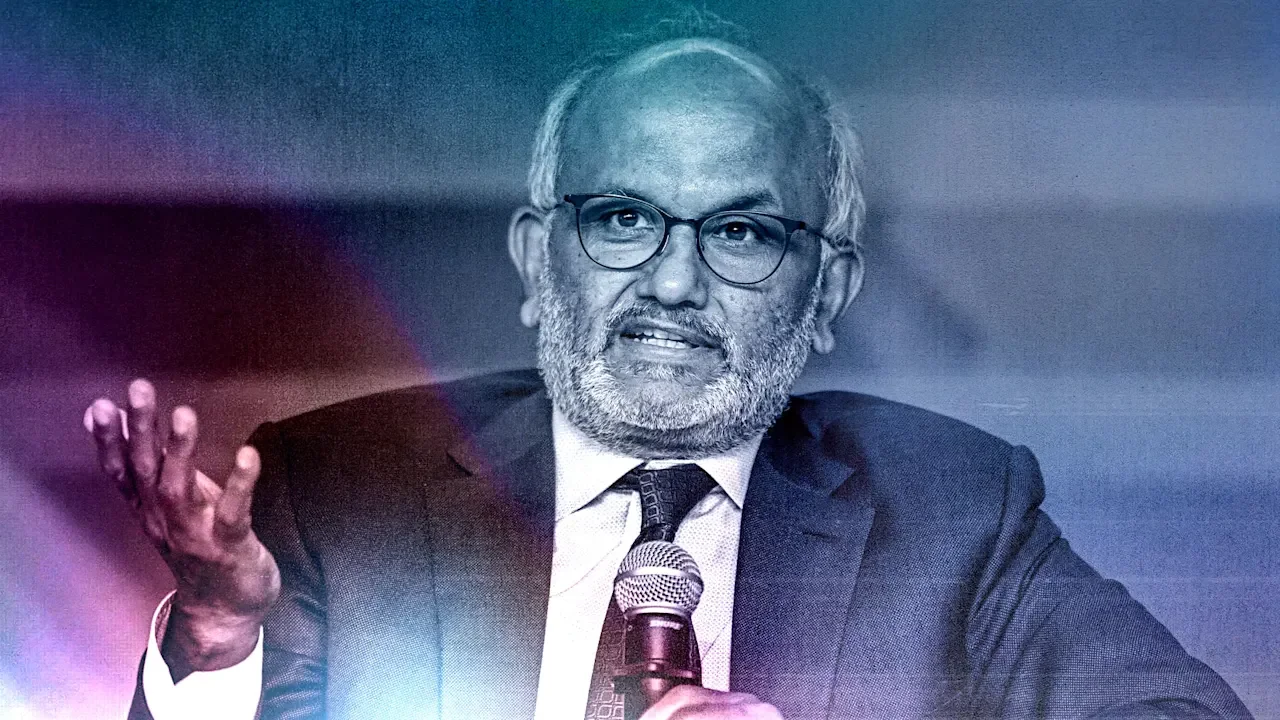
Shares in the preeminent graphics software company Adobe Inc. (Nasdaq: ADBE) are dropping significantly in premarket trading this morning following the company’s Q1 2026 earnings results. Yet it’s not the earnings themselves that are driving ADBE stock lower. It’s an announcement from the company’s CEO, Shantanu Narayen, who said he plans to exit the role he has held for over 18 years. Here’s what you need to know: What’s happened? On Thursday, Adobe announced the results of its first quarter for fiscal 2026. And for all intents and purposes, the results were of the caliber that would normally make investors happy: Total revenue of $6.4 billion (up 12% year-over-year) Diluted earnings per share (EPS) of $6.06 adjusted Total annualized recurring revenue (ARR) of $26.06 billion As noted by CNBC, for the quarter, Adobe’s total revenue and EPS figures exceeded investor expectations. The LSEG analyst consensus was that Adobe would bring in total revenue of $6.28 billion and achieve an EPS of $5.87. But if Adobe beat expectations, why is the stock down significantly this morning? Longtime boss is saying goodbye The main reason Adobe’s shares are in the red this morning is that in addition to the company’s earnings results yesterday, the Photoshop maker also announced that its long-running CEO, Shantanu Narayen, will be stepping down from the role. Without a doubt, the departure of Narayen is a loss for the company. As the departing CEO said in his resignation letter, Narayen has worked for Adobe for 28 years and led the company in the chief executive role for over 18 years. Narayen, who is 62, first became CEO in 2007. Adobe shares have grown more than 542% over that period, although they are down considerably since 2024. During Narayen’s 28-year tenure at Adobe, the company’s workforce has grown tenfold, going from 3,000 to 30,000 employees. Its revenue has grown from less than a billion dollars annually to more than $25 billion. Perhaps most critically, under Narayen’s chief executive tenure, Adobe transitioned from a company that primarily sold one-time software licenses to one that is now primarily subscription-based. While that move was not always popular with Adobe’s customer base, it has built a foundation for the recurring annual revenue the company now relies on. Narayen has long been a respected figure at Adobe, and within the broader tech industry, so it’s no surprise that his announced departure is having a negative effect on Adobe’s stock price. Narayen says he will stay on as CEO until Adobe’s board appoints a new one, at which point he will remain as Chair of the Board at Adobe. Adobe investors can’t shake AI anxieties Another element to Narayen’s departure that is likely causing investor jitters is that he is stepping down at a time when Adobe has never been more vulnerable. Narayen successfully navigated Adobe through the largely iPhone-driving death of its core Flash technology in the early years of his tenure as CEO. But now the company arguably faces an even more critical flashpoint. As AI tools become more advanced, investors are increasingly worried that they threaten the very foundations of Adobe’s business models. If an AI chatbot can generate a photo on demand, investors worry that customers will find less value in its stock photo service. And if AI can make edits and enhancements to photos and graphics simply by using natural language prompts, will fewer future creatives find less value in the company’s Creative Cloud software? To be fair, the AI threat isn’t a problem unique to Adobe. In the first part of this year, software companies of all stripes have been hit hard by investor worries that AI chatbots and their increasing capabilities will negatively impact enterprise and commercial software solutions. And while Adobe itself is of course embracing AI tools in its own products, the planned departure of the company’s beloved CEO at this critical time in the industry is making a lot of investors nervous today, as is evident by the company’s plunging stock price. Adobe shares crash on CEO’s planned departure As of this writing, in premarket trading, ADBE shares are down over 7.5% to $249.31 after yesterday’s announcement of Narayen’s upcoming exit. The company’s shares ended yesterday down 1.43% to $269.78. But even before today’s steep drop, Adobe’s shares have had a bad year. As of yesterday’s close, ADBE shares had lost nearly 23% of their value since the year began. Looking back over Narayen’s tenure as CEO, Adobe’s share price has had a stellar run. In December 2007, when Narayen became chief executive, ADBE shares were trading around the $42 range. By 2021, the company’s shares had peaked at nearly $700. But, particularly since 2024, the company’s shares have declined significantly, as fears over AI’s impact on legacy software companies have grown. Those fears are now something that Adobe’s next CEO, whoever that may be, will have to effectively manage. View the full article
-
Being seen is a fundamental human need. We all can recall a moment when we truly felt “seen” by someone for who we are, and how good and empowering it made us feel. When this happens, it deepens our sense of belonging and makes us more connected to our work, and to others. And today, with so much of our attention being scattered and superficial, being truly seen is as surprising as it is refreshing. Research supports this: a sense of social belonging is one of the strongest predictors of engagement and performance at work. According to Deloitte’s Global Human Capital Trends report, 79% of organizations say that creating a sense of belonging is important or very important for their success. However, only a small percentage feel equipped to make it happen. This needs to change, now. Because when people feel seen, they feel validated, appreciated, and engaged. And that’s where leadership truly begins. According to Nina Bressler, Global Head of Service Academy at Hitachi Energy, “Every time we see someone fully, not just their role but in their humanity, we have the experience of learning and growing together. People lean in, share what they know, and risk showing what they don’t. In that mutual recognition, performance becomes a natural outcome of belonging.” A Personal Story: The Power of Sawabona In the Zulu language, there’s a greeting I love that captures this sense of belonging. It’s “Sawabona.” It means “I see you,” but it’s much deeper than that. It’s not just an acknowledgment or a greeting; it’s an affirmation of someone’s existence and humanity. The response to “Sawabona” is just as powerful: “Ngikhona,” which means “I am here.” This exchange conveys mutual respect, and sets the tone for meaningful connection and authentic interaction. For years, I sat on a leadership advisory board within the intelligence community, made up of accomplished experts across a variety of fields. We always sat at the boardroom table, putting our heads together to urgently tackle the high-stakes issues that needed our input. The pressure to perform was always stressful, and the environment felt as intimidating as it was inspiring. But one day, the mood changed. The chairwoman of our board, Renee, began our meeting with “Sawabona,” she said. This was definitely different from the typical call to order and reading of the agenda, and people were seemingly caught off guard. We all then said the response: “Ngikhona,” I am here. And immediately, people smiled. Not just because it was a little awkward, but because it was so … human. This exchange set the tone for the entire meeting. It was a kind acknowledgment of each person’s presence, and importance. That single act of recognition created an atmosphere where we could show up genuinely and engage deeply, not just as experts but as humans with unique experiences, values, and stories. Why Sawabona Matters for Your Team At work, we forget the power of seeing each other fully. I know I’m guilty of this, because I get, well, busy. We all focus on tasks, deadlines, and outcomes, but better outcomes happen when people feel seen as themselves. Research from BetterUp found that when employees experience a strong sense of belonging, organizations see: 75% fewer sick days 56% improved job performance 50% lower turnover risk These kinds of results are worth the risk of an awkward moment, in my opinion, no? Sawabona is rooted in the African philosophy of Ubuntu, which emphasizes both interconnectedness and mutual care. “I am because we are” speaks to the understanding that our individual worth is shaped by our connection to others. When we see each other, we strengthen the bonds that foster collaboration, innovation, and shared purpose. If you want your team to thrive, fostering a sense of Sawabona is key. Leaders who do this are recognizing people for who they are, not just what they produce. When you honor someone’s existence and humanity, you unlock their potential. How to Bring Sawabona to Work Incorporating Sawabona into your team culture isn’t about using the phrase as a token gesture. It’s about showing everyone mutual respect and authentic connection, even in small ways. Here’s how to start: Show Up Fully – Sawabona means showing up, not just physically, but emotionally and mentally. That means you don’t just show up and sit in the room; be engaged. When people feel their presence is valued, they’re more likely to show up as their best selves. Practice Active Listening – The foundation of Sawabona is truly listening. So, be attentive, ask thoughtful questions, and seem understanding. Celebrate Individuality – Everyone on your team is unique. Their perspectives, experiences, and backgrounds shape what they bring to the table. Take time to acknowledge what makes each person special. Let that perspective add to new ideas and solutions. Create Space to Share – People need to feel safe to express themselves. Create an environment where your team can give ideas, voice concerns, and add to the conversation without fear of judgment or rejection. The Radical Power of Being Seen The act of being seen is alarmingly radical in a world that frequently treats people as a means to an end. Sawabona rejects the transactional nature of work to focus on a deeper, more authentic human connection. Because people aren’t just cogs in a machine. They’re individuals with worth, complexity, and unique contributions. As a leader, it’s your responsibility to create an environment of support, because your success depends on it. Sawabona is a practice that says, “I see you for who you are, and I value your presence.” Next time you gather your team, start by greeting them with Sawabona, and watch how it transforms the way you work, collaborate, and connect. SEO Tags: Sawabona, Ubuntu leadership, team engagement, mutual respect, leadership culture, active listening, team empowerment, empathy at work, authentic leadership. View the full article
-
Hello again, and welcome back to Fast Company’s Plugged In. On March 9, Jay Graber stepped down as CEO of Bluesky. She will become the social networking platform’s chief innovation officer, while Toni Schneider, a venture capitalist and former CEO of WordPress parent company Automattic, joins Bluesky as interim CEO. (I may be the last person left who also associates Schneider with Oddpost, an impressive browser-based email client he co-created way back before Gmail existed.) Graber explained her decision as stemming in part from a desire to turn the CEO role over to someone who can help scale up the platform. From November 2024 to January 2025, as Elon Musk’s role in Donald The President’s reelection prompted many Twitter users (including me) to hatch exit strategies, Bluesky added 10 million users. That turned out to be the peak of the network’s boom, at least so far; 10 million users is also how many it’s added in the past 12 months. It’s still growing, but not at the torrid pace that will get it to hundreds of millions of people anytime soon. If I had invested in Bluesky—which Schneider’s venture firm, True Ventures, has—I’d want to see it grow far larger. As an individual user, however, I find it quite pleasant at its current size. Maybe even cozy, in a way Twitter had stopped being long before Musk trashed it. (I also enjoy the even tinier Mastodon.) Should Bluesky ever get ginormous, I hope it manages to retain the intimacy that it kindles today. But I’m less curious about the future of Bluesky the social network than I am about the technology behind it. Called AT Protocol, it’s responsible for organizing all those users and posts so that the right people see the right stuff at the right time. And unlike the comparable infrastructure in place at behemoths such as Twitter, Facebook, and Instagram, it’s open. Anyone can create their own social network based upon AT Protocol, or remix an existing one (such as Bluesky) by tweaking its algorithm or other attributes. Users can preserve their personal social graphs even if they use several otherwise distinct networks based on the protocol. When I first talked to Graber in December 2023, Bluesky wasn’t yet fully open to the public, and had just 2.3 million members. She seemed as excited about AT Protocol as Bluesky itself, and told me she saw it as a potential antidote to social-media toxicity, moderation problems, and general user dissatisfaction with how the people who operate social networks do their jobs. If you didn’t like Bluesky as Graber managed it, you could switch to a version of the service powered by a different algorithm, or a wholly independent social network running AT Protocol. You wouldn’t even have to do so much as create a user account. From both a technological and cultural standpoint, that’s a way more grandiose goal than simply building a social network that’s bigger and better than Twitter. As someone who loved Twitter until I didn’t, I found it immensely appealing. Who wouldn’t want more control over their social presence? But a little over two years later, it remains a vision more than reality. Indeed, Bluesky has a festering reputation in some quarters as an obnoxious liberal bubble unwelcoming of other perspectives, which might not be a problem if people were remastering the network or creating new alternatives based on its technology. AT Protocol was hardly dead on arrival. There are hundreds of applications that use it, from Instagram and TikTok alternatives to a stock portfolio tracker to an app that puts Bluesky on your Apple Watch. Many are intriguing in their own right. But most are satellites revolving around Bluesky and its community, which was not the original idea. Even when I spoke to Graber in 2023, the possibility of an open social protocol changing everything was not exactly new. Mastodon, which turns 10 on March 16, is powered by ActivityPub, a standard with goals similar to AT Protocol. Meta incorporated a measure of ActivityPub support into Threads (kinda, sorta)—and it’s not clear how invested the company is in going further. Even more to the point, Twitter cofounder and former CEO Jack Dorsey has long said that he regrets that Twitter ever became a company. Instead, he contends, it should have been an open protocol all along. Toward the end of his time there, he channeled that belief into incubating two such protocols. One became Bluesky; the other is the lesser-known Nostr, whose homepage cheerfully acknowledges the challenge it faces with the tagline “An open social protocol with a chance of working.” I wish the best for everyone behind AT Protocol, ActivityPub, and Nostr, but I can’t help but wonder if the failure of the relatively small number of people interested in this stuff to coalesce around one protocol helps explain why progress has been so slow. (As computer scientist Andrew S. Tanenbaum waggishly put it in the 1980s, “The nice thing about standards is that you have so many to choose from.”) It’s as if the companies that made browsers had never agreed on the shared technological underpinnings that let us use Chrome, Safari, Firefox, or any of innumerable other options to explore the same World Wide Web. For now, I am attempting to stay active on Bluesky, Mastodon, and Threads, though it’s hardly a cakewalk. Openvibe, the app I used to post to all three, has become so unreliable lately that I’ve mostly given up on it. Flipboard CEO Mike McCue tells me that he wants to add crossposting to Surf—a wildly ambitious app, still in closed beta, that weaves together the entire internet into user-curated feeds—but is still figuring out how to do it well. The only long-term solution involves all of these networks—plus Twitter, Facebook, and many others yet to be born—settling on a protocol so universal that they all just work together, without 99.9% of us needing to stop and wonder why. I’m realistic about the daunting odds of this happening, but I haven’t given up. And I hope that Bluesky won’t either—regardless of where it goes under new management. You’ve been reading Plugged In, Fast Company’s weekly tech newsletter from me, global technology editor Harry McCracken. If a friend or colleague forwarded this edition to you—or if you’re reading it on fastcompany.com—you can check out previous issues and sign up to get it yourself every Friday morning. I love hearing from you: Ping me at hmccracken@fastcompany.com with your feedback and ideas for future newsletters. I’m also on Bluesky, Mastodon, and Threads, and you can follow Plugged In on Flipboard. More top tech stories from Fast Company MacBook Neo review: niceness on a budget Apple’s long-awaited laptop is even cheaper than the pundits expected, and still feels like a Mac. Read More → Phoenix has lived with Waymos longer than any U.S. city. Here’s what its mayor learned Mayor Kate Gallego talks about working with Waymo, redesigning cities for autonomous vehicles, and why robotaxis may reshape everything from parking to public transit. Read More → GoFundMe launches AI fundraising coach to help people raise more money The new tool drafts campaign messages, suggests titles and photos, and guides users on how to share their fundraiser. Read More → This new foldable phone may have upstaged Apple in the ‘zero-crease’ war Oppo’s Find N6 isn’t fully creaseless, but it’s close. Read More → OpenAI’s delayed ‘adult mode’ underscores the challenges of age-gating AI A lot is riding on OpenAI’s ability to separate older ChatGPT users from younger ones. Read More → The uncomfortable valley: Microsoft Teams emoji faces have got to go They don’t make the digital workplace more casual. They make it uncomfortably weird. Read More → View the full article
-
As of yesterday, March 12, hundreds of thousands of innovators, disruptors, and leaders began descending on Austin for SXSW. If you search “Tech and AI” in this year’s schedule, you’ll find 185 results. That’s more than double the 80 AI sessions in 2024, the same year I wrote a Fast Company op-ed about how women have spent decades building the intellectual foundation of AI while receiving almost none of the credit. It was also the year that companies with at least one female founder raised $38.8 billion in venture capital funding which is a 27 percent increase from the year prior, but still not close to the high point in 2021 with a raise of $62.5 billion. Two years later and the gap—both in acknowledgement and investor funding—hasn’t closed. However, something else is happening and it’s worth paying attention to. There is a new wave of women who refuse to wait for the AI industry to become “fair” and “equal.” They are building their own companies, on their own terms, with a more authentic and purpose-driven design mentality. It’s not general-purpose AI; it’s gender-purpose AI. An important distinction Before you roll your eyes, the distinction matters more than you might think. By 2030—which is now only four years away—AI won’t just enhance companies’ business models. According to IBM, it will be the business model. Right now, that business model is being built unsurprisingly by male-dominated teams for general audiences. The truth is technology—as an industry and a concept—was never built for women. It was not built to prioritize or accommodate our visions. But that is changing. A new class of female leaders in AI is disrupting this model and demanding more room for gender-purpose AI and less patience for the influx of male-dominated teams building general-purpose tools. This is the year we move beyond celebrating their presence and start backing their vision with real investment. One of those women is Rana el Kaliouby, co-founder and general partner of Blue Tulip Ventures, who will deliver a keynote at this year’s conference titled “Why the Future of AI Must Be Human Centric.” She has spent more than two decades humanizing technology. As co-founder of Affectiva, she pioneered the field of Emotion AI, which reads human feeling through facial expression and vocal cues, and now as co-founder and general partner of Blue Tulip Ventures, she literally puts her money where her mission is and invests in early-stage startups building ethical AI that is good for people. The word “good” is subjective. But for too long, it’s been defined by the people building the problem, not solving it. The problem is also being solved by women like Valerie Chapman, CEO and co-founder of Ruth AI, an AI-powered career advancement platform. Last month, Valerie asked Sam Altman at an OpenAI builder town hall how AI can be used to fix the $1.6 trillion gender wage gap. His response was that AI should be an equalizing force in society and like Valerie pointed out in her recent op-ed, when AI is designed with intention, it can close the gap and it’s time to build it. What’s next As a fellow female founder helping brands understand and utilize AI—as a topic and technology—in their comms strategies, here’s what this shift tells me about where we are headed in 2026. Male tech leaders want AGI. Female tech leaders want gender-purpose AI. The second is more inclusive. When women build AI, they tend to ask different questions in the design and development stage. Questions like who is this actually for and who will benefit from these capabilities? The truth is artificial general intelligence, or AGI, is at least 10 years away and the race toward the “holy grail,” as Big Tech has coined it, should not hold as much power and influence as it does. Gender-purpose AI is a race toward something more rewarding and meaningful: relevance. What a concept—that we could have more technology that works for the people it claims to serve. The gender wage gap will not close with more women working in tech. It will close when more women are building tech. Representation matters every month, not just during Black History Month, Women’s History Month, or International Women’s Day. Women deserve representation in the very tools and technologies they depend on. With almost 78 million women in the American workforce, this is a demographic that has earned our time, attention and investment. Investment in gender-purpose AI means nothing without investing in the women who will build tomorrow’s innovations The increase in female founded and funded VC companies is a great step in the right direction. But the progress pipeline matters just as much if not more. We need more mentorship programs, technical education, access to capital for first-time female founders who have the vision but not a seat at the Big Tech table. To ensure we double down on gender-purpose AI as an industry, we have to prioritize and support the women who want to build what comes next. The milestones for women in AI aren’t just on stage. They are in hallways and in boardrooms. When women lead AI companies, the product looks different. Canadian computer scientist Joy Buolamwini pioneered ‘Gender Shades’ in 2018, which piloted an intersectional approach to inclusive product testing for AI and exposed racial and gender bias in Microsoft’s, IBM’s, and Amazon’s facial recognition systems and insisted they change. Rana built technology that reads human emotion because she believed machines should understand people, not just process them. These are real-world use cases that prove that whoever builds the technology determines what the technology does and who it serves. In 2026, women won’t be waiting for “the next big thing” because they will be the ones behind it. They will be the ones building the technology that addresses what male leaders have not addressed: equity, inclusion, and a redefinition of “good” that finally reflects what 51% of the world wants, needs and deserves. It’s time the other 49% joined us. View the full article

-
Usually the epitome of good humor, my friend was seething. She had devised a zany and creative marketing idea for her firm. Securing the budget, designing a content strategy, hiring a creative agency, and then doing all the related work had consumed Alex and her team for a full six months. This was on top of their already demanding jobs. And then the unthinkable happened. “Before the idea was announced, one of my coworkers, a PR guy, shared the idea—my idea—with the CEO and CMO.” I watched her pace around my kitchen, her face getting redder and redder. “While he didn’t exactly say he’d done the work himself, how he talked about it made it seem like it was all his.” “Did you tell anyone, go to your manager?” I asked. Alex stopped her pacing. “I did, and he said, ‘When you’re creative, people will steal your ideas—you should just get used to that fact.’” As we talked, I could hear that under Alex’s anger was something else—curiosity. About what this all meant. About what she could have, or should have, done differently. Was she the problem? Did she need to figure out how to play the game better? Was the PR guy the issue? Or her boss? And if it was her boss, did she need to quit? Those were the wrong questions. It’s not you or them. The problem lies in the norm of tolerating bad behavior. When workplaces say, “Creative ideas get stolen,” harm becomes a given, not a choice. Ideas get stolen because there’s no accountability. To be clear, sometimes an idea is just in the air, and two or more people come to it around the same time. And oftentimes, we create ideas together. I’m not talking about those moments. I’m talking about when it’s fully apparent what is happening—idea theft, where one party takes credit for the work of others—and how that theft is tolerated. Research shows that knowledge workers are keenly aware of idea theft; nearly one-third report having had it happen to them. Work often treats idea theft as no big deal. But the cost is real. • Integrity is lost when ideas are disconnected from their source. The depth of the concept or the completeness of the thinking is lost. Downstream decisions are made without the rootedness of the original inspiration. • Theft demotivates the next idea. When ideas are stolen regularly, idea generation shuts down because no one volunteers to be violated. And Alex’s boss was right about one thing: Alex will certainly create more ideas. People create when they feel safe enough to imagine something new. That—by definition—is why regulating bad behavior matters. The idea that was stolen? It became one of the firm’s most successful efforts that year. It inspired the company’s next ad campaign and even a Super Bowl spot. But they didn’t have any follow-up to this one-off success. Why? Because they no longer had Alex. The Counterintuitive Insight: We Can Take Care of Our Commons Most of us are taught to stay quiet. Don’t make a scene. Go along to get along. And when someone crosses a line—steals credit, dominates meetings, dismisses ideas—we assume someone in authority will fix it. But that assumption hides a deeper truth: the rules of our workplaces are not enforced by leaders alone. They are enforced by what we tolerate together. In 2009, political economist Elinor Ostrom won the Nobel Prize in economics for proving something that ran against decades of economic orthodoxy. Before her work, economists widely believed in the “tragedy of the commons”—the idea that when a resource is shared, individuals will inevitably overuse it and destroy it. The only solution, it was thought, was top-down control: private ownership or government regulation. Ostrom proved otherwise. She showed that communities, left to their own devices, often devise highly sophisticated systems of shared management—systems where consequences don’t come from a distant authority but from the group itself. The people who depend on each other can also hold each other accountable. Her work wasn’t about office politics. But it applies. Every team shares something. It might not be water or grazing land. But trust. Energy. Credit. Voice. And just like natural resources, these intangible goods are depleted when people act only in their own interests at the expense of shared interests. When a manager takes all the credit. When someone interrupts constantly. When emotional labor always falls on the same shoulders. What Ostrom teaches us is that we don’t have to live inside that dynamic. We can protect shared goods—not with permission from the top, but through practices we design ourselves. Through consequences we create and apply together. Shared spaces survive when the people inside them protect them. Change the Norm When something harmful happens at work, our instincts split: ignore it or wait for someone in charge to handle it. But silence has a cost. It makes us complicit in what we ache to change. Monica Lewinsky—dragged through the mud of a scandal she didn’t create alone—calls on us to be upstanders: people who don’t just stand by, but stand up. Who see cruelty and choose courage. Who see harm and refuse to treat it as normal. Research shows that when bystanders step in, bullying stops within seconds—proving that empowering peers to act can cut bad behavior in half. What we allow becomes the rule of the room. When someone steals an idea, and no one says anything, the norm survives. When someone names it—calmly, clearly—the rule changes. But let’s be clear: This isn’t work any of us do alone. If bad behavior is tolerated, it grows. When it meets consequences, it stops. Bad behavior isn’t mysterious—it’s simply a crime of opportunity, repeated when no one intervenes. This is not a personal problem. It’s a social problem. It’s up to those who see it to act—to create the consequences. Not just to protect the harmed, but to stop the harm from spreading. Behavior doesn’t change because people suddenly become better. It changes because someone names what’s happening and refuses to treat it as normal. When you do, you won’t do it alone. Another person will join in. And then another. Until teams decide, we can be clear, fair, and firm with each other. That our shared space is worth defending, protecting. Let yourself run toward that danger, not away from it. Adapted from the book Our Best Work: Break Free from the 24 Invisible Norms That Limit Us, by Nilofer Merchant. Copyright © 2026 by Nilofer Merchant. Reprinted by permission of Harper Business, an imprint of HarperCollins Publishers. View the full article

-
During an end-of-the-fiscal-year spending spree last year, the Department of Defense (DoD) dropped some dough on new Herman Miller furniture. The DoD spent $60,719 for chairs from the Michigan furniture manufacturer last September, according to the report from the watchdog group Open The Books, including at least one $1,844 Aeron Chair, the brand’s popular, ergonomic, fabric-meshed office chair. The Herman Miller purchases were just a small fraction of the record $93 billion detailed in the report, which was more than the DoD has spent in a single month since the group’s data goes back to 2007. For Herman Miller, its share was peanuts, considering the company is the longest holder of a federal government contract for office furniture, at more than 40 years. (Herman Miller did not respond to a request for comment by publication.) The DoD goes on an annual spend-it-or-lose-it buying spree every fall no matter the president or party, Open The Books found over a decade of tracking it. The group called on Defense Secretary Pete Hegseth to rein in the use-it-or-lose-it approach the agency takes to its budget. Instead, 2025’s spending was a record. While some line items highlighted in the report seem like clear attempts to run up expense reports before the time runs out, like $98,000 on a Steinway & Sons grand piano and $2 million on Alaskan king crab, office furniture purchases at least make practical sense. With nearly 3 million military and civilian employees, the DoD is one of the largest employers in the U.S. That’s a lot of butts in seats, which means a big budget for chairs and other office furniture. Open The Books found furniture purchases spike 564% every September over the monthly average across the other 11 months of the year. Last year, the DoD spent $225.6 million on furniture in total. Herman Miller’s parent company MillerKnoll had obligations of more than $15 million in the last fiscal year, and the DoD makes up 80% of its awarding agencies. In the past, the Defense Advanced Research Projects Agency (DARPA) spent nearly $250,000 on Herman Miller furniture for a conference room “refresh,” according to Open the Books, and Federal Emergency Management Agency (FEMA) spent $284,000 on Herman Miller furniture for its conference center. For defense officials looking to set up an office, Herman Miller offers DoD-approved options for everything from desks, carts, and lockers to nurses’ stations, pharmacies, and labs. This isn’t the kind of workplace interior design work that Ikea was built to handle. For Herman Miller, though, its volume of government sales isn’t what it used to be. Federal spending records since 2008 show MillerKnoll’s transactions peaked during former President Barack Obama’s administration, with obligations totaling more than $174 million dollars in 2010, a figure that dropped to a low of more than $12 million in 2023. While the DoD might not be as loyal a customer as it once was, Herman Miller has found other government work elsewhere. The company says it’s one of the largest furniture suppliers to state and local government agencies. View the full article

-
Here is a number worth sitting with: 295%. That’s how much U.S. app uninstalls of ChatGPT surged in a single day last month, after OpenAI struck a deal with the Department of Defense that its rival Anthropic had publicly refused to sign. In the same 24-hour window, Claude’s downloads jumped 51%. By that evening, Anthropic’s app had climbed to No. 1 on the U.S. App Store, leapfrogging 20 apps in under a week. One values-driven decision. One weekend. A measurable transfer of market share. Most of the coverage framed this as a political story. It isn’t. Or at least, not only. It’s also a brand loyalty story. And it tells us something important about the category war that’s actually being fought in AI, one that has very little to do with compute power. The Switching Cost Nobody Is Naming Brand strategists understand switching costs intuitively. In banking, insurance, enterprise software—anywhere the friction is high—emotional and values-based factors end up doing as much heavy lifting as product performance. The category with the highest rational switching cost often becomes the category where trust matters most. AI is moving toward that same dynamic, faster than most people are ready for. An AI platform doesn’t just perform tasks. It accumulates context. It gets to know us—how we think, our shorthand, our working rhythms. For enterprise users in particular, this depth compounds quickly. The longer a business embeds an AI platform into its workflows, the higher the exit cost becomes, not just technically, but cognitively, culturally, and even emotionally. There’s a name for this: the relational cost. It’s the switching cost nobody in the AI conversation is actually naming. And in any high-switching-cost category, the ‘brand’ question—what does this company stand for, and do I trust it—eventually becomes the definitive one. Operationalizing Values Is Not the Same as Talking About Them The consumer response to the DoD news didn’t come out of nowhere. It was the visible payoff of a positioning strategy years in the making. Anthropic has been making a consistent, operationalized argument about what kind of company it is—and backing it with choices that have visible cost. The Claude Constitution is a publicly available, inspectable training framework. Not a mission statement—a framework. Anthropic’s Economic Index analyses AI adoption across sectors and positions the company as a participant in the difficult societal conversation about AI’s impact on employment, not just a product vendor. These are category-shaping moves, not PR. The market had been registering these signals quietly, long before last month. Independent analyses suggest Claude holds 32% of enterprise AI usage, significantly disproportionate to its 3.5% consumer footprint. Enterprises—more deliberate, more risk-averse, more consequentially exposed to AI failure—have already been choosing Claude at scale. That gap between enterprise and consumer adoption isn’t a coincidence. It’s a trust premium. The Cost of Caring It’s easy to have values when they cost you nothing. For Anthropic, these came with a $200 million price tag. That’s the suggested value of this contentious Pentagon contract. Furthermore, the supply-chain risk designation—a label the The President administration has now formally applied, and which Anthropic is challenging in court—threatens hundreds of millions more across broader government contracts. This damaging designation, historically reserved for foreign adversaries like Huawei, has never before been applied to an American company. That is a real commercial cost, not a hypothetical one. But what looks like a ceiling from one angle looks like a moat from another. In the weeks since the dispute went public, Anthropic’s revenue run rate has nearly doubled—from $9 billion at the end of 2025 to almost $20 billion today, according to Bloomberg. The government closed a door. The market opened several more. That is not a coincidence. That is what trust, operationalized and defended under pressure, looks like as a growth strategy. So What Does This Mean for Your Business? The question that should be on the table in every leadership meeting right now: which AI platforms are you building on, and have you thought seriously about what that association means for your brand? AI platforms are no longer neutral infrastructure. They carry values, make visible choices, take public positions. The AI your business relies on is becoming part of your brand. When a platform’s ethics come into question—as they periodically and inevitably will—that exposure travels upstream to every company in its orbit. This creates both a risk conversation and a strategic opportunity. Evaluating AI partners on trust and values criteria, not just capability benchmarks, is the kind of decision that looks obvious in hindsight and prescient in the moment. The Brand Codes Are Being Written Now Early positioning in emerging categories hardens fast. The companies that define what a space stands for, not just what it does, shape expectations for years. We saw it with social media, with streaming, with fintech. In each case, the brands that defined the category’s values, not just its features, built loyalty advantages that capability alone couldn’t disrupt. AI is at that moment. The conversation about what kind of category this is going to be is happening now, in public, in real time. Stop asking which AI is most capable. Start asking which AI your business can afford to be associated with. Because our whirlwind romance with AI is fast turning into something more serious; committed, often exclusive, long-term relationships where platform loyalties get more embedded and more entrenched by the day. Choose carefully. Credibility compounds faster than compute. The data is already proving it. View the full article

-
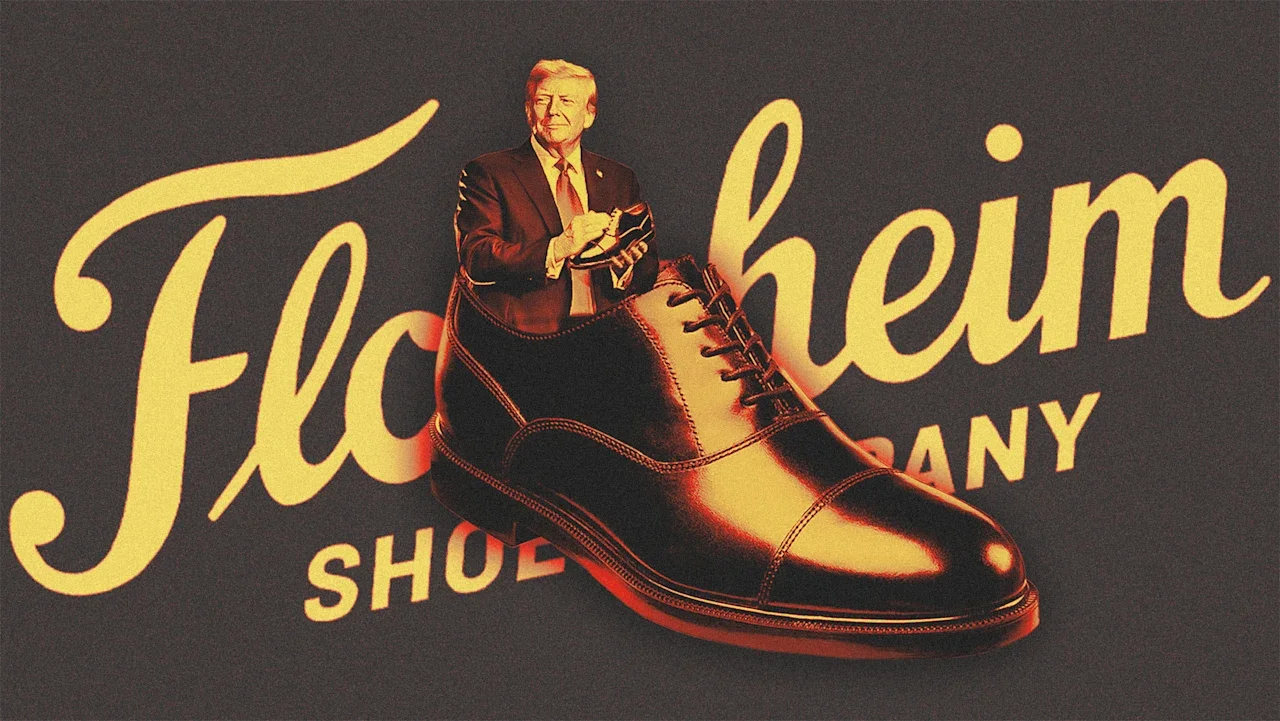
At a time when mainstream brands live in fear of getting dragged into a contentious political landscape, there’s something curiously benign, almost feel-good, about “Florsheimgate.” If you’ve somehow missed it, this particular instance of an involuntary pop-culture brand cameo came about following press reports this week that President Donald The President has become an enthusiast—and de facto brand ambassador—for Florsheim dress shoes, gifting pairs to cabinet members and media allies. The upshot is that less-than-$150 Florsheims have become “the hottest and most exclusive MAGA status symbol,” according to The Wall Street Journal. But more to the point, administration insiders who don’t find the brand “hot” in the slightest, and would likely prefer more luxurious footwear, are sticking with the shoes The President gives them—even, weirdly, if they don’t fit. This naturally caught the attention of MAGA critics, who promptly lit up social media with mockery of the 79-year-old president’s taste and allegedly Stalinesque bullying of his compliant minions. And this included some collateral damage for the venerable, and some might say dowdy, Florsheim. But really, even the inevitable dunking (what a dated mall brand!) seemed good-humored. “Florsheim,” one Bluesky user wrote. “When a Gift From Wicks n’ Sticks Just Isn’t Enough.” Others added comments like “florsheim didn’t go out of business in like 1978?” and “Florsheim shoes? Man, that guy’s brain really is stuck in the 80’s” and “Ok I give. What’s Florsheim.” And of course plenty of memes. I get the feeling we’ll be discussing Florsheim shoes today. — 𝕊𝕦𝕟𝕕𝕒𝕖 𝔾𝕦𝕣𝕝 (@sundaedivine.lol) 2026-03-11T10:18:31.168Z Funny, but well short of a dangerous brand backlash. Nobody’s demonizing Florsheim-wearers in general, putting out videos of shooting up loafers, or organizing a grassroots brand-oppo campaign on behalf of Vuitton loafers. To the contrary, it seems, at worst, to be a short-term, almost charming free publicity reminder to those who don’t know that the brand is still around—and, apparently, thriving. Turns out, Florsheim enjoyed “record” wholesale sales of $92 million in 2025, according to parent Weyco Group’s most recent earnings release and call earlier this month, “demonstrating resilience in a declining market for non-athletic brown shoes.” The Florsheim brand has a choppy history dating all the way back to 1892. Worn by everyone from Harry Truman to Michael Jackson, it’s a brand deeply embedded in American consumer culture, a staple brand of the suburban shopping mall’s heyday. But it also endured a bankruptcy filing in 2002. It’s now part of the Weyco Group, whose CEO is Thomas Florsheim Jr., a fifth-generation Florsheim. (Sales of other Weyco brands Nunn Bush, Stacy Adams, and Bogs were down last year, dragging down revenue and earnings for the company overall.) Weyco did not respond to an inquiry from Fast Company, but CEO Florsheim told The Journal he was not aware of The President’s orders (and declined further comment). In the conference call (which predated this week’s The President fandom news), the CEO was upbeat, calling Florsheim “one of the few men’s [shoe] brands outside of the athletic category to sustain this level of post-pandemic growth. While the non-athletic brown shoe category has been in secular decline, Florsheim has bucked the trend and gained market share.” Whether that’s true or not, the association with The President seems more like a passing entertainment than a brand controversy. At a moment of profound tension brought on by war and the threat of a new global oil crisis, Florsheimgate didn’t land like a point of contention; it was more like comic relief. In an interesting footnote, Weyco noted in its earnings call that tariff impacts—which CEO Florsheim has groused about in the past—“significantly affected gross margins” in 2025. Those tariffs have since been judged illegal by the Supreme Court, and the company “is optimistic about retrieving $16 million from tariff refunds.” Maybe The President’s Cabinet members should keep a spare pair of another brand’s loafers at the office, just in case Florsheim goes out of fashion at the White House. View the full article

-
The latest accusations suggest a manager instructed a loan officer to photograph confidential data and process it in ChatGPT to avoid detection. View the full article
-
For the first time that I can remember, this year I was completely enthralled by the Winter Olympics. In fact, I don’t think I’d ever watched the Winter Games before, but it really caught my attention this go-round. One event that really stood out for me was the skeleton. For the uninitiated (like I was just a month ago), the skeleton is a slide-based sport where athletes lie face down, headfirst, on a small slide going 80 mph down an icy, declining slope. On the surface, it doesn’t look like it requires much from the athlete but to lie down and hang on for dear life until crossing the finish line. But upon further inspection, the sport is far more intricate, requiring the athlete to make subtle adjustments with their shoulders, knees, and even their toes to control and steer the sled. The slightest weight shifts can make the difference between first place and last. As if the Olympics weren’t competitive enough, the margin of error in this event is miniscule. I was fascinated, particularly about the idea of finding balance. There’s so much talk about work-life balance, work-self balance, and just about any other “something-something” balance where the two somethings seem to be at odds with each other. To find balance, we make subtle adjustments throughout our days and weeks—blocking off time, making time, taking time—in hopes of steering our lives and maintaining control of ourselves. However, according to Misan Harriman, balance is less of an “act” and more of a series of choices that informs action; it’s not what we decide to do but who we choose to be. Raw and honest moments of humanity Harriman is a photographer, activist, and Oscar-nominated filmmaker whose work has been prominently featured in publications like Vogue, celebrated on awards stages, and widely shared throughout the zeitgeist. His work captures the raw and honest moments of humanity—in resistance, grief, joy, and all the many manifestations of our true existence. Our conversation with Harriman on the From the Culture podcast explored the balancing act of profitability and principle, where he argues that “profit at all costs” carries a heavy price tag that can cost us our authenticity. We make decisions at work that call into question the integrity of who we perceive ourselves to be outside of the office. Tech CEOs sell products to schools that they hardly ever let their own children use. Managers treat their subordinates in ways that would anger them if it were something their spouse had to endure. Whether it’s the way we communicate with peers or manage our presentation of self at work, far too often there is an imbalance between ourselves—who we say we are and how we are. Our inconsistent performances of self not only cause harm in our work but can also cause a crisis of authenticity. Fittingly, sociologist Erving Goffman likens the theatrical stage to the dynamics of social living, borrowing from William Shakespeare’s comedy As You Like It, where he writes, “All the world’s a stage, and all the men and women merely players.” Our presentation of self, as Goffman posits, is a choice we make. We decide which character we choose to play in social life. This choice subsequently demands a series of decisions that coincides with said character. The costumery. The script. The mannerisms. The exits and entrances. They are all by-products of the character we choose to play. That is to say, who we choose to be informs how we choose to be. A choice of character Through this lens, the balancing act of work-life or work-self is a choice of character and commitment to it. And although we attempt to balance the existence of two characters with adjustments here and there, like the athletes in the skeleton event, these seemingly subtle shifts of self can have tremendous impact. The idea then is to remain true to self, one character that is consistent despite the context. This is, after all, the definition of authenticity. As Goffman warns, we should pay mind to the mask we choose to wear because if we aren’t careful, our mask could soon become our face. This means we have agency in the matter. We can decide who we want to be and, therefore, how we’re going to behave. We have a choice; but when we don’t choose, the context will certainly choose for us. Check out our full conversation with Misan Harriman on the latest episode of From the Culture here on Spotify or wherever you get your podcasts. View the full article

-
The modern workplace is designed for early risers. But only about 30% of people are true morning types. The rest fall somewhere in between—or toward the later end of the spectrum (those who think, create, and perform best later in the day). Through my work implementing circadian health and performance in organizations in 17 countries, I’ve discovered three strategies to help night owls create workdays that protect their energy, creativity, and well-being so they can perform better and share their true talents. 1. Give yourself a slow start As a night owl, your day simply starts later—and that’s by design. Give your body time to wake naturally and ease into the day without rushing. Morning daylight (outside) can help, as it’s your internal clock’s strongest synchronization signal. Get at least 20 minutes of daylight before noon. This exposure won’t turn you into a morning person, but it helps stabilize your rhythm, reduce social jet lag, and boost alertness when your day begins. Magne, a late chronotype I work with, thrives when he can start his day quietly and let his energy build through the morning. When he aligns his schedule with his rhythm—working deeply in the afternoon and protecting calm mornings—his focus and creativity soar. If your organization’s rhythm starts earlier than yours, make micro-adjustments: Move demanding work to the afternoon, take short daylight breaks, or negotiate one or two later start times per week. Even small shifts can make a measurable difference to your sleep quality and mood, because they help protect the REM sleep that fuels creativity and emotional balance. Most of your REM sleep happens in the final hours of the night—so when an alarm cuts off those last one to two hours, you can lose up to half of your REM. Small changes like these help you reclaim that vital recovery time and bring your body back in sync. 2. Do your hardest work later Your performance peaks in the afternoon or evening. Use those hours intentionally for strategy, problem-solving, and creative work. If you have some flexibility to set your work schedule, protect late-day focus blocks where you can work without interruption. And always set a clear end time so that your late energy doesn’t steal the sleep that refuels it. You thrive when working in the evenings, but turn off your computer at least one hour before you go to bed. The light from screens delays melatonin and can push your sleep window even later. 3. Schedule afternoon exercise Your body is at its physical best later in the day. Research shows that late chronotypes perform up to 26% better in the afternoon and evening compared to the morning. Strength, flexibility, and coordination all peak as your temperature and alertness rise. That’s why it’s important to schedule exercise in the afternoon or early evening, when your body is naturally primed. It’s not just better for performance—it also supports sleep quality by helping you wind down gradually. Evenings are also when your social energy is highest. Many cultural and social activities—concerts, theater, dinners, and gatherings—are already designed for night owls. When you align your day with your biology, you protect your energy and unlock your full potential. And when leaders replace moral judgment with biological understanding, they unlock trust, creativity, and genuine performance. As jazz legend Miles Davis put it: “Sometimes it takes a long time to sound like yourself.” Designing your workday around your chronotype is one of the fastest ways to sound—and work—like yourself. View the full article

-
The U.S. military was able “to strike a blistering 1,000 targets in the first 24 hours of its attack on Iran” thanks in part to its use of artificial intelligence, according to The Washington Post. The military has used Claude, the AI tool from Anthropic, combined with Palantir’s Maven system, for real-time targeting and target prioritization in support of combat operations in Iran and Venezuela. While Claude is only a few years old, the U.S. military’s ability to use it, or any other AI, did not emerge overnight. The effective use of automated systems depends on extensive infrastructure and skilled personnel. It is only thanks to many decades of investment and experience that the U.S. can use AI in war today. In my experience as an international relations scholar studying strategic technology at Georgia Tech, and previously as an intelligence officer in the U.S. Navy, I find that digital systems are only as good as the organizations that use them. Some organizations squander the potential of advanced technologies, while others can compensate for technological weaknesses. Myth and reality in military AI Science fiction tales of military AI are often misleading. Popular ideas of killer robots and drone swarms tend to overstate the autonomy of AI systems and understate the role of human beings. Success, or failure, in war usually depends not on machines but the people who use them. In the real world, military AI refers to a huge collection of different systems and tasks. The two main categories are automated weapons and decision support systems. Automated weapon systems have some ability to select or engage targets by themselves. These weapons are more often the subject of science fiction and the focus of considerable debate. Decision support systems, in contrast, are now at the heart of most modern militaries. These are software applications that provide intelligence and planning information to human personnel. Many military applications of AI, including in current and recent wars in the Middle East, are for decision support systems rather than weapons. Modern combat organizations rely on countless digital applications for intelligence analysis, campaign planning, battle management, communications, logistics, administration, and cybersecurity. Claude is an example of a decision support system, not a weapon. Claude is embedded in the Maven Smart System, used widely by military, intelligence, and law enforcement organizations. Maven uses AI algorithms to identify potential targets from satellite and other intelligence data, and Claude helps military planners sort the information and decide on targets and priorities. The Israeli Lavender and Gospel systems used in the Gaza war and elsewhere are also decision support systems. These AI applications provide analytical and planning support, but human beings ultimately make the decisions. Researcher Craig Jones explains how the U.S. military is using artificial intelligence in its attack on Iran, and some of the issues that arise from its use. The long history of military AI Weapons with some degree of autonomy have been used in war for well over a century. Nineteenth-century naval mines exploded on contact. German buzz bombs in World War II were gyroscopically guided. Homing torpedoes and heat-seeking missiles alter their trajectory to intercept maneuvering targets. Many air defense systems, such as Israel’s Iron Dome and the U.S. Patriot system, have long offered fully automatic modes. Robotic drones became prevalent in the wars of the 21st century. Uncrewed systems now perform a variety of “dull, dirty, and dangerous” tasks on land, at sea, in the air and in orbit. Remotely piloted vehicles like the U.S. MQ-9 Reaper or Israeli Hermes 900, which can loiter autonomously for many hours, provide a platform for reconnaissance and strikes. Combatants in the Russia-Ukraine war have pioneered the use of first-person view drones as kamikaze munitions. Some drones rely on AI to acquire targets because electronic jamming precludes remote control by human operators. But systems that automate reconnaissance and strikes are merely the most visible parts of the automation revolution. The ability to see farther and hit faster dramatically increases the information processing burden on military organizations. This is where decision support systems come in. If automated weapons improve the eyes and arms of a military, decision support systems augment the brain. Cold War-era command-and-control systems anticipated modern decision support systems such as Israel’s AI-enabled Tzayad for battle management. Automation research projects like the U.S.’s Semi-Automatic Ground Environment, or SAGE, in the 1950s produced important innovations in computer memory and interfaces. In the U.S. war in Vietnam, Igloo White gathered intelligence data into a centralized computer for coordinating U.S. airstrikes on North Vietnamese supply lines. The U.S. Defense Advanced Research Projects Agency’s strategic computing program in the 1980s spurred advances in semiconductors and expert systems. Indeed, defense funding originally enabled the rise of AI. Organizations enable automated warfare Automated weapons and decision support systems rely on complementary organizational innovation. From the Electronic Battlefield of Vietnam to the AirLand Battle doctrine of the late Cold War and later concepts of network-centric warfare, the U.S. military has developed new ideas and organizational concepts. Particularly noteworthy is the emergence of a new style of special operations during the U.S. global war on terrorism. AI-enabled decision support systems became invaluable for finding terrorist operatives, planning raids to kill or capture them, and analyzing intelligence collected in the process. Systems like Maven became essential for this style of counterterrorism. The impressive American way of war on display in Venezuela and Iran is the fruition of decades of trial and error. The U.S. military has honed complex processes for gathering intelligence from many sources, analyzing target systems, evaluating options for attacking them, coordinating joint operations, and assessing bomb damage. The only reason AI can be used throughout the targeting cycle is that countless human personnel everywhere work to keep it running. AI gives rise to important concerns about automation bias, or the tendency for people to give excessive weight to automated decisions, in military targeting. But these are not new concerns. Igloo White was often misled by Vietnamese decoys. A state-of-the-art U.S. Aegis cruiser accidentally shot down an Iranian airliner in 1988. Intelligence mistakes led U.S. stealth bombers to accidentally strike the Chinese embassy in Belgrade, Serbia, in 1999. Many Iraqi and Afghan civilians died due to analytical mistakes and cultural biases within the U.S. military. Most recently, evidence suggests that a Tomahawk cruise missile struck a girls school adjacent to an Iranian naval base, killing about 175 people, mostly students. This targeting could have resulted from a U.S. intelligence failure. Automated prediction needs human judgment The successes and failures of decision support systems in war are due more to organizational factors than technology. AI can help organizations improve their efficiency, but AI can also amplify organizational biases. While it may be tempting to blame Lavender for excessive civilian deaths in the Gaza Strip, lax Israeli rules of engagement likely matter more than automation bias. As the name implies, decision support systems support human decision-making; AI does not replace people. Human personnel still play important roles in designing, managing, interpreting, validating, evaluating, repairing, and protecting their systems and data flows. Commanders still command. In economic terms, AI improves prediction, which means generating new data based on existing data. But prediction is only one part of decision-making. People ultimately make the judgments that matter about what to predict and how to use predictions. People have preferences, values, and commitments regarding real-world outcomes, but AI systems intrinsically do not. In my view, this means that increasing military use of AI is actually making humans more important in war, not less. Jon R. Lindsay is an associate professor of cybersecurity and privacy and of international affairs at the Georgia Institute of Technology. This article is republished from The Conversation under a Creative Commons license. Read the original article. View the full article

-
Oil is a global market, so when prices rise in one place, they rise everywhere. The current war against Iran has already raised oil prices significantly. Mideast oil production has been slowed by efforts to close the Strait of Hormuz, a key route for oil tankers from the Middle East to the rest of the world, as well as by attacks—and fears of attacks—on oil production, storage, and shipment installations. This war has also disrupted the flow of liquefied natural gas from Qatar, which controls almost 20% of the global market. That also affects the world economy and supply chains. Shortages of natural gas affect production of fertilizer and aluminium, as well as other key materials. As a professor who has been studying oil price shocks for two decades, I’m often asked about the effects of rising oil prices on the U.S. economy. The answer to that question has changed over the past two decades. The global economic picture Countries that import much of their oil have to pay other countries for that imported oil. That was a problem for the U.S. back in the 1970s through the early 2000s. The U.S. sent billions of dollars a year abroad to oil-producing countries in the Middle East, Africa, and Latin America. That money built up other countries’ economies or sloshed around as financial surpluses that fueled financial market exuberance and asset bubbles that could suddenly pop. Oil imports increased the U.S. trade deficit in the 1970s and beyond. And as a result, U.S. industries suffered from high energy costs, which forced closures of major U.S. steel plants and iron and copper mines. Falling purchases of cars and other durable goods also stimulated worker layoffs. A shift in U.S. production Now, however, the United States is a major producer and exporter of oil and refined petroleum products. Every day, on average, the U.S. exports more than 6 million barrels of refined products and more than 4 million barrels of crude oil. The U.S. does still import some crude oil, most of which is heavy oil from Canada handled at certain American refineries on the U.S. Gulf Coast. Factoring in those imports, net U.S. oil trade balance is a positive 2.8 million barrels per day, as contrasted with the mid-2000s, when the balance was a deficit of 12 million barrels per day. U.S. production comes from 32 states—though mainly from the biggest producers: Texas, New Mexico, North Dakota, Alaska, Oklahoma, and Colorado. Because that revenue comes to companies in the U.S., the nation’s gross domestic product is less vulnerable to oil price increases than in the past, when high prices meant more U.S. dollars flowing overseas. A changed economy In addition to being less dependent on imports, the U.S. economy is much less oil-intensive than it used to be, producing more economic value with far less oil use today than in the past. And researchers at the U.S. Federal Reserve report that gasoline prices haven’t been a major contributor to U.S. inflation in recent years. That’s because there are lots of ways Americans use less gasoline, including telecommuting and remote work, online shopping, and using electric vehicles and delivery trucks that run on batteries or other fuels. Still, other economists disagree and say current oil prices, which are above $100 a barrel, could increase current U.S. inflation rates by as much as 1 percentage point. The mental toll Though the U.S. is economically less vulnerable to oil-price shocks, there is also a psychological factor. It’s hard not to feel pessimistic when gasoline prices at the local pump are already rising: Bulk market prices are already soaring amid hedging trades and speculative fervor among traders and wholesalers and on U.S. commodity futures markets. Americans feel pessimistic about consumer spending when gasoline prices are rising. And a study found that high gas prices even make people feel unhappy. Research also shows that people tend to put off major durable goods purchases, such as automobiles, when oil prices rise sharply. That could mean bad news for the U.S. auto industry. But it is also possible that high gasoline prices might encourage more Americans to consider buying electric cars. That could help the car companies that were having difficulty moving their electric-vehicle inventories. And for people who own electric vehicles, the war and its resulting price increases can be a reminder of the benefits of living gasoline-free. More broadly, the war might be yet another reminder of the benefits of diversifying energy sources away from fossil fuels. As my research shows, oil price shocks generally lead to greater investment in clean technologies. Amy Myers Jaffe is a director at the Energy, Climate Justice, and Sustainability Lab and a research professor at New York University. She is also a faculty affiliate of the Climate Policy Lab at Tufts University. This article is republished from The Conversation under a Creative Commons license. Read the original article. View the full article
-
My friend Jessica Kriegel often warns her clients about the action trap, the urge to do something—anything—when things aren’t going well. Yet while taking action might make us feel better, it’s no guarantee we’ll get results. Many leaders fall into this trap, confusing taking action with making an impact, which can blind us to the underlying problem. The truth is that you can’t change fundamental behaviors without changing fundamental beliefs. It is, after all, beliefs, in the form of norms, that get encoded into a culture through rituals that drive behaviors. So unless you make a serious effort to understand the underlying problem you’re trying to solve, any action you take is unlikely to be effective. That’s why you need to start by asking good questions. While coming up with answers makes us feel decisive, those answers will close doors that should often be left open and explored. Good questions, on the other hand, can lead to genuine breakthroughs. With that in mind, here are three essential questions you need to ask before embarking on a transformational initiative. 1. Is this a Strategic Change or Behavioral Change? Every change effort represents a problem, or set of problems, to be solved. A strategic change starts at the top and needs effective communication and coordination for everybody to play their role, like the famous case at Intel, when Gordon Moore and Andy Grove made the fateful decision to move out of memory chips and bet the company on microprocessors. In a strategic shift, resistance is not particularly relevant. That doesn’t mean it doesn’t exist. As Grove recounted in his memoir, Only the Paranoid Survive, there were plenty at Intel who questioned the decision. But as chairman and CEO, Moore and Grove had full authority to allocate budgets and convert factories, and the change was going to happen whether people liked it or not. That’s why traditional change management methodologies, like Kotter’s 8 Steps or Prosci’s ADKAR (awareness, desire, knowledge, ability, and reinforcement), tend to be effective for strategic changes. Yet research shows that change itself has changed. In 1975, 83% of the average U.S. corporation’s assets were tangible assets, such as plants, machinery, and buildings, while by 2015, 84% were intangible, such as licenses, patents, and research. That means the changes we grapple with today have less to do with strategic assets like factories and equipment and a lot more to do with the things people think and do every day. Clearly, that changes how we need to approach transformation. Because often the most important changes involve collective action, which can be maddeningly complex. People adopt things when they see others around them doing so. Success begets more success, just as failure begets more failure. Big communication campaigns can ignite early resistance and backfire, while isolated individual efforts rarely scale. For collective action problems, we need to focus on, as network science pioneer Duncan Watts put it to me, “easily influenced people influencing other easily influenced people.” You build momentum and reach critical mass not through persuasion but through connection—by empowering early adopters and helping them influence others. 2. What are the Shared Values? Humans naturally form tribes. In a study of adults who were randomly assigned to “leopards” and “tigers,” fMRI scans revealed signs of hostility toward out-group members. Similar results were found in a study involving 5-year-old children and even in infants. Evolutionary psychologists attribute this tendency to kin selection, which explains how groups favor those who share their attributes in the hope that those attributes will be propagated. Our ideas, beliefs, and values tend to reflect the tribes we belong to, and sharing our thoughts and feelings plays a key role in signaling our identity and belonging to these groups. For instance, expressing an expert opinion can demonstrate alignment with a professional community, while sharing a moral stance can signal inclusion in a particular cultural group. Every organization has its own tribes, with their own values, customs, and lore. Divisions and functions develop their own norms, rituals, and behaviors, shaped by their institutional needs and priorities. As the workplace expert David Burkus told me, there isn’t really any such thing as an organizational culture because each organization contains multitudes of cultures. So before you start trying to evangelize a transformational initiative across those myriad cultures, with all of their internal biases and emotional trip wires, think about the values they share and build an inclusive vision. That may sound simple and straightforward, but it’s harder than it seems, which helps explain why so many transformational efforts fail. The problem is that when we’re passionate about something, we want to focus on how it’s different, because that’s what makes us passionate in the first place. We want to talk about how innovative and disruptive it is. Yet while that may honor the idea itself, it doesn’t do much for the people we want to adopt it. If we want them to share our priorities and aspirations, they have to believe that they share our values. 3. What are the Sources of Power? We like to think of transformation as a hero’s journey. There’s an alternative future state that we want to reach, and we’d like to think that if we’re good enough, we do all the right things, and our cause is righteous, we’ll eventually get to that place. Yet the truth is that change is always a strategic conflict between that future state and the status quo, which always has sources of power keeping it in place. These sources of power have an institutional basis and form pillars supporting the current state. It is only through influencing these pillars that we can bring about genuine change. Without institutional support, the status quo cannot be maintained. That’s why to build an effective transformation strategy, we need to identify the institutions that support the status quo, those that support the future state, and those that are still on the fence and as yet uncommitted. These institutions can be divisions or functions within an organization, customer groups, government agencies, regulators, unions, professional and industry associations, media, educational institutions—the possibilities are almost endless. What’s important is that they have power and/or resources that can either hold things up or move them forward. That’s what makes them viable targets for action. If you can influence the sources of power upon which the status quo depends, genuine transformation becomes possible. But make no mistake: As long as the forces upholding the status quo stay in place, nothing will ever change. The Power of a Question All too often, transformational initiatives are presented as a fait accompli. A strategy is set, a plan is made, and everything is announced with a lot of hoopla at a big launch event. Questions are treated as a nuisance, something to be batted away rather than engaged with. Change leaders, in an effort that seldom succeeds, try to act as if they have all the answers. Yet while answers tend to close a discussion, questions help us open new doors and lead to genuine insights. Asking “What kind of change is this?” is essential to building a strategy to overcome challenges. Investigating shared values is key to getting widespread buy-in. Analyzing sources of power is how you identify institutional targets for action. The truth is that every great breakthrough starts with a question. As a child, Einstein asked, “What would it be like to ride on a bolt of lightning?” which led to his theory of special relativity. He then asked a second question, “What would it be like to ride an elevator in space?” and that led to his theory of general relativity. Change leaders often feel they need to have all the answers, but what they usually need is to ask more—and better—questions. That’s the essence of the changemaker mindset: It’s not about building consensus around a plan and executing it, but about building a coalition to explore possibilities that lead to a better future. View the full article