Newsletter
Want to keep up to date with all our latest news and information?


ResidentialBusiness
Administrators
-
Joined
-
Last visited
Everything posted by ResidentialBusiness
-
Resolving conflicts effectively requires a structured approach. Start by acknowledging the conflict exists, as ignoring it can harm team dynamics. Next, pinpoint the root cause through open dialogue and gather insights from all involved. It’s crucial to engage in active listening and express feelings using “I” statements to avoid blame. Collaboration on outcomes helps in finding mutual goals. But, what happens when these steps don’t lead to resolution? Key Takeaways Acknowledge and recognize conflict early to prevent escalation and promote a healthier work environment. Identify the root causes through open-ended questions and active listening to understand all perspectives. Engage in open dialogue using “I” statements to express feelings without assigning blame, ensuring everyone feels heard. Collaborate on desired outcomes by identifying mutual goals and remaining open to compromise for innovative solutions. Document steps taken during the resolution process to clarify expectations, accountability, and for future reference. Acknowledging the Existence of Conflict When you recognize the existence of conflict within a team, you take the first step toward resolving it effectively. Acknowledging conflict is essential since ignoring it can lead to unresolved issues that harm team dynamics and productivity. It’s important to identify that conflict, although often seen negatively, can be beneficial if approached correctly. Common sources of conflict include communication differences, unclear expectations, and workload imbalances. By addressing these issues early, you can prevent escalation and create a healthier work environment. Listing specific concerns and desired outcomes helps clarify perspectives, making it easier to resolve conflicts. Engaging in open discussions promotes transparency and trust, fundamental for strong workplace relationships. In the end, recognizing and addressing conflict directly allows you to navigate challenges effectively and improves overall team performance, ensuring a more cohesive unit. Identifying the Root Cause Identifying the root cause of conflict is an essential step in resolving disputes effectively. Start by gathering information through probing questions that reveal the specific incident triggering the dispute. Ask questions like, “When did you feel upset?” or “How did this incident begin?” Recognize that anger often stems from past unresolved issues, so encourage both parties to reflect on these underlying factors. This approach helps you focus on more than just the immediate incident. Utilize active listening techniques to show impartiality, responding with acknowledgments such as “I see” or “uh huh” to guarantee both parties feel heard. Open-ended questions, like “What do you think happened here?” can facilitate discussion and guide disputants in identifying the real causes of their conflict. Engaging in Open Dialogue Engaging in open dialogue is crucial for resolving conflicts effectively. By using active listening techniques, you can guarantee that both parties feel heard and validated, which paves the way for collaborative solutions. This approach not only clarifies differing perspectives but likewise promotes a more constructive environment for discussion. Active Listening Techniques Active listening techniques are essential for nurturing open dialogue during conflict resolution, as they create an environment where all parties feel respected and comprehended. To practice active listening, fully concentrate on the speaker, ensuring you grasp and respond appropriately. Use “I” statements when sharing your feelings to express personal perspectives without assigning blame, which can lower defensiveness. Summarizing what the speaker says can clarify points and show your engagement, helping to build rapport. Furthermore, maintain eye contact and nod to reinforce your attentiveness, making the speaker feel valued. Taking periodic pauses allows both sides to process emotions and thoughts, preventing escalation and promoting a more constructive conversation. These techniques encourage effective communication and mutual comprehension. Encouraging Collaborative Solutions When you nurture an environment that encourages open dialogue, it becomes easier for all parties involved in a conflict to express their perspectives and feelings. Engaging in open dialogue allows for deeper comprehension, promoting collaborative solutions. Practicing active listening validates each viewpoint, cultivating trust and respect. To facilitate constructive discussions, ask probing questions like, “What do you think happened here?” This shifts focus from blame to underlying issues. Furthermore, involve both sides in generating ideas for improvement, which amplifies commitment to solutions and reduces future conflicts. Emphasizing shared goals and the benefits of cooperation creates a collaborative mindset, making it simpler for disputants to work together in the direction of a mutually agreeable resolution. Active Listening and Clarification Effective conflict resolution hinges on the practice of active listening and clarification, which not merely cultivates insight but in addition encourages a more constructive dialogue. Active listening involves fully concentrating on the speaker, grasping their message, and responding appropriately. This exchange allows for a clearer perception of different perspectives during conflict. Using “I” statements can help you express your feelings without assigning blame, promoting a healthier conversation. Summarizing what the other person has said shows that you recognize and validate their viewpoint, which can decrease defensiveness and clarify misunderstandings. Nonverbal cues, such as nodding and maintaining eye contact, improve your engagement and signal empathy toward the speaker’s emotions. Furthermore, encouraging pauses for reflection during intense discussions prevents escalation, allowing both parties to respond thoughtfully instead of reacting emotionally. By implementing these techniques, you can nurture a more effective and respectful communication environment. Collaborating on Desired Outcomes Once both parties have engaged in active listening and clarified their viewpoints, the next step is to collaborate on desired outcomes. This process involves identifying mutual goals, which improves commitment to the resolution and promotes a sense of shared ownership. You can use “I” statements to express your feelings without blaming the other person, paving the way for a more constructive dialogue. Actively listening to each other’s perspectives guarantees all voices are heard, promoting comprehension and respect. Establishing common ground allows you to focus on shared interests rather than differences, making collaboration more effective. During discussions, it’s crucial to remain open to compromise, as this flexibility can lead to innovative solutions. As you work together, keep track of agreed-upon outcomes and action plans. This documentation serves as a roadmap for future interactions, ensuring both parties stay committed to the collaborative solutions reached. Documenting Steps for Future Reference Documenting the steps taken during conflict resolution is essential, as it provides a clear and structured record that can be referenced in the future. By including specific actions agreed upon by both parties, you clarify expectations and accountability, which helps reduce misunderstandings. A timeline of events leading to the conflict, along with resolution discussions, can identify patterns that inform better conflict management strategies moving forward. Keeping a log of outcomes and follow-up actions allows you to assess the effectiveness of the resolution and make necessary adjustments if the conflict arises again. Moreover, documented resolutions serve as a valuable resource for training and development, helping others in your organization learn from past conflicts and their resolutions. This structured documentation not only improves future conflict resolution efforts but also cultivates a culture of learning and continuous improvement within your team. Frequently Asked Questions What Are the 5 Steps of Conflict Resolution? To resolve conflict effectively, first identify the source by gathering information from all parties involved. Next, look beyond the immediate incident to uncover underlying issues. After that, request solutions from both sides to encourage collaboration. Then, identify mutually acceptable solutions that address everyone’s concerns. Finally, facilitate an agreement, ensuring action plans and timelines are in place to prevent future conflicts and promote accountability within the team or organization. What Are the 5 C’s of Conflict Resolution? The 5 C’s of conflict resolution are Communication, Collaboration, Compromise, Creativity, and Commitment. You need effective communication to guarantee everyone feels heard and understood. Collaboration involves working together to find solutions that satisfy all parties. Compromise requires making concessions, balancing needs to reach an agreement. Creativity encourages innovative thinking for unique solutions. Finally, commitment guarantees all parties remain dedicated to resolving the conflict and implementing the agreed-upon solutions, nurturing a positive environment. What Are the 5 Ways of Resolving Conflict? To resolve conflict, you can choose from five approaches: avoiding, competing, accommodating, compromising, and collaborating. Avoiding works for low-stakes issues, whereas competing is suitable for urgent situations, though it can harm trust. Accommodating lets you yield to others, but overuse stifles innovation. Compromising involves both parties giving up some needs for a mutual agreement. Finally, collaborating aims for a win-win solution, valuing both goals and relationships, encouraging cooperation. What Are the 4 C’s of Conflict Resolution? The 4 C’s of conflict resolution are Communication, Collaboration, Compromise, and Consensus. First, effective communication guarantees you understand all perspectives and express your thoughts clearly. Next, collaboration involves working together to find solutions that benefit everyone. Compromise requires you to give up something, balancing needs to reach an agreement. Finally, consensus means all parties agree on a solution, resulting in satisfaction and strengthening relationships, which helps prevent future conflicts. Conclusion In summary, effective conflict resolution requires a structured approach. By acknowledging conflicts early, identifying their root causes, and engaging in open dialogue, you can nurture comprehension. Active listening and using “I” statements further improve communication, as collaboration on desired outcomes helps align everyone’s goals. Finally, documenting agreed steps guarantees accountability and provides a reference for the future. Implementing these strategies can notably improve team dynamics and create a healthier work environment. Image via Google Gemini and ArtSmart This article, "What Are Key Steps to Resolve Conflict Resolution Effectively?" was first published on Small Business Trends View the full article
-
Resolving conflicts effectively requires a structured approach. Start by acknowledging the conflict exists, as ignoring it can harm team dynamics. Next, pinpoint the root cause through open dialogue and gather insights from all involved. It’s crucial to engage in active listening and express feelings using “I” statements to avoid blame. Collaboration on outcomes helps in finding mutual goals. But, what happens when these steps don’t lead to resolution? Key Takeaways Acknowledge and recognize conflict early to prevent escalation and promote a healthier work environment. Identify the root causes through open-ended questions and active listening to understand all perspectives. Engage in open dialogue using “I” statements to express feelings without assigning blame, ensuring everyone feels heard. Collaborate on desired outcomes by identifying mutual goals and remaining open to compromise for innovative solutions. Document steps taken during the resolution process to clarify expectations, accountability, and for future reference. Acknowledging the Existence of Conflict When you recognize the existence of conflict within a team, you take the first step toward resolving it effectively. Acknowledging conflict is essential since ignoring it can lead to unresolved issues that harm team dynamics and productivity. It’s important to identify that conflict, although often seen negatively, can be beneficial if approached correctly. Common sources of conflict include communication differences, unclear expectations, and workload imbalances. By addressing these issues early, you can prevent escalation and create a healthier work environment. Listing specific concerns and desired outcomes helps clarify perspectives, making it easier to resolve conflicts. Engaging in open discussions promotes transparency and trust, fundamental for strong workplace relationships. In the end, recognizing and addressing conflict directly allows you to navigate challenges effectively and improves overall team performance, ensuring a more cohesive unit. Identifying the Root Cause Identifying the root cause of conflict is an essential step in resolving disputes effectively. Start by gathering information through probing questions that reveal the specific incident triggering the dispute. Ask questions like, “When did you feel upset?” or “How did this incident begin?” Recognize that anger often stems from past unresolved issues, so encourage both parties to reflect on these underlying factors. This approach helps you focus on more than just the immediate incident. Utilize active listening techniques to show impartiality, responding with acknowledgments such as “I see” or “uh huh” to guarantee both parties feel heard. Open-ended questions, like “What do you think happened here?” can facilitate discussion and guide disputants in identifying the real causes of their conflict. Engaging in Open Dialogue Engaging in open dialogue is crucial for resolving conflicts effectively. By using active listening techniques, you can guarantee that both parties feel heard and validated, which paves the way for collaborative solutions. This approach not only clarifies differing perspectives but likewise promotes a more constructive environment for discussion. Active Listening Techniques Active listening techniques are essential for nurturing open dialogue during conflict resolution, as they create an environment where all parties feel respected and comprehended. To practice active listening, fully concentrate on the speaker, ensuring you grasp and respond appropriately. Use “I” statements when sharing your feelings to express personal perspectives without assigning blame, which can lower defensiveness. Summarizing what the speaker says can clarify points and show your engagement, helping to build rapport. Furthermore, maintain eye contact and nod to reinforce your attentiveness, making the speaker feel valued. Taking periodic pauses allows both sides to process emotions and thoughts, preventing escalation and promoting a more constructive conversation. These techniques encourage effective communication and mutual comprehension. Encouraging Collaborative Solutions When you nurture an environment that encourages open dialogue, it becomes easier for all parties involved in a conflict to express their perspectives and feelings. Engaging in open dialogue allows for deeper comprehension, promoting collaborative solutions. Practicing active listening validates each viewpoint, cultivating trust and respect. To facilitate constructive discussions, ask probing questions like, “What do you think happened here?” This shifts focus from blame to underlying issues. Furthermore, involve both sides in generating ideas for improvement, which amplifies commitment to solutions and reduces future conflicts. Emphasizing shared goals and the benefits of cooperation creates a collaborative mindset, making it simpler for disputants to work together in the direction of a mutually agreeable resolution. Active Listening and Clarification Effective conflict resolution hinges on the practice of active listening and clarification, which not merely cultivates insight but in addition encourages a more constructive dialogue. Active listening involves fully concentrating on the speaker, grasping their message, and responding appropriately. This exchange allows for a clearer perception of different perspectives during conflict. Using “I” statements can help you express your feelings without assigning blame, promoting a healthier conversation. Summarizing what the other person has said shows that you recognize and validate their viewpoint, which can decrease defensiveness and clarify misunderstandings. Nonverbal cues, such as nodding and maintaining eye contact, improve your engagement and signal empathy toward the speaker’s emotions. Furthermore, encouraging pauses for reflection during intense discussions prevents escalation, allowing both parties to respond thoughtfully instead of reacting emotionally. By implementing these techniques, you can nurture a more effective and respectful communication environment. Collaborating on Desired Outcomes Once both parties have engaged in active listening and clarified their viewpoints, the next step is to collaborate on desired outcomes. This process involves identifying mutual goals, which improves commitment to the resolution and promotes a sense of shared ownership. You can use “I” statements to express your feelings without blaming the other person, paving the way for a more constructive dialogue. Actively listening to each other’s perspectives guarantees all voices are heard, promoting comprehension and respect. Establishing common ground allows you to focus on shared interests rather than differences, making collaboration more effective. During discussions, it’s crucial to remain open to compromise, as this flexibility can lead to innovative solutions. As you work together, keep track of agreed-upon outcomes and action plans. This documentation serves as a roadmap for future interactions, ensuring both parties stay committed to the collaborative solutions reached. Documenting Steps for Future Reference Documenting the steps taken during conflict resolution is essential, as it provides a clear and structured record that can be referenced in the future. By including specific actions agreed upon by both parties, you clarify expectations and accountability, which helps reduce misunderstandings. A timeline of events leading to the conflict, along with resolution discussions, can identify patterns that inform better conflict management strategies moving forward. Keeping a log of outcomes and follow-up actions allows you to assess the effectiveness of the resolution and make necessary adjustments if the conflict arises again. Moreover, documented resolutions serve as a valuable resource for training and development, helping others in your organization learn from past conflicts and their resolutions. This structured documentation not only improves future conflict resolution efforts but also cultivates a culture of learning and continuous improvement within your team. Frequently Asked Questions What Are the 5 Steps of Conflict Resolution? To resolve conflict effectively, first identify the source by gathering information from all parties involved. Next, look beyond the immediate incident to uncover underlying issues. After that, request solutions from both sides to encourage collaboration. Then, identify mutually acceptable solutions that address everyone’s concerns. Finally, facilitate an agreement, ensuring action plans and timelines are in place to prevent future conflicts and promote accountability within the team or organization. What Are the 5 C’s of Conflict Resolution? The 5 C’s of conflict resolution are Communication, Collaboration, Compromise, Creativity, and Commitment. You need effective communication to guarantee everyone feels heard and understood. Collaboration involves working together to find solutions that satisfy all parties. Compromise requires making concessions, balancing needs to reach an agreement. Creativity encourages innovative thinking for unique solutions. Finally, commitment guarantees all parties remain dedicated to resolving the conflict and implementing the agreed-upon solutions, nurturing a positive environment. What Are the 5 Ways of Resolving Conflict? To resolve conflict, you can choose from five approaches: avoiding, competing, accommodating, compromising, and collaborating. Avoiding works for low-stakes issues, whereas competing is suitable for urgent situations, though it can harm trust. Accommodating lets you yield to others, but overuse stifles innovation. Compromising involves both parties giving up some needs for a mutual agreement. Finally, collaborating aims for a win-win solution, valuing both goals and relationships, encouraging cooperation. What Are the 4 C’s of Conflict Resolution? The 4 C’s of conflict resolution are Communication, Collaboration, Compromise, and Consensus. First, effective communication guarantees you understand all perspectives and express your thoughts clearly. Next, collaboration involves working together to find solutions that benefit everyone. Compromise requires you to give up something, balancing needs to reach an agreement. Finally, consensus means all parties agree on a solution, resulting in satisfaction and strengthening relationships, which helps prevent future conflicts. Conclusion In summary, effective conflict resolution requires a structured approach. By acknowledging conflicts early, identifying their root causes, and engaging in open dialogue, you can nurture comprehension. Active listening and using “I” statements further improve communication, as collaboration on desired outcomes helps align everyone’s goals. Finally, documenting agreed steps guarantees accountability and provides a reference for the future. Implementing these strategies can notably improve team dynamics and create a healthier work environment. Image via Google Gemini and ArtSmart This article, "What Are Key Steps to Resolve Conflict Resolution Effectively?" was first published on Small Business Trends View the full article
-
In terms of customer service, comprehending the top satisfaction ratings can greatly influence your business’s success. Key metrics like the Net Promoter Score (NPS) and Customer Satisfaction Score (CSAT) provide insights into customer loyalty and satisfaction levels. Moreover, the Customer Effort Score (CES) measures how easy it is for customers to resolve issues. By analyzing these ratings, along with churn and retention rates, you can improve service quality and cultivate long-term relationships. What does each metric entail, and how can they be applied effectively? Key Takeaways Net Promoter Score (NPS) measures customer loyalty and satisfaction, reflecting the likelihood of customers recommending a service. Customer Satisfaction Score (CSAT) gauges satisfaction with specific interactions, providing immediate feedback for service improvement. Customer Effort Score (CES) evaluates the ease of resolving issues, with lower scores indicating better customer experiences. First Contact Resolution (FCR) tracks issues resolved on the first interaction, correlating with higher customer satisfaction rates. Churn Rate measures customer attrition, helping businesses identify and address satisfaction issues to improve retention. Net Promoter Score (NPS) As businesses endeavor to improve customer satisfaction, grasping the Net Promoter Score (NPS) becomes vital. This metric measures customer loyalty by asking respondents to rate their likelihood of recommending a business on a scale of 0-10. Based on their ratings, customers are categorized into Promoters, Passives, and Detractors. To calculate the NPS, subtract the percentage of Detractors from the percentage of Promoters, resulting in a score that can range from -100 to +100. A higher NPS reflects a stronger customer satisfaction score and indicates a greater likelihood of referrals, which is fundamental for any business. Regularly monitoring this score helps you gather valuable insights about the overall customer experience score and identify the key drivers of loyalty among Promoters. Grasping Detractor feedback can reveal areas needing improvement, allowing you to improve your satisfaction ratings and boost customer loyalty over time. Customer Satisfaction Score (CSAT) The Customer Satisfaction Score (CSAT) is a valuable metric that gauges how satisfied you’re with specific interactions, products, or services. By using a simple rating scale, businesses can gather immediate insights into your experiences, allowing them to pinpoint areas that need improvement. Monitoring CSAT scores regularly helps companies track trends, ensuring they make targeted changes to improve your overall satisfaction. Measuring Interaction Happiness Measuring interaction happiness through the Customer Satisfaction Score (CSAT) provides businesses with a clear snapshot of how customers feel about specific interactions, products, or services. This metric typically uses a scale from 1 to 5 or 1 to 10 to gauge customer satisfaction. High CSAT scores reflect positive customer service ratings, indicating satisfied customers who are more likely to remain loyal and make repeat purchases. By analyzing CSAT data, companies can identify trends over time, allowing them to improve their services effectively. Real-time feedback from CSAT surveys enables businesses to address issues swiftly, enhancing overall satisfaction rates. In the end, CSAT serves as an essential tool for comprehending customer experiences and making informed decisions in customer service strategies. Immediate Experience Insights Comprehending immediate experience insights through the Customer Satisfaction Score (CSAT) is vital for businesses aiming to improve their customer service. CSAT measures customer satisfaction on a scale, typically from 1 to 5 or 1 to 10, focusing on specific interactions, products, or services. By gathering real-time CSAT feedback after each interaction, you can quickly identify issues and respond effectively, which is fundamental for achieving a satisfied rating. Companies that regularly analyze these scores can uncover trends and discover how to improve customer satisfaction scores over time, leading to increased loyalty. Tracking CSAT scores not just informs training and support strategies but likewise improves overall customer experiences, finally driving repeat business and nurturing positive relationships. Targeted Improvement Areas Identifying targeted improvement areas through Customer Satisfaction Score (CSAT) feedback is a strategic approach that can greatly improve customer service. CSAT measures satisfaction levels regarding specific interactions, enabling you to pinpoint where improvements are needed. By analyzing CSAT scores, you can uncover trends and identify critical areas lacking customer satisfaction, guiding your next steps. To increase customer satisfaction scores effectively, implement changes based on the feedback received. This real-time insight allows for immediate adjustments, enhancing service quality. Moreover, tracking these improvements serves as a key performance indicator, helping you assess the effectiveness of your customer service strategies. In the end, focusing on targeted areas will lead to sustained increases in customer satisfaction over time. Customer Effort Score (CES) When you think about customer interactions, the Customer Effort Score (CES) highlights how easy or difficult it’s for you to resolve issues or complete tasks. A lower CES means you find it simple to engage with a company, which often leads to greater satisfaction and loyalty. Importance of Ease The Customer Effort Score (CES) plays a crucial role in comprehending how easily customers can interact with your business. It focuses on the effort required to resolve issues or complete transactions. Customers rate their experiences from “very easy” to “very difficult,” giving you direct feedback on friction points. Higher CES scores indicate that customers find it easy to engage with your company, often leading to increased satisfaction and loyalty. By identifying and addressing areas with high customer effort, you can streamline processes to improve the overall experience. Companies that prioritize CES improvements typically see positive impacts on other metrics, such as NPS and CSAT. CES Rating Customer Experience Very Easy High Satisfaction Easy Moderate Satisfaction Neutral Average Satisfaction Difficult Low Satisfaction Very Difficult Very Low Satisfaction Reducing Interaction Friction Reducing interaction friction is essential for enhancing the customer experience, as it directly impacts how easily customers can engage with your business. The Customer Effort Score (CES) measures this ease, allowing customers to rate their experiences from “very easy” to “very difficult.” High CES scores are linked to greater customer satisfaction and loyalty, as minimizing effort in addressing issues leads to better experiences. By analyzing CES data, you can identify and remove barriers that hinder customer interactions. In addition, training your customer service representatives based on CES feedback equips them to resolve inquiries more efficiently. This focused approach not just improves service quality but also nurtures a more positive relationship with your customers, in the end driving long-term success. Streamlining Resolution Processes Streamlining resolution processes is crucial for reducing customer effort and boosting satisfaction. The Customer Effort Score (CES) measures how easy it’s for you to interact with a business. Lower CES scores indicate higher effort, which can negatively impact your overall satisfaction. Businesses can assess CES on a scale from “very easy” to “very difficult,” helping them identify friction points in their processes. High CES scores correlate with improved satisfaction and loyalty, as you prefer seamless interactions that minimize effort. To improve CES, companies should streamline their processes, enhance self-service options, and guarantee thorough training for customer service representatives. Regularly monitoring CES allows organizations to pinpoint areas for improvement, eventually reducing your effort and improving your experience. Churn Rate Churn rate serves as a significant metric for businesses, reflecting the percentage of customers who discontinue their relationship with the company over a specific timeframe. You can calculate it using the formula: (Customers at Start – Customers at End) / Customers at Start * 100. A high churn rate often signals problems with customer satisfaction, service quality, or product fit, prompting the need for a thorough analysis to uncover root causes. Monitoring churn rate trends is important for grasping customer retention dynamics and can help you develop proactive strategies to engage at-risk customers. Furthermore, segment analysis can shed light on specific demographics or behaviors contributing to increased attrition rates. Reducing churn is critical for your business’s profitability, as acquiring new customers typically costs five to seven times more than retaining existing ones. Prioritizing churn rate can lead to better customer experiences and improve long-term success. Customer Lifetime Value (CLTV) Customer Lifetime Value (CLTV) is a crucial metric that quantifies the total revenue a business can expect from a customer throughout their entire relationship. Comprehending CLTV helps you determine how much you can spend on acquiring customers while ensuring a positive return on investment. By regularly updating CLTV calculations, you can reflect changes in customer behavior and purchasing patterns, allowing your business to adapt strategies effectively. High CLTV segments are particularly valuable; they inform targeted marketing campaigns that optimize customer acquisition costs and improve overall marketing efficiency. Industries like accounting and healthcare can leverage CLTV insights to tailor their services, increasing customer retention efforts. This focus on long-term relationships not only drives revenue growth but also cultivates loyalty among customers. As a result, keeping a close eye on CLTV is crucial for any business aiming for sustainable success and profitability in a competitive marketplace. First Contact Resolution (FCR) Effective customer interactions play a significant role in determining overall satisfaction, and First Contact Resolution (FCR) is a key metric in this regard. FCR measures the percentage of customer inquiries resolved on the first interaction, directly impacting customer satisfaction. When companies achieve high FCR rates, they often see fewer follow-up interactions, which improves the customer experience. Investing in employee training is essential for improving FCR rates. Organizations with well-trained customer service representatives tend to resolve issues more efficiently. Tracking FCR regularly helps businesses identify areas for improvement and optimize their customer service strategies. Here’s a summary of the benefits of high FCR rates: Benefit Description Increased Customer Satisfaction Resolving issues quickly leads to happier customers. Reduced Follow-ups Fewer customer interactions are needed. Improved Employee Efficiency Well-trained staff can solve problems faster. Enhanced Loyalty Quick resolutions nurture lasting customer relationships. Customer Retention Rate Track retention trends regularly to identify improvements. Implement personalized engagement and loyalty programs. Reduce churn rates by focusing on customer feedback. Address customer pain points to elevate satisfaction. Frequently Asked Questions What Are the 7 Essentials to Excellent Customer Service? To achieve excellent customer service, focus on seven fundamentals: effective communication, empathy, accessibility, professionalism, product knowledge, responsiveness, and continuous improvement. You should communicate clearly and listen actively to understand needs. Show empathy to build rapport, ensuring customers feel valued. Make support easily accessible, maintain professionalism, and possess in-depth product knowledge. Be responsive to inquiries and adapt based on feedback. Regular training improves skills, keeping your service at a high standard. What Are Some Good 5 Star Review Examples? When writing a good 5-star review, focus on specific positive experiences. Mention prompt responses from staff, personalized interactions, or unique solutions to problems. Highlight employees by name who provided exceptional service, which adds credibility. Discuss the quality of products or services alongside customer service to reinforce overall value. Including relatable scenarios can help potential customers trust the business and encourage them to choose your recommended services or products. What Customers Who Give a Rating of 7 to 8 Are Known As? Customers who give a rating of 7 to 8 in the Net Promoter Score system are known as Passives. They express a moderate level of satisfaction, indicating they’re not entirely enthusiastic about the brand. This group represents a risk for businesses, as they might switch to competitors if they find better options. Engaging with Passives is essential, as converting them to Promoters can greatly improve overall customer loyalty and satisfaction. What Is the 10 to 10 Rule in Customer Service? The 10 to 10 Rule in customer service states that businesses should respond to customer inquiries within 10 minutes and resolve issues within 10 hours. This approach prioritizes timely communication, which is essential in today’s fast-paced world. By implementing this rule, you can boost customer satisfaction and loyalty, as customers tend to appreciate quick and effective service. Additionally, adhering to the 10 to 10 Rule can improve your overall customer engagement and retention rates. Conclusion In summary, comprehension and utilizing key customer service satisfaction ratings—like NPS, CSAT, CES, churn rate, CLTV, FCR, and retention rate—can greatly improve your business’s performance. These metrics provide valuable insights into customer loyalty, satisfaction, and overall efficiency in service delivery. By regularly monitoring and analyzing these indicators, you can identify areas for improvement, tailor your strategies, and eventually cultivate stronger customer relationships, leading to sustained business growth and a positive reputation in the market. Image via Google Gemini and ArtSmart This article, "Top 7 Satisfaction Ratings in Customer Service" was first published on Small Business Trends View the full article
-
In terms of customer service, comprehending the top satisfaction ratings can greatly influence your business’s success. Key metrics like the Net Promoter Score (NPS) and Customer Satisfaction Score (CSAT) provide insights into customer loyalty and satisfaction levels. Moreover, the Customer Effort Score (CES) measures how easy it is for customers to resolve issues. By analyzing these ratings, along with churn and retention rates, you can improve service quality and cultivate long-term relationships. What does each metric entail, and how can they be applied effectively? Key Takeaways Net Promoter Score (NPS) measures customer loyalty and satisfaction, reflecting the likelihood of customers recommending a service. Customer Satisfaction Score (CSAT) gauges satisfaction with specific interactions, providing immediate feedback for service improvement. Customer Effort Score (CES) evaluates the ease of resolving issues, with lower scores indicating better customer experiences. First Contact Resolution (FCR) tracks issues resolved on the first interaction, correlating with higher customer satisfaction rates. Churn Rate measures customer attrition, helping businesses identify and address satisfaction issues to improve retention. Net Promoter Score (NPS) As businesses endeavor to improve customer satisfaction, grasping the Net Promoter Score (NPS) becomes vital. This metric measures customer loyalty by asking respondents to rate their likelihood of recommending a business on a scale of 0-10. Based on their ratings, customers are categorized into Promoters, Passives, and Detractors. To calculate the NPS, subtract the percentage of Detractors from the percentage of Promoters, resulting in a score that can range from -100 to +100. A higher NPS reflects a stronger customer satisfaction score and indicates a greater likelihood of referrals, which is fundamental for any business. Regularly monitoring this score helps you gather valuable insights about the overall customer experience score and identify the key drivers of loyalty among Promoters. Grasping Detractor feedback can reveal areas needing improvement, allowing you to improve your satisfaction ratings and boost customer loyalty over time. Customer Satisfaction Score (CSAT) The Customer Satisfaction Score (CSAT) is a valuable metric that gauges how satisfied you’re with specific interactions, products, or services. By using a simple rating scale, businesses can gather immediate insights into your experiences, allowing them to pinpoint areas that need improvement. Monitoring CSAT scores regularly helps companies track trends, ensuring they make targeted changes to improve your overall satisfaction. Measuring Interaction Happiness Measuring interaction happiness through the Customer Satisfaction Score (CSAT) provides businesses with a clear snapshot of how customers feel about specific interactions, products, or services. This metric typically uses a scale from 1 to 5 or 1 to 10 to gauge customer satisfaction. High CSAT scores reflect positive customer service ratings, indicating satisfied customers who are more likely to remain loyal and make repeat purchases. By analyzing CSAT data, companies can identify trends over time, allowing them to improve their services effectively. Real-time feedback from CSAT surveys enables businesses to address issues swiftly, enhancing overall satisfaction rates. In the end, CSAT serves as an essential tool for comprehending customer experiences and making informed decisions in customer service strategies. Immediate Experience Insights Comprehending immediate experience insights through the Customer Satisfaction Score (CSAT) is vital for businesses aiming to improve their customer service. CSAT measures customer satisfaction on a scale, typically from 1 to 5 or 1 to 10, focusing on specific interactions, products, or services. By gathering real-time CSAT feedback after each interaction, you can quickly identify issues and respond effectively, which is fundamental for achieving a satisfied rating. Companies that regularly analyze these scores can uncover trends and discover how to improve customer satisfaction scores over time, leading to increased loyalty. Tracking CSAT scores not just informs training and support strategies but likewise improves overall customer experiences, finally driving repeat business and nurturing positive relationships. Targeted Improvement Areas Identifying targeted improvement areas through Customer Satisfaction Score (CSAT) feedback is a strategic approach that can greatly improve customer service. CSAT measures satisfaction levels regarding specific interactions, enabling you to pinpoint where improvements are needed. By analyzing CSAT scores, you can uncover trends and identify critical areas lacking customer satisfaction, guiding your next steps. To increase customer satisfaction scores effectively, implement changes based on the feedback received. This real-time insight allows for immediate adjustments, enhancing service quality. Moreover, tracking these improvements serves as a key performance indicator, helping you assess the effectiveness of your customer service strategies. In the end, focusing on targeted areas will lead to sustained increases in customer satisfaction over time. Customer Effort Score (CES) When you think about customer interactions, the Customer Effort Score (CES) highlights how easy or difficult it’s for you to resolve issues or complete tasks. A lower CES means you find it simple to engage with a company, which often leads to greater satisfaction and loyalty. Importance of Ease The Customer Effort Score (CES) plays a crucial role in comprehending how easily customers can interact with your business. It focuses on the effort required to resolve issues or complete transactions. Customers rate their experiences from “very easy” to “very difficult,” giving you direct feedback on friction points. Higher CES scores indicate that customers find it easy to engage with your company, often leading to increased satisfaction and loyalty. By identifying and addressing areas with high customer effort, you can streamline processes to improve the overall experience. Companies that prioritize CES improvements typically see positive impacts on other metrics, such as NPS and CSAT. CES Rating Customer Experience Very Easy High Satisfaction Easy Moderate Satisfaction Neutral Average Satisfaction Difficult Low Satisfaction Very Difficult Very Low Satisfaction Reducing Interaction Friction Reducing interaction friction is essential for enhancing the customer experience, as it directly impacts how easily customers can engage with your business. The Customer Effort Score (CES) measures this ease, allowing customers to rate their experiences from “very easy” to “very difficult.” High CES scores are linked to greater customer satisfaction and loyalty, as minimizing effort in addressing issues leads to better experiences. By analyzing CES data, you can identify and remove barriers that hinder customer interactions. In addition, training your customer service representatives based on CES feedback equips them to resolve inquiries more efficiently. This focused approach not just improves service quality but also nurtures a more positive relationship with your customers, in the end driving long-term success. Streamlining Resolution Processes Streamlining resolution processes is crucial for reducing customer effort and boosting satisfaction. The Customer Effort Score (CES) measures how easy it’s for you to interact with a business. Lower CES scores indicate higher effort, which can negatively impact your overall satisfaction. Businesses can assess CES on a scale from “very easy” to “very difficult,” helping them identify friction points in their processes. High CES scores correlate with improved satisfaction and loyalty, as you prefer seamless interactions that minimize effort. To improve CES, companies should streamline their processes, enhance self-service options, and guarantee thorough training for customer service representatives. Regularly monitoring CES allows organizations to pinpoint areas for improvement, eventually reducing your effort and improving your experience. Churn Rate Churn rate serves as a significant metric for businesses, reflecting the percentage of customers who discontinue their relationship with the company over a specific timeframe. You can calculate it using the formula: (Customers at Start – Customers at End) / Customers at Start * 100. A high churn rate often signals problems with customer satisfaction, service quality, or product fit, prompting the need for a thorough analysis to uncover root causes. Monitoring churn rate trends is important for grasping customer retention dynamics and can help you develop proactive strategies to engage at-risk customers. Furthermore, segment analysis can shed light on specific demographics or behaviors contributing to increased attrition rates. Reducing churn is critical for your business’s profitability, as acquiring new customers typically costs five to seven times more than retaining existing ones. Prioritizing churn rate can lead to better customer experiences and improve long-term success. Customer Lifetime Value (CLTV) Customer Lifetime Value (CLTV) is a crucial metric that quantifies the total revenue a business can expect from a customer throughout their entire relationship. Comprehending CLTV helps you determine how much you can spend on acquiring customers while ensuring a positive return on investment. By regularly updating CLTV calculations, you can reflect changes in customer behavior and purchasing patterns, allowing your business to adapt strategies effectively. High CLTV segments are particularly valuable; they inform targeted marketing campaigns that optimize customer acquisition costs and improve overall marketing efficiency. Industries like accounting and healthcare can leverage CLTV insights to tailor their services, increasing customer retention efforts. This focus on long-term relationships not only drives revenue growth but also cultivates loyalty among customers. As a result, keeping a close eye on CLTV is crucial for any business aiming for sustainable success and profitability in a competitive marketplace. First Contact Resolution (FCR) Effective customer interactions play a significant role in determining overall satisfaction, and First Contact Resolution (FCR) is a key metric in this regard. FCR measures the percentage of customer inquiries resolved on the first interaction, directly impacting customer satisfaction. When companies achieve high FCR rates, they often see fewer follow-up interactions, which improves the customer experience. Investing in employee training is essential for improving FCR rates. Organizations with well-trained customer service representatives tend to resolve issues more efficiently. Tracking FCR regularly helps businesses identify areas for improvement and optimize their customer service strategies. Here’s a summary of the benefits of high FCR rates: Benefit Description Increased Customer Satisfaction Resolving issues quickly leads to happier customers. Reduced Follow-ups Fewer customer interactions are needed. Improved Employee Efficiency Well-trained staff can solve problems faster. Enhanced Loyalty Quick resolutions nurture lasting customer relationships. Customer Retention Rate Track retention trends regularly to identify improvements. Implement personalized engagement and loyalty programs. Reduce churn rates by focusing on customer feedback. Address customer pain points to elevate satisfaction. Frequently Asked Questions What Are the 7 Essentials to Excellent Customer Service? To achieve excellent customer service, focus on seven fundamentals: effective communication, empathy, accessibility, professionalism, product knowledge, responsiveness, and continuous improvement. You should communicate clearly and listen actively to understand needs. Show empathy to build rapport, ensuring customers feel valued. Make support easily accessible, maintain professionalism, and possess in-depth product knowledge. Be responsive to inquiries and adapt based on feedback. Regular training improves skills, keeping your service at a high standard. What Are Some Good 5 Star Review Examples? When writing a good 5-star review, focus on specific positive experiences. Mention prompt responses from staff, personalized interactions, or unique solutions to problems. Highlight employees by name who provided exceptional service, which adds credibility. Discuss the quality of products or services alongside customer service to reinforce overall value. Including relatable scenarios can help potential customers trust the business and encourage them to choose your recommended services or products. What Customers Who Give a Rating of 7 to 8 Are Known As? Customers who give a rating of 7 to 8 in the Net Promoter Score system are known as Passives. They express a moderate level of satisfaction, indicating they’re not entirely enthusiastic about the brand. This group represents a risk for businesses, as they might switch to competitors if they find better options. Engaging with Passives is essential, as converting them to Promoters can greatly improve overall customer loyalty and satisfaction. What Is the 10 to 10 Rule in Customer Service? The 10 to 10 Rule in customer service states that businesses should respond to customer inquiries within 10 minutes and resolve issues within 10 hours. This approach prioritizes timely communication, which is essential in today’s fast-paced world. By implementing this rule, you can boost customer satisfaction and loyalty, as customers tend to appreciate quick and effective service. Additionally, adhering to the 10 to 10 Rule can improve your overall customer engagement and retention rates. Conclusion In summary, comprehension and utilizing key customer service satisfaction ratings—like NPS, CSAT, CES, churn rate, CLTV, FCR, and retention rate—can greatly improve your business’s performance. These metrics provide valuable insights into customer loyalty, satisfaction, and overall efficiency in service delivery. By regularly monitoring and analyzing these indicators, you can identify areas for improvement, tailor your strategies, and eventually cultivate stronger customer relationships, leading to sustained business growth and a positive reputation in the market. Image via Google Gemini and ArtSmart This article, "Top 7 Satisfaction Ratings in Customer Service" was first published on Small Business Trends View the full article
-
Alphabet boss gets bumper package of stock options tied to the share price and growth of Waymo in the next three yearsView the full article
-
President says US defence groups to boost output of sophisticated missiles after meeting CEOsView the full article
-
Draft rules mandate civilian government contracts make models available for ‘any lawful’ useView the full article
-
The industry welcomed the Department of Veterans Affairs' plan for implementing legislatively-created borrower relief but some would like more clarification. View the full article

-
While correspondent is still the bulk of Planet Financial's production, growth of its servicing portfolio helped the company increase retention volume. View the full article

-
Meta in talks to take up additional computing capacity that the ChatGPT maker will not take upView the full article
-
Americans are seeking financial relief and, in some cases, are even desperate enough to go against conventional financial wisdom. A record number of Americans are turning to their retirement funds to cover emergency expenses. According to newly released data from Vanguard, 6% of 401(k) holders took hardship withdrawals last year. The number is up from 4.8% in 2024, and well above prepandemic levels of about 2%. Taking funds out early is not recommended because early withdrawals from 401(k) plans are taxed. In addition, the funds incur a 10% penalty if the person withdrawing them is under the age of 59½. (The IRS does allow some exceptions to the penalty, including for disability, unreimbursed medical expenses, and first-time homebuyers.) The new report noted that an uptick in hardship withdrawals is usually a sign of challenging financial times. However, it’s also worth noting that Congress has also made it easier to withdraw funds. In 2018, it passed the Bipartisan Budget Act, which removed the requirement to exhaust the loan option of the plan before taking a hardship withdrawal. In 2022, the SECURE Act 2.0 also made a number of new exceptions to the early withdrawal penalty list. Those included reasons such as disaster relief, terminal illness, emergency expenses, and domestic abuse. “Given that it’s now easier to request a hardship withdrawal and that automatic enrollment is helping more workers save for retirement, especially lower-income workers, a modest increase isn’t surprising,” Vanguard wrote in the report. The investment management firm continued: “And for a small subset of workers facing financial stress, hardship withdrawals may serve as a safety net that may not otherwise have been available without plan-implemented automatic solutions.” View the full article

-
Active listings grew 7.9% year over year in February, but just 0.2% month over month, reaching more than 914,000 homes on the market, according to Realtor.com. View the full article

-
President The President's criticism of large institutional investors prompted inclusion of a sales timeline for build-to-rent properties in the ROAD Act, which in turn pushed NAHB to withdraw its support. View the full article

-
Get ready to pay more to fly. The war in Iran has sent fuel prices surging. On Friday, spot prices for jet fuel were nearly $4 per gallon, up roughly 80% from a month ago, when they were hovering around $2.25. The price increases are a result of the just-begun war in Iran, which has caused shipping and production stoppages and delays. At the same time, airlines are seeing higher demand than they were a year ago. Data from the International Air Transport Association (IATA) shows that during January, the number of airline passengers was up almost 4% year-over-year, while demand for air cargo was up 5.6%. On top of that, the war itself is causing some airlines to cancel flights or operations in the region, further constricting supply. In effect, supply is stymied, but demand remains high—ticket prices are likely to increase as a result. Jet fuel prices have taken off in a similar way to gasoline and other petroleum products, and Americans are likely to feel the pain at the pump in short order—if they haven’t already. And, unfortunately, those increases in fuel prices are going to filter down to travelers, who will probably see increased airfare in the near future. Traditionally, fuel costs amount to somewhere in the neighborhood of 20-30% of costs for carriers. Given the total increase in fuel costs, Reuters estimates that the cost to four big U.S. carriers—Delta, United, Southwest, and American—could amount to an extra $5.8 billion in aggregate if prices remain at current levels for the rest of the year. While no airlines, or their respective leaders, have plainly said that they’re anticipating higher ticket prices for passengers, those increases seem to be waiting in the wings. And some are even alluding to it in public comments. For instance, United Airlines CEO Scott Kirby, during a Thursday discussion at Harvard, said that he is anticipating higher fuel costs to affect the bottom line, and that the downstream effect on ticket prices would “probably start quick,” according to CNBC. Airline stocks were down as of Friday afternoon, too. Delta shares were down around 4.25%, American was down 5.3%, United was down 3.75%, Southwest was down 6.5%, and Alaska Airlines was down 3.3%, too, as of 2:45 PM ET. That was significantly more than the broader market—the S&P 500 was down around 1%. View the full article

-
We may earn a commission from links on this page. Deal pricing and availability subject to change after time of publication. If old-school Atari games like Pac-Man, Centipede, and Asteroids unlock a deep childhood nostalgia for you, check out the My Arcade Atari Gamestation Go. This handheld gaming device is packed with 200 games and is currently on Woot for an all-time low price of $129.99 (originally $179.99). My Arcade Atari Gamestation Go $129.99 at Woot $179.99 Save $50.00 Get Deal Get Deal $129.99 at Woot $179.99 Save $50.00 CNET praised the devices “crazy array of controller options,” though it cautioned that some games you might remember fondly have actually aged quite poorly. While there aren’t detachable controllers, the 7-inch screen is bigger than the original Nintendo Switch, and it has the classic D-pad and shoulder buttons as well as a rotating dial, a physical number pad, and a trackball wheel. It comes with a sturdy kickstand, an HDMI port, three USB-C ports, a headphone jack, and a micro-SD slot for side-loading games. Although you can update the system via built-in wifi, you can’t buy or download additional titles on an app store, limiting you to the pre-loaded games. While nostalgia is the main draw of this rechargeable console, keep in mind that performance and pacing might feel different if you’re used to modern games on contemporary consoles, reminding us that not all early games have aged well. That said, there are still a ton of options to choose from that will likely include your favorites, making the My Arcade Atari Gamestation Go worth it for classic gaming enthusiasts, especially at $50 off. Our Best Editor-Vetted Tech Deals Right Now Apple AirPods 4 Active Noise Cancelling Wireless Earbuds — $119.00 (List Price $179.00) Samsung Galaxy S26 Ultra, Unlocked Android Smartphone + $200 Gift Card, 512GB, Privacy Display, Galaxy AI, AI Camera, Super Fast Charging 3.0, Durable Battery, 2026, US 1 Year Warranty, Black — $1,299.99 (List Price $1,499.99) Samsung Galaxy Buds 4 AI Noise Cancelling Wireless Earbuds + $20 Amazon Gift Card — $179.99 (List Price $199.99) Google Pixel 10a 128GB 6.3" Unlocked Smartphone + $100 Gift Card — $499.00 (List Price $599.00) Apple iPad 11" 128GB A16 WiFi Tablet (Blue, 2025) — $329.00 (List Price $349.00) Apple Watch Series 11 [GPS 46mm] Smartwatch with Jet Black Aluminum Case with Black Sport Band - M/L. Sleep Score, Fitness Tracker, Health Monitoring, Always-On Display, Water Resistant — $329.00 (List Price $429.00) Amazon Fire TV Soundbar — $99.99 (List Price $119.99) Deals are selected by our commerce team View the full article
-
Proposed housing legislation aimed at curbing institutional homebuying could also block investment platforms that let everyday Americans own shares in rental homes, according to the CEO of Arrived. View the full article

-
A work paycheck is an essential document that outlines your earnings and deductions for a specific pay period. It typically shows your gross pay, which is the total amount earned, and net pay, the amount you take home after deductions like taxes and benefits. Comprehending the differences between hourly and salaried positions, along with how deductions impact your paycheck, can greatly affect your financial planning. So, what else should you know about managing your paycheck effectively? Key Takeaways A work paycheck is a payment received by employees for their labor, detailing gross pay and net pay after deductions. Paychecks can be issued on various schedules, such as weekly, bi-weekly, or monthly, depending on company policy. Gross pay includes total earnings from salary or hourly wages before any deductions are made. Deductions from gross pay include mandatory taxes and optional contributions, impacting the final take-home amount (net pay). Regularly reviewing pay stubs ensures accuracy in earnings and deductions, aiding in effective financial planning and budgeting. Understanding Gross Pay and Net Pay When you receive a paycheck, it’s important to grasp the distinction between gross pay and net pay. Gross pay is your total earnings before any deductions are taken out, encompassing your salary, bonuses, and other forms of compensation. Conversely, net pay, often referred to as take-home pay, is the amount you actually receive after all deductions have been subtracted from your gross pay. Deductions can include mandatory taxes, such as federal and state income taxes, Social Security, and Medicare. Furthermore, there may be optional deductions for benefits like health insurance and retirement contributions. Employers are required to provide pay stubs that detail both gross pay and net pay, along with a breakdown of all deductions. Grasping these figures is essential for effective budgeting, as net pay reflects the actual amount available for spending or saving each pay period. Payment Structures: Hourly vs. Salaried Grasping the differences between hourly and salaried payment structures is crucial for both employees and employers. Hourly payment structures compensate you based on the actual hours you work, with the federal minimum wage set at $7.25 per hour, while many states have higher rates. If you’re an hourly employee, you’re typically eligible for overtime pay at 1.5 times your regular rate for hours worked beyond 40 in a week. Conversely, salaried employees receive a fixed annual salary that doesn’t fluctuate with hours worked. This often includes benefits like paid time off and health insurance, but salaried positions may require you to work extra hours without additional pay. Both hourly and salaried employees can earn additional compensation, such as performance bonuses or commissions tied to job performance or company profits, which can greatly improve overall earnings. Comprehending these structures can help you make informed career decisions. Deductions and Their Impact on Your Paycheck When you look at your paycheck, it’s crucial to understand the deductions that reduce your gross pay to net pay. Mandatory deductions, like federal income tax and Social Security, are required by law, whereas optional ones, such as contributions to health insurance or retirement accounts, can vary based on your choices. Mandatory vs. Optional Deductions Have you ever wondered how mandatory and optional deductions influence your paycheck? Comprehending these deductions is crucial for evaluating your net pay. Here’s a breakdown: Type of Deduction Examples Mandatory Deductions Federal income tax withheld, Social Security, Medicare Optional Deductions Retirement plan contributions, health insurance premiums, union dues Mandatory deductions, like Social Security (6.2%) and Medicare (1.45%), are required by law and reduce your take-home pay. Conversely, optional deductions are voluntary and can improve your benefits but likewise impact your net pay. You can manage your finances by adjusting these optional deductions, influencing your overall financial planning and take-home pay. Calculating Net Pay Impact Grasping how deductions affect your paycheck helps in calculating your net pay, the amount you actually take home. Your gross pay represents your total earnings before any deductions are made, including federal withholding, state income tax, Social Security, and Medicare. These mandatory taxes and withholdings reduce your gross pay considerably, impacting your net pay. Optional deductions for benefits like health insurance and retirement contributions can further decrease your take-home amount. It’s crucial to regularly review your pay stub, which details your gross pay, deductions, and net pay, ensuring transparency and accuracy in your compensation. The Pay Period and Pay Date Explained Grasping the pay period and pay date is crucial for managing your finances effectively. The pay period is the timeframe during which you work and earn wages, often structured as weekly, bi-weekly, or monthly. For salaried employees, gross income is calculated by dividing the annual salary by the number of pay periods, like 52 for weekly or 26 for bi-weekly. If you’re an hourly employee, you determine your gross earnings by multiplying the total hours worked during the pay period by your hourly wage. Pay dates follow the end of the pay period, typically occurring a few days later to allow for payroll processing. Comprehending these timelines helps you budget effectively and plan for expenses. Knowing when to expect your paycheck can greatly impact your financial management, ensuring you’re prepared for bills and other obligations as they arise. Special Considerations for Non-Citizen Workers Grasping the intricacies of your paycheck is particularly significant for non-citizen workers, as several factors can influence how you receive your earnings. Here are some crucial considerations: Make sure you have the appropriate visa type, like H-1B for skilled workers or J-1 for exchange visitors. Employment eligibility can vary by visa type, affecting your ability to receive paychecks and access certain benefits. Familiarize yourself with U.S. tax responsibilities, as you’re subject to federal income taxes on your earnings. You might qualify for tax treaty benefits, which can provide exemptions or reduced tax rates based on your country of origin. Comprehending U.S. payroll practices will help you navigate salary negotiations and workplace dynamics effectively. Importance of Financial Literacy in Managing Paychecks Comprehending financial literacy is vital for managing your paycheck effectively. By grasping the difference between gross pay and net pay, you can analyze deductions accurately and set realistic budgets that align with your income. This knowledge not merely helps you avoid surprises but likewise empowers you to make informed decisions about your finances. Understanding Net Pay When you receive your paycheck, it’s essential to know that net pay, or take-home pay, is the amount that remains after all deductions are taken from your gross pay. Comprehending net pay helps you manage your finances effectively. Here are some key points to reflect on: It reflects your actual income for spending, saving, and investing. Use tools like a take-home pay calculator Oregon or payroll calculator MA for accurate calculations. Watch out for federal withholding tax and tax withheld on bonus payments. Regularly review your pay stubs to catch discrepancies. Familiarize yourself with final paycheck requirements by state to guarantee compliance. Being financially literate about net pay encourages better decision-making and promotes healthier financial habits. Analyzing Deductions Effectively How can you effectively analyze deductions on your paycheck to better manage your finances? Start by identifying the mandatory deductions from a paycheck, such as federal withholding tax, Social Security, and Medicare. These taxes considerably impact your net pay. Next, look at optional deductions, like retirement contributions and health insurance. Comprehending the difference between before-tax deductions, which reduce your taxable income, and after-tax deductions, which don’t, is vital for accurate financial planning. Regularly analyzing deductions helps you spot discrepancies, improves your budgeting, and keeps you informed about your total compensation. Setting Realistic Budgets Setting realistic budgets is essential for managing your finances effectively, especially as you navigate the intricacies of your paycheck. Comprehending your net pay, which is the amount you receive after deductions, helps you create a solid financial plan. Here are key points to reflect on: Review your pay stubs regularly to catch discrepancies in earnings or deductions. Familiarize yourself with deductions like federal withholding tax and healthcare contributions. Base your budget on net pay to allocate funds wisely. Include categories for necessities, discretionary spending, and savings in your budgeting. Improve your financial literacy to make informed decisions about spending and saving. Frequently Asked Questions How Does a Paycheck Work? A paycheck works by summarizing your earnings for a specific pay period, detailing your gross pay, deductions, and net pay. You receive it in various formats, like paper checks or direct deposit, which is often preferred for convenience. Your paycheck includes important details such as your hours worked, pay rates, and itemized deductions for taxes and benefits. Comprehending these components helps you manage your finances and plan your budget effectively. What Are the Benefits of Using Workpay? Using Workpay offers several benefits for employees and employers alike. You gain clear insights into your earnings, taxes, and deductions, which improves your financial planning. Direct deposit guarantees you receive your pay securely and on time. The platform reduces administrative burdens for employers, minimizing payroll errors. Furthermore, electronic pay stubs and accessible payroll information increase your engagement and satisfaction, whereas compliance with regulations protects employers from potential penalties, guaranteeing a smooth payroll process. How Much of a $1000 Paycheck Should I Save? You should aim to save at least 20% of a $1000 paycheck, which equals $200. Following the 50/30/20 budgeting rule, allocate 50% for needs, 30% for wants, and that 20% for savings. It’s wise to establish an emergency fund covering 3-6 months of living expenses. Consider setting up automatic transfers to guarantee you save consistently. Periodically reassess your savings goals to adapt to any changes in your financial situation. How Does Workpay Work? Workpay refers to how employees receive their earnings for the services they provide. Employers calculate gross pay based on hours worked or salaries, then deduct taxes, benefits, and other contributions to determine net pay. Pay periods can vary, impacting how frequently you receive payments, such as weekly or bi-weekly. Comprehending these components is crucial for managing your finances effectively and ensuring you’re aware of the deductions taken from your earnings. Conclusion In conclusion, comprehending your paycheck is essential for effective financial management. By familiarizing yourself with gross pay, net pay, and various deductions, you can better navigate your earnings and expenses. Knowing the payment structure and pay period helps you plan your finances accordingly. Furthermore, being aware of specific considerations for non-citizen workers guarantees compliance with regulations. Ultimately, enhancing your financial literacy empowers you to make informed decisions regarding your paycheck and overall financial health. Image via Google Gemini This article, "What Is a Work Paycheck and How Does It Work?" was first published on Small Business Trends View the full article
-
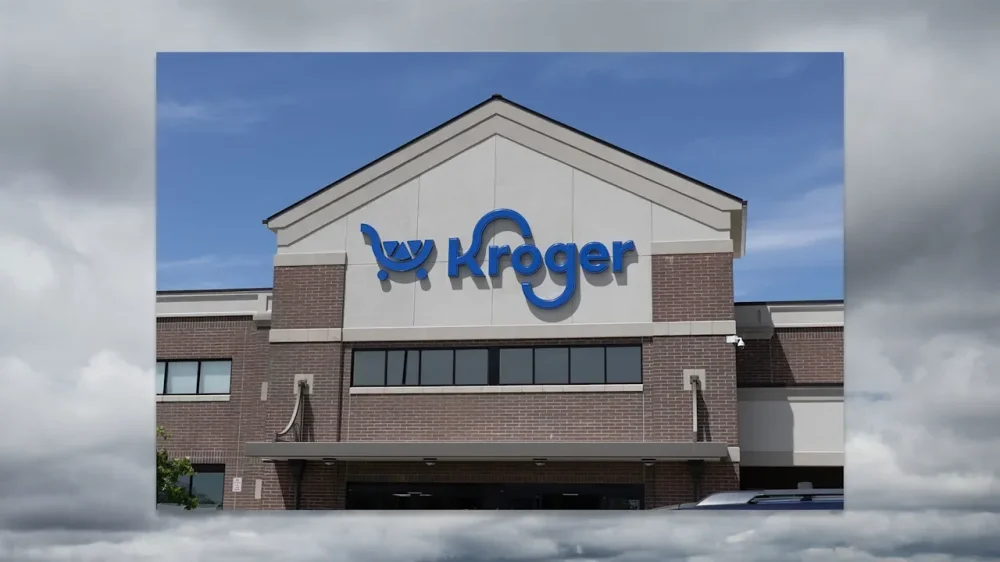
Groceries are a little harder to come by in dozens of neighborhoods this year in the wake of an ongoing retreat from The Kroger Co. The Cincinnati-based supermarket company has been shuttering locations since June of last year, when it announced a footprint optimization plan that would result in the closure of about 60 stores. According to a Fast Company review of local media reports and online review platforms like Yelp, Kroger could be more than halfway through that process. Some 33 stores have already closed, with at least three more confirmed so far this year. Closures in the months since the announcement largely impact stores under the flagship Kroger banner, but also include Kroger-owned Fred Meyer, Fry’s Food and Drug, Harris Teeter, Jay C, King Soopers, Mariano’s, Pick ’n Save, and QFC locations. Kroger has not publicly provided a list of locations that would be impacted by its plan, which was disclosed in a quarterly earnings report and was expected to bring “modest financial benefit.” It’s unclear how many jobs have been lost by Kroger’s plan. As of early 2025, when it last filed an annual report with the Securities and Exchange Commission (SEC), it had 409,000 full- and part-time employees. Kroger said it operated 2,731 supermarkets at that time. Fast Company reached out to Kroger for comment. Kroger also announced in August that it was laying off about 1,000 corporate workers, and during its most recent earnings call this week, it said it planned to close 50 underperforming locations of its Little Clinic walk-in care centers. Shares of The Kroger Co. (NYSE: KR) are up over 18% this year, far outperforming the S&P 500, which is down 1.5% this year as of Friday. Job losses and union pushback Kroger’s decision to close stores has been controversial, with residents and food workers’ unions accusing the company of abandoning certain communities where Kroger was the only remaining option for affordable groceries. The closures come during an affordability crisis that has more and more families across America struggling to pay their food bills. According to a recent research brief from Stacy Mitchell and Katy Milani of the Institute for Local Self-Reliance, grocery deserts—low-income areas where at least a third of residents don’t have easy access to a supermarket—exacerbate this problem. The institute has an interactive map that tracks food access across the country. One reason grocery deserts have proliferated over the decades is because of market consolidation, which lets large chains like Kroger or Walmart enjoy a playing field with less competition from independent grocers. Just this week, discount grocery chain Grocery Outlet announced that it would close about 36 locations during its 2026 fiscal year. Which Kroger stores are closing? Kroger did not publicly provide a list of store closures or respond to a request for additional details about closures. According to local media reports and data from online review platforms, the following locations have closed since Kroger’s 2025 announcement: Kroger 2452 Morosgo Way NE, Atlanta, GA 30324 3855 Buford Hwy. NE, Brookhaven, GA 30329 3479 Memorial Dr., Decatur, GA 30032 11877 Douglas Rd., Alpharetta, GA 30005 3311 N Sterling Ave., Peoria, IL 61604 4526 W Western Ave., South Bend, IN 46619 901 Johnson St., Elkhart, IN 46514 4211 S 3rd St., Louisville, KY 40214 4100 Barksdale Blvd, Bossier City, LA 71112 1664 E Stone Dr., Kingsport, TN 37660 239 W 20th St., Houston, TX 77008 (closing soon) 6060 Farm to Market 2920, Spring, TX 77379 (closing soon) 9325 Katy Fwy., Houston, TX 77024 2300 Gessner Rd., Houston, TX 77080 1904 Emmet St. N, Charlottesville, VA 22901 466 Cummings St., Abingdon, VA 24210 2908 State St., Gassaway, WV 26624 Fred Meyer 7250 Pacific Ave., Tacoma, WA 98408 Fry’s Food and Drug 1915 S Power Rd., Mesa, AZ 85206 Harris Teeter 950 S George Mason Dr., Arlington, VA 22204 3600 S Glebe Rd. W100, Arlington, VA 22202 8200 Crestwood Heights Dr., McLean, VA 22102 11845 Old Georgetown Rd., Rockville, MD 20852 5563 Western Blvd., Suite 6A, Raleigh, NC 27606 5706 Wyalong Dr., Charlotte, NC 28227 (closing soon) Jay C Food Stores 201 High St., Shoals, IN 47581 King Soopers 5050 E Arapahoe Rd., Centennial, CO 80122 Mariano’s 450 W Half Day Rd., Buffalo Grove, IL 60089 2323 Capital Dr., Northbrook, IL 60062 144 S Gary Ave., Bloomingdale, IL 60108 Pick ’n Save 1735 W Silver Spring Dr., Glendale, WI 53209 3701 S 27th St., Milwaukee, WI 53221 2355 N 35th St., Milwaukee, WI 53210 2320 W Ryan Rd., Oak Creek, WI 53154 2931 S. Chicago Ave., South Milwaukee, Wisconsin, 53172 QFC 926 164th St. SE, Mill Creek, WA 98012 This story might be updated as new information on store closures is learned. View the full article
-
A work paycheck is an essential document that outlines your earnings and deductions for a specific pay period. It typically shows your gross pay, which is the total amount earned, and net pay, the amount you take home after deductions like taxes and benefits. Comprehending the differences between hourly and salaried positions, along with how deductions impact your paycheck, can greatly affect your financial planning. So, what else should you know about managing your paycheck effectively? Key Takeaways A work paycheck is a payment received by employees for their labor, detailing gross pay and net pay after deductions. Paychecks can be issued on various schedules, such as weekly, bi-weekly, or monthly, depending on company policy. Gross pay includes total earnings from salary or hourly wages before any deductions are made. Deductions from gross pay include mandatory taxes and optional contributions, impacting the final take-home amount (net pay). Regularly reviewing pay stubs ensures accuracy in earnings and deductions, aiding in effective financial planning and budgeting. Understanding Gross Pay and Net Pay When you receive a paycheck, it’s important to grasp the distinction between gross pay and net pay. Gross pay is your total earnings before any deductions are taken out, encompassing your salary, bonuses, and other forms of compensation. Conversely, net pay, often referred to as take-home pay, is the amount you actually receive after all deductions have been subtracted from your gross pay. Deductions can include mandatory taxes, such as federal and state income taxes, Social Security, and Medicare. Furthermore, there may be optional deductions for benefits like health insurance and retirement contributions. Employers are required to provide pay stubs that detail both gross pay and net pay, along with a breakdown of all deductions. Grasping these figures is essential for effective budgeting, as net pay reflects the actual amount available for spending or saving each pay period. Payment Structures: Hourly vs. Salaried Grasping the differences between hourly and salaried payment structures is crucial for both employees and employers. Hourly payment structures compensate you based on the actual hours you work, with the federal minimum wage set at $7.25 per hour, while many states have higher rates. If you’re an hourly employee, you’re typically eligible for overtime pay at 1.5 times your regular rate for hours worked beyond 40 in a week. Conversely, salaried employees receive a fixed annual salary that doesn’t fluctuate with hours worked. This often includes benefits like paid time off and health insurance, but salaried positions may require you to work extra hours without additional pay. Both hourly and salaried employees can earn additional compensation, such as performance bonuses or commissions tied to job performance or company profits, which can greatly improve overall earnings. Comprehending these structures can help you make informed career decisions. Deductions and Their Impact on Your Paycheck When you look at your paycheck, it’s crucial to understand the deductions that reduce your gross pay to net pay. Mandatory deductions, like federal income tax and Social Security, are required by law, whereas optional ones, such as contributions to health insurance or retirement accounts, can vary based on your choices. Mandatory vs. Optional Deductions Have you ever wondered how mandatory and optional deductions influence your paycheck? Comprehending these deductions is crucial for evaluating your net pay. Here’s a breakdown: Type of Deduction Examples Mandatory Deductions Federal income tax withheld, Social Security, Medicare Optional Deductions Retirement plan contributions, health insurance premiums, union dues Mandatory deductions, like Social Security (6.2%) and Medicare (1.45%), are required by law and reduce your take-home pay. Conversely, optional deductions are voluntary and can improve your benefits but likewise impact your net pay. You can manage your finances by adjusting these optional deductions, influencing your overall financial planning and take-home pay. Calculating Net Pay Impact Grasping how deductions affect your paycheck helps in calculating your net pay, the amount you actually take home. Your gross pay represents your total earnings before any deductions are made, including federal withholding, state income tax, Social Security, and Medicare. These mandatory taxes and withholdings reduce your gross pay considerably, impacting your net pay. Optional deductions for benefits like health insurance and retirement contributions can further decrease your take-home amount. It’s crucial to regularly review your pay stub, which details your gross pay, deductions, and net pay, ensuring transparency and accuracy in your compensation. The Pay Period and Pay Date Explained Grasping the pay period and pay date is crucial for managing your finances effectively. The pay period is the timeframe during which you work and earn wages, often structured as weekly, bi-weekly, or monthly. For salaried employees, gross income is calculated by dividing the annual salary by the number of pay periods, like 52 for weekly or 26 for bi-weekly. If you’re an hourly employee, you determine your gross earnings by multiplying the total hours worked during the pay period by your hourly wage. Pay dates follow the end of the pay period, typically occurring a few days later to allow for payroll processing. Comprehending these timelines helps you budget effectively and plan for expenses. Knowing when to expect your paycheck can greatly impact your financial management, ensuring you’re prepared for bills and other obligations as they arise. Special Considerations for Non-Citizen Workers Grasping the intricacies of your paycheck is particularly significant for non-citizen workers, as several factors can influence how you receive your earnings. Here are some crucial considerations: Make sure you have the appropriate visa type, like H-1B for skilled workers or J-1 for exchange visitors. Employment eligibility can vary by visa type, affecting your ability to receive paychecks and access certain benefits. Familiarize yourself with U.S. tax responsibilities, as you’re subject to federal income taxes on your earnings. You might qualify for tax treaty benefits, which can provide exemptions or reduced tax rates based on your country of origin. Comprehending U.S. payroll practices will help you navigate salary negotiations and workplace dynamics effectively. Importance of Financial Literacy in Managing Paychecks Comprehending financial literacy is vital for managing your paycheck effectively. By grasping the difference between gross pay and net pay, you can analyze deductions accurately and set realistic budgets that align with your income. This knowledge not merely helps you avoid surprises but likewise empowers you to make informed decisions about your finances. Understanding Net Pay When you receive your paycheck, it’s essential to know that net pay, or take-home pay, is the amount that remains after all deductions are taken from your gross pay. Comprehending net pay helps you manage your finances effectively. Here are some key points to reflect on: It reflects your actual income for spending, saving, and investing. Use tools like a take-home pay calculator Oregon or payroll calculator MA for accurate calculations. Watch out for federal withholding tax and tax withheld on bonus payments. Regularly review your pay stubs to catch discrepancies. Familiarize yourself with final paycheck requirements by state to guarantee compliance. Being financially literate about net pay encourages better decision-making and promotes healthier financial habits. Analyzing Deductions Effectively How can you effectively analyze deductions on your paycheck to better manage your finances? Start by identifying the mandatory deductions from a paycheck, such as federal withholding tax, Social Security, and Medicare. These taxes considerably impact your net pay. Next, look at optional deductions, like retirement contributions and health insurance. Comprehending the difference between before-tax deductions, which reduce your taxable income, and after-tax deductions, which don’t, is vital for accurate financial planning. Regularly analyzing deductions helps you spot discrepancies, improves your budgeting, and keeps you informed about your total compensation. Setting Realistic Budgets Setting realistic budgets is essential for managing your finances effectively, especially as you navigate the intricacies of your paycheck. Comprehending your net pay, which is the amount you receive after deductions, helps you create a solid financial plan. Here are key points to reflect on: Review your pay stubs regularly to catch discrepancies in earnings or deductions. Familiarize yourself with deductions like federal withholding tax and healthcare contributions. Base your budget on net pay to allocate funds wisely. Include categories for necessities, discretionary spending, and savings in your budgeting. Improve your financial literacy to make informed decisions about spending and saving. Frequently Asked Questions How Does a Paycheck Work? A paycheck works by summarizing your earnings for a specific pay period, detailing your gross pay, deductions, and net pay. You receive it in various formats, like paper checks or direct deposit, which is often preferred for convenience. Your paycheck includes important details such as your hours worked, pay rates, and itemized deductions for taxes and benefits. Comprehending these components helps you manage your finances and plan your budget effectively. What Are the Benefits of Using Workpay? Using Workpay offers several benefits for employees and employers alike. You gain clear insights into your earnings, taxes, and deductions, which improves your financial planning. Direct deposit guarantees you receive your pay securely and on time. The platform reduces administrative burdens for employers, minimizing payroll errors. Furthermore, electronic pay stubs and accessible payroll information increase your engagement and satisfaction, whereas compliance with regulations protects employers from potential penalties, guaranteeing a smooth payroll process. How Much of a $1000 Paycheck Should I Save? You should aim to save at least 20% of a $1000 paycheck, which equals $200. Following the 50/30/20 budgeting rule, allocate 50% for needs, 30% for wants, and that 20% for savings. It’s wise to establish an emergency fund covering 3-6 months of living expenses. Consider setting up automatic transfers to guarantee you save consistently. Periodically reassess your savings goals to adapt to any changes in your financial situation. How Does Workpay Work? Workpay refers to how employees receive their earnings for the services they provide. Employers calculate gross pay based on hours worked or salaries, then deduct taxes, benefits, and other contributions to determine net pay. Pay periods can vary, impacting how frequently you receive payments, such as weekly or bi-weekly. Comprehending these components is crucial for managing your finances effectively and ensuring you’re aware of the deductions taken from your earnings. Conclusion In conclusion, comprehending your paycheck is essential for effective financial management. By familiarizing yourself with gross pay, net pay, and various deductions, you can better navigate your earnings and expenses. Knowing the payment structure and pay period helps you plan your finances accordingly. Furthermore, being aware of specific considerations for non-citizen workers guarantees compliance with regulations. Ultimately, enhancing your financial literacy empowers you to make informed decisions regarding your paycheck and overall financial health. Image via Google Gemini This article, "What Is a Work Paycheck and How Does It Work?" was first published on Small Business Trends View the full article
-
Regarding managing payroll, selecting the right software can make a significant difference for your business. The environment is filled with various tax payroll solutions, each offering unique features and pricing structures. It’s crucial to evaluate aspects like integration with accounting systems, user experience, and support options. As you explore your choices, you’ll want to understand how these tools can streamline your payroll process and guarantee compliance. Let’s examine the top options available. Key Takeaways Gusto, QuickBooks Payroll, and ADP RUN are among the top payroll solutions, offering automated tax calculations and compliance support. OnPay and Square Payroll provide affordable options, starting at $40 and $35 per month, respectively, with unlimited pay runs. Most payroll services charge a base fee plus a per-employee cost, typically ranging from $4 to $80 monthly. User-friendly interfaces and real-time insights enhance employee engagement and financial management for small businesses. Integration capabilities with accounting software like QuickBooks and Xero improve customization and streamline payroll processes. Overview of Payroll Services When you’re running a small business, managing payroll can feel overwhelming, especially with the intricacies of tax regulations and employee compensation. Payroll services simplify these complex accounting tasks, helping you avoid penalties from tax agencies through accurate processing. Many payroll tax software solutions are affordable, typically costing less than $100 per month for businesses with a small number of employees. Popular options like Gusto, QuickBooks Payroll, and ADP RUN offer unique features such as integrated HR capabilities, extensive reporting, and customizable options that suit your business needs. Furthermore, these services often provide unlimited payroll runs and next-day direct deposit, ensuring your employees are paid on time. When evaluating payroll services, experts test and rate them, with some receiving high praise for user experience and functionality. Investing in tax payroll software can streamline your payroll processes, allowing you to focus on growing your business efficiently. Top Picks for Tax Payroll Software Selecting the appropriate payroll software is crucial for small to medium-sized businesses maneuvering through the intricacies of payroll management and tax compliance. Gusto stands out with its all-in-one payroll solution, offering automated tax calculations and filings at a competitive price of $49 per month, plus $6 per employee. If you’re already using QuickBooks for accounting, QuickBooks Payroll integrates perfectly, providing next-day direct deposit for $50 plus $6 per employee. OnPay is a budget-friendly choice starting at $40 monthly, supporting unlimited pay runs and multi-state payroll. For businesses with fewer than 50 employees, ADP RUN offers detailed payroll reports and compliance support, though its pricing starts around $79 per month plus $4 per employee. Finally, Square Payroll is an affordable option, beginning at $35 plus $6 per employee, featuring automatic payroll runs and employee self-onboarding, ideal for startups and small businesses looking to streamline their payroll processes. Key Features to Consider When choosing payroll software, you should prioritize automation and efficiency, as these features can greatly reduce manual errors and save time. Compliance and reporting capabilities are likewise crucial, ensuring that you meet tax regulations and can easily generate necessary reports. Furthermore, consider how well the software integrates with your HR systems; this can streamline your processes and improve overall functionality. Automation and Efficiency Effective payroll management hinges on the automation and efficiency features of payroll software, which can greatly improve your business operations. Automation can reduce errors by up to 31%, ensuring more accurate wage calculations and tax filings. Look for automated tax calculations that streamline compliance with federal and state regulations, helping to prevent costly penalties. Payroll solutions offering unlimited payroll runs allow you to process payments at any frequency, enhancing your flexibility. Integration capabilities with accounting and HR systems notably improve data accuracy and reduce manual input, saving time for your HR department. Finally, real-time analytics and reporting features enable you to gain insights into payroll expenditures and workforce costs, driving informed decision-making for your business. Compliance and Reporting Ensuring compliance with payroll regulations is essential for any business, as it helps avoid costly penalties and legal issues. Choosing payroll software that automates tax calculations and filings minimizes errors and keeps you compliant with local, state, and federal regulations. Solutions like Gusto and OnPay feature built-in compliance tools that alert you to changes in tax laws and labor regulations. Furthermore, detailed reporting capabilities are critical for tracking payroll liabilities and tax obligations. Services such as ADP RUN and Paychex Flex offer real-time analytics to identify potential compliance risks, ensuring adherence to labor laws. Customizable reporting options enable you to generate specific compliance reports for audits or regulatory reviews, enhancing your overall payroll management. Integration With HR Systems Integrating payroll software with HR systems is essential for streamlining operations and improving efficiency within your business. This integration reduces manual entry, minimizes errors, and guarantees seamless data transfer between payroll and HR functions. Many solutions, such as Gusto and QuickBooks Payroll, offer compatibility with popular HR tools, allowing you to manage employee information effectively. Here are key features to take into account: Feature Benefit Automated Tax Calculations Guarantees compliance with regulations Customizable Workflows Tailors integration to your needs Employee Self-Service Access Improves engagement and satisfaction Pricing Structure of Payroll Services When you’re considering payroll services, it’s important to understand the pricing structure. Most providers charge a base fee plus a per-employee cost, which can range from $17 to $80 monthly, depending on the features you choose. Moreover, some services might’ve setup fees, whereas others offer promotional deals that can help lower your initial expenses. Monthly Pricing Breakdown Grasping the monthly pricing breakdown for payroll services is essential for businesses looking to manage their payroll needs effectively. Here’s a quick comparison of some popular options: Service Monthly Starting Price Gusto $49 + $6 per employee Square Payroll $35 + $6 per employee Justworks $50 + $6 per person QuickBooks Payroll $50 + $6 per employee ADP RUN Pricing not publicly listed Each service offers unique features such as unlimited payroll runs or thorough analytics. Recognizing these costs helps you choose the right service that aligns with your business goals during managing your payroll efficiently. Always consider the total cost, including any additional services you might need. Per-Employee Costs Grasping the per-employee costs in payroll services is vital for businesses aiming to budget effectively and make informed decisions. Most payroll services charge a base monthly fee plus a per-employee cost. For example, Patriot Payroll starts at $17 per month with an additional $4 per employee. Gusto and QuickBooks Payroll both begin at $50 per month and add $6 per employee, offering integrated payroll and HR functionalities. Square Payroll is another affordable option, starting at $35 per month plus $6 per employee. If your business has international operations, Remote provides global payroll management starting at $29 per employee monthly. Grasping these pricing structures helps you choose the best payroll service for your business needs. Setup Fees Explained Grasping the setup fees associated with payroll services can greatly impact your overall budgeting and decision-making. Many providers, like OnPay, charge a flat rate of $36 monthly, plus $4 per employee, with initial data entry included at no extra cost. Gusto starts at $49 per month, adding $6 per person, but be aware that improved features may incur additional charges in higher-tier plans. Square Payroll offers a competitive starting price of $35, along with $6 per employee, making it a budget-friendly choice. ADP RUN’s pricing varies based on your employee count and specific services, suggesting customization potential. TriNet‘s fees can range from $100 to $140 per employee, reflecting its extensive HR solutions for larger companies. User Experience and Support When you’re looking for tax payroll software solutions, understanding user experience and support is crucial for effective payroll management. Gusto stands out with its highly rated user experience, featuring an intuitive interface that allows flexibility in managing payroll and HR tasks, even though live support is available only during limited hours. OnPay likewise shines in customer support, boasting high satisfaction ratings and an easy-to-navigate interface that streamlines payroll processing. Homebase offers a thorough app that integrates scheduling, time tracking, and payroll, with responsive support, making it effective for managing multiple clients. For those needing constant assistance, ADP RUN provides 24/7 live support for payroll inquiries, ensuring you can get help whenever necessary. Paychex Flex takes it a step further by offering dedicated specialists available around the clock, enhancing user experience with interactive reporting and self-service capabilities for employees. Each option brings unique strengths to user experience and support. Compliance and Tax Management In terms of payroll, automated tax calculations are crucial for maintaining compliance with regulations. With payroll software, you can guarantee accurate tax filings and minimize the risk of penalties from tax agencies. Automated Tax Calculations Automated tax calculations in payroll software play a crucial role in guaranteeing compliance with federal, state, and local tax obligations. These systems minimize the risk of penalties for non-compliance by ensuring accurate withholding and filing. Many solutions, like Gusto and OnPay, provide automatic updates to tax rates and regulations, keeping your business compliant with the latest laws. Feature Benefit Automatic Updates Guarantees compliance with changing tax laws Detailed Reporting Helps track and manage tax liabilities effectively Error Reduction Reduces manual entry errors by 31% With thorough support, these tools remind you of tax deadlines and assist with filing requirements, making it easier to stay on top of your tax responsibilities. Compliance With Regulations Payroll software not merely streamlines automated tax calculations but also plays a crucial role in ensuring compliance with various regulations. With tools like Gusto and OnPay, you can stay updated with federal, state, and local tax laws, greatly reducing the risk of costly errors. Here are three key benefits: Automated Updates: The software automatically adjusts to tax law changes, helping you avoid penalties. Compliance Reports: You can generate necessary documentation for audits and regulatory requirements easily. Employee Access: Self-service portals let employees view their tax forms and pay stubs, enhancing transparency. Integration With Accounting Systems Integrating payroll solutions with accounting systems can greatly improve your business’s financial management. Many payroll platforms, like Gusto and QuickBooks Payroll, seamlessly connect with popular accounting software. This integration allows for real-time syncing of payroll data, ensuring salary expenditures, tax calculations, and employee deductions are accurately reflected in your financial reports. Here’s a quick overview of key payroll solutions and their integration capabilities: Payroll Solution Accounting Integration Customization Options Gusto QuickBooks, Xero Limited QuickBooks Payroll QuickBooks High Wave Payroll Wave Moderate OnPay Various High ADP RUN Custom APIs Extensive Benefits of Using Payroll Software When you choose to implement payroll software, you can streamline your entire payroll process, making it more efficient and accurate. This automation reduces the complexity of calculations related to wages, taxes, and deductions, greatly lowering the chances of errors. Businesses that use payroll software experience 31% fewer mistakes than those relying on manual methods. Here are three key benefits of using payroll software: Enhanced Accuracy: Automated calculations help guarantee compliance with tax regulations, reducing penalties for miscalculations or late submissions. Employee Engagement: User-friendly interfaces and self-service portals allow employees to access their pay stubs and tax forms easily, improving satisfaction. Real-Time Insights: With integrated reporting and analytics, you gain valuable insights into labor costs and payroll trends, aiding in better financial management. How to Choose the Right Payroll Solution How do you determine which payroll solution best fits your business needs? Start by evaluating your business size and complexity. Solutions like Paycom and Paychex Flex are ideal for larger teams requiring integrated HR features, whereas OnPay suits smaller businesses looking for budget-friendly options. Next, consider the pricing structure; services like Gusto and Square Payroll charge a base fee plus a per-employee fee, while OnPay offers a flat rate for all employees. Evaluate features, focusing on benefits integration with Gusto or scheduling and time tracking with Homebase. Automation capabilities are essential, as seen in Gusto and Rippling, which streamline payroll processing and tax compliance. Finally, check customer support and user experience; prioritize platforms with responsive assistance like OnPay and Gusto, known for high user satisfaction ratings. Future Trends in Payroll Technology As payroll technology evolves, businesses are poised to benefit from advancements that prioritize automation and efficiency. You can expect a significant shift toward AI-driven solutions, reducing errors and improving payroll processes by up to 31%. Furthermore, cloud-based systems will dominate the market, offering real-time data access that’s vital for remote workforces. Here are three key trends to watch: Enhanced Employee Self-Service: Workers will gain more control over their payroll and benefits, leading to increased satisfaction and less HR workload. Integration Capabilities: Seamless workflows will emerge as payroll systems integrate better with HR and financial software, enhancing overall operational efficiency. Regulatory Compliance Features: Payroll solutions will keep pace with real-time updates on tax laws and regulations, helping businesses mitigate compliance risks effectively. Staying ahead in these areas will be important for optimizing your payroll processes. Frequently Asked Questions What’s the Best Payroll Software? To determine the best payroll software for your needs, consider factors like pricing, features, and scalability. Gusto is great for small to medium businesses, whereas Remote excels in global payroll capabilities. QuickBooks Payroll offers solid integration with QuickBooks Online. If affordability is key, Square Payroll is a strong contender. For robust reporting, ADP RUN provides customizable solutions. Assess your business size, budget, and specific requirements to find the right fit. Who Is Adp’s Biggest Competitor? ADP’s biggest competitor is Paychex. Paychex combines payroll, HR, and benefits administration, appealing mainly to mid-sized and larger businesses. Its flexible platform offers extensive HR tools and 24/7 U.S.-based support, ensuring smooth onboarding. Unlike ADP’s traditional pricing, Paychex has modular add-ons, allowing customization of services. Paychex Flex starts at $39 per month plus $5 per employee, providing competitive pricing and over 160 report templates for compliance-focused industries, enhancing its appeal. Can Payroll Software Handle Taxes? Yes, payroll software can handle taxes effectively. It automates tax calculations, ensuring compliance with federal, state, and local regulations. You can generate and file crucial tax forms like W-2s and 1099s directly through the software, making reporting simpler. Many platforms likewise provide updates on tax law changes, so you stay informed. Furthermore, automatic tax deductions from employee paychecks streamline the payroll process, ensuring timely tax payments and reducing the risk of errors. Who Is Better Than Paychex? If you’re considering alternatives to Paychex, Gusto offers a user-friendly interface and integrated HR tools, starting at $39 per month. OnPay is budget-friendly with unlimited payroll runs for $40 per month. Rippling features extensive automation and global payroll capabilities, starting at $8 per user. QuickBooks Payroll integrates well with QuickBooks Online for $45 per month, whereas ADP RUN provides robust reporting for businesses under 50 employees, starting at $79 per month. Conclusion Choosing the right payroll software is crucial for streamlining your business operations and ensuring compliance with tax regulations. By considering factors like key features, pricing, user experience, and integration with accounting systems, you can identify a solution that meets your specific needs. As payroll technology continues to evolve, staying informed about trends can help you adapt and optimize your payroll processes, in the end enhancing efficiency and reducing errors in your business. Image via Google Gemini and ArtSmart This article, "Top 10 Tax Payroll Software Solutions" was first published on Small Business Trends View the full article
-
Regarding managing payroll, selecting the right software can make a significant difference for your business. The environment is filled with various tax payroll solutions, each offering unique features and pricing structures. It’s crucial to evaluate aspects like integration with accounting systems, user experience, and support options. As you explore your choices, you’ll want to understand how these tools can streamline your payroll process and guarantee compliance. Let’s examine the top options available. Key Takeaways Gusto, QuickBooks Payroll, and ADP RUN are among the top payroll solutions, offering automated tax calculations and compliance support. OnPay and Square Payroll provide affordable options, starting at $40 and $35 per month, respectively, with unlimited pay runs. Most payroll services charge a base fee plus a per-employee cost, typically ranging from $4 to $80 monthly. User-friendly interfaces and real-time insights enhance employee engagement and financial management for small businesses. Integration capabilities with accounting software like QuickBooks and Xero improve customization and streamline payroll processes. Overview of Payroll Services When you’re running a small business, managing payroll can feel overwhelming, especially with the intricacies of tax regulations and employee compensation. Payroll services simplify these complex accounting tasks, helping you avoid penalties from tax agencies through accurate processing. Many payroll tax software solutions are affordable, typically costing less than $100 per month for businesses with a small number of employees. Popular options like Gusto, QuickBooks Payroll, and ADP RUN offer unique features such as integrated HR capabilities, extensive reporting, and customizable options that suit your business needs. Furthermore, these services often provide unlimited payroll runs and next-day direct deposit, ensuring your employees are paid on time. When evaluating payroll services, experts test and rate them, with some receiving high praise for user experience and functionality. Investing in tax payroll software can streamline your payroll processes, allowing you to focus on growing your business efficiently. Top Picks for Tax Payroll Software Selecting the appropriate payroll software is crucial for small to medium-sized businesses maneuvering through the intricacies of payroll management and tax compliance. Gusto stands out with its all-in-one payroll solution, offering automated tax calculations and filings at a competitive price of $49 per month, plus $6 per employee. If you’re already using QuickBooks for accounting, QuickBooks Payroll integrates perfectly, providing next-day direct deposit for $50 plus $6 per employee. OnPay is a budget-friendly choice starting at $40 monthly, supporting unlimited pay runs and multi-state payroll. For businesses with fewer than 50 employees, ADP RUN offers detailed payroll reports and compliance support, though its pricing starts around $79 per month plus $4 per employee. Finally, Square Payroll is an affordable option, beginning at $35 plus $6 per employee, featuring automatic payroll runs and employee self-onboarding, ideal for startups and small businesses looking to streamline their payroll processes. Key Features to Consider When choosing payroll software, you should prioritize automation and efficiency, as these features can greatly reduce manual errors and save time. Compliance and reporting capabilities are likewise crucial, ensuring that you meet tax regulations and can easily generate necessary reports. Furthermore, consider how well the software integrates with your HR systems; this can streamline your processes and improve overall functionality. Automation and Efficiency Effective payroll management hinges on the automation and efficiency features of payroll software, which can greatly improve your business operations. Automation can reduce errors by up to 31%, ensuring more accurate wage calculations and tax filings. Look for automated tax calculations that streamline compliance with federal and state regulations, helping to prevent costly penalties. Payroll solutions offering unlimited payroll runs allow you to process payments at any frequency, enhancing your flexibility. Integration capabilities with accounting and HR systems notably improve data accuracy and reduce manual input, saving time for your HR department. Finally, real-time analytics and reporting features enable you to gain insights into payroll expenditures and workforce costs, driving informed decision-making for your business. Compliance and Reporting Ensuring compliance with payroll regulations is essential for any business, as it helps avoid costly penalties and legal issues. Choosing payroll software that automates tax calculations and filings minimizes errors and keeps you compliant with local, state, and federal regulations. Solutions like Gusto and OnPay feature built-in compliance tools that alert you to changes in tax laws and labor regulations. Furthermore, detailed reporting capabilities are critical for tracking payroll liabilities and tax obligations. Services such as ADP RUN and Paychex Flex offer real-time analytics to identify potential compliance risks, ensuring adherence to labor laws. Customizable reporting options enable you to generate specific compliance reports for audits or regulatory reviews, enhancing your overall payroll management. Integration With HR Systems Integrating payroll software with HR systems is essential for streamlining operations and improving efficiency within your business. This integration reduces manual entry, minimizes errors, and guarantees seamless data transfer between payroll and HR functions. Many solutions, such as Gusto and QuickBooks Payroll, offer compatibility with popular HR tools, allowing you to manage employee information effectively. Here are key features to take into account: Feature Benefit Automated Tax Calculations Guarantees compliance with regulations Customizable Workflows Tailors integration to your needs Employee Self-Service Access Improves engagement and satisfaction Pricing Structure of Payroll Services When you’re considering payroll services, it’s important to understand the pricing structure. Most providers charge a base fee plus a per-employee cost, which can range from $17 to $80 monthly, depending on the features you choose. Moreover, some services might’ve setup fees, whereas others offer promotional deals that can help lower your initial expenses. Monthly Pricing Breakdown Grasping the monthly pricing breakdown for payroll services is essential for businesses looking to manage their payroll needs effectively. Here’s a quick comparison of some popular options: Service Monthly Starting Price Gusto $49 + $6 per employee Square Payroll $35 + $6 per employee Justworks $50 + $6 per person QuickBooks Payroll $50 + $6 per employee ADP RUN Pricing not publicly listed Each service offers unique features such as unlimited payroll runs or thorough analytics. Recognizing these costs helps you choose the right service that aligns with your business goals during managing your payroll efficiently. Always consider the total cost, including any additional services you might need. Per-Employee Costs Grasping the per-employee costs in payroll services is vital for businesses aiming to budget effectively and make informed decisions. Most payroll services charge a base monthly fee plus a per-employee cost. For example, Patriot Payroll starts at $17 per month with an additional $4 per employee. Gusto and QuickBooks Payroll both begin at $50 per month and add $6 per employee, offering integrated payroll and HR functionalities. Square Payroll is another affordable option, starting at $35 per month plus $6 per employee. If your business has international operations, Remote provides global payroll management starting at $29 per employee monthly. Grasping these pricing structures helps you choose the best payroll service for your business needs. Setup Fees Explained Grasping the setup fees associated with payroll services can greatly impact your overall budgeting and decision-making. Many providers, like OnPay, charge a flat rate of $36 monthly, plus $4 per employee, with initial data entry included at no extra cost. Gusto starts at $49 per month, adding $6 per person, but be aware that improved features may incur additional charges in higher-tier plans. Square Payroll offers a competitive starting price of $35, along with $6 per employee, making it a budget-friendly choice. ADP RUN’s pricing varies based on your employee count and specific services, suggesting customization potential. TriNet‘s fees can range from $100 to $140 per employee, reflecting its extensive HR solutions for larger companies. User Experience and Support When you’re looking for tax payroll software solutions, understanding user experience and support is crucial for effective payroll management. Gusto stands out with its highly rated user experience, featuring an intuitive interface that allows flexibility in managing payroll and HR tasks, even though live support is available only during limited hours. OnPay likewise shines in customer support, boasting high satisfaction ratings and an easy-to-navigate interface that streamlines payroll processing. Homebase offers a thorough app that integrates scheduling, time tracking, and payroll, with responsive support, making it effective for managing multiple clients. For those needing constant assistance, ADP RUN provides 24/7 live support for payroll inquiries, ensuring you can get help whenever necessary. Paychex Flex takes it a step further by offering dedicated specialists available around the clock, enhancing user experience with interactive reporting and self-service capabilities for employees. Each option brings unique strengths to user experience and support. Compliance and Tax Management In terms of payroll, automated tax calculations are crucial for maintaining compliance with regulations. With payroll software, you can guarantee accurate tax filings and minimize the risk of penalties from tax agencies. Automated Tax Calculations Automated tax calculations in payroll software play a crucial role in guaranteeing compliance with federal, state, and local tax obligations. These systems minimize the risk of penalties for non-compliance by ensuring accurate withholding and filing. Many solutions, like Gusto and OnPay, provide automatic updates to tax rates and regulations, keeping your business compliant with the latest laws. Feature Benefit Automatic Updates Guarantees compliance with changing tax laws Detailed Reporting Helps track and manage tax liabilities effectively Error Reduction Reduces manual entry errors by 31% With thorough support, these tools remind you of tax deadlines and assist with filing requirements, making it easier to stay on top of your tax responsibilities. Compliance With Regulations Payroll software not merely streamlines automated tax calculations but also plays a crucial role in ensuring compliance with various regulations. With tools like Gusto and OnPay, you can stay updated with federal, state, and local tax laws, greatly reducing the risk of costly errors. Here are three key benefits: Automated Updates: The software automatically adjusts to tax law changes, helping you avoid penalties. Compliance Reports: You can generate necessary documentation for audits and regulatory requirements easily. Employee Access: Self-service portals let employees view their tax forms and pay stubs, enhancing transparency. Integration With Accounting Systems Integrating payroll solutions with accounting systems can greatly improve your business’s financial management. Many payroll platforms, like Gusto and QuickBooks Payroll, seamlessly connect with popular accounting software. This integration allows for real-time syncing of payroll data, ensuring salary expenditures, tax calculations, and employee deductions are accurately reflected in your financial reports. Here’s a quick overview of key payroll solutions and their integration capabilities: Payroll Solution Accounting Integration Customization Options Gusto QuickBooks, Xero Limited QuickBooks Payroll QuickBooks High Wave Payroll Wave Moderate OnPay Various High ADP RUN Custom APIs Extensive Benefits of Using Payroll Software When you choose to implement payroll software, you can streamline your entire payroll process, making it more efficient and accurate. This automation reduces the complexity of calculations related to wages, taxes, and deductions, greatly lowering the chances of errors. Businesses that use payroll software experience 31% fewer mistakes than those relying on manual methods. Here are three key benefits of using payroll software: Enhanced Accuracy: Automated calculations help guarantee compliance with tax regulations, reducing penalties for miscalculations or late submissions. Employee Engagement: User-friendly interfaces and self-service portals allow employees to access their pay stubs and tax forms easily, improving satisfaction. Real-Time Insights: With integrated reporting and analytics, you gain valuable insights into labor costs and payroll trends, aiding in better financial management. How to Choose the Right Payroll Solution How do you determine which payroll solution best fits your business needs? Start by evaluating your business size and complexity. Solutions like Paycom and Paychex Flex are ideal for larger teams requiring integrated HR features, whereas OnPay suits smaller businesses looking for budget-friendly options. Next, consider the pricing structure; services like Gusto and Square Payroll charge a base fee plus a per-employee fee, while OnPay offers a flat rate for all employees. Evaluate features, focusing on benefits integration with Gusto or scheduling and time tracking with Homebase. Automation capabilities are essential, as seen in Gusto and Rippling, which streamline payroll processing and tax compliance. Finally, check customer support and user experience; prioritize platforms with responsive assistance like OnPay and Gusto, known for high user satisfaction ratings. Future Trends in Payroll Technology As payroll technology evolves, businesses are poised to benefit from advancements that prioritize automation and efficiency. You can expect a significant shift toward AI-driven solutions, reducing errors and improving payroll processes by up to 31%. Furthermore, cloud-based systems will dominate the market, offering real-time data access that’s vital for remote workforces. Here are three key trends to watch: Enhanced Employee Self-Service: Workers will gain more control over their payroll and benefits, leading to increased satisfaction and less HR workload. Integration Capabilities: Seamless workflows will emerge as payroll systems integrate better with HR and financial software, enhancing overall operational efficiency. Regulatory Compliance Features: Payroll solutions will keep pace with real-time updates on tax laws and regulations, helping businesses mitigate compliance risks effectively. Staying ahead in these areas will be important for optimizing your payroll processes. Frequently Asked Questions What’s the Best Payroll Software? To determine the best payroll software for your needs, consider factors like pricing, features, and scalability. Gusto is great for small to medium businesses, whereas Remote excels in global payroll capabilities. QuickBooks Payroll offers solid integration with QuickBooks Online. If affordability is key, Square Payroll is a strong contender. For robust reporting, ADP RUN provides customizable solutions. Assess your business size, budget, and specific requirements to find the right fit. Who Is Adp’s Biggest Competitor? ADP’s biggest competitor is Paychex. Paychex combines payroll, HR, and benefits administration, appealing mainly to mid-sized and larger businesses. Its flexible platform offers extensive HR tools and 24/7 U.S.-based support, ensuring smooth onboarding. Unlike ADP’s traditional pricing, Paychex has modular add-ons, allowing customization of services. Paychex Flex starts at $39 per month plus $5 per employee, providing competitive pricing and over 160 report templates for compliance-focused industries, enhancing its appeal. Can Payroll Software Handle Taxes? Yes, payroll software can handle taxes effectively. It automates tax calculations, ensuring compliance with federal, state, and local regulations. You can generate and file crucial tax forms like W-2s and 1099s directly through the software, making reporting simpler. Many platforms likewise provide updates on tax law changes, so you stay informed. Furthermore, automatic tax deductions from employee paychecks streamline the payroll process, ensuring timely tax payments and reducing the risk of errors. Who Is Better Than Paychex? If you’re considering alternatives to Paychex, Gusto offers a user-friendly interface and integrated HR tools, starting at $39 per month. OnPay is budget-friendly with unlimited payroll runs for $40 per month. Rippling features extensive automation and global payroll capabilities, starting at $8 per user. QuickBooks Payroll integrates well with QuickBooks Online for $45 per month, whereas ADP RUN provides robust reporting for businesses under 50 employees, starting at $79 per month. Conclusion Choosing the right payroll software is crucial for streamlining your business operations and ensuring compliance with tax regulations. By considering factors like key features, pricing, user experience, and integration with accounting systems, you can identify a solution that meets your specific needs. As payroll technology continues to evolve, staying informed about trends can help you adapt and optimize your payroll processes, in the end enhancing efficiency and reducing errors in your business. Image via Google Gemini and ArtSmart This article, "Top 10 Tax Payroll Software Solutions" was first published on Small Business Trends View the full article
-
By now, anyone who follows major brands has seen it or heard of it: The small bite that went ‘round the world. McDonald’s CEO and chairman Chris Kempczinski recently posted a video of himself on Instagram trying the brand’s newly launched Big Arch burger. It was basically the golden arches version of a dorky corporate unboxing. When he got the Big Arch into his grips, he took a reasonable, if small, bite and said, “I love this product. It is so good.” Cue the online mockfest. Kempczinski didn’t deliver the news like an amphetamine-laced nano-influencer. No, here he was eating like some quarter-zip normie on a first date. On a scale of 1-10 in executive public performance, if one is Bank of America’s 2006 adaptation of U2’s “One” and 10 is Steve Jobs unveiling the iPhone, this was somewhere in the gaping maw of middleground. It’s amazing how a seemingly small moment—a lo-fi social post—can blow up bigger than most ambitions for a major ad campaign. The earned media value here for McDonald’s is easily in the millions, which is exactly why so many CEOs from its fast food rival brands fervently jumped on the moment as an opportunity to soak in some of that sweet, sweet attention with their own take on the big bite. As the video spawned cringe-inducing knock-offs from the CEOs of Burger King, Wendy’s, and others, it entered the natural cycle of online brand virality: A video goes viral; it gets mocked; rival brands capitalize on the moment, squashing any last trace of organic attention; people turn on the pile-on brands; suddenly, the original video starts to look brilliant. It’s a brutal but beautiful cycle that ended with Kempczinski and the marketing machine behind him being heralded by some as calculating geniuses. There are theories floating around now that this is all a big orchestrated stunt meant to hype the Big Arch’s U.S. launch, and that Kempczinski & Co are playing 4D social media chess knowing this would happen all along. Sources familiar with the company have assured me this isn’t the case. Kempczinski has been doing tasting videos for years, and until people began making fun of it weeks after it was originally posted, it was in no way a stand-out among all his other takes. Wendy’s U.S. president takes a few bites of a Wendy’s burger after the Burger King CEO went viral for taking a huge bite of his burger and the McDonald’s CEO went viral for barely taking a bite. pic.twitter.com/cD1CCgSBsC — FearBuck (@FearedBuck) March 4, 2026 Serving consistency Kempczinski has an impressively consistent record of just this sort of dorky unboxing taste test video. In May 2024, he took a solid chomp out of a Ghost Pepper McChicken from Canada. In September 2024, it was a big normal bite out of a Samurai McSpicy from Thailand. Back in May last year, it was the McCrispy Strips. Totally normal. In July, it was the Snack Wrap. Guess what? Normal. Why did this video take off? For many, the sheer Squidward of it all made it a slow, arching meatball of a pitch right over home plate to hit with jokes about out-of-touch executives. But let’s just roll with the idea that the Big Arch video does, in fact, make Kempczinski look like an out-of-step corporate CEO. I hate to break it to everybody, but every burger-eating CEO jumping on this bandwagon is in the same club. Burger King president TomCurtis made more than $6.9 million in 2024, and $5.4 million in 2023. Meanwhile, Wendy’s has taken things a step further and is now advertising for a “Chief Tasting Officer.” The smell of desperation is clear. The brand is on its third CEO in three years, and has been forced to close hundreds of restaurants due to a sales slide. It’s got bigger burger issues to fry. If I may address the executives flexing their big boy bites directly for a quick second: Gentlemen, this is beneath you. You may think this makes your brand look strong. It makes it look small. Throwing rocks from the sidelines shows everyone just how much bigger McDonald’s actually is. As dorky as Kempczinski’s tasting videos may be, his consistency is the reason why any real attempt to frame this single video as disingenuous falls flat. Cultural goodwill McDonald’s has worked for years to build up enough cultural goodwill to make this Big Arch episode seem quaint in the grand scheme of its marketing. From all the various Famous Orders collabs, to the 2024 anime-inspired WcDonald’s work, to last year’s headfirst dive into the Minecraft Movie, and making Grimace an unofficial New York Mets mascot. But just as important is how the brand navigates fan-driven social media moments. Sources familiar with the company, not authorized to speak on the record, tell me that it wasn’t a question of if McDonald’s would respond or comment in some way, but how. It could’ve been a press release. Or at the other end of the spectrum, a limited edition Kempczinski Happy Meal on the McD’s app that’s just a hamburger, small fries, small Diet Coke. Instead it went with a just-fun-enough wink, acknowledging the joke but not ruining it. The approach when something is decidedly fan-driven online, is to keep it that way. This is in the same vein as how the brand only very subtly nodded to the hilarious 2023 Grimace shake TikTok trend, which saw users act out their mysterious-yet-gruesome murder at the hands of the purple shake. meee pretending i don't see the grimace shake trendd pic.twitter.com/ZTcnLTESC8 — McDonald's (@McDonalds) June 27, 2023 As a general rule, McDonald’s doesn’t participate in the brand-on-brand violence that so often flushes through our feeds. It’s weird enough when brands on social talk to people as if they’re people, but when it’s brands talking to other brands, the sheer thirst for our attention and approval is suffocating. Like a Dutch Oven of corporate pseudo-comedy. Nothing could illustrate this more than this week’s scramble of social media managers trying to cook up the best quip. I wrote the same paragraph almost word for word in 2019. Great job, everyone. A little fun between brands is obviously fine, but these big biting CEOs all need to remember that the public is the real boss in these social media feeding frenzies. And unless they’re using more energy building up their own cultural goodwill, the next time, say, there’s a horsemeat situation, or maybe a kerfuffle over AI-driven price surging, it’ll be them and their brand on the menu. View the full article

-
In an era where small business owners are constantly juggling multiple responsibilities, Google has introduced an intriguing solution aimed at simplifying daily operations. The tech giant’s forthcoming beta feature in its Gemini app promises to let users offload multi-step tasks directly to their smartphones, offering potential relief for the overworked entrepreneur. Launching soon for Pixel 10, Pixel 10 Pro, and Samsung Galaxy S26 series users, the Gemini app aims to revolutionize how business owners approach repetitive tasks. Scheduled to debut first in the U.S. and Korea, it enables users to command the app to handle tasks such as booking rides or reordering meals with just a long-press of the power button. This hands-free solution provides an inviting prospect for small business owners who must allocate their time effectively. Key benefits of the Gemini app for small businesses are clear. By automating everyday tasks, owners can save precious time and focus on strategic decisions that drive growth. For instance, instead of spending several minutes navigating food delivery apps during a busy workday, entrepreneurs can let Gemini handle the reordering. As small business owner Clara Johnson points out, “Time is money. The less time I spend on mundane tasks, the more I can invest in my business.” Safety and privacy stand as paramount features in this innovative addition. Google emphasizes that the automations initiated by the user will halt as soon as the task is complete, ensuring that control remains firmly in the owner’s hands. Furthermore, Gemini’s task management operates within a limited secure window on the phone, mitigating concerns about larger privacy issues typically associated with automation. Notifications keep users in the loop, allowing them to monitor progress and intervene when necessary. Real-world implications for small businesses are substantial. For entrepreneurs who seek to optimize operations, this tool can help reduce the administrative burden. Whether it’s coordinating transportation for an important business meeting via rideshare or ensuring crucial meal deliveries during busy hours, the hands-free capabilities of Gemini allow for seamless multitasking. Yet, while the benefits are enticing, small business owners should also consider potential challenges. The initial rollout of Gemini’s beta feature will only be available for select applications within the food, grocery, and rideshare categories. This limitation could hinder broader adoption, especially for businesses regularly utilizing a wider range of apps for their operations. As with any new technology, there is also a learning curve. Small business owners will need to familiarize themselves with how to best utilize the app for maximum efficiency. Furthermore, while the privacy safeguards are promising, skepticism may linger among some users who worry about entrusting their devices to automation software. Despite these challenges, the launch of the Gemini app positions itself as an innovative stepping stone toward simplifying operational tasks. As Google seeks user feedback and iterates on the feature, small business owners will have the opportunity to leverage technology that aligns with their everyday needs. Small business owners intrigued by this tech evolution can find more information and stay updated as Gemini prepares to launch by visiting Google’s official blog. Read more here. As technology increasingly melds with daily business operations, tools like Gemini present an exciting glimpse into a future where efficiency reigns supreme, empowering entrepreneurs to reclaim valuable time they can better invest in their ventures. Image via Google Gemini This article, "Google Unveils Beta Feature to Automate Daily Tasks with Gemini App" was first published on Small Business Trends View the full article
-
In an era where small business owners are constantly juggling multiple responsibilities, Google has introduced an intriguing solution aimed at simplifying daily operations. The tech giant’s forthcoming beta feature in its Gemini app promises to let users offload multi-step tasks directly to their smartphones, offering potential relief for the overworked entrepreneur. Launching soon for Pixel 10, Pixel 10 Pro, and Samsung Galaxy S26 series users, the Gemini app aims to revolutionize how business owners approach repetitive tasks. Scheduled to debut first in the U.S. and Korea, it enables users to command the app to handle tasks such as booking rides or reordering meals with just a long-press of the power button. This hands-free solution provides an inviting prospect for small business owners who must allocate their time effectively. Key benefits of the Gemini app for small businesses are clear. By automating everyday tasks, owners can save precious time and focus on strategic decisions that drive growth. For instance, instead of spending several minutes navigating food delivery apps during a busy workday, entrepreneurs can let Gemini handle the reordering. As small business owner Clara Johnson points out, “Time is money. The less time I spend on mundane tasks, the more I can invest in my business.” Safety and privacy stand as paramount features in this innovative addition. Google emphasizes that the automations initiated by the user will halt as soon as the task is complete, ensuring that control remains firmly in the owner’s hands. Furthermore, Gemini’s task management operates within a limited secure window on the phone, mitigating concerns about larger privacy issues typically associated with automation. Notifications keep users in the loop, allowing them to monitor progress and intervene when necessary. Real-world implications for small businesses are substantial. For entrepreneurs who seek to optimize operations, this tool can help reduce the administrative burden. Whether it’s coordinating transportation for an important business meeting via rideshare or ensuring crucial meal deliveries during busy hours, the hands-free capabilities of Gemini allow for seamless multitasking. Yet, while the benefits are enticing, small business owners should also consider potential challenges. The initial rollout of Gemini’s beta feature will only be available for select applications within the food, grocery, and rideshare categories. This limitation could hinder broader adoption, especially for businesses regularly utilizing a wider range of apps for their operations. As with any new technology, there is also a learning curve. Small business owners will need to familiarize themselves with how to best utilize the app for maximum efficiency. Furthermore, while the privacy safeguards are promising, skepticism may linger among some users who worry about entrusting their devices to automation software. Despite these challenges, the launch of the Gemini app positions itself as an innovative stepping stone toward simplifying operational tasks. As Google seeks user feedback and iterates on the feature, small business owners will have the opportunity to leverage technology that aligns with their everyday needs. Small business owners intrigued by this tech evolution can find more information and stay updated as Gemini prepares to launch by visiting Google’s official blog. Read more here. As technology increasingly melds with daily business operations, tools like Gemini present an exciting glimpse into a future where efficiency reigns supreme, empowering entrepreneurs to reclaim valuable time they can better invest in their ventures. Image via Google Gemini This article, "Google Unveils Beta Feature to Automate Daily Tasks with Gemini App" was first published on Small Business Trends View the full article
-
Conflict dashes hope of interest rate cuts and leaves prime minister under fire from left and right View the full article