Newsletter
Want to keep up to date with all our latest news and information?


ResidentialBusiness
Administrators
-
Joined
-
Last visited
Everything posted by ResidentialBusiness
-
San Francisco restaurant Mister Jiu’s is kicking off its 10th anniversary celebration next month with a three-part dinner series in its Chinatown kitchen. The restaurant will host 10 celebrated Chinese chefs from around the world, including Dan Hong from Sydney, Australia’s Mr Wong, and ArChan Chan from Ho Lee Fook in Hong Kong. Guests, seated in tables of four or eight, pay $285 each for 16 dishes from four chefs, all inspired by classic banquet-style dining. The even is nearly sold out, and, according to executive chef and owner Brandon Jew, an exciting creative collaboration that the restaurant couldn’t afford to produce on its own. The extravaganza is sponsored by Resy, the reservations provider used at Mister Jiu’s and one of two reservations platforms owned by American Express. The payments company acquired Resy in 2019 and competing service Tock in 2024 to help its card members access both tables and special events at top restaurants, like the dinner collabs at Mister Jiu’s. (Amex card members were able to secure bookings to the event 48 hours before everyone else.) The series is among hundreds of events that Resy will put on this year to try to coax more diners into restaurants—and more restaurants onto Resy. That platform is about to get a shot in the arm. This summer, Amex will merge Tock’s restaurant inventory with Resy’s, adding roughly 8,000 bookable venues—including 1,200 wineries, a handful of tattoo parlors, and at least one goat farm—to Resy’s app and website. The move boosts Resy’s venue count to 25,000, but will sunset the Tock brand, formally uniting two onetime startups against reservations market leader OpenTable, the incumbent provider they each hoped to disrupt. Crucially, it also bolsters Amex’s position amid increased competition: Delivery company DoorDash spent $1.2 billion to acquire reservations platform SevenRooms last year and offers diners delivery credit for booking tables, and Chase Sapphire linked up with OpenTable last spring as part of its larger Visa partnership to offer exclusive restaurant bookings. Chase also has a longstanding partnership with DoorDash, offering Sapphire holders credit. “Resy will be the singular app for the best culinary experiences used by the hospitality world’s most ambitious operators, with a membership benefit for card members,” says Pablo Rivero, CEO of Resy and Tock and SVP and head of American Express global dining. “And all of that will come together under the umbrella of a new era for the Resy ecosystem.” Behind the Resy-Tock merger The merger follows efforts by American Express to link its cards to reservations services that provide valuable access to restaurants. When the card issuer raised its Platinum card fee by $200 last September, it added a $400 annual credit for diners to use in Resy restaurants. This summer, Tock restaurants will start to become eligible for the credit, with the majority eligible by the end of 2027. Brandon Jew It was a powerful move; in the three weeks following the announcement, there was a 36% increase in Resy reservations made by users with a U.S. Platinum card linked to their account—and a five times increase in the daily average number of accounts being linked. People using the Resy credit are spending, on average, 25% more, according to Rivero. Resy wants its restaurants to notice; in January, it sent partner restaurants a Spotify Wrapped-style digest that included the value of Resy credits earned by Amex users at their business. “Look out for more of these card members in your seats in 2026,” it promised in its note to restaurants. Amex is already seeing results: In the fourth quarter of 2025, global restaurant spend by American Express card members was up 9% overall, but spending by American Express card members at Resy restaurants was up more than 20%. Both Resy and Tock launched in 2014 with new approaches to restaurant reservations. Resy challenged OpenTable’s longtime model of charging restaurants per reservation. Instead, it offered a monthly subscription to its reservations and table management software. Around the same time, Tock pioneered a new model, prepaid ticketing, with the thesis that diners should book and pay for dinner the same way they’d buy tickets to a Broadway play or a football game. Founder and CEO Nick Kokonas, a former derivatives trader, launched the tech inside Alinea, the Chicago fine dining restaurant that he cofounded. One platform, two systems Tock’s structure immediately attracted fine dining restaurants drawn to a fresh idea. Kokonas, meanwhile, seemed to relish antagonizing chief competitor OpenTable, which he accused of peddling outdated technology and a stale business model. In one memorable marketing stunt, he planned to distribute 5,000 plastic dinosaurs at an industry trade show, each branded with the URL OpenTableSaurus.com, which then led to Tock’s homepage. A cease-and-desist letter from OpenTable thwarted the plan, and Tock eventually gave them the domain. But Kokonas, refusing to accept defeat, pointed a second URL, DinosaurTable.com, at Tock’s homepage to underscore his position. (Both URLs still work.) Kokonas wanted the restaurant industry to embrace the prepaid model that eliminated nearly all of the dreaded and expensive no-shows at its restaurants. Eventually, Tock’s competitors added prepaid ticketing to their platforms, and Tock started offering free reservations. By the time American Express acquired Tock from website-building platform Squarespace for $400 million in 2024 (Squarespace paid the same amount to acquire the business in 2021), its diner-facing products—free reservations, deposits, tickets—had become standard across providers. But Tock maintained an impressive roster of high-end restaurants, which bought into the platform’s adaptable technology and the company’s reputation for serving them well, something that Tock’s restaurant customers hope won’t vanish when the brand does. “It’s so clear [Tock] was built by restaurant people that understand service,” says Anya Abrams, managing director at Blue Hill in upstate New York. Blue Hill operates the two-Michelin-starred restaurant Blue Hill at Stone Barns, alongside the more casual Cafeteria, which serves lunch and communal-style dinner. It uses prepaid ticketing on Tock for both. It also uses the platform to facilitate experiences like farm tours and cocktail demonstrations. Abrams says that at her request, Tock has added product features and changes that fit the company’s complex needs. Once bookings at Tock restaurants are moved to Resy, Rivero says that diners will see and be able to book the exact same tables and experiences that they would on Tock, cocktail tastings and farm visits included. Restaurants using Tock’s software to manage their venues won’t notice any tech changes on their end besides a switch to Resy’s logo. Restaurants already using Resy won’t see any changes—though if they prefer to switch to Tock’s operating system, which many say offers better tech, they can. “Tock has built an incredible product that so many restaurants have come to use and love, and we don’t want to mess with that,” Rivero says. Eventually, Rivero says, Amex will combine Resy and Tock’s restaurant-facing tech, made up of “the best of both, along with new features and integrations.” He didn’t share a timeline, but restaurants have been told to expect the change in 2027. A battle for restaurants Amid this heightened competition between platforms and credit cards, restaurants have gained more negotiating power. Over the last year or so, reports and rumors have surfaced of restaurants receiving five-, six-, or even seven-figure payments to switch between booking platforms including Resy, Tock, OpenTable, and SevenRooms. The services and their deep-pocketed owners and partners are hoping that the cash infusions, along with promises to fill dining rooms with people eager to spend, will net them the most desirable restaurants. In San Francisco’s Chinatown, Brandon Jew is happy the platforms, including Resy, see the value in restaurants like his, which work to create great experiences for diners. “Restaurants have a very natural way of being able to storytell and provide experiences, entertainment, and food and beverage that contribute to memorable events,” he says. “I think that’s what the reservation systems are interested in providing, especially for their elite users.” “It’s such a weird era,” he adds. “I feel like we’re so used to paying for their products.” For now, at least, the tables have turned. View the full article

-
In the past, women’s work bags were designed to assert power. Women marched into the boardroom with hyper-structured “girlboss” totes or aggressively minimalist tech clutches. But there’s a shift taking place. Many work–life bags today are softer, both visually and physically. They’re lighter. They collapse. They transition seamlessly from the office to the many other things that fill your life: The mid-day grocery run, a coffee meeting that turns into school pickup, dinner with friends straight from the office. Every year, I test dozens of bags in search of the ones that best capture how we’re actually living and working right now. It’s clear that work bags are slowly shedding their armor. Rigidity and structure have given way to something more fluid. And perhaps they say something about our identity as working women. We’re not longer looking for a bag that assert power and competence, but rather one that reflects how work is just one part of our lives. This year’s standout bags share a clear through line: They’re soft without being sloppy. Structured enough to carry a laptop securely—but relaxed enough to collapse into something chic and compact once the tech is removed. They’re built for a hybrid life. After months of testing, here are the five bags that rose to the top. Barra Tote Strathberry, $895 At first glance, the Barra Tote—made by the fast-growing Scottish startup Strathberry—looks like a classic, polished work bag. It’s made with 100% grain calf leather in a family-owned factory in Spain. The clean lines and signature gold bar detail give it a distinctly elevated feel—one that would be perfectly at home in a boardroom. But once you start carrying it, you realize it’s more versatile than it appears. The leather has structure but isn’t stiff. With my 14-inch laptop inside, the bag feels balanced and intentional—not boxy or overstuffed. There’s enough organization to keep everything upright and easy to access, but not so much that it feels over-engineered. What surprised me most is how the bag transforms when you remove the laptop. It relaxes slightly, softening into a sleek everyday tote. Add the crossbody strap and it becomes commuter-friendly, freeing up your hands for coffee, phone, or a child’s hand on a busy sidewalk. It’s the rare bag that signals professionalism without locking you into it. Forma Satchel Cuyana, $698 Cuyana has built its reputation on the idea of “fewer, better things,” and the Forma Satchel embodies that philosophy. This bag has two distinct silhouettes, an architectural hexagonal satchel that transforms thanks to hidden magnetic side panels into a spacious tote bag. With it’s rounded edges, it feels refined rather than rigid. The pebbled Italian leather—which has been environmentally certified by the Leather Working Group—feels substantial but not heavy, and the bag holds its shape beautifully when a laptop is inside. Thanks to metal feet at the base, my computer sits upright, making it easy to slide in and out during meetings. Yet once the laptop is removed, the Forma doesn’t collapse awkwardly or gape open. It simply becomes a polished everyday satchel—sleek enough for work, understated enough for weekend errands. It pairs just as well with tailored trousers as it does with denim and sneakers. It doesn’t demand attention, but it quietly pulls an outfit together. This is the bag for someone who wants versatility without visual clutter. Bella 2-in-1 Convertible Backpack Tote Vestirsi, $679 If any bag on this list fully embraces the fluidity of modern life, it’s this one. The Bella can be worn as a tote or converted into a backpack—a feature that genuinely changes how you move through your day. In tote mode, it reads polished and office-ready. In backpack mode, it becomes a practical companion for commuting, travel, or long days on your feet. The bag is made by the Australian startup Vestirsi, which makes all of its products in Italian factories. The leather, now in a chic woven design, gives the bag visual softness and texture, which helps it avoid the overly technical look of many laptop backpacks. Even with my computer inside, it doesn’t scream “tech bag.” Instead, it feels artisanal and thoughtfully designed. When worn as a backpack, the weight distribution is noticeably more comfortable, especially during longer walks. And when the laptop comes out, the bag slouches just enough to feel relaxed and lifestyle-oriented. It’s a reminder that functionality doesn’t have to sacrifice aesthetics. Medium Park Satchel MZ Wallace, $325 MZ Wallace has long mastered the art of the ultra-lightweight bag, and the Medium Park Satchel is a standout example. Before you put anything inside, it feels almost featherlight. Even with a laptop, charger, and daily essentials, it never crosses into shoulder-aching territory. The quilted nylon construction makes it durable and practical, but the shape remains feminine and refined. It’s the little details that made it feel refined: The Italian leather trim, the gold hardware, the straps that come down the front, adding visual interest. The color options this year—especially the bold apple pink—signal a shift away from the traditional black-and-brown work bag palette. Work bags don’t have to be neutral to be professional. When I remove my laptop, the Park Satchel instantly feels like a playful everyday carryall. The crossbody strap makes it easy to navigate crowded sidewalks or public transportation without feeling weighed down. It’s the most “low-maintenance” bag of the group—and that’s precisely its appeal. Jorja Puffy Tote Jorja, $625 The Puffy Tote represents perhaps the clearest aesthetic shift of all: toward softness. Made by Jorja, a startup that uses the same nylon and factories as luxury brands like Prada, the padded body feels almost cloud-like against the shoulder. It’s protective without appearing corporate, and there’s something inherently comforting about carrying it. With a laptop inside, the cushioning adds a sense of security. Without one, the bag gently slouches into a fashion-forward tote. Unlike traditional structured work bags, this one feels casual—but not careless. It works with tailored outfits and athleisure alike, making it especially well-suited for days that move between multiple settings. It doesn’t look like a laptop bag. And that’s the point. View the full article

-
When looking for an apartment in San Francisco today, artificial intelligence can seem inescapable; and that’s not just because every rental building seems to have an AI bot answering calls. In San Francisco, the technology’s ascendency—and the subsequent skyrocketing job growth— has helped make the apartment market one of the tightest in the nation, with the fastest growing rent in the U.S. Lisa McCarrel, Managing Partner of Move Bay Area, a relocation and rental housing service, has seen the rental market become frenzied in recent months due in part to the increase in AI and AI-adjacent jobs. With units harder to come by, she’s seen some potential tenants offer a year’s rent in cash upfront. “I just had a meeting with my team because spring time is typically when the rental market here starts to get crazy,” says McCarrel. “But it’s already crazy. I’ve been running this business for 11 years, and this is the first time I’ve had to hold a meeting to prepare staff for what will be a hyper-competitive market.” Between 2024 and 2025, job postings for AI roles in the Bay Area, many extremely high-paying, grew 72%, from roughly 57,000 to 99,000, according to an analysis by the Bay Area Council Economic Institute. That influx of new, highly paid workers—who may be renting until a post-IPO windfall—has helped rents in the city of San Francisco jump 13% year-over-year, according to data from Apartment List. The market currently has a 3.5% vacancy rate, roughly half the national average (nearly even with the city’s pre-Covid 2019 vacancy rate of 3.4%). Jackie Tom, founder and broker of the agency Rentals in SF, said the market is now very busy and well past pre-pandemic pricing. A different kind of tech boom But not all tech booms are created equal. AI’s outsized impact on San Francisco differs today significantly from the impact of the 2010s tech expansion, when it felt like tech hiring had a wider impact on other economic sectors. In part, that’s because of both where AI firms are located and their workforce cultures, as well as the overall state of the economy. That same job posting analysis found non-AI jobs in the region declined 1% over the same period. “Ten years ago, you had tech workers flocking to San Francisco, but a lot of them moved to the South Bay or the Peninsula, or lived across the city and took buses to Menlo Park, Mountain View or Cupertino,” says Apartment List economist Chris Salviati, referencing the Silicon Valley HQs of Meta, Alphabet, and Apple, respectively. “Right now, the neighborhoods where AI companies are based are seeing an influx of apartment demand.” San Francisco neighborhoods such as SoMa, where Anthropic recently took over a 430,000 square-foot office, and Mission Bay, where OpenAI expanded its office footprint to encompass more than 1 million square feet, have seen skyrocketing demand for rental units, says Salviati. RentCafe data shows one-bedroom units in these neighborhoods at $4,700 and $3,800. Anna Squires Levine, president of coworking firm Industrious, said demand for their San Francisco locations has been “off the charts” due to AI. AI firms have embraced “9-9-6” culture, a concept pushing workers to grind from 9 a.m. to 9 p.m. six days a week. With that kind of schedule, and offices and startups clustered in a handful of neighborhoods, the new AI workforce wants to live as close as possible, ideally walking distance, to eliminate long commutes. One firm, Cluey, even gives its employees rental subsidies. That’s a sea change from the 2010s boom that reshaped San Francisco, where many workers either lived in the city, as well as Oakland, and commuted to Silicon Valley offices. In fact, whereas Oakland was seen as a battleground against gentrification during the last tech wave a decade ago, dealing with dramatic rent increases, today, its apartment market has flatlined, as a lack of demand and a surplus of new apartment supply has pushed rents down 20% compared to 2020. AI’s growth, in terms of its office leasing footprint, remains ravenous, says Colin Yasukochi, executive director of the Tech Insights Center at CBRE, a massive international real estate brokerage and services firm. Last year, nearly a third of the 10.5 million square feet of office leases were for AI companies. Yasukochi says that if you add up all the total space requirements for AI firms looking for new offices right now, it would total 3.3 million square feet. McCarrel of Move Bay Area says she’s seeing industry growth move in phases; last year, she was helping AI startup founders find places to live, and now she’s working with more of the employees they’re starting to hire. For AI firms, says Yasukochi, the most important factor is time, as they race each other to deliver the newest model or breakthrough; leases have mostly been for massive blocks of move-in ready space they can immediately occupy and get to work (typically, high-end office tenants would spend lots of time and money refurbishing their trophy offices). Keeping pressure on a crowded rental market The influx of thousands of new tech jobs doesn’t offset area job losses in other sectors, as well as the tech industry at large, says Abby Raisz, Vice President of Research at the Bay Area Council Economic Institute. But it is concentrating pressure on the high end of the rental market. The city’s long-time shortage of new housing, as well as stubbornly high interest rates pushing more high-income renters into the rental market instead of buying, has made that segment of the market especially crowded in 2026. McCarrel says that it’s a full-time job for someone seeking a place to have to continuously call leads and monitor what is and isn’t available; she doubts even an AI program made by some of these new arrivals would help someone figure out a new living arrangement. “There’s too many barriers,” she says. “You have to be very careful the way you communicate with brokers and owners; there’s a lot of competition.” Most forecasts see AI companies continuing to expand, which will bring more jobs, and increase competition among San Francisco apartment seekers. Enrico Moretti, an economist at UC Berkeley, says as firms start commercializing AI, there will be an explosion in hiring as investment in training leads to more monetization. But the contours of this boom remain uncertain; if AI tools can make workers more efficient and therefore shrink office space and headcount, the companies most impacted by this effect will be those creating the AI in the first place. “We have to throw out the ideas about the way companies grow right now,” says Raisz. “AI companies will be the best at using their tech to be efficient, and they’ll be really good about being efficient and not overhiring. Is AI a new job creator or destroyer? It’s still a question mark.” McCarrel says the market is so tough, she’ll probably be handing out copies of articles like this one to potential renters she works with; the process of finding an apartment can “be like a marathon,” so best to set expectations right away. View the full article

-
Ambassador ignored summons to appear at foreign ministry View the full article
-
U.S. Army personnel may be training for cyberwar, but their own web browsing is quietly feeding the surveillance economy. According to a recent study by the Army Cyber Institute at West Point, corporate surveillance has deeply infiltrated the U.S. Army’s unclassified IT infrastructure in the continental United States. The researchers—who declined an interview request, citing increased scrutiny of external engagements by the Department of Defense—analyzed the 1,000 most frequently requested internet resources on Army networks over a two-month period and found that 21.2% were “tracker domains.” Those domains exist solely to harvest user data and analytics. A follow-up dataset showed that while trackers made up roughly 19% of the top domains, they accounted for nearly 42% of actual web requests. Another 10.4% of the original sample consisted of standard websites embedded with tracking code. “For several years there have been concerns about the use of the open internet from military locations and by military and government personnel,” says Alan Woodward, professor of cybersecurity at the University of Surrey in the U.K. (who was not involved in the research). “This paper makes the alarming point that many domains commonly visited from those using military or government networks are tracking domains.” The companies operating those domains include Adobe, Microsoft, and Akamai—but also TikTok, which was ostensibly banned on federal devices due to its Chinese ownership, as well as Google China and a defunct gambling site. Those three were singled out by the authors as domains that warrant further investigation. The data hoovered up by these adtech trackers—including geolocation, email addresses, and browsing preferences—is routinely aggregated and sold by data brokers as commercially available information (CAI). From there, adversaries could potentially purchase that data and use it to identify and analyze how servicemen and women interact online. Woodward said the findings suggest lessons still haven’t been learned from past incidents involving commercial products exposing sensitive military data, such as when fitness app Strava’s public “heat map” revealed the locations and patrol routes of military bases around the world in 2018. “It sounds like simple operational security,” Woodward says, “but still many systems administrators haven’t learned that old lesson that on the internet, if you’re not a paying customer you are the product.” View the full article

-
Hiring well is one of a leader’s most important jobs. Having talented employees is a strong competitive advantage and allows your organization to produce results and create a productive and positive culture. It’s hard to do well, especially at senior levels where judgment and character become increasingly important, and there’s a high cost of recruiting or replacing someone. Substantive questions help assess a candidate’s skills and readiness for a job, and behavioral questions provide the opportunity to understand how they think and handle themselves. But ultimately, once you’ve established their competency, it’s time to decide whether a candidate’s character is the right fit for your team and company cultural. I asked several experienced hiring managers from different fields what “secret weapon” questions help them evaluate key intangible qualities that indicate a trustworthy team member’s character. They all have one thing in common. Though each interviewer approaches their inquiry from a different angle, they all ask questions that invite vulnerability and connection. 1. What’s a time in your life or work when someone helped you? An executive director of a nonprofit organization that works with inner-city kids swears by this question. His team needs to work together under stressful conditions, so anyone who works there needs to be able to offer and ask for help when necessary. “I go first—I share my own story of a time when I hit my limit caring for two special needs children as a single parent and finally told my friends that I was at a breaking point and needed help. This opens them up to share their own vulnerable stories, and I learn so much about them. Only once did someone tell me that they had never needed help. I didn’t hire them.” This person’s team has enviable retention in a field with high turnover. He credits hiring team players, rather than heroes. 2. Tell me about a mistake you made—what happened, how did you react, and what did you do differently after that? A CFO I spoke to says her team members need to have a high baseline of skills. However, she also knows that no one is perfect. She employs this question to assess a candidate’s willingness to take accountability, apologize (she usually asks this directly if they don’t volunteer it), and change their behavior. “I appreciate working with people who are smart but also humble, who know the value of saying ‘I’m sorry’ in an authentic way—and who know there’s always room to grow.” 3. When have you changed your mind on a difference of opinion with a colleague? A CTO I spoke to prides himself on building engineering teams with both a positive culture and a high-quality standard. He likes this question because it gives him insight into “how a candidate handles a conflict and whether they can be flexible and get out of the ‘I’m-right-you’re-wrong’ mindset to collaborate and solve problems.” Having an open mind and being willing to change your view of an issue promotes cooperation and innovation on a team, and is key to building trusting relationships. Each of these questions gets at the interdependent nature of working on a team and invites the candidate to demonstrate humility versus ego, flexibility versus rigidity, and team orientation versus self-orientation. Other hiring managers I talked to have used a different approach. One deliberately has pictures of his children, a travel photo, and a guitar displayed behind him, hoping the candidate asks him about himself, his family, or his hobbies. One exec who has interviewed hundreds of candidates scours the often-ignored “Interests” section of the résumé or picks out a project from their portfolio. “It takes a little preparation, but asking them about their experience as a competitive swimmer or their record collection, or showing interest in a piece of work that they are proud of gives me a chance to see their enthusiasm sparkle,” she says. The importance of going deeper Whatever approach you take, remember that the best questions lead to a conversation that goes beyond the surface level. As the interviewer, don’t just accept an answer and move on to the next question. Instead, dial up your curiosity to ask follow-up questions. You’ll want to probe what they learned from the experience, how it changed their relationships or perspective, and how they balanced trade-offs in a decision. Questions that ask a candidate to go a layer deeper often reveal more about their values and motives, beyond their specific behavior. Ultimately, this helps you predict how they would respond and fit in your environment. View the full article

-
In 2001, Antoni was working at a business that was underperforming and facing layoffs. People didn’t know who would be cut or when. You could tell by people’s behavior that anxiety was at an all-time high. Managers were “networking” in the right corridors, colleagues started to crowd meetings to look indispensable, and teams were slowing down because nobody wanted to make the wrong move. One leader chose a different tactic. Every day, at the same time, he stood in the same spot where anyone could walk up to him. He shared what he actually knew (not what he guessed), answered questions without theater, and ended with a concrete direction for “today.” People still didn’t like the situation, but the atmosphere changed. Not because he shared more information than everyone else. Because he paired transparency with clarity. That pairing is the point. Leaders talk about “being transparent” as if it’s the whole job, but it isn’t. Transparency and clarity are different muscles. Transparency builds trust, while clarity builds focus. When you confuse them, you end up paying twice in lost time and diminished credibility. The myth: more transparency automatically creates clarity Transparency in a company setting typically means more dashboards, more all-hands, and more context. It feels responsible—especially in uncertain moments—because it signals you aren’t hiding anything. But facts don’t organize themselves. People still have to decide what matters, what they need to ignore, and what to do next. When leaders don’t provide that structure, they leave teams confused, and teams will fill in the blanks with rumor and gossip. In the end, this leads to more insecurity and more internal politics. How transparency can coexist with confusion This is why “radical transparency” can coexist with mass confusion. You can be open and still leave people directionless. In some instances, transparency can even backfire. David De Cremer summarizes research showing that “complete transparency” can trigger predictable side effects: blame cultures (because you see who erred without understanding why), distrust (because being constantly monitored feels like suspicion), and even resistance and reduced creativity in highly exposed environments. In our decades of experience working with leaders and organizations, this oversharing is one of two extreme communication modes that companies can slip into. It’s worth taking a closer look at these two and their costs before we examine how leaders can avoid them. The following are two traps that many leaders often fall into (but should stop doing). 1. Transparent but unclear: the ‘information dump’ organization This is the leader who shares everything: forecasts, board slides, Slack threads, meeting notes. They hide nothing, but execution continues to drift. That’s because you highlight nothing when you share everything. People don’t know which metrics are “heads up” versus “background.” They don’t know which risks are actionable. The natural response among workers in this scenario is to hedge and wait. Worse yet, when incoming data exceeds what people can process, information overload is the inevitable result. And according to research, this overload can lead to worse decision-making, higher stress, and lower productivity. Yet productivity isn’t the only area that suffers. Ambiguity has measurable psychological and performance costs. Meta-analytic research on role ambiguity—a close cousin of organizational “unclear-ness”—finds it too is associated with worse outcomes, including strain and reduced performance. Transparent-but-unclear leaders often misread the feedback from their workers. They hear, “We’re confused,” and respond by adding more information. But in doing so, they’re trying to fix traffic jam by pouring more cars onto the road. 2. Clear but opaque: the ‘because-I-said-so’ organization The second mistake looks better on paper but is just as costly. Leaders succinctly present things, set firm deadlines, and outline who’s accountable for what. As a result, everyone knows what to do. But (and this is the critical bit) the “why” is missing. This is important. As Nancy Duarte points out in a Harvard Business Review article, when you ask people to change behavior, their first question is rarely “how.” It’s “why.” If people don’t recognize the why, they can become suspicious of a leader’s motives. What leaders should do instead So how do you know if you’re missing transparency or clarity? Start by listening to the reactions you already get. If people say, “What are we supposed to do with this?”, “Why are we doing these tasks?” or “What’s the point?” you are not being clear. If people say, “We feel out of the loop,” or “Decisions come out of nowhere,” you are not being transparent. By paying attention and listening to what they express, you don’t even need a survey to detect the gap. Your people are already telling you what your company needs to do. From there, we recommend a three-step process that we’ve seen numerous successful leaders intuitively adapt, as a way of ensuring the proper balance of transparency and clarity: Start with transparency. This is what we know, and what information we still miss. Add clarity. This is why you need to know. End with direction. These are the short-term goals we pursue, the reasons for them, and how we follow up. This is a simple yet impactful framework that brings transparency and clarity together. It eliminates unnecessary confusion and frustration, so that your people can be more productive and generate better results. And that’s exactly what Antoni’s boss in the hallway was doing. View the full article

-
By now, you’ve surely noticed it. Jean waistlines, sky-high not so long ago, are going lower. Low enough that you might need to think of underwear as outerwear. Across the fashion industry, experts agree that in 2026, ultra-low-rise will be a key business driver in the denim sector, with some brands saying that their low-rise styles have replaced the eternally popular high-rise as their best selling cut. “What we’re going to see in this next decade is [it’ll be] really dominated by the low-rise,” says Amy Williams, CEO of Citizens of Humanity group, which also owns the premium denim brand Agolde. “Right now, you’re sort of at that early stage where people are just now getting a feel for it.” If you pay attention to the runways or street style, you might have already picked up on this shift, as celebrities, models, and on-trend normies started trading in high-waisted jeans for pairs that sit low on the hips in the past couple of years. But the real tell is that low-rise jeans finally hit mass market. In 2025, global brands with slower–to-adopt consumers like Gap found their large customer base was finally ready for the navel-gazing silhouette. “We’ve been kind of waiting for this moment,” Noelle Rogers, senior vice president and general manager of Gap Specialty, told me last August. “We tested a few times on low-rise and it wasn’t until the last 9, 10 months that the customer was ready.” Now denim designers are pushing low-rise further. We’ll definitely see more ultra-rises coming through in 2026,” says Susie Draffan, senior denim strategist at WGSN who began tracking low-rise in 2019 when macro trends like a resurgent interest in ’90s and Y2K aesthetics put the style on her radar. Mass-market brand Lucky launched an ultra-low-rise flare style (that’s an itty-bitty, two-button, 7.25-inch rise) with Addison Rae last August, after the company first spotted her wearing the vintage version in the wild. “Fashion is going to be pushing those extremes,” Tamara Reynolds, vice president of the Denim Center of Excellence at Catalyst, the parent company of Lucky Brand. “We are really excited about low-rise still, and we’re even more excited about super low-rise.” This style was bound to happen. High-rise is a silhouette “that’s really held people’s attention for almost 15 years,” says Citizens of Humanity’s Williams. “So, as with anything in fashion, that pendulum swings backward, but when it goes back, it evolves into something new.” Part of that evolution is today’s range of equally acceptable pant silhouettes: wide-leg baggy, straight, bootcut, flare, and, dare I say, increasingly skinny. “What’s most fun about this moment is that while we’re seeing some strong micro-trends within denim—slimmer, straighter, lower-rise cuts are undoubtedly dominating the conversation—we’re still seeing brands across the market sell nearly every kind of denim shape and style,” says Alexandra Avdey, vice president of merchandising at Reformation. “In the past, there has almost always been a single must-have style. Right now, there’s something for everyone.” So pick your poison. The result is sure to be toxic (1. adj., pejorative, a negative association due to the ultra-low-rise’s inherent ties to an era that correlated beauty with thinness; or 2., adj., complimentary, origin: Britney Spears song; a nostalgic association with naughties cultural icons that brings new and interesting approaches to dress in the current context.) Ultra-low-rise is polarizing. But whether or not you want to hang, it’s going to be here for a while. Britney Spears Slow burn, hot stats Data from a cross-section of denim brands is indicating that low-rise is a big business driver. At Citizens of Humanity, its low-slung baggy represents 35% of its business. Four of its top 10 styles are low-rise, according to the company. Agolde since introduced a low-rise bootcut for Spring, which the website describes as “a true nod to the early 2000s.” Though the company doesn’t plan to release any ultra-low-rise styles, this bootcut is now the company’s lowest rise (8 inches) and sits low on the hips. The numbers are even more striking at Reformation. Sales of low-rise denim grew 500% in 2025 compared to 2024. Like Citizens, 4 of Ref’s top 10 jeans SKUs year to date are low-rise. Its top-selling denim style is its Cary low-rise slouchy wide-leg jean, which overtook its high-rise counterpart. (Hitting about an inch below the navel, Cary feels a bit more like a mid-rise.) And the style isn’t just for the youngest consumers. The company says that low-rise is performing across generations, with 38% of low-rise e-comm sales driven by Gen Z and 30% by millennials. If anything, going low has more to do with a willingness to experiment rather than age. At Lucky, whose customers are predominantly women in their twenties, low-rise sales increased 763% in August 2025 compared to the previous year, and contributed 43% to full price denim sales, compared to 8% the previous year. Gap didn’t share specific data, but following a test period that resulted in high sales volumes, the company went all in on low-rise with its long and lean launch with girl group Katseye last August. “We’ve seen a huge uptrend that is more U.S. and North American-based starting in basically like August of this year,” Citizens CEO Williams told me in late 2025, noting the upswing is all coming from either low-rise or straight leg shapes. Of course, runways are one of the best signals for what brands will launch down the road, and waistlines are jostling for share. Over the last two seasons, designer labels like Diesel (see its nearly-bumster styles) and Alexander McQueen (revival of its actual ’90s bumster styles) have shown off ultra-low-rise styles. Low and natural or high-rise styles held equal share of the denim mix at the A/W 25/26 shows, at 17.8%, with low-rise styles increasing 11.8 percentage points year over year, according to WGSN catwalks data provided to Fast Company. Katseye Cultural emergence Last fall I was scrolling through Instagram and a paparazzi photo of actress Zoë Kravitz—my personal style chimera—in baggy low-rise jeans crossed my feed. Kravitz, 37, wore them low on the hip, without a waistband or pockets so they’re flat across the pelvis. They also had an adjustable toggle closure at the ankle. The design felt new. After some recon I learned it was the $325 Still Here’s Sport jean that fashion acolytes have been ravenously scooping up. Head of Brand Eliza Rolfs told me when I visited the Williamsburg, Brooklyn, store that the connection happened organically, after Kravitz’s stylist, Danielle Goldberg, reached out and pulled some styles. Kravitz kept three pairs of the Sport, which Rolfs describes as a more classic approach to low-rise. She’s not the only fan: The brand’s Pear wash sold out in 25 minutes after its first release, which led to 10,000 people joining a waitlist. The original Sport Jean, which launched in July 2025, sold out four times within its first six months on the market. As with previous trends, many denim designers I spoke with cited street and celebrity style as their early ultra-low-rise indicators, and name-checked Bella and Gigi Hadid as two examples. The members of Katseye are always in hip-bone, thong-strap, or belly-chain-bearing pants. (Thong straps, functionally designed to hide a visible panty line, have now become lucrative new real estate for charms and bedazzling.) So are other Gen Z pop stars like Tate McCray, Addison Rae, or more recently, fellow millennial Charli XCX, 33, who wore a thong-bearing jean to promo her new movie, The Moment. In the beginning of February, stylist Andrew Mukamal dressed Margo Robbie, 35, in super-low leather pants for a look during her Wuthering Heights press tour. That’s because many current cultural icons are looking to the irreverence and confidence of early 2000s stars like Paris Hilton and Britney Spears, according to Reynolds. “Really low-rise denim was a key piece in the outfitting and the entire look. That’s how the Y2K kind of revival came across and it caught like wildfire,” she says. Reformation plans to lean even more into Y2K this year, with components like exposed buttons, rivets, seaming details and low-rise boot-cut styles, for instance. Christina Aguilera “Nostalgia is a big driver,” says Draffan. Interest in that period revived a range of low-rise styles, with ’90s-inspired baggy and straight legs as well as bootcut styles from the noughties “driving the revival,” she adds. But don’t just peg ultra-low-rise’s comeback to a long-simmering cultural fixation on Xtina at the 2001 VMAs. The low-rise revival has a co-dependency with other shifting denim trends like baggy pants. “As those baggier fits got lower and lower slung, and they’re belted and they’re hanging off the hips, it gave rise to the midriff, right?” asks Reynolds. “So that’s where I feel like the rumblings from a design point of view first came.” Can design fixes mend cultural flaws? Like anything you wear, denim has direct ties to material and tech innovations as well as the broader sociocultural climate. “Back in the day when skinny jeans became a thing, it was primarily because stretch products had evolved to a point where there was so much stretch in the product that you could wear a skin tight jean all day long and be really comfortable,” says Williams. Stretch materials remained as waistlines shifted to high-rise in the early to mid-2010s (I was a Citizens of Humanity Rocket devotee), and it made for a skin-tight fit like leggings, which people also couldn’t wait to peel off and replace with sweats or actual Lululemon leggings when they got home. When the pandemic hit, so did the wide-legged pants. “It’s super comfortable and you can wear it all day long,” says Williams. “I think that’s what got people out of their sweatpants from COVID and into wide leg jeans.” The most common rise was still around 9 inches (considered high-rise), though. Williams says high-rise jeans have been telling the same fashion story for a long time, and consumers are simply ready for styling that has something fresh to say. “You can tell when you lose your attention span and the customer changes gears,” she says. “I do think there’s just an element that is absolutely cyclical.” Kate Moss When I delivered the news to friends that ultra-low-rise is back, the reaction wasn’t very different from what it’d be like to share that you got back together with a boyfriend they all secretly hated: healthy skepticism. “You have to be hot to wear low-rise,” an aggravated friend told me at a party (in this context: hot = 2000s model thin). Cynicism from those of us who’ve been through the first go-around is fair, because the ultra-low-rise revival calls back to the era we came of age in: dominated by fatphobia and capped by Kate Moss telling WWD one of her mottos is “Nothing tastes as good as skinny feels.” And while contemporary low-rise is in reality more of a wearable mid-rise (Reformation, for instance, dropped the crotch so the wearer could adjust where it sits by sizing up or down), ultra-low-rise, which sits low on the hip bone and creates a more square rather than hourglass shape, is less universally flattering. “While they’re trending right now with Gen Z, there is obviously a huge swath of the market for whom a low-rise will just not appeal,” says Draffan, the WGSN strategist. “It’s a tricky rise to pull off, not to mention that anyone over 30 already did the low-rise at some point in their lives, and isn’t keen to go back there, especially Millennials and the mature market.” She describes mid and high-rises as more flattering with “broader consumer appeal.” The good news for the low-rise-averse is that wearable high and mid rises are still in the mix, so those with an aversion to navel exposure can keep a safe distance in the comfortable rise of their choice. “For low-rise, the cool thing about denim trends is when a silhouette does come back in style is that it lingers a little bit, rather than fast fashion, [which is] a voracious trend cycle,” says Rolfs of Still Here Sport. “Denim tends to stick for a couple of years and that has ripple effects in the rest of the garments as well.” The leg opening of denim is tapering toward straight, which in turn looks nice with a pair of loafers, which are becoming more popular too, thanks to a prep revival. “The customer’s purchasing a lot more than they have,” says Williams, who calls straight legs and loafers the new wide leg and Sambas. And it’ll keep evolving: a stovepipe skinny jean is one of WGSN’s key fashion items for 2026. Anatomy of the new low-rise Denim designers I spoke with insist the style is more inclusive this time around, and brands like Gap are showing the style on a variety of body types. The fit of Y2K-era low-rise jeans were a painted-on, tightly fitting second skin. “When it comes to today’s aesthetics, it feels much more sophisticated and cool to wear something that sits a little bit away from the body,” says Williams. “So you’ll see a low-rise iterated, in a way, that has like a bit of ease, maybe bagginess to it so it still looks refined and it has a little bit more of what you would imagine today’s model off duty to have evolved to.” Williams says the new cuts are easier to wear and have more balance proportions, allowing for a different visual anchor. “Now you’re anchoring the jean at that low hip, so the top part is the anchor rather than the legs and the booty as the anchor,” she says. “That solves the whole host of problems that we’ve all witnessed.” Designers make lots of micro adjustments to make a low-rise jean look more flattering and proportional. “You’re going from a proportion that’s hourglass-shaped to one that sits low and is a little bit more square, and you’re shrinking down all of the proportions,” McDonald says of the difference between a high-rise fit and low. To accommodate for this shift in proportions, ultra-low-rise jeans have different pocket scoops, smaller, shorter back pockets, and adjusted spacing between pockets. Whereas the waistband of many skin-tight 2000s era ultra-low-rise was a V-shape in two pieces to be ultra form-fitting, today’s typically have a slightly curved waistband for a sense of cheeky “boyishness,” says McDonald. (Lucky’s ultra-low-rise does have a V waistband.) “One of the things that’s most exciting about a low-rise jean is just how appealing your bum looks,” she says. “It creates the cutest boyish, bum shape.” The curved waistband is meant to prevent gapping, but also helps keep the pant up even though it generally sits at the widest part of the hipbone. “I see all of the women that are adopting this that were afraid of it at first and we’re like, oh, actually it’s great it looks good on them,” says Reynolds. “It’s all ages, all body types, and all attitudes, and so I’m really proud and impressed with the outcome and the adoption that’s happening across the board.” She adds, “It’s one of those things you sort of have to get out of your mind and just put it on, right? For anything new, there can be a resistance and you’re like, ‘Oh wait, I love this.’” I tested a several pairs in my usual size. One of the best was the Gap long and lean ’90s loose, which had a touch of stretch and contour waistband which didn’t, well, gap. Neither did Still Here’s Sport or Reformation’s 100% cotton low-rise Cary, although it had the most mid-rise fit in my usual size. It’s not foolproof though. Agolde’s low-rise loose epitomized the cool sort of ease you want with low-rise denim: a perfectly stiff, nonchalant straight leg silhouette, balanced with a just-low-enough waistband that had a touch of looseness at the hip—though it did gap to reveal my underwear while seated at the bar. A charm opportunity, if I’m brave. View the full article

-
There’s a new epidemic sweeping companies worldwide: unhappiness. According to recent research, only 51% of employees frequently feel happy at work. Being happy is not just a “nice to have” in the workplace. The same research found that happy workers are 42% more likely to feel productive or motivated, meaning that employee happiness is directly linked to business outcomes. While many organizations have introduced initiatives such as “duvet days,” mindfulness classes, and wellbeing apps, recent research from the University of Oxford has shown that these have no discernible effect on employee mental wellbeing. So, what is the answer to curing this unhappiness epidemic? It lies in your management approach. Unlocking happiness with questions As a manager, you play a crucial role in your employees’ happiness and mental well-being. Gallup’s State of the Global Workplace 2025 report found that those who work in companies with poor management practices are nearly 60% more likely to be stressed than those in companies with good management practices. Add to this the fact that managers have the same impact on people’s mental health as their partners, doctors, or therapists, and you can see that staff happiness, perhaps unsurprisingly, is contingent on how they’re managed. Implement effective people management, however, and the results speak for themselves. If workers feel seen and understood, and believe that their strengths, values, and contributions are noted and celebrated, engagement, trust, and retention all improve. Once an employee is empowered by their manager to know and use their strengths daily, they’re nearly six times more engaged. Businesses with highly engaged staff experience 78% less absenteeism and significantly lower turnover rates. When employees feel that managers care about their well-being, they’re 73% less likely to feel burned out and 53% less likely to be actively seeking a new job. If you’re a manager wondering how you can better motivate your team and reap these benefits for your organization, it’s time to consider a new style of management called Operational Coaching. Practitioners of this new approach learn to use an enquiry-led approach, asking purposeful questions intended to engage others’ thinking. At the heart of developing an Operational Coaching style is learning to apply the STAR model in everyday situations: ● Stop: When an employee comes to you with a problem, as their manager, you must learn to stop, take a step back, and overcome your natural inclination to step in and solve the problem for them. ● Think: This gives you the space to think about whether the situation an employee has presented offers a “coachable moment”. ● Ask: Mastering the art of asking powerful, thought-provoking questions and then actively listening to your employees allows you to ditch the “fix and solve” response and instead presents the other person with a learning opportunity to become independent, solution-driven problem solvers. ● Result: Work with the employee to secure commitment to an action from this coachable moment, that they’ll see through. You may need to ask a few more questions to agree on the appropriate follow-up, increasing the likelihood that action will be taken and providing a future opportunity to give appropriate feedback. By learning how to ask purposeful questions and actively listening to what your team members are saying, you’re supporting them on a journey of continuous performance improvement. Enabling and empowering employees to take action establishes a more equitable relationship and advances their skills, capabilities, and prospects. An important part of Operational Coaching is also offering appreciative feedback to your staff. This is crucial for motivation, which, as we’ve already established, is what’s needed to banish workplace blues, boost morale, and ensure employees feel valued. Learning to apply the STAR model also has benefits for you as a manager. Chances are, your responsibilities already mean you’re overstretched. In fact, you may be one of the 82% of people who have ended up as an “accidental” manager on top of your actual role. So learning to use an Operational Coaching style of management enables you to have “in the moment” daily coaching conversations with your employees and achieve great results, without the need for lengthy coaching-style sessions that drain your time and energy. This means you’ll likely be happier and have improved morale, too. Reframing the purpose of management The benefits of Operational Coaching in action have been clearly established. A large-scale randomised controlled trial, funded by the U.K. Government and conducted by the London School of Economics (LSE), showed statistically significant results across 62 organizations in 14 sectors. Managers who undertook the STAR Manager program went on to spend 70% more time coaching their team members in the flow of work than before adopting an Operational Coaching style of management. Intervention group organizations also recorded a sixfold improvement in employee retention, and 48% of reported successes were related to increased engagement and productivity. The robust results of the study show the benefits that await managers who learn how to adapt their management style to an enquiry-led approach. It clearly demonstrates that when managers are better trained to handle the people side of their roles, everyone feels happier and more motivated. By reframing management’s purpose and intention to enable others to develop, empower them to act, and motivate them through appropriate appreciative and developmental feedback, you can ensure your organization is a place where employees feel motivated, supported, and able to grow. And this is exactly the type of workplace we desperately need in the U.S. and around the world. View the full article

-
Three weeks into her new role as VP of operations, “Maria” got an 11:47 p.m. Slack from her COO: “Where are we on the Q3 supply chain numbers?” She had sent him those numbers that morning. She sent them again. By 6 a.m., Maria’s boss had changed the entire project scope based on a board conversation she didn’t know had happened. By noon, he’d cc’d the CEO on a complaint about “delays”—delays caused by his own shifting priorities. Maria didn’t push back: She absorbed the burden. She reframed his abrupt messages before forwarding them to her team. She stayed late recalculating projections to match his latest mandate. She deflected her team’s frustration with careful explanations about “strategic pivots.” The work was exhausting, and it was invisible. Her team saw a supportive leader. Her boss saw smooth execution. No one saw the toll. Many managers find themselves in this position: absorbing friction from above while protecting those below. Gallup research finds that managers account for at least 70% of changes in employee engagement, yet many of those same managers report feeling crushed by contradictory demands from their own bosses. McKinsey research confirms that the quality of the relationship with a direct manager is the single most important factor in employee satisfaction. The message is clear: The friction you absorb doesn’t just affect you. It reverberates through everyone below you. In my executive and team coaching work with senior leaders, I see this pattern repeatedly: A C-suite leader creates destructive organizational friction through a chaotic style, lack of personal accountability, and unchecked reactivity. And managers are left to absorb it. It’s an unsustainable dynamic—but one managers can counteract. Here are four strategies for navigating friction without burning out or compromising your effectiveness. 1. Name the Friction, Then Decide What’s Worth Absorbing The first step is getting honest about which type of friction you’re dealing with. Constructive friction—a boss who raises the bar, questions your logic, or forces you to confront underperformance—is uncomfortable but valuable. This is what I call healthy friction. If your boss is pushing you to eliminate inefficiency or rethink a flawed process, that’s worth leaning into, not absorbing. Destructive friction is different. It’s energy lost to misalignment, rework, and emotional labor. Stanford management professor Bob Sutton identifies several types of destructive friction: unnecessary complexity that adds steps without adding value, ambiguity when goals keep shifting, emotional volatility that forces you to manage up constantly, and micromanagement that erodes autonomy. Liz Wiseman, author of Multipliers, calls leaders who create destructive friction “diminishers.” They drain capability through behaviors like jumping in with answers or involving themselves in every decision. To separate signal from noise, seek to understand whether this unnecessary interference is actually your boss managing real constraints you don’t see. A sudden pivot might reflect CEO pressure. Increased scrutiny might follow a compliance issue. Research on the hidden realities of leadership shows that senior leaders frequently operate under pressures that are invisible to their teams. Use these criteria to assess the situation: Comprehension: Have you had a candid, vulnerable conversation with your boss to understand the origin of the friction? What specific behaviors create it? Duration: Is this temporary or chronic? You can absorb friction during a crisis. You can’t sustain it indefinitely. Impact on outcomes: What is your role in creating or enabling the behavior? Does absorbing the friction improve results or just create an illusion of progress? Cost to you and your team: What does it cost in time, energy, and team morale? Are you protecting your team or just delaying the impact? If talented people are leaving, you’re not absorbing effectively. “Marcus,” chief of staff at a healthcare startup, learned this the hard way: “I spent three months resenting my CEO’s constant questions about our hiring pipeline. I thought he was micromanaging. Then I learned we were six weeks from running out of runway, and he was trying to slow spending without panicking the team. I wish I’d asked, ‘What are you seeing that I’m not?’ sooner.” 2. Create Systems That Reduce Friction Once you’ve diagnosed the friction, build systems to reduce it—systems that don’t require you to be the constant intermediary. The instinct is to work harder, absorb more, and hope conditions improve. But research consistently shows that individual effort cannot compensate for structural dysfunction. A Deloitte study finds that when productivity tools and ways of working lack clarity, they create more work rather than less. And Gallup’s engagement research shows that only 46% of employees clearly understand what is expected of them, a 10-point drop from 2020. When the system around you generates confusion, the solution is not to absorb faster. It’s to redesign the system. Four structural changes can reduce your role as the constant go-between. Establish clear decision rights. Much friction comes from unclear ownership. When roles blur, decisions stall and accountability weakens. Bain’s RAPID framework (recommend, agree, perform, input, decide) can help. When Maria finally had this conversation with her boss, they discovered he wasn’t trying to micromanage. He genuinely didn’t know she had authority to approve vendor contracts under $500K. Create predictable communication. Random check-ins create constant interruption. Your operating rhythm is a signal of how you lead—it sets the tempo for decision-making, collaboration, and accountability. One director of product management I coached solved her boss’s “just checking in” problem by instituting a Friday afternoon dashboard: three metrics, three decisions pending, three risks. “He stopped asking because he knew he’d get answers Friday,” she said. Document and share context. When priorities shift, capture the change and its rationale. A simple decision log helps everyone see how you got here and why yesterday’s plan changed. Build buffers into your processes. If your boss routinely changes direction, don’t commit your team to immovable deadlines. Build in review points. Use phased rollouts. 3. Have the Conversation Sometimes systems aren’t enough. You need to name the pattern directly. Your boss likely doesn’t see themselves as creating friction; they see themselves as ensuring quality or responding to pressure from above. Research on managing up suggests framing it as a shared problem, not an accusation. Try the following scripts: Frame it as shared: “I want to make sure I’m giving you what you need without overwhelming the team. Can we talk about how decisions are flowing right now?” Come with data: “We’ve reprioritized three times this month, which has added about 40 hours of rework. I want to understand what’s driving these changes so we can build more flexibility into the plan.” Focus on impact, not intent: “When requests come in after 9 p.m., the team feels like they need to respond immediately, which is creating burnout. Can we establish core hours for urgent communication?” Propose experiments: “What if we tried a two-week sprint where priorities stay locked unless something is genuinely on fire?” “Andrea,” a senior director at a media company, used this approach when her boss’s conflict-avoidant style created constant mixed messages. “I told him, ‘I think we both want the same thing: happy clients and a sustainable pace. Right now, we’re getting requests from three stakeholders who think they are all top priority. Can you help me understand how to sequence these?’ He didn’t love the conversation, but he did start having clearer conversations with stakeholders.” 4. Know When to Stop Absorbing, And Protect Your Own Leadership Sometimes friction stops being fuel and becomes rot. Drawing on insights from organizational psychologists like Adam Grant, you can watch for three warning signs that conflict has crossed into dysfunction: It’s chronic rather than tied to specific crises, it’s driven by ego or insecurity instead of real business concerns, and it’s starting to show up in exit interviews and the loss of your strongest people. At that point, continuing to quietly absorb the damage is not noble leadership. It’s enabling a toxic culture. You have three options: Escalate. Share what you’re experiencing with a skip-level leader or HR business partner—not as gossip, but as a risk flag. “We’ve lost three senior people in six months, and the exit interviews all mention the same concerns about unclear priorities.” Set boundaries. Let some friction flow downward or upward. If your boss demands weekend work for nonemergencies, say no. If they change priorities daily, push back: “I need three business days to reallocate resources. If it’s truly urgent, tell me what we’re deprioritizing.” Leave. If the friction is chronic, you’ve tried to address it, and nothing changes, staying may be costing more than it’s worth. Make an exit plan. “James,” former VP of Sales at a SaaS company, eventually chose to leave. “After two years, I realized this is the job. And the job was making me someone I didn’t want to be: short-tempered with my team, anxious on Sunday nights, too tired to be present at home. Leaving felt like giving up. Six months later, I can see it was the smartest thing I did.” The bigger risk, though, is what happens if you stay and don’t change course. Deloitte’s research on leadership sustainability shows that burned-out leaders transmit their stress directly to their teams, creating a cascade that damages performance at every level. You become reactive instead of strategic. You model anxiety instead of steadiness. You teach your team that success means managing up rather than delivering value. The Fallout from Friction With time, Maria also realized this. “I thought I was being a good boss by shielding my team. But I was teaching them that last-minute fire drills were normal. When one of my best people resigned, she said, ‘I just want to work somewhere that feels calmer.’ I wasn’t absorbing the friction. I was transmitting it.” So as you navigate friction from above, ask yourself regularly: What kind of leader am I becoming? What norms am I creating? What am I teaching my team about how work should feel? Being a buffer matters. But being a buffer shouldn’t require you to lose yourself in the process. View the full article

-
The President administration sends no senior officials to fourth anniversary of Russia’s full-scale invasionView the full article
-
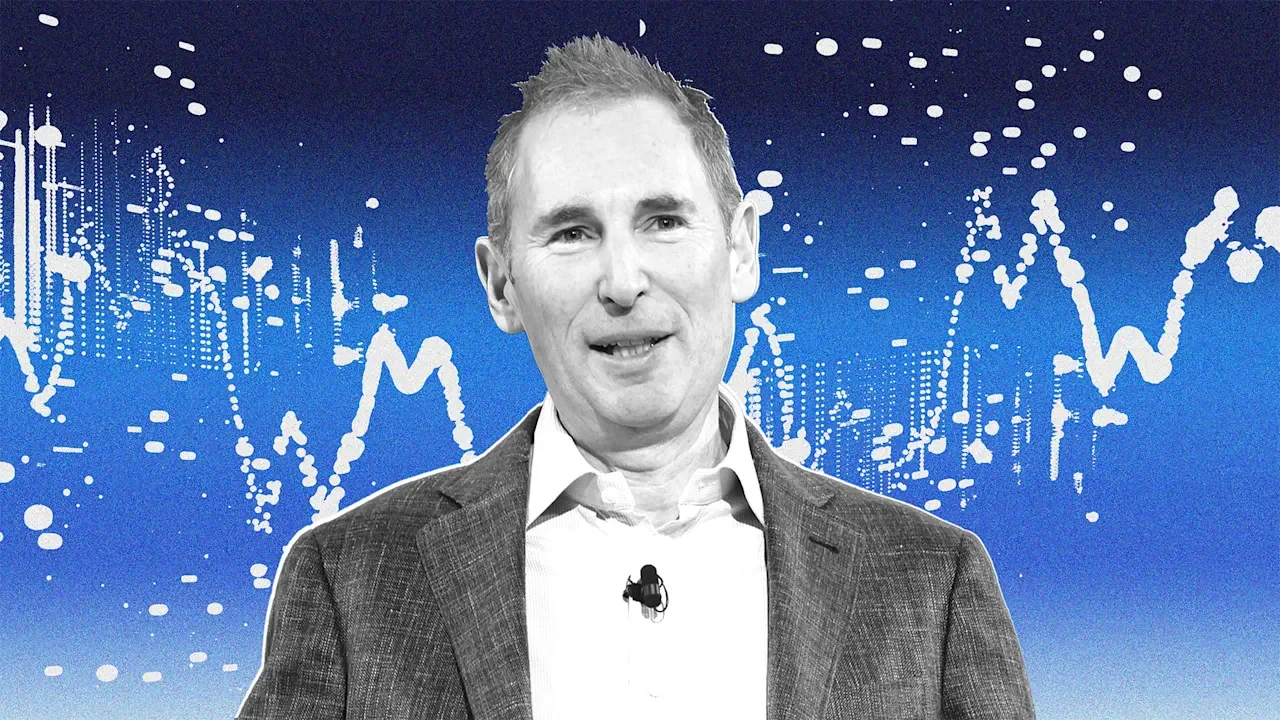
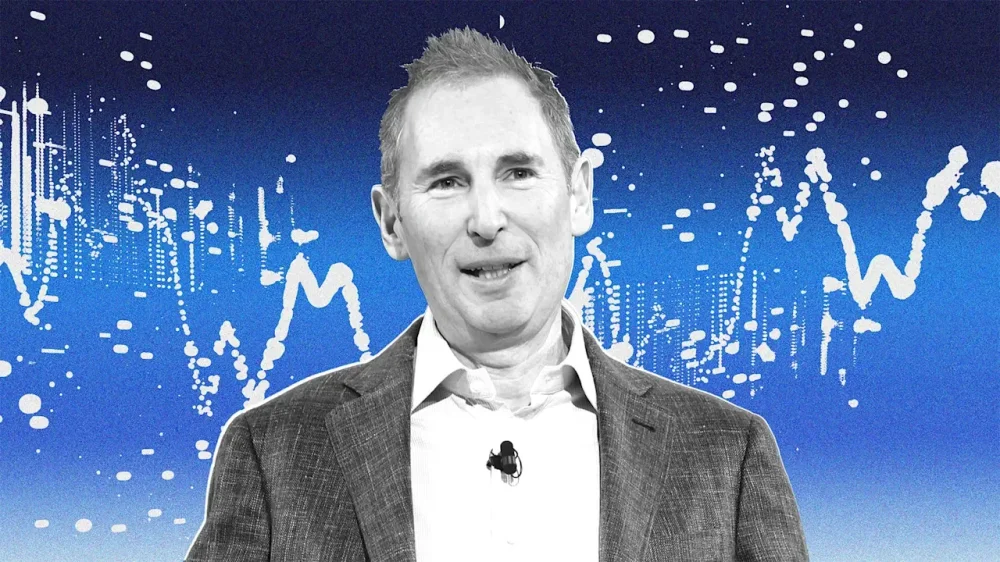
Last year was full of talk about tariffs. Are they coming up or going down? On which products and countries? How could businesses handle all the uncertainty? But while there was a lot of discussion of these fees, paid on imported goods and raw materials, there wasn’t actually that much evidence of their price impact at stores. According to Amazon CEO Andy Jassy, that’s about to change. Tariffs had a modest impact on prices in 2025 Tariffs are a tax on businesses, which means you’d expect that if tariffs go up, so do prices. But the effect of President The President’s ever-changing but always aggressive tariff policies didn’t cause the huge price hikes and widespread economic damage many feared in 2025. Economists offer several likely explanations. One is all the exceptions and carve-outs the government made after announcing the tariffs. What The President threatens and what ends up being charged are often very different. “The actual tariffs are much lower than what were announced, and that is one of the reasons why the effects have not been as big as feared,” Harvard economist Gita Gopinath told The New York Times. Another big reason is timing. The President hasn’t been shy about his love of tariffs. That means many people got ahead of the new taxes by stockpiling goods before they came into effect. “Consumers and business time very-short-run purchases to try to minimize tariffs,” according to the Budget Lab at Yale University. “This can reduce the amount of imports of higher-tariffed goods and countries for a time.” But Jassy says this tactic to keep prices down may have reached its expiration date. Amazon’s CEO warns of big pricing changes to come Jassy spoke to CNBC’s Becky Quick at the World Economic Forum in Davos, Switzerland, and said that so far, Amazon has seen “some of the tariffs creep into some of the prices, some of the items.” He continued: “And you see some sellers are deciding that they’re passing on those higher costs to consumers in the form of higher prices, some are deciding that they’ll absorb it to drive demand, and some are doing something in between.” But the days of these modest impacts may soon be over. “I think you’re starting to see more of that impact,” he continued. Many sellers simply don’t have much of a choice but to pass on the cost of tariffs. “At a certain point—because retail is, as you know, a mid-single digit operating margin business—if people’s costs go up by 10%, there aren’t a lot of places to absorb it,” the Amazon CEO said. “You don’t have endless options.” No white knight is riding to consumers’ rescue No matter what you might hear coming out of the White House, realistically, those options do not somehow magically include getting foreign suppliers to shoulder the cost of tariffs. A new study by the Kiel Institute in Germany found that a whopping 96% of the costs of tariffs are passed on to U.S. importers and consumers. Nor can smaller businesses that are already squeezed keep shielding consumers indefinitely. When large retailers raised prices, smaller firms said, “we’re going to try to not raise prices, giving them a competitive edge,” Kyle Peacock, founder of Peacock Tariff Consulting, explained to Harvard’s Institute for Business in Global Society. But, he continued, “they can only absorb it for so long.” Jassy’s comments suggest that the breaking point for many sellers is fast approaching. The Amazon CEO is far from the only business luminary issuing such warnings. On a recent investor call, Nike cautioned tariffs could add about $1 billion in costs during its 2026 fiscal year. Mattel warned it may need to raise prices on toys, while Walmart likewise said it may be forced into “selective” price increases on imported goods. Add to these existing pressures The President’s latest threats to slap further tariffs on European countries if they fail to go along with his weird neo-colonialist demand that they hand over Greenland, and the picture looks worrying. Economists fret Amazon’s CEO is right The Peterson Institute for International Economics worries all this could spell higher—rather than lower—inflation this year. “The pass-through of tariffs to consumer prices has been modest to date, suggesting U.S. importers have been absorbing the bulk of the tariff changes. That will change in the first half of 2026,” Lazard CEO Peter Orszag and PIIE president Adam Posen predicted. “The many reasons for the lagged pass-through include businesses pricing based on when their inventories arrived (and have since run out) and concerns around being seen as raising prices too rapidly (so they are instead gradually increasing them). This won’t last,” they continued. Of course, who knows what The President might do in the end. His track record has, to put it mildly, been inconsistent and changeable. But if he doesn’t chicken out and change course, many economists clearly fear Amazon CEO Andy Jassy is right. Hard-pressed U.S. consumers are hoping life gets more affordable in 2026. They’re likely to face the opposite. —Jessica Stillman This article originally appeared on Fast Company’s sister website, Inc.com. Inc. is the voice of the American entrepreneur. We inspire, inform, and document the most fascinating people in business: the risk-takers, the innovators, and the ultra-driven go-getters that represent the most dynamic force in the American economy. View the full article
-
A year ago at the Munich Security Conference, Vice President JD Vance accused Europe of using “ugly, Soviet-era words like misinformation and disinformation” to justify restricting dissent, and warned that its speech rules posed a greater threat to democracy than Russia or China. Now the The President administration is acting on that belief. Earlier this month, as Secretary of State Marco Rubio addressed this year’s conference (in a far more conciliatory tone), the U.S. government launched Freedom.gov. For now it’s just a landing page, but it is reportedly planned as a way for Europeans to duck content bans, including restrictions on hate speech and terrorist propaganda. Officials have discussed incorporating a built-in virtual private network (VPN) function that would make users’ internet traffic appear to originate in the U.S., effectively routing around European content restrictions. The project is overseen by Sarah Rogers, under secretary for public diplomacy; Edward Coristine, a former member of Elon Musk’s Department of Government Efficiency (DOGE), is reportedly working on the site’s design. The backdrop is escalating tension over tech regulation. European and U.K. authorities have tightened enforcement on social media platforms, recently opening investigations into X and its AI chatbot Grok over alleged rule-breaking and harassment. These moves have angered The President administration officials, who see them as attempts to criminalize American companies and suppress speech. “Proponents might argue that it is merely the modern-day version of Radio Free Europe, which broadcast unfiltered news across the Iron Curtain,” says Anupam Chander, an expert on global tech regulation at Georgetown Law. That’s likely how the The President administration sees it: Officials have framed Freedom.gov as a champion of “digital freedom” and emphasized the State Department’s long-standing support for “the proliferation of privacy and censorship-circumvention technologies like VPNs.” But others see it as interference. “Democratic countries are likely to see the American portal as improper interference with domestic laws,” says Chander, who believes “countries might respond to the American ‘freedom’ portal by ordering their internet providers to block it.” Paul Bernal, a professor of information technology law at the University of East Anglia in Norwich, England, expects the EU would simply block the site. Under laws like the Digital Services Act, Europe can bar platforms that attempt to evade its rules. “I can’t see how the Americans are going to stop them effectively blocking access,” he says. “Web-blocking capabilities exist. We do it for child sex abuse material. We do it for copyright.” The result could become “a kind of cat-and-mouse thing where the U.S. puts something up the EU blocks, then the U.S. puts it up somewhere else, and so on.” Bernal also rejects the administration’s framing. “There is no question to anyone who knows about free speech that Donald The President’s regime are very much anti-free speech,” he says. “They’re closing down their enemies wherever they can, they’re taking over platforms like TikTok and TV stations like CBS in order to ensure they toe the line over political things.” In his view, the dispute is “fundamentally about geopolitics rather than about freedom of speech”—and about Europe trying to limit the influence of American tech companies on its politics. View the full article

-
Roger Sauerhaft thought he had done everything right. The 38-year-old PR consultant had been running his solo practice in New York since 2021, paying $1,189 a month for what seemed like good health insurance through his state’s individual marketplace. In late 2023, he developed a medical issue that required a specialist, and started calling doctors’ offices—only to be turned away again and again. The closest in-network specialist was an hour away in Long Island. One medical administrator was honest with him: His plan’s network was too restrictive. He needed broader coverage—but that wasn’t available to him. “When you’re a solopreneur, your health is your business,” Sauerhaft says. “When you have a problem, you need to get it fixed really quickly. That requires access.” Approximately 16.5 million Americans were self-employed as of January 2026, according to the Bureau of Labor Statistics. MBO Partners’ 2025 annual survey puts the number at 72.9 million, counting not just full-time self-employed workers but also part-time and occasional independent earners. For solopreneurs and small-business owners across the U.S., individual marketplace plans are predominantly HMOs, or health maintenance organizations, which have narrow networks and require referrals to see specialists. PPOs, or preferred provider organizations with broader access, are available on marketplaces in only a handful of states or through employer-sponsored plans. Most solopreneurs across the U.S. get their insurance from Affordable Care Act marketplaces. Premiums, deductibles, and out-of-pocket costs can eat up a significant portion of their income, and many plans restrict access to care through narrow provider networks. This gap leaves many paying high prices for plans that don’t meet their needs, forcing them to choose between their health and their business—or find creative work-arounds to access better coverage. Making it work For Sauerhaft, HMOs were the only plans available on his state’s ACA marketplace, complicating his search for a nearby specialist. He looked at options from the Freelancers Union, but couldn’t find anything better and began questioning the future viability of his business. “I thought about folding the business at that point,” he says. Instead, he expedited his wedding by a few months so he could join his fiancée’s employer PPO plan. He had gone independent to chart his own path, but the system “had basically taken it away from me,” he says. Liang Zhao, 38, was able to set up her own independent PR practice in 2019, in part because she had access to health coverage through her husband’s employer. But in September 2025, her husband was laid off. Their premiums for a family of three jumped from around $700 to $3,000 per month under COBRA (the Consolidated Omnibus Budget Reconciliation Act, a federal law that ensures individuals and their families are able to maintain access to healthcare coverage during certain life events, such as job loss). “We’re literally one layoff away from an entire family losing coverage,” Zhao says. “Historically, this country has set up a system where health insurance has been distributed through employers, so the whole system benefits larger employers who are able to negotiate better rates for their employees.” Solopreneurs who can’t rely on a spouse’s coverage have to get more creative. For Bob Christie, an independent consultant based in New York who travels across the country for his work, having nationwide coverage is a priority—but the state marketplace offers plans that work only in New York, or other states in an emergency. A broker connected Christie with Iron Health Benefits Partners, a Nebraska-based company that works with independent contractors. He technically became their employee—filling out a monthly questionnaire for token pay—which gave him access to their Blue Cross Blue Shield of Nebraska group plan with nationwide PPO coverage. His premium: $1,321 a month. Barriers to growth When it’s time to expand, health insurance can be a formidable obstacle. Alvin Carlos, 34, a financial planner in Washington, D.C., built his solo practice into a five-person firm and knew he needed to offer coverage to attract and retain talent. But when he explored group plans for his five employees across five states, a broker’s quote came to $8,010 a month—more expensive than individual coverage. His solution was to turn to a Health Reimbursement Arrangement, or HRA. Carlos reimburses employees $300 to $1,000 monthly depending on whether they’re single or have a family, covering premiums, copays, and deductibles. HRAs are a tax-advantaged benefit that gives employees flexibility to choose their own plans. He’s increased the reimbursement once in 2026 due to premium spikes. “Our health insurance system is broken,” Carlos says. “It is so expensive and it is so complicated.” Navigating the rules Sole proprietors and companies with few employees have to wade through a patchwork of state-specific rules, shifting eligibility standards, and premiums that keep going up. “They’re in a very precarious position right now,” says Jesse McDonald, a health insurance broker based in Milford, Connecticut. “U.S. healthcare costs keep escalating, so the insurance that’s covering it gradually escalates. It’s been a problem that’s been getting worse and worse.” McDonald said enhanced premium tax credits during the pandemic briefly eased the burden for many independent workers, lowering monthly premiums and expanding eligibility. But those enhanced subsidies expired at the end of 2025. Jennifer Chumbley Hogue, a Dallas-based health insurance broker, says 22% of her clients qualified for subsidies in 2025. Of those clients, about half went without coverage in 2026 after losing that support. Still, she cautions solopreneurs not to assume they’re out of options, recommending they consult brokers with extensive knowledge of their local market and rules. Fixing the access gap For Sauerhaft, the barrier isn’t cost but breadth of coverage. “Even if I had to pay $2,000 a month for a PPO, I would have done it,” he says. “It wasn’t about affordability—it was about getting access.” He believes his state’s marketplace could better serve solopreneurs if it offered more middle-ground options between restrictive HMOs and PPOs—or allowed people to pay more for greater provider choice. Sauerhaft, whose own coverage crisis nearly derailed his business, sees the pain as a catalyst for change. “The more people who get caught in this broken system, the more awareness there will be, and hopefully pressure to fix it,” he says. “I am heartened by the fact that things are already much better today than they were 20 years ago, but progress can be slow.” View the full article

-
At a park near Canberra, Australia, a series of small white pyramid-shaped boxes are part of a new experiment: Can “frog saunas” help bring back an endangered species? The green and golden bell frog—an iconic Australian amphibian with a call that sounds like a cross between a power tool and a quacking duck—is already extinct in the area. Like other frog species around the world, it was a victim of a deadly fungus called chytrid that has been killing amphibians for decades. But scientists are reintroducing the vibrant frog with the hope that a design intervention can help it survive. The “sauna” is a simple design, with bricks inside a plastic enclosure that heats up in the sun. The bell frog loves sitting in the heat—and conveniently the high temperatures kill the fungus. “The technology we’re using is extremely low tech,” said Simon Clulow, a conservation ecology professor at the University of Canberra leading the research. “That’s good because everything we do in science and conservation, ideally, we want to be accessible, affordable, and scalable.” A new intervention backed by years of research Clulow started thinking about the idea as a doctoral student, when he noticed that frogs in a university enclosure liked to sit in the holes inside bricks, probably because they could hide away and feel warmer. At the same time, he knew that the chytrid fungus was most dangerous when frogs got cold. “That led to this idea: Could you create essentially pockets of disease refuge by creating little hot spots in the environment?” he said. Along with other researchers, he initially tested bricks that were painted black, but they didn’t get quite warm enough, so the small plastic greenhouse was added to help keep the bricks hotter. Research has shown that this type of environment makes a difference. “We know for sure if we hold the frogs in a temperature-controlled cabinet at those sorts of temperatures for even just a couple of days, it usually leads to complete clearance [of the fungus],” Clulow said. “But even just short-term spikes clearly have beneficial effects.” The green and golden bell frog used to be common on Australia’s eastern seaboard. “It was widespread in every farm, in everyone’s ponds, and it was just one of those frogs probably nobody took much notice of because it was absolutely everywhere,” Clulow said. Universities often went out to collect the frogs for use in biology classes. Then, in the 1980s, the fungus devastated the population, along with other species of frogs. Only a few isolated pockets of the green and golden bell frogs were left on the coast. The places where the frogs survived were a little warmer in the winter, with water that was slightly more saline. That led to the second part of the intervention in the new study—tiny ponds with slightly saltier water, which research has shown also kills the fungus without harming the frogs. (The salinity is only about two or three parts per thousand, not enough to taste salty if you drank the water.) The scientists call the small saline ponds spas, and they’re set up next to the saunas. The new experiment is the largest of its kind. The research team installed 15 experimental wetlands sprawling over hundreds of square miles in Australia’s Capital Territory, with some areas acting as a control to see how well the interventions work. They’ve released around 450 frogs so far this year; the first generation was raised in captivity and given the extra boost of a vaccine against chytrid. The next generation, born in the wild, will rely on the saunas and spas to treat the fungus. The real-world test When we talked, Clulow had been up until 3 a.m. the previous night tracking the newly released frogs. They’re not hard to spot. “They have a really fantastic, obvious call, a little bit like a motorbike revving up,” he said, demonstrating the sound. The frogs have microchips so they can be tracked. So far, roughly a month after the first frogs were released, the population is thriving. The first big test for the project will be in the upcoming Australian winter (during the North American summer), and then the following winter when the new generation of frogs will need to survive. The outside temperature can dip to negative 5 degrees Celsius, or 23 degrees Fahrenheit. Inside the tiny saunas, it can stay a toasty 77 to 86 degrees Fahrenheit. The research team still needs to prove that the interventions work as well in the wild as they did in the lab, but the solution could potentially be replicated around the world. At least 90 species of frogs have gone extinct because of the fungus; hundreds of others are at risk. View the full article

-
Kremlin steps up curbs against messaging app and promotes a state-backed rivalView the full article
-
A new word has entered the business headline writer’s lexicon over the last month: the “SaaSpocalypse.” Between mid-January and mid-February 2026, around a trillion dollars was wiped from the value of software stocks. The S&P North American Software Index posted its worst monthly decline since the 2008 financial crisis. Individual stocks have been savaged, with even Microsoft, the ultimate tech blue chip, falling by more than 10%. The panic is real. But is it rational? The catalyst for this turmoil was a series of product launches from AI companies—most notably Anthropic’s Claude Cowork tool and its subsequent upgrades—demonstrating that AI agents are now capable of handling complex knowledge work autonomously. The market’s interpretation was both swift and brutal: If AI agents can do what enterprise software does, then enterprise software is finished. That narrative is clearly persuasive to those who have been busily dumping stocks. But it rests on a fundamental misunderstanding of what enterprise software is, what it does, and why replacing it isn’t the straightforward proposition the market appears to believe. More Than a Tool The simple premise behind the market turmoil is that AI agents will, in the not-too-distant future, be able to perform most or all of the tasks that are currently performed by enterprise software. But this vision of the future misunderstands enterprise software at a fundamental level. Enterprise software isn’t just a set of tools. It encodes the enterprise itself. Decades of business rules, process flows, governance structures, compliance requirements, data definitions, and role-based permissions are held within these systems. When a company runs on SAP, Salesforce, Microsoft, or ServiceNow products, it’s not simply using a suite of software that sits on top of the organization. These systems hold the organization’s operating architecture in digital form—the institutional memory of how the business actually works in practice, every day, at every level. Replacing enterprise software with a fully agentic enterprise isn’t just a matter of swapping one piece of technology for another. The moat around enterprise software isn’t the code. It’s the accumulated domain knowledge, the business logic, and the deep integration with how organizations actually operate. Three Fallacies Driving the Panic The case for wholesale replacement rests on three assumptions. Each collapses under scrutiny. The first is the change management fallacy. Putting enterprise software in place is not like installing an app; these are often multiyear organizational transformations involving workflow redesign, data migration, retraining, and deep integration across departments. Companies typically change ERP systems every 5 to 10 years, and even routine migrations require months of rigorous preparation. The notion that organizations will undertake wholesale replacement of their entire enterprise architecture—not with new software, but with an entirely different paradigm—ignores the reality that change management is one of the hardest things organizations can attempt. The disruption involved in even incremental software upgrades creates significant operational risk. A complete paradigm shift involves risks to the business of an entirely different order of magnitude. The second is the economic fallacy. Even if replacement were technically feasible, there is no compelling reason to believe it would be cheaper. Token-based AI pricing is expensive at the enterprise scale, and the world in which running agents across an entire organization’s operations could cost less than current SaaS subscriptions is not yet the world in which we live. Token costs will fall over time—we can be sure of that—but building a case for wholesale replacement on the assumption that they will fall far enough and fast enough to undercut the established economics of enterprise software involves stacking assumption on top of assumption. Token costs are only one part of the equation. The true cost of running agentic systems includes orchestration, integration, data pipelines, monitoring, security, auditability, and the human time required to supervise and correct outputs. The last item is the one most easily underestimated: As agents take on more autonomous and more consequential work, assurance costs will rise, not fall. And even before you reach the question of ongoing costs, the price of the transition itself—the data migration, workflow redesign, retraining, and inevitable disruption to operations—would be enormous. The economic argument for replacement isn’t just weak; at present, it barely exists. This isn’t to say that it’s not plausible in some future world. But until we have a convincing map that leads there, it’s not a serious proposition. The third, and possibly the most important, is the general-purpose agent fallacy. The assumption behind the market panic is that powerful, general-purpose AI agents will take over enterprise functions wholesale. But this doesn’t reflect how AI actually delivers value today, and it may not reflect how agents ever deliver value. Research consistently shows that AI works best when it’s targeted at specific problems with rich contextual grounding. A study conducted by the Australian government found that broad-access AI tools produced significant improvements in basic tasks like summarizing information and preparing first drafts, but that their lack of fit to users’ specific contexts undermined efficiency gains in more complex work. The result was a “productivity paradox”: Time saved through automation was consumed by checking and correcting outputs that lacked the domain-specific nuance the work required. This finding has direct implications for the SaaSpocalypse thesis. General-purpose agents deployed to replace enterprise software will face exactly the same problem. Without deep local context—the profound domain knowledge and specific workflow logic that enterprise software encodes—they will produce generic, unreliable outputs that require constant human correction. To work effectively at the enterprise level, agents need to be narrow, contextually rich, and tightly integrated with specific workflows. And once you start building agents that way, you’re not replacing software as a service. You’re rebuilding it through an agentic lens—at enormous cost and with no guarantee that the result will be better than what you already have. What Leaders Should Do None of this means the landscape isn’t shifting. AI is changing how people interact with software and how organizations think about their technology investments. But the right response isn’t to tear up the enterprise architecture. It’s to evolve it. Rather than reacting to the panic, leaders should take three concrete steps. 1. Audit your vendors’ AI road maps. The strongest enterprise software providers are already integrating agentic capabilities into their platforms. If yours aren’t, that’s a genuine concern, and it may be time to look for vendors who are. The question isn’t whether to adopt AI, but whether your existing partners are doing it for you. 2. Invest in data quality and process documentation. The effectiveness of any AI—whether embedded in your software or deployed as agents—depends on the quality of the data and the clarity of the processes it works with. This is the foundational investment, and it pays off regardless of where the technology lands. 3. Evaluate agentic approaches for genuinely new workflows. Where you’re building new capabilities or addressing needs that your current software stack does not serve, purpose-built agentic solutions may be more effective and more flexible than new SaaS implementations. This is where the technology’s real greatness lies. Further reading Do you really know what ‘agent’ means? – Fast Company How AI is changing what it means to be the CEO – Fast Company The Trillion-Dollar Question The SaaSpocalypse makes for dramatic headlines. But the idea on which those headlines are based—that AI agents will soon be eating the lunch of enterprise software providers—is founded on a misunderstanding about what enterprise software does. It’s not just a tool that performs tasks. It’s the digital encoding of the organization’s institutional architecture. That isn’t something a general-purpose tool can easily replace. The real risk for business leaders isn’t that they will be too slow to abandon their enterprise platforms. It’s that they will be stampeded by market panic into undervaluing the systems and institutional knowledge they already have. AI will reshape enterprise software—that much is certain. But there is a meaningful difference between a technology that changes how software works and one that makes software unnecessary. That distinction matters. And for the moment at least, the market has lost sight of it. View the full article

-
Boosting team morale during staff meetings is crucial for promoting a productive work environment. Engaging activities can transform these meetings into dynamic sessions. Icebreaker games can encourage open communication, whereas interactive trivia contests boost team bonding. Furthermore, collaborative problem-solving challenges can spark creativity and innovation. Recognition activities celebrate achievements, and fun wrap-up exercises reinforce learning. By incorporating these elements, you can greatly improve team dynamics and effectiveness. What specific activities could you implement to achieve this? Key Takeaways Incorporate icebreaker games like Two Truths and a Lie to foster open communication and connection among team members. Organize interactive trivia contests focused on company culture to encourage participation and enhance team bonding. Implement collaborative problem-solving challenges that promote creativity and teamwork in a low-pressure environment. Establish recognition and appreciation activities to celebrate individual and team achievements, strengthening connections to company culture. Conclude meetings with fun wrap-up activities, such as trivia quizzes, to reinforce learning and elevate engagement. Icebreaker Games to Kick Off Meetings How can icebreaker games improve your team meetings? Incorporating icebreaker games into your meetings is an effective strategy for promoting open communication and collaboration. Activities like Two Truths and a Lie or the Human Knot create a relaxed atmosphere, allowing team members to connect more easily. Fun meeting ideas, such as Office Trivia or Emoji Pictionary, not only boost creativity but also elevate morale, making your meetings more enjoyable. Research indicates that connected employees perform 27% better, emphasizing the importance of these engaging activities. By using team meeting suggestions like Bucket List Bingo, you encourage deeper conversations and reveal shared interests, which improves team cohesion. Furthermore, icebreakers help reduce anxiety and tension, making participants feel more comfortable sharing their thoughts. These positive staff meeting ideas can lead to more productive discussions and a stronger team dynamic overall. Interactive Trivia Contests for Team Engagement Interactive trivia contests serve as an excellent tool for boosting team engagement during staff meetings. These contests not only promote friendly competition but likewise encourage collaboration, leading to higher morale and satisfaction. Here are some benefits of incorporating interactive trivia contests into your fun meeting ideas for staff meetings: Enhances Team Bonding: Questions related to company culture and history can deepen connections among team members. Encourages Active Participation: Trivia breaks the monotony of routine discussions, engaging everyone in the conversation. Boosts Communication Skills: Participating in trivia can improve overall communication and creativity within the team. Caters to Diverse Preferences: Offering team-based or individual challenges guarantees inclusivity, making everyone feel valued. Collaborative Problem-Solving Challenges When teams engage in collaborative problem-solving challenges, they create a unique environment that nurtures innovation and teamwork. These activities allow participants to think creatively without the pressure of real-world consequences. For instance, time-boxed brainstorming sprints encourage quick decision-making, cultivating urgency and improving adaptability. Resource limitation challenges prompt teams to devise solutions using restricted materials, often leading to unexpected outcomes. Mixing cross-functional teams encourages collaboration, as diverse perspectives help improve comprehension of different roles within the organization. Incorporating rapid prototyping exercises emphasizes action over perfection, allowing teams to test ideas and iterate based on feedback. These collaborative problem-solving challenges serve as effective staff meeting activities and fun conference activities for adults, boosting engagement and morale. Recognition and Appreciation Activities Building on the collaborative spirit nurtured by problem-solving challenges, recognition and appreciation activities play a crucial role in improving team morale. Implementing these activities during your employee meetings can greatly impact engagement and satisfaction. Here are some effective ideas to reflect on: Employee of the Month: Celebrate individual contributions, boosting morale and retention rates by 36%. Milestone Celebrations: Publicly acknowledge achievements during staff meetings, increasing job satisfaction and productivity by up to 14%. Thank You Board: Create a space for team members to post notes of appreciation, cultivating a supportive environment. Regular Recognition: Acknowledge individual and team accomplishments, strengthening connections to your company culture. Incorporating these recognition and appreciation activities into your weekly staff meetings not just improves employee meeting topics but additionally creates a positive atmosphere that encourages teamwork and collaboration. Fun Wrap-Up Activities to Inspire Action Incorporating fun wrap-up activities at the end of staff meetings can effectively inspire action and improve team engagement. Engaging in a quick trivia quiz about the meeting topics not merely reinforces learning but likewise promotes friendly competition, boosting team dynamics. Another effective method is the “one-word summary” exercise, where team members distill key takeaways into a single word. This encourages clarity and collective focus on action items. Moreover, asking participants to share one actionable step they’ll take based on the discussions cultivates accountability and inspires a proactive mindset. Celebrating small victories or recognizing contributions during these wrap-ups further elevates morale, making employees feel valued. These employee meeting ideas, along with various meeting ideas for staff meetings, can transform your weekly team meeting into a fun meeting that drives results and increases overall engagement, leading to a more productive work environment. Frequently Asked Questions What Are Morale Booster Activities? Morale booster activities are structured events or exercises aimed at enhancing team spirit and creating a positive work atmosphere. They often include fun games, team-building challenges, or informal gatherings that allow employees to interact beyond their usual tasks. These activities not just reduce stress but additionally strengthen workplace relationships. What Are Some Games That Encourage Teamwork? To encourage teamwork, consider games like the Human Knot, where participants collaborate to untangle themselves during the process of holding hands. Icebreaker activities such as Two Truths and a Lie help team members learn about each other. The Marshmallow Challenge nurtures creativity as teams build structures, whereas Scavenger Hunts promote strategic collaboration. Furthermore, Escape Room challenges require effective communication and problem-solving, allowing team members to leverage their strengths and work together under pressure. How to Spice up Staff Meetings? To spice up staff meetings, consider integrating quick icebreakers to nurture team bonding. Use interactive elements like live polls or Q&A sessions to encourage participation. Introduce a segment for celebrating wins, allowing team members to share recent accomplishments and boost morale. Incorporate regular team-building activities, such as problem-solving challenges, to stimulate innovative thinking. Finally, create a comfortable environment through flexible seating and informal dress codes, promoting open dialogue and collaboration. How to Boost Morale in a Team? To boost morale in a team, consider implementing regular feedback sessions where you acknowledge individual contributions and celebrate small wins. Encourage open communication and trust by promoting icebreaker activities. Cultivate relationships through team-building exercises and fun challenges, which can improve engagement and retention. Moreover, creating a supportive culture helps your team feel valued, eventually leading to increased productivity and improved overall well-being. Focus on these strategies for a more motivated workforce. Conclusion Incorporating engaging activities into staff meetings can greatly improve team morale and productivity. By utilizing icebreaker games, interactive trivia, collaborative challenges, recognition efforts, and fun wrap-up activities, you create an environment that nurtures open communication and teamwork. These practices not just make meetings more enjoyable but additionally strengthen relationships among team members. Implementing these strategies can transform routine sessions into dynamic experiences that inspire creativity and collaboration, eventually leading to a more cohesive and motivated team. Image via Google Gemini This article, "5 Engaging Staff Meeting Activities to Boost Team Morale" was first published on Small Business Trends View the full article
-
Boosting team morale during staff meetings is crucial for promoting a productive work environment. Engaging activities can transform these meetings into dynamic sessions. Icebreaker games can encourage open communication, whereas interactive trivia contests boost team bonding. Furthermore, collaborative problem-solving challenges can spark creativity and innovation. Recognition activities celebrate achievements, and fun wrap-up exercises reinforce learning. By incorporating these elements, you can greatly improve team dynamics and effectiveness. What specific activities could you implement to achieve this? Key Takeaways Incorporate icebreaker games like Two Truths and a Lie to foster open communication and connection among team members. Organize interactive trivia contests focused on company culture to encourage participation and enhance team bonding. Implement collaborative problem-solving challenges that promote creativity and teamwork in a low-pressure environment. Establish recognition and appreciation activities to celebrate individual and team achievements, strengthening connections to company culture. Conclude meetings with fun wrap-up activities, such as trivia quizzes, to reinforce learning and elevate engagement. Icebreaker Games to Kick Off Meetings How can icebreaker games improve your team meetings? Incorporating icebreaker games into your meetings is an effective strategy for promoting open communication and collaboration. Activities like Two Truths and a Lie or the Human Knot create a relaxed atmosphere, allowing team members to connect more easily. Fun meeting ideas, such as Office Trivia or Emoji Pictionary, not only boost creativity but also elevate morale, making your meetings more enjoyable. Research indicates that connected employees perform 27% better, emphasizing the importance of these engaging activities. By using team meeting suggestions like Bucket List Bingo, you encourage deeper conversations and reveal shared interests, which improves team cohesion. Furthermore, icebreakers help reduce anxiety and tension, making participants feel more comfortable sharing their thoughts. These positive staff meeting ideas can lead to more productive discussions and a stronger team dynamic overall. Interactive Trivia Contests for Team Engagement Interactive trivia contests serve as an excellent tool for boosting team engagement during staff meetings. These contests not only promote friendly competition but likewise encourage collaboration, leading to higher morale and satisfaction. Here are some benefits of incorporating interactive trivia contests into your fun meeting ideas for staff meetings: Enhances Team Bonding: Questions related to company culture and history can deepen connections among team members. Encourages Active Participation: Trivia breaks the monotony of routine discussions, engaging everyone in the conversation. Boosts Communication Skills: Participating in trivia can improve overall communication and creativity within the team. Caters to Diverse Preferences: Offering team-based or individual challenges guarantees inclusivity, making everyone feel valued. Collaborative Problem-Solving Challenges When teams engage in collaborative problem-solving challenges, they create a unique environment that nurtures innovation and teamwork. These activities allow participants to think creatively without the pressure of real-world consequences. For instance, time-boxed brainstorming sprints encourage quick decision-making, cultivating urgency and improving adaptability. Resource limitation challenges prompt teams to devise solutions using restricted materials, often leading to unexpected outcomes. Mixing cross-functional teams encourages collaboration, as diverse perspectives help improve comprehension of different roles within the organization. Incorporating rapid prototyping exercises emphasizes action over perfection, allowing teams to test ideas and iterate based on feedback. These collaborative problem-solving challenges serve as effective staff meeting activities and fun conference activities for adults, boosting engagement and morale. Recognition and Appreciation Activities Building on the collaborative spirit nurtured by problem-solving challenges, recognition and appreciation activities play a crucial role in improving team morale. Implementing these activities during your employee meetings can greatly impact engagement and satisfaction. Here are some effective ideas to reflect on: Employee of the Month: Celebrate individual contributions, boosting morale and retention rates by 36%. Milestone Celebrations: Publicly acknowledge achievements during staff meetings, increasing job satisfaction and productivity by up to 14%. Thank You Board: Create a space for team members to post notes of appreciation, cultivating a supportive environment. Regular Recognition: Acknowledge individual and team accomplishments, strengthening connections to your company culture. Incorporating these recognition and appreciation activities into your weekly staff meetings not just improves employee meeting topics but additionally creates a positive atmosphere that encourages teamwork and collaboration. Fun Wrap-Up Activities to Inspire Action Incorporating fun wrap-up activities at the end of staff meetings can effectively inspire action and improve team engagement. Engaging in a quick trivia quiz about the meeting topics not merely reinforces learning but likewise promotes friendly competition, boosting team dynamics. Another effective method is the “one-word summary” exercise, where team members distill key takeaways into a single word. This encourages clarity and collective focus on action items. Moreover, asking participants to share one actionable step they’ll take based on the discussions cultivates accountability and inspires a proactive mindset. Celebrating small victories or recognizing contributions during these wrap-ups further elevates morale, making employees feel valued. These employee meeting ideas, along with various meeting ideas for staff meetings, can transform your weekly team meeting into a fun meeting that drives results and increases overall engagement, leading to a more productive work environment. Frequently Asked Questions What Are Morale Booster Activities? Morale booster activities are structured events or exercises aimed at enhancing team spirit and creating a positive work atmosphere. They often include fun games, team-building challenges, or informal gatherings that allow employees to interact beyond their usual tasks. These activities not just reduce stress but additionally strengthen workplace relationships. What Are Some Games That Encourage Teamwork? To encourage teamwork, consider games like the Human Knot, where participants collaborate to untangle themselves during the process of holding hands. Icebreaker activities such as Two Truths and a Lie help team members learn about each other. The Marshmallow Challenge nurtures creativity as teams build structures, whereas Scavenger Hunts promote strategic collaboration. Furthermore, Escape Room challenges require effective communication and problem-solving, allowing team members to leverage their strengths and work together under pressure. How to Spice up Staff Meetings? To spice up staff meetings, consider integrating quick icebreakers to nurture team bonding. Use interactive elements like live polls or Q&A sessions to encourage participation. Introduce a segment for celebrating wins, allowing team members to share recent accomplishments and boost morale. Incorporate regular team-building activities, such as problem-solving challenges, to stimulate innovative thinking. Finally, create a comfortable environment through flexible seating and informal dress codes, promoting open dialogue and collaboration. How to Boost Morale in a Team? To boost morale in a team, consider implementing regular feedback sessions where you acknowledge individual contributions and celebrate small wins. Encourage open communication and trust by promoting icebreaker activities. Cultivate relationships through team-building exercises and fun challenges, which can improve engagement and retention. Moreover, creating a supportive culture helps your team feel valued, eventually leading to increased productivity and improved overall well-being. Focus on these strategies for a more motivated workforce. Conclusion Incorporating engaging activities into staff meetings can greatly improve team morale and productivity. By utilizing icebreaker games, interactive trivia, collaborative challenges, recognition efforts, and fun wrap-up activities, you create an environment that nurtures open communication and teamwork. These practices not just make meetings more enjoyable but additionally strengthen relationships among team members. Implementing these strategies can transform routine sessions into dynamic experiences that inspire creativity and collaboration, eventually leading to a more cohesive and motivated team. Image via Google Gemini This article, "5 Engaging Staff Meeting Activities to Boost Team Morale" was first published on Small Business Trends View the full article
-
When a new general-purpose technology emerges—be it railroads, electricity, computers, etc.—companies react in predictable ways. A small minority tries to reinvent themselves around it; the majority looks first for ways to cut costs. Right now, in the middle of the most significant technological inflection since the internet, many organizations are choosing the second path. They deploy artificial intelligence to automate call centers, reduce head count in back offices, and squeeze marginal gains out of existing processes. They measure “AI ROI” in payroll savings and hours reclaimed. It feels rational. It feels disciplined. It feels safe. It is also the fastest way to miss the real opportunity. Innovation waves are not efficiency programs AI is not a new SaaS tool, nor is it merely a workflow enhancement. It is a rapidly evolving general-purpose technology advancing from large language models to agentic systems and toward systems that learn from interaction with environments (the so-called world models that can simulate, plan, and act). When the underlying capability is shifting every few months, optimizing for cost reduction is like trying to improve the fuel efficiency of a car while its engine is being replaced with a jet turbine. The organizations that win in moments like this do not start by asking, “Where can we eliminate labor?” They ask, “What becomes possible that was previously impossible?” Those are radically different questions. The productivity paradox should have been a warning In the early 1990s, economists puzzled over a surprising phenomenon: Computers were everywhere, yet productivity statistics stubbornly refused to reflect their impact. In a press article, Nobel laureate Robert Solow famously quipped, “You can see the computer age everywhere but in the productivity statistics.” That observation became known as the “productivity paradox.” At the time, many assumed the paradox was a failure of technology. My own research from that time examined why the paradox appeared at all, showing that productivity measurement lags widely behind actual transformational change and that the mechanisms of value creation were not captured by conventional metrics. The explanation was obvious only in hindsight. The gains were diffuse, uneven, and entangled with organizational change. Companies had digitized old processes instead of redesigning them. Today we are watching the same pattern unfold with AI. AI’s impact won’t show up neatly in cost metrics Artificial intelligence does not produce clean, linear productivity gains that fit neatly into quarterly dashboards. Its effects are asymmetrical. One employee using AI effectively may outperform 10 peers. Another may misuse it, degrade quality, or even endanger our corporate cybersecurity plans. Some teams redesign workflows entirely, while others bolt AI onto legacy processes and call it “transformation.” The result is what researchers now call measurement myopia: the inability of traditional metrics to capture improvements that are real but not directly tied to hours worked or cost saved. Trying to measure AI’s value solely through immediate cost savings is like trying to measure the value of electricity by counting candles not purchased. Efficiency is the comfort strategy, but not the opportunity one Cost-cutting is attractive because it fits existing governance structures. CFOs understand it. Boards reward it. Metrics are clear. Exploration is messier. It requires experimentation without guaranteed returns. It demands a tolerance for failure. It produces intangible benefits before visible ones. But in periods of fast innovation, efficiency is often the comfort strategy of laggards who don’t yet understand what is happening. If AI is treated primarily as a head-count-reduction tool, organizations will optimize the present and sacrifice the future. They will standardize mediocrity instead of discovering leverage. Exploration, not exploitation, builds capability Advocating exploration does not mean abandoning discipline. It means redefining it. Leaders should be asking: What new products can we build with AI-native capabilities? What decisions can we delegate to systems that learn from feedback? How can we redesign workflows, not just automate them? Companies should mandate controlled experimentation across teams, not restrict AI usage to narrow cost-justification pilots. They should treat AI like an R&D posture rather than a shrink-the-budget posture. Organizations that treat AI as an exploratory layer—encouraging teams to test, prototype, recombine, and rethink workflows—will build institutional fluency. They will develop internal champions. They will uncover unexpected value that no top-down cost initiative would have surfaced. The real risk isn’t overspending. It’s under-imagining The greatest risk in this moment is not overspending on AI. It is under-imagining it. Companies that chase short-term efficiency gains may report modest improvements and declare success. Meanwhile, more ambitious competitors will redesign their operations, products, and customer experiences around capabilities that didn’t exist two years ago. Over time, the gap will not be a few percentage points of margin. It will be strategic. In periods of rapid technological change, survival does not belong to the most efficient. It belongs to the most adaptive. View the full article

-
Fear > insightView the full article
-
Drone warfare in Ukraine has exposed the limits of legacy equipment that was designed for different threatsView the full article
-
The US military build-up was designed to coerce Tehran — but has failedView the full article
-
Markets weigh whether incumbents will embrace disruption — or be sidelined by AI agentsView the full article
-
Gavin Megaw’s exit from Hanover followed complaint by embassy to American Pharmaceutical GroupView the full article