Newsletter
Want to keep up to date with all our latest news and information?


ResidentialBusiness
Administrators
-
Joined
-
Last visited
Everything posted by ResidentialBusiness
-
To succeed in social media marketing, you need to implement key strategies that effectively engage your audience. Start by identifying who your target audience is, then set clear, measurable goals. Choosing the right platforms and optimizing your profiles is crucial, as is creating content that resonates with users. By nurturing community engagement and leveraging influencer partnerships, you can improve your brand’s visibility. Comprehending the metrics will likewise help you adapt your strategies for better results. Let’s explore these strategies in detail. Key Takeaways Understand your target audience by creating ideal customer personas and utilizing market research tools for insights. Choose the right social media platforms based on demographics and user behavior to maximize engagement. Create high-quality, engaging content that encourages audience interaction and maintains consistent visual branding. Leverage influencer partnerships by collaborating with authentic influencers that align with your brand values for better reach. Measure campaign performance using analytics tools to track engagement, reach, and conversion metrics for ongoing strategy refinement. Understand Your Target Audience How well do you really know your target audience? Comprehending your audience is essential for an effective social media strategy. Start by defining your ideal customer persona through analysis of existing demographics, behaviors, and feedback. Utilize market research tools like Google Analytics to gather valuable insights into audience preferences and behaviors. Moreover, engage in social media listening to monitor mentions of your brand and competitors, which reveals audience sentiment and engagement patterns. Research shows that 82% of consumers feel social media influences their buying decisions, so it’s imperative to grasp their motivations. Set SMART Social Media Goals Setting SMART social media goals is vital for guiding your marketing efforts effectively, as it guarantees that your objectives are clear and actionable. SMART stands for Specific, Measurable, Attainable, Relevant, and Time-bound. For instance, aiming to increase your Instagram followers by 20% within six months provides a clear metric for success. By establishing measurable goals, you can track your performance using key performance indicators (KPIs) like engagement rates and conversion numbers. It’s important to align these social media goals with your overall business objectives, such as boosting website traffic or generating leads, enhancing their relevance. Regularly reviewing and adjusting your SMART goals based on performance data guarantees ongoing optimization, making your social media strategy plan both effective and responsive to market trends. Choose the Right Social Media Platforms Selecting the right social media platforms can greatly impact your marketing success. Start by comprehending the demographics of each platform; for instance, Facebook is popular with adults aged 50 to 64, whereas TikTok attracts a younger crowd, with 60% of users aged 18 to 29. Each platform offers unique features—Instagram shines with visual content, and LinkedIn is ideal for professional networking. Use tools like Google Analytics to research where your target audience spends time online, helping you prioritize platforms effectively. Regularly analyze engagement metrics on your chosen platforms to see which yield the best results. By adapting your social media strategy examples to align with each platform’s characteristics, you can improve audience engagement and drive better marketing outcomes. Create Engaging Content Creating engaging content is essential for capturing your audience’s attention. High-quality visuals not just improve your posts but can likewise lead to a significant increase in engagement, so make certain they align with your brand’s style. Furthermore, encouraging audience interaction through polls or user-generated content can nurture community and authenticity, making your brand more relatable. Visual Appeal Matters Visual appeal plays a crucial role in social media marketing, as posts that incorporate high-quality visuals can capture considerably more attention than those relying solely on text. Research shows that posts with images or videos are 650% more likely to engage users, making visuals a requirement. Incorporating videos can boost engagement rates by 48%, whereas infographics can increase information retention by up to 60%. Consistency in visual branding, including color schemes and logos, improves brand recognition by 80%. If you’re looking to improve your strategies, consider enrolling in social media marketing courses that emphasize these visual elements. Encourage Audience Interaction How can you effectively encourage audience interaction on social media? Start by creating engaging content like polls, contests, and open-ended questions. These strategies can increase engagement considerably, with comment-driven posts receiving 6.5 times more interaction. Incorporate user-generated content (UGC) to build community and authenticity, as 79% of consumers say it influences their purchasing decisions. Tailor your content to reflect audience interests, such as lifestyle posts or behind-the-scenes glimpses, which can boost engagement rates by 28%. Use dynamic visuals and short-form videos, as 80% of users prefer video content. Finally, consistently respond to comments and messages, as 70% of consumers report that friendly customer service improves brand loyalty, a fundamental concept in social media marketing training. Optimize Your Social Media Profiles To optimize your social media profiles, you should guarantee consistent branding elements like logos and colors across all platforms, as this builds recognition and trust. Craft a keyword-rich bio that clearly communicates your brand’s purpose, which not just improves discoverability but likewise attracts the right audience. Consistent Branding Across Platforms Establishing consistent branding across your social media platforms is crucial for enhancing brand recognition and cultivating consumer trust. To achieve this, use the same logo, color palette, and brand voice across all profiles. Studies show cohesive branding can boost revenue by up to 23%. Make sure your profiles reflect your latest marketing campaigns by regularly updating visuals and information. This consistency not only reinforces your narrative but also increases the likelihood of consumer engagement, as 73% of users prefer brands with a unified approach. Leverage platform-specific features, like Instagram Highlights, to highlight core values and offerings. For further insights, consider enrolling in social media marketing training courses online to deepen your comprehension of effective branding strategies. Keyword-Rich Bio Optimization When you optimize your social media profiles with a keyword-rich bio, you greatly improve your visibility and appeal to potential followers. Including specific keywords, like “social media marketing online course,” elevates your searchability, making it easier for users to find you based on relevant terms. Aim to keep your bio concise, ideally between 150-160 characters, so it displays well across devices. A strong call-to-action (CTA) can guide visitors to take desired actions, such as checking out your website or latest offerings. Remember to regularly update your bio to reflect current campaigns or promotions, ensuring it stays fresh and engaging. This alignment with audience interests helps maintain relevance and boosts your profile’s effectiveness. Develop a Consistent Posting Schedule A consistent posting schedule is crucial for maintaining audience engagement, especially since studies show that brands posting 3-7 times per week on platforms like Instagram experience higher interaction rates. Utilize analytics tools to identify ideal posting times, which guarantees your content reaches your audience when they’re most active. A content calendar is key for planning posts, aligning your messaging with events and trends as you offer a diverse mix of content types. Engaging in social media training courses can further improve your posting strategy, allowing you to develop effective practices for brand recall and visibility. Posting Frequency Engagement Benefit 1-2 times/week Low visibility 3-4 times/week Moderate interaction 5-7 times/week High engagement Daily Maximum audience connection Foster Community Engagement To effectively promote community engagement on social media, brands should prioritize direct interactions with their audience. Engaging through open-ended questions, polls, and contests can boost interaction, as 70% of consumers prefer brands that respond to their feedback. Furthermore, sharing user-generated content, like testimonials and photos, improves authenticity, influencing 79% of consumers’ purchasing decisions. Regularly responding to comments and messages increases customer satisfaction rates by 20-40%. Hosting online community events or live Q&A sessions can deepen connections, with 60% of marketers noting that engagement drives brand loyalty. To guarantee consistent interaction, consider implementing a content calendar. You might likewise benefit from a social media training workshop to learn effective strategies for improving community engagement. Leverage Influencer Partnerships To effectively leverage influencer partnerships, start by identifying relevant influencers who align with your brand and target audience. Create authentic collaborations that resonate with both the influencer’s followers and your brand values, as this nurtures trust and boosts engagement. Finally, measure campaign performance to understand the impact of your efforts and refine future strategies for even better results. Identify Relevant Influencers Identifying relevant influencers is essential for maximizing the impact of your social media marketing efforts. To guarantee successful influencer marketing, focus on these key strategies: Align with Your Audience: Select influencers whose follower demographics match your target audience, as 68% of marketers prioritize engagement over follower count. Consider Micro-Influencers: Collaborate with micro-influencers (1,000 to 100,000 followers) to achieve 60% higher engagement rates, making your campaigns more effective. Emphasize Authenticity: Choose influencers who genuinely embody your brand values, since 92% of consumers trust individual recommendations over brand promotions. Create Authentic Collaborations Building on your efforts to identify relevant influencers, creating authentic collaborations is essential to leveraging those partnerships effectively. Collaborating with influencers can considerably boost your brand reach, as nearly 49% of consumers rely on their recommendations when deciding to purchase. Authenticity plays a vital role; brands that work with influencers who genuinely endorse their products see engagement rates of 3.86%, compared to just 1.9% for non-authentic partnerships. Consider utilizing micro-influencers, who often achieve an impressive 7% engagement rate. Developing long-term relationships with influencers can improve consumer trust by 37%, making your social strategy more effective. Focus on aligning with influencers who resonate with your brand values for ideal results and increased campaign effectiveness. Measure Campaign Performance Measuring campaign performance is vital for comprehending the effectiveness of your influencer partnerships. To effectively gauge success, track relevant key performance indicators (KPIs). Here are three significant metrics to focus on: Engagement Rates: Analyze likes, shares, and comments to determine how well your content resonates. Reach: Assess how many people were exposed to your campaign through influencer channels. Conversion Metrics: Monitor sales and website traffic that can be directly linked to influencer-driven efforts. Utilizing unique tracking links or promo codes will help measure campaign performance accurately. For deeper insights, consider A/B testing different influencer collaborations. If you’re looking to improve your skills, check out free online marketing courses with certificates to learn more about optimizing your strategies. Measure Success With Analytics Analytics play an important role in evaluating the success of your social media marketing strategies. Tracking key performance indicators (KPIs) like reach, engagement rates, and conversion rates is vital for measuring effectiveness. Utilize built-in analytics tools from platforms such as Facebook Insights and Instagram Analytics to gain valuable insights into audience behavior and content performance. Regularly monitor metrics like follower growth and interaction levels to identify trends, informing data-driven decisions for future optimization. A/B testing different content formats and posting times helps refine your approach based on what resonates best. Furthermore, consider using third-party tools like Sprout Social and Hootsuite to consolidate analytics across various platforms, providing a thorough view of your social media performance. Enroll in social media marketing courses for deeper insights. Evolve Your Strategy Based on Insights To optimize your social media marketing strategy, regular analysis of performance metrics is key. By consistently reviewing data, you can make informed adjustments that improve your effectiveness. Here are three crucial steps to reflect on: Analyze engagement rates, reach, and conversions to identify what content works best. Use social listening tools to gauge audience sentiment and adapt your content accordingly. Conduct A/B testing on different formats and visuals to find what resonates with your audience. Additionally, look at platform-specific analytics to adjust your posting times and keep an eye on competitors to stay updated on industry trends. These tactics can serve as a solid social strategy example, ensuring your campaigns remain relevant and impactful. Frequently Asked Questions What Are the 7 C’s of Social Media Strategy? The 7 C’s of social media strategy are Content, Community, Communication, Consistency, Creativity, Conversion, and Context. Content delivers value and engages your audience. Community focuses on building relationships with followers. Communication involves open dialogue and prompt responses to feedback. Consistency maintains your brand’s voice across platforms. Creativity differentiates your content. Conversion aims to turn engagement into action, and Context guarantees your messaging aligns with your audience’s preferences and current trends. What Is the Best Strategy for Social Media Marketing? The best strategy for social media marketing involves setting SMART goals to measure success effectively. You should tailor your content to each platform, ensuring high-quality visuals for Instagram and professional insights for LinkedIn. Regular audience research helps you understand demographics and behaviors, allowing for targeted content. Consistent posting, ideally 3-5 times weekly on Instagram, keeps your audience engaged. Finally, use analytics tools to track KPIs and refine your approach based on performance insights. What Is the 5 5 5 Rule on Social Media? The 5 5 5 rule on social media suggests that for every five posts you share, you should curate five from other sources and promote five. This balanced approach helps keep your audience engaged without overwhelming them with promotional content. By mixing original and curated posts, you provide value and cultivate trust within your community. Implementing this strategy can improve your brand’s credibility and encourage meaningful interactions with your followers. What Are the 7 P’s of Social Media Marketing? The 7 P’s of social media marketing are Product, Price, Place, Promotion, People, Process, and Physical Evidence. Product focuses on the offerings you present, highlighting features and benefits. Price relates to your pricing strategies, including promotions to entice buyers. Place refers to the platforms where your audience engages. Promotion encompasses tactics like ads and influencer partnerships, whereas People involves comprehension of your target market. Process guarantees efficient operations, and Physical Evidence supports brand credibility. Conclusion In conclusion, implementing these ten crucial strategies can greatly improve your social media marketing effectiveness. By comprehending your audience, setting clear goals, and choosing the right platforms, you lay a strong foundation. Creating engaging content and nurturing community interaction further boosts your brand’s presence. Furthermore, leveraging influencer partnerships and measuring success through analytics allow for continual improvement. Regularly reassessing your strategies guarantees you stay relevant in a constantly changing digital environment, finally driving conversions and building customer loyalty. Image via Google Gemini This article, "10 Essential Strategies for Effective Social Media Marketing" was first published on Small Business Trends View the full article
-
To succeed in social media marketing, you need to implement key strategies that effectively engage your audience. Start by identifying who your target audience is, then set clear, measurable goals. Choosing the right platforms and optimizing your profiles is crucial, as is creating content that resonates with users. By nurturing community engagement and leveraging influencer partnerships, you can improve your brand’s visibility. Comprehending the metrics will likewise help you adapt your strategies for better results. Let’s explore these strategies in detail. Key Takeaways Understand your target audience by creating ideal customer personas and utilizing market research tools for insights. Choose the right social media platforms based on demographics and user behavior to maximize engagement. Create high-quality, engaging content that encourages audience interaction and maintains consistent visual branding. Leverage influencer partnerships by collaborating with authentic influencers that align with your brand values for better reach. Measure campaign performance using analytics tools to track engagement, reach, and conversion metrics for ongoing strategy refinement. Understand Your Target Audience How well do you really know your target audience? Comprehending your audience is essential for an effective social media strategy. Start by defining your ideal customer persona through analysis of existing demographics, behaviors, and feedback. Utilize market research tools like Google Analytics to gather valuable insights into audience preferences and behaviors. Moreover, engage in social media listening to monitor mentions of your brand and competitors, which reveals audience sentiment and engagement patterns. Research shows that 82% of consumers feel social media influences their buying decisions, so it’s imperative to grasp their motivations. Set SMART Social Media Goals Setting SMART social media goals is vital for guiding your marketing efforts effectively, as it guarantees that your objectives are clear and actionable. SMART stands for Specific, Measurable, Attainable, Relevant, and Time-bound. For instance, aiming to increase your Instagram followers by 20% within six months provides a clear metric for success. By establishing measurable goals, you can track your performance using key performance indicators (KPIs) like engagement rates and conversion numbers. It’s important to align these social media goals with your overall business objectives, such as boosting website traffic or generating leads, enhancing their relevance. Regularly reviewing and adjusting your SMART goals based on performance data guarantees ongoing optimization, making your social media strategy plan both effective and responsive to market trends. Choose the Right Social Media Platforms Selecting the right social media platforms can greatly impact your marketing success. Start by comprehending the demographics of each platform; for instance, Facebook is popular with adults aged 50 to 64, whereas TikTok attracts a younger crowd, with 60% of users aged 18 to 29. Each platform offers unique features—Instagram shines with visual content, and LinkedIn is ideal for professional networking. Use tools like Google Analytics to research where your target audience spends time online, helping you prioritize platforms effectively. Regularly analyze engagement metrics on your chosen platforms to see which yield the best results. By adapting your social media strategy examples to align with each platform’s characteristics, you can improve audience engagement and drive better marketing outcomes. Create Engaging Content Creating engaging content is essential for capturing your audience’s attention. High-quality visuals not just improve your posts but can likewise lead to a significant increase in engagement, so make certain they align with your brand’s style. Furthermore, encouraging audience interaction through polls or user-generated content can nurture community and authenticity, making your brand more relatable. Visual Appeal Matters Visual appeal plays a crucial role in social media marketing, as posts that incorporate high-quality visuals can capture considerably more attention than those relying solely on text. Research shows that posts with images or videos are 650% more likely to engage users, making visuals a requirement. Incorporating videos can boost engagement rates by 48%, whereas infographics can increase information retention by up to 60%. Consistency in visual branding, including color schemes and logos, improves brand recognition by 80%. If you’re looking to improve your strategies, consider enrolling in social media marketing courses that emphasize these visual elements. Encourage Audience Interaction How can you effectively encourage audience interaction on social media? Start by creating engaging content like polls, contests, and open-ended questions. These strategies can increase engagement considerably, with comment-driven posts receiving 6.5 times more interaction. Incorporate user-generated content (UGC) to build community and authenticity, as 79% of consumers say it influences their purchasing decisions. Tailor your content to reflect audience interests, such as lifestyle posts or behind-the-scenes glimpses, which can boost engagement rates by 28%. Use dynamic visuals and short-form videos, as 80% of users prefer video content. Finally, consistently respond to comments and messages, as 70% of consumers report that friendly customer service improves brand loyalty, a fundamental concept in social media marketing training. Optimize Your Social Media Profiles To optimize your social media profiles, you should guarantee consistent branding elements like logos and colors across all platforms, as this builds recognition and trust. Craft a keyword-rich bio that clearly communicates your brand’s purpose, which not just improves discoverability but likewise attracts the right audience. Consistent Branding Across Platforms Establishing consistent branding across your social media platforms is crucial for enhancing brand recognition and cultivating consumer trust. To achieve this, use the same logo, color palette, and brand voice across all profiles. Studies show cohesive branding can boost revenue by up to 23%. Make sure your profiles reflect your latest marketing campaigns by regularly updating visuals and information. This consistency not only reinforces your narrative but also increases the likelihood of consumer engagement, as 73% of users prefer brands with a unified approach. Leverage platform-specific features, like Instagram Highlights, to highlight core values and offerings. For further insights, consider enrolling in social media marketing training courses online to deepen your comprehension of effective branding strategies. Keyword-Rich Bio Optimization When you optimize your social media profiles with a keyword-rich bio, you greatly improve your visibility and appeal to potential followers. Including specific keywords, like “social media marketing online course,” elevates your searchability, making it easier for users to find you based on relevant terms. Aim to keep your bio concise, ideally between 150-160 characters, so it displays well across devices. A strong call-to-action (CTA) can guide visitors to take desired actions, such as checking out your website or latest offerings. Remember to regularly update your bio to reflect current campaigns or promotions, ensuring it stays fresh and engaging. This alignment with audience interests helps maintain relevance and boosts your profile’s effectiveness. Develop a Consistent Posting Schedule A consistent posting schedule is crucial for maintaining audience engagement, especially since studies show that brands posting 3-7 times per week on platforms like Instagram experience higher interaction rates. Utilize analytics tools to identify ideal posting times, which guarantees your content reaches your audience when they’re most active. A content calendar is key for planning posts, aligning your messaging with events and trends as you offer a diverse mix of content types. Engaging in social media training courses can further improve your posting strategy, allowing you to develop effective practices for brand recall and visibility. Posting Frequency Engagement Benefit 1-2 times/week Low visibility 3-4 times/week Moderate interaction 5-7 times/week High engagement Daily Maximum audience connection Foster Community Engagement To effectively promote community engagement on social media, brands should prioritize direct interactions with their audience. Engaging through open-ended questions, polls, and contests can boost interaction, as 70% of consumers prefer brands that respond to their feedback. Furthermore, sharing user-generated content, like testimonials and photos, improves authenticity, influencing 79% of consumers’ purchasing decisions. Regularly responding to comments and messages increases customer satisfaction rates by 20-40%. Hosting online community events or live Q&A sessions can deepen connections, with 60% of marketers noting that engagement drives brand loyalty. To guarantee consistent interaction, consider implementing a content calendar. You might likewise benefit from a social media training workshop to learn effective strategies for improving community engagement. Leverage Influencer Partnerships To effectively leverage influencer partnerships, start by identifying relevant influencers who align with your brand and target audience. Create authentic collaborations that resonate with both the influencer’s followers and your brand values, as this nurtures trust and boosts engagement. Finally, measure campaign performance to understand the impact of your efforts and refine future strategies for even better results. Identify Relevant Influencers Identifying relevant influencers is essential for maximizing the impact of your social media marketing efforts. To guarantee successful influencer marketing, focus on these key strategies: Align with Your Audience: Select influencers whose follower demographics match your target audience, as 68% of marketers prioritize engagement over follower count. Consider Micro-Influencers: Collaborate with micro-influencers (1,000 to 100,000 followers) to achieve 60% higher engagement rates, making your campaigns more effective. Emphasize Authenticity: Choose influencers who genuinely embody your brand values, since 92% of consumers trust individual recommendations over brand promotions. Create Authentic Collaborations Building on your efforts to identify relevant influencers, creating authentic collaborations is essential to leveraging those partnerships effectively. Collaborating with influencers can considerably boost your brand reach, as nearly 49% of consumers rely on their recommendations when deciding to purchase. Authenticity plays a vital role; brands that work with influencers who genuinely endorse their products see engagement rates of 3.86%, compared to just 1.9% for non-authentic partnerships. Consider utilizing micro-influencers, who often achieve an impressive 7% engagement rate. Developing long-term relationships with influencers can improve consumer trust by 37%, making your social strategy more effective. Focus on aligning with influencers who resonate with your brand values for ideal results and increased campaign effectiveness. Measure Campaign Performance Measuring campaign performance is vital for comprehending the effectiveness of your influencer partnerships. To effectively gauge success, track relevant key performance indicators (KPIs). Here are three significant metrics to focus on: Engagement Rates: Analyze likes, shares, and comments to determine how well your content resonates. Reach: Assess how many people were exposed to your campaign through influencer channels. Conversion Metrics: Monitor sales and website traffic that can be directly linked to influencer-driven efforts. Utilizing unique tracking links or promo codes will help measure campaign performance accurately. For deeper insights, consider A/B testing different influencer collaborations. If you’re looking to improve your skills, check out free online marketing courses with certificates to learn more about optimizing your strategies. Measure Success With Analytics Analytics play an important role in evaluating the success of your social media marketing strategies. Tracking key performance indicators (KPIs) like reach, engagement rates, and conversion rates is vital for measuring effectiveness. Utilize built-in analytics tools from platforms such as Facebook Insights and Instagram Analytics to gain valuable insights into audience behavior and content performance. Regularly monitor metrics like follower growth and interaction levels to identify trends, informing data-driven decisions for future optimization. A/B testing different content formats and posting times helps refine your approach based on what resonates best. Furthermore, consider using third-party tools like Sprout Social and Hootsuite to consolidate analytics across various platforms, providing a thorough view of your social media performance. Enroll in social media marketing courses for deeper insights. Evolve Your Strategy Based on Insights To optimize your social media marketing strategy, regular analysis of performance metrics is key. By consistently reviewing data, you can make informed adjustments that improve your effectiveness. Here are three crucial steps to reflect on: Analyze engagement rates, reach, and conversions to identify what content works best. Use social listening tools to gauge audience sentiment and adapt your content accordingly. Conduct A/B testing on different formats and visuals to find what resonates with your audience. Additionally, look at platform-specific analytics to adjust your posting times and keep an eye on competitors to stay updated on industry trends. These tactics can serve as a solid social strategy example, ensuring your campaigns remain relevant and impactful. Frequently Asked Questions What Are the 7 C’s of Social Media Strategy? The 7 C’s of social media strategy are Content, Community, Communication, Consistency, Creativity, Conversion, and Context. Content delivers value and engages your audience. Community focuses on building relationships with followers. Communication involves open dialogue and prompt responses to feedback. Consistency maintains your brand’s voice across platforms. Creativity differentiates your content. Conversion aims to turn engagement into action, and Context guarantees your messaging aligns with your audience’s preferences and current trends. What Is the Best Strategy for Social Media Marketing? The best strategy for social media marketing involves setting SMART goals to measure success effectively. You should tailor your content to each platform, ensuring high-quality visuals for Instagram and professional insights for LinkedIn. Regular audience research helps you understand demographics and behaviors, allowing for targeted content. Consistent posting, ideally 3-5 times weekly on Instagram, keeps your audience engaged. Finally, use analytics tools to track KPIs and refine your approach based on performance insights. What Is the 5 5 5 Rule on Social Media? The 5 5 5 rule on social media suggests that for every five posts you share, you should curate five from other sources and promote five. This balanced approach helps keep your audience engaged without overwhelming them with promotional content. By mixing original and curated posts, you provide value and cultivate trust within your community. Implementing this strategy can improve your brand’s credibility and encourage meaningful interactions with your followers. What Are the 7 P’s of Social Media Marketing? The 7 P’s of social media marketing are Product, Price, Place, Promotion, People, Process, and Physical Evidence. Product focuses on the offerings you present, highlighting features and benefits. Price relates to your pricing strategies, including promotions to entice buyers. Place refers to the platforms where your audience engages. Promotion encompasses tactics like ads and influencer partnerships, whereas People involves comprehension of your target market. Process guarantees efficient operations, and Physical Evidence supports brand credibility. Conclusion In conclusion, implementing these ten crucial strategies can greatly improve your social media marketing effectiveness. By comprehending your audience, setting clear goals, and choosing the right platforms, you lay a strong foundation. Creating engaging content and nurturing community interaction further boosts your brand’s presence. Furthermore, leveraging influencer partnerships and measuring success through analytics allow for continual improvement. Regularly reassessing your strategies guarantees you stay relevant in a constantly changing digital environment, finally driving conversions and building customer loyalty. Image via Google Gemini This article, "10 Essential Strategies for Effective Social Media Marketing" was first published on Small Business Trends View the full article
-
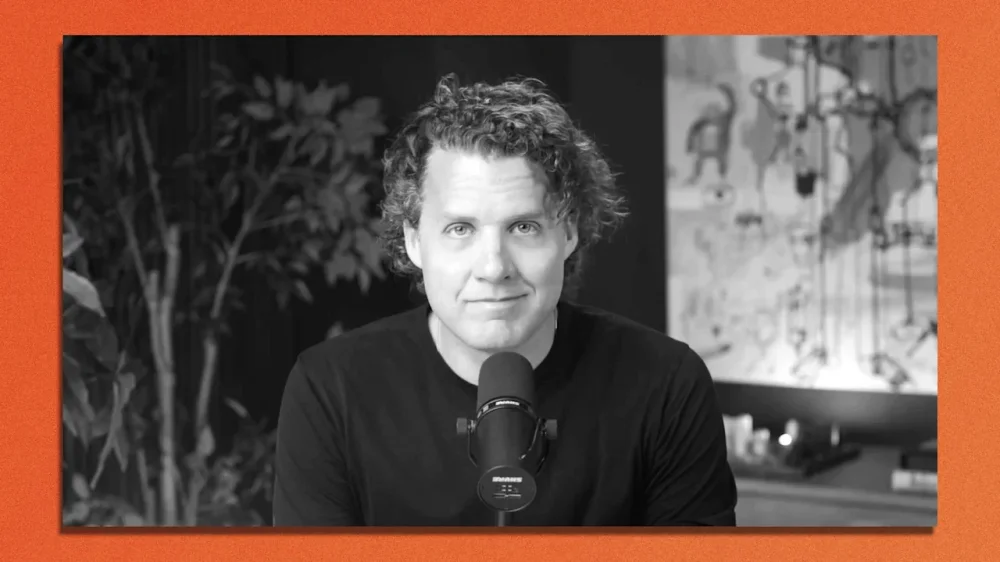
Mark Manson’s 2016 book The Subtle Art of Not Giving a Fuck delivered some hard truths and prescient advice to millions of readers seeking answers. Now he’s building an AI-based application to do the same. At that time, Manson says the self-help field was “unrealistic, not very evidence based—just designed to make you feel good,” inspiring him to write a book that offered “a more skeptical, realistic, and zero bull shit approach to personal growth and self-help.” Nearly a decade later, Manson says he’s seeing the same pattern in the digital world, with millions turning to generic AI platforms for guidance, only to receive unrealistic, potentially harmful advice. That’s what inspired him to team up with serial tech entrepreneur Raj Singh—who most recently sold his AI hotel concierge service GoMoment—to create on-demand life coaching app Purpose, which launches this week. The AI tool offers users life guidance and actionable steps to solve problems, from career to relationships and beyond. It also seeks to challenge, rather than validate users (something many experts have argued many AI platforms do), albeit in a polite, supportive tone. It pairs existing research into cognitive behavioral therapy with data gathered from users upon sign up, and retains conversation history to track patterns over time. According to an internal survey, 41% of early users said the app has been “life-changing.” “We’ve actually had a number of people tell us that they’ve cried while using it,” Manson says. “We really tried to build this AI to go deep quickly, to not beat around the bush or do any fake pleasantries.” Fast Company caught up with the author-turned-tech-founder from Los Angeles to talk about the legacy of The Subtle Art, whether we’re ready to share our deepest thoughts with an app, and why AI is the perfect tool to deliver personalized coaching at scale. This conversation has been edited for length and clarity. Were you surprised by the success of The Subtle Art of Not Giving a Fuck? The scope of the success caught me off guard. My pie-in-the-sky dream at the time was a million copies, so the fact that it’s exceeded that so drastically has been a pleasant surprise. Why do you think it was such a hit? When I got started in this industry in the early 2010s, self-help was very touchy-feely, very woo-woo. It was, in my opinion, unrealistic, not very evidence based—just designed to make you feel good. It felt like there was a deep hunger, especially among millennials, for a skeptical, realistic, zero-bullshit approach to personal growth and self-help. That was the inspiration. Coincidentally a lot of the cultural observations at the time—like about social media and distraction and chronically comparing ourselves to others—have aged really well. I think I identified early on the world we were heading toward. How has your life changed since? Financial security is probably the single biggest change, and that’s great, but being a very successful author is weird in that the book is the celebrity, not me. I’m not getting recognized on the street or anything. It’s just a bunch of numbers on emails that you’re like “wow, that’s a large number.” Then you go back to your same apartment and hang out with your same friends. Why transition from author to tech cofounder? When my career started to blow up, there were opportunities to do seminars and start a coaching business, but I didn’t really want to charge somebody $5,000 to spend a weekend in a hotel ballroom with me. I’ve been obsessed with this question of, how can we help more people? Like, what does a better version of this industry look like? One of the problems I identified well before ChatGPT came out is that the stuff that actually works doesn’t scale, and the stuff that scales doesn’t work. My book was read by millions of people, but a book has to talk in broad principles, and the reader needs to connect the dots for themselves. It might move the needle for some people, but not much. What really works is working with an excellent coach or therapist, which is extremely personalized and requires a major investment of time and energy, so it doesn’t scale. Then ChatGPT came out, and I heard people were asking it big life questions. I tried it myself, and it does okay in terms of some questions, but not others. It felt like there was an opportunity for a properly trained AI to scale that personalization. How did you meet your cofounder? At a poker game. After ChatGPT came out, I was meeting with AI companies, but they didn’t really get it. And then I sat down next to Raj Singh at a poker game just as he was finishing a sabbatical in 2023, and was independently thinking about doing something with AI and mental health. We started chatting, and it turns out we were thinking about the same question. What is Purpose all about? What makes it different from generic AI platforms? Purpose is a personalized AI mentor designed to help you find clarity and direction in your life as soon as possible. One of the biggest issues I see with using ChatGPT for life questions is that its default approach is to validate you. If you complain about your ex-girlfriends, ChatGPT will tell you they’re terrible, and you’re a great guy, so just pick yourself up and it’ll be okay when what you might actually need to hear is like, “hey dude, you might be the problem.” The goal with Purpose is to build an AI that will challenge your assumptions, poke holes in some of your beliefs, point out blind spots, and help you reconsider how you see your own approach. The app does take a positive tone, though. There’s a fine line between flattery and positivity, and it’s something we’re trying to calibrate all the time. It changes based on the user, the context, the issue. Part of our onboarding experience is designed to get an early read of the user’s personality traits. The AI speaks to people differently based on how agreeable they are. Some people want very direct advice, others want it to be a bit more encouraging and positive, and it’s something we’re working on fine tuning all the time. The entire field of psychology is already in all these LLMs. The value is finding that calibration. ChatGPT is poorly calibrated for it, partly because of the sycophancy, partly because of the lack of personalization, partly because of the poor memory. We’re trying to fix those things. Are people open to receiving that advice from a bot? When you’re talking to a human—even a trusted person, like a therapist—it’s almost impossible to not worry what that person thinks about you. With AI, I don’t care. I don’t feel shame: I just say what I feel. And what I’ve also found is that when it gives me harsh feedback, I don’t feel that social anxiety that’s attached to criticism or negative feedback from a person. What about privacy and security concerns? Trust is by far the most important thing in this space. We are building Purpose with all the highest security and privacy regulations, like HIPAA and GDPR. Conversations are anonymized on each device, so even if somebody puts a gun to my head or Raj’s, we can’t share your conversations, because we don’t have any way to identify individual users. It’s also entirely self-funded—which is something Raj and I feel very strongly about—to keep the proper incentives in place and not jeopardize the goal and mission of the product. What’s next for you personally? I am going to be strongly involved in Purpose’s product design, but I do feel like it’s probably time to write another book. It’s been about five years, and I need to get back on that horse. Did Purpose suggest that? Not specifically. But it probably would have if I asked. View the full article
-
Rare earths’ monopoly. Unrivaled manufacturing supply chains. Free AI models that rival, or surpass, its American counterparts. More research papers and more STEM doctorates than anyone else. If you are reading a lot about these topics lately, you know how China’s decades-long strategy to become the top global superpower—and the greatest threat to U.S. world domination—is coming to fruition. What you may not be aware of is the other crucial part of Beijing’s plans; its industrial ramp up to dominate the most crucial resource on the planet: the oceans. China’s pursuit of maritime dominance has shifted from a regional ambition to a global reality, driven by a “breakneck speed” naval expansion that rivals that of the U.S. during World War II. The Asian country has already produced the world’s largest military fleet by ship count (although Washington still dominates in tonnage thanks to its large aircraft carrier groups). Yet Beijing’s strategy for controlling the Indo-Pacific—and beyond—relies on more than just warships; it increasingly depends on gray zone tactics that blur the line between scientific research and military projection. China is systematically deploying dual-use “civilian” assets—from oceanographic survey ships to militarized fishing fleets—to map key strategic waterways and assert sovereignty without firing a shot. This “advancing without attacking” doctrine is now escalating with a new class of megastructures designed to solidify China’s permanent presence in contested waters. While the People’s Liberation Army Navy (PLAN) challenges U.S. supremacy with advanced carriers like the Fujian and new nuclear carriers in preparation, Beijing is simultaneously rolling out a parallel infrastructure of floating islands and underwater bases. China says that it is built for the blue economy—the idea that the oceans are a huge resource still waiting to be untapped—which is true. But, oh the wonders! These facilities are engineered with military-grade survivability, effectively functioning as forward-operating bases that extend China’s reach far beyond its shores while maintaining a veneer of civilian legitimacy. The latest entries in this network of assets are deep-sea bases, underwater server farms, and, now, a floating research platform engineered to withstand nuclear blasts. Together, these projects form a connected infrastructure designed for long-term operations, resource extraction, and data processing at sea designed not only to gain scientific and industrial advantages but to expand Beijing’s footprint in the world’s oceans. First of its kind Let’s look at these one by one, starting with the most impressive: Detailed in a research paper published earlier this month in the Chinese Journal of Ship Research, the new Deep-Sea All-Weather Resident Floating Research Facility is a 86,000-ton semi-submersible platform described by its developers as a mobile, self-sustaining artificial island. Contracts with the shipyard that will build it—the China State Shipbuilding Corporation—specify a twin-hull vessel 453 feet long and 279 feet wide, with a main deck rising 148 feet above the waterline, according to the South China Morning Post. It is designed to house 238 people for up to four months without resupply. It’s an incredible project with no rival anywhere in the world. According to Yang Deqing and his team at Shanghai Jiao Tong University, the facility is built for “all-weather, long-term residency.” Its superstructure contains critical compartments for emergency power, communications, and navigation that are hardened to remain operational after a nuclear explosion. The platform is rated to operate in Sea State 7—rough seas with waves between 20 feet and 30 feet—and to survive typhoons up to Category 17, the highest rating on the Chinese scale. Project leader Lin Zhongqin stated that his team is “racing to complete the design and construction, aiming for operational status by 2028.” The vessel will cruise at approximately 17 miles per hour to conduct deep-sea observations and test mining technologies in areas including the South China Sea. But perhaps the most impressive thing after its absurdly large size and its towering dual-hull design is the material they invented to make it capable of withstand a nuclear shock wave without the weight of traditional heavy armor. The engineers designed a “sandwich bulkhead” using a lattice of corrugated metal tubes. These tubes, folded at a precise 21.25-degree angle with walls just 0.02 inches thick, utilize something technically called a “negative Poisson’s ratio” which means that, unlike standard materials that bulge outward when compressed, this structure contracts inward and densifies, distributing the impact. They claim their simulations showed a 2.4-inch thick panel—roughly the width of a smartphone—outperforming thicker steel plates. Under a simulated nuclear blast pressure of 25.8 psi (177.83 kilopascals), the design reduced maximum structural displacement by 58.53% compared to conventional armor. An underwater space station China is also deploying a James Bond-like underwater base located at a depth of roughly 6,560 feet in the South China Sea, which appears to be the first out of many. According to project leader Yin Jianping, of the South China Sea Institute of Oceanology, the project is a “space station in the sea.” Connected to a fiber-optic network, its pressurized modules are designed to host six scientists for up to a month. The base will investigate how to extract methane hydrate—to help satisfy the country’s ever-growing energy needs—and survey deposits of rare earth elements, cobalt, and nickel. It will be supported by the drilling ship Meng Xiang and a network of uncrewed submersibles that will double as a surveillance system for the country. In parallel, China has deployed its first commercial underwater data center off the coast of Hainan. A 1,433-ton structure submerged 115 feet deep that houses 24 server racks. Project manager Pu Ding points out that they “put the entire data cabin in the deep sea because seawater can help cool down the temperature.” The developers claim this passive cooling can save around 90% of the energy typically used for climate control in land-based centers. A similar test unit near Shanghai will draw power from offshore wind farms, and the company that is building this data center estimates that over 95% of its energy will come from renewable sources. The idea is not new. Microsoft tested it and found out that, indeed, it works great. Surprisingly, the Redmond, Washington company is not working on it anymore and will not scale the idea up. Which is both sad—because of the huge energy waste that current server farms represent, which could be greatly reduced by natural cooling—and shocking because the U.S. is in the middle of a worldwide war for AI domination with China. The latter is not leaving a stone unturned to win that war, which is precisely what this new floating megastructure is all about. Beijing is not going to stop at making your iPhones, your rare earth magnets, and building the best AIs using the largest army of STEM doctors in the world. China wants to become the biggest maritime superpower too—just like Spain, Britain, and the U.S. in past centuries. And we are witnessing its overture in real time. View the full article

-
Decision makers have voiced support for lower financing costs but researchers have said achieving it could be complicated. Part 3 in a series. View the full article
-
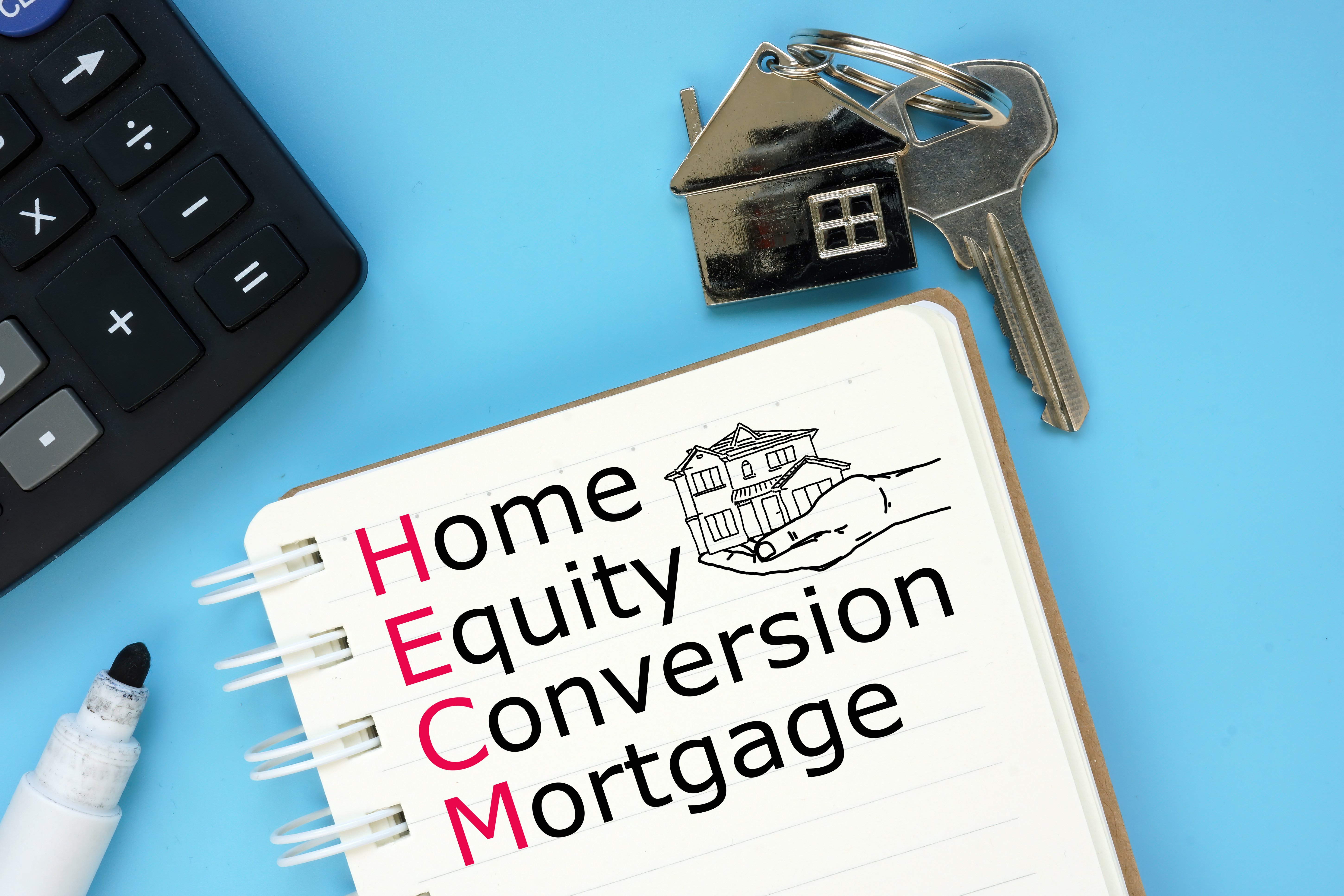
Declining issuances since 2022 led to a request for information regarding the future direction of the reverse mortgage program, and NRMLA and MBA responded. View the full article

-
OpenAI appeared to be closer to pulling the trigger on advertising in ChatGPT in recent days, but a growing threat from Google has forced the company to pause those plans as it gears up for a quickly escalating chatbot fight. OpenAI CEO Sam Altman sent a memo to staff on December 1 declaring a “code red” and ordering the company’s primary focus to be on improving ChatGPT. As part of that directive, Altman reportedly said the company would be pushing back work on other projects, including the introduction of advertising to its chatbot. The about-face came just days after Tibor Blaho, an engineer working on a Chrome extension that offers pre-written prompts for ChatGPT, posted on social media that he had discovered lines of code which heavily referenced ads in a beta version of ChatGPT’s Android app, including mentions of “ads feature,” “search ad,” and “bazaar content.” (That beta has not yet been released to the public.) Altman has hedged when the topic of ads in ChatGPT has come up previously. While saying he “hates ads” personally, he added at a 2024 Harvard University fireside chat that he was “not totally against them” and stressed, “I’m not saying OpenAI would never consider ads.” He cushioned those comments, though, by saying “ads plus AI is uniquely unsettling to me. When I think of GPT writing me a response, if I had to go figure out exactly how much was [a sponsor] paying . . . to influence what I’m being shown, I don’t think I would like that very much.” The discovery of ad code is not conclusive proof that ChatGPT will incorporate advertisements into its chatbot. It’s possible OpenAI is planning to work with other companies to let them personalize ad content on other sites based on ChatGPT usage. OpenAI did not immediately reply to a request for comment about the ad code. ChatGPT has become a Goliath in the AI space. In October, Altman disclosed that the chatbot sees 800 million weekly active users, a big jump from the 500 million WAUs it reported at the end of March. It has amassed that sizable user base in just three years. But as it has grown, so too have competitors. Google’s Gemini AI has emerged recently as perhaps the most serious threat to OpenAI’s dominance, outpacing ChatGPT in industry benchmarks. Gemini 3, released last month, also has a huge built-in user base, as the technology was inserted into Google Search as well as a full suite of developer tools. Altman’s memo indicates the company is feeling the pressure from Gemini and other AI firms, which (like OpenAI) are spending heavily in the race for leadership in the AI space. Altman told his team that work needed to be done on improving personalization for users, increasing speed and reliability, and widening the range of questions that ChatGPT can answer. Right now, OpenAI generates much of its revenue from partnerships with businesses that use its API model and via paid subscriptions to its most advanced technology. (A free version that is less advanced is available to users who prefer not to pay.) The company is on track to hit $20 billion in revenue this year. Altman has said he expects that figure to grow to hundreds of billions by 2030. Even so, the company says it cannot guarantee it will turn a profit within the next five years, given the high cost of computing. In the meantime, it expects to post massive losses, including a projected $74 billion shortfall in 2028. View the full article

-
Age really is just a number when it comes to social media, as new research from Ampere Analysis shows that more than half of users ages 55 to 64 now watch influencer content every week. This number is up by 10 percentage points since 2020. In the U.K., the figure has also risen over the past five years, from 30% to 38%. TikTok and YouTube, in particular, are behind the growth—proof that Boomers’ social media presence is no longer limited to Facebook. “The biggest surprise in our latest data wasn’t how popular influencer videos have become, it is how rapidly this trend has extended to older audiences,” Annabel Yeomans, senior research manager at Ampere Analysis, said in a statement on December 1. That age group—55 to 64—delivered the highest growth in YouTube’s monthly viewing from the first quarter of 2020 to the third quarter of 2025, up by 25% in the U.S. and 14% in the U.K. In the past year alone, TikTok’s monthly active users grew 6% in the U.S. and 16% in the U.K. among audiences ages 55 to 64. The growing popularity of influencer content with older viewers comes as YouTube has established itself as a living-room viewing experience. More than a quarter (29%) now use a smart TV monthly to watch YouTube, as smart TV ownership among internet users ages 55 to 64 in the U.K. and the U.S. is up 20 percentage points since the pandemic, jumping from 59% to 79%. “As viewing habits diversify and platforms like YouTube and TikTok become part of living-room viewing, the lines between social and traditional platforms are blurring,” Yeomans said. Streaming platforms have responded by partnering with influencers on premium content, as Netflix has with kids’ educator Rachel Anne Accurso’s Ms. Rachel videos and Amazon has with Molly-Mae Hague’s docuseries, Molly-Mae: Behind It All. And yet, just 15% of older consumers globally feel represented in the advertising they see, according to GWI, jumping to 20% for those who follow brands or influencers on social media. To fill this gap, the number of so-called granfluencers is also increasing. These older creators represent a fast-growing demographic of social media users, and thus are starting to catch marketers’ attention. “New opportunities for collaboration across different platform types are emerging,” Yeomans said. “Streaming services are increasingly partnering with influencers, an approach that first attracted younger viewers and is now gaining traction among older audiences.” View the full article

-
Businesses still spend billions each year on management training programs, but here we are in 2025—with a growing leadership gap and executives scrambling for answers. And if I can get honest for a moment: We’re still approaching the problem backward. Senior leaders keep promoting high-performing individual contributors into leadership roles and expecting them to figure it out on the fly. Many don’t have the time, support, or temperament to lead people well. Then we’re surprised when the results are uneven or the team burns out. Before companies invest in another round of training, they need to start with a more fundamental question: Are we choosing the right people to lead? And more important, are we modeling the leadership behaviors we want them to learn? Start with what actually works: Model servant leadership Leadership boils down to people, trust, and relationships. And the simple truth is still the same today: Great leaders lead by serving. They focus on what their people need to succeed—clarity, coaching, safety, and support—not on protecting their own ego or authority. For readers familiar with my coaching work and the book I authored earlier this year, you know I’ve been beating this drum for years: Servant leadership has moved from a niche, values-driven concept to the core operating philosophy of many of the world’s most admired and profitable companies. After over two decades of developing leaders, I’ve seen a consistent pattern: The best leaders genuinely want their people to thrive. They’re willing to put the team’s needs first, share credit freely, and take responsibility when things go sideways. They grow people rather than simply manage tasks. And that kind of growth—personal, professional, relational—is what builds resilient teams. Whether you lead 3 people or 3,000, these behaviors will elevate your impact and build trust faster than any leadership playbook. 1. Build trust through real, intentional caring Strong leaders show interest in people’s work, their goals, and their long-term direction. They’re curious about what motivates each person and intentional about creating opportunities that stretch their skills. This isn’t “soft.” It’s emotional engagement—and it’s one of the biggest drivers of performance and retention. Think about it: When leaders support their people through promotions and pay raises (first and foremost), internal moves, stretch assignments, or removing obstacles from their path, it sends a powerful message—you matter. As the (often-attributed) John C. Maxwell quote goes, “People don’t care how much you know until they know how much you care.” When employees feel their leaders genuinely care, confidence rises, performance follows, and career paths become healthier and more aligned with their strengths. 2. Use empathy to connect with others and drive results In 2018, Global training powerhouse Development Dimensions International (DDI) assessed 15,000-plus leaders across 20 industries and found empathy to be the strongest predictor of overall performance—especially the ability to listen and respond with empathy. That hasn’t changed. If anything, the modern workplace—with hybrid teams, rising burnout, AI, and constant change—has made empathy even more essential. But empathy isn’t a strategy you perform and it doesn’t come from a to-do list. It shows up in how you listen, how you check in, and how you respond to someone’s reality—even when their experience is different from your own. Empathic leaders don’t just hear what people say; they understand the context, emotions, and challenges behind it. That perspective creates psychological safety, and safety unlocks creativity, problem-solving, and collaboration. 3. Be radically transparent A transparent culture builds trust and fosters collaboration. When people feel safe voicing their thoughts, it deepens engagement and creates a more resilient, trustworthy team dynamic. Tip: Encourage employees to ask any question—yes, even the hard ones. People also don’t stress around transparent leaders and teamwork isn’t undermined, because information is shared openly to let everyone know what’s going on at all times. Going a step further, studies prove that organizations that share privileged information with their employees—typically reserved for the ivory tower in command-and-control power structures—reduce uncertainty and alleviate stress about where they are headed and why. One example of openness, perhaps a bit extreme for most companies, is social media optimization company Buffer. It goes so far as to post its formula for salaries online for everyone to see, including the compensation of CEO Joel Gascoigne. Bringing it home No leadership framework works without spending real time with your people. Learn who they are, what energizes them, and what blocks them. Understand their strengths, their motivations, their values, and their blind spots. So here’s a question worth asking yourself today: How well do you really know the people you lead? If you want to advance your leadership impact, start by serving. Learn what matters to your team. Shape roles that offer meaning and purpose. Use their strengths wisely. And champion their growth—even if that growth eventually takes them to a new team or a new company. When you invest in people this way, you don’t just build stronger teams. You build a healthier culture, a deeper bench of future leaders, and long-term success for everyone involved. Like this article? Subscribe here for more related content and exclusive insights from executive coach and speaker Marcel Schwantes. —Marcel Schwantes This article originally appeared on Fast Company’s sister publication, Inc. Inc. is the voice of the American entrepreneur. We inspire, inform, and document the most fascinating people in business: the risk-takers, the innovators, and the ultra-driven go-getters that represent the most dynamic force in the American economy. View the full article

-
A deal would involve a lot of losers on Tory side, but by next election the party might just be desperate enoughView the full article
-
There’s a lot of chatter right now about an AI bubble, fueled in part by a perception that productivity gains from AI are largely illusory. I can’t speak to the market, and whether AI is broadly overvalued or undervalued, but I can tell you that in the past year alone, AI has completely transformed how I work. Looking at the tools today that didn’t exist a year ago—deep research, browser agents, the big leaps in performance for all the latest models—there’s a host of ways AI can speed up or enhance many tasks of knowledge workers, especially journalists. As an independent journalist, I’m perhaps a little less constrained than most (my AI policy is whatever I want it to be), and AI has made me rethink how every part of the job gets done. So bubble or not, that shift is already here. To better articulate this and highlight tools and techniques that are broadly useful, I’ve broken down several ways I use AI in my writing, researching, and reporting. The most intuitive way to organize this is by walking through the story process—from developing ideas to hitting publish to sharing on social media. Here are 10 ways I use AI as a journalist and content creator: Beat monitoring: The set of stories that any individual reporter needs to keep up with is different, and AI’s ability to personalize and summarize is extremely helpful here. I find ChatGPT Pulse—which doesn’t just compile stories, but explains why they’re relevant to your work and includes other personal info (like your schedule)—to be extremely helpful, but it’s also constrained to the Pro plan ($200/month). A stripped-down, but still useful tool is scheduled tasks in ChatGPT or Perplexity, where you craft a prompt that searches for the latest stories you’re interested in and sends it to your inbox. Accelerated skimming: Once I land on an article that I’m interested in, I often read the summary before deciding if I want to spend the time reading. There’s a dedicated button for this in Perplexity’s Comet browser, and there are a host of browser extensions that do this for Chrome. On X, I find the ability to simply reply to any post with “@grok what is this post about?” for a short, instant explanation to be a huge time-saver, especially for memes and trends I’m seeing for the first time. Going deeper: When Google’s NotebookLM made its big splash last fall with its ability to create instant conversational podcasts, many dismissed it as a gimmick. But I find the feature to be an incredibly useful tool for getting primed on a topic or news story. You can either drop a single URL in the folder or use the new Fast Research feature to find a story, generate your audio overview, and boom—you have a short podcast all about the thing you’re researching. Listen at 1.5x speed to blaze through it even faster. Story ideas: Finding the connections and missing angles in between stories will always be a mostly human-driven process, but NotebookLM is a good partner here as well. Prompting it to suggest story ideas based on the questions implied or not answered in the set of articles in the notebook is often a great starting point for a story idea. Getting in the weeds: Once I know the idea I’m running with, it’s time to research. AI is obviously great at this, specifically the deep research tools that have emerged in the past year. I use them all, but differently: Perplexity is excellent for a first pass—it’s fast, but typically not as thorough as the others. I generally find Gemini to be the best at finding sources on the web, but less great at prioritizing them. My go-to for serious research is ChatGPT, which I find to be the most thorough. It’s also excellent for turning its deep research abilities inward—directing them at a large set of files in a Google Drive or Dropbox folder (via Connectors). Targeting highly specific information: When the key to your story is a singular document or piece of data, it’s helpful to outsource the task of finding it to a browser agent. For example, court documents are typically kept in hard-to-navigate services like PACER (Public Access to Court Electronic Records). Just finding the right case often involves performing several searches, especially if you’re unsure of the exact names involved or the specific court. When given clear tasks like this, a browser agent like Comet or ChatGPT Atlas is the perfect research intern, usually finding exactly what you’re looking for in just a few minutes. Writing coach: Now that I’ve gathered and processed all the background material, it’s time to write. For my columns and original reporting, I don’t let AI write for me, but I do often use it as a coach. I’ve crafted a Custom GPT to act as an inquisitive interviewer: probing me with several questions—verbally—recording my long responses, and then assembling them all into an outline once I’m done. From there, I’m off to the races, sometimes returning to the coach when I go in an unexpected direction. The process helps me write in about half the time as before. Writing intern: I write a news digest for my Thursday newsletter, with each item coauthored by AI. For these short blurbs, I’ve built a Claude Project that’s trained on my style, the digest format, and the target audience. Once given a story or news trend, it writes a one-paragraph summary in my style, which I then edit and add to. It turns a 15-minute process into something that takes about five minutes. (And, yes, I’m fully transparent to my audience when AI acts as a coauthor.) Copy desk: Everything I write goes through my AI copy desk: First, a Custom GPT looks at it critically but constructively, suggesting edits (and sometimes further research) to make the piece stronger. Then another GPT does a proofreading pass, aimed at making it either more newsy or conversational, depending on the context. Importantly, neither GPT does automatic rewrites—they’re all suggestions that I can take or leave. Social media manager: Finally, once the piece is live, I have specific prompting that writes social copy for LinkedIn—both for my personal profile and The Media Copilot company page. In this case, I don’t manually paste anything into an assistant on the web, but instead use Zapier, an automation tool that automatically generates the social post and queues it up for my review. That saves a lot of back-and-forth between browser windows and ensures I never miss a post. I hope you see a pattern in what I’ve laid out: Each process involves AI bringing things to my attention, but it prioritizes my attention. In my view, AI is an extraordinary accelerant for specific tasks in story creation, but the process needs human review and judgment throughout. And while AI can be a helpful writing “intern” for very specific formats, I keep the text in anything substantive (such as this column) human written. That human centricity will remain, no matter how intelligent and automated parts of the process get. While I don’t doubt that AI will continue to improve, the point of using it is to sharpen, accelerate, and amplify how I communicate with audiences—human audiences. Machines can be great partners, but the moment they become the focus is when we stop communicating and are just creating “content.” The media just experienced an era dominated by SEO, algorithms, and lowest-common denominator thinking. Let’s not do that again. View the full article

-
Below, Tomas Chamorro-Premuzic shares five key insights from his new book, Don’t Be Yourself: Why Authenticity Is Overrated (and What to Do Instead). Chamorro-Premuzic is the chief innovation officer at ManpowerGroup, a professor of business psychology at University College London and at Columbia University, cofounder of Deeper Signals, and an associate at Harvard’s Entrepreneurial Finance Lab. What’s the big idea? Authenticity is overrated and can backfire, especially at work. Success comes from strategic self-presentation, empathy, and balancing personal freedom with responsibility to others. Listen to the audio version of this Book Bite—read by Chamorro-Premuzic himself—below, or in the Next Big Idea App. 1. Authenticity isn’t the life hack it’s cracked up to be Authenticity has become one of the most celebrated traits in every single area of life, especially in the workplace. But this trend—despite its well-intentioned beginnings—has not gone according to plan. What was initially supposed to free people from the pressures of conformity in the workplace is backfiring in surprising ways. “Excessive praise of being ‘true to yourself’ can fuel narcissism, extreme individualism, and a disregard for obligations to others.” While research in positive psychology shows that feeling aligned with one’s true self can boost mood and well-being, society’s obsession with authenticity has a darker side. Excessive praise of being “true to yourself” can fuel narcissism, extreme individualism, and a disregard for obligations to others. This cultural phenomenon often harms more than it helps, especially in professional settings. 2. The four traps of authenticity For leaders who want to be competent, effective, and create an inclusive and diverse working culture, it is important to avoid the four authenticity traps. The following mantras seem to propel beneficial behaviors, but can actually hurt objective career success: Always be honest with yourself and others. Most people think of themselves very positively, but decades of research show this self-perception is largely biased and often misaligned with how others see them. Even when we are self-aware, honesty isn’t always what others want. They often prefer encouragement, positive feedback, or polite social interaction over unfiltered truth. Always stay true to your values. Following your values blindly can be dangerous if those values are harmful, destructive, or antisocial. History is full of leaders who acted consistently with their values but caused great harm. Even for ordinary people, rigid adherence to one’s values can prevent self-reflection, fuel polarization, and make “always follow your heart” misleading advice. Don’t worry about what others think. The idea that we shouldn’t worry about how others see us is unrealistic because humans naturally perceive the world through others’ perspectives and rely on social feedback to grow. Ignoring others’ input may preserve a self-image of heroism, but it prevents real development as leaders, colleagues, and human beings. Bring your whole self to work. Our whole self—including the grumpy, impulsive, or self-centered parts—is rarely fully welcomed at work, so telling people it is safe to express themselves is a bit of a trap. Organizations should focus on creating inclusive environments that balance self-expression with being a responsible, collaborative team member, recognizing where personal freedom ends and obligations to others begin. 3. Authenticity can hurt career and leadership outcomes Career and leadership success require strategic self-presentation. Rather than imposing an unedited self on others, people benefit from deliberately managing how they are perceived. This involves understanding the social context, adapting to the needs of others, and making intentional choices about what to share and how to share it. Effective impression management isn’t manipulative; it’s a practical way to achieve real-world goals without compromising integrity. 4. Effective leadership is about managing perception Leadership is less about indulging in self-expression and more about creating value for others. Leaders must distinguish when trustworthiness becomes oversharing, understanding how to manage emotions and communicate effectively rather than engage in inappropriate self-disclosure. “Authenticity without strategic awareness can lead to missteps.” It is crucial that employees receive information in a way that helps them grow. Authenticity without strategic awareness can lead to missteps, whereas thoughtful communication fosters influence, loyalty, and effective collaboration. 5. Authenticity is a rare privilege Complete self-expression is often a luxury of the powerful—a privilege for the elite. Only those with status can impose their unfiltered selves with fewer consequences. But for most people, this approach risks professional and social setbacks. Success comes from balancing authenticity with empathy, collaboration, and awareness of social and organizational norms. Don’t just be yourself. Be strategically, responsibly, and thoughtfully yourself. Enjoy our full library of Book Bites—read by the authors!—in the Next Big Idea App. This article originally appeared in Next Big Idea Club magazine and is reprinted with permission. View the full article

-
Annoying peers are hard enough to deal with. Things get even more complicated when the annoying person is your boss. As with peers, there are several ways that a boss can be annoying. Unfortunately, you have to tread lightly with many (though not all) bosses. To be clear, the focus here is on annoying bosses, not toxic ones. A boss who is a narcissist, a harasser, or who sows mistrust isn’t just annoying, they’re bad for you and the organization. I’m going discuss four things that may seem petty, but if you start dreading your engagements with your boss (or resenting them for their foibles), it can come back to hurt your working relationship. The cipher Some people are blessed with the ability to communicate clearly. They open their mouths, and full paragraphs of well-formed sentences spill out that illuminate whatever they are talking about. But, as Steve Martin once said, “Some people have a way with words, and others . . . uh . . . not . . . have a way.” If your boss is in that latter category, they may ask you to do things, give you feedback, or generally talk about things going on at work that you don’t fully understand. It might be tempting to nod along with them and then try to figure it out later. That avoids an awkward discussion, but it probably causes more problems than it solves. Instead, develop a routine with your manager to summarize the outcome of meetings/discussions at the end. Tell your boss that this is to help you remember. Then, repeat back the important bits. Your boss will correct anything you get wrong. As an added bonus, this exercise might give your boss additional words and phrases they can use to talk to you about similar things in the future. The micromanager A boss who gets into the details of your work is frustrating, because you’d like to be able to complete what you’re doing without constant oversight. There are two common reasons why bosses micromanage. When someone gets their first supervisory role, they are usually in a transition from front-line work to management. Because their job (up to that point) involved doing something just like what you are doing now, it may be hard for them to let go of the details of the work to focus on what they need to do with their new position. For these bosses, it is often okay to have a gentle conversation in which you ask questions about their new responsibilities and provide a subtle reminder that the front-line work is not part of their day-to-day any longer. The second typical source of micromanagement is anxiety. When your boss is not confident in their leadership or when they feel threatened by other factors at work, they may clamp down on the people working for them to ensure that nothing goes wrong. While this tactic may make them feel better, it makes everyone else miserable. There are two things you can do here. First, create a schedule of checking in with your boss every so often. You’d like to get that to once a week if you can, but you may have to start by doing it at the end of a work shift, or every two days, and gradually work your way to once a week. Second, provide a shared document of the status of projects. This record is helpful anyhow, because it can be used when something goes wrong with a project. If your boss has access to the status of key projects, they may be less likely to pester you for those details and add suggestions about how they would approach things. The forgetter One of the Big Five personality characteristics is conscientiousness, which reflects the degree to which you focus on details and follow rules. Some bosses are highly conscientious, and they are up on the details of every project. Others are not. When your boss is not conscientious, they may be great at giving strategic and tactical advice, but they may forget things later. They may miss meetings that don’t make it to their calendar, or forget something they told you they would do later. A forgetful boss needs more constant reminders than a conscientious one. Follow up meetings with a written summary of key points and any specific information you need from your boss later. Send that summary by email. Even bosses who aren’t that conscientious are likely to check their email and to respond to direct requests on those emails. If there are particular things you need to get from your boss by a specific date, coordinate with their admin if they have one. Try to ensure that key dates and requests get on their calendar. Often, a forgetful boss is aware that things slip through the cracks, and so they have a system to help them keep from dropping too many balls. The (long-winded) storyteller One thing about being the boss is that people feel like they need to listen to you. Some bosses (particularly those who have been in a leadership role for a while) get used to having an audience, and they may use meetings and even hallway conversations as an opportunity to regale you with stories. A good storyteller keeps it brief and relevant. If your boss is not a great storyteller, then seeing them wind up to tell a long tale can send shivers of dread up your spine. You may have to bear a certain number of these stories—particularly if you’re sitting in the break room. But, you should try to have something scheduled up against meetings you have with your boss so that you have something you need to get to. That way, if your boss does launch into an epic narrative, you have a good reason to excuse yourself and move on. View the full article

-
During college, a friend convinced me to take an improv comedy class. An introvert by nature, I was way out of my depth. On the first day, I was so nervous I thought I might faint. But I ended up loving it—and learning a lot. In addition to silly warm-ups to get rid of inhibitions (zip, zap, zop, anyone?), I discovered the magic of “Yes, and . . .” In improv, “Yes, and” is more than just a phrase; it’s a mentality—to accept whatever idea or proposition is thrown at you, no matter how outlandish, rather than shutting it down. This mantra helped the flow of our improv performances, but it turned out to be a great life lesson as well. From that point on, I tried practicing it outside of the theater as well. In the workplace, “Yes, and” means being an optimist—trying to see the value in someone’s idea, instead of knee-jerk shooting it down. As I’ve discovered, pessimism can be an insidious force that quietly takes root in teams and drags down performance, morale, and creativity. On an individual level, research shows that pessimists are five times as likely to burn out as optimists, less likely to be highly engaged at work, and less likely to have strong relationships with their colleagues. Leaders play a crucial role in shifting mindsets from pessimism to optimism. But it takes more than motivational quotes or town halls. Here are three practical ways to foster optimism at the workplace. 1. Model solution-oriented thinking Let me start by clarifying that pessimism isn’t inherently negative. Some experts say that pessimists bring unique leadership strengths to the table, like protecting resources and correcting course. Pessimists’ work tends to be more thorough, accurate, and carefully considered. Problems arise, however, when a negative take doesn’t offer an alternative solution. For example, when you reject a proposed new product concept because you assume the market is already saturated. By responding to challenges with curiosity instead of cynicism, leaders set a tone that their teams learn to follow. In the example above, rather than flat-out rejecting the idea, you could explore what might differentiate your version or uncover a niche the competition has overlooked. Solution-oriented thinking doesn’t mean accepting every idea. It means pinpointing the root of your opposition and remaining open to possibilities that move the discussion forward. 2. Acknowledge challenges without harping on them Like anything else, there is such a thing as too much optimism. At that point, it’s called toxic positivity—when people are forced to act upbeat even if that’s not what they’re feeling, or when they are asked to ignore reality. At best, toxic positivity is unhelpful; at worst, it hurts morale. Employees can start to feel like they’re being gaslit. For example, imagine a team project that has been derailed for reasons beyond the members’ control, but a leader insists on meeting a clearly impossible deadline. This kind of blind optimism might motivate the team, but it’s more likely to cause mistakes, burnout, and erode trust. Real optimism isn’t toxic positivity. Leaders should aim for a balance between honesty and forward-thinking plans: acknowledge challenges without being paralyzed by them. Set realistic goals, and adjust deadlines when needed, without letting momentum and drive fall slack. Celebrate progress After two decades as CEO, I’m a firm believer that complete failure is extremely rare. Even events that feel like total setbacks often contain small victories worth celebrating. As leaders, it’s crucial to always search for wins, no matter how small, and acknowledge them. For example, let’s say your marketing team launches a bold campaign that doesn’t quite hit the desired moment of virality. It’s still worth celebrating the team’s innovation while reflecting on what could have been done differently. This will help to ensure that the team is willing to experiment with bold ideas in the future, seeing each effort as part of a larger vision of improvement. Celebrating progress builds momentum even in the face of losses and reminds teams that their efforts are valued. You can “Yes, and” their creativity, even if the idea didn’t become the massive success you hoped for. In the long run, this will help cultivate a realistically optimistic outlook. View the full article

-
If you’re looking for a video editing platform that balances simplicity with robust features, Canva stands out as a compelling option. Its user-friendly interface makes it accessible for both beginners and seasoned editors alike, while its extensive library of stock media guarantees you have ample resources at your fingertips. Plus, the drag-and-drop tools streamline your workflow, making video production not just efficient but also cost-effective. What else sets Canva apart in the field of video editing? Key Takeaways Canva offers a user-friendly interface with intuitive tools, making video editing accessible for beginners and experienced users alike. An extensive library of stock media and templates allows for quick customization and eliminates licensing concerns for creators. The platform provides a cost-effective solution for video production, with a free version and affordable pro options for high-quality content. Advanced features like AI-powered tools and Beat Sync enhance editing efficiency and creativity, streamlining the video creation process. Real-time collaboration and cloud storage support seamless teamwork and organization, making project management easy and effective. User-Friendly Interface for Beginners Have you ever felt overwhelmed by complicated video editing software? If you’re looking to edit your channel on YouTube, you might find Canva to be a rejuvenating alternative. Its user-friendly interface is designed for beginners, so you won’t face unnecessary complexity. The timeline view resembles familiar tools like Strength or Keynote, which helps ease your learning curve. With no prior video editing experience required, you can quickly create and edit videos. The drag-and-drop functionality allows you to add media easily, and Canva’s auto-save feature guarantees you won’t lose your progress. This combination of simplicity and efficiency makes Canva a solid choice when you’re wondering, “Is Canva good for video editing?” Extensive Library of Stock Media Canva offers you an extensive library filled with over half a million stock videos, images, and audio tracks, making it straightforward to find the right media for your projects. With user-friendly access to this vast collection, you can easily search and incorporate royalty-free options directly within the editor, simplifying your video creation process. This feature not just improves the quality of your content but additionally eliminates any licensing concerns, allowing for hassle-free publishing. Vast Media Collection Accessing a vast media collection is essential for effective video editing, and Canva thrives in this area. With an extensive library of over half a million stock videos, music tracks, and sound effects, you can easily find suitable media for any project. Here are some key features that make Canva’s media collection stand out: Royalty-Free Options: All stock videos are royalty-free, so you won’t face licensing issues. Pro User Benefits: Pro users gain access to a licensed music library with thousands of soundtracks, eliminating copyright concerns. Integrated Library: The drag-and-drop functionality allows you to add ready-to-use elements directly into your timeline, streamlining the editing process. These features empower you to create professional-looking videos customized for platforms like YouTube, TikTok, and Instagram Stories. User-Friendly Access When you’re plunging into video editing, having easy access to a vast stock media library makes a significant difference. Canva’s integrated library allows you to effortlessly find and incorporate video clips, images, and audio tracks into your projects without worrying about licensing issues. If you’re a Pro user, you gain full access to an extensive collection of premium stock media, enhancing the quality of your videos. With over half a million music tracks and sound effects, finding the right audio becomes streamlined. This feature enables you to use royalty-free stock videos, saving time by eliminating the need for personal footage. Plus, Canva’s user-friendly interface lets you drag and drop media into timelines, making video editing accessible for beginners. Royalty-Free Options With a vast collection of royalty-free options, video editing becomes markedly easier and more efficient. Canva offers an extensive library filled with thousands of video clips and audio tracks that you can seamlessly incorporate into your projects. This access allows you to focus on your creative vision without the stress of licensing issues. Here’s what you can expect: Diverse Assets: A wide range of high-quality stock media is available, enhancing your editing capabilities. Simplified Search: Quickly find and integrate elements into your videos, saving you time. Streamlined Process: Create engaging content without sourcing materials from multiple sites, further increasing your productivity. With these features, Canva positions itself as a valuable tool for efficient video editing. Simple Drag-and-Drop Tools Canva’s simple drag-and-drop tools make video editing accessible to everyone, regardless of experience level. With its user-friendly interface, you can easily place video clips, images, and audio files onto the timeline without needing advanced technical skills. Rearranging elements is as simple as clicking and dragging them into position, which streamlines the editing process considerably. This intuitive design eliminates complex commands, allowing beginners to create videos efficiently. Moreover, Canva offers a variety of pre-made templates that you can customize using drag-and-drop functionality, reducing the time you spend on video creation. The platform likewise supports integrating stock media from its library, enhancing your creativity as you sidestep licensing concerns, making it a practical choice for all video editing needs. Cost-Effective Video Production Canva makes video production cost-effective by offering a free platform that anyone can access without upfront fees. If you opt for the Pro version, you gain access to a vast library of stock media, which can save you from additional expenses for images and music. With no hidden costs and a user-friendly interface, you can create professional-quality videos quickly and affordably. Free Access Available A free video editor is now at your fingertips, making it easier than ever to produce high-quality videos without spending a dime. With Canva’s free access, you can take advantage of various features that improve your video creation process: Stock Media Library: Utilize a vast collection of royalty-free images and videos to boost your projects. User-Friendly Interface: Enjoy a straightforward editing experience that doesn’t require advanced technical skills, perfect for beginners. Auto-Save Feature: Work seamlessly without worrying about losing progress, as your edits are automatically saved. This combination allows you to create and edit videos efficiently, making Canva an economical choice for your occasional projects and ensuring you can still produce professional results. Affordable Pro Features Though many video editing tools come with hefty price tags, the affordable Pro features offered by Canva provide an accessible solution for those seeking cost-effective video production. With a Canva Pro subscription, you gain full access to an extensive library of stock media, including thousands of videos and audio tracks, enhancing your project’s quality without additional licensing costs. You additionally receive 100 GB of storage, a significant upgrade from the free plan’s 5 GB, vital for managing larger video files. Furthermore, Canva’s user-friendly interface and drag-and-drop tools allow you to create compelling videos quickly. By integrating marketing and design tools in the Pro bundle, you can streamline your video creation process, reducing overall production expenses in the process of achieving professional results. No Hidden Costs In relation to video editing, budget constraints can often limit your options, but you can create high-quality content without worrying about hidden fees. Canva’s user-friendly platform allows you to produce professional videos without the burden of unexpected costs. Here are a few key benefits: Free Access: You can use the free video editor to create and edit videos without any hidden charges. No Watermarks: Videos made with free elements won’t feature watermarks, ensuring a polished look. Integrated Media Library: Access thousands of royalty-free videos and audio tracks, eliminating the need for separate purchases. With Canva, you can effectively manage your video production budget while still accessing premium features and resources. Variety of Templates for Different Needs When you’re looking to create engaging video content, Canva provides an extensive selection of templates customized for various platforms, ensuring you can find the perfect match for your needs. Whether you’re targeting YouTube, TikTok, or Instagram Stories, you’ll discover templates designed particularly for those audiences. With thousands of pre-made options covering themes like marketing, product demos, and social media promotions, selecting the right fit for your project is straightforward. These templates are customizable and reusable, which helps maintain consistency in your branding as you save valuable time. For Pro users, premium templates are available, offering high-quality designs that improve the professional appearance of your videos. This variety makes Canva an excellent choice for video editing. Easy Animation and Transition Features Canva makes it simple to add engaging animations and changes to your videos, offering 16 to 17 animation options at both the element and page levels. With just a click, you can boost your videos’ appeal and keep your audience’s attention. Here are some key features that make animations and shifts easy to use: User-Friendly Timeline: Canva provides a straightforward timeline view, similar to PowerPoint, making it easy for you to visualize your animations and shifts. Simple Shifts: Applying transitions between video clips is quick and uncomplicated, helping to maintain a smooth flow throughout your video. Text Animation: You can animate text and other elements effortlessly, introducing movement that adds engagement to your projects. This makes Canva a great choice for quick and effective video editing. Seamless Collaboration Options Video editing often involves teamwork, and Canva’s collaboration features make it easier for you and your team to work together seamlessly. With real-time collaboration, multiple team members can edit a project simultaneously, boosting both efficiency and creativity. You can leave comments on specific scenes, ensuring immediate feedback and adjustments throughout the editing process. Canva’s cloud storage allows everyone to access, edit, and share content securely from any location or device, which is especially useful for remote teams. Furthermore, the platform’s mobile compatibility means you can participate in video editing on-the-go, accommodating varied schedules. Finally, the integrated Content Calendar helps you schedule video releases, keeping your team aligned on project timelines and enhancing overall workflow. Efficient Project Organization With Folders With Canva, you can create custom folders to organize your video projects effectively, which simplifies project management. By categorizing your videos, images, and other media elements, you’ll easily find specific assets when you need them. This feature is especially useful when juggling multiple projects, as it reduces clutter and improves your productivity. Custom Folder Creation When you’re managing multiple projects, creating custom folders can greatly improve your organization and efficiency. Canva’s custom folder feature lets you categorize video files and designs for quick access. Here are some benefits of using custom folders: Streamlined Workflows: You can store and manage multiple projects within these folders, saving time searching for specific videos or elements. Content Grouping: Group related content together, like marketing videos or social media posts, making your content management more efficient. Clean Workspace: Organizing projects helps maintain a tidy workspace, allowing you to focus on the creative process without clutter. This feature is especially useful for teams, as it enables real-time access and organization of shared resources, enhancing collaboration on video projects. Simplified Project Management Organizing your video projects becomes considerably easier when you utilize Canva’s folder system, which allows for efficient project management. You can create custom folders to categorize projects by themes, types, or clients, enhancing your workflow and productivity. This structured approach helps you quickly locate and manage files, reducing the time spent searching for necessary materials. Furthermore, the simplified folder structure provides quick access to assets and templates, streamlining your editing process. Real-time collaboration features enable team members to work within these organized folders, facilitating communication and feedback. With Canva’s auto-saving functionality, you can trust that your projects remain secure and accessible, minimizing the risk of data loss as you focus on creating quality videos. AI-Powered Video Creation Tools AI-powered video creation tools have transformed the way users approach video editing, making the process more efficient and accessible. With features like these, you can streamline your workflow considerably: Magic Design: Automatically edits your footage and adds music, saving you time. Highlights Feature: Utilizes AI to identify the best moments in your videos, helping you create engaging content effortlessly. Magic Media Tool: Generates videos from text prompts, allowing you to quickly turn ideas into visuals. In addition, Canva’s tools automate tasks such as syncing videos to music rhythmically with the Beat Sync feature. You can likewise record your screen and voice directly in the app, making the overall video creation experience smooth and user-friendly. Integrated Sound and Music Options Canva’s integrated sound and music options greatly improve the video editing experience, offering a variety of tools to raise your projects. You’ll gain access to a licensed music library with thousands of soundtracks, ensuring high-quality audio for your videos. The Beat Sync feature automatically aligns your video clips to the rhythm of the selected music, enhancing viewer engagement. For beginners, music-inspired video templates come with integrated soundtracks, simplifying the editing process. Furthermore, Canva’s audio library includes both free and premium options, giving you flexibility in sound selection. Finally, you can edit audio timing just like video; by dragging edges in the timeline, you can seamlessly synchronize your music with video clips, resulting in polished, professional content. Mobile Compatibility for Editing On-the-Go How convenient is it to edit videos directly from your mobile device? Canva’s mobile app makes this possible, allowing you to create and modify videos seamlessly during your travels. Here are a few benefits of mobile compatibility: Access Anywhere: You can easily access your projects anytime, whether you’re at home, traveling, or in a remote location. Upload Footage: Capture spontaneous moments and upload them directly from your phone, integrating fresh content into your projects. Intuitive Interface: The mobile app mirrors the desktop version, ensuring a consistent editing experience, so you won’t have to relearn how to use the tool. With crucial functions like trimming and adding music available, Canva provides a robust solution for quick edits. Continuous Updates and Feature Improvements As video editing demands change, Canva consistently rolls out updates that improve your overall experience and address any limitations you might encounter. This commitment to continuous development means you can expect regular new features, improvements, and bug fixes customized to user feedback. The platform’s user-friendly interface is refined frequently, making it easier for both beginners and experienced users to navigate and utilize the tools effectively. Furthermore, Canva’s integration of AI tools, like Magic Design and Magic Media, highlights its dedication to innovating the video creation process, streamlining editing tasks. These frequent updates guarantee Canva remains competitive in the market, adapting to trends and user needs in the constantly changing environment of video content creation, thereby boosting your editing experience. Frequently Asked Questions Can Canva Make Video Quality Better? Yes, Canva can improve video quality considerably. It provides access to a vast library of stock footage, images, and audio, enhancing your video’s visual and auditory appeal. You can utilize user-friendly tools for trimming, cropping, and adding transitions, which polishes your video. Features like Beat Sync help align clips with music seamlessly, as customizable templates guarantee design consistency. With auto-save, your edits remain secure, preserving high quality throughout the editing process. What Is so Good About Canva? Canva’s appeal lies in its user-friendly design, which simplifies the creative process for individuals at any skill level. You’ll find a vast library of stock media, customizable templates, and the ability to integrate your existing designs seamlessly. The auto-save feature protects your work, whereas the intuitive timeline view streamlines video editing. This combination of accessibility and functionality makes Canva an efficient choice for producing high-quality content without the complexity of traditional software. What Are the Features of Canva Video Editor? Canva Video Editor offers a user-friendly interface, making it easy for you to create and edit videos. It features a timeline view for arranging multiple layers, similar to Strength. You can access a vast library of stock media, including video clips and music, to improve your projects. Furthermore, it provides animations and shifts for dynamic effects. Crucial editing tools like trimming and cropping are available, along with the Beat Sync feature for syncing videos to music. What Is the Best Video Editing Software? Determining the best video editing software depends on your needs. For professionals, Adobe Premiere Pro offers extensive features and customization options. If you’re a beginner or casual user, simpler platforms like CapCut or Canva can be more suitable because of their user-friendly interfaces. Consider factors like cost, as many advanced tools require subscriptions, whereas others provide free versions. Additionally, check compatibility with various formats to make sure the software meets your project requirements. Conclusion To summarize, Canva is an excellent choice for video editing because of its user-friendly interface, extensive media library, and cost-effective solutions. With simple drag-and-drop tools and a variety of templates, you can easily create professional-quality videos. Advanced features like AI-powered tools and integrated sound options further improve the editing experience. Plus, its mobile compatibility allows for editing on-the-go. Overall, Canva offers a thorough platform for anyone seeking to produce engaging video content efficiently. Image via Google Gemini This article, "Why Is Canva a Good Choice for Video Editing?" was first published on Small Business Trends View the full article
-
If you’re looking for a video editing platform that balances simplicity with robust features, Canva stands out as a compelling option. Its user-friendly interface makes it accessible for both beginners and seasoned editors alike, while its extensive library of stock media guarantees you have ample resources at your fingertips. Plus, the drag-and-drop tools streamline your workflow, making video production not just efficient but also cost-effective. What else sets Canva apart in the field of video editing? Key Takeaways Canva offers a user-friendly interface with intuitive tools, making video editing accessible for beginners and experienced users alike. An extensive library of stock media and templates allows for quick customization and eliminates licensing concerns for creators. The platform provides a cost-effective solution for video production, with a free version and affordable pro options for high-quality content. Advanced features like AI-powered tools and Beat Sync enhance editing efficiency and creativity, streamlining the video creation process. Real-time collaboration and cloud storage support seamless teamwork and organization, making project management easy and effective. User-Friendly Interface for Beginners Have you ever felt overwhelmed by complicated video editing software? If you’re looking to edit your channel on YouTube, you might find Canva to be a rejuvenating alternative. Its user-friendly interface is designed for beginners, so you won’t face unnecessary complexity. The timeline view resembles familiar tools like Strength or Keynote, which helps ease your learning curve. With no prior video editing experience required, you can quickly create and edit videos. The drag-and-drop functionality allows you to add media easily, and Canva’s auto-save feature guarantees you won’t lose your progress. This combination of simplicity and efficiency makes Canva a solid choice when you’re wondering, “Is Canva good for video editing?” Extensive Library of Stock Media Canva offers you an extensive library filled with over half a million stock videos, images, and audio tracks, making it straightforward to find the right media for your projects. With user-friendly access to this vast collection, you can easily search and incorporate royalty-free options directly within the editor, simplifying your video creation process. This feature not just improves the quality of your content but additionally eliminates any licensing concerns, allowing for hassle-free publishing. Vast Media Collection Accessing a vast media collection is essential for effective video editing, and Canva thrives in this area. With an extensive library of over half a million stock videos, music tracks, and sound effects, you can easily find suitable media for any project. Here are some key features that make Canva’s media collection stand out: Royalty-Free Options: All stock videos are royalty-free, so you won’t face licensing issues. Pro User Benefits: Pro users gain access to a licensed music library with thousands of soundtracks, eliminating copyright concerns. Integrated Library: The drag-and-drop functionality allows you to add ready-to-use elements directly into your timeline, streamlining the editing process. These features empower you to create professional-looking videos customized for platforms like YouTube, TikTok, and Instagram Stories. User-Friendly Access When you’re plunging into video editing, having easy access to a vast stock media library makes a significant difference. Canva’s integrated library allows you to effortlessly find and incorporate video clips, images, and audio tracks into your projects without worrying about licensing issues. If you’re a Pro user, you gain full access to an extensive collection of premium stock media, enhancing the quality of your videos. With over half a million music tracks and sound effects, finding the right audio becomes streamlined. This feature enables you to use royalty-free stock videos, saving time by eliminating the need for personal footage. Plus, Canva’s user-friendly interface lets you drag and drop media into timelines, making video editing accessible for beginners. Royalty-Free Options With a vast collection of royalty-free options, video editing becomes markedly easier and more efficient. Canva offers an extensive library filled with thousands of video clips and audio tracks that you can seamlessly incorporate into your projects. This access allows you to focus on your creative vision without the stress of licensing issues. Here’s what you can expect: Diverse Assets: A wide range of high-quality stock media is available, enhancing your editing capabilities. Simplified Search: Quickly find and integrate elements into your videos, saving you time. Streamlined Process: Create engaging content without sourcing materials from multiple sites, further increasing your productivity. With these features, Canva positions itself as a valuable tool for efficient video editing. Simple Drag-and-Drop Tools Canva’s simple drag-and-drop tools make video editing accessible to everyone, regardless of experience level. With its user-friendly interface, you can easily place video clips, images, and audio files onto the timeline without needing advanced technical skills. Rearranging elements is as simple as clicking and dragging them into position, which streamlines the editing process considerably. This intuitive design eliminates complex commands, allowing beginners to create videos efficiently. Moreover, Canva offers a variety of pre-made templates that you can customize using drag-and-drop functionality, reducing the time you spend on video creation. The platform likewise supports integrating stock media from its library, enhancing your creativity as you sidestep licensing concerns, making it a practical choice for all video editing needs. Cost-Effective Video Production Canva makes video production cost-effective by offering a free platform that anyone can access without upfront fees. If you opt for the Pro version, you gain access to a vast library of stock media, which can save you from additional expenses for images and music. With no hidden costs and a user-friendly interface, you can create professional-quality videos quickly and affordably. Free Access Available A free video editor is now at your fingertips, making it easier than ever to produce high-quality videos without spending a dime. With Canva’s free access, you can take advantage of various features that improve your video creation process: Stock Media Library: Utilize a vast collection of royalty-free images and videos to boost your projects. User-Friendly Interface: Enjoy a straightforward editing experience that doesn’t require advanced technical skills, perfect for beginners. Auto-Save Feature: Work seamlessly without worrying about losing progress, as your edits are automatically saved. This combination allows you to create and edit videos efficiently, making Canva an economical choice for your occasional projects and ensuring you can still produce professional results. Affordable Pro Features Though many video editing tools come with hefty price tags, the affordable Pro features offered by Canva provide an accessible solution for those seeking cost-effective video production. With a Canva Pro subscription, you gain full access to an extensive library of stock media, including thousands of videos and audio tracks, enhancing your project’s quality without additional licensing costs. You additionally receive 100 GB of storage, a significant upgrade from the free plan’s 5 GB, vital for managing larger video files. Furthermore, Canva’s user-friendly interface and drag-and-drop tools allow you to create compelling videos quickly. By integrating marketing and design tools in the Pro bundle, you can streamline your video creation process, reducing overall production expenses in the process of achieving professional results. No Hidden Costs In relation to video editing, budget constraints can often limit your options, but you can create high-quality content without worrying about hidden fees. Canva’s user-friendly platform allows you to produce professional videos without the burden of unexpected costs. Here are a few key benefits: Free Access: You can use the free video editor to create and edit videos without any hidden charges. No Watermarks: Videos made with free elements won’t feature watermarks, ensuring a polished look. Integrated Media Library: Access thousands of royalty-free videos and audio tracks, eliminating the need for separate purchases. With Canva, you can effectively manage your video production budget while still accessing premium features and resources. Variety of Templates for Different Needs When you’re looking to create engaging video content, Canva provides an extensive selection of templates customized for various platforms, ensuring you can find the perfect match for your needs. Whether you’re targeting YouTube, TikTok, or Instagram Stories, you’ll discover templates designed particularly for those audiences. With thousands of pre-made options covering themes like marketing, product demos, and social media promotions, selecting the right fit for your project is straightforward. These templates are customizable and reusable, which helps maintain consistency in your branding as you save valuable time. For Pro users, premium templates are available, offering high-quality designs that improve the professional appearance of your videos. This variety makes Canva an excellent choice for video editing. Easy Animation and Transition Features Canva makes it simple to add engaging animations and changes to your videos, offering 16 to 17 animation options at both the element and page levels. With just a click, you can boost your videos’ appeal and keep your audience’s attention. Here are some key features that make animations and shifts easy to use: User-Friendly Timeline: Canva provides a straightforward timeline view, similar to PowerPoint, making it easy for you to visualize your animations and shifts. Simple Shifts: Applying transitions between video clips is quick and uncomplicated, helping to maintain a smooth flow throughout your video. Text Animation: You can animate text and other elements effortlessly, introducing movement that adds engagement to your projects. This makes Canva a great choice for quick and effective video editing. Seamless Collaboration Options Video editing often involves teamwork, and Canva’s collaboration features make it easier for you and your team to work together seamlessly. With real-time collaboration, multiple team members can edit a project simultaneously, boosting both efficiency and creativity. You can leave comments on specific scenes, ensuring immediate feedback and adjustments throughout the editing process. Canva’s cloud storage allows everyone to access, edit, and share content securely from any location or device, which is especially useful for remote teams. Furthermore, the platform’s mobile compatibility means you can participate in video editing on-the-go, accommodating varied schedules. Finally, the integrated Content Calendar helps you schedule video releases, keeping your team aligned on project timelines and enhancing overall workflow. Efficient Project Organization With Folders With Canva, you can create custom folders to organize your video projects effectively, which simplifies project management. By categorizing your videos, images, and other media elements, you’ll easily find specific assets when you need them. This feature is especially useful when juggling multiple projects, as it reduces clutter and improves your productivity. Custom Folder Creation When you’re managing multiple projects, creating custom folders can greatly improve your organization and efficiency. Canva’s custom folder feature lets you categorize video files and designs for quick access. Here are some benefits of using custom folders: Streamlined Workflows: You can store and manage multiple projects within these folders, saving time searching for specific videos or elements. Content Grouping: Group related content together, like marketing videos or social media posts, making your content management more efficient. Clean Workspace: Organizing projects helps maintain a tidy workspace, allowing you to focus on the creative process without clutter. This feature is especially useful for teams, as it enables real-time access and organization of shared resources, enhancing collaboration on video projects. Simplified Project Management Organizing your video projects becomes considerably easier when you utilize Canva’s folder system, which allows for efficient project management. You can create custom folders to categorize projects by themes, types, or clients, enhancing your workflow and productivity. This structured approach helps you quickly locate and manage files, reducing the time spent searching for necessary materials. Furthermore, the simplified folder structure provides quick access to assets and templates, streamlining your editing process. Real-time collaboration features enable team members to work within these organized folders, facilitating communication and feedback. With Canva’s auto-saving functionality, you can trust that your projects remain secure and accessible, minimizing the risk of data loss as you focus on creating quality videos. AI-Powered Video Creation Tools AI-powered video creation tools have transformed the way users approach video editing, making the process more efficient and accessible. With features like these, you can streamline your workflow considerably: Magic Design: Automatically edits your footage and adds music, saving you time. Highlights Feature: Utilizes AI to identify the best moments in your videos, helping you create engaging content effortlessly. Magic Media Tool: Generates videos from text prompts, allowing you to quickly turn ideas into visuals. In addition, Canva’s tools automate tasks such as syncing videos to music rhythmically with the Beat Sync feature. You can likewise record your screen and voice directly in the app, making the overall video creation experience smooth and user-friendly. Integrated Sound and Music Options Canva’s integrated sound and music options greatly improve the video editing experience, offering a variety of tools to raise your projects. You’ll gain access to a licensed music library with thousands of soundtracks, ensuring high-quality audio for your videos. The Beat Sync feature automatically aligns your video clips to the rhythm of the selected music, enhancing viewer engagement. For beginners, music-inspired video templates come with integrated soundtracks, simplifying the editing process. Furthermore, Canva’s audio library includes both free and premium options, giving you flexibility in sound selection. Finally, you can edit audio timing just like video; by dragging edges in the timeline, you can seamlessly synchronize your music with video clips, resulting in polished, professional content. Mobile Compatibility for Editing On-the-Go How convenient is it to edit videos directly from your mobile device? Canva’s mobile app makes this possible, allowing you to create and modify videos seamlessly during your travels. Here are a few benefits of mobile compatibility: Access Anywhere: You can easily access your projects anytime, whether you’re at home, traveling, or in a remote location. Upload Footage: Capture spontaneous moments and upload them directly from your phone, integrating fresh content into your projects. Intuitive Interface: The mobile app mirrors the desktop version, ensuring a consistent editing experience, so you won’t have to relearn how to use the tool. With crucial functions like trimming and adding music available, Canva provides a robust solution for quick edits. Continuous Updates and Feature Improvements As video editing demands change, Canva consistently rolls out updates that improve your overall experience and address any limitations you might encounter. This commitment to continuous development means you can expect regular new features, improvements, and bug fixes customized to user feedback. The platform’s user-friendly interface is refined frequently, making it easier for both beginners and experienced users to navigate and utilize the tools effectively. Furthermore, Canva’s integration of AI tools, like Magic Design and Magic Media, highlights its dedication to innovating the video creation process, streamlining editing tasks. These frequent updates guarantee Canva remains competitive in the market, adapting to trends and user needs in the constantly changing environment of video content creation, thereby boosting your editing experience. Frequently Asked Questions Can Canva Make Video Quality Better? Yes, Canva can improve video quality considerably. It provides access to a vast library of stock footage, images, and audio, enhancing your video’s visual and auditory appeal. You can utilize user-friendly tools for trimming, cropping, and adding transitions, which polishes your video. Features like Beat Sync help align clips with music seamlessly, as customizable templates guarantee design consistency. With auto-save, your edits remain secure, preserving high quality throughout the editing process. What Is so Good About Canva? Canva’s appeal lies in its user-friendly design, which simplifies the creative process for individuals at any skill level. You’ll find a vast library of stock media, customizable templates, and the ability to integrate your existing designs seamlessly. The auto-save feature protects your work, whereas the intuitive timeline view streamlines video editing. This combination of accessibility and functionality makes Canva an efficient choice for producing high-quality content without the complexity of traditional software. What Are the Features of Canva Video Editor? Canva Video Editor offers a user-friendly interface, making it easy for you to create and edit videos. It features a timeline view for arranging multiple layers, similar to Strength. You can access a vast library of stock media, including video clips and music, to improve your projects. Furthermore, it provides animations and shifts for dynamic effects. Crucial editing tools like trimming and cropping are available, along with the Beat Sync feature for syncing videos to music. What Is the Best Video Editing Software? Determining the best video editing software depends on your needs. For professionals, Adobe Premiere Pro offers extensive features and customization options. If you’re a beginner or casual user, simpler platforms like CapCut or Canva can be more suitable because of their user-friendly interfaces. Consider factors like cost, as many advanced tools require subscriptions, whereas others provide free versions. Additionally, check compatibility with various formats to make sure the software meets your project requirements. Conclusion To summarize, Canva is an excellent choice for video editing because of its user-friendly interface, extensive media library, and cost-effective solutions. With simple drag-and-drop tools and a variety of templates, you can easily create professional-quality videos. Advanced features like AI-powered tools and integrated sound options further improve the editing experience. Plus, its mobile compatibility allows for editing on-the-go. Overall, Canva offers a thorough platform for anyone seeking to produce engaging video content efficiently. Image via Google Gemini This article, "Why Is Canva a Good Choice for Video Editing?" was first published on Small Business Trends View the full article
-
Mid-tier accounting firm’s average profit per equity partner of £821,000 better than that at EYView the full article
-
Increase comes despite ministers’ attempts to have private sector shoulder most of bill for 14-mile road and tunnel View the full article
-
The latest annual climate summit revealed changes on the ground are starting to outpace the UN talks themselvesView the full article
-
Investors’ first duty is to their stakeholders, not to politicians trying to fund spending and infrastructureView the full article
-
Broker Knight Frank forecasts that the vacancy rate for prime offices will fall to zero by 2028View the full article
-
Small, often invisible barriers to trade affect products from businesses across Europe, including a fluffy Ikea pachyderm View the full article
-
Former KPMG partner had been serving as interim chair since OctoberView the full article
-
When you’re looking to improve your video projects, accessing high-quality free clips can greatly boost your edits. There are numerous platforms offering an extensive library of stock footage, from breathtaking nature views to engaging animated backgrounds. These clips are pre-licensed, allowing for commercial use without the worry of copyright issues. Comprehending how to download and utilize these resources effectively can streamline your creative process. Let’s explore some of the best options available for your next project. Key Takeaways Access over 6.6k free stock video clips in stunning 4K and HD quality, ideal for various editing projects. Young Ronaldo 4K clips capture iconic moments, perfect for highlight reels and social media content. Utilize moving clouds motion graphics with 45,000 seconds of visuals to enhance storytelling in your edits. Explore 1.2k Capcut overlays for animated clip art and themed graphics, adding professional touches to your videos. Incorporate royalty-free music from a library of 25,000 tracks to align audio with your visuals for better engagement. Access the Best Free Stock Video Footage When you need high-quality video content for your projects, accessing the best free stock video footage can considerably enhance your work without the hassle of filming. You can explore a vast stock footage library, featuring over six million pre-licensed 4K and HD video clips. This diverse selection includes nature loops, animated backgrounds, and sports clips, ensuring you find content that fits your themes. All free stock videos are clearly marked and come without watermarks, giving your edits a professional finish. Plus, you can download clips in various formats like MP4 and MOV, providing flexibility for different video needs and compatibility across platforms. Utilizing a user-friendly online video editor further streamlines your editing process. Download Free Video Clips and Stock Footage for Any Project Finding the right video clips for your projects can considerably improve the quality of your edits. You can access over six million pre-licensed 4K and HD video clips, making it easy to find footage that fits your themes. Look for free stock footage for commercial use, allowing you to create professional, watermark-free videos without needing elaborate shoots. You can search for free video assets in SD, HD, and 4K quality directly within online editors, streamlining the incorporation of videos into your projects. Download high-quality clips across various themes, including nature loops and sports footage. This extensive library guarantees you have the necessary resources to raise your videos as you keep the process straightforward and efficient. Licensing Made Simple and Hassle-Free Licensing video clips shouldn’t be an intimidating task, especially with the wealth of options available today. When seeking free royalty-free videos for commercial use, you can confidently choose from numerous stock footage sources that simplify licensing. Here’s what you need to know: All stock videos are pre-licensed, eliminating copyright concerns. Canva Free users can buy a One-Time Use license for just $1 to remove watermarks. A Canva Pro subscription provides broader access to premium footage and music. Licensing allows for both personal and commercial use, so you can utilize your clips seamlessly. Knowing where to get free stock footage means you can focus on creating high-quality content without worrying about complex licensing agreements. Sync Music to Match Your Footage When you’re editing your footage, selecting the right royalty-free tracks is essential for enhancing your project. Make sure the music’s tempo and mood align with your visuals; this synchronization can greatly boost viewer engagement. Choose Royalty-Free Tracks Choosing royalty-free tracks for your video projects is vital for guaranteeing both compliance with copyright laws and the improvement of your footage’s emotional impact. With a vast library of over 25,000 tracks, you can find the perfect music to sync with your visuals. Here are some benefits of using royalty-free music: Ideal for vlogs, sports videos, and promotional content Guarantees compliance with copyright laws for royalty free videos for commercial use Allows you to upload your own audio for a personalized touch Seamless integration with online editors makes syncing effortless Match Tempo and Mood Matching the tempo and mood of your music to your footage can greatly improve the overall quality of your video. Syncing music improves emotional impact and viewer engagement, aligning the rhythm of the music with the visuals. With access to over 25,000 royalty-free music tracks, you can easily find a soundtrack that fits your video’s vibe, whether it’s upbeat for celebrations or calm for nature clips. Online editors allow for seamless integration, enabling quick adjustments to guarantee the audio complements your visuals perfectly. You can likewise upload your own recorded audio or background music, personalizing the project and matching the tempo precisely to your unique footage. This capability considerably raises your high-quality video projects for personal or commercial use. How to Download and Use Free Stock Videos on Canva Downloading and using free stock videos on Canva is a straightforward process that can elevate your projects considerably. To start, open a blank template or select a pre-designed video template from the Canva dashboard. Then, navigate to the left pane and select the Elements or Videos tab to search for free videos available in various qualities, including SD, HD, and 4K. Here’s how you can make the most of Canva’s free video download options: Find royalty-free stock videos without watermarks. Drag and drop your selected footage onto your canvas. Customize and edit your videos easily. Consider a One Time Use license for premium clips. With these steps, you can elevate your projects seamlessly using video download free options. Free Clips for Edits When you’re looking to improve your video projects, free clips for edits provide an invaluable resource that can greatly improve the quality of your work. With 6.6k free clips available, you’ll find a wide range of themes, including popular ones like Ronaldo celebrations and Chris Hemsworth. You can easily access and free download videos online without watermarks, ensuring your edits look professional. To keep your content fresh, here’s a quick comparison of different types of clips you can find: Clip Type Usage Example Celebration Videos Engaging social media posts Action Clips Stock videos for reels Nature Footage Backgrounds for vlogs Slow Motion Clips Dramatic storytelling Regular updates guarantee you’ll stay inspired with new trends. Young Ronaldo 4K Best Free Clips For Edits If you’re looking to improve your edits with high-quality footage, young Cristiano Ronaldo clips in 4K resolution are a fantastic option. These clips capture iconic celebration moments and showcase his impressive skills, making them versatile for any sports-themed project. Plus, sharing your edits on social media can increase your visibility and connect you with fellow fans and creators. High-Quality 4K Resolution High-quality 4K resolution clips featuring young Cristiano Ronaldo provide an exceptional resource for video editors looking to amplify their projects. These stunning visuals guarantee your edits stand out, especially in sports-related content. You can find these clips easily through dedicated channels, making them accessible for anyone seeking stock footage. Offers dynamic action shots and poses Ideal for highlight reels and social media content Royalty-free, allowing for commercial use without attribution Perfect for HD video download to boost viewer engagement Iconic Celebration Moments Iconic celebration moments featuring young Cristiano Ronaldo are essential for any sports video editor looking to capture the essence of his early career. The Young Ronaldo 4K Best Free Clips collection offers high-quality video assets that showcase these memorable celebrations. With each clip available for free download, you can easily incorporate stunning highlights into your projects. The emphasis on 4K resolution guarantees that your edits maintain a professional look. Furthermore, you can access more free background clips via a dedicated Telegram channel, enhancing community engagement around Ronaldo’s iconic moments. Versatile Editing Applications Young Cristiano Ronaldo clips offer a wealth of opportunities for video editors looking to boost their projects. With stunning 4K resolution, these freeuse videos are perfect for various applications. Here are some versatile uses for the stock video footage: Create dynamic sports montages highlighting Ronaldo’s early career. Develop engaging social media content for platforms like TikTok. Improve personal or commercial projects without licensing concerns. Access a diverse library with over 6.6k free video options. These clips capture iconic moments, making them ideal for any sports-themed video. Plus, the royalty-free aspect means you can focus on creating, without worrying about copyright issues. Embrace the potential of these clips to lift your editing skills. Capcut Overlay When you’re looking to improve your video edits, Capcut overlays provide a versatile solution that can greatly boost the visual quality of your projects. With over 1.2k transparent clip art options, you can easily find free mp4 videos and creative elements to enrich your work. These overlays include animated features and themed graphics, allowing you to raise your edits without spending money. Capcut’s user-friendly interface guarantees that you can seamlessly integrate these overlays into various video formats, fitting perfectly within your editing workflow. The accessibility of high-quality resources helps you add professional touches quickly, making Capcut an excellent choice for creators aiming to refine their editing skills and produce engaging content. Moving Clouds Motion Graphics Moving clouds motion graphics are an excellent resource for boosting your video projects. They offer 100% royalty-free stock footage, so you won’t have to worry about copyright issues. With over 45,000 seconds of moving cloud visuals, you can find the perfect scenes to match your themes. Available in both 4K and HD quality, these clips guarantee professional-grade production quality. Seamless integration at 30 frames per second (fps) Dynamic backgrounds enhancing visual storytelling Versatile scenes suitable for various styles Easy access with HD video download HD options Incorporating these motion graphics can greatly enhance the visual appeal of your videos, making them stand out in an increasingly competitive environment. Next-Level Video Creation With AI As the demand for high-quality video content continues to rise, AI video creation tools are transforming the environment of video production. These tools let you generate professional-quality videos from text and images, streamlining your workflow. With AI voice generators, you can create natural-sounding voiceovers in multiple languages, broadening your audience reach. Furthermore, AI sound effect generators allow you to craft custom sound effects from text inputs, enhancing the auditory experience of your projects. Frequently Asked Questions Are There Any Restrictions on Using Free Clips Commercially? Yes, there are often restrictions on using free clips commercially. Many free clip providers include licensing agreements that specify how you can use their content. Some may allow commercial use with attribution, whereas others may require payment for such usage. Always read the terms carefully before using any clip in a commercial project, as failing to comply can lead to legal issues. It’s essential to understand these limitations to protect your work. How Do I Credit the Source of Free Video Clips? To credit the source of free video clips, check the specific licensing terms provided with the clips. Typically, you’ll need to include the creator’s name, the clip title, and a link to the source. If the license requires it, you should likewise mention if the clip has been modified. Make sure you place the credit visibly within your project, either in the video description or at the end of the video itself. Can I Edit the Free Clips I Download? Yes, you can edit the free clips you download, provided you adhere to the terms of use specified by the source. Most platforms allow modifications, enabling you to tailor the content to your project needs. Nonetheless, some clips may have restrictions, such as requiring attribution or prohibiting commercial use. Always check the licensing agreements to guarantee your edits comply and don’t violate any copyright rules, thereby avoiding potential legal issues. What Formats Are Available for Downloading Free Clips? When downloading free clips, you’ll typically find various formats available, including MP4, MOV, and AVI. MP4 is popular for its compatibility with most devices and software. MOV offers high-quality video but may require specific players. AVI, although less common, supports high-quality videos as well. Always check the specifications of the platform you’re using, as format availability can vary. Choose the format that best suits your editing needs and software compatibility. Are There Limits on the Number of Downloads for Free Clips? Yes, there are often limits on the number of downloads for free clips, which can vary by platform. Some sites allow a specific number of downloads per day or week, whereas others may impose a monthly cap. It’s crucial to check the terms of service for each site you use to understand these limitations. Furthermore, some platforms may require you to create an account or subscribe for higher download limits. Conclusion In summary, utilizing the best free clips for edits can greatly improve your video projects. With a wide variety of high-quality footage available for commercial use, you can easily find clips that suit your creative needs. Comprehending the licensing terms guarantees a hassle-free experience during downloading and incorporating these resources into your work. By leveraging these tools and techniques, you can raise your video production to a professional level, making it more engaging and visually appealing for your audience. Image via Google Gemini This article, "10 Best Free Clips for Edits" was first published on Small Business Trends View the full article
-
When you’re looking to improve your video projects, accessing high-quality free clips can greatly boost your edits. There are numerous platforms offering an extensive library of stock footage, from breathtaking nature views to engaging animated backgrounds. These clips are pre-licensed, allowing for commercial use without the worry of copyright issues. Comprehending how to download and utilize these resources effectively can streamline your creative process. Let’s explore some of the best options available for your next project. Key Takeaways Access over 6.6k free stock video clips in stunning 4K and HD quality, ideal for various editing projects. Young Ronaldo 4K clips capture iconic moments, perfect for highlight reels and social media content. Utilize moving clouds motion graphics with 45,000 seconds of visuals to enhance storytelling in your edits. Explore 1.2k Capcut overlays for animated clip art and themed graphics, adding professional touches to your videos. Incorporate royalty-free music from a library of 25,000 tracks to align audio with your visuals for better engagement. Access the Best Free Stock Video Footage When you need high-quality video content for your projects, accessing the best free stock video footage can considerably enhance your work without the hassle of filming. You can explore a vast stock footage library, featuring over six million pre-licensed 4K and HD video clips. This diverse selection includes nature loops, animated backgrounds, and sports clips, ensuring you find content that fits your themes. All free stock videos are clearly marked and come without watermarks, giving your edits a professional finish. Plus, you can download clips in various formats like MP4 and MOV, providing flexibility for different video needs and compatibility across platforms. Utilizing a user-friendly online video editor further streamlines your editing process. Download Free Video Clips and Stock Footage for Any Project Finding the right video clips for your projects can considerably improve the quality of your edits. You can access over six million pre-licensed 4K and HD video clips, making it easy to find footage that fits your themes. Look for free stock footage for commercial use, allowing you to create professional, watermark-free videos without needing elaborate shoots. You can search for free video assets in SD, HD, and 4K quality directly within online editors, streamlining the incorporation of videos into your projects. Download high-quality clips across various themes, including nature loops and sports footage. This extensive library guarantees you have the necessary resources to raise your videos as you keep the process straightforward and efficient. Licensing Made Simple and Hassle-Free Licensing video clips shouldn’t be an intimidating task, especially with the wealth of options available today. When seeking free royalty-free videos for commercial use, you can confidently choose from numerous stock footage sources that simplify licensing. Here’s what you need to know: All stock videos are pre-licensed, eliminating copyright concerns. Canva Free users can buy a One-Time Use license for just $1 to remove watermarks. A Canva Pro subscription provides broader access to premium footage and music. Licensing allows for both personal and commercial use, so you can utilize your clips seamlessly. Knowing where to get free stock footage means you can focus on creating high-quality content without worrying about complex licensing agreements. Sync Music to Match Your Footage When you’re editing your footage, selecting the right royalty-free tracks is essential for enhancing your project. Make sure the music’s tempo and mood align with your visuals; this synchronization can greatly boost viewer engagement. Choose Royalty-Free Tracks Choosing royalty-free tracks for your video projects is vital for guaranteeing both compliance with copyright laws and the improvement of your footage’s emotional impact. With a vast library of over 25,000 tracks, you can find the perfect music to sync with your visuals. Here are some benefits of using royalty-free music: Ideal for vlogs, sports videos, and promotional content Guarantees compliance with copyright laws for royalty free videos for commercial use Allows you to upload your own audio for a personalized touch Seamless integration with online editors makes syncing effortless Match Tempo and Mood Matching the tempo and mood of your music to your footage can greatly improve the overall quality of your video. Syncing music improves emotional impact and viewer engagement, aligning the rhythm of the music with the visuals. With access to over 25,000 royalty-free music tracks, you can easily find a soundtrack that fits your video’s vibe, whether it’s upbeat for celebrations or calm for nature clips. Online editors allow for seamless integration, enabling quick adjustments to guarantee the audio complements your visuals perfectly. You can likewise upload your own recorded audio or background music, personalizing the project and matching the tempo precisely to your unique footage. This capability considerably raises your high-quality video projects for personal or commercial use. How to Download and Use Free Stock Videos on Canva Downloading and using free stock videos on Canva is a straightforward process that can elevate your projects considerably. To start, open a blank template or select a pre-designed video template from the Canva dashboard. Then, navigate to the left pane and select the Elements or Videos tab to search for free videos available in various qualities, including SD, HD, and 4K. Here’s how you can make the most of Canva’s free video download options: Find royalty-free stock videos without watermarks. Drag and drop your selected footage onto your canvas. Customize and edit your videos easily. Consider a One Time Use license for premium clips. With these steps, you can elevate your projects seamlessly using video download free options. Free Clips for Edits When you’re looking to improve your video projects, free clips for edits provide an invaluable resource that can greatly improve the quality of your work. With 6.6k free clips available, you’ll find a wide range of themes, including popular ones like Ronaldo celebrations and Chris Hemsworth. You can easily access and free download videos online without watermarks, ensuring your edits look professional. To keep your content fresh, here’s a quick comparison of different types of clips you can find: Clip Type Usage Example Celebration Videos Engaging social media posts Action Clips Stock videos for reels Nature Footage Backgrounds for vlogs Slow Motion Clips Dramatic storytelling Regular updates guarantee you’ll stay inspired with new trends. Young Ronaldo 4K Best Free Clips For Edits If you’re looking to improve your edits with high-quality footage, young Cristiano Ronaldo clips in 4K resolution are a fantastic option. These clips capture iconic celebration moments and showcase his impressive skills, making them versatile for any sports-themed project. Plus, sharing your edits on social media can increase your visibility and connect you with fellow fans and creators. High-Quality 4K Resolution High-quality 4K resolution clips featuring young Cristiano Ronaldo provide an exceptional resource for video editors looking to amplify their projects. These stunning visuals guarantee your edits stand out, especially in sports-related content. You can find these clips easily through dedicated channels, making them accessible for anyone seeking stock footage. Offers dynamic action shots and poses Ideal for highlight reels and social media content Royalty-free, allowing for commercial use without attribution Perfect for HD video download to boost viewer engagement Iconic Celebration Moments Iconic celebration moments featuring young Cristiano Ronaldo are essential for any sports video editor looking to capture the essence of his early career. The Young Ronaldo 4K Best Free Clips collection offers high-quality video assets that showcase these memorable celebrations. With each clip available for free download, you can easily incorporate stunning highlights into your projects. The emphasis on 4K resolution guarantees that your edits maintain a professional look. Furthermore, you can access more free background clips via a dedicated Telegram channel, enhancing community engagement around Ronaldo’s iconic moments. Versatile Editing Applications Young Cristiano Ronaldo clips offer a wealth of opportunities for video editors looking to boost their projects. With stunning 4K resolution, these freeuse videos are perfect for various applications. Here are some versatile uses for the stock video footage: Create dynamic sports montages highlighting Ronaldo’s early career. Develop engaging social media content for platforms like TikTok. Improve personal or commercial projects without licensing concerns. Access a diverse library with over 6.6k free video options. These clips capture iconic moments, making them ideal for any sports-themed video. Plus, the royalty-free aspect means you can focus on creating, without worrying about copyright issues. Embrace the potential of these clips to lift your editing skills. Capcut Overlay When you’re looking to improve your video edits, Capcut overlays provide a versatile solution that can greatly boost the visual quality of your projects. With over 1.2k transparent clip art options, you can easily find free mp4 videos and creative elements to enrich your work. These overlays include animated features and themed graphics, allowing you to raise your edits without spending money. Capcut’s user-friendly interface guarantees that you can seamlessly integrate these overlays into various video formats, fitting perfectly within your editing workflow. The accessibility of high-quality resources helps you add professional touches quickly, making Capcut an excellent choice for creators aiming to refine their editing skills and produce engaging content. Moving Clouds Motion Graphics Moving clouds motion graphics are an excellent resource for boosting your video projects. They offer 100% royalty-free stock footage, so you won’t have to worry about copyright issues. With over 45,000 seconds of moving cloud visuals, you can find the perfect scenes to match your themes. Available in both 4K and HD quality, these clips guarantee professional-grade production quality. Seamless integration at 30 frames per second (fps) Dynamic backgrounds enhancing visual storytelling Versatile scenes suitable for various styles Easy access with HD video download HD options Incorporating these motion graphics can greatly enhance the visual appeal of your videos, making them stand out in an increasingly competitive environment. Next-Level Video Creation With AI As the demand for high-quality video content continues to rise, AI video creation tools are transforming the environment of video production. These tools let you generate professional-quality videos from text and images, streamlining your workflow. With AI voice generators, you can create natural-sounding voiceovers in multiple languages, broadening your audience reach. Furthermore, AI sound effect generators allow you to craft custom sound effects from text inputs, enhancing the auditory experience of your projects. Frequently Asked Questions Are There Any Restrictions on Using Free Clips Commercially? Yes, there are often restrictions on using free clips commercially. Many free clip providers include licensing agreements that specify how you can use their content. Some may allow commercial use with attribution, whereas others may require payment for such usage. Always read the terms carefully before using any clip in a commercial project, as failing to comply can lead to legal issues. It’s essential to understand these limitations to protect your work. How Do I Credit the Source of Free Video Clips? To credit the source of free video clips, check the specific licensing terms provided with the clips. Typically, you’ll need to include the creator’s name, the clip title, and a link to the source. If the license requires it, you should likewise mention if the clip has been modified. Make sure you place the credit visibly within your project, either in the video description or at the end of the video itself. Can I Edit the Free Clips I Download? Yes, you can edit the free clips you download, provided you adhere to the terms of use specified by the source. Most platforms allow modifications, enabling you to tailor the content to your project needs. Nonetheless, some clips may have restrictions, such as requiring attribution or prohibiting commercial use. Always check the licensing agreements to guarantee your edits comply and don’t violate any copyright rules, thereby avoiding potential legal issues. What Formats Are Available for Downloading Free Clips? When downloading free clips, you’ll typically find various formats available, including MP4, MOV, and AVI. MP4 is popular for its compatibility with most devices and software. MOV offers high-quality video but may require specific players. AVI, although less common, supports high-quality videos as well. Always check the specifications of the platform you’re using, as format availability can vary. Choose the format that best suits your editing needs and software compatibility. Are There Limits on the Number of Downloads for Free Clips? Yes, there are often limits on the number of downloads for free clips, which can vary by platform. Some sites allow a specific number of downloads per day or week, whereas others may impose a monthly cap. It’s crucial to check the terms of service for each site you use to understand these limitations. Furthermore, some platforms may require you to create an account or subscribe for higher download limits. Conclusion In summary, utilizing the best free clips for edits can greatly improve your video projects. With a wide variety of high-quality footage available for commercial use, you can easily find clips that suit your creative needs. Comprehending the licensing terms guarantees a hassle-free experience during downloading and incorporating these resources into your work. By leveraging these tools and techniques, you can raise your video production to a professional level, making it more engaging and visually appealing for your audience. Image via Google Gemini This article, "10 Best Free Clips for Edits" was first published on Small Business Trends View the full article