Newsletter
Want to keep up to date with all our latest news and information?


ResidentialBusiness
Administrators
-
Joined
-
Last visited
Everything posted by ResidentialBusiness
-
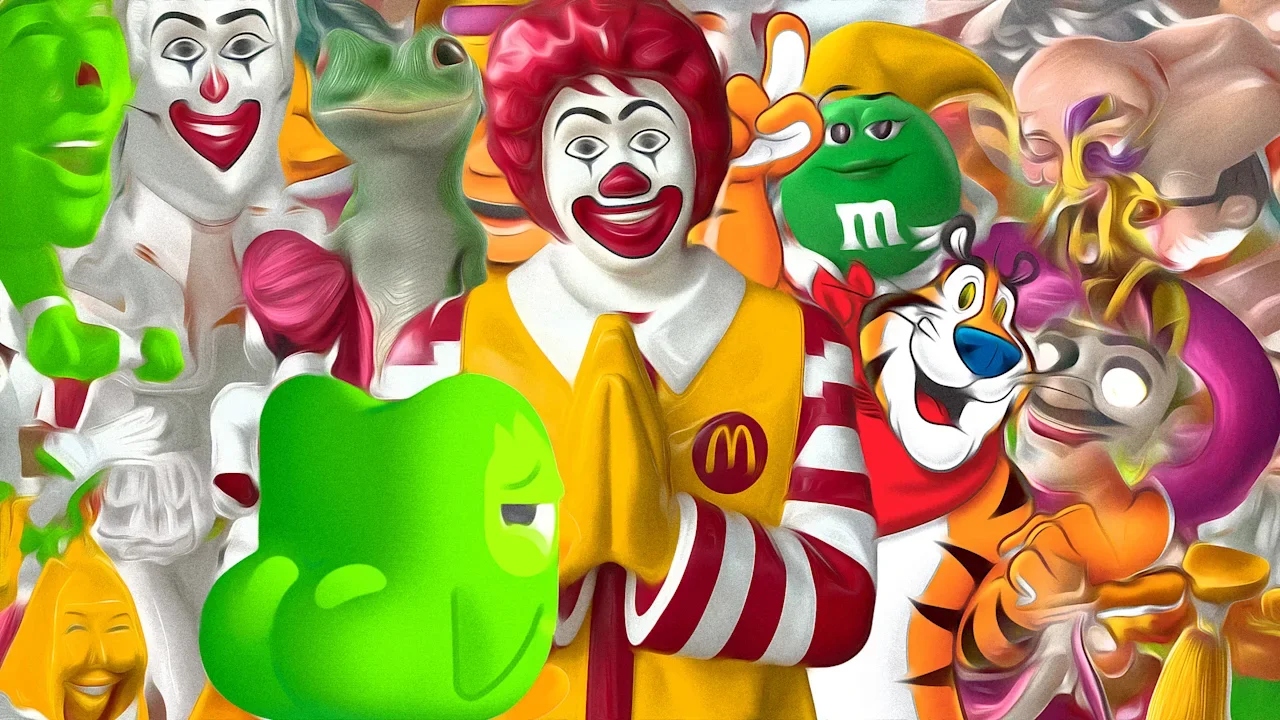
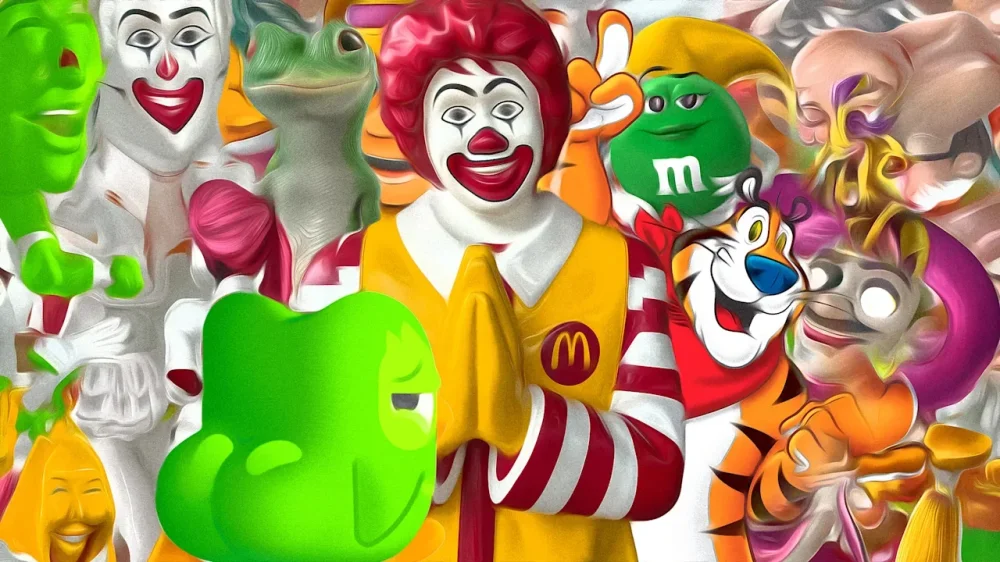
When OpenAI launched its text-to-video app Sora in September, there was immediate blowback. To absolutely no one’s surprise, users on the platform had a field day using popular characters in their AI-generated videos, in all sorts of—admittedly creative!—situations. (See OpenAI founder Sam Altman grilling Nintendo’s Pikachu.) Brands condemned the use of their intellectual property without permission. The Motion Picture Academy called out OpenAI for its blatant copyright violations. Soon after launch, Altman wrote a blog post addressing the issue, stating that Sora would give rightsholders “more granular control” of their IP on the app, adding that in the near future he expected that plenty of brands and content makers would actually welcome the chance to have their characters on the app. He called it a new form of “interactive fan fiction.” Well, that day is here. According to a recent report in The Wall Street Journal, OpenAI has opened the floodgates and is now in talks with brands about how they can bring their mascots and characters into the app for users to feature in videos. It’s obvious why OpenAI wants brands to free their mascots. People would love to play in that sandbox with well-known characters. Hell, they’re already doing it. But, um, what’s in it for the brands? Most brands are still trying to figure out what their mascot stance on Sora will be. I reached out to McDonald’s, Geico, KFC, and General Mills but none were ready to comment about it on the record. This is a newer, more urgent version of a conversation brands have been having for the past 15 years. In the age of social media, how much creative control should a brand cede to its audience? Now the stakes are even higher, given the pace of technological advancement, the public’s appetite to get AI sloppy, and our inability to distinguish between what’s real and what isn’t. “Sharing the pen” For what seems like centuries, the conversation between brands and everyone else was a one-way street. Advertising flashed in our eyes and blasted in our ears, and that was that. With social media, a two-way conversation began. The mantra among marketers circa 2008 was to get involved in the social conversation because people are talking about your brand whether you’re there or not. In the past few years, that has evolved even further to brands actually collaborating with fans and creators. Morgan Flatley, McDonald’s global chief marketing officer, calls this “sharing the pen.” Historically, most brands are nervous or overprotective when they aren’t in full control of the creative. McDonald’s was prime among them, vigilantly protecting its IP. In 2013, it won a federal case on trademark infringement in Canada against a dim sum restaurant called MacDimsum. In 2019, it sent a cease-and-desist order to a small Edmonton restaurant serving an “Effing Filet O’ Fish.” But the success of Famous Orders, a campaign launched in 2020 where it began regularly partnering with artists to customize meals and create merch, changed things. Allowing artists like Travis Scott, BTS, and Cactus Plant Flea Market to play with its brand logos and characters, and the passionate response from fans—along with the sold-out merch and boosted sales—gave Flatley and the brand more confidence to loosen the reins. The win for McDonald’s was in reflecting its role in culture (the artists are genuine fans) while creating something new. “I’ve become a big believer that if we lean into the right kind of creators in the right cultural phenomenon, and loosen some of our control on the brand, magic will happen,” Flatley told me back in 2023 when we talked about the brand’s partnership with Marvel. “A few years ago, I don’t know that we would have felt as comfortable handing over key aspects of our brand to be part of a storyline like this, but today we’re really aware of the authenticity of our brand and the role that it can play.” Alyson Griffin, State Farm’s head of marketing, told me recently that the key to a successful partnership with creators is to be prepared to give up some control. Brand leaders must do their due diligence and vet any potential partner, but then they must let them cook. “If you know you have the right person, because you vetted them to your brand needs, let them be them,” Griffin said. “Let them create, because then it looks and is authentic.” According to marketing intelligence firm Sensor Tower, Sora was downloaded 3.8 million times in the U.S. in its first month, despite only being available on iOS with an invite code. It was the No. 4 app in the U.S. over that same time. In a world where brands and marketers are looking for any and every opportunity to gain our attention, the temptation here is clear. Handing over your brand IP to the Sora 2 slop factory, however, is a recipe for disaster. Character chaos Brand mascots have been a staple of advertising for more than 100 years. They’re used to hawk everything from kids’ cereal to batteries, cigarettes to insurance, and they continue to be a valuable way for brands to forge an emotional connection with people. Take the insurance industry, which has a huge roster of mascots that aim to make their brands more relatable: Jake from State Farm, the Geico gecko, Flo from Progressive, Mayhem for Allstate, Liberty Mutual’s LiMu Emu (and Doug), and the Aflac Duck. A 2021 study reported that a long-term campaign featuring a recurring character will, on average, increase market share gain by 41%. The Grimace Shake helped McDonald’s boost U.S. sales by 10.3% in 2023. When I was in journalism school 20 years ago, we got an assignment to practice what’s called a survey article. Basically, you pick a topic and go ask a bunch of people the same question, then see what story angle emerges from their answer. I chose to visit as many tattoo artists as I could in an afternoon and ask them all “What’s the craziest tattoo you’ve ever done?” I’ll never forget the clear winner. When I asked the question, this artist’s eyes lit up, and he rushed to find a specific binder on his shelf. He frantically flipped through the photos and flash designs until he found it. “There!” He pointed to a photo of a man’s meaty calf featuring a very detailed and anatomically correct depiction of all the characters from Winnie-the-Pooh on a picnic blanket—having an orgy. That story taught me that some people will do anything for attention (and that I would never sing the Tigger song ever, ever again). Now that’s playing out in real time on Sora, with the app granting anyone’s weirdest visual wish. Remember the public discourse when M&M’s talked about making the green M&M “less sexy”? If Mars put its beloved characters on Sora 2, the brand is one quick prompt away from someone making Behind the Green (M&M) Door. You think that Duolingo owl is weird now? Just wait. Kevin Mulroy, founding partner and ECD at award-winning ad agency Mischief, says the upside for brands to surrender rights to their IP on Sora is still unclear. “Without much narrative control, and no clear link back to a strategy, it’s highly unlikely everyday people are going to use these mascots in the way these brands intend,” he says. Strategy vs. Slop The risk here is not just about brand mascots appearing in questionable content. It’s also the trade-off between the idea of facilitating people’s creativity versus brands being complicit in the sloppification of culture by allowing their mascots to be used on Sora. Prediction market Kalshi made a viral splash during last spring’s NBA playoffs with an absolutely hilarious and unhinged AI-generated spot (see above) that cost just $2,000 to make. Then in September, Jake Paul tricked folks with AI videos of himself in strange situations, later revealing that it was all a marketing stunt for Sora 2 (the spot attracted about 1 billion views in six days). Whenever new tech hits the market, the initial stunts get a ton of attention as these illustrate. But then what? “No doubt whichever brands are first to experiment will benefit from a bump in cultural awareness, as we’ve seen with Jake Paul’s likeness,” Mulroy admits. “But at what cost? In a world where it has never been easier for a brand to say something, the true value is in figuring out what it is the brand should say. The latter won’t come from rogue AI content.” Eventually every marketer will have to decide the value exchange in joining the Sora party. As Mulroy says, the key is making sure there’s an actual strategy behind it. If not, all that mascot’s brand value could end up getting f***ked on a picnic blanket. View the full article
-
I love FM radio. It’s okay: You can call me a Luddite. My alarm clock is the local public radio station. I love toggling between a few music stations while driving, or even while reading at home. And during a road trip, there’s nothing quite like discovering a community station with random locals curating their own playlists—it gives you a sense of where you are that no Spotify playlist can match. The problem: It’s hard to know what stations exist locally, even in your own town but particularly while on a road trip. You can explore the dial, which has a certain serendipity, but what if you just want to . . . know? And be able to tune in with or without an actual traditional radio in front of you? This tip originally appeared in the free Cool Tools newsletter from The Intelligence. Get the next issue in your inbox and get ready to discover all sorts of awesome tech treasures! Old-school listening with a modern twist This exact problem is why I like Radio Locator. It’s a free website that lets you enter any city or zip code and find all the terrestrial stations that are available for that area. ➜ It’ll show you a list of every FM and AM station in any U.S. city or zip code. You can also browse international radio stations by country. ⌚ And it all takes just a few seconds to do. This is a rare service that isn’t cluttered with ads or upselling. Just open the site, type a place, and you’ll see a list. Stations are sorted by frequency, but you’ll also see the call sign, the distance to the tower, and what format of radio station is offered. (I’m personally always looking for public radio or alternative stations, but you can figure out what you want for yourself.) 📲 Of course, all of this only applies if you’ve got an actual-factual FM radio on your hands. What if you’re more of a computer-and-phone kind of person? Easy: Just click through on any of the stations on Radio Locator, and they’ll generally take you to a website where you can stream the station. 💡 Or, if you prefer a dedicated tool for the job, there’s Streema. It’s a free site that makes it easy to search for and stream just about any radio station imaginable, anywhere in the world. A few stations redirect to websites—best I can tell for legal reasons—but the overwhelming majority of the time, you can just search for a website and start listening. Either way, you can find and listen to old-fashioned radio stations anytime. Again: I recommend finding public and community stations, as those tend not to have ads, but take the time to explore. It’s nice to get away from the algorithm sometimes. You can open Radio Locator and Streema directly in your web browser on any device. Streema also offers an app called Simple Radio for both Android and iOS, if you’d rather go that route. Radio Locator and Streema are both free in the browser. Simple Radio is free with on-screen ads or you can get an ad-free version for $6 a month. Neither site requires a login or any real personal data, but you can opt to share your location—if you want. Treat yourself to all sorts of brain-boosting goodies like this with the free Cool Tools newsletter—starting with an instant introduction to an incredible audio app that’ll tune up your days in truly delightful ways. View the full article
-
“You really have to stand up for yourself.” That’s the message Shark Tank star Barbara Corcoran sent loud and clear in a recent interview she gave LinkedIn CEO Ryan Roslansky. The interview is full of powerful lessons from Corcoran’s life, but one story stood head and shoulders above the rest: The time Shark Tank fired her, before she taped a single episode. Corcoran said she received a call from a woman asking her to be on a new show called Shark Tank. Ecstatic, Corcoran agreed. She immediately went on a shopping spree, buying new outfits and autograph-signing materials. “I’m going to Hollywood!” she excitedly told her friends. Then, Corcoran got a dreadful phone call telling her “they changed their mind” and had decided to give her seat to another woman. “I just couldn’t believe it,” said Corcoran. “It was the equivalent of [my ex-boyfriend] telling me he was marrying my secretary.” After hanging up the phone, Corcoran says she was “crestfallen.” But after taking a minute to feel sorry for herself, she took matters into her own hands. Corcoran wrote an email directly to Shark Tank creator, Mark Burnett. “Dear Mark, I consider your rejection a lucky charm,” Corcoran says. “Everything good happens to me after I get rejected.” Corcoran then detailed multiple stories as evidence, including the time Donald The President told her she’d never collect a penny of her $4 million commission, after which Corcoran says she sued The President and got every penny. Corcoran says she ended the email like this: “I expect to be on that plane on Tuesday. And I hope you let me compete for the seat.” Shortly thereafter, Burnett’s secretary wrote Corcoran telling her she would have the chance to compete for the seat. The rest is history. Corcoran’s actions teach a powerful lesson in emotional intelligence, the ability to understand and manage emotions effectively. Let’s break down three valuable takeaways from Corcoran’s story and see how you can apply them to your own business. (If you find value in this lesson, you might be interested in my free emotional intelligence course, which provides a new tip for building emotional intelligence every day for a week.) Don’t dwell on negative emotions Corcoran credits her employees for teaching her a lesson that helped her at this crucial moment. “I learned from my salespeople over the years that the greatest salespeople [spend] less time feeling sorry for themselves,” Corcoran said. “They take the hits like everybody else but they don’t give themselves much time.” “I mimic them in my own personality. And I really credit their example [for] what I did to Mark Burnett.” It’s not just effective salespeople. Everyone experiences failure. Everyone has bad moments. But instead of dwelling on negative emotions, emotionally intelligent people have the ability to process them and move on. As it’s been said: You may not be able to stop a bird from landing on your head, but you can keep it from building a nest. Use negative experiences as motivation Instead of throwing herself a pity party, Corcoran used Burnett’s rejection as motivation. She then channeled those feelings and emotions into her email. It worked. Not only did Corcoran motivate herself, her quick action, confidence, and masterful storytelling convinced Burnett to change course and give her a shot. Corcoran says she learned that lesson when her ex-husband told her he was leaving her for her secretary. Consequently, Corcoran split the business she ran with her ex in half, and he told her she’d never succeed without him. “When he gave me that curse leaving, I’ll tell you, I knew I was going to be successful,” Cocoran said. “Just to prove him wrong.” Negative emotions can be useful if you learn how to harness them. But to do that, you have to consciously decide what you’re going to do with them. Be like Corcoran and use negative emotions as a catalyst for positive action. Focus on what you can control Corcoran realized she couldn’t force Burnett to change his mind. But she could stand up for herself, which would prove beneficial for her mental state. And by getting on that plane and showing up, Corcoran gave herself every opportunity to get on Shark Tank. This teaches a final powerful lesson: You can’t waste time on things you can’t control. But you can focus on what you can control and take action accordingly. Dealing with a customer who refused to pay an invoice? Offer them a compelling reason to pay. Got an employee who’s lost their drive? Give them a listening ear and think of how you can support them. The key is to ask yourself: What can I do to make this situation better? So, the next time you’re frustrated by someone else’s actions, take a page out of Barbara Corcoran’s playbook and: Don’t dwell on negative emotions. Use the experience as motivation. Focus on what you can control. In doing so, you’ll turn a negative into a positive, make emotions work for you, and experience positive results in the process. —Justin Bariso This article originally appeared on Fast Company’s sister publication, Inc. Inc. is the voice of the American entrepreneur. We inspire, inform, and document the most fascinating people in business: the risk-takers, the innovators, and the ultra-driven go-getters that represent the most dynamic force in the American economy. View the full article

-
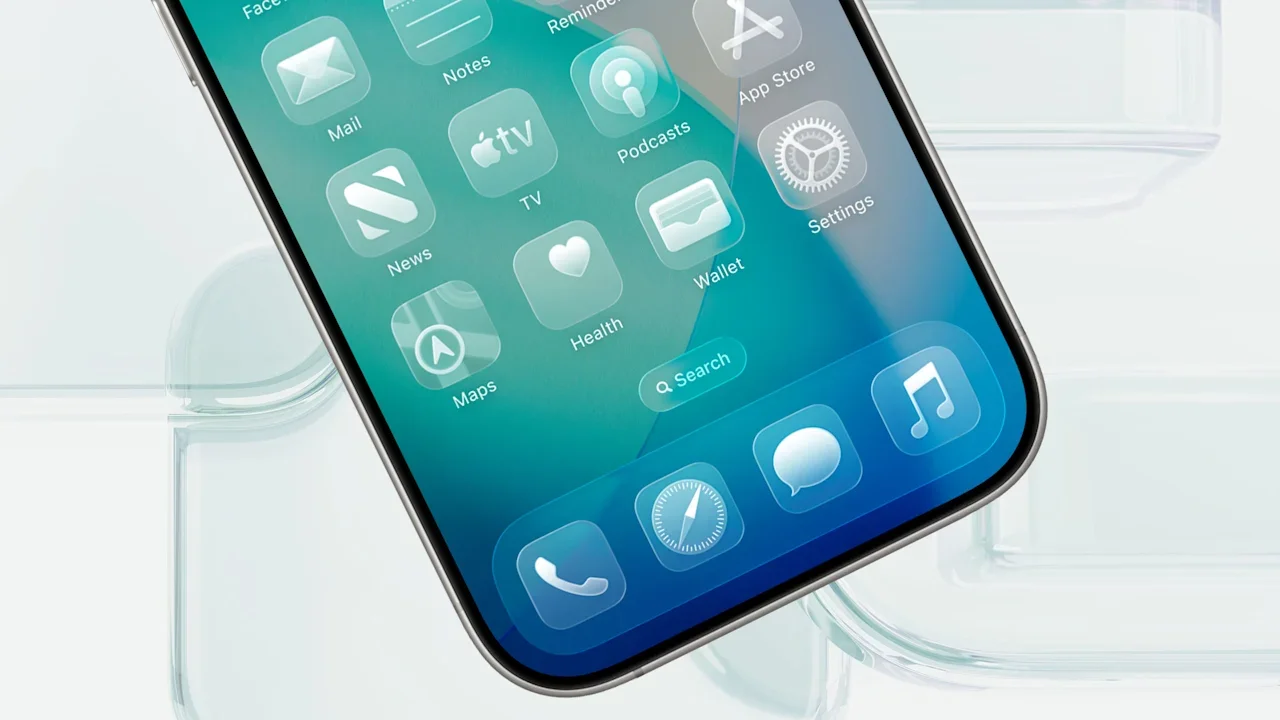
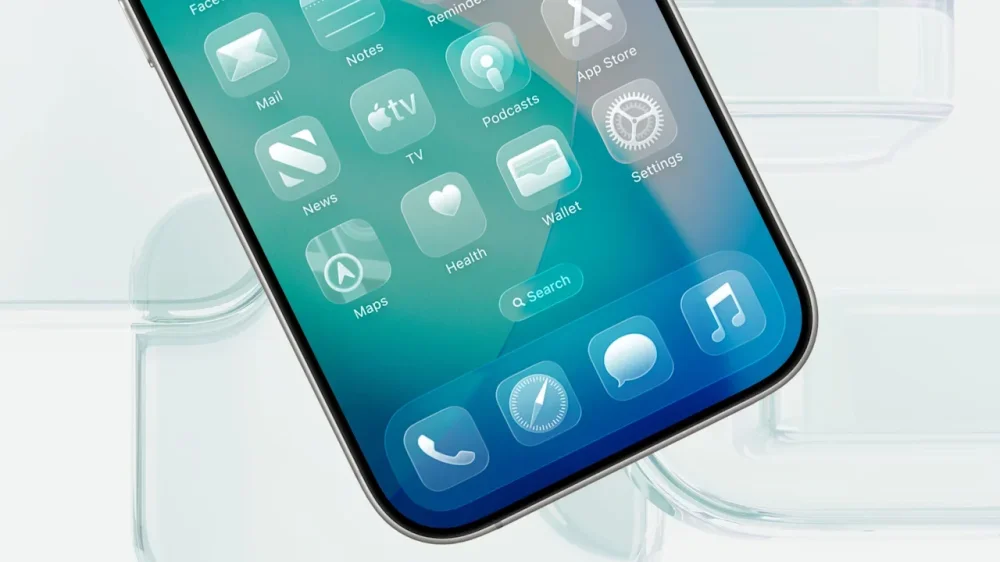
Two months ago, Apple released iOS 26 for the iPhone. The new operating system includes several productivity and other enhancements, but the main feature is a new design language called Liquid Glass. The flat, minimalist look of iOS that lasted for more than a decade is gone, replaced by a transparent interface of toolbars and buttons that mimic how light bends and warps as it passes through glass. Those who appreciate the new look of iOS often praise Liquid Glass as refreshing and unique, saying it gives the iPhone’s software a sense of fluidity that other touch interfaces lack. Others argue that Liquid Glass’s transparent elements make the device harder to use, as the content behind iOS 26’s buttons and toolbars often obscures the symbols or text that label the interface elements. If you fall into the latter group, there’s some good news. Apple is increasingly providing options to tone down the most controversial aspects of the Liquid Glass design. Here they are: Option #1: Turn on the tint This week, Apple released its first major update to iOS 26: iOS 26.1. This update fixed numerous bugs while also adding new features; it expanded Apple Intelligence and AirPods Live Translation features to new countries, added new swipe controls to the Music app, and overhauled the alarm clock interface so you don’t accidentally tap “snooze” and miss your meeting. But as Fast Company previously reported, iOS 26.1’s best new feature is a toggle that lets users tone down Liquid Glass’s design. It does this by allowing users to choose between two different Liquid Glass interfaces. The “Clear” interface is the default Liquid Glass, with interface element transparency at a maximum. The “Tinted” interface option reduces this default transparency to give Liquid Glass elements a more frosted look. This can greatly improve the readability of button and toolbar labels by increasing their contrast. Turning on the Liquid Glass tint is easy, as long as you have iOS 26.1 installed on your iPhone: Open the Settings app. Tap Display and Brightness. Tap Liquid Glass. Tap the “Tinted” option. As you can see from the screenshots above, the “tinted” Liquid Glass option brings a frosted look (right) to the default transparency (left). Option #2: Increase the contrast If you’re still on iOS 26.0 or just want to eliminate the default look of Liquid Glass even more on your iPhone that’s running iOS 26.1, you can tone down Liquid Glass in three other ways. . The first is by enabling the “Increase Contrast” Accessibility option on your iPhone. This feature is designed for users with sight issues, but anyone can enable it, and many have found that doing so makes Liquid Glass more palatable. As Apple notes, enabling this setting helps “Increase color contrast between app foreground and background colors.” Here’s how you turn it on: Open the Settings app. Tap Accessibility. Tap Display & Text Size. Toggle the “Increase Contrast” switch to ON (green). As you can see in the screenshots above, enabling the “Increase Contrast” option (right) adds a slight outline around interface borders and adds a grey smokiness to transparent elements, which makes text and buttons easier to see than they are in the default Liquid Glass design (left). Option #3: Reduce the transparency A third way to tone down Liquid Glass is to enable another Accessibility option on your iPhone called “Reduce Transparency.” This option tones Liquid Glass down even further than the “Increase Contrast” option, greatly reducing its transparency. As Apple notes, this option helps “Improve contrast by reducing transparency and blurs on some backgrounds to increase legibility.” To enable the setting: Open the Settings app. Tap Accessibility. Tap Display & Text Size. Toggle the “Reduce Transparency” switch to ON (green). As you can see in the screenshot above, enabling the “Reduce Transparency” option (right) virtually blocks any background content from bleeding through buttons and toolbar elements. Option #4: Outline buttons for easier visibility A final way to tone down Liquid Glass is to force iOS 26.1 to show borders around buttons and other UI elements. This is done via the “Show Borders” Accessibility option. This option forces outlines to appear around “prominent UI,” according to Apple’s iOS 26.1 notes. To enable the setting: Open the Settings app. Tap Accessibility. Tap Display & Text Size. Toggle the “Show Borders” switch to ON (green). As you can see in the screenshot above, enabling this option displays a thin outline around buttons and other UI elements, helping them stand out more on your screen. Liquid Glass isn’t going away The new look of iOS 26 isn’t temporary—nor should it be. While there have been some vocal detractors to the new design, a large majority of iPhone users seem to love the refreshed look. After Apple spent years developing that new design, there’s no way they would go back to the old one. But Apple’s addition of a new “tint” option for Liquid Glass via a dedicated control in the iOS 26.1 Settings app shows that the company is listening to feedback from all its users and is not averse to giving individuals more control over how Liquid Glass looks to them. So, while you may not be able to turn off Liquid Glass, you now at least have three ways to tone it down. View the full article
-
Revolut chair calls for curbs to cash Isa tax-free allowance View the full article
-
Wealth managers issue warning as worries grow among people in their 20s over the economy and job prospectsView the full article
-
Fiscal drag accounts for two-thirds of those paying the additional rate of income tax View the full article
-
The next bailout is likely to involve inflationary financing of fiscal deficits by central banksView the full article
-
A lack of intrepid amateurs might explain stagnant societiesView the full article
-
Regional leaders fear proposal to rebuild half of enclave under Israeli control will lead to long-term partitionView the full article
-
Both sides must abandon false moral certainties and oversimplified historical narratives if the cycle of violence is to be brokenView the full article
-
Biotech says it opted for revised offer from US pharma company after rival Novo bid raised antitrust concernsView the full article
-
Asset manager’s move to close Impact Opportunities strategy comes amid broader pullback from ESGView the full article
-
US president grants relief to fellow rightwing populist after moving to punish Russia over lack of peace deal with UkraineView the full article
-
We may earn a commission from links on this page. Deal pricing and availability subject to change after time of publication. The Microsoft Surface Book 3 isn't the newest model on the market, but it's one of the few laptops that can serve as both a tablet and a creative workstation, which helps explain why it initially launched at nearly $1,700. Currently, StackSocial is offering the 15-inch 2020 Surface Book 3 on sale for $929.99, equipped with 32GB of RAM and 512GB of SSD storage, or on sale for $999.99 for the 1TB version. The smaller 13.5-inch models are also available, priced between $699.99 and $799.99. Each one is refurbished to Grade A condition, meaning it looks nearly new, has undergone thorough testing, and comes with a one-year warranty. Even today, the Surface Book 3 remains a standout in real-world use. The combination of a 10th Gen Intel Core i7 processor and NVIDIA GeForce GTX 1650 graphics still handles most creative workloads—such as photo editing, video projects, or even casual gaming—with minimal slowdown. The 15-inch PixelSense touchscreen is crisp and color-rich, supporting both touch and stylus input, making it ideal for sketching or taking handwritten notes. The screen detaches completely, transforming it into a tablet or studio-style canvas when needed. That flexibility is where the Surface Book line really shines, especially for individuals who frequently switch between productivity, design, and entertainment. The 32GB of RAM and 512GB or 1TB SSD options make it easy to run multiple apps or store large projects, and the battery life still impressively stretches close to 15 hours under normal use. Of course, this is still a 2020 model, so there are trade-offs: The design isn’t as slim as newer Surface devices, and the webcam is limited to 720p. Also, it ships with Windows 10, but is fully upgradeable to Windows 11. For anyone who values flexibility in their setup (something that works as a full laptop one minute and a sketching tablet the next), the Surface Book 3 offers plenty of value at its refurbished price. Microsoft Surface Book 3 (2020) 15" 512GB ($929) Microsoft Surface Book 3 (2020) 15" 1TB ($999) Microsoft Surface Book 3 (2020) 13.5" 512 GB ($699) Microsoft Surface Book 3 (2020) 13.5" 1TB ($799) Our Best Editor-Vetted Tech Deals Right Now Apple AirPods 4 Wireless Earbuds — $119.00 (List Price $129.00) Apple iPad 11" 128GB A16 WiFi Tablet (Blue, 2025) — $299.00 (List Price $349.00) Shark AI Ultra Matrix Clean Mapping Voice Control Robot Vacuum with XL Self-Empty Base — $299.99 (List Price $599.00) Amazon Fire TV Stick 4K Plus — $24.99 (List Price $49.99) Google Pixel 10 Pro 128GB Unlocked Phone (Obsidian) — $749.00 (List Price $999.00) Amazon Fire HD 10 (2023) — $69.99 (List Price $139.99) Google Nest Cam Indoor (Wired, 3rd Gen) - Security Camera with 2K Video and Gemini, Night Vision, 2-Way Audio, Works with Google Home - 2025 Model - Snow — $74.99 (List Price $99.99) Sony WH-1000XM5 — $328.00 (List Price $399.99) Fitbit Versa 4 Fitness Smartwatch (Black) — $119.95 (List Price $199.95) Blink Outdoor 4 1080p Wireless Security Camera (5-Pack) — $159.99 (List Price $399.99) Deals are selected by our commerce team View the full article
-
Move would reduce tax benefits from salary sacrifice pension schemes as chancellor aims to fill fiscal hole View the full article
-
President claims groups are pushing up prices via ‘illicit collusion and price-fixing’ View the full article
-
Defence secretary announces measures to increase competition for Pentagon contractsView the full article
-
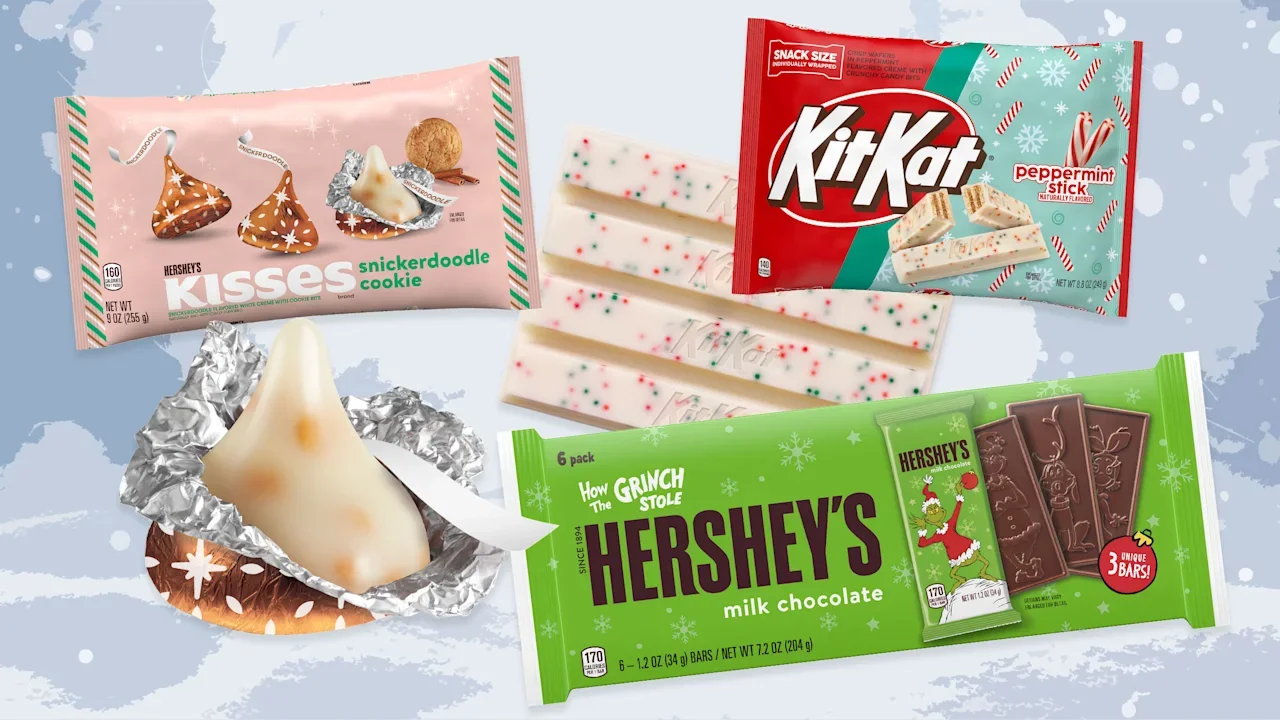
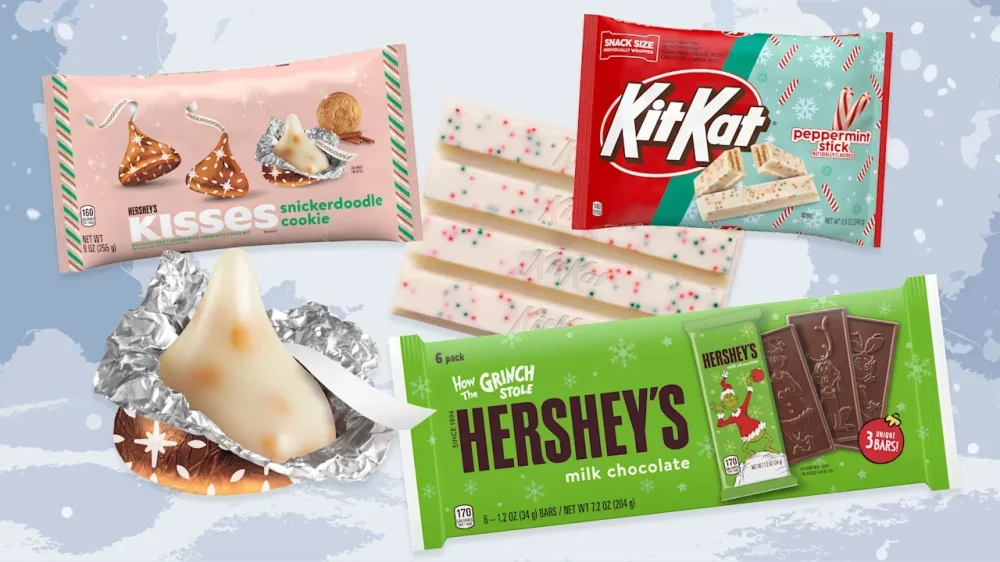
Now that Halloween has come and gone, you might have wrongly assumed that candy season is over. Not if the Hershey Company anything to say about it. In fact, the sweets are just getting started. On its first-annual holiday virtual preview this week, the confectionary company revealed four exciting new products and explained how the company is stocked and ready to make the hectic holiday season even sweeter. Here’s what to know: What new items does Hershey have up its sleeve? Hershey announced four new treats that will hit shelves this holiday season: Hershey’s Kisses Snickerdoodle Cookie Candy Kit Kat Peppermint Stick Reese’s Mini Trees Hershey’s Grinch Milk Chocolate Bar After extensive market research, Hershey discovered that a resounding 76% of people stated they would purchase a snickerdoodle-flavored option, and Hersey is obliging with new snickerdoodle Kisses. It’s the perfect topping for a cookie and there’s even a recipe right on the packaging. The gold wrapper also looks delightful in a candy dish. Research also showed that mint is a popular flavor during the winter months. To capitalize on that trend, Kit Kat bars now have a peppermint version. These come in snack size, normal size, and king size to appease all hunger magnitudes. Meanwhile, the classic Hershey’s Milk Chocolate Bars are continuing their partnership with the Grinch, Dr. Seuss’s iconic Christmas hater. Popular characters such as Cindy Lou Who, Max, and the big-hearted green guy himself are molding into the chocolate making it extra festive. Cheerful shapes are also here to stay. Reese’s Peanut Butter Trees, now available in a mini version, are a perfect tree trimming snack. How Hershey became a confectionary powerhouse These days, the name Hershey is almost synonymous with chocolate bars but the company actually started with caramel. In 1886, Milton S. Hershey founded the Lancaster Caramel Company in Lancaster, Pennsylvania. After attending the World’s Columbian Exposition of 1893, Hershey fell in love with chocolate and created the Hershey Chocolate Company as a subsidiary of his original company. In 1900, he would sell the Lancaster Caramel Company but retain the chocolate side of the business. That same year, the first Hershey’s Milk Chocolate bars were sold in an effort to make the confection affordable to the average person. Hershey’s Chocolate Kisses would make their debut seven years later. In 1925, the Goodbar was introduced, and in 1963 Hershey acquired H.B. Reese Candy Company. The Hershey Company today is the parent company for over 100 brands, including Jolly Rancher, Rolos, and SkinnyPop. With a market cap of roughly $34 billion, the company reported net sales of $11.2 billion last year. And it’s not just about sweet treats. Hershey’s salty snacks unit in North America grew 10% in the third quarter of this year, generating $321 million. It’s never too early Hershey’s is ready for the big holiday shopping rush. In the preview event, the company explained that customers shop early because they are planning ahead, want a little treat for themselves, and don’t want to miss out on limited-edition items. So if you were worried about missing the Halloween season, consider holiday sweets as just as satisfying. And as an added bonus, you get to create traditions around the confections that don’t require anything scary. Savor the sweetness of the season with Hershey’s many merry offerings. View the full article
-
Property and other assets are being used as collateral in fast private loans for those who have little cash on handView the full article
-
Technology stocks fell on Friday, amid fears of an AI bubble, a further drawn out federal government shutdown, and economic data that suggests consumer sentiment has fallen toward record-low levels. That’s in addition to economic data that showed last month’s layoffs hit their highest level for October—in 20 years. That report, from global outplacement firm Challenger, Gray & Christmas, also also said hiring slowed to lowest point in 14 years. Despite strong third-quarter earnings reports, the tech-heavy Nasdaq Composite Index (^IXIC) was down once again, for the second consecutive day, about 1% in afternoon trading on Friday, as big Tech Stocks tumbled, closing out the week as the Index heads toward what could be its worst week since April, when the The President Administration introduced its “Liberation Day” tariffs. Chip stock Arm Holdings plc (ARM) was down 4%, while Advanced Micro Devices, Inc. (AMD) fell 3%, and Al chip designer Nvidia (NVDA) was down 1%, at the time of this writing in afternoon trading, as investors worry about high valuations, and mass layoffs in the name of artificial intelligence (AI). Tesla (TSLA) was also down some 3%. Among those sounding alarm bells is hedge fund investor Michael Burry, who runs Scion Asset Management, and is betting against both betting against both Nvidia and Palantir. According to his Securities and Exchange Commission filings, Scion bought an estimated $187.6 million in puts on Nvidia, and another $912 million on Palantir, as CNN reported. Burry has warned both companies are overvalued. (Burry famously predicted the 2008 housing market collapse, and was made famous by the 2015 film The Big Short.) Last week Burry posted on X, “Sometimes, we see bubbles. Sometimes, there is something to do about it. Sometimes, the only winning move is not to play,” in what some think is his way of saying there is an AI bubble. View the full article

-
The FHFA director hinted at a partnership in the works and doubled down on criticism of homebuilders and the Fed chair in a housing conference interview. View the full article

-
Two years ago, Peloton recalled seat posts on its classic Bike models. Now, the brand is doing the same for seats on its older Bike+ models (but not the new Cross Training Bike+ that came out a few weeks ago). If you have the old model of Bike+, you'll need to reach out to Peloton to arrange a replacement. Which Peloton models are affected by the recall?Per Peloton, this is a voluntary recall of seat posts for Bike+ models made between December 2019 and July 2022 and sold in the U.S. and Canada. If your Bike+ has a PL02 model number on the label inside or behind the front fork or behind the flywheel, it is impacted by the recall. If you've checked and you're still not sure, head to this link for more information. Why the recall is happeningLike the previous recall of classic Bike seats, this issue centers around the Bike+'s seat post, which, "can break during use, posing a potential fall and injury risk to consumers," according to Peloton. The situation seems less serious than that previous recall, when at least 11 people were injured due to the faulty posts. Peloton says it has received three reports of seats breaking across about 833,000 units in the U.S., but no reports of broken seats among the almost-45,000 units in Canada. How to get a replacement Bike+ seatThe replacements are free, so if you qualify, get one right away. To get yours, visit this link or call Peloton's customer service at (833) 821-0099. View the full article
-
iPadOS 26 is a huge deal for anyone who wishes Apple would just make a touchscreen MacBook already. The update rolls out a major multitasking redesign that introduces macOS-like windows, a macOS-like menu bar, and a macOS-like file management. The iPad even has the Preview app, for crying out loud—though, to be fair, so does the iPhone. Apple has toed the line with its tablets over the years, introducing features and functions that make the experience more like using a computer, while never really committing to the bit entirely. To that point, iPadOS 26 probably won't replace your MacBook, but it comes pretty close. If your major concerns have to do with things like window and file management, this update is likely up your alley. But even as this new iPad era seems all about a more traditional computing affair, Apple is going backwards a bit, but in a very good way: The latest iPadOS update brings back a fan-favorite multitasking feature: Slide Over. Slide Over makes window management easierPrior to iPadOS 26, Slide Over had been a cornerstone of multitasking on Apple's tablets for years. While you could have multiple apps open at once in varying window sizes, Slide Over let you designate an app window that kept more of an iOS shape—specifically something long and vertical. As the name implies, this window could slide over from the ride side of the display whenever it was needed, and could easily slide back when it wasn't. It was perfect for keeping a social media feed or a messaging app at hand while working on something else: Imagine having two windows open on your iPhone, one for Safari and one for Google Docs, but whenever you needed to send a text, you could pull a Messages window out from the right side of the screen, and swipe it away when it was time to get back to work. The Mac has no equivalent to this, of course, as it relies on standard window management. Perhaps Apple thought that if iPadOS 26 also had more of a standard window management, it no longer needed Slide Over. As such, the company removed the feature as part of its big iPad update this fall. It's not clear whether Apple received negative feedback about this omission, or whether the company decided it missed the feature as well, but regardless of the reasoning, Slide Over is back as of iPadOS 26.1. Slide Over is a little different with iPadOS 26.1 Credit: Lifehacker That said, t feature doesn't work exactly the same as it used to. In order to use it, you need to be using your iPad in Stage Manager or windowed mode, which you can choose from Control Center, or from Settings > Multitasking & Gestures. From here, open an app for which you want to use Slide Over. Long press on the window controls in the top-left corner of the app window, then choose "Enter Slide Over." The app will squish into an iOS-like window on the right side of the display, and you can dismiss it by swiping it away. You can also resize the window into whatever shape or size you want, while still retaining that Slide Over ability. In the image above, you'll see that I shrunk my Apple Music window into more of a square, but you can make it as big as you want—though that might defeat the purpose of setting it as a Slide Over window. How to update to iPadOS 26.1 (and beyond)If you haven't yet done so, you can install the 26.1 update right now from Settings > General > Software Update. In addition to Slide Over, you'll find some other neat features and changes, like the ability to control how Liquid Glass looks on your iPad. If you're a beta tester, you'll skip right over iPadOS 26.1, as Apple is currently testing iPadOS 26.2. The public beta is currently available, and lets you add alarms to reminders for the first time. View the full article
-
With Black Friday just about three weeks away, retailers and shoppers have one thing on their mind—Christmas, the busiest and most profitable time of the year. And now, with Halloween behind us, Spirit Halloween has pivoted to holiday-themed Spirit Christmas, featuring festive decor, gifts, holiday apparel, and interactive displays—including nutcrackers, inflatable lawn Santas, and ugly Christmas sweaters. The retail chain, owned by Spencer Gifts, launched nearly a dozen Spirit Christmas stores throughout the Northeast in 2024. This year, Spirit Christmas is opening 30 store locations in 12 states in the Northeast and Great Lakes area, including its flagship store in Mays Landing, New Jersey. Those stores are in: Connecticut, Delaware, Illinois, Indiana, Kentucky, Maryland, Massachusetts, Michigan, New Jersey, New York, Ohio, and Pennsylvania (see below for a full list of locations). As for the Spirit Halloween locations, some are making the transition to Christmas themes, while others are closing down till next year. Here are all 30 Spirit Christmas locations, according the store locator: CONNECTICUT Manchester, CT Milford, CT DELAWARE Christiana, DE ILLINOIS Bloomingdale, IL Joliet, IL Naperville, IL INDIANA Fort Wayne, IN Merrillville, IN KENTUCKY Lexington, KY MARYLAND Waldorf, MD MASSACHUSETTS North Attleborough, MA Dartmouth, MA MICHIGAN Grand Rapids, MI Novi, MI NEW HAMPSHIRE Salem, NH NEW JERSEY Cherry Hill, NJ Lawrenceville, NJ Mays Landing, NJ Paramus, NJ Rockaway, NJ Toms River, NJ NEW YORK Amherst, NY Bohemia, NY Poughkeepsie, NY OHIO Mentor, OH North Canton, OH PENNSYLVANIA Bethel Park, PA Erie, PA Pittsburgh, PA Whitehall, PA View the full article