Newsletter
Want to keep up to date with all our latest news and information?


ResidentialBusiness
Administrators
-
Joined
-
Last visited
Everything posted by ResidentialBusiness
-
The list of Rite Aid drugstores marked for closure continues to grow at a furious pace after the ill-fated pharmacy chain filed for bankruptcy a second time. In a court filing last week, the company said it would move to close 151 additional locations in 10 states, its largest batch of closures since the Chapter 11 process began three weeks ago. Three earlier filings had disclosed a combined 210 closures, as Fast Company previously reported. That means the list of stores that are expected to shutter on an accelerated timeline is now over 360—more than a quarter of Rite Aid’s fleet of 1,277 locations. Fast Company reached out to Rite Aid for more information on when the stores are expected to close. According to the filing, interested parties have until June 2 to object. Sold for parts Every Rite Aid store will eventually close or be sold to another entity, but many customers and employees have faced uncertainty about the fate of their local Rite Aid locations in the interim, as the company has not publicly shared many detailed updates. On May 15, Rite Aid reached deals to sell off most of its pharmacy assets, including agreements with Walgreens, Albertsons, and others. Notably, pharmacy giant CVS will hoover up prescription files for 625 Rite Aid locations, but it will only take over 64 physical stores in three states: Washington, Oregon, and Idaho. As for Rite Aid’s remaining assets, interested parties have until June 13 to submit a bid, with an auction planned for June 20. But at the rate these stores are closing, there may not be many Rite Aid stores left by then. The full list of 151 Rite Aid locations marked for closure on last week’s court filing is below. These locations join previous waves of closures announced here, here, and here. California 10120 MASON AVENUE CHATSWORTH CA 91311 535 ROBINSON AVENUE SAN DIEGO CA 92103 220 EAST GRAND AVENUE EL SEGUNDO CA 90245 11961 VALLEY VIEW STREET GARDEN GROVE CA 92845 740 OTAY LAKES ROAD CHULA VISTA CA 91910 2300 HARBOR BOULEVARD SUITE G COSTA MESA CA 92626 7239 WOODMAN AVE VAN NUYS CA 91405 6639 WATT AVENUE NORTH HIGHLANDS CA 95660 2555 MAIN STREET OAKLEY CA 94561 1260 WEST CAPITOL AVENUE WEST SACRAMENTO CA 95691 4300 ELVERTA ROAD ANTELOPE CA 95843 806 RAMSEY STREET BANNING CA 92220 1660 E 1ST STREET BEAUMONT CA 92223 680 SOUTH STATE STREET UKIAH CA 95482 575 M STREET CRESCENT CITY CA 95531 80 RANCHO DEL MAR APTOS CA 95003 57701 29 PALMS HIGHWAY YUCCA VALLEY CA 92284 1701 AIRLINE HIGHWAY HOLLISTER CA 95023 1730 SOUTH MAIN STREET WILLITS CA 95490 580 BAILEY ROAD BAY POINT CA 94565 855 MONO WAY SONORA CA 95370 3650 ADAMS AVENUE SAN DIEGO CA 92116 490 SOUTH MAIN STREET FORT BRAGG CA 95437 16642 SOLEDAD CANYON RD CANYON COUNTRY CA 91387 811 TUCKER ROAD TEHACHAPI CA 93561 18993 COLIMA ROAD ROWLAND HEIGHTS CA 91748 894 OAK VALLEY PARKWAY STE B BEAUMONT CA 92223 1300 WEST F STREET OAKDALE CA 95361 1988 FREEDOM BOULEVARD FREEDOM CA 95019 8508 PAINTER AVENUE WHITTIER CA 90602 1317 EAST PACHECO BOULEVARD LOS BANOS CA 93635 3795 WEST SHIELDS AVENUE FRESNO CA 93722 8015 LIMONITE AVENUE RIVERSIDE CA 92509 9532 WINTER GARDENS BLVD. LAKESIDE CA 92040 Delaware 18898 REHOBOTH MALL BLVD REHOBOTH BEACH DE 19971 24892 JOHN J WILLIAMS HWY MILLSBORO DE 19966 400 PEOPLES PLAZA NEWARK DE 19702 4607 STANTON OGLETOWN ROAD NEWARK DE 19713 1120 SOUTH CENTRAL AVENUE LAUREL DE 19956 Idaho 43 WEST PRAIRIE SHOPPING CTR HAYDEN ID 83835 1810 WEST PULLMAN ROAD MOSCOW ID 83843 451 DEINHARD LANE MCCALL ID 83638 2107 BLAINE STREET CALDWELL ID 83605 Maryland 2855 SMITH AVENUE BALTIMORE MD 21209 6402 GOLDEN RING ROAD BALTIMORE MD 21237 101 REISTERSTOWN ROAD PIKESVILLE MD 21208 6300 YORK ROAD BALTIMORE MD 21212 New Hampshire 5 MILL RD. UNIT G DURHAM NH 03824 72 LAFAYETTE ROAD NORTH HAMPTON NH 03862 58 CALEF HIGHWAY LEE NH 03861 New Jersey 7 WEST LANDIS AVENUE VINELAND NJ 08360 865 ROUTE 45 PILESGROVE NJ 08098 424 ROUTE 9 BAYVILLE NJ 08721 332 RARITAN AVENUE HIGHLAND PARK NJ 08904 220 MATHISTOWN ROAD LITTLE EGG HARBOR NJ 08087 130 EAST MAIN STREET PENNS GROVE NJ 08069 76 SMITH STREET PERTH AMBOY NJ 08861 3258 BRIDGE AVENUE POINT PLEASANT NJ 08742 52 EAST BROAD STREET BRIDGETON NJ 08302 531 US HIGHWAY 22 EAST WHITEHOUSE STATION NJ 08889 1070 NORTH PEARL STREET BRIDGETON NJ 08302 3553 WASHINGTON ROAD PARLIN NJ 08859 151 ROUTE 94 BLAIRSTOWN NJ 07825 220 ROUTE 70 TOMS RIVER NJ 08755 New York 209 MOUNT ZOAR STREET ELMIRA NY 14904 149 MARKET STREET AMSTERDAM NY 12010 1679 BEDFORD AVENUE BROOKLYN NY 11225 158-02 UNION TURNPIKE FLUSHING NY 11366 1030 PINE AVENUE NIAGARA FALLS NY 14301 272 HOOSICK STREET TROY NY 12180 604 ROUTE 9 WAPPINGERS FALLS NY 12590 9302 3RD AVENUE BROOKLYN NY 11209 165-02 BAISLEY BOULEVARD JAMAICA NY 11434 1000 NORTH CLINTON AVENUE ROCHESTER NY 14621 3700-06 JUNCTION BOULEVARD FLUSHING NY 11368 1863 CENTRAL AVENUE COLONIE NY 12205 33-01 30TH AVENUE ASTORIA NY 11103 3823 NOSTRAND AVENUE BROOKLYN NY 11235 405 ERIE BOULEVARD WEST ROME NY 13440 343 MEADOW DRIVE NORTH TONAWANDA NY 14120 113 DOWNER STREET BALDWINSVILLE NY 13027 21-25 BROADWAY LONG ISLAND CITY NY 11106 2063 BARTOW AVENUE BRONX NY 10475 605 TITUS AVENUE ROCHESTER NY 14617 1820 TEALL AVE SYRACUSE NY 13206 4854 COMMERCIAL DRIVE NEW HARTFORD NY 13413 7118 3RD AVENUE BROOKLYN NY 11209 6900 4TH AVENUE BROOKLYN NY 11209 1950 FULTON STREET BROOKLYN NY 11233 1924 GENESEE STREET UTICA NY 13502 961 PORT WASHINGTON BLVD. PORT WASHINGTON NY 11050 4374 BUFFALO ROAD NORTH CHILI NY 14514 12208 N.Y. STATE ROUTE 16 YORKSHIRE NY 14173 5380 WEST TAFT ROAD N SYRACUSE NY 13212 Pennsylvania 1505 7TH AVENUE BEAVER FALLS PA 15010 4770 MCKNIGHT ROAD STE A PITTSBURGH PA 15237 25 EAST PIKE STREET CANONSBURG PA 15317 115 PERRY HWY STE 146 HARMONY PA 16037 1334 WINDRIM AVENUE PHILADELPHIA PA 19141 1913 EAST 3RD STREET WILLIAMSPORT PA 17701 7719 MAIN STREET FOGELSVILLE PA 18051 2901 CARLISLE ROAD DOVER PA 17315 1430 BALTIMORE STREET HANOVER PA 17331 760 BROAD STREET MONTOURSVILLE PA 17754 1184 TEXAS PALMYRA HIGHWAY HONESDALE PA 18431 2 KIRBY AVENUE MOUNTAIN TOP PA 18707 24 EAST AVENUE WELLSBORO PA 16901 2 CUMBERLAND STREET LEBANON PA 17042 1786-I COLUMBIA AVENUE COLUMBIA PA 17512 525 PENN AVENUE WEST READING PA 19611 1513 EAST MAIN STREET WAYNESBORO PA 17268 2067 ROUTE 116 SPRING GROVE PA 17362 452 SOUTH LEHIGH AVENUE FRACKVILLE PA 17931 65 NEWBERRY PARKWAY ETTERS PA 17319 1105-09 N. 63RD STREET PHILADELPHIA PA 19151 3382 ROUTE 940 MOUNT POCONO PA 18344 813 THIRD AVENUE NEW BRIGHTON PA 15066 847 MIDLAND AVENUE MIDLAND PA 15059 1021 FIRST AVENUE CONWAY PA 15027 15 SOUTH MAIN STREET SHENANDOAH PA 17976 40-42 WEST MARKET STREET YORK PA 17401 16401 OXFORD AVENUE PHILADELPHIA PA 19111 123 SOUTH 69TH STREET UPPER DARBY PA 19082 762 CHESTER PIKE PROSPECT PARK PA 19076 175 WILSON ROAD BENTLEYVILLE PA 15314 6531 ROUTE 22 DELMONT PA 15626 1516 JEFFERSON AVENUE WINDBER PA 15963 360 EAST MAIN STREET MIDDLETOWN PA 17057 3106 E PLEASANT VALLEY ALTOONA PA 16601 818 US ROUTE 15 NORTH DILLSBURG PA 17019 200 SOUTH BEST AVENUE WALNUTPORT PA 18088 4 BALLAST LANE STEWARTSTOWN PA 17363 241 NORTH FIRST STREET LEHIGHTON PA 18235 504 MARION LANE BRODHEADSVILLE PA 18322 600 CHESTNUT AVENUE ALTOONA PA 16601 601 WEST PIKE STREET CANONSBURG PA 15317 1241 BLAKESLEE BLVD. DR. S#2 LEHIGHTON PA 18235 623 SAINT CLAIR AVENUE CLAIRTON PA 15025 Virginia 525 WEST 21ST STREET NORFOLK VA 23517 2040 ATLANTIC AVE CHESAPEAKE VA 23324 40 TOWNE CENTRE WAY HAMPTON VA 23666 515 NORTH MAIN STREET SUFFOLK VA 23434 6908 MAIN STREET GLOUCESTER VA 23061 13554 CARROLLTON BLVD CARROLLTON VA 23314 240 SOUTH BATTLEFIELD BLVD CHESAPEAKE VA 23322 975 HODGES FERRY ROAD PORTSMOUTH VA 23701 Washington 900 EAST MERIDIAN SUITE 23 MILTON WA 98354 22117 SE 237TH ST MAPLE VALLEY WA 98038 3282 BETHEL ROAD SE PORT ORCHARD WA 98366 1509 AUBURN WAY SOUTH AUBURN WA 98002 3840 BRIDGEPORT WAY WEST UNIVERSITY PLACE WA 98466 View the full article

-
We may earn a commission from links on this page. It looks like Strava is making moves to become more than just a social fitness tracker. The popular fitness app—arguably the best one of its kind—announced Thursday that it has acquired The Breakaway, an AI-powered cycling training app, marking its second major acquisition in just over a month. This follows Strava's purchase of Runna back in April. So, what do these acquisitions mean for users of The Breakaway and Strava alike? Will those apps' specific training plans become available a part of the Strava subscription? Will I have to pay for that whether I like it or not? Here's what you need to know. What The Breakaway brings to StravaThe Breakaway uses AI to create customized training plans for cyclists pursuing specific performance goals. The app analyzes individual fitness data and objectives to generate workouts tailored to each user's needs and schedule. Similarly, Runna offers AI-generated training plans, but focuses on runners rather than cyclists. As people are speculating on Reddit, these apps could represent Strava's strategic push into more personalized training and coaching features. Zooming out, Strava has built its reputation on social fitness tracking. As a loyal Strava user myself, I believe no other running app can beat Strava's social and mapping features. This ability to tap into a community of fellow runners and cyclists has always differentiated Strava from pure tracking apps. Strava's core offering has remained relatively (and refreshingly) basic compared to specialized training apps. That said, these acquisitions sure do suggest the company wants to capture more and more of the fitness ecosystem by offering the kind of structured, goal-oriented training that serious athletes need. What this means for pricingCurrent subscribers don't need to worry about immediate price hikes. The Breakaway costs $9.99/month, or $69.99/year. (I guess runners are willing to shell out more, since Runna costs $19.99/month, or $119.99/year.) Strava's free tier lets you post your runs, interact with other users, and track some basic statistics about your performance. The premium tier, at $11.99/month or $79.99/year, gives you extra performance tracking and mapping tools. And according to statements from Strava, there are no plans to alter pricing structures or eliminate free access to the acquired apps' basic features. Whether this pricing structure will hold long-term remains to be seen, especially as Strava integrates these services into its broader platform. The bottom lineRather than users needing separate apps for social tracking and structured training, Strava appears to be building an all-in-one fitness ecosystem. Even for the most casual users, this could mean access to more training tools without leaving the Strava ecosystem. But as some disgruntled fans are voicing, it can be frustrating to see Strava scoop up AI-powered training features, rather than fix some of its most basic issues. (Seriously: I should be able to accurately search for for past runs.) And we can only hope that pricing doesn't get too crazy. We'll see whether users are willing to pay more for what has traditionally been a social-first fitness app. Finally, as Strava continues to expand its feature set, it's worth remembering that the app defaults to public sharing. Regularly review your privacy settings to ensure you're not inadvertently sharing location data or personal information more broadly than intended. View the full article
-
IMF has warned there are ‘significant risks’ associated with delivering the UK chancellor’s economic strategyView the full article
-
President Donald The President’s media company said Tuesday that institutional investors will buy $2.5 billion in the company’s stock with the proceeds going to build up a bitcoin reserve. About 50 institutional investors will put up $1.5 billion in the private placement for common shares in the company and another $1 billion for convertible senior notes, according to The President Media and Technology Group, the operator of Truth Social and other companies. The President Media said it intends to use the proceeds for the creation of a “bitcoin treasury.” “This investment will help defend our Company against harassment and discrimination by financial institutions, which plague many Americans and U.S. firms,” said The President Media CEO and Chairman Devin Nunes in prepared remarks. Shares of The President Media & Technology Group Corp., based in Sarasota, Fla., tumbled 9% Other companies have adopted similar strategies through cryptocurrency. Cloud and mobile software developer MicroStrategy Inc. has built up a treasury reserve containing billions worth of bitcoin through stock sales and debt financing. The President, who referred to cryptocurrencies in his first term as “not money,” citing volatility and a value “based on thin air,” has shifted his views on the technology. During an event at his Mar-a-Lago club in Florida during his presidential campaign in May 2024, The President received assurances that crypto industry backers would spend lavishly to get him reelected. Last week, The President rewarded 220 of the top investors in one of his other cryptocurrency projects — the $The President meme coin —with a swanky dinner luxury golf club in Northern Virginia, spurring accusations that the president was mixing his duties in the White House with personal profit. View the full article

-
Lego just announced its first book nook: Sherlock Holmes’ Baker Street. I was guessing this was coming sooner than later, with Lego’s ever-increasing focus on the adult market and the growing popularity of book nooks. The design is fantastic, full of the fine details you expect of high-quality book nooks, which are miniature dioramas that are designed to fit between books on a shelf. But, unlike those, you can actually take this off the bookshelf, unfold it into a three-building Victorian London street, and play with it. Conceived by Japanese artist Monde in 2018, book nooks often depict a street, a room, or some other structure inspired by a theme from a real book. Originally, people made their own but they quickly became popular on social media, so companies in Japan and China started to sell kits. These precious windows into literary realities are very intricate and complex to build, usually with LED lights to illuminate the scene at night. People who build them find them relaxing. Since adult Lego fans mostly buy sets to chill, it makes sense that the Billund, Denmark-based toy company decided to make its own version. It has been doubling down on a trend that began in the late 2000s, when it released the huge 7,500-brick Millennium Falcon, a massive set that started the Ultimate Collector Star Wars line of sets that catered to grown-up Lego fans (like me) by appealing to their childhood fetishes. The success of these earliest complex sets spurred the company to release other lines, like Lego Architecture, which allow people to build anything from Frank Lloyd Wright’s Guggenheim Museum to Ludwig Mies van der Rohe’s Farnsworth House. Last year it launched a Botanical Collection line, which got deeper into the adult-oriented relaxing space, and iconic pop culture objects in a line aptly named Lego Icons. This is where you will find the Sherlock Holmes Book Nook, available for pre-order for $120 for shipping on June 1. They are playable! When folded and placed in-between books, the book nook offers a view of a street flanked by precious buildings full with architectural details, and a cobblestone street. You will notice that the façades don’t run parallel to each other, but converge towards the back in a faux one-point perspective, a design conceived to create an optical illusion that makes it look deeper than what it actually is. There’s Sherlock and Watson minifigs, plus Irene Adler, Paige and Professor Moriarty. I just wish Lego had included LED lighting, too. Unlike assembled wooden or carton book nooks, you can take the Lego book nook out of the bookshelf and unfold it to form a perfectly straight lineup of three buildings. Not surprisingly, the designers found ways to make the set fully interactive. There’s even a secret hideout for Moriarty, which you can operate by turning a chimney in the building’s roof. You can peek into Holmes’ study by pushing open the top floor wall of 221B Baker Street. There’s also a bookshelf in a book nook in a bookshelf inside the window display of the book store in one of the buildings, which you can access by rotating its cylindrical window display. The kind of clever infinite loop that can open real portals between our reality and Sir Arthur Conan Doyle’s universe. View the full article

-
The regulator says its prior amicus brief, which cited the Fair Debt Collection Practices Act and sided with borrowers, was no longer valid. View the full article
-
Americans’ views of the economy improved in May after five straight months of declines sent consumer confidence to its lowest level since the onset of the COVID-19 pandemic, largely driven by anxiety over the impact of President Donald The President’s tariffs. The Conference Board said Tuesday that its consumer confidence index rose 12.3 points in May to 98, up from April’s 85.7, its lowest reading since May 2020. A measure of Americans’ short-term expectations for their income, business conditions and the job market jumped 17.4 points to 72.8, but remained below 80, which can signal a recession ahead. The proportion of consumers surveyed saying they think a U.S. recession is coming in the next 12 months also declined from April. The President’s aggressive and unpredictable policies — including massive import taxes — have clouded the outlook for the economy and the job market, raising fears that the American economy is headed toward a recession. However, The President’s tariff pullbacks, pauses and negotiations with some trading partners may have calmed nerves for the time being. “The rebound was already visible before the May 12 US-China trade deal but gained momentum afterwards,” said Stephanie Guichard, senior economist at The Conference Board. The President had initially imposed a stunning 145% tariff on most goods from China, but agreed to a 90-day pause for negotiations. The U.S. also came to an agreement with the U.K. earlier in May. Over the Memorial Day holiday weekend, The President and European Union leaders announced that the president’s 50% tariff on imports from the E.U., which he announced Friday, are on hold until July 9. That announcement would not have impacted the Board’s survey, which closed on May 19. The Conference Board said the rebound in confidence this month was broad-based across all ages and income groups. Consumers’ assessments of the present economic situation also improved, with the exception of their view on job availability, which weakened for the fifth straight month despite another strong U.S. jobs report. However, less than 25% of respondents said they were worried about losing their jobs, compared with the 50% of respondents who said they were concerned about not being able to buy the things they need or want. The Labor Department earlier this month reported that U.S. employers added a surprising 177,000 jobs in April and the unemployment rate remained at a low 4.2%. Write-in responses to the survey showed that tariffs are still consumers’ biggest concern. Inflation is also still weighing on their minds, though some noted that inflation seemed to be easing, along with gas prices. Earlier in May, the Commerce Department reported that consumer prices rose just 2.3% in March from a year earlier, down from 2.7% in February. Excluding the volatile food and energy categories, core prices rose 2.6% compared with a year ago, below February’s 3%. Economists track core prices because they typically provide a better read on where inflation is headed. Gas prices have hovered around $3.17 per gallon this month, down from $3.59 a year ago, but up a few pennies from April. The slowdown in inflation could be a temporary respite until the widespread duties imposed by The President begin to push up prices in many categories. Most economists expect inflation to start ticking up in the coming months. Robert Frick, an economist with Navy Federal Credit Union, said that while the tariff rollbacks may have boosted Americans’ confidence this month, that optimism may be fleeting. “When prices start rising from existing tariffs in a month or two, it will be a sobering reminder that a new inflation fight has just begun,” Frick said. The Board’s survey Tuesday also showed that Americans’ plans to spend on homes, cars and vacations also increased from April, with significant gains coming after the May 12 China tariff pause. —Matt Ott, AP business writer View the full article

-
Want more housing market stories from Lance Lambert’s ResiClub in your inbox? Subscribe to the ResiClub newsletter. Fannie Mae and Freddie Mac support the mortgage industry by buying mortgages from lenders and selling mortgage-backed securities to investors. They were placed into conservatorship by the Federal Housing Finance Agency (FHFA) in September 2008 after suffering massive losses during the housing crash, threatening the stability of the U.S. financial system. The U.S. Treasury provided a bailout to keep them afloat, and they have remained under government control ever since—despite returning to profitability. While the U.S. Treasury owns the majority of Fannie Mae and Freddie Mac profits through senior preferred stock agreements, the common and preferred shares that existed before conservatorship were never fully wiped out. Once Wall Street realized Donald The President had won the 2024 election, the stocks of Fannie Mae and Freddie Mac spiked as the market priced in higher odds that the second The President administration would attempt to end that conservatorship. After all, one of The President’s biggest backers this cycle was Bill Ackman, a leading proponent of releasing Fannie Mae and Freddie Mac from conservatorship. The odds of conservatorship ending—or at the very least, an attempt to unwind it—increased this week after The President posted on social media: “I’m giving very serious consideration to bringing Fannie Mae and Freddie Mac public.” Then, on Thursday evening, Bill Pulte, the director of FHFA, tweeted out a podcast he did with Donald The President Jr. centered on the future of Fannie Mae and Freddie Mac. Those aren’t the kind of public moves the administration would make unless it is seriously considering a push to end conservatorship or wants to further test financial market reaction to the idea. What would this do to mortgage rates? The reason housing stakeholders should pay attention is the long standing concern that ending conservatorship could put upward pressure on mortgage rates and more strain on housing affordability. Once released, Fannie Mae and Freddie Mac could need to hold more capital to absorb losses. To build and maintain that capital, they may need to increase guarantee fees charged to lenders. In addition, upon release, unless there’s an “explicit guarantee” or backstop from Congress, investors may demand higher returns to account for increased risk. Those concerns are real enough that back in February, Treasury Secretary Scott Bessent said that Freddie Mac and Fannie Mae wouldn’t get released from conservatorship if doing so put upward pressure on mortgage rates/mortgage spreads. “The priority for a Fannie and Freddie release, the most important metric that I’m looking at is any study or hint that mortgage rates would go up. Anything that is done around a safe and sound release [of Fannie Mae and Freddie Mac] is going to hinge on the effect of long-term mortgage rates,” Bessent said in February. On Friday, Bessent reaffirmed in an interview with Bloomberg that the privatization of Fannie Mae and Freddie Mac hinges on mortgage rates, saying: “It [privatization of Fannie and Freddie] is a goal for this administration. Again, we’re doing peace deals, tax deals, and trade deals. As we land some of those deals then we will focus on that [privatization of Fannie and Freddie]. But what I can tell you is that we are doing a great deal of studying at Treasury because the one requirement for this privatization is that they are privatized in such a way that mortgage spreads do not widen.” To understand how mortgage rates could respond in different Freddie Mac/Fannie Mae release scenarios, read this housing research we published earlier this year. View the full article

-
The dock, an iconic Mac feature, is used to launch apps, switch between them, and as a hub for displaying key apps and minimized windows while they're open. By default, the dock has a clean look and features a few apps that your computer thinks you might want to use. However, you can get a lot out of customizing your dock, like removing the icons for default Apple apps you don't use. You can also change its placement and its look. Here's what you need to know to do just that, plus a bit extra. Remove apps you're not going to use Credit: Pranay Parab You should start your dock tweaks by removing apps you're never going to use. To remove an app from your dock, right-click it and select Options > Remove from Dock. You can also ensure apps that are only in the dock temporarily (which appear on the right side of the dock, next to a separator) stay there by right-clicking them and selecting Options > Keep in Dock. Move apps around to make them easy to accessYour next step should be to reorder your Dock's apps, which is as simple dragging their icons where you want them. Note, though, that if you accidentally drop an icon outside of the dock, it'll be removed from your dock and you'll have to add it again. Change the size of the dockYou can also adjust your dock's size. Hover your mouse cursor over any of your dock's separators (those vertical dividing lines). The cursor will change to an arrow that points up and down. Drag it towards the top of the screen to make the dock larger or drag it downwards to make it smaller. Alternatively, you can adjust the dock’s size by clicking the Apple logo in the top-left corner of your Mac's screen and going to System Settings > Desktop & Dock and moving the Size slider. Change the dock’s positionThe dock can be moved to either side of your screen, saving you precious real estate. To change this, right-click any vacant area in the dock and select Position on Screen. Pick Left or Right to align your dock vertically to your selected position. Center will place it back in the default spot. This option is also available in System Settings > Desktop & Dock > Position on screen. Automatically hide and show the dock Credit: Pranay Parab Some of us prefer to have a clean workspace, and if that's you, you can auto-hide the dock when it's not in use. It won't be gone entirely, but it'll only make itself visible when you move the cursor towards its location. This is also a good feature for those with limited screen space. Enable this feature by going to System Settings > Desktop & Dock > Automatically hide & show the dock. Alternatively, you can use the keyboard shortcut Command-Option-D to toggle this setting on and off. Remove recently opened apps from the dockThe right side of your dock will show your most recently opened apps. If this annoys you, you can disable the setting by going to System Settings > Desktop & Dock and disabling Show suggested and recent apps in Dock. I prefer this feature on, to help me navigate commonly used apps, but if you're short on screen space, it could be useful. Move minimized windows into the app iconWhenever you minimize apps on your Mac, each window appears as a separate icon on the dock. This can cause the dock to fill up fast, automatically making it smaller. If you’d rather avoid this, macOS allows you to minimize windows directly into the appropriate app icon instead. Just go to System Settings > Desktop & Dock and select Minimize windows into application icon. To access a window that's been minimized into an app icon, right-click it. Hide indicators for open apps Credit: Pranay Parab If an app is open on your Mac, a small dot will appear near its icon on the dock. You can remove these open app indicators if you'd like. Go to System Settings > Desktop & Dock and disable Show indicators for open applications. Customize magnification of iconsWhen you move your cursor near any app icon on your Mac’s dock, it’ll automatically enlarge. You can change the level of this magnification effect, or disable it altogether by going to System Settings > Desktop & Dock. To enable or disable enlarging icons, use the slider below Magnification. Moving the slider all the way to the left switches off magnification, while moving it elsewhere will adjust magnification size. Fun tip: If you have this feature disabled, you can temporarily activate it on command by holding Shift + Control. Add folders to the dock Credit: Pranay Parab You can add browsable folders to your Mac’s dock, as long as the folder is in the Favorites bar in Finder. Open Finder and locate the folder you want to add and drag it to the Favorites bar in the left pane. Right-click any folder in the Favorites bar and select Add to Dock. Here's the fun part: you can use this trick to group a bunch of apps into a single dock icon, which is great when you have a few apps that you want to keep in the dock, but you don't need them every single day. The trick is to go to the Applications folder in Finder and move the apps to a new folder. Just give the folder a name, move it to the Favorites Bar, and add it to the dock. You're all set! Add spacers to the dockYou can go a little beyond the options macOS gives you and add a few spacers, or blank spaces, to your dock to help organize it. You can use these blank spaces for aesthetics or to group similar apps. To do this, you'll need to use your Mac's Terminal. Press Command-Space, search for Terminal, and open the app. Then, paste and run the following command to add a full-size spacer in the dock. defaults write com.apple.dock persistent-apps -array-add '{tile-data={}; tile-type="spacer-tile";}' && killall Dock If you want a smaller spacer, use this command instead. defaults write com.apple.dock persistent-apps -array-add '{"tile-type"="small-spacer-tile";}' && killall Dock For more than one spacer, simply re-run your chosen command. The good news is that this is the only time you'll need the Terminal. Once you have your spacer, simply drag it around to change its position in the dock, or drop it outside the dock to remove it. Change app icons to make the dock more visually pleasingYou can also customize the dock by simply changing various app icons. This can make it look more pleasant or help it fit a particular theme. The best way to do this is to open your favorite apps and see if they let you change their app icons. If not, check out my guide on replacing macOS app icons, which highlights both a built-in method and one third-party app that makes it easier to change app icons. For alternative icons, a good resource is macOSicons.com. Use third-party apps to access hidden dock settings Credit: Pranay Parab Your Mac doesn't always make it easy to find everything you can do with it. Sometimes, you need to run a few Terminal commands to access hidden features (such as the spacers I just highlighted), and even then, some features aren't user-accessible at all. For more control, consider trying Mac apps that unlock these hidden features for you, such as TinkerTool (free) or Supercharge ($11). I've written about TinkerTool before, and my colleague Khamosh Pathak has covered Supercharge. Both apps have a few useful options for tweaking your dock, such as the ability to remove the delay before macOS reveals your hidden dock, or dimming the icons of hidden apps. TinkerTool also makes it easier to add spacers to the dock, and it even allows you to lock the dock, so that the positions of icons and spacers can't be changed. Supercharge, meanwhile, has a feature that directly opens dock folders in Finder, instead of showing their contents right in the dock. Use a dedicated dock customization appIf your goal is only to tweak the dock and nothing else, you may be better-served by a dedicated dock customization app. This type of an app will allow you to make cosmetic and functional changes to the dock, but won't be useful if you want other systemwide tweaks. Two good examples are DockFlow ($5.60) and uBar ($30). DockFlow lets you create presets for your dock. You can think of it like creating various profiles such as work, gaming, education, social media, etc. For each of these presets, you can drop a few apps into them and quickly switch between them as needed. uBar, meanwhile, focuses on making the dock look like the Windows taskbar, which could be useful if you're moving operating systems. View the full article
-
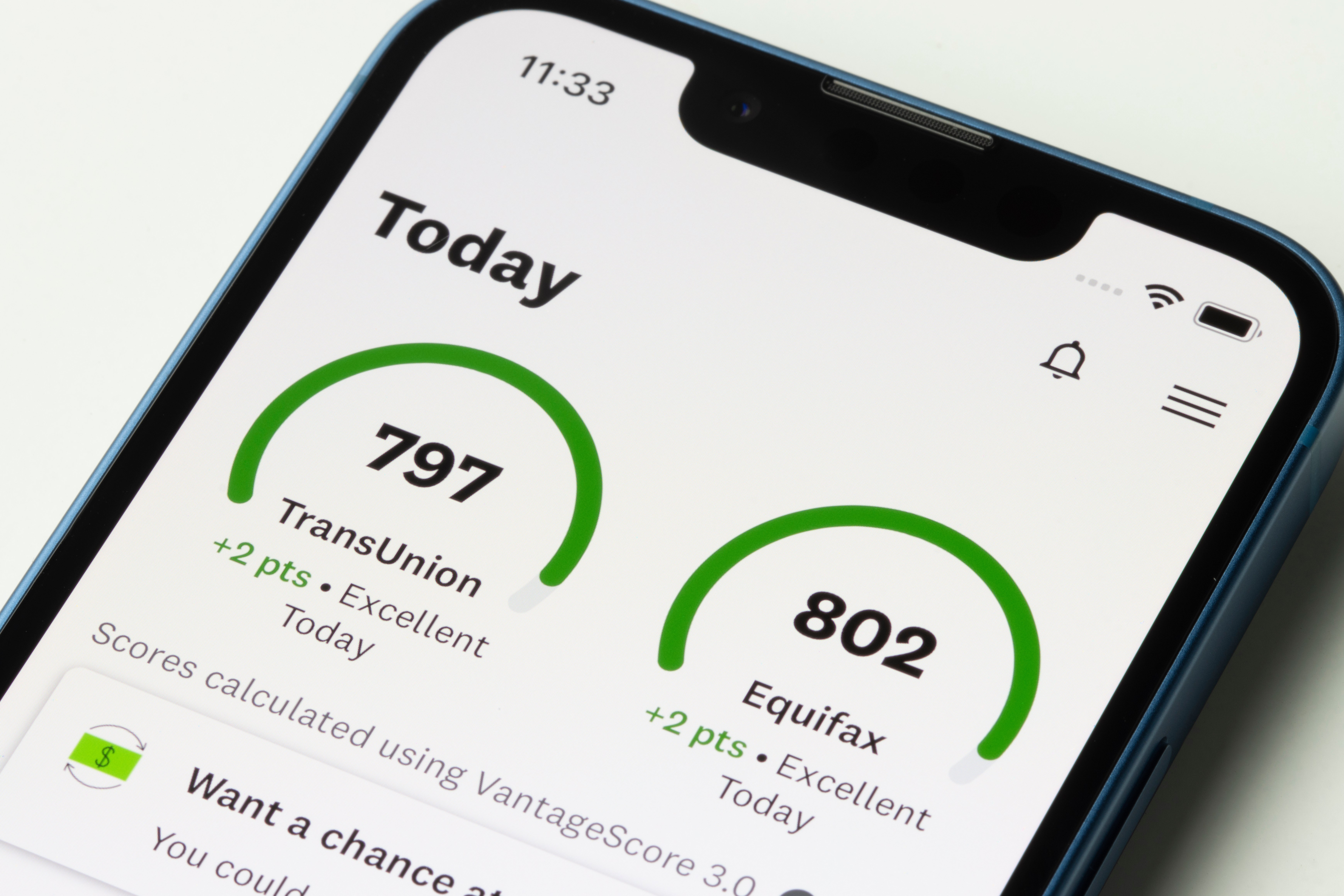
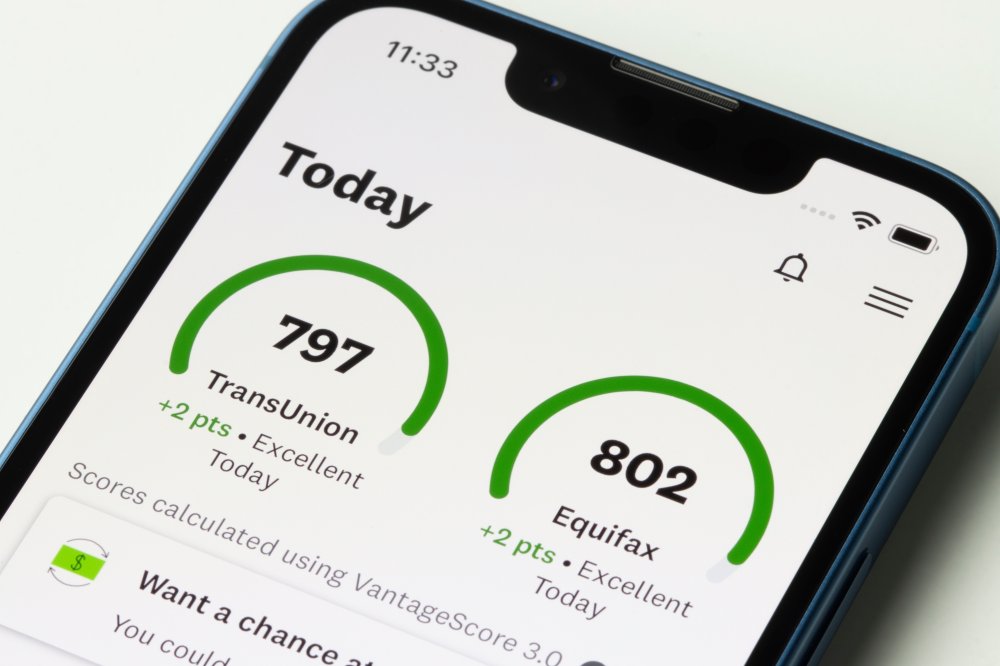
A federal housing official pledged to take near-term action on credit score costs as two legislators have urged him not to allow fewer credit reports. View the full article
-
Ken Griffin’s market-making firm benefited from tumult in early 2025 View the full article
-
The reverse stock split, consolidating eight shares into one, is designed to bring the Luxembourg-based company back into listing compliance on Nasdaq. View the full article

-
One of the most popular smartphone apps in the world has finally come to the iPad. Today, Meta has officially released WhatsApp for iPad. The release comes nearly sixteen years after WhatsApp debuted on the iPhone, and went on to become the de facto messaging app for most of the world. WhatsApp comes to the iPad WhatsApp debuted on the iPhone in 2009, and within just five years, that messaging app had become so popular that Facebook (now Meta) announced in 2014 that it was acquiring it for a staggering $19 billion. But the extraordinary sum Meta paid for WhatsApp seems to have been worth it. On Meta’s financial conference call on April 30, Mark Zuckerberg announced that WhatsApp now has 3 billion monthly active users worldwide. That’s a billion more than the app had just five years earlier in 2020, notes TechCrunch. Outside of the United States and China, where Apple’s iMessage and Tencent’s WeChat respectively dominate the messaging app market, WhatsApp is the preferred communication app for the rest of the world. It’s no wonder, then, that fans of the app have hoped it would come to Apple’s iPad since the tablet was introduced in 2010. Today, those hopes have finally been realized. Meta has now released an updated WhatsApp app on Apple’s App Store that runs natively on both the iPhone and iPad. Based on the App Store listing images, WhatsApp for iPad supports many of the features of WhatsApp for iPhone, including messaging, calls, and app lock. How to get WhatsApp for iPad To get WhatsApp for iPad, go to the App Store on your iPad and search for WhatsApp. You’ll now see the app show up in your search results. Simply click on the “Get” button to download the app (or the cloud download button if you previously downloaded the app to your iPhone). WhatsApp will then install on your iPad, and you’ll be ready to chat on Apple’s tablet. You can check out the App Store listing for WhatsApp for iPad here. What has Meta said about WhatsApp for iPad? Surprisingly, Meta has launched WhatsApp for iPad with little fanfare. As of the time of this writing, Meta has not published any announcement that WhatsApp is now available on the iPad. Even the release notes for the latest build of WhatsApp for iPhone don’t mention that the app now natively supports the iPad (Meta uses a single binary for the iPhone and iPad versions of the app). The only public comment Meta has given about WhatsApp for iPad was in a post on X yesterday. The official WhatsApp account on X replied with an eye emoji to a comment suggesting that the app should be released on the iPad. 👀 https://t.co/RWs0L40cBm — WhatsApp (@WhatsApp) May 26, 2025 Regardless of the lack of fanfare from Meta, WhatsApp and iPad fans will be happy that 15 years after Apple’s tablet debuted, and 16 years after the app debuted, it’s now usable on the iPad. View the full article

-
British state support needed to prevent loss of production facilities after tariff changes, industry warnsView the full article
-
US-listed company turned down the approach from private equity giants View the full article
-
We may earn a commission from links on this page. Deal pricing and availability subject to change after time of publication. There’s no shortage of wireless earbuds out there, but if you’re after strong noise cancellation, bass-heavy sound, full iOS compatibility, and a fit that won’t budge during a workout, you should consider the Beats Fit Pro, and this open-box deal on StackSocial drops the price to $99.99 from the usual $199.99. The sale includes all four color options—white, black, gray, and purple. The “open box” tag just means they’ve likely been handled but not used, and they’ve been inspected to make sure they’re still in new condition. They’re rated IPX4 for water resistance, so sweat and light rain aren’t a problem, though the case itself isn’t protected and doesn’t support wireless charging. Battery life is around six hours with ANC on and another 18 to 23 hours from the case, depending on how you use them. Sound-wise, these lean hard into bass, which some folks will love and others might find a bit much. The low end hits especially well at high volumes without distortion, which makes them great for hip-hop, pop or EDM, notes this PCMag review. The downside is that there’s no customizable EQ, so if you’re not into that sculpted sound, you can’t do much about it. The noise cancellation holds up pretty well for things like plane rumbles and low-frequency distractions, but don’t expect total silence in a noisy café (higher-pitched noises still leak through). There’s also a decent Transparency Mode that lets in just enough outside sound for you to cross the street or chat with someone without pulling out an earbud. Android users do get access to most core features through the Beats app, but some perks like automatic switching, hands-free Siri, and Spatial Audio are still iOS-only. Getting all that for half off isn't a bad deal. View the full article
-
Dialogue with new leadership in Damascus follows spate of Israeli air strikes View the full article
-
Despite interest rate volatility, prepayment rates also increased, surging to levels last seen in October, according to a new ICE Mortgage Technology report. View the full article

-
According to the U.S. Bureau of Labor Statistics, unemployment rates have not shifted much in recent years. The current unemployment rate is reported as being 4.2%—just a slight increase from the 4% it hovered around between 2022 and 2024. But according to a new report, another measure of unemployment is much higher, and steadily growing. The April report, which comes from the Ludwig Institute for Shared Economic Prosperity (LISEP), a nonprofit that produces original economic research, documents what it calls the “true rate” of unemployment. That rate refers to “functional unemployment,” which takes into account those who are job-seeking yet unable to find work, as well as those with full-time jobs but whose earnings put them below the poverty line (under $25,000/year). The functional unemployment rate has risen for three consecutive months and is currently 24.4%. That means about one in four U.S. adults are considered functionally unemployed. LISEP Chair Gene Ludwig said in a press release that the outlook on the trend shows “little signs of improvement” amid lack of an “influx of dependable, good-paying jobs.” The report showed the functional unemployment rate rising 1.4% among Black workers to 26.7%. It decreased slightly for white workers, moving from 23.1% to 23%. While the rate for men increased (by 1.2%) bringing the total to 20%, women narrowed the gender gap. Women’s true unemployment rate dipped 0.8 percentage points to 28.6%. While it’s no secret that the federal government has been steadily shedding jobs, there haven’t been major increases in the unemployment rate. However, the new findings paint a grim picture of how many U.S. workers are struggling to find employment and a livable income. Meanwhile, wage increases haven’t kept up with a rising cost of living, not to mention the cost to raise a child, which has ticked up 25% in the past two years alone. “Amid an already uncertain economic outlook, the rise in functional unemployment is a concerning development,” Ludwig explains. “This uncertainty comes at a price, and unfortunately, the low- and middle-income wage earners ultimately end up paying the bill.” View the full article

-
Money-losing Japanese automaker Nissan is banking on its latest “e-Power” technology for a turnaround. A kind of hybrid, e-Power comes equipped with both an electric motor and gasoline engine, much like the Toyota Motor Corp. Prius. It’s different from a Prius in that it doesn’t switch back and forth between the motor and engine during the drive. That means the car always is running on its EV battery, ensuring a quiet, smooth ride. “Nissan has a proud history of pioneering innovative technology that set us apart,” Chief Technology Officer Eiichi Akashi told reporters on the sidelines of a test drive at its Grandrive course outside Tokyo. The advantage of e-Power vehicles is that they never need to be charged like EVs do. The owner just fuels up at a gas station and the car never runs out of a charge. Nissan Motor Corp., which racked up a $4.5 billion loss for the fiscal year through March, sorely needs a hot-seller, especially in the lucrative North American market. But the U.S. market is proving a big headache for all the Japanese automakers because of President Donald The President’s tariff policies. To achieve a turnaround, Nissan is working on reducing costs, strengthening business partnerships and redefining its lineup. That’s where e-Power fits in, according to Akashi. Yokohama-based Nissan announced earlier this month that it’s slashing about 15% of its global work force, or about 20,000 employees, and reducing the number of its auto plants to 10 from 17, under an ambitious recovery plan led by its new Chief Executive Ivan Espinosa. Nissan officials did not give a price for the upcoming e-Power models. The one other automaker that offers a similar technology is “kei,” or tiny car, manufacturer Daihatsu Motor Co. E-Power is already offered on the Nissan Qashqai and X-Trail model in Europe, and the Note in Japan. The upgraded version will be offered in the new Rogue in the U.S. Nissan, a pioneer in EVs with its Leaf, which went on sale in 2010, is also preparing beefed up EV models. It’s also working on a solid-state battery which is expected to replace the lithium-ion batteries now widely used in hybrids, EVs and e-Power models. Analysts say Nissan is in danger of running out of cash and needs a partner. Speculation is rife its Yokohama headquarters building will get sold, or one of its Japan plants will be turned into a casino. Nissan started talks last year with Japanese rival Honda Motor Co. for a business integration but announced in February that it was dropping the talks. —Yuri Kageyama, AP Business Writer View the full article

-
After six years in the game, Nuuly, the clothing rental service from Urban Outfitters, has done what few thought possible: turned a profit. In an industry full of flashy failures and billion-dollar burns, Nuuly is quietly winning with a strategy that’s shaking up fashion and business. View the full article

-
The wait is over, people: WhatsApp is officially, finally, available on iPad. WhatsApp started as an iPhone app way back in 2009. Seventeenyears later, the app is still available on iPhone, as well as Android, Mac, and PC. But one platform the app has never been available for is the iPad. Despite being the most popular mobile messaging app in the world—roughly a quarter of the global population uses it—Meta never cared to bring WhatsApp to the most popular tablet in the world. That changes today. On Tuesday, May 27, Meta included an iPad app with the latest WhatsApp update (version 25.16.81). It comes just one day after the company teased the app on X: The official WhatsApp account reposted an X user who said there should be an iPad version of the app. WhatsApp didn't say anything other than posting the side-eye emoji, heavily implying the app was on its way. This Tweet is currently unavailable. It might be loading or has been removed. From the App Store listing, it appears to be the usual WhatsApp experience you'd expect from, well, WhatsApp—only, optimized for the iPad's larger display. When viewing your chats, you can see all conversations in a column on the left, with the active chat featured prominently in a larger column on the right. Your statuses will take up the full screen, and video calls will let you fit many callers on one screen. (I imagine this will be a big improvement for people who frequently video call groups on the iPhone app.) You can download WhatsApp for iPad here. Instagram may be getting an iPad app tooWhatsApp isn't the only Meta app that needed an iPad version. Instagram infamously has remained iPad free for years, forcing users to download the iPhone version or rely on the web app to access Instagram on their tablets. Rumor has it, however, the company is working on a native iPad app for Instagram, too, though nothing is set in stone. It would be a big improvement for Instagram users who often browse on their iPads, but we'll have to wait and see if the company actually pulls the trigger. View the full article
-
Earlier this month, the Food and Drug Administration (FDA) and the Centers for Disease Control and Prevention (CDC) announced a multistate investigation of a Salmonella outbreak linked to cucumbers believed to have been grown by Bedner Growers Inc. of Boynton Beach, Florida. That outbreak has so far sickened 26 people in 15 states. And now, that outbreak has caused Walmart to recall a select cucumber product from some of its stores. Here’s what you need to know about Walmart’s cucumber recall. What’s happened? On May 22, Walmart announced that it was recalling a select cucumber product over fears that it had the possibility of being contaminated with Salmonella. The notice about the recall was published by the FDA a day later. According to the notice, Walmart is voluntarily recalling a cucumber product because it is believed Bedner Growers, Inc. may have supplied the cucumbers in the product. What cucumber product is Walmart recalling? The recall involves just one cucumber product—Marketside Fresh Cut Cucumber Slices that were produced in select Texas-area stores between May 13, 2025 and May 20, 2025. Here are the details of that product: Product Description: Marketside Fresh Cut Cucumber Slices UPC/PLU: 62969 Av. Unit Weight: 1.5 lbs Date Codes: All date codes up to 5/24/2025 A photo of the recalled Marketside Fresh Cut Cucumber Slices can be found here. Has anyone been harmed by the recalled product? Unlike with the wider cucumber recall, no known illnesses have been specifically linked to the recalled Walmart cucumber product. More than two dozen individuals are known to have been sickened by the cucumbers involved in the wider recall. What should I do if I have the recalled Walmart cucumber product? If you have the recalled Marketside Fresh Cut Cucumber Slices, you should not consume them or let them be consumed by anyone else, nor should you give them away. Instead, you should throw out the product or return it to Walmart for a refund. The recall notice also states that you should clean and sanitize surfaces that the recalled product has come into contact with in order to reduce the chances of cross-contamination. What is Salmonella? Salmonella is a bacterium that can cause potentially fatal infections in people. While most Salmonella infections can resolve within a week, individuals who are young or elderly, or those who have weakened immune systems, can experience more severe consequences from a Salmonella infection. You can find out more details about Salmonella infections on the CDC’s website here. View the full article

-
We may earn a commission from links on this page. Deal pricing and availability subject to change after time of publication. At $299.99 (down from $549.99), the TP-Link Deco BE63 mesh wifi system is at its lowest price yet (according to price trackers)—and if you’ve been waiting to upgrade your home network, this is a good time to jump in. TP-Link Tri-Band Wi-Fi 7 BE10000 Whole Home Mesh System $299.99 at Amazon /images/amazon-prime.svg $549.99 Save $250.00 Get Deal Get Deal $299.99 at Amazon /images/amazon-prime.svg $549.99 Save $250.00 The BE63 is a two-piece mesh system that uses Wi-Fi 7, the latest wireless standard, to deliver faster speeds and better coverage across up to 5,800 square feet. PCMag not only gave it an “Excellent” review but also named it their Editors’ Choice and best mesh wifi system of 2024. That’s a lot of praise for something now selling for $300. Getting started is easy with the Deco app: It walks you through the setup step by step, and once it’s live, you can manage everything from your phone. The app lets you check speeds, monitor devices, and create user profiles. There are built-in parental controls that let you block websites, apply age-based filters, or cut internet access at bedtime. These basic tools are free. But if you want deeper control (like enabling SafeSearch, restricting YouTube content, setting daily time limits, or tracking usage history), you’ll need to subscribe to HomeShield's Advanced Parental Controls plan ($2.99/month or $17.99/year). For added network protection—things like web threat filtering, intrusion prevention, and device-level safeguards—you can upgrade to the Security+ plan, which costs $4.99/month or $35.99/year. There’s also a more comprehensive Total Security package that includes antivirus, VPN services, and a password manager. It’s priced at $69.99 for the first year, then renews at $129.99 annually. If you’ve got a busy household or want full visibility into your network, one of these paid plans might be worth it. Performance-wise, this system is built for busy homes. It has three wireless bands—including 6GHz—for less congestion, plus four 2.5GbE ports and a USB 3.0 port on each unit. Those are more wired options than most mesh systems offer. Speeds are strong, even with multiple devices streaming, downloading, or gaming at once. You don’t get 10GbE ports as you do on pricier models, but for most people, this setup covers everything they need. View the full article
-
Stronger than expected consumer confidence reading adds to buoyant investor moodView the full article