Newsletter
Want to keep up to date with all our latest news and information?


ResidentialBusiness
Administrators
-
Joined
-
Last visited
Everything posted by ResidentialBusiness
-
Amazon leaned into the advertising funnel in a big way during its 2025 Upfront event at the Beacon Theater in New York City on Monday night. Perhaps the most notable product enhancement the company unveiled was the use of AI to generate contextual advertising on its Prime Video platform—meaning that ads can and will be created on the fly, using AI, depending on the specific scene of a TV show or movie that is on the screen at any given time. For instance, if a viewer is watching a scene involving a loving phone call between a mother and daughter, pausing the show could result in an ad for mobile phone service, with AI-generated text dynamically created, right then and there. The ability gives Amazon’s massive advertising artillery even more firepower. Amazon execs at the event noted that its Prime Video service now has a global audience of more than 300 million, up from 275 million a year ago, and that engagement also increased 40% over the past year. A star-studded pitch to advertisers Amazon’s Upfront event was loaded with stars showcasing new projects for Prime Video. That included appearances by Michael B. Jordan, discussing a new Creed spinoff TV show called Delphi; Arnold Schwarzenegger (who stole the show with a 15-minute rambling appearance loaded with jokes about his old age) talking about his upcoming Christmas movie; John Cena talking about his new movie due out this summer with Idris Elba; and Jamie Lee Curtis, who announced that she’s producing and starring in a new series, Scarpetta, alongside Nicole Kidman. The series will be an adaptation of the popular book series authored by Patricia Cornwell. Curtis later joined Schwarzenegger on stage to reminisce about the 1990s action movie True Lies in which they both starred. Other announcements include the December return of Fallout, which will air its second season, and was also renewed for a third season. Nicolas Cage was also announced as playing Spider-Man in Spider-Noir, which will be available to watch in either color or black-and-white. Two new seasons of Beast Games are also on the way. Finally, sports were front and center. The NFL will continue with Thursday night games on Prime, and Prime will also host a Black Friday game between Chicago and Philadelphia, and a Christmas Day game between Denver and Kansas City. Additionally, the NBA inked an 11-year deal with Prime, which will see 65 regular-season games air on the service, along with some playoff games. View the full article

-
One of the world’s most well-known stock market indexes, the S&P 500, will soon look a little different. That’s because its roster of 500 companies is getting a shakeup, which will see the cryptocurrency exchange Coinbase Global join the index. In the process, Coinbase will replace legacy financial services company Discover Financial. Here’s what you need to know about the changes coming to the S&P 500. What is the S&P 500? The S&P 500 is one of the world’s best-known stock market indexes. A stock market index is essentially a running list of publicly traded companies whose stock prices are tracked. These indices can help give investors an overview of how the economy—or at least the markets—are behaving over a certain period, whether an hour, day, week, year, or decade. There are numerous stock market indexes across the world. The Dow, S&P 500, and Nasdaq 100 are the most well-known in the United States. Other global indexes include China’s Hang Seng, Japan’s Nikkei 225, the U.K.’s FTSE, Germany’s DAX, and France’s CAC 40. Indices should not be confused with stock market exchanges like the New York Stock Exchange (NYSE) or the Shanghai Stock Exchange. Stocks are bought and sold on these exchanges, whereas an index only tracks the price of certain stocks (though you can buy ETFs and mutual funds on exchanges that are broadly representative of certain indices themselves). As its name suggests, the S&P 500 tracks 500 publicly traded companies in the U.S. markets. This is much more than the Dow, which only tracks 30 companies. The S&P 500 launched in its current form on March 4, 1957. The full name of the S&P 500 is the Standard and Poor’s 500. Why is Coinbase joining the S&P 500? The catalyst for Coinbase joining the S&P 500 is that a legacy financial company that is currently tracked by the index will no longer be separately traded. That company is Discover Financial Services, which is being acquired by Capital One Financial Corporation. Discover’s removal will leave the S&P 500 with only 499 companies, so the S&P 500 needed to find a replacement, which it has done with Coinbase. Why did the S&P 500 choose Coinbase? A committee chooses which companies are included in the S&P 500 and, generally speaking, the committee tries to include companies from a broad range of sectors so it is composed of 500 companies that are a good proportional representation of the American economy. What’s interesting with Coinbase’s inclusion on the S&P 500 is that it is the first time a cryptocurrency company has been added to the index, notes The Crypto Basic. While this won’t change the fundamentals of the company itself, it signifies that crypto companies are becoming a more important part of the U.S. economy—or at least, that’s the perception. However, the S&P 500 committee can’t just choose any company it wants for the index. It uses multiple criteria when determining which companies to add. As noted by CNBC, any company added to the S&P 500 must have reported a profit in its most recent quarter and have had cumulative profits over the past four quarters. But those aren’t the only requirements. As S&P Global states, companies must also meet other selection criteria, which include: The company must be a “large cap” one—that is, it must have a market capitalization of at least $10 billion. The company must have sufficient liquidity. The company must have a sufficient number of shares that are available to the public (known as “public float”). The company must help contribute to the sector balance. The S&P 500 committee felt that Coinbase met these criteria. How unusual is this? It’s important to note that changes to the S&P 500 aren’t as rare as changes to the Dow, which only tracks 30 companies. The S&P typically makes dozens of changes to its roster every year. As mentioned, the reason Coinbase’s addition is so notable is that it’s the first crypto company ever added to the S&P. When do these changes take effect? In a press release, S&P Global confirmed that these changes will take place on Monday, May 19. On that day, Discover Financial Services will be deleted from the S&P 500 and Coinbase will be added. How have Coinbase on Discover Financial Services shares reacted to the news? Discover Financial Services stock (NYSE: DFS) pretty much shrugged off the news when it was announced after market close on Monday. That’s because DFS shareholders know the company is already being acquired for a fixed amount. Because Discover Financial Services is being acquired, its removal from the S&P 500 was expected. On the other hand, Coinbase stock (Nasdaq: COIN) has surged on the news that it was joining the S&P 500. Shares are currently up over 10% in premarket trading as of the time of this writing. Yesterday, before the S&P 500 announcement, COIN shares closed at just over $207. However, Coinbase’s addition to the S&P 500 does not change any of the company’s financials. The reason the stock is surging anyway is that many mutual funds and ETFs that track the S&P 500 will likely now add COIN shares to their baskets, meaning they will buy the stock, thus causing it to rise. Still, despite the company’s inclusion on the S&P 500, COIN shares have taken a beating this year. As of yesterday’s close, they were down over 16% year-to-date. Over the past five years, COIN shares have fallen 45%. View the full article

-
California’s governor called upon the state’s cities and counties to ban homeless encampments this week, even providing blueprint legislation for dismantling the tents lining streets, parks and waterways throughout much of the state. Gov. Gavin Newsom, a Democrat, made homelessness a priority of his administration when he took office in 2019. It had previously been an issue primarily for mayors and other local officials, but Newsom pumped money into converting old motels into housing and launched other initiatives to tackle the issue. Still, he has repeatedly called out cities and counties to do their part, and on Monday, he unveiled draft language that can be adopted by local governments to remove encampments. Here is what to know: What does the model ordinance say? Newsom’s model ordinance includes prohibitions on “persistent camping” in one location and encampments blocking sidewalks and other public spaces. It asks cities and counties to provide notice and make every reasonable effort to identify and offer shelter before clearing an encampment. What do local governments say? Organizations representing California’s cities and counties balked at the suggestion that they are to blame for street conditions. They say they need dedicated, sustained funding over multiple years for permanent projects instead of sporadic, one-time funding. Carolyn Coleman, executive director and CEO of the League of California Cities, said that eight in 10 cities have policies to address encampments but they need money to address the root causes of homelessness, such as more housing. The California State Association of Counties said the state has not provided as much money to address homelessness as it says it has and that half of the money has gone to housing developers. What do homeless advocates say? Studies have shown that encampment bans and other punitive measures make it even harder for people to find stable housing and work, said Alex Visotzky with the National Alliance to End Homelessness. People may lose critical documents or lose contact with a trusted case manager, forcing them to start all over again. In Los Angeles, Jay Joshua watches over a small encampment in which he also lives. He says encampments can be a safe space for those living there. What are California cities doing about encampments? Major cities with Democratic mayors have already started cracking down on encampments, saying they present a public health and safety hazard. In San Francisco, new mayor Daniel Lurie vowed to clean up city sidewalks. In San Jose, Mayor Matt Mahan has proposed arrests if a person refuses shelter three times. Do cities and counties have to adopt it? Newsom can’t make cities and counties adopt an encampment ban. But the proposed encampment legislation was paired with an announcement of $3.3 billion in grant money for facilities to treat mental health and substance abuse disorders, suggesting that he could condition state funding on compliance. In 2022, he paused $1 billion in state money for local government, saying that their plans to reduce homelessness fell short of the acceptable. —Janie Har, Associated Press View the full article

-
A new report from Upwork reveals that more than one in four U.S. knowledge workers—28%—are now working independently, generating $1.5 trillion in earnings in 2024. The findings are part of the company’s inaugural Future Workforce Index, published by the Upwork Research Institute, which analyzes the evolving role of skilled freelancers in the U.S. workforce. The report highlights a growing shift toward flexible, AI-driven work models and identifies freelancers as leading the way in technology adoption, continuous learning, and future-ready skills. According to the study, freelancers are outpacing full-time employees (FTEs) in AI usage and human skills needed for working alongside emerging technologies. “The traditional 9-to-5 model is rapidly losing its grip as skilled talent chooses flexibility, financial control, and meaningful work over outdated corporate structures,” said Kelly Monahan, managing director of the Upwork Research Institute. “Companies that cling to old hiring and workforce models risk falling behind, while those embracing independent professionals are driving growth and innovation. The future of working differently isn’t coming; it’s already here with skilled independent talent leading the way.” Freelancers Driving the Economy and Innovation According to Upwork’s data, skilled freelancers earned a total of $1.5 trillion in 2024. Roughly 20 million individuals in the U.S. are freelancing, and those who earn exclusively through freelance work reported a median income of $85,000—higher than the $80,000 median for full-time employees. Freelancers also show higher levels of education, with 37% holding postgraduate degrees, compared to 20% of full-time employees. Many are adopting specialized roles, including Freelance Business Owners, Agency Freelancers, Managed Services Freelancers, and AI-Enabled Freelancers. The report highlights that freelancers lead in both AI adoption and human-centric skills. Over half (54%) of freelancers report advanced AI proficiency, compared to 38% of FTEs. Additionally, 29% have extensive experience building, training, and fine-tuning machine learning models, versus 18% of full-time workers. Freelancers also rank higher in problem-solving (49% vs. 44%), critical thinking (43% vs. 38%), adaptability (41% vs. 37%), and communication (47% vs. 40%). “Skilled knowledge freelancers are at the intersection of innovation, AI, and workforce transformation,” said Gabby Burlacu, senior research manager of the Upwork Research Institute. “As they continue to grow in importance, they are driving change in how work is structured and how businesses operate. These freelancers are thriving on Upwork, where we’re seeing firsthand just how adaptable, AI-proficient, and outcome-focused they are, making them critical partners for businesses seeking to innovate, embark on AI transformation, and grow.” Corporate Adoption of Non-Traditional Talent Models Among 400+ publicly traded U.S. companies surveyed, those in the top 25% for revenue growth are more likely to integrate freelancers (45%), managed services (50%), agencies (39%), and human+AI collaboration (41%) into their workforce strategies. However, barriers remain, with 59% of business leaders expressing concern about multi-company work and 41% skeptical about AI tools. The report suggests this shift toward freelancing is accelerating. Over one-third (36%) of full-time employees are considering freelance work, while only 10% of freelancers are looking to return to traditional employment. Gen Z is leading the way, with 53% of skilled workers in this demographic already freelancing. As Gen Z is expected to make up 30% of the U.S. workforce by 2030, this trend may significantly reshape the employment landscape. Optimism remains high across the board, with 84% of freelancers and 77% of full-time employees saying the best days of freelancing are ahead. Meanwhile, 82% of freelancers report more work opportunities now than a year ago, compared to 63% of full-time employees. The report is based on a survey of 3,000 U.S.-based skilled knowledge workers conducted between December 2024 and February 2025, with a margin of error of ±1.8% at a 95% confidence level. A separate survey of 502 C-level executives from publicly traded companies contributed insights on hiring and workforce strategy trends. Image: Canva This article, "Upwork Report Finds One in Four U.S. Knowledge Workers Now Freelance, Earning $1.5 Trillion in 2024" was first published on Small Business Trends View the full article
-
A new report from Upwork reveals that more than one in four U.S. knowledge workers—28%—are now working independently, generating $1.5 trillion in earnings in 2024. The findings are part of the company’s inaugural Future Workforce Index, published by the Upwork Research Institute, which analyzes the evolving role of skilled freelancers in the U.S. workforce. The report highlights a growing shift toward flexible, AI-driven work models and identifies freelancers as leading the way in technology adoption, continuous learning, and future-ready skills. According to the study, freelancers are outpacing full-time employees (FTEs) in AI usage and human skills needed for working alongside emerging technologies. “The traditional 9-to-5 model is rapidly losing its grip as skilled talent chooses flexibility, financial control, and meaningful work over outdated corporate structures,” said Kelly Monahan, managing director of the Upwork Research Institute. “Companies that cling to old hiring and workforce models risk falling behind, while those embracing independent professionals are driving growth and innovation. The future of working differently isn’t coming; it’s already here with skilled independent talent leading the way.” Freelancers Driving the Economy and Innovation According to Upwork’s data, skilled freelancers earned a total of $1.5 trillion in 2024. Roughly 20 million individuals in the U.S. are freelancing, and those who earn exclusively through freelance work reported a median income of $85,000—higher than the $80,000 median for full-time employees. Freelancers also show higher levels of education, with 37% holding postgraduate degrees, compared to 20% of full-time employees. Many are adopting specialized roles, including Freelance Business Owners, Agency Freelancers, Managed Services Freelancers, and AI-Enabled Freelancers. The report highlights that freelancers lead in both AI adoption and human-centric skills. Over half (54%) of freelancers report advanced AI proficiency, compared to 38% of FTEs. Additionally, 29% have extensive experience building, training, and fine-tuning machine learning models, versus 18% of full-time workers. Freelancers also rank higher in problem-solving (49% vs. 44%), critical thinking (43% vs. 38%), adaptability (41% vs. 37%), and communication (47% vs. 40%). “Skilled knowledge freelancers are at the intersection of innovation, AI, and workforce transformation,” said Gabby Burlacu, senior research manager of the Upwork Research Institute. “As they continue to grow in importance, they are driving change in how work is structured and how businesses operate. These freelancers are thriving on Upwork, where we’re seeing firsthand just how adaptable, AI-proficient, and outcome-focused they are, making them critical partners for businesses seeking to innovate, embark on AI transformation, and grow.” Corporate Adoption of Non-Traditional Talent Models Among 400+ publicly traded U.S. companies surveyed, those in the top 25% for revenue growth are more likely to integrate freelancers (45%), managed services (50%), agencies (39%), and human+AI collaboration (41%) into their workforce strategies. However, barriers remain, with 59% of business leaders expressing concern about multi-company work and 41% skeptical about AI tools. The report suggests this shift toward freelancing is accelerating. Over one-third (36%) of full-time employees are considering freelance work, while only 10% of freelancers are looking to return to traditional employment. Gen Z is leading the way, with 53% of skilled workers in this demographic already freelancing. As Gen Z is expected to make up 30% of the U.S. workforce by 2030, this trend may significantly reshape the employment landscape. Optimism remains high across the board, with 84% of freelancers and 77% of full-time employees saying the best days of freelancing are ahead. Meanwhile, 82% of freelancers report more work opportunities now than a year ago, compared to 63% of full-time employees. The report is based on a survey of 3,000 U.S.-based skilled knowledge workers conducted between December 2024 and February 2025, with a margin of error of ±1.8% at a 95% confidence level. A separate survey of 502 C-level executives from publicly traded companies contributed insights on hiring and workforce strategy trends. Image: Canva This article, "Upwork Report Finds One in Four U.S. Knowledge Workers Now Freelance, Earning $1.5 Trillion in 2024" was first published on Small Business Trends View the full article
-
Peer-to-peer payment apps like Venmo offer an easy way to send money to friends and family as well as businesses selling goods and services—but that ease makes them a target for scams involving theft and fraud. Here are the most common Venmo scams to watch for. The mistaken payment scamIf you receive money you weren't expecting from someone you don't know by "accident," it's not actually an accident. Scammers will Venmo you, claim it was a mistake, and ask for the money back as a new payment. This may seem harmless, but it typically involves scammers charging so-called mistaken payments to stolen credit cards then connecting their personal cards to receive payments in return. If the original payments are reversed when the stolen card is reported, the money will come from your account. To avoid this scam, don't send money back to someone you don't know. Instead, contact Venmo support so they can reverse the charge without compromising your account. You should also block the user who sent the payment. The impersonation scamScammers may try to trick you into sending payments by impersonating someone you know. They may change their username or profile picture to match someone in your public feed—if your Venmo transactions aren't private, stop right now and change that setting—so you won't suspect anything is amiss. Often, these payment requests are unexpected and seem time-sensitive. If you receive a payment or payment request you weren't anticipating or that seems urgent, tap the profile picture to view the account and confirm their identity. You should also message that person outside of Venmo to clarify the request before sending any money. The tech support scamIf you reach out to a tech support line (for anything, not just Venmo), you should never send money via Venmo for that service. Scammers may spoof phone numbers and impersonate technical support staff, whose help is almost always free. Venmo warns that bad actors may try to trick you with something that sounds like this: “Hello, thank you for calling (major company name) Support. Andrew here, ready to help! Before we get started, I will need to take your payment for our assistance today. Do you have a Venmo account? If not, I’d be happy to help you create one!” Always locate company contact information directly from their website by typing the URL in rather than clicking through from search (where results can be spoofed), and never send a Venmo payment for these services. The Venmo text/call scamSimilarly, scammers may contact you via call or text pretending to be from Venmo's support team. They may tell you that there has been unauthorized activity on your account and ask you to log in via a link they send your or to provide your multi-factor authentication code. This is a phishing scam, as Venmo will never ask for verification codes or request to access your account remotely. You should also be skeptical of a message that asks you to install a third-party app, send a payment, or verify a new account. Never click links in unsolicited messages. Instead, contact Venmo support directly to confirm any requests, and report fake or suspicious texts and emails. The prize scamIf you receive a text or email saying that you've won money from Venmo, it's a scam. This phishing attack includes a fraudulent link to sign into your Venmo account, which hands your information directly to scammers. Never enter your Venmo login anywhere except Venmo.com or the Venmo app (which you should always navigate to directly rather than via an unsolicited link), and do not provide anyone with your information unless you have contacted Venmo support directly. The fake donation scamDonating to a cause or group you care about is great, but scammers take advantage of this by circulating fraudulent Venmo accounts and collecting funds in the name of other individuals or organizations. Before you send money, verify the account belongs to the organization—don't simply rely on links from social media. You should also research the best way to support and contribute to organizations directly from their website or social accounts. The romance scamRomance scams are a long game: fraudsters will create fake social media profiles and work to develop a relationship with you, gain your trust, and ask for money via Venmo. This scam plays on your emotions, and requests are often related to expenses to come visit you or potential investment opportunities. Be wary of people who reach out to you online to create an emotional connection, and never loan money to someone you've never met IRL. The job offer scamIf you receive an unsolicited text from a recruiter with a job offer, it's definitely a scam. Sometimes, these offers come with requests to pay upfront for onboarding or to move money around using your Venmo account. Obviously, this is money lost. Ignore these messages—don't respond, and don't click links. A similar scam is a message from a prospective landlord requesting a deposit before you've signed a lease. The fraudulent purchase scamIf you're buying or selling goods and services using Venmo payments, watch out for tactics scammers use to steal money. They may ask you to pay upfront and then never send you the item they've promised, or they'll send you fake shipping information. They may also ask you not to mark the payment as a purchase, which makes the transaction ineligible for Venmo's purchase protection. To avoid this scam, only buy from Venmo approved business accounts—you'll see the message "Eligible items covered by Purchase Protection" under the Pay button. If you pay a personal profile, be sure to mark it as a purchase. When selling, don't send items without receiving legitimate payments, even if the buyer shows you screenshots of supposed Venmo transactions (that are actually fake payment invoices). Scammers may "accidentally" send you an overpayment (using a stolen card or bank account) for a purchase and request that you refund the extra—like with the mistaken payment scam, you'll ultimately be on the hook. The paper check scamScammers may send you a paper check and ask you to send them a payment on Venmo. The check may even clear when you deposit it but will bounce later, so you're out funds you can't get back. Don't exchange other forms of payment for Venmo payments. Too-good-to-be-true scamsWhile these are some of the most common ways scammers use Venmo, there may be others. For example, be wary of using Venmo to pay for hard-to-find items—like concert tickets or rare collectibles—advertised on other platforms, as these can be scams that exchange payment for nothing in return. Also, don't pay for gift card deals or investments via Venmo. How to protect yourselfAll of the rules of scam avoidance apply to Venmo: don't click links in unsolicited messages or provide your account information to anyone you don't know, and don't send payments to strangers. Beware messages that bring up emotions or sense of urgency, which can cloud your judgment in the moment. If something sounds too good to be true, it probably is. Only use Venmo to pay people you know and trust, and ensure all of your transactions are private—there's no reason anyone needs to see your payment history. Set up two-factor authentication for your Venmo account to prevent unauthorized logins (but know that these codes are also phishable). Check your financial records, including your credit report and bank statements, regularly to catch possible theft and fraud quickly. View the full article
-
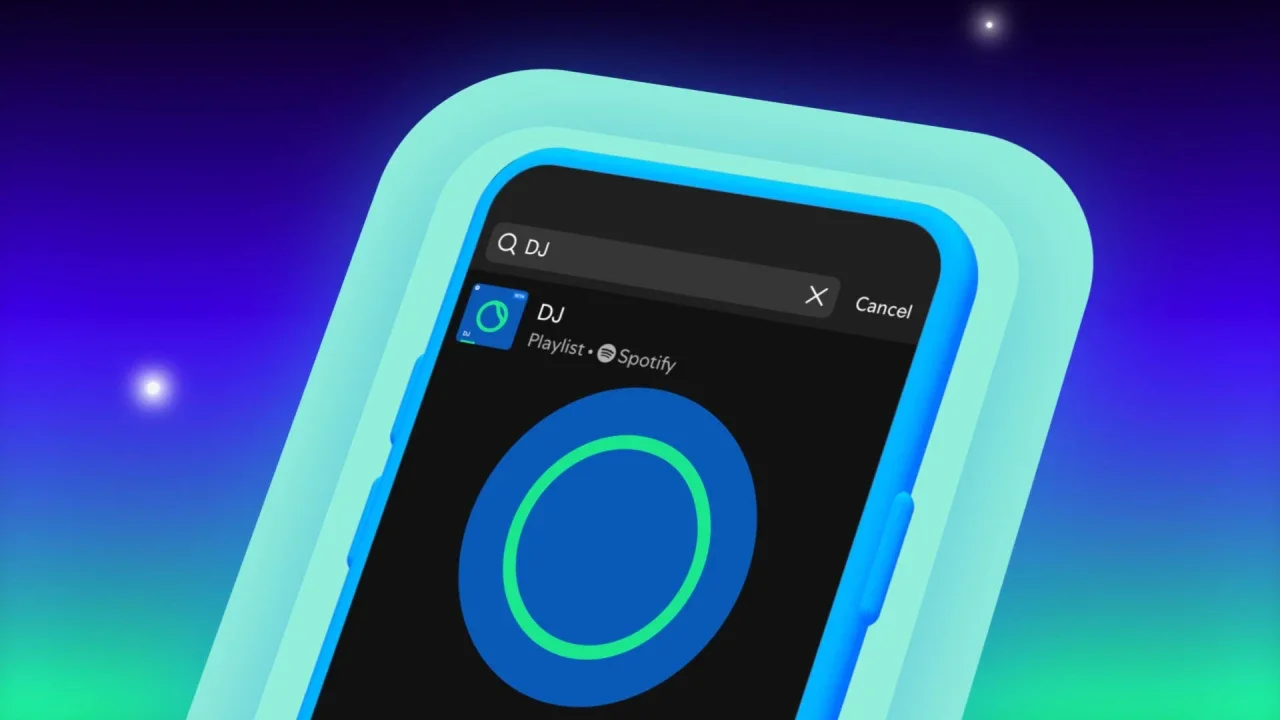
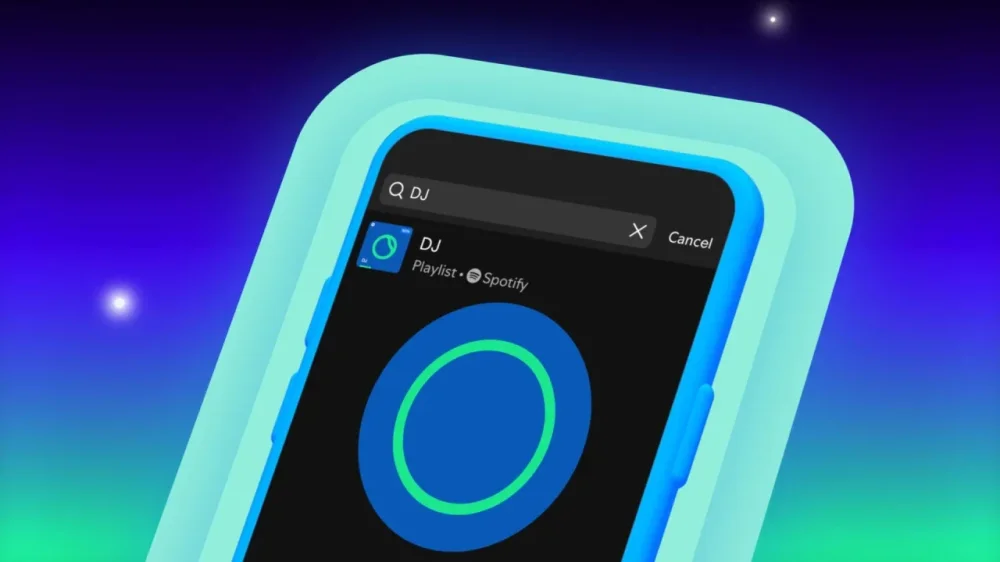
Since it launched two years ago, Spotify’s AI DJ has been a one-way experience. It curates old favorites and helps listeners discover new tracks based on past listening experience and what similar users like. But now it’s getting interactive. Spotify unveiled the ability to request songs from the DJ based on mood, genre, and vibe. The feature, which launched across 60 markets, is exclusive to Spotify Premium users, who can access the DJ by searching for the tool in the app. It’s the latest AI feature to come from Spotify, which introduced an AI-generated playlist builder for Premium users in the United States last fall. But Molly Holder, Spotify’s senior director of product for personalization, says that tool was designed for people who want to take an active role in their listening experience. The new DJ request feature, by contrast, is designed to give users more input into an essentially “lean back” experience. “We know that even in a ‘lean back’ moment, users still want some semblance of control,” she says. How does the DJ request feature work? After a user searches for and calls up the DJ in the app, they can make a request by holding down the DJ icon and speaking a prompt. (The feature requires microphone access.) After receiving the prompt, such as “upbeat songs for running” or “ambient for a rainy day,” the DJ will “think” for a bit before launching into a tailored playlist. Focusing on mood or moment along with a genre tends to be the best approach for using the feature. Wanting to give it a slam dunk, I asked for “early 2000s patriotic country” and immediately got Toby Keith’s “Courtesy of the Red, White and Blue.” Not too hard. But when I asked for “undiscovered African gems for a summer barbecue,” expecting Afrobeats and Amapiano, the DJ instead served songs from the African diaspora. (The first was by Timbuktu, who Spotify describes as “one of Sweden’s most well-known hip-hop artists.”) Once I specified the genre, the results were better, but I’d forgotten to make clear I wanted undiscovered artists, so I got a lot of Tyla. With several of the requests, the DJ seemed somewhat buggy, abruptly stopping a song and launching into its more default mode. When I asked for “DIY indie rock from the mid-2010s,” it played a few bars from an early Mitski song, then reset itself and introduced my top songs from 2023. Pairing insight with a human touch Spotify’s Holder says that while the DJ’s content-surfacing abilities are powered by AI, many of the comments and insights that it delivers in between songs—the bits that make the tool feel like a personalized and expert experience—are powered by humans. “We have music experts and editors who have built what’s called the ‘writer’s room’ for the DJ product,” she says. “These folks come together with generative AI to build the commentary that DJ offers throughout the experience.” This commentary can increase listener engagement—which can be beneficial for artists who are trying to break through as well. “In that writer’s room, when we build that commentary, it helps to bring artists’ stories to life to bring a little bit more context to the content we’re recommending,” Holder says. “One thing we see is that users who hear commentary about a track in the DJ experience are more likely to listen to a track they might have otherwise skipped.” Holder also positions the new feature in Spotify’s long history of using machine learning to build personalization into the user experience, from Discovery Weekly to Daylists and now the DJ requests. “We’re really applying AI strategically across our product portfolio in ways that enhance the value proposition of our products.” View the full article
-
Price growth continued to trend toward the Federal Reserve's 2% target, but not enough to spur action from the central bank. View the full article

-
Unanswered questions are making it ‘super hard’ to operate, Walliser tells FT auto summit View the full article
-
U.S. President Donald The President opened his four-day Middle East trip on Tuesday by paying a visit to Saudi Arabia’s de facto ruler, Crown Prince Mohammed bin Salman, for talks on U.S. efforts to dismantle Iran’s nuclear program, end the war in Gaza, hold down oil prices and more. Prince Mohammed warmly greeted The President as he stepped off Air Force One at King Khalid International Airport in the Saudi capital and kicked off his Middle East tour. The two leaders then retreated to a grand hall at the Riyadh airport, where The President and his aides were served traditional Arabic coffee by waiting attendants wearing ceremonial gun-belts. Fighter jet escort The pomp began before The President even landed. Royal Saudi Air Force F-15s provided an honorary escort for Air Force One as it approached the kingdom’s capital. The President and Prince Mohammed also took part in a lunch at the Royal Court, gathering with guests and aides in an ornate room with blue accents and massive crystal chandeliers. As he greeted business titans with The President by his side, Prince Mohammed was animated and smiling. It was a stark contrast to his awkward fist bump with then-President Joe Biden, who looked to avoid being seen on camera shaking hands with the prince during a 2022 visit to the kingdom. Biden had decided to pay a visit to Saudi Arabia as he looked to alleviate soaring prices at the pump for motorists at home and around the globe. At the time, Prince Mohammed’s reputation had been badly damaged by a U.S. intelligence determination that found he had ordered the 2018 killing of journalist Jamal Khashoggi. But that dark moment appeared to be distant memory for the prince as he rubbed elbows with high-profile business executives — including Blackstone Group CEO Stephen Schwarzman, BlackRock CEO Larry Fink and Tesla and SpaceX CEO Elon Musk — in front of the cameras and with The President by his side. Later, the crown prince will fete The President with a formal dinner. The President is also slated to take part Tuesday in a U.S.-Saudi investment conference. “When Saudis and Americans join forces, very good things happen — more often than not, great things happen,” Saudi Investment Minister Khalid al-Falih said. Oil production Saudi Arabia and fellow OPEC+ nations have already helped their cause with The President early in his second term by stepping up oil production. The President sees cheap energy as a key component to lowering costs and stemming inflation for Americans. The Republican president has also made the case that lower oil prices will hasten an end to the Russia-Ukraine war. But Saudi Arabia’s economy remains heavily dependent on oil, and the kingdom needs a fiscal break-even oil price of $96 to $98 a barrel to balance its budget. It’s questionable how long OPEC+, of which Saudi Arabia is the leading member, is willing to keep production elevated. The price of a barrel of Brent crude closed Monday at $64.77. “One of the challenges for the Gulf states of lower oil prices is it doesn’t necessarily imperil economic diversification programs, but it certainly makes them harder,” said Jon Alterman, a senior Middle East analyst at the Center for Strategic and International Studies in Washington. Qatar and UAE next The President picked the kingdom for his first stop, because it has pledged to make big investments in the U.S., but The President ended up traveling to Italy last month for Pope Francis’ funeral. Riyadh was the first overseas stop of his first term. The three countries on the president’s itinerary — Saudi Arabia, Qatar and the United Arab Emirates — are all places where the The President Organization, run by The President’s two elder sons, is developing major real estate projects. They include a high-rise tower in Jeddah, a luxury hotel in Dubai and a golf course and villa complex in Qatar. The President is trying to demonstrate that his transactional strategy for international politics is paying dividends as he faces criticism from Democrats who say his global tariff war and approach to Russia’s war on Ukraine are isolating the United States from allies. He’s expected to announce deals with the three wealthy countries that will touch on artificial intelligence, expanding energy cooperation and perhaps new arms sales to Saudi Arabia. The administration earlier this month announced initial approval to sell $3.5 billion worth of air-to-air missiles for Saudi Arabia’s fighter jets. But The President arrived in the Middle East at a moment when his top regional allies, Israel and Saudi Arabia, are far from neatly aligned with his approach. The President’s decision to skip Israel remarkable, expert says Before the trip, The President announced that Washington was halting a nearly two-month U.S. airstrike campaign against Yemen’s Houthis, saying the Iran-backed rebels have pledged to stop attacking ships along a vital global trade route. The administration didn’t notify Israel — which the Houthis continue to target — of the agreement before The President publicly announced it. It was the latest example of The President leaving the Israelis in the dark about his administration’s negotiations with common adversaries. In March, Israeli Prime Minister Benjamin Netanyahu wasn’t notified by the administration until after talks began with Hamas about the war in Gaza. And Netanyahu found out about the ongoing U.S. nuclear talks with Iran only when The President announced them during an Oval Office visit by the Israeli leader last month. “Israel will defend itself by itself,” Netanyahu said last week following The President’s Houthi truce announcement. “If others join us — our American friends — all the better.” William Wechsler, senior director of the Rafik Hariri Center and Middle East Programs at the Atlantic Council, said The President’s decision to skip Israel on his first Middle East visit is remarkable. “The main message coming out of this, at least as the itinerary stands today, is that the governments of the Gulf … are in fact stronger friends to President The President than the current government of Israel at this moment,” Wechsler said. Restarting efforts to normalize Israel-Saudi ties The President, meanwhile, hopes to restart his first-term effort to normalize relations between the Middle East’s major powers, Israel and Saudi Arabia. The President’s Abraham Accords effort led to Sudan, the UAE, Bahrain and Morocco agreeing to normalize relations with Israel. But Riyadh has made clear that in exchange for normalization it wants U.S. security guarantees, assistance with the kingdom’s nuclear program and progress on a pathway to Palestinian statehood. There seems to be scant hope for making headway on a Palestinian state with the Israel-Hamas war raging and the Israelis threatening to flatten and occupy Gaza. Prince Mohammed last week notably hosted Palestinian Vice President Hussein Sheikh in Jeddah on the sheikh’s first foreign visit since assuming office in April. Hussain Abdul-Hussain, a research fellow at the Foundation for Defense of Democracies, said the crown prince appeared to be subtly signaling to The President that the kingdom needs to see progress on Palestinian statehood for the Saudis to begin seriously moving on a normalization deal with the Israelis. “Knowing how the Saudis telegraph their intentions, that’s a preemptive, ‘Don’t even think of asking us to show any goodwill toward normalization,'” Abdul-Hussain said. Madhani reported from Dubai, United Arab Emirates. —Zeke Miller, Aamer Madhani and Jon Gambrell, Associated Press View the full article

-
Economists caution that much of the impact of The President’s tariffs is yet to be feltView the full article
-
Key Takeaways Engagement Boost: Facebook Live encourages real-time interaction, making your audience feel heard and valued, leading to increased brand loyalty.Improved Visibility: Live sessions enhance organic reach, helping your content appear more prominently in user feeds without relying heavily on ads.Preparation is Key: Setting clear objectives and using quality equipment enhances the overall viewer experience and keeps broadcasts professional.Audience Interaction: Utilize interactive features like live polls and Q&A sessions to foster community engagement and keep viewers interested.Effective Promotion: Announce your live streams across various platforms and engage with your audience to build anticipation and drive participation.Post-Live Strategy: Follow up with thank-you notes and highlight clips to maintain engagement and gather valuable feedback for future sessions. Going live on Facebook can be a game-changer for your brand or personal presence. It’s an incredible way to connect with your audience in real time, share your thoughts, and showcase your personality. But if you want to make the most of this powerful tool, you need to know a few key tips to stand out from the crowd. Why Use Facebook Live? Using Facebook Live offers significant advantages for small businesses. Increased engagement rate occurs as you connect with your audience in real time, encouraging immediate feedback and interaction. This interaction fosters customer interaction, making viewers feel valued and heard. Brand awareness improves through live sessions. You can showcase your personality and tell your brand story directly, creating a unique connection that enhances brand consistency. This approach positions your business as approachable and relatable, which can attract new social media followers. Facebook Live also boosts organic reach. Content shared in real-time often receives higher visibility on user feeds, reaching a wider audience without the need for extensive paid ads. This can support your overall social media strategy by integrating seamlessly with other platforms like Instagram and Twitter. Incorporating video content into your marketing enhances your overall content creation approach. Live videos are more engaging than static posts, making it easier for your message to stick with your audience. Moreover, utilizing Facebook Live as part of your social media campaigns can improve content sharing opportunities. Encouraging viewers to share your live stream increases your brand’s exposure, boosting the potential for additional user-generated content. Finally, analyzing the performance of your broadcasts via social media analytics enables you to refine future content. Monitoring engagement metrics helps identify what resonates with your audience, allowing you to adjust your strategy for even greater success. Preparing for Your Facebook Live Preparing for a Facebook Live session involves several steps that can enhance engagement and brand awareness for your small business. Proper planning ensures a smoother broadcast that resonates with your audience. Setting Goals for Your Stream Set clear objectives for each broadcast to drive effective engagement. Goals can include showcasing a new product, addressing customer feedback, or providing valuable tips related to your industry. Decide if you want to increase brand awareness, drive traffic to your website, or generate leads through this live video content. Defining your purpose allows for focused storytelling that aligns with your overall social media strategy. Choosing the Right Equipment Selecting the appropriate equipment plays a vital role in your Facebook Live quality. Invest in a good quality camera and microphone to enhance audio and visual experiences. Use strong lighting to create a welcoming atmosphere and optimize your video content. Additionally, consider streaming software that can facilitate graphics and interactive elements. High-quality setups can significantly increase your organic reach and improve your social media engagement rates. Engaging Your Audience Engaging your audience during a Facebook Live session can significantly enhance your brand’s online presence. Utilize several strategies to optimize viewer interaction and build a stronger community around your small business. Interactive Features You Can Use Live Polls: Use live polls to ask for viewer opinions on your products or services. This encourages participation and gathers helpful feedback. Q&A Sessions: Designate time for a question and answer segment. Invite viewers to submit questions in real time, fostering a sense of community. Comments and Reactions: Encourage viewers to comment and react during the broadcast. Responding to their comments builds connection and enhances engagement rates. Guest Appearances: Invite influencers or customers to join your live session. This technique promotes storytelling and provides varied perspectives that can draw in more viewers. Interactive Graphics: Use graphics and text overlays to highlight key points in your session. This increases viewer retention and keeps your content visually engaging. Best Practices for Audience Engagement Promote Ahead of Time: Announce your live session across all your social media platforms, including Facebook, Instagram, and Twitter. Create a content calendar to ensure consistent messaging and build anticipation. Start Strong and Interactive: Open your broadcast with a warm welcome. Introduce yourself and invite viewers to introduce themselves, immediately setting a friendly tone. Regularly Respond to Comments: Acknowledge viewers by name and respond to their comments as they come in. This builds customer interaction and makes your audience feel valued. Utilize Content Sharing: After your session, share highlights on your other social media channels, like Instagram Stories or LinkedIn posts, to drive ongoing engagement and showcase your brand voice. Analyze Engagement Metrics: Use social media analytics tools to track viewer participation and engagement rates. This data helps refine your social media strategy for future broadcasts and boosts your organic reach. Incorporating these interactive features and best practices into your Facebook Live sessions empowers your small business to connect meaningfully with your audience, driving both brand awareness and community loyalty. Technical Tips for a Smooth Broadcast These technical tips ensure a seamless Facebook Live broadcast, bolstering engagement and brand awareness for small businesses. Preparation and Equipment Ensure a strong WiFi signal or 4G connection before going live. Tools like speedtest.net help you check your internet speed. Test your camera, microphone, and connection before going live. Perform a dry run by broadcasting to yourself or a small group of friends. Choose the right equipment; use a stand for your tablet or smartphone for the best view, and consider PTZ cameras for multiple angles. Optimal Settings and Resolution Resolution and Quality: Optimize camera settings for high-definition broadcasting, as Facebook recommends delivering clear video quality. Audio: Check microphones to ensure they are working properly. Poor audio quality can drive viewers away, negatively impacting engagement rates. Troubleshooting Common Issues Identify issues beforehand by running tests on audio and video. Address any inconsistencies in settings, as resolution problems can hinder viewer experience. Adjust lighting for optimal visibility. Poor lighting can affect video quality, leading to decreased organic reach. Have a backup plan in case an issue arises. Keeping a secondary device on standby can solve problems quickly, maintaining audience interaction and trust. Promoting Your Facebook Live Stream Promoting your Facebook Live stream effectively enhances your engagement and reach. Utilize the following strategies for maximum impact. Effective Pre-Live Promotion Strategies Schedule and Promote Facebook Events: Create Facebook events for your live streams well in advance. This approach gives your audience ample notice and builds anticipation. Engaging titles and detailed descriptions attract attention and encourage participation. Cross-Promotion on Other Social Media: Use platforms like Instagram, Twitter, and LinkedIn to drive traffic to your live sessions. Share teasers, countdowns, and reminders to maintain interest across your social media posts. Announce Ahead of Time: Inform your followers about your upcoming stream, highlighting the date and time. Preview the topic, and invite questions to generate excitement and aid in your content creation process. Utilize Instagram Stories: Leverage Instagram stories to share behind-the-scenes content or quick updates about your Facebook Live plans. This aids in community management and keeps your audience engaged. Engage with Facebook Groups: Participate in relevant Facebook groups where your target audience spends time. Share details of your live stream, positioning yourself as an authority in your niche while increasing your organic reach. Post-Live Follow-Up Techniques Thank Your Audience: Acknowledge viewers post-broadcast with a thank-you post. This gesture boosts goodwill and enhances customer interaction, reinforcing community ties. Share Highlights: Post engaging snippets or key moments from your live stream on various social media platforms. This technique promotes content sharing and maximizes your video content’s visibility. Encourage Feedback: Request viewer feedback through comments or polls. This method leads to valuable insights, enhancing future social media strategies and content creation. Analyze Engagement Metrics: Review social media analytics to understand viewer engagement rates and preferences. Utilize this data to fine-tune your next live stream and maximize social media ROI. Create Follow-Up Content: Develop additional content, such as blog posts or videos, that expands on the themes discussed during your live stream. This not only drives traffic but also supports ongoing brand storytelling. Implementing these strategies strengthens your social media marketing efforts, bolstering brand awareness and fostering organic growth for your small business. Conclusion Embracing Facebook Live can be a game-changer for your brand or business. By engaging with your audience in real time you create genuine connections that foster loyalty and trust. Remember to prepare thoroughly and utilize the right tools to enhance your broadcasts. Interactive features and thoughtful promotion can significantly boost your visibility and engagement. Don’t forget to analyze your performance after each session to refine your strategies. With consistent effort and creativity you’ll not only enhance your brand awareness but also build a community around your content. Dive into Facebook Live and watch your audience grow. Frequently Asked Questions What are the benefits of going live on Facebook for brands? Going live on Facebook allows brands to engage with their audience in real time, increasing engagement rates and fostering immediate feedback. It enhances brand awareness by showcasing personality and storytelling, making the brand relatable and attracting new followers. Additionally, it boosts organic reach without needing extensive paid ads. How can small businesses effectively prepare for a Facebook Live session? Small businesses should start by setting clear objectives for their broadcast, selecting quality equipment like a good camera and microphone, and ensuring strong lighting. Using streaming software that enables graphics and interaction can also enhance viewer experience, encouraging higher engagement and organic reach. What strategies can I use to engage my audience during Facebook Live? Engagement strategies include using interactive features like live polls or Q&A sessions, promoting the session in advance, starting with a welcoming introduction, and responding to comments in real time. Sharing highlights post-broadcast can also sustain viewer interest and encourage community building. What technical tips can improve my Facebook Live broadcast? Ensure a stable WiFi signal or 4G connection, test all equipment before going live, and optimize your camera settings for high-quality video. Clear audio is crucial, so use good microphones and troubleshoot common issues like lighting beforehand to maintain viewer trust and interaction. How can I promote my Facebook Live sessions effectively? Promote your sessions in advance by scheduling events and utilizing cross-promotion on other social media platforms. Engage with Facebook groups related to your niche and encourage followers to share your events. After the broadcast, thank the audience and analyze engagement metrics for future improvement. Why is analyzing broadcast performance important? Analyzing broadcast performance helps you understand what worked well and what didn’t. By looking at engagement metrics, you can refine your content strategies for future sessions, ensuring you meet audience expectations and improve your brand’s online presence efficiently. Image Via Envato This article, "Effective Facebook Live Tips to Boost Engagement and Grow Your Audience" was first published on Small Business Trends View the full article
-
Key Takeaways Engagement Boost: Facebook Live encourages real-time interaction, making your audience feel heard and valued, leading to increased brand loyalty.Improved Visibility: Live sessions enhance organic reach, helping your content appear more prominently in user feeds without relying heavily on ads.Preparation is Key: Setting clear objectives and using quality equipment enhances the overall viewer experience and keeps broadcasts professional.Audience Interaction: Utilize interactive features like live polls and Q&A sessions to foster community engagement and keep viewers interested.Effective Promotion: Announce your live streams across various platforms and engage with your audience to build anticipation and drive participation.Post-Live Strategy: Follow up with thank-you notes and highlight clips to maintain engagement and gather valuable feedback for future sessions. Going live on Facebook can be a game-changer for your brand or personal presence. It’s an incredible way to connect with your audience in real time, share your thoughts, and showcase your personality. But if you want to make the most of this powerful tool, you need to know a few key tips to stand out from the crowd. Why Use Facebook Live? Using Facebook Live offers significant advantages for small businesses. Increased engagement rate occurs as you connect with your audience in real time, encouraging immediate feedback and interaction. This interaction fosters customer interaction, making viewers feel valued and heard. Brand awareness improves through live sessions. You can showcase your personality and tell your brand story directly, creating a unique connection that enhances brand consistency. This approach positions your business as approachable and relatable, which can attract new social media followers. Facebook Live also boosts organic reach. Content shared in real-time often receives higher visibility on user feeds, reaching a wider audience without the need for extensive paid ads. This can support your overall social media strategy by integrating seamlessly with other platforms like Instagram and Twitter. Incorporating video content into your marketing enhances your overall content creation approach. Live videos are more engaging than static posts, making it easier for your message to stick with your audience. Moreover, utilizing Facebook Live as part of your social media campaigns can improve content sharing opportunities. Encouraging viewers to share your live stream increases your brand’s exposure, boosting the potential for additional user-generated content. Finally, analyzing the performance of your broadcasts via social media analytics enables you to refine future content. Monitoring engagement metrics helps identify what resonates with your audience, allowing you to adjust your strategy for even greater success. Preparing for Your Facebook Live Preparing for a Facebook Live session involves several steps that can enhance engagement and brand awareness for your small business. Proper planning ensures a smoother broadcast that resonates with your audience. Setting Goals for Your Stream Set clear objectives for each broadcast to drive effective engagement. Goals can include showcasing a new product, addressing customer feedback, or providing valuable tips related to your industry. Decide if you want to increase brand awareness, drive traffic to your website, or generate leads through this live video content. Defining your purpose allows for focused storytelling that aligns with your overall social media strategy. Choosing the Right Equipment Selecting the appropriate equipment plays a vital role in your Facebook Live quality. Invest in a good quality camera and microphone to enhance audio and visual experiences. Use strong lighting to create a welcoming atmosphere and optimize your video content. Additionally, consider streaming software that can facilitate graphics and interactive elements. High-quality setups can significantly increase your organic reach and improve your social media engagement rates. Engaging Your Audience Engaging your audience during a Facebook Live session can significantly enhance your brand’s online presence. Utilize several strategies to optimize viewer interaction and build a stronger community around your small business. Interactive Features You Can Use Live Polls: Use live polls to ask for viewer opinions on your products or services. This encourages participation and gathers helpful feedback. Q&A Sessions: Designate time for a question and answer segment. Invite viewers to submit questions in real time, fostering a sense of community. Comments and Reactions: Encourage viewers to comment and react during the broadcast. Responding to their comments builds connection and enhances engagement rates. Guest Appearances: Invite influencers or customers to join your live session. This technique promotes storytelling and provides varied perspectives that can draw in more viewers. Interactive Graphics: Use graphics and text overlays to highlight key points in your session. This increases viewer retention and keeps your content visually engaging. Best Practices for Audience Engagement Promote Ahead of Time: Announce your live session across all your social media platforms, including Facebook, Instagram, and Twitter. Create a content calendar to ensure consistent messaging and build anticipation. Start Strong and Interactive: Open your broadcast with a warm welcome. Introduce yourself and invite viewers to introduce themselves, immediately setting a friendly tone. Regularly Respond to Comments: Acknowledge viewers by name and respond to their comments as they come in. This builds customer interaction and makes your audience feel valued. Utilize Content Sharing: After your session, share highlights on your other social media channels, like Instagram Stories or LinkedIn posts, to drive ongoing engagement and showcase your brand voice. Analyze Engagement Metrics: Use social media analytics tools to track viewer participation and engagement rates. This data helps refine your social media strategy for future broadcasts and boosts your organic reach. Incorporating these interactive features and best practices into your Facebook Live sessions empowers your small business to connect meaningfully with your audience, driving both brand awareness and community loyalty. Technical Tips for a Smooth Broadcast These technical tips ensure a seamless Facebook Live broadcast, bolstering engagement and brand awareness for small businesses. Preparation and Equipment Ensure a strong WiFi signal or 4G connection before going live. Tools like speedtest.net help you check your internet speed. Test your camera, microphone, and connection before going live. Perform a dry run by broadcasting to yourself or a small group of friends. Choose the right equipment; use a stand for your tablet or smartphone for the best view, and consider PTZ cameras for multiple angles. Optimal Settings and Resolution Resolution and Quality: Optimize camera settings for high-definition broadcasting, as Facebook recommends delivering clear video quality. Audio: Check microphones to ensure they are working properly. Poor audio quality can drive viewers away, negatively impacting engagement rates. Troubleshooting Common Issues Identify issues beforehand by running tests on audio and video. Address any inconsistencies in settings, as resolution problems can hinder viewer experience. Adjust lighting for optimal visibility. Poor lighting can affect video quality, leading to decreased organic reach. Have a backup plan in case an issue arises. Keeping a secondary device on standby can solve problems quickly, maintaining audience interaction and trust. Promoting Your Facebook Live Stream Promoting your Facebook Live stream effectively enhances your engagement and reach. Utilize the following strategies for maximum impact. Effective Pre-Live Promotion Strategies Schedule and Promote Facebook Events: Create Facebook events for your live streams well in advance. This approach gives your audience ample notice and builds anticipation. Engaging titles and detailed descriptions attract attention and encourage participation. Cross-Promotion on Other Social Media: Use platforms like Instagram, Twitter, and LinkedIn to drive traffic to your live sessions. Share teasers, countdowns, and reminders to maintain interest across your social media posts. Announce Ahead of Time: Inform your followers about your upcoming stream, highlighting the date and time. Preview the topic, and invite questions to generate excitement and aid in your content creation process. Utilize Instagram Stories: Leverage Instagram stories to share behind-the-scenes content or quick updates about your Facebook Live plans. This aids in community management and keeps your audience engaged. Engage with Facebook Groups: Participate in relevant Facebook groups where your target audience spends time. Share details of your live stream, positioning yourself as an authority in your niche while increasing your organic reach. Post-Live Follow-Up Techniques Thank Your Audience: Acknowledge viewers post-broadcast with a thank-you post. This gesture boosts goodwill and enhances customer interaction, reinforcing community ties. Share Highlights: Post engaging snippets or key moments from your live stream on various social media platforms. This technique promotes content sharing and maximizes your video content’s visibility. Encourage Feedback: Request viewer feedback through comments or polls. This method leads to valuable insights, enhancing future social media strategies and content creation. Analyze Engagement Metrics: Review social media analytics to understand viewer engagement rates and preferences. Utilize this data to fine-tune your next live stream and maximize social media ROI. Create Follow-Up Content: Develop additional content, such as blog posts or videos, that expands on the themes discussed during your live stream. This not only drives traffic but also supports ongoing brand storytelling. Implementing these strategies strengthens your social media marketing efforts, bolstering brand awareness and fostering organic growth for your small business. Conclusion Embracing Facebook Live can be a game-changer for your brand or business. By engaging with your audience in real time you create genuine connections that foster loyalty and trust. Remember to prepare thoroughly and utilize the right tools to enhance your broadcasts. Interactive features and thoughtful promotion can significantly boost your visibility and engagement. Don’t forget to analyze your performance after each session to refine your strategies. With consistent effort and creativity you’ll not only enhance your brand awareness but also build a community around your content. Dive into Facebook Live and watch your audience grow. Frequently Asked Questions What are the benefits of going live on Facebook for brands? Going live on Facebook allows brands to engage with their audience in real time, increasing engagement rates and fostering immediate feedback. It enhances brand awareness by showcasing personality and storytelling, making the brand relatable and attracting new followers. Additionally, it boosts organic reach without needing extensive paid ads. How can small businesses effectively prepare for a Facebook Live session? Small businesses should start by setting clear objectives for their broadcast, selecting quality equipment like a good camera and microphone, and ensuring strong lighting. Using streaming software that enables graphics and interaction can also enhance viewer experience, encouraging higher engagement and organic reach. What strategies can I use to engage my audience during Facebook Live? Engagement strategies include using interactive features like live polls or Q&A sessions, promoting the session in advance, starting with a welcoming introduction, and responding to comments in real time. Sharing highlights post-broadcast can also sustain viewer interest and encourage community building. What technical tips can improve my Facebook Live broadcast? Ensure a stable WiFi signal or 4G connection, test all equipment before going live, and optimize your camera settings for high-quality video. Clear audio is crucial, so use good microphones and troubleshoot common issues like lighting beforehand to maintain viewer trust and interaction. How can I promote my Facebook Live sessions effectively? Promote your sessions in advance by scheduling events and utilizing cross-promotion on other social media platforms. Engage with Facebook groups related to your niche and encourage followers to share your events. After the broadcast, thank the audience and analyze engagement metrics for future improvement. Why is analyzing broadcast performance important? Analyzing broadcast performance helps you understand what worked well and what didn’t. By looking at engagement metrics, you can refine your content strategies for future sessions, ensuring you meet audience expectations and improve your brand’s online presence efficiently. Image Via Envato This article, "Effective Facebook Live Tips to Boost Engagement and Grow Your Audience" was first published on Small Business Trends View the full article
-
We may earn a commission from links on this page. Let's cut to the chase: I dread running in the heat. You could say I'm a big baby about it, in fact. But as long as all my favorite marathons are in the fall (Philly, NYC, Chicago), I'll be sticking to a summer training schedule. As the temperature rises and summer approaches, runners everywhere are shedding layers and adapting their gear for the heat. After six marathons, I know what it looks like to invest in proper running gear. Here's a rundown of my favorite gear that keeps me comfortable when the sun is killing all my strength and motivation to lace up and go. Lightweight, technical running shirtsWhen it comes to warm-weather running tops, technical fabrics are non-negotiable. My go-to shirts feature moisture-wicking polyester blends that pull sweat away from my skin and dry quickly. (This blend is what Nike coined as "Dri-FIT.") Look for shirts labeled with terms like "heat gear" or "cool tech." These typically incorporate mesh panels in high-heat areas like the back and underarms. At the same time, these technical running shirts can break the bank. Search for "moisture wicking" in the clearance section of your favorite brand of athletic clothes, and you should be able to snag some affordable options. I prefer slightly looser fits in the summer that allow for better airflow, though not so baggy that the fabric clings when wet. For particularly hot days, tank tops provide maximum ventilation while still offering protection from the sun's rays on your shoulders and upper back. And for anyone who wears sports bras, I recommend finding a bra you like and buying five of 'em (or however many sports bras you go through before laundry day). As it gets warmer, I've been a big fan of wearing a bra that doesn't require a shirt on top, although I know that's not an option for everyone. This sports bra from Ciele keeps everything in place for me, and has been my go-to this season so far. Breathable running shortsIn warm weather, the right shorts make all the difference. I've found that 5-inch inseam shorts hit the sweet spot for comfort and mobility, but definitely experiment to find the right length for you. If you're ready to splurge, the best summer running shorts feature: Built-in liners that provide support without restricting movement Quick-drying, lightweight fabrics that won't chafe when wet Small interior pockets for keys and running gels Reflective elements for early morning or evening runs I especially appreciate shorts with split designs that increase range of motion and ventilation when you're really working up a sweat. Lightweight, responsive shoesI've been getting into rotating my shoes to help them last longer—stay tuned for my results. For now, what you need to know is that finding the perfect running shoes is about so much more than style or brand preference—the right shoes are essential for performance, comfort, and injury prevention. In particular, summer is the perfect time to rotate in your lightest, most breathable running shoes. For my lightweight pair this season, I've been a fan of the Saucony Endorphin series. For more cushioning and stability, I work in my Nucleo 2s. I know that some runners even prefer shoes with drain holes, for when you encounter puddles or water crossings, though these aren't necessary for most road runners. I'm also dipping my toe (pun intended) into the world of barefoot running these days. Something truly minimalist, like Xero Shoes, usually cost less than traditional running shoes. This tracks, since they are significantly less material than your standard shoe. Seriously. Be prepared to train as a borderline barefoot runner. An extra shopping hack: The Saucony Endorphin Speed 5 drops June 1—making that week the perfect time to get a great deal on the Endorphin Speed 4. Saucony Women's Endorphin Speed 4 $169.95 at Amazon /images/amazon-prime.svg Shop Now Shop Now $169.95 at Amazon /images/amazon-prime.svg Saucony Men's Endorphin Speed 4 $169.95 at Amazon /images/amazon-prime.svg Shop Now Shop Now $169.95 at Amazon /images/amazon-prime.svg Hydration and fuelingI've previously dedicated full posts to fueling during runs, and I could fill a book about my opinions on running gels alone. (A rambling and entirely subjective book, but still, a book.) If you’re unfamiliar with gels, picture a syrupy Go-Gurt-like packet of quick energy. Most advertise a prime combination of carbs, caffeine, and amino acids. My preference in gels is aptly named Gu. Other runners swear by Gatorade chews, Snickers bars, or even some loose dates in a Ziploc bag. Proper hydration becomes even more critical in warm weather. Depending on the length of your run and water availability, I alternate between: A lightweight handheld water bottle with a hand strap (perfect for runs under an hour) A minimalist hydration vest for longer efforts My FlipBelt with multiple small bottles for more balanced weight distribution Look for options with additional storage for essentials like nutrition, a phone, and keys. The best hydration gear feels secure without bouncing or chafing, even when you're picking up the pace. And while electrolyte mixes are over-marketed, they still do come in handy when it's time to replace all those lost fluids. I plan on testing some this summer, but for now, I can recommend brands like LiquidI.V. and TailWind. CamelBak Light Hydration Pack $65.00 at Amazon /images/amazon-prime.svg Shop Now Shop Now $65.00 at Amazon /images/amazon-prime.svg Moisture-wicking socksNever underestimate the importance of good socks! Cotton is the enemy when temperatures soar, as it holds moisture and leads to blisters. Instead, I invest in technical running socks with synthetic blends or merino wool (which, surprisingly, performs excellently even in heat). Some also feature mesh panels on the top that increase airflow around your toes. If you want to spring for features like odor control and moisture management, be my guest—but I haven't found a world of difference for that higher price. This six-pack from Nike for $30 is par for the course, and I wouldn't spend much more than that. A reliable running hatSun protection is crucial during summer runs, and a good running hat serves multiple purposes: It shields your face and eyes from harsh sunlight, keeps sweat from dripping into your eyes, and prevents sunburn on your scalp. My guess is you probably own a baseball cap that gets the job done. I personally wouldn't spend money on a technical running hat. But if you need something special, look for lightweight hats with moisture-wicking sweatbands and mesh panels for ventilation. Dark underbills reduce glare without making your head hotter. Body glide or anti-chafing balmAnti-chafing products are essential. I cannot ethically write a running gear round-up with including anti-chafing tips. When sweat and repetitive movement combine, painful chafing can quickly ruin a run. I apply anti-chafing balm preemptively to common trouble spots: inner thighs, underarms, sports bra lines, and anywhere else friction occurs. The best products create a long-lasting invisible barrier that holds up to sweat and won't stain your clothing. This Body Glide anti-chafing stick works like a charm for just $8.99. This small addition to your running kit can make the difference between a miserable, cut-short run and a comfortable long-distance effort. Final thoughtsTraining in the heat is no small feat. The right warm-weather running gear allows you to maintain your training through the hottest months safely and comfortably. While quality technical apparel isn't cheap, as the years go by I'm learning to accept what a worthwhile investment they are for dedicated runners. Remember that the best gear is the gear that works for your specific needs. What works for one runner might not work for another based on body type, running style, and personal preference. Don't be afraid to experiment until you find your perfect warm-weather running kit. View the full article
-
Bids are due on Tuesday for companies hoping to acquire Rite Aid’s prescriptions business, which it calls “its most valuable economics assets.” While the pharmacy chain has indicated that there are multiple potential buyers, it has also warned of risks to itself and its customers if a buyer doesn’t step up quickly. The Philadelphia-based chain filed for Chapter 11 bankruptcy protection last week, and as part of its court filings, Rite Aid said a timely sale is necessary to minimize “significant” customer attrition that could erode the value of the company’s assets. If the sale of Rite Aid’s pharmacy assets is done in a “disorderly and ad hoc manner,” the company said, then customers with prescriptions—not just at Rite Aid but at competing pharmacies—could also face service disruptions if other pharmacies are “inundated with requests and cannot efficiently process” the transfer of prescriptions. Rite Aid is a distant third to CVS and Walgreens, though grocery store chains like Walmart to Albertsons also have pharmacy divisions. Still, Rite Aid said it fills more than 100 million prescriptions a year, which could equal a lot of extra time and labor for nearby pharmacies on the receiving end of transfers. “Those pharmacies must receive legal prescriptions, integrate them into their systems, acquire a sufficient supply of medication to fill the prescriptions, and be staffed to handle the additional prescriptions,” the pharmacy chain said in the filing. “This is no small task.” Reached for comment by Fast Company, Rite Aid emphasized that its customers can continue to access services such as prescriptions and immunizations during the sale process and that it is still in “active discussions” with potential buyers. The company didn’t directly respond to questions about potential bidders or how much customer attrition it has seen so far. ‘This is it for Rite Aid’ Rite Aid previously filed for bankruptcy in October 2023 and it’s very unlikely there would be a third bankruptcy, says Scott Stuart, CEO of the Turnaround Management Association in Chicago. “This is it for Rite Aid,” he says, adding that the dynamic explains why the company wants a rapid and successful sale of its assets. “While there’s some urgency, for sure, the court will have to make the determination if the urgency is as great as they’re making it out to be,” Stuart says. What also remains to be seen is what will happen with the 1,200-plus stores that Rite Aid currently operates in 15 states. The company is looking to sell its assets in two phases, with the pharmacy business up for auction first. In court documents, it has already marked dozens of locations for closure, saying it saw “limited to no value” in keeping them open. Once the sale process is complete, all Rite Aid stores will either be closed or sold to other owners. It’s difficult to speculate about the future because there are several different potential scenarios for the outcome of these auctions, says Sarah Foss, a bankruptcy attorney and head of legal at Debtwire, who has been tracking the company’s filings. Because of the licenses and regulations related to filling prescriptions, there is a limit to the number of buyers that could step up to buy Rite Aid’s pharmacy assets, she adds. It’s likely the pharmacy assets will be absorbed by one of the standing pharmacy brands, Stuart adds. That’s not necessarily a bad thing, he adds, because these chains have already been rethinking their retail footprints and some consolidation is necessary. Will other pharmacies be inundated with prescription transfers? There could be “some” fearmongering at play by Rite Aid about the risks of disruptions to pharmacy care, though competitors may be incentivized to sit back and await an influx of customers that will naturally flow to them, says Joe Camberato, CEO of National Business Capital, a lending platform for business owners. But pharmacy customers who choose to go to competitors to get their prescriptions filled upon hearing of the bankruptcy and impending sales could mean the value of Rite Aid’s assets deteriorate quickly, which is a valid risk for debtors, Foss says. That said, because customers have prescription needs ranging from ad hoc to those that are regularly filled, customer attrition may be less problematic if the pharmacy assets are sold quickly, she adds. “We should know by the end of week with a little more clarity what’s going to happen,” Foss says. Customers may win in the end There may be a silver lining here for customers because a degree of reinvention and innovation is sorely needed in these pharmacy-retailer chains, Camberato says. Whereas Walgreens has been working to automate the prescription filling process to speed things up, for example, Rite Aid dragged its feet, he adds. While it’s unfortunate to see a company as big and familiar as Rite Aid go bankrupt, Camberato says it could be part of a long-overdue reset for an industry that hasn’t evolved in years. “If it pushes the rest of the industry to actually improve the customer experience, streamline operations, and treat pharmacy workers better,” he says, “then maybe something good comes out of it.” View the full article

-
Everything is more expensive this year, and that likely includes utilities like your water bill. While growing vegetables in your yard can be enchanting and empowering, it isn’t very efficient (compared to farms) in terms of water usage. There are a number of ways to become more efficient and sustainable, including using drip irrigation, but another way is to only plant vegetables that don't need too much water to begin with. Watering at the root is keyBefore I get to the specific vegetables, it's important to go over a few general watering tips. Remember that vegetables get hydration through their roots, which live underground. Watering from above, like a hose or sprinkler, has problems: you’re getting the plants wet more than the roots, which creates conditions for disease spread; you’re watering less precisely, therefore wasting water; and the impact of the water against the dirt causes droplets to bounce back up with whatever fungus or viruses are in the dirt, also spreading disease. Watering gently and consistently at ground level with drip irrigation is the best option for both the plant and your wallet. To ensure you’re watering efficiently, group plants with similar watering needs together in your garden, so you can set the drip appropriately to water less. But even more important is remembering that roots grow over time. A new seedling has shallow roots, whereas an end-of-season plant has deeply established roots. More roots means that the plant can absorb more water from deeper underground. Less roots means less hydration from the soil, so more water is needed at a shallower depth. (Though some vegetables, like corn and lettuce, will always be shallow rooted, and thus aren’t good candidates for less water.) Hothouse plantsAccording to Oregon State University, a tomato plant's need for watering is negated by the deep roots the plants establish over the season. As above, you want to water sufficiently early in the season as roots are established while taking care not to over water, which will result in those roots staying close to the surface. If the plant needs water, those roots will grow deeper in search of moisture. Reducing water greatly, if not cutting it off entirely mid-season, shouldn’t harm your harvest. The lack of surface water will reduce disease spread, and tomatoes will ripen if you reduce their watering. It’s not only tomatoes, either: Squash, which includes zucchini, summer and winter squash, as well as melons, eggplants, and hot peppers all behave the same in terms of water needs and roots. Beans Credit: Amanda Blum Most beans, particularly pole beans, have adapted to drought conditions over time. As such, they can survive and produce flowers and fruit with minimal moisture. Beans require water to germinate, so if you direct sow, ensure the seeds have consistent moisture levels. Once germinated, you can reduce (but not eliminate) water. Since beans have such a short season (usually 60 days or less), they require less water simply by existing for less time. Less moisture is going to reduce common bean problems like powdery mildew, a quickly spreading surface fungus. Chard and okra Credit: Amanda Blum For some heat hardier vegetables like chard and okra, they still require water, but do better with weekly or every-other-weekly deep watering, as opposed to daily drip. Okra is native to drier climates and prefers less water. The deep roots of the plant allow it to draw enough water from the soil to sustain itself. Chard and kale can use their huge leaves to shade the ground, which is an effective form of moisture retention. Occasional deep waterings will be enough for the plant to continue growing. Blueberries prefer less moistureI know, blueberries are a fruit and not a vegetable, but I felt compelled to include the advice here anyway. Consider it a bonus tip. A few years ago, Micah Geiselman, a blueberry farmer from Morning Shade Farm in Canby came to inspect my many bushes, and he had surprising advice: “People over-water their blueberries,” he explained to me. They appreciate good drainage and do better with less water. I’ve since changed the elevation of my blueberries to ensure better drainage and moved watering lines further away—the results were astounding. I experienced better yields, but the berries themselves were plumper and better tasting. This isn’t conclusive, of course, since there are too many variables to account for, but I take the advice of a blueberry expert seriously. View the full article
-
You can learn a lot about an app before you download it from Apple’s App Store, such as what other users think of it, the access it has to your personal data, and how much storage it occupies. Starting soon, listings will also include a section on something critically important to millions of people: the accessibility features an app supports. Designed to help users with disabilities make more informed decisions about which apps to try, these new “nutrition labels” are part of a bevy of announcements Apple is making to mark this Thursday’s Global Accessibility Awareness Day. The company says they’ll all be available later this year. The new accessibility-details feature, which really is called “Accessibility Nutrition Labels,” lets developers indicate support for existing Apple features such as VoiceOver, Voice Control, Larger Text, Sufficient Contrast, Reduced Motion, and captions. Some app providers already cover this ground in their app descriptions; third-party resources such as AppleVis are also valuable. But for the first time, Apple is providing a dedicated, consistent spot for accessibility information. Users will know where to look for it. Developers who enable these features will get credit for their efforts. And with any luck, many more companies will be incentivized to make their products as accessible as possible. Apple is also spotlighting a new Mac version of Magnifier, a feature for making real-world text and other elements easier to see. (It’s existed on the iPhone and iPad since 2016.) The Mac version works with USB cameras or an iPhone’s camera to enlarge text, adjust its perspective and contrast, and otherwise help people with impaired vision read more quickly and easily. It can handle multiple sources at once—for instance, capturing writing on a classroom whiteboard while simultaneously scanning in pages from a book. It also works with a new feature called Accessibility Reader that reformats textual material to be more legible and is embedded in Apple’s operating systems, so it’s available in any app. Other new items the company is previewing for Global Accessibility Awareness Day cover all of its platforms. For example, Braille Access is a feature for the iPhone, iPad, Mac, and Apple Vision Pro that lets braille users take notes and perform calculations, either with the Apple device alone or with specialized braille input hardware. (Apple supports more than 70 such products.) A feature called Live Listen allows an iPhone to be used as a remote microphone and displays captions in real time on an Apple Watch. Eye tracking, an existing input option on iPhones and iPads, is being upgraded for easier typing. Vision Pro is adding new features for magnification and spoken descriptions of environments, plus software hooks to let accessibility apps such as Be My Eyes get access to its main camera. Even CarPlay is getting some updates, including the ability to alert deaf and hard-of-hearing users to sounds such as a baby’s crying, sirens, and honking cars. Yet another Apple announcement involves Personal Voice, a 2-year-old feature that lets people with amyotrophic lateral sclerosis (ALS) use an iPhone, iPad, or Mac to create a digitized version of their voice for later use after the progressive disease has made speaking difficult or impossible. When I wrote about the original version of this feature in 2023, the fact that a user needed to spend only 15 minutes recording phrases and wait a few hours for the device to generate the digital voice was an impressive advance over previous technologies for voice banking. Apple says the new version requires only 10 phrases and less than a minute of on-device computation to generate a voice. In a brief demo the company gave me, the results sounded significantly more natural than those from the first version. Knock Apple for being “behind in AI” if you please—but Personal Voice is one potentially life-changing area where it seems to be making a giant leap forward. View the full article

-
AI integration remains a top priority across enterprises worldwide, yet success remains elusive despite widespread enthusiasm and significant investment. An October 2024 study by Boston Consulting Group found that only 26% of companies have derived measurable business value from their AI initiatives. As a result, CEOs face mounting pressure to deliver tangible ROI, shifting focus from experimentation to real-world outcomes. Modern AI development increasingly relies on open-source foundations, enabling rapid iteration and innovation. Many transformative breakthroughs have emerged from community-driven development—primarily in Python, the dominant language in data science. However, as enterprises attempt to operationalize these advances, foundational cracks are becoming harder to ignore. Fragmented toolchains, limited oversight, and inconsistent practices introduce significant vulnerabilities at scale. Security, in particular, is a growing concern. Over half (58%) of organizations use open-source components in at least half of their AI and ML projects, yet nearly a third (29%) cite security risks as their biggest challenge with open-source tools. These are precisely the gaps Anaconda aims to close with its new Anaconda AI Platform, a unified system designed to bring structure, clarity, and control to the chaotic open-source AI development landscape. Founded in 2012 in Austin, Texas, as Continuum Analytics by Peter Wang and Travis Oliphant, Anaconda now supports more than 50 million users globally. As the longtime steward of the most widely used Python distribution—trusted by 94% of the Fortune 500—Anaconda holds a uniquely strategic position. “Since ChatGPT put large language models on the map, enterprises have been eager to own their destiny in AI,” Peter Wang, chief AI and Innovation officer and cofounder of Anaconda, tells Fast Company. “Enterprise-grade AI workflows naturally break down into a few key steps, each of which can be streamlined and handled in a structured way.” Wang explained these steps include managing open-source Python libraries, tracking model weights, and continuously evaluating model performance. “Right now, AI teams are stitching together ad hoc solutions to solve each piece,” he added. “The Anaconda AI Platform offers a unified foundation, an integrated stack that supports the entire AI lifecycle. It eliminates the need for disconnected tools and duct-tape integrations.” The platform arrives at a pivotal moment as organizations seek structure around open-source AI development. Wang described it as a centralized control plane for AI workflows, streamlining processes from sandboxed development to enterprise-scale deployment. It enables teams to “develop once, deploy anywhere,” whether in the cloud, on-premise, or in sovereign data environments—without reengineering from scratch. “Every decision we make in product update, new feature, or change—is with the intent of furthering the advancement and democratization of data science and AI for all,” Wang says. “Python is currently the developer language of choice for AI programming, and our new platform aims to make it easier for community members and enterprises alike to innovate freely with AI and without compromising security or compliance.” As models grow more complex and regulations tighten, organizations need full visibility into their AI systems. Beyond its bold vision, the Anaconda AI Platform offers practical features like real-time governance, role-based access control, command-line integration, automated error correction, and pre-validated package security. These capabilities aim to reduce broken environments, improve deployment safety, and support better collaboration across distributed teams. “Data scientists can continue to work in the tools they know and trust, while the Anaconda AI platform manages the complex orchestration of management and dependency resolution into invisible infrastructure rather than daily friction,” says Wang. “Our goal is to break down long-standing silos between data scientists, machine learning engineers, and operations teams, so that everyone works from a shared source of truth with full visibility into an AI model’s lifecycle, from development through deployment.” A GitHub Moment for Open-Source AI Development? Just as GitHub centralized version control and collaboration in software development, the Anaconda AI Platform offers a similar home base for open-source AI in the enterprise. “While the GitHub analogy is compelling, in reality, what we’re building goes much deeper,” Wang says. “AI development through open source faces pain points that consistently hinder progress across AI, ML, and data science teams in large organizations. We’re addressing those day-to-day challenges to ensure that innovation can scale without friction.” The platform’s unified CLI authentication simplifies access across the Anaconda ecosystem with single sign-on. Previously, users had to manually manage tokens and settings across tools. Now, they authenticate once for seamless access. For enterprise administrators, role-based access controls ensure that only the right people access critical resources, balancing governance with innovation. Additionally, the Quick Start Environments feature offers preconfigured workspaces tailored for specific use cases like finance or AI/ML, eliminating setup hassles and enabling immediate productivity. This significantly improves onboarding, allowing new team members to contribute on day one. “A technical director at a financial services company told us this eliminated a one-month turnaround time for package approvals, creating a much more fluid development experience,” Wang tells Fast Company. “Likewise, an industrial customer shared that they’ve been able to reduce the equivalent of two full-time employees previously dedicated to manual package management and approval workflows.” Anaconda standardizes access to thousands of secure open-source packages, allowing organizations to transition away from legacy data analytics tools. “By automating vulnerability scanning, package vetting, and security policy enforcement, we eliminate the risks traditionally associated with downloading open-source packages,” Wang adds. “This level of security results in 60% fewer breach risks when developing with Anaconda.” Building a Responsible Foundation for Enterprises As AI becomes embedded in enterprise infrastructure, organizations are no longer just choosing models—they’re choosing ecosystems. Wang noted that speed alone won’t define success in enterprise AI; true success lies in scaling open innovation while maintaining control. “AI shouldn’t be the exclusive domain of hyperscalers or tech giants. By providing the tools that make open source AI both secure and scalable, we’re empowering organizations of all sizes to participate in this transformation,” he added. “The future of AI isn’t just about technological capability—it’s about responsible stewardship of these powerful tools.” With its scale and trust, Anaconda may well become the GitHub of AI, offering centralized control and enterprise-grade security without stifling the innovation that makes open-source ecosystems thrive. Wang believes that open source is the ideal foundation for accelerating AI innovation. “When teams can deploy solutions consistently across environments without rework, they deliver value faster,” Wang says. “We want everyone to reap the benefits of open source, as open innovation leads to the boldest of breakthroughs.” View the full article

-
Utility’s chair tells MPs that retention payments are needed to prevent rivals ‘picking off’ staffView the full article
-
Humans, for all our intellectual sophistication, are still tribal creatures at heart. We tend to gravitate toward people who are like us—individuals who look like us, think like us, share our values, and even mirror our quirks and tastes. On the surface, this makes intuitive sense. It explains the evolutionary origins of empathy: we feel the joys, sorrows, and struggles of others more deeply when we perceive them as part of our own “in-group.” But here’s the catch: What feels good for individuals can be disastrous for diversity. If left unchecked, our biological instinct to seek sameness undermines one of the core ingredients of high-performing organizations—diversity of thought, experience, and identity. When everyone around you shares your values, it creates an echo chamber, rewards conformity, and inhibits innovation, which emerges when different perspectives and conflicting ideas transition from a state of tension to a state of harmony. Likewise, homogeneity of values and thoughts blinds us to the talents, ideas, and perspectives of people who might see the world differently—even when they are the key change agents that can help teams and organizations evolve. Diversity is a survival strategy Even amid today’s backlash against DEI initiatives, smart companies understand that removing barriers for historically marginalized individuals isn’t just a moral imperative—it’s a strategic advantage. Meritocracy is only possible when individuals are evaluated on what they can do, not how much they conform to the dominant culture. That means hiring for “culture fit”—a euphemism for “people like us”—is fundamentally flawed. If you only let people in who mirror the existing values and norms, you don’t have a culture—you have a clique. The goal should be to allow cultural outliers and diverse thinkers not just to join but to thrive. And that introduces a practical challenge: working with people who don’t share your values, including your way of thinking and working. This isn’t progress—it’s a stagnant loop. You’re building your team, your circle, with people who are just like you, which means you’re all stuck on the same wavelength. The result? Predictable outcomes and a whole lot of missed opportunities for innovation. You’ve got a room full of mirrors, not windows. You love others’ ideas because they are just like yours. Success today is less about being true to your own values and more about being open to others’ values—even, and arguably especially, when they conflict with yours. Indeed, the ability to question your assumptions, see the world through others’ eyes, and remember that just because someone is different doesn’t mean they are wrong, or that you are right, which will boost your social skills, and in turn your employability and career success. The more perspectives we add to a system, the denser its cognitive landscape becomes. Each new viewpoint introduces a different angle, a fresh interpretation—yielding more ideas, more possibilities, and inevitably, more complexity. This complexity isn’t a flaw; it’s the cost of a richer, more textured understanding of the world. But it also demands greater mental flexibility—the ability to hold opposing ideas in tension, to think in shades rather than absolutes, and to make decisions amid uncertainty. So how do you work with people who challenge your most deeply held beliefs? 1. Professionalism over authenticity For centuries, people have gotten along in professional settings by pretending to like each other, or at least by pretending not to despise each other. This time-honored tradition of civility still works. You don’t have to like everyone. You don’t have to agree with everyone. You certainly don’t have to invite them over for Sunday brunch. But you do have to work with them respectfully and constructively. This means biting your tongue, smiling when necessary, and keeping your grievances to yourself. Authenticity sounds great—but in a workplace setting, professionalism The Presidents it. 2. Find common ground Even if you clash over politics, religion, or lifestyle choices, chances are you can find some common ground. Maybe you’re both passionate about the same industry trend. Maybe you both enjoy dark roast coffee. Maybe you both root for underdog sports teams. Think of it like being stuck at an airport bar during a layover. You might sit next to someone who is your ideological opposite—but after 45 minutes and a shared frustration over delayed flights, you find yourselves bonding. Finding common ground is about building bridges of human connection that can support collaboration, even across a chasm of differences. Seek those bridges. They are there. 3. Respect process over outcomes You won’t always agree on what the “right” answer is. But you can agree on how to get there. Focusing on process—asking questions, debating ideas, testing hypotheses—can depersonalize disagreements. Instead of framing it as “my values versus your values,” it becomes “let’s figure this out together.” In healthy organizations, the best idea wins—not the loudest voice or the most popular opinion. Respecting the process ensures that diversity of thought isn’t just tolerated—it’s leveraged. 4. Get comfortable being uncomfortable Most personal and professional growth happens outside your comfort zone. Working with people who reject your values forces you to examine your beliefs, sharpen your arguments, and sometimes even change your mind. That’s not weakness; it’s wisdom. Instead of viewing discomfort as a threat, reframe it as a sign you are learning. Be curious, not defensive. Ask questions, listen actively, and try to understand—not to convert or convince, but to expand your own cognitive tool kit. In a world where the pace of change is relentless and the problems we face are increasingly complex, intellectual humility isn’t just a virtue. It’s a competitive advantage. 5. Practice rational compassion Psychologist Paul Bloom argues for rational compassion—the idea that empathy alone can lead to biased, shortsighted decisions, especially when working with people who don’t share your values. Instead of relying on raw emotional reactions, rational compassion demands a more deliberate, reasoned approach: recognizing others’ needs without being overwhelmed by them, and acting in ways that are fair, sustainable, and strategic. When faced with ideological differences, practicing rational compassion helps maintain respect and effectiveness without slipping into resentment or moral grandstanding. It shifts the focus from feeling good to doing good—even with those we disagree with. In a tribalized and polarized world, the future belongs to organizations—and individuals—who can collaborate across differences, not despite them but because of them. Working with people who don’t share your values is not just a skill; it’s a superpower. It requires maturity, empathy, curiosity, and a dash of tactical faking. It forces you to confront your biases, question your certainties, and grow beyond your tribal instincts. And ultimately, it makes you not only a better colleague, but a wiser, more resilient, and more open-minded human being. View the full article

-
Federal ethics rules now seem little more than decorationView the full article
-
It can be tempting for business leaders to overly rely on data to drive their decision-making. But so often that approach can sacrifice the human connection that’s needed between leaders and their employees and customers. At Fast Company’s annual Impact Council meeting last week, Elyse Cohen, chief impact officer of the Selena Gomez-founded beauty brand Rare Beauty; and David Ko, CEO of mental health and sleep assistance platform Calm, took to the stage to discuss why leading like a human is so important, particularly at a time of striking technological advancement. Data-driven human connection Although Calm leverages AI, the company predominantly uses those capabilities to democratize access to its app, which includes guided meditations, bedtime stories and soundscapes, and video lessons for movement and stretching. According to Ko, Calm is using AI to translate these features into other languages, expand content options, and increase people’s comfort levels with the technology. Ko wants to employ what he calls “human-centered AI,” which puts the user at the center of data insights. “We want to use the data to continue to evolve, to make the product better, so that ultimately we can make you healthier and be with you in your mental health journey every step of the way,” Ko said. For Cohen, AI plays a limited role in her day-to-day operations. Rather the data she looks to comes from robust customer interactions and feedback, which, in large part, stems from the company putting mental health advocacy at the core of their business from day one. “We didn’t anticipate a community like this. It really was launching this company at a time when a global pandemic was happening. Our audience was experiencing more loneliness than ever. And so by default, we created these virtual ways to connect, which then turned into this powerful community,” she said. “As the brand grew, it became quite clear that our community was the heart and soul of this brand.” Letting Gen Z lead Many of the lessons that Cohen and Ko have learned from their customers and employees about human connection comes from younger generations, who appreciate transparency in the workplace and want to see their values reflected in the brands they work for or spend money on. “The way everyone is so open about a therapy appointment, or being stressed, it’s not the same moment of hiding those feelings,” Cohen said. “It’s a lot more of wearing them on your sleeve and opening up the conversation for a leader to then ask how they are—and they will tell you.” As important as it is to allow employees to be open about their mental health in the workplace, Cohen also noted that it’s important for company leaders to engage with “kitchen conversations” across the board with their employees. “When it comes to the personal part of their life, that’s where they’re open and willing to talk and wanting to talk,” Cohen said. “I could tell you every employee that went to Coachella.” To Cohen, it’s about understanding “the whole person” and who they’re showing up to work as. “Our employees come to the office ready to talk and ready to actually share,” she said. Making mental health conversations company-wide Cultivating an environment where people feel like they’re actually being listened to can create space for vulnerable conversations, which build trust and are crucial to companies that create products and build communities centered around mental well-being. For Calm and Rare Beauty, that ethos originates at the internal level. Ko said that he’s dealt with panic attacks since the age of 14, but he didn’t start to think about how his own mental health impacted the environments he worked in—including, initially, at Calm—until later in life. “What I started to do was to open up dialogue around [my mental health], show my own vulnerability and talk about what I have been through,” he said. “If we really want to have conversations around mental health and the workplace, it’s got to be supported at all levels. If the conversation is just for HR [and] the benefit managers, it’s not enough.” Cohen agreed that the tone company leaders set permeates the business as a whole. “I think we forget that it’s how we show up every day,” Cohen said. “We can bring in every benefit we want. We can say that we focus on mental health. But it is truly how a leader shows up that creates the culture, and it’s the full ripple effect because it’s what everyone is following.” View the full article

-
For its first six decades in business, Target sat on the sidelines when a new U.S. president entered office. But on January 10, ahead of Donald The President’s return to the White House, the big-box retailer broke with tradition and donated $1 million to the The President Inaugural Committee. Two weeks later, the corporate giant offered the new administration a different kind of gift: It announced that it was pulling back on its diversity, equity, and inclusion commitments, eliminating programs designed to increase its Black workforce and the number of Black-owned brands on its shelves. The backlash was swift. Rallied by civil rights leaders like Jamal Bryant and Al Sharpton, customers began boycotting Target’s stores. This is the same retailer, after all, that had mobilized to support the Black community in the aftermath of George Floyd’s murder, which took place 10 minutes from its headquarters. Within a year of that tragedy, the company had committed to spending $2 billion with Black-owned businesses and adding products from more than 500 Black-owned brands to its shelves by the end of 2025. Now even the web page that tracked these commitments has disappeared. Many saw Target’s abrupt capitulation to the The President administration as a sign that it had never really believed in social justice in the first place. For months now, consumers have been registering their unhappiness by staying clear of Target. Since late January, weekly foot traffic across Target’s fleet of nearly 2,000 stores has been down between 3.8% and 7.7% compared to last year, according to Placer.ai, which tracks people’s locations based on their mobile data. Target’s stock has plunged around 40% over the past year. The company is also facing the consequences of The President’s trade war. Even a 30% tariff on China means that the 30% of products from Target-owned brands that are still produced in that country will be much more expensive. And then there are the innumerable goods from other brands—and other countries—impacted by The President’s so-called reciprocal tariffs. There’s no question that Target is dealing with a barrage of setbacks this year, but the retailer’s troubles date back even further. (Target turned down Fast Company’s request for an interview, but responded to questions via email.) After explosive sales growth in 2021 and 2022, the company has been flatlining: Net sales dropped $1.7 billion, or 1.6%, in 2023. Last year, they declined as well, though comparative year-to-year sales were up about 1% (2023 was a 53-week year). Target was projecting 1% growth for this year—before the tariffs were announced. Meanwhile, CEO Brian Cornell’s 2024 pay, which is tied to the company’s performance, dropped to $9.9 million—a 45% decline from the previous year. It wasn’t so long ago that Target had a reputation for providing a delightful shopping experience, with tidy, brightly lit stores and shelves stocked with well-designed products at affordable prices. Under Cornell, who became chief executive in 2014, the company built up a portfolio of more than 45 private-label brands, which are now worth more than $31 billion in annual sales. The retailer also became the exclusive launch partner to dozens of pioneering direct-to-consumer brands, helping to cultivate the retailer’s “Tarzhay” mystique. But that charm has been fading due to a series of missteps that the company made coming out of the pandemic. For one, it overestimated demand and bought too much inventory, which weighed on profits. (The company’s operating income dropped by more than 50% in 2022. And though it’s recovered ground in recent years, operating income was still down 38% last year from its 2021 high.) As the company wrestled with this excess inventory, the store experience seem to degrade: Customers started complaining about messy, disorganized aisles and long checkout lines. More recently, Target’s reliance on selling discretionary products, which make up 50% of its business and most of its owned brands, has held it back at a time when consumers are feeling the pinch of inflation. Target remains one of the biggest legacy brands on the American retail landscape, generating $106.6 billion in revenue last year. The question now is whether it can pull itself back from the brink, or whether its best days are over. How Shopping at Target Stopped Being Fun The weekend before Easter, Target dropped a limited-edition collaboration with Kate Spade. Collabs like these were once highly anticipated affairs that drove shoppers into stores. A decade ago, shoppers mobbed stores to get their hands on items from Target’s Lilly Pulitzer and Missoni collections. But on the morning of the Kate Spade drop, only a handful of women showed up at my large store in the Boston suburbs. When the doors opened at 7 a.m., customers found employees still unpacking Kate Spade merchandise from cardboard boxes and putting it on shelves. Fifteen minutes later, as shoppers got impatient, a manager said they could just go through the boxes themselves to fish for the bracelets and purses they had come to buy—giving the whole experience more of a bargain-basement vibe than a partnership with a beloved, high-end designer. The problems continued from there. While the store has a dozen changing rooms, only one was unlocked. Customers tried to find an employee to open up the other stalls, but nobody was available. Some shoppers just gave up on their quest, abandoning piles of clothes on the floor. Target says the Kate Spade collab resulted in the company’s largest launch day for a limited-time collection in the past decade. Even so, Placer.ai’s data shows that there was a 4.7% drop in foot traffic at Target stores compared to the previous year during the week of the collection’s launch. Shopping experiences like mine seem to have become increasingly common at Target, according to our own reporting and reporting from The Wall Street Journal and Vox. “The stores are disorganized, product is never where it’s supposed to be, and I’ve seen expired product on shelves—which is the worst thing you can do as a retailer—and there’s no one you can even complain to,” says Sucharita Kodali, principal analyst at Forrester, who specializes in retail. “These are serious executional problems.” This decline of the in-store experience didn’t happen overnight. For years, Target stood out from low-cost competitors like Walmart and Costco by offering a more pleasant shopping experience than their warehouse-like, no-frills ambience. But things began to devolve in the wake of the pandemic. During the COVID-19 lockdowns, many retailers saw an enormous boost in online sales as consumers used their stimulus checks to shop. Target’s sales exploded by $15 billion, or 20%, in 2020 as it sold customers garden furniture and decor for their home upgrades, and sweatpants for their homebound lifestyle. But consumers’ shopping behavior shifted quickly when society opened back up, a change that caught Target by surprise, according to Mickey Chadha, a retail analyst and vice president at Moody’s. To head off supply chain issues during the pandemic, Target had placed advance orders for products that people would want while stuck at home. But when lockdowns were lifted, “suddenly it had a lot of inventory that it couldn’t sell,” Chadha says. “It would take them a long time to recover from that decline in profitability.” Soon after, customers started voicing concerns about messy shelves and long checkout lines. A year ago, Fast Company spoke with Target customers and employees who complained the retailer was understaffing stores. A student at Illinois Wesleyan University wrote an op-ed in her college paper describing how she has found empty shelves and trash on the floors of her local store, and urging college students to take their business elsewhere. Redditors vented that Target’s grocery and bakery sections were out of stock, and inventory was often misplaced. Target also put many products behind plexiglass in 2023 in response to a wave of organized retail theft. “Target’s strategy used to be to wow customers with their assortment of exciting, higher-end items in store,” says Nicole DeHoratius, professor of professional practice at Columbia Business School who studies retail operations and supply chains. “But if you can’t touch and feel the products, or even read the packaging, why would you even go to the store?” DeHoratius points out that a poor in-store experience is likely to drive customers to shop online. But this presents another problem for Target since its e-commerce operations are still just a fraction the size of Amazon’s and Walmart’s. For several years Target has invested $3 billion to $5 billion annually to speed up its online deliveries. It’s also partnered with Shopify to bring more brands into Target Plus, its third-party marketplace. These efforts have been working: Target’s digital sales now make up nearly 20% of its overall business, generating $20 billion in revenue. But Walmart’s e-commerce sales, which reached $100 billion in 2024, are growing roughly twice as fast as Target’s. And Walmart continues to invest in its delivery infrastructure. In February, it announced that it was offering same-day delivery service to 93% of U.S. households (Target reaches 75% through its delivery service, Shipt). Walmart followed up with news in April that it has redesigned its approach to shipping and could now serve an additional 12 million households. “Walmart’s online shopping experience is more sophisticated,” says DeHoratius. “If a Walmart customer doesn’t shop in store, [it] can capture that sale online, but Target is unable to do that.” Unsplash Choosing essential groceries over affordable luxuries Target is working through its operational issues. A year ago, in an acknowledgment of customer frustrations with the slow checkout process, Target said it would open more checkout lines and launch express self-checkout with limits of 10 or fewer items. But a bigger issue for the company is that its unique value proposition—of offering better-designed products at good prices—may no longer resonate with American consumers. The Kate Spade collaboration was part of Target’s 25-year-long strategy of partnering with high-end designers, from architect Michael Graves to fashion designer Proenza Schouler, to create more accessible versions of their products. Target has also invested heavily in its more than 45 in-house brands across the fashion, home, and beauty categories. Many of these lines closely mimic the aesthetic of other popular brands. (Auden underwear is a cheaper alternative to ThirdLove; Open Story luggage is similar to Away’s minimalist suitcases.) “Target’s cachet was that they offered good products at a decent price,” says Chadha, the VP at Moody’s. “Their private-label strategy was very successful because you could only get those products at Target, and their margins were very high.” Target’s appeal to middle-class consumers was that they could visit a store to buy essentials like toilet paper and dish soap while also browsing for affordable luxuries. This led to the “Target effect” of stopping at the store to buy a few basics, and leaving with $100 worth of products you didn’t know you needed. But over the past four years, consumers have consistently felt worried about the economy. And in this environment, they are less eager to spend on discretionary purchases. This gives Walmart yet another advantage. For one thing, Walmart’s entire brand centers on offering low prices. (Since 2007, Walmart’s motto has been “Save money. Live better.”) Walmart is also continuing to expand its grocery offerings, which now make up roughly 65% of the store, and is currently building five new high-tech distribution centers for perishable products. “In an inflationary time, consumers shift from discretionary to nondiscretionary products, which basically means food and essentials,” says Chadha. “Walmart has gained market share because of its food offerings. But it has also improved its own in-house brands, which means customers pick up a few other things on their grocery run.” Target’s competitors are, indeed, finding more success with their in-house brands. Costco’s Kirkland brand now generates more revenue than Nike, and Walmart’s new private-label grocery brand, Bettergoods, is one of the country’s fastest-growing. (Target’s ultra-cheap Dealworthy brand, launched last year to compete with Amazon and Costco, is also growing quickly.) Though grocery currently makes up 23% of Target’s selection, the company is starting to move that needle. Target generated $23.8 billion from food and beverage in 2024, up $9 billion from five years ago. To keep up with this growing demand, it’s opened three new food distribution centers over the past two years, bringing its total to eight. It’s opening yet another in 2026. Then Came the Boycott Target was already on shaky ground as 2025 dawned. And then The President took office. For years, Target had positioned itself as a progressive company, supporting Pride month with rainbow merchandise and running commercials celebrating “Black joy” for Black History Month. Chadha points out that Target’s social justice stance made sense because it generally aligned with the company’s customer demographics. Walmart tends to have very large-footprint stores in rural locations that are more right-leaning; Target, conversely, tends to have smaller stores in more left-leaning urban areas. “Geography matters,” says Chadha. “Target’s stores are in places that generally skew blue.” Target took a particularly bold stance in support of the Black Lives Matter movement in 2020. In addition to its commitment to buy inventory from Black-owned businesses, Target vowed to increase its Black workforce by 20% over three years, to donate $100 million to support Black-led nonprofits, and to offer scholarships to students at historically Black colleges and universities (HBCUs). The directive came from the top. In an interview with the Economic Club of Chicago a year after George Floyd’s murder, Cornell said the killing had compelled him to rethink his leadership at Target. “I recognize that it’s time to take it to another level, and that as CEOs, we have to be the company’s head of diversity and inclusion,” he said. But when The President took office in January of this year, his administration took aim at DEI, saying it would draw up a list of private companies that could be investigated for “illegal DEI discrimination.” Target abruptly announced it was pulling back on all of its DEI initiatives. Target was far from alone in capitulating: Dozens of companies, including Amazon, PepsiCo, and Walmart, quickly eliminated DEI programs. But Target’s reversal was more painful, says Jamal Bryant, the Atlanta-based pastor who helped kick-start the Target boycott. To Bryant, it revealed how superficial and performative Target’s promises to the Black community had been. “We’ve never asked Target for a handout; we were looking for a handshake,” he says. “And for Target to withdraw that hand so suddenly was disappointing.” On February 2, Bryant used his pulpit at New Birth Missionary Baptist Church in Stonecrest, Georgia, to urge people to “fast” from shopping at Target during Lent, the 40-day period before Easter. He wasn’t sure whether the boycott would have any impact. But according to Placer.ai, foot traffic to Target across all stores has been down by at least 4% every week of the boycott compared to last year. Meanwhile, Costco and Walmart were seeing increases in foot traffic. “I was shocked,” Bryant says. “You have to understand, this is the largest boycott by Black people since the Montgomery Bus boycott.” For weeks, Target didn’t acknowledge the boycott. But days before Easter, Cornell sat down with Bryant and Reverand Al Sharpton, who had also supported the boycott. The civil rights leaders asked Target to restore its internal DEI efforts, deposit $250 million into Black-owned banks, establish new partnerships with HBCUs, and renew its commitment to invest $2 billion in Black-owned businesses. Cornell committed only to the last issue, so Bryant says the boycott is still on. (The week of April 28, Target’s foot traffic was down 5% compared to last year, according to Placer.ai.) The question is whether there’s any way for Target to bounce back from these many intersecting crises. The analysts I spoke with believe there is still time for Target to turn things around. For one thing, Target is a very big company; it has the resources to invest in fixing its operational problems and making inroads with the communities it has alienated. It wouldn’t be the first big retailer to rebound. Just a decade ago, Walmart’s stock plunged amid worries that it couldn’t keep pace with Amazon. But Walmart managed to beef up its e-commerce operations and is in a much stronger position today. Kodali, the analyst at Forrester, acknowledges that Target is at a low point, but she believes it can recover. “Retail is cyclical,” she says. “Target has lost its mojo, but it is not irreparably damaged. It needs to refresh its store experience, its technology, its employee training programs, but it can make a comeback. Target is too big to fail.” She says that 30% tariffs on Chinese goods—if that rate sticks—could actually help Target, along with other value retailers. “The tariffs will affect inflation more than lower sales for any mass merchant,” she says. As long as Target can improve its shopping experience, it could be a destination for what she calls “essential goods.” Last week, Cornell sent around an email to staff acknowledging the “tough few months” Target has faced this year. “There’s been a lot coming at us—macro challenges in the environment,” he wrote, “but also headlines, social media and conversations that may have left you wondering: Where does Target stand? What’s true? What’s not?” He noted that “silence” from the highest levels of the company have exacerbated this uncertainly. Cornell has yet to speak publicly about the company’s DEI rollback, and his message to employees didn’t mention it either. “I want to be very clear,” he wrote. “We are still the Target you know and believe in.” Whether he was stating a fact or an aspiration, however, remains to be seen. View the full article

-
The top five lenders had an average of 30,887 loans guaranteed in 2024. View the full article

-
Common personal care and beauty products like lotions, soaps, shampoos, eyeliner, and even eyelash glue can contain formaldehyde or preservatives that release formaldehyde—a known carcinogen that has been linked to cancer. And Black and Latina women could be at particular risk. Formaldehyde is a preservative (it’s a key ingredient of embalming fluid) and so it’s sometimes added to beauty products as a way to extend their shelf life and inhibit the growth of bacteria or mold. Formaldehyde-releasing preservatives are seen as an alternative to formaldehyde, but these chemical compounds do the same thing: they extend shelf life while slowly releasing formaldehyde into the product over time (just how much depends on multiple factors, but studies suggest longer storage times and higher temperatures lead to more formaldehyde released). That formaldehyde could then be absorbed by the skin, and even though the amount may be small, experts say low levels of formaldehyde still pose health risks. Personal care products are often used frequently, so repeated exposures could add up. These chemicals have already been found in hair-straightening products, which are predominantly used by Black women. A new study, recently published in the journal Environmental Science & Technology Letters, found that this risk extends beyond chemical hair relaxers to all sorts of beauty products: lotions, shower gels, face creams, shampoo and conditioners, hair oils, eyeliner, eyelash glue, and so on. In that study, researchers asked a group of Black and Latina women in Los Angeles about their use of personal care products over a week. More than half reported using items that contain formaldehyde-releasing preservatives—and many of those products are ones that the participants used daily, or multiple times in a week. Finding formaldehyde in beauty products For the study, 64 Black and Latina women were tasked with tracking all of their beauty product use, logging the information in an app developed by the Silent Spring Institute, a research organization focused on the environmental causes of breast cancer. (Silent Spring chemists authored the study, and it was part of a larger research effort between Silent Spring, Occidental College Black Women for Wellness, and Columbia University.) That app also asked them to take a photo of each ingredient label, which allowed the researchers to analyze the ingredient lists for formaldehyde and formaldehyde-releasing preservatives. Formaldehyde-releasing preservatives often go by complex chemical names like 1,3-dimethylol-5,5-dimethylhydantoin, also called DMDM hydantoin or DMDMH, meaning they don’t actually appear as “formaldehyde” on ingredient lists. Fifty-three percent of participants said they used at least one product with formaldehyde releasers on its ingredient label, and DMDMH was the most common. Of the items that contained any formaldehyde-releasing preservatives, DMDMH was in 47% of skincare and 58% of hair products. The fact that these toxic chemicals are in so many products highlights the health risks women face, particularly Black and Latina women. One woman in the study used three products with formaldehyde-releasing preservatives: a leave-in conditioner, rinse-off conditioner, and a body wash. Some women used these products multiple times a day, like hand soap or lotion. Over a five day period, 20 study participants used lotions with formaldehyde-releasing preservatives for a total of 76 times. One eyelash glue even specifically listed formaldehyde as an ingredient. The preservatives were also found in hair gels, oils, curl creams, and edge controls, predominantly used by Black women. The study didn’t list specific brands or product names containing formaldehyde-releasing preservatives, though it did note that 12 such lotions were from Bath & Body Works. “While this study does not specify which of body lotions its participants were using, we rigorously test formulas for all our personal care and home fragrance products, including FRPs to meet regulatory and safety standards,” a Bath & Body Works spokesperson said in a statement. Protecting consumers from formaldehyde releasers Formaldehyde exposure is linked to adverse health effects, including increased risk of multiple types of cancer. Researchers say there’s been a growing concern about formaldehyde-releasing preservatives, and how personal care products that contain them could pose a risk to women’s health, particularly Black and Latina women. Previous studies have connected the use of hair relaxers to an increased risk of uterine cancer in Black women. Others say these formaldehyde-releasing chemicals aren’t a concern. Unilever, for example, has a web page about how it doesn’t use formaldehyde as an ingredient but does use “formaldehyde donors” like DMDMH. It says they’re safe to use, per the U.S. Cosmetic Ingredient Review Expert Panel and Europe’s Scientific Community on Consumer Safety. Still, in Europe, products with formaldehyde are more regulated. The European Union has banned formaldehyde in cosmetics, and requires any cosmetics with formaldehyde releasers above a 0.001% concentration to have a warning label. The U.S. currently doesn’t ban formaldehyde in cosmetics (a federal ban on formaldehyde and formaldehyde releasers in chemical hair straighteners was considered back in 2023, and is currently stalled after President Donald The President paused all federal regulations). At least 10 states, including California and Oregon, have enacted or considered laws to regulate formaldehyde in cosmetics—either by banning it, or requiring warning labels for formaldehyde releasers. There has been a drop in products containing formaldehyde in California after the state’s Safe Cosmetics Program began in 2007, but experts say even beyond warning labels, banning formaldehyde releasers completely across the country would be the best-case scenario to reduce risks. The researchers suggest people avoid products containing DMDMH. Silent Spring has resources for how people can avoid formaldehyde releasers, including by noting the other chemical names for such preservatives that may appear on ingredient lists. Black Women for Wellness also has resources for consumers concerned about chemical exposure. “We’re trying to do the right thing,” Janette Robinson Flint, executive director of Black Women for Wellness, says in a statement. “But there needs to be more government oversight. We shouldn’t have to be chemists to figure out what kinds of products will make us sick.” View the full article