Newsletter
Want to keep up to date with all our latest news and information?


ResidentialBusiness
Administrators
-
Joined
-
Last visited
Everything posted by ResidentialBusiness
-
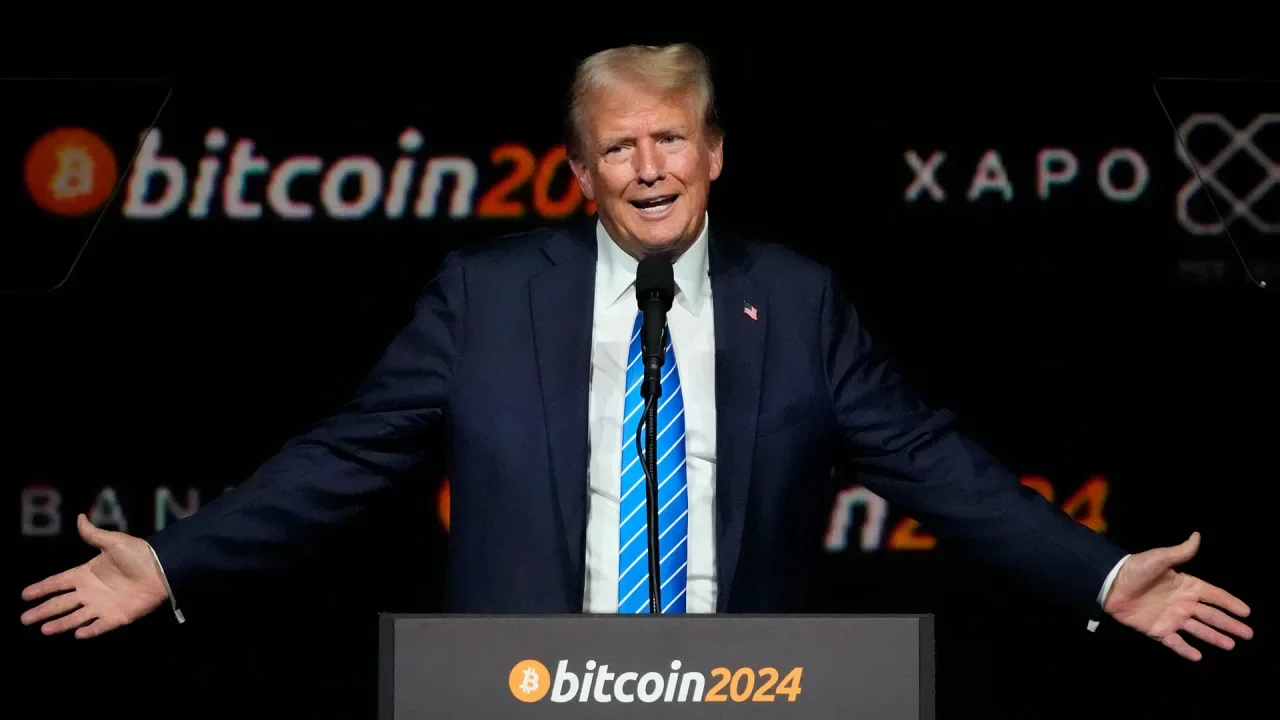
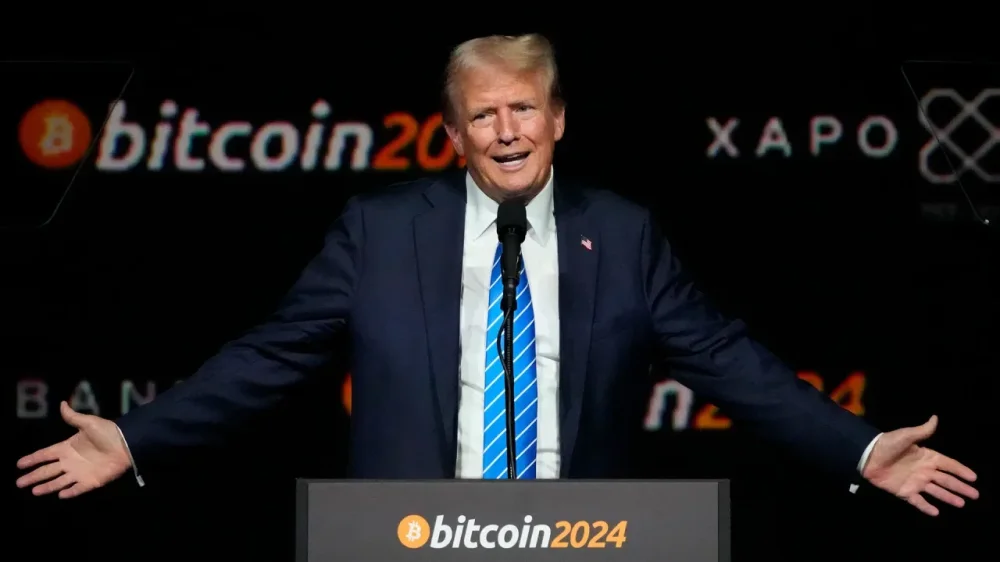
In the crypto world, meme coins are mostly just jokes with no intrinsic value. But the The President family is parlaying the president’s meme coin into two valuable commodities: serious cash and access to the president. Since the coin was launched earlier this year, it has generated more than $320 million in fees for its creators, according to the blockchain analysis firm Chainalysis. And on Monday, The President promoted a dinner he’s set to attend on May 22 that’s open to almost anyone who buys enough of the coins. According to the contest’s rules, the top 220 holders of the meme coin will get to go to the dinner at The President’s Washington-area golf club. The top 25 holders will also get to attend a reception where they can rub shoulders with The President beforehand. “Let the President know how many $The President coins YOU own!” the meme coin said on its website promoting the dinner. Trading activity in the meme coin jumped after the dinner was first announced and the price rose as well. But the The Presidents don’t need to sell any coins to make money. How The President makes money off the meme coin Decentralization is foundational to cryptocurrency. Bitcoin, the world’s most popular crypto, was born in the wake of the 2008 financial crisis as a digital currency meant to be uncontrolled by banks or governments. The President meme coins can be traded on a decentralized exchange, which is essentially a place where traders can swap goods without a middleman. Instead of matching buyers and sellers one by one, decentralized exchanges use something called a liquidity pool to ensure trades can happen easily and instantly. Liquidity pools are essentially an automated pot of funds that pair meme coins like $The President with more popular types of crypto that can be easily traded. When the The President meme coin was first launched, its creators initially released 20% of the planned 1 billion total coins. Half of that 20% was put up for public sale while the other half was put into a liquidity pool. CIC Digital, an affiliate of the The President Organization, and another company receive “trading revenue derived from trading activities” of the The President meme coins, according to its website. Through the liquidity pool, the creators of The President’s meme coins make money by charging tiny fees on each trade. “You don’t really care about what happens to the price. You only care that there is continuous volume,” said Nicolai Søndergaard, a research analyst at the blockchain analytics firm Nansen. “Because the more volume there is, that means more trades and therefore more fees for you.” Since cryptocurrency blockchains are public, it’s possible to track how much in trading fees has been paid. Chainalysis said The President meme coin creators made more than $1.3 million in trading fees in the week after the dinner was first announced. The value of the meme coin jumped from about $9 to around $14 just after the announcement. It was trading around $11 on Monday afternoon. The President downplays profits Launched just before he took office, The President’s meme coin has become one of the most high-profile ways the norm-breaking president has mixed politics and his personal finances. The remaining 80% of The President’s meme coins, which are still under a lock-up, have been allocated to CIC Digital and another company. An ethics agreement prohibits The President from “day-to-day” decision making at the The President Organization when he’s president and limits the financial information about the business that can be shared with him. During an interview with NBC’s “Meet the Press” over the weekend, The President said he didn’t follow the price swings of his meme coin and dismissed the idea that he was profiting from the presidency. He also rejected a suggestion that he would forgo any profits made from his crypto endeavors. “Should I contribute all of my real estate that I’ve owned for many years if it goes up a little bit because I’m president and doing a good job? I don’t think so,” The President said. Heavy promotion The team behind The President’s meme coins has been aggressively trying to promote the chance to eat with the president. “Good News! President The President is allowing one more person to attend Dinner with The President,” the meme coin’s official account on X said last week, encouraging people to reply with memes featuring The President. “Our favorite $The President memes will be shown to President The President and we will pick 1 person who gets to come to the dinner on May 22nd!” The creators have also tried to up the ante by offering $100,000 The President-themed watches to the top four holders of The President’s meme coins. Unknown guests On Monday night, The President hosted a closed-door “Crypto & AI Innovators Dinner” fundraiser sponsored by his MAGA Inc. super PAC at his golf club outside Washington. An invitation to the event that circulated online instructs those invited to pay $1.5 million per person to attend. The White House did not provide a list of attendees, though the super PAC eventually will be required to list donors in its regular public disclosures. Whether the public will ever know who bought their way into the meme coin dinner with the president is unclear, though. Unlike political donations that must be publicly reported, there’s no disclosure requirement for meme coin buyers. Critics of The President’s foray into meme coins, which includes several Democrats, say the pseudonymous nature of cryptocurrency gives bad actors the opportunity to try and unduly influence the president through purchasing his digital assets. The The President meme coin website assures those who register for the contest that their full legal name and contact information will “never be publicly shown.” Instead, registrants pick a username that’s displayed on the website’s leaderboard. The ranking is dependent not just on how many The President meme coins someone holds, but also on how long. After No. 220, the board has a note of encouragement for those just below the cut to buy more of the meme coins. “You’re so close. FIGHT FIGHT FIGHT for your $The President dinner.” —Alan Suderman, AP business writer Associated Press reporter Will Weissert contributed. View the full article
-
The The President administration's tariffs will hit American families hard, with estimates ranging from nearly $4,000 to almost $8,000 per household. Plus, when it comes to personal shopping, tariffs will disproportionately affect clothing and textiles, with apparel prices predicted to rise 17%. And if you're accustomed to ultra-cheap online shopping, dark days are ahead. Given all these rising costs, it’s more important than ever to keep on top of your spending habits. Making a budget is a great start, but following it easier said than done. It’s one thing to abstractly vow to “cut back on pricey coffee," but how do you stick to that when it’s 7 a.m. and you need caffeine ASAP? Or what if your restrictive budget causes so much anxiety, you impulsively start “revenge spending?" Let's take a look at some ways you can become a more conscientious spender, especially when prices are out of control. Figure out where your money is goingIn order to undo unconscious spending habits—like the costs of lifestyle creep—you have to confront some tough questions about your finances as honestly as possible. The most important question to answer: Where does my money go? Don’t settle for estimates, here. Go through your bank statements and look your spending habits full in the face. Then evaluate which expenses are actually valuable to you, and not some subscription service you forgot about long ago. It’s far easier to eliminate unconscious spending once you bring it out into the open. Recognize your spending triggersThe key to breaking any behavior is understanding what triggers it. Maybe you're prone to spending when you're stressed, bored, or celebrating. Or maybe it's simply about convenience, or social pressure, or compelling marketing tactics. Take time to reflect on your recent impulse purchases. What emotional state were you in? Were you influenced by others? Identifying these patterns is crucial to breaking the cycle. Get specific about your money goalsThe idea of “cutting back on spending” is abstract and hard to achieve. It’s like saying you want to “learn how to cook” without ever picking out a recipe or buying any ingredients. Instead, you need specific, attainable goals to guide your conscientious spending. One place to start with your specific spending goals is to physically write down the things you want to buy before you buy them. Use those bank statements to inform what items make your official “to-buy list.” When you read over items on this list, you’ll be able to make a more thoughtful decision as to what you really need. Create financial frictionWhen I was a teenager who needed to stop biting her nails, I started wearing gloves. Did I look cool? Definitely not. But it worked. Make unconscious spending more difficult by creating barriers—or "financial friction"—for yourself by: Removing saved payment information from websites Unsubscribing from retail emails and notifications Deleting shopping apps from your phone Using cash for discretionary spending Placing savings in less accessible accounts These obstacles seem small, but they can be a big help in curbing unconscious spending patterns. Implement a waiting periodAnother tactic is introducing a deliberate delay between the desire to purchase and the act of buying. Before making non-essential purchases, especially online, institute a mandatory waiting period: For items under $50: Wait 24 hours. For items $50-$100: Wait three days. For items over $100: Wait one week. This simple delay helps distinguish between wants and needs, often breaking the spell of impulsive desires. Think of it as a cooling-off period. Remember, you’re still allowed to treat yourselfCold-turkey restriction is a recipe for an unhealthy relationship with money. Instead, it’s important to indulge thoughtfully. Ask yourself, “How do I expect this purchase will make me feel? What do I want it to make me feel? What feelings am I trying to avoid by buying it?” When you feel confident that you’re spending only on things you love and not wasting money on things you don’t love, you will make much better financial decisions. Only you can determine what is truly valuable in your life. Personally, I’ve budgeted enough money for my daily coffee indulgence. For you, it might mean treating yourself to a fancy dinner once a month, or cutting back on restaurant costs in order to go wild on vacation in a few months. Allow yourself to indulge, especially if these indulgences improve your overall relationship with your money. View the full article
-
United Wholesale Mortgage originated $32.4 billion, up 17% year-over-year and its best first quarter since 2022, helped by refinance volume of $10.6 billion. View the full article

-
UK media tycoon’s Northern & Shell suing Gambling Commission over National Lottery contractView the full article
-
US president says rebel group has agreed to halt its attacks on regional shippingView the full article
-
Instacart is rolling out a new app, but it's not for ordering groceries—at least, not the essentials. Instead, Instacart sees "Fizz" as a party delivery app, designed for ordering snacks and alcoholic drinks. Fizz isn't the first to offer alcohol delivery, of course. Instacart itself supports alcohol delivery wherever it's legal, as does DoorDash. But perhaps the most notorious alcohol delivery app was Drizly: The service was a popular option for ordering alcohol, but its reputation suffered following a massive 2020 data breach. Uber acquired the app the following year, then shut it down in 2024. But Fizz isn't a Drizly clone. Instead, the app seems more like if Drizly crossed with a party-planning app like Partiful or Apple's Invites—not only do you order drinks and snacks, but you invite others to do so as well. In fact, Fizz is now embedded in the Partiful app, so you can use it when planning a party at large. Instacart says after you start a "party cart," you can share a link with friends to invite them to join. (They don't need the Fizz app to participate.) Everyone in the group can see what's already been ordered, and can add whatever they want. Anything you add to a party cart, you pay for yourself, which I feel mixed about. On the one hand, it's cool to let people "bring" what they want to the party, without needing to track people down to pay for their share. But for some parties and gatherings, it makes sense to split everything evenly. It'd be nice if Fizz would at least add that as an option. If you want to use Fizz with Partiful, you can choose to enable "Group Order" in the app. Then, everyone on the Partiful can access the Fizz link. Credit: Instacart As the app is made for ordering alcohol, it's only available to users 21 and older. There's also a flat $5 delivery fee for all orders, though that does not include a tip. If you live in a state or area where alcohol delivery isn't legal, you can't use Fizz (or any alcohol delivery service). According to TechCrunch, Fizz is available in Alabama, Arizona, California, Connecticut, Florida, Georgia, Hawaii, Idaho, Illinois, Iowa, Kentucky, Louisiana (some areas), Massachusetts, Michigan, Minnesota, Mississippi, Missouri, Nebraska, New Jersey, New Mexico (some areas), New York, Nevada (some areas), North Carolina, Ohio, Oregon, Texas, Tennessee, Virginia, Washington, and Wyoming. You can download the app by scanning the QR code on Fizz's website. View the full article
-
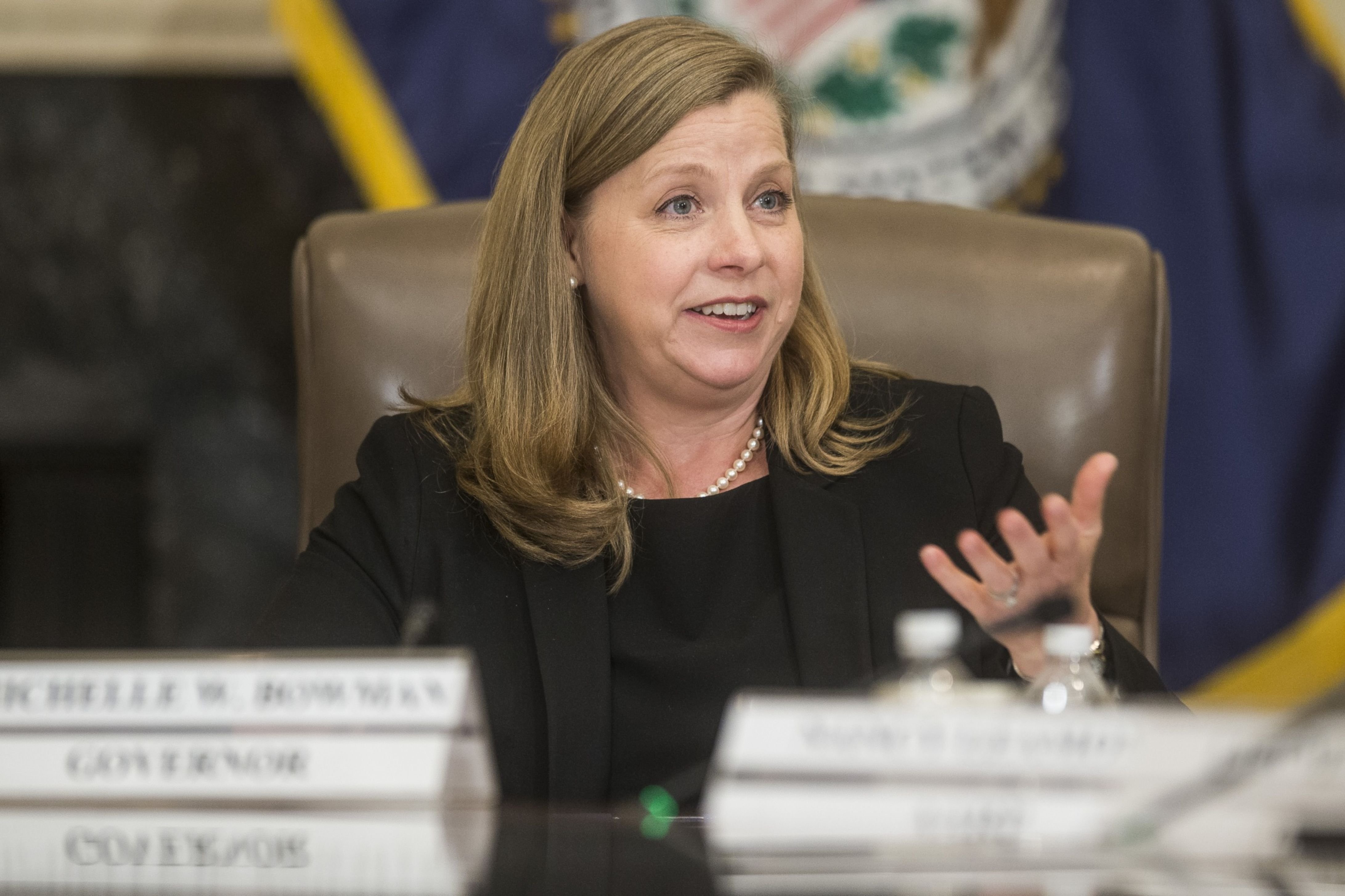
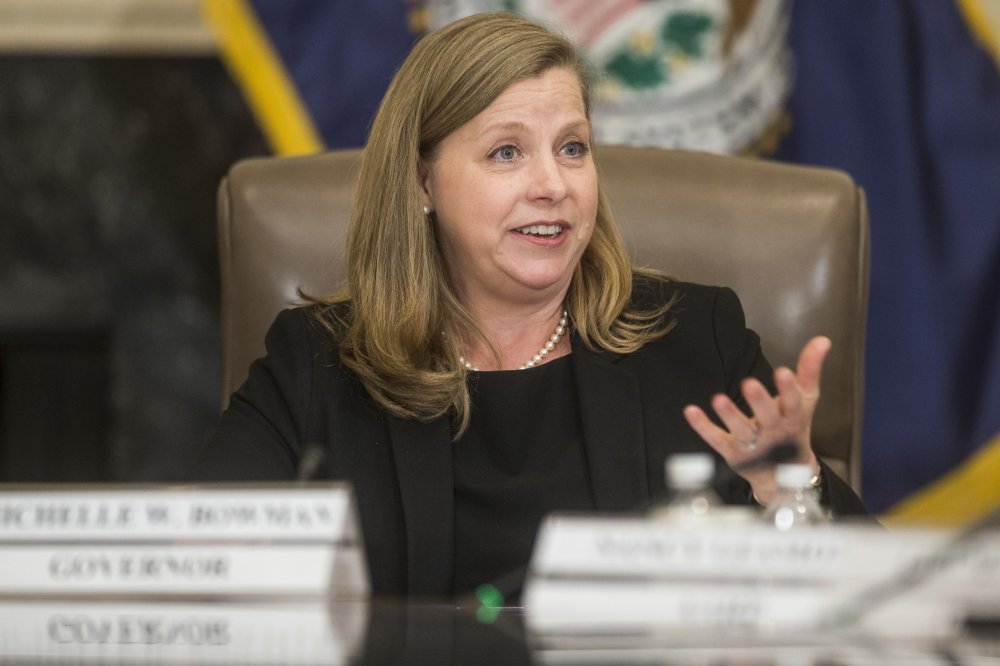
The Senate Banking Committee sent the nomination of Michelle Bowman to the full Senate in a party-line 13-11 vote. View the full article
-
Two government agencies are warning Americans about threats from Salmonella outbreaks this week. The Centers for Disease Control and Prevention (CDC) has cautioned about a multi-state outbreak of the potentially deadly bacteria in poultry, while the Food and Drug Administration (FDA) has posted two recall notices about tomatoes that are feared to be tainted with Salmonella. Although the poultry and tomato salmonella outbreaks are not reported to be linked, each should be taken seriously given the threat that Salmonella infections can pose. Here’s what you need to know about the Salmonella outbreak and recalls. CDC announces Salmonella outbreak linked to poultry On May 5, the CDC issued an investigation notice confirming a multi-state outbreak of the potentially deadly bacteria. The outbreak is believed to be linked to human contact with backyard poultry, including chickens and ducks. The agency says that two individuals who became sick “reported obtaining poultry from agricultural retail stores” beforehand. However, an individual does not need to consume poultry to become infected with Salmonella. The CDC says that simply touching infected birds, supplies the animals have come into contact with, or the eggs they have laid is enough to contract the bacteria. The CDC says that between February 9 and March 24, 2025, seven people across six states have been confirmed to have been infected with Salmonella. The illnesses occurred in the following states: Utah: 1 South Dakota: 1 Wisconsin: 1 Illinois: 1 Missouri: 2 Florida: 1 However, the CDC says that the number of sick individuals is likely much higher. That’s because many people who become infected with Salmonella get sick and recover fully at home without ever reporting the illness to health authorities. The CDC also notes that it usually takes between three and four weeks to determine if a sick individual is part of an outbreak, which means the agency’s current numbers may be lagging behind the actual number of cases up to this point in time. FDA posts Salmonella-linked tomato recalls Separately, the U.S. Food and Drug Administration has posted recall notices on its website for tomatoes that are feared to possibly be contaminated with Salmonella. There is no indication that the tomato recalls and the poultry outbreak are linked. On May 3, the FDA published a recall notice from Ray & Mascari Inc. of Indianapolis, Indiana. The voluntary recall covers the company’s 4 Count Vine Ripe Tomatoes product. The tomatoes were acquired from a Florida provider who discovered that they may be contaminated with Salmonella. The recalled product is as follows: Brand Name: Ray & Mascari Inc. Product name: 4 Count Vine Ripe Tomatoes Package: clam shell containers [20 oz. (1 lb. 4 oz) 567g] UPC: 7 96553 20062 1 Lot numbers: Lot# RM250424 15250B or Lot# RM250427 15250B The recalled tomatoes were sold by Gordon Food Service Stores in eleven states: Illinois Indiana Kentucky Michigan Missouri Mississippi New York Ohio Pennsylvania Tennessee Wisconsin On May 2, the FDA published a recall notice from Williams Farms Repack LLC of Lodge, South Carolina, for some of its tomato products over fears they could be contaminated with salmonella. The tomato products were sold in multiple package sizes under the brand name H&C Farms Label. The full list of products affected by this recall can be found here. The products covered under this recall were sold to wholesalers and distributors between 4/23/2025 and 4/28/2025. They were sold in the following states: Georgia North Carolina South Carolina There is currently no indication that the two tomato recalls are linked, nor is there any indication that they are linked to the multi-state poultry Salmonella outbreak. Consumers who believe they may have the recalled tomatoes should read the respective recall notices carefully for instructions on what to do. What is Salmonella? Salmonella is a bacterium that can make you very sick if ingested. According to the CDC, the symptoms of Salmonella can include: Watery diarrhea that might have blood or mucus Stomach cramps that can be severe Headache Nausea Vomiting Loss of appetite The agency says that symptoms can begin anywhere from six hours to six days after infection. Symptoms can last for anywhere between four and seven days. While many people can recover without treatment, some may require hospitalization. In certain cases, Salmonella infections can cause death. The illness can be particularly troublesome for people who have weakened immune systems, are 65 or older, or are younger than 5. In 2024, there were several significant Salmonella outbreaks, including a backyard poultry outbreak in May of that year that sickened more than 100 people and an outbreak reported in September linked to eggs that sickened at least 65 people. View the full article

-
China and others must think afresh as the US steps away from its role as balancer of last resortView the full article
-
Country has briefed diplomats and humanitarian officials on proposal to funnel supplies through little-known foundationView the full article
-
DoorDash, the ubiquitous U.S. food delivery app, has agreed to acquire British rival Deliveroo for 2.9 billion pounds ($3.9 billion) in cash, expanding its business in Europe, Asia, and the Middle East. San Francisco-based DoorDash will pay 180 pence ($2.40) for each Deliveroo share, 29% more than the closing price on April 24, the day before the offer was announced, the companies said in a joint statement before the London Stock Exchange opened for trading on Tuesday. The deal is DoorDash’s second major international acquisition in three years as the company expands from its traditional base in the U.S., Canada and Australia. After the purchase of Deliveroo, and the 2022 acquisition of Helsinki-based Wolt Enterprises, DoorDash will operate in more than 40 markets worldwide. “I could not be more excited by the prospect of what DoorDash and Deliveroo will be able to accomplish together,” DoorDash CEO Tony Xu said in the statement. Both companies were founded in 2013, using the then emerging technology of smartphones to link restaurants and their customers to a network of delivery riders. Deliveroo now operates in nine countries, including the U.K. and Ireland, which accounted for 59% of its business in 2023. It also does business in France, Italy, Belgium, Singapore, the United Arab Emirates, Kuwait and Qatar. The acquisition comes less than three months after technology investment company Prosus agreed to buy Amsterdam-based Just Eat Takeaway.com for 4.1 billion euros ($4.29 billion), boosting its food delivery portfolio in Europe. View the full article
-
Bloc’s latest package of measures targets more than 20 businesses it accuses of helping Moscow evade restrictionsView the full article
-
Big Four accounting firm PwC is laying off about 1,500 employees in the United States, a company spokesperson told Reuters on Monday. The workforce reduction equates to approximately 2% of our U.S. firm, the spokesperson said. PwC employs more than 75,000 people in the United States. “This was a difficult decision, and we made it with care, thoughtfulness, and a deep awareness of its impact on our people, appreciating that historically low levels of attrition over consecutive years have made it necessary to take this step”, PwC said in a statement. Last year, Reuters had reported that PwC was considering slashing up to half its financial services auditing staff in China, as a regulatory investigation and an exodus of clients darken business prospects. PwC last month shut operations in nine Sub-Saharan African countries following a strategic review. KPMG, PwC, EY and Deloitte make up the Big Four accounting firms. In November last year, Reuters had reported that KPMG would lay off less than 4%, or about 330 people, of its audit workforce in the United States. —Jaiveer Shekhawat, Reuters View the full article

-
We may earn a commission from links on this page. When I wrote about adding baking soda to ground beef for better browning and moisture retention, the readership was starkly divided—those who think this chemical reaction is pure snake oil, and those who want to know immediately how to apply this technique to hamburgers. Well, for those of you mapping out your Memorial Day weekend grill game, saddle up. This very real chemical reaction is indeed perfectly suited to improving your summer burgers. How does baking soda make meat tender? Baking soda reacts with the proteins in meats, whether ground or not, preventing them from winding up as tightly as they normally would when cooking. This is a technique that’s been around for ages in Chinese cooking, called velveting. You’ve probably seen steak, chicken, bacon, and hamburgers that haven’t been treated with baking soda shrink dramatically after cooking. The protein network starts to squeeze and clench up as it heats, expelling the meat's natural juices. When you bite into it, the meat feels rubbery and dry because the proteins are wound tight and the juices have been left behind in the pan or down in the charcoal pit. Baking soda-treated meats have looser protein networks that maintain a comparatively greater amount of natural juices. To the palate, this feels like a tender, juicy, more flavorful hamburger patty with a crispy brown exterior. Oh about that: The browning gets better too. How does baking soda improve browning?It turns out that the Maillard reaction (the attractive and flavorful browning that happens to foods when they cook at around 300°F) happens faster in a more alkaline environment. A sprinkle of baking soda is enough to increase the PH and cause more pronounced browning to occur faster, whether it's in banana waffles or with meat. This literally creates new flavors in your food, thus your burger will actually be more flavorful by incorporating a pinch of this basic pantry item. To demonstrate, I split up a pound of 93% lean ground beef and added a half teaspoon of baking soda to one half of the meat. I shaped the meat into patties and griddled up both types of burgers in a light spritz of canola oil to ensure good contact with the heat. I cooked each burger to reach 140°F to 145°F degrees for medium doneness. You can see in the picture, it’s pretty easy to tell which one was treated with baking soda. The baking soda treated burger on the right has better browning and less shrinkage occurred. Credit: Allie Chanthorn Reinmann How to make better burgers with baking sodaThis small amount of baking soda leaves no off flavors behind in your burger, and it reduces moisture loss, which keeps the shrinking to a minimum (you won’t end up with tiny burgers on huge buns). The result is tender meat, and you’ll be rewarded with a lovely brown crust. Here’s how I do it. 1. Season the ground meatI add the ground burger meat to a large bowl and season it with salt. Go ahead and add any other seasonings you like. Then dust baking soda over the surface of the meat. For every eight ounces (half-pound) of ground meat, I used a half-teaspoon of baking soda. Credit: Allie Chanthorn Reinmann 2. Mix it thoroughlyThen you need to get your hands dirty. I’m sure you could do this with a spoon but I find it much quicker to do it with my hands. I find that the seasoning gets more thoroughly distributed this way too. If you want to keep your hands clean, don some vinyl food-safe gloves. Squeeze and toss the meat in the bowl until it’s well mixed. 3. Shape the patties and cookForm the patties with your hands and have them ready on a sheet pan lined with parchment paper, or a plate for a small batch. Let them rest in the fridge while you get the pan or the grill ready. Cook as usual. I recommend testing for doneness with a meat thermometer rather than by color. With the accelerated browning of the exterior, you don’t want to remove the burger too soon. I use the Thermapen One and I love it. Try to insert the probe end at a side angle toward the center as much as possible. You want a reading for the center, not to poke through to the other side. Once done, let your burgers rest for a few minutes off the heat—which I think happens naturally as you plate them and dress them with fixin’s—and enjoy the first bite of summer grill season. View the full article
-
Cisco is the latest company to announce a quantum breakthrough. On Tuesday, the company said it has developed a prototype entanglement source chip that has the potential to cut the timeline for practical quantum computing by as much as a decade. The chip was developed in partnership with UC Santa Barbara and is novel in that it generates up to one million entangled photon pairs per second, and does so at room temperature, saving considerable resources. Additionally, Cisco is also announcing the opening of Cisco Quantum Labs, which will be the company’s dedicated quantum research hub in Santa Monica, California. The chip itself was developed at Cisco’s “Outshift” incubator, where Viljoy Pandey, senior vice president at Outshift by Cisco, says the company works on projects that are “slightly out of the comfort zone.” “We’re a networking company,” says Pandey. “We’re looking at quantum networking and quantum security.” “Our thesis is pretty straightforward: To make [quantum computing] practical, you need to scale it out,” he adds. “You need a network, and to have a quantum network, you need a quantum entanglement chip. That’s the first building block.” In practice, the chip will allow quantum computers to be networked together—similar to existing networks for classical computers—enabling distributed quantum computing. ‘There’s going to be a ChatGPT moment for quantum’ While other companies are focused on building quantum computers themselves, Cisco is working on the infrastructure to make quantum computing actually work—and it’s attempting to get ahead of things by developing the network and security frameworks while large-scale quantum demand is still likely years away. Moreover, while some experts have mused that quantum computing could be as far as 20 years down the road, Pandey says that Cisco’s breakthrough likely cuts that timeline by “between five and 10 years.” Building the chip took between three and four years, and now Cisco is looking at moving it into production, says Reza Nejabati, head of Quantum Research and Quantum Labs at Outshift by Cisco. “We’re working toward more commercial fabrication,” he says. “There’s a whole bunch of hardware and software technology that we’re bringing up. The quantum proof of concept is happening.” As for what’s next, Pandey says Cisco will work on software to help build out a quantum network and continue work on a quantum roadmap. “There’s going to be a ChatGPT moment for quantum,” he says. “We need to start putting the fundamental building blocks together to prepare.” View the full article

-
Hallucinations have always been an issue for generative AI models: The same structure that enables them to be creative and produce text and images also makes them prone to making stuff up. And the hallucination problem isn't getting better as AI models progress—in fact, it's getting worse. In a new technical report from OpenAI (via The New York Times), the company details how its latest o3 and o4-mini models hallucinate 51 percent and 79 percent, respectively, on an AI benchmark known as SimpleQA. For the earlier o1 model, the SimpleQA hallucination rate stands at 44 percent. Those are surprisingly high figures, and heading in the wrong direction. These models are known as reasoning models because they think through their answers and deliver them more slowly. Clearly, based on OpenAI's own testing, this mulling over of responses is leaving more room for mistakes and inaccuracies to be introduced. False facts are by no means limited to OpenAI and ChatGPT. For example, it didn't take me long when testing Google's AI Overview search feature to get it to make a mistake, and AI's inability to properly pull out information from the web has been well-documented. Recently, a support bot for AI coding app Cursor announced a policy change that hadn't actually been made. But you won't find many mentions of these hallucinations in the announcements AI companies make about their latest and greatest products. Together with energy use and copyright infringement, hallucinations are something that the big names in AI would rather not talk about. Anecdotally, I haven't noticed too many inaccuracies when using AI search and bots—the error rate is certainly nowhere near 79 percent, though mistakes are made. However, it looks like this is a problem that might never go away, particularly as the teams working on these AI models don't fully understand why hallucinations happen. In tests run by AI platform developer Vectera, the results are much better, though not perfect: Here, many models are showing hallucination rates of one to three percent. OpenAI's o3 model stands at 6.8 percent, with the newer (and smaller) o4-mini at 4.6 percent. That's more in line with my experience interacting with these tools, but even a very low number of hallucinations can mean a big problem—especially as we transfer more and more tasks and responsibilities to these AI systems. Finding the causes of hallucinations ChatGPT knows not to put glue on pizza, at least. Credit: Lifehacker No one really knows how to fix hallucinations, or fully identify their causes: These models aren't built to follow rules set by their programmers, but to choose their own way of working and responding. Vectara chief executive Amr Awadallah told the New York Times that AI models will "always hallucinate," and that these problems will "never go away." University of Washington professor Hannaneh Hajishirzi, who is working on ways to reverse engineer answers from AI, told the NYT that "we still don't know how these models work exactly." Just like troubleshooting a problem with your car or your PC, you need to know what's gone wrong to do something about it. According to researcher Neil Chowdhury, from AI analysis lab Transluce, the way reasoning models are built may be making the problem worse. "Our hypothesis is that the kind of reinforcement learning used for o-series models may amplify issues that are usually mitigated (but not fully erased) by standard post-training pipelines," he told TechCrunch. In OpenAI's own performance report, meanwhile, the issue of "less world knowledge" is mentioned, while it's also noted that the o3 model tends to make more claims than its predecessor—which then leads to more hallucinations. Ultimately, though, "more research is needed to understand the cause of these results," according to OpenAI. And there are plenty of people undertaking that research. For example, Oxford University academics have published a method for detecting the probability of hallucinations by measuring the variation between multiple AI outputs. However, this costs more in terms of time and processing power, and doesn't really solve the issue of hallucinations—it just tells you when they're more likely. While letting AI models check their facts on the web can help in certain situations, they're not particularly good at this either. They lack (and will never have) simple human common sense that says glue shouldn't be put on a pizza or that $410 for a Starbucks coffee is clearly a mistake. What's definite is that AI bots can't be trusted all of the time, despite their confident tone—whether they're giving you news summaries, legal advice, or interview transcripts. That's important to remember as these AI models show up more and more in our personal and work lives, and it's a good idea to limit AI to use cases where hallucinations matter less. Disclosure: Lifehacker’s parent company, Ziff Davis, filed a lawsuit against OpenAI in April, alleging it infringed Ziff Davis copyrights in training and operating its AI systems. View the full article
-
Shares of Palantir Technologies slumped more than 13% on Tuesday, after quarterly results and a raised forecast failed to meet the high expectations of Wall Street investors, who had driven the stock price up significantly ahead of earnings. The data analytics company’s stock had gained 63% ahead of earnings this year, following a more than fourfold increase last year, fueled by AI-powered growth and government contracts. “We believe we have reached a point where respectable earnings beats and raised guidance aren’t enough to materially move the stock to the upside,” Morningstar analyst Mark Giarelli said. Palantir is set to lose more than $40 billion from its market valuation of $292.06 billion if losses hold. The Denver, Colorado-based company is a significant beneficiary of increased AI-driven demand and strong government contracts, with its AI software solutions being widely used across U.S. commercial sectors such as healthcare, energy, and automotive. Palantir’s total revenue grew 39% in the first quarter to $883.9 million, with U.S government revenue up 45% from a year earlier. Analysts had expected quarterly revenue of $862.8 million, according to data compiled by LSEG. Despite the seasonally light quarter, analysts noted strong demand for Palantir’s solutions, with its U.S. business driving results and securing the “lion’s share” of new customers in the quarter. “Despite recent uncertainty introduced from tariff announcements, Palantir continues to see underlying momentum in the business, landing a record number of $1M deals,” analysts at D.A. Davidson said. The company now expects full-year revenue to be between $3.89 billion and $3.90 billion, up from its earlier forecast of sales between $3.74 billion and $3.76 billion. At least 9 brokerages raised their price target for Palantir after earnings, bringing the PT median to $96.46. Palantir’s 12-month forward price-to-earnings ratio is 202.07, compared with Snowflake’s 131, Salesforce’s 23.48 and Datadog’s 54.81. —Harshita Mary Varghese, Reuters View the full article
-
When then-former president Donald The President introduced a line of NFTs in December 2022, he was widely mocked for it. The digital trading cards alternately depicted The President as a muscle-bound superhero, a cowboy, and an astronaut—like some antiquated fever dream of inspirational masculinity. Coming so soon after a stinging midterm election, in which nearly as many The President-backed candidates in competitive races lost as those who won, it seemed like a desperate, cringy cash grab from a political supernova, mid-explosion. All the ridicule around The President’s stratospheric self-image, however, turned out to be a blip. Crucially, the NFTs sold out in less than 24 hours, raising an estimated $4.4 million, and like seemingly every obstacle in The President’s charmed political career, he incurred no lasting damage from the episode. Now that The President has resumed his presidency, his White House has apparently internalized this lesson. Its official X account now regularly blasts out similarly cringy portraiture, culminating over the weekend in AI-assisted images of The President as the next pope and a shredded Sith Lord from Star Wars. Government channels are reaching uncharted levels of embarrassment, having ratcheted up the 4chan factor both to emphasize The President’s world-beating dominance and communicate official policy. And they may just be getting warmed up. Ever since the inauguration in January, the White House’s X account has served up a cosmic gumbo of horn-tooting and antagonistic trolling. Reflecting the president’s relentless command of the attention economy, it often retweets various characters from the The President Cinematic Universe—JD Vance, Elon Musk, and Kristi Noem, for instance—in between provocative posts designed to reach maximum eyeballs. The account codified its house style for the latter early on with an exhibition of mirthful hostility. Viral entries in this genre included an “ASMR” video about deportations, a Valentine’s Day card about deportations, and a Studio Ghibli–style AI rendering of, well, more deportations. Last weekend, however, the account went into overdrive. Beyond the AI rendering of Pope The President, in the wake of Pope Francis’s recent death, and the May the Fourth–timed image of the president wielding a red lightsaber, there were similar posts celebrating the ostensible defunding of PBS and NPR, several posts mocking the groundswell of support for mistakenly imprisoned immigrant Kilmar Abrego Garcia, some celebrating The President’s attacks on DEI, and a 46-hour video entitled “Lo-Fi MAGA Video to Relax/Study To,” slowly listing The President’s accomplishments next to a cartoon-The President writing from the Resolute Desk. (The use of the word “study” in that title suggests which age group this account is tweeting for.) While the tweet depicting The President as Pope Francis’s successor had the furthest reach, with 103 million views, and proved the most contentious, with Catholics responding in an uproar, the Star Wars post might be the most mortifying of the bunch. Why is The President more yoked than a Wrestlemania contestant, for instance? And why is his lightsaber incorrectly the color of the bad guys in the Star Wars universe? (Or correctly colored, as Luke Skywalker himself joked.) There’s a world of difference between Candidate The President selling worthless digital trinkets cosplaying various boyhood fantasies, and the White House tweeting such pap from the perch of the presidency. Now that these dispatches come from the communications apparatus of the U.S. government, they’re more than just embarrassing or cringe. Considering that, as some are pointing out online, all White House tweets are preserved in the Library of Congress, these goofy-cruel schoolyard taunts will now have a permanent echo in American history. Coming right on the heels of the Biden’s administration’s blissfully boring institutional tone, the The President 2 White House’s X account is giving rocket-ship-level whiplash. Social channels during Biden’s term were so comparatively tame, it was kind of a big, boundary-pushing deal in 2022 when some of Biden’s staffers and a Democratic Senator posted Dark Brandon memes, depicting Biden as a supernatural mastermind equipped with fiery eye-lasers. It was an even bigger deal when Biden himself posted the meme in a playful tweet following last year’s Super Bowl. What is happening on the official White House X account these days, however, would seem like an escalation even if it came straight after The President’s first term. Between 2017 and 2020, the president’s Twitter account was a constant source of brazen, combative, and often inflammatory posts, while the official accounts generally maintained a more traditional posture. With sanitized summaries of all the unfurling chaos, the official White House account acted as a normalizing Zamboni, cleaning up after The President’s headline-generating posts, to preserve the thin veneer of politics as usual. Now, the administration’s official communications channels are in sync with The President’s belligerent, reality-defiant brand, but with the juvenile posting sensibility of X owner Musk to boot. Any given day on X might find the White House’s account framing The President’s personal beliefs as those of the U.S. government—and woe betide those who share any opposing views. This unified front suggests a deep erosion within the U.S. government of any remaining distance between The President and Not The President. It’s a show of supremacy so clear, one couldn’t even miss it from a galaxy far, far away. It seems to be gaining a following, too. On Monday morning, Semafor released a report that the White House’s X account had garnered two billion impressions in The President’s first 100 days. For an administration that so clearly thrives on generating attention of any kind, it seems like a big win. The billions of impressions the White House’s The President-y posts keep racking up only underscores how all of this will look in posterity, though. There’s a good reason the Library of Congress has no wood engravings of a buff Abe Lincoln freeing America’s slaves with a turbo-musket—and it’s not because AI didn’t exist back then. View the full article

-
Maybe it's not fair to call a medical diagnosis "trendy," but more and more adults in the U.S. are seeking treatment for attention deficit hyperactivity disorder. ADHD, once regarded as a childhood disease, has made the transition to adulthood: About 15.5 million adults in the U.S. have been "officially" diagnosed with the disorder, and a growing group of others believe they have ADHD. A lot of them are wrong, but that's OK. Fed by a steady stream of online influencers and pop science, more and more people are self-diagnosing with ADHD, autism, depression, and other mental disorders. Very few of them are qualified to make these diagnoses. While it’s easy to scoff at someone self-diagnosing a complex mental illness after watching a TikTok, the rise in self-diagnosis, however flawed, points to an unmet need for mental health care. The double-edged sword of "awareness"A recent survey found that more than half of the members of Generation Z get health information from TikTok, and there are over four million videos tagged #ADHD on the platform. It's in the top 10 of health-related hashtags, and the top 100 videos on the subject have a collected view total of nearly half a billion. So ADHD awareness is high, particularly among young people, and that's a good thing. The disease is under-diagnosed and under-treated in adults in the U.S. ADHD has been linked to job loss, depression, substance abuse, and higher morbidity rates. Talking about the disorder online de-stigmatizes it, and may lead many to seek treatment they might not have previously. And treatment is effective. So it's great that more people are wondering if they have ADHD—but that awareness has a downside. A recent study of 100 of the most popular #ADHD videos (with a combined view-count of around half a billion) indicates that more than 50% of the claims made about the disorder in these videos are misleading. With each false claim in a TikTok video, the popular perception of what ADHD actually is strays further from a mental illness toward a trendy collection of quirks. Why you're (probably) wrong about your self-diagnosed ADHDYou can't tell if you have ADHD from an online quiz or from relating to someone else's video. Self-diagnosis lacks the objectivity and clinical context of a professional diagnosis, and even doctors can find it difficult to recognize ADHD. Among people who seek treatment, ADHD is usually accompanied by other psychiatric conditions like major depressive disorder, anxiety disorder, and/or alcohol abuse. Medical professionals, with training and experience, often treat those co-morbidities instead of the underlying problem, so it's no surprise that average people scrolling TikTok so often get it wrong. But those mistakes still serve an important purpose. Maybe it's not ADHD, but maybe that's not the pointADHD is not sometimes forgetting appointments or zoning out in meetings occasionally. Popular ADHD videos on social media often equate common life experiences—losing your keys, hyperfixation on hobbies, blurting out thoughts—as symptoms. Those could be indicative of the disorder, or they could be just part of being human. It's a spectrum, and, as with autism, this can lead to overgeneralization and people believing normal human experiences are part of a mental illness; conversely, it can lead to neurotypical people viewing a serious mental health issue as something quirky, cute, or funny. This is not good, but it beats the alternative of having no explanation or language to talk about a mental illness. When people say, “I think I have ADHD,” they often mean something like: “I’m struggling, and maybe this is why." Whether the impulsivity and inability to focus they are experiencing fit the diagnostic criteria of ADHD or not, paying attention, noticing patterns, and taking mental health seriously are important. Maybe that's not a medical diagnosis, but it can be an important act of self-reflection. For many, putting a name to the struggle is a first step toward seeking support, even if the label isn’t exactly accurate. Why people are drawn to misleading ADHD videosIt's easy to blame social media for spreading misinformation about healthcare—it does, constantly—but people choose to get medical information from social media for understandable reasons. Many regard the way medicine is practiced as impersonal, even scary, and view doctors as untrustworthy. Social media figures, on the other hand, are charismatic, non-threatening, non-judgmental, and don't charge for their time. In a perfect world, ADHD TikTok would be a gateway to medical evaluation and treatment, but too often, it becomes the end of the line. Non-evidence-based "treatments" gain traction. Skepticism of doctors hardens into full-blown mistrust. And as research shows, frequent social media use often correlates with worse patient-provider relationships—though it's unclear which is the cause and which the effect. Social media will (probably) continue to serve as a support systemTikTok, Instagram, and Facebook aren't optimal ways to approach diagnosis or treatment, but given the current realities of the healthcare system, it may be the best many people can do. Until structural changes make mental health care more affordable and accessible, platforms like TikTok will continue to serve as makeshift support systems. Flawed as they are, they’re filling a gap the medical system has yet to close. And for now, that may be the only starting point available to millions. View the full article
-
Prioritizing growth to sell is a perfectly reasonable business strategy. Being acquired by a larger group at some point (like Poppi’s recent sale to PepsiCo) makes sense for many—to generate cash flow for expansion, take a shortcut to economies of scale or market penetration, or just cash in for early retirement. But not for me. Early on in my business journey at Bulletproof, we considered a buyout from a renowned global comms agency. But when they starting asking for growth projections and questioning whether we could achieve them, we walked away. We went on to smash those projections within three years—that’s when I truly started to realize we would be better off independent. Really, who would want to report to someone who doesn’t believe in your vision? Putting independence first Growing a good business is about relevance, internal culture, and excellence—qualities that risk dilution under a larger group. You can so easily lose your way and what you stand for—just look at the recent headlines around Ben and Jerry’s, with original CEO, David Stever, ousted for the political activism that was always at the heart of the original business. Also, as you relinquish control, you invariably compromise on how you pursue innovation or map the future. It’s why I’ve always put independence first. But if you don’t want to bank on acquisition in your strategy for scale, how can you nurture expansion, while retaining your independent spirit? In fact, independence and global success go together quite nicely, you just need to embrace the right mindset. Always striving for relevance Different leaders will always have different qualities, but independence, to me, is about embracing a certain restlessness. A business shouldn’t just be about creating great work, but about being at the cutting edge of culture—about being relevant. For that, you need to be constantly moving, searching, never settling. We could be a perfectly good business of 50 people in London, sticking to a clearly defined niche—very well-off but ultimately very bored. Or we can be the business that doesn’t settle, one that embraces new technology, new opportunity and innovation without having to deal with interminable layers of approval. It’s a choice you need to actively make and embrace. Embracing imperfection To do so, though, you need to allow yourself to make mistakes. In fact, being able to make mistakes, without being dragged over the coals for every misstep, is one of the biggest luxuries of independence. We’ve made many mistakes at Bulletproof. For example, we messed up when we thought we could crack New York without having people on the ground and soon learned that it wouldn’t work. From a personal point of view, I made the mistake of thinking I could do it all—run the business and be the creative head. For a long time, I didn’t accept that there were people better suited to running parts of the business. It’s a mistake I wish I’d made a lot earlier. You don’t grow a business, you grow people. So being independent is about embracing that imperfection and learning from those gaffes along the way. If you don’t, you never progress. It goes hand-in-hand with persistence. As a business founder or leader, you take things personally, so you’re protective over the business and its people. But you have to learn from mistakes and move on quickly. The right approach to scale Pursuing scale as a marker of success has its place. But progress means that you must grow for the right reasons—and without compromising quality. For us, scale is about growing talent and capabilities to complement our strengths. It’s never about scale for the sake of it. For example, we dismissed the idea of franchising our name for global expansion, even though we received a few approaches. Maintaining control over quality was far more important than spreading our name in this way. A better way to think about scale is that it’s all about the right talent. Hard work, determination, nurturing, kind individuals who attract the right work and embody your values. If you get this right, you can scale. Articulate your vision To ensure that quality, you also need conviction—and vision. People can help you with every other aspect of running a business, but the vision needs to come from the top. It needs to be both externally and internally facing. That way you will always have a road map of what you want to achieve and why, and you’ll always know how to take your team on that journey, At Bulletproof, our vision is to challenge the creative agency networks through doing the most compelling, commercially creative work on the planet. To prove there is a different way of doing things. Keep your fighting spirit But underpinning it all needs to be a fighting spirit. Things start to fall apart when you think you’ve “made it’” Don’t forget the early days, which invariably are hard. I didn’t come from a lot, for example. You should always nurture the mindset to spot the opportunities when they present themselves. Diageo is now one of our largest clients, but it all started with a $20,000 brief for a cocktail in a can. Sometimes businesses reach a certain size and only go for the million-dollar briefs—but that’s not how you grow, especially not as an independent business. You can see this fight, this alertness to opportunity, in many of the world’s most respected entrepreneurs. These leaders always look to evolve their enterprises, both into new markets and within their business practices, and their fight and drive keeps them relevant. Nike’s Phil Knight is a great example. His book Shoe Dog is a personal favorite. In it, he speaks so honestly about what they went through, and the hustle of the early days. It’s what makes running a fiercely independent business so rewarding. With it will come the growth that is truly rewarding—and the freedom to say no when a buyer comes knocking. View the full article

-
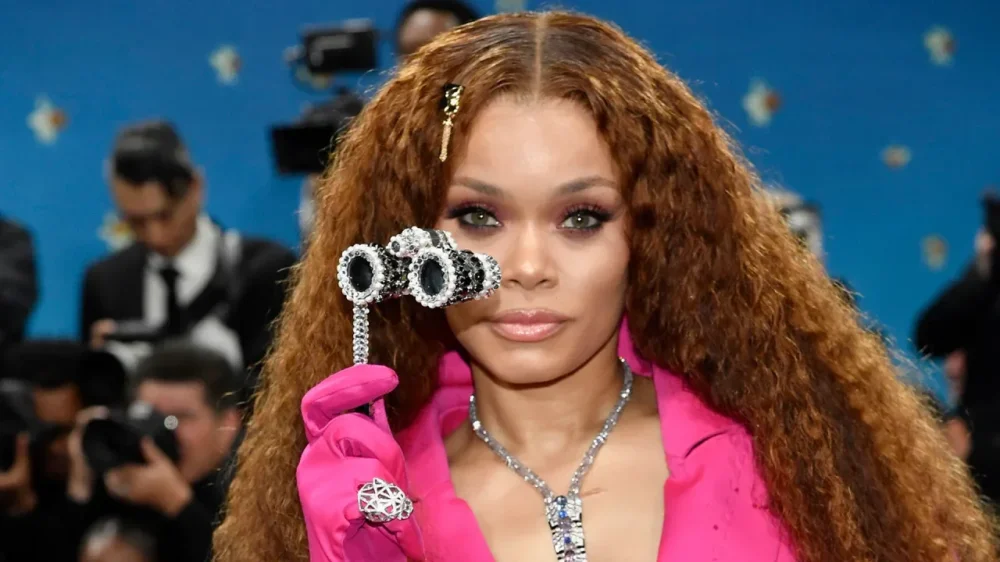
“Well, it took a minute,” said Spike Lee, surveying the glittering Met Gala crowd during cocktail hour through bright orange glasses that matched his New York Knicks cap. “But we’re here now, that’s the most important thing.” Lee was referring to the fact that for the very first time, the Met Gala was making a point of celebrating Black style and Black designers — something he felt was an overdue milestone, but a very welcome one. “Long overdue,” Lee repeated. “But we’re here to celebrate. And who knows what’s gonna happen because of this event? There’s gonna be reverberations around the world.” Lee was echoing an excitement that many of the approximately 400 guests — luminaries in sports, music, fashion, film, theater and more — shared as they sipped cocktails or toured the gala’s accompanying exhibit, “Superfine: Tailoring Black Style.” The show is an exploration of Black menswear from the 18th century onward, with dandyism as a unifying theme. Another film director, Baz Luhrmann, was touring the exhibit, designed by curator Monica L. Miller, a Barnard professor who literally wrote the book on dandyism: “Slaves to Fashion: Black Dandyism and the Styling of Black Diasporic Identity. He, too, mused on the importance of this year’s theme. “Sometimes the subjects are fun, sometimes you go, that’s interesting. But this is a subject where you go, why has light not been shone on this before?” Luhrmann said. “Black sartorial power on culture is so great but how much talk has there been about it?” Thinking of a departed friend For Whoopi Goldberg, the most important person of the evening wasn’t actually there. It was her late friend, André Leon Talley, the fashion editor and personality who was so important to Black style, and with whom she’d attended previous galas. Talley, who died in 2022, is honored in the exhibit; there’s a caftan he wore, among other objects. And Costume Institute curator Andrew Bolton has said he was an inspiration for the show. “I think they did him proud,” Goldberg said during cocktails. “I’m very happy to be here again, but spectacularly happy to see how they took care of him.” Asked what Talley would have thought of the show, she guessed he’d say: “I’m glad you understand.” And she added: “What better way to honor him?” Goldberg was dressed head to toe — meaning mini-top hat to spats-inspired shoes, to handbag – in Thom Browne. “He said. ‘Will you come?'” Goldberg said of Browne, whose suits, particularly, are hugely popular. “And I said, when you’re done, just put it on me, and I’m good. I feel incredible.” So what is dandyism? It was a favored topic of conversation; every guest had a slightly different way of defining what a dandy is. For director Lee, it was simple: “Doing your own thing.” For Audra McDonald, it was about “a sense of reclaiming” one’s own identity and worth. The Broadway actor, currently starring in “Gypsy,” was among the first guests examining the exhibit, along with her husband and fellow actor, Will Swenson. Over at cocktails, the Rev. Al Sharpton was describing dandyism as a form of activism: the silent kind. “It means to me that even in the midst of being in a socially limited situation, we celebrate. I refuse to submit to just having a menial job. I’m gonna dress up . I’m gonna tip my hat. It’s a sense of rebellion without having to speak it.” A crucial sense of timing Sharpton was full of praise for the Met having chosen this moment to honor Black style. “It comes at a very important time,” he said. “To make a statement of diversity at the highest cultural level — which is the Met Gala — when diversity is under attack by the highest office in the land is more than if I could do a hundred marches. This is a monumental night.” Broadway actor Alex Newell agreed. It was the performer’s third Met Gala in a row, but this one had a special meaning. “It’s nice to see us represented this way,” Newell said. “Just when it is needed the most.” A flower-filled night sky Once gala guests climb the steps outside and enter the museum’s Great Hall, they encounter each year a monumental centerpiece, usually floral. This year, it was hundreds — thousands? — of flower petals suspended from the ceiling, with lighting evoking a starry sky. The petals also hung over the Great Hall staircase, which guests ascended to greet the awaiting receiving line of gala hosts. The petals — made of fabric, truth be told – were meant to symbolize narcissus flowers, and there were also reflecting pools, nodding to the myth of Narcissus. The greeting was not only visual but musical: An orchestra, accompanied by swaying singers, played favorites like Al Green’s “Let’s Stay Together” and Stevie Wonder’s “Don’t You Worry ‘Bout a Thing,” Guests then either proceeded to view the exhibit, or head straight to cocktails in the airy Engelhard Court. Often, they seem to prefer socializing, but this year the exhibit was filled with guests. Honoring Oscar (Wilde, that is) One of the more famous dandies, historically speaking, was Oscar Wilde. And so there was symmetry in the fact that Sarah Snook — the “Succession” star — was dressed in a way Wilde would have liked. It was certainly intentional. Snook now is appearing on Broadway in “The Picture of Dorian Gray,” the stage adaptation of Wilde’s 1891 novel in which she plays all 26 roles. “Yes, There’s definitely an echo,” Snook said with a smile, about her striking (and aristocratic-looking) black suit. “Oscar would be happy.” Snook said she was enjoying her night off at the gala — conveniently for the many guests from Broadway, theaters are dark on Mondays. “I’m loving the celebration of beautiful things,” Snook said of her gala experience. There are always first-timers At every Met Gala, there are newbies — and they’re often rather starstruck. One of them was model Christian Latchman, 19, wearing a dramatic white ensemble that combined trousers with a long skirt. If he looked familiar, that’s because Latchman is the face in the photograph on the cover of the exhibit’s massive hardcover catalog. Asked to sum up his feelings about the evening, he said simply: “Astonishment. That’s the word for it.” Also new to the gala was actor Keith Powers, who sat on the sidelines, soaking it in. Was it all intimidating? Overwhelming? “All of the above,” he said. “It makes me anxious — and happy, and inspired.” A call to dinner, tuba included Cocktails are fun, but dinner at the Met Gala sounds even more fun — that’s where guests get an A-plus musical performance, for one thing. But music also accompanies the call to dinner. This time, it was the New York-based High and Mighty Brass Band who did the honors, snaking through cocktails with drums, trombones, a tuba and The Presidentets. Then guests headed off — slowly — to dinner, where they feasted on a menu by chef Kwame Onwuachi. Dinner began with papaya piri piri salad, and moved on to creole roasted chicken with a lemon emulsion, and cornbread with honey curry butter and barbecue greens. Dessert? That was a “cosmic brownie” with powdered sugar doughnut mousse. For more coverage of the 2025 Met Gala, visit: https://apnews.com/hub/met-gala —Jocelyn Noveck, AP National Writer View the full article
-
When Cadillac designed its new ultraluxury EV, the handcrafted Celestiq, the design team had to completely rethink its battery pack: a standard EV battery wouldn’t fit inside. “We had a challenge, because due to the low roof height and the expressive proportions, there wasn’t room for a typical battery in this vehicle,” says Tony Nausieda, chief engineer of electrical propulsion systems at GM. “It would have been probably pretty straightforward to do something like an internal combustion powertrain, but that was not at all what anybody wanted to do. This was conceived to be an electric vehicle.” They couldn’t compromise on the low lines of the car. It also had to be spacious inside—including in the back seat, because the type of person who owns a bespoke vehicle that starts at $340,000 often uses a driver. And the battery needed to be big enough to give the car at least 300 miles of range. To tackle the challenge, they took a new approach to the layout of the battery cells. In other GM vehicles, the cells are stacked vertically in a tray. (The company calls the arrangement “toast” since it looks like slices of bread.) But for the Celestiq, the battery cells lie horizontally. And instead of having a uniform height, the battery pack varies from front to back. “It’s more of a topographical situation,” Nausieda says. Underneath the passenger seat in the front, the stack of cells is slightly higher; under the second row footwell, the stack is very short to provide as much legroom as possible. Because there was much more room under the second-row seat cushions, the batteries are stacked higher there. Once the engineers had gotten to that point, there were still 25 miles short of what the car needed in range. So, they designed a new console in the interior, from front to back, and added 24 more battery cells in the tunnel they’d created. “That put us comfortably above that 300-mile limit,” he says. The unusual arrangement was possible because GM’s “Ultium” battery system, created in a partnership with LG Energy Solution, was designed for flexibility, with cells, modules, and packs that can be built in different configurations. The Celestiq’s particular battery pack design is unlikely to be repeated in other models, since it’s more difficult to assemble; the luxury car is made by hand and doesn’t need to be made at scale. But it’s one example of the car company’s road map to move from a one-size-fits-all battery to developing the ideal battery for a particular car. In this case, the designers didn’t have a choice. Typically, “your vehicle design and configuration is really somewhat bounded by the propulsion technologies that you have available to you,” says Nausieda. But with the Celestiq, the design came first and the engineers had to make the battery work. “We took a clean sheet of paper approach and made sure that we had the right battery to support this vehicle and not compromise,” he says. View the full article

-
Phone notifications are tricky to balance: too many of them, and you're constantly distracted by buzzes and pings. Too few of them, and you risk missing something important, from a relative in trouble to a great deal on headphones (two ends of the importance scale there, but you get the idea). Over the years, Apple and Google have tweaked and refined the notification systems built into iOS and Android, but there's still room for improvement. The native features that are currently in place work fine, but lack the sort of granular control you need to properly manage the alerts you want and the alerts you don't want. Enter BuzzKill: It's Android only (sorry, iPhone users), and it'll cost you $4, but it does a fine job of managing notifications for you. It hits the sweet spot to give you a powerful set of options to manage without feeling overwhelming or cluttered, and it just might be the notification solution you've been looking for. Unfortunately there's no free trial to take advantage of, though the developer does promise to refund you your money if you're not happy with the app—and as I take you through some of the features it offers here, you should get a good idea of whether or not this is an app you're going to find useful on your own phone. Creating rules in BuzzKill Rules have certain criteria attached to them. Credit: Lifehacker Load up BuzzKill for the first time, and once you've given it the necessary permissions to run in the background and access your notifications, you're ready to add your first rule: Tap on Create rule to do this. That then leads you to a rule builder that will look familiar if you've ever attempted to set up filters for your email. There are two parts to each rule: how to identify the notifications that qualify it (tap any app and contains anything to specify the criteria), and then the action to take for matching alerts (tap do nothing to set an action). To begin with, you'll need to pick a specific app— whether it's Uber, WhatsApp, or anything else you've got installed—and you can select multiple apps per rule. You can leave a rule to apply to all notifications from your chosen app(s), or you can specify further filters. BuzzKill is able to look for words or phrases inside notifications, plus certain notification attributes for the notification—such as whether or not it has an image in it, or whether it's from a group conversation (handy for those group chats). You can build up some quite complex filters this way, and it's even possible to nest certain criteria in sub-groups. You can ask BuzzKill to match all the filter rules you've listed, or just some of them (so a rule might be applied to messages from group chats or with images in them, or only when both of those criteria are met, for example). All you then need to do is specify the action that BuzzKill needs to take, and it's here that the app really proves its value. You can do everything from mute an alert, to make sure it's unmuted even if your phone is silenced—so BuzzKill is useful for getting your attention for important notifications as well as reducing distractions from more minor ones. You can also invoke popular automation tool Tasker from BuzzKill for even more control. Managing rules in BuzzKill Head to the Explore tab for inspiration for your rules. Credit: Lifehacker Once you've started creating rules in the app, they can be managed from the Rules tab: Simple toggle switches let you enable or disable them, and you can also delete and duplicate rules by tapping the three dots in the top left corner of the rule box. Over on the History tab, you can see stats relating to all the notifications that have come in on your phone, with filters and summaries available if you need them. One handy feature on this screen is the option to create a new rule based on a notification you've already received: Just tap on the notification and pick Create rule. The Explore tab gives you some examples of what BuzzKill can do, and it's a great resource for finding inspiration. For example, you can set up automatic replies to incoming messages, or snooze alerts that arrive together in quick succession, or create a custom vibration for communications from a particular contact. Head to the Settings tab and you can play around with some of the app options. From here you're able to give BuzzKill control over persistent notifications that stick around in the status bar, and create shortcuts for quickly triggering rules from the home screen or the quick settings panel on Android. I've found BuzzKill most useful for shushing apps that I don't particularly want to hear from during the day, without losing those notifications altogether—above and beyond the features that you get with Android itself. Creating and managing rules is also straightforward, and there's an export tool for moving them to another device (BuzzKill is particularly privacy-conscious, and doesn't connect to the web). View the full article
-
Next week’s conclave to elect the successor to Pope Francis as leader of the world’s 1.4 billion Catholics is a solemn affair steeped in centuries-old traditions. But far from the Sistine Chapel where cloistered cardinals will cast votes, people are placing bets on who will be chosen as the next pope. From cash bets on websites to online games modeled after fantasy football leagues and casual wagers among friends and families, the popularity of guessing and gambling on the future of the papacy is increasing worldwide, experts and participants say. It’s even topped the Europa League soccer tournament and Formula One drivers’ championship, said Sam Eaton, U.K. manager for Oddschecker, a leading online platform analyzing odds across sports, events and other betting markets. “There’s a huge level of interest globally,” he said. “I don’t think we’ve had a market like this where we’ve had so many countries interested in seeing odds.” Around the world, thousands of bets on the next pope Hundreds of thousands of people from some 140 countries have visited Oddschecker to review each cardinal’s chances of becoming the next pope, Eaton said. He noted special eagerness in the United Kingdom, Ireland and the United States. In the U.K., about 30,000 pounds (almost $40,000) have been wagered with one leading online betting platform as of this week, Eaton said—a far cry from 1.2 million pounds on the singing contest Eurovision but still noteworthy as a trend, with the conclave days away. “Betting on the next pope is definitely a niche market in the grand scheme of things, but it generates global interest,” said Lee Phelps, a spokesman for William Hill, one of the U.K.’s biggest bookmakers. “Since April 21, we’ve taken thousands of bets, and it’s the busiest of all our non-sports betting markets,” said Phelps, who expects a surge in interest once the conclave begins Wednesday. Betting on elections, papal conclaves and all manner of global events is almost a tradition of its own in the U.K., but such betting is not legal in the United States. BetMGM, one of the world’s top sports-betting companies, said it would not have any bets up. But Eaton noted that in the unregulated, illegal space, one of the biggest sites has $10 million wagered so far in pope bets. Fantasy “teams” of cardinals In Italy, betting on the papal election—and all religious events—is forbidden. Some people in Rome are making friendly, informal wagers—the equivalent of $20 on a favorite cardinal, with the loser pledging to host a dinner or buy a pizza night out. Others are turning to an online game called Fantapapa, or Fantasy Pope, which mimics popular fantasy football and soccer leagues. More than 60,000 people are playing, each choosing 11 cardinals—as if for a soccer team—whom they believe have the best shot at becoming the next pope. They also draft the top contender, or captain. As with online wagers, the No. 1 choice for fantasy players has been Italian Cardinal Pietro Parolin, closely followed by Filipino Cardinal Luis Antonio Tagle. “It’s a really fun game to play with friends and have a laugh,” Italian student Federico La Rocca, 23, said. “Initially my dad sent it to me ironically, but now that it’s going to be the conclave, I decided to have a go and try it.” La Rocca said he chose Tagle because “he looks like a nice guy and fun person.” Players’ selections determine the number of points they rake in. But what’s the jackpot? “Eternal glory,” joked Mauro Vanetti, who created the game when Francis was hospitalized earlier this year. Vanetti said he and his co-founder are against gambling, but they wanted to create something fun around the event. “It seems like in Italy there’s a certain inquisitiveness about the mechanisms of the Catholic hierarchy, but it’s a critical curiosity, a sarcastic and playful curiosity, so we were interested in this jesting spirit for such a solemn event,” Vanetti said. “In some ways it deflates the sacredness, in a nonaggressive way.” Some concerns about betting on a solemn event Beyond simply picking who the next pope will be, players and gamblers also can guess how many tries it will take the cardinals to choose the leader, which day of the week he’ll be elected, what new name he will decide on, or where his priorities will land on the progressive-conservative scale. While the game and some of the bets have a novel or fun nature, anti-gambling advocates have raised overall concerns about legal gaming and the growing popularity of wagering on all manner of events. A study published last fall found that 10% of young men in the U.S. show behavior that indicates a gambling problem, which is a rising concern in other parts of the world, too. And for gambling around the papacy in general, some have raised religious concerns. Catholic teaching doesn’t go so far as to call games of chance or wagers sinful, but its Catechism warns that “the passion for gambling risks becoming an enslavement.” It says gambling becomes “morally unacceptable” if it gravely affects a person’s livelihood. Hui reported from London. AP writers Giovanna Dell’Orto in Rome and Mark Anderson in Las Vegas contributed. Associated Press religion coverage receives support through the AP’s collaboration with The Conversation US, with funding from Lilly Endowment Inc. The AP is solely responsible for this content. —Maria Grazia Murru and Sylvia Hui, Associated Press View the full article

-
Key Takeaways Income Variation: Business owner earnings fluctuate widely, influenced by factors like industry, location, and business size, making it crucial to set realistic financial goals. Average Earnings: Sole proprietorships earn between $20,000 and $100,000, LLCs range from $50,000 to $200,000, while corporations typically exceed $100,000 annually. Key Influencers: Market research, funding options, business models, and location play significant roles in determining income potential for business owners. Profit Margins: Understanding average profit margins across industries—like retail (25%) and consulting (40%)—helps in evaluating potential profitability and financial success. Regional Differences: Earnings can vary significantly based on location, with urban business owners generally earning more due to larger markets, while rural areas may present lower income opportunities but could have reduced operational costs. Comparison with Salaried Roles: On average, small business owners earn more than salaried employees, highlighting the growth potential that entrepreneurship can offer despite its inherent income variability. Curious about how much business owners really make? You’re not alone. Many aspiring entrepreneurs wonder what kind of income they can expect when they take the leap into ownership. The truth is, earnings can vary widely based on factors like industry, location, and the size of the business. Understanding these nuances can help you set realistic financial goals and make informed decisions. Whether you’re dreaming of starting a small local shop or a tech startup, knowing the potential earnings can shape your strategy and motivate you on your journey. Let’s dive into the numbers and uncover what business owners typically earn. Overview of Business Owner Earnings Business owner earnings vary widely based on several key factors, such as industry, location, and business size. For small business owners, understanding these variances is crucial for setting realistic financial goals. Average Income Ranges Sole Proprietorships typically report earnings between $20,000 and $100,000 annually, heavily dependent on the owner’s efforts and market conditions. LLCs may see average earnings ranging from $50,000 to $200,000, as these business structures often include limited liability and tax benefits that can influence net income. Corporations often yield higher earnings, typically exceeding $100,000, due to their ability to attract investment and scale operations. Influencing Factors Industry: Service providers, like consultants or contractors, often earn lower initial incomes compared to retail or technology-focused businesses. Market Research: Conducting thorough market research illuminates potential customer bases and aids in estimating expected sales, crucial for financial planning. Funding: Options like venture capital or angel investors can boost a business’s growth potential, directly impacting potential earnings. Business Model: An effective business model aligned with customer needs can enhance profitability, whereas poorly defined models might not sustain financial success. Location: Operating in areas with higher consumer spending, such as urban centers, often leads to better earning opportunities than rural locations. Profit Margin Considerations Understanding your profit margin is vital. Typical margins range as follows: Industry Average Profit Margin Retail 25% Food Service 15% Consulting Services 40% E-commerce 20% Growth Strategy Impact A clear growth strategy can dramatically affect your earnings. Implementing effective marketing techniques, such as SEO and social media outreach, helps boost sales and customer acquisition. Additionally, focusing on product development and innovation can lead to new revenue streams and increased profitability over time. Recognizing these elements ensures you can navigate your financial goals as a small business owner effectively. Factors Influencing Business Owner Income Income for business owners often varies based on multiple factors. Understanding these elements helps you set realistic financial expectations and create effective strategies. Industry Variability Industry significantly impacts earnings for small business owners. For example, technology entrepreneurs can expect higher income averages, with owners in computer and mathematical occupations earning around $113,140 per year. In contrast, business owners in floral design might only make about $35,500 annually. Variability in demand and profit margins across industries plays a critical role in shaping your earning potential. Industry Average Income Computer and Mathematical $113,140 Retail Median 25% profit margin Food Service Median 15% profit margin Consulting Services Median 40% profit margin E-Commerce Median 20% profit margin Your choice of market influences customer acquisition, sales processes, and overall business model. Business Size and Structure The size and legal structure of your business also affect income. Small businesses structured as an LLC often generate larger profits compared to sole proprietorships or partnerships, with earnings ranging from $50,000 to $200,000. Corporations typically see even higher figures, often exceeding $100,000. Sole Proprietorship: Typically earns between $20,000 and $100,000 annually. LLC: Income can range significantly, influenced by market conditions and operational efficiency. Corporation: Often achieves higher average incomes due to more extensive funding options and growth potential. The legal structure you choose determines your tax obligations, funding options, and limitations in liability. Formulating a solid business plan that considers these elements will aid in optimizing earnings and ensuring sustainable growth. Average Income Figures for Business Owners Business owners face diverse income levels based on various factors, including structure, size, and industry. Understanding these figures can help you set realistic financial expectations as you embark on your entrepreneurial journey. Small Business Owners The average annual salary for small business owners in the United States is approximately $71,813, according to Payscale data. Most small business owners, about 86.3%, earn less than $100,000 per year. Income varies significantly among self-employed business owners; incorporated business owners reported a median income of $50,347 in 2016, while unincorporated owners reported $23,060. Average annual revenue for small businesses typically ranges around $46,978. Revenue can fluctuate substantially based on employee count; businesses with 1-4 employees averaged $387,000, while those with 10-19 employees averaged $2,164,000. Establishing a solid business plan, understanding your market, and identifying effective funding options can enhance your income potential in a small business context. Franchise Owners Franchise owners often experience different income dynamics compared to independent small business owners. The average income for franchise owners varies widely due to the specific franchise, industry, and location. Initial investments can range from $10,000 to over $500,000, depending on the franchise model and associated fees. On average, franchise owners earn about $50,000 to $125,000 annually, but some top-performing franchises report earnings exceeding $250,000. Factors like brand recognition, established business model, and customer acquisition strategies contribute to success in franchising. Emphasizing innovation and effective marketing can further bolster your franchise’s profitability. Understanding franchise agreements and seeking legal advice during the setup can help avoid pitfalls and enhance revenue generation. Comparison with Salaried Employees Business earnings often differ from salaried employees’ income due to varying structures and profit potentials. Understanding these distinctions helps you gauge your financial prospects in entrepreneurship. Average Income Comparison The average small business owner salary ranges from $70,781 to $99,979, while typical U.S. salaried employees earn between $50,000 and $70,000 annually. These figures highlight that small business ownership can lead to higher income potential as profitability grows. Income Type Average Salary Small Business Owner $70,781 – $99,979 Salaried Employee $50,000 – $70,000 Factors Impacting Earnings Business owners face unique financial elements that employees might not consider. Profitability relies heavily on various factors such as: Industry: Certain sectors yield higher earnings. Technology or finance business owners typically earn more than those in retail or services. Ownership Structure: Your chosen legal structure, whether LLC, sole proprietorship, or corporation, affects taxes and profit distributions. Business Model: A well-structured business model directly influences revenue streams and scalability. Scalability can lead to significant growth in income. Revenue Variability Income inconsistency is common for small business owners. Your earnings might fluctuate due to market shifts or operational challenges. Utilizing strategic marketing, understanding your target audience, and enhancing customer acquisition efforts can stabilize this income. Embracing innovation in your product development and focusing on branding also substantially impacts revenue and overall profitability. Neglecting these elements could lead to stagnant income, unlike traditional salaried positions with consistent paychecks. Financial Implications Consider the implications of taxes, accounting, and cash flow management as a small business owner. Salaried employees typically have taxes withheld automatically, while business owners must actively manage and plan for tax liabilities. Fostering a solid budgeting strategy and maintaining expenses closely will help maintain financial health. By grasping these differences between small business ownership and salaried employment, you can create actionable plans tailored to achieve your business goals effectively. Regional Differences in Earnings Earnings for business owners can vary significantly across regions in the United States. Location impacts income due to differences in cost of living, market demand, and economic opportunities. Urban Areas: Business owners in metropolitan regions often report higher earnings due to a larger customer base. For example, cities like New York and San Francisco provide access to diverse markets and higher-paid clientele. Rural Areas: Owners in rural areas typically face lower income potential. Limited market size and fewer customers can restrict earnings. However, lower operational costs may balance this out. State Impacts: The economic environment of each state influences income levels. For instance, business owners in states with lower taxes, such as Wyoming or Texas, may retain more earnings compared to those in higher-tax areas like California or New York. Industry Variation: Earnings also differ based on local industry presence. Regions with a strong tech scene, such as Silicon Valley, attract entrepreneurs who often earn higher incomes. Conversely, areas supporting traditional industries may offer less lucrative positions. Market Research Necessity: Conducting thorough market research can help you understand the earning potential in your specific area. Analyze competitors and consumer behavior to gauge how local factors might affect your income as a small business owner. By recognizing these regional differences, you can strategize effectively, setting realistic income expectations based on your location and industry. Conclusion Understanding the income potential as a business owner is crucial for your entrepreneurial journey. By recognizing the factors that influence earnings, you can better navigate the complexities of ownership. Whether you’re considering a sole proprietorship or a corporation, it’s clear that your industry and location will play significant roles in your financial success. As you plan your business strategy, keep in mind that setting realistic financial goals is essential. With the right approach to market research and an effective growth strategy, you can enhance your profitability. Your path to entrepreneurship might be challenging but with informed decisions, you can achieve the income you desire. Frequently Asked Questions What is the average income for small business owners? The average annual income for small business owners is approximately $71,813, with 86.3% earning less than $100,000. Earnings can vary widely based on business type, location, and market conditions. How much do franchise owners typically earn? Franchise owners usually earn between $50,000 and $125,000 annually, with top performers exceeding $250,000. Earnings depend on brand recognition and effective marketing strategies. What factors influence business income? Business income can vary significantly due to factors such as industry type, location, business size, and ownership structure. Understanding these variables can help set realistic financial goals. How do income levels differ between business structures? Sole Proprietorships typically earn between $20,000 and $100,000, LLCs range from $50,000 to $200,000, and Corporations often earn over $100,000 annually. What are the average earnings in different industries? Average earnings vary by industry: technology entrepreneurs earn around $113,140, while floral designers earn about $35,500. Profit margins also differ, such as retail at 25% and consulting at 40%. How do earnings compare between small business owners and salaried employees? Small business owners earn between $70,781 and $99,979 annually, while typical U.S. salaried employees earn between $50,000 and $70,000, highlighting the potential for higher income in entrepreneurship. Why is location important for business earnings? Location significantly impacts income due to variations in cost of living, market demand, and economic opportunities. Urban areas typically provide higher earning potential compared to rural areas. What is the impact of market research on earnings potential? Conducting thorough market research helps entrepreneurs understand their specific earning potential based on regional factors and industry trends, enabling them to make informed business decisions. How can small business owners improve their profitability? To enhance profitability, small business owners should focus on developing a clear growth strategy, effective marketing, and continuous innovation within their business operations. Image Via Envato This article, "Understanding How Much Do Business Owners Make and What Influences Their Earnings" was first published on Small Business Trends View the full article