Newsletter
Want to keep up to date with all our latest news and information?


ResidentialBusiness
Administrators
-
Joined
-
Last visited
Everything posted by ResidentialBusiness
-
Pantone’s professional color matching kits can cost anywhere from several hundred dollars to upwards of several thousand dollars for pros who work in industries like fashion and interiors. Its newest, though, is a single-fan book with more than 600 spot colors, and it’s priced at just $99. Pantone for beginners. Pantone on Thursday announced its Pantone Capsule: Signature Edition. Housed in a collectible, cylindrical case that wouldn’t look out of place in a Sephora, the guide is a sort of Pantone 101 that come on coated and uncoated paper stock with colors selected from across more than 60 years of Pantone history. “At Pantone, we have spent a lot of time speaking with our creative community to understand how their roles have changed, the tools they need, and how to best serve them,” Ora Solomon, Pantone’s vice president of product and engineering, said in a statement. “As a result, we wanted to expand the opportunities for our design community to have a more accessible way to use our guides, especially at the beginning of their careers, and help them create with confidence.” The colors for the collection were chosen for their utility, based on Pantone data about the most popular and widely used colors. There’s Pantone 6104 C, a sapphire blue that’s one of its newest colors, and retro throwbacks, like the bright yellow Pantone 102 C and the purple-pink Pantone 238, which were popular in the 1980s and ’90s. The Pantone capsule represents something of a departure for the color-matching company’s product releases, since it usually adds colors to its existing standard formula guide instead of curating new guides. The idea for it came from Pantone’s creative listening initiative to work directly with creatives in order to improve its products. After being previewed with designers at Adobe Max in October, Pantone says the reaction was enthusiastic. Pantone imagines the guide as a primer on the Pantone Matching System for students and content creators, or a portable companion for freelancers between clients and project. Or even just for fun, since it was designed to be collectible. While Pantone’s business is verifying colors, initiatives likes its long-running Color of the Year and collaborations with celebrities, bands, and brands have made Pantone a popular authority on color. An affordably priced, mobile color-matching starter kit that also happens to look good on a shelf manifests that ethos in a physical, accessible way. View the full article

-
Data collected from 35 American cities showed a 21% decrease in the homicide rate from 2024 to 2025, translating to about 922 fewer homicides last year, according to a new report from the independent Council on Criminal Justice. The report, released on Thursday, tracked 13 crimes and recorded drops last year in 11 of those categories including carjackings, shoplifting, aggravated assaults and others. Drug crimes saw a small increase over last year and sexual assaults stayed even between 2024 and 2025, the study found. Experts said cities and states beyond those surveyed showed similar declines in homicides and other crimes. But they said it’s too early to tell what is prompting the change even as elected officials at all levels — both Democrats and Republicans — have been claiming credit. Adam Gelb, president and CEO of the council — a nonpartisan think tank for criminal justice policy and research — said that after historic increases in violence during the COVID-19 pandemic, this year brought historic decreases. The study found some cities recorded decades-low numbers, with the overall homicide rate dropping to its lowest in decades. “It’s a dramatic drop to an absolutely astonishing level. As we celebrate it we also need to unpack and try to understand it,” Gelb said. “There’s never one reason crime goes up or down.” The council collects data from police departments and other law enforcement sources. Some of the report categories included data from as many as 35 cities, while others because of differences in definitions for specific crimes or tracking gaps, include fewer cities in their totals. Many of the property crimes in the report also declined, including a 27% drop in vehicle thefts and 10% drop in shoplifting among the reporting cities. The council’s report showed a decrease in the homicide rate in 31 of 35 cities including a 40% decrease or more in Denver, Omaha, Nebraska, and Washington. The only city included that reported a double-digit increase was Little Rock, Arkansas, where the rate increased by 16% from 2024. Gelb said the broad crime rate decreases have made some criminologists question historic understandings of what drives trends in violent crime and how to battle it. “We want to believe that local factors really matter for crime numbers, that it is fundamentally a neighborhood problem with neighborhood level solutions,” he said. “We’re now seeing that broad, very broad social, cultural and economic forces at the national level can assert huge influence on what happens at the local level.” Republicans, many of whom called the decrease in violent crime in many cities in 2024 unreliable, have rushed to say that tough-on-crime stances like deploying the National Guard to cities like New Orleans and the nation’s capital, coupled with immigration operation surges, have all played a role in this year’s drops. However, cities that saw no surges of either troops or federal agents saw similar historic drops in violent and other crimes, according to the Council’s annual report. Democratic mayors are also touting their policies as playing roles in the 2025 decreases. Jens Ludwig, a public policy professor and the Director of the University of Chicago Crime Lab, stressed that many factors can contribute to a reduction in crime, whether that’s increased spending on law enforcement or increased spending on education to improve graduation rates. “The fact that in any individual city, we are seeing crime drop across so many neighborhoods and in so many categories, means it can’t be any particular pet project in a neighborhood enacted by a mayor,” Ludwig said. And because the decrease is happening in multiple cities, “it’s not like any individual mayor is a genius in figuring this out.” He said while often nobody knows what drives big swings in crime numbers, the decrease could be in part due to the continued normalization after big spikes in crime for several years during the pandemic. A hypothesis that stresses the declines might not last. “If you look at violent crime rates in the U.S., it is much more volatile year to year than the poverty rate, or the unemployment rate; It is one of those big social indicators that just swings around a lot year to year,” Ludwig said. “Regardless of credit for these declines, I think it’s too soon for anybody on either side of this to declare mission accomplished.” —Claudia Lauer, Associated Press View the full article

-
If you’re considering entering the franchise market in 2025, it’s essential to understand which sectors are poised for growth. Franchising is expected to expand by 2.5%, with promising opportunities in food and beverage, home services, and health and wellness. Successful franchises typically provide robust support systems and established brand recognition. Nonetheless, before investing, you should thoroughly evaluate profitability and operational challenges. So, what factors should you consider when evaluating these opportunities? Key Takeaways Focus on franchises in food and beverage, home services, and health and wellness sectors, as they are expected to perform well in 2025. Look for franchises with strong support systems, comprehensive training programs, and proven business models to enhance success rates. Evaluate financial performance metrics like revenue growth and low failure rates to guide your investment decisions effectively. Connect with existing franchise owners to gain insights into profitability, operational challenges, and overall satisfaction with the franchisor’s support. Conduct thorough research on market trends and consumer demand to ensure your chosen franchise aligns with current industry needs. Top Franchise Opportunities for 2025 As you explore franchise opportunities for 2025, it’s essential to contemplate the sectors projected for growth, which can offer lucrative possibilities. The International Franchise Association anticipates a 2.5% growth in franchising, highlighting strong performers in food and beverage, home services, and health and wellness. These are among the best businesses to franchise, catering to shifting consumer preferences. Look for franchises with high owner satisfaction, extensive training programs, and proven business models, as these characteristics define the best franchise business to start. Moreover, consider financial performance metrics like revenue growth and low failure rates to guide your investment decisions. Essential Characteristics of Successful Franchises Successful franchises share several important characteristics that can greatly impact their performance and appeal to potential franchisees. They typically offer strong support systems, including thorough training and ongoing operational guidance, ensuring consistency and efficiency across locations. Established brand recognition encourages consumer trust and loyalty, enhancing the likelihood of repeat business and driving revenue growth. Proven business models, which demonstrate high return on investment potential, provide franchisees with a clear framework for profitability. Additionally, high levels of owner satisfaction, closely linked to effective franchisor support and community engagement, are critical for long-term success. Finally, financial viability is fundamental, characterized by low failure rates and strong revenue growth, allowing franchisees to achieve sustainable operations and profitability over time. Evaluating Franchise Profitability and ROI When you’re evaluating a franchise’s profitability, it’s essential to start with an initial investment analysis to understand the costs involved. You’ll want to explore revenue generation strategies that the franchise employs, as these will greatly impact your potential return on investment. Initial Investment Analysis Evaluating the initial investment for a franchise is a key step in determining its potential profitability and return on investment (ROI). The total initial investment can range from thousands to millions of dollars, so establishing a clear budget is fundamental before proceeding. Franchise fees and start-up expenses differ markedly by brand and industry, impacting overall costs and potential ROI. A thorough analysis of operational costs and projected revenue is critical for evaluating the financial health and sustainability of the opportunity. Comprehending profit margins, which can vary widely among franchises, is crucial for evaluating long-term profitability. The Franchise Disclosure Document (FDD) provides fundamental financial performance representations (FPR), helping you make informed decisions about investment viability. Revenue Generation Strategies Revenue generation strategies play a crucial role in determining the profitability and ROI of a franchise. Comprehending various methods can help you maximize income potential. Here are key elements to reflect on: Initial investment costs that can range from thousands to millions, affecting overall returns. Established revenue models, such as membership fees in Lifetime Fitness or service contracts in home services, provide consistent income streams. Profit margins that top franchises report, indicating strong revenue growth and lower failure rates. Market research to gauge consumer demand and competition, helping to identify profitable opportunities. Financial Performance Representations (FPR) in the Franchise Disclosure Document (FDD), offering insights into expected earnings for informed decisions. These strategies can greatly influence your franchise’s success. Risks and Challenges in Franchise Ownership When you consider owning a franchise, it’s essential to understand the financial investment risks and operational challenges you may face. High startup costs, ongoing fees, and potential lack of support from the franchisor can complicate your path to profitability. Furthermore, steering through market competition and adapting to consumer preferences are important for sustaining your business in a changing environment. Financial Investment Risks Franchise ownership can be an appealing venture, but it’s vital to understand the financial investment risks that come with it. Consider the following factors before plunging in: Investment Range: Initial costs can range from thousands to millions of dollars. Franchisor Support: Inadequate guidance may hinder your success. Operational Costs: High expenses can lead to financial strain. Market Vulnerability: Economic shifts can impact sales and profitability. Employee Turnover: Frequent staff changes can disrupt operations. Thoroughly review the Franchise Disclosure Document (FDD) to uncover potential risks and financial performance representations. Conducting detailed research on franchise performance and risk factors is fundamental for making an informed decision and avoiding financial overextension. Operational Challenges and Support Grasping the operational challenges and support available in franchise ownership is fundamental for prospective franchisees. High operational costs and intense competition can markedly impact your profitability and long-term sustainability. If your franchisor lacks adequate support, the risk of failure increases, as research shows franchises without strong operational guidance have higher closure rates. Economic fluctuations likewise play an important role, requiring you to adapt quickly to shifting market conditions. Furthermore, regulatory challenges, including compliance with local laws, add further complexity to franchise ownership. To navigate these hurdles, ongoing training and support from your franchisor are critical. Franchises with robust training programs tend to report higher satisfaction and success rates, making it imperative to choose a franchisor that invests in your success. Steps for Conducting Effective Franchise Research Conducting thorough research is essential for anyone considering a franchise opportunity, as it can greatly impact your decision-making process. Here are key steps to follow: Review the Franchise Disclosure Document (FDD) for financial performance, fees, and obligations. Contact existing franchise owners to learn about their experiences and profitability. Analyze financial performance representations (FPR) in Item 19 of the FDD for earnings potential. Evaluate the brand’s reputation and market presence to gauge consumer trust and franchisee satisfaction. Conduct market research to understand industry trends, customer demand, and competition. Getting Started With Your Franchise Journey Starting your franchise expedition requires careful planning and informed decision-making, as the choices you make now can greatly impact your future success. Begin by conducting thorough research on potential franchises, focusing on their history, support systems, and financial performance metrics. Reviewing the Franchise Disclosure Document (FDD) at least 14 days before signing any contracts is vital, as it provides fundamental information about the franchise’s financial health and obligations. Assess your financial situation, considering the total investment needed, and explore financing options like SBA loans to avoid overextending yourself. Attend training sessions offered by the franchisor to understand operations better, and connect with existing franchise owners to gather insights about their experiences and profitability. This groundwork sets you up for success. Frequently Asked Questions What Franchise Business Is the Most Profitable? When considering the most profitable franchise business, you’ll find that food and beverage franchises often lead the way, with established brands showing high revenue growth. Service-oriented franchises, like home cleaning, likewise offer strong profitability because of lower startup costs and consistent demand. Furthermore, health and wellness franchises are gaining traction, and those that combine retail with e-commerce can greatly boost profits. Eco-friendly and tech-based franchises are emerging as lucrative opportunities as well. What Is the Best Franchise to Own for Beginners? When considering the best franchise to own as a beginner, focus on low-cost options in stable industries like food service or home care. These sectors have established demand and offer extensive training, which helps you build operational knowledge. Engaging with current franchise owners can provide valuable insights into daily operations and support systems. Moreover, explore emerging markets like fitness or pet services, which align with consumer trends and show promising growth potential. What Is the 7 Day Rule for Franchise? The 7 Day Rule in franchising mandates that franchisors must provide you with the Franchise Disclosure Document (FDD) at least 14 days before you sign any agreement or make payments. This rule protects you by giving you ample time to review crucial information, like business models, fees, and financial performance. Adhering to this regulation helps you make informed decisions and reduces risks associated with franchise investments, ensuring you understand the opportunity fully. What Is the Best Franchise Business to Start? Choosing the best franchise business to start involves considering several essential factors. Look for established brands with strong recognition, training, and support systems. Evaluate industries like Coca-Cola or health and wellness, as they show consistent demand. Moreover, consider franchises with low initial investment costs, like coffee shops or tutoring centers, to minimize risks. Finally, assess owner satisfaction and proven business models, as these characteristics often lead to greater success. Conclusion In conclusion, exploring franchise opportunities in 2025 can lead to a rewarding business venture if approached strategically. Focus on sectors like food, home services, and health, where growth is anticipated. Make certain you evaluate potential franchises by analyzing their support systems, profitability, and existing owner experiences. By conducting thorough research and comprehending the challenges involved, you can make an informed decision that aligns with your goals and maximizes your chances of success in franchise ownership. Image via Google Gemini This article, "Best Franchise Businesses to Start" was first published on Small Business Trends View the full article
-
If you’re considering entering the franchise market in 2025, it’s essential to understand which sectors are poised for growth. Franchising is expected to expand by 2.5%, with promising opportunities in food and beverage, home services, and health and wellness. Successful franchises typically provide robust support systems and established brand recognition. Nonetheless, before investing, you should thoroughly evaluate profitability and operational challenges. So, what factors should you consider when evaluating these opportunities? Key Takeaways Focus on franchises in food and beverage, home services, and health and wellness sectors, as they are expected to perform well in 2025. Look for franchises with strong support systems, comprehensive training programs, and proven business models to enhance success rates. Evaluate financial performance metrics like revenue growth and low failure rates to guide your investment decisions effectively. Connect with existing franchise owners to gain insights into profitability, operational challenges, and overall satisfaction with the franchisor’s support. Conduct thorough research on market trends and consumer demand to ensure your chosen franchise aligns with current industry needs. Top Franchise Opportunities for 2025 As you explore franchise opportunities for 2025, it’s essential to contemplate the sectors projected for growth, which can offer lucrative possibilities. The International Franchise Association anticipates a 2.5% growth in franchising, highlighting strong performers in food and beverage, home services, and health and wellness. These are among the best businesses to franchise, catering to shifting consumer preferences. Look for franchises with high owner satisfaction, extensive training programs, and proven business models, as these characteristics define the best franchise business to start. Moreover, consider financial performance metrics like revenue growth and low failure rates to guide your investment decisions. Essential Characteristics of Successful Franchises Successful franchises share several important characteristics that can greatly impact their performance and appeal to potential franchisees. They typically offer strong support systems, including thorough training and ongoing operational guidance, ensuring consistency and efficiency across locations. Established brand recognition encourages consumer trust and loyalty, enhancing the likelihood of repeat business and driving revenue growth. Proven business models, which demonstrate high return on investment potential, provide franchisees with a clear framework for profitability. Additionally, high levels of owner satisfaction, closely linked to effective franchisor support and community engagement, are critical for long-term success. Finally, financial viability is fundamental, characterized by low failure rates and strong revenue growth, allowing franchisees to achieve sustainable operations and profitability over time. Evaluating Franchise Profitability and ROI When you’re evaluating a franchise’s profitability, it’s essential to start with an initial investment analysis to understand the costs involved. You’ll want to explore revenue generation strategies that the franchise employs, as these will greatly impact your potential return on investment. Initial Investment Analysis Evaluating the initial investment for a franchise is a key step in determining its potential profitability and return on investment (ROI). The total initial investment can range from thousands to millions of dollars, so establishing a clear budget is fundamental before proceeding. Franchise fees and start-up expenses differ markedly by brand and industry, impacting overall costs and potential ROI. A thorough analysis of operational costs and projected revenue is critical for evaluating the financial health and sustainability of the opportunity. Comprehending profit margins, which can vary widely among franchises, is crucial for evaluating long-term profitability. The Franchise Disclosure Document (FDD) provides fundamental financial performance representations (FPR), helping you make informed decisions about investment viability. Revenue Generation Strategies Revenue generation strategies play a crucial role in determining the profitability and ROI of a franchise. Comprehending various methods can help you maximize income potential. Here are key elements to reflect on: Initial investment costs that can range from thousands to millions, affecting overall returns. Established revenue models, such as membership fees in Lifetime Fitness or service contracts in home services, provide consistent income streams. Profit margins that top franchises report, indicating strong revenue growth and lower failure rates. Market research to gauge consumer demand and competition, helping to identify profitable opportunities. Financial Performance Representations (FPR) in the Franchise Disclosure Document (FDD), offering insights into expected earnings for informed decisions. These strategies can greatly influence your franchise’s success. Risks and Challenges in Franchise Ownership When you consider owning a franchise, it’s essential to understand the financial investment risks and operational challenges you may face. High startup costs, ongoing fees, and potential lack of support from the franchisor can complicate your path to profitability. Furthermore, steering through market competition and adapting to consumer preferences are important for sustaining your business in a changing environment. Financial Investment Risks Franchise ownership can be an appealing venture, but it’s vital to understand the financial investment risks that come with it. Consider the following factors before plunging in: Investment Range: Initial costs can range from thousands to millions of dollars. Franchisor Support: Inadequate guidance may hinder your success. Operational Costs: High expenses can lead to financial strain. Market Vulnerability: Economic shifts can impact sales and profitability. Employee Turnover: Frequent staff changes can disrupt operations. Thoroughly review the Franchise Disclosure Document (FDD) to uncover potential risks and financial performance representations. Conducting detailed research on franchise performance and risk factors is fundamental for making an informed decision and avoiding financial overextension. Operational Challenges and Support Grasping the operational challenges and support available in franchise ownership is fundamental for prospective franchisees. High operational costs and intense competition can markedly impact your profitability and long-term sustainability. If your franchisor lacks adequate support, the risk of failure increases, as research shows franchises without strong operational guidance have higher closure rates. Economic fluctuations likewise play an important role, requiring you to adapt quickly to shifting market conditions. Furthermore, regulatory challenges, including compliance with local laws, add further complexity to franchise ownership. To navigate these hurdles, ongoing training and support from your franchisor are critical. Franchises with robust training programs tend to report higher satisfaction and success rates, making it imperative to choose a franchisor that invests in your success. Steps for Conducting Effective Franchise Research Conducting thorough research is essential for anyone considering a franchise opportunity, as it can greatly impact your decision-making process. Here are key steps to follow: Review the Franchise Disclosure Document (FDD) for financial performance, fees, and obligations. Contact existing franchise owners to learn about their experiences and profitability. Analyze financial performance representations (FPR) in Item 19 of the FDD for earnings potential. Evaluate the brand’s reputation and market presence to gauge consumer trust and franchisee satisfaction. Conduct market research to understand industry trends, customer demand, and competition. Getting Started With Your Franchise Journey Starting your franchise expedition requires careful planning and informed decision-making, as the choices you make now can greatly impact your future success. Begin by conducting thorough research on potential franchises, focusing on their history, support systems, and financial performance metrics. Reviewing the Franchise Disclosure Document (FDD) at least 14 days before signing any contracts is vital, as it provides fundamental information about the franchise’s financial health and obligations. Assess your financial situation, considering the total investment needed, and explore financing options like SBA loans to avoid overextending yourself. Attend training sessions offered by the franchisor to understand operations better, and connect with existing franchise owners to gather insights about their experiences and profitability. This groundwork sets you up for success. Frequently Asked Questions What Franchise Business Is the Most Profitable? When considering the most profitable franchise business, you’ll find that food and beverage franchises often lead the way, with established brands showing high revenue growth. Service-oriented franchises, like home cleaning, likewise offer strong profitability because of lower startup costs and consistent demand. Furthermore, health and wellness franchises are gaining traction, and those that combine retail with e-commerce can greatly boost profits. Eco-friendly and tech-based franchises are emerging as lucrative opportunities as well. What Is the Best Franchise to Own for Beginners? When considering the best franchise to own as a beginner, focus on low-cost options in stable industries like food service or home care. These sectors have established demand and offer extensive training, which helps you build operational knowledge. Engaging with current franchise owners can provide valuable insights into daily operations and support systems. Moreover, explore emerging markets like fitness or pet services, which align with consumer trends and show promising growth potential. What Is the 7 Day Rule for Franchise? The 7 Day Rule in franchising mandates that franchisors must provide you with the Franchise Disclosure Document (FDD) at least 14 days before you sign any agreement or make payments. This rule protects you by giving you ample time to review crucial information, like business models, fees, and financial performance. Adhering to this regulation helps you make informed decisions and reduces risks associated with franchise investments, ensuring you understand the opportunity fully. What Is the Best Franchise Business to Start? Choosing the best franchise business to start involves considering several essential factors. Look for established brands with strong recognition, training, and support systems. Evaluate industries like Coca-Cola or health and wellness, as they show consistent demand. Moreover, consider franchises with low initial investment costs, like coffee shops or tutoring centers, to minimize risks. Finally, assess owner satisfaction and proven business models, as these characteristics often lead to greater success. Conclusion In conclusion, exploring franchise opportunities in 2025 can lead to a rewarding business venture if approached strategically. Focus on sectors like food, home services, and health, where growth is anticipated. Make certain you evaluate potential franchises by analyzing their support systems, profitability, and existing owner experiences. By conducting thorough research and comprehending the challenges involved, you can make an informed decision that aligns with your goals and maximizes your chances of success in franchise ownership. Image via Google Gemini This article, "Best Franchise Businesses to Start" was first published on Small Business Trends View the full article
-
When managing payroll for your small business, choosing the right service can greatly impact efficiency and compliance. The top seven paycheck companies stand out by offering distinct solutions customized to various needs. From Gusto’s integration of payroll and HR functions to ADP RUN’s automation capabilities, each provider brings unique advantages to the table. Comprehending these options can help you streamline your processes, but what specific features should you prioritize for your business? Key Takeaways Gusto: Offers integrated payroll and HR management starting at $49/month plus $6 per employee, ideal for small businesses. ADP RUN: Automates payroll with compliance management, suitable for businesses needing efficient payroll processing and reporting capabilities. Paychex Flex®: Provides customizable payroll options with extensive HR features and compliance support, catering to various business sizes. Square Payroll: Affordable at $35/month plus $6 per employee, it effectively manages payroll expenses, especially for small businesses. QuickBooks Payroll: Integrates seamlessly with accounting software, offering automatic payment reminders and customizable payroll reports for small business owners. Best for Global Payroll Management When broadening your business globally, managing payroll can become a complex challenge. For those maneuvering international payroll, Remote stands out as one of the best paycheck companies. Rated 4.6, it allows you to pay workers in nearly 200 countries, ensuring that salaries are processed efficiently. With unlimited payroll runs and next-day direct deposit, you can guarantee timely employee payments, which is essential for maintaining morale. Remote simplifies tax and regulatory compliance, alleviating the burden of comprehending different laws in various countries. This service is particularly beneficial for Remote looking to expand internationally as they manage average salaries across diverse markets. Starting at $29 per employee monthly, Remote’s pricing scales with your headcount, making it a flexible solution as your business grows. By leveraging a reliable paycheck company like Remote, you can streamline your payroll processes and focus on your core business objectives. Integrated Payroll and HR Solutions Integrated payroll and HR solutions have become essential for small businesses looking to improve efficiency and compliance in their operations. These solutions, like Gusto, merge payroll processing with HR management, enabling you to streamline tasks and guarantee adherence to regulations. Services such as Paychex Flex® offer customized payroll options during integrating important HR features, like employee training and performance evaluations, making workforce management easier. Platforms like ADP RUN automate payroll and provide extensive HR tools, including compliance management for various regulations, assuring you remain compliant as your business grows. Justworks distinguishes itself by offering a Professional Employer Organization (PEO) service, combining payroll outsourcing with HR analytics, allowing access to high-level HR expertise without significant overhead costs. Furthermore, companies like QuickBooks and OnPay provide robust integrations with accounting software, enabling seamless financial management alongside payroll and HR functions, which is critical for your small business success. Affordable Payroll Outsourcing Services When you’re looking for affordable payroll outsourcing services, several options cater to various business needs and budgets. Companies like Remote, Square Payroll, and Gusto provide cost-effective solutions with flexible service options, ensuring that you can manage payroll efficiently without breaking the bank. Cost-Effective Solutions Cost-effective payroll outsourcing services can markedly ease the financial burden on small businesses, allowing you to focus on growth instead of administrative tasks. Services like Square Payroll start at just $35 per month, plus $6 per employee, offering unlimited payroll runs and next-day direct deposit. Gusto is another strong option, beginning at $49 per month, providing integrated payroll and HR solutions. Wave Payroll offers competitive pricing at $40 monthly, in addition to unlimited payroll runs and next-day direct deposit. Justworks combines payroll with HR analytics, starting at $50 monthly, whereas Rippling automates payroll processes for $40 per month plus $8 per employee. Each of these options provides valuable solutions customized for small business needs, helping you save money and time. Flexible Service Options Small businesses often face unique challenges regarding managing payroll, and the right outsourcing solutions can make a significant difference. Flexible payroll services cater particularly to your needs, allowing you to focus on core operations as you simplify payroll management. Here are some options to take into account: Gusto and Justworks offer customized outsourcing solutions for small businesses. Paychex Flex provides scalable payroll options, from basic processing to thorough HR support. Square Payroll is affordable, starting at just $35 plus $6 per person, making it accessible for budget-conscious owners. Remote enables global payroll management, ensuring compliance in nearly 200 countries. Choosing the right payroll service can streamline your operations and improve efficiency, ultimately benefiting your business. Comprehensive Payment and Expense Management When you integrate payment solutions with expense tracking, you streamline your financial operations, making it easier to manage employee payments and monitor business expenses. Many payroll services offer features that allow for real-time tracking and reporting, ensuring you stay on top of your finances. Integrated Payment Solutions Integrated payment solutions offer a unified approach to managing payroll, tax obligations, and expense tracking, eliminating the hassle of juggling multiple systems. These platforms simplify your financial management by combining crucial services, making your operations smoother. Here are some advantages of using integrated payment solutions: Streamlined payroll processing combines payroll and tax management in one platform. Extensive integration options, like those from QuickBooks Payroll, facilitate seamless data transfer. Comprehensive HR solutions, such as Gusto, allow you to manage employee benefits and compliance efficiently. Automatic payroll tax calculations in Paychex Flex® guarantee you remain compliant during saving time. Expense Tracking Features Effective expense tracking is a crucial component of thorough payment and expense management for businesses. Services like QuickBooks Payroll simplify financial management with automatic payment reminders and expense tracking. Gusto streamlines your operations by integrating payroll and expense management on one platform, addressing both payroll and HR needs simultaneously. Paychex provides robust tools that automatically calculate payroll taxes and expenses, ensuring accurate financial reporting and compliance. Square Payroll helps you efficiently manage payroll expenses across different locations with features like automatic payroll runs and multistate tax filings. Finally, Wave Payroll integrates with free accounting software, enhancing financial oversight through customizable invoice templates and expense tracking, making it easier for you to keep your finances organized and in check. Detailed Payroll Reporting Capabilities As you manage payroll for your small business, grasping the detailed reporting capabilities offered by various payroll services is essential. These reports can streamline your processes and guarantee compliance with regulations. Here’s what to look for in payroll reporting: ADP RUN: Offers insights on taxes, benefits, and payroll liabilities, helping you track expenses accurately. Gusto: Provides thorough reports that highlight earnings, deductions, and tax liabilities, simplifying compliance. QuickBooks Payroll: Allows you to generate custom payroll reports and monitor payroll expenses over time. Paychex Flex®: Features automatic cash requirement creation and in-depth budget reporting for effective payroll liability management. Additionally, Justworks includes payroll analytics for monitoring trends and compliance metrics. Most Affordable Payroll Service When evaluating payroll services, cost is often a primary concern for small businesses. Several affordable options can help you manage payroll effectively without breaking the bank. Here’s a quick comparison of some of the most budget-friendly payroll services available: Payroll Service Starting Cost Square Payroll $35/month + $6/employee Gusto $49/month + $6/employee Wave Payroll $40/month + $6/employee Remote $29/employee (monthly) Justworks $50/month + $6/employee Square Payroll is ideal for cost-conscious businesses, whereas Wave Payroll offers invoicing features. Gusto provides integrated HR solutions, and Remote is perfect if you have global payroll needs. Justworks delivers affordable outsourcing options, making it easier for you to find the right service that fits your budget. Payroll Automation and Compliance Solutions Payroll automation and compliance solutions play a crucial role in helping small businesses manage their payroll processes efficiently. By leveraging these tools, you can streamline your payroll as you guarantee compliance with various regulations. Key benefits include: Automated tax calculations and filings: Services like Gusto and ADP minimize human error and guarantee timely compliance. Built-in compliance management: Companies such as Paychex and QuickBooks help you adhere to labor laws, reducing penalties for inaccuracies. Unlimited payroll runs: Automated systems allow you to process payroll as often as needed, enhancing cash flow and employee satisfaction. Comprehensive payroll compliance solutions: Justworks and TriNet assist in traversing complex tax laws, guaranteeing deadlines are met. Integrating payroll automation with HR management systems, like ADP Workforce Now, improves overall operational efficiency for small businesses, making payroll management simpler and more reliable. Frequently Asked Questions What Is the Best Payroll Provider for a Small Business? Choosing the best payroll provider for your small business depends on your specific needs. Gusto offers unlimited payroll runs and automated tax filing, making it a strong contender. If you need global payroll, Remote is ideal with services in nearly 200 countries. For affordability, Square Payroll is a great choice, whereas QuickBooks Payroll thrives in integration with accounting. Justworks provides all-encompassing payroll and HR services, catering to small and medium-sized businesses effectively. Who Is Better Than Paychex? When comparing payroll providers, you might find Gusto and ADP RUN stand out. Gusto offers an intuitive platform with 24/7 support and integrated benefits, which can simplify your HR tasks. Conversely, ADP RUN thrives in compliance management and scalability, making it suitable for growing businesses. Justworks combines payroll with HR support, whereas QuickBooks Payroll integrates seamlessly with your accounting. Finally, Square Payroll is affordable and thorough, appealing to budget-conscious small businesses. Who Is Adp’s Biggest Competitor? ADP’s biggest competitor is often considered to be Gusto. Gusto specializes in providing integrated payroll and HR services customized for small to medium-sized businesses. Their pricing starts at $49, plus $6 per employee, making them an attractive option. Other notable competitors include Paychex, Intuit’s QuickBooks Payroll, Justworks, and Square Payroll, each offering unique features and pricing structures that cater to various business needs, enhancing the competitive environment in payroll services. What Is the Easiest Way to Do Payroll for a Small Business? The easiest way to do payroll for your small business is by using a reliable payroll service. These services, like Gusto or Paychex, automate processes such as tax calculations and filings, reducing errors and ensuring compliance. Look for features like unlimited payroll runs and next-day direct deposit to streamline payments. Moreover, choose software with employee self-service options so your team can manage their information easily. This simplifies your payroll management and makes the process more efficient. Conclusion In conclusion, choosing the right payroll service is crucial for small businesses aiming to streamline their operations. Each of the top seven companies—Gusto, ADP RUN, Paychex Flex®, QuickBooks Payroll, Justworks, Square Payroll, and Rippling—offers unique strengths that cater to different needs. Whether you prioritize global payroll management, integrated HR solutions, affordability, or robust reporting, there’s a service customized for your requirements. Assess your business’s specific needs to make an informed choice that improves efficiency and compliance. Image via Google Gemini and ArtSmart This article, "Top 7 Paycheck Companies for Small Business Payroll" was first published on Small Business Trends View the full article
-
When managing payroll for your small business, choosing the right service can greatly impact efficiency and compliance. The top seven paycheck companies stand out by offering distinct solutions customized to various needs. From Gusto’s integration of payroll and HR functions to ADP RUN’s automation capabilities, each provider brings unique advantages to the table. Comprehending these options can help you streamline your processes, but what specific features should you prioritize for your business? Key Takeaways Gusto: Offers integrated payroll and HR management starting at $49/month plus $6 per employee, ideal for small businesses. ADP RUN: Automates payroll with compliance management, suitable for businesses needing efficient payroll processing and reporting capabilities. Paychex Flex®: Provides customizable payroll options with extensive HR features and compliance support, catering to various business sizes. Square Payroll: Affordable at $35/month plus $6 per employee, it effectively manages payroll expenses, especially for small businesses. QuickBooks Payroll: Integrates seamlessly with accounting software, offering automatic payment reminders and customizable payroll reports for small business owners. Best for Global Payroll Management When broadening your business globally, managing payroll can become a complex challenge. For those maneuvering international payroll, Remote stands out as one of the best paycheck companies. Rated 4.6, it allows you to pay workers in nearly 200 countries, ensuring that salaries are processed efficiently. With unlimited payroll runs and next-day direct deposit, you can guarantee timely employee payments, which is essential for maintaining morale. Remote simplifies tax and regulatory compliance, alleviating the burden of comprehending different laws in various countries. This service is particularly beneficial for Remote looking to expand internationally as they manage average salaries across diverse markets. Starting at $29 per employee monthly, Remote’s pricing scales with your headcount, making it a flexible solution as your business grows. By leveraging a reliable paycheck company like Remote, you can streamline your payroll processes and focus on your core business objectives. Integrated Payroll and HR Solutions Integrated payroll and HR solutions have become essential for small businesses looking to improve efficiency and compliance in their operations. These solutions, like Gusto, merge payroll processing with HR management, enabling you to streamline tasks and guarantee adherence to regulations. Services such as Paychex Flex® offer customized payroll options during integrating important HR features, like employee training and performance evaluations, making workforce management easier. Platforms like ADP RUN automate payroll and provide extensive HR tools, including compliance management for various regulations, assuring you remain compliant as your business grows. Justworks distinguishes itself by offering a Professional Employer Organization (PEO) service, combining payroll outsourcing with HR analytics, allowing access to high-level HR expertise without significant overhead costs. Furthermore, companies like QuickBooks and OnPay provide robust integrations with accounting software, enabling seamless financial management alongside payroll and HR functions, which is critical for your small business success. Affordable Payroll Outsourcing Services When you’re looking for affordable payroll outsourcing services, several options cater to various business needs and budgets. Companies like Remote, Square Payroll, and Gusto provide cost-effective solutions with flexible service options, ensuring that you can manage payroll efficiently without breaking the bank. Cost-Effective Solutions Cost-effective payroll outsourcing services can markedly ease the financial burden on small businesses, allowing you to focus on growth instead of administrative tasks. Services like Square Payroll start at just $35 per month, plus $6 per employee, offering unlimited payroll runs and next-day direct deposit. Gusto is another strong option, beginning at $49 per month, providing integrated payroll and HR solutions. Wave Payroll offers competitive pricing at $40 monthly, in addition to unlimited payroll runs and next-day direct deposit. Justworks combines payroll with HR analytics, starting at $50 monthly, whereas Rippling automates payroll processes for $40 per month plus $8 per employee. Each of these options provides valuable solutions customized for small business needs, helping you save money and time. Flexible Service Options Small businesses often face unique challenges regarding managing payroll, and the right outsourcing solutions can make a significant difference. Flexible payroll services cater particularly to your needs, allowing you to focus on core operations as you simplify payroll management. Here are some options to take into account: Gusto and Justworks offer customized outsourcing solutions for small businesses. Paychex Flex provides scalable payroll options, from basic processing to thorough HR support. Square Payroll is affordable, starting at just $35 plus $6 per person, making it accessible for budget-conscious owners. Remote enables global payroll management, ensuring compliance in nearly 200 countries. Choosing the right payroll service can streamline your operations and improve efficiency, ultimately benefiting your business. Comprehensive Payment and Expense Management When you integrate payment solutions with expense tracking, you streamline your financial operations, making it easier to manage employee payments and monitor business expenses. Many payroll services offer features that allow for real-time tracking and reporting, ensuring you stay on top of your finances. Integrated Payment Solutions Integrated payment solutions offer a unified approach to managing payroll, tax obligations, and expense tracking, eliminating the hassle of juggling multiple systems. These platforms simplify your financial management by combining crucial services, making your operations smoother. Here are some advantages of using integrated payment solutions: Streamlined payroll processing combines payroll and tax management in one platform. Extensive integration options, like those from QuickBooks Payroll, facilitate seamless data transfer. Comprehensive HR solutions, such as Gusto, allow you to manage employee benefits and compliance efficiently. Automatic payroll tax calculations in Paychex Flex® guarantee you remain compliant during saving time. Expense Tracking Features Effective expense tracking is a crucial component of thorough payment and expense management for businesses. Services like QuickBooks Payroll simplify financial management with automatic payment reminders and expense tracking. Gusto streamlines your operations by integrating payroll and expense management on one platform, addressing both payroll and HR needs simultaneously. Paychex provides robust tools that automatically calculate payroll taxes and expenses, ensuring accurate financial reporting and compliance. Square Payroll helps you efficiently manage payroll expenses across different locations with features like automatic payroll runs and multistate tax filings. Finally, Wave Payroll integrates with free accounting software, enhancing financial oversight through customizable invoice templates and expense tracking, making it easier for you to keep your finances organized and in check. Detailed Payroll Reporting Capabilities As you manage payroll for your small business, grasping the detailed reporting capabilities offered by various payroll services is essential. These reports can streamline your processes and guarantee compliance with regulations. Here’s what to look for in payroll reporting: ADP RUN: Offers insights on taxes, benefits, and payroll liabilities, helping you track expenses accurately. Gusto: Provides thorough reports that highlight earnings, deductions, and tax liabilities, simplifying compliance. QuickBooks Payroll: Allows you to generate custom payroll reports and monitor payroll expenses over time. Paychex Flex®: Features automatic cash requirement creation and in-depth budget reporting for effective payroll liability management. Additionally, Justworks includes payroll analytics for monitoring trends and compliance metrics. Most Affordable Payroll Service When evaluating payroll services, cost is often a primary concern for small businesses. Several affordable options can help you manage payroll effectively without breaking the bank. Here’s a quick comparison of some of the most budget-friendly payroll services available: Payroll Service Starting Cost Square Payroll $35/month + $6/employee Gusto $49/month + $6/employee Wave Payroll $40/month + $6/employee Remote $29/employee (monthly) Justworks $50/month + $6/employee Square Payroll is ideal for cost-conscious businesses, whereas Wave Payroll offers invoicing features. Gusto provides integrated HR solutions, and Remote is perfect if you have global payroll needs. Justworks delivers affordable outsourcing options, making it easier for you to find the right service that fits your budget. Payroll Automation and Compliance Solutions Payroll automation and compliance solutions play a crucial role in helping small businesses manage their payroll processes efficiently. By leveraging these tools, you can streamline your payroll as you guarantee compliance with various regulations. Key benefits include: Automated tax calculations and filings: Services like Gusto and ADP minimize human error and guarantee timely compliance. Built-in compliance management: Companies such as Paychex and QuickBooks help you adhere to labor laws, reducing penalties for inaccuracies. Unlimited payroll runs: Automated systems allow you to process payroll as often as needed, enhancing cash flow and employee satisfaction. Comprehensive payroll compliance solutions: Justworks and TriNet assist in traversing complex tax laws, guaranteeing deadlines are met. Integrating payroll automation with HR management systems, like ADP Workforce Now, improves overall operational efficiency for small businesses, making payroll management simpler and more reliable. Frequently Asked Questions What Is the Best Payroll Provider for a Small Business? Choosing the best payroll provider for your small business depends on your specific needs. Gusto offers unlimited payroll runs and automated tax filing, making it a strong contender. If you need global payroll, Remote is ideal with services in nearly 200 countries. For affordability, Square Payroll is a great choice, whereas QuickBooks Payroll thrives in integration with accounting. Justworks provides all-encompassing payroll and HR services, catering to small and medium-sized businesses effectively. Who Is Better Than Paychex? When comparing payroll providers, you might find Gusto and ADP RUN stand out. Gusto offers an intuitive platform with 24/7 support and integrated benefits, which can simplify your HR tasks. Conversely, ADP RUN thrives in compliance management and scalability, making it suitable for growing businesses. Justworks combines payroll with HR support, whereas QuickBooks Payroll integrates seamlessly with your accounting. Finally, Square Payroll is affordable and thorough, appealing to budget-conscious small businesses. Who Is Adp’s Biggest Competitor? ADP’s biggest competitor is often considered to be Gusto. Gusto specializes in providing integrated payroll and HR services customized for small to medium-sized businesses. Their pricing starts at $49, plus $6 per employee, making them an attractive option. Other notable competitors include Paychex, Intuit’s QuickBooks Payroll, Justworks, and Square Payroll, each offering unique features and pricing structures that cater to various business needs, enhancing the competitive environment in payroll services. What Is the Easiest Way to Do Payroll for a Small Business? The easiest way to do payroll for your small business is by using a reliable payroll service. These services, like Gusto or Paychex, automate processes such as tax calculations and filings, reducing errors and ensuring compliance. Look for features like unlimited payroll runs and next-day direct deposit to streamline payments. Moreover, choose software with employee self-service options so your team can manage their information easily. This simplifies your payroll management and makes the process more efficient. Conclusion In conclusion, choosing the right payroll service is crucial for small businesses aiming to streamline their operations. Each of the top seven companies—Gusto, ADP RUN, Paychex Flex®, QuickBooks Payroll, Justworks, Square Payroll, and Rippling—offers unique strengths that cater to different needs. Whether you prioritize global payroll management, integrated HR solutions, affordability, or robust reporting, there’s a service customized for your requirements. Assess your business’s specific needs to make an informed choice that improves efficiency and compliance. Image via Google Gemini and ArtSmart This article, "Top 7 Paycheck Companies for Small Business Payroll" was first published on Small Business Trends View the full article
-
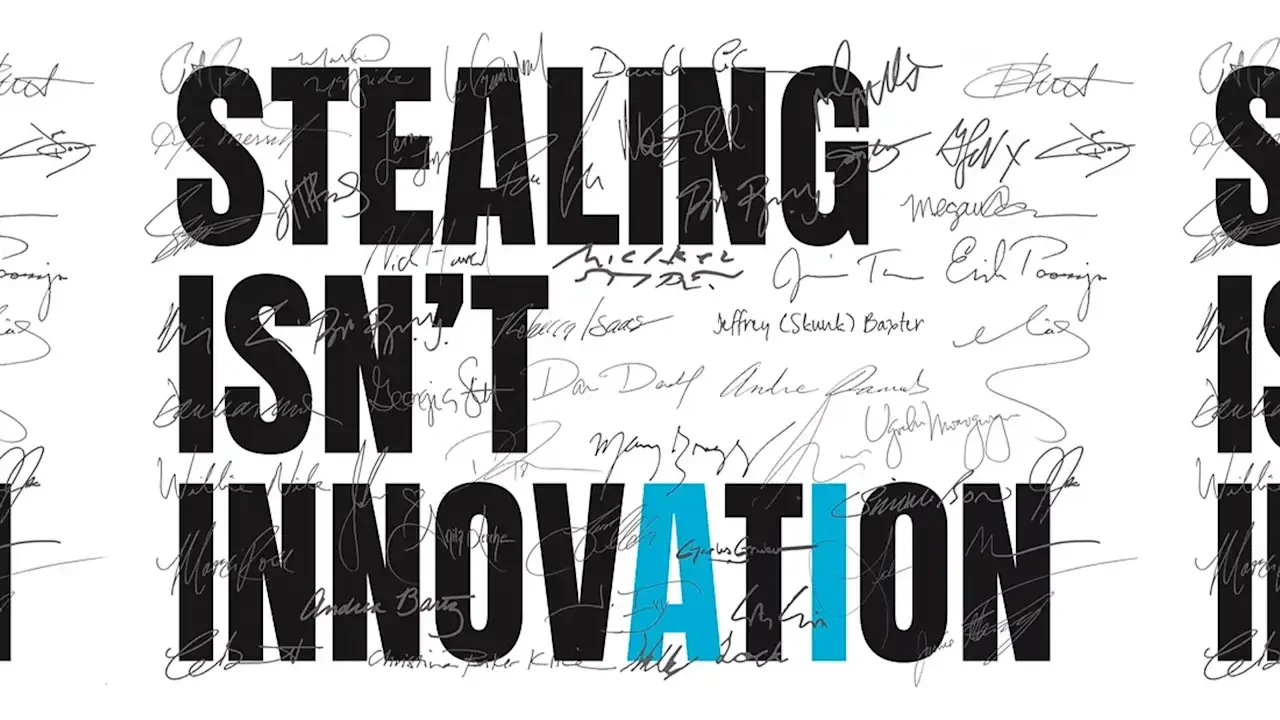
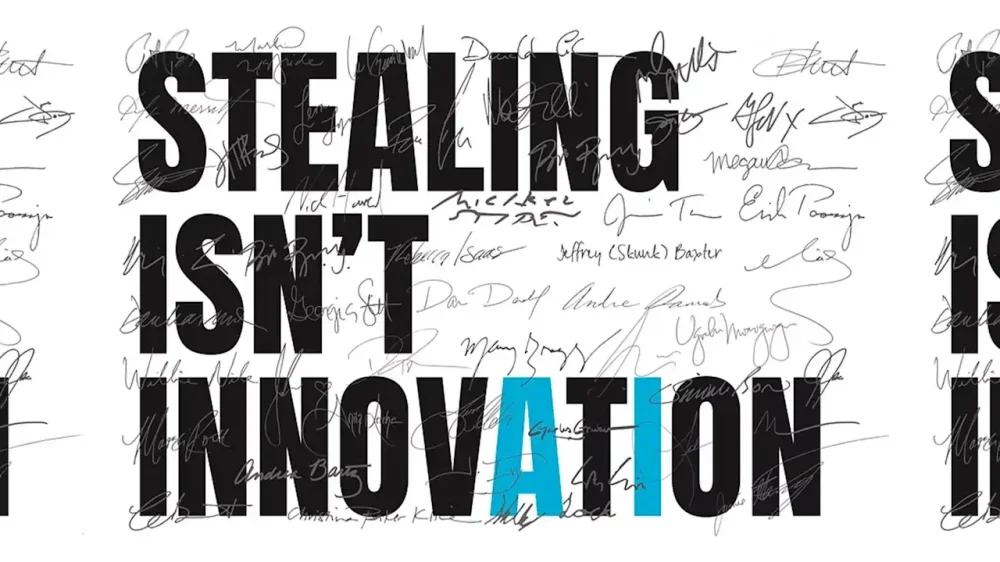
A new campaign launches today against AI’s sticky fingers on copyrighted material. The Human Artistry Campaign’s “Stealing Isn’t Innovation” movement launches today with over 800 signatories. Those include many Hollywood actors, including Scarlett Johansson, Cate Blanchett, and Joseph Gordon-Levitt, as well as writers such as Jodi Picoult and Roxane Gay, and musicians like Cyndi Lauper and They Might be Giants. The campaign has a simple message: “Stealing our work is not innovation. It’s not progress. It’s theft—plain and simple.” Many record labels, news outlets, and other creative entities have partnered with AI companies in recent years, despite—or possibly in response to—their propensity to mine copyrighted materials. Creatives have fought (and continue to fight) for protections, such as in the lengthy Writers Guild of America (WGA) and Screen Actors Guild-American Federation of Television and Radio Artists (SAG-AFTRA) strikes in 2023. However, the Stealing Isn’t Innovation campaign isn’t against AI, it just wants creatives to be part of the process. “A better way exists—through licensing deals and partnerships, some AI companies have taken the responsible, ethical route to obtaining the content and materials they wish to use,” the letter reads. “It is possible to have it all. We can have advanced, rapidly developing AI and ensure creators’ rights are respected.” The Stealing Isn’t Innovation campaign will promote itself through ads on social media and in news publications. Creatives in the U.K. have taken comparable action The latest campaign focuses on American creators and takes a bit of a nationalist stance in its opening line: “America’s creative community is the envy of the world and creates jobs, economic growth, and exports.” But artists across the U.K. have launched similar movements in response to AI’s access to copyrighted material, including a law that would require creatives to opt out of letting AI use their work. In February 2025, the “Make It Fair” campaign ran in hundreds of publications to raise awareness of the threat of AI to creative industries. The same month saw over 1,000 musicians, from Kate Bush to The Clash, release a silent album titled Is This What We Want?—with the 12 tracks spelling out: “The British government must not legalise music theft to benefit AI companies.” In May, creatives across industries took action again. In an open letter to Prime Minister Keir Starmer, everyone from Elton John to Kazuo Ishiguro voiced their opposition to the proposed copyright law. The U.K. government is set to issue policy proposals on the matter in mid-March. View the full article
-
As global economic landscapes shift, small businesses must stay ahead of the curve to thrive. Visa’s recently released 2026 Global Economic Outlook sheds light on key trends, highlighting how artificial intelligence (AI) adoption and evolving trade patterns are reshaping commerce. The report forecasts stable global growth of 2.7%, but underlying this figure is a profound transformation that smaller businesses need to harness for competitive advantage. Visa’s Chief Economist, Wayne Best, emphasizes, “What appears to be an ‘average’ year is actually a period of profound economic transformation.” He points out that while consumer spending remains robust, it is the surge in business investment—particularly in AI—that is propelling economic evolution. This investment is set to enhance productivity across sectors and drive innovation, positioning well-equipped small businesses for success. One of the most intriguing insights from the report is the accelerated adoption of generative AI among small businesses. In fact, these firms are outpacing consumers in AI integration. This technology enables smaller teams to achieve outputs that previously required much larger workforces, fundamentally shifting what it means to operate at a smaller scale. Table stakes for small businesses are changing. Fine-tuning operations with AI can lead to more strategies to engage customers and streamline costs. Visa notes that firms leveraging AI are showing significant transaction growth, which could translate into increased cash flow and improved customer experiences. This shift invites small businesses to invest in technology that fosters automation and enhances efficiency. Amid the advances brought by technology, small business owners must also be cognizant of shifting trade patterns. Visa reports a notable move towards intra-regional trade—now comprising two-thirds of global trade growth. This change is fostering shorter supply chains and diversifying supplier bases in response to tariffs and uncertainties. For small businesses, this could mean adjusting sourcing strategies to keep pace with competitive markets and leverage regional advantages. As consumption growth moderates to 2.4% in 2026—down from 2.7% in the previous year—it’s clear that small businesses may face challenges in maintaining customer engagement. However, rather than signaling doom, this context presents an opportunity for innovation in product offerings and marketing strategies. Businesses that adapt quickly will likely benefit from new avenues of investment-driven growth. While the outlook is bright for tech-savvy businesses, challenges remain. Small business owners must navigate potential operational complexities as they integrate AI. Implementing new technologies requires not only financial investment but also training and a shift in culture to embrace digital transformation. Visa’s report also mentions demographic pressures shaping economies, most notably an aging population that could influence worker availability and consumer spending habits. Small business owners need to consider how these factors may affect their workforce and customer base. Proactively addressing these elements could position firms to better meet future demands. Wayne Best concludes with a crucial insight for entrepreneurs: “Organizations that combine timely insights with operational agility will be best positioned to navigate this evolving landscape.” For small business owners, timely insights can mean distinguishing their services effectively in a crowded market. Agility will be the crucial factor that allows them to pivot and seize opportunities in the economic landscape. For those wishing to dive deeper into the findings, Visa’s 2026 Global Economic Outlook is accessible here. Small businesses eager to leverage these trends should consider how to effectively implement innovative technologies and rethink traditional strategies in a dynamically changing economy. Image via Google Gemini This article, "Visa’s 2026 Outlook: AI and Trade Shifts Transform Global Economy" was first published on Small Business Trends View the full article
-
As global economic landscapes shift, small businesses must stay ahead of the curve to thrive. Visa’s recently released 2026 Global Economic Outlook sheds light on key trends, highlighting how artificial intelligence (AI) adoption and evolving trade patterns are reshaping commerce. The report forecasts stable global growth of 2.7%, but underlying this figure is a profound transformation that smaller businesses need to harness for competitive advantage. Visa’s Chief Economist, Wayne Best, emphasizes, “What appears to be an ‘average’ year is actually a period of profound economic transformation.” He points out that while consumer spending remains robust, it is the surge in business investment—particularly in AI—that is propelling economic evolution. This investment is set to enhance productivity across sectors and drive innovation, positioning well-equipped small businesses for success. One of the most intriguing insights from the report is the accelerated adoption of generative AI among small businesses. In fact, these firms are outpacing consumers in AI integration. This technology enables smaller teams to achieve outputs that previously required much larger workforces, fundamentally shifting what it means to operate at a smaller scale. Table stakes for small businesses are changing. Fine-tuning operations with AI can lead to more strategies to engage customers and streamline costs. Visa notes that firms leveraging AI are showing significant transaction growth, which could translate into increased cash flow and improved customer experiences. This shift invites small businesses to invest in technology that fosters automation and enhances efficiency. Amid the advances brought by technology, small business owners must also be cognizant of shifting trade patterns. Visa reports a notable move towards intra-regional trade—now comprising two-thirds of global trade growth. This change is fostering shorter supply chains and diversifying supplier bases in response to tariffs and uncertainties. For small businesses, this could mean adjusting sourcing strategies to keep pace with competitive markets and leverage regional advantages. As consumption growth moderates to 2.4% in 2026—down from 2.7% in the previous year—it’s clear that small businesses may face challenges in maintaining customer engagement. However, rather than signaling doom, this context presents an opportunity for innovation in product offerings and marketing strategies. Businesses that adapt quickly will likely benefit from new avenues of investment-driven growth. While the outlook is bright for tech-savvy businesses, challenges remain. Small business owners must navigate potential operational complexities as they integrate AI. Implementing new technologies requires not only financial investment but also training and a shift in culture to embrace digital transformation. Visa’s report also mentions demographic pressures shaping economies, most notably an aging population that could influence worker availability and consumer spending habits. Small business owners need to consider how these factors may affect their workforce and customer base. Proactively addressing these elements could position firms to better meet future demands. Wayne Best concludes with a crucial insight for entrepreneurs: “Organizations that combine timely insights with operational agility will be best positioned to navigate this evolving landscape.” For small business owners, timely insights can mean distinguishing their services effectively in a crowded market. Agility will be the crucial factor that allows them to pivot and seize opportunities in the economic landscape. For those wishing to dive deeper into the findings, Visa’s 2026 Global Economic Outlook is accessible here. Small businesses eager to leverage these trends should consider how to effectively implement innovative technologies and rethink traditional strategies in a dynamically changing economy. Image via Google Gemini This article, "Visa’s 2026 Outlook: AI and Trade Shifts Transform Global Economy" was first published on Small Business Trends View the full article
-
Anxiety about costs and affordability is particularly high among Asian Americans, Pacific Islanders and Native Hawaiians, even at a moment when economic stress is widespread, according to a new poll. About half of Asian American and Pacific Islander adults said they wanted the government to prioritize addressing the high cost of living and inflation, according to the survey from AAPI Data and The Associated Press-NORC Center for Public Affairs Research, which was conducted in early December. In comparison, a December AP-NORC poll found that about one-third of U.S. adults overall rated inflation and financial worries as the most pressing problems. The findings indicate that this small but fast-growing group is not persuaded by President Donald The President’s attempts to tamp down worries about inflation and defend his tariffs. Even when considering partisanship, AAPI Democrats and Independents — and even AAPI Republicans — are at least slightly more likely than those groups overall to mention inflation and costs. Concern about costs has risen among AAPI adults since last year, when about 4 in 10 AAPI adults said they wanted the government to focus on this issue. Like Americans overall, AAPI adults have also become more focused on health care issues over the past year. The poll is part of an ongoing project exploring the views of Asian Americans, Native Hawaiians and Pacific Islanders, whose views are usually not highlighted in other surveys because of small sample sizes and lack of linguistic representation. Jayakumar Natarajan, a 56-year-old manager for a major tech company living in the San Francisco Bay Area, is rethinking his goal of retiring at 60 because of climbing costs in basic goods and health care. He can afford to live the way he wants for now, but is considering delaying retirement or moving outside the U.S., where prices are lower. The cost of health care is very much on his mind. “I think it will really make a big difference in the way I think about retirement planning,” he said. AAPI adults are worried about rising costs Inflation and affordability loom large for AAPI adults, even compared to other economic concerns, the survey found. About 2 in 10 AAPI adults mentioned housing costs or jobs and unemployment as priorities for the government to work on in the coming year, which was generally in line with Americans overall. Balancing financial obligations has become especially challenging for people living in high-cost areas, where a steady salary may not cover a growing family. Kevin Tu, 32, and his wife recently reached two milestones — buying a new home outside of Seattle in Lynnwood, Washington, and expecting their first child. The couple works full time and Tu also has a math tutoring business, but he is still nervous about what will happen after the baby arrives. “I’m trying to figure out how to balance possible part-time day care with our mortgage, with cost of living,” said Tu, who is Taiwanese American. Black, Hispanic and AAPI adults were more apt than white adults to bring up unemployment, jobs and housing costs as priorities, the surveys found. Part of what may explain AAPI adults’ increasing worry about everyday costs is the largest AAPI adult populations reside in states and major metropolitan cities with higher costs of living and higher rent, such as California and New York. While tariffs have impacted American consumers across the board, they have a particularly strong effect on Asian Americans and Pacific Islanders who prefer certain imported goods such as food and clothing. Karthick Ramakrishnan, AAPI Data executive director and researcher at the University of California, Berkeley, recalls how last year, some AAPI shoppers were going to ethnic grocery stores and “stockpiling” ahead of tariffs kicking in. “When it comes to costs for Asian Americans and Pacific Islanders, it’s just not cost of general market groceries but ethnic market groceries,” Ramakrishnan said. “It’s something visible to them and potentially causing anxiety and worry.” Health care is also a priority for AAPI adults Some 44% of AAPI adult also want the government to prioritize health care in the coming year. That’s not meaningfully different from among U.S. adults overall, emphasizing Americans’ renewed focus on the issue after a year of health care cuts. Srilasya Volam, a 25-year-old business consultant in Atlanta said that some of her family members have embarked on ” medical tourism ” trips as a result of high U.S. health care costs, a practice of traveling to other countries for more cost-effective medical procedures. “It’s cheaper for us to get a flight ticket and go to India and have a medical procedure and come back than it is to have that done here,” she said. “When I was younger, we would just go to India and we’d be like, now that we’re here, let’s do everything: the dental checkups, every checkup. It’s a lot more cost effective.” The poll found that about 6 in 10 AAPI adults are “extremely” or “very” concerned about their health care costs increasing in 2026, which is roughly in line with U.S. adults overall. Falling confidence in the government’s ability to make progress The survey found that AAPI adults are less confident in the government’s ability to make progress on the important issues facing the country than they were just after the 2024 election. About 7 in 10 AAPI adults say they are “not at all” or just “slightly confident” that the government will make progress on key issues, up from 60% at the end of 2024. Dissatisfaction with the The President administration may be a factor. And while the economy is top of mind, other factors could be feeding the fear that the government won’t change things for the better this year. Ernie Roaza, a 66-year-old retired geologist in Tallahassee, Florida, is a first generation immigrant to the U.S. from South Korea, where he grew up under a dictatorship. He worries that The President is doing “everything that dictators do,” adding, “I’ve seen it before. It’s almost laughable, but it’s scary at the same time.” He remains optimistic that the country will get through it. “This administration will make things worse,” Roaza said. “But in every administration we’ve had, there are hills and valleys. We’re in the valleys right now.” The poll of 1,029 U.S. adults who are Asian American, Native Hawaiian and Pacific Islanders was conducted from Dec. 2-8, 2025, using a sample drawn from NORC’s probability-based Amplify AAPI Panel, designed to be representative of the Asian American, Native Hawaiian and Pacific Islander population. The margin of sampling error for all respondents is plus or minus 4.7 percentage points. —Terry Tang and Linley Sanders, Associated Press View the full article

-
US president dialled down threats to Europe over Greenland after talks on reopening 1951 pactView the full article
-
Donald The President’s son-in-law says Palestinian enclave will offer ‘amazing investment opportunities’ after two years of warView the full article
-
President Donald The President on Thursday inaugurated his Board of Peace to lead efforts at maintaining a ceasefire in Israel’s war with Hamas, insisting that “everyone wants to be a part” of the body that could eventually rival the United Nations — despite many U.S. allies opting not to participate. In a speech at the World Economic Forum, The President sought to create momentum for a project to map out a future of the war-torn Gaza Strip that has been overshadowed this week, first by his threats to seize Greenland, then by a dramatic retreat from that push. “This isn’t the United States, this is for the world,” he said, adding, “I think we can spread it out to other things as we succeed in Gaza.” The event featured Ali Shaath, the head of a new, future technocratic government in Gaza, announcing that the Rafah border crossing will open in both directions next week. That’s after Israel said in early December it would open the crossing, which runs between Gaza and Egypt, but has yet to do so. Shaath, an engineer and former Palestinian Authority official from Gaza, is overseeing the Palestinian committee set to govern the territory under U.S. supervision. The new peace board was initially envisioned as a small group of world leaders overseeing the ceasefire, but it has morphed into something far more ambitious — and skepticism about its membership and mandate has led some countries usually closest to Washington to take a pass. The President tried not to let those not participating ruin his unveiling party, saying 59 countries had signed onto the board — even though heads of state, top diplomats and other officials from only 19 countries plus the U.S. actually attended. He told the group, ranging from Azerbaijan to Paraguay to Hungary, “You’re the most powerful people in the world.” The President has spoken about the board replacing some U.N. functions and perhaps even making that entire body obsolete one day. But he was more conciliatory in his remarks on the sidelines of the forum in the Swiss alps. “We’ll do it in conjunction with the United Nations,” The President said, even as he denigrated the U.N. for doing what he said wasn’t enough to calm some conflicts around the globe. Secretary of State Marco Rubio said that some countries’ leaders have indicated they plan to join but still require approval from their parliaments, and the The President administration says it has also gotten queries about membership from countries that hadn’t been invited to participate yet. Why some countries aren’t participating Big questions remain, however, about what the eventual board will look like. Russian President Vladimir Putin said his country is still consulting with Moscow’s “strategic partners” before deciding to commit. The Russian president on Thursday is due to host Palestinian President Mahmoud Abbas for talks in Moscow. Others are asking why Putin and other authoritarian leaders had even been invited to join. Britain’s foreign secretary, Yvette Cooper, said her country wasn’t signing on “because this is about a legal treaty that raises much broader issues.” “And we do also have concerns about President Putin being part of something which is talking about peace, when we have still not seen any signs from Putin that there will be a commitment to peace in Ukraine,” she told the BBC. Norway and Sweden have indicated they won’t participate, after France also said no. French officials stressed that while they support the Gaza peace plan, they were concerned the board could seek to replace the U.N. as the main venue for resolving conflicts. Canada, Ukraine, China and the executive arm of the European Union also haven’t committed. The President calling off the steep tariffs he threatened over Greenland could ease some allies’ reluctance, but the issue is still far from settled. The Kremlin said Thursday that Putin plans to discuss his proposal to send $1 billion to the Board of Peace and use it for humanitarian purposes during his talks with Abbas. But it noted that the use of those assets will require the U.S. action to unblock them. Board grew out of ceasefire proposal The idea for the Board of Peace was first laid out in The President’s 20-point Gaza ceasefire plan and even was endorsed by the U.N. Security Council. Israeli Prime Minister Benjamin Netanyahu announced he’s agreed to join, after his office has earlier criticized the makeup of the board’s committee tasked with overseeing Gaza. Months into the ceasefire, Gaza’s more than 2 million Palestinians continue to suffer the humanitarian crisis unleashed by more than two years of war. And violence in Gaza, while not at the same level as before the October ceasefire and hostage deal was agreed on, continues. Key to the truce continuing to hold is the disarming of Hamas, something that the militant group that has controlled the Palestinian territory since 2007 has refused to do and that Israel sees as non-negotiable. The President on Thursday repeated his frequently mentioned warnings that the group will have to do so or face dire consequences. He also said the war in Gaza “is really coming to an end” while conceding, “We have little fires that we’ll put out. But they’re little,” and they had been “giant, giant, massive fires.” Iran protests loom in the background The President’s push for peace also comes after he threatened military action this month against Iran as it carried out a violent crackdown against some of the largest street protests in years, killing thousands of people. The President, for the time being, has signaled he won’t carry out any new strikes on Iran after he said he received assurances that the Islamic government would not carry out the planned hangings of more than 800 protesters. But The President also made the case that his tough approach to Tehran — including strikes on Iran’s nuclear facilities in June last year — was critical to the Israel-Hamas ceasefire deal coalescing. Iran was Hamas’ most important patron, providing the group hundreds of millions of dollars in military aid, weapons, training and financial support over the years. Zelenskyy meeting The President also spoke behind closed doors for about an hour with Ukrainian President Volodymyr Zelenskyy, who arrived Thursday in Davos. The President called the discussion “very good” but announced no major breakthroughs and said the pair didn’t discuss many European nations shunning the Board of Peace. The President’s special envoy Steve Witkoff and his son-in-law Jared Kushner are expected in Moscow for talks. Still, the Republican president has for months struggled to get Zelenskyy and Putin to agree to terms to end their nearly 4-year-old war, and he continues to express frustration about it. “We hope it’s going to end,” The President told reporters after his meeting with Zelenskyy. —Josh Boak, Aamer Madhani and Will Weissert, Associated Press View the full article

-
The latest craze in the fitness world—from gym culture, to nutrition planning, to recovery protocols— is hyper-personalized optimization. But is there really a benefit to at-home microbiome tests that reveal the optimal diet for your gut bacteria? How about a device that tells you whether you're burning carbs or fat with each breath? Personalized fitness advice used to be largely limited to factors like height and weight, but now you might have a Whoop, Oura, or Apple Watch wearable tracking your track heart rate variability, skin temperature, blood oxygen, and so much more. Continuous glucose monitors, once reserved for diabetics, are now worn by biohackers and CrossFit enthusiasts trying to optimize their carb timing. On the one hand, the appeal of having unprecedented insight into your body's unique needs is understandable. On the other, there's a looming shadow behind all this data: As the metrics multiply, so does the potential for anxiety. When every workout, meal, and bedtime becomes a referendum on dozens of competing data points, decision fatigue is likely to set in. And as your algorithms suggest targeted interventions for every perceived deficiency, someone else—likely a giant corporation getting fat off of user data—is profiting. The question looms larger with each new device metric: Does more data actually lead to better health outcomes? More data isn't always betterYour wearable spits out a sleep (or stress) report every morning. How is this data serving you? "Metabolic testing, biomechanics, and body composition are all forms of objective data that can be pretty powerful when collected in validated settings and interpreted by professionals who understand physiology and adaptation," says Lekshmi Kumar, a performance physiologist at Boston-based Human Powered Health. But consumer devices, while improving, exist in a different category: "Consistent research has bolstered consumer-facing tools and significant improvements have been made over the past several years. But they're still not considered substitutes for professional-grade assessments," Kumar says. In other words, for a lot of bio-hacking endeavors, there’s a major gap between the numbers you see and their potential real-life applications. Kumar sees three critical prerequisites for data to actually improve outcomes: data quality, proper context, and accurate interpretation. "Absent these, we often see expensive and excessive supplementation, conflicting recommendations, and decision fatigue," she says. The real danger, she says, isn't the data itself—it's the illusion of expertise it creates. Hyper-personalized data might add unnecessary confusionMany direct-to-consumer tests lack the clinical validation of their medical-grade counterparts. Interpretation of the data is frequently automated, missing nuance that a trained professional might catch. And the recommendations often trend toward more—more supplements, more tracking, more intervention—rather than identifying changes that might actually move the needle. It's a hard truth that no wellness product actually cares more about your health than its company's profits. Perhaps the most insidious cost of hyper-personalization is less financial, and more psychological: When every metric matters, decision-making becomes paralyzing. Should you work out today even though your HRV is down? Is that meal worth the glucose spike? Did last night's 6.5 hours of sleep doom today's training session? The constant feedback loop can transform exercise from a joyful practice into an optimization problem to be solved. This isn’t the first time I’ve pointed out the trappings of wellness culture. The internal compass—how do I actually feel?—gets drowned out by all the external data streams. Ironically, the tools meant to “empower” can instead create dependency, where you can’t trust their own bodily sensations without technological confirmation. Does hyper-personalization actually work? When implemented thoughtfully (with quality data, proper interpretation, and professional guidance), personalized approaches can obviously aid you in optimizing training, recovery, and nutrition in ways generic programs cannot. Elite athletes have long used sophisticated testing—VO2 max assessments, lactate threshold testing, motion capture analysis—to gain advantages, however marginal. As these tools become more accessible, it makes sense their benefits can extend beyond the professional realm. But accessibility without expertise? That’s a different matter. Consider two hypothetical people concerned about their fitness: Person A tracks sleep quality, HRV, resting heart rate, blood oxygen, skin temperature, glucose levels, and workout strain—but lacks a framework to understand how these metrics interact, or what to do when they conflict. Person B follows a simple evidence-based program: strength training three times per week, 30 minutes of cardio on alternate days, eight hours of sleep, and a balanced diet with adequate protein. Even absent all that data, Person B will likely see better results and experience far less angst about their health. Again, there are the economic incentives to consider too. Companies profit from selling more tests, more devices, more subscriptions, and more supplements. The business model depends on convincing consumers they need increasingly granular data to achieve their goals. This creates an environment where the answer to "what should I track?" is almost always "more than you're tracking now," regardless of whether the additional data actually serves you. When personal health tracking actually makes sense"The biggest gains won't come from chasing every single flashy metric," says Kumar. "They'll come from identifying the variables that matter most to the specific individual, and working with a credentialed professional who can assist in translating the information into meaningful takeaways and actions." What does smart, targeted tracking look like in practice? Here are scenarios where specific metrics can genuinely help: For a runner struggling with fatigue: Tracking HRV and resting heart rate can reveal when you're not recovering adequately between training blocks. If these metrics trend downward over weeks, it's a signal to dial back intensity or add rest days—something that matters far more than monitoring glucose fluctuations after breakfast. For someone with persistent digestive issues: A food diary paired with symptom tracking (not necessarily a microbiome test kit) can help identify genuine patterns. Working with a registered dietitian to systematically eliminate or reintroduce foods provides actionable insights, unlike a $200 test suggesting you eat more fermented foods. For someone desperate to improve sleep: Use your gadgets to track total sleep time and sleep consistency. That matters more than obsessing over REM percentages. Focus on establishing a regular pre-sleep routine and measuring whether you feel rested, rather than achieving some algorithm's "optimal" sleep score. For the lifter hitting a plateau: Remember that linear gains are for beginners. Instead of stressing over daily scale readings, focus on your training log tracking progressive overload and consider following these tips. You'll notice a patter here: Each tracking approach is targeted, time-bound, and directly connected to a specific goal or problem—not a fruitless pursuit to optimize every single thing all the time. The bottom lineIn a culture obsessed with optimization, it’s getting harder and harder to cut through the noise. But maybe your goal shouldn’t be to track everything. As hyper-personalization continues its ascent, think about how you’re engaging with every new tool. The wisest approach may be a picky one: choosing one or two key metrics that align with specific goals. Because more information isn't automatically better, and consumer tools have real limitations, and that the human body is beautifully, frustratingly complex—not exactly reducible to a dashboard of numbers. View the full article
-
The totals are in for 2025, and it's been a great year for measles. According to the CDC, the number of cases of the disease identified in the US has risen from 285 in 2024 to 2,144 in 2025, the highest number of measles cases since 1990. We've already seen at least 171 measles cases in the first two weeks of 2026. As you'd probably guess, experts pin the rise in measles to lower vaccination rates. I covered a number of vaccination and measles myths in this column months ago, but there is a new spin on measles that seems to be gaining some traction: A lot of people think contracting measles is good for your heath. “There’s a lot of studies out there that show that if you actually do get the wild infection, you’re protected later. It boosts your immune system later in life against cancers, atopic diseases, cardiac disease, etc.,” Robert F. Kennedy Jr., the Department of Health and Human Services secretary said in a recent Fox interview. Online, there are posts like this one from a chiropractor's Instagram page, using a clip from The Brady Bunch to argue that contracting measles and other diseases "prepares a child’s immune system for a long-term resiliency to chronic problems like cancers and heart disease." Others point to news stories like this from CNN to bolster claims that measles fights cancer. Can measles fight cancer?There is no evidence that measles infection can protect against cancer. Full stop. But whether measles can treat cancer is a little more complex. There is a small grain of truth here, but it's wrapped in a lot of misconceptions. The most basic is the meaning of the word "measles." Oncolytic virus therapy uses genetically altered viruses, including the measles virus, to target cancer cells. A modified version of the measles virus was used successfully to treat a specific kind of cancer and boost immune response to the cancer. Mayo Clinic researchers report that one patient's incurable cancer went into remission, thanks to the virus. "But that's totally a therapeutic application of viruses, completely different than what happens with natural infections," said John Bell, a senior scientist at the Ottawa Hospital Research Institute in an interview, so it's not “measles cures cancer," it’s “scientists weaponize a virus under controlled conditions." The bottom line: The wild measles virus is a dangerous pathogen, not a cancer cure. Not only that, but part of the reason the virus therapy worked so well on the patient CNN covered was because she had been vaccinated for measles, so if genetically modified measles ever end up being used as cancer treatment, it's better to have been vaccinated than not. Does contracting measles prevent heart disease?One study in Japan found an association between measles and mumps infections and a lower risk of death from atherosclerotic heart disease. But critics have pointed out that this research relies on self-reporting within a pre-vaccine population. Given the virulence of measles, all of the people in the survey would likely have been exposed to measles as children even if they didn't remember it, so it's hard to draw any conclusions from this study. Does contracting measles boost your immune system?While being infected with the disease will likely result in being immune to measles afterwards, it harms your immune system as a whole. A 2019 study from Harvard Medical School published by Science, found that the measles virus can cause "immune amnesia," the wiping out of up to three-quarters of antibodies protecting against other infections like the flu or the bacteria that cause pneumonia. "The measles virus is like a car accident for your immune system,” Harvard University geneticist Stephen Elledge, the senior author of the Science study, told The Los Angeles Times. "If your child gets the measles and then gets pneumonia two years later, you wouldn’t necessarily tie the two together. The symptoms of measles itself may be only the tip of the iceberg,” said the study’s first author, Dr. Michael Mina. Meanwhile, we have extremely strong evidence that the measles vaccine doesn't cause a general weakening of the immune system—note, for example, the dramatic reductions in childhood deaths from other diseases in places where measles immunization programs are introduced. After measles vaccinations began in the United States in the 1960s, deaths from diseases like pneumonia and diarrhea were cut by half, and in populations where infectious diseases are more common, the reduction in mortality has been up to 80 percent. Playing devil's advocate on measlesLet's assume critics are right, for the sake of argument. Even if contracting measles in childhood makes you less likely to get heart disease later in life and gives you a stronger immune system, it would still make sense to get immunized instead of infected. Measles is a serious disease. Regardless of any future benefit, contracting measles is deadly in up to three of every 1,000 cases. About one child out of every 1,000 who get measles will develop encephalitis (swelling of the brain) that can lead to convulsions, hearing loss, and intellectual disability. Vaccination for measles, on the other hand, is very safe. The most serious side effects come from severe allergic reactions, and that happens about in a one in a million doses. The measles vaccine generates immunity without the risk of encephalitis, without immune amnesia, and without gambling a child’s life on a hypothetical future payoff. If measles exposure truly primes the immune system in some beneficial way, vaccination captures the immune response while stripping out the damage. No matter how generous you are to the "infection is good" argument, infection is a dangerous and inefficient way to get there. View the full article
-
Last month, Spotify announced "Prompted Playlist," a new feature the company claimed let users "steer the algorithm." This was a bold—if not vague—claim, to be sure, but it was backed by everyone's favorite tech trend of the last three years: AI. The pitch was that Spotify would let subscribers use the company's AI models to better control their listening experience, so long as they lived in the country of New Zealand. That's a very small slice of Spotify's very large user base. Luckily for those of us in the United States and Canada, Prompted Playlist is expanding to our side of North America. Spotify announced the move today, Jan. 21: Now, Premium subscribers in any of these three countries can access the feature, if they want to hand over the playlist reigns to Spotify's machine learning models. What is Prompted Playlist?Prompted Playlist is Spotify's AI-powered tool that lets you use natural language to create custom playlists. The idea is, rather than look for songs to add to a playlist, you tell Spotify's AI what you're in the mood to listen to, and it adds songs automatically for you. That can include genres and existing songs, but also ideas, deeper descriptions, and, for lack of a better word, vibes. To understand what I mean, here are some of the suggested prompts Spotify suggests you try: "Make me a playlist of songs I’ve saved to my Library (playlists or Liked Songs) that I either haven’t played yet or have only listened to once. The goal is to round up those songs I found, saved, and then totally forgot to revisit. Give me a chance to finally hear what I’ve been missing." "What are the first tracks I ever listened to on Spotify? Order them by the very first track I ever streamed - with date and time - and keep going." "Knowing what I listen to today, make me a playlist of songs from 2016 that match my current taste, mixing the biggest tracks from that year with songs that feel timeless now." "Make me a playlist to help me learn Spanish, with clear vocals and easy-to-follow lyrics. Mix popular Spanish-language songs with slower tracks that make it easier to catch the words, and include music that reflects different Spanish-speaking cultures to keep it engaging." Spotify says that Prompted Playlist takes your existing listening history into account as well. While you and a friend might give Spotify's AI the same prompt, in theory, you should each receive different playlists, since the AI will make adjustments based on the music you like and don't like. You also don't have to wonder why the AI put a specific song in the playlist: Each track starts with a "quick one-liner" that explains why Spotify chose it in the first place. I could see that being either insightful, or extremely annoying. The thing is, Spotify has rolled out a feature like this before, appropriately dubbed "AI Playlist." Lifehacker's David Nield covered it in September of 2024, and catching up on that feature, it sounds pretty similar to Prompted Playlist. AI Playlist isn't actually going away now that Prompted Playlist is here: Spotify tells me that these are two separate features, and that the major differences are that Prompted Playlist factors in your entire Spotify listening history, going back to your first song, as well as real-time information about "trends, charts, culture, and history" in the industry today. You can also schedule playlists if you like, so the mix refreshes every day or week, something you can't do with AI Playlist. From my seat, it also seems like Prompted Playlist is designed to handle more complex prompts, as well. While the company advertised AI Playlist as a way to build playlists from prompts like "upbeat pop music for my road trip," the company's suggested Prompted Playlist prompts are much more intricate, and include multiple levels of instruction for the AI. Perhaps part of that is the result of improvements in the technology over the past year and half. How to try Spotify's Prompted PlaylistPrompted Playlist is launching as a Premium-only feature, so if you don't pay for Spotify, you unfortunately can't access it. If you do have a Premium account, you'll need to head to Spotify, tap "Create," then choose "Prompted Playlist." As explained above, from here, you can describe what kind of playlist you want the tool to make. From here, you'll be able to set how often it refreshes (if it refreshes at all). If you're not happy with the results, you can choose "Edit Prompt" to adjust it. You can share the playlist with friends, but know that Spotify will adjust the playlist to match their listening histories instead. View the full article
-
Towering high above Taiwan’s capital city at 1,667 feet (508 meters), Taipei 101 dominates the skyline. The earthquake-proof skyscraper of steel and glass has captured the imagination of professional rock climber Alex Honnold for more than a decade. On Saturday morning, he will climb it in his signature free solo style — without ropes or protective equipment. And Netflix will broadcast it — live. The event’s announcement has drawn both excitement and trepidation, as well as some concerns over the ethical implications of attempting such a high-risk endeavor on live broadcast. Many have questioned Honnold’s desire to continues his free-solo climbs now that he’s a married father of two young girls. Known for his legendary ropeless ascent up Yosemite National Park’s El Capitan, documented in “Free Solo,” Honnold is intent on pushing the limits of climbing around the world. “When you look at climbing objectives, you look for things that are singular,” Honnold told The Associated Press late last year. “Something like El Capitan where it’s way bigger and way prouder than all the things around it.” Something like Taipei 101. How to free solo a skyscraper Honnold won’t be the first climber to ascend the skyscraper, but he will be the first to do so without a rope. French rock climber Alain Robert scaled the building on Christmas Day in 2004, as part of the grand opening of what was then the world’s tallest building. He took nearly four hours to finish, almost twice as long as what he anticipated, all while nursing an injured elbow and battered by wind and rain. Honnold, who has been training for months, doesn’t think his climb will be hard. He’s practiced the moves on the building and spoke with Robert on his climbing podcast. “I don’t think it’ll be that extreme,” Honnold said. “We’ll see. I think it’s the perfect sweet spot where it’s hard enough to be engaging for me and obviously an interesting climb.” The building has 101 floors, with the hardest part being the 64 floors comprising the middle section — the “bamboo boxes” that give the building its signature look. Divided into eight, each segment will have eight floors of steep, overhanging climbing followed by a balcony that Honnold would be able to rest on. The “Skyscraper Live” broadcast will be on a 10-second delay and begin Friday evening for viewers in the U.S. James Smith, an executive with event producer Plimsoll Productions, said he consulted safety advisers almost immediately after he first spoke with Honnold about attempting the climb. Smith works with a risk management group for film and TV called Secret Compass, which has supported productions in filming penguins in Antarctica and helping Chris Hemsworth walk across a crane projecting from an Australian skyscraper’s roof, alike. Smith and Honnold will be able to communicate throughout the event. They’ll have cameramen positioned inside the building, various hatches and places to bail during the climb and four high-angle camera operators suspended on ropes. “These people all know Alex. They trust Alex. They’re going to be close to him throughout the whole climb,” Smith said. “They’re going to get us kind of amazing shots, but they’re also there just to keep an eye on him, and if there’s any problems, they can kind of help.” The production has also commissioned professional weather forecasters to provide updates leading up to climb day. There’s currently a small chance of light rain in the morning, Smith said. Ultimately, if conditions are bad, Honnold won’t climb. At his local gym, Taiwanese rock climber Chin Tzu-hsiang said he’s grown up always looking up at the Taipei 101 and wondering if he could climb it. Honnold is a household name among rock climbers even in Taiwan, and Chin said he has students who have only been climbing for a year or two who are excited to watch. Based on watching Honnold in his other climbs, Chin said he trusts him to prepare for the challenge and not to recklessly take risks. “For Alex Honnold to finish the climb, it’s like he’s helping us fulfill our dream,” Chin said. Ethical considerations and responsibility The novelty and risk involved in the climb are almost built for television. “This will be the highest, the biggest urban free solo ever,” Smith said. “So we’re kind of writing history and those events, I think, have to be broadcast and watched live.” Those same factors are crucial when discussing the ethics of the climb, according to Subbu Vincent, director of media and journalism ethics at Santa Clara University. It’s important that Honnold has a “back-off clause” and the production aspect of the event doesn’t increase the risk he’s already taking, Vincent said. One action that Vincent believes is crucial is using a delay in the live broadcast so it can be stopped immediately if something goes wrong. “I don’t think it’s ethical to proceed to livestream anything after,” Vincent said. Taipei 101 officials declined to comment and Secret Compass did not respond to interview requests. Another consideration is the influence Honnold may have on impressionable youth who may feel more emboldened to take risks after watching him climb, a debate that has existed since Evel Knievel’s televised daredevil stunts. Many climbers have died from free-soloing, including an 18-year-old rock climber from Texas who fell last June in Yosemite. A trend called “roof-topping” — where people gain access to the tops of skyscrapers, often illegally, to take photos of themselves dangling from the edge — has also led to several deaths. Jeff Smoot, who authored the book “All and Nothing: Inside Free Soloing,” shares those concerns. But what the general public might not understand is that embracing risk has always been a significant part of climbing culture, he said. Smoot began climbing in the 1970s watching legendary climbers like John Long and John Bachar free-solo regularly. “From the public’s perspective, this is thrill-seeking. From the climber’s perspective, it’s a meditative art form,” Smoot said. When he first heard Honnold would be ascending Taipei 101 without ropes, Smoot had questions — why do it at all, why do it without ropes, why film it live? But, he concluded, “If it wasn’t dangerous, would people want to watch?” Associated Press journalist Simina Mistreanu contributed reporting. —Jaimie Ding and Taijing Wu Associated Press View the full article

-
Buc-ee’s, the popular, Texas-based mega gas station chain will be opening its first-ever locations in: Nebraska, Ohio (April 2026), Wisconsin (2027), North Carolina (2027), Arizona (June 2026), Arkansas (June 2026), Louisiana (2027), and Kansas (2027), according to multiple local news reports. When reached by Fast Company for confirmation, the chain had “no comment.” Founded in 1982, Buc-ee’s, which has a cult-like following, is known for its large scale gas stations and convenience stores, which include, as Fast Company previously reported, numerous gas pumps (more than 100 in some locations), award-winning bathrooms, and a fan-favorite BBQ brisket sandwich. (Its merch is even sold at Walmart.) In recent years, the chain has expanded across the southeastern U.S. from its home base in Texas, spanning west to east from Kentucky to South Carolina. Buc-ee’s, which currently lists some 69 locations nationwide, if you include their car washes, are open 24 hours a day, 365 days a year, and the company holds the record for the world’s largest convenience store, which is in Luling, Texas, and is a sprawling, 75,593 square feet. The chain plans to open a fourth store in Florida, which, upon opening, will then be the chain’s largest one to date, with 76,245 square feet, including: 120 gas pumps, 18 charging states, and more than 700 parking locations, according to AL.com (Alabama.com). Buc-ee’s, a privately held company, was one of Fast Company’s Most Innovative Companies in the dining category in 2024. List of Buc-ee’s locations and opening dates in 8 new states Here is a list of Buc-ee’s locations opening in new states, and their opening dates, according to local news reports: Arizona: Goodyear, southeast corner of Bullard Avenue and Interstate 10 (opening June 2026) Arkansas: Benton, just off I-30 (opening September 2026) Kansas: Louisiana: Nebraska: North Carolina: Ohio: Wisconsin: View the full article

-
When considering the best customer care strategy, it’s crucial to focus on a customer-centric approach that aligns with both service standards and business goals. This involves comprehending customer needs and leveraging technology, such as AI and CRM systems, for personalized interactions. Furthermore, setting measurable objectives can help track performance and make necessary adjustments. What specific steps can you take to improve your customer care strategy and guarantee it effectively meets expectations? Key Takeaways Understand customer needs through surveys and analytics to tailor your service strategy effectively. Set SMART goals to ensure your customer care efforts align with business objectives and track progress. Foster a customer-centric culture that prioritizes personalized interactions, enhancing loyalty and satisfaction. Implement omnichannel communication for seamless support on customers’ preferred platforms. Utilize technology like AI and CRM systems to streamline processes and provide personalized service experiences. Understanding Customer Service Strategy When you think about a customer service strategy, consider it a detailed plan that outlines how your organization will meet customer needs as it aligns with broader business goals. A well-crafted customer care strategy serves as a blueprint, establishing service standards, goals, and performance metrics to guarantee effective support. To develop this strategy, you must understand customer needs and preferences through surveys and analytics, as this insight improves satisfaction and loyalty. Incorporating technology like AI and omnichannel communication can greatly enhance efficiency and personalize interactions, making customers feel valued. Setting specific, measurable, achievable, relevant, and time-bound (SMART) goals is crucial for tracking the effectiveness of your strategy. Regularly gathering and acting on customer feedback allows your business to adapt and respond to evolving expectations and market dynamics, ensuring your customer care strategy remains pertinent and effective over time. The Importance of a Customer-Centric Approach A customer-centric approach is crucial for businesses aiming to thrive in today’s competitive environment. Research shows that 70% of customers make purchase decisions based on service quality, underscoring the need for exceptional customer support services. When you prioritize customer-centricity, you’re more likely to cultivate loyalty; 71% of consumers expect personalized interactions that reflect their preferences. By focusing on customer satisfaction, you can markedly reduce churn rates, as poor service is the leading cause for customers discontinuing purchases. Furthermore, a customer-centric culture amplifies loyalty and drives profitability, with organizations reporting higher long-term growth. Continuous engagement and comprehension of customer needs are imperative; 76% of consumers express frustration when experiences don’t align with their expectations. Steps to Develop an Effective Strategy Developing an effective customer care strategy involves several key steps that can greatly improve your organization’s ability to meet customer expectations. Start by comprehending customer needs and preferences through surveys and analytics; this guarantees your strategy aligns with their expectations. Next, set specific, measurable, achievable, relevant, and time-bound (SMART) goals that guide your customer service efforts and align with broader business objectives. Defining a consistent brand voice for customer interactions across all channels improves recognition and trust. It’s likewise essential to establish omnichannel communication strategies, allowing you to meet customers on their preferred platforms and provide seamless support. Finally, utilize technology like CRM systems and AI tools to streamline support processes, improve personalization, and boost overall efficiency in delivering customer service meaning. Integrating Technology for Enhanced Service Integrating technology into your customer care strategy can greatly improve service delivery and customer satisfaction. By utilizing AI-powered chatbots, you can offer instant, 24/7 customer support, effectively addressing routine inquiries and boosting response times. Implementing Customer Relationship Management (CRM) systems allows you to track customer interactions and preferences, leading to more personalized service experiences. Furthermore, adopting omnichannel communication strategies guarantees customers can reach you through their preferred platforms, creating a seamless service experience. Advanced analytics tools can analyze customer behavior, enabling you to tailor interactions and engage proactively based on individual preferences. In addition, automation technologies streamline processes, increasing productivity and allowing your human agents to concentrate on more complex customer issues. This not only improves service quality but also boosts overall customer satisfaction. Measuring Success and Adapting Strategies Measuring the success of your customer care strategy is essential for ensuring it meets the needs of your clients effectively. You can assess this through various metrics like Customer Satisfaction Score (CSAT), which gauges satisfaction with specific interactions, and Net Promoter Score (NPS), which evaluates long-term loyalty by measuring the likelihood of customers recommending your brand. Furthermore, the Customer Effort Score (CES) helps you understand how easy it’s for customers to fulfill their needs during interactions, highlighting any friction points. Regularly analyzing customer feedback data allows you to identify trends and areas for improvement, ensuring your strategies evolve with customer expectations. Adapting your approach based on real-time data enables you to proactively address concerns, enhancing service delivery and nurturing loyalty. Continuous evaluation, including staff training and development, remains essential for maintaining a competitive edge and aligning with the customer support definition that emphasizes effective and responsive service. Frequently Asked Questions What Is the Best Customer Service Strategy? The best customer service strategy focuses on clear service standards and performance metrics. You should implement omnichannel support to engage customers on their preferred platforms, ensuring accessibility. Personalization is key; aim to tailor interactions based on individual preferences since 71% of consumers prefer this approach. Incorporate AI technologies, like chatbots, for efficient 24/7 support. Finally, continuously track customer feedback and satisfaction metrics to refine your strategies and build long-term loyalty. What Are the 4 C’s of Customer Care? The 4 C’s of Customer Care are Clarity, Consistency, Compassion, and Communication. You need clarity to guarantee customers understand your processes, which minimizes confusion. Consistency builds trust, as reliable service influences purchasing decisions. Compassion involves empathizing with customers, enhancing their loyalty. Finally, effective communication is essential for addressing inquiries quickly and accurately, contributing to a positive experience. Together, these elements create a foundation for exceptional customer service that can drive satisfaction and retention. What Are the 3 P’s of Customer Care? The 3 P’s of customer care are People, Process, and Product. People refers to well-trained representatives who resolve issues with empathy and skill. Process encompasses the systems and protocols that guarantee consistent and efficient customer interactions. Finally, Product highlights the importance of offering quality goods or services that meet customer expectations. What Are the 4 P’s of Service Strategy? The 4 P’s of service strategy are essential for delivering effective services. First, the Product refers to the service itself, which must meet customer needs. Next, Price involves setting a competitive cost that reflects the service’s value. Place focuses on the delivery method, ensuring customers can access the service easily. Finally, Promotion entails communicating the service benefits clearly to attract customers and stand out in a competitive market, enhancing overall customer satisfaction. Conclusion In conclusion, the best customer care strategy centers around comprehending and prioritizing customer needs during aligning with your business goals. By adopting a customer-centric approach, integrating technology, and setting measurable objectives, you can improve service delivery. Continuously measuring success and adapting your strategies based on feedback will help you cultivate loyalty and satisfaction among your customers. In the end, a commitment to exceptional service is crucial for reducing churn and driving long-term growth in your organization. Image via Google Gemini This article, "What Is the Best Customer Care Strategy?" was first published on Small Business Trends View the full article
-
When considering the best customer care strategy, it’s crucial to focus on a customer-centric approach that aligns with both service standards and business goals. This involves comprehending customer needs and leveraging technology, such as AI and CRM systems, for personalized interactions. Furthermore, setting measurable objectives can help track performance and make necessary adjustments. What specific steps can you take to improve your customer care strategy and guarantee it effectively meets expectations? Key Takeaways Understand customer needs through surveys and analytics to tailor your service strategy effectively. Set SMART goals to ensure your customer care efforts align with business objectives and track progress. Foster a customer-centric culture that prioritizes personalized interactions, enhancing loyalty and satisfaction. Implement omnichannel communication for seamless support on customers’ preferred platforms. Utilize technology like AI and CRM systems to streamline processes and provide personalized service experiences. Understanding Customer Service Strategy When you think about a customer service strategy, consider it a detailed plan that outlines how your organization will meet customer needs as it aligns with broader business goals. A well-crafted customer care strategy serves as a blueprint, establishing service standards, goals, and performance metrics to guarantee effective support. To develop this strategy, you must understand customer needs and preferences through surveys and analytics, as this insight improves satisfaction and loyalty. Incorporating technology like AI and omnichannel communication can greatly enhance efficiency and personalize interactions, making customers feel valued. Setting specific, measurable, achievable, relevant, and time-bound (SMART) goals is crucial for tracking the effectiveness of your strategy. Regularly gathering and acting on customer feedback allows your business to adapt and respond to evolving expectations and market dynamics, ensuring your customer care strategy remains pertinent and effective over time. The Importance of a Customer-Centric Approach A customer-centric approach is crucial for businesses aiming to thrive in today’s competitive environment. Research shows that 70% of customers make purchase decisions based on service quality, underscoring the need for exceptional customer support services. When you prioritize customer-centricity, you’re more likely to cultivate loyalty; 71% of consumers expect personalized interactions that reflect their preferences. By focusing on customer satisfaction, you can markedly reduce churn rates, as poor service is the leading cause for customers discontinuing purchases. Furthermore, a customer-centric culture amplifies loyalty and drives profitability, with organizations reporting higher long-term growth. Continuous engagement and comprehension of customer needs are imperative; 76% of consumers express frustration when experiences don’t align with their expectations. Steps to Develop an Effective Strategy Developing an effective customer care strategy involves several key steps that can greatly improve your organization’s ability to meet customer expectations. Start by comprehending customer needs and preferences through surveys and analytics; this guarantees your strategy aligns with their expectations. Next, set specific, measurable, achievable, relevant, and time-bound (SMART) goals that guide your customer service efforts and align with broader business objectives. Defining a consistent brand voice for customer interactions across all channels improves recognition and trust. It’s likewise essential to establish omnichannel communication strategies, allowing you to meet customers on their preferred platforms and provide seamless support. Finally, utilize technology like CRM systems and AI tools to streamline support processes, improve personalization, and boost overall efficiency in delivering customer service meaning. Integrating Technology for Enhanced Service Integrating technology into your customer care strategy can greatly improve service delivery and customer satisfaction. By utilizing AI-powered chatbots, you can offer instant, 24/7 customer support, effectively addressing routine inquiries and boosting response times. Implementing Customer Relationship Management (CRM) systems allows you to track customer interactions and preferences, leading to more personalized service experiences. Furthermore, adopting omnichannel communication strategies guarantees customers can reach you through their preferred platforms, creating a seamless service experience. Advanced analytics tools can analyze customer behavior, enabling you to tailor interactions and engage proactively based on individual preferences. In addition, automation technologies streamline processes, increasing productivity and allowing your human agents to concentrate on more complex customer issues. This not only improves service quality but also boosts overall customer satisfaction. Measuring Success and Adapting Strategies Measuring the success of your customer care strategy is essential for ensuring it meets the needs of your clients effectively. You can assess this through various metrics like Customer Satisfaction Score (CSAT), which gauges satisfaction with specific interactions, and Net Promoter Score (NPS), which evaluates long-term loyalty by measuring the likelihood of customers recommending your brand. Furthermore, the Customer Effort Score (CES) helps you understand how easy it’s for customers to fulfill their needs during interactions, highlighting any friction points. Regularly analyzing customer feedback data allows you to identify trends and areas for improvement, ensuring your strategies evolve with customer expectations. Adapting your approach based on real-time data enables you to proactively address concerns, enhancing service delivery and nurturing loyalty. Continuous evaluation, including staff training and development, remains essential for maintaining a competitive edge and aligning with the customer support definition that emphasizes effective and responsive service. Frequently Asked Questions What Is the Best Customer Service Strategy? The best customer service strategy focuses on clear service standards and performance metrics. You should implement omnichannel support to engage customers on their preferred platforms, ensuring accessibility. Personalization is key; aim to tailor interactions based on individual preferences since 71% of consumers prefer this approach. Incorporate AI technologies, like chatbots, for efficient 24/7 support. Finally, continuously track customer feedback and satisfaction metrics to refine your strategies and build long-term loyalty. What Are the 4 C’s of Customer Care? The 4 C’s of Customer Care are Clarity, Consistency, Compassion, and Communication. You need clarity to guarantee customers understand your processes, which minimizes confusion. Consistency builds trust, as reliable service influences purchasing decisions. Compassion involves empathizing with customers, enhancing their loyalty. Finally, effective communication is essential for addressing inquiries quickly and accurately, contributing to a positive experience. Together, these elements create a foundation for exceptional customer service that can drive satisfaction and retention. What Are the 3 P’s of Customer Care? The 3 P’s of customer care are People, Process, and Product. People refers to well-trained representatives who resolve issues with empathy and skill. Process encompasses the systems and protocols that guarantee consistent and efficient customer interactions. Finally, Product highlights the importance of offering quality goods or services that meet customer expectations. What Are the 4 P’s of Service Strategy? The 4 P’s of service strategy are essential for delivering effective services. First, the Product refers to the service itself, which must meet customer needs. Next, Price involves setting a competitive cost that reflects the service’s value. Place focuses on the delivery method, ensuring customers can access the service easily. Finally, Promotion entails communicating the service benefits clearly to attract customers and stand out in a competitive market, enhancing overall customer satisfaction. Conclusion In conclusion, the best customer care strategy centers around comprehending and prioritizing customer needs during aligning with your business goals. By adopting a customer-centric approach, integrating technology, and setting measurable objectives, you can improve service delivery. Continuously measuring success and adapting your strategies based on feedback will help you cultivate loyalty and satisfaction among your customers. In the end, a commitment to exceptional service is crucial for reducing churn and driving long-term growth in your organization. Image via Google Gemini This article, "What Is the Best Customer Care Strategy?" was first published on Small Business Trends View the full article
-
We may earn a commission from links on this page. Deal pricing and availability subject to change after time of publication. The Bose Ultra Open Earbuds don't block out the world—they sit just outside your ears and let everything in. Traffic noise, conversations, the doorbell—all of it stays audible while your music plays alongside it. That makes these earbuds a better match for people who move around outdoors or just don’t like feeling sealed off. Right now, a certified refurbished pair in White Smoke is $125.99 on Woot. That’s a noticeable drop from the roughly $179 (refurbished) price on Amazon, where a brand-new pair still lists for $299. Bose handles the refurbishment directly, includes all original accessories, and backs the earbuds with a one-year manufacturer's warranty. Shipping is free for Prime members, with a $6 fee for everyone else, and the deal runs for nine days or until it sells out. Bose Ultra Open Earbuds $125.99 at Woot $299.00 Save $173.01 Get Deal Get Deal $125.99 at Woot $299.00 Save $173.01 Each earbud clips onto your ear using a flexible silicone band instead of resting inside your ear canal. Once you find the right fit (which may take a few tries), you should find them surprisingly stable. Runners and walkers will appreciate that they stay put without squeezing or irritating the ears, and with IPX4 water resistance, they can handle sweat and light rain, which is enough for most daily use. The earbuds support Bluetooth 5.3 with AptX Adaptive, so Android users get a small audio edge over iPhone users, but connection quality is solid across the board. Battery life averages about 7.5 hours per charge and stretches to roughly 27 hours with the case. Sound quality is better than most open-style earbuds manage. Vocals come through cleanly, highs stay sharp, and the midrange has enough body to keep music from sounding hollow. Deep bass is where you feel the compromise. It’s there, but it doesn’t hit hard, which is most noticeable with bass-heavy genres. For podcasts, calls, and casual listening, though, the tuning feels balanced and easygoing. According to this PCMag review, the earbuds sound best around 70 percent volume, where detail stays intact without distortion. If you want high-quality, open-ear audio and don't mind a little trial-and-error with the fit, this is one of the better ways to try Bose’s latest without paying full price. Our Best Editor-Vetted Tech Deals Right Now Apple AirPods 4 Active Noise Cancelling Wireless Earbuds — $148.99 (List Price $179.00) Apple Watch Series 11 [GPS 46mm] Smartwatch with Jet Black Aluminum Case with Black Sport Band - M/L. Sleep Score, Fitness Tracker, Health Monitoring, Always-On Display, Water Resistant — $399.00 (List Price $429.00) Amazon Fire TV Stick 4K Plus — (List Price $24.99 With Code "FTV4K25") Samsung Galaxy Tab A9+ 10.9" 64GB Wi-Fi Tablet (Graphite) — $149.99 (List Price $219.99) Deals are selected by our commerce team View the full article
-
A Payroll Management System is a software tool that automates the process of calculating employee wages, taxes, and deductions. It integrates time and attendance data, ensuring accurate payroll processing during compliance with legal regulations. This system not only simplifies administrative tasks but additionally provides transparency and builds trust within the workforce. Comprehending its core functions and benefits can greatly improve your organization’s payroll efficiency. But what should you consider when selecting the right system? Key Takeaways A Payroll Management System automates the calculation of employee wages, deductions, and tax withholdings for compliance with regulations. It integrates with time and attendance systems to ensure accurate wage calculations based on hours worked or salary. The payroll process consists of pre-payroll, calculations, and post-payroll phases for organized and compliant payroll management. Compliance requires timely filing of forms and accurate reporting of federal, state, and local taxes to avoid penalties. Payroll management software enhances efficiency, guarantees accurate deductions, and provides employee self-service options for better engagement. Definition of a Payroll Management System A payroll management system is an vital software solution that automates the complex processes involved in calculating employee wages, deductions, and tax withholdings. This system integrates seamlessly with time and attendance systems, ensuring that the hours worked are accurately reflected in wage calculations, which greatly reduces the risk of errors. In payroll management in HR, maintaining compliance with federal and state payroll regulations is critical. A payroll management system helps organizations meet their legal obligations to employees and government agencies effectively. You can operate these systems manually, use in-house software, or outsource to third-party providers, offering you flexibility based on your business needs and size. Importance of Payroll Management Grasping the importance of payroll management is vital for your organization’s success. It not only improves employee engagement by ensuring timely and accurate compensation, but it furthermore guarantees compliance with regulatory requirements, helping you avoid hefty fines. Moreover, organized financial records from effective payroll management support smooth audits and strategic decision-making, ensuring your business remains on solid ground. Employee Engagement Enhancement Although many factors contribute to employee engagement, an effective payroll management system plays a crucial role in enhancing this aspect of the workplace. By ensuring timely and accurate wage payments, it nurtures trust and loyalty among staff. When employees receive clear pay statements and have access to self-service portals, it increases transparency regarding their compensation, leading to higher satisfaction levels. Accurate payroll management likewise prevents wage claims and disputes, helping maintain a positive workplace environment. Furthermore, streamlined payroll processes reduce administrative burdens on HR, allowing them to focus more on employee relations and engagement initiatives. This ultimately develops a more motivated workforce, as employees feel valued and confident in the company’s commitment to their rights and wellbeing. Regulatory Compliance Assurance Effective payroll management doesn’t just improve employee engagement; it also plays a significant role in ensuring regulatory compliance. A payroll management system helps you stay on track with various regulations by: Automatically calculating and withholding federal, state, and local taxes, minimizing the risk of costly penalties. Maintaining accurate payroll records to support compliance with federal and state payroll recordkeeping laws, essential for audits. Alerting you to changes in payroll regulations and tax laws, preventing potential legal issues. Ensuring accurate payroll processing, which helps avoid wage claims from employees, thereby promoting trust and satisfaction. Financial Record Organization When managing payroll, organizing financial records is vital for maintaining an effective and compliant business operation. A payroll management system accurately tracks employee wages, hours worked, and deductions for each pay period, ensuring timely and precise compensation. It maintains detailed records of these transactions, which are important for complying with federal and state tax regulations, helping you avoid penalties from incorrect filings. Additionally, payroll systems provide transparent pay statements to employees, detailing gross pay, deductions, and net pay, which cultivates trust within your workforce. Core Functions of a Payroll Management System When you think about a payroll management system, it’s crucial to understand its core functions. It efficiently calculates wages based on hours worked or salary agreements, manages tax withholdings to guarantee compliance, and maintains accurate records for all employee payments. Wage Calculation Processes A payroll management system plays a crucial role in accurately calculating employee wages, as it not just tracks the hours worked for hourly employees but also applies salary agreements for those on a fixed salary. This guarantees precise compensation based on the pay period. Key components of wage calculation processes include: Tracking hours worked and overtime to determine total pay. Applying salary agreements for fixed salary employees. Processing various deductions, such as taxes and Social Security. Maintaining compliance with legal requirements through detailed records. Tax Withholding Management Effective wage calculation naturally leads to the need for efficient tax withholding management, a core function of any payroll management system. This system automates the calculation and withholding of federal, state, and local taxes, ensuring compliance with regulations as it minimizes penalties. It accurately tracks employee tax information, such as exemptions from Form W-4, and provides real-time updates on tax law changes for timely adjustments. Furthermore, it generates necessary tax forms like W-2s and files them with government agencies on your behalf, reducing your administrative burden. Here’s a quick overview of key aspects: Function Description Tax Calculation Automates federal, state, and local taxes Exemption Tracking Tracks employee exemptions and requests Compliance Updates Provides real-time tax law changes Form Generation Creates and files W-2s automatically Administrative Relief Reduces manual processes and errors Record Maintenance Compliance Maintaining accurate records is essential for any payroll management system, as it guarantees compliance with labor laws and provides fundamental data for financial reporting. Here are key aspects of record maintenance compliance: Comprehensive Records: The system tracks employee wages, hours worked, deductions, and tax withholdings. Retention Periods: It retains payroll records for at least three years, as mandated by the IRS and regulatory agencies. Detailed Pay Statements: Employees receive pay stubs that include gross pay, deductions, and net pay, ensuring transparency per state laws. Automatic Updates: The software updates with changes in tax regulations, maintaining compliance and preventing penalties. Calculating Employee Wages Calculating employee wages involves several key components that secure accuracy and compliance with labor regulations. For hourly employees, the payroll management system tracks hours worked, whereas for salaried employees, it applies salary agreements to determine compensation. This guarantees you pay employees accurately based on their agreed terms. The system likewise incorporates various deductions, such as federal and state taxes, Social Security, and Medicare, along with any additional benefits or garnishments. Automated wage calculations minimize errors, enhancing payroll accuracy and reducing the risk of costly penalties. Processing Payroll Taxes Processing payroll taxes is an essential part of the payroll management system that requires careful attention to detail. As an employer, you need to guarantee accurate calculations and timely payments to avoid penalties. Here’s what you should keep in mind: Mandatory Contributions: Payroll taxes include federal, state, and local income taxes, plus Social Security and Medicare taxes. Accurate Calculations: Always use current tax rates to calculate the correct amount to withhold from employees’ wages. Timely Payments: Submit payroll taxes to the appropriate government agencies on time to prevent costly penalties. Required Returns: File necessary forms, such as Form 941, which reports withheld income, Social Security, and Medicare taxes, typically on a quarterly basis. Utilizing a payroll management system can automate these processes, reducing human error and guaranteeing compliance with changing tax regulations, ultimately saving you time and avoiding hefty fines. Ensuring Compliance With Regulations When managing payroll, ensuring compliance with regulations is essential to protect your business from costly penalties. A robust payroll management system automatically calculates and withholds taxes, whereas maintaining detailed records that meet documentation standards for audits. Staying informed about changes in local laws helps you adapt quickly, avoiding legal issues and ensuring smooth operations. Regulatory Compliance Importance Regulatory compliance is crucial in payroll management, as failing to adhere to established laws can lead to significant financial penalties and reputational damage for your organization. In 2023, the IRS assessed $8.5 billion in civil penalties for non-compliance, emphasizing the importance of maintaining accurate payroll practices. Here are key aspects of compliance you should consider: Guarantee accurate withholding and reporting of federal, state, and local taxes. Keep up with evolving labor laws, such as wage and hour regulations. Use payroll systems to maintain organized records for audits and retention timelines. Leverage regular updates and alerts in payroll software to adapt to tax regulation changes. These steps will help you protect your organization from legal risks and nurture employee trust. Documentation and Recordkeeping Standards Accurate documentation and recordkeeping standards form the backbone of effective payroll management and help guarantee compliance with regulations. To meet federal and state payroll recordkeeping laws, you must maintain organized records of employee wages, hours worked, and tax withholdings. It’s vital to keep payroll records for at least three years, which should include time cards, pay rates, and deductions from paychecks. Proper documentation helps prevent wage claims and guarantees timely tax deposits and filings, as poor recordkeeping can lead to penalties. Implement secure electronic recordkeeping methods to protect sensitive information while guaranteeing easy access for audits. Finally, regularly update and audit payroll records to adapt to changing regulations and avoid potential legal issues. Methods of Payroll Management Selecting the right method for payroll management is vital for any business, as it directly impacts efficiency and compliance. There are several methods to evaluate: Manual Processing: This method is time-consuming and prone to errors, especially for larger teams. Payroll Management Software: Automating calculations and integrating with time and attendance systems, this option reduces administrative burdens and guarantees compliance with tax laws. Outsourcing Payroll: By leveraging third-party expertise, you can minimize administrative responsibilities, though this may come with higher costs. Hybrid Approach: Combining in-house software for routine payroll with outsourced services for specialized tasks, like international payroll, offers flexibility and scalability. Each method has unique benefits and drawbacks. It’s important to assess your business size, budget, and specific needs to select the most suitable payroll management option. Phases of the Payroll Management Process Comprehending the phases of the payroll management process is vital for guaranteeing that employee compensation is handled efficiently and accurately. The process consists of three main phases: pre-payroll, calculations, and post-payroll. In the pre-payroll phase, you gather and verify employee data, including hours worked and any necessary adjustments, to prepare for payroll processing. This step sets the foundation for an accurate payroll cycle. During the calculations phase, you compute gross pay, apply deductions such as taxes and benefits, and determine net pay before disbursement. This guarantees that all financial obligations are met correctly. The post-payroll phase involves reconciling payroll records, depositing withheld taxes with government agencies, processing payments, and providing employees with pay statements for transparency. Adhering to defined policies and local regulations throughout each phase is vital to maintain accurate recordkeeping and prevent penalties associated with payroll errors. Benefits of Using Payroll Management Software Have you ever wondered how payroll management software can transform your business operations? This technology offers several key benefits that can improve efficiency and accuracy in payroll processing: Time Savings: Automating wage calculations can speed up processing by up to 80%, reducing manual errors considerably. Tax Compliance: The software guarantees accurate deductions for federal, state, and local taxes, helping you avoid costly penalties. Employee Self-Service: With self-service portals, employees can access their payslips, tax documents, and leave balances, enhancing transparency and satisfaction. Data Analytics: Payroll systems generate detailed reports and analytics on payroll trends, aiding informed financial decision-making. Additionally, cloud-based solutions offer scalability and support remote access without incurring extra infrastructure costs. Choosing the Right Payroll Management System Choosing the right payroll management system is vital for optimizing your business’s payroll processes. Start by evaluating the provider’s reputation through customer reviews, case studies, and support availability. This research helps guarantee reliability and quality service. Next, consider security features like data encryption and multi-factor authentication to protect sensitive employee information and comply with data protection regulations. It’s also important that the payroll system can integrate seamlessly with your existing software solutions, such as HR and accounting systems, to avoid data duplication and improve efficiency. Assess the scalability of the system to accommodate future business growth and changes in employment contracts or labor regulations. Finally, examine the reporting capabilities, including compliance reports and payroll trends, which facilitate informed decision-making and strategic planning within your organization. Taking these factors into account will help you choose a payroll management system that meets your specific needs. Integrating Payroll Management With Other Systems Integrating payroll management with other systems is essential for streamlining your business operations and improving overall efficiency. By doing so, you can boost accuracy and reduce manual entry. Here are some key benefits: Seamless Data Sharing: Connect your payroll system with ADP to maintain accurate employee records effortlessly. Automated Time Tracking: Sync payroll software with time and attendance systems to guarantee precise wage calculations and compliance with labor regulations. Financial Integration: Link with Intuit for automatic posting of payroll expenses, simplifying financial reporting and record-keeping. Custom Workflows: Utilize APIs to integrate with other business software, allowing you to create customized workflows that improve operational efficiency. The Evolution of Payroll Management As businesses evolve, so too does the payroll management environment, shifting from manual, paper-based processes to sophisticated automated software solutions. Historically, payroll was often seen as a back-office function, but it’s now recognized as a strategic driver of trust and employee engagement. This transformation highlights the significance of efficient payroll operations. Today, payroll systems incorporate artificial intelligence, enabling personalized pay statements and enhancing fraud detection. Companies like SAP have developed intelligent payroll systems, such as SAP SuccessFactors Employee Central Payroll, which streamline processes and guarantee compliance with local regulations. As your business grows and globalizes, adopting payroll systems that adapt to diverse employment laws becomes essential. These systems additionally provide real-time insights into compensation trends, making them indispensable tools for modern organizations. This evolution reflects a broader trend of integrating technology into core business functions, eventually improving operational efficiency and employee satisfaction. How ADP Supports Payroll Management When businesses seek effective payroll management solutions, ADP stands out by offering an extensive suite of tools designed to simplify the payroll process. Here are key features that improve payroll management: Automated Wage and Tax Calculations: This streamlines payroll processing, greatly reducing administrative burdens. User-Friendly Self-Service Applications: Employees can access their payroll information easily, improving transparency and engagement. Diverse Payment Options: ADP supports paycheck, direct deposit, and pay card options, catering to various employee preferences. Tax Compliance Management: The platform handles tax withholding and payments, guaranteeing compliance with federal, state, and local regulations. Additionally, ADP’s robust reporting capabilities help businesses maintain compliance and manage payroll-related documentation effectively. Frequently Asked Questions How Does a Payroll Management System Work? A payroll management system works by collecting employee data, such as hours worked and salary information. It calculates gross pay for each pay period, ensuring accuracy. The system automatically deducts taxes and other withholdings according to applicable regulations, minimizing errors. It generates pay statements for employees, offering transparency about their earnings and deductions. Furthermore, it maintains detailed records, crucial for audits and compliance, and may integrate with time and attendance software for efficiency. What Are the 4 Control Objectives of a Payroll System? The four control objectives of a payroll system are fundamental for effective management. First, you need accurate wage calculations to guarantee employees are paid correctly. Second, compliance with tax regulations is critical to avoid potential penalties. Third, protecting sensitive employee data, such as Social Security numbers, is necessary through robust security measures. Finally, timely payment processing keeps employees satisfied, making sure they receive their wages on schedule without delays. What Are the Two Goals of a Payroll System? A payroll system has two main goals: first, it guarantees accurate calculation and distribution of employee wages, factoring in hours worked, salary agreements, and necessary deductions. Second, it maintains compliance with tax laws by correctly withholding taxes and making timely payments to government agencies. What Are the Three Types of Payroll? There are three main types of payroll: manual payroll management, payroll software, and outsourced payroll services. In manual payroll, you use spreadsheets to track payments, which works well for smaller businesses. Payroll software automates calculations and record-keeping, making it more efficient for medium to large companies. Outsourced payroll services involve third-party providers managing payroll tasks, ensuring compliance as you focus on your core operations. Each option caters to different business needs. Conclusion In conclusion, a Payroll Management System is crucial for automating wage calculations and ensuring compliance with tax regulations. By streamlining processes, it minimizes administrative tasks during maintaining accurate records, which helps build trust within the workforce. Choosing the right system and integrating it with existing software can further improve efficiency. As payroll management continues to evolve, comprehending these systems allows organizations to adapt and enhance their payroll processes, eventually leading to timely and accurate employee compensation. Image via Google Gemini This article, "What Is a Payroll Management System and How Does It Function?" was first published on Small Business Trends View the full article
-
A Payroll Management System is a software tool that automates the process of calculating employee wages, taxes, and deductions. It integrates time and attendance data, ensuring accurate payroll processing during compliance with legal regulations. This system not only simplifies administrative tasks but additionally provides transparency and builds trust within the workforce. Comprehending its core functions and benefits can greatly improve your organization’s payroll efficiency. But what should you consider when selecting the right system? Key Takeaways A Payroll Management System automates the calculation of employee wages, deductions, and tax withholdings for compliance with regulations. It integrates with time and attendance systems to ensure accurate wage calculations based on hours worked or salary. The payroll process consists of pre-payroll, calculations, and post-payroll phases for organized and compliant payroll management. Compliance requires timely filing of forms and accurate reporting of federal, state, and local taxes to avoid penalties. Payroll management software enhances efficiency, guarantees accurate deductions, and provides employee self-service options for better engagement. Definition of a Payroll Management System A payroll management system is an vital software solution that automates the complex processes involved in calculating employee wages, deductions, and tax withholdings. This system integrates seamlessly with time and attendance systems, ensuring that the hours worked are accurately reflected in wage calculations, which greatly reduces the risk of errors. In payroll management in HR, maintaining compliance with federal and state payroll regulations is critical. A payroll management system helps organizations meet their legal obligations to employees and government agencies effectively. You can operate these systems manually, use in-house software, or outsource to third-party providers, offering you flexibility based on your business needs and size. Importance of Payroll Management Grasping the importance of payroll management is vital for your organization’s success. It not only improves employee engagement by ensuring timely and accurate compensation, but it furthermore guarantees compliance with regulatory requirements, helping you avoid hefty fines. Moreover, organized financial records from effective payroll management support smooth audits and strategic decision-making, ensuring your business remains on solid ground. Employee Engagement Enhancement Although many factors contribute to employee engagement, an effective payroll management system plays a crucial role in enhancing this aspect of the workplace. By ensuring timely and accurate wage payments, it nurtures trust and loyalty among staff. When employees receive clear pay statements and have access to self-service portals, it increases transparency regarding their compensation, leading to higher satisfaction levels. Accurate payroll management likewise prevents wage claims and disputes, helping maintain a positive workplace environment. Furthermore, streamlined payroll processes reduce administrative burdens on HR, allowing them to focus more on employee relations and engagement initiatives. This ultimately develops a more motivated workforce, as employees feel valued and confident in the company’s commitment to their rights and wellbeing. Regulatory Compliance Assurance Effective payroll management doesn’t just improve employee engagement; it also plays a significant role in ensuring regulatory compliance. A payroll management system helps you stay on track with various regulations by: Automatically calculating and withholding federal, state, and local taxes, minimizing the risk of costly penalties. Maintaining accurate payroll records to support compliance with federal and state payroll recordkeeping laws, essential for audits. Alerting you to changes in payroll regulations and tax laws, preventing potential legal issues. Ensuring accurate payroll processing, which helps avoid wage claims from employees, thereby promoting trust and satisfaction. Financial Record Organization When managing payroll, organizing financial records is vital for maintaining an effective and compliant business operation. A payroll management system accurately tracks employee wages, hours worked, and deductions for each pay period, ensuring timely and precise compensation. It maintains detailed records of these transactions, which are important for complying with federal and state tax regulations, helping you avoid penalties from incorrect filings. Additionally, payroll systems provide transparent pay statements to employees, detailing gross pay, deductions, and net pay, which cultivates trust within your workforce. Core Functions of a Payroll Management System When you think about a payroll management system, it’s crucial to understand its core functions. It efficiently calculates wages based on hours worked or salary agreements, manages tax withholdings to guarantee compliance, and maintains accurate records for all employee payments. Wage Calculation Processes A payroll management system plays a crucial role in accurately calculating employee wages, as it not just tracks the hours worked for hourly employees but also applies salary agreements for those on a fixed salary. This guarantees precise compensation based on the pay period. Key components of wage calculation processes include: Tracking hours worked and overtime to determine total pay. Applying salary agreements for fixed salary employees. Processing various deductions, such as taxes and Social Security. Maintaining compliance with legal requirements through detailed records. Tax Withholding Management Effective wage calculation naturally leads to the need for efficient tax withholding management, a core function of any payroll management system. This system automates the calculation and withholding of federal, state, and local taxes, ensuring compliance with regulations as it minimizes penalties. It accurately tracks employee tax information, such as exemptions from Form W-4, and provides real-time updates on tax law changes for timely adjustments. Furthermore, it generates necessary tax forms like W-2s and files them with government agencies on your behalf, reducing your administrative burden. Here’s a quick overview of key aspects: Function Description Tax Calculation Automates federal, state, and local taxes Exemption Tracking Tracks employee exemptions and requests Compliance Updates Provides real-time tax law changes Form Generation Creates and files W-2s automatically Administrative Relief Reduces manual processes and errors Record Maintenance Compliance Maintaining accurate records is essential for any payroll management system, as it guarantees compliance with labor laws and provides fundamental data for financial reporting. Here are key aspects of record maintenance compliance: Comprehensive Records: The system tracks employee wages, hours worked, deductions, and tax withholdings. Retention Periods: It retains payroll records for at least three years, as mandated by the IRS and regulatory agencies. Detailed Pay Statements: Employees receive pay stubs that include gross pay, deductions, and net pay, ensuring transparency per state laws. Automatic Updates: The software updates with changes in tax regulations, maintaining compliance and preventing penalties. Calculating Employee Wages Calculating employee wages involves several key components that secure accuracy and compliance with labor regulations. For hourly employees, the payroll management system tracks hours worked, whereas for salaried employees, it applies salary agreements to determine compensation. This guarantees you pay employees accurately based on their agreed terms. The system likewise incorporates various deductions, such as federal and state taxes, Social Security, and Medicare, along with any additional benefits or garnishments. Automated wage calculations minimize errors, enhancing payroll accuracy and reducing the risk of costly penalties. Processing Payroll Taxes Processing payroll taxes is an essential part of the payroll management system that requires careful attention to detail. As an employer, you need to guarantee accurate calculations and timely payments to avoid penalties. Here’s what you should keep in mind: Mandatory Contributions: Payroll taxes include federal, state, and local income taxes, plus Social Security and Medicare taxes. Accurate Calculations: Always use current tax rates to calculate the correct amount to withhold from employees’ wages. Timely Payments: Submit payroll taxes to the appropriate government agencies on time to prevent costly penalties. Required Returns: File necessary forms, such as Form 941, which reports withheld income, Social Security, and Medicare taxes, typically on a quarterly basis. Utilizing a payroll management system can automate these processes, reducing human error and guaranteeing compliance with changing tax regulations, ultimately saving you time and avoiding hefty fines. Ensuring Compliance With Regulations When managing payroll, ensuring compliance with regulations is essential to protect your business from costly penalties. A robust payroll management system automatically calculates and withholds taxes, whereas maintaining detailed records that meet documentation standards for audits. Staying informed about changes in local laws helps you adapt quickly, avoiding legal issues and ensuring smooth operations. Regulatory Compliance Importance Regulatory compliance is crucial in payroll management, as failing to adhere to established laws can lead to significant financial penalties and reputational damage for your organization. In 2023, the IRS assessed $8.5 billion in civil penalties for non-compliance, emphasizing the importance of maintaining accurate payroll practices. Here are key aspects of compliance you should consider: Guarantee accurate withholding and reporting of federal, state, and local taxes. Keep up with evolving labor laws, such as wage and hour regulations. Use payroll systems to maintain organized records for audits and retention timelines. Leverage regular updates and alerts in payroll software to adapt to tax regulation changes. These steps will help you protect your organization from legal risks and nurture employee trust. Documentation and Recordkeeping Standards Accurate documentation and recordkeeping standards form the backbone of effective payroll management and help guarantee compliance with regulations. To meet federal and state payroll recordkeeping laws, you must maintain organized records of employee wages, hours worked, and tax withholdings. It’s vital to keep payroll records for at least three years, which should include time cards, pay rates, and deductions from paychecks. Proper documentation helps prevent wage claims and guarantees timely tax deposits and filings, as poor recordkeeping can lead to penalties. Implement secure electronic recordkeeping methods to protect sensitive information while guaranteeing easy access for audits. Finally, regularly update and audit payroll records to adapt to changing regulations and avoid potential legal issues. Methods of Payroll Management Selecting the right method for payroll management is vital for any business, as it directly impacts efficiency and compliance. There are several methods to evaluate: Manual Processing: This method is time-consuming and prone to errors, especially for larger teams. Payroll Management Software: Automating calculations and integrating with time and attendance systems, this option reduces administrative burdens and guarantees compliance with tax laws. Outsourcing Payroll: By leveraging third-party expertise, you can minimize administrative responsibilities, though this may come with higher costs. Hybrid Approach: Combining in-house software for routine payroll with outsourced services for specialized tasks, like international payroll, offers flexibility and scalability. Each method has unique benefits and drawbacks. It’s important to assess your business size, budget, and specific needs to select the most suitable payroll management option. Phases of the Payroll Management Process Comprehending the phases of the payroll management process is vital for guaranteeing that employee compensation is handled efficiently and accurately. The process consists of three main phases: pre-payroll, calculations, and post-payroll. In the pre-payroll phase, you gather and verify employee data, including hours worked and any necessary adjustments, to prepare for payroll processing. This step sets the foundation for an accurate payroll cycle. During the calculations phase, you compute gross pay, apply deductions such as taxes and benefits, and determine net pay before disbursement. This guarantees that all financial obligations are met correctly. The post-payroll phase involves reconciling payroll records, depositing withheld taxes with government agencies, processing payments, and providing employees with pay statements for transparency. Adhering to defined policies and local regulations throughout each phase is vital to maintain accurate recordkeeping and prevent penalties associated with payroll errors. Benefits of Using Payroll Management Software Have you ever wondered how payroll management software can transform your business operations? This technology offers several key benefits that can improve efficiency and accuracy in payroll processing: Time Savings: Automating wage calculations can speed up processing by up to 80%, reducing manual errors considerably. Tax Compliance: The software guarantees accurate deductions for federal, state, and local taxes, helping you avoid costly penalties. Employee Self-Service: With self-service portals, employees can access their payslips, tax documents, and leave balances, enhancing transparency and satisfaction. Data Analytics: Payroll systems generate detailed reports and analytics on payroll trends, aiding informed financial decision-making. Additionally, cloud-based solutions offer scalability and support remote access without incurring extra infrastructure costs. Choosing the Right Payroll Management System Choosing the right payroll management system is vital for optimizing your business’s payroll processes. Start by evaluating the provider’s reputation through customer reviews, case studies, and support availability. This research helps guarantee reliability and quality service. Next, consider security features like data encryption and multi-factor authentication to protect sensitive employee information and comply with data protection regulations. It’s also important that the payroll system can integrate seamlessly with your existing software solutions, such as HR and accounting systems, to avoid data duplication and improve efficiency. Assess the scalability of the system to accommodate future business growth and changes in employment contracts or labor regulations. Finally, examine the reporting capabilities, including compliance reports and payroll trends, which facilitate informed decision-making and strategic planning within your organization. Taking these factors into account will help you choose a payroll management system that meets your specific needs. Integrating Payroll Management With Other Systems Integrating payroll management with other systems is essential for streamlining your business operations and improving overall efficiency. By doing so, you can boost accuracy and reduce manual entry. Here are some key benefits: Seamless Data Sharing: Connect your payroll system with ADP to maintain accurate employee records effortlessly. Automated Time Tracking: Sync payroll software with time and attendance systems to guarantee precise wage calculations and compliance with labor regulations. Financial Integration: Link with Intuit for automatic posting of payroll expenses, simplifying financial reporting and record-keeping. Custom Workflows: Utilize APIs to integrate with other business software, allowing you to create customized workflows that improve operational efficiency. The Evolution of Payroll Management As businesses evolve, so too does the payroll management environment, shifting from manual, paper-based processes to sophisticated automated software solutions. Historically, payroll was often seen as a back-office function, but it’s now recognized as a strategic driver of trust and employee engagement. This transformation highlights the significance of efficient payroll operations. Today, payroll systems incorporate artificial intelligence, enabling personalized pay statements and enhancing fraud detection. Companies like SAP have developed intelligent payroll systems, such as SAP SuccessFactors Employee Central Payroll, which streamline processes and guarantee compliance with local regulations. As your business grows and globalizes, adopting payroll systems that adapt to diverse employment laws becomes essential. These systems additionally provide real-time insights into compensation trends, making them indispensable tools for modern organizations. This evolution reflects a broader trend of integrating technology into core business functions, eventually improving operational efficiency and employee satisfaction. How ADP Supports Payroll Management When businesses seek effective payroll management solutions, ADP stands out by offering an extensive suite of tools designed to simplify the payroll process. Here are key features that improve payroll management: Automated Wage and Tax Calculations: This streamlines payroll processing, greatly reducing administrative burdens. User-Friendly Self-Service Applications: Employees can access their payroll information easily, improving transparency and engagement. Diverse Payment Options: ADP supports paycheck, direct deposit, and pay card options, catering to various employee preferences. Tax Compliance Management: The platform handles tax withholding and payments, guaranteeing compliance with federal, state, and local regulations. Additionally, ADP’s robust reporting capabilities help businesses maintain compliance and manage payroll-related documentation effectively. Frequently Asked Questions How Does a Payroll Management System Work? A payroll management system works by collecting employee data, such as hours worked and salary information. It calculates gross pay for each pay period, ensuring accuracy. The system automatically deducts taxes and other withholdings according to applicable regulations, minimizing errors. It generates pay statements for employees, offering transparency about their earnings and deductions. Furthermore, it maintains detailed records, crucial for audits and compliance, and may integrate with time and attendance software for efficiency. What Are the 4 Control Objectives of a Payroll System? The four control objectives of a payroll system are fundamental for effective management. First, you need accurate wage calculations to guarantee employees are paid correctly. Second, compliance with tax regulations is critical to avoid potential penalties. Third, protecting sensitive employee data, such as Social Security numbers, is necessary through robust security measures. Finally, timely payment processing keeps employees satisfied, making sure they receive their wages on schedule without delays. What Are the Two Goals of a Payroll System? A payroll system has two main goals: first, it guarantees accurate calculation and distribution of employee wages, factoring in hours worked, salary agreements, and necessary deductions. Second, it maintains compliance with tax laws by correctly withholding taxes and making timely payments to government agencies. What Are the Three Types of Payroll? There are three main types of payroll: manual payroll management, payroll software, and outsourced payroll services. In manual payroll, you use spreadsheets to track payments, which works well for smaller businesses. Payroll software automates calculations and record-keeping, making it more efficient for medium to large companies. Outsourced payroll services involve third-party providers managing payroll tasks, ensuring compliance as you focus on your core operations. Each option caters to different business needs. Conclusion In conclusion, a Payroll Management System is crucial for automating wage calculations and ensuring compliance with tax regulations. By streamlining processes, it minimizes administrative tasks during maintaining accurate records, which helps build trust within the workforce. Choosing the right system and integrating it with existing software can further improve efficiency. As payroll management continues to evolve, comprehending these systems allows organizations to adapt and enhance their payroll processes, eventually leading to timely and accurate employee compensation. Image via Google Gemini This article, "What Is a Payroll Management System and How Does It Function?" was first published on Small Business Trends View the full article
-
The continent must strive to disentangle itself from the USView the full article
-
2026 is already shaping up to be a brutal year for GameStop (NYSE: GME) stores. This month, nearly 500 locations have been marked for closure. The shutterings come as GameStop’s CEO Ryan Cohen doubled down on the company and bought another half a million shares in GME stock. Here’s what you need to know. GameStop is closing hundreds more stores Over the past year, it seems that GameStop has had one primary focus: reducing costs by shuttering stores. At the beginning of 2025, the video game chain had around 2,325 locations in the United States. But by December, it had shuttered 590 of them. The same month, the company announced plans to close a “significant number of additional stores” during its 2025 fiscal year. GameStop’s financial 2025 ends on January 31. As Fast Company previously reported, at the beginning of this month, customers and social media users reported that their local GameStop stores were showing signs of imminent closure, but at the time, it was not known how many locations were shutting down. Now, Ohio’s WKYC Studios has assembled a list of the stores it says are closing. That list, which you can see below, is based on GameStop’s store location tool, which marks hundreds of locations as closed. The list includes more than 470 locations across 43 states. Fast Company has reached out to GameStop to confirm the closures. Why is GameStop closing stores? GameStop isn’t unique in its decision to close stores. Over the past several years, brick-and-mortar retailers of all stripes have shuttered locations. Many of these chains are dealing with the same problems that have led to GameStop’s store closures. Those problems include declining store foot traffic as customers shift their buying habits online, rising operating costs for physical stores, and weakening consumer spending. But as a video game-focused retailer, GameStop faces a unique challenge, too. Over the past decade, video games have gone from physical items you need to buy on disk to being distributed digitally for download or streaming over the internet. This shift to digital delivery of video games has cut out the video game retailer as a middleman. With customers now able to buy video games directly on their consoles and have them downloaded in minutes, there is no longer a need to trek to a video game store to buy a physical copy. How is GameStop stock performing? It’s impossible to talk about GameStop without talking about its stock (NYSE: GME). That’s because GME was one of the original meme-stock poster boys. Back in 2021, during the height of the meme stock craze, retail investors poured their money into GME, sending the stock soaring. At one point, GME was trading over $120 per share. But in the years since, the stock has declined as meme stock frenzy subsided. Over the past twelve months, the stock has fallen by around 21%. GME stock closed at $21.69 per share on Wednesday. However, this week the stock received a bit of a boost. As Investing.com reported, GME stock rose by about 4% after market close on Tuesday after it was revealed that GameStop’s CEO Ryan Cohen bought an additional 500,000 shares in the company. This share purchase increases Cohen’s ownership of the company’s outstanding stock to about 9.2% and suggests that GameStop’s CEO is optimistic about the share price’s future potential. List of GameStop stores closing According to WKYC Studios, the following GameStop locations are closing: Alabama Birmingham – River Ridge, 4507 Riverview Pkwy. Hartselle – Hartselle Plaza, 1199 Highway 31 NW Mobile – Airport Boulevard Center, 3691 Airport Blvd. Opelika – Gateway Commons, 3000 Pepperell Pkwy. Troy – Troy Plaza, 1410 Highway 231 S. Arkansas Batesville – Eagle Mountain Center, 17 Eagle Mountain Blvd. Little Rock – Mabelvale Plaza, 10215 Mabelvale Plaza Drive West Memphis – Service Road West Memphis, 65 S. Service Road Arizona Bullhead City – Bullhead City Shopping Center, 2840 Highway 95 Flagstaff – Woodlands Village, 2700 S. Woodlands Village Lake Havasu – Shops at Lake Havasu, 5601 Highway 95 N Mesa – Superstition Springs Mall, 6555 E. Southern Ave. Phoenix – Desert Sky Esplanade, 7515 W. Encanto Blvd. Phoenix – Happy Valley Towne Center, 2501 W. Happy Valley Road Phoenix – Maryvale Plaza, 5215 W. Indian School Road Phoenix – Village Plaza, 12611 N. Tatum Blvd. Tucson – Campbell Plaza, 2910 N. Campbell Ave. Tucson – Eastpointe Marketplace, 6970 E. 22nd St. California Auburn – Willow Creek S/C, 2799 Grass Valley Highway Bakersfield – Panama Ln Bakersfield, 2200 Panama Lane Bell – Bell Gardens Marketplace, 6939 Eastern Ave. Canoga Park – Topanga Plaza Mall, 6600 Topanga Canyon Blvd. Capitola – Brown Ranch Market, 2555 Clares St. Coachella – Coachella Gateway, 49255 Grapefruit Blvd. Compton – Gateway Towne Center, 200 Towne Center Drive Corona – Corona Crossing, 2620 Tuscany St. Culver City – Venice and Overland, 3855 Overland Ave. Davis – 4625 2nd St. Emeryville – BridgeCourt Emeryville, 3980 Hollis St. Escondido – Escondido Promenade, 1250 Auto Park Way Fresno – First and Shields, 3235 N. 1st St. Gardena – Manhattan and Crenshaw, 15900 Crenshaw Blvd. Gilroy – Pacheco Pass, 890 Renz Lane Hayward – Skywest Commons, 1159 W. A St. Inglewood – 3550 W. Century Blvd. Inglewood – Marketplace at Hollywood Park, 3351 W. Century Blvd. Lancaster – Eastside Town Center, 44421 20th St E. Lemon Grove – Lemon Grove Shopping Center, 7048 Broadway Livermore – Vintner Square, 1418 First St. Madera – Madera Commons, 2180 W. Cleveland Ave. Mission Viejo – Mission Viejo Mall, 236 The Shops At Mission Viejo Oroville – Las Plumas Plaza, 1124 Oro Dam Blvd. Palm Springs – South Sunrise Way, 425 S. Sunrise Way Palmdale – The Marketplace Palmdale, 39450 10th St. W Petaluma – Washington Square, 365 S. McDowell Blvd. Pleasant Hill – Pleasant Hill Shopping Center, 2360 Monument Blvd. Pleasanton – Stoneridge Mall, 1384 Stoneridge Mall Road Porterville – Porterville Marketplace, 1276 W. Henderson Ave. Redwood City – Woodside Central, 2527 El Camino Real Rohnert Park – Rohnert Plaza, 4645 Redwood Drive Sacramento – Folsom Boulevard, 1420 65th St. Sacramento – Meadowview and Freeport, 1441 Meadowview Road San Bruno – Tanforan, 1150 El Camino Real San Diego – Loma Square, 3357 Rosecrans St. San Fernando – Workman Street, 801 S. Workman St. San Jose – Westgate Mall, 1546 Saratoga Ave. San Leandro – Fashion Faire Place, 15100 Hesperian Blvd. San Pedro – Park Plaza, 980 N. Western Ave. Santa Fe Springs – Gateway Plaza, 10635 Carmenita Road Santa Rosa – Santa Rosa Plaza Mall, 1029 Santa Rosa Plaza Selma – Garden Vineyard, 3352 Floral Ave. Spring Valley – Spring Valley Shopping Center, 8626 Jamacha Blvd. Stockton – Lower Sacramento Center, 7910 Lower Sacramento Road Van Nuys – Patomac Plaza, 6800 Balboa Blvd. Ventura – Pacific View Ventura Mall, 3301 E. Main St. Watsonville – Main St. Watsonville, 1441 Main St. Woodland – Yolo Polo Plaza, 1780 E. Main St. Yuba City – Yuba City Marketplace, 1070 Harter Pkwy. Colorado Aurora – Hoffman Heights, 757 Peoria St. Aurora – Quincy Place Shops, 16891 E. Quincy Ave. Broomfield – Flatiron Crossing Mall, 1 W. Flatiron Crossing Drive Colorado Springs – The Citadel Mall, 750 Citadel Drive Fort Collins – Front Range Village, 2842 Council Tree Ave. Fort Collins – Magnolia St Fort Collins, 1275 E. Magnolia St. Loveland – Denver Ave Loveland, 1389 Denver Ave., Loveland Connecticut Enfield – Enfield Square Mall, 90 Elm St. Lisbon – Crossroads at Lisbon, 193 River Road Newington – Newington Shopping Center, 2997 Berlin Turnpike Stratford – Stratford Square, 411 Barnum Ave. Waterbury – Brass Mills Mall, 495 Union St. Delaware Bear – Governors Square, 1015 Governors Place Dover – Dover Mall Food Court, 3084 Dover Mall Wilmington – Kirkwood Plaza, 4345 Kirkwood Highway Florida Clearwater – Clearwater Mall, 2723 Gulf to Bay Blvd. Coral Springs – Maplewood Plaza, 1158 N. University Drive Deland – Gibbs Plaza, 1697 N. Woodland Blvd. Deltona – Shoppes of East Deltona, 121 Howland Blvd. Destin – Island Palm Shoppes, 16055 Emerald Coast Pkwy. Fort Myers – Cypress Woods, 9390 6 Mile Cypress Pkwy. Fort Myers – Gulf Coast Town Center, 10021 Gulf Center Drive Jacksonville – Lem Turner Road Jacksonville, 12001 Lem Turner Road Lake Worth – Lantana Plaza, 5780 S. Jog Road Leesburg – US Highway 441 Leesburg, 10300 US Highway 441 Margate – Lakewood Shopping Center, 5499 W. Atlantic Blvd. Miami – Aventura Mall EB Games, 19575 Biscayne Blvd. Middleburg – Plantation Crossing, 1545 Branan Field Road Mulberry – Church Ave Mulberry, 6751 N. Church Ave. Naples – Market Center, 9960 Business Circle Ocoee – Ocoee Commons, 10576 W. Colonial Drive Orlando – Lake Fredrica Shopping Center, 3916 S. Semoran Blvd. Palatka – Palatka Center, 850 S. Moody Road Pensacola – Creighton Commons, 2620 Creighton Road Port Richey – US Highway 19 N Port Richey, 8605 US Highway 19 N. Sanford – Seminole Center, 3715 S. Orlando Drive Sebring – Lakeshore Mall, 901 US 27 North Summerfield – 178th Place Summerfield, 11275 SE 178th Place Sunrise – Sawgrass Mills Mall, 12801 W. Sunrise Blvd. Tampa – Citrus Park Shopping Center, 8502 Citrus Park Drive Georgia Alpharetta – North Point Mall, 1198 North Point Circle Atlanta – Chamblee Village, 1841 Chamblee Tucker Road Atlanta – Howell Mill, 1801 Howell Mill Road NW Atlanta – Lenox Square Mall, 3393 Peachtree Road NE Augusta – Southpointe Plaza, 3209 Deans Bridge Road Cartersville – Shops at Main Street, 455 Cherokee Place Columbus – Peachtree Mall, 3131 Manchester Expressway Cumming – Cumming Marketplace, 1060 Market Place Blvd. Dublin – Dublin Commons, 2421 Highway 80 West Hartwell – Hartwell Station, 115 Walmart Drive Locust Grove – Bill Gardner Pkwy Locust Grove, 4959 Bill Gardner Way McDonough – McDonough Square, 1144 Highway 20 W. Snellville – Pharrs Village, 1830 Scenic Highway N Stone Mountain – Stone Mountain Festival, 1925 Rockbridge Road Tucker – Cofer Crossing, 4363 Lawrenceville Highway Idaho Nampa – East Franklin Road Nampa, 5681 E. Franklin Road Post Falls – Plaza at Post Falls, 710 N. Cecil Road Illinois Addison – Rohlwing Road Addison, 1074 N. Rohlwing Road Alton – Alton Corners, 317 Homer Adams Pkwy. Chicago – Cermak and Western, 2336 W. Cermak Road Chicago – Gateway Center, 1751 W. Howard St. Cicero – Cicero Marketplace, 3017 S. Cicero Ave. Decatur – Decatur Marketplace, 4641 E. Maryland St. Dekalb – Northland Plaza, 2564 Sycamore Road Geneva – Randall Square, 1492 S. Randall Road Hodgkins – Quarry Outlot, 9404 Joliet Road Homewood – Park Palace Plaza, 17925 Halsted St. Joliet – Jefferson St. Joliet, 2410 W. Jefferson St. McHenry – McHenry Town Center West, N. 2445 Richmond Road New Lenox – New Lenox Retail Center, 2344 E. Lincoln Highway Orland Park – Lakeview Plaza, 15864 S. LaGrange Road Round Lake Beach – Mallard Creek Shopping Center, 716 E. Rollins Road Shorewood – Joliet Commons, 1530 IL Route 59 South Elgin – South Elgin Commons, 478 Randall Road Tinley Park – Tinley Park Plaza, 16205 Harlem Ave. Indiana Carmel – Clay Terrace, 14405 Clay Terrace Blvd. Evansville – Evansville Pavilion, 6401 E. Lloyd Expressway Greenfield – Greenfield Crossing, 1905 Melody Lane Indianapolis – College Park, 3269 W. 86th St. Kendallville – North Street Kendallville, 2517 E. North St. Merrillville – 80th Ave Merrillville, 2623 E. 80th Ave. Munster – Calumet Center, 7971 Calumet Ave. New Castle – South State Road 3 New Castle, 3187 S. State Road 3 Newburgh – High Pointe Drive Newburgh, 8680 High Pointe Drive Noblesville – Town and Country, 16763 Clover Road Saint John – St. Johns Square, 9939 Wicker Ave. South Bend – Erskine Village, 1290 E. Ireland Road Terre Haute – Honey Creek Mall, 3401 S. U.S. Highway 41 Iowa Des Moines – Southdale Des Moines, 5126 SE 14th St. Iowa City – Highway 1W Iowa City, 1011 Highway 1W Waterloo – Crossroads Mini, 1515 Flammang Drive Kansas Shawnee Mission – Shawnee Station, 16310 W. 65th St. Topeka – Wanamaker Shopping Center, 1725 SW Wanamaker Road Wichita – 29th and Rock, 3000 N. Rock Road Kentucky Alexandria – Village Green Center, 6807 Alexandria Pike Berea – Shops at Berea, 222 Brenwood St. Campbellsville – Campbellsville Bypass, 726 Campbellsville Bypass Danville – Danville Manor, 1560 Hustonville Road Florence – Florence Mall, 2028 Florence Mall Harlan – Woodland Plaza, 2370 S. U.S. Highway 421 Hazard – Daniel Boone Plaza, 82 Daniel Boone Plaza Hopkinsville – Fort Campbell Boulevarde, 4156 Fort Campbell Blvd. Lawrenceburg – 1004 Bypass N. Lawrenceburg, 1004 Bypass N. Louisville – Southland Terrace, 3925 7th Street Road Morehead – Kroger Center Morehead, 252 Kroger Circle Nicholasville – Main Street Nicholasville, 1020 N. Main St. Paducah – Kentucky Oaks Mall, 5101 Hinkleville Road Paintsville – Mayo Plaza, 431 N. Mayo Trail Louisiana Baton Rouge – O’Neal Lane Shopping Center, 2060 O’Neal Lane Broussard – Sugarcrest Center, 219 Saint Nazaire Road Covington – River Chase, 69240 Highway 21 Crowley – Odd Fellow Road Crowley, 725 Odd Fellows Road Houma – Southland Mall Houma, 5953 W. Park Ave. La Place – Belle Terre Plaza, 150 Belle Terre Blvd. Leesville – Leesville Plaza, 2414 S. 5th St. Monroe – Pecanland Mall, 4700 Milhaven Road Morgan City – Bayou Vista Plaza, 1079 Highway 90 E New Iberia – New Iberia Shopping Center, 1002 Jefferson Terrace Blvd. New Orleans – St. Andrew St. New Orleans, 520 Saint Andrew St. Ruston – Eagle Plaza, 1407 Eagle Drive Sulphur – Sulphur Plaza, 541 N. Cities Service Highway Maine Topsham – Topsham Crossing, 127 Topsham Fair Mall Road Maryland Baltimore – Parkside Shopping Center, 5114 Sinclair Lane Baltimore – Perring Plaza, 1991 E. Joppa Road Ellicott City – St. Johns Plaza, 9159 Baltimore National Pike Essex – Middlesex Center, 1228 Eastern Blvd. Gambrills – Village at Waugh Chapel, 2626 Chapel Lake Drive Salisbury – The Commons, 2717 N. Salisbury Blvd. Severna Park – Severna Park Marketplace, 543 Ritchie Highway Westminster – Town Mall, 400 N. Center St. Massachusetts Brookline – Coolidge Corners, 271 Harvard St. Chestnut Hill – Shops at Chestnut Hill, 199 Boylston St. East Longmeadow – Heritage Park Plaza, 428 N. Main St. Hadley – Mountain Farms, 325 Russell St. Holyoke – Holyoke At Ingleside, 50 Holyoke St. Lunenburg – Lunenburg Crossing, 317 Massachusetts Ave. Malden – Broadway Plaza, 44 Broadway Methuen – Merrimac Plaza, 184 Haverhill St. North Dartmouth – Dartmouth Town Center, 400 State Road Raynham – Shaws Plaza, 300 New State Highway Stoughton – R.K. Plaza, 1334 Park St. Waltham – Waltham Gateway, 1019 Trapelo Road Westfield – Westfield Shops, 431 E. Main St. Michigan Ann Arbor – Cranbrook Village, 878 W. Eisenhower Pkwy. Caledonia – Gaines Marketplace, 1825 Marketplace Drive SE Canton – Crossroads Village, 47160 Michigan Ave. Chesterfield – Chesterfield Commons, 34830 23 Mile Road Clinton Township – Clinton Pointe, 33822 S. Gratiot Ave. Commerce Township – Commerce Marketplace, 1721 Haggerty Highway Grand Blanc – Grand Blanc Town Center, 6309 Dort Highway Kentwood – Woodland Mall, 3169 28th St. SE, Kentwood Lansing – Delta Plaza, 5451 W. Saginaw Highway Lansing – Eastwood Town Center, 2908 Town Center Blvd. Lansing – Marketplace at Delta, 619 N. Marketplace Blvd. Northville – Northville Village Center, 17945 Haggerty Road Owosso – Riverwood Crossing, 1565 E. Main St. Rochester Hills – Hampton Village Center, 2781 S. Rochester Road Shelby Township – Shelby Creek, 12185 23 Mile Road, Shelby Township Sturgis – Centerville Road Sturgis, 69823 S. Centerville Road Troy – Midtown Square, 1333 Coolidge Highway Minnesota Brooklyn Park – Jolly Lane Shopping Center, 7655 Jolly Lane Owatonna – Owatonna Commons, 1100 W. Frontage Road Rochester – Rochester Crossing, 3780 Marketplace Drive NW Mississippi Biloxi – Shoppes at Poppes Ferry, 2404 Pass Road Clinton – Hammett Crossing, 1011 Hampstead Blvd. Corinth – Corinth Commons, 2201 Virginia Lane Greenville – South Rivers Market, 1831 Highway 1 S. Grenada – Grenada Plaza, 1550 Jameson Drive Picayune – Pearl River Plaza, 230 Frontage Road Vicksburg – Vicksburg Plaza, 2301 Iowa Ave. Missouri Creve Coeur – Heritage Place, 12589 Olive Blvd. Independence – Independence Commons, 19130 E. 39th St. S. Independence – Market Place Shopping Center, 4201 S. Noland Road Jennings – Plaza on the Boulevard, 8025 W. Florissant Ave. Kansas City – West Port Landing, 906 Westport Road Lebanon – Lebanon Marketplace, 1810 S. Jefferson Ave. Maplewood – Maplewood Commons, 1821 Maplewood Commons Drive Raytown – Raytown Gregory Square, 9203 E. State Route 350 St. Joseph – St. Joseph Plaza, 3302 S. Belt Highway St. Joseph – Shoppes at North Plaza, 5301 N. Belt Highway St. Louis – South County Center, 134 S. County Center Way Sikeston – South Pointe Center, 1213 S. Main St. Nebraska Papillion – Market Pointe Shopping Center, 8540 S. 71st Plaza Nevada Fallon – Fallon Plaza, 2163 W. Williams Ave. Las Vegas – Rainbow Plaza, 947 S. Rainbow Road Las Vegas – Tropicana and I-25, 5130 S. Fort Apache Road New Hampshire Claremont – Claremont Market, 367 Washington St. Concord – Fort Eddy Plaza, 44 Fort Eddy Road Epping – Epping Crossing, 25 Fresh River Road Gilford – Lake Shore Road Gilford, 1458 Lake Shore Road Plaistow – Stateline Plaza, 4 Plaistow Road Salem – Rockingham Mall, 92 Cluff Crossing Road Somersworth – Tri City Plaza, 176 Tri City Plaza West Lebanon – Upper Valley Shopping Center, 250 Plainfield Road New Jersey Bayonne – South Cove commons, 205 Lefante Way Deptford – Deptford Landing, 2000 Clements Bridge Road Newark – Newark Shopping Center, 786 Broad St. North Bergen – Tonelle Avenue, 2100 88th St. Rockaway – Rockaway TownSquare, 301 Mount Hope Ave. Somerdale – Evesham Ave Somerdale, 711 Evesham Ave. Somers Point – Ocean Heights, 15 Bethel Road South Plainfield – Hadley Shopping Center, 4959 Stelton Road Succasunna – Roxbury Mall, 275 State Route 101 E New York Amsterdam – Amsterdam Commons, 4930 State Highway 30 Bronx – Westchester Shopping Center, 1030 Westchester Ave. Brooklyn – Bensonhurst Shopping Center, 6713 18th Ave. Brooklyn – Bensonhurst, 2141 86th St. Brooklyn – Fulton Street and Flatbush, 465 Fulton St. Brooklyn – Gateway Center Brooklyn, 470 Gateway Drive Brooklyn – Pitkin Avenue, 1622 Pitkin Ave. Buffalo – University Plaza, 3500 Main St. Depew – Transit Losson Wegmans Center, 4960 Transit Road Evan Mills – Johnson Road Evans Mills, 26445 Johnson Road Herkimer – EFK Plaza, 320 E. State St. Hudson – 424 Fairview Ave. Ithaca – Meadows Square, 324 Elmira Road Jamaica – Jamaica Avenue, 163-08 Jamaica Ave. Johnstown – Johnstown Mall, 222 N. Camrie Ave. Lockport – Transit Road Lockport, 5716 S. Transit Road Middletown – Galleria At Crystal Run, 1 N. Galleria Drive Monticello – Monticello Mall, 36 Thompson Square Mall Plattsburgh – Champlain Centre Mall, 60 Smithfield Blvd. Poughkeepsie – 44 Plaza Shopping Center, 47 Burnett Blvd. Poughkeepsie – Poughkeepsie, 2001 South Road. Ridgewood – Myrtle Avenue, 5720 Myrtle Ave. Rochester – Eastridge Plaza, 705 E. Ridge Road Rosedale – Five Towns Shopping Center, 25301 Rockaway Blvd. Valley Stream – Green Acres Mall, 1120 Green Acres Mall Victor – Victor Crossing, 400 Commerce Drive Webster – Webster Square, 950 Ridge Road West Nyack – Palisades Center Mall, 4322 Palisades Center Drive White Plains – The Westchester, 125 Westchester Ave. Yonkers – Cross County Center, 3 Xavier Drive North Carolina Albermarle – Albermarle Shopping Center, 723 Leonard Ave. Burlington – Holly Hills Mall, 309 Huffman Mill Road Charlotte – The Galleria, 1824 Galleria Blvd. Charlotte – Village at Whitehall, 8951 S. Tryon St. Charlotte – Wilkinson Crossing, 3220 Wilkinson Blvd. Durham – New Hope Commons, 5408 New Hope Commons Drive Durham – South Square, 3415 Westgate Drive Gastonia – Samarth Plaza, 117 N. Myrtle School Road Greensboro – Four Seasons Town Center, 311 Four Seasons Town Center Greensboro – Shoppes at Wendover Village, 4203 W. Wendover Ave. Mocksville – Cooper Creek Drive Mocksville, 191 Cooper Creek Drive Monroe – Monroe Mall, 2115 W. Roosevelt Blvd. Murphy – US 19 Murphy, 2320 US 19 Raleigh – New Burns Commons, 4531 New Bern Ave. Raleigh – Triangle Town Center Mall, 5959 Triangle Town Blvd. Wilmington – Mayfaire Town Center, 6858 Main St. Wilmington – Pamlico Plaza, 560 Pamlico Plaza North Dakota Fargo – Central Marketplace, 1801 45th St. S Ohio Bellefontaine – Bellefontaine Square, 2228 S. Main St. Bryan – Main Street Bryan, 1243 S. Main St. Cambridge – Cambridge Shopping Center, 61267 Southgate Road Canton – Canton Centre Mall, 4328 Tuscarawas St. W Canton – Carousel Plaza, 3016 Atlantic Blvd. NE Chardon – Meadowlands Town Center, 255 Meadowlands Drive Chillicothe – North Bridge Street, 950 N. Bridge St. Cleveland Heights – Severence Town Center, 3582 Mayfield Road Columbus – Graceland Shopping Center, 5057 N. High St. Dublin – Sawmill Square, 7646 Sawmill Road Fairfield Township – Bridgewater Falls, 3417 Princeton Road Fairview Park – Westgate Shopping Center, 3101 Westgate Huber Heights – Sulphur Grove, 7746 Brandt Pike Lakewood – Lakewood Marketplace, 14869 Detroit Ave. Marietta – Rivers Edge Marietta, 227 Captain D. Seeley Mia Drive Marysville – Colemans Crossing, 653 Colemans Crossing Sidney – Michigan Street Sidney, 2260 Michigan St. Toledo – Monroe Street Market, 5333 Monroe St. Troy – Troy Towne Center, 1847 W. Main St. Wauseon – Airport Highway Wauseon, 482 Airport Highway Oklahoma Glenpool – Waco Ave Sapulpa, 12154 S. Waco Ave. Oklahoma City – Belle Isle Station, 1841 Belle Isle Blvd. Oklahoma City – Silver Springs Point, 7640 NW Expressway Sand Springs – Cimmeron Plaza, 430 W. Wekiwa Road Oregon Corvallis – Corvallis Market Center, 1580 NW 9th St. Hermiston – Hermiston Plaza, 892 S. Highway 395 Pennsylvania Beaver Falls – Chippewa Town Center, 200 Chippewa Town Center Collingdale – Creekside Plaza, 1207 MacDade Blvd. Easton – William Penn Plaza, 3087 William Penn Highway Gilbertsville – Douglass Town Center, 173 Holly Road Harrisburg – Paxton Town Center, 5125 Jonestown Road Harrisburg – Union Square, 3875 Union Deposit Road Hazle Township – Hazel Marketplace, 741 Airport Road Indiana – Southtowne Plaza, 3100 Oakland Ave. Lehighton – Carbon Plaza, 1241 Blakeslee Blvd. Drive E Mechanicsburg – Silver Springs Commons, 6520 Carlisle Pike Monaca – Brodhead Road Monaca, 3942 Brodhead Road New Castle – Union Square, 2519 W. State St. Philadelphia – Mayfair Shopping Center, 6420 Frankford Ave. Pittsburgh – Montour Church Plaza, 312 McHolme Drive Quakertown – Trainers Corner, 210 N. West End Blvd. Reading – Exeter Commons, 4611 Perkiomen Ave. Richboro – Crossroads Plaza, 800 Bustleton Pike Selinsgrove – Susquehanna Valley, 1 Susquehanna Valley Mall Drive Shippenburg – Shippen Towne Center, 210 S. Conestoga Drive Springfield – Marple Cross Roads, 400 S. State Road Warminster – Center Point Place, 892 W. Street Road West Chester – West Goshen Town Center, 1115 W. Chester Pike Willow Grove – Willow Grove Park Mall, 2500 W. Moreland Road Wyomissing – Berkshire Mall, 1665 State Hill Road South Carolina Columbia – Killian Road Supercenter, 327 Killian Road Columbia – Shoppes at Woodhill, 6080 Garners Ferry Road Greenville – White Horse Commons, 6134 White Horse Road Hartsville – Retail Row Hartsville, 1211 Retail Row Lancaster – University Shops, 933 Lancaster Bypass W Moncks Corner – Moncks Corner, 505 Highway 52 North Augusta – Knox Avenue North Augusta, 1229 Knox Ave. North Charleston – North Rivers Town Center, 7250 Rivers Ave. North Charleston – Shoppes at Centre Pointe, 4950 Centre Pointe Drive Orangeburg – North Road Plaza, 2843 North Road Rock Hill – Rock Hill Galleria, 2391 Dave Lyle Blvd. Seneca – Applewood Shopping Center, 290 Applewood Center Place Spartanburg – Spartanburg Corners, 200 Dawn Redwood Drive Tennessee Clarksville – Riverpoint Shopping Center, 2351 Madison St. Cordova – Germantown Parkway Cordova, 465 N. Germantown Pkwy. Franklin – Cool Springs Mall, 1800 Galleria Blvd. Greeneville – Shops in Greeneville, 3793 E. Andrew Johnson Highway Hermitage – H.G. Hill Center, 4469 Lebanon Pike Jackson – South Highland Avenue Jackson, 2103 S. Highland Ave. Johnson City – Shoppes on West Mark, 3101 W. Market St. Lawrenceburg – Lawrenceburg Shopping Center, 2136 N. Locust Ave. Lenoir City – Franklin Center, 875 Highway 321 N. Memphis – Park Cosmorama, 5043 Park Ave. Murfreesboro – College Central, 2866 S. Rutherford Road Nashville – Jackson Downs Shopping Center, 3133 Lebanon Pike Savannah – Riverboat Plaza, 1800 Wayne Road Shelbyville – Main St. Shelbyville, 1854 N. Main St. West Memphis – Service Road West Memphis, 650 S. Service Road Texas Allen – The Village at Allen, 170 E. Stacy Road Arlington – Little School Road Shops, 1245 N. Little School Road Austin – Ben White Payload Center, 500 E. Ben White Blvd. Balch Springs – Lake June Plaza, 12209 Lake June Road Boerne – Menger Crossing, 1375 S. Main St. Cedar Park – Lakeline Plaza, 11066 Pecan Park Blvd. Conroe – Conroe Center, 1231 N. Loop 336 W Corpus Christi – Padre Island Drive, 1805 S. Padre Island Drive Corsicana – Corsicana Marketplace, 3811 W. Highway 31 Dallas – Glen Oaks Crossing, 4787 Vista Wood Blvd. El Paso – Alameda Town Center, 9411 Alameda Ave. El Paso – Fountains at Farah, 8889 Gateway West Blvd. Fort Worth – Clifford Retail, 301 Clifford Center Drive Garland – Ridgewood Village, 2930 S. 1st St. Houston – Beechnut Street Houston, 10100 Beechnut St. Houston – Bellaire Gessner Center, 8880 Bellaire Blvd. Houston – Market at Uvalde, 13706 East Freeway Houston – Market Square, 13341 Westheimer Road Houston – Oxford Plaza, 10407 North Freeway Houston – Royal Oaks, 11807 Westheimer Road Houston – Wayside Shopping Center, 900 S. Wayside Drive Huntsville – Ravenwood Village, 245 Interstate 45 N Irving – MacArthur Park, 7601 N. MacArthur Blvd. Lake Jackson – Lake Jackson Shopping Center, 121 Highway 332 W La Marque – LaMarque Crossing, 6408 Interstate 45 Laredo – Laredo Crossing Shopping Center, 4415 S. Zapata Highway Leon Valley – 5601 Bandera Road Lubbock – 7th St Lubbock, 1803 7th St. Magnolia – Westwood Village, 33020 FM 2978 Road Mansfield – Mansfield Crossing, 1301 E. Debbie Lane Marble Falls – Highland Lakes, 2400 US Highway 281 McKinney – Lake Forest Crossing, 4100 S. Lake Forest Drive Mesquite – Town East Mall, 2050 Town East Mall Mission – Shary Plaza, 808 S. Shary Road Palmhurst – Palmhurst Shopping Center, 4416 N. Conway Ave. Paris – Paris Corners, 3842 Lamar Ave. Saginaw – Cross Pointe Shopping Center, 1453 N. Saginaw Blvd. San Antonio – Alamo Quarry Market, E. 255 Basse Road San Antonio – Blanco Road, 7117 Blanco Road San Antonio – Huebner Oaks Center, 11745 W. Interstate 10 San Antonio – Northwoods Phase III, 1742 N. Loop 1604 E San Antonio – Walzem Plaza, 5366 Walzem Road Sephenville – Stephenville Shopping Center, 2811 W. Washington St. Sulphur Springs – Sulphur Springs Corners, 1707 S. Broadway St. Terrell – Terrell Corner, 1888 W. Moore Ave. Tyler – State Highway 64 Tyler, 3842 State Highway 64 W Watauga – Watauga Town Crossing, 8004 Denton Highway Utah Centerville – Centerville Marketplace, 621 W. Marketplace Drive Vermont Rutland – Rutland Plaza, 144 Shopping Plaza Road Williston – Maple Tree Place, 31 Hawthorne St. Virginia Alexandria – Kingstowne Towne Center, 5965 Kingstowne Towne Center Chantilly – South Riding Market Square, 25050 Riding Plaza, Dulles – Dulles Town Center, 21100 Dulles Town Circle Henrico – Staple Mill Road Henrico, 9085 Staple Mill Road King George – Consumer Row King George, 16418 Consumer Row Richmond – Broad and Bowe Center, 1500 W. Broad St. Richmond – Northpark Shopping Center, 8131 Brook Road Richmond – Shops at Stratford Hill, 7017 Forest Hill Ave. South Boston – Shops at Tri Rivers, 3459 Old Halifax Road Sterling – Dulles 28 Centre, 22000 Dulles Retail Plaza, Virginia Beach – Parkway Plaza, 869 Lynnhaven Pkwy. Williamsburg – Cedar Valley Shopping Center, 810 E. Rochambeau Drive Woodbridge – Smoketown Station, 13277 Worth Ave. Washington Bothell – Downtown Bothell, 18827 Bothell Way NE College Place – Meadowbrook Plaza, 1605 SE Meadowbrook Blvd. Federal Way – Federal Way Marketplace, 34512 16th Ave. S Kennewick – Canyon Lakes Center, 4008 W. 27th Ave. Kirkland – Totem Lake, 12525 Totem Lake Blvd. NE Lakewood – Lakewood Town Center, 5605 Lakewood Towne Center Blvd. SW Lynnwood – 165th Street Crossing, 1402 164th St. SW Redmond – Bear Creek Village, 17128 Redmond Way Tacoma – Westgate South, 2315 N. Pearl St. West Virginia Bridgeport – Meadowbrook, 2399 Meadowbrook Mall Hurricane – Hurricane Marketplace, 270 Progress Way Logan – Fountain Place, 131 Prosperity Lane Morgantown – Shoppers World, 250 Retail Circle Wisconsin Beloit – Milwaukee Road Shopping Center, 2787 Milwaukee Road La Crosse – Valley View Mall, 3800 State Road 16 Milwaukee – Midtown Center, 4131 N. 56th St. View the full article