Newsletter
Want to keep up to date with all our latest news and information?


ResidentialBusiness
Administrators
-
Joined
-
Last visited
Everything posted by ResidentialBusiness
-
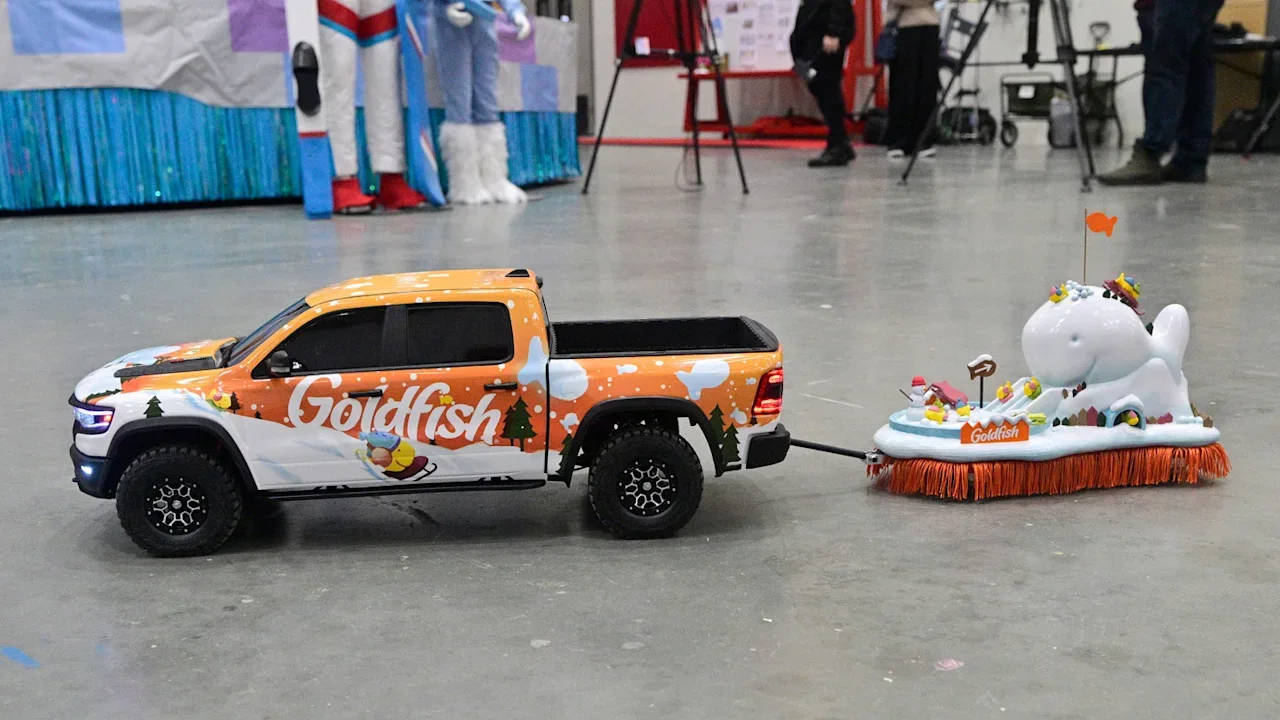
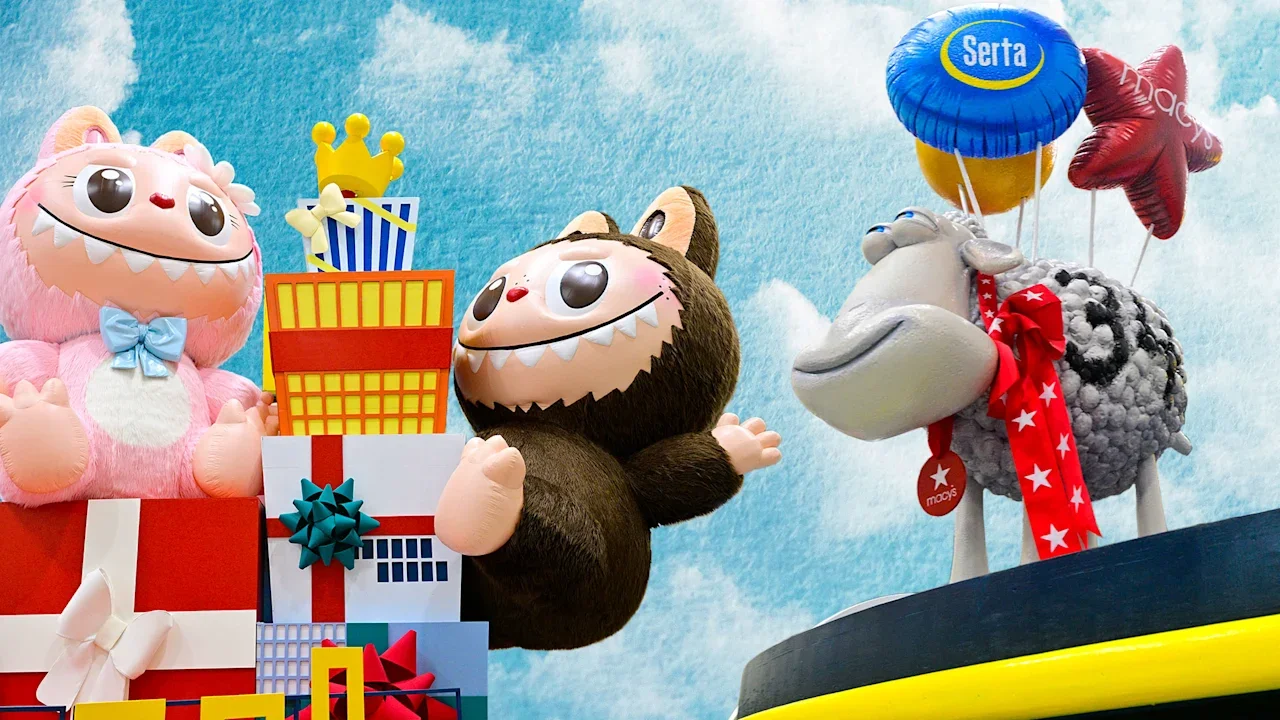
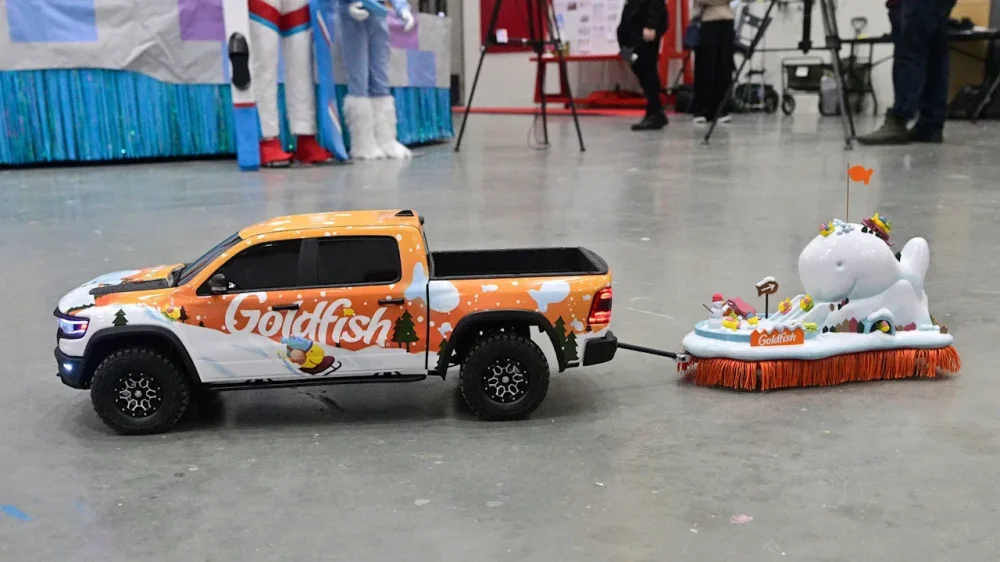
For the past 99 years at Macy’s annual Thanksgiving Day Parade, spectators have craned their necks to watch giant balloons and larger-than-life floats pass through the streets of New York City. But a word to the wise this year: Don’t forget to look down. You might just catch a glimpse of the tiniest float in the parade’s history. The float—which is 49 times smaller than the average display—comes courtesy of Goldfish, which is returning to the parade for the first time in more than a decade. The float’s design features a wintery snowscape covered with frolicking Goldfish crackers towed by an equally tiny Ram truck. According to Brendan Kennedy, director of creative production at Macy’s Studios, the float measures less than 8 inches tall and 14 inches long. Throughout the parade, it will be circling Herald Square, just outside Macy’s department store. Kennedy, who stepped into his role at the helm of the parade in April 2024, says he’s been spending quite a bit of time digging through the event’s history for its upcoming centennial anniversary. In all that research, he’s never come across another float quite like this one. “I don’t think this has ever come close to happening,” Kennedy says. Inside Goldfish’s return to the parade Every year, Kennedy says the team at Macy’s is working around 18 months ahead of time to prepare for the next Thanksgiving parade: ensuring the event will have enough street space, selecting brand partners, and ironing out the production schedule. The floats themselves take anywhere from three to six months to fully plan and design. When Goldfish reached out to Macy’s with the idea to build what the company is calling “the Littlest Float” in early September, Kennedy says the team was “already in the home stretch” of building this year’s six new floats. Despite the quick turnaround, he knew they had to make it happen. “I got a call from our partnership team, and they said ‘Goldfish has this idea, what do you think?’” Kennedy says. “I was like, ‘Absolutely. I’m in.’” Designing a new float always starts with nailing down a solid story, Kennedy says. In this case, the Goldfish and Macy’s teams pulled inspiration from “Snow Day,” a Goldfish ad originally released in 2015 that shows a crew of three hat-wearing Goldfish crackers sledding, playing hockey, building snowmen, and warming up by the fire. The float’s mock-up included a team of Goldfish enjoying wintery activities in a snowy landscape, topped off by a Goldfish-shaped mound of snow. The last time Goldfish was in the parade was back in 2012, when the brand debuted a somewhat meta float of Goldfish crackers putting on their own parade. “After more than a decade, returning with the Littlest Float allowed us to show up in a way that feels both true to the brand and meaningful to fans,” says Mike Fanelli, the brand’s senior director of marketing. Bringing the tiniest Thanksgiving float ever to life Bringing the design to life was an entirely new challenge for the Macy’s team. Typically, Kennedy explains, they’re contending with the massive scale of the floats, which need to be simultaneously spectacular but also street-safe and foldable in order to pack up for transport. Designing a tiny float invited its own host of unique considerations: namely, how to make the wintery scene durable at such a small size. Kennedy’s team addressed that concern by building a custom base, which is hidden by a lining of orange fringe around the float. It’s an aluminum structure, made in the shape of a Goldfish cracker, that was hand-cut in-house. Kennedy describes it as “essentially a thick skateboard.” Most important for the float’s longevity, its wheels are omnidirectional, meaning it won’t easily be tripped up on uneven surfaces. “[The wheels] kind of look like a Ping-Pong ball inside of a metal scoop,” Kennedy says. “They’re used in robotics a lot of the time. We found that these worked best because of their omnidirectional ability. A traditional float bed just has to roll straight and then turn, and it’s just these big old tires. But for this, it could basically go in any direction at any point.” On top of the aluminum base, the part of the Littlest Float that’s actually visible is a 3D-printed landscape that’s been sanded down and hand-painted to achieve a detailed look up close. As a finishing touch, the whole contraption is pulled by a tiny Ram truck with workable blinkers and side mirrors, manufactured by a company called Primal RC that makes an officially licensed miniature of the vehicle. Kennedy says this element was important for continuity, since Ram is a sponsor of the parade, and its trucks will be pulling all the standard-size floats. To get the right shot of the diminutive float, the Macy’s team worked with NBC, the parade’s broadcast partner, to set up a dedicated steady rig camera that sits just 6 inches off the ground. On the day of the event, a team of actors—purposefully selected to be above-average height in order to play up the conceit—will follow the Littlest Float around the square and keep an eye on it. “I think it’s really fun and silly, and it’s such a good way of showing how the Macy’s Studios team can come together and reinvent what it means to parade,” Kennedy says. “It’s clowns, and performances, and magic—to make everybody look up, see some balloons, forget about their day or week or year, and just have some fun. We really just like coming up with new ways to do that for all the folks on the street and at home.” View the full article
-
Operators warn that tax increases will hit profits and lead to potential large-scale job losses View the full article
-
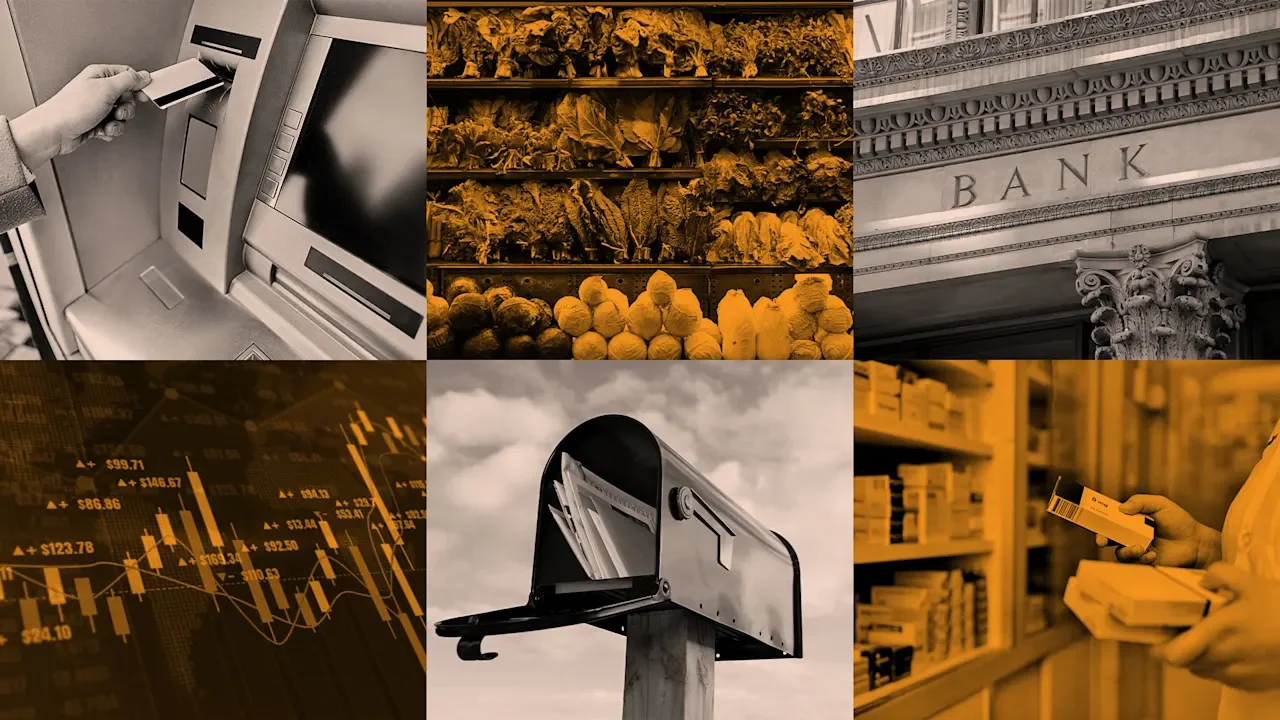
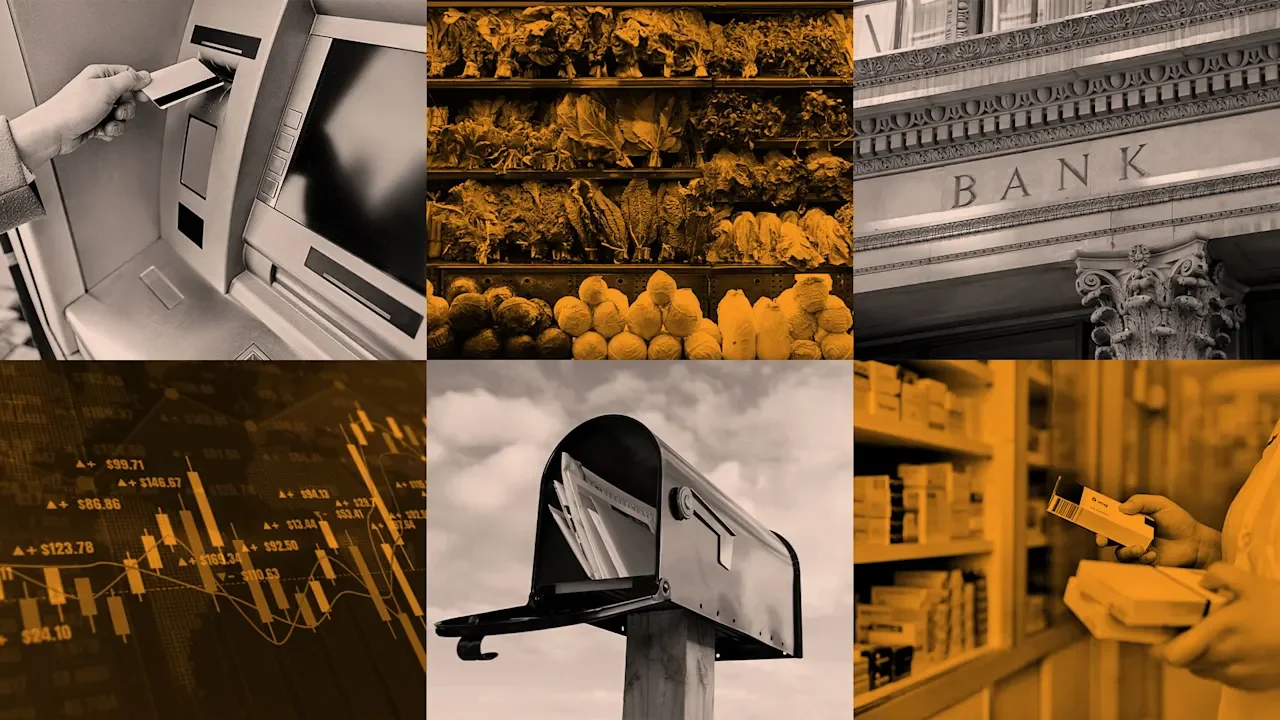
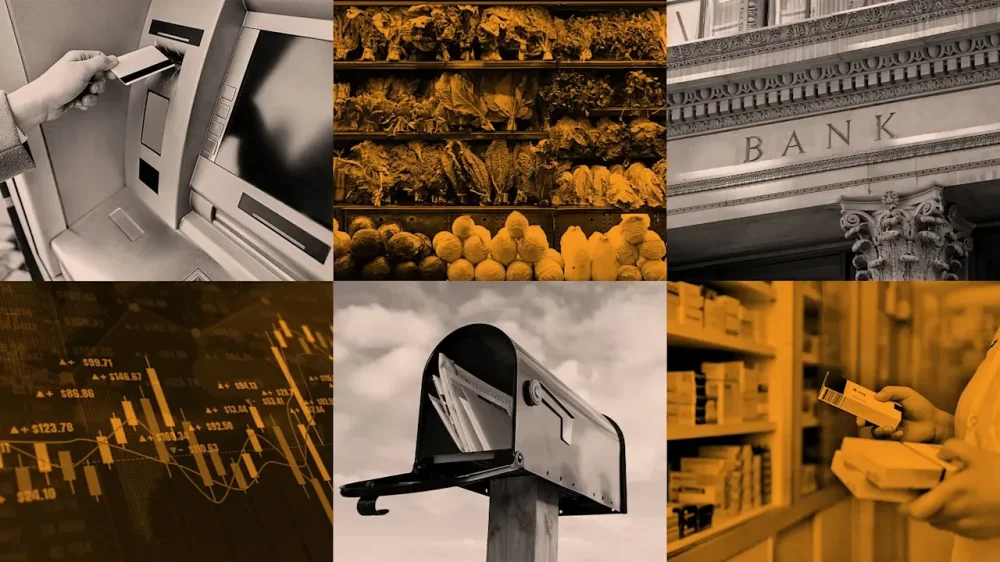
Thanksgiving is a beautiful day filled with family, loved ones, and good food. All that merriment takes copious amounts of labor and planning ahead. It is almost inevitable that something will fall between the cracks and a last-minute store run will be necessary. But is that even possible? Here’s a quick breakdown of what is open and closed on Thanksgiving 2025 to help you out in a pinch should you have a missing cranberry sauce crisis. But first let’s take a look at everyday services: Is Thanksgiving a federal holiday? Yes, Thanksgiving is a federal holiday celebrated annually in the United States on the fourth Thursday in November. This makes November 27 the big day in 2025. Federal workers get a day off to observe the holiday. Will mail be delivered on Thanksgiving? No, there will be no letter or bills delivered on Thanksgiving. The only exception is Priority Mail Express. The United States Postal Service (USPS) will keep post offices closed, but some self-service kiosks will still be open. UPS will also be closed and not delivering on turkey day. The only exception is UPS Express Critical service. Similarly, FedEx locations will be closed. The only deliveries being made on Thanksgiving day are FedEx Custom Critical. Are banks open on Thanksgiving? No, banks are not open on Thanksgiving day. If you need some cash, though, ATMs outside of locations are generally open. Online banking is also an option. Is the stock market trading on Thanksgiving? No. Both the New York Stock Exchange (NYSE) and the Nasdaq exchange will be closed for business. No opening bells will ring out. What stores are open on Thanksgiving? It’s time to get into the cranberry sauce of it all. The following stores are open. Grocery stores Whole Foods: Open with limited hours. Hours vary by location Sprouts: 7 a.m. to 2 p.m. H Mart: Hours vary by location. Kroger: Some stores open with limited hours and a 5 p.m. closing time. Some pharmacies will be closed. Meijer: 6 a.m. to 5 p.m. Save A Lot: Hours vary by location Retailers Starbucks: Hours vary by location Dollar General: Hours vary by location Family Dollar: Hours vary by location Bass Pro Shops: 9 a.m. to 6 p.m. Big Lots: Most open 7 a.m. to 9 p.m. but hours vary by location. Cabela’s: 9 a.m. to 6 p.m. What stores are closed on Thanksgiving? Do not try your luck at the following stores, as they will all be closed: Trader Joe’s Publix Costco Walmart My kid is sick. Are any 24-hour pharmacies open? Many regular Walgreens stores will be closed on Thanksgiving, but it’s another story for their 24-pharmacy locations. Most of these will be open for business and emergency medicine runs. CVS, meanwhile, is open but with limited holiday hours. If you need medication, be sure to check your local store hours before making a trip. View the full article
-
Thanksgiving is a beautiful day filled with family, loved ones, and good food. All that merriment takes copious amounts of labor and planning ahead. It is almost inevitable that something will fall between the cracks and a last-minute store run will be necessary. But is that even possible? Here’s a quick breakdown of what is open and closed on Thanksgiving 2025 to help you out in a pinch should you have a missing cranberry sauce crisis. But first let’s take a look at everyday services: Is Thanksgiving a federal holiday? Yes, Thanksgiving is a federal holiday celebrated annually in the United States on the fourth Thursday in November. This makes November 27 the big day in 2025. Federal workers get a day off to observe the holiday. Will mail be delivered on Thanksgiving? No, there will be no letter or bills delivered on Thanksgiving. The only exception is Priority Mail Express. The United States Postal Service (USPS) will keep post offices closed, but some self-service kiosks will still be open. UPS will also be closed and not delivering on turkey day. The only exception is UPS Express Critical service. Similarly, FedEx locations will be closed. The only deliveries being made on Thanksgiving day are FedEx Custom Critical. Are banks open on Thanksgiving? No, banks are not open on Thanksgiving day. If you need some cash, though, ATMs outside of locations are generally open. Online banking is also an option. Is the stock market trading on Thanksgiving? No. Both the New York Stock Exchange (NYSE) and the Nasdaq exchange will be closed for business. No opening bells will ring out. What stores are open on Thanksgiving? It’s time to get into the cranberry sauce of it all. The following stores are open. Grocery stores Whole Foods: Open with limited hours. Hours vary by location Sprouts: 7 a.m. to 2 p.m. H Mart: Hours vary by location. Kroger: Some stores open with limited hours and a 5 p.m. closing time. Some pharmacies will be closed. Meijer: 6 a.m. to 5 p.m. Save A Lot: Hours vary by location Retailers Starbucks: Hours vary by location Dollar General: Hours vary by location Family Dollar: Hours vary by location Bass Pro Shops: 9 a.m. to 6 p.m. Big Lots: Most open 7 a.m. to 9 p.m. but hours vary by location. Cabela’s: 9 a.m. to 6 p.m. What stores are closed on Thanksgiving? Do not try your luck at the following stores, as they will all be closed: Trader Joe’s Publix Costco Walmart My kid is sick. Are any 24-hour pharmacies open? Many regular Walgreens stores will be closed on Thanksgiving, but it’s another story for their 24-pharmacy locations. Most of these will be open for business and emergency medicine runs. CVS, meanwhile, is open but with limited holiday hours. If you need medication, be sure to check your local store hours before making a trip. View the full article
-
Now that the Consumer Financial Protection Bureau has refused to request funding from the Federal Reserve System, many experts see the case making its way to the Supreme Court. View the full article

-
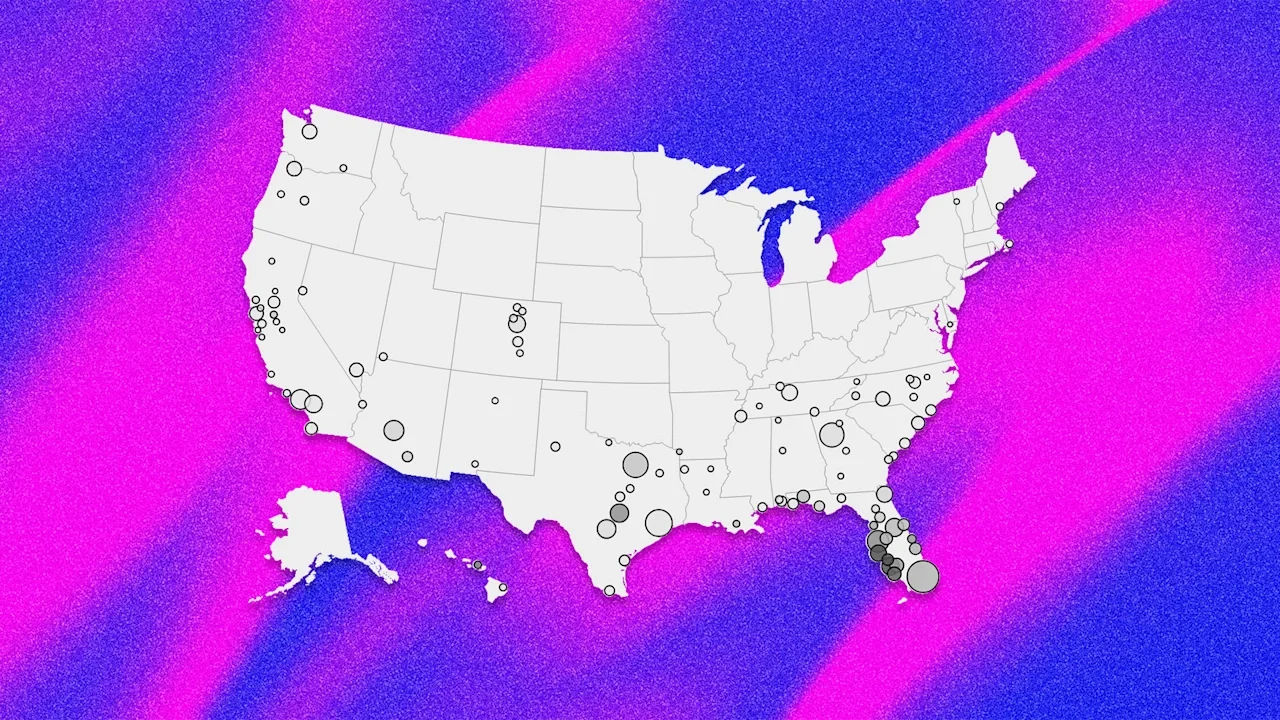
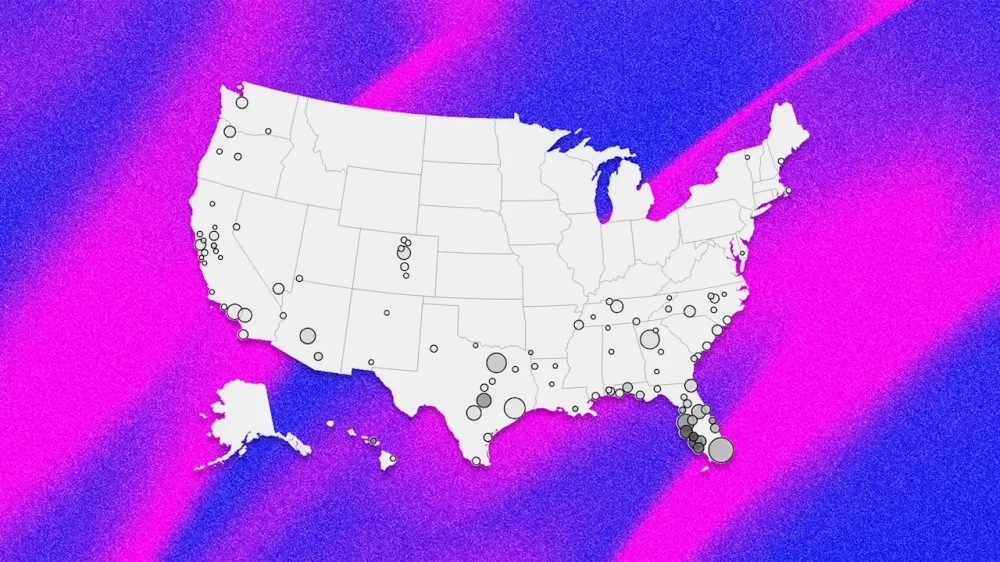
Want more housing market stories from Lance Lambert’s ResiClub in your inbox? Subscribe to the ResiClub newsletter. National home prices rose +0.1% year-over-year between October 2024 and October 2025, according to the Zillow Home Value Index reading published last week—a decelerated rate from the +2.4% year-over-year rate between October 2023 and October 2024. In the first half of 2025, the number of major metro area housing markets seeing year-over-year declines climbed. That count has since stopped ticking up. —> 31 of the nation’s 300 largest housing markets (i.e., 10% of markets) had a falling year-over-year reading in the January 2024 to January 2025 window. —> 42 of the nation’s 300 largest housing markets (i.e., 14% of markets) had a falling year-over-year reading in the February 2024 to February 2025 window. —> 60 of the nation’s 300 largest housing markets (i.e., 20% of markets) had a falling year-over-year reading in the March 2024 to March 2025 window. —> 80 of the nation’s 300 largest housing markets (i.e., 27% of markets) had a falling year-over-year reading in the April 2024 to April 2025 window. —> 96 of the nation’s 300 largest housing markets (i.e., 32% of markets) had a falling year-over-year reading in the May 2024 to May 2025 window. —> 110 of the nation’s 300 largest housing markets (i.e., 36% of markets) had a falling year-over-year reading in the June 2024 to June 2025 window. —> 105 of the nation’s 300 largest housing markets (i.e., 36% of markets) had a falling year-over-year reading in the July 2024 to July 2025 window. —> 109 of the nation’s 300 largest housing markets (i.e., 35% of markets) had a falling year-over-year reading in the August 2024 to August 2025 window. —> 105 of the nation’s 300 largest housing markets (i.e., 35% of markets) had a falling year-over-year reading in the September 2024 to September 2025 window. —> 105 of the nation’s 300 largest housing markets (i.e., 35% of markets) had a falling year-over-year reading in the October 2024 to October 2025 window. Earlier this year, an increasing number of housing markets slipped into year-over-year price declines as the supply-demand balance gradually tilted more toward buyers. But in recent months, the list of declining markets has begun to stabilize as inventory growth has stalled. Home prices are still climbing in many regions where active inventory remains well below pre-pandemic 2019 levels, such as pockets of the Northeast and Midwest. In contrast, some pockets in states like Arizona, Texas, Florida, and Colorado—where active inventory exceeds pre-pandemic 2019 levels—are seeing modest home price pullbacks. Many of the housing markets seeing the most softness, where homebuyers have gained the most leverage, are primarily located in Sun Belt regions, particularly the Gulf Coast and Mountain West. Many of these areas saw major price surges during the Pandemic Housing Boom, with home price growth outpacing local income levels. As pandemic-driven domestic migration slowed and mortgage rates rose, markets like Tampa and Austin faced challenges, relying on local income levels to support frothy home prices. This softening trend is further compounded by an abundance of new home supply in the Sun Belt. Builders are often willing to lower prices or offer affordability incentives to maintain sales, which also has a cooling effect on the resale market. Some buyers, who would have previously considered existing homes, are now opting for new homes with more favorable homebuilder deals. Of course, while 105 of the nation’s 300 largest metro area housing markets are seeing year-over-year home price declines, another 195 are still seeing year-over-year home price increases. Where are home prices still up on a year-over-year basis? See the map below. View the full article
-
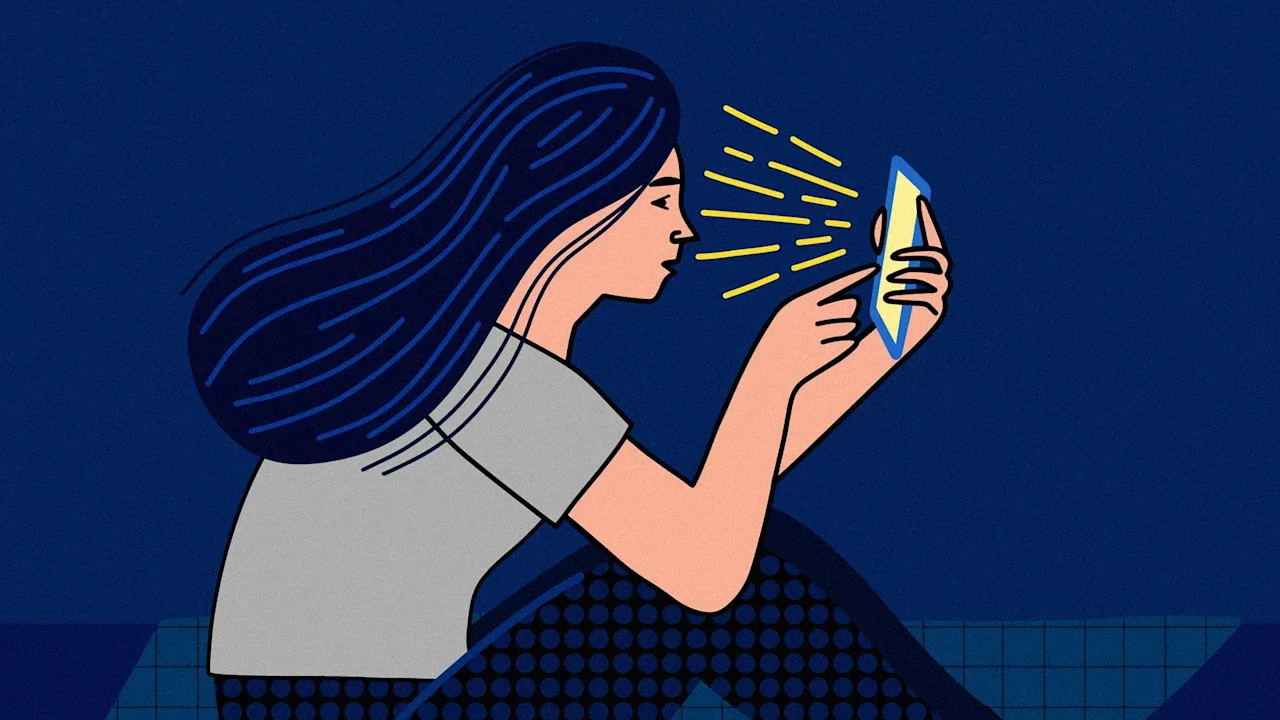
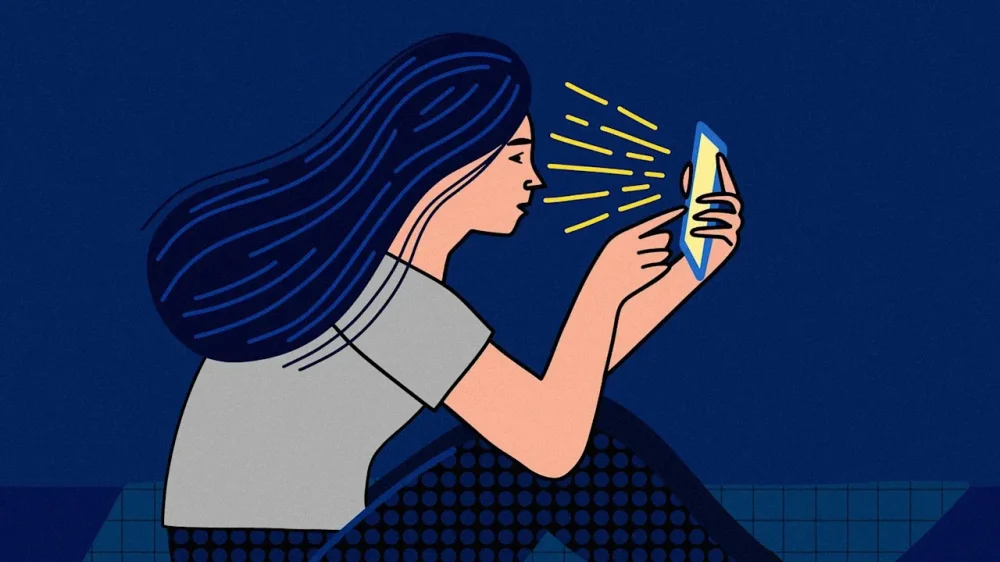
This article is republished with permission from Wonder Tools, a newsletter that helps you discover the most useful sites and apps. We sleep with our phones. 😴 📱 We’re tied to these devices for work, at home—even on vacation. 🏖️🤳 43% of Americans feel addicted I was intrigued when writer Daniel Parris offered to share tips and tools he relies on to weaken the distracting pull of his phone. Daniel is a data scientist and data journalist who writes Stat Significant, a weekly newsletter with more than 23,000 readers. It’s a lively read, with data-centric essays about movies, music, TV, and more. Between his consulting projects, pop culture data analyses, and weekly writing, Daniel juggles a lot. He relies on a curated toolkit to minimize distraction. In this guest post, he shares his favorite new tools for managing time and sharpening focus. A return to focus 💫 Daniel Explains: A year ago, I read Cal Newport’s Deep Work. It led me to rethink time management and reassess the distractions affecting my focus. Like most people, my smartphone makes daily life easier—I text, get directions, send memes, and answer emails. In return for that convenience, my device quietly siphons away hours of free time. Since I first got an iPhone, I’ve found more and more of my time sliding toward social media and other escapist apps. Millions of others face similar challenges. Inspired by Deep Work, I wanted to see if I could retain the best aspects of modern tech without surrendering more time than necessary. Through trial and error, I’ve found a set of tools that help curb aimless tech use. I’m far from perfect, but these approaches have given me a foundation to build on. Blank spaces—simplify your home screen If you’d like to cut back on aimlessly scrolling through apps in search of a distraction—Blank Spaces is worth a try. The app replaces your home screen with a minimalist launcher that displays essential tools in a simplified layout. You can still access all your apps through your phone’s search bar, but the interface eliminates habitual app tapping. Choosing five to eight essential apps may sound limiting, but you’ll gradually realize how little you actually need from your phone. Price: Free for 7 days, then $4/month; $18/year; $24/lifetime Brick—block distracting apps Brick is a small near-field communication (NFC) puck that pairs with an app. It’s been the biggest breakthrough in how I use my phone. It lets me retain the fundamental utility of a smartphone (Google Maps, Yelp, Spotify) while blocking the apps that steal my time, including social media. You select the apps or websites you want to block, then tap your phone against the Brick to enter Brick Mode. It blocks distractions and notifications from your disabled apps, and everything else stays. To re-enable access to your restricted apps, you have to physically tap your Brick again. Brick may sound like a glorified app blocker. But the added friction makes all the difference. I usually place my Brick somewhere mildly inconvenient, far enough away to remind me I don’t really need to open Instagram right now. Repeatedly bricking and unbricking my phone usually sparks some healthy introspection. Why am I working this hard just to check my email? After my first few days, I got used to having my device bricked. That’s since become my phone’s default setting. Price: $59; students get a 20% discount. Yondr Box—put phones away Yondr may be most attractive to families or groups who want to collectively limit phone time. Phone boxes like this one allow you to store devices in a safe-like receptacle for a predetermined period. The features associated with these contraptions vary. Some prevent your phone from receiving a cell signal. With most of them, you set a timer and can’t access your device until after the time has elapsed. Yondr and other tools like it work well for family game night or movie marathons. Price: $249 [Cheaper options include the $40 Mindsight Timed Lock Box – JC] Light Phone—get a simpler device When I was in middle school, I had a Motorola Razr. It could do very little beyond calls and texts. It broke constantly, but I loved my silly little Razr phone. For a 13 year old in the early 2000s, it was the best phone you could get. Then I got an iPhone. Overnight my Razr seemed like it was made of Play-Doh. Flash forward two decades, and a small but growing group of consumers is retreating to “dumbphones”—devices with stripped-down functionality. (See a chart illustrating growth in interest) Some of these devices are extremely “dumb.” They work only for calling and texting. Others embrace a more intentional kind of minimalism. The Light Phone offers only essential functions: calling, texting, alarms, and directions. This streamlined design reduces screen time and digital distraction. It intentionally excludes social media, email, and web browsing, encouraging users to disconnect from their smartphones without going off the grid completely. I’ve long flirted with buying a Light Phone, but have yet to pull the trigger. I have a friend who owns one and swears by it. In 2025, buying a dumbphone is a radical act. In 2002, you’d have been just like everyone else. It’s amazing how 20 years of technological progress can completely recalibrate how we live. Price: $699 for version 3 or $299 for version 2. Time-Block Planner—make time to focus This physical notebook helps me plan my day in 30-minute increments. Each task gets a defined start and end time. Time blocks are allocated between work, meetings, breaks, and admin tasks—with the aim of minimizing idle time, avoiding the mental drag of context switching, and carving out uninterrupted stretches for deep work. When I first started time-blocking, it felt borderline draconian—like I was robbing my day of spontaneity. Over time, I’ve found it frees me up to focus on doing higher-quality work, instead of constantly thinking about what I should be thinking about. The scheduler helps me frontload my planning into one intentional session at the start of the day, instead of reconfiguring priorities every hour. I get that an analog journal isn’t the sexiest recommendation. Still, I like being able to plan my day without digital distraction, and I appreciate being able to see my schedule without staring at a screen. Price: $27.90 at Amazon Daniel was one of DoorDash’s first 150 employees and data science hires. After working there for nearly six years, Daniel moved into consulting and data writing. Over the past year, he’s taken on some of pop culture’s greatest conundrums: At What Age Do We Stop Looking for New Music? Which Movies Popularized (or Tarnished) Baby Names? Which Shows Got Their Finale Right, and Which Didn’t? Check out Stat Significant Check out Stat Significant to read more of Daniel’s work: Why Did Hollywood Stop Making Comedies? How Many Episodes Should You Watch Before Quitting a TV Show? Is Rotten Tomatoes Still Reliable? Connect with Daniel on LinkedIn or at daniel@statsignificant.com This article is republished with permission from Wonder Tools, a newsletter that helps you discover the most useful sites and apps. View the full article
-
US president says country will not be invited to Miami meeting following latest diplomatic spatView the full article
-
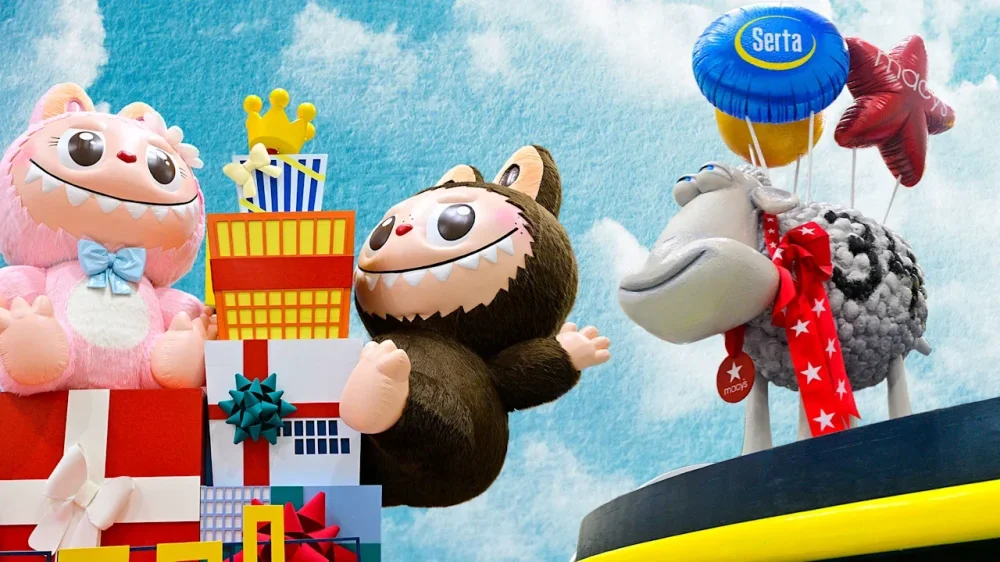
A Thanksgiving tradition since 1924, the Macy’s Thanksgiving Day Parade has not quite turned 100 years-old yet. How is this possible you might wonder? Because it was skipped for three years—1942, 1943, and 1944—during World War II. Nevertheless, its 99th anniversary is shaping up to be spectacular. Here’s everything you need to know about the (mostly) annual event in New York City, including how to tune in. The Macy’s Thanksgiving Day Parade by the numbers It takes many people to pull off the Macy’s Thanksgiving Day Parade. (Some even do the pulling literally.) There will be more than 5,000 volunteers working hard to make magic happen. This spectacle includes 34 balloons and 28 floats. There are also four “ballonicles,” which are essentially balloons on wheels. Let’s not forget the 14 specialty units, 33 clown groups, 11 marching bands, and the one and only Santa Claus. The parade route begins on Manhattan’s Upper West Side and ends on 34th Street in Midtown. Who’s performing at the 2025 Macy’s parade? There’s a little something for everyone this year. Elphaba Thropp herself, Cynthia Erivo, will kick things off with an opening number performance. Much to the delight of hip children everywhere, the singing voices of HUNTR/X from KPop Demon Hunters will also have a golden moment to shine. Broadway fans can look forward to numbers from Buena Vista Social Club, Just in Time, and Ragtime. Country fans will look forward to Lainey Wilson’s vocal talents, and the Radio City Rockettes will high kick their hearts out. That’s just the beginning. There are also performances by Drew Baldridge, Matteo Bocelli, Colbie Caillat, Ciara, Gavin DeGraw, Meg Donnelly, Mr. Fantasy, Foreigner, Debbie Gibson, Mickey Guyton, Christopher Jackson, Jewel, Lil Jon, Kool & the Gang, Darlene Love, Roman Mejia, Taylor Momsen, Tiler Peck, Busta Rhymes, Calum Scott, Shaggy, Lauren Spencer Smith, Luísa Sonza, and Teyana Taylor. It’s a jammed-packed event. What other celebrities are appearing? Beyond the performances, the parade will be a star-studded event, filled with athletes such as U.S. Olympian Ilia Malinin and U.S Paralympian Jack Wallace. Actors Kristoffer Polaha and Nikki DeLoach will also dazzle the parade route. Sean Evans will serve as a special correspondent What new floats will join the parade? There are six new floats this year making their way down the parade route. Science fiction fans look out for Upside Down Invasion: Stranger Things by Netflix. Travel lovers can look forward to The Land of Ice & Wonder by Holland America Line. Parade lovers young and young at heart will be excited for Brick-tastic Winter Mountain by the Lego Group. Rounding out the new floats are Master Chocolatier Ballroom by Lindt, Friends-giving in Pop City by Pop Mart, and The Counting Sheep’s Dream Generator by Serta. What new balloons will join the 2025 parade? There are four new additions full of hot air to dazzle onlookers. Buzz Lightyear and Pac-Man will have their time to float, as will Shrek’s Onion Carriage and Mario. Additionally, KPop Demon Hunters fans should keep their eyes peeled for Derpy Tiger and Sussie, who will appear in mid‑sized balloon and ballonicle form. How can I watch or stream the parade live this year? The parade airs today (Thursday, November 27), which is Thanksgiving. No matter your time zone, the action starts at 8:30 a.m. on NBC. NBC’s telecast covers those with traditional cable subscriptions and those with an over-the-air antenna with good reception. If you have the latter, you can watch the parade for free. The event will also be available on Peacock, NBCUniversal’s streaming platform. If Peacock is not in your streaming arsenal, you can turn to a live-TV streaming platform that includes NBC in its bundle. Those include: Hulu + Live TV YouTube TV Sling TV Unfortunately, due to a carriage dispute between NBCUniversal and Fubo, NBC had been removed from that streaming service as of press time. Be sure to check regional differences before you commit to yet another monthly charge. View the full article
-
Black Friday isn’t what it used to be. Less than 15 years ago, it was fairly common for people to wake up at ridiculously early hours to drive to a store, where they would stand in line, waiting for the doors to open in order to grab the best deals. Those people still exist, but not in the numbers they used to, thanks to the convenience of online shopping (and the early start to holiday deals). But as artificial intelligence becomes more entrenched, it could play an outsized role in Black Friday (and Cyber Monday)—and 2025 could be something of a test case for the technology. The average consumer is expected to spend $1,595 on holiday gifts this year, according to Deloitte. That’s 10% less than 2024 and highlights the importance shoppers will place on bargains this year. And a growing number of consumers will be relying on AI to help them find those deals. Some 33% of the people Deloitte spoke to in its 2025 Holiday Retail Survey said they plan to use AI as part of their holiday shopping—double the number who did last year. Many say the tech could assist them with inspiration and product discovery. That could benefit retailers who have already embraced AI in their recommendation engines, as well as those planning to roll it out. “Consumer adoption of gen AI shows that expectations are shifting toward personalization and efficiency,” Deloitte’s report states. “Shoppers now expect instant recommendations tailored to their preferences, budgets, and recipients, raising the bar for retailers’ digital experiences. To meet holiday shoppers’ expectations, retailers could consider embedding AI-powered gift finders, style assistants, or deal copilots directly into their sites or apps.” A separate study from marketing automation platform Klaviyo found that 56% of consumers say they’ll use AI tools during Black Friday and Cyber Monday. AI can do a lot more than just help people think of creative gifts, of course. Gen AI models like ChatGPT can research prices and recommend the best deal, in some cases even making the purchase for you, a feature used by a growing number of people. Traffic from AI platforms to retail sites during Prime Days and other sales in July was up by 4,700%, according to Adobe Analytics. And the company is predicting an increase in AI usage of between 515% and 550% this holiday season, compared to 2024. Thinking of enlisting a Gen AI to help you find deals? Here’s how to go about it. Make your list. Check it twice Chatbots don’t work so well without specifics. You’ll need to know exactly what you’re looking to buy if you’re planning to use AI for price comparisons. Using the broadest example, telling ChatGPT you’re looking for the best price on, say, a Barbie or a blender is akin to calling a Best Buy or Gamestop and saying you want to know their best price for a game console. The $60 no-name brand that has a Tetris clone might technically be the correct answer, but that does you no good if you really wanted a PlayStation 5. Set the AI loose Ask your chatbot to find the best deals for your specific product. Again, details matter, so be sure to offer as much granularity as you can about the product. (To go back to the PS5 example, do you want the PS5 with a disc drive? What amount of internal storage do you want? Do you want a PS5 Slim or Pro or some other model?) It’s also worth asking the chatbot to suggest additional ways to save, such as applicable cash-back apps (like Rakuten), promo codes, or coupons. Fact check the results Prices change all the time during the holiday season, so just because ChatGPT says Store X has the best deal, you’ll still want to check that store’s website to verify the amount your AI assistant quoted is still valid. At the very least, using AI to help you shop will quickly eliminate some options and, ideally, free up some of your time, letting you spend less of November and December hunting for deals and more time enjoying the season. View the full article
-
Investors welcomed Budget’s fiscal rigour, giving the chancellor the benefit of the doubt on implementation, productivity and growth for nowView the full article
-
Immigration falls sharply alongside a slight rise in people leavingView the full article
-
With millennials and Gen Z opting for fur babies over actual babies, a new workplace benefit is starting to take over. Enter the era of pawternity leave, where pets are dictating benefits, as companies scramble to keep up with shifting priorities. The reality is: without pet perks, companies are risking losing top talent. Sixty percent of pet parents say they would quit their job if it interfered with their ability to care for their pet and almost 10% already have. With the growing number of people placing such a high value on their pets, companies are beginning to recognize pet parenthood as more than just a lifestyle choice. It’s a reflection of today’s priorities, and it’s reshaping how employers approach workplace inclusion. Younger generations are replacing kids with pets Generational differences are driving the need for modernized workplace benefits. Twenty years ago, two-thirds of women at age 30 had at least one child. Today, half of American women at that age do not. This comes as 67% of millennials and Gen Z say they would rather have a dog than a kid. As the workforce transitions from parents to pet owners, traditional benefits like paid parental leave are not resonating with newer generations in the same way more flexible, lifestyle-oriented perks like pet care do. According to a study from Vetster, 48% of Gen Z see no difference between their pet and an actual human child compared to past generations, a powerful indicator of how deeply pets are integrated into their emotional lives. These new family priorities present an opportunity for companies to recognize pet parenthood as a legitimate caregiving role. Offering benefits like pawternity leave, free or discounted pet health care, or pet-friendly office policies allows companies to meet employees where they are in today’s age. Supporting mental health through pet-inclusive policies Amid economic uncertainty and looming layoffs within many industries, 80% of people cite work as their primary source of stress. Knowing that heightened stress negatively impacts productivity, companies are turning to pet-friendly policies as a part of their overall well-being strategy to ensure employees feel cared for. Pets such as dogs have been shown to lower blood pressure and reduce the risk of cardiovascular disease. Beyond physical health, their presence in the workplace also directly impacts employee’s mental well-being with 73% of people saying having pets in the office reduces stress levels. For remote workers, the impact is significant, too—51% of pet owners working from home report lower stress levels because of the ability to easily care for their pet. By recognizing the emotional needs of employees and integrating pets into workplace culture, companies are helping to alleviate stress while fostering a more compassionate and inclusive environment that supports employees. Companies are seeing high engagement with pet benefits Fifty-three percent of workplaces are pet-friendly to some degree and those that are implementing pet benefits are seeing high engagement with the benefits. For example, Samsung’s pet benefits program saved employees $20,000 on vet bills and over 800 hours that would have otherwise been lost to time spent on vet appointments. These types of programs not only reduce logistical and financial burdens for employees, but also demonstrate that the company values their employees’ needs beyond traditional healthcare. As a result, pet benefits are emerging as a meaningful component of inclusive workplace culture A more inclusive workplace starts with recognizing pets as family Seventy percent of the workforce are pet owners. Neglecting to acknowledge and support the role pets play in employees’ lives means overlooking a key part of what drives employees’ personal well-being. At its core, inclusion means creating a workplace where people feel seen and supported. As definitions of family evolve, so should benefits and policies. In recognizing pets not just as companions, but as central figures in many employees’ lives, companies who recognize this dynamic when considering benefits packages are experiencing a much happier, healthier company culture. View the full article

-
Below, Corinne Low shares five key insights from her new book, Having It All: What Data Tells Us About Women’s Lives and Getting the Most Out of Yours. Corinne is an economist and professor at the Wharton School of the University of Pennsylvania. Her research has been published in journals such as the American Economic Review, the Quarterly Journal of Economics, and the Journal of Political Economy. She also regularly speaks to and advises companies on their practices. What’s the big idea? Women face unequal demands at home and in the workplace, making “having it all” costly. Research shows how hidden factors shape choices and offers a way to reclaim time, energy, and joy. Listen to the audio version of this Book Bite—read by Corinne herself—below, or in the Next Big Idea App. 1. It’s not in your head; it’s in the data In 2017, I gave birth to my son—and had a midlife crisis. Things that used to work, like commuting two and a half hours to my job, just didn’t add up anymore. I was constantly stressed, angry, depleted, and so tired all the time. Pumping in the Amtrak bathroom, crying that I would miss my son’s bedtime because of a train delay, I wondered, Is it just me? I started studying women’s time use, and the data told me I was far from alone. Women are getting squeezed from all sides. As our time in the labor market has increased, our time on home responsibilities hasn’t declined accordingly. This is for two reasons: Men’s time spent cooking and cleaning has stayed fixed since the 1970s. The way we parent has become much more intensive than a generation ago. Mothers in the ’80s were not babywearing and pumping at work or driving to a million activities. I grew up in the ’80s, and we were out riding bikes with no snacks and no water bottles—we must have been very dehydrated! The parenting game has changed. Some changes are great and have to do with our greater understanding of child development, but we spend almost twice as much time with our kids as compared to mothers only a generation ago. Without getting sufficient help from our partners, there just aren’t enough hours in the day. The amount our partners do also doesn’t change when women are the primary breadwinners at home. Women who are the breadwinners still do twice as much cooking and cleaning as their lower-earning male partners—winning the bread and baking it too. If you look at time usage over a lifecycle, you see women’s time use on kids and housework swells to a mountain in our thirties (a period I call “the squeeze”), and the mirror image of that is our time on leisure and career investments, which goes down like a valley. During that period, time inequality with men is also at its peak. They do less childcare and housework and have more work and leisure time. We need to figure out a different way forward. 2. Your goal in life is utility, not career success The problems facing women in the workplace are structural. We’re trying to be a Frankenstein of a super career woman at the office and an Instagram mom at home. We feel like we’re falling behind because we’re trying to do more (succeed in a world built by and for men) with less. But economists model human beings as maximizing not career success, not prestige, but their utility function. “Your utility function is unique to you.” Utility is like a firm’s profit function. Your personal profit function is made up of all the things that bring you joy, meaning, and fulfillment over the course of your lifetime. If you were to look back at your life when you’re 85 years old, what would make you say, That was a life well lived? Your career is part of that, but it’s not the whole thing. Your utility function is unique to you. Only you know what brings you the deepest feelings of satisfaction. So, you can’t compare yourself to someone else in terms of accomplishment because they’ve accomplished different things—their utility function is different! Meaning, they’re maximizing something else. 3. A job is a tool to turn time into money Let’s talk about where your career fits into your utility function. Your job converts time (the natural resource you’re endowed with to maximize utility) into money. Your job is like an ATM; you put time into it and get money out of it. Ideally, it does this with minimal hassle and maybe some enjoyment, potentially adding to your utility rather than subtracting from it. But when I ask people what they would do with their time if money were no object, almost no one says they’d try to file more reports or climb higher on the corporate ladder. That’s because we recognize that a job is a means to utility, not an end. If we didn’t need the money that comes from employment, we’d spend most of our time on things we really enjoy: being with loved ones, hobbies, nature, and taking care of ourselves. We need to think of our careers a little more transactionally than the business books at airports press us to. Exactly how much money do I need at each phase of my life, and how do I plot a career that gets me that while eating up as little of my precious time as possible? This means thinking hard about the lifecycle of your job. Investing lots of time in your twenties can make sense because you’re not as squeezed by home responsibilities, and it can buy you a better time-to-money conversion rate from your job later in life. But you want to make sure you’re in a field where you are working toward the ability to take your foot off the gas at some point—like during the squeeze—and use more of that time making utility directly. Otherwise, the prize for the pie-eating contest is more pie! Your investment in your career should be proportional to the role money plays in maximizing your utility. Everything else is just chasing “success” at the expense of true happiness. 4. You can work like a girl and get paid There is no evidence that male traits are actually more productive, and there certainly isn’t any evidence that women will be rewarded for mimicking them. When I got to Wharton, a male colleague told me that students respect you more when you are tough, saying that I needed to show them who was boss right from the start. So, I marked them tardy if they were a minute late, and guess what? They hated it coming from me. A female professor told me that she’d found her students expected her to be really nice, and she had to fulfill their social expectations to receive good reviews. Research backs up this anecdote: Women are often penalized for failing to exhibit expected traits like “niceness” and community-mindedness. “I want women to view their gendered traits as superpowers.” While it’s also true that the evidence shows that men are, on average, more competitive, more risk-loving, tougher negotiators, and greater self-promoters, it does not say that those things lead to more productivity or higher profits. In a study on competitiveness, men were overcompetitive. Subjects performed a task and had to decide whether they wanted to receive payment for their efforts or participate in a tournament, where they would only be paid if they scored the highest. Of the worst-performing men (the men certain to lose the tournament), 60% still chose to enter rather than take the guaranteed payoff. In my own research on negotiation, I found that male-male pairs were more than twice as likely to fail to reach an agreement and therefore walk away from a negotiation with nothing. I want women to view their gendered traits as superpowers, and find workplaces where they can get ahead by being themselves—not by pretending to be a man and getting punished for it anyway. 5. We must radically prioritize what contributes to our happiness When the deck is stacked against us, we can’t keep trying to “play fair”—meeting everyone else’s needs, and never our own. We have to become ruthless in aligning our time with what gives us utility. Take these three steps: Renegotiate how time and money are allocated in your household. Throw out your houseplants and make other hard choices. Pay yourself first with leisure time. First, to renegotiate the deal in your household, I want you and your partner to track your time. Often, men think they’re doing about half the household work, but that’s only because they do half of the things they know about. While they’re doing half the school drop-offs, you’re the one making sure there are clothes in the right size, lunches packed, after-school care, and playdates are scheduled—half of which you multitask during work. If you track your time, you might realize there’s a lot more inequality than you think, and you can start reallocating. Once you reallocate the household’s joint time budget, if there’s still inequality in work and leisure time, see if reallocating money can help. Not outsourcing a task is hiring yourself to do it. We rarely do this with male-coded tasks (like car repair and plumbing), but somehow, for female-coded tasks, we forget that doing something in-house has an opportunity cost of where else you could invest that time. If you’re a lawyer who bills at a certain rate, or a nurse who could pick up an extra shift, can you really afford that much of your own time for laundry? “We have to become ruthless in aligning our time with what gives us utility.” Second, throw out your houseplants is my pithy phrase for decluttering your time of anything that’s an obligation rather than a calling. For me, it was wilting houseplants that I didn’t have time to care for and made me feel like a failure. For you, it might be volunteering at your kid’s school, making homemade baby food, or planning the office retreat. Understanding how we’re being squeezed from all sides gives you the freedom to say, “Nope, this doesn’t add up for me right now.” Importantly, you can always say yes later when you’re in a different, and easier, chapter of your life. Lastly, pay yourself first with leisure time. We do get some time to ourselves, but often it’s just little crumbles of time left over at the end of the day. By then, we’re so depleted we end up just zoning out on our phones. If we block out time for the things that bring us the most joy and meaning, everything else can claim the scraps! It’s like how we can suddenly get a project done in an hour before the deadline—things expand to fill the available space in our calendars. Block your leisure time like an important meeting, and let yourself be your own top priority. Enjoy our full library of Book Bites—read by the authors!—in the Next Big Idea app. This article originally appeared in Next Big Idea Club magazine and is reprinted with permission. View the full article

-
Decision is boost for district and comes as boss Jamie Dimon praises UK chancellor Rachel ReevesView the full article
-
Reeves to pitch tax-raising Budget to votersView the full article
-
Bosses accuse chancellor of not delivering on Labour’s pledge to boost outputView the full article
-
The US president has put a trusted family man at the centre of his mission to end the Kremlin’s warView the full article
-
Italian defence group to show AI system that will connect equipment and platforms to protect nations from air threats View the full article
-
‘Naughty step’ created by corporate governance guidelines around investor support for salary increases, says Julia HoggettView the full article
-
Backlash over role played in talks by executives from companies including Rolex and RichemontView the full article
-
Alibaba and ByteDance shift development to south-east Asia to sidestep US curbsView the full article
-
Circa 1450, the creative community was jolted. The printing press had just been invented in Europe. Scribes, typically monks who had spent lifetimes perfecting the spiritual art of hand-copying manuscripts, saw their specialized skills suddenly rendered obsolete. Yet in short order, the disruptive innovation democratized knowledge, enabled the Renaissance, and created entirely new creative roles for editors, typesetters, printmakers, and illustrators. More than five centuries later, Photoshop sparked similar concerns about devaluing traditional skills and compromising image integrity. Artists worried it would cheapen the craft. Instead, it became foundational to modern graphic design, opening new creative possibilities while making visual expression accessible to wider audiences. New tools that initially seem threatening often become indispensable partners in creative work. People in creative fields are, by nature, creative. They tend to think beyond what currently exists and adopt emerging technologies to accelerate their process, embolden their output, and make their medium more accessible. ENTER: AI Artificial intelligence’s threats to the creative community are well documented. At the same time, we are also seeing myriad ways the technology can quickly deliver valuable information, patterns, and research that can liberate the creative community to spend more time actually creating. When it comes to my area of expertise—empowering the design community to leverage the full emotional, narrative, and commercial power of color—AI can be a valuable partner in the creative process. Pantone just introduced a new tool, in fact, that employs conversational AI technology to help creatives expedite design’s research and inspiration phases. The tool helps users explore color palettes, leverage trend forecasting data, and generate design concepts. But while AI can process data and identify patterns, the forward-looking trend insights themselves remain uniquely human, rooted in cultural analysis and nuanced insight, intuition, and imagination. A creative process that uses artificial intelligence also demands human intelligence. AI tools trained on human-identified trends help designers respond with greater speed, depth, and nuance, but the trends themselves must first be recognized by human experts attuned to cultural shifts. REQUIRED: THE HUMAN IMAGINATION When Pantone selected Mocha Mousse as Color of the Year 2025—an evocative brown leaning into our desire for everyday pleasures—no machine learning model could have sensed the burgeoning cultural ethos it spoke to. Human forecasters recognized a global appetite for thoughtful indulgence, harmonious comfort, and personal luxury, all expressed by this rich, deep brown. Trend forecasting demands humans—people who sense subtle undercurrents of collective emotion before they surface, who understand when comfort becomes more important than adventure, when personal expression pushes back against homogenization , when nostalgia begins to feel fresh again. Color scientists track films in production, new artists, fashion movements, emerging lifestyles, socioeconomic shifts, evolving technologies and materials—building a comprehensive view of where culture is headed. After all, humans are animals, and animals have always used color as a multifaceted and sentient signal system: attracting mates, establishing identity, communicating mood, warning of danger. Just as a vermilion flycatcher uses red feathers to attract females while a kingsnake’s bright red bands warn predators away, we use color to send messages about who we are and what we desire. These messages shift with our cultural moment in ways no algorithm or technology can anticipate. The insights require the unique ability to sense what’s emerging before it fully arrives. From the printing press to Photoshop to AI, new technologies amplify what creatives can do. It makes processes swifter, bolder, more affordable, and more accessible. AI can help creatives tap into powerful color stories and trend insights. But the creative vision, the cultural fluency, and the ability to sense what will move people remains distinctly, irreplaceably human. AI is another powerful tool in the creative arsenal, most potent when it augments rather than attempts to replace human insight and imagination. Sky Kelley is president of Pantone. View the full article

-
If cumulative loss or a delinquency trigger event is in effect, then the deal will distribute principal among the class A notes before any principal allocation the class M1 or class B certificates. View the full article

-
We’re living through a seismic workforce disruption. Business leaders are poised to have a significant impact on the way our economy is shaped over the next decade. You already see it with the big company CEOs creating a cult of celebrity far beyond anything we’ve seen historically, but this phenomenon cascades down to all leaders across companies. Today, however, your personal brand is built in authentic micro-moments—how you lead meetings, navigate change, and bring others along. What story are you telling? Earlier this month, I sat down with Marissa Andrada and Al Dea at Guild’s Opportunity Summit to discuss why personal brand building is no longer optional for leaders who want to drive meaningful impact. DOES “PERSONAL BRAND” NEED A REBRAND? The concept of a personal brand can sound like a marketing buzzword. But if you write it off as such, you’re going to fall behind. We aren’t advocating for leaders to break out their tripods at a conference and do the latest Taylor Swift TikTok dance (but if that’s authentic to you, go for it). Your personal brand—or “leadership signature” if you really want to avoid the “b” word—is built through micro-moments: the tone you bring to a meeting, the decisions you make, and how you develop and support people during times of transformation. As Al put it, “Every stakeholder conversation is a chance to show people what you’re about.” That starts with understanding the beliefs and motivations that drive others. “People can only see things from their seat,” he added. “If you want them to see things from yours, you first need to see things from theirs.” ELEVATE YOUR WORK THROUGH STRATEGIC STORYTELLING Personal brand can—and should—coexist with humility. For the introverts among us, this isn’t about self-promotion. It’s about translating your team’s impact into stories that resonate with the business. Strategic storytelling connects people to purpose. It transforms complex initiatives into narratives that inspire action and resonate with the business. As leaders, we can help our teams do this by focusing on what I call the three C’s: clarity, commitment, and consistency. Clarity: Clear really is kind. Strip out jargon and acronyms. Ask yourself: Would the average employee understand what I’m trying to say? If not, simplify. Commitment: Audiences can sense when you’re reciting a script versus speaking from conviction. Belief can’t be faked—and when leaders try, trust erodes fast. Consistency: Rome wasn’t built in a day, and your leadership signature won’t be either. Words and action, over a sustained period of time, reinforce your stated values. The small, unseen moments—how you respond to challenges, how you show up when no one’s watching—create the foundation of your credibility. 2 SHIFTS TO BUILD YOUR PERSONAL BRAND FOUNDATION Mindfully consider your personal style and how you want your brand to show up. Gut-check that with others. Ask yourself: What do you want others to say about your leadership? Does that align with the feedback I receive? If not, where are there gaps and how can I work toward reconciling them? Here are two shifts you can make today to create that foundation. 1) Ground in outcomes Too often, leaders fall into the same traps we coach early-career workers to avoid on their resumes. Shift away from the activity, into the outcome. Activity: “We led a large-scale software integration this quarter.” Outcome: “We transformed how our company connects people strategy to business results.” Leading with outcomes helps to contextualize the weight and the why behind your team’s work, building credibility with the listener. 2) Mind your language On our San Diego panel, Marissa shared a story of her time at Universal Studios. Early on, she introduced herself to business leads with HR-speak: “I’m here to help develop a new performance management and talent planning process.” She received clear, actionable feedback that the corporate jargon—what she jokingly called “corponics”—was not resonating. The very colleagues she was trying to rally did not know what she was saying. Taking their feedback, she dropped the lingo, and recalibrated to human-first language. Instead of “succession planning,” she said, “We’re growing fast. When you’re ready for your next role, how do you ensure someone’s ready to step into your seat?” AUTHENTIC LEADERSHIP IN AN ERA OF ERODED TRUST Personal brands can no longer be “crafted” in a conference room with a team of external consultants. Today’s workforce is skeptical, discerning, and exhausted. Decades of information overload, polarization, and change have left employees craving authenticity and wary of anything that feels performative. People are drawn to leaders who reflect their stated values through daily interactions. If you think your leadership brand only lives on LinkedIn, you’re tracking the wrong KPIs. Do your public posts reflect the experiences your customers and teams are having privately? The leaders who will define the next decade are those whose public narratives match their private behaviors. When leaders clarify their values, master storytelling, and lead with authenticity, they don’t just strengthen their own brands—they rebuild trust in business itself. One example Marissa shared in San Diego, was her time as chief people officer at Chipotle and the experience of partnering with Guild to transform their employee tuition reimbursement program into an initiative that reinforced the company’s belief in people’s potential. The result? Measurable business outcomes. Chipotle saw stronger retention and greater internal mobility made possible by the new skills through education. THE BIGGER PICTURE Building a personal brand isn’t about self-promotion. It’s about creating alignment between who you are, how you lead, and the impact you create. By cultivating clarity of values, mastering the art of strategic storytelling, and leading with authenticity, today’s executives can build personal brands that elevate their voices and strengthen trust in their organizations. In doing so, leaders transform branding from an exercise in visibility into a discipline of influence anchored in purpose. Rebecca Biestman is CMO of Guild. View the full article