Newsletter
Want to keep up to date with all our latest news and information?


ResidentialBusiness
Administrators
-
Joined
-
Last visited
Everything posted by ResidentialBusiness
-
Labour has previously promised it will not raise income tax, employee national insurance or value added tax in BudgetView the full article
-
We may earn a commission from links on this page. There are plenty of reasons to buy shoes at your local running store instead of online or at a big box store, including a more knowledgeable staff and the fact that you’re supporting your local running community. But another biggie is the fact that many will take returns even after you’ve gone for a few runs in your shoes. In case you don’t have a local store with this policy, it’s good to know that some larger brands and online stores will also take returns of lightly worn shoes. Fleet Feet and Running Warehouse are among the bigger stores that offer this perk; some online running shoe stores (like Roadrunner) will include it as part of a membership. But several running shoe brands offer a no-questions-asked return policy themselves, so if you know that you love (say) Nikes, you can buy from the brand directly. Do not feel bad about taking advantage of this policy. The whole idea is that you can trust your body to tell you whether the shoes are working, rather than stressing during a brief try-on about whether you think these shoes will work for you. If you can't help but feel guilty, you can make it up by buying your next new pair of shoes from the same place. They do it because they're trying to win you as a loyal customer. Adidas asks for shoes to be unworn for most returns, but it has a separate policy for its "performance" running shoes, which include all its popular running shoes, from the $65 Runfalcon on up. Altra prominently advertises "30 day trial runs, guaranteed." You'll need a return label but you can get it online for free or at your return location. Altra allows returns "if you are not completely satisfied" during those 30 days. Brooks will accept returns within 90 days, even if you’ve run in the shoes: "Run in it, sweat in it, inside, outside, in the rain—if it doesn’t perform the way it should, send it back." Hoka has a 30-day return policy (60 days for members), even if you've worn the shoes. "Try them out, that's what our 30-day Guarantee is all about." Newton accepts returns within 30 days "for any reason with as much or as little wear and tear on them" as they happen to have. Nike will let you return shoes, even if they’ve been worn, within 60 days of purchase. It refers to the 60-day time as your "trial" period and does not require the shoes to be unworn. There are exceptions, including items purchased at Nike Clearance stores. Please note that policies can change, and that they often vary by country. Customer service staff can sometimes help you out even if you fall outside the official policy, but don't count on it. Still, if you’ve bought shoes, run in them, and weren’t happy, it can’t hurt to ask. View the full article
-
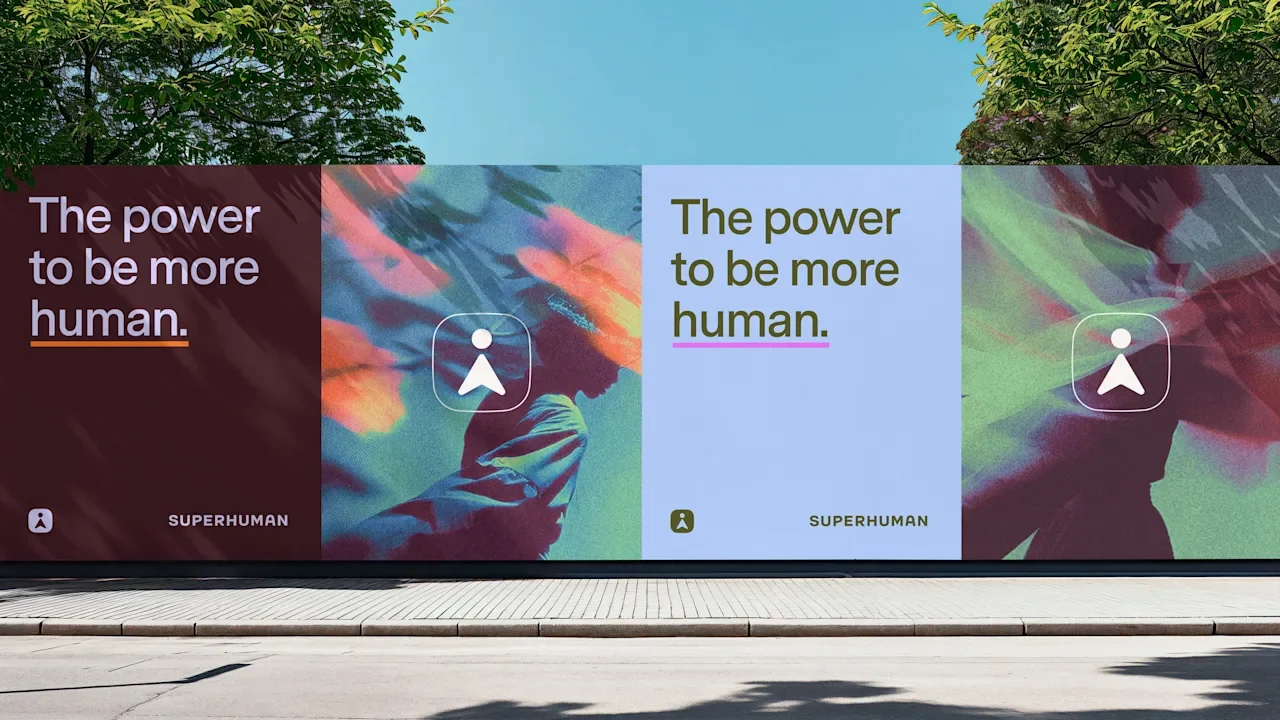
It’s rare for a company to give up more than a decade of brand recognizability for a new name. It’s even rarer for said company to trade their name for the name of a younger, less well-known company. But that’s exactly what Grammarly, the writing and grammar assistant tool with 40 million daily active users, is doing. Starting today, Grammarly is rolling out a massive, all-encompassing rebrand to become “Superhuman.” “Naming a company is like naming a kid,” says Grammarly CEO Shishir Mehrotra. “Renaming your 16-year-old is, like, 10 times harder. Swapping the name of your 16-year-old and your 11-year-old is 100 times harder. That’s probably what we’re doing.” Grammarly’s new name is pulled directly from the AI-powered email platform Superhuman, which Grammarly acquired back in January. The swap is intended to signal a new beginning as the brand repositions itself from a writing helper to an all-in-one work productivity tool. Despite the fact that, by Mehrotra’s own admission, Grammarly currently has a “higher brand awareness” than Superhuman, he believes this change is necessary to help consumers buy in on the company’s potential. “The trouble with the name ‘Grammarly’ is, like many names, its strength is its biggest weakness: it’s so precise,” Mehrotra says. “People’s expectations of what Grammarly can do for them are the reason it’s so popular. You need very little pitch for what it does, because the name explains the whole thing . . . As we went and looked at all the other things we wanted to be able to do for you, people scratch their heads a bit [saying], ‘Wait, I don’t really perceive Grammarly that way.’” So . . . what the heck is Superhuman? Grammarly’s transformation into Superhuman is so extensive, even the team behind it has some trouble describing exactly what Superhuman is. To start, here are the basics: Grammarly’s new overarching brand is called Superhuman, but the product at its core is called Superhuman Go. The email app that was once just Superhuman is now Superhuman Mail. From a naming standpoint, it’s definitely confusing. And on the product side, it’s not much easier to grasp what Superhuman actually does. When I asked Collin Whitehead, Grammarly’s head of product and design, to describe Superhuman Go in as few words as possible, he took a full 10 seconds to gather his thoughts. “Essentially, what we’re trying to do is build an agentic platform where users can get the power of AI everywhere that they already work,” he says. For context, Grammarly has been an AI-powered company since its inception in 2009, building a writing and grammar tool that used natural language processing to offer edits to users. Over the past few years, it’s been introducing generative tools that not only improve users’ own words, but help them draft new original text, as well as offering more subjective writing suggestions for better clarity and impact. More recently, Grammarly has embarked on a spending spree to acquire additional AI companies that expand its scope. In December 2024, Grammarly acquired Coda, an AI-powered work platform that’s like a combination of Google Docs, Airtable, and Notion. (Mehrotra actually founded Coda, and became CEO of Grammarly post acquisition). Then, in June 2025, Grammarly also acquired Superhuman. The terms of both deals were undisclosed, but Coda and Superhuman were last valued at $1.4 billion and $835 million, respectively, in 2021. Now, Grammarly is using those new investments to turn Superhuman into a much more all-encompassing work tool. Mehrotra explains it like this: Grammarly has always run on the “AI superhighway,” meaning that, instead of living on its own platform, Grammarly travels with you to places like Google Docs, email, or your Notes app to help improve your writing. Superhuman will use that superhighway to bring a huge new range of productivity tools to wherever you’re working. “We bring AI right to where people work,” Mehrotra says. “The analogy is, we only run one car on that highway, and that’s the one with your high school grammar teacher in it. But the idea is, what if it could be all the different agents and assistants that you would like?” Updating Grammarly to Superhuman Starting today, Grammarly users can turn on Superhuman Go by clicking on the Grammarly icon in their browser and toggling the product on. From there, they’ll get a step-by-step onboarding to Superhuman Go. Users can look through a library of dozens of productivity agents and choose which they’d like to use. Options include a Gmail agent, which can draft and send new messages from any other workspace and summarize insights from emails; a calendar agent that can help schedule meetings from anywhere; and a Reader Reaction agent that can break down the most likely reader responses to whatever you might be working on. Several writing-based agents with the former Grammarly branding will also be available. With so many moving parts, Whitehead says, Superhuman needed a new identity that was versatile enough to introduce users to its capabilities. That started with picking a name. “That is definitely something that we heavily debated,” Whitehead says. “I was leading that naming process, and we were coming up with names that have never existed before; names that were fully abstract and totally made up, but had a nice mouth feel.” The name, he adds, had to be powerful, unique to the user, and human-centric—something that would make the user feel better for having used it. As the abstract naming process continued, nothing was clicking. “Elevating the user was such a key part of the brief that, when we got notice about the potential [Superhuman] acquisition, it was like an earworm—we couldn’t unsee the connection between that Superhuman name and what we were going for,” Whitehead says. Even before acquisition talks were closed, Superhuman kept reemerging as the best brand name for the company. Eventually, Whitehead says, “it became the obvious choice.” The two kinds of AI companies The design agency tasked with bringing Superhuman to life was Smith & Diction, the same team behind the branding for Perplexity AI. Grammarly began briefing the Smith & Diction team on the rebrand in early 2025, but the company didn’t officially select its new name until late June, when the Superhuman acquisition was completed. For Chara and Mike Smith, the couple behind Smith & Diction, that meant there were only about three months to fully realize Superhuman’s branding. In Chara’s experience, there are two kinds of AI companies. The first leans into the idea of automating tasks. Companies in this category have become recognizable for amorphous, abstract branding, like Open AI’s intertwined circles, Google Gemini’s ombre sparkle, or even Perplexity’s own swirling pages (which, Mike says, has given Smith & Diction a reputation for designing the “butthole logo”). The second category of AI companies is centered instead on how the user is in control of the tool, rather than the other way around. “From the beginning, we definitely wanted to sit in that second camp,” Chara says. “Like, you’re the one with the ideas, you’re the one steering the ship. It’s almost like the Iron Man super suit. You put that on, and Iron Man is still in there, guiding it, making the decisions. But Iron Man can do so much more because of this super suit.” It’s obvious that, with its new productivity platform, Grammarly wants to bill itself as an unobtrusive, human-centric tool. Mehrotra says Superhuman should feel “super subtle and invisible.” In essence, it’s an AI helper that’s not out to steal your job, but to help you get better at it. To sell that concept (even to potential AI naysayers), the company needed an extremely friendly, unintimidating brand. To that end, Superhuman’s branding all hinges around one cute icon-slash-mascot named Hero. Hero serves a number of functions for Superhuman, including acting as the brand’s logo and guiding users through the UI experience. Its primary goal, though, is to make Superhuman feel trustworthy. Transforming the Grammarly logo into a Superhuman Hero’s look is essentially Grammarly’s iconic cursor (which looks a bit like a triangle with a chunk missing), topped with a round head. The simple-yet-versatile character can represent an “A” or an “i” (for AI, naturally), a cursor, and a superhero. Where it really comes alive, though, is through animation. “We imagined it kind of taking the place of an explainer video,” Mike explains. When Hero is thinking of an answer, its head bobs; when it’s writing, it turns into ellipses; and when it needs to get your attention, it springs upside down. All of these details might seem small, but Mike says they serve the dual purpose of helping users to understand how to use Superhuman and making the product feel more like an actual assistant. “If your logo is the thing that helps you through the product, then you’re going to build brand equity super quickly,” he adds. To compliment Hero’s personality, Chara and Mike swapped Grammarly’s signature green for a warm palette of purples and maroons—a choice that stands out in a tech branding space saturated with blue and black. The result is a brand that feels both authoritative and warm. “This was a product-first rebrand,” Whitehead says. “It was not about how this shows up on a billboard. This was, ‘How can the user connect with this brand on a more meaningful level?’ The mark itself is intrinsic to the user experience.” “Naming a company is like naming a kid” Logos doubling as mascots are nothing new in the branding space. But, with the exception of the Chinese company DeepSeek, Superhuman is one of the first AI companies to weave this kind of living mark into the user experience. In a moment when fears around the potential misuse of AI tend to dominate the cultural zeitgeist, the approach makes a lot of sense. Still, for a company with as much brand equity as Grammarly, it’s an inherently risky move. There’s always the possibility that moving toward an AI-centric brand narrative invites backlash, considering that companies including Duolingo and Klarna both came under fire this year for touting their “AI-first” approaches. However, the greater possibility is brand confusion, and even the cost of brand equity. Mehrotra says he’s well aware that some customers simply won’t adopt the name “Superhuman” when they refer to the company formerly known as Grammarly. While the Grammarly brand will still exist as an agent within the Superhuman platform, the company is certainly making a calculated trade-off by swapping the brand. “If you think about gaming platforms, there’s many cases where the scale of the game outshines the name of the platform. And that’s totally fine,” Mehrota says. “I think for many people, they’re gonna seek out and install what they perceive to be Grammarly and happen to get Superhuman Go along the way, just like when you know when you want to play Call of Duty and you end up with a gaming console.” View the full article

-
The Federal Reserve is expected to cut its short-term rate Wednesday for the second time this year despite an increasingly cloudy view of the economy it is trying to influence. The government shutdown has cut off the flow of data that the Fed relies on to track employment, inflation, and the broader economy. September’s jobs report, scheduled for release three weeks ago, is still postponed. This month’s hiring figures, to be released Nov. 7, will likely be delayed and may be less comprehensive when they are finally released. And the White House said last week that October’s inflation report may never be issued at all. The data drought raises risks for the Fed because it is widely expected to keep cutting rates in an effort to shore up growth and hiring. Fed officials signaled at their last meeting in September that they would likely implement rate reductions in October and December, and financial markets now consider a cut in December to be a near-certainty. Yet should job gains pick up soon, the Fed may not detect the change. And if hiring rebounds after weak job gains during the summer, further rate cuts may not be justified. On Tuesday, payroll processor ADP released a new weekly measure of hiring by businesses, using payroll data from millions of clients. It shows that in late September and earlier this month, companies resumed adding jobs, after shedding workers in July and August. Still, a key reason rate cuts are so widely expected is that most Fed officials see its key rate, which is now about 4.1%, to be high enough that it is restraining the economy’s growth. Under this view, the Fed can cut several more times before reaching a level that might provide unnecessary stimulus to the economy. Before the government shutdown cut off the flow of data Oct. 1, monthly hiring gains had weakened to an average of just 29,000 a month for the previous three months, according to the Labor Department’s data. The unemployment rate ticked up to a still-low 4.3% in August from 4.2% in July. Meanwhile, last week’s inflation report — released more than a week late because of the shutdown — showed that inflation remains elevated but isn’t accelerating and may not need higher interest rates to tame it. The government’s first report on the economy’s growth in the July-September quarter was scheduled to be published on Thursday, but will be delayed, as will Friday’s report on consumer spending that also includes the Fed’s preferred inflation measure. Fed officials say they are monitoring a range of other data, including some issued by the private sector, and don’t feel handicapped by the lack of government reports. Also on Wednesday, the central bank may announce that it will no longer reduce the size of its massive securities holdings, which it accumulated during and after the pandemic and after the 2008-2009 Great Recession. The change could over time slightly reduce longer-term interest rates on things like mortgages but aren’t likely to have a major impact on consumer borrowing costs. The Fed purchased nearly $5 trillion of Treasury securities and mortgage-backed bonds from 2020 to 2022 to stabilize financial markets during the pandemic and keep longer-term interest rates low. The bond-buying lifted its securities holdings to $9 trillion. When the central bank buys a Treasury note, for example, it pays for it with newly-created money that is deposited into reserve accounts banks hold at the Fed. In the past three years, however, the Fed has reduced its holdings to about $6.6 trillion. To shrink its holdings, the Fed lets securities mature without replacing them, reducing bank reserves. The risk is if it reduces its holdings too far, short-term interest rates could spike as banks borrow money to top-up their reserves. In 2019, the Fed was reducing its balance sheet and caused a sharp, unexpected spike in short-term rates that disrupted financial markets, an outcome they want to avoid this time. The Fed currently is reducing its holdings of mortgage-backed securities by up to $35 billion a month and Treasuries by just $5 billion a month. Powell said two weeks ago that the Fed would consider ending the rolloff “in coming months,” but analysts now expect it to happen sooner because of recent signs that banks are running low on reserves. —Christopher Rugaber, AP Economics Writer View the full article

-
US and Chinese leaders expected to unveil deal to extend tariff truce amid tensions over rare earths and tech controlsView the full article
-
Company chiefs support chancellor’s goal to reduce tax-free allowance in face of building society oppositionView the full article
-
We may earn a commission from links on this page. Deep work is a concept most popularly defined by Cal Newport, who wrote the aptly titled Deep Work: Rules for Focused Success in a Distracted World. As he tells it, deep work is a state where you find the ability to focus completely on a demanding task without letting distraction get in your way. If you can get the hang of it, you’ll get more done in less time and ultimately end up feeling more fulfilled. On his website, Newport observes that it’s rare to see someone feel energized and happy after sending emails, but there’s a sense of fulfillment that comes from sustained focus on more meaningful tasks. How do you achieve deep work?Newport draws a distinction between deep work and “shallow work,” or that which can be accomplished while you’re distracted. Deep work is for “cognitively demanding” tasks, whereas shallow work prepares you for deep work. Creating a project deck is deep work. Emailing colleagues to coordinate data for it is shallow work. If you’re having a hard time determining what is and is not deep work, Newport has some guidelines. Shallow work tends “to not create new value in the world” and is “easy to replicate.” The key, then, is first sorting your work into deep and shallow categories. Determine which of your tasks are cognitively demanding and valuable and which are “logistical-style” and replicable. Next, plan to devote an hour or an hour and a half to deep-work tasks, then schedule it so you have that time blocked off in your schedule. (As for blocking off your scheduling, familiarize yourself with time boxing and time blocking, which call on you to schedule every minute of your day and input it, moment by moment, into a detailed calendar, all in the name of staying focused.) Finally, when the time comes to get into deep work, eliminate all your distractions. Signal that you’re busy, make sure you’re unavailable in Slack and on the shared calendar, and put your phone on “do not disturb.” Don’t check emails, don’t talk to anyone, don’t look at your devices for anything but work, and commit to only working on your demanding task in the time you allotted for it. The most important element is doing this mindfully and going into your deep work sessions aware that your goal is to accomplish something demanding with no distractions. Emails, notifications, chitchat, and other worries and interruptions are commonplace and pull you away from the task at hand, so purposely cutting them off to get something done will be difficult, but it can turn into a habit, especially once it starts yielding the dual result of accomplishment and fulfillment. The deep work hackAll of that sounds great in theory, but when you find yourself staring down the hour-and-a-half block you scheduled out, you may not know what to do or where to start. This is where you need the Pomodoro method, a famous productivity technique that asks you to work, uninterrupted, for 25 minutes, take a five-minute break, and repeat the cycle about four times before getting a larger break. You can modify those time blocks a bit to suit your needs, but 25 on and five off are the standard. When you use this approach, deep work starts to come naturally in those working blocks because you know you're getting a reprieve at the end. Deep work is described as a period when work seems to flow smoothly and you barely notice time going by, so 25 minutes may not be quite enough for you (depending on the task at hand), but you can figure it out as you get started incorporating these methods. The most important thing is to be distraction-free. The second most important thing is to remember that breaks are actually a key part of staying productive, so don't skip them altogether. The easiest way to make use of this time-tested technique is, of course, by app. My favorite is FocusPomo, which blocks all your distracting apps while you use it and generates cute, unobtrusive cartoon tomatoes to reward you for finishing work blocks. View the full article
-
Today, Nvidia Corporation (Nasdaq: NVDA) became the first company to cross the $5 trillion valuation—in premarket trading, at least. It marks a major milestone in stock market history and suggests that once other unthinkable valuations are within reach. But Nvidia isn’t the only company breaking a trillion-dollar threshold. Fellow tech giants like Apple, Meta, and Broadcom are close to bursting their own thirteen-figure barriers, too. Here’s what you need to know about Nvidia’s approach to $5 trillion as companies climb toward the most exclusive club on the planet. Nvidia hits $5 trillion market cap in premarket trading As of this writing, Nvidia has become the first company to cross the $5 trillion valuation threshold. In premarket trading, NVDA shares are currently up 3.65% to $208.37 per share. With about 24.3 billion shares outstanding, that gives Nvidia a current premarket valuation of just over $5 trillion. If Nvidia’s stock price levels hold once the opening bell rings, it will cement its place in the record books. The company’s current premarket jump follows the stock’s nearly 5% rise yesterday. These gains have been primarily driven by recent announcements from the company that are lifting investors’ expectations. As CNBC notes, Nvidia announced plans yesterday to build seven new supercomputers for the U.S. government, including at Los Alamos National Laboratories. Separately, Nvidia CEO Jensen Huang revealed that the company’s all-important Blackwell GPUs are now in full production in the U.S. state of Arizona. This allows Nvidia to manufacture more of its AI chips, which can help meet the incessant demand for its processors. But there’s another factor that may be motivating Nvidia investors. As Reuters reports, President The President is in Asia this week, meeting with regional leaders. He is due to meet with Xi Jinping, China’s President, tomorrow. Today, The President revealed that he will speak to the Chinese president about Nvidia’s Blackwell chips, which are currently banned in the country. A lifting of this ban could greatly boost Nvidia’s bottom line if the company can once again sell its Chips inside China. Investors seem to feel that this trio of positive news has the chance to materially benefit the company, hence, the $5 trillion barrier falling. Other companies are close to breaking trillion-dollar milestones Nvidia’s $5 trillion milestone isn’t the only thirteen-figure barrier that is being broken this week. Yesterday, Apple Inc. (Nasdaq: AAPL) officially crossed the $4 trillion barrier for the first time, before closing the day with a market valuation of $3.99 trillion. Apple’s accession into the $4 trillion club made it just the third company in history to cross that barrier, after Nvidia and Microsoft Corporation (Nasdaq: MSFT). While nothing is certain, it’s possible Apple could cross back over the $4 trillion threshold again today. And Apple and Nvidia aren’t the only companies within reach of crossing trillion-dollar thresholds. Two other companies are within range, too. Facebook owner Meta Platforms (Nasdaq: META) had a market cap of $1.88 trillion as of yesterday’s close. That means it’s less than $120 billion from crossing the $2 trillion barrier, which would be a first for the company. Semiconductor and internet infrastructure company Broadcom Inc. (Nasdaq: AVGO) is also relatively close to crossing a trillion-dollar barrier. As of yesterday’s market close, Broadcom had a market cap of $1.76 trillion. That puts it at less than $250 billion from the $2 trillion club. Of course, while these companies are closest to their next trillion-dollar barriers, there’s no guarantee that their stocks will continue to go higher, or, if they do, how long it will take. But their ascent up the ranks is another example of how once unthinkable trillion-dollar market caps are becoming more common. A full list of the world’s trillion-dollar public companies For those keeping track, there are now 11 trillion-dollar publicly traded companies, based on yesterday’s share prices at market close, according to data compiled by CompaniesMarketCap.com. Those companies are: Nvidia ($4.89T) Microsoft ($4.02T) Apple ($3.99T) Alphabet ($3.23T) Amazon ($2.44T) Meta ($1.88T) Broadcom ($1.76T) Saudi Aramco ($1.66T) TSMC ($1.56T) Tesla ($1.53T) Berkshire Hathaway ($1.03T) Big Tech earnings could impact the trajectory It will be interesting to see how the current tech earnings season will impact the market caps of many of these companies. Investors will particularly be interested in how the artificial intelligence boom is affecting the bottom lines of companies like Microsoft, Alphabet, and Meta, all three of which are expected to report their financial results after the closing bell today (Wednesday, October 29). Wall Street will also be watching for any updates from these companies about their capital expenditure plans, as the AI boom has required huge investments from the world’s largest tech giants. If investors are satisfied that AI investments are worth the costs—and if they don’t see signs of a slowdown—share prices could spike, sending them further up the ranks into the trillion-dollar club. But if investors begin to worry that we are, as many have speculated, in an AI-fueled bubble, many of the companies in the trillion-dollar club could see their rankings slip fast as their share prices fall. View the full article

-
A lack of rare earths is just one way in which nature disadvantages the continentView the full article
-
Facebook has introduced an intriguing new feature aimed at enhancing how users share memories on the platform. This innovative tool automatically suggests photos and videos from users’ camera rolls, enabling the creation of collages and edits that are both fun and easy to share. This development stands to benefit small business owners looking to increase engagement with their audience through fresh content without the need for extensive design skills. The new feature is designed with a particular motivation in mind: many individuals capture special moments but often hesitate to share them due to concerns about their quality or lack of time. According to Facebook representatives, “With your permission and the help of AI, our new feature enables Facebook to automatically surface hidden gems – those memorable moments that get lost among screenshots, receipts, and random snaps.” By tapping into artificial intelligence, the platform simplifies the process of curating and sharing unique content. Small business owners can take advantage of this feature in several ways. For one, utilizing visually appealing posts can help grab consumer attention in an increasingly competitive social media landscape. The AI-driven suggestions mean that even business owners without an eye for design can quickly produce attractive content that highlights their offerings, staff, or events. As one Facebook source noted, “This feature does the heavy lifting, so you can focus on sharing the fun.” In practical terms, this functionality could encourage local businesses to share moments from events, showcase customer testimonials, or highlight special promotions. For example, a café could document a lively open mic night or celebrate customer milestones, effortlessly transforming raw images into shareable content. By doing so, they not only engage their audience but also foster a sense of community around their brand. However, while the potential for this feature seems promising, there are considerations that small business owners should keep in mind. Privacy remains a major concern with any technology that utilizes personal media. Facebook assures users that all suggestions generated by the new feature are private unless they decide to share them. It’s important for business owners to clearly communicate how they handle customer data when utilizing their own images or videos in marketing materials. Moreover, as with any social media tool, it’s essential to maintain a balanced approach. Flooding feeds with too much content—especially if it’s generated without thoughtful curation—can lead to disengagement. Small businesses should be strategic in selecting content that aligns with their brand identity and resonates with their audience. As of now, the feature has rolled out to users in the U.S. and Canada, and currently appears in Facebook Stories and the main Feed. Users can easily manage or disable this feature in their Facebook camera roll settings. Facebook plans to broaden the scope of this feature to other countries in the coming months, which could mean that a larger pool of users—and subsequently, potential customers—will soon be able to engage in this creative sharing process. The roll-out of this feature underscores the growing importance of personalization in social media marketing. Small businesses that leverage tools like Facebook’s new creative sharing function can find themselves better positioned to forge meaningful connections with their audience. By removing barriers to content creation and encouraging spontaneous sharing, Facebook is empowering users to capture and disseminate moments that not only resonate personally but also highlight the community around them. For more detailed information about this feature and how it works, you can visit the original Facebook press release here. Image via Facebook This article, "Facebook Unveils AI-Powered Feature for Effortless Photo Sharing" was first published on Small Business Trends View the full article
-
Facebook has introduced an intriguing new feature aimed at enhancing how users share memories on the platform. This innovative tool automatically suggests photos and videos from users’ camera rolls, enabling the creation of collages and edits that are both fun and easy to share. This development stands to benefit small business owners looking to increase engagement with their audience through fresh content without the need for extensive design skills. The new feature is designed with a particular motivation in mind: many individuals capture special moments but often hesitate to share them due to concerns about their quality or lack of time. According to Facebook representatives, “With your permission and the help of AI, our new feature enables Facebook to automatically surface hidden gems – those memorable moments that get lost among screenshots, receipts, and random snaps.” By tapping into artificial intelligence, the platform simplifies the process of curating and sharing unique content. Small business owners can take advantage of this feature in several ways. For one, utilizing visually appealing posts can help grab consumer attention in an increasingly competitive social media landscape. The AI-driven suggestions mean that even business owners without an eye for design can quickly produce attractive content that highlights their offerings, staff, or events. As one Facebook source noted, “This feature does the heavy lifting, so you can focus on sharing the fun.” In practical terms, this functionality could encourage local businesses to share moments from events, showcase customer testimonials, or highlight special promotions. For example, a café could document a lively open mic night or celebrate customer milestones, effortlessly transforming raw images into shareable content. By doing so, they not only engage their audience but also foster a sense of community around their brand. However, while the potential for this feature seems promising, there are considerations that small business owners should keep in mind. Privacy remains a major concern with any technology that utilizes personal media. Facebook assures users that all suggestions generated by the new feature are private unless they decide to share them. It’s important for business owners to clearly communicate how they handle customer data when utilizing their own images or videos in marketing materials. Moreover, as with any social media tool, it’s essential to maintain a balanced approach. Flooding feeds with too much content—especially if it’s generated without thoughtful curation—can lead to disengagement. Small businesses should be strategic in selecting content that aligns with their brand identity and resonates with their audience. As of now, the feature has rolled out to users in the U.S. and Canada, and currently appears in Facebook Stories and the main Feed. Users can easily manage or disable this feature in their Facebook camera roll settings. Facebook plans to broaden the scope of this feature to other countries in the coming months, which could mean that a larger pool of users—and subsequently, potential customers—will soon be able to engage in this creative sharing process. The roll-out of this feature underscores the growing importance of personalization in social media marketing. Small businesses that leverage tools like Facebook’s new creative sharing function can find themselves better positioned to forge meaningful connections with their audience. By removing barriers to content creation and encouraging spontaneous sharing, Facebook is empowering users to capture and disseminate moments that not only resonate personally but also highlight the community around them. For more detailed information about this feature and how it works, you can visit the original Facebook press release here. Image via Facebook This article, "Facebook Unveils AI-Powered Feature for Effortless Photo Sharing" was first published on Small Business Trends View the full article
-
Different productivity hacks work for different people, which is why there are so many of them. But if you happen to be a visual learner, there’s one in particular that might be suited for you: mind mapping. Mind maps are diagrams designed to organize information and data points that relate to each other, making everything you need to do easier to follow. They're particularly popular for students who need to visualize how the concepts they're studying link together, but they have wide applications outside the classroom. What is a mind map?A mind map isn’t just a diagram that lays out tasks. Rather, it does so in a hierarchical way, connecting things that are related and making it clear which need to be done first in order to move on to the next task. (When used for studying, on the other hand, they help bridge connections between main topics and those that branch off from them, plus relate to one another.) You can use mind maps for a variety of reasons, whether you want to think clearer or set goals with them, but for our purposes, we’ll go over how they can be used as productivity tools. You can also try them for word-associating, brainstorming, note-taking, and more once you get the hang of it. Start by writing the main idea of what you need to do. For instance, if you have to make a new hire, write that right in the center and draw a circle around it. Then, use arrows to branch off into related tasks: HR tasks, onboarding tasks, financial tasks, etc. From each of these, you draw more arrows. HR tasks might involve legal paperwork and background checks. Onboarding may require getting your new hire access to training modules and finding them a workspace. Financial tasks could include setting up payroll and getting them certain benefits enrollment information. After creating the mind map, you’ll see all the tasks laid out in a web that will help you visualize and grasp everything you need to do. It all leads back to that one main responsibility. The subtasks will equate to all the little things you need to do to make it all happen, piece by piece, until you end up fulfilling that final goal in the center. How to make your own mind mapAbove, we talked about drawing circles, which is fine if you prefer the old paper-and-pen method. You can make them in Word or Google Docs, but those can be clunky. A better option is to use an online creativity tool, like Canva or Draw.io. An even better option than that is to use software dedicated to the task. My favorite is Xmind, which you can use on your computer or phone and comes pre-loaded with a bunch of templates. The actual creation process can be helpful for brainstorming, but is a pain if you're not graphically inclined. Xmind makes it a lot easier, especially for beginners, because you just drag and drop the shapes and lines around a canvas designed for this exact purpose. Why this worksThe simplicity of a mind map is what makes it so effective. Keywords, not long phrases, and color-coding lend themselves to quick processing and recall, while the hierarchical nature of the tasks helps you see what order you need to handle them in. The overarching task at the center serves as a reminder of what you're even doing all those little things for, which helps keep you motivated and on track. The simple flow of arrows links ideas and the spacing of the boxes keeps categories organized. Overall, it’s a great solution for visual learners or anyone in a rush, and it’s not as clumsy or convoluted as a large spreadsheet or planning document. View the full article
-
BoE figures show activity in housing market remains resilient View the full article
-
Imagine a Yelp-style user-review site that lets users generate and post AI video reviews of local businesses. Say one of these videos presents a business in a bad light, and the business owner sues for defamation. Can the business sue the reviewer and the review site that hosted the video? In the near-to-immediate future, company websites will be infused with AI tools. A home decor brand might use a bot to handle customer service messages. A health provider might use AI to summarize notes from a patient exam. A fintech app might use personalized AI-generated video to onboard new customers. But what happens when someone claims they’ve been defamed or otherwise harmed by some AI-generated content? Or, say, claims harm after a piece of their own AI-generated content is taken down? The fact is, websites hosting AI-generated content may face more legal jeopardy than ones that host human-created content. That’s because existing defamation laws don’t apply neatly to claims arising from generated content, and how future court cases settle this could limit or expand the kinds of AI content a website operator can safely generate and display. And while the legal landscape is in flux, knowing how the battle is being fought in courtrooms can help companies plan ahead for a world in which AI content is everywhere—and its veracity unclear. In 1996, at the dawn of the internet, forward-thinking lawmakers—Oregon Senator Ron Wyden and then-California Representative Chris Cox—feared that libel lawsuits and aggressive regulation by Washington, D.C., could overwhelm budding internet companies, which could operate forums, social networks, or search engines, stifling growth and slowing investment. Wyden and Cox proposed Section 230, a statute in the Communications Decency Act of 1996 ensuring that “no provider or user of an interactive computer service shall be treated as the publisher or speaker of any information provided by another information content provider.” In other words, if a website had a hand in creating the content, its legal immunity would vanish. Since then, Section 230 has proved surprisingly durable, surviving relatively unscathed through the internet boom, the social media craze, and the mobile revolution. At the same time, it has become something of a political lightning rod in recent years as policymakers have explored ways of regulating social media. But the next revolution in tech—generative AI—may not enjoy any of Section 230’s protections. Our current AI models do something like “co-create” content alongside the user, who prompts the model to generate what they want. Based on that, tools like ChatGPT and Sora would seem to be excluded from Section 230 legal immunity. Alas, it may not be that simple. The duality of Sora Generative AI companies have been sued several times for libelous output, but none have lost, and none have yet resorted to Section 230 in their defense. In one of the more widely known cases, syndicated radio host Mark Walters sued OpenAI for defamation after ChatGPT falsely claimed that Walters had been accused of embezzling funds from a gun rights group. OpenAI won the case without having to claim Section 230 protection. The chatbot had generated the false information after warning that the “accusation” had occurred after its training data cutoff date. OpenAI did not respond to a request for comment on whether the company has used Section 230 as part of a legal defense. It gets even trickier with OpenAI’s new Sora app, which lets users generate AI videos and then share them on its TikTok-style social feed. (The Meta AI app does essentially the same.) Using the language of Section 230, Sora is both an information content provider (a “speaker” or creator) and a provider of an interactive computer service (a “host”). Sora, and hybrid apps like it, may raise the stakes on the question of when Section 230 should be applied. Chatbots can defame with words, but Sora quickly generates alarmingly realistic video, which can convey a message more believably by showing, rather than telling. Combine that with Sora’s seamless distribution of the video and, in the wrong hands, you have an all-in-one tool for defamation. A “borderline case” At some point, AI companies are likely to reach for Section 230, possibly as a last resort, if sued, according to some legal experts, including Eugene Volokh, a law professor at UCLA and a leading thinker on AI and libel. Thorny questions about how the provision applies to their technology (whether they can use its protections to mount a defense) may well arise. And despite the fact that the language of 230 would seem to preclude it, it’s conceivable that a court could, in certain circumstances, accept it as a valid defense. Suppose a Sora user generates a video showing a public official taking a bribe, triggering a libel suit. This, Volokh argues, would amount to something of a “borderline case”: Sora creates the video itself (meaning “the content is provided by itself”). “On the other hand,” Volokh says, “it’s generating the video based on a query or based on a prompt submitted by a user. So you might say the defamatory elements of that stem from what the user is contributing, not Sora.” OpenAI’s lawyers would likely point out that the platform itself doesn’t decide on the content of the videos it produces, only that it’s implementing its users’ wishes, Volokh says. That is to say, without specific prompts from the user, the AI would never have acted to create the offending video in the first place. Yet a court may still hew to the letter of Section 230, which states that if at least part of the “creation” of the video happened during its generation, it isn’t covered. The fact that OpenAI’s Sora provides both a mechanism for creating and distributing a video may weaken its case for 230 protection. Libel law, Volokh says, would require a generated video to be published in order to be considered defamatory “information.” In theory, a court could argue that OpenAI should reasonably foresee that a video created on its platform would, then, be distributed, Volokh says. “And therefore it is basically aiding and abetting this defamation through its own actions of generating the video,” he adds. The shield and the sword Yet there’s a case to be made that generative AI platforms do deserve the legal protections afforded by Section 230, even if they help both create and distribute the content, says Jess Miers, a law professor at the University of Akron. “Like social media companies, these services face constant challenges from users who generate problematic content, and they need incentives to both allow expressive activity and build guardrails against harmful or infringing outputs.” Indeed, that was the original intent of Section 230, as Wyden told me in 2018. Section 230 provides both a shield and a sword to internet companies. The shield protects them from liability for harmful content posted on their platforms by users. The sword is the law’s “good samaritan” clause, which provides legal cover for actively removing harmful content from their platform. Before Section 230, tech companies were hesitant to moderate content for fear of being branded “publishers” and, thus, liable for toxic user content. With generative apps like Sora, OpenAI’s developers effectively “co-create content” with the user, Miers says. The developers choose the training data, train the models, and do the fine-tuning that shapes the output. The user contributes the prompts. “Congress may need to craft a new kind of protection that captures this co-creative dynamic to preserve expression, safety, and competition in this evolving new market,” Miers says. Congress might try to rewrite Section 230 (or construct a new law) that distinguishes between defamatory intent on the user’s part versus the AI’s. This would involve digging into the details of how AI models work. Lawmakers might start by studying how users could misuse models to create harmful content, such as bypassing safety guardrails or eliminating “made by AI” labels. “If that’s a recurring problem, then a 230-style framework shielding AI companies from liability for users’ misuse could make sense,” Miers says. As many Sora app users have noticed, OpenAI is playing it very safe with the kinds of videos it allows. It’s already taken down many, many videos, and has agreed to restrict the use of images of public or historical figures (such as Martin Luther King Jr.) upon request. This suggests that while a Section 230 might protect AI companies from libel suits in some circumstances, OpenAI isn’t eager to test the theory. View the full article
-
It’s 2 p.m. on a Monday, and the Starbucks on 23rd Street and Park Avenue in New York City’s Flatiron neighborhood is packed. Not that it would take much. The small shop—roughly 265 square feet of front-of-house space—is big enough for a short line to form before it would bust through the door and out onto the sidewalk. This location is the company’s very first “espresso bar” format store—a new, small-store design that will serve as the cornerstone of Starbucks’s future expansion plans. It’s also a symbol of a Starbucks in flux. Until recently, the store was for mobile orders and pickup-only; then in September, it reopened after a speedy “uplift” (Starbucks speak for a small-scale renovation) in a new “espresso bar” format complete with seats. Starbuck’s leadership hopes the design will help propel the coffee chain into a cozier, more profitable era. When I visited, the store was indeed cozier than the average New York City Starbucks, which can often feel industrial and cave-like. A cushy green leather banquette spanned one wall with enough room to fit three laptop-sized round tables. Two seating nooks with built-in desks and stools looked out onto the street. All told, about 10 butts could sit down comfortably in the space. But that’s 10 more butts than before—and butts in seats is the reason Starbucks renovated the space in the first place. The espresso bar format is part of CEO Brian Niccol’s “Back to Starbucks” plan, which reimagines Starbucks as a coffee shop you might actually want to spend time in. In the grand scheme of things, Niccol would still like to more than double Starbucks’s global footprint, and expand the brand to more than 100,000 locations worldwide. And he’s said the small, espresso bar format would be key in this growth. But in the more immediate future, Niccol’s turnaround strategy requires updating aging locations into something more comfortable. Starbucks expects to uplift 1,000 stores over the next year, often transforming the stores bit by bit at night and during off hours to avoid losing operation hours. Each uplift will cost around $150,000—a small investment for a company that had an annual revenue of $36 billion in fiscal year 2024. Out with pick up, in with sit down The espresso bar format, specifically, is an area of opportunity for the company. Over the summer, Starbucks announced that it would close or renovate many of its mobile order-only locations, which totaled more than 80 locations. It was a notable pivot away from Starbucks as a streamlined caffeine factory, towards something more akin to a traditional coffeehouse. Starbucks began experimenting with pick up-only shops as early as 2015, just as mobile ordering began reshaping the landscape of American quick service restaurants. Customers quickly adapted to the convenience of tapping a button on their phone to order their daily drink. Today, mobile ordering accounts for 31% of Starbucks orders. But for all its revenue-generating success, the pick-up only format wasn’t without its issues. Instead of alleviating wait times and bottlenecks, it increased them in some instances, largely due to a menu that ballooned in size and a lack of operational sophistication that couldn’t keep pace with customers’ expectations of speedier service. More troubling was the effect it had on people’s perception of Starbucks as a brand. When Niccol arrived at Starbucks, he zeroed in on pick-up only stores as an obvious problem to solve. “We found this format to be overly transactional and lacking the warmth and human connection that defines our brand,” Niccol said on an earnings call in July 2025. Now, dozens of these spaces are being reimagined as coffee bars where the emphasis is on fast service, sure, but with a bigger shot of hospitality. What this looks like in practice will vary from location to location since all of the small-format stores have unique quirks that designers will need to work with during renovations. Materiality matters The Park Ave location is filled with little details meant to give the space a softer, more upscale appearance. There’s a new tile-clad, wood-trimmed ordering counter that sits lower than average to encourage more connection with the barista. Minimalist pendant lighting hangs above, to give the space a warm glow at night. Wood-encased speakers hang in the corners of the room, and a vintage-looking credenza sits against a wall filled with bags of coffee beans that customers can grab. I appreciated the materiality of the space—the leather and wood, the live plants in the corner, the soft curve of the green wall panels. The Starbucks team is clearly trying to up its game after years of creating spaces that, in my experience, do little to invite you in. Starbucks says it’s measuring the success of these spaces in terms of how long customers stay, how often they return, and (of course) sales. It’s too soon to say if these revamps will be enough to lure in the kind of customers they’re after—the kind who see Starbucks as a home away from home. For what it’s worth, I didn’t see anyone drinking out of a ceramic mug (a feature Niccol brought back in his quest for coziness). In fact, the only person I saw lingering for any length of time was a college-age student with a laptop who was nursing her to-go cup of coffee. But that, just maybe, is exactly the signs of life Starbucks is hoping to see more of. View the full article

-
The life of a junior associate at a prestigious law firm involves hours of research and analyzing contracts. Three years ago, Winston Weinberg found himself buried in these kinds of tasks as a first-year antitrust and litigation associate at O’Melveny & Myers in Los Angeles. And there Weinberg might have remained, diligently climbing the BigLaw ranks from associate to partner, logging thousands of hours of drudgery along the way. Instead, he’s cofounder and CEO of Harvey, the high-flying legal AI platform that’s raised more than $800 million by promising to handle much of this work. “A lot of the tasks junior [associates] do are going to get automated,” Weinberg says. “That doesn’t mean their job’s going to get automated. It’s just going to be a different job.” Built atop language models from OpenAI, Anthropic, and Google, Harvey’s platform streamlines legal workflows by helping lawyers with drafting, contract analysis, legal research, due diligence, regulatory compliance, and case law review. In addition, the technology cuts down on reading time by summarizing complex legal documents and combining databases to research and summarize legal issues. Harvey, which is used by some 250 law firms—including 42% of The American Lawyer’s list of biggest 100 firms in the U.S.—announced in June that it raised a $300 million series D led by Sequoia, bringing its total haul to more than $800 million and driving its valuation to $5 billion. It’s now the highest valued startup in a growing field of AI companies that are all focused on overhauling how the legal profession works. The company’s annualized revenue run rate hit $100 million in August, up from $50 million earlier this year, propelled by an aggressive sales strategy targeting big law firms. Harvey now has 460 employees, 20% of whom are lawyers. The company is also hiring dozens of engineers, sales leads, and account executives as it seeks to increase the moat between itself and its competitors. Whether Harvey ultimately upends the legal procession or winds up burning a lot of cash, time, and effort could reveal that fates of industries as far afield as finance, music, and film. All these sectors—and more—are on a similar curve: exploring whether AI tools can be truly transformative and seeing just how many jobs they’ll reimagine—or disappear altogether. Despite its sizable moat, Harvey’s success is far from assured. Investors are pouring money into firms working on rival legal AI agents: Canada-based Clio raised $900 million last summer; Sweden’s Legora raised an $80 million Series B led by ICONIQ Venture & Growth and General Catalyst in September; London-based Luminance took in $75 million in January. Meanwhile, a growing chorus of critics—sounding off on Reddit and elsewhere—question how original Harvey’s offerings are. “ChatGPT wrapper” is the most common dig thrown by these disaffected apparent users, who note the similarities between the information retrieval capabilities of Harvey and ChatGPT (made by Harvey’s early investor, OpenAI). Even Harvey’s cofounders have called OpenAI an indirect competitor. But critics also say the company could be steamrolled by OpenAI, pointing out that the LLM could simply build its own legal-focused model. “I’m hearing from more and more attorneys that OpenAI’s Deep Research is the single best research product on the market, and it’s what most attorneys use (even when it’s not a firm approved tool),” former lawyer and legaltech investor Zack Abramowitz wrote on his popular substack Legally Disrupted in June. OpenAI itself has begun testing the waters of legal technology. In September, the company published a blog post about creating an internal database to review its own contracts—the feature is not available to consumers. One Redditor, who claimed to be a former employee, recently went even further, drawing a direct comparison to Silicon Valley’s most notorious startup: “think of theranos and overinflated claims of what a product can do,” the person posted in a thread that reached more than 300 of comments within a day. The post generated enough attention to prompt an indirect reply from Weinberg himself: On LinkedIn, he stated that the company’s Gross Revenue Retention (GRR) is at 98% and its Net Dollar Retention (NDR) is at 167—signs that Harvey is both retaining and growing revenue from its customers. The Redditor has since deleted their post, though comments agreeing with it remain on the page. (When Fast Company reached out to verify the person’s employment at Harvey, a spokesperson said: “There was nothing in the post to suggest that the author was a recent employee at the company.”) Harvey’s customers, in the meantime, seem satisfied. “[Harvey is] totally embedded in the workday of our lawyers. It’s really become embedded throughout their daily workflows,” says Gina Lynch, chief knowledge and innovation officer at Paul, Weiss, Rifkind, Wharton & Garrison, the white-shoe law firm with more than a thousand lawyers. From D&D to r/legaladvice Weinberg’s sliding doors moment from junior law associate to AI entrepreneur came via his roommate after law school: Gabe Pereyra, who was a machine learning engineer at Meta and a research scientist at Google DeepMind before that. (Pereyra is now president of Harvey.) In the spring of 2022, while Weinberg was working as a lawyer, Pereyra was focused on finding real-world, assistant-like applications for large language models. It didn’t take long before he and Weinberg started testing out Weinberg’s legal workflows on language models, most notably OpenAI’s GPT-3, which was publicly available. (The pair had initially started running GPT-3 to augment their Dungeons and Dragons games, but quickly realized the potential of its chain of thought prompting abilities.) They began using GPT-3 to solve problems on the r/legaladvice subreddit. “We found a hundred landlord-tenant questions and we were able to answer [them],” Weinberg says. To further test the model’s accuracy, they fed it legal materials about California regulations and local statutes, then got it to answer questions. “We showed [the answers] to three California-based lawyers working on landlord-tenant issues. We just said, ‘Would you send this to a client?’ For 86 out of 200 questions, at least two attorneys answered thumbs up,” Weinberg says. Their timing was auspicious. It was still months before the launch of ChatGPT would make GPT-3’s capabilities clear to everyone. In July 2022 Weinberg and Pereyra cold-emailed OpenAI’s general counsel at the time, Jason Kwon, and shared their ideas for how AI could change legal work (Kwon is now OpenAI’s chief strategy officer). In November of that year, the company raised $5 million from the LLM’s startup fund, along with venture capitalists Elad Gil and Sarah Guo (all three also participated in the company’s most recent round). Within five months, blue chip venture capital firms, including Sequoia, also invested. Signing on Big Law Almost as soon as it launched, Harvey aggressively began pursuing enterprise contracts with big law firms. In December 2022, A&O Shearman, which has nearly 4,000 lawyers across 48 offices, started testing Harvey’s technology in its Markets Innovation Group. Paul Weiss followed in January 2023 and began testing the technology throughout its practice. Both firms have since signed longer contracts. Using those clients’ reputations, Harvey has signed big contracts with other prominent U.S. firms, including Vinson & Elkins and Macfarlanes. The company now has 700 customers in 58 countries. Other clients include general counsel offices at private equity firms and hedge funds like KKR and Bridgewater and accounting giant PwC. For bigger clients, Harvey embeds staff members within the company to personalize its services and features for their workflows. It also offers an off-the-shelf general application product for smaller companies. Harvey’s close association with OpenAI has, in some ways, been a blessing and a curse. The AI giant gave Harvey a first-mover advantage, but has heightened the comparisons between ChatGPT and Harvey. After all, according to a March survey from Law360, ChatGPT is the tool most lawyers use for work—even if it’s not approved by their firm. But although Harvey could still introduce hallucinations into its work (an issue that has bedeviled lawyers who rely too heavily on ChatGPT), it’s less likely to do so, says Weinberg, because it’s trained on legal data and purpose-built for corporate law firms. The company says that its 2024 version of Assistant, Harvey’s most popular product, reduces hallucinations by 60% and improves the accuracy of cited sources by 23% compared to other chatbots. Harvey has also deepened its product by incorporating models from Anthropic and Google alongside OpenAI’s GPT. It also recently signed a key deal with LexisNexis that enables users to ask complex legal questions and get citation-backed answers. Harvey, however, could find itself in a similar situation to Bloomberg’s ill-fated BloombergGPT as technology evolves. In 2023, the financial information giant Bloomberg spent more than $10 million training an LLM on its own financial data before finding out that an off-the-shelf GPT-4 provided more accurate answers to users. As Ethan Mollick, a professor and codirector of the Generative AI Lab at Wharton, wrote on Linkedin, “There was a moment that we thought proprietary data would let organizations train specialized AIs that could compete with frontier models. It turns out that probably isn’t going to happen. The largest frontier models are just much better at most complex tasks than smaller models.” Another concern is how long Harvey can maintain its lead, given the cost of its product. Harvey’s bespoke services cost $1,200 per seat, per month, with contracts stipulating that large companies need to purchase the service for at least 100 employees and for at least a year. The company justifies its prices by touting the productivity gains it passes onto employees. “You can arm lawyers with tools that make them enormously productive,” says Harvey’s chief business officer John Haddock, who has a law degree from Stanford. And $100,000 a month is still less expensive than the salaries of an army of paralegals and junior associates. Even so, Harvey will have to convince its customers to sign back up, even as more affordable products—aimed especially at smaller or midsized firms—enter the market. And it has to keep delivering for them amid an AI hype cycle where disappointment in enterprise AI products is growing. After the recent flare-up on Reddit involving the apparent former employee, Maarten Truyens, founder and CEO of ClauseBase, a Belgium startup also working on an AI platform for legal drafting, took to LinkedIn to weigh in. He said the main problem is the hype and expectations around these AI platforms. “GenAI is too good to ignore, yet simply not good enough for many legal use cases,” he wrote. “What’s really needed is vendors to be transparent about the limitations, and the legal community to learn what’s possible with GenAI, and where other technologies are a better fit. Both sides need to become much more realistic.” AI associates Though Harvey’s work needs to be checked—which can be a time-consuming process for paralegals and junior lawyers—the company aims to cut down their workload. A widely cited 2023 Thomson Reuters report estimated that AI technology could save lawyers on average 200 hours a year. That number has likely increased as AI becomes more sophisticated. Left unsaid: It could also cut down the number of lawyers and paralegals firms and companies need to hire. Investors and Harvey employees argue that legal tech is unlikely to take jobs away because the demand for legal services is likely to increase. “There’s a huge undelivered need for legal services. The right way to think about it is that if you can arm lawyers with tools that make them enormously productive, that will just expand the access to the types of services they can provide,” Haddock says. Venture capitalist Sarah Guo, whose firm Conviction invested in Harvey in 2022, makes a similar argument: “People will not want less practice of the law. They will want more if it is more affordable, and the quality will go up.” Employment for law school graduates hit a record high in 2024, according to the American Bar Association. But the incentive structure for law firms is complicated. Most big firms bill hourly, and when a task that typically took a law associate hours of research can be condensed into three or four minutes, they face the prospect of losing money. One way to save: hiring fewer associates. Weinberg acknowledges that Harvey could change hiring. “Are there some firms that will change their business model and structure? Yes. I do think there are some firms that might explore [charging] fixed fees [rather than hourly billing] or having a leaner team,” he says. Corporate legal teams could see the most impact from Harvey. Allison Zoellner, general counsel at advertising giant Dentsu, which started working with Harvey last year, says that while the company’s AI tools haven’t led to a workforce reduction, she hasn’t had to hire as much. “We’re being asked to do more with fewer resources. What Harvey does is allow us to keep our heads above water while not adding people.” Weinberg, Haddock, and Guo all say that by eliminating rote tasks, tools like Harvey will free up time for junior lawyers to attend meetings, shadow senior leaders, and start doing more strategic work. “So much of what an associate does today is the types of things that [are] not what they went to law school for. If we are able to give associates faster, thicker, deeper, higher-order thinking problems, that is great for everybody. It’s great for partners who can get more from their teams. It’s great for junior lawyers because it makes practice of law more intellectually satisfying sooner,” Haddock says. While that may be true, without billable hours to subsidize training opportunities like shadowing, firms may have trouble justifying the cost of so many associates. The legal industry has weathered technological shifts before. “When I started as a lawyer in the ’90s, it was the time of transition from manual review of documents in litigation to computer-assisted review of documents. [That created] a bump in productivity,” NYU Law School professor Christopher Sprigman says. “How many more people would’ve been hired at those firms absent the introduction of that technology? There’s always an unknowable counterfactual, but I get the strong idea that it’s fewer than [if the technology hadn’t been adopted].” These days, Sprigman says lawyers are having similar conversations. “A friend of mine who runs a law firm said to me that at this point, maybe 10 to 20% of what junior associates do can be automated through AI. But in 18 months it could be 30%,” he says. “The winners will be people who know how to use AI in their practice and also people who have deep expertise that allows them to exercise judgment.” It is too early to say how the technology will impact roles at the Paul, Weiss. Lynch expects that while it will not reduce positions at the company, it will bring change to certain roles. She has already seen wider acceptance by senior leadership than anticipated. “Partners very much gravitated towards AI because they were comfortable that they knew whether the output was good or bad.” More junior employees with less experience may not be able to make those distinctions early on in their careers. Already, Paul Weiss is using its AI savvy as a sales pitch to prospective clients. “We want [clients] to know we’re using it and we are really earnest about the efficiency gains,” Lynch says. Lynch and Sprigman see a new role emerging within law schools and firms that specializes in AI adoption. “You’re going to see more of a legal technologist role,” Lynch says, adding that, like many firms, Paul Weiss has invested heavily in training to get lawyers to use AI tools, and in building their own closed LLM to work alongside Harvey. Sprigman says that senior lawyers may start to look for AI savvy in their juniors, and that means law schools may also have to change. “Law schools obviously want their students to be prepared. [That could be] teaching people how to prompt engineer. Maybe that’s something you hire an adjunct for. I’m sure school schools will be looking for expertise from the outside,” he says. To gain an edge and get students used to its platform, Harvey has started partnering with law schools including the University of Chicago and the University of Pennsylvania to offer students, professors, and administrators access to its tools. A sizable moat The moat of capital Harvey has raised, its aggressive and successful pursuit of leading law firms, and its relationship with OpenAI have made it a dominant player in the legal AI race. But the company’s valuation may limit its exit possibilities. “We’re voting that the company has the opportunity to be a tens of billions of dollars public company,” Guo says. The company’s success may ultimately hinge on how many big law firms decide to renew their contracts with Harvey once the mandatory year or two minimum expires, and whether the company can stay ahead of competitors from rivals like Legora to off-the-shelf LLMs. Weinberg and Pereyra settled on the name Harvey because it sounds a little bit like Harvard and because of its associations with Suits’ superlawyer Harvey Specter. Ultimately though, Harvey acts more like the show’s other main character, Mike Ross, a college dropout with a photographic memory. Though he is unlicensed, Ross proves to be more useful to Specter than any other paralegal or associate at the fictional big law firm. View the full article
-
US chip giant’s stock propelled by strong sales of AI systems and prospect of access to ChinaView the full article
-
Complex restructuring pays Microsoft handsomely but it’s unclear how other shareholders will fit into the AI love-inView the full article
-
Aston Martin now able to ship cars to US at lower tariff rate without hitting quota limit following JLR hackView the full article
-
Agreement would give Seoul a tariff rate of 15% in return for $350bn of investment in USView the full article
-
The Federal Open Market Committee is expected to announce guidance on the end of its quantitative tightening program later Wednesday. As that process draws to a close, experts are questioning when and how the central bank should use its balance sheet to smooth economic stress in the future. View the full article
-
Want more housing market stories from Lance Lambert’s ResiClub in your inbox? Subscribe to the ResiClub newsletter. The average 30-year fixed mortgage rate sits at 6.19%, down from 6.54% a year ago. While that decline represents some welcome relief for homebuyers, economists at Fannie Mae and the Mortgage Bankers Association (MBA) believe most of the short-term mortgage rate relief is already behind us. Both Fannie Mae and the MBA released 2026 forecasts this month showing not much change from here. Fannie Mae expects the average 30-year fixed mortgage rate will fall to 5.9% by the fourth quarter of 2026—a decline of just 0.3 percentage points from today’s levels. The MBA’s forecast is even more conservative, calling for an average 6.4% rate by late 2026, which would actually mark a slight uptick. Their shared view underscores a growing consensus among economists: The easy phase of mortgage rate relief has passed, unless something material changes in the economy. Both organizations do anticipate a mild shift in the broader economy/labor market. The U.S. unemployment rate, currently 4.3%, is expected to soften a tad, with Fannie Mae projecting 4.4% by the end of 2026 and the MBA expecting 4.6%. While that would mark further labor market softening, it’d hardly be a full-blown break in the labor market. Let’s say they’re wrong and mortgage rates fall more than expected. What happens? There’s a potential wildcard—an economic slowdown. If joblessness were to climb faster than anticipated or if the economy were to meaningfully deteriorate, that could put additional downward pressure on both Treasury yields and mortgage rates. In that scenario, mortgage rates could dip more than the baseline forecasts suggest. The “mortgage spread” represents the difference between the 10-year Treasury yield and the average 30-year fixed mortgage rate. Last week, the spread stood at 218 basis points. If the spread—which widened when mortgage rates spiked in 2022—continues to compress/normalize toward its long-term average since 1972 (176 basis points), it could help push mortgage rates lower, even if Treasury yields hold steady. One last thing: Mortgage rate forecasts should always be taken with a grain of salt, at least to some degree. Predicting long-term yields depends on accurately anticipating inflation, Federal Reserve policy, and the broader trajectory of the U.S. and global economies—all of which are notoriously hard to get right. Over just the past five years, forecasters have been caught off guard by a pandemic, a historic inflation spike, and one of the fastest rate-hiking cycles in modern history. The lesson? Even the best models can’t account for every shock. Mortgage rate forecasts are useful guideposts but not guarantees. View the full article

-
During his two terms from 1953 to 1961, President Dwight D. Eisenhower reportedly spent hours tucked away inside the teal-and-gold movie theater in the White House’s East Wing, watching more than 200 Western films. Years later, Bill Clinton used the theater—then decked out in a very ‘90s combination of red and tan—to view Schindler’s List and Naked Gun. Even President The President himself used the theater, now with an art-deco-inspired red-and-gold look, for a screening of Finding Dory back in 2017. Now, the historic landmark is just another part of the rubble that was once the East Wing. Since its construction more than 80 years ago, the White House theater has served as a kind of miniature window into the real lives of U.S. presidents, offering the American people a rare glimpse into moments of rest and personal time. According to Matt Lambros, a photographer who’s spent years researching historic theaters and written three books on the topic, even the interior design of the theater itself—which was renovated multiple times over the years—gives fresh insights both into each president’s taste and the historical context of theater aesthetics more generally. Now that the theater has been demolished by the The President administration along with the rest of the East Wing, Lambros says a piece of theater history has been permanently lost. Here, we take a walk back through the theater’s various design eras. FDR converts the “Hat Box” The White House theater, located in the building’s East Terrace, was created in 1942 when Franklin Roosevelt converted what was then a cloakroom, known colloquially as the “Hat Box,” into a viewing area. Given its history as essentially a glorified closet, the theater could seat just 40 guests. The earliest photos of the theater are exclusively black-and-white, so it’s difficult to get a full picture of what the room looked like in person. Two details are clear, though: Unlike the movie theater seating of today, Roosevelt’s guests were sitting in small, wooden seats; and, along the walls, large curtains hung from the ceiling to the floor. The curtains were likely added to block light from the domed windows that lined the original room, Lambros says. But, he notes, curtained walls were actually a trend in theaters around the time. As the stylized, ornate plasterwork and paneling inside historic theaters went out of style, the curtains became an easy way to modernize interiors. “That is actually what happened in a lot of movie theaters across the country,” Lambros says. “You had these big ornate theaters, and instead of like, ‘Oh, let’s paint them a different color,’ during the fifties and sixties, they were like, ‘Let’s just put curtains up over it.’” Truman’s rococo revival refresh Harry Truman’s presidency appears to be the first time the theater was renovated. The old carpeting was removed, revealing tiled flooring; gold sconces with candlestick lighting were added to the walls; and a row of plush, wide chairs lined the front of the theater. The whole space used an almost rococo-esque palette of gold and blue, including gold curtains, which remained lining the walls. This look would stay in place for several decades. According to logs kept by White House projectionist Paul Fisher, who held the post for seven different presidents, it was in this version of the room where Eisenhower watched Gary Cooper’s High Noon on repeat, and where John F. Kennedy viewed the film From Russia With Love the day before he was assassinated in 1963. This iteration of the theater also played host to hundreds of screenings held by Jimmy Carter, who watched more than 400 movies during his term—a presidential record. Clinton’s ’90s-era living room In the early ’90s, the theater got a renovation that traded its former color scheme for a combination of orange carpet, tan seating, and red accented curtains. The total effect was something akin to a grandma’s living room. President Bill Clinton “It was really ugly,” Lambros says. “But that kind of humanizes it. That’s one thing I really like about the history of this theater, is that you really get insight into each president.” Bush’s historic theater homage The theater’s final renovation came courtesy of First Lady Laura Bush in the early 2000s, who used the opportunity to pay homage to historic theater aesthetics. Her version of the screening room was completely decked out in red and gold, from the carpet to the chairs and walls. The curtains were finally removed and replaced with a repeated, golden art deco motif—similar to the kind of decorations that would’ve been covered up in local theaters throughout the mid-20th century. President George W. Bush According to Lambros, the modern association of a red and gold palette with movie theaters actually traces all the way back to an interior designer named Anne Dornan, whose work in the 1920s helped establish theater design. “She had very specific ideas of what certain color palettes should be used in certain theaters depending on their locations,” Lambros says. “She thought that major metropolitan downtown area theaters were reds and golds, and she came up with something called the Theater Decorator’s Color Chart.” Laura Bush’s design nods to that history, he says, while adding “art-deco-style touches that weren’t there before, more in line with theaters like the Paramount in Oakland than the original design ever was.” President Ronald Reaganfirst lady Nancy Reagan “A piece of history” no more For Lambros, the White House theater was one of the reasons that he developed an early interest in historic theaters in general. As a kid, he remembers, he was fascinated by the idea that the president might be watching the same film as him from inside the White House. First lady Michelle ObamaPresident Barack Obama “It was a connection point between the president and the American people,” Lambros says. “There are photos of the presidents and their children and grandchildren sitting in the theater watching TV or watching movies, and we all can relate to that. It’s a piece of history that humanized the president, and it was erased.” View the full article
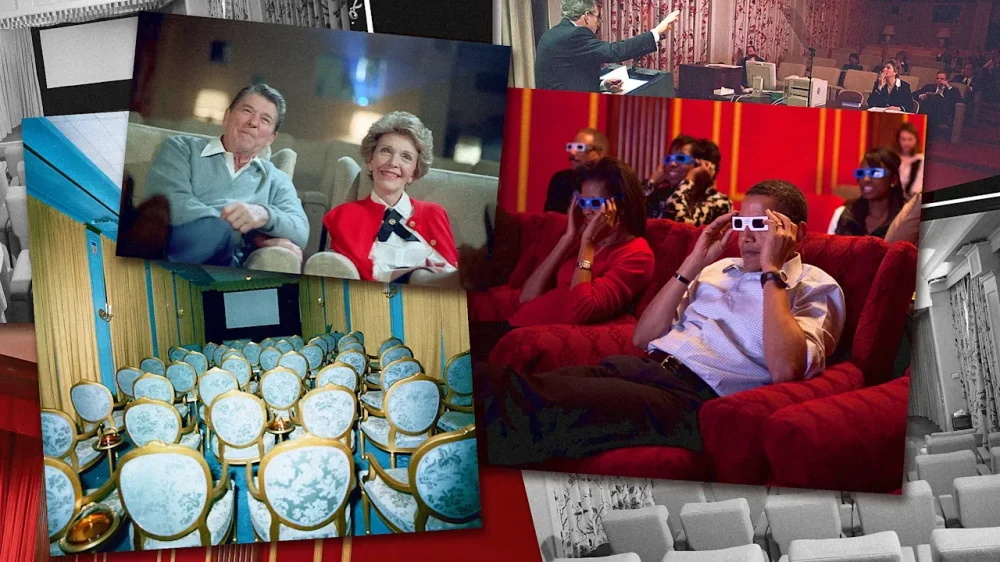
-
This article is republished with permission from Wonder Tools, a newsletter that helps you discover the most useful sites and apps. Subscribe here. Claude feels like a genie to me. With its Artifacts feature I can turn any idea I have into an interactive application, visualization, or graphic. Yesterday I created a Flashcard maker and a breathing app. No coding. Just a short AI chat conversation. No complexity. I dream up an idea, and Claude makes it instantly real. I iterate with chat to make it better. Read on for a guide to making the most of Artifacts with examples and ideas you can build yourself. How to turn ideas into apps (no coding) Create a free Claude.ai account or log in if you already have one. Navigate to the “Artifacts” tab. Pick one of the existing templates in the Inspiration gallery to customize. If you don’t want to use a template, click “New Artifact” in the top right corner of the Artifacts landing page. Pick a category of interest (e.g. Games, Quizzes, etc). Chat with Claude to iteratively design an artifact. Customize your Artifact by pasting or uploading specific content you want it to use, or by defining a particular color palette or design style. Explain how you want it to work or ask Claude to guide you with questions. Test out the Artifact. Click “Publish” when you’re ready to get a shareable link and optional embed code. Return to the Artifact later to update or change it. 🔁 Repeat to make as many Artifacts as you want. Free users may run into rate limits. Try these: Apps you can make right now Master any subject (Study tools you can make) Create a resource to help you learn whatever you want. Use specific facts, diagrams, documents, or other materials to seed the assistant, or ask Claude to suggest relevant info. The flashcard maker I created lets me paste in some text, upload a PDF, or just describe a topic of interest. It instantly generates 10 questions for me. [See my prior post on using AI for Learning]. My Example: Instant Flashcard Maker Visualize Your Data In addition to summarizing documents or transforming files, you can use AI to make sense of data. Ask Claude to analyze or visualize info in specific formats or with your preferred design sensibility. You can upload reference images or your style guide, or just specify style or tone. My Example: Visualize CSV Data Design custom quizzes It’s now easy to make your own version of “Which Harry Potter House Are You?” quizzes. Pick a subject and supply some questions. Or ask Claude to propose questions and you can act as the editor. These can be just silly or they can help students or colleagues figure out where they stand on an issue. My example: What’s Your AI Personality? Make Content Interactive Include a link to an Artifact in your next piece of writing or presentation to add an interactive element. Invite readers or viewers to try it for themselves. Ideas: a visual story summary, a quiz, infographic, dashboard, or a customized cost calculator How to get started: Upload or paste content you’ve created—or a transcript, if it’s audio or video—and chat with Claude about interactive supplements that might be useful for your reader. Examples – WT Conference Toolkit Guide – Note-Taking Devices — Interactive Summary Table Test Your Knowledge Testing yourself helps identify knowledge gaps. You can upload specific material you’re aiming to master or just ask Claude to design a quiz Artifact for you on any subject. Give it context about your level and the kinds of questions you’ll find most useful, as well as your preferred quiz length. My example: Liquidation preference quiz Build a Decision Helper Figure out which of multiple options works for you. This kind of interactive poses a series of preference questions to determine a result based on your answers. It guides decisions based on whatever criteria and grounding info you provide. To customize my own matching tools, I use my own writing, analysis and research to serve as the basis for the Claude Artifact. I based the following examples on my own research on AI learning modes and note-taking tools. Examples – Find your preferred AI learning mode – Find Your Perfect Note-Taking Tool Create Calm (Meditation & timer apps) Claude Artifacts can employ timers and graphics. To make a simple breathing app, I gave Claude instructions about the 4-7-8 breathing pattern. 4 seconds of breathing in; 7 seconds holding; 8 seconds of exhalation. I included a link to the source article from which I drew the information, and instructed Claude to run four cycles of the breathing timer for an activity that would last about a minute. Example: My 60-second breathing relaxation app Make a game It’s simple to make puzzles, simple arcade-style games, or word games. Describe the game you have in mind or ask Claude to give you some ideas to work with. Create your own version of something you loved to play as a kid, or a brain teaser to give yourself a playful mental break at work. Example: Word Morph Other ideas for what to make: A specialized assistant for single-purpose tasks lik generating a QR code, cleaning up messy notes, translating phrases, or assessing headline ideas A banner image like the one above I made for this post A prototype site like this mood canvas to share an idea with a colleague A document or template like this PRD maker (for product requirements) to reformat your own content Visualizations for creativity or quick prototyping Campaign dashboards for sharing performance metrics Sales pipeline forecasts or other interactive charts Limitations to consider Sometimes Claude leaves out a detail or a button doesn’t work. Other times, what you’ve envisioned doesn’t look quite right. Solution: You often have to prompt the model to make corrections, which it does well. Artifacts don’t have built-in databases to store information. So if you create a habit tracker or content calendar, what you type in during one session won’t be stored for later. You can ask it to add an export capability, but if you need the tool to store data you can return to, you’re better off with a more sophisticated AI coding tool (for so-called vibe coding) like Windsurf, Bolt, or Lovable. While powerful, these Artifacts aren’t agents that can go out to the Web and interact with multiple data sources to update an app. Similar tools worth trying Gemini Canvas | Google’s Gemini also excels at creating great interactives and tools. I made this little alt-text generator for Wonder Tools with a short prompt that took less than a minute. I asked it to handle multiple images and offer two alt-text options for each. Canvas is free for all users; a pro subscription gets you access to a more powerful model. Perplexity Labs lets you generate detailed reports with infographics, create visual dashboards with business or economic data, or make other interactive graphics. Here’s an example of a family museum itinerary planner, and a coffee shop’s financial dashboard. Additional examples: Check out Perplexity’s Project Gallery for inspiring ideas. Caveat: Unlike Claude Artifacts and Gemini’s Canvas, which can be used for free, Perplexity Labs requires a $20/month subscription. View the full article
-
My first time plopping down on my therapist’s couch, I tried to breeze through the basics. Yes, upbringing, romance, family, social life—all important. But I entered that softly lit space to vent about the place that eats up a third of my waking life. I was there to talk about the office. The physical location wasn’t the issue; the office snacks were elite. The problem was the people: the supervisor with no respect for work-life balance, the snooty coworker firing off slick emails, the boy’s club that would always look out for its own. Being the only Black employee there wore me out in ways I couldn’t always name. And talking it out with a licensed professional who looked like me—incense smoke in the air—helped me locate my peace from 9 to 5. I’m thankful those healing sessions a few years ago kept me from crashing out on Brayden in sales. But I never anticipated they’d also make me a better manager once I had a team of my own to lead. My most recent job had its share of team drama when I arrived. Morale was in the gutter, but workplace woes seemed to weigh heaviest on Gina, one of my direct reports. She was checked out like bell hooks books at the library. The go-getter energy she had when she started had devolved into bare-minimum effort—and a creative interpretation of the company’s “unlimited” vacation policy. The 1.0 version of me might’ve addressed the situation by mirroring the coldness I experienced early in my career, parroting those icy conversations, questioning whether I “had what it takes to be successful in a place like this.” Corporate America can be cutthroat, especially when deliverables are regularly behind schedule and quotas are missed. But I felt an obligation to help my team shine, which meant pulling from the lessons I internalized back on my therapist’s cozy black upholstery. I sat with Gina in a 1:1 meeting to remind her that the company’s PTO policy is at management’s discretion. But then I got curious about her apathy. Turns out, she said she’d been slept on more than Tempur-Pedic during promotion considerations. Even worse, before my arrival, she had been pushed into a role that was vastly different from the one she initially signed up for. I let her know I understood her frustration, like, for real. After all, I’d previously been in her New Balances as I tried to climb the corporate ladder. I cut her a deal: If she stepped up on the nonnegotiables, I’d give her a chance to prove herself as the point person on more challenging projects. The results didn’t show themselves overnight. She’d been burned before, so it took some time and patience for her to fully buy in. But she took our handshake agreement and ran with it. Within a few weeks, she was hitting deadlines, contributing valuable ideas during brainstorming meetings, and even turning on her camera during Zoom calls. I gave her verbal flowers in her next performance review and got props from my boss, who was impressed at how I became an even better motivator than Jeezy. The thing people don’t discuss enough is the way therapy teaches you the art of real talk—that is, effective, empathetic communication. You learn to listen actively, validate people’s feelings, and respond constructively. At first, it took conscious effort, but eventually it became second nature. That doesn’t mean I turned into some kumbaya caricature of a manager. Accountability still mattered. I developed a knack for delivering (and receiving) tough feedback. I understood how to make people feel seen. The value of talking through interpersonal challenges—even the unsolvable ones. And because my team rocked with me, they wanted to kill it to make us all look good, I think. (Although in my self-conscious moments, I can only imagine what they’re telling their therapists about me. None of my business. Boundaries!) I can trace so many of my management wins back to my therapist’s office, a safe space where I was challenged to pause before reacting, to see the bigger picture, to regulate before responding. So, no, I don’t recommend therapy just to survive toxic workplaces. I recommend it because it helps you build healthier ones. The Only Black Guy in the Office is copublished with Levelman.com. View the full article