All Activity
- Past hour
-
While federal examination and investigative activity has all but stopped, the regulator is still providing regulatory guidance to the industry. View the full article
-
Every morning, people fasten their watch, slip on a bracelet, and head out the door without thinking much about what they might encounter along the way. The air they breathe, the dust on their hands, and the surfaces they touch all feel ordinary. Yet many chemical exposures happen quietly, without smell, taste, or warning. What if something as simple as a silicone band around your wrist could help track those invisible exposures? Environmental monitoring has traditionally relied on snapshots of exposure from a water sample collected on a single day, a blood sample drawn at one point in time, or soil tested from a specific location. But exposure unfolds gradually as people move through different environments and come into contact with air, dust, and surfaces throughout the day. New noninvasive monitoring tools aim to capture that longer-term picture. As synthetic chemicals such as “forever chemicals,” known as perfluoroalkyl and polyfluoroalkyl substances (PFAS), become more widespread in everyday environments, scientists are increasingly focused on understanding how exposure to these substances occurs in daily life. PFAS are called forever chemicals because they take a very long time to degrade in the environment. Traditional monitoring misses everyday reality Traditional monitoring methods are essential for identifying contamination, but they capture exposure as a moment rather than something that unfolds over time. In studies involving people, measuring exposure often requires invasive procedures such as blood draws, which can be expensive, logistically challenging, and, for some participants, uncomfortable enough to discourage involvement. Early in my environmental chemistry research, I noticed something that didn’t quite add up. People living in the same agricultural community, or animals sharing the same landscape, often showed very different chemical profiles even when environmental measurements looked similar. The surroundings hadn’t changed much; daily behavior had. Movement through different spaces, time spent indoors or outdoors, contact with treated surfaces, and interactions with consumer products all shape exposure in ways a single sample can’t fully capture. That realization raised a larger question: If exposure unfolds gradually, how can scientists measure it using tools designed for specific moments? Answering that question requires a shift away from isolated measurements and toward approaches that reflect lived experience. What noninvasive tools change That question led me to work with passive, noninvasive monitoring tools, including silicone wristbands. Rather than actively collecting samples, these tools absorb chemicals from the surrounding environment over time, similar to how skin or fur interacts with air, dust, and surfaces. Silicone wristbands work because they are made of a silicone polymer called polydimethylsiloxane, or PDMS, that can absorb many organic chemicals from the surrounding environment. As the band is worn, compounds from air, dust, and surfaces gradually diffuse into the silicone over time. The material acts somewhat like a sponge, passively collecting traces of chemicals the wearer encounters during daily activities. After the wristband is worn for several days or weeks, researchers can extract those compounds in the laboratory and analyze them to better understand patterns of exposure. Silicone wristbands are one example of a broader group of passive, noninvasive monitoring tools designed to observe how chemicals accumulate over time. Other approaches, including passive air samplers placed in homes or small wearable devices, follow similar principles by absorbing compounds from the surrounding environment. Researchers have used noninvasive tools in community studies to track exposure without medical procedures, lowering barriers to participation and reducing the burden on volunteers. For example, scientists have applied these approaches to study exposure among adolescent girls in agricultural communities, firefighters, and occupants in office buildings. Researchers have also adapted similar ideas for animal and wildlife studies. Instead of drawing blood, scientists may use wearable tags, collars, or passive samplers placed in an animal’s environment, such as nesting areas or habitats, to understand how chemicals accumulate over time. These approaches can offer insight into exposure across different ecosystems while minimizing stress on animals. Like any method, passive monitoring has limitations. Some chemicals are more difficult to capture than others, and environmental conditions such as temperature, sunlight, or airflow can influence how efficiently samplers absorb pollutants. Wearable devices also reflect exposure over a specific period, meaning they cannot provide a complete lifetime record. These approaches do not replace traditional monitoring. Instead, they add context, showing how exposure accumulates across time and space rather than appearing suddenly at a single sampling point. Why this matters now In the United States, PFAS contamination has become a growing public concern, from drinking water advisories to product restrictions and cleanup efforts. Federal agencies, including the Environmental Protection Agency, have highlighted the persistence of these chemicals and their widespread presence in the environment. Much of the public conversation focuses on where PFAS are found in water systems, soils, or consumer products. Understanding exposure, however, also requires attention to how people and ecosystems encounter these chemicals in everyday settings. Noninvasive monitoring tools may help fill that gap. They offer ways to better understand cumulative exposure, identify overlooked pathways, and inform environmental health and conservation decisions. For wildlife, these methods may allow researchers to detect emerging risks earlier without adding pressure to species already facing habitat loss and climate stress. Although these approaches are becoming more common in environmental health research, they are still emerging compared with traditional sampling methods. Costs, the need for standardized protocols, and differences in how various chemicals interact with passive materials can slow wider adoption. As researchers continue refining these tools, they can complement rather than replace established monitoring strategies. Yaw Edu Essandoh is a PhD student in public and environmental affairs at Indiana University. This article is republished from The Conversation under a Creative Commons license. Read the original article. View the full article

- Today
-
Google announced that Search Console's brand queries filter is open to all eligible sites, spurring questions about the feature. The post Google Answers Questions About Search Console’s Branded Queries Filter appeared first on Search Engine Journal. View the full article
-
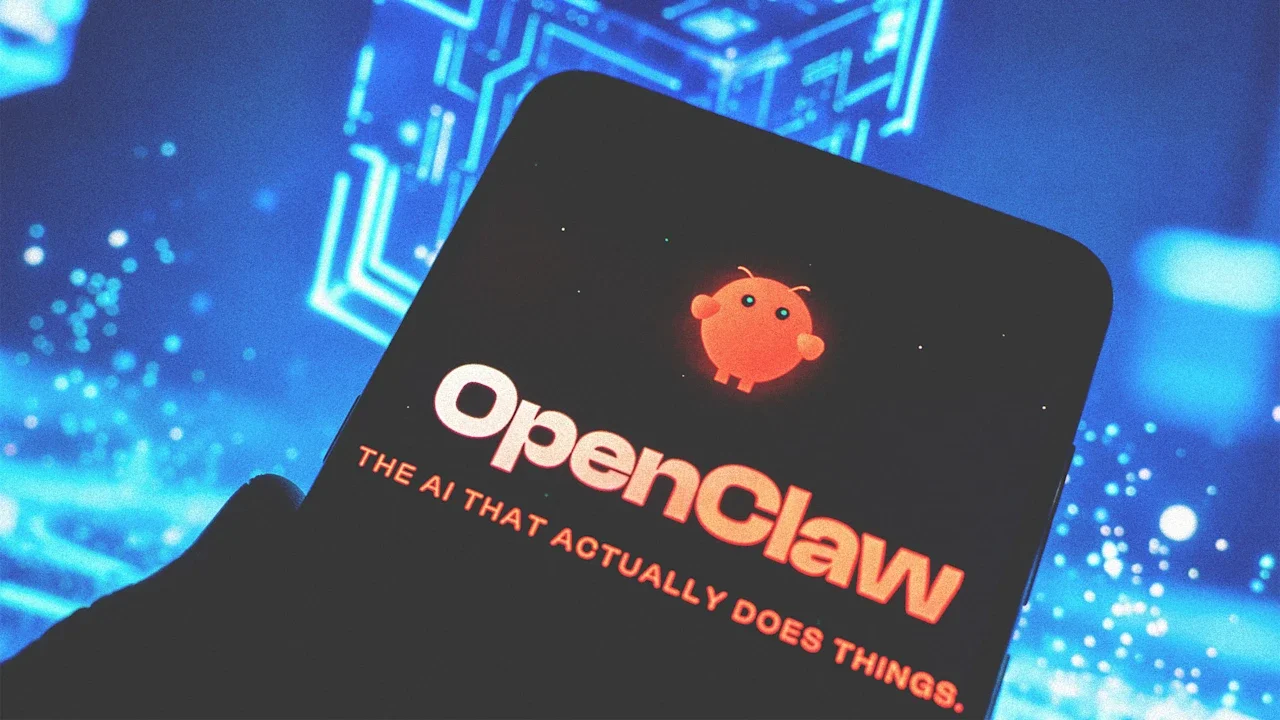
Earlier this week, social media was wowed by images from the streets of Chinese cities showing senior citizens lining up to have OpenClaw, the always-on AI assistant, installed on their laptops, desktops, and other devices. Areas like Shenzhen and Wuxi offered subsidies to try to scale up adoption of the tool and capitalize on its capabilities. An enormous proportion of all OpenClaw instances installed worldwide, as tracked by public dashboards, emanate from China. China is adopting tech at an absolute breakneck pace. A ridiculous amount of people turned up into a public event in Shenzhen today to install the OpenClaw. Some devs who work at Chinese big tech companies threw a free public event right outside the Tencent Building in… pic.twitter.com/2t4y2ancyz — Rohan Paul (@rohanpaul_ai) March 8, 2026 But just as quickly as China adopted OpenClaw, it now appears to be shunning it. The country’s internet emergency response center has issued an official warning about the risks the technology poses. The central government has sent out diktats to government agencies and state-owned enterprises, warning them against installing OpenClaw on their systems. The private sector has also responded. The same pop-up providers of installation services are now offering to uninstall unwanted OpenClaw instances for a fee. “It’s almost a notice from the Department of Stating the Bleeding Obvious,” says Alan Woodward, a cybersecurity professor at the University of Surrey in England. “Everyone has been saying ‘don’t be so silly as to give agentic AI access to any valuable data.’” Yet Woodward points out that China’s response is more than that—they appear to recognize that AI adoption has been so rapid that it presents a prime target for supply chain attacks. “Attackers were bound to produce malicious add-ons and plug-ins,” he says. China can’t seem to make up its mind about what to make of OpenClaw, says Ryan Fedasiuk, a fellow at the American Enterprise Institute covering China and its tech development. “Beijing is simultaneously banning OpenClaw on government networks while local governments in Shenzhen and Wuxi are subsidizing companies that build on top of it,” he says. That points to a dual focus, Fedasiuk reckons. “The Chinese government aims to capture the economic upside of agentic AI while keeping it out of the party-state’s own bloodstream,” Fedasiuk says. However, how long that balance can hold is debatable, not least because of the way every private-sector actor is trying to adopt agentic AI, he adds. “Banning agents in 2026 is like trying to ban spreadsheets in 1985, or Google Sheets in 2013,” he says. “The productivity gains are enormous, and the opportunity cost of abstaining from the use of agents will eventually become untenable.” Still, Fedasiuk points out that China’s OpenClaw ban seems eminently sensible. “Governments should be alarmed by the cybersecurity implications of AI agents,” he says. “Social norms around the technology are progressing such that many hackers will soon no longer need to crack the encryption that guards valuable files or digital services, but merely gaslight a piece of software that has already been given access to them.” The problem is that it’s out of step with current thinking about AI. Nevertheless, it appears that China has decided that widespread use of OpenClaw could cause safety headaches in the months to come. “Prompt injections and plug-in poisoning are still the thorn in a chatbot’s side, and it isn’t surprising China is flagging it, when you consider that every layer of the AI stack has a commercial incentive to push the tools far and wide,” says Jake Moore, a cybersecurity expert at ESET. “There are also the same structural risks with agentic AI tools that are granted high-level system permissions before anyone has properly stress-tested what an attacker can do with them.” Moore says the on-and-off relationship with OpenClaw reflects how different the pace of development is between the bleeding edge of artificial intelligence and those trying to roll it out responsibly. “AI is clearly built to be fast and invasive, but it is outpacing security standards and reviews,” he explains. For Fedasiuk, that dysfunction between the speed of development and the speed of security patching is evident in how China’s Central Cyberspace Affairs Commission announced its change in policy. “[It] has watched agents proliferate across government networks and moved to restrict their use within days or weeks,” he says. Usually the commission would study the issue as a policy problem, issue a white paper or road map, and then come to a conclusion on which it acted. The fact that it didn’t “suggests preexisting anxiety within the CCP [Chinese Communist Party] about what autonomous AI means for information security—and possibly a more sophisticated understanding of where the technology is headed than many Western observers give them credit for,” Fedasiuk says. View the full article

-
Despite considering themselves successful, most Americans also feel like they’re lagging on at least one major milestone. But experts warn that dwelling on it could put them further behind. In a recent survey conducted by daily development app Headway, 77% of respondents said they consider themselves successful. At the same time—in what researchers label the “success paradox”—81% said they’re falling behind their peers in at least one major personal or professional domain. Roughly one-third said they feel behind others their age financially, 11% feel they’re behind in life experiences, 10% feel they’re lagging in their career progress, and another 10% said the same about their relationships. “It’s very easy to get caught in the trap of, I’m not good enough,” says Cindy Cavoto, a certified productivity coach for Headway and one of the study’s coauthors. “People put these expectations on themselves, and I think as a society we don’t give ourselves enough slack.” Though many are facing economic challenges and career stagnation in the current job market, Cavoto says those setbacks can feel even bigger in the age of social media comparison. “People are only posting their best lives,” she says. Rather than focusing on others, Cavoto encourages folks to compare their progress against their own individual benchmarks, which most survey respondents felt positively about. “Are you in a better place than you were last year? Are you feeling better about where you’re going this year?” Cavoto asks. “Stop looking around and just compare yourself to yourself. That’s your best measure, because we’re all on our own journey.” The Fog of Work Part of the frustration many workers express is driven by feelings of persistent economic insecurity and career doubt, despite making personal sacrifices to further their professional ambitions. According to the Headway survey, 44% of respondents have forfeited free time, 37% have sacrificed sleep and mental health, and 30% have compromised relationships in pursuit of their goals. Despite those sacrifices, 66% of American workers feel like their career has stalled, according to a recent survey from online résumé builder MyPerfectResume. Furthermore, 45% said they want to leave their jobs but feel they can’t in this market, and 70% have questioned or reconsidered their entire career path in the past year. “That’s pretty astronomical,” says career expert Jasmine Escalera of MyPerfectResume. “There are a lot of employees out there who are dissatisfied with their day-to-day work.” Of those who said they’ve reconsidered their career path, 21% feel like it’s too late to make a change, 19% believe they should be further along than they are, and 17% admit to just going through the motions. This state of uncertainty, in which workers struggle to see what’s ahead, is what MyPerfectResume refers to as “career fog.” “There are a lot of employees out there who are feeling like they’re not having the upward mobility that they want, they’re not developing the skills that they want, they don’t have the career progression that they want,” Escalera says. “There are also a lot of employees who feel like they’re not getting paid what they should.” According to a MyPerfectResume survey conducted last fall, 78% of workers have been assigned new duties without a raise or promotion, and more than half were promised promotions or opportunities that never materialized. In an analysis of U.S. wage growth between 2020 and 2024, MyPerfectResume found that despite an 18% increase in real wages during that period, spending power declined by 2.6% due to inflation. “Our recent reports show that a lot of people are struggling financially,” Escalera says. “The question is, are people also not feeling like they’re moving in the right direction because they’re not being paid enough to afford basic necessities?” In another recent MyPerfectResume survey, 74% of respondents cited high expectations, peer comparisons, or personal perfectionism as a driver of self-doubt, and 58% said self-doubt is negatively affecting their career growth. In other words, those negative feelings are further driving negative outcomes. Focus on what you can control Lots of workers feel like they’ve lost control of their careers, their personal finances, or their mental health, and for good reason. Economic instability, job market stagnation, layoffs, and AI fears have many workers questioning whether they’re on the right path—and that self-doubt can put a damper on their motivation. How they approach these challenges can play a significant role in the outcome, according to former Stanford lecturer and behavioral design expert Nir Eyal. In his new book, Beyond Belief, Eyal explains that our perception is driven by a set of beliefs that are neither pure fact nor fiction, making them uniquely malleable. “Beliefs are tools, not truths,” he says. “You can change how you see reality based on your beliefs.” Adopting what Eyal labels “limiting beliefs” anchored in self-doubt—such as I’m not where I should be, despite my best efforts—saps our motivation and increases suffering. Rather than looking for opportunities to improve our situation, Eyal’s research suggests those who maintain limiting beliefs wire their brains to look for evidence of their victimhood. “How hard am I going to work if I’m thinking, I’ve been working this hard, and look, I still am not where I should be? To me, it’s pretty demotivating,” he says. “We must reconcile that limiting belief to push beyond it, and we do that by adopting a ‘liberating belief’ that serves us better.” Turning a limiting belief into a liberating belief, according to Eyal, starts with questioning the truth behind the limiting belief, and considering how outcomes might improve if we reversed it. “With this inquiry-based stress reduction, we learned that the belief that we think is a fact may not be a fact, and there might be an alternative explanation,” he says. “We learned that holding on to the belief doesn’t necessarily serve us, doesn’t make us better off, and that actually not holding on to that belief might be much better for us, all in a matter of seconds.” In other words, the more workers believe they’re falling behind their peers, the more likely that sentiment is to become reality. Those who instead focus on their own success and potential are more likely to reduce the weight of their personal and professional challenges, and their negative feelings toward them. “We can actually use the science behind belief to help us increase our motivation to do what we need to do to decrease our suffering around that situation, so that we can reconcile it,” Eyal says. “Who do you become when you believe I’m exactly where I should be and I’m still learning? You’ll feel so much more motivated to go learn and keep working at it.” View the full article

-
I think the strongest indicator of how normal using AI has become is the language we use as shorthand for it. It’s now extremely common for someone to say they asked “chat” for some piece of information. We all know what they mean. But if you needed data on how popular AI portals are now, OpenAI provided it recently when the company revealed that ChatGPT has 900 million users, up from 800 million in the fall. Even if Gemini, Copilot, and Claude weren’t also rising (they are), that would be enough for the media—not to mention brands and marketing/PR agencies—to really understand how fast AI is growing as a discovery channel. Whether or not it’s a source of traffic doesn’t matter; it’s a meaningful layer between publishers and audiences. That’s obviously the reason there’s been so much interest in the infant field of GEO (generative engine optimization) lately, and why I’ve written about it more than once in the past few months. But the focus on how to get AI search engines to notice and reference content doesn’t mean there shouldn’t be some kind of reckoning with how the content got there in the first place, and what—if any—value exchange that should trigger. Surveys, such as this one done by OnMessage last fall, consistently show the public believes content providers should be compensated when their content is scraped by AI engines. The AI industry tends to have a different view, often suggesting that “publicly available” data (i.e., stuff on the internet) is fair game. It’s more nuanced than that, of course, but the central issue is one of leverage: The AI companies have it, and publishers by and large don’t. The push for a better bargain A new industry coalition is looking to rebalance those scales. In late February, a group of U.K. media companies—including the BBC, the Financial Times, and The Guardian—announced they were forming SPUR, which stands for Standards for Publisher Usage Rights. In an open letter, the leaders of those companies articulated the group’s purpose: “to establish shared technical standards and responsible licensing frameworks that ensure AI developers can access high quality, reliable journalism in legitimate, responsible and convenient ways.” In other words, SPUR is meant to help lead the publishing industry toward a better bargain between AI companies and the media. Currently, publishers have a hodgepodge of solutions: You could pursue a licensing deal with one of the big AI companies, an option available only to publishers above a certain size. You could sue the AI companies, an expensive proposition. Or you could try to defend your content through a combination of paywalls, bot-blocking protocols, and nascent technologies aimed at getting AI crawlers to pay for access. The spirit of SPUR is that there’s power in numbers. Although it’s beginning with a handful of U.K. publishers, the group is actively working to recruit media worldwide into the coalition. By taking collective action, which the news media is traditionally allergic to, the coalition stands a better chance of establishing some kind of framework for how AI services will pay for access to content. It stands an even better chance with allies. Last year, Cloudflare stepped into this fight, advocating on the side of publishers. And it brought to the battlefield technical clout: A significant portion of internet traffic goes through Cloudflare’s network, so it has an outsize say in what the rules are, and which ones get enforced. As part of its push against unauthorized AI scraping, it introduced Pay Per Crawl, a new way to charge bots for access to content. Couldflare’s solution is actually one of several on the market, and although SPUR doesn’t intend to play favorites, Pay Per Crawl is exactly the kind of technical barrier the group was created to encourage. The fact is, unauthorized AI crawling is rampant. TollBit, which publishes quarterly reports about bot activity, recently highlighted the problem of third parties leveraging virtual, “headless” browsers (essentially bots accessing sites as if they were humans and then scraping them) on an industrial scale to crawl vast amounts of data—the equivalent of a fishing trawler. For the longest time, the only technical weapon digital publishers had was the robots exclusion protocol (robots.txt), but it’s an honor system that can easily be ignored or bypassed. The main focus of SPUR, sources tell me, is to help publishers build more defenses. By making it more difficult and cost-prohibitive for AI crawlers to access content, it will encourage the people who operate them to make deals. Then come the agents The biggest wild card here is agents. AI services access content largely for three purposes: for training data, for search crawling, and in response to user requests. It’s the last category that is proving very contentious and the impetus behind a war of words between Perplexity and Cloudflare last summer. User agents have traditionally been given a pass from blocking since they effectively act as human proxies, not mass-scraping tools. Importantly, though, they don’t behave as humans (for example, they don’t look at ads), so many sites (and especially publishers) believe they should be entitled to block them. Some believe this aspect of AI crawling should be regulated, and certainly it’s part of the ongoing lawsuits between the media and the AI industry. But those approaches drag on; SPUR is acting now. You can picture this quickly leading to an arms race, and when the players were individual publishers versus the AI industry, that’s very asymmetric warfare. But a large, worldwide industry coalition, backed by technical allies like Cloudflare, might actually have a chance to push back. So now the hard work begins of herding the cats of the media industry. And the clock is ticking: User behavior is shifting rapidly, and asking “chat” what’s happening in the world means more agents are replacing human traffic to news websites. SPUR may give publishers a chance to shape that system, but it is taking form with or without them. Once those rules harden, changing them will be much harder. View the full article

-
Every so often, a “technical” dispute reveals something much bigger. The recent blowup between the U.S. Department of Defense and Anthropic is one of those moments: not because it’s about a $200 million contract, but because it makes visible a new kind of enterprise risk, one that most CEOs, CTOs, and CIOs are still treating as a procurement detail. In a recent piece, “The Pentagon wants to rewrite the rules of AI,” I focused on the political meaning of a government attempting to force an AI company to relax its own guardrails. For enterprise leaders, the most important takeaway is more practical: If your AI capabilities depend on a single provider’s terms, policies, and enforcement mechanisms, your strategy is now downstream of someone else’s conflict. According to reporting, the Pentagon wanted the ability to use Anthropic’s models “for all lawful purposes,” while Anthropic insisted on explicit carve-outs, particularly around mass surveillance and fully autonomous weapons. When Anthropic wouldn’t budge, the dispute escalated into threats of blacklisting and “supply chain risk” designation, with public pressure at the highest political levels. The Associated Press describes the demand for broader access and the potential consequences in detail, including the Pentagon’s willingness to treat compliance as nonnegotiable for participation in its internal AI network, GenAI.mil. Then came the second act: OpenAI stepped in with its own Pentagon agreement, presenting it as compatible with strong safety principles while debate continued over what the contract language actually prevents, especially regarding the use of publicly available data at scale. You may not be selling to the Pentagon or to governments that are making democracy progressively look like a pipe dream. But you are almost certainly building on vendors whose models are shaped by policies, politics, contracts, and reputational risk. And if you’re deploying those models “as is,” or building agentic systems tightly coupled to one provider’s tooling and assumptions, you’re making a strategic bet you probably haven’t priced in. This is what the Pentagon–Anthropic fight should teach every enterprise. Your AI vendor is not just a supplier. It’s a governance regime. For the past two years, many companies have treated large language model (LLM) procurement like cloud procurement: Choose a provider, negotiate price, sign terms, integrate application programming interfaces (APIs), ship pilots. But LLM providers are not selling neutral infrastructure. They’re selling models with built-in constraints, policies that can change, and enforcement mechanisms that can tighten overnight. Even when the models are accessed through APIs, the practical reality is that your “capability” is partly controlled elsewhere —through usage policies, refusal behaviors, rate limits, logging, retention choices, safety layers, and contractual wording. That’s why this dispute matters. Anthropic’s stance wasn’t simply “ethical positioning.” It was product governance. The Pentagon’s stance wasn’t simply “buyer pressure.” It was demanding control of governance. Enterprise leaders should recognize the parallel immediately: Your company’s AI behavior is partly determined by a vendor’s definition of acceptable use, and that definition may collide with your own business requirements, your regulatory environment, your geography, or your risk appetite. In a sense, you are outsourcing part of your decision architecture. And when governance becomes the battleground, it’s not a technical issue anymore. It’s strategic. “Out of the box” AI is rented intelligence. Strategy requires owned capability. I’ve written before that most current AI deployments are essentially rented intelligence: powerful, convenient, but ultimately generic. That was the core of my argument in “This is the next big thing in corporate AI,” and in “Why world models will become a platform capability, not a corporate superpower.” When everyone can rent similar capabilities from OpenAI, Anthropic, Google, xAI, or others, the differentiator becomes what you build above the model: your workflows, your feedback loops, your integration with operational reality. The Pentagon dispute highlights a hard truth: When you depend on “as-shipped” AI behavior, your operational continuity depends on someone else’s red lines, and those lines can be challenged by customers, governments, courts, or internal politics. If you’re a CIO or CTO, this is the moment to stop thinking of LLM selection as the “AI strategy,” and start treating it as a replaceable component in a larger system. Because the real strategic question is not “Which model do we choose?” It is: Do we have the technical and organizational ability to switch models quickly, without rewriting our business logic, retraining our workforce, or rebuilding our agent systems? Agentic systems multiply lock-in … and amplify the blast radius. You really believed that by saying “we are developing an agentic system,” you were, somehow, “more sophisticated”? Simple use cases such as summarization, drafting, and search augmentation are relatively portable. Agentic systems are not. The moment you build agents that call tools, trigger workflows, access internal systems, and make chained decisions, you start encoding business logic in places that are surprisingly hard to migrate: prompts, function-call schemas, tool-selection patterns, model-specific safety behavior, vendor-specific orchestration frameworks, and even “quirks” of how a particular model handles ambiguity. That is why the Pentagon–Anthropic fight should feel like a corporate risk scenario, not a Washington drama. A sudden policy shift, contract dispute, or reputational shock can force you to change providers fast, and if your agents are tightly coupled to one stack, your business doesn’t “switch.” It stalls. I made a related point, though from a different angle, in “Why your company (and every company) needs an ‘AI-first’ approach.” AI-first should not mean “deploy more AI.” It should mean building systems where artificial intelligence is structurally embedded, but is also governed, testable, observable, and resilient under change. Resilience is the missing word in most enterprise AI plans. The lesson isn’t “ethics first.” It’s “architecture first.” You don’t need to take a public moral stance like Anthropic (or maybe you do, but that’s not the topic of this article). You do need to design as if your vendor relationship will be volatile . . . because it will be. Volatility can come from many directions: A provider changes its safety posture. A regulator introduces new constraints. A customer demands contractual carve-outs. A government pressures suppliers. A vendor shifts pricing, retention, or availability. A model is withdrawn, restricted, or re-tiered. A geopolitical event changes what “acceptable use” means. The organizations that will navigate this era best are those that treat LLMs as interchangeable engines and build capabilities that are model-agnostic. That means investing in a layer above the model that belongs to you: evaluation, routing, policy, observability, and integration with your operational truth. If you need a mental frame, think of what NIST is doing with the AI Risk Management Framework: a structured way to map, measure, and manage AI risk across contexts and use cases, rather than assuming the technology is inherently safe because a vendor says so. The Pentagon itself (ironically, given this dispute) has formal language around responsible AI principles and implementation, emphasizing governance, testing, and life cycle discipline. Companies should read those documents not as “government ethics,” but as a reminder that the control plane matters as much as the model. Build AI capabilities that reflect your business, not your provider. The endgame is not “model independence” as an abstract principle. The endgame is strategy dependence: AI systems that are deeply shaped by your supply chain, your operating model, your risk posture, your customer obligations, and your competitive context—no matter how complex those are. That is the part most companies are still avoiding, because it is harder than buying a model. It requires building institutional competence: the ability to evaluate models, to swap them, to tune behavior through your own governance layers, to instrument outputs, to manage tool access, and to treat agents as production systems rather than demos. In “What are the 2 categories of AI use and why do they matter?,” I tried to describe the divide between organizations that use AI and those that build with AI. The Pentagon–Anthropic conflict is a perfect illustration of why that divide is becoming existential. If you only “use,” you inherit someone else’s constraints. If you “build,” you can adapt. The companies that keep treating AI as a cost-cutting plug-in will almost certainly underinvest in the architecture that makes switching possible. Efficiency narratives feel safe, but they often lock you into the shallowest version of the technology. The Pentagon didn’t want ethics getting “in the way.” Anthropic didn’t want to yield control. OpenAI negotiated a different set of terms. That triangle is not a one-off story. It’s a preview of how contested, politicized, and strategically consequential AI supply will become. Your company’s job is not to pick the “right” provider. Your job is to ensure that, when the inevitable conflict arrives, your business is not trapped inside someone else’s argument. View the full article

-
Dieticians are warning that GLP-1 use can lead to extreme malnutrition, manifesting in diseases like scurvy, amid findings that the vast majority of studies fail to consider patients’ eating habits. While GLP-1s like Ozempic and Wegovy have surged in popularity in recent years—and are now available through injections and in pill form—leading dieticians in Australia have discovered that existing research hasn’t considered what patients are eating, and how much. Nutritional Deficiencies While the drugs work by suppressing appetite, eating too little or making poor dietary choices can lead to further issues. “A reduction in body weight does not automatically mean the person is well-nourished or healthy,” Professor Clare Collins told the Australian Financial Review (AFR). “Nutrition plays a critical role in health, and right now it’s largely missing from the evidence.” She added that only two trials had recorded or published what GLP-1 users were eating. The current data shows that many patients using weight-loss medication are functionally malnourished, which can lead to severe vitamin deficiencies. A 2025 study of adults with type 2 diabetes found that more than 20 percent of participants had nutritional deficiencies after 12 months of GLP-1 use. And a study examining patients before joint surgery found that 38 percent of GLP-1 users suffered from malnutrition, versus 8 percent for patients not using GLP-1s. Last year, British pop artist Robbie Williams told The Mirror he had developed a “17th century pirate disease” after “taking something like Ozempic.” He was referring to scurvy, a rare but serious vitamin C deficiency. In the worst cases, the illness can lead to death. “I’d stopped eating, and I wasn’t getting nutrients,” he said. It’s exactly the kind of health emergency the dieticians are working to combat. The Proposed Solution “Let’s not wait for every GP (general practitioner) to see a case of scurvy, let’s get on the front foot and link these GP chronic management plans to a dietician referral,” said Collins. GLP-1 use has also been tied to thiamine deficiency, which can cause neurological and cardiovascular disease. Magriet Raxworthy, CEO at Dieticians Australia, said it’s essential that GLP-1 users receive nutritional guidance while taking the drug. “Without personalized medical nutrition therapy provided by a dietitian, people may struggle to meet their nutritional needs and can be placed at risk of significant muscle loss, bone density loss, micronutrient deficiencies, and disordered eating behaviors,” she said, according to the AFR. “In this case, it’s clear—medication alone does not deliver sustainable health outcomes.” Some GLP-1 providers do offer nutrition assistance, but the issue hasn’t yet been centralized in a way that effectively prevents serious deficiencies that can accompany the medication. —Ava Levinson This article originally appeared on Fast Company’s sister website, Inc.com. Inc. is the voice of the American entrepreneur. We inspire, inform, and document the most fascinating people in business: the risk-takers, the innovators, and the ultra-driven go-getters that represent the most dynamic force in the American economy. View the full article

-
German lender discloses size of legal claim in London’s High Court for first timeView the full article
-
A client once described to me what happened after they had lived through a traumatic assault. For a long time, life stayed busy enough that they rarely had to think about it. Work, obligations, and everyday distractions filled the hours. Whether intentionally or not, staying occupied kept the past at a distance. Then one day things slowed down. There was a rare stretch of quiet. And in that quiet the memory returned all at once, like a tsunami. We might not have lived through trauma of that magnitude, but the example reveals something about distraction itself. When our attention is constantly absorbed elsewhere, we can avoid more than a painful memory. We can avoid ourselves. Distractions are not merely problematic because they waste time. They also displace the self. Have you ever completely lost track of time while scrolling on social media or watching videos? It’s not hard to imagine how that same pattern can play out in larger ways. Some have proclaimed our time as the attention economy. From the perspective of business, that feels true: companies are constantly vying for your attention. But from our individual perspective, it is more accurate to call it the distraction economy. That distinction matters, because attention is not merely a resource others extract from you. It is something you wield. Every time you direct your focus, you are making a choice, and every time you surrender it, you are making one too. Philosophers since Socrates have urged people to know themselves. Søren Kierkegaard understood what was at stake when that effort fails: “The greatest hazard of all, losing the self, can occur very quietly in the world, as if it were nothing at all. No other loss can occur so quietly; any other loss—an arm, a leg, five dollars, a wife, etc.—is sure to be noticed.” Busyness Is Not a Self Many professionals have had the experience of reaching a milestone they spent years chasing, only to feel surprisingly hollow. When we never pause to examine what we actually want, we get very good at pursuing the wrong things, such as metrics that measure activity rather than impact and approval in place of self-knowledge. It’s well established that we don’t truly multitask. Our brains have to stop and start each time we switch tasks. Overloaded with stimuli, our attention spans erode. We want everything to be quick, but as we know from cooking, slow food is often healthier and usually tastier. When we talk about the dangers of distraction, we tend to default to productivity as the main concern. It’s a real issue, but it’s the lesser one. The deeper danger is what chronic distraction does to us as people. When we succumb to a distraction loop, we become more reactive or miss cues about others. For example, a leader half-present in a conversation may snap at a team member who raises a concern at the wrong moment, or miss the early signs that a trusted colleague is burning out. We end up thinking the answer is simply to work harder, mistaking motion for meaning. Keeping busy is not the same as being busy with a purpose. Cal Newport’s concept of deep work is usually understood as a productivity strategy: sustained, distraction-free focus as a path to better output. But its real value runs deeper than that. When we genuinely engage in focused learning, working, and interacting, we discover things about ourselves that scattered attention never surfaces: what we actually find meaningful, where our thinking naturally leads, what we value when no one is nudging us toward the next click. Losing ourselves to distraction leaves those abilities and understandings permanently untapped. Deep work, in this sense, is less a professional skill than a form of self-knowledge. This doesn’t mean every moment of distraction is a crisis. Some distractions are useful, like when we’re having a bad day and need to laugh. It’s the quantity and habituation that causes trouble. Reclaiming Your Attention The good news is that attention, like any capacity, can be rebuilt. A few practices help. Look at a painting or listen to music while doing nothing else: no phone, no second screen, no half-attending. Try it for five minutes. Art works for this purpose because it demands your full interpretive presence. Unlike a news feed, it cannot be skimmed. It asks you to dwell. Read a short passage of philosophy and sit with it before moving on. This isn’t about acquiring knowledge so much as practicing the act of sustained thought, following an idea through rather than bouncing off its surface. Both practices may feel surprisingly difficult at first. That difficulty is the point. It tells you something about how far the erosion has gone, and it’s where the rebuilding begins. While occasional fasting from devices or particular apps can be a useful cleanse, what we ultimately need is daily discipline, not as self-punishment, but as a form of self-respect. Discipline, in this context, is simply the decision to treat your own attention as worth protecting. The Quiet Return Most of us have been shaped by the distraction economy without fully realizing it. But that’s not cause for despair. It’s cause for attention. We don’t have to keep paying for a system we never consciously chose. We can reclaim ourselves, one focused moment at a time, and remember that the self we’ve been too busy to notice has been there all along. What you attend to is what you become. Make that choice deliberately, or it will be made for you. View the full article

-
We’ve grown to despise meeting culture, and I understand why. Think about the last few meetings you’ve attended. How many of them felt clear, succinct, like a truly effective use of your time? I’ve sat through more meetings than I can count—many of them with half the participants multitasking, cameras on but minds elsewhere. As a certified facilitator who has designed everything from executive offsites to weekly team stand-ups, I’ve learned that most meetings fail not because people don’t care, but because leaders treat meetings as a necessary evil instead of the expensive, high-stakes collaboration moments they actually are. “But what can we do about it?” you might lament. “Bad meetings are a part of getting work done.” While it’s true that meetings are a critical part of doing business, they don’t have to be bad. Here are five of the most common mistakes I see people make when it comes to meetings—and simple fixes you can implement today to start making the most of your meeting time. Mistake 1: You don’t start with the end in mind You may think you know what a meeting is for: the title of your meeting explains the purpose or your agenda lays out what you hope to cover. But really, the most important planning step is having a clear vision of the intended outcome of the meeting. Think about what you want people to walk away from each meeting with. Are they coming away with information? Are they supposed to finish having made a decision? Is the goal to simply introduce a topic and tease out which smaller group should convene for more specific next steps? Are they supposed to have a deeper understanding of their peers’ priorities? When people know where the conversation is supposed to lead, they can both prepare and participate more effectively. Plus, this makes it easy to close the loop with action items related to your objective (another element of successful meetings). Action item: As you’re kicking off each agenda item in a meeting, state, out loud, what the outcome you’re striving for is. Mistake 2: You’re not timeboxing your agenda We’ve all been in meetings where every agenda item seems to take way too long. You tune out, check some emails, and tune back in only to realize that the topic still isn’t wrapped up and the third person is now “piggybacking” on what the first person said without adding any new or necessary information. Unsurprisingly, by the end of the meeting, you’ve only gotten through two of the six agenda items, leaving the group with a few non-ideal options: schedule an additional meeting, move those points to next week (which further adds to the backlog of agenda topics), or attempt to cover those items asynchronously. Instead, use timeboxing for every item of your agenda. Your intended outcomes should guide your timeboxing. Exploring a controversial decision that will impact the whole organization? Build in more time for discussion. Running through updates that don’t require much input? Keep those timeboxes tight. And no need to get ridiculous here: If you have three administrative topics at the beginning, you can batch them into a five-minute admin section instead of putting “one minute” next to each. When you hit that time mark (most video conferencing systems now have built-in timers you can use), you don’t have to stop immediately. Instead, do a check-in to see whether you need to continue. I often use a quick thumbs poll—thumbs up means people want more time on the topic, thumbs down means they’re ready to move on, thumbs sideways means they’re neutral. If most people are ready to move forward, capture the action item and keep going. If you’re getting mostly thumbs up, set a new timebox and check in again when it expires. And if people are slow to respond or give you sideways thumbs? They’ve probably checked out. Action item: Add timeboxes to every agenda item in your next meeting, and actually check in when you hit them. Mistake 3: You’re not being exclusive enough Leaders often invite a core group of required attendees to a meeting, then tack on everyone else as optional just in case they might find value in some small portion of the discussion, or to avoid anyone feeling left out. You think you’re being inclusive, but what you’re actually doing is cluttering people’s calendars with unnecessary events they feel pressured to attend. Sure, the last five “optional” meetings didn’t yield anything useful for them, but maybe this one will be different, right? Do everyone a favor: Stop inviting optional attendees. And if you’re marked as optional on a meeting that consistently provides no value, stop going. There are better ways to stay transparent without wasting anyone’s time. Use an AI notetaker to generate a summary and action items that non-attendees can review quickly. Have someone post key takeaways afterward, especially decisions or information that affects people outside the room. Or invite specific people for specific portions of the meeting when their input is actually needed. Action item: Audit your upcoming meetings and remove all optional attendees, either making them required or taking them off the invite entirely. Mistake 4: You don’t do a meeting audit often enough Finally, with the above implemented, it’s important to keep yourself honest and regularly assess whether the meetings on your calendar are a valuable use of your time. A simple question I like to ask myself as I consider my upcoming meetings is: If this meeting was taken off the calendar, what would the meeting attendees miss out on? How would it hinder their ability to do their day-to-day roles and responsibilities? The answer can make it clear which meetings can be removed or restructured. I also think it’s valuable for meeting facilitators to do a quick gut check at the end of each meeting, asking yourself: Did we make any decisions? Do people know what to do next? Did everyone participate in some way? Did everyone walk away with some benefit? If your meetings aren’t reaching their intended outcomes, or you don’t know what those intended outcomes are, it might be time to revisit the cadence, attendees, and style of the meeting (or consider if it should be a meeting at all). Action item: Schedule 30 minutes this week to audit all your recurring meetings using the questions above, and cancel or restructure at least one. View the full article

-
Editing MP4 videos can be a straightforward process if you follow a systematic approach. Start by choosing the right software, like Adobe Premiere Pro or iMovie, and import your footage. Organizing your clips and syncing audio tracks is vital for a coherent narrative. From there, you’ll learn to improve your video through image correction and color grading. This guide will walk you through important techniques, ensuring your final product is polished and professional. Let’s explore the next steps. Key Takeaways Choose suitable editing software based on project complexity and ensure it supports MP4 format for compatibility. Import MP4 footage, organize clips into bins, and sync audio tracks for efficient editing. Utilize trimming, splitting, and audio tools to enhance narrative flow and eliminate background noise. Apply color correction techniques to ensure visual consistency and match cutaway footage with primary footage. Export the final video in the appropriate format and resolution for your desired platform, ensuring quality standards are met. Choose Your Software When you’re ready to edit your MP4 videos, how do you choose the right software? First, consider the complexity of your project. If you’re looking for advanced features, Adobe Premiere Pro is a solid choice, whereas iMovie offers simplicity for Mac users. For quick edits, built-in tools like Windows Video Editor can suffice, even if they might lack advanced capabilities. Make sure your software supports MP4 or MOV formats for smoother editing and playback. Familiarizing yourself with the software layout, including the timeline and editing tools, can improve your efficiency and creativity. Additionally, look for platforms that integrate with Dropbox Replay for streamlined feedback. Comprehending how to edit MP4s effectively begins with selecting the right tool for your needs. Import and Organize Your Footage To get started with your editing, open your video editing software and create a new project. Use the “Import” feature to add your MP4 footage, and make sure everything is compatible with your software. After importing, organize your clips into specific bins, especially separating B-roll footage, to keep your workflow efficient and make syncing audio tracks easier. Importing Video Files Importing video files is an essential first step in the editing process, as it allows you to gather all your footage in one place for easy access. Begin by opening your chosen video editing software and creating a new project. Locate the “Import” button to add your MP4 video files, ensuring they’re in a compatible format. If you’re wondering how can I edit an MP4 video, keep in mind that organizing your footage into designated bins based on content types can streamline your workflow. If you have separate audio tracks, sync them using visual cues like a clap. Familiarize yourself with the timeline layout, as this is where you’ll assemble your footage. Step Action Open software Create a new project Locate “Import” Add MP4 video files Organize footage Use bins for content types Sync audio Align waveforms visually Familiarize with Learn the timeline layout Organizing Footage Bins Organizing your footage bins is vital for a smooth editing process, as it helps you categorize and locate clips efficiently. Start by creating designated bins within your video editing software, such as A-roll, B-roll, and audio. This categorization boosts your workflow considerably. When you import your MP4 footage, use the “Import” or “Add Media” option, ensuring all files are compatible. Label each bin clearly with descriptive names like “Interviews,” “B-roll,” and “Sound Effects.” If necessary, utilize sub-bins to organize clips by scenes, locations, or dates. Regularly review your bins, removing any unused clips and confirming that all relevant footage is correctly organized. This practice saves time and improves your editing efficiency in the long run. Syncing Audio Tracks Syncing audio tracks is crucial for achieving a polished final product, especially when your audio was recorded separately. Start by importing your MP4 footage into your editing software and organize it into labeled bins. If you recorded audio separately, use a loud clap as a visual cue to sync the tracks manually. Many editing platforms offer automatic syncing tools that match waveforms, which can save you time and improve accuracy. After syncing, always play back your footage to confirm the audio aligns perfectly with the visuals. Here’s a quick reference table for your syncing process: Step Action Notes Import Footage Bring your MP4 files into software Confirm compatibility with your program Organize Bins Create clearly labeled folders Facilitates easy access during editing Visual Cues Use a clap for manual syncing Helps align tracks visually Automatic Syncing Utilize built-in tools Saves time, boosts accuracy Playback Check Review synchronization Confirm audio and visuals align perfectly Basic Editing Functions and Tools When you’re ready to edit your MP4 videos, grasping the basic functions and tools available in video editing software is crucial for achieving polished results. Start by using trimming tools to remove unnecessary sections, ensuring your video flows smoothly. You can split clips to focus on specific parts that need attention, enhancing clarity. Joining clips with changes creates a seamless narrative. Most software includes select, copy/paste, and undo functions, making your editing process more efficient. Furthermore, familiarize yourself with audio editing tools, which allow you to adjust volume levels, eliminate background noise, and add sound effects or music. Comprehending the layout of your editing software will greatly boost your creativity and efficiency, leading to a more professional outcome. Image Correction Techniques Effective image correction techniques are essential for enhancing the overall quality of your MP4 videos. You’ll often need to adjust visual elements like contrast, brightness, saturation, and highlights to correct filming errors and improve the final product. Most video editing software provides sliders or presets, allowing you to make precise adjustments to achieve your desired look. Don’t hesitate to use trial and error; each footage may require different corrections to look its best. Furthermore, automated image correction features can help streamline this process by offering quick adjustments based on observed faults. Consistent application of these techniques contributes to a professional appearance, making your video more visually appealing and engaging for viewers. Check Video Consistency and Continuity When you’re editing your video, checking for consistency and continuity is essential. Make sure the narrative flows logically, and pay attention to color matching across clips to achieve a polished look. Furthermore, using cutaways can help you eliminate awkward pauses, enhancing the overall viewing experience. Ensuring Logical Flow To guarantee a cohesive viewing experience, maintaining video consistency and continuity is essential for engaging your audience. You can achieve this by ensuring visual and audio elements shift smoothly between clips. Use trimming tools to eliminate awkward pauses, and consider employing cutaways to keep viewers engaged during the removal of unnecessary content. Here’s a simple overview for clarity: Technique Purpose Tool/Method Trimming Remove awkward pauses Video editing software Shifts Smooth visual flow Effects menu Cutaways Visual breaks to maintain interest Additional footage Feedback Identify overlooked issues Collaboration tools Gather feedback from peers using platforms like Dropbox Replay to spot continuity issues. This approach improves your video’s overall narrative flow. Maintaining Color Matching Color matching in video editing is crucial for creating a seamless visual experience, as it guarantees all clips maintain a consistent look. To achieve this, use color correction tools to adjust brightness, contrast, and saturation across your video. Implement color grading techniques to evoke the desired mood, ensuring visual harmony. Reference clips from the same scene can be invaluable for maintaining color continuity; comparing these side-by-side during editing helps you spot inconsistencies. Advanced editing software often includes color matching features that automate adjustments, saving you time during the process of ensuring uniformity. Finally, regularly preview your footage in various lighting conditions to identify and correct any color discrepancies before finalizing your project. Utilizing Cutaways Effectively Cutaways serve as a crucial tool in video editing, helping maintain visual interest and continuity throughout your footage. They allow you to show related visuals during omitting awkward pauses or stutters in the main content. By using cutaways effectively, you can enrich your storytelling, providing context or additional information without disrupting the narrative flow. Confirm that your cutaway footage matches the overall tone and color grading of the primary footage, which helps maintain visual consistency. Use cutaways strategically to bridge gaps in dialogue or emphasize key points during interviews, creating a smoother viewing experience. Don’t hesitate to seek feedback from peers; they can help identify opportunities for cutaways that improve your video’s consistency and overall storytelling coherence. Gather Feedback and Make Amends Gathering feedback is vital for refining your MP4 videos, as it helps identify areas that may need improvement and elevates the overall quality of the final product. You should seek input from peers or clients, as their perspectives can highlight specific elements that require adjustment. Utilizing tools like Dropbox Replay allows for frame-accurate annotations and comments, streamlining the review process. Aim for clear and actionable feedback, as scattered comments from multiple sources can lead to confusion. Collaborating with reviewers can expedite revisions and improve the final product. Addressing feedback quickly guarantees your video aligns with your intended vision and meets client expectations, eventually resulting in a more polished and effective final piece. Export and Share Your Video After you’ve addressed the feedback and made the necessary adjustments, it’s time to export and share your MP4 video. Start by finding the export or share option in your video editing software to initiate the final rendering. Choose the appropriate resolution and format settings that align with your desired platform, guaranteeing peak quality for sharing. Most video editors let you select a file location for saving your exported video, so pick a memorable folder for easy access later. Once exported, you can share your video directly to social media platforms like YouTube or Instagram, taking advantage of integration options available in some editing software. Finally, remember to review your exported video for any discrepancies before sharing to verify it meets your quality standards. Tips for Editing on Different Platforms When you’re editing MP4 videos across different platforms, knowing the unique features of each software can considerably improve your workflow. On Windows, Clipchamp lets you drag and drop files into the workspace, and you can trim and split clips using the scissor icon or the “S” key. If you’re on a Mac, iMovie allows MP4 imports and offers simple tools like “Cmd+B” to split clips and edge dragging for trimming. For mobile, CapCut makes it easy to create projects with intuitive options for editing. If you choose online editing with Riverside, you can edit transcripts for precise cuts. Finally, finalize your edits on YouTube by uploading in YouTube Studio, where you can make additional cuts and audio adjustments. Frequently Asked Questions How to Easily Edit an MP4 Video? To easily edit an MP4 video, start by choosing user-friendly software like Adobe Premiere Pro or iMovie. Import your footage by using the “Import” option. Trim and split clips to remove unwanted sections, making your narrative clearer. Improve your video with transitions, effects, and B-roll to keep viewers engaged. Finally, export your edited video by selecting the appropriate resolution and format settings for compatibility with different platforms. This approach guarantees a polished final product. What Are 321 Rules of Video Editing? The 321 Rule in video editing emphasizes maintaining three copies of your footage. You should store these on two different types of media, ensuring one copy is kept off-site. This strategy protects you from data loss because of hardware failures, accidental deletions, or disasters. Using cloud storage for the off-site copy improves accessibility and security, making it a practical choice. What Are the Basic Steps of Video Editing? To start video editing, import your footage into the software, ensuring compatibility. Familiarize yourself with the layout, particularly the timeline for arranging clips. Use trimming tools to remove unnecessary segments, keeping the focus on your main content. Add changes for smoother scene shifts and incorporate B-roll footage to enrich the narrative. Finally, export your edited video in the desired format as you adjust resolution and quality settings to suit your target platform. How Do Beginners Practice Video Editing? To practice video editing, start by using beginner-friendly software like iMovie or Podcastle. Focus on basic techniques such as trimming clips, splitting footage, and adding changes. Regularly experiment with these features to create coherent narratives. Watching tutorials on platforms like YouTube can help you learn specific techniques. Furthermore, share your edited videos with friends for feedback, and participate in challenges to continually refine your skills and develop your editing style. Conclusion In summary, editing MP4 videos requires careful planning and execution. By choosing the right software, organizing your footage, and utilizing vital editing tools, you can improve your video’s quality. Employing image correction and ensuring consistency are important steps in the process. Gathering feedback allows for necessary adjustments before finalizing your project. Once you’re satisfied, export your video and share it on your preferred platforms. Following these steps will help you create a polished and engaging video. Image via Google Gemini This article, "Step-by-Step Guide to Editing MP4 Videos" was first published on Small Business Trends View the full article
-
Editing MP4 videos can be a straightforward process if you follow a systematic approach. Start by choosing the right software, like Adobe Premiere Pro or iMovie, and import your footage. Organizing your clips and syncing audio tracks is vital for a coherent narrative. From there, you’ll learn to improve your video through image correction and color grading. This guide will walk you through important techniques, ensuring your final product is polished and professional. Let’s explore the next steps. Key Takeaways Choose suitable editing software based on project complexity and ensure it supports MP4 format for compatibility. Import MP4 footage, organize clips into bins, and sync audio tracks for efficient editing. Utilize trimming, splitting, and audio tools to enhance narrative flow and eliminate background noise. Apply color correction techniques to ensure visual consistency and match cutaway footage with primary footage. Export the final video in the appropriate format and resolution for your desired platform, ensuring quality standards are met. Choose Your Software When you’re ready to edit your MP4 videos, how do you choose the right software? First, consider the complexity of your project. If you’re looking for advanced features, Adobe Premiere Pro is a solid choice, whereas iMovie offers simplicity for Mac users. For quick edits, built-in tools like Windows Video Editor can suffice, even if they might lack advanced capabilities. Make sure your software supports MP4 or MOV formats for smoother editing and playback. Familiarizing yourself with the software layout, including the timeline and editing tools, can improve your efficiency and creativity. Additionally, look for platforms that integrate with Dropbox Replay for streamlined feedback. Comprehending how to edit MP4s effectively begins with selecting the right tool for your needs. Import and Organize Your Footage To get started with your editing, open your video editing software and create a new project. Use the “Import” feature to add your MP4 footage, and make sure everything is compatible with your software. After importing, organize your clips into specific bins, especially separating B-roll footage, to keep your workflow efficient and make syncing audio tracks easier. Importing Video Files Importing video files is an essential first step in the editing process, as it allows you to gather all your footage in one place for easy access. Begin by opening your chosen video editing software and creating a new project. Locate the “Import” button to add your MP4 video files, ensuring they’re in a compatible format. If you’re wondering how can I edit an MP4 video, keep in mind that organizing your footage into designated bins based on content types can streamline your workflow. If you have separate audio tracks, sync them using visual cues like a clap. Familiarize yourself with the timeline layout, as this is where you’ll assemble your footage. Step Action Open software Create a new project Locate “Import” Add MP4 video files Organize footage Use bins for content types Sync audio Align waveforms visually Familiarize with Learn the timeline layout Organizing Footage Bins Organizing your footage bins is vital for a smooth editing process, as it helps you categorize and locate clips efficiently. Start by creating designated bins within your video editing software, such as A-roll, B-roll, and audio. This categorization boosts your workflow considerably. When you import your MP4 footage, use the “Import” or “Add Media” option, ensuring all files are compatible. Label each bin clearly with descriptive names like “Interviews,” “B-roll,” and “Sound Effects.” If necessary, utilize sub-bins to organize clips by scenes, locations, or dates. Regularly review your bins, removing any unused clips and confirming that all relevant footage is correctly organized. This practice saves time and improves your editing efficiency in the long run. Syncing Audio Tracks Syncing audio tracks is crucial for achieving a polished final product, especially when your audio was recorded separately. Start by importing your MP4 footage into your editing software and organize it into labeled bins. If you recorded audio separately, use a loud clap as a visual cue to sync the tracks manually. Many editing platforms offer automatic syncing tools that match waveforms, which can save you time and improve accuracy. After syncing, always play back your footage to confirm the audio aligns perfectly with the visuals. Here’s a quick reference table for your syncing process: Step Action Notes Import Footage Bring your MP4 files into software Confirm compatibility with your program Organize Bins Create clearly labeled folders Facilitates easy access during editing Visual Cues Use a clap for manual syncing Helps align tracks visually Automatic Syncing Utilize built-in tools Saves time, boosts accuracy Playback Check Review synchronization Confirm audio and visuals align perfectly Basic Editing Functions and Tools When you’re ready to edit your MP4 videos, grasping the basic functions and tools available in video editing software is crucial for achieving polished results. Start by using trimming tools to remove unnecessary sections, ensuring your video flows smoothly. You can split clips to focus on specific parts that need attention, enhancing clarity. Joining clips with changes creates a seamless narrative. Most software includes select, copy/paste, and undo functions, making your editing process more efficient. Furthermore, familiarize yourself with audio editing tools, which allow you to adjust volume levels, eliminate background noise, and add sound effects or music. Comprehending the layout of your editing software will greatly boost your creativity and efficiency, leading to a more professional outcome. Image Correction Techniques Effective image correction techniques are essential for enhancing the overall quality of your MP4 videos. You’ll often need to adjust visual elements like contrast, brightness, saturation, and highlights to correct filming errors and improve the final product. Most video editing software provides sliders or presets, allowing you to make precise adjustments to achieve your desired look. Don’t hesitate to use trial and error; each footage may require different corrections to look its best. Furthermore, automated image correction features can help streamline this process by offering quick adjustments based on observed faults. Consistent application of these techniques contributes to a professional appearance, making your video more visually appealing and engaging for viewers. Check Video Consistency and Continuity When you’re editing your video, checking for consistency and continuity is essential. Make sure the narrative flows logically, and pay attention to color matching across clips to achieve a polished look. Furthermore, using cutaways can help you eliminate awkward pauses, enhancing the overall viewing experience. Ensuring Logical Flow To guarantee a cohesive viewing experience, maintaining video consistency and continuity is essential for engaging your audience. You can achieve this by ensuring visual and audio elements shift smoothly between clips. Use trimming tools to eliminate awkward pauses, and consider employing cutaways to keep viewers engaged during the removal of unnecessary content. Here’s a simple overview for clarity: Technique Purpose Tool/Method Trimming Remove awkward pauses Video editing software Shifts Smooth visual flow Effects menu Cutaways Visual breaks to maintain interest Additional footage Feedback Identify overlooked issues Collaboration tools Gather feedback from peers using platforms like Dropbox Replay to spot continuity issues. This approach improves your video’s overall narrative flow. Maintaining Color Matching Color matching in video editing is crucial for creating a seamless visual experience, as it guarantees all clips maintain a consistent look. To achieve this, use color correction tools to adjust brightness, contrast, and saturation across your video. Implement color grading techniques to evoke the desired mood, ensuring visual harmony. Reference clips from the same scene can be invaluable for maintaining color continuity; comparing these side-by-side during editing helps you spot inconsistencies. Advanced editing software often includes color matching features that automate adjustments, saving you time during the process of ensuring uniformity. Finally, regularly preview your footage in various lighting conditions to identify and correct any color discrepancies before finalizing your project. Utilizing Cutaways Effectively Cutaways serve as a crucial tool in video editing, helping maintain visual interest and continuity throughout your footage. They allow you to show related visuals during omitting awkward pauses or stutters in the main content. By using cutaways effectively, you can enrich your storytelling, providing context or additional information without disrupting the narrative flow. Confirm that your cutaway footage matches the overall tone and color grading of the primary footage, which helps maintain visual consistency. Use cutaways strategically to bridge gaps in dialogue or emphasize key points during interviews, creating a smoother viewing experience. Don’t hesitate to seek feedback from peers; they can help identify opportunities for cutaways that improve your video’s consistency and overall storytelling coherence. Gather Feedback and Make Amends Gathering feedback is vital for refining your MP4 videos, as it helps identify areas that may need improvement and elevates the overall quality of the final product. You should seek input from peers or clients, as their perspectives can highlight specific elements that require adjustment. Utilizing tools like Dropbox Replay allows for frame-accurate annotations and comments, streamlining the review process. Aim for clear and actionable feedback, as scattered comments from multiple sources can lead to confusion. Collaborating with reviewers can expedite revisions and improve the final product. Addressing feedback quickly guarantees your video aligns with your intended vision and meets client expectations, eventually resulting in a more polished and effective final piece. Export and Share Your Video After you’ve addressed the feedback and made the necessary adjustments, it’s time to export and share your MP4 video. Start by finding the export or share option in your video editing software to initiate the final rendering. Choose the appropriate resolution and format settings that align with your desired platform, guaranteeing peak quality for sharing. Most video editors let you select a file location for saving your exported video, so pick a memorable folder for easy access later. Once exported, you can share your video directly to social media platforms like YouTube or Instagram, taking advantage of integration options available in some editing software. Finally, remember to review your exported video for any discrepancies before sharing to verify it meets your quality standards. Tips for Editing on Different Platforms When you’re editing MP4 videos across different platforms, knowing the unique features of each software can considerably improve your workflow. On Windows, Clipchamp lets you drag and drop files into the workspace, and you can trim and split clips using the scissor icon or the “S” key. If you’re on a Mac, iMovie allows MP4 imports and offers simple tools like “Cmd+B” to split clips and edge dragging for trimming. For mobile, CapCut makes it easy to create projects with intuitive options for editing. If you choose online editing with Riverside, you can edit transcripts for precise cuts. Finally, finalize your edits on YouTube by uploading in YouTube Studio, where you can make additional cuts and audio adjustments. Frequently Asked Questions How to Easily Edit an MP4 Video? To easily edit an MP4 video, start by choosing user-friendly software like Adobe Premiere Pro or iMovie. Import your footage by using the “Import” option. Trim and split clips to remove unwanted sections, making your narrative clearer. Improve your video with transitions, effects, and B-roll to keep viewers engaged. Finally, export your edited video by selecting the appropriate resolution and format settings for compatibility with different platforms. This approach guarantees a polished final product. What Are 321 Rules of Video Editing? The 321 Rule in video editing emphasizes maintaining three copies of your footage. You should store these on two different types of media, ensuring one copy is kept off-site. This strategy protects you from data loss because of hardware failures, accidental deletions, or disasters. Using cloud storage for the off-site copy improves accessibility and security, making it a practical choice. What Are the Basic Steps of Video Editing? To start video editing, import your footage into the software, ensuring compatibility. Familiarize yourself with the layout, particularly the timeline for arranging clips. Use trimming tools to remove unnecessary segments, keeping the focus on your main content. Add changes for smoother scene shifts and incorporate B-roll footage to enrich the narrative. Finally, export your edited video in the desired format as you adjust resolution and quality settings to suit your target platform. How Do Beginners Practice Video Editing? To practice video editing, start by using beginner-friendly software like iMovie or Podcastle. Focus on basic techniques such as trimming clips, splitting footage, and adding changes. Regularly experiment with these features to create coherent narratives. Watching tutorials on platforms like YouTube can help you learn specific techniques. Furthermore, share your edited videos with friends for feedback, and participate in challenges to continually refine your skills and develop your editing style. Conclusion In summary, editing MP4 videos requires careful planning and execution. By choosing the right software, organizing your footage, and utilizing vital editing tools, you can improve your video’s quality. Employing image correction and ensuring consistency are important steps in the process. Gathering feedback allows for necessary adjustments before finalizing your project. Once you’re satisfied, export your video and share it on your preferred platforms. Following these steps will help you create a polished and engaging video. Image via Google Gemini This article, "Step-by-Step Guide to Editing MP4 Videos" was first published on Small Business Trends View the full article
-
US company objects to use of British entrepreneur’s name in her collaboration with Zara View the full article
-
Widespread opposition to conflict and mass displacement stoke sectarian tensionsView the full article
-
Systems from Palantir and Anthropic are helping to turn torrents of battlefield data into thousands of strikesView the full article
-
Saudi pipeline allows ships to avoid perilous Strait of Hormuz but they must now brave notorious hotspot for Houthi attacksView the full article
-
Glendon Capital Management says debts are marked higher than similar publicly traded securities View the full article
-
Chair of Swiss private capital group warns pace could double to above 5% in coming yearsView the full article
-
Iraq has been a battleground for Tehran and Washington’s interests since 2003. A murky conflict has broken out there againView the full article
-
It depends on its damage to the target, potential for blowback and durability View the full article
-
Not since the Suez Crisis has the IDF fought alongside an ally in a major military offensiveView the full article
-
FT analysis finds actively managed funds retained stakes even after the company backtracked on its oil and gas pledgeView the full article
-
It’s little surprise that a gold-medal-winning Olympic skier comes from a family that loves the snow, but slopestyle champion Alex Hall’s mom and dad might love it more than most. The pair met on the slopes, Hall told Fast Company, and essentially raised him and his brother on skis. That didn’t necessarily mean he’d be good at it. But luckily, Hall—who took home silver last month at the Milan Cortina Winter Olympics and gold in Beijing in 2022—is better than good. And that’s a fortunate thing, because the amateur-to-professional athlete pipeline is already narrow, and most pro careers dry up as athletes move into their 30s. Hall isn’t too sure what his future in the sport will look like—although at 27, he definitely has the potential to show up at the 2030 Games in the French Alps. Like many high achievers, that question of “what’s next?” can feel pervasive, not to mention daunting. It’s an easy trap to fall into: to start thinking about the next project or success after you’ve just finished the last one. But Hall believes there’s something that will influence his post-Olympics career: his hobbies and interests outside of skiing. “I’ve done a couple of internships with businesses and find it fairly interesting,” Hall said. “But I think right now at this point—where I’m at in my life now—it’s hard to really be 100% committed to something like that. It’s hard to envision myself doing that.” “As a person, you change a lot,” he continued. “And I think when the time comes where I’m competing less or skiing less, I think I’ll have changed enough to where I’ll have something else that I really want to do for a profession or in life. And I have plenty of hobbies. So I’m sure I’ll never run out of hobbies, but it just depends professionally, you know, what will come next.” In addition to a variety of other sports interests, Hall also spends his time surfing and exploring video production. Though there’s plenty of cautionary advice out there against turning hobbies into a career, there’s also proof that doing so can be enormously rewarding. A 2025 study by the International Journal of Research in Marketing interviewed snowsport instructors in New Zealand, Japan, and Canada who left standard jobs to pursue their hobbies-turned-careers over a 10-year span of time. Though they encountered plenty of challenges, including financial insecurity and needing a lot of training, most respondents reported “experiencing significant personal growth and fulfillment.” Hall could also transition from skiing to creating action videos for brands and sponsors, like many Olympians have—something he said he’d love to “focus a little more on when I have a little more time and I don’t have to dedicate so much of my time to the competing stuff.” He’s not the only recent Olympian who takes a refreshingly different approach to success. Alysa Liu, who won gold in women’s individual figure skating in Milan, had actually quit the sport to focus on being a normal teen before picking it back up and crushing it last month on the ice. Hall was 10 when he found out he might be good at freestyle skiing, despite not really knowing that’s what the sport was called. “We had a trampoline in our backyard, so I started doing some flips and stuff on the trampoline,” Hall said. “But when I was 10, I tried my first flip on skis just kind of randomly. We built a little jump off to the side of a ski run, and there was some fresh snow . . . so soft. And I was with a couple of my friends, and I just kind of randomly tried it and ended up landing it within a couple of tries. And then my love for the sport kind of just . . . was there.” It may be that kind of openness to serendipity that defines the next chapter of his story, or of anyone’s after they’ve achieved a high amount of success. Hall is still going strong nearly two decades later. As for what happens during the 2030 Winter Olympic Games (and beyond)—the future is in the snow. View the full article

-
It’s five answers to five questions. Here we go… 1. Manager uses employees’ photos for AI-generated images Recently, my partner’s boss fed employees’ headshots (from LinkedIn) into an AI model to generate “personas” of them (for example, an IT specialist might be the “Tech Wizard” and the AI image would be their face on a character dressed in wizard robes) and then hung them on their desks. She did this without their knowledge, much less their consent. My partner felt their privacy was violated and is unhappy about it. However, they didn’t approach their boss because they thought she would get upset, and they didn’t want to manage her emotions or be accused of not being a “team player” (they said these would be likely reactions; she has often called out people for not being “team players” for not wanting to participate in non-work antics like this). Now she just told the team to all wear a certain color next week to take photos. She won’t divulge what it’s about, but my partner expects she is cooking up something to feed into an AI model again (and the color request could be to make a “green screen” easier). How can they push back on this? This definitely seems to fall under vague “team-building” and “office ‘fun,'” not an actual business need or job function. My partner has very little online presence aside from a stagnant LinkedIn profile and is concerned for their privacy, as well as the waste of water/resources for such a silly use of AI. Yeah, if she’s uploading their photos to AI, it’s very possible that those photos may be stored and used to train AI models, be shared or sold, be used in advertising, and get used in other ways they didn’t consent to, including being used to create new images (even things like including their faces in violent or explicit imagery) or being used in deepfakes. Your partner and his coworkers should tell their boss that they’re not comfortable having their images uploaded to AI, period, and tell her not to use their images again without their explicit consent. They don’t need to dance around it; they can ask right now what the matching shirts thing is about and can forthrightly say, “We don’t want our photos uploaded to AI at all because of privacy concerns.” 2. Is it fair to expect an employer will help when an employee is burned out? I recently left a job of six years where the company had become extremely toxic due to a pattern of behavior by the senior leadership team (purposely understaffing, belittling, pressing employees not to take their entitled leave, etc.). My mental health took a major hit from the pressure leadership put me through once I stopped going above and beyond for them. I told my manager that I was burnt out, shared the steps I was taking to try to mitigate it, and asked for her help by pointing out some specific instances where her actions contributed to it, like IM’ing me critical feedback sporadically throughout the day rather than discussing issues face to face. Unfortunately, she did very little to improve the situation and ultimately put me on a PIP. One of the examples she included in the PIP was that I “blamed performance issues on personal problems,” seemingly in reference to our conversation about my burnout. I found the wording and lack of help leading up to the PIP very dismissive on her part. To me, someone saying they’re burned out should be a call to action for a manager, but evidently not everyone sees it that way. All this leads me to wonder how much responsibility, if any, is reasonable for employers to accept for their employees’ burnout? P.S. I resigned the next day and regret nothing. An employer that purposely understaffs, belittles employees, and pressures people not to take any time off is not an employer that you can realistically expect will change their ways when someone says they’re burned out. By definition, they’re an employer that won’t care about that. A healthy, functional employer will care! That doesn’t mean that they will always pull back on workload, but at a minimum a manager who hears that an employee is burned out should talk with them about what’s contributing to it and try to brainstorm solutions. There are times when a manager might not be able to make significant changes (like if the workload, culture, or nature of the job isn’t inherently unreasonable, just a bad match — or even if it is unreasonable, but the manager doesn’t have the power to change it and the influence to get someone else to change it). But even then, it should be a supportive, compassionate conversation, like the manager being up-front that XYZ can’t change but being empathetic about the person’s struggles with it and encouraging them to prioritize their health and think realistically about whether the role still makes sense for them and supporting them if they decide it doesn’t. In other words, it doesn’t always follow that if someone is burned out, the employer must make changes on their end — but at a minimum they should reflect on how they might be contributing to it, try to find changes that will help, and be honest, kind, and supportive if they can’t. It sounds like your manager failed on all those fronts. 3. Avoiding the word “assume” in business correspondence I am in the midst of ongoing correspondence involving a claim with a company we do business with. They have asked me to send “supporting documentation” (their claim form), which I filled out and sent back as a scanned document. I received confirmation via a “do not reply” email account from the company that the paperwork was received. A week later, I received an email from their case representative that they are still waiting for the paperwork and saying the claim may be denied if they do not receive the claim form “in a timely matter.” This company has been very difficult to work with in resolving an issue that should be relatively simple to fix. I was going to respond back, in part, “I would assume you have received the paperwork due to an email confirmation I received on 2/9/2026 that paperwork was received.” In college I had a professor who told us never, never, ever use the word “assume” in business correspondence. She said it condescending and may make an “ass out of you and me.” That has stuck with me. Any idea for another word to use in this context other than “assume”? There’s nothing wrong with the word “assume” in business correspondence. Sometimes it’s the best word for what you need. Your professor had a weird hang-up; don’t let it become yours. That said, in this specific situation, it would be clearer to say: “CompanyName sent me an email confirmation on 2/9/26 stating that you did receive the paperwork, which I had submitted on 2/8/26. I’m forwarding that confirmation below. I am also attaching the paperwork again here.” That doesn’t get into what you did or didn’t assume; it just clearly states the facts and attempts to move the situation forward. 4. The person who replaced me rejected my training and now is struggling I took on a new role six months ago in a different division. The transition coincided with a busy period, and the new hire who replaced me never accepted my offers to train her on crucial aspects of the role, including the responsibilities of the team they were supposed to manage. I had asked once or twice but dropped the matter to let them find their footing. A few months later, the new manager is failing to perform due to the lack of training they received. The team continues to seek my guidance. I try to avoid involvement as much as possible to prevent any conflicts. I’ve heard that the new manager is attributing this to an old issue that predates her tenure. This makes me feel defensive. Short of sending a CYA email when no one asked, is there a professional way to rectify this situation? Who is responsible for the handover and onboarding process for internal transfers? I want to act responsibly and maintain positive relationships with the former team. Talk to your old boss — not to blame the new person who replaced you but to share what you’re seeing and offer some support of the new hire if your old boss wants it. The basic framing would be: “I had offered a few times to train Jane on XYZ and she didn’t take me up on it — which is of course her prerogative and she should run the team the way she wants to. However, the X team keeps coming to me for guidance on those things and my sense is that it may be because Jane doesn’t have a nuanced understanding of them yet. I’m trying to avoid being involved since I don’t want to undermine her. But I’m also hearing she’s attributing a lot of the issues to (Old Issue), which I’m not sure is correct, so I wanted to give you a heads-up about what I’m seeing and ask if there’s anything you want me to do to help support her. If not, I’ll leave it alone.” Obviously you’ve been in a new job for six months now and so the answer can’t be “yes, invest hours of remedial training with Jane” although it would be reasonable to agree to have a meeting or two if that would help. More importantly, though, this is a way to bring the situation to your old boss’s attention and set the record straight about what you think is going on. 5. Asking for a raise: a success story I recently asked for a raise and got it, and wanted to share in case this is helpful for your readers. I’ve been in my position about two years with a state government. I created a one-page document that divided my work into a few major categories (work products, presentations, performance review from last year, and additional contributions) and filled in bullet points for each. I have heard my boss in the past emphasize the importance of our office being well-rounded, so I tried to lay out all the ways I’ve contributed, both explicitly as a part of my role and outside the traditional job description when I’ve picked up small tasks no one else wanted to do. I also wanted to create an easy-to-read overview of my contributions to better position my supervisor to advocate for me based on what she saw made the most sense given her specific vantage point with those above her. At the bottom of the document, I listed similar roles/titles within our agency and their salaries alongside my title and salary. Because we’re government, all salaries are public online. I asked for a brief meeting with my supervisor and brought copies for her and me and opened the conversation by stating that I’d like to see if there’s room for my compensation to be adjusted based on my performance. When she saw the bottom with the salaries listed, she immediately said, “What? You shouldn’t be making less than Similar Role!” The discrepancy between our salaries was about $10k. I didn’t ask for a specific number but left it in my boss’s hands to determine. She later asked for an electronic copy of the one-pager, as she had given hers to our HR department when she went to talk to them. About two weeks later, I was called in for a meeting and told that my new salary would be a wee bit more than the similar role she identified initially. Thanks for the helpful resources provided on your site! The post manager uses employees’ photos for AI-generated images, should an employer help if you’re burned out, and more appeared first on Ask a Manager. View the full article