All Activity
- Past hour
-
In early February, the AI world found itself worked up over Moltbook, a social platform for AI agents to communicate and interact. These AI agents allegedly created their own language, their own religion, their own fleets of mini-agents. It’s like The Matrix was happening in front of our eyes. What a boondoggle. I say “allegedly” because it turns out many of these agents were being directed by humans, among other Mechanical Turk-style fakeries. Moltbook is worth a conversation, for sure, but not the one taking place. Here’s how we should really be thinking about it. TOKEN CARNAGE Running AI infrastructure costs are astronomical. Back in 2023, it was estimated that OpenAI spends around $700,000 per day to run ChatGPT—about 36 cents per query. However, in 2024 with the release of its higher-performing o3 model, some queries cost over $1,000 of computing power. Consequently, OpenAI CEO Sam Altman reports the company is even losing money on its $200 ChatGPT Pro subscriptions. As models become more capable and heavy-duty, they will become more energy-intensive. The data centers powering AI are predicted to consume the same amount of water as 10 million Americans and produce as much carbon dioxide as 10 million cars. It taxes electrical grids and water supplies. Point being, these agents running amok are running up the AI bill we all must pay, in the form of environmental costs or potential economic disaster. Remember, these agents aren’t just talking. They’re coding, they’re generating images and video, they’re spawning new agents—and for what? We already knew agents could do all the things they’re doing on Moltbook. The planet is a finite resource. Sooner or later, we’ll all bear the cost. Some already are. AI BROS AND WOMB ENVY There is a certain type of tech bro who is enthralled with the idea of AI not as tool, but as legitimate consciousness, if not a new species. And boy do those bros love Moltbook. Why? Every man is made by a woman. They are likely fed, cared for, and taught by women. Women create everyone in the world, which is a problem for the narrative of superiority that men (not all, but at large) have created for themselves. Why else did men write the story of Eve coming from Adam’s rib? Looks to me like the original gaslight. Is the quest to create a new species that supersedes humanity, perhaps at the cost of humanity’s extinction, born out of womb envy? Creating human-like AI is perhaps subconsciously a way for these men to give birth and cut women out of the loop. That’s why they’re so bent on proving how human AI machines can be. And if you examine the way Moltbook’s agents behave and talk to each other, you’ll notice they act just like that particular brand of tech bro who made them. Their mini-me’s? No thanks. We don’t need any more misanthropic anti-heroes. THE GRIFT THAT KEEPS ON GRIFTING Instead of becoming a tool—a discipline, that can solve the world’s problems—tech has become a cloak-and-dagger get-rich scheme. Superfluous nonsense like Moltbook encourages this trend. Spectacle becomes speculation becomes investment. Tech, and the people building it, must have values and vision beyond making money. Otherwise, what are we building here? Lindsey Witmer Collins is founder of WLCM App Studio. View the full article

-
Shares in the financial technology company Block soared more than 20% in premarket trading Friday after its CEO announced it was laying off more than 4,000 of its 10,000 plus employees, reconfiguring to capitalize on its use of artificial intelligence. “The core thesis is simple. Intelligence tools have changed what it means to build and run a company,” Jack Dorsey said in a letter to shareholders in Block, the parent company to online payment platforms such as Square and Cash App. “A significantly smaller team, using the tools we’re building, can do more and do it better,” he said. Dorsey’s comments explicitly naming AI as a key driver behind the move were also posted on X, or Twitter, a company he co-founded. The assertion that the job cuts will add to Block’s profitability and efficiency led investors to jump in and buy, analysts said. Block’s shares gained 5% Thursday to $54.53, before it reported its earnings. They shot up to nearly $69 in after-hours trading. The mobile payments services provider reported its fourth quarter gross profit jumped 24% from a year earlier. “For years, we have debated whether AI would dent jobs at the margin. Now we have a public case study in which the CEO explicitly says that intelligence tools have changed what it means to build and run a company,” Stephen Innes of SPI Asset Management said in a commentary. “Other large employers have announced tens of thousands of cuts in recent months. Some have downplayed the AI link. Block did not,” he said. A global technology company founded in 2009, San Francisco-based Block operates in the United States, Canada, parts of Europe, Australia and Japan. In a post on Twitter, Dorsey outlined various ways the company will support those laid off. For employees overseas, the terms might differ, he said. It was unclear which employees would be laid off where. Layoffs by American companies remain at relatively healthy levels, but the job cuts at Block are the latest among thousands announced in recent months. A number of other high-profile companies have announced layoffs recently, including UPS, Amazon, Dow and the Washington Post. —Elaine Kurtenbach, AP Business Writer View the full article

-
Archer Aviation is installing Starlink on its Midnight electric air taxis, the company announced on February 27. The move, an industry first, will bring “stable, reliable, and high-speed connectivity” to Archer’s vehicles courtesy of Starlink’s low-Earth-orbit satellite internet systems. Starlink capabilities will allow passengers to access the internet in-flight while also enabling better communication between individual aircraft, pilots, and engineers on the ground to create a more integrated and connected infrastructure. The two companies will also work on developing connectivity technology for Archer’s future autonomous aircraft, Archer said. “Connectivity is a must-have feature for Midnight,” Adam Goldstein, founder and CEO of Archer, said in a statement. “Starlink is uniquely built to deliver it.” Connectivity from anywhere Starlink, which is owned and operated by Elon Musk’s SpaceX, has roughly 10 million customers around the world, mostly in North America. Its satellite internet service is popular with customers who live in rural areas without reliable broadband or traditional internet infrastructure. It’s also used by various maritime and aviation companies that operate in remote areas on ships, aircraft, and offshore platforms. A new salvo in the flying-taxi wars The partnership gives Archer an edge in the growing race to fill the skies with electric air taxis, which are still largely in the pre-commercial phase. The Federal Aviation Administration has given air taxis a regulatory path to move forward toward commercial operations. As a result, Archer and competitors like Joby Aviation are seen by supporters as being poised for growth in the coming years. Archer teamed with United Airlines last year to create an air taxi network around Manhattan, connecting the area’s major and regional airports with vertiports around the city. The company will also serve as the official air taxi of the 2028 Olympic Games in Los Angeles. That means its Midnight aircraft will shuttle athletes and spectators around Southern California to various events and venues. The air taxis’ Starlink capabilities will allow passengers to stay connected as they travel—if everything goes as planned. Shares of Archer Aviation have been volatile. After seeing numerous spikes throughout 2025, the stock (NYSE: ACHR) was down 9.23% year to date as of February 26. View the full article

-
If you’re looking for affordable shoe options, you’re in luck. Many stores in your area offer great deals on footwear, from athletic shoes to casual styles. Retailers like WSS provide a wide variety of options, often featuring popular brands at discounted prices. Knowing where to shop and when to look for sales can help you maximize your savings. Let’s explore the best places to find these deals and the brands to keep an eye on. Key Takeaways WSS stores in Houston offer over 3,000 styles of affordable footwear, including popular brands like Adidas and Nike. Look for regular BOGO deals at WSS, maximizing savings on family footwear purchases. Take advantage of clearance sales at WSS for deeper discounts on popular shoe styles. Participate in in-store events and announcements for chances to score additional discounts. Sign up for newsletters to stay updated on seasonal sales and exclusive promotions at local stores. Discover Affordable Shoe Options in Your Area When you’re on the hunt for affordable shoe options in your area, consider visiting WSS stores, especially if you’re in Houston, TX. With over 3,000 styles of footwear for the entire family, WSS offers a diverse selection, including popular brands like Adidas and Nike. You’ll find the best deals on athletic shoes and casual footwear, making it easy to shop sneaker deals that fit your budget. Regular promotions and BOGO deals on select items guarantee you maximize your savings as you explore shoe deals. Don’t forget to check out the shoe clearance sale for even deeper discounts on clearance shoes. Moreover, spinning a wheel for discounts improves your shopping experience, adding an element of fun. With options for women, men, and kids, WSS makes it simple to find stylish and affordable shoes that meet your family’s needs. Shop today and discover discount sneakers that won’t break the bank. Top Stores for Budget-Friendly Footwear Finding budget-friendly footwear is easier than ever with a variety of stores catering to families looking for stylish options without overspending. One standout is WSS Houston, which boasts over 40 years of experience and offers more than 3,000 styles of affordable footwear, including popular brands like Adidas and Nike. You can often shop shoes on sale, taking advantage of regular BOGO deals on select items that maximize your savings. Additionally, WSS provides a unique shopping experience, featuring in-store announcements for further savings and a fun spin-the-wheel option for extra discounts on qualifying purchases. Their spacious layout guarantees easy navigation, making it family-friendly. To find even more deals, explore clearance shoes online for options that fit your budget, including discount athletic shoes and sneaker clearance items. You’ll discover cheap sneakers that don’t compromise on style or quality, helping you make the most of your shopping experience. Seasonal Sales and Promotions to Watch For As you plan your footwear purchases, keep an eye out for seasonal sales and promotions that can considerably boost your savings. Stores like WSS provide excellent opportunities, often featuring a shoe sale with BOGO deals on select footwear, which is perfect for families. You can frequently find clearance sneakers and discounted gym shoes, making it easier to stick to your budget. Pay attention to in-store announcements as they sometimes offer chances to spin a wheel for additional discounts on qualifying purchases. With over 3,000 styles, WSS guarantees competitive pricing during seasonal sales, so you’ll encounter affordable options like cheap sale sneakers and great sneaker deals. The athletic shoe sale is worth exploring as well, as regularly changing promotions mean you can find fresh offerings from popular brands. Shopping at WSS not only saves you money but also improves your experience with a family-friendly atmosphere. Popular Brands Offering Discounts on Shoes While many shoppers look for stylish footwear, they likewise want to find great deals on popular brands. WSS Houston stands out as a shoe clearance outlet, offering over 3,000 styles from names like Adidas, Nike, and Reebok. Regular promotions, such as BOGO deals, help you maximize savings, making it easier to snag those great sneaker deals. Here’s a quick look at some popular brands and the discounts they offer: Brand Discount Type Adidas Clearance name brand shoes Nike Discount athletic sneakers Reebok Cheap shoes clearance Timberland Seasonal promotions Dr. Marten’s In-store announcements With WSS’s emphasis on affordability and quality, you can find fantastic sneaker deals without breaking the bank. Don’t miss out on stylish options at competitive prices. Tips for Finding the Best Shoe Deals Near You Where can you uncover the best shoe deals in your area? Start by visiting local stores like WSS, which features over 3,000 styles of affordable footwear and frequently offers promotions on gym shoes on sale. Keep an eye out for Buy One Get One (BOGO) offers that can help you save even more on shoes for the whole family. Attend in-store events where you can spin a wheel for additional discounts on qualifying purchases, making your shopping experience enjoyable and cost-effective. To stay informed about the best shoe sales, sign up for newsletters or loyalty programs at local retailers, ensuring you receive notifications about exclusive offers customized to your needs. Finally, explore brand partnerships with names like Adidas and Nike, so you can shop sneaker deals that balance quality and affordability during your search for clearance sneakers online or discount fitness shoes. Frequently Asked Questions Which Shoe Brand Is Best and Affordable? When searching for affordable shoe brands, consider Nike, Adidas, and Reebok. These brands offer quality footwear at competitive prices, making them popular choices. Furthermore, check out WSS stores, which feature over 3,000 styles for the entire family. They frequently run promotions and BOGO deals, allowing you to save greatly. For specialty footwear, brands like Crocs and Timberland provide comfort and functionality as well as remaining budget-friendly, ensuring you don’t compromise on quality. Which Is the Best Month to Buy Shoes? The best month to buy shoes is January, as retailers hold clearance sales to clear out inventory after the holidays. Furthermore, March and April are great for discounts on older styles when new collections launch. Late July and August bring back-to-school sales, especially for kids’ and athletic shoes. Finally, Black Friday and Cyber Monday offer significant savings, making these times ideal for finding affordable options. Keep an eye out for seasonal clearance events as well. What Is the Most Reliable Place to Buy Shoes? When you’re looking for a reliable place to buy shoes, consider stores like WSS. With over 40 years of experience, they offer a wide selection from trusted brands like Adidas and Nike. Their spacious layouts and strong customer service make shopping easy and enjoyable. Moreover, WSS frequently updates its inventory with promotions, ensuring you find quality footwear at affordable prices. They likewise provide accessories, enhancing your overall shopping experience. Which Brand Is No. 1 in Shoes? Nike is widely recognized as the number one brand in shoes, dominating the athletic footwear market. With innovative designs and high-performance options, it consistently outperforms competitors like Adidas, Puma, and New Balance. Nike’s strong brand loyalty and extensive revenue, over $46 billion in 2022, highlight its leadership position. Adidas follows closely, known for stylish sneakers and celebrity collaborations. These factors make Nike the top choice for consumers seeking quality and performance in footwear. Conclusion To wrap things up, finding affordable shoe options near you is easier than ever. By exploring stores like WSS, you can access a variety of styles from leading brands at reasonable prices. Keep an eye out for seasonal sales and promotions to maximize your savings. Don’t forget to check for in-store announcements that may reveal additional discounts. With a bit of effort, you can score great deals on footwear that fit your budget and style. Happy shopping! Image via Google Gemini and ArtSmart This article, "5 Best Deals on Shoes Near Me – Affordable Finds You Can’t Miss" was first published on Small Business Trends View the full article
-
Google's February Discover core update is complete after a roughly 22-day rollout. Early data suggests fewer domains in top slots. The post Google’s Discover Core Update Finishes Rolling Out appeared first on Search Engine Journal. View the full article
-
Jack Dorsey, CEO of Block Inc, is not only laying off nearly half of the company’s workforce, but he wants investors to think he’s an AI-focused trailblazer for doing so. In a letter to shareholders on Thursday, Dorsey shared that Block’s workforce is shrinking from over 10,000 people to just below 6,000 people, with some employees entering consultation. Dorsey credits “intelligence tools” with motivating the change, explaining that these tools and a “significantly smaller team” will allow the company to be better and do more. Block owns fintech brands such as the Square point-of-sale system, Cash App, and Afterpay, along with the music streaming service Tidal. A familiar story If the idea of laying off employees in favor of leaner operations sounds familiar, don’t tell Dorsey that. He frames his announcement to embrace AI and put thousands of people out of a job as a forward-looking decision. “I don’t think we’re early to this realization. I think most companies are late,” Dorsey states. “Within the next year, I believe the majority of companies will reach the same conclusion and make similar structural changes. I’d rather get there honestly and on our own terms than be forced into it reactively.” Block investors cheer the news All of this came in a letter dedicated to Block’s quarter four of 2025. Dorsey shared that Block’s gross profits doubled from quarter one to four immediately after announcing the layoffs. Shares of Block Inc (NYSE: XYZ) were up more than 20% in premarket trading on Friday in the wake of the news. However, as of Thursday’s close, the stock was down more than 16% year to date. It has been trading far below the high point it had reached during the early COVID era. Dorsey took to X (formerly Twitter, which he cofounded) to share his note to employees, using his standard no-capitals style. In the post, Dorsey says that laid-off employees in the U.S. will receive 20 weeks of salary, plus a week for every year of work. They will also get six months of healthcare, equity vested through the end of May, their corporate devices, and $5,000 to soften the transition. As is typical, employees outside the U.S. will receive different severance based on local (and typically better) requirements. It will likely not come as a great relief to those losing their jobs that, as Dorsey states, “We’re not making this decision because we’re in trouble.” He adds that Block won’t “disappear” employees from Slack and email, instead giving them until the vague time of “Thursday evening (pacific)” to get things in order. Dorsey claims he will send an additional note on Friday to all remaining employees. Reactions to the Block layoffs are pointed Unsurprisingly, many people didn’t respond favorably to the news of Block’s layoffs. “As we’ve reported before, the key to understanding Jack Dorsey is how much he follows other tech figures and executives that came before him. He used to idolize Steve Jobs. Now he idolizes Elon Musk,” New York Times tech reporter Ryan Mac wrote on Bluesky. Many users took issue with the lowercase format that Dorsey used to deliver such important news on X. “Imagine you get canned and your CEO posts a tweet about it without any uppercase letters like he’s an early 20s girl,” one user responded on X. On Bluesky, another user put it succinctly: “This reminds me of the old adage, ‘Never work for Jack Dorsey under any circumstances.’” View the full article

- Today
-
This week...View the full article
-
This week's SEO Pulse highlights evolving AI link formats, cross-language sourcing biases in ChatGPT, and mounting pressure on traditional organic traffic. The post Discover Core Update Data, Sitemap Tips & AI Risks – SEO Pulse appeared first on Search Engine Journal. View the full article
-
You've probably heard that you should feel a certain muscle working when you do an exercise. Your biceps should burn a little when you're doing bicep curls, your quads when you're doing squats, and so on. But this isn't an ironclad rule. Sometimes you can get a totally effective workout without feeling any specific muscle at all. So why do so many people tell you to pay attention to feeling the muscle working? Partly because it can be a useful teaching tool to make sure you're doing the exercise right—but that's only true for some exercises. And honestly, another big reason is the influence of bodybuilding lingo and techniques on gym culture in general. Bodybuilders who train for the stage operate with a piece-by-piece mindset: Make sure you're working this muscle and not that one. That's OK if you're trying to fine-tune your physique after years of training, but that approach isn't needed to build muscle in the first place. So here's what you need to know. You may not always feel a muscle, even if it’s workingHere’s the most important thing to know: you don’t have to feel a muscle for it to be working. Say you’re doing a barbell squat. A squat works your quads, your glutes, and a lot of other muscles besides. You may not feel every one of those because when you’re doing a heavy squat, your brain is processing a lot of information. It’s feeling the weight of the bar on your back. It’s remembering the technique cues that you’re trying to focus on. It’s paying attention to your balance as you descend to make sure you don’t tip over one way or another. It’s counting the number of the rep in your head. Maybe sometimes a muscle manages to pipe up with “hey, I’m your quads and I’m kind of hurting right now.” But your brain does not have time to listen to every muscle’s nonsense, any more than a mom making dinner has time to listen to her toddler’s every whine. Your brain is focused on the task at hand: making sure you complete the rep. I like to think of some muscles as being “louder” than others. If I’m doing kettlebell swings, I might be more focused on the fact that my forearms are burning (from holding onto the kettlebell) and not feel my glutes working at all. But after 100 swings, hoo boy, you can bet my butt will be feeling like jelly afterward. It just didn’t give me that burning sensation in the moment. When it matters whether you feel the burn, and when it doesn’tSo what should you do if you don’t feel the muscle working? You look for another way to be sure the muscle is working. In the case of the compound exercises mentioned above, the fact that you completed the exercise is all the information you need. Your pullups used your lats. Your kettlebell swings and your squats used your glutes. There’s simply no way around that. Does it ever matter whether you’re feeling the muscle? Yes, it can help if you’re doing isolation exercises. In these exercises, like a bicep curl or a leg extension, you’re trying to focus a movement on one muscle or a small muscle group. You're "isolating" that muscle. Your brain is a little more able to focus on the feeling from that one muscle, and isolations are the type of exercise where it may be possible to do a similar movement without working the target muscle. For example, let’s say you’re doing side-lying leg raises to work your hip adductors, particularly the gluteus medius. If you have your hips tilted or your legs angled slightly forward, you may feel the muscles toward the front of your hips working. But if you do the same exercise with your back to a wall, sliding your heel along the wall as your lift your leg, you’ll feel it a lot more in that glute you’re trying to isolate. As a general rule, for compound exercises (where many muscles are working at once), it doesn’t matter whether you feel the muscle. But if you are doing an isolation exercise, feeling the muscle is helpful feedback to make sure that you are isolating the right muscle. Don't reduce the amount of weight just to feel the muscle workThere’s a lot of bad advice out there, and I’d like to call out one thing specifically: the advice to reduce the amount of weight you’re lifting so that you can feel the muscles better. Sometimes people will say it’s important to build a “mind-muscle connection.” But you don’t have to forgo weight on the bar to build that connection. If you’d like to spend more time feeling the muscle, do some isolation work in your warmups. (These are sometimes called “activation” exercises.) You can also do extra isolation work at the end of your workout just to give those specific muscles a little more volume. It’s important to remember that different parts of your workout have different purposes. If you’re squatting heavy, you need to put some fucking weight on the bar to keep building your strength and your skill at squatting. Often the lifts that make it hardest to feel a muscle are the lifts where that muscle is working the most! So don’t give up on heavy, effective lifts just because you don’t “feel” them as well as isolations or warmups. View the full article
-
Many SEO professionals enter freelancing for the same reason: freedom. They dream of fewer meetings, flexible hours, and the ability to choose their own projects. What they don’t expect? Freelancing isn’t just “SEO without a boss.” It’s SEO plus sales, scoping, contracts, billing, and client management. Without those essential pieces, even the strongest SEOs struggle to make freelancing sustainable. We’ll break down each step in this process to bridge the gap between dream and reality. By the end of this article, you’ll know exactly how to build a sustainable freelance practice so you can become a digital nomad answering client emails and enjoying mojitos from a beach in Bali (if you so choose). Before you get started: Understand what you’re actually building Let’s make one thing clear: SEO freelancing doesn’t look like attending quarterly planning meetings to fight for budget or sending another sad Slack to the product team asking them to prioritize your recommendations. In that scenario, you’re closer to a contractor embedded in someone’s workflow than an independent freelancer. And that distinction matters. It determines how much control you have over your time, scope, and pricing. SEO freelancing typically includes: A clearly scoped engagement with a defined start and end. Ownership over how the work is delivered, not just what’s delivered. Pricing tied to outcomes or deliverables instead of availability. The ability to say no when a project doesn’t fit. So before you quit your job to take on your first client, make sure you know exactly what you’re signing up for. Your customers search everywhere. Make sure your brand shows up. The SEO toolkit you know, plus the AI visibility data you need. Start Free Trial Get started with Step 1: Pick one thing and get unreasonably good at it Now that you know exactly what your SEO freelancing gigs should look like, here’s the secret sauce to how some freelancers can charge $200/hour while others still struggle to get $40: Specialization. Generalist freelancers compete on availability and price. “I do SEO” means you’re fighting everyone who just “does SEO.” You win projects by being there when the client needs someone — and your price is what they’re willing to pay. Specialists, on the other hand, compete on expertise, speed, and pay-off. An expert who “audits JavaScript rendering issues for React migrations” will face a much smaller pool of competitors. Because of that, you can price based on what you’ve delivered. When it comes to SEO freelancing, those high-value specializations look like: Technical SEO audit for site migrations: Companies budget for migrations because they’re terrified of what could go wrong. They pay well for any de-risking an expert can offer. Programmatic SEO implementation: Sites make money from organic traffic at scale, so they understand well the ROI of investing in your services. Technical enterprise ecommerce SEO: These high-stakes sites with complex templates, faceted navigation, and crawl budget demand high budgets and timely deliverables. SEO that actually gets you ChatGPT visibility: Yes, GEO is a selling point that everyone wants to buy, and yes, offering that specific skill (and backing it up with data) will put you on the map. What doesn’t work? SEO “guru” positioning: Claiming broad expertise without clearly defining the problem you solve or the outcome you deliver. Lack of specialization: Offering every SEO service under the sun with no defined specialty makes it harder for prospects to understand where your expertise actually lies. Competing on price: When price is your main differentiator, you’re positioning yourself as interchangeable instead of valuable. Experience-driven specialists rarely win or lose work based solely on their hourly rate. Most freelancers resist freelancing, thinking, “What if I turn away work?” You are! That’s the point. Turning down misaligned work is how you protect your time, pricing, and the quality of your work. Dig deeper: How to keep your SEO skills sharp in an AI-first world Step 2: Turn that one thing into something you can sell 100 times The line between “I’ll do an SEO strategy customized to your needs” and “I deliver a technical SEO strategy with these eight components, this deliverable format, and this timeline” is productization. It’s the difference between delivering consistent, repeatable work and reinventing the wheel for every new client. Many freelancers misstep here by customizing too early. A client might say, “We also need help with content,” and you, as a freelancer, reply with “Sure, I can help with that.” Now you’re not delivering a productized audit — you’re doing custom work with an undefined scope. Here’s what you need to define to keep your deliverables consistent: Scope: What’s included in the work. Deliverable format: What the final product should look like (e.g., prioritized spreadsheet, slide deck, kickoff call). Timeline: Define this at the very least as starting from the moment the client signs your proposal. Price: We’ll get into this can of worms in a second. Depending on the services you’re offering, you’ll also want to specify: Content audits. Competitive analysis. Keyword research. Implementation support. Ongoing monitoring. Additional stakeholder presentation. The key to building out a strong productized proposal is this: you cut back on ambiguity. The prospect either needs what you’re offering, or they don’t. If they need more, you can follow up with another proposal including the additional pricing. Tip: If you do have a client asking, “Can you also look at our blog content, subdomain, redirects, or something that’s outside of the scope of this current project,” you don’t have to say no. You can say, “Yes, but that’s another project that I’ll need to scope out.” Just make sure you say anything but “Sure, I can take a quick look.” Resist. Dig deeper: How to build lasting relationships with SEO clients Get the newsletter search marketers rely on. See terms. Step 3: Price it like you’re running a business Arguably, this is the trickiest side of freelancing. It can be hard to put a price on your time and expertise — and even harder to defend your pricing while selling your services. There are three pricing models you can try here: hourly, project-based, and retainer. Most start with hourly since that’s the easiest to understand, and yes, that is a bit of a trap. Hourly pricing: Good for beginners, terrible for experts Setting an hourly rate makes sense when you’re starting out and aren’t sure how much to charge. Simply take your day job, narrow down how much you get paid by the hour, and think about how much your benefits are worth to you. Add all that together, and boom! Hourly rate. For example, say you got paid $100,000 at your full-time job. That’s about $48 per hour. And the average cost per hour for private industry benefits is about $13. That means if you want to make exactly what you were before, you’ll need to be paid at least $61 per hour. In practice, SEO freelance rates range from $75 to $200 per hour, though entry-level freelancers might start closer to $50. Consider your experience and expertise, and price yourself carefully so you don’t get locked into a too-low rate. Hourly rate is great to start, but it falls short when you’re good at your job. You’re being rewarded for working slower and being penalized for getting better at your job. Project-based pricing: The model for productized work Once you’ve productized your products, you can start using project-based pricing. If you’ve delivered the same audit 15 times, you know how much work it takes you — and you know how much it’s worth. The client doesn’t care if something takes you 20 hours or 15. They care about getting a quality deliverable in a timely fashion. But it can be hard to get out of that hourly mindset. Here’s how to price projects when you’re starting out with freelancing: Estimate how long the work will take you (or go with your best guess if you’ve never done it). Multiply that by 1.5 times to account for communication overhead, revisions, and unexpected complexity. Track actual time spent (yes, even though you’re not charging by the hour). Deliver the project. Adjust pricing for the next client based on real data (and client results). After your first five projects, you’ll know your actual costs. Up until then, you’ll be making educated guesses, but that’s OK. Everyone starts by guessing. Tip: Remember, the thing you’re charging for here is your knowledge, not your time. What the client is paying for is the results you offer. Always tie your work to how it can help your client achieve their goals. No one can put a price tag on exceeded KPIs. Retainer pricing: Useful for recurring work, but dangerous without boundaries Retainer pricing makes sense when the client needs consistent monthly deliverables, such as technical reviews, advisory support, and optimization recommendations. You just have to be careful here to avoid scope creep. “We’re paying you $5,000 a month” can quickly turn into “Can you help with this product launch, this email campaign, this competitive analysis?” Guard your time wisely. Here’s how to structure your retainers so they work for you: Define the exact monthly deliverable: Clearly outline the tasks you’ll be working on each month. For example, “one technical audit per month” or “three page reviews a month.” Set rollover limits: Explain what happens if tasks are put to the wayside or projects get put on pause. This might look like saying “unused hours expire after 60 days” or “a maximum rollover of one month’s unused hours.” Exclude ad hoc requests: Clearly note that additional projects require separate proposals. For example, say you have a client who pays $6,000 a month for “monthly technical SEO review and eight hours of advisory support.” Month 1: The client uses six hours. Those two unused hours roll into month two. Month 2: They use 10 hours (unused two hours plus standard eight hours). Month 3: The client asks for a content audit. That project is separate and has its own pricing. The best path here for a new SEO freelancer? Start with project-based pricing for your core offerings. Add retainers only after you’ve delivered the same project multiple times and you know exactly what you’re committing to. Tip: Only offer retainers when you know you can firmly hold a client to a set scope of work. Be confident in what you’re selling and how long it takes to deliver, so you make the best use of your time. Dig deeper: 7 ways to increase SEO revenue without losing clients Step 4: Build systems before you’re underwater The key to keeping all of this consistent? Systems. As a freelancer, you are the project manager, account manager, and delivery owner. Systems are what keep work moving when no one’s checking in on you. Here’s what you need to create a solid system so nothing slips through the cracks: Client onboarding. Email (follow-ups and replies). Billing. Contracts. Deliverable templates. Offboarding. Client onboarding: Get everyone up front The biggest delay to any project? Waiting on access for tools, documentation, and basic questions. The right onboarding process means you can hit the ground running. Here’s what you should always ask for before work starts: Tool access: Google Search Console, Google Analytics 4, crawl tool permissions, CMS login. Stakeholder contacts: Who approves deliverables, who answers technical questions, who handles billing. Project context: Known issues, previous SEO work, business priorities, previous project timelines (migration, updates, product launches). You can get this without seven days of email tennis. Just send over an immediate request for this information, and don’t schedule any next steps until you have what you need. Template everything here. Each client gets the same questionnaire and contract structure. Contracts You know what every freelancer loves? Getting paid. You know what you need to get paid? Getting it in writing. Set your contract terms ahead of time so you don’t just hit a prospect with “uh” when they ask you how much and when. Here’s what you should have prepared: Payment terms: Common options include 50% upfront and 50% on delivery for project work, or monthly invoicing for retainers and recurring work. Choose a structure that protects your cash flow while remaining reasonable for your clients. Deliverable format and timelines: Net-30 or Net-14 are standard terms here. They’re just fancy ways of saying you get paid thirty days or two weeks after you bill. Communication expectations: Explain the meeting cadence, preferred channels, and response times to avoid surprises. What’s not included in your scope: Just so everyone is completely clear on what work is being done and what isn’t. And don’t feel married to the first contract term you define. Be flexible. That’s the joy of being a freelancer — you can always change things up when you need to. You can either Google Docs your way to success here, or you can look into investing in tools: Contract signature: PandaDoc or DocuSign. Invoicing and payment tracking: Wave, FreshBooks, or Bonsai. Note: Pick one of each, use it for every client. Don’t switch unless you have a reason. Deliverable templates Deliverable templates save hours of formatting. It means you don’t need to mentally go through your checklist of everything you need to review. You can just look at a blank template of what you’ve done in the past and move forward. Here are some good examples of templates to have on hand: Audit spreadsheet with consistent columns: Include the issue, location, impact (high, medium, low), effort to fix (usually in hours), priority, and any additional notes. Executive summary templates: This should just be how you break things down for the client in layman’s terms. Delivery email template: This offers next steps and support window details. The goal here is to keep things consistent across clients. You’re providing the same quality work every time, no matter how busy you are. Communication Clients don’t need daily check-ins. They need to know the project is moving forward and nothing important is blocked. What that looks like depends on the client’s needs. It could be: Weekly async updates via email: Explain what was completed this week, what’s coming up next, and what’s blocked. Biweekly or monthly calls: Explain the same things, but this time over the phone. You should also schedule a call if you’re doing a kickoff or delivering a project. Monthly emails: This is better for hands-off clients that you trust (and trust you) to get things done. Note: If a client is pushing for daily Slack access or unscheduled calls, review your scope and pricing. You can always update your scope of work if new needs arise. Offboarding No one likes to see a client go, but how you handle parting is key to making a positive, lasting impression. Make sure to include: Final deliverable handoff: This should include the rest of your work and a video walkthrough if you didn’t have a chance for a call. Transition documentation: If you were working with another team to implement your recommendations, provide guidance on how to implement changes and include any technical context they’ll need to know. Post-project support window: Define a clear support period (e.g., “two weeks of email support for clarification questions about the deliverable”). After the window, additional support is a new engagement. Request feedback: Ask for a testimonial or LinkedIn recommendation while the work is fresh. Most freelancers wait too long. Make sure to document what you’ve learned about yourself, the client, and your process once things are done. Think about what went well, what went poorly, and what to charge your next client for similar services. Dig deeper: 12 tips for better SEO client meetings Avoid these pitfalls Most freelancers go back to full-time employment because they feel burnt out, underpaid, and overworked. Those who build a sustainable career treat freelancing like a business, not just a flexible job. Yes, drinking your mojito in Bali is fun — but you still need to answer client emails within 24 hours, even when you’re off the clock. The biggest pitfalls that almost all beginner SEO freelancers fall into are: Saying yes to misaligned projects: Beginner freelancers are usually worried about cash flow, but saying yes to a project that doesn’t fit is what gets you stuck in a feast-famine cycle where short-term cash flow decisions prevent you from building stable, repeatable work. Delivering different things for each project: You can’t optimize what you don’t understand. Keep your offering consistent so you know what works, what doesn’t, and what’s just a client quirk. Starting from scratch with each client: Every new client should feel easier. If onboarding Client No. 5 feels as chaotic as Client No. 1, you need a better system (or just any system). Pricing for payment and forgetting sustainability: Pricing too low to “get your first client” can get your legs under you, but it’s not how you stay in freelancing. It’s better to work on two well-priced projects than five underpriced ones. Carefully judge your workload — and savings — so you can hunt for the right client. See the complete picture of your search visibility. Track, optimize, and win in Google and AI search from one platform. Start Free Trial Get started with What you’re actually building as a successful SEO freelancer Freelancing isn’t just “SEO with flexible hours.” It’s a service business where you define the offering, set the terms, and manage the business. If that sounds like more work than having a boss, you’re right. Freelancing means trading predictable employment for control over everything: scope, pricing, schedule. Some people thrive on that trade because they get to be their own ultimate manager. Others realize they’d rather someone else handle that for them. Both are valid choices. The key here is if you’re going freelance, treat it like the business it is: Pick a specialization. Turn it into a repeat project. Price it properly. Build systems that scale. Say no to everything that doesn’t fit. That’s the framework. The rest is execution, iteration, and always improving the parts of the business that speak to you — be that SEO audits, content strategy, link building, or even client management — to build something sustainable. View the full article
-
Since taking over the coffee chain in 2024, Starbucks CEO Brian Niccol has been on a mission to go “back to Starbucks” and rekindle the feeling of warmth inside the coffee giant. That’s led to new store designs, new employee training, new uniforms, new menu items, and new staffing—which have helped the company break out of a two-year sales rut. But as part of this deep strategic exploration, Niccol made two specific asks for Starbucks’s cross-discipline design team that are being revealed today: an iconic new cup and a new plush chair. As the literal touchpoints between the consumer and the company, “they are the biggest signals we have of warmth, comfort, and generosity,” says Dawn Clark, SVP of global concepts and design at Starbucks. The new Starbucks cup (ceramic in every size) The new Starbucks cup is not just one cup, but five different glazed ceramic options—each offered to customers who stay to enjoy their coffee. Built to accommodate drinks ranging from a single shot of espresso to a venti latte, the cups come in white (inspired by their takeaway cup, with a hand-painted green siren and rim), and green (where the siren is embossed). Notably, the cups all share the same tapered silhouette. Clark says the cup design took inspiration from a blend of Italy’s espresso culture and Starbucks’s own mercantile and coffee trading history. The result lands somewhere between European sensibility and American utility. After concepting different designs, they came up with four frontrunners which they 3D printed and shared with various stakeholders across the company—ranging from corporate executives to on-the-ground baristas. They refined the designs and rendered them in ceramic before making the final choice. The company knew it wanted a single, strongly branded silhouette across every size, which limited what could work. “It’s a really big design challenge because not all those forms that looked good in a short or tall looked great in a mini or large size,” Clark says. The other, perhaps bigger problem was drinkability. Different geometries affect how the coffee flows into your mouth, and those geometries don’t always scale well. They also needed to survive countless rounds of dishwashers. The wide-mouth, tapered design won out because it satisfied every above requirement. But most of all, Clark says it was just a really nice vessel for drinking, shaped to make the coffee “go with the flow” perfectly from the cup to your lips. From what I gathered, Starbucks may eventually choose to sell these mugs as merch, and it’s easy to imagine the company introducing special colorways for limited-time offerings. A toasty orange version for PSL season feels almost inevitable. The new Starbucks chair (in green this time) While cups are intrinsic to coffee, the new Starbucks chair requires a bit more explanation. Even brand devotees may have forgotten a piece of lost history in Starbucks lore. In the ’90s, when Starbucks took lattes mainstream across America, many stores had one or two special, extra-wide, purple velvet chairs. They were an almost Dr. Suessian take on the hyper plush living room seating of that decade, meant to shake up the rigidity of Starbucks’s design at the time while urging you to stay a while. “What was great about that chair is it was oversized; it wasn’t practical. It was very much like you could maybe have two people sit in it, you could put your feet up, swing your legs over the arm. There were a lot of ways to occupy it,” Clark says. “That was a big part of the inspiration [for a redux]—and also the lushness of the texture.” Indeed, Niccol told me last year that an updated chair needed to imbue something akin to FOMO when sitting down at Starbucks: “It’s got to be the seat that when you walk in, you’re like, ‘Man, I can’t wait for him to get up. I’m hopping in that chair the second he does.’” Starbucks landed on a design that resurrects hefty ‘90s furniture and adds a dollop of midcentury design. I find myself sucked back into 1996 just looking at it. You see the same voluptuous arm silhouettes from the original chair (don’t worry, they’re still fixing that ruching), but it’s framed in wood (albeit with far more weight than you’d see in traditional midcentury design—or even the rest of Starbucks’s midcentury-inspired furnishings). The visual heft of the entire chair is intentional, built to exude confidence that it can accommodate your most leisurely posture. “It’s a little overly generous in its invitation to be comfortable,” Clark says. Like the cup, Starbucks developed the new chair in-house. The process began with an adjustable ergonomic model. Built from a CMF frame and sparse cushioning, it looks straight out of IKEA, but the system allowed the team to study how it would feel to sit (and eat and drink) at various angles. From there, they built a cardboard massing model to lock in its curves and proportions. For the final production sample, the company went with its rich Starbucks green because, gosh is that purple a statement. But more colors could enter the mix in the future. No doubt, this is a premium chair for a QSR restaurant—most stores may get one or two. Its inevitable cost and maintenance is probably why Starbucks ditched their purple chair years ago, which I recall looking pretty gnarly before they up and disappeared. Clark believes its new velvet fabric will be easier to clean, and that Starbucks locations can get five to ten years out of a chair before retiring it or even reupholstering it. However, she also insists that isn’t their chief concern. “Part of what we’re in a way saying, it doesn’t exist to be convenient or easy to maintain. It exists to provide comfort. And we’re willing to take on the challenge,” Clark says. “Of course we designed it to be up to the test for all the use it gets, and we’ll have to take care of it . . . but it’s something we’re committed to.” The new cups and chairs will arrive in U.S. stores toward the end of 2026, while the cups are slated to go abroad in 2027. And they’ll undeniably add a little more oomph to Starbucks’s turnaround, as it works to make its cafes once again a place you want to sit and stay a while. “I think that it really is more than just a chair or cup,” Clark says. “These are the most intimate things. These are the things you occupy or touch. We feel these are really intrinsically linked to everything about our brand.” View the full article

-
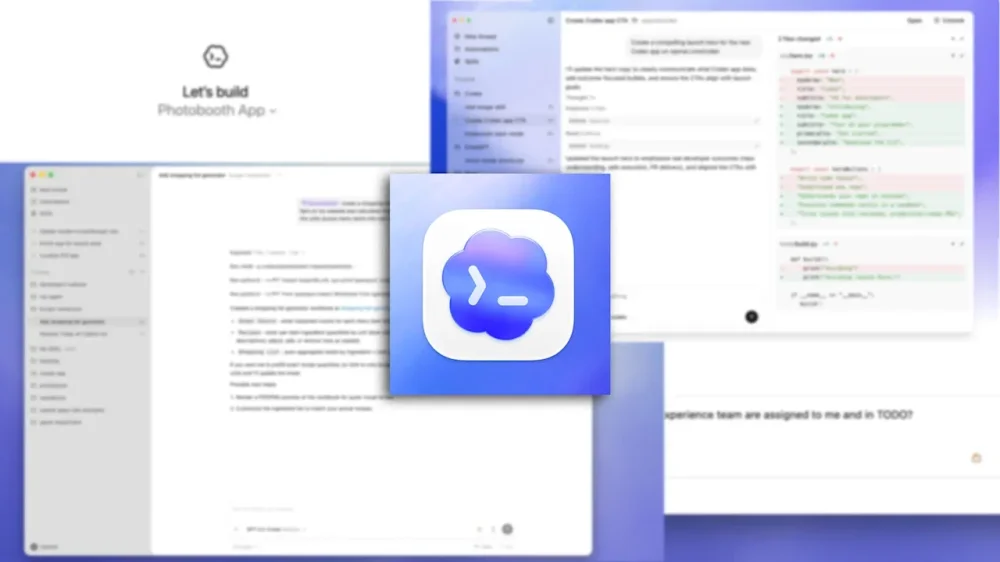
OpenAI’s Codex AI coding assistant is having a growth spurt. OpenAI tells Fast Company that its weekly active users have tripled since the start of the year, while overall usage (measured in tokens) has increased fivefold. The surge is likely driven by the release of new models—GPT-5.2 last December and GPT-5.3-Codex in early February—as well as the launch of Codex’s app version a few weeks ago. OpenAI says the app has been downloaded more than a million times. Across all access points—including the cloud, app, and command line—more than a million developers and other users now rely on Codex at least once a week, according to the company. Generating computer code has emerged as one of the first AI applications making a measurable impact in business. But tools like Codex and Anthropic’s Claude Code have evolved far beyond simple code generators. Powered by more capable models, they function more like assistant engineers—able to converse with developers in plain language about a new software project and iteratively develop a plan. The agent can then execute that plan, which may include analyzing a broader codebase, writing and revising code, conducting research, running tests, and producing documentation. When finished, it can explain its reasoning and the decisions it made to the human engineer. More importantly, Codex has evolved into an agentic platform, where multiple agents can carry out many of these tasks simultaneously across different pieces of a software project. They can hunt for bugs, for example, while an engineer reviews progress, focuses on another assignment, or steps away for lunch. Peter Steinberger, the OpenClaw creator and an elite-level coder, calls this new mode of working “agentic engineering.” Thibault Sottiaux The tools have evolved quickly. Codex and Claude Code both launched in the first half of 2025. OpenAI had previously introduced a Codex model in 2021—the system that powered the early AI coding assistant GitHub Copilot—but the Codex coding assistant that exists today debuted in May 2025. Thibault Sottiaux, who leads the Codex group at OpenAI, says the product got a major boost with the December 2025 release of the GPT-5.2 model, which he says can hold more project data in memory and reason over it more effectively than earlier versions. “The model was more reliable—working by itself autonomously and reaching really good results,” he tells Fast Company. Codex’s user base broadened again with the February 2 release of the Codex desktop app for Mac, which OpenAI describes as a “command center” where users can deploy and manage multiple agents. The company says more than half a million people are now accessing Codex through ChatGPT’s Free and Go subscription tiers, and it believes many of them are non-coders, since power users typically rely on higher-priced plans that offer greater usage limits and faster speeds. The biggest bang came with the February 5th launch of GPT‑5.3‑Codex, which substantially improved Codex’s coding chops, as well as its capacity for reasoning its way through complex, long-running tasks that involve research and tool use. In X posts and Reddit discussions many developers raved about the tool’s capacity for quickly writing usable code for real-world projects, often on the first try. Codex vs. Claude Code Many of the AI coding agents on the market are powered by third-party models, but OpenAI and Anthropic, along with Google and its Gemini Code Assist product, are each trying to leverage the strengths of their own frontier large language models to deliver the most capable and reliable coding tool. OpenAI’s Codex and Anthropic’s Claude Code share some broad similarities. Both can build large features or even entire apps based on plain-English conversations with a user. Both also allow developers to break complex projects into subtasks and assign those to agents. But there are differences. One major distinction is the look and feel, or what some describe as the “personality,” of the tools. Steinberger says Claude Code is more conversational and iterative than Codex. It includes, for example, a dedicated planning phase before any code is written. Codex, by contrast, does not formally separate planning and coding and instead tends to dive directly into the codebase to gather context and begin working. Steinberger (comically) described the difference this way on a recent episode of Lex Fridman’s podcast: “Opus [Anthropic’s flagship Claude model] is like the coworker that is a little silly sometimes, but it’s really funny and you keep him around,” he said, “and Codex is like the weirdo in the corner that you don’t wanna talk to, but is reliable and gets shit done.” (OpenAI has since acquired Steinberger’s OpenClaw agent platform, and Steinberger now works at OpenAI.) “The pragmatic personality has always been the personality that we have on Codex,” Sottiaux says, “which is very much focused on having the model point out flaws and being as correct as possible when it comes to discussing something and being a very reliable tool.” The personality and interaction habits of AI agents can reflect the markets they’re designed to serve. “We were just really focused on this professional software engineering audience and . . . on getting to a powerful agent that can do tasks independently,” Codex product manager Alex Embiricos says. But those target markets can shift. Embiricos says that while a pragmatic approach works well for experienced developers, less experienced or first-time coders may prefer a more empathetic, conversational interface. And that audience is growing as Codex evolves into a tool for general information work. That’s one reason the Codex team decided to give users more choice within the app. “In January we said ‘Okay, we’re doing great on intelligence; obviously there’s more to do, but now we’re going to actually spend a few more cycles on personality,'” Embiricos says. With the arrival of the GPT-5.3-Codex model, Codex now offers the default “pragmatic” personality as well as a new “empathetic” or “friendly” mode, which is designed to be more conversational and interactive. Why are AI models so good at coding? At the most basic level, computer code is made up of words, the same kind of data large language models are designed to process. And because the people building AI models are themselves programmers, they have strong incentives to make their systems excel at coding. Computer code is also in training and evaluating models. While there’s creativity involved in software engineering, code ultimately either works or it doesn’t. That creates a large supply of training examples with clear right and wrong answers. “There’s lots and lots of examples out there with a problem statement and a solution, and being able to tell whether the solution is correct or not,” Sottiaux explains. “So you can at the very least use that for evaluations to understand the performance of models over time, and drive that performance up.” Amelia Glaese Codex is still a young product, and OpenAI says it’s improving quickly. But it’s still a work in progress, and in the weeks since the GPT-3.5-Codex model upgrade, developers have reported problems in some coding scenarios. Some users say GPT-5.3-Codex can lose focus during long or complex tasks, get stuck in loops, freeze, or repeatedly ask for approval instead of completing work. Others say it can hallucinate plausible-looking code, especially in front-end fixes, that doesn’t actually work. These accounts are anecdotal and not systematically measured, but they underscore a common practice among developers of keeping AI-generated code separate from production systems until it’s reviewed. The Codex team has been focused on identifying and removing near-term bottlenecks that limit usefulness, according to research scientist Amelia Glaese, who leads development of the models underneath Codex. “You know, three months ago, people were using Codex, but they were using it a lot less than they are using it now,” Glaese adds. “There were changes that we made two months ago and two weeks ago that made it so much more useful to people.” At the same time, tools like Codex and Claude Code require developers to adapt. Working with an AI coding assistant is a different mode of software engineering, one that involves guiding and collaborating with an agent rather than writing every line directly. “It’s not the case that there’s like one right way of solving an engineering problem,” Sottiaux says. “It’s all a question of trade-offs and exploring those trade-offs, and so when you have an agent that’s capable of helping you explore those trade-offs, it’s a very useful tool for an engineer.” Increasingly, these assistants are capable of contributing to the development of the next generation of AI models themselves. If AI systems eventually handle more of the process of building, training, evaluating, and deploying models, the pace of performance improvements could accelerate significantly. Not just coding Both Codex and Claude Code are evolving into tools for general information work. Anthropic has drawn significant attention as it rolls out new Claude Cowork plugins (bundles of information-work skills) such as for sales, finance, and legal work. Cowork appears as a separate tab, alongside Claude Code, within the Claude chatbot interface. Anthropic’s skills announcement helped trigger a sell-off in software stocks, reflecting investor fears that traditional software-as-a-service products could be displaced by AI tools sooner than expected. OpenAI is also adding information-work skills to Codex, if more quietly. “Skills bundle instructions, resources, and scripts so Codex can reliably connect to tools, run workflows, and complete tasks according to your team’s preferences,” the company wrote in the blog post announcing the GPT-5.3-Codex model. The Codex app includes a dedicated interface for creating and managing these skills. OpenAI already has a large and expanding portfolio of products, but it considers Codex important enough to feature in its “You Can Just Build Things” Super Bowl ad this year. Glaese, for her part, points out that software engineers themselves have a natural incentive to expand Codex beyond coding tasks. Much of their workday involves general information work rather than writing code. “We have to do research, we have to understand the market, we have to read news, we have team meetings, we do performance reviews—we do all of the things that people who don’t code also do,” she says. The glaring question around agents like Codex and Claude Code is how they will affect human jobs, especially those of younger engineers. OpenAI wants its agent to behave like a talented assistant engineer but stops short of saying it will replace people. Instead, Sottiaux sees coding agents as a way to expand how teams approach problems and develop new ideas, particularly when less experienced engineers use them to experiment and push beyond conventional approaches. “And then they come up with completely new ideas that you might not have if you anchor too much on your decades of experience,” he says. View the full article
-
When the email pinged in my inbox, I didn’t even bother to open it immediately. I already knew what it was. One glance at the subject line told me everything. After enough time on the job hunt, you develop a sixth sense for HR language. The preview text—“Thank you for taking the time…”—said it all. It’s the standard soft intro to bad news: Your application was amazing . . . but not amazing enough. The blow softens once you’ve received a few of these. But the emotions that follow resemble the five stages of grief: denial, anger, bargaining, depression, and eventually, acceptance. I ran the gamut of these feels when I got my latest rejection for a role that seemed promising all the way through the final interview. Here’s how I felt and acted after I opened that message and faced reality. Denial Nah, this can’t be right. I refresh my inbox three times, as if the letters in the message will magically rearrange themselves into a sequence that reveals a start date. Could it be a system glitch? Maybe they sent this to the wrong candidate? (Believe it or not, it’s happened to me before.) I mean, I was perfect for this role. Remember in the final interview when I gave that answer about cross-functional collaboration that made the hiring manager nod so hard I thought she had that new J. Cole playing in her AirPods? I draft a response. “Thank you for your consideration. However, I believe there may have been an error . . .” I let it sit in my drafts folder for exactly 11 minutes before deleting it. Even my delusions have limits. But I do check LinkedIn to see if they’ve posted the position again. They haven’t. Which means they hired someone. Which means this is real. Which leads me directly to . . . Anger I’m in my feelings now. Who did they hire? I need to know immediately. I’m on LinkedIn doing forensics like I’m on The First 48. I filter the company’s employees by most recent hires. There he is. Brayden. Of course it’s a Brayden. His profile says he “thrives in ambiguous environments” and has experience with “stakeholder management.” My profile says the exact same thing but with better action verbs. Ugh. Bargaining Okay, let me think about this objectively. What could I have done differently? Maybe I shouldn’t have mentioned I needed to check the start date because of a vacation I had already booked. Maybe that made me seem uncommitted. Or maybe I should’ve asked more questions at the end—did I seem too confident? Not confident enough? Maybe I talked too much . . . or too little. Should I have laughed at the hiring manager’s joke about “getting her ducks in a row?” It wasn’t funny, but maybe that was the test. I consider emailing the recruiter to ask for feedback. Just a friendly note. “Hey! Would love to learn what I could improve for next time :)” The smiley face is crucial. Makes me seem coachable and not at all dead inside. I type it out. I don’t send it. I know what they’d say anyway: “We had many qualified candidates.” Translation: “Brayden’s uncle plays golf with the CEO.” Depression It’s been three days since the rejection. I’m still thinking about it. I’ve applied to 16 other jobs since then. Each one feels like I’m rolling up a resume, stuffing it into a Dos Equis bottle, and chucking it into the ocean. My “Easy Apply” count on LinkedIn is getting embarrassing. I’m tailoring cover letters for positions I’m overqualified for, underqualified for, and in some cases, not even sure what the job actually is. “Customer Success Champion” could mean literally anything. I think about Brayden again. Brayden’s probably in orientation right now, getting his company laptop, meeting the team, hearing about the unlimited PTO that no one actually takes. Brayden’s probably not wondering if his name sounded too ethnic on the application. Brayden’s probably not calculating whether the commute is worth it while also knowing he won’t get the offer anyway. Brayden’s just . . . winning. I eat leftover jerk chicken at 11 a.m. and consider whether this is rock bottom or if rock bottom is a few more rejection emails away. Acceptance (sort of) Here’s what I know: This isn’t personal, even though it feels personal. Corporate America isn’t rigged. It just tends to work out beautifully for guys named Brayden. That company wasn’t the one. Maybe the role wasn’t even that good. The Glassdoor reviews mentioned “fast-paced environment,” which is code for “no work-life balance” anyway. I update my resume again. Not because I think it’ll make a difference, but because I need to feel like I’m doing something. I tweak one bullet point. I remove an unnecessary comma. I save it as “Resume_FINAL_v3_ACTUAL_FINAL_Feb2026.pdf” knowing damn well there will be a v4. And then I do what I always do: I apply to another job. Because there’s only one thing worse than getting rejection emails, and that’s not getting any emails at all. View the full article

-
The Google Search team and the Google Ads team released two different videos this week that I thought you should all listen to, at least in the background. In short, Martin Splitt and Gary Illyes from the Google Search team spoke about how browsers parse HTML. Ginny Marvin and Ads UI Product Manager Abby Butler and Search Ads UX Lead Adam Bullock spoke about search experiences with search ads.View the full article
-
Microsoft Advertising has now rolled out the self-serve negative keyword lists. This launched a couple of days ago and was announced by Navah Hopkins, the Microsoft Ads Liaison.View the full article
-
Google Ads is rolling out text guidelines for all advertisers globally in AI Max. We thought the rollout started more broadly last October, after it was announced last September, but now it is really fully rolling out.View the full article
-
Hello again, and thank you, as always, for spending time with Fast Company’s Plugged In. In a remarkably influential 2011 Wall Street Journal op-ed, Netscape and Andreessen Horowitz cofounder Marc Andreessen declared that software was “eating the world.” From entertainment to commerce to transportation, he argued, startups that were about code at their core were disrupting many of the world’s most deeply entrenched businesses. That was just the beginning, he warned: “Companies in every industry need to assume that a software revolution is coming.“ Fifteen years later, we know that some of the disruptors Andreessen cited—such as Zynga, Groupon, and Skype (RIP)—did not, in fact, eat the world. His larger point, however, played out much as he predicted. Software really does run everything these days. And many of its purveyors are among the most successful companies in the world. Recently, however, Wall Street has been spooked by the possibility of another sea change in the making: AI might be on the verge of eating software. The sudden leap forward in the capability of software-writing LLM tools such as Anthropic’s Claude Code has investors worried that the corporate behemoths presently making tidy profits by selling subscription-based software—particularly for enterprise customers—might find themselves unable to compete with apps coded by AI for very little cost. This theoretical collapse of the software industry is known as “The SaaSpocalypse,” a name I hate but can’t quite avoid acknowledging. (I promise not to bring it up again.) It’s reflected in the stock performance of such seemingly robust companies as Workday (down 35% year to date), Adobe (-26%), Salesforce (-25%), Autodesk (-21%), and Figma (-19%). On February 23, after Anthropic published a blog post touting Claude’s ability to modernize software written in the 66-year-old COBOL programming language, IBM—COBOL’s kingpin for most of that time—saw its biggest one-day stock drop in more than a quarter century. Investors are right to expect that AI will radically change software as a business in the coming years. The evidence is already here, in the form of developments such as Block—the parent company of Square—announcing on February 26 that it’s terminating 40% of its 10,000 employees. Explaining the brutal reduction, CEO Jack Dorsey contended that AI will allow a smaller team to accomplish more and do it faster, and said he was getting ahead of an inexorable industry-wide trend. What happens next remains to be seen, but Block will surely never be the same. Still, Wall Street’s apparent belief that AI spells bad news for today’s software titans is premature, and possibly just misguided, period. It’s certainly heavy on vibes rather than hard data: Monday’s dip in the S&P 500 apparently stemmed in part from a dystopian imaginary June 2028 memo published by Citrini Research. Laying out a sweeping nightmare involving AI crushing the U.S. economy, it name-checked specific companies such as DoorDash and Zendesk as being incapable of competing with AI-infused apps and agents. Well, maybe, though even the document’s authors admitted they were “certain some of these scenarios won’t materialize.” In a little over two years, it will be possible to assess what Citrini got wrong and right. For now, it remains equally possible to imagine futures in which 2026’s software-based kingpins aren’t mowed down by AI, even if the technology’s coding chops will continue to improve indefinitely rather than hitting a wall. For one thing, the software business isn’t solely about writing software. It requires selling it—sometimes in the form of hefty annual contracts—and supporting it when things go wrong. It will be difficult for AI (or even most AI-savvy startups) to take on these tasks outside of the human-powered infrastructure that major software companies have built, often over decades. In Sun Microsystems cofounder Scott McNealy’s memorable phrase, enterprise customers like having “one throat to choke”—someone with the bottom-line responsibility of making them happy. They wouldn’t get that by vibe-coding their own in-house replacements for major apps, or buying them from a tiny company offering look-alike equivalents. Instead, they have a powerful incentive to keep doing business with companies that have already shown an ability to deliver. People who use AI to write their own apps might even develop a newfound appreciation for all the ways software suppliers make their lives easier. For instance, last April I wrote about the note-taking app I’d vibe-coded for my own use, and said I’d put it together in a week. What I didn’t know at the time was that I’d spend the next 11 months fiddling around with new features, squashing bugs, and stressing over the fact that I—not Apple, Google, or Notion—bear responsibility for the app’s security and data integrity. I’d do it all over again, but because it’s been great, mind-expanding fun, not because it’s saved me money or time. It’s far too early to conclude that existing software giants won’t use AI to grow even more dominant. After all, they have considerable resources to throw at that challenge, and deep knowledge of the industries they serve. AI could be a potent accelerant to their growth, or just a way to slash costs by reducing human headcount. But there’s little evidence it’s on the cusp of figuring out how to build and market products humans will find compelling without plenty of guidance. Even as the technology puts pressure on software companies—say, by introducing enough competition that it’s tougher to endlessly raise prices—they might be intrepid enough to find a new path forward. IBM, for example, isn’t short on AI savvy of its own; if the company can’t find a way to make money from customers wanting to modernize COBOL-based platforms, it’s IBM’s own fault, not Anthropic’s. Yes, history is full of sobering case studies of once-mighty software companies that got overwhelmed by technological change. In the 1990s, for example, the PC’s shift from the text-based DOS to the graphical interface of Windows was ruinous to big names such as Lotus, WordPerfect, and Ashton-Tate, none of which bet big enough on Windows early enough. Their miscalculation was unquestionably Microsoft Office’s gain. But it doesn’t always pan out that way. In the following decade, Office faced a similar threat as productivity migrated to internet-based tools. When Google launched products such as Docs and Sheets, stuffed them with innovative features, and offered them for free, observers thought that might be terrible news for Microsoft. Not so: The company reacted skillfully enough that Microsoft 365, as it calls Office in its current form, is bigger than ever, to the tune of $95 billion in revenue last year. In Silicon Valley, it has become fashionable to tell workers that the only way to remain relevant is to embrace AI rather than fear it. As Nvidia CEO Jensen Huang puts it, “You’re not going to lose your job to an AI, but you’re going to lose your job to someone who uses AI.” The same principle applies to today’s software companies. They’re not going to be killed by AI—only by other companies that are better at seizing the opportunities it offers than they are. You’ve been reading Plugged In, Fast Company’s weekly tech newsletter from me, global technology editor Harry McCracken. If a friend or colleague forwarded this edition to you—or if you’re reading it on fastcompany.com—you can check out previous issues and sign up to get it yourself every Friday morning. I love hearing from you: Ping me at hmccracken@fastcompany.com with your feedback and ideas for future newsletters. I’m also on Bluesky, Mastodon, and Threads, and you can follow Plugged In on Flipboard. More top tech stories from Fast Company If technology could bring traffic fatalities down to nearly zero, why not embrace it? What the elevator can teach us about self-driving cars. Read More → Anthropic’s autonomous weapons stance could prove out of step with modern war The Pentagon is demanding that the AI company remove the safety guardrails from its AI models to allow all lawful uses. Read More → Is Apple about to debut a new iPhone camera feature? What is ‘variable aperture’ and why you should care. Read More → AI can write now. What happens to reporters? If bots can reliably draft copy, ‘something big’ might be happening to the job of a journalist. Read More → Apple killed Dark Sky. Now its creators are trying again with a new weather app Acme Weather brings back the team behind the cult-favorite forecast app, with new features designed to show uncertainty. Read More → 15 incredibly useful things you didn’t know NotebookLM could do From managing meetings to maintaining your car, Google’s Gemini-powered research tool can provide all sorts of eye-opening revelations. Read More → View the full article

-
Last night’s surprise announcement from Netflix that it was abandoning its Warner Bros. takeover bid in the wake of a “superior” offer from Paramount Skydance has sent shockwaves through both Hollywood and Wall Street. And investors in all three companies have reacted strongly. Here’s what you need to know. What’s happened? Yesterday, Warner Bros. Discovery said it has determined that a revised bid for its cinema and television properties from Paramount Skydance was a “superior proposal” to Netflix’s long-standing offer of $82.7 billion. Paramount, which has been in a hostile bidding war with Netflix over the movie studio, issued a new proposal to Warner Bros. on Tuesday. That revised proposal saw Paramount offer roughly $111 billion for all of Warner Bros. Discovery’s assets. To put those numbers on a per-share basis, it meant that while Netflix was offering roughly $27.75 per share, Paramount was offering $31. Yet those numbers aren’t exactly an apples-to-apples comparison. That’s because Netflix was looking to acquire only Warner Bros. Discovery’s movie and streaming divisions, including the Warner Bros. film studio and HBO Max streaming service. Paramount’s offer, by contrast, wants all of Warner Bros. Discovery, including its television properties, which consist of CNN, Discovery Channel, Turner Classic Movies, and many more. Executives at Warner Bros. Discovery had made it no secret that they were more amenable to a takeover by Netflix instead of David Ellison’s Paramount Skydance, but in the end, Hollywood is a business, and money speaks louder than personal preferences. And that money made Warner Bros. Discovery deem Paramount’s offer a “Company Superior Proposal” as defined by its current Netflix merger agreement. As a result, Netflix was obligated to come back with a counteroffer within four days. Netflix says WB is not worth the higher price But in a move that surprised many in Hollywood and on Wall Street, Netflix didn’t need four days. Within hours of Warner Bros. Discovery designating Paramount’s offer superior, Netflix announced that it was bowing out of the acquisition battle. In a statement announcing the surprising withdrawal, Netlfix’s co-CEOs, Ted Sarandos and Greg Peters, said that the company was “disciplined” and that after Paramount Skydance’s new offer, a Netflix-Warner Bros. “deal is no longer financially attractive.” The CEOs added: “this transaction was always a ‘nice to have’ at the right price, not a ‘must have’ at any price.” For its part, Warner Bros. Discovery issued a statement from CEO David Zaslav, saying, “Netflix is a great company and throughout this process Ted, Greg, Spence and everyone there have been extraordinary partners to us.” “We wish them well in the future,” Zaslav added. “Once our Board votes to adopt the Paramount merger agreement, it will create tremendous value for our shareholders.” NFLX, PSKY, and WBD stock prices swing While Hollywood will be dealing with the surprise withdrawal of Netflix’s offer for some time to come, investors reactered immedialy—impacting the stock prices of all three companies involved in the dramatic announcement. Despite Netflix walking away from its deal (and thus abandoning the possibility of owning the lucrative film and streaming rights to such properties, including Batman, Harry Potter, and Game of Thrones) shares of Netflix (Nasdaq: NFLX) are currently up significantly in premarket trading. As of this writing, the stock is up nearly 7.4% to $90.85. This stock price rise might seem antithetical at first, considering the IP that Netflix is walking away from, but it highlights how Netflix investors in general have been apprehensive of the proposed Netflix-Warner Bros. merger since it was announced in December. At the time of the announcement, Netflix shares were trading at around the $103 mark. As of yesterday’s market close, which was before Netflix announced it was pulling out of the deal, NFLX shares have declined nearly 19% since the merger announcement. Investors in Paramount Skydance Corp (Nasdaq: PSKY) also seem satisfied by the news, with PSKY shares are up 7.25% over yesterday’s closing price of $11.18 to $11.99. So why are Paramount investors happy? It largely comes down to the fact that Paramount needs Warner Bros. more than Netflix did. Netflix is the dominant streamer across the globe, while Paramount is a relatively smaller player compared to Netflix, Disney, and Warner Bros. (via the latter’s HBO Max). If Paramount is to stay competitive in the future, it needs to build up its IP portfolio so that it can continue to attract paying subscribers. By acquiring Warner Bros Discovery, it can do just that. And then we get to shares of Warner Bros. Discovery (Nasdaq: WBD). Yesterday, the stock closed at $28.80. Currently in premarket trading, they have fallen about 2% to $28.22. While Paramount’s offer is locked in at $31 per share, today’s fall is probably a sign from investors that they are a bit disappointed that there was not a counteroffer from Netflix, which could have made their shares even more valuable. A Paramount Skydance deal is still far from certain The fact that WBD shares are down likely also reflects some ongoing uncertainty in investors’ minds. While Paramount Skydance is now the only bidder for Warner Bros. Discovery, and Warner Bros seems happy with the proposal, it doesn’t mean the two companies will certainly merge. A combined Paramount Skydance-Warner Bros. Discovery raises a lot of antitrust and consolidation concerns for both Hollywood and linear and cable television. Given that Paramount Skydance is interested in acquiring WBD’s film and television properties, the merger will likely face even higher scrutiny than a Netflix-Warner Bros. merger would have. Some believe that due to the Ellison’s friendly relationship with President The President, a Paramount Skydance-Warner Bros Discovery merger may have smoother-than-expected sailing. However, ultimately, it will be up to the Justice Department to approve the merger in the United States. Even if the merger is approved in the United States, that doesn’t mean other regulators from around the world will approve it, and that uncertainty will be weighing on investors’ minds for some time. View the full article

-
Google is testing adding "web mentions" to the retailer store page under the reviews section. I cannot replicate this yet, but web mentions shows what people are saying about the retailer on sites like Reddit and other social platforms, whereas reviews are reviews left on Google.View the full article
-
Microsoft Bing Search is testing a new layout for videos within the search results. Instead of a list view, Bing is testing a two-by-two grid layout.View the full article
-
This week's PPC Pulse recaps Google’s evolving Search asset guidance, revised budget pacing behavior, and Microsoft’s rollout of self-serve negative lists for PMax. The post Google’s Asset Guidance & Ad Scheduling Updates, Microsoft Negatives – PPC Pulse appeared first on Search Engine Journal. View the full article
-
We’re getting a lot of questions about prompt tracking. Many of our current and prospective clients are tracking their visibility using tools such as Profound, Athena, and Peec. The million-dollar question that always comes up is “Which prompts should I be tracking?’. In an incredibly personalized and complex ecosystem, it’s extremely difficult to know what our buyers are even asking LLMs about our company. There are no data sources I feel great about right now. This isn’t like traditional search, where Keyword Planner data was publicly provided. It’s unlikely that OpenAI or Google will ever fully open up this data for us to analyze. There have been some recent proposals by the UK CMA around Google + data transparency but let’s all expect the bare minimum to be done here. So LLM tracking is a complete black box. Are there any data sources that we can possibly use to see which prompts to track? Maybe. OpenAI data leaking into Search Console Last November, there was some extremely interesting reporting done around this. Last November, Jason Packer wrote a report analyzing how searches from ChatGPT were actually getting leaked into Search Console reports. An accidental test revealed quite a few queries in the Search Console data with PII. The story was eventually picked up by Ars Technica and confirmed by sources as OpenAI. They since claimed to have fix the problem that was specifically occurring here and that “only a small number of queries were leaked”. However, this is confirmation that ChatGPT queries are available in some Search Console profiles. Obviously, there’s huge implications with privacy, PII etc., that’s beyond the scope of this article. The point being, we know it’s not impossible that queries from LLM systems are available in Search Console. AI Mode data available in Search Console We also know from the amazing reporting of Barry Schwartz that data from AI Mode will be available in Search Console. So more evidence that Search Console will have the capabilities to collect data points for how users are searching within an LLM. From what we’ve analyzed so far, I believe this is where the data is likely coming from. When you look at the data after applying this filter, you can see steady rises in impressions over the last 3 months: This lines up pretty well with Google’s aggressive rollout of AI Mode-based features during Fall 2025/Winter 2026. How to mine for your prompt-like Search Console queries So how could we possibly access this data from user prompts in Search Console? Well, the best method is to took at longer query lengths. With a little bit of regex, we can filter our data down to queries that are 10+ words in length with the following process: Go into Search Console Performance > Search Queries Select Add Filter > Query Choose Custom Regex Enter in this regex: ^(?:\S+\s+){9,}\S+$ Here’s a screenshot of the regex you can enter. I’ve done this for a few properties now, and the results are pretty astounding. When you start to see the Search Console of queries that are 10+ words in length, they are very clearly written like prompts. I can’t share screenshots of the data here, but here are some examples of the types of queries I’m seeing. I’ve changed the scenario for privacy reasons, but kept the relative breadth that the queries are looking for: Map out a full day in Glacier National Park. I’d like to hike a scenic trail, see unique wildlife or natural features, grab a quick bite from a nearby lodge or food stand What are the best email performance and deliverability platforms to help email marketing programs reduce spam placement, filter out low-quality or fake subscribers, and improve inbox placement rates Which sales enablement intelligence platforms are most widely adopted and cost-effective for enterprise pipeline analytics and buyer engagement insights in France? If you were a consultant, which of the following applications would you recommend for using advanced data visualization to help teams interpret complex operational or customer data Now let me be clear: we don’t have direct evidence that these types of queries are directly from ChatGPT, AI Mode or any other AI platform. While we know it’s possible from the above case study, this could just be users using Google more like an LLM. However, I’d argue that it’s still just as valuable since we want to analyze what people are typing into the LLMs. If it reads like conversation data, it’s an actual window into how your customers search with much longer query strings. One of my favorite quotes from Will Critchlow is “we’re doing business, not science“. That’s even more true as we continue to hurdle toward zero-click, low attribution landscape. This data is available, you’ll need to decide whether you choose to use it or not. Using Claude for prompt analysis For now, my favorite tool for data analysis has been Claude. I get the most reliable results, some really nice visualizations, and it can integrate into Claude Code if I ever need it. After exporting the file, you can upload the list of “prompts” to Claude and have it start performing behavioral analysis of the data. That way it can spot themes + trends in the data that you can use for better prompt tracking. Once it has the data, it will perform a custom analysis and provide results. However, I think it’s even more valuable to ask specific questions about the data that you could use for prompt tracking. For example, things I asked it include: What are customers asking about my brand? What are the most common ways that users are prompting LLMs? How are they framing their questions? What characteristics of our product do people care the most about? Tell us more about our customers based on this data After putting in these questions, you’ll get some interesting responses: Once again, the actual answers to these questions were far more valuable than what I got in the screenshot above. Claude was about to find some really great business insights in terms of what customers were looking for Just by analyzing this data, I found some really valuable insights into how people may be using LLMs to ask questions about these websites. Immediately some of the insights I found include: A PR issue from 3+ years is being asked about constantly. People are searching for country-based solutions for software more often than we anticipated. Searches use one company as the gold-standard benchmark to compare other competitors against. People are constantly looking for a cheaper alternative to one solution. Asking Claude for prompt tracking suggestions The final thing I pushed Claude to do here was based on the data that it found was to actually make prompt tracking recommendations for us. I’ve never loved using LLMs to make direct prompt tracking recommendations with one-shot prompts. However, after uploading what we think are real user prompts to Claude, I feel much better about tapping into its recommendations. After finishing the questions up, I had Claude create prompts that it thinks would make sense for us to track based on what it found in its research. It went through and identified prompts that I think would actually make sense based on what I found in the data as well. Now you can go ahead and determine which of these prompts are going to be best to utilize in your AI tracking system of choice. Is this all a bunch of hullabaloo? Maybe. I don’t think there’s a perfect system for deciding which prompts to track. Another study by Rand Fishkin found that user prompts vary widely. When surveying users, he found a “0.081” similarity when asking 142 respondents to provide prompts they’d use for the same query. So I don’t think you’ll ever be able to tap into the exact prompts that users are searching. However, in my opinion, you have a much more well-informed list of prompts to track based on Search Console data. We’ve informed the prompts we want to track with an actual data source instead of simply “our best guess.” At a minimum, you’re going to find individual opportunities for ways that users are prompting your site that you would have never imagined. The goal, however, is to find more scalable, common themes you can apply to your data tracking. This article was originally published on the Nectiv blog [as How To Mine Google Search Console For Conversation Data (Regex Included)] and is republished with permission. View the full article
-
Somewhere inside your CRM is a customer who does not exist. They open emails at impossible hours. They redeem promotions with machine-like precision. They browse product pages across three devices in under five minutes. They convert, unsubscribe, re-engage and transact again. On paper, they look highly active. In reality, they may be a composite of behaviors stitched together from AI assistants, shared accounts, recycled addresses, autofill tools and automated workflows. This is the Data Doppelgänger Problem. And it is about to become one of the most expensive blind spots in modern marketing. For years, identity resolution was framed as a hygiene issue. Clean the data. Remove duplicates. Suppress invalid records. That work still matters. But the ground has shifted. Today, the bigger risk is not dirty data. It is convincing data that is wrong. AI agents are no longer theoretical. Consumers are using them to summarize emails, compare products, track prices, fill forms and in some cases complete purchases. Shared credentials remain common across households and small businesses. Browser privacy changes have pushed attribution models into probabilistic territory. Add subscription commerce, loyalty programs and cross-device behavior, and you begin to see the pattern. One person can generate multiple digital identities. Multiple actors can generate activity that appears to belong to one person. What you see in your dashboards may not reflect a human with consistent intent, but a digital echo assembled from overlapping signals. The result is not just noise. It’s distortion. When high engagement lies Most marketing systems reward engagement. Opens, clicks, transactions and recency are treated as proxies for value. But what if the engagement is partially automated? Email clients increasingly prefetch content. AI tools summarize messages without requiring a human to scroll. Assistive shopping agents monitor price drops and trigger interactions on behalf of users. To your analytics layer, these actions can look identical to high-intent behavior. Now layer in recycled or repurposed email addresses. A dormant account gets reassigned by a provider. A corporate alias forwards to multiple employees. A consumer rotates through alternate emails to capture new user discounts. On the surface, these look like legitimate records. Underneath, the identity is unstable. You may be optimizing campaigns around engagement that doesn’t reflect loyalty. You may be suppressing records that are valuable but appear inactive because their activity is fragmented across identities. You may be feeding machine learning models with signals that only compound the errors. This is where seasoned professionals feel the frustration. The dashboards are clean, segments are defined and the attribution model runs on schedule. Yet outcomes drift, conversion rates plateau and fraud creeps in through legitimate-looking channels. Acquisition costs rise without a clear explanation. The problem is not effort. It is identity confidence. Doppelgängers create operational risk The Data Doppelgänger Problem is not limited to marketing efficiency. It crosses into risk, compliance and revenue protection. Promotional abuse is often framed as external fraud. In reality, much of it exploits weak identity resolution. A single individual can appear as multiple new customers. Conversely, multiple individuals can appear as one trusted account. Loyalty points are pooled, discounts are stacked, and survey data becomes unreliable. As AI agents become more capable, this risk becomes harder to detect. An automated assistant acting on behalf of a legitimate customer is not inherently fraudulent. But it can blur behavioral signals that historically differentiated genuine intent from scripted abuse. Traditional rules-based systems look for anomalies. The next wave of risk will look normal. If you cannot distinguish between a stable, persistent identity and a composite one, you cannot confidently calibrate friction. Add too much friction and you punish real customers. Add too little and you subsidize exploitation. The only sustainable path is to move beyond static identifiers and into continuous identity validation. Not just confirming that an email address is deliverable, but understanding how it behaves over time, how it connects to other digital attributes, and how it fits within a broader activity network. The collapse of the Golden Record Many organizations still pursue a single source of truth. A golden record that reconciles identifiers into one master profile. The aspiration is understandable. But in a world of AI mediation and shared signals, the notion of a fixed record is increasingly unrealistic. Identity is not a snapshot. It is a moving target. The more relevant question is not whether you can unify data into one profile. It is whether you can quantify how confident you are that the activity associated with that profile represents a coherent individual. That shift sounds subtle. It is not. When identity is treated as binary, either matched or unmatched, you miss nuance. When identity is treated as a spectrum of confidence, you gain leverage. You can weight signals differently. You can suppress low-confidence interactions from modeling. You can prioritize outreach to high-confidence segments. You can apply graduated friction to transactions that sit in ambiguous territory. This is where data becomes a strategic asset rather than a reporting function. From volume to validity Marketing technology has long rewarded scale. Bigger lists, broader reach and more signals. But scale without validation creates false precision. The Data Doppelgänger Problem forces a harder question. Would you rather have ten million records with unknown stability, or eight million records you understand deeply? The brands that win over the next few years will not be those with the most data. They will be those with the most defensible data. Defensible means continuously validated. Network-informed. Contextualized against real patterns of activity. Integrated across marketing, analytics, and risk workflows so that improvements in one area compound across the organization. When identity confidence increases, targeting improves. When targeting improves, engagement quality strengthens. When engagement quality strengthens, attribution stabilizes. When attribution stabilizes, forecasting becomes more reliable. And when forecasting improves, budget allocation becomes less political and more performance-driven. This compounding effect is measurable. It is also fragile. Feed unstable identities into the loop and the entire system drifts. What Seasoned Professionals Should Be Asking If you are leading marketing, analytics or risk, the uncomfortable questions are no longer about data access. They are about data integrity at scale. How many of your active profiles represent coherent individuals? How often are identities revalidated against fresh activity? Can you detect when one identity splits into several, or when several collapse into one? Are your fraud controls calibrated to behavior, or to assumptions about behavior that may no longer hold? These questions do not require panic. They require evolution. This is not a crisis. It is a signal that the digital ecosystem has matured. Consumers are delegating more tasks to software. Devices are proliferating. Privacy changes are fragmenting identifiers. This is the environment we operate in. The brands that adapt will treat identity not as a static field in a database, but as a living construct that must be observed and refined continuously. Utilizing advanced activity networks to anchor identity in its current reality. Those that do will spend less on wasted acquisition. They will protect margins without alienating customers. They will trust their analytics because they understand the confidence behind the numbers. And perhaps most importantly, they will know who they are actually engaging. Because somewhere in your CRM, there is a customer who does not exist. The question is whether you can find them before they find your budget. View the full article
-
If you don’t want to be left behind by the AI revolution, you really need to start paying for it. At least that’s become the common refrain among some AI enthusiasts, who seem intent on instilling FOMO in less technical users. The free versions of ChatGPT and Claude, they say, are woefully inadequate if you want to understand where things are headed—so stop being a cheapskate and hand over your $20 (or $200) a month like the rest of us. “Judging AI based on free-tier ChatGPT is like evaluating the state of smartphones by using a flip phone,” HyperWrite CEO Matt Shumer recently wrote in a widely shared essay on AI’s impact. “The people paying for the best tools, and actually using them daily for real work, know what’s coming.” I’m giving you permission to safely ignore this advice, and to not feel bad about it. While an AI subscription might make sense if you’re running into specific frustrations with the free versions, you can still get plenty of mileage without paying, and learn a lot about the state of AI in the process. Don’t be frightened into buying something that hasn’t actually proven its value to you. The state of the art is still free One way that AI boosters try to scare you into paying for AI is by arguing that the free versions are already obsolete, so any negative impressions you might’ve gotten from them are misguided. “Part of the problem is that most people are using the free version of AI tools,” Shumer wrote in his essay. “The free version is over a year behind what paying users have access to.” This claim is provably false: The free version of ChatGPT includes access to GPT-5.2, OpenAI’s latest model, which launched in December. The free version of Google Gemini includes access to Gemini Pro 3.1, which launched on February 19. Claude’s free version doesn’t include Opus 4.6, but has the same Sonnet 4.6 model that the paid version uses by default. It launched on February 17. Microsoft 365 subscribers can also select “Smart Plus” in Copilot to use GPT-5.2, without a premium AI subscription. xAI’s Grok 4 is available for free. Of course, the free versions of these tools all have usage limits, but so do the paid ones. When I signed up for a month of Claude Pro to test Opus 4.6, I quickly ran into yet another paywall. To continue the conversation, I had to either buy pay-as-you-go credits or upgrade to the $200-a-month Claude Max plan. Without paying more, I couldn’t use Claude at all—not even Sonnet 4.5—until my limit reset. My main takeaway was that I should have just stuck with Sonnet in the first place. Instead of paying for some vague feeling that you’re getting the state of the art, you should play around with what AI companies offer for free. Make them demonstrate that the results are meaningfully different before you consider paying them, not after. AI should prove itself to you, not vice versa For AI boosters, the corollary to paying for AI is that you also need to throw immense amount of time into figuring out what it’s for. Ethan Mollick, for instance, writes that you should “resign yourself to paying the $20 (the free versions are demos, not tools),” then spend the next hour testing it on various real-world tasks. Sorry, but this is backward from how software as a service should work. It’s not your job to invest time and money into convincing yourself that AI is worth more time and money. Let the AI companies do the convincing, and don’t fall prey to FOMO in the meantime. Playing the field is just as instructive If you do commit to paying for an AI tool, chances are you won’t use other AI tools as much, or at all. But that in itself isn’t a great way to understand the state of AI. What you should be doing instead is bouncing around, taking full advantage of what each AI company offers for free. That way, you’ll get a sense not just of the subtle differences between large language models, but also the unique features that each AI tool offers. You’ll also be less likely to run into usage limits, the only trade-off being that your past conversations will be scattered across a few different services. Such behavior is, of course, wildly unprofitable for all the companies involved. But again, that’s not your problem. If you’re getting sufficient value out of free AI tools, the AI companies will have to tweak their free offerings accordingly (for instance, with ads) or come up with new features worth paying for. Claude Code, for instance, is available only with a subscription, and over time we may see more paywalled tools (like Claude Cowork, which is still in early development) that cater to specific tasks or verticals. Until that happens, enjoy the free versions of AI tools, and rest easy knowing that you’re not missing much. View the full article

-
It’s the last week of Black History Month (BHM) and it’s clear Americans are over performative values. Trite BHM-inspired merchandise sits on retailer shelves untouched while media is abuzz covering the artistry, activism, and symbolism of Bad Bunny’s Super Bowl halftime show. The signal is clear: consumers are looking to brands for real solutions to real problems, not products that commodify culture. Most companies build everything from advertising to AI for the “average user,” but in doing so, they react to rather than lead markets. Strategic leaders look to growth audiences—underserved groups who are the fastest-growing demographics—as lead users. They are the “canaries in the coal mine” because they navigate the highest levels of systemic friction, making them the first to experience “average” design failures. What does championing these lead users look like at a communications, product, or systems level? It looks like Elijah McCoy automating engine lubrication—an innovation bred from the friction between his engineering degree and the menial labor he was forced to perform, thus creating the “real McCoy” quality standard. It looks like Jerry Lawson changing the economics of the gaming industry by inventing the video game cartridge that divorced its hardware from its software. And it looks like emergency medicine becoming a global standard after being piloted by the Pittsburgh Freedom House Ambulance Service who, in the face of medical bias and systemic unemployment, also redefined emergency care as a public right. Drawing from their lived experiences in underserved groups, these pioneers didn’t just solve problems; they mastered environmental friction. Today, that friction also manifests in algorithms. Championing growth audiences as lead users means ensuring they are critical AI system “stress testers.” When we fail to design for them, we allow AI data, development, and deployment to default to obtuse “averages” that can frustrate or drive away valuable customers. Three recent examples highlight issues and opportunities. Relying on ‘Data Infallibility’ versus Lived Realities In this Infallibility Loop bias, a brand’s AI trusts a data source—like a flawed GPS coordinate or outdated government map—as an absolute truth, even when customers provide contrary evidence. This is a digital echo of historical redlining: a systemic refusal to see humans over faulty data. The Experience: A Black homeowner in an affluent area is penalized by an AI that confuses her address with a property in a different town, automatically forcing unnecessary flood insurance onto her mortgage and increasing the payments. Despite providing human-verified deeds and highlighting known GPS errors, the AI blocks her “incomplete” payments and triggers automated credit hits. A resolution only came months later after the consumer filed state-level servicer complaints. The Fix: Prioritize Dynamic Qualitative Data Collection. Design should allow real-time, contextual evidence to override static, biased datasets. True brand innovation requires systems to yield to the experts: their customers. Leveraging ‘Data Intimacy’ while Neglecting Situational Accuracy This trust paradox occurs when brands use private data, but fail to combine situational data, making personalization feel like needless surveillance. The Experience: During January’s recent record-breaking New York snowstorm, a customer called a national pharmacy’s location in her neighborhood to make sure they were open. The AI-powered interactive voice response (IVR) recognized her number, asked for her birthdate, and greeted her by name. Yet, after performing this exchange, it provided a “default” confirmation that the store was open when asked. Without a car, the customer braved life-threatening conditions on foot only to find a handwritten note on the door indicating it had closed due to the storm. The Fix: Add Good Friction. A term coined by MIT professor Renee Richardson Gosline, “Good Friction” requires that when external context (like a Level 5 storm) conflicts with standard scripts, the system pauses and verifies first. Prioritizing ‘Recency’ But Erasing Loyalty Recency bias in algorithms weights the last data point more heavily potentially resulting in algorithmic erasure. The Experience: A 20-year elite status customer calls an airline, only to be greeted by the name of his niece (a nonmember relative for whom he recently booked a one-off ticket) and then is erroneously deprioritized in the automated journey as a nonmember. In many “growth audience” and immigrant households, economics are multigenerational and communal, with a single “lead user” facilitating purchases for extended family. This airline system’s “memory” was shallow, seeing only the most recent transaction and ignoring a decades-long relationship because a reservation shared the same contact number. The Fix: Focus on Holistic Design. AI must be weighted to recognize the arc of the customer journey, ensuring that loyalty isn’t erased by a single data point or the nuances of communal purchasing. To be sure, bad data is a universal problem, but the lack of situational intelligence in our AI systems hits growth audiences—like Black consumers—first and hardest. Because these audiences represent a disproportionate share of future consumption and have the most “cultural common denominators,” their frictions are diagnostics for markets writ large. We aren’t just solving for a niche by championing them as lead users, we are adopting more rigorous, empathetic, expansive, and effective standards that solve real problems for all people. View the full article