All Activity
- Today
-
In the highest-priced housing markets, some buyers see adjustable-rate mortgages as the only loan they may initially qualify for, Cotality found. View the full article
-
This post is brought to you by our partners at TaxAct. It initially appeared on their blog. There are many similarities between being self-employed and being a small business owner. Both allow you to be your own boss, for one thing! But in the eyes of the IRS, your formal business classification can mean very different things when it comes to filing your taxes and reporting your business income. Here’s how to determine which category you fall under as an entrepreneur and how it will impact your taxes. Self-employed vs small business owner: Understanding the differenceThe simplest way to differentiate between being self-employed and being a small business owner is to look at how you run your business. If you’re a small business owner, you run a business and often have other people working for you. If you’re self-employed, you are the business. Examples of being self-employed:Sole proprietor: As a sole proprietor, you are your business. You call the shots, work for yourself, and take your business profits as personal income.Independent contractor: As an independent contractor, often called freelancers, you produce work for others, but you are still your own boss. You work on a contractual basis with clients of your choosing, but you are not their employee.Partnership: As a partnership, you have all the qualities of a sole proprietorship, but you share ownership of the business with two or more people who are your “partners.”Characteristics of being a small business owner:You hire employees or have other self-employed workers working for you as independent contractors.Your business can be classified as a separate entity, meaning you have less personal liability.If you have part-time or full-time employees, you are responsible for collecting their taxes and obtaining workers’ compensation insurance.How are taxes handled differently?The most significant difference between small business owners and self-employed individuals is how you pay yourself. Naturally, this also affects how each pays its taxes. If you are self-employed:Your business tax deductions, profits, and losses are reported on your personal income tax return using Schedule C.If you make more than $400 per year, you are responsible for paying self-employment tax to cover your Medicare tax and Social Security contributions.You might pay quarterly estimated taxes throughout the year to avoid any penalties or a large tax bill at the end of the year.If you are a small business owner:Small businesses are taxed differently based on your business type — for example, limited liability company (LLC) taxes can be passed through to the owners, or you can elect to be taxed as a corporation.If you are taxed as a corporation, you will pay corporate taxes, which is a tax on your profits (your revenue minus the cost of goods sold and other business operating costs).You use Form W-2 to report your employees’ incomes and how much federal, state, or local income tax they had withheld.If you hire independent contractors, you must report any payments of $600 or more using Form 1099-NEC. Starting in tax year 2026, this threshold will increase to $2,000 or more.When should I transition from being self-employed to being a small business owner?As your business grows, many self-employed people start wondering when they should create a formal business entity. You might want to consider changing your business structure if: You want to lessen your personal liability. Let’s say you are a sole proprietor who reports your business expenses using Schedule C. Lately, your business expenses have been growing. You find yourself adding more assets to Schedule C when filing. In this case, it might be a good idea to limit your personal liability by structuring your business as a single-member LLC for tax purposes. In doing so, you are forming a business entity separate from yourself, offering more liability protection. Once you’ve done this, you can also elect to tax your business as an S corporation and start using Form 1120-S to report business profits and losses.You are adding additional owners or employees. Maybe you’ve been riding solo as a sole proprietor and are considering adding more owners to become a partnership or LLC. Or perhaps you’ve been in a partnership with someone else who has decided they want to leave. Whatever the case, a change in ownership can often lead to a change in business structure. Likewise, adding employees can mean more liability, providing you with another good reason to switch your business type. In the end, deciding to change your business structure comes down to what is best for you — and your business!The bottom lineUnderstanding the distinction between being self-employed and being a small business owner is key to ensuring you’re on the right track with your taxes and business structure. While both paths offer the freedom of being your own boss, they come with different responsibilities and tax obligations. As your business grows, it’s a good idea to reevaluate your classification to ensure you’re optimizing for liability protection and tax efficiency. Whether you remain self-employed or transition to a small business owner, the choice ultimately depends on your unique circumstances and long-term goals. View the full article
-
This post is brought to you by our partners at TaxAct. It initially appeared on their blog. There are many similarities between being self-employed and being a small business owner. Both allow you to be your own boss, for one thing! But in the eyes of the IRS, your formal business classification can mean very different things when it comes to filing your taxes and reporting your business income. Here’s how to determine which category you fall under as an entrepreneur and how it will impact your taxes. Self-employed vs small business owner: Understanding the differenceThe simplest way to differentiate between being self-employed and being a small business owner is to look at how you run your business. If you’re a small business owner, you run a business and often have other people working for you. If you’re self-employed, you are the business. Examples of being self-employed:Sole proprietor: As a sole proprietor, you are your business. You call the shots, work for yourself, and take your business profits as personal income.Independent contractor: As an independent contractor, often called freelancers, you produce work for others, but you are still your own boss. You work on a contractual basis with clients of your choosing, but you are not their employee.Partnership: As a partnership, you have all the qualities of a sole proprietorship, but you share ownership of the business with two or more people who are your “partners.”Characteristics of being a small business owner:You hire employees or have other self-employed workers working for you as independent contractors.Your business can be classified as a separate entity, meaning you have less personal liability.If you have part-time or full-time employees, you are responsible for collecting their taxes and obtaining workers’ compensation insurance.How are taxes handled differently?The most significant difference between small business owners and self-employed individuals is how you pay yourself. Naturally, this also affects how each pays its taxes. If you are self-employed:Your business tax deductions, profits, and losses are reported on your personal income tax return using Schedule C.If you make more than $400 per year, you are responsible for paying self-employment tax to cover your Medicare tax and Social Security contributions.You might pay quarterly estimated taxes throughout the year to avoid any penalties or a large tax bill at the end of the year.If you are a small business owner:Small businesses are taxed differently based on your business type — for example, limited liability company (LLC) taxes can be passed through to the owners, or you can elect to be taxed as a corporation.If you are taxed as a corporation, you will pay corporate taxes, which is a tax on your profits (your revenue minus the cost of goods sold and other business operating costs).You use Form W-2 to report your employees’ incomes and how much federal, state, or local income tax they had withheld.If you hire independent contractors, you must report any payments of $600 or more using Form 1099-NEC. Starting in tax year 2026, this threshold will increase to $2,000 or more.When should I transition from being self-employed to being a small business owner?As your business grows, many self-employed people start wondering when they should create a formal business entity. You might want to consider changing your business structure if: You want to lessen your personal liability. Let’s say you are a sole proprietor who reports your business expenses using Schedule C. Lately, your business expenses have been growing. You find yourself adding more assets to Schedule C when filing. In this case, it might be a good idea to limit your personal liability by structuring your business as a single-member LLC for tax purposes. In doing so, you are forming a business entity separate from yourself, offering more liability protection. Once you’ve done this, you can also elect to tax your business as an S corporation and start using Form 1120-S to report business profits and losses.You are adding additional owners or employees. Maybe you’ve been riding solo as a sole proprietor and are considering adding more owners to become a partnership or LLC. Or perhaps you’ve been in a partnership with someone else who has decided they want to leave. Whatever the case, a change in ownership can often lead to a change in business structure. Likewise, adding employees can mean more liability, providing you with another good reason to switch your business type. In the end, deciding to change your business structure comes down to what is best for you — and your business!The bottom lineUnderstanding the distinction between being self-employed and being a small business owner is key to ensuring you’re on the right track with your taxes and business structure. While both paths offer the freedom of being your own boss, they come with different responsibilities and tax obligations. As your business grows, it’s a good idea to reevaluate your classification to ensure you’re optimizing for liability protection and tax efficiency. Whether you remain self-employed or transition to a small business owner, the choice ultimately depends on your unique circumstances and long-term goals. View the full article
-
Creating an effective customer satisfaction questionnaire using a Likert scale requires careful planning and execution. First, you need to define clear objectives that align with your business goals. Then, you’ll craft questions that allow respondents to express their opinions on a balanced scale. This process involves more than just asking questions; it additionally includes analyzing the results and implementing feedback for continuous improvement. Comprehending these steps will help you design a survey that truly captures customer sentiment. Key Takeaways Use 3-5 targeted questions to maintain conciseness and focus on key aspects of customer satisfaction. Implement a 5-point Likert scale to capture varying degrees of agreement and provide a neutral option. Ensure clear and descriptive wording for each question to eliminate ambiguity and enhance understanding. Analyze responses quantitatively and qualitatively, using open-ended questions for deeper insights into customer sentiments. Visualize results through charts and segment data by demographics for actionable trends and benchmarks. Understanding Customer Satisfaction Questionnaires Customer satisfaction questionnaires serve as essential tools for businesses seeking to understand consumer perspectives on their products and services. These structured tools gather feedback, helping identify areas for improvement. To effectively measure customer sentiment, a customer satisfaction questionnaire Likert scale can be employed. This scale presents respondents with statements, allowing them to express their level of agreement or satisfaction. When creating a Likert scale, you should guarantee it includes a range of options, typically from “strongly agree” to “strongly disagree,” to capture nuanced opinions. Incorporating a mix of question types, such as open-ended and multiple-choice questions, can enrich the quality of feedback. Aim for a concise questionnaire, ideally 3-5 targeted questions, to maintain engagement and minimize fatigue. Analyzing responses reveals trends in customer sentiment, guiding strategic decisions for enhancing product quality and service delivery, ultimately benefiting your business’s growth and success. Importance of Using Likert Scale Utilizing a Likert scale in customer satisfaction questionnaires greatly improves the quality of feedback you receive. This scale allows your respondents to express varying degrees of agreement or disagreement, offering a nuanced grasp of customer sentiment that simple yes/no questions can’t provide. Ranging typically from 1 to 5 or 1 to 7, it facilitates quantifiable data collection, which is vital for statistical analysis and trend identification. By including a neutral option, the Likert scale prevents forcing respondents into extremes, leading to more accurate reflections of their true feelings. Clear descriptors at each point improve clarity, ensuring meaningful and actionable feedback for your business. Furthermore, Likert Scale questions are versatile, effectively measuring various aspects of customer satisfaction, such as product quality, service experience, and overall satisfaction levels. This flexibility makes it an invaluable tool in gathering thorough insights into customer perspectives. Defining Clear Objectives Defining clear objectives for your customer satisfaction questionnaire is crucial, as it guarantees the survey remains focused and relevant to your business goals. Start by identifying specific areas you want to measure, like product quality, service efficiency, and overall satisfaction. This clarity helps you tailor your Likert scale questions, ensuring you gather precise data that reflects customer sentiment accurately. Establishing these objectives also guides your selection of question types and formats, allowing you to capture nuances in satisfaction, agreement, or importance. In addition, clear objectives facilitate better analysis of results, enabling you to track changes over time and evaluate the effectiveness of any strategies you implement based on feedback. Crafting Effective Likert Scale Questions When crafting effective Likert scale questions, you should focus on clear and concise wording that directly addresses the aspect of satisfaction you want to measure. It’s vital to offer balanced response options, allowing respondents to express their feelings accurately without bias. Furthermore, ensuring your questions have contextual relevance will help respondents understand what you’re asking, leading to more meaningful feedback. Clear and Concise Wording Aspect Example Question Clarity Level Customer Service How satisfied are you with our service? High Product Quality Rate your satisfaction with product quality. High Overall Experience Rate your overall experience with us. Medium Balanced Response Options To create an effective customer satisfaction questionnaire, crafting balanced response options is essential, as this guarantees that you capture a fair assessment of respondent sentiment. Use an equal number of positive and negative choices on your Likert scale, such as a 5-point range from “Very satisfied” to “Very dissatisfied.” Including a neutral midpoint option, like “Neither satisfied nor dissatisfied,” allows respondents to express ambivalence, enhancing the accuracy of your data. Consistency in scale format across all items improves clarity and reliability, reducing potential confusion. Furthermore, clear and descriptive labels for each point help respondents understand their choices, ensuring feedback reflects their true feelings. Avoid complex language; clarity encourages honest responses and leads to actionable insights. Contextual Relevance of Questions Crafting effective Likert scale questions hinges on making certain that respondents can relate their experiences directly to the queries posed. Use clear, specific language to eliminate ambiguity, so respondents understand exactly what you want them to evaluate. Incorporating contextual language relevant to your product or service aids in this process, leading to more accurate feedback. Balance your questions with both positive and negative phrasing, allowing respondents to express a full range of sentiments. Descriptive labels for each point on the Likert scale clarify the meaning of ratings, enhancing comprehension. Furthermore, consider cultural differences that may affect interpretation, adjusting wording and context to promote inclusivity and accuracy in responses, which in the end improves the quality of the data collected. Designing a Balanced Response Scale When designing a balanced response scale, you need to take into account scale length, the importance of neutral options, and the use of descriptive labels. A scale that includes an odd number of points, like five, provides that essential neutral option, allowing respondents to express ambivalence without pressure. Clearly defining each point on the scale improves comprehension, ensuring that respondents interpret it consistently, which in the end enhances the quality of your data. Scale Length Considerations Designing a balanced response scale is vital for gathering reliable data, as it directly impacts how respondents interpret and engage with your questionnaire. A balanced scale typically ranges from 5 to 7 points, providing a good mix of granularity and simplicity. The 5-point Likert scale is the most popular, allowing for a neutral midpoint whilst capturing varying levels of agreement or satisfaction. Conversely, using an even-numbered scale, like 4 or 6 points, can push respondents to make a decisive choice. Avoid overly complex scales with 9 or more points, as they can confuse respondents and decrease reliability. Additionally, maintaining consistent scale lengths across questions improves clarity, ensuring responses are easily comparable and interpretable. Neutral Options Importance Including a neutral option in your Likert scale is crucial for accurately capturing the sentiments of respondents, as it allows them to express ambivalence without feeling pressured to choose a side. This option prevents forced choices that might misrepresent true feelings, enhancing response accuracy. Research shows that many respondents don’t feel strongly one way or the other, and a neutral option accommodates this reality. In addition, it helps reduce bias in your survey results, offering an alternative to those who may otherwise select extreme positions. Best practices recommend a balanced response scale with equal positive and negative options alongside a neutral choice, which clarifies the survey and improves comprehension of customer sentiment, identifying areas for improvement without skewing data. Descriptive Labels Usage Descriptive labels considerably improve the effectiveness of a Likert scale by providing clarity to respondents about what each response option represents. When designing your questionnaire, consider these key points: Use balanced descriptive labels, like “Very dissatisfied” to “Very satisfied,” to define the sentiment range clearly. Maintain consistent language and structure across all questions to guarantee clarity and reduce confusion. Tailor descriptive labels to reflect the specific context of your questions, promoting a stronger connection with respondents. Research shows that clear labels lead to more reliable data, minimizing the risk of misinterpretation. Ensuring Clarity and Simplicity How can you ascertain that your customer satisfaction questionnaire is both clear and simple? Start by using direct language in your questions to eliminate ambiguity. This approach guarantees that respondents fully understand what they’re being asked to rate. Limit your response options to a 5-point Likert scale, which captures nuanced opinions without overwhelming them. Use descriptive labels like “Very Satisfied” to “Very Dissatisfied” to aid interpretation. Additionally, maintain consistency in wording and format throughout the questionnaire. This practice helps prevent confusion and improves data reliability. Finally, pre-test your questionnaire with a small group to identify any unclear questions or response options before full deployment. Here’s a simple overview: Question Aspect Recommendation Language Use clear, direct language Response Options Limit to 5-point scale Consistency Keep wording and format uniform Incorporating Open-Ended Follow-Up Questions Incorporating open-ended follow-up questions in your customer satisfaction questionnaire boosts the insights you gather. These questions allow respondents to explain their ratings in detail, revealing specific reasons for their satisfaction or dissatisfaction. Enhancing Insights Through Qualitative Responses Why settle for just numerical ratings when you can gain deeper insights into customer experiences? Incorporating open-ended follow-up questions after Likert scale items allows respondents to elaborate on their ratings. This approach enriches feedback richness by revealing: Specific pain points that numerical ratings may overlook. Areas of satisfaction that need highlighting for improvement. Trends and themes that emerge from qualitative responses. Unique customer perspectives not captured by closed-ended questions. Encouraging Detailed Explanations What’s the best way to deepen your grasp of customer feedback? Incorporating open-ended follow-up questions after Likert scale items allows respondents to elaborate on their ratings, providing richer insights. These questions help clarify why someone feels a certain way, improving your awareness of specific experiences. Using prompts like “What influenced your rating?” encourages detailed responses, revealing underlying issues not captured by the scales alone. Here’s a simple structure you can follow: Follow-Up Question Purpose What influenced your rating? To comprehend factors behind the score. Please explain your thoughts on this aspect. To gather specific insights on customer sentiment. What improvements would you suggest? To identify areas for improvement. Any additional comments? To capture overall impressions and feelings. Balancing Quantitative and Qualitative Data Balancing quantitative data from Likert scale questions with qualitative insights from open-ended follow-up questions creates a more nuanced grasp of customer feedback. This combination allows customers to elaborate on their ratings, enriching your perception of their experiences. Here are some key benefits of incorporating open-ended questions: Identify Specific Issues: Uncover areas of satisfaction or dissatisfaction not covered by predefined answers. Enhance Response Quality: Encourage respondents to articulate their thoughts and feelings, leading to more actionable feedback. Support Thematic Analysis: Detect recurring patterns or themes in customer responses. Inform Strategic Decisions: Use insights from qualitative data to guide improvements based on customer feedback. This balanced approach deepens your analysis, helping you comprehend customer experiences more thoroughly. Piloting the Questionnaire When you pilot a customer satisfaction questionnaire, you’re fundamentally putting it to the test with a small, representative group of respondents. This step helps you identify potential issues during gathering initial feedback on clarity and relevance. It’s essential to include a diverse sample that reflects your target audience to guarantee the questionnaire’s effectiveness across various demographics. During the pilot, pay close attention to how respondents behave and gather qualitative feedback. Focus on refining questions, particularly those that may contain ambiguous or leading language. Observing patterns in responses can guide you in making necessary adjustments to the Likert scale format or question wording, enhancing clarity and accuracy. Implementing changes based on pilot feedback is imperative for improving the overall quality of your final questionnaire. This process increases the reliability and validity of your measurements, making sure that you accurately gauge customer satisfaction. Analyzing Survey Results Analyzing survey results is crucial for comprehending customer satisfaction and making informed business decisions. To effectively analyze Likert scale data, follow these steps: Convert responses: Assign numerical values to your ordinal data, enabling calculations of mean scores and standard deviations. Visualize findings: Use bar charts or histograms to display response distributions, making it easier to identify trends and patterns. Segment data: Break down results by demographic factors or customer groups to uncover varying satisfaction levels, which helps tailor your business strategies. Benchmark comparisons: Compare current results with previous surveys or industry benchmarks to assess progress, ensuring you look for statistically significant changes in customer perceptions. Implementing Feedback for Improvement Implementing feedback for improvement is vital, as it allows businesses to directly address customer concerns and improve satisfaction. By analyzing the data collected from your Likert scale questionnaires, you can identify trends and patterns in customer satisfaction. This insight empowers you to prioritize changes that align with customer expectations. Engaging cross-functional teams to review feedback promotes collaboration in refining processes. Regular follow-up surveys after implementing changes help measure the impact of improvements and monitor ongoing customer sentiment. Leveraging these insights guarantees that your advancements are data-driven and focused on customer needs. Here’s a simple table to recapitulate the process: Steps Actions Analyze Feedback Identify trends and prioritize changes Engage Teams Collaborate to address and refine processes Monitor Impact Conduct follow-up surveys to gauge sentiment Best Practices for Ongoing Surveys Gathering feedback through ongoing customer satisfaction surveys is a strategic way to maintain a pulse on your customers’ experiences and preferences. Here are some best practices to improve your survey efforts: Use Likert Scales: Regularly employ Likert scales to capture nuanced feedback, providing deeper insights than simple yes/no questions. Maintain Consistency: Keep your survey format consistent, including question wording and response scales, to improve clarity and reliability in responses. Keep It Concise: Limit surveys to 3-5 questions to prevent respondent fatigue, as shorter surveys typically yield higher completion rates. Mix Question Types: Incorporate both Likert scale and open-ended questions to gather quantitative ratings alongside qualitative insights, offering a fuller picture of customer sentiment. Frequently Asked Questions What Is a Likert Scale Question for Customer Satisfaction Survey? A Likert scale question for a customer satisfaction survey asks respondents to rate their agreement or satisfaction with a specific statement, usually on a scale from 1 to 5. For instance, you might ask, “How satisfied are you with our service?” Respondents would then choose their level of satisfaction, from “very dissatisfied” to “very satisfied.” This format captures nuanced feedback, allowing you to analyze trends in customer sentiment effectively. What Is the 5 Point Likert Scale for Satisfaction? The 5-point Likert scale for satisfaction measures respondents’ feelings about a product or service. It ranges from “Very Satisfied” (5) to “Very Dissatisfied” (1), including a neutral option at 3. This scale helps you capture varying levels of satisfaction effectively, offering clarity without overwhelming respondents. It’s widely used as it balances detail with simplicity, allowing you to analyze feedback easily and identify areas needing improvement in your offerings. What Is the 4-Point Likert Scale for Effectiveness Questionnaire? The 4-point Likert scale measures effectiveness by offering four distinct response options: “Very Effective,” “Effective,” “Ineffective,” and “Very Ineffective.” This design eliminates a neutral choice, encouraging you to express a definitive opinion. By compelling respondents to lean in the direction of agreement or disagreement, it improves the clarity of their perceptions. Using this scale can yield more reliable data, as it minimizes the tendency to select neutral responses and helps identify stronger sentiments regarding effectiveness. How to Make a Questionnaire Using Likert Scale? To make a questionnaire using a Likert scale, start by defining what you want to assess, like customer satisfaction or service quality. Create clear, concise questions that allow respondents to express their opinions on a 5-point scale, from “Very Satisfied” to “Very Dissatisfied.” Mix closed-ended and open-ended questions for thorough feedback. After designing your questionnaire, pilot test it with a small group to identify any confusing elements before broader distribution. Conclusion Creating an effective customer satisfaction questionnaire using a Likert scale requires careful consideration of question clarity and response design. By defining clear objectives and crafting balanced questions, you can gather meaningful data. Piloting the questionnaire helps refine it, ensuring reliability. Analyzing the results will identify trends and areas for improvement. Continuously implementing feedback promotes ongoing improvements, eventually leading to better customer experiences. Following these guidelines will help you develop a robust tool for measuring customer satisfaction effectively. Image via Google Gemini This article, "How to Create an Effective Customer Satisfaction Questionnaire With Likert Scale" was first published on Small Business Trends View the full article
-
Creating an effective customer satisfaction questionnaire using a Likert scale requires careful planning and execution. First, you need to define clear objectives that align with your business goals. Then, you’ll craft questions that allow respondents to express their opinions on a balanced scale. This process involves more than just asking questions; it additionally includes analyzing the results and implementing feedback for continuous improvement. Comprehending these steps will help you design a survey that truly captures customer sentiment. Key Takeaways Use 3-5 targeted questions to maintain conciseness and focus on key aspects of customer satisfaction. Implement a 5-point Likert scale to capture varying degrees of agreement and provide a neutral option. Ensure clear and descriptive wording for each question to eliminate ambiguity and enhance understanding. Analyze responses quantitatively and qualitatively, using open-ended questions for deeper insights into customer sentiments. Visualize results through charts and segment data by demographics for actionable trends and benchmarks. Understanding Customer Satisfaction Questionnaires Customer satisfaction questionnaires serve as essential tools for businesses seeking to understand consumer perspectives on their products and services. These structured tools gather feedback, helping identify areas for improvement. To effectively measure customer sentiment, a customer satisfaction questionnaire Likert scale can be employed. This scale presents respondents with statements, allowing them to express their level of agreement or satisfaction. When creating a Likert scale, you should guarantee it includes a range of options, typically from “strongly agree” to “strongly disagree,” to capture nuanced opinions. Incorporating a mix of question types, such as open-ended and multiple-choice questions, can enrich the quality of feedback. Aim for a concise questionnaire, ideally 3-5 targeted questions, to maintain engagement and minimize fatigue. Analyzing responses reveals trends in customer sentiment, guiding strategic decisions for enhancing product quality and service delivery, ultimately benefiting your business’s growth and success. Importance of Using Likert Scale Utilizing a Likert scale in customer satisfaction questionnaires greatly improves the quality of feedback you receive. This scale allows your respondents to express varying degrees of agreement or disagreement, offering a nuanced grasp of customer sentiment that simple yes/no questions can’t provide. Ranging typically from 1 to 5 or 1 to 7, it facilitates quantifiable data collection, which is vital for statistical analysis and trend identification. By including a neutral option, the Likert scale prevents forcing respondents into extremes, leading to more accurate reflections of their true feelings. Clear descriptors at each point improve clarity, ensuring meaningful and actionable feedback for your business. Furthermore, Likert Scale questions are versatile, effectively measuring various aspects of customer satisfaction, such as product quality, service experience, and overall satisfaction levels. This flexibility makes it an invaluable tool in gathering thorough insights into customer perspectives. Defining Clear Objectives Defining clear objectives for your customer satisfaction questionnaire is crucial, as it guarantees the survey remains focused and relevant to your business goals. Start by identifying specific areas you want to measure, like product quality, service efficiency, and overall satisfaction. This clarity helps you tailor your Likert scale questions, ensuring you gather precise data that reflects customer sentiment accurately. Establishing these objectives also guides your selection of question types and formats, allowing you to capture nuances in satisfaction, agreement, or importance. In addition, clear objectives facilitate better analysis of results, enabling you to track changes over time and evaluate the effectiveness of any strategies you implement based on feedback. Crafting Effective Likert Scale Questions When crafting effective Likert scale questions, you should focus on clear and concise wording that directly addresses the aspect of satisfaction you want to measure. It’s vital to offer balanced response options, allowing respondents to express their feelings accurately without bias. Furthermore, ensuring your questions have contextual relevance will help respondents understand what you’re asking, leading to more meaningful feedback. Clear and Concise Wording Aspect Example Question Clarity Level Customer Service How satisfied are you with our service? High Product Quality Rate your satisfaction with product quality. High Overall Experience Rate your overall experience with us. Medium Balanced Response Options To create an effective customer satisfaction questionnaire, crafting balanced response options is essential, as this guarantees that you capture a fair assessment of respondent sentiment. Use an equal number of positive and negative choices on your Likert scale, such as a 5-point range from “Very satisfied” to “Very dissatisfied.” Including a neutral midpoint option, like “Neither satisfied nor dissatisfied,” allows respondents to express ambivalence, enhancing the accuracy of your data. Consistency in scale format across all items improves clarity and reliability, reducing potential confusion. Furthermore, clear and descriptive labels for each point help respondents understand their choices, ensuring feedback reflects their true feelings. Avoid complex language; clarity encourages honest responses and leads to actionable insights. Contextual Relevance of Questions Crafting effective Likert scale questions hinges on making certain that respondents can relate their experiences directly to the queries posed. Use clear, specific language to eliminate ambiguity, so respondents understand exactly what you want them to evaluate. Incorporating contextual language relevant to your product or service aids in this process, leading to more accurate feedback. Balance your questions with both positive and negative phrasing, allowing respondents to express a full range of sentiments. Descriptive labels for each point on the Likert scale clarify the meaning of ratings, enhancing comprehension. Furthermore, consider cultural differences that may affect interpretation, adjusting wording and context to promote inclusivity and accuracy in responses, which in the end improves the quality of the data collected. Designing a Balanced Response Scale When designing a balanced response scale, you need to take into account scale length, the importance of neutral options, and the use of descriptive labels. A scale that includes an odd number of points, like five, provides that essential neutral option, allowing respondents to express ambivalence without pressure. Clearly defining each point on the scale improves comprehension, ensuring that respondents interpret it consistently, which in the end enhances the quality of your data. Scale Length Considerations Designing a balanced response scale is vital for gathering reliable data, as it directly impacts how respondents interpret and engage with your questionnaire. A balanced scale typically ranges from 5 to 7 points, providing a good mix of granularity and simplicity. The 5-point Likert scale is the most popular, allowing for a neutral midpoint whilst capturing varying levels of agreement or satisfaction. Conversely, using an even-numbered scale, like 4 or 6 points, can push respondents to make a decisive choice. Avoid overly complex scales with 9 or more points, as they can confuse respondents and decrease reliability. Additionally, maintaining consistent scale lengths across questions improves clarity, ensuring responses are easily comparable and interpretable. Neutral Options Importance Including a neutral option in your Likert scale is crucial for accurately capturing the sentiments of respondents, as it allows them to express ambivalence without feeling pressured to choose a side. This option prevents forced choices that might misrepresent true feelings, enhancing response accuracy. Research shows that many respondents don’t feel strongly one way or the other, and a neutral option accommodates this reality. In addition, it helps reduce bias in your survey results, offering an alternative to those who may otherwise select extreme positions. Best practices recommend a balanced response scale with equal positive and negative options alongside a neutral choice, which clarifies the survey and improves comprehension of customer sentiment, identifying areas for improvement without skewing data. Descriptive Labels Usage Descriptive labels considerably improve the effectiveness of a Likert scale by providing clarity to respondents about what each response option represents. When designing your questionnaire, consider these key points: Use balanced descriptive labels, like “Very dissatisfied” to “Very satisfied,” to define the sentiment range clearly. Maintain consistent language and structure across all questions to guarantee clarity and reduce confusion. Tailor descriptive labels to reflect the specific context of your questions, promoting a stronger connection with respondents. Research shows that clear labels lead to more reliable data, minimizing the risk of misinterpretation. Ensuring Clarity and Simplicity How can you ascertain that your customer satisfaction questionnaire is both clear and simple? Start by using direct language in your questions to eliminate ambiguity. This approach guarantees that respondents fully understand what they’re being asked to rate. Limit your response options to a 5-point Likert scale, which captures nuanced opinions without overwhelming them. Use descriptive labels like “Very Satisfied” to “Very Dissatisfied” to aid interpretation. Additionally, maintain consistency in wording and format throughout the questionnaire. This practice helps prevent confusion and improves data reliability. Finally, pre-test your questionnaire with a small group to identify any unclear questions or response options before full deployment. Here’s a simple overview: Question Aspect Recommendation Language Use clear, direct language Response Options Limit to 5-point scale Consistency Keep wording and format uniform Incorporating Open-Ended Follow-Up Questions Incorporating open-ended follow-up questions in your customer satisfaction questionnaire boosts the insights you gather. These questions allow respondents to explain their ratings in detail, revealing specific reasons for their satisfaction or dissatisfaction. Enhancing Insights Through Qualitative Responses Why settle for just numerical ratings when you can gain deeper insights into customer experiences? Incorporating open-ended follow-up questions after Likert scale items allows respondents to elaborate on their ratings. This approach enriches feedback richness by revealing: Specific pain points that numerical ratings may overlook. Areas of satisfaction that need highlighting for improvement. Trends and themes that emerge from qualitative responses. Unique customer perspectives not captured by closed-ended questions. Encouraging Detailed Explanations What’s the best way to deepen your grasp of customer feedback? Incorporating open-ended follow-up questions after Likert scale items allows respondents to elaborate on their ratings, providing richer insights. These questions help clarify why someone feels a certain way, improving your awareness of specific experiences. Using prompts like “What influenced your rating?” encourages detailed responses, revealing underlying issues not captured by the scales alone. Here’s a simple structure you can follow: Follow-Up Question Purpose What influenced your rating? To comprehend factors behind the score. Please explain your thoughts on this aspect. To gather specific insights on customer sentiment. What improvements would you suggest? To identify areas for improvement. Any additional comments? To capture overall impressions and feelings. Balancing Quantitative and Qualitative Data Balancing quantitative data from Likert scale questions with qualitative insights from open-ended follow-up questions creates a more nuanced grasp of customer feedback. This combination allows customers to elaborate on their ratings, enriching your perception of their experiences. Here are some key benefits of incorporating open-ended questions: Identify Specific Issues: Uncover areas of satisfaction or dissatisfaction not covered by predefined answers. Enhance Response Quality: Encourage respondents to articulate their thoughts and feelings, leading to more actionable feedback. Support Thematic Analysis: Detect recurring patterns or themes in customer responses. Inform Strategic Decisions: Use insights from qualitative data to guide improvements based on customer feedback. This balanced approach deepens your analysis, helping you comprehend customer experiences more thoroughly. Piloting the Questionnaire When you pilot a customer satisfaction questionnaire, you’re fundamentally putting it to the test with a small, representative group of respondents. This step helps you identify potential issues during gathering initial feedback on clarity and relevance. It’s essential to include a diverse sample that reflects your target audience to guarantee the questionnaire’s effectiveness across various demographics. During the pilot, pay close attention to how respondents behave and gather qualitative feedback. Focus on refining questions, particularly those that may contain ambiguous or leading language. Observing patterns in responses can guide you in making necessary adjustments to the Likert scale format or question wording, enhancing clarity and accuracy. Implementing changes based on pilot feedback is imperative for improving the overall quality of your final questionnaire. This process increases the reliability and validity of your measurements, making sure that you accurately gauge customer satisfaction. Analyzing Survey Results Analyzing survey results is crucial for comprehending customer satisfaction and making informed business decisions. To effectively analyze Likert scale data, follow these steps: Convert responses: Assign numerical values to your ordinal data, enabling calculations of mean scores and standard deviations. Visualize findings: Use bar charts or histograms to display response distributions, making it easier to identify trends and patterns. Segment data: Break down results by demographic factors or customer groups to uncover varying satisfaction levels, which helps tailor your business strategies. Benchmark comparisons: Compare current results with previous surveys or industry benchmarks to assess progress, ensuring you look for statistically significant changes in customer perceptions. Implementing Feedback for Improvement Implementing feedback for improvement is vital, as it allows businesses to directly address customer concerns and improve satisfaction. By analyzing the data collected from your Likert scale questionnaires, you can identify trends and patterns in customer satisfaction. This insight empowers you to prioritize changes that align with customer expectations. Engaging cross-functional teams to review feedback promotes collaboration in refining processes. Regular follow-up surveys after implementing changes help measure the impact of improvements and monitor ongoing customer sentiment. Leveraging these insights guarantees that your advancements are data-driven and focused on customer needs. Here’s a simple table to recapitulate the process: Steps Actions Analyze Feedback Identify trends and prioritize changes Engage Teams Collaborate to address and refine processes Monitor Impact Conduct follow-up surveys to gauge sentiment Best Practices for Ongoing Surveys Gathering feedback through ongoing customer satisfaction surveys is a strategic way to maintain a pulse on your customers’ experiences and preferences. Here are some best practices to improve your survey efforts: Use Likert Scales: Regularly employ Likert scales to capture nuanced feedback, providing deeper insights than simple yes/no questions. Maintain Consistency: Keep your survey format consistent, including question wording and response scales, to improve clarity and reliability in responses. Keep It Concise: Limit surveys to 3-5 questions to prevent respondent fatigue, as shorter surveys typically yield higher completion rates. Mix Question Types: Incorporate both Likert scale and open-ended questions to gather quantitative ratings alongside qualitative insights, offering a fuller picture of customer sentiment. Frequently Asked Questions What Is a Likert Scale Question for Customer Satisfaction Survey? A Likert scale question for a customer satisfaction survey asks respondents to rate their agreement or satisfaction with a specific statement, usually on a scale from 1 to 5. For instance, you might ask, “How satisfied are you with our service?” Respondents would then choose their level of satisfaction, from “very dissatisfied” to “very satisfied.” This format captures nuanced feedback, allowing you to analyze trends in customer sentiment effectively. What Is the 5 Point Likert Scale for Satisfaction? The 5-point Likert scale for satisfaction measures respondents’ feelings about a product or service. It ranges from “Very Satisfied” (5) to “Very Dissatisfied” (1), including a neutral option at 3. This scale helps you capture varying levels of satisfaction effectively, offering clarity without overwhelming respondents. It’s widely used as it balances detail with simplicity, allowing you to analyze feedback easily and identify areas needing improvement in your offerings. What Is the 4-Point Likert Scale for Effectiveness Questionnaire? The 4-point Likert scale measures effectiveness by offering four distinct response options: “Very Effective,” “Effective,” “Ineffective,” and “Very Ineffective.” This design eliminates a neutral choice, encouraging you to express a definitive opinion. By compelling respondents to lean in the direction of agreement or disagreement, it improves the clarity of their perceptions. Using this scale can yield more reliable data, as it minimizes the tendency to select neutral responses and helps identify stronger sentiments regarding effectiveness. How to Make a Questionnaire Using Likert Scale? To make a questionnaire using a Likert scale, start by defining what you want to assess, like customer satisfaction or service quality. Create clear, concise questions that allow respondents to express their opinions on a 5-point scale, from “Very Satisfied” to “Very Dissatisfied.” Mix closed-ended and open-ended questions for thorough feedback. After designing your questionnaire, pilot test it with a small group to identify any confusing elements before broader distribution. Conclusion Creating an effective customer satisfaction questionnaire using a Likert scale requires careful consideration of question clarity and response design. By defining clear objectives and crafting balanced questions, you can gather meaningful data. Piloting the questionnaire helps refine it, ensuring reliability. Analyzing the results will identify trends and areas for improvement. Continuously implementing feedback promotes ongoing improvements, eventually leading to better customer experiences. Following these guidelines will help you develop a robust tool for measuring customer satisfaction effectively. Image via Google Gemini This article, "How to Create an Effective Customer Satisfaction Questionnaire With Likert Scale" was first published on Small Business Trends View the full article
-
Back in January, I wrote about Meta's plans to test subscription services for some of its platforms. The idea is to keep the current experience of each app the same (that is, free of charge), while adding new features users can access for a monthly fee. It's not a bad compromise—if you hate the idea of paying for Instagram or WhatsApp, you can keep using the apps as you always have. If you like the new features, you can pay for them. Heck, maybe Meta will make enough money from subscriptions to end its data collection business! (Hey, a guy can dream.) Now, it seems that Meta is moving forward with WhatsApp's premium subscription. According to WABetaInfo, the company is working on "WhatsApp Plus," an optional paid plan that adds extra features to the messaging app. There are a number of new features on offer, but not as many as I expected for a subscription version of an app that's always been available for free. (That said, there's no indication of what WhatsApp Plus will cost, so it's possible these features are coming for something like $1 a month.) What features are coming to WhatsApp Plus?If you choose to pay for WhatsApp, Meta will offer you 14 new icons to choose from, and over a dozen options to change the app's theme. Free users can currently pin up to three threads to the top of the Chats window; paid users will be able to pin up to 20. (A screenshot from WABetaInfo shows that if you try to add too many pins, you receive a pop-up warning you "You can only pin 20 chats." Only 20!) Many of us keep our smartphones on vibrate or silent all of the time, but for anyone who doesn't, paying for WhatsApp will unlock a new set of ringtones. WABetaInfo says that each new ringtone "has its own distinctive style," though didn't share any of the sound files. Those are the features currently in testing, but WABetaInfo says that WhatsApp has more features planned for its Plus service. That could include exclusive stickers that free users will not get, and reactions could be "more immersive and interactive." How to try WhatsApp Plus earlyThere's no official timeline for WhatsApp Plus' launch, so it's difficult to say when Meta plans on rolling out it. However, WABetaInfo does say that the latest WhatsApp beta for Android (version 2.26.9.6) adds a banner, either within the sticker keyboard or at the top of the settings menu, to enroll in the WhatsApp Plus waitlist. If you're comfortable with that, sign up for the WhatsApp for Android beta, update your app to install it, then check either of these locations within the app. Note that when you sign up for the waitlist, that doesn't require you to subscribe. It only gives you the option to do so when Meta rolls out WhatsApp Plus. If you decide you don't feel like paying, you can simply ignore the option. View the full article
-
The remains of six U.S. service members killed in Kuwait following the U.S. strike on Iran were returned home Sunday during a dignified transfer at the Dover Air Force Base in Delaware. President Donald The President wore a branded hat for the occasion. Dignified transfers are are solemn movements for military members who lost their lives overseas. They involve flag-draped caskets for the fallen and a trained carry team of seven people who execute precise movements to carry the casket off an aircraft at Dover, home of the Air Force Mortuary Affairs Operations and America’s sole port mortuary. For the nation’s commander-in-chief, it’s usually a sartorial moment for showing respect. On Sunday, though, The President dressed the same way he does for a campaign rally, wearing a blue suit and a hat you can buy for $55 on his website. The President appeared at Dover wearing a white baseball hat with “USA” embroidered in gold across the front and “45-47” on the side and his signature red tie. The reaction was swift and negative. “I know what Republicans would have said if Obama had done this,” former Republican National Committee communications director Doug Heye wrote on X. “Shameful.” On Fox News, they didn’t even show the image, instead using footage of a previous dignified transfer where The President was hatless. The network later apologized and claimed it was an accident. It’s not as if The President doesn’t know what to wear. He’s dressed appropriately for the occasion before, at a dignified transfer in December for two Iowa National Guardsmen and a U.S. civilian interpreter killed in Syria. On Sunday, his wife and most his traveling party managed to dress without distraction. First lady Melania The President wore a long black coat and black gloves, Vice President JD Vance wore a dark suit and tie, and others in the administration also dressed conservatively while military leaders wore full dress uniform. Only The President and his chief of staff, Susie Wiles, who wore a white overcoat and big, round sunglasses, looked like they were dressed for a different occasion. The President wore his white “USA” hat last month when he announced the Iran war in a video statement. Since then, it has become a symbol for a war that is unpopular with the majority of Americans. Still, the hat has proven popular with his base. A note on his shop reads: “Due to high demand, this hat may take an additional 7-10 days to process and then ship.” View the full article

-
AI search changed how people find you, click on you, and convert. Here's what the Q1 data says and how to build your Q2 plan. The post 3 AI Search Changes Every Marketer Needs A Plan For In Q2 appeared first on Search Engine Journal. View the full article
-
The national average price for a gallon of regular gasoline surged nearly 27 cents in just one week, reaching $3.25, according to AAA Gas Prices. Driven primarily by escalating crude oil prices tied to ongoing geopolitical tensions in the Middle East, small business owners may find this development offers both challenges and opportunities. As gas prices soar, now sitting at levels last seen in early April 2025, small businesses, especially those reliant on transportation or fuel-intensive operations, must evaluate the implications for their bottom line. This price increase mirrors a similar spike experienced during the onset of the Russia-Ukraine conflict in March 2022. Gasoline demand saw a notable decrease last week from 8.73 million barrels per day (b/d) to 8.29 million b/d, yet the overall narrative remains one of rising costs. The latest data from the Energy Information Administration (EIA) indicates that the supply of gasoline has also dropped slightly, exacerbating upward price pressure. “Springtime typically sees higher gas prices as gasoline demand rises and summer-blend gasoline production begins. Business owners should prepare for continued volatility in fuel prices,” said an industry expert. This volatility may complicate budgeting processes for small businesses, particularly those with fleets or heavy reliance on commuting employees. Small business owners often pass on rising fuel costs to consumers, potentially making them more sensitive to pricing strategies. The decision to raise prices may not only impact customer purchasing behavior but can also influence how local businesses compete against larger chains that may absorb costs more comfortably. In practical terms, small business owners can proactively assess their operations and explore alternatives. For instance, shifting to more fuel-efficient vehicles or even exploring electric vehicle (EV) options could lead to significant savings in the long run. While the average cost of electricity at public EV charging stations remains steady at 39 cents per kilowatt-hour, businesses operating in regions with low electricity rates might find considerable operational savings. The current landscape presents various state-level dynamics worth noting. While states such as California ($4.81) and Washington ($4.44) lead in high gasoline prices, areas like Oklahoma ($2.79) and Mississippi ($2.81) offer significantly lower costs. Small businesses that can adapt their operations to take advantage of regional price differences may better navigate the ongoing fluctuations in gas prices. Moreover, the recent increase in gasoline production, averaging 9.3 million barrels per day, signals that suppliers are ramping up to meet seasonal demands, but the decrease in overall gasoline supply emphasizes the need for monitoring fuel availability closely. This situation could present unique opportunities for promotional offerings or pricing strategies that reflect market conditions, providing an edge in attracting budget-conscious customers. Navigating these challenges will require small business owners to stay attuned to industry trends. Price volatility can lead to consumer hesitancy, prompting businesses to build stronger relationships with clientele through transparent communication about pricing changes. In Washington, D.C., the volatility seen in the gas markets underscores a vital economic reality: any surge in operational costs can have ripple effects throughout the local economy. It’s essential for small business owners to explore potential partnerships, such as collaborating with local suppliers or adopting fuel-efficient practices. Small business owners looking to assess current gas and electric charging prices can utilize the AAA TripTik Travel planner, which provides real-time data along key routes. As gasoline prices continue to fluctuate, and with the broader oil market dynamics at play, agility becomes essential for small business survival. Adopting innovative approaches and a customer-centric mindset may well provide the necessary tools to not only endure but thrive during periods of economic uncertainty. For further details, you can view the original press release from AAA Gas Prices here. Image via Google Gemini This article, "Gas Prices Surge Nearly 27 Cents Amid Rising Oil Costs and Spring Demand" was first published on Small Business Trends View the full article
-
The national average price for a gallon of regular gasoline surged nearly 27 cents in just one week, reaching $3.25, according to AAA Gas Prices. Driven primarily by escalating crude oil prices tied to ongoing geopolitical tensions in the Middle East, small business owners may find this development offers both challenges and opportunities. As gas prices soar, now sitting at levels last seen in early April 2025, small businesses, especially those reliant on transportation or fuel-intensive operations, must evaluate the implications for their bottom line. This price increase mirrors a similar spike experienced during the onset of the Russia-Ukraine conflict in March 2022. Gasoline demand saw a notable decrease last week from 8.73 million barrels per day (b/d) to 8.29 million b/d, yet the overall narrative remains one of rising costs. The latest data from the Energy Information Administration (EIA) indicates that the supply of gasoline has also dropped slightly, exacerbating upward price pressure. “Springtime typically sees higher gas prices as gasoline demand rises and summer-blend gasoline production begins. Business owners should prepare for continued volatility in fuel prices,” said an industry expert. This volatility may complicate budgeting processes for small businesses, particularly those with fleets or heavy reliance on commuting employees. Small business owners often pass on rising fuel costs to consumers, potentially making them more sensitive to pricing strategies. The decision to raise prices may not only impact customer purchasing behavior but can also influence how local businesses compete against larger chains that may absorb costs more comfortably. In practical terms, small business owners can proactively assess their operations and explore alternatives. For instance, shifting to more fuel-efficient vehicles or even exploring electric vehicle (EV) options could lead to significant savings in the long run. While the average cost of electricity at public EV charging stations remains steady at 39 cents per kilowatt-hour, businesses operating in regions with low electricity rates might find considerable operational savings. The current landscape presents various state-level dynamics worth noting. While states such as California ($4.81) and Washington ($4.44) lead in high gasoline prices, areas like Oklahoma ($2.79) and Mississippi ($2.81) offer significantly lower costs. Small businesses that can adapt their operations to take advantage of regional price differences may better navigate the ongoing fluctuations in gas prices. Moreover, the recent increase in gasoline production, averaging 9.3 million barrels per day, signals that suppliers are ramping up to meet seasonal demands, but the decrease in overall gasoline supply emphasizes the need for monitoring fuel availability closely. This situation could present unique opportunities for promotional offerings or pricing strategies that reflect market conditions, providing an edge in attracting budget-conscious customers. Navigating these challenges will require small business owners to stay attuned to industry trends. Price volatility can lead to consumer hesitancy, prompting businesses to build stronger relationships with clientele through transparent communication about pricing changes. In Washington, D.C., the volatility seen in the gas markets underscores a vital economic reality: any surge in operational costs can have ripple effects throughout the local economy. It’s essential for small business owners to explore potential partnerships, such as collaborating with local suppliers or adopting fuel-efficient practices. Small business owners looking to assess current gas and electric charging prices can utilize the AAA TripTik Travel planner, which provides real-time data along key routes. As gasoline prices continue to fluctuate, and with the broader oil market dynamics at play, agility becomes essential for small business survival. Adopting innovative approaches and a customer-centric mindset may well provide the necessary tools to not only endure but thrive during periods of economic uncertainty. For further details, you can view the original press release from AAA Gas Prices here. Image via Google Gemini This article, "Gas Prices Surge Nearly 27 Cents Amid Rising Oil Costs and Spring Demand" was first published on Small Business Trends View the full article
-
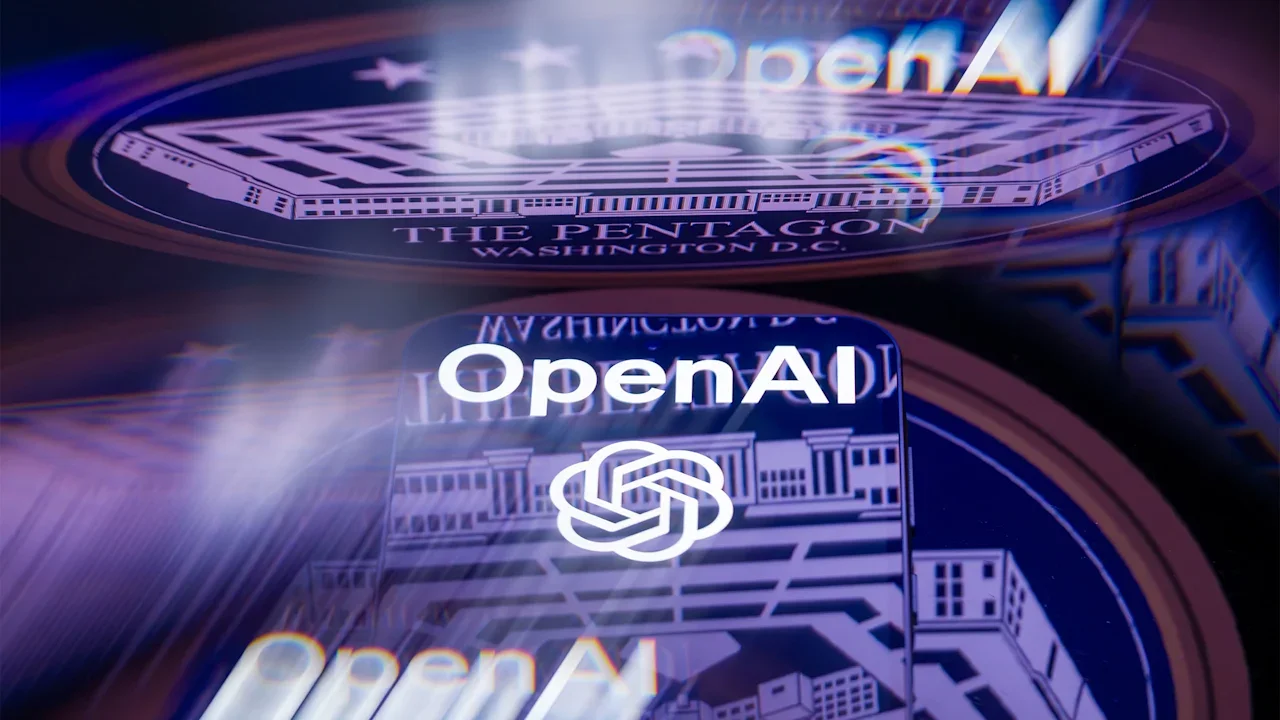
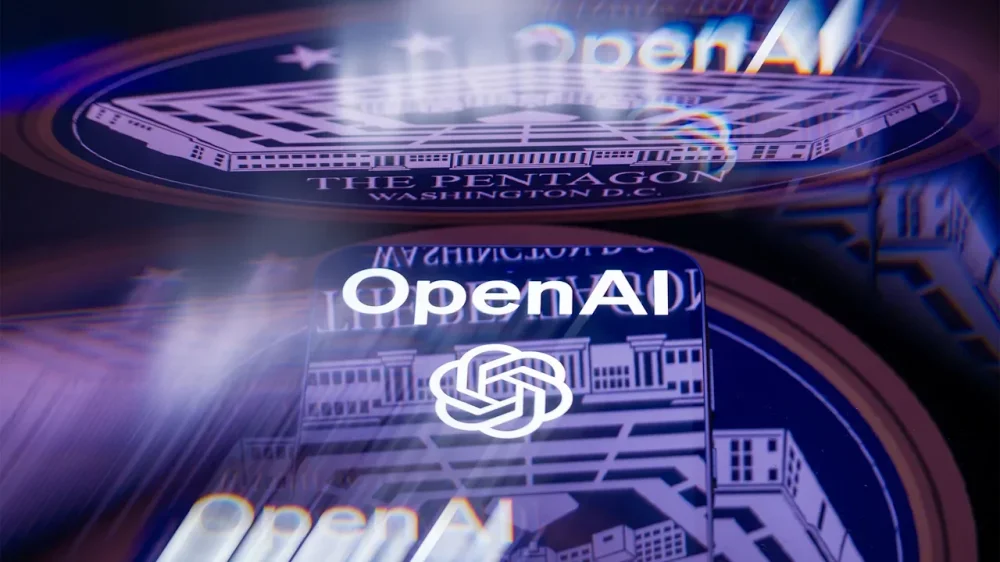
Caitlin Kalinowski, an OpenAI employee who oversaw hardware within the robotics division, is leaving the company. Kalinowski’s decision came shortly after OpenAI’s deal with the Pentagon was announced in late February. In a post on social media, Kalinowski explained that the decision was about “principle” in regard to the recent deal. “I care deeply about the Robotics team and the work we built together. This wasn’t an easy call,” Kalinowski wrote. “AI has an important role in national security. But surveillance of Americans without judicial oversight and lethal autonomy without human authorization are lines that deserved more deliberation than they got.” OpenAI’s deal with the Pentagon came to fruition after a similar deal with Anthropic fell through. Anthropic refused to let its product be used for domestic mass surveillance and autonomous weapons systems without proper oversight. After Anthropic refused a deal with the Pentagon, the Pentagon declared the company a “supply chain risk” and threatened to punish the company, which Anthropic’s CEO, Dario Amodei, said he would fight in court. After the Pentagon deal fell through, Anthropic’s chatbot Claude rose to No. 1 in the Apple App Store’s free app rankings. Other AI staffers, from both OpenAI and Google, are also supporting Anthropic’s decision not to make a deal with the Pentagon, too. An online open letter and petition titled “We Will Not Be Divided” urged AI leaders to resist the Department of War’s demands. At present, the petition has nearly 1,000 signatures from employees at both companies. It said, “They’re trying to divide each company with fear that the other will give in.” The petition continued, “We hope our leaders will put aside their differences and stand together to continue to refuse the Department of War’s current demands for permission to use our models for domestic mass surveillance and autonomously killing people without human oversight.” Regardless of the opposition, OpenAI is holding their ground on the deal, while saying that it included additional safeguards within it. A spokesperson from the company told Fast Company in an email, “We believe our agreement with the Pentagon creates a workable path for responsible national security uses of AI while making clear our red lines: no domestic surveillance and no autonomous weapons.” The statement continued, “We recognize that people have strong views about these issues and we will continue to engage in discussion with employees, government, civil society and communities around the world.” The spokesperson added that the company doesn’t plan to replace Kalinowski. Still, some experts predict that these kinds of resignations are likely to continue. AI governance leader Zahra Timsah, PhD, CEO of i-GENTIC AI, tells Fast Company, “People should not be surprised that some AI researchers are uncomfortable with military partnerships.” Timsah says that’s especially true given, “Many of them entered the field because they care deeply about safety and societal impact, so when AI moves into defense or surveillance contexts, it becomes a personal line” for many in the field. Still, Timsah says we can expect AI to continue to advance in terms of government use. “The responsible path forward is not pretending the technology won’t be used, it’s building strong governance around how it’s used.” Timsah adds that those guardrails might look like “defined access, clear authorization layers, and full traceability of what AI systems are doing and who is using them.” As for Kalinowski, the robotics leader plans to continue her work in the industry. “I’m taking a little time, but I remain very focused on building responsible physical AI,” she said in response to a question on her post. View the full article
-
San Francisco-based Anthropic is challenging a decision by the department and other federal agencies like the Federal Housing Finance Agency to shift their AI work to other providers. View the full article
-
Adding text to your videos online for free is a simple yet effective way to improve your content. By using a video editor with a “Text” tool, you can easily insert text at specific points, customizing its appearance to fit your video’s style. This process not only boosts viewer engagement but also assists in conveying your message clearly. Comprehending the different features available can raise your editing skills considerably. Let’s explore the steps involved in this process further. Key Takeaways Use free online video editors that offer a “Text” tool to insert static or animated text at desired video points. Choose from various font styles, colors, and sizes to match your video’s theme for enhanced visual appeal. Customize text by adjusting its position, duration, and animation features for better viewer engagement. Incorporate titles, subtitles, and captions to improve accessibility and viewer comprehension during silent viewing. Download and share your edited videos easily on social media platforms for effective audience engagement. Add Text to Specific Video Parts Adding text to specific parts of your video can greatly improve its clarity and impact, especially when you want to highlight key messages or provide context. With a free online video editor, you can easily add text at the start, middle, or end of your video. This tool allows you to adjust the duration of the text on the timeline, ensuring it appears only when you want it to. You can choose from various font styles, colors, and sizes to align with your video’s theme. Moreover, you can incorporate static or animated text overlays to engage viewers more effectively. The user-friendly process lets you upload your video, add text, and make simple adjustments, making it accessible for everyone. Fully Customize Your Texts When customizing your text, you have access to various font options and animation features that can improve your video’s appeal. You can select from numerous fonts to align with your video’s theme and adjust elements like size, color, and style to make your text visually engaging. Furthermore, adding animations can create a dynamic experience, helping your text stand out and capture your audience’s attention effectively. Text Animation Options Text animation options play a vital role in enhancing the visual appeal of your video content, as they allow you to fully customize how your text appears. By incorporating dynamic animations, you can engage your viewers more effectively. Here are a few key features to keep in mind: Choose from various text animation effects that make your text stand out. Adjust text duration on the timeline to synchronize with your video. Apply moving text effects to highlight important information. Access a library of free and premium fonts for unique typography. Utilizing these text animation options is significant when learning how to add text to video. They not only improve clarity but additionally boost viewer retention, making your content more impactful. Font Customization Features Customizing fonts in your video can greatly improve the overall aesthetic and effectiveness of your message. Using font customization features, you can access a media library filled with both free and premium fonts, allowing you to choose styles that reflect your video’s theme. Easily adjust the font size, color, and style through a user-friendly menu to boost visual appeal. You can apply specific color hex codes for precise color matching, ensuring brand consistency. Moreover, utilizing moving text animations and effects can create engaging visuals that capture viewer attention. The tool even supports multiple text segments throughout the video, enabling extensive customization and storytelling. This is how to add text to video effectively and professionally. Download and Share Videos Easily Once you’ve finished editing your video, downloading it’s a breeze, especially if you choose a premium plan for a watermark-free experience. You can likewise share your video directly on social media platforms like Instagram and TikTok with just a few clicks, making it easy to reach your audience. Plus, with options to resize your video for different formats, you’ll guarantee it fits perfectly across various platforms, enhancing your sharing experience. Easy Video Downloads Editing videos online has become a straightforward process, especially in regards to downloading and sharing your finished projects. After you add text to video free, you can quickly download the final version without any hassle. Here’s how to make it even easier: Choose your edited video from the online platform. Click the download button to save it directly to your device. Adjust the video size to fit formats like Instagram Reels or TikTok if needed. Share your content for free, allowing you to distribute it without extra costs. With these steps, you can effortlessly download and prepare your videos for various audiences, ensuring your creativity reaches a wider audience. Social Media Sharing Sharing your videos on social media can greatly boost your reach and engagement, especially after you’ve added text to improve your message. Once you’ve finished editing, you can easily download your final video, ensuring quick access for sharing. Many platforms allow you to share directly to various social networks, making it simple to distribute your content widely. Furthermore, when you add text to video online, you can adjust the format to suit specific platforms like Instagram Reels or TikTok, enhancing your video’s versatility. Best of all, these sharing capabilities are often free, allowing you to distribute your edited videos without incurring extra costs. This makes it easier than ever to connect with your audience. Format Resizing Options After enhancing your video with text and preparing it for social media, you’ll need to contemplate how to resize it for various formats. Here’s how you can effectively manage this: Choose the desired aspect ratio for your target platform, like Instagram Reels or TikTok. Select from over 30 supported formats, including MP4, MOV, and AVI, to download your video. If you opt for a premium account, you can download without watermarks; free accounts will include a VEED watermark. You can as well save your edited video as a template for quick edits in the future. This flexibility guarantees you can easily add text to MP4 files and share them directly on social media, streamlining your content distribution process. How to Add Text to a Video Adding text to a video can greatly boost its impact and clarity, making it easier for viewers to grasp key messages. To learn how to add text to a video for free online, begin by uploading your video file to a platform like VEED or Kapwing. Then, utilize the “Text” tool to insert either static or animated text, customizing the font, color, size, and position. You can adjust the text’s duration on the timeline, allowing it to appear at specific moments in your video. Step Action 1 Upload your video file 2 Choose the “Text” tool 3 Customize your text 4 Adjust text duration 5 Download or share your video This process boosts viewer engagement and clarity. Benefits of Text in Videos Utilizing text in videos offers numerous advantages that boost viewer experience and comprehension. When you add text to video free online, you can improve your content in several ways: Engagement: Text provides context, which is essential for grasping, especially during silent viewing. Accessibility: Titles, subtitles, and captions allow viewers to follow along without sound, making it effective on platforms like Instagram Reels and TikTok. Clarity: Highlighting key information and complex ideas enhances message retention. Visual Appeal: Animated text creates a dynamic experience, keeping your audience focused. Advanced Features and Functionality When you explore advanced features for adding text to your videos, you’ll find tools that can greatly improve your editing process. The Smart Cut feature automatically removes silences, whereas the auto-sync capability allows you to match subtitles with the spoken dialogue seamlessly. Moreover, background removal tools let you isolate subjects without the hassle of a green screen, giving you more creative control over your video content. Smart Cut Feature The Smart Cut feature is a potent tool that can greatly improve your video editing process by automatically detecting and removing silences. With this feature, you can streamline your workflow and enhance viewer engagement without tedious manual editing. Here’s how it works: It analyzes audio patterns to identify silent segments. It eliminates unnecessary pauses, maintaining a natural flow in your content. You can easily enable or disable Smart Cut based on your project needs. It markedly reduces editing time, making it invaluable for quick video production. When you use an add text to video app, combining Smart Cut with other features can lead to polished, professional results. This efficiency allows you to focus more on creativity and less on tedious tasks. Background Removal Tool One of the standout features of modern video editing tools is the background removal tool, which allows you to isolate subjects in videos without needing a green screen. This feature automatically detects and removes backgrounds, streamlining your editing process and saving you valuable time. You can apply the background removal tool to various video formats, including MP4, AVI, and MOV, making it versatile for different projects. Its user-friendly interface simplifies background removal, so you don’t need advanced editing skills. Improved background removal capabilities likewise boost video quality, resulting in more professional-looking results suitable for social media and marketing content. When you want to add text to video online, having a clean background can greatly improve your message’s visibility and impact. Auto-Sync Subtitles Capability Auto-sync subtitles capability transforms how you can improve your videos by ensuring that text aligns perfectly with the audio. This advanced feature streamlines the process of adding text, making it easier than ever to augment your content. Here’s what you can do with auto-syncing: Seamlessly integrate captions that appear at the right moments during playback. Use advanced algorithms that analyze speech patterns, reducing manual syncing time. Customize the appearance of subtitles, adjusting font style, size, and color. Support multiple languages, reaching diverse audiences. Overlay Text Over Video Adding text over video can greatly improve your content, especially when you want to convey a message or highlight important information. To put text on video online, you can easily use free video editors that support various formats like MP4, AVI, and MOV. These tools offer a wide selection of creative fonts, allowing you to customize text size, color, and animations, enhancing your video’s visual appeal. The editing process is straightforward; simply drag and drop your video or paste its URL for quick access to text overlay features. Real-time previews help you verify that the text placement and style align with your vision before finalizing. Remember to keep readability in mind, especially against busy backgrounds. User Insights and Target Audience Comprehension of user insights and identifying the target audience are crucial for online video editing tools that offer text addition features. When you consider using free online add text to MP4 video tools, keep in mind these key user groups: Social Media Managers: They seek engaging content to boost interaction. Educators: They benefit from clear subtitles and captions for instructional videos. Content Creators: They need tools for enhancing storytelling through text. Freelancers: They appreciate affordability and ease of use for professional projects. User ratings often reflect high satisfaction, with scores like 4.9 from over 4,900 reviews. The accessibility features, including automatic subtitle generation in multiple languages, as well cater to diverse needs, enhancing overall user experience. Importing and Exporting Videos When you’re ready to improve your videos with text, importing and exporting them efficiently is essential. Use the drag-and-drop interface to upload various video formats like MP4, MOV, or AVI, or simply paste a URL link. After editing your video editor text on video, you’ll want to export it. Here’s what to expect: Feature Free Account Premium Account Export Format Options Multiple Formats Multiple Formats Watermark Yes No Custom Templates No Yes You can choose your preferred video resolution during export, ensuring compatibility with different platforms. Fast server processing improves your experience by quickly handling importing and exporting videos. Text Editing Options Text editing options in online video editors offer a range of tools that improve the overall presentation of your content. With a text video maker, you can customize your text to fit your video’s theme. Here are some key features to take into account: Font, Color, and Size: Choose from a variety of fonts, colors, and sizes to uplift your text. Animation Options: Animate your text for a more engaging visual experience. Media Library Access: Utilize both free and premium fonts for creative design choices. Text Properties: Adjust alignment, opacity, and line height to guarantee readability. These options allow you to incorporate static and moving text seamlessly, improving storytelling and viewer engagement throughout your video. Security and Usability Ensuring your privacy and usability during editing videos online is crucial, especially when handling sensitive content. The online video text editor guarantees your files remain private through automatic processing, adhering to US and EU data protection standards. With no registration needed, you can immediately access features like inserting text in video without the hassle of account creation. This convenience allows you to put text on video directly from URLs. The intuitive interface makes it easy for anyone, regardless of age, to learn how to write text on video effectively. Fast server processing means quick edits, enhancing your overall experience when adding text to video or superimposing text on video. Explore apps to put words on videos and enjoy seamless editing! Integrations and Additional Features With various integrations and additional features, VEED greatly improves your video editing experience. You can easily improve your videos by utilizing: Seamless integrations for adding images, audio, and emojis. Shareable VEED links for effortless collaboration without downloads. Customizable talking head video templates that raise your content. A media library with a range of free and premium fonts for text customization. Moreover, the platform offers drawing tools, filters, and effects that boost creativity and engage viewers more effectively. These features not only streamline content creation but also improve the overall quality of your videos. By leveraging these tools, you can create professional-looking content that stands out, all while enjoying a user-friendly editing environment. Frequently Asked Questions How to Add Text in a Video Online for Free? To add text in a video online for free, start by choosing a free video editor that offers a text tool. Upload your video and select the text option to add captions or titles. You can customize the font, size, and color to suit your video’s theme. Adjust the text’s duration and placement on the timeline for clarity. Finally, export your edited video in a suitable format, ready for sharing. How to Make Text Into Video Free? To make text into a video for free, start by choosing an online video editor that suits your needs. Upload your video and look for the “Add Text” feature. You can customize the text’s font, size, and color, ensuring it fits your video’s style. Adjust the text’s position and duration on the timeline to control when it appears. Finally, download your edited video or share it directly on social media platforms. What Is the Free Online Tool to Add Captions to Videos? The free online tool you’re looking for enables you to add captions to videos effortlessly. It supports over 30 formats like MP4 and AVI, ensuring compatibility with various files. You can customize your captions using a library of fonts, adjusting size, color, and style to fit your video’s theme. Furthermore, you can choose between static and animated text for more visual appeal. Once you’re done, you can download or share your edited video directly. How to Create a Scrolling Text Video Online for Free? To create a scrolling text video online for free, start by selecting a video editing platform that offers scrolling text features. Upload your video, then find and use the “Text” tool to add moving text overlays. Customize the text with different fonts, colors, and animation effects. Adjust its duration on the timeline for timing, preview it for readability, and when you’re happy with the result, export your video in the desired format. Conclusion Incorporating text into your videos improves viewer comprehension and engagement. By using a free online video editor, you can easily add and customize text to highlight key points. Remember to adjust the timing for best visibility and consider various text editing options to elevate your project’s overall quality. Once you’re satisfied, exporting and sharing your video is simple. With these tools, you can create professional-looking content that effectively communicates your message. Image via Google Gemini This article, "How to Add Text to Video Free Online" was first published on Small Business Trends View the full article
-
Adding text to your videos online for free is a simple yet effective way to improve your content. By using a video editor with a “Text” tool, you can easily insert text at specific points, customizing its appearance to fit your video’s style. This process not only boosts viewer engagement but also assists in conveying your message clearly. Comprehending the different features available can raise your editing skills considerably. Let’s explore the steps involved in this process further. Key Takeaways Use free online video editors that offer a “Text” tool to insert static or animated text at desired video points. Choose from various font styles, colors, and sizes to match your video’s theme for enhanced visual appeal. Customize text by adjusting its position, duration, and animation features for better viewer engagement. Incorporate titles, subtitles, and captions to improve accessibility and viewer comprehension during silent viewing. Download and share your edited videos easily on social media platforms for effective audience engagement. Add Text to Specific Video Parts Adding text to specific parts of your video can greatly improve its clarity and impact, especially when you want to highlight key messages or provide context. With a free online video editor, you can easily add text at the start, middle, or end of your video. This tool allows you to adjust the duration of the text on the timeline, ensuring it appears only when you want it to. You can choose from various font styles, colors, and sizes to align with your video’s theme. Moreover, you can incorporate static or animated text overlays to engage viewers more effectively. The user-friendly process lets you upload your video, add text, and make simple adjustments, making it accessible for everyone. Fully Customize Your Texts When customizing your text, you have access to various font options and animation features that can improve your video’s appeal. You can select from numerous fonts to align with your video’s theme and adjust elements like size, color, and style to make your text visually engaging. Furthermore, adding animations can create a dynamic experience, helping your text stand out and capture your audience’s attention effectively. Text Animation Options Text animation options play a vital role in enhancing the visual appeal of your video content, as they allow you to fully customize how your text appears. By incorporating dynamic animations, you can engage your viewers more effectively. Here are a few key features to keep in mind: Choose from various text animation effects that make your text stand out. Adjust text duration on the timeline to synchronize with your video. Apply moving text effects to highlight important information. Access a library of free and premium fonts for unique typography. Utilizing these text animation options is significant when learning how to add text to video. They not only improve clarity but additionally boost viewer retention, making your content more impactful. Font Customization Features Customizing fonts in your video can greatly improve the overall aesthetic and effectiveness of your message. Using font customization features, you can access a media library filled with both free and premium fonts, allowing you to choose styles that reflect your video’s theme. Easily adjust the font size, color, and style through a user-friendly menu to boost visual appeal. You can apply specific color hex codes for precise color matching, ensuring brand consistency. Moreover, utilizing moving text animations and effects can create engaging visuals that capture viewer attention. The tool even supports multiple text segments throughout the video, enabling extensive customization and storytelling. This is how to add text to video effectively and professionally. Download and Share Videos Easily Once you’ve finished editing your video, downloading it’s a breeze, especially if you choose a premium plan for a watermark-free experience. You can likewise share your video directly on social media platforms like Instagram and TikTok with just a few clicks, making it easy to reach your audience. Plus, with options to resize your video for different formats, you’ll guarantee it fits perfectly across various platforms, enhancing your sharing experience. Easy Video Downloads Editing videos online has become a straightforward process, especially in regards to downloading and sharing your finished projects. After you add text to video free, you can quickly download the final version without any hassle. Here’s how to make it even easier: Choose your edited video from the online platform. Click the download button to save it directly to your device. Adjust the video size to fit formats like Instagram Reels or TikTok if needed. Share your content for free, allowing you to distribute it without extra costs. With these steps, you can effortlessly download and prepare your videos for various audiences, ensuring your creativity reaches a wider audience. Social Media Sharing Sharing your videos on social media can greatly boost your reach and engagement, especially after you’ve added text to improve your message. Once you’ve finished editing, you can easily download your final video, ensuring quick access for sharing. Many platforms allow you to share directly to various social networks, making it simple to distribute your content widely. Furthermore, when you add text to video online, you can adjust the format to suit specific platforms like Instagram Reels or TikTok, enhancing your video’s versatility. Best of all, these sharing capabilities are often free, allowing you to distribute your edited videos without incurring extra costs. This makes it easier than ever to connect with your audience. Format Resizing Options After enhancing your video with text and preparing it for social media, you’ll need to contemplate how to resize it for various formats. Here’s how you can effectively manage this: Choose the desired aspect ratio for your target platform, like Instagram Reels or TikTok. Select from over 30 supported formats, including MP4, MOV, and AVI, to download your video. If you opt for a premium account, you can download without watermarks; free accounts will include a VEED watermark. You can as well save your edited video as a template for quick edits in the future. This flexibility guarantees you can easily add text to MP4 files and share them directly on social media, streamlining your content distribution process. How to Add Text to a Video Adding text to a video can greatly boost its impact and clarity, making it easier for viewers to grasp key messages. To learn how to add text to a video for free online, begin by uploading your video file to a platform like VEED or Kapwing. Then, utilize the “Text” tool to insert either static or animated text, customizing the font, color, size, and position. You can adjust the text’s duration on the timeline, allowing it to appear at specific moments in your video. Step Action 1 Upload your video file 2 Choose the “Text” tool 3 Customize your text 4 Adjust text duration 5 Download or share your video This process boosts viewer engagement and clarity. Benefits of Text in Videos Utilizing text in videos offers numerous advantages that boost viewer experience and comprehension. When you add text to video free online, you can improve your content in several ways: Engagement: Text provides context, which is essential for grasping, especially during silent viewing. Accessibility: Titles, subtitles, and captions allow viewers to follow along without sound, making it effective on platforms like Instagram Reels and TikTok. Clarity: Highlighting key information and complex ideas enhances message retention. Visual Appeal: Animated text creates a dynamic experience, keeping your audience focused. Advanced Features and Functionality When you explore advanced features for adding text to your videos, you’ll find tools that can greatly improve your editing process. The Smart Cut feature automatically removes silences, whereas the auto-sync capability allows you to match subtitles with the spoken dialogue seamlessly. Moreover, background removal tools let you isolate subjects without the hassle of a green screen, giving you more creative control over your video content. Smart Cut Feature The Smart Cut feature is a potent tool that can greatly improve your video editing process by automatically detecting and removing silences. With this feature, you can streamline your workflow and enhance viewer engagement without tedious manual editing. Here’s how it works: It analyzes audio patterns to identify silent segments. It eliminates unnecessary pauses, maintaining a natural flow in your content. You can easily enable or disable Smart Cut based on your project needs. It markedly reduces editing time, making it invaluable for quick video production. When you use an add text to video app, combining Smart Cut with other features can lead to polished, professional results. This efficiency allows you to focus more on creativity and less on tedious tasks. Background Removal Tool One of the standout features of modern video editing tools is the background removal tool, which allows you to isolate subjects in videos without needing a green screen. This feature automatically detects and removes backgrounds, streamlining your editing process and saving you valuable time. You can apply the background removal tool to various video formats, including MP4, AVI, and MOV, making it versatile for different projects. Its user-friendly interface simplifies background removal, so you don’t need advanced editing skills. Improved background removal capabilities likewise boost video quality, resulting in more professional-looking results suitable for social media and marketing content. When you want to add text to video online, having a clean background can greatly improve your message’s visibility and impact. Auto-Sync Subtitles Capability Auto-sync subtitles capability transforms how you can improve your videos by ensuring that text aligns perfectly with the audio. This advanced feature streamlines the process of adding text, making it easier than ever to augment your content. Here’s what you can do with auto-syncing: Seamlessly integrate captions that appear at the right moments during playback. Use advanced algorithms that analyze speech patterns, reducing manual syncing time. Customize the appearance of subtitles, adjusting font style, size, and color. Support multiple languages, reaching diverse audiences. Overlay Text Over Video Adding text over video can greatly improve your content, especially when you want to convey a message or highlight important information. To put text on video online, you can easily use free video editors that support various formats like MP4, AVI, and MOV. These tools offer a wide selection of creative fonts, allowing you to customize text size, color, and animations, enhancing your video’s visual appeal. The editing process is straightforward; simply drag and drop your video or paste its URL for quick access to text overlay features. Real-time previews help you verify that the text placement and style align with your vision before finalizing. Remember to keep readability in mind, especially against busy backgrounds. User Insights and Target Audience Comprehension of user insights and identifying the target audience are crucial for online video editing tools that offer text addition features. When you consider using free online add text to MP4 video tools, keep in mind these key user groups: Social Media Managers: They seek engaging content to boost interaction. Educators: They benefit from clear subtitles and captions for instructional videos. Content Creators: They need tools for enhancing storytelling through text. Freelancers: They appreciate affordability and ease of use for professional projects. User ratings often reflect high satisfaction, with scores like 4.9 from over 4,900 reviews. The accessibility features, including automatic subtitle generation in multiple languages, as well cater to diverse needs, enhancing overall user experience. Importing and Exporting Videos When you’re ready to improve your videos with text, importing and exporting them efficiently is essential. Use the drag-and-drop interface to upload various video formats like MP4, MOV, or AVI, or simply paste a URL link. After editing your video editor text on video, you’ll want to export it. Here’s what to expect: Feature Free Account Premium Account Export Format Options Multiple Formats Multiple Formats Watermark Yes No Custom Templates No Yes You can choose your preferred video resolution during export, ensuring compatibility with different platforms. Fast server processing improves your experience by quickly handling importing and exporting videos. Text Editing Options Text editing options in online video editors offer a range of tools that improve the overall presentation of your content. With a text video maker, you can customize your text to fit your video’s theme. Here are some key features to take into account: Font, Color, and Size: Choose from a variety of fonts, colors, and sizes to uplift your text. Animation Options: Animate your text for a more engaging visual experience. Media Library Access: Utilize both free and premium fonts for creative design choices. Text Properties: Adjust alignment, opacity, and line height to guarantee readability. These options allow you to incorporate static and moving text seamlessly, improving storytelling and viewer engagement throughout your video. Security and Usability Ensuring your privacy and usability during editing videos online is crucial, especially when handling sensitive content. The online video text editor guarantees your files remain private through automatic processing, adhering to US and EU data protection standards. With no registration needed, you can immediately access features like inserting text in video without the hassle of account creation. This convenience allows you to put text on video directly from URLs. The intuitive interface makes it easy for anyone, regardless of age, to learn how to write text on video effectively. Fast server processing means quick edits, enhancing your overall experience when adding text to video or superimposing text on video. Explore apps to put words on videos and enjoy seamless editing! Integrations and Additional Features With various integrations and additional features, VEED greatly improves your video editing experience. You can easily improve your videos by utilizing: Seamless integrations for adding images, audio, and emojis. Shareable VEED links for effortless collaboration without downloads. Customizable talking head video templates that raise your content. A media library with a range of free and premium fonts for text customization. Moreover, the platform offers drawing tools, filters, and effects that boost creativity and engage viewers more effectively. These features not only streamline content creation but also improve the overall quality of your videos. By leveraging these tools, you can create professional-looking content that stands out, all while enjoying a user-friendly editing environment. Frequently Asked Questions How to Add Text in a Video Online for Free? To add text in a video online for free, start by choosing a free video editor that offers a text tool. Upload your video and select the text option to add captions or titles. You can customize the font, size, and color to suit your video’s theme. Adjust the text’s duration and placement on the timeline for clarity. Finally, export your edited video in a suitable format, ready for sharing. How to Make Text Into Video Free? To make text into a video for free, start by choosing an online video editor that suits your needs. Upload your video and look for the “Add Text” feature. You can customize the text’s font, size, and color, ensuring it fits your video’s style. Adjust the text’s position and duration on the timeline to control when it appears. Finally, download your edited video or share it directly on social media platforms. What Is the Free Online Tool to Add Captions to Videos? The free online tool you’re looking for enables you to add captions to videos effortlessly. It supports over 30 formats like MP4 and AVI, ensuring compatibility with various files. You can customize your captions using a library of fonts, adjusting size, color, and style to fit your video’s theme. Furthermore, you can choose between static and animated text for more visual appeal. Once you’re done, you can download or share your edited video directly. How to Create a Scrolling Text Video Online for Free? To create a scrolling text video online for free, start by selecting a video editing platform that offers scrolling text features. Upload your video, then find and use the “Text” tool to add moving text overlays. Customize the text with different fonts, colors, and animation effects. Adjust its duration on the timeline for timing, preview it for readability, and when you’re happy with the result, export your video in the desired format. Conclusion Incorporating text into your videos improves viewer comprehension and engagement. By using a free online video editor, you can easily add and customize text to highlight key points. Remember to adjust the timing for best visibility and consider various text editing options to elevate your project’s overall quality. Once you’re satisfied, exporting and sharing your video is simple. With these tools, you can create professional-looking content that effectively communicates your message. Image via Google Gemini This article, "How to Add Text to Video Free Online" was first published on Small Business Trends View the full article
-
We may earn a commission from links on this page. Apple products are notoriously expensive: The latest MacBook Air starts at $1,099, as does the iPhone 17 Pro, and while I love my AirPods Max, I strongly recommend buyers wait until they're on sale to avoid spending $549 on headphones. Apple makes good stuff, but that stuff comes at a cost. Not all of Apple's products are this expensive, mind you. The new iPhone 17e starts at $599. That's not necessarily cheap, but it isn't $1,099, either. Apple's MacBook Neo has drawn a lot of buzz by fetching the same price tag as the 17e, but also because of its education price: $499. For that price, students and educators can buy a brand-new MacBook that does just about anything you'd want an Apple laptop to do. For the rest of us, $599 is still a great price for such a machine, but, of course, we'd rather get the education price if we could. Anyone can shop Apple's Education StoreAccording to Apple, the Education Store only applies to "current and newly accepted college students and their parents, as well as faculty, staff, and homeschool teachers of all grade levels." But this is the (open) secret of Apple's Education Store: While the discounts are supposed to be for students, educators, and parents, anyone can shop the Education Store and take advantage of the same savings. There is no proof required when accessing the Education Store online in the U.S.—it's just a different section of the Apple Store website. Once you're in, you're in, and you can get the same discounts as anyone Apple would intend the discount for. That includes, of course, the MacBook Neo, which starts at just $499 on the Education Store (for the 256GB model). But it also applies to Apple's other Macs: M5 MacBook Air: starts at $999 rather than $1,099 M5 MacBook Pro: starts at $1,599 rather than $1,699 14-inch M5 Pro MacBook Pro: starts at $2,049 rather than $2,199 16-inch M5 Pro MacBook Pro: starts at $2,499 rather than $2699 iMac: starts at $1,249 rather than $1,299 Mac mini: starts at $499 rather than $599 Mac Studio: starts at $1,799 rather than $1,999 Mac Pro: starts at $6,599 rather than $6,999 But it's not just Macs that are discounted here. You'll also find iPads with some small price cuts. That includes: iPad: starts at $329 instead of $349 iPad mini: starts at $449 instead of $499 iPad Air: starts at $549 instead of $599 iPad Pro: starts at $899 instead of $999 There are other savings to be found here, too: Apple's new Studio Display and Studio Display XDR, iPad accessories, as well as Apple Care+ plans, have discounts on the Education Store. But Apples other products do not, even though they're available to buy on the Education Store. iPhones are the same price for students as they are for all buyers, as are Apple Watches, Apple TVs, and Apple Vision Pros. How to shop Apple's Education StoreApple's Education Store is open to anyone on the web. You can access it from this link, or by heading to Apple's official site, scrolling down to the bottom of the page, and choosing "Shop for College" under "For Education." Be aware, however, that while Apple might not verify your purchase, it still intends these products to be purchased by Education Store. As such, not only will the company require you to check a box confirming you meet the qualifications to shop here, it reserves the right to charge you the difference. Hypothetically, you could be on the hook for the $100 you save on the MacBook Neo through the Education Store, and while I've never heard of that happening, that's the risk you take. The Education Store isn't the only way to score Apple discountsIf you aren't a student and you don't feel comfortable saying you are one to shop the Education Store, you still have options to get Apple products at a discount. For anyone open to buying pre-owned or open-box items, Apple's Refurbished Store is a great place to look. The company has options across more of its product lineup (including iPhones) you can choose from, and while they aren't new devices, they are covered by a limited one-year warranty by Apple. You can also find deep discounts on Apple products from third-party retailers. Amazon, for instance, frequently has deals on MacBooks of all kinds, especially from previous generations. Since Apple's modern Macs perform well for years after release, this can be a great way to get a machine without spending a fortune. View the full article
-
Conservatives have called for chancellor to halt planned rise in fuel duty View the full article
-
After running afoul of the U.S. defense apparatus, Anthropic is going on offense. On Monday, the AI developer filed a lawsuit against the The President administration after it was labeled a “supply chain risk.” The filing is the latest salvo in the back-and-forth between Anthropic and the federal government, which escalated after the Pentagon asked it to make changes to its safety guardrails. Anthropic refused, which led to the The President administration retaliating. President The President, in a social media post on February 27, called Anthropic a “radical left, woke company” run by “Leftwing nut jobs,” and directed “EVERY Federal Agency in the United States Government to IMMEDIATELY CEASE all use of Anthropic’s technology.” That same day, Secretary of War Pete Hegseth announced that he was “directing the Department of War to designate Anthropic a Supply-Chain Risk to National Security. Effective immediately, no contractor, supplier, or partner that does business with the United States military may conduct any commercial activity with Anthropic.” Anthropic has responded by filing suit. “These actions are unprecedented and unlawful. The Constitution does not allow the government to wield its enormous power to punish a company for its protected speech,” the court filing reads. “No federal statute authorizes the actions taken here. Anthropic turns to the judiciary as a last resort to vindicate its rights and halt the Executive’s unlawful campaign of retaliation.” In effect, the company is saying that it is being unlawfully retaliated against for using its First Amendment rights, and also argues that The President lacks the authority to tell federal agencies to stop using its technology or products. Hegseth’s “supply chain risk” designation would also “only extend to the use of Claude as part of Department of War contracts—it cannot affect how contractors use Claude to serve other customers,” the company said in a February 27 statement, citing federal laws. Because of the government’s actions, Anthropic also claims that its contracts with private parties have been jeopardized and stands to lose hundreds of millions of dollars in revenue. Shortly after the The President administration’s “supply chain risk” designation, Anthropic rival OpenAI came to terms with the Pentagon, but Anthropic has seen its stature rise as a result. Claude AI, its consumer-facing app, has overtaken OpenAI’s ChatGPT over the past week—a first, according to reporting from TechCrunch. Fast Company has reached out to both the U.S. Department of War and Anthropic for comment. The Department of War says “As a matter of Department of War policy, we do not comment on litigation.” View the full article

-
Hi there, A viral chart on X recently revealed that 84% of the world has never used AI, with most users concentrated among young, urban, affluent populations. If you’re worried AI might replace your job, you’re actually in a fortunate position—you’re aware of the disruption ahead. And awareness creates opportunity: the chance to learn new skills and improve your odds for the future. Whatever step you need to take next—big or small—to give your momentum a boost, it’s always worth taking. Enjoy today’s reads. -Maja Our Favorite Articles 💯Dress Up to Work From Home (Business Insider)A Google manager explains why putting on real work clothes can boost focus, professionalism, and productivity. 👉 Keep reading. Developing the AI Skills Employers Actually Need (Lightcast)New research highlights which AI-related skills companies are truly looking for—and how workers can position themselves to stay competitive. 👉 Learn more. The AI Adoption Gap: A Chart That Went Viral (X · Timothy Hughes)A viral chart revealing just how concentrated AI adoption still is. 👉 See here. Humans Peak in Midlife (Gilles E. Gignac & Marcin Zajenkowski)Research shows that while some cognitive abilities peak early, many key traits reach their strongest point in midlife. 👉 Read on. This Week's Sponsor 🙌Find your dream remote job without the hassle. 135,000+ roles, advanced search filters, and the ability to save searches and track applications. Try Remotive today! Free Guides & ToolsPremium Job BoardWe curate 135,000+ fully remote jobs so you don't have to. ➡️ Find your remote job Job Search TipsLooking for a remote job? Here are our tips to help you work remotely. ➡️ Check it out Join the Remotive newsletter Subscribe to get our latest content by email. Success! Now check your email to confirm your subscription. There was an error submitting your subscription. Please try again. Email address Subscribe Powered by ConvertKit View the full article
-
If you use an AI-powered coding assistant like Claude Code, here's a good reason to always ensure you're copying commands from the legitimate interface: Scammers are now using cloned versions of popular tools to spread info-stealing malware through fake installation instructions—a tactic known as InstallFix. Fake Claude Code interface used for InstallFix attacksResearchers at Push Security have identified carefully copied versions of Claude Code, Anthropic's command-line AI coding assistant, that look exactly like the real thing, complete with the layout, branding, text, documentation sidebar, and a lookalike domain. Every link on the page even redirects to the legitimate Claude Code site. The only malicious part is the one-line command to install Claude Code for macOS, Windows PowerShell, and Windows CMD. If you copy and paste this into terminal, it'll deliver malware instead. InstallFix is a variation ClickFix, a social engineering tactic that uses fake error messages, CAPTCHAs, and command prompts to get users to install malware on their own devices. A similar campaign recently utilized fake OpenClaw installers. The current Claude Code scheme targets both Windows and Mac users with an infostealer known as Amatera. This malware can harvest browser data—saved passwords, cookies, session tokens, autofill data, even cryptocurrency wallets and credentials—as well as system information. Attackers may be able to further avoid detection by hosting malicious sites on legitimate platforms like CloudFlare Pages and Squarespace. How to avoid InstallFix attacksPush Security found that these fake install pages proliferated through malvertising—specifically, sponsored results in Google when users searched terms like "Claude Code", "Claude Code install", or "Claude Code CLI." Be extra cautious when searching for coding tools or install instructions, and don't run commands copied from emails, forums, social media posts or messages, and websites unless you've independently verified their legitimacy. You can hide sponsored results in Google search (after you scroll past them), which is good practice so you don't accidentally click on a malicious ad. Consider bookmarking trusted sources you know you'll need to return to so you don't have to go through search. Finally, review both URLs and commands carefully. Threat actors will use tricks to make fake web addresses look legitimate at a glance, but upon closer inspection, you'll see that you're not on the real Claude Code site. You could also type commands in manually (again, only from verified sources) to ensure you're not copying and executing something hidden in the text. View the full article
-
Investors in the live entertainment giant Live Nation are feeling optimistic this morning after reports that the company has settled its civil antitrust lawsuit with the Department of Justice (DOJ) and 39 participating states. The settlement will cost Live Nation, but it means that the company has narrowly avoided a forced breakup with its popular subsidiary, Ticketmaster. The reports come after a week-long trial in which the DOJ laid out its argument that Live Nation and Ticketmaster rely on anticompetitive conduct to create a monopoly over the live events industry in the U.S., leading the DOJ to call for a separation of the brands. On March 9, sources close to the matter informed outlets including The Wall Street Journal, the Associated Press, and The New York Times that Live Nation has reached a settlement with the DOJ—reportedly for a sum of around $300 million and several tweaks to its business model—to avoid that outcome. While some attorneys general plan to continue pursuing the case independently, Live Nation’s investors are reacting positively to the news: the company’s shares are up around 6% since market close as of this writing. Why did the DOJ sue Live Nation? Live Nation and Ticketmaster first merged back in 2010 in a deal that was reviewed and approved by the DOJ. By 2024, though, the DOJ apparently regretted its decision. That May, the department filed its suit against the company for thwarting competition through dubious practices designed to make its services the only option available to artists, venues, and fans. At the time, former U.S. Attorney General Merrick B. Garland wrote, “We allege that Live Nation relies on unlawful, anticompetitive conduct to exercise its monopolistic control over the live events industry in the United States at the cost of fans, artists, smaller promoters, and venue operators,” adding, “the result is that fans pay more in fees, artists have fewer opportunities to play concerts, smaller promoters get squeezed out, and venues have fewer real choices for ticketing services. It is time to break up Live Nation-Ticketmaster.” One of the chief concerns raised by plaintiffs in the courtroom was that Live Nation and Ticketmaster used exclusionary contracts to lock artists and venues into a so-called “flywheel” that made Live Nation the only viable option for concert promotion and ticket sales. According to The New York Times, multiple witnesses alleged that Live Nation had threatened to retaliate against their venues if they did not use Ticketmaster as their exclusive ticketing vendor. What does a settlement mean for the company? Based on a report from Rolling Stone, a DOJ official told reporters over the phone on March 9 that Live Nation will face a fine of about $300 million, $200 million of which will be paid in damages to the states that sign on to the settlement. The official said that Live Nation will also have to divest from at least 13 of its amphitheaters, and will be made to cap its service fees at 15% of the ticket prices at other Live Nation-owned amphitheaters. Further, to encourage more competition in the ticketing sphere, Ticketmaster will now have to allow rival companies, like SeatGeek and Eventbrite, to list tickets on its platforms. Live Nation’s exclusivity contracts with venues will now also be capped at four years. The official told reporters that they expect most of the 39 states (including Washington, D.C.) who signed onto the suit to accept the settlement. However, some attorneys general have signaled that they won’t be backing down so easily. In an official statement published on March 9, New York Attorney General Letitia James wrote that she planned to continue the lawsuit. “The settlement recently announced with the U.S. Department of Justice fails to address the monopoly at the center of this case, and would benefit Live Nation at the expense of consumers,” the statement reads. “We cannot agree to it.” Live Nation and the DOJ did not immediately respond to Fast Company’s request for comment on the terms of the settlement. View the full article
-
A reader writes: I work in healthcare and my colleagues and I are confused about what behavior crosses the line and can be classified as “abusive.” We are a small workplace and therefore don’t have high up HR/management to ask. The owner of the surgery also finds this a grey zone. For example, I was supposed to be doing some treatment on a patient but our entire computer system was down for two days, so no access to notes, X-rays, etc. It was a disaster, but out of our hands. We decided we would not be able to do treatments on anyone who needed anything more than a quick review. But we had no way of even knowing who was coming in to be able to cancel patients in advance. Most were really understanding of this frustrating situation. The husband of one pleasant patient was not nice about it, pointing out work cancellation (which we felt awful about, but couldn’t do anything about). He was belligerent and kept repeating in an annoyed tone that he didn’t understand why we didn’t contact them or why we couldn’t treat his wife. Finally I gave him an appointment card to take to reception and apologized repeatedly. He tossed (flung?) the card at the receptionist and spoke to her in a really annoyed voice. It was so hard to tell if this interaction crossed the line between “understandably frustrated” to “verbal abuse.” He didn’t raise his voice, he just sounded incredibly annoyed, but it affected all of us afterwards. I’ve noticed in general that patients and their families are becoming more abrupt and irritable with any inconvenience and becoming short-tempered with the staff, but it’s not shouting or physical abuse. My reception team said that they were fine to “let this one go” and continue seeing the family in future. Whereas I’m starting to wonder that we are allowing too much low-level bad behavior directed at staff. We have signs in the waiting room but of course they’re ignored. I didn’t appreciate having someone behave that way towards my staff (who are mostly young women trying their hardest to accommodate people) but the worst thing I could say about his behavior is that he was “mean.” This is tricky because there are some things that clearly cross a line — yelling, using abusive language, becoming physically aggressive — and others that are more of a grey area. It sounds like this situation came down to tone, and there’s a whole possible range of intensity for “incredibly annoyed” — and this is a situation where some annoyance is understandable (they took time off work and went through the hassle of getting to an appointment, only to find out they couldn’t be seen) — but only up to a point. It’s reasonable to allow for some annoyance in fields where you are working with frustrated fellow humans in stressful situations, but when it’s unrelenting and things aren’t moving forward productively or if it crosses over into belligerence, then it’s reasonable to draw a line. So an initial annoyed reaction? Understandable. Repeatedly ranting that he didn’t know why you didn’t contact him, after it had been explained? Less so. At that point, ideally someone would have asked to speak to him privately (so the reception team and any other patients in reception didn’t have to continue to listen to it) and then, in private, said something like, “I absolutely agree this is frustrating. Because our systems were down, we had no way to contact you. This is not the fault of our reception staff, so I can’t allow you to continue speaking to them that way. We have set a new appointment for (date) and will be happy to see your wife then.” If he continued ranting after that, ask if he’d like you to cancel the next appointment — and be willing to cancel it yourself if he didn’t regain some composure. Sometimes just the escalation of “let’s speak privately” from someone who appears to be speaking with some authority will jar a person into being more reasonable, or the specter of cancelling the next appointment will. Other times it won’t. I’d also say something like, “Let me walk out with you” so that he was escorted out and couldn’t lay into the receptionist again without you being right there to intervene. Ultimately, the question of where to draw the line is up to management, and they should get (and take seriously) input from staff. Wherever you decide to draw it, it’s important to talk that through openly and empower your staff to set limits with people who aren’t being civil. They should know exactly what that could look like (down to having specific language they can use), and who is available to back them up, and that they will be backed up. The post in customer-facing jobs, where’s the line for tolerating abuse from the public? appeared first on Ask a Manager. View the full article
-
Iran’s new supreme leader has been shaped by decades-long ties with the powerful and hardline Revolutionary GuardsView the full article
-
See where you stand in AI platforms with this free four-step audit. View the full article
-
Highest weekly jump in US average price of petrol since Russia’s full-scale invasion of Ukraine View the full article
-
Google Ads is set to enhance the viewer experience of Performance Max video ads with an innovative asset optimization feature. Leveraging advanced AI voice models, this update aims to infuse video ads with realistic voice-overs, ultimately enhancing user engagement and ad performance. Why we care. Advertisers who don’t actively opt out by March 20, will have their video ads automatically enhanced with Google’s AI voice models, changing how their ads sound to viewers without requiring any creative production work. How it works. The feature only activates on videos that don’t already contain a voice track Google’s AI selects text from advertiser-provided headlines and descriptions, then generates a realistic voice-over from that copy The voice-over is layered onto the existing base video and saved as a new video asset The catch. This is opt-out, not opt-in. The default setting means ads will be automatically eligible for voice enhancement unless advertisers proactively disable it. Key dates. Advertisers can choose to exclude their ads from this feature until March 20th. To do so, they must opt out of the video enhancement control. After the opt-out period, all ads with video enhancement control enabled will automatically be eligible for voice-enhanced versions. Action steps for advertisers. Advertisers can adjust their video settings by visiting their ads in Google Ads. First seen. This update was shared by Paid Search expert Arpan Banerjee who shared the update on LinkedIn. View the full article