All Activity
- Past hour
-
The contract rate on a 30-year mortgage increased 14 basis points to 6.57% in the week ended March 27, according to Mortgage Bankers Association data released Wednesday. View the full article
-
Why traditional evergreen SEO content is losing impact and how to reframe it around information gain, audience value, and business outcomes. The post How To Do Evergreen Content In 2026 (And Beyond) appeared first on Search Engine Journal. View the full article
-
Warren called the administration's approach to the issue a "dereliction of its duty" and said she remained concerned for Americans at risk of losing their houses to debt collectors that revive the loans. View the full article
- Today
-
American Express is expanding its airport lounge network with a new Centurion Lounge planned for Boston, a second Sidecar concept coming to Charlotte, and a major expansion of its existing space at Dallas-Fort Worth International Airport. The moves highlight how the credit card and financial services company is investing in both larger flagship lounges and smaller spaces designed for travelers with limited time before boarding. “American Express has long been at the forefront of the airport lounge experience, and we continue to build on that legacy and raise the bar as we grow our network,” Audrey Hendley, president of American Express Travel, said in a press release announcing the updates. Bigger lounges in key airports One of the biggest additions is a new Centurion Lounge at Boston Logan International Airport, expected to open in 2029. The two-story space will be one of the largest in the network and will include an outdoor terrace with views of the airfield. The design will reflect Boston’s identity, with elements inspired by its coastal setting, green spaces, and academic history. The lounge will include workstations, high-speed Wi-Fi, and a full food and beverage program. At Dallas Fort Worth International Airport, American Express is expanding one of its earliest Centurion Lounge locations. The updated space will be nearly 50% larger, with more seating, a new dining area, a second full-service bar, and a walk-up ice cream window for travelers looking for something quick before boarding. A smaller lounge built for quick stops At the same time, American Express is also going smaller. The company plans to open a new Sidecar by The Centurion Lounge at Charlotte Douglas International Airport in 2027. The concept is designed for travelers who have less time but still want a lounge experience. The idea builds on what American Express has already tested in Las Vegas, where it opened its first Sidecar location last month. “When we looked at customers’ behavior of the lounges, there are a lot of customers who come on their own or with two people with shorter time available but they still want to experience a lounge,” Hendley said in an interview around the Las Vegas opening. “We designed the lounge in a smaller space to really suit the needs of those types of customers,” Hendley said. “They want to come, they want an elevated experience, they want something to eat, they probably want something to drink and get themselves on their way.” Unlike traditional lounges, Sidecar is set up more like a small restaurant. Travelers order food and drinks through a QR code, and items are brought directly to their seats. “We are really trying to lean into restaurants and create a good experience for customers to maximize their time when they are in the space,” Hendley said. The space also operates with tighter timing rules, allowing entry within 90 minutes of departure. “If you have a longer time, you are probably better off in the other lounge where there is more space,” Hendley said. Food, wine, and design still lead the experience Food and drink remain central to the Centurion Lounge experience. Menus are developed through the Culinary Collective by The Centurion Lounge, while wine programs are curated to match the overall experience. “I created over 200 different wines nationwide for the launch,” said sommelier Helen Johannesen in an interview last month. “The Centurion Lounge and Sidecar are such an elevated experience. The wine should match that and go with the food.” Her goal was to make the wine program feel intentional. “When you are sitting in a gorgeous space like this and drinking a beautiful glass of wine, you should not feel like someone barely thought about it,” Johannesen said. “You should feel like there is intention behind it.” A growing battleground for credit cards Airport lounges have become one of the most competitive areas for premium credit cards. American Express helped set the standard with its Centurion Lounge network, which now includes 32 locations worldwide. At the same time, competitors are investing heavily in their own lounge concepts, with a focus on food, design, and local partnerships. “We learn from all of them,” Hendley said in an interview last month. “They all have different personalities and different customers who go through them.” What stands out in American Express’s latest round of updates is how much the strategy is splitting in two directions at once. On one end, the company is building larger lounges to handle demand in busy hubs. On the other, it is rolling out smaller spaces like Sidecar that are built for speed and shorter visits. Together, those changes suggest the company is no longer designing for one kind of traveler, but for several. Whether someone has three hours to spare or just enough time for a quick drink before boarding, the goal is to keep them inside the American Express ecosystem. View the full article

-
We may earn a commission from links on this page. Deal pricing and availability subject to change after time of publication. The Eufy ExpertSecure System E10 is down to $899.99 from $999.99. Unlike a single camera or doorbell, this is a full home security bundle meant to cover multiple entry points right out of the box. You get a video doorbell, a 360-degree outdoor camera, an indoor camera, motion and entry sensors, plus a keypad and key fob. That means you can set up coverage for your front door, yard, and inside the house without piecing together different products. It also leans toward a plug-and-play setup, with devices pre-configured so you’re not spending hours pairing everything. Eufy ExpertSecure System E10 Home security center with 4G connectivity and battery backup $899.99 at Amazon $999.99 Save $100.00 Get Deal Get Deal $899.99 at Amazon $999.99 Save $100.00 What makes this system more practical than most DIY kits is how it handles outages. It includes 4G connectivity and a built-in battery that lasts up to 24 hours, so it keeps recording even if your wifi or power goes down. That’s not something you get with many home setups in this price range. Video is capped at 1080p, which is fine for identifying faces and movement, though it doesn’t have the sharper detail of some newer 2K or 4K cameras. Alerts are motion-based, and you can check everything through the app or use the keypad and key fob for quick control. The system also runs on local storage. It comes with 32GB built in, and you can expand it up to 16TB. That means no monthly subscription fees and faster access to footage, but it also means you’re responsible for managing your storage if you record a lot. There’s also a clear focus on keeping everything within a single ecosystem. The system works with other Eufy cameras, sensors, and doorbells, so you can expand later without starting over. The local AI handles detection and video processing without sending everything to the cloud, which is a plus if privacy is a concern. That said, it’s still a fairly large upfront investment, even at this discounted price, and the 1080p video may feel limiting if you expect higher resolution across all cameras. Our Best Editor-Vetted Amazon Big Spring Sale Deals Right Now Apple AirPods Pro 3 Noise Cancelling Heart Rate Wireless Earbuds — $199.00 (List Price $249.00) Apple iPad 11" 128GB A16 WiFi Tablet (Blue, 2025) — $299.00 (List Price $349.00) Samsung Galaxy Tab A11+ 128GB Wi-Fi 11" Tablet (Gray) — $202.00 (List Price $249.99) Apple Watch Series 11 (GPS, 42mm, S/M Black Sport Band) — $329.00 (List Price $399.00) Sony WH-1000XM5 — $298.00 (List Price $399.99) Deals are selected by our commerce team View the full article
-
AI has changed how I work after nearly two decades in digital marketing. The shift has been meaningful, freeing up time, reducing the grinding parts of the job, and making some genuinely hard tasks faster. That doesn’t mean it does the work for you, transforms everything overnight, or saves you 40 hours a week. In real-world SEO, with real clients and real deadlines, it’s a tool that makes parts of the job easier, not something that replaces the work itself. Here are 20 ways I actually use it. Some are specific to SEO. Some are broader, but relevant to anyone working in the industry. All of them are practical, tested, and honest about their limitations. Content creation and copywriting 1. Writing first drafts The single best way to use AI for content is to stop expecting it to produce something publishable and start treating it as a very fast first-draft machine. Feed it your brief, your target keyword, your audience, and your angle. Get a structure back. Then rewrite it in your voice. Add in the expertise that only you know, not a vanilla version of what’s online. The content AI produces out of the box is average. Your job is to make it good. Reference real-life stories, case studies, and statistics, and showcase your personal viewpoint and expertise. The time savings are in not starting from a blank page. Your customers search everywhere. Make sure your brand shows up. The SEO toolkit you know, plus the AI visibility data you need. Start Free Trial Get started with 2. Generating meta title and description variations Give Claude or ChatGPT your target keyword, page topic, and character limits. Ask for 10 variations of your meta title and descriptions. You’ll use one, maybe combine two, but the process takes two minutes instead of 20. For large sites with hundreds of pages, this alone is worth the subscription. Many tools allow you to upload CSV files, add AI’s suggested ideas, and download them for review. Don’t skip this step. A human eye is where the value sits 3. Refreshing underperforming content Paste an existing page or blog post that has dropped in rankings. Ask AI to identify what’s missing, what could be expanded, and what feels outdated. It won’t always be right, but it gives you a starting point instead of reading the whole thing yourself with fresh eyes you don’t have at 4 p.m. on a Thursday. Make sure to give context. Long prompts with lots of detail will produce much better results than pasting a page in cold. 4. Generating FAQ sections Prompt AI to generate the 10 most common questions for your target keyword. Cross-reference with People Also Ask and your own research. Answer them, and you now have an FAQ section, featured snippet opportunities, and a content gap analysis in about 10 minutes. 5. Writing alt text at scale Nobody enjoys writing alt text for 200 product images. Describe the image, give it the context of the page it sits on, and include the target keyword. Then ask for alt text that’s descriptive and naturally includes the term where relevant. It’s not glamorous, but it’s necessary and faster. You can also run a website through Screaming Frog, export it to a CSV file, upload it to your AI of choice, and ask it to write the alt text. This only works well if the file names are descriptive, and again, a human eye is key. This is about increasing speed, rather than handing it over to AI completely. Dig deeper: How to use AI for SEO without losing your brand voice Technical SEO 6. Understanding error messages and log files Not everyone working in SEO has a developer background. AI is useful for: Translating technical error messages. Explaining what a server log is telling you. Helping you understand why a page is excluded from indexing. Paste in the output, ask it to explain it in plain English, and then ask what the fix should be. Verify the answer, but it gets you most of the way there. 7. Writing schema markup Schema is one of those things everyone knows they should be doing more of, and nobody finds especially enjoyable. Describe the content of your page to your AI of choice, tell it what schema type is relevant (FAQ, Article, LocalBusiness, Product, etc.), and ask it to generate the JSON-LD. Check it in Google’s Rich Results Test before implementation. This used to take me 20 minutes per page type. Now it takes five. 8. Creating regex for Google Search Console If you use regex in GSC filters and you’re not a developer, AI is your new best friend. Describe what you’re trying to filter, for example, all URLs containing a specific subfolder, or all queries including a particular term, and ask for the regex string. It gets it right more often than not, and you can ask it to explain the logic so you actually understand what you’re implementing. 9. Analyzing crawl data with prompts If you export a crawl from Screaming Frog or Sitebulb and you’re not sure what to prioritize, paste the summary data into your AI tool and ask it to help you identify the highest-priority issues based on the site’s goals. It won’t replace your expertise, but it’s a useful sounding board when you’re staring at a spreadsheet with 47 issues and a client call in an hour. Dig deeper: 6 tactical ways to responsibly use AI for everyday SEO Reporting and analysis 10. Writing the narrative around the numbers This is one of the most underrated uses of AI in SEO work. You have the data. You have the graphs. What takes time is writing the commentary that explains what happened, why, and what comes next. Feed AI your key metrics and the context of what was happening that month (algorithm updates, campaign launches, seasonality), and ask it to draft the narrative section of your report. Edit it, add your actual insight, but stop writing it from scratch every month. You can even upload reports from various data sources and ask it to combine and summarize them. This saves me hours every month when I’m putting together reports. 11. Summarizing long reports for clients Not every client wants to read a 12-page report. Ask AI to summarize your report into a five-bullet executive summary. Give it to clients at the top of the document. The ones who want details will read on. The ones who don’t will feel informed without asking you to talk them through every chart on the next call. Ask AI to create the executive summary for someone who doesn’t know anything about SEO, and it’ll give you something simple and easy to understand. 12. Identifying anomalies in data Paste a table of your keyword rankings or traffic data, and ask AI to flag anything that looks unusual, including significant drops, unexpected gains, or patterns that don’t match the previous period. It won’t replace proper analysis, but it’s a useful first pass when you’re managing a large amount of information and can’t give every dataset the attention it deserves. Dig deeper: How to build AI confidence inside your SEO team Get the newsletter search marketers rely on. See terms. Research and competitor analysis 13. Conducting competitor content gap analysis List your top three competitors and your own site. Ask AI to help you think through what content topics they’re likely covering that you’re not, based on their positioning and audience. Then, validate that with actual keyword research tools. AI can’t see competitor data directly, but it’s useful for hypothesis generation before you do the manual work. 14. Understanding a new industry quickly When you take on a client in an industry you don’t know well, you need to get up to speed fast. Ask your AI to give you a primer on the industry: Key terminology. The main players. The buying cycle. How people typically search for solutions in this space. What the common pain points are. It saves you an embarrassing amount of time in discovery calls. 15. Identifying search intent mismatches Paste a list of your target keywords and ask AI to categorize them by search intent: informational, navigational, commercial, and transactional. Then compare that against the page type you’re targeting them with. You’ll almost certainly find mismatches. This is a task that’s straightforward to describe, but tedious to do manually across hundreds of keywords. Dig deeper: How to use AI response patterns to build better content Client communication and account management 16. Drafting difficult client emails Everyone has had to write a difficult email, whether it’s explaining why rankings have dropped, why a deadline was missed, or why they need to do something you know they don’t want to do. These emails take a disproportionate amount of emotional energy to write. Give your AI the situation, the context, and what you need the client to understand or do, and ask for a draft that’s clear, professional, and honest. Edit it. Send it. Move on. 17. Writing SOPs and process documentation If you’ve been meaning to document your processes and just haven’t gotten around to it, AI removes the excuse. Describe a process out loud (or in rough notes), paste it in, and ask for a structured SOP with numbered steps, decision points, and notes. The first version will need editing, but having a framework to work from is the difference between getting it done and it sitting on the to-do list for another quarter. 18. Preparing for client calls Before a client call, paste in your recent report data, any issues from the previous month, and what you need to cover. Ask your AI to help you structure the agenda and anticipate questions the client might ask based on the data. You’ll go into the call more prepared and less likely to be caught off guard. Productivity and admin 19. Processing your own thinking This one sounds vague, but it’s one of the ways I use AI most. When I have a problem I can’t get clear on, a strategy decision I’m going back and forth on, or a piece of work I can’t find the right angle for, I talk it through with Claude (my AI buddy of choice) to clarify my own thinking. It asks questions, reflects things back, and helps me arrive at a point of view faster than I would staring at a blank document. Ask your AI to be brutally honest with you. Otherwise, it’ll just keep agreeing with you and telling you that you’re truly an expert on every topic. 20. Building prompts you actually reuse The biggest productivity gain from AI isn’t any individual use. It’s building a library of prompts that work for your specific workflow and reusing them consistently. Every time you get a good result from an AI tool, save the prompt. Over time, you build a system, rather than starting from scratch every time. This is the thing most people skip, and it’s the thing that compounds. Top tip: In the paid version of many AI tools, you can create projects and have specific instructions for each one. This is invaluable for saving time by not having to include all of this information in every prompt you use. Dig deeper: Why SEO teams need to ask ‘should we use AI?’ not just ‘can we?’ See the complete picture of your search visibility. Track, optimize, and win in Google and AI search from one platform. Start Free Trial Get started with What these use cases don’t replace None of these tips replace the expertise, judgment, and client relationships that make a good SEO professional. AI doesn’t know the business the way you do. It doesn’t understand the nuance of an industry, the history of an account, or the particular quirks of a contact you deal with regularly. AI reduces the time spent on tasks that don’t require that expertise, so you have more of it available for the work that does. Use AI as a tool. Stay skeptical of the hype. And for the love of good search results, edit everything before it goes anywhere near a client. Dig deeper: Could AI eventually make SEO obsolete? View the full article
-
Those refinancing a five-year fix face paying an extra £395 a month on average — but will still be paying less than those who fixed two years ago View the full article
-
U.S. President Donald The President said the military could end its Iran offensive in two to three weeks and will shift responsibility for the Strait of Hormuz to countries that rely on it for oil and shipping as the White House announced a prime-time presidential address Wednesday evening on the war. The President expressed frustration Tuesday with allies who have been unwilling to do more to support the U.S. war effort, telling them to “go get your own oil.” The President recently has vacillated between insisting there is progress in diplomatic talks with Iran and threatening to widen the war. In an interview with pan-Arab broadcaster Al Jazeera, Iranian Foreign Minister Abbas Araghchi acknowledged receiving direct messages from U.S. Mideast envoy Steve Witkoff. He insisted, however, that there were no direct negotiations and said Iran has no faith that talks with the U.S. could yield any results, saying “the trust level is at zero.” The President said the U.S. “will not have anything to do with” what happens next in the vital waterway that has been closed by the Islamic Republic. Instead, he told reporters, the responsibility for keeping the strait open will rest with countries that rely on it. Gulf states rely on the waterway for both exports and imports, including food, and 20% of the world’s oil supply flows through it. U.S. gas prices jumped past an average of $4 a gallon for the first time since 2022 on Tuesday, as the Iran war continues to push fuel prices higher worldwide. Analysts say those high fuel costs will trickle into groceries as businesses’ transportation and packaging costs pile up. —Associated Press View the full article

-
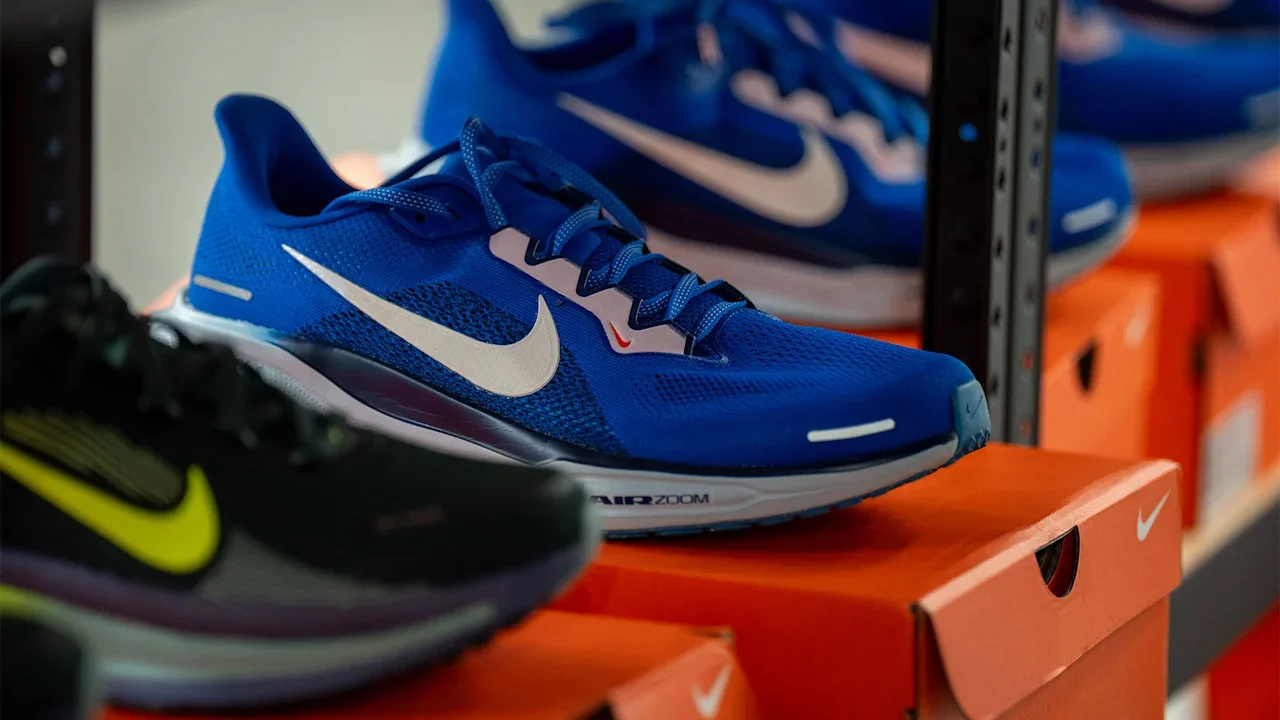
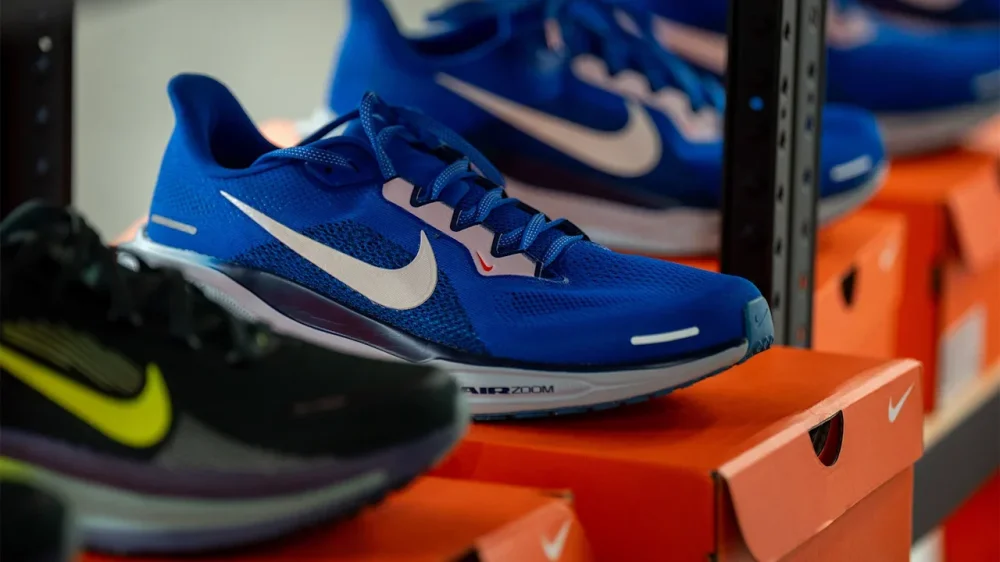
Nike is attempting to turn things around, but it could be a long road to success. The athletic company closed out March with the release of its latest earnings. The fiscal 2026 third-quarter report brought mixed progress, leading to a more than 10% drop in shares of Nike Inc (NYSE: NKE) after hours on Tuesday and into premarket on Wednesday. Nike stock was already down more than 16% year to date, compared to a more modest decline of 4.8% for the broader S&P 500 index. The earnings report comes a year and a half into CEO Elliott Hill’s tenure and less than three months after Nike announced it would lay off 775 workers across its U.S. distribution centers. Let’s start with the report’s good news. Nike beat Wall Street’s expectations for total revenue and earnings per share, according to consensus estimates cited by CNBC. The company reported $11.28 billion in revenue, compared to the predicted $11.24 billion. It also reached earnings per share of 35 cents, up from the expected 28 cents. Quarterly revenue was flat year-over-year (YOY), though revenue for fiscal 2026’s three quarters rose 1% YOY. “We could experience unplanned volatility” Nike’s revenue for North America—its most prominent market—is good and bad. In one respect, it increased 3% YOY to $5.03 billion, led by a 6% uptick for footwear. Yet it fell just short of Wall Street’s predicted $5.04 billion. Meanwhile, Nike’s net income fell 35% YOY, from $794 million to $520 million. But, the most startling part of Nike’s third-quarter results came during the company’s earnings call. Nike’s CFO and EVP, Matt Friend, shared that the company expects quarter-four revenue to drop between 2% and 4%. Friend attributed the decline to a predicted 20% drop in revenue for China with “modest growth” for North America. The company’s gross margin also decreased—something it blames mostly on higher tariffs in North America. However, Friend shared that Nike expects higher tariffs to stop having such an impact on gross margin after the fiscal 2027’s first quarter—if nothing significant changes. “We also recognize that the environment around us has become increasingly dynamic, and we could experience unplanned volatility due to the disruption in the Middle East, rising oil prices, and other factors that could impact input costs or consumer behavior,” Friend added. “These assumptions reflect the macro environment as it stands today.” View the full article
-
How CMOs should structure PPC teams to manage AI-driven campaigns, avoid blind spots, and align spend with profit, not platform metrics. The post Building An In-House PPC Team: Why A Hybrid Model May Protect Your Ad Spend appeared first on Search Engine Journal. View the full article
-
We may earn a commission from links on this page. Deal pricing and availability subject to change after time of publication. The JBL Boombox 4 is down to $449.95 (originally $549.95) on Amazon. That’s the lowest price it has hit so far, according to price trackers. JBL Boombox 4 Portable Waterproof Bluetooth Speaker $449.95 at Amazon $549.95 Save $100.00 Get Deal Get Deal $449.95 at Amazon $549.95 Save $100.00 This is the follow-up to the Boombox 3, and JBL hasn’t tried to reinvent it. Instead, it builds on what already worked. You’re still getting a large, portable speaker meant for outdoor use, with a few updates aimed at keeping it current—including Bluetooth LE audio and Auracast support. This makes it easier to connect multiple speakers or stream more efficiently if you’re using newer devices. This is a speaker built for long days outside. It’s lighter than before, though still not something you’ll forget you’re carrying, and the plastic handle makes it easy enough to move around a backyard or take to the beach (even if it doesn’t feel as premium as the older metal one). Where it works well is durability and battery life. You don’t have to worry about dust, splashes, or even dropping it near water thanks to its IP68 rating. The battery is also rated for up to 40 hours, which means you can go a couple of days without thinking about charging (although your mileage may vary). Being able to replace the battery instead of the whole speaker is a nice touch. Sound is tuned for impact. There’s plenty of bass out of the box, and you can push it further with a dedicated Bass Boost button or adjust things through a seven-band EQ. It gets loud, but at higher volumes, the sound can start to compress, and depending on where you’re standing, it won’t always sound as consistent. If you already have the Boombox 3 (now 40% off), this probably doesn’t give you enough to justify upgrading unless the longer battery life or newer connectivity features matter to you. For everyone else, this is a solid option if you want something loud, durable, and built to last. Our Best Editor-Vetted Tech Deals Right Now Apple AirPods Pro 3 Noise Cancelling Heart Rate Wireless Earbuds — $199.00 (List Price $249.00) Apple iPad 11" 128GB A16 WiFi Tablet (Blue, 2025) — $299.00 (List Price $349.00) Samsung Galaxy Tab A11+ 128GB Wi-Fi 11" Tablet (Gray) — $202.00 (List Price $249.99) Apple Watch Series 11 (GPS, 42mm, S/M Black Sport Band) — $329.00 (List Price $399.00) Sony WH-1000XM5 — $298.00 (List Price $399.99) Deals are selected by our commerce team View the full article
-
Bitcoin has been the king of cryptocurrencies since its inception. And despite its high volatility, the token generally benefits from faith among investors that its underlying encryption is sound—which in turn protects digital coins from being stolen from wallets. But a recent report from Google suggests that Bitcoin’s relative security could soon be compromised by quantum computers, prompting investors to shift their attention to “quantum-resistant” tokens. Here’s what you need to know. What’s happened? Yesterday, Google published a blog post warning that Bitcoin and similar cryptocurrencies may be vulnerable to quantum computers sooner than previously expected. Specifically, Google announced that quantum computers with just 500,000 qubits of processing power could crack Bitcoin’s elliptic-curve cryptography within minutes. And this could happen before the decade is out. Google’s blog post may have sent shivers down the spines of many crypto investors. While experts have long known that quantum computers will one day pose a threat to the legacy pre-quantum encryption systems that most of our data relies on today, that threat was seen as decades away. But now, thanks to advances in quantum computing, the timeline has been accelerated, and experts, including Google, are now warning that industries should enhance their quantum computing defenses by 2029 at the latest. The threat quantum computers pose to Bitcoin To be clear, quantum computers don’t just pose a threat to Bitcoin. They pose a threat to any data currently protected and secured by so-called classical encryption. Classical encryption is the type used to protect most of your data today. Classical encryption is called “classical” because it is secure against the threats posed by today’s classical computer systems—computers that operate on the principles of classical physics, where every data point is a bit (either a 1 or a 0). It would take today’s supercomputers millions of years to break our current classical encryption algorithms. But a quantum computer operates using the principles of quantum physics. Instead of bits, quantum computers use qubits, where every point of data can be a 1 and a 0 at the same time, making their computations exponentially faster. Due to this, a quantum computer with enough qubits could break today’s classical encryption within minutes. It is now feared that quantum computers with sufficient qubits could exist sooner than expected, and that this poses a threat to Bitcoin’s security, which relies on classical elliptic-curve encryption. If quantum computers become powerful enough to break that encryption, bad actors could simply transfer Bitcoin from a victim’s wallet to theirs. Investor interest in quantum-resistant tokens grows Technology and security experts have, of course, known about the threat quantum computers pose to our classical encryption for years. That’s why cryptography experts have long been working on a new type of encryption called post-quantum encryption (PQC). Post-quantum encryption employs more advanced mathematics and new algorithms that, in theory, will make it significantly more difficult for quantum computers to crack. Already, companies such as Signal and Apple have added PQC protections to their messaging apps. And in the crypto space, there are entire tokens designed to address the potential threat posed by quantum computers. These types of cryptocurrencies are known as “quantum-resistant tokens” and already incorporate PQC into their encryption protections. And since Google published its warning yesterday, interest in some of these tokens has been climbing. As CoinDesk points out, several quantum-resistant tokens have seen price spikes in the past 24 hours. As of the time of this writing, according to CoinGecko data, those quantum-resistant tokens seeing surging prices include: Abelian (ABEL): up 29.5% Cellframe (CEL): up 76.9% Quantum Resistant Ledger (QRL): up 11% However, not all quantum-resistant tokens are surging. For example, QANplatform (QANX) is currently down about 2.2%. Yet the price rises in many quantum-resistant tokens in the 24 hours after Google published its report suggest that some crypto investors are indeed worried about the threat quantum computers pose to cryptocurrencies—even if those threats are still years away. That’s something investors in Bitcoin and other major cryptocurrencies will likely have to increasingly contend with as the age of quantum computers marches ever nearer. View the full article

-
Barry Adams recently published “Google Zero is a Lie” in his SEO for Google News newsletter, arguing that the narrative of Google traffic disappearing is false and dangerous. His data backs it up. Similarweb and Graphite data show only a 2.5% decline in Google traffic to top websites globally. Google still accounts for nearly 20% of all web visits. The widely cited Chartbeat figure showing a 33% decline? It’s skewed by a handful of large publishers hit by algorithm updates. Publishers who abandon SEO in the face of this panic are making a self-fulfilling prophecy, ceding traffic to competitors who keep optimizing. He’s right. And he’s looking at the wrong problem. Humans are still clicking Google results. What has changed is that a growing share of your visitors isn’t human at all. The tipping point already happened Automated traffic surpassed human activity for the first time in a decade, per the 2025 Imperva Bad Bot Report. Bots now account for 51% of all web traffic. Not “soon.” Not “by 2027.” Now. That number includes everything from scrapers to brute-force login bots. But the fastest-growing segment is AI crawlers. AI crawlers now represent 51.69% of all crawler traffic, surpassing traditional search engine crawlers at 34.46%, Cloudflare’s 2025 Year in Review found. AI bot crawling grew more than 15x year over year. Cloudflare observed roughly 50 billion AI crawler requests per day by late 2025. Akamai’s data tells a similar story: AI bot activity surged 300% over the past year, with OpenAI alone accounting for 42.4% of all AI bot requests. So while Adams is correct that human Google traffic hasn’t collapsed, something else is happening on the other side of the server logs. Your customers search everywhere. Make sure your brand shows up. The SEO toolkit you know, plus the AI visibility data you need. Start Free Trial Get started with The take-versus-give ratio Cloudflare published crawl-to-referral ratios for AI bots. Look at these numbers. Anthropic’s ClaudeBot crawls 23,951 pages for every single referral it sends back to a website. OpenAI’s GPTBot: 1,276 to 1. Training now drives nearly 80% of all AI bot activity, up from 72% the year before. Compare that to traditional Googlebot, which has always operated on a crawl-and-send-traffic-back model. Google crawls your site, indexes it, and sends 831x more visitors than AI systems. The deal was simple: let me read your content, and I’ll send you people who want it. That deal is fraying even on Google’s own turf. Queries where Google shows an AI Overview see 58-61% lower organic click-through rates, according to Ahrefs and Seer Interactive studies covering millions of impressions through late 2025. Google’s newer AI Mode is worse. Semrush data shows a 93% zero-click rate in those sessions. AI Overviews now trigger on roughly 25-48% of U.S. searches, depending on the dataset, and that number keeps climbing. And when Google’s AI features do cite sources, they’re increasingly citing themselves. Google.com is the No. 1 cited source in 19 of 20 niches, accounting for 17.42% of all citations, an SE Ranking study of over 1.3 million AI Mode citations found. That tripled from 5.7% in June 2025. Add YouTube and other Google properties, and they make up roughly 20% of all AI Mode sources. So the old deal is being rewritten even by Google. AI crawlers from other companies skip the pretense entirely: let me read your content so I can answer questions about it without ever sending anyone your way. The agentic shift The bot traffic numbers are already here. The next wave is bigger: AI agents acting on behalf of humans. In 2024, Gartner predicted that traditional search engine traffic would drop 25% by 2026 as AI chatbots and agents handle queries. That prediction is tracking. Its October 2025 strategic predictions go further: 90% of B2B buying will be AI-agent intermediated by 2028, pushing over $15 trillion in B2B spend through AI agent exchanges. This isn’t theoretical. Salesforce reported that AI agents influenced 20% of all global orders during Cyber Week 2025, driving $67 billion in sales. Retailers with AI agents saw 13% sales growth compared to 2% for those without. Google is building for this with initiatives like the Universal Commerce Protocol for agent-led shopping. Gartner says 40% of enterprise applications will have task-specific AI agents by the end of 2026, up from less than 5% in 2025. eMarketer projects AI platforms will drive $20.9 billion in retail spending in 2026, nearly 4x 2025 figures. Think about what that looks like in practice. An AI agent researches vendors for a procurement team. It doesn’t see your hero banner. It doesn’t notice your trust badges. It reads your structured data, compares your specs to those of three competitors, and builds a shortlist. That “visit” might show up in your analytics as a bot hit with a zero-second session duration. Or it might not show up at all. Get the newsletter search marketers rely on. See terms. What agentic SEO actually looks like So what do you optimize for when the visitor is a machine making decisions for a human? It’s not the same as traditional SEO. And it’s not the same as the AI Overviews optimization most people are focused on right now. AI Overviews are still Google. Still one search engine, still largely the same ranking infrastructure, still (mostly) one answer format. Agentic SEO is about being useful to software that’s pulling from search APIs, crawling directly, and using LLM reasoning to make recommendations. That software doesn’t care about your page layout. It cares about whether it can extract what it needs. I think a few things start to matter a lot more. Structured data becomes load-bearing Schema markup has always been a “nice to have” for rich snippets. When an AI agent compares your product to three competitors, structured data lets it read your specs without having to guess. Think product schema, FAQ schema, and pricing tables in clean HTML. These go from SEO hygiene to core infrastructure. Dig deeper: How schema markup fits into AI search — without the hype Content needs to answer questions AI agents don’t search for “best CRM for small business.” They ask compound questions: “Which CRM under $50/user/month integrates with QuickBooks and has a mobile app with offline capability?” If your content only answers the first version, you’re invisible to the second. Freshness and accuracy get audited differently A human might not notice your pricing page is 8 months stale. An AI agent cross-referencing your pricing against competitors will flag the discrepancy. Or worse, use the outdated number in its recommendation and cost you the deal. Your robots.txt policy is now a business decision Blocking AI crawlers feels protective, but it means AI agents can’t recommend you. Allowing them means your content trains models that may never send you traffic. There’s no clean answer. But pretending it’s just a technical setting is a mistake. New IETF standards are emerging to give publishers more granular control, but they’re not widely adopted yet. Dig deeper: Technical SEO for generative search: Optimizing for AI agents The measurement gap Most analytics setups can’t tell the difference between a human visit, a bot crawl, and an AI agent evaluating your site on someone’s behalf. GA4 filters most bot traffic. Server logs show the raw picture, but take work to parse. Even then, figuring out whether an AI agent’s visit led to an actual sale is basically impossible right now. This is where the “Google Zero” framing does real damage. If you’re only measuring organic sessions from Google, you’re blind to a channel that doesn’t show up in that number. Your traffic could look stable while an AI agent steers $50,000 in annual spend to your competitor because their product schema was more complete. I don’t think we have good measurement for this yet. Nobody does. But ignoring the problem because Google sessions look fine is like checking your print ad response rate in 2005 and deciding the web wasn’t worth paying attention to. See the complete picture of your search visibility. Track, optimize, and win in Google and AI search from one platform. Start Free Trial Get started with What to do about it I don’t have a playbook for this. It’s too new. But I can tell you what we’re doing at our agency. Audit your structured data like it’s your storefront: Evaluate whether your website’s schema is present and well-formed. Look into structured data, content structure, and technical health. Make sure product, service, FAQ, and organization markup is complete, accurate, and current. This is table stakes. Answer compound questions: Look at your top landing pages. Do they answer the specific, multi-variable questions an AI agent would ask? Or just the broad keyword query a human would type? Check your server logs: Look for GPTBot, ClaudeBot, PerplexityBot, and other AI user agents. Understand how much of your traffic is already non-human. If you’re on Cloudflare, their bot analytics dashboard makes this easy without parsing raw logs. You’ll probably be surprised either way. Make a conscious robots.txt decision: Understand the trade-offs, and make it a business decision with your leadership team. Start tracking AI citations: Tools like Semrush, Scrunch, DataForSEO, and others can show when AI platforms mention your brand. The data is directional, not precise. But it’s better than nothing. Don’t abandon Google SEO: Adams is right that Google traffic is still massive and still valuable. The agentic web doesn’t replace Google. It adds a new layer. You need both. The real question The “Google Zero” argument pits one extreme against another, even as the actual shift is quieter and more important. The web is becoming a place where the majority of visitors are machines. Some send traffic back. Most don’t. Some of them make purchasing decisions on behalf of humans. That number is growing fast. The SEOs who do well here won’t be the ones arguing about whether Google traffic moved 2.5%. They’ll be the ones who figured out how to be useful to both human visitors and the AI agents acting on their behalf. We’ve spent 25 years optimizing for how humans find things. Now we need to figure out how machines find things for humans. That’s not Google Zero. We don’t have a name for it yet. But it’s already here. If you want to go deeper on GEO and agentic SEO, I’m teaching an SMX Master Class on Generative Engine Optimization on April 14. It covers structured data implementation, AI visibility measurement, content optimization for AI systems, and the practical side of everything in this article. View the full article
-
Meeting comes after The President criticised allies and indicated reopening the strait may not be a priority for US in Iran warView the full article
-
The great cynic did not expect Iran to fight out of convictionView the full article
-
This is a programming note that I am completely offline for the Passover holiday Thursday and Friday. I am likely not going to schedule any stories, I apologize (still in recovery mode)...View the full article
-
Venture capital firms know their dollars go a lot further here than in Silicon ValleyView the full article
-
Human rights groups condemn campaigns that seek to register ‘defenders of the homeland’ as young as 12View the full article
-
Earlier this month, Google rolled out the "Ask Maps" feature. Now, Google said it is "available to everyone in the U.S. and India."View the full article
-
Bill Hunt explains why enterprise SEO performance improves when accountability matches authority across content, technology, and governance. The post Who Owns SEO In The Enterprise? The Accountability Gap That Kills Performance appeared first on Search Engine Journal. View the full article
-
Google posted a new blog post named Inside Googlebot: demystifying crawling, fetching, and the bytes we process alongside episode 105 of the Search Off the Record segment named Google crawlers behind the scenes.View the full article
-
German group’s pharma business expected to generate most of its revenues from US after strategic shiftView the full article
-
You can now update your store's name and / or domain name directly in Merchant Center within Microsoft Advertising. View the full article
-
Your team is busier than ever. Calendars are packed, inboxes are overflowing, and everyone is racing from one meeting to the next. So why aren’t the breakthroughs happening? Here’s the paradox: We’ve optimized for activity, not creativity. According to Microsoft research, people now spend 60% of their workday on communication tasks alone. That’s meetings, emails, and messages. Another study from Dropbox found that 46% of knowledge workers say they don’t have enough time for creative work, and only 8% of employees regularly propose new ideas. The problem isn’t that your team lacks creativity. It’s that we’ve scheduled every minute for execution and left zero time for the thinking that makes execution worthwhile. Time to think isn’t a luxury. It’s a strategic input. The neuroscience is clear Your brain operates in two states. There’s the reactive, task-focused “beta” state where you’re responding to emails and attending back-to-back meetings. Then there’s the reflective “alpha” state, where creative insights actually happen. Research published in Frontiers in Human Neuroscience shows that alpha brain wave activity is the signature of creative ideation. When your team is stuck in beta mode all day, they’re optimized for execution, not innovation. No wonder the big ideas aren’t coming. According to the same Microsoft study, the average worker now faces 275 interruptions per day. If your calendar looks like a bar code and you’re fielding constant pings, you’re being held hostage by other people’s urgency. Your team can’t shift into alpha if they’re always reacting. So what do you do about it? Here are five ways to build thinking time into your team’s workflow without sacrificing productivity. 1. BLOCK THINKING TIME ON THE CALENDAR If it’s not on the calendar, it doesn’t exist. Treat thinking time like any other meeting. Block 1-2 hours per week where your team can work on a problem without interruption. No emails, no messages, no checkins. This isn’t “free time.” It’s focused time for strategic thinking, problem-solving, or exploring a challenge that’s been stuck on the back burner. The key is to model this yourself. If leaders don’t protect thinking time, the team won’t either. 2. AUDIT YOUR MEETINGS RUTHLESSLY Here’s a thought experiment: if 275 interruptions per day is the new normal, how many of those are actually moving the work forward? Most meetings could have been a message. That daily standup? Could’ve been an update thread. The seven-person status review? Could’ve been a dashboard. Start asking: “Does this need to be a meeting, or does it just feel productive?” Kill the meetings that don’t need to happen. Shorten the ones that do. Batch your check-ins. Spoiler: you’ll never catch up on everything. But you can protect the time that actually matters. 3. GET PEOPLE WALKING Research consistently shows that physical movement enhances creative thinking. A comprehensive 2024 research review found that even low-intensity activities like walking at a natural pace improve divergent thinking, the type of cognition essential for generating novel ideas. Steve Jobs was famous for his walking meetings. Pixar’s campus was designed to force spontaneous encounters around a central atrium, which encouraged movement and collisions between teams. The lesson? Get people out of their chairs. Walking meetings, stand-up check-ins, or simply encouraging your team to take a lap around the block can unlock ideas that would never surface in a conference room. 4. ALLOW EXPLORATION OF UNRELATED INTERESTS The most valuable ideas often come from unexpected connections. Research shows that workplace curiosity directly enhances both incremental and radical creativity, which drives innovation outcomes. When people are allowed to explore interests beyond their immediate job function, they bring fresh perspectives back to their core work. This doesn’t require a formal innovation program. It can be as simple as not penalizing curiosity. Encourage your team to read widely, attend events in adjacent fields, or spend some work time on self-directed learning. Cross-pollination of ideas is where breakthroughs happen. 5. MAKE IT A CULTURAL NORM Bill Gates famously took “Think Weeks twice a year. He’d disappear to a cabin with nothing but books and his thoughts. No phone, no meetings, no distractions. One of those Think Weeks produced the 1995 “Internet Tidal Wave” memo that pivoted Microsoft’s entire strategy. You don’t need to send your team to a cabin, but you do need to signal that thinking time is valued, not just tolerated. Celebrate the ideas that come from it. Reference them in team meetings. Reward the person who took time to solve a problem no one asked them to solve. If thinking time only happens when everything else is done, it will never happen. Here’s the shift We’ve built a work culture that equates busyness with productivity. But innovation doesn’t come from doing more. It comes from thinking better. The teams that win in the next decade won’t be the ones who work the hardest. They’ll be the ones who protect the space to think clearly, connect ideas, and see what everyone else is too busy to notice. So find that hour this week. Block it. Use it. See what happens when your team has room to breathe and think. I say this with zero hyperbole: it might be the highest-leverage thing you do all year. View the full article

-
British prime minister says closer ties between London and Brussels are ‘in our long-term national interest’View the full article