All Activity
- Past hour
-
In 2024, JPMorgan Chase applied to receive financial assistance from Rockland County, New York, in order to expand a data center in Orangeburg, a hamlet of under 4,300 people. The development agency approved the assistance, which totaled nearly $77 million in state and local tax breaks for the project. In return, documents show, the company said the expansion would create just one full-time job. Now, government accountability group Reinvent Albany has called out the deal as “the largest government subsidy ever recorded within the United States,” prompting questions about how much public money goes to projects that don’t create meaningful jobs for communities. Short term vs. full-time job creation JPMorganChase has owned the Orangeburg building since 2017, a former brownfield site that the company turned into a data center that currently employs 70 people, per the company. (New York Focus, which broke the story, wrote that the facility last reported 25 workers, and the original project proposal promised the creation of just five jobs.) The 2024 development project was for an expansion of the data center. It’s specifically that expansion that will add just one full-time job, a company spokesperson noted. The expansion will also create 150 local construction jobs. Data center projects often tout their creation of construction jobs, and growing data center demand has been a boon to that industry. Tech giants have been building Still, such projects have been criticized for delivering mostly short-term jobs while providing “little durable local economic upside,” according to Brookings research, including “relatively little . . . large-scale employment.” Other economic contributions That JPMorganChase received $77 million for its data center expansion still makes it the largest subsidy of its kind per job, watchdog groups say. “The county is giving away quite a lot of public money in exchange basically for nothing,” Kasia Tarczynska, senior research analyst at the national subsidy watchdog group Good Jobs First, told New York Focus. The Rockland County Infrastructure Development Agency (IDA), which approved the tax breaks for the project, stands by the deal, telling New York Focus that though few permanent jobs will be created, the data center will provide more than $100 million in local economic benefits—including via ongoing upgrades from electricians and other tradespeople. JPMorgan Chase noted that it’s currently one of New York State’s largest employers, and that the company contributes nearly $40 billion annually to the state’s economy. Growing data center opposition When the Rockland County IDA held a public hearing on the proposed subsidies for the expansion in 2024, no one showed up, and the deal was approved two weeks later. Many people may not have been very aware of data centers and their controversies in 2024, but across the country, community opposition has been growing. Last year, Change.org saw a surge of petitions against data center projects: at least 113 petitions totaling around 50,000 signatures in 2025, compared to just one such petition regarding a data center in 2024, Fast Company previously reported. In some instances, data centers projects were even canceled after local pushback; at least 20 projects, representing $98 billion in investments, were blocked or delayed over just four months of 2025. Still, state and local politicians have welcomed data centers, often giving them significant tax incentives, in part because of the promises of job creation. Governor Janet Mills of Maine just this week vetoed a statewide moratorium on data centers, citing the promised jobs. The freeze, which would have made Maine the first state to take such action, would have stopped a planned data center that is expected to create as many as 1,000 construction jobs and 150 permanent jobs. The data center boom isn’t only happening in the United States. In Chile, one of the top Latin American countries in terms of data centers, companies including Microsoft and Google have promised to create thousands of jobs. A Rest of World report, however, says that those projects are creating far fewer full-time positions. Most are for security guards or cleaners—unlike the skilled IT jobs promised. In Rockland County, New York, the JPMorgan Chase data center isn’t the only such project that has gotten tax breaks, but now opposition there is growing too. A Rockland County planning board meeting in March for a second facility proposed by Databank was filled with residents “lined up to speak out” about the project, local outlet The Journal News reported, many citing concerns about how the rising electricity demand will affect their utility bills. “We are overly saturated with data centers,” one resident said at the hearing, according to The Journal News. “There is no talk of the cost to us, the local utility ratepayers.” View the full article

-
Earlier this month, Microsoft announced a number of changes coming to its Windows Insider program—in fact, one could call it an overhaul. Despite being a beta program for Windows users interested in testing cutting-edge features, Microsoft is actually simplifying and streamlining the experience. Now, as highlighted by Bleeping Computer, the company is rolling out that updated experience—whether you're new to the Insider program, or you've been test-driving Windows this way for years. Microsoft is making Insider channels easier to understandThe Windows Insider program is changing in three key ways. First, Microsoft is making the "channels" easier to understand. For the uninitiated, a channel in the Insider program lets you choose how early on you trial new versions of Windows, and what level of risk you assume in doing so. The Dev channel, for example, was the bleeding edge here, as Microsoft seeded the earliest versions of its upcoming updates to this channel. It was mainly designed for software developers to test their apps and services on upcoming versions of Windows (hence the name), though anyone could enroll and try new features that might not even make it to the finished product. But because this channel was the earliest, it was the riskiest: since the software had so little trialing at that time, the risk of bugs, glitches, and general instability was greater. For users who still wanted to try features on the early side but wanted to mitigate some risk, there was the Canary channel: Users had to wait a bit longer for the updates, but that meant that Dev channel users caught the biggest bugs, reducing the risk of anything that might seriously interrupt their use of their PC. Finally, there was the Beta channel, which was the recommended choice for most users looking to try out new software. You might not get some of Microsoft's most experimental features, but you did get to try the features that were planned to ship in the coming weeks, with the lowest risk of instability—at least in the Insider program. This, of course, is a bit confusing. To a newcomer, which channel do you pick? Dev? Canary? Beta? Other than the assumption that "Dev" stands for "developer," unless you're an experienced software tester, you might not know what you're signing up for. As such, here's the new lineup: Experimental: This channel combines Dev and Canary, and is intended for anyone who wants to try the latest features, even if they never make it to the official build. There may be less stability here than you're used to. There's even a "Future Platforms" for Experimental users that Microsoft says offers the "forefront of platform development," not tied to a retail release. Beta: A refresh of the old Beta channel. The core principle is still the same (trialing features planning to ship in a near update), but Microsoft says the big change here is that they are ending gradual feature rollouts in Beta. That means that once they announce a feature, and you take the Beta update, you have it. Release Preview: This is as risk-free as it gets. This preview allows you to try out a new update in the days leading up to its rollout. You now have more control over the features you trialThe other big change here deals with new features and their availability. That includes the Beta channel doing away with gradual rollouts: Now, all Beta users get the same features at the same time, so you no longer have to wonder why some users have new features in their Beta updates, but you do not. But Experimental users also have new controls. Microsoft says that anyone enrolled in the Experimental channel can enable or disable specific features in their current build. That way, if a particular feature is acting up, or you don't care for it, you can disable it without having to unenroll entirely. Microsoft added these controls to a new "Feature flags" page in the Windows Insider Program settings page. It's now easier to move between channelsPreviously, moving channels was a pain, as is the case with most beta programs. If you were in the Beta channel, and wanted to test out more new features, you'd have to wipe your PC to enroll in Dev or Canary. Likewise, you'd have to start from scratch if those latter channels were too much, or if you wanted to leave the program altogether. That's now changing. Microsoft says that it has made changes "behind the scenes" that make switching channels much more seamless. The company says, in most cases, you should be able to move between Experimental, Beta, and Release Preview channels without having to perform a clean install of Windows on your PC. That's huge, as it takes a lot of the risk out of running unfinished software on your computer. The only catch here is if you enroll in Experimental Future Platforms: Since this isn't tied to specific retail versions of Windows, you will need to wipe your PC to leave this channel. View the full article
-
May 1 marks May Day, also known as International Workers Day, a chance to celebrate and recognize the contributions of workers and the labor movement. Freelance is a vital part of the workforce, yet often goes underpaid and undervalued. Yet there’s power in numbers. And there are lots of us, all across the country. In advance of May Day — and Freelance Isn’t Free month — these are the top ten states where Freelancers Union members are living, working, and organizing. View the full article
-
May 1 marks May Day, also known as International Workers Day, a chance to celebrate and recognize the contributions of workers and the labor movement. Freelance is a vital part of the workforce, yet often goes underpaid and undervalued. Yet there’s power in numbers. And there are lots of us, all across the country. In advance of May Day — and Freelance Isn’t Free month — these are the top ten states where Freelancers Union members are living, working, and organizing. View the full article
- Today
-
Alongside a bill that gives homeowners a year of forbearance after state-declared emergencies, lawmakers will consider extending wildfire-related moratoriums. View the full article
-
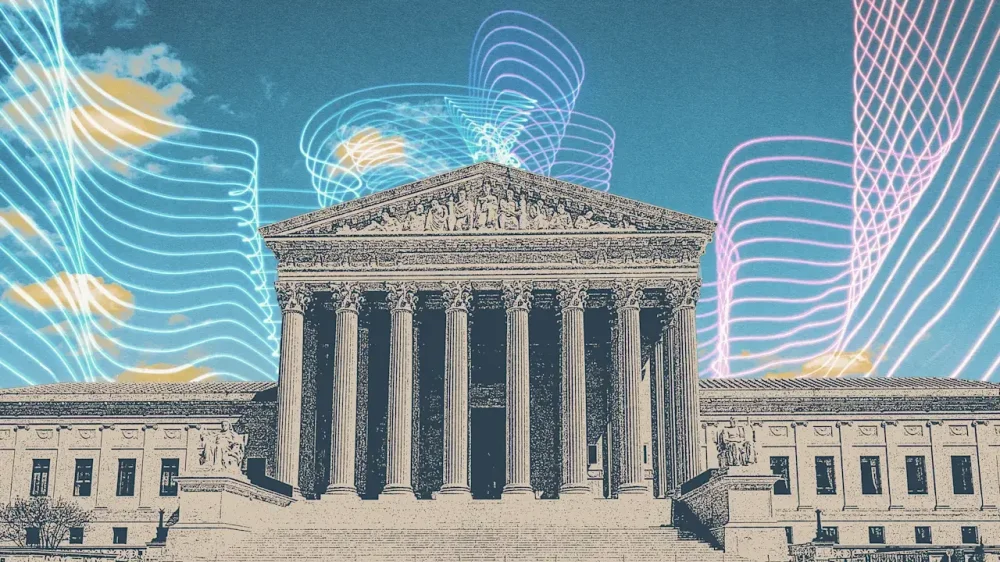
While the court battle between Elon Musk and OpenAI may draw more eyes Monday, another case getting underway could carry far broader implications for personal freedom. The Supreme Court is scheduled to hear arguments in a case that will determine the legality of geofencing, a technique law enforcement uses to mine location history data to identify who was near the scene of a crime and may have been involved. Geofencing, in essence, draws a virtual perimeter around a crime scene. The government then obtains a warrant requiring tech companies to search their location data for anyone within that area during the relevant time frame. In this case, Google’s location history data was used to identify the person ultimately convicted. Opponents argue the process violates the Fourth Amendment, which protects against unreasonable government searches and seizures. In an increasingly digital world, however, the amendment’s boundaries have become murkier. “Geofence warrants are an unprecedented increase in the government’s ability to locate individuals without substantial investigation or investment of resources,” writes the National Association of Criminal Defense Lawyers in a statement. “[They] are general warrants — which are prohibited by the Fourth Amendment—because they are devoid of probable cause and particularity.” United States v. Chatrie The case at the center of Monday’s hearing is U.S. v. Chatrie. Okello Chatrie is currently serving a 12-year prison sentence for robbing a credit union near Richmond, Va. Police used a geofence warrant to identify him, which his legal team argues was unconstitutional. The Fourth Circuit U.S. District Court disagreed. Around the same time, however, a similar case before the Fifth Circuit reached the opposite conclusion, finding that people have a reasonable expectation of privacy in location history data. Both cases centered on Google location history. Those conflicting rulings sent the case to the Supreme Court, which will now weigh the extent to which “the execution of [a] geofence warrant violate[s] the Fourth Amendment.” “The Fourth Circuit held that a geofence warrant yielding two hours’ worth of precise location data involves no Fourth Amendment search and thus need not be supported by probable cause,” writes the Harvard Law Review. “The Fifth Circuit held not only that the practice constitutes a Fourth Amendment search but also that, given the massive scale of the database at issue, the Fourth Amendment does not countenance geofence warrants at all, notwithstanding probable cause that evidence would be found in the searched records.” The government is expected to argue that because cell phone users voluntarily opted into location history tracking, they waived any reasonable expectation of privacy. Chatrie’s team, meanwhile, is expected to argue that not only was a warrant required, but that the geofence warrant itself was overly broad, amounting to an unreasonable search of large numbers of innocent people. Limits already underway Privacy advocates are siding with Chatrie. Google, for its part, has already moved to limit geofencing’s reach. Historically, the company stored users’ location history data on cloud servers. Last July, however, it shifted that data onto individual devices, reducing its own ability to identify users’ past locations. Not all tech companies have followed suit, however, which keeps the case highly relevant. The broader concern is that geofencing can sweep innocent people into criminal investigations while also enabling large-scale surveillance. At the same time, the practice has proved useful to investigators. Many arrests following the Jan. 6 Capitol riot, for instance, relied on geofencing data. It remains unclear how extensively law enforcement relies on geofence warrants. The latest available data comes from 2020, when authorities served Google with 11,500 such warrants, writes Hofstra Law Review. Several states, meanwhile, have enacted laws restricting geofencing, particularly around healthcare facilities in abortion-related investigations. The ruling could also extend beyond geofence warrants themselves. Legal experts say it may shape the future legality of other digital investigative tools, including reverse-keyword warrants and chatbot data requests. A decision is expected sometime this summer. View the full article
-
Cole Allen appears in court as White House blames critics for demonising the presidentView the full article
-
A takeover, which would create a combined entity serving about 9.6mn customers, could be reached within weeksView the full article
-
United Wholesale Mortgage is one of multiple home lending partners Dan Sogorka and Mike Fawaz's new company plans to bring on board. View the full article
-
Assistant Secretary for Fair Housing and Equal Opportunity Craig Trainor encouraged the real estate industry to reconsider advice received from DEI experts. View the full article
-
President Donald The President’s latest idea to rename a government agency could give one of his most disliked policies a much more pleasant-sounding name. That might not work out as planned, though. The President shared a social media post on Sunday highlighting a woman’s suggestion that he rename U.S. Immigration and Customs Enforcement, or ICE, as National Immigration and Customs Enforcement, or NICE, “so the media has to say NICE agents all day every day.” “GREAT IDEA!!! DO IT. President DJT” The President wrote. The proposed rename goes against trend for The President, who wants to formally rename the Department of Defense the Department of War. The President’s branding instincts in office are towards toughness, not softness. Public opinion about ICE is firmly hardening against it, which may be why the new proposed name seems so obvious and smart. Nearly six in ten Americans disapprove of how ICE handles its job, according to a UMass poll released earlier this month, and Fox News polling shows the agency’s disapproval rising from 41% in 2018 to 58% today. Giving the agency a friendly backronym likely wouldn’t be a quick fix. An alphabet soup of names The U.S. government is filled with acronyms, and officials increasingly turn to backronyms, or acronyms that are reverse-engineered because of what they’ll spell out. No one loves them more than Congress. About 10% of bill and resolution names introduced in Congress over a two-year period were backronyms, according to a 2022 review by The Atlantic, and the proportion of backronyms in bill names has risen every Congress since at least 2001. There’s the $2 trillion pandemic stimulus and relief legislation called the “Coronavirus Aid, Relief, and Economic Security Act” (CARES Act) in 2020, or the “Creating Helpful Incentives to Produce Semiconductors and Science Act” (CHIPS and Science Act) that funded semiconductors and other priorities in 2022. With a little creativity, a piece of legislation with a name as long as a Fall Out Boy song title becomes a short, handy piece of storytelling in cable news chyrons and tweets. Backronyms are a messaging tool that turns an otherwise bureaucratic-sounding collection of letters into a bumper-sticker-type slogan, but not all of them are honest. While some of these backronyms are corny or clever, others still are designed to misdirect or manipulate, wrapping unpopular legislation in the flag. The USA PATRIOT Act, for “Uniting and Strengthening America by Providing Appropriate Tools Required to Intercept and Obstruct Terrorism Act,” passed weeks after the 9/11 attacks in 2001 and expanded the surveillance state, while the SAVE Act, for “Safeguard American Voter Eligibility Act,” is a voter suppression bill that’s currently stalled in the Senate. Why a ‘NICE’ rebrand is a bad idea Renaming ICE to NICE might attract more negative attention to the group, says Brian Christopher Jones, a senior lecturer at the University of Liverpool who’s studied topics including acronyms and misleading PAC names. “I wonder whether this particular backronym, NICE, would open the agency up to potentially even more criticism than before,” he says, noting the USA Patriot Act has been criticized for its name. The turn in public opinion against ICE was spurred on by footage of its agents being the opposite of nice, and the proposed new name would only further draw attention to behavior that was dissonant with the backronym. The name of the U.K.’s own NICE, which stands for National Institute for Health and Care Excellence, also hasn’t stopped people from disparaging it, Jones says. He also questions whether the proposed new name in the U.S. would turn off the people the agency is trying to attract to work there. “I’m not so sure if law enforcement personnel would think the same about working for an agency called NICE,” he says. The President could try renaming the agency, but actually making ICE nice will take more than just a new acronym. View the full article

-
We may earn a commission from links on this page. Spotify noticed how many of us use its popular music app for fitness—workout mixes are one of the top uses of its playlist creation tools—and now it’s adding fitness content directly. Some workout videos are available to everyone, and premium users can take Peloton classes as well. Peloton App $12.99 Per Month at Peloton Learn More Learn More $12.99 Per Month at Peloton How to find workout videos on SpotifyTo find the fitness content, search or browse for “fitness,” and workout videos will pop up. They will be mixed in with workout-focused playlists, which feels like an odd choice, but the feature is brand new. Perhaps a better organization is coming in the future. If you have a Spotify Premium subscription, you’ll see that Peloton workouts make up the most visible offerings. Spotify describes these as “a continually growing catalog of more than 1,400” workout videos. Cycling classes aren’t included, but strength, cardio, and meditation classes are. There’s also a quiz to match you with the perfect workout. It will ask whether you want cardio, strength, or recovery; long or short workouts; and your experience level. I asked for a short beginner cardio workout, and a “HIIT Starter Pack” of 10-minute workouts was automatically saved to my library. How Peloton workouts on Spotify compare to the Peloton appSpotify’s Peloton class offerings seem to be similar to what you get on Peloton’s App One tier. This tier is $12.99/month, the same cost as a Spotify Premium subscription. These videos include pretty much anything you can do in your living room, like yoga and strength workouts with dumbbells. They don’t include classes you can do on an actual Peloton Bike (you need the $49/month All Access subscription for those) or on a non-Peloton bike at the gym (that requires Peloton App+ at $28.99/month). I did one of those 10-minute HIIT classes, and can report it was easy to follow, and the individual exercises were shown in the app as “chapters” that I could preview to see the class structure. Unfortunately there’s no connection to the Peloton app itself, so the class I took did not show up in my Peloton workout history, and there was no built-in way to track my metrics like heart rate or reps. One nice plus: there’s a button to switch to an audio-only player, which is nice if you’re following along by ear and don’t need to see the screen. The workouts appear as a video podcast, with “episodes” that are presented in a list. When I finished that one HIIT video, the next one automatically started playing. I don’t think this is a great interface for presenting workout videos, but it’s certainly not bad. And if you want both Spotify and Peloton content, getting it all for one $12.99 subscription is certainly a bargain compared to paying double. Non-Peloton classes are available to allScroll down past the Peloton classes, and you’ll see there are more creators that each have their own podcast-style series of video classes. I found them under “Browse Fitness Creators” and “Explore Creator Workouts.” I tried a five-minute run warmup from Nourish Move Love, and it was much the same experience as the Peloton workout. The chapters on this one were auto-generated, but it was clear to follow and I appreciated the progress bar overlaid over the video, which seemed to be part of the video content, this creator’s addition, and separate from the Spotify interface. I also really happened to like the warmup since it was one that I could do entirely on my feet—great for an actual pre-run scenario no matter the weather. View the full article
-
Real is acquiring Motto's parent Remax in a deal valued at $13.80 per share, as the new Real Remax Group will have "two distinct models, one platform." View the full article
-
Employer payroll is the systematic process of compensating employees, which includes calculating wages, salaries, and bonuses, along with managing payroll taxes. It’s fundamental for maintaining accurate financial records and ensuring compliance with tax regulations. Effective payroll management not merely supports business cash flow but additionally builds employee trust. Comprehending its components and implications is imperative, as failure to manage payroll correctly can lead to serious legal and financial consequences. So, what should you know about optimizing this critical function? Key Takeaways Employer payroll refers to the total compensation, including wages, salaries, bonuses, and benefits paid to employees. Accurate payroll ensures timely employee compensation and compliance with tax laws, preventing penalties and legal issues. Employers must withhold and match payroll taxes, which include federal, state, and local taxes, ensuring financial responsibility. Proper payroll management maintains clear financial documentation and aids in cash flow management for the organization. Regular reviews and updates of payroll processes help safeguard both the organization and employees from legal repercussions related to payroll tax compliance. Understanding Employer Payroll Grasping employer payroll is critical for both employers and employees alike, as it encompasses the total compensation owed to workers, including wages, salaries, bonuses, and various benefits. Recognizing employer payroll means acknowledging the payroll tax definition, which involves taxes paid by the employer on behalf of employees. These employer payroll taxes include federal, state, and local taxes that support essential programs like Social Security and Medicare. Accurate payroll processing requires tracking employee work hours and calculating tax withholdings to guarantee timely payments. Employers are responsible for not just withholding these taxes but also for their matching contributions, creating a thorough system of financial responsibility. Effective management of employer payroll is fundamental for complying with tax laws, maintaining employee satisfaction, and avoiding costly penalties or legal issues stemming from payroll errors. Therefore, grasping the intricacies of employer payroll is key for smooth workplace operations. The Importance of Employer Payroll Grasping employer payroll goes beyond just tracking employee earnings; it plays a crucial role in the overall health of a business. Accurate payroll management guarantees employees receive timely compensation, which affects their satisfaction and productivity. Moreover, it involves calculating and withholding various taxes, including Social Security and federal/state income taxes, which fund fundamental government programs. Here are key reasons why employer payroll is critical: Payroll Tax Compliance: Adhering to regulations prevents penalties and legal issues. Accurate Financial Records: Proper payroll helps maintain clear financial documentation. Predicting Tax Liabilities: Comprehending employer payroll tax rates aids in cash flow management. Streamlining Processes: Utilizing payroll software improves efficiency and reduces errors. Components of Employer Payroll Comprehending the components of employer payroll is essential for effective business management. Payroll typically includes wages, salaries, bonuses, and commissions owed to employees, making certain they receive timely compensation. Moreover, various deductions apply, such as federal and state income taxes, Social Security, and Medicare taxes (FICA). Here’s a breakdown of key components: Component Description Employer Responsibility Wages and Salaries Payments for work performed during the pay period Timely disbursement Payroll Tax Deductions Withholdings from employee earnings Accurate calculation Employer Portion of Payroll Taxes Employer matches FICA contributions 6.2% for Social Security, 1.45% for Medicare FUTA Tax 6% tax on first $7,000 of wages Can reduce to 0.6% with credits Accurate payroll processing makes certain compliance with labor laws and effective financial management within your organization. Payroll Taxes and Their Impact Payroll taxes play an important role in funding fundamental government programs, like Social Security and Medicare, which benefit both employees and society. As an employer, you’re responsible for accurately calculating and remitting these taxes to guarantee compliance, as failure to do so can lead to significant penalties and legal issues. Grasping these responsibilities is critical to maintain your business’s financial health and support the workforce effectively. Funding Government Programs Though many may not realize it, employer payroll taxes play a fundamental role in funding indispensable government programs such as Social Security and Medicare. These programs provide critical financial support to retirees and individuals with disabilities. Here’s how employer payroll taxes contribute: FICA Contributions: A combined rate of 12.4% for Social Security and 2.9% for Medicare is split between employers and employees. Federal Unemployment Tax Act (FUTA): Employers contribute 6% on the first $7,000 of wages to fund state unemployment benefits. State Unemployment Taxes (SUTA): These vary by state and depend on an employer’s claims history. Compliance: Accurate withholding and timely remittance are essential for the sustainability of these programs, ensuring support for those in need. Employer Responsibilities and Compliance When managing a business, comprehension of your responsibilities regarding payroll taxes is crucial to guarantee compliance and avoid potential penalties. You’re tasked with calculating and withholding employer taxes for employees, including Social Security and Medicare contributions. You must as well comply with the Federal Unemployment Tax Act (FUTA), which requires a 6% tax on the first $7,000 of each employee’s wages. Accurate payroll tax calculations are critical to preventing employment tax liability issues. You need to file quarterly returns using Form 941 and issue Forms W-2 annually, maintaining proper payroll records. Tax Type Rate Notes Social Security 6.2% Matched by employer Medicare 1.45% Matched by employer FUTA 6% (0.6% w/credit) First $7,000 of wages Payroll Withholding Varies Depends on employee earnings Filing Frequency Quarterly Form 941 Consequences of Non-Compliance Comprehending employer responsibilities regarding payroll taxes is only part of the equation; the consequences of non-compliance can substantially impact your business. When you neglect these responsibilities, you face various repercussions, including: Penalties from the IRS: Fines can accumulate quickly, sometimes reaching thousands of dollars. Trust Fund Recovery Penalty: You may be held personally liable for unpaid employer paid taxes, facing a penalty of up to 100% of the unpaid amount. Interest Charges: Late remittance of payroll taxes results in additional financial burdens. Audits and Legal Action: Inaccurate calculations can lead to audits, disrupting operations and damaging your reputation. Understanding these consequences is vital for maintaining compliance and protecting your business’s future. Role of Payroll in Employee Satisfaction Payroll plays a critical role in shaping employee satisfaction, as timely and accurate processing directly impacts workers’ financial stability. When you receive your wages on schedule, it cultivates trust between you and your employer, enhancing your overall workplace experience. Consistent payroll practices prevent disputes over wages, reducing frustration that can arise from errors, whether underpayments or overpayments. Furthermore, comprehending payroll deductions and how taxes from the employer affect your paycheck helps you appreciate your compensation better. Transparency about payroll policies and changes promotes a sense of respect, making you feel valued within the organization. In addition, by ensuring compliance with labor laws and timely payroll tax payments, your employer contributes to a healthy work environment, which can greatly boost morale and engagement. In the end, effective payroll management not just satisfies employees but likewise strengthens the employer-employee relationship, creating a more productive workplace. Compliance and Legal Obligations Guaranteeing compliance with payroll and legal obligations is vital for every employer, as it safeguards both the organization and its employees from potential legal repercussions. Comprehending your responsibilities helps you avoid serious issues related to payroll tax rates and non-compliance with payroll tax laws. Here are key points to remember: Accurately calculate and withhold taxes like Social Security, Medicare, and unemployment taxes. File Form 941 quarterly to report withheld payroll taxes and remit any owed amounts to the IRS. Provide employees with Forms W-2 annually to detail their earnings and withheld taxes. Stay updated on changing tax laws to maintain compliance and avoid penalties. How much do employers pay in payroll taxes? It varies, but non-compliance can lead to fines, legal action, and personal liability. Staying informed and organized is fundamental for successful payroll management. Best Practices for Managing Payroll When managing payroll, it’s essential to focus on accurate tax calculations and timely remittance practices. Regularly updating employee information guarantees compliance with tax regulations, whereas maintaining detailed records can help you avoid costly penalties. Accurate Tax Calculations Accurate tax calculations are essential for maintaining compliance and ensuring employees receive the correct pay. To achieve this, consider the following best practices for managing payroll: Reference employee W-4 forms and salary details to determine federal income tax and applicable state taxes. Calculate Social Security tax at 6.2% and Medicare tax at 1.45% based on employee wages, adding the 0.9% Medicare tax for earnings over $200,000. Utilize IRS Publication 15-T‘s wage bracket tables for precise federal payroll tax calculations. Regularly update your payroll system to reflect changes in tax laws and rates. Timely Remittance Practices Timely remittance practices are crucial for maintaining compliance with payroll tax obligations, as delays can lead to significant penalties and legal complications. To avoid fines and personal liability for unpaid trust fund taxes, you must adhere to specific deadlines for tax deposits. Consider using an automated payroll system to help streamline your processes. Practice Deadline Importance Federal Tax Deposits Monthly or semi-weekly Avoid penalties Form 941 Submission Last day of the month post-quarter Compliance with reporting Payroll Deductions Review Monthly Guarantee accuracy and compliance Employer Tax Payments Required based on payroll liability Prevent legal issues Regular Practice Review Quarterly Mitigate risks Implementing these practices will help you manage payroll effectively and reduce risks. Regular Compliance Updates To maintain compliance with ever-changing payroll regulations, you need to regularly review and update your payroll processes. This guarantees accurate payroll tax calculations and timely employer tax remittances. Here are some best practices for regular compliance updates: Utilize payroll software that adjusts tax rates automatically to minimize errors in payroll deductions. Conduct quarterly audits of payroll records and tax filings, such as Forms 941 and 940, to identify any discrepancies. Stay informed about deadlines for tax deposits and filings to avoid penalties. Invest in ongoing training for HR and payroll staff to guarantee they understand legal obligations related to payroll tax compliance. Frequently Asked Questions What Are the Three Types of Employer Payroll Taxes? There are three main types of employer payroll taxes you need to be aware of. First, Social Security tax, set at 6.2%, funds retirement and disability benefits. Second, Medicare tax is 1.45% on all earnings, with an extra 0.9% for high earners. Finally, unemployment taxes, including Federal Unemployment Tax Act (FUTA) and State Unemployment Tax (SUTA), support unemployment benefits. It’s crucial to properly manage these taxes to avoid penalties. What Is the Most Important Thing About Payroll? The most important thing about payroll is its accuracy. You need to guarantee that employees receive the correct compensation on time, as this directly impacts their morale and engagement. Accurate payroll processing additionally helps you comply with tax regulations, avoiding penalties and legal issues. Moreover, maintaining precise payroll records supports your financial planning, allowing for better budgeting and comprehension of labor costs. Which of the Following Is an Employer’s Payroll Responsibility? As an employer, you’re responsible for accurately calculating and withholding payroll taxes from your employees’ wages. This includes federal income tax, Social Security, and Medicare contributions. You must likewise remit these withheld taxes to the IRS and appropriate state agencies on time. Furthermore, you need to maintain detailed records of employee earnings and tax withholdings, guaranteeing compliance with federal and state regulations to avoid penalties and secure smooth payroll processing. What Are the Three Types of Payroll? The three main types of payroll include hourly, salary, and commission. In hourly payroll, you track hours worked and pay based on an agreed rate, often including overtime. Salary payroll provides a consistent paycheck regardless of hours, common for full-time roles. Commission payroll ties earnings to performance, rewarding employees with a percentage of sales or profits. Comprehending these types helps you guarantee compliance with labor laws and manage employee compensation effectively. Conclusion In conclusion, employer payroll is a crucial process that not just guarantees employees are compensated accurately and on time but additionally helps maintain compliance with tax regulations. By comprehending its components and adhering to best practices, you can manage payroll effectively, promoting employee satisfaction and trust. Managing payroll correctly minimizes legal risks and improves cash flow, in the end protecting your organization and workforce. Prioritizing payroll management is fundamental for any successful business operation. Image via Google Gemini This article, "What Is Employer Payroll and Why Is It Important?" was first published on Small Business Trends View the full article
-
Employer payroll is the systematic process of compensating employees, which includes calculating wages, salaries, and bonuses, along with managing payroll taxes. It’s fundamental for maintaining accurate financial records and ensuring compliance with tax regulations. Effective payroll management not merely supports business cash flow but additionally builds employee trust. Comprehending its components and implications is imperative, as failure to manage payroll correctly can lead to serious legal and financial consequences. So, what should you know about optimizing this critical function? Key Takeaways Employer payroll refers to the total compensation, including wages, salaries, bonuses, and benefits paid to employees. Accurate payroll ensures timely employee compensation and compliance with tax laws, preventing penalties and legal issues. Employers must withhold and match payroll taxes, which include federal, state, and local taxes, ensuring financial responsibility. Proper payroll management maintains clear financial documentation and aids in cash flow management for the organization. Regular reviews and updates of payroll processes help safeguard both the organization and employees from legal repercussions related to payroll tax compliance. Understanding Employer Payroll Grasping employer payroll is critical for both employers and employees alike, as it encompasses the total compensation owed to workers, including wages, salaries, bonuses, and various benefits. Recognizing employer payroll means acknowledging the payroll tax definition, which involves taxes paid by the employer on behalf of employees. These employer payroll taxes include federal, state, and local taxes that support essential programs like Social Security and Medicare. Accurate payroll processing requires tracking employee work hours and calculating tax withholdings to guarantee timely payments. Employers are responsible for not just withholding these taxes but also for their matching contributions, creating a thorough system of financial responsibility. Effective management of employer payroll is fundamental for complying with tax laws, maintaining employee satisfaction, and avoiding costly penalties or legal issues stemming from payroll errors. Therefore, grasping the intricacies of employer payroll is key for smooth workplace operations. The Importance of Employer Payroll Grasping employer payroll goes beyond just tracking employee earnings; it plays a crucial role in the overall health of a business. Accurate payroll management guarantees employees receive timely compensation, which affects their satisfaction and productivity. Moreover, it involves calculating and withholding various taxes, including Social Security and federal/state income taxes, which fund fundamental government programs. Here are key reasons why employer payroll is critical: Payroll Tax Compliance: Adhering to regulations prevents penalties and legal issues. Accurate Financial Records: Proper payroll helps maintain clear financial documentation. Predicting Tax Liabilities: Comprehending employer payroll tax rates aids in cash flow management. Streamlining Processes: Utilizing payroll software improves efficiency and reduces errors. Components of Employer Payroll Comprehending the components of employer payroll is essential for effective business management. Payroll typically includes wages, salaries, bonuses, and commissions owed to employees, making certain they receive timely compensation. Moreover, various deductions apply, such as federal and state income taxes, Social Security, and Medicare taxes (FICA). Here’s a breakdown of key components: Component Description Employer Responsibility Wages and Salaries Payments for work performed during the pay period Timely disbursement Payroll Tax Deductions Withholdings from employee earnings Accurate calculation Employer Portion of Payroll Taxes Employer matches FICA contributions 6.2% for Social Security, 1.45% for Medicare FUTA Tax 6% tax on first $7,000 of wages Can reduce to 0.6% with credits Accurate payroll processing makes certain compliance with labor laws and effective financial management within your organization. Payroll Taxes and Their Impact Payroll taxes play an important role in funding fundamental government programs, like Social Security and Medicare, which benefit both employees and society. As an employer, you’re responsible for accurately calculating and remitting these taxes to guarantee compliance, as failure to do so can lead to significant penalties and legal issues. Grasping these responsibilities is critical to maintain your business’s financial health and support the workforce effectively. Funding Government Programs Though many may not realize it, employer payroll taxes play a fundamental role in funding indispensable government programs such as Social Security and Medicare. These programs provide critical financial support to retirees and individuals with disabilities. Here’s how employer payroll taxes contribute: FICA Contributions: A combined rate of 12.4% for Social Security and 2.9% for Medicare is split between employers and employees. Federal Unemployment Tax Act (FUTA): Employers contribute 6% on the first $7,000 of wages to fund state unemployment benefits. State Unemployment Taxes (SUTA): These vary by state and depend on an employer’s claims history. Compliance: Accurate withholding and timely remittance are essential for the sustainability of these programs, ensuring support for those in need. Employer Responsibilities and Compliance When managing a business, comprehension of your responsibilities regarding payroll taxes is crucial to guarantee compliance and avoid potential penalties. You’re tasked with calculating and withholding employer taxes for employees, including Social Security and Medicare contributions. You must as well comply with the Federal Unemployment Tax Act (FUTA), which requires a 6% tax on the first $7,000 of each employee’s wages. Accurate payroll tax calculations are critical to preventing employment tax liability issues. You need to file quarterly returns using Form 941 and issue Forms W-2 annually, maintaining proper payroll records. Tax Type Rate Notes Social Security 6.2% Matched by employer Medicare 1.45% Matched by employer FUTA 6% (0.6% w/credit) First $7,000 of wages Payroll Withholding Varies Depends on employee earnings Filing Frequency Quarterly Form 941 Consequences of Non-Compliance Comprehending employer responsibilities regarding payroll taxes is only part of the equation; the consequences of non-compliance can substantially impact your business. When you neglect these responsibilities, you face various repercussions, including: Penalties from the IRS: Fines can accumulate quickly, sometimes reaching thousands of dollars. Trust Fund Recovery Penalty: You may be held personally liable for unpaid employer paid taxes, facing a penalty of up to 100% of the unpaid amount. Interest Charges: Late remittance of payroll taxes results in additional financial burdens. Audits and Legal Action: Inaccurate calculations can lead to audits, disrupting operations and damaging your reputation. Understanding these consequences is vital for maintaining compliance and protecting your business’s future. Role of Payroll in Employee Satisfaction Payroll plays a critical role in shaping employee satisfaction, as timely and accurate processing directly impacts workers’ financial stability. When you receive your wages on schedule, it cultivates trust between you and your employer, enhancing your overall workplace experience. Consistent payroll practices prevent disputes over wages, reducing frustration that can arise from errors, whether underpayments or overpayments. Furthermore, comprehending payroll deductions and how taxes from the employer affect your paycheck helps you appreciate your compensation better. Transparency about payroll policies and changes promotes a sense of respect, making you feel valued within the organization. In addition, by ensuring compliance with labor laws and timely payroll tax payments, your employer contributes to a healthy work environment, which can greatly boost morale and engagement. In the end, effective payroll management not just satisfies employees but likewise strengthens the employer-employee relationship, creating a more productive workplace. Compliance and Legal Obligations Guaranteeing compliance with payroll and legal obligations is vital for every employer, as it safeguards both the organization and its employees from potential legal repercussions. Comprehending your responsibilities helps you avoid serious issues related to payroll tax rates and non-compliance with payroll tax laws. Here are key points to remember: Accurately calculate and withhold taxes like Social Security, Medicare, and unemployment taxes. File Form 941 quarterly to report withheld payroll taxes and remit any owed amounts to the IRS. Provide employees with Forms W-2 annually to detail their earnings and withheld taxes. Stay updated on changing tax laws to maintain compliance and avoid penalties. How much do employers pay in payroll taxes? It varies, but non-compliance can lead to fines, legal action, and personal liability. Staying informed and organized is fundamental for successful payroll management. Best Practices for Managing Payroll When managing payroll, it’s essential to focus on accurate tax calculations and timely remittance practices. Regularly updating employee information guarantees compliance with tax regulations, whereas maintaining detailed records can help you avoid costly penalties. Accurate Tax Calculations Accurate tax calculations are essential for maintaining compliance and ensuring employees receive the correct pay. To achieve this, consider the following best practices for managing payroll: Reference employee W-4 forms and salary details to determine federal income tax and applicable state taxes. Calculate Social Security tax at 6.2% and Medicare tax at 1.45% based on employee wages, adding the 0.9% Medicare tax for earnings over $200,000. Utilize IRS Publication 15-T‘s wage bracket tables for precise federal payroll tax calculations. Regularly update your payroll system to reflect changes in tax laws and rates. Timely Remittance Practices Timely remittance practices are crucial for maintaining compliance with payroll tax obligations, as delays can lead to significant penalties and legal complications. To avoid fines and personal liability for unpaid trust fund taxes, you must adhere to specific deadlines for tax deposits. Consider using an automated payroll system to help streamline your processes. Practice Deadline Importance Federal Tax Deposits Monthly or semi-weekly Avoid penalties Form 941 Submission Last day of the month post-quarter Compliance with reporting Payroll Deductions Review Monthly Guarantee accuracy and compliance Employer Tax Payments Required based on payroll liability Prevent legal issues Regular Practice Review Quarterly Mitigate risks Implementing these practices will help you manage payroll effectively and reduce risks. Regular Compliance Updates To maintain compliance with ever-changing payroll regulations, you need to regularly review and update your payroll processes. This guarantees accurate payroll tax calculations and timely employer tax remittances. Here are some best practices for regular compliance updates: Utilize payroll software that adjusts tax rates automatically to minimize errors in payroll deductions. Conduct quarterly audits of payroll records and tax filings, such as Forms 941 and 940, to identify any discrepancies. Stay informed about deadlines for tax deposits and filings to avoid penalties. Invest in ongoing training for HR and payroll staff to guarantee they understand legal obligations related to payroll tax compliance. Frequently Asked Questions What Are the Three Types of Employer Payroll Taxes? There are three main types of employer payroll taxes you need to be aware of. First, Social Security tax, set at 6.2%, funds retirement and disability benefits. Second, Medicare tax is 1.45% on all earnings, with an extra 0.9% for high earners. Finally, unemployment taxes, including Federal Unemployment Tax Act (FUTA) and State Unemployment Tax (SUTA), support unemployment benefits. It’s crucial to properly manage these taxes to avoid penalties. What Is the Most Important Thing About Payroll? The most important thing about payroll is its accuracy. You need to guarantee that employees receive the correct compensation on time, as this directly impacts their morale and engagement. Accurate payroll processing additionally helps you comply with tax regulations, avoiding penalties and legal issues. Moreover, maintaining precise payroll records supports your financial planning, allowing for better budgeting and comprehension of labor costs. Which of the Following Is an Employer’s Payroll Responsibility? As an employer, you’re responsible for accurately calculating and withholding payroll taxes from your employees’ wages. This includes federal income tax, Social Security, and Medicare contributions. You must likewise remit these withheld taxes to the IRS and appropriate state agencies on time. Furthermore, you need to maintain detailed records of employee earnings and tax withholdings, guaranteeing compliance with federal and state regulations to avoid penalties and secure smooth payroll processing. What Are the Three Types of Payroll? The three main types of payroll include hourly, salary, and commission. In hourly payroll, you track hours worked and pay based on an agreed rate, often including overtime. Salary payroll provides a consistent paycheck regardless of hours, common for full-time roles. Commission payroll ties earnings to performance, rewarding employees with a percentage of sales or profits. Comprehending these types helps you guarantee compliance with labor laws and manage employee compensation effectively. Conclusion In conclusion, employer payroll is a crucial process that not just guarantees employees are compensated accurately and on time but additionally helps maintain compliance with tax regulations. By comprehending its components and adhering to best practices, you can manage payroll effectively, promoting employee satisfaction and trust. Managing payroll correctly minimizes legal risks and improves cash flow, in the end protecting your organization and workforce. Prioritizing payroll management is fundamental for any successful business operation. Image via Google Gemini This article, "What Is Employer Payroll and Why Is It Important?" was first published on Small Business Trends View the full article
-
We may earn a commission from links on this page. Deal pricing and availability subject to change after time of publication. Robot mowers have improved dramatically over the years and are becoming a staple for the tech-obsessed with sizable yards. Instead of having to drop boundary wires around your property to prevent your robot from cutting a neighbor's yard, newer machines have advancements that allow for boundary setting with cameras and sensors. One of these newer mowers is the Eufy Robot Lawn Mower E15, and right now it's $949.99 (originally $2,299.99) after a 59% discount. This is the lowest price it has ever been, according to price-tracking tools. Eufy Robot Lawn Mower E15 Auto Mapping,Pure Vision Navigation, Wire Free RTK Free, Multi-Zone Management, AI 3D Obstacle Avoidance, GPS Anti-Theft, 0.2 Acres, 18° Slope, App Control $949.99 at Amazon $2,299.99 Save $1,350.00 Get Deal Get Deal $949.99 at Amazon $2,299.99 Save $1,350.00 Instead of using an RTK antenna for satellite navigation, the E15 maps your yard using its camera and sensors, so it's a very hands-off setup. The downside is that you can't manually set up or correct your map once it's done. This will mainly be an issue if your map is bigger than 0.2 acres, since you can't tell it which part to map. The E15 also lets you create zones so you can mow certain sections at specific times. You can also create no-go zones. Eufy has been making robot vacuums for many years, so the navigation tech isn't new, and it's works just as well with robot mowers. The E15 can detect objects and go around them, go over 18-degree slopes, and even has a GPS tracker meant to deter theft. You can read about these features in more detail in ZDNet's review of the E15. One of the biggest things you need to be aware of about the E15 is that it cannot mow at night. Because it uses its camera and sensors, it needs light to do so. If you need more acreage, the E18 supports a slightly larger range of 0.3 acres. View the full article
-
From layoffs and return-to-office mandates to challenges around AI and creativity, it’s not all fun and games for video game workers. And now, some are seeking to unionize. On April 27, a group of game developers behind the digital collectible card game Magic: The Gathering Arena announced the intent to form a union in affiliation with the Communications Workers of America (CWA). The group is a part of the gaming studio Wizards of the Coast (WOTC), a division of Hasbro. The group, which is coming together as United Wizards of the Coast – CWA, said it reached a supermajority of eligible Arena workers in support for unionization a week before the announcement. The group has since notified leadership at Wizards of the Coast, calling on the company to recognize the union voluntarily. “At Wizards, we’re organizing for a say in layoffs, accountability that runs up and down the chain, and a living wage that actually lets people build a life. I’m hopeful about what we can build here and being clear-eyed about why it’s necessary,” UWOTC-CWA member Damien Wilson, a Senior Software Development Engineer for Magic: The Gathering Arena, said in a statement. The bargaining unit is set to represent more than 100 employees at the studio, including game designers, programmers, producers, and artists. In case the union is not recognized voluntarily by WOTC, the group has also filed an election petition with the National Labor Relations Board (NLRB). The bargaining unit’s letter says the group will withdraw the petition if leadership recognizes the union before the end of the business day on May 1. “We would greatly prefer to allow the company to willingly engage with us as we proceed however we are filing for an election petition as well to ensure a timely resolution for certifying our union,” the letter says. “Should you agree to voluntary recognition in principle, we are happy to coordinate a third-party card check verification of our super majority support in order to finalize a voluntary recognition agreement.” The group cites generative AI protections, layoff protections, remote work protections among the key issues the bargaining unit seeks to address. The demands reflect some of the challenges employees have faced in the last few years. Just last year, the studio laid off about 30 employees, in addition to a 1,000 workers laid off from Hasbro in 2023. And as the company pushed for return-to-office mandates, many remote workers were being forced to relocate to Renton, Washington or fear dismissal. The bargaining unit would join broader efforts in the gaming industry to improve workers’ conditions. Last year, the United Videogame Workers-CWA launched as a direct-join, industry-wide video game union and represents over 600 members in the US and Canada. In the letter the group added, “we are building the game industry we want to see in the world.” View the full article

-
In a social media landscape dominated by obnoxious ads, algorithms, and AI, Letterboxd has stood firm as a cult favorite. The app, which acts as a digital diary for users to log and leave reviews of any movie they watch, has been described by a Letterboxd spokesperson as “less a social media platform, more a community.” It’s resisted adding the infinite scroll feature that now seems omnipresent online, instead letting users curate their own feeds of friends and popular reviewers. But news that a controlling stake in Letterboxd could be going up for sale has users worried that their online safe haven could go the way of other resold apps like X. Canadian holding company Tiny, which acquired a 60% stake in Letterboxd in 2023, is looking to sell its majority share of the platform, Semafor reported. Potential buyers include Versant, the parent company of CNBC and MS NOW, and Hollywood newsletter The Ankler. Under new ownership, Letterboxd could transform in any number of ways—and the platform’s current users aren’t excited about any of them. Social media catastrophizes When news of the potential sale hit social media, Letterboxd’s avid users were immediately up in arms. One user called Letterboxd “our last vanguard of good social media.” A common anxiety among Letterboxd users was that the app would get sold to some billionaire who couldn’t care less about the platform’s mission of offering “a single place to showcase your life in film.” Many clearly had war flashbacks to the infamous 2022 sale of Twitter to Elon Musk, which transformed a once-beloved social site into a much-maligned platform ridden with monetized blue checkmarks and reply guys summoning Grok under every post. “Letterboxd cannot go to one of the billionaires,” that user continued. “I can’t do it, I can’t take it.” “If some corporation buys Letterboxd and I start getting hit with 40 unskippable ads every hour I’m deleting the app and never touching it again,” wrote another user. “We finally had an app that actually improved our lives man.” One poster summed up the potential sale with a Letterboxd-style review: just half a star out of five. Others reflected on Letterboxd’s impact on the film industry, including its fostering of love for classic and arthouse films among young people, with the biggest cohort of the app’s users being between 18 and 25 years old as of 2024. “To the degree that we have a thriving culture of cinema, it’s largely because of this website,” one user wrote. “It’s one of the few things monied interests haven’t ruined. Selling it would be a disaster.” Reading the fine print Though Letterboxd users were quick to catastrophize, a sale of the app might not be such a disaster after all. When Semafor broke the news of the potential sale, it noted that co-founder Matthew Buchanan retains veto rights to any potential buyer, meaning he could keep Letterboxd’s mission in place. When the company sold a controlling stake to Tiny in 2023, Buchanan told Letterboxd users in a blog post that “aside from the ownership change, and in line with Tiny’s core operating values, very little else will change.” Theoretically, a new sale would maintain that philosophy and leave what people love about the platform intact. But until the ink has dried, the future of Letterboxd remains up in the air. Neither Letterboxd nor Tiny have replied to Fast Company’s request for comment. View the full article

-
Sen. Thom Tillis, R-N.C., said on Sunday that he no longer opposes Kevin Warsh's nomination to serve as chair of the Federal Reserve following the Justice Department's announced closure of its inquiry into current Fed Chair Jerome Powell. View the full article
-
During 2025, the U.S. electric power sector experienced a significant shift in its energy landscape, with only 2.6 gigawatts (GW) of coal-fired generating capacity retired—marking the lowest number since 2010. Many small business owners, especially those relying on stable energy sources, may find these developments critical as they navigate operational costs and sustainability. Coal plant operators had initially planned to retire 8.5 GW in 2025, but unforeseen delays and cancellations changed the outlook. Notably, 4.8 GW of planned retirements were postponed, and two coal plants, totaling 1.1 GW, scrapped their retirement plans altogether. Additionally, a facility scheduled to close in 2026 has now pushed its retirement to 2029. These shifts are indicative of a broader realignment in the energy sector, with implications for electricity pricing and availability. One major driver behind these changes was the U.S. Department of Energy’s issuance of emergency orders. These orders directed several coal plants to remain operational for grid reliability, ensuring that power supply remains stable. This satellite policy effectively curtailed the retirement of coal facilities that might otherwise have contributed to a leaner energy profile. According to the latest data, among the four plants that retired include the Indian River Generating Station in Delaware (410 MW), Cholla Units 1 and 3 in Arizona (383 MW), and the Intermountain Power Project in Utah, which alone accounted for 1,800 MW. The Intermountain facility was replaced by a newly operational natural gas-fired combined cycle plant, generating 1,017 MW. For small business owners, especially in manufacturing and service sectors, understanding the implications of energy transitions is essential. As reliance on coal diminishes, entrepreneurs should evaluate their energy contracts and explore options for renewable or alternative energy sources. Transitioning to a more dynamic energy mix can mean lower operational costs in the long run. While coal may be phasing out, natural gas and renewables can provide the reliability needed to power business operations. Yet, these changes come with challenges. The volatility in energy availability may lead to fluctuations in electricity prices, impacting budgeting and operating expenses for small businesses. To navigate these waters, small business owners should consider energy audits to gauge their current consumption and identify potential savings. Engaging with energy consultants can also provide insights on renewable energy incentives available at the state or federal level, further optimizing operational costs. Moreover, with 2026 projected to see the retirement of an additional 6.4 GW of coal-fired capacity—nearly 4% of the total coal fleet as of the end of 2025—business owners should remain alert to regulatory changes that can influence energy supply and pricing. It will be crucial to stay updated on developments that could trigger further adjustments in the energy market. Many plant operators also expressed intentions to convert aging coal facilities to natural gas. The Transalta Centralia Generating Station, for example, is planning a conversion by 2028, a decision that could influence the operational landscape significantly. Such conversions may offer a more sustainable and voltage-stable solution, albeit they represent a capital-intensive commitment, something small business owners may need guidance on navigating. Understanding the trends in energy production and consumption can have substantial repercussions for small business viability. As the nation edges away from coal, the transition towards a more renewable and gas-based energy economy presents both opportunities and challenges. Small business owners can benefit from proactive energy management strategies, staying informed about trends, and being prepared for potential cost variances. As the energy landscape evolves, it will be essential for small businesses to adapt, ensuring they leverage trends for sustainable and economical operations. For more detailed information, visit the original post by the U.S. Energy Information Administration here. Image via Google Gemini This article, "U.S. Coal Plant Retirements Slow to Record Low as Future Plans Shift" was first published on Small Business Trends View the full article
-
During 2025, the U.S. electric power sector experienced a significant shift in its energy landscape, with only 2.6 gigawatts (GW) of coal-fired generating capacity retired—marking the lowest number since 2010. Many small business owners, especially those relying on stable energy sources, may find these developments critical as they navigate operational costs and sustainability. Coal plant operators had initially planned to retire 8.5 GW in 2025, but unforeseen delays and cancellations changed the outlook. Notably, 4.8 GW of planned retirements were postponed, and two coal plants, totaling 1.1 GW, scrapped their retirement plans altogether. Additionally, a facility scheduled to close in 2026 has now pushed its retirement to 2029. These shifts are indicative of a broader realignment in the energy sector, with implications for electricity pricing and availability. One major driver behind these changes was the U.S. Department of Energy’s issuance of emergency orders. These orders directed several coal plants to remain operational for grid reliability, ensuring that power supply remains stable. This satellite policy effectively curtailed the retirement of coal facilities that might otherwise have contributed to a leaner energy profile. According to the latest data, among the four plants that retired include the Indian River Generating Station in Delaware (410 MW), Cholla Units 1 and 3 in Arizona (383 MW), and the Intermountain Power Project in Utah, which alone accounted for 1,800 MW. The Intermountain facility was replaced by a newly operational natural gas-fired combined cycle plant, generating 1,017 MW. For small business owners, especially in manufacturing and service sectors, understanding the implications of energy transitions is essential. As reliance on coal diminishes, entrepreneurs should evaluate their energy contracts and explore options for renewable or alternative energy sources. Transitioning to a more dynamic energy mix can mean lower operational costs in the long run. While coal may be phasing out, natural gas and renewables can provide the reliability needed to power business operations. Yet, these changes come with challenges. The volatility in energy availability may lead to fluctuations in electricity prices, impacting budgeting and operating expenses for small businesses. To navigate these waters, small business owners should consider energy audits to gauge their current consumption and identify potential savings. Engaging with energy consultants can also provide insights on renewable energy incentives available at the state or federal level, further optimizing operational costs. Moreover, with 2026 projected to see the retirement of an additional 6.4 GW of coal-fired capacity—nearly 4% of the total coal fleet as of the end of 2025—business owners should remain alert to regulatory changes that can influence energy supply and pricing. It will be crucial to stay updated on developments that could trigger further adjustments in the energy market. Many plant operators also expressed intentions to convert aging coal facilities to natural gas. The Transalta Centralia Generating Station, for example, is planning a conversion by 2028, a decision that could influence the operational landscape significantly. Such conversions may offer a more sustainable and voltage-stable solution, albeit they represent a capital-intensive commitment, something small business owners may need guidance on navigating. Understanding the trends in energy production and consumption can have substantial repercussions for small business viability. As the nation edges away from coal, the transition towards a more renewable and gas-based energy economy presents both opportunities and challenges. Small business owners can benefit from proactive energy management strategies, staying informed about trends, and being prepared for potential cost variances. As the energy landscape evolves, it will be essential for small businesses to adapt, ensuring they leverage trends for sustainable and economical operations. For more detailed information, visit the original post by the U.S. Energy Information Administration here. Image via Google Gemini This article, "U.S. Coal Plant Retirements Slow to Record Low as Future Plans Shift" was first published on Small Business Trends View the full article
-
MY go-to definition of leadership is “helping others do better.” I use it because it is simple, inclusive, and focused on the practical impact leaders have. Leadership is ultimately about having a positive effect on other people, teams, and organizations. But my best advice for achieving that starts by looking inward. By leading oneself—what I call ‘personal leadership’—a leader is better able to affect others positively. In more than three decades of research and teaching on leadership, the most powerful tool for personal leadership that I have come across is to leverage the leader’s own values. Doing this requires an upfront investment by the leader in work to clarify their top values, and an ongoing effort to keep those values salient and accessible, so they can be recalled at key leadership moments. Below, I offer concise advice on how to build this tool by clarifying your own values. But first, I’ll share some of my favorite evidence that the tool works. How Do You “Be Authentic?” Authenticity has been called the gold standard of leadership. Everybody wants it in themselves and in the people they follow. But just how do you ‘be authentic?’ If I asked you to be authentic, what should you do? I found one answer to this question through an experiment with my colleagues Yoonjin Choi and Sheena Iyengar. We studied how mid-career managers communicated with their teams by asking them to write and deliver a motivational speech to a camera. For half of the leaders, randomly selected, we presented them with a summary they had previously created in a workshop of their own top values. We asked them to keep their values in mind when they wrote their speech; we emphasized that they did not need to talk about their values unless they chose to. After the subjects recorded their speech, we asked them how they felt. Those who had been reminded of their own values reported feeling more authentic. Feeling authentic is nice, but does it translate into more effective leadership? It does, as we learned when we had the speeches evaluated by other managers and by communications experts. Those audience members did not know that some speakers had been asked to think about their values. Nevertheless, the audience rated the values-alert speakers as being more authentic. And they reported higher trust in those speakers. Would you like to be viewed as more authentic and more trustworthy by others? Keep your values top of mind. Here’s how to do it. Clarify Your Values I’ve taken more than ten thousand leaders from around the world through interactive workshops to help them clarify their top values. At the heart of the process is a simple truth: values are principles of evaluation. Through them, we decide whether a person, an idea, or a project is good, bad, or important. If you reflect on something you view as good and important and ask why, your answers will point to your values. Try this: Think of someone you view as an outstanding leader. Now ask yourself what about that person’s leadership best explains why you view them so positively. Try to identify a single word (such as “empathy”), but if you need a couple of words (such as “good communication”), that is OK. If you see this person as a truly outstanding leader, there will be more than one positive quality you attribute to them, so ask yourself what else makes them outstanding in your view. Repeat that question two more times, until you have four answers. These answers point to values you hold. You can refine them further and make them more useful as a tool, with one more step that aims to zero in more precisely on the exact words that best describe your values. For each of your four values, identify some synonyms. A chatbot can be useful for this step; if one of your answers to the reflection was “excellence,” you might ask it to give you six synonyms for excellence. Say one of the synonyms is ‘quality.’ Ask yourself: If I had to choose between ‘excellence’ and ‘quality,’ which would I choose? If your answer is excellence, ask the question again, replacing quality with the next synonym. If your answer is ‘quality,’ treat it as the better expression of your value and compare it with the next synonym. Go through this process for each of your four values. You’ll finish with a list of four values that are each very important to you. Put Your Values Within Reach Now you have a list of your top values, like the ones the leaders in our experiment used to tap into their authenticity and build trust. To turn that list into a tool, make it concrete in a form you can consult at key leadership moments. Many leaders who have gone through my values workshop keep their values on a card in their wallet. Others save them as a picture or note on their phone. Still others put them on a handy object, like a coffee mug. The key is to keep your values close at hand, so you can consult them when you want to be at your best as a leader. Beyond authenticity and trust, evidence suggests that thinking about your values can also make you happier, more ethical, more resilient, more open, and more motivated. When your values are clear and close at hand, leading yourself becomes the first step in helping others do better. * * * Paul Ingram is the Kravis Professor of Business at the Columbia Business School. He is the author of What Do You Really Stand For: The One Question that Will Transform Your Work and Live, published in April 2026 by the Harvard Business Review Press. * * * Follow us on Instagram and X for additional leadership and personal development ideas. * * * View the full article
-
If you’ve caught a movie in the theater recently, you may have noticed the crowd leaned, well, decidedly younger. Gen Z and millennials are driving a renaissance of sorts at movie theaters, taking in more movies each year and spending more money per outing than older generations, according to the results of an annual moviegoing trends and insights study released this month by Fandango. But Gen Z was a standout in a couple key ways: 87% of people born after 1997 said they had watched at least one movie in the theater in the past year, the highest share of any generation, and they were also the most likely to purchase tickets online or pre-order snacks, according to the survey of more than 7,000 moviegoers. What makes going to the movies for Zoomers different is that it’s “a form of social gathering,” according to the Fandango report, with this generation preferring to head to the theaters with friends. And, in a throwback of sorts, 92% of Gen Zers reported that they paired a movie outing with going out to eat. By contrast, among Baby Boomers, who probably enjoyed many dinner-and-a-movie dates in their younger years, only 58% said they had seen at least one movie in the past year. WHAT’S BRINGING GEN Z BACK TO THEATERS While the types of movies that studios are churning out is also likely a driving factor for attendance, movie theaters may be attracting younger generations again amid a lack of interest in boozing and a steady erosion of so-called third spaces, Benedict and Hannah Townsend, hosts of the film and TV podcast Talk of the Townsends, told The Guardian. “As the internet becomes ever more pervasive, and in many ways ever more annoying, Gen Z are looking for experiences beyond the black mirror.” Indeed, the survey shows how strongly Gen Z value “the shared, communal aspect of the experience” of going to the movies, Jerramy Hainline, executive VP at Fandango, told Variety. “Theaters continue to play an important role as a social destination for younger audiences.” Fandango didn’t immediately respond to a request for comment from Fast Company. But Gen Z does have a bit of catching up to do, as millennials slightly edged them out for the average number of movies they saw in theaters in 2025—at 7.2 versus 7.0. Overall, moviegoers across all generations reported seeing an average of 5.3 movies in theaters in 2026. HOLLYWOOD’S HIGHS AND LOWS While the resurgence in moviegoing among younger generations is likely welcomed news in Hollywood, it’s been a bit of a mixed bag there lately: In April alone, two major studios and a high-profile production company have announced layoffs totaling more than 1,000 jobs combined. And yet, building off the success of reigning leaders—The Super Mario Galaxy Movie, Pegasus 3, and Project Hail Mary—and heading into the busy summer season, analysts are projecting that 2026 will be the highest-grossing year for global box office sales since 2019, according to Deadline. And the Fandango study found that 76% of moviegoers plan to hit the theaters this summer, with Toy Story 5 and Spider-Man: Brand New Day cited as the two most-anticipated films among moviegoers. Still, studios should pay attention to what younger generations are doing as the moviegoing landscape continues to evolve and as younger generations redefine what an outing to the movie means by prioritizing premium experiences, social engagement and new forms of content, as Hainline told Variety. “Meeting them where they are isn’t optional—it’s essential to the future of theatrical moviegoing.” View the full article

-
On April 26, all eyes turned to the London Marathon as the event became the site of multiple broken records in long-distance running. Fans watched with bated breath as their favorite athletes crossed the finish line, but there was one detail that the top runners had in common that viewers might not have noticed—and it had to do with their feet. The marathon included multiple sport-defining highlights. Kenya’s Sabastian Sawe set a new world record of 1:59.30 (the first sub-two-hour marathon in an official race); followed by Ethiopia’s Yomif Kejelcha, who finished with a time of 1:59.41; while fellow Ethiopian Tigist Assefa set a women’s world record of 2:15.41. All three of these runners were wearing the same shoe: the Adidas Adizero Adios Pro Evo 3. For Adidas, this is exactly the kind of cultural moment that’s helped the brand stage a major comeback after it was forced to end its collaboration with Kanye West at the end of 2022. Over the past several months, the brand has debuted collaborations tied to the Oasis Live ‘25 tour and Bad Bunny’s Super Bowl halftime show, as well as collaborating with designers like Hermès’ menswear creative director Grace Wales Bonner. Zeitgeist-tapping partnerships like these helped Adidas net an operating profit of around $2.4 billion in 2025, a 54% increase over 2024, which was the last year that included Yeezy sales. This morning, Adidas stock got a small 1% boost in the wake of the Evo 3’s big moment. Here’s what to know about what Adidas calls its “supershoe.” A history of broken records The Evo 3 was announced on April 23, just days before the London Marathon. It went up for sale in limited quantities on April 25 (which are now sold out online) and is scheduled for a wider release in the fall. The shoe is part of Adidas’ broader Adizero Adios Pro Evo collection, first launched in 2023, which is designed specifically for long-distance runs and race days. According to the company, the collection has helped Adidas athletes break three world records and win over 30 key road races, including six World Marathon Major wins, seven national records, five course records, and one Olympic record time. The Evo 3, though, is the brand’s most advanced running design yet. The anatomy of a 97-gram ‘supershoe’ The Evo 3 is composed of four main parts, from top to bottom: the upper material, which wraps around the foot; the Lightstrike Pro Evo Foam, a custom foam layer; a stiffening carbon element called the Energyrim; and a rubber outsole. Per Adidas’ official design breakdown, each of these components was painstakingly refined to deliver peak running performance at the lightest possible weight. The Lightstrike foam was designed specifically for the Evo 3 and weighs in at 50% the total mass of the foam used in its predecessor, the Evo 2. It’s supported by the carbon-based structural support Energyrim, also a new feature in the Evo 3, that’s engineered to maximize the volume of the shoe’s foam while providing extra stability to the sole. On the bottom, a rubber outsole is placed on the forefoot to provide what Adidas calls “reliable traction at high speeds”, without compromising weight. In total, the Evo 3 weighs just around 97 grams—nearly 30% lighter than the Evo 2. It’s Adidas’ first-ever sub-100-gram race shoe. “We weren’t just trying to improve on what we’d done before, we wanted to see how far we could go,” Patrick Nava, general manager of running at Adidas, wrote in a press release announcing the shoe. “We went through more than a dozen iterations, working closely with our athletes and testing everywhere from our labs in Herzogenaurach to high-altitude camps in Kenya and Ethiopia. At that level, every detail really matters—we were measuring things down to the nearest nanogram. It was a long process, but it’s led to something we believe genuinely changes what a race-day shoe can feel like.” The outcome For Adidas, it seems like that laser-focused attention to detail has paid off. In a press release published on April 26, Nava wrote, “The Adidas family is incredibly proud of Sabastian and Tigist’s historic achievements, marking the fastest times humans have ever run in a marathon. This is a testament to the years of hard work and dedication they have made, alongside our innovation team, who have built a supershoe which breaks new ground in the Adizero Adios Pro Evo 3.” View the full article

-
Watch this video on Vimeo On PPC Live The Podcast, I spoke with Peter Bowen, a Google Ads specialist with nearly 20 years of experience and a strong focus on B2B lead generation. Pete shared two major lessons from his career: always check the basics, and never assume the systems around your ads are working just because the campaigns look fine. The currency mistake that cost 10 times the budget Pete Bowen shared an early mistake where a South African client’s account was set up in the UK, defaulting the currency to pounds instead of rand. That simple oversight led to spending roughly 10 times the intended budget, delivering great results at first — but ultimately setting unrealistic expectations and losing the client. Why checklists protect PPC teams The takeaway from that mistake was to formalise learning into process. Adding something as simple as a currency check to a setup checklist ensures that once a mistake is made, it doesn’t happen again — turning painful lessons into repeatable safeguards. The bigger problem: system decay Beyond setup errors, Pete highlighted a more subtle but common issue he calls “system decay” — where the infrastructure connecting ads, tracking tools, CRMs and sales processes gradually breaks down without anyone noticing. Why conversion data failures hurt performance When conversion data stops flowing properly, Google’s algorithms lose the feedback they rely on to optimise. This can lead to reduced spend, poor performance or campaigns that suddenly stop delivering — even if nothing appears wrong inside the platform. PPC managers need to look beyond the interface One of the biggest mistakes advertisers make is focusing only on what happens inside Google Ads. Strong performance depends on the entire journey, from click to conversion to revenue, and any break in that chain can undermine results. What to do when conversion tracking breaks When tracking fails, the priority is to fix the root issue quickly and, where possible, use data exclusions to prevent bad data from influencing optimisation. Longer term, building monitoring systems that flag issues early is essential to avoid repeat problems. The danger of optimising for clicks Pete also pointed to a common but damaging mistake: optimising campaigns for clicks rather than outcomes. Without proper conversion tracking, advertisers can end up driving large volumes of traffic that never turn into leads or sales. Why Performance Max needs strong tracking Automation like Performance Max can amplify this issue, as it will follow whatever signals it receives. Without accurate conversion data, it can scale irrelevant traffic quickly, making strong tracking a prerequisite before leaning into automation. Why bid strategies need guardrails Google’s bidding systems are powerful but literal — they optimise toward whatever you define as success. That means advertisers need clear goals, reliable data and sensible guardrails, such as CPC limits, to avoid extreme or inefficient outcomes. Testing AI features carefully With newer tools like AI Max, the risk isn’t testing too early — it’s testing without a clear definition of success. Metrics like impressions and clicks are not enough; advertisers need to measure impact on qualified leads, sales and revenue. The problem with “always be testing” Peter also challenged the idea that everything should be constantly tested. Many accounts simply don’t have enough data to make small tests meaningful, meaning time is often better spent improving fundamentals rather than chasing marginal gains. The key takeaway The overarching lesson is straightforward: mistakes are part of the process, but only if they lead to better systems. Every error should result in a checklist, a monitoring process or a safeguard — ensuring it doesn’t happen again. View the full article