All Activity
- Past hour
-
 As Big Tech races to weave AI into nearly every product, Mozilla is betting some users want the opposite: the ability to turn it off. Last week, the company announced new controls to allow users of its Firefox browser to decide when to use AI. When Firefox 148 debuts later this month, users will be able to manage or disable individual AI features like translations, tab grouping and a sidebar for chatbot like Claude, ChatGPT, Copilot, Gemini and Le Chat Mistral. Much of Mozilla’s vision around AI was outlined in its annual State of Mozilla report, which was released last month and calls for a new Star Wars-style “rebel alliance” composed of developers, cybersecurity experts, investors, and others focused on responsible tech. The plan involves doing for AI what Mozilla once did in the earlier days of the web. The goal is to “bend history in a different direction with the resources and the community we have,” says Mozilla Foundation president Mark Surman. In a recent interview with Fast Company about the strategy, Surman likened the winner-takes-all mindset of some AI giants and startups to the galactic empire’s ambition to have an expanding footprint. “The Empire, like any empire, is more diffuse and more spread out than you think it is,” Surman says. “Transforming things is a constant battle of trying to do stuff that’s for humanity, against the things that are threatening us and holding us back.” Funding the rebellion With more than 200 million users, Firefox is now Mozilla’s most popular product. However, Mozilla’s portfolio also includes other aspects like an email platform, a VPN, an AI data exchange, a venture arm and other initiatives for open-source AI. Mozilla also recently announced a new program inviting technologists to apply for a few months of paid work exploring early-stage ideas that could be worth Mozilla investing in. Part of Mozilla’s plan includes spending around $650 million this year, with 80% going to improve and maintain core products like Firefox and the rest directed toward what Surman calls “systematic and aggressive” investments in trustworthy AI and related areas. Mozilla also has $1.4 billion in reserves that it could use as “dry powder” for worthy bets on things like open-source AI developer tools and encrypted AI assistants. But that’s not much compared with the hundreds of billions Mozilla’s rivals invest in AI-related capital expenditures each year. While Mozilla has leaned on Star Wars’ “rebel alliance” metaphor before, its vision has roots in an era that now feels a long time ago (and far, far away). In 1998, when Netscape created Mozilla.org, Microsoft was on trial for antitrust, as early open-source projects began challenging proprietary control of the web. Surman recalls it feeling impossible at the time to unseat a company that dominated browsers, servers, and operating systems. (A few years after AOL bought Netscape, Mozilla was spun off in 2003 as an independent nonprofit, followed in 2005 with the creation of Mozilla Corporation as a for-profit subsidiary.) “[It took] a set of people who all wanted a different future they could configure and tweak and make their own,” Surman says. “It’s not like they all had to build one big thing. We built a browser. A bunch of people built Linux, a bunch of people built web servers, and people built thousands of other things.” Decades later, it’s now Google that’s on trial for antitrust while Mozilla competes against other privacy focused browsers like DuckDuckGo and Brave alongside AI startups like OpenAI and Perplexity that now have their own browsers. The antitrust scrutiny and growing distrust of AI and Big Tech have some finding a new hope for raising old questions about choice and competition. Mozilla also operates Gecko, one of only three major browser engines alongside Google’s Chromium and Apple’s WebKit. That gives Mozilla a key role in shaping how open web standards are developed and implemented through groups such as the World Wide Web Consortium. It hasn’t all been smooth sailing. Mozilla’s also had setbacks over the past year or two. In late 2024, it announced plans to lay off around 30% of its staff and last year it shuttered products like Pocket as part of a plan to refocus on offerings. Finding moonshots on Earth Mozilla’s new report is more like a manifesto designed by an “underground collective” inspired by punk and resistance movements of the 1970s and 1980s. The microsite’s design seems to intentionally reject the minimalist uniformity common with Big Tech brands and rebrands. Mozilla’s efforts also include a new “Choose Your Future” campaign for internet users, developers and advocates interested in charting a new path. The campaign is anchored by a series of five short videos that’ll be featured on social media and through ads on platforms like Reddit, Meta, and X. The ads all have different messages, but the same ending sound: a modem dial-up as a nod to the internet from a few decades back. Each features a dystopian parable for an AI era without options but with plenty of AI slop and intrusive chatbots. One video starts with a girl staring at a toy called “Funblock,” which a radio ad markets as “the only block you’ll ever need.” “No choices, no options, no confusion. Just endless identical fun,” the narration says. “Funblock may result in boredom, diminished agency, and loss of independent thought. Ask your algorithm if fun is right for you.” Mozilla’s new AI strategy exists in an uneasy tension of how to build trustworthy tech in an industry obsessed with growth. Can it offer a viable alternative to Big Tech’s tightly integrated ecosystems while still being the internet’s moral compass? Surman thinks so, adding that Mozilla’s having the same AI debates internally as the world is having outside it: what to do with AI, what not to do, when it’s useful, when it’s scary, and how to make tech that’s better for everyone. But instead of putting data centers on the moon, Mozilla hopes to forge a future that’s privacy-enhanced, open-source, cheaper, and more environmentally friendly. “[People say] ‘You’re crazy, that can’t happen,’” Surman says. “But you think we’re crazier to do a collective barn-raising for something that is joyous and great, and you’re going to put data centers on the moon, and we’re the ones who aren’t grounded in reality?” View the full article
- Today
-
With iOS 26, Apple made it easier for users to reduce spam and overall clutter in their Messages inbox. Your iPhone will detect and hide spam messages, and with the Screen Unknown Senders feature, you can filter out texts from anyone you don't know. You can also disable push notifications for these conversations to reduce how often you're alerted for messages you don't need to see. Note that this feature works only on iOS, so if you have Messages synced on your Mac, you'll see everything and receive notifications for all messages unless you mute specific conversations. How to reduce clutter in Messages on iOSTo send messages from numbers you don't know to a separate folder, go to Settings > Apps > Messages and toggle on Screen Unknown Senders. You can also get here through the Messages app on your iPhone by tapping the three horizontal menu lines in the top-right corner and selecting Manage Filtering. Enabling Screen Unknown Senders will hide notifications and move messages to your Unknown Senders list. If you want to allow (or disallow) certain types of notifications, tap Allow Notifications and toggle categories on or off: Time Sensitive includes alerts, verification codes, and urgent requests. Personal includes messages identified as not sent by a business or organization. Transactions include order updates, receipts, and confirmations. Promotions include general offers and updates sent to multiple recipients. Most users will want to enable time-sensitive notifications to receive messages that include time-based one-time passwords (TOTPs) and other urgent alerts. You may also want to allow personal notifications so you don't miss messages directed to you individually from real people who aren't saved in your contacts. When you allow notifications, texts identified in those categories will appear in your Messages list for only 12 hours before being moved to Unknown Senders—a behavior that keeps your primary inbox streamlined. If you want to make an unknown sender a known sender to prevent future messages from being filtered out, open the conversation and tap Mark as Known at the bottom or add the number to your contacts. A known sender is anyone you've added to your Contacts, sent a message to, or marked as known in the conversation. Finally, if you enable Filter Spam under the same menu in your device settings, Apple will send messages identified as spam to a separate Spam list and hide notifications. You can view these and conversations from unknown senders at any time via Messages > Menu. View the full article
-
In 2022, Jennette McCurdy released her memoir I’m Glad My Mom Died, a brutally honest portrait of her life as a former child star, her battle with eating disorders, and, as the title would suggest, her rather complicated relationship with her mother. The book has spent more than 80 weeks on the New York Times bestseller list with over three million copies sold. It’s currently being adapted into an Apple TV+ series with Jennifer Aniston playing McCurdy’s mom, and McCurdy serving as co-writer, co-executive producer, and co-showrunner. Adjacent to the massive success of I’m Glad My Mom Died has been McCurdy reclaiming writing, not acting, as her true passion. In her memoir, McCurdy stated her acting career was solely to appease her mother and support her family, an experience she’d later describe as “hellish” and “embarrassing.” But writing is McCurdy’s truth “North Star” for her creativity. “Writing has always been in my bones,” McCurdy says in the latest episode of Fast Company‘s podcast Creative Control. “It’s always been my mode of processing and making sense of the world.” And there’s much to process with McCurdy’s debut work of fiction, Half His Age. Half His Age follows Waldo, a 17 year old high school student who enters into an affair with her married English teacher, Mr. Korgy. It’s an unflinching and often visceral exploration of power dynamics, desire, and, most of all, to McCurdy, “female rage.” “That’s what I really tried to explore as thoroughly as I could and as potently as I could,” McCurdy says. “To me, there’s no vessel that’s more potent than a 17-year-old. Feelings are never going to be higher, never gonna be hotter, never gonna be more intense.” In this episode of Creative Control, McCurdy unpacks her writing process (it’s a full-body endeavor, mind you), the discomfort she’s intentionally leaning into with Half His Age, and what it means to take full authorship—and creative control—of her career. NOTE: Some spoilers ahead! On her Creative Process The initial idea for Half His Age came to McCurdy nearly a decade ago. She knew she wanted to explore a relationship between a young girl and her teacher, but that was about it. It wasn’t until around two years ago, as she was trying to write something else, that Half His Age kept bubbling up. “It was keeping me up at night, frankly. I couldn’t stop thinking about it,” McCurdy says. “I said, I’m going to give Half His Age a week; I’ll grow tired of it by day three or four; and it will never come to fruition.” Cut to McCurdy going all-in to write her first draft in a month. “I’m such a full bodied writer. I write with emotions. For my first drafts, my inner critic is nowhere to be found,” McCurdy says. “That’s generally how I know. If I’m feeling really emotionally activated by an idea, that’s my sign it’s go time—I’m so sorry for saying, ‘it’s go time.’” On Making You Uncomfortable The premise alone of Half His Age could be enough to negate a whole swath of potential readers. The concept of a high schooler entering into a sexual relationship with her teacher is most certainly squirm-worthy. Adding to that is the highly visceral nature of how McCurdy explores this affair and the collateral emotional damage it inevitably brings. One scene in particular involves Waldo and Mr. Korgy having sex while she’s on her period. Midway through, they’re interrupted and Waldo is forced to hide in a closet while she continues to have her period holding her blood in her hands. “I think it’s a very memorable [scene]. I did want it to feel very visceral and just deeply uncomfortable,” McCurdy says. “It was important that Waldo experienced something so raw and so ugly because she needed some kind of wake-up call, some kind of rock bottom that could help her piece things together.” Broadly speaking, the discomfort in Half His Age is driven by something more universal than cupping your own period blood in a closet. Much of the novel feels like a mediation on gaining autonomy over your own body. “At that young age, you don’t know what [your body] wants,” McCurdy says. “It’s just this complicated process of fully integrating your mind and your body.” “As a woman, so much of our intuition, so much of my intuition, comes from my body and me sitting with it,” she adds. “And [that’s] for better or worse. Sometimes I’m having feelings that I wish I wasn’t having. But always it’s useful information. And that’s definitely a part of Waldo’s experience throughout the course of the book and her journey.” On Having Authority—Not ‘Control’ For so much of McCurdy’s early years, control wasn’t part of her vocabulary. In addition to being pushed into an acting career she didn’t want, McCurdy recounted stories in her memoir like her mom showering her until she was 18 years old. Fast-forward to today, McCurdy is defining her life and work on her terms—although she admits to avoiding the word “control.” “I think I have maybe a slightly negative connotation around control. Not completely, but there’s something in it that feels a bit like grippy,” McCurdy says. “I kind of prefer the word authority.” So how does she define authority at this stage in her life? “When I feel authority, it’s when I allow myself to lead with my body. It’s when I listen to my body, when I take the information that’s it’s giving me, and I sit with it,” McCurdy says. “For so much of my life, I neglected the cues and the emotions and all that my body was telling me. And now I think, you know what? My body has wisdom that I don’t got.” Listen to this full episode of Creative Control and many more on Apple Podcasts, Spotify, RadioPublic, Google Podcasts, or Stitcher. View the full article

-
A reader writes: I manage a team of 8-12 people at any one time in an entry-level role. Every year, we have a Christmas party at a local hotel and bar. It’s always an open bar — recipe for disaster, but the staff love it. This year, a member of my team who has a long-term partner, who she talks about regularly, spent the evening kissing a member of another team, out in the open. They were then seen going up to this person’s hotel room at the end of the night, and did not try to hide this. As her manager, I know my responsibilities and am not letting this impact the way I treat this staff member on a day-to-day basis. I have recent experience of being cheated on myself, so I have found this challenging, but I know how important it is to treat everyone fairly based on their professional contributions. What’s bothering me is how I feel about her professional judgment following this. Surely someone who would act like this, out in the open, at a work event has questionable judgment at best? Would you let this influence, for example, advancement opportunities where more judgment could be required, or where reputation of the organization becomes more of a factor? We have opportunities to move out of this entry-level role quite regularly, but I now have reservations about passing her on to another department or asking her to represent our department at a more senior level. Eh, she’s entry-level, so more likely to be young and have less mature judgment. But let’s back up. First, while the vast majority of the time what people’s sex lives are their own business and should stay out of work considerations, that changes if they bring it into the office. And as a general rule, if someone openly cheats on their partner at a work event, I’m not sure you’re obligated to refuse to let it ever enter your thinking. However, I’d be more concerned about your employee’s judgment if this were on an ongoing affair being brought into work, versus a one-time error in judgment at a party. It’s also true that you don’t necessarily know what you saw. For all we know, maybe she wasn’t breaking any rules in her relationship (although it’s still bad judgment to appear to be in front of colleagues). There’s also the impact of alcohol; while no one at a work event should be drinking to the point of sleeping with colleagues they wouldn’t otherwise sleep with, it’s also true that people early in their careers are sometimes still figuring out their limits in that regard. Also, what about the other person? Are they anywhere in her chain of command? If so, you’ve got a different and far more pressing issue. Assuming none of those things are issues, though, then the biggest factor to me is that she’s in an entry-level role. I’d put much more weight on this if she were higher up and in a leadership position. At entry level, the obligations and expectations just aren’t the same, and I would not factor this in when thinking about her advancement unless it’s part of a pattern of bad judgment (in which case it would be the pattern that was the issue, not the party incident on its own). Last — it’s probably time to reconsider the “recipe for disaster, but the staff love it” open bar. The post employee openly cheated on her partner at our company party appeared first on Ask a Manager. View the full article
-
From water damage to regulatory fines, learn the key risks facing vacant properties and how mortgage lenders can protect their real estate assets. View the full article

-
Threads has over 150 million daily active users. Great for reaching new audiences. Also, a discovery problem. How do you get seen when millions of conversations are happening at once? Enter: Trending Topics for Threads, right in Buffer. It brings real-time trending conversations directly into Buffer's composer. Built in partnership with the Threads team, Trending Topics surfaces what's trending on Threads to anyone, no matter your location, through Buffer's API access. The discovery challenge on ThreadsThe Threads algorithm rewards genuine conversation and authentic engagement. Success comes from joining discussions people actually care about, at the moment they care about them. The trick is knowing what those discussions are. What topics are resonating right now? Which conversations have momentum? What should you be talking about to reach new audiences who share your interests? We built Trending Topics in Buffer to solve this. How Trending Topics worksWhen you open Buffer to create a Threads post, trending topics appear right in the composer. You'll see what's trending, browse actual posts from each conversation, and understand the context before you jump in. Then create your post and join a discussion that already has audience attention. Fun fact: Threads currently only shows trending topics to users in the US and Japan. But through our partnership, we make US trends accessible to everyone, everywhere. A real example: My quantum physics experimentLast week, I wanted to test the feature myself. I saw "Quantum physics" trending and thought, "Well, this could be interesting." I'm no physicist, but I've watched enough sci-fi to have opinions. I brainstormed a post with AI that was equal parts curious and tongue-in-cheek, hit send, and went to bed. I woke up to 54,000 views and 90+ reposts. The post resonated because it added value to a conversation people wanted to have. That's the power here. You're participating in real conversations at the right time. The whole process took maybe 10 minutes. Saw the trend, brainstormed a relevant angle, wrote the post, scheduled it, done. The next morning: 54,000 views. It isn't just me either. Other folks on our team have also experimented with Trending Topics and seen real results. For example, Amanda, our Staff Product Manager, posted her take on The Muppet Show and generated a ton of conversation and 6k views. What I learned testing Trending TopicsThe experiment taught me a lot of things (and not just about quantam mechanics). Relevance matters more than reach. I spent time browsing the quantum physics topic before posting. Some people were just dropping "quantum physics" into random posts. Those got almost no engagement. You can't just slap anything onto any trending topic. The posts that work best connect the trend to something you genuinely have perspective on. Timing is everything. Trending topics have momentum curves. Jump in at the right moment and you catch the wave. Trending Topics helps you find that sweet spot. It amplifies good content. A trending topic won't save a bad post. But if you have something valuable to say about a topic people care about, Trending Topics helps you reach the audience that wants to hear it. Buffer's complete Threads toolkitTrending Topics is the newest addition to our Threads features. Here's everything you can do with Buffer for Threads: Schedule your posts so you show up consistently, even when you're offline. We support every Threads format: text, images, videos, carousels, ghost posts. Track your performance with analytics that show likes, replies, views, quotes, and reposts. See what's working, do more of it. Manage your community from a unified inbox. Reply to comments, keep conversations going, build relationships in a focused workspace. Use AI to refine your content. Our AI Assistant helps you adjust tone, improve clarity, or try different variations before you post. Crosspost to other platforms. Create once in Buffer, publish to Threads and everywhere else simultaneously. Or customize for each channel. Built as an official Threads partnerBuffer is an official Threads partner. We work directly with Meta's Threads team to build features on official APIs. Our product managers, engineers, and marketers attend Threads API summits. We collaborate on what features make sense and how they should work. We're active on Threads ourselves, using the platform daily. These tools exist because we needed them ourselves. How to start using Trending TopicsTrending Topics is available now for everyone using Buffer with Threads. It's included in all plans, including free. Here's how it works: Connect your Threads account to Buffer (takes about 30 seconds)Open the composer to create a new postSelect Threads as your channelTrending Topics shows up automaticallyBrowse what's trending, find something relevant, create your postIf you have a Threads account connected to Buffer, Trending Topics is already there. Everything Buffer offers for Threads (the complete list)For a comprehensive reference of Buffer's Threads features, here's everything: Content creation: Post scheduling with automatic publishingAll post formats supported (text, images, videos, carousels, ghost posts)Trending Topics in the composerAI Assistant for content optimizationCrossposting to multiple platformsTopic tagging for discoveryAnalytics: Engagement metrics (likes, replies, views, quotes, reposts)Performance tracking over timePost-level analyticsCommunity management: Unified comment inboxReply managementSuggested responsesCommunity score trackingProductivity features: Calm workspace for focused content creationTeam collaborationMulti-account managementCalendar view for planningAvailable on web, iOS, Android, and browser extensionsTry it yourselfConnect your Threads account to Buffer and see what's trending while you write your next post. Maybe you'll find your own quantum physics moment! Trending Topics is available now on all Buffer plans, including free. View the full article
-
If you’re considering starting a business but worry about high costs, affordable franchises with low start-up expenses may be your solution. Many options require investments under $50,000, offering a pathway to entrepreneurship without breaking the bank. These franchises often provide brand recognition and training support, reducing risks. Nonetheless, it’s vital to understand the details involved. Let’s explore specific franchises and the benefits they offer, along with significant considerations for potential owners. Key Takeaways Anytime Fitness offers initial costs between $3,150 and $42,500, making it an accessible fitness franchise. Kumon requires a franchise fee of only $2,000, ideal for those seeking low-cost educational franchises. Micro-franchises can start under $1,000, providing home-based or mobile business opportunities with minimal investment. JAN-PRO is a service-based franchise known for its strong brand recognition and low equipment costs. Cruise Planners has an initial cash requirement of approximately $6,995, including training and marketing support for new franchisees. Overview of Low-Cost Franchise Opportunities When considering business opportunities, low-cost franchises present an appealing option, especially for those who may not have significant capital to invest. These franchises typically require an initial investment of less than $50,000, making them accessible to a broader range of aspiring entrepreneurs. You might find micro-franchises with startup costs under $1,000, perfect for flexible work arrangements. Service-based franchises, costing between $1,000 and $5,000, allow you to leverage your personal skills with minimal equipment. Established service franchises, with investments ranging from $25,000 to $50,000, offer strong brand recognition and extensive training. With low-cost franchises offering high profit potential, they’re among the easiest franchises to open, providing entry into proven business models that can yield substantial returns. Top Affordable Franchises With Low Start-Up Costs Finding the right franchise can be a game-changer for aspiring entrepreneurs, especially when you’re looking at options with low start-up costs. Here are some top affordable franchises to examine: Anytime Fitness: Initial costs range from $3,150 to $42,500. Kumon: Franchise fee is just $2,000, making it very accessible. JAN-PRO: A service-based franchise that requires minimal equipment and has strong brand recognition. Cruise Planners: Initial cash requirement of about $6,995, plus training and marketing support. These franchises not only provide low start-up costs but additionally present excellent opportunities for growth and success in diverse markets. Benefits of Investing in Low-Cost Franchises Investing in low-cost franchises offers several advantages that can greatly benefit aspiring business owners. With initial investments often under $50,000, you can access business ownership without considerable financial strain. Many of these franchises, like Kumon and Anytime Fitness, boast strong brand recognition, which helps attract customers and improves profit potential early on. Lower startup costs mean reduced financial risk, allowing you to achieve profitability more quickly. Furthermore, affordable franchises typically provide ongoing support and training from franchisors, increasing your chances of success compared to independent startups. The franchise industry greatly contributes to the U.S. economy, generating around $936.4 billion annually, highlighting the essential role low-cost franchises play in this growth. Financing Options for Franchise Startups Securing financing for your franchise startup can be a crucial step in the path to business ownership, especially when you’re looking to minimize your financial risk. Various financing options are available to help you get started: SBA loans: These loans often have favorable terms for small business owners and can cover a significant portion of your initial investment. Franchisor financing: Some franchisors offer programs that allow you to borrow directly from them, easing your financial burden. Seller financing: The current franchise owner may lend you money, usually with more flexible terms. Investors and partnerships: They can provide necessary capital, allowing you to share financial risks. Good credit and solid business plan: Lenders evaluate these factors when considering your loan application. Hidden Costs to Consider When Starting a Franchise When you start a franchise, it’s crucial to look beyond the initial investment and consider the hidden costs that can impact your overall financial health. Insurance requirements, including liability and workers’ compensation, can add thousands to your annual expenses. Furthermore, technology fees for software subscriptions, point-of-sale systems, and website maintenance are ongoing costs that you must budget for. Don’t overlook professional services, like accounting and legal fees, which can impose financial burdens. For mobile and service-based franchises, vehicle and equipment maintenance likewise create ongoing costs that affect profitability. Finally, employee-related expenses—wages, benefits, training, and turnover—can accumulate quickly, making it imperative to include these in your overall financial planning. Due Diligence Tips for Franchise Investors How can you guarantee that you’re making a sound investment in a franchise? Conducting thorough due diligence is crucial. Here are some key tips to help you: Review the Franchise Disclosure Document (FDD), especially Item 19, for financial performance insights. Assess the franchisor’s training programs and support systems, as they can influence your success. Compare franchise fees and total initial costs, including hidden expenses like insurance and technology fees. Speak with current franchisees to understand their experiences and challenges. Verify the franchisor’s reputation and market demand to evaluate long-term viability. Success Stories From Low-Cost Franchise Owners Success in the franchise world isn’t solely reserved for those with deep pockets; many low-cost franchise owners have proven that a modest initial investment can lead to substantial financial rewards. For instance, Kumon franchisees often enjoy high gross profit margins with minimal startup costs, achieving significant success early on. Anytime Fitness owners frequently experience rapid growth, with startup costs between $3,150 and $42,500, capitalizing on the rising demand for fitness services. Similarly, Supercuts owners generate solid revenue through effective management and brand recognition. Ace Hardware’s low initial fee of $5,000 allows many franchisees to thrive without royalty fees, whereas Jersey Mike’s franchisees, starting at $18,500, report strong sales because of popular offerings and community engagement. Frequently Asked Questions What Are the Most Profitable Franchises With Low Startup Costs? When considering profitable franchises with low startup costs, you should explore options like Kumon, with a franchise fee of just $2,000 and substantial profit margins. Anytime Fitness likewise stands out, requiring a fee ranging from $3,150 to $42,500. Dunkin’ Donuts, although higher, offers strong profit potential. Chick-Fil-A’s minimal fee of $10,000 presents a lucrative opportunity as well. Each of these franchises caters to different markets, enhancing your investment choices. Which Franchise Is Best in Low Budget? When considering which franchise is best on a low budget, you should explore options like Kumon and Cruise Planners. Kumon starts with a franchise fee of $2,000, whereas Cruise Planners requires $6,995. If you’re interested in the fitness sector, Anytime Fitness offers a range of fees from $3,150 to $42,500. Service-based franchises, such as JAN-PRO and The Maids, in addition provide strong support with lower startup costs, making them ideal choices for budget-conscious entrepreneurs. What Franchise Is the Easiest to Open? When considering which franchise is easiest to open, you should evaluate factors like initial fees, training, and ongoing support. For instance, Kumon offers a low franchise fee of $2,000 and high profit margins, making it accessible. Anytime Fitness provides a range of fees and manageable monthly costs, whereas Cruise Planners requires only $6,995 to start, along with extensive training. These options simplify the process for new franchisees, ensuring a smoother entry into business. What Franchises Can I Start With 50K? You can start several franchises with a budget of $50,000 or less. Consider Tumbles for gym and STEAM classes, or The Maids for residential cleaning, both offering established support. N Zone Sports allows you to operate a home-based youth sports model, whereas Five Star Painting focuses on residential and commercial painting services. Sparkle Wash has over 50 years in pressure washing, and Erik’s DeliCafe and U.S. Lawns likewise fit within this investment range. Conclusion In summary, exploring affordable franchise opportunities can be a strategic move for aspiring entrepreneurs. With initial investments ranging from under $1,000 to $42,500, you can find an option that fits your budget. These franchises not just offer brand recognition but likewise provide crucial training and support. By comprehending financing options and potential hidden costs, you can make informed decisions. Eventually, diligent research and preparation increase your chances of success in the franchise industry. Image via Google Gemini This article, "7 Affordable Franchises With Low Start-Up Costs" was first published on Small Business Trends View the full article
-
We may earn a commission from links on this page. Deal pricing and availability subject to change after time of publication. Wifi problems tend to reveal themselves at the worst times—laggy Zoom calls, buffering mid-binge, or a smart device that refuses to connect. The Eero Pro 7, named the best mesh wifi system of 2025 by PCMag, is built to solve exactly that. Right now, the two-pack is down to $449.99 on Amazon from its usual $549.99, its lowest price to date according to price trackers. Amazon Eero Pro 7 Mesh Router $449.99 at Amazon $549.99 Save $100.00 Get Deal Get Deal $449.99 at Amazon $549.99 Save $100.00 This is a tri-band mesh system, which means it uses three separate frequencies (2.4GHz, 5GHz, and the newer 6GHz band) to keep your internet fast and stable across multiple rooms. Setup is handled through the Eero app, which guides you through everything with a QR code and a few simple steps, notes this PCMag review. This pack covers up to 4,000 square feet. You get two identical routers in the box, each with two 5-gigabit Ethernet ports and support for wired backhaul—useful if you want to hardwire specific devices or connect the routers directly for stronger performance. Inside, you’ll find five antennas and hardware that supports Wi-Fi 7 tech like MU-MIMO, beamforming, and 320MHz channels, all of which work behind the scenes to reduce lag and keep multiple devices running smoothly. It’s also smart-home-ready, with support for Thread, Matter, and Zigbee, so you can use it as a hub for devices like lights, locks, or sensors without needing extra gear. That said, it’s not without its limitations. For one, there are no USB ports, if you were hoping to plug in storage or a printer directly. And while it supports parental controls and network security features, you’ll need to pay extra for those—about $10 a month via the Eero+ subscription. That plan adds tools like VPN access, malware blocking, ad filtering, and a password manager, but it does feel like a bit of a nickel-and-dime moment after shelling out nearly $450. Still, if your wifi struggles are more than a minor annoyance, the Eero Pro 7 is a serious upgrade, and with this price drop, a bit easier to justify. Our Best Editor-Vetted Tech Deals Right Now Apple AirPods 4 Active Noise Cancelling Wireless Earbuds — $139.99 (List Price $179.00) Apple Watch Series 11 [GPS 46mm] Smartwatch with Jet Black Aluminum Case with Black Sport Band - M/L. Sleep Score, Fitness Tracker, Health Monitoring, Always-On Display, Water Resistant — $329.00 (List Price $429.00) Apple iPad 11" 128GB A16 WiFi Tablet (Blue, 2025) — $299.00 (List Price $349.00) Blink Mini 2 1080p Security Camera (White) — $23.99 (List Price $39.99) Amazon Fire TV Stick 4K Plus — $29.99 (List Price $49.99) Samsung Galaxy Tab A9+ 10.9" 64GB Wi-Fi Tablet (Graphite) — $149.99 (List Price $219.99) Bose QuietComfort Noise Cancelling Wireless Headphones — $229.00 (List Price $349.00) Deals are selected by our commerce team View the full article
-
Trevor McOmber and his 14-year-old son, Tye, share a love for the Chicago Blackhawks. When Trevor was his son’s age, he watched the Blackhawks on TV, caught highlights on ESPN and read about the team in the newspaper. It’s a much different experience for Tye. “I go to YouTube with Snapchat, or Google something if I just have an idea that I want to know,” Tye McOmber said while sitting next to his father at a recent Blackhawks game. Tye McOmber is on the border of Generation Z, born roughly between 1997 to 2012, and Generation Alpha, approximately 2012 to 2024 — a sprawling group of people with unique media habits and diverse attitudes on where sports fit into their lives. Together, they form — potentially, at least — the next generation of sports fans, an almost constant topic of conversation in the offices of every major sports organization. And they have proven to be a tricky target. According to a Morning Consult poll, 20% of Gen-Z adults identify as avid sports fans, compared to 33% of Millennials and 27% of Generation X. One-third of the Gen-Z respondents said they do not follow sports at all. Even among those who are fans, the touchpoints for teams and leagues are changing constantly. “Something that we might have done two or three years ago to capture this audience is changing based on how they consume, the way they consume, the way that content is packaged to them as well,” said Uzma Rawn Dowler, the chief marketing officer for Major League Baseball. “And so we’re always constantly keeping up with the trends and of how we can continue to resonate with this audience in the right way.” Gen Z, Gen Alpha and sports Mark Beal, a communication professor at Rutgers University, shows an image of a Zamboni during his presentations on Gen Z and Gen Alpha. He asks his audience what the Zamboni is, and after a while, he provides his perspective. “That is a Gen-Z dream right there,” he says. “You put a Gen Z-er in that between period one and two of a game. By the time they get done … they’ve live-streamed it, they’ve shot it, they’ve put it out on TikTok.” In their own distinct voice, too, one that often appeals to a large audience. In the Jan. 28 poll, social media (53%) and streaming services (38%) were the top choices for the Gen-Z respondents when it comes to where they go the most for sports content. Media consumption for Gen Z and Gen Alpha “is unprecedented,” said Beal. The challenge is finding those eyes, and staying in front of them. Especially when it comes to casual sports fans who are perhaps more interested in the latest celebrity post than highlights from games. That means embracing unorthodox connections. Like kids celebrating basketball teams reaching 67 points as part of the “6-7” craze. Or the NFL’s Buffalo Bills posting a video of its rookies identifying characters from Italian brainrot — a popular group of internet memes. Gen Z and Gen Alpha gravitate toward personalities, so major sports organizations work with a group of creators to help spread their content. The NBA is hosting more than 200 creators with a collective footprint of more than 1 billion followers for its All-Star festivities this weekend in Los Angeles. They are slated to participate in live broadcasts, in-arena programming and fan experiences. Bob Carney, a senior vice president for digital and social content at the NBA, said the league uses an artificial intelligence-powered social media measurement platform to identify creators for its network. “That’s only the first step,” Carney said. “Once the technology flags someone, our team still evaluates their creativity, authenticity, tone and how naturally they fit into basketball culture. So, it’s an AI-assisted process. The goal is to make sure we never overlook the next creator who is resonating with fans.” The players, who often have their own social media followings, serve as their own network for their sports. The prospective audience matters, Dowler said. “For our growth audiences, we partner with influencers in relevant adjacent spaces,” she said, “whether it’s food, fashion, other culturally relevant sort of spaces to reach that casual perspective fan to bring them into the baseball ecosystem through the side door and feed them that adjacent baseball content through the lens of players or influencers to then ultimately have them convert to be that core fan.” Where it’s going Reaching and developing the next generation of sports fans is a collective endeavor. Partnerships play a role. The International Olympic Committee announced a collaboration with Roblox in 2024 that created Olympic World on the popular online gaming platform. Los Angeles Lakers star LeBron James and Los Angeles Dodgers slugger Shohei Ohtani are part of Fortnite, an online game. Major League Baseball also has a partnership with ABCmouse for baseball-themed learning activities for kids. Youth participation also is a vehicle for making new sports fans, and it’s a major reason why MLB has invested heavily in youth baseball and softball programs. “We’re trying to fish where the fish are, quite honestly,” Dowler said. The NBA has been experimenting with using generative AI to create more specialized content — think animation for a younger age group, something that wasn’t practical before because of the cost — but it’s pursuing a particular look and feel on social media. “On our league-run social channels, we are very deliberate about keeping the content grounded in the same native tools and formats that fans and creators themselves use,” Carney said. “That helps the ecosystem feel organic, authentic, and not overly produced. Where generative AI really comes into play for us is behind the scenes and in purpose-built experiences. We use it to solve problems at scale.” The NHL’s strategy for reaching younger fans leans at least in part on its NHL Power Players, a youth initiative that is in its seventh season. The league uses an application process to create an advisory board of approximately 25 members ranging in age from 13 to 17. There are two virtual meetings every month, in addition to other conversations between the league and the teenagers. “We’ve had people from everywhere from Nova Scotia to Hawaii and everywhere in between,” said Heidi Browning, the chief marketing officer for the NHL. “They’re not necessarily all in hockey towns, which is really incredible for us. And they advise us on everything from marketing to content to technology to social to creators to fan engagement.” The NHL periodically revisits the insights it gleans from the youth board to see how attitudes and behaviors are shifting over time. Browning said she goes to all the meetings, underlying the importance of the program to the league. “(We) are constantly thinking about how can we intentionally listen to the next generation of fans because they’re not just younger versions of our previous fans,” Browning said. “They’re actually consuming and connecting and engaging differently than the generations that are older than they are.” AP sports: https://apnews.com/sports —Jay Cohen, AP Sports Writer View the full article

-
In a rapidly evolving digital landscape, small business owners in the banking sector are about to witness a significant transformation thanks to Oracle’s latest suite of AI-enhanced applications. Oracle Financial Services is leading the charge with a revolutionary agentic platform designed to enhance customer engagement, streamline operations, and introduce a new level of intelligent service. By infusing artificial intelligence into the core of banking operations, Oracle is enabling financial institutions to anticipate customer needs with unprecedented accuracy. This new capability is not just about automating routine tasks; it aims to elevate service quality through intelligent, conversational interfaces and autonomous AI agents. As Sovan Shatpathy, Oracle’s senior vice president for Product Management and Development, noted, “Our agentic platform is not just a set of applications; it’s a foundational architecture for building truly intelligent banks.” For small banking institutions, the implications are significant. The combination of domain-specific AI, human-in-the-loop governance, and enterprise-grade scalability creates a robust ecosystem from which banks can derive enhanced insights and efficiency. Here are some tangible benefits of Oracle’s platform: Hyper-Personalized Customer Interaction: By leveraging AI, banks can engage customers according to their specific preferences and behaviors. The platform supports tailored interactions whether customers engage through mobile apps, online banking, or in-person visits. Operational Efficiency: Automation of key processes is a game changer. Tools like the Product Brochure Generation agent and the Application Tracker agent provide real-time, accurate information that helps bankers expedite client service. This not only enhances customer satisfaction but also allows staff to focus on more complex interactions. Data-Driven Decision Making: Utilizing AI for credit decisioning means that banks can make faster, more reliable lending decisions. The Qualitative Analysis & Credit Decisioning agent cuts down processing times and optimizes the use of data, creating more consistent outcomes. Regulatory Compliance: With built-in compliance checks, products like the Call Compliance Check agent ensure adherence to regulations, reducing the risk for smaller banks and allowing them to serve customers more effectively without the constant worry of regulatory pitfalls. These innovations are particularly crucial for smaller banks that compete against larger institutions with larger resources. The ability to implement AI tools can help level the playing field by allowing for superior customer service and operational management. However, small business owners in the banking sector should also be aware of potential challenges when considering integration of these technologies. The initial investment in AI infrastructures, combined with the need for training staff to effectively utilize AI tools, may be daunting. Moreover, there is the ever-present concern about data privacy, especially as customer interactions become more automated. Financial institutions will need to weigh the benefits of enhanced customer engagement against potential costs and challenges. For instance, while AI can streamline operations, bankers must ensure that there is still a human touch in customer interactions, especially in sensitive situations like debt collections. The Collector Call Summarization agent and others create efficiencies but must be managed to ensure they genuinely improve customer experiences rather than creating a sense of distance. In the coming year, Oracle plans to roll out hundreds of new retail and corporate banking agents, further enriching this agentic platform, making it worthwhile for small banks to consider investing in these innovations. For small business owners in banking, the potential to harness AI for customer engagement cannot be underestimated. As Oracle leads the way in reimagining banking for the AI era, small business owners would do well to assess how these technologies can not only improve operations but also enhance customer loyalty and satisfaction. For complete details on Oracle’s offerings, visit Oracle Financial Services and see how these innovations might apply to your banking operations. More insights can be found in the original press announcement here. Image via Google Gemini This article, "Oracle Revolutionizes Banking with AI-Driven Solutions for Personalized Service" was first published on Small Business Trends View the full article
-
We may earn a commission from links on this page. Deal pricing and availability subject to change after time of publication. The Blink Mini 2K+ (2-pack) is currently down to $44.99 on Amazon, half off its usual $89.99 price and the lowest it has ever been, according to price-trackers. That makes it one of the cheapest ways right now to add basic indoor security with sharper video than the older 1080p models. Blink, which is owned by Amazon, has always leaned toward simple and affordable cameras, and this one follows that formula closely. It records in 2K resolution, so faces and fine details come through more clearly than on earlier Minis. It also adds a built-in spotlight, which allows for color night footage instead of grainy black-and-white clips when motion is detected. Blink Mini 2K+ (newest model) – Plug-in Home & Pet Security Camera with 2K video resolution, color night vision, enhanced audio, motion detection – 2 cameras (Black) $44.99 at Amazon $89.99 Save $45.00 Get Deal Get Deal $44.99 at Amazon $89.99 Save $45.00 This is a wired camera, so it needs to live close to a power outlet. The upside is size. The Mini 2K+ is tiny at roughly two inches wide and about three inches tall with the stand attached. It is light enough to move around easily if you want to keep an eye on different rooms at different times. Set-up is straightforward through the Blink app. That said, it only works on a 2.4GHz network, which is worth noting if your home is set up around 5GHz. Video quality is solid for the price, and two-way audio is clearer than before thanks to better noise filtering. There is also a built-in siren and support for Amazon Alexa, letting you view the camera feed on Fire TV devices or get alerts on Echo speakers. As for its storage and smart features, live viewing is free, but recorded clips, smart alerts like person detection, and cloud storage require a Blink subscription. That starts at $4 per month for one device or $12 per month for unlimited devices. You can avoid cloud storage by adding the Blink Sync Module 2 ($49.99) and a USB drive, but that is another piece of hardware to buy and manage. And while the Mini 2K+ is meant for indoor use, you can place it outdoors with a weather-resistant power adapter ($9.99), which is also sold separately. Our Best Editor-Vetted Tech Deals Right Now Apple AirPods 4 Active Noise Cancelling Wireless Earbuds — $139.99 (List Price $179.00) Apple Watch Series 11 [GPS 46mm] Smartwatch with Jet Black Aluminum Case with Black Sport Band - M/L. Sleep Score, Fitness Tracker, Health Monitoring, Always-On Display, Water Resistant — $329.00 (List Price $429.00) Apple iPad 11" 128GB A16 WiFi Tablet (Blue, 2025) — $299.00 (List Price $349.00) Blink Mini 2 1080p Security Camera (White) — $23.99 (List Price $39.99) Amazon Fire TV Stick 4K Plus — $29.99 (List Price $49.99) Samsung Galaxy Tab A9+ 10.9" 64GB Wi-Fi Tablet (Graphite) — $149.99 (List Price $219.99) Bose QuietComfort Noise Cancelling Wireless Headphones — $229.00 (List Price $349.00) Deals are selected by our commerce team View the full article
-
Here is a recap of what happened in the search forums today...View the full article
-
Let me guess: you just spent three months building a perfectly optimized product taxonomy, complete with schema markup, internal linking, and killer metadata. Then, the product team decided to launch a site redesign without telling you. Now half your URLs are broken, the new templates strip out your structured data, and your boss is asking why organic traffic dropped 40%. Sound familiar? Here’s the thing: this isn’t an SEO failure, but a governance failure. It’s costing you nights and weekends trying to fix problems that should never have happened in the first place. This article covers why weak governance keeps breaking SEO, how AI has raised the stakes, and how a visibility governance maturity model helps SEO teams move from firefighting to prevention. Governance isn’t bureaucracy – it’s your insurance policy I know what you’re thinking. “Great, another framework that means more meetings and approval forms.” But hear me out. The Visibility Governance Maturity Model (VGMM) isn’t about creating red tape. It’s about establishing clear ownership, documented processes, and decision rights that prevent your work from being accidentally destroyed by teams who don’t understand SEO. Think of it this way: VGMM is the difference between being the person who gets blamed when organic traffic tanks versus being the person who can point to documentation showing exactly where the process broke down – and who approved skipping the SEO review. This maturity model: Protects your work from being undone by releases you weren’t consulted on. Documents your standards so you’re not explaining canonical tags for the 47th time. Establishes clear ownership so you’re not expected to fix everything across six different teams. Gets you a seat at the table when decisions affecting SEO are being made. Makes your expertise visible to leadership in ways they understand. Your customers search everywhere. Make sure your brand shows up. The SEO toolkit you know, plus the AI visibility data you need. Start Free Trial Get started with The real problem: AI just made everything harder Remember when SEO was mostly about your website and Google? Those were simpler times. Now you’re trying to optimize for: AI Overviews that rewrite your content. ChatGPT citations that may or may not link back. Perplexity summaries that pull from competitors. Voice assistants that only cite one source. Knowledge panels that conflict with your site. And you’re still dealing with: Content teams who write AI-generated fluff. Developers who don’t understand crawl budget. Product managers who launch features that break structured data. Marketing directors who want “just one small change” that tanks rankings. Without governance, you’re the only person who understands how all these pieces fit together. When something breaks, everyone expects you to fix it – usually yesterday. When traffic is up, it’s because marketing ran a great campaign. When it’s down, it’s your fault. You become the hero the organization depends on, which sounds great until you realize you can never take a real vacation, and you’re working 60-hour weeks. Dig deeper: Why most SEO failures are organizational, not technical What VGMM actually measures – in terms you care about VGMM doesn’t care about your keyword rankings or whether you have perfect schema markup. It evaluates whether your organization is set up to sustain SEO performance without burning you out. Below are the five maturity levels that translate to your daily reality: Level 1: Unmanaged (your current nightmare) Nobody knows who’s responsible for SEO decisions. Changes happen without SEO review. You discover problems after they’ve tanked traffic. You’re constantly firefighting. Documentation doesn’t exist or is ignored. Level 2: Aware (slightly better) Leadership admits SEO matters. Some standards exist but aren’t enforced. You have allies but no authority. Improvements happen but get reversed next quarter. You’re still the only one who really gets it. Level 3: Defined (getting somewhere) SEO ownership is documented. Standards exist, and some teams follow them. You’re consulted before major changes. QA checkpoints include SEO review. You’re working normal hours most weeks. Level 4: Integrated (the dream) SEO is built into release workflows. Automated checks catch problems before they ship. Cross-functional teams share accountability. You can actually take a vacation without a disaster. Your expertise is respected and resourced. Level 5: Sustained (unicorn territory) SEO survives leadership changes. Governance adapts to new AI surfaces automatically. Problems are caught before they impact traffic. You’re doing strategic work, not firefighting. The organization values prevention over reaction. Most organizations sit at Level 1 or 2. That’s not your fault – it’s a structural problem that VGMM helps diagnose and fix. Dig deeper: SEO’s future isn’t content. It’s governance How VGMM works: The less boring explanation VGMM coordinates multiple domain-specific maturity models. Think of it as a health checkup that looks at all your vital signs, not just one metric. It evaluates maturity across domains like: SEO governance: Your core competency. Content governance: Are writers following standards? Performance governance: Is the site actually fast? Accessibility governance: Is the site inclusive? Workflow governance: Do processes exist and work? Each domain gets scored independently, then VGMM looks at how they work together. Because excellent SEO maturity doesn’t matter if the performance team deploys code that breaks the site every Tuesday or if the content team publishes AI-generated nonsense that tanks your E-E-A-T signals. VGMM produces a 0–100% score based on: Domain scores: How mature is each area? Weighting: Which domains matter most for your business? Dependencies: Are weaknesses in one area breaking strengths in another? Coherence: Do decision rights and accountability actually align? The final score isn’t about effort – it’s about whether governance actually works. Get the newsletter search marketers rely on. See terms. What this means for your daily life Before VGMM-style governance: Product launches a redesign → You find out when traffic drops. Content team uses AI → You discover thin content in Search Console. Dev changes URL structure → You spend a week fixing redirects. Marketing wants “quick changes” → You explain why it’s not quick (again). Site goes down → Everyone asks why you didn’t catch it. After governance maturity improves: Product can’t launch without SEO sign-off. Content AI usage has review checkpoints. URL changes require documented SEO approval. Marketing requests go through defined workflows. Site monitoring includes automated SEO health checks. You move from reactive firefighting to proactive prevention. Your weekends become yours again. The supporting models: What they actually check VGMM doesn’t score you on technical SEO execution. It checks whether the organization has processes in place to prevent SEO disasters. SEO Governance Maturity Model (SEOGMM) asks: Are there documented SEO standards? Who can override them, and how? Do templates enforce SEO requirements? Are there QA checkpoints before releases? Can SEO block launches that will cause problems? Content Governance Maturity Model (CGMM) asks: Are content quality standards documented? Is AI-generated content reviewed? Are writers trained on SEO basics? Is there a process for updating outdated content? Website Performance Maturity Model (WPMM) asks: Are Core Web Vitals monitored? Can releases be rolled back if they break performance? Is there a performance budget? Are third-party scripts governed? You get the idea. Each domain has its own checklist, and VGMM shows leadership where gaps create risk. Dig deeper: SEO execution: Understanding goals, strategy, and planning How to pitch this to your boss You don’t need to explain VGMM theory. You need to connect it to problems leadership already knows exist. Frame it as risk reduction: “We’ve had three major traffic drops this year from changes that SEO didn’t review. VGMM helps us identify where our process breaks down so we can prevent this.” Frame it as efficiency: “I’m spending 60% of my time firefighting problems that could have been prevented. VGMM establishes processes so I can focus on growth opportunities instead.” Frame it as a competitive advantage: “Our competitors are getting cited in AI Overviews, and we’re not. VGMM evaluates whether we have the governance structure to compete in AI-mediated search.” Frame it as scalability: “Right now, our SEO capability depends entirely on me. If I get hit by a bus tomorrow, nobody knows how to maintain what we’ve built. VGMM establishes documentation and processes that make our SEO sustainable.” The ask: “I’d like to conduct a VGMM assessment to identify where our processes need strengthening.” What success actually looks like Organizations with higher VGMM maturity experience measurably better outcomes: Fewer unexplained traffic drops because changes are reviewed. More stable AI citations because content quality is governed. Less rework after launches because SEO is built into workflows. Clearer accountability because ownership is documented. Better resource allocation because gaps are visible to leadership. But the real win for you personally: You stop being the hero who saves the day and become the strategist who prevents disasters. Your expertise is recognized and properly resourced. You can take actual vacations. You work normal hours most of the time. Your job becomes about building and improving, not constantly fixing. Getting started: Practical next steps Step 1: Self-assessment Look at the five maturity levels. Where is your organization honestly sitting? If you’re at Level 1 or 2, you have evidence for why governance matters. Step 2: Document current-state pain Make a list of the last six months of SEO incidents: Changes that weren’t reviewed. Traffic drops from preventable problems. Time spent fixing avoidable issues. Requests that had to be explained multiple times. This becomes your business case. Step 3: Start with one domain You don’t need to implement full VGMM immediately. Start with SEOGMM: Document your standards. Create a review checklist. Establish who can approve exceptions. Get stakeholder sign-off on the process. Step 4: Show results Track prevented problems. When you catch an issue before it ships, document it. When a process prevents a regression, quantify the impact. Build your case for expanding governance. Step 5: Expand systematically Once SEOGMM is working, expand to related domains (content, performance, accessibility). Show how integrated governance catches problems that individual domain checks miss. See the complete picture of your search visibility. Track, optimize, and win in Google and AI search from one platform. Start Free Trial Get started with Why governance determines whether SEO survives Governance isn’t about making your job harder. It’s about making your organization work better so your job becomes sustainable. VGMM gives you a framework for diagnosing why SEO keeps getting undermined by other teams and a roadmap for fixing it. It translates your expertise into language that leadership understands. It protects your work from accidental destruction. Most importantly, it moves you from being the person who’s always fixing emergencies to being the person who builds systems that prevent them. You didn’t become an SEO professional to spend your career firefighting. VGMM helps you get back to doing the work that actually matters – the strategic, creative, growth-focused work that attracted you to SEO in the first place. If you’re tired of watching your best work get undone by teams who don’t understand SEO, if you’re exhausted from being the only person who knows how everything works, if you want your expertise to be recognized and protected – start the VGMM conversation with your leadership. The framework exists. What’s missing is someone in your organization saying, “We need to govern visibility like we govern everything else that matters.” That someone is you. Dig deeper: Why 2026 is the year the SEO silo breaks and cross-channel execution starts View the full article
-
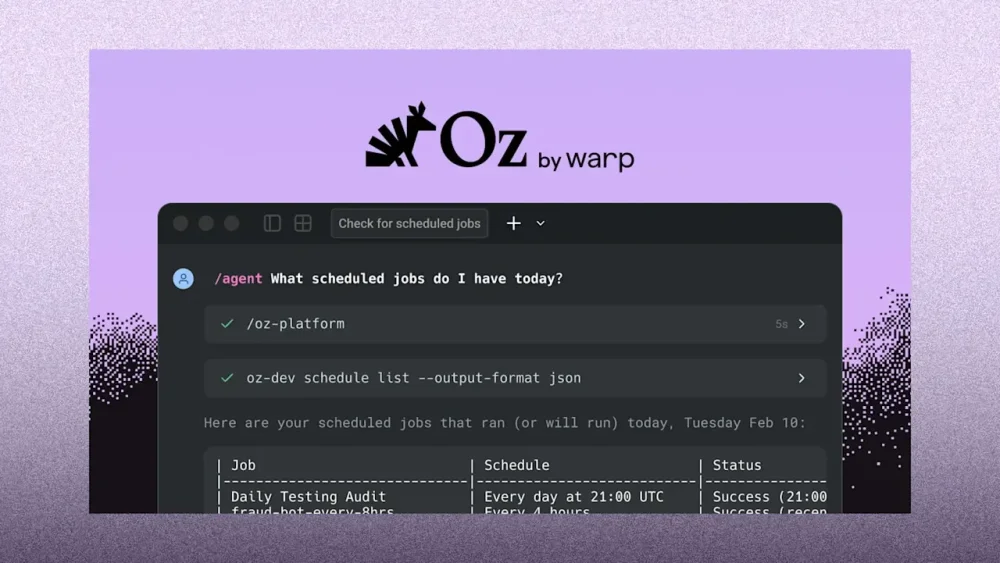
Warp, which builds software to help developers control AI agents and other software from the command line, is rolling out a new tool called Oz to collaboratively command AI in the cloud. Last year, Warp launched its agentic development environment, which lets programmers command AI agents to write code and other tasks. Developers can also use the software to edit code on their own and run command-line development tools. That release came as many developers became increasingly fond of vibe coding—the process of instructing an AI on what source code should do rather than writing it directly—and the industry produced a variety of tools, including Anthropic’s Claude Code and Google’s Antigravity, aimed at assisting with the process. But, says Warp’s founder and CEO Zach Lloyd, most existing agentic development software is geared at individual developers interacting with agents developing code on their own computers. That can make it difficult for teams to collaborate on agent-driven development and even make it hard for managers and colleagues to understand what individual developers already have AI agents working on. It can also make it difficult to guarantee agents are properly configured and securely handling company code and data, even in the face of deliberate attempts to steal data, like external “prompt injection” attacks meant to deceive AI, Lloyd says. “Right now, with everyone who’s using these agents on their local machines, it’s like the Wild West,” he says. “You don’t know what they’re doing.” Oz looks to solve that problem by providing secure, cloud-based sandboxes for AI agents to run as they write code, process customer feedback and bug reports, and handle a variety of other tasks, with all of their operations logged and accessible through a Warp app or web interface. “Every time an agent runs, you get a complete record of what it did,” Lloyd says. Through Oz, companies can heavily customize what access employees have to different agents and tweak what permissions agents themselves have to avoid security risks. And agents can be automatically scheduled to run at particular times or in response to particular events, or manually instructed to run as needed, says Lloyd, demonstrating one agent the company uses internally to root out potential fraudulent use of its platform. Developers can also switch between running particular agents in the cloud or on their own computers, which can be useful for interactive development, and the context of previous interactions and runs is automatically preserved. Since the cloud-based side of Oz is commanded via a standardized interface, locally run agents and other apps can even trigger agents to run in the cloud for purposes like generating code to respond to bug reports or feature requests. “Our view on this is to try to make it really flexible, because companies are going to have lots of different systems and ways of deploying agents,” Lloyd says. Warp says more than 700,000 developers are now using its software, which has expanded from an enhanced command-line terminal—the esoteric, text-based interface long beloved by power users on Linux and MacOS—to include tools for knowledge sharing and commanding AI agents. The company declined to share precise revenue numbers but said that annual recurring revenue grew by a factor of 35 last year. Users of Oz will generally be charged both for cloud computing and for AI inference costs, with limited use of the system also available in Warp’s free plans, but customers can also work with Warp to use their existing infrastructure or AI models of their choice. Warp, which reported at the end of last year that its agents have edited 3.2 billion lines of code, is in essence betting that even in an era when vibe coding is making it easier than ever to build custom software, companies interested in security, ease of use, and fast deployment will still prefer to use its tools for managing their coding agents rather than developing their own in house. “Every company this year that’s building software is going to want some sort of solution to do this, just because it’s such a big potential force multiplier for how software is produced,” says Lloyd. View the full article
-
A notorious ransomware and extortion gang known as Clop attacked Oracle's E-Business Suite, gaining access to Anywhere's employee and consumer data. View the full article

-
Jeff Dellapina will be replaced by Asia finance chief Jay Ng View the full article
-
Honda reported Tuesday a 42% drop in profit for the nine months through December, compared to a year earlier, as U.S. President Donald The President’s tariffs hurt the Japanese automaker’s earnings. Tokyo-based Honda Motor Co.’s profit over the three quarters totaled 465.4 billion yen ($3 billion), down from 805.2 billion yen. That marked the second straight year that profit declined during the period at Honda, the maker of the Accord sedan, Civic compact and Odyssey minivan. Sales for the three quarters dipped 2.2% to 15.98 trillion yen ($102.6 billion) from the previous year. Honda stuck to its full fiscal year profit forecast at 300 billion yen ($1.9 billion). The slowdown in electric vehicles in the U.S. market was one negative factor, according to Honda, while the relatively healthy performance in its motorcycle division worked as a plus. Honda lowered its global EV sales ratio projection for 2030 to 20% from its previous target of 30%. It also said it canceled the development of some EV models, because the EV market was changing. The The President administration, which has favored the oil and gas industry, has backpedaled on prior programs supporting the proliferation of EVs, dismantling programs that kicked in during the Biden administration, which had encouraged environmentally cleaner cars and trucks. Last year, The President lowered the tariffs on automobiles and auto parts to 15% from an earlier 25% that he had initially announced. Japan promised to invest $550 billion in U.S. projects. Tariffs are a major blow to Japan’s export-reliant economy, including the automakers. Last week, Japan’s top automaker Toyota Motor Corp. reported a decline in recent profit, and announced that its chief financial officer, Kenta Kon, will become its new chief executive and president. Prime Minister Sanae Takaichi, who took office in October as Japan’s first female leader, scored a landslide parliamentary election victory for the governing party over the weekend. That’s expected to make it easier for her Liberal Democratic Party to push forward on its policies, including bolstering growth by boosting government spending, especially in technology and defense. Honda stock jumped 2.1% in Tuesday’s trading. The Nikkei 225 benchmark finished 2.3% higher, renewing a record high for the second day straight, in a rally set off, in part, by Takaichi’s popularity. Yuri Kageyama is on Threads: https://www.threads.com/@yurikageyama —Yuri Kageyama AP Business Writer View the full article

-
New York-based Neuberger Berman will manage assets of MIO, which invests private wealth of consulting firm’s partnersView the full article
-
Energy groups, small-caps and materials companies have displaced AI-linked shares as the market’s best performersView the full article
-
Treasury yields experienced a bullish open with the 5-year yield dropping over 15 basis points in five days, ahead of key jobs and inflation reports, as the dollar demonstrated strong adherence to technical levels, according to the CEO of IF Securities. View the full article

-
New research shows synthetic personas can improve AI prompt tracking accuracy while cutting cost and research time dramatically. The post Synthetic Personas For Better Prompt Tracking appeared first on Search Engine Journal. View the full article
-
Media group adds ‘ticking fee’ to give shareholders additional payment for every quarter deal does not closeView the full article
-
Shortly after 7:00 local time this morning, the internet-famous walk for peace monks began the final miles of their 2,300-mile walking journey. They left Alexandria, Virginia, and are set to arrive in Washington, D.C., before 9:30 a.m., where they’ll take part in a public event at Bender Arena. The group plans to spend the next three days in and around the nation’s capital before traveling by bus to Fort Worth, Texas, where the journey began. Find out how they plan to spend the next few days. Who are the monks and why did they walk to D.C.? More than three months ago, a group of about 19 Buddhist monks and their rescue dog companion, Aloka, set out on a 2,300-mile walking journey to promote peace. The movement has been well-received in the United States and globally. Throughout the journey, massive crowds of people have gathered to welcome and celebrate the monks. They started the walk in Fort Worth, Texas, on October 26, 2025. After 108 days of walking, they arrived in Washington, D.C., this morning. The group’s Facebook page notes that they’re walking to “raise awareness of inner peace and mindfulness across America and the world.” The monks have been using their Facebook page to provide updates, share photos, and announce official events. An interactive map powered by Google Maps also let people follow along with the monks in real time. As their message of hope and peace has reached more people, their social media following has continued to grow significantly. They now have nearly 6 million combined followers across Facebook, Instagram, and TikTok. The monks’ rescue dog, Aloka, who has been part of the walking journey, has become an internet fan favorite. In January, Aloka had surgery to heal a leg injury. He’s doing well, but because he’s still recovering, he’s been traveling in an escort car that follows the walking route. Aloka has his own official social media accounts. He has a combined following of over 1.5 million fans across Facebook, Instagram, and TikTok. Here’s where the monks will be this week The group has shared the following schedule for the week: Tuesday, February 10: 7:00 a.m.: Walk from Alexandria, VA, to Washington, D.C. 9:30-10:45 a.m.: Public Event at Bender Arena Lunch stop: They’ll attend an invite-only lunch at the National United Methodist Church 1:00–2:30 p.m.: Interfaith Ceremony at Washington National Cathedral 2:30 p.m.: Unity Walk on Embassy Row In the evening, they’ll attend a private event at George Washington University Wednesday, February 11: 9:30 a.m.: Walk to Peace Monument / Capitol Hill begins Lunch stop: They’ll attend an invite-only lunch at St. Mark’s Capitol Hill Church 1:30 p.m.: Begin walking to the Lincoln Memorial 2:30-4:00 p.m: Peace Gathering and Concluding Ceremony at the Lincoln Memorial 4:30-7:30 p.m.: Meditation session with Venerable Bhikkhu Pannakara at George Washington University Smith Center Thursday, February 12: 9:00 a.m.: Begin walking from the Navy-Marine Corps Memorial Stadium in Maryland to the Maryland State Capitol 10:00-10:45 a.m.: Peace gathering at the steps of the Maryland State Capitol 12:30 p.m.: Depart for Fort Worth, Texas, by bus Saturday, February 14: The group is set to arrive in Fort Worth around 8:00 a.m. They plan to walk from downtown Fort Worth to the Hương Đạo Vipassana Bhavana Center, where the 2,300-mile journey began. The homecoming walking route is approximately six miles. To celebrate the completion of their journey, a peace gathering will be held at the Hương Đạo Vipassana Bhavana Center. If you’d like to follow along throughout the coming days, check their Facebook page for updates. View the full article

-
The urge to tame big corporate landlords is bubbling over among locals in woodsy Paulding County, Georgia, an Atlanta exurb where church steeples and old graveyards punctuate the rolling hills, and an 18-foot fiberglass Wonder Woman waves at drivers. View the full article

-
It is no secret that publishing SEO-friendly blog posts is one of the easiest and most effective ways to drive organic traffic and improve SERP rankings. However, in the era of artificial intelligence, blog posts matter more than ever. They help establish brand authority by consistently delivering fresh, valuable content that can be cited in AI-generated answers. In this guide, we will share a practical, detailed approach to writing SEO-friendly blog content that not only ranks on Google SERPs but is also surfaced by AI models. Table of contents What does an SEO-friendly blog post mean in the AI era? 9 tips to write SEO-friendly blogs for LLM and SERP visibility Bonus tips Target your readers always! Key takeaways SEO friendly blog post now means writing with search intent, ensuring content is clear and quotable for AI systems Key factors for SEO friendly blog posts include trustworthiness, machine-readability, answer-first structure, and topical authority Conduct thorough keyword research and find readers’ questions to match search intent effectively Use clear headings, improve readability, include inclusive language, and add relevant media to engage readers Write compelling meta titles and descriptions, link to existing content, and focus on building authority to enhance visibility What does an SEO-friendly blog post mean in the AI era? The way people search for information has changed, and with it, the meaning of an SEO-friendly blog post. Before the rise of generative AI, writing an SEO-friendly blog post mostly meant this: ‘Writing content with the intention of ranking highly in search engine results pages (SERPs). The content is optimized for specific target keywords, easy to read, and provides value to the reader.’ That definition is not wrong. But it is no longer complete. In the AI era, an SEO-friendly blog post is written with search intent first, answering a user’s question clearly and efficiently. It is not just about placing keywords in the right spots. It is about creating an information-dense piece with accurate, well-structured, and quotable sentences that AI systems can confidently extract and surface as direct answers. The new definition clearly shows that strong SEO foundations still matter, and they matter more than ever. What has changed is how content is evaluated and discovered. Search engines and AI models now look beyond clicks and rankings to understand whether your content is trustworthy, helpful, and easy to interpret. Here are some key factors that play a key role in determining whether a blog post is truly SEO-friendly: Trustworthiness (E-E-A-T): Demonstrating real-world experience, expertise, and credibility helps your content stand out from low-value AI-generated rehashes Machine-readability: Clear structure, clean HTML, and technical signals such as schema markup help search engines and AI systems understand what your content is about Answer-first structure: Placing concise, direct answers at the beginning of sections makes it easier for AI models to extract and reference your content Topical authority: Publishing interconnected, in-depth content around a subject is far more effective than creating isolated blog posts 9 tips to write SEO-friendly blogs for LLM and SERP visibility Now we get to the core of this guide. Below are some foundational tips to help you plan and write SEO-friendly blog posts that are genuinely helpful, easy to understand, and focused on solving real reader problems. When done right, these practices not only improve search visibility but also shape how your brand is perceived by both users and AI systems. 1. Conduct thorough keyword research Before you start writing a single word, start with solid keyword research. This step helps you understand how people search for a topic, which terms carry demand, and how competitive those searches are. It also ensures your content aligns with real user intent instead of assumptions. You can use tools like Google Keyword Planner, Ahrefs, or Semrush for this. Personally, I prefer using Semrush’s Keyword Magic Tool because it quickly surfaces thousands of relevant keyword ideas around a single topic. Here’s how I usually approach it. I enter a broad keyword related to my topic, for example, ‘SEO.’ The tool then returns an extensive list of related keywords along with important metrics. I mainly focus on three of them: Search intent, to understand what the user is really looking for Keyword Difficulty (KD%), to estimate how hard it is to rank Search volume, to gauge demand This combination helps me choose keywords that are realistic to rank for and meaningful for readers. If you use Yoast SEO, this process becomes even easier. Semrush is integrated into Yoast SEO (both free and Premium), giving you keyword suggestions directly in Yoast SEO. With a single click, you can access relevant keyword data while writing, making it easier to create focused, useful content from the start. Looking for keyphrase suggestions? When you’ve set a focus keyword in Yoast SEO, you can click on ‘Get related keyphrases’ and our Semrush integration will help you find high-performing keyphrases! Also read: How to use the Semrush related keyphrases feature in Yoast SEO for WordPress 2. Finding readers’ questions Keyword research tells you what people search for. Questions tell you why they search. When you actively look for the questions your audience is asking, you move closer to matching search intent. This is especially important in the AI era, where search engines and AI models prioritize clear, answer-driven content. For example, consider these two queries: What are the key features of good running shoes? This shows informational intent. The searcher wants to understand what makes a running shoe good. What are the best running shoes? This suggests a transactional or commercial intent. The searcher is likely comparing options before making a purchase. Both questions are valid, but they require very different content approaches. There are two simple ways I usually find relevant questions. The first is by checking the People also ask section in Google search results. By typing in a broad keyphrase, you can see related questions that Google itself considers relevant. The second method is to use the Questions filter in Semrush’s Keyword Magic Tool. This helps uncover question-based queries directly tied to your main topic. Apart from these methods, I also like using Google’s AI Overview and AI mode as a quick research layer. When I search for my main topic, I pay close attention to AI-cited sources, as they often surface broad questions people are actively seeking. The structured points and highlighted terms usually reflect the answers and subtopics that matter most to users. If I want to go deeper, I click “Show more,” which reveals additional angles and follow-up questions I might not have considered initially. Finding and answering these questions helps you do lightweight online audience research and create content that feels genuinely helpful. It also increases the chances of your blog post being referenced in AI-generated answers, since LLMs are designed to surface clear responses to specific questions. 3. Structure your content with headings and subheadings In our 2026 SEO predictions, we highlighted that editorial quality is no longer just about good writing. It has become a machine-readability requirement. Content that is clearly structured is easier to understand, reuse, and surface across both search and AI-driven experiences. How LLMs use headings AI models rely on headings to identify topics, questions, and answers within a page. When your content is broken into clear sections, it becomes easier for them to extract key information and include it in AI-generated summaries. Why headings still matter for SEO Headings help search engines understand the hierarchy of your content and the main points you are trying to rank for. They also improve scannability and usability, especially on mobile devices, and increase the chances of earning featured snippets. Good structure has always been a core SEO principle. In the AI era, it remains one of the simplest and most effective ways to improve visibility and discoverability. 4. Focus on readability aspects An SEO-friendly blog post should be easy to read before it can rank or get picked up by AI systems. Readability helps readers stay engaged and helps search engines and AI models better understand your content. A few key readability aspects to focus on while writing: Avoid passive voice where possible Active sentences are clearer and more direct. They make it easier for readers to understand who is doing what, and they reduce ambiguity for AI systems processing your content. Use transition words Transition words like “because,” “for example,” and “however” guide readers through your content. They improve flow and make it easier to follow relationships between sentences and paragraphs. Keep sentences and paragraphs short Long, complex sentences reduce clarity. Breaking content into shorter sentences and paragraphs improves scannability and comprehension. Avoid consecutive sentences starting in the same way Varying sentence structure keeps your writing engaging and prevents it from sounding repetitive or robotic. If you are a WordPress or Shopify user, Yoast SEO (and Yoast SEO for Shopify for Shopify users) can help here. Its readability analysis checks for passive voice, transition words, sentence length, and other clarity signals while you write. If you prefer drafting in Google Docs, you can use the Yoast SEO Google Docs add-on to get the same readability feedback before publishing. Use Yoast SEO in Google DocsOptimize as you draft for SEO, inclusivity, and readability. The Yoast SEO Google Docs add-on lets you export content ready for WordPress, no reformatting required. Get Yoast for Google Docs add-onOnly $5 / month (ex VAT) Good readability is not just about pleasing algorithms. It helps readers understand your message more quickly and makes your content easier to reuse in AI-generated responses. 5. Use inclusive language Inclusive language helps ensure your content is respectful, clear, and welcoming to a broader audience. It avoids assumptions about gender, ability, age, or background, and focuses on people-first communication. From an SEO and AI perspective, inclusive language also improves clarity. Content that avoids vague or biased terms is easier to interpret, digest, and trust. This directly supports brand perception, especially when your content is surfaced in AI-generated responses. Yoast SEO supports this through its inclusive language check, which flags potentially non-inclusive terms and suggests better alternatives. This feature is available in Yoast SEO, Yoast SEO Premium, and in the Yoast SEO Google Docs add-on, making it easier to build inclusive habits directly into your writing workflow. Inclusive language ensures your content is intentional, thoughtful, and clear, aligning closely with what modern SEO and AI systems value. 6. Add relevant media and interaction points A well-written blog post should not feel like a long block of text. Adding the right media and interaction points helps guide readers through your content, keeps them engaged, and encourages them to take action. Why media matters Media elements such as images, videos, embeds, and infographics make your content easier to consume and more engaging. Blog posts that include images receive 94% more views than those without, simply because visuals break up large blocks of text and make pages easier to scan. Video content plays an even bigger role. Embedded videos help explain complex ideas faster and can significantly improve organic visibility compared to text-only posts. Together, these elements encourage readers to stay longer on your page, which is a strong signal of content quality for search engines and AI systems alike. Media also improves accessibility. Properly optimized images with descriptive alt text make content usable for screen readers, while original visuals, screenshots, or diagrams help reinforce credibility and expertise. Use interaction points to guide and engage readers Interaction does not always mean complex features. Even simple elements can significantly improve engagement when used well. A table of contents, for example, allows readers to jump directly to the section they care about most. Other interaction points include clear calls to action (CTAs) that guide readers to the next step, relevant recommendations that encourage users to keep exploring your site, and social sharing buttons that make it easy to amplify your content. Interactive elements like polls, quizzes, or embedded tools further encourage participation and increase time on page. 7. Plan your content length Content length still matters, but not in the way many people think it does. A common question is what the ideal word count is for a blog post that performs well. A 2024 study by Backlinko found that while longer content tends to attract more backlinks, the average page ranking on Google’s first page contains around 1,500 words. That said, this should not be treated as a fixed benchmark. The ideal length is the one that fully answers the user’s question. In an AI-driven era, publishing long content that adds little value or is padded with unnecessary fluff can do more harm than good. If a topic genuinely requires a longer format, breaking the content into clear subheadings makes a big difference. I personally prefer structuring long articles this way because it improves readability, helps readers navigate the page more easily, and makes the content easier for search engines and AI systems to understand. Must read: How to use headings on your site If you use Yoast SEO or Yoast SEO Premium, the paragraph and sentence length checks can help here. These checks exist to prevent pages from being too thin to provide real value. Pages with very low word counts often lack context and struggle to demonstrate relevance or expertise. Yoast SEO flags such cases as a warning, while clearly indicating that adding more words alone does not guarantee better rankings. Think of word count as a guideline, not a goal. Your focus should always be on clarity, completeness, and usefulness. 8. Link to existing content Internal linking is one of the most underrated SEO practices, yet it does a lot of heavy lifting behind the scenes. By linking to relevant content within your site, you help readers discover additional resources and help search engines understand how your content is connected. Over time, this strengthens topical authority and signals that your site consistently covers a subject in depth. Good internal linking follows a few simple principles: Link only when it adds value and feels natural in context Use clear, descriptive anchor text so users and search engines know what to expect Avoid linking to outdated URLs or pages that redirect, as this wastes crawl signals Internal links also keep readers engaged longer by guiding them to related articles. This improves overall site engagement while reinforcing your expertise on a topic. From an AI and search perspective, internal linking plays an even bigger role. Modern search systems analyze content structure, metadata hierarchies, schema markup, and internal links to assess topical depth and clarity. Well-linked content clusters make it easier for search engines and AI systems to understand what your site is about and which pages are most important. For WordPress users, Yoast SEO Premium offers internal linking suggestions directly in the editor. This makes it easier to spot relevant linking opportunities as you write, helping you build stronger content connections without interrupting your workflow. A smarter analysis in Yoast SEO PremiumYoast SEO Premium has a smart content analysis that helps you take your content to the next level! Get Yoast SEO Premium »Only $118.80 / year (ex VAT) 9. Write compelling meta titles and descriptions Meta titles and meta descriptions help users decide whether to click on your content. While meta descriptions are not a direct ranking factor, they strongly influence click-through rates, making them an essential part of writing SEO-friendly blog posts. A good meta title clearly communicates what the page is about. Place your main keyword near the beginning, keep it concise, and aim for roughly 55-60 characters so it doesn’t get truncated in search results. Meta descriptions act like a short invitation. They should explain what the reader will gain from clicking and why it matters. Instead of stuffing keywords, focus on clarity and usefulness. Mention what aspects of the topic your content covers and how it helps the reader. Simple language works best. Pro tip: Using action-oriented verbs such as “learn,” “discover,” or “read” can also encourage clicks and make your description more engaging. If you use Yoast SEO Premium, this process becomes much easier. The AI-powered meta title and description generation feature helps you create relevant, well-structured metadata in just one click. It follows SEO best practices while producing descriptions and titles that are clear, engaging, and aligned with search intent. Bonus tips Once you have the fundamentals in place, a few extra refinements can go a long way. The following bonus tips help improve usability, clarity, and long-term discoverability. They are not mandatory, but when applied thoughtfully, they can make your blog posts more helpful for readers and easier to surface across search engines and AI-driven experiences. 1. Add a table of contents A table of contents (TOC) helps readers quickly understand what your blog post covers and jump straight to the section they care about. This is especially useful for long-form content, where users often scan rather than scroll from top to bottom. From an SEO perspective, a TOC improves structure and readability and can create jump links in search results, which may increase click-through rates. It reduces bounce rates by helping users find answers faster and improves accessibility by offering clear navigation. By the way, did you know Yoast can help you here too? Yes, the Yoast SEO Internal linking blocks feature lets you add a TOC block to your blog post that automatically includes all the headings with just one click! 2. Add key takeaways Key takeaways help readers quickly grasp the main points of your blog post without having to read the whole post. This is especially helpful for time-constrained users who want quick, actionable insights. Summaries also support SEO by reinforcing topic relevance and improving content comprehension for search engines and AI systems. Well-written takeaways might increase visibility in featured snippets and “People also ask” results. If you use Yoast SEO Premium, the Yoast AI Summarize feature can generate key takeaways for your content in just one click, making it easier to add concise summaries without extra effort. 3. Add an FAQ section An FAQ section gives you space to answer specific questions your readers may still have after reading your post. This improves user experience by addressing concerns directly and building trust. FAQs also help search engines better understand your content by clearly outlining common questions and answers related to your topic. While they can support rankings, their real value lies in reducing friction, improving clarity, and even supporting conversions by clearing doubts. 4. Short permalinks A permalink is the permanent URL of your blog post. Short, descriptive permalinks are easier to read, easier to share, and more likely to be clicked. Good permalinks clearly describe what the page is about, avoid unnecessary words, and include the main topic where relevant. They improve usability and help search engines understand page context at a glance. 5. Focus on building authority (EEAT aspect) Building authority is critical, especially for sites that cover sensitive or high-impact topics. Demonstrating Experience, Expertise, Authoritativeness, and Trustworthiness (E-E-A-T) helps both users and search engines trust your content. This includes citing reliable sources, showing real-world experience, maintaining consistent quality, and clearly communicating who is behind the content. Strong E-E-A-T signals are especially important for YMYL topics, where accuracy and credibility matter most. 6. Plan content distribution Writing a great blog post is only half the work. Distribution helps your content reach the right audience. Sharing posts on social media, repurposing key insights into newsletters, and earning backlinks from relevant sites can drive more traffic and visibility. Distribution also increases engagement signals and helps your content gain traction faster, which supports long-term SEO performance. Target your readers always! In AI-driven search, retrieval beats ranking. Clarity, structure, and language alignment now decide if your content gets seen. – Carolyn Shelby This perfectly sums up what writing SEO-friendly blog posts looks like today. Success is no longer just about rankings. It is about being clear, helpful, and easy to understand for both readers and AI systems. Throughout this guide, we focused on the fundamentals that still matter: understanding search intent, structuring content well, improving readability, using inclusive language, and supporting your writing with media, internal links, and thoughtful metadata. These are not new tricks. They are strong SEO foundations, adapted for how search and discovery work in the AI era. If there is one takeaway, it is this: always write for your readers first. When your content genuinely helps people, answers their questions, and respects how they search and read, it naturally becomes easier to surface across SERPs and AI-driven experiences. Good SEO has not changed. It has simply become more human. The post Tips and tricks to write SEO-friendly blog posts in the AI era appeared first on Yoast. View the full article