All Activity
- Past hour
-
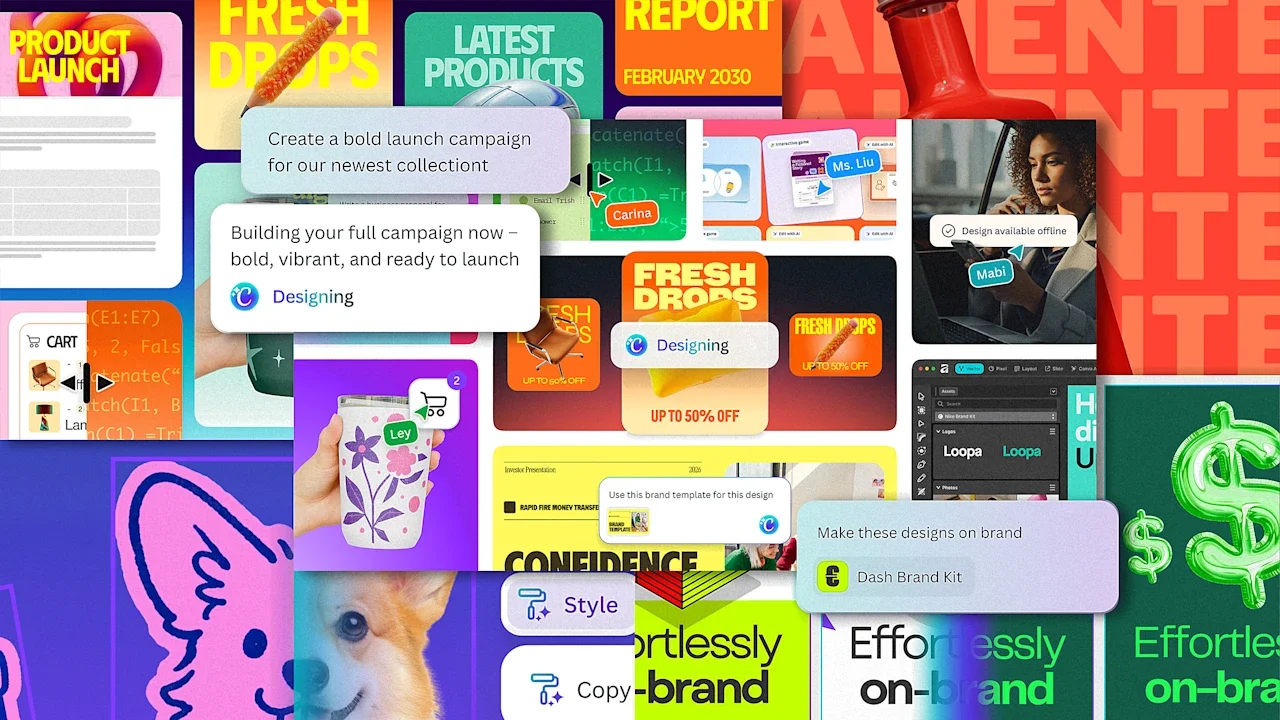
Language bias in AI models creates hidden visibility gaps, forcing brands to rethink how they approach multilingual search and content strategy. The post Your AI Visibility Strategy Doesn’t Work Outside English appeared first on Search Engine Journal. View the full article
-
Music lovers who have complained for years about Ticketmaster fees for concert tickets are surely reveling in a jury verdict Wednesday that found its parent company Live Nation has been running a harmful monopoly over large venues across the U.S. But they will have to wait to see if the verdict leads to changes that make concerts more affordable. Here are some things to know about the verdict in the closely-watched antitrust battle: No immediate relief for concertgoers The lawsuit, initially led by the U.S. government under former President Joe Biden, accused Live Nation of smothering competition and blocking venues from using multiple ticket sellers. Days into the trial, however, President Donald The President’s administration announced it would settle its claims against the concert giant. Some states joined the $280 million settlement, which still needs a judge’s approval, but more than 30 states pressed ahead with the trial. A federal jury in New York found that Ticketmaster had overcharged customers $1.72 per ticket in 22 states, which a judge could order the company to pay back. That could cost Live Nation hundreds of millions of dollars. “The jury’s verdict is not the last word on this matter,” Live Nation said in a statement Wednesday. The verdict brings no immediate relief for concertgoers. But the states view it as a step toward opening the market to other companies in a way that will enhance competition and could slightly lower prices. “There might be a few extra dollars that will come trickle down at consumers who bought tickets through Live Nation,” said Shubha Ghosh, a law professor at Syracuse University who focuses on technology and antitrust law. “Whether ticket prices will go down in the long run, I think it largely depends.” Verdict could cost company hundreds of millions The next step will be determining the penalties. Beyond the hundreds of millions that Live Nation could be ordered to pay, possible sanctions could force the company to sell off some of its venues. Live Nation owns, controls booking for or has equity in hundreds of venues, and its subsidiary Ticketmaster is the world’s largest ticket-seller for live events. Live Nation has continued to insist that it is not a monopoly. The company predicted that once the remedies phase of the case plays out and any appeals are resolved, the outcome likely won’t be much different from the deal it reached with the federal government. U.S. District Judge Arun Subramanian told attorneys to meet and deliver a joint letter by next week that proposes a schedule for next steps. Senators urge judge to scrutinize federal settlement A group of Democratic senators wrote to the judge Wednesday after the verdict, urging him to closely scrutinize the The President administration’s proposed settlement with Live Nation before he considers granting approval. The deal includes a cap on service fees at some amphitheaters and new ticket-selling options that could allow promoters and venues to also use Ticketmaster competitors, such as SeatGeek, Eventbrite or AXS. However, it does not separate Ticketmaster from Live Nation, which was an original goal of the Justice Department’s 2024 complaint. U.S. Sens. Amy Klobuchar, Elizabeth Warren, Cory Booker, Richard Blumenthal, Mazie Hirono and Peter Welch argue the deal was “negotiated under suspicious circumstances” and does not go far enough in restoring competition or protecting customers, artists and independent venues. The Justice Department has called the settlement a “win-win for everybody,” and Live Nation has said it is pleased with a deal that increases access for other promoters. Associated Press journalists Wyatte Grantham-Philips and David Martin contributed. —Hannah Schoenbaum, Associated Press View the full article
-
Social Security’s cost-of-living adjustment (COLA) could stay at 2.8% in 2027, the same as its rate for this year. That’s the latest prediction from The Senior Citizens League (TSCL) and mirrors 2026’s COLA. If enacted in October, it would increase the average benefits check from $2,024.77 to $2,081.46—a $56.69 increase. The TSCL finds the 2.8% increase concerning due to high costs of living, such as rents and mortgages. “The fact is that most senior households already get by on only about 58% as much income as their working-age counterparts, and you’d be hard-pressed to find a middle-class or working-class American who thinks the economy is doing well right now, especially as oil prices rise,” TSCL executive director Shannon Benton said in a statement. She added: “Reforming Social Security needs to follow a two-pronged approach, strengthening revenues and benefits at the same time to ensure prosperity for all Americans, of all ages.” How was the COLA prediction calculated? The nonpartisan senior group’s prediction uses a model incorporating the Consumer Price Index (CPI), the Federal Reserve interest rate, and the national unemployment rate. It releases a new figure monthly, but has maintained a predicted 2.8% COLA since February. The predicted COLA comes as Congress has proposed capping Social Security payments at $50,000 for one person and $100,000 for couples. The “Six Figure Limit” aims to prevent looming insolvency—something that is on track to occur in seven years. However, the TSCL claims most seniors aren’t in favor of the cap, instead in favor of getting rid of a $184,500 limit on income receiving Social Security tax. Notably, TSCL’s prediction is just one estimate floating around. For instance, independent Social Security and Medicare policy analyst Mary Johnson has predicted a COLA of 3.2%, CNBC reports. This figure is up from Johnson’s March prediction of 1.7%, a shift she attributes to rising gas prices. View the full article

-
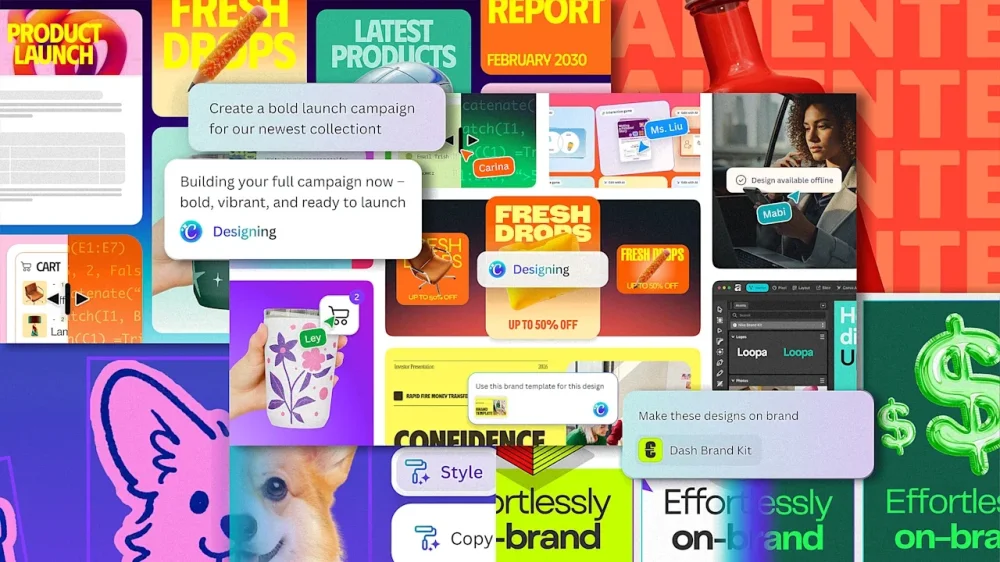
Canva built its 265-million-person audience by being the easy-to-use, template-friendly design tool for everyone. And when generative AI arrived, it quickly integrated the technology. Now, Canva is amongst the leading spenders on compute from platforms like ChatGPT, it’s building its own models and acquiring its own AI companies, and it’s launching even more AI design features as part of its Canva AI 2.0 release that it’s announcing today. But the headline marks a deeper, philosophical shift within Canva: From being “a design platform with AI tools” to becoming an “AI platform with design tools.” Connecting with Canva’s CEO, Mel Perkins, I asked about the motivation behind this repositioning. In this age of AI, much of the industry has been discussing what you could call either a flattening or a war between the roles of designers, product managers, and engineers. Was Canva responding to this trend? In response, Perkins pulls up an old idea from 2011 called Canvas Chef, which looks a lot like the Google Search page but with wood paneling and some kitchen kitsch. “From the very early stages, we always believed that you could just be able to type in whatever you want and kind of get kickstarted straight away,” she says. “Obviously, it has been a very long journey to get to this point in time, but really, that is actually what we’re launching today.” Canva AI 2.0 looks like Perkins’s 15-year-old vision, and also the Canva you already know. The real difference now is that Canva’s existing AI tab—which is pretty much a search bar—has been supercharged with more capabilities. A big upgrade is around connecting services. You can now link Google Drive, Gmail, Slack, Zoom, and Notion—plus it’ll crawl for an answer on the web, or even search your old Canva projects—allowing Canva to bring in relevant information that I imagine will be particularly valuable to marketers. Whereas you used to be able to create a somewhat generic deck from a prompt, now you can infuse that deck with data that’s lurking in your emails or spreadsheets. Other upgrades allow you to do a lot more when AI-editing that deck. Formerly, it was a one-shot, generate-the-whole-thing-for-me ask. Now, you can actually edit individual slides with AI prompts instead of starting over. Similar capabilities exist for brand templates. Before, if you didn’t start a project with your brand standards, you couldn’t always update them retroactively. Now, AI will transform any design you throw at it to be more on-brand. And of course, Canva will develop interactive projects, too, which publish straight to the web. “When we launched Canva, the huge innovation was we went from pixel editing, where you had to very deeply know the tools, to object editing, where you could just lay things out,” says Perkins. “And now with Canva AI 2.0 we’re actually moving into concept editing, where you can put in a concept it can then assemble it for you on the fly.” That said, Canva isn’t removing any of the physical tools people are used to. For this big update and grand repositioning, Canva’s vibe is largely unchanged. The more radical updates live under the hood, developed by Canva’s 100+ person AI research team. Multi-agents made invisible Behind the scenes, Canva provides this upgraded AI toolset by offering AI agents to its users—but those users never actually see them. I’m told that Canva’s own AI layer sits between its app and the external AI services it queries, juggling a complicated, multi-agent workflow that the Valley’s top coders are addicted to, without ever asking the user to think about more than one AI question at once. Perkins says this is what allows complicated tasks, that might need to remove the background of an image and generate copy and apply brand standards at the same time. As the capabilities stack up, I wonder if Canva’s subscription prices can offer people the amount of AI processing they’ll need to take advantage of the service. Canva is ahead of this issue, as it’s introducing a special AI Pass that, for $100/mo, offers Pro users 40x more AI and Business users 20x more AI. Despite Canva’s aggressive incorporation of AI, I still can’t help but wonder if it’s being experimental enough, as AI feels poised to melt the boundaries of media as we know them. Canva is excellent at reducing the friction around creating things, but it’s not all that deep for experimentation or exploration. And it’s not challenging the status quo of the prompt. CJ Jones, head of GenAI design at Canva, says the company is rolling out the AI features that its users are asking for. And the fact is that, today, a lot of their users aren’t graphic design professionals who are artists with a mouse. Instead, most people are using AI to remove backgrounds in images and translate text to English (as many users are not native English speakers). Even still, Jones insists that Canva is thinking more experimentally in the larger term, taking a patient, car company approach to redesigning its own software over time. “Part of our product development process is looking at two years from now, five years from now, 10 years from now, and what we’ll do from there is [consider] this might be a really wild idea that completely redesigns Canva,” says Jones. “But we have to keep in mind our base right now…How easy is it to move them from where we are today to that? And so what we’ll do is look at the core of that vision, and how we want to bring that [to the product].” Canva AI 2.0 launches today in a preview to Pro and Business customers. View the full article
-
We may earn a commission from links on this page. Deal pricing and availability subject to change after time of publication. Anker’s Nebula P1i Portable Projector is down to $295 on Amazon from its usual $369, and according to price trackers, that’s the lowest it has gone so far. That makes it one of the more affordable ways to get a full HD projector with built-in streaming. The P1i is designed around convenience—it runs Google TV out of the box, so you can jump straight into apps like Netflix without plugging in a streaming stick. Setup is also simple: Anker’s Smart Instant Setup handles autofocus, keystone correction, and screen alignment, so you can place it down and get a usable image in seconds. Anker Nebula P1i Portable projector with wifi and Bluetooth $295.00 at Amazon $369.00 Save $74.00 Get Deal Get Deal $295.00 at Amazon $369.00 Save $74.00 At just under five pounds, it's also easy to move, although that light build comes with a small downside. If the projector gets nudged, the image can shift, which means you may need to readjust it. Using a tripod helps, especially if you’re setting it up outdoors or want something more stable at home. In terms of connections, it keeps things simple with one HDMI port, a USB-A slot, and a headphone jack. You can hook up a console or streaming device if you want, but the built-in interface already covers most use cases. The Nebula P1i can accept a 4K signal but scales it down to 1080p, which is fine for movies and casual viewing. While the image looks good in the center with colors that come across as fairly natural, the edges soften a bit if you’re projecting at an angle. Brightness is another constraint, so it performs best at night or in a dark room—daytime viewing with ambient light washes out a lot of detail. Also, while its fold-out speakers are loud enough for a small gathering and make voices easy to follow, they lack depth, so movies do not feel as full as they should. You can pair Bluetooth speakers for better audio, but that adds to both cost and setup. There’s also no built-in battery, so it always needs to stay plugged in, which takes away some of the flexibility you might expect from a portable projector. Our Best Editor-Vetted Tech Deals Right Now Apple AirPods Pro 3 Noise Cancelling Heart Rate Wireless Earbuds — $199.99 (List Price $249.00) Apple iPad 11" 128GB A16 WiFi Tablet (Blue, 2025) — $299.00 (List Price $349.00) Apple Watch Series 11 (GPS, 42mm, S/M Black Sport Band) — $299.00 (List Price $399.00) Fire TV Stick 4K Plus Streaming Player With Remote (2025 Model) — $29.99 (List Price $49.99) Amazon Fire TV Soundbar — $99.99 (List Price $119.99) Blink Video Doorbell Wireless (Newest Model) + Sync Module Core — $35.99 (List Price $69.99) Ring Indoor Cam (2nd Gen, 2-pack, White) — $59.98 (List Price $79.99) Deals are selected by our commerce team View the full article
-
One of the biggest challenges in AI search is that visibility is being shaped by systems you can’t directly observe. Nothing like Google Search Console exists for ChatGPT, Claude, or Perplexity. No reporting layer showing what’s crawled, how often, or whether your content is considered at all. Yet these systems are actively crawling the web, building datasets, powering retrieval, and generating answers that shape discovery — often without sending traffic back to the source. This creates a gap. In traditional SEO, performance and behavior are connected. You can see impressions, clicks, indexing, and some level of crawl data. In AI search, that feedback loop doesn’t exist. Log files are the closest thing to that missing layer. They don’t summarize or interpret activity. They record it — every request, every URL, every crawler. For AI systems, that raw data is often the only way to understand how your site is actually being accessed. Some visibility is emerging — just not from AI platforms That lack of visibility hasn’t gone entirely unaddressed. Bing is one of the first platforms to introduce this natively. Through Bing Webmaster Tools, Copilot-related insights are beginning to show how AI-driven systems interact with websites. It’s still early, but it’s a meaningful shift — and the first real example of an AI system exposing even part of its behavior to site owners. Beyond that, a new category of tools is emerging. Platforms like Scrunch, Profound, and others focus on AI visibility, tracking how content appears in AI-generated responses and how different agents interact with a site. In some cases, they connect directly to sources like Cloudflare or other traffic layers, making it easier to monitor crawler activity without manually exporting and analyzing raw logs. That visibility is useful, especially as AI systems evolve quickly. But it isn’t complete. Most of these tools operate within a defined window. Some only surface a limited timeframe of agent activity, making them effective for near-term monitoring, but less useful for understanding longer-term patterns or changes in crawl behavior. AI crawler activity isn’t consistent. Unlike Googlebot, which crawls continuously, many AI agents appear sporadically or in bursts. Without historical data, it’s difficult to determine whether a change in activity is meaningful or normal variation. Log files solve for that. They provide a complete, unfiltered record of crawler behavior — every request, every URL, every user agent. With continuous retention, they enable analysis of patterns over time and revisiting data when something changes. Dig deeper: Log file analysis for SEO: Find crawl issues & fix them fast Your customers search everywhere. Make sure your brand shows up. The SEO toolkit you know, plus the AI visibility data you need. Start Free Trial Get started with Not all AI crawlers behave the same way In log files, everything appears as a user agent string. On the surface, it’s easy to treat them the same, but they represent different systems with different objectives. That distinction matters, because it directly affects how they access and interact with your site. AI-related crawlers generally fall into two groups: training and retrieval. Training crawlers Training crawlers, such as GPTBot, ClaudeBot, CCBot, and Google-Extended, collect content for large-scale datasets and model development. Their activity isn’t tied to real-time queries, and they don’t behave like traditional search crawlers. You’ll typically see them less frequently, and when they do appear, their crawl patterns are broader and less targeted. Because of that, their presence – or absence – carries a different implication. If these crawlers don’t appear in your logs at all, it’s not just a crawl issue. It raises the question of whether your content is included in the datasets that influence how AI systems understand topics over time. At the same time, it’s important to consider how much data you’re analyzing. Training crawlers don’t operate on a continuous crawl cycle like Googlebot. Their activity is often sporadic, which means a short log window (a few hours, or even a single day) can be misleading. You may not see them simply because they haven’t crawled within that timeframe. That’s why analyzing log data over a longer period matters. It helps distinguish between true absence and normal variation in how these systems crawl. Retrieval and answer crawlers Retrieval crawlers operate differently. Agents like ChatGPT-User and PerplexityBot are more closely tied to live, or near-real-time, responses. Their activity tends to be event-driven and more targeted, often limited to a small number of URLs. That makes their behavior less predictable and easier to misinterpret. You won’t see the same volume or consistency you would from Googlebot, but patterns still matter. If these crawlers never reach deeper content, or consistently stop at top-level pages, it can indicate limitations in how your site is discovered or accessed. Traditional crawlers still matter, but they’re no longer the full picture Googlebot and Bingbot still provide the baseline. Their crawl behavior is consistent and typically gives a reliable view of how well your site can be discovered and indexed. The difference is that AI crawlers don’t always follow the same paths. It’s common to see strong, deep crawl coverage from Googlebot alongside much lighter, or more shallow, interaction from AI systems. That gap doesn’t show up in Search Console, but becomes clear in log files. What AI crawler behavior actually tells you Once you isolate AI crawlers in your log files, the goal isn’t just to confirm they exist. It’s to understand how they interact with your site – and what that behavior implies about visibility. AI systems crawl the web to train models, build retrieval indexes, and support generative answers. But unlike Googlebot, there’s very little direct visibility into how that activity plays out. Log files make that behavior observable. There are a few key patterns to focus on. Discovery: Are you being accessed at all? Start by checking whether AI crawlers appear in your logs. In many cases, they don’t — or appear far less frequently than traditional search crawlers. That doesn’t always indicate a technical issue, but highlights how differently these systems discover and access content. If AI crawlers are completely absent, they may be blocked in robots.txt, rate-limited at the server or CDN level, or simply not discovering your site. Presence alone is a signal. Absence is one too. Crawl depth: How far into your site do they go? When AI crawlers do appear, the next question is how far they get. It’s common to see them limited to top-level pages – the homepage, primary navigation, and a small number of high-level URLs. Deeper content, including long-tail pages, or location-specific content, is often untouched. If crawlers aren’t reaching those sections, they’re not seeing the full structure of your site. That limits how much context they can build and reduces the likelihood that deeper content is surfaced in AI-generated responses. Crawl paths: How AI systems actually see your site When AI crawlers access a site, they don’t build a comprehensive map the way traditional search engines do. Their behavior is more selective and influenced by what’s immediately accessible, which means your site structure plays a larger role in what they reach. In log files, this appears as concentrated activity around a small set of URLs. Requests are typically clustered around the homepage, primary navigation, and pages that are directly linked, or easy to discover. As you move deeper into the site, crawl activity often drops off, sometimes sharply, even when those pages are important from a business, or SEO, perspective. The practical implication: pages buried behind JavaScript-heavy navigation, or weak internal linking, are significantly less likely to be accessed. As a result, the version of your site AI systems interact with is often incomplete. Entire sections can be effectively invisible because they sit outside the paths these crawlers can follow. This is where log file analysis becomes particularly useful, because it exposes the difference between what exists and what’s actually accessed. Crawl friction: Where access breaks down Log files also surface where crawlers encounter issues. This includes: 403 responses (blocked requests). 429 responses (rate limiting). Redirects and redirect chains. Unexpected status codes. For AI crawlers, these issues can have an outsized impact. Their activity is already limited, and failed requests reduce the likelihood they continue deeper into the site. Cross-system comparison: How does this differ from Googlebot? Comparing AI crawler behavior to Googlebot provides useful context. Googlebot typically shows consistent, deep crawl coverage across a site. AI crawlers often behave differently – appearing less frequently, accessing fewer pages, and stopping at shallower levels. That difference highlights where your site is accessible for traditional search, but not necessarily for AI-driven systems. As those systems become more influential in discovery, crawl accessibility becomes a multi-system concern – not just a Google one. Get the newsletter search marketers rely on. See terms. How to analyze AI crawler behavior with log files You don’t need a complex setup to start getting value from log files. Most hosting platforms retain access logs by default, even if only for a short window. You’ll find that retention varies across hosting providers, but it’s often limited to anywhere from a few hours to a few days. Kinsta, for example, typically retains logs for a short rolling window, which is enough to get started but not for long-term analysis. Start with the logs you already have The first step is simply to export access logs from your hosting environment. Even a small dataset can surface useful patterns, particularly when you’re looking for presence, crawl paths, and obvious gaps. At this stage, you’re not trying to build a complete picture over time. You’re looking for directional insight into how different crawlers are interacting with your site right now. Use a log analysis tool to make the data usable Raw log files are difficult to work with directly, especially at scale. Tools like Screaming Frog Log File Analyzer make it possible to process that data quickly. Logs can be uploaded in their raw format and broken down by user agent, URL, and response code, allowing you to move from raw requests to structured analysis without additional preprocessing. This is where the data becomes usable. Segment by crawler type Once the logs are loaded, segmentation becomes the priority. Start by isolating user agents so you can compare AI crawlers, Googlebot, and Bingbot. This is critical, because behavior varies significantly across systems. Without segmentation, everything blends together. With it, patterns start to emerge. To filter your views by bot, select your bot at the top right of the Log File Analyser. This will update all subsequent analysis to the bot you’ve selected. You can begin to see: Whether AI crawlers appear at all. How their activity compares to traditional search. Whether their behavior aligns or diverges. Analyze crawl behavior against your site structure From there, shift from presence to behavior. Look at which URLs are being accessed, how frequently they appear, and how that maps to your site structure. This is where the earlier analysis becomes practical. You’re not just asking what was crawled. You’re asking: Are crawlers reaching deeper content? Which sections of the site are being skipped entirely? Does this align with how your site is structured and linked? This is where crawl paths, accessibility, and prioritization start to surface as real, observable patterns. Use response codes to identify friction Filtering by response code adds another layer of insight. This helps surface where crawlers are encountering issues, including: Blocked requests. Rate limiting. Redirect chains. Unexpected responses. For AI crawlers, these issues can have a greater impact. Their activity is already limited, so failed requests reduce the likelihood that they continue further into the site. Cross-reference crawlable vs. crawled One of the most valuable steps is comparing what can be crawled with what is actually being crawled. Running a standard crawl alongside your log analysis allows you to identify this gap directly. Pages that are accessible in theory, but never appear in logs, represent missed opportunities for discovery. Understand what your logs don’t show As you work through log data, it’s also important to understand its limitations. Server-level logs only capture requests that reach your origin. In environments that include a CDN, or security layer like Cloudflare, some requests may be filtered before they ever reach the site. That means certain crawler activity, particularly blocked, or rate-limited, requests, won’t appear in your logs at all. This becomes relevant when interpreting absence. If specific AI crawlers don’t appear in your data, it doesn’t always mean they aren’t attempting to access the site. In some cases, they may be getting filtered upstream. How to scale: Continuous log retention Log file analysis breaks down quickly if you’re only looking at short timeframes. A few hours of data, or even a single day, can show you what happened. It can also make it look like nothing is happening at all. With AI crawlers, that distinction matters. Their activity isn’t continuous. Training crawlers may appear intermittently, and retrieval agents are often tied to specific events or queries. A short log window can easily lead you to the wrong conclusion. A crawler that doesn’t appear in your data may still be active. It just hasn’t shown up within that window. This is where retention changes the analysis. Once you’re working with a longer dataset, you’ll see how often it appears, where it shows up, and whether that behavior is consistent over time. What looked like absence starts to resolve into patterns. Moving beyond your hosting limits At that point, the limitation isn’t analysis. It’s access to data over time. Most hosting environments aren’t designed for long-term log retention. Even when logs are available, they’re typically tied to a short rolling window. That makes it difficult to revisit behavior, compare time periods, or understand how crawler activity evolves. To get beyond that, you need to store logs outside of your hosting environment. Log storage options include: Amazon S3 is one of the most common approaches. It provides flexible, low-cost storage that allows you to retain logs continuously and query them when needed. If the goal is to build a historical view of crawler behavior, it’s a practical and widely supported option. Cloudflare R2 serves a similar purpose and can be a better fit for sites already using Cloudflare. It keeps storage within the same ecosystem and simplifies how log data is handled, particularly when edge-level logging is part of the setup. The specific platform matters less than the shift itself. You’re moving from whatever your host happened to keep to a dataset you control. Bridging the gap with automation Not every setup supports continuous streaming, and most teams aren’t going to build that infrastructure upfront. If your retention window is limited, automation becomes the practical way to extend it. Instead of manually downloading logs, you can schedule the process. Many hosting providers expose logs over SFTP, which makes it possible to pull them at regular intervals before they expire. A scheduled SFTP job – whether built in a workflow tool like n8n, or scripted – is enough to turn a short retention window into something you can actually analyze over time. That’s often the difference between one-off analysis and something repeatable. See the complete picture of your search visibility. Track, optimize, and win in Google and AI search from one platform. Start Free Trial Get started with Getting closer to a complete view As your dataset grows, so does the need to understand its boundaries. Log files show you what reached your site. They don’t always show you what tried to. In environments that include a CDN, or security layer, some requests may be filtered before they reach your origin. That becomes more noticeable over time, particularly when certain crawlers appear less frequently than expected. At that point, edge-level logging becomes a useful addition. It provides visibility into requests that are blocked or filtered upstream and helps explain gaps in origin-level data. It’s not required to get value from log analysis, but it becomes relevant once you’re trying to build a more complete picture of crawler behavior across systems. Log files show you what reached your site. They don’t show everything, but they’re the only place this interaction becomes visible at all. You’re not optimizing for one crawler anymore. And the teams that start measuring this now won’t be guessing later. View the full article
-
Defence secretary’s comments come as US also widens scope of blockade of Iranian shippingView the full article
- Today
-
Pledge by Scotland’s main pro-independence party could provoke constitutional row with WestminsterView the full article
-
After rising by more than 580% in a single trading session yesterday, shares of Allbirds Inc. (Nasdaq: BIRD) fell this morning in premarket trading, at one point more than 30%. The steep rise and now potential fall in the stock price followed the company’s unexpected announcement that it intends to transition from a sustainable shoemaker to an AI compute infrastructure provider. But while AI-obsessed investors initially cheered the odd move, history suggests the pivot may be a challenging one to pull off in the long run. Here’s what you need to know. What’s happened? Yesterday, San Francisco-based Allbirds, whose wool footwear had been popular with Silicon Valley locals, announced something completely unexpected: it would stop making shoes and instead become yet another AI company. Specifically, Allbirds said it will “pivot its business to AI compute infrastructure, with a long-term vision to become a fully integrated GPU-as-a-Service (GPUaaS) and AI-native cloud solutions provider.” In other words, the company’s new business model will involve spending millions to buy GPUs, and it will then rent those GPUs out to AI developers. This GPU-as-a-Service (GPUaaS) model puts the former shoemaker against GPUaaS juggernauts like Amazon Web Services (AWS) and Microsoft Azure. Allbirds will be changing its name to NewBird AI, while the “Allbirds” shoe brand will continue to be sold under its new owner, American Exchange Group (AXNY). Allbirds announced in March that it was selling its assets to AXNY for $39 million. But what many found crazier than this out-of-left-field pivot was that investors absolutely ate up the news. After announcing its AI plans, BIRD stock soared 582% yesterday, closing at $16.99 per share. To put that into further context, BIRD stock closed at $2.49 just the day before. Yet today, BIRD stock is already falling. If history is any guide, the shoemaker’s AI pivot might not turn out as well as investors hope. Allbirds stock drops in premarket trading BIRD shares experienced a steep decline this morning in premarket trading. At one point, BIRD was down more than 30%. As of this writing, premarket trading remained volatile, with shares down about 8% at press time. The most likely reason for the decline is simple profit-taking. Allbirds investors made massive gains yesterday, and some of those investors no doubt want to lock in those paper gains, which they do by selling the stock, thereby solidifying their profits. Such profit-taking is very common the day after any stock has a tremendous run. But today’s profit-taking isn’t what should worry Allbirds’ investors the most. What should worry them most is that Allbirds is not the only company to ever abandon its historic business model to pivot to a completely unrelated one just to join the latest hype train. And it didn’t work out well for the most notorious example. The specter of Long Island Iced Tea In 2011, the Long Island Iced Tea Corp was founded. As the company’s name suggests, it was a beverage company that made ready-to-drink iced tea products. But in 2017, when investors were throwing their money at any company operating in the then-burgeoning hot blockchain space, Long Island Iced Tea Corp decided to go all-in on the blockchain hype. While the company said it would continue to operate its beverage business, it said it intended to shift “its primary corporate focus towards the exploration of and investment in opportunities that leverage the benefits of blockchain technology.” As part of this shift, Long Island Iced Tea Corp changed its name to Long Blockchain Corp. And with that “blockchain” keyword in the name, boy did investors bite. As noted by CNN, Long Island’s stock price surged by as much as 380% on the pivot news. But from there, things went downhill. Its blockchain pivot never really materialized, and the Securities and Exchange Commission (SEC) launched an investigation. In the end, the company’s once surging stock was delisted from the Nasdaq. While the Long Island Iced Tea Corp’s story doesn’t mean the same thing will happen to every company that pivots its business model, it is a stark example of the potential challenges that lie ahead—possible risks for investors—when a company announces a radical shift toward the latest sector that just happens to be taking Wall Street by storm. Whether Allbirds’ pivot will be successful remains to be seen. But it may serve investors best in the long term to proceed with caution before jumping into such an abrupt change of direction. Maybe sit back and have a nice glass of iced tea first. This story is developing… View the full article

-
Websites aren’t built for AI agents, and that’s a problem. Slobodan Manic explains what needs to change. The post Machine-First Architecture: AI Agents Are Here And Your Website Isn’t Ready, Says NoHacks Podcast Host appeared first on Search Engine Journal. View the full article
-
IAB's annual report shows search ad growth fell while social media and digital video posted stronger year-over-year gains. The post Search Ad Growth Slows As Social & Video Gain Faster appeared first on Search Engine Journal. View the full article
-
We may earn a commission from links on this page. Deal pricing and availability subject to change after time of publication. The Levoit LV-H133 air purifier has dropped to $76.99 on Woot, down from its original $249.99 and still significantly lower than the $199.99 it’s currently going for on Amazon. According to price trackers, this marks the lowest price it has reached so far. This deal is set to run for two days or until stock runs out, whichever comes first, with free shipping for Prime members and a $6 fee for everyone else. Levoit LV-H133 Air Purifier 3-stage HEPA filtration for spaces up to 1,150 square feet $76.99 at Woot $249.99 Save $173.00 Get Deal Get Deal $76.99 at Woot $249.99 Save $173.00 The LV-H133 is built to handle spaces up to about 1,150 square feet, which covers a typical bedroom, living room, or even a studio apartment. The cylindrical design pulls air in through perforations around the base, runs it through its internal system, and pushes it out through a wide radial vent at the top. Setup is simple and takes a couple of minutes, with no complicated assembly beyond removing packaging from the filter and locking the shell back in place. After that, maintenance mostly means wiping down the vents and replacing filters every six to eight months, with a built-in indicator to remind you. In day-to-day use, the purifier leans on a three-stage filtration system. The pre-filter catches larger debris like dust and lint, the HEPA filter targets particles as small as 0.3 microns, and the carbon layer helps reduce odors from cooking, smoke, or pets. There are a few modes to choose from, including an auto setting that adjusts fan speed based on sensor readings in real time, along with low, medium, and high speeds. On its lowest setting, it runs at about 25 dB, and on high, it reaches around 52 dB, so it is fine for overnight use, but you will hear it working when pushed. The controls are on top, with clear buttons for speed, timer, and display. The main tradeoff is the lack of wifi or app control, which newer models offerte. Still, at this price, the appeal is simple: solid coverage and proven filtration without paying for smart features you may not need. Our Best Editor-Vetted Tech Deals Right Now Apple AirPods Pro 3 Noise Cancelling Heart Rate Wireless Earbuds — $199.99 (List Price $249.00) Apple iPad 11" 128GB A16 WiFi Tablet (Blue, 2025) — $299.00 (List Price $349.00) Apple Watch Series 11 (GPS, 42mm, S/M Black Sport Band) — $299.00 (List Price $399.00) Fire TV Stick 4K Plus Streaming Player With Remote (2025 Model) — $29.99 (List Price $49.99) Amazon Fire TV Soundbar — $99.99 (List Price $119.99) Blink Video Doorbell Wireless (Newest Model) + Sync Module Core — $35.99 (List Price $69.99) Ring Indoor Cam (2nd Gen, 2-pack, White) — $59.98 (List Price $79.99) Deals are selected by our commerce team View the full article
-
The role of auto-generated creative continues to evolve as advertisers weigh efficiency and scale against control and compliance. The post Should You Use Auto-Generated Creative? – Ask A PPC appeared first on Search Engine Journal. View the full article
-
In 1988, a London pre-teen with a penchant for programming and gaming wrote a version of the classic board game Othello—also known as Reversi—for his Amiga 500 home computer. Teaching a piece of software to play the game was an ambitious coding project for someone so young. And with that, Demis Hassabis notched his first achievement in the field of artificial intelligence. The Othello-playing app “beat my kid brother, who was only five at the time,” Hassabis remembers. “It was an ‘a-ha’ moment for me, because I just thought, ‘Wow, it’s incredible that you can make a program that’s inanimate and it can go off and do something on your behalf.'” That proved to be a fateful epiphany. More than two decades later, it led to him cofounding DeepMind, the AI startup that did much to push the technology forward, both before and after its acquisition by Google in 2014. In 2023, Google merged DeepMind with Google Brain, its other highly productive AI arm, and named Hassabis as CEO of the combined operation, Google DeepMind. The AI model he oversees, Gemini, is now at the heart of Google products used by billions of people. Long before the fruits of DeepMind’s work were everywhere, the company was a research lab whose early focus was on training algorithms to play games. That didn’t just connect them back to Hassabis’s childhood Othello app. From the very dawn of AI, researchers have used gaming as a canvas for discovery. For example, back in 2019, I wrote about a 1960 TV special that documented IBM’s checkers-playing computer. Games are so powerful as a research tool because they’re “a microcosm of something important in real life,” explains Hassabis. “And we get to practice it many times in an environment that’s serious, but not serious, in a sense.” Last month marked the tenth anniversary of the capstone to that quest—a history-making moment not just for DeepMind, but the entire AI field. The 2,500-year-old Chinese board game Go had been considered, in Hassabis’s words, “the Mount Everest of game AI”—so deep and mystical in its mechanics that for years, computers struggled to play it even poorly, let alone well. But from March 9-15 2016, in a match held in Seoul, DeepMind’s AlphaGo software beat Lee Sedol, Go’s world champion, four games to one. Demis Hassabis The victory reverberated far beyond the crowd of obsessives who had wondered if it was even possible. “Maybe, looking back on it now, it was the beginning of what we would consider the modern AI era,” says Hassabis. It was certainly tangible proof that the tech could amaze even the people responsible for its breakthroughs. It was soon joined by other signs, such as Google Brain’s June 2017 research paper on “transformers”—the fundamental ingredient that would give us generative AI. AlphaGo also marked a transition for DeepMind. Once its AI had beaten Go, gaming was short on obvious Mount Everests to conquer, and more consequential challenges beckoned. In 2018, DeepMind unveiled the first version of AlphaFold, its algorithm for predicting protein structures. That breakthrough’s transformative implications in areas such as drug discovery and materials research inspired the creation of Isomorphic Labs, a new startup within Google’s parent company Alphabet, and led to Hassabis and DeepMind distinguished scientist John Jumper sharing the 2024 Nobel Prize in Chemistry. Today, Google DeepMind’s website reflects its wide-ranging research efforts, from predicting weather to error-correcting quantum computers to understanding how dolphins communicate. But Hassabis doesn’t talk about games like they’re a musty part of his past. Indeed, he’s as engaged and proud talking about the long road that led to AlphaGo’s big win as when discussing Google DeepMind’s current activities. Gaming just happened to be the first type of artificial intelligence that captured his imagination. What he learned along the way remains as relevant as ever. “It was obvious to me from 16, 17 years old that AI was what I was going to do with my career,” he says. “And, if it could work, the biggest thing of all time.” From chess to Pong to Go By the time Hassabis tackled Othello on his Amiga, he was already an old hand at board-game wizardry. At four, he took up chess. At eight, he’d earned enough playing it competitively to buy his first computer. At 13, he became the world’s second-highest rated player under the age of 14, after the legendary Judit Polgár. Demis Hassabis Hassabis credits his time as a chess prodigy with sharpening his skills at problem-solving, visualization, and thinking clearly under pressure; it doesn’t seem a stretch to guess that it might have been a boon to his self-confidence as well. “There aren’t many things children can do where they can compete against adults at the highest level when they’re five or six years old,” he says. (He recommends chess as part of school curriculums and still plays it online in the middle of the night as “a gym for the mind.”) Still a wunderkind at age 17, Hassabis won an internship at computer game studio Bullfrog after entering a competition in a magazine for Amiga users. Before long, he’d co-created Theme Park, an amusement-park simulator that sold tens of millions of copies. Theme Park didn’t just let players choose rides. They also set prices, hired staff, operated concessions, sold stock, and otherwise optimized the business to thrive. Unlike a board game or most computer games, it offered entirely open-ended play, powered by an algorithm rather than a fixed set of rules. As Hassabis saw his creation behave in ways he hadn’t explicitly programmed into it, his mind reeled. “The key thing was that every time someone played the game, they had a unique experience, because the AI would react to how they were playing it,” he recalls. “We got letters from kids. They sent screenshots of these amazing end states they got their theme parks into. And we had no idea you could even do that, even though we’d made the game.” Theme Park Sixteen years elapsed between Theme Park‘s release and DeepMind’s inception. During them, Hassabis earned a BA in computer science and a PhD in cognitive neuroscience, with more time in the game business sandwiched in between. When he and his friends Shane Legg and Mustafa Suleyman decided to start an AI company together, it was with the aspiration—even loftier in 2010 than now—of developing algorithms that could at least match human cognitive ability at typical tasks. (Legg called that artificial general intelligence, or AGI, a term the entire field embraced.) But the cofounders began with a vastly more manageable project: training AI to excel at early Atari home video games such as Pong, Breakout, and Space Invaders. Not that it was a sure thing at the time. “We might have been 20 years too early,” says Hassabis. “Nobody knew. And so we had to try it.” The fact that the video games in question were ultra-minimalist 1970s relics didn’t result in immediate gratification. “It took months to win a single point at Pong, the simplest Atari game,” Hassabis remembers. Eventually, though, “We won the game 21-nil,” he says. “And then we could play all Atari games after another year or so.” The technique DeepMind used to trounce Pong—deep reinforcement learning—had broad applicability in AI beyond gaming. Heartened by its progress, the company turned its attention to Go. Though leaping directly from some of the world’s most basic games to one of unrivaled complexity might sound jarring, it may have been inexorable. Teaching AI to play Go at the highest possible level had been an irresistibly audacious goal for computer scientists since the 1970s. It had also been on Hassabis’s own mind for 20 years, even though he was only an amateur at the game himself. As a Cambridge undergrad, he’d discussed AI and Go with a classmate, David Silver. In 2008, a program Silver had co-created, MoGo, became the first software to beat a professional Go player, albeit while competing with the advantage of a handicap. Hassabis was reunited with his old friend when Silver joined DeepMind, where he worked on the Atari project and went on to lead AlphaGo’s development. Decades of thought had also gone into chess-playing AI before IBM’s Deep Blue beat reigning world champion Garry Kasparov in 1997. But compared to Go, chess looked like Candyland. “In Go, there are 10 to the power 170 possible board positions—far more than there are atoms in the universe,” says Hassabis. That ruled out brute-force approaches such as programming the AI to handle every theoretical combination of pieces, as IBM had done for Deep Blue. DeepMind ended up training a deep neural network with reinforcement learning to only explore meaningful moves for any given layout of pieces on the Go board. Hassabis compares the approach to infusing the algorithm with human intuition. Except AlphaGo was capable of taking more data into consideration than even the most gifted and disciplined human player, providing it with the opportunity to make decisions that felt not just intuitive, but magical. That point was proven early in game two of AlphaGo’s match with Sedol, in a way that left jaws agape when it happened and still resonates today. For the game’s 37th move—forever after known as “Move 37″—the AI chose a play so unexpected that eyewitnesses wondered if Aja Huang, the DeepMind scientist responsible for moving AlphaGo’s pieces on the board, had made it in error. “Lee Sedol chose that moment to go and have a smoke on the balcony,” recounts Hassabis. “He comes back in, and he sees Move 37. You see his facial expression change, and he’s sort of amazed by it. And bemused, perhaps.” Everyone involved knew that no human Go master would have made Move 37. But it wasn’t clear until much later in the game if it had been remarkably smart or remarkably dumb. Eventually, however, it turned out to be essential to beating Sedol—”almost as if AlphaGo put the piece there for 100 moves later,” says Hassabis. “Not only was it unusual, it was the pivotal move to win the game. That’s what makes it one of the greatest Go moves of all time.” Maybe you’d need to be a serious Go aficionado—which I’m not—to truly appreciate what made Move 37 special. But it’s easy to get swept up in its drama when watching AlphaGo, the 2017 documentary about the match. It continues to be fodder for courses, presentations, blog posts, and podcasts, making it a strong candidate for the most-analyzed single decision made by AI to date. Of course, if Move 37 was merely a startling bit of board-game play, it wouldn’t be so endlessly compelling. By making it, AlphaGo showed how AI is capable of not just simulating human thought, but going beyond it. Achieving that higher state of reasoning was why DeepMind took on Go in the first place. Subsequent research efforts such as AlphaFold have aimed to catalyze a similar effect. “The real world’s a lot harder than a game,” says Hassabis, but “You need that element of finding a new insight or new structure in the data. That’s what you’re looking for in science.” He adds that Move 37-like thinking is also apparent in current Google products such as the Deep Think version of Gemini, which is tuned for applications in science, math, and engineering. At its best, human game play—be it on a computer, a board, or an athletic field—is always an act of creativity. Hassabis doesn’t hesitate to call Move 37 creative. But mind-blowing though it was, he doesn’t consider it equal to human creativity at its most inspired. “It’s not true out-of-the-box creativity,” he stresses. “Because that would be something like [telling] the AI system, ‘Come up with an elegant game that only takes a few hours to play. It takes five minutes to learn the rules, but several lifetimes to master. And it’s esoterically beautiful as well.'” In other words, he says, AI must do more than conjure up additional moments like Move 37 to prove its creative bona fides: “It needs to invent a game as deep and as beautiful as Go—and obviously, with today’s systems, we’re nowhere near that.” That gives AI researchers at Google DeepMind and elsewhere another gaming Everest to scale—and we humans comforting evidence that we remain unbeatable, for now, on at least one meaningful front. View the full article

-
Paid search success used to be driven by optimizations. You adjusted bids, restructured campaigns, refined match types, and added negatives. Performance moved accordingly. That’s still how many accounts are managed. When I audit them, they often look “well optimized”: active management, no glaring structural deficiencies, and targets that match achieved ROAS. On paper, everything checks out. But performance is quietly stuck. Google Ads no longer responds to isolated optimizations. It builds on what you’ve been rewarding. So when I hear, “That didn’t work,” it usually means the change didn’t override months of prior signals. What most advertisers still call optimization is actually training. They’re teaching the system the wrong lessons. Why isolated optimizations don’t move the needle anymore Today’s Google Ads environment is dominated by Smart Bidding, Performance Max, broad match expansion/AI Max, and modeled conversions. These systems don’t reset when you make a change. They learn cumulatively. If you raise a ROAS target this week, that action doesn’t override six months of reinforced signals. If you launch a new campaign but shut it down after 10 days, the system doesn’t “forget” that volatility was punished. If brand revenue consistently carries the account, Google learns that safe, predictable demand is the highest priority. The platform continuously optimizes toward the behaviors that survive, get funded, hit targets, and avoid being paused. When accounts plateau despite strong management, it’s rarely because bids are wrong. It’s because the system has been trained to avoid uncertainty, but uncertainty is where growth lives. Your customers search everywhere. Make sure your brand shows up. The SEO toolkit you know, plus the AI visibility data you need. Start Free Trial Get started with What training looks like in a Google Ads account On the back end, Google Ads is constantly answering one question: What does success look like here? It infers the answer from: Which conversions you include. How you value them. Which campaigns are protected during volatility. How quickly you react to performance swings. Over time, those signals shape the system’s behavior: Which queries it expands into. Which audiences it prioritizes. How aggressively it competes in auctions. Whether it explores new demand or recycles existing buyers. Training is about the direction you reinforce over months. If repeat customers hit your ROAS target easily and prospecting campaigns fluctuate, which one do you think the system will prioritize over time? Here’s a pattern I’ve seen more than once. Month 1: Non-brand drives 52% of revenue. Month 6: Non-brand drives 36%. ROAS improves, and everyone’s happy. Except new customer growth flattens. The system has simply learned that predictable revenue is more important than incremental revenue. That’s training. How you might be training Google Ads wrong These mistakes are subtle and are often framed as good management. That’s what makes them dangerous. Mistake 1: Training on the easiest revenue Branded search converts well, returning customers convert well, and promo periods convert very well — so we lean in. We scale budgets behind what works and protect it. Over time, Google learns that predictable revenue is the safest path to success. Here’s a simplified example (replace with real data if available): MonthBranded cost %Account ROAS133%$5.44235%$5.03340%$6.10438%$6.69542%$7.06646%$7.39 ROAS improved during this period, but incremental demand declined due to the account’s conservative training. This is one of the most common ceilings we see. Mistake 2: Punishing volatility This one hits close to home for most teams. Short-term inefficiency is part of prospecting, but most advertisers respond to it immediately: Tightening ROAS targets after one soft week. Pulling budget during learning phases. Pausing campaigns that explore new or expanded audiences. From a human perspective, this feels responsible, but from a training perspective, it sends a clear message: exploration (uncertainty) is unacceptable. The system adapts by prioritizing stability over expansion. It narrows the query mix. It leans harder into repeat purchasers. It becomes increasingly efficient, and increasingly stagnant. If everything in your account feels equally clean, you’re probably recycling demand. Even if ROAS fluctuates, a prospecting or awareness campaign can still drive meaningful new customer lift if given time to mature, as in the example below: The difference between plateaued accounts and growing accounts is rarely skill. It’s tolerance for controlled volatility. Mistake 3: Pretending all purchases are equal In most DTC setups, every purchase is treated equally, but a first-time, full-price buyer, a repeat customer, and a promo-driven order aren’t equal signals. When every purchase sends the same signal, Google will favor the one that’s easiest to reproduce. That’s usually repeat behavior. Then we wonder why new customer acquisition gets harder. For the client above, the implementation of lapsed customer targeting and valuation led to a 53% YoY increase in orders vs. a 12% YoY increase the three months prior. Get the newsletter search marketers rely on. See terms. What intentional training actually looks like This is where many teams get uncomfortable, because it requires letting go of short-term ROAS obsession in favor of aligning Google Ads with the actual business model. If a client’s business depends on new customer growth, but you’re optimizing purely to blended ROAS, you’ve misaligned the system from the start. If mis-training is cumulative, so is intentional training. Here’s what that looks like in practice: Maintain efficiency lanes Efficiency lanes exist to protect baseline revenue. They’re tightly managed. They often include brand campaigns and high-intent non-brand terms with predictable performance. These campaigns can carry stricter ROAS or CPA targets. They stabilize cash flow. They help CEOs sleep at night. They are not your growth engine. Build growth lanes Growth lanes are structured differently. They often include broader match types, category expansion, new audience layering, or creative angles that introduce new use cases. They have looser yet realistic targets. If your efficiency campaigns run at a 500% ROAS target, your growth campaigns might operate at 350%, with the explicit understanding that they exist to expand demand and acquire new customers. Here’s the key: you don’t tighten the growth lane every time it fluctuates. You let it learn. In one DTC account, separating these lanes and holding growth campaigns to a slightly lower ROAS threshold led to a 43% lift in YoY new customers in Q4, while blended ROAS actually improved 10%. You can see the spend and order relationship below, where an increased investment in new drove measurable change, and the reduction on returning customers didn’t harm the bottom line. This controlled asymmetry is how you scale smarter. Change signals slowly If you adjust ROAS targets every two weeks, you’re resetting the system constantly. Targets shouldn’t be adjusted weekly in response to noise. Campaigns shouldn’t pause during early learning unless structurally broken. Creative testing should be protected long enough to produce a clear signal. Give it time and let data compound. In one account, simply holding ROAS targets steady for 60 days — instead of tightening them after minor dips — resulted in broader query expansion and improved non-brand impression share without increasing spend. The performance didn’t spike overnight. It grew gradually — that’s training working. See the complete picture of your search visibility. Track, optimize, and win in Google and AI search from one platform. Start Free Trial Get started with What it means to manage a trained system If any of the mistakes feel familiar, ask yourself: Do we tighten targets faster than we loosen them? Has our revenue mix shifted toward brand and repeat customers over time? Do we pause exploratory campaigns within the first 2–3 weeks? Have our core conversion definitions changed multiple times in the last 60 days? Is query expansion flat despite budget headroom? If the answer is often “yes,” the system isn’t failing you. It’s doing exactly what you trained it to do. That’s the shift. Paid search used to be about making better decisions than the auction in real time. Now it’s about designing the environment the auction learns from. That’s a different job. Automation doesn’t reward who moves fastest. It reflects what you’ve been teaching it. Once you see the account as something you’re training, the question changes. It’s no longer “Why isn’t this working?” It’s “What have we been rewarding?” View the full article
-
Google Ads has rolled out a new update to the channel performance report on the insights report that shows spend over time per channel. This shows you more clarity over your spending and if there are spikes or other reasons for those changes.View the full article
-
Wikipedia says famed SEO news journalist is "non-notable" as the industry rages in response on platform known for reliable information, X, formerly known as Twitter. View the full article
-
Missiles and drones killed and injured residents in Kyiv, Odesa, Dnipro and ZaporizhzhiaView the full article
-
Google has made a number of updates to its Merchant Center product data specifications. Some changes went into effect on April 14, 2026 and others happen June 30, 2026 and January 31...View the full article
-
John Ormerod accused of making money transfers after being designated for arranging oil tanker purchases for LukoilView the full article
-
Google Ads announced that starting in September Dynamic Search Ads will automatically upgrade to AI Max. This includes automatically created assets (ACA) and campaign-level broad match setting will automatically be upgraded to AI Max.View the full article
-
Company is focusing on price cuts and more products with natural ingredientsView the full article
-
Google announced this week that Offerwall is now generally available on AdSense. Google has been expanding access to its publishers for Offerwall and now, it should be available to all.View the full article
-
Scottish and Welsh election results may reignite the debate but it is all one big pantomimeView the full article
-
To buy one of each item in President Donald The President’s company’s online storefront today would cost you nearly six figures. The good news is you’ll qualify for free shipping for an order over $125. The The President Store sells a whole skincare line plus branded golf gear, robes, blankets, glassware, and more. There’s the classic red “Make America Great Again” hats for $47, an $80 The President Home jasmine room spray and diffuser set, and The President-branded coffee pods that sell for $18 for a 12-pack. All told, there are 1,492 total items for sale at the The President Store that together cost $91,145.12, according to a new review of The President’s branded merchandising business by the watchdog group Citizens for Responsibility and Ethics in Washington, or CREW. It’s unlike anything we’ve ever seen in the presidency, and it’s a growing revenue stream for The President. “We’ve never seen any president profit off of something like the The President Store, or indeed, any of the numerous businesses that The President has continued to profit from while serving as president,” CREW communications director Meghan Faulkner tells Fast Company. She says the merch along with things like Mar-a-Lago memberships or The President’s cryptocurrency “normalizes the idea that the presidency is for sale.” “The merch store is just the most obvious physical representation of how The President has essentially put his office up for sale,” Faulkner says. CREW found that this storefront, which The President launched in 2017 during the first year of his first term, brought in about $8.8 million in 2024, the latest year of The President’s financial records, which is more than double how much it made the year before. Of the shop’s currently available products, 662 of them were launched since he took office for a final term last year. Congress could and should pass a law requiring presidents and vice presidents to divest from assets that could pose a conflict of interest within 30 days of taking office, Faulkner says, and there should be clear enforcement mechanisms to hold them accountable if they don’t divest. The The President Store isn’t the same thing as The President’s since-shuttered online campaign store where he once hawked MAGA hats to fundraise for his presidential campaigns. It’s his company’s own storefront, which isn’t beholden to the same Federal Election Commission rules, like annual limits or a prohibition against any foreign purchases. This revenue also goes straight to him rather than being split up among other groups that his joint fundraising campaign revenue was once divided between. The growth of The President’s merchandising business comes amid a broader shift in his overall merchandising strategy. Though The President continued his campaign shop for a time after taking office for a second term last year, introducing new products like a prop “Gulf of America” executive order, lately the focus has been on releasing new products on his company’s shop instead, like new “The President 250”-branded items to profit off the anniversary of the U.S. founding this year. Meanwhile the campaign’s online shop is no longer accessible from The President’s campaign website. Before entering politics, The President licensed his name to branded buildings and products like water and a board game, and his hotel and golf course business necessitated things like branded toiletries and robes that he still sells today. But it’s unusual for a U.S. president to sell branded gear in office like The President does. Jimmy Carter’s family put its peanut farm in a blind trust after he took office, and they didn’t start a peanut butter brand or sell peanut tchotchkes to supporters. And while some presidential libraries do have gift shops, those come after a president leaves office, and are nowhere near as robust as The President’s efforts. The President’s merch isn’t just lifestyle stuff, it’s explicitly political too. He sells at least 99 items that reference his presidency, including a $55 Space Force hat and a $50 “Gulf of America – Yet Another The President Development” hat. The shop also sells merch promoting an unconstitutional third term, like “Four More Years!” and “The President 2028” hats and a shirt that says “The President 2028 (Rewrite The Rules).” The President’s already rewriting the rules of how presidents profit of their office. By merchandising his presidency, he’s monetized political fandom into a personal revenue stream for himself. View the full article