All Activity
- Past hour
-
Airport lounges, travel portals, and credit card perks have become a competitive front in the fight for affluent travelers. Now Capital One is adding another piece to that strategy with a dedicated travel app designed to bring booking, rewards, airport access, and trip management into a single platform. The company announced today that it is rolling out the Capital One Travel App, a standalone application available on iOS and Android that gives cardholders direct access to its travel booking ecosystem. The launch comes as Capital One also moves to bring the technology, talent, and supplier relationships behind Capital One Travel fully in-house as part of its effort to build a more integrated travel franchise. Since launching Capital One Travel in 2021, the platform has grown quickly, with booking volumes increasing more than tenfold. Matt Knise, senior vice president of premium products and experiences at Capital One, says the app builds on that growth. “This is the continuation of this travel journey we’ve been on,” he tells Fast Company. “We went and looked and custom-built from the ground up a new Capital One Travel, and that has been enormously successful.” A travel hub designed for mobile The new app functions as a central place for planning and managing trips while earning and redeeming rewards. Travelers can search and book flights, hotels, rental cars, vacation homes, and activities through the platform. Capital One’s travel ecosystem now includes more than 500,000 vacation rentals, along with a growing luxury hotel collection. Knise says the goal was to make the platform easier to access and use throughout the travel process. “You’ll have it all right there, right at your fingertips,” he says. “You’ll be able to book travel, service travel, check on that lounge capacity and put yourself in line if you need to, or simply figure out where the lounge is in the airport.” The app also integrates Capital One’s rewards system, allowing travelers to redeem points while planning itineraries. “I do think it is one of the few apps out there that truly gives you this level of service across every single component of what your travel journey can entail,” Knise says. Features designed around the traveler’s journey The app includes tools aimed at simplifying travel logistics. One feature is a Live Lounge Locator, which provides real-time information about Capital One airport lounges and Landings locations. The tool shows capacity and estimated wait times and allows eligible travelers to join a digital waitlist before arriving. Sarah Kaplan Moore, head of Capital One Travel, says the feature reflects how customers want to navigate their trips. “What we have found from our customers is that they are really looking for an all-in-one app that allows them to navigate the trip,” she says. The waitlist feature allows travelers to secure a spot before they arrive at the lounge. “I’ve done this a couple of times when I’m in the taxi on the way to the airport, and I know that there’s going to be a little bit of a wait,” Moore says. “I’ll get on the digital waitlist, and I get to walk right in when I walk right in when I get there.” The app also includes personalized traveler profiles, which allow users to store home airports, loyalty program numbers, and preferred hotel brands to speed up bookings. Another feature provides real-time trip updates, including flight alerts, gate changes, and other disruptions. Moore says the app is designed to follow travelers throughout their trip. “My favorite feature, I would say, is just it follows you where you are in your journey,” she says. “It really knows, are you on your way to the airport? Do we need to tell you there’s a lounge or a landing at DCA or at LaGuardia?” A crowded fight for premium travelers The app arrives at a time when travel perks tied to premium credit cards are becoming increasingly competitive. Airport lounges have become a major battleground for credit card companies trying to attract frequent travelers. American Express (Amex) has been refreshing its Centurion Lounges and experimenting with smaller formats, while Chase has been expanding its Sapphire Lounge network with new concepts such as champagne bars and partnerships with local chefs. Capital One entered the lounge space more recently but has focused on building airport experiences centered on local partnerships and made-to-order food. Those spaces began with lounges at Dallas Fort Worth International Airport, Washington Dulles International Airport, Denver International Airport, and Ronald Reagan Washington National Airport. The company has since expanded the concept with Capital One Landings, including a chef-driven restaurant space at New York’s LaGuardia Airport created with José Andrés. Knise says the company approached airport hospitality with the same thinking that shaped its travel platform. “When we went to the lounge space, we similarly felt that lounges were becoming totally cookie-cutter . . . They were all kind of buffets. The drinks were the same, lounge to lounge,” he says. Bringing the travel platform in-house The launch of the new app also reflects changes in how Capital One operates its travel business. When Capital One Travel first launched, the company partnered with travel technology company Hopper to help build the platform. Today, the 150 employees working on the app at Hopper will join Capital One and operate in-house. Knise says the shift will allow Capital One to continue building new features and manage its relationships directly. “We’ve reached a size and a level of importance for our business where it felt like it was the right time for us no longer to be arm’s length,” he says. “Now that gives us that level of total control to innovate, to have direct relationships with the suppliers.” Travelers will still see some of the same functionality they enjoyed through Hopper, along with the addition of new features. Travel demand remains strong Capital One says its customers continue to prioritize travel spending. “Travel still is a very strong place for where folks want to spend their discretionary income,” Moore says. “There might be some tradeoffs that travelers are making about the type of travel that they do, but [there’s still a] very strong desire to be out there experiencing the world.” She says the company’s goal is to simplify travel planning and provide support when disruptions occur. “Travel can be very complex for people to understand, to plan,” Moore says. “One of the things that Capital One has always done really well is simplifying that and making sure that the customer knows as well that we have their back.” The Capital One Travel App is available starting today for iOS and Android devices. View the full article

-
For a long time, a nonprofit’s digital presence hasn’t been a “nice-to-have.” It’s the central hub for mission delivery, donor engagement, and advocacy. Many organizations struggle with the technical and strategic foundations needed to turn a website and a few social accounts into a high-performing digital ecosystem. The goal isn’t simply to “be online.” It’s to build reliable infrastructure, so your organization owns its narrative, protects its assets, and measures the impact of “free” digital efforts. Here’s a practical look at the critical elements of managing a nonprofit’s digital presence — and the common pitfalls to avoid — based on my experience helping several organizations throughout my career. If you help an organization with digital marketing and they aren’t following these practices, your first step should be getting their digital house in order. 1. Own your foundations: Domains and account control Owning your name and your story are essential parts of a proactive online reputation management strategy and a critical aspect of managing an online entity. In my experience, the most overlooked risk in nonprofit digital management is the lack of direct ownership of technical assets. A well-meaning volunteer or third-party agency often registers a domain or creates a social account using personal credentials. If that individual leaves the organization, you risk losing access to your primary digital channel — the domain you should own and control. I’ve worked with several organizations that had to start over completely because they lacked control. Domain ownership: Ensure the domain is registered in the organization’s name using a generic “admin@” or “info@” email address that multiple stakeholders can access. Set the domain to auto-renew and use a registrar that offers robust security features. Website hosting and management: The organization also needs to control its website hosting and administration. Use a similar approach to the one recommended for domain ownership. Social media governance: Again, use a similar process to the one described above to establish ownership of key social media channels. Grant volunteers access via delegation on individual channels rather than sharing passwords. This allows you to revoke access immediately if a staff member or volunteer moves on, protecting your brand’s voice and security. Dig deeper: Google Ad Grants now lets nonprofits optimize for shop visits Your customers search everywhere. Make sure your brand shows up. The SEO toolkit you know, plus the AI visibility data you need. Start Free Trial Get started with 2. Move beyond ‘winging it’: The editorial calendar A common mistake for nonprofits is posting only when there’s an immediate need, which is often only when making a fundraising appeal. This “broadcast-only” approach often leads to donor fatigue and low engagement. To build a community, you need a content plan that balances stories of impact with actionable requests. The 70/20/10 rule: Aim for 70% value-based content (success stories, educational info), 20% shared content from partners or community members, and only 10% direct “asks.” The editorial calendar: Use a simple tool, even a shared spreadsheet, to map out your themes and individual pieces of content for the month. This ensures you aren’t scrambling for a post on Giving Tuesday, that everyone knows what’s expected of them, and that your messaging and pace of content creation remain consistent across email, social, and your blog. 3. Tracking what matters (and ignoring what doesn’t) Data is only useful if it informs future decisions. Many organizations get bogged down in “vanity metrics” like total likes or page views without understanding whether those numbers lead to real-world outcomes. Set up conversion tracking: It isn’t enough to know that 1,000 people visited your site. You need to know how many of them clicked the “Donate” button or signed up for your newsletter. Behavioral analytics: Use cost-free tools like Google Analytics 4 and Microsoft Clarity to see where people are dropping off in your donation funnel. If 50% of people leave the site on your “Ways to Help” page, you may have a UX issue or a confusing call to action. 4. Optimize for the ‘mobile-first’ donor Most global web traffic is now mobile, and for nonprofits, this is critical. Donors often engage with your content on social media on their phones and expect a seamless transition to your donation page. Speed and simplicity: Fancy header videos, sliders, and bloated images slow down your site, like the nonprofit example in this article about bad website design. Less is more when speed is of the essence. Reduce friction to make your website more usable. For example, if your donation page takes more than three seconds to load or requires more form fields than necessary, you’re leaving donations on the table. Payment flexibility: Incorporate digital wallets like Apple Pay, Google Pay, or PayPal. Reducing friction at the point of donation is one of the most effective ways to increase your conversion rate. Many nonprofits use third-party tools to manage donations, so keep payment flexibility in mind when choosing a payment partner. Dig deeper: Why now is the most important time for nonprofit advertising Get the newsletter search marketers rely on. See terms. Common pitfalls to avoid Even well-intentioned nonprofits can undermine their digital presence with a few common mistakes. Targeting ‘everyone’ One of the biggest mistakes is trying to reach everyone. A digital presence that tries to appeal to every demographic usually ends up appealing to no one. Define your “ideal supporter,” and tailor your language, imagery, and platform choice to them. Neglecting accessibility Accessibility is about inclusion. Ensure your images have alt text, your videos have captions, and your website colors have enough contrast for users with visual impairments. If a portion of your audience can’t interact with your site, you aren’t fulfilling your mission. The ‘set it and forget it’ mentality I often tell businesses to treat websites like any other business asset, and the same applies to nonprofits. Digital ecosystems require maintenance. Links break, plugins need updates, and search algorithms change. A quarterly “digital audit” to check your site speed, broken elements, and SEO health is essential for long-term visibility. Dig deeper: How to use Google Ads to get more donations for your nonprofit Turning your digital ecosystem into a mission multiplier A successful digital presence is built on the same principles as a successful mission: consistency, transparency, and clear communication. By owning your assets, planning your content, and grounding your decisions in data, you ensure that your digital ecosystem serves as a force multiplier for the people you’re trying to help. View the full article
-
I was told to stay off screens for a few days last week due to a possible concussion (I’m fine), so this was originally published in 2012. A reader writes: What is considered excessive when it comes to friendly displays of affection in the workplace? We have a gregarious female employee who regularly solicits hugs from people — not from other employees but from outside frequent visitors and volunteers who come into the office. One part of this employee’s job is to greet people when they come in through our front entrance to the building. We’re a small nonprofit organization, open to the public. She’s not exactly a receptionist, but she is usually the closest to the front when someone comes in. Most often, this happens when someone first arrives, usually with people she knows but hasn’t seen in several days. But I have also seen her approach a visiting guest speaker that she had never met before with a hug, so I was a bit surprised by that. She also approaches certain volunteers like this, even though they are in on a more frequent basis. I can’t always tell if the volunteers are receptive to this, or if they are just not saying anything. These are not simple polite hugs of greeting but rather overly demonstrative productions. She also does it in a way that draws a lot of attention to herself — for example, she’ll sometimes go for a longer-than-necessary, full-body hug. I’m not sure how else to describe it. She has a naturally loud voice, so even if I’m in another room, I can usually overhear the accompanying expressions. She’ll loudly announce how good it feels to be hugged. It just seems overly self-indulgent and unnecessary. I’m not trying to be judgmental, but I know that others have expressed discomfort with it. Some people have directly told her that they do not hug, but others seem to tolerate or accept it, while others seem completely fine with it and seem to like the attention. At least one volunteer, who is retired from the insurance industry and has worked with personnel training, has complained to me that she finds this very unprofessional. She uses the excuse that she came from a family that encouraged this behavior, which is fine, but I suspect it has more to do with a highly demanding personal need for attention on her part. While I have nothing at all against people hugging one another in general, the atmosphere that she brings with it is that it’s almost like a form of therapy for her, and I don’t think this is the place for that. I will have to do a performance review with her in the future and would like to address the topic professional conduct in the workplace, delineating that what is fine at home is not always fine at work. She is older than I am, so it’s not as though she’s young and naive. At present, our personnel policy is currently under review. Is there anything that we should have specifically written into the policy to deal with such situations as this? We have an attorney on the committee, so that should cover any legal questions. But beyond legal concerns, does this sound like something that could potentially veer into sticky social situations that could be prevented with well-written policy? I intend to give this employee a clear recommendation that she scale it back significantly. Many people stop into our office occasionally, and occasionally quick and light hugs of greeting are politely exchanged (not a regular occurance but it happens), so it’s not a totally foreign behavior. But where is the line, exactly, in something like this? I’m not sure I can say exactly where the line is — but it’s somewhere far, far away from where this employee has ended up. It’s not that hugging someone is never appropriate in an office — there are offices where the occasional hug occurs — but it certainly shouldn’t be the default mode of greeting someone. Regardless of where the line is for normal people, though, your employee has shown an inability to judge when it isn’t and isn’t appropriate, so it just needs to stop entirely. The way to address this is by talking to her, not by instituting a new policy. There’s no need for a new policy when the problem is only with one person. Just talk to her. And don’t wait for her performance evaluation either — talk to her now. Performance evaluations shouldn’t have surprises in them; you should be giving people feedback throughout the year. It’s not fair to blindside someone in a review, and it’s also not good management to neglect problems until then. (And I know that it sometimes feels easier to wait for the formal evaluation, but that would be abdicating your responsibility as her manager. You need to do it now.) I would say something like this: “I really appreciate how friendly you are to visitors to the office. However, not everyone is comfortable with being hugged in a professional environment, and they won’t always speak up because they don’t want to create awkwardness. I know your intention is to be welcoming, but different people have different physical boundaries, and in an office, we need to err on the side of making sure no one feels uncomfortable from physical contact. So that means no more hugging.” And you need to be very direct about this. Don’t be tempted to just tell her to “scale back the hugging” or “limit it to people you know,” because she’s already shown that she doesn’t have appropriate judgment here and can’t tell when someone would or wouldn’t be comfortable with it. You need to tell her to stop it, period. She may push back, and you’ll need to hold firm. If she’s skeptical, you have the option of explaining that you’ve had complaints about it (although you should avoid naming names so those people don’t find their relationship with her strained), but frankly, even without complaints, this is behavior you’d need to stop … because even if no one spoke up about it, the behavior is unprofessional and likely to make at least a few people uncomfortable. People have the right not to receive that type of physical contact (especially full-bodied physical contact!) in the workplace, and as an employer, you have a responsibility to ensure your office isn’t making people physically uncomfortable. If she continues to argue, you can simply say, “Be that as it may, no more hugging going forward.” You’ll also need to make sure that she doesn’t start grumbling to visitors about this — “I’d hug you, but I’m not allowed,” etc. If that happens, you need to address it immediately, explaining to her that it’s unprofessional, and perhaps having a wider conversation about professionalism. And again, no policy needed. You’re allowed to give your employees direction that isn’t codified in policy. In fact, most direction you give employees isn’t going to be codified in policy. Just talk to her. And do it now — don’t wait. I can almost guarantee you that some people who need to visit your office are dreading it because of the unwelcome physical embrace they know they’ll receive. You can read an update to this post here. The post employee won’t stop hugging people appeared first on Ask a Manager. View the full article
- Today
-
Closing arguments are set to kick off Tuesday in a trial pitting Elon Musk against Twitter shareholders who say the world’s richest man engaged in a pattern of deceptive behavior that misled investors as he attempted to back out of his $44 billion deal to buy the social media platform in 2022. The civil trial in San Francisco centers on a class-action lawsuit filed just before Musk took control of Twitter, which he later renamed X, in October 2022, six months after agreeing to buy the embattled company for $44 billion, or $54.20 per share. The price represents a sliver of the Tesla CEO’s fortune, now estimated at $839 billion. Much of the trial focused on Musk’s claims about the number of bots on Twitter. Musk testified, as he long contended, that Twitter had a much higher number of fake and spam accounts than the 5% it disclosed in regulatory filings. He used what he called Twitter’s misrepresentation of the number of fake accounts on its service as a reason to retreat from the purchase. After Musk tried to back out, Twitter went to court in Delaware to force him to honor his original deal. Just before that case was scheduled to go to trial, Musk reversed course again and agreed to pay what he had originally promised. The problem of bots and fake accounts on Twitter wasn’t new at the time Musk negotiated the deal. The company had paid $809.5 million in 2021 to settle claims it was overstating its growth rate and monthly user figures. Twitter also disclosed its bot estimates to the Securities and Exchange Commission for years while also cautioning that its estimate might be too low. But Musk claimed the number was much higher, at least 20% according to some analysts. Saying the bot number was at least this high was like “saying the grass is green or the sky is blue,” Musk said. Twitter’s former CFO Ned Segal disputed this claim and said on the witness stand that the number was actually closer to 1%. Asked if Twitter ever filed false filings to the SEC that misstated its spam numbers, Segal said it did not. But he mentioned that the company once restated its finances after it became aware of a mistake in its calculation of daily users. In 2017, Twitter said it had been overstating its monthly user numbers by mistake because it was including users of a third-party app it should not have. On Monday, the two sides met to go over instructions to the jury. Judge Charles R. Breyer noted that many in the jury pool had negative views on Musk. But, he added, a person who is “not universally liked” still deserves a fair trial, and should not to be treated in a discriminatory or prejudicial way. —Barbara Ortutay, AP Technology Writer View the full article

-
For many business owners, bookkeeping is one of those things you know you need, but may not fully understand until something goes wrong. Late invoices, confusing bank balances, missed deductions, or surprise tax bills often trace back to one issue: poor bookkeeping. Whether you’re launching a new company or running an established business that’s never had consistent financial tracking, understanding the basics of bookkeeping is essential. What Is Business Bookkeeping? At its core, bookkeeping is the process of recording and organizing your business’s financial transactions. Every dollar coming in and going out of your business needs to be tracked properly. This includes: Sales and customer paymentsBusiness expensesVendor billsPayroll transactionsBank and credit card activityBookkeeping creates the foundation for everything else in your financial world. Without accurate books, it’s nearly impossible to understand your profitability, prepare taxes correctly, or make informed decisions about your business. Why Bookkeeping Matters More Than You Think Many business owners view bookkeeping as a basic administrative task. In reality, it plays a much bigger role in your success. Accurate bookkeeping helps you: Understand cash flowTrack profitability by month or quarterIdentify unnecessary expensesPrepare for tax season without stressSupport loan or financing applicationsMake confident business decisionsWhen bookkeeping is inconsistent or incorrect, small problems can quickly turn into expensive ones. Clean books give you visibility into what’s working, what’s not, and where your business is headed. Key Components of Business Bookkeeping Understanding the main parts of bookkeeping helps you see what’s happening behind the scenes and why accurate records matter so much. Each piece plays a role in keeping your financial picture clear and reliable. Accounting System Setup Most businesses benefit from having a solid accounting system from the start. This usually means choosing reliable software such as QuickBooks or Xero and setting it up correctly for your specific business structure. A proper setup includes creating the right chart of accounts, connecting bank and credit card accounts, and configuring categories that reflect how your business actually operates. When your system is set up the right way, transactions are easier to record, reports are more accurate, and your books can grow with your business instead of becoming messy over time.General Ledger Maintenance The general ledger is the backbone of your bookkeeping. It’s where all income, expenses, assets, and liabilities are recorded. Maintaining an accurate general ledger means consistently reviewing transactions, correcting errors, and ensuring everything is categorized properly. When this is done well, your financial reports reflect reality. When it’s not, even small mistakes can distort your numbers and lead to poor decisions. Clean, well-maintained ledgers are essential for reliable reporting and tax preparation.Accounts Receivable Accounts receivable tracks the money your customers owe you. This includes creating invoices, recording payments, and following up on outstanding balances. The best bookkeeping systems keep accounts receivable up to date at all times, making it easy to see who has paid and who hasn’t. Timely invoicing and accurate tracking help improve cash flow and reduce the risk of unpaid invoices. When records are current, addressing late payments becomes much simpler and less uncomfortable.Accounts Payable Accounts payable covers everything you owe to vendors, suppliers, and service providers. This includes recording bills, scheduling payments, and tracking due dates. Strong accounts payable management ensures bills are paid on time without disrupting cash flow. It also helps prevent duplicate payments, missed expenses, or strained vendor relationships. When handled properly, accounts payable gives you a clear picture of upcoming obligations so there are no surprises.Bank and Credit Card Reconciliations Reconciliations compare your bookkeeping records to your bank and credit card statements to make sure everything matches. This step is one of the most important parts of accurate bookkeeping. Reconciliations catch missing transactions, duplicate entries, and errors before they become larger problems. Done consistently, usually monthly, they ensure your books reflect actual cash balances and help maintain trust in your financial data.Financial Reporting Financial reporting turns raw data into meaningful insight. Monthly reports such as profit and loss statements and balance sheets show how your business is performing over time. They allow business owners to track trends, measure profitability, and make informed decisions. Common Bookkeeping Mistakes Beginners Make These are some of the most common issues we see when businesses try to manage their books on their own. Mixing Personal and Business Finances Using one bank account or credit card for everything makes it very difficult to track business expenses accurately. It can also potentially raise red flags during tax preparation.Falling Behind on Transactions Bookkeeping works best when it’s done consistently. Waiting months to update your books often leads to missing transactions and inaccurate reports.Skipping Reconciliations Reconciling your bank and credit card accounts ensures your records match reality. Without this step, errors can go unnoticed.Guessing Instead of Tracking Relying on estimates instead of real financial data can lead to poor decisions and cash flow issues.Professional business bookkeeping services help eliminate these issues before they become problems. How Often Should Bookkeeping Be Done? Bookkeeping is an ongoing process. Most businesses benefit from: Ongoing transaction tracking during the monthMonthly bank and credit card reconciliationsMonthly financial statementsThis approach ensures your records are always current and reliable. Business bookkeeping services typically operate this way, combining regular activity tracking with monthly reporting. DIY Bookkeeping vs Professional Bookkeeping Services Many business owners start out handling bookkeeping themselves. While this can work in the early stages, it often becomes overwhelming as the business grows. DIY Bookkeeping Pros: Lower upfront costDirect control over recordsCons: Time-consumingHigher risk of errorsLimited financial insightStress during tax seasonProfessional Business Bookkeeping Services Pros: Accurate, up-to-date booksTime savingsClear financial reportsFewer errorsBetter tax preparationCons: Monthly service costFor many business owners, outsourcing bookkeeping allows them to focus on running and growing their business instead of managing spreadsheets. How Business Bookkeeping Services Support Growth Bookkeeping is not just about compliance. When done correctly, it becomes a powerful tool for growth. With accurate bookkeeping, you can: Identify your most profitable products or servicesMonitor cash flow trendsPlan for hiring or expansionSet realistic budgetsMake strategic decisions with confidenceAt RMP Accounting, we focus on making financial data useful, not just accurate. Our business bookkeeping services are designed to give owners clarity, not confusion. Choosing the Right Bookkeeping Partner Not all bookkeeping services are the same. When choosing a provider, look for a team that understands small businesses and offers more than basic data entry. Key qualities to look for: Experience with businesses of your size and industryClear communicationMonthly reportingCPA-level oversightScalable services as you growA good bookkeeping partner becomes an extension of your business, not just a vendor. Bookkeeping and Taxes: How They Work Together Clean bookkeeping makes tax preparation significantly easier. When your books are accurate and organized, your accountant can: Maximize deductionsReduce filing errorsAvoid last-minute surprisesEnsure complianceMany tax issues stem from poor bookkeeping throughout the year. Business bookkeeping services help prevent these problems before they arise. When It’s Time to Get Help If any of the following sound familiar, it may be time to bring in professional support: You’re unsure if your books are accurateYou’re behind on bookkeepingYou don’t review financial reports regularlyTax season feels stressful every yearYou want clearer insight into your business performanceBusiness owners don’t need to do everything themselves. Delegating bookkeeping often leads to better results and peace of mind. If you’re ready for organized books, clearer financials, and less stress, RMP Accounting is here to help. The information provided in this article is for general educational purposes only and should not be considered accounting, tax, or financial advice. Every business situation is unique. Please consult a qualified professional regarding your specific circumstances. View the full article
-
For many business owners, bookkeeping is one of those things you know you need, but may not fully understand until something goes wrong. Late invoices, confusing bank balances, missed deductions, or surprise tax bills often trace back to one issue: poor bookkeeping. Whether you’re launching a new company or running an established business that’s never had consistent financial tracking, understanding the basics of bookkeeping is essential. What Is Business Bookkeeping? At its core, bookkeeping is the process of recording and organizing your business’s financial transactions. Every dollar coming in and going out of your business needs to be tracked properly. This includes: Sales and customer paymentsBusiness expensesVendor billsPayroll transactionsBank and credit card activityBookkeeping creates the foundation for everything else in your financial world. Without accurate books, it’s nearly impossible to understand your profitability, prepare taxes correctly, or make informed decisions about your business. Why Bookkeeping Matters More Than You Think Many business owners view bookkeeping as a basic administrative task. In reality, it plays a much bigger role in your success. Accurate bookkeeping helps you: Understand cash flowTrack profitability by month or quarterIdentify unnecessary expensesPrepare for tax season without stressSupport loan or financing applicationsMake confident business decisionsWhen bookkeeping is inconsistent or incorrect, small problems can quickly turn into expensive ones. Clean books give you visibility into what’s working, what’s not, and where your business is headed. Key Components of Business Bookkeeping Understanding the main parts of bookkeeping helps you see what’s happening behind the scenes and why accurate records matter so much. Each piece plays a role in keeping your financial picture clear and reliable. Accounting System Setup Most businesses benefit from having a solid accounting system from the start. This usually means choosing reliable software such as QuickBooks or Xero and setting it up correctly for your specific business structure. A proper setup includes creating the right chart of accounts, connecting bank and credit card accounts, and configuring categories that reflect how your business actually operates. When your system is set up the right way, transactions are easier to record, reports are more accurate, and your books can grow with your business instead of becoming messy over time.General Ledger Maintenance The general ledger is the backbone of your bookkeeping. It’s where all income, expenses, assets, and liabilities are recorded. Maintaining an accurate general ledger means consistently reviewing transactions, correcting errors, and ensuring everything is categorized properly. When this is done well, your financial reports reflect reality. When it’s not, even small mistakes can distort your numbers and lead to poor decisions. Clean, well-maintained ledgers are essential for reliable reporting and tax preparation.Accounts Receivable Accounts receivable tracks the money your customers owe you. This includes creating invoices, recording payments, and following up on outstanding balances. The best bookkeeping systems keep accounts receivable up to date at all times, making it easy to see who has paid and who hasn’t. Timely invoicing and accurate tracking help improve cash flow and reduce the risk of unpaid invoices. When records are current, addressing late payments becomes much simpler and less uncomfortable.Accounts Payable Accounts payable covers everything you owe to vendors, suppliers, and service providers. This includes recording bills, scheduling payments, and tracking due dates. Strong accounts payable management ensures bills are paid on time without disrupting cash flow. It also helps prevent duplicate payments, missed expenses, or strained vendor relationships. When handled properly, accounts payable gives you a clear picture of upcoming obligations so there are no surprises.Bank and Credit Card Reconciliations Reconciliations compare your bookkeeping records to your bank and credit card statements to make sure everything matches. This step is one of the most important parts of accurate bookkeeping. Reconciliations catch missing transactions, duplicate entries, and errors before they become larger problems. Done consistently, usually monthly, they ensure your books reflect actual cash balances and help maintain trust in your financial data.Financial Reporting Financial reporting turns raw data into meaningful insight. Monthly reports such as profit and loss statements and balance sheets show how your business is performing over time. They allow business owners to track trends, measure profitability, and make informed decisions. Common Bookkeeping Mistakes Beginners Make These are some of the most common issues we see when businesses try to manage their books on their own. Mixing Personal and Business Finances Using one bank account or credit card for everything makes it very difficult to track business expenses accurately. It can also potentially raise red flags during tax preparation.Falling Behind on Transactions Bookkeeping works best when it’s done consistently. Waiting months to update your books often leads to missing transactions and inaccurate reports.Skipping Reconciliations Reconciling your bank and credit card accounts ensures your records match reality. Without this step, errors can go unnoticed.Guessing Instead of Tracking Relying on estimates instead of real financial data can lead to poor decisions and cash flow issues.Professional business bookkeeping services help eliminate these issues before they become problems. How Often Should Bookkeeping Be Done? Bookkeeping is an ongoing process. Most businesses benefit from: Ongoing transaction tracking during the monthMonthly bank and credit card reconciliationsMonthly financial statementsThis approach ensures your records are always current and reliable. Business bookkeeping services typically operate this way, combining regular activity tracking with monthly reporting. DIY Bookkeeping vs Professional Bookkeeping Services Many business owners start out handling bookkeeping themselves. While this can work in the early stages, it often becomes overwhelming as the business grows. DIY Bookkeeping Pros: Lower upfront costDirect control over recordsCons: Time-consumingHigher risk of errorsLimited financial insightStress during tax seasonProfessional Business Bookkeeping Services Pros: Accurate, up-to-date booksTime savingsClear financial reportsFewer errorsBetter tax preparationCons: Monthly service costFor many business owners, outsourcing bookkeeping allows them to focus on running and growing their business instead of managing spreadsheets. How Business Bookkeeping Services Support Growth Bookkeeping is not just about compliance. When done correctly, it becomes a powerful tool for growth. With accurate bookkeeping, you can: Identify your most profitable products or servicesMonitor cash flow trendsPlan for hiring or expansionSet realistic budgetsMake strategic decisions with confidenceAt RMP Accounting, we focus on making financial data useful, not just accurate. Our business bookkeeping services are designed to give owners clarity, not confusion. Choosing the Right Bookkeeping Partner Not all bookkeeping services are the same. When choosing a provider, look for a team that understands small businesses and offers more than basic data entry. Key qualities to look for: Experience with businesses of your size and industryClear communicationMonthly reportingCPA-level oversightScalable services as you growA good bookkeeping partner becomes an extension of your business, not just a vendor. Bookkeeping and Taxes: How They Work Together Clean bookkeeping makes tax preparation significantly easier. When your books are accurate and organized, your accountant can: Maximize deductionsReduce filing errorsAvoid last-minute surprisesEnsure complianceMany tax issues stem from poor bookkeeping throughout the year. Business bookkeeping services help prevent these problems before they arise. When It’s Time to Get Help If any of the following sound familiar, it may be time to bring in professional support: You’re unsure if your books are accurateYou’re behind on bookkeepingYou don’t review financial reports regularlyTax season feels stressful every yearYou want clearer insight into your business performanceBusiness owners don’t need to do everything themselves. Delegating bookkeeping often leads to better results and peace of mind. If you’re ready for organized books, clearer financials, and less stress, RMP Accounting is here to help. The information provided in this article is for general educational purposes only and should not be considered accounting, tax, or financial advice. Every business situation is unique. Please consult a qualified professional regarding your specific circumstances. View the full article
-
We may earn a commission from links on this page. Deal pricing and availability subject to change after time of publication. The Beats Fit Pro (1st Gen) earbuds aren’t the newest exercise earbuds on the market, and they’re not reinventing the wheel; however, they’re a tried-and-true favorite with ANC and a comfortable fit, making them a sportier version of AirPods Pro for gym-goers and runners, with a slight added edge when it comes to battery life. Right now, a pair in white is 35% off and currently at its lowest price ever at $129.99 (originally $199.95). Beats Fit Pro (1st Gen) Earbuds $129.99 at Amazon $199.95 Save $69.96 Get Deal Get Deal $129.99 at Amazon $199.95 Save $69.96 These true wireless earbuds from Beats feature strong noise cancellation and Apple’s signature H1 chip, making them similar to AirPods Pro with Apple features such as spatial Audio with head tracking, Adaptive EQ, hands-free Siri, and one-touch iOS pairing. They last up to 6 hours with ANC on (compared to 4.5 hours on the Airpods Pro with ANC on) and get an extra 21 to 23 hours from the charging case. Like most Beats headphones, they have physical touch buttons, which is a perk for those who don’t like touch controls. The buds fit “comfortably and securely,” according to CNET, despite having a one-size-fits-all wingtip design. They have 9.5mm drivers, which are a little more bass-heavy and punchy than AirPods Pro. The ANC is reliable, doing a good job of blocking out low-frequency sounds in crowded settings, but PCMag notes that it may not be as effective against higher frequencies, unlike slightly pricier models such as the Sony WF-1000XM4 earbuds. While they surpass AirPods in a couple of categories, their six microphones perform slightly worse, with less clarity and less background noise reduction. That said, CNET still ranks them above the AirPods Pro for overall performance and fitness use. If you’re an Apple user looking for comfortable everyday earbuds that can be used everywhere from your daily commute to your workouts, the Beats Fit Pro (1st Gen) are a solid choice, especially at their lowest price ever. Our Best Editor-Vetted Tech Deals Right Now Apple AirPods 4 Active Noise Cancelling Wireless Earbuds — $148.99 (List Price $179.00) Apple iPad 11" 128GB A16 WiFi Tablet (Blue, 2025) — $329.00 (List Price $349.00) Sony WH1000XM6- Best Wireless Noise Canceling Headphones — $398.00 (List Price $459.99) Apple Watch Series 11 (GPS, 42mm, S/M Black Sport Band) — $299.00 (List Price $399.00) Amazon Fire TV Stick 4K Plus — $24.99 (List Price $49.99) Blink Video Doorbell Wireless (Newest Model) + Sync Module Core — $35.99 (List Price $69.99) Ring Indoor Cam Plus (2025) — $39.99 (List Price $59.99) Deals are selected by our commerce team View the full article
-
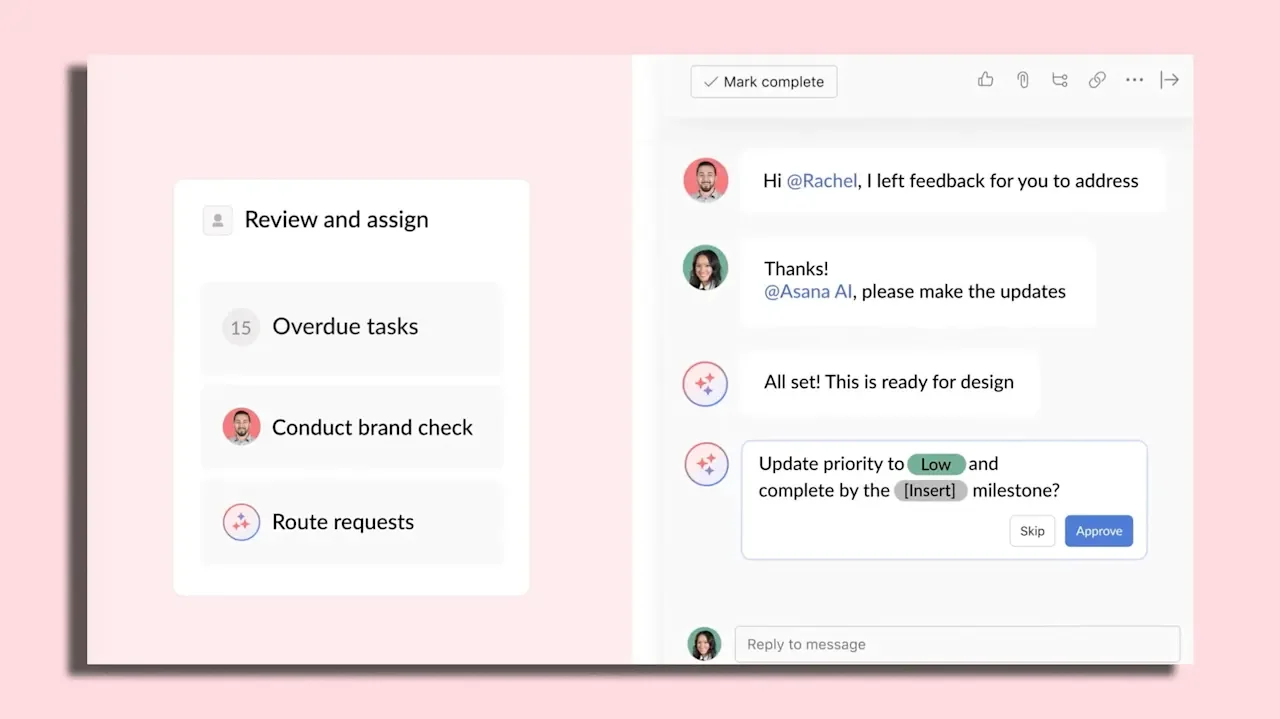
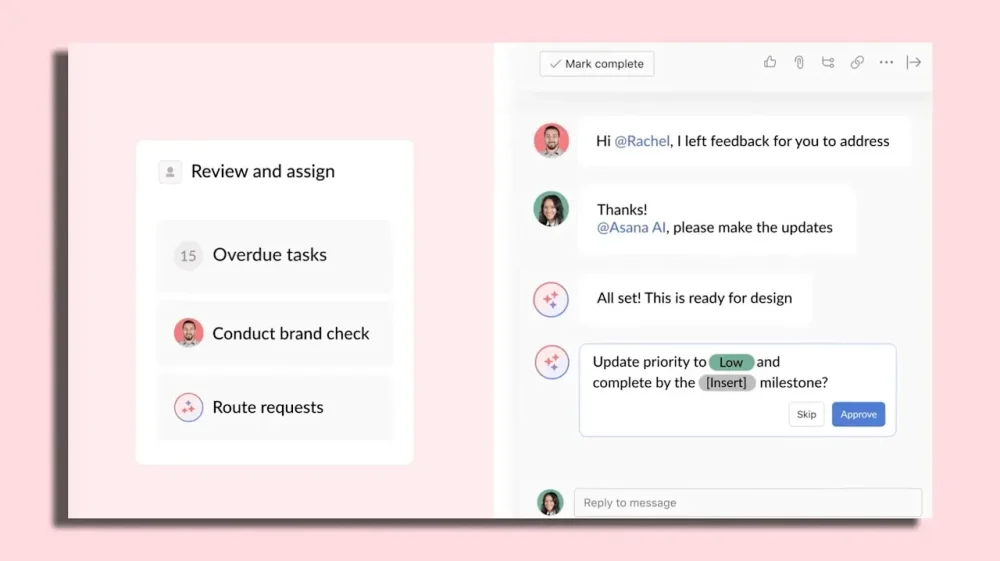
Project management software giant Asana is rolling out what it calls “AI teammates”—bots that can participate in handling and discussing work via Asana’s platform in similar ways to actual humans. Unlike some AI assistant and copilot products that take direction only from one human user, Asana’s AI teammates are designed to work with multiple humans, similar to how an actual new hire might receive assignments, feedback, and comments from a range of coworkers. The aim is to offer a set of AI tools that integrate not only with software companies already use, but with the Asana-based workflows they rely on to divvy up and discuss work. So while the bots won’t necessarily replace human employees or potential hires outright, interacting with them through Asana will feel fairly similar to working with a flesh-and-blood colleague. “It is a shared experience, which means you can bring it into a project, and it’ll behave and look like a team member, and it can pick up tasks,” says Asana chief product officer Arnab Bose. “And when it picks up tasks, everybody on the team who is a human being, who’s on the project, can give that AI agent feedback.” Arnab Bose The feature is launching with 21 prebuilt virtual teammates that can handle tasks like planning product launches, drafting marketing campaign briefs, managing IT service queues, and coding web content. Users can also create their own AI teammates with custom prompts. The bots can be added to conversations on Asana and draw on the company’s existing Asana Work Graph, a data structure that maps relationships among projects, people, and tasks. That context helps them understand their assignments and suggest relevant collaborators or files to reference. AI teammates can also be scheduled to perform routine tasks, such as scanning an Asana board daily or weekly to flag potential issues that could affect deadlines. Critically, Asana’s virtual teammates can also read and write to files in cloud systems like Google Drive and Microsoft SharePoint, which means they can directly access and contribute to projects in the environments where companies already work. For instance, a marketing campaign brief creator can pull in existing notes and high-level strategy documents to guide its drafts. Additional integrations with tools like customer-relationship management (CRM) software are likely on the way, as are features to let users craft custom integrations. Already, the bots can even be directed to feedback given through comments in word processing documents, meaning users don’t have to radically change their workflows to accommodate their new digital teammates. “You don’t have to go ahead and learn a new way of working,” says Bose. “It’s not like you’d end up with some special format inside Asana, and now people have to stop using Google Docs or Office 365 and start using this.” Humans can still control at a fine-grained level what the AI teammates have access to. Teams can also configure who has what level of control over the bots. For instance, advanced users may be authorized to edit AI teammates’ stored memory data, which can help clear out erroneous instructions they may have picked up from less experienced colleagues, Bose says. And the agents generally won’t respond to users who aren’t paying for AI teammate access, which currently costs $15 per month per user, though other Asana users will still be able to see the bot discussions and any other output they generate. That $15 monthly fee includes the cost of calls to underlying AI models, so customers don’t have to pay separately for AI use or budget AI access tokens. Asana routes calls to the appropriate AI models for each task, and Bose says he anticipates many users will see that and other aspects of AI management being handled behind the scenes by Asana as a benefit rather than a limitation. The release of teammates, which Bose says will be available immediately to customers with enterprise-style sales relationships with Asana and self-service customers over the summer, comes as the software industry rolls out ever more ways to work with AI agents. Those include integrations with office software suites and creativity platforms, specialized desktop and command-line apps letting AI manipulate local files, and the familiar web chat interfaces that made large language models mainstream. In essence, Asana is betting that integration with existing work graph data, along with its collaborative approach to working with AI, will make the project management platform the preferred hub for managing AI. “Asana is designed for this moment, frankly,” says Bose. “It’s designed for this moment where every individual contributor is becoming a manager of multiple AI agents, and you need to coordinate them, and you need to align with other human beings.” View the full article
-
If you have an old Android device lying around your house gathering dust, there are multiple ways to repurpose it—including turning it into a webcam or a dedicated smart home controller. One option that's perhaps less obvious, however, is saving your house from wifi dead zones. Those of you who have spots in your home where wifi struggles to reach will know the frustration here: Once you leave the wifi's range, you're suddenly cut off from messages, media, and the news, but an old Android phone can help. Android phones can access wifi networks of course, but they can also act as hotspots for these same networks. With some careful positioning, it's possible to turn an old phone into a wifi extender (or wifi repeater), a device that re-broadcasts a wifi signal to extend its range. Repeaters can't improve the speed of the signal they receive, but they can extend it, which can get you connected to the internet in rooms your wifi previously didn't reach. While buying a dedicated device for the job may yield better results, if you already have a spare Android device in your home, give this trick a try first before spending any money. Turning your old Android device into a wifi extender Wifi hotspot settings on a Google Pixel. Credit: Lifehacker Android being Android, the exact method for this depends on the make and model of your phone, but generally speaking, you need to locate the wifi hotspot feature in the Settings menu for your device. On a Pixel phone, for example, you'll find it under Network and internet and Hotspot and tethering. From here, enable Wi-Fi hotspot, which generates a new wifi network off the back of your main one. If you tap the Wi-Fi hotspot menu entry, you can configure the name and password for this new network. The only downside here is you'll need to give the boosted wifi in your dead zone a different name and password to your regular wifi. There are some other options to be aware of here too: Make sure Turn off hotspot automatically is disabled so the hotspot always stays active; under Speed and compatibility, you should enable 2.4GHz or 5GHz (or both) in most cases, to minimize the chances of complications with whatever device you're connecting to. You'll probably want to keep this device plugged in too, to save on battery life. It'll defeat the purpose if your new wifi repeater can't actually power on. If this is an old device, it might not have cellular data access anyway, but to make sure this is a wifi-to-wifi hotspot, you can take out the SIM card or turn data access off. (On Pixel, you'll find the option under Settings > Network and internet > SIMs.) Otherwise, you might find your repeater is actually running off a cellular connection. On most other Android phones, you should find a similar set of settings: When it comes to Samsung Galaxy devices, open Settings and tap Connections > Mobile Hotspot and Tethering. You then get a Mobile Hotspot toggle switch, and you can tap Mobile Hotspot to access the network options. I turned a Galaxy S25 Ultra into a wifi repeater Wifi hotspot settings on a Samsung Galaxy. Credit: Lifehacker I gave this a try using a Galaxy S25 Ultra, and it worked exactly as advertised. Given the power of the components inside a smartphone, this is never going to rival something like a mesh network, but for small-scale access where upload and download speeds aren't of paramount importance, it can be useful—and, of course, free, if you already have a redundant Android device you're not otherwise using. I did have to experiment a bit to get the phone in the right spot between my router and the laptop I was trying to get online with, but you should be able to figure it out with a bit of trial and error. In the case of a Galaxy S25 Ultra at least, the phone doesn't have to be in the same room as the connecting device, but it helps. My broadband connection at home averages around the 300 Mbps mark, and I put the Galaxy S25 Ultra in an upstairs room to act as a hotspot. With my laptop in the same room, connected to the phone, I was getting download speeds of 60 Mbps or so—much reduced, but still fine for streaming high-resolution video. When moving the laptop further away, I could still tether to the Galaxy S25 Ultra, but speeds dropped to 12 Mbps or so. That's a big reduction from the maximum possible speed, but the connection was still absolutely usable for checking emails, browsing the web, and writing up this article in Google Docs. Your mileage will vary depending on the phone you're using, your internet speed, and the layout of your home, but you should be able to get this working with many Android devices. Bear in mind that phones of a certain age may not support this, however: According to the Reddit hive mind, this is a trick that works on most recent Pixel devices, but not the Google Pixel 7a for example. View the full article
-
If you’re a content strategist, you might feel this isn’t your territory. Keep reading, because it is. Everything you build feeds these five gates, and the decisions the algorithms make here determine whether the system recruits your content, trusts it enough to display it, and recommends it to the person who just asked for exactly what you sell. The DSCRI infrastructure phase covers the first five gates: discovery through indexing. DSCRI is a sequence of absolute tests where the system either has your content or it doesn’t, and every failure degrades the content the competitive phase inherits. The competitive phase, ARGDW (annotation through won), is a sequence of relative tests. Your content doesn’t just need to pass. It needs to beat the alternatives. A page that is perfectly indexed but poorly annotated can lose to a competitor whose content the system understands more confidently. A brand that is annotated but never recruited into the system’s knowledge structures can lose to one that appears in all three graphs. The infrastructure phase is absolute: pass, stall, or degrade. The competitive phase is Darwinian “survival of the fittest.” The DSCRI infrastructure phase determines whether your content even gets this far. The ARGDW competitive phase determines whether assistive engines use it. Up until today, the industry has generally compressed these five distinct processes into two words: “rank and display.” That compression muddied visibility into several separate competitive mechanisms. Understanding and optimizing for all five will make all the difference in the world. The competitive turn: Where absolute tests become relative ones The transition from DSCRI to ARGDW is the most significant moment in the pipeline. I call it the competitive turn. In the infrastructure phase, every gate is zero-sum: does the system have this content or not? Your competitors face the same test, and you both pass or fail. But the quality of what survives rendering and conversion fidelity creates differences that carry forward. The differentiation through the DSCRI infrastructure gates is raw material quality, pure and simple, and you have an advantage in the ARGDW phase when better raw material enters that competition. At the competitive turn, the questions change. The system stops asking “Do I have this?” and starts asking “Is this better than the alternatives?” Every gate from annotation forward is a comparison. Your confidence score matters only relative to the confidence scores of every other piece of content the system has collected on the same topic, for the same query, serving the same intent. You’ve done everything within your power to get your content fully intact. From here, the engine puts you toe to toe with your competitors. Multi-graph presence as structural advantage in ARGD(W) The algorithmic trinity — search engines, knowledge graphs, and LLMs — operates across four of the five competitive gates: annotation, recruitment, grounding, and display. Won is the outcome produced by those four gates. Presence in all three graphs creates a compounding advantage across ARGD, and that vastly increases your chances of being the brand that wins. The systems cross-reference across graphs constantly. An entity that exists in the entity graph with confirmed attributes, has supporting content in the document graph, and appears in the concept graph’s association patterns receives higher confidence at every downstream gate than an entity present in only one. This is competitive math. If your competitor has document graph presence (they rank in search), but no entity graph presence (no knowledge panel, no structured entity data), and you have both, the system treats your content with higher confidence at grounding because it can verify your claims against structured facts. The competitor’s content can only be verified against other documents, which is a higher-fuzz verification path — more interpretation, more ambiguity, lower confidence. For me, this is where the three-dimensional approach comes into its own, and single-graph thinking becomes a structural liability. “SEO” optimizes for the document graph. Entity optimization (structured data, knowledge panel, and entity home) optimizes for the entity graph. Consistent, well-structured copywriting across authoritative platforms optimizes for concept graph. Most brands invest heavily in one (perhaps two) and ignore the others. The brands that win at the competitive gates are stronger than their competitors in all three at every gate in ARGD(W). Your customers search everywhere. Make sure your brand shows up. The SEO toolkit you know, plus the AI visibility data you need. Start Free Trial Get started with Annotation: The gate that decides what your content means across 24+ dimensions Annotation is something I haven’t heard anyone else (other than Microsoft’s Fabrice Canel) talking about. And yet it’s very clearly the hinge of the entire pipeline. It sits at the boundary between the two phases: the last gate that applies absolute classification, and the first gate that feeds competitive selection. Everything upstream (in DSCRI) prepared the raw material. Everything downstream in ARGDW depends on how accurately the system can classify it. At the indexing gate, the system stores your content in its proprietary format. Annotation is where the system reads what it stored and decides what it means. The classification operates across at least five categories comprising at least 24 dimensions. Canel confirmed the principle and confirmed there are (a lot) more dimensions than the ones I’ve mapped. What follows is my reconstruction of the categories I can identify from observed behavior and educated guesses. Canel confirmed the Annotation gate back in 2020 on my podcast as part of the Bing Series, in the episode “Bingbot: Discovering, Crawling, Extracting and Indexing.” “We understand the internet, we provide the richness on top of HTML to a lot, lot, lot of features that are extracted, and we provide annotation in order that other teams are able to retrieve and display and make use of this data.” “My job stops at writing to this database: writing useful, richly annotated information, and handing it off for the ranking team to do their job.” So we know that annotation is a “thing,” and that all the other algorithms retrieve the chunks using those annotations. Annotation classification runs across five types of specialist models operating simultaneously per niche: One for entity and identity resolution (core identity). One for relationship extraction and intent routing (selection filters). One for claim verification (confidence multipliers). One for structural and dependency scoring (extraction quality). One for temporal, geographic, and language filtering (gatekeepers). This five-model architecture is my reconstruction based on observed annotation patterns and confirmed principles. The annotation system is a panel of specialists, and the combined output becomes the scorecard every downstream gate uses to compare your content against your competitors. Gatekeepers They determine whether the content enters specific competitive pools at all: Temporal scope (is this current?). Geographic scope (where does this apply?). Language. Entity resolution (which entity does this content belong to?). Fail a gatekeeper, and the content is excluded from entire query classes regardless of quality. Core identity This classifies the content’s substance: entities present, attributes, relationships between entities, and sentiment. For example, a page about “Jason Barnard” that the system classifies as being about a different Jason Barnard has perfect infrastructure and broken annotation. The content was there, and the system read it, but filed it in the wrong drawer. Selection filters They add query routing: intent category, expertise level, claim structure, and actionability. For example, content classified as informational never surfaces for transactional queries, regardless of how well it performs on every other dimension. Extraction quality Think: Sufficiency (does this chunk contain enough to be useful?) Dependency (does it rely on other chunks to make sense?) Standalone score (can it be extracted and still work?) Entity salience (how central is the focus entity?) Entity role (is the entity the subject, the object, or a peripheral mention?) Weak chunks get discarded before competition begins. Confidence multipliers These determine how much the system trusts its own classification: verifiability, provenance, corroboration count, specificity, evidence type, controversy level, consensus alignment, and more. Two pieces of content can be classified identically on every other dimension and still receive wildly different confidence scores based on how verifiable and corroborated their claims are. An important aside on confidence Confidence is a multiplier that determines whether systems have the “courage” to use a piece of content for anything. Once upon a time, content was king. Then, a few years ago, context took over in many people’s minds. Confidence is the single most important factor in SEO and AAO, and always has been — we just didn’t see it. To retain their users, search and assistive engines must provide the most helpful results possible. Give them a piece of content that, from a content and context perspective, appears to be super relevant and helpful, but they have absolutely no confidence in it for one reason or another, and they likely will not use it for fear of providing a terrible user experience. What happens when annotation fails you (silently) Annotation failures are the most dangerous failures in the pipeline because they are invisible. The content is indexed. But if the system misclassifies it, every competitive decision downstream inherits that misclassification. I’ve watched this pattern repeatedly in our database: a page is indexed, it appears in search results, and yet the entity still gets misrepresented in AI responses. Imagine this: A passage/chunk from your website is in the index, but confidence has degraded through the DSCRI part of the pipeline, and the annotation stage has received a degraded version. The structural issues at the rendering and indexing gates didn’t prevent indexing, but they were degraded versions of the original content. That degradation makes the annotation less accurate, less complete, and less confident. That annotative weakness will propagate through every competitive gate that follows in ARGDW. When your content is included in grounding or display, and it’s suboptimally annotated, your content is underperforming. You can always improve annotation. Measuring annotation quality in ARGDW Annotation quality is the most important gate in the AI engine pipeline, but unfortunately, you can’t measure annotation quality directly. Every metric available to you is an indirect downstream effect. The KPIs I suggest below are signals that clearly show where your content cleared indexing and failed annotation: the engine found the page, rendered it, indexed it, and then drew the wrong conclusions from it. That distinction matters: beware of “we need more content” when the real problem is “the engine misread the content we have.” Your brand SERP tells you exactly what the algorithm understood These signals reveal how accurately the AI has understood who you are, what you do, and who you serve. The brand SERP (and AI résumé) is a readout of the algorithm’s model of your brand and, because it is updated continuously, makes it a great KPI. Brand SERP shows incorrect entity associations: wrong competitors, wrong category, wrong geography. AI résumé is noncommittal, hedged, or incomplete. AI outputs underestimate your NEEATT credentials. Knowledge panel displays incorrect information. AI describes your brand using a competitor’s framing or category language. Entity type is misclassified (person treated as organization, product treated as service). AI can’t answer basic factual questions about your brand and offers without hedging. If the algorithm can’t place you in a competitive set, it won’t recommend you These signals reveal which entities the system considers comparable — a direct readout of how annotation classified them. Annotation places entities into competitive pools, and if your brand doesn’t appear in comparison sets where it belongs, the engine classified it outside that pool. Better content won’t fix that. Improving the algorithm’s ability to accurately, verbosely, and confidently annotate your content will. Absent from “best [product] for [use case]” results where you qualify. Absent from “alternatives to [competitor]” results. Absent from “[brand A] vs. [brand B]” comparisons for your category. Named in comparisons but with incorrect differentiators or misattributed features. Consistently ranked below competitors with weaker real-world authority signals. For me, that last one is the most telling. Weaker brand, higher placement. Once again, what you’re saying isn’t the problem, how you’re saying it and how you “package” it for the bots and algorithms is the problem. If the algorithm can’t surface you unprompted, you’re invisible at the moment of intent These signals reveal whether the AI can place your brand at the point of discovery, before the user knows you exist. Clearing indexing means the engine has the content. Failing here means annotation didn’t connect that content to the broad topic signals that drive assistive recommendations. The difference between a brand that appears in “how do I solve [problem]” answers and one that doesn’t is whether annotation connected the content to the intent. Absent from “how do I solve [problem your product solves]” answers, even as a passing mention. Not surfaced when the AI explains a concept you coined or own. Absent from AI-generated roundups, guides, and “where to start” responses for your core topic. Named as a generic example rather than a recommended solution. The AI discusses your subject area at length and doesn’t name you as a practitioner or source. Entity present in the knowledge graph but invisible in discovery queries on AI platforms. The three taxes you’re paying with sub-optimal annotation Three revenue consequences follow from annotation failure, one at each layer of the funnel. The doubt tax is what you pay at BoFu when a buyer reaches your brand in the engine and the AI presents a confused, incomplete, or misframed version of what you offer. The ghost tax is what you pay at MoFu when you belong in the consideration set and the algorithm doesn’t prominently include you. The invisibility tax is what you pay at ToFu when the audience doesn’t know to look for you and the algorithm doesn’t introduce you. Each tax is a direct read of how well annotation worked — or didn’t. For you as an SEO/AAO expert, you can diagnose your approach to reduce these three taxes for your client or company as: BoFu failures point to entity-level misunderstanding. MoFu failures point to competitive cohort misclassification. ToFu failures point to topic-authority disconnection. Annotation should be your focus. My bet is that for the vast majority of brands, the gate in the pipeline with the biggest payback will be annotation. 99% of the time, my advice to you is going to be “get started on fixing that before you touch anything else.” For the full classification model in academic depth, see: Annotation as the Confidence Fulcrum: How AI Systems Classify Digital Content and Why It Determines Recommendation Outcomes Annotation Cascading: Hierarchical Model Routing, Topical Authority, and Inter-Page Context Propagation in Large-Scale Web Content Classification Recruitment: The universal checkpoint where competition becomes explicit Recruitment is where the system uses your content for the first time. Every piece of content the system has annotated now competes for inclusion in the system’s active knowledge structures, and this is where head-to-head competition begins. Every entry mode in the pipeline — whether content arrived by crawl, by push, by structured feed, by MCP, or by ambient accumulation — must pass through recruitment. No content reaches a person without being recruited first. We could call recruitment “the universal checkpoint.” The critical structural fact: it recruits into three distinct graphs, each with different selection criteria, different confidence thresholds, and different refresh cycles. The three-graph model is my reconstruction. The underlying principle (multiple knowledge structures with different characteristics) is confirmed by observing behavior across the algorithmic trinity through the data we collect (25 billion datapoints covering Google’s Knowledge Graph, brand search results, and LLM outputs). The entity graph stores structured facts with low fuzz — who is this entity, what are its attributes, how does it relate to other entities, binary edges — and knowledge graph presence is entity graph recruitment, with entity salience, structural clarity, source authority, and factual consistency as the selection criteria. The document graph handles content with medium fuzz — passages and pages and chunks the system has annotated and assessed as worth retaining — where search engine ranking is the visible output, and relevance to anticipated queries, content quality signals, freshness, and diversity requirements drive selection. The concept graph operates at a different level entirely, storing inferred relationships with high fuzz — topical associations, expertise patterns, semantic connections that emerge from cross-referencing multiple sources — with LLM training data selection as the mechanism and corroboration patterns as the primary selection criterion. The same content may be recruited by one, two, or all three graphs. Each graph has its own speed of ingestion and its own speed of output. I call these the three speeds, a pattern I formulated explicitly this year but have been observing empirically across 10 years of brand SERP experiments: Search results are daily to weekly. Knowledge graph updates are monthly. LLM updates are currently several months (when they choose to manually refresh the training data). Grounding: Where the system checks its own work in real time Recruitment stored your content in the system’s three knowledge structures. Grounding is where the system checks whether it should trust your content, right now, for this specific query. Search engines retrieve from their own index. Knowledge graphs serve stored structured facts. Neither needs grounding. Only LLMs have the (huge) gap between stale training data and fresh reality that makes grounding necessary. The need for grounding will gradually disappear as the three technologies of the algorithmic trinity converge and work together natively in real time. In an assistive Engine, the LLM is the lead actor. When the user asks a question or seeks a solution to a problem, the LLM assesses its confidence in its own answer. If confidence is sufficient, it responds from embedded knowledge. If confidence is low, it sends cascading queries to the search index, retrieves results, dispatches bots to scrape selected pages, and synthesizes an answer from the fresh evidence (Perplexity is the easiest example to see this in action — an LLM that summarizes search results). But that’s too simplistic. The three grounding sources model that follows is my reconstruction of how this lifecycle operates across the algorithmic trinity. The search engine grounding the industry currently focuses on is this: the LLM queries the web index, retrieves documents, and extracts the answer. That’s high fuzz. Now add this: Knowledge graph allows a simple, quick, and cheap lookup: low fuzz, binary edges, no interpretation required, and our data shows that Google does this already for entity-level queries. My bet is that specialist SLM grounding is emerging as a third source. We know that once enough consistent data about a topic crosses a cost threshold, the system builds a small language model specialized for that niche, and that model becomes a domain-expert verifier. It would be foolish not to use that as a third grounding base. The competitive implication is huge. A brand with entity graph presence gives the system a low-fuzz grounding path. A brand without it forces the system onto the high-fuzz path (document retrieval), which means more interpretation, more ambiguity, and lower confidence in the result. The competitor with structured entity data gets verified faster and more accurately. In short, focus on entity optimization because knowledge graphs are the cheapest, fastest, and most reliable grounding for all the engines. Get the newsletter search marketers rely on. See terms. Display: Where machine confidence meets the person Your content has been annotated, recruited into its knowledge structures, and verified through grounding. Display is where the AI assistive engine decides what to show the person (and, looking to the future that is already happening, where the AI assistive Agent decides what to act upon). Display is three simultaneous decisions: format (how to present), placement (where in the response), and prominence (how much emphasis). A brand can be annotated, recruited, and grounded with high confidence and still lose at display because the system chose a different format, placed the competitor more prominently, or decided the query deserved a different type of answer entirely. This is essentially the same thing as Bing’s Whole Page Algorithm. Gary Illyes jokingly called Google’s whole page algorithm “the magic mixer.” Nathan Chalmers, PM for the whole page algorithm at Bing, explained how that works on my podcast in 2020. Don’t make the mistake of thinking this is out of date — it isn’t. The principles are even more relevant than ever. UCD activates at display You may have heard or read me talking obsessively about understandability, credibility, and deliverability. UCD is absolutely fundamental because it is the internal structure of display: the vertical dimension that makes this gate three-dimensional. The same content, grounded with the same confidence, presents differently depending on who is asking and why. A person arriving with high trust — they searched your brand name, they already know you — experiences display at the understandability layer, where the engine acts as a trusted partner confirming what they already believe, which is BOFU. A person evaluating options — they asked “best [category] for [use case]” — experiences display at the credibility layer, where the engine presents evidence for and against as a recommender, which is MOFU. A person encountering your brand for the first time — a broad topical question in which your name appears — experiences it at the deliverability layer, where the system introduces you, which is TOFU. The user interaction reveals the funnel position. The funnel position determines which UCD layer fires. This is why optimizing only for “ranking” misses reality: Display is a context-sensitive presentation, not a list, and the same piece of content can introduce, validate, or confirm depending on who asked. The framing gap at display The system presents what it understood, verified, and deemed relevant. The gap between that and your intended positioning is the framing gap, and it operates differently at each funnel stage. At TOFU, the gap is cognitive: the system may know you exist, but doesn’t associate you with the right topics. At MOFU, the gap is imaginative: the system needs a frame to differentiate your proof from the competitor’s, and most brands supply claims without frames. At BOFU, the gap is about relevance: the system cross-references your claims against structured evidence, and either confirms or hedges. After annotation, framing is the single most important part of the SEO/AAO puzzle, so I’ll talk a lot about both in the coming articles. Won: The zero-sum moment where one brand wins and every competitor loses Everything I’ve explained so far in this series collapses into a zero-sum point at the “won” gate. Here, the outcome is binary. The person (or agent) acts, or they don’t. One brand converts, and every competitor loses. The system may have mentioned others at display, but at the moment of commitment, there can only be one winner for the transaction. Three won resolutions in the competitive context Won always resolves through three distinct mechanisms, each with different competitive dynamics. Resolution 1: Imperfect click The AI influences the person’s thinking at grounding and display, but the person decides independently: they choose one of several options offered by the engine, they walk into the store, or they book by phone. This is what Google called the “zero moment of truth,” where the competitive battle happens at display, where the engine has influenced the human, but the active choice the person makes is still very much “them.” Resolution 2: Perfect click The AI recommends one brand and the person takes it. This is the natural next step, what I call the zero-sum moment. This fires inside the AI interface, where the engine filtered for intent, context, and readiness, presented one answer, and the person converted. Resolution 3: Agential click The AI agent acts autonomously on the person’s behalf. No person at the decision point, an API settlement between the buyer’s agent, and the brand’s action endpoint. The competitive battle happened entirely within the engine: whichever brand had the highest accumulated confidence, the strongest grounding evidence, and a functional transaction endpoint is the winner. The person doesn’t choose. The system chooses for them. The trajectory runs from oldest to newest: Resolution 1 was dominant up to late 2025, Resolution 2 is taking over, and Resolution 3 gained a lot of traction early 2026. Stripe and Cloudflare are laying the transaction and identity rails. Visa and Mastercard are building the financial authorization infrastructure. Anthropic’s MCP is providing the coordination layer. Google’s UCP and A2A are defining how agents communicate across the full consumer commerce journey. Apple has the closed-loop infrastructure to make it seamless on a billion devices the moment they choose to. Microsoft is locking in the enterprise and government layer through Copilot in a way that will be extremely difficult to displace. No single company turns Resolution 3 on — but all of them together make it inevitable. Competitive escalation across the five ARGDW gates The competitive intensity increases at every gate — a progressive narrowing, a Darwinian funnel where the field shrinks at each stage. The narrowing pattern is my model based on observed outcomes across our database. The underlying principle (competitive selection intensifies downstream) is structural to any sequential gating system. The field is large at annotation, where the algorithms create scorecards and your classification versus competitors’ determines downstream positioning. Recruitment sets the qualifying round: multiple brands enter the system’s knowledge structures, but not all, and the selection criteria already favor multi-graph presence. Grounding narrows the shortlist as confidence requirements tighten — the system verifies the candidates worth checking, not everyone. Display reduces to finalists, often one primary recommendation with supporting alternatives. Won is the binary outcome. The zero-sum moment you’re either welcoming with open arms or fearful of. ARGDW: Relative tests. The scoreboard is on. Five gates. Five relative tests. Competitive failures in ARGDW are significantly harder to diagnose than infrastructure failures in DSCRI because the fix is competitive positioning rather than technical. Annotation failures mean the system misclassified what your content is or who it belongs to — write for entity clarity, structure claims with explicit evidence, and use schema markup to declare rather than expect the system to guess. Recruitment failures increasingly mean you’re present in one graph while competitors have two or three — build entity graph presence (structured data, knowledge panel, entity home), document graph presence (content quality, topical coverage), and concept graph presence (consistent publishing across authoritative platforms) as a coordinated program. Grounding failures mean the system is verifying you on the high-fuzz path — provide structured entity data for low-fuzz verification, and MCP endpoints if you need real-time grounding without the search step. Display failures mean the framing gap is costing you at the three layers of the visible gate — assuming you fixed all the upstream issues, then closing that framing gap at every UCD layer is your pathway to gain visibility in AI engines. Won failures mean the resolution mechanism doesn’t exist — Resolution 1 requires that you rank (good enough up to 2024), Resolution 2 requires that you dominate your market (good enough in 2026), and Resolution 3 requires a mandate framework and action endpoint (needed for 2027 onward). See the complete picture of your search visibility. Track, optimize, and win in Google and AI search from one platform. Start Free Trial Get started with After establishing the 10-gate AI engine pipeline, what’s next? The aim of this series of articles is to give you the playbook for the DSCRI infrastructure phase and the strategy for the ARGDW competitive phase. This 10-gate AI engine pipeline breaks optimizing for assistive engines and agents into manageable chunks. Each gate is manageable on its own. And the relative importance of each gate is now clear for you (I hope). In the remainder of this series of articles, I’ll provide solutions to the major issues at each gate that will help you manage each individually (and as part of the collective whole). Aside: The feedback I have had from Microsoft on this series so far (thank you, Navah Hopkins) reminded me of something Chalmers said to me about Darwinism in Search back in 2020. “… it’s not as mechanical as the way you outlined it.” – Nathan Chalmers My explanations are often more absolute and mechanical than the reality. That’s a very fair point. But then reality is unmanageably nuanced, and nuance leads to a lack of clarity and often paralyzes people to the extent that they struggle to identify actionable next steps. I want to be useful. I suggest we take this evolution from SEO to AAO step by step. Over the last 10+ years, I’ve always done my very best to avoid saying “it depends.” People often say it takes 10,000 hours to become an expert. The framework presented here comes from tens of thousands of hours analyzing data, experimenting, working with the engineers who build these systems, and developing algorithms, infrastructure, and KPIs. The aim is simple: reduce the number of frustrating “it depends” answers and provide a clear outline for identifying actionable next steps. This is the fifth piece in my AI authority series. The first, “Rand Fishkin proved AI recommendations are inconsistent – here’s why and how to fix it,” introduced cascading confidence. The second, “AAO: Why assistive agent optimization is the next evolution of SEO,” named the discipline. The third, “The AI engine pipeline: 10 gates that decide whether you win the recommendation,” mapped the full pipeline. The fourth, “The five infrastructure gates behind crawl, render, and index,” walked through the first five gates. Up next: “The brand’s digital footprint: Entity home, entity home website, and the content map.” View the full article
-
Israel said Tuesday it killed two senior Iranian security officials in overnight strikes in a major blow to the country’s leadership. Tehran defiantly fired new salvos of missiles and drones at its Gulf Arab neighbors and Israel in a war that showed no signs of abating. Ali Larijani, secretary of Iran’s Supreme National Security Council, and Gen. Gholam Reza Soleimani, the head of the Revolutionary Guard’s all-volunteer Basij force, were “eliminated last night,” Israeli Defense Minister Israel Katz said. Following the death of Supreme Leader Ayatollah Ali Khamenei in an airstrike on the first day of the war, Larijani was considered one of the most powerful figures in the country. Both men were key to Iran’s violent crackdown on protests in January that challenged the theocracy’s 47-year rule. Iranian state media did not immediately confirm either death. The killings would strip Iran of important leaders as the Islamic Republic faces its greatest test in recent decades in its war with the United States and Israel. With concerns growing about a global energy crisis, Iran fired new attacks at several of its Gulf Arab neighbors and oil infrastructure throughout the region. Dubai, a major transit hub for international travel, briefly shut its airspace, the second disruption to flights in the city in as many days. An Iranian official defiantly said Tehran had no intention of relinquishing its tight grip on shipping through the Strait of Hormuz, a crucial waterway for oil. The Israeli military also said it had begun a “wide-scale wave of strikes” across Iran’s capital and was stepping up strikes on Iran-backed Hezbollah militants in Lebanon. Israel says it has killed two top Iranian officials Larijani hails from one of Iran’s most famous political families. A former parliamentary speaker and senior policy adviser, he was appointed to advise the late Khamenei on strategy in nuclear talks with the The President administration. Larijani was sanctioned by the U.S. Treasury in January as Tehran violently suppressed nationwide protests. It identified him as being “responsible for coordinating the response to the protests on behalf of the supreme leader of Iran.” Soleimani has also been sanctioned by the U.S., as well as the European Union and other nations over his role in helping suppress dissent for years through the Basij. Iran’s Supreme Leader Mojtaba Khamenei has not been seen in public since succeeding his father, who was killed in the opening day of the war. Israel suspects Khamenei was wounded. Iranian strikes pressure neighbors and oil markets Iran kept up the pressure on the energy infrastructure around the region, hitting an oil facility in Fujairah, an emirate in the United Arab Emirates that has been repeatedly targeted. State-run WAM news reported that no one had been injured in the blast from the drone strike. Also Tuesday, a tanker anchored off the coast of Fujairah sustained minor damage when it was hit by debris from an interception, the United Kingdom Maritime Trade Operations center, run by the British military, reported. Nobody was injured. A man was killed by the debris of a missile intercepted over Abu Dhabi, the eighth person to die in the UAE since the start of the war, authorities said. Iran’s attacks on Gulf nations and its grip on the Strait of Hormuz, through which a fifth of the world’s oil is transported, have given rise to increasing concerns of a global energy crisis and are unnerving the world economy. A handful of ships have crossed through the strait, and Iran has said the vital waterway technically remains open — just not for the United States, Israel and their allies. About 20 vessels have been struck since the war began. “They are flying, launching missiles, should we just sit back and do nothing in response?” Iran’s parliamentary speaker, Mohammad Bagher Qalibaf, asked in an interview on state television. With oil prices rising, U.S. President Donald The President said he had demanded that roughly a half-dozen countries send warships to ensure ships can pass through the Strait of Hormuz. But his appeals brought no immediate commitments, with many saying they are hesitant to get involved in a war with no defined exit plan and skeptical that they could do more than the U.S. Navy. UAE briefly closes airspace as Iran launches new attacks on Gulf neighbors The UAE shut down its airspace early Tuesday as its military reported it was “responding to missile and drone threats from Iran.” The closure was soon lifted, and not long after the sounds of explosions could be heard as the military worked to intercept incoming fire. The episode showed the balancing act Emirati authorities face in trying to keep their long-haul carriers, Emirates and Etihad, flying as Iranian attacks continue to target the country. The UAE said its air defenses responded to 10 ballistic missiles and 45 drones Iran fired Tuesday at the country. Countries around the region also came under fire: Saudi Arabia said it intercepted drones, while air defenses could be heard targeting incoming fire over Doha, the capital of Qatar. Attacks from Iran-linked proxy forces continued in Iraq, where the U.S. Embassy in Baghdad was hit with shrapnel from intercepted drones. Israel launches new attacks on Tehran and steps up strikes on Beirut The Israeli military early Tuesday said it had launched new attacks across Tehran and targeted Hezbollah militants in the Lebanese capital. In Iran, it said it hit command centers, missile launch sites and air defense systems. There was no immediate confirmation from Iran, where little information has been coming out due to internet outages, round-the-clock airstrikes and tight restrictions on journalists. More than 1,300 people have been killed in Iran since the start of the conflict, according to the Iranian Red Crescent. Israel did not immediately release details of its attacks on Lebanon, but the Lebanese army said two of its soldiers were seriously wounded in an airstrike on the village of Kfar Sir. Israel’s strikes have displaced more than 1 million Lebanese — or roughly 20% of the population — according to the Lebanese government, which says some 850 people have been killed. Some Israeli troops have pushed into southern Lebanon, and there are fears Israel is preparing a large-scale invasion. Israel reported two Iranian salvos early Tuesday fired toward Tel Aviv and an area south of the Sea of Galilee, and then more later in the day. More launches from Lebanon were also reported. In Israel, 12 people have been killed by Iranian missile fire. At least 13 U.S. military members have been killed. Associated Press writers Mike Corder, Qassim Abdul-Zahra, and Bassem Mroue contributed to this report. —Jon Gambrell, David Rising and Samy Magdy, Associated Press View the full article

-
Attention Costco members: If you recently stocked up at Costco, you’re going to want to check your fridge. The warehouse club retailer is recalling select packages of its popular Meatloaf with Mashed Yukon Potatoes and Glaze meal kit. According to a note to members, the recall was announced after food supplier Griffith Foods Inc. recalled an ingredient that may be contaminated with Salmonella. No illnesses have been reported. Here’s what you need to know. What products are included in the recall? Costco has recalled its heat-and-serve Meatloaf with Mashed Yukon Potatoes and Glaze meal kit. The meal kit contains meatloaf, Yukon mashed potatoes, and glaze and features item number: #30783 on the packaging. Only packages with sell-by dates between March 5, 2026, and March 16, 2026 are impacted. The recalled product was sold at Costco warehouse clubs in the following 26 states, as well as Washington, DC, and Puerto Rico: Alabama, Arizona, California, Colorado, Delaware, Florida, Georgia, Hawaii, Illinois, Indiana, Iowa, Kentucky, Maryland, Michigan, Mississippi, Missouri, Nevada, New Mexico, North Carolina, Ohio, Pennsylvania, South Carolina, Tennessee, Utah, Virginia, and Wisconsin. Why is the product being recalled? Costco is recalling the meal kit after supplier Griffith Foods recalled an ingredient that may be contaminated with Salmonella, according to a food safety recall notice posted to Costco’s website. No illnesses have been reported as of Tuesday. Are any other products impacted? The extent of the potential contamination was not immediately clear as the specific ingredient wasn’t identified on the notice. Fast Company reached out to Griffith Foods for more information on the impacted ingredient and whether any additional products have been impacted by the potential contamination. We’ll update this story if we receive a reply. Recalled products should not be consumed Customers who purchased the meal kit shouldn’t eat any product included in the package. You can return the recalled product to Costco for a full refund. A product recall notice from Costco asks customers with questions to visit Costco’s customer service page. Who is at risk for Salmonella infection? According to the Centers for Disease Control and Prevention (CDC), Salmonella are bacteria that can cause a foodborne infection. Anyone can get a Salmonella infection, but some people are more at risk. This includes: Children younger than 5 Adults 65 and older People with weakened immune systems According to the Mayo Clinic, most people develop diarrhea, fever, and stomach cramps within 8 to 72 hours after exposure. Some people experience no symptoms. Most healthy people recover within a few days to one week without needing treatment. View the full article

-
Customer loyalty program software is an essential tool for businesses aiming to improve customer retention. It tracks customer purchases, awarding points based on spending or frequency, which helps in creating customized promotions. By integrating with existing POS systems and CRM tools, it streamlines operations and provides real-time analytics. Comprehending how this software functions can greatly impact your marketing strategies. Explore the key features and benefits to see how it can transform your customer engagement efforts. Key Takeaways Customer loyalty program software helps businesses create and manage loyalty initiatives to enhance customer retention and engagement. It tracks customer purchases and rewards points based on spending habits or frequency of visits. The software integrates seamlessly with existing POS systems and CRM tools for efficient data collection and management. Real-time analytics provide insights into customer behavior, retention rates, and the effectiveness of loyalty programs. Customizable rewards structures and automated communications enhance customer satisfaction and encourage repeat purchases. Understanding Customer Loyalty Program Software When you consider implementing a customer loyalty program, comprehension of the software that supports these initiatives is vital. Customer loyalty program software helps businesses create, manage, and analyze their loyalty programs efficiently. By using free loyalty program software, you can track customer engagement and reward redemptions, ensuring effective program management. These solutions often integrate with existing Point of Sale (POS) systems and customer relationship management (CRM) tools, streamlining data collection. Additionally, effective loyalty software free options provide real-time analytics, allowing you to measure key metrics like retention rates and spending patterns. By automating communication about rewards and promotions, this software improves customer engagement, making it a significant investment for any business aiming to enhance customer satisfaction and loyalty. Key Features of Loyalty Program Software Key features of loyalty program software play a crucial role in the success of any customer loyalty initiative. This software typically tracks customer purchases, allowing you to award points based on spending, frequency, or specific products purchased. Look for solutions that integrate seamlessly with your existing point-of-sale systems and customer relationship management tools for a smoother enrollment and reward redemption process. Customizable rewards structures let you create tiered systems that motivate higher spending. Furthermore, advanced analytics capabilities offer insights into customer behavior, helping you optimize your program. A user-friendly interface enables customers to easily track their points and rewards through mobile apps or web portals, enhancing engagement and encouraging repeat visits. Consider exploring loyalty card software free options to get started. Benefits of Implementing Loyalty Program Software Implementing loyalty program software offers significant benefits that can transform your customer engagement strategies. You can streamline program management by easily tracking rewards and customer activity, which not only improves operational efficiency but also boosts spending among loyal customers. Furthermore, leveraging data-driven insights allows you to tailor promotions and campaigns that resonate with your audience, ultimately driving repeat purchases and nurturing lasting loyalty. Streamlined Program Management Streamlined program management is one of the significant advantages of using customer loyalty program software. This software automates the tracking and management of customer interactions, allowing you to monitor points and rewards effortlessly. By integrating with existing POS systems, updates on customer rewards occur in real-time, enhancing the shopping experience. Furthermore, you can analyze customer data and spending behaviors, which helps in crafting personalized marketing strategies. This targeted approach can lead to a 53% increase in customer spending and a 40% rise in visit frequency. In addition, advanced analytics provide continuous insights, enabling you to optimize your loyalty program based on customer preferences and performance metrics, ultimately making your management processes more efficient and effective. Enhanced Customer Engagement As customer expectations continue to evolve, improving customer engagement through loyalty program software becomes essential for businesses aiming to nurture lasting relationships. This software allows you to create personalized rewards based on individual purchasing behaviors, cultivating trust and encouraging frequent purchases. With seamless tracking of customer interactions, you can boost spending by up to 18% compared to non-members. Targeted communications celebrating customer milestones elevate satisfaction, whereas Target data analytics help you optimize rewards and promotions that resonate with your audience. Data-Driven Insights Loyalty program software provides businesses with valuable data-driven insights that can greatly boost their marketing strategies. By analyzing customer data, you can uncover purchasing behaviors and preferences, helping you tailor your marketing efforts. For example, identifying trends in customer engagement lets you optimize rewards that resonate with specific segments. Here’s a quick overview of the benefits: Benefit Description Customer Segmentation Enables personalized offers for distinct customer groups. Engagement Trends Identifies patterns to improve marketing tactics. Lifetime Value Analysis Compares loyalty members’ spending to non-members. Retention Strategies Proactively addresses customer needs based on data. Implementing this software eventually leads to improved customer retention and higher revenue potential. How Loyalty Program Software Works Loyalty program software enables you to earn and redeem points effortlessly, tracking your purchases and engagement in real-time. It connects with POS systems to guarantee accuracy, so you receive rewards based on your spending habits and frequency of purchases. Furthermore, the software provides analytics to help businesses assess program performance, including customer retention rates and the effectiveness of rewards, ensuring that your loyalty is recognized and rewarded appropriately. Earning and Redeeming Points In many modern retail environments, customers can earn points for each purchase they make, effectively turning shopping into a rewarding experience. Loyalty program software tracks these points, assigning specific values to products or spending amounts, making it easy for you to see your rewards accumulate. You can redeem your points for various benefits, such as discounts, free merchandise, or exclusive product access. The software streamlines enrollment, allowing you to sign up effortlessly during your transactions, whether in-store or online. You’ll receive notifications via email or SMS detailing your earned points and rewards, keeping you informed of your loyalty status. Many programs additionally offer tiered structures, providing greater rewards as your spending increases, encouraging you to return for more purchases. Tracking Customer Engagement With the right customer loyalty program software, businesses can effectively track customer engagement through a systematic approach that records purchases, interactions, and rewards accumulation. By using unique identifiers like membership numbers or loyalty cards, you can monitor your customers’ activities effortlessly. This software automates point earning and redemption processes, encouraging more frequent visits and higher spending. Key features include: Real-time notifications about points earned and rewards available Insights into spending patterns and customer behavior Easy integration with CRM and marketing platforms Customized loyalty programs based on customer preferences Automated updates on promotional offers These functionalities improve customer engagement, keeping them motivated to participate actively in your loyalty program. Analyzing Program Performance Analyzing the performance of your loyalty program is crucial for comprehending its impact on customer retention and overall business success. Loyalty program software automates the tracking of customer purchases and reward points, giving you real-time insights into engagement and effectiveness. By analyzing key metrics like customer retention rates and spending patterns, you can identify high-value customers and refine your strategies accordingly. The software as well leverages customer data analytics to determine which rewards motivate repeat purchases and improve satisfaction. Integrating with CRM tools allows for personalized communications and customized offers based on individual behaviors. Regular performance reviews will enable you to adapt your strategies, ensuring your loyalty program remains relevant and appealing to your customers. Integration With Existing Systems Integrating customer loyalty program software into your existing systems, such as CRM and point-of-sale platforms, improves your ability to track customer interactions and spending patterns in real time. This seamless integration boosts overall efficiency and customer satisfaction. Here are some benefits of such integration: Automatic updates of loyalty points and rewards during online purchases. Easy connections with third-party applications through APIs for customization. Targeted marketing campaigns based on loyalty data via marketing automation tools. A thorough view of customer behavior for effective data analytics. Improved customer engagement and retention rates through optimized loyalty strategies. Analyzing Customer Data and Insights Comprehending customer behavior is crucial for the success of any loyalty program, as it enables businesses to tailor their rewards and incentives effectively. Customer loyalty program software utilizes data analytics to track purchasing behavior and preferences, allowing you to discern which rewards truly engage customers. By analyzing this data, you can identify trends in spending patterns and determine the most effective rewards for driving repeat purchases. Moreover, measuring key performance metrics, like retention rates, offers valuable feedback on your program’s effectiveness. Insights gained can help you segment your audience, ensuring that your loyalty offerings resonate with their interests. This targeted approach strengthens brand loyalty and improves the overall customer experience, leading to greater retention and satisfaction. Personalization and Targeted Marketing To improve customer engagement and loyalty, businesses must leverage personalization and targeted marketing within their loyalty programs. By analyzing customer data and preferences, you can create customized interactions that enrich the overall experience. Here are key advantages to contemplate: Increased Spending: Loyalty members typically spend up to 18% more than non-members. Customized Offers: Personalization allows for rewards based on individual purchasing behavior. Customer Segmentation: Effective software segments customers into categories for targeted strategies. Augmented Trust: Data-driven personalization can boost customer satisfaction and trust. Retention Improvement: 95% of customers say trust in a company increases their loyalty, making targeted marketing crucial. Implementing these strategies can cultivate a deeper emotional connection to your brand. Examples of Loyalty Program Software Solutions Loyalty program software solutions play a crucial role in helping businesses nurture customer loyalty and engagement. For instance, Square Loyalty and Smile.io enable you to create, manage, and analyze your customer loyalty programs efficiently. Many platforms offer customizable features, letting you tailor rewards, point systems, and tier levels according to your customers’ behaviors and preferences. Yotpo focuses on user-generated content and social proof, enhancing your brand’s credibility, whereas Loyverse provides a thorough suite for managing loyalty and sales analytics. With these tools, you can track customer engagement and spending patterns, gaining actionable insights to optimize your initiatives. Utilizing loyalty program software can greatly boost customer retention, with studies showing potential increases in repeat purchases by up to 30%. Best Practices for Using Loyalty Program Software When using loyalty program software, a streamlined enrollment process is vital for attracting more customers. By offering easy sign-up options at the point of sale or online, you can greatly boost participation rates. Moreover, using data-driven personalization strategies will help you tailor promotions and rewards, making them more appealing to your audience. Streamlined Enrollment Process An effective enrollment process is crucial for maximizing customer participation in loyalty programs, as it directly impacts user experience and retention rates. To create a streamlined process, consider the following best practices: Use simple registration forms requiring minimal information to improve completion rates. Implement automatic transactional notifications like text alerts for earned points, keeping customers engaged. Integrate the enrollment process with existing customer databases for personalized experiences and targeted marketing. Provide easy access to loyalty program details through mobile apps or digital wallets, enhancing convenience. Allow sign-ups at various points, such as at the point of sale or on digital platforms, to reduce drop-off rates. Data-Driven Personalization Strategies Effective data-driven personalization strategies are essential for maximizing the impact of your customer loyalty program, as they enable you to tailor rewards and offers particularly to individual customer preferences. By leveraging customer data, you can segment your audience and create targeted communications that improve engagement. For instance, incorporating feedback can increase customer trust, leading to more frequent purchases. Here’s a quick overview of best practices: Strategy Description Customer Segmentation Group customers based on purchasing behavior. Feedback Integration Use customer insights to refine offerings. Performance Tracking Analyze metrics to adjust strategies accordingly. Utilizing these strategies can increase the likelihood of repeat purchases and cultivate a deeper emotional connection with your customers. Measuring the Success of Loyalty Programs How can businesses effectively measure the success of their loyalty programs? By tracking key metrics, you can gain valuable insights into your program’s performance. Here are five important metrics to evaluate: Customer Retention Rate: This metric shows how well your program keeps customers engaged over time. Net Promoter Score (NPS): NPS assesses customer satisfaction and their likelihood to recommend your brand. Customer Effort Score (CES): CES evaluates how easy it’s for customers to engage with the program, impacting their satisfaction. Negative Churn Analysis: This measures customers who upgrade or make additional purchases, highlighting revenue growth. Spending Habits: Compare the spending of loyalty members versus non-members to assess the program’s effectiveness in driving sales. Monitoring these metrics will help you refine and improve your loyalty initiatives. Future Trends in Customer Loyalty Program Software As businesses look to the future, customer loyalty program software is set to evolve considerably, driven by advancements in technology and changing consumer expectations. You can expect advanced AI and machine learning algorithms to personalize experiences and predict purchasing behaviors through data analytics. Loyalty programs will increasingly integrate with mobile wallets and apps, allowing real-time rewards tracking and redemption for added convenience. You’ll see a shift in the direction of omnichannel loyalty programs, providing a unified experience across online and offline platforms, which boosts engagement. Furthermore, sustainability initiatives will become a focal point, offering rewards that align with your values, such as eco-friendly products. Finally, improved data security measures will guarantee your personal information remains protected, as privacy becomes a top priority. Frequently Asked Questions How Do Customer Loyalty Programs Work? Customer loyalty programs work by rewarding you for repeat purchases, encouraging ongoing engagement with a brand. When you join, you receive a unique identifier that tracks your purchases and rewards. As you spend or shop frequently, you accumulate points or rewards, often with tiered levels that reveal greater benefits. These programs utilize data analytics to personalize your experience, tailoring rewards to your preferences, eventually motivating you to spend more. Regular communication keeps you informed and engaged. What Is the Difference Between a CRM and a Loyalty Program? A CRM focuses on managing all customer interactions and data throughout their lifecycle, enhancing relationships and retention strategies. Conversely, a loyalty program is particularly designed to reward repeat business through points or exclusive perks. Meanwhile, CRMs provide insights into customer behavior, loyalty programs incentivize continued patronage. For example, a CRM might analyze purchase history, whereas a loyalty program tracks points earned for each transaction, directly encouraging customers to return. What Are the 4 C’s of Customer Loyalty? The 4 C’s of customer loyalty are Customer, Cost, Convenience, and Communication. First, you need to understand your customers’ needs to build a stronger connection. Next, consider the perceived value of your loyalty program; customers should feel they’re receiving worthwhile rewards. Convenience is key—ensure it’s easy for customers to earn and redeem rewards. Finally, maintain transparent communication to build trust, reinforcing your commitment to their loyalty and enhancing their overall experience with your brand. What Is the Primary Purpose of a Customer Loyalty Program? The primary purpose of a customer loyalty program is to encourage repeat purchases by rewarding customers. By offering points, discounts, or exclusive benefits, you improve customer retention and increase their lifetime value. For instance, members might receive a discount on their next purchase after accumulating a certain number of points. This creates a rewarding experience, nurturing appreciation and recognition, which in turn can lead to increased spending and referrals, ultimately benefiting your business. Conclusion In summary, customer loyalty program software is a crucial tool for businesses aiming to improve customer retention and engagement. By tracking purchases and rewarding customer loyalty, this software allows you to tailor promotions effectively. Integrating with existing systems guarantees a seamless experience, as real-time analytics provide insights into customer behavior. Implementing best practices can maximize the benefits of these programs, helping you build stronger relationships with your customers and ultimately drive business growth. Image via Google Gemini This article, "What Is Customer Loyalty Program Software and How Does It Function?" was first published on Small Business Trends View the full article
-
If your paid search looks efficient, branded keywords may be hiding the truth. Learn how to measure real performance. The post The Brand Tax: How Google Profits From Demand You Already Own appeared first on Search Engine Journal. View the full article
-
I'm posting this on March 17,St. Patrick's Day, the day we celebrate the patron saint of Ireland, and Irishness in general, by dancing to accordion-and-fiddle-based music, dyeing a river green, and enjoying a wee drink or three. But there's a lot people get wrong about the holiday, so allow me to clear up some myths. St. Patrick's Day wasn't always a day for partyingThe association between boozing it up and March 17 is relatively recent. St. Patrick's Day was observed in Ireland as early as the ninth century but it was largely a somber remembrance, not a celebration—it marks the anniversary of St. Patrick's death, after all. It was a day when the dietary restrictions of Lent were lifted, which must have been a relief, but it wasn't about drinking and having fun. It was about going to Mass. Pubs were closed by law on March 17 in Ireland up until the 20th century, and drinking was unofficially discouraged on that day until as late as the 1970s. St. Patrick's Day, as we know it now, was arguably born in New York in 1762, when a group of Irish soldiers in the British army marched through Manhattan to a local tavern. In 1848, New York's Irish Aid societies held the first official St. Patrick's Day parade (which was also the world’s first civilian parade of any kind) and from there, the "drinking, dancing, and having fun" aspect of the holiday grew. Ireland, by the way, was the last nation to get the memo. In a 2001 New York Times article, Irish novelist Maeve Binchy recalls a childhood spent watching every other country cut loose on March 17, while "Dublin was the dullest place on earth to spend St. Patrick's Day.” By the 1990s, though, Ireland realized that people would rather have fun than remember dead saints, and now there are festivals and parades all over the country, including a huge one in Dublin. Corned beef is not an Irish dishThe Irish are well-known for their story-telling and dance styles, but they are not known for their cuisine. The one exception is corned beef and cabbage, a meal many think of as Irish, except it really isn't. Ireland has a complicated history with cows, but in general, pigs have been the real Irish protein, particularly after the 1800s. Things were different in the U.S., though. Irish immigrants in New York City were lacking Irish bacon, so they supposedly substituted corned beef, which they bought from their Jewish neighbors. If you want legit Irish food, try boxty or Irish soda bread. Boxty is a potato-based pancake. Irish soda bread was invented during the potato famine and is made with sour milk and leavened with baking soda by people too poor to afford yeast. Soda bread was born of a nation's misery, but if you add raisins and slap some salted butter on it, it's delicious with coffee. Saint Patrick wasn't Irish Unlike that other famous holiday-saint, St. Nicholas, St. Patrick wrote an autobiography, so we know something about his life. He was born in the late fourth century in Roman-occupied Britain, probably in Scotland or Wales, so he was Roman by citizenship, and could have been British, Italian, or Celtic. When he was around 15, Patrick was kidnapped by raiders and taken to Ireland, where he was forced to shepherd. After six years of captivity, Paddy escaped back to Scotland or Wales, spent 15 to 20 years in religious study, became ordained as a bishop, then returned to Ireland to convert the pagans to Catholicism. He was obviously successful in his mission, although I doubt pagans thought so. Here's how the druids supposedly described St. Patrick: Across the sea will come Adze-head, crazed in the head, his cloak with hole for the head, his stick bent in the head. He will chant impieties from a table in the front of his house; all his people will answer: "so be it, so be it." "Adze-head" refers to the tonsure, the haircut monks used to have, so it's a quality insult. Saint Patrick did not drive the snakes from IrelandLike all good saints, Patrick's actual deeds were overshadowed by imaginary ones written down in the centuries after his death. In his own writings, Patrick only cops to one, very minor, miracle: When returning to Ireland, his party ran out of food, and Patrick said, "God will give us some" Then they found some wild boar. The miracles attributed to Patrick in hagiographies written about him are way more exciting. Here is only some of what St. Patrick was said to have done: Battled druids and pagans in wizard duels, where the magical powers of the pagans were defeated by Patrick's faith Confronted the devil stone idol of Cromm Crúaich by striking it with his crosier and banishing the demon within it to hell Banished demonic birds by ringing his bell Raised 33 people from the dead Was guided by Jesus himself to "St. Patrick's Purgatory," a cave in Lough Derg where sinners could be purged of their sins if they spent a day and a night there in penance Left a walking stick behind that sprouted into a tree Accidentally drove his staff through the foot of King Aengus, then later prayed and healed the wound Drove the snakes out of Ireland It's that last one that people remember. Supposedly, St. Patrick was in the middle of a 40-day fast atop Croagh Patrick when he was attacked by serpents. He waved his magical staff, and ordered all the snakes to depart the Emerald Isle. And it's true there are no snakes in Ireland, but it's not because of St. Patrick—it's because there never were snakes in Ireland. View the full article
-
Improving communication skills within a team is crucial for collaboration and productivity. Engaging in specific activities can promote better dialogue and comprehension among members. For instance, virtual coffee chats create informal spaces for discussion, whereas the Blind Drawing Challenge sharpens active listening abilities. Other activities, like the Barter Puzzle and “The Elephant in the Room,” encourage negotiation and open dialogue. Each of these methods contributes to a more cohesive team environment, but there’s more to explore. Key Takeaways Virtual Coffee Chats foster open conversations and build trust in remote environments, enhancing communication skills through regular interactions. The Blind Drawing Challenge promotes active listening and clarity in instructions, encouraging participants to articulate their thoughts effectively. Collaborative storytelling through Once Upon a Time enhances creativity and strengthens team bonds, reinforcing shared goals and open communication. Emoji Check-Ins allow non-verbal expression of feelings, breaking down barriers and improving emotional awareness among team members. The Communication Chain activity highlights message distortion and emphasizes active listening, increasing overall team productivity and accountability. Virtual Coffee Chats Virtual Coffee Chats are an effective way to improve communication skills within teams, particularly in remote or hybrid work environments. These informal sessions allow team members to engage in open conversations, nurturing trust and strengthening relationships. By utilizing platforms like CoffeePals, you can randomly pair employees, encouraging interactions that might seldom occur in structured meetings. Scheduling these chats weekly or biweekly promotes consistency, creating a culture of communication that’s crucial for team cohesion. Incorporating light prompts, such as discussing energizing moments or personal interests, elevates discussions and helps participants feel more connected. Regular interactions through Virtual Coffee Chats serve as valuable team building activities for communication skills, providing vital team exercises to improve communication. As a result, these chats not only boost employee engagement and morale but additionally contribute to a more productive work environment, ensuring that everyone feels included and valued within the team. Blind Drawing Challenge The Blind Drawing Challenge is an engaging activity that encourages communication skills among team members by requiring one person to describe an image as another attempts to draw it without seeing the reference. This exercise promotes active listening and clarity, crucial components of effective communication. You can conduct it in person or virtually using platforms like Miro or FigJam, making it adaptable for various team setups. During the challenge, no peeking or clarifying questions are allowed, which adds difficulty and encourages precise descriptive skills. Afterward, you’ll compare the drawings to discuss communication successes and areas for improvement. This reflection nurtures constructive feedback and improves comprehension of the importance of clear instructions and patience in effective communication. Barter Puzzle In the Barter Puzzle activity, you’ll face the challenge of completing your puzzle using pieces that belong to other teams, which requires effective collaboration and negotiation skills. By designating a negotiator for each group, you’ll engage in strategic communication dynamics that promote open discussions and exchanges of ideas. This activity not just improves your problem-solving abilities but additionally builds trust among team members as you work together in the direction of a shared goal. Collaboration and Negotiation Skills When teams participate in the Barter Puzzle activity, they not just engage in a fun challenge but furthermore improve their collaboration and negotiation skills. This activity involves teams of 6–12 participants who receive puzzles with pieces belonging to others. To succeed, you must communicate effectively and negotiate trades strategically. As you articulate your needs, you likewise learn to understand others’ perspectives, nurturing mutual agreements. The structured trading promotes problem-solving and teamwork, as each member relies on the group’s communication skills. This exercise is enjoyable yet reinforces crucial skills that are transferable to real-world work situations, where collaboration and negotiation are imperative for project success. Strategic Communication Dynamics Effective communication is vital in managing the intricacies of group dynamics, especially during activities like the Barter Puzzle. In this exercise, teams receive puzzles with pieces belonging to other groups, requiring you to negotiate and trade effectively to complete your puzzle first. This activity improves collaboration by pushing team members to strategize and clearly communicate their needs as they address challenges. Best suited for groups of 6 to 12 participants, the Barter Puzzle promotes interaction in a structured environment. It emphasizes clarity and active listening, as articulating your puzzle piece requirements without confusion is significant. Engaging in this activity nurtures a sense of shared achievement and strengthens relationships through collaborative problem-solving, making it an effective tool for building communication skills. Once Upon a Time “Once Upon a Time” serves as an engaging team-building activity that improves communication skills by encouraging collaborative storytelling. In this exercise, one team member begins with a sentence, and each participant adds to the narrative, nurturing creativity and teamwork. This structure encourages active listening and quick thinking, as you must build on previous contributions as well as ensuring the story flows smoothly. Suitable for any team size, it adapts well to both virtual and in-person settings, making it versatile for various environments. By incorporating work-related themes into the storytelling, you can improve communication skills in addition to reinforcing shared goals and values. Engaging in “Once Upon a Time” strengthens bonds among team members and promotes a culture of openness and collaboration, which is crucial for effective communication. This activity not only boosts creativity, but it also develops a supportive atmosphere that encourages everyone to participate and share ideas. The Elephant in the Room Building on the collaborative storytelling experience of Once Upon a Time, the “Elephant in the Room” activity offers a different approach to improving communication within teams. This exercise encourages team members to anonymously share challenges that may be affecting the group’s dynamics, promoting a culture of openness and trust. By addressing these “elephants,” you advance honest dialogue and create an environment where everyone feels safe to express their concerns and vulnerabilities. The activity leads to respectful discussions about identified issues, allowing the team to collaboratively seek solutions. This process not only enhances communication effectiveness but also reduces misunderstandings that can hinder productivity. Regularly implementing the “Elephant in the Room” activity contributes to a healthier work environment, encouraging ongoing transparency and proactive conflict resolution among team members. In the end, this exercise can greatly improve team dynamics and boost overall morale. Back-to-Back Drawing Back-to-Back Drawing is a team-building activity where one person describes an image during their partner, unable to see it, draws based solely on verbal instructions. This exercise sharpens communication skills by emphasizing clarity and active listening, as participants must interpret and convey precise details. After comparing their drawings to the original, teams can reflect on their communication effectiveness, identifying strengths and areas for growth. Activity Overview and Setup The Back-to-Back Drawing activity serves as an effective tool for enhancing communication skills within a team. To set up, pair team members as a speaker and a listener. Provide one participant with an image as the other sits back-to-back, unable to see it. The speaker must describe the image clearly and accurately, as the listener attempts to draw based solely on these instructions. This exercise can be adapted for in-person or virtual settings, making it versatile for various team dynamics. After completing the drawings, hold a discussion to reflect on communication successes and areas needing improvement. This activity promotes patience and comprehension, as participants navigate the challenges of conveying ideas effectively throughout the process. Communication Skills Developed When team members engage in the Back-to-Back Drawing activity, they develop several essential communication skills that are fundamental for effective collaboration. This exercise sharpens your ability to convey clear instructions, as one person describes an image as the other recreates it without seeing the original. Key skills developed include: Descriptive Communication: You learn to articulate details precisely and clearly. Active Listening: You focus entirely on the speaker’s words, ensuring accurate interpretation. Identification of Gaps: You recognize areas for improvement in both verbal expression and comprehension. Additionally, this activity nurtures patience and collaboration, prompting you to adjust your communication strategies based on your partner’s progress. Engaging in this process boosts overall team dynamics and effectiveness. Reflection and Discussion Insights Engaging in the Back-to-Back Drawing activity offers valuable opportunities for reflection and discussion among team members. This exercise not only improves your clarity in communication but also strengthens your listening skills. As one person describes an image as the other draws it, you learn to interpret verbal instructions without visual cues, promoting patience and comprehension. After completing the drawings, you’ll often notice significant differences between the original image and your interpretation, which highlights the need for precise language. Discussing these outcomes allows you to identify communication challenges and areas for improvement within your team. This activity is adaptable for various settings, whether in-person or virtual, making it suitable for different team dynamics and sizes. Emoji Check-Ins Emoji check-ins provide an innovative way for team members to communicate their feelings and mood in a quick, visual manner. This engaging activity encourages emotional awareness and comprehension, creating a supportive work environment. Here’s how emoji check-ins can benefit your team: Foster connection: Approximately 70% of employees feel more engaged when they share personal feelings in a lighthearted way. Break down barriers: By expressing emotions non-verbally, team members can encourage open communication and collaboration. Improve dynamics: Regularly implementing emoji check-ins can lead to higher morale and improved productivity within the group. Incorporating this simple practice not just makes communication more enjoyable but also strengthens relationships among team members. The Communication Chain Building on the idea of improving communication within teams, the Communication Chain exercise serves as a practical method to highlight how messages can change as they pass from one person to another. In this activity, one team member relays a message to another, showcasing how easily information can be altered or lost through multiple channels. Participants must focus on active listening, ensuring they accurately receive and convey the message to avoid misunderstandings. Research shows that teams with strong communication skills can be up to 25% more productive, underscoring the significance of exercises like the Communication Chain. This exercise additionally cultivates a culture of openness and accountability. Team members learn to clarify and confirm messages, which is crucial for effective collaboration and conflict resolution. Picture This In the “Picture This” activity, you’ll improve your visual communication skills as you describe an image for a teammate to draw without seeing it. This process requires you to articulate details clearly, encouraging both creativity and collaboration within your team. Enhance Visual Communication Skills How can you improve your team’s visual communication skills? Start by incorporating practical activities that emphasize the use of visual aids. Engaging in exercises like “Back-to-Back Drawing” helps team members articulate visual elements without seeing them, enhancing clarity. Here are three effective strategies to boost visual communication: Use infographics to represent complex data, making it easier for visual learners to grasp concepts. Implement visual presentations in team meetings to increase information retention by up to 42%. Encourage regular practice of visual communication exercises to nurture creativity and innovative thinking. Foster Creativity and Collaboration Nurturing creativity and collaboration within your team can greatly improve communication and problem-solving abilities. Engaging in activities like “Back-to-Back Drawing” augments your team’s descriptive communication skills, as participants must convey information without visual aids. Collaborative storytelling games, such as “Once Upon a Time,” encourage active listening and creativity, allowing team members to build on each other’s ideas. Group art projects promote open dialogue and collaboration, leading to innovative solutions and stronger team bonds. Implementing non-verbal communication exercises like charades helps everyone understand body language better, which is crucial for effective teamwork. Overall, team-building activities centered on creativity not merely boost morale but can additionally make teams 25% more productive through improved communication and collaboration. Two Truths and a Lie (with a Twist) What makes “Two Truths and a Lie” an effective icebreaker for improving communication skills in teams? This popular game promotes engagement and personal connections among team members, enhancing communication in various ways. By incorporating a twist, such as focusing on work experiences or team goals, you can make the activity even more relevant. It encourages active listening, as participants must pay attention to discern which statement is the lie. Critical thinking is engaged, pushing individuals to analyze information and draw conclusions based on their observations. The relaxed atmosphere helps break down barriers, building trust within the team, which is crucial for effective communication. As you engage in “Two Truths and a Lie,” you’ll likely find an increase in morale and collaboration, as team members feel more comfortable sharing personal stories and getting to know one another better. Frequently Asked Questions What Are the 7 C’s of Communication Activities? The 7 C’s of communication include Clear, Concise, Concrete, Correct, Consideration, Complete, and Courteous. Each element plays a crucial role in effective messaging. Clear communication guarantees your message is easily comprehended, whereas Concise eliminates unnecessary details. Concrete provides specific examples, and Correct guarantees factual accuracy. Consideration involves grasping your audience’s perspective, Complete means delivering all necessary information, and Courteous cultivates a respectful environment. Together, these principles improve communication effectiveness in any setting. How to Improve Communication Skills in a Team? To improve communication skills in a team, encourage open dialogue by establishing regular check-ins and feedback sessions. Cultivate a culture where everyone feels comfortable sharing ideas and concerns. Implement structured activities that promote active listening and collaboration, such as role-playing or brainstorming sessions. Furthermore, set clear expectations for communication, and utilize tools like project management software to streamline interactions. Consistently evaluating and adjusting your approach will improve overall team communication effectiveness. What Are the 5 C’s of Team Building? The 5 C’s of team building are Clarity, Communication, Collaboration, Conflict Resolution, and Commitment. Clarity guarantees you understand your role and the team’s goals. Communication promotes open dialogue, nurturing idea exchange. Collaboration emphasizes working together, which builds trust. Conflict Resolution skills help you address disagreements constructively, enhancing relationships. Finally, Commitment guarantees all team members are dedicated to achieving common objectives, strengthening overall team effectiveness and cohesion. Each component is crucial for a successful team dynamic. How Does Team Building Improve Communication? Team building improves communication by promoting open dialogue among participants, which boosts clarity and comprehension. When you engage in structured activities, you develop active listening skills, allowing you to grasp and respond effectively to others’ ideas. Regularly participating in these exercises builds trust, encouraging you to communicate more freely. As interpersonal connections strengthen, misunderstandings decrease, leading to increased productivity and a culture of continuous improvement in communication within the team. Conclusion Incorporating these ten team-building activities can greatly improve communication skills within your team. Each activity targets specific aspects of communication, from active listening to creative expression. Regular practice of these exercises cultivates a culture of openness and collaboration, allowing team members to connect more effectively. By engaging in these structured interactions, teams can not just enhance their communication skills but additionally build stronger relationships, ultimately resulting in a more productive and cohesive work environment. Image via Google Gemini This article, "10 Team Building Activities for Boosting Communication Skills" was first published on Small Business Trends View the full article
-
We’ve all been there: You need something at this exact moment—maybe toilet paper, staples, or ibuprofen—but you also can’t be bothered to run out to the local store for it. Enter Amazon’s newest solution: 1-hour and 3-hour delivery. It sounds good until you see the final bill. Here’s what you need to know. Amazon announces new 1-hour and 3-hour deliveries Today, Amazon announced that it will offer new 1-hour and 3-hour delivery options for 90,000 products, including everyday essentials such as health and beauty items, cleaning products, over-the-counter medications, and more. The new super-quick delivery windows won’t be available to every Amazon customer in America. Instead, the 1-hour and 3-hour delivery options will be limited to customers in over 2,000 cities and towns across the country. Amazon says you can check the availability of 1-hour and 3-hour delivery options in your area via this link: www.amazon.com/getitfast. The company has also listed specific locations that are covered by the new delivery options, including major cities like Chicago, Los Angeles, and Washington, D.C., as well as smaller ones like American Fork, Utah; Boise, Idaho; and Des Moines, Iowa. Amazon will even offer the new short delivery windows to customers in suburbs like those of Harrah, Oklahoma, and Cornwall, Pennsylvania. However, there is a huge catch to getting the items so quickly. You’re going to pay a lot for Amazon’s latest convenience It’s no secret that many people are willing to pay for convenience, but when it comes to Amazon’s new 1-hour and 3-hour delivery options, the price of convenience is high. If you aren’t a Prime subscriber, Amazon will charge you $19.99 for 1-hour delivery and $14.99 for 3-hour delivery. Yes, for the price of a 1-hour delivery from Amazon, you could get a month of Netflix. Prime members get slightly better pricing: 1-hour delivery will cost $9.99, while 3-hour delivery will cost $4.99. What this means is that if you are out of an everyday essential like toilet paper, Amazon can get you it in a hurry, but instead of paying around $4 for a pack, you’ll be paying $24. That’s a crazy high premium. View the full article

-
At SEJ Live, we sorted Q1's AI search changes into what's hot and what's not. Here's what we covered and where to watch it. The post What’s Hot, What’s Not: AI Search Changes In Q1 2026 [Recap] appeared first on Search Engine Journal. View the full article
-
We may earn a commission from links on this page. Deal pricing and availability subject to change after time of publication. A refurbished Nintendo Switch OLED (Mario Kart 8 Deluxe) bundle is currently selling for $269.99 on Woot, a noticeable drop from the $447 price for a new unit on Amazon and below the $299 typical price for a “like-new” refurb. This unit is listed as “Grade A” refurbished, meaning it has passed diagnostic testing and should only show minimal cosmetic wear that you likely won’t notice during normal use. Along with the console and standard accessories, you also get a download code for Mario Kart 8 Deluxe and a 12-month Nintendo Switch Online membership. That means you can start playing immediately without having to buy a game or subscription separately. Shipping is free for Prime members, while others pay $6, and the deal is expected to run for two weeks or until it sells out. Shipping is limited to the contiguous U.S. Nintendo Switch OLED Mario Kart 8 Deluxe Bundle (Grade A Refurbished) $269.99 at Woot $447.00 Save $177.01 Get Deal Get Deal $269.99 at Woot $447.00 Save $177.01 The seven-inch OLED display is the main reason to pick this version. Colors appear more vibrant, and darker scenes look deeper and more defined when you’re playing in handheld mode. That difference is easy to notice in bright games like Mario Kart or platformers with colorful environments. Nintendo also replaced the small plastic kickstand from the older Switch with a wide, adjustable stand, which reportedly makes tabletop play more stable when you’re using detached Joy-Cons. Storage is 64GB out of the box (though you’ll still want a microSD card if you download a lot of games), and the dock includes a wired Ethernet port for more reliable online play, notes this PCMag review. None of this changes raw performance—games run the same as they do on the base Switch, so you are not getting higher frame rates or better graphics beyond the screen itself. The bigger consideration now is how this compares to the latest Switch 2. Nintendo’s newer console introduces more powerful hardware and improved graphics, so players looking for the most future-proof option may lean in that direction. The counterargument is the price and the library. The original Switch already has years of games available, and most of Nintendo’s biggest titles were designed specifically around this hardware. And at $270 with a major game and a year of online access included, this bundle lowers the cost of entry considerably compared with buying new or moving to the newer console. Our Best Editor-Vetted Tech Deals Right Now Apple AirPods 4 Active Noise Cancelling Wireless Earbuds — $148.99 (List Price $179.00) Apple iPad 11" 128GB A16 WiFi Tablet (Blue, 2025) — $329.00 (List Price $349.00) Sony WH1000XM6- Best Wireless Noise Canceling Headphones — $398.00 (List Price $459.99) Apple Watch Series 11 (GPS, 42mm, S/M Black Sport Band) — $299.00 (List Price $399.00) Amazon Fire TV Stick 4K Plus — $24.99 (List Price $49.99) Blink Video Doorbell Wireless (Newest Model) + Sync Module Core — $35.99 (List Price $69.99) Ring Indoor Cam Plus (2025) — $39.99 (List Price $59.99) Deals are selected by our commerce team View the full article
-
Search strategy once meant ranking on Google. We optimized websites and invested heavily in organic visibility. Entire marketing strategies were built around capturing demand from Google search results. But search behavior doesn’t live on a single platform. Today, people search on TikTok for recommendations, YouTube for tutorials, Reddit for honest opinions, and Amazon for product validation. Search behavior now spans a much wider set of platforms, creating one of the most overlooked opportunities in digital marketing. Search behavior is diversifying Recent research from SparkToro and Datos analyzed search behavior across 41 major platforms, including traditional search engines, ecommerce platforms, social networks, AI tools, and reference sites. The findings reinforce something many marketers are beginning to notice. Search is no longer confined to traditional search engines. While Google still dominates search activity, a growing share of discovery now happens across a wider collection of platforms — a search universe, if you will. The research suggests search activity is roughly distributed as follows: Traditional search engines: ~80% of searches, with Google alone at ~73.7% Commerce platforms (Amazon, Walmart, eBay): ~10% Social networks: ~5.5% AI tools (ChatGPT, Claude, etc.): ~3.2% Consumers search directly on platforms where they expect to find the most useful answers, in the formats they prefer, rather than relying on Google to send them elsewhere. Dig deeper: Discoverability in 2026: How digital PR and social search work together Your customers search everywhere. Make sure your brand shows up. The SEO toolkit you know, plus the AI visibility data you need. Start Free Trial Get started with The industry is focused on AI and missing the bigger mainstream shift Much of the search industry conversation today is focused on AI. Questions like: How do I rank in ChatGPT? How do I optimize for AI search? Will AI replace Google? They’re constantly being posed, debated, and answered by SEO professionals on platforms like Search Engine Land. I want to be clear, these are important questions. But the data within this study tells a more grounded story, especially when thinking about strategy over the next 12 months. AI search tools currently account for roughly 3.2% of search activity, per SparkToro research. That’s meaningful. It will almost certainly reshape how people search and discover information in the future. But today, AI search is still smaller than many established discovery platforms with far broader adoption. For example: Amazon receives more searches than ChatGPT. YouTube receives more searches than ChatGPT. Even Bing receives more search activity. Yet many brands are pouring disproportionate attention into AI visibility while overlooking platforms where millions of searches are already happening every day. Social platforms are now search engines For many users, social platforms are now core search destinations. People look to: TikTok for recommendations, restaurants, travel ideas, and products. YouTube for tutorials, reviews, and problem-solving. Reddit for honest discussions and community opinions. Pinterest for inspiration and visual discovery. Each platform plays a different role in the discovery journey. PlatformWhat people search forTikTok/InstagramDiscovery and recommendationsYouTubeLearning, tutorials, and reviewsRedditReal opinions and community discussionsPinterestInspiration and planning These platforms are more than entertainment destinations. Users head to them with real intent to find a solution to a problem, need, or desire. Social content is now appearing directly in Google results As users adopt social platforms for search, Google has begun aggregating and organizing information right within its SERPs. So yes, social and creator content appears directly inside Google search results. Over the past year, Google has significantly expanded how it surfaces social content within SERPs. Search results now frequently include TikTok videos, YouTube Shorts, Reddit threads, Instagram posts, and forum discussions. Google even partnered with platforms like Reddit to ensure that community discussions appear more prominently in search results. This means social content can now influence discovery in multiple ways: Direct searches on social platforms. Visibility within Google search results. Influence within AI-generated answers. Dig deeper: Social and UGC: The trust engines powering search everywhere Get the newsletter search marketers rely on. See terms. Social content is also powering AI search Social platforms are also important sources for AI-generated answers. AI systems rely on content that reflects real-world experiences, discussions, and opinions. That’s why platforms such as Reddit, YouTube, Quora, forums, and creator-led content (i.e., Instagram, TikTok, and YouTube Shorts) are frequently cited in AI-generated responses. Google’s AI Overviews often reference Reddit threads and YouTube videos. Other AI tools regularly draw insights from community discussions, reviews, and creator content when generating answers. This means content created for social discovery can influence visibility across multiple layers of search, including social platforms, Google search results, and AI-generated responses. A single piece of content can now travel much further across the universe, consistently providing signals to audiences, developing a preference toward one brand over another. The compounding discoverability effect When brands invest in social search visibility, they unlock a powerful compounding effect. For example, a useful YouTube tutorial could: Rank in YouTube search. Appear in Google search results. Be referenced in AI-generated answers. Be shared across social platforms. Spread through private messaging and dark social channels. Unlike traditional website content, social content can move across platforms, dramatically expanding its reach. This creates an entirely new layer of discoverability. And at a time when marketing budgets are under increasing scrutiny, the ability for content to generate visibility across multiple platforms makes the ROI of content strategies far more compelling. Dig deeper: The social-to-search halo effect: Why social content drives branded search Most brands still follow the old search playbook Despite these shifts, most search strategies still revolve around Google SEO, paid search, website content, and AI/LLM interfaces. Few brands have structured strategies for TikTok search optimization, YouTube search visibility, Reddit community engagement, and creator-led discovery strategies. While Google SEO is incredibly competitive, social search remains relatively under-optimized. Brands that move early can capture visibility (presence) in spaces where demand already exists, thereby developing preference for their brand. When brands invest in social search visibility, they aren’t just unlocking the 5.5% of searches happening directly on social platforms. They’re also influencing traditional search results, AI-generated answers, and wider discovery across the web. See the complete picture of your search visibility. Track, optimize, and win in Google and AI search from one platform. Start Free Trial Get started with Search everywhere: A new model for discoverability Search is more than a channel. It’s a behavior that happens across a developing and evolving search universe. Your audience searches wherever they believe they’ll find the best answer in the most useful format — whether that’s Google, TikTok, YouTube, Reddit, Amazon, Pinterest, or increasingly, AI interfaces. Winning search today means being discoverable wherever those searches happen. The brands that win won’t be the ones that rank in just one place, even as traditional SEO remains an important part of the mix. They’ll be the ones that are discoverable wherever their audience searches. That is the future of search. That is “search everywhere.” Dig deeper: ‘Search everywhere’ doesn’t mean ‘be everywhere’ View the full article
-
Along with the AI tools, ICE Mortgage Technology also added 16 exception-based automation servicing agents with directly integration to its servicing platform. View the full article
-
Web browsers love the theme of navigation. Safari is clearly a compass. Chrome appears to be an all-seeing cyborg eye. But Firefox? It’s comparatively unhinged: a wild animal made of flame. It’s like a beast out of Pokémon, Digimon, or Chinese mythology. And now, for the first time, the fox is breaking out of the Firefox logo to become a full-blown corporate mascot ready to protect its customers. In an era when AI companions are quickly becoming commonplace, the fox named Kit is a keen-nosed scout, helping you navigate a world filled with unprecedented surveillance. “Kit is really like your companion for this internet era,” says Amy Bebbington, global head of brand at Mozilla, the nonprofit makers of Firefox. “We want people to feel that Firefox has their back.” Developed in conjunction with Jones Knowles Ritchie (JKR), which worked on Mozilla’s larger rebrand in 2024, Mozilla is launching Kit at a critical time. Firefox drives the group’s mission and revenue, but it’s lost around 25% of its market share since 2020. It currently commands 5% of the global desktop browser market, and just 0.5% of the mobile market. People prioritize Firefox for its privacy features, but it faces an uphill battle when platform holders like Google and Apple prioritize their own browsers, and AI companies like OpenAI lure people with automation to browse the web. “It’s really important that we convey that we are here for humanity, and you should be able to have choice and control over the way that you use the internet,” says Bebbington. “If we didn’t remind people at this moment in time, it’s almost like a kind of missed opportunity for us.” Designing the new Firefox mascotSo Kit has arrived as a carefully groomed brand ambassador, born straight from the Firefox logo, as if he broke out of the browser’s app icon to run free. He won’t ever be re-skinned in different styles (you’ll never see Kit with kawaii eyes, or sketched in black and white). The strategy reminds me quite a bit of the publisher Penguin Random House’s new brand, which breaks the bird out of its stoic silhouette to become less of a logo stamp and more of a living character. “It’s really trying to hit that sweet spot between characterization and immediate recognition,” says Stuart Radford, executive creative director at JKR. Kit features a similar visual treatment to the core Firefox logo, with the same flame-inspired gradient and minimal faceting that lands it somewhere between a 2D and 3D figure. Getting his personality just right was the biggest part of the challenge. Early renditions of Kit had a spikier look and came across as too sly. So the team domesticated Kit a bit. Adding a bit of roundness to his whiskers and “chubbiness” to his legs was key to softening the vibe, and the approach was to make Kit less fox and more pup. The team also worked quite a bit on the expressiveness of Kit’s eyes, so that the character could convey curiosity or intelligence. That approach seems to work. At times, Kit looks sweet enough to pet. During others, Kit appears to be standing watch. Starting today, Kit will show up across Firefox marketing, and within the onboarding of new users. Over time, however, Kit could very well become an active element of the user interface. Bebbington imagines that Kit might cover their eyes during private browsing, or chomp down on a cookie to convey how Firefox is preventing tracking. Even Kit’s tail is a strong opportunity for wayfinding, as its infinite length allows it to drape and point its way across other graphics and UI. “The next phase of this work is to really make sure that we can bake that brand experience into the product so it feels seamless,” says Bebbington. And no doubt, in an era when every site and service seems to be developing half-sentience to extract even more from us, the prospect of having a flaming spirit animal nipping at malicious AIs is more than a little appealing. View the full article

-
Robocalls, texts, and phishing emails from scammers are up this tax season compared to previous years, with artificial intelligence likely increasing fraud attempts, according to the consumer protection bureau of the Federal Trade Commission. Consumer advocates and government officials urge the public to stay wary, to stop and think before engaging with phone or text messages, and to remember the IRS will not contact you directly by text or phone. Here’s what to know. ‘Tis the season for tax scams Each year, the IRS releases its “Dirty Dozen” of tax scams that target taxpayers. At the top of the list is impersonation of the agency by email, text, and phone. The IRS reported over 600 social media impersonators during fiscal year 2025, and urges people not to “click links or open attachments from unexpected messages.” The IRS also reminds taxpayers it “does not leave urgent, threatening prerecorded messages, call to demand immediate payment, or threaten arrest.” Scammers often use alarming language and QR codes to send people to fake websites where they ask the taxpayer to “verify” accounts or enter personal information, according to the IRS. Links may also install malware or malicious software, such as ransomware, which could prevent access to files and private information. “AI-enabled IRS impersonation by phone (robocalls, voice mimicry, and spoofed caller ID),” is also increasing, according to the agency. As phone scams evolve, AI provides new computer-generated tactics and spoofed caller identification to look legitimate. In this vein, identity theft is one of the most common forms of fraud around tax season, according to Rosario Mendez, an attorney for the bureau of consumer protection at the FTC. Mendez defines this type of theft as the misuse of one’s social security number or other personal information, often to collect a tax refund. “People usually discover this when they go to file their tax returns and discover someone else has already filed,” she said. “For the records of the IRS, that is, it’s already happened. But it’s not the person — it’s an identity thief.” A deluge of scams Eva Velasquez, CEO of the Identity Theft Resource Center, said the ITRC has also tracked an increase in scams and identity theft attempts over the past several years, likely aided by AI-generated messages. “We’re seeing an uptick in phishing emails, fake texts, and even phone calls,” Velasquez said. “Scammers are trying to get you to engage in any manner — talk to them, click the link, share your personal data, or share access to your devices or accounts.” The “sheer volume and level of sophistication” suggests AI is being leveraged, according to Velasquez. “‘Deluge’ is the best word I can think of, because it’s relentless,” she said. “Type, don’t tap.” Whenever possible, according to Velasquez, the best practice when receiving any of these messages is, “Type, don’t tap.” That is, rather than tapping on any link sent in any kind of message, type in the URL of the official website for the IRS (IRS.gov), or whichever agency is supposedly contacting you. “Go to the source. Don’t click any of those links,” she said. “If you didn’t initiate the contact, don’t engage.” Scammers hit all ages According to Kathy Stokes, director of fraud prevention programs for the AARP, younger people more frequently file reports stating they’ve been scammed, but older individuals report losing more money than younger consumers. “That’s because they have more money to lose,” she said. If you suspect fraud, or a message seems suspicious, Stokes emphasized the importance of slowing down and talking to someone. When someone receives a notification that sounds strange, scary or urgent, if they stop to talk to a friend or family member or someone they trust, they can typically figure out it’s a scam. “That’s also going to inoculate the people you share it with from falling for the scam,” she said. Ask for help if your identity is compromised If someone has already used your social security number to file a tax return before you, it’s important to let the IRS know. You should also go to IdentityTheft.gov to report the theft, according to Mendez. At the end of that reporting process, the government will give you a personal recovery plan. “If a scammer has used your social security number to file a tax return, it’s possible the same thief could use it to open bank accounts, credit cards, or file for unemployment,” she said. “Another worthwhile step is to monitor your credit report and freeze credit accounts so they can’t be misused.” Alan Butler, executive director of the Electronic Privacy Information Center, echoed this, encouraging victims of scams to seek identity theft monitoring going forward as well. That said, he warns people not to pay high costs for these services, which are sometimes shady themselves, but to thoroughly vet the offerings. “People can be victimized not only once with the theft of their identity, but a second time, because the monitoring services are trying to up-sell them,” he said. Filing a police report is also an option If you’ve been the victim of a scam and you’ve lost money, you may also want to file a report with local police, according to Stokes. “Even if you get pushback from local law enforcement, you should insist on the report,” she said. “There may be a means of restitution for fraud victims down the road, and they would want that as a point of proof of what happened.” — The Associated Press receives support from the Charles Schwab Foundation for educational and explanatory reporting to improve financial literacy. The independent foundation is separate from Charles Schwab and Co. Inc. The AP is solely responsible for its journalism. —Cora Lewis, Associated Press View the full article

-
We may earn a commission from links on this page. Deal pricing and availability subject to change after time of publication. The Amazon Echo Show 11 arrived in late 2025 as the successor to the Echo Show 10 (3rd Generation), and it now sits at its lowest price since release, according to price trackers. Amazon currently lists the smart display for $169.99 (originally $219.99). The Echo Show line has always been about turning Alexa into something you can see as well as hear, and this version leans heavily into the display. The 11-inch touchscreen runs at 1,920 by 1,200 resolution and measures about 8mm thick, making it thinner and larger than the screen on the Echo Show 10. In practice, it works well for everyday household tasks. You can follow a recipe from across the kitchen, keep a video call open while doing other things, or leave a calendar visible during the day. Echo Show 11 Full-HD 11" Display with Alexa+ $169.99 at Amazon $219.99 Save $50.00 Get Deal Get Deal $169.99 at Amazon $219.99 Save $50.00 The biggest design change from the Echo Show 10 is that the screen no longer rotates to follow you. Amazon replaced the moving display with a fixed panel that appears to float above a fabric speaker base. That said, if you want to rotate or tilt the display, Amazon does sell a $39.99 magnetic stand. As for connectivity, the Echo Show 11 supports Wi-Fi 6E and broader smart-home compatibility—it works well with Zigbee, Matter, and Thread, allowing it to function as a hub for lights, plugs, locks, and other connected gear without an extra bridge. One change longtime Echo users may notice is the lack of a physical camera shutter. Older models included one, so people who liked that extra privacy safeguard may miss it here. Feature-wise, the Echo Show 11 runs the same experience as the smaller Echo Show 8. It launches with Alexa+, Amazon’s new AI-enhanced assistant, currently in Early Access and included with a Prime membership. The new Alexa+ feels more conversational and better at handling natural language requests, notes this PCMag review. The only real drawback is that the interface can feel busy, and you’re paying more for screen size rather than new features. If you want a bigger display and stronger sound in one unit, this deal makes sense. If you’re fine with a smaller screen, the Echo Show 8 delivers nearly the same experience for less. Our Best Editor-Vetted Tech Deals Right Now Apple AirPods 4 Active Noise Cancelling Wireless Earbuds — $148.99 (List Price $179.00) Apple iPad 11" 128GB A16 WiFi Tablet (Blue, 2025) — $329.00 (List Price $349.00) Sony WH1000XM6- Best Wireless Noise Canceling Headphones — $398.00 (List Price $459.99) Apple Watch Series 11 (GPS, 42mm, S/M Black Sport Band) — $299.00 (List Price $399.00) Amazon Fire TV Stick 4K Plus — $24.99 (List Price $49.99) Blink Video Doorbell Wireless (Newest Model) + Sync Module Core — $35.99 (List Price $69.99) Ring Indoor Cam Plus (2025) — $39.99 (List Price $59.99) Deals are selected by our commerce team View the full article
-
In recent years, news around women at work has been bleak—especially for Black women. Unemployment for Black women rose significantly in 2025, moving from 5.4% to a rate of 7.3% by December, as federal job cuts disproportionately hit them. And, according to U.S. Bureau of Labor Statistics data, over 300,000 Black women either left the workforce or were laid off in a period of just three months last year. However, there is a silver lining: Black women are becoming the fastest-growing group of entrepreneurs in the United States. According to recent data from Wells Fargo, between 2024 and 2025, Black women-owned employer businesses grew by 13% and their revenue was up almost 6%. Black women-owned businesses without employees grew by 13% and revenue surged by 8%. By comparison, female-owned businesses grew at a rate of 4.4% during the same period of time. The growth is impressive, but it is driven by a lack of opportunities inside corporations. Aside from current economic woes, AI fears, and rising rates of job insecurity, Black women also face unique challenges—many of which have reached new heights as diversity, equity, and inclusion (DEI) efforts have dimmed significantly since the 2024 election. Per a previous Wells Fargo report from 2025, Black women earn just 70% as much as white men (white women earn 83%). Similarly, per McKinsey’s 2025 Women in the Workplace report, Black women receive fewer promotions than men. For every 100 men promoted to a manager role, 93 women are promoted, but Black women see the lowest number of promotions. Only 60 Black women are promoted for every 100 men. By comparison, 82 Asian women and 82 Latina women are promoted. “You don’t see that same loss with Black men, you don’t see that same loss with other groups of women,” Valerie Wilson, a labor economist, told the New York Times of the drastic change. “It was a sharp and unique decline in employment for Black women,” Wilson added. Krista Norris, PhD, a marriage and family therapist who owns Conscious Connection Therapy Services, LLC and specializes in working with individuals of color, tells Fast Company that Black women are facing major challenges in today’s corporate world, and that, for many, entrepreneurship feels like a saving grace. Norris says it gives Black women, in particular, back their “agency” and “financial mobility” when the “traditional system” fails them. Norris continues, noting that “many corporate environments are unsafe when it comes to expressing diversity” and says that entrepreneurship can be a place where “cultural identity, authenticity, wellness, and purpose-driven work are embraced.” Black women have made major strides when it comes to owning businesses. Still, per the recent Wells Fargo report, they still face financial barriers and fewer funding opportunities. “Most women-owned businesses, especially those owned by minorities, are smaller and more likely to be sole proprietorships, which limits their capacity to absorb shocks or pivot quickly,” the report explains. “These trends underscore the need for targeted financial and technical support for women-owned businesses in vulnerable industries, particularly those led by women of color.” Meanwhile, last year’s Wells Fargo report noted it would take about forty years for Black women business owners to be on par with their male counterparts. View the full article