All Activity
- Today
-
When you’re looking to gather customer feedback, choosing the right platform is essential. Each of the five standout options offers unique features customized to different needs. For instance, some excel in analytics, whereas others focus on user engagement through SMS or visually appealing surveys. Comprehending these differences can greatly impact how effectively you connect with your customers. Let’s explore what each platform brings to the table, starting with Famewall. Key Takeaways Famewall offers customizable feedback collection pages and advanced analytics, making it ideal for diverse feedback needs. TextRequest boasts a high engagement rate with mass texting capabilities, perfect for real-time customer interaction and feedback. ProProfs By Qualaroo utilizes targeted surveys and a nudge system to gather real-time feedback effectively based on user behavior. SurveyMonkey simplifies survey creation with various templates and feedback types, supported by robust analytics for tracking trends. Typeform stands out with visually appealing and interactive surveys, allowing easy customization and diverse question types for comprehensive feedback. Famewall: Key Features, Best For, Pricing Famewall stands out as a versatile customer feedback platform designed to help businesses effectively gather and analyze customer insights. You can collect feedback through customizable collection pages that support text, video, and social media, appealing to various customer engagement strategies. This flexibility allows you to tailor your approach based on your audience’s preferences. Moreover, Famewall enables you to import feedback from over 30 platforms, centralizing insights for better decision-making. Its advanced analytics are broken down into three sections—Collection Page, Feedback Widget, and Wall of Fame Page—providing you with an extensive view of customer interactions. The platform also features a unique Chrome extension that streamlines the feedback collection process from any webpage. With pricing options ranging from a free plan to $9.99 or $79.99 per month, Famewall remains accessible for businesses of all sizes, ensuring you can maximize your customer insights effectively. TextRequest: Key Features, Best For, Pricing Regarding customer communication, TextRequest offers a robust mass texting service that enables businesses to create SMS and MMS marketing campaigns with impressive engagement metrics, such as a 98% open rate and a 10.66% click-through rate. This platform organizes feedback requests into campaigns, allowing you to track, request, and respond to real-time customer feedback via SMS and social media, utilizing custom contact lists customized to your audience. TextRequest provides detailed message analytics and real-time reporting, making it an excellent choice for businesses that need effective CRM integration for managing reviews and feedback. Pricing starts at $59 per month and scales up to $549 per month, catering to various business sizes and needs. It’s particularly suitable for businesses prioritizing direct communication with customers through SMS during ensuring efficient tracking and analysis of feedback performance, helping you refine your strategies effectively. ProProfs By Qualaroo: Key Features, Best For, Pricing ProProfs By Qualaroo stands out as an effective tool designed to gather real-time customer feedback through targeted surveys that capture insights immediately after customer interactions. If you’re wondering how to get feedback from customers, this platform offers several advantages: Nudge System: Surveys are presented at ideal moments, increasing response rates. Advanced Targeting: Tailor questions based on user behavior and demographics for more relevant insights. Detailed Analytics: Access thorough reports to identify strengths and weaknesses in customer experiences. Competitive Pricing: Affordable options make it appealing for businesses aiming to boost customer engagement without excessive costs. ProProfs By Qualaroo is best for companies looking to improve their feedback collection strategies effectively. SurveyMonkey: Key Features, Best For, Pricing When you’re looking to gather customer feedback efficiently, SurveyMonkey offers a versatile platform that simplifies the survey creation process. With a wide array of templates customized for various industries, you can easily design surveys to meet your specific feedback needs. This customer feedback platform supports multiple feedback types, including NPS, CES, customer service, and product feedback, ensuring you gather thorough insights. SurveyMonkey’s pricing plans are flexible, featuring the Advantage Annual at $34/month and the Team Advantage at $25/user/month, accommodating various organizational sizes and needs. You can additionally embed surveys on your website or social media, enhancing accessibility and response rates. Furthermore, the platform provides robust analytics and reporting features, allowing you to track feedback trends efficiently and make informed, data-driven decisions. By utilizing SurveyMonkey, you’ll gain valuable insights to improve your business strategies effectively. Typeform: Key Features, Best For, Pricing Typeform stands out as a customer feedback platform designed to engage users through its visually appealing and interactive surveys and forms. You’ll appreciate its user-friendly interface, which allows you to create customized surveys without any coding skills. Here are some key features: Diverse Question Types: It supports various formats, such as multiple-choice, short text, and rating scales, enhancing your feedback tracking capabilities. Customizable Templates: You can choose from a range of templates suited to your brand. Integrations: Typeform connects seamlessly with tools like Google Sheets, Slack, and HubSpot, streamlining data management. Pricing Plans: Starting at $25/month, the Basic plan includes fundamental features, whereas higher tiers offer advanced options like logic jumps. Typeform is ideal for businesses seeking engaging ways to collect customer feedback and improve response rates effectively. Frequently Asked Questions What Is the Best Site for Customer Reviews? When considering the best site for customer reviews, it’s crucial to evaluate factors like visibility, industry focus, and functionality. Google Reviews stands out because of its integration with search engines, providing high exposure. Trustpilot thrives in collecting and showcasing ratings to improve business reputation. Yelp is ideal for local businesses, whereas ConsumerAffairs offers verified reviews for transparency. SiteJabber helps users assess online businesses through consumer insights, making each platform valuable depending on your specific needs. What Is the Best CX Software? When choosing the best CX software, consider platforms that integrate various feedback channels, like surveys and social media. Look for advanced analytics features that track customer sentiment, enabling you to make informed decisions. Real-time reporting is essential for monitoring feedback performance. Furthermore, opt for software that integrates with your existing CRM systems to streamline processes. Tools that utilize targeted surveys can improve response rates, enhancing the relevance of the insights you gather. What Are the 3 C’s of Customer Satisfaction? The 3 C’s of customer satisfaction are Consistency, Communication, and Care. Consistency guarantees customers receive the same high-quality experience every time, building trust. Communication involves actively listening to feedback and responding swiftly, which engages customers. Care reflects a genuine concern for individual needs through personalized interactions. Together, these elements create a positive customer experience, leading to increased loyalty and retention, as satisfied customers are more likely to recommend your brand. Which Promotional Tool Is Best for Immediate Customer Feedback? For immediate customer feedback, you’ll find SMS campaigns like those from TextRequest highly effective, thanks to their impressive 98% open rate. Furthermore, ProProfs By Qualaroo’s nudge system captures feedback at ideal moments during user interactions, enhancing response rates. Famewall offers customizable feedback collection through text and video, engaging customers directly. Tools like SurveyMonkey and Typeform likewise enable instant feedback through embedded surveys, making it easy to gather insights as users interact with your services. Conclusion In summary, selecting the right customer feedback platform is crucial for enhancing your business’s comprehension of customer needs. Famewall, TextRequest, ProProfs by Qualaroo, SurveyMonkey, and Typeform each offer unique features customized to different requirements. By evaluating their key attributes and pricing structures, you can determine which platform aligns best with your goals. Utilizing these tools effectively will enable you to gather valuable insights, improve customer engagement, and eventually drive better decision-making in your organization. Image via Google Gemini and ArtSmart This article, "5 Best Customer Feedback Platforms" was first published on Small Business Trends View the full article
-
New research suggests AI data centres will need much less memory than investors had bargained forView the full article
-
A payroll tax calculator is a valuable tool that helps you accurately determine the taxes owed from an employee’s paycheck. By entering details like gross pay, filing status, and exemptions, you can quickly compute federal and state withholdings. The calculator accounts for FICA taxes, health insurance deductions, and retirement contributions, ensuring precise net pay calculations. Comprehending how to effectively use this tool is crucial, as it can help you avoid costly errors in payroll processing. What are the key components you should know? Key Takeaways A payroll tax calculator computes payroll taxes including federal income tax, Social Security, and Medicare based on employee income and deductions. Users input gross pay, filing status, and exemptions to accurately determine tax withholdings and net pay. The calculator considers state-specific tax rates and can adjust for deductions like retirement contributions or health insurance premiums. It aids in ensuring compliance with tax regulations, reducing the risk of errors in calculations and filings. Many calculators provide additional features like refund estimators and retirement income projections for better financial planning. Understanding Payroll Taxes Grasping payroll taxes is fundamental for both employers and employees, as they play a significant role in funding important social programs. Payroll taxes primarily include Social Security and Medicare taxes (FICA), each set at 6.2% and 1.45%, respectively, with employers matching these contributions. Furthermore, the Federal Unemployment Tax Act (FUTA) imposes a 6.0% tax on the first $7,000 of employee wages, though timely payments can lower this effective rate to 0.6%. State Unemployment Tax Act (SUTA) rates vary, depending on the state’s taxable wage base. To accurately determine your tax burden, you can use a payroll tax calculator or an employed and self-employed tax calculator. If you’re self-employed, a taxes self-employed calculator is particularly useful. Comprehending how to estimate employee costs and taxes fitw is significant for compliance, ensuring you avoid penalties as you support fundamental social programs. How to Use a Payroll Tax Calculator Using a payroll tax calculator can streamline the process of calculating payroll taxes, making it easier for employers to manage their payroll obligations. To start, input the employee’s gross pay along with their filing status and the total number of exemptions you’re claiming. This guarantees accurate federal income tax withholding. If you’re unsure how many withholdings should I claim, refer to the W-4 form for guidance. Many payroll tax calculators likewise function as a business tax calculator, accommodating state-specific tax rates and deductions. For instance, if you need to determine taxes for a bonus payment, use a bonus payment tax calculator. After entering all necessary information, the payroll tax calculator will break down withholdings, including FICA contributions, and calculate the employee’s net pay. This clarity helps you understand your payroll obligations and simplifies how to calculate a raise effectively. Key Components of Payroll Tax Calculations Comprehending the key components of payroll tax calculations is vital for accurate payroll management. A payroll tax calculator helps you determine gross pay during applying appropriate federal and state payroll tax rates, including Social Security and Medicare contributions. You’ll need employee-specific data from Form W-4, such as withholding allowances, to accurately calculate federal income tax and customize your withholdings. When using a small business tax calculator, consider how many deductions you should claim, including health insurance premiums and retirement contributions, which impact your taxable income. The number of allowances from the estimated deductions will additionally play a role in your calculations, especially when deciding whether to claim 0 or 1 on taxes. In the end, the net pay you calculate is derived from gross pay minus all applicable withholdings and deductions, ensuring you understand your take-home earnings after taxes. Benefits of Using a Payroll Tax Calculator Though managing payroll can be a complex task, a payroll tax calculator offers numerous benefits that simplify the process considerably. By accurately calculating FICA taxes based on employee earnings, you can guarantee compliance and reduce the risk of costly errors. With features like a 1099 tax estimator and a free self-employment tax calculator, you can easily determine how much taxes will I owe and track your payroll expenses effectively. Additionally, using a deductions worksheet helps you account for pre-tax contributions, providing a clear breakdown of gross taxable wages and net pay. The inclusion of a refund calculator allows you to estimate potential refunds for overpaid taxes, whereas a taxes on retirement income calculator helps you plan for your future. Common Mistakes to Avoid When managing payroll, it’s crucial to be aware of common mistakes that can lead to costly errors. Here are three key pitfalls to avoid: Inaccurate Gross Wages: Failing to input correct gross wages can lead to over- or under-withholding, affecting employee paychecks and tax liabilities. Use a refund estimator or a form 1040 calculator to verify accuracy. Outdated W-4 Forms: Not updating employee W-4 forms can result in incorrect federal income tax withholding, impacting take-home pay. Regularly ask your employees how many dependents they should claim, and clarify whether they should claim 1 or 0. Ignoring State Tax Rates: Neglecting state-specific tax regulations can lead to withholding errors. Consider using a retirement tax rate calculator or a taxes in retirement calculator to guarantee compliance with all applicable rates. Avoiding these mistakes can streamline your payroll process and improve accuracy. Frequently Asked Questions How Are Payroll Taxes Calculated for Dummies? To calculate payroll taxes, start with the employee’s gross pay. Apply the FICA tax rate of 7.65%, which includes 6.2% for Social Security and 1.45% for Medicare. For instance, if an employee earns $1,500, the FICA tax would be $114.75. Furthermore, withhold federal income tax based on the employee’s W-4 form, and consider any applicable state or local taxes. Include unemployment taxes, which vary by jurisdiction, for a complete assessment. What Are Payroll Taxes and How Do They Work? Payroll taxes are mandatory employment-related taxes that fund social programs like Social Security and Medicare. You pay FICA taxes at a combined rate of 7.65%, which includes Social Security and Medicare contributions. Employers likewise handle unemployment taxes, with FUTA set at 6% on the first $7,000 of wages per employee. State unemployment taxes vary, and it’s essential to guarantee accurate calculations for compliance, distinguishing them from income taxes based on earnings. What Is the Formula for Calculating Payroll? To calculate payroll, start with gross pay, which you determine by multiplying the employee’s hourly wage or salary by hours worked or pay periods. Next, apply payroll tax rates, including FICA taxes and federal income tax withholding based on the employee’s W-4. Don’t forget unemployment taxes, particularly FUTA. Finally, subtract all deductions, like payroll taxes and benefits, from the gross pay to find the net pay, the employee’s take-home amount. How Much Tax Comes Out of a $300 Paycheck? From a $300 paycheck, you can expect around $22.95 in FICA taxes, which includes $18.60 for Social Security and $4.35 for Medicare. If you claim a standard withholding allowance, federal income tax could range from $30 to $60. Consequently, total deductions might be between $52.95 and $82.95, leaving you with a net pay of approximately $217.05 to $247.05, depending on your specific tax situation. Conclusion In conclusion, a payroll tax calculator is a crucial tool for accurately determining payroll tax withholdings. By inputting gross pay, filing status, and exemptions, you can streamline the calculation process, ensuring compliance with federal and state tax regulations. Comprehending the key components and benefits of this tool helps avoid common mistakes, ultimately leading to more accurate payroll processing. Using a payroll tax calculator not just saves time but also improves the reliability of your payroll management. Image via Google Gemini This article, "What Is a Payroll Tax Calculator and How Does It Work?" was first published on Small Business Trends View the full article
-
PayPal has just launched its PayPal USD (PYUSD) stablecoin across 70 global markets, marking a significant step for small businesses eager to participate in fast-paced international commerce. The introduction of PYUSD offers a streamlined and cost-effective solution for businesses trying to navigate the complexities of cross-border transactions. Customers and entrepreneurs now have the opportunity to utilize this dollar-backed stablecoin through their PayPal accounts, enabling them to send, hold, and receive funds with unprecedented efficiency. This innovation is set against a backdrop of increasing digital commerce demands, where speed and reduced costs are paramount. May Zabaneh, Senior Vice President and General Manager of Crypto at PayPal, highlights the pressing need for change: “Consumers and businesses around the world are looking for faster, more seamless ways to transact globally…We are working to change that.” This change aims to provide users with quicker access to their funds and reduced transaction fees, making global market engagement more achievable for small businesses. The primary allure of the PYUSD for small business owners lies in its ability to facilitate transactions in a fast and user-friendly manner. Businesses can receive proceeds from sales within minutes, rather than waiting days or even weeks for payments to clear. This increased liquidity not only enhances a company’s cash flow but also allows them to manage working capital more effectively. Additionally, with the capacity to send money internationally at a lower cost, companies can expand their operations beyond local markets without the prohibitive fees usually associated with such transactions. This presents a unique opportunity for businesses looking to scale and reach a broader customer base. Entrepreneurs can also enjoy the added perk of potential rewards on their PYUSD holdings, allowing them to earn while they transact. However, it’s worth noting that these rewards are not available to users in Singapore or the UK, which could impact decision-making for businesses based in those regions. With its backing by Paxos Trust Company and regulation under the Office of the Comptroller of the Currency, PYUSD stands as a secure option for businesses venturing into digital currencies. However, business owners should realize that user experiences may vary depending on local regulations, requiring them to stay informed about any specific compliance issues that may arise in their respective markets. While the advantages of using PYUSD are compelling, there are also challenges that small businesses should consider before fully diving in. The transition to a stablecoin system may require adapting existing financial practices and potentially investing in new technologies. Furthermore, because not all markets will have immediate access to PYUSD, businesses may still encounter limitations depending on their geographical location. As this new payment method gains traction, small business owners will need to evaluate their readiness to incorporate these digital payment solutions into their operations. Balancing the potential of quicker transactions and broader market access against the practicalities of implementation will be crucial for those looking to thrive in an increasingly interconnected world. As more markets come online and more consumers gain access to this feature, PayPal’s PYUSD could be a game changer for small businesses keen on embracing cryptocurrency’s possibilities in a practical way. The benefits are clear, but preparation and adaptability will be key to making the most of this innovative financial tool. For further information on PayPal USD, you can visit PayPal’s official page or check out the full press release here. Image via Google Gemini This article, "PayPal Expands Access to Stablecoin PYUSD in 70 Global Markets" was first published on Small Business Trends View the full article
-
Commercial inventories could fall to zero by mid-May if the Strait of Hormuz remains closedView the full article
-
Employers who use Nayya's agentic AI platform can provide Foyer, a dedicated 401(k) for homeownership, as a benefit that helps its employees buy a home. View the full article
-
If you’re exploring free video editing programs, you’re in luck—there are several excellent choices customized to different skill levels and needs. From DaVinci Resolve‘s professional-grade features to user-friendly options like ACDSee Luxea and iMovie, each program offers unique tools and capabilities. Furthermore, online editors like Clipchamp and mobile-friendly apps like CapCut expand your options for content creation. Comprehending these tools can help you make an informed choice, so let’s take a closer look at each one. Key Takeaways DaVinci Resolve offers professional-grade features like HDR color grading and 4K exports, making it ideal for serious video editors. Lightworks provides advanced non-linear editing with a user-friendly layer-based timeline, though the free version limits export resolution to 720p. ACDSee Luxea is perfect for beginners, featuring an intuitive interface and built-in screen recording for easy video creation. Kdenlive is a powerful open-source option supporting multi-track editing and customizable effects, available on Windows, Mac, and Linux. CapCut is a mobile-friendly app that allows easy video editing with advanced features and direct sharing to social media platforms. DaVinci Resolve: The Professional Choice for Free Editing If you’re searching for a potent yet free video editing tool, DaVinci Resolve stands out as a top choice among professionals and enthusiasts alike. As one of the best open source video editors, it offers advanced features like HDR color grading and multi-user collaboration, making it ideal for high-quality projects. This free video editing software for YouTube supports various file formats, allowing exports in stunning 4K without watermarks. You’ll find strong color correction tools and over 100 GPU-accelerated effects to improve your videos. Although it has a steeper learning curve and requires a more robust computer, a wealth of tutorials and community support is available to help you master this formidable editing software, surpassing good video editors like CapCut. ACDSee Luxea Video Editor: Ideal for Beginners If you’re just starting out in video editing, ACDSee Luxea Video Editor offers a user-friendly interface that makes the process straightforward. With keyframing capabilities, you can easily create dynamic shifts and effects, even without advanced skills. Plus, its built-in screen recording features are perfect for crafting tutorials or presentations, giving you the tools to produce high-quality content right from the start. User-Friendly Interface ACDSee Luxea Video Editor stands out for its user-friendly interface, which is designed to make video editing accessible for beginners. You’ll appreciate how easily you can navigate the software, regardless of whether you’re new to the realm of editing. Here are some key features that improve the experience: Intuitive drag-and-drop functionality for effortless media management Guided edits and pre-made templates to simplify the creation process Support for 4K video editing, enabling high-quality outputs Quick video creation tools that cater to serious beginners A clean layout that minimizes distractions, allowing you to focus on your project Whether you’re exploring the best video editor for Linux or seeking open source video editing programs, ACDSee Luxea is among the best free video editing programs available. Keyframing Capabilities Keyframing capabilities in ACDSee Luxea Video Editor provide a strong tool for animating video elements over time, allowing you to bring your projects to life with dynamic effects. This software features an intuitive interface, making keyframing accessible even for beginners. You can set specific points for movement or changes in properties, enabling smooth shifts and engaging content. Adjust parameters like position, scale, and opacity at different keyframes throughout your video timeline. ACDSee Luxea supports various elements, including text and images, enhancing your creative potential. With extensive tutorials available, you’ll develop your editing skills quickly. For those exploring the best editing programs for YouTube or seeking open editing options in Linux editing software, ACDSee Luxea stands out as a reliable choice. Screen Recording Features When you’re looking to create engaging video content, having reliable screen recording features can make all the difference. ACDSee Luxea Video Editor is perfect for beginners, offering intuitive tools to simplify the process. Here are some standout features: Capture your screen, webcam, and audio simultaneously. Easily import presentation slides for educational content. Export recordings in multiple formats like MP4 and AVI. Utilize built-in editing options to cut, trim, and improve footage. Enjoy a user-friendly interface that streamlines your editing experience. With these features, ACDSee Luxea not merely serves as efficient dvd editing software but additionally enables you to create high-quality videos effortlessly. Whether for tutorials or presentations, it’s a valuable tool for anyone starting in video production. Clipchamp: The Best Online Video Editor Clipchamp stands out as a leading online video editor, offering users a straightforward and efficient platform for creating and editing videos. As a web-based editor, it works seamlessly in Chrome or Edge and is likewise available as a Windows app, making it accessible without needing robust computer specs. You can enjoy multi-track editing, allowing you to layer video, audio, and images for more complex projects. The free version lets you export videos at 1080p, even though stock assets are limited compared to paid options. Performance depends on your internet speed and computer capabilities, which can affect editing efficiency. Clipchamp likewise includes features like green screen effects and resizing tools, perfect for quick edits customized to various social media formats. Imovie: User-Friendly Editing for Mac Users For Mac users seeking a straightforward video editing solution, iMovie delivers an intuitive experience that simplifies the editing process. With its user-friendly interface, you can easily navigate and edit your videos. Here are some of its key features: Supports 4K video editing for high-quality projects Offers advanced tools like chroma keying and video stabilization Integrates seamlessly with Apple devices for access across Apple devices Provides various templates and themes for quick, polished videos Allows easy sharing to platforms like YouTube or social media This combination of features makes iMovie an excellent choice for both beginners and those with some editing experience, enabling you to create impressive videos without extensive technical knowledge. Kdenlive: A Powerful Open-Source Option Kdenlive offers a user-friendly interface that makes video editing accessible to everyone, regardless of their experience level. It stands out with advanced editing features, including multi-track editing and customizable effects, which allow you to create professional-quality videos. Plus, its cross-platform compatibility means you can use it on Windows, Mac, or Linux, ensuring that a wide range of users can take advantage of its robust capabilities. User-Friendly Interface When exploring video editing options, you’ll find that Kdenlive stands out for its user-friendly interface, which makes it accessible for both novices and seasoned editors alike. Here are some key features that contribute to its ease of use: Customizable Workspace: You can arrange tools and panels to suit your workflow. Multi-Track Editing: This allows for managing several audio and video tracks at once. Intuitive Layout: The design helps you focus on your projects without unnecessary distractions. Extensive Tutorials: Kdenlive’s active community offers plenty of resources to help you learn quickly. Responsive Support: You can troubleshoot issues efficiently with community assistance. These elements together create an inviting environment for anyone looking to edit video effectively. Advanced Editing Features Building on Kdenlive’s user-friendly interface, its advanced editing features make it a standout option for anyone looking to boost their video projects. With support for multi-track editing, you can work with multiple audio and video tracks simultaneously, perfect for complex projects. Kdenlive offers keyframe animations, shifts, and a variety of audio and video effects, catering to both beginners and experienced editors. The software’s compatibility with diverse file formats for import and export guarantees you can use various media types and devices without hassle. Constant updates from a dedicated community mean you’ll always have access to the latest features and improvements, all at no cost. This robust tool improves your editing experience, making it easy to customize your workspace. Cross-Platform Compatibility For those seeking a versatile video editing solution, Kdenlive stands out owing to its impressive cross-platform compatibility, making it a practical choice for various users. This open-source editor works seamlessly on Windows, Mac, and Linux, accommodating a wide range of operating systems. Here’s what you can expect: Detailed editing interface with advanced features. Multi-track editing, effects, and transitions for all skill levels. Support for various video and audio formats for easy import/export. A strong community offering extensive tutorials and support. Experimental GPU rendering capabilities to improve editing performance. With Kdenlive, you’ll find a robust tool that not just meets your editing needs but is also adaptable to your preferred platform, making it an excellent option for many. CapCut: Great for Mobile Video Editing CapCut stands out as a leading mobile video editing app, designed to cater to both novice and seasoned editors. Its user-friendly interface allows you to navigate easily, making video editing accessible for everyone. The app offers crucial features like video trimming, splitting, and merging, alongside advanced options such as keyframe animations and chroma keying for green screen effects. You can improve your videos with a vast library of royalty-free music, sound effects, and customizable visual effects, which adds creativity to your content. CapCut also supports direct sharing to popular social media platforms like TikTok and Instagram, streamlining video distribution. Best of all, it’s completely free to use, with no watermarks on exported videos, ensuring a professional look. Lightworks: Professional Tools With a Free Version If you’re looking for a robust video editing solution that doesn’t break the bank, Lightworks offers a professional-grade free version that makes advanced editing accessible to everyone. This software is perfect for both beginners and seasoned editors, providing a range of features: Adobe non-linear editing capabilities Simple layer-based timeline for flexible workflows Support for various video formats, ideal for YouTube or film projects Maximum export resolution of 720p in the free version Customizable workspace layouts for an improved editing experience With its advanced trimming and editing tools, Lightworks empowers you to exercise precise control over video clips and audio tracks. This makes it a versatile choice for your editing needs. Frequently Asked Questions Which Is the Best Video Editing App for Free? When you’re looking for the best free video editing app, consider your specific needs. DaVinci Resolve offers professional-grade tools and advanced color correction. If you prefer something simpler, OpenShot provides a user-friendly interface. For effects and visual compositing, HitFilm Express has many tutorials available. Lightworks is robust but limits exports to 720p, whereas Shotcut‘s modular interface supports various formats. Evaluating these options will help you find the app that suits you best. What Do Youtubers Use to Edit for Free? YouTubers often use a variety of free editing software to create their content. Popular choices include DaVinci Resolve, known for its professional editing and color correction, and Lightworks, which offers robust non-linear editing but limits exports to 720p. iMovie is a go-to for Mac users thanks to its user-friendly interface. Kdenlive appeals to many for its open-source nature, whereas Clipchamp provides browser-based editing with templates and stock assets, supporting 1080p exports. What Is the Best Free PC Video Editing Software? When considering the best free PC video editing software, DaVinci Resolve stands out for its professional-grade tools, offering features like color correction and audio post-production without watermarks. Lightworks is another option, providing a user-friendly interface with basic editing capabilities. HitFilm Express thrives in combining video editing with visual effects. For a more open-source approach, Shotcut supports various formats, whereas Avid Media Composer First offers advanced features for those aiming for professional quality. Is Capcut Worth It? Yes, CapCut’s worth it for anyone looking to edit videos easily. It offers advanced features like filters, changes, and 4K support, allowing you to create professional-looking content without watermarks. The user-friendly interface and various templates make quick edits simple, whereas auto-captioning and background music integration streamline your workflow. Regular updates improve its capabilities, ensuring you stay current with video trends. Overall, CapCut effectively meets the needs of both beginners and experienced users. Conclusion In summary, choosing the right free video editing program depends on your specific needs and skill level. DaVinci Resolve and Lightworks cater to those seeking professional-grade tools, whereas ACDSee Luxea and iMovie are perfect for beginners. Clipchamp offers an accessible online option, Kdenlive stands out as a robust open-source choice, and CapCut shines for mobile editing. Each program provides unique features, ensuring you can find an editor that suits your project requirements effectively. Image via Google Gemini This article, "7 Best Free Video Editing Programs" was first published on Small Business Trends View the full article
-
We may earn a commission from links on this page. The Pitt is a classic case of taking an old premise and making it feel brand new. Dramas that pivot off the life and death stakes of a hospital or emergency room have been around for decades, but The Pitt—initially conceived as a direct sequel to one of the greatest medical dramas of all time, E/R—has perfected the mix of realism, real-time pacing, and great character work. It's justifiably been a sensation since its debut in 2025. If your whole week revolves around new episodes of the series, that leaves you with a lot of time on your hands in-between—and, soon, a long wait until the third season. To fill some of that void, you can peruse this list of other TV shows you should check out. And if you want to expand beyond TV, here are the books, movies, games, and podcasts that can deliver similar themes and vibes. The best books like The PittWith its unusually long season (compared to most other modern series), focus on character, and slow-burn themes, The Pitt is pretty novelistic. Here are some of the best books that will give you the same feel. This Is Going to Hurt [TV Tie-in]: Secret Diaries of a Young Doctor $10.63 at Amazon $18.99 Save $8.36 Get Deal Get Deal $10.63 at Amazon $18.99 Save $8.36 Five Days at Memorial: Life and Death in a Storm-Ravaged Hospital $14.50 at Amazon $23.00 Save $8.50 Get Deal Get Deal $14.50 at Amazon $23.00 Save $8.50 The Emergency: A Year of Healing and Heartbreak in a Chicago ER $18.99 at Amazon Get Deal Get Deal $18.99 at Amazon The House of God $13.50 at Amazon $24.00 Save $10.50 Get Deal Get Deal $13.50 at Amazon $24.00 Save $10.50 The Shift: One Nurse, Twelve Hours, Four Patients' Lives $10.47 at Amazon $18.99 Save $8.52 Get Deal Get Deal $10.47 at Amazon $18.99 Save $8.52 SEE 2 MORE This Is Going to Hurt, by Adam KayBased on Adam Kay’s personal experience working on the obstetrics and gynecology ward for the U.K.’s National Health Service (NHS), the adaptation of This is Going to Hurt starring Ben Whislaw is on our list of shows like The Pitt. It’s great, but it’s also different from the source in many ways. Kay’s book is less bitter and more urgent, taken directly from his diary entries and featuring more of his sardonic voice. If you want a more unvarnished, absorbing, and powerful look at the challenges that doctors and nurses face every day of their careers, give it a read. Five Days at Memorial, by Sheri FinkIf your favorite parts of The Pitt are the big moments like season one’s mass shooting event, you’ll find Five Days at Memorial the perfect read (its adaptation is also on our list of TV shows for Pitt fans). When Hurricane Katrina slammed into New Orleans in 2005, the hospitals there faced a challenge beyond anything imaginable. Fink’s book dives into the experienced of people working at Memorial Medical Center, who struggled with a deluge of desperate patients, shrinking supplies, and impossible medical decisions made under the worst possible conditions. The Emergency, by Thomas FisherFisher’s memoir describes his experiences as an attending physician in the University of Chicago Medical Center, beginning in 2006. If you love the individual stories that The Pitt serves up with each episode, this is for you—Fisher details some of the cases he dealt with at, delving into fascinating maladies and how he approached diagnosing and treating them. He also makes it clear what’s wrong with our modern approach to medicine, and how it often fails the people who need it most. The House of God, by Samuel ShemA bit dated these days, but Shem’s 1978 semi-autobiographical novel captures the sense of competitive camaraderie among medical interns and residents, as well as the psychological damage the pressures of their training can cause. It’s a sharp and funny indictment of how residents were trained, and may have influenced reforms that have taken place since. The Shift, by Theresa Brown, RNThe Pitt knows that the most important people in an emergency department are often not the doctors, but the nurses. In The Shift, Brown uses the same conceit as The Pitt, recounting a single 12-hour shift so you can be there at every step of a patient’s care from her perspective. The result is everything you could want in a read-a-like: A fast-paced story of professionals making life-and-death decisions under pressure, and the people whose lives depend on them. The best movies like The PittIf your one complaint about The Pitt is that the episodes aren’t long enough, check out these movies that have similar themes and storylines. Code Black (2013) In a lot of ways, Code Black is a real-life The Pitt. Filmed in 2013 at one of the country’s busiest emergency departments (the Los Angeles General Medical Center), this documentary follows a team of young doctors as they deal with a seemingly endless stream of injured and sick people in desperate need of care. The physicians struggle with everything you see on The Pitt, from personal relationships to the scourge of charting and insurance paperwork—but everything you see really happened. Rent Code Black from Prime Video. Code Black (2013) at Prime Video Learn More Learn More at Prime Video M*A*S*H (1970) It might seem like an odd pairing, since M*A*S*H is set during the Korean War, but what Robert Altman’s classic film captures is the pressure-cooker environment of emergency medicine and the inventiveness of physicians struggling under less-than-ideal conditions. The characters’ disdain for their commanding officers and the bureaucracy that makes their jobs harder is clearly echoed in Dr. Robby’s attitude more than 50 years later. Rent M*A*S*H from Prime Video. M*A*S*H (1970) at Prime Video Learn More Learn More at Prime Video Contagion (2011) Although Contagion is global in scope and focused on a fictional pandemic and the race to find a treatment before it’s too late, its tone of steady emergency and the capable, broken people who stand up to deal with it will resonate with fans of The Pitt. If the medical mysteries the show offers up are what keep you coming back, this movie’s horror-ish vibe is like a super-sized version of that. Rent Contagion from Prime Video. Contagion (2011) at Prime Video Learn More Learn More at Prime Video Hospital (1970) Without narration or any talking head interviews, Frederick Wieman’s 1970 documentary remains highly-regarded for its immersion and powerful portrayal of a broken healthcare system. In fact, you’ll be amazed at how much hasn’t changed in the 56 years since this film was produced. Sure, the technology and protocols are different, but the doctors, nurses, and patients observed here are dealing with many of the same fears and frustrations as Dr. Robby and his staff. Stream Hospital on Kanopy. Hospital (1970) at Kanopy Learn More Learn More at Kanopy Code 3 (2025) If you want a lighter Pitt-adjacent viewing experience, this dark comedy starring Rainn Wilson, Lil Rel Howery, and Aimee Carrero is just the ticket. Following a burned-out paramedic on what he thinks is his last shift, the film follows a similar structure to The Pitt, sticking with its characters over a single shift as they deal with a range of cases and characters. It’s funny, but there’s a deep vein of pathos in there, too. Stream Code 3 on Hulu. Code 3 (2025) at Hulu Learn More Learn More at Hulu The best video games like 'The Pitt'No, there’s no first-person walking simulator where you play as Dr. Robby, but there are some games that offer similar vibes to The Pitt if you want a more active alternative. Emergency Room: Real Life Rescues If you want to know the stress and pressure of trying to diagnose, treat, and comfort patients quickly and efficiently, Emergency Room: Real Life Rescues will get you there. You play as a paramedic in training, and the gameplay involves successfully treating the patients you’re called to see. Since you’re not playing as a doctor in the ER, there’s a limited number of procedures you can use, but the game does a good job of goosing your adrenaline in ways we think the Pitt doctors would understand. Platforms: Nintendo DS Emergency Room: Real Life Rescues - Nintendo DS $19.60 at Amazon Get Deal Get Deal $19.60 at Amazon Project Hospital Project Hospital is a management sim that tries to replicate the serious business of running a hospital—treating patients and managing resources. It’s got a cartoony look, but don’t let that fool you: It can be as complex as The Pitt when it comes to figuring out how to keep people alive. In fact, one of the “gamefied” aspects of Project Hospital involves finding ways to overbill people’s insurance to maximize profits—which might be a bit too real for some folks. Platforms: macOS, Linux, GeForce Now, PC, Steam Project Hospital $24.99 at Steam Get Deal Get Deal $24.99 at Steam War Hospital Set during World War I, War Hospital sees you playing as an administrator trying to keep a field hospital behind the front lines operational under the worst possible conditions. You not only have to manage supplies, construction, and staff morale, you also have to triage the soldiers who pour in, badly wounded and in desperate need. If you miss that hit of stress that watching The Pitt offers, this is a fine way to experience it. A lot of it. Platforms: PlayStation 5, PC, Xbox Series X/S War Hospital (XBX) $19.99 at Amazon Get Deal Get Deal $19.99 at Amazon 911 Operator If you watch The Pitt and think that charge nurse Dana Evans makes managing the chaos of an emergency department look easy, try your hand at 911 Operator. While not set in an ER, you get the same vibe of trying to put out medical fires with limited resources as you play the role of an Emergency Services Operator, deciding where to send police, firefighters, and/or paramedics as various disasters and emergencies pop up. It’s a surprisingly complex and delightfully stressful challenge that will give you fresh appreciation for what folks like Evans do on The Pitt. Platforms: PC, Steam, PlayStation, Xbox, Nintendo Switch 911 Operator $14.99 at Steam Get Deal Get Deal $14.99 at Steam The best podcasts like 'The Pitt'Just because your eyes are tired doesn’t mean you can’t get more of The Pitt. Whether it’s a deep-dive into the series or a narrative with a similar feel, we got you covered. The Pitt Podcast Credit: Podcast logo The official companion podcast is hosted by Dr. Alok Patel and Hunter Harris, perfectly blending real medical analysis and experience with episode recapping, interviews with actors, crew, and creators, and other insider tidbits. If you’re a Pitt obsessive, this is a must-have in your earbuds. The Pitt Crew Credit: Podcast logo If you want a less corporate, more fan-oriented podcast analyzing The Pitt, here you go. The hosts of The Pitt Crew (Camille, Mal, and Robert) bring terrific regular person energy to their discussions, so it’s the next best thing if you lack real people who share your love of The Pitt and resist your desire to talk endlessly about why Joy’s sarcasm and misanthropy is okay but Ogilvie has got to go. The Nocturnists Credit: Podcast logo One reason The Pitt resonates is the deep research behind its stories—the cases and their resolutions are based on actual medical emergencies treated by real doctors. The Nocturnists is the real version of that: Actual doctors and other healthcare professionals telling stories drawn from their real-life experiences. It’s just as dramatic and fascinating as the show, with the added weight of knowing that it all really happened. The Mind Doctor Credit: Podcast logo If you really love when the doctors on The Pitt have to figure out a medical mystery, check out The Mind Doctor. The podcast offers up compelling, twisty medical mystery stories that are based on actual experiences and cases. Basically, if you wish The Pitt would bring Dr. Gregory House on staff, this is the podcast for you (also, Noah Wyle, get on that idea, it’s genius). View the full article
-
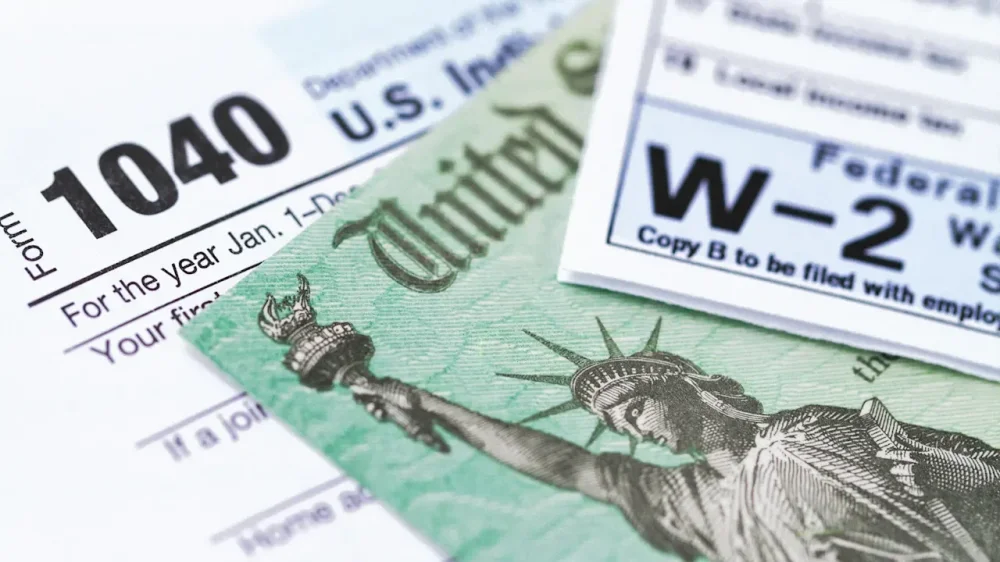
Tax refunds are typically a welcomed reprieve for millions of Americans facing challenging financial times. While many tax filers are set to receive higher refunds this year, around 1.4 million Americans who typically receive paper refund checks may have to wait longer for their refund this year because the federal government has moved to phase out the paper check option. The deadline to file your taxes is April 15. But some filers may have to wait six weeks to 10 weeks longer to see their refund checks if they didn’t provide direct deposit information on their returns this year. The IRS is sending notices to those taxpayers of the extended wait time and the actions they need to take in order to avoid it. The notice explains that filers should update their online account with the IRS to update or add their bank account information. It also said filers have 30 days to do so after receiving the notice. “If you don’t respond to the notice, we will issue a paper check after 6 weeks. For updates on your refund status, visit Where’s My Refund,” the notice explained. While most filers receive their refunds electronically, many still opt for paper checks. According to the IRS, about 7% of tax payers still receive their refunds in the mail. The National Taxpayer Advocate reported that last year, around 10 million tax payers received paper checks. However, the federal government has argued that paper checks are vulnerable to fraud, slower, and more expensive than electronic payouts. In an executive order last year, The President mandated that federal payments be issued electronically starting in October 2025. “The continued use of paper-based payments by the Federal Government, including checks and money orders, flowing into and out of the United States General Fund, which might be thought of as America’s bank account, imposes unnecessary costs; delays; and risks of fraud, lost payments, theft, and inefficiencies,” the order said. It continued, “Mail theft complaints have increased substantially since the COVID-19 pandemic.” It also asserted that the cost of digitizing paper records cost taxpayers “over $657 million in Fiscal Year 2024 alone.” Still, some lawmakers are concerned about how the refund delays will impact Americans who depend on the payments. House Ways and Means Committee Democrats sent a second letter to Treasury Secretary Scott Bessent in an effort to get answers for affected filers. The letter explained that there were discrepancies between the notice filers receive about delays and an altered version of the notice lawmakers received. “Our first and foremost concern is that taxpayers could face a 10-week wait for their paper refunds,” the letter explained, per a press release. “This is not clearly stated on the notice. Nor does it warn taxpayers that a paper check could take another six weeks beyond the 30 days given to respond.” Fast Company reached out to the Treasury for comment but did not immediately hear back. View the full article
-
We may earn a commission from links on this page. Deal pricing and availability subject to change after time of publication. I dream of building out a garage gym one day, but for now, I'm content with my "workout corner" in my apartment bedroom. Hey, a home gym can look like anything. Whether you're eyeing a smart rowing machine, a compact massage gun for post-workout recovery, or just a clean set of hex dumbbells with a rack to keep your space organized, there's something worth buying during Amazon's Big Spring Sale right now. The best deals on at-home cardio equipmentI know how quickly cardio equipment can turn into major investment of your time, money, and space. That's why I recommend equipment that can fold up to store vertically against the wall, so your treadmill doesn't just become a fancy coat rack. Original Peloton Bike, $1,295, down from $1,695 Hydrow Origin Rowing Machine, $1,895, down from $2,195 NordicTrack T 5 Treadmill, $479, down from $599 Peloton Exercise Cross Training Bike $1,295.00 at Amazon $1,695.00 Save $400.00 Get Deal Get Deal $1,295.00 at Amazon $1,695.00 Save $400.00 The best deals on at-home strength training essentialsIn my experience, adjustable dumbbells are the single highest-impact upgrade you can make to a home gym. But sometimes you just want the real thing, without dealing with pins or spin locks or any sort of fuss. In that case, you definitely want a quality storage rack keeps your gym organized, your equipment accessible, and your floor clear. PowerBlock Elite EXP Adjustable Dumbbells, $339.15, down from $449 CAP Adjustable Dumbbells, $249.99, down from $299.99 CAP Rubber Coated Dumbbell Weight Set, $159.99, down from $189.99 TRX Resistance Band Set, $148.71, down from $174.95 PLKOW storage and weight rack, $79.98, down from $129.99 PowerBlock Elite EXP Adjustable Dumbbells (Pair, 5-50lb) $339.15 at Amazon $449.00 Save $109.85 Shop Now Shop Now $339.15 at Amazon $449.00 Save $109.85 The best deals on muscle recovery and stretching toolsI know I've personally got my eye on massage guns and foam rollers to help me survive my upcoming marathon training. Bob and Brad Q2 Ultra Mini Massage Gun, $78.82, down from $99.99 1-Inch Thick Yoga Mat, $29.99, down from $36.99 TriggerPoint Grid 1.0 Foam Roller, $27.99, was $39.99 Bob and Brad Q2 Ultra Mini Massage Gun $78.82 at Amazon $99.99 Save $21.17 Get Deal Get Deal $78.82 at Amazon $99.99 Save $21.17 While we're at it, plenty of other gadgets could technically fall into the realm of home gym expenses. Check out more of the best deals we've found on fitness wearables, on headphones and earbuds, and all other tech during Amazon's Big Spring Sale here. Our Best Editor-Vetted Amazon Big Spring Sale Deals Right Now Apple AirPods Pro 3 Noise Cancelling Heart Rate Wireless Earbuds — $199.99 (List Price $249.00) Apple iPad 11" 128GB A16 WiFi Tablet (Blue, 2025) — $299.00 (List Price $349.00) Samsung Galaxy Tab A11+ 128GB Wi-Fi 11" Tablet (Gray) — $209.99 (List Price $249.99) Sony WH1000XM6- Best Wireless Noise Canceling Headphones — $398.00 (List Price $459.99) Apple Watch Series 11 (GPS, 42mm, S/M Black Sport Band) — $299.00 (List Price $399.00) Blink Video Doorbell Wireless (Newest Model) + Sync Module Core — $35.99 (List Price $69.99) Fire TV Stick 4K Max Streaming Player With Remote — $34.99 (List Price $59.99) Amazon Kindle Colorsoft 16GB 7" eReader (Black) — $169.99 (List Price $249.99) Deals are selected by our commerce team View the full article
-
We may earn a commission from links on this page. Deal pricing and availability subject to change after time of publication. Amazon's Big Spring Sale is in full swing this week. If you take a look at the "Laptops" section of Amazon's Big Spring Sale page, you'll find seemingly endless options available at a discount. That doesn't mean these are all deals worth considering, however. There are a lot of laptops out there, and not all of them going to be right for you (or most people). As such, I've looked at Amazon's wares, and found some deals that really seem worth considering. A rule of thumb with deals like these: If you've never heard of the company before, be extremely cautious. There are laptop manufacturers that have been in the game for years, and know how to ship a product that works. If you see a huge discount on a laptop from a no-name company, that should be a red flag. That's not to say all start-ups and new companies should be avoided; just do your research before buying a computer. M4 MacBook Air (15-inch) $1,149.00 at Amazon $1,399.00 Save $250.00 Get Deal Get Deal $1,149.00 at Amazon $1,399.00 Save $250.00 Samsung Galaxy Book 5 Pro 360 $1,199.99 at Amazon $1,699.99 Save $500.00 Get Deal Get Deal $1,199.99 at Amazon $1,699.99 Save $500.00 HP EliteBook 6 G1i $1,899.98 at Amazon $2,799.00 Save $899.02 Get Deal Get Deal $1,899.98 at Amazon $2,799.00 Save $899.02 ASUS TUF F16 $999.99 at Amazon $1,299.99 Save $300.00 Get Deal Get Deal $999.99 at Amazon $1,299.99 Save $300.00 ASUS ROG Strix G18 $1,394.99 at Amazon $1,699.99 Save $305.00 Get Deal Get Deal $1,394.99 at Amazon $1,699.99 Save $305.00 Lenovo Legion 5i $1,469.99 at Amazon $1,669.99 Save $200.00 Get Deal Get Deal $1,469.99 at Amazon $1,669.99 Save $200.00 SEE 3 MORE M4 15-inch MacBook AirIf you're in the market for a large yet portable laptop, the MacBook Air is a great buy. While Apple's newest model has the M5 chip, the M4 version is more than capable to buy instead—especially when you can save some money. During Amazon's Big Spring Sale, you can pick up the 15-inch M4 MacBook Air for $1,149. That's $150 cheaper than the M5 version. You still get the same 16GB of RAM and 512GB of storage, and a chip that Apple will likely support for years to come. (The company still supports M1, which came out in 2020.) If you're set on the M5 MacBook Air, consider saving a bit by going through Apple's education store. Samsung 16-inch Galaxy Book 5 Pro 360 If you need a large, thin and light laptop that runs Windows 11, this Copilot+ PC from Samsung might suit you. The 16-inch Galaxy Book 5 Pro 360 has an Intel Core 7 Ultra processor with 16GB of RAM and 1TB of storage—double that of the MacBook Air above. It also has a touchscreen 3K AMOLED display with a refresh rate of 120Hz. The integrated graphics won't get you far for gaming, but if you need a capable machine for school, work, or personal use, this is a great all-around machine. HP EliteBook 6 G1i Let's up the ante a bit. This HP EliteBook comes with a whopping 64GB of RAM. That's potentially overkill for most students and workers, but it does mean that this machine is a multitasker's dream. (You'll likely never run out of Chrome tabs.) It comes with an Intel Core Ultra 7 255U processor with a 1TB PCIe SSD for storage. The 16-inch IPS display is lower-res than the other laptops I've noted so far, as its only a 1200p panel. That's just a bit more pixels than you'd find in a 1080p display: Not bad, but not 3K or 4K. That said, if you can live with the compromises on the screen, this machine will handle most things you throw at it—at 32% off its original list price. ASUS TUF F16If you're looking for something to game on that won't break the bank, this ASUS TUF laptop might be a solid choice. This machine comes with 16GB of RAM, a 512GB SSD, a 4.6GHz Intel Core i5 13450HX processor, and a dedicated NVIDIA GeForce RTX 5050 graphics card. It also comes with a 16-inch LED display with a refresh rate of 165 Hz, so you'll be able to boost the frame rates of your games. This isn't the most powerful gaming laptop out there by any means, but at 23% off ($999.99), it's worth considering. ASUS ROG Strix G18If you want to push your games a bit further, take a look at the ASUS ROG Strix G18. This 18-inch laptop has an AMD Ryzen 9 8940HX chip, a dedicated GeForce RTX 5050 GPU, 16GB of RAM, and a 1TB SSD. That 18-inch display has a 1080p resolution, and refresh rate of 144Hz—plenty for high refresh rate gaming. This one will cost nearly $400 more than the TUF, but you're getting a bit more for your money—and you're saving 18% off the list price. Lenovo Legion 5i Let's take a look at one more gaming laptop—this time, with a more powerful Intel chip. Lenovo's Legion 5i comes with an Intel Core i7 17000HX chip, a dedicated GeForce RTX 5070 GPU, 16GB of RAM, and a 1TB SSD. It comes with a 1600p 15-inch OLED, which is the sharpest and highest contrast of any of the gaming laptops listed here. That's excellent for both games, as well for watching shows and movies. Like the TUF F16, this has a 165 Hz refresh rate. That's why this machine is typically listed at $1,699.99, but is currently $230 off. Our Best Editor-Vetted Amazon Big Spring Sale Deals Right Now Apple AirPods Pro 3 Noise Cancelling Heart Rate Wireless Earbuds — $199.99 (List Price $249.00) Apple iPad 11" 128GB A16 WiFi Tablet (Blue, 2025) — $299.00 (List Price $349.00) Samsung Galaxy Tab A11+ 128GB Wi-Fi 11" Tablet (Gray) — $209.99 (List Price $249.99) Sony WH1000XM6- Best Wireless Noise Canceling Headphones — $398.00 (List Price $459.99) Apple Watch Series 11 (GPS, 42mm, S/M Black Sport Band) — $299.00 (List Price $399.00) Blink Video Doorbell Wireless (Newest Model) + Sync Module Core — $35.99 (List Price $69.99) Fire TV Stick 4K Max Streaming Player With Remote — $34.99 (List Price $59.99) Amazon Kindle Colorsoft 16GB 7" eReader (Black) — $169.99 (List Price $249.99) Deals are selected by our commerce team View the full article
-
Texas site for Nexus Data Centers aims to avoid grid connection delays with direct gas suppliesView the full article
-
I talk to a lot of people who are quietly terrified about their careers right now, wondering if the thing they spent 15 years getting good at is about to become irrelevant. The kind of fear where you smile through another LinkedIn post about AI productivity gains and feel your stomach drop. I get it. I build AI systems and agents for enterprise clients—and for myself. I watch these tools get more capable every week. And the narrative everywhere, from VCs, from CEOs, from the breathless tech press, is that your job is going to be automated. That you’re going to be replaced. That AI is coming for your job, and you should be very, very worried. I think that narrative is mostly wrong. Not because AI isn’t transforming work—it absolutely is. But because it’s answering the wrong question. The question isn’t whether your job will exist in 5 years. It’s what your job will look like. JOBS DON’T VANISH, THEY MUTATE Here’s what’s actually happening when you look past the panic. A Harvard Business School study analyzing nearly all U.S. job postings from 2019 through 2025 found that while postings for repetitive, automatable roles dropped 13%, demand for jobs requiring analytical, technical, or creative work grew 20%. The skills required within those roles are shifting fast—but the roles themselves aren’t disappearing. They’re morphing. PwC’s 2025 Global AI Jobs Barometer, which analyzed almost a billion job ads across six continents, found something that should make us all feel better: Wages are rising twice as fast in industries exposed the most to AI compared to those that are the least exposed. Not falling. Rising. Even in highly automatable roles, workers with AI skills are commanding a significant wage premium. The people who figured out how to work alongside the technology aren’t getting replaced. They’re getting paid more. Vanguard’s chief economist projects that over 60% of occupations—nurses, teachers, engineers, HR managers, insurance agents—will benefit from AI as an augmentation tool, not be eliminated by it. The analogy he uses is the personal computer: It didn’t kill jobs so much as it let people focus on higher-value work. We’re in a version of that transition, just moving faster. THE PANIC ISN’T USEFUL, THE CURIOSITY IS Look, I’m not going to sugarcoat it. Some roles are getting gutted. Data entry. Basic customer service. Routine legal research. Rote translation. If your entire job is a task that a machine can now do faster, cheaper, and without complaining about the coffee—yes, that role is in trouble. But most jobs aren’t one task. They’re bundles of tasks. A software developer writes code, but also designs systems, mentors juniors, navigates office politics, and argues with product managers about scope. AI can now handle a chunk of the code-writing. That doesn’t eliminate the developer; it shifts the balance of what’s valuable in the role. As one thorough analysis put it, when AI automates one task in a job bundle, the job changes. It doesn’t vanish. The people who are going to thrive in this aren’t the ones with the best credentials or the most experience. They’re the ones who are curious enough to ask: What does my job look like when AI handles the repetitive parts? What’s left? What becomes more valuable? And—critically—am I building those skills now, am I building toward that reality, or am I just hoping the wave doesn’t reach me? THE TRANSITION IS THE HARD PART The destination is probably fine. The journey is rough. A Pearson study presented at Davos this year found that the economic promise of AI—up to $6.6 trillion added to the U.S. economy by 2034—only materializes if employers pair the technology with actual training. And right now, most aren’t. Only 16% of workers had what Forrester considers high “AI readiness” in 2025. Companies are buying the tools and skipping the part where they teach anyone how to use them. Meanwhile, 59% of companies admit they’re framing ordinary cost-cutting as “AI-driven layoffs” because it sounds better to investors. The real story is messier than the headlines. Some of these cuts are genuine automation. Some are just budget trimming in a tech-company trench coat. The uncomfortable truth is that we’re in a transition period where the old version of your job is fading and the new version hasn’t fully arrived yet. That’s genuinely disorienting. It’s also—if you’re honest about it—an opportunity to create a new role for yourself that doesn’t come along very often. THE ADVANTAGE GOES TO THE CURIOUS Every major technology shift has had this same shape: panic, then adaptation, then a new normal where the people who moved early have an outsized advantage. The internet didn’t eliminate retail; it reshaped it. Mobile didn’t kill desktop software; it created entirely new categories. AI is doing the same thing to knowledge work, just faster. The winners won’t be the people who learned to code in a weekend or got an AI certification. They’ll be the ones who got genuinely curious about how their specific expertise combines with these tools to create something new. The marketing director who figures out that AI handles the data analysis while she focuses on creative strategy. The lawyer who uses AI for research and spends the freed-up time on the judgment calls that actually win cases. The project manager who stops tracking status updates and starts doing the human work of alignment and persuasion. Your job is shapeshifting. The question is whether you’re going to watch it happen or get in there and shape it yourself. The window for that is open right now. I wouldn’t wait. Lindsey Witmer Collins is CEO and founder of WLCM.ai and ScribblyBooks.com. View the full article

-
Jeopardy! may have been born on cable television, but it’s determined not to live and die there. The trivia game show’s first iteration premiered on daytime television more than 60 years ago in 1964. Its modern syndicated version launched in 1984, and 41 seasons later, it’s still going strong, garnering 7.5 million viewers for its latest season premiere and maintaining its title as the most-watched syndication series on television. Though Jeopardy! made it through the cultural transition to streaming largely unscathed, its producers are still finding ways to innovate on its format and bring the show to new platforms. That includes the newly announced Jeopardy! YouTube Edition, which will feature YouTube personalities playing for charity. The new show will premiere on Tuesday, March 31 at 9 p.m. ET with a livestream on the Jeopardy! YouTube channel, hosted by Ken Jennings. What makes YouTube Edition different from regular Jeopardy!? The show will still use Jeopardy!’s signature answer-with-a-question format, but with trivia categories inspired by YouTube, including viral trends and the platform’s history, with YouTube talent also appearing to provide custom video clues. “From Sabrina Carpenter’s greatest hits to DIY home-building, there is so much to learn on YouTube, but who has learned the most?” Jennings teased in a promo for the series, where he also introduced the three “internet icons” competing in the premiere. There’s Brennan Lee Mulligan, the host of tabletop gaming series Dimension 20, which sports 1.11 million YouTube subscribers; drag queen Monét X Change, a star of reality TV shows including RuPaul’s Drag Race and The Traitors and a YouTube creator with 180,000 subscribers; and pop singer Rebecca Black, whose much-memed music video for “Friday” has 179 million views on the platform. Each contestant will be competing to win money for a charity of their choice, with Monét playing for GLAAD and both Mulligan and Black representing The Trevor Project. The relaunch of Jeopardy!’s YouTube channel is a collaboration between Sony Pictures Television, creative agency We Are Social, and YouTube itself. Katie McDonald, Head of Strategy at We Are Social, said in a press release that the new show aims to capture a younger audience’s attention. “Working off the insight that Gen Z is currently chasing knowledge and substance on social, and knowing that YouTube is the OG home for learning and long-form, we felt there was no better flex than centering Jeopardy! as the cultural standard for testing their smarts,” McDonald said. “It’s the perfect example of two iconic brands turning an audience truth into an idea worth talking about that’s both authentic to their DNA and drives culture.” Jeopardy! has already found success on social platforms like TikTok, where short clips from the series routinely get tens of thousands of views and Jeopardy!’s account has garnered a cumulative 51.9 million likes. Leaning into the series’ untapped digital-first potential only makes sense. “Blurring the lines between a traditional broadcast format and a new era of digital consumption results in something that’s fun for both new fans and old ones,” said Kevin Allocca, Global Head of Culture and Trends for YouTube. “Seeing Jeopardy! intersect with YouTube creators underscores how the two can amplify each other in ways that feel surprisingly authentic and are a testament to the enduring relevance of these formats.” Jeopardy! YouTube Edition is far from the franchise’s first spin-off. There was Rock & Roll Jeopardy! and Jep! (an edition for children) at the turn of the century, and Sports Jeopardy! in the mid-2010s. Pop Culture Jeopardy!, the show’s most recent variation, aired its first season in 2024 on Amazon Prime Video, with a second season now in production for Netflix. But Jeopardy! YouTube Edition is the first franchise entry to live entirely online. That doesn’t mean the show is leaving behind its television audience, just that it’s courting a new one. “Jeopardy! is one of the most successful and enduring brands in television history, with decades of cultural relevance and a loyal audience,” said Suzanne Prete, President of Game Shows at Sony Pictures Television. “As we bring our YouTube strategy to life, we’re incredibly excited to build on that legacy while connecting with new audiences in a way that feels fresh, interactive, and native to the platform.” View the full article

-
In the workplace, several key laws protect your rights and guarantee fair treatment. The Equal Employment Opportunity Act prevents discrimination based on race, gender, and religion. The Fair Labor Standards Act sets standards for minimum wage and overtime pay. Moreover, the Occupational Safety and Health Act guarantees safe working conditions. Comprehending these laws is essential for maneuvering your rights, but there’s more to explore about how they impact your daily work life and employer responsibilities. Key Takeaways Equal Employment Opportunity laws prohibit workplace discrimination based on race, color, religion, sex, national origin, and disability. Wage and Hour laws ensure fair compensation, including minimum wage and overtime pay for non-exempt employees. Workplace Safety and Health laws mandate safe working conditions and require employers to provide necessary safety equipment and training. Family and Medical Leave Act (FMLA) allows eligible employees to take up to 12 weeks of unpaid leave for serious health issues. Labor Relations laws protect employees’ rights to form unions, engage in collective bargaining, and safeguard against retaliation for union activities. Equal Employment Opportunity (EEO) Laws Equal Employment Opportunity (EEO) laws play a crucial role in protecting employees from unfair treatment in the workplace. These laws safeguard your employee rights by prohibiting discrimination based on race, color, religion, sex, national origin, and disability, as outlined in the Civil Rights Act and the Americans with Disabilities Act (ADA). The Equal Employment Opportunity Commission (EEOC) enforces these federal laws, investigating complaints related to discrimination and harassment. Significantly, EEO laws require employers to provide reasonable accommodations for individuals with disabilities, ensuring they can perform their job duties effectively. Furthermore, workplace safety is improved as these laws prohibit harassment, including sexual harassment and discrimination based on religious beliefs, cultivating a respectful environment. EEO laws not only protect against discriminatory actions in hiring, firing, and promotions but also obligate employers to maintain a work environment free from hostile behaviors, ensuring all employees feel secure and valued. Wage and Hour Laws Wage and hour laws play a vital role in guaranteeing you receive fair compensation for your work. These regulations cover minimum wage requirements, mandate overtime pay for hours worked over 40 in a week, and emphasize the importance of correctly classifying employees. Comprehending these laws is fundamental for both workers and employers to prevent legal issues and secure compliance. Minimum Wage Regulations Comprehending minimum wage regulations is vital for both employers and employees, as these laws establish the baseline for fair compensation in the workplace. According to the Fair Labor Standards Act (FLSA), the federal minimum wage is $7.25 per hour as of 2023, though many states have set higher rates. Employers must adhere to these minimum wage regulations, ensuring that all employees receive at least the legal pay. It’s significant to highlight that certain workers, like tipped employees and those in specific industries, may have different pay structures. Moreover, states can enact their own wage laws, providing greater protections. Grasping these regulations empowers you to advocate for your employee rights in the workplace effectively. Overtime Pay Requirements Comprehending overtime pay requirements is crucial for both employees and employers, as these regulations guarantee fair compensation for extra hours worked. Here are some key points to reflect on: The Fair Labor Standards Act (FLSA) mandates that non-exempt employees earn at least one and a half times their regular pay for hours worked over 40 in a week. Certain job categories, like executive and administrative roles, may be classified as exempt from these overtime pay requirements. Employers must maintain accurate records of hours worked and wages paid to comply with overtime regulations. Understanding these overtime pay requirements is fundamental for protecting workers’ rights and ensuring fair treatment in the workplace, especially since misclassification can lead to serious legal consequences for employers. Worker Classification Importance Comprehending worker classification is essential for both employees and employers, as it directly impacts eligibility for important protections under the Fair Labor Standards Act (FLSA). Misclassifying workers can lead to significant liabilities, including back pay for unpaid wages and overtime. The U.S. Department of Labor defines the distinction between employees and independent contractors based on employer control over duties and schedules. Classification Type Key Protections Employees Minimum wage and overtime pay Independent Contractors No entitlement to these protections Incorrect worker classification can cost an estimated $2 billion annually in unpaid wages, emphasizing the significance of adhering to employment law for employers. Regular audits help guarantee compliance and avoid costly disputes. Workplace Safety and Health Laws Comprehending workplace safety and health laws is crucial for both employees and employers. The Occupational Safety and Health Administration (OSHA) sets strict regulations that require you to maintain a safe work environment, which includes providing necessary safety gear and training. OSHA Regulations Overview Even though ensuring a safe workplace may seem like an intimidating task, the Occupational Safety and Health Administration (OSHA) provides a structured framework that helps employers achieve this goal. By enforcing OSHA regulations, you can promote worker safety and create a healthier work environment. Here are three key components of OSHA regulations: Maintain Hazard-Free Workplaces: Employers must regularly inspect workspaces for potential dangers. Provide Safety Equipment: Necessary protective gear must be available to all employees. Report Incidents: Employers are required to report workplace injuries and illnesses to OSHA. These regulations cover various industries, ensuring customized safety guidelines. Employer Responsibilities Explained In regard to workplace safety, employers have a legal and ethical obligation to protect their employees from potential hazards. Under the Occupational Safety and Health Administration (OSHA) regulations, it’s vital that you maintain a hazard-free workplace, conducting regular safety inspections and adhering to established safety standards. The OSH Act mandates that you provide appropriate safety gear and training to minimize risks related to hazardous chemicals and ergonomics. Furthermore, you must proactively identify and mitigate potential hazards to guarantee worker protection. Failure to comply with workplace safety laws can lead to significant penalties, including fines and legal liabilities, while concurrently increasing the risks of injuries and fatalities among employees. Prioritizing workplace safety for employees is fundamental for a healthy work environment. Employee Benefits Laws Employee benefits laws play a significant role in protecting your rights as a worker, ensuring you have access to fundamental benefits during various life events. These laws that protect employees in the workplace include important provisions for health and financial security. Family and Medical Leave Act (FMLA): You can take up to 12 weeks of unpaid leave for serious health issues without risking your job. Employee Retirement Income Security Act (ERISA): This law requires employers to provide critical information about retirement and health benefits, ensuring fair management of these plans. Consolidated Omnibus Budget Reconciliation Act (COBRA): You have the right to continue your health insurance coverage after job loss or qualifying events. Moreover, workers’ compensation laws protect you financially if you’re injured or sick as a result of work-related causes. State laws may also improve these protections, varying in scope and requirements depending on where you live. Labor Relations Laws Labor relations laws are crucial for protecting your rights as a worker, especially regarding unionization and collective bargaining. Governed primarily by the National Labor Relations Board (NLRA), these laws guarantee you can form unions and negotiate for better wages and working conditions without fear of retaliation. Employers must engage in good faith bargaining, which promotes collaboration on labor issues. Here’s a quick overview of key aspects of labor relations laws: Aspect Description Union Formation Protects your right to organize and join unions Collective Bargaining Encourages negotiation of wages and benefits Good Faith Bargaining Requires employers to negotiate seriously with unions NLRB Oversight Enforces labor laws and resolves disputes Protection from Retaliation Safeguards against employer retaliation for union activities Understanding these laws can help you navigate workplace injury laws and advocate for your rights effectively. Discrimination and Whistleblower Protections Comprehending your rights regarding discrimination and whistleblower protections is essential for nurturing a fair and equitable workplace. Here are three key points to reflect on: Discrimination in the workplace is illegal under several laws, including Title VII, which protects against discrimination based on race, color, religion, sex, and national origin. The Age Discrimination in Employment Act (ADEA) safeguards workers aged 40 and over from unfair treatment in hiring and promotions. Whistleblower protections guarantee that employees who report violations can do so without fear of retaliation, thanks to laws enforced by the U.S. Department of Labor. If you experience discrimination or retaliation, it’s important to know how to file a complaint against my employer. The Equal Employment Opportunity Commission (EEOC) handles these complaints, offering a legal path for you to seek resolution and justice. Stay informed about your rights to promote a safer workplace. State-Specific Employee Protection Laws Though federal laws provide a foundation for employee protections, state-specific regulations can greatly improve your rights in the workplace. For instance, some states have minimum wage laws that exceed the federal rate, ensuring you earn more as a salary worker. Furthermore, certain states offer family leave benefits that surpass those of the federal Family and Medical Leave Act, including paid leave options in places like California and New York. Moreover, state workers’ compensation laws can provide more comprehensive benefits and faster claims processing for injured workers compared to federal guidelines. There are also “ban the box” laws in some states that prevent employers from inquiring about criminal history on job applications, promoting fair hiring practices. These laws in the workplace can elevate your salary workers rights, making it essential to understand the specific protections available in your state to fully leverage your entitlements. Frequently Asked Questions What Laws Protect Employees in the Workplace? Various laws protect you in the workplace. The Fair Labor Standards Act guarantees fair pay, whereas the Occupational Safety and Health Act mandates safe working conditions. If you face health issues or family responsibilities, the Family and Medical Leave Act allows unpaid leave with job protection. Discrimination based on race, gender, or disability is prohibited by Title VII of the Civil Rights Act and the Americans with Disabilities Act, ensuring equal treatment and reasonable accommodations. What Are Three Laws That Were Passed That Protected All Workers? Three key laws that protect all workers include the Fair Labor Standards Act (FLSA), which establishes minimum wage and overtime pay; the Occupational Safety and Health Act (OSH Act), ensuring safe working conditions; and the Family and Medical Leave Act (FMLA), allowing eligible employees to take unpaid leave for certain health and family issues. These laws collectively safeguard workers’ rights, promote fair treatment, and create safer work environments across various industries. What Are the Main Employment Laws? When you’re steering through the workplace, it’s essential to comprehend the main employment laws. The Fair Labor Standards Act sets guidelines for minimum wage and overtime. The Occupational Safety and Health Act guarantees your right to a safe working environment. Furthermore, the Family and Medical Leave Act allows you time off for health or family issues. Grasping these laws can help you protect your rights and guarantee fair treatment on the job. Which Act Protects Employees? The Fair Labor Standards Act (FLSA) protects you by setting minimum wage and overtime pay standards. The Occupational Safety and Health Act (OSH Act) guarantees your workplace is safe and free from hazards. Furthermore, the Family and Medical Leave Act (FMLA) allows you to take unpaid, job-protected leave for personal or family health issues. The Americans with Disabilities Act (ADA) and Title VII of the Civil Rights Act protect your rights against discrimination. Conclusion In conclusion, employees are protected by various key laws that promote fair treatment and safe working conditions. The Equal Employment Opportunity Act, Fair Labor Standards Act, and Occupational Safety and Health Act are just a few examples of legislation designed to safeguard your rights. Comprehending these laws is essential, as they empower you to advocate for yourself in the workplace. By being informed, you can navigate your rights and responsibilities more effectively, ensuring a better work environment for everyone. Image via Google Gemini and ArtSmart This article, "What Key Laws Protect Employees in the Workplace?" was first published on Small Business Trends View the full article
-
In the workplace, several key laws protect your rights and guarantee fair treatment. The Equal Employment Opportunity Act prevents discrimination based on race, gender, and religion. The Fair Labor Standards Act sets standards for minimum wage and overtime pay. Moreover, the Occupational Safety and Health Act guarantees safe working conditions. Comprehending these laws is essential for maneuvering your rights, but there’s more to explore about how they impact your daily work life and employer responsibilities. Key Takeaways Equal Employment Opportunity laws prohibit workplace discrimination based on race, color, religion, sex, national origin, and disability. Wage and Hour laws ensure fair compensation, including minimum wage and overtime pay for non-exempt employees. Workplace Safety and Health laws mandate safe working conditions and require employers to provide necessary safety equipment and training. Family and Medical Leave Act (FMLA) allows eligible employees to take up to 12 weeks of unpaid leave for serious health issues. Labor Relations laws protect employees’ rights to form unions, engage in collective bargaining, and safeguard against retaliation for union activities. Equal Employment Opportunity (EEO) Laws Equal Employment Opportunity (EEO) laws play a crucial role in protecting employees from unfair treatment in the workplace. These laws safeguard your employee rights by prohibiting discrimination based on race, color, religion, sex, national origin, and disability, as outlined in the Civil Rights Act and the Americans with Disabilities Act (ADA). The Equal Employment Opportunity Commission (EEOC) enforces these federal laws, investigating complaints related to discrimination and harassment. Significantly, EEO laws require employers to provide reasonable accommodations for individuals with disabilities, ensuring they can perform their job duties effectively. Furthermore, workplace safety is improved as these laws prohibit harassment, including sexual harassment and discrimination based on religious beliefs, cultivating a respectful environment. EEO laws not only protect against discriminatory actions in hiring, firing, and promotions but also obligate employers to maintain a work environment free from hostile behaviors, ensuring all employees feel secure and valued. Wage and Hour Laws Wage and hour laws play a vital role in guaranteeing you receive fair compensation for your work. These regulations cover minimum wage requirements, mandate overtime pay for hours worked over 40 in a week, and emphasize the importance of correctly classifying employees. Comprehending these laws is fundamental for both workers and employers to prevent legal issues and secure compliance. Minimum Wage Regulations Comprehending minimum wage regulations is vital for both employers and employees, as these laws establish the baseline for fair compensation in the workplace. According to the Fair Labor Standards Act (FLSA), the federal minimum wage is $7.25 per hour as of 2023, though many states have set higher rates. Employers must adhere to these minimum wage regulations, ensuring that all employees receive at least the legal pay. It’s significant to highlight that certain workers, like tipped employees and those in specific industries, may have different pay structures. Moreover, states can enact their own wage laws, providing greater protections. Grasping these regulations empowers you to advocate for your employee rights in the workplace effectively. Overtime Pay Requirements Comprehending overtime pay requirements is crucial for both employees and employers, as these regulations guarantee fair compensation for extra hours worked. Here are some key points to reflect on: The Fair Labor Standards Act (FLSA) mandates that non-exempt employees earn at least one and a half times their regular pay for hours worked over 40 in a week. Certain job categories, like executive and administrative roles, may be classified as exempt from these overtime pay requirements. Employers must maintain accurate records of hours worked and wages paid to comply with overtime regulations. Understanding these overtime pay requirements is fundamental for protecting workers’ rights and ensuring fair treatment in the workplace, especially since misclassification can lead to serious legal consequences for employers. Worker Classification Importance Comprehending worker classification is essential for both employees and employers, as it directly impacts eligibility for important protections under the Fair Labor Standards Act (FLSA). Misclassifying workers can lead to significant liabilities, including back pay for unpaid wages and overtime. The U.S. Department of Labor defines the distinction between employees and independent contractors based on employer control over duties and schedules. Classification Type Key Protections Employees Minimum wage and overtime pay Independent Contractors No entitlement to these protections Incorrect worker classification can cost an estimated $2 billion annually in unpaid wages, emphasizing the significance of adhering to employment law for employers. Regular audits help guarantee compliance and avoid costly disputes. Workplace Safety and Health Laws Comprehending workplace safety and health laws is crucial for both employees and employers. The Occupational Safety and Health Administration (OSHA) sets strict regulations that require you to maintain a safe work environment, which includes providing necessary safety gear and training. OSHA Regulations Overview Even though ensuring a safe workplace may seem like an intimidating task, the Occupational Safety and Health Administration (OSHA) provides a structured framework that helps employers achieve this goal. By enforcing OSHA regulations, you can promote worker safety and create a healthier work environment. Here are three key components of OSHA regulations: Maintain Hazard-Free Workplaces: Employers must regularly inspect workspaces for potential dangers. Provide Safety Equipment: Necessary protective gear must be available to all employees. Report Incidents: Employers are required to report workplace injuries and illnesses to OSHA. These regulations cover various industries, ensuring customized safety guidelines. Employer Responsibilities Explained In regard to workplace safety, employers have a legal and ethical obligation to protect their employees from potential hazards. Under the Occupational Safety and Health Administration (OSHA) regulations, it’s vital that you maintain a hazard-free workplace, conducting regular safety inspections and adhering to established safety standards. The OSH Act mandates that you provide appropriate safety gear and training to minimize risks related to hazardous chemicals and ergonomics. Furthermore, you must proactively identify and mitigate potential hazards to guarantee worker protection. Failure to comply with workplace safety laws can lead to significant penalties, including fines and legal liabilities, while concurrently increasing the risks of injuries and fatalities among employees. Prioritizing workplace safety for employees is fundamental for a healthy work environment. Employee Benefits Laws Employee benefits laws play a significant role in protecting your rights as a worker, ensuring you have access to fundamental benefits during various life events. These laws that protect employees in the workplace include important provisions for health and financial security. Family and Medical Leave Act (FMLA): You can take up to 12 weeks of unpaid leave for serious health issues without risking your job. Employee Retirement Income Security Act (ERISA): This law requires employers to provide critical information about retirement and health benefits, ensuring fair management of these plans. Consolidated Omnibus Budget Reconciliation Act (COBRA): You have the right to continue your health insurance coverage after job loss or qualifying events. Moreover, workers’ compensation laws protect you financially if you’re injured or sick as a result of work-related causes. State laws may also improve these protections, varying in scope and requirements depending on where you live. Labor Relations Laws Labor relations laws are crucial for protecting your rights as a worker, especially regarding unionization and collective bargaining. Governed primarily by the National Labor Relations Board (NLRA), these laws guarantee you can form unions and negotiate for better wages and working conditions without fear of retaliation. Employers must engage in good faith bargaining, which promotes collaboration on labor issues. Here’s a quick overview of key aspects of labor relations laws: Aspect Description Union Formation Protects your right to organize and join unions Collective Bargaining Encourages negotiation of wages and benefits Good Faith Bargaining Requires employers to negotiate seriously with unions NLRB Oversight Enforces labor laws and resolves disputes Protection from Retaliation Safeguards against employer retaliation for union activities Understanding these laws can help you navigate workplace injury laws and advocate for your rights effectively. Discrimination and Whistleblower Protections Comprehending your rights regarding discrimination and whistleblower protections is essential for nurturing a fair and equitable workplace. Here are three key points to reflect on: Discrimination in the workplace is illegal under several laws, including Title VII, which protects against discrimination based on race, color, religion, sex, and national origin. The Age Discrimination in Employment Act (ADEA) safeguards workers aged 40 and over from unfair treatment in hiring and promotions. Whistleblower protections guarantee that employees who report violations can do so without fear of retaliation, thanks to laws enforced by the U.S. Department of Labor. If you experience discrimination or retaliation, it’s important to know how to file a complaint against my employer. The Equal Employment Opportunity Commission (EEOC) handles these complaints, offering a legal path for you to seek resolution and justice. Stay informed about your rights to promote a safer workplace. State-Specific Employee Protection Laws Though federal laws provide a foundation for employee protections, state-specific regulations can greatly improve your rights in the workplace. For instance, some states have minimum wage laws that exceed the federal rate, ensuring you earn more as a salary worker. Furthermore, certain states offer family leave benefits that surpass those of the federal Family and Medical Leave Act, including paid leave options in places like California and New York. Moreover, state workers’ compensation laws can provide more comprehensive benefits and faster claims processing for injured workers compared to federal guidelines. There are also “ban the box” laws in some states that prevent employers from inquiring about criminal history on job applications, promoting fair hiring practices. These laws in the workplace can elevate your salary workers rights, making it essential to understand the specific protections available in your state to fully leverage your entitlements. Frequently Asked Questions What Laws Protect Employees in the Workplace? Various laws protect you in the workplace. The Fair Labor Standards Act guarantees fair pay, whereas the Occupational Safety and Health Act mandates safe working conditions. If you face health issues or family responsibilities, the Family and Medical Leave Act allows unpaid leave with job protection. Discrimination based on race, gender, or disability is prohibited by Title VII of the Civil Rights Act and the Americans with Disabilities Act, ensuring equal treatment and reasonable accommodations. What Are Three Laws That Were Passed That Protected All Workers? Three key laws that protect all workers include the Fair Labor Standards Act (FLSA), which establishes minimum wage and overtime pay; the Occupational Safety and Health Act (OSH Act), ensuring safe working conditions; and the Family and Medical Leave Act (FMLA), allowing eligible employees to take unpaid leave for certain health and family issues. These laws collectively safeguard workers’ rights, promote fair treatment, and create safer work environments across various industries. What Are the Main Employment Laws? When you’re steering through the workplace, it’s essential to comprehend the main employment laws. The Fair Labor Standards Act sets guidelines for minimum wage and overtime. The Occupational Safety and Health Act guarantees your right to a safe working environment. Furthermore, the Family and Medical Leave Act allows you time off for health or family issues. Grasping these laws can help you protect your rights and guarantee fair treatment on the job. Which Act Protects Employees? The Fair Labor Standards Act (FLSA) protects you by setting minimum wage and overtime pay standards. The Occupational Safety and Health Act (OSH Act) guarantees your workplace is safe and free from hazards. Furthermore, the Family and Medical Leave Act (FMLA) allows you to take unpaid, job-protected leave for personal or family health issues. The Americans with Disabilities Act (ADA) and Title VII of the Civil Rights Act protect your rights against discrimination. Conclusion In conclusion, employees are protected by various key laws that promote fair treatment and safe working conditions. The Equal Employment Opportunity Act, Fair Labor Standards Act, and Occupational Safety and Health Act are just a few examples of legislation designed to safeguard your rights. Comprehending these laws is essential, as they empower you to advocate for yourself in the workplace. By being informed, you can navigate your rights and responsibilities more effectively, ensuring a better work environment for everyone. Image via Google Gemini and ArtSmart This article, "What Key Laws Protect Employees in the Workplace?" was first published on Small Business Trends View the full article
-
Advertisers can now generate short videos directly inside Google Ads using Veo, Google’s most advanced generative video model — no video production required. How it works. Upload up to three static images into Asset Studio and Veo generates videos up to 10 seconds long with natural motion, designed specifically for YouTube formats and audiences. These can then be turned into ready-to-serve ads using customisable templates. What else it can do. Combined with Nano Banana, advertisers can adapt creatives further — swapping backgrounds, adjusting messaging, and tailoring content to specific audience interests. The bigger picture. This follows Google’s earlier rollout of video templates and automatic video creation in Demand Gen campaigns, and represents the next step in Google’s push to make video creative accessible to advertisers of all sizes without dedicated production resources. Why we care. Video consistently outperforms static creative on YouTube — but producing it has always required time, budget, and expertise. Veo removes most of that barrier, letting advertisers turn existing product images into polished video ads in minutes. For teams running image-heavy campaigns who have been unable to compete in video placements, this changes the equation significantly. Early testing. Hop Skip Media founder Ameet Khabra shared some early results of the testing she did showing a video she created on LinkedIn. Her review is: “Consumer product brands with clean imagery and inherent motion logic will get the most out of this” The bottom line. As Google continues building AI creative tools directly into the ads platform, the gap between advertisers with production budgets and those without narrows. For anyone who struggles to get video production budget approved and have assets with inherent motion logic, now could be the best time to test AI-generated video in Google Ads. View the full article
-
As small business owners continually seek innovative solutions to streamline operations, Google has launched significant updates to its Gemini API that promise to reshape how they harness the power of AI in their workflows. The new capabilities focus on combining built-in tools with custom functions, a change that can simplify processes and enhance efficiency for businesses of all sizes. Google’s Gemini API updates address a longstanding challenge faced by developers: the complexity of orchestrating multiple tools. In earlier versions, using built-in tools like Google Search or Google Maps alongside custom-built functions required careful management, often leading to bottlenecks and increased latency. With the new features, developers can integrate both built-in and custom tools in a single request, significantly reducing the need for cumbersome orchestration and accelerating response times. This seamless integration caters especially to small businesses that may not have extensive IT resources. “This has been a top request from developers since we introduced built-in tools, and we are excited to see how you combine file search, Google Maps, Search, and custom functions together!” said a Google representative. This excitement reflects a broader trend of small businesses increasingly relying on AI to automate everyday tasks, improving service delivery and client satisfaction. Beyond simplifying tool orchestration, the updates enhance context management across multiple processes. In multi-step workflows—common in business operations—having outputs from one tool available as inputs for another can streamline efforts significantly. For example, imagine an event company using Gemini to fetch real-time weather data while also securing a venue. The newly introduced context circulation feature allows data from the weather tool to inform venue selection decisions, creating a more integrated experience. Such capabilities empower small business owners to implement more complex operations without needing detailed technical knowledge. They can focus on providing value to their customers rather than troubleshooting cross-tool issues. The practical implications are wide-ranging: retailers could create personalized shopping experiences by combining product search features with inventory data or service-based companies could optimize appointment scheduling using location data. However, as with any new technology, there are potential challenges small business owners should keep in mind. The updates introduce unique call identifiers for each tool interaction to enhance performance debugging, which could require a learning curve for non-technical users. Small business owners may need to invest time in training or seek external support to get the most out of these advanced features. Additionally, businesses must consider data privacy issues when employing AI tools that access live information from external sources. Careful compliance with regulations and best practices will be essential to ensure customer data remains secure. As the tech landscape evolves, small business owners stand to benefit from experimenting with these new Gemini API updates. The ability to meld various tools into a single, streamlined request can be a game-changer that not only boosts productivity but also enhances customer experience. With automation driving efficiency and AI technologies becoming more accessible, the potential for small business growth is immense. For more detailed information on Google’s Gemini API updates, visit the original post here. Image via Google Gemini This article, "Google Gemini Enhances APIs with Seamless Tool Integration for Developers" was first published on Small Business Trends View the full article
-
As small business owners continually seek innovative solutions to streamline operations, Google has launched significant updates to its Gemini API that promise to reshape how they harness the power of AI in their workflows. The new capabilities focus on combining built-in tools with custom functions, a change that can simplify processes and enhance efficiency for businesses of all sizes. Google’s Gemini API updates address a longstanding challenge faced by developers: the complexity of orchestrating multiple tools. In earlier versions, using built-in tools like Google Search or Google Maps alongside custom-built functions required careful management, often leading to bottlenecks and increased latency. With the new features, developers can integrate both built-in and custom tools in a single request, significantly reducing the need for cumbersome orchestration and accelerating response times. This seamless integration caters especially to small businesses that may not have extensive IT resources. “This has been a top request from developers since we introduced built-in tools, and we are excited to see how you combine file search, Google Maps, Search, and custom functions together!” said a Google representative. This excitement reflects a broader trend of small businesses increasingly relying on AI to automate everyday tasks, improving service delivery and client satisfaction. Beyond simplifying tool orchestration, the updates enhance context management across multiple processes. In multi-step workflows—common in business operations—having outputs from one tool available as inputs for another can streamline efforts significantly. For example, imagine an event company using Gemini to fetch real-time weather data while also securing a venue. The newly introduced context circulation feature allows data from the weather tool to inform venue selection decisions, creating a more integrated experience. Such capabilities empower small business owners to implement more complex operations without needing detailed technical knowledge. They can focus on providing value to their customers rather than troubleshooting cross-tool issues. The practical implications are wide-ranging: retailers could create personalized shopping experiences by combining product search features with inventory data or service-based companies could optimize appointment scheduling using location data. However, as with any new technology, there are potential challenges small business owners should keep in mind. The updates introduce unique call identifiers for each tool interaction to enhance performance debugging, which could require a learning curve for non-technical users. Small business owners may need to invest time in training or seek external support to get the most out of these advanced features. Additionally, businesses must consider data privacy issues when employing AI tools that access live information from external sources. Careful compliance with regulations and best practices will be essential to ensure customer data remains secure. As the tech landscape evolves, small business owners stand to benefit from experimenting with these new Gemini API updates. The ability to meld various tools into a single, streamlined request can be a game-changer that not only boosts productivity but also enhances customer experience. With automation driving efficiency and AI technologies becoming more accessible, the potential for small business growth is immense. For more detailed information on Google’s Gemini API updates, visit the original post here. Image via Google Gemini This article, "Google Gemini Enhances APIs with Seamless Tool Integration for Developers" was first published on Small Business Trends View the full article
-
It was 1997, and Matt Berman, the creative director of JFK Jr.’s George magazine, had just gotten back to his hotel in Los Angeles. He had left the ‘Garden of Eden’ style set he’d concocted for the cover of the September issue: lush with greenery and replete with live animals. It would reach peak ripeness once the star, Pam Anderson, arrived on set the next day as the “first woman,” to illustrate a feature on the 20 most fascinating women in politics. But there was a problem. A note was waiting for him at the front desk of the hotel. It was from Anderson. She was canceling. “She was like, ‘I can’t, a million apologies,’” recalls Berman. “Something like that. It was just crazy.” Amazingly, he secured Kate Moss that night through her former boyfriend Mario Sorrenti, who’d arrived to photograph the shoot. You wouldn’t guess from the talent, set design, and tabloid-like plot twists that this was for a political magazine. But that was the creative—and challenging—conceit of George: to dust off politics and give it broad, glossy appeal. “He wanted a magazine that would seduce people, and that comes from the fashion world, the music world; different, other kinds of magazines in the world I came from at Elle,” says Berman of his former friend and boss, who died in 1999 at age 38. For the issue, Kennedy Jr. posed as Adam in his illustriously candid, bantering editor’s letter (no image, sorry). And he suggested he was clued into the criticism: “I’ve heard about substance abuse, and I’m staying away from substance,” he wrote. “To whom much is given, much is expected, right?” An apple dangled overhead. The insider and Berman, a young artistic director outsider, encouraged readers to take a bite. HOW IT STARTED George launched in September 1995 after Kennedy Jr. secured a publishing deal with Hachette. Berman, who was in his late 20s at the time, had been working at another Hachette publication, Elle, where he collaborated with its iconic founding editor Régis Pagniez. “They introduced me to John as the guy who’s going to get him up and running, and I’m going to do his logo and his prototype, and they’re going to go out and sell the magazine,” says Berman. “I was installed in a conference room with John and his business partner and his assistant. And we all became just really good friends.” Kennedy ultimately had Berman stay on in a permanent role, and they became close creative collaborators in developing the magazine’s overall visual look. George was highly art directed and visually-forward as a way to trojan horse politics as a curated, sometimes campy fashion pub. Berman designed the logo (Univers, Kennedy picked it for the “Ge” ligature), the covers and their concepts and helped select talent, and everything on the pages in between. “The general idea is to present politics, which can be kind of boring and dusty in a new way and a new lens, to capture people’s attention and imagination,” Berman says. Once Kennedy had the magazine lineup, Berman would draw the entire thing out on tabloid paper from a Xerox machine and put it on the wall. “John would describe something, I’d be like, ‘Who’s that? Why is it interesting?’ And he’d keep talking until I latched onto something that I thought could work,” says Berman. “It was so organic and collaborative, and unique, the way we worked, because he never shamed me for not knowing politics.” He wasn’t there because he knew politics; he was there because he knew fashion. George wasn’t a fashion magazine, but he was there to give it that look. Like Carolyn Bessette’s friends would want to buy it, Berman says. “That was the game,” he says. “How do you draw in someone who’s not that interested in politics, or remotely or peripherally interested?” Before the internet and social media, it was by using pop culture and magazines, he adds, and making it look completely different. THOSE COVERS The team did that through inventive art direction and the creative talent they hired. Berman hired magnum fashion photographers like Bruce Davidson and Nigel Perry for portraits. He hired graphic novel illustrators for drawings to run with stories. “Everything right away felt very different, because of the approach we had with who we were hiring to do all the work,” says Berman. “Most of these subjects were in the newspaper, or in other political magazines, and never had a lot of art direction where you’d be able to create the vibe of the story, or communicate what the article’s about through something creative,” says Berman. “There were so many ways to do it, and we got really good at taking something completely not visual and making it visual. That was always fun to do with John.” The best way to get a sense of this is through George’s covers, which initially had a super tight, highly editorial concept. Each cover star was dressed in period costume from George Washington’s era to illustrate the magazine’s namesake. George launched with Cindy Crawford on the cover, making a powdered wig look the best it ever has. “We were discussing what to do for the Cindy cover, and Carolyn [Bessette] said, ‘Well, if you’re going to put just a model on the cover, it should be someone like Cindy, because she’s all-American. It’s apple pie; Midwest.’(The legendary hairstylist Oribe styled a wig from the Metropolitan Opera.) “Cindy was a great one,” Berman says. He referenced the pin up artist Alberto Vargas, who did illustrations for Esquire, to style Crawford, and she posed at the same angle as Washington is on the quarter. “But, it was wacky,” Berman says. “It had to look like Cindy Crawford. It had to feel like George Washington.” The cover that features Drew Barrymore as Marilyn Monroe is a favorite of Berman’s. “I put a team together of really interesting people, and it elevated everything,” he says. “You’ve seen a million people dressed up like Marilyn Monroe, but to get something that’s sophisticated and unexpected and kind of moody, that was the goal.” They manipulated the photo in the dark room to create a dreamy effect with unexpected tones. It also courted controversy, since Monroe sang “Happy Birthday” to Kennedy’s dad, and they pegged the cover to Bill Clinton’s birthday. They shot four covers with supermodel Claudia Schiffer for the Clinton Dole race; one as a pinup and the other of her crying for each candidate’s prospective win and loss, “Dewey defeats Truman” style. They published after the results were in. “They were both really beautiful pictures,” says Berman. They shot Christy Turlington for a media issue. “People used to criticize John, like, he just puts nude women on the cover, which, it’s only happened… “ he counts. “Yeah, all right, so there are a few,” Berman says. George did have male cover stars, he points out: Charles Barkley, Robert DeNiro; Harrison Ford as Abraham Lincoln, another of his favorites. He took a daguerreotype camera from his mom, who was in the antique business, and adapted it to make a modern version. “When you look at George, it’s a lot of John’s personality coming through, because he was a fun guy, and he was quirky,” recalls Berman. “You see all these elements of everybody, and of course. When the photographer comes in, and the stylist, and the hair and makeup, those people bring their elements.” The tight historical inspiration prevented them from falling into creative copycatting. They didn’t have moodboards with the work of contemporaries. “Because there were costumes and historical figures, there wasn’t something we were copying a lot of the time. A lot of the time, the inspiration was a painting, or a statue, or, an old poster from a certain time. So there wasn’t that ‘Oh, I’ve seen that before,’ kind of feeling, because we didn’t have references to copy.” He pitched Kennedy an “American Gothic” cover featuring him and Bessette, which ultimately didn’t happen. “I just could picture it, right, John, with the pitchfork and the overalls, and then her with her hair pulled back,” he says. “It would have been so good. But he wasn’t there yet. He was like, ‘I’m not gonna whore out me and my wife on the cover,’ you know? I say, ‘Come on, it’s such a fun idea—I mean, you did Marilyn!’” For another, they concepted Jackie Onassis Kennedy their coverstar, sitting atop all of the books written about her. They asked Madonna to play the part, but she declined: “She sent a fax that said something cheeky, like, ‘No, John, I’m not gonna play your mommy,’ or something like that.” After a sales slump, Hachette wasn’t interested in the costumes either, suggesting they disguised the cover stars too much. George ending up losing some of the George. “We just had this experimental incubator, ‘let’s try it,’ kind of attitude,” says Berman. “The costumes were great, but it didn’t mean we had to do them forever.” Stéphane Sednaoui shot Jenny McCarthy for one cover. “That was just a wild, patriotic looking image.” END OF AN ERA George ceased publication six years after it started, in 2001, and about a year and a half after Kennedy passed away. For Berman, Kennedy’s death also occurred at a broader cultural tipping point. “We didn’t have anything yet,” says Berman. “We didn’t have Facebook, we didn’t have Instagram, nothing, nothing, nothing. So it was all very traditional. When John died is when the switch happened, because it was 1999, and then suddenly everything went digital. Everything changed a lot, and has been steamrolling since.” The analog process of the ’90s gave George’s creative team more autonomy. No one saw photos from a shoot until Berman came back with the film, so there weren’t corporate approvers over their shoulders looking over images and he recalls a lot of space to try things and see if they worked. “That was a huge advantage, because you didn’t have all these chefs on the project,” says Berman. “You start putting together all these requests people have, and it really, really dilutes the whole impact of an image.” That’s harder to do today, Berman says. He now runs his own creative agency and says that after George, a lot of his clients have wanted to see a moodboard. “I didn’t get it, because I was coming from a place where we made the things that people made mood boards from,” he says. Berman believes smaller brands need the freedom he had at George to come up with original ideas. “I think you’ve got to leave some element of creativity and surprise, a little respect for the team of artists who are going to make the images, or write the copy,” he says. “You need to leave a little room there, so some magic can happen, or some accidents can happen, or something surprising can happen.” View the full article

-
The latest rise in property tax collections at the end of last year continued a nine-quarter streak of increases, according to the National Association of Home Builders. View the full article
-
In the second week of the Iran war—with the Strait of Hormuz effectively closed, cutting off shipping of 20% of the world’s oil supply—the International Energy Agency announced the largest release of strategic oil reserves in history. Thirty-two countries will sell a combined 412 million barrels from their reserves into the global market over four months, beginning in late March 2026. Energy researchers like me know that the concept of a strategic oil stock goes back to the early 20th century, when the U.S. Navy first substituted oil for coal as a fuel for ships. Starting in 1912, Congress set aside several petroleum-rich areas in the U.S., including Elk Hills in California and Teapot Dome in Wyoming. In times of need, oil wells could be drilled in those regions to produce fuel for the Navy. The current system involves oil that has already been produced and is stored so it can enter the market quickly. That approach was created by the International Energy Agency soon after its founding in the wake of the 1973-74 oil crisis. At that time, Arab nations in the Organization of the Petroleum Exporting Countries cut exports by as much as 25% to protest U.S. and other countries’ support for Israel in the Yom Kippur War. Global oil prices soared by over 350%, the equivalent today of US$70—the price before Israel and the U.S. attacked Iran on Feb. 28, 2026—jumping to $245. Now, strategic reserves are a system of national oil stocks intended to replace at least 90 days of each country’s imports. In some cases, such as Japan, the reserve covers over 200 days. The 415 million barrels in the U.S. reserve as of March 13, 2026, covers only about 64 days. What is the purpose of strategic oil reserves? These reserves have a twofold purpose: to replace a portion of the disrupted supply and to moderate the resulting increase in prices. In cases of a major loss to world supply, the International Energy Agency will propose a coordinated release from member countries. There have been five such releases, most recently in 2022, when Russia’s invasion of Ukraine caused oil prices to go above $120. Together, members hold government stockpiles of about 1.2 billion barrels, with another 600 million barrels stored by private industry. The United States’ expected contribution of 172 million barrels is nearly half of the upcoming release. To fill the U.S. reserve, the U.S. Department of Energy buys oil on the open market, using money funded by past sales and congressional appropriations. When releasing oil from the reserve, it sells to the highest bidder on the regular oil market, just like any other oil producer. Ideally, the reserve buys oil when the price is low and sells it at times of emergency when prices are high—though presidents of both parties have been accused of ordering oil releases for political gains rather than strictly economic reasons. What can a major release from these reserves achieve? Strategic releases are a short-term way to lessen the shock of an immediate supply loss. A release provides a certain number of barrels—in the current case, perhaps 3 million to 4 million barrels per day—for a period of a few months. But that amount is not enough to replace the roughly 10 million barrels per day or more now held back by the closed Strait of Hormuz. My own study of the history of U.S. releases suggests, however, that a release can prevent prices from climbing to extreme levels at an early stage and staying there. That is because oil prices are mainly determined by futures contracts—legally binding agreements to buy or sell a quantity of oil at an agreed price for delivery one to three months in the future. If oil buyers and sellers know additional oil will be released to the market in that period, they will likely agree to a lower price. So the strategic release temporarily moderates price increases. What about the US reserve? Congress created the Strategic Petroleum Reserve as part of the Energy Policy and Conservation Act of 1975. Its oil is stored underground in a series of large salt domes in four locations across the Gulf Coast, in Texas and Louisiana. Congress originally said the reserve should hold up to 1 billion barrels of crude and refined petroleum products. Though it has never reached that size, the U.S. reserve was until 2025 the largest in the world, with a maximum volume of 713.5 million barrels. Over the past decade, however, China has aggressively expanded its own stocks to an estimated 1.4 billion barrels. Such an enormous volume can be viewed as a sign of Beijing’s deep concern about oil security, as China relies on imports to supply more than 70% of its consumption. In mid-March 2026, meanwhile, the U.S. reserve was only 60% full at 415 million barrels. In 2022, the Biden administration released 180 million barrels in response to the price jump caused by Russia’s invasion of Ukraine. An analysis by the U.S. Treasury Department concluded the release did reduce market volatility and lower prices at the pump by up to 30 to 40 cents per gallon. Nonetheless, it has not been a priority under the Biden or The President administrations to refill the reserve. As a result, the release of 172 million barrels recently ordered by the White House will temporarily shrink the U.S. reserve to 243 million barrels—only 34% of its capacity. That level is its lowest since the early 1980s. U.S. Secretary of Energy Chris Wright has said plans are in place to add 200 million barrels back later in 2026. But doing so would return the reserve only to the pre-war stock level. Risk or reward? Nonetheless, the oil shock that has happened as a result of the Iran war has proven that the idea of strategic reserves is still relevant. Though the process of how it is utilized can be debated, having emergency stocks of a vital resource subject to supply crises can hardly be called irrational. In the early days of the war, the White House said there was no reason for a release from the U.S. Strategic Petroleum Reserve. But only days later, the administration changed its mind, reportedly because President Donald The President saw oil prices soaring and remaining elevated. But, as noted, this withdrawal will leave the U.S. and other nations in a highly vulnerable position. Additional price increases—like those that have occurred because of attacks on Gulf oil and gas facilities, production, and shipment locations—could well lead to a second call from the International Energy Agency to release oil from the world’s remaining reserves. Scott L. Montgomery is a lecturer in international studies at the University of Washington. This article is republished from The Conversation under a Creative Commons license. Read the original article. View the full article

-
We may earn a commission from links on this page. Deal pricing and availability subject to change after time of publication. If you need to build out your DIY toolkit, or if your existing power tools are worn out, rusted, or just plain old, the Amazon Big Spring Sale provides the perfect opportunity to upgrade and replace your sad tool collection with the latest and greatest. Whatever tool you need, there’s a deal out there for you, from drills and driver, to sanders, to saw, to multitools. Here are the best deals on offer right now. The best Amazon Big Spring Sale deals on cordless drills and drivers CRAFTSMAN V20 Cordless Drill/Driver Kit (CMCD700C1) $69.00 at Amazon $99.00 Save $30.00 Get Deal Get Deal $69.00 at Amazon $99.00 Save $30.00 DEWALT 20V MAX XR Impact Driver, Brushless, 1/4", 3-Speed, Bare Tool Only (DCF845B) $117.99 at Amazon $169.00 Save $51.01 Get Deal Get Deal $117.99 at Amazon $169.00 Save $51.01 Dewalt 20V MAX XR Hammer Drill $194.00 at Amazon $279.00 Save $85.00 Get Deal Get Deal $194.00 at Amazon $279.00 Save $85.00 SEE 0 MORE Craftsman V20 cordless drill/driver kit: Normally $99, this cordless drill/driver is now 30% off—it’s a perfect general use drill, and comes with a battery and charger so you can use it out of the box. Dewalt 20V Max XR impact driver: A powerful, durable tool that's currently 30% off. Dewalt 20V Max XR hammer drill: Down to $194 from $279, you can’t go wrong with this tool-only deal if you already have batteries on hand. The best Amazon Big Spring Sale power saw deals DEWALT 20V MAX Circular Saw, 6-1/2-Inch Blade, 460 MWO Engine, 0-50 Degree Bevel Capability, Bare Tool Only (DCS391B) $99.00 at Amazon $159.00 Save $60.00 Get Deal Get Deal $99.00 at Amazon $159.00 Save $60.00 CRAFTSMAN V20 Reciprocating Saw, Cordless, 3,000 RPM, Variable Speed Trigger, Quick Easy Blade Change, Bare Tool Only (CMCS300B) $69.00 at Amazon $107.00 Save $38.00 Get Deal Get Deal $69.00 at Amazon $107.00 Save $38.00 Dewalt 20V MAX XR Jig Saw (Bare Tool) $128.96 at Amazon $239.00 Save $110.04 Get Deal Get Deal $128.96 at Amazon $239.00 Save $110.04 SEE 0 MORE Dewalt 20V MAX circular saw: On sale for $99 (normally $159), this tool-only deal gets you a solid saw that’s comfortable to use and ideal for any DIY project. Craftsman V20 reciprocating saw: Reciprocating saws make so many projects easier, and this one is 35% off right now. Dewalt 20V Max XR jig saw: Every tool box or shed needs a jig saw, and this compact-but-powerful model from Dewalt is a whopping 45% off right now. The best Amazon Big Spring Sale deals on sanders, multitools, and grinders DEWALT 20V MAX* Angle Grinder Tool, Tool Only (DCG413B) $150.91 at Amazon $249.00 Save $98.09 Get Deal Get Deal $150.91 at Amazon $249.00 Save $98.09 FLEX 24V Brushless Cordless 5-Inch 13,000 OPM Random Orbital Sander Tool Only, Battery and Charger Not Included - FX3411-Z $91.99 at Amazon $136.13 Save $44.14 Get Deal Get Deal $91.99 at Amazon $136.13 Save $44.14 FLEX 24V Brushless Cordless Oscillating 20,000 OPM Multi-Tool Kit with 2.5Ah Lithium Battery and 160W Fast Charger - FX4111-1A $179.00 at Amazon $219.00 Save $40.00 Get Deal Get Deal $179.00 at Amazon $219.00 Save $40.00 SEE 0 MORE Dewalt 20V Max angle grinder: With a brushless motor and a kickback brake, this grinder was a deal before at $249—at its sale price of $159.95, it’s a steal. Flex 24V 5-inch orbital sander: With a half hour of runtime and a comfortable grip, this sander is a joy to use, and it’s more than 30% off for the Spring Sale. Flex 24V cordless multi-tool: Considering this multi-tool comes with a battery and charger, it’s a great deal at $179 (down from $219). The best Amazon Big Spring Sale deals on combo tool kits DEWALT 20V MAX Power Tool Combo Kit, 4-Tool Cordless Power Tool Set with Battery and Charger (DCK551D1M1) $449.00 at Amazon $639.00 Save $190.00 Get Deal Get Deal $449.00 at Amazon $639.00 Save $190.00 Black+Decker BD4KITCDCRL 20V Max Cordless Drill $164.80 at Amazon $239.00 Save $74.20 Get Deal Get Deal $164.80 at Amazon $239.00 Save $74.20 SEE -1 MORE Dewalt 5-tool combo kit: Featuring an impact driver, a reciprocating saw, a circular saw, a multi-tool, and batteries, this kit will get you up and running at 30% off. Black & Decker 20V Max combo kit: Sporting a compact circular saw, cordless drill, reciprocating saw, work light, and batteries, this kit lets you get to work instantly while saving 31%. The best Amazon Big Spring Sale deals on cordless ratchets and screwdrivers HOTO Electric Screwdriver Kit,25-Piece Upgraded Bit Set,3.6V Cordless Screwdriver Rechargeable,Magnetic Case Lid,3 Torque Settings,1500mAh Battery,LED Light for Furniture/Electrical Repairs $24.99 at Amazon $59.99 Save $35.00 Get Deal Get Deal $24.99 at Amazon $59.99 Save $35.00 SOARFLY 3/8" Cordless Ratchet Wrench, Extended Electric Ratchet Wrench, 40 Ft-Lbs 450 RPM 16.8V Cordless Battery Powered Ratchet Wrench Set with 2 Batteries, Variable Speed, 7 Sockets, LED Light $39.99 at Amazon $69.99 Save $30.00 Get Deal Get Deal $39.99 at Amazon $69.99 Save $30.00 SEE -1 MORE Hoto cordless screwdriver kit: This durable power screwdriver normally retails for $59.99, but it’s nearly 60% off for the sale. Soarfly 3/8” cordless ratchet: Save your wrists and 43% of your money with this powerful cordless ratchet. The best Amazon Big Spring Sale deals on power nailers Metabo HPT 18V MultiVolt™ 18-Ga Compact Cordless Brad Nailer Kit, Includes 1-18V 2.0 Ah Battery, NT1850DG $196.33 at Amazon $249.00 Save $52.67 Get Deal Get Deal $196.33 at Amazon $249.00 Save $52.67 FLEX 24V Brushless 23Ga Pin Nailer Kit with 2.5Ah Lithium Battery and 160W Fast Charger - FS4341-1A $249.00 at Amazon $309.00 Save $60.00 Get Deal Get Deal $249.00 at Amazon $309.00 Save $60.00 SEE -1 MORE Metabo HPT 18V cordless brad nailer: Whether you’re upgrading from an old pneumatic model or just want one, you can’t beat 39% off on this excellent workhorse. Flex 24V pin nailer kit: This powerful, lightweight nailer makes every project go faster—and now it’s almost 20% off. The best Amazon Big Spring Sale deals on outdoor tools Greenworks G-MAX 40V Cordless String Trimmer and Leaf Blower Combo Pack $124.99 at Amazon $189.99 Save $65.00 Get Deal Get Deal $124.99 at Amazon $189.99 Save $65.00 CEEPUY Mini Chainsaw Cordless,6 Inch Portable Electric Chainsaw with Automatic Oiler/Security Lock/Battery Powered Small Handheld Saw for Trees Branches Trimming,Wood Cutting,2 Batteries 3 Chains 2025 $43.99 at Amazon $68.99 Save $25.00 Get Deal Get Deal $43.99 at Amazon $68.99 Save $25.00 Greenworks 40V 150 MPH Variable Speed Cordless Leaf Blower $89.99 at Amazon $149.99 Save $60.00 Get Deal Get Deal $89.99 at Amazon $149.99 Save $60.00 Greenworks 60V 10" Brushless Cordless Pole Saw, 14.5 Ft. Reach, 2.0Ah Battery & Charger $215.99 at Amazon $289.99 Save $74.00 Get Deal Get Deal $215.99 at Amazon $289.99 Save $74.00 SEE 1 MORE Greenworks 40V cordless yard tool combo kit: At a steep 34% discount, this kit gives you everything you need to tame your outdoor space. Ceepuy mini chainsaw: Yes, you need a mini chainsaw, and this one is 36% off for the Spring Sale. Greenworks 40V cordless leaf blower: Just need to clear the pathways? This powerful cordless leaf blower is 40% off right now. Greenworks 60V pole saw: Ideal for trimming all the branches, this high-quality pole saw is more than 25% off for the Spring Sale. Apple AirPods Pro 3 Noise Cancelling Heart Rate Wireless Earbuds — $199.99 (List Price $249.00) Apple iPad 11" 128GB A16 WiFi Tablet (Blue, 2025) — $299.00 (List Price $349.00) Samsung Galaxy Tab A11+ 128GB Wi-Fi 11" Tablet (Gray) — $209.99 (List Price $249.99) Sony WH1000XM6- Best Wireless Noise Canceling Headphones — $398.00 (List Price $459.99) Apple Watch Series 11 (GPS, 42mm, S/M Black Sport Band) — $299.00 (List Price $399.00) Blink Video Doorbell Wireless (Newest Model) + Sync Module Core — $35.99 (List Price $69.99) Fire TV Stick 4K Max Streaming Player With Remote — $34.99 (List Price $59.99) Amazon Kindle Colorsoft 16GB 7" eReader (Black) — $169.99 (List Price $249.99) Deals are selected by our commerce team View the full article
-
Since Patrick Star first posed it to Squidward Tentacles, the internet hasn’t been able to get the question, “Is mayonnaise an instrument?” out of its collective head. Luckily, experts have finally stepped in to give us an answer. Those experts include Hellmann’s, the world’s biggest mayo brand, and researchers at Northumbria University, led by Dr. Rachael Durkin, its Head of Global Music Technologies, who employed fields like acoustics, musicology, and organology—the study of musical instruments—to put the question to rest. Their inquiry takes inspiration from one of SpongeBob SquarePants’s most beloved early episodes, “Band Geeks.” In a much-memed scene, curmudgeon Squidward polls a room to see if anyone has experience playing a musical instrument. When Patrick raises his hand to ask if mayo counts, Squidward immediately shuts him down: “No, Patrick,” he says, “mayonnaise is not an instrument.” But 25 years later, Durkin and her team are pushing back against Squidward. They measured mayo against the Hornbostel-Sachs system, a global standard for classifying musical instruments that organizes them by what vibrates to produce sound. Their research revealed that not only is mayo an instrument, it fits the bill in multiple ways: in a jar, in a squeeze bottle, and on its own outside of a container. “Far from resisting categorisation, mayonnaise turns out to be remarkably versatile: it can be classified in more ways than many conventional instruments,” reads the report. The report goes on to compare mayo to other unconventional instruments from music history, from composer Erik Satie’s use of a typewriter for percussion to Austria’s Vegetable Orchestra making music from leeks, carrots, and more picks from the produce aisle. In every case, the choice to treat an object as an instrument is what makes it one, and mayo is no exception. “Music has always evolved through experimentation. When you look at the core principles of how instruments create sound, you realise the possibilities for unconventional materials are endless,” Durkin said in a press release. “Exploring something like mayonnaise isn’t just about fun; it challenges our assumptions and invites us to think far more creatively about what music can be.” Hellmann’s experiment didn’t stop at academia. The company also put its research into practice, enlisting musician and influencer Andy Arthur Smith to create a fully produced song using only mayo as an instrument. Smith, who’s known for his own experimentation with music, rose to the challenge, creating a song aptly titled “Mayonnaise Is an Instrument” that uses the sounds of squeezing, smacking, and plopping mayo to create a rich backing track. “It’s a question that’s been around for years, but no one’s really tried to answer it properly,” Smith said. “Seeing people actually make music with mayonnaise and turning it into a real track has been wild. It shouldn’t work, but somehow it does.” “We’re bringing a new texture to music!” he added. Now, we just need another brand to answer Patrick’s implied follow-up question: is relish an instrument? According to Hellmann’s, signs point to yes. View the full article

-
Yesterday, shares of Facebook and Instagram owner Meta Platforms (Nasdaq: META) dropped nearly 8% in a single trading session, ending the day at $547.54 per share. Today, the stock price has continued to fall, down about 2.5% in early-morning trading. At its current price of around $533 per share, it has declined more than 32% since META shares reached an all-time high of over $796 per share last August. But why has Meta, led by CEO Mark Zuckerberg, seen its stock fortunes reversed so profoundly since last summer? There are three primary factors at play. Meta loses landmark social media addiction trial The most immediate factor affecting META stock is likely the company’s recent loss this week in a closely watched social media addiction trial. The trial aimed to determine whether Meta and its social media platforms, especially Instagram, were responsible for the negative effects on one of its users by keeping the user addicted to their platforms since she was a minor. The jury found that Meta (and, to a lesser extent, codefendant Google) were liable and awarded the plaintiff $3 million in damages, with Meta required to pay 70% and Google the remaining 30%. Meta said it disagrees with the decision and plans to appeal. But after the California case outcome was announced, the company’s stock plunged nearly 8%. Of course, the proposed payout is chump change to the $1 trillion-plus company. It’s the lasting ramifications of the verdict for Meta’s business model and methods that likely have investors spooked. Many are calling the trial a “Big Tobacco moment” for social media, and with Meta being the owner of the largest and most profitable social media platforms out there, investors may fear that this case will spark other similar lawsuits. It may further lead to regulators and governments around the world tightening the screws on social media companies in favor of protecting younger, more vulnerable users. Should this happen, it could have a permanent impact on the company’s bottom line, which is driven by its ability to serve advertising to users and keep them on the platform for as long as possible. Investors continue to worry about AI spending Another factor keeping Meta investors up at night is artificial intelligence. While most investors are likely happy that Meta has effectively dropped its pursuit of the metaverse in favor of becoming one of the biggest AI players, they are also concerned about the amount of money that Big Tech is spending to build out its AI infrastructure. Worries of an AI bubble financed by circular deals have not gone away, and tech giants, including Meta, continue to spend tens of billions on AI capex. Indeed, Meta has committed to increasing its capex by a staggering 73% in 2026, to between $115 billion and $135 billion in total. That is a phenomenal amount of money to spend on a technology that is not even close to profitability. And investors worry that if the AI bubble does pop, a good share of Meta’s cash flow would have been eaten up on a technology that didn’t turn out to be as transformative, or profitable, as AI evangelists have been proclaiming. Layoffs introduce uncertainty A final, lesser factor that may have spooked some investors recently is Meta’s layoffs. Already this year, Meta has reportedly undergone two significant rounds of layoffs—first, 1,500 from its Reality Labs VR division in January, and, most recently, another 700 positions this week. To be sure, Wall Street usually cheers layoffs because they are the fastest way for a company to reduce costs, which can then be shifted elsewhere or used to boost the company’s bottom line. But layoffs can also signal that a company is correcting for things that it perhaps should have seen and avoided in the first place—whether that’s misallocated resources or over hiring. While the company’s most recent layoffs are likely the least significant factor affecting META stock, the fact that layoffs have been required at all likely weighs on some investors’ minds. Meta is the worst performer in the Magnificent 7 Over the past 12 months, Meta’s stock price has fallen nearly 11%, making it the worst performer among the Magnificent 7 big tech stocks. In that same timeframe, Microsoft Corporation (Nasdaq: MSFT) is the only other Mag 7 stock in the red, down about 8%. Amazon.com, Inc. (Nasdaq: AMZN) is essentially flat, while Apple Inc. (Nasdaq: AAPL) is up over 13%, Tesla, Inc. (Nasdaq: TSLA) is up more than 33%, NVIDIA Corporation (Nasdaq: NVDA) is up more than 50%, and Alphabet Inc. (Nasdaq: GOOG) is up nearly 70%. The Nasdaq Composite, on which all Magnificent 7 stocks trade, is up more than 18% over that same 12 months. View the full article