All Activity
- Past hour
-
We may earn a commission from links on this page. Deal pricing and availability subject to change after time of publication. The DJI Osmo 360 Essential Combo is down to $389.35 for Amazon’s Spring Sale (March 25 through March 31), a sizable drop from its usual $599. This bundle gives you more than just the camera. You get the Osmo 360 itself, an invisible selfie stick, a protective pouch, a rubber lens guard, a charging cable, and an extra battery pack. DJI is also discounting other versions like the Skiing, Cycling, and Vortex combos, but the Essential kit covers most general use cases without locking you into one activity. DJI Osmo 360 Essential Combo 360 camera with native 8K 360° video and extra batteries $389.35 at Amazon $599.00 Save $209.65 Get Deal Get Deal $389.35 at Amazon $599.00 Save $209.65 At this price, it sits closer to midrange action cameras while offering something those cameras don’t: full 360-degree capture. The Osmo 360’s main draw is its ability to record native 8K 360 footage at 30fps. That gives you enough resolution to crop and reframe clips later without losing too much detail. In practice, it means you can shoot first and decide your angles after. Battery life is decent for a compact camera, with DJI estimating it at around 100 minutes when shooting 8K, and up to 190 minutes if you drop to 6K at 24fps. The included extra battery in the Essential Combo helps stretch that further. The invisible selfie stick does exactly what it promises by removing itself from footage automatically, so you get that floating third-person perspective without editing. There’s also a SuperNight mode for low-light scenes, slow-motion recording up to 100 fps, and a selfie mode for wide-angle clips. You also get 105GB of built-in storage (though you can expand it when needed), which is a practical addition, especially if you forget a microSD card. The OLED touchscreen is bright enough for outdoor use, and at around 0.4 pounds, the camera stays easy to carry for long shoots. That said, 8K 360º footage sounds great, but it demands more storage and editing time, and while DJI’s app is fairly approachable, working with 360-degree video adds extra steps compared to standard video. Also, low-light performance improves with SuperNight mode, but it does not fully match traditional action cameras with larger sensors. Still, at $389.35, the overall package feels more accessible, and it’s a good entry point into 360º video if you’re willing to spend a bit more time editing. Our Best Editor-Vetted Amazon Big Spring Sale Deals Right Now Apple AirPods Pro 3 Noise Cancelling Heart Rate Wireless Earbuds — $199.00 (List Price $249.00) Apple iPad 11" 128GB A16 WiFi Tablet (Blue, 2025) — $299.00 (List Price $349.00) Sony WH1000XM6- Best Wireless Noise Canceling Headphones — $398.00 (List Price $459.99) Apple Watch Series 11 (GPS, 42mm, S/M Black Sport Band) — $299.00 (List Price $399.00) Blink Video Doorbell Wireless (Newest Model) + Sync Module Core — $35.99 (List Price $69.99) Ring Indoor Cam Plus 2K Wired Security Camera (White) — $39.99 (List Price $59.99) Fire TV Stick 4K Max Streaming Player With Remote — $34.99 (List Price $59.99) Amazon Kindle Colorsoft 16GB 7" eReader (Black) — $169.99 (List Price $249.99) Deals are selected by our commerce team View the full article
-
Shares of Arm Holdings plc (Nasdaq: ARM) are surging this morning after the semiconductor design firm announced it will begin making its own chips for AI workloads. The move from chip designer to chipmaker represents the most significant shift in the company’s business model in its 35-year history. Here’s what you need to know. Arm ravamps its business model For over three decades, the British semiconductor firm had one primary business model: it designed chips and then licensed those designs to other companies, including Apple and Qualcomm, which would then make their own semiconductors based on Arm’s designs. Under this business model, Arm essentially made the blueprints that other companies followed to make their own chips. And every time a company made a chip with Arm’s blueprint, Arm earned a licensing fee. That license fee amounted to about 5% per chip made with Arm’s blueprint, according to Bloomberg, meaning that if a chip cost $100, ARM made about $5 from it. But now Arm has announced that it will no longer be just a chip blueprint company. It will also begin making and selling its own chips directly to customers, and those chips will be designed to run AI workloads. The Arm AGI CPU is built for the agentic AI era At an event yesterday in San Francisco, Arm CEO Rene Haas announced the pivot in the company’s business model, revealing the Arm AGI CPU. The chip is specifically designed for AI data center customers who need as much processing power as possible to run agentic AI systems. This means that despite Arm’s designs being the blueprint for many of the CPUs found in laptops and smartphones, including Apple’s iPhone, the company’s first self-made chip will not be destined for those gadgets. Instead, the company is focusing on making the chips that so-called hyperscalers need to power their data centers. “Today marks the next phase of the Arm compute platform and a defining moment for our company,” Haas said, announcing the pivot. “With the expansion into delivering production silicon with our Arm AGI CPU, we are giving partners more choices all built on Arm’s foundation of high-performance, power-efficient computing, to support agentic AI infrastructure at global scale.” Arm said it developed the chip alongside Meta to optimize its performance with the company’s existing AI infrastructure, and that the AGI CPU will enable “more efficient orchestration in large-scale AI systems.” Arm also stands to benefit greatly from becoming a chipmaker. While its blueprint business model earns it about 5% in license fees per chip, Arm’s Chief Financial Officer Jason Child said its profits from self-made chips could reach around 50% per chip. Of course, Arm’s move, while creating a new profitable revenue stream for the company, might also upset some of its customers who pay large sums to the company through its legacy chip blueprint business model, including Qualcomm and Nvidia. These companies use Arm blueprints to produce some of their own chips, which they then sell to third parties. However, now that Arm is in the chipmaking business, its customers might see their blueprint provider as a direct competitive threat as well. Yet given that roughly 10x more profit that Arm can potentially make selling their own chips versus just licensing chip designs, it’s no wonder Arm does mind ruffling its existing customers’ feathers. ARM stock price jumps 13% on AI chipmaking pivot Since Arm announced yesterday that it was entering the chipmaking business, the company’s stock price has spiked. Yesterday, ARM stock closed down about 1.4% to just under $135 per share. But once investors digested news of the company’s first AI chip, its stock price rose dramatically. As of the time of this writing, in pre-market trading, ARM shares are now up 13% to $152.50 per share. That is a price point ARM shares have not seen since November. And investors have a right to be optimistic if Arm’s revenue forecasts for the new chip are accurate. As CNBC notes, Arm says it expects its new AI chip offering to generate roughly $15 billion in annual revenue by 2031. Combine that new revenue with the revenue from Arm’s blueprint business, and the company could see revenue of up to $25 billion annually by 2031. To put that number in perspective, Arm generated just $4 billion in revenue in 2025. Before today’s stock price jump, ARM shares were already off to a good start in 2026. As of yesterday’s close, ARM shares had risen more than 21% year to date. Over the past 12 months, ARM shares were up 8% as of yesterday’s closing price. View the full article

- Today
-
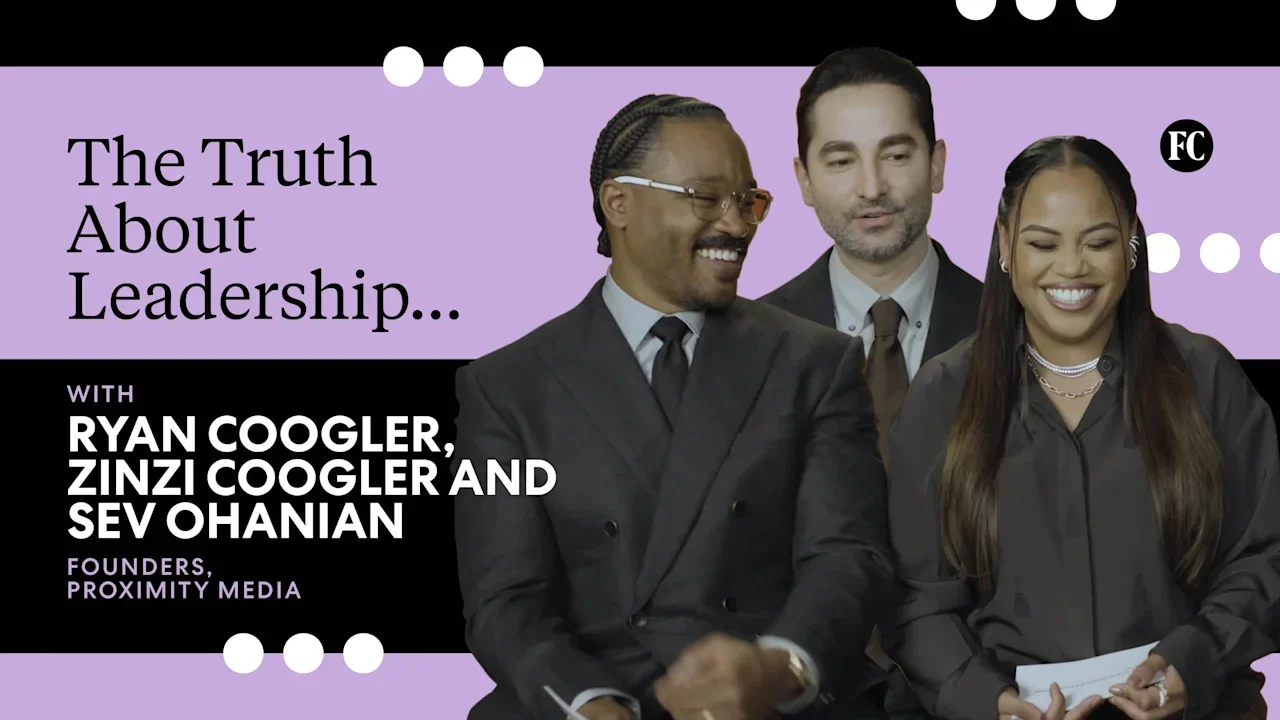
Ryan Coogler, Zinzi Coogler, and Sev Ohanian, the founders of Proximity Media, share their top leadership tips for creatives. View the full article

-
Pistol squats are among the bodyweight strength world’s most impressive feats, right next to things like backflips or a perfect handstand. Well, I can’t do those other two, but I can knock out a bunch of pistol squats. Let’s talk about what goes into one, and what it will take to get you there. What is a pistol squat?A pistol squat is a one-legged squat, where the free leg (the one you are not squatting with) is held straight out in front of you. (I imagine the name comes from the idea that your leg, sticking out in front, resembles the barrel of a pistol.) To do a pistol squat: Raise one leg (say, your left) straight out in front of you. Keeping that leg out in front of you, and your torso upright, bend your standing (right) leg until your hip joint is at or below the level of your knee. With the leg still out in front of you, not touching the ground, stand back up. Pistol squats are often done free-handed, but it’s OK (by me, the self-appointed queen of pistol squats) to hold the toe of the free leg with your hand. Pistol squats are ideally done with the free leg completely straight, but it’s also OK to bend that knee a bit if you need to. Pistol squats are most commonly done without weight, but you can also do them with a weight, such as a kettlebell, in your hands. (This makes the balance easier, but requires a bit more strength to stand up.) You don’t need to do your pistol squats “ass to grass” (with your butt nearly touching the ground), but you can if you want. It’s more impressive that way. Some people, seeing this description, will go “oh, like this?” and just bust one out. For a select few of us, this is an easy move. But for most of the population, it’s really hard! It takes strength, balance, and mobility to do a pistol squat well. So let’s break down the component, and talk about how to work your way up to a full pistol squat. Strengthen your quadsLet’s cover the most obvious thing first. To squat down and up on one leg, that one leg needs to be able to support the weight of your whole body. In other words, that leg is working twice as hard as if you were doing a normal squat with both feet on the ground. Many leg muscles are involved in squats, but the star of pistol squats is a muscle group called the quadriceps. That's a group of four muscles on the front of your thigh. I have a list here of my favorite quad exercises, from goblet squats to barbell squats, and even one or two that don't have "squat" in the name. (The leg press machine is great.) Mathematically, I figure that if you can squat with a barbell on your back that is equal to your own body weight, then your legs are probably strong enough to each do a pistol squat unweighted. That's a minimum, though—the stronger your legs are, the easier pistols will be. How to work up to it: Build your leg strength with the quad exercises of your choice. Barbell squats are great, but I’d especially recommend single-leg quad work. Speaking of which... Work on single-leg strengthJust being good at two-legged squats does not guarantee you have all the strength you need to squat on one leg. Moving your body up and down requires strength mainly from your quads, as we discussed. But when you’re on one leg, you also need: Abductor strength (using the muscles of your butt and the outside of your hips) to keep your leg from collapsing inward. Adductor strength (in your inner thigh muscles) to assist the quads and to counterbalance the abductors. Hip flexor strength (in the muscles that attach to the front of your thigh), to hold your free leg up in the “pistol” position. How to work up to it: You can target each muscle directly, but you’ll get a really good bang for your buck by doing unilateral (one-sided) leg exercises like: Step-ups, increasing the height of the box over time, and adding weight as needed Lunges (forward and/or reverse) Bulgarian split squats (with your back foot on a bench) or any other type of split squat Step-downs, in which you control the lowering-down portion of the movement and then use your free leg to help push you back up to the top Shrimp squat progressions, using your free leg behind you Pistol squats to a box, where you sit down on a box or bench behind you and then stand back up using only one leg (I sometimes call these “one-leg stand-ups”). If the box is fairly tall, these are a lot easier than regular pistol squats. All of these exercises can be weighted, if you like. Hold dumbbells in your hands for step-ups, or rack a kettlebell on your shoulder for the box pistols. While you work on your hip flexor strength (seated and hanging leg raises are great, by the way), you can take them out of the equation for the moment by holding your toes with your hand as you descend into your squat. Improve your balanceAs you’re doing all of these one-legged exercises, you may find it difficult just to stay balanced on one foot. That’s normal! Single leg balance is, fortunately, a skill you can improve very quickly. Practice standing on one foot, imagining your foot as a tripod (big toe, little toe, heel) or do as I do and imagine you’re wearing quad roller skates and try to balance your weight between the four wheels at the four corners of your feet. One-legged exercises will help you build this balance, but so will standing balance exercises, like standing on one foot while you brush your teeth. Once you’re stable standing up, try moving around and bending your knee. Notice how you have to move your butt back and chest forward to stay balanced as your knee bends. This will become very important. How to work up to it: All of those single-leg exercises mentioned above will give you lots of balance practice. You can also practice balancing on one leg as you bend that leg (even if you can’t get all the way down into a squat). Want one more tip? Practice holding the bottom position of the pistol squat, even if you have to get down on the ground with your hands for now. Do some mobility workPistol squats are most impressive when they’re done “ass-to-grass,” going as far down as your body will allow. This means your butt is nearly touching your shoes, and typically your knees will need to go pretty far forward of your toes. (And no, you won’t ruin your knees by putting your knees over your toes.) The most common thing preventing people from getting into a deep squat is ankle mobility. For your butt to get low, your shins have to tilt forward. To keep your foot flat on the ground while your shins tilt forward, the Achilles tendon at the back of your ankle needs to be able to stretch a good bit. How to work up to it: Here are some tips for ankle mobility, which include stretches but also a few quick fixes like wearing shoes with an elevated heel. As you descend into a pistol squat position, take note of whether you feel resistance anywhere else. Depending on your body proportions, you may need to stretch or build strength in other areas. Practice is crucialFinally, we come to the truth that skilled movements take practice. The stronger and more mobile you are, the less practice it may take, but ultimately you need to learn how to do a pistol squat. Being able to balance on one foot while standing up isn’t the same thing as being able to balance when you’re fully in the squat position, and you’ll have to be able to balance as you descend through all the positions in between. As you practice your pistols, you may find that pausing at the bottom helps you to regain stability before standing back up; or you may find that you prefer to get a quick bounce out of the bottom to send you back up. How to work up to it: One way to practice before you’ve gotten the full move down is to lower yourself down on one leg, roll onto your back, and then try to roll forward again, balance on your foot and stand up. This gives you some momentum, which helps when you don’t quite have the strength to accelerate yourself upward yet. Ultimately, there’s no one-size-fits-all answer to how to get your first pistol squat. Some people have the strength but are missing the mobility, or vice versa. Some people are at a disadvantage in one way but have an advantage somewhere else; for example, I have mile-long thighbones, which means I have to get into a pretty extreme knees-over-toes position, but I also have good enough ankle mobility to get there and to be strong in that position. Figure out what you’re missing, and eliminate your weak points. And if you aren’t sure what your weak point is, just work on everything. You’ll get there soon enough. View the full article
-
You know the feeling. You launch a new TikTok ad. Early metrics look great — low CPCs, high engagement, and a ROAS that makes you look like a pro. Then, a few days later, performance slips. Ad frequency creeps up, the hook rate drops, and you’re suddenly back at the drawing board. Some call it creative fatigue. On TikTok, it’s closer to creative exhaustion. A TikTok ad’s “half-life” is shorter than any other platform. If you’re still treating it like a Meta ad campaign, you’ll lose. To win, treat creative like a supply chain, not a campaign asset. Why TikTok creative decays so quickly On intent-based platforms like Google, Amazon, or Pinterest, people search for things. On social platforms, people look for family, friends, and other people. On TikTok, above all, people go for entertainment (though they still discover things and people). TikTok’s algorithm favors variety, and you consume content at lightning speed. The moment something feels repetitive or stale, you swipe. Your creative decays faster because the platform runs on high-velocity novelty. You’re competing with thousands of creators and brands. If your process relies on long feedback loops — from storyboarding to shooting to editing — you’ll fall behind. By the time your ad goes live, the trend has shifted, the audio is dated, the hooks are stale, and your audience has moved on. Your customers search everywhere. Make sure your brand shows up. The SEO toolkit you know, plus the AI visibility data you need. Start Free Trial Get started with Creative as a supply chain To keep up, treat your creative like a fast supply chain: Raw materials: Your footage — b-roll, unboxings, natural, unpolished reactions. Processing: Rapid assembly with trending hooks, visuals, audio, and varied CTAs. Distribution: High-volume testing to see what the algorithm picks up. Source: Basic Fun Toys TikTok Ad Use ongoing content capture to avoid bottlenecks and keep up with TikTok’s shrinking content half-life. Modular creative: Record five hooks, three body segments, and four CTAs. Get 60 ad permutations from one hour of filming. Block time on your calendar to shoot. Creator-in-residence: Don’t rely on one-off shoots. Hire creators in-house or on retainer to capture footage and document the brand daily. Make content creation more efficient and effective. The 80/20 fidelity rule: Keep 80% of your content lo-fi and native, as if it were shot on a phone. Use the other 20% for higher-production, polished hero assets. Blend into the feed, maximize performance, and elevate your brand where it matters. Dig deeper: Cross-platform, not copy-paste: Smarter Meta, TikTok, and Pinterest ad creative Get the newsletter search marketers rely on. See terms. The anatomy of a modular TikTok ad Every high-performing TikTok ad can be broken down into three distinct modules. The hook (0:00-0:03) The most volatile part. It stops the scroll and fatigues fastest. Film 5–7 variations for each concept. Use pattern interrupts—start mid-action, zoom in, throw a box. Try a negative constraint: “Stop doing [common mistake] if you want [result].” Use green screen reactions with trending news or customer reviews as the backdrop, with your commentary over it. Strong statements and questions keep it open-ended. The body (0:04-0:15) This is where you retain attention, deliver value, and show the “why” or “how.” It’s more educational or narrative and lasts longer than the hook. Test “us vs. them” in a split-screen showing your product solving a common problem. Test first-person use in real settings—at home, in the kitchen, outside, at the gym, or at work. The CTA (last 3-5 seconds) This is where you close. Test psychological triggers to see what moves the needle: Use scarcity: “Our last drop sold out in 48 hours—don’t miss this one.” Test low-friction angles: “Take the 2-minute quiz to find your best fit.” Offer incentives beyond “Shop Now” or “Link in bio”: “Use code (X) for (% off) your first order.” When a winning ad fatigues, don’t kill it. Keep the body and CTA, swap in a new hook. TikTok weights the first seconds for audience matching — use that to reset fatigue and extend performance. When to pause or reallocate A common mistake is cutting an ad too soon and missing its potential—or letting it run too long and wasting budget. Your intuition matters, but TikTok’s algorithm sees more. An ad may fatigue with one audience and find a second life with another, so don’t give up too quickly. Here’s when to pause and when to move it elsewhere: Kill signal: If your thumb-stop rate (3-second views/impressions) drops below your benchmark for three straight days, your hook isn’t working—pause it. If your hook is very fast, use 2-second views/impressions. Iterate signal: If engagement is high but conversions are low, your creative may work, but your offer, CTA, or landing page is adding friction. Algorithm reallocation: Before you delete any asset, test broad targeting — especially with Smart+ campaigns. Let the algorithm find a new audience that hasn’t seen your ad and compare performance to manual targeting. Source: TikTok With fast iteration cycles, your TikTok budget can’t be static. Dedicate 20% to 30% of your monthly budget to testing new creative concepts. This budget isn’t for hitting your target ROAS — it’s for buying data and insight. Once you find a winner, move it into scaling campaigns. This prevents performance from dropping when a single creative hits its half-life. Dig deeper: How to use TikTok Creator Search Insights to find content opportunities See the complete picture of your search visibility. Track, optimize, and win in Google and AI search from one platform. Start Free Trial Get started with Keep on capturing Brands winning on TikTok aren’t the ones with the biggest budgets or name recognition. They create and test the most. Capture everything—packaging, shipping, unboxings, product use, customer testimonials—as raw material in your creative supply chain. Shorten the distance between a brand event and launch. The shrinking ad half-life won’t slow you down. It will become your advantage. View the full article
-
Sundar Pichai is guiding Google through the AI revolution with a leadership style that balances bold innovation with thoughtful responsibility. View the full article

-
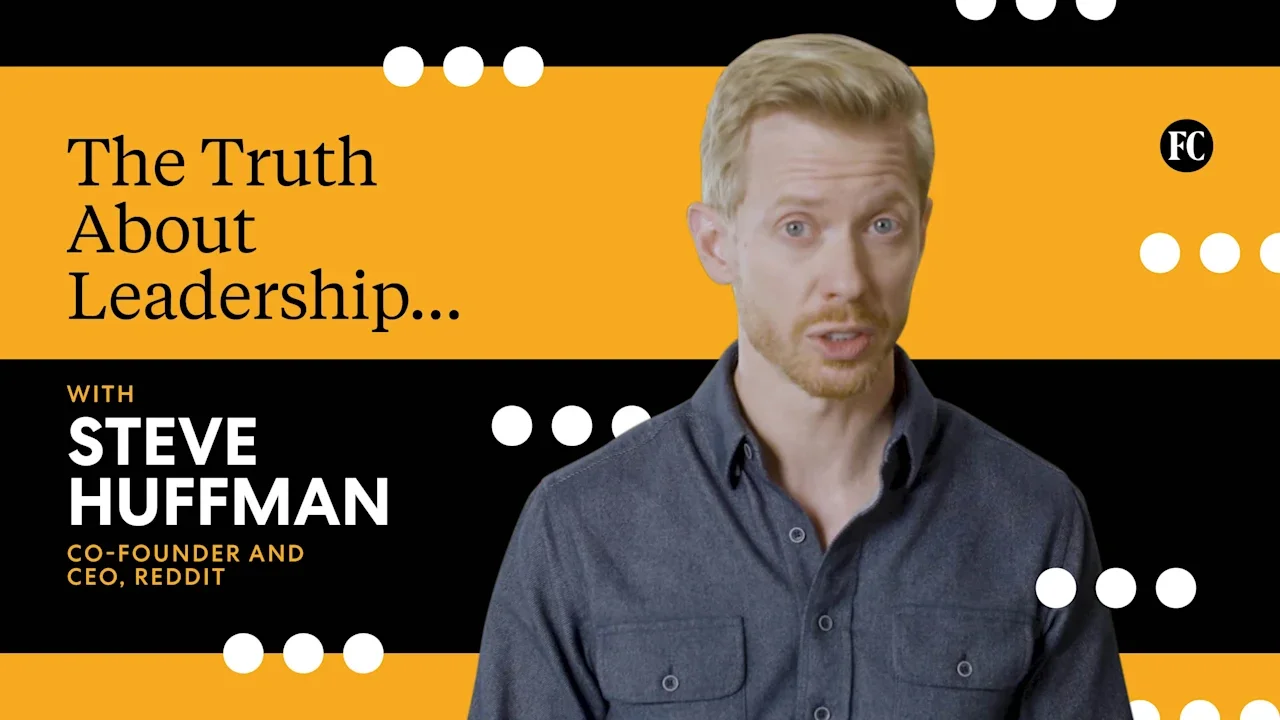
Steve Huffman, CEO of Reddit and cofounder alongside Alexis Ohanian, speaks with Fast Company about what it takes to be an effective leader. He explains why imposter syndrome isn’t necessarily a bad thing and how his first job helped shape his leadership style. View the full article
-
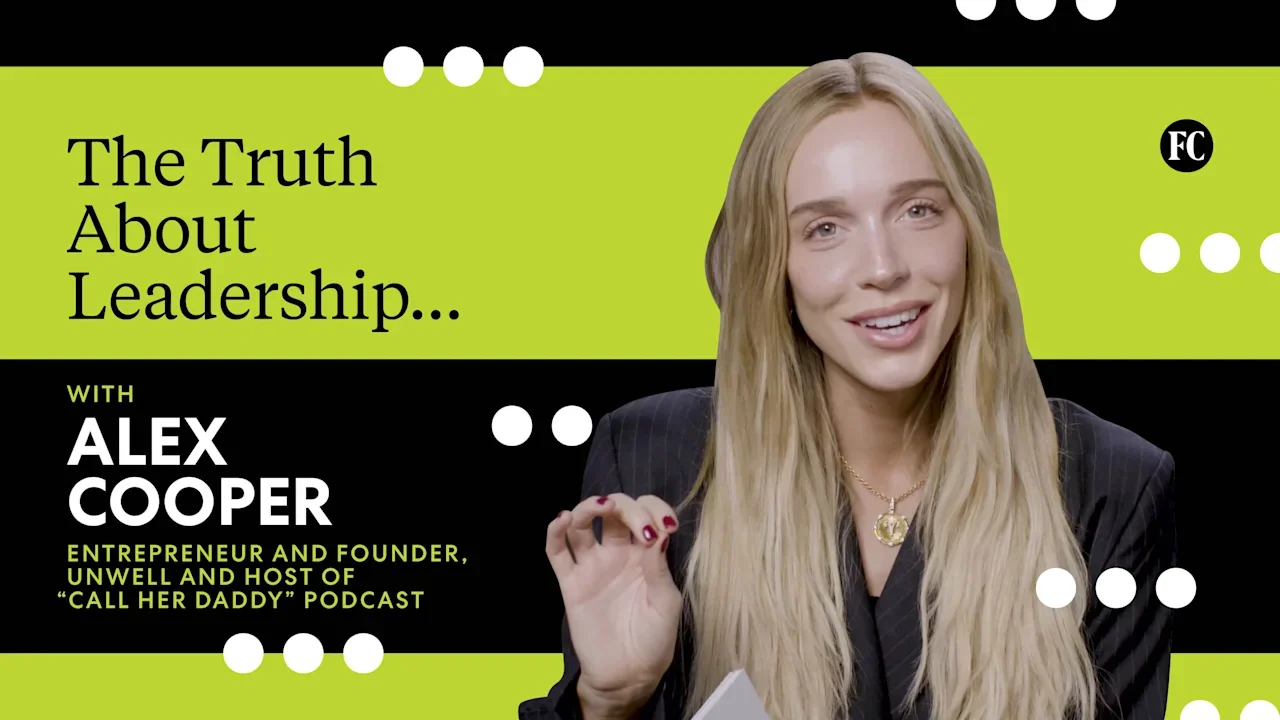
This is ‘The Truth About Leadership,’ Fast Company’s latest video series, where CEOs and industry leaders speak honestly and candidly about what it’s really like to be at the top. No corporate jargon—just real talk. First up: Alex Cooper, host of Call Her Daddy and founder and CEO of Unwell. View the full article
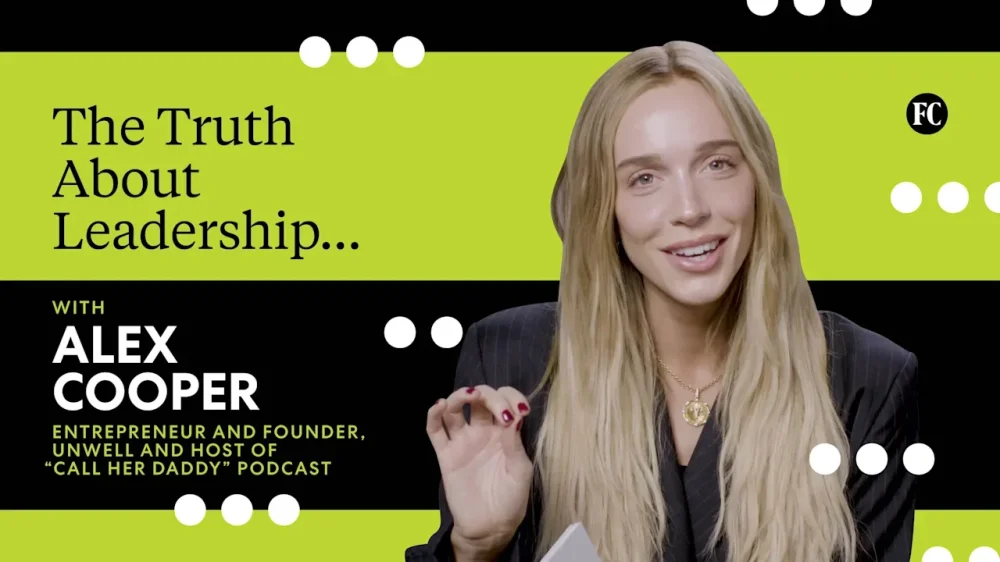
-
The UK’s central bank is making a Maradona-like feint with hawkish monetary policy signals View the full article
-
Learn 12 proven SEO techniques for 2026, including how to optimize for AI search, fix technical issues, and earn brand mentions that boost visibility. View the full article
-
There is new data out from Newzdash that shows just how often AI Overviews appear within Google across new sections. And while AI Overviews shows 60%+ of the time for health queries, when it comes to breaking news and major headlines, it shows less than 6% of the time.View the full article
-
Social media scheduling tools can streamline your content management, making it easier to engage with your audience. With options like SocialBee, Pallyy, and Sendible, you can find features that cater to different needs, such as content curation or seamless integration with design tools. Each tool has its strengths and weaknesses, which can impact your strategy. Comprehending these differences is essential as you consider the best fit for your management style and objectives. Key Takeaways User-Friendly Interfaces: Look for tools like Pallyy that offer drag-and-drop functionality for easy scheduling and content management. Robust Analytics: Choose platforms with extensive analytics dashboards, such as Agorapulse, to track performance metrics and optimize strategies. Content Curation Features: Select tools like SocialBee that help organize and recycle posts to maximize audience engagement and reach. Collaboration Capabilities: Opt for solutions like Sendible, which provide multiple client dashboards and facilitate teamwork effectively. Flexible Pricing Options: Consider tools with varied pricing plans, such as Buffer at $15/month, to find a cost-effective solution for your needs. Overview of Social Media Scheduling Tools In today’s fast-paced digital environment, social media scheduling tools have become essential for anyone managing multiple platforms effectively. These social media schedulers streamline the process, allowing you to plan, publish, and analyze your content from a single platform. The best social scheduling tools, like Buffer and Hootsuite, offer features such as analytics, collaboration tools, and content curation to improve productivity and engagement tracking. Pricing varies, with options like Publer starting at $12/month and Sprout Social at $99/month, catering to different budgets. Features such as bulk scheduling, ideal posting time recommendations, and post recycling help maximize your audience reach. Furthermore, tools like SocialBee and Agorapulse provide advanced functionalities for effective social media profile setup and integration. Key Features to Look For When choosing a social scheduling tool, you should focus on a user-friendly interface that simplifies the scheduling process, allowing for efficient content management. Look for content curation features that help you organize and recycle posts, maximizing your reach as well as ensuring your content stays relevant. Furthermore, robust analytics and reporting capabilities are crucial, as they enable you to track performance metrics and make informed decisions for future strategies. User-Friendly Interface A user-friendly interface is essential for efficiently managing your social media scheduling, as it directly impacts how easily you can plan and execute your content strategy. Look for tools that offer drag-and-drop scheduling capabilities, allowing for easy post rearrangement and visual planning, like Pallyy and Later. A centralized dashboard for multiple accounts simplifies your workflow, as seen with Sendible and Agorapulse. Intuitive features, such as a visual content calendar or feed planner, help you track scheduled posts effectively, exemplified by Metricool and CoSchedule. Furthermore, choose schedulers that enable bulk scheduling and content categorization to improve efficiency. The best social media content strategists benefit from platforms providing easy access to analytics within the same interface, as offered by Buffer and Sprout Social. Content Curation Features Effective content curation features are crucial for streamlining your social media scheduling process and improving your content strategy. Look for tools that offer RSS feed integration, allowing you to gather and schedule relevant content effortlessly from various sources. A robust content categorization system helps you organize posts by themes or topics, boosting your management efficiency. Advanced tools should incorporate AI capabilities for generating post ideas and captions and automating content suggestions based on trends and audience engagement. Moreover, consider platforms that provide bulk scheduling options, enabling you to upload and schedule multiple posts at once using CSV files, saving you valuable time. These features collectively improve your ability to curate and manage your content effectively. Analytics and Reporting To maximize your social media strategy, incorporating robust analytics and reporting features into your scheduling tools is essential. Look for tools that offer extensive analytics dashboards, allowing you to track engagement metrics like likes, shares, comments, and click-through rates across multiple platforms in one view. Prioritize schedulers that provide performance comparisons against industry benchmarks, helping you gauge how your content stacks up against competitors. Choose tools with customizable reporting features for generating reports based on specific time frames, platforms, or content types. Make sure the tool includes real-time analytics capabilities to adjust your strategy quickly based on current performance trends. Finally, consider platforms that integrate AI-driven insights, offering personalized recommendations to improve post performance and audience targeting. Top Recommendations for 2025 As you plan your social media strategy for 2025, it’s essential to contemplate the tools that can streamline your scheduling and improve your content management. SocialBee is highly recommended for its robust content curation and publishing capabilities, starting at $29/month with a 14-day free trial available. If you focus on visual content, Pallyy offers a user-friendly drag-and-drop interface, particularly for Instagram and TikTok, along with a generous free plan for basic users. For agencies, Sendible provides scalability and integrates with Canva and Pexels, starting at $29/month with a free trial. Buffer stands out for its simplicity, with plans beginning at $15/month, whereas Agorapulse shines in collaboration and reporting, priced from $79/month. In-Depth Comparison of Popular Tools Now that you’ve explored some top recommendations, let’s compare popular social scheduling tools to see how they stack up. You’ll want to evaluate key features like content curation, scalability, and collaboration capabilities, in addition to pricing plans that fit your budget. Comprehending these aspects will help you choose the right tool for your social media management needs. Key Features Analysis In the constantly changing environment of social media management, choosing the right scheduling tool can greatly affect your brand’s online presence. SocialBee stands out with its extensive content curation tools, including unique features like post variants and content approval workflows, which are ideal for organized management across platforms. Pallyy excels in visual content scheduling with a user-friendly drag-and-drop interface, perfect for creators focused on Instagram and TikTok. Sendible offers scalability and strong content curation tools, suitable for both agencies and individuals. Agorapulse provides advanced reporting and team collaboration tools for efficient multi-platform management. Finally, Buffer simplifies management with an AI Assistant for content generation and detailed analytics, making it a budget-friendly option for users. Pricing and Plans Comparison Selecting the right social scheduling tool involves not just comprehending its features but furthermore evaluating its pricing and plans. SocialBee starts at $29/month, providing a 14-day free trial and focusing on content categorization. Pallyy offers a free plan with 15 scheduled posts/month and premium options beginning at $25/month for visual content. Sendible’s pricing likewise starts at $29/month, featuring scalable plans that lower costs per user as you add more. Metricool has a free plan allowing 50 scheduled posts, with paid plans beginning at $22/month, which includes analytics. Agorapulse, more suited for agencies, starts at $79/month, offering advanced reporting and collaboration tools. Each option caters to different needs, so assess what fits your requirements best. Pricing and Plans When considering social scheduling tools, comprehending the pricing and plans is crucial for selecting the right fit for your needs. Each tool offers unique pricing structures and features, allowing you to choose based on your budget and requirements. Tool Starting Price SocialBee $29/month (14-day free trial) Pallyy Free (one social set, 15 posts/month) or $25/month Sendible $29/month (14-day free trial) Metricool Free (up to 50 posts) or $22/month Publer $12/month (14-day free trial) Understanding these options can help you find a tool that balances functionality with affordability, making your social media management more efficient. Pros and Cons of Each Tool Choosing the right social scheduling tool involves weighing the pros and cons of each option to find the best match for your needs. Here’s a quick look at some tools: SocialBee: Great for organized posting with content curation tools, yet lacks social listening features, limiting advanced monitoring. Pallyy: User-friendly interface, especially for Instagram; on the other hand, its premium plan starts at $25/month, which might be a bit pricey. Sendible: Offers scalability with multiple client dashboards, but may not have all the advanced features you might find in other tools. Each tool has its strengths and weaknesses, so consider what features matter most to you before making a decision. User Experiences and Testimonials How do users feel about the various social scheduling tools available today? Feedback varies across platforms, highlighting strengths customized to different needs. Here’s a summary of user experiences: Tool Key Features User Feedback SocialBee Content curation, post management Extensive tools for organized scheduling Pallyy Drag-and-drop interface Perfect for visual creators on Instagram and TikTok Sendible Scalable features, visual campaign overview Ideal for agencies managing multiple clients Metricool Affordable pricing, robust analytics Great for small businesses tracking performance Agorapulse Collaboration tools, unified inbox Excellent for teams managing content interactions Users appreciate these tools for their unique functionalities, ultimately improving social media management efficiency. Final Thoughts on Choosing the Right Tool Selecting the right social media scheduling tool can greatly impact your overall social media strategy. To make an informed choice, consider these key factors: Essential Features: Look for content categorization, analytics capabilities, and an intuitive interface to boost management efficiency. Pricing Options: Many tools provide free plans or trials, like Buffer’s free tier and SocialBee’s 14-day trial, allowing you to test before committing. Integration and Collaboration: Ascertain the tool integrates well with platforms like Canva or Unsplash, and includes collaboration features such as approval workflows and shared calendars for team efficiency. Frequently Asked Questions What Is the Best Social Scheduling Tool? Choosing the best social scheduling tool depends on your specific needs. If you’re focused on content curation, SocialBee is highly effective. For visual platforms like Instagram, Pallyy offers a user-friendly interface. Agencies might prefer Sendible for its scalability, whereas Metricool provides budget-friendly options with analytics. If collaboration is key, Agorapulse thrives with advanced reporting features. Evaluate your requirements, such as budget and platform focus, to find the right fit for you. Which Is the Best Social Media Management Tool? When considering the best social media management tool, evaluate your specific needs. Tools like Buffer offer simplicity for individuals and small businesses, whereas Hootsuite provides extensive features for larger organizations. Sprout Social focuses on analytics and team collaboration, ideal for businesses aiming to convert engagement into revenue. If visual content is your priority, Later’s Instagram-centric features might suit you. Assess each tool’s pricing and functionality to find the best fit for your strategy. What Is the Best Planner for Social Media Managers? When choosing the best planner for social media managers, consider your specific needs. Tools like SocialBee excel in content curation and publishing across multiple platforms. Pallyy stands out for visual content scheduling with its user-friendly interface. If scalability is important, Sendible offers customizable options for agencies or individuals. For affordable management, Metricool is a solid choice with advanced features. Agorapulse focuses on collaboration and reporting, making it suitable for teams. Which of the Following Tools Is Commonly Used for Social Media Scheduling? Commonly used tools for social media scheduling include SocialBee, which thrives in content curation, and Pallyy, known for its visual scheduling capabilities, especially on platforms like Instagram. Sendible is popular among agencies because of its scalable features and integrations. Metricool offers a combination of planning and analytics, whereas Agorapulse stands out for collaboration and reporting functionalities. Each tool has different pricing tiers and features, catering to various user needs and preferences. Conclusion To conclude, choosing the right social scheduling tool can greatly improve your social media management. Consider your specific needs, such as content curation, user interface, and scalability. Tools like SocialBee, Pallyy, and Sendible each offer distinct advantages that cater to different users. By evaluating their features, pricing, and user experiences, you can make an informed decision that boosts your efficiency and effectiveness in managing social media strategies for 2025 and beyond. Image via Google Gemini This article, "Best Social Scheduling Tools for Effortless Management" was first published on Small Business Trends View the full article
-
Social media scheduling tools can streamline your content management, making it easier to engage with your audience. With options like SocialBee, Pallyy, and Sendible, you can find features that cater to different needs, such as content curation or seamless integration with design tools. Each tool has its strengths and weaknesses, which can impact your strategy. Comprehending these differences is essential as you consider the best fit for your management style and objectives. Key Takeaways User-Friendly Interfaces: Look for tools like Pallyy that offer drag-and-drop functionality for easy scheduling and content management. Robust Analytics: Choose platforms with extensive analytics dashboards, such as Agorapulse, to track performance metrics and optimize strategies. Content Curation Features: Select tools like SocialBee that help organize and recycle posts to maximize audience engagement and reach. Collaboration Capabilities: Opt for solutions like Sendible, which provide multiple client dashboards and facilitate teamwork effectively. Flexible Pricing Options: Consider tools with varied pricing plans, such as Buffer at $15/month, to find a cost-effective solution for your needs. Overview of Social Media Scheduling Tools In today’s fast-paced digital environment, social media scheduling tools have become essential for anyone managing multiple platforms effectively. These social media schedulers streamline the process, allowing you to plan, publish, and analyze your content from a single platform. The best social scheduling tools, like Buffer and Hootsuite, offer features such as analytics, collaboration tools, and content curation to improve productivity and engagement tracking. Pricing varies, with options like Publer starting at $12/month and Sprout Social at $99/month, catering to different budgets. Features such as bulk scheduling, ideal posting time recommendations, and post recycling help maximize your audience reach. Furthermore, tools like SocialBee and Agorapulse provide advanced functionalities for effective social media profile setup and integration. Key Features to Look For When choosing a social scheduling tool, you should focus on a user-friendly interface that simplifies the scheduling process, allowing for efficient content management. Look for content curation features that help you organize and recycle posts, maximizing your reach as well as ensuring your content stays relevant. Furthermore, robust analytics and reporting capabilities are crucial, as they enable you to track performance metrics and make informed decisions for future strategies. User-Friendly Interface A user-friendly interface is essential for efficiently managing your social media scheduling, as it directly impacts how easily you can plan and execute your content strategy. Look for tools that offer drag-and-drop scheduling capabilities, allowing for easy post rearrangement and visual planning, like Pallyy and Later. A centralized dashboard for multiple accounts simplifies your workflow, as seen with Sendible and Agorapulse. Intuitive features, such as a visual content calendar or feed planner, help you track scheduled posts effectively, exemplified by Metricool and CoSchedule. Furthermore, choose schedulers that enable bulk scheduling and content categorization to improve efficiency. The best social media content strategists benefit from platforms providing easy access to analytics within the same interface, as offered by Buffer and Sprout Social. Content Curation Features Effective content curation features are crucial for streamlining your social media scheduling process and improving your content strategy. Look for tools that offer RSS feed integration, allowing you to gather and schedule relevant content effortlessly from various sources. A robust content categorization system helps you organize posts by themes or topics, boosting your management efficiency. Advanced tools should incorporate AI capabilities for generating post ideas and captions and automating content suggestions based on trends and audience engagement. Moreover, consider platforms that provide bulk scheduling options, enabling you to upload and schedule multiple posts at once using CSV files, saving you valuable time. These features collectively improve your ability to curate and manage your content effectively. Analytics and Reporting To maximize your social media strategy, incorporating robust analytics and reporting features into your scheduling tools is essential. Look for tools that offer extensive analytics dashboards, allowing you to track engagement metrics like likes, shares, comments, and click-through rates across multiple platforms in one view. Prioritize schedulers that provide performance comparisons against industry benchmarks, helping you gauge how your content stacks up against competitors. Choose tools with customizable reporting features for generating reports based on specific time frames, platforms, or content types. Make sure the tool includes real-time analytics capabilities to adjust your strategy quickly based on current performance trends. Finally, consider platforms that integrate AI-driven insights, offering personalized recommendations to improve post performance and audience targeting. Top Recommendations for 2025 As you plan your social media strategy for 2025, it’s essential to contemplate the tools that can streamline your scheduling and improve your content management. SocialBee is highly recommended for its robust content curation and publishing capabilities, starting at $29/month with a 14-day free trial available. If you focus on visual content, Pallyy offers a user-friendly drag-and-drop interface, particularly for Instagram and TikTok, along with a generous free plan for basic users. For agencies, Sendible provides scalability and integrates with Canva and Pexels, starting at $29/month with a free trial. Buffer stands out for its simplicity, with plans beginning at $15/month, whereas Agorapulse shines in collaboration and reporting, priced from $79/month. In-Depth Comparison of Popular Tools Now that you’ve explored some top recommendations, let’s compare popular social scheduling tools to see how they stack up. You’ll want to evaluate key features like content curation, scalability, and collaboration capabilities, in addition to pricing plans that fit your budget. Comprehending these aspects will help you choose the right tool for your social media management needs. Key Features Analysis In the constantly changing environment of social media management, choosing the right scheduling tool can greatly affect your brand’s online presence. SocialBee stands out with its extensive content curation tools, including unique features like post variants and content approval workflows, which are ideal for organized management across platforms. Pallyy excels in visual content scheduling with a user-friendly drag-and-drop interface, perfect for creators focused on Instagram and TikTok. Sendible offers scalability and strong content curation tools, suitable for both agencies and individuals. Agorapulse provides advanced reporting and team collaboration tools for efficient multi-platform management. Finally, Buffer simplifies management with an AI Assistant for content generation and detailed analytics, making it a budget-friendly option for users. Pricing and Plans Comparison Selecting the right social scheduling tool involves not just comprehending its features but furthermore evaluating its pricing and plans. SocialBee starts at $29/month, providing a 14-day free trial and focusing on content categorization. Pallyy offers a free plan with 15 scheduled posts/month and premium options beginning at $25/month for visual content. Sendible’s pricing likewise starts at $29/month, featuring scalable plans that lower costs per user as you add more. Metricool has a free plan allowing 50 scheduled posts, with paid plans beginning at $22/month, which includes analytics. Agorapulse, more suited for agencies, starts at $79/month, offering advanced reporting and collaboration tools. Each option caters to different needs, so assess what fits your requirements best. Pricing and Plans When considering social scheduling tools, comprehending the pricing and plans is crucial for selecting the right fit for your needs. Each tool offers unique pricing structures and features, allowing you to choose based on your budget and requirements. Tool Starting Price SocialBee $29/month (14-day free trial) Pallyy Free (one social set, 15 posts/month) or $25/month Sendible $29/month (14-day free trial) Metricool Free (up to 50 posts) or $22/month Publer $12/month (14-day free trial) Understanding these options can help you find a tool that balances functionality with affordability, making your social media management more efficient. Pros and Cons of Each Tool Choosing the right social scheduling tool involves weighing the pros and cons of each option to find the best match for your needs. Here’s a quick look at some tools: SocialBee: Great for organized posting with content curation tools, yet lacks social listening features, limiting advanced monitoring. Pallyy: User-friendly interface, especially for Instagram; on the other hand, its premium plan starts at $25/month, which might be a bit pricey. Sendible: Offers scalability with multiple client dashboards, but may not have all the advanced features you might find in other tools. Each tool has its strengths and weaknesses, so consider what features matter most to you before making a decision. User Experiences and Testimonials How do users feel about the various social scheduling tools available today? Feedback varies across platforms, highlighting strengths customized to different needs. Here’s a summary of user experiences: Tool Key Features User Feedback SocialBee Content curation, post management Extensive tools for organized scheduling Pallyy Drag-and-drop interface Perfect for visual creators on Instagram and TikTok Sendible Scalable features, visual campaign overview Ideal for agencies managing multiple clients Metricool Affordable pricing, robust analytics Great for small businesses tracking performance Agorapulse Collaboration tools, unified inbox Excellent for teams managing content interactions Users appreciate these tools for their unique functionalities, ultimately improving social media management efficiency. Final Thoughts on Choosing the Right Tool Selecting the right social media scheduling tool can greatly impact your overall social media strategy. To make an informed choice, consider these key factors: Essential Features: Look for content categorization, analytics capabilities, and an intuitive interface to boost management efficiency. Pricing Options: Many tools provide free plans or trials, like Buffer’s free tier and SocialBee’s 14-day trial, allowing you to test before committing. Integration and Collaboration: Ascertain the tool integrates well with platforms like Canva or Unsplash, and includes collaboration features such as approval workflows and shared calendars for team efficiency. Frequently Asked Questions What Is the Best Social Scheduling Tool? Choosing the best social scheduling tool depends on your specific needs. If you’re focused on content curation, SocialBee is highly effective. For visual platforms like Instagram, Pallyy offers a user-friendly interface. Agencies might prefer Sendible for its scalability, whereas Metricool provides budget-friendly options with analytics. If collaboration is key, Agorapulse thrives with advanced reporting features. Evaluate your requirements, such as budget and platform focus, to find the right fit for you. Which Is the Best Social Media Management Tool? When considering the best social media management tool, evaluate your specific needs. Tools like Buffer offer simplicity for individuals and small businesses, whereas Hootsuite provides extensive features for larger organizations. Sprout Social focuses on analytics and team collaboration, ideal for businesses aiming to convert engagement into revenue. If visual content is your priority, Later’s Instagram-centric features might suit you. Assess each tool’s pricing and functionality to find the best fit for your strategy. What Is the Best Planner for Social Media Managers? When choosing the best planner for social media managers, consider your specific needs. Tools like SocialBee excel in content curation and publishing across multiple platforms. Pallyy stands out for visual content scheduling with its user-friendly interface. If scalability is important, Sendible offers customizable options for agencies or individuals. For affordable management, Metricool is a solid choice with advanced features. Agorapulse focuses on collaboration and reporting, making it suitable for teams. Which of the Following Tools Is Commonly Used for Social Media Scheduling? Commonly used tools for social media scheduling include SocialBee, which thrives in content curation, and Pallyy, known for its visual scheduling capabilities, especially on platforms like Instagram. Sendible is popular among agencies because of its scalable features and integrations. Metricool offers a combination of planning and analytics, whereas Agorapulse stands out for collaboration and reporting functionalities. Each tool has different pricing tiers and features, catering to various user needs and preferences. Conclusion To conclude, choosing the right social scheduling tool can greatly improve your social media management. Consider your specific needs, such as content curation, user interface, and scalability. Tools like SocialBee, Pallyy, and Sendible each offer distinct advantages that cater to different users. By evaluating their features, pricing, and user experiences, you can make an informed decision that boosts your efficiency and effectiveness in managing social media strategies for 2025 and beyond. Image via Google Gemini This article, "Best Social Scheduling Tools for Effortless Management" was first published on Small Business Trends View the full article
-
Google is testing showing a call to action in the search results that says, "Skip digging, start guided research" which drives users to a Web Guide-like results page.View the full article
-
Google added a new section to the "Understand available performance metrics" within the Google Business Profiles help documentation. The new section added a section on offer data and it shows the number of times customers viewed and clicked on offers on your Business Profile.View the full article
-
London-based firm has become high-profile victim of market upheaval sparked by Middle East conflict View the full article
-
On March 17, 2026, Google retired some of its Google Ads policies on Ad format requirements. These are specific to "old ad formats that are no longer in use are also being retired," Ginny Marvin of Google.View the full article
-
When global trade buckles, Ryan Petersen is the person executives call. The founder and CEO of Flexport offers a real-time account of the Strait of Hormuz crisis—what he’s seeing on the ground, on the water, and across the supply chains straining under the pressure. As ripple effects of the crisis are being felt in different ways in different parts of the world, Petersen provides both a micro and macro view that business leaders need to hear. This is an abridged transcript of an interview from Rapid Response, hosted by the former editor-in-chief of Fast Company Bob Safian. From the team behind the Masters of Scale podcast, Rapid Response features candid conversations with today’s top business leaders navigating real-time challenges. Subscribe to Rapid Response wherever you get your podcasts to ensure you never miss an episode. The attacks on Iran have effectively closed the Strait of Hormuz, the world’s most critical oil choke point. Oil prices are up, ships are stranded, global shipping is kind of in limbo. So I know this is changing as we speak, but from what you can see at Flexport, what does the traffic jam look like? What’s the snapshot right now? The big story, of course, here is oil and energy generally, natural gas, all of that. I think that’s pretty well covered in the media—that prices have been spiking and shortages are starting to appear. Places like Australia, which is very energy-rich but doesn’t produce a lot of oil, are running out of diesel and moving toward a world where they’re just not going to have enough fuel. There are secondary things that are less well covered, which are maybe even more impactful, around fertilizer. That’s actually probably a more important story here. It’s planting season, and if those don’t come to market, you’re going to have big, big problems in food production around the world. Container shipping is not that impacted, actually, just because the Persian Gulf is a cul-de-sac. You don’t really need to go in there. Air freight’s a bigger deal. The Middle Eastern airlines own somewhere between 15% and 20% of all cargo airline capacity, depending on what source you look at. And Dubai is the biggest cargo airport in the world. Huge numbers of planes that go from Asia to Europe stop over there to refuel, and it’s a hub for transshipment of cargo. So there, you’ve seen the price of air freight double since the war started. And it’s even up 50% to 60% on trades that would seemingly have nothing to do with that, like Vietnam to the US across the Pacific. Air freight prices have gone up 50%. I saw the United Airlines CEO say that they’re modeling this is going to cost $11 billion in fuel expense. So these costs are going up because fuel prices are going up, or also because it’s disrupting routes or forcing people to change direction? Or is it hard to know right now? It’s both. Fuel price is the big one, but it’s going up also because supply and demand is sort of a global market. And if you pull out all that Emirates and Etihad and Qatar Airways capacity—those are big airlines—then they start moving planes around, and it’s all kind of fungible. A plane that’s flying across the Pacific could instead fly somewhere else. Freight is a very mercenary market. They get away with what they can get away with. The actual big impact here is that, in February, the container shipping lines had, for the first time, started to return to the Red Sea. We haven’t had container shipping through the Red Sea and the Suez Canal since December 2023 because of the Houthi terrorist attacks in the Red Sea. And they just started to return in February following the ceasefire in Gaza. And now they’ve all immediately gone back to routing around Africa. So that’s actually the bigger impact for container shipping because, again, the Persian Gulf is the cul-de-sac, whereas the Red Sea is massively important for container shipping. I mean, are container ships stranded? Are they stuck? Yeah, a small percentage. I saw someone who had gone and counted them all, and he said there are 57 container ships inside the Strait of Hormuz. Now, many more are on routes that would have called in the Strait of Hormuz and have had their routes disrupted and are dropping containers at random ports. If you had a container that was meant to go to Dubai, they’re just leaving it wherever. And now it’s your problem as a business. Oh, really? They’re just like, “I’m letting it off here”? Yeah. Let’s say you were going from Argentina to Dubai. What they’ve been doing is saying, “All right, just drop it at the next port of call.” So now you have a container stuck in Morocco or Brazil or France or somewhere, and you’re only given seven days of free storage at that port before you start paying big fees. So yeah, there are definitely some cases where people are living business nightmares right now. As you talk about this, the United States is a little more insulated from some of this than places in Europe and Asia. Is there a scenario where American companies gain a competitive advantage from this? Is it good? Or is that a misread of the situation? Well, certainly our oil companies are. I mean, Texas is going to boom. The price of oil’s gone way up. Texas college football’s probably going to have a great NIL team. No, sorry. It’s not appropriate to joke. Yeah, certain segments of the US are going to do very well. We’re the biggest oil producer in the world, so it’s going to be very good for them. But on a net economic basis, most of America—yeah, we might be better off than other countries because we have oil and energy and food, but it’s not a zero-sum game, the economy. If others do worse, it doesn’t mean we do better. We actually also do worse. For folks listening to this, what do you feel is at stake for global trade right now, in this moment? It goes beyond trade. You’re just starting to realize how tied to globalization our economies are, how interconnected everything is. I had someone last night tell me, “Oh, we should just close the Strait of Hormuz forever and just get on with it.” The naivete of not realizing that it’s not just oil—and oil is not just about pumping gas into your car. That’s what you’re used to because that’s where you see it in your life. But it’s part of so many different products. It’s a precursor to so much in the chemicals industry. It goes into all sorts of plastics. These glasses that I’m holding. Helium—30% of the world’s helium comes from Qatar. It’s not just for clowns at children’s parties. It is used to make semiconductors. You can’t make semiconductors without it. You can’t launch SpaceX rockets without helium. We just don’t understand how much of this stuff matters. The U.S., post-World War II, kind of established this order that said, “Hey, everybody can trade with everybody. And you can just send a ship wherever you want, and the US Navy will provide freedom of navigation.” And that worked until, really, we’re now seeing with the Houthis and now the Iranians that maybe the US Navy can’t provide that guarantee anymore. And so much of our civilization depends on it that it’s a really, really important question. And if the The President administration backs off, is there an off-ramp here? Does that mean Iran backs off? If they don’t, then what? It is existential, I think, for the modern economy. People look at the stock market or the price of fuel or something, but this is much more than the price of some commodity or equities or bonds. It’s how all of the economy functions now. Every company is interconnected with everybody else. And if you stop that, you end up in a much darker place. So let’s all pray. Civilization depends on peace, and we often just take it for granted. So pray for those who are trying to bring back a peaceful world. View the full article

-
Marketing leaders are grounding SEO in zero- and first-party data to better align content with real-world customer behavior and needs. The post How Zero-Party & First-Party Data Can Fuel Your Intent-Based SEO Strategy appeared first on Search Engine Journal. View the full article
-
Today, Alix Earle is launching a skincare line—but if you’ve been looking close enough you probably knew it was coming. For the last year, the influencer has been dropping Easter eggs across her social feeds in the lead-up to her debut venture. There were the vlogs from her dermatologist’s office. The un-get-ready-with-me posts featuring unnamed products in unbranded packaging. The puzzle-like billboard in NYC that popped up with missing pieces. Now today, Earle is finally revealing Reale Actives, a skincare brand that Earle developed for acne-prone skin but is “designed for everyone” launching March 31. Those who have been following Earle for years might say that the Easter eggs began at the beginning of her influencer journey. Early videos detail her experiences on the prescription medication Accutane, which she tried three separate times. “It was, by far, what resonated with people the most out of anything I had posted,” Earle tells Fast Company. Since posting her first video in 2020, Earle has built a following in the millions. She has leveraged that following into a number of successful business ventures, investing in and partnering with prebiotic soda brand Poppi, which was later acquired by PepsiCo for $1.95 billion. She is also involved as an investor and partner in the canned cocktail brand SipMargs. But Earle always knew she wanted to found her own brand; she just wasn’t sure what. Initially, she shut down the idea of a skincare brand. “I didn’t like skincare. I’d never had a good experience with it,” she says. But she was unable to ignore the fact that sharing her skin journey was at the core of her brand. “I kept coming back to acne as the one topic I felt so strongly and passionately about,” says Earle. She noticed a gap in the market for dermatologist-backed products that embraced the messiness of real life and also came in cute packaging. From there, she came up with the idea for Reale Actives, which includes a streamlined four-step skincare routine featuring a cleansing balm ($29), gel cleanser ($28), mandelic acid serum ($39) and a barrier-boosting moisturizer ($36). It’s a crowded market. The success of influencer-founded brands like Rhode by Hailey Bieber and Summer Fridays, co-founded by Marianna Hewitt, has meant tapping an existing audience and launching a beauty brand has now become the gold standard. “I don’t want to look to any other brand for comparison,” says Earle. “I want Real Actives to pave its own way and stand on its own.” A marketing Easter egg hunt After developing the products with guidance from her dermatologist Dr. Kiran Mian and bringing on Andrea Blieden as CEO in 2024, it was time to start seeding the products. During her stint on Dancing With The Stars in 2025, Earle would post un-get-ready-with-me videos on TikTok. Blieden would trawl the comments, waiting for someone to ask which cleansing balm Earle was using to take off her heavy stage makeup. “I was sure people would ask about it,” Blieden says. “But she crushed her dance that week, and everyone just kept talking about her performance.” By December 2025, they decided to ramp up the products’ visibility. Rather than relying on a content plan, they entrusted Earle free rein over what to post and when. “There were times I’d be watching her TikTok and she’d tease our Mandelic Acid serum and I had no idea,” says Blieden. “She is so good at knowing what her audience wants and what her community responds to that she does it all on the fly.” Earle has also subtly been introducing her audience to Dr. Mian, who first featured in a vlog back in 2024 and has since made regular appearances throughout her content. “They just think she’s a dermatologist I see—they don’t know we’ve been working on this together behind the scenes,” Earle tells Fast Company. “They may be a little shocked when they find out.” The fact that the product seeding has mostly flown under the radar for the past year is a testament to the creator-product-market fit. Skincare has been a content pillar since the beginning. Over the past year Earle has subtly been posting regular skin updates, talking through the routine that has been working with one glaring omission (the products). Of course, there’s been some speculation in the comments section. “We actually hoped they’d start guessing skincare, because we wouldn’t want to launch something that completely surprised her audience,” Blieden says. “We wanted people bought into the journey before launch day.” Over the past week the marketing has ramped up after a new Instagram account called @wtfisalixdoing appeared on Instagram. The account has 398,000 followers at the time of writing and a number of posts teasing the launch. “Yesterday, a TikTok live—at times with over 500 people—was dedicated entirely to solving “WTF is Alex doing?” says Blieden. These armchair detectives somehow found the one thing Blieden most feared, the trademark filing under the stealth company name. Despite the last-minute leak, Blieden was happy they were able to keep the news under wraps for as long as they have. Looking ahead, Reale Actives already has product launches planned through 2027 and Earle will continue taking her audience along for the journey – this time with their prior knowledge. And for consumers to buy into the brand and the results, they only need to scroll back through Earle’s social media for a walking, talking product advertisement. View the full article

-
American Express is making a push to play a bigger role in how businesses operate day to day with a new card and tools to support it. Alongside the launch of its Graphite Business Cash Unlimited Card, the company on Wednesday announced a broad set of updates across its commercial and AI-powered tools. Together, they signal a shift in how Amex wants to present itself to business customers. At the center of the rollout is a new product called the Graphite Business Cash Unlimited Card. But the bigger story is how that card fits into a larger system designed to help businesses manage spending, track expenses, and automate routine work. Expanding beyond the card American Express has long focused on rewards, service, and travel perks. Now it is building out tools that sit behind the scenes of a business. “Our expertise is unmatched,” said Raymond Joabar, group president of global commercial services at American Express, in the company’s announcement. The company already has a large footprint. It’s the top issuer of small-business cards in the U.S. by spend and serves millions of small businesses, as well as many of the largest public companies. What’s changing is how much of a business’s workflow Amex wants to touch. The company is bundling cards with software and data tools that help manage expenses and operations in one place. A simpler rewards card with flexible spending The new Graphite Business Cash Unlimited Card is designed for business owners who want straightforward rewards and flexibility. It includes: 2% cash back on eligible purchases 5% cash back on flights and prepaid hotels through Amex Travel No preset spending limit Pay Over Time, which allows balances to be carried when needed There are also incentives tied to higher spending, including up to $2,400 in statement credits for use on Amex’s accounts payable platform, One AP after spending $250,000 on eligible purchases in the current calendar year. Later this year, Amex plans to introduce a Corporate Cash Back Card with more built-in controls and integrations for larger companies. Bringing expense management into one system Alongside the new cards, Amex is also introducing expense management software that brings card activity and expense tracking into a single platform. The system will allow businesses to issue virtual cards, track employee spending, and automate approvals. It will also connect with accounting, ERP, and HR systems so that data updates automatically. For many businesses, that could replace a mix of separate tools used to manage expenses today. Adding AI to everyday workflows Amex is also putting more focus on how AI can fit into the day-to-day work of running a business, especially when it comes to saving time and reducing manual tasks. One of the most visible additions is a new $300 annual statement credit for ChatGPT Business subscriptions on U.S. Business Platinum and Business Gold cards. The company says it is the first time a credit card has offered a benefit like this, and it is designed to help business owners use AI tools to handle tasks more efficiently. The move reflects how quickly AI is becoming part of everyday operations. According to an Amex Trendex survey, 87% of small business owners using AI say it is saving their business time, while 81% report spending less time on manual processes and 73% say it is improving employee productivity. Beyond the ChatGPT credit, Amex is building AI directly into its own products. For larger companies, a new Insights Agent is designed to pull together data across cards, expenses, and accounts payable systems to generate reports and surface patterns in spending. The idea is to give finance teams a clearer view of where money is going without needing to manually compile that data. The company is also introducing an AI-powered expense app for corporate card users. The app prompts employees to upload receipts, checks purchases against company policy, and submits expenses for approval automatically. That kind of automation could cut down on one of the more time-consuming parts of expense management. Why this shift matters Financial tools are increasingly looking like software platforms, especially for businesses seeking greater visibility and control over spending. Newer companies have built products that combine payments with expense tracking and automation. Amex is moving in a similar direction, while leaning on its existing customer base and service model. For business owners, the appeal is straightforward. Fewer systems to manage and more visibility into how money is being spent. For Amex, it is a way to stay closely connected to how businesses operate, not just how they pay. View the full article

-
Microsoft’s recently announced use of a West Virginia data center that will run entirely on natural gas could cause the company’s emissions to skyrocket by 44%. That’s according to a new report from Stand.earth researchers, who say Microsoft’s power needs at the facility will see it burning the same amount of methane as annually as more than 1.2 million homes. The data center, called the Monarch Compute Campus, is an example of a “behind-the-meter” or “off-grid” data center, which generates its own electricity, bypassing the public grid. With the growth of AI data centers threatening to overload the electricity grid and raise residents’ energy bills, these sorts of projects have been praised for avoiding those effects. Though they don’t directly affect the power grid in their areas, natural gas-powered data centers still carry hefty environmental toll. What is the Monarch Compute Campus? Technically, the Microsoft doesn’t own the data center it will be using. As of last week the 2,250-acre Monarch Compute Campus is owned by Nvidia-backed cloud computing startup Nscale. Nscale buys AI processors, installs them in data center servers, and then leases those processors to AI developers, according to the Wall Street Journal. Microsoft signed a letter of intent in mid-March to lease 1.35 gigawatts of AI computing capacity (via Nvidia chips) from the Monarch Compute Campus. Microsoft will be just one portion of the entire data center complex. The campus has a full planned capacity of 8 gigawatts in 2031. When that capacity it reached, it means Microsoft and the other data center clients will together emit 25.55 million metric tons of CO2 annually—the same amount as putting nearly 6 million cars on the road. AI and Natural Gas The Monarch Compute Campus is just one of the facilities powering the AI boom, which is fueling a surge in natural gas development. Proposals for new natural gas plants in the U.S. tripled in 2025 compared to the year prior, according to nonprofit research organization Global Energy Monitor. The U.S. now has the most gas-fired power capacity in development out of any country, with more than a third of that capacity slated to directly power data centers. Behind-the-meter data centers can be particularly environmentally harmful, per Stand.earth, because they are often built with smaller, less-efficient gas turbines. Natural gas is primarily made of methane. That has real consequences for the neighborhoods around the data center complex. A recent Virginia Commonwealth University study found that on-site power from methane gas and diesel generators for a single data center in Virginia could lead to $53 to $99 million in health-related costs. How does the project fit with Microsoft’s climate goals? The analysis from Stand.earth Research Group about this project’s environmental impact builds on, and verifies, estimates recently published by journalist and analyst Michael Thomas. The research highlights how, in the rush to bring data centers online, companies like Microsoft “are essentially abandoning their pledges to protect the climate,” Rachel Kitchin, senior corporate climate campaigner at Stand.earth, said in a statement. Microsoft has committed to reducing its carbon emissions, with a goal to become “carbon negative” and to power its data centers with carbon-free energy by 2030. “You can’t claim to be a leader on climate and then build out massive fossil-fuel facilities that emit millions of tons of climate pollution and poison the people living next door,” Kitchin added. In response to a request for comment about the Stand.earth emissions estimates, and how emissions from data centers fit with Microsoft’s climate goals, a spokesperson told Fast Company that Microsoft’s letter of intent with Nscale “represents our investment in scaling AI compute capacity. As we grow our Cloud and AI infrastructure to respond to short and long term customer demand, we take a portfolio approach to energy, using different power sources across our data center fleet based on local conditions, grid readiness, and long‑term goals.” The spokesperson added, “This flexible approach allows us to bring capacity online faster, ensure reliability, and limit strain on local grids while continuing to invest in efficiency and carbon‑free energy for the future.” View the full article

-
For the past several years, marketing strategy has reorganized itself around a simple premise. Third-party data is fading. Privacy expectations are rising. The solution, we are told, is first-party data. Collect more of it. Centralize it. Build the customer view around it. In many ways, the shift was necessary. Direct relationships with customers are more durable than rented audiences. Consent and transparency matter. Organizations that invested early in their own data ecosystems are better positioned today than those that relied entirely on external signals. But the industry’s confidence in first-party data has grown so strong that it now obscures a more complicated reality. Owning customer data does not automatically translate into understanding customers. Most marketing leaders have sensed this tension already. Despite increasingly sophisticated technology stacks, many organizations still struggle with familiar questions. Which records represent active individuals? Which identities are stale or misattributed? How much of the customer view reflects current behavior versus historical assumptions? These are not philosophical concerns. They surface in everyday operational decisions. Campaigns that reach fewer real customers than expected. Personalization efforts that plateau. Measurement models that appear precise but produce inconsistent outcomes. The problem is not the absence of data. If anything, the opposite is true. The problem is the assumption that the data sitting inside our systems still reflects reality. When first-party data becomes historical data One of the quiet characteristics of customer data is how quickly it shifts from present tense to past tense. Most organizations gather identity information at moments of interaction. Account creation, purchases, subscriptions, service requests. These events create durable records that enter CRM systems, marketing platforms and data warehouses. From that point forward, the records largely persist as they were captured. What changes is the world around them. Consumers rotate devices. Email addresses evolve from primary to secondary. People move, change jobs, create new accounts, abandon others. Behavioral patterns shift with new platforms, new habits, and new privacy controls. The record still exists, but the certainty surrounding the identity begins to loosen. Marketing teams encounter this reality in subtle ways. Lists that appear healthy but deliver diminishing engagement. Customer profiles that fragment across systems. Identity graphs that require constant reconciliation as signals drift out of alignment. None of this means first-party data is wrong. It simply means it ages. The moment of collection is precise. The months and years that follow are less so. The distance between records and reality The idea of a unified customer profile has become foundational to modern marketing infrastructure. Customer data platforms, identity graphs and advanced analytics environments all attempt to bring scattered signals together into a coherent picture. When the signals align, the results can be powerful. But the effectiveness of these systems depends heavily on the integrity of the identifiers entering them. Email addresses, login credentials, device associations and other identity anchors serve as the connective tissue between records. When those anchors drift or degrade, the unified profile begins to lose clarity. This is not a failure of the technology itself. Most identity platforms perform exactly as designed. They connect the signals available to them. The challenge is that many of those signals were captured months or years earlier, during moments when the system had limited visibility into the broader identity context surrounding the individual. As the digital environment evolves, the original record becomes one reference point among many. Marketing leaders recognize this gap when their systems produce technically accurate profiles that still fail to explain current customer behavior. The database reflects what was known. The customer reflects what is happening now. Closing that gap requires something more dynamic than stored attributes alone. The value of activity signals In recent years, some organizations have begun looking beyond the traditional boundaries of customer records and focusing more closely on signals that indicate whether an identity is still active within the broader digital ecosystem. Activity signals provide a different kind of intelligence. Instead of asking what information was collected about a customer in the past, they ask whether the identity attached to that information continues to exhibit real-world behavior today. Is the email address still being used? Does the identity appear in recent digital interactions? Are the signals surrounding it consistent with genuine consumer activity? These questions are becoming increasingly important for teams responsible for both growth and risk management. For marketing, activity signals help clarify which audiences remain reachable and which identities have quietly gone dormant. For fraud teams, they help differentiate legitimate consumers from synthetic identities that appear valid on the surface but lack authentic behavioral patterns. Both disciplines are ultimately trying to answer the same question. Does this identity correspond to a real person who is active in the digital world right now? Stored data alone rarely answers that question with confidence. A more durable identity anchor Among the many identifiers circulating through the digital ecosystem, one has proven particularly resilient over time. Email. For decades it served as both a communication channel and a persistent identity anchor. It appears in authentication systems, commerce transactions, subscriptions, customer service interactions and countless other digital touchpoints. That ubiquity produces a secondary effect. Email addresses generate a continuous stream of activity signals that reflect how identities move through the online world. When those signals are analyzed across large networks, they reveal patterns that extend far beyond a single company’s customer database. They can indicate whether an identity is actively engaged in digital life or has fallen silent. They can highlight inconsistencies that suggest risk. They can surface connections that help reconcile fragmented customer views. In other words, they transform a simple identifier into a dynamic indicator of identity health. Organizations that understand this dynamic tend to treat email differently. It becomes less of a campaign endpoint and more of a reference point for understanding identity across channels. Rethinking what it means to know the customer Over the past decade, marketing technology has made extraordinary progress in storing and organizing customer data. Few organizations today lack the infrastructure to capture and analyze enormous volumes of information. The next frontier is not accumulation. It is validation. Knowing a customer increasingly depends on the ability to verify that the identities inside a database still correspond to real individuals with ongoing digital activity. This shift changes how teams think about data quality. Instead of focusing solely on completeness, forward-looking organizations pay closer attention to vitality. Which identities remain active. Which have quietly faded. Which exhibit patterns that suggest fraud or synthetic creation. These distinctions influence everything from campaign reach to attribution accuracy to risk exposure. When identity signals are strong, the rest of the marketing ecosystem performs more reliably. Personalization becomes more relevant. Measurement reflects real outcomes. Customer experiences align more closely with actual behavior. When identity signals weaken, even the most advanced tools begin operating on uncertain ground. Moving beyond the illusion The industry’s embrace of first-party data was an important correction after years of dependence on opaque third-party sources. But ownership alone does not guarantee clarity. Customer records capture moments in time. The people behind them continue to evolve. For organizations that want to truly understand their customers, the challenge is no longer simply collecting data. It is maintaining an accurate connection between stored identities and real-world activity. That requires looking beyond the database itself and paying closer attention to the signals that reveal whether an identity remains alive in the digital ecosystem. Companies that make that shift discover something important. The most valuable customer data is not the information they collect once. It is the intelligence that helps them keep that data connected to real people over time. View the full article
-
Having rejection sensitive dysphoria, or RSD, is physically painful, all-consuming, and disproportionate to the event that triggered it. While a neurotypical person is able to recognize rejection, rationalize it, feel bad about it, and then move on with their day fairly quickly, RSD feels like a bull has charged at you and headbutted you in the chest, and it comes with a tremendous amount of shame. RSD is defined by the Cleveland Clinic as “severe emotional pain because of a failure or feeling rejected,” and is a symptom of the emotional dysregulation often seen due to the extra criticisms a person with attention deficit hyperactivity disorder (ADHD) will have encountered as a child. What it’s like My RSD used to rule my day-to-day office life and therefore my career. I lost count of the number of times I was told that I took things “too personally.” Being late for work was excruciatingly painful: I either overexplained or shut down entirely. If someone replied to my email and it didn’t match the energy of my original email, I’d feel rejected. I was often unable to focus on my work because my brain was replaying a social encounter. I often assumed someone didn’t like me if they walked past me in the corridor without a few words of friendly small talk. I used to over-apologize a lot because I always assumed that disapproval was imminent. RSD made me scared to ask for help. I watched other, less competent people get promoted above me simply because I was too scared to ask for a promotion. And if I sensed I was about to be fired, I’d seize whatever control I could by quitting before they could say they didn’t want me there anymore. The multiple ways RSD can affect your career If you’re someone with RSD, it can hugely shape your career. Firstly, colleagues may think you’re rude, because RSD can turn people into blunt communicators. You’ll want to get in and out of social interactions as quickly as possible because, in your mind, the less you say, the less chance there is for criticism, rejection, or talk behind your back. However, being a snappy communicator is often perceived as rudeness, which actually increases the chances of sensing negativity from others. You may not ask for help, because this is an extremely vulnerable thing to do, and it’s preferable to struggle with a task than risk having a colleague reject your request. Having both RSD and a compulsion to not let anyone down is hard because the people pleaser within you makes it impossible to turn down work, yet the RSD within you makes it impossible to hand in work until you are certain it’s perfect. Burnout is inevitable when you’re constantly adding more to your work pile but also struggling to offload anything. As someone with RSD, you’ll be extremely empathetic due to a heightened awareness of emotions. As a result, you’ll tend to communicate with all human beings in the same way. But this worldview can cause friction in the workplace, where there is usually a clear hierarchy. Speaking to your boss in the same manner as you speak to your colleagues seems natural to you, but can cause tension at work, and when you sense that tension, yet another trigger will be created. How you can manage RSD in the workplace There are strategies you can implement to take away the power that RSD has over you and help you thrive in the workplace. Be honest with your team. Have an open conversation about what RSD is, how it affects you, and what measures can be put in place to help manage it. This topic is likely new for everyone, so while lots of people will want to accommodate people with RSD, many simply won’t understand how, or will worry that they’ll come across as patronizing. Have a plan for when something triggers you. Remove yourself from the office and take some time. Analyze the event and separate the facts from your feelings. Reevaluate whether the person meant any harm by what they said or did, and reapproach the event with a calmer mind. Try not to react in the moment, as this often leads to irreversible shame from an RSD-fueled office outburst. Unless someone specifically tells you that they have a problem with you, assume they don’t. If someone has a problem with you, especially in the workplace, it’s their responsibility to let you know directly, rather than you trying to read their mind. When you’re spiralling, take a break. Breathe, repeat positive self-talk, and remember all the amazing qualities that you bring to your job. Remind yourself that your work isn’t bad, incorrect, or not enough; it’s done, it’s completed to a very high standard, and that’s more than sufficient. Always remember your worth and advocate for yourself in a way that minimizes the effect of RSD on your well-being. And if your current workplace doesn’t offer the support you need, you can leave and find another job that will value you, RSD and all. View the full article

-
What was once a bipartisan and broadly popular housing bill has been weighed down with a pair of provisions that banks can't support. Even with those headwinds, the bill is more likely than not to pass, but not without drawn-out negotiations between the House and Senate. View the full article