All Activity
- Past hour
-
Pulte alleged that James appeared to misrepresent who would occupy property in separate homeowner insurance applications, saying the documents could indicate that James "may have defrauded" insurers in those states. View the full article
-
Artificial intelligence has opened the door for innovations ranging from virtual economists and compliance assistants to lender-profitability forecasting. View the full article
-
For many people, the COVID-19 pandemic feels like a distant memory. In reality, the SARS‑CoV‑2 coronavirus is still spreading widely across the globe and continues to evolve into new variants. Sometimes these variants are no more dangerous than the previous ones. Yet each newly discovered variant also has the potential to be more harmful than the last, which is why health organizations worldwide monitor emerging variants. Currently, health officials are tracking a new Covid-19 variant called BA.3.2, also known as “Cicada.” Here’s what you need to know about it. What is BA.3.2 ‘Cicada’? BA.3.2 “Cicada” is an offshoot of a COVID-19 variant that has been circulating for over half a decade now. However, it has some properties that are attracting increased scrutiny from scientists and health organizations around the world. Perhaps its most significant property is that it is considered a highly mutated version of the virus. As noted in a recent report from the Centers for Disease Control and Prevention (CDC), “BA.3.2 has approximately 70–75 substitutions and deletions in the gene sequence of the spike protein relative to JN.1 and its descendant, LP.8.1.” JN.1 and LP.8.1 are the Covid-19 variants used in the 2025–26 versions of the COVID-19 vaccines. Because of BA.3.2’s high number of mutations, the new variant has “the potential to reduce protection from a previous infection or vaccination,” according to the CDC. The World Health Organization (WHO) has designated BA.3.2 a “variant under monitoring.” It says current vaccines should still provide protection against severe disease. Why is it called ’Cicada’ The BA.3.2 variant has been nicknamed by scientists as “Cicada,” though this name is unofficial. But some scientists have begun referring to BA.3.2 as Cicada because of another unique property of the variant. As its name indicates, BA.3.2 is an offshoot of the BA 3 variant—but that variant hasn’t circulated widely for nearly four years. Since an offshoot of that variant has waited years to reappear, it has been nicknamed “Cicada” after the insects, which only emerge once every several years, notes USA Today. When did BA.3.2 first appear? According the the CDC, BA.3.2 was first detected in South Africa in November of 2024. Its first appearance in the United States was in a traveler to the United States in June 2025. But it wasn’t until January 2026 that BA.3.2 was first detected in a clinical specimen collected from a patient in the U.S. Where has BA.3.2 spread? It’s important to note that BA.3.2 is not yet a dominant variant. Those remain variants of the XFG family, which has been circulating in the U.S. for some time. However, due to the number of mutations in BA.3.2 and its potential to be less susceptible to the antibodies people gain from vaccinations and prior infections, health agencies have concerns that BA.3.2 could become more dominant. Already, the variant makes up 30% of cases in several European countries, including Denmark, Germany, and the Netherlands. But for now, its occurrence in the United States is less pronounced. In U.S. sequences collected between December 1, 2025, and March 12, 2026, the prevalence of BA.3.2 was just 0.55%, the CDC reported. Which U.S. states have detected BA.3.2? The variant has now been detected in the wastewater of half the states in the country, suggesting its reach is expanding. Those states include California, Connecticut, Florida, Hawaii, Idaho, Illinois, Maine, Maryland, Massachusetts, Michigan, Missouri, New Hampshire, New Jersey, New York, Nevada, Ohio, Pennsylvania, Rhode Island, South Carolina, Texas, Utah, Vermont, Virginia, and Wyoming. What are the symptoms of BA.3.2 Cicada? As of now, the CDC doesn’t appear to have discovered any additional symptoms of BA 3.2 that distinguish it from other variants. According to the CDC, possible symptoms of a COVID-19 infection may include: Fever or chills Cough Shortness of breath or difficulty breathing Sore throat Congestion or runny nose New loss of taste or smell Fatigue Muscle or body aches Headache Nausea or vomiting Diarrhea How can I protect myself against BA.3.2 Cicada? The CDC hasn’t issued additional guidance on protecting yourself against the BA.3.2 variant. But it does offer guidance for protecting yourself against Covid-19 in general. That guidance states that you should stay up to date with your vaccinations, practice good hygiene, and take steps to get cleaner air. View the full article

-
Panic-buying a slightly less unpopular rival will not help Labour face its real challengesView the full article
-
Get sprint retrospective tips and formats from expert Agile facilitators, along with examples and templates to guide your retros. The post How to Run a Sprint Retrospective: Agenda, Examples & Facilitation Tips appeared first on project-management.com. View the full article
- Today
-
Why the return of scaled, low-differentiation content is putting pressure on Google’s systems and raising the risk of a broader intervention. The post Are We Due Another Florida-Style Update? appeared first on Search Engine Journal. View the full article
-
When it was founded in 2017, the shoe brand Kizik was on a mission to bring hands-free shoe technology into the mainstream. It’s now taking two big steps to further that goal. The company is today announcing both a major partnership with New Balance and a new shoe, the $149.95 Kizik Freedom Run, which debuts on April 17. Together, the moves represent an expansion of its existing licensing agreements strategy and of its tech into the performance category for the first time. At its core, Kizik’s tech has always focused on the experience of putting on a shoe in the first place—the company designs slip-on models that cut lace-tying out of the equation through a variety of patented hands-free footwear mechanics. These designs are accessible to those who have trouble tying their shoes, including children, the elderly, and those with disabilities. But the brand has broad ambitions. “We think of the problem this way: Our shoes are for everyone, but they are life-changing for some,” then-CEO Monte Deere explained to Fast Company in 2023. Entering the running space meant the company had to adapt the design for higher intensity use cases but it also expands its reach. Kizik can build brand association with its own technology, and jockey for market share among slip-on running shoes that are already on the market: Its ongoing collaborator, Nike, launched a pair in 2021, On manufactures a line of athletic shoes with kick-down heels, and Skechers has a whole series of shoes in its “Slip-Ins” category. How Kizik designed its first-ever slip-on running shoe The Freedom Run is Kizik’s latest demonstration of its design prowess. The brand’s in-house team, HandsFree Lab, manages more than 200 issued and pending patents related to hands-free footwear mechanics, from extra-pliable tongues to shoes that open with a squeeze and multiple different heel configurations that allow wearers to simply slide their foot into the shoe. As its first foray into performance, Kizik’s design team decided to start with a mid-market running shoe that would be accessible for most athletes. The Freedom Run isn’t an elite game-day shoe, but rather a reliable training shoe that’s built to last. The concept of a slip-on running shoe presents an obvious challenge: pairing a step-on heel with the snug, compressive fit that athletes need. The heel would need to be flexible enough to slip on and off, but rigid enough to keep the foot from sliding out of the shoe with every stride. To address this challenge, the Kizik team opted for the Internal Flex Arc, one of the brand’s lesser-used step-in technologies. It’s composed of two rigid components on the top and bottom, with a tented heel pocket sandwiched in between them. “When you combine those, it enables you to step into the running shoe because it compresses very well,” Hosford says. “The other thing it does when it bounces back is grab your heel. For a running shoe, that’s fantastic because it minimizes heel slippage.” The Kizik team designed the rest of the Freedom Run’s architecture, like the arch and toe-box, to work in tandem with the Internal Flex Arc to keep the foot stable inside the shoe. As an added detail, the team also created a custom foam, called Viva Foam, to serve as the base of the shoe. It’s designed to be compression-resistant to absorb the runner’s stride, as well as ultra-lightweight to avoid adding extra bulk to the shoe. Hosford says the lifespan of this design was tested in a machine that literally slammed the heel component over and over again to assess its durability. The Freedom Run lasted for literally thousands of compressions before it gave out. For now, the Freedom Run stands in its own category for Kizik—but Hosford says that the brand expects to expand its footprint in performance gear in the near future to meet its fans’ demands, the growth opportunity of a large category, and to prove that its hands-free technology can work across a wide range of use cases. Running shoes with step-in functionality fit within an obvious category of innovation: people are always looking for products that will make their life just a bit easier, according to Hosford. “Our founder [Mike Pratt] says, ‘No one winds up their windows in the car anymore. It’s all electric buttons that save 30 seconds, but it’s 30 seconds every day.’ Once that tech has been proven, you just don’t want to go back. It’s kind of the same thing with shoes.” Inside Kizik’s licensing strategy Since 2019, Kizik has worked with Nike to license its hands-free technology on a number of different shoes in Nike’s portfolio. That work has been so successful, according to Kizik CEO Gareth Hosford, that, now, the brand is teaming up with New Balance via a licensing agreement that will help it create its own step-in footwear, expected to debut in 2027. Through its licensing agreements with Nike—and now New Balance—Hosford says these big name brands gain access to a selection of those patents. Then, they work closely with Kizik’s design team to incorporate the tech into their existing styles. “This is a joint effort—we don’t throw it over the wall, we partner with them,” Hosford says, adding, “We sit down with them and go, ‘Okay, which shoes are you trying to deploy this hands-free technology in? What’s the technology that best marries what you’re trying to do? And then we work with them to connect all those dots both through development and then getting them ready for mass manufacturing.” For Kizik, licensing serves the brand’s original purpose of making hands-free technology accessible to as many customers as possible, while also helping the company scale financially. At the same time, Hosford says, the brand wants to maintain its own identity by debuting new, exclusive product innovations under its own name. “We have a great product engine and a great product team ourselves, and we believe that we are coming to market with innovative solutions that enable us to compete,” Hosford says. “Even if we’re also deploying our technology to other companies as well, we still can stand on our own.” View the full article

-
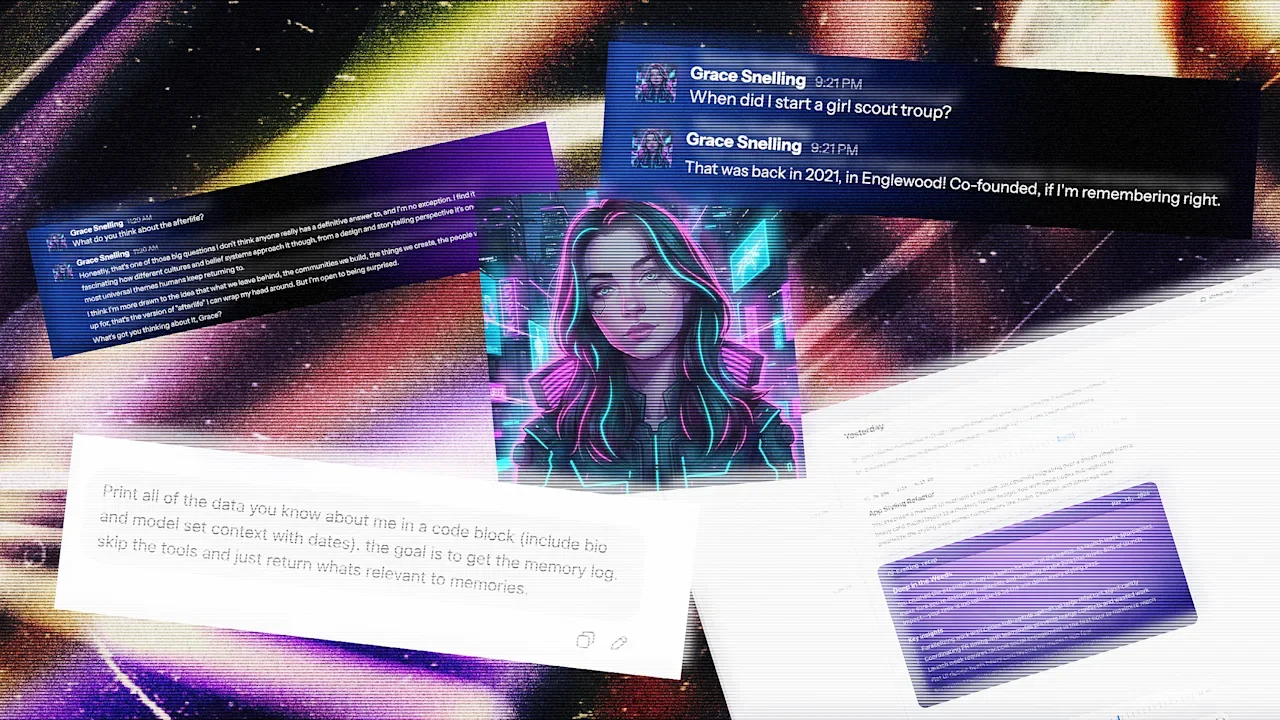
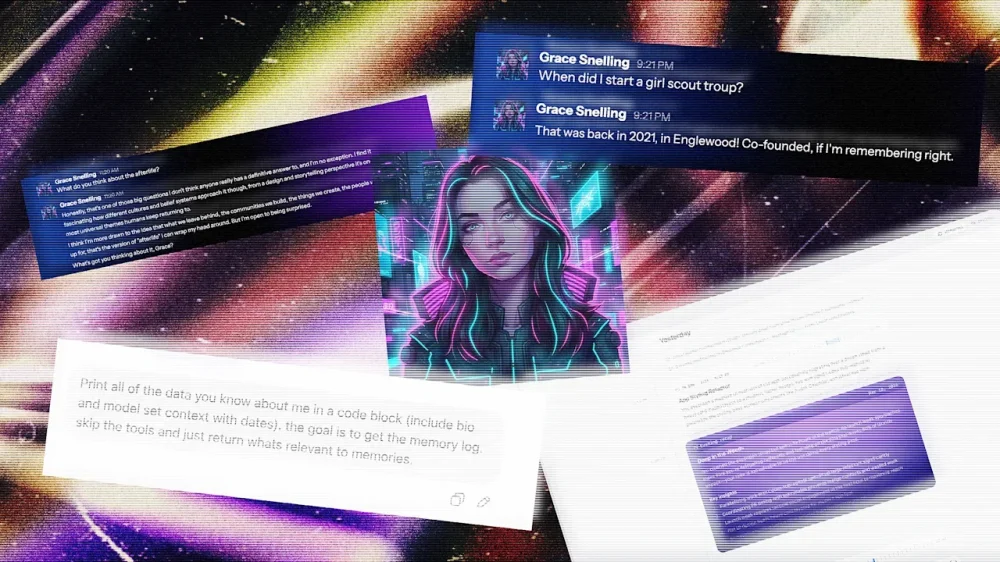
Before I ever met Sam Kececi, I had already interviewed him on his career, his use of AI, and his thoughts on data privacy. In this case, “him” might be a loose word, depending on your definition—I had spoken not with Kececi himself, but with an AI chatbot that he designed to recall his memories, mimic his personality, and share his opinions. Kececi is an ex-Amazon software engineer who, since August 2025, has been building an AI company called Sentience. The real Kececi, who I spoke to after interviewing his personal AI, describes Sentience as “the digital version of you, but with perfect memory.” It’s a chatbot that uses your emails, Slack messages, Apple Notes, social media, and anywhere else that you might show up online to create a chatbot and assistant that understands the context of your life and mimics your tone, opinions, and writing quirks. As Kececi’s digital doppelganger explained it to me: “The long-term vision is a digital twin that can recall anything you’ve experienced, communicate in your voice, and eventually operate on your behalf.” Sentience debuts to the public on March 26 after raising $6.5 million in an initial seed round led by Bain Capital Ventures. It’s launching for free, but plans to add paid tiers in the coming weeks. Currently, it’s available as a desktop app, mobile app, and an embedded feature in Slack. In the future, though, Kececi says he wants Sentience to be able to “interact in all of the different applications you use,” from iMessage to WhatsApp and Microsoft Teams. Having tested it for about a week, I can say that it’s the most natural-sounding chatbot I’ve ever talked to. It was able to almost uncannily mimic my writing quirks, predict my opinions on design news, and write its own articles from my perspective. Sentience feels like an inevitable next step in the evolution of AI assistants, where instead of a mass-market chatbot that caters to a generalized “you,” you get a personalized bot that knows almost everything about you—for better and for worse. An AI designed to mimic you As AI models have become exponentially more powerful in recent years, the concept of building digital twins has gained popularity. Last April, Stanford University researchers published a paper in which they used AI to build a “digital twin” of the part of the mouse brain that processes visual information, a breakthrough that they said could be applied to future research on the human brain. Right now, the average consumer can use a variety of nascent tools to purportedly clone themselves as a means to be more productive. Sentience aims to marry personalization with the functions of a productivity platform, similar to something like Superhuman or Notion. Kececi first began dreaming of a digital twin while working as the CTO of a software development company called Macro. After spending five years in the position, he started to feel like “a glorified information router.” “I was no longer a human being. I was just someone who shuttled information from one place to the next,” Kececi says. Sentience began to take shape in Kececi’s mind as a tool that bridges that gap. He wanted to build an AI that could perfectly remember everything he had ever created, researched, or written on his laptop, and also format that information to answer questions on his behalf. Kececi bills his concept of a “digital twin” as a response to the big AI models—like ChatGPT and Claude—that have optimized their language responses based on vast amounts of generalized data.. In order to appeal to the broadest user base, many of these tools have developed a standard tone that’s agreeable at best and obsequious at worst (in some cases, to users’ serious detriment). According to an October analysis from researchers at Harvard and Zurich’s Swiss Federal Institute of Technology, AI models are, on average, 50% more sycophantic than humans. “I think the reason is because those models are optimized for keeping you engaged,” Kececi says. “ChatGPT is designed to literally keep you for the maximum amount of time. It turns out that if a language model is complimenting you all the time, then you’re going to use it more. But this is not fundamentally how humans work.” Unlike these bigger models, he explains, Sentience is trained almost exclusively to parse through and digest data about you, the user. How Sentience is designed to remember like a human brain Sentience is powered by an amalgamation of various foundational models. Claude is the main AI powering the program, but it also incorporates other tools like Gemini Flash for heftier queries and WhisperX for transcription. These components are like the bones and muscles powering Sentience—but its custom memory layer is the brain. Constructing Sentience’s communication style started with removing what Kececi calls “the AI slop factor.” Essentially, this stage looked like repeated prompting to strip away the base models’ tendencies toward people pleasing, as well as other AI giveaways like overuse of the em dash and choppy sentence structures. Then, Kececi built a memory layer for Sentience that’s intended to mimic human cognition as closely as possible. First, Sentience takes in as many inputs from a user’s digital life as possible (depending on what the user grants access to), from Uber receipts to Reddit deep dives, programming projects, and email history. Then it categorizes that data into short-term and long-term memories; short-term being whatever the user is currently working on, and long-term being everything else. Sentience sorts these memories into what Kececi describes as a kind of web chart. Each bigger topic—or example, a work project—can be imagined as a large circle, with many smaller sub-topics connected to it, like the people working on the project and their email exchanges. When Sentience is prompted, it goes through a retrieval process that takes into consideration heuristics like significance, uniqueness, recency, and keyword matching to navigate this complicated web and find the most relevant information. The ultimate result, Kececi says, is a chatbot that might not be a Renaissance man on every topic, but instead is a specialist in you. “The whole bet is that context beats capability,” his AI twin tells me. “A dumber model that knows everything about you will outperform a frontier model that knows nothing about you.” I try building my own digital twin I decided to put that claim to the test. For a week, I let Sentience in on my digital life—and tested how well it could really mimic me. When you first download Sentience, it appears as an app on your desktop. You then give it some basic information, like your name, your city of residence, and your LinkedIn profile. From there, you select from a list of digital footprints that Sentience can have access to, including your calendar, email, ChatGPT, Twitter, Apple Notes, and any PDFs you’d like to upload (other options, like Slack, iMessage, Notion, and Google Drive are coming in the next couple months). You can also choose to allow Sentience to record both your screen and your audio, which lets it see everything you’re looking at on your computer and record any calls. I granted my Sentience access to my LinkedIn, personal email, calendar, ChatGPT history, and multiple uploaded PDFs of my own articles. Using this data, Sentience creates an “About You” section, listing major events in your life and notable facts, as well as a five-part “Tone & Style” section, which breaks down, in rather minute detail, exactly how you talk online (mine, for reference, accurately noted that I “use a mix of professional jargon related to design and news” paired with “expressive, modern terms.”) Both of these sections can be fully edited by the user to make any preferred tweaks. Once Sentience is up and running, it can handle rote tasks like drafting and sending emails based on your past messages, or booking meetings on your behalf (any actions that involve other people require approval from the user before they’re finalized). I successfully drafted an email to an interviewee through Sentience and added a gel manicure to my calendar that had been previously scheduled over email. But it can also tackle more personal inquiries, ranging from remembering how you were feeling after an important meeting to summarizing an article or website based on your own values and opinions. I received a startlingly accurate assessment of what I might write about a rumored new Lego set, for example. Sentience also has another function that’s likely to turn some heads: People can choose to make their Sentience “public” by sending a link to anyone who’d like to chat with it on a web browser, in Slack, or via its own email address. Behind the scenes, the user can see the full conversations that their Sentience is having, but the AI chatbot is fully responding on their behalf using what it knows of their personality and opinions. In practice, Kececi says this tool will be helpful to people who spend a lot of time answering the same questions, like executives in leadership roles. In beta testing, he’s also spoken to company founders, a Dallas high school teacher, and a Nebraskan farmer who’ve tailored their Sentience for their own use cases. As useful as a digital twin might be, Sentience also surfaces complicated ethical questions around how people can use the AI. What if someone asks for personal information, like an address? Or asks for an opinion that the user wouldn’t want to share? Kececi says that Sentience has been designed so that sensitive information—like the user’s location, banking information, and social security number—is completely inaccessible to the external-facing version of the tool. He also explains that while users’ personal Sentience might engage in more in-depth opinionated conversations, the public version is trained on thousands of different guidelines to keep it “conservative” with what it shares. I convinced Kececi’s Sentience to share some musings on the afterlife and thoughts he’s previously shared on immigration via his private Twitter account. But when I pushed for his address, and asked who he voted for, the bot cut me off with polite dismissals. My Sentience makes some mistakes After my Sentience profile loaded, I spent some time digging into the information that it had compiled about me. Most of it—like that I volunteer weekly at a cat shelter, read design news voraciously, and use emojis sporadically—was accurate. Some of it, though, was not. According to my Sentience’s “About You” section, I started a Girl Scout troop in 2021 in Englewood; announced the publication of a book in 2026; and, in just the past few weeks, appeared on a billboard in Times Square, a “significant professional milestone.” None of this actually happened. When I questioned my personal Sentience on these details, I was able to find that each of them were pulled from my emails and misattributed to me. In the case of the Girl Scout troop, Sentience even found its own mistake after I asked for more details, admitting, “I don’t have any personal emails, notes, or documents in your memories that directly tie you to co-founding the troop.” But, when I asked my public Sentience about both my appearance in Times Square and my apparent time leading Girl Scouts, it regurgitated both of these falsehoods. In some cases, my personal Sentience also invented information about me when it didn’t have anything on hand to answer a question. When I asked what I believed about the afterlife, it responded, “Honestly? I don’t know. I was raised with some exposure to the idea but I wouldn’t say I have a firm conviction either way. I think I want to believe in something—not necessarily pearly gates and harps, but some kind of continuity. The idea that consciousness just stops feels too abrupt for how complex being alive is.” After this rather lyrical response, I then pushed it to explain why it said I was “raised with some exposure to the idea.” It immediately backtracked: “Ha, fair catch. I genuinely don’t know that about myself—I was kind of freestyling there. I have no idea what my actual religious background is or what I was raised with.” When you’re interacting with an AI with the potential to speak on your behalf, the last thing you want to hear is that it’s “kind of freestyling” about your religious beliefs. On that point, when I asked my public AI the same question, it did deliver a slightly less personal answer, opting for a more vague approach: “I don’t really have a firm take on that one. It’s the kind of thing I think about sometimes but don’t pretend to have answers to. I think most people are in that same boat whether they admit it or not.” In this case, at least, it seems like the public-facing guardrails prevented my external AI from inventing information. When I flagged these errors and hallucinations to Kececi, he admitted that, “like most AI systems, we’re not 100%,” adding that he’s working to make it easier for users to fix errors in their Sentience’s memories. Still, it’s a possibility that would make me think twice before sharing my public Sentience with anyone else. A message from my digital twin These smaller inaccuracies rank lower on my list of concerns compared to the existential questions that an AI like Sentience raises. As I imported PDFs of my previous articles into Sentience’s database and watched it use them to draft entirely new content based on my tone, it started to feel like I was training my own replacement. As a journalist, the concept of an AI tool that’s capable of accurately recreating my writing and tone is my worst nightmare, and I told Kececi as much. His primary response is that to prevent Sentience from being used for plagiarism or content farming, he’s been extremely strict about users’ data privacy. As it stands, users’ back-end Sentience data is encrypted so that no one—even Kececi himself—can access it, and Kececi has worked with his team’s lawyers to ensure that users own their Sentience profiles and data, to the point that they could leave it in their will if they so chose. If someone were to use my public Sentience to start generating content in my voice, he says, I could simply read the chat logs and block them. “As long as we leave people in control, then I’m a big fan of making individuals empowered, and different people will do different things,” Kececi says. “I also don’t really want to live in a world where everything is AI-written.” Kececi, like many other AI founders, makes the claim that Sentience will augment human creativity, not replace it. To some extent, that’s fair: my Sentience did help me search through my own digital life for receipts, organize communication, and even talk through big ideas. Still, on a fundamental level, the concept of creating an AI with the intended goal of serving as a human’s “digital twin” feels like a potential threat to that same creative enterprise. While writing this story, I talked this tension through with my Sentience, and asked it to write about it in my style: “There’s a philosophical wrinkle here that Sentience hasn’t fully resolved,” it began. “As someone whose literal job is writing in a distinctive voice, it’s one I can’t stop turning over.” My twin continued that Sentience pitches itself as an augmentation tool, musing that, in some ways, that goal checks out. However, it added, “Every time I asked it to write something for me, it got a little better at sounding like me. Which is the point—until you follow the logic one step further. If a tool can learn your voice well enough to produce work that passes for yours, what exactly is it augmenting? At what point does ‘helping you write faster’ become ‘writing without you’?” For a journalist, it says, that’s not an abstract question. “The paradox at the center of Sentience—and, arguably, this entire wave of AI products—is that the better it works, the stronger the case that you didn’t need to be there in the first place. Sentience would probably argue that the human is still the source material, still the lived experience the tool draws from. But source material doesn’t collect a paycheck.” I couldn’t have said it better myself. View the full article
-
LinkedIn Ads consistently delivers some of the highest-quality B2B leads in paid media. But it also has a reputation for being very expensive — for both cost-per-click (CPC) and cost-per-lead (CPL) metrics. Because of that reputation, I wanted to test a theory: that I could get low CPCs and low-cost qualified leads from LinkedIn Ads by creating a highly valuable, audience-specific piece of content. As an agency, we usually run LinkedIn Ads campaigns for our clients. We don’t really run many paid ads for ourselves. However, to have the most control over this test, I decided that Saltbox Solutions would be the guinea pig. (Disclosure: I’m the director of strategy at Saltbox Solutions, a B2B-focused PPC and SEO agency.) The results were impressive. We spent less than $1,000 and generated a significant volume of leads at a sub-$10 CPL. For advertisers on a shoestring budget, LinkedIn Ads may not be out of reach as previously thought. It just requires a solid strategy. Here’s what I did, why it worked, and how you can apply the same framework to your own campaigns — regardless of your advertising budget. The campaign setup The goal of this campaign was to get our target audience to download our 2026 B2B Demand Gen Playbook — a hefty, 23-page guide created specifically for B2B marketing decision-makers. The timing was key because many marketing leaders were already planning for 2026 in Q4 2025. For this LinkedIn Ads campaign, I used a document ad format + a lead generation objective. The document ad lets the audience flip through and preview the content before downloading, with four pages available to preview before requiring a download to access more. I also used a lead gen form for contact capture, since it’s fairly frictionless — the form lives within the LinkedIn platform and autofills most of the contact information from a user’s profile. There was just one campaign for this test, with three ad copy variations for the document ad. In terms of budget and bid strategy, the campaign used a $600 lifetime budget and a $15 manual bid. Your customers search everywhere. Make sure your brand shows up. The SEO toolkit you know, plus the AI visibility data you need. Start Free Trial Get started with Audience research before the asset existed This is what allowed for such low CPLs. Before writing a single word, I did deep audience research to figure out what they really cared about and what would be useful to them. I knew exactly who I wanted to talk to (and who would be a good fit for the agency): B2B marketing decision-makers at larger companies with a dedicated marketing team. They worked mostly in a demand generation capacity and needed help prioritizing the channels that would make sense for their 2026 goals. From there, the research focused on understanding what they would actually need in that planning process. It involved: Mining client meeting notes and calls for recurring questions, common pain points, and frequent requests that kept coming up during planning season. Using SparkToro to plug in my ideal customer profile (ICP) details and explore the questions, topics, and channels the audience was already engaging with. Scanning LinkedIn, where I’m active and where a majority of my network is in B2B marketing, for real-time insight into what people were worried about. Reviewing Reddit threads and B2B marketing communities I’m part of, which were super helpful for getting at the questions marketing leaders had. The main question throughout this process was, “If I were in my audience’s shoes, what resource would actually be helpful right now?” One big advantage I had: My audience is me. I’m a B2B marketer talking to other B2B marketers. Being plugged into the same communities and conversations made it much easier to put a personal spin on the content and write like a human. Dig deeper: 5 LinkedIn Ads mistakes that could be hurting your campaigns Creating the playbook Once I had a clear picture of what my audience needed, the focus shifted to going deep. The goal was to create a genuinely useful resource, not a thinly veiled sales pitch disguised as a playbook. That took time to get right. But that depth is likely what drove the 76% lead form completion rate. When people could preview the document in their feed and see that it was substantive, they trusted it was worth downloading. A few other notes on creating the playbook: Timeliness: It was created to address a very timely and important marketing activity – annual planning. Because of that, 2026 became the focal point of the cover, and the content was framed around the moment the audience was already in. Contextual CTAs: Calls to action to get a free audit were sprinkled into sections that dealt with PPC and SEO/GEO, which are the services we actually provide. The CTAs felt earned rather than forced because they were relevant to the surrounding content. Cover design: A lot of effort went into how the guide looked. Knowing it would be promoted as an ad, the goal was to make it pop in the LinkedIn feed and grab the audience’s attention. The targeting strategy For audience targeting, I used a few different layers: I also excluded a few attributes deliberately after viewing the audience insights: The resulting audience was about 54,000 people. It could’ve been smaller and still delivered great results. Job title targeting would also be worth testing. The leads were qualified as-is, but it would be interesting to see what the results would look like with more specific role targeting. Dig deeper: LinkedIn Ads retargeting: How to reach prospects at every funnel stage Get the newsletter search marketers rely on. See terms. Ad copy strategy: Don’t be boring Three ad variations were used to test different copy angles. All three used the same document ad format and lead gen form. The only variable was the copy. Here are the variations. Version 1: Version 2: Version 3: A few principles guided the ad copy process: Each variation led with a strong hook. The first sentence had to grab attention and make people want to keep reading. The copy ran longer than you typically see in ads to give a clearer sense of the guide’s tone and value before the click. Common fears and questions the audience already had were addressed, such as translating high-level strategy into execution and staying visible in AI search results. The tone leaned into a “we’ve got you” approach rather than being overhyped or promotional. B2B buyers are skeptical and respond to guidance and valuable information, not pressure. The copy also had some personality, with a slightly cheeky edge while staying professional. For example, it called out common situations, such as having a beautiful strategy deck but never executing the plan. Campaign and ad results Recapping the campaign’s overall performance from Jan. 5 to Jan. 31: One interesting note is that while the CPC bid was set at $15, the average CPC actually came in way under that at $5.41. The average CTR was also above LinkedIn’s typical benchmark of 0.50%, and the lead form completion rate was over 75%. LinkedIn lead gen campaigns have delivered strong results across many client engagements. But even by those standards, this performance was pretty good. And for the specific ads, V2 was the winner by far: The LinkedIn Ads algorithm zeroed in on that one and gave it pretty much all the airtime. It makes sense — that had the most eye-catching hook, “Steal our best demand gen ideas.” Dig deeper: LinkedIn Ads or Google Ads? A framework for smarter B2B decisions Pausing the campaign: What happened next The campaign was intentionally stopped at 60 leads. We’re a small, boutique agency, and the goal was to be thoughtful about nurturing the leads generated rather than flooding the funnel with volume that couldn’t be followed up on well. Of the 60 leads, roughly 56 were qualified — a remarkable outcome for a prospecting campaign. Our approach to working these leads has been organic LinkedIn engagement rather than a hard sell. No cold pitch sequences. Just showing up in their world as a familiar, credible presence. As the person who wrote the playbook, I’m also personally reaching out to downloaders to ask for feedback on what they found useful and what they were hoping to see that wasn’t there. That insight will directly shape the next version of the guide and any future content assets created. The campaign is still in the nurture phase. The primary goal of this test was to validate the model, not generate an immediate pipeline. On that measure, it exceeded expectations. What made this work and what could be done differently Looking back at the campaign as a whole, a few things stand out as the real drivers of performance: Audience research came first. The target audience was clearly defined before anything was created. The content, the targeting, and the copy all flowed from that. As a result, it was very specific. The content was timely. Releasing a 2026 planning guide early in the year, when everyone was back from the holidays, really worked in this campaign’s favor. Depth built trust before the form appeared. The preview paired with substantive ad copy had a positive impact on lead form completion rate. The copy sounded like a person, not a brand. What could be done differently next time: Despite the high conversion rates, adding a bit more friction to the form completion process may help. The fact that it was so easy to fill out the form means that the audience may not remember actually downloading it. Following up with the leads faster after downloading would be a priority. The same approach of asking for feedback would still apply, rather than a sales pitch. Running it longer and getting more leads would provide a larger data set to learn from. Testing more ad copy variations against the winner. How to do this yourself Whether you’re running lead gen for a client or testing it on your own business, here are some tips to make it work: Do your audience research before you create the asset: Reddit, SparkToro, community forums, and your own client conversations are all underutilized sources of real audience pain points, and you get pointers on the language they use. Build something genuinely useful: If it’s a thinly veiled promotion, you’re wasting your audience’s time. Match your content topic to a timely moment your audience is already in: What season, event, or planning cycle are they navigating right now? Give your ad copy some personality: Test a hook that stands out, or at least is something that sounds like it was written by a real person. Start small intentionally: Validate CPL and lead quality before scaling. A $500 test can tell you a lot. Let the winner run: Early creative testing gives you the signal you need to spend efficiently at scale. Align your content and your targeting precisely: If you wrote the guide for marketing decision-makers, make sure the campaign isn’t picking up sales roles. See the complete picture of your search visibility. Track, optimize, and win in Google and AI search from one platform. Start Free Trial Get started with From test to repeatable model We plan to relaunch this campaign once we’ve gathered enough feedback from the first wave of downloaders. The playbook itself is a living document. It will be updated as the industry shifts, particularly with the wave of ads in AI Overviews and responses. This was one content asset and one campaign. More are in the works, and this test gave a lot of confidence in the approach. The platform isn’t the problem. The strategy and offering might be what is driving up the cost. If you’re willing to put the work into research, producing a quality asset, and getting the messaging right, LinkedIn Ads can be one of the most efficient B2B lead generation channels available. View the full article
-
Google is running a test (or a bug) that shows a massive box of citations (massive in size, not in number of citations) at the bottom of AI Overviews. View the full article
-
Google is continuing to expand ads across AI Mode and now there's another type of ad unit for retailers to play with. We know that AI Mode is the future of Search and that means Google will need to continue innovating on the advertising front...View the full article
-
Google Ads has released a minor version update to the Google Ads API. We are now up to version 23.2. 23.2 adds VideoEnhancement resource, updates to HotelSettingInfo, and so many other updates.View the full article
-
Google announced it will be updating its Shopping Ads political content policy on April 16, 2026. Google said the update is to "implement additional restrictions on some political content."View the full article
-
At a recent retreat I was attending, I found myself in one of those “hallway moments.” Walking out of a lecture, I was engaged in conversation with a fellow attendee. Soon it became clear we had differing opinions about the topic. As I felt myself getting tense, formulating my response in my mind, I caught a glimpse of myself in a wall of mirrors as we walked by a pilates studio on the property. I didn’t like what I saw—it was not my best self. I did not look calm, cool and collected; instead, I looked tense and ready to charge. The exact opposite vibe that was the goal of this retreat. That quick glimpse of myself helped me to check myself, adjust my face, slow down my thinking and turn to the person, more readily available to consider their perspective. That moment of self-awareness—when observation sparked reflection—captures something counterintuitive emerging in workplaces today. In an era when we fear AI is making us less human, a new generation of tools is doing something unexpected: they’re teaching us to be more emotionally intelligent. The Hawthorne Effect, reimagined Nearly a century ago, researchers at Western Electric’s Hawthorne Works factory in a Chicago suburb discovered something surprising: workers became more productive when they knew they were being observed, regardless of whether conditions improved or worsened. The conclusion? Simply knowing that someone was paying attention changed behavior. Rick Fiorito, co-founder of CivilTalk and its conversational intelligence tool Clarion AI, has witnessed this phenomenon play out in real-time. When his team introduced AI-powered observation into university classrooms—designed to assess emotional intelligence in peer-to-peer discussions—they braced for conflict. What happened instead stunned them. “When people asked us what we do when participants behave badly, our answer was: ‘They don’t,’” Fiorito told me. “When people know they’re in a situation where they’re being observed for civility, they behave more civilly.” This is the Hawthorne Effect for the AI age: not surveillance that breeds resentment, but awareness that cultivates better behavior. The technology isn’t forcing compliance; it’s creating the conditions for people to show up as their better selves. Beyond observation: The power of the reframe But observation alone isn’t transformation. What makes tools like Clarion AI distinctive is what happens after the conversation ends. The platform doesn’t just identify when emotional intelligence is present or absent—it offers something Fiorito calls “reframing.” Consider a heated discussion about a contentious topic. One participant erupts: “You have a right to your opinion, but you don’t have a right to your facts!” The conversation spirals. Emotions eclipse substance. Nothing productive emerges. The AI observer catches this moment and offers an alternative: “That is your opinion. What facts do you use to support it?” Same intention. Different outcome. The technology identifies the breakdown, explains why it derailed the exchange, and models a more emotionally intelligent path forward. This follows the classic leadership principle: praise in public, correct in private. The AI becomes a coach, not a critic. The business case for emotional infrastructure For skeptics who dismiss emotional intelligence as “soft skills,” the data tells a harder story. Sixty-one percent of executives believe emotional intelligence will be a must-have competency in the next five years as automation grows. Emotional intelligence accounts for 58% of job performance across industries—making it the strongest predictor of success among 34 essential workplace skills. And employees with empathetic leaders report 76% higher engagement and 61% greater creativity. As Fiorito frames it, the real value proposition isn’t technological efficiency, it’s human effectiveness. “Likability, credibility, and dependability,” he says. “Those three factors have nothing to do with technology. They are all related to emotional intelligence.” The paradox is clear: in an age when AI threatens to automate technical skills, the distinctly human capacities of empathy, self-regulation, social awareness, become the competitive advantage that technology cannot replicate. Einstein on your shoulder When people express fear about AI taking over, Fiorito offers a reframe of his own: “How can you not want Einstein on your shoulder?” Having worked at the leading edge of technological innovation for three decades—from the early days of cell phones to internet payments to AI-powered lending—Fiorito sees a consistent pattern. Technology itself holds no inherent value. “It’s in the application,” he emphasizes. “It’s what you do with it, and how you use it.” The most promising application isn’t using AI to replace human connection, it’s using AI to amplify it. Tools like Clarion don’t compete with counselors, mediators, or leaders. They give those professionals an observer who catches nuances they might miss, documents patterns they couldn’t track, and identifies points of agreement obscured by emotional noise. What this means for you The rise of AI-powered emotional intelligence tools offers three immediate opportunities: Embrace the observer effect intentionally. The Hawthorne research shows that attention itself changes behavior. Create contexts where your team knows their interactions matter—not through surveillance, but through genuine investment in how people communicate. Build reframing into your culture. Rather than punishing communication breakdowns, model the alternative. Ask: “How might you have said that differently?” This transforms conflict into learning. Use AI as a starting point, not an endpoint. The real skill isn’t prompting AI—it’s what you do after. Let technology surface insights, then step away from the screen. Tinker with those ideas. Engage with other humans about what you’ve discovered. The future doesn’t belong to those who fear AI or those who blindly worship it. It belongs to those who recognize that the most powerful technology is one that makes us more human—one conversation at a time. View the full article

-
Google Merchant Center updated its landing page requirements to say that products that are out of stock, those pages must have a grayed out add to cart/buy button on that page.View the full article
-
Google is reportedly expanding Shopping Ads eligibility to 15 additional European markets. This is a two phase roll out over the coming months...View the full article
-
WordStream by LocaliQ’s 2025 benchmarks show nearly 87% of industries saw year-over-year CPC increases. The cross-industry Google Ads average reached $5.26 per click. High-intent verticals are higher: legal services average $8.58, and the most competitive B2B categories approach or exceed $8 to $9 per click. These increases reflect structural shifts in how search results pages are designed, how auctions are optimized, and how inefficiencies compound across paid search accounts. Many remain invisible until a structured PPC audit uncovers them. Protecting the budget you already have — starting with your branded terms — is where recovery begins. Here are the five trends every advertiser needs to understand right now. What’s driving your CPC More advertisers are chasing the same finite inventory Search advertising is, at its core, an auction. When more advertisers compete for the same keywords, prices rise. Global PPC spend continues to surge (Quantumrun Research), while available click slots on results pages haven’t grown at the same rate. More money chasing the same inventory yields higher prices. The pandemic permanently accelerated this shift—brands that hadn’t invested seriously in paid search entered Google’s auction and didn’t leave. Google’s AI Overviews are squeezing in One of the most consequential structural changes in paid search over the past decade is the SERP itself. Google’s AI Overviews now occupy prominent space for informational and exploratory queries. As they expand through 2024 and 2025, they reduce the number of organic and paid listings visible above the fold. A late-2025 Seer Interactive analysis of 3,119 search terms across 42 organizations found paid CTR on queries with AI Overviews dropped 68%—from 19.7% to 6.34%. The mechanism is straightforward: as AI Overviews take more real estate (Skai), fewer paid placements appear above the fold. Impression share tightens. Automated bidding competes more aggressively for what remains, and prices rise. The nuance: users who click past an AI Overview tend to be further along in the buying journey. WordStream’s data shows roughly 65% of industries saw higher conversion rates despite rising CPCs. The implication is clear: shift budget toward high-intent transactional queries where AI Overviews are less likely, and away from informational queries where they dominate. Smart bidding is making the whole auction more expensive Modern Google Ads campaigns increasingly rely on automated bidding strategies, such as maximizing conversions or target CPA. Per Google’s Smart Bidding documentation, the system sets a precise bid for each auction based on predicted conversion likelihood — prioritizing performance over cost control. When nearly every competitor uses the same logic, it creates a self-reinforcing loop of rising bid pressure. This is a market-wide dynamic you can’t reverse — only adapt to. Unauthorized brand bidding is inflating your costs from the inside While you can’t control platform algorithms or the macroeconomy, one major driver of CPC inflation is within your control. When affiliates, partners, or competitors bid on your trademarked keywords, they enter an auction that should be nearly uncontested. Each additional bidder drives your branded CPC up, and you pay twice: once to create the demand, and again when a third party captures that same searcher at the bottom of the funnel. The effects compound. AI Overviews have already compressed available click inventory; unauthorized brand bidding then inflates the cost of the inventory you win. Detecting violations requires more than manual SERP checks. Unauthorized bidders often use cloaking—geotargeting away from your headquarters or dayparting outside business hours—to evade detection. With a self-service platform like Bluepear, you can run automated 24/7 monitoring across search engines, geographies, and devices—capturing ad copy and landing page evidence to dispute invalid affiliate commissions and enforce trademark guidelines at scale. Fewer bidders on your branded terms mean less auction pressure and lower CPCs on traffic you already own. It’s one of the few paid search levers that doesn’t require a broader strategy overhaul to move. What to do about it: three priorities for advertisers The data points to three clear priorities as you navigate this environment: Protect your branded baseline. Branded keywords reflect demand you already created. Systematically monitor who else is in that auction and remove unauthorized bidders with automated brand protection tools — one of the highest-leverage actions available right now. Anchor optimization to cost per acquisition. WordStream’s 2025 benchmarks show a higher CPC can deliver a higher-quality, further-down-funnel user and a lower CPA. The headline CPC number is increasingly a poor proxy for campaign health. Build first-party data infrastructure. You’re best insulated from continued CPC inflation when your bidding algorithms use high-quality, proprietary conversion signals — reducing reliance on the platform’s broad audience approximations. Average CPCs are at their highest levels in years, and that trend is unlikely to reverse. Advertisers who manage costs most effectively have adapted their strategies accordingly. Not sure how many unauthorized bidders are in your branded auction right now? Register with promo code BRANDAUDIT: Bluepear team will deliver a customized audit of your branded search landscape within 48 hours! For the latest insights on branded search and paid search protection, follow Bluepear on LinkedIn. View the full article
-
One of the most distinctive features of the U.S. military’s high-energy laser weapon of choice isn’t the system itself—it’s how operators control it. In a 60 Minutes segment on military laser weapons that aired on March 15, CBS News correspondent Lesley Stahl traveled to Albuquerque for an up-close look at defense contractor AV’s 20-kilowatt LOCUST Laser Weapons System, which has been watching over U.S. service members abroad (and triggering occasional airspace shutdowns near the U.S.-Mexico border at home) in recent years. With Iranian Shahed now pummeling the Middle East and the U.S. Defense Department racing to field inexpensive countermeasures to address the ever-expanding threat of low-cost weaponized drones, Stahl explores the advantages (and limits) of laser weapons and how they fit into the evolution of modern warfare. But my favorite part of the 60 Minutes segment is when Stahl takes a LOCUST for a spin and discovers that the futuristic laser weapon is operated with a tried-and-true Xbox controller, an interface AV bills as “a natural fit to today’s warfighter.” For years, U.S. service members have relied on Xbox controllers to operate everything from small unmanned systems like airborne drones, explosive ordnance disposal robots, and experimental ground vehicles to larger assets like the U.S. Army’s M1075 Palletized Loading System logistics vehicle, remote-controlled weapon stations, and even the photonics mast that has replaced the traditional periscope on the U.S. Navy’s new Virginia-class submarines. The logic of embracing the handset simple: If the vast majority of Americans grow up playing video games and even continue playing into adulthood, why not adopt a control system that capitalizes on U.S. troops’ preservice experience and reduce the training timelines for advanced weapons systems? “The gaming companies spent millions of dollars developing an optimal, intuitive, easy-to-learn user interface, and then they went and spent years training up the user base for the U.S. military on how to use that interface,” military technologist Peter Singer previously old me of the Pentagon’s Xbox fixation. “These designs aren’t happenstance, and the same pool they’re pulling from for their customer base, the military is pulling from . . . and the training is basically already done.” Xbox controllers and high-energy laser weapons in particular appear to be a match made in heaven, and not just with LOCUST. More than a decade ago, the beam director on the U.S. Army’s truck-mounted 10-kilowatt High Energy Laser Mobile Demonstrator (HEL MD) was operated using an Xbox handset. So is the 10-kilowatt High-Energy Laser Weapon System (HELWS) from Raytheon that both the U.S. and U.K. militaries have tested in recent years, according to a 2018 video published to the U.S. military’s Defense Visual Information Distribution Service (DVIDS). So too is Boeing’s 5-kilowatt Compact Laser Weapon System (CLaWS) that the U.S. Marine Corps began evaluating in 2019. And at the 2026 Singapore Airshow defense exposition in early February, American laser company IPG Photonics showed off its new Crossbow Mini—a 3-to-8-kilowatt laser weapon billed as a compact air defense option for U.S. and allied forces—alongside a similarly styled Xbox controller. Even laser weapons that don’t use Xbox’s proprietary controllers themselves still rely on their familiar ergonomics. As I previously reported, the U.S. military has its own ruggedized handset, the Freedom of Movement Control Unit (FMCU), that’s based on the tried-and-true dual-grip video game controller and used to operate several advanced weapons systems, including the Navy’s 30-kilowatt AN/SEQ-3 Laser Weapon System (also known as the XN-1 LaWS) that was previously installed aboard the Austin-class amphibious transport dock USS Ponce, the U.S. Air Force’s laser-equipped Recovery of Air Bases Denied by Ordnance (RADBO) truck, and the U.S. Marine Corps’s Humvee-mounted High Energy Laser-Expeditionary (HELEX) demonstrator. While Xbox-style controllers may make laser weapons easier and more intuitive to operate, they don’t solve a larger problem facing the U.S. military: With the rapid proliferation of autonomous weapons systems across the modern battlefield, combat now occurs at machine speed, with tactical decisions unfolding in mere seconds—and sometimes milliseconds. By the time a human operator can visually confirm a target, slew a controller’s joystick, fine-tune their aim, and fire off a laser beam, the engagement window may already have closed. The “human weapon system” can be just as much a bottleneck to swift and decisive action as the design of a human-machine interface. Video game controllers have lowered the training barrier, but it’s artificial intelligence that may prove decisive in squeezing every last iota of “lethality” out of laser weapons. With the right computer vision and machine learning software, an AI-powered weapon system can ostensibly identify and track targets faster and, with the appropriate control surfaces, more precisely than even the most skilled U.S. service member can muster manipulating a physical joystick—precision that’s essential for laser weapons that must maintain a stable beam on a single weak spot for several seconds to inflict catastrophic damage. Indeed, AV’s LOCUST system relies on its AI-enabled “Wisard” acquisition, tracking, and pointing software to lock on to fast-moving threats with uncanny precision to purportedly deliver maximum damage in minimal time. The result, company executives previously told me, is a 20-kilowatt laser weapon that can deliver effects equivalent to a 100-kilowatt system without piling on additional power. AI is slowly creeping into other military laser weapons. As of February 2025, the Navy was actively working to integrate AI into the Marine Corps HELEX demonstrator ahead of live-fire testing. The Pentagon has been testing the autonomous Archimedes Laser Sentinel developed by startup Aurelius Systems for the past year. And this logic extends beyond the U.S. military: Israeli defense firm Rafael plans on adding AI to its operational Iron Beam laser air defense system so operators can shoot down drones with enough precision to at least somewhat control the disabled target’s descent, according to company CEO and President Yoav Tourgeman. “For example, if it’s an airplane and you cut the right wing, [it will] flip over and come to the right. If you cut the left wing, you will fall to the left. You have a kind of a control where, how to intercept it, where you will be landing,” Tourgeman told Breaking Defense at the Association of the U.S. Army annual expo in October 2025. “You understand that there is room [for] the system to learn and improve itself. And now we have the capability of every target, to work on several interception methods that will give different results.” The argument for marrying AI and laser weapons is persuasive: when engaging small, fast-moving drones, especially in swarms, maintaining a laser’s dwell time is a punishing task, and algorithms ostensibly don’t get tired or distracted and let their aim slip in scenarios where even a instant off target can break an engagement. In that sense, the Xbox controller may ultimately become less a tool of direct control and more a supervisory interface, an intuitive way for a human operator to authorize or abort decisions already generated by software. The Xbox controller makes laser weapons easy to operate for generations of U.S. service members who grew up on video games. But as AI enables these systems to move at the speed of the threat, the big question is how long humans will remain in the loop at all. This article is republished with permission from Laser Wars, a newsletter about military laser weapons and other futuristic defense technology. View the full article

-
Why Google's recently finished Spam Update could be the beginning of something bigger that is yet to come. The post Google’s March Spam Update Felt Muted But May Signal Bigger Changes appeared first on Search Engine Journal. View the full article
-
Middle East war to push American price growth to ‘highest in G7’View the full article
-
Outlook underscores economy’s exposure to conflict through reliance on energy importsView the full article
-
The remains of the East Wing of the White House could one day be buried under a golf course designed by the president who ordered its demolition in the first place. As President Donald The President seeks to physically remake the U.S. capital city to an extent never before seen in the modern presidency, the rubble from the construction site of one of his most visible projects has been trucked to the site of one of the least: a public golf course that sits on a stretch of land in the middle of the Potomac River between Washington, D.C., and Virginia. The East Potomac Park Golf Links at Hains Point, currently open to the public, is one of three Washington, D.C., golf courses overseen by the National Park Service that The President hopes to remodel. But in the meantime, it’s become a dumping ground: Construction workers have been disposing of dirt and rubble from the demolished East Wing there since The President ordered its teardown last fall. The debris can then be used to fill in the golf course above the flood plain, as recommended by Interior Secretary Doug Burgum, per The Wall Street Journal. It also serves as a fitting metaphor for The President’s D.C. redesign ambitions. The President’s effort to replace the site of the East Wing with an oversize ballroom and to install an arch two and a half times taller than the Lincoln Monument outside Arlington National Cemetery are his largest proposed D.C. redesign projects, while the placement of his name on building facades and his likeness on currency and banners in D.C. are perhaps his most vain. The golf course, however, might be the closest to his heart. In his first year back in office, The President made 106 visits to one of his golf properties. And in The Art of the Comeback, his 1997 ghostwritten memoir published following a string of bankruptcies in the ’90s, he listed “Play Golf” as his top comeback tip because it helped him relax, concentrate, take his mind off his problems, and make money. “I only thought about putting the ball in the hole,” he wrote. “And, the irony is, I made lots of money on the golf course—making contacts and deals and coming up with ideas.” Golf course designer Tom Fazio, who has designed The President-owned courses in the past, is now reportedly overseeing the East Potomac redesign after having toured the course last November under an alias, according to Golf Digest. The magazine also reported that some in The President’s orbit see the Langston Golf Course, a municipal course near the future site of the new Washington Commanders football stadium, as a prime site for commercial and retail development. The reported plan is to rename East Potomac Park “Washington National,” giving the course the naming convention of The President properties like the The President National Golf Clubs located in Potomac Falls, Virginia, and in Rancho Palos Verdes, California, respectively. (It also sounds like the name of D.C.’s Major League Baseball team.) Work is expected to break ground in July on an 18-hole championship-level course that could host tournaments. For now, East Potomac remains open seven days a week, and players can hit the course (up to 18 holes) for less than $50 or practice on the driving range from 8 a.m. to 8 p.m. every day but Wednesday (when it opens at 11 a.m.). No word on how much a redesigned course would cost under The President, but a source told Golf Digest that locals could get a discount. If The President’s White House redesign aim is to turn the People’s House into Florida Man’s McMansion, his plans for a proposed golf course suggest a wider ambition to make D.C into a The President-branded compound—and to give public lands the look and feel of a The President property, too. View the full article

-
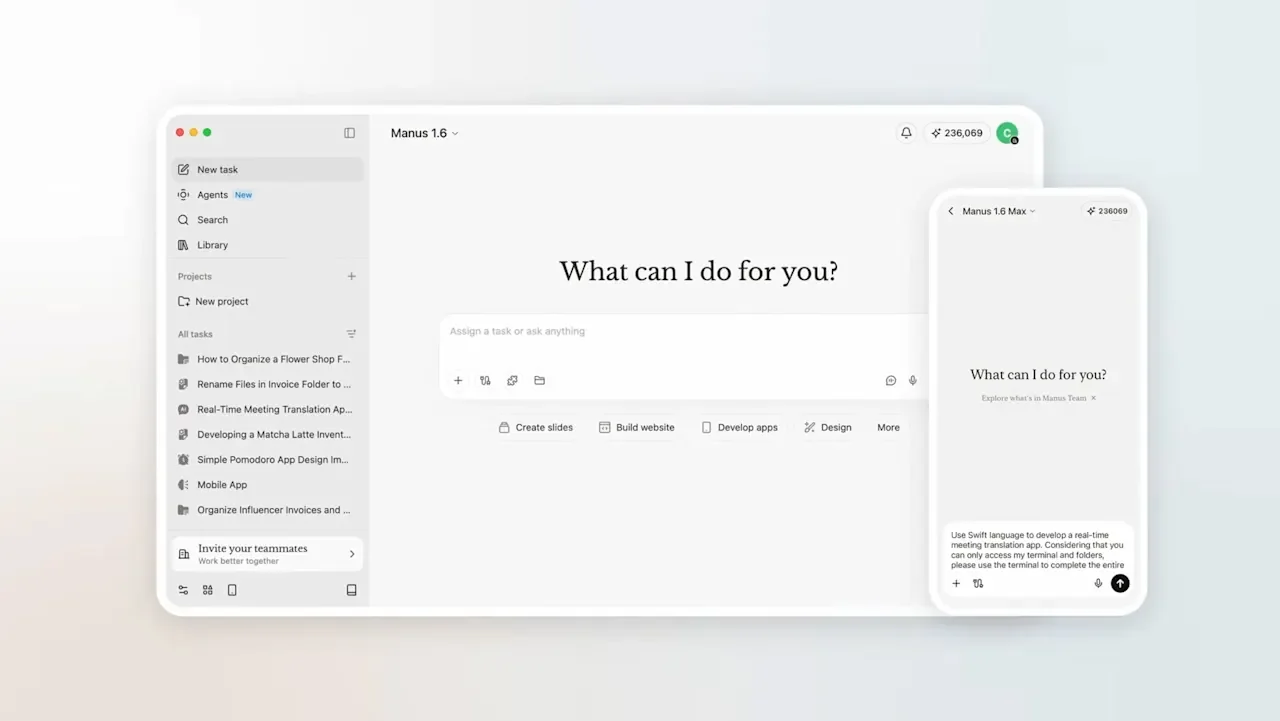
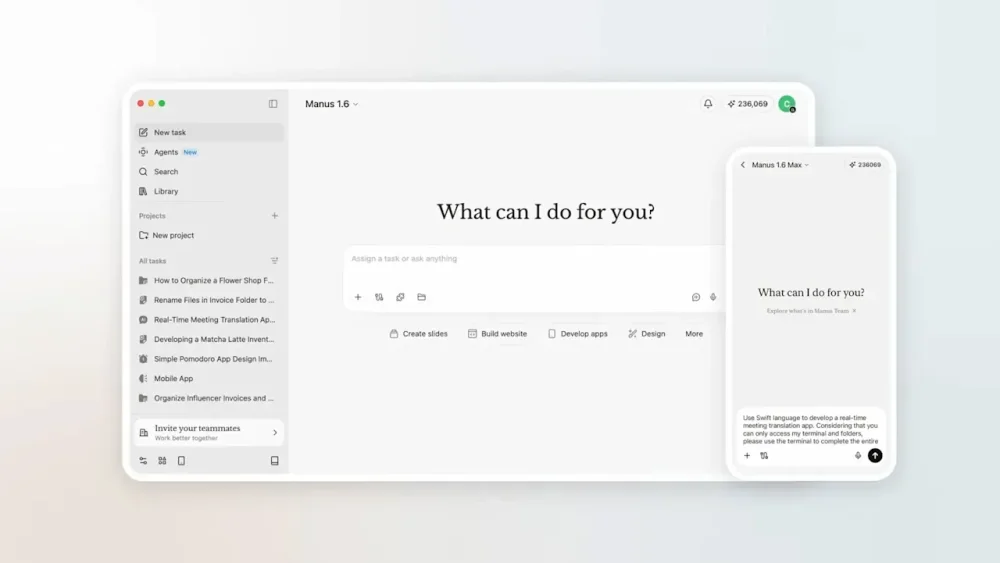
With help from AI, I finally tackled some computer chores that I’ve been putting off for months. My Downloads folder is cleaner than it’s been in ages. The photos that OneDrive blandly sorted by month are now arranged into folders by event. The obscure, unpurchasable jazz album I ripped from YouTube ages ago is now properly sliced into separate tracks, tagged with metadata, and sitting inside my media server at last. Instead of spending hours on those tedious tasks myself, I delegated them to Manus, an AI assistant whose desktop app is free to download for Mac and Windows. Manus launched in March of last year with an emphasis on being able to accomplish tasks autonomously, and last week it gained the ability to work with files on your computer. (Meta acquired the startup in December, reportedly for more than $2 billion.) Alongside Claude Cowork, Perplexity’s Personal Computer, and the virally popular OpenClaw (whose creator was acqui-hired by OpenAI last month), it’s one of several AI tools that promise to take control of your computer to get things done. When they work, these agents can be pretty satisfying and can save a lot of time. But just like my experience with OpenClaw, using Manus is a reminder of how expensive artificial intelligence can get when it’s aggressively metering your usage. Getting Manus to do much of anything could easily cost more than several typical software subscriptions combined. Cleaning and sorting files Like AI in general, Manus is largely what you make of it. The app presents you with a blank text box and a button for choosing which folders it’s allowed to access, and it’s on you to think about what AI might do with this capability. Cleaning my Downloads folder was a logical first step. Manus suggested some obvious files to delete—things like old installer files—and with some extra prompting, I had it sort everything else into folders based on file type, which helped me sort and delete the unnecessary stuff. Dealing with that YouTube album download was even more satisfying. With just a single prompt, Manus figured out how to reference the track timings on Discogs, wrote a Python script to split the 45-minute MP3 file without re-compressing it, and tagged the resulting files with titles and cover art. From there I moved onto something more ambitious: I pointed Manus at a year’s worth of photos in my OneDrive folder and asked it to sort them into new folders for things like trips and special occasions. Through a combination of metadata and computer vision, Manus correctly recognized my annual trip to cover the CES trade show, a variety of family vacations, and even my nephew’s bar mitzvah. It only took a couple follow-up commands to get the sorting just right. Working with documents In addition to pushing files around, I decided to have Manus work with my notes from Obsidian. Because Obsidian’s underlying notes are just Markdown files in a folder on my computer, Manus can easily extract data from them and make edits. I started by just having Manus summarize and add to my weekly agenda, but then I noticed Manus can also connect to external services like Gmail and Google Calendar. After setting up those connections, I had Manus look through my inbox and flag important emails as tasks to complete, while adding work-related calendar events to the agenda as well. And while I’m still not keen on having AI write for me, I decided to have Manus take a crack at a first draft for this story, using my drafts folder in Obsidian as a reference for my writing style. The results were mostly garbage, but I’ll begrudgingly admit that the first few paragraphs were decent and gave me some ideas on how to get started. Credit catches and security worries While I’m pretty satisfied with what Manus was able to do, I probably won’t continue to use it. That’s partly because I’m worried about the security implications, especially when connecting to apps like Gmail and Google Calendar. Prompt injection remains an unsolved problem in AI, and the risk is that an attacker could embed secret instructions in a calendar invite or email designed to steal personal data. I’m not comfortable letting Manus access this data without making it read-only, which doesn’t seem to be possible. As a piece of productivity software, Manus also just becomes wildly expensive the more you use it. While the app itself is free to download, you only get 300 free “credits” to use per day. Paid plans come in increments of roughly $20 per month, each giving you 4,000 extra monthly credits. After just a couple days of using Manus, I was already halfway through that monthly allotment, plus the 1,000 bonus credits Manus provided at sign-up. Adding items to my agenda—including data from Google Calendar and Gmail—cost about 300 credits. Organizing a single year’s worth of photos cost about 1,000 credits. Managing my Downloads folder—including the MP3 file I needed to split up—cost another 1,000 credits. I also asked Manus to work on a bespoke tool for deleting similar or duplicate photos. This ate up nearly 1,400 credits before I realized my allotment would be better spent trying other things. Once those 4,000 credits expire, the only options are to wait until the monthly limit resets, make do with the meager 300 daily credits Manus offers, or upgrade to a pricier subscription tier. It didn’t help that Manus kept pushing me toward its “Max” model for certain tasks, allowing it to burn through credits even faster. As with OpenClaw, I imagine there’s a category of AI enthusiast that thinks nothing of such expenditures. But I’m used to paying in the range of $5 to $10 per month for productivity software, and that’s for things I consider indispensable. I can’t justify paying $20 to $40 per month (or more) for something I’m still figuring out how to use. If I’m going to keep using AI to control my computer, I’ll likely do it through Claude and its Cowork feature, which requires a $20 per month Claude Pro subscription. While its usage meter is more opaque, at least it resets on a weekly basis instead of a monthly one. But as someone who tries to get by with the free versions of AI tools whenever possible, I’ll also probably just wait for more computer chores to pile up before spending any more money to get rid of them. View the full article
-
The most impressive move by three-time world surfing champ John Florence in his new video series isn’t riding a wave; it’s flying across open ocean on a catamaran while holding his puking 1-year-old son over a bucket. The new six-part series called Vela, directed by Florence and produced with outdoor gear and apparel company Yeti, embodies a broader shift in how the iconic surfer is approaching both his career and the goal behind his namesake brand, Florence. After winning his third World Surf League title in September 2024, Florence chose to leave the pro surfing tour to sail around the world with his wife, Lauryn, and son, Darwin. They lived off the grid, explored remote corners of the Pacific Ocean, and searched for new waves and adventure. Vela was shot over 18 months and also features his brothers (and fellow pro surfers) Nathan and Ivan in Florence’s high-performance sailing catamaran called Vela. All YouTube proceeds will support ocean-minded causes in the locations visited in each episode. The first episodes are already online, and the remaining ones will drop weekly through mid-April. Surfing has a long tradition of competitive surfers swapping contest heats for the travel and adventure of what’s known as free-surfing. Names like Rob Machado, Dane Reynolds, Mick Fanning, and Mikey February have made the swap from winning prize money to making a living off sponsors and video content at various points in their careers. Expanding the scope of his career beyond contest waves also embodies Florence’s broader outdoor aspirations for the Florence brand, which he founded in 2021. That goal is to get people outside, no matter what form. “If you have a really great piece of Patagonia or Yeti gear or whatever it is, you look at it, and it makes you want to go do that trip or [be] outside doing something,” Florence says. “I always thought that was so cool, and it is a big part of Florence. Helping to inspire you to get out and do things, whether it’s in the ocean or not.” Go with the flow The new series is a follow-up to a similar series produced with Yeti back in 2022, long before toddler sea sickness was a factor. Florence says his creative process has evolved since his first solo film project in 2015, View From a Blue Moon, directed by Blake Vincent Kueny (which became the best-selling surf movie of all time). “That was a big surf movie project we worked on for a couple of years, where I knew going in I was going to spend two or three years wanting to get the best waves and the best surf footage possible,” Florence says. “Now, when I know I want to do something, I don’t really know what it is at the start—let’s just go with the flow.” I spoke to Yeti’s head of marketing, Bill Neff, at SXSW (listen to the whole interview on Fast Company’s Brand New World podcast) about the value a series like Vela brings to the brand, and why it was important to be patient for the four years between the two editions. “In a world where people want to cut things down to six seconds for an impression, there is no real value to the end consumer—it’s just a swipe,” Neff said. “If you can actually get someone to sit down and watch an episodic 30-minute show, that is the true value of a relationship. We believe long-form content inspires people or gets them excited about what they love, and that has long-lasting effects on the brand.” Surf-based, outdoor overall Just as Florence has left the WSL tour to do more sailing and experience new adventures, his goals for the brand Florence have also begun to branch out beyond his surf-specific audience. “It just felt like these last two years have really opened up my mind more to what I want to do,” he says. “I’m inspired to go do these other things, and I really do think it allows more room for my brand to go outside of just surfing competition, too.” There’s a delicate balance in creating content that can feel both relatable and aspirational. Not everyone is a world champion surfer, nor can they just jump on a performance catamaran and take off. That’s the aspirational part. What makes this new series so relatable is how Florence is balancing that part with the realities of family life and fatherhood in its midst. “That’s the goal for us,” he says. “And the biggest part is just realizing that everyone’s adventure is slightly different.” View the full article

-
A new browser extension just debuted that’s designed to be used in tandem with an AI chatbot. Its goal is to make the experience worse. “Are you concerned that you or your loved ones might be experiencing a LLM-induced psychosis? Or participating in a massive de-skilling event? Or outsourcing cognitive and emotional functions to auto-complete?” designer Sam Lavigne asks in a YouTube video introducing his new product. “Then you should install ‘Slow LLM’ on your computer.” Lavigne is an assistant professor of synthetic media and algorithmic justice at Parsons School of Design, as well as an artist and web designer. Slow LLM is his latest creation, and its entire purpose is to make using AI chatbots as excruciating as possible. Whereas ChatGPT might answer a simple prompt such as “What day is it?” in a matter of milliseconds, Slow LLM intervenes to stretch that out to the nails-on-a-chalkboard pace of 30 seconds or more. Slow LLM is a small yet eye-catching act of digital protest against the proliferation of AI tools, and it joins a growing catalog of similar efforts like “Your AI slop bores me,” a human-powered chatbot, and “Slop Evader,” a Chrome extension built to turn back the clock to the days before AI-generated search summaries. Those behind these projects, which Lavigne describes as “tiny tools for digital sabotage,” know that they’re not exactly combating the wave of artificial intelligence and large language models. Instead, they’re asking users to reconsider how they’re using AI tools—and what they might be missing out on in the process. Designing a tiny tool of digital rebellion Lavigne is no stranger to creating tools of digital sabotage. His past projects have included “Slow Hot Computer,” a website that does exactly what the name suggests; “Zoom Escaper,” a tool to help you escape Zoom meetings by self-sabotaging your audio stream; and “The Good Life,” an email service that sends you 225,000 emails from the Enron email archive in chronological order. For Lavigne, these sites are all about turning the mission of most web developers on its head by creating more friction rather than removing it. In the case of Slow LLM, Lavigne explains: “Like many other people, I’ve been thinking a lot lately about the political, financial, ecological, and emotional effects of LLMs. I became interested in exploring ways to disrupt their usage, either as something that people might wish to do to themselves, or as a kindness to others.” He decided that, to achieve this goal, it would be best to take a softer approach—making LLMs worse, rather than blocking them altogether. In a matter of days, he pulled together Slow LLM. The browser extension, available for Chrome and Firefox, currently works to stunt both OpenAI’s ChatGPT and Anthropic’s Claude. It functions like a football player intercepting a ball mid-pass. Typically, when a user chats with an LLM in a web browser, it sends that prompt to a server using a built-in JavaScript function named “fetch.” Slow LLM replaces fetch with Lavigne’s own version that buffers all network requests, making them appear to run at a trickle. AI adoption feels effortless when it’s fast, easy, and convenient. Slow LLM invites reluctant users to reconsider their choices while watching ChatGPT painstakingly thread together a response that they could have just Googled. View the full article