All Activity
- Past hour
-
 Sunday’s Grammys mark a return to normalcy after the 2025 show was altered to focus on Los Angeles-area wildfire relief efforts. “I think we will see some history-making moments,” Recording Academy CEO and President Harvey Mason jr. told The Associated Press. “With artists being nominated in categories they haven’t been previously nominated in, and a new crop of talent coming through the system this year — I think we’re going to see some really exciting results.” Here’s what you need to know about the 2026 Grammys, including how to stream and where you can see music’s biggest stars walking the red carpet. How do I watch the Grammys? The main show will air live from LA’s Crypto.com Arena on CBS beginning at 8 p.m. Eastern. Paramount+ premium plan subscribers will be able to stream the telecast live, too. (Paramount+ essential subscribers will have on-demand access the next day.) The Grammys can also be watched through live TV streaming services that include CBS in their lineup, like Hulu + Live TV, YouTube TV, and FuboTV. The Premiere Ceremony will take place ahead of the Grammys telecast, at 3:30 p.m. Eastern from the Peacock Theater. It can be streamed at the Recording Academy’s YouTube channel and on live.GRAMMY.com. Who is performing at the Grammys? The show will feature a special segment in which all eight of this year’s best new artist nominees will perform. That means Leon Thomas, Olivia Dean, global girl group Katseye, The Marías, Addison Rae, sombr, Alex Warren, and Lola Young will all share the stage before going head-to-head for one of the night’s biggest prizes. Lady Gaga, Sabrina Carpenter, Justin Bieber, Clipse, and Pharrell Williams will also perform. Reba McEntire, Brandy Clark and Lukas Nelson will take the stage for the in memoriam. Ms. Lauryn Hill will pay tribute to D’Angelo and Roberta Flack. Post Malone, Andrew Watt, Chad Smith, Duff McKagan and Slash will honor Ozzy Osbourne. Who is presenting at the Grammys? Doechii and Harry Styles are the first confirmed presenters. Who is hosting the Grammys? Comedian Trevor Noah will host the show for the sixth consecutive time — and it will be his last. “I am beyond thrilled to welcome Trevor Noah back to host the Grammys for his sixth, and sadly, final time,” Grammys’ executive producer Ben Winston said in a statement. “He’s been the most phenomenal host of the show. He’s so smart, so funny, and such a true fan of the artists and music. His impact on the show has been truly spectacular, and we can’t wait to do it together one last time.” The only other people to host six or more Grammy telecasts were musical artists: Andy Williams hosted seven shows, followed by John Denver with six. Noah previously tied LL Cool J, with five. Noah himself is a four-time Grammy nominee and is up this year in the audio book, narration, and storytelling recording category for “Into The Uncut Grass,” a children’s story. “He’s a special host. He really finds the right balance between being funny and smart and knowledgeable but also being a fan of music. And I love that. It’s so hard to find that combination,” Mason jr. said. As for his departure? “Every person at some point in their career, they decide they want to do something else,” Mason jr. said. “And we’re so appreciative of the years that we got from Trevor. He’s really helped define the show and make the show what it’s become over the last six years.” How can I watch the red carpet? The Associated Press will stream a four-hour red carpet show with interviews and fashion footage. It will be streamed on YouTube and APNews.com. Who is nominated for the Grammys? Kendrick Lamar leads the nominations with nine total. He’s up for record, song and album of the year — marking the third time he’s had simultaneous nominations in those big categories — as well as pop duo/group performance, melodic rap performance, rap song and rap album. He’s also nominated twice in the rap performance category. Lady Gaga, Jack Antonoff and Canadian record producer/songwriter Cirkut follow Lamar with seven nominations each. Thomas, Bad Bunny, Serban Ghenea and the aforementioned Carpenter all boast six nominations. Andrew Watt, Clipse, Doechii, Sounwave, SZA, Turnstile and Tyler, the Creator have five each. There are a number of first-time nominees as well this year, including Tate McRae, Zara Larsson, PinkPantheress, JID and … Timothée Chalamet. You read that correctly. ___ For more coverage of this year’s Grammy Awards, visit: www.apnews.com/hub/grammy-awards —Maria Sherman, AP music writer View the full article
-
A reader writes: I’m a (decently) new manager, and I’m struggling with one of my employees. They come from a freelance background but wanted stability so they applied for this job, which is a salaried role. Let’s say the hours are 9-5. We can be flexible with start times as long as it’s reasonable and we’re communicated with, but employees must work their full hours. For some reason, this employee seems to think that when their immediate work is done, it is done and they can go home. That’s not the case, and especially not so because in this line of work, work is really never done. They have many colleagues who could use a hand, and there are other things they could proactively be working on. They also seem to think it’s okay to just up and leave mid-workday without saying anything, as well as lying on timesheets. Somehow, they think it’s the done thing across the team (it is not). I brought this up with them, but they were very defensive and basically said, “Well, my output is good, so I don’t know why you have a problem.” I reiterated the importance of communication and fairness, but I really wasn’t convinced they understood and I will be having a follow-up meeting with them. I think a big problem is that they are still very much in a freelance mindset when this job is very much far from that. What do you think I should do? It sounds like you’re falling into a common new manager trap where you feel like you have to convince this employee to see things your way, but you actually don’t. You just need to be very clear about what the requirements of the job are. It’s preferable if they end up understanding your perspective and you can reach a shared understanding, but ultimately it doesn’t matter if they agree with you that these policies are reasonable because they still need to follow them. So, for example, your next conversation with them about this should sound similar to this: You: This job requires you to work a full eight hours per day. Even when your most pressing tasks for the day are done, you’re expected to stay and continue working on other projects. If you’re finished with your most urgent items, you should work on things like X, Y, or Z, or check with me for additional things you can help with. Employee: My output is good so I don’t see why this is a problem. You: This is the expectation for everyone on our team and company-wide. It’s a requirement of the job that isn’t going to change, and I do need you to adhere to it. Employee: I just don’t see why this matters. You: The role requires working full-time hours. If that’s not something you want to do, this job won’t be a good match. Do you want to think about it and let me know if the job still makes sense for you, knowing this is a requirement that isn’t going to change? That framing — think about whether it makes sense for you to stay — can make this less adversarial and push the situation toward whatever the resolution is going to end up being. You’re saying, essentially, “Here’s what the job requires, it’s absolutely fine if you decide that’s not for you, but let’s figure out if our needs are compatible or not because they may not be.” And then, after that conversation, the person person continues not to work full days, you reiterate that it’s a job requirement, explain that you won’t be able to keep them on if they don’t follow it, and tell them this is their final warning. (Before this point, you should be coordinating with your own boss or HR so that they’re looped in and you’re following whatever policies your company has about firing people.) But also, they’re lying on timesheets? That’s a fireable offense on its own, and you need to make it very clear that there’s zero tolerance for that. As in, “It’s a non-negotiable requirement of your job that your timesheets truthfully reflect the actual hours you worked each day; you cannot misrepresent them. If this happens again, I would need to let you go. Are we in agreement that you will accurately report your hours going forward?” There are many, many times — most times, really — where as a manager where it makes sense to be collaborative with people, rather than taking a top-down “this is the way it will be” approach … but this is not one of those times. This is a black and white situation that calls for you clearly stating the requirements of the job and the consequences for not meeting them, and then sticking to that. The post my employee isn’t working full-time hours, leaves mid-day, and is lying on their timesheets appeared first on Ask a Manager. View the full article
-
The legendary $4.99 rotisserie chickens from Costco are under fire this week as a proposed class action lawsuit claims the big box retailer has been misleading customers. Two California shoppers noticed something that might seem obvious in retrospect: To sell an entire, slow-roasted chicken in a plastic bag, Costco added two preservatives. Problem is, the Issaquah, Washington-based company had promised on the packaging, in-store displays, and online that the chicken contained “no preservatives.” The lawsuit filed last week with the Southern District claims that Costco’s promise that its rotisserie chickens contain no preservatives signals to “reasonable consumers“—like the two women who are plaintiffs in the case—that nothing was added to preserve the taste, flavor, texture, or shelflife of the product. But two preservatives—sodium phosphate and carrageenan—are listed on the ingredient list. “Costco Wholesale Corporation has systemically cheated customers out of tens—if not hundreds—of millions of dollars by falsely advertising its Kirkland Signature Seasoned Rotisserie Chicken as containing ‘no preservatives,’” the lawsuit reads, in part. “Consumers reasonably rely on clear, prominent claims like ‘No Preservatives,’ especially when deciding what they and their families will eat,” Wesley M. Griffith, the California managing partner with Almeida Law Group, which represents the plaintiffs in this lawsuit, said in a statement. “Costco’s own ingredient list contradicts its marketing. That’s unlawful, and it’s unfair.” INGREDIENTS IN FOCUS Costco has already taken steps to address the main concern of the lawsuit. “To maintain consistency among the labeling on our rotisserie chickens and the signs in our warehouses/on‑line presentations, we have removed statements concerning preservatives,” a company representative said in a statement to KTLA 5 News. “We use carrageenan and sodium phosphate to support moisture retention, texture, and product consistency during cooking. Both ingredients are approved by food safety authorities.” These ingredients have landed other big companies in hot water in the past: In late 2024, a judge ruled that Kraft Heinz must face a proposed nationwide class action lawsuit that similarly focused on the company’s use of sodium phosphate in its macaroni and cheese products. And the addition of carrageenan in products labeled as “natural” or organic has been the subject of several lawsuits in recent years. What’s more, Costco has faced criticism of its use of carrageenan in the past. The Cornucopia Institute, an organic food watchdog group, sent a letter to Costco in 2023 urging it to remove carrageenan from organic products. And the ingredient is one of many targeted by Health and Human Services Secretary Robert F. Kennedy Jr. SUIT SEEKS MONETARY DAMAGES In the latest lawsuit filed against Costco, the plaintiffs are seeking unspecified monetary damages, and if a judge approves a class action lawsuit, that might mean the retailer has to pay out anyone else who bought the chicken during a specified time period. Interestingly, the plaintiffs said they might have still opted to purchase the rotisserie chicken had they known about the two ingredients, but “would have paid significantly less” for it. It might be hard for some people to imagine paying even less, as Costco’s rotisserie chicken is considered a “loss leader,” meaning the company realizes very little or no profit selling it. Costco shares fell nearly 1% in mid-day trading on Thursday, extending a selloff of more than 3% in the past week. View the full article

-
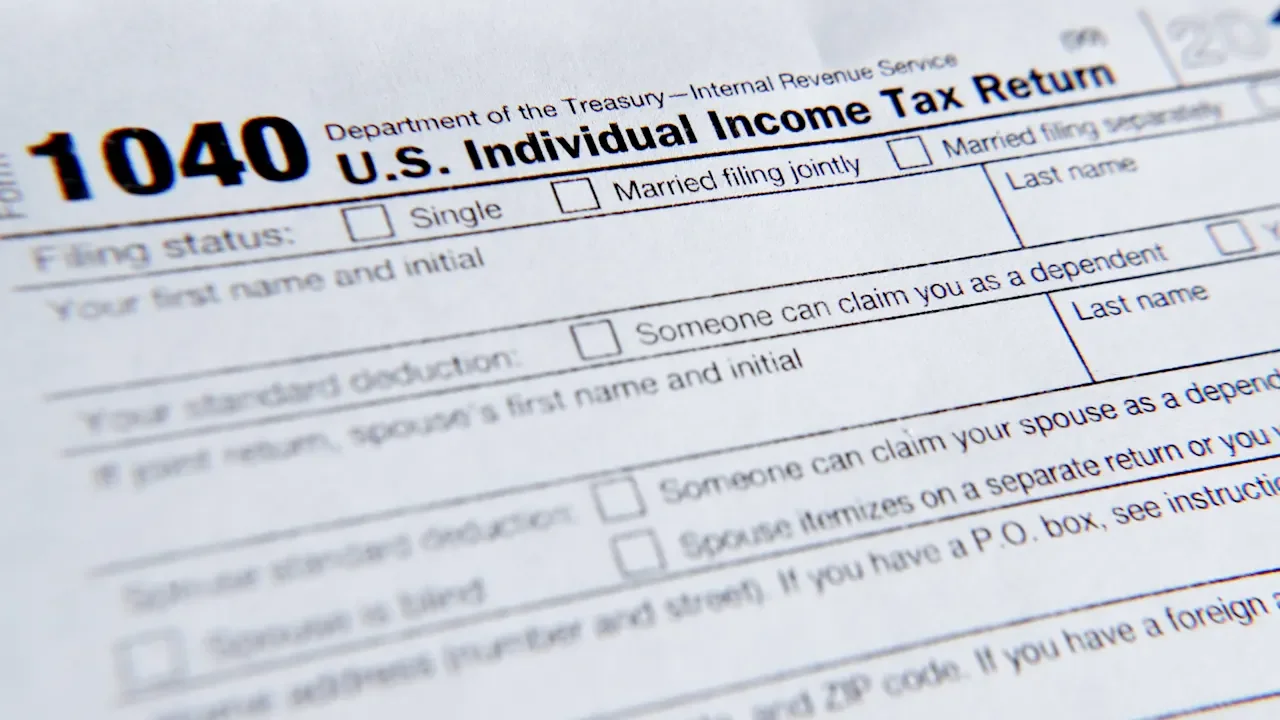
Tax season is officially here, and as a freelancer, beware that this year brings meaningful changes that will affect how you file your 2025 tax return. With new IRS updates, inflation adjustments, and shifting deduction rules, it’s more important than ever to understand what applies to you as you prepare your 2025 return. Remember, the earlier you complete your return, the better, especially if you are expecting a refund. The IRS has announced Monday, January 26, 2026, as the opening of the federal tax filing season, with Tax Day (the day your personal 2025 return is due) slated for April 15, 2026. If you operate your freelance business as a limited liability company (LLC) multi-member LLC, or C-Corporation entity, your business return is due on the same day. If you file your freelance business taxes as an S-Corporation your business return filings due March 15, 2026. As you start collecting your freelance tax documentation, it’s important to keep the federal and state-level deductions you may be entitled to in mind. Here’s a checklist of the key federal tax deductions you may be entitled to on your 2025 tax return. Be sure to check your state tax regulations for further tax deductions and obligations you and your freelance business may be subject to. Increased Standard Deduction One of the biggest changes for tax year 2025 is the increase in the standard deduction. If you typically itemize, it’s worth checking whether the higher standard deduction is more advantageous from a tax perspective. Here are the standard deduction amounts you can claim on your 2025 tax return: Single Filers: $15,750Married Couples Filing Jointly: $31,500Head of Household: $23,625In addition, taxpayers aged 65 and older can now claim an additional $6,000 deduction per person through 2028. This senior deduction begins to phase out when MAGI (Modified Adjusted Gross Income) exceeds $75,000 ($150,000 in the case of a joint return). It will be in effect for the years 2025 through 2028. Tip Income Deduction If you work in a tipped profession (hospitality, beauty, wellness, etc.), you may deduct up to $25,000 in tip income from your federal income tax bill — due to the newly enacted “One Big Beautiful Bill Act” (OBBBA). This deduction begins to phase out with a modified adjusted gross income (MAGI) of $150,000 (for single filers) & of $300,000 (for filing jointly). It is completely phased out at $400,000 (for single filers) & $550,000 (for filing jointly). Please note that 2025 is considered as a transition year for these deductions, where employers are not required to report tips separately on tax forms until 2026, so employees/workers need to use reasonable methods to calculate their allowable deductions for 2025. For the first time, qualifying freelancers can deduct up to $25,000 in tips from their taxable income starting in tax year 2025, but as of right now, this deduction only qualifies until 2028. Key point on tip income: While you can deduct tips from your taxable income, they still count toward your self-employment tax—the 15.3% you pay for Social Security and Medicare (for the self-employed or half of this if you are employed). The 15.3% tax rate is consisting of the 12.4% for social security and the 2.9% for Medicare (hospital insurance).There might be an additional Medicare Tax of 0.9% for Medicare Tax if your wages, compensation, or self-employment income (together with that of your spouse if filing a joint return) exceed the threshold amounts as follows: $250,000 (Married Filing Jointly), $125,000 (Married Filing Separately), $200,000 (Single, Head of Household with qualifying person, or Qualifying surviving spouse with dependent child). Here’s the breakdown: Maximum Deduction: Up to $25,000 in qualified tips, but not more than your net income from the business where the tips were earned.Income Limits: The deduction phases out if your modified adjusted gross income exceeds $150,000 ($300,000 for joint filers).Qualifying Occupations: The Treasury Department’s preliminary list includes over 80 occupations across industries such as food service, personal care, entertainment, hospitality, home services, and transportation that qualify for the new tip income deduction. Some highlighted industries are:Food & Beverage: Bartenders, wait staff, cooks, dishwashers, and host staff.Personal Care & Wellness: Massage therapists, barbers, hairstylists, aestheticians, tattoo artists, and fitness instructors.Entertainment & Events: Musicians, dancers, DJs, ushers, and digital content creators (including streamers and podcasters).Home Services: Electricians, plumbers, HVAC installers, landscapers, and cleaners.Transportation & Delivery: Rideshare drivers, shuttle operators, valet attendants, and goods delivery workers.Currently, the law excludes certain trades and businesses—such as health care, performing arts, and athletics—from claiming the deduction. You must keep meticulous records of your tip income including when it was received, from which client and for what services. The SALT Deduction Cap is temporarily increased. The new “One Big Beautiful Bill” tax law temporarily raises the State and Local Tax (SALT) deduction cap. Here is a brief breakdown: Higher Deduction Limits (2025–2029): The maximum state and local tax (SALT) deduction is $40,000 for single filers, heads of household, and married couples filing jointly. This is a significant increase from previous year’s limit of $10,000. For married individuals filing separately, the new limit is $20,000.Phase-Out for High Earners: The benefit begins to phase out for taxpayers with Modified Adjusted Gross Income (MAGIof $500,000. The phaseout for those filing married filing separately starts at MAGI of $250,000. For every dollar over this threshold, the deduction is reduced by 30% of the excess MAGI. However, the cap cannot go below $10,000, no matter how high your income. So, taxpayers who fully phase out will still be able to deduct up to $10,000 for most tax payers, just like in previous year. Please note that just like the SALT cap, the MAGI phaseout threshold increases by 1% annually through tax year 2029. Thus, the phaseout will begin at $505,000 MAGI in 2026, $510,050 MAGI in 2027, and so on.Reversion in 2030: Unless further legislation is passed, the cap will return to $10,000 for joint filers and $5,000 for single filers.It is recommended to review whether itemizing deductions provides greater value than taking the standard deduction, especially if your SALT payments will approach the new cap in 2026. Eligible Taxes: The deduction applies to a combination of state and local property taxes, and either state and local income taxes or general sales taxes. Itemization Required: To claim the SALT deduction, you must itemize your deductions on IRS Schedule A instead of taking the standard deduction. For 2025, the standard deduction is $15,750 (single/married filing separately), $23,625 (head of household), and $31,500 (married filing jointly).Income Phaseouts: The benefit of the increased cap is reduced for higher-income earners. The $40,000 cap begins to phase out once your Modified Adjusted Gross Income (MAGI) exceeds $500,000 for all filers (or $250,000 for married filing separately). If your MAGI reaches $600,000, the deduction is capped at the original $10,000 limit.Temporary Provision: This increased cap is temporary and is scheduled to last from tax years 2025 through 2029. The cap amount will see a 1% annual increase from 2026 to 2029 and is set to revert to $10,000 in 2030 unless Congress takes further action. New Personal Car Loan Interest Deduction for individuals is a new deduction that makes the interest on personal car loans a tax write-off ($10,000 maximum annual deduction limit under the Big Beautiful Bill’s No tax on car loan interest under Section 70203). To qualify for personal use car interest deduction, both the buyer and the vehicle must meet these specific criteria: Your Vehicle Must Be New: The deduction applies only to new (US assembled) vehicles, with the original use beginning with the taxpayer. Used vehicles and leases do not qualify.U.S. Assembly Required: The vehicle's final assembly must have occurred in the United States. You can verify this using the vehicle's window sticker, VIN, or the NHTSA VIN Decoder.Vehicle Type/Weight Limits: The vehicle must be a car, minivan, van, SUV, pickup truck, or motorcycle with a gross vehicle weight rating of less than 14,000 pounds.Personal Use: The vehicle must be purchased for personal, non-commercial use.Loan Requirements: The loan must be originated after December 31, 2024, secured by a lien on the vehicle, and the interest must be paid during the tax year.Income Limits: The full deduction is available for taxpayers with a Modified Adjusted Gross Income (MAGI) of up to $100,000 (single filers) or $200,000 (married couples filing jointly). The deduction phases out gradually above these thresholds and disappears completely at $150,000 (single) and $250,000 (joint). Other Freelance Business Tax Deductions In addition to the key new or modified deductions above, the following items in 2025 for are deductible for your freelance business (make sure you have appropriate documentation): SoftwareMarketing expensesAttorney and other qualified professional servicesEquipment such as computers, printers and other hard goodsTravel for legitimate business purposes Business travel expenses such as airfare, lodging, etc., are 100% deductibleBusiness meals are generally 50% deductibleBusiness related Vehicle expenses can be done through either of the two methods: (1) Actual Expenses method by deducting the business – use portion of costs such as gas, oil, insurance, car repairs, & lease payments; or (2) Standard Mileage Rate method that allows a deduction of business related tolls and parking fees, and a 2025 standard mileage rate of 70 cents per business mile.Subcontractor servicesSelf-Employment Tax Deduction – you can deduct the employer-equivalent portion of 50% of your self-employment taxQualified Business Income (QBI) Deduction – eligible freelancers can deduct up to 20% of their qualified business income, plus 20% of their qualified real estate investment trust (REIT) dividends and qualified publicly traded partnership (PTP) income. Please note that income earned through a C corporation or through services as an employee is not eligible for the deduction. Determination on what qualifies as a trade or business is in the instructions of Form 8995-A or Form 8995. Please note that eligible taxpayers can use the QBI deduction regardless of whether they itemize on Schedule A or take the standard deduction. The deduction is limited to the lesser of the QBI component plus the REIT/PTP component or 20% of the taxpayer’s taxable income minus net capital gain. More details on the two components are: QBI component – equals 20% of QBI from a domestic business operating as a sole proprietorship or through S corporation, partnership, trust or estate. It is subject to limitations, depending on taxpayer’s taxable income that may include trade or business, W-2 wages paid by qualified trade or business, and unadjusted basis immediately after acquisition (UBIA) of qualified property held by trade or business. This may also be reduced by the patron reduction if the taxpayer is a patron of an agricultural/horticultural cooperative.REIT/PTP component – equals 20% of qualified REIT dividends and qualified PTP income. It is not limited by W-2 wages or the UBIA of qualified property. Based on the taxpayer’s taxable income, the amount of PTP income may however be limited depending on the type of the PTP’s trade or business.Health insurance premiums Health insurance premiums can be deducted up to 100% of the premiums paid for medical, dental, and qualifying long-term care insurance for yourself, your spouse and dependents, provided you are not eligible for an employer-sponsored plan such as through a spouse’s job), copays, and expenses. Retirement contributions Retirement contributions to qualifies retirement accounts are also tax deductible. If you have not already maximized your retirement contribution’s for 2025 in SEP IRA, SIMPLE IRA or other tax-advantaged retirement account, you can still make a contribution. Home office contributions The IRS also allows for a home office space deduction at $5 per square foot of your office space, up to a maximum of $1,500 using the IRS simplified home office deduction. To qualify, your office space must be used regularly and exclusively for work, meaning it cannot double as a personal area. This doesn’t have to be an entire room—it can be a defined section of a room—but it must be dedicated solely to business activities. In addition to exclusive use, the home office must serve as your principal place of business. The IRS offers the following two ways to calculate the deduction: The simplified method allows you to deduct $5 per square foot of office space, up to three hundred square feet, for a maximum deduction of $1,500.The actual expense method lets you deduct the business percentage of real home expenses such as rent or mortgage interest, utilities, insurance, repairs, and depreciation. This percentage is typically based on the square footage of your office relative to your home. The calculation is done on IRS Form 8829.It’s Time to Organize Your 2025 Freelance Tax Information The filing window for taxes is almost open so now is the time to make sure your freelance accounting and tax information is up to date. If you plan to work with a tax professional, reach out and make sure you have a relationship established to ensure your taxes can be filed in a timely manner. Spending a little time now to get your freelance tax information in order will allow you to file early and expedite any potential refund while giving you a head start on any additional tax moves you need to make in 2026 to reduce your tax burden. View the full article
-
Tax season is officially here, and as a freelancer, beware that this year brings meaningful changes that will affect how you file your 2025 tax return. With new IRS updates, inflation adjustments, and shifting deduction rules, it’s more important than ever to understand what applies to you as you prepare your 2025 return. Remember, the earlier you complete your return, the better, especially if you are expecting a refund. The IRS has announced Monday, January 26, 2026, as the opening of the federal tax filing season, with Tax Day (the day your personal 2025 return is due) slated for April 15, 2026. If you operate your freelance business as a limited liability company (LLC) multi-member LLC, or C-Corporation entity, your business return is due on the same day. If you file your freelance business taxes as an S-Corporation your business return filings due March 15, 2026. As you start collecting your freelance tax documentation, it’s important to keep the federal and state-level deductions you may be entitled to in mind. Here’s a checklist of the key federal tax deductions you may be entitled to on your 2025 tax return. Be sure to check your state tax regulations for further tax deductions and obligations you and your freelance business may be subject to. Increased Standard Deduction One of the biggest changes for tax year 2025 is the increase in the standard deduction. If you typically itemize, it’s worth checking whether the higher standard deduction is more advantageous from a tax perspective. Here are the standard deduction amounts you can claim on your 2025 tax return: Single Filers: $15,750Married Couples Filing Jointly: $31,500Head of Household: $23,625In addition, taxpayers aged 65 and older can now claim an additional $6,000 deduction per person through 2028. This senior deduction begins to phase out when MAGI (Modified Adjusted Gross Income) exceeds $75,000 ($150,000 in the case of a joint return). It will be in effect for the years 2025 through 2028. Tip Income Deduction If you work in a tipped profession (hospitality, beauty, wellness, etc.), you may deduct up to $25,000 in tip income from your federal income tax bill — due to the newly enacted “One Big Beautiful Bill Act” (OBBBA). This deduction begins to phase out with a modified adjusted gross income (MAGI) of $150,000 (for single filers) & of $300,000 (for filing jointly). It is completely phased out at $400,000 (for single filers) & $550,000 (for filing jointly). Please note that 2025 is considered as a transition year for these deductions, where employers are not required to report tips separately on tax forms until 2026, so employees/workers need to use reasonable methods to calculate their allowable deductions for 2025. For the first time, qualifying freelancers can deduct up to $25,000 in tips from their taxable income starting in tax year 2025, but as of right now, this deduction only qualifies until 2028. Key point on tip income: While you can deduct tips from your taxable income, they still count toward your self-employment tax—the 15.3% you pay for Social Security and Medicare (for the self-employed or half of this if you are employed). The 15.3% tax rate is consisting of the 12.4% for social security and the 2.9% for Medicare (hospital insurance).There might be an additional Medicare Tax of 0.9% for Medicare Tax if your wages, compensation, or self-employment income (together with that of your spouse if filing a joint return) exceed the threshold amounts as follows: $250,000 (Married Filing Jointly), $125,000 (Married Filing Separately), $200,000 (Single, Head of Household with qualifying person, or Qualifying surviving spouse with dependent child). Here’s the breakdown: Maximum Deduction: Up to $25,000 in qualified tips, but not more than your net income from the business where the tips were earned.Income Limits: The deduction phases out if your modified adjusted gross income exceeds $150,000 ($300,000 for joint filers).Qualifying Occupations: The Treasury Department’s preliminary list includes over 80 occupations across industries such as food service, personal care, entertainment, hospitality, home services, and transportation that qualify for the new tip income deduction. Some highlighted industries are:Food & Beverage: Bartenders, wait staff, cooks, dishwashers, and host staff.Personal Care & Wellness: Massage therapists, barbers, hairstylists, aestheticians, tattoo artists, and fitness instructors.Entertainment & Events: Musicians, dancers, DJs, ushers, and digital content creators (including streamers and podcasters).Home Services: Electricians, plumbers, HVAC installers, landscapers, and cleaners.Transportation & Delivery: Rideshare drivers, shuttle operators, valet attendants, and goods delivery workers.Currently, the law excludes certain trades and businesses—such as health care, performing arts, and athletics—from claiming the deduction. You must keep meticulous records of your tip income including when it was received, from which client and for what services. The SALT Deduction Cap is temporarily increased. The new “One Big Beautiful Bill” tax law temporarily raises the State and Local Tax (SALT) deduction cap. Here is a brief breakdown: Higher Deduction Limits (2025–2029): The maximum state and local tax (SALT) deduction is $40,000 for single filers, heads of household, and married couples filing jointly. This is a significant increase from previous year’s limit of $10,000. For married individuals filing separately, the new limit is $20,000.Phase-Out for High Earners: The benefit begins to phase out for taxpayers with Modified Adjusted Gross Income (MAGIof $500,000. The phaseout for those filing married filing separately starts at MAGI of $250,000. For every dollar over this threshold, the deduction is reduced by 30% of the excess MAGI. However, the cap cannot go below $10,000, no matter how high your income. So, taxpayers who fully phase out will still be able to deduct up to $10,000 for most tax payers, just like in previous year. Please note that just like the SALT cap, the MAGI phaseout threshold increases by 1% annually through tax year 2029. Thus, the phaseout will begin at $505,000 MAGI in 2026, $510,050 MAGI in 2027, and so on.Reversion in 2030: Unless further legislation is passed, the cap will return to $10,000 for joint filers and $5,000 for single filers.It is recommended to review whether itemizing deductions provides greater value than taking the standard deduction, especially if your SALT payments will approach the new cap in 2026. Eligible Taxes: The deduction applies to a combination of state and local property taxes, and either state and local income taxes or general sales taxes. Itemization Required: To claim the SALT deduction, you must itemize your deductions on IRS Schedule A instead of taking the standard deduction. For 2025, the standard deduction is $15,750 (single/married filing separately), $23,625 (head of household), and $31,500 (married filing jointly).Income Phaseouts: The benefit of the increased cap is reduced for higher-income earners. The $40,000 cap begins to phase out once your Modified Adjusted Gross Income (MAGI) exceeds $500,000 for all filers (or $250,000 for married filing separately). If your MAGI reaches $600,000, the deduction is capped at the original $10,000 limit.Temporary Provision: This increased cap is temporary and is scheduled to last from tax years 2025 through 2029. The cap amount will see a 1% annual increase from 2026 to 2029 and is set to revert to $10,000 in 2030 unless Congress takes further action. New Personal Car Loan Interest Deduction for individuals is a new deduction that makes the interest on personal car loans a tax write-off ($10,000 maximum annual deduction limit under the Big Beautiful Bill’s No tax on car loan interest under Section 70203). To qualify for personal use car interest deduction, both the buyer and the vehicle must meet these specific criteria: Your Vehicle Must Be New: The deduction applies only to new (US assembled) vehicles, with the original use beginning with the taxpayer. Used vehicles and leases do not qualify.U.S. Assembly Required: The vehicle's final assembly must have occurred in the United States. You can verify this using the vehicle's window sticker, VIN, or the NHTSA VIN Decoder.Vehicle Type/Weight Limits: The vehicle must be a car, minivan, van, SUV, pickup truck, or motorcycle with a gross vehicle weight rating of less than 14,000 pounds.Personal Use: The vehicle must be purchased for personal, non-commercial use.Loan Requirements: The loan must be originated after December 31, 2024, secured by a lien on the vehicle, and the interest must be paid during the tax year.Income Limits: The full deduction is available for taxpayers with a Modified Adjusted Gross Income (MAGI) of up to $100,000 (single filers) or $200,000 (married couples filing jointly). The deduction phases out gradually above these thresholds and disappears completely at $150,000 (single) and $250,000 (joint). Other Freelance Business Tax Deductions In addition to the key new or modified deductions above, the following items in 2025 for are deductible for your freelance business (make sure you have appropriate documentation): SoftwareMarketing expensesAttorney and other qualified professional servicesEquipment such as computers, printers and other hard goodsTravel for legitimate business purposes Business travel expenses such as airfare, lodging, etc., are 100% deductibleBusiness meals are generally 50% deductibleBusiness related Vehicle expenses can be done through either of the two methods: (1) Actual Expenses method by deducting the business – use portion of costs such as gas, oil, insurance, car repairs, & lease payments; or (2) Standard Mileage Rate method that allows a deduction of business related tolls and parking fees, and a 2025 standard mileage rate of 70 cents per business mile.Subcontractor servicesSelf-Employment Tax Deduction – you can deduct the employer-equivalent portion of 50% of your self-employment taxQualified Business Income (QBI) Deduction – eligible freelancers can deduct up to 20% of their qualified business income, plus 20% of their qualified real estate investment trust (REIT) dividends and qualified publicly traded partnership (PTP) income. Please note that income earned through a C corporation or through services as an employee is not eligible for the deduction. Determination on what qualifies as a trade or business is in the instructions of Form 8995-A or Form 8995. Please note that eligible taxpayers can use the QBI deduction regardless of whether they itemize on Schedule A or take the standard deduction. The deduction is limited to the lesser of the QBI component plus the REIT/PTP component or 20% of the taxpayer’s taxable income minus net capital gain. More details on the two components are: QBI component – equals 20% of QBI from a domestic business operating as a sole proprietorship or through S corporation, partnership, trust or estate. It is subject to limitations, depending on taxpayer’s taxable income that may include trade or business, W-2 wages paid by qualified trade or business, and unadjusted basis immediately after acquisition (UBIA) of qualified property held by trade or business. This may also be reduced by the patron reduction if the taxpayer is a patron of an agricultural/horticultural cooperative.REIT/PTP component – equals 20% of qualified REIT dividends and qualified PTP income. It is not limited by W-2 wages or the UBIA of qualified property. Based on the taxpayer’s taxable income, the amount of PTP income may however be limited depending on the type of the PTP’s trade or business.Health insurance premiums Health insurance premiums can be deducted up to 100% of the premiums paid for medical, dental, and qualifying long-term care insurance for yourself, your spouse and dependents, provided you are not eligible for an employer-sponsored plan such as through a spouse’s job), copays, and expenses. Retirement contributions Retirement contributions to qualifies retirement accounts are also tax deductible. If you have not already maximized your retirement contribution’s for 2025 in SEP IRA, SIMPLE IRA or other tax-advantaged retirement account, you can still make a contribution. Home office contributions The IRS also allows for a home office space deduction at $5 per square foot of your office space, up to a maximum of $1,500 using the IRS simplified home office deduction. To qualify, your office space must be used regularly and exclusively for work, meaning it cannot double as a personal area. This doesn’t have to be an entire room—it can be a defined section of a room—but it must be dedicated solely to business activities. In addition to exclusive use, the home office must serve as your principal place of business. The IRS offers the following two ways to calculate the deduction: The simplified method allows you to deduct $5 per square foot of office space, up to three hundred square feet, for a maximum deduction of $1,500.The actual expense method lets you deduct the business percentage of real home expenses such as rent or mortgage interest, utilities, insurance, repairs, and depreciation. This percentage is typically based on the square footage of your office relative to your home. The calculation is done on IRS Form 8829.It’s Time to Organize Your 2025 Freelance Tax Information The filing window for taxes is almost open so now is the time to make sure your freelance accounting and tax information is up to date. If you plan to work with a tax professional, reach out and make sure you have a relationship established to ensure your taxes can be filed in a timely manner. Spending a little time now to get your freelance tax information in order will allow you to file early and expedite any potential refund while giving you a head start on any additional tax moves you need to make in 2026 to reduce your tax burden. View the full article
-
One of the biggest SEO challenges right now isn’t AI. It’s the irresponsible misinformation surrounding it. SEO isn’t dying — it’s evolving. That means it’s on us to understand how the industry is changing, and to be careful about who we listen to. I’m not easily shocked, but some of the AEO (or GEO) talks I’ve seen over the past year have been genuinely eyebrow-raising — even for someone with Botox. I still remember one speaker telling a room full of marketers they were “sorry for anyone still working in SEO,” then immediately recommending outdated tactics as the “secret sauce” for LLM visibility. It’s been… painful. Thankfully, the adults have entered the room. This week, four of the industry’s most trusted voices — Lily Ray, Kevin Indig, Steve Toth, and Ross Hudgens — came together for a roundtable on the future of search. It was easily the most useful AEO session I’ve attended. Each shared specific tactics they’ve personally used to achieve LLM visibility. Here’s what they had to say. 1. Advertorials work LLMs don’t currently distinguish between paid and organic editorial. That means well-placed advertorials on reputable publishers can help brands show up in AI search, much like earned coverage. As with traditional PR, the publication’s credibility still matters most. 2. Syndication can scale visibility Paid syndication can increase reach, but quality matters more than quantity. Focus on reputable, relevant publications and use this tactic carefully. 3. Map pages to every audience and use case you serve Brands that create clearly defined pages for each audience, industry, and use case are better positioned as AI search becomes more personalized. This structure helps LLMs understand relevance and remains a strong SEO practice, with or without AI. 4. Homepage clarity Your homepage should clearly communicate who you serve and what you do. LLMs parse homepage content far more easily than navigation menus, so relying on your nav to explain your offering is a missed opportunity. 5. Optimize your footer Don’t overlook your footer. Brand and service signals placed here are being picked up by LLMs. Wil Reynolds shared a great case study showing how footer content can directly influence AI visibility. 6. Don’t prioritize llm.txt Despite the speculation, no major LLM has confirmed using llm.txt files, and Google has explicitly said it does not. Your time and effort are better spent elsewhere. 7. Go multimodal Repurpose your core content across text, video, audio, and imagery. The goal is to build brand recognition across the full range of sources an LLM may pull from. 8. Actively shape your brand narrative Actively shape your brand narrative. It’s estimated that 250 documents are needed to meaningfully influence how an LLM perceives a brand. Brands that don’t publish and promote content consistently risk letting others define that narrative for them. 9. Freshness carries disproportionate weight Recent content tends to perform especially well in AI search, reflecting LLMs’ preference for up-to-date information. That said, artificial “refreshing” without meaningful updates is a bad idea. 10. Social works fast Posts on platforms like LinkedIn—including Pulse articles—can appear in AI search within hours, sometimes minutes, especially for accounts with strong followings. Reddit, YouTube, and other high-trust platforms show similar behavior. 11. Authority accelerates inclusion Publishing on respected, niche industry sites can lead to rapid inclusion in LLM responses — sometimes within hours. 12. Don’t hide FAQs FAQs should be visible and substantial, not hidden behind accordions. Don’t hold back on content either— eight to 10 well-answered questions can clearly signal expertise, intent, and relevance to both users and LLMs. Is AEO the same as SEO? This much-debated question was addressed directly by John Mueller at Google Search Live in December. Putting the AEO cowboys in their place, he made it clear that good AEO still relies on good SEO: “AI systems rely on search. and there is no such thing as GEO or AEO without doing SEO fundamentals. Tricks will come out and they will work for a short time, companies that want to be around for the long term should focus on something that is proven with long term stability and not tricks.” The overlap makes sense when you look at how modern LLMs like GPT-5 actually work. They use Retrieval-Augmented Generation (RAG). Rather than relying only on frozen training data, RAG lets an LLM query search engines and trusted sources in real time before answering. Put simply: if you want LLM visibility, you need to show up in search first. Lily Ray has an excellent video explaining this process in more detail, which is well worth watching. So yes, good AEO is good SEO — but there’s nuance. The tactics above work right now, but they will inevitably evolve as LLMs continue to advance. The best AI search strategy for 2026 Forget the magic button. Keep testing. Stay skeptical of the hype. And be selective about who you let into your ear — or your LinkedIn feed. Thanks to Bernard Huang and Clearscope for hosting this excellent panel. View the full article
- Today
-
If you need to edit MP4 videos without spending money, several free online editors can help. Tools like Canva and Kapwing offer user-friendly interfaces and collaborative features, whereas FlexClip and Promo.com focus on simplifying video creation with templates. Microsoft Clipchamp supports high-quality exports, and Streamlabs Video Editor is perfect for longer projects. Each option has unique strengths, so let’s explore the specifics of these editors to find the best fit for your needs. Key Takeaways Promo.com offers a free plan with access to numerous templates for quick MP4 video creation focused on marketing and social media ads. Canva features a free version with basic editing tools and a vast library of templates optimized for social media platforms. FlexClip provides a free plan with essential editing tools, including timeline modes, and a selection of royalty-free media for video projects. Kapwing allows users to edit MP4 files for free and offers real-time collaboration features, making it suitable for teamwork. Microsoft Clipchamp has a free tier that supports video exports up to 1080p, including access to built-in stock video and audio libraries. Promo.com Promo.com stands out as a robust online tool particularly designed for creating marketing and social media ads. With over 27,000 templates optimized for various platforms, you can streamline the ad creation process effectively. The platform employs a simple three-step method: choose a template, customize it with text and media, and share your final product. If you want to split video online free, Promo.com serves as a top fast movie trimmer, making it easy to edit your videos. Furthermore, the mp4 online editor free feature allows you to access millions of royalty-free media options from stock libraries, enhancing your video ads. With batch processing, you can edit multiple videos simultaneously, increasing your productivity in ad creation. Canva Canva makes video editing accessible to everyone, regardless of experience, by offering an intuitive interface with drag-and-drop functionality. You can create and edit MP4 videos easily with a vast library of templates and stock assets. This platform’s support for various aspect ratios guarantees your videos are optimized for different social media platforms, enhancing visibility. With basic editing tools like trimming, merging, and adding text or music, you can make quick edits effortlessly. The free version allows exporting in standard formats, whereas a Pro subscription reveals advanced tools. Feature Free Version Pro Version Export Formats Standard Premium Templates Limited Unlimited Editing Tools Basic Advanced FlexClip If you’re looking for a versatile online video editor, FlexClip offers an appealing alternative with its user-friendly design and sturdy features. You can choose between timeline and storyboard modes, allowing for both template-based and custom project creation. The platform includes a vast library of royalty-free stock images, audio, and videos, which enriches your editing experience. With AI tools for text-to-speech and image stylization, FlexClip simplifies the process, making it ideal for marketing and promotional content. Whereas free account users can edit videos up to 720p in resolution and 10 minutes in length, paid plans provide higher resolutions and extended capabilities. Its intuitive interface and extensive templates cater to all skill levels, from beginners to experienced editors. Kapwing Kapwing stands out as a highly accessible online video editor that lets you edit MP4 files directly in your web browser, eliminating the need for software installation. This platform offers a range of editing tools, such as trimming, cropping, adding subtitles, and applying filters, making it perfect for quick edits, especially for social media content. You can collaborate with team members in real-time, sharing feedback through comments and @mentions, which improves productivity. The free version allows exports up to 720p, whereas a premium subscription reveals additional features and higher resolution options. With an extensive library of templates and stock media, Kapwing enables you to create visually appealing videos efficiently and effectively. Microsoft Clipchamp Microsoft Clipchamp stands out as a web-based video editor that’s easy to navigate, making it perfect whether you’re a beginner or have more experience. It offers vital features like unlimited exports up to 1080p and access to a stock library full of free resources, enhancing your editing process. For those looking for advanced options, subscription plans start at $11.99/month, providing additional tools like 4K support. User-Friendly Interface When you’re looking for a video editing tool that’s easy to navigate, Microsoft Clipchamp stands out with its user-friendly drag-and-drop interface. This design simplifies the video editing process, making it accessible for both beginners and non-professionals. You’ll find pre-designed templates and easy access to stock media, allowing you to create engaging videos without needing extensive editing knowledge. Clipchamp furthermore supports unlimited, watermark-free exports up to 1080p in its free version, catering to your need for quality outputs without additional costs. Its seamless integration with Windows improves the editing experience across compatible devices. With crucial tools like trimming, cropping, and text overlay, the intuitive layout guarantees you can refine your videos effortlessly. Essential Features Overview With a user-friendly interface already making video editing approachable, it’s worth examining the features that Microsoft Clipchamp brings to the table. This platform offers drag-and-drop functionality, allowing you to edit videos easily without needing extensive technical knowledge. In its free version, Clipchamp supports unlimited, watermark-free exports up to 1080p, ensuring high-quality output for various uses. You’ll also find built-in stock video and audio libraries, giving you access to a wide range of resources to improve your projects. Furthermore, AI-powered features like speech-to-text and auto-compose streamline the editing process, making it ideal for quick content creation. Integration with Microsoft products further boosts usability, enabling seamless project management and access across different devices. Subscription Plans Explained Choosing the right subscription plan for Microsoft Clipchamp can greatly improve your video editing experience, depending on your needs and level of engagement. The free plan is perfect for casual editors, allowing you to export videos up to 1080p without watermarks. If you need more features, consider the Fundamental plan at $11.99 per month, which includes 4K export support and access to premium templates. For businesses, the Business plan at $39 per month offers team collaboration tools, brand kits, and advanced editing features. Moreover, you can save by opting for annual payments, ensuring you stay updated with the latest tools. Clipchamp frequently updates its pricing structure, enhancing user experience with new capabilities. Streamlabs Video Editor Streamlabs Video Editor stands out as an accessible tool for both novice and experienced creators, offering a range of features that improve the video editing experience. It provides a multitrack timeline, allowing you to edit multiple audio and video tracks simultaneously, which is great for complex projects. The collaborative comment system enables team feedback directly within the editing interface, streamlining communication. You can export videos in 1080p resolution for free, with a maximum length of 30 minutes, making it ideal for casual creators. Furthermore, the library of templates and effects simplifies creating professional-quality videos quickly. Being web-based means you can access it from any device with an internet connection. Feature Description Benefits Multitrack Timeline Edit multiple tracks simultaneously Useful for complex projects Collaborative Comments Team feedback within the editor Streamlined communication 1080p Exports Free exports up to 30 minutes Ideal for casual creators Template Library Pre-made templates and effects Quick professional video creation Veed Veed stands out as an online video editing platform with a user-friendly interface, making it easy for anyone to edit MP4 videos without prior experience. Its advanced AI features, like automatic subtitles and audio cleanup, enrich your editing workflow and improve video quality. Plus, the web-based nature of Veed allows you to work from any device with internet access, giving you flexibility and convenience in your editing projects. User-Friendly Editing Interface When you’re looking for an easy-to-navigate video editing platform, Veed stands out with its user-friendly editing interface. You can effortlessly drag and drop your MP4 videos, trimming and arranging them without needing prior experience. The multitrack timeline allows you to layer audio, video, and effects, improving your editing capabilities. With a variety of pre-designed templates and effects, you can quickly create professional-looking videos. Automatic subtitle generation using AI further increases accessibility, letting you add text without hassle. Plus, since Veed is online, you can edit from any device with an internet connection, promoting collaboration. Feature Description Benefit Drag-and-Drop Interface Simple video arrangement No prior experience needed Multitrack Timeline Layer audio, video, and effects Complex edits made easy Pre-Designed Templates Wide range of templates and effects Quick professional results Automatic Subtitle Generation AI-generated subtitles Improves accessibility Online Editing Edit from any internet-connected device Encourages collaboration Advanced AI Features Building on the user-friendly editing experience, Veed incorporates advanced AI features that greatly improve your video production capabilities. One standout feature is automatic subtitles, which save time and boost accessibility for your viewers. In addition, AI audio cleanup tools remove background noise, ensuring your audio is clear and professional. You can likewise use AI-driven templates that simplify the editing process by offering pre-designed layouts customized for various content types, resulting in a polished look with minimal effort. Veed’s AI text-to-speech capabilities allow you to generate voiceovers in multiple languages, broadening your audience reach. Finally, AI-powered filters and effects automatically upgrade your video visuals, providing creative options without requiring extensive editing skills, making your workflow more efficient. Frequently Asked Questions What Is the Best Free MP4 Video Editor? The best free MP4 video editor varies based on your needs. PowerDirector stands out for its user-friendly interface and AI-driven tools, making it suitable for all skill levels. If you’re creating social media ads, Promeo offers a streamlined process with thousands of templates. For beginners, VideoPad provides a simple interface and multiple export options. Other decent choices include OpenShot, iMovie, and Shotcut, each with unique features customized to different editing requirements. What Is the Best Free Online Video Editor? The best free online video editor varies based on your needs. Veed performs exceptionally with its multitrack timeline and automatic subtitles, perfect for complex projects. Clipchamp integrates well with Windows, offering features like speech-to-text and unlimited 1080p exports. Adobe Express is great for template-driven social media content, whereas Canva’s intuitive interface suits promotional videos. Each platform has unique strengths, so assess your editing requirements to find the one that aligns with your goals. Is There a 100% Free Video Editor? Yes, there are several 100% free video editors available. Programs like DaVinci Resolve, OpenShot, and Shotcut offer robust features without any cost. While some editors, such as Lightworks and VideoPad, include limitations on export quality or watermarking, they still provide crucial tools for basic editing tasks. Furthermore, online editors like Clipchamp and Kapwing allow you to edit directly in your browser, though some features may require payment for full access. Always check licensing agreements. What Is the No. 1 Best Video Editor? The number one best video editor often recognized is DaVinci Resolve. You’ll find it offers professional-grade features, including advanced color correction and audio tools, all for free. It supports high-resolution editing up to 4K and provides an extensive suite of visual effects. Its collaborative workflow allows multiple users to work simultaneously, enhancing productivity. With various export formats and regular updates, it remains a top choice for both beginners and experienced editors alike. Conclusion To conclude, these seven free online MP4 editors—Promo.com, Canva, FlexClip, Kapwing, Microsoft Clipchamp, Streamlabs Video Editor, and Veed—offer a range of features suitable for various editing needs. Whether you require templates, collaboration, or high-quality exports, each platform has unique strengths to improve your video projects. By exploring these options, you’ll find the right tool to efficiently edit your videos without incurring costs, making it easier to produce professional-looking content. Image via Google Gemini This article, "Top 7 Free Online MP4 Editors You Should Try" was first published on Small Business Trends View the full article
-
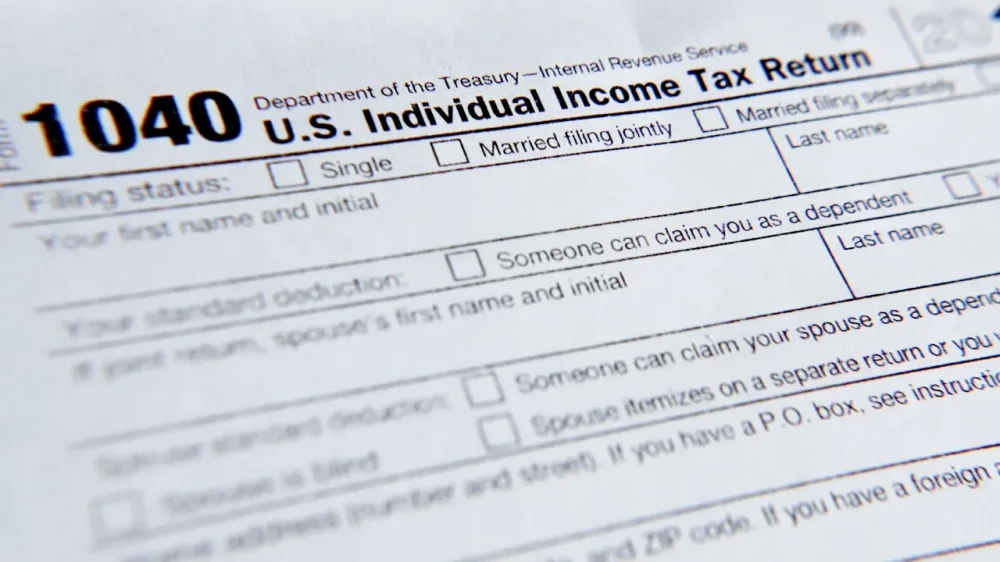
Tax filing season is underway, and the IRS expects 164 million people will file returns by April 15. The average refund last year was $3,167. This year, analysts have projected it could be $1,000 higher, thanks to changes in tax law. More than 165 million individual income tax returns were processed last year, with 94% submitted electronically. People with straightforward returns should not encounter delays, but because of an exodus of IRS workers since the start of the The President administration, the national taxpayer advocate has cautioned that the 2026 tax filing season is likely to present challenges for those who run into problems filing. While last year IRS employees were not permitted to accept a buyout offer from the The President administration until after the taxpayer filing deadline, many of those customer service workers have now left. The IRS started 2025 with about 102,000 employees and finished with roughly 74,000 after a series of firings and layoffs led by the Department of Government Efficiency. Here’s what to know: When refunds will go out If you file electronically, the IRS says it should take 21 days or less to receive your refund. If you choose direct deposit, it should take even less time. If you file a paper return, the refund could take four weeks or more, and if your return requires amendments or corrections, it could take longer. The IRS cautions that taxpayers not rely on receiving a refund by a certain date, especially when making major purchases or paying bills. How to check the status of your refund Taxpayers can use the online tool Where’s My Refund? to check the status of their refund within 24 hours of e-filing and generally within four weeks of filing a paper return. The “Where’s My Refund?” tool will also provide projected deposit dates for most early EITC/ACTC refund filers by Feb. 21, according to the IRS. Information related to this tool is updated once daily, overnight. To access the status of your refund, you’ll need: — Your Social Security or individual taxpayer ID number (ITIN) Taxpayers can also consult the IRS2Go app, or their IRS Individual Online Account, to check their refund status. How tax refunds work If you paid more through the year than you owe in tax, due to withholding or other reasons, you should get money back. Even if you didn’t pay excess tax, you may still get a refund if you qualify for a refundable credit, like the Earned Income Tax Credit (EITC) or Child Tax Credit. To get your refund, you must file a return, and you have three years to claim a tax refund. Who qualifies for the Earned Income Tax Credit To qualify for the EITC, you must have under $11,950 in investment income and earn less than a specific income level from working. If you’re single with no children, your income level must be $19,104 or below. And if you’re married filing jointly with three or more children, you must make $68,675 or below. To determine if your household qualifies based on your marital status and your number of dependents you can use the online EITC Assistant tool. Who qualifies for the Child Tax Credit and Additional Child Tax Credit If you have a child, you are most likely eligible for the Child Tax Credit. The credit is up to $2,200 per qualifying child. To qualify, a child must: — Have a Social Security number — Be under age 17 at the end of 2025 — Be your son, daughter, stepchild, eligible foster child, brother, sister, stepbrother, stepsister, half-brother, half-sister, or a descendant of one of these (for example, a grandchild, niece or nephew) — Not provide more than half of his or her own support for the tax year — Have lived with you for more than half the tax year — Be claimed as a dependent on your tax return — Not file a joint return for the year (or filed the joint return only to claim a refund of taxes withheld or estimated taxes) — Be a U.S. citizen, U.S. national or a U.S. resident alien You qualify for the full amount of the Child Tax Credit for each qualifying child if you meet all eligibility factors and your annual income is not more than $200,000 ($400,000 if filing a joint return). You qualify for the Additional Child Tax Credit if ($1,700 per qualifying child) if you meet these factors and have little or no federal income tax liability. You must have earned income of at least $2,500 to be eligible for the ACTC. When the tax credits will become available The IRS expects most refunds for the Earned Income Tax Credit, the Child Tax Credit and the Additional Child Tax Credit to be available in bank accounts or on debit cards by March 2 for taxpayers who choose direct deposit. Some taxpayers may receive their refund earlier, depending on their financial institution. What’s different this year This year, most taxpayers must provide their routing and account numbers to receive refunds directly deposited into their bank accounts. That’s because the IRS began phasing out paper tax refund checks on Sept. 30 in accordance with an executive order. ___ The Associated Press receives support from the Charles Schwab Foundation for educational and explanatory reporting to improve financial literacy. The independent foundation is separate from Charles Schwab and Co. Inc. The AP is solely responsible for its journalism. —Cora Lewis, Associated Press View the full article
-
Google announced yesterday that it is exploring ways for sites to opt out of Google using their content for its AI-generative search features, such as AI Mode and AI Overviews. I asked the SEO community on X if they would opt out of these Google Search AI-generative features or not. The results. Of the over 350 responses that took the poll yesterday, most said they would not opt out. However, about 1/3 of respondents said they would block or opt out of these features. Here is the breakdown: Question: Would you block Google from using your content for AI Overviews and AI Mode? 33.2% – Yes, I’d block Google 41.9% – No, I wouldn’t block 24.9% – I am not sure yet. Here is the actual poll: Would you block Google from using your content for AI Overviews and AI Mode – Google may be giving us more controls – take my poll below. https://t.co/60M3Vt0YlN — Barry Schwartz (@rustybrick) January 28, 2026 How to opt out. We don’t know. Google only said it is “exploring” ways to handle this but has not provided any mechanism for this. So we don’t know how hard or easy it would be to opt out. The easier it is, the more likely sites will opt out; the harder, the less likely. Why we care. The true number of sites that might opt out of AI Mode or AI Overviews won’t be known until the mechanism is out to handle this. And trust me, there will be many reports on how many sites are opting out. Like recently, “Some 79% of almost 100 top news websites in the UK and US are blocking at least one crawler used for AI training out of OpenAI’s GPTBot, ClaudeBot, Anthropic-ai, CCBot, Applebot-Extended and Google-Extended,” reported The Press Gazette. My recommendation; once it is out, it is something you will want to test and see the results of opting out or opting in. View the full article
-
Virginia-based Gerber Products Company is voluntarily recalling limited batches of Gerber Arrowroot Biscuits, a cookie-like snack meant for children 10 months or older. On January 26, the baby food and snack producer issued the voluntary recall due to the potential presence of soft plastic and paper pieces that “should not be consumed,” the company said this week. The material comes from a supplier of arrowroot flour that initiated its own recall, Gerber said. The company said it was no longer working with the supplier, though it did not name the supplier in its recall notice on Monday. No illnesses or injuries have been reported. Gerber says it is issuing the recall “out of an abundance of caution.” On Wednesday, the Food and Drug Administration (FDA) published the recall notice on its website. What products are included in the recall? The nationwide recall applies to limited batches of 5.5-ounce Gerber Arrowroot Biscuits, produced between July 2025 and September 2025. Gerber emphasizes that no other products are impacted. Product packaging images and other details are included n the FDA’s website. Gerber markets the products as “crawler snacks,” and “baby’s first biscuit,” noting that the treats dissolve easily. It alternatively describes the product as cookies. Customers should check the back of the product packaging to verify whether their package is included in the recall. Each package has a 10-digit batch code listed next to the best-before date. The best-before dates range from mid-October into mid-December 2026. The full list of batch codes is available on Gerber’s website. FDA Fast Company contacted Gerber to ask for more information about the arrowroot flour supplier. We will update this story if we get a reply. Impacted products should not be consumed Customers who have purchased the impacted product should not feed it to their child. They should return the product to the retailer where it was purchased for a refund. All-day consumer support is available by calling 1-800-4-GERBER (1-800-443-7237). Gerber is a subsidiary of Swiss multinational food giant Nestlé S.A. View the full article

-
Journalist Ira Glass, who hosts the NPR show “This American Life,” is not a computer scientist. He doesn’t work at Google, Apple, or Nvidia. But he does have a great ear for useful phrases, and in 2024, he organized an entire episode around one that might resonate with anyone who feels blindsided by the pace of AI development: “Unprepared for what has already happened.” Coined by science journalist Alex Steffen, the phrase captures the unsettling feeling that “the experience and expertise you’ve built up” may now be obsolete—or, at least, a lot less valuable than it once was. Whenever I lead workshops in law firms, government agencies, or nonprofit organizations, I hear that same concern. Highly educated, accomplished professionals worry whether there will be a place for them in an economy where generative AI can quickly—and relatively cheaply—complete a growing list of tasks that an extremely large number of people currently get paid to do. Seeing a future that doesn’t include you In technology reporter Cade Metz’s 2022 book, “Genius Makers: The Mavericks Who Brought AI to Google, Facebook, and the World,” he describes the panic that washed over a veteran researcher at Microsoft named Chris Brockett when Brockett first encountered an artificial intelligence program that could essentially perform everything he’d spent decades learning how to master. Overcome by the thought that a piece of software had now made his entire skill set and knowledge base irrelevant, Brockett was actually rushed to the hospital because he thought he was having a heart attack. “My 52-year-old body had one of those moments when I saw a future where I wasn’t involved,” he later told Metz. In his 2018 book, “Life 3.0: Being Human in the Age of Artificial Intelligence,” MIT physicist Max Tegmark expresses a similar anxiety. “As technology keeps improving, will the rise of AI eventually eclipse those abilities that provide my current sense of self-worth and value on the job market?” The answer to that question, unnervingly, can often feel outside of our individual control. “We’re seeing more AI-related products and advancements in a single day than we saw in a single year a decade ago,” a Silicon Valley product manager told a reporter for Vanity Fair back in 2023. Things have only accelerated since then. Even Dario Amodei—the co-founder and CEO of Anthropic, the company that created the popular chatbot Claude—has been shaken by the increasing power of AI tools. “I think of all the times when I wrote code,” he said in an interview on the tech podcast “Hard Fork.” “It’s like a part of my identity that I’m good at this. And then I’m like, oh, my god, there’s going to be these (AI) systems that [can perform a lot better than I can].” The irony that these fears live inside the brain of someone who leads one of the most important AI companies in the world is not lost on Amodei. “Even as the one who’s building these systems,” he added, “even as one of the ones who benefits most from (them), there’s still something a bit threatening about (them).” Autor and agency Yet as the labor economist David Autor has argued, we all have more agency over the future than we might think. In 2024, Autor was interviewed by Bloomberg News soon after publishing a research paper titled Applying AI to Rebuild Middle-Class Jobs. The paper explores the idea that AI, if managed well, might be able to help a larger set of people perform the kind of higher-value—and higher-paying—“decision-making tasks currently arrogated to elite experts like doctors, lawyers, coders and educators.” This shift, Autor suggests, “would improve the quality of jobs for workers without college degrees, moderate earnings inequality, and—akin to what the Industrial Revolution did for consumer goods—lower the cost of key services such as healthcare, education and legal expertise.” It’s an interesting, hopeful argument, and Autor, who has spent decades studying the effects of automation and computerization on the workforce, has the intellectual heft to explain it without coming across as Pollyannish. But what I found most heartening about the interview was Autor’s response to a question about a type of “AI doomerism” that believes that widespread economic displacement is inevitable and there’s nothing we can do to stop it. “The future should not be treated as a forecasting or prediction exercise,” he said. “It should be treated as a design problem—because the future is not (something) where we just wait and see what happens. … We have enormous control over the future in which we live, and [the quality of that future] depends on the investments and structures that we create today.” At the starting line I try to emphasize Autor’s point about the future being more of a “design problem” than a “prediction exercise” in all the AI courses and workshops I teach to law students and lawyers, many of whom fret over their own job prospects. The nice thing about the current AI moment, I tell them, is that there is still time for deliberate action. Although the first scientific paper on neural networks was published all the way back in 1943, we’re still very much in the early stages of so-called “generative AI.” No student or employee is hopelessly behind. Nor is anyone commandingly ahead. Instead, each of us is in an enviable spot: right at the starting line. Patrick Barry is a clinical assistant professor of law and director of Digital Academic Initiatives at the University of Michigan. This article is republished from The Conversation under a Creative Commons license. Read the original article. View the full article

-
We may earn a commission from links on this page. Deal pricing and availability subject to change after time of publication. If you need a pair of basic, true wireless earbuds at a low price and don’t need features like noise cancellation, the Sony WF-C510 earbuds are worth considering. Known for their comfort and balanced sound, these affordable buds check most of the everyday features people are looking for (like Ambient Sound Mode and multipoint Bluetooth) at a fraction of the cost—and right now, Grade A refurbished Sony WF-C510 wireless earbuds is available on Woot for $34.99, which is less expensive than their lowest recorded price on Amazon, according to price-trackers. Grade A Refurbished Sony WF-C510 Wireless Earbuds $34.99 at Woot $69.99 Save $35.00 Get Deal Get Deal $34.99 at Woot $69.99 Save $35.00 The WF-C510 earphones are Sony’s most affordable option, combining comfort for long listening sessions with a functional design and solid sound. They have a compact, lightweight charging case and work with Sony’s companion app. With a small, stemless design, on-bud physical buttons, and swappable ear tips, they closely resemble the brand’s more expensive earbuds. According to this PCMag review, the earbuds deliver “deep bass and high-end clarity without distortion” and perform similarly to pricier buds. While they don’t have noise cancellation, they do have Ambient Mode, which lets you hear your surroundings naturally while they're on. Battery life lasts up to 11 hours with Ambient Mode off, and the case holds an additional 11 hours. While the earbuds are generally comfortable thanks to customizable tips and a snug fit, pressing the buttons can push them slightly into your ear, which may cause discomfort for sensitive users. That said, others may prefer physical controls over touch controls, which can be overly sensitive and lead to accidental activations. They have an IPX4 rating, which protects against splashing and light rain, but shouldn’t be submerged in water. They have 6mm drivers that produce frequencies between 20Hz and 20kHz and support. While they have limited codec support (they only use AAC and SBC rather than LDAC), they support Bluetooth multipoint connections with up to two devices. Despite the low price, these refurbished Sony WF-C510 wireless earbuds deliver respectable audio performance, a comfortable build, and a compact case with an extra charge. If you don’t need high-resolution Bluetooth codecs, touch controls, or noise-cancelling features, they’re a dependable option, especially at just $34.99. Woot only ships to the 48 contiguous states in the U.S, and if you have Amazon Prime, you get free shipping; otherwise, it’ll be $6 to ship. The earbuds may come with signs of wear, but with a Grade A rating, these will be very limited. If you do run into any issues, they come with a 1 Year eReplacements Limited Warranty. Our Best Editor-Vetted Tech Deals Right Now Apple AirPods Pro 3 Noise Cancelling Heart Rate Wireless Earbuds — $199.00 (List Price $249.00) Apple Watch Series 11 [GPS 46mm] Smartwatch with Jet Black Aluminum Case with Black Sport Band - M/L. Sleep Score, Fitness Tracker, Health Monitoring, Always-On Display, Water Resistant — $399.00 (List Price $429.00) Amazon Fire TV Stick 4K Plus — (List Price $24.99 With Code "FTV4K25") Samsung Galaxy Tab A9+ 64GB Wi-Fi 11" Tablet (Silver) — $159.99 (List Price $219.99) Deals are selected by our commerce team View the full article
-
Google has released v23 of the Google Ads API, the first update of 2026 and the start of a faster release cadence, introducing deeper Performance Max reporting, more granular invoicing, new AI-powered audience tools, and expanded campaign controls. What’s new: Performance Max transparency: Ad network type breakdowns are now available for PMax campaigns. More detailed invoices: Campaign-level costs, regulatory fees, and adjustments can be retrieved via InvoiceService. More precise scheduling: Campaigns can now use start and end date-times instead of date-only fields. Local data access: Store location details are available through PerStoreView, matching the Stores report. New audience dimension: LIFE_EVENT_USER_INTEREST enables life-event-based audience building in Insights tools. Smarter Demand Gen planning: Conversion rate forecasts now vary by surface (e.g., Gmail, Shorts). Generative AI audiences: Free-text audience descriptions can be translated into structured audience attributes. Expanded Shopping metrics: New competitive and conversion metrics are available by conversion date. Why we care. A quicker update cycle means advertisers and developers will get new capabilities sooner, especially as Google leans further into automation, AI-driven planning, and visibility across campaign types. Between the lines. Some of these updates require upgrading client libraries and code, meaning that teams may need to plan development time to take full advantage of v23. Bottom line. Google Ads API v23 sets the pace for 2026, pairing faster releases with more AI-driven insights, better reporting, and tighter campaign control for advertisers building at scale. View the full article
-
Even with the 4 basis point rise in the 30-year fixed over the past two weeks, mortgage rates are still hovering near three-year lows, Freddie Mac said. View the full article
-
Analysts estimate Pennymac, Rocket, UWM and Loandepot will post an improved earnings per share and total loan origination volume than the same time a year prior. View the full article

-
The Family Medical Leave Act (FMLA) is an important law for employees facing significant life events. It allows eligible workers to take up to 12 weeks of unpaid leave for reasons like childbirth or caring for a seriously ill family member. To qualify, you must meet specific criteria related to your employment duration and hours worked. Comprehending these requirements is vital, as they can impact your rights and protections during leave. What else should you know about this significant legislation? Key Takeaways The Family Medical Leave Act (FMLA) was enacted in 1993 to provide unpaid leave for family and medical reasons with job protection. Eligible employees can take up to 12 weeks of unpaid leave for childbirth, adoption, or caring for a seriously ill family member. Employers must have at least 50 employees within a 75-mile radius for FMLA coverage to apply. Employees are entitled to job restoration and health insurance benefits during their leave period. Violations of FMLA rights can lead to damages for lost wages and benefits, with reporting procedures in place for grievances. Overview of FMLA The Family Medical Leave Act (FMLA), which was enacted in 1993, provides a crucial safety net for employees who need time off for specific family and medical reasons. Under the FMLA, eligible employees can take up to 12 weeks of unpaid leave during receiving job protection. This means that employers must restore employees to their original or equivalent positions upon their return. The Act covers circumstances such as childbirth, adoption, caring for a seriously ill family member, or addressing the employee’s own serious health condition. To qualify for FMLA leave, employees must meet certain criteria, including working for their employer for at least 12 months and logging at least 1,250 hours in the previous year. The Family Medical Leave Act applies to both public and private-sector employers with a minimum of 50 employees within a 75-mile radius, ensuring broad coverage across various workplaces. Eligibility Requirements To qualify for FMLA leave, you need to meet specific eligibility criteria, which include having worked for your employer for at least 12 months and clocking in at least 1,250 hours in the past year. Furthermore, your employer must have 50 or more employees within a 75-mile radius for the FMLA to apply. It’s likewise important to note that certain roles, like elected officials and highly compensated employees, aren’t eligible, alongside special rules for airline and educational workers. Employee Eligibility Criteria Comprehending employee eligibility criteria under the Family Medical Leave Act (FMLA) is crucial for both employees and employers. To qualify for FMLA leave, you must meet specific requirements. Here’s a quick overview: Criteria Description Employment Duration Worked for the employer for at least 12 months Hours Worked Logged a minimum of 1,250 hours in the past year Employer Size Employer must have 50+ employees within 75 miles Exclusions Certain categories, like elected officials, are excluded Special Rules Different criteria may apply for airline staff or educational employees Understanding these FMLA eligibility factors will help you navigate how does FMLA work, ensuring you know your rights under FMLA guidelines for employers and applicable state laws like FMLA in AZ or FMLA leave Ohio. Employer Coverage Requirements Comprehending employer coverage requirements under the Family Medical Leave Act (FMLA) is essential for both employers and employees alike. To be covered by the FMLA, employers must have at least 50 employees within a 75-mile radius. This law guarantees eligible employees can access unpaid FMLA leave for family or medical reasons. To qualify, you must have worked for at least 12 months and logged a minimum of 1,250 hours during that period. Public agencies and local educational agencies are included under these employer coverage requirements, granting their workers the same FMLA protections as private-sector employees. Nevertheless, certain categories, like elected officials and highly compensated employees, are excluded, affecting their employee eligibility for FMLA leave. Covered Employers Grasping the parameters of the Family Medical Leave Act (FMLA) is essential for both employers and employees, especially in terms of who qualifies as a covered employer. Covered employers include those with 50 or more employees within a 75-mile radius, encompassing both public agencies and private sector organizations. This means that if you work for a larger organization, you’re likely considered a covered employee under the FMLA. Nevertheless, employers with fewer than 50 employees aren’t subject to FMLA requirements, limiting the Act’s coverage. It’s important to note that specific categories, like airline employees and highly compensated individuals, may have distinct rules concerning their employer coverage. Furthermore, some states may enact more expansive family leave laws that provide further protections, which can influence the applicability of employer coverage. Grasping these distinctions helps guarantee that you know your rights regarding family leave. Scope of Leave When you need to take time off for family or medical reasons, comprehending the scope of leave under the Family Medical Leave Act (FMLA) is vital. This act allows eligible employees to take up to 12 weeks of unpaid leave within a 12-month period for particular reasons, such as childbirth, adoption, or a serious health condition. You can additionally take up to 26 weeks to care for a seriously injured or ill servicemember. The leave can be taken in one block or intermittently for ongoing medical conditions if you coordinate with your employer. To qualify, you must meet FMLA requirements, including working for at least 12 months and logging 1,250 hours in the past year. The act covers both public and private-sector employees, particularly those working for employers with at least 50 employees within a 75-mile radius. Grasping how family medical leave works is vital for eligible employees. Rights During Leave What rights do you have during leave under the Family Medical Leave Act (FMLA)? You’re entitled to 12 weeks of unpaid leave for qualifying family and medical reasons, and job restoration is guaranteed. This means you can return to your same or a substantially equivalent position after your FMLA leave. Employers must maintain group health insurance benefits as if you were still working, ensuring you stay covered during your time away. It’s likewise important to know that you can’t face retaliation for taking FMLA leave, as the law protects you from any interference with your rights. If you’re in states like Ohio or Texas, know the specific FMLA requirements and guidelines for your area. In Pennsylvania, or under the Family Medical Leave Act for family members in Arizona, your rights remain consistent. Job Protection Job protection under the Family Medical Leave Act (FMLA) guarantees that you can return to your position or a substantially equivalent one after taking up to 12 weeks of unpaid leave for qualifying family and medical reasons. To qualify for this job protection, you must meet specific eligibility requirements, such as working for your employer for at least 12 months and logging 1,250 hours prior to your leave. Significantly, the FMLA guarantees that your group health insurance remains intact during your unpaid leave. Employers are prohibited from retaliating against employees who exercise their rights under the Family Medical Leave Act, meaning they can’t discourage you from taking leave or take adverse actions based on your absence. Nevertheless, if you’re among the top 10% of highest-paid workers, your job restoration rights may be limited, which is something to evaluate before taking leave. Group Health Benefits Maintaining group health benefits during your FMLA leave is a significant aspect of the protections offered under the Family Medical Leave Act. Employers are required to keep your health coverage intact as if you were actively working. Nevertheless, you must continue to pay your portion of health insurance premiums to maintain coverage during your leave. If you don’t return after your FMLA leave expires, your employer can recover those premiums. Here are some key points to remember: FMLA guarantees your group health insurance benefits remain active. Coverage includes medical, dental, and vision plans. You have the right to maintain coverage without discrimination. Employers can’t retaliate for exercising your employee rights under FMLA. Understanding these aspects can help you navigate your health insurance during necessary time off. Your benefits should stay secure during your leave, allowing you to focus on recovery and family needs. Requesting Leave When you need to take leave under the Family Medical Leave Act (FMLA), it’s essential to request it as soon as possible to confirm you meet all requirements. Start by submitting your leave requests, clearly stating your intention to take family medical leave. Although these requests can be informal, they must indicate that you’re seeking FMLA coverage. If your situation involves ongoing medical conditions, you might want to contemplate intermittent leave, which allows you to take leave in smaller increments. Be prepared for your employer to request certification to verify your need for leave, which may require you to provide relevant medical documentation. Remember, your employer may similarly require you to use any available vacation or sick time concurrently with your FMLA leave if applicable. Intermittent Leave Intermittent leave under the Family Medical Leave Act (FMLA) lets you take leave in separate blocks rather than all at once, which can be helpful if you’re dealing with a chronic health issue. When you need intermittent leave, you must notify your employer as soon as possible, and they might ask for a healthcare provider’s certification to confirm your need. It’s equally important to keep in mind that your employer may require you to use any accrued paid leave during this time. Definition of Intermittent Leave Under the Family Medical Leave Act (FMLA), eligible employees have the option to take leave in separate blocks of time, making it easier to manage ongoing medical needs or caregiving responsibilities. This is known as intermittent leave. You can request intermittent leave for serious health conditions affecting yourself or a family member, in addition to for qualifying exigencies related to military service. Here are some key points about intermittent leave: It can be taken in small increments, like hours or days. Employers may require healthcare provider certification to verify the need. You must notify your employer as soon as possible when you need to take leave. Employers can mandate the use of accrued paid leave during this time. Requesting Intermittent Leave How do you go about requesting intermittent leave under the Family Medical Leave Act (FMLA)? First, you need to provide notice to your employer as soon as practicable. Your request can be informal, but it should indicate your potential FMLA coverage. You may need to use accrued paid leave, like vacation or sick time, except you choose unpaid leave. Employers can ask for certification from a healthcare provider to verify your need for intermittent leave. This type of leave is especially beneficial for those with chronic health conditions or caregiving responsibilities, allowing for flexibility. Step Action Notes 1. Notify Employer Inform as soon as possible Indicate potential FMLA coverage 2. Use Leave Accrued paid leave or unpaid Depends on your choice 3. Provide Certification From healthcare provider Verify need for leave 4. Flexibility Adapt schedule as needed Manage chronic conditions or caregiving Employer Responsibilities and Rights When employees request intermittent leave under the Family Medical Leave Act (FMLA), employers have specific responsibilities they must uphold to guarantee compliance and support their workforce. Employers must provide job protection, ensuring employees can return to the same or equivalent position after taking intermittent leave. They must maintain group health insurance benefits for employees on FMLA leave, regardless of whether it’s taken intermittently. Employers can require certification to verify the need for leave based on a serious health condition. Clear procedures for managing leave requests should be established, including how vacation or sick time may affect intermittent leave. Special Provisions for Service Members The Family Medical Leave Act (FMLA) includes specific provisions for service members that aim to address the unique challenges faced by military families. Under these provisions, eligible employees can take up to 26 weeks of leave to care for a servicemember with a serious injury or illness. This includes time off for medical treatment or recuperation. Additionally, military family leave allows family members to take leave for qualifying exigencies, such as deployment-related activities. The FMLA’s military family leave amendments guarantee that military families receive necessary FMLA protections during critical times. Provision Duration Purpose Care for seriously injured Up to 26 weeks Support during medical treatment Qualifying exigencies Varies Attend military events, arrange childcare Family medical leave act extension As needed Extend protections for military families These provisions help ease the burden on servicemembers and their families during challenging periods. Enforcement of FMLA Rights Comprehending your rights under the Family Medical Leave Act (FMLA) is crucial, particularly regarding enforcement. Both employees and the Secretary of Labor can initiate enforcement actions against employers for FMLA rights violations. If you believe your rights have been infringed, you have a two-year limit to file a claim, extending to three years for willful violations. You may seek damages for lost wages and benefits, and in some cases, liquidated damages. Employers must show good faith efforts to comply with the FMLA to avoid penalties. Violations can include discouraging leave requests or retaliating against you for exercising your FMLA rights. You can report these issues to the Department of Labor (DOL). Know your filing deadlines. Understand the types of damages available. Recognize employer obligations. Report violations without delay. Staying informed empowers you to protect your FMLA rights effectively. Violations and Remedies Grasping the types of violations under the Family Medical Leave Act (FMLA) is essential for both employees and employers. If you experience issues like not being reinstated to your original position after taking leave, there are specific remedies available to address these problems, including potential claims for lost wages. Knowing the proper reporting procedures can help you take action if you believe your FMLA rights have been violated. Types of Violations When you consider the Family Medical Leave Act (FMLA), it’s crucial to recognize the various types of violations that can occur, as these directly impact your rights as an employee. Common FMLA violations include: Denying leave requests for eligible employees Retaliating against employees who exercise their FMLA rights Discouraging employees from taking leave Failing to maintain proper documentation for compliance If you experience lost wages as a result of these violations, you may have the right to seek damages. Employers must demonstrate good faith compliance to avoid penalties, and the statute of limitations for filing claims is typically two years, extending to three years for willful violations. You can initiate enforcement actions through the Secretary of Labor. Remedies Available If you find yourself facing violations of the Family Medical Leave Act (FMLA), several remedies may be available to you. You can pursue damages for lost wages and benefits, which could likewise include liquidated damages if your employer willfully violated the act. It’s crucial to recognize that filing claims under the FMLA must be done within two years, or three years for willful violations. Employers are required to demonstrate good faith to avoid penalties for these FMLA violations, emphasizing the need for compliance with FMLA regulations. Keep in mind that claims typically resolve through administrative or judicial processes, as the FMLA doesn’t grant a jury right for reinstatement claims, which adds another layer to reflect on in your pursuit of remedies. Reporting Procedures Reporting violations of the Family Medical Leave Act (FMLA) is a critical step in securing your rights as an employee. If you suspect FMLA violations, it’s important to follow the proper reporting procedures. You can file complaints about FMLA violations with the Department of Labor (DOL) either online or via phone. Here are some key points to keep in mind: Keep detailed documentation of violations to support your claims. Claims must be filed within two years, or three for willful violations. Employers must demonstrate good faith compliance to avoid penalties. You have the right to seek reinstatement, even though there’s no jury right for these claims. Understanding these aspects will empower you to take action effectively. State Family Leave Laws State family leave laws vary greatly from federal regulations, often providing improved protections and benefits for employees. For instance, the California Family Leave Act allows for broader family definitions, including domestic partners. In the state of Florida, FMLA guidelines align closely with federal standards but may have lower employee thresholds, allowing more individuals to qualify. Several states, including Massachusetts and New Jersey, have enacted paid family leave, with Washington state leading the way since 2017. FMLA laws in Texas and other states likewise address unique situations, like domestic violence or organ donation, which aren’t covered under the federal FMLA. Furthermore, the Paid Medical Leave Act in various states gives employees the opportunity to take necessary time off, enhancing PFL eligibility for caregivers. Comprehending these state-specific regulations can greatly impact your rights and benefits when facing family or medical needs. Frequently Asked Questions What Are the Rules Around FMLA? To understand the rules around FMLA, you need to know that you must have worked for your employer for at least 12 months and logged 1,250 hours in the past year. If your employer has 50 or more employees within a 75-mile radius, you’re eligible. You must give 30 days’ notice for foreseeable leave, and your employer can ask for certification. You’ll continue receiving health benefits during leave, and your job must be protected. What Is the Disadvantage of FMLA? FMLA has several disadvantages. You might face financial strain since it only guarantees unpaid leave, making it tough if you can’t afford time off. Furthermore, not all employers provide paid leave, creating disparities. If you’re a high-earning employee, your job restoration rights are limited, and smaller businesses aren’t covered, leaving many workers without protections. Finally, the law could inadvertently discourage employers from hiring women because of the health insurance maintenance requirement during leave. What Is the Longest You Can Be on FMLA? The longest you can be on FMLA leave is 12 work weeks within a 12-month period for most situations. Nevertheless, if you’re caring for a seriously injured or ill servicemember, you can take up to 26 weeks in a single 12-month timeframe. You can choose to take this leave all at once or intermittently, depending on your situation, as long as you meet the eligibility requirements set by your employer. What Benefits Do You Get While on FMLA? During the time you’re on FMLA leave, you’re entitled to several benefits. You can take up to 12 weeks of unpaid, job-protected leave for specific family or medical reasons. Your employer must maintain your health insurance, ensuring you keep your coverage. You can additionally use your accrued paid leave, such as vacation or sick time, to supplement your income. Upon returning, you’re entitled to your original job or an equivalent position. Conclusion In conclusion, the Family Medical Leave Act provides vital protections for employees needing time off for family or medical reasons. By comprehending eligibility requirements and employer obligations, you can navigate your rights effectively. Whether you’re dealing with a serious illness or welcoming a new family member, knowing your options under FMLA is important. Moreover, be aware of state laws that may offer further benefits. Always advocate for your rights to guarantee you receive the leave you’re entitled to. Image via Google Gemini and ArtSmart This article, "What Is the Family Medical Leave Act?" was first published on Small Business Trends View the full article
-
The Family Medical Leave Act (FMLA) is an important law for employees facing significant life events. It allows eligible workers to take up to 12 weeks of unpaid leave for reasons like childbirth or caring for a seriously ill family member. To qualify, you must meet specific criteria related to your employment duration and hours worked. Comprehending these requirements is vital, as they can impact your rights and protections during leave. What else should you know about this significant legislation? Key Takeaways The Family Medical Leave Act (FMLA) was enacted in 1993 to provide unpaid leave for family and medical reasons with job protection. Eligible employees can take up to 12 weeks of unpaid leave for childbirth, adoption, or caring for a seriously ill family member. Employers must have at least 50 employees within a 75-mile radius for FMLA coverage to apply. Employees are entitled to job restoration and health insurance benefits during their leave period. Violations of FMLA rights can lead to damages for lost wages and benefits, with reporting procedures in place for grievances. Overview of FMLA The Family Medical Leave Act (FMLA), which was enacted in 1993, provides a crucial safety net for employees who need time off for specific family and medical reasons. Under the FMLA, eligible employees can take up to 12 weeks of unpaid leave during receiving job protection. This means that employers must restore employees to their original or equivalent positions upon their return. The Act covers circumstances such as childbirth, adoption, caring for a seriously ill family member, or addressing the employee’s own serious health condition. To qualify for FMLA leave, employees must meet certain criteria, including working for their employer for at least 12 months and logging at least 1,250 hours in the previous year. The Family Medical Leave Act applies to both public and private-sector employers with a minimum of 50 employees within a 75-mile radius, ensuring broad coverage across various workplaces. Eligibility Requirements To qualify for FMLA leave, you need to meet specific eligibility criteria, which include having worked for your employer for at least 12 months and clocking in at least 1,250 hours in the past year. Furthermore, your employer must have 50 or more employees within a 75-mile radius for the FMLA to apply. It’s likewise important to note that certain roles, like elected officials and highly compensated employees, aren’t eligible, alongside special rules for airline and educational workers. Employee Eligibility Criteria Comprehending employee eligibility criteria under the Family Medical Leave Act (FMLA) is crucial for both employees and employers. To qualify for FMLA leave, you must meet specific requirements. Here’s a quick overview: Criteria Description Employment Duration Worked for the employer for at least 12 months Hours Worked Logged a minimum of 1,250 hours in the past year Employer Size Employer must have 50+ employees within 75 miles Exclusions Certain categories, like elected officials, are excluded Special Rules Different criteria may apply for airline staff or educational employees Understanding these FMLA eligibility factors will help you navigate how does FMLA work, ensuring you know your rights under FMLA guidelines for employers and applicable state laws like FMLA in AZ or FMLA leave Ohio. Employer Coverage Requirements Comprehending employer coverage requirements under the Family Medical Leave Act (FMLA) is essential for both employers and employees alike. To be covered by the FMLA, employers must have at least 50 employees within a 75-mile radius. This law guarantees eligible employees can access unpaid FMLA leave for family or medical reasons. To qualify, you must have worked for at least 12 months and logged a minimum of 1,250 hours during that period. Public agencies and local educational agencies are included under these employer coverage requirements, granting their workers the same FMLA protections as private-sector employees. Nevertheless, certain categories, like elected officials and highly compensated employees, are excluded, affecting their employee eligibility for FMLA leave. Covered Employers Grasping the parameters of the Family Medical Leave Act (FMLA) is essential for both employers and employees, especially in terms of who qualifies as a covered employer. Covered employers include those with 50 or more employees within a 75-mile radius, encompassing both public agencies and private sector organizations. This means that if you work for a larger organization, you’re likely considered a covered employee under the FMLA. Nevertheless, employers with fewer than 50 employees aren’t subject to FMLA requirements, limiting the Act’s coverage. It’s important to note that specific categories, like airline employees and highly compensated individuals, may have distinct rules concerning their employer coverage. Furthermore, some states may enact more expansive family leave laws that provide further protections, which can influence the applicability of employer coverage. Grasping these distinctions helps guarantee that you know your rights regarding family leave. Scope of Leave When you need to take time off for family or medical reasons, comprehending the scope of leave under the Family Medical Leave Act (FMLA) is vital. This act allows eligible employees to take up to 12 weeks of unpaid leave within a 12-month period for particular reasons, such as childbirth, adoption, or a serious health condition. You can additionally take up to 26 weeks to care for a seriously injured or ill servicemember. The leave can be taken in one block or intermittently for ongoing medical conditions if you coordinate with your employer. To qualify, you must meet FMLA requirements, including working for at least 12 months and logging 1,250 hours in the past year. The act covers both public and private-sector employees, particularly those working for employers with at least 50 employees within a 75-mile radius. Grasping how family medical leave works is vital for eligible employees. Rights During Leave What rights do you have during leave under the Family Medical Leave Act (FMLA)? You’re entitled to 12 weeks of unpaid leave for qualifying family and medical reasons, and job restoration is guaranteed. This means you can return to your same or a substantially equivalent position after your FMLA leave. Employers must maintain group health insurance benefits as if you were still working, ensuring you stay covered during your time away. It’s likewise important to know that you can’t face retaliation for taking FMLA leave, as the law protects you from any interference with your rights. If you’re in states like Ohio or Texas, know the specific FMLA requirements and guidelines for your area. In Pennsylvania, or under the Family Medical Leave Act for family members in Arizona, your rights remain consistent. Job Protection Job protection under the Family Medical Leave Act (FMLA) guarantees that you can return to your position or a substantially equivalent one after taking up to 12 weeks of unpaid leave for qualifying family and medical reasons. To qualify for this job protection, you must meet specific eligibility requirements, such as working for your employer for at least 12 months and logging 1,250 hours prior to your leave. Significantly, the FMLA guarantees that your group health insurance remains intact during your unpaid leave. Employers are prohibited from retaliating against employees who exercise their rights under the Family Medical Leave Act, meaning they can’t discourage you from taking leave or take adverse actions based on your absence. Nevertheless, if you’re among the top 10% of highest-paid workers, your job restoration rights may be limited, which is something to evaluate before taking leave. Group Health Benefits Maintaining group health benefits during your FMLA leave is a significant aspect of the protections offered under the Family Medical Leave Act. Employers are required to keep your health coverage intact as if you were actively working. Nevertheless, you must continue to pay your portion of health insurance premiums to maintain coverage during your leave. If you don’t return after your FMLA leave expires, your employer can recover those premiums. Here are some key points to remember: FMLA guarantees your group health insurance benefits remain active. Coverage includes medical, dental, and vision plans. You have the right to maintain coverage without discrimination. Employers can’t retaliate for exercising your employee rights under FMLA. Understanding these aspects can help you navigate your health insurance during necessary time off. Your benefits should stay secure during your leave, allowing you to focus on recovery and family needs. Requesting Leave When you need to take leave under the Family Medical Leave Act (FMLA), it’s essential to request it as soon as possible to confirm you meet all requirements. Start by submitting your leave requests, clearly stating your intention to take family medical leave. Although these requests can be informal, they must indicate that you’re seeking FMLA coverage. If your situation involves ongoing medical conditions, you might want to contemplate intermittent leave, which allows you to take leave in smaller increments. Be prepared for your employer to request certification to verify your need for leave, which may require you to provide relevant medical documentation. Remember, your employer may similarly require you to use any available vacation or sick time concurrently with your FMLA leave if applicable. Intermittent Leave Intermittent leave under the Family Medical Leave Act (FMLA) lets you take leave in separate blocks rather than all at once, which can be helpful if you’re dealing with a chronic health issue. When you need intermittent leave, you must notify your employer as soon as possible, and they might ask for a healthcare provider’s certification to confirm your need. It’s equally important to keep in mind that your employer may require you to use any accrued paid leave during this time. Definition of Intermittent Leave Under the Family Medical Leave Act (FMLA), eligible employees have the option to take leave in separate blocks of time, making it easier to manage ongoing medical needs or caregiving responsibilities. This is known as intermittent leave. You can request intermittent leave for serious health conditions affecting yourself or a family member, in addition to for qualifying exigencies related to military service. Here are some key points about intermittent leave: It can be taken in small increments, like hours or days. Employers may require healthcare provider certification to verify the need. You must notify your employer as soon as possible when you need to take leave. Employers can mandate the use of accrued paid leave during this time. Requesting Intermittent Leave How do you go about requesting intermittent leave under the Family Medical Leave Act (FMLA)? First, you need to provide notice to your employer as soon as practicable. Your request can be informal, but it should indicate your potential FMLA coverage. You may need to use accrued paid leave, like vacation or sick time, except you choose unpaid leave. Employers can ask for certification from a healthcare provider to verify your need for intermittent leave. This type of leave is especially beneficial for those with chronic health conditions or caregiving responsibilities, allowing for flexibility. Step Action Notes 1. Notify Employer Inform as soon as possible Indicate potential FMLA coverage 2. Use Leave Accrued paid leave or unpaid Depends on your choice 3. Provide Certification From healthcare provider Verify need for leave 4. Flexibility Adapt schedule as needed Manage chronic conditions or caregiving Employer Responsibilities and Rights When employees request intermittent leave under the Family Medical Leave Act (FMLA), employers have specific responsibilities they must uphold to guarantee compliance and support their workforce. Employers must provide job protection, ensuring employees can return to the same or equivalent position after taking intermittent leave. They must maintain group health insurance benefits for employees on FMLA leave, regardless of whether it’s taken intermittently. Employers can require certification to verify the need for leave based on a serious health condition. Clear procedures for managing leave requests should be established, including how vacation or sick time may affect intermittent leave. Special Provisions for Service Members The Family Medical Leave Act (FMLA) includes specific provisions for service members that aim to address the unique challenges faced by military families. Under these provisions, eligible employees can take up to 26 weeks of leave to care for a servicemember with a serious injury or illness. This includes time off for medical treatment or recuperation. Additionally, military family leave allows family members to take leave for qualifying exigencies, such as deployment-related activities. The FMLA’s military family leave amendments guarantee that military families receive necessary FMLA protections during critical times. Provision Duration Purpose Care for seriously injured Up to 26 weeks Support during medical treatment Qualifying exigencies Varies Attend military events, arrange childcare Family medical leave act extension As needed Extend protections for military families These provisions help ease the burden on servicemembers and their families during challenging periods. Enforcement of FMLA Rights Comprehending your rights under the Family Medical Leave Act (FMLA) is crucial, particularly regarding enforcement. Both employees and the Secretary of Labor can initiate enforcement actions against employers for FMLA rights violations. If you believe your rights have been infringed, you have a two-year limit to file a claim, extending to three years for willful violations. You may seek damages for lost wages and benefits, and in some cases, liquidated damages. Employers must show good faith efforts to comply with the FMLA to avoid penalties. Violations can include discouraging leave requests or retaliating against you for exercising your FMLA rights. You can report these issues to the Department of Labor (DOL). Know your filing deadlines. Understand the types of damages available. Recognize employer obligations. Report violations without delay. Staying informed empowers you to protect your FMLA rights effectively. Violations and Remedies Grasping the types of violations under the Family Medical Leave Act (FMLA) is essential for both employees and employers. If you experience issues like not being reinstated to your original position after taking leave, there are specific remedies available to address these problems, including potential claims for lost wages. Knowing the proper reporting procedures can help you take action if you believe your FMLA rights have been violated. Types of Violations When you consider the Family Medical Leave Act (FMLA), it’s crucial to recognize the various types of violations that can occur, as these directly impact your rights as an employee. Common FMLA violations include: Denying leave requests for eligible employees Retaliating against employees who exercise their FMLA rights Discouraging employees from taking leave Failing to maintain proper documentation for compliance If you experience lost wages as a result of these violations, you may have the right to seek damages. Employers must demonstrate good faith compliance to avoid penalties, and the statute of limitations for filing claims is typically two years, extending to three years for willful violations. You can initiate enforcement actions through the Secretary of Labor. Remedies Available If you find yourself facing violations of the Family Medical Leave Act (FMLA), several remedies may be available to you. You can pursue damages for lost wages and benefits, which could likewise include liquidated damages if your employer willfully violated the act. It’s crucial to recognize that filing claims under the FMLA must be done within two years, or three years for willful violations. Employers are required to demonstrate good faith to avoid penalties for these FMLA violations, emphasizing the need for compliance with FMLA regulations. Keep in mind that claims typically resolve through administrative or judicial processes, as the FMLA doesn’t grant a jury right for reinstatement claims, which adds another layer to reflect on in your pursuit of remedies. Reporting Procedures Reporting violations of the Family Medical Leave Act (FMLA) is a critical step in securing your rights as an employee. If you suspect FMLA violations, it’s important to follow the proper reporting procedures. You can file complaints about FMLA violations with the Department of Labor (DOL) either online or via phone. Here are some key points to keep in mind: Keep detailed documentation of violations to support your claims. Claims must be filed within two years, or three for willful violations. Employers must demonstrate good faith compliance to avoid penalties. You have the right to seek reinstatement, even though there’s no jury right for these claims. Understanding these aspects will empower you to take action effectively. State Family Leave Laws State family leave laws vary greatly from federal regulations, often providing improved protections and benefits for employees. For instance, the California Family Leave Act allows for broader family definitions, including domestic partners. In the state of Florida, FMLA guidelines align closely with federal standards but may have lower employee thresholds, allowing more individuals to qualify. Several states, including Massachusetts and New Jersey, have enacted paid family leave, with Washington state leading the way since 2017. FMLA laws in Texas and other states likewise address unique situations, like domestic violence or organ donation, which aren’t covered under the federal FMLA. Furthermore, the Paid Medical Leave Act in various states gives employees the opportunity to take necessary time off, enhancing PFL eligibility for caregivers. Comprehending these state-specific regulations can greatly impact your rights and benefits when facing family or medical needs. Frequently Asked Questions What Are the Rules Around FMLA? To understand the rules around FMLA, you need to know that you must have worked for your employer for at least 12 months and logged 1,250 hours in the past year. If your employer has 50 or more employees within a 75-mile radius, you’re eligible. You must give 30 days’ notice for foreseeable leave, and your employer can ask for certification. You’ll continue receiving health benefits during leave, and your job must be protected. What Is the Disadvantage of FMLA? FMLA has several disadvantages. You might face financial strain since it only guarantees unpaid leave, making it tough if you can’t afford time off. Furthermore, not all employers provide paid leave, creating disparities. If you’re a high-earning employee, your job restoration rights are limited, and smaller businesses aren’t covered, leaving many workers without protections. Finally, the law could inadvertently discourage employers from hiring women because of the health insurance maintenance requirement during leave. What Is the Longest You Can Be on FMLA? The longest you can be on FMLA leave is 12 work weeks within a 12-month period for most situations. Nevertheless, if you’re caring for a seriously injured or ill servicemember, you can take up to 26 weeks in a single 12-month timeframe. You can choose to take this leave all at once or intermittently, depending on your situation, as long as you meet the eligibility requirements set by your employer. What Benefits Do You Get While on FMLA? During the time you’re on FMLA leave, you’re entitled to several benefits. You can take up to 12 weeks of unpaid, job-protected leave for specific family or medical reasons. Your employer must maintain your health insurance, ensuring you keep your coverage. You can additionally use your accrued paid leave, such as vacation or sick time, to supplement your income. Upon returning, you’re entitled to your original job or an equivalent position. Conclusion In conclusion, the Family Medical Leave Act provides vital protections for employees needing time off for family or medical reasons. By comprehending eligibility requirements and employer obligations, you can navigate your rights effectively. Whether you’re dealing with a serious illness or welcoming a new family member, knowing your options under FMLA is important. Moreover, be aware of state laws that may offer further benefits. Always advocate for your rights to guarantee you receive the leave you’re entitled to. Image via Google Gemini and ArtSmart This article, "What Is the Family Medical Leave Act?" was first published on Small Business Trends View the full article
-
Deal worth close to $2bn for secretive group that creates technology that analyses facial expressionsView the full article
-
To avoid a court proceeding, Google has agreed to a $135 million class-action settlement over its data collection practices with Android. News of the settlement was first reported by Reuters. Upon approval by a judge, the settlement could see Android users in the U.S. getting up to $100 each, provided they qualify. The settlement was filed in San Jose, California on Tuesday evening, and focused on claims that Google collected unnecessary cellular data from customers even when Google apps were closed, location-sharing was disabled, and screens were locked. The lawsuit alleges that Google collected the data with the intent of "conversion," a legal term that in this case would likely mean using the captured data for product development and targeted advertising. Google denied any wrongdoing, but as part of the settlement, agreed to not transfer data during Android set-up without consent from the user. The company will also initiate new toggles within Android to stop further cellular data transfers, and disclose any data transfers in its Google Play terms of service. According to Glen Summers, a lawyer for the plaintiffs, the $135 million payout is the largest ever in a conversion case. While the settlement is still awaiting approval from a judge, given Summers' comments, it's likely the plaintiffs will accept it. Here's how to determine if you can claim your slice of that pie. Who is eligible for a payment in the Android settlement?Google's settlement covers a fairly wide swath of users: anyone who has used an "Android-powered mobile device" since Nov 12, 2017. However, there appear to be a few caveats. Specifically, because the class-action applies to cellular data, it's unlikely to apply to users of any wifi-only devices, like many Android tablets. How much you can get in the Android settlementPayments for the class-action settlement cap out at $100 per class member, although it's unclear whether all users can expect to get that much. Reuters states that lawyers for the class-action may seek up to roughly 30% of the settlement in legal fees, and while there aren't any official numbers on how many Android users there are in the U.S., estimates from third-party firms place the count at roughly 40% of the mobile market overall. As such, $135 million might be spread pretty thin across all eligible class members. When payments could go outAn initial trial date for the case was originally scheduled for Aug. 5, although the judge could approve the settlement prior to then. Class-action settlements can take anywhere from a few weeks to a few months to be approved, in order to ensure the settlement is fair to all class members and doesn't show any signs of collusion. How you'll know when a payment has been sentThe methods of contacting eligible class members varies from case to case. In some instances, payment is automatic. However, in many cases, a website is set up where users must file a claim, and physical mail and emails are sent out with PIN numbers and IDs to ensure as many class members know about their eligibility as possible. The company offering the settlement is often involved in sending out these notices, so if you believe you're affected, keep an eye out for an email or physical letter from Google, as well as for a settlement website to be set up. If you believe you're eligible but don't receive any communication, there will also usually be an email address you can contact. This email address will usually be specific to the case, and while it hasn't been revealed yet, it might be worth reaching out to Google Support if you're worried about missing any deadlines. Other current Google settlements you may qualify forGoogle's data collection settlement isn't its only big class action payout as of late. The company also recently agreed to pay $68 million in another settlement involving Google Assistant after an accusation that it listened in on users without their consent. Google also denied wrongdoing in this instance. If approved, the settlement will apply to anyone who had at least one device with Google Assistant pre-installed on it as early as 2016. Those who purchased the device will receive anywhere from $18 to $56, while those who lived in a household with one of these devices in it could earn $2 to $10. Steps for receiving your money will likely be similar to those in the Android data collection case. View the full article
-
Remember the letter-writer who asked if they had crossed a line with the (messy, chaotic) organization they volunteered for? Here’s the update. I’m the person who was angry about an Instagram post from the nonprofit that I was volunteering at. Duncan and Isadora did leave the board, although they still volunteered on a lower level. You mentioned that the nonprofit might not have great results towards its mission, and the truth is that the results are mixed. The organization’s goals are met, for the most part, but not without the great over-efforts of five or six people, myself included (which had earned me the nickname “Superstar” within the org). Things came to a head when I was laid off from my job. The good news was that when I told a previous manager about the layoff, he immediately put a good word in for me at his company, which landed me a job with better pay and projects that I love. The bad news was that it was still stressful for me, especially since I was also in the middle of moving to a new apartment. My sleep schedule and appetite were negatively affected, so I had to pause volunteering to take care of myself. I was only required to tell the board members about my hiatus so they could reassign my responsibilities. In this time that I was away from the organization, none of the members or other volunteers reached out to me. When I had settled down into the new job and apartment, I texted a fellow volunteer to wish her a happy birthday. She said, “Thank you! I haven’t heard from you in a few weeks, how are things?” I explained everything that had been happening in my life, and she replied, “Oh, that makes sense. Nobody told us that you had to take a break. You just suddenly turned invisible, and we all wondered why you weren’t showing up.” I was furious. First of all, if the other volunteers didn’t know why I was gone, it was because they weren’t told by anyone on the board about the hiatus, which was yet another example of a lack of communication within the org. Which confused me because, uh, who’s doing all the tasks that I was doing if I’m not there? Second of all, it was just so hurtful. I joked off her “invisible” comment, but in reality, I wanted to cuss her out and throw my phone. I had assumed that everyone was just busy with their own lives, but I was angry because people apparently did notice that I wasn’t showing up but never bothered to think, “This is unusual. Is she okay? Maybe I should check on her.” A lot of the commenters mentioned that I’m a person who cares a lot about things, which is true. It hurts because one would believe that the reason nobody cares about you is because you never cared in turn, except when you know that’s not true at all, so you’re left hurt and confused as to why these otherwise lovely people never thought about you. It was the straw that broke the camel’s back to get me to stop volunteering with them. I just ghosted the organization and decided to move on with my life (which, based on my experience, is really all you have to do!). I was sad because the nonprofit was the only one addressing a need in the area, which was why I had stuck with it for so long. It wasn’t worth the dysfunction and stress in the end, though, especially if I’ll only ever be either “superstar” or “invisible” and nothing else. I felt like a weight has come off my shoulders, and my schedule has been freed up to find something better to put my heart into. The post update: did I cross a line with the (messy, chaotic) organization I volunteer for? appeared first on Ask a Manager. View the full article
-
A startup called Adapt is betting that it can be an AI hub connecting other software tools to help answer questions and get things done. When users pose questions or ask for help with a business task, Adapt can answer based on information from the web and business data to which it’s been given access, similar to other AI tools. But it can also automatically launch a virtual machine, essentially a computer in the cloud from which it can connect to a wide range of internet-based software, pull information from databases, and craft custom code to analyze data and create charts and visualizations. It’s an approach that cofounder and CEO Jim Benton says lets users with minimal coding experience work with data from a wide variety of sources, from customer-relationship management software to email programs, without needing to involve engineers or download and manipulate cumbersome datasets on their own computers. Adapt’s AI can provide detailed information about everything from sales trends to marketing spending based on live access to relevant data, and it can freely merge and compare data from multiple cloud-based business software products in ways that the AI increasingly built into those individual products often can’t, says Benton. “The challenge that we see in the market right now is that people have all sorts of different, fragmented tools in their company,” Benton says. “So if you want to understand the business, you are trying to stitch together all these different pieces.” Adapt ships with built-in integrations with a variety of common software, and it can generate the SQL code needed to pull information from database systems. And it can also write code to connect to less common tools and custom software if it’s provided with API documentation and the right credentials. That means that to answer a question about, say, customer churn, the AI might pull numbers and written notes from a CRM, a credit card processor, and a customer support ticketing system, merging and processing all that data without the need for human coding expertise. Once it accesses and analyzes the relevant data, it can provide quick answers through chat or Slack, generate charts and slideshows, and—unlike some competing AI tools—push updated information to external cloud systems. “One of the most incredible things about Adapt is giving it permission to write data, which I never thought I would be okay with an AI getting,” says Jonathan Nahin, founder of corporate gift-giving platform RevSend. Nahin says RevSend uses Adapt for tasks like crunching sales numbers and validating that custom gifts that its customers commission match their design requirements. But RevSend also uses the tool to update its sales contact databases, merging in information like contact locations from other data sources. That’s a pain to do manually and even to automate with other tools, Nahin says, but easy to explain verbally to the Adapt AI, which can set up a suitable process and run it on a regular schedule. Tech-savvy users can also review Adapt-generated code before relying on it for important figures or database updates, and users can ask the AI to make tweaks to its processes as needed, Benton says. “You can go through the code and see exactly what the query was,” says Benton. Other companies have also recently announced AI tools that can help with work tasks and data analysis, like Anthropic’s Claude Cowork and Slack’s recently upgraded Slackbot. But Benton says he believes that San Francisco-based Adapt—which just announced a $10 million seed round, on top of a $3 million pre-seed round announced in August—has an edge through its ease of integration with other software and its virtual machine approach, which doesn’t require users to locally run its software or data. The company initially onboarded new customers individually, aiding with integration, and recently added self-service options. Unlike some other AI tools, Adapt doesn’t charge a monthly per-user fee, instead charging based on usage. Charges cover the cost of connecting to a variety of AI models, with Adapt routing different queries to different models based on their expertise, and computation by the virtual machines. Businesses can set up spending alerts and thresholds to avoid surprise charges, says Benton. And Adapt, which calls itself the “AI computer for business,” works with customers to help ensure they get a good return on their spending, often by letting humans focus on work other than data manipulation. “I think you’re just going to find that there’s more time for the humans to tackle the real work and the real value than stitching together and chasing down the metrics,” Benton says. View the full article
-
Want more housing market stories from Lance Lambert’s ResiClub in your inbox? Subscribe to the ResiClub newsletter. In the second half of 2025, there was a notable jump in delistings, as some home sellers—particularly in the Sun Belt—who couldn’t get their desired price decided to pull their homes off the market. Indeed, U.S. delistings as a share of inventory ticked up to 5.5% in fall 2025—a decade-high reading for that time of year. In December 2025, ResiClub noted to readers: “Looking ahead, in markets seeing the biggest jumps in delistings right now, many of those listings will likely return to the resale market in spring 2026—or test out the rental market.” Fast-forward to January 2026, and we are indeed seeing an upswing in relistings, according to Compass chief economist Mike Simonsen’s analysis of Altos Research data. A relisted property is a home that was previously listed for sale, taken off the market (expired, withdrawn, or canceled), and then later put back on the market. Relistings as a share of single-family housing inventory for sale: January 24, 2025 —> 10.1% January 23, 2026 —> 11.0% Total relistings: January 24, 2025 —> 64,410 January 23, 2026 —> 76,426 What housing markets are most likely to see the biggest upswing in relistings over the coming months? The answer, of course, is the markets that saw the most delistings last fall. Last fall, Midwestern markets—which, relatively speaking, remain on the tighter side—saw the fewest delistings. Meanwhile, weaker and softer housing markets in places like Texas and Florida saw the highest levels of delistings. Why should buyers pay attention? Rising relistings can create buying opportunities. A relisted home often signals that the property was previously marketed, failed to transact at the seller’s desired price, and is now returning with perhaps more realistic expectations. That dynamic can produce real seller fatigue, as months of showings, price cuts, and stalled negotiations reset pricing psychology and increase willingness to negotiate on price, concessions, repairs, or rate buydowns. Relistings also give buyers an information advantage by revealing prior list prices, time on market, and whether earlier deals fell apart, helping anchor offers to true market-clearing levels rather than aspirational pricing. Savvy buyers—and their agents—should always do their homework and confirm whether a property was listed in the prior year, how pricing evolved, and why it didn’t sell, as that context can materially strengthen negotiating leverage. View the full article

-
AI slop seems to be everywhere. Low-quality digital content made with artificial intelligence has flooded our feeds, screens and speakers. Is there anything we can do about it? If you want fewer cartoonish videos of dead celebrities, creepy or absurd images or fake bands playing synthetic tunes, a few platforms have rolled out settings and features to help minimize AI-generated content. Here is a guide on how to use them. But first, a caveat from Henry Ajder, who advises businesses and governments on AI and has been studying deepfakes since 2018. He warned that it’s “incredibly difficult” to entirely remove AI slop content entirely from all your feeds. He compared AI slop to the smog generated from the industrial revolution, when there weren’t any pollution controls in place. “It’s going to be very, very hard for people to avoid inhaling, in this analogy.” Pinterest Pinterest’s move to lean into the AI boom made it something of a poster child for the AI slop problem, as users complained that the online moodboard for pinning inspirational material by themes has become overrun with AI content. So Pinterest recently rolled out a “tuner” that lets users adjust the amount of AI content they see in their feeds. It rolled out first on Android and desktop operating systems, before starting on a more gradual rollout on iOS. “Now, users can dial down the AI and add more of a human touch,” Pinterest said, adding that it would initially cover some categories that are “highly prone to AI modification or generation,” such as beauty, art, fashion, and home decor. More categories have since been added, including architecture, art, beauty, entertainment, men’s, women’s, and children’s fashion, health, home décor, and sport, food, and drink. To use the tuner, go to Settings and then to “refine your recommendations,” and then tap on GenAI interests, where you can use toggles to indicate the categories you’d like to see less AI content. TikTok It’s no surprise that AI-generated videos proliferate on TikTok, the short-video sharing app. The company says there are at least 1.3 billion video clips on its platform it has labeled as AI-generated. TikTok said in November it was testing an update to give users more control of the AI-generated content in their For You feeds. It’s not clear when it will be widely available. TikTok did not respond to requests for comment. To see if you have it on the TikTok mobile app, go to Settings, then Content Preferences, then to Manage Topics where you’ll see a set of sliders to control various types of content, such as dance, humor, lifestyle, and nature. You can also access the controls from the For You feed, by tapping the Share button on the side of a post, then tap Why this Video, then Adjust your For You, and then Manage topics. There should be a new slider that allows you to dial down — or turn up — the amount of AI-generated content that you receive. If you don’t see it yet, it might be because you haven’t received the update yet. TikTok said late last year that it would start testing the feature in coming weeks. These controls are not available on the desktop browser interface. You won’t be able to get rid of AI content altogether — TikTok says the controls are used to tailor the content rather than removing or replacing it entirely from feeds. “This means that people who love AI-generated history content can see more of this content, while those who’d rather see less can choose to dial things down,” it said. Deezer Song generation tools like Suno and Udio let users create music merely by typing some ideas into a chatbot window. Anyone can use them to spit out polished pop songs, but it also means streaming services have been flooded with AI tunes, often by accounts masquerading as real artists. Among the music streaming platforms, only Deezer, a smaller European-based player, gives listeners a way to tell them apart by labeling songs as AI. “Deezer has been really, really pushing the anti-AI generation music narrative,” said Henry Ajder. Deezer says 60,000 fully AI-generated tracks, or more than 39% of the daily total, are uploaded to its platform every day and last year it detected and labeled more than 13.4 million AI tracks. The company says the people doing it are trying to make money by fraudulent streams. Change your platform If you can tear yourself away from Big Tech platforms, there is a new generation of apps targeting users who want to avoid AI. Cara is a portfolio-sharing platform for artists that bans AI-generated work. Pixelfed is an ad-free Instagram rival where users can join different servers, or communities, including one for art that does not allow AI-generated content. Spread is a new social media platform with content for people who want to “access human ideas” and “escape the flood of AI slop.” Watch out for the upcoming launch of diVine, a reboot of Twitter founder Jack Dorsey’s defunct short-form video app Vine. The app has only been available as a limited prerelease for Apple iOS. It promises “No AI Slop” and uses multiple approaches to detect AI. An Android beta app is expected soon. The company plans to launch it in app stores soon but needs more time to get ready for unexpectedly high demand. ___ Is there a tech topic that you think needs explaining? Write to us at onetechtip@ap.org with your suggestions for future editions of One Tech Tip. —Kelvin Chan, AP business writer View the full article

-
Phones are valuable targets. If someone can steal your device, especially if they know how to break into it, they have access to a huge amount of your sensitive data. As such, good security features can mean the difference between losing that data, or protecting it entirely—even if your phone is long gone. Google has a number of anti-theft features baked in Android, appropriately called "Theft Protection Features." While the company isn't announcing a slate of new features today, it did announced new updates to its existing Android Theft Protection features in a post on the company's Security Blog Tuesday. Here's what's new: Google's updated Theft Protection Features for AndroidFirst, the company announced updates to authentication safeguards, which apply to all Android devices running Android 16 or newer. That includes a new dedicated toggle in settings for Failed Authentication Lock, which automatically locks your screen after someone tries to guess your password too many times. Now, you can choose whether or not to keep this feature on right from settings. Google is also increasing the amount of time your phone locks up after too many failed passcode attempts, which reduces the chance for someone to break into your phone. I wouldn't have thought of this, but Google notes that it has included protections against children that try to break into your phone, by not counting identical passcode attempts against this retry limit. And while it isn't new, Google highlighted that since late 2025, all features and apps that use Android Biometric Prompt now work with Identity Check, which prevents unauthorized users from changing sensitive settings without a successful biometric authentication—meaning a face or fingerprint scan. The company also announced enhancements to features that are available to devices running at least Android 10. First is an update to Remote Lock, which lets you lock up your phone from a web browser if it is stolen or goes missing. Now, you can set up a security question as part of the unlocking procedure. Even if someone knows your credentials, they'd need to know the answer to your security challenge before they could unlock your device. Tip: If you make the answer something nonsensical, you'll be even more protected (e.g., What is your mother's maiden name? h7r_t*2#). Just be sure to file that answer somewhere safe, like a password manager. Users in Brazil also have two new security settings enabled by default. The first is Theft Detection Lock, which can detect when your device has been snatched out of your hand in a likely theft situation. The second is Remote Lock, so users in Brazil can take advantage of the above benefits without having to set anything up first—other than the option security challenge question, of course. These updates might not be revolutionary, but they should help boost your Android's security a bit—and prevent your kids from locking you out of your phone for the day. View the full article
-
Coffee giant Starbucks just announced its rewards program is about to get a major overhaul. On Thursday, the chain said its newly revamped rewards program will make its debut on March 10. According to Starbucks, it will feature a new, three-tier membership structure that will allow for “greater earning power” for its 35.5 million active North American members. The new program will allow consumers to move through three tiers: green (the starter level), followed by gold, and finally, its reserve membership tier. To achieve gold status, 500 stars are required. To become a reserve member, you’ll need to accumulate 2,500 stars within a 12-month period. The higher the tier, the more earning potential gets unlocked, with green members earning one star for every dollar spent, gold members earning 1.2 stars per dollar, and reserve members earning 1.7. The company also stated that, in response to customer feedback, it will be allowing customers to access rewards quicker with a new “60-star redemption tier.” After just 60 stars, members will be entitled to $2 off any item. “We’re redefining the industry with customer-focused benefits that set a new standard and ignite fandom,” Tressie Lieberman, Starbucks global chief brand officer, said in a press release. “Starbucks Rewards has always been about creating connection, and we’re evolving the program based on what our members told us matters most, offering faster, more meaningful benefits that make them feel appreciated. This evolution is a key milestone in our Back to Starbucks strategy and will reinvigorate what it means to be a Starbucks Rewards member.” Starbucks’ announcement comes a day after the company released its first quarter fiscal earnings report, which showed the company made some major strides. Starbucks announced earnings per share of $0.56, just short of the company’s projection of $0.59. However, Starbucks traffic rose for the first time in eight quarters (two years). And, per the report, its earnings exceeded revenue expectations, earning $9.9 billion — more than the $9.7 billion it had anticipated. CEO Brian Niccol expressed optimism about the company’s future on CNBC’s Squawk Box, saying “This is really just the beginning,” Niccol said. “In fiscal 2026, we’re going to be shifting to play offense and to innovate. We’re not finished with our ‘Back to Starbucks’ plan or our broader transformation, but I am confident in our strategy, our progress, the pace of change, and the opportunity ahead of us.” The company also outlined a long-term growth strategy, and is projecting that by 2028, U.S. same store sales will grow by at least 3% with operating margins of 13.5% to 15%. According to an analysis by InvestingPro, Starbucks has a market capitalization of $108.41 billion and annual revenue of $37.7 billion. The chain is trading at its Fair Value, with shares up 13% year-to-date. View the full article