ResidentialBusiness
Administrators
-
Joined
-
Last visited
Everything posted by ResidentialBusiness
-
 Sharing files or accessing messages between a Windows PC and an iPhone can be an utter pain in the rear, mostly because, without third-party utilities, you can’t rely on AirDrop to do it. There’s the Phone Link app, but even that requires opening up a separate window—your PC won’t even be able to serve you iMessage notifications unless it’s open. Meanwhile, Android users currently have a smoother experience, able to access their connected phones’ battery levels, messages, and calls right from the Windows Start menu. Now, iPhone users are finally about to get the same. In a blog post on its site, Microsoft announced that its Windows Insider beta testers are currently getting expanded Start menu phone integration, bringing features Android users have been enjoying since October to iPhone. These include the ability to connect a phone to your PC right from the start menu, plus that battery status and message/call information (seemingly, you'll finally be able to get your iPhone notifications on Windows without needing to open the Phone Link app first). The only thing that appears to be missing is the ability to browse your photos right from the start menu, but that doesn’t mean you won’t be able to access them. That’s thanks to the new “Send files” button, an addition for both Android and iPhone. This will let you access your phone’s files without having to go through the Phone Link app, and it should make photo sharing much simpler, as doing so with an iPhone currently requires relying on either another test feature or going through the multi-step process to connect iCloud to the Windows Photos app. To see iPhone integration in the Windows 11 Start menu, you’ll need to have an iPhone running iOS 16 or higher (meaning nothing older than an iPhone 8), plus the Phone Link app on both your iPhone and Windows 11 PC. You’ll also need to register for the free Windows Insider program, but most importantly, you’ll need to wait. Microsoft says these features are “gradually rolling out to Windows Insiders in the Dev and Beta Channels,” so just being signed up might not be enough to access them at first. You can check if you have them by navigating to Settings > Personalization > Start. View the full article
 -
Asteroid samples fetched by NASA hold not only the pristine building blocks for life but also the salty remains of an ancient water world, scientists reported Wednesday. The findings provide the strongest evidence yet that asteroids may have planted the seeds of life on Earth and that these ingredients were mingling with water almost right from the start. “That’s the kind of environment that could have been essential to the steps that lead from elements to life,” said the Smithsonian Institution’s Tim McCoy, one of the lead study authors. NASA’s Osiris-Rex spacecraft returned 122 grams (4 ounces) of dust and pebbles from the near-Earth asteroid Bennu, delivering the sample canister to the Utah desert in 2023 before swooping off after another space rock. It remains the biggest cosmic haul from beyond the moon. The two previous asteroid sample missions, by Japan, yielded considerably less material. Small amounts of Bennu’s precious black grains — leftovers from the solar system’s formation 4.5 billion years ago — were doled out to the two separate research teams whose studies appeared in the journals Nature and Nature Astronomy. But it was more than enough to tease out the sodium-rich minerals and confirm the presence of amino acids, nitrogen in the form of ammonia and even parts of the genetic code. Some if not all of the delicate salts found at Bennu — similar to what’s in the dry lakebeds of California’s Mojave Desert and Africa’s Sahara — would be stripped away if present in falling meteorites. “This discovery was only possible by analyzing samples that were collected directly from the asteroid then carefully preserved back on Earth,” the Institute of Science Tokyo’s Yasuhito Sekine, who was not involved in the studies, said in an accompanying editorial. Combining the ingredients of life with an environment of sodium-rich salt water, or brines, “that’s really the pathway to life,” said McCoy, the National Museum of Natural History’s curator of meteorites. “These processes probably occurred much earlier and were much more widespread than we had thought before.” NASA’s Daniel Glavin said one of the biggest surprises was the relatively high abundance of nitrogen, including ammonia. While all of the organic molecules found in the Bennu samples have been identified before in meteorites, Glavin said the ones from Bennu are valid — “real extraterrestrial organic material formed in space and not a result of contamination from Earth.” Bennu — a rubble pile just one-third of a mile (one-half of a kilometer) across — was originally part of a much larger asteroid that got clobbered by other space rocks. The latest results suggest this parent body had an extensive underground network of lakes or even oceans, and that the water evaporated away, leaving behind the salty clues. Sixty labs around the world are analyzing bits of Bennu as part of initial studies, said the University of Arizona’s Dante Lauretta, the mission’s chief scientist who took part in both studies. Most of the $1 billion mission’s cache has been set aside for future analysis. Scientists stress more testing is needed to better understand the Bennu samples, as well as more asteroid and comet sample returns. China plans to launch an asteroid sample return mission this year. Many are pushing for a mission to collect rocks and dirt from the potentially waterlogged dwarf planet Ceres in the main asteroid belt. Jupiter’s moon Europa and Saturn’s moon Enceladus also beckon as enticing water worlds. Meanwhile, NASA has core samples awaiting pickup at Mars, but their delivery is on hold while the space agency studies the quickest and cheapest way to get them here. “Are we alone?” McCoy said. “That’s one of the questions we’re trying to answer.” —Marcia Dunn, AP aerospace writer The Associated Press Health and Science Department receives support from the Howard Hughes Medical Institute’s Science and Educational Media Group and the Robert Wood Johnson Foundation. The AP is solely responsible for all content. View the full article

-
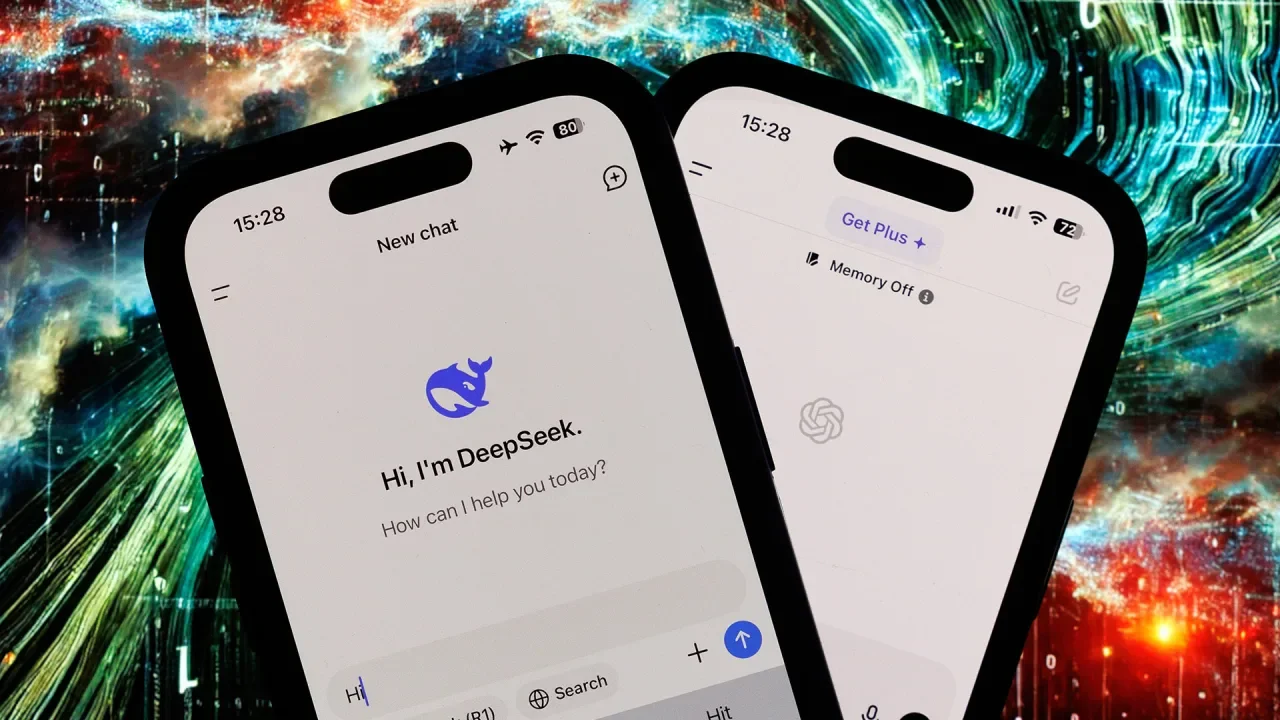
DeepSeek, the Chinese AI chatbot topping App Store downloads, failed 83% of accuracy tests and often promotes government positions. The post DeepSeek Fails 83% Of Accuracy Tests, NewsGuard Reports appeared first on Search Engine Journal. View the full article
-
We may earn a commission from links on this page. If you’ve been shopping around for knives, you’ve probably noticed that there are tons of options available to you. Between boning knives, filet knives, bread knives and the like, it can start to feel like each ingredient needs its own special blade. Recently, I was wondering if a carving knife would be worth adding to my toolkit, so I got one to test out. It was sharp, light, and pretty to look at, but it turns out I didn’t need a carving knife at all. I have been working with a lot of chicken lately—spatchcocked birds, butterflied chicken breasts, and deboned chicken thighs—and when you’re slicing a lot of meat you begin to wonder if there’s a “perfect” knife to do the job. I was carving meat, so a carving knife is what I needed. Right? What is a carving knife?The goal of a carving knife is to take care of long cuts or single-stroke cuts. The fewer times you have to lift the knife and continue the same cut, the better. It also might be your intention to use a carving knife to divide a roast into parts, like a chicken into drumsticks, wings, and breast slices. It can help you there too. Carving knives vary slightly depending on the knife-maker or brand, but overall, you’ll see more similarities among them: The length (sometimes up to 12 inches) and a slightly curved and pointed blade. The sharp and thin blade ensures that the meat doesn’t tear, and the length makes it easier to slice large roasts. A chef’s knife can do the trickAfter trying out my carving knife for a few months, I was happy with its performance, but I wasn't in love. I wanted to go back to using my chef’s knife for carving. It was just as sharp, I preferred the balance of its weight more, and the length wasn’t all that different, so I could still get through large roasts. What’s more, I really didn’t use the carving knife for anything else, so it was taking up valuable space on my magnet strip. Sure, if you’re always smoking brisket or whole roasts are frequently a part of your family meal rotation, it might make sense for you to invest in a carving knife. If you do, I suggest one with a hollow edge like this one from Messermeister. The little divots in the sides provide a small air pocket between the metal and the meat to prevent suction. For me and others who are only slicing big roasts a few times a season or once a year, a carving knife may not be a necessary expense if you have a chef’s knife you already like. I’ve had a Wüsthof chef’s knife for ages and it’s often the only knife I need to prepare a meal. WÜSTHOF Classic 10" Chef's Knife, Black $200.00 at Amazon /images/amazon-prime.svg Shop Now Shop Now $200.00 at Amazon /images/amazon-prime.svg A good chef’s knife can do the chopping, scoring, and carving as long as you keep it sharp. If you’re not sure how to do that, do not fear: Here’s a helpful guide on taking care of your knives. View the full article
-
Get ready for an onslaught of ads full of celebrities, cute animals and snack brands during breaks in the action at Super Bowl 59 on Feb. 9, when the Philadelphia Eagles face the Kansas City Chiefs at the Caesars Superdome in New Orleans. Anheuser-Busch, Meta, PepsiCo, Frito-Lay, Taco Bell, Uber Eats and others will vie to win over the more than 120 million viewers expected to tune in for the broadcast on Fox and via the free livestream on Tubi. Demand for ad space was robust this year, said Mark Evans, executive vice president of ad sales for Fox Sports, with ad space selling out in November and a waitlist for marketers ready to take the space of anyone who pulled out. The high demand seems to have pushed prices to a record, with a few ad spots reportedly selling for a record $8 million and even $8 million-plus for 30 seconds. Fox declined to comment on the specific price tag for 30 seconds, which can vary depending on placement and other factors. But in an earnings call in November, CEO Lachlan Murdoch said ad space had sold out at “record pricing.” Last year, a 30-second spot went for around a reported $7 million. The Super Bowl is a hot ticket for advertisers because the live viewing audience is so large. Last year, an estimated 123.7 million viewers tuned into the game, according to Nielsen. Evans said the mix of ad categories for the most part includes the usual suspects: beverages, snacks, tech companies and telcos. There will be a focus on AI in more commercials, he said, and slightly more pharmaceutical companies advertising this year. One category that’s down is movie promos and streamers. Another traditionally big category for the Super Bowl, automakers, are mainly sitting it out after a tough year in the sector, with only Stellantis’ Jeep and Ram brands having announced an appearance. The California wildfires in January made the lead up to the game less predictable than usual. State Farm pulled out of its planned advertising to focus on the fires. And some other advertisers faced production delays. But Evans said accommodations were made wherever possible. “These are unique circumstances. … So we’re being as accommodating as possible to try to make sure that everybody can get done what they need to get done,” he said. “But more importantly, you know, don’t put themselves or anybody else in harm’s way because of it.” Advertisers are expected to begin releasing their ads in the days ahead of the game. One of the first ads to debut was an ad for Budweiser, featuring a Clydesdale foal that helps make a beer delivery. Another Anheuser-Busch brand, Michelob Ultra, also released its ad, which shows Willem Dafoe and Catherine O’Hara as pickleball hustlers. Hellmann’s ad brings Meg Ryan and Billy Crystal back together for a reprise of the Katz’s Deli scene in “When Harry Met Sally.” Teasers have abounded this year, from an Uber Eats teaser starring Charli XCX and Martha Stewart to Chris Hemsworth and Chris Pratt touting Meta’s Smart Glasses. —Mae Anderson, AP business writer View the full article

-
Members whose districts include Altadena and Pacific Palisades are behind the measure, which calls for an initial 180-day forbearance period. View the full article

-
Mortgage 1 Inc., founded in 1994, says customers and regulators have mistakenly contacted it instead of Mortgage One Funding, which changed its name in 2021. View the full article
-
If you have T-Mobile, and either an iPhone or a Samsung Galaxy device, you now have access to Starlink—potentially. Here's the scoop: Back in December, T-Mobile announced a partnership between itself and SpaceX to bring Starlink service to customers. Then, earlier this month, the company started accepting users into the beta, but only those with specific, recent Samsung devices. However, that changed when Apple released iOS 18.3 this week. It seems the iPhone maker has been working with SpaceX and T-Mobile to roll out Starlink support to iPhones as well—though none of this was announced from Apple as part of the update. T-Mobile isn't letting all iPhones customers into the beta just yet. If you get in, you'll receive a text message that reads: "You're in the T-Mobile Starlink beta. You can now stay connected with texting via satellite from virtually anywhere. To start experiencing coverage beyond, please update to iOS 18.3." How to join the T-Mobile Starlink betaIf you're interested in getting into T-Mobile's Starlink beta, you first need a compatible device. On the Samsung front, that includes the Galaxy S24 5G, Galaxy S24 Plus 5G, Galaxy S24 Ultra 5G, Galaxy Z Fold 6 5G, and Galaxy Z Flip 6 5G. Any iPhone that can run iOS 18.3 is compatible. From here, you'll need to head to T-Mobile's official Starlink page, and choose "Register now," or scroll down to the registration section. You'll need to enter your first and last name, email address, and phone number. Don't worry if you can't get in yet: T-Mobile says it is expanding the plan soon, so expect more spots to open up imminently. What's the big deal with satellite connectivity?Being able to connect your smartphone to satellites is, quite literally, a game changer. It means you no longer need to worry about losing cell service or being able from a wifi connection. As long as you have a somewhat clear view to the sky, you're able to connect to the outside world. To be clear, this feature only works when you do not have available cellular service. At this point, your phone can then connect to the nearest satellites. You will not have the option to manually connect to satellites when you have a network connection. At this point in time, T-Mobile's Starlink beta only works for texting. But, according to Elon Musk, the current Starlink technology should support medium resolution images, and music and podcast streaming. But even if T-Mobile only supports texting at this time, you can imagine what a lifeline that is. If you have no cell service, and would otherwise not be able to reach out to emergency services or essential contacts, you can connect to a Starlink satellite and send text messages to either (or both). That said, this is not the first time iPhones have been able to connect to satellites. Apple has offered satellite connectivity since 2022, when it debuted "Emergency SOS via satellite" with the iPhone 14. The company expanded upon the feature with iOS 18: Before, you could only contact emergency services or roadside assistance via satellite, but since last year's big update, you've been able to send messages to anyone. For the past two and a half years, Apple has worked exclusively with Globalstar Inc. for satellite connectivity. Going forward, however, if you have an iPhone, and are enrolled in this T-Mobile beta, your phone will default to connecting to SpaceX's satellites. From here, you'll be able to manually connect to Apple's exclusive satellite services if you wish. Interestingly, while Apple's satellite feature makes you point your phone towards the sky to search for the closest satellite, Starlink's service should connect automatically. View the full article
-
Amazon.com was sued on Wednesday by consumers who accused the retailing giant of secretly tracking their movements through their cellphones, and selling data it collects. According to a proposed class action in San Francisco federal court, Amazon obtained “backdoor access” to consumers’ phones by providing tens of thousands of app developers with code known as Amazon Ads SDK to be embedded in their apps. This allegedly enabled Amazon to collect an enormous amount of timestamped geolocation data about where consumers live, work, shop and visit, revealing sensitive information such as religious affiliations, sexual orientations and health concerns. “Amazon has effectively fingerprinted consumers and has correlated a vast amount of personal information about them entirely without consumers’ knowledge and consent,” the complaint said. The complaint was filed by Felix Kolotinsky of San Mateo, California, who said Amazon collected his personal information through the “Speedtest by Ookla” app on his phone. He said Amazon’s conduct violated California’s penal law and a state law against unauthorized computer access, and seeks unspecified damages for millions of Californians. Amazon, based in Seattle, did not immediately respond to requests for comment. Lawyers for the plaintiff did not immediately respond to requests for additional comment. Individuals and regulators are increasingly complaining that companies are trying to profit from information gathered without consent from cellphones. On Jan. 13, the state of Texas sued Allstate for allegedly tracking drivers through cellphones, using the data to raise premiums or deny coverage, and selling the data to other insurers. Allstate said its data collection fully complies with all laws and regulations. At least eight similar private lawsuits against Allstate have been subsequently filed. The case is Kolotinsky v Amazon.com Inc et al, U.S. District Court, Northern District of California, No. 25-00931. —Jonathan Stempel, Reuters View the full article

-
The devastating California wildfires have led to a number of benefit events, from concerts to comedy shows, with the intention to fundraise for wildfire recovery efforts. The team at Critical Role, meanwhile, is going to do what they do best: play Dungeons & Dragons. Critical Role announced a special live one-shot D&D adventure titled “Freaky Thursday,” featuring Bells Hells, the characters from its third D&D campaign. The charity event stars Ashley Johnson, Marisha Ray, Taliesin Jaffe, Travis Willingham, Sam Riegel, Laura Bailey, and Liam O’Brien, with game master Matthew Mercer. “Let’s do some chaotic good,” wrote O’Brien on X, sharing the announcement. The Freaky Thursday adventure will be livestreamed on Critical Role’s membership service Beacon, as well as its Twitch and YouTube channels, on Thursday, January 30, at 7 p.m. PT. Fans, affectionately known as “Critters,” will be able to make donations or purchase rewards to shape the story through Tiltify. The group has set an ambitious goal of raising $180,000 with the livestream. Each milestone will unlock in-game surprises like “new allies, unexpected adversaries or even character sheet swaps, ensuring an unpredictable and exciting adventure shaped entirely by the community’s contributions,” Critical Role said. Story elements with the most donations will take center stage in the game. Where the money will go Donations will be split between the California Community Foundation Wildfire Recovery Fund, the Latino Community Foundation, and the Los Angeles Fire Department Foundation. The company added that 10% of each donation will be “stashed into our overall emergency fund, which allows [our foundation] to send help quickly in the event of a future unforeseen natural emergency.” Through its Critical Role Foundation (CRF) nonprofit arm, the company has already contributed $30,000 from its emergency fund to the California Community Foundation’s Wildfire Recovery Fund. Even before the launch of the CRF in September 2020, Critical Role and its network of Critters have been active in raising money for a range of causes, including 826LA and First Nations Development Institute. Critical Role Foundation is just one of the many ways that Critical Role has expanded into new areas in recent years. Aside from its core show, one-offs, and spinoff web series, the group has also branched into comics and books, an animated series, and their own subscription-based streaming platform, Beacon. It’s impressive work from what began as a show that highlighted the joy of playing Dungeons & Dragons with friends. You can donate and learn more here. View the full article

-
I’m at the age where I have a pre-written packing list for whenever I travel, and the very last item on the list, though certainly not the least, is entertainment. I almost see it as a reward for myself. When I’ve got all my clothes and medications packed away, I get to sit down with my iPad and download my favorite shows to watch on the plane. The problem is that, after awhile of manually downloading episode by episode, it stops being fun. That’s where Netflix’s newest feature for iPhone and iPad comes into play. Now, after updating your app, the display pages for your favorite shows will show a “Download Season” button next to the share icon. Android users already had this button, but now Apple users can take advantage of it, too. It looks like a downward-pointing arrow with two curved lines underneath it, and tapping it will immediately start downloading an entire season at once, complete with a progress indicator. In addition to saving you from multiple taps, this also lets you get up and go do something else while your show downloads, rather than having to wait for one episode to finish downloading before you start downloading the next. It’s worth pointing out that while you technically already could download multiple episodes at once by simply tapping the download button next to each episode in quick succession, I’ve found that this tends to create errors. Luckily, I got no such errors while downloading season 2 of Squid Game using the new button, and it even seemed to download faster, probably due to the efficiency of sending Netflix’s servers one request as opposed to seven. Netflix didn’t make any mention of what happens if downloading a whole season would put you over your download limit, but after testing, I found that you can still press the “Download Season” button, but it will only download as many episodes as you have remaining while refusing to download the rest. View the full article
-
Legoland Florida plans to lay off 234 workers, primarily performers, in an effort to be more competitive in central Florida’s thriving theme park market, company officials said. The theme park resort in Winter Haven, Florida, said in a notice to the state of Florida last Friday that the permanent layoffs would start at the end of March and last through the beginning of April. Three-quarters of the workers cited for layoffs were performers, and another fifth also was involved in the entertainment side of the theme park, according to the notice. The theme park resort, whose workers are nonunion, has about 1,500 employees. The theme park resort is owned by Merlin Entertainment. Merlin spokeswoman Julia Estrada said in an email Wednesday that the change would allow it to operate more flexibly in a competitive market by using an outside company to provide some of the entertainment while maintaining a core in-house entertainment team. “We will continue to have a core in-house entertainment offering, which we will scale up to meet our brand and guest experiences during the year,” Estrada said. Besides the Lego-themed park, the resort has a Peppa Pig-themed park, a water park and a soon-to-open aquarium. Winter Haven is located between Tampa, home to Bush Gardens Tampa Bay, and Orlando, home to Walt Disney World, Universal Orlando Resort and SeaWorld Orlando. View the full article

-
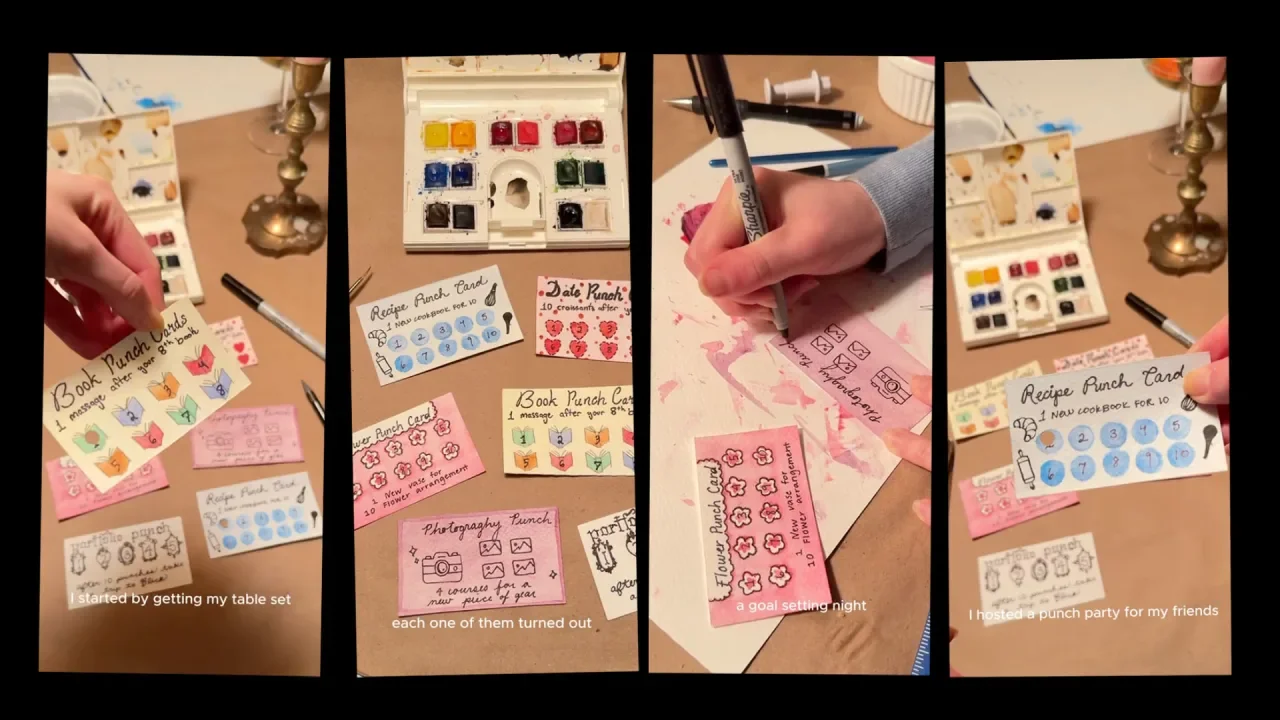
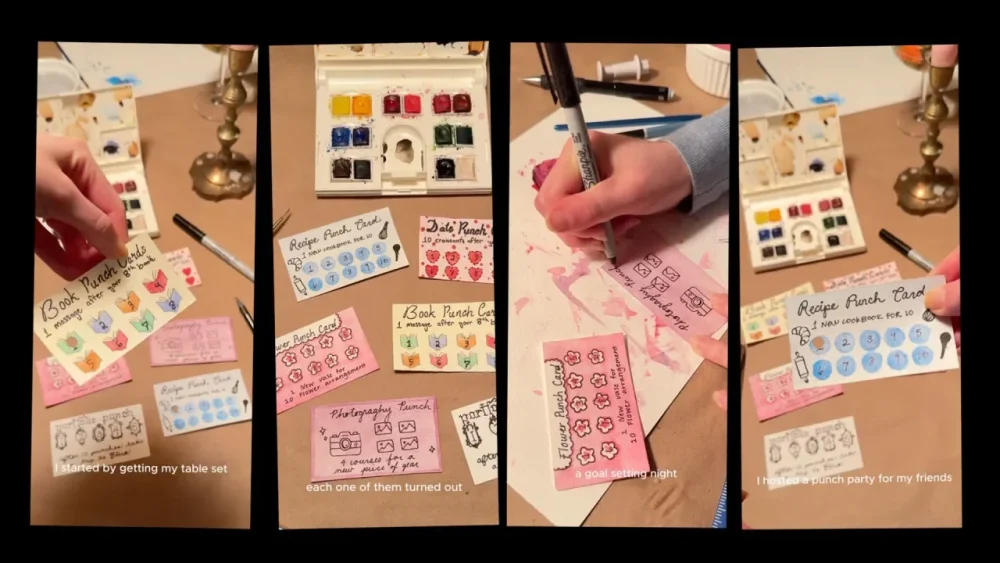
“What’s more motivating than a punch card?” That’s the simple idea behind a recent so-called “punch party” that creator @emiliamariehome hosted with friends. On January 24, @emiliamariehome posted a video on TikTok of her group of friends creating punch cards (think: loyalty cards) as a Galentine’s day activity. It quickly went viral, gaining over 1.5 million views. Because whether it’s scoring a free cappuccino at your local coffee shop or a fresh loaf of bread at an independent bakery, the satisfaction from punching that final hole in a punch card is unmatched. Now, social media users are hacking that dopamine hit to achieve their own goals, from dating to reading. In @emiliamariehome’s video, each friend picked a goal and a reward for finishing punching all the holes on their card. One of her friends used their card as motivation to try new flower arrangements. Once they punched all four holes, they would allow themselves to buy one new vase. Another wanted to try 10 new recipes before buying another cookbook. A third promised themselves 10 croissants if they went on 10 dates (“10 croissants are needed after 10 hinge dates,” the creator joked in the comments). In the spirit of January, the celebrated month of goal-setting, the punch cards have quickly taken off. “Love this idea,” one person commented. “Especially as someone that struggles to celebrate her wins.” Another added, “this is ridiculously cute. I am doing it.” The New Year period is traditionally when millions take stock of how they live and set ambitious goals for the year ahead, often in terms of numbers. How many books will you read? How many exercise classes will you take? How many new recipes will you try? A recent YouGov poll found 31% of Americans said they would be making New Year’s resolutions or setting goals for 2025. But skip forward to the end of January, and a good number of those will already have given up on their goals set just a few short weeks ago. However, small lifestyle changes can often be transformative if you keep at them. And while there are a number of habit trackers that attempt to help us do that, from Apple watches and Oura rings to meticulously planned spreadsheets and Notion templates, punch cards may be a gentler way to keep yourself accountable in 2025. View the full article
-
Spirit Airlines has rejected a merger offer with Frontier as it prepares to exit bankruptcy. Wednesday, Frontier made its second offer to merge with the bankrupt Spirit Airlines, but Spirit rejected it on the grounds that it was financially insufficient. In 2022, Frontier offered to acquire Spirit for $2.9 billion, but the offer was ultimately rejected when Spirit chose to accept a higher offer from JetBlue (which was later blocked for antitrust concerns). Frontier Airlines put forward its current merger offer in hopes of creating a strong, low-fare airline together. “We have long believed a combination with Spirit would allow us to unlock additional value-creation opportunities,” said Barry Biffle, CEO of Frontier, in a statement. In a joint letter to Spirit’s chair and CEO, Biffle and Frontier’s chair of the board added that they believe the transaction “generates more value for all Spirit stakeholders” than Spirit’s current plan filed to the Bankruptcy Court. But Frontier’s offer was lower than the amount the two parties had discussed in 2022, Raniero D’Aversa, an attorney and market-leading practitioner in bankruptcies, out-of-court restructurings, and creditors’ rights controversies, tells Fast Company. In Frontier’s offer, debt holders would receive $400 million in new debt and 19% of Frontier’s common equity. It would also require stakeholders to invest $350 million in equity, which they were “not willing to do,” according to a regulatory filing. “The offer appears to be too little, too late,” D’Aversa says. In its rejection of the offer, Spirit said that the board believes Frontier’s proposal is “so insufficient as not to merit a counter.” Accepting or considering this offer could also interfere with the airline’s plans to exit bankruptcy, which it had filed for in November. Spirit Airlines is “on a fast track to exit,” D’Aversa says. “Any serious consideration of the Frontier offer would derail the whole bankruptcy process, which is overwhelmingly supported by its constituents.” The airline has a February 13 court date to finalize its exit plan. While a company and its board have a fiduciary obligation to consider any deal for the benefit of its constituents and equity holders—and in the case of bankruptcy, its creditors—they’re under no obligation to actually accept it. Although Spirit has operated normally during its bankruptcy, the airline has cut 200 jobs and sold some Airbus planes in order to raise millions of dollars. D’Aversa compares the situation to the classic “a bird in the hand . . . ” idiom. Spirit is lined up to come out of bankruptcy imminently, and it appears the airline is ready to fight through its final month rather than merge. View the full article

-
If your Garmin watch is showing a blue triangle, you’re not alone—Garmin has acknowledged that other users are experiencing this, and has published instructions for fixing it. The issue affects several models of watch, including Fenix, Epix, and Forerunner watches. As of January 29, they say the issue has been resolved (but your watch may still need a hard reset to make use of the fix.) The company initially told me in an email: “Garmin is researching reports of devices displaying a blue triangle when starting a GPS activity. A reset by pressing and holding the power button may restore functionality. We will provide more information on a permanent fix when available.” Garmin has since updated the message on their website to say: "We have resolved the underlying issue causing some devices to be stuck on the start up screen or a blue triangle. If you are still experiencing this, please visit support.garmin.com for steps to resolve the issue." Click that link for instructions on how to restart your watch if it's stuck on that blue triangle boot screen. What is the problem?Users have reported that their watch will go into a “boot loop,” where it keeps rebooting but never managing to fully start up. The watch displays a blue triangle, as shown in this Reddit post. Epix, Fenix, Forerunner, Venu, and Vivoactive watches seem to be affected, according to comments in various Reddit posts. The page that Garmin linked with reset instructions also mentions Edge bike computers, and Instinct and Approach watches. Only some models are affected; for example, the Vivoactive 4 is mentioned on that support page, but the Vivoactive 5 is not. The blue triangle issue may have been triggered by starting a GPS activity, which Garmin acknowledged in its initial statement, but the company has not confirmed whether this is the precise cause. Some users noticed it happened after logging a non-GPS activity, and one says it started when they scrolled over a “weather app/widget.” Reddit users are speculating that the issue may have been caused by a faulty GPS file. According to this theory, it doesn’t matter when your watch was last updated, or whether you are in the beta program (which grants early access to new features). Rather, the corrupted file would be synced to your watch during normal use. That would explain why it started affecting so many people at once. That said, I wasn’t able to reproduce this issue on a Vivoactive 5 or a Forerunner 265. On both, I started and finished a GPS "Walk" activity several times and the watch stayed functional. I also did a non-GPS strength activity on a Forerunner 265S. Perhaps I missed the window of time when the corrupted file was live; in any case, not all users experienced this issue. How to fix the issue (maybe)Garmin's official advice is on this page. The fix varies by model, but to give an overview of what's needed for each device: Fenix 8 and Lily 2: Power down the watch by holding in the power/light button, then turn it on again, and sync the watch to your phone or computer. Approach S70, Forerunner watches, Venu 3, Vivoactive 4, Vivoactive 5: Perform a factory reset. D2, Epix gen 2, Enduro gen 2, Fenix 7, Quatix 7, Tactix 7, Instinct 3: Connect the watch to a computer with a power/data cable and use Garmin Express to sync the watch. Edge cycling computers: Connect the device to a PC running Windows, and delete the CPE.bin file. If this doesn't resolve the issue, do a master reset. For detailed instructions on those steps, check this support page. Note that a factory reset will delete some data, like your Wallet setup and some of your Body Battery and step count data. Once you do that reset, you'll need to reconnect your watch to your phone. Redditors came up with an alternate solution while waiting for this one, recommending that users connect the watch to a PC with a data/charging cable, and deleting a specific file from the watch. Here is the Reddit comment describing this procedure, but note that Garmin only recommends this for Edge computers. View the full article
-
We may earn a commission from links on this page. Two years ago, I discovered that clean smarties around the Internet were using their handheld steamers to clean their homes and I thought that was brilliant, so I started doing it right away, too. Professional steam cleaners are awesome because they heat up so much that they can even disinfect surfaces—and while I've never been totally convinced my little garment steamer from Amazon is quite as powerful as all that, I've still found a lot of ways to use it around the house. Here is the steamer I have, which retails for about $26 and comes with a brush you can stick on the front. I try to avoid using the brush when I'm cleaning, just so I don't accidentally transfer any messy gunk onto my clothes when I use the steamer for its intended purpose, but in a pinch, it does come in handy. Handheld Garment Steamer $26.99 at Amazon /images/amazon-prime.svg $29.99 Save $3.00 Shop Now Shop Now $26.99 at Amazon /images/amazon-prime.svg $29.99 Save $3.00 I steam any stain of dubious originFirst up, if I find a stain anywhere and I don't know exactly what it is, I steam it. Granted, you can steam any kind of stain, since the heat loosens it and the little bit of moisture helps draw it out, but I especially like this technique for messes that I can't quite explain, since I feel better knowing my first line of attack against them is germ-killing heat. Today, I moved a bunch of stuff near my sink and discovered some marks underneath it all. I couldn't be sure what caused the streaks, but I could be sure that I was attacking them with heat and power. Besides its potential for germ-destroying, steam is fantastic for quickly loosening any stuck-on grime. I've used my steamer to get baked-on food off of oven racks, for instance. Of course, you can use oven cleaner or hot, soapy water, but that takes a lot longer. Blasting caked-on goo with steam loosens it fast and lets you move on to the soapy, more serious disinfecting quicker. The steamer blasting through some streaks by my sink. Credit: Lindsey Ellefson Just a few seconds into the steaming of the streaks by my sink, they disappeared. Of course, I went back in with cleaning solution after that, but I was feeling pretty smug by that point. They came right up and off without me having to do so much as scrub (plus I never had to touch anything gross). I steam my dirty dishesIf you do your dishes right away, food doesn't have time to get stuck on them. Blah, blah, I know. But sometimes I'm busy. Sometimes I'm lazy. What I'm saying is that food gets stuck on my dishes and I hate scrubbing it off with a sponge, but not enough to ever learn a lesson about washing them in a speedier fashion. This is where my steamer comes in. I don't have a dishwasher because I live in a small apartment, so I can't toss them in there and let the heat do its job. What I can do is blast those bad boys with the steamer for a second or two, which makes the task of cleaning them off so much faster than if I let them sit in hot water or, God forbid, just got to work scrubbing. Stuck-on food besmirching my spoon before getting annihilated by the steamer. Credit: Lindsey Ellefson I like making quick work of the dishes and, of course, that the heat tackles some germs even before I get at them with the dish soap. Today, there was a spoon in the sink that had a very stuck-on line of food in its bowl (likely from a cheap microwavable soup, I'm sorry to say) but the steamer dislodged it like it was nothing. I did try a little with my fingernail and a sponge before blasting it, just to see how bad it was, and neither made any impact—but the steamer sure did. From there, I soaped the whole thing up, dried it, and went on with my day. I steam my mirrors, tooWhile on my steam-cleaning mission today, I did not need to clean my mirrors (humble brag) because I already did that recently. What I can't provide in photographic evidence I'll make up for in testimony: I love steaming my mirrors because it works so fast and leaves them streak-free. Windex is fine and all, but you have to really wipe to clear out those streaks. Steam is much easier to wipe off and leaves behind no chemicals. I also really like it because one of the main mirrors in my apartment is backlit and relies on electricity. I try to avoid getting it wet, to the extent possible, so the minimal amount of moisture provided by the steam machine is far preferable to the direct wetness of a spritz of window cleaner. The steam quickly destroys water stains and other splotches, although I caution that you may need to go two or three rounds with hairspray that's stuck to your glass. It takes me a few passes to break all the way through setting spray, hair spray, and other sticky chemicals the likes of which you use in front of the mirror. Other than that, this technique works great on shower glass, tile, ceramic, or any other smooth surface where you have water stains or other buildups. You don't need chemicals or a bunch of tools as long as you have your steamer and a rag to wipe everything down with. View the full article
-
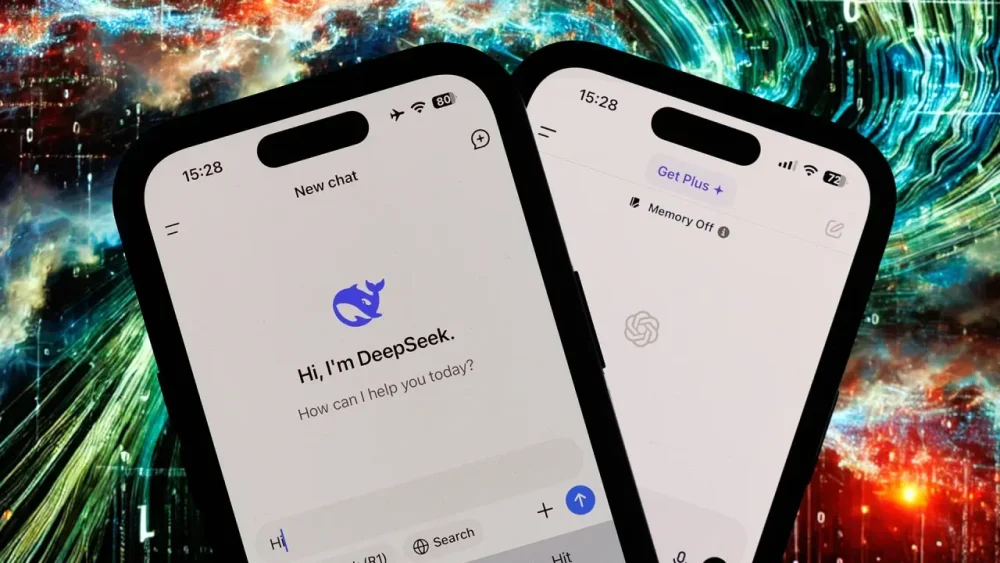
Well, well, well—look who suddenly wants a word with the sheriff in the fair-use Wild West landscape of artificial intelligence. As Bloomberg reports, Microsoft and its partner company OpenAI are investigating the white-hot Chinese startup DeepSeek after Microsoft security researchers allegedly discovered people linked to DeepSeek withdrawing large amounts of data through the company’s API last fall. Elsewhere, White House AI czar David Sacks told Fox News on Tuesday that there is “substantial evidence” that DeepSeek “distilled” knowledge from OpenAI’s AI models. These allegations align with other suspicious aspects of the new AI. For instance, when a Fast Company editor took DeepSeek for a test run earlier this week, the chatbot insisted it was made by Microsoft. Perhaps the Chinese company—which built its new model in a matter of months with shockingly little funding and computing power—violated the law by using OpenAI’s output to develop its tech. Or maybe it operated entirely within a legal gray area. Either way, it’s ironic that a company whose entire business model is predicated on repurposing copyrighted material is now crying foul over another company repurposing its material. Ever since OpenAI’s ChatGPT normalized generative AI in 2022, creators have accused it of essentially being a plagiarism machine. Large language models (LLMs) like ChatGPT require for their training immense sums of information about the world. That info often comes from the copyrighted work of human creators, many of whom did not sign off on their material being used for this purpose. Sometimes, the material is sourced and linked to; other times, not. But the direct use of copyrighted material is just standard AI. A February 2024 report from plagiarism detector Copyleaks found that 60% of ChatGPT’s output contained some form of plagiarism. Lawsuits, litigation, and legal gray areas It should come as little surprise that all this plagiarism has kept Microsoft and OpenAI entangled in nonstop litigation over the past two years. The companies have faced class-action lawsuits from a group of nonfiction authors led by Julian Sancton and class-action lawsuits from such novelists as Jonathan Franzen and Jodi Picoult. Comedian Sarah Silverman, who is also an author, jumped in on yet another of these lawsuits, accusing not only OpenAI but also Meta of using copyrighted work “without consent, without credit, and without compensation.” And while publications such as the Wall Street Journal, Vox, and The Atlantic have entered into if-you-can’t-beat-‘em-join-‘em partnership deals with Microsoft and OpenAI, the New York Times Company sued both companies for alleged copyright infringement in December of 2023. As of now, most of these cases are still ongoing, and the rules for fair use in training LLMs remain in flux. What’s illuminating in light of OpenAI’s allegations against DeepSeek, however, is how OpenAI has defended its use of copyrighted material. During trial arguments earlier this month in the NYT Company case, OpenAI claimed (as ever) that its output is covered by the fair use doctrine, which permits the use of copyrighted material to create something new, as long as it doesn’t compete with the original work. OpenAI’s attorneys characterize ChatGPT as not actually storing copyrighted material, but merely relying on the aftereffects of material passing through its models during the training process. According to Digiday’s reporting on the hearing, an attorney representing OpenAI claimed, “If I say to you, ‘Yesterday all my troubles seemed so . . . ,’ we will all think ‘far away’ because we have been exposed to that text so many times,” alluding to the lyrics of “Yesterday” by the Beatles. “That doesn’t mean you have a copy of that song somewhere in your brain.” (It should be noted here that former Beatle Paul McCartney has also been quite vocal in his criticism of AI repurposing the work and creativity of human artists.) By OpenAI’s own logic, maybe DeepSeek simply allowed output from a U.S. competitor to flow through its model during the training process. At this point, we don’t know. (Microsoft declined to comment on what’s alleged in the Bloomberg report. Fast Company also reached out to OpenAI and will update this post as needed.) For years now, authors, journalists, artists, and all sorts of creators have been screaming at the top of their lungs, in and out of court, that AI platforms should either find a more ethical approach to their mission or abandon it altogether. Now that the entire American AI industry is reeling from a $1 trillion stock hit because a small startup allegedly gave them a taste of their own medicine, it’s no wonder that the response on social media has been a schadenfreude bonanza. Live by the fair use doctrine, die by the fair use doctrine. View the full article
-
Subscribe to Work LifeGet stories like this in your inbox Subscribe 5-second summary Time management strategies are specific frameworks or systems to maximize your time and energy We’ve gathered five time management strategies that put you in the driver’s seat of your tasks, schedule, time, and energy, each in a different way. Take our one-minute quiz to find out which strategy will be the biggest difference-maker for you. Where the heck did the day go? Time slipped right through my fingers. Next week, things will calm down. Every single one of us has had those exact thoughts about our workdays. But here’s the harsh truth: You won’t magically find or manufacture more time. Not tomorrow. Not next week. Not when that big project is wrapped up. So, according to the laws of physics, you need to make the most of the time you already have. That’s where time management strategies come into play. These models go beyond the daily war with your to-do list, helping you execute meaningful work in an efficient and fulfilling way. Jump to the quiz How do time management strategies help? Time management strategies are specific frameworks or systems to maximize your time and energy. Put another way, they help you overcome several common time management roadblocks. Multitasking: Research shows that the human brain is incapable of doing more than one thing at once (unless you count autonomous tasks like breathing). When you think you’re multitasking, you’re actually context switching – rapidly jumping between various tasks. While it might make you feel like you’re dominating your to-do list, this constant switching of gears is a drag on your productivity. Time management strategies help you stop juggling and start focusing. Fires and emergencies: You know the feeling. Your intentions for your workday are quickly sidetracked by the latest three-alarm emergency that lands in your inbox. While time management strategies won’t keep these red alerts off your desk entirely, they will help you better discern what actually deserves your immediate attention, rather than continuing to play inbox whack-a-mole. Information overload: Meetings. Emails. Notifications. Calls. Documents. Requests. Day in and day out, you’re inundated with information. That cognitive overload (which is what happens when the volume or complexity of incoming information exceeds your ability to absorb it) causes us to be less effective by seeking out low-value tasks, overlooking important details, and overall just feeling stuck. The right time management strategy can help you filter through the relentless noise to find your starting point. Energy depletion: Everything we’ve already mentioned – from the last-minute requests to an information avalanche – quickly drains your tank. Time management strategies allow you to be more mindful of not only your time but also your energy levels. With the right approach in your toolbox, you’ll be better equipped to schedule work more strategically and avoid running yourself ragged. There are plenty of hurdles that time management strategies will get you over, but they’re not a fix-all. If you’re struggling with an unmanageable workload, bona fide burnout, or other mental health challenges, the right time management hack probably isn’t your answer. Those more complex issues require conversations with your company leadership and/or a trusted mental health professional. The fundamentals: 13 time management best practices that always hold water There are several specific time management strategies you can use to make better use of your work hours. We’ll get to those frameworks in a minute. But, regardless of which of those you try, there are a few general time management best practices that are always a good idea – and a good place to start. Audit your time: Want to make better use of your time? You need to know where you’re starting. Whether you use an automated time tracker or a simple notepad, keep track of your work hours and what you get done. Do this for at least a couple of weeks so you can spot trends and identify improvement areas. Set goals: Your ultimate objective is to manage your time better, but that can feel broad and intangible. Instead, set time management-related SMART goals to encourage and monitor your progress, such as signing off every weekday by 5PM, or spending the first 15 minutes of every morning making a to-do list. Stop procrastinating: Procrastination is one of the biggest culprits eating away at your precious work hours, but it can be tough to overcome. Set a timer, enlist an accountability buddy, or find another hack that nudges you to just get started. Break down big tasks: Intimidation could be behind your persistent procrastination. So, break that big undertaking down into more manageable tasks and milestones. It’ll feel less daunting and also give you regular intervals to recognize and celebrate your progress. Incentivize yourself: When you reach a milestone or cross off another task, treat yourself. Whether you go for a quick walk or grab your favorite snack, even small, seemingly insignificant rewards can encourage you to keep moving forward. Prioritize: Time management is about focusing on your most important work. To do so, you need to parse out the meaningful from the mundane. Strategically ordering your work based on criteria like impact, deadlines, and effort required serves as a good foundation for any time management strategy. Schedule breaks: Even the most productive people need adequate time to rest and recharge. No time management system should be synonymous with constant, dogged work. Your brain quite literally needs breaks – brain activity research says so. Limit distractions: Even the best time management strategy will suffer if you’re consistently waylaid by pings, pushes, and drop-bys. Try your best to minimize distractions, especially during times when you’re doing deep work. Check your environment: Your work environment has a direct impact on your productivity. Sitting on your couch in the dark while hunched over your laptop isn’t conducive to peak focus. Find or create a quiet space with some natural light and at least a somewhat ergonomic setup to support your best work (and, you know, your back). Get organized: Searching for what you need isn’t the most efficient use of your time. Get a decent organization system in place so that, when you’re ready to work, you can jump right in. Avoid multitasking: Even if you think you’re a whiz at doing several things at once, you’re doing your brain a disservice by trying to multitask. Instead, pick one task to focus on at a time. You’ll get it done better – and faster – than if you had simultaneously juggled it with two other to-do’s. Understand your peaks and valleys: You know you best, so think about how your energy tends to ebb and flow throughout the workday. Paying attention to when you’re most focused and energized will help you make the most of those energetic hours, like saving your morning for deep work and cleaning out your inbox after lunch. Delegate: You can only do so much with the hours you have. But there’s good news: You don’t have to do it all alone. Knowing what you can delegate (whether you hand tasks off to technology or another person) is one of the best ways to buy yourself more time and reserve your focus for your most meaningful and impactful work. Related Article Night owl or early bird? Discover your circadian personality By Tracy Middleton In Productivity 5 time management strategies to maximize your time and energy Now that you’re schooled on the basics, let’s take a look at four widely used time management frameworks. 1. Eisenhower Matrix What it is: A four-quadrant chart that helps you categorize all your tasks based on their urgency and their importance or impact How it works: Draw a square and separate it into four even quadrants. Along the y-axis, label those boxes with “important” and “not important.” On the top x-axis, label those boxes with “urgent” and “not urgent.” Next, categorize each task on your to-do list. Is that slide deck important and urgent? It goes in the top left box. Is your expense report not important but urgent? It goes in the bottom left box. Once everything is sorted, you can approach each category like this: Urgent and important: Do these first! Urgent and not important: Delegate these if you can. Otherwise, tackle them next. Not urgent and important: Schedule time for these in the coming weeks. Not urgent and not important: These can fall off your to-do list entirely. Also called a “prioritization matrix,” this handy tool helps you filter through a lengthy task list and pull out the items that require your immediate attention. From the PlaybookAllthethings Prioritization Matrix Run the Play 2. 80/20 Rule What it is: A principle positing that 80% of your results come from only 20% of your efforts. How it works: Since time management is about getting the most meaningful work done, this strategy (also called the Pareto Principle) focuses on finding the highest-impact tasks on your list – with the idea that those will generate the biggest outcomes for your workday. You’ll likely be drawn to the low-hanging fruit and quick wins on your to-do list, but this guiding principle forces you to look at your tasks through a new lens: Which ones will have the biggest impact? Cleaning up your inbox probably won’t lead to a substantial result. However, compiling all the data that another team has been waiting on for days will. 3. Time blocking What it is: A method that involves splitting your day into segments of time and dedicating each one to a specific task. How it works: Remember when you were in school and you knew what to expect during every moment of your day? At 11am you’re in chemistry class, at noon you have lunch, and so on. Time blocking is a lot like that. You’ll create blocks of time on your calendar and assign certain tasks or groups of tasks to that specific spot on your schedule. For example, maybe you’ll address your emails from 8am to 9am, meet with the design team from 9am to 9:30am, and draft copy for a project from 9:30am to 11:30am. It might feel overly prescriptive or rigid. But this level of detail helps you take a more proactive approach to your workday, rather than letting emails, requests, and other people control your entire schedule. 4. Pomodoro Technique What it is: A strategy that breaks your workday into smaller chunks of time (usually 25 minutes) separated by five-minute breaks. How it works: Your workday might feel daunting, but you could likely do pretty much anything if you knew it’d only take 25 minutes, right? That’s the concept behind the Pomodoro Technique. The gist is that you’ll set a timer and work for a period of 25 minutes. When the timer goes off, you take a five-minute break. After doing that cycle (called a “pomodoro”) four times, you take a longer break of about 20 minutes. It’s helpful for a few reasons. For starters, it can amp up your focus by instilling a greater sense of urgency. Most of us are naturally competitive, so you’ll likely challenge yourself to get as much done as you can in that 25-minute chunk before your timer goes off. Plus, the Pomodoro Technique has built-in breaks. As counterintuitive as it seems, those regular opportunities to step away can give a major boost to your energy and productivity. 5. Not-to-do list What it is: A documented list of time-wasting tasks and negative behaviors you’ll consistently and reliably avoid How it works: You’re familiar with a to-do list, but this is the exact opposite. Rather than making a list of all of the things you want to get done, you’ll write a list of the things you won’t do. What are the vices or bad habits that consistently distract you from your work? Or the tasks that you’ve supposedly delegated but still manage to find you anyway? Or the things you know you should say “no” to but have a hard time resisting? Those are the types of things that go on your not-to-do list. While it might sound like a silly exercise, writing things down is powerful. This simple activity can help you gain clarity about the areas where you need to be careful and resist falling into old, unproductive patterns and routines. Which time management strategy should you try? These five time management strategies put you in the driver’s seat of your tasks, schedule, time, and energy, each in a different way. But that doesn’t mean you should roll out all of them at once. You’ll see better results if you pick one. Not sure how to figure out which one will be the biggest difference-maker for you? This one-minute quiz will point you in the right direction. Once you know which time management strategy is best suited to you and your goals, test it out and see if it makes a noticeable difference. If it’s the right fit, you shouldn’t just get more done – you should feel more fulfilled and energized by what you’ve accomplished. Subscribe to Work LifeGet stories like this in your inbox Subscribe The post Quiz: Which time management strategy is right for you? appeared first on Work Life by Atlassian. View the full article
-
Subscribe to Work LifeGet stories like this in your inbox Subscribe 5-second summary Time management strategies are specific frameworks or systems to maximize your time and energy We’ve gathered five time management strategies that put you in the driver’s seat of your tasks, schedule, time, and energy, each in a different way. Take our one-minute quiz to find out which strategy will be the biggest difference-maker for you. Where the heck did the day go? Time slipped right through my fingers. Next week, things will calm down. Every single one of us has had those exact thoughts about our workdays. But here’s the harsh truth: You won’t magically find or manufacture more time. Not tomorrow. Not next week. Not when that big project is wrapped up. So, according to the laws of physics, you need to make the most of the time you already have. That’s where time management strategies come into play. These models go beyond the daily war with your to-do list, helping you execute meaningful work in an efficient and fulfilling way. Jump to the quiz How do time management strategies help? Time management strategies are specific frameworks or systems to maximize your time and energy. Put another way, they help you overcome several common time management roadblocks. Multitasking: Research shows that the human brain is incapable of doing more than one thing at once (unless you count autonomous tasks like breathing). When you think you’re multitasking, you’re actually context switching – rapidly jumping between various tasks. While it might make you feel like you’re dominating your to-do list, this constant switching of gears is a drag on your productivity. Time management strategies help you stop juggling and start focusing. Fires and emergencies: You know the feeling. Your intentions for your workday are quickly sidetracked by the latest three-alarm emergency that lands in your inbox. While time management strategies won’t keep these red alerts off your desk entirely, they will help you better discern what actually deserves your immediate attention, rather than continuing to play inbox whack-a-mole. Information overload: Meetings. Emails. Notifications. Calls. Documents. Requests. Day in and day out, you’re inundated with information. That cognitive overload (which is what happens when the volume or complexity of incoming information exceeds your ability to absorb it) causes us to be less effective by seeking out low-value tasks, overlooking important details, and overall just feeling stuck. The right time management strategy can help you filter through the relentless noise to find your starting point. Energy depletion: Everything we’ve already mentioned – from the last-minute requests to an information avalanche – quickly drains your tank. Time management strategies allow you to be more mindful of not only your time but also your energy levels. With the right approach in your toolbox, you’ll be better equipped to schedule work more strategically and avoid running yourself ragged. There are plenty of hurdles that time management strategies will get you over, but they’re not a fix-all. If you’re struggling with an unmanageable workload, bona fide burnout, or other mental health challenges, the right time management hack probably isn’t your answer. Those more complex issues require conversations with your company leadership and/or a trusted mental health professional. The fundamentals: 13 time management best practices that always hold water There are several specific time management strategies you can use to make better use of your work hours. We’ll get to those frameworks in a minute. But, regardless of which of those you try, there are a few general time management best practices that are always a good idea – and a good place to start. Audit your time: Want to make better use of your time? You need to know where you’re starting. Whether you use an automated time tracker or a simple notepad, keep track of your work hours and what you get done. Do this for at least a couple of weeks so you can spot trends and identify improvement areas. Set goals: Your ultimate objective is to manage your time better, but that can feel broad and intangible. Instead, set time management-related SMART goals to encourage and monitor your progress, such as signing off every weekday by 5PM, or spending the first 15 minutes of every morning making a to-do list. Stop procrastinating: Procrastination is one of the biggest culprits eating away at your precious work hours, but it can be tough to overcome. Set a timer, enlist an accountability buddy, or find another hack that nudges you to just get started. Break down big tasks: Intimidation could be behind your persistent procrastination. So, break that big undertaking down into more manageable tasks and milestones. It’ll feel less daunting and also give you regular intervals to recognize and celebrate your progress. Incentivize yourself: When you reach a milestone or cross off another task, treat yourself. Whether you go for a quick walk or grab your favorite snack, even small, seemingly insignificant rewards can encourage you to keep moving forward. Prioritize: Time management is about focusing on your most important work. To do so, you need to parse out the meaningful from the mundane. Strategically ordering your work based on criteria like impact, deadlines, and effort required serves as a good foundation for any time management strategy. Schedule breaks: Even the most productive people need adequate time to rest and recharge. No time management system should be synonymous with constant, dogged work. Your brain quite literally needs breaks – brain activity research says so. Limit distractions: Even the best time management strategy will suffer if you’re consistently waylaid by pings, pushes, and drop-bys. Try your best to minimize distractions, especially during times when you’re doing deep work. Check your environment: Your work environment has a direct impact on your productivity. Sitting on your couch in the dark while hunched over your laptop isn’t conducive to peak focus. Find or create a quiet space with some natural light and at least a somewhat ergonomic setup to support your best work (and, you know, your back). Get organized: Searching for what you need isn’t the most efficient use of your time. Get a decent organization system in place so that, when you’re ready to work, you can jump right in. Avoid multitasking: Even if you think you’re a whiz at doing several things at once, you’re doing your brain a disservice by trying to multitask. Instead, pick one task to focus on at a time. You’ll get it done better – and faster – than if you had simultaneously juggled it with two other to-do’s. Understand your peaks and valleys: You know you best, so think about how your energy tends to ebb and flow throughout the workday. Paying attention to when you’re most focused and energized will help you make the most of those energetic hours, like saving your morning for deep work and cleaning out your inbox after lunch. Delegate: You can only do so much with the hours you have. But there’s good news: You don’t have to do it all alone. Knowing what you can delegate (whether you hand tasks off to technology or another person) is one of the best ways to buy yourself more time and reserve your focus for your most meaningful and impactful work. Related Article Night owl or early bird? Discover your circadian personality By Tracy Middleton In Productivity 5 time management strategies to maximize your time and energy Now that you’re schooled on the basics, let’s take a look at four widely used time management frameworks. 1. Eisenhower Matrix What it is: A four-quadrant chart that helps you categorize all your tasks based on their urgency and their importance or impact How it works: Draw a square and separate it into four even quadrants. Along the y-axis, label those boxes with “important” and “not important.” On the top x-axis, label those boxes with “urgent” and “not urgent.” Next, categorize each task on your to-do list. Is that slide deck important and urgent? It goes in the top left box. Is your expense report not important but urgent? It goes in the bottom left box. Once everything is sorted, you can approach each category like this: Urgent and important: Do these first! Urgent and not important: Delegate these if you can. Otherwise, tackle them next. Not urgent and important: Schedule time for these in the coming weeks. Not urgent and not important: These can fall off your to-do list entirely. Also called a “prioritization matrix,” this handy tool helps you filter through a lengthy task list and pull out the items that require your immediate attention. From the PlaybookAllthethings Prioritization Matrix Run the Play 2. 80/20 Rule What it is: A principle positing that 80% of your results come from only 20% of your efforts. How it works: Since time management is about getting the most meaningful work done, this strategy (also called the Pareto Principle) focuses on finding the highest-impact tasks on your list – with the idea that those will generate the biggest outcomes for your workday. You’ll likely be drawn to the low-hanging fruit and quick wins on your to-do list, but this guiding principle forces you to look at your tasks through a new lens: Which ones will have the biggest impact? Cleaning up your inbox probably won’t lead to a substantial result. However, compiling all the data that another team has been waiting on for days will. 3. Time blocking What it is: A method that involves splitting your day into segments of time and dedicating each one to a specific task. How it works: Remember when you were in school and you knew what to expect during every moment of your day? At 11am you’re in chemistry class, at noon you have lunch, and so on. Time blocking is a lot like that. You’ll create blocks of time on your calendar and assign certain tasks or groups of tasks to that specific spot on your schedule. For example, maybe you’ll address your emails from 8am to 9am, meet with the design team from 9am to 9:30am, and draft copy for a project from 9:30am to 11:30am. It might feel overly prescriptive or rigid. But this level of detail helps you take a more proactive approach to your workday, rather than letting emails, requests, and other people control your entire schedule. 4. Pomodoro Technique What it is: A strategy that breaks your workday into smaller chunks of time (usually 25 minutes) separated by five-minute breaks. How it works: Your workday might feel daunting, but you could likely do pretty much anything if you knew it’d only take 25 minutes, right? That’s the concept behind the Pomodoro Technique. The gist is that you’ll set a timer and work for a period of 25 minutes. When the timer goes off, you take a five-minute break. After doing that cycle (called a “pomodoro”) four times, you take a longer break of about 20 minutes. It’s helpful for a few reasons. For starters, it can amp up your focus by instilling a greater sense of urgency. Most of us are naturally competitive, so you’ll likely challenge yourself to get as much done as you can in that 25-minute chunk before your timer goes off. Plus, the Pomodoro Technique has built-in breaks. As counterintuitive as it seems, those regular opportunities to step away can give a major boost to your energy and productivity. 5. Not-to-do list What it is: A documented list of time-wasting tasks and negative behaviors you’ll consistently and reliably avoid How it works: You’re familiar with a to-do list, but this is the exact opposite. Rather than making a list of all of the things you want to get done, you’ll write a list of the things you won’t do. What are the vices or bad habits that consistently distract you from your work? Or the tasks that you’ve supposedly delegated but still manage to find you anyway? Or the things you know you should say “no” to but have a hard time resisting? Those are the types of things that go on your not-to-do list. While it might sound like a silly exercise, writing things down is powerful. This simple activity can help you gain clarity about the areas where you need to be careful and resist falling into old, unproductive patterns and routines. Which time management strategy should you try? These five time management strategies put you in the driver’s seat of your tasks, schedule, time, and energy, each in a different way. But that doesn’t mean you should roll out all of them at once. You’ll see better results if you pick one. Not sure how to figure out which one will be the biggest difference-maker for you? This one-minute quiz will point you in the right direction. Once you know which time management strategy is best suited to you and your goals, test it out and see if it makes a noticeable difference. If it’s the right fit, you shouldn’t just get more done – you should feel more fulfilled and energized by what you’ve accomplished. Subscribe to Work LifeGet stories like this in your inbox Subscribe The post Quiz: Which time management strategy is right for you? appeared first on Work Life by Atlassian. View the full article
-
If there words or phrases you want to remove from you vocabulary, but can't seem to shake, there's a helpful trick I have learned over the years: Set up your computer and phone to automatically replace the word when you type it. I've written about Mac computers for a long time, which among other things means I mention the menu bar—that strip at the top of the screen with text menus and icons—multiple times a week while writing. For a long time, I combined those two words, writing "menubar," even though that is technically incorrect. A former editor of mine hated that I did this. Like, really hated it. He got so sick of it that he told me to go into my Mac's settings and set up my computer to automatically replace the word "menubar" with the words "menu bar." From that point on, anytime I typed "menubar," my Mac would not only replace it but make a sound letting me know it replaced it. Eventually, I stopped typing it incorrectly. Now, my use case here is admittedly niche. But you can do so much more than annoy editors less with this technique. Maybe you're trying to swear less—you could set up your device to replace curse words with cutesy alternatives, thus embarrassing yourself into re-writing your sentences. Maybe you'd like your word choices to be more gender inclusive—you could set up your devices to replace words like "guys" with "everyone." Or maybe you're trying to use less wishy-washy language at work—you could set up your computer to change phrases like "kind of" with "I'm not sure." The specifics here don't matter—the idea is to think of the things that you, yourself, would like to change about the way you talk. How to set up text replacements on any deviceApple devices come with this feature built in. On a Mac, you just need to open System Settings and head to Keyboard. On an iPhone or iPad, you can open Settings and head to General > Keyboard, and you'll see the Text Replacements option. Here you can add as many words to replace with other words as you like. Android has a similar feature buried in the settings. Assuming you're using GBoard, the default keyboard app, open the settings for your keyboard and go to Dictionary. Open your current dictionary and hit the plus button to add a Text Shortcut. Add the word you want to replace as the "Shortcut" and the word you want to replace it with in the main text field. Credit: Justin Pot Windows, sadly, doesn't have a dedicated tool for this. The good news is that you've got options. Espanso is an open source text expansion tool I wrote about last year—it takes some time to set up but works great. If you'd prefer something made specifically for Windows, you can check out Beeftext, which is also free and open source. View the full article
-
Processes benefit businesses, enterprises and the field of project management, and one of the most important aspects of a successful process is seeing the process flow drawn out. A process flow diagram is a great tool to outline and clarify that process to everyone involved. But what is a process flow? We’ll explain, including the process flow diagram symbols and different types. Then, to further illustrate the advantage of using one, we’ll provide a couple of examples and throw in a free template to download. What Is a Process Flow? A process flow is a visual representation or diagram that shows the steps involved in a particular process. It outlines the sequences of tasks, actions or events and how they are connected or related to one another in the overall workflow. Process flow diagrams are commonly used in various fields, such as business operations management, manufacturing, software development and project management. They help improve one’s understanding of the process, better communicate it to others and increase its efficiency. All this adds to the clarity and understanding of complex processes, increases accountability by defining clear roles and responsibilities and helps with decision-making. From there, project management software is needed to streamline project planning and scheduling. ProjectManager is award-winning project and portfolio management software with powerful Gantt charts that allow project managers to map out the entire project on a visual timeline. The tool displays tasks but also links all four types of task dependencies to avoid costly delays. The critical path can be easily found by filtering the Gantt chart and setting a baseline track progress in real time. Get started with ProjectManager today for free. /wp-content/uploads/2024/03/Manufacturing-gantt-chart-light-mode-costs-exposed-cta-e1712005286389.jpgProjectManager has Gantt charts to visualize task sequences. Learn more. Components of a Process Flow A process flow typically consists of several components that help define, organize and communicate the steps involved in a particular process. These components are often represented visually in process flow diagrams, such as flowcharts, to ensure clarity and easy understanding. Here are the key components of a process flow. Inputs: Resources, data or material required to initiate or complete a task or process. They are what one starts with and needs to move through a particular step in the process. Steps/Activities: Represent individual tasks or actions that must be completed in the process. Each step typically transforms inputs or moves the process forward towards completion. Decisions: A point in the process flow where a choice or judgment must be made. The process may follow different paths based on evaluating certain conditions or criteria. Outputs: The results or products produced by the process. These are the outcomes generated by completing the steps or activities. Entities: Represent the people, departments, systems or external factors involved in or impacted by the process. They are the actors or resources that either perform tasks, provide inputs or receive outputs. Flow Paths: The directional arrows that connect the different components of the process, illustrating the sequence and flow of activities, decisions, inputs, outputs and interactions between entities. /wp-content/uploads/2025/01/Process-flow-diagram-featured-image.jpg Get your free Process Flow Diagram Template Use this free Process Flow Diagram Template to manage your projects better. Download File Common Types of Process Flow Different types of process flows are designed to manage and streamline operations in various industries and sectors. Below are descriptions of some common types of process flows. Business Process Flow This refers to the sequence of activities and tasks a company or organization follows to achieve a specific business objective or outcome. It can encompass both operational and strategic processes within a business. Business process flows help organizations optimize workflows, improve efficiency and ensure consistent and high-quality outputs in business operations. Examples include the sales process flow, customer support process flow and employee onboarding process flow. Manufacturing or Production Process Flow These are the sequence of steps involved in creating a product, from raw material acquisition to final product delivery. This type of process flow is used in industries like manufacturing, assembly and production to streamline operations, optimize resources, minimize waste and ensure product quality and consistency throughout the manufacturing process. This can be seen in automobile manufacturing, food processing and electronics assembly. Procurement Process Flow This describes the steps an organization takes to acquire goods or services. It involves identifying needs, selecting suppliers and managing contracts to ensure the organization obtains the required resources at the best value. It ensures that businesses acquire the necessary goods and services efficiently and cost-effectively, minimizing delays and maximizing value. For example, it’s used in office supplies procurement, IT equipment procurement and raw materials procurement. What Is a Process Flow Diagram? A process flow diagram (PFD) is a graphical representation of a process or workflow. It visually depicts the steps, tasks or activities involved in a particular process and how they are interconnected. Process flow diagrams are commonly used in various industries to communicate processes, identify inefficiencies and design or improve workflows. There are different types of process flow diagrams. The simplest is a basic flowchart, which shows straightforward processes with a clear sequence of steps. A cross-functional flowchart or swimlane diagram includes different lanes for each department, role or entity involved, showing how each interacts with the process at each step. A specialized flow diagram that focuses on the data flow through a system, often used in software design or information systems is called a data flow diagram (DFD). Then there’s a workflow diagram, which focuses on tasks and decision-making in a workflow. This is commonly used for business processes. Process Flow Diagram Symbols In process flow diagrams, standardized symbols represent different elements of the process. These symbols make it easier to communicate complex workflows and processes, and they help ensure consistency and clarity. Below are the common process flow diagram symbols and their meaning. Oval: Represents the start and end points of the process Rectangle: Represents an action or process step that transforms inputs into outputs Diamond: Indicates a decision point in the process, where a yes/no or true/false condition directs the flow Parallelogram: Represents inputs or outputs in the process, such as data or materials entering or leaving the process Rectangle with a wavy bottom edge: Denotes a document created or used within the process Cylinder: Represents a database or data storage when the process involves storing or retrieving data from a database Circle: Used to connect different parts of the diagram, especially when a process flow diagram spans multiple pages or when connecting disconnected parts of the process Arrow: Indicates the direction or flow path of the workflow from one step to the next Double-line arrow or fork/join nodes: Represents simultaneous processes or tasks that can occur in parallel, called parallel mode or concurrency D-share (half circle): Signifies a delay or waiting period in the process flow Process Flow Diagram Examples We’ve written a lot about process flow, what it is and how it applies to different industries, as well as the symbols that are used when making a process flow diagram. To better understand how one works, let’s explore two process flow diagram examples, one for business and the other for manufacturing or production. Business Process Flow Diagram The below process flow diagram is for a specific business process, the customer service process flow. It starts with the input of a customer contact list, which leads to the output of details and issues around those customers. /wp-content/uploads/2024/12/Process-flow-diagram-example-customer-service-business-process.png Customer inquiry is logged, unique case IDs generated and a decision is made on whether a case requires specialized handling. In our process flow example, it does and is routed to the appropriate team. The problem is solved and customer feedback is collected by issuing a feedback form. Manufacturing or Production Process Flow Diagram Now, let’s see what a manufacturing or production planning process flow diagram looks like. As illustrated below, it begins with the input of a production request, which leads to the output of a material requirement plan. /wp-content/uploads/2024/12/Process-flow-diagram-example-manufacturing.png Next, suppliers are identified and inventory availability is checked. This leads to the question of whether materials are in stock. They are not. Therefore, a purchase order to suppliers is issued. If they are in stock, a production plan and schedule will be created, resources allocated and production starts. Process Flow Diagram Template Rather than building one by hand, download this free process flow diagram template for PowerPoint. It has a slide that shows and defines all the symbols needed to create a unique process flow diagram. /wp-content/uploads/2024/12/Process-Flow-Diagram-Template.png Then use arrows to connect the flowchart symbols to represent a process flow diagram. This template is fully customizable and can be used repeatedly to illustrate process flow to work more efficiently and communicate more effectively. How ProjectManager Helps Manage Process Flow While process flow diagrams can map out and illustrate processes for businesses, projects and more, they’re not going to plan, schedule and manage that work. For that, project management software is required. ProjectManager is award-winning project and portfolio management software with multiple project views that allow managers to plan, teams to execute and stakeholders to stay informed on tools that are appropriate for their needs. But once plans and schedules are made, there’s still work to be done to manage process flow. Monitor Time, Cost and Progress To keep work moving forward as planned requires regular monitoring of progress and more. Once the baseline is set on the Gantt chart, there are multiple ways to track project metrics. Project managers get a high-level overview of one or many projects with real-time project or portfolio dashboards. They automatically capture live data and display it on easy-to-read graphs and charts that show time, cost, workload and more. For more detail, customizable reports can be filtered to get into the weeds or summarize progress and share with stakeholders to keep them informed. Plus, secure timesheets do more than streamline payroll and provide data on how far team members are in completing their tasks, it also tracks labor costs to help keep projects on budget. /wp-content/uploads/2024/05/timesheet-lightmode-good-version-lots-of-tasks.png Manager Resources and Workloads Process flow doesn’t help much in terms of the resources needed to execute what it’s mapping. Gantt charts can schedule both human and nonhuman resources, then managers can set team availability, including PTO, vacation and global holidays as well as skill sets, to help when making assignments. Color-coded workload charts show resource allocation so managers can quickly see who is overallocated or underutilized and balance the team’s workload to keep everyone working at capacity without risking burnout. There’s also a team page that provides a daily or weekly overview of the team, which can be filtered by progress, priority and more. /wp-content/uploads/2024/04/Team-summary-better-data-light-mode-home-screen-dashboard.png Related Process Management Content Process flow is only a small part of the larger process management. For those who are curious and want to learn more, below are several links to recent articles about the subject. Business Process Management Software Business Process Improvement: Steps & Methodologies How to Make a Process Improvement Plan (Free Template) Process Implementation: A Quick Guide Process Optimization: Get More From Your Processes A Quick Guide to Business Process Mapping ProjectManager is online project and portfolio management software that connects teams whether they’re in the office, out in the field or anywhere in the world. They can share files, comment at the task level and stay updated with email and in-app notifications. Join teams at Avis, Nestle and Siemens who use our software to deliver successful projects. Get started with ProjectManager today for free. The post Process Flow Management Basics (with Examples and Template) appeared first on ProjectManager. View the full article
-
The former CEO of the Broker Action Coalition left that post after 10 months following that group's split from the Association of Independent Mortgage Experts. View the full article

-
Compromised passwords are a leading reason for data breaches. In fact, more than 80% of hacking-related breaches are caused by password-related issues. A strong password policy can help ensure everyone in your business uses strong passwords. So, what is a password policy? How can you create a standard password policy? And what are password policy best practices? Let’s find out below. What Is a Password Policy? A password policy is a set of guidelines to make everyone in a company create a strong password and use them properly to enhance computer security and online security. A standard password policy includes what users need to consider and what they should avoid when creating, changing, storing, or sharing passwords. For example, your password policy can dictate that users must create longer passwords, including a certain number of special characters. Depending on your organization’s needs, you can make your password policy advisory mandatory. Why are Password Policies Important? A password policy can help you enforce the practice of using strong, unique passwords in your business to enhance password security. Here are key reasons why implementing a strong password security policy is critical for your business: Password reuse is a security blunder. A password policy can quickly rule out password reuse practice A strong password policy with a clause of multi-factor authentication helps you minimize various security risks to a great extent Everyone in your company will start creating complex passwords and storing them safely. As a result, your passwords will be safe from brute force attacks and other password-related attacks A strong password policy signals to your customers and vendors that you are taking strict measures to safeguard passwords. This can help build trust with them Last but not least, a password policy cultivates a cybersecurity culture that is of utmost importance in today’s world, as small businesses are increasingly becoming the target of various types of cybersecurity attacks. How to Create a Standard Password Policy The following is a step-by-step process to create a strong password policy: Set Password Complexity Requirements System administrators or IT departments should set password complexity guidelines to ensure strong password creation. Here are the key password requirements to incorporate into your password policy, aimed at helping users prevent the creation of weak passwords: Passwords should be at least ten characters long (Longer is better) Users must include uppercase letters, lowercase letters, and special characters in passwords Including misspelled words is a good tactic for creating complex passwords Take into account not only the use of different character types but also the need to avoid common substitutions (for example, “Pa$$w0rd!” remains a weak choice). Encourage the use of passphrase-based passwords, which are longer and can be easier to remember, such as a line from a favorite song or book, with modifications to incorporate complexity. Brute force attacks and dictionary attacks can crack simple passwords. So your password policy must have complexity requirements to encourage users to create hacker-proof passwords. Create a Password Deny List In addition to having what users should do, your password policy should also state things users must avoid when creating passwords. A password deny list can include the following: Person-related information such as name, date of birth, place of birth, job title, etc. Telephone numbers, house numbers, or street number Name of spouse, children, or loved ones Reusing the same password on multiple accounts Regularly update the deny list with passwords exposed in recent breaches, utilizing resources like “Have I Been Pwned” to stay current. Include commonly used passwords by attackers in automated login attempts, even if they’re not personal information but often guessed passwords like “admin” or “password1”. As a thumb rule, your password policy’s deny list should include any type of personal information or a simple pattern (like QWERTY to 123456). Set a Password Expiration Period The primary purpose of establishing a password expiration period is to ensure that hackers cannot determine if the passwords obtained from an old data breach are still valid. For example, your password is disclosed in a two-month-old data breach incident. And you change your password every month. Hackers will not be able to gain access to your account using that leaked password. Ideally, the password expiration period should be set to three months. But you can adjust this period, depending on the needs of your business. Also, you should ensure that your employees don’t reuse the same passwords for other accounts. Balance security with user convenience by considering the use of longer expiration periods for systems with additional security measures (e.g., accounts protected by multi-factor authentication might have longer expiration periods). Implement user-friendly notifications and guides for password changes to encourage compliance without causing frustration. Enforce Multi-factor Authentication Multi-factor authentication (MFA) can increase the security of accounts in your business. This is because hackers won’t be able to gain access to accounts even if they get hold of logins and passwords for those accounts. Therefore, your password policy must make it mandatory for users to implement MFA for all accounts that allow this feature. Provide training and resources to ensure users understand the importance of MFA and know how to use it effectively. Offer options for MFA methods (e.g., mobile app-based, SMS codes, hardware tokens) to accommodate different user needs and preferences. Include Account Lockout Threshold The account lockout threshold allows user accounts to be locked after a specified number of unsuccessful login attempts. This feature safeguards your accounts against Brute Force attacks and dictionary attacks. Ideally, you can set the account lockout threshold to five failed login attempts. This includes implementing an account lockout period of 15 minutes. Implement a progressive increase in lockout duration for repeated lockout triggers to deter attackers while minimizing inconvenience for legitimate users. Offer a secure, user-friendly process for account recovery to reduce the workload on IT support and minimize user downtime. Have Guidelines on How to Store Passwords Do you know that 55 percent of employees save passwords in sticky notes? How your employees store passwords impacts password security. Storing passwords in email, note app on a phone, paper notes, and documents on a computer is a bad practice. Doing so weakens the security of passwords, even if the passwords are long and complex. Therefore, your password security policy must include clear guidelines for storing passwords securely. One way to do it is to use a password manager, which keeps your password encrypted and stored securely behind the master password. Though most browsers these days have a feature to store passwords, using a password manager to store passwords is a more secure option. A password manager also offers secure ways to share passwords among different users. Recommend and, if possible, provide access to enterprise-grade password managers for secure password storage and sharing. Educate users on the risks associated with insecure password storage methods and the benefits of using a password manager. Set Consequences for Policy Violators You have created a password security policy to secure computers and online accounts. So everyone should follow it religiously. Setting some consequences for those who frequently violate the policy can be a good idea to encourage all users to abide by the password policy, However, you should devise creative ways to make password policy violators feel they have made mistakes. Any harsh punishment can turn them into an inside threat. Provide policy violators with more awareness training sessions and encourage them to follow the password policy. But if someone repeatedly makes mistakes despite many warnings, letting them go can be the best option, as they’re risking your business. Develop a tiered response to policy violations that includes education and retraining for first-time violations and escalates for repeated non-compliance. Incorporate a feedback mechanism for employees to report difficulties in adhering to the policy, allowing for adjustments and accommodations. Update Your Password Policy Regularly Your password policy should not be something set in stone. Instead, you should review your password policy from time to time and check if it is successful: Ensuring that users create long, complex passwords Preventing users from creating new passwords that are easy to hack Encouraging users to change passwords frequently, as recommended in the policy Preventing users from using the same password for multiple accounts Schedule regular reviews of the password policy in response to emerging threats and advancements in password security practices. Involve users in the review process to gain insights into practical challenges and perceptions, ensuring the policy remains both effective and user-friendly. Adjusting your password policy based on insights gained from regular password audits enables you to develop a strong password policy that improves password security within your business. Password Policy Best Practices The following are the best practices to maximize the success of your password policy: Have an Easy-to-access Password Policy A comprehensive password policy is essential, but its effectiveness lies in its accessibility and user-friendliness. Users should find the guidelines easy to understand and follow, with clear delineations between critical sections like those for generating passwords and safely storing them. By offering both a printed guide and a digital version, you cater to individual preferences and needs, ensuring everyone, regardless of their tech-savvy, can refer to the policy at any given time. Adopt a Password Management System In today’s interconnected digital world, an individual is often juggling multiple accounts, leading to potential password fatigue. The challenge of creating and remembering unique passwords for every account can be daunting. By integrating a robust password management system into your organization’s digital infrastructure, employees can bypass this challenge. These systems not only auto-generate strong passwords but store them securely, reducing the chances of breaches. Making the adoption of such systems mandatory significantly boosts an organization’s cybersecurity posture. Forbid Insecure Password Sharing Password sharing, while convenient for collaborative projects, can become a significant security loophole if not managed correctly. Often, employees might resort to insecure sharing methods, such as sending passwords through easily intercepted channels like emails or text messages. Promoting secure sharing methods is essential. Many leading password managers offer features that enable encrypted password sharing, allowing team members to share access without jeopardizing security. Implement Login Time Restrictions Unrestricted access to organizational systems is akin to leaving the front door unlocked. Employees should be conditioned to log in only when they’re actively using certain accounts or systems and to promptly log out afterward. This minimizes the window of opportunity for unauthorized access, especially in scenarios where a workstation might be left unattended. A stringent password policy will reinforce the importance of this practice, highlighting the risks of prolonged, unnecessary logins. Do Regular Password Audits Simply having a password policy isn’t enough; its real-world effectiveness needs to be gauged regularly. Through systematic password audits, an organization can assess employee adherence levels and the policy’s overall efficiency. These audits serve a dual purpose: they help pinpoint potential vulnerabilities, and they offer insights into areas where the policy might need revisions or updates. This proactive approach ensures that the organization’s cybersecurity measures evolve in tandem with emerging threats. Password Policy Do’s and Don’ts Do'sDon'ts Create passwords with at least ten charactersUse personal information like name, DOB, job title Include uppercase, lowercase letters, & special charactersUse easily guessed patterns like QWERTY or 123456 Use misspelled words for complexityReuse the same password on multiple accounts Set a password expiration periodStore passwords in emails, note apps, or sticky notes Enforce Multi-factor Authentication (MFA)Share passwords via text, email, or instant messages Use a password manager for secure storageKeep systems logged in when not in use Update your password policy regularlyIgnore password policy guidelines What Are the NIST Password Guidelines? The National Institute of Standards and Technology (NIST) guidelines have evolved over the years to reflect a more user-centric approach. Among their recommendations, users should create passwords that are a minimum of eight characters in length. Instead of forcing users to incorporate complicated symbols and characters, NIST emphasizes password length over arbitrary complexity. They advise against mandatory periodic password changes unless there’s evidence of a breach. NIST also suggests allowing the ‘show password’ option to help users avoid mistakes when entering their password. Moreover, they highly recommend implementing two-factor or multi-factor authentication to add an extra layer of security. Are Complex Passwords As Important as Minimum Password Length? While complexity in passwords (such as including symbols, numbers, and both uppercase and lowercase letters) certainly helps against brute-force attacks, recent trends in cybersecurity suggest that length is a more critical factor. A longer password naturally increases the total number of potential combinations, making it exponentially harder to crack. However, an undue emphasis on complexity often results in users resorting to predictable patterns or writing passwords down. If feasible, users should be encouraged to use longer passphrases that are easy to remember but hard for automated systems to guess. When using a password manager, which takes the burden of memory off the user, combining both length and complexity is ideal. How Often Should Passwords Be Changed? Conventional wisdom once dictated that regular password changes (e.g., every 60 or 90 days) were essential. However, NIST’s revised guidelines suggest avoiding routine password changes unless there’s a specific reason, like a suspected security breach. Changing passwords too frequently can result in weaker passwords, as users may choose slight, predictable variations of their old passwords or even reuse them across different platforms. Nonetheless, it’s crucial to be proactive. Using password managers with breach notification capabilities can alert users if their passwords are compromised, prompting timely changes. Should Small Businesses Use a Password Manager? Absolutely. Cybersecurity should never be an afterthought, even for small businesses. Password managers provide many advantages, including the ability to generate strong, unique passwords for every account and securely store them in encrypted vaults. Furthermore, they facilitate secure password sharing, which is especially useful in collaborative environments. By centralizing password management, businesses can maintain tighter control over access to sensitive information, thereby mitigating risks. What Is the Ideal Password Policy? The ultimate password policy should strike a balance between user convenience and robust security. It would emphasize the creation of long, unique passwords or passphrases, ideally without forcing arbitrary complexity rules. Secure storage practices, such as using encrypted databases or reliable password managers, are essential. Promoting the use of unique passwords for each account helps ensure that a breach on one platform does not compromise others. Regular monitoring for breaches and compromised passwords, paired with an understanding of when (and when not) to change passwords, can round out a comprehensive, effective policy. YOU MIGHT ALSO LIKE: Sharing Business WiFi Passwords Doesn’t Have to Be Hard, Use QR Codes Like This Image: Envato Elements This article, "What is a Password Policy and How to Create One?" was first published on Small Business Trends View the full article
-
We may earn a commission from links on this page. Deal pricing and availability subject to change after time of publication. Open-ear design earbuds have been getting popular, likely because active noise-canceling tech has gotten so good that people have forgotten what nature sounds like. The Ultra Open Earbuds are Bose's attempt at the trending tech, and they're decent. But at their current price of $179.99 (originally $299.99) from Woot, they are a steal. These earbuds have never been below the $200 mark on Amazon, but you can get them "unopened" (which is exactly what it sounds like) from Woot for the lowest price they've ever been, according to price tracking tools. Woot only ships to the 48 contiguous states in the U.S. If you have Amazon Prime, you get free shipping; otherwise, it’ll be $6 to ship. Bose Ultra Open $179.99 at Woot $299.99 Save $120.00 Get Deal Get Deal $179.99 at Woot $299.99 Save $120.00 Open-ear designs are not for everyone—especially audiophiles. They have the same downside as bone conduction headphones, they let noise pollution in, and the bass and some mids are weak. But you can hear if a cyclist is about to hit you because you're running on the bike path. The Bose Ultra Open are not waterproof, but they are water-resistant with an IPX4 rating, meaning they can take some splashes, but don't put them under a running faucet. There is a wireless charging case you can get separately if you don't want to use the USB-C connection to charge it. You'll get about 7.5 hours of juice if you have the Immersive Audio feature off, and about two charges with the case for a total of around 27 hours. While these earbuds don't have multipoint connection, they do have a feature to pair two devices simultaneously and switch between them by pressing a button on the earbud—acontrolled multipoint connection of sorts. They are compatible with Bluetooth 5.3 and work with the AAC, AptX Adaptive, and SBC codecs, so Android devices will get better audio than Apple users. Both users will be able to customize the EQ on the app and use features that you can read more about in CNET's review. View the full article
-
A year after the launch of the short-lived Coca-Cola Spiced, Coke is adding another new flavor to its lineup. Coca-Cola Orange Cream is scheduled to go on sale Feb. 10 in the U.S. and Canada. It will be sold in regular and zero sugar varieties. Atlanta-based Coca-Cola Co. said Monday that it developed the soda, which mixes cola with orange and vanilla flavors, in response to growing consumer demand for the comforting, nostalgic flavor. Orange cream — first introduced with the Creamsicle ice cream bar in 1937 – has enjoyed a recent renaissance. Olipop, a probiotic soda, introduced an orange cream flavor in 2021. Carvel reintroduced its Orange Dreamy Creamy ice cream last year for the first time since 1972. Wendy’s also debuted an Orange Dreamsicle Frosty last spring. Coca-Cola has been experimenting with new flavors to help keep customers engaged with its signature product. In 2022, it launched Coca-Cola Creations, a series of limited-edition Coke flavors in colorful cans and bottles. Coke added hints of coconut, strawberry and even Oreos to the drinks. The company introduced raspberry-flavored Coca-Cola Spiced last February, saying the offering would be a permanent addition to its lineup. But the company abruptly pulled Coca-Cola Spiced off the market in September, saying it would be replaced with a new flavor this year. Coke said Coca-Cola Orange Cream won’t be a permanent flavor but would remain on sale at least through the first quarter of 2026. In an interview last year, Coca-Cola’s North American marketing chief, Shakir Moin, said it used to take the company at least a year to develop a new product. But it’s trying to move more quickly. “Consumers are moving faster. The market is moving forward faster. We’ve got to be faster than the speed of the market,” he said. —Dee-Ann Durbin, Associated Press View the full article