ResidentialBusiness
Administrators
-
Joined
-
Last visited
Everything posted by ResidentialBusiness
-
 Remodeling your house can be an exciting experience. It can also be an expensive one, which is why a lot of homeowners opt to go the DIY route. But any DIY remodel can also be daunting, even if you’re relatively comfortable with home maintenance and repair tasks. Whether you’re contemplating a DIY remodel for the cost savings or because it’s a fun challenge, there are a lot of online tools that can make the planning and execution of your project a lot easier. The 10 apps below can help you find inspiration, identify furniture and other items that will support your vision, and even show you how to tackle the entire project, step-by-step. Best apps for DIY inspirationEvery home remodel starts with a need for change: you're bored with your current look or you feel a sense of dissatisfaction with the flow or functionality of your house. But that feeling that something isn't quite right doesn’t mean you immediately know what you want. These apps can help you get inspired: Houzz. One of the most popular interior design tools out there, and for good reason: With the Houzz app, you can see nearly infinite examples of interior design that you can leverage for inspiration. You can search by paint color, design aesthetic, or other details to see what other folks have done so you can steal their ideas and make them your own. LIKEtoKNOW.it. Instagram can be a treasure trove of design ideas, but folks don’t always think to tag every stick of furniture or lamp in the photo for your shopping convenience. This app takes screenshots of Insta posts or other sources and searches for the product, serving up links to stores where you can buy it. RoomStyler. This website offers a 3D plan creator and a moodboard tool, but it’s best used for inspiration. You can easily browse through designs created by people all over the world, and connect with other people who are also planning remodels so you can trade ideas and tips. Morpholio Board (iOS) / MoodBoard Maker (Android). If you’re the sort who likes to make a mood board when tackling a visual project like a home remodel, these tools are perfect. Collect product images, color swatches, and other visuals from just about any online source with the flick of a finger. Best apps for DIY planningOnce you have a project in mind, it's time to make it more concrete. These apps can help you plan out your project: CubiCasa. If you want to know whether your dream furniture will fit in a space, or you need to calculate how much flooring or cabinetry you’ll need for a kitchen remodel, CubiCasa makes creating an accurate floor plan of your house a snap. Just scan your rooms with your phone, and in a day or so you’ll get a clean floor plan with dimensions that you can use for planning. Pantone Connect (iOS / Android). It’s not free, but the myPANTONE app leverages the color-matching power of the Pantone folks to help you come up with pleasing, professionally-blessed color schemes for your home. It can even match a color in a photo and deliver a color palette for you. Paint My Room (iOS / Android). If you want to take a bit more of a DIY approach to choosing paint colors, this nifty app lets you apply a color to the walls of your room so you can see what it will look like before committing. HomeByMe. This is an incredibly useful app that lets you create 2D floorplans that you can easily convert into 3D floorplans. Then you can populate those floor plans with real, actual products to see what it will all look like. HomeZada. HomeZada is a platform that makes it easy to manage all aspects of running your home, from maintenance schedules to budgets. But it can be used more narrowly to manage a renovation or remodeling project, tracking materials, costs, and timelines in one handy place. If the sprawl of a remodel intimidates you (or you’re just the type to forget how much tile needs to be ordered the moment you’re standing in the store), this app can help keep everything managed. The best step-by-step app for DIY projectsFinally, it's time to get the thing done. But how? wikiHow (iOS / Android). If you’re not sure you have the skills and experience needed to tackle your DIY project, this classic online resource can show you how to do just about any task, complete with photos and videos to guide you. Using the app is a lot more streamlined and organized than sifting through 1,000 YouTube videos. View the full article
 -
Michael Hutchins, the two-time interim chief executive at the government-sponsored enterprise, will remain with the company in his role as president. View the full article

-
The U.S. stock market is drifting lower on Tuesday following mixed data on the economy’s strength, which did little to clear uncertainty about where interest rates may be heading. The S&P 500 fell 0.4% in afternoon trading and remains a bit below its all-time high set last week. The Dow Jones Industrial Average was down 271 points, or 0.6%, as of 1:53 p.m. Eastern time, and the Nasdaq composite was mostly unchanged. Treasury yields eased a bit, following a larger initial drop, after one report said the U.S. unemployment rate was at its worst level last month since 2021, but employers also added more jobs than economists expected. A separate report, meanwhile, said an underlying measure of strength for revenue at U.S. retailers grew more in October than economists expected. The mixed data initially sent Treasury yields lower in the bond market. The knee-jerk reaction seemed to be that the reports could encourage the Federal Reserve to see the slowing job market as the biggest threat to the economy, rather than high inflation, and cut interest rates further in 2026. But yields quickly recovered and then drifted up and down. What the Fed does with interest rates is a top driver for Wall Street because lower rates can give a boost to the economy and to prices for investments, even if they also may worsen inflation. A report coming on Thursday will show how bad inflation was last month, and economists expect it to show prices for U.S. consumers continue to rise faster than anyone would like. A report released on Tuesday after U.S. stocks began trading suggested price pressures are rising sharply, with average selling prices for businesses climbing at one of the fastest rates since the middle of 2022. The preliminary data from S&P Global also said growth for overall business activity slowed to its weakest level since June. “Higher prices are again being widely blamed on tariffs, with an initial impact on manufacturing now increasingly spilling over to services to broaden the affordability problem,” according to Chris Williamson, chief business economist at S&P Global Market Intelligence. In the bond market, the yield on the 10-year Treasury fell to 4.16% from 4.18% late Monday. The two-year Treasury yield, which more closely tracks expectations for the Fed, eased to 3.48% from 3.51%. Helping to keep the overall market in check were continued swings for stocks that have been caught up in the frenzy around artificial-intelligence technology. Oracle rose 2.4%, and Broadcom rose 0.1%. They both had dropped to sharp losses last week, even though both reported stronger profits for the latest quarter than analysts expected. But CoreWeave, which rents out access to top-of-the-line AI chips, fell 4.9%. Questions remain about whether all the spending underway on AI technology will produce the kind of profits and productivity that will make it worth the expense. Elsewhere on Wall Street, Pfizer fell 5.2% after giving a forecast for profit in 2026 that was below what some analysts expected. Its forecast for revenue next year, of between $59.5 billion and $62.5 billion, was close to analysts’ expectations. Kraft Heinz fell 0.1% after saying Steve Cahillane, who was most recently CEO of Kellanova, will join as CEO on Jan. 1. After Kraft Heinz splits into two companies, which is expected to happen in the second half of 2026, Cahillane will lead the one that will hold onto the Heinz, Philadelphia and Kraft Mac & Cheese brands. In stock markets abroad, indexes fell across much of Europe and Asia. Japan’s Nikkei 225 dropped 1.6% ahead of an expected hike to interest rates by the Bank of Japan later this week. Other markets in Asia also had some of the world’s sharper swings. South Korea’s Kospi dropped 2.2%, while indexes fell 1.5% in Hong Kong and 1.1% in Shanghai. —By Stan Choe, AP business writer AP Business Writers Matt Ott and Elaine Kurtenbach contributed. View the full article

-
It’s “where are you now?” month at Ask a Manager, and all December I’m running updates from people who had their letters here answered in the past. There will be more posts than usual this week, so keep checking back throughout the day. Remember the letter-writer who was asked out on LinkedIn (#2 at the link)? Here’s the update. It was really interesting seeing the commentariat split. I come from a family with a lot of public and semi-public figures (think your local news station’s traffic guy rather than, like, celebrity nepo baby) and unfortunately, we’ve dealt with actual stalkers that required police involvement before, so I’ll admit to being on higher alert to being tracked down on LinkedIn than your average bear. As people said, it wasn’t being asked out that gave me pause but being tracked down in such a manner. This situation ended fine — I took what one might call the coward’s way out and didn’t respond via LinkedIn but saw him at the same cafe a month or two later and waved, but didn’t engage. He didn’t engage either. There were some responses that were mildly condescending about how “freaked out” I got by one message, so I hope this clarifies a bit. I work as a librarian, which means my job is public-facing day in and day out. To have someone suddenly know where I worked, at a job that had a set schedule, and therefore how and when to find me had me thinking a lot more about the optics of wearing a branded jacket out and about. It’s gathering dust in the closet at the moment, unfortunately not primarily because of this — because a colleague got harassed in a public park by someone upset by our policies about a month after this happened. (To anyone considering libraries as a career, they will not cover this in graduate school). For the record, the initial interaction was sparked because we have the same gender-neutral name. The cafe employee called out “order for Taylor” and we both jumped at it, so there was kind of no way to avoid giving my name I realized after sending in the letter that yes, it would be a little ridiculous for the cafe staff to give out my relationship status, but that’s hindsight for you! Update that is very little related to the initial post: my long-term partner is now my fiancé, and I was just(!) promoted out of my branch and therefore away from the coffee shop where this all went down. Sometimes you win a salary increase and the respect of your colleagues, but you lose the really good cappuccino. The post update: I was asked out on LinkedIn appeared first on Ask a Manager. View the full article
-
Construction document management is critical to keeping complex building projects organized, compliant and on schedule. With multiple stakeholders, evolving plans and strict regulatory requirements, construction teams need a reliable way to store, track and share documents in real time. Effective construction document control ensures that the right stakeholders are working from the latest versions, reducing errors, delays and costly rework while improving collaboration across the project lifecycle. What Is Construction Document Management? Construction document management is the process of organizing, storing and controlling all digital and physical construction documents throughout a project lifecycle. Effective construction document management enables construction companies and project managers to maintain a single source of truth, ensure real-time access to information and track changes across drawings, contracts and work orders. Using document management software and cloud-based construction software, teams improve compliance, streamline decision-making and reduce time spent on data entry and version control. Why Is Construction Document Management Important? Keeping construction documents organized and accessible is essential for ensuring projects stay on schedule and within budget. A strong document control system gives project managers and team members real-time access to digital documents, tracks changes and maintains a clear history for compliance audits. Centralizing documents in a cloud-based system helps construction companies reduce errors, prevent cost overruns and make informed decisions throughout the project lifecycle. Managing construction documents in ProjectManager is easy. Leverage the sheet view to see all tasks, documents, attachments and status in one sortable grid. You can link files to specific tasks, track document updates and monitor completion alongside progress. Centralized access to all construction documents makes it simple for construction teams to manage documentation efficiently. Sign up for a free 30-day trial, no credit card required. /wp-content/uploads/2024/03/sheet-view-cta-light-mode-construction.jpgLearn more Construction Document Management Process Now that we know more about the definition and importance of construction document management, let’s explore the steps. 1. Document Creation & Intake Project documents are created or received from internal teams, designers, contractors or authorities. This includes drawings, specifications, contracts, RFIs, submittals, permits and reports. Each document is logged, named consistently and assigned basic metadata (project, discipline, date, version). 2. Classification & Organization Documents are categorized by type, phase and discipline (e.g., design, procurement, construction, closeout). Folder structures or document registers are applied to ensure files are easy to locate and consistently stored across the project lifecycle. 3. Version Control & Change Tracking Revisions are managed to ensure only the latest approved versions are used on site. Superseded documents are archived, version histories are maintained and changes are clearly tracked to prevent rework, errors or disputes. /wp-content/uploads/2025/06/version-control-hero-600x435.pngLearn more 4. Review, Approval & Distribution Documents requiring review follow defined workflows for checking, approval or rejection. Once approved, documents are formally issued to relevant stakeholders, ensuring the right people are working from the correct information. 5. Access Control & Security User permissions are assigned based on roles and responsibilities. Sensitive documents such as contracts or financial records are restricted, while construction drawings and schedules are shared with broader project teams as needed. 6. Ongoing Updates & Coordination As the project progresses, documents are continuously updated to reflect design changes, site conditions and decisions. Coordination between teams ensures document updates align with schedules, procurement and field activities. /wp-content/uploads/2025/01/2025-construction-ebook-banner-ad.jpg 7. Audit Trail & Compliance Management All document actions—uploads, revisions, approvals and distributions—are logged to create a clear audit trail. This supports contractual compliance, regulatory requirements and dispute resolution if issues arise. 8. Archiving & Project Closeout At project completion, final versions are compiled and archived. As-built drawings, warranties, operation manuals and closeout documents are organized for handover to owners and facility management teams. Important Documents for the Construction Document Process Managing construction documents effectively requires knowing which files are most critical to your project’s success. From contracts to change orders, understanding the key documents in the construction document process helps teams stay organized, maintain compliance and ensure smooth project execution. Construction Drawings At the heart of every construction project are the drawings—detailed visual guides showing architectural, structural and mechanical designs. Proper document management ensures that all team members work from the latest version. Cloud-based systems and document control make it easy to share, update and track drawings throughout the project lifecycle. Construction Specifications Specifications define the materials, quality standards and workmanship required for construction. Rather than just a checklist, they guide daily decisions on the job site. Centralized document management allows construction managers and team members to quickly access specs, monitor updates and maintain a clear history for compliance and quality assurance. Construction Contracts Construction contracts formalize agreements between owners, contractors and subcontractors, covering responsibilities, timelines and payment terms. Storing these documents in a document management system reduces risks, provides easy version tracking and ensures that project managers can reference obligations or resolve disputes efficiently. Related: 14 Types of Construction Contracts: Pros, Cons & Best Practices Construction Submittals Submittals, including shop drawings and product samples, require approval before installation. A structured construction document management system ensures timely review, prevents delays and keeps all stakeholders informed. With real-time access, project managers can track status, ensure proper approvals and avoid mistakes during execution. Construction Requests (RFP, RFQ, RFI) Requests for proposals, quotations or information are critical communication tools during a project. By managing these requests within a document control system, teams maintain visibility, ensure accountability and preserve a complete record. This process simplifies decision-making and keeps all project participants aligned. Construction Project Management Plan The project management plan serves as a roadmap, detailing objectives, risk strategies, schedules and resource allocation. Document management software ensures this plan is accessible to all team members, maintaining version control and real-time updates. Centralizing the plan supports informed decisions and keeps the project aligned with its goals. Construction Statement of Work A statement of work (SOW) clearly defines the project scope, deliverables and responsibilities. Integrating the SOW into a document management system ensures stakeholders have one source of truth. This transparency prevents scope creep and supports efficient project execution by providing a reference point for all decisions. Construction Budget Construction budgets detail expected costs for labor, materials and contingencies. Keeping the budget in a cloud-based document management system enables project managers to compare planned versus actual spending. This real-time visibility reduces cost overruns, ensures compliance and provides a historical record for future construction projects. Related: 18 Budget Templates for Business & Project Budgeting Construction Schedule The construction schedule coordinates tasks, dependencies and milestones. When integrated into a document management system, schedules become dynamic tools. Project managers and team members can access updates in real time, track progress, adjust resources and maintain accountability, ensuring that deadlines are met across the project lifecycle. /wp-content/uploads/2024/09/Gantt-chart-in-project-management-construction-project.pngLearn more Free Construction Documents Templates We’ve made several free Excel construction templates designed to improve project outcomes. We’ve highlighted only a few that we encourage you to explore. Construction Management Plan Template This ready-to-use template helps construction project managers outline objectives, tasks, schedules, budget and responsibilities in one organized document. By centralizing your plan, you can improve collaboration, maintain clear document control and keep your construction projects on track from start to finish. Construction Scope of Work Template This template helps construction project managers clearly define project deliverables, timelines and responsibilities, ensuring all stakeholders are aligned. By documenting the scope in one centralized location, teams can prevent misunderstandings, maintain proper construction document control and streamline project execution from planning through completion. Construction Budget Template Designed for construction project managers, this template makes it easy to plan, track and control costs for labor, materials, equipment and contingencies. With centralized budget data, teams can reduce the risk of cost overruns, support better decision-making and keep financials aligned with project schedules throughout the construction lifecycle. Construction Document Management Participants Successful construction document management relies on the collaboration of multiple participants. Understanding the roles and responsibilities of each team member ensures documents are organized, controlled and accessible, helping projects run smoothly and stay on schedule. Project Owner/Client Provides project requirements, approves key documents and ultimately receives final deliverables at closeout. The owner relies on accurate document control to make decisions, manage risk and support operations after handover. Project Manager Oversees document workflows and ensures documents align with scope, schedule and cost. The project manager coordinates reviews, tracks approvals and makes sure teams are working from the latest authorized information. Construction Document Control Team Manages day-to-day document handling. The construction document control team is responsible for filing, version control, naming conventions, distribution, access permissions and maintaining audit trails throughout the project lifecycle. Architects & Design Consultants Produce and revise design documents such as drawings, specifications and reports. They respond to RFIs, issue design updates and ensure design documentation remains coordinated and compliant. Related: 10 Free Construction Scheduling Templates for Excel, Word & Google Sheets Engineers (Structural, MEP, Civil, etc.) Develop discipline-specific documents and calculations. Engineers submit revisions, respond to technical queries and support design changes during construction. General Contractor/Construction manager Consumes design documents, submits RFIs, submittals and change documentation and distributes approved documents to site teams. They rely heavily on controlled documents to execute the work accurately. Subcontractors & Supplier Submit shop drawings, material submittals, product data and certifications. They must follow document control procedures to ensure their work complies with approved designs and specifications. ProjectManager Is Powerful Construction Document Management Software ProjectManager provides construction teams with a centralized, online platform to manage documents and ensure construction document control throughout the entire project lifecycle. Construction project managers and team members can store, organize and control drawings, contracts, change orders and work orders in one secure location. Collaborate Across Project Views Views like the Gantt chart enable real-time collaboration. Use the Gantt chart to improve document control by linking documents to scheduled activities and milestones. This ensures drawings, specifications and contracts align with timelines and dependencies, reducing errors caused by outdated information. /wp-content/uploads/2024/05/Gantt-wide-comment-collaboration.png Organize Documents by Phase The kanban board makes it easy to organize and sort your construction document management approach. Build custom workflows and ensure that they align with stages, such as draft, submitted, under review, approved or issued. Drawings, RFIs, change orders and contracts can be attached directly to kanban cards, keeping files tied to the work they support. /wp-content/uploads/2022/06/Manufacturing-overlay-LIGHT-Task-collab-comment.jpg Related Project Management Content 8 Free Construction Forms for Excel and Word 14 Types of Construction Contracts: Pros, Cons & Best Practices How to Manage a Construction Project Step by Step 10 Types of Construction Projects with Examples The Construction Process Explained Step-by-Step ProjectManager is online construction project management software that connects teams, whether they’re in the office or on the job site. They can share files, comment at the task level and stay updated with email and in-app notifications. Construction document control has never been easier. Get started with ProjectManager today for free. The post Construction Document Management: A Quick Guide appeared first on ProjectManager. View the full article
-
We may earn a commission from links on this page. Deal pricing and availability subject to change after time of publication. Whether you’re looking for a more immersive sound experience (and clearer dialogue) to elevate movie nights and TV shows, or to upgrade your music listening experience, Samsung is widely known for its highly rated soundbars that combine a sleek aesthetic with a space-saving design that avoids the clutter of a full home theater system. Right now, a new Samsung Q990F soundbar is more than 50% off at $967.99 (originally $1,997.99) on Woot, making this an especially good time to invest. Samsung Q990F 11.1.4ch Q Series Soundbar CA$967.99 at Woot CA$1,997.99 Save CA$1,030.00 Get Deal Get Deal CA$967.99 at Woot CA$1,997.99 Save CA$1,030.00 PCMag gives this soundbar glowing reviews and an Editors’ Choice Award, calling it the “best-sounding soundbar you can buy.” The Q990F is a premium four-piece surround system with a soundbar, a subwoofer, and a pair of rear satellite speakers. Compared to its predecessor, the HW-Q990D, this model has 23 drivers, seamless compatibility with other Samsung products, and multiple wired and wireless connections. While it’s slightly larger than other soundbars on the market, its performance justifies the extra size. Its sound, described by PCMag as “deep lows and crisp, detailed highs,” delivers stunning sound, as do the multitude of drivers and frequency range. It delivers the closest performance to a surround-sound home theater system, but is much more convenient, compact, and affordable at this steep discount. Along with an HDMI cable and a power cable to connect to each speaker, it also comes with a small, no-frills remote that’s intuitive to use. Bluetooth 5.3 and wifi connectivity allow it to work with Google Cast and Apple AirPlay 2, allowing for multi-room audio, and it also supports direct streaming via Spotify Connect and Tidal Connect. The companion app has adjustable EQ controls, and while it only lets you tweak bass and treble, you can fully control the volume level of each channel to further fine-tune. If you’re looking for a soundbar-based surround sound system that provides the most immersive listening experience with as few components as possible, the Samsung Q990F soundbar stands in a class of its own and is well worth the splurge at a $1,030 discount. Just note that Woot only ships to the 48 contiguous states in the U.S. If you have Amazon Prime, you get free shipping; otherwise, it’ll be $6 to ship. Our Best Editor-Vetted Tech Deals Right Now Apple AirPods Pro 3 Noise Cancelling Heart Rate Wireless Earbuds — $209.99 (List Price $249.00) Apple iPad 11" 128GB A16 WiFi Tablet (Blue, 2025) — $299.00 (List Price $349.00) Sony WH-1000XM5 — $248.00 (List Price $399.99) Samsung Galaxy Tab A9+ 10.9" 64GB Wi-Fi Tablet (Graphite) — $149.99 (List Price $219.99) Apple Watch Series 11 [GPS 46mm] Smartwatch with Jet Black Aluminum Case with Black Sport Band - M/L. Sleep Score, Fitness Tracker, Health Monitoring, Always-On Display, Water Resistant — $329.00 (List Price $429.00) Blink Outdoor 4 1080p 3-Camera Kit With Sync Module Core — $74.99 (List Price $189.99) Amazon Fire TV Stick 4K Plus — $29.99 (List Price $49.99) Meta Quest 3 512GB Mixed Reality VR Headset with Controllers — (List Price $499 With Code "QUEST50") Deals are selected by our commerce team View the full article
-
If you’ve ever been to a museum or on a school field trip, you may have had a tour guide walk you through a historical exhibit of 19th-century households or of ancient Mesopotamian agricultural tools. Now, a current TikTok trend suggests that one day in the future, those exhibits will be the modern workstation—standing desks, Zoom meeting headsets, and all. The viral series titled “Historical tour of a corporate worker’s desk,” by marketing professional and content creator Heike Young, imagines what that will look like. “Now in those times, it would have been really common for a corporate worker to sit at a desk, much like this one, and be on calls all day,” she says in the skit, now with over 116,000 views. Behind Young, a standing desk is set up with two screens, one for work and the other for online shopping, she says. The desk is scattered with an assortment of beverages, or “brown liquids,” plastic food containers, and packets. “Believe it or not, this worker would’ve actually been considered very lucky to have a job like this,” she continues. “People would submit hundreds of applications and submit themselves to many humiliation rituals just to get a job like this one.” In another video, Young highlights a few common tabs workers would have had open on their screens. “Yes, Amazon. That’s the same name as the extinct rainforest, that’s right,” she replies to a “question.” “We got some history buffs in here.” She also educates on the linguistic practices of the period, more commonly known as business jargon or “work voice.” “There was one sound that always got the laborers moving. It was a mild form of psychological torture,” she explains in yet another skit. “Our museum’s immersive effects team will play it now. And there were two common variations. One was more typical among workers who used Windows technology. And the next one is often for people who used Apple Mac.” The comments are filled with corporate workers who feel horrifyingly seen by the series. “With every video I watch, the more I’m horrified by the reality of the life I currently live,” one commenter posted. Others, though, had the opposite reaction. “This made me feel really hopeful in a very strange way,” someone wrote, finding comfort in the fact that, for better or worse, the current economic reality cannot continue forever. “Much of corporate landscape right now is pretty bleak, and it’s easy to get frustrated with it all,” Young told Fast Company. “But we are living in one moment. There’s so much history before and after us.” With the series, she thought to zoom out and examine the corporate experience from an entirely different point of view, much the same as we might now look back on laborers in the past and their working conditions. “When viewing it from the future as a detached museum docent, what is striking?” Young continues. “What little, mundane details seem quaint, absurd, or even grotesque?” As for what anthropologists will be uncovering about the corporate worker experience centuries from now, Young says: “A bunch of Amazon returns that may never go back. Chips, gotta have chips. A fork with an empty plastic container. Three different beverages—some for their caffeine and some for the illusion of hydration. And a picture of the people you’re doing this for.” View the full article

-
When the government shutdown came to an end last month, the much-delayed jobs report for September was finally released, revealing that the unemployment rate had inched up to 4.4%—the highest it had been in four years. Amid a tough job market and economic uncertainty, it’s little surprise that unemployment is on the rise again. In the latest jobs dispatch that was published today, unemployment had ticked up to 4.6% for the month of November. But it’s a specific segment of the workforce that is most acutely feeling the effects of this spike in unemployment: For Black workers, the rate has stretched to 8.3%, up from 6%, in just the last six months. The rate among white workers, by comparison, has remained relatively steady, hovering just over 3%. Why Black unemployment is rising There are many reasons for this particular increase in unemployment. But experts say the dizzying pace of the The President administration’s attacks on diversity, equity, and inclusion has notably contributed to the rising unemployment rate among Black workers—and, more specifically, Black women, though the new jobs report for November indicates that unemployment among Black men has also increased. The DEI pullback orchestrated by the The President administration is not solely to blame for this dip in employment, though it plays a significant role. Since assuming office, The President has taken aim at DEI programs across the public and private sectors. Starting in January, The President issued a flurry of executive orders that shut down DEI offices across the federal government. He also reversed a key executive action that had promoted racial equity by curtailing discriminatory employment practices among contractors that work with the federal government. In addition, The President has sought to dissolve DEI efforts across corporate America by directing federal agencies to investigate private companies—a move that has led many employers to reevaluate their DEI policies or eliminate certain programs altogether. The job losses catalyzed by The President’s directive to cut DEI roles across the federal government have affected Black workers, who also tend to hold diversity jobs in higher numbers. Even beyond that, the federal job losses—which are on track to reach 300,000 by the end of the year—have hit Black workers especially hard, because they are overrepresented in that part of the workforce. Data from September 2024 indicates that almost half of federal workers are women and about 41% are people of color. An analysis by the National Women’s Law Center (NWLC) earlier this year found that women and people of color were overrepresented at many of the federal agencies that saw significant reductions in their workforce. The The President administration’s cuts have also targeted probationary workers—those in their first year of service or people who have recently been promoted—who are more likely to be women. “It really boils down to sort of a perfect storm of factors,” says Valerie Wilson, the director of the program on race, ethnicity, and the economy at the Economic Policy Institute. “We have the federal layoffs and job losses. We have the retraction of DEI policies . . . and organizations, including the federal government, that have essentially eliminated DEI departments or roles that were likely held by a large number of Black women.” Wilson also notes that job losses across industries have disproportionately impacted women—from manufacturing to professional and business services. How the DEI backlash has impacted Black workers While it’s difficult to quantify the full scope of how anti-DEI measures have impacted Black employment, Wilson says there’s no doubt that there’s a correlation—and that the fallout goes beyond the elimination of DEI jobs held by Black workers. The The President administration’s approach to DEI has also reshaped the Equal Employment Opportunity Commission, which has made “unlawful DEI-related discrimination” a focus of its enforcement under new chair Andrea Lucas. Wilson argues the administration’s actions have a chilling effect, both on corporate DEI efforts and when it comes to how workers can seek recourse if they do face discrimination in the workplace. The fear that they might be targeted or face litigation has already driven employers to make significant changes to their DEI programs in recent years, dating back to the Supreme Court decision that struck down affirmative action in 2023. Tech companies like Meta and Google have dropped representation goals that were intended to diversify their ranks—once a common practice in the industry—while major employers like Walmart and McDonald’s have stopped prioritizing diverse suppliers and pulled out of the Human Rights Commission’s Corporate Equality Index, an influential benchmarking survey that measures workplace inclusion for LGBTQ+ workers. Lauren Khouri, the senior director of workplace equality at the NWLC, points out that there are plenty of other programs that have been harmed by federal cuts and, in turn, impact workers of color—even if they are not explicitly denoted as DEI initiatives. “It’s not just the cuts that we’ve seen in the federal workforce,” she says. “If you look at the repercussions of cuts in grant programs across the federal government, we’ve seen an attack on domestic violence and sexual assault service provider organizations across the country, both at the state and local level. We’ve seen an attack on Department of Labor grant programs that specifically went to lifting up women in the trades. Without that funding, those organizations—whose mission and job is to lift up women, people of color, and marginalized communities—have had to make really hard choices to keep the lights on.” The erosion of DEI programs will also play a major role in how Black workers bounce back from this surge in unemployment. “I think we have yet to see the full impact,” Wilson says. “It’s going to come into play on the other end of job losses, when we’re looking at how quickly people recover—and not just how quickly they recover, but what kinds of positions they recover into. The purpose of a lot of those programs wasn’t just to hire a more diverse set of workers for any kind of role—it was also [creating] opportunities for people to gain access to higher-level positions.” What it will take to recover jobs When Black employment is lagging, it is often a sign of a broader economic downturn, according to Khouri—so it’s not just Black workers who might be faced with job insecurity, if that’s any indicator. Since Black workers are concentrated in lower-wage jobs that are more vulnerable to fluctuations in the economy, they are often impacted first when a recession is on the horizon. (This was evident during the pandemic, when unemployment spiked to over 16% and Black workers experienced job losses at a record high.) The ongoing backlash to corporate DEI programs is, however, far more likely to impact Black workers seeking out jobs in industries that have historically shut out those workers. In the tech industry, DEI initiatives had slowly helped bring more underrepresented groups—namely Black and Latino workers—into technical and leadership roles (even if that progress had been halting). The finance industry had made marginal progress on promoting Black employees into senior roles, and Black representation on boards had improved amid calls for greater diversity. A Bloomberg analysis found that in 2021, after many companies made significant investments in DEI efforts, the S&P 100 added more than 300,000 jobs—and a whopping 94% of those jobs were filled by people of color. Amid an ongoing federal hiring freeze and slowing employment, Black workers may also face an uphill battle even when it comes to finding steady employment in the federal workforce—which, until now, had been a more reliable path to the middle class for Black Americans. “The reason why we have a more diverse federal workforce is because at one point, the federal government was actually willing to sort of be a leader in establishing more equitable employment practices that were ultimately adopted in states and cities and, to some extent, the private sector,” Wilson says. “So when we start cutting federal jobs, we’re actually cutting jobs from a sector that had—at least since the 1960s—been more of a leader in establishing equity. That may not be messaged or presented as explicitly anti-DEI, but it has that effect.” The federal government was once a model for how equitable hiring practices could actually transform the workplace and cultivate true diversity. Now, not only has The President culled the federal workforce—but he has also chipped away at the very DEI policies that could have offset those losses and empowered Black workers to find work in the private sector. View the full article

-
Ginny Marvin, Google’s Ads Liaison, is clarifying how keyword match types interact with AI Overviews (AIO) and AI Mode ad placements — addressing ongoing confusion among advertisers testing AI Max and mixed match-type setups. Why we care. As ads expand into AI-powered placements, advertisers need to understand which keywords are eligible to serve — and when — to avoid unintentionally blocking reach or misreading performance. Back in May. Responding to questions from Marketing Director Yoav Eitani, Marvin confirmed that an ad can serve either above or below an AI Overview or within the AI Overview — but not both in the same auction: “Your ad could trigger to show either above/below AIO or within AIO, but not both at this time.” Marvin confirmed. While both exact and broad match keywords can be eligible to trigger ads above or below AIO, only broad match keywords (or keywordless targeting) are eligible to trigger ads within AI Overviews. What’s changed. In a follow-up exchange with Paid Search specialist Toan Tran, Marvin clarified that Google has updated how eligibility works. Previously, the presence of an exact match keyword could prevent a broad match keyword from serving in AI Overviews. That is no longer the case. “The presence of the same keyword in exact match will not prevent the broad match keyword from triggering an ad in an AI Overview, since the exact match keyword is not eligible to show Ads in AI Overviews and hence not competing with the broad match keyword.” Marvin said. Since exact and phrase match keywords are not eligible for AI Overview placements, they do not compete with broad match keywords in that auction — meaning broad match can still trigger ads within AIO even when the same keyword exists as exact match. The big picture. Google is reinforcing a clear separation between traditional keyword matching and AI-powered intent matching. Ads in AI Overviews rely on a deeper understanding of both the user query and the AI-generated content, which is why eligibility is limited to broader targeting signals. The bottom line. Exact and phrase match keywords won’t show ads in AI Overviews — but they also won’t block broad match from doing so. For advertisers leaning into AI Max and AIO placements, broad match and keywordless strategies are now essential to unlocking reach in Google’s AI-driven surfaces. View the full article
-
Britain expected to return to Erasmus+ scheme as part of reset of relations with the blocView the full article
-
New-home purchase activity rose 3.1% year over year, but dropped 7% from October, the Mortgage Bankers Association said. View the full article

-
As an employer, it’s essential to grasp the key HR laws that shape workplace practices. Familiarize yourself with the Fair Labor Standards Act, which establishes wage and overtime rules, and Title VII of the Civil Rights Act that prohibits various forms of discrimination. Comprehension of the Family and Medical Leave Act guarantees you respect employee rights during leave. With these fundamentals, you can better navigate compliance and promote a fair work environment. What other laws should you be aware of? Key Takeaways Title VII prohibits discrimination based on race, color, national origin, sex, disability, and religion, ensuring fair treatment in the workplace. The Fair Labor Standards Act (FLSA) establishes minimum wage and overtime pay requirements for non-exempt employees. The Family and Medical Leave Act (FMLA) provides job protection for employees taking unpaid leave for specific family and medical reasons. The Affordable Care Act (ACA) mandates health insurance coverage for larger employers, enhancing employee benefits and access to healthcare. The Occupational Safety and Health Act (OSHA) ensures workplace safety and compliance with safety regulations to prevent hazards and protect employees. Importance of Legal Knowledge for HR Professionals Comprehending the legal terrain is fundamental for HR professionals, as it directly impacts the effectiveness of their roles within an organization. Recognizing labor and employment law and state labor laws enables you to guarantee compliance, protecting both your organization and its employees from potential legal disputes. Familiarity with key HR laws, including Title VII, ADA, ADEA, and FMLA, equips you to make informed decisions that promote fairness and equity in the workplace. Additionally, knowledge of employee rights and benefits under laws like FLSA and ERISA provides a competitive edge in managing organizational risks. As employment laws continually evolve, staying updated through continuous education and training is imperative. This proactive approach not just helps you maintain compliance but prepares you to adapt to changes that may affect your organization’s policies and practices. In the end, legal knowledge is an indispensable asset for effective HR management. Workplace Discrimination Laws Workplace discrimination laws play a vital role in maintaining fairness and equality in employment. You need to understand key regulations like Title VII, which prohibits discrimination based on various characteristics, in addition to the importance of implementing harassment prevention strategies. Moreover, knowing how to report discrimination violations is fundamental for nurturing a respectful workplace environment. Key EEO Regulations Grasping key Equal Employment Opportunity (EEO) regulations is essential for employers who want to create a fair and inclusive workplace. EEO laws, enforced by the Equal Employment Opportunity Commission (EEOC), prohibit discrimination based on race, color, national origin, sex, disability, and religion. Key statutes include Title VII of the Civil Rights Act, the Age Discrimination in Employment Act (ADEA), and the Americans with Disabilities Act (ADA). Employers must also implement anti-harassment policies and provide training, as discrimination claims can arise during hiring processes. Furthermore, the Pregnancy Discrimination Act (PDA) and the Pregnant Workers Fairness Act (PWFA) require accommodations for pregnant employees, ensuring they receive equal treatment. Comprehending these regulations helps maintain compliance and promote a respectful workplace. Harassment Prevention Strategies Understanding EEO regulations lays the groundwork for implementing effective harassment prevention strategies in your organization. To create a safe workplace, consider the following approaches: Develop thorough harassment training programs to educate employees on acceptable behavior and compliance. Establish a zero-tolerance policy for harassment, ensuring all employees feel safe reporting incidents. Implement clear reporting procedures to facilitate immediate and appropriate action on complaints. Conduct regular assessments of workplace culture to identify potential harassment issues early. Encourage employee feedback mechanisms, allowing concerns to be addressed proactively. Reporting Discrimination Violations When faced with allegations of discrimination, it’s vital for employers to act swiftly and responsibly. You must report and investigate any claims without delay, as failing to do so can lead to legal repercussions under Title VII and other anti-discrimination laws. The Equal Employment Opportunity Commission (EEOC) enforces these laws and provides guidelines for reporting violations. Employees have 180 days to file a charge of discrimination, which can extend to 300 days in states with local laws. It’s also important to maintain records of discrimination complaints and their resolutions to demonstrate compliance during investigations. Implementing training programs on recognizing and reporting discrimination cultivates a culture of accountability and guarantees your organization adheres to these significant legal standards. Wage and Hour Laws Grasping wage and hour laws is vital for employers to guarantee compliance and avoid costly penalties. These regulations dictate how you manage employee compensation, hours worked, and protections for certain groups. Key aspects you need to know include: The Fair Labor Standards Act (FLSA) sets the federal minimum wage at $7.25 per hour and mandates overtime pay for non-exempt employees working over 40 hours weekly. You must adhere to child labor laws, limiting the work hours and types of jobs for minors. Accurate record-keeping of hours worked and wages paid is critical to avoid penalties. Misclassifying employees as independent contractors to evade wage regulations can result in significant legal risks. The Family and Medical Leave Act (FMLA) allows eligible employees unpaid leave for specific family and medical reasons, all the while ensuring job protection. Understanding these laws helps maintain a fair workplace and protects your business from legal issues. Employee Benefits Laws In relation to employee benefits laws, grasping the Affordable Care Act (ACA) and COBRA is vital for your business. The ACA requires larger employers to provide health insurance, whereas COBRA mandates that you offer continued coverage for employees after they leave. Knowing these regulations helps you stay compliant and guarantees your employees have access to necessary healthcare. ACA Healthcare Access The Affordable Care Act (ACA) considerably reshapes healthcare access for employees, particularly for those working at larger companies. Under this law, employers with 50 or more full-time employees must provide health insurance or face penalties. Here are some key aspects of the ACA: Employers are required to cover vital health benefits, including preventive services and maternity care. Health insurance marketplaces allow individuals and small businesses to compare and purchase plans. Subsidies may be available based on income for those purchasing insurance through these marketplaces. Employers must report health coverage to employees and the IRS, using Form 1095-C for full-time workers. Small businesses with fewer than 25 employees might qualify for a tax credit when offering health insurance. COBRA Continuation Coverage Following the ACA’s emphasis on healthcare access, it’s important to understand how COBRA Continuation Coverage plays a vital role in protecting employees’ health benefits during periods of job change. COBRA requires group health plans to offer continuation coverage to employees and their families who lose health insurance because of qualifying events, like job loss or reduced hours. Employers with 20 or more employees must notify eligible individuals of their COBRA rights within 14 days, allowing 60 days to elect coverage. This coverage lasts up to 18 months, with possible extensions for specific situations. Employers can charge up to 102% of the premium cost, including a 2% administrative fee, so it’s important to communicate these financial aspects clearly to employees to avoid penalties. Immigration and Workplace Safety Laws Amidst maneuvering the intricacies of employment, grasping immigration and workplace safety laws is crucial for employers. Comprehending these regulations helps you avoid legal pitfalls and maintain a safe work environment. Verify all new hires’ eligibility using Form I-9 under the Immigration and Nationality Act (INA). Comply with the Occupational Safety and Health Act (OSHA) to guarantee safe working conditions. Implement state-specific workers’ compensation laws to support employees injured on the job. Be prepared for OSHA inspections, which enforce compliance and hold you accountable for safety violations. Recognize that non-compliance can lead to lawsuits, fines, and damage to your organization’s reputation. Key Employment Laws for Different Company Sizes Comprehending employment laws is just as important as maneuvering through immigration and workplace safety regulations, especially since these laws can vary greatly based on the size of your business. Here’s a breakdown of key laws applicable to different company sizes: Company Size Key Employment Laws Fewer than 15 Limited federal anti-discrimination laws apply 15 or more Subject to Title VII and EEOC guidelines 50 or more Must comply with the Family and Medical Leave Act (FMLA) 100 or more Required to follow the WARN Act for layoffs All sizes Must adhere to the Fair Labor Standards Act (FLSA) Understanding these requirements guarantees you stay compliant and protect your business from potential legal issues. Always check local laws, as they may impose stricter regulations than federal standards. Strategies for Ensuring Compliance To guarantee compliance with employment laws, it’s crucial for employers to implement effective strategies that address the unique challenges of their organization. Start by developing thorough HR compliance programs that regularly review and update policies in line with evolving laws. Conduct regular employee training sessions to cultivate a culture of compliance and ethical behavior. Utilize HR compliance tools and software to automate tracking of training and policy adherence. Establish clear reporting mechanisms that allow employees to confidentially report compliance issues, making sure these channels are well communicated. Finally, regularly perform audits to assess compliance capabilities and swiftly address any regulatory shortcomings, involving executive oversight to confirm commitment to compliance initiatives. Develop thorough HR compliance programs Conduct regular employee training sessions Utilize HR compliance tools and software Establish clear reporting mechanisms Regularly perform audits for compliance assessment Staying Updated on Employment Law Changes Staying informed about changes in employment law is vital for employers who want to maintain compliance and avoid potential legal issues. You should regularly review updates from the U.S. Department of Labor and the Equal Employment Opportunity Commission (EEOC) to stay current on labor laws and regulations. It’s equally important to monitor state and local legislation, as many jurisdictions have laws that exceed federal requirements, particularly regarding paid family leave and minimum wage. Subscribing to legal newsletters and participating in HR webinars can offer timely insights into employment law trends and compliance strategies. Conducting annual compliance audits helps identify gaps in adherence to evolving laws, ensuring your HR policies remain effective. Moreover, engaging with HR associations and networking groups facilitates knowledge-sharing, providing valuable resources regarding legal updates and best practices in employment law. Frequently Asked Questions What Are the 7 Main Principles of HR? The seven main principles of HR include legal compliance, employee relations, recruitment and selection, employee development, performance management, compensation and benefits, and organizational culture. You need to guarantee adherence to labor laws during nurturing positive employee interactions. Implement fair hiring practices to attract diverse talent and provide ongoing training for growth. Establish clear performance evaluations, offer competitive compensation, and promote a strong organizational culture to improve employee satisfaction and retention. What Are the 5 P’s in HR? The 5 P’s in HR are crucial for guiding effective human resource practices. First, People focuses on attracting and retaining talent. Next, “Purpose” aligns HR strategies with business goals. “Process” standardizes procedures, ensuring consistency in hiring and evaluations. “Performance” measures employee contributions to improve effectiveness, whereas “Progress” tracks the development of HR initiatives over time. Comprehending these components helps you create a more efficient and supportive workplace culture. What Are the Most Important Labor Laws? You should be aware of several important labor laws that protect employees. The Fair Labor Standards Act (FLSA) sets minimum wage and overtime pay requirements. The Family and Medical Leave Act (FMLA) provides job-protected leave for specific family and medical reasons. Title VII of the Civil Rights Act prohibits discrimination based on race, sex, and other characteristics. The Occupational Safety and Health Act (OSHA) guarantees workplace safety, whereas ERISA governs pension plan standards. What Are the 7 HR Basics? To grasp the seven HR basics, you should focus on recruitment, employee onboarding, performance management, training and development, compensation and benefits, employee relations, and compliance with labor laws. Each area plays an essential role in maintaining a productive workplace. Recruitment guarantees you find the right talent, whereas onboarding helps integrate new hires. Performance management tracks employee progress, and training develops skills, nurturing a motivated workforce aligned with organizational goals. Conclusion To conclude, it’s crucial for you as an employer to understand key HR laws like the FLSA, Title VII, FMLA, and OSHA. These laws shape your workplace policies and guarantee compliance, protecting both your employees and your business. Regularly review these regulations and stay informed about changes to maintain a fair and safe work environment. By prioritizing legal knowledge, you improve your organization’s integrity and promote a positive workplace culture that benefits everyone involved. Image via Google Gemini This article, "What Key HR Laws Should Every Employer Know?" was first published on Small Business Trends View the full article
-
As an employer, it’s essential to grasp the key HR laws that shape workplace practices. Familiarize yourself with the Fair Labor Standards Act, which establishes wage and overtime rules, and Title VII of the Civil Rights Act that prohibits various forms of discrimination. Comprehension of the Family and Medical Leave Act guarantees you respect employee rights during leave. With these fundamentals, you can better navigate compliance and promote a fair work environment. What other laws should you be aware of? Key Takeaways Title VII prohibits discrimination based on race, color, national origin, sex, disability, and religion, ensuring fair treatment in the workplace. The Fair Labor Standards Act (FLSA) establishes minimum wage and overtime pay requirements for non-exempt employees. The Family and Medical Leave Act (FMLA) provides job protection for employees taking unpaid leave for specific family and medical reasons. The Affordable Care Act (ACA) mandates health insurance coverage for larger employers, enhancing employee benefits and access to healthcare. The Occupational Safety and Health Act (OSHA) ensures workplace safety and compliance with safety regulations to prevent hazards and protect employees. Importance of Legal Knowledge for HR Professionals Comprehending the legal terrain is fundamental for HR professionals, as it directly impacts the effectiveness of their roles within an organization. Recognizing labor and employment law and state labor laws enables you to guarantee compliance, protecting both your organization and its employees from potential legal disputes. Familiarity with key HR laws, including Title VII, ADA, ADEA, and FMLA, equips you to make informed decisions that promote fairness and equity in the workplace. Additionally, knowledge of employee rights and benefits under laws like FLSA and ERISA provides a competitive edge in managing organizational risks. As employment laws continually evolve, staying updated through continuous education and training is imperative. This proactive approach not just helps you maintain compliance but prepares you to adapt to changes that may affect your organization’s policies and practices. In the end, legal knowledge is an indispensable asset for effective HR management. Workplace Discrimination Laws Workplace discrimination laws play a vital role in maintaining fairness and equality in employment. You need to understand key regulations like Title VII, which prohibits discrimination based on various characteristics, in addition to the importance of implementing harassment prevention strategies. Moreover, knowing how to report discrimination violations is fundamental for nurturing a respectful workplace environment. Key EEO Regulations Grasping key Equal Employment Opportunity (EEO) regulations is essential for employers who want to create a fair and inclusive workplace. EEO laws, enforced by the Equal Employment Opportunity Commission (EEOC), prohibit discrimination based on race, color, national origin, sex, disability, and religion. Key statutes include Title VII of the Civil Rights Act, the Age Discrimination in Employment Act (ADEA), and the Americans with Disabilities Act (ADA). Employers must also implement anti-harassment policies and provide training, as discrimination claims can arise during hiring processes. Furthermore, the Pregnancy Discrimination Act (PDA) and the Pregnant Workers Fairness Act (PWFA) require accommodations for pregnant employees, ensuring they receive equal treatment. Comprehending these regulations helps maintain compliance and promote a respectful workplace. Harassment Prevention Strategies Understanding EEO regulations lays the groundwork for implementing effective harassment prevention strategies in your organization. To create a safe workplace, consider the following approaches: Develop thorough harassment training programs to educate employees on acceptable behavior and compliance. Establish a zero-tolerance policy for harassment, ensuring all employees feel safe reporting incidents. Implement clear reporting procedures to facilitate immediate and appropriate action on complaints. Conduct regular assessments of workplace culture to identify potential harassment issues early. Encourage employee feedback mechanisms, allowing concerns to be addressed proactively. Reporting Discrimination Violations When faced with allegations of discrimination, it’s vital for employers to act swiftly and responsibly. You must report and investigate any claims without delay, as failing to do so can lead to legal repercussions under Title VII and other anti-discrimination laws. The Equal Employment Opportunity Commission (EEOC) enforces these laws and provides guidelines for reporting violations. Employees have 180 days to file a charge of discrimination, which can extend to 300 days in states with local laws. It’s also important to maintain records of discrimination complaints and their resolutions to demonstrate compliance during investigations. Implementing training programs on recognizing and reporting discrimination cultivates a culture of accountability and guarantees your organization adheres to these significant legal standards. Wage and Hour Laws Grasping wage and hour laws is vital for employers to guarantee compliance and avoid costly penalties. These regulations dictate how you manage employee compensation, hours worked, and protections for certain groups. Key aspects you need to know include: The Fair Labor Standards Act (FLSA) sets the federal minimum wage at $7.25 per hour and mandates overtime pay for non-exempt employees working over 40 hours weekly. You must adhere to child labor laws, limiting the work hours and types of jobs for minors. Accurate record-keeping of hours worked and wages paid is critical to avoid penalties. Misclassifying employees as independent contractors to evade wage regulations can result in significant legal risks. The Family and Medical Leave Act (FMLA) allows eligible employees unpaid leave for specific family and medical reasons, all the while ensuring job protection. Understanding these laws helps maintain a fair workplace and protects your business from legal issues. Employee Benefits Laws In relation to employee benefits laws, grasping the Affordable Care Act (ACA) and COBRA is vital for your business. The ACA requires larger employers to provide health insurance, whereas COBRA mandates that you offer continued coverage for employees after they leave. Knowing these regulations helps you stay compliant and guarantees your employees have access to necessary healthcare. ACA Healthcare Access The Affordable Care Act (ACA) considerably reshapes healthcare access for employees, particularly for those working at larger companies. Under this law, employers with 50 or more full-time employees must provide health insurance or face penalties. Here are some key aspects of the ACA: Employers are required to cover vital health benefits, including preventive services and maternity care. Health insurance marketplaces allow individuals and small businesses to compare and purchase plans. Subsidies may be available based on income for those purchasing insurance through these marketplaces. Employers must report health coverage to employees and the IRS, using Form 1095-C for full-time workers. Small businesses with fewer than 25 employees might qualify for a tax credit when offering health insurance. COBRA Continuation Coverage Following the ACA’s emphasis on healthcare access, it’s important to understand how COBRA Continuation Coverage plays a vital role in protecting employees’ health benefits during periods of job change. COBRA requires group health plans to offer continuation coverage to employees and their families who lose health insurance because of qualifying events, like job loss or reduced hours. Employers with 20 or more employees must notify eligible individuals of their COBRA rights within 14 days, allowing 60 days to elect coverage. This coverage lasts up to 18 months, with possible extensions for specific situations. Employers can charge up to 102% of the premium cost, including a 2% administrative fee, so it’s important to communicate these financial aspects clearly to employees to avoid penalties. Immigration and Workplace Safety Laws Amidst maneuvering the intricacies of employment, grasping immigration and workplace safety laws is crucial for employers. Comprehending these regulations helps you avoid legal pitfalls and maintain a safe work environment. Verify all new hires’ eligibility using Form I-9 under the Immigration and Nationality Act (INA). Comply with the Occupational Safety and Health Act (OSHA) to guarantee safe working conditions. Implement state-specific workers’ compensation laws to support employees injured on the job. Be prepared for OSHA inspections, which enforce compliance and hold you accountable for safety violations. Recognize that non-compliance can lead to lawsuits, fines, and damage to your organization’s reputation. Key Employment Laws for Different Company Sizes Comprehending employment laws is just as important as maneuvering through immigration and workplace safety regulations, especially since these laws can vary greatly based on the size of your business. Here’s a breakdown of key laws applicable to different company sizes: Company Size Key Employment Laws Fewer than 15 Limited federal anti-discrimination laws apply 15 or more Subject to Title VII and EEOC guidelines 50 or more Must comply with the Family and Medical Leave Act (FMLA) 100 or more Required to follow the WARN Act for layoffs All sizes Must adhere to the Fair Labor Standards Act (FLSA) Understanding these requirements guarantees you stay compliant and protect your business from potential legal issues. Always check local laws, as they may impose stricter regulations than federal standards. Strategies for Ensuring Compliance To guarantee compliance with employment laws, it’s crucial for employers to implement effective strategies that address the unique challenges of their organization. Start by developing thorough HR compliance programs that regularly review and update policies in line with evolving laws. Conduct regular employee training sessions to cultivate a culture of compliance and ethical behavior. Utilize HR compliance tools and software to automate tracking of training and policy adherence. Establish clear reporting mechanisms that allow employees to confidentially report compliance issues, making sure these channels are well communicated. Finally, regularly perform audits to assess compliance capabilities and swiftly address any regulatory shortcomings, involving executive oversight to confirm commitment to compliance initiatives. Develop thorough HR compliance programs Conduct regular employee training sessions Utilize HR compliance tools and software Establish clear reporting mechanisms Regularly perform audits for compliance assessment Staying Updated on Employment Law Changes Staying informed about changes in employment law is vital for employers who want to maintain compliance and avoid potential legal issues. You should regularly review updates from the U.S. Department of Labor and the Equal Employment Opportunity Commission (EEOC) to stay current on labor laws and regulations. It’s equally important to monitor state and local legislation, as many jurisdictions have laws that exceed federal requirements, particularly regarding paid family leave and minimum wage. Subscribing to legal newsletters and participating in HR webinars can offer timely insights into employment law trends and compliance strategies. Conducting annual compliance audits helps identify gaps in adherence to evolving laws, ensuring your HR policies remain effective. Moreover, engaging with HR associations and networking groups facilitates knowledge-sharing, providing valuable resources regarding legal updates and best practices in employment law. Frequently Asked Questions What Are the 7 Main Principles of HR? The seven main principles of HR include legal compliance, employee relations, recruitment and selection, employee development, performance management, compensation and benefits, and organizational culture. You need to guarantee adherence to labor laws during nurturing positive employee interactions. Implement fair hiring practices to attract diverse talent and provide ongoing training for growth. Establish clear performance evaluations, offer competitive compensation, and promote a strong organizational culture to improve employee satisfaction and retention. What Are the 5 P’s in HR? The 5 P’s in HR are crucial for guiding effective human resource practices. First, People focuses on attracting and retaining talent. Next, “Purpose” aligns HR strategies with business goals. “Process” standardizes procedures, ensuring consistency in hiring and evaluations. “Performance” measures employee contributions to improve effectiveness, whereas “Progress” tracks the development of HR initiatives over time. Comprehending these components helps you create a more efficient and supportive workplace culture. What Are the Most Important Labor Laws? You should be aware of several important labor laws that protect employees. The Fair Labor Standards Act (FLSA) sets minimum wage and overtime pay requirements. The Family and Medical Leave Act (FMLA) provides job-protected leave for specific family and medical reasons. Title VII of the Civil Rights Act prohibits discrimination based on race, sex, and other characteristics. The Occupational Safety and Health Act (OSHA) guarantees workplace safety, whereas ERISA governs pension plan standards. What Are the 7 HR Basics? To grasp the seven HR basics, you should focus on recruitment, employee onboarding, performance management, training and development, compensation and benefits, employee relations, and compliance with labor laws. Each area plays an essential role in maintaining a productive workplace. Recruitment guarantees you find the right talent, whereas onboarding helps integrate new hires. Performance management tracks employee progress, and training develops skills, nurturing a motivated workforce aligned with organizational goals. Conclusion To conclude, it’s crucial for you as an employer to understand key HR laws like the FLSA, Title VII, FMLA, and OSHA. These laws shape your workplace policies and guarantee compliance, protecting both your employees and your business. Regularly review these regulations and stay informed about changes to maintain a fair and safe work environment. By prioritizing legal knowledge, you improve your organization’s integrity and promote a positive workplace culture that benefits everyone involved. Image via Google Gemini This article, "What Key HR Laws Should Every Employer Know?" was first published on Small Business Trends View the full article
-
Conflict resolution is crucial for healthy relationships since it enables partners to communicate openly and address disagreements constructively. By managing conflicts effectively, you can uncover underlying issues, improve intimacy, and build trust. Furthermore, it promotes emotional well-being and transforms disputes into opportunities for growth. Comprehending the role of conflict can provide insights into maintaining a fulfilling connection, but many couples struggle with this process. What strategies can you implement to improve your conflict resolution skills? Key Takeaways Conflict resolution fosters better communication and understanding between partners, enhancing the overall quality of the relationship. Addressing conflicts helps uncover underlying issues, leading to stronger intimacy and trust. Healthy conflict resolution reduces stress and emotional distance, promoting emotional well-being. Engaging in constructive disagreements encourages personal growth and collaborative problem-solving. Regular resolution practices create a resilient relationship, allowing partners to navigate future conflicts more effectively. The Role of Conflict in Relationship Growth Though many people view conflict as a negative aspect of relationships, it can actually play a crucial role in nurturing growth between partners. Conflict resolution can act as a leader in guiding you toward better comprehension and communication. By addressing disagreements, you uncover underlying issues that may have otherwise remained hidden. The benefits of conflict resolution are significant, as it promotes intimacy and trust, reinforcing your bond. Furthermore, engaging in healthy conflict resolution behaviors, like using humor and affection, can improve your overall health and well-being. Why is conflict resolution important? It allows you to see each other’s perspectives, cultivating deeper empathy and emotional connections. Embracing conflict as a natural part of your relationship can transform disagreements into collaborative opportunities, turning potential pitfalls into stepping stones for a stronger partnership. In the end, managing conflict effectively improves both your relationship and personal growth. Understanding Healthy vs. Unhealthy Conflict Comprehending the difference between healthy and unhealthy conflict is crucial for nurturing strong relationships. Healthy conflict encourages open dialogue and respects differing opinions, whereas unhealthy conflict often involves blame and creates a toxic environment. Healthy Conflict Characteristics Healthy conflict plays a vital role in maintaining strong relationships, as it allows partners to express their feelings and perspectives in a constructive manner. Characteristics of healthy conflict include respectful dialogue, where both individuals feel safe to communicate without fear of personal attacks. This contrasts sharply with unhealthy conflict, which often involves blame and manipulation. Engaging in positive conflict resolution promotes comprehension and collaboration, addressing deeper emotional issues rather than just surface disagreements. Utilizing strategies like “I” statements and empathetic listening can improve conflict management in healthcare settings and relationships alike. Signs of Unhealthy Conflict Recognizing signs of unhealthy conflict is vital for maintaining a stable relationship, as these indicators can reveal deeper issues that need addressing. Unhealthy conflict often includes personal attacks, which can undermine self-esteem and trust. You might notice controlling behaviors, like monitoring your communications or restricting activities. Frequent accusations of untrustworthiness or infidelity may indicate underlying control and insecurity. Furthermore, engaging in retaliatory or abusive actions during disagreements is a strong sign of an unhealthy dynamic. Here’s a quick reference table to help identify these signs: Signs of Unhealthy Conflict Impact on Relationship Personal attacks Decreased self-esteem Controlling behaviors Erosion of trust Accusations of untrustworthiness Increased insecurity Retaliatory or abusive actions Emotional distress Strategies for Positive Resolution Even though conflicts are a natural part of any relationship, how you handle them can make a significant difference in the outcome. Positive conflict resolution hinges on recognizing and addressing the underlying emotional concerns behind disagreements. Engage in open dialogue and practice active listening to transform conflicts into opportunities for collaboration. Utilize “I” statements to express feelings without assigning blame, which can prevent misinterpretations from escalating. Establish boundaries to maintain respect during discussions, keeping interactions healthy. Research shows that couples who incorporate humor and affection into conflict resolution experience better physical health, including lower cortisol levels. The Importance of Open Communication Open communication is vital in nurturing honest dialogue between partners, allowing you to express your thoughts and feelings clearly. By prioritizing transparency, you build trust, which strengthens your emotional connection and reduces the chances of misunderstandings. Engaging in respectful conversations can lead to more effective conflict resolution, eventually enhancing the health of your relationship. Encouraging Honest Dialogue Effective communication during conflicts is vital for maintaining healthy relationships, as it allows partners to voice their thoughts and feelings openly. Honest dialogue nurtures comprehension and prevents misunderstandings, which can escalate conflicts. Constructive communication, characterized by respectful dialogue and active listening, is significant for resolving issues and strengthening your connection. Benefits of Honest Dialogue Tips for Encouraging Open Communication Clarifies intentions Use “I” statements to express feelings Reduces misunderstandings Practice active listening Promotes empathy Create a safe space for discussion Shifts focus from winning to comprehension Use humor to lighten tense moments Improves relationship quality Schedule regular check-ins Engaging in positive conflict resolution behaviors contributes to better health outcomes and improves relationship satisfaction. Building Trust Through Transparency Trust is a cornerstone of any successful relationship, and transparency plays a crucial role in nurturing that trust. Open communication allows you and your partner to express thoughts and feelings freely, which is fundamental for effective conflict resolution. Here are key benefits of transparency: Clarifies Intentions: Being open about your motivations reduces misunderstandings that can escalate conflicts. Encourages Active Listening: Engaging in dialogue strengthens your connection and promotes empathy, especially during disagreements. Improves Satisfaction: Couples who communicate openly tend to experience greater relationship satisfaction and achieve win-win outcomes. Establishing a habit of transparent communication not merely aids in resolving conflicts but additionally reinforces the overall health and longevity of your relationship. Strategies for Effective Conflict Resolution Though conflict is an inevitable part of any relationship, knowing how to manage it constructively can greatly improve your connection with your partner. Effective conflict resolution starts with recognizing that conflict can lead to personal growth and deeper comprehension. Employ strategies like active listening and open dialogue to help you both articulate feelings and motivations, nurturing a collaborative problem-solving environment. Utilizing “I” statements can express your feelings without sounding accusatory, which reduces defensiveness and promotes constructive conversations. In addition, engaging in synergistic brainstorming encourages you to find win-win solutions, reinforcing teamwork and mutual respect in your relationship. Regular relationship health assessments and check-ins can likewise identify strengths and areas needing improvement, ensuring ongoing communication and commitment to resolution strategies. Embracing Differences Through Compromise Compromise is crucial in steering the differences that inevitably arise in any relationship. Embracing these differences helps you and your partner navigate conflicting goals as you reinforce your interdependence. Through healthy conflict, you can shift your focus from winning arguments to discovering mutually beneficial solutions, which encourages teamwork. Here are three key benefits of compromise: Deeper Comprehension: Engaging in compromise allows you to gain insights into each other’s values and desires, enhancing emotional intimacy. Effective Communication: Collaborative problem-solving reduces emotional disturbances and promotes clear communication, fundamental for resolution. Trust Building: Recognizing and respecting each other’s needs during compromise lays a strong foundation of trust and respect, crucial for a thriving relationship. Recognizing the Signs of Relationship Health Recognizing the signs of relationship health is vital for maintaining a strong partnership. Open communication stands out as a key indicator, allowing you and your partner to express feelings and concerns without fear. When misunderstandings arise, your ability to resolve them quickly is fundamental, as many conflicts stem from miscommunication. It’s also important to recognize and respect each other’s conflict resolution styles, accommodating different needs during disagreements. Establishing clear boundaries can help guarantee conflicts are managed respectfully, preventing personal attacks or emotional harm. Regularly evaluating your relationship dynamics can identify strengths and areas for improvement. This practice promotes continuous growth and improves the health of your partnership. The Impact of Conflict on Emotional Well-being Conflict can greatly impact your emotional well-being, especially in intimate relationships. When left unresolved, conflicts can lead to increased stress, resentment, and emotional distance between partners. Comprehending this impact can help you maneuver disagreements more effectively. Here are three key points to reflect on: Stress Reduction: Healthy conflict resolution often lowers cortisol levels, promoting better overall health and emotional stability. Enhanced Relationship Quality: Engaging in positive conflict behaviors, like humor and affection, can strengthen your bond and increase trust. Personal Growth: Managing disagreements constructively cultivates comprehension and personal development, crucial for maintaining emotional well-being. Tools for Building Stronger Connections Building stronger connections in relationships requires effective tools that facilitate open communication and mutual insight. One key tool is active listening, which allows you to fully grasp your partner’s feelings without sounding accusatory. Using “I” statements can help you express your thoughts clearly, encouraging healthier dialogue. Engaging in discussions about each other’s conflict styles promotes a deeper awareness of needs and preferences, enhancing collaboration and empathy. Exercises like the Blueprint for Love worksheet enable you to identify ideal relationship characteristics as you address unresolved issues. Furthermore, conducting regular relationship health assessments, such as monthly check-ups, helps facilitate ongoing communication and identify areas for improvement. Couples who incorporate positive conflict resolution behaviors, like humor and affection, often experience better health outcomes, reinforcing the importance of addressing disagreements constructively. By utilizing these tools, you can strengthen your relationship and build lasting connections. Seeking Help When Conflicts Become Unmanageable Sometimes, regardless of your best efforts to strengthen your relationship, conflicts can escalate to a point where they feel unmanageable. Seeking professional help can be an essential step in maneuvering these challenges. Here are three reasons to evaluate therapy: A neutral third party, like a therapist, can facilitate comprehension between you and your partner, making it easier to address difficult topics constructively. Therapy can provide insights into unhealthy conflict patterns, equipping you with strategies to improve communication and emotional responses during disagreements. Regular check-ins with a counselor can help you reflect on past conflicts, learn from them, and develop techniques to prevent similar issues in the future. Frequently Asked Questions Why Is Conflict Resolution Important for Relationships? Conflict resolution is essential for relationships as it helps you address disagreements constructively. By resolving conflicts, you prevent misunderstandings from escalating, which can damage trust and communication. Engaging in open dialogue allows you to understand different perspectives, nurturing growth and connection. Utilizing positive strategies, like active listening, guarantees both partners feel heard. In the end, effective conflict resolution promotes a healthier relationship dynamic, leading to greater satisfaction and longevity in your partnership. How to Healthily Resolve Conflict in a Relationship? To healthily resolve conflict in a relationship, start by using “I” statements to express your feelings without blaming the other person. Actively listen to their perspective, ensuring you understand their viewpoint. Engage in collaborative brainstorming to find solutions that satisfy both partners. Focus on a win-win outcome, which strengthens your partnership rather than creating a winner and a loser. Regularly check in on your relationship dynamics to address potential misunderstandings early. How Conflict Can Contribute Positively to a Healthy Relationship? Conflict can actually improve a healthy relationship by encouraging open communication and deeper comprehension. When you engage in constructive disagreement, you’re able to uncover underlying issues and address them directly. This process promotes empathy and collaboration, shifting your focus from merely winning an argument to seeking mutual solutions. What Does Healthy Conflict Look Like in a Relationship? Healthy conflict in a relationship involves open communication where you express your thoughts and feelings respectfully. It’s about addressing underlying emotional issues rather than merely focusing on surface disagreements. You collaborate with your partner to find mutually beneficial solutions, nurturing trust and empathy. This constructive approach reduces misunderstandings and strengthens your connection. Positive conflict resolution behaviors include humor and affection, which can help maintain a balanced emotional atmosphere during disagreements. Conclusion In summary, conflict resolution is crucial for maintaining healthy relationships. By engaging in constructive dialogue, you can address disagreements, promote comprehension, and strengthen your bond. Effective strategies, such as open communication and compromise, help both partners feel respected and valued. Recognizing the signs of a healthy relationship and seeking assistance when conflicts escalate can further improve emotional well-being. In the end, embracing conflict as an opportunity for growth nurtures deeper connections and a more fulfilling partnership. Image via Google Gemini This article, "Why Is Conflict Resolution Important for Healthy Relationships?" was first published on Small Business Trends View the full article
-
Conflict resolution is crucial for healthy relationships since it enables partners to communicate openly and address disagreements constructively. By managing conflicts effectively, you can uncover underlying issues, improve intimacy, and build trust. Furthermore, it promotes emotional well-being and transforms disputes into opportunities for growth. Comprehending the role of conflict can provide insights into maintaining a fulfilling connection, but many couples struggle with this process. What strategies can you implement to improve your conflict resolution skills? Key Takeaways Conflict resolution fosters better communication and understanding between partners, enhancing the overall quality of the relationship. Addressing conflicts helps uncover underlying issues, leading to stronger intimacy and trust. Healthy conflict resolution reduces stress and emotional distance, promoting emotional well-being. Engaging in constructive disagreements encourages personal growth and collaborative problem-solving. Regular resolution practices create a resilient relationship, allowing partners to navigate future conflicts more effectively. The Role of Conflict in Relationship Growth Though many people view conflict as a negative aspect of relationships, it can actually play a crucial role in nurturing growth between partners. Conflict resolution can act as a leader in guiding you toward better comprehension and communication. By addressing disagreements, you uncover underlying issues that may have otherwise remained hidden. The benefits of conflict resolution are significant, as it promotes intimacy and trust, reinforcing your bond. Furthermore, engaging in healthy conflict resolution behaviors, like using humor and affection, can improve your overall health and well-being. Why is conflict resolution important? It allows you to see each other’s perspectives, cultivating deeper empathy and emotional connections. Embracing conflict as a natural part of your relationship can transform disagreements into collaborative opportunities, turning potential pitfalls into stepping stones for a stronger partnership. In the end, managing conflict effectively improves both your relationship and personal growth. Understanding Healthy vs. Unhealthy Conflict Comprehending the difference between healthy and unhealthy conflict is crucial for nurturing strong relationships. Healthy conflict encourages open dialogue and respects differing opinions, whereas unhealthy conflict often involves blame and creates a toxic environment. Healthy Conflict Characteristics Healthy conflict plays a vital role in maintaining strong relationships, as it allows partners to express their feelings and perspectives in a constructive manner. Characteristics of healthy conflict include respectful dialogue, where both individuals feel safe to communicate without fear of personal attacks. This contrasts sharply with unhealthy conflict, which often involves blame and manipulation. Engaging in positive conflict resolution promotes comprehension and collaboration, addressing deeper emotional issues rather than just surface disagreements. Utilizing strategies like “I” statements and empathetic listening can improve conflict management in healthcare settings and relationships alike. Signs of Unhealthy Conflict Recognizing signs of unhealthy conflict is vital for maintaining a stable relationship, as these indicators can reveal deeper issues that need addressing. Unhealthy conflict often includes personal attacks, which can undermine self-esteem and trust. You might notice controlling behaviors, like monitoring your communications or restricting activities. Frequent accusations of untrustworthiness or infidelity may indicate underlying control and insecurity. Furthermore, engaging in retaliatory or abusive actions during disagreements is a strong sign of an unhealthy dynamic. Here’s a quick reference table to help identify these signs: Signs of Unhealthy Conflict Impact on Relationship Personal attacks Decreased self-esteem Controlling behaviors Erosion of trust Accusations of untrustworthiness Increased insecurity Retaliatory or abusive actions Emotional distress Strategies for Positive Resolution Even though conflicts are a natural part of any relationship, how you handle them can make a significant difference in the outcome. Positive conflict resolution hinges on recognizing and addressing the underlying emotional concerns behind disagreements. Engage in open dialogue and practice active listening to transform conflicts into opportunities for collaboration. Utilize “I” statements to express feelings without assigning blame, which can prevent misinterpretations from escalating. Establish boundaries to maintain respect during discussions, keeping interactions healthy. Research shows that couples who incorporate humor and affection into conflict resolution experience better physical health, including lower cortisol levels. The Importance of Open Communication Open communication is vital in nurturing honest dialogue between partners, allowing you to express your thoughts and feelings clearly. By prioritizing transparency, you build trust, which strengthens your emotional connection and reduces the chances of misunderstandings. Engaging in respectful conversations can lead to more effective conflict resolution, eventually enhancing the health of your relationship. Encouraging Honest Dialogue Effective communication during conflicts is vital for maintaining healthy relationships, as it allows partners to voice their thoughts and feelings openly. Honest dialogue nurtures comprehension and prevents misunderstandings, which can escalate conflicts. Constructive communication, characterized by respectful dialogue and active listening, is significant for resolving issues and strengthening your connection. Benefits of Honest Dialogue Tips for Encouraging Open Communication Clarifies intentions Use “I” statements to express feelings Reduces misunderstandings Practice active listening Promotes empathy Create a safe space for discussion Shifts focus from winning to comprehension Use humor to lighten tense moments Improves relationship quality Schedule regular check-ins Engaging in positive conflict resolution behaviors contributes to better health outcomes and improves relationship satisfaction. Building Trust Through Transparency Trust is a cornerstone of any successful relationship, and transparency plays a crucial role in nurturing that trust. Open communication allows you and your partner to express thoughts and feelings freely, which is fundamental for effective conflict resolution. Here are key benefits of transparency: Clarifies Intentions: Being open about your motivations reduces misunderstandings that can escalate conflicts. Encourages Active Listening: Engaging in dialogue strengthens your connection and promotes empathy, especially during disagreements. Improves Satisfaction: Couples who communicate openly tend to experience greater relationship satisfaction and achieve win-win outcomes. Establishing a habit of transparent communication not merely aids in resolving conflicts but additionally reinforces the overall health and longevity of your relationship. Strategies for Effective Conflict Resolution Though conflict is an inevitable part of any relationship, knowing how to manage it constructively can greatly improve your connection with your partner. Effective conflict resolution starts with recognizing that conflict can lead to personal growth and deeper comprehension. Employ strategies like active listening and open dialogue to help you both articulate feelings and motivations, nurturing a collaborative problem-solving environment. Utilizing “I” statements can express your feelings without sounding accusatory, which reduces defensiveness and promotes constructive conversations. In addition, engaging in synergistic brainstorming encourages you to find win-win solutions, reinforcing teamwork and mutual respect in your relationship. Regular relationship health assessments and check-ins can likewise identify strengths and areas needing improvement, ensuring ongoing communication and commitment to resolution strategies. Embracing Differences Through Compromise Compromise is crucial in steering the differences that inevitably arise in any relationship. Embracing these differences helps you and your partner navigate conflicting goals as you reinforce your interdependence. Through healthy conflict, you can shift your focus from winning arguments to discovering mutually beneficial solutions, which encourages teamwork. Here are three key benefits of compromise: Deeper Comprehension: Engaging in compromise allows you to gain insights into each other’s values and desires, enhancing emotional intimacy. Effective Communication: Collaborative problem-solving reduces emotional disturbances and promotes clear communication, fundamental for resolution. Trust Building: Recognizing and respecting each other’s needs during compromise lays a strong foundation of trust and respect, crucial for a thriving relationship. Recognizing the Signs of Relationship Health Recognizing the signs of relationship health is vital for maintaining a strong partnership. Open communication stands out as a key indicator, allowing you and your partner to express feelings and concerns without fear. When misunderstandings arise, your ability to resolve them quickly is fundamental, as many conflicts stem from miscommunication. It’s also important to recognize and respect each other’s conflict resolution styles, accommodating different needs during disagreements. Establishing clear boundaries can help guarantee conflicts are managed respectfully, preventing personal attacks or emotional harm. Regularly evaluating your relationship dynamics can identify strengths and areas for improvement. This practice promotes continuous growth and improves the health of your partnership. The Impact of Conflict on Emotional Well-being Conflict can greatly impact your emotional well-being, especially in intimate relationships. When left unresolved, conflicts can lead to increased stress, resentment, and emotional distance between partners. Comprehending this impact can help you maneuver disagreements more effectively. Here are three key points to reflect on: Stress Reduction: Healthy conflict resolution often lowers cortisol levels, promoting better overall health and emotional stability. Enhanced Relationship Quality: Engaging in positive conflict behaviors, like humor and affection, can strengthen your bond and increase trust. Personal Growth: Managing disagreements constructively cultivates comprehension and personal development, crucial for maintaining emotional well-being. Tools for Building Stronger Connections Building stronger connections in relationships requires effective tools that facilitate open communication and mutual insight. One key tool is active listening, which allows you to fully grasp your partner’s feelings without sounding accusatory. Using “I” statements can help you express your thoughts clearly, encouraging healthier dialogue. Engaging in discussions about each other’s conflict styles promotes a deeper awareness of needs and preferences, enhancing collaboration and empathy. Exercises like the Blueprint for Love worksheet enable you to identify ideal relationship characteristics as you address unresolved issues. Furthermore, conducting regular relationship health assessments, such as monthly check-ups, helps facilitate ongoing communication and identify areas for improvement. Couples who incorporate positive conflict resolution behaviors, like humor and affection, often experience better health outcomes, reinforcing the importance of addressing disagreements constructively. By utilizing these tools, you can strengthen your relationship and build lasting connections. Seeking Help When Conflicts Become Unmanageable Sometimes, regardless of your best efforts to strengthen your relationship, conflicts can escalate to a point where they feel unmanageable. Seeking professional help can be an essential step in maneuvering these challenges. Here are three reasons to evaluate therapy: A neutral third party, like a therapist, can facilitate comprehension between you and your partner, making it easier to address difficult topics constructively. Therapy can provide insights into unhealthy conflict patterns, equipping you with strategies to improve communication and emotional responses during disagreements. Regular check-ins with a counselor can help you reflect on past conflicts, learn from them, and develop techniques to prevent similar issues in the future. Frequently Asked Questions Why Is Conflict Resolution Important for Relationships? Conflict resolution is essential for relationships as it helps you address disagreements constructively. By resolving conflicts, you prevent misunderstandings from escalating, which can damage trust and communication. Engaging in open dialogue allows you to understand different perspectives, nurturing growth and connection. Utilizing positive strategies, like active listening, guarantees both partners feel heard. In the end, effective conflict resolution promotes a healthier relationship dynamic, leading to greater satisfaction and longevity in your partnership. How to Healthily Resolve Conflict in a Relationship? To healthily resolve conflict in a relationship, start by using “I” statements to express your feelings without blaming the other person. Actively listen to their perspective, ensuring you understand their viewpoint. Engage in collaborative brainstorming to find solutions that satisfy both partners. Focus on a win-win outcome, which strengthens your partnership rather than creating a winner and a loser. Regularly check in on your relationship dynamics to address potential misunderstandings early. How Conflict Can Contribute Positively to a Healthy Relationship? Conflict can actually improve a healthy relationship by encouraging open communication and deeper comprehension. When you engage in constructive disagreement, you’re able to uncover underlying issues and address them directly. This process promotes empathy and collaboration, shifting your focus from merely winning an argument to seeking mutual solutions. What Does Healthy Conflict Look Like in a Relationship? Healthy conflict in a relationship involves open communication where you express your thoughts and feelings respectfully. It’s about addressing underlying emotional issues rather than merely focusing on surface disagreements. You collaborate with your partner to find mutually beneficial solutions, nurturing trust and empathy. This constructive approach reduces misunderstandings and strengthens your connection. Positive conflict resolution behaviors include humor and affection, which can help maintain a balanced emotional atmosphere during disagreements. Conclusion In summary, conflict resolution is crucial for maintaining healthy relationships. By engaging in constructive dialogue, you can address disagreements, promote comprehension, and strengthen your bond. Effective strategies, such as open communication and compromise, help both partners feel respected and valued. Recognizing the signs of a healthy relationship and seeking assistance when conflicts escalate can further improve emotional well-being. In the end, embracing conflict as an opportunity for growth nurtures deeper connections and a more fulfilling partnership. Image via Google Gemini This article, "Why Is Conflict Resolution Important for Healthy Relationships?" was first published on Small Business Trends View the full article
-
In an era where customer feedback can make or break a small business, SurveyMonkey has stepped up its game with revamped survey collection tools that promise to enhance how businesses gather insights. Small business owners looking to refine their feedback processes will find the latest updates to SurveyMonkey’s email and website collectors particularly useful. SurveyMonkey’s enhanced collectors aim to create a more polished and engaging experience for respondents, which is critical in today’s feedback-saturated environment. The platform boasts a cleaner design, clearer steps for participation, and a streamlined setup process that promises to reduce respondent friction. “These modernized collectors are all about helping you create survey invites that are polished, trustworthy, and inspiring,” a representative from SurveyMonkey stated. The emphasis on aesthetics and user experience sets a tone of professionalism that can reflect positively on businesses aiming to leverage customer opinions. For small business owners, the practical applications of these updates are numerous. First, enjoying a visually appealing interface can improve response rates. When surveys are easy to navigate, respondents are more likely to complete them. This is particularly important for small businesses that may rely heavily on acquiring insight from customer feedback to refine products or services. A higher number of completed surveys can lead to a more accurate understanding of customer needs. Second, the simplified setup process allows small business owners to implement these tools without needing extensive technical skills. Time is often a luxury for small business operators, and the ability to deploy surveys quickly and efficiently can be a significant advantage. Moreover, businesses can utilize email collectors to create targeted surveys aimed at specific customer segments. This tailored approach can yield more relevant data, which is crucial for making informed decisions in areas such as customer satisfaction, product development, and marketing strategies. However, small business owners might encounter challenges with the rollout of these new features. While the enhanced design is aesthetically pleasing, it is important to ensure that the essence of the survey remains intact. Overly complex wording or a flashy interface could distract from the survey’s primary purpose: collecting genuine feedback. Additionally, it may take some time for businesses to fully understand how to maximize the new functionalities effectively. Adapting to any platform update can involve a learning curve, and small business owners should prepare to invest some time in training or experiments to fully leverage these benefits. Also, owners should remain mindful of the importance of maintaining a personal touch in their customer interactions. While aesthetics matter, the voice and tone of the communications in surveys should remain authentic to the brand. If the survey feels too generic or lacks personalization, it could risk alienating customers. Ultimately, these updates present significant opportunities for small businesses aiming to enhance their feedback mechanisms. By implementing modernized design aspects and ease of setup, small businesses can create a better survey experience that not only improves response rates but also strengthens the overall customer relationship. Small business owners interested in refining their survey strategies should consider exploring the updated email and website collector features on SurveyMonkey, as effective customer engagement begins with understanding their needs. For further details, visit SurveyMonkey’s announcement here. Image via Google Gemini This article, "SurveyMonkey Revamps Survey Tools for Smoother User Experience" was first published on Small Business Trends View the full article
-
In an era where customer feedback can make or break a small business, SurveyMonkey has stepped up its game with revamped survey collection tools that promise to enhance how businesses gather insights. Small business owners looking to refine their feedback processes will find the latest updates to SurveyMonkey’s email and website collectors particularly useful. SurveyMonkey’s enhanced collectors aim to create a more polished and engaging experience for respondents, which is critical in today’s feedback-saturated environment. The platform boasts a cleaner design, clearer steps for participation, and a streamlined setup process that promises to reduce respondent friction. “These modernized collectors are all about helping you create survey invites that are polished, trustworthy, and inspiring,” a representative from SurveyMonkey stated. The emphasis on aesthetics and user experience sets a tone of professionalism that can reflect positively on businesses aiming to leverage customer opinions. For small business owners, the practical applications of these updates are numerous. First, enjoying a visually appealing interface can improve response rates. When surveys are easy to navigate, respondents are more likely to complete them. This is particularly important for small businesses that may rely heavily on acquiring insight from customer feedback to refine products or services. A higher number of completed surveys can lead to a more accurate understanding of customer needs. Second, the simplified setup process allows small business owners to implement these tools without needing extensive technical skills. Time is often a luxury for small business operators, and the ability to deploy surveys quickly and efficiently can be a significant advantage. Moreover, businesses can utilize email collectors to create targeted surveys aimed at specific customer segments. This tailored approach can yield more relevant data, which is crucial for making informed decisions in areas such as customer satisfaction, product development, and marketing strategies. However, small business owners might encounter challenges with the rollout of these new features. While the enhanced design is aesthetically pleasing, it is important to ensure that the essence of the survey remains intact. Overly complex wording or a flashy interface could distract from the survey’s primary purpose: collecting genuine feedback. Additionally, it may take some time for businesses to fully understand how to maximize the new functionalities effectively. Adapting to any platform update can involve a learning curve, and small business owners should prepare to invest some time in training or experiments to fully leverage these benefits. Also, owners should remain mindful of the importance of maintaining a personal touch in their customer interactions. While aesthetics matter, the voice and tone of the communications in surveys should remain authentic to the brand. If the survey feels too generic or lacks personalization, it could risk alienating customers. Ultimately, these updates present significant opportunities for small businesses aiming to enhance their feedback mechanisms. By implementing modernized design aspects and ease of setup, small businesses can create a better survey experience that not only improves response rates but also strengthens the overall customer relationship. Small business owners interested in refining their survey strategies should consider exploring the updated email and website collector features on SurveyMonkey, as effective customer engagement begins with understanding their needs. For further details, visit SurveyMonkey’s announcement here. Image via Google Gemini This article, "SurveyMonkey Revamps Survey Tools for Smoother User Experience" was first published on Small Business Trends View the full article
-
Higher unemployment has driven these indications of distress higher but most loans that financial institutions hold in their portfolios are still performing. View the full article
-
Resolving serious trade imbalances will require co-operation and co-ordinated actionView the full article
-
AI has now arrived at the Treasury Department. Sam Corcos, a former startup leader and Department of Government Efficiency affiliate now serving as chief information officer at the Treasury Department, appears to have approved spending at least $1.5 million on up to 3,000 licenses for ChatGPT, the OpenAI platform, federal spending records show. The agency has obligations to spend $1.5 million on the services, and has already outlaid more than $500,000 for the technology, those records show. Fast Company obtained a user agreement showing that Treasury is allowing employees to use ChatGPT for “authorized” mission purposes. Such purposes include using the technology, in certain circumstances, with what’s known as “controlled unclassified information,” a government designation that’s given to information that isn’t classified, but still requires some safeguarding. The expanded use of the tool comes amid growing pressure on federal agencies to adopt artificial intelligence systems, which advocates say can increase efficiency and cut down on excess bureaucracy. In this case, the rules laid out in the user agreement include strong limits on how AI systems might be used—particularly, for example, with regards to personally identifiable information, market-sensitive economic information, and federal tax data. The rules also forbid Treasury staffers from trying to tamper with or evade an AI chatbot’s security measures without express authorization. Employees aren’t supposed to use the output of an AI system without a human reviewing that work, or obfuscate the role AI played in making a particular product, according to the user agreement. A violation of these rules could lead to someone being fired, the agreement states. One former Treasury official said department staff are probably using the tech on heavy lifting for tasks that would normally take a long time. Tony Arcadi, the official that Sam Corcos replaced, tells Fast Company that there were myriad use cases that could benefit from the technology, including automating administrative work. “Done correctly and with robust controls, LLMs could be a force multiplier for intelligence, operations, finance, enforcement, and public engagement,” he says. The agency had previously invested in a smaller cache of ChatGPT licenses. The Treasury Department and OpenAI did not respond to a request for comment. Still, in September, the agency released a compliance plan focused on promoting the use of AI, as well as a strategy spelling out its approach to the technology. Amid the move to speed up the use of AI throughout the government, including the military’s new GenAI.mil tool, there’s still the serious risk of government officials putting too much faith in the far from faultless technology. For example, it seems like a recent report from the Department of Health and Human services may have been created using artificial intelligence—and included fake citations. Federal clerks have used ChatGPT and Perplexity and have ended up including misquotes and other errors in documents. View the full article
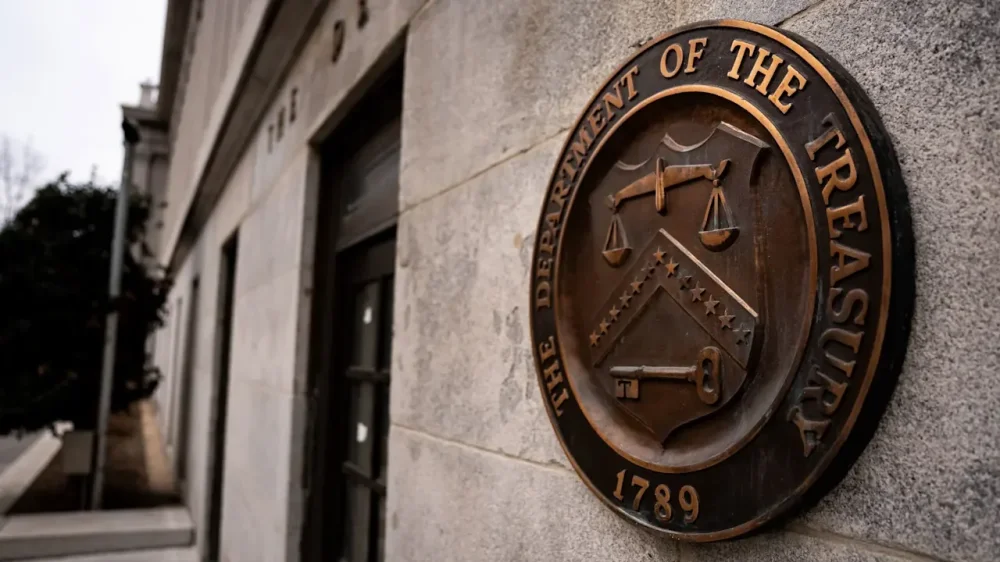
-
It’s “where are you now?” month at Ask a Manager, and all December I’m running updates from people who had their letters here answered in the past. There will be more posts than usual this week, so keep checking back throughout the day. Remember the letter-writer who was inheriting an employee who causes chaos wherever they go? Here’s the update. Thank you so much for taking my question several months ago about having a “chaos employee” forced upon my department. I have an update and a feeling there will likely be a more dramatic addition some years down the road. I ended up talking my department out of taking on Pat! We dodged the bullet! I didn’t mention to my superiors any of the personal drama Pat carried with them, but rather convinced leadership that my staffers were hyper-focused on the projects they were assigned and the addition of an outside colleague would completely throw them off their workflows and postpone the completion of an important initiative. This was complete BS, but it worked! Pat is still in their original department and looks to be a long-term fixture in our organization. Soon after I wrote, Pat’s manager went out on three-month medical leave, which meant (a) Pat made it through their probationary period without even receiving a year-end review and (b) Pat basically took over their department. A couple of desperate employees in that building jumped ship, replaced by workers who recognized Pat as leadership because … even after their return from medical leave, Pat’s incredibly passive manager just gave Pat free rein. It’s now basically “Pat’s department,” with rumors afloat that Pat is angling to take over that building once Official Manager retires (which wouldn’t be for many years, since Pat and Official Manager are the same age). One of that department’s more recent hires — a staffer about 15 years younger than Pat — has become Pat’s Shadow. Any meeting Pat attends, Shadow sits in on too. Any project Pat develops, Shadow is involved in as well. They go everywhere, do everything together at work, and it’s obvious they’re tight outside the office too. None of this is inherently wrong, but it’s just striking to see Pat flanked at all times by their own personal (young) toady. Upper admin appears to be relieved whatever unrest there was has passed in the Pat zone, and of late seem to actually be rather okay with the current state of affairs. Pat can be funny, engaging, and direct — qualities leadership finds amusing when they’re in the building. Pat makes up for the lack of direction and spinelessness of Official Manager. Maybe Pat’s past blurring of personal and professional boundaries was an anomaly, a flash in the pan, and going forward they’ll be nothing but respectful and courteous with their peers. Perhaps Pat is now a force of good… Nah! There’s totally going to be some giant cluster&*%$ that explodes around Pat within my organization! The question is what and when. For now, I’m just glad my department didn’t have this bringer of chaos forced upon it! I’ll be sure to send an update when the dust settles around the next Pat chaos bomb. The post update: I’m inheriting an employee who causes chaos wherever they go appeared first on Ask a Manager. View the full article
-
Want more housing market stories from Lance Lambert’s ResiClub in your inbox? Subscribe to the ResiClub newsletter. While national active inventory for sale is still rising year-over-year, the pace of growth has slowed in recent months—something we’ve been closely documenting for several months for our ResiClub members. The side-by-side maps below help you to see that decelerated rate of inventory growth: Left map: Year-over-year change in metro level active inventory between November 2023 and November 2024 Right map: Year-over-year change in metro level active inventory between November 2024 and November 2025 Click to expand Between November 2023 and November 2024, U.S. active housing inventory for sale rose +26.1%. Between November 2024 and November 2025, U.S. active housing inventory for sale rose +12.6%. Some of that percentage deceleration is a denominator effect (i.e., as U.S. active inventory rises, it takes an even larger increase to generate the same year-over-year percentage gain). That said, the deceleration is not only due to a denominator effect. In November 2024, there were +196,885 more U.S. homes for sale than in November 2023. In November 2025, there were +120,003 more U.S. homes for sale than in November 2024. The chart below—year-over-year unit shift in inventory—helps us to see the trend without the denominator effect: Why has U.S. active inventory growth slowed? Some of it is due to days on market not rising as quickly/stabilizing in some markets. Part of the slowdown reflects an increase in delistings in softer markets, as some sellers have thrown in the towel and pulled their listings. And, to a lesser degree, a handful of markets have seen a mild pickup in absorption, as existing-home sales have edged up slightly from their multiyear troughs. What does decelerating inventory growth mean? Back in September, I published an article titled: “The speed of housing market softening has slowed—but softness remains.” I think that framing still holds for what we’ve seen in recent months. On a nationally aggregated basis, as inventory growth decelerated in the second half of 2025, so did the pace of market softening. Since then, the U.S. housing market has largely stabilized, with national home price appreciation hovering close to 1% year-over-year and below U.S. income growth. Of course, there remains significant regional variation: Many pockets of the Midwest and Northeast continue to see mild year-over-year home value gains, while many areas in the Southwest and Southeast are experiencing mild year-over-year declines. What to watch in early 2026? As the nationally aggregated housing market transitions from its seasonally slower period into its seasonally busier spring window, a key question will be how inventory behaves. In particular, it will be important to watch whether the recent uptick in delistings in softer markets come back online. For example, do homes that were pulled from the market in weaker areas—such as Southwest Florida—quickly reappear once seasonality shifts? View the full article

-
French and German companies warned their access to the American market could be disruptedView the full article
-
If you’re looking to create engaging content for social media, vertical video editors are essential. You can choose from a variety of options, each with distinct features to meet your needs. For example, Kapwing offers AI tools, whereas iMovie integrates smoothly with Apple devices. Other editors like InShot and Picsart likewise provide user-friendly interfaces and flexible pricing plans. Comprehending these tools can improve your content strategy, but which one aligns best with your goals? Key Takeaways Kapwing offers AI-powered tools and a user-friendly interface for editing vertical videos, ideal for social media platforms like TikTok and Instagram Reels. iMovie provides seamless integration within the Apple ecosystem, featuring intuitive timelines and storyboard options for easy vertical video editing. Picsart combines photo and video editing capabilities, allowing basic video edits with font and color customization for branding purposes. Microsoft Clipchamp is a lightweight solution for Windows users, offering both online and offline editing options with extensive tutorial support. InShot specializes in professional-quality mobile video editing, featuring customizable aspect ratios, filters, and music integration tailored for social media content. Kapwing When you’re looking to create engaging videos for social media, Kapwing stands out as an efficient, fully online vertical video editor. It features AI-powered tools like automatic subtitles and smart cropping, which streamline your editing process. With a user-friendly interface, Kapwing works seamlessly on all devices, including Mac, Windows, Chromebook, and Linux, letting you edit from anywhere. You can easily create and edit videos in the 9:16 aspect ratio, perfect for platforms like TikTok and Instagram Reels. Although the free version includes a small watermark, the Pro version, available for $16/month when billed annually, reveals upgraded features. Regular updates guarantee that Kapwing stays aligned with current social media trends, making it a reliable choice for content creators. Imovie iMovie is a user-friendly video editing app that integrates seamlessly within the Apple ecosystem, making it easy for you to edit on your iPhone, iPad, or Mac. It supports vertical video formats, ideal for platforms like Instagram and TikTok, and offers basic editing features that cater to users of all skill levels. With its intuitive interface and straightforward timeline management, you can quickly navigate through your projects and create polished videos. User-Friendly Interface For those looking to plunge into video editing, a user-friendly interface can make all the difference in simplifying the process. iMovie is particularly accessible for beginners and casual users interested in creating iMovie vertical videos. Here are three key features that improve its usability: Innovative timeline management – Easily navigate tracks and organize clips, streamlining your editing experience. Storyboards – These guide you through the video creation process, ensuring a structured approach to your edits. Magic Movie feature – This automation trims clips, adds changes, and music, perfect for quick edits. With these features, iMovie helps you focus on creativity instead of getting lost in technical details, making it an excellent choice for those new to video editing. Seamless Apple Ecosystem Integration Seamlessly integrating with the Apple ecosystem, iMovie allows you to switch between your iPhone, iPad, and Mac without missing a beat. This means you can effortlessly start a project on your iPhone, fine-tune it on your iPad, and finalize your edits on your Mac. iMovie’s support for vertical video makes it an excellent choice for creating content designed for social media platforms like TikTok and Instagram Reels. The app simplifies your editing process with features like Storyboards and the Magic Movie tool, catering to both beginners and more experienced users. Plus, you can improve your video projects by accessing a wide array of music and sound effects directly from your iTunes library. Basic Editing Features Available Editing videos can be a straightforward process with the right tools, and iMovie provides a user-friendly interface that caters to both novices and casual users. With iMovie portrait mode, you can easily create content customized for social media. Here are some basic editing features you’ll appreciate: Clip Management: Trim and split clips effortlessly, enabling precise organization of your video content. Visual Effects: Choose from various pre-set transitions and effects that improve your video’s appeal with minimal effort. Audio Integration: Seamlessly access your iTunes library for soundtracks and audio effects, elevating your project’s overall quality. These features make iMovie a solid choice for anyone looking to refine their vertical videos for platforms like Instagram and TikTok. Picsart Picsart is a versatile editing tool that caters to both video and photo content, making it a popular choice for social media creators. Moreover, it offers basic video editing tools like trimming and ratio selection, its advanced options are somewhat limited compared to specialized video editors. It’s particularly useful for good video editors for iPhone users, as it allows for font and color customization, enhancing brand management for marketing purposes. Furthermore, the batch editor feature lets you make multiple edits at once, boosting your productivity. The app’s clean interface is beginner-friendly, yet it provides advanced features through paid subscription options. Feature Basic Editing Advanced Features Trimming Yes Limited Batch Editing Yes No Customization Fonts and Colors Available in Paid User Interface Beginner-Friendly Advanced Options Microsoft Clipchamp When looking for a user-friendly video editing solution, Microsoft Clipchamp stands out as an excellent choice for Windows users. This lightweight auto video editor makes video creation quick and easy. Here are three key features that make Clipchamp ideal for social media content: Online and Downloadable Options: You can edit videos directly in your browser or download the software for offline use. Extensive Library of Explainer Videos: These resources assist you in mastering the editing process, perfect for teams using Microsoft Teams. Support for Vertical Video Formats: Clipchamp caters to the growing demand for social media content, allowing you to create optimized videos effortlessly. While it’s user-friendly, keep in mind that it’s better suited for casual users than professional editing tasks. Viva Cut Viva Cut stands out with its user-friendly interface, making video editing straightforward for both beginners and casual users. It supports various video formats, ensuring you can easily create content customized for platforms like Instagram or TikTok. With flexible pricing plans available, including a Pro version that reveals advanced features, you can choose the option that best fits your editing needs. Key Features Overview Editing videos for social media has become increasingly important, and Viva Cut stands out with its impressive set of features intended to improve your editing experience. As one of the great video editing apps for iPhone, it offers: Multiple Video Imports: You can import various clips and trim them from any segment, giving you greater flexibility during editing. Layout Switching: Easily switch between vertical, square, and horizontal formats, ensuring your videos fit perfectly on any social media platform. Pro Version Features: Access unlimited layers for overlays, greatly broadening your creative possibilities for complex projects. Available on both the App Store and Android Play Market, Viva Cut provides a free version with limited features, along with flexible pricing options for the Pro version, making it a versatile choice for all users. User-Friendly Interface A user-friendly interface sets Viva Cut apart in the crowded field of video editing apps. Designed for both beginners and experienced users, its intuitive layout simplifies the editing process. You can easily navigate through tools and features, thanks to the guided editing process that improves your overall experience. This best iPhone movie editor supports various aspect ratios, including vertical layouts, making it perfect for social media content. You’ll likewise appreciate the animated text options, which let you customize colors and fonts to add a creative flair to your videos. If you’re looking to raise your editing, the pro version reveals advanced features like 4K export and additional filters, catering to those who want more thorough capabilities. Pricing and Plans Regarding pricing and plans for video editing software, Viva Cut offers a range of options to suit different user needs. If you’re looking for editing apps for Instagram edits, you can start with their free version, which includes basic editing features and allows for 2 overlapping layers. For more advanced capabilities, consider the Pro version, which provides unlimited layers and additional features. Here’s a quick breakdown of the pricing options: Free version: Basic features for beginners. Monthly subscription: Flexible payment for short-term use. Yearly plan: Discounted option for long-term users. Check the app for the most current pricing details, as they may vary, ensuring you choose what fits your editing needs best. Spark Camera Spark Camera provides a user-friendly platform for creating quick social media content, especially suited for platforms like Instagram Stories and TikTok. This app is one of the cool editing apps for iPhone, designed for basic editing tasks that anyone can master. With its simplified trimming function, you can make quick edits without getting overwhelmed by complex processes. The app furthermore allows you to integrate music from your iTunes library, giving you control over volume levels to improve your videos. Its clear interface makes it ideal for beginners seeking straightforward editing solutions. In addition, Spark Camera offers a free limited version, along with Pro options for those wanting more features and capabilities, ensuring it meets various user needs effectively. InShot For those looking to create professional-quality videos directly from their mobile devices, InShot stands out as a robust video editing app designed for social media content. This app simplifies the editing process with features customized for apps for edits on Instagram and other platforms. Here are three key features: Aspect Ratio Adjustments: Easily modify your video’s dimensions for TikTok, Instagram, and more. Creative Filters and Effects: Access an extensive library to improve your videos visually. Music Integration: Sync music with beat detection and control video speed for a polished final product. Available on both the App Store and Android Play Market, InShot offers a free version with ads and watermarks, making it accessible to all users. Frequently Asked Questions What Is the Best Video Editor for Social Media? When choosing the best video editor for social media, consider your needs and platform requirements. Kapwing stands out for its AI features and easy online access, perfect for quick edits. Adobe Premiere Rush offers a user-friendly interface and cross-device compatibility, though it may lack advanced tools. For mobile users, Enlight Videoleap provides impressive animations, whereas InShot excels in quick content creation with various effects. Evaluate these options based on your editing style and desired features. What Do Most Influencers Use to Edit Videos? Most influencers use a variety of editing tools to improve their videos. CapCut is popular for its free, user-friendly features, making it ideal for short-form content. Adobe Premiere Rush offers seamless integration with other Adobe products, facilitating multi-device editing. InShot provides extensive tools for music and aspect ratio adjustments. Enlight Videoleap is chosen for its animation capabilities. Moreover, TikTok’s built-in editing tools allow for quick, engaging video creation directly on the platform. What Is the No. 1 Best Video Editor? The number one best video editor is Kapwing. It offers advanced features, including AI-powered tools and compatibility across all devices, making it accessible for everyone. With its user-friendly interface, you can easily edit vertical videos, and the automatic subtitles and smart cropping improve your content. As there’s a free version with a watermark, the Pro version at $16/month reveals additional features. Regular updates keep you aligned with the latest editing trends. Where Can I Edit Vertical Videos? You can edit vertical videos using various online and mobile platforms. Tools like Kapwing offer AI features for easy editing, whereas iMovie is great for Mac users needing basic options. Enlight Videoleap provides advanced animation features on mobile, and Picsart combines video and photo editing in a user-friendly interface. If you’re looking for something straightforward, Adobe Premiere Rush allows seamless social media sharing, though it has fewer features compared to professional software. Conclusion In summary, choosing the right vertical video editor can greatly improve your social media content. Each of the seven options—Kapwing, iMovie, Picsart, Microsoft Clipchamp, Viva Cut, Spark Camera, and InShot—offers unique features customized to your specific needs. By considering factors such as ease of use, available tools, and pricing, you can select an editor that aligns with your goals. With the right software, you’ll be better equipped to create engaging videos for platforms like TikTok and Instagram. Image via Google Gemini This article, "Top 7 Vertical Video Editors for Social Media" was first published on Small Business Trends View the full article
-
If you’re looking to create engaging content for social media, vertical video editors are essential. You can choose from a variety of options, each with distinct features to meet your needs. For example, Kapwing offers AI tools, whereas iMovie integrates smoothly with Apple devices. Other editors like InShot and Picsart likewise provide user-friendly interfaces and flexible pricing plans. Comprehending these tools can improve your content strategy, but which one aligns best with your goals? Key Takeaways Kapwing offers AI-powered tools and a user-friendly interface for editing vertical videos, ideal for social media platforms like TikTok and Instagram Reels. iMovie provides seamless integration within the Apple ecosystem, featuring intuitive timelines and storyboard options for easy vertical video editing. Picsart combines photo and video editing capabilities, allowing basic video edits with font and color customization for branding purposes. Microsoft Clipchamp is a lightweight solution for Windows users, offering both online and offline editing options with extensive tutorial support. InShot specializes in professional-quality mobile video editing, featuring customizable aspect ratios, filters, and music integration tailored for social media content. Kapwing When you’re looking to create engaging videos for social media, Kapwing stands out as an efficient, fully online vertical video editor. It features AI-powered tools like automatic subtitles and smart cropping, which streamline your editing process. With a user-friendly interface, Kapwing works seamlessly on all devices, including Mac, Windows, Chromebook, and Linux, letting you edit from anywhere. You can easily create and edit videos in the 9:16 aspect ratio, perfect for platforms like TikTok and Instagram Reels. Although the free version includes a small watermark, the Pro version, available for $16/month when billed annually, reveals upgraded features. Regular updates guarantee that Kapwing stays aligned with current social media trends, making it a reliable choice for content creators. Imovie iMovie is a user-friendly video editing app that integrates seamlessly within the Apple ecosystem, making it easy for you to edit on your iPhone, iPad, or Mac. It supports vertical video formats, ideal for platforms like Instagram and TikTok, and offers basic editing features that cater to users of all skill levels. With its intuitive interface and straightforward timeline management, you can quickly navigate through your projects and create polished videos. User-Friendly Interface For those looking to plunge into video editing, a user-friendly interface can make all the difference in simplifying the process. iMovie is particularly accessible for beginners and casual users interested in creating iMovie vertical videos. Here are three key features that improve its usability: Innovative timeline management – Easily navigate tracks and organize clips, streamlining your editing experience. Storyboards – These guide you through the video creation process, ensuring a structured approach to your edits. Magic Movie feature – This automation trims clips, adds changes, and music, perfect for quick edits. With these features, iMovie helps you focus on creativity instead of getting lost in technical details, making it an excellent choice for those new to video editing. Seamless Apple Ecosystem Integration Seamlessly integrating with the Apple ecosystem, iMovie allows you to switch between your iPhone, iPad, and Mac without missing a beat. This means you can effortlessly start a project on your iPhone, fine-tune it on your iPad, and finalize your edits on your Mac. iMovie’s support for vertical video makes it an excellent choice for creating content designed for social media platforms like TikTok and Instagram Reels. The app simplifies your editing process with features like Storyboards and the Magic Movie tool, catering to both beginners and more experienced users. Plus, you can improve your video projects by accessing a wide array of music and sound effects directly from your iTunes library. Basic Editing Features Available Editing videos can be a straightforward process with the right tools, and iMovie provides a user-friendly interface that caters to both novices and casual users. With iMovie portrait mode, you can easily create content customized for social media. Here are some basic editing features you’ll appreciate: Clip Management: Trim and split clips effortlessly, enabling precise organization of your video content. Visual Effects: Choose from various pre-set transitions and effects that improve your video’s appeal with minimal effort. Audio Integration: Seamlessly access your iTunes library for soundtracks and audio effects, elevating your project’s overall quality. These features make iMovie a solid choice for anyone looking to refine their vertical videos for platforms like Instagram and TikTok. Picsart Picsart is a versatile editing tool that caters to both video and photo content, making it a popular choice for social media creators. Moreover, it offers basic video editing tools like trimming and ratio selection, its advanced options are somewhat limited compared to specialized video editors. It’s particularly useful for good video editors for iPhone users, as it allows for font and color customization, enhancing brand management for marketing purposes. Furthermore, the batch editor feature lets you make multiple edits at once, boosting your productivity. The app’s clean interface is beginner-friendly, yet it provides advanced features through paid subscription options. Feature Basic Editing Advanced Features Trimming Yes Limited Batch Editing Yes No Customization Fonts and Colors Available in Paid User Interface Beginner-Friendly Advanced Options Microsoft Clipchamp When looking for a user-friendly video editing solution, Microsoft Clipchamp stands out as an excellent choice for Windows users. This lightweight auto video editor makes video creation quick and easy. Here are three key features that make Clipchamp ideal for social media content: Online and Downloadable Options: You can edit videos directly in your browser or download the software for offline use. Extensive Library of Explainer Videos: These resources assist you in mastering the editing process, perfect for teams using Microsoft Teams. Support for Vertical Video Formats: Clipchamp caters to the growing demand for social media content, allowing you to create optimized videos effortlessly. While it’s user-friendly, keep in mind that it’s better suited for casual users than professional editing tasks. Viva Cut Viva Cut stands out with its user-friendly interface, making video editing straightforward for both beginners and casual users. It supports various video formats, ensuring you can easily create content customized for platforms like Instagram or TikTok. With flexible pricing plans available, including a Pro version that reveals advanced features, you can choose the option that best fits your editing needs. Key Features Overview Editing videos for social media has become increasingly important, and Viva Cut stands out with its impressive set of features intended to improve your editing experience. As one of the great video editing apps for iPhone, it offers: Multiple Video Imports: You can import various clips and trim them from any segment, giving you greater flexibility during editing. Layout Switching: Easily switch between vertical, square, and horizontal formats, ensuring your videos fit perfectly on any social media platform. Pro Version Features: Access unlimited layers for overlays, greatly broadening your creative possibilities for complex projects. Available on both the App Store and Android Play Market, Viva Cut provides a free version with limited features, along with flexible pricing options for the Pro version, making it a versatile choice for all users. User-Friendly Interface A user-friendly interface sets Viva Cut apart in the crowded field of video editing apps. Designed for both beginners and experienced users, its intuitive layout simplifies the editing process. You can easily navigate through tools and features, thanks to the guided editing process that improves your overall experience. This best iPhone movie editor supports various aspect ratios, including vertical layouts, making it perfect for social media content. You’ll likewise appreciate the animated text options, which let you customize colors and fonts to add a creative flair to your videos. If you’re looking to raise your editing, the pro version reveals advanced features like 4K export and additional filters, catering to those who want more thorough capabilities. Pricing and Plans Regarding pricing and plans for video editing software, Viva Cut offers a range of options to suit different user needs. If you’re looking for editing apps for Instagram edits, you can start with their free version, which includes basic editing features and allows for 2 overlapping layers. For more advanced capabilities, consider the Pro version, which provides unlimited layers and additional features. Here’s a quick breakdown of the pricing options: Free version: Basic features for beginners. Monthly subscription: Flexible payment for short-term use. Yearly plan: Discounted option for long-term users. Check the app for the most current pricing details, as they may vary, ensuring you choose what fits your editing needs best. Spark Camera Spark Camera provides a user-friendly platform for creating quick social media content, especially suited for platforms like Instagram Stories and TikTok. This app is one of the cool editing apps for iPhone, designed for basic editing tasks that anyone can master. With its simplified trimming function, you can make quick edits without getting overwhelmed by complex processes. The app furthermore allows you to integrate music from your iTunes library, giving you control over volume levels to improve your videos. Its clear interface makes it ideal for beginners seeking straightforward editing solutions. In addition, Spark Camera offers a free limited version, along with Pro options for those wanting more features and capabilities, ensuring it meets various user needs effectively. InShot For those looking to create professional-quality videos directly from their mobile devices, InShot stands out as a robust video editing app designed for social media content. This app simplifies the editing process with features customized for apps for edits on Instagram and other platforms. Here are three key features: Aspect Ratio Adjustments: Easily modify your video’s dimensions for TikTok, Instagram, and more. Creative Filters and Effects: Access an extensive library to improve your videos visually. Music Integration: Sync music with beat detection and control video speed for a polished final product. Available on both the App Store and Android Play Market, InShot offers a free version with ads and watermarks, making it accessible to all users. Frequently Asked Questions What Is the Best Video Editor for Social Media? When choosing the best video editor for social media, consider your needs and platform requirements. Kapwing stands out for its AI features and easy online access, perfect for quick edits. Adobe Premiere Rush offers a user-friendly interface and cross-device compatibility, though it may lack advanced tools. For mobile users, Enlight Videoleap provides impressive animations, whereas InShot excels in quick content creation with various effects. Evaluate these options based on your editing style and desired features. What Do Most Influencers Use to Edit Videos? Most influencers use a variety of editing tools to improve their videos. CapCut is popular for its free, user-friendly features, making it ideal for short-form content. Adobe Premiere Rush offers seamless integration with other Adobe products, facilitating multi-device editing. InShot provides extensive tools for music and aspect ratio adjustments. Enlight Videoleap is chosen for its animation capabilities. Moreover, TikTok’s built-in editing tools allow for quick, engaging video creation directly on the platform. What Is the No. 1 Best Video Editor? The number one best video editor is Kapwing. It offers advanced features, including AI-powered tools and compatibility across all devices, making it accessible for everyone. With its user-friendly interface, you can easily edit vertical videos, and the automatic subtitles and smart cropping improve your content. As there’s a free version with a watermark, the Pro version at $16/month reveals additional features. Regular updates keep you aligned with the latest editing trends. Where Can I Edit Vertical Videos? You can edit vertical videos using various online and mobile platforms. Tools like Kapwing offer AI features for easy editing, whereas iMovie is great for Mac users needing basic options. Enlight Videoleap provides advanced animation features on mobile, and Picsart combines video and photo editing in a user-friendly interface. If you’re looking for something straightforward, Adobe Premiere Rush allows seamless social media sharing, though it has fewer features compared to professional software. Conclusion In summary, choosing the right vertical video editor can greatly improve your social media content. Each of the seven options—Kapwing, iMovie, Picsart, Microsoft Clipchamp, Viva Cut, Spark Camera, and InShot—offers unique features customized to your specific needs. By considering factors such as ease of use, available tools, and pricing, you can select an editor that aligns with your goals. With the right software, you’ll be better equipped to create engaging videos for platforms like TikTok and Instagram. Image via Google Gemini This article, "Top 7 Vertical Video Editors for Social Media" was first published on Small Business Trends View the full article