Newsletter
Want to keep up to date with all our latest news and information?


ResidentialBusiness
Administrators
-
Joined
-
Last visited
Everything posted by ResidentialBusiness
-
Order comes after underestimations of building costs caused a multimillion pound overspend View the full article
-
Wind-driven wildfires that were among South Korea’s worst ever have ravaged the country’s southern regions, killing 24 people, destroying more than 200 structures and forcing 27,000 residents to evacuate, officials said Wednesday. The death toll included a pilot who died after a helicopter crashed during efforts to contain a blaze in the southeastern town of Uiseong, one of the hardest-hit areas. The aircraft had no other crew members. Police said that most of the dead are those in their 60s and 70s. The National Fire Agency said at least 26 people sustained varying degrees of injuries. An ancient Buddhist temple, houses, factories and vehicles were destroyed in the wildfires that have burned 43,330 acres (17,535 hectares), the government’s emergency response center said. In a televised address, South Korea’s acting President Han Duck-soo said the wildfires that began last Friday were worse than many previous ones. “Damages are snowballing,” Han said. “There are concerns that we’ll have wildfire damages that we’ve never experienced, so we have to concentrate all our capabilities to put out the wildfires in the rest of this week.” Han said crews struggled to extinguish the wildfires because strong winds swept the areas overnight. He also said about 4,650 firefighters, soldiers and other personnel were working Wednesday with the help of about 130 helicopters, adding that “a small amount” of 5-10 millimeters (0.1-0.3 inches) of rain was expected Thursday. As of Wednesday evening, firefighters were tackling at least four active wildfires, including in the southeastern coastal town of Yeongdeok, which alerted residents of the nearest village to evacuate to an indoor gymnasium. Strong winds and smoke-filled skies forced authorities in the southeastern city of Andong to order evacuations in two villages, including Puncheon, home to the Hahoe folk village — a UNESCO World Heritage Site founded around the 14th-15th century. Hikers were advised to leave the scenic Jiri Mountain, one of the country’s largest national parks, as another fire spread closer. Observers say the ongoing wildfires are the third biggest in South Korea’s history in terms of land burned. The largest fires were in Andong, the neighboring counties of Uiseong and Sancheong, and the city of Ulsan. On Tuesday, officials said firefighters had extinguished most of the flames from the largest wildfires in those areas, but wind and dry conditions allowed them to spread again. The blaze in Uiseong destroyed about 20 of the 30 buildings and structures at Gounsa, a temple said to be originally built in the 7th century. Among the burned structures were two state-designated “treasures” — a pavilion-shaped building erected overlooking a stream in 1668, and a Joseon dynasty structure built in 1904 to mark the longevity of a king. Meanwhile, the Justice Ministry said it protectively removed 500 inmates from a detention center in Cheongsong, another southern town, but no damages were reported to the facility. The Korea Forest Service said it had raised its wildfire warning to the highest level nationwide, requiring local governments to assign more workers to emergency response, tighten entry restrictions for forests and parks, and recommend that military units withhold live-fire exercises. Among the dead were four firefighters and government workers who died in Sancheong on Saturday after being trapped by fast-moving flames driven by strong winds, according to officials. Government officials suspect human error caused several of the fires, possibly due to the use of fire while clearing overgrown grass in family tombs or sparks from welding work. —Kim Tong-Hyung and Hyung-Jin Kim, Associated Press View the full article

-
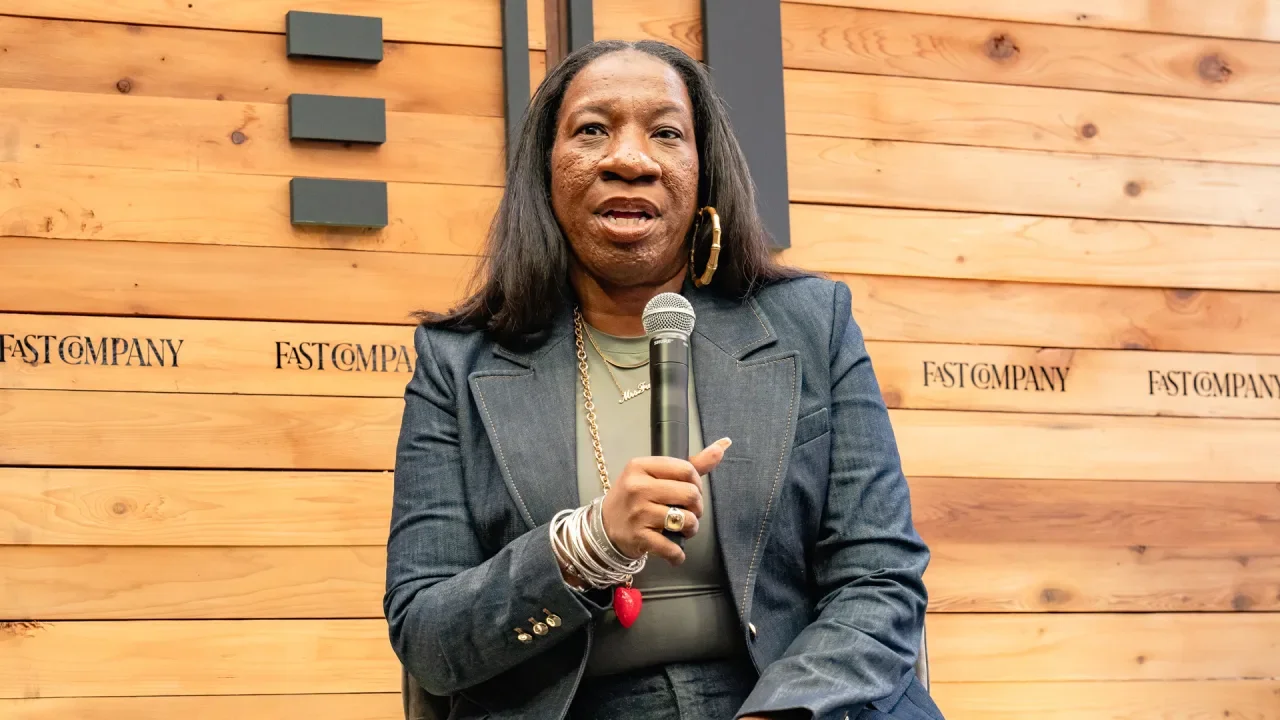
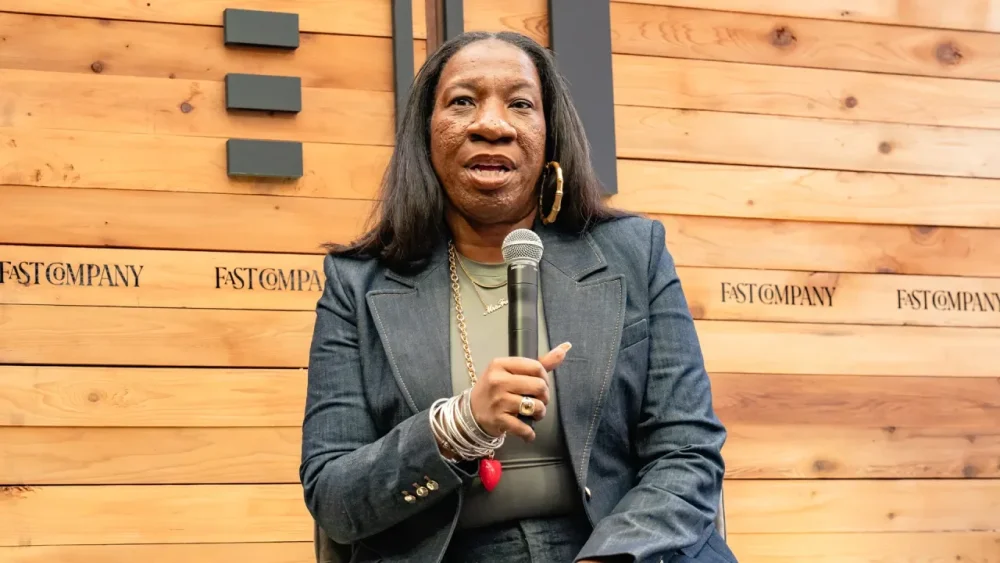
Activist and advocate Tarana Burke has spent 30 years raising awareness of sexual violence and working to eradicate it. Burke, who currently serves as the chief vision officer of the nonprofit organization Me Too Movement, coined the phrase “Me Too” in 2006 as a way show young women of color who had experienced sexual violence that they were not alone. The phrase took off as a hashtag on social media in 2017 in the wake of sexual assault allegations against Harvey Weinstein and other high-profile men. Since then, Burke’s organization has partnered with groups including &Rise, Black Women’s Blueprint, and Callisto to support survivors of sexual violence in more than 80 countries. Burke spoke at the Fast Company Grill at South by Southwest about how advances in generative AI can lead to sexual violence, what the current political climate means for Me Too, and her organization’s agenda for the next couple of years. Earlier this month, former New York Governor Andrew Cuomo, who stepped down amid a barrage of sexual harassment allegations, announced that he’s running for New York City mayor. We also have a president and members of his cabinet accused of sexual assault. How do you feel about this? I’m a little angry. I just want us to do better and dream better and think bigger. There’s so many people who say that they care about this issue. The issue of sexual and gender-based violence is really at pandemic levels in this country. There are so many people who are like, “I want this to end. What can we do about it?” What you can do when things like this happen, is figure out where the line is and hold the line. We keep moving it and pushing it. You have somebody like Cuomo, a governor who stepped down from his position. A governor who has both a Department of Justice investigation and an investigation by his own Attorney General into the allegations against him. If we actually want these things to stop, if we want to make an impact on the issue of sexual and gender-based violence, we can’t say, “Maybe we can take him even though I know that happened.” Right there, when you say that, that is exactly where the issue dies. What do you make of men like this being able to make a comeback? I get asked about the bad actors all the time. When people harm other people, there should be a pathway for the person who caused harm to come back. Sexual violence happens on the spectrum. Accountability should happen on a spectrum. This is not just about throwing people away. What most of us haven’t witnessed is the thing that happens after the harm. Where is the accountability? Where is the person that comes back and says, “I understand that this person was harmed and this is what I did to understand that better. This is how I’ve changed.” We don’t see that. What we see is people who disappear for a while and then come back. How should we treat survivors in this situation? When a woman is just trying to save her own life, we still think about the man whose life is being ruined. That is fundamentally the problem. We have to fix that. We have to shift that so that there’s enough space for us to get what we need. We say “believe survivors” because we want survivors to have the respect and dignity of investigation. If you believe me, you won’t try to undermine me. You won’t ask me questions like, “Why were you wearing this? Or what were you doing?” You’re going to start from the premise that I’m telling the truth. And if you think somebody’s telling the truth, then you’re going to help them get the resources they need. Sometimes that’s an investigation and that helps everybody involved. If you’re the person being accused or you’re the person who has the accusation, everybody involved should be treated with respect and humanity. It’s not going to always be comfortable though. There’s a misconception that you deserve comfort, that we have to create a life where you’re never uncomfortable. I just referenced some examples in politics and entertainment. Do you get frustrated that these industries get the bulk of media coverage and attention? One of the biggest challenges, and probably the saddest part, of the viral moment around Me Too, is that it created so much attention around people who cause harm or people who have been accused of causing harm. I tell people this all the time. You had millions and millions of people around the world who raised their hand to say, “This happened to me, too.” But you wouldn’t know the hashtag, you wouldn’t know any of that, if it wasn’t for the celebrities and politicians. Then we immediately took our eyes off the survivors. And so it is harmful when the news cycle is only talking about the Me Too movement when some other person has been accused or to tell us that we’re dead again. We created the organization to be a container for the movement because we knew we couldn’t depend on mainstream media or politicians to do that. Since the height of the Me Too movement in 2017—when you were, along with other activists, Time‘s person of the year—do you think we’ve seen a true cultural shift? Sexual violence has a history that goes all the way back to the Bible. There’s no way that a hashtag was going to erase that. I think the leaps and bounds [of progress] that we’ve seen in the last seven years would’ve probably taken 20 years without that viral moment. That said, we still have a ways to go. Those front-page moments never last. But what has lasted is the policies that have been changed, the laws that have been changed, but also the way people think and talk about it. We have given the world language and a way to talk about sexual violence. We’ve given survivors a community. So there has been a cultural shift, but it hasn’t shifted enough. You’re talking about power structures that have existed for so long. Patriarchy is a structure that has existed for so long. So we’ve made a dent in that. Of course, the pendulum is going to try to swing back the other way. We would be foolish not to expect that. The difference is that when it swings back this time, we are coming with a different analysis. Twenty-one-year-olds grew up with the Me Too movement. They’re going into college now with a particular analysis around that. They have less shame about talking about things that have happened to them, and they’re really clear about what they will not allow to happen to them. What kinds of trends are you seeing in the larger movement to combat sexual and gender-based violence? Funding for sexual and gender-based violence is at an all-time low. We’ve actually seen in the last five years that several of the foundations that support this work have either closed or have closed their portfolios. That predates this administration. It’s something that has been happening globally. So it is very difficult to fund the work to end sexual and gender-based violence. We talk about this as something that’s not solvable, but this is a solvable issue. I often use the example of [former New York City Mayor] Mike Bloomberg. He decided about 25 years ago that he wanted to make America smoke-free. What he did was he invested more than $20 billion in making us smoke free. Now, if you light a cigarette anywhere, people are like, “Oh my God, who’s smoking?” Now, yes, people still smoke, but we had multiple interventions because of that investment. We had research that came out talking about secondhand smoke will kill you. We had legal interventions where the tobacco industry was sued. We had research interventions and we had cultural interventions. Imagine if that was the kind of intervention we had around sexual and gender based violence where we had a curriculum in schools that taught children year over year about consent, not just one time in the 12th grade in front of a computer. Imagine if we had research that showed us the medical effects that sexual trauma has on people. So my point is, we need more funding across the board because this is a solvable issue. #MeToo harnessed the power of social media to spread a message. Now, X’s algorithm has changed, and the social media landscape has become pretty toxic. Do you think it’s still a useful medium? Just because the tool becomes weaponized, doesn’t take away its usefulness. It’s really about how we use it and the safety measures that we put in place. Tech has facilitated gender-based violence. There’s a new app where they can undress you based on a fully dressed picture. Character AI is another thing. There’s ways in which violence is being perpetuated through social media and online. It’s the new frontier. How are you harnessing tech to further your organization’s mission? We’re working on something that we call Digital Direct Service. When Me Too went viral, so many survivors were like, what can Me Too do for me? So we set up a database of resources. Those resources are deeply diversified. When I was doing this work with young Black girls in the South, I could never find resources that were specific to them. So when we built this resource database, we wanted to make sure you could filter to find yourself. You can be a disabled trans veteran and a survivor. You can put all of these things into our website. You can say, this happened to me in college, this happened to me as a child. And you can find what you need specifically. The other thing we have is our Pride and Joy Survivors Sanctuary. It’s an online healing platform and it’s free. We have a variety of videos from as short as five minutes to as long as 30 minutes. What else is on your organization’s agenda in the next year or two? The other way we focus our attention is engaging survivors from a place of power. People often engage survivors of sexual and gender-based violence from a place of pity. But survivors are the most powerful people that you can encounter. We’ve already come through the worst of the worst and landed on the other side. I’m really excited about the idea of building a constituency. Imagine us voting along the lines of our survivorship. And there’s millions of us as a voting bloc. I’m really interested in how we take that trauma, how we take those experiences, and turn them into power for people. Then the third thing is our global work. We’re called Me Too International because it’s a global movement. We have a network in Latin America, the Caribbean, Africa, and in some parts of Europe. A large part of it is from 134 [partner] organizations across 70 countries. We come into those conversations not from a place of US imperialism. We come to it saying, listen, what’s happening here is also happening in America. View the full article
-
A number of big-name tech companies have announced or are said to be planning layoffs this month, in continuation of a trend we saw in February. March 2025’s most prominent tech layoffs include those from Jack Dorsey’s fintech company Block, online meal kit company HelloFresh, server maker Hewlett Packard Enterprise (HPE), social media giant TikTok, and retailer Wayfair’s technology division. Here’s what you need to know. Jack Dorsey’s Block lays off over 900 workers Twitter founder Jack Dorsey’s latest company, Block, has announced that it will cut 931 jobs. Block owns the popular fintech app and platforms Cash App and Square. The 931 laid-off workers represent about 8% of Block’s workforce. Block made the announcement internally in an email Dorsey sent to Block staff. That email was later leaked to TechCrunch. In the email, Dorsey was very specific about why Block was cutting the chosen workers, citing three reasons: eliminating employees that are part of teams “that are off strategy” eliminating those who have a “below” or trending toward a “below” performance rating” and in order to flatten Block’s organizational hierarchy. Dorsey revealed the exact numbers being cut for each of the three reasons. “Strategy” cuts totaled 391 people, “performance” cuts totaled 460 people, and “hierarchy” cuts totaled 80 managers. Dorsey also announced Block was closing many of its 748 open roles at the company. “We’re behind in our actions, and that’s not fair to the individuals who work here or the company. When we know, we should move, and there hasn’t been enough movement,” Dorsey said in the email. “We need to move to help us meet and stay ahead of the transformational moment our industry is in.” Block declined Fast Company’s request for comment. HelloFresh axes 273 jobs in Texas Online meal kit company HelloFresh has revealed that it is set to eliminate nearly 300 positions at a facility in Texas, reported GroceryDive. The layoff plans were made public because the company was required to file a Worker Adjustment and Retraining Notification (WARN) in the state. WARN notices are required in some states when a company plans mass layoffs. They are intended to give workers and the local community advanced notice. According to HelloFresh’s WARN notice, 273 workers at its Grand Prairie, Texas, distribution center will lose their jobs on May 13. In an email to GroceryDive, HelloFresh confirmed the layoffs, which are being made because the company is consolidating its operations in the state to its Irving, Texas, location. “As the meal kit market normalizes, we are now focused on diversifying our product offerings and driving profitable growth by optimizing our operational footprint,” a company spokesperson said in the email. “As a result, we have made the difficult decision to consolidate our operations in Texas.” Hewlett Packard Enterprise cuts 2,500 jobs In what is the largest known tech mass layoff in March, server maker Hewlett Packard Enterprise (HPE) announced during its recent earnings report that it would cut 2,500 jobs. As noted by CNBC, Hewlett Packard Enterprise said it is seeking to achieve $350 million in gross savings by fiscal 2027. Part of those savings will come from the 2,500 job cuts, which are expected over the next 18 months. That equates to about 5% of Hewlett Packard Enterprise’s workforce. Despite its name, it’s important to note that Hewlett Packard Enterprise is a separate, distinct company from consumer computer maker Hewlett Packard (HP). HPE separated from HP nearly a decade ago. However, it’s worth pointing out that HPE’s March job cuts follow HP’s job cuts last month. In February, consumer computer maker Hewlett-Packard announced it would be cutting 2,000 workers. TikTok could cut 300 jobs in Ireland Social media giant TikTok is another tech company that might see job cuts. However, these cuts are limited to its operations in Ireland. As reported by Ireland’s public broadcaster, Raidió Teilifís Éireann (RTÉ), the country’s minister for enterprise, tourism and employment said it was his understanding that TikTok will cut around 300 jobs at its Dublin headquarters. The job cuts will reportedly happen in April. TikTok is said to employ almost 3,000 individuals at its Dublin headquarters, meaning the job cuts will impact about 10% of its workforce there. We’ve reached out to TikTok for comment. Wayfair Inc. to cut around 340 technology team members Home goods e-commerce giant Wayfair revealed in a Form 8-K filing with the U.S. Securities and Exchange Commission (SEC) on March 7 that it is initiating a workforce reduction. According to the filing, Wayfair will let go “approximately 340 members” of the company’s Technology team. “These changes reflect efforts to reshape, streamline and refocus the Company’s Technology organization after completing significant modernization and replatforming milestones,” Wayfair wrote in its 8-K. Wayfair says that it employs more than 12,000 people across North America and Europe. Tech layoffs reach nearly 25,000 in 2025 so far With the layoffs above, as well as others through the month of March, total layoffs for the tech industry since the year began currently stand at 24,313, according to data compiled by tech layoffs tracking site Layoffs.fyi. The site says that so far in 2025, 90 companies have announced tech-related layoffs. To put the nearly 25,000 figure into more perspective, in all of 2024, Layoffs.fyi says there were just over 152,000 tech layoffs. And in all of 2023, there were over 264,000. View the full article

-
US cloud company seeking blockbuster $32bn IPO had to remedy serious administrative errors in DecemberView the full article
-
Scheduling your computer to do something every day, every time you log in, or whenever the screen wakes up isn't impossible on most computers, it's just not convenient. Task Scheduler on Windows and Automator for macOS work if you're willing to dig in, but there's a learning curve. Task Till Dawn (which I found via App Addict) is a free Windows and macOS application made by developer Oliver Matuschin that you can use to set up custom automations for everything from starting a backup to changing your desktop wallpaper. To get started, download the application and launch it. You can start creating automations right away. There are four main sections to the automation builder. Metadata allows you to provide a name and description for your automation; Actions defines what the automation does. Credit: Justin Pot Setting up an automation mostly lives in the Actions tab. The left two panels show you the various things your automation can do, and the right panel shows you the steps you've currently set up. The next two tabs, Schedule and Events, allow you to pick when the automation will run. Schedule is fairly self-explanatory: You can choose to launch your automation based on time. This can mean a frequency—for example, every two hours—or an exact time—for example, 10 a.m. every day. Credit: Justin Pot But you can also trigger automations based on Events, which to me is more interesting. This lets you do things like launch an automation when specific things happen, like your computer waking up or a new hard drive being connected. Credit: Justin Pot The fun here is experimenting and seeing what you can build. I, for example, wanted a Time Machine backup to run on my Mac every time I plugged in my backup drive (named "88MPH"). I set up an automation using the event "When volumes are inserted or drives are connected." I then set up the automation to retrieve the names of connected drives and only proceed if one matches the name of my drive. If a drive does match, the Time Machine backup begins. There's plenty more you can do here. The installation folder comes with a few pre-built workflows for doing things like automatically grabbing photos from a camera and announcing the time out loud every hour. Exploring these is a great way to get a feel for what's possible. The real fun, though, is trying to build something yourself. View the full article
-
Being a perfectionist is like playing a rigged carnival game. It’s presented as easy and within reach when it’s actually impossible and unattainable. People who are expected by others, or expect themselves, to be perfect are trapped in a nonsensical world where normal and difficult are confused with perfect and easy. Unable to achieve perfection, they’re bombarded with messages that they’re not thinking, feeling, or performing normally: Everyone else manages to keep their house in order while working full-time and raising kids. No one else has to work this hard just to get by. None of the other moms have a hard time getting up with their kids in the morning. Of course, we’re all shackled by perfectionism to some extent. Those last three statements were pulled from my own perfectionistic self-talk. In a world of carefully crafted profiles and photoshopped everything, developing an accurate sense of “normal” is an uphill battle. The constant distortion makes equalizing critical. Equalizing shows someone that their reaction makes complete sense given their circumstances and how humans naturally respond. It’s essentially saying, “If I was in your shoes, I would do or feel the same.” It not only validates people’s reactions but also recalibrates their expectations. My client, a physician I’ll call Lou, once came to session with a familiar problem: He couldn’t keep up with emails at his new job and he was struggling to complete his patients’ notes on time, partly because of the email overload. No problem, I thought. We discussed ways to streamline his documentation process and came up with a plan for him to speak with the director if all else failed. Well, all else failed, including his conversation with the director, who my judgmental mind desperately wanted to be cast as Cruella de Vil. No, she told him, Lou could not get staff assistance in responding to patient emails; yes, all patient emails needed to be addressed by end of day; no, he could not get weekly admin time to attend to these tasks as is customary in most hospitals and could make up missed work on his own time. The director didn’t validate any of Lou’s concerns and instead seemed to suggest that he should get with the program. Still, the demands seemed unreasonable. How were any of the other doctors staying afloat? Lou didn’t know. The director wasn’t beloved by any means, but no one else was complaining about the expectations or workflow. “Maybe it’s the OCD,” he said after months of not being able to make it home in time to put his kids to bed. Lou had a history of obsessive-compulsive disorder, which manifested in excessive checking. When we started working together, he would check to see if the oven was off, then recheck to ensure it was off, then recheck just to be positive, then . . . you get the point. At work, he used to compulsively go over orders and prescriptions he’d submitted, driven by the anxiety that he’d made a mistake. But that was all in the past. Lou responded positively to treatment and had been symptom-free for years. “Are you checking again?” I asked. He didn’t think so but was starting to doubt himself. I reminded him of the unrelenting anxiety and obsessive thoughts that drove his compulsions. He admitted that the mafia goons were noticeably absent. But if it wasn’t the OCD, what was it? Lou’s situation was growing increasingly Kafkaesque. He began looking for other jobs. Then one day his director was gone. Fired or quit, Lou wasn’t sure which. There was a new director, and the first thing she did was to ask the doctors for anonymous feedback about their needs and pain points. Then she scheduled a meeting with them, which focused primarily on acknowledging the concerns everyone had raised about managing emails. It turns out Lou wasn’t an outlier after all. He was part of a silent majority. His burnout and hopelessness weren’t abnormal reactions to reasonable demands; they were normal responses to unrealistic expectations. Even though the new director didn’t have any immediate solutions to the email problem, Lou abandoned his job search. He no longer felt overwhelmed with hopelessness and self-doubt; his oxygen mask was firmly in place. Perfectionism thrives in isolation, where we can’t see that others struggle too with the same impossible standards. Equalizing brings these hidden struggles into the light, normalizing our very understandable responses to unrealistic demands. Adapted with permission from Validation by Caroline Fleck, published by Avery, an imprint of Penguin Publishing Group, a division of Penguin Random House, LLC. Copyright © 2025 by Caroline Fleck. View the full article

-
Building trust and forming meaningful relationships within teams can be a daunting task for leaders, especially when time is limited. Through our research, we identified a streamlined approach that Generators—the type of leader that people want to work for, known for creating strong, collaborative environments—use to foster relationships quickly. We call it the SWIFT process, an acronym that guides leaders in cultivating meaningful connections. The SWIFT process entails: Setting aside time for relationship-building sprints Welcoming others warmly Intentionally inquiring about others’ lives Following up with thoughtful questions Taking time to self-reflect for improvement By incorporating these steps, leaders can build stronger connections with their teams, reduce misunderstandings, and create an environment where collaboration thrives. Why the SWIFT process matters Building trust isn’t just a leadership buzzword—it’s foundational to productivity and job satisfaction. Reflect on your first week at a new job. The uncertainty about whether your boss would judge your questions or understand your values likely made you cautious about opening up. Now, imagine if your leader had proactively spent time with you, shared about themselves, and sought to understand your perspective. That effort would have made you feel more confident and secure, enabling you to ramp up more quickly in your role. This proactive approach to relationship-building isn’t merely about niceties—it has a tangible impact on performance. Employees who feel a sense of psychological safety are not only more comfortable asking questions but also more inclined to share their ideas and collaborate effectively. Reducing misconceptions One of the most immediate benefits of the SWIFT process is its ability to mitigate misconceptions. People naturally make quick judgments based on limited information, often influenced by stereotypes. While these cognitive shortcuts can be helpful for categorizing objects (like recognizing a chair, even if it looks unfamiliar), they are far less effective—and often harmful—when applied to people. Consider this: A team member might unconsciously associate you with a previous boss who resembled you physically or had a similar demeanor. These snap judgments, fueled by a lack of individuating information, can distort perceptions of trustworthiness and intent. The SWIFT process addresses this by promoting deeper interactions early on. Sharing your intentions, values, and actions allows team members to see you as an individual rather than a stereotype. Similarly, by getting to know your team, you can suspend your own biases, fostering an atmosphere of mutual respect and understanding. Reducing miscommunication The SWIFT process also tackles a common leadership challenge: miscommunication. This issue is particularly pronounced in global and remote teams, where nonverbal cues are often absent. For example, have you ever received an email that came across as curt or confusing, only to later realize the sender’s tone or intent was different than what you assumed? By taking the time to understand your colleagues’ communication styles, you can better interpret their messages and help align their tone with their intentions. This preemptive investment in relationship-building pays dividends by reducing misunderstandings and enabling smoother collaboration. Strengthening norms and minimizing conflict Stronger relationships also help prevent conflicts caused by perceived norm violations. When team members know and trust each other, they are more likely to give one another the benefit of the doubt. For instance, if someone misses a deadline, a colleague who understands their usual reliability is more likely to assume an extenuating circumstance rather than laziness or carelessness. Teams that invest in relationship-building create a culture of open communication and mutual support. This leads to constructive conversations about misunderstandings rather than divisive conflicts. The science of quick connections The good news is that building trust doesn’t have to be a slow, arduous process. Research by Oliver Schilke and Laura Huang demonstrates that even brief, intentional conversations can significantly improve judgments of trustworthiness. Their experiments showed that participants who engaged in a short verbal exchange—whether over the phone or in person—were better able to assess their partner’s intentions and behavior during trust-based tasks. The key lies in the exchange of perspectives: even minimal interaction helps individuals see situations through another’s eyes. This insight underscores the value of incorporating the SWIFT process into leadership practices. By dedicating even small amounts of time to meaningful conversations, leaders can foster trust, understanding, and collaboration more quickly than they might expect. Actionable steps to implement SWIFT The SWIFT process isn’t just a theoretical framework—it’s a practical tool that leaders can apply immediately. Here’s how to bring it to life: Set relationship-building goals: Block time in your calendar for regular check-ins with team members, especially those new to the team. Create a warm welcome: Begin each interaction with a genuine smile, a kind word, or a gesture that shows you value the person’s presence. Ask intentional questions: Go beyond surface-level inquiries. For instance, instead of asking, “How’s work?” try, “What’s been most exciting or challenging for you recently?” Follow up thoughtfully: Demonstrate that you listened by referencing previous conversations. For example, if a colleague mentioned a hobby or family event, ask how it went. Reflect and improve: After each interaction, consider what went well and what could be enhanced. Did you make the other person feel heard and valued? Are there ways you can deepen the connection next time? Why SWIFT leadership works Building relationships swiftly isn’t just a “nice-to-have” skill—it’s a critical component of effective leadership. By investing time in understanding your team and sharing about yourself, you foster an environment where trust can thrive. The benefits are clear: Employees who trust their leaders are more engaged, productive, and willing to collaborate. Teams with strong relationships experience fewer misunderstandings and conflicts. And leaders who embrace the SWIFT process position themselves as approachable, empathetic, and capable of driving their teams toward success. Whether you’re managing a team of two or 200, the SWIFT process is your roadmap to building trust, minimizing conflict, and cultivating a culture of connection. As you apply these steps, you’ll not only strengthen your team’s dynamics but also unlock their full potential. Adapted with permission from the publisher, Wiley, from Leading for Wellness by Patricia Grabarek and Katina Sawyer. Copyright © 2025 by Patricia Grabarek and Katina Sawyer. All rights reserved. This book is available wherever books and eBooks are sold. View the full article

-
When I asked Alicia Graf Mack, dean and director of The Julliard School’s Dance Division, to recall a moment that felt like a manifestation of her vision, she shared a recent Zoom conversation she had with seven Julliard seniors. They’re touring with dance companies and joined from around the world to share stories about their first performances. As a former principal dancer, Graf Mack understands her students’ journeys. She joined Julliard in 2018 with a bold vision to modernize dance education. As Julliard President Damian Woetzel captured: “on a macro level, what she is doing is influencing the very future of dance in the world.” “I’d love to see a field that is so diverse that we don’t have to put any labels on the artists themselves,” she says. “I’d love to see a world where leadership is rooted in the same values that our school is: equity, diversity, inclusion, belonging, and creative enterprise.” “There is no one way to define what excellence is,” she adds. “I wish for all of our dancers to have a stage for their unique voices and lives.” Alicia Graf Mack [Photo: Gregory Costanzo] Graf Mack’s vision will be brought to life at Julliard’s annual Spring Dances program March 26 to 29, where students will perform works by distinguished choreographers Jose Limón, William Forsythe, and Aszure Barton. On the surface, Graf Mack’s journey may appear like the perfect full circle story. This July, she will return to Alvin Ailey Theatre, where she was a principal dancer, as their new artistic director. Still, her path is defined by resilience. She retired three times due to an autoimmune disease and returned to the stage twice. Today, she is devoted to guiding the next generation of artists. Here, she discusses how to evolve your purpose, cultivate a beginner’s mindset, and sustain creative energy. This interview has been edited for length and clarity. In your Harper’s Bazaar interview with Jon Batiste, he shared that the “company” mindset is really the antithesis of art, which is a superpower that’s most potent when individuals are most like themselves and empowered in their being.” As a teacher, what does it look like to empower people in their being? I’m lucky that being in this position, I have the chance to see so much talent, then hand select the incredible artists who we want to help to cultivate further. I always look for something intangible in the person—something you can’t pinpoint or describe why you’re drawn to their artistry or talent. When you have a rich cohort of different people—different backgrounds, body shapes, and interests—that room will be so much richer and more vibrant, because no one is trying to fulfill a cookie cutter image of what a professional dancer should be or look like. I’m hopeful that, with the young people in the dance division, but also throughout the school, that we are cultivating leadership of the next generation of professional artists in the field. The idea of creating the world that you hope to see lives at the forefront of what we do at Juilliard and the people who are here. I’ve had a very atypical journey for a ballerina who is a Black woman and stands over six feet tall in pointe shoes—all of that was to be barriers in my life. But, those differences are what made me stand out. I would love to be able to pass on that torch of inclusion that I experienced at Dance Theatre of Harlem under Arthur Mitchell and Alvin Ailey under Judith Jamison and Robert Battle. To be able to be an authentic person makes such a difference in your artistry once you join a company, because then you’re part of an institution. But, you’re honored for who you are, as opposed to having to prove every day who you are. That allows the dancers to fly, because when you come to an educational institution and you’re asked to be vulnerable and learn new things, it’s very hard to do so when you’re not seen as the right person for the work. Let’s talk about resilience. You shared a poignant moment after a doctor’s appointment that implied that your career might be over: You were on the subway and sat under Dance Theatre of Harlem’s 30th anniversary poster with you in the center. Looking back, what would you have told yourself then? I would say: There’s no way through it, but through it. There was no way around the devastation that I felt when I knew that part of me or that chapter of my life was closed. My dad was with me that day and to have him there was really meaningful. It was like: You can hit rock bottom. But, your rock bottom still has your people there. In your conversation with Wendy Whelan, associate artistic director of New York City Ballet, you shared that the life experience you had during your retirements helped you “give yourself to the work.” What does it mean to give yourself to the work? It wasn’t until I gained maturity in life and life experience—what it feels like to be at your bottom and also know the high of highs—that I could bring that to my storytelling. Essentially, that’s what we do as dancers. We tell stories, either literal stories as embodied characters or we try to emulate music or feelings. In everything, we try to reflect the world in which we live and upon universal experiences that will affect an audience as they’re watching. As a young person, I trained all day—after school, all night, and all weekend. Then, I became a professional dancer. I didn’t have any real-life experiences to draw upon when I was dancing. Coming back, I was a much more mature artist. I had less fear about impressing an audience or dance critic. It all fell to the wayside after I returned, because I knew that my time was not promised on stage. I took advantage of every moment and tried to run full force into it. [Photo: Rachel Papo] You often describe dance as “living in the movement” and express that dance isn’t just about technique. How do you help dancers understand that they’re a vessel for creativity and guide them to dance from that place? The great dancers are able to transcend technique. That’s where they live in their artistry. They are more than the steps. Anybody can learn a step. But, it is a special gift to be able to express. I’m hearing the words of Judith Jamison because I’ve been watching so many old videos. [Jamison passed away a few days prior to our conversation]. She would say this all the time: You must speak truth through your art. That’s what we do as artists. When you see an artist who has unlocked that great sense of vulnerability and responsibility to the craft, you will recognize them right away on stage. What is essential to sustain that creative energy and level of performance? There’s a very important mode of daily practice that dancers must have. We are constantly putting our body through the paces. So, when it’s time to perform, it becomes second nature. You’re not thinking about steps. Also, it’s about staying curious about the work; that keeps everything so alive. It allows seasoned dancers to maintain a beginner’s mindset, so that every day you step into the studio you’re like: What can I learn? What is something that I can approach with a new or fresh perspective today? I can only talk about my own experiences. But, with Alvin Ailey, we would perform Revelations hundreds of times in a given year. You have to keep asking yourself: What experiences can I draw on today to bring forth through this work? What is happening in our world and culture that I can tap into to express pain, joy, or hope? It’s a meditation on how to refresh the work every day and remind ourselves why it’s so important. You highlighted that while the path requires intentional sacrifice, you can walk it with joy. How do you stay connected to joy amidst the rigor? You have to hold onto the “why” of what you’re doing. I always had the sense that not every day is going to be like Christmas. But, you’re going to have those moments when you realize that you arrived. That keeps you going to step onto another plateau—to continue to want to strive for more. What I do isn’t life saving. But, I do feel that my work has a real purpose; that allows clarity. I have a feeling that I know what I’ve been put on this Earth to do. I try to live that purpose as much as I can. View the full article

-
We may earn a commission from links on this page. Deal pricing and availability subject to change after time of publication. Amazon’s Big Spring Sale is back—and while it’s no Prime Day, it still brings a solid lineup of discounts for anyone looking to snag big-ticket items for less. Running from March 25 through March 31, this seven-day sale is only in its second year but already feels like a decent excuse to shop. You don’t need to be a Prime member to grab deals, though Amazon claims members get “more and better” prices. If you don’t want to commit, the 30-day free trial might be worth it just for the week. Just set a reminder to cancel if you're not planning on keeping it. One of the more eye-catching markdowns right now is on the Arlo Pro 5S 2K Spotlight Camera (3-Pack)—it’s down to $217.78 from $449.99, which, according to price-trackers, is the lowest it’s ever been. This three-camera bundle is designed for people who want decent home security without a complicated install. Each camera is completely wire-free and captures 2K resolution video. That means the footage is sharp enough to see license plates or faces from a distance, and you can digitally zoom in without everything turning into a blur. They have built-in spotlights and color night vision, which kicks in when motion is detected, giving you a better view at night. Arlo Pro 5S 2K Spotlight Camera - 3 Pack - Security Cameras Wireless Outdoor, Dual Band Wi-Fi, Color Night Vision, 2-Way Audio, Home Security Cameras, Home Improvement, White – VMC4360P $217.78 at Amazon /images/amazon-prime.svg $449.99 Save $232.21 Get Deal Get Deal $217.78 at Amazon /images/amazon-prime.svg $449.99 Save $232.21 That said, these cameras don’t come with local storage unless you already own the Arlo Smart Hub ($99, down from $110), which lets you record to a USB drive. If you don’t, you’ll need an Arlo Secure plan—$7.99/month for a single camera or $17.99/month for unlimited ones. That subscription unlocks cloud recording, activity zones, advanced object detection, and smart alerts. You can also step up to a $24.99/month plan that adds 24/7 emergency response. On the plus side, the Pro 5S 2K works with Alexa, Google Assistant, IFTTT, SmartThings (and Apple HomeKit if paired with a hub)—so it’s flexible if you're already using smart home gear, according to this PCMag review. Shopping for tech? Lifehacker can help you make the right decision. Browse our tech reviews and head-to-head comparisons for everything from laptops and smartwatches to e-bikes and home gyms. Subscribe to our deals newsletter, Add to Cart, for the best sales sent to your inbox, or browse our best-of lists directly on Amazon, including: The Best Over-Ear Headphones The Best Wireless Earbuds The Best Adjustable Dumbbell Sets The Best Projectors View the full article
-
Commission issues 30-step plan for dealing with increased threats including Russian aggressionView the full article
-
From Canada to Ukraine, populations rally behind leaders seeking to fend off the US president’s threatsView the full article
-
Letting go of a struggling employee or deciding to coach them is one of the toughest calls a leader has to make. It’s rarely a black-and-white decision, and the stakes are high—not just for the individual but for the whole team and company. Every leader faces this dilemma multiple times in their career, and making a fair, timely decision isn’t always easy. That’s why I created the CORVETT framework—a simple, structured set of questions designed to cut through the noise and help leaders make these tough calls with clarity and intention. Instead of reacting emotionally or making hasty decisions, this approach ensures consistency and fairness. I also teach this framework in my course at Stanford Graduate School of Business, where students tackle some of the biggest challenges in scaling companies. Breaking down the CORVETT framework The CORVETT framework is a guide to help leaders evaluate whether an employee can be successfully coached or whether it’s time to let them go. Here’s how it works: Ask yourself the following set of questions. If you can say “yes” to most of these, it’s a signal to invest in coaching someone. If not, it is likely the right time to part ways. C – Contrition: Does the person recognize that what they’ve done (or not done) is a problem and are they willing to change? People who don’t acknowledge an issue are unlikely to commit to improvement. Without this foundation, coaching simply won’t work. O – Ownership: Will they take responsibility for owning their performance? Even if they need support, which is often the case, it’s important that the person feels a sense of ownership for their development path. R – Repetition: Have they been able to address this issue before? Or are they stuck in a cycle of repeating the same mistakes or bad behavior? Persistent patterns often indicate deeper challenges in learning or adaptability. V – Values: Do their core values align with those of the team and company? While skills can be coached, values are deeply ingrained. A misalignment here is often a sign that the partnership isn’t sustainable. E – Expectations: Did I, as a leader, set clear and measurable expectations? Have I given them the tools and support they need to succeed? Sometimes the failure isn’t on the employee—it’s on us as leaders. Setting crystal-clear expectations is critical, and if you haven’t done this yet, it’s time to reset. T – Talents: Does this role align with their natural strengths and talents? Sometimes, it’s not about performance; it’s about fit. Reassigning someone to a role that better matches their abilities can often transform a struggling employee into a star performer. T – Timing: Can this wait, or is immediate action required? Some situations demand urgent results, leaving little room for extended coaching timelines. Other times, patience can yield tremendous long-term benefits. Again, if you can confidently say “yes” to most of these questions, it’s likely worth investing in coaching. If not, it is probably time to let the employee go. If “cut,” avoid procrastination One of the most common mistakes leaders make is delaying tough decisions. Many hold out hope that things will improve on their own, or avoid confrontation because it feels uncomfortable. However, procrastination benefits no one. It delays the individual’s growth or transition and often causes ripple effects that impact the entire team. Timely, intentional decisions are in everyone’s best interest. Employees deserve clarity about their future, and teams need colleagues who can meet a high bar and leaders who address challenges head-on. If “coach,” think broadly about solutions If your decision is to coach an employee to deliver stronger performance, first make sure you start with the “E” in CORVETT, and set crystal-clear expectations for what success will look like in the process. The worst thing a leader can do is keep someone onboard and not give them clear direction about how to improve. Take the time to express exactly how you will measure whether they pass the bar for performance. If you decide to invest in coaching an employee, think beyond traditional approaches to accelerate their growth and impact. While direct coaching or hiring an executive coach are good options, they often take significant time and/or funds that not every company will have available. Today companies of all sizes are also scaling coaching through AI tools for their employees, like aRTi, the personalized AI leadership coach we offer at Rising Team. These tools provide 24/7, ongoing guidance and can complement any other coaching they receive. They’re an efficient way to give employees personalized support and actionable insights exactly when they need it. By offering these kinds of resources, you can help employees grow faster, make more informed decisions, and deliver strong performance, both for those that need coaching, and for your existing strong performers, too. Try using CORVETT For self-reflection The CORVETT framework isn’t just for managers. It can also be a valuable tool for individual contributors looking to assess their own performance and alignment. Ask yourself: ● Am I taking ownership of my development? ● Have I sought clarity on expectations from my manager? ● Does my role align with my natural strengths and values? By reflecting on these questions, employees can identify areas for improvement and take proactive steps to ensure their own success. Make confident, fair leadership decisions The CORVETT framework offers a practical, unbiased guide to one of the toughest decisions leaders face: whether to coach someone or let them go. When those first doubts arise—Can this person improve? Should they stay?—pause and turn to this framework. Resist acting on emotion or delaying the decision; instead, use CORVETT to lead with clarity and consistency. With the right tools, you can confidently navigate these decisions, strengthen your team, and foster a strong culture of accountability and growth. View the full article

-
Want more housing market stories from Lance Lambert’s ResiClub in your inbox? Subscribe to the ResiClub newsletter. Zillow economists have an economic model called the Zillow Market Heat Index, designed to assess the competitiveness of housing markets nationwide. This model evaluates factors like home price fluctuations, inventory levels, days on market, and buyer demand to produce a score that indicates whether a market is hot (benefiting sellers) or cool (benefiting buyers). A higher score indicates a hotter metro-level housing market where sellers have more power. A lower score indicates a colder metro-level housing market where buyers have more power. According to Zillow, a score of 70 or above indicates a “strong sellers market,” and a score from 55 to 69 is a “sellers market.” A score from 44 to 55 would be a “neutral market.” Finally, a score from 28 to 44 indicates a “buyers market,” while 27 or below is a “strong buyers market.” Nationally, Zillow rates the U.S. housing market at 54 in its February 2025 reading, published in March 2025, which suggests a “neutral market.” Among the 250 largest metro area housing markets, these are the 10 hottest markets, where sellers have the most power: Rochester, NY: 169 Buffalo, NY: 113 San Jose, CA: 112 San Francisco, CA: 105 Syracuse, NY: 99 Hartford, CT: 95 Ann Arbor, MI: 90 Boston, MA: 89 Bridgeport, CT: 89 Seattle, WA: 86 And these are the 10 coldest markets, where buyers have the most power: Jackson, TN: 9 Gulfport, MS: 18 Macon, GA: 23 Daphne, AL: 25 Brownsville, TX: 26 Beaumont, TX: 26 Longview, TX: 26 Naples, FL: 28 Punta Gorda, FL: 30 Panama City, FL: 30 Directionally, I believe Zillow has correctly identified many regional housing markets where buyers have gained the most power—particularly around the Gulf—as well as markets where sellers have maintained (relatively speaking) somewhat of a grip, including large portions of the Northeast and Midwest. Based on my personal housing analysis, I consider Southwest Florida the weakest/softest chunk of the U.S. housing market, followed by Texas markets around Austin and San Antonio. What did this Zillow analysis look like back in spring 2022 at the climax of the pandemic housing boom? Below is Zillow’s February 2022 reading—published in March 2022. View the full article

-
Every year, millions of Muslims take part in observing Ramadan: a spiritual month dedicated to cleansing the soul and spirit, hallmarked by the practice of fasting. This means that for 30 days, from sunrise to sunset, practitioners abstain from eating food and drinking water, only breaking their fast once the sun disappears in their respective geolocation—a time that shifts up or down depending on the season. Yep, not even water. As someone who observes Ramadan, every year I am both amused and baffled by the awkwardness that surrounds the month in the workplace. Inquiries about what fasting entails are far and few, whether out of fear of disrespect, uncertainty, or just plain avoidance. This means not being able to understand the physical and mental tolls that your fellow colleagues who are fasting might be experiencing. So, for the uninitiated, here are a few things about Ramadan that businesses can learn, as well as how they can support those observing, especially in these last few days. Let’s start from the beginning Ramadan is a holy month in the Islamic calendar. The ninth month in the lunar cycle, it revolves around fasting, spirituality, prayers, giving to charity—all part of the five pillars of Islam. After 30 days of fasting, the month culminates in a celebration—a holiday called Eid-al-Fitr that is so filled with food and sweets, one would think you’re making up for lost time! In a 2024 Mojo Supermarket report, the agency comments on how in spite of over 4 million practicing Muslims in America, the absence of Ramadan brand marketing is astonishing. In fact, Party City was the first mainstream party supply store to carry Ramadan decor—only seven years ago! You can imagine the utter disappointment folks felt upon learning that the store was going out of business. How could the United States, the Mecca (no pun intended) of capitalism, have missed the mark so badly? We’ve got dollars burning in our pockets, begging to be spent. Throw us a bone here—a paper lantern or plastic mugs shoddily printed with Ramadan Mubarak will suffice. How to make your work environment Ramadan-friendly Because your fasting colleagues are waking up an hour before sunrise for suhoor —the period of time to eat and drink for the day—it often leads to a disruption in sleep cycles. Apart from general knowledge, the awareness that aspects of fasting can impact cognitive abilities—fatigue, dehydration, inability focus—can enable teammates to cultivate a working environment that sets up them up to do their best work. Where possible, try to avoid scheduling late-afternoon meetings, a period in which low energy is often most visible. If you’re a manager, allowing your direct reports to rearrange working hours—such as starting the day earlier, or ending early and resuming after breaking fast—is an excellent way to accommodate colleagues whose brains may be sluggish by late day, as well as giving them time to prepare for Iftar (time time to break fast.) If there is space in the office, curating an area for prayers, which usually take only minutes, is another thoughtful way to acknowledge the month. If your office is remote or hybrid, consider extending additional remote days for fasting colleagues. How some companies are recognizing Ramadan this year Some organizations are doing the most when it comes to inventing creative ways to honor their fasting colleagues and commemorate the month—a particularly meaningful feat given the state of diversity, equity and inclusion (DEI) efforts in the United States right now. Shaina Zafar, director, Next Gen at UTA, says the company has made a concerted effort to increase awareness around not only what Ramadan means symbolically and spiritually but also centered it around an ethos of community-building and cultural collaboration across interfaith communities. “Ramadan is a time for meaningful reflection and recentering for the billions of Muslims who observe,” says Zafar. “We see a fundamental re-imagination of our entire routines for these 30 days, and considering the impact this has on Muslims in the workplace—as they sometimes break their fast during work hours—it requires companies to intentionally engage with tangible resources and thoughtful support for employees observing Ramadan.” UTA hosted its second company Iftar in New York this year, according to Zafar, in addition to creating a Ramadan workplace inclusion guide. It also hosted a conversation on Muslim representation in the media, followed by Iftar in its Los Angeles office. At marketing company HubSpot, a challenge called “Can you Last a Ramadan Fast” was presented to employees. “It’s great to see HubSpot colleagues embracing cultural understanding through the global Ramadan fasting challenge,” says Naimun Siraj, a senior software engineer at HubSpot. “This gives an opportunity for employees to gain insight into an important part of Islam, and fosters genuine empathy and builds community through shared experience.” At Duolingo, Aliza Haider, director, immigration and global mobility, says the language-learning company is committed to nurturing an inclusive and supportive environment for “Duos” during Ramadan. “We begin with reminders and best practices for our role managers, such as avoiding team lunches or food-related events during fasting periods,” says Haider. “This strategy promotes flexible working hours and cultivates a considerate physical environment. Our Workplace Team further supports our Duos by providing convenient meal boxes for pre-fast and post-fast times, allowing them to observe their traditions with ease and comfort.” View the full article

-
Just a short drive outside of Charlotte, North Carolina, the quaint city of Kannapolis is seeing a rapid economic revival. The city, which was traditionally known for its textile mills, has recently transformed into a research hub in the for Southeast. And right in Kannapolis’s city center, less than a ten minute walk from the Georgian-style city hall, sits Atrium Health Ballpark: the home of the Minor League Baseball team known as the Cannon Ballers. Over the last five years, the Cannon Ballers have played an increasingly vital role in Kannapolis’s revitalization. Throughout the course of a season, the team’s total attendance is around 200,000 people—a number much larger than Kannapolis’s official population of 60,000. [Photo: Krista Jasso] “It’s a beautiful ballpark, and the community and small businesses love it,” says Trevor Wilt, who’s in charge of entertainment fan engagement for the Cannon Ballers. He adds that since there aren’t many large companies in Kannapolis, small mom-and-pops shops rely on baseball games to bring people downtown. “It helps out the economic development around the entire downtown Kannapolis. Businesses are now thriving, and they can’t wait for baseball season because they get more customers.” [Photo: courtesy Kannapolis Cannon Ballers] A large factor of the Cannon Ballers’s growing brand is their mascot: a mustachioed daredevil with a baseball head and a devilish grin. His name is Boomer, and he was chosen by thousands of voting fans in 2019 as part of a large revamp of the team’s identity. In appearance, he resembles Dale Earnhardt, NASCAR legend and hometown hero for the small North Carolina town. Compared to the buttoned-up branding of most Major League Baseball teams, Boomer might seem a little odd. But in baseball’s minor leagues, there are 119 other teams just like the Cannon Ballers. Team owners have the flexibility to be more creative with just about every aspect of their team: the name, the mascot, stadium traditions, and even the rules of the game. Mascots range from a bucktoothed lug nut in Lansing, Michigan to a smirking trio of nuts in Modesto, California. A recent spurt in creative freedom has ushered in an era of fun and surging sales in Minor League Baseball (MiLB). Last year, MiLB games around the country saw more 30 million fans in attendance; the highest number since COVID. This year, industry experts expect even more. What’s the MiLB? With teams stationed in small towns and cities, the minor leagues develop young prospects with the goal of them eventually playing for one of 30 MLB teams. Each MLB team has four MiLB-affiliate teams: players just starting out begin at the Single-A level, then they can move on to High-A, then Double-A. Finally, they can reach Triple-A, where they play at the highest minor league level before hopefully being called up to the major leagues, where their baseball skills will be broadcasted to millions of viewers across the country. The Kannapolis Cannon Ballers are the Single-A affiliate of the Chicago White Sox, which means the players on the team are currently at the lowest minor league level. Those players will work to one day reach the MLB for the White Sox (or potentially get traded to another team along the way). Oftentimes, MiLB teams are the only professional sports team that operates in a community. The Triple-A Albuquerque Isotopes and Double-A New Hampshire Fisher Cats are the only professional sports clubs that exist in the states of New Mexico and New Hampshire, respectively. MiLB games cater to families looking for a fun day or night out, and owners lean into the casual nature of the league. “We’re affordable and we’re accessible,” says Peter Freund, the CEO and cofounder of Diamond Baseball Holdings, a group that currently owns over a third of MiLB-affiliate teams. “Minor League Baseball is a night out that is really affordable, can feel really good, and can feel really local. I think that we’re a really critical piece for every city that we operate in.” Minor League Baseball also acts as an “incubator and testing lab” for the MLB, says Freund. The pitch clock, which debuted in the MLB for the 2023 season, was first introduced in MiLB games seven years earlier. Freund adds that baseball park staples like bobblehead giveaways once started as an idea from minor league teams. “Minor League Baseball owners historically have just been able to try things without controversy,” he says. “What works well trickles up, and it’s been really cool to see that happen.” For the 120 teams across the country, the freedom to experiment means the freedom to create. That creativity and excitement is “the fun of Minor League Baseball,” Freund says. And it pays. [Photo: Christian Crocker/Spartanburgers] Mascots and Merch Because the average player moves through all MiLB levels typically over the course of three to six years, teams can’t build brands and sell tickets based on star power. Instead, they play into their home city’s history and come up with hyper-local identities. The resulting team brands are nothing short of full-on wacky. In Alabama, the Montgomery Biscuits’s team identity reflects the delicacy of a fluffy traditional southern biscuit. Rome, Georgia, hosts a MiLB team called the Rome Emperors, which is represented by an Emperor Penguin mascot wearing a traditional roman toga and laurel wreath. The name “Cannon Ballers” pays homage to Kannapolis’s history of being home to Cannon Mills, the onetime largest towel manufacturer in the world. Wilt says that the “old souls” of the town appreciate the reference to Kannapolis’s history; oftentimes game attendees will come up to him and tell him of their family’s history with the town and Cannon Mills. [Photo: courtesy Spartanburgers] In South Carolina, the Hub City Spartanburgers are similarly drawing on its city’s history to debut a fan-friendly brand. This team is a rebranding of North Carolina’s Down East Wood Ducks, which was bought by Diamond Baseball Holdings in 2023. The Ducks moved locations to Spartanburg, South Carolina, and the team became the “Spartanburgers” just in time to begin operations for the 2025 season. The story of the Spartanburger name is simple enough, according to the team’s General Manager, Tyson Jeffers, who hopes this MiLB team will put his city “on the map.” “Someone from Texas says, ‘I’m a Texan.’ Someone from New York says, ‘I’m a New Yorker.’ And people from Spartanburg call themselves a Spartanburger,” Jeffers says. “It’s truly a community name. But we’ve put a very minor league spin on it by introducing and leaning into the hamburger.” Yes, the hamburger. To go alongside the Spartanburger name, the team will flaunt a bat-wielding, conductor’s hat-wearing hamburger mascot named Chuck. Chuck’s signature pose is running, tongue out, as if he’s deep in concentration (or just really hungry). The striped conductor’s hat is a nod to Spartanburg’s history as the transportation hub of the Southeast—train lines would flow into Spartanburg and then disperse, says Jeffers. This piece of city history is also where the “Hub City” in the team name “Hub City Spartanburgers” comes from. And even though the Spartanburgers have yet to play a single game, that lip-licking burger is already bringing in cash. Jeffers says that the Spartanburgers have shipped merchandise to all 50 states and internationally to countries including Canada, Germany, and Spain. He adds that he sees people come to the Spartanburg ballpark every day just to buy merchandise. The Spartanburgers’s merchandise ranges from hamburger t-shirts and cooking aprons to more traditional-looking baseball jerseys with only text and no mascot. Jeffers says that he wants to have fun while respecting the fact that “not everyone wants to walk around wearing a giant hamburger.” “We’re really conscious in the development of our brand to make sure that we hit as many people as we could, while still having a lot of fun,” Jeffers says. “The merchandise has been really well received.” Back in Kannapolis, Wilt says that the Cannon Ballers’s fun, history-oriented brand similarly has led to soaring merchandise and ticket sales. The Cannon Ballers became the Cannon Ballers in 2019, rebranding from the Intimidators. The Intimidators were “bottom of the totem pole” for both merchandise and ticket sales, Wilt says. But after adopting the playful Cannon Ballers identity, Wilt says the team has been in the top 20 among all MiLB teams in merchandise sales for five years straight. [Photo: Krista Jasso] Be Prepared On April 15, when the Spartanburgers take their home field for the first time, the team will be bringing a new tradition with them: They’ll hand out wooden train whistles to attending fans in hopes that the stadium will squeal to life whenever something good happens. The Spartanburgers are the High-A affiliate of the Texas Rangers. Jeffers says that the Rangers’s front office is just as excited for this new tradition as the team in Spartanburg is, because the noise will prepare these young players for one day focusing in larger, louder stadiums. “The Major Leagues see that these ‘distractions’ that minor league teams are doing are helping to develop and benefit their players,” Jeffers says. “If you’re the away team in a facility like Yankee Stadium, imagine the things that the crowd is saying to you. Huge distraction. So for you to be prepared for that as a player can be really beneficial.” [Photo: courtesy Kannapolis Cannon Ballers] The train whistles are one chapter in a long history of wacky traditions among MiLB teams. The Montgomery Biscuits shoot real biscuits into their crowds. Wilt of the Cannon Ballers has a tradition of going on the field every game and wearing a gold sequined bow tie. These games become intimate experiences, unique to each city a team operates in. Going to minor league games has become a pastime for families who either don’t have access or the resources to get to a Major League Baseball game—which of course includes the newest, younger generation of baseball fans. One extra bonus for the players involved: They get to interact with and build the next generation of baseball fans. Jeffers says that unlike MLB teams, most minor league teams allow opportunities for young fans to interact face-to-face with players for an extended period of time. “The kids get that opportunity to say hello to a player that they hope is going to be a superstar one day. And that’s a really special moment for that kid,” Jeffers says. “It’s also a special moment for that player: To recognize that this kid looks at them as this superstar already, even though they’re just at the beginning of the path to that.” View the full article

-
After artificial intelligence made waves in content creation across Instagram Reels, YouTube Shorts, and digital advertising (such as Puma’s recent AI-powered campaign), the technology is now stepping into the world of animation. Traditionally a craft requiring meticulous storytelling, careful planning, frame-by-frame adjustments, and long rendering times, animation is now being streamlined by AI—dramatically reducing production time and costs. Vidu AI, a generative video platform developed by Chinese AI firm ShengShu Technology, recently announced a partnership with Los Angeles-based animation studio Aura Productions to produce a fully AI-generated sci-fi anime series. This ambitious project will be released as a 50-episode short-form series on major social media platforms in 2025. The first trailer is expected to debut globally in the coming days. In an industry where traditional animation can take months—or even years—to complete, this development could be transformative. “AI is not a constraint on creativity but an enabler of new creative possibilities,” Evan Liao, head of Vidu at ShengShu, tells Fast Company. “Rather than homogenizing storytelling, we believe AI empowers creators to experiment with unique narratives and push the boundaries of imagination.” Liao explained that the decision to launch the series on social media rather than traditional networks reflects shifting consumption habits. Unlike conventional TV, which adheres to rigid programming schedules, social media offers on-demand access and global reach. “Social media has already transformed the way audiences engage with content, and AI-generated anime is a perfect fit for this shift,” he says. Founded by actress and producer Luo Yan, Aura Productions has a portfolio spanning animation, comics, and short dramas, with a strong emphasis on using AI to streamline workflows and enhance creativity. Luo, known for her role in the 2001 film Pavilion of Women—which she also produced and co-wrote—has built a long-standing career in film. She later appeared in Marco Polo (2007), directed by Kevin Connor. The studio’s creative director, D.T. Carpenter, is a showrunner and director with a proven track record of integrating AI into media. He has helped develop AI-driven ads and campaigns for major brands such as AWS, Mastercard, MrBeast, KPMG, and SharkNinja. At the heart of the collaboration is ShengShu’s advanced AI video model, Vidu 2.0. It uses Multiple-Entity Consistency to integrate characters, objects, and environments into cohesive, high-quality animations. Capable of generating videos in under 10 seconds, Vidu has already made its Hollywood debut—creating a Chinese trailer for Venom: The Last Dance in 2024 and demonstrating its potential to scale promotional content creation. ShengShu has positioned Vidu as a direct competitor to OpenAI’s Sora. On January 5, 2025, OpenAI disclosed rising operational costs and the potential for price increases on tools like Sora. In contrast, ShengShu touts Vidu 2.0’s real-time video creation at a fraction of the cost—$0.0375 per second. Additionally, its One-Click Templates allow users to generate detailed character actions and dynamic scenes without crafting complex text prompts. “We pioneered the world’s first U-ViT architecture, exploring the fusion of Diffusion Models and Transformer structures to support a wide range of multimodal generation tasks. This breakthrough enables AI to generate high-quality content more efficiently while maintaining consistency in complex scenes,” explained Liao. “With Vidu, a single creator can accomplish what once required an entire team, making production more efficient and accessible.” Will AI Replace Animation Jobs in the U.S.? While some celebrate AI-powered animation as a leap forward, others express concern over its impact on traditional artists and animators. A 2024 report by CVL Economics and The Animation Guild projected that generative AI could affect 21.4% of jobs in film, television, and animation by 2026—roughly 118,500 positions that may be consolidated, replaced, or eliminated. California, home to the largest concentration of industry professionals, is expected to bear the brunt, with New York also at risk over the next three years. Hand-drawn and CGI animation require years of artistic expertise, and while AI-generated visuals are impressive, they may lack the emotional nuance and expressive depth that human artists provide. Audiences often resonate with storytelling that reflects authentic human experience. While AI can deliver striking imagery, can it truly capture the heart and soul of anime? Liao believes it can—with the right storytellers behind it. He added that beyond visuals, AI can also aid in scriptwriting and narrative development. “We aim to provide a flexible creative space where storytellers from diverse backgrounds can more easily bring their visions to life without industry gatekeeping. Our AI model is not designed to replace traditional animation production but to expand possibilities for creators,” he emphasized. If the AI-generated anime series from Vidu and Aura Productions proves successful, it could reshape the entertainment industry—setting new benchmarks for rapid content production, AI-assisted storytelling, and cost-effective workflows. Whether this signals the dawn of a new creative era or a passing tech trend will depend on audience reception, industry adoption, and the lasting appeal of AI-generated content. “Many animation studios and independent artists are already using our AI as a creative tool to improve visual quality and accelerate production, rather than relying solely on AI-generated content,” Liao tells Fast Company. “By combining AI with human creativity, the anime industry can embrace more diverse forms of storytelling.” View the full article

-
Fall in clothing prices drives decline but services inflation holds at 5% in FebruaryView the full article
-
We’re excited to announce the judges of the 2025 Innovation by Design Awards. Innovation by Design honors the best projects and ideas across the design spectrum, as represented by our stellar group of jurors, who come from some of the world’s most exciting design-led companies. You can read more about their expertise and backgrounds below. And remember to apply for the Innovation by Design Awards by April 11. Carly Ayres, Program Lead, Airborne Carly Ayres is a writer using language to engage people in new and interesting ways. Currently, she does that as a writer and editor on Figma’s Story Studio. Before that, she did it on Google’s Material Design team (material.io) and UX Community & Culture team where she told stories about the people, product, and practice of UX (design.google). She previously co-founded HAWRAF (hawraf.com), a design and development studio, which had a hell of a run from 2016 to 2019. In 2016, she started 100s Under 100, a vibrant community of hundreds of creative people under a hundred years of age. It’s now led and maintained by a wonderful group of community-nominated admins. As a freelancer, she worked humanizing artificial intelligence and evolving the Google logo. She’s given voices to Fortune 500 companies and chatbots alike, and has written for Communication Arts, Wallpaper*, and Core77. FastCompany named her one of the 100 Most Creative People in Business. She speaks at conferences on how to build a value-driven practice and making design like a conversation. Yves Béhar, Principal Designer, Fusedesign Born in Lausanne, Switzerland, Yves Béhar is the principal designer of Fuseproject, which he founded after being the design leader at the Silicon Valley offices of frog design and Lunar Design, where he worked on product identities for clients such as Apple and Hewlett-Packard. He was awarded the National Design Award for industrial design by the Cooper–Hewitt, National Design Museum. Fuseproject is known for its work in the fashion, furniture, technology, robotics, and beauty industries. He is a declared sustainability advocate, designing products focused on being commercially viable but that contribute to social good, working organizations like the One Laptop Per Child initiative, Herman Miller, Puma, General Electric, and Samsung. Some of his notable projects include the Jawbone UP wristband, the OLPC XO laptop, the AI-powered industrial robot Maximo, or the SPRING Accelerator program, which supports businesses impacting adolescent girls in poverty. Cheryl Durst, CEO of IIDA An exceptional communicator, innovator, and visionary leader, Cheryl S. Durst has spurred progress, driven change, and encouraged the expansion of the interior design industry. As the Executive Vice President and CEO of the International Interior Design Association, Cheryl is committed to achieving broad recognition for the value of design and its significant role in society. With 15,000 members across 58 countries, Cheryl oversees the strategic direction of IIDA, setting an agenda that leads the industry in creating community, advancing advocacy and continuing decades of work toward equity. Cheryl is a member of the International WELL Building Institute Governance Council; as well as a Trustee for Chicago’s Museum of Contemporary Art and the NYSID. She has been referred to by Interior Design magazine as “an ambassador for innovation and expansion, and a visionary strategist.” Cheryl was inducted into the prestigious Interior Design Hall of Fame in 2016 as the recipient of its first-ever Leadership Award. She is the first African American woman to be inducted into the industry’s Hall of Fame. A lifelong knowledge enthusiast and voracious reader who has considered librarian, astronaut and journalist as potential careers, Cheryl never walks away from meeting someone without gleaning a bit of their story — a talent she currently employs on her monthly podcast, The Skill Set, which focuses on the intangible skills that make us good at what we do. Sagi Haviv, Partner at Chermayeff & Geismar & Haviv Sagi Haviv is a partner and designer at Chermayeff & Geismar & Haviv, the firm responsible for many of the most famous logos of all time, including National Geographic, Chase Bank, NBC, Conservation International, State Farm, Mobil Oil, Showtime Networks, NYU, Animal Planet, the U.S. Open Tennis Championships, and most recently the U.S. Olympic & Paralympic Museum and Warner Bros. The firm designed the identities for both the U.S. Bicentennial (1976) and the just-released 250th anniversary of the United States (2026). Sagi joined the firm in 2003 after graduating from The Cooper Union School of Art. A go-to expert on the process of effective logo design, Sagi has contributed to the New York Times, Bloomberg, Fast Company, Creative Review, It’s Nice That, Design Week, designboom, PBS, NBC’s Meet The Press, and SkillShare. He speaks about logo design around the world, including for TEDx, AIGA, HOW Design Conference, Brand New Conference, Princeton University, Onassis Foundation, American Advertising Federation, and Columbia Business School, amongst many others. He teaches Visual Identity Design at the School of Visual Arts in New York City. Sagi is coauthor of Identify: Basic Principles of Identity Design in the Iconic Trademarks of Chermayeff & Geismar (Print Publishers, 2011) and Identity: Chermayeff & Geismar & Haviv (Standards Manual, May, 2018). Benjamin Hubert, Founder and creative director, Layer Benjamin Hubert is an award-winning British design entrepreneur, and founder of creative agency, LAYER. LAYER is focused on experience-driven design for both the physical and digital worlds. Led by Benjamin and a growing creative team, the studio partners with forward-thinking brands – including Nike, Google, Bang & Olufsen, Samsung, and Braun – to create products that will help define the way we live, work and communicate in the future, from AI to smart wearables and furniture systems, to the next generation of media devices and mobile communication tools. Mark Kawano, Chief Design Officer at Zoom Mark leads a global team of designers, writers, and researchers responsible for designing the AI-first work platform for human connection. Mark is a Silicon Valley veteran with 25 years of experience designing software and leading design teams at Apple, Adobe, Square, Slack, and Zendesk. He holds over a dozen design patents from his work on novel user interface patterns and modern communication tools. Mark is passionate about crafting experiences that not only delight people but also empower them to be more creative. Ryan McClelland, Research Engineer, NASA Goddard Space Center Obsessed with futurism and technology since childhood, Ryan McClelland always “aspired to play some part in making the future brighter.” This is what led him from being a windsurf instructor to getting an engineering degree and working in companies like Black & Decker and Dewalt until he landed at NASA, where he now spearheads generative AI crafting “evolved structures” with the aid of programs like Autodesk’s Fusion 360 software. His alien-looking 3D printed spaceship parts save weight and offer enhanced strength—two critical factors for NASA missions. They have already made their way into upcoming projects like the Excite balloon-borne telescope, Mars Sample Return, and the Dragonfly mission to Saturn’s moon Titan. Ermi van Oers Ermi van Oers, born in 1991, is a pioneering Dutch bio-tech designer and founder of Nova Innova. Graduating cum laude in Product Design from Willem de Kooning Academy in 2016, she discovered her passion for Biodesign, blending nature, science and design to create sustainable innovations. Her visionary work has already earned her 14 awards, cementing her reputation as a leader in sustainable design. One of her most recent projects is POND: an installation powered by Microbial Fuel Cell technology that visualizes water health. Another notable innovation, Living Light – Park, introduced the world’s first park lights powered by plant photosynthesis. Ermi’s mission is to restore the symbiosis between humans and nature, inspiring a deeper appreciation for the intelligence of Mother Nature. Marti Romances Creative Director and co-founder of Territory Studio Marti was born and educated in Barcelona. After spending eight years in London honing his craft and exploring diverse creative disciplines, he brought his expertise to California, where he continues to push the boundaries of motion design and storytelling. A motion graphic designer and multimedia artist by trade, Marti articulates stories in the most captivating ways, blending creativity with technology to realize innovative future-facing experiences. His technical virtuosity is on display in fantasy, futuristic, and commercial projects, visual and experiential narratives that define the future of film, gaming, and real world brands. Exemplary work on Ex Machina, Blade Runner 2049, The Martian, Avengers franchise, alongside gaming projects for EA Sports, 2K Games, Activision, and Microsoft, has drawn the attention of global brands such as Nike, GM, Porsche, Mercedes, Meta, Warner Bros., Netflix, LIV Golf, and Microsoft—eager to leverage his design expertise in pioneering real-world technologies. “Thanks to the diversity of industries we collaborate with—whether films, games, brands, or real-world products—our studio maintains a broader perspective,” he says. “Each project allows us to draw from a deep well of cross-industry experience, enriching our ability to craft innovative solutions that seamlessly merge storytelling, design, and technology.” Lisa Smith, Executive Creative Director, Global at Jones Knowles Ritchie (JKR) Lisa has a career spanning over two decades, where she has become renowned for her transformative work with some of the world’s most cherished brands. As Executive Creative Director, Global at JKR, her strategic vision has played a pivotal role in the global rebrand efforts for clients such as Burger King, Impossible Foods, Nordstrom Rack, Mozilla, and Manischewitz. Prior to JKR, Lisa was ECD of Chobani where she was responsible for putting creativity at the heart of the company, overseeing a rebrand that transformed the business, expanding its product offering and increasing customer loyalty, directly translating to top-line growth. Lisa was also Head of Design at Wolff Olins NY, focused on creating ground-breaking and commercially successful work for USA Today, The Met and Zocdoc. Lisa’s creative excellence was recognized in 2021 when Fast Company named her as one of the Most Creative People, saluting her contributions behind ‘the biggest redesigns of the decade’. Lisa has also picked up notable accolades throughout her career including Fast Company’s Rebrand of the Year and a Gold Cannes Lion for Burger King, a Brand Impact Award in Culture for The Met, a Cannes Lions Silver and a Fast Company Innovation by Design Award for the rebrand of USA Today. Tracey Arcabasso Smith, US Head of Design, Creative Fellow, Deloitte Digital As US Head of Design of Deloitte Digital, Tracey’s multi-disciplined expertise focuses on the intersection of intentional design and impactful storytelling as a catalyst for organizational growth. Tracey is recognized as AdWeek’s Future-is-Female award-winner for being an outstanding leader demonstrating organizational change and commitment to impact. For decades, Tracey has launched global brand campaigns, digital products, activations, experiences, content, and films for some of the biggest brands in the world through a human-centered lens. Throughout her career, Tracey has worked with clients such as American Express, Verizon, Netflix, SodaStream, Mastercard, Nikon, Nestle Waters and many more, across all industries and sectors. Her creative work has been honored around the globe by The One Show, Cannes Lions, Clio’s, Emmy Awards, Webby’s, Effie’s and more. Tracey is also director and producer of RELATIVE, an award-winning feature documentary that breaks the silence on multigenerational abuse in her Italian-American family. Winning Best Feature Documentary at Nashville Film Festival, RELATIVE is Paste Magazine’s “Top 20 Documentary of the Year” and is currently streaming on multiple platforms across the US. Jeff Staple, Founder at Staple Jeff Staple (born Jeffrey Ng) is a creative visionary whose design work encompasses graphic, fashion, footwear, and lifestyle. He is the founder of pioneering NY-based streetwear brand STAPLE, and the founder and president of creative and marketing agency Reed Art Department. In 2022, Jeff celebrated the 25th anniversary of STAPLE with the publication of his eponymous Rizzoli book titled Jeff Staple: Not Just Sneakers. From a humble start bootlegging custom t-shirts, Jeff has built an entrepreneurial empire that spans fashion, media, entertainment, and technology. He is a testament to the winning ethos of vision, hustle, and humility. Amy Williams, CEO at Citizens of Humanity Amy Williams is the Chief Executive Officer at Citizens of Humanity Group headquartered in Los Angeles, California. Williams joined Citizens of Humanity as the company’s President in 2009 and ultimately assumed the Chief Executive Officer position in 2015. In her role, Williams oversees all aspects of the business for the company’s family of brands including Citizens of Humanity, AGOLDE and GOLDSIGN. With the retail climate changing and preferences shifting, Williams continues to stay on top of how to remain relevant across the board – from product to sustainability to retail. She’s always believed in offering a transparent look into the brand identity, including the company’s most recent regenerative agriculture efforts which play a huge role into what Citizens stands for as a company. Williams previous experience includes Executive Vice President at Lucky Brand Jeans and Senior Vice President of Product Development and Design for Gap Inc. Williams serves on the board at Girls Inc of Greater Los Angeles, empowerHER and is an advisor to BAWSI (Bay Area Women’s Sports Initiative). Lisa Williams, CEO at Eileen Fisher Williams has been leading the New York-based women’s apparel brand since September 2022. Before this role, she served as head of product and operations at Patagonia, overseeing product innovation, creation, development, production, distribution and impact. During her 20-year career at Patagonia, Williams progressively expanded her responsibilities, beginning with line management and business unit oversight, and later incorporating design and innovation into her portfolio. Prior to joining Patagonia, Williams spent over seven years at the Walt Disney Company in various product and merchandising roles, developed retail concepts and product for Caesars, Inc. in the gaming and hospitality industry, and worked as a buyer for May Department Stores. Williams earned a bachelor’s degree from the University of California, Santa Barbara, and grew up in a small town in the Eastern Sierra mountains, where she cultivated a deep love and respect for the natural world. View the full article

-
Altadena Girls began as a pop-up shop immediately after the Eaton Fire tore through Los Angeles, born out of a desire to help affected teenage girls regain a sense of their identity. The mission was simple yet profound: offer a space where they could rebuild what had been lost—clothing, makeup, and other items that help define who they are. The impact was significant as it reached more than 42 million people on social media in the first few weeks while receiving support from high-level brands and celebrities. Now, Altadena Girls is planning to open a community center dedicated to empowering young girls, helping them through trauma, and providing long-term support. [Photo: Allen J. Schaben/Los Angeles Times/Getty Images] In the Beginning Avery Colvert, 14, started Altadena Girls as a way to help her friends who had lost everything in the fires. Shelters and donation spaces had necessities like food, water, and blankets, so Colvert, who lives in Pasadena, decided to take a different approach to help those who needed more than just the bare essentials. “I wanted to specifically focus on teenage girls, because when you’re a teenager and you’re still growing up and getting to know yourself, things like your clothes and your makeup and how you do your hair, it’s a piece of your identity,” Colvert says. “And they lost that in the fire, so I wanted to provide a space where they could get those items back.” Avery Colvert [Photo: Dunja Dumanski/courtesy Altadena Girls] The Eaton Fire, which started on January 7, claimed 17 lives as powerful winds propelled the flames across the region, giving residents little time to gather belongings before evacuating. The fire devastated the Altadena community in Los Angeles County, destroying more than 9,400 structures and scorching 14,021 acres. The road to recovery will be long and costly, with rebuilding expenses potentially costing hundreds of billions of dollars. Meanwhile, there are concerns about the long-term health impacts of prolonged exposure to hazardous air quality, and the emotional toll on the region is profound. Thousands have been displaced, including longtime residents and entertainment industry veterans like Mandy Moore and Richard Cabral. Colvert first spread the word about what she wanted to do through an Instagram page she created on January 11 for Altadena Girls. Her stepfather, Matt Chait, who has a background in branding and graphic design, quickly put together a logo. They hadn’t planned to start accepting donations until the following day, but the page gained traction almost immediately. Before they knew it, trucks loaded with supplies were arriving at the studio space in Boyle Heights where Colvert had set up shop. Clothing, shoes, beauty products, personal items, feminine hygiene products, and hair care filled up the space, as volunteers showed up without being asked—ready to help. “An army of volunteers showed up from 10 a.m. to 6 or 7 p.m., helped us open and close and reorganize,” Colvert says. “The people were able to sort clothes and make it look nice and beautiful [so that] it’s a fun experience. It’s about the memory that is left after shopping.” [Photo: Allen J. Schaben/Los Angeles Times/Getty Images] The community impact was highly emotional, especially in the first few days, as families were coming to the pop-up wearing the clothes they evacuated in, says Chait, who cofounded Altadena Girls with Colvert and her mother, Lauren Sandidge. As time went on, he noticed a shift in terms of what people were looking for, and how they acted when coming in. “There wasn’t so much of a desperation as much as a hope and a lot of interest in what’s next,” Chait says. “They were happy to come in and get the things they needed, but also see this beautiful space and wonder, Where else is it going from here?” Sandidge says it quickly became clear that what they were doing went far beyond physical items. “I think what resonated with us, just overall, is that this was about mental health.” Help From Celebrities As Altadena Girls grew, it began attracting attention from prominent figures in Los Angeles. Celebrities including Paris Hilton, Kerry Washington, Gwyneth Paltrow, Max Greenfield, Tess Sanchez, Karla Welch, Mindy Kaling, and Jennifer Siebel Newsom played a role in amplifying the nonprofit’s mission. Meghan Markle and the Archewell Foundation were also instrumental in the organization’s success. Markle donated her own clothes and spent time carrying bags of supplies out to people’s cars, while the Archewell Foundation helped Altadena Girls secure the lease on its new building. “They’re just so kind, and they have such a huge platform. It’s really cool seeing someone with that many fans and followers share something like this,” says Colvert. In late January, Green Day’s Billie Joe Armstrong played a Los Angeles concert with his side project the Coverups at L.A.’s Troubadour, with proceeds going to a number of relief organizations, Altadena Girls being one of them. Brands like Skims, Orebella, Huda Beauty, Rare Beauty, and R.e.m. Beauty also donated clothes and makeup to Altadena Girls. [Photo: courtesy Altadena Girls] Working as a Family This entire experience has brought Colvert’s family closer than ever. Since her school, Eliot Arts Magnet Academy, burned down in the fires, she has been attending remotely—giving the family more time together than they’ve had since the COVID-19 lockdowns. But this time, rather than feeling trapped and helpless, they’re all working to make Altadena Girls a permanent fixture. “For Avery to be exposed to how much work goes into something like this, both on the floor, but also the meetings and negotiations and contracts, I’m glad she gets to see how much work there is,” Chait says. For Sandidge and Chait, it has been both eye-opening and rewarding to navigate this journey as life partners and now business partners. Seeing their daughter through others’ eyes has been especially meaningful. “To see strengths that are not always recognized in a traditional school setting, to see people validate [Avery] and tell her, ‘You are amazing, being a leader is good’” has been meaningful, Sandidge says, noting they’ve been equally grateful “to have all of these really strong, powerful women volunteers show up.” [Photo: courtesy Altadena Girls] At first, people were eager to send checks and cash donations to support Altadena Girls, but without the proper infrastructure in place, it wasn’t in a position to accept funds. Within days, it secured a fiscal sponsorship through the Edward Charles Foundation. With support from the Archewell Foundation, Altadena Girls set up a pledge link account, ensuring that every donation was properly documented as soon as it started accepting monetary funds. “We didn’t want to get any dollars to ourselves personally at all, so it wasn’t until everything was locked and ready [that we started accepting monetary donations]. Now that is the best way for people to support us,” Chait says. [Photo: courtesy Altadena Girls] Future Plans After addressing the immediate needs of the community, Colvert and her parents quickly realized they were ready to expand into something bigger. “Two weeks later, when the headlines go away, there are long-term impacts that are mental and emotional and sometimes even financial,” says Chait. “I already started to see some of the other pop-ups around town closing their doors and moving on to the next thing.” With a vision for long-term impact, their realtor found them an empty location that used to be a bank in Old Town Pasadena, with enough space to have therapy rooms, music studios, and even a dance studio in the basement. [Photo: courtesy Altadena Girls] “I’m very excited about this because we’re going to offer dance, yoga, and movement. We’re going to offer mental health resources. We’re going to offer music practice areas, music lessons,” Colvert says, noting that she was inspired to expand the offerings after the destruction of her own school meant that students no longer had access to dance, theater, or film classes. “We have a big multipurpose space where lots of people want to give training and lectures and teach anything from cooking to hair to taxes.” Colvert is passionate about providing resources that aren’t typically taught in schools. While creativity will be a big part of the space, there will also be classes focused on business and entrepreneurship. “Personally . . . sometimes in school, I didn’t feel as empowered. I felt brought down in certain areas,” she says. “And I want to just uplift girls.” Though the 12,000-square-foot space currently looks drab and gray, Colvert has big plans to transform it. With Pinterest boards, collages, and a wealth of ideas, she envisions a vibrant, welcoming space—pink and full of creativity—that will be perfect for the girls. As they work to transform the space, funding will be essential to making it happen. “We’ve got the product, we’ve got the partnerships, we also have a very big monthly bill when it comes to rent and utilities and even food for the volunteers and trash hauling, and all sorts of stuff. Right now, financial donations are what will allow us to move forward in the future,” Chait says. The location is also ideal. On a busy, well-lit corner near a police station and high-end restaurants, the space is easily accessible by public transportation, and girls can be dropped off safely. This central location played a significant role in the decision to move forward. Altadena Girls expects to open its doors in late March or early April. “It’s going to feel special, feel clean, safe . . . like something different,” Sandidge says. “And hopefully we can send the message to all of these girls that they have worth and they deserve to have a nice, beautiful space.” View the full article

-
People with a healthy limit on their screen time probably haven’t noticed—but there’s been a meme shortage this March. On TikTok, some have declared a full-blown “Meme Drought,” dubbing it the “Great Meme Depression of 2025.” The panic began on March 10, when user @goofangel posted a video titled “TikTok Great Depression March 2025.” He says, “Nine days into March and we haven’t had a single original meme.” The post quickly racked up nearly a million views and clearly struck a chord, if the comments are any indication. “October to February was an insane run,” one commenter reminisced, recalling a time when everyone was “holding space” for “Defying Gravity” and—who remembers when everyone collectively joined Red Note for a minute? “Does the millennial burger restaurant count?” another asked. “Subaru’s kinda funny, but not laughing funny, yk?” someone else added. But as @goofangel pointed out, the “I Call Patrick Subaru” meme actually originated in 2021. The Great Meme Depression soon became a meme itself, as TikTokers flooded the platform with meta-commentary. “How the Great March Meme Drought will be described in history books,” one user posted, alongside a slideshow of images from the Great Depression circa 1929. Another creator shared a video featuring TikTok influencers’ faces captioned: “When mfs say they grew up poor but never had to live through the Great Meme Depression.” Others joked about the surreal nature of it all. “How it feels to realize ‘The Great Meme Drought’ of March is actually a meme itself,” one added. With the trend cycle running faster than ever, meme culture may simply be unable to keep pace. The insatiable demand for viral content has left us trapped in an algorithmic loop, now recycling the same tired material we’ve already scrolled past. Rather than forcing it, maybe this temporary drought is a chance to pause. Set some limits on screen time—and actually stick to them. Read a book or finally watch Severance. At least until the next viral moment comes along. View the full article

-
Caroline Fleck, PhD, is a licensed psychologist, corporate consultant, and adjunct clinical instructor at Stanford University. She received a BA in psychology and English from the University of Michigan and an MA and PhD from the Department of Psychology and Neuroscience at Duke. Fleck has served as a supervisor and consultant for some of the most rigorous clinical training programs in the country, and has been featured in national media outlets, including the The New York Times, Good Morning America, and HuffPost. In her private practice, Fleck specializes in dialectical behavior therapy (DBT) and other cognitive behavioral treatments for mood, anxiety, and personality disorders. Fleck’s corporate work focuses on strengthening company cultures and individual performance. She implements custom training programs for Fortune 500 companies and provides executive coaching to industry leaders worldwide. What’s the big idea? The secret to influencing others isn’t about persuasion—it’s about validation. In Validation: How the Skill Set That Revolutionized Psychology Will Transform Your Relationships, Increase Your Influence, and Change Your Life, Fleck reveals how acknowledging and accepting others’ experiences can strengthen relationships, defuse conflicts, and even increase self-compassion. Through captivating stories and actionable techniques, she introduces eight powerful skills to harness validation’s transformative impact. Validation uncovers how truly seeing and being seen is the key to lasting change. Below, Fleck shares five key insights from her new book. Listen to the audio version—read by Fleck herself—in the Next Big Idea App. 1. Validation is not what you think it is. My technical definition of validation is that it communicates mindfulness, understanding, and empathy in ways that convey acceptance. If I were to translate that into a mantra, it would be, “Validation shows that you’re there, you get it, and you care.” Validation is not praise: Praise is a judgment. It says, “I like the way you look or perform.” Validation demonstrates acceptance. It says, “I accept who you are, independent of how you look or perform.” When people claim that we shouldn’t rely on “external validation,” they are confusing validation with praise. Validation is not problem-solving: Problem-solving focuses on changing someone’s reaction by suggesting solutions to their, e.g., “I know you didn’t do well on that spelling test; why don’t we try reviewing your words on the way to school next time?” Validation, on the other hand, focuses on acknowledging the situation and the validity of someone’s response to it: “You studied so hard; I can understand why you are upset.” Validation is not agreement: I can validate why someone would have concerns about protecting an unborn fetus, even if I am pro-choice. If the idea of validating an opinion you disagree with makes you nervous, rest assured that validating another person’s perspective does not necessarily function to reinforce it. On the contrary, people tend to get entrenched in their views when they feel like they have to defend their own position or attack yours. A validating response from you leaves nothing to attack, much less anything to defend against. So again, validation shows that you’re there, you get it, and you care. It is not praise, problem-solving, or agreement. 2. Validation is like MDMA for your relationships. Validation improves relationships by transforming how they feel, increasing trust, intimacy, and psychological safety. Research has consistently shown validation to be among the strongest predictors of relational outcomes, ranging from commitment to quality across various types of relationships. This is really important given the effect relationships have on our health and life expectancy. Having poor social relationships is associated with the same death rate as smoking 15 cigarettes a day. Data show that the quality of a person’s relationships can increase their probability of surviving by 50%. Importantly, validation is critical to all our relationships, including the one we have with ourselves. Knowing how to validate your own emotions is essential to developing self-compassion and improving how you relate to yourself. I have many more tips on how to cultivate self-validation in the book. Validation is also particularly helpful in the context of conflict. It’s basically like adding an adorable cat filter to yourself during a videoconferencing meeting—it makes you immediately less threatening and infinitely harder to argue with. Why? The answer appears to be in how it affects the validated person’s physiology. As someone becomes more upset, their ability to reason, recall, and focus sharply decreases. Their sympathetic nervous system takes over, reducing their response options to fight, flight, or freeze. Validation tempers this response—it reduces sympathetic arousal and enhances a person’s ability to reason and engage in perspective-taking. Validating individuals in highly stressful situations has been shown to lower their heart rate, galvanic skin response (sweating), and negative emotions. Unsurprisingly, invalidation has demonstrated the opposite effect, increasing distress and conflict. 3. Research suggests that validation is a catalyst for change. I made this point earlier when discussing how validation is used in DBT. However, neuroimaging research can help us understand what’s happening here. The question of whether validation can drive people to change their behavior hinges on the degree to which it is perceived as rewarding. Anything that is rewarding has the potential to serve as “positive reinforcement”—a reward given after a behavior that increases the likelihood that the behavior will be repeated. For instance, if a dog that has been rewarded with a treat for sitting on command is more likely to sit on command in the future, we know that the treat functioned to positively reinforce her behavior. Positive reinforcement activates the reward center of our brain, releasing neurotransmitters like dopamine that create feelings of pleasure. For instance, opioids, orgasms, and cash giveaways all produce this effect. Neuroimaging studies have demonstrated that feeling understood stimulates these same reward centers as well as areas linked to social connectedness. Returning to our question of whether validation is enjoyable enough to prompt behavioral change, the answer is a resounding yes. 4. Validation is a skill set anyone can master. Therapists are trained in specific skills to help them reliably and authentically communicate validation. In Validation, I describe how I’ve adapted these therapist skills so they can be used by anyone in any relationship. The model I developed is called the Validation Ladder. It includes three subsets of skills that map onto each of the three main qualities of validation. You’ve got two skills for conveying mindfulness, three for understanding, and three for empathy. Validation only works if it’s authentic, so if you don’t understand or empathize with someone’s experience, the Mindfulness skills might be all you can use. An example of a Mindfulness Skill is Attending, which requires you to focus on answering this two-part question: 1) What’s a better way to make this person’s point? 2) Why does it matter to them? You don’t need to communicate your insights. As a mindfulness skill, these questions are designed to inform how you listen. By focusing on these questions, you’re more likely to signal engagement and naturally ask more targeted questions, rather than concentrating on your rebuttal or allowing your mind to wander. To apply understanding skills, you need to genuinely see the logic in someone’s response. An example of an understanding skill is Equalizing, or normalizing. If you can imagine that you would react similarly to whatever the other person is experiencing, you simply communicate. For instance, you might say, “Anyone in your shoes would want a second opinion” or “I would have done the same thing.” By indicating that someone’s reaction is consistent with what you would think, feel, or do in that situation, you convey that it’s understandable. Finally, the empathy skills are the most validating, as they convey mindfulness, understanding, and empathy in one fell swoop. An example of an Empathy skill is Emoting. You might tear up if someone is relaying a sad story or jump up and down when they share good news. Emoting allows you to enter into the other person’s experience, not as a spectator but as an active participant. When I first learned validation skills as a therapist, I wasn’t blown away by their novelty. Many of the skills in the Validation Ladder will be things you’ve heard of or practiced before. Their transformative power only becomes apparent once you’ve honed your ability to know when to use them. Validation is much like baking; the steps involved seem deceptively straightforward, but if a novice and a master baker follow the exact same recipe, the outcome will be noticeably different. Timing, technique, and understanding how to pivot when needed—these minor adjustments determine whether or not someone will appreciate or be reinforced by the “treat” you provide them. 5. Find the kernel of truth. You should only validate a person’s experience to the extent that you actually consider it to be valid. The aim is to find the “kernel of truth” in someone’s experience and validate that. Generally speaking, a person’s experience is composed of their thoughts, emotions, and behavior. Psychologists consider thoughts to be valid if they are logical or reasonable based on the facts of a situation. Behaviors are considered valid if they are effective given one’s long-term goals. As for emotions, well, you can presume that emotions are always valid. Trust me, you don’t want to get in the business of arguing with people about how they feel. A person’s behavior and emotions may be valid even if the thoughts that gave rise to them are not, and vice versa. For example, if someone believes there is an imminent threat of an alien invasion, they would understandably feel anxious and fearful. Anxiety and fear are reasonable reactions to an impending danger. It also makes sense that this individual would vote for a politician with a plan to address the alien invasion. Their thoughts in this scenario are invalid as they are based on misinformation, but their emotions and behavior are understandable given the misinformation they are operating under. Recognizing the valid doesn’t mean you can’t work on changing what’s invalid or problematic. On the contrary, if the last 30 years have taught us anything, it’s that people are much more receptive to collaborating, receiving feedback, and even changing when they feel seen in their experience. This article originally appeared in Next Big Idea Club magazine and is reprinted with permission. View the full article

-
Transcript of an interview with the Chicago Fed presidentView the full article
-
One of the more frustrating classes I took in college in the 1980s was a computer science course on data structures and algorithms. In that class, we learned about a variety of approaches to solving key problems in programming. For example, we learned several different ways to take a list of numbers given in an arbitrary order and to sort that list from smallest to largest. These approaches differed in their efficiency. What frustrated me about the class wasn’t the algorithms themselves—they were interesting. But we were never taught how anyone ever came up with those different approaches. What in the world would have gotten someone to even think of those things? Looking back on it, my frustration arose because the class wasn’t teaching us how to imagine alternatives to what we already knew. Instead, it was just providing a series of alternatives that someone else had discovered. In fact, much of school involves learning things that someone else has discovered and then doing assignments in which you answer questions that the person asking the question already knows the answer to. Yet, most of what you’re going to be asked to do for the rest of your career involves answering new questions that the person asking doesn’t already know how to answer (and perhaps nobody has a satisfactory answer to yet). Imagining alternatives to current reality is not something you are likely to do well unless you practice it. If you feel like you need more practice being imaginative, here are a few things you can do to improve. Consider the scenario Bear in mind that all of the things you imagine are rooted in things you know already. In classic studies, people were asked to draw imaginary creatures from another planet. These creatures all tended to have the same structure, appendages, and sense organs as existing creatures. So, if you’re trying to imagine a new alternative, you’re going to call an existing scenario to mind. If you aren’t happy with the outcome of your imagination, try thinking of another scenario to use as a basis for your imagined situation. Think first about the outcome There is a tendency to focus on situations you know about when trying to imagine the future. Instead, focus on the solution or outcome you want to achieve, because that might call other things to mind. If you are trying to imagine modes of transportation in the future, rather than thinking about cars or trains, just focus on how a person could start at one place and end up at their desired location. That might lead to a different approach to imagining the future. Add constraints Try to constrain your imagination. People often think that constraints make them less creative. Studies suggest, though, that without constraints, you often imagine world that is quite similar to the world you know. When you put a lot of constraints on your imagination, most of the initial things you think of violate those constraints, so you have to keep working at it. You may fail to find anything that fits the constraints you set, but when you do, it is probably going to be pretty creative. Devote time to practicing You should also practice trying to imagine things—even when you don’t need to. Give yourself an assignment to imagine a solution to a problem you see, to come up with a plot for a story, or to develop a business idea. This practice will make you more comfortable using your imagination in situations where the idea you generate has implications for your job success. Ultimately, remember that imagination is a skill that can be improved with practice. Because your education probably did not prepare you to be particularly imaginative, you’re going to have to work on it on your own. While it would have been nice to get more practice imagining in school, it is never too late to work on those skills. View the full article

-
Lower than expected figure comes as chancellor Rachel Reeves prepares to outline spending cuts in Spring StatementView the full article