Newsletter
Want to keep up to date with all our latest news and information?


ResidentialBusiness
Administrators
-
Joined
-
Last visited
Everything posted by ResidentialBusiness
-
Musk has mischaracterised the dispute with the UK and others over indecent AI images as censorshipView the full article
-
If you’re looking to edit MP4 files without breaking the bank, you’re in luck. There are several free tools available that can help you achieve professional-quality results. From user-friendly options like PowerDirector to template-driven solutions like Promeo, each tool offers unique features customized to different needs. Whether you need extensive export options or a simple way to create engaging video ads, there’s a tool that fits your requirements. Let’s explore these options further. Key Takeaways PowerDirector offers a user-friendly interface with advanced AI features, making it ideal for both novice and experienced MP4 editors. OpenShot provides a drag-and-drop interface and extensive transition options, perfect for users seeking a simple yet powerful open-source editor. Shotcut supports high-resolution editing and native timeline editing, catering to video enthusiasts looking for flexibility and precision in their projects. Clipchamp enables web-based editing with customizable templates, making it accessible for social media creators and beginners without software installation. VideoPad features extensive export options and visual effects, supporting various formats for seamless uploads to platforms like YouTube and Vimeo. PowerDirector: Best Overall Free MP4 Editor PowerDirector stands out as the best overall free MP4 editor, appealing to both novice and experienced users alike. With its user-friendly interface, it allows you to edit MP4 files free of charge, making it an excellent alternative to Windows Movie Maker editing software. You can quickly perform fundamental tasks like trimming, joining, and cropping, all during the benefit of advanced features such as AI-driven tools for sky replacement and voice changing. Furthermore, PowerDirector offers an extensive library of titles, transitions, and motion graphics to improve your videos. You can easily upload your finished projects to social media without compromising video quality. Regular updates keep the software equipped with the latest editing technology, ensuring you always have the best tools at your fingertips. Promeo: Best for Creating Video Ads In regards to creating video ads, Promeo is one of the top choices available, especially for online sellers. It offers over 27,000 customizable templates optimized for various platforms, making ad creation straightforward. You can follow a simple three-step process: choose a template, customize it, and share the final product. Promeo’s AI-powered tools help generate backgrounds and recommend templates, which is ideal for busy creatives and beginners. The platform furthermore features batch processing capabilities, allowing you to edit multiple images or videos simultaneously, greatly improving your productivity. Moreover, you’ll have access to millions of royalty-free media from stock libraries, ensuring your video ads remain copyright-compliant whilst still looking professional and engaging. VideoPad: Best for Various Export Options When you’re looking for a versatile video editing tool, VideoPad stands out due to its extensive export options. It features a user-friendly interface, making it easy for beginners to navigate through its editing capabilities. You can save your edited videos in various formats, with direct uploads to popular platforms like YouTube and Vimeo. VideoPad in addition supports multiple resolutions, including HD and 4K, catering to different quality needs. Plus, it offers over 50 visual effects along with a sound effects library, enhancing your projects creatively. The free version is available for non-commercial use, making it an accessible option for home users. Feature Description User-Friendly Interface Easy navigation for beginners Export Options Multiple formats, including YouTube Visual Effects Over 50 effects available Resolution Support Compatible with HD and 4K Free Version For non-commercial use OpenShot: User-Friendly Open-Source Editor OpenShot is a user-friendly, open-source video editor that makes editing MP4 files an accessible task for everyone. With its intuitive drag-and-drop interface, you can quickly import and arrange your video clips, audio, and images. The extensive shift library and basic editing tools guarantee you have what you need to create polished videos, whether you’re a beginner or looking to refine your skills. Intuitive Drag-and-Drop Interface Editing videos can often feel challenging, especially for beginners who may not have extensive technical skills. OpenShot simplifies this process with its intuitive drag-and-drop interface. You can easily import and arrange video clips, audio tracks, and images in the timeline without hassle. With support for over 400 transitions and 40 adjustable vector title templates, improving your videos becomes straightforward. You can likewise apply digital video effects, like chroma key for background changes, directly through this functionality. OpenShot’s user-friendly design makes navigation easy for anyone, and its open-source nature guarantees consistent updates and community support. Feature Benefit Impact Drag-and-Drop Easy importing and arranging Saves time 400+ Transitions Creative video improvement Engages viewers User-Friendly Simple navigation Reduces frustration Extensive Transition Library With over 400 changes at your disposal, the extensive change library in OpenShot greatly boosts your video editing experience. This library allows you to improve your video storytelling and create seamless scene shifts effortlessly. The user-friendly drag-and-drop interface simplifies adding these shifts, making it accessible for both beginners and non-professionals. You can customize each shift with adjustable settings for duration, effects, and styles, ensuring they align with your project’s visual aesthetic. OpenShot also supports 3D animated titles and effects, allowing you to integrate dynamic shifts that raise your production quality. Regular updates keep the shift library current, adding new options to meet user demands and trends in video editing, so you can always find fresh tools for your projects. Basic Editing Tools Available When working on video projects, having access to basic editing tools can greatly improve your workflow and the final product. OpenShot is a user-friendly, open-source video editor that supports MP4 file editing and works on Windows, macOS, and Linux. You’ll appreciate its simple drag-and-drop interface, which makes it easy for beginners while still offering advanced features like 3D animations and customizable title templates. With over 400 changes and 40 adjustable vector title templates, your videos can truly stand out. OpenShot in addition provides digital video effects, including chroma keying for seamless background alterations. Its lightweight design guarantees quick installation and access to robust editing tools without needing high-performance hardware, making it an excellent choice for all users. Imovie: Built-In Editor for Apple Users iMovie stands out as a potent yet user-friendly video editing tool built into all Apple devices, including Macs, iPhones, and iPads. This free software offers seamless integration with the Apple ecosystem, making it easy for you to edit videos. With features like Cinematic Mode, you can achieve a professional look with depth-of-field adjustments. The clean interface guarantees that beginners can navigate it comfortably, whereas crucial tools like trimming and adding changes are readily available. Plus, iMovie works well with other Apple applications, allowing you to incorporate music from iTunes or GarageBand easily. Feature Benefit Note User-Friendly UI Easy for beginners Clean and intuitive layout Cinematic Mode Professional-quality Depth-of-field adjustments Integration Seamless workflows Works with iTunes and GarageBand Shotcut: Advanced Features for Enthusiasts Shotcut offers a user-friendly interface that makes it easy for you to navigate its advanced editing capabilities. With features like native timeline editing and customizable panels, you can efficiently manage multiple tracks and layers without hassle. Furthermore, the software provides robust tools like keyframes and a variety of video and audio effects, allowing you to refine your projects with precision. User-Friendly Interface Overview Even though the interface of Shotcut may appear unconventional at first glance, you’ll find that it offers a wealth of advanced features designed for video editing enthusiasts. The software supports a diverse range of video and audio effects, allowing you to improve your projects with ease. Its native timeline editing is particularly beneficial, as it enables you to make precise edits without needing to render, thereby speeding up your workflow. Although there’s a learning curve, the extensive community support can help you troubleshoot and learn new features. Regular updates guarantee Shotcut remains compatible with the latest video formats, addressing bugs and bettering functionality over time, making it a reliable choice for both beginners and seasoned editors alike. Advanced Editing Capabilities When you immerse yourself in Shotcut’s advanced editing capabilities, you’ll discover a range of robust features intended to improve your video projects. The software includes 360-degree video filters, pitch compensation, and various video and audio effects, which help boost your editing skills. Shotcut supports native timeline editing, giving you greater flexibility in arranging clips and applying effects seamlessly. Frequent updates guarantee that you have access to the latest tools and bug fixes, enhancing functionality. Its customizable interface allows you to tailor your workspace according to your editing preferences, whereas support for high resolution up to 4K guarantees you can produce professional-quality videos suitable for various platforms. These features make Shotcut a formidable choice for video enthusiasts. Clipchamp: Template-Based Social Media Editor Clipchamp is an innovative web-based video editor that allows you to seamlessly edit MP4 files directly in your browser, eliminating the need for software installation. It operates efficiently in browsers like Chrome and Edge, making it user-friendly. With a variety of customizable templates designed particularly for social media, you can easily create engaging content for platforms like Instagram and TikTok. The free version offers unlimited, watermark-free exports up to 1080p, ensuring high-quality output without any cost. Furthermore, you can access a library of free stock images, audio, and video resources, enhancing your creative options. Clipchamp likewise includes AI-powered features like speech-to-text and auto-compose, streamlining the editing process and making it accessible for beginners. Frequently Asked Questions What Is the Best Free MP4 Editor? To find the best free MP4 editor, consider your editing needs. PowerDirector stands out for its user-friendly interface and AI tools. If you’re creating social media ads, Promeo offers customizable templates and a straightforward process. For home users, VideoPad provides a clean layout and various export options. OpenShot and Shotcut are great for those who appreciate advanced features, whereas DaVinci Resolve is ideal for professional-grade editing, in spite of its learning curve. Which Free Tool Is Best for Video Editing? When choosing a free tool for video editing, consider your needs. PowerDirector offers a user-friendly interface with advanced features, making it suitable for all skill levels. If you’re focused on creating ads quickly, Promeo’s customizable templates might be your best option. For straightforward editing, VideoPad provides easy exports to popular platforms. OpenShot is great for beginners with its drag-and-drop functionality, whereas DaVinci Resolve is ideal for those willing to learn advanced techniques. What App Do I Use to Edit an MP4 File? To edit an MP4 file, you can choose from several effective applications. PowerDirector is user-friendly and offers advanced features, suitable for all skill levels. VideoPad is great for beginners, providing a simple interface and easy exporting options. OpenShot is open-source, featuring a drag-and-drop system and numerous changes. If you need professional tools, DaVinci Resolve offers advanced editing capabilities. Each of these apps caters to different editing needs, so pick one that suits your requirements best. What Do Youtubers Use to Edit for Free? YouTubers often choose free editing tools based on their needs. iMovie’s great for Mac users, offering features like video stabilization. Adobe Premiere Rush provides a simple experience but limits you to single-track editing in its free version. Clipchamp is popular for its multi-track editing and templates. DaVinci Resolve offers professional features, though it can be complex for beginners. CapCut is user-friendly but has some premium features. Each tool caters to different editing preferences. Conclusion In conclusion, you have a variety of excellent free tools at your fingertips to edit MP4 files effectively. Whether you’re looking for user-friendly interfaces, extensive export options, or customized solutions for specific projects, options like PowerDirector, Promeo, and OpenShot cater to diverse needs. With these resources, you can improve your video editing skills without investing in costly software, making professional-quality results achievable for everyone, regardless of experience level. Explore these tools and boost your video projects today. Image via Google Gemini This article, "7 Best Free Tools to Edit MP4 Files Like a Pro" was first published on Small Business Trends View the full article
-
If you’re looking to edit MP4 files without breaking the bank, you’re in luck. There are several free tools available that can help you achieve professional-quality results. From user-friendly options like PowerDirector to template-driven solutions like Promeo, each tool offers unique features customized to different needs. Whether you need extensive export options or a simple way to create engaging video ads, there’s a tool that fits your requirements. Let’s explore these options further. Key Takeaways PowerDirector offers a user-friendly interface with advanced AI features, making it ideal for both novice and experienced MP4 editors. OpenShot provides a drag-and-drop interface and extensive transition options, perfect for users seeking a simple yet powerful open-source editor. Shotcut supports high-resolution editing and native timeline editing, catering to video enthusiasts looking for flexibility and precision in their projects. Clipchamp enables web-based editing with customizable templates, making it accessible for social media creators and beginners without software installation. VideoPad features extensive export options and visual effects, supporting various formats for seamless uploads to platforms like YouTube and Vimeo. PowerDirector: Best Overall Free MP4 Editor PowerDirector stands out as the best overall free MP4 editor, appealing to both novice and experienced users alike. With its user-friendly interface, it allows you to edit MP4 files free of charge, making it an excellent alternative to Windows Movie Maker editing software. You can quickly perform fundamental tasks like trimming, joining, and cropping, all during the benefit of advanced features such as AI-driven tools for sky replacement and voice changing. Furthermore, PowerDirector offers an extensive library of titles, transitions, and motion graphics to improve your videos. You can easily upload your finished projects to social media without compromising video quality. Regular updates keep the software equipped with the latest editing technology, ensuring you always have the best tools at your fingertips. Promeo: Best for Creating Video Ads In regards to creating video ads, Promeo is one of the top choices available, especially for online sellers. It offers over 27,000 customizable templates optimized for various platforms, making ad creation straightforward. You can follow a simple three-step process: choose a template, customize it, and share the final product. Promeo’s AI-powered tools help generate backgrounds and recommend templates, which is ideal for busy creatives and beginners. The platform furthermore features batch processing capabilities, allowing you to edit multiple images or videos simultaneously, greatly improving your productivity. Moreover, you’ll have access to millions of royalty-free media from stock libraries, ensuring your video ads remain copyright-compliant whilst still looking professional and engaging. VideoPad: Best for Various Export Options When you’re looking for a versatile video editing tool, VideoPad stands out due to its extensive export options. It features a user-friendly interface, making it easy for beginners to navigate through its editing capabilities. You can save your edited videos in various formats, with direct uploads to popular platforms like YouTube and Vimeo. VideoPad in addition supports multiple resolutions, including HD and 4K, catering to different quality needs. Plus, it offers over 50 visual effects along with a sound effects library, enhancing your projects creatively. The free version is available for non-commercial use, making it an accessible option for home users. Feature Description User-Friendly Interface Easy navigation for beginners Export Options Multiple formats, including YouTube Visual Effects Over 50 effects available Resolution Support Compatible with HD and 4K Free Version For non-commercial use OpenShot: User-Friendly Open-Source Editor OpenShot is a user-friendly, open-source video editor that makes editing MP4 files an accessible task for everyone. With its intuitive drag-and-drop interface, you can quickly import and arrange your video clips, audio, and images. The extensive shift library and basic editing tools guarantee you have what you need to create polished videos, whether you’re a beginner or looking to refine your skills. Intuitive Drag-and-Drop Interface Editing videos can often feel challenging, especially for beginners who may not have extensive technical skills. OpenShot simplifies this process with its intuitive drag-and-drop interface. You can easily import and arrange video clips, audio tracks, and images in the timeline without hassle. With support for over 400 transitions and 40 adjustable vector title templates, improving your videos becomes straightforward. You can likewise apply digital video effects, like chroma key for background changes, directly through this functionality. OpenShot’s user-friendly design makes navigation easy for anyone, and its open-source nature guarantees consistent updates and community support. Feature Benefit Impact Drag-and-Drop Easy importing and arranging Saves time 400+ Transitions Creative video improvement Engages viewers User-Friendly Simple navigation Reduces frustration Extensive Transition Library With over 400 changes at your disposal, the extensive change library in OpenShot greatly boosts your video editing experience. This library allows you to improve your video storytelling and create seamless scene shifts effortlessly. The user-friendly drag-and-drop interface simplifies adding these shifts, making it accessible for both beginners and non-professionals. You can customize each shift with adjustable settings for duration, effects, and styles, ensuring they align with your project’s visual aesthetic. OpenShot also supports 3D animated titles and effects, allowing you to integrate dynamic shifts that raise your production quality. Regular updates keep the shift library current, adding new options to meet user demands and trends in video editing, so you can always find fresh tools for your projects. Basic Editing Tools Available When working on video projects, having access to basic editing tools can greatly improve your workflow and the final product. OpenShot is a user-friendly, open-source video editor that supports MP4 file editing and works on Windows, macOS, and Linux. You’ll appreciate its simple drag-and-drop interface, which makes it easy for beginners while still offering advanced features like 3D animations and customizable title templates. With over 400 changes and 40 adjustable vector title templates, your videos can truly stand out. OpenShot in addition provides digital video effects, including chroma keying for seamless background alterations. Its lightweight design guarantees quick installation and access to robust editing tools without needing high-performance hardware, making it an excellent choice for all users. Imovie: Built-In Editor for Apple Users iMovie stands out as a potent yet user-friendly video editing tool built into all Apple devices, including Macs, iPhones, and iPads. This free software offers seamless integration with the Apple ecosystem, making it easy for you to edit videos. With features like Cinematic Mode, you can achieve a professional look with depth-of-field adjustments. The clean interface guarantees that beginners can navigate it comfortably, whereas crucial tools like trimming and adding changes are readily available. Plus, iMovie works well with other Apple applications, allowing you to incorporate music from iTunes or GarageBand easily. Feature Benefit Note User-Friendly UI Easy for beginners Clean and intuitive layout Cinematic Mode Professional-quality Depth-of-field adjustments Integration Seamless workflows Works with iTunes and GarageBand Shotcut: Advanced Features for Enthusiasts Shotcut offers a user-friendly interface that makes it easy for you to navigate its advanced editing capabilities. With features like native timeline editing and customizable panels, you can efficiently manage multiple tracks and layers without hassle. Furthermore, the software provides robust tools like keyframes and a variety of video and audio effects, allowing you to refine your projects with precision. User-Friendly Interface Overview Even though the interface of Shotcut may appear unconventional at first glance, you’ll find that it offers a wealth of advanced features designed for video editing enthusiasts. The software supports a diverse range of video and audio effects, allowing you to improve your projects with ease. Its native timeline editing is particularly beneficial, as it enables you to make precise edits without needing to render, thereby speeding up your workflow. Although there’s a learning curve, the extensive community support can help you troubleshoot and learn new features. Regular updates guarantee Shotcut remains compatible with the latest video formats, addressing bugs and bettering functionality over time, making it a reliable choice for both beginners and seasoned editors alike. Advanced Editing Capabilities When you immerse yourself in Shotcut’s advanced editing capabilities, you’ll discover a range of robust features intended to improve your video projects. The software includes 360-degree video filters, pitch compensation, and various video and audio effects, which help boost your editing skills. Shotcut supports native timeline editing, giving you greater flexibility in arranging clips and applying effects seamlessly. Frequent updates guarantee that you have access to the latest tools and bug fixes, enhancing functionality. Its customizable interface allows you to tailor your workspace according to your editing preferences, whereas support for high resolution up to 4K guarantees you can produce professional-quality videos suitable for various platforms. These features make Shotcut a formidable choice for video enthusiasts. Clipchamp: Template-Based Social Media Editor Clipchamp is an innovative web-based video editor that allows you to seamlessly edit MP4 files directly in your browser, eliminating the need for software installation. It operates efficiently in browsers like Chrome and Edge, making it user-friendly. With a variety of customizable templates designed particularly for social media, you can easily create engaging content for platforms like Instagram and TikTok. The free version offers unlimited, watermark-free exports up to 1080p, ensuring high-quality output without any cost. Furthermore, you can access a library of free stock images, audio, and video resources, enhancing your creative options. Clipchamp likewise includes AI-powered features like speech-to-text and auto-compose, streamlining the editing process and making it accessible for beginners. Frequently Asked Questions What Is the Best Free MP4 Editor? To find the best free MP4 editor, consider your editing needs. PowerDirector stands out for its user-friendly interface and AI tools. If you’re creating social media ads, Promeo offers customizable templates and a straightforward process. For home users, VideoPad provides a clean layout and various export options. OpenShot and Shotcut are great for those who appreciate advanced features, whereas DaVinci Resolve is ideal for professional-grade editing, in spite of its learning curve. Which Free Tool Is Best for Video Editing? When choosing a free tool for video editing, consider your needs. PowerDirector offers a user-friendly interface with advanced features, making it suitable for all skill levels. If you’re focused on creating ads quickly, Promeo’s customizable templates might be your best option. For straightforward editing, VideoPad provides easy exports to popular platforms. OpenShot is great for beginners with its drag-and-drop functionality, whereas DaVinci Resolve is ideal for those willing to learn advanced techniques. What App Do I Use to Edit an MP4 File? To edit an MP4 file, you can choose from several effective applications. PowerDirector is user-friendly and offers advanced features, suitable for all skill levels. VideoPad is great for beginners, providing a simple interface and easy exporting options. OpenShot is open-source, featuring a drag-and-drop system and numerous changes. If you need professional tools, DaVinci Resolve offers advanced editing capabilities. Each of these apps caters to different editing needs, so pick one that suits your requirements best. What Do Youtubers Use to Edit for Free? YouTubers often choose free editing tools based on their needs. iMovie’s great for Mac users, offering features like video stabilization. Adobe Premiere Rush provides a simple experience but limits you to single-track editing in its free version. Clipchamp is popular for its multi-track editing and templates. DaVinci Resolve offers professional features, though it can be complex for beginners. CapCut is user-friendly but has some premium features. Each tool caters to different editing preferences. Conclusion In conclusion, you have a variety of excellent free tools at your fingertips to edit MP4 files effectively. Whether you’re looking for user-friendly interfaces, extensive export options, or customized solutions for specific projects, options like PowerDirector, Promeo, and OpenShot cater to diverse needs. With these resources, you can improve your video editing skills without investing in costly software, making professional-quality results achievable for everyone, regardless of experience level. Explore these tools and boost your video projects today. Image via Google Gemini This article, "7 Best Free Tools to Edit MP4 Files Like a Pro" was first published on Small Business Trends View the full article
-
The internet is a wild place, and not particularly kid-friendly. Unfortunately, it's highly impractical to keep your kids entirely off the web. That's where family accounts come in handy: Parents can set their kids up with supervised accounts, giving them access to essential apps and services, without allowing unfettered access to the entire net. It's often imperfect, and kids find workarounds for the guardrails, but still; it's better than nothing. Every company that offers a family account handles things differently. Meta, for example, continues to update their policies in the wake of criticism surrounding how addictive and harmful their apps can be for children. These days, teens have to deal with a number of limitations they didn't previously have: While users 16 and older can remove these limitations if they wish, those under 16 need a parent's consent to do so. That means things like screen time, going live on Instagram, and DMs are all blocked and controlled by the parent for users 15 and under. If you're the administrator of a Google Family Account, you might assume you have a similar level of control over your kids' Google accounts. Perhaps you imagine it's like Meta: When they're old enough, maybe something like 16, they can decide for themselves what level of access they have on their account, but until then, you'd have the final say. As it turns out, that's not the case. In fact, you really only have that control until your kid turns 13. Google Accounts are available for users 13 and up I first came across this issue from this LinkedIn post from user Melissa McKay. McKay, frustrated, shared how she received an email from Google, alerting her that her youngest child will soon have the option to remove supervision on their Google Account once they turn 13. According to the attached screenshots, the email says that once the child turns 13, they'll be able to access more Google apps and services, and customize their Google Account to make it their own. McKay summed up her discontent with the following: "Call it what it is. Grooming for engagement. Grooming for data. Grooming minors for profit." The post currently has over 6,400 reactions on LinkedIn, which is relatively viral for the platform. Since I don't have kids, this is the first I'm hearing about these rules. But a quick search pulls up Google's official support doc on the subject. Indeed, when a child turns 13 (or an applicable age due to the law of the country or region) they are given the choice to either continue on with parental supervision, or manage their own Google Account. Here's what that means for your child: They'll no longer have access to YouTube Kids, but will have access to general YouTube. Google will also disable supervised YouTube experiences. They'll be able to add payment cards to Google Wallet or Google Pay, and can remove cards from their phone or watch, as well. They'll be able to use these cards for tap to pay, in-app payments, website payments via Google Pay, autofill, as well as various payments across Google services, like the Play Store and YouTube. And here's what that means for you, as their parent: You can no longer set up supervision features like downtime, app blocking, or mandatory location sharing. (Your child can choose to share their location, if they want to.) You can no longer see your child's transactions or get notifications when they make new purchases. You can't add or remove payment cards for your kid. You can't block their access to Wallet passes. Of course, these changes are contingent on your child's decision to remove the supervision. They can choose to keep it on, and, as such, you can continue to monitor and administer your kid's account. However, I can imagine many 13 year olds will choose to remove supervision, unless they're particularly agreeable. As such, you effectively lose control when your child does turn 13. Interestingly, Google says that once a child removes supervision without your permission, their device is locked "temporarily." It's not clear whether this means that the parent device needs to unlock the device, or if this just a cool down period, and the device will unlock on its own. I've reached out to Google for clarity here. Not all Google services are available for minorsEven though Google allows kids to lift restrictions when they turn 13, they don't have total access to all of Google's services. According to this support doc, there are some key age-restricted content and services that require users to be 18 or older, including: Age-restricted YouTube videos AdSense Google Ads That's it, at least according to Google's safety doc. I've reached out to Google again for clarity on what other restrictions are in place on accounts between ages 13 and 18, and will update this article when I know more. Google is changing its family link age policyThis is all changing, however. Kate Charlet, Google's head of global privacy, safety, and security, posted on LinkedIn as well, acknowledging the current policy and asserting that Google has changes in the works. Soon enough, Google will require both the child and the parent to agree to lift supervision. That should help parents who aren't ready to let their 13 year old access standard YouTube and other Google services without their permission. Of course, for parents that have already received an email about their kids reaching "the age of digital consent," this might not offer much solace. View the full article
-
Fewer Americans are signing up for Affordable Care Act health insurance plans this year, new federal data shows, as expiring subsidies and other factors push health expenses too high for many to manage. Nationally, around 800,000 fewer people have selected plans compared to a similar time last year, marking a 3.5% drop in total enrollment so far. That includes a decrease in both new consumers signing up for ACA plans and existing enrollees re-upping them. The new data released Monday evening by the Centers for Medicare and Medicaid Services is only a snapshot of a continuously changing pool of enrollees. It includes sign-ups through Jan. 3 in states that use Healthcare.gov for ACA plans and through Dec. 27 for states that have their own ACA marketplaces. In most states, the period for shopping for plans continues through Jan. 15 for plans that start in February. But even though it’s early, the data builds on fears that expiring enhanced tax credits could cause a dip in enrollment and force many Americans to make tough decisions to delay buying health insurance, look for alternatives, or forgo it entirely. Experts warn that the number of people who have signed up for plans may still drop even further, as enrollees get their first bill in January and some choose to cancel. Health care costs at the center of a fight in Congress The declining enrollment comes as Congress has been locked in a partisan battle over what to do about the subsidies that expired at the start of the new year. For months, Democrats have fought for a straight extension of the tax credits, while Republicans have insisted larger reforms are a better way to root out fraud and abuse and keep costs down overall. Last week, in a remarkable rebuke of Republican leadership, the House passed legislation to extend the subsidies for three years. The bill now sits in the Senate, where pressure is building for a bipartisan compromise. Up until this year, President Barack Obama‘s landmark health insurance program had been an increasingly popular option for Americans who don’t get health coverage through their jobs, including small business owners, gig workers, farmers, ranchers, and others. For the 2021 plan year, about 12 million people selected an Affordable Care Act plan. Enhanced tax credits were introduced the following year, and four years later, enrollment had doubled to over 24 million. This year’s sinking sign-ups — sitting at about 22.8 million so far — mark the first time in the past four years that enrollment has been down from the previous year at this point in the shopping window. The loss of enhanced subsidies means annual premium costs will more than double for the average ACA enrollee who had them, according to the health care research nonprofit KFF. But extending the subsidies would also be expensive for the country. Ahead of last week’s House vote, the nonpartisan Congressional Budget Office estimated that extending the subsidies for three years would increase the nation’s deficit by about $80.6 billion over the decade. Americans begin looking for other options Robert Kaestner, a health economist at the University of Chicago, said some of those who abandon ACA plans may have other options, such as going on a partner’s employer health plan or changing their income to qualify for Medicaid. Others will go without insurance at least temporarily while they look for alternatives. “My prediction is 2 million more people will lack health insurance for a while,” Kaestner said. “That’s a serious issue, but Republicans would argue we’re using government money more efficiently, we’re targeting people who really need it and we’re saving $35 billion a year.” Several Americans interviewed by The Associated Press have said they’re dropping coverage altogether for 2026 and will pay out of pocket for needed appointments. Many said they are crossing their fingers that they aren’t affected by a costly injury or diagnosis. “I’m pretty much going to be going without health insurance unless they do something,” said 52-year-old Felicia Persaud, a Florida entrepreneur who dropped coverage when she saw her monthly ACA costs were set to increase by about $200 per month. “It’s sort of like playing poker and hoping the chips fall and try the best that you can.” —Ali Swenson and Nicky Forster, Associated Press View the full article

-
During the pandemic, over two million women left the workforce, many of whom were forced to leave their jobs in the absence of reliable childcare. It took years for female workers to recover from those losses, but eventually the share of working women had surpassed pre-pandemic numbers—though their participation in the labor force still remained lower relative to that of male workers. In 2025, however, it appears that the gains that women had made in recent years started to slip away. In the first half of the year, about 212,000 women exited the workforce, and there was a marked dip in employment among working mothers: An analysis by the Washington Post found that the share of working mothers between the ages of 25 and 44 dropped steadily from January to June, resulting in an overall decrease of nearly three percentage points. The most recent jobs report showed that in December, a total of 81,000 workers left the labor force (which means they are no longer employed or looking for a new job). All of those workers were women, according to a new analysis by the National Women’s Law Center (NWLC), which drew on the jobs report data. The overall losses were even higher: 91,000 women left the labor force last month, but that figure was offset by 10,000 men entering the labor force. Across 2025, there was an increase in the number of women entering the labor force—but at a much slower clip than in past years. The rate of increase among female workers also pales when compared with that of male workers: The pool of women in the labor force expanded by just 184,000, while the share of men grew by 572,000. This decline in employment also seems to be having an outsize impact on women of color, according to the NWLC. Unemployment among Black workers has been on the rise in recent months, but particularly for Black women; the unemployment rate for Black women inched up to 7.3% in December, up from 7.1% in November. Latinas also saw a marginal increase in unemployment, from 4.4% the month prior to 4.5% in December. (The overall rate of unemployment, by comparison, has hovered around 4.4%, with an even lower rate for white workers at 3.8%.) These fluctuations in employment come amid a growing number of hurdles for working mothers. Remote work policies had made it easier for many parents to remain in the workforce, particularly among mothers of young children. Over the last two years, many companies have forced their employees to return to the office, reversing the flexible work arrangements that had enabled parents to juggle their personal and professional obligations. In 2025, leading companies like Amazon and JPMorgan Chase started requiring that workers come into the office five days a week; a report from real estate company Jones Lang LaSalle found that the majority of employees at the hundred largest U.S. companies by revenue were required to come into the office. The The President administration’s policies and executive actions have also taken a toll on women, and especially working mothers. The President imposed own return-to-office requirements on federal workers, hundreds of thousands of whom were working remotely. Many of the federal layoffs targeted agencies where women and people of color were overrepresented, and they also disproportionately impacted probationary workers—those in their first year of service or people who have recently been promoted—who are more likely to be women. Now, working mothers may face new challenges, as The President takes aim at the childcare programs that make it possible for countless parents to work. The childcare industry has long struggled with inadequate funding and high labor costs, making it difficult for many providers to keep their doors open. The current administration has exacerbated some of those issues: When he took office, The President threatened funding for Head Start, which helps subsidize childcare costs for low-income families, and the federal layoffs also compromised the program by cutting staff and making it even harder for underresourced childcare providers to stay afloat. Just days into the new year, The President has sought to withhold $10 billion in federal funding earmarked for childcare subsidies and social services in Democratic states, due to concerns over alleged fraud. A federal judge has blocked the funding freeze for now—but there’s no telling how The President may continue to target childcare and caregiving programs, to the detriment of working mothers. View the full article

-
We may earn a commission from links on this page. Every self-respecting DIYer eventually buys a tool box—a sturdy place to store, organize, and protect your valuable tools. A quality metal tool box instantly ups your home maintenance and repair game—suddenly, you no longer have to spend twenty minutes rooting around for that pair of pliers or that box of random screws, because everything is in its place. And that place can often roll around and follow you to wherever you need to work. Tool boxes are terrific, but that doesn’t mean they can’t be improved and augmented. Whether your tool box is a small, efficient unit or a behemoth with deep drawers and pull-out trays, you could be getting more out of it with a few simple additions. If you’re looking to squeeze a little more juice out of your tool box set-up, here are the tool box accessories you should be considering. Spray can caddiesI used to keep all the spray cans in my life—the lubricants, adhesives, and paints—on a little shelf in my work room, and they kept being knocked off onto the floor. And, inevitably, I would already be knee-deep in a project when I realized I needed one of them, and I would have to troop back to my tool closet to grab them. Instead of doing that, invest in a spray can caddy like these. They slap onto the side of your metal tool box and hold all your cans of paint or WD-40 so they’re always at hand and never lost. Power tool holdersYou often need more than one drill, driver, or blower for a job, and having them scattered all over the work site is never ideal. This magnetic power tool holder slaps onto the side of your tool box and makes it easy to slot in up to three tools for easy access. This also keeps those bulky tools out of the tool box itself, freeing up space for more tools while ensuring that your power tools are always in the same spot when you need them. Wrench and plier organizersWe all know what happens to wrenches and pliers in your standard tool box: They get shoved into a drawer and jumbled up, and you spend more time picking through them trying to find the size you need than you do actually using them. A magnetic organizer like this one solves that problem, at least for your wrenches, keeping them easily accessible and organized. Interior organizers like this also make sense, and can accommodate pliers as well as wrenches, keeping things tidy in your tool box’s drawers and saving you a little time whenever you grab one—time that adds up over the course of a project. KZKOO 52-Tool Modular Wrench Organizer Wrench Holder, 1-Pack Plier Organizer Rack Set, Wrench Storage Set with Metric SAE Label, Extendable Design,Customizable Wrench Organizer Set for Tool Box $19.99 at Amazon Learn More Learn More $19.99 at Amazon Shelves and towel holdersNothing is more useful on a tool box than accessories that let you temporarily store stuff. A folding shelf like this one designed for Milwaukee’s popular Packout Tool Box is incredibly useful when you need to have hand tools or fasteners in reach. If you can’t find a shelf designed for your specific tool box, there are magnetic kits like this that will work with any metal tool box, giving you some quick storage when you need it. One genius thing included in that kit is the towel holder—the simple convenience of being able to grab a paper towel as needed is worth every penny. You can also find magnetic towel holders on their own if that’s the only thing your tool box lacks. Power stripsCordless power tools may have mostly freed us from the outlet—but not every tool can (or should) be cordless, and sometimes you need a handy power source. Adding a magnetic power strip to the exterior or interior of your tool box means you can plug in that legacy corded tool, charge up batteries, or plug in anything else you might need, from lights to your dying phone. Tool stripsYou probably have a magnetic tool holder in your workshop or tool closet already, so why not add one to your tool box? Aside from giving you more storage options, a magnetic strip lets you slap your tools into place as you need them, without losing them in the depths of a drawer or leaving them behind when you drop them on the floor and move away as you work. Cup holderHonestly, cup holders should be built into everything. Having a beverage at hand while you work—whether it’s water to hydrate, coffee to wake and warm up, or a beer to settle your nerves after discovering yet another disaster brewing in your house, a simple magnetic cup holder for your tool box just makes every DIY project a little nicer. CRAFTSMAN Garage Organizer, Magnetic Cup Holder (CMST82694) $17.30 at Amazon Learn More Learn More $17.30 at Amazon View the full article
-
A Florida man's racketeering class action case accuses two mortgage employees of conspiring with a homebuilder to facilitate fraudulent construction draws. View the full article

-
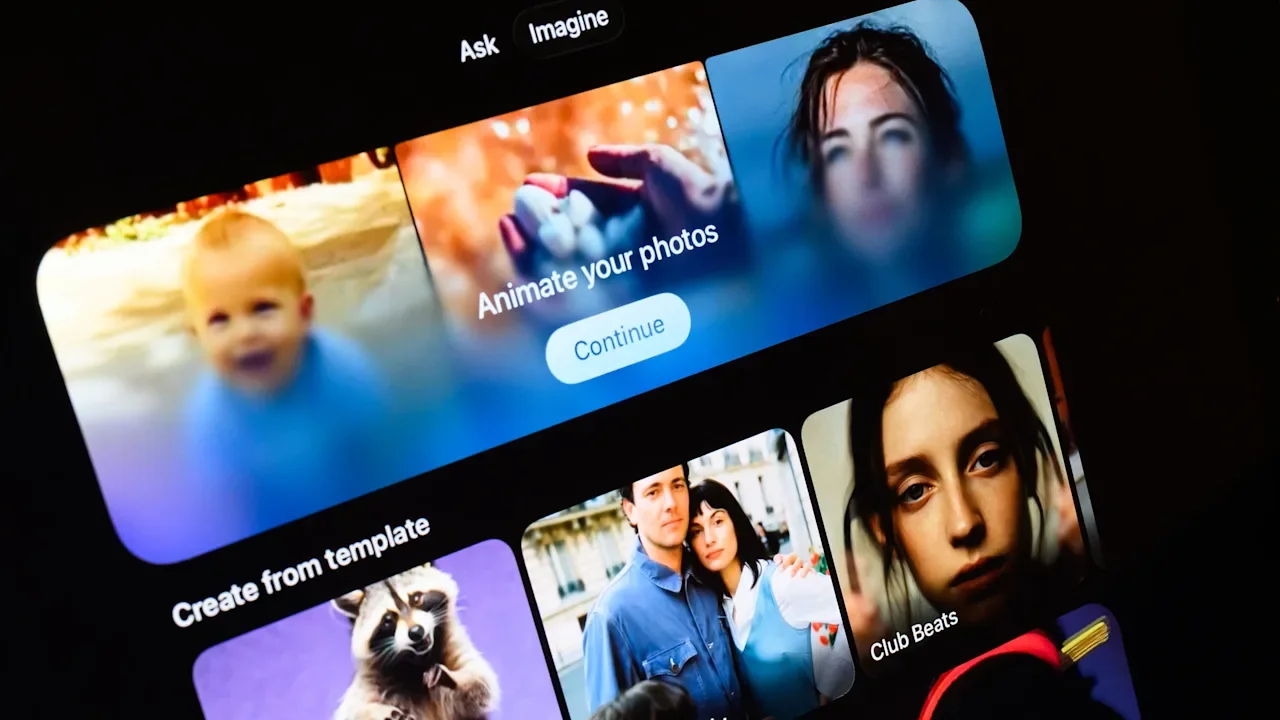
As concerns grow over Grok’s ability to generate sexually explicit content without the subject’s consent, a number of countries are blocking access to Elon Musk’s artificial intelligence chatbot. At the center of the controversy is a feature called Grok Imagine, which lets users create AI-generated images and videos. That tool also features a “spicy mode,” which lets users generate adult content. Both Indonesia and Malaysia ordered that restrictions be put in place over the weekend. Malaysian officials blocked access to Grok on Sunday, citing “repeated misuse … to generate obscene, sexually explicit, indecent, grossly offensive, and non-consensual manipulated images.” Officials also cited “repeated failures by X Corp.” to prevent such content. Indonesia had blocked the chatbot the previous day for similar reasons. In a statement accompanying Grok’s suspension, Meutya Hafid, Indonesia’s Minister of Communication and Digital, said. “The government views the practice of non-consensual sexual deepfakes as a serious violation of human rights, dignity, and the security of citizens in the digital space.” The responses could be just the beginning of Grok’s problems, though. Several other countries, including the U.K., India, and France, are thinking of following suit. The U.K. has launched an investigation into the chatbot’s explicit content, which could result in it being blocked in that country as well. “Reports of Grok being used to create and share illegal, non-consensual, intimate images and child sexual abuse material on X have been deeply concerning,” Ofcom, the country’s regulator for the communications services, said in a statement. Musk, in a social media post following word of the Ofcom investigation, wrote that the U.K. government “just want[s] to suppress free speech.” Fast Company attempted to contact xAI for comment about the actions in Indonesia and Malaysia as well as similar possible blocks in other countries. An automatic reply from the company read “Legacy Media Lies.” Beyond the U.K., officials in the European Union, Brazil, and India have called for probes into Grok’s deepfakes, which could ultimately result in bans as well. (The U.S. government, which has contracts with xAI, has been fairly silent on the matter so far.) In a press conference last week, European Commission spokesperson Thomas Regnier said the commission was “very seriously looking into this matter,” adding “This is not ‘spicy.’ This is illegal. This is appalling. This is disgusting. This is how we see it, and this has no place in Europe.” Musk and X are still feeling the effects of a $130 million fine the EU slapped on the company last month for violating the Digital Services Act, specifically over deceptive paid verification and a lack of transparency in the company’s advertising repository. Beyond sexualized images of adults, a report from the nonprofit group AI Forensics that analyzed 20,000 Grok-generated images created between Dec. 25 and Jan. 1 found that 2% depicted a person who appeared to be 18 or younger. These included 30 images of young or very young women or girls in bikinis or transparent clothes. The analysis also found Nazi and ISIS propaganda material generated by Grok. While the company has not addressed the countries blocking access to its services, it did comment on the use of its tool to create sexual content featuring minors. “We take action against illegal content on X, including Child Sexual Abuse Material (CSAM), by removing it, permanently suspending accounts, and working with local governments and law enforcement as necessary,” X Safety wrote in a post. “Anyone using or prompting Grok to make illegal content will suffer the same consequences as if they upload illegal content.” The company has also announced it will limit image generation and editing features to paying subscribers. That, however, likely won’t be enough to satisfy government officials who want to block access to Grok while these images can still be generated. View the full article

-
Cryptocurrency development in the mortgage industry has accelerated in no small part from easing regulation and a push from FHFA Director Bill Pulte. View the full article

-
Advancements in artificial intelligence are shaping nearly every facet of society, including education. Over the past few years, especially with the availability of large language models like ChatGPT, there’s been an explosion of AI-powered edtech. Some of these tools are truly helping students, while many are not. For educational leaders seeking to leverage the best of AI while mitigating its harms, it’s a lot to navigate. That’s why the organization I lead, the Advanced Education Research and Development Fund, collaborated with the Alliance for Learning Innovation (ALI) and Education First to write Proof Before Hype: Using R&D for Coherent AI in K-12 Education. I sat down with my coauthors, Melissa Moritz, an ALI senior advisor, and Ila Deshmukh Towery, an Education First partner, to discuss how schools can adopt innovative, responsible, and effective AI tools. Q: Melissa, what concerns you about the current wave of AI edtech tools, and what would you change to ensure these tools benefit students? Melissa: Too often, AI-powered edtech is developed without grounding in research or educators’ input. This leads to tools that may seem innovative, but solve the wrong problems, lack evidence of effectiveness, ignore workflow realities, or exacerbate inequities. What we need is a fundamental shift in education research and development so that educators are included in defining problems and developing classroom solutions from the start. Deep collaboration across educators, researchers, and product developers is critical. Let’s create infrastructure and incentives that make it easier for them to work together toward shared goals. AI tool development must also prioritize learning science and evidence. Practitioners, researchers, and developers must continuously learn and iterate to give students the most effective tools for their needs and contexts. Q: Ila, what is the AI x Coherence Academy and what did Education First learn about AI adoption from the K-12 leaders who participated in it? Ila: The AI x Coherence Academy helps cross-functional school district teams do the work that makes AI useful: Define the problem, align with instructional goals, and then choose (or adapt) tools that fit system priorities. It’s a multi-district initiative that helps school systems integrate AI in ways that strengthen, rather than disrupt, core instructional priorities so that adoption isn’t a series of disconnected pilots. We’re learning three things through this work. First, coherence beats novelty. Districts prefer customizable AI solutions that integrate with their existing tech infrastructure rather than one-off products. Second, use cases come before tools. A clear use case that articulates a problem and names and tracks outcomes quickly filters out the noise. Third, trust is a prerequisite. In a world increasingly skeptical of tech in schools, buy-in is more likely when educators, students, and community members help define the problem and shape how the technology helps solve it. Leaders are telling us they want tools that reinforce the teaching and learning goals already underway, have clear use cases, and offer feedback loops for continuous improvement. Q: Melissa and Ila, what types of guardrails need to be in place for the responsible and effective integration of AI in classrooms? Ila: For AI to be a force for good in education, we need several guardrails. Let’s start with coherence and equity. For coherence, AI adoption must explicitly align with systemwide teaching and learning goals, data systems, and workflows. To minimize bias and accessibility issues, product developers should publish bias and accessibility checks, and school systems should track relevant data, such as whether tools support (versus disrupt) learning and development, and the tools’ efficacy and impact on academic achievement. These guardrails need to be co-designed with educators and families, not imposed by technologists or policymakers. The districts making real progress through our AI x Coherence Academy are not AI-maximalists. They are disciplined about how new tools connect to educational goals in partnership with the people they hope will use them. In a low-trust environment, co-designed guardrails and definitions are the ones that will actually hold. Melissa: We also need guardrails around safety, privacy, and evidence. School systems should promote safety and protect student data by giving families information about the AI tools being used and giving them clear opt-out paths. As for product developers, building on Ila’s points, they need to be transparent about how their products leverage AI. Developers also have a responsibility to provide clear guidance around how their product should and shouldn’t be used, as well as to disclose evidence of the tool’s efficacy. And of course, state and district leaders and regulators should hold edtech providers accountable. Q: Melissa and Ila, what gives you hope as we enter this rapidly changing AI age? Melissa: Increasingly, we are starting to have the right conversations about AI and education. More leaders and funders are calling for evidence, and for a paradigm shift in how we think about teaching and learning in the AI age. Through my work at ALI, I’m hearing from federal policymakers, as well as state and district leaders, that there is a genuine desire for evidence-based AI tools that meet students’ and teachers’ needs. I’m hopeful that together, we’ll navigate this new landscape with a focus on AI innovations that are both responsible and effective. Ila: What gives me hope is that district leaders are getting smarter about AI adoption. They’re recognizing that adding more tools isn’t the answer—coherence is. The districts making real progress aren’t the ones with the most AI pilots; they’re the ones who are disciplined about how new tools connect to their existing goals, systems, and relationships. They’re asking: Does this reinforce what we’re already trying to do well, or does it pull us in a new direction? And they’re bringing a range of voices into defining use cases and testing solutions to center, rather than erode, trust. That kind of strategic clarity is what we need right now. When AI adoption is coherent rather than chaotic, it can strengthen teaching and learning rather than fragment it. Auditi Chakravarty is CEO of the Advanced Education Research and Development Fund. View the full article

-
When I looked ahead to 2026, one issue jumped out in every conversation I had with business leaders: Resilience is buckling under pressure. The pace of change is no longer just fast—it is accelerating beyond the reach of traditional playbooks. We are entering an era of complexity risk, where the greatest threats stem not only from malicious actors, but from the sheer entanglement of our own systems. Below are the four shifts business leaders must prepare for to navigate 2026. 1. Recovery will become the most important metric For years, companies have focused their investments on prevention. But AI changed the economics of cyber risk. Offensive AI makes it fast and inexpensive for attackers to generate malware, exploit known vulnerabilities, and pivot across a digital environment. Even strong defenses will miss things. Rubrik’s latest research highlights thatonly 28% of organizationsbelieve they can fully recover from a cyberattack within 12 hours—a steep decline from 43% in 2024. The gap in confidence underscores the growing friction between rapid tech adoption and operational resilience. The organizations that thrive in 2026 will prioritize validating data integrity before restoring systems, and establishing isolated “cyber vaults” for safe testing and rebuilding. Recovery strategies should guarantee that the restored environment is free of malicious code, making robust recovery engines a necessity, not a convenience. 2. Identity security will become the top budget priority Identity is one of the biggest, and least understood, business risks. Most companies today drastically underestimate their identity footprint. In the AI era, non-human identities—the service accounts and machine credentials that fuel our automation—now outnumber humans. Instead of “breaking in,” attackers are “logging in” by exploiting this labyrinth of unprotected non-human credentials. By 2026, these silent entry points won’t just provide a foothold; they will be the primary lever for achieving full-system compromise. Rubrik found that nearly 9 in 10 organizations plan to hire identity security professionals in the next year. As a result, executives should prepare for a significant rebalancing of budgets, with identity security moving to the top of the priority list. The reality is that identity sprawl will only accelerate as AI increases automation and service connectivity. In 2026, the ability to govern and secure identities will matter more than the data infrastructure those identities protect. 3. AI agent sprawl will trigger a governance renaissance Many organizations are deploying AI agents, sometimes hundreds of them, to handle everything from customer support to code generation to workflow automation. But behind the scenes, most teams lack clear oversight into what those agents are doing, what data they touch, and whether their output is correct. This “great AI sprawl” is setting up a governance crisis. In 2026, companies will realize that deploying AI agents at scale requires the same level of rigor as onboarding employees or granting system access. A new class of business-critical questions will emerge: Which systems can autonomous agents interact with? How do we validate the accuracy of their actions? What remediation steps are required when agents make mistakes? Success in agent-driven environments requires new frameworks for monitoring, workforce, and security, which includes heavy investment in robust governance and remediation systems. Done correctly, it enables transformation; done poorly, it creates uncontrollable risk. 4. Multi-cloud complexity will force a unified control plane Most enterprises today use a mix of cloud platforms, each with its own backup, security, and identity tools. What began as flexibility has evolved into operational drag. In 2026, the myth that native cloud tools are “good enough” will collapse. Fragmented environments slow recovery efforts, make migrations painful, and increase the time it takes to diagnose issues across platforms. Companies running multiple cloud-native backup systems are already experiencing longer recovery times, prompting emergency migrations and avoidable downtime. The business case for unifying control across clouds, once seen as an IT optimization, will become a survival requirement. Future-proof organizations are consolidating multi-cloud management into a single pane. Success here depends on one thing: seamlessly merging identity security with data defense to create a unified hub for all corporate data. Leaders will then shift focus toward achieving centralized visibility across clouds, enabling unified orchestration for recovery. 2026 DEMANDS SHARPER RESILIENCE In 2026, business resilience will depend on how effectively organizations recover, how intelligently they govern identity and AI agents, and how well they manage the complexity of multi-cloud environments. Executives who embrace these shifts early will reduce risk, accelerate innovation, and create more durable, adaptable enterprises. Those who delay may find that complexity (especially in managing non-human identities), not attackers, is the biggest threat to their future. Arvind Nithrakashyap is CTO of Rubrik. View the full article

-
We may earn a commission from links on this page. Deal pricing and availability subject to change after time of publication. When it comes to gaming monitors, having an ultra-wide curved screen takes the experience to the next level, with a more immersive experience than a regular monitor. Unfortunately, that improved experience tends to come at a much higher price. But there are budget monitors that go on sale, making it much more affordable to upgrade your gaming without hurting your wallet too much. Samsung is currently selling its 34-inch Samsung Odyssey G5 for $279.99 (originally $399.99). Samsung 34-Inch Odyssey G5 Ultra-Wide Gaming Monitor $279.99 at Amazon $399.99 Save $120.00 Get Deal Get Deal $279.99 at Amazon $399.99 Save $120.00 The Samsung Odyssey G5 is a great ultra-wide monitor for those who haven't used one before, with all the important specs you'd want while keeping the price relatively low. Other high-end, bigger ultra-wide monitors go upwards of $700, like the Odyssey OLED G9. Those are much bigger and offer OLED quality visuals, though. The Odyssey G5 comes with a 1000R curve, which Samsung claims is optimal to avoid eye strain. Your media will be displayed on a 21:9 aspect ratio and 3440x1440 resolution, which means if you watch videos that are not compatible with that ratio, it'll have some black space on the sides to prevent it from looking stretched. You also get a 165Hz refresh rate and native FreeSync variable refresh rate (VRR) support, helping fast games look smoother. The input lag is 1ms, which is very fast for a budget gaming monitor. It's also compatible with HDR10, so watching movies or shows will look good, but mostly in dark rooms since the HDR peak brightness isn't very high. Our Best Editor-Vetted Tech Deals Right Now Apple AirPods 4 Active Noise Cancelling Wireless Earbuds — $149.00 (List Price $179.00) Apple Watch Series 11 [GPS 46mm] Smartwatch with Jet Black Aluminum Case with Black Sport Band - M/L. Sleep Score, Fitness Tracker, Health Monitoring, Always-On Display, Water Resistant — $407.47 (List Price $429.00) Amazon Fire TV Stick 4K Plus — (List Price $24.99 With Code "FTV4K25") Samsung Galaxy Watch 8 — $279.99 (List Price $349.99) Samsung Galaxy Tab A9+ 10.9" 64GB Wi-Fi Tablet (Graphite) — $149.99 (List Price $219.99) Deals are selected by our commerce team View the full article
-
Managing your reputation effectively is essential in today’s digital environment. By following five key steps, you can build a positive image and nurture customer loyalty. Start by generating positive reviews through proactive engagement. Next, make sure to respond quickly to all feedback, whether it’s good or bad. Equip your team with the right skills and tools, and utilize technology to streamline the review process. Finally, analyze customer feedback to identify areas for improvement. What’s the next step in enhancing your reputation? Key Takeaways Proactively generate positive reviews by requesting feedback during peak satisfaction moments and utilizing automated follow-up systems. Engage with all reviews promptly, personalizing responses and addressing concerns to demonstrate commitment to customer satisfaction. Empower your team with training on customer service skills and effective review management strategies for improved interactions. Optimize operational efficiency by integrating technology, such as AI tools, for streamlined review management while maintaining human oversight. Continuously analyze feedback to identify trends and implement changes based on customer input to enhance services and build loyalty. Step 1: Proactively Generate Positive Reviews One effective way to improve your property’s online reputation is by proactively generating positive reviews. Focus on key lifecycle stages, like post-tour, move-in, and after maintenance, to request feedback. These moments often lead to higher ratings, averaging around 4.18 stars. To streamline this process, utilize automated systems integrated with your property management software, ensuring timely follow-ups with residents. This approach not only increases review volume but also boosts overall satisfaction, which are significant reputation management advantages. By capturing and highlighting positive interactions during these critical touchpoints, you can maximize the likelihood of receiving favorable reviews. Conducting regular reputation analysis helps you understand feedback trends and adjust your strategies accordingly. Essentially, knowing how to do reputation management effectively involves actively engaging with residents when they’re most likely to share their positive experiences, contributing to a strong online presence and community trust. Step 2: Engage With Positive and Negative Reviews Engaging with both positive and negative reviews is a critical step in managing your property’s online reputation. Responding to reviews within 24-48 hours shows you value feedback. Personalize your replies by including specific details about the reviewer’s experience, avoiding generic responses that lack credibility. For negative reviews, outline clear action plans and provide contact information for further discussion, resolving issues offline when possible to prevent public disputes. Here’s a breakdown of effective engagement: Type of Review Engagement Strategy Positive Reviews Thank the reviewer and highlight staff mentions Negative Reviews Acknowledge concerns and offer solutions Timeliness Respond within 24-48 hours Personalization Use specific details from the review Analysis Regularly identify common issues Step 3: Empower Your Team With Training and Resources Empowering your team with training and resources is vital for effective reputation management in the multifamily sector. Providing customer service and communication skills training to onsite teams is important, as positive interactions with staff appear in 65% of reviews. Equip your employees with guidelines for managing reviews, ensuring they’re ready to respond effectively to feedback and inquiries. Implementing tools for tracking and responding to reviews allows teams to engage proactively with residents, addressing concerns in a timely manner. Cultivating a culture of continuous improvement encourages team members to seek and act upon resident feedback, which improves overall service quality. Additionally, regular training sessions on the significance of reputation management help staff grasp its impact on resident satisfaction and retention, eventually driving success in the multifamily market. Step 4: Optimize Operational Efficiency With Technology As you look to improve your reputation management strategy, optimizing operational efficiency with technology can play a crucial role. Integrating tools like AI can streamline review management as well as ensuring human oversight keeps interactions personal. Automated systems connected to property management software can facilitate review requests at key lifecycle stages, boosting your chances of positive feedback. Balancing technology and human involvement allows your staff to provide empathetic responses, improving service quality and resident satisfaction. Streamlining workflows for review collection reduces administrative burdens, letting your team focus on direct interactions and service improvements. Moreover, sentiment analysis tools can help assess feedback trends regularly, leading to informed decisions and continuous improvement in service delivery. Technology Tool Benefits Implementation Tips AI Solutions Streamlined review management Integrate with existing systems Automated Systems Increased positive feedback rates Schedule requests at key moments Sentiment Analysis Regular trend assessment Use insights for operational adjustments Workflow Streamlining Reduced admin workload Train staff for best use Step 5: Continuously Analyze Feedback for Improvements To improve your reputation management strategy effectively, it’s vital to continuously analyze feedback for advancements. Regularly review sentiment analysis data to spot trends and common themes in customer feedback, allowing you to make targeted improvements in service quality. Since almost half of internet users publish reviews monthly, continuously monitoring these reviews across multiple platforms offers a wealth of insights for operational improvements. Utilizing industry benchmarks can further contextualize this feedback, helping you understand your performance relative to competitors. It’s important to communicate any changes made based on customer input, as this illustrates that their feedback is valued, promoting loyalty and trust. Implementing a structured process for analyzing feedback will aid in identifying recurring issues, enabling you to use actionable insights for strategic decision-making. This approach not only boosts customer satisfaction but also strengthens your overall reputation management efforts. Frequently Asked Questions What Are the Phases of Reputation Management? The phases of reputation management include assessment, monitoring, engagement, analysis, and adaptation. First, you assess your online presence, identifying any inaccuracies. Next, you monitor brand mentions to stay updated on customer feedback. Then, you engage by responding to reviews, showing commitment to customer satisfaction. After that, analyze trends in feedback to pinpoint areas for improvement. Finally, adapt your strategy based on performance metrics, ensuring it meets changing customer expectations effectively. What Is the Reputation Management Strategy? A reputation management strategy involves a structured approach to shaping and maintaining your brand’s image. You should regularly gather customer feedback through surveys and reviews to pinpoint areas needing improvement. Utilizing monitoring tools helps you track mentions of your brand, offering insights into public perception. It’s essential to have a crisis management plan ready for addressing negative publicity swiftly. Consistency in your messaging across all platforms reinforces trust and strengthens your brand integrity. What Is the Formula for Reputation Management? The formula for reputation management involves several key components. First, you need to monitor brand mentions across various platforms, as many consumers share their experiences online. Next, gather genuine customer feedback to maintain credibility; avoid fake reviews. Engage swiftly with both positive and negative comments, turning complaints into opportunities. Guarantee consistent messaging across all touchpoints to build trust. Finally, use analytics tools to track results, identifying areas for improvement and enhancing your brand’s reputation. What Are the 7 Dimensions of Reputation? The seven dimensions of reputation are trustworthiness, credibility, respect, reliability, responsibility, transparency, and responsiveness. Trustworthiness means being perceived as honest, whereas credibility involves demonstrating expertise in your field. Respect aligns with stakeholder values, nurturing emotional connections. Reliability refers to the consistency of your products or services, which influences customer loyalty. Responsibility encompasses ethical practices, and transparency combined with responsiveness improves communication, creating stronger relationships and positively shaping public perception of your brand. Conclusion By following these five steps, you can effectively manage your reputation and build a strong relationship with your customers. Proactively generating positive reviews sets a solid foundation, whereas engaging with feedback highlights your commitment to improvement. Empowering your team guarantees consistent, quality interactions, and leveraging technology streamlines your processes. Finally, continuously analyzing feedback allows you to adapt and improve your services. Implementing these strategies will help you cultivate customer loyalty and maintain a positive brand image. Image via Google Gemini and ArtSmart This article, "How to Do Reputation Management Effectively in 5 Steps" was first published on Small Business Trends View the full article
-
Managing your reputation effectively is essential in today’s digital environment. By following five key steps, you can build a positive image and nurture customer loyalty. Start by generating positive reviews through proactive engagement. Next, make sure to respond quickly to all feedback, whether it’s good or bad. Equip your team with the right skills and tools, and utilize technology to streamline the review process. Finally, analyze customer feedback to identify areas for improvement. What’s the next step in enhancing your reputation? Key Takeaways Proactively generate positive reviews by requesting feedback during peak satisfaction moments and utilizing automated follow-up systems. Engage with all reviews promptly, personalizing responses and addressing concerns to demonstrate commitment to customer satisfaction. Empower your team with training on customer service skills and effective review management strategies for improved interactions. Optimize operational efficiency by integrating technology, such as AI tools, for streamlined review management while maintaining human oversight. Continuously analyze feedback to identify trends and implement changes based on customer input to enhance services and build loyalty. Step 1: Proactively Generate Positive Reviews One effective way to improve your property’s online reputation is by proactively generating positive reviews. Focus on key lifecycle stages, like post-tour, move-in, and after maintenance, to request feedback. These moments often lead to higher ratings, averaging around 4.18 stars. To streamline this process, utilize automated systems integrated with your property management software, ensuring timely follow-ups with residents. This approach not only increases review volume but also boosts overall satisfaction, which are significant reputation management advantages. By capturing and highlighting positive interactions during these critical touchpoints, you can maximize the likelihood of receiving favorable reviews. Conducting regular reputation analysis helps you understand feedback trends and adjust your strategies accordingly. Essentially, knowing how to do reputation management effectively involves actively engaging with residents when they’re most likely to share their positive experiences, contributing to a strong online presence and community trust. Step 2: Engage With Positive and Negative Reviews Engaging with both positive and negative reviews is a critical step in managing your property’s online reputation. Responding to reviews within 24-48 hours shows you value feedback. Personalize your replies by including specific details about the reviewer’s experience, avoiding generic responses that lack credibility. For negative reviews, outline clear action plans and provide contact information for further discussion, resolving issues offline when possible to prevent public disputes. Here’s a breakdown of effective engagement: Type of Review Engagement Strategy Positive Reviews Thank the reviewer and highlight staff mentions Negative Reviews Acknowledge concerns and offer solutions Timeliness Respond within 24-48 hours Personalization Use specific details from the review Analysis Regularly identify common issues Step 3: Empower Your Team With Training and Resources Empowering your team with training and resources is vital for effective reputation management in the multifamily sector. Providing customer service and communication skills training to onsite teams is important, as positive interactions with staff appear in 65% of reviews. Equip your employees with guidelines for managing reviews, ensuring they’re ready to respond effectively to feedback and inquiries. Implementing tools for tracking and responding to reviews allows teams to engage proactively with residents, addressing concerns in a timely manner. Cultivating a culture of continuous improvement encourages team members to seek and act upon resident feedback, which improves overall service quality. Additionally, regular training sessions on the significance of reputation management help staff grasp its impact on resident satisfaction and retention, eventually driving success in the multifamily market. Step 4: Optimize Operational Efficiency With Technology As you look to improve your reputation management strategy, optimizing operational efficiency with technology can play a crucial role. Integrating tools like AI can streamline review management as well as ensuring human oversight keeps interactions personal. Automated systems connected to property management software can facilitate review requests at key lifecycle stages, boosting your chances of positive feedback. Balancing technology and human involvement allows your staff to provide empathetic responses, improving service quality and resident satisfaction. Streamlining workflows for review collection reduces administrative burdens, letting your team focus on direct interactions and service improvements. Moreover, sentiment analysis tools can help assess feedback trends regularly, leading to informed decisions and continuous improvement in service delivery. Technology Tool Benefits Implementation Tips AI Solutions Streamlined review management Integrate with existing systems Automated Systems Increased positive feedback rates Schedule requests at key moments Sentiment Analysis Regular trend assessment Use insights for operational adjustments Workflow Streamlining Reduced admin workload Train staff for best use Step 5: Continuously Analyze Feedback for Improvements To improve your reputation management strategy effectively, it’s vital to continuously analyze feedback for advancements. Regularly review sentiment analysis data to spot trends and common themes in customer feedback, allowing you to make targeted improvements in service quality. Since almost half of internet users publish reviews monthly, continuously monitoring these reviews across multiple platforms offers a wealth of insights for operational improvements. Utilizing industry benchmarks can further contextualize this feedback, helping you understand your performance relative to competitors. It’s important to communicate any changes made based on customer input, as this illustrates that their feedback is valued, promoting loyalty and trust. Implementing a structured process for analyzing feedback will aid in identifying recurring issues, enabling you to use actionable insights for strategic decision-making. This approach not only boosts customer satisfaction but also strengthens your overall reputation management efforts. Frequently Asked Questions What Are the Phases of Reputation Management? The phases of reputation management include assessment, monitoring, engagement, analysis, and adaptation. First, you assess your online presence, identifying any inaccuracies. Next, you monitor brand mentions to stay updated on customer feedback. Then, you engage by responding to reviews, showing commitment to customer satisfaction. After that, analyze trends in feedback to pinpoint areas for improvement. Finally, adapt your strategy based on performance metrics, ensuring it meets changing customer expectations effectively. What Is the Reputation Management Strategy? A reputation management strategy involves a structured approach to shaping and maintaining your brand’s image. You should regularly gather customer feedback through surveys and reviews to pinpoint areas needing improvement. Utilizing monitoring tools helps you track mentions of your brand, offering insights into public perception. It’s essential to have a crisis management plan ready for addressing negative publicity swiftly. Consistency in your messaging across all platforms reinforces trust and strengthens your brand integrity. What Is the Formula for Reputation Management? The formula for reputation management involves several key components. First, you need to monitor brand mentions across various platforms, as many consumers share their experiences online. Next, gather genuine customer feedback to maintain credibility; avoid fake reviews. Engage swiftly with both positive and negative comments, turning complaints into opportunities. Guarantee consistent messaging across all touchpoints to build trust. Finally, use analytics tools to track results, identifying areas for improvement and enhancing your brand’s reputation. What Are the 7 Dimensions of Reputation? The seven dimensions of reputation are trustworthiness, credibility, respect, reliability, responsibility, transparency, and responsiveness. Trustworthiness means being perceived as honest, whereas credibility involves demonstrating expertise in your field. Respect aligns with stakeholder values, nurturing emotional connections. Reliability refers to the consistency of your products or services, which influences customer loyalty. Responsibility encompasses ethical practices, and transparency combined with responsiveness improves communication, creating stronger relationships and positively shaping public perception of your brand. Conclusion By following these five steps, you can effectively manage your reputation and build a strong relationship with your customers. Proactively generating positive reviews sets a solid foundation, whereas engaging with feedback highlights your commitment to improvement. Empowering your team guarantees consistent, quality interactions, and leveraging technology streamlines your processes. Finally, continuously analyzing feedback allows you to adapt and improve your services. Implementing these strategies will help you cultivate customer loyalty and maintain a positive brand image. Image via Google Gemini and ArtSmart This article, "How to Do Reputation Management Effectively in 5 Steps" was first published on Small Business Trends View the full article
-
The technological landscape is evolving rapidly, and small business owners need to stay ahead of the curve to maintain a competitive edge. With the recent unveiling of Android XR, a new operating system designed for next-generation headsets and glasses, businesses have fresh opportunities to enhance their operations, engage customers, and innovate their service offerings. Samsung is already making waves by launching its Galaxy XR headset, which is geared to leverage the capabilities of Android XR. This advancement signals a shift towards immersive experiences that could reshape how small businesses connect with their audiences. Android XR combines advanced AI capabilities with real-time awareness of the user’s environment. This integration allows for unique applications that may seem futuristic but are quickly becoming accessible. Picture this: your small retail space transformed into an engaging shopping experience through virtual displays or a team meeting set within a virtual office, where participants can interact with 3D data visualizations. The potential applications are only limited by imagination. The live demonstration at the Las Vegas Sphere showcased how Android XR can turn everyday activities into explorative experiences. The Android bot, equipped with the XR headset, showcased features like navigating through space, creating art in mid-air, and receiving real-time assistance while gaming. This imaginative presentation hints at the platform’s capabilities for businesses. For instance, customer service teams could benefit from real-time AI support during complex customer interactions, while marketing teams explore new ways to present products in a visually compelling manner. Key takeaways for small business owners considering adopting Android XR technology: Enhanced Customer Engagement: By embracing immersive technology, businesses can create more engaging customer experiences, allowing customers to interact with products in virtual or augmented environments. Increased Productivity: The immersive environments enabled by Android XR may lead to new workplace efficiencies, particularly for teams collaborating remotely or within specialized fields requiring detailed visualizations. Innovative Marketing Opportunities: Businesses can leverage XR to create captivating marketing campaigns. Imagine hosting an AR event where customers can explore products in an immersive virtual setting, promoting greater brand interaction. However, as with any new technology, there are challenges to consider. The initial investment for XR headsets and the required software development could be significant for small businesses operating on tighter budgets. Additionally, gaining staff proficiency with new systems presents a learning curve, which may require training and adjustment time. Moreover, the dependency on internet connectivity and the reliance on specific hardware can pose risks. If the technology fails or the systems are not properly maintained, businesses may face disruptions that affect customer interaction and workflow. As businesses consider the adoption of Android XR, it is critical to weigh both the exciting possibilities and the potential hurdles. The real-world implications of this technology could offer small businesses a unique way to differentiate themselves in saturated markets. “The future of retail and customer engagement is here, and small businesses have an incredible opportunity to dive into this immersive era,” said a spokesperson from Google. As Android XR continues to mature, it is essential for small business leaders to stay informed and prepared for the next wave of technological advancements. For a deeper dive into Android XR and its applications, check out the full details in the original post here. Image via Google Gemini This article, "Android XR Takes Center Stage at Las Vegas, Redefining Immersive Technology" was first published on Small Business Trends View the full article
-
The technological landscape is evolving rapidly, and small business owners need to stay ahead of the curve to maintain a competitive edge. With the recent unveiling of Android XR, a new operating system designed for next-generation headsets and glasses, businesses have fresh opportunities to enhance their operations, engage customers, and innovate their service offerings. Samsung is already making waves by launching its Galaxy XR headset, which is geared to leverage the capabilities of Android XR. This advancement signals a shift towards immersive experiences that could reshape how small businesses connect with their audiences. Android XR combines advanced AI capabilities with real-time awareness of the user’s environment. This integration allows for unique applications that may seem futuristic but are quickly becoming accessible. Picture this: your small retail space transformed into an engaging shopping experience through virtual displays or a team meeting set within a virtual office, where participants can interact with 3D data visualizations. The potential applications are only limited by imagination. The live demonstration at the Las Vegas Sphere showcased how Android XR can turn everyday activities into explorative experiences. The Android bot, equipped with the XR headset, showcased features like navigating through space, creating art in mid-air, and receiving real-time assistance while gaming. This imaginative presentation hints at the platform’s capabilities for businesses. For instance, customer service teams could benefit from real-time AI support during complex customer interactions, while marketing teams explore new ways to present products in a visually compelling manner. Key takeaways for small business owners considering adopting Android XR technology: Enhanced Customer Engagement: By embracing immersive technology, businesses can create more engaging customer experiences, allowing customers to interact with products in virtual or augmented environments. Increased Productivity: The immersive environments enabled by Android XR may lead to new workplace efficiencies, particularly for teams collaborating remotely or within specialized fields requiring detailed visualizations. Innovative Marketing Opportunities: Businesses can leverage XR to create captivating marketing campaigns. Imagine hosting an AR event where customers can explore products in an immersive virtual setting, promoting greater brand interaction. However, as with any new technology, there are challenges to consider. The initial investment for XR headsets and the required software development could be significant for small businesses operating on tighter budgets. Additionally, gaining staff proficiency with new systems presents a learning curve, which may require training and adjustment time. Moreover, the dependency on internet connectivity and the reliance on specific hardware can pose risks. If the technology fails or the systems are not properly maintained, businesses may face disruptions that affect customer interaction and workflow. As businesses consider the adoption of Android XR, it is critical to weigh both the exciting possibilities and the potential hurdles. The real-world implications of this technology could offer small businesses a unique way to differentiate themselves in saturated markets. “The future of retail and customer engagement is here, and small businesses have an incredible opportunity to dive into this immersive era,” said a spokesperson from Google. As Android XR continues to mature, it is essential for small business leaders to stay informed and prepared for the next wave of technological advancements. For a deeper dive into Android XR and its applications, check out the full details in the original post here. Image via Google Gemini This article, "Android XR Takes Center Stage at Las Vegas, Redefining Immersive Technology" was first published on Small Business Trends View the full article
-
In a recent interview with Wired, billionaire philanthropist Melinda French Gates made clear she is no friend of hustle culture and nonstop busyness. “My parents were countercultural. They actually taught us that you needed breaks,” she says. “We took Sundays off as a family, and guess what else? My parents actually taught me the importance of rest, of taking a short nap every day.” Building quiet, restful moments into your day doesn’t just help you think more clearly and feel better physically, she continues. It also helps you check in with yourself and your values. It is important to “know who you are as a person and to live in that direction and in that lane, even when the world calls you to move in different ways,” she says. Naps are clearly one (research-backed) way to do that. But in interviews and social media posts throughout the years, French Gates also recommends another way to take a pause from busyness and get back in touch with yourself—The Book of Awakening by poet and cancer survivor Mark Nepo. The book she reads almost every day When Wired asked French Gates to name a book she thought everyone should read, she mentioned Nepo’s book. That made me curious and prompted me to dig into what the book is all about and why she is such a huge fan. Rather than a novel that spins a story of a nonfiction book designed to teach you about a particular subject, The Book of Awakening is a collection of short essays, one for each day of the year. There’s no need to read from cover to cover, you can dip in and out whenever you feel the urge. Which is apparently just what French Gates does. In a 2018 social media post she explained, “I open The Book of Awakening by Mark Nepo almost every day—and years later, I still get something new out of it every time I turn a page.” It was illustrated by a much marked-up page from her personal copy of the book. A daily read to quiet the mind Put that together with the latest Wired interview, and it’s clear French Gates has been perusing this particular book for more than seven years and still finding valuable nuggets within. What kind of insights is she discovering there? “Mark’s writing helps me step back, be still, and center myself—particularly on days that feel especially chaotic, or when I need a moment of quiet,” French Gates continues. Helping people find enough stillness to remember what truly matters to them and notice the grandeur of the world is just what Nepo’s book promises. As Amazon’s description puts it, this “spiritual daybook is a summons to reclaim aliveness, liberate the self, take each day one at a time, and to savor the beauty offered by life’s unfolding.” It aims to help readers “stay vital and in love with this life, no matter the hardships.” Psychologists (and Oprah) agree with French Gates This all might sound a little woo-woo to some hard-charging entrepreneurs. But hard science suggests that taking even just a few minutes out of your day to cultivate a sense of awe in this way can have impressive benefits. Research by UC Berkeley psychologist Dacher Keltner and others shows awe reduces stress, loneliness, and depression, and nudges us to be kinder and more generous to others. It even seems to have physical benefits, including reduced inflammation. The idea of taking a quiet moment outside of the hustle and bustle each day to reflect and reconnect with yourself is also endorsed by plenty of other super-achievers besides French Gates. Oprah Winfrey (who also recommended Nepo’s book) always takes a moment to pause and set an intention before every big event in her day. “I never go downstairs to tape a show. Any kind of media appearance that I don’t have a conversation by myself alone, I need time alone,” she has said. Again, this isn’t hocus-pocus. Psychologists explain that touching base with our values and intentions primes our mind to pay attention to what really matters to us when things get busy. Just as someone who just bought a Toyota will suddenly notice all the Toyotas on the road, someone who takes a moment to recommit to gratitude is more likely to notice the bright spots in their day. Read daily for more self-awareness and awe If taking a quiet moment each day to cultivate awe to quiet your mind and remember your values appeals to you, then French Gates has offered the same, simple advice for years. Pick up a copy of The Book of Awakening and leave it somewhere handy. Naps refresh the mind and body. This book will refresh your spirit, she insists. —Jessica Stillman This article originally appeared on Fast Company’s sister publication, Inc. Inc. is the voice of the American entrepreneur. We inspire, inform, and document the most fascinating people in business: the risk-takers, the innovators, and the ultra-driven go-getters that represent the most dynamic force in the American economy. View the full article

-
In a reversal from previous years’ pollution reductions, the United States spewed 2.4% more heat-trapping gases from the burning of fossil fuels in 2025 than in the year before, researchers calculated in a study released Tuesday. The increase in greenhouse gas emissions is attributable to a combination of a cool winter, the explosive growth of data centers and cryptocurrency mining, and higher natural gas prices, according to the Rhodium Group, an independent research firm. Environmental policy rollbacks by President Donald The President’s administration were not significant factors in the increase because they were only put in place this year, the study authors said. Heat-trapping gases from the burning of coal, oil, and natural gas are the major cause of worsening global warming, scientists say. American emissions of carbon dioxide and methane had dropped 20% from 2005 to 2024, with a few one- or two-year increases in the overall downward trend. Traditionally, carbon pollution has risen alongside economic growth, but efforts to boost cleaner energy in recent years decoupled the two, so emissions would drop as gross domestic product rose. But that changed last year with pollution actually growing faster than economic activity, said study co-author Ben King, a director in Rhodium’s energy group. He estimated the U.S. put 5.9 billion tons (5.35 billion metric tons) of carbon dioxide equivalent in the air in 2025, which is 139 million tons (126 million metric tons) more than in 2024. The cold 2025 winter meant more heating of buildings, which often comes from natural gas and fuel oil that are big greenhouse gas emitters, King said. A significant and noticeable jump in electricity demand from data centers and cryptocurrency mining meant more power plants producing energy. That included plants using coal, which creates more carbon pollution than other fuel sources. A rise in natural gas prices helped create an 13% increase in coal power, which had shrunk by nearly two-thirds since its peak in 2007, King said. “It’s not like this is a huge rebound,” King said. “We’re not sitting here claiming that coal is back and going to dominate the sector or anything like that. But we did see this increase and that was a large part of why emissions went up in the power sector.” It will take time for data to reflect The President policies King said the list of more than two dozen proposed rollbacks of American environmental policies by the The President administration hadn’t been in place long enough to have an effect in 2025, but may be more noticeable in future years. “It’s one year of data so far,” King said. “So we need to see the extent to which this trend sustains.” Solar power generation jumped 34%, pushing it past hydroelectric power, with zero-carbon emitting energy sources now supplying 42% of American power, Rhodium found. It will be interesting to see what happens as the The President administration ends solar and wind subsidies and discourages their use, King said. “The economic case for adding renewables is quite strong still,” King said. “This stuff is cost-competitive in a lot of places. Try as they might, this administration can’t alter the fundamental economics of this stuff.” Before the The President administration took office, the Rhodium team projected that in 2035 U.S. greenhouse gas emissions would have fallen between 38% and 56% compared to 2005 levels, King said. Now, the projected pollution drop is expected to be about one-third less, he calculated. Experts say pollution increase is an ominous sign Others who were not involved in the Rhodium report said last year’s increase in emissions is an ominous sign. “Unfortunately, the 2025 U.S. emission increase is likely a harbinger of what’s to come as the U.S. federal leadership continues to make what amounts to a huge unforced economic error by favoring legacy fossil fuels when the rest of the world is going all in on mobility and power generation using low-carbon technology, primarily based on renewables and batteries,” said University of Michigan environment dean Jonathan Overpeck. Overpeck said that favoring fossil fuels will harm both the U.S. economy and air quality. Longtime climate change activist Bill McKibben said bluntly: “It’s so incredibly stupid that the U.S. is going backwards on this stuff.” The Environmental Protection Agency said in a statement it wasn’t familiar with the Rhodium Group report and is “carrying out our core mission of protecting human health.” ___ The Associated Press’ climate and environmental coverage receives financial support from multiple private foundations. AP is solely responsible for all content. Find AP’s standards for working with philanthropies, a list of supporters and funded coverage areas at AP.org. —Seth Borenstein, AP science writer View the full article

-
The BBC plans to ask a court to throw out U.S. President Donald The President’s $10 billion lawsuit against the British broadcaster, court papers show. The President filed a lawsuit in December over the way the BBC edited a speech he gave on Jan. 6, 2021. The claim, filed in a Florida federal court, seeks $5 billion in damages for defamation and $5 billion for unfair trade practices. The speech took place before some of The President’s supporters stormed the U.S. Capitol as Congress was poised to certify President-elect Joe Biden’s victory in the 2020 election that The President falsely alleged was stolen from him. The BBC had broadcast the documentary — titled “The President: A Second Chance?” — days before the 2024 U.S. presidential election. It spliced together three quotes from two sections of the 2021 speech, delivered almost an hour apart, into what appeared to be one quote in which The President urged supporters to march with him and “fight like hell.” Among the parts cut out was a section where The President said he wanted supporters to demonstrate peacefully. The broadcaster has apologized to The President over the edit of the Jan. 6 speech. But the publicly funded BBC rejects claims it defamed him. The furor triggered the resignations of the BBC’s top executive and its head of news. Papers filed Monday in U.S. District Court in Miami say the BBC will file a motion to dismiss the case on March 17 on the basis that the court lacks jurisdiction and The President failed to state a claim. The broadcaster’s lawyers will argue that the BBC did not create, produce or broadcast the documentary in Florida and that The President’s claim the documentary was available in the U.S. on streaming service BritBox is not true. It will also argue that The President has failed to “plausibly allege” the BBC acted with malice in airing the documentary. Attorney Charles Tobin, for the BBC, said The President can’t prove actual damages because he won reelection by a commanding margin, and carried Florida by 13-point margin, better than his 2016 and 2020 performances. He said the documentary also couldn’t have harmed his reputation because it aired after The President was indicted by a federal grand jury over alleged efforts to overturn the 2020 election, including allegations he “directed the crowd in front of him to go to the Capitol.” The BBC is asking the court to postpone discovery — the pretrial process in which parties must turn over documents and other information — pending a decision on the motion to dismiss. The discovery process could require the BBC to hand over reams of emails and other materials related to its coverage of The President. “Engaging in unbounded merits-based discovery while the motion to dismiss is pending will subject defendants to considerable burdens and costs that will be unnecessary if the motion is granted,” Tobin wrote. If the case continues, a 2027 trial date has been proposed. “As we have made clear previously, we will be defending this case,” the BBC said Tuesday in a statement. “We are not going to make further comment on ongoing legal proceedings.” —Jill Lawless and Brian Melley, Associated Press View the full article

-
US and Israeli officials who will shepherd fragile ceasefire were linked with contentious Gaza Humanitarian FoundationView the full article
-
When starting a new business, comprehension of the fundamental loan requirements is vital for securing funding. You’ll need a well-prepared business plan that outlines your model and financial projections, as lenders heavily rely on this information. Furthermore, having a personal credit score of at least 600, recent tax returns, and possibly collateral may be necessary to improve your chances. Knowing these requirements can greatly impact your funding process, so let’s explore them further. Key Takeaways A detailed business plan is crucial, outlining your business model and financial projections. Personal credit scores should typically be between 600 and 670 for loan eligibility. Lenders often require at least two years of operational history to assess stability. Recent personal and business tax returns along with financial statements are necessary documents. Collateral or personal guarantees may be required to secure the loan and mitigate lender risk. Understanding Startup Business Loans What exactly are startup business loans, and how do they work? These loans are designed particularly for new businesses that often struggle to secure funding because of their lack of established credit history and operational time. To comprehend startup business loan requirements, you need vital documentation like a solid business plan, financial statements, and credit reports. These elements help lenders assess your potential for success. Whereas traditional loans can be tough to obtain, alternative small business loans, such as personal loans or crowdfunding, might be viable options. If you’re considering how to start a finance company, grasping the framework of startup financing is critical. This knowledge allows you to navigate the various loan types effectively and meet the necessary criteria. Types of Startup Loans Available When exploring the types of startup loans available, it’s crucial to understand the various options that cater to different business needs. Here are some common types of startup loans you might consider: Term Loans: Ranging from $10,000 to $10 million, these loans offer fixed monthly payments for general business purposes. Business Lines of Credit: Providing up to $500,000, these loans allow you to draw and repay funds as needed, similar to a revolving credit account. SBA Loans: Partially guaranteed by the Small Business Administration, these loans can provide up to $5.5 million with competitive interest rates. Alternative Funding Sources: Options like crowdfunding platforms, such as Kickstarter, enable you to raise capital from many individuals. Commercial Real Estate Loans: particularly for purchasing or refinancing business properties. Assessing Your Funding Needs How can you guarantee you’re accurately evaluating your startup’s funding needs? Start by creating a detailed financial forecast that projects both income and expenses. This helps you avoid requesting more funding than necessary. Remember, many lenders look for a minimum annual revenue of $100,000 to $250,000 before considering loans. When analyzing your funding needs, calculate your Debt Service Coverage Ratio (DSCR), aiming for a ratio higher than 1.25 to demonstrate repayment capability. Identify specific areas requiring funding, such as equipment or operational costs, to determine the precise loan amount necessary. Key Eligibility Requirements Comprehending the key eligibility requirements for startup business loans is crucial for securing the necessary funding. Lenders look for specific criteria to ascertain your business is viable, especially if you’re exploring ideas for starting your own business. Consider these requirements: Annual revenue between $100,000 to $250,000 for traditional loans. A personal credit score of at least 600 to 670, with some online lenders accepting scores as low as 500. Minimum two years of operation for many bank lenders, though online options may be more flexible. A detailed business plan outlining your model and financial projections. Collateral or personal guarantees may be necessary to mitigate risk. Understanding these factors can help when you’re looking for investors for business or seeking loans. Importance of a Solid Business Plan A well-crafted business plan serves as the backbone of your startup’s funding strategy, effectively communicating your vision and operational framework to potential lenders. It outlines your business model, market analysis, and financial projections, which are crucial for securing startup business loans. Lenders want to see a clear purpose for the loan and a solid repayment strategy, increasing your chances of approval. Key Elements Importance Business Model Shows how you’ll operate Market Analysis Demonstrates insight into demand Financial Projections Provides a roadmap for success Risk Assessment Establishes credibility and preparedness With a thorough plan, you’ll be better equipped to answer questions like, “What kind of small business can I start?” and “How can I make my own business?” Personal and Business Credit Scores When you’re seeking a startup business loan, your personal credit score plays an essential role, often weighing more heavily than your business credit score, especially if your business is new. A good personal credit score, typically 690 or higher, can open doors to traditional loans, whereas some online lenders may accept scores as low as 500, focusing more on cash flow. Building your business credit is equally important, as it establishes your company’s financial credibility and can lead to better financing options down the line. Importance of Personal Scores Grasping the significance of personal credit scores is vital for anyone seeking a startup business loan. A good personal credit score, typically 690 or higher, can improve your chances of securing loans from traditional SBA. Even though online lenders may accept scores as low as 500, they often prioritize cash flow. Your personal credit score reflects your ability to repay debts, which is fundamental for lenders, especially since many startups lack established business credit. Consider these key points: A higher personal score indicates lower risk to lenders. Many lenders rely on personal credit for startups. Personal scores can influence loan terms and interest rates. A strong score can open more financing options. Consistent repayment history boosts your creditworthiness. Building Business Credit Building business credit is essential for any startup aiming to secure financing and establish a strong financial foundation. A good personal credit score, ideally starting at 690, influences your ability to obtain SBA or traditional bank loans. Whereas online lenders may accept scores as low as 500, they often focus more on cash flow. To build business credit, open a dedicated business bank account and responsibly manage trade credit. Business credit scores range from 0 to 100, and having a solid score increases your chances of future loans. Remember, lenders typically weigh personal credit history more heavily for startups, so maintaining good personal credit is imperative. Annual Revenue Considerations Comprehending the significance of annual revenue is vital for startups seeking loans, as lenders often set specific revenue thresholds to assess financial viability. Many lenders prefer startups to have an annual revenue between $100,000 to $250,000. Here are key points to take into account: OnDeck requires a minimum annual revenue of $100,000 for their line of credit. Bank of America mandates $250,000 for secured loans. Low-revenue startups may need to explore alternative financing options like invoice factoring or microloans. A strong Debt Service Coverage Ratio (DSCR) above 1.25 is critical. Accurate financial documentation, including profit and loss statements, is important to demonstrate repayment capability. Understanding these factors can help you navigate the loan application process more effectively. Time in Business Requirements When applying for a startup business loan, your time in business can considerably influence your chances of approval. Lenders often prefer applicants with at least two years of operational history, as this suggests stability and reliability, especially in high-risk industries. Nevertheless, online lenders may offer more flexibility, sometimes accepting businesses with less than a year of experience. However, it’s vital to recognize that specific industries may face stricter requirements because of perceived risks. Lender Preferences Overview How do lenders evaluate the time your business has been operational when considering loan applications? Lenders often view time in business as a vital indicator of stability and success. Many traditional lenders require at least two years of operation, which can be a hurdle for startups. Nevertheless, online lenders typically have more flexible policies, allowing new businesses with less than two years to apply. The Small Business Administration (SBA) is likewise more lenient, recognizing the potential in emerging ventures. Here are some key points lenders consider: Time in business reflects financial stability. Startups face greater challenges in securing full funding. Online lenders offer more flexibility. SBA programs can provide significant support. A longer operation period can improve credibility. Impact on Approval Lenders place significant weight on the time your business has been operational when evaluating loan applications, as this duration often serves as a proxy for stability and potential success. Typically, traditional banks require at least two years in business to qualify for loans, which reflects a measure of reliability. Nevertheless, online lenders may relax this requirement, allowing newer startups to apply with less operational history. The 2024 Small Business Credit Survey shows that only 48% of businesses under five years old received their full loan requests, indicating the challenge of securing funding with limited experience. Conversely, the SBA awards loans to startups, with 14.4% of 7(a) loans given to new businesses in FY2025. You’ll still face scrutiny regarding your business’s longevity. Industry Variability Considerations Comprehending the variability in industry requirements is crucial for startups seeking business loans, particularly regarding the time in business criteria. Most lenders usually require at least two years in business, reflecting a measure of stability and success. Nonetheless, online lenders often allow startups with less than two years to apply for funding. Here are some key points to take into account: High-risk industries, like restaurants and beauty services, may face stricter scrutiny. Certain sectors, such as adult entertainment and gambling, are often excluded from funding. The Small Business Administration (SBA) has specific size and industry criteria affecting eligibility. Traditional banks are typically more conservative than online lenders. A strong business plan can sometimes offset lesser time in business. Understanding these nuances can greatly impact your loan application success. Industry and Market Analysis During the creation of a business plan, a thorough industry and market analysis is vital, as it serves as the foundation for grasping your startup’s potential viability. Start by identifying market trends, competitive environment, and potential challenges; lenders rely on this information to assess your business. Comprehending your target market’s demographics, preferences, and purchasing behaviors improves your plan and increases your chances of loan approval. Include data on industry growth rates, average profit margins, and customer segments to showcase opportunities. Lenders often seek evidence of demand, so incorporating statistics or case studies can validate your business concept. Finally, address industry-specific risks, like regulatory challenges or market saturation, to provide lenders with an extensive view of your startup’s environment. Collateral and Personal Guarantees When you’re seeking a startup business loan, comprehending the role of collateral and personal guarantees is crucial. Lenders often require collateral, such as real estate or equipment, to secure the loan and minimize their risk, which can lead to better terms for you. Furthermore, if you own 20% or more of the business, a personal guarantee may be necessary, meaning you could be held responsible for repayment using your personal assets if the business defaults. Importance of Collateral Collateral plays a crucial role in securing startup business loans, as it provides lenders with a safety net in case the borrower defaults. By offering collateral, you reduce the lender’s risk, which can lead to better loan terms. Here are some key points to take into account: Collateral includes assets like real estate, equipment, or inventory. Secured loans typically offer lower interest rates than unsecured ones. For SBA 7(a) loans over $50,000, collateral is often required. Having collateral can improve your chances of securing funding. It demonstrates your commitment to the business and repayment. Using collateral not only boosts your loan prospects but likewise reflects your investment in your startup’s success. Personal Guarantee Requirements A personal guarantee is often a requirement for startup business loans, particularly for owners with a significant stake in the company, typically 20% or more. This guarantee obligates you to repay the loan using your personal assets if your business defaults. By providing a personal guarantee, you can improve your chances of loan approval since it reduces the lender’s risk, ensuring you have a vested interest in repayment. Furthermore, loans like the SBA 7(a) over $50,000 usually require both collateral and personal guarantees, emphasizing your accountability in financing. Nevertheless, it’s essential to understand that personal guarantees can impact your credit score and financial stability if your business fails, so weigh these implications carefully before committing. Types of Acceptable Collateral Comprehending the types of acceptable collateral is crucial for securing a startup business loan, as lenders often require it to mitigate their risk. Acceptable collateral helps guarantee you get better loan terms and lower interest rates. Here are common forms of collateral: Real estate, such as land or buildings Equipment, like machinery or vehicles Inventory, including products for sale Accounts receivable, representing money owed by customers Personal guarantees from owners with considerable stakes in the business Lenders typically prefer collateral valued at 1.5 to 2 times the loan amount to provide adequate coverage in case of default. Documentation Needed for Application When applying for a startup business loan, having the right documentation is crucial for a smooth process and successful approval. You’ll need a thorough business plan that outlines your market analysis and financial projections. Lenders typically require personal and business credit reports to assess your creditworthiness, along with recent tax returns for both personal and business income. Accurate financial statements, such as profit and loss statements and cash flow statements, should likewise be up-to-date to reflect your business’s financial health. Additional documents may include bank statements, commercial leases, business licenses, and articles of incorporation to verify your operational legitimacy. Preparing all these documents beforehand can expedite the loan application process and increase your chances of approval. Steps to Take if Rejected for a Loan Facing rejection for a startup business loan can be disheartening, but it’s essential to take proactive steps to improve your chances for future applications. Start by grasping why you were denied, as this can pinpoint areas for improvement. Here are some steps to reflect on: Inquire about specific reasons for your denial to strengthen your application. Look into lenders with more lenient requirements, especially online options. Explore alternative funding sources, like business grants or crowdfunding. Address any issues that led to the rejection, such as enhancing your credit score or refining your business plan. Utilize resources like CDFIs and local small business support organizations for guidance and assistance. Taking these steps can position you for success in your next funding attempt. Frequently Asked Questions Can You Get a Loan of $50,000 for a Startup Business? Yes, you can get a loan of $50,000 for your startup business. Many lenders, including those offering SBA loans, provide financing with favorable terms. To qualify, you’ll need a solid business plan, good credit, and a personal investment in your venture. Whereas traditional lenders often look for at least $100,000 in annual revenue, some LendingClub lenders might have more lenient requirements, accepting lower credit scores in some cases. How Does a New LLC Get a Business Loan? To get a business loan as a new LLC, you should start by developing a solid business plan, including your market analysis and financial projections. Most lenders want to see a personal credit score of at least 600. Prepare crucial documentation like financial statements and tax returns to streamline the application process. Whereas traditional lenders often require two years of operation, online lenders may offer more flexible terms for newer businesses. How Much Is the Payment on a $50000 Business Loan? The monthly payment on a $50,000 business loan varies based on interest rates and loan terms. For example, at a 5% interest rate over five years, you’d pay about $940 monthly. If you extend the term to ten years, your payment drops to around $530. Higher interest rates will increase your payments; at 10%, a five-year term could mean payments of about $1,065. Always consider fees that may impact the total loan cost. How to Get a Startup Business Loan With No Money Down? To secure a startup business loan with no money down, focus on lenders like alternative or microloan providers that prioritize cash flow. You can improve your chances by presenting a strong business plan with clear financial projections. Raising your credit score above 600 is essential, as it increases your eligibility for loans without down payments. Furthermore, consider exploring crowdfunding options or seeking funds from friends and family to cover initial costs. Conclusion In summary, securing a startup business loan requires careful preparation and comprehension of specific requirements. By developing a solid business plan, evaluating your funding needs, and ensuring you meet eligibility criteria, you increase your chances of approval. Gather necessary documentation, including credit reports and financial statements, to present a strong application. If you face rejection, analyze feedback, consider improving your financial profile, and explore alternative funding options to keep your entrepreneurial path on track. Image via Google Gemini This article, "Essential Startup Business Loan Requirements" was first published on Small Business Trends View the full article
-
When starting a new business, comprehension of the fundamental loan requirements is vital for securing funding. You’ll need a well-prepared business plan that outlines your model and financial projections, as lenders heavily rely on this information. Furthermore, having a personal credit score of at least 600, recent tax returns, and possibly collateral may be necessary to improve your chances. Knowing these requirements can greatly impact your funding process, so let’s explore them further. Key Takeaways A detailed business plan is crucial, outlining your business model and financial projections. Personal credit scores should typically be between 600 and 670 for loan eligibility. Lenders often require at least two years of operational history to assess stability. Recent personal and business tax returns along with financial statements are necessary documents. Collateral or personal guarantees may be required to secure the loan and mitigate lender risk. Understanding Startup Business Loans What exactly are startup business loans, and how do they work? These loans are designed particularly for new businesses that often struggle to secure funding because of their lack of established credit history and operational time. To comprehend startup business loan requirements, you need vital documentation like a solid business plan, financial statements, and credit reports. These elements help lenders assess your potential for success. Whereas traditional loans can be tough to obtain, alternative small business loans, such as personal loans or crowdfunding, might be viable options. If you’re considering how to start a finance company, grasping the framework of startup financing is critical. This knowledge allows you to navigate the various loan types effectively and meet the necessary criteria. Types of Startup Loans Available When exploring the types of startup loans available, it’s crucial to understand the various options that cater to different business needs. Here are some common types of startup loans you might consider: Term Loans: Ranging from $10,000 to $10 million, these loans offer fixed monthly payments for general business purposes. Business Lines of Credit: Providing up to $500,000, these loans allow you to draw and repay funds as needed, similar to a revolving credit account. SBA Loans: Partially guaranteed by the Small Business Administration, these loans can provide up to $5.5 million with competitive interest rates. Alternative Funding Sources: Options like crowdfunding platforms, such as Kickstarter, enable you to raise capital from many individuals. Commercial Real Estate Loans: particularly for purchasing or refinancing business properties. Assessing Your Funding Needs How can you guarantee you’re accurately evaluating your startup’s funding needs? Start by creating a detailed financial forecast that projects both income and expenses. This helps you avoid requesting more funding than necessary. Remember, many lenders look for a minimum annual revenue of $100,000 to $250,000 before considering loans. When analyzing your funding needs, calculate your Debt Service Coverage Ratio (DSCR), aiming for a ratio higher than 1.25 to demonstrate repayment capability. Identify specific areas requiring funding, such as equipment or operational costs, to determine the precise loan amount necessary. Key Eligibility Requirements Comprehending the key eligibility requirements for startup business loans is crucial for securing the necessary funding. Lenders look for specific criteria to ascertain your business is viable, especially if you’re exploring ideas for starting your own business. Consider these requirements: Annual revenue between $100,000 to $250,000 for traditional loans. A personal credit score of at least 600 to 670, with some online lenders accepting scores as low as 500. Minimum two years of operation for many bank lenders, though online options may be more flexible. A detailed business plan outlining your model and financial projections. Collateral or personal guarantees may be necessary to mitigate risk. Understanding these factors can help when you’re looking for investors for business or seeking loans. Importance of a Solid Business Plan A well-crafted business plan serves as the backbone of your startup’s funding strategy, effectively communicating your vision and operational framework to potential lenders. It outlines your business model, market analysis, and financial projections, which are crucial for securing startup business loans. Lenders want to see a clear purpose for the loan and a solid repayment strategy, increasing your chances of approval. Key Elements Importance Business Model Shows how you’ll operate Market Analysis Demonstrates insight into demand Financial Projections Provides a roadmap for success Risk Assessment Establishes credibility and preparedness With a thorough plan, you’ll be better equipped to answer questions like, “What kind of small business can I start?” and “How can I make my own business?” Personal and Business Credit Scores When you’re seeking a startup business loan, your personal credit score plays an essential role, often weighing more heavily than your business credit score, especially if your business is new. A good personal credit score, typically 690 or higher, can open doors to traditional loans, whereas some online lenders may accept scores as low as 500, focusing more on cash flow. Building your business credit is equally important, as it establishes your company’s financial credibility and can lead to better financing options down the line. Importance of Personal Scores Grasping the significance of personal credit scores is vital for anyone seeking a startup business loan. A good personal credit score, typically 690 or higher, can improve your chances of securing loans from traditional SBA. Even though online lenders may accept scores as low as 500, they often prioritize cash flow. Your personal credit score reflects your ability to repay debts, which is fundamental for lenders, especially since many startups lack established business credit. Consider these key points: A higher personal score indicates lower risk to lenders. Many lenders rely on personal credit for startups. Personal scores can influence loan terms and interest rates. A strong score can open more financing options. Consistent repayment history boosts your creditworthiness. Building Business Credit Building business credit is essential for any startup aiming to secure financing and establish a strong financial foundation. A good personal credit score, ideally starting at 690, influences your ability to obtain SBA or traditional bank loans. Whereas online lenders may accept scores as low as 500, they often focus more on cash flow. To build business credit, open a dedicated business bank account and responsibly manage trade credit. Business credit scores range from 0 to 100, and having a solid score increases your chances of future loans. Remember, lenders typically weigh personal credit history more heavily for startups, so maintaining good personal credit is imperative. Annual Revenue Considerations Comprehending the significance of annual revenue is vital for startups seeking loans, as lenders often set specific revenue thresholds to assess financial viability. Many lenders prefer startups to have an annual revenue between $100,000 to $250,000. Here are key points to take into account: OnDeck requires a minimum annual revenue of $100,000 for their line of credit. Bank of America mandates $250,000 for secured loans. Low-revenue startups may need to explore alternative financing options like invoice factoring or microloans. A strong Debt Service Coverage Ratio (DSCR) above 1.25 is critical. Accurate financial documentation, including profit and loss statements, is important to demonstrate repayment capability. Understanding these factors can help you navigate the loan application process more effectively. Time in Business Requirements When applying for a startup business loan, your time in business can considerably influence your chances of approval. Lenders often prefer applicants with at least two years of operational history, as this suggests stability and reliability, especially in high-risk industries. Nevertheless, online lenders may offer more flexibility, sometimes accepting businesses with less than a year of experience. However, it’s vital to recognize that specific industries may face stricter requirements because of perceived risks. Lender Preferences Overview How do lenders evaluate the time your business has been operational when considering loan applications? Lenders often view time in business as a vital indicator of stability and success. Many traditional lenders require at least two years of operation, which can be a hurdle for startups. Nevertheless, online lenders typically have more flexible policies, allowing new businesses with less than two years to apply. The Small Business Administration (SBA) is likewise more lenient, recognizing the potential in emerging ventures. Here are some key points lenders consider: Time in business reflects financial stability. Startups face greater challenges in securing full funding. Online lenders offer more flexibility. SBA programs can provide significant support. A longer operation period can improve credibility. Impact on Approval Lenders place significant weight on the time your business has been operational when evaluating loan applications, as this duration often serves as a proxy for stability and potential success. Typically, traditional banks require at least two years in business to qualify for loans, which reflects a measure of reliability. Nevertheless, online lenders may relax this requirement, allowing newer startups to apply with less operational history. The 2024 Small Business Credit Survey shows that only 48% of businesses under five years old received their full loan requests, indicating the challenge of securing funding with limited experience. Conversely, the SBA awards loans to startups, with 14.4% of 7(a) loans given to new businesses in FY2025. You’ll still face scrutiny regarding your business’s longevity. Industry Variability Considerations Comprehending the variability in industry requirements is crucial for startups seeking business loans, particularly regarding the time in business criteria. Most lenders usually require at least two years in business, reflecting a measure of stability and success. Nonetheless, online lenders often allow startups with less than two years to apply for funding. Here are some key points to take into account: High-risk industries, like restaurants and beauty services, may face stricter scrutiny. Certain sectors, such as adult entertainment and gambling, are often excluded from funding. The Small Business Administration (SBA) has specific size and industry criteria affecting eligibility. Traditional banks are typically more conservative than online lenders. A strong business plan can sometimes offset lesser time in business. Understanding these nuances can greatly impact your loan application success. Industry and Market Analysis During the creation of a business plan, a thorough industry and market analysis is vital, as it serves as the foundation for grasping your startup’s potential viability. Start by identifying market trends, competitive environment, and potential challenges; lenders rely on this information to assess your business. Comprehending your target market’s demographics, preferences, and purchasing behaviors improves your plan and increases your chances of loan approval. Include data on industry growth rates, average profit margins, and customer segments to showcase opportunities. Lenders often seek evidence of demand, so incorporating statistics or case studies can validate your business concept. Finally, address industry-specific risks, like regulatory challenges or market saturation, to provide lenders with an extensive view of your startup’s environment. Collateral and Personal Guarantees When you’re seeking a startup business loan, comprehending the role of collateral and personal guarantees is crucial. Lenders often require collateral, such as real estate or equipment, to secure the loan and minimize their risk, which can lead to better terms for you. Furthermore, if you own 20% or more of the business, a personal guarantee may be necessary, meaning you could be held responsible for repayment using your personal assets if the business defaults. Importance of Collateral Collateral plays a crucial role in securing startup business loans, as it provides lenders with a safety net in case the borrower defaults. By offering collateral, you reduce the lender’s risk, which can lead to better loan terms. Here are some key points to take into account: Collateral includes assets like real estate, equipment, or inventory. Secured loans typically offer lower interest rates than unsecured ones. For SBA 7(a) loans over $50,000, collateral is often required. Having collateral can improve your chances of securing funding. It demonstrates your commitment to the business and repayment. Using collateral not only boosts your loan prospects but likewise reflects your investment in your startup’s success. Personal Guarantee Requirements A personal guarantee is often a requirement for startup business loans, particularly for owners with a significant stake in the company, typically 20% or more. This guarantee obligates you to repay the loan using your personal assets if your business defaults. By providing a personal guarantee, you can improve your chances of loan approval since it reduces the lender’s risk, ensuring you have a vested interest in repayment. Furthermore, loans like the SBA 7(a) over $50,000 usually require both collateral and personal guarantees, emphasizing your accountability in financing. Nevertheless, it’s essential to understand that personal guarantees can impact your credit score and financial stability if your business fails, so weigh these implications carefully before committing. Types of Acceptable Collateral Comprehending the types of acceptable collateral is crucial for securing a startup business loan, as lenders often require it to mitigate their risk. Acceptable collateral helps guarantee you get better loan terms and lower interest rates. Here are common forms of collateral: Real estate, such as land or buildings Equipment, like machinery or vehicles Inventory, including products for sale Accounts receivable, representing money owed by customers Personal guarantees from owners with considerable stakes in the business Lenders typically prefer collateral valued at 1.5 to 2 times the loan amount to provide adequate coverage in case of default. Documentation Needed for Application When applying for a startup business loan, having the right documentation is crucial for a smooth process and successful approval. You’ll need a thorough business plan that outlines your market analysis and financial projections. Lenders typically require personal and business credit reports to assess your creditworthiness, along with recent tax returns for both personal and business income. Accurate financial statements, such as profit and loss statements and cash flow statements, should likewise be up-to-date to reflect your business’s financial health. Additional documents may include bank statements, commercial leases, business licenses, and articles of incorporation to verify your operational legitimacy. Preparing all these documents beforehand can expedite the loan application process and increase your chances of approval. Steps to Take if Rejected for a Loan Facing rejection for a startup business loan can be disheartening, but it’s essential to take proactive steps to improve your chances for future applications. Start by grasping why you were denied, as this can pinpoint areas for improvement. Here are some steps to reflect on: Inquire about specific reasons for your denial to strengthen your application. Look into lenders with more lenient requirements, especially online options. Explore alternative funding sources, like business grants or crowdfunding. Address any issues that led to the rejection, such as enhancing your credit score or refining your business plan. Utilize resources like CDFIs and local small business support organizations for guidance and assistance. Taking these steps can position you for success in your next funding attempt. Frequently Asked Questions Can You Get a Loan of $50,000 for a Startup Business? Yes, you can get a loan of $50,000 for your startup business. Many lenders, including those offering SBA loans, provide financing with favorable terms. To qualify, you’ll need a solid business plan, good credit, and a personal investment in your venture. Whereas traditional lenders often look for at least $100,000 in annual revenue, some LendingClub lenders might have more lenient requirements, accepting lower credit scores in some cases. How Does a New LLC Get a Business Loan? To get a business loan as a new LLC, you should start by developing a solid business plan, including your market analysis and financial projections. Most lenders want to see a personal credit score of at least 600. Prepare crucial documentation like financial statements and tax returns to streamline the application process. Whereas traditional lenders often require two years of operation, online lenders may offer more flexible terms for newer businesses. How Much Is the Payment on a $50000 Business Loan? The monthly payment on a $50,000 business loan varies based on interest rates and loan terms. For example, at a 5% interest rate over five years, you’d pay about $940 monthly. If you extend the term to ten years, your payment drops to around $530. Higher interest rates will increase your payments; at 10%, a five-year term could mean payments of about $1,065. Always consider fees that may impact the total loan cost. How to Get a Startup Business Loan With No Money Down? To secure a startup business loan with no money down, focus on lenders like alternative or microloan providers that prioritize cash flow. You can improve your chances by presenting a strong business plan with clear financial projections. Raising your credit score above 600 is essential, as it increases your eligibility for loans without down payments. Furthermore, consider exploring crowdfunding options or seeking funds from friends and family to cover initial costs. Conclusion In summary, securing a startup business loan requires careful preparation and comprehension of specific requirements. By developing a solid business plan, evaluating your funding needs, and ensuring you meet eligibility criteria, you increase your chances of approval. Gather necessary documentation, including credit reports and financial statements, to present a strong application. If you face rejection, analyze feedback, consider improving your financial profile, and explore alternative funding options to keep your entrepreneurial path on track. Image via Google Gemini This article, "Essential Startup Business Loan Requirements" was first published on Small Business Trends View the full article
-
Labour Party awash with talk of coup against prime minister in run-up to May electionsView the full article
-
Czechoslovak Group set to become one of Europe’s most valuable defence companies with Amsterdam listingView the full article