Newsletter
Want to keep up to date with all our latest news and information?


ResidentialBusiness
Administrators
-
Joined
-
Last visited
Everything posted by ResidentialBusiness
-
Sales of new homes in the US were little changed in October near the strongest pace since 2023 as builders lured anxious customers with price cuts and incentives. View the full article

-
If you’re crypto-rich and cash-poor, you might still have a shot at securing a home loan without having to sell off your assets. Starting next month, mortgage lender Newrez will let applicants count their cryptocurrency when applying for a home loan. Historically, a borrower’s crypto holdings wouldn’t be considered in the loan application process. For anyone holding a large amount of digital currency, liquidating some – and incurring that tax bill – might be necessary to qualify for a loan in instances where traditional investments or cash are scarce. “Today, an increasing number of consumers include crypto in their investment portfolios, while major financial institutions are deepening their involvement in crypto assets, supported by key regulatory developments,” Newrez President Baron Silverstein said in the announcement, adding that now is the “right time” to weave crypto into the mortgage lending business. The company plans to introduce the new option next month. Crypto isn’t Newrez’s only high tech experiment. Last week, the lender announced that it would invest an undisclosed amount in HomeVision, an AI-powered tool for the mortgage underwriting process. Newrez isn’t a top 10 mortgage company by loan volume, but it’s clearly angling to make a name for itself as a lender friendly to new technologies that other, bigger lenders might be slower to adopt. Around 14% of adults in the U.S. own cryptocurrency, but the majority of Americans say they would never buy it, according to a recent Gallup poll. Noting that Gen Z and Millennial investors are more comfortable with crypto, Newrez Chief Commercial Officer Leslie Gillin described the change as opening “new pathways to homeownership” that offer home buyers increased financial flexibility. Cryptocurrency settles in Newrez is one of the first mortgage companies to open up to cryptocurrency, but it’s unlikely to be the last. In July, the Federal Housing Finance Agency directed Fannie Mae and Freddie Mac – two pillars of the U.S. mortgage ecosystem – to draft proposals for considering crypto as an asset in mortgage applications. On X, the agency’s director William Pulte explained that the plan was part of “President The President’s vision to make the United States the crypto capital of the world.” Major U.S. banks and other financial institutions started warming up to Bitcoin and other cryptocurrencies in 2025. Banks have long been skittish about the much-hyped digital assets due to regulatory uncertainty, their inherent volatility and a lingering association with cybercrime. But with The President back in office, crypto is on the menu – both for banking stalwarts and speculative investors, who drove a post-election Bitcoin run that sent the king of coins to new heights. The president is also cashing in, raking in millions via token sales with World Liberty Financial, the The President family’s flashy, ethically dubious crypto venture. In the current intensely crypto-friendly regulatory environment, major banks have begun tiptoeing into the realm of digital currencies. This year, Chase will let customers leverage credit card rewards points to buy cryptocurrency through Coinbase—a first for a major rewards program. Mastercard was reportedly shopping for a major crypto acquisition last year and went on to introduce new support for stablecoin wallets. View the full article

-
The first Big Tech layoffs of 2026 have happened. This week, Facebook owner Meta Platforms reportedly informed employees that up to 1,500 positions in its Reality Labs division would be eliminated. Here’s what you need to know about the job cuts. What’s happened? Meta this week notified employees in its Reality Labs division that up to 10% of jobs could be lost, according to a Bloomberg report. A day earlier, the New York Times reported that the layoffs were expected. Reality Labs is a division of the social media giant primarily responsible for developing the company’s augmented and virtual reality products. The division was responsible for spearheading Meta’s failed metaverse virtual-reality world. How many jobs are being lost? An exact figure is not known, but according to media reports, Meta is aiming to cut about 10% of its Reality Labs workforce. The division reportedly employs about 15,000 workers, so a 10% reduction equates to around 1,500 jobs lost. Bloomberg reviewed an internal post to Meta’s employees from the company’s chief technology officer, Andrew Bosworth. In that post, Bosworth announced the 10% layoff estimate. Fast Company has reached out to Meta for comment. Why is Meta laying off workers? In the internal post Bosworth sent to employees, the CTO reportedly announced that Meta was shifting its priorities away from virtual and augmented reality, while metaverse resources will focus more on mobile device experiences as opposed to VR headsets. At the same time, Bosworth also confirmed that Meta was looking to cut back on its investments in virtual reality (VR) in order to make its business “more sustainable.” A Meta spokesperson confirmed to Bloomberg that the company plans “to reinvest the savings [from the Reality Labs cuts] to support the growth of wearables this year.” The metaverse never took off The fact that Meta is reprioritizing its areas of focus to AI and mobile is of little surprise to those familiar with the company’s metaverse virtual world initiatives. In 2021, Meta CEO Mark Zuckerberg announced that the social media company, formerly known as Facebook, would be pivoting to the next frontier of technology: virtual worlds. In October of that year, Zuckerberg announced the metaverse, and was so certain that the future of tech was VR that he even decided to change the company’s name from Facebook to Meta. But in the more than four years since Meta went all-in on the metaverse, consumer interest in virtual reality worlds never developed beyond a niche appeal. Moreover, the arrival of ChatGPT in 2022 made clear that the next era of computing was AI, not VR. Since then, Meta has gone all-in on AI, and its metaverse products have languished as a result. Shares of Meta Platforms (Nasdaq: META) were down more than 2% in midday trading on Tuesday after the news broke. Meta’s job cuts are the largest tech layoffs of 2026 so far The Reality Labs job cuts have earned Meta the distinction of having the largest layoff round of any prominent tech company in 2026 so far. Many in the tech industry—particularly those working in non-AI sectors and divisions—will now likely be wondering whether other companies will follow suit and eliminate jobs in legacy divisions as tech firms continue to go all-in on AI development. According to data compiled by Layoffs.fyi, total tech layoffs in 2025 resulted in neqrly 124,00 jobs lost at 269 tech companies. While significant, the annual level of tech job layoffs has been decreasing since 2022, according to the site. In 2022, there were more than 165,000 tech layoffs. That number rose to nearly 265,000 in 2023, before falling to around 152,000 in 2024. View the full article

-
Government’s direct-to-supplier agreement raises questions over conflict of interestView the full article
-
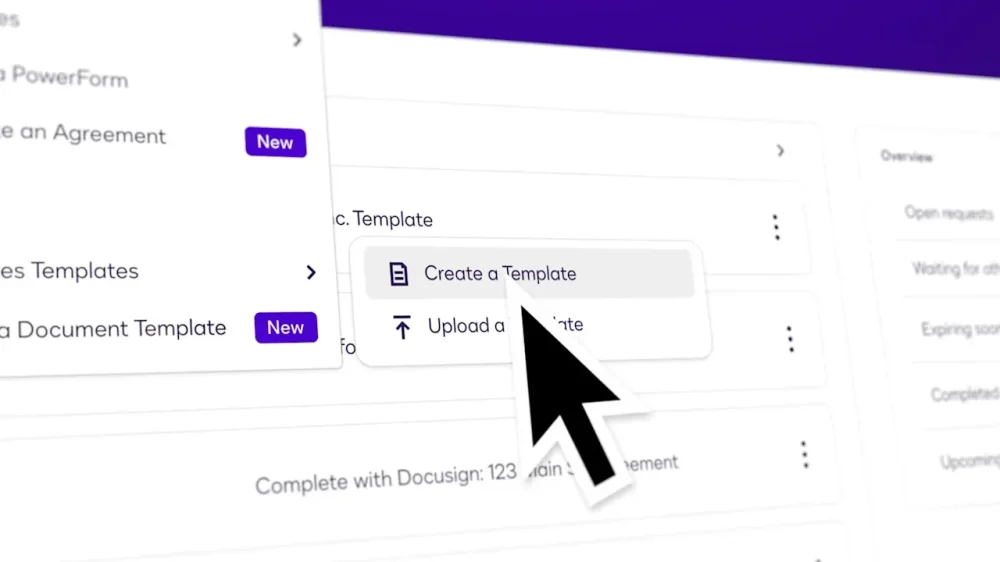
New AI tools from Docusign aim to make contracts easier to understand and quicker to prepare. For people signing documents like leases or purchases agreements, a new AI feature will make it possible to request an overall summary of the contract and its key terms. Users will also be able to ask questions about the document, which for consumer agreements could include requesting details about cancellation procedures, fees that may apply, relevant timelines, or terms of a warranty. “The whole purpose of this is to allow and provide a level of trust to the signer so that they understand what is it that they’re signing,” says Mangesh Bhandarkar, GVP of product management at Docusign, “and help them get through the signature process in a much quicker way, with a better understanding of the agreement itself.” In a demonstration for Fast Company, Bhandarkar highlighted how the AI could generate a basic summary of a residential lease, automatically pulling out key terms like the rental period, monthly rent, and landlord and tenant responsibilities for various utilities. The AI also answered questions about other terms like pet fees, including links to relevant, highlighted sections of the document. AI’s use in the legal field has been controversial, with some AI legal research and analysis plagued by incorrect answers and AI hallucinations. But Bhandarkar says the company feels confident in its Iris AI system, which has been honed specifically to handle contracts based on Docusign’s specialized dataset of written agreements and designed to provide in-document citations. “We make sure that it is not hallucinating information that is not in the document,” he says. Still, Bhandarkar emphasizes that Docusign isn’t offering formal legal advice or a substitute for getting a thorough understanding of a contract before signing it. Rather, he says, the company is “trying to give a better understanding and a quicker understanding of the makeup of the agreement with relevant data that could help you make an informed decision about the actions you’re taking.” Docusign, which says it helps more than 1 billion people sign contracts every year, reports a recent survey indicated that nearly 75% of contract signers would feel more confident with a plain-English AI summary of the documents they’re signing. And some users, Bhandarkar says, are already using general-purpose AI tools like ChatGPT for help in understanding contracts. They’ll now be able to access AI that’s both specifically optimized for the task and integrated into the platform they’re already using to review and sign the agreement. The new feature will likely also help organizations that are creating contracts for consumers to sign, since they may see contracts signed faster and with fewer inquiries. Document creators at all plan levels will be able to choose whether to enable signers to use the tool with particular contracts, Bhandarkar says. In recent years, Docusign has rolled out other AI features in moving to offer what it calls an intelligent agreement management (IAM) platform, where organizations can draft, store, and analyze contracts using AI and other tools, in addition to simply collecting signatures from other parties. More than 25,000 customers currently use the IAM platform, Bhandarkar adds. And additional AI offerings aim to make the process of drafting contracts that much faster. Docusign’s AI is gaining the ability to automatically detect areas on imported documents such as PDFs that should be turned into digitally fillable fields, making it that much quicker to turn draft agreements into interactive versions without manually dragging and dropping fields, Bhandarkar says. Document creators will naturally be able to preview and edit fields before sending documents out for signature, and field suggestions will be available in all Docusign plans. The company’s AI is also gaining the ability to validate email addresses and phone numbers where agreements are sent for signature, in order to reduce cases where documents are sent to the wrong destination. That feature, which will be available in Docusign Business and IAM plans, relies on a mix of internal data from people’s past interactions with Docusign and external data sources, Bhandarkar says. Bhandarkar says Docusign will be tracking metrics like whether users of AI summaries review and sign documents more quickly and to what extent contract creators retain or replace AI-generated fields, which should help the company continue to refine the AI. View the full article
-
President Donald The President will travel to Michigan on Tuesday to promote his efforts to boost U.S. manufacturing, trying to counter fears about a weakening job market and worries that still-rising prices are taking a toll on Americans’ pocketbooks. The day trip will include a tour of a Ford factory in Dearborn that makes F-150 pickups, the bestselling domestic vehicle in the U.S. The Republican president is also set to address the Detroit Economic Club at the MotorCity Casino. November’s off-year elections in Virginia, New Jersey and elsewhere showed a shift away from Republicans as public concerns about kitchen table issues persist. In their wake, the White House said The President would put a greater emphasis on talking directly to the public about his economic policies after doing relatively few events around the country earlier in his term. The president has suggested that jitters about affordability are a “hoax” unnecessarily stirred by Democrats. Still, though he’s imposed steep tariffs on U.S. trading partners around the world, The President has reduced some of them when it comes to making cars — including extending import levies on foreign-made auto parts until 2030. Ford announced last month that it was scrapping plans to make an electric F-150, despite pouring billions of dollars into broader electrification, after the The President administration slashed targets to have half of all new vehicle sales be electric by 2030, eliminated EV tax credits and proposed weakening the emissions and gas mileage rules. The President’s Michigan swing follows economy-focused speeches he gave last month in Pennsylvania — where his gripes about immigrants arriving to the U.S. from “filthy” countries got more attention than his pledges to fight inflation — and North Carolina, where he insisted his tariffs have spurred the economy, despite residents noting the squeeze of higher prices. The President carried Michigan in 2016 and 2024, after it swung Democratic and backed Joe Biden in 2020. He marked his first 100 days in office with a rally-style April speech outside Detroit, where he focused more on past campaign grudges than his administration’s economic or policy plans. During that visit nearly nine months ago, The President also spoke at Selfridge Air National Guard Base and announced a new fighter jet mission, allaying fears that the base could close. It represented a win for Michigan Democratic Gov. Gretchen Whitmer — and the two even shared a hug. This time, Democrats have panned the president’s trip, singling out national Republicans’ opposition to extending health care subsidies and recalling a moment in October 2024 when The President suggested that Democrats’ retaining the White House would mean “our whole country will end up being like Detroit.” “You’re going to have a mess on your hands,” The President said during a campaign stop back then. Curtis Hertel, chair of the Michigan Democratic Party, said that “after spending months claiming that affordability was a ‘hoax’ and creating a health care crisis for Michiganders, Donald The President is now coming to Detroit — a city he hates — to tout his billionaire-first agenda while working families suffer.” “Michiganders are feeling the effects of The President’s economy every day,” Hertel said in a statement. —Will Weissert and Corey Williams, Associated Press View the full article

-
Leaders reject interest in territory before White House meeting on WednesdayView the full article
-
If you’re considering a franchise investment in 2025, several affordable options could fit your budget and entrepreneurial goals. Franchises like Cruise Planners and JAN-PRO offer strong support and initial customer guarantees, whereas SuperGlass Windshield Repair provides a lucrative mobile service model. Each choice presents unique advantages, but it’s essential to evaluate the specific requirements and potential earnings. Comprehending these factors can guide you in finding the right fit for your business aspirations. What opportunities might align with your vision? Key Takeaways Affordable small franchises typically range from $10,000 to $50,000, aligning with various financial goals for prospective investors. Cruise Planners and JAN-PRO are top choices, offering low entry costs and strong support systems. SuperGlass Windshield Repair provides a mobile service with high profit margins, making it an attractive option. Dream Vacations franchisees experience significant earnings, averaging annual sales of $336,971. Conduct thorough due diligence on franchisor support and potential hidden costs before investing in any franchise. Understanding Franchise Investment Tiers When considering investing in a franchise, it’s essential to understand the different investment tiers that categorize affordable options. The best low cost franchises typically fall into several categories based on initial costs and operational needs. Micro-franchises, costing under $1,000, often involve home-based or mobile businesses with minimal overhead. Service-based franchises range from $1,000 to $5,000, allowing you to operate from home, focusing on personal skills. For those looking for small franchises to buy, mobile and home-based operations between $5,000 and $25,000 include services like cleaning and pet care. Established service franchises, requiring $25,000 to $50,000, offer stronger brand recognition, which can be beneficial for entrepreneurs seeking a proven business model. Top 7 Cheapest Franchises for 2025 As you explore affordable franchise opportunities for 2025, it’s crucial to evaluate the costs, support, and profit potential of each option. The top seven cheapest franchises, including Cruise Planners and JAN-PRO, not merely provide a low initial investment but additionally come with extensive training and marketing assistance. Grasping these key factors can help you make an informed decision about which franchise aligns best with your financial goals and business aspirations. Franchise Cost Overview In exploring franchise opportunities, you’ll find that affordability plays a crucial role in your decision-making process, particularly when considering options for 2025. The top 7 cheapest franchises have initial investments ranging from $10,000 to $50,000, making them suitable for budget-conscious entrepreneurs. Here’s a quick overview: Cruise Planners – Low-cost entry into the cruise industry with strong marketing support. JAN-PRO – Offers guaranteed initial customers, making it a lucrative choice. SuperGlass Windshield Repair – A mobile service with high profit margins. While a franchise with zero investment may be rare, these options provide a solid foundation for launching your business without breaking the bank. Other notable mentions include Dream Vacations, Jazzercise, Buildingstars, and Stratus Building Solutions. Support and Training Offered Support and training are crucial components of any franchise opportunity, especially for those looking to invest in affordable options for 2025. Here’s a look at the support offered by some of the top franchises: Franchise Training Provided Additional Support Cruise Planners Thorough training for success Marketing support to attract clients JAN-PRO Extensive training and guaranteed customers Resources for thriving in cleaning Dream Vacations Training for home-based advisors Exclusive rates to boost sales Jazzercise Structured program for fitness classes Brand recognition and marketing tools SuperGlass Windshield Repair Training for mobile service Partnerships for profitability With these resources, you’ll be well-prepared to navigate your chosen market effectively. Profit Potential Insights When considering affordable franchise opportunities for 2025, it’s essential to evaluate not just the initial investment, but also the profit potential of various options. Here are some franchises with notable profit potential: Dream Vacations: Franchisees average annual sales of $336,971, indicating significant earning potential. JAN-PRO: As a leader in commercial cleaning, they guarantee initial customers, ensuring a strong profit base. SuperGlass Windshield Repair: This mobile service boasts high profit margins through strategic partnerships, enhancing revenue opportunities. Benefits of Opening a Business Franchise Opening a business franchise offers numerous advantages that can greatly improve your entrepreneurial path. By leveraging an established brand’s recognition, you can build customer trust and generate revenue faster than starting from scratch. Franchises typically provide extensive training and ongoing support, equipping you with the skills necessary for success. The franchise industry contributes $936.4 billion to the U.S. economy annually, showcasing its profitability. Furthermore, many franchises have lower barriers to entry, with options under $50,000, making entrepreneurship more accessible. You’ll likewise benefit from a proven business model, reducing risks associated with new ventures. Advantage Description Brand Recognition Established brands increase customer trust Extensive Training Ongoing support improves operational skills Lower Barriers to Entry Affordable franchises make starting easier Proven Business Model Reduces risks with established systems and strategies Due Diligence Tips for Franchise Investors When considering a franchise investment, it’s essential to thoroughly research your options. Analyze the financial requirements, including both upfront costs and ongoing fees, to understand what you’ll be committing to financially. Furthermore, evaluate the support systems provided by the franchisor, as effective training and resources can greatly influence your success as a franchisee. Research Franchise Opportunities How do you guarantee that your investment in a franchise is sound and aligned with your goals? Start by conducting thorough research to make informed decisions. Here are three key steps: Review the Franchise Disclosure Document (FDD): This document contains essential information about fees, earnings, and support systems, helping you understand the franchise’s structure. Connect with Current Franchisees: Speak directly to existing franchise owners to gain insights into their experiences, satisfaction levels, and the quality of support from the franchisor. Utilize Expert Resources: Access platforms like Business.com for research articles and networking opportunities that can improve your decision-making process. Analyze Financial Requirements Comprehending the financial requirements of a franchise is crucial to ensuring your investment is both sound and sustainable. Start by researching initial franchise fees, which can range from under $1,000 for micro-franchises to $50,000 for established service franchises. Don’t forget to take into account hidden costs, such as insurance and employee expenses. Review the Franchise Disclosure Document (FDD) for ongoing costs like royalty fees, typically 3% to 6% of monthly gross sales. Assess potential ROI by analyzing average annual sales figures—Dream Vacations, for instance, reports about $336,971. Finally, factor in working capital and additional expenses for marketing and professional services. Cost Type Range Notes Initial Franchise Fees $1,000 – $50,000 Varies by franchise type Royalty Fees 3% – 6% Based on monthly gross sales Hidden Costs Variable Includes insurance and technology fees Additional Expenses Variable Marketing and professional services Evaluate Support Systems Evaluating the support systems of affordable small franchises is vital for making an informed investment decision. To guarantee you choose a franchise that provides the necessary assistance, consider the following: Franchise Disclosure Document (FDD): Review this document to understand the training, marketing assistance, and ongoing support offered by the franchisor. Current Franchisee Interviews: Conduct interviews with existing franchisees to gather insights on the quality of support and training they’ve experienced, revealing the effectiveness of the franchisor’s systems. Training Programs: Assess both the initial training and the availability of ongoing sessions to confirm that you’ll receive the necessary guidance to succeed. Hidden Costs to Consider When considering the purchase of a franchise, it’s vital to recognize that the initial investment often doesn’t capture the full picture of your financial commitment. Hidden costs can greatly affect your budget. For instance, insurance requirements—like liability and workers’ compensation—can add thousands annually. Furthermore, technology fees for software and point-of-sale systems may cost you hundreds each month. Professional services, including legal and accounting help, vary widely in price and should be anticipated. If you’re operating a mobile franchise, vehicle and equipment maintenance can be substantial. Finally, don’t forget employee costs, which encompass wages, benefits, and training; these expenses can accumulate quickly, impacting your overall profitability. Planning for these hidden costs is vital for long-term success. Exploring Potential Earnings Grasping how much you can earn from a franchise is just as important as recognizing the hidden costs associated with it. Low-cost franchises can yield considerable earnings, with some owners earning six figures annually. Here are a few examples of potential revenue: Dream Vacations franchisees report average annual sales of $336,971. Showhomes franchisees average $377,258 in sales. Image One franchisees can potentially reach $1 million in revenue by year-end. Earnings from low-cost franchises vary greatly based on industry and individual effort, so it’s crucial to review Item 19 of the Franchise Disclosure Document (FDD) for specific earnings representations. Comprehending potential earnings helps you make informed decisions, as hidden costs and ongoing expenses can greatly impact overall profitability. Best Industries for Low-Cost Franchise Opportunities As you explore low-cost franchise opportunities, you’ll find that certain industries stand out for their affordability and potential for success. Service-based sectors like commercial cleaning and travel planning often require investments under $50,000. Education franchises, such as Mathnasium, cater to the rising demand for supplemental education. Mobile services, including pet care and home repair, are gaining traction owing to low overhead costs. Micro-franchises, typically under $1,000, offer flexible work arrangements with low barriers. Furthermore, real estate and event planning are emerging as viable sectors, combining low startup costs with significant earning potential. Industry Initial Investment Potential Earnings Service-based < $50,000 High Education & Tutoring < $50,000 Moderate to High Mobile Services < $50,000 Moderate Micro-Franchises < $1,000 Variable Real Estate & Events < $50,000 High Frequently Asked Questions What Is the Cheapest Most Profitable Franchise to Own? The cheapest and most profitable franchise to own often includes micro-franchises, which can start under $1,000. These typically cover home-based or mobile businesses, like direct sales. Established service franchises, such as JAN-PRO, can be acquired for under $50,000 and provide strong brand recognition. For example, Dream Vacations has a startup cost of about $9,800, averaging annual sales of $336,971, showcasing significant profitability potential in the franchise market. Which Franchise Is Best in Low Budget? When considering which franchise is best for a low budget, you’ll find options like Dream Vacations, requiring only $9,800 to start as well as offering substantial revenue potential. On the other hand, TSS Photography and Showhomes Home Staging begin around $10,000, providing accessible entry points in service industries. Micro-franchises, starting as low as $1,000, often operate from home, making them ideal for aspiring entrepreneurs with limited funds. Evaluate your interests and market demand to make an informed choice. What Franchise Can I Buy for $10,000? You can buy the Dream Vacations franchise for $9,800, which offers a home-based travel agency model. On the other hand, TSS Photography is available for $10,500, focusing on photography training with impressive average annual sales. Each franchise provides training and support, enhancing your chances of success. When considering options, make certain you evaluate the ongoing costs and your interests to align with your goals, making an informed decision that suits your financial situation. Why Is It Only $10,000 to Open a Chick-Fil-A? It costs only $10,000 to open a Chick-Fil-A since the company covers many startup expenses, including equipment and real estate. This low initial fee allows you to focus more on running the business rather than worrying about large capital investments. Nevertheless, Chick-Fil-A requires your full commitment, as it seeks hands-on operators. The company’s strict control over brand and operations helps maintain consistency and contributes to strong profit margins for franchisees. Conclusion To conclude, exploring affordable small franchises in 2025 can lead to profitable business ventures. With options like Cruise Planners and JAN-PRO, you can find opportunities that align with your interests and budget. It is crucial to conduct thorough research, understand potential earnings, and be aware of hidden costs before making a decision. By carefully evaluating your choices, you can position yourself for success in the franchise realm, capitalizing on the advantages of established brands and support systems. Image via Google Gemini This article, "7 Affordable Small Franchises to Buy" was first published on Small Business Trends View the full article
-
If you’re considering a franchise investment in 2025, several affordable options could fit your budget and entrepreneurial goals. Franchises like Cruise Planners and JAN-PRO offer strong support and initial customer guarantees, whereas SuperGlass Windshield Repair provides a lucrative mobile service model. Each choice presents unique advantages, but it’s essential to evaluate the specific requirements and potential earnings. Comprehending these factors can guide you in finding the right fit for your business aspirations. What opportunities might align with your vision? Key Takeaways Affordable small franchises typically range from $10,000 to $50,000, aligning with various financial goals for prospective investors. Cruise Planners and JAN-PRO are top choices, offering low entry costs and strong support systems. SuperGlass Windshield Repair provides a mobile service with high profit margins, making it an attractive option. Dream Vacations franchisees experience significant earnings, averaging annual sales of $336,971. Conduct thorough due diligence on franchisor support and potential hidden costs before investing in any franchise. Understanding Franchise Investment Tiers When considering investing in a franchise, it’s essential to understand the different investment tiers that categorize affordable options. The best low cost franchises typically fall into several categories based on initial costs and operational needs. Micro-franchises, costing under $1,000, often involve home-based or mobile businesses with minimal overhead. Service-based franchises range from $1,000 to $5,000, allowing you to operate from home, focusing on personal skills. For those looking for small franchises to buy, mobile and home-based operations between $5,000 and $25,000 include services like cleaning and pet care. Established service franchises, requiring $25,000 to $50,000, offer stronger brand recognition, which can be beneficial for entrepreneurs seeking a proven business model. Top 7 Cheapest Franchises for 2025 As you explore affordable franchise opportunities for 2025, it’s crucial to evaluate the costs, support, and profit potential of each option. The top seven cheapest franchises, including Cruise Planners and JAN-PRO, not merely provide a low initial investment but additionally come with extensive training and marketing assistance. Grasping these key factors can help you make an informed decision about which franchise aligns best with your financial goals and business aspirations. Franchise Cost Overview In exploring franchise opportunities, you’ll find that affordability plays a crucial role in your decision-making process, particularly when considering options for 2025. The top 7 cheapest franchises have initial investments ranging from $10,000 to $50,000, making them suitable for budget-conscious entrepreneurs. Here’s a quick overview: Cruise Planners – Low-cost entry into the cruise industry with strong marketing support. JAN-PRO – Offers guaranteed initial customers, making it a lucrative choice. SuperGlass Windshield Repair – A mobile service with high profit margins. While a franchise with zero investment may be rare, these options provide a solid foundation for launching your business without breaking the bank. Other notable mentions include Dream Vacations, Jazzercise, Buildingstars, and Stratus Building Solutions. Support and Training Offered Support and training are crucial components of any franchise opportunity, especially for those looking to invest in affordable options for 2025. Here’s a look at the support offered by some of the top franchises: Franchise Training Provided Additional Support Cruise Planners Thorough training for success Marketing support to attract clients JAN-PRO Extensive training and guaranteed customers Resources for thriving in cleaning Dream Vacations Training for home-based advisors Exclusive rates to boost sales Jazzercise Structured program for fitness classes Brand recognition and marketing tools SuperGlass Windshield Repair Training for mobile service Partnerships for profitability With these resources, you’ll be well-prepared to navigate your chosen market effectively. Profit Potential Insights When considering affordable franchise opportunities for 2025, it’s essential to evaluate not just the initial investment, but also the profit potential of various options. Here are some franchises with notable profit potential: Dream Vacations: Franchisees average annual sales of $336,971, indicating significant earning potential. JAN-PRO: As a leader in commercial cleaning, they guarantee initial customers, ensuring a strong profit base. SuperGlass Windshield Repair: This mobile service boasts high profit margins through strategic partnerships, enhancing revenue opportunities. Benefits of Opening a Business Franchise Opening a business franchise offers numerous advantages that can greatly improve your entrepreneurial path. By leveraging an established brand’s recognition, you can build customer trust and generate revenue faster than starting from scratch. Franchises typically provide extensive training and ongoing support, equipping you with the skills necessary for success. The franchise industry contributes $936.4 billion to the U.S. economy annually, showcasing its profitability. Furthermore, many franchises have lower barriers to entry, with options under $50,000, making entrepreneurship more accessible. You’ll likewise benefit from a proven business model, reducing risks associated with new ventures. Advantage Description Brand Recognition Established brands increase customer trust Extensive Training Ongoing support improves operational skills Lower Barriers to Entry Affordable franchises make starting easier Proven Business Model Reduces risks with established systems and strategies Due Diligence Tips for Franchise Investors When considering a franchise investment, it’s essential to thoroughly research your options. Analyze the financial requirements, including both upfront costs and ongoing fees, to understand what you’ll be committing to financially. Furthermore, evaluate the support systems provided by the franchisor, as effective training and resources can greatly influence your success as a franchisee. Research Franchise Opportunities How do you guarantee that your investment in a franchise is sound and aligned with your goals? Start by conducting thorough research to make informed decisions. Here are three key steps: Review the Franchise Disclosure Document (FDD): This document contains essential information about fees, earnings, and support systems, helping you understand the franchise’s structure. Connect with Current Franchisees: Speak directly to existing franchise owners to gain insights into their experiences, satisfaction levels, and the quality of support from the franchisor. Utilize Expert Resources: Access platforms like Business.com for research articles and networking opportunities that can improve your decision-making process. Analyze Financial Requirements Comprehending the financial requirements of a franchise is crucial to ensuring your investment is both sound and sustainable. Start by researching initial franchise fees, which can range from under $1,000 for micro-franchises to $50,000 for established service franchises. Don’t forget to take into account hidden costs, such as insurance and employee expenses. Review the Franchise Disclosure Document (FDD) for ongoing costs like royalty fees, typically 3% to 6% of monthly gross sales. Assess potential ROI by analyzing average annual sales figures—Dream Vacations, for instance, reports about $336,971. Finally, factor in working capital and additional expenses for marketing and professional services. Cost Type Range Notes Initial Franchise Fees $1,000 – $50,000 Varies by franchise type Royalty Fees 3% – 6% Based on monthly gross sales Hidden Costs Variable Includes insurance and technology fees Additional Expenses Variable Marketing and professional services Evaluate Support Systems Evaluating the support systems of affordable small franchises is vital for making an informed investment decision. To guarantee you choose a franchise that provides the necessary assistance, consider the following: Franchise Disclosure Document (FDD): Review this document to understand the training, marketing assistance, and ongoing support offered by the franchisor. Current Franchisee Interviews: Conduct interviews with existing franchisees to gather insights on the quality of support and training they’ve experienced, revealing the effectiveness of the franchisor’s systems. Training Programs: Assess both the initial training and the availability of ongoing sessions to confirm that you’ll receive the necessary guidance to succeed. Hidden Costs to Consider When considering the purchase of a franchise, it’s vital to recognize that the initial investment often doesn’t capture the full picture of your financial commitment. Hidden costs can greatly affect your budget. For instance, insurance requirements—like liability and workers’ compensation—can add thousands annually. Furthermore, technology fees for software and point-of-sale systems may cost you hundreds each month. Professional services, including legal and accounting help, vary widely in price and should be anticipated. If you’re operating a mobile franchise, vehicle and equipment maintenance can be substantial. Finally, don’t forget employee costs, which encompass wages, benefits, and training; these expenses can accumulate quickly, impacting your overall profitability. Planning for these hidden costs is vital for long-term success. Exploring Potential Earnings Grasping how much you can earn from a franchise is just as important as recognizing the hidden costs associated with it. Low-cost franchises can yield considerable earnings, with some owners earning six figures annually. Here are a few examples of potential revenue: Dream Vacations franchisees report average annual sales of $336,971. Showhomes franchisees average $377,258 in sales. Image One franchisees can potentially reach $1 million in revenue by year-end. Earnings from low-cost franchises vary greatly based on industry and individual effort, so it’s crucial to review Item 19 of the Franchise Disclosure Document (FDD) for specific earnings representations. Comprehending potential earnings helps you make informed decisions, as hidden costs and ongoing expenses can greatly impact overall profitability. Best Industries for Low-Cost Franchise Opportunities As you explore low-cost franchise opportunities, you’ll find that certain industries stand out for their affordability and potential for success. Service-based sectors like commercial cleaning and travel planning often require investments under $50,000. Education franchises, such as Mathnasium, cater to the rising demand for supplemental education. Mobile services, including pet care and home repair, are gaining traction owing to low overhead costs. Micro-franchises, typically under $1,000, offer flexible work arrangements with low barriers. Furthermore, real estate and event planning are emerging as viable sectors, combining low startup costs with significant earning potential. Industry Initial Investment Potential Earnings Service-based < $50,000 High Education & Tutoring < $50,000 Moderate to High Mobile Services < $50,000 Moderate Micro-Franchises < $1,000 Variable Real Estate & Events < $50,000 High Frequently Asked Questions What Is the Cheapest Most Profitable Franchise to Own? The cheapest and most profitable franchise to own often includes micro-franchises, which can start under $1,000. These typically cover home-based or mobile businesses, like direct sales. Established service franchises, such as JAN-PRO, can be acquired for under $50,000 and provide strong brand recognition. For example, Dream Vacations has a startup cost of about $9,800, averaging annual sales of $336,971, showcasing significant profitability potential in the franchise market. Which Franchise Is Best in Low Budget? When considering which franchise is best for a low budget, you’ll find options like Dream Vacations, requiring only $9,800 to start as well as offering substantial revenue potential. On the other hand, TSS Photography and Showhomes Home Staging begin around $10,000, providing accessible entry points in service industries. Micro-franchises, starting as low as $1,000, often operate from home, making them ideal for aspiring entrepreneurs with limited funds. Evaluate your interests and market demand to make an informed choice. What Franchise Can I Buy for $10,000? You can buy the Dream Vacations franchise for $9,800, which offers a home-based travel agency model. On the other hand, TSS Photography is available for $10,500, focusing on photography training with impressive average annual sales. Each franchise provides training and support, enhancing your chances of success. When considering options, make certain you evaluate the ongoing costs and your interests to align with your goals, making an informed decision that suits your financial situation. Why Is It Only $10,000 to Open a Chick-Fil-A? It costs only $10,000 to open a Chick-Fil-A since the company covers many startup expenses, including equipment and real estate. This low initial fee allows you to focus more on running the business rather than worrying about large capital investments. Nevertheless, Chick-Fil-A requires your full commitment, as it seeks hands-on operators. The company’s strict control over brand and operations helps maintain consistency and contributes to strong profit margins for franchisees. Conclusion To conclude, exploring affordable small franchises in 2025 can lead to profitable business ventures. With options like Cruise Planners and JAN-PRO, you can find opportunities that align with your interests and budget. It is crucial to conduct thorough research, understand potential earnings, and be aware of hidden costs before making a decision. By carefully evaluating your choices, you can position yourself for success in the franchise realm, capitalizing on the advantages of established brands and support systems. Image via Google Gemini This article, "7 Affordable Small Franchises to Buy" was first published on Small Business Trends View the full article
-
In the summer of 2024, Squarespace’s chief marketing officer, Kinjil Mathur, attracted criticism when she told Gen Z job seekers that they, like her, should be “willing to do anything” to land their first job. “I was willing to work for free, I was willing to work any hours they needed—even on evenings and weekends,” Kinjil told Fortune. “You really have to just be willing to do anything, any hours, any pay, any type of job.” The online backlash to Kinjil’s statement was immediate and brutal, forcing her to walk those comments back. “I shared my own college internship experiences, and my words were misrepresented as career advice for a whole generation,” Kinjil later said in a statement. The episode demonstrates a growing clash of values between the various generations in today’s workplace. While some still take pride in sacrificing their well-being to demonstrate their commitment, others—primarily younger workers—see things differently. “I think they have more of an attitude of work-to-live as opposed to live-to-work that many of us grew up with,” said Ravin Jesuthasan, the global leader for transformation services at the consulting giant Mercer, on stage in Davos in 2024. “This is particularly true in the West. They have seen the legacy of all these broken promises. In the old days and in many parts of the West, they would promise you if you worked for 30 years, you’d have this defined benefit pension, you’d have retiree medical care, etc. None of that exists today.” One of the many points of differentiation between today’s young people and older workers is their perception of stress. Historically, Western workplace cultures equated stress with importance. If you were stressed, it often meant your job was more demanding and thus more important, encouraging some to complain about stress as a way to subtly communicate their value. Rather than seeing stress bragging—or talking about being overworked with a sense of pride—as a badge of honor, however, young people are more likely to interpret it as indicative of poor time management at best and an unhealthy relationship with work at worst. According to a 2024 study by researchers at the University of Georgia, those who brag the most about being stressed are now perceived more negatively by their peers. In fact, the research suggests those who stress brag are perceived as less capable, not more. After generations of equating time with effectiveness and busyness with importance, Gen Z has come to view the value of their time through a different lens. It’s not just that Gen Z grew up in an era when many of the traditional promises of work and loyalty had long since been broken, when individual time commitments had been largely divorced from actual results. Those born in the late 1990s through the early 2010s have also already lived through a once-in-a-century economic crisis, endured a once-in-a-century pandemic, and are regularly bombarded by what were formerly considered once-in-a-century extreme weather events. This generation, which is just entering the workforce, spent their childhoods hearing their parents panic over financial challenges during the 2008 economic crisis, had their brains shaped by an unregulated social media machine that has proven detrimental to their mental health, lost some of their formative years to pandemic restrictions and lockdowns, and continues to face a barrage of new challenges almost daily. More so than any generation before them, this group of young people has developed an appreciation for proper time management, mental health, and well-being. Their well-documented emphasis on meaning and joy has come to replace past generations’ keeping-up-with-the-Joneses, competitive pursuit of material wealth. People used to say that money can’t buy happiness, but the most anxious and depressed generation in modern history has internalized that sentiment. Countless studies show that when it comes to their priorities in life—and at work—Gen Zers seek a greater balance between economic and emotional stability, prizing quality time over financial excess. According to a 2023 survey by Intuit, three-quarters of Gen Zers say they would rather have a better quality of life than more money in the bank, and 66% say they are only interested in earning money as a way to support their personal interests. Part of the motivation, the study suggests, is that social comparison has evolved from homes, cars, and other material markers of wealth to social media posts. In fact, 33% Gen Z members said they compare themselves to people they see on social media, versus 14% of the general population, and 70% say they feel as if they’re falling behind those they see online, compared with 50% of other generations. In Deloitte’s 2024 survey of millennials and Gen Zers, the respondents ranked work-life balance as their top priority when choosing an employer, followed by flexible hours and reduced workweeks—all of which outranked salary. In short, this is the perfect generation to champion a shorter workweek. Not only does the reduced schedule offer more leisure time, which this generation prizes over compensation, but it has also been proven to reduce stress, anxiety, burnout, and depression. Furthermore, the four-day workweek represents an opportunity to address some of their greatest collective challenges, like improving family and community ties in the digital age, improving gender equity, and addressing climate change. Finally, the four-day workweek offers this generation more time to engage in causes that are meaningful to them, a primary motivator for this generation, according to research. Gen Z is the most enthusiastic generation about the concept of a four-day workweek and the most convinced of not just its feasibility but also its inevitability. In a 2024 survey of Gen Z students and professionals in the United States age 18 to 27, 80% said the four-day week should be standard, up from 76% the previous year. The same study also found that most young people were already utilizing new AI technologies to get more done in less time, with 72% saying they felt comfortable using generative AI regularly. In fact, 72% of Gen Z AI users said they save between 1 and 10 hours of schoolwork per week by leveraging the technology, and 14% have reduced their work time by more than 10 hours. Young people are so keen on a shorter workweek that they’re even willing to forgo other traditional workplace perks. In a 2023 survey by Bankrate, 92% of Gen Z and millennial respondents said they would sacrifice other common benefits in exchange for a four-day workweek, compared with 89% of Gen Xers and 80% of baby boomers.The most common workplace perks and norms that respondents of all generations would sacrifice for one less workday is the eight-hour day, with 54% saying they would work longer hours during the remaining four days. The second-most-popular trade-off was changing industries, jobs, or companies, with 37% saying they would leave their current role for a shorter schedule. According to a 2023 survey of 12,000 workers in the United Kingdom by Hays, 62% would prefer to work a four-day workweek in the office rather than a traditional five-day hybrid schedule. In its 2025 annual review, global HR firm Randstad, which has been asking thousands of workers around the world about work preferences since 2004, found that they ranked work-life balance ahead of pay for the first time. In the company’s global survey of 26,000 workers, 83% put it at the very top of their priority list, and this preference was even stronger among Gen Z workers. Even if other generations are slow to take up the cause, there is good reason to believe the four-day workweek is inevitable—because it will be so highly valued by a generation of future leaders. Reprinted by permission of Harvard Business Review Press. Adapted from Do More in Four: Why It’s Time for a Shorter Workweek by Joe O’Connor and Jared Lindzon. Copyright 2026 Joe O’Connor and Jared Lindzon. All rights reserved. View the full article

-
An employment file is a critical collection of documents that provides detailed information about an employee’s work history, performance, and compliance with legal requirements. Maintaining these files is vital for effective human resource management, as they support decisions related to promotions, terminations, and legal matters. Comprehending the key components and best practices for managing these files can greatly impact organizational efficiency. So, what exactly should you include in these files, and how can they influence your HR strategies? Key Takeaways An employment file is a comprehensive record of employee information, including personal and job-related details. It is crucial for legal compliance and serves as documentation for work history and evaluations. Employment files help organizations manage human resources effectively and mitigate litigation risks. Legal requirements dictate retention periods for employment records, ensuring compliance with federal and state laws. Proper management of employment files supports HR decisions and promotes organizational efficiency through secure and accessible documentation. Definition of an Employment File An employment file, often referred to as a personnel file, is an important repository of information regarding an employee’s professional path within an organization. This file contains a collection of documents that detail personal and employment-related information about you, including your name, Social Security number, date of birth, and address. It additionally includes job-related details such as your job title, salary, and performance history. Employment files are essential for ensuring compliance with legal and regulatory requirements, as they serve as a thorough record of your work history and evaluations. Access to these employment files is typically restricted to authorized personnel, safeguarding sensitive information from unauthorized access. Proper management of your personnel file aids in making informed decisions about promotions, raises, and employee development, as well as protecting the organization from potential legal challenges. Grasping the definition of an employment file is fundamental for both employees and employers in today’s workplace. Importance of Maintaining Employment Files Maintaining employment files is vital for organizations endeavoring to uphold regulatory compliance and manage human resources effectively. These files guarantee that you meet legal requirements, such as the Fair Labor Standards Act (FLSA), which mandates retaining specific employee information for at least three years after employment. A centralized location for tracking employee performance and conduct allows you to make informed decisions about promotions, raises, and professional development opportunities. Additionally, accurate employment files help mitigate litigation risks by providing a documented history of evaluations and disciplinary actions. They’re significant for compliance during regulatory audits from agencies like the Equal Employment Opportunity Commission (EEOC) and the Department of Labor (DOL), which may request access to these documents. Finally, maintaining secure and organized employment files protects sensitive employee information from unauthorized access, safeguarding against data breaches and privacy violations. Key Components of an Employment File Employment files consist of several key components that play a significant role in effective human resource management. First, personal information is fundamental; it includes the employee’s name, address, Social Security number, and date of birth for identification purposes. Next, job-related details such as the employee’s job title, salary, benefits, and employment history help with payroll and HR management. Performance evaluations and reviews are also important, as they track employee progress and inform promotion decisions or disciplinary actions. Furthermore, attendance records document employee presence and absences, ensuring compliance with company policies and labor laws. Finally, supplementary documentation, including onboarding materials and post-employment records, provides a thorough view of the employee’s history. These components together form a complete employment file that supports both effective management and legal compliance within the organization. Legal Requirements for Employment Documentation In relation to employment documentation, comprehending legal requirements is vital for compliance. You need to be aware that various federal and state laws dictate how long to keep records, such as payroll and employee benefits forms, to avoid penalties. Adhering to these guidelines not just protects your organization but additionally guarantees transparency and accountability in employment practices. Record Retention Guidelines Grasping record retention guidelines is crucial for compliance with various legal requirements surrounding employment documentation. The Equal Employment Opportunity Commission (EEOC) requires you to maintain employment records for at least one year after an employee’s termination or decision. Furthermore, the Age Discrimination in Employment Act (ADEA) mandates payroll records must be kept for a minimum of three years. Under the Fair Labor Standards Act (FLSA), records explaining wage differences need to be preserved for at least two years. Medical records, governed by HIPAA, should be stored securely and separated from general personnel files. Finally, be aware that state laws may impose different retention periods for employment documents, which could vary greatly from federal requirements, so always check local regulations. Compliance With Employment Laws Compliance with employment laws is a fundamental aspect of managing an organization’s human resources effectively. To avoid legal penalties and guarantee a strong defense against potential litigation, you must maintain accurate employment documentation. Here are key requirements to keep in mind: Keep employment records for at least one year post-termination, as per EEOC regulations. Retain payroll records, including pay rates and hours worked, for a minimum of three years under the ADEA. Document wage differences for at least two years, as required by the FLSA. Secure sensitive employee information, such as Social Security numbers and medical records, to comply with HIPAA privacy laws. Who Has Access to Employment Files? In terms of employment files, access is typically restricted to specific authorized personnel, including you, your direct supervisor, and certain HR staff. You have the right to review your file, ensuring the information is accurate and reflects your employment history. Nonetheless, sensitive records, like medical information or background checks, remain limited to HR and legal teams to protect your privacy. Authorized Personnel Access Access to employment files is typically restricted to a select group of individuals, guaranteeing that sensitive information remains protected. This controlled access helps maintain confidentiality and promotes trust within the workplace. Here’s who usually has access: The employee: You have the right to view your own file. Direct supervisors: They may need access to manage your performance effectively. Authorized HR personnel: These individuals handle employment records and guarantee compliance with regulations. Legal teams: Access is granted for matters requiring legal oversight, such as disputes or compliance issues. Access is granted on a need-to-know basis, safeguarding personal information as relevant parties perform their roles effectively. This balance is vital for maintaining privacy and accuracy in employment records. Employee Review Rights Grasping your rights regarding employment files is crucial, as you have the ability to review the information contained within them. Typically, you can access your own employment file to guarantee accuracy and transparency. Access is usually restricted to you, authorized HR representatives, and direct supervisors to safeguard confidentiality. Depending on state laws, you might’ve the right to request your personnel file, with some jurisdictions requiring timely responses from employers. Nonetheless, some sensitive records, like background checks, are only viewable by HR or legal teams. If you find inaccuracies in your file, you can request amendments to maintain correct records. Comprehending these rights empowers you to manage your employment information effectively. Roles Involved in Managing Employment Files Managing employment files involves a collaborative effort among various roles within an organization, each contributing unique expertise to guarantee the integrity and accessibility of employee records. Key players include: Human Resources Managers: They maintain employee files, making certain all documentation is accurate and up-to-date. Payroll Managers: They track employee pay and benefits information, organizing payroll-related documents effectively. Benefits Managers: They manage records related to employee health and life insurance, assuring compliance with documentation requirements. IT Departments: They oversee access to employee files, focusing on the security of digital records and employee login information. In smaller organizations, specific employees might handle certain records, whereas larger companies often have dedicated teams for various aspects of employee file management. Each role is crucial to guarantee that employment files aren’t just complete but also secure and readily accessible when needed. Best Practices for Storing and Securing Employment Files To guarantee the protection of sensitive employee information, organizations must adopt best practices for storing and securing employment files. Implement secure storage solutions, like locked cabinets for physical files and encrypted digital systems for electronic records, to safeguard against unauthorized access. Limit access to these files to authorized personnel only, such as HR staff and direct supervisors, ensuring confidentiality and privacy. Regularly conduct audits of employee files to confirm compliance with legal retention requirements and verify that sensitive information is stored appropriately. Establish a well-defined document retention policy that outlines how long different types of records should be kept, aiding in compliance with EEOC, ADEA, and FLSA mandates. Furthermore, provide training for HR personnel on best practices for handling sensitive information, emphasizing the importance of redacting personally identifiable information (PII) when disclosing files to external entities. This structured approach will help maintain the integrity of your employment files. How Long to Retain Employment Records In terms of retaining employment records, you need to be aware of various legal requirements that dictate how long you should keep them. For instance, the EEOC mandates that records be maintained for at least one year after termination, whereas other laws, like the ADEA and FMLA, have their specific retention periods. Moreover, it’s wise to establish best practices for retention that may extend beyond these minimums to safeguard against potential litigation and comply with state regulations. Legal Retention Requirements Comprehension of legal retention requirements for employment records is crucial for compliance and effective human resource management. Different laws dictate how long you should keep various records, ensuring you meet federal regulations. Here are key retention timelines to remember: EEOC: Maintain employment records for at least one year post-termination. ADEA: Keep payroll records for a minimum of three years to comply with age discrimination laws. FLSA: Retain wage difference records for at least two years to support fair labor practices. FMLA: Hold onto FMLA leave records for three years to demonstrate compliance. Additionally, sensitive employee data must be stored separately and retained according to relevant laws, ensuring confidentiality and adherence to regulations. Best Practices for Retention Maintaining employment records isn’t just a legal obligation; it’s a best practice that can greatly benefit your organization. The Equal Employment Opportunity Commission (EEOC) requires you to keep employment records for at least one year from termination or creation. For payroll records, the Age Discrimination in Employment Act (ADEA) mandates a minimum retention of three years. Furthermore, the Fair Labor Standards Act (FLSA) states that wage difference documentation must be held for at least two years. If you handle medical information, follow HIPAA guidelines for secure storage, often spanning many years. To safeguard against potential litigation, consider retaining records for six years or longer, ensuring you have an all-encompassing history available when needed. Electronic Document Management Systems for Employment Files In today’s fast-paced business environment, utilizing an Electronic Document Management System (EDMS) for employment files is vital for many organizations. EDMS centralizes employee files digitally, making them more accessible and secure than traditional paper systems. Here are some key benefits: Enhanced Security: EDMS often includes encryption features to safeguard sensitive employee information, ensuring compliance with regulations like HIPAA and FLSA. Streamlined Onboarding: These systems simplify the storage and retrieval of important documents, such as applications, contracts, and performance evaluations. Improved Reporting: EDMS provides analytics on employee data, assisting HR departments in making informed decisions regarding workforce management and compliance. Reduced Physical Storage Needs: Shifting to EDMS minimizes risks of document loss or damage, boosting organizational efficiency and productivity. The Impact of Proper Employment File Management on HR Decisions Effective management of employment files plays a crucial role in shaping HR decisions, particularly regarding evaluating employee performance and facilitating career development. When HR has easy access to a thorough history of employee performance, it can make informed decisions about promotions, raises, and professional development opportunities. Organized files likewise help maintain compliance with labor laws, reducing legal risks. Here’s a brief overview of the impact of proper employment file management: Benefit Description Informed Decision-Making Provides documented facts for performance evaluations. Compliance Assurance Reduces risks of legal penalties because of proper documentation. Efficient Dispute Resolution Facilitates timely responses to employee grievances. Proactive Accountability Identifies gaps in documentation through regular audits. Frequently Asked Questions What Is the Purpose of an Employee File? The purpose of an employee file is to organize crucial information about you, including demographics, job title, salary, and performance history. This centralized repository supports compliance with labor laws and aids in efficient HR processes like onboarding and payroll. It likewise documents evaluations and attendance, providing valuable insights for management decisions. In addition, your file can serve as evidence during legal disputes, ensuring that your employment records are accurate and accessible when needed. What Should Not Go in an Employee File? You shouldn’t include sensitive information in an employee file. This means avoiding investigation files, medical records, and benefits records, as they contain private details. I-9 documents must be stored separately to comply with federal laws, whereas any information protected by attorney-client privilege should likewise be excluded. Keeping these records separate helps guarantee confidentiality, adheres to legal standards, and protects both the employee’s privacy and the organization from potential legal issues. What Is the Purpose of an Employment Certificate? An employment certificate serves as official proof of your employment status, confirming your job title and duration with a company. You might need this document for various reasons, like applying for a loan or renting an apartment. It can likewise include details about your salary, performance, and responsibilities, depending on company policy. Accurate and confidential information is essential for compliance with employment laws, so follow your organization’s protocols when requesting one. Who Should Have Access to Employee Files? You should know that access to employee files is usually restricted. Usually, employees can view their own files, whereas direct supervisors and authorized HR personnel likewise have access. State laws often allow current or former employees to request their personnel records for transparency. Confidential information, such as medical records and background checks, is limited to HR staff. Any access requests from others in the organization need justification and approval to comply with privacy regulations. Conclusion In conclusion, maintaining an employment file is vital for effective human resource management. These files not merely store critical employee information, but they additionally guarantee compliance with legal requirements. By comprehending the components and best practices for managing these documents, you can protect your organization from potential litigation and support informed decision-making. Proper management of employment files finally contributes to a more organized and efficient workplace, nurturing a culture of accountability and transparency. Image via Google Gemini This article, "What Is an Employment File and Its Importance?" was first published on Small Business Trends View the full article
-
An employment file is a critical collection of documents that provides detailed information about an employee’s work history, performance, and compliance with legal requirements. Maintaining these files is vital for effective human resource management, as they support decisions related to promotions, terminations, and legal matters. Comprehending the key components and best practices for managing these files can greatly impact organizational efficiency. So, what exactly should you include in these files, and how can they influence your HR strategies? Key Takeaways An employment file is a comprehensive record of employee information, including personal and job-related details. It is crucial for legal compliance and serves as documentation for work history and evaluations. Employment files help organizations manage human resources effectively and mitigate litigation risks. Legal requirements dictate retention periods for employment records, ensuring compliance with federal and state laws. Proper management of employment files supports HR decisions and promotes organizational efficiency through secure and accessible documentation. Definition of an Employment File An employment file, often referred to as a personnel file, is an important repository of information regarding an employee’s professional path within an organization. This file contains a collection of documents that detail personal and employment-related information about you, including your name, Social Security number, date of birth, and address. It additionally includes job-related details such as your job title, salary, and performance history. Employment files are essential for ensuring compliance with legal and regulatory requirements, as they serve as a thorough record of your work history and evaluations. Access to these employment files is typically restricted to authorized personnel, safeguarding sensitive information from unauthorized access. Proper management of your personnel file aids in making informed decisions about promotions, raises, and employee development, as well as protecting the organization from potential legal challenges. Grasping the definition of an employment file is fundamental for both employees and employers in today’s workplace. Importance of Maintaining Employment Files Maintaining employment files is vital for organizations endeavoring to uphold regulatory compliance and manage human resources effectively. These files guarantee that you meet legal requirements, such as the Fair Labor Standards Act (FLSA), which mandates retaining specific employee information for at least three years after employment. A centralized location for tracking employee performance and conduct allows you to make informed decisions about promotions, raises, and professional development opportunities. Additionally, accurate employment files help mitigate litigation risks by providing a documented history of evaluations and disciplinary actions. They’re significant for compliance during regulatory audits from agencies like the Equal Employment Opportunity Commission (EEOC) and the Department of Labor (DOL), which may request access to these documents. Finally, maintaining secure and organized employment files protects sensitive employee information from unauthorized access, safeguarding against data breaches and privacy violations. Key Components of an Employment File Employment files consist of several key components that play a significant role in effective human resource management. First, personal information is fundamental; it includes the employee’s name, address, Social Security number, and date of birth for identification purposes. Next, job-related details such as the employee’s job title, salary, benefits, and employment history help with payroll and HR management. Performance evaluations and reviews are also important, as they track employee progress and inform promotion decisions or disciplinary actions. Furthermore, attendance records document employee presence and absences, ensuring compliance with company policies and labor laws. Finally, supplementary documentation, including onboarding materials and post-employment records, provides a thorough view of the employee’s history. These components together form a complete employment file that supports both effective management and legal compliance within the organization. Legal Requirements for Employment Documentation In relation to employment documentation, comprehending legal requirements is vital for compliance. You need to be aware that various federal and state laws dictate how long to keep records, such as payroll and employee benefits forms, to avoid penalties. Adhering to these guidelines not just protects your organization but additionally guarantees transparency and accountability in employment practices. Record Retention Guidelines Grasping record retention guidelines is crucial for compliance with various legal requirements surrounding employment documentation. The Equal Employment Opportunity Commission (EEOC) requires you to maintain employment records for at least one year after an employee’s termination or decision. Furthermore, the Age Discrimination in Employment Act (ADEA) mandates payroll records must be kept for a minimum of three years. Under the Fair Labor Standards Act (FLSA), records explaining wage differences need to be preserved for at least two years. Medical records, governed by HIPAA, should be stored securely and separated from general personnel files. Finally, be aware that state laws may impose different retention periods for employment documents, which could vary greatly from federal requirements, so always check local regulations. Compliance With Employment Laws Compliance with employment laws is a fundamental aspect of managing an organization’s human resources effectively. To avoid legal penalties and guarantee a strong defense against potential litigation, you must maintain accurate employment documentation. Here are key requirements to keep in mind: Keep employment records for at least one year post-termination, as per EEOC regulations. Retain payroll records, including pay rates and hours worked, for a minimum of three years under the ADEA. Document wage differences for at least two years, as required by the FLSA. Secure sensitive employee information, such as Social Security numbers and medical records, to comply with HIPAA privacy laws. Who Has Access to Employment Files? In terms of employment files, access is typically restricted to specific authorized personnel, including you, your direct supervisor, and certain HR staff. You have the right to review your file, ensuring the information is accurate and reflects your employment history. Nonetheless, sensitive records, like medical information or background checks, remain limited to HR and legal teams to protect your privacy. Authorized Personnel Access Access to employment files is typically restricted to a select group of individuals, guaranteeing that sensitive information remains protected. This controlled access helps maintain confidentiality and promotes trust within the workplace. Here’s who usually has access: The employee: You have the right to view your own file. Direct supervisors: They may need access to manage your performance effectively. Authorized HR personnel: These individuals handle employment records and guarantee compliance with regulations. Legal teams: Access is granted for matters requiring legal oversight, such as disputes or compliance issues. Access is granted on a need-to-know basis, safeguarding personal information as relevant parties perform their roles effectively. This balance is vital for maintaining privacy and accuracy in employment records. Employee Review Rights Grasping your rights regarding employment files is crucial, as you have the ability to review the information contained within them. Typically, you can access your own employment file to guarantee accuracy and transparency. Access is usually restricted to you, authorized HR representatives, and direct supervisors to safeguard confidentiality. Depending on state laws, you might’ve the right to request your personnel file, with some jurisdictions requiring timely responses from employers. Nonetheless, some sensitive records, like background checks, are only viewable by HR or legal teams. If you find inaccuracies in your file, you can request amendments to maintain correct records. Comprehending these rights empowers you to manage your employment information effectively. Roles Involved in Managing Employment Files Managing employment files involves a collaborative effort among various roles within an organization, each contributing unique expertise to guarantee the integrity and accessibility of employee records. Key players include: Human Resources Managers: They maintain employee files, making certain all documentation is accurate and up-to-date. Payroll Managers: They track employee pay and benefits information, organizing payroll-related documents effectively. Benefits Managers: They manage records related to employee health and life insurance, assuring compliance with documentation requirements. IT Departments: They oversee access to employee files, focusing on the security of digital records and employee login information. In smaller organizations, specific employees might handle certain records, whereas larger companies often have dedicated teams for various aspects of employee file management. Each role is crucial to guarantee that employment files aren’t just complete but also secure and readily accessible when needed. Best Practices for Storing and Securing Employment Files To guarantee the protection of sensitive employee information, organizations must adopt best practices for storing and securing employment files. Implement secure storage solutions, like locked cabinets for physical files and encrypted digital systems for electronic records, to safeguard against unauthorized access. Limit access to these files to authorized personnel only, such as HR staff and direct supervisors, ensuring confidentiality and privacy. Regularly conduct audits of employee files to confirm compliance with legal retention requirements and verify that sensitive information is stored appropriately. Establish a well-defined document retention policy that outlines how long different types of records should be kept, aiding in compliance with EEOC, ADEA, and FLSA mandates. Furthermore, provide training for HR personnel on best practices for handling sensitive information, emphasizing the importance of redacting personally identifiable information (PII) when disclosing files to external entities. This structured approach will help maintain the integrity of your employment files. How Long to Retain Employment Records In terms of retaining employment records, you need to be aware of various legal requirements that dictate how long you should keep them. For instance, the EEOC mandates that records be maintained for at least one year after termination, whereas other laws, like the ADEA and FMLA, have their specific retention periods. Moreover, it’s wise to establish best practices for retention that may extend beyond these minimums to safeguard against potential litigation and comply with state regulations. Legal Retention Requirements Comprehension of legal retention requirements for employment records is crucial for compliance and effective human resource management. Different laws dictate how long you should keep various records, ensuring you meet federal regulations. Here are key retention timelines to remember: EEOC: Maintain employment records for at least one year post-termination. ADEA: Keep payroll records for a minimum of three years to comply with age discrimination laws. FLSA: Retain wage difference records for at least two years to support fair labor practices. FMLA: Hold onto FMLA leave records for three years to demonstrate compliance. Additionally, sensitive employee data must be stored separately and retained according to relevant laws, ensuring confidentiality and adherence to regulations. Best Practices for Retention Maintaining employment records isn’t just a legal obligation; it’s a best practice that can greatly benefit your organization. The Equal Employment Opportunity Commission (EEOC) requires you to keep employment records for at least one year from termination or creation. For payroll records, the Age Discrimination in Employment Act (ADEA) mandates a minimum retention of three years. Furthermore, the Fair Labor Standards Act (FLSA) states that wage difference documentation must be held for at least two years. If you handle medical information, follow HIPAA guidelines for secure storage, often spanning many years. To safeguard against potential litigation, consider retaining records for six years or longer, ensuring you have an all-encompassing history available when needed. Electronic Document Management Systems for Employment Files In today’s fast-paced business environment, utilizing an Electronic Document Management System (EDMS) for employment files is vital for many organizations. EDMS centralizes employee files digitally, making them more accessible and secure than traditional paper systems. Here are some key benefits: Enhanced Security: EDMS often includes encryption features to safeguard sensitive employee information, ensuring compliance with regulations like HIPAA and FLSA. Streamlined Onboarding: These systems simplify the storage and retrieval of important documents, such as applications, contracts, and performance evaluations. Improved Reporting: EDMS provides analytics on employee data, assisting HR departments in making informed decisions regarding workforce management and compliance. Reduced Physical Storage Needs: Shifting to EDMS minimizes risks of document loss or damage, boosting organizational efficiency and productivity. The Impact of Proper Employment File Management on HR Decisions Effective management of employment files plays a crucial role in shaping HR decisions, particularly regarding evaluating employee performance and facilitating career development. When HR has easy access to a thorough history of employee performance, it can make informed decisions about promotions, raises, and professional development opportunities. Organized files likewise help maintain compliance with labor laws, reducing legal risks. Here’s a brief overview of the impact of proper employment file management: Benefit Description Informed Decision-Making Provides documented facts for performance evaluations. Compliance Assurance Reduces risks of legal penalties because of proper documentation. Efficient Dispute Resolution Facilitates timely responses to employee grievances. Proactive Accountability Identifies gaps in documentation through regular audits. Frequently Asked Questions What Is the Purpose of an Employee File? The purpose of an employee file is to organize crucial information about you, including demographics, job title, salary, and performance history. This centralized repository supports compliance with labor laws and aids in efficient HR processes like onboarding and payroll. It likewise documents evaluations and attendance, providing valuable insights for management decisions. In addition, your file can serve as evidence during legal disputes, ensuring that your employment records are accurate and accessible when needed. What Should Not Go in an Employee File? You shouldn’t include sensitive information in an employee file. This means avoiding investigation files, medical records, and benefits records, as they contain private details. I-9 documents must be stored separately to comply with federal laws, whereas any information protected by attorney-client privilege should likewise be excluded. Keeping these records separate helps guarantee confidentiality, adheres to legal standards, and protects both the employee’s privacy and the organization from potential legal issues. What Is the Purpose of an Employment Certificate? An employment certificate serves as official proof of your employment status, confirming your job title and duration with a company. You might need this document for various reasons, like applying for a loan or renting an apartment. It can likewise include details about your salary, performance, and responsibilities, depending on company policy. Accurate and confidential information is essential for compliance with employment laws, so follow your organization’s protocols when requesting one. Who Should Have Access to Employee Files? You should know that access to employee files is usually restricted. Usually, employees can view their own files, whereas direct supervisors and authorized HR personnel likewise have access. State laws often allow current or former employees to request their personnel records for transparency. Confidential information, such as medical records and background checks, is limited to HR staff. Any access requests from others in the organization need justification and approval to comply with privacy regulations. Conclusion In conclusion, maintaining an employment file is vital for effective human resource management. These files not merely store critical employee information, but they additionally guarantee compliance with legal requirements. By comprehending the components and best practices for managing these documents, you can protect your organization from potential litigation and support informed decision-making. Proper management of employment files finally contributes to a more organized and efficient workplace, nurturing a culture of accountability and transparency. Image via Google Gemini This article, "What Is an Employment File and Its Importance?" was first published on Small Business Trends View the full article
-
Defense Secretary Pete Hegseth said Monday that Elon Musk’s artificial intelligence chatbot Grok will join Google’s generative AI engine in operating inside the Pentagon network, as part of a broader push to feed as much of the military’s data as possible into the developing technology. “Very soon we will have the world’s leading AI models on every unclassified and classified network throughout our department,” Hegseth said in a speech at Musk’s space flight company, SpaceX, in South Texas. The announcement comes just days after Grok — which is embedded into X, the social media network owned by Musk — drew global outcry and scrutiny for generating highly sexualized deepfake images of people without their consent. Malaysia and Indonesia have blocked Grok, while the U.K.’s independent online safety watchdog announced an investigation Monday. Grok has limited image generation and editing to paying users. Hegseth said Grok will go live inside the Defense Department later this month and announced that he would “make all appropriate data” from the military’s IT systems available for “AI exploitation.” He also said data from intelligence databases would be fed into AI systems. Hegseth’s aggressive push to embrace the still-developing technology stands in contrast to the Biden administration, which, while pushing federal agencies to come up with policies and uses for AI, was also wary of misuse. Officials said rules were needed to ensure that the technology, which could be harnessed for mass surveillance, cyberattacks or even lethal autonomous devices, was being used responsibly. The Biden administration enacted a framework in late 2024 that directed national security agencies to expand their use of the most advanced AI systems but prohibited certain uses, such as applications that would violate constitutionally protected civil rights or any system that would automate the deployment of nuclear weapons. It is unclear if those prohibitions are still in place under the The President administration. During his speech, Hegseth spoke of the need to streamline and speed up technological innovations within the military, saying, “We need innovation to come from anywhere and evolve with speed and purpose.” He noted that the Pentagon possesses “combat-proven operational data from two decades of military and intelligence operations.” “AI is only as good as the data that it receives, and we’re going to make sure that it’s there,” Hegseth said. The defense secretary said he wants AI systems within the Pentagon to be responsible, though he went on to say he was shrugging off any AI models “that won’t allow you to fight wars.” Hegseth said his vision for military AI systems means that they operate “without ideological constraints that limit lawful military applications,” before adding that the Pentagon’s “AI will not be woke.” Musk developed and pitched Grok as an alternative to what he called “woke AI” interactions from rival chatbots like Google’s Gemini or OpenAI’s ChatGPT. In July, Grok also caused controversy after it appeared to make antisemitic comments that praised Adolf Hitler and shared several antisemitic posts. The Pentagon did not immediately respond to questions about the issues with Grok. —Konstantin Toropin and David Klepper, Associated Press View the full article

-
US president calls on demonstrators to ‘take over’ the country’s institutionsView the full article
-
In an era where efficient identity verification is crucial for businesses, HP has launched its innovative HP Digital Passport, a digital identity solution designed to streamline access across multiple platforms and services. This development arrives at a time when small businesses increasingly rely on technology for maintenance and enhancement of customer interactions. The HP Digital Passport offers a simple solution: a single QR code that provides instant access to a user’s digital identity, centralizing various services in one easy-to-scan format. This technology aligns seamlessly with the fast-paced nature of small businesses, allowing owners to manage customer interactions more efficiently. “The renaissance of the PC has shifted from a traditional productivity tool to an adaptive companion—one that brings utility and convenience into the daily workflows of small business owners,” said a representative from HP. For small business owners, adopting the HP Digital Passport can significantly lessen the burden of managing multiple passwords and credentials. Instead of navigating through several logins and passwords, employees can simply scan a QR code, which enhances security and improves user experience. This not only saves time but also minimizes the risk of password-related breaches, which can jeopardize customer trust and safety. Another notable advantage of the HP Digital Passport is its potential for enhancing customer service. By employing a user-friendly authentication process, businesses can streamline customer interactions, leading to quicker service and improved satisfaction rates. A happy customer is not just a repeat customer; it’s a great way to boost word-of-mouth referrals, which are essential for small businesses relying on local clientele. However, transitioning to a digital passport system may not be without its challenges. Small business owners need to consider the initial investment in integrating this technology into their existing systems. While the potential benefits are substantial, the costs associated with implementation—such as training staff and purchasing compatible hardware—could deter some owners. Moreover, the success of technology solutions like the HP Digital Passport hinges on user data privacy and regulatory compliance. Companies must ensure that the personal data collected and managed through the system is securely handled and that they comply with relevant data protection laws. Small businesses should be prepared to invest in robust cybersecurity measures to protect customer information, as a breach could be catastrophic to their reputation. HP has indicated that the introduction of this product is not just about facilitating ease of access; it is also about ensuring a secure environment for businesses and consumers alike. “Our core aim is to democratize technology, making it accessible for all business segments,” an HP spokesperson stated. Business owners intrigued by the possibilities of this digital identity solution should also keep an eye on how other businesses and industries are implementing such technologies. As competitors adopt new tools, remaining relevant and innovative will be vital to thriving in today’s market. Overall, the HP Digital Passport could serve as a valuable tool for small business owners looking to streamline their operations while enhancing customer experience. By reducing friction in access and reinforcing security, it may aid in boosting long-term customer relationships—crucial for sustaining business growth in a digital age. For more in-depth information, refer to the original source at HP’s newsroom. Image via Google Gemini This article, "HP Unveils Digital Passport: Transforming PC Use with One Simple Scan" was first published on Small Business Trends View the full article
-
In an era where efficient identity verification is crucial for businesses, HP has launched its innovative HP Digital Passport, a digital identity solution designed to streamline access across multiple platforms and services. This development arrives at a time when small businesses increasingly rely on technology for maintenance and enhancement of customer interactions. The HP Digital Passport offers a simple solution: a single QR code that provides instant access to a user’s digital identity, centralizing various services in one easy-to-scan format. This technology aligns seamlessly with the fast-paced nature of small businesses, allowing owners to manage customer interactions more efficiently. “The renaissance of the PC has shifted from a traditional productivity tool to an adaptive companion—one that brings utility and convenience into the daily workflows of small business owners,” said a representative from HP. For small business owners, adopting the HP Digital Passport can significantly lessen the burden of managing multiple passwords and credentials. Instead of navigating through several logins and passwords, employees can simply scan a QR code, which enhances security and improves user experience. This not only saves time but also minimizes the risk of password-related breaches, which can jeopardize customer trust and safety. Another notable advantage of the HP Digital Passport is its potential for enhancing customer service. By employing a user-friendly authentication process, businesses can streamline customer interactions, leading to quicker service and improved satisfaction rates. A happy customer is not just a repeat customer; it’s a great way to boost word-of-mouth referrals, which are essential for small businesses relying on local clientele. However, transitioning to a digital passport system may not be without its challenges. Small business owners need to consider the initial investment in integrating this technology into their existing systems. While the potential benefits are substantial, the costs associated with implementation—such as training staff and purchasing compatible hardware—could deter some owners. Moreover, the success of technology solutions like the HP Digital Passport hinges on user data privacy and regulatory compliance. Companies must ensure that the personal data collected and managed through the system is securely handled and that they comply with relevant data protection laws. Small businesses should be prepared to invest in robust cybersecurity measures to protect customer information, as a breach could be catastrophic to their reputation. HP has indicated that the introduction of this product is not just about facilitating ease of access; it is also about ensuring a secure environment for businesses and consumers alike. “Our core aim is to democratize technology, making it accessible for all business segments,” an HP spokesperson stated. Business owners intrigued by the possibilities of this digital identity solution should also keep an eye on how other businesses and industries are implementing such technologies. As competitors adopt new tools, remaining relevant and innovative will be vital to thriving in today’s market. Overall, the HP Digital Passport could serve as a valuable tool for small business owners looking to streamline their operations while enhancing customer experience. By reducing friction in access and reinforcing security, it may aid in boosting long-term customer relationships—crucial for sustaining business growth in a digital age. For more in-depth information, refer to the original source at HP’s newsroom. Image via Google Gemini This article, "HP Unveils Digital Passport: Transforming PC Use with One Simple Scan" was first published on Small Business Trends View the full article
-
I've used my main Gmail account for about 20 years now, and I'm quite proud of how I've maintained it. My inbox isn't overflowing with unread emails, my storage has never been full, and I've set up hundreds of filters to directly send useless emails right to the trash. I don't use any third-party tools to tame that chaos, and I'm here to share all the hacks I've set up to keep my Gmail inbox under control. Manage email subscriptions to tame your inbox chaosYou should start clearing out your inbox by looking at all of your email newsletter subscriptions. In the past, I've been guilty of subscribing to way too many newsletters and cluttering my inbox. What started out as a great way to read interesting things has ended up as yet another chore that I just cannot keep up with. At some point, you've got to let those unread newsletters go. You can start by manually unsubscribing from the newsletters you're not going to read. Alternatively, you can move these subscriptions to a different email address, so you can keep one inbox just for reading. You can also try using read-later apps to receive and read your newsletters. I'm using Readwise Reader these days, and it's allowed me to read so much more than I did when these emails were ending up in my email inbox. If your problem is that you're subscribed to too many promotional emails that are basically junk, then you can also consider using Gmail's built-in tools to unsubscribe from promotional mailing lists. Use as many filters as you can Credit: Pranay Parab Gmail has powerful filters that can automatically delete unwanted emails. Yes, you can select a bunch of emails and click the Report spam button to get rid of them. This moves those emails to spam, but I've sometimes seen recurring emails from the same sender still finding their way into my inbox, even after doing this. So I've started using Gmail's filters to banish repeat spammers to the trash. You can do this by selecting a bunch of unwanted emails from different senders you don't want to hear from anymore, and then clicking the three-dots button in Gmail's web view. Then, choose Filter messages like these, and Gmail will automatically populate the filter list with all those senders. Select Search, and on the next pop-up, check Delete it, and Also apply filter to matching conversations. Finally, select Create filter. This will automatically move all emails from those senders to trash, and prevent more of their emails from ending up in your inbox. Search filters are your best friendWhen your inbox is already full, or close to it, you should try a few search filters to spot the emails occupying the maximum amount of space in your inbox. The most useful one is the "Size" filter. For instance, in Gmail's search bar, you can type Size:20m, and the results will zero in on emails above 20mb in size. Replace the number with 15, 10, or any other number, and it'll show you emails above that size. You can back up these emails if they have anything useful in them, and if not, you can go ahead and delete them all. Use advanced search to find junk mailI am quite embarrassed to admit that when I was younger, I sent all my friends and family members way too many forwards. My inbox still has forwards from that time, quite a few of which I'd also sent to over 50 people in one go. I may have been responsible for a lot junk mail, but it's never too late to atone for your sins. If you click the three lines icon to the right of the search bar in Gmail, you'll see the service's advanced search options. You can use those options to look for emails from specific date ranges and get rid of ancient clutter that's no longer useful (after you're done cringing, that is). Alternatively, you can just use a search filter to find those emails. Try something like after:2006/1/1 before:2007/1/2 to locate all your emails sent in 2006. Using advanced search tools is easier than filters, because it doesn't require you to remember various search operators. It also makes more of those search tools accessible, which makes it a great way to delete old emails from your inbox. If only I could delete them from other people's inboxes, too. Attack useless emails at the source Credit: Pranay Parab At a certain point, it does get tiring to keep adding filters to your Gmail to keep useless emails away. I strongly recommend looking at the settings menus on various websites to stop the spam at the source. Social media sites such as Facebook, Instagram, and LinkedIn are some of the most popular senders of emails nobody asked for. If you go through their communication preferences pages, you'll be able to stop quite a few of their emails before they ever make it to your inbox. I make it a point to uncheck all emails from every site I sign up for. Once you've done that, these sites might still find a way to send you more emails, but you can click the unsubscribe button (usually present next to unwanted emails in the Social or Promotions tabs) to stop them pretty easily, or just use Gmail's filters to block those emails from ever making it to your eyes. Teach Gmail which of your emails are importantYou can have Gmail help you sort out unwanted emails from your inbox. Next to each email in your inbox, you'll see a small right-arrow icon. When you see an important email, you can click the arrow icon, which will turn yellow. This marks the email as important, and over time, Gmail will keep those emails in your inbox, and send the rest to other folders. Delete emails in Spam and Trash foldersGmail is pretty good at automatically blocking spam, which means that a lot of unwanted emails will end up in your Spam folder. Similarly, if you've been following the steps described above, you'll have a bunch of emails in your Trash folder. This is helpful, but you won't see any real changes to your Gmail storage space until you clear out all those emails. To do this, manually go to these folders, select all the emails you want to get rid of, and delete them all. Don't forget to check if you're deleting any important emails, because emails deleted from these folders cannot be retrieved. Also be sure to check on these folders at least once a month, because Google will automatically delete any messages that have been sitting in them for more than 30 days. Clean up Gmail space quickly Credit: Pranay Parab Gmail offers an easy built-in way to identify what's occupying the most space in your inbox. To get started, visit the storage cleanup page and click Clean up space. It'll show you some suggestions and offer easy ways to clear out the clutter in your Gmail. You just have to follow the on-screen steps to actually go through with it. Turn important emails into tasksMy colleague David Nield's tip about turning emails into tasks has helped me a lot. When you open an email, you can click the Add to Tasks button up top, which adds it to Google Tasks, and turns that email into a to-do item. This helps me keep track of emails that would otherwise get lost. This way, I can easily save the most important emails and delete the rest. So much of cleaning up Gmail clutter revolves around active email management, and this tip just helps me quickly get rid of useless emails on a day-to-day basis. Try using third-party email management servicesNormally, I'm loath to recommend third-party services to manage email chaos. This is because using them means you need to give the companies that make them access to your inbox, which is a privacy and security nightmare. However, I've previously used SaneBox to help a friend get their inbox down from 50,000 unreads to about 10,000 within a day, while also setting up ways to keep their inbox from getting overloaded again too. It's been vetted by Google and Leviathan Security Group, which means I can pretty confidently recommend at least this service. Lifehacker's sister site PCMag also gave Sanebox a glowing review. You can try the service for free using the 14-day trial. During that time, you can use its email deep clean feature to quickly get rid of a bunch of your unwanted emails. View the full article
-
It's not just you: X is down, and will not load. I discovered the issue myself just after 9:30 a.m. ET. I was scrolling on my feed, when all of a sudden, new posts wouldn't load, and I was greeted by an option to refresh. When I did, the site reloaded, but now without any posts—only the futile option to try reloading again. You can see a steep spike in user reports on Downdetector (which, for full disclosure, is owned by Lifehacker parent company Ziff Davis). At the time of writing, roughly 25,000 users had reported issues with X, I among them. There are a number of potential reasons why X won't load this morning, but it doesn't appear to be a larger issue with a cloud hosting service. Anytime a major website like X goes down, it harkens back to global outages, stemming from issues with cloud hosting services like AWS and Cloudflare. However, a quick check on Downdetector shows me that few other sites and services are having massive outage reports at the moment. That could change, but as of this article, it seems like X's issues are their own. X will no doubt get things back up and running soon. In the meantime, maybe it's best for all of us to get off the site for a change. View the full article
-
A struggling currency sparked the protests and The President’s new tariffs on Tehran’s trade partners will only increase the pain View the full article
-
2025 saw several successful public offerings, especially from companies operating in the AI, cryptocurrency, and fintech spaces. What many on Wall Street are anxious to know is whether the IPO market—and its returns—will accelerate in 2026, or if investors will take a more cautious approach to newly public companies as inflationary pressures, the potential for a weakening economy, and a possible AI bubble weigh heavily on people’s minds. The first real test of investor IPO appetite may come later this month, when cryptocurrency custody firm BitGo Holdings, Inc. is expected to go public. Here’s what you need to know about BitGo’s IPO. What is BitGo? BitGo Holdings is a cryptocurrency infrastructure company. One of its main functions is providing cryptocurrency custodial services. Crypto custody companies provide storage and security for digital assets. Such companies are often used by large institutional investors to help manage risk and also meet regulatory guidelines. In contrast, many individual cryptocurrency investors still rely on personalized digital wallets to hold their tokens. BitGo was founded in 2013 and is headquartered in Palo Alto, California. According to the company’s S-1 filing with the Securities and Exchange Commission, BitGo had 566 full-time employees as of September 30. Over the past 12 months, ending September 30, the company says it generated total revenue of $11.1 billion. Its platform currently supports more than 1,550 assets with a total value of $104 billion. When is BitGo’s IPO? BitGo hasn’t set a date for its initial public offering yet. In its amended Form S-1 filing with the Securities and Exchange Commission (SEC) yesterday, the company merely mentioned its intention to go public. However, the amended filing suggests that the public offering will likely happen soon. IPOscoop.com lists BitGo’s expected IPO date as Thursday, January 22, but BitGo has yet to publicly confirm that date. What is BitGo’s stock ticker? BitGo’s shares will trade under the stock ticker “BTGO.” What market will BitGo’s shares trade on? BitGo shares will trade on the New York Stock Exchange (NYSE). What is the IPO share price of BTGO? BitGo hasn’t decided on an exact IPO price yet. However, in the company’s amended SEC filing, the firm said it expects its shares to be priced at between $15 and $17. How many BTGO shares are available in its IPO? In total, 11,821,595 shares of BTGO Class A common stock will be made available in its IPO. Of those shares, BitGo itself is offering 11 million directly. The remaining shares will be offered by the company’s existing shareholders. How much will BitGo raise in its IPO? BitGo will not receive any proceeds from the roughly 821,000 shares its existing shareholders will sell. The company will only benefit from the funds raised from its 11 million share offering. With an expected IPO price of between $15 and $17 per share, BitGo is thus expected to raise between $165 million and $187 million. When you add in the shares being sold by exiting shareholders, BitGo’s IPO could raise as much as $200 million in total. How much is BitGo worth? BitGo’s ultimate valuation depends on how much its shares finally list for—and how they perform on the stock market. However, if BTGO shares do indeed IPO at the high-end range of $17 each, BitGo will have a valuation of around $1.96 billion, according to Reuters. BitGo is hoping to repeat 2025’s crypto IPO successes If BitGo does IPO this month as expected, it will likely be closely watched as it is not just one of the first tech IPOs of the year, but one of the first operating in the hot (and volatile) cryptocurrency space. Its IPO’s success or failure could signal whether investors have a robust appetite for public offerings in 2026, particularly those tied to crypto. In 2025, several companies operating in the cryptocurrency space made successful IPO debuts. These include Circle Internet Group’s (NYSE: CRCL) initial public offering in June and Bullish’s (NYSE: BLSH) IPO in August. View the full article

-
Thousands of New York City nurses were set to return to the picket lines Tuesday as their strike targeting some of the city’s leading hospital systems entered its second day. The walkout, which comes during a severe flu season, involved roughly 15,000 nurses spread out across multiple private hospitals, including NewYork-Presbyterian/Columbia, Montefiore Medical Center and Mount Sinai hospital. The affected hospitals have hired droves of temporary nurses to try to fill the labor gap. Both nurses and hospital administrators have urged patients not to avoid getting care during the strike. The labor action comes three years after a similar strike forced medical facilities to transfer some patients and divert ambulances. As with the 2023 labor action, nurses have pointed to staffing issues as a major flashpoint, accusing the big-budget medical centers of refusing to commit to provisions for manageable, safe workloads. The private, nonprofit hospitals involved in the current negotiations say they’ve made strides in staffing in recent years, and have cast the union’s demands as prohibitively expensive. On Monday, the city’s new mayor, Zohran Mamdani, stood beside nurses on a picket line outside NewYork-Presbyterian, praising the union’s members for seeking “dignity, respect and the fair pay and treatment that they deserve.” —Associated Press View the full article

-
Google Maps is the only navigation service I use, and I've learned many of its tricks over the years. The default settings do a good enough job for most people, but it's worth reviewing all of its features to ensure that you're getting exactly what you need. For instance, avoiding tolls may be great where you live, but if you're driving in a different state or country, that same feature could land you in some serious trouble. These tips will help you make the most of Google Maps' many features, and reduce the chances of losing your way while using the app. Double-check route settings before leavingEven if you ignore everything else in this article, don't ignore this. I've observed that, sometimes, Google Maps automatically enables route options I did not select, which can lead to some sticky situations. Whenever I'm on a long road trip to unknown destinations, I like to double-check route settings before I head out. To do this, tap the profile icon in the top-right corner in the Google Maps app, and go to Settings > Navigation > Route options. This has four options: Avoid tolls, Avoid highways, Avoid ferries, and Prefer fuel-efficient routes. I like to disable all of these to ensure that I reach my destination safely and quickly. If you're in an area you know fairly well, you can enable some of these options to find a cheaper route, or one with less traffic. But in unfamiliar territory, I prefer to play it safe. Use offline maps to your advantageI often travel to places with poor or no cellular signal, and Google Maps' offline mode has been a lifesaver in these locations. It lets you download Google Maps data for specific locations, and I've set up the app to automatically download and update this data when new information becomes available. This makes it a lot easier to navigate when the internet disappears. You can easily do this by searching for a destination on Google Maps and swiping left on the controls that appear below its name. Tap More > Download offline map > Download to save it for offline use. To automatically update offline maps, go to your Google maps settings and select Offline. Now hit the gear icon in the top-right corner and select Auto-update offline maps. Select the correct vehicle typeGoogle Maps shows you better search results and improves recommendations for fuel-efficient routes if you choose the correct type of vehicle. Go to your Google Maps settings and navigate to Your vehicles. Select the correct engine type for your vehicle to ensure better recommendations. If you're using an EV, you can also use this page to set the type of charger it uses. This helps Google Maps send you to compatible EV charging stations when you're out and about. Connect your music streaming account to Google Maps Credit: Pranay Parab If you often stream music while driving, you should consider connecting your streaming accounts with Google Maps, which supports both Apple Music and Spotify. Once you've connected the navigation app with either of these services, you'll be able to control music playback and choose playlists from your library, all without leaving the Google Maps app. I don't recommend looking at your phone when you're driving, but you can use this feature to control playback or quickly change songs while your car's stopped. It's a lot faster than switching to a different app to change music. Some of you will prefer to use voice assistants to do this, but on an iPhone in particular, I haven't had much luck with using Siri to change music. That's why I've connected my streaming accounts to Google Maps instead. Get accessibility information on Google MapsGoogle Maps can highlight accessibility information for you. This can be extremely helpful if you're traveling with people who have mobility challenges or are living with disabilities. I never thought much about these options until I started traveling with my senior citizen parents, who can no longer climb lots of stairs or stand for long hours. That's why I went to the Google Maps settings, navigated to App & display, and enabled Emphasize accessibility info. This feature prominently shows if a destination has accessible entrances, seating, reserved parking spots, and if restrooms are available (and accessible), etc. Note that this information isn't always accurate, so if accessibility is your top priority, I still recommend calling ahead to confirm if your destination's accessible features are available and in working order. Similarly, when you're using walking directions to get somewhere, try tapping the options button, which is next to the share icon. This will reveal the Trip options page, where you can select Wheelchair accessible to avoid routes with stairs and choose ones that have elevators instead. Improve directions while walkingI use Google Maps a lot while I'm walking around, and I have a few tips to make it easier to find where you're going. The first is to use Google Maps when you're wearing an Apple Watch or an Android smartwatch, if you have one. Google Maps buzzes your watch when you have a direction coming up, and you can quickly look at the watch to see which way to go. With this, I don't have to keep looking at my phone for directions. This approach worked really well on a recent trip to Singapore in rainy weather, where it wasn't always possible to keep looking at my phone while also holding my water bottle and umbrella. You can also use Live View to get even more detailed walking directions. It uses your phone's camera to identify shops, signs, and other landmarks near you. Then, it gives you directions in a camera view, which is like a live video walkthrough taking you to your destination. This makes it great for navigating indoors, like in airports or malls. Hide your Google Maps profileWhen you review listings on Google Maps, or make other contributions, others may be able to view your profile and all your ratings, reviews, photos, and other contributions. If you don't want this information to be visible, you can make your profile private on Google Maps. To do this, go to Google Maps settings > Location & privacy > Profile and enable Restricted profile. Delete your Google Maps history and timeline dataGoogle Maps also keeps track of all the places you've visited, and not everyone is comfortable storing that data on Google's servers. Now, I should say that this information is legitimately useful sometimes. Once, a friend's car was wrongly sent a speeding ticket from a different state. He was able to use his Google Maps timeline data to prove to law enforcement that he was, in fact, not in that state at the time. Having said that, you'll be able to better preserve your privacy by not storing this information in the first place. To do that, go to Google Maps settings > Location & privacy. Review all the options in the Timeline section to see what fits your preferences. I've switched off Timeline entirely, and I also chose Delete all Timeline data, but your needs may be different, so you may choose to delete a specific range of timeline data or automatically delete it after a certain period of time instead. To delete your search history from Google Maps, scroll down on this page and select Maps history. Use incognito mode in Google Maps Credit: Pranay Parab If deleting your Google Maps data permanently isn't the ideal solution for you, then you may want to try incognito mode instead. This works exactly like it does in web browsers, meaning that it won't save your Google Maps data as long as you're in that mode. You can enable it by tapping the profile icon in Google Maps and selecting Turn on incognito mode. You can check if it's enabled by looking at the profile icon, where your picture will be replaced by the incognito icon. Save your favorite places in listsIf you have trouble remembering all of the trips you want to take, you can quickly save your favorites in Google Maps, and add them to various lists. For instance, if you're planning a trip to Florida and you want to save all of the destinations you've heard about in one spot, you can look for each one individually on Google Maps and hit the Save button on their listings. This lets you save the destination to a new list, where you can keep a tab on all the places you want to go to. You can also share these lists with others, and everyone can add the places they're interested in to your list, too. I used this feature during my London trip last year, where I bookmarked restaurants that served authentic fare from around the world. It allowed me to taste food that I'd never tried before, and helped me better organize my daily plan to fit a couple of museums or other attractions around my meals. View the full article
-
By now, the headlines almost write themselves: humanoid robots everywhere, AI in everything. Consumer Electronics Show (CES) 2026 didn’t disrupt that narrative—it confirmed it. What changed was the subtext. This was the year AI stopped feeling experimental and started feeling infrastructural. Intelligence has shifted from novelty to baseline, forcing harder questions about consequence, control, and agency—not just what technology can do, but how it reshapes systems once opting out is no longer realistic. For years, progress at CES has been measured in speed, scale, and spectacle. In 2026, a different metric quietly surfaced: judgment. The most advanced products weren’t the most aggressive or attention-seeking. They were the most considered, designed with an understanding that when intelligence becomes unavoidable, restraint becomes a competitive advantage. Beneath the obvious trends, the Seymourpowell team saw that a recalibration was underway. Trend 1: The Body Is the New Platform Computing has long lived in front of us, on desks, in hands, behind glass. At CES 2026, the more consequential shift was where technology is now choosing to settle: on the body, and within the social rules that already govern it. This wasn’t about wearables as accessories. It was about gravity—deciding which parts of the body can host intelligence without demanding attention, breaking etiquette, or forcing users into performative behavior. The real innovation wasn’t simply where technology sits, but how interaction becomes quieter, more physical, and often subconscious. Take iPolish, which turned fingernails into a programmable surface. Using digital clip-on nails and a magic wand connected to an app, wearers can shift between hundreds of colors instantly. The move is deceptively simple, but strategically sharp: Nails are already expressive, customizable, and socially accepted. No new behavior is required. Intelligence succeeds here precisely because it inhabits a place culture already allows. Elsewhere, interaction became even less visible. Naqi’s neural earbuds bypassed voice and touch entirely, using micro-facial signals—jaw tension and subtle muscle movements—to control devices without overt action. ModeX treated clothing itself as infrastructure, embedding power and compute into garments that don’t announce themselves as tech. Orphe’s sensor-enabled insoles brought lab-grade biomechanics into everyday movement, while .lumen’s assistive glasses reframed accessibility as scalable augmentation rather than specialist accommodation. Across categories, the pattern was consistent: the next interface war won’t be won by screens. It will be won by technologies that understand where they’re allowed to live, and how quietly they’re expected to behave. The takeaway: As intelligence migrates onto the body, social permission becomes as important as technical capability. The future belongs to products that feel natural not because they disappear, but because they respect the physical and cultural spaces they occupy. Trend 2: Agency Becomes a Design Problem As AI becomes infrastructural, the question is no longer whether systems act autonomously—but how, when, and on whose behalf. CES 2026 revealed a growing recognition that trust isn’t built through capability alone. It’s built through boundaries. The most compelling products weren’t those that automated the most, but those that were explicit about where human judgment still sits. Littlebird embodied this shift in the family context, offering predictive safety intelligence without screens, feeds, or surveillance theater. RestroomGuard Savvy applied the same thinking to public infrastructure, proving AI-driven safety doesn’t require cameras or biometric intrusion to be effective. Sorcerics Lens extended the idea into the home, replacing dashboards and commands with contextual awareness that responds to situations rather than constant instruction. Even the Descent S1 buoy followed this logic, augmenting diver judgment with shared situational awareness instead of replacing it with alerts or automation. These systems didn’t remove humans from the loop. They clarified where the loop should be. The takeaway: As opting out becomes unrealistic, agency becomes a design material. The most trusted systems won’t be the fastest or smartest, but the ones that are clearest about when not to act. Trend 3: Care Moves From Apps to Infrastructure For years, wellness technology has asked individuals to self-optimize: track more, manage better, try harder. CES 2026 suggested a different direction. Care is moving out of dashboards and into systems that actively reduce cognitive, physical, and emotional load—without requiring constant attention or self-surveillance. Diligent Robotics’ Moxi captured this shift clearly. Rather than measuring caregiver performance, the hospital robot removes coordination work altogether—fetching supplies, running errands, and freeing nurses to spend time caring. The value isn’t insight. It’s relief. Elsewhere, neuro-wellness booths reframed focus and recovery as environmental conditions rather than personal failures to manage. By combining physiological sensing with adaptive lighting, sound, and temperature, they treated mental load as something a space can regulate, not something users must willpower their way through. The same logic appeared in everyday rituals. The AI rejuvenation shower treated water itself as a programmable medium, adjusting minerals and compounds in real time to deliver skincare without screens, tracking, or habit formation. Light Straight addressed a quieter hygiene pain point—maintenance between “reset” moments—by cleaning and styling hair without water. It didn’t promise transformation. It simply removed friction. Care also surfaced in less obvious places. Motion sickness—long dismissed as an unfortunate side effect of travel—was reframed as a fundamental barrier to autonomous mobility. If passengers can’t read, work, watch, or rest without nausea, self-driving cars don’t create new freedom, they just extend commute time. Bosch addressed this not through wearables or behavioral coaching, but by redesigning vehicle dynamics at the software level. By controlling motion across all six degrees of freedom, the system reduces sensory conflict before it reaches the body, making it possible for passengers to safely disengage from driving altogether. In this context, motion sickness isn’t a comfort issue. It’s a gatekeeper. Solve it, and autonomous vehicles become environments for work, rest, and interaction. Ignore it, and adoption stalls. Across healthcare, mobility, beauty, and the home, the pattern was consistent: Care is no longer a niche vertical or a personal optimization project. It’s becoming consumer infrastructure, embedded into environments and systems that quietly do the work for us. The takeaway: Care is no longer about empowerment through information. It’s about relief through design. The next generation of care technology won’t ask users to try harder, it will redesign the conditions around them. Trend 4: The Physical World Gets Its Software Update While much of the AI conversation still centers on digital products, CES 2026 made something else unmistakable: The biggest bottlenecks in technology are now physical. Infrastructure, energy, logistics, manufacturing, and housing are where intelligence is being stress-tested, not in prototypes, but at scale. This was the year the “invisible layer” of the tech stack stepped into focus. Caterpillar’s keynote crystallized this shift. By embedding AI, autonomy, and edge intelligence directly into fleets, worksites, and heavy machinery, the company reframed physical infrastructure as something that can sense, learn, and adapt in real time. Not flashy. Mission-critical. The same logic appeared elsewhere. The AI Transformer Home Trailer treated housing as adaptive infrastructure rather than a fixed object, physically reconfiguring space on demand. Alpon X5 made enterprise-grade AI deployable at the edge, without cloud dependence, reframing intelligence as something that lives where work actually happens. Perovskite color-conversion films pushed display progress not through software, but materials science—another reminder that some of the biggest leaps ahead won’t come from code alone. CES 2026 wasn’t just about smarter products. It was about making the physical world programmable. The takeaway: The next phase of AI growth won’t be constrained by models, it will be constrained by matter. The companies that win won’t just scale intelligence. They’ll modernize the physical systems it depends on. Trend 5: Restraint Becomes a Feature Perhaps the most telling shift at CES 2026 wasn’t technological at all. It was tonal. After years of maximalism—more sensors, more screens, more “AI”—a quieter maturity is setting in. The most confident products no longer feel the need to prove intelligence. They demonstrate judgment. Birdfy Hum Bloom used AI not to capture attention, but to slow it down, turning backyard observation into discovery rather than content. Toniebox 2 doubled down on screen-free interaction, resisting dopamine loops in favor of presence and routine. Even Lego’s Smart Play experiments pointed toward intelligence that scaffolds creativity rather than directing it. This wasn’t visible fatigue so much as visible discernment. Companies are beginning to understand that adding intelligence everywhere isn’t innovation. Knowing where not to add it is. The takeaway: In a world where intelligence is cheap and ubiquitous, restraint becomes premium. The most advanced products of the next decade may be the ones that know when to step back. CES 2026 didn’t deliver a single, dominant narrative, and that may be its most honest reflection of where we are. AI is no longer a question mark. It’s a condition. And once intelligence becomes unavoidable, progress is no longer about acceleration. It’s about alignment between systems and people, automation and agency, capability and consequence. The future on display wasn’t louder or faster. It was more deliberate. And that, quietly, may be the most meaningful shift of all. View the full article

-
Central bankers from around the world said Tuesday they “stand in full solidarity” with U.S. Federal Reserve Chair Jerome Powell, after President Donald The President dramatically escalated his confrontation with the Fed with the Justice Department investigating and threatening criminal charges. Powell “has served with integrity, focused on his mandate and an unwavering commitment to the public interest,” read the statement signed by nine national central bank heads including European Central Bank President Christine Lagarde and Bank of England Governor Andrew Bailey. They added that “the independence of central banks is a cornerstone of price, financial and economic stability in the interest of the citizens that we serve. It is therefore critical to preserve that independence, with full respect for the rule of law and democratic accountability.” The dispute is ostensibly about Powell’s testimony to Congress in June over the cost of a massive renovation of Fed buildings. But in a statement Sunday, Powell, abandoning his previous attempt to ignore The President’s relentless criticism, called the administration’s threat of criminal charges “pretexts” in the president’s campaign to seize control of U.S. interest rate policy from the Fed’s technocrats. The President has repeatedly criticized Powell and the Fed for not moving faster to cut rates. Economists warn that a politicized Fed that caves in to the president’s demands will damage its credibility as an inflation fighter and likely lead investors to demand higher rates before investing in U.S. Treasurys. Other signatories of the statement carried on the ECB’s website were Erik Thedeen, governor of Sweden’s central bank; Christian Kettel Thomsen, chair of Denmark’s central bank; Swiss National Bank Chair Martin Schlegel; Michele Bullock, governor of the Reserve Bank of Australia; Tiff Macklem, governor of the Bank of Canada; Bank of Korea Governor Chang Yong Rhee; Gabriel Galipolo, governor of the Banco Central do Brasil. Also attaching their names were François Villeroy de Galhau, board chair of the Bank for International Settlements, and Pablo Hernández de Cos, BIS general manager. The BIS is an international organization of central banks based in Basel, Switzerland. One prominent central bank not included in the statement was the Bank of Japan. The statement said that more signatures could be added later. —David McHugh, AP Business Writer View the full article

-
The Bureau of Labor Statistics reported Tuesday morning that consumer prices rose 0.3% in December, with annual inflation stuck at 2.7%, lending credence to the Federal Reserve's cautious stance toward interest rates heading into 2026. View the full article