All Activity
- Past hour
-
 AI Max is Google’s latest foray into semi-keywordless targeting. While you need keywords for the system to have a starting place, Google uses signals beyond keywords in deciding how to show ads to searchers. In accounts with a strong history of broad match success, AI Max can be highly effective at finding new conversions. If accounts are not well-optimized or have not been successful with broad match, AI Max can be a huge money pit. To clear up a rumor before we get into the data: you do not have to use AI Max to have ads appear in AI Overviews. Broad match keywords can show ads in AI Overviews regardless of your AI Max usage. We’re looking at AI Max as a conversion expansion option, not just an option to show in AI Overviews. This article examines the review steps you should take before you decide to test AI Max. What to check before enabling AI Max Accurate conversion tracking Your conversion tracking must be accurate, deduplicated, and focused on business outcomes. AI Max optimizes toward what you have defined as success. If you aren’t tracking all your conversions, or if your conversions are inflated, AI Max will be working from inaccurate data and making poor decisions. Automated bidding with a conversion-focused strategy Broad match only works well when you have a bid strategy that is focused on conversions, such as: Maximize conversion value. Maximize conversions. Target CPA. Target ROAS. Our experiments with AI Max have shown that it is much more predictable with one of the target options (Target CPA or Target ROAS) than with the max bid options (Maximize conversion value or Maximize conversions). Since the Max conversion options are meant to get you the most possible, regardless of the CPA or ROAS, they will often continue to spend your budget when the next set of conversions could have exceptionally high CPAs or very low ROAS. If you use AI Max with one of the max bid options, pay close attention to your budget and the AI Max data. Conversion volume Technically, you can enable AI Max without any conversions for a campaign. However, with under 30 conversions per month, AI Max has been highly erratic. At over 100 conversions per month, it has done well more often than not, assuming you have had success with broad match in the past. In general, you will want to test AI Max in campaigns that have at least 30 conversions per month. If you are going to test AI Max, starting with non-brand campaigns that have a high conversion volume will usually give you a better introduction to AI Max’s possibilities for your account. No impression share lost due to budget If you’re already losing impressions due to your budget, your handpicked keywords will receive even less budget if you enable AI Max. The goal is to spend as much as you can on your top keywords, and then have AI Max experiment with the budget we can’t spend. If you are already losing impressions due to your budget, then enabling AI Max usually results in poorer performance. Have proven broad match success AI Max will treat all of your keywords as broad match, and then expand even further than your broad match keywords. If you haven’t successfully used broad match, then enabling AI Max will be a waste of money. You should first ensure that broad match can work for you, which might require reorganizing ad groups, testing new ads, and optimizing your landing pages. Only after you have consistently seen good results with broad match should you try AI Max. Dig deeper: How to tell if Google’s AI Max for search is actually working Should you use URL expansion? When you enable AI Max, you can expand URLs to other pages on your website. This means that Google can pick any page of your website to use as a landing page when AI Max triggers an ad. Google allows you to exclude URLs. Most sites should exclude: Help files and support pages. Pages not built for conversions. Pages that do not have conversion tracking enabled. FAQs. Blogs. Old landing page tests that are still live. Old website designs that are still live. A few people have found success with using AI Max with blogs and support pages. However, these seem to be exceptions more often than the standard result. AI Max has struggled when there are many geographic landing pages. We’ve seen accounts that target different geographies by campaign, and each campaign has its own set of landing pages. AI Max has routinely mismatched the campaign’s geographic target with landing pages intended for other geographies. For example, your California campaigns are sending all of their traffic to landing pages dedicated to Texas traffic. If you want to use AI Max URL expansion, and you have landing pages dedicated to various geographies, you will need to exclude all the landing pages that are irrelevant to the geography of your campaign. For companies that create dedicated landing pages for each campaign or ad group, I have yet to see an example of AI Max finding better landing pages. In every example, AI Max’s URL expansion has needed to be turned off. Eventually, this option might work for advertisers, but I have yet to see that happen. You can review the URLs that Google is using and exclude them. If you turn on URL expansion, you will want to regularly review these URLs. Dig deeper: AI Max in action: What early case studies and a new analysis script reveal Get the newsletter search marketers rely on. See terms. Should you try automatically created assets? My great hope for AI Max is the automatically created assets. I wish I could enable this only for extensions. AI Max can help you scale messaging tremendously. It can go through all of your ad groups and automatically create sitelinks and callouts at the ad group level. This level of customization is one that many advertisers never have time to fully explore. We had a client who enabled this feature, and suddenly, all their sitelinks linked to pages that were irrelevant to the keywords. We’ve seen other clients use this feature, and their callouts improved dramatically. Google still has a ways to go in how they auto-create assets, but this is a feature I have high hopes for. Unfortunately, you can’t enable this feature for only ad assets (extensions). If you enable automatically created assets, Google will create additional RSA assets for you. These assets can cause customer confusion by: Making promises your brand doesn’t meet. Using messaging that isn’t compliant with the law for regulated industries or doesn’t follow your brand guidelines. You can write guidelines for how you want your ads to appear and rules on what shouldn’t be used. If you’re going to have Google automatically create assets, you’ll want to add guidance on how the ads should be created. Note that term exclusions and text guidelines (Google’s official names for these features) don’t appear to be enabled in all accounts right now and may still be rolling out to advertisers. Overall, Google’s auto-generated RSA assets have a poor track record, and if you enable them, you will want to regularly review what Google is creating on your behalf. How to test AI Max Since Google has a history of matching broad match keywords to other brands and generic keywords, AI Max has been very inconsistent with brand keywords. I’d suggest starting with your top non-brand keywords to test AI Max. For most brands, there are more conversions to be had in non-brand expansion than in finding more people who are already searching for your brand. AI Max can be enabled at the campaign or ad group level. One of the best ways to run a limited test with AI Max is to enable it only in a few ad groups that have a lot of conversion data and a successful history with broad match. In the interface, enabling AI Max for only a few ad groups is painfully slow. You have to enable AI Max at the campaign level, then go into every ad group and turn it off where you don’t want it enabled. The Google Ads Editor lets you turn AI Max on or off at the ad group level. If you want to test AI Max in only a few ad groups, then use the editor for your initial setup. Dig deeper: When to trust Google Ads AI and when you shouldn’t Is your account ready to test AI Max? Google has long sought a keywordless targeting option for search. Its first step was Performance Max. AI Max is another foray to introduce advertisers to the idea that they don’t have to choose every keyword in their search campaigns. Like all Google Ads products, they usually perform poorly when first launched. After a few years of data gathering, refinement, and additional advertiser controls, these products often prove successful. AI Max is still a new product. Some accounts have had success with it. Others have only found failure. As with everything Google Ads-related, you should test it before widely adopting it. The best way to test AI Max is to find non-brand ad groups with high conversion volume and a successful history with broad match keywords. Perform limited tests in these ad groups. If you find success, you can expand the ad groups that use AI Max. During your tests, you must review your search terms, URLs, and auto-created assets. If you are not going to add these tasks to your workflow, then you are not ready to test every AI Max feature. AI Max’s potential is enormous. However, it isn’t a good solution for everyone. Its ad writing can be quite poor. The new search terms can be hit-or-miss. You must babysit it. However, the time savings and potential are undeniable. While I believe there is a bright future for AI Max, you must first ensure you complete all steps to verify that your account is ready to test it. If you follow the steps outlined in this article, you’ll know if you’re ready to test AI Max and see what these new campaign options can do for you. View the full article
 -
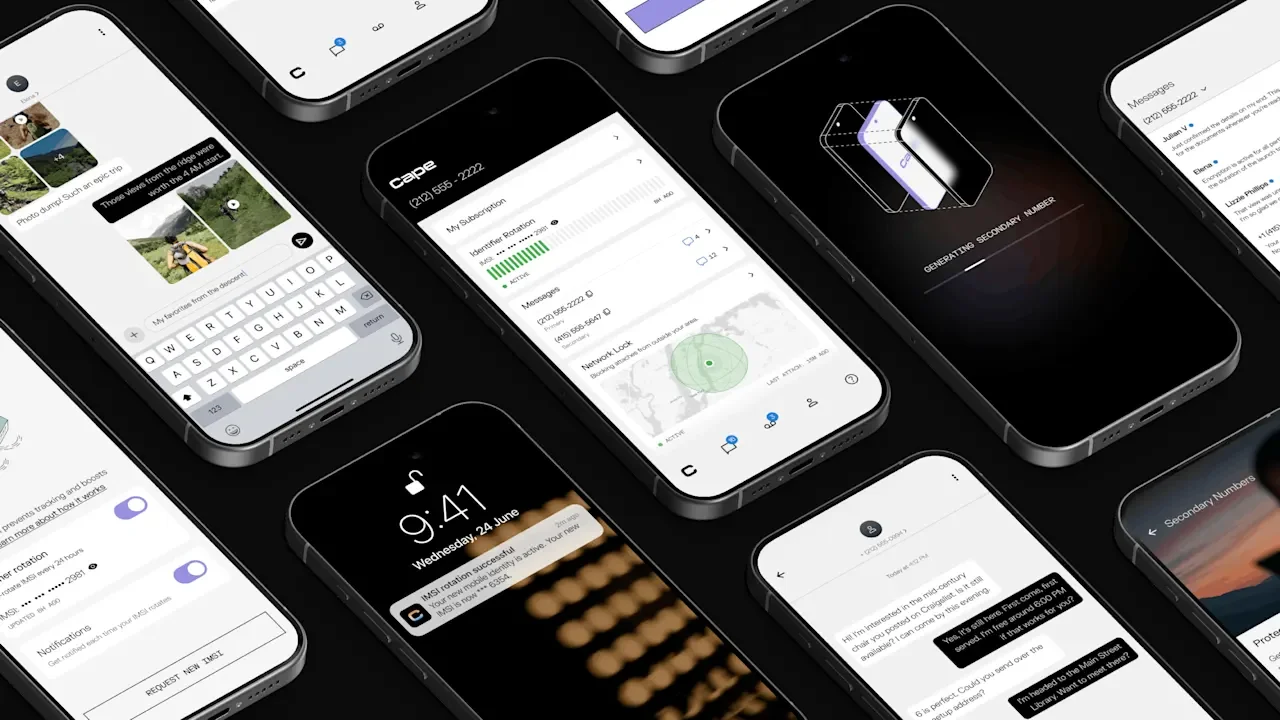
A privacy-centric cellphone carrier called Cape is now officially available across the United States, offering a unique set of features to protect users from surveillance and identity theft. Many cellphone users already use virtual private networks, encrypted messaging apps, and secure password managers to help keep their data safe. But those tools can’t always protect against security issues with the underlying cell network itself, and other phone companies don’t typically compete on privacy, says Cape CEO John Doyle. “Before we built Cape, there was not an obvious differentiated choice in the network space,” Doyle says. But Cape, founded in 2022, is designed to protect customers from privacy risks like SIM swapping, where a cellphone number is transferred to a new phone without the owner’s permission to intercept sensitive messages like authentication codes, and IMSI catchers, which snoop on phone users by impersonating legitimate cell towers and monitoring the unique international mobile subscriber identity (IMSI) codes they transmit. That enables their operators, whether spy agencies or other mysterious parties, to track how people move about and potentially intercept calls and texts. (Cape also assisted the Electronic Frontier Foundation in developing technology to spot such devices, which led to evidence of one being found near the 2024 Democratic National Convention.) The company also doesn’t collect subscriber names, addresses, or Social Security numbers, and automatically encrypts voicemails its customers receive so that the company cannot access them. Cape has raised $61 million in funding from investors including Andreessen Horowitz, Costanoa Ventures, Forward Deployed VC, and Karman Ventures. Doyle says he launched the company after learning about various vulnerabilities in cellular networks, with an early focus on people involved in security-sensitive work. It then expanded to offering service to users like survivors of domestic violence, investigative journalists, and people working in other high-risk fields, says Doyle, who previously ran the national security business at Palantir and served in the U.S. Army Special Forces. Cape launched an open beta program in March 2025 and has now officially emerged into general availability. Doyle says he believes new consumers will appreciate the company’s privacy features enough to pay Cape’s monthly fee of $99 per month before discounts. That’s pricier than many plans from carriers like T-Mobile and Verizon, which offer base plans at $75 or less before their own discounts, not to mention discount providers like Mint Mobile, though Doyle points out that Cape’s cost includes all taxes and fees—not to mention the added privacy features. And with most people essentially required to carry cellular phones for business and personal reasons, and growing concerns about data privacy and security, he believes there’s a market for a service that makes everyday people harder to hack and track. “We find there’s just a wide swath of citizens who are really attracted to the idea of having some choice and taking that little bit of control over how their data is presented to and shared on mobile networks,” Doyle says. Though Cape doesn’t own its own cell towers—it’s what’s called a mobile virtual network operator (MVNO), paying for radio spectrum and other services from carriers with their own physical network—the company operates its own “mobile core” network, meaning it’s able to offer a level of customization and security beyond what other carriers offer. In other words, its partner carriers handle radio connectivity, but Cape’s cloud-based system then takes over the logic of verifying that phones have access to the network, routing calls and messages, and maintaining and securing its own logs. The company disallows less secure 2G and 3G connections, and regularly changes IMSI numbers to discourage tracking, similar to how iPhones randomize Wi-Fi network addresses. And when users travel overseas, Cape verifies their phones’ locations using its app before routing connections through foreign networks, reducing the risk of impersonation attacks. The company also offers a partnership with Proton, a Switzerland-based provider of secure email, VPN, and other digital services, enabling a discount for new customers. Proton offers email features like encrypted message storage and filtration of trackers embedded in messages and a VPN that can filter out ads, trackers, and malware. And Cape explicitly supports GrapheneOS, an Android app-compatible mobile operating system optimized for security and lack of dependence on Google and Apple. The company doesn’t have an explicit partnership with the nonprofit behind Graphene, but it does make a donation to the organization for each new Graphene user that signs up, and even offers phones preloaded with the OS, unusual among mobile carriers. “It’s a somewhat technical process to install Graphene,” says Doyle, “so we do that for people if they want.” Customers with modern iPhone or Android devices that support eSIM—essentially, purely digital SIM cards—don’t have to buy phones through Cape and can activate an existing device and port existing numbers. If you do purchase a phone through Cape, which currently offers a range of Google Pixel devices, Cape offers a $500 phone bill discount spread over six months to help defray the device cost (and pledges to delete customer shipping and billing info after 180 days). Users are also entitled to three numbers per line as a privacy measure, so they can provide one to friends and family and use others to receive authentication codes from businesses, for online dating, or any other privacy-centric purpose they wish. The numbers show up as ordinary numbers, so they’re not barred from services that ban purely internet-based numbers like Google Voice assigns, Doyle says. While the carrier can’t entirely protect people’s privacy when they interact with other apps—ride-hailing apps will still know people’s locations, and users may still elect to share photos or other potentially sensitive data with apps and websites—it can help people keep their primary phone numbers safe. If subscribers wish to port their numbers to another phone or out of the Cape network, they need to provide a predetermined 25-word passphrase. That may seem daunting, but it’s designed to prevent number hijacking accounts that can be a serious risk to privacy. In general, though, Cape’s privacy measures are designed to be relatively unobtrusive. Some may even save users time and complexity: Requiring less personal information from account holders makes the sign-up process quicker, Doyle says. For potential customers wanting more detail about Cape’s privacy policies, the company offers a set of “privacy principles” along with information about how it will handle law enforcement requests for customer information. Cape pledges to notify customers of such requests whenever it’s legally allowed to do so (and says so far it “has not received any requests for subscriber data that contained a nondisclosure obligation”) and to challenge any secret request that “is not narrowly tailored or otherwise lawful.” In addition, Cape says it doesn’t log phone GPS coordinates, deletes more general location data, and purges call logs after 60 days, except in situations like resolving fraud cases. And if the company is ever acquired, Doyle says, it will require the buyer to agree not to monetize user data. Of course, it’s possible some security-conscious users will be wary that Cape will keep its promises, perhaps especially given Doyle’s background in the military and at Palantir. But Doyle says he hopes the company’s record of transparency will help it continue to establish trust among potential customers. “We do everything we can, basically, to be transparent and to do what we said we would do, and say what we’re going to do,” he says. “And I think that over time, that will just build more and more trust in the market.” View the full article
-
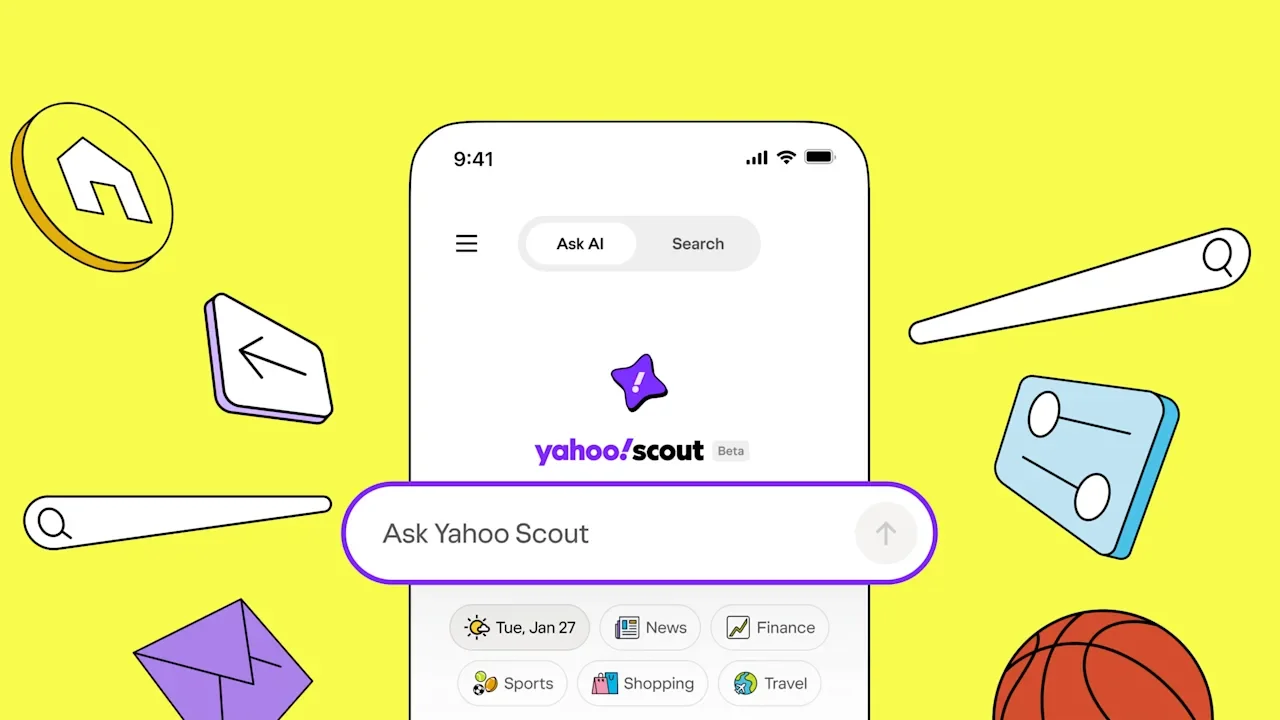
Yahoo may not be the most headlined company in tech anymore, but its reach can’t be denied. With nearly 250 million monthly users across the country and 700 million globally, it’s still the second most popular email client in the world, and the third most popular search engine in the U.S. (even though that search engine has technically been powered by either Bing or Google since 2009). As a privately owned company since 2021 (once worth $125 billion, but purchased for a mere $5 billion at the time), its CEO Jim Lanzone says that the last few years have been about “getting the house in order.” But now, he promises, “this is one of the biggest turnarounds people have tried in internet history.” Lanzone says that turnaround begins with Yahoo Scout, which launches today in beta. In short, Yahoo Scout is a new, free AI search engine (it’s also an omnipresent button across Yahoo verticals like Finance, Sports, and Mail) that’s there to summarize the performance of a business or break down the key moments of a game. In one mode, it’s essentially Yahoo’s version of Claude or ChatGPT. (Yahoo Answers for the AI era!) In the other, it’s an AI-translate button accompanying Yahoo’s editorial content, boiling down articles into takeaways. It will even summarize the sentiment of the comments on stories you read across Yahoo. “We [aren’t] the first to market here, but in evaluating whether we should keep outsourcing or build the AI layer ourselves, it just became clear that we could do this best for our users,” says Lanzone. “We had a lot of unique assets to do that. And so in that context, timing is almost irrelevant, right? Because this is about Yahoo users on Yahoo, searching on Yahoo, versus what they were getting before.” Led by Eric Feng, SVP & general manager of the Yahoo Research Group—who is best known for recruiting and leading the technical team that created Hulu—it’s powered by a combination of Yahoo’s knowledge graph, Anthropic’s Claude, and Bing’s open web APIs. (Yahoo says that user data is kept internally and does not train Claude or Bing.) Yes, that means Yahoo is still relying on external partners, but the team says that search will feel like Yahoo because it’s so based within the Yahoo ecosystem. Specifically, Yahoo Scout can answer a question with everything Claude knows within its LLM (and gosh, does Yahoo Scout love to build a table breaking down information!) And it can also search the web itself as well as Bing. But the team insists that Yahoo’s own knowledge graph provides a lot more on top of Claude and Bing today, and it promises even more into the future. Specifically, Yahoo publishes 30,000 pieces of licensed stories and other content each day that are at its fingertips, and users create 18 trillion “events” across its services each year. “Every event you get just makes the overall totality of the experience smarter,” says Feng. Even if it’s something as simple as searching for the score of your favorite team, that’s actionable data for Yahoo in the short term, but even more so in the medium to long term as it shifts Scout from a generalized AI search engine or summarizer to more of a personal AI. “Just to be direct about it, you will see the roadmap include personalization [of AI],” says Lanzone. “That’s certainly where the category is headed, and it is a unique asset to Yahoo to be able to already have that built in. You know, we’re not trying to acquire an audience to start to build that up from scratch. We actually have all that knowledge and that relationship to dip into then layer this on top of.” The experience of Yahoo Scout, and what that means for publishers Yahoo Scout lives as a responsive website and also as a standalone app. As a search engine, Scout’s white search bar is accompanied by an ever-changing rotation of animated clipart (yeehaw, it’s quite a cute cowboy hat), bringing back some of the brand’s original quirk. The rest of the experience will be pretty familiar to anyone who has used an LLM, as every query is less a collection of blue links than an explanation of an idea. From a demo I watched, it really does have a bias to break searches down into comparative tables (which may be useful or cloying, depending how often that approach is taken). But it’s also less text heavy than many LLMs, because it makes liberal use of thumbnails listing news stories and products to buy. That penchant for prominent, colorful linking isn’t coincidence. Publishers are amidst a 30-year mass extinction event, spurred on most recently by AI search tools that mine their reporting and present it to a public that no longer needs to click through to the actual story. Lanzone argues that prominent linking is key to protecting the health of the publishing industry—publishers that Yahoo relies upon for its core media aggregation business. “Our No. 1 job is to bridge the gap for publishers . . . [with] a beautiful UI that’s very rich and intuitive but still leans into linking out without cluttering the page,” he says. “We’ll see if this is the exact version of where we wind up, but from day one, that’s a priority for us. And then [priority] two is, can we bring search advertising along as well?” Speaking from two decades in digital publishing, I know that what Yahoo has shown thus far is certainly not enough to protect publishers—and I challenged Lanzone on this point. Yahoo’s design may improve clickthrough rates a hair, but not nearly enough to support the publishing industry. Cloudflare research on search engine referrals demonstrates just how dire this moment is: For every 70,900 times Anthropic bots scraped information off a website, users clicked through only once. Much like McDonald’s couldn’t survive if Uber Eats began distributing its hamburgers for free, reported news can’t live on if search engines are snatching their insights without meaningful compensation. “It’s not in version one, but we are also passionate about the idea that search advertising was really effective for both publishers, search engines, and advertisers. And there should be a way to cross the chasm, and to bring that model along with generative AI search engines” says Lanzone. “I don’t know. It won’t wind up exactly where it was, but it can be a lot closer to it than we’ve seen to date. And we are actually working on versions of that. It’s just going to be very hard to scale nine-step agentic processes where you get paid downstream, and it’s just a very difficult model to really scale up.” And make no mistake, Yahoo is advertising with Yahoo Scout. While Anthropic has yet to introduce ads and OpenAI is only starting to, Yahoo is including ads in Scout searches from day one. Those ads appear in traditional paid links in the feed (think Google Adwords). It’s also monetizing its shopping referrals (thanks to an AI shopping platform Vetted it acquired late last year). These are just the beginning of Yahoo’s extensive advertising roadmap, which will be realized with more intricacy later this year. Outside search, though, Yahoo believes that Scout living across Yahoo services will offer indirect benefit to monetization. “If you are on Mail, Finance, or Sports, we want the technology that we’re providing to make that experience better, and then we get more engagement,” says Feng. “We get those users sticking around longer, and then those properties are able to better monetize.” For now, Yahoo believes that monetization will be significant enough that it justifies keeping Scout free. That said, even Yahoo cannot resist the allure of subscription service revenue, and suggests that a premium paid version of Scout could live somewhere in the future. “Look, we have subscription products of finance and sports and places, and you can definitely see a version of that coming here,” says Lanzone. “But 100% of our effort [for launch] has been the evolution of Yahoo search into Yahoo Scout. And we have the luxury of doing that because we have a really good business search already.” View the full article
-
President Donald The President said Monday he is increasing tariffs on South Korean goods because the country’s legislature has yet to approve the trade framework announced last year. The President said on social media that import taxes would be raised on autos, lumber and pharmaceutical drugs from South Korea with the rate on other goods going from 15% to 25%. The U.S. president previously imposed the tariffs by declaring an economic emergency and bypassing Congress, while South Korea needed legislative approval for the framework announced in July and affirmed during The President’s October visit to the country. “Our Trade Deals are very important to America. In each of these Deals, we have acted swiftly to reduce our TARIFFS in line with the Transaction agreed to,” The President said. “We, of course, expect our Trading Partners to do the same.” The threat was a reminder that the tariff drama unleashed last year by The President is likely to be repeated again and again this year. The global economy and U.S. voters might find the world’s trade structure constantly being subject to disruption and new negotiations as The President has already sought to levy tariffs in order to bend other nations to his will. The President has in the past tied his tariffs to commitments by South Korea to invest $350 billion in the U.S. economy over several years, including efforts to revitalize American shipyards. But the The President administration’s relations with South Korea have at times been rocky with the raid last year by immigration officials at a Hyundai manufacturing site in Georgia in which 475 people were detained. South Korea’s presidential office responded after a meeting of top South Korean officials that it will convey its commitment to implementing last year’s deal to the U.S. The presidential office said that South Korea’s Industry Minister Kim Jung-Kwan will travel to the U.S. for talks with Secretary of Commerce Howard Lutnick, while Trade Minister Yeo Han-koo will travel separately to meet with Trade Representative Jamieson Greer. Kim was on a visit to Canada. South Korean lawmakers have submitted five bills on implementing South Korea’s proposed $350 billion investment package to the National Assembly. The bills are currently before the assembly’s finance committee. Kim Hyun-jung, a spokesperson for South Korea’s governing Democratic Party, said his party will coordinate with the government to organize swift debate and action on the bills. Assembly officials said the five bills will likely be incorporated into a single proposed law, which will need approval from the finance and judiciary committees before it can go to a floor vote. The President’s announcement of new tariffs fits a pattern in which The President plans to continue to deploy tariffs, possibly to the detriment of relations with other countries. Just last week, the president threatened tariffs on eight European nations unless the U.S. gained control of Greenland, only to pull back on his ultimatum after meetings at the World Economic Forum in Davos, Switzerland. The President on Saturday said he would put a 100% tax on goods from Canada if it followed through with plans to bolster trade with China. The President has bragged about his trade frameworks as drawing in new investment to the U.S., yet many of his heavily hyped deals have yet to be finalized. The European Parliament has yet to approve a trade deal pushed by The President that would put a 15% tax on the majority of goods exported by the EU’s 27 member states. The United States is poised this year to renegotiate its amended 2020 trade pact with Canada and Mexico. There are also ongoing Section 232 investigations under the 1962 Trade Expansion Act, as well as an upcoming Supreme Court decision on whether The President exceeded his authority by declaring tariffs under the 1977 International Emergency Economic Powers Act. Kim reported from Seoul, South Korea. —Josh Boak and Hyung-Jin Kim, Associated Press View the full article

-
In cold calling, your opening line can greatly influence the outcome of the conversation. A strong opener captures your prospect’s attention and sets a positive tone for the rest of the call. By using effective strategies, such as referencing recent achievements or acknowledging the unexpected nature of your outreach, you can encourage engagement. Comprehending the nuances of these techniques will help you craft your approach. Let’s explore five impactful opening lines that can make a difference in your calls. Key Takeaways Heard of Us?: Leverage social proof by referencing your company’s credibility to establish trust quickly. Relevant Content Opener: Mention specific recent achievements or content from the prospect’s company to demonstrate genuine interest and relevance. Honest Opener: Acknowledge the unexpected nature of your call, which can disarm the prospect and open up the conversation. Funny Cold Call Opening: Use humor to break the ice and create a relaxed atmosphere, making the prospect more receptive to the conversation. Offering Help Opener: Identify a specific need or challenge faced by the prospect, positioning your call as a valuable solution to their problems. The Importance of a Strong Opening Line The effectiveness of a cold call often hinges on the strength of its opening line, as it sets the tone for the entire conversation. A strong opener can mean the difference between sparking a dialogue or facing an immediate hang-up. In the first few seconds, prospects form snap judgments, making impactful cold call openers crucial. Personalizing your introduction by including the prospect’s name or company greatly boosts engagement. Furthermore, clearly communicating your value proposition within the first 5-7 seconds captures interest effectively. Utilizing curiosity-inducing questions or surprising statistics can further intrigue prospects, encouraging them to listen and engage. Consequently, perfecting the art of cold call openers can lead to more successful interactions and ultimately better results. Key Elements of Successful Cold Call Openers Successful cold call openers hinge on a few key elements that can greatly impact engagement and conversion rates. The best cold call openers personalize the conversation by incorporating the prospect’s name or company, immediately establishing credibility. It’s essential to highlight a clear value proposition within the first 5-7 seconds to keep the prospect interested. Moreover, using intriguing questions or surprising statistics relevant to the prospect’s industry can spark curiosity and encourage further dialogue. Acknowledging the prospect’s busy schedule with a concise introduction shows respect for their time, increasing the likelihood of a positive response. Examples of Effective Cold Calling Opening Lines What makes an opening line for a cold call effective? The best cold call intro captures attention and encourages conversation. Here are some examples of effective opening lines you can use: Opener Type Description Example Heard of Us? Leverages social proof and credibility. “Hi, this is [Your Name] from Your Company. Heard of us?” Relevant Content Opener Mentions specific content from the prospect’s company. “I loved your recent blog on [Topic].” Honest Opener Acknowledges the cold call nature. “I know this is unexpected, but…” Funny Cold Call Opening Uses humor to break the ice. “I promise I’m not a telemarketer!” Offering Help Opener Identifies a specific need or challenge. “I’ve noticed [Challenge] in your industry; can we chat?” These examples can help you create engaging and effective cold call openings. Best Practices for Cold Calling Success When aiming for success in cold calling, it’s essential to prioritize thorough research on your prospects before making the call. This preparation allows you to craft the best cold call opening lines that truly resonate. Here are some best practices to improve your cold calling efforts: Research thoroughly: Understand the prospect’s industry, challenges, and recent developments. Maintain a friendly tone: Confidence combined with a warm demeanor cultivates a comfortable atmosphere. Utilize effective openings: Reference mutual connections or address specific pain points to grab attention. Express gratitude: Thank prospects at the start and end of the call to build goodwill. Tips for Maintaining Engagement During the Call How can you keep a prospect engaged during a cold call? Start by maintaining a positive and confident tone, as this establishes rapport. Utilize active listening to show genuine interest in their responses, nurturing a collaborative atmosphere. Ask open-ended questions to prompt deeper discussions and steer the conversation away from a monologue. Summarize key points to reinforce value and connect them to the prospect’s challenges or goals. Adapt your approach based on feedback, demonstrating responsiveness. Here’s a quick reference table for engagement strategies: Strategy Description Benefit Positive Tone Maintain confidence and friendliness Builds rapport Active Listening Show genuine interest in responses Encourages dialogue Open-Ended Questions Ask questions that prompt deeper discussions Invites prospect input Implementing these strategies can improve your cold call effectiveness, especially when using great cold call openers. Frequently Asked Questions What Is the Best Opening Line for Cold Calling? The best opening line for cold calling grabs attention quickly by establishing credibility. You might reference a mutual connection or relevant industry news to boost engagement. Personalizing the line with the prospect’s name and company can greatly improve receptiveness. Furthermore, incorporating a brief value proposition addressing a specific pain point can capture interest within the first few seconds. A transparent approach about the call’s nature often leads to higher engagement rates. What Are the 3 C’s of Cold Calling? The 3 C’s of cold calling are Clarity, Confidence, and Curiosity. Clarity means you clearly articulate the purpose of your call, helping prospects understand your value right away. Confidence involves using a strong tone and positive demeanor to establish trust. Curiosity is about asking insightful questions that engage prospects and encourage dialogue. Perfecting these elements not just improves your interactions but further increases your chances of booking meetings and making sales. What Do You Say at the Beginning of a Cold Call? At the beginning of a cold call, start with a friendly greeting, like “Hi” or “Hello.” Then, introduce yourself by stating your name and company to establish credibility. Follow this with a brief mention of why you’re calling, ensuring it’s relevant to the prospect’s needs. It’s crucial to express gratitude for their time upfront, as this sets a positive tone. Personalizing your approach can greatly improve engagement and build rapport. What Is a Catchy Opening Statement for Sales? A catchy opening statement for sales should immediately grab attention and establish relevance. Consider asking a thought-provoking question related to the prospect’s industry or sharing a surprising statistic that highlights a common challenge. Personalizing the statement with the prospect’s name or company can improve engagement. Furthermore, referencing a mutual connection or recent industry trend can build credibility, making prospects more receptive to continuing the conversation. Aim for clarity and conciseness to maintain interest. Conclusion To conclude, a strong opening line can greatly improve your cold calling success. By utilizing techniques like social proof, relevance, and humor, you can quickly engage prospects and establish a connection. Remember to remain adaptable and attentive to the prospect’s responses throughout the conversation. By incorporating best practices and maintaining a focus on their needs, you’re more likely to nurture meaningful interactions that lead to successful outcomes. Prioritize these strategies to boost your cold calling effectiveness. Image via Google Gemini and ArtSmart This article, "5 Effective Cold Calling Opening Lines to Hook Prospects" was first published on Small Business Trends View the full article
-
In cold calling, your opening line can greatly influence the outcome of the conversation. A strong opener captures your prospect’s attention and sets a positive tone for the rest of the call. By using effective strategies, such as referencing recent achievements or acknowledging the unexpected nature of your outreach, you can encourage engagement. Comprehending the nuances of these techniques will help you craft your approach. Let’s explore five impactful opening lines that can make a difference in your calls. Key Takeaways Heard of Us?: Leverage social proof by referencing your company’s credibility to establish trust quickly. Relevant Content Opener: Mention specific recent achievements or content from the prospect’s company to demonstrate genuine interest and relevance. Honest Opener: Acknowledge the unexpected nature of your call, which can disarm the prospect and open up the conversation. Funny Cold Call Opening: Use humor to break the ice and create a relaxed atmosphere, making the prospect more receptive to the conversation. Offering Help Opener: Identify a specific need or challenge faced by the prospect, positioning your call as a valuable solution to their problems. The Importance of a Strong Opening Line The effectiveness of a cold call often hinges on the strength of its opening line, as it sets the tone for the entire conversation. A strong opener can mean the difference between sparking a dialogue or facing an immediate hang-up. In the first few seconds, prospects form snap judgments, making impactful cold call openers crucial. Personalizing your introduction by including the prospect’s name or company greatly boosts engagement. Furthermore, clearly communicating your value proposition within the first 5-7 seconds captures interest effectively. Utilizing curiosity-inducing questions or surprising statistics can further intrigue prospects, encouraging them to listen and engage. Consequently, perfecting the art of cold call openers can lead to more successful interactions and ultimately better results. Key Elements of Successful Cold Call Openers Successful cold call openers hinge on a few key elements that can greatly impact engagement and conversion rates. The best cold call openers personalize the conversation by incorporating the prospect’s name or company, immediately establishing credibility. It’s essential to highlight a clear value proposition within the first 5-7 seconds to keep the prospect interested. Moreover, using intriguing questions or surprising statistics relevant to the prospect’s industry can spark curiosity and encourage further dialogue. Acknowledging the prospect’s busy schedule with a concise introduction shows respect for their time, increasing the likelihood of a positive response. Examples of Effective Cold Calling Opening Lines What makes an opening line for a cold call effective? The best cold call intro captures attention and encourages conversation. Here are some examples of effective opening lines you can use: Opener Type Description Example Heard of Us? Leverages social proof and credibility. “Hi, this is [Your Name] from Your Company. Heard of us?” Relevant Content Opener Mentions specific content from the prospect’s company. “I loved your recent blog on [Topic].” Honest Opener Acknowledges the cold call nature. “I know this is unexpected, but…” Funny Cold Call Opening Uses humor to break the ice. “I promise I’m not a telemarketer!” Offering Help Opener Identifies a specific need or challenge. “I’ve noticed [Challenge] in your industry; can we chat?” These examples can help you create engaging and effective cold call openings. Best Practices for Cold Calling Success When aiming for success in cold calling, it’s essential to prioritize thorough research on your prospects before making the call. This preparation allows you to craft the best cold call opening lines that truly resonate. Here are some best practices to improve your cold calling efforts: Research thoroughly: Understand the prospect’s industry, challenges, and recent developments. Maintain a friendly tone: Confidence combined with a warm demeanor cultivates a comfortable atmosphere. Utilize effective openings: Reference mutual connections or address specific pain points to grab attention. Express gratitude: Thank prospects at the start and end of the call to build goodwill. Tips for Maintaining Engagement During the Call How can you keep a prospect engaged during a cold call? Start by maintaining a positive and confident tone, as this establishes rapport. Utilize active listening to show genuine interest in their responses, nurturing a collaborative atmosphere. Ask open-ended questions to prompt deeper discussions and steer the conversation away from a monologue. Summarize key points to reinforce value and connect them to the prospect’s challenges or goals. Adapt your approach based on feedback, demonstrating responsiveness. Here’s a quick reference table for engagement strategies: Strategy Description Benefit Positive Tone Maintain confidence and friendliness Builds rapport Active Listening Show genuine interest in responses Encourages dialogue Open-Ended Questions Ask questions that prompt deeper discussions Invites prospect input Implementing these strategies can improve your cold call effectiveness, especially when using great cold call openers. Frequently Asked Questions What Is the Best Opening Line for Cold Calling? The best opening line for cold calling grabs attention quickly by establishing credibility. You might reference a mutual connection or relevant industry news to boost engagement. Personalizing the line with the prospect’s name and company can greatly improve receptiveness. Furthermore, incorporating a brief value proposition addressing a specific pain point can capture interest within the first few seconds. A transparent approach about the call’s nature often leads to higher engagement rates. What Are the 3 C’s of Cold Calling? The 3 C’s of cold calling are Clarity, Confidence, and Curiosity. Clarity means you clearly articulate the purpose of your call, helping prospects understand your value right away. Confidence involves using a strong tone and positive demeanor to establish trust. Curiosity is about asking insightful questions that engage prospects and encourage dialogue. Perfecting these elements not just improves your interactions but further increases your chances of booking meetings and making sales. What Do You Say at the Beginning of a Cold Call? At the beginning of a cold call, start with a friendly greeting, like “Hi” or “Hello.” Then, introduce yourself by stating your name and company to establish credibility. Follow this with a brief mention of why you’re calling, ensuring it’s relevant to the prospect’s needs. It’s crucial to express gratitude for their time upfront, as this sets a positive tone. Personalizing your approach can greatly improve engagement and build rapport. What Is a Catchy Opening Statement for Sales? A catchy opening statement for sales should immediately grab attention and establish relevance. Consider asking a thought-provoking question related to the prospect’s industry or sharing a surprising statistic that highlights a common challenge. Personalizing the statement with the prospect’s name or company can improve engagement. Furthermore, referencing a mutual connection or recent industry trend can build credibility, making prospects more receptive to continuing the conversation. Aim for clarity and conciseness to maintain interest. Conclusion To conclude, a strong opening line can greatly improve your cold calling success. By utilizing techniques like social proof, relevance, and humor, you can quickly engage prospects and establish a connection. Remember to remain adaptable and attentive to the prospect’s responses throughout the conversation. By incorporating best practices and maintaining a focus on their needs, you’re more likely to nurture meaningful interactions that lead to successful outcomes. Prioritize these strategies to boost your cold calling effectiveness. Image via Google Gemini and ArtSmart This article, "5 Effective Cold Calling Opening Lines to Hook Prospects" was first published on Small Business Trends View the full article
-
The rise of agentic commerce ends marketing-first SEO and forces brands to compete on data integrity and product truth. The post How Do You Compete In Agentic Commerce? appeared first on Search Engine Journal. View the full article
-
We may earn a commission from links on this page. Quality power tools are an investment, and if you take proper care of them, they’ll last a long time. It’s not unheard of for someone to have a decades-old drill or a circular saw that was manufactured in a previous century. Even older cordless power tools can maintain their usefulness for a surprisingly long time if you take good care of them and observe proper battery maintenance. But power tools have seen a lot of advancement in recent years. While your old warhorses might still perform their core function well enough, if your drills, saws, and other power tools are five years old or older, it’s time to consider upgrading to a more modern version, for a range of reasons. Advances in battery technologyThere have been huge advances in battery technology: Today’s cordless tools are often as powerful—or even more powerful—than their corded brethren. Older cordless tools often used Nickel-Cadmium (NiCad) batteries, which just don’t stand up to modern Li-ion batteries (and if your NiCad batteries are ten years old, they’re probably not holding much charge these days anyway). Most major tool brands have high level battery systems (e.g., DeWalt’s PowerStack, Milwaukee’s FORGE, or Bosch’s AmpShare system) that offer more power than any of those old batteries, and modern systems make swapping batteries between tools pretty easy (as long as you stay within a brand, of course). Improved ergonomicsModern power tools are generally smaller, lighter, and cause less fatigue than older generations. Combined with more powerful batteries, these tools fit into a toolbelt without sacrificing power and come with vibration reduction technology, better balance, and improved grips that make it more comfortable to hold the tool for a long time. A prime example is this Milwaukee M12 Fuel 3″ Compact Cut Off Tool. Designed for one-handed use, it’s as powerful as a similar corded tool from a decade ago, but lighter and easier to handle. Another power tool from Milwaukee that has put a focus on ergonomics is its M12 Jig Saw, which features robust vibration reduction and a barrel-shaped grip that makes it comfortable to use even for long durations. When I think about the jig saw I had ten years ago, my hands still ache, so this is definitely an upgrade worth considering. Circular saws have also seen a lot of ergonomic enhancements. Makita offers the 5377MG Hypoid saw, which uses magnesium components for a lighter saw that doesn’t sacrifice cutting power. And cordless circular saws like the Bosch Profactor are a lot more comfortable to use than older models—and the brushless motor means its as powerful as any corded tool from a decade ago (and many corded tools being sold today, as well). BOSCH GKS18V-25GN PROFACTOR™ 18V 7-1/4" Circular Saw with Track Compatibility - BITURBO Brushless Technology, ECO Mode, One-Touch Depth Adjustment, 0-50° Bevel Range, Ergonomic Handle (Bare Tool) $390.35 at Amazon Learn More Learn More $390.35 at Amazon More powerful motorsIt’s not surprising that newer power tool models are more powerful and offer better performance. Today’s brushless motors are more efficient, more powerful, and more durable by default. They deliver significantly more torque and RPMs than older models, which makes jobs easier and faster. The DeWalt 20V Max XR Hammer Drill (model DCD1007) packs a punch with 1,495 in-lb of torque, for example, which dwarfs what you got just a decade ago. Sure, your old drill still drives fasteners well enough, but with newer models you’ll get through the work much more quickly because you’ll have fewer jams and stripped screws. If you’re using an older orbital sander, that’s another easy upgrade to consider. Modern sanders like the Bosch Palm Sander or cordless models like DeWalt’s XR sander offer more power (often up to 12,000 OPM), as well as improved dust collection and reduced vibration. Better safety featuresPower tools released in the last few years have a host of safety features not present in older tools. Table saws are an easy example: The saws like the SawStop Compact Table Saw offer instant stopping when the blade touches skin, making it a lot harder to maim yourself while working. Other table saw models, like the Bosch GTS15, offer safety features like blade brakes and riving knives that may not be quite as impressive, but are still miles above what older models offered. You can find improved safety in other power tools, too. The DeWalt DCD1007 isn’t just powerful, it also features anti-rotation technology that reduces the chance that the tool will twist out of your hands, causing injury. Smart technologySome folks don’t really care if their power tools are “smart,” but smarter tools definitely offer some real advantages. Milwaukee’s M18 Fuel Drill gives you a lot more control over the RPMs and torque to reduces the number of snapped screws and improves safety, and their M18 Sawzall has a range of smart safety features that make it nearly impossible for anything dramatic to happen while you’re using it. Add to that the ability to gather data about your jobs and keep track of your tools' location and condition, and smart features start to make a lot of sense. Milwaukee Sawzall 2822-20 M18 Fuel Reciprocating Saw w/ONE-KEY (Tool-Only) $397.88 at Amazon Learn More Learn More $397.88 at Amazon View the full article
- Today
-
After two weeks of intense political and legal scrutiny, the Federal Reserve will seek to make this week’s meeting about interest rates as straightforward and uneventful as possible, though President Donald The President probably still won’t like the result. The central bank’s interest rate-setting committee is almost certain to keep its key short-term rate unchanged at about 3.6%, after three straight quarter-point cuts last year. Fed Chair Jerome Powell said after December’s meeting that they were “well positioned to wait to see how the economy evolves” before making any further moves. When the Fed lowers its short-term rate, it can over time influence other borrowing costs for things like mortgages, auto loans and business borrowing, though those rates are also affected by market forces. This week’s meeting — one of eight the Fed holds each year — will be overshadowed by the bombshell revelation earlier this month that the Justice Department has subpoenaed the Fed as part of a criminal investigation into testimony Powell gave last June about a $2.5 billion building renovation. It’s the first time a sitting Fed chair has been investigated, and prompted an unusually public rebuke from Powell. Now, Powell will have to shift from a dispute with the White House to emphasizing that the Fed’s decisions around interest rates are driven by economic concerns, not politics. Powell said Jan. 11 that the subpoenas were “pretexts” to punish the Fed for not cutting rates as sharply as The President wants. Powell will be “under even more pressure to underscore, ‘everything we’re doing here … is all about the economics,'” said Claudia Sahm, a former Fed economist and chief economist at New Century Advisors. “‘We didn’t think about the politics.'” Michael Gapen, chief U.S. economist at Morgan Stanley and also a former Fed staffer, said that despite the scrutiny, the Fed can be expected to consider its interest rate policies like it always does. “The meetings have a regular flow to them,” he said. “There are presentations that are made, there are discussions that have to be had. … Some of these other broader-based attacks on the Fed don’t really come up.” Not long after the Justice Department’s subpoenas, the Supreme Court last week considered whether The President can fire Fed governor Lisa Cook over allegations of mortgage fraud, which she denies. No president has fired a governor in the Fed’s 112-year history. During an oral argument, the justices appeared to be leaning toward allowing her to stay in her job until the case is resolved. Other Fed officials have also signaled the central bank is likely to keep rates unchanged at their two-day meeting that ends Wednesday. The Fed’s three rate cuts last year were intended to bolster the economy after hiring slowed sharply over the summer and fall in the wake of The President’s April tariffs on dozens of countries. Yet the unemployment rate ticked lower in December, after picking up for much of last year, and there are other signs the job market may be stabilizing. The number of people seeking unemployment benefits has stayed historically low, a sign layoffs haven’t spiked. Meanwhile, inflation remains elevated and actually ticked higher last year, according to the Fed’s preferred measure. Prices rose 2.8% in November from a year earlier, the latest data available. That is up from 2.6% in November 2024. Unless businesses start cutting jobs or the unemployment rate rises, the Fed is unlikely to cut rates again for at least a few months, economists say. If inflation slowly declines this year, as economists expect, the Fed may cut again in the spring or summer. Wall Street investors expect just two quarter-point rate reductions this year, according to futures prices. Many economists expect growth could pick up in the coming months, which would be another reason to forego rate cuts. Gapen estimates that tax refunds could be about 20% higher this spring than last year as the The President administration’s tax cuts take effect. Refunds could average $3,500, Gapen said. The economy expanded at a 4.4% annual rate in last year’s July-September quarter and may have grown at a similarly healthy pace in the final three months of last year. If such solid growth continues, Fed officials will likely wait to see if hiring picks up as well, further reducing the need for more rate cuts. —Christopher Rugaber, AP Economics Writer View the full article

-
Whether he’s climbing skyscrapers in Taiwan or working to build the Honnold Foundation, free solo climber and activist Alex Honnold remains an optimist. He sat down with Fast Company to talk about why a good outlook is essential—both for his sport and in the fight for the planet. Honnold also reflects on education, human potential, overconsumption, and what’s at stake for American national parks and public lands. View the full article
-
Roku was one of the original names in streaming, and even with so many options now available from Amazon, Apple, Google and others, it remains one of the most popular options thanks to its affordable boxes and streaming sticks and widespread availability as an integrated operating system on some TV sets. The platform is speedy, simple, and supports just about every streaming app out there. If you've got a Roku or two in your life, you may not be using it to its full potential. These tips, hacks, and hidden features should help you go beyond the basic business of launching your streaming apps and get more out of your hardware, whether you've just unboxed your first Roku device, or you've been using one for years. Set up PIN protection to protect your RokuIf you've got young kids or nosy housemates living with you, you can lock certain parts of the Roku experience (including making purchases and adding new channels) behind a PIN number. This is actually done through your Roku account page on the web: Click PIN/parental controls on the left, and you can set a new PIN or change an existing one. Change the look and feel of your Roku with a new themeYou don't have to settle for the standard Roku interface visuals—you can easily switch to a different theme (which basically means a different wallpaper and screensaver). From Settings on your device, choose Themes to see alternatives provided by Roku and other people in the Roku community. You can always pick Restore default theme to go back to the original look. Enable captions on replayYou might not want closed captions on all the time, but you can have them enabled whenever you skip backward. From the home screen, pick Settings > Accessibility > Captions mode > On replay to enable this. Note that the streaming app you're using needs to support the feature as well, so it may not work everywhere. Put your most-watched apps up topThis is a simple and effective one that you might not have got around to doing: You can organize the apps on the home screen so your most-used are nearer the top and easier to get to. Select any tile on the home screen, press the star button on your remote to bring up the context menu, and you'll see the Move app and Move app to top options. Make use of Guest Mode when you have company Roku devices come with a Guest Mode included. Credit: Lifehacker It's great having guests—but don't let them mess up your recommendations and viewing progress. You can put your Roku device into Guest Mode by opening Settings from the main Roku menu, then choosing Guest Mode > Enter Guest Mode. You'll be signed out of all your apps, and the Roku device will restart ready for someone else to use it. Send your photos to your Roku to view them on the big screenYou won't always be watching films and shows on your Roku of course—and when your streaming device isn't doing anything else you can get images from your Google Photos library up on your TV. To set this up, you need to head to the Photostreams page on the Roku website, sign in using your account, and then follow the instructions online. Set up a cross-platform Roku watchlistThere will often be times when you see something interesting, but don't have time to watch it right away, and that's when the Roku watchlist feature can help. Select any movie or show from the home screen, and on the listing page use the Save button to add it to your list: You can then pick Save List from the main menu to see what you've saved. Pair your Bluetooth headphones to your RokuIf you've got a pair of wireless Bluetooth headphones and a Roku device that supports Bluetooth, you can pair the two together for some private audio listening— handy if you don't want to disturb anyone around you. You can do this by heading to Settings from the main Roku menu, then choosing Remotes & devices > Wireless headphones. Listen to your Roku via your smartphoneThere's another way to listen through headphones, and it doesn't require Bluetooth or wireless headphones. If you install the aforementioned Roku app on your smartphone, then plug a pair of headphones into your phone as well, you can tap Remote control in the app and then the headphone button to stream the audio right to your ears. You can use the mobile app to listen over headphones. Credit: Roku Mirror your other devices to your RokuApple devices: Roku sticks, boxes and TVs come with support for the Apple AirPlay standard built right in, so you can beam across audio and video from Apple devices, or even mirror your Mac display on the big screen. On the Roku, choose Settings then Apple AirPlay and HomeKit to make sure you're set up, then just select the AirPlay button on your Apple hardware. Android devices: For screen casting, you're not left out if you're on Android, though—as usual with Android—capabilities vary between devices. Samsung Galaxy phones have the smoothest integration: Swipe down with two fingers from the top of the screen, choose Smart View, and your Roku should show up as a connection option (if it's on the same wifi network). Windows devices: If you want to mirror your screen to a Roku from Windows, the process is different again. First, enable the feature on the Roku via Settings > System > Screen mirroring. Next, from Windows, click the volume and wifi icons down in the lower right corner, click the Display button, then select your Roku. Again, it needs to be on the same wifi network. Quickly find the cheapest way to rent a show or movieIf you're in the mood for a movie rental, then you've got a whole host of different streaming services to choose from—all the big ones offer film rentals on top of the content you get with your subscription. Use the Search option from the main Roku menu to look for a title, and compare the different prices across all the services you're signed up to. Control your TV with your Roku remoteYou can turn your TV on and off and adjust its volume with your Roku remote, if you'd like to. You're asked if you want to do this when you first set up your Roku device, but you can configure it afterwards too: Pick Settings > Remotes & devices > Remotes, then choose the remote you've currently got connected, and then pick Set up remote for TV control. View the full article
-
A failed product launch rarely comes from building the wrong thing. It comes from the right thing shipping while everyone else is out of position: sales unaware, marketing three days late, and support fielding questions without documentation. The feature shipped on Friday. Jira tickets closed. Engineering moved on. Monday morning, sales gets a customer question about the new feature and has no idea it exists. Marketing’s email goes out on Wednesday, announcing something customers already found on their own. Support has been improvising answers all weekend. Product launches involve multiple teams working independently on overlapping timelines. When coordination fails, launches feel chaotic even when the product itself is solid. This checklist covers the cross-functional coordination required for successful product launches, organized by phase and function so nothing falls through the cracks. Why product launches go wrong Failed launches are rarely caused by a single catastrophic mistake. They come from accumulated small oversights across teams that are each doing their jobs but not coordinating effectively. The information silo problem Each team has its own tools and communication channels. Engineering tracks work in Jira. Marketing plans campaigns in Asana or monday.com, and even connecting monday.com to Jira only solves part of the problem. Sales manages their pipeline in Salesforce. These systems do not naturally share information, so teams operate with different views of what is happening and when. When the engineering timeline shifts, marketing may not find out until their scheduled launch date passes. When marketing’s messaging changes, sales may still be using old talking points. Information silos create coordination failures even when everyone has good intentions. The “it’s someone else’s job” problem Launch coordination falls into gaps between team responsibilities. Engineering’s job is to build and deploy. Marketing’s job is to build attention. The sales team’s job is to sell. Nobody’s explicit job is to ensure these activities happen in the right sequence with the right information. The PM often becomes the implicit coordinator, but without a clear process, things slip. The timing mismatch problem Different teams work on different timelines. Engineering commits to sprints. Marketing plans campaigns weeks in advance. Sales forecasts quarterly. A launch date that makes sense for engineering may not align with marketing’s campaign calendar or sales’s quarterly push. When these timelines are not reconciled early, teams scramble to adapt. Marketing compresses their preparation. Sales gets last-minute updates. Support writes documentation the day before launch. Rush creates errors. The product launch checklist framework Rather than a single flat checklist, organize launch preparation into phases. Each phase has its own timing and stakeholders. Completing each phase creates a checkpoint before moving to the next. Phase one (four to six weeks before launch) Planning establishes who does what and when. This phase happens before serious launch preparation begins. Define launch scope and type Not every release needs the same level of launch. Define the launch tier: Tier One (Major): New product, significant new capability, or strategic repositioning. Requires full cross-functional coordination, press, and customer communication. Tier Two (Moderate): Meaningful new feature or significant improvement. Requires marketing announcement, sales enablement, and support documentation. Tier Three (Minor): Small enhancement or bug fix. Requires release notes and support awareness, minimal marketing. The tier determines which checklist items apply and how much lead time each team needs. Establish launch date and dependencies Confirm the target launch date with engineering. Identify what must be true for that date to hold: feature complete, QA passed, staging validated, performance acceptable. If any dependencies are at risk, adjust the timeline now rather than scrambling later. Assign launch roles Who is responsible for each function? Explicit assignments prevent the “I thought you were handling that” problem. Launch lead (usually PM): Overall coordination, decision-making, escalation Engineering lead: Technical deployment, monitoring, rollback if needed Marketing lead: Messaging, campaign execution, content creation Sales enablement lead: Training, collateral, objection handling Support lead: Documentation, team training, escalation procedures Customer success lead (if applicable): High-touch customer communication, early access coordination Create launch communication channels Set up a dedicated channel (Slack, Teams) for launch coordination. All launch-related updates flow through this channel. This prevents information from scattering across email threads, DMs, and meeting notes. Draft the launch brief Create a single document that captures: What is launching (feature description, screenshots, demo) Why it matters (customer problems solved, strategic value) Who it’s for (target users, use cases) When it’s launching (date, time, timezone) How teams should prepare (links to detailed plans by function) This brief becomes the source of truth that all teams reference. Phase two (two to four weeks before launch) Each team executes its preparation based on the launch brief. The launch lead coordinates but doesn’t do everything personally. Engineering preparation Feature code complete and merged QA testing complete with sign-off Performance testing complete (if applicable) Deployment plan documented Rollback plan documented Monitoring and alerting configured Feature flag strategy confirmed (if using) Database migrations tested (if applicable) Marketing preparation Messaging finalized and approved Launch blog post drafted and reviewed Email campaign created and scheduled Social media content prepared Website updates ready to publish Press release drafted (Tier One only) Customer case study or testimonial lined up (if available) Internal announcement for company-wide awareness Sales preparation Sales talking points documented Demo environment updated with new feature Objection handling guide created Pricing impact documented (if any) Competitive positioning updated Target account list for proactive outreach Sales team training scheduled Support preparation Knowledge base articles drafted Internal support documentation updated Support team briefed on new feature Escalation path for new-feature issues defined FAQ prepared based on anticipated questions Macros or templates updated for common responses Customer success preparation (if applicable) High-touch customers identified for early access or heads-up Customer communication drafted Onboarding materials updated Success metrics defined for new feature adoption Phase three (one week before launch) Validation ensures everything is ready before committing to the launch date. Technical validation Staging environment demo confirms feature works as expected PM sign-off on feature completeness and quality No critical bugs open against launch items Deployment dry run completed (for complex deployments) Content validation All marketing content reviewed for accuracy against final feature Screenshots and demos reflect actual functionality Sales materials reviewed by PM for accuracy Support documentation reviewed for completeness Coordination validation All teams confirmed ready for launch date Launch sequence documented (who does what, in what order) Rollback triggers defined (what would cause us to delay) Post-launch monitoring plan confirmed Go/No-Go decision One week before launch, hold a go/no-go meeting. All functional leads attend. Review readiness against checklist. Make an explicit decision to proceed, delay, or scope-down. Document the decision and communicate to all stakeholders. Phase four (launch day) Launch day should be execution, not preparation. If you are scrambling to prepare materials on launch day, something went wrong earlier. Pre-launch (morning of) Final confirmation that deployment is ready All content staged and ready to publish Communication channels monitored All hands on deck for their assigned tasks Deployment Feature deployed to production Smoke testing confirms the feature works in production Monitoring confirms no errors or performance issues Feature flag enabled (if using) Announcement sequence Execute the announcement sequence in order. Typical sequence: Internal announcement (all-hands email or Slack) Support documentation published In-app announcement or changelog updated Customer email sent (if applicable) Blog post published Social media posts Sales team notified to begin outreach Monitoring Engineering monitors for technical issues Support monitors for customer confusion or complaints Marketing monitors for social engagement and questions PM monitors for unexpected behavior or edge cases Phase five (one week after launch) Post-launch review captures what went well and what to improve for next time. Metrics review Adoption metrics: How many users have used the new feature? Performance metrics: Any degradation in system performance? Support metrics: Increase in related tickets? Marketing metrics: Email open rates, blog traffic, social engagement? Retrospective Hold a brief retrospective with functional leads: What went well? What should we repeat? What went poorly? What should we improve? What did we learn that affects future launches? Document the retrospective findings and update the launch checklist template. Cleanup Archive launch materials to shared location Update product documentation with final feature details Close launch-related Jira tickets and tasks Send thank-you to contributing teams Keeping launch activities coordinated The checklist provides structure, but coordination requires ongoing communication. Single source of truth for launch status Everyone involved needs to see the same launch status. This might be a shared project, a dedicated Jira epic, or a dashboard that aggregates status from multiple tools. If marketing tracks their tasks in Asana while engineering tracks theirs in Jira, someone needs to consolidate the view. Integration platforms can sync launch tasks across tools, creating visibility without requiring everyone to work in the same system. Launch stand-ups For Tier One and Tier Two launches, hold brief daily stand-ups during the week before launch. Ten minutes, all functional leads. Three questions: What did you complete? What are you working on? What is blocking you? These stand-ups catch coordination issues before they become launch-day surprises. Escalation paths Define how to escalate if something goes wrong. Who has authority to delay the launch? Who decides whether an issue is launch-blocking? What is the communication plan if launch is delayed? Having these decisions made in advance prevents chaos when problems emerge. Adapting the checklist to your team No checklist works perfectly for every team. Adapt based on your context. Adjust by launch tier Tier Three launches do not need four-week preparation. Scale the checklist to match the launch significance. A minor bug fix might need only release notes and support awareness. A major product launch might need everything on this list and more. Adjust by team size Small teams may have one person covering multiple roles. The checklist items still apply, but one person may execute several. Large teams may need additional coordination layers and more explicit handoffs. Adjust by launch cadence Teams that ship weekly need lighter-weight coordination than teams that ship quarterly. Frequent launches justify investing in automation and templates that reduce per-launch effort. Capture what you learn After each launch, update the checklist based on what you learned. If you always forget something specific, add it. If a checklist item never applies, remove it. The checklist should evolve with your team’s experience. Making product launches repeatable A successful launch is not the goal. Repeatable successful launches are the goal. That requires a process that scales and improves. Invest in templates, automation, and coordination tools that reduce per-launch effort. Document what works. Train new team members on the launch process. Treat launch coordination as a capability to build, not a burden to survive. When launches are repeatable, teams spend less energy on coordination and more on making the product great. Customers experience consistent, well-communicated releases. Stakeholders trust that launch dates are meaningful. And nobody finds out about a new feature from a customer complaint on Monday morning. If you are ready to coordinate product launches across your tools, see how Unito helps product and engineering teams stay aligned. View the full article
-
Have you ever tried to find inspiration for ads by scrolling your own Facebook feed? Then you know that most companies’ ads aren’t very compelling. Also, scrolling Facebook in this day and age is weirdly exhausting. Here’s the truth: most high-performing ads in 2026 aren’t winning the day because they’re wildly original or uniquely “viral” (do we still call something that?). They’re winning because they follow the same repeatable templates that smart marketers have been using for decades. (Yes, even now. Even with AI. Even with “creative strategy” and words like “scrollable” being used non-ironically in business initiatives.) This article goes back to basics, eschewing “inspiration” in favor of tried-and-true approaches. Below are four Facebook ad templates you can use right now, regardless of what you’re selling, with real examples that show the strategy behind top brands’ creative. 1. Problem? Meet solution Pain point → Relief → Simple next step This is advertising 101. It worked in 1926, it works in 2026, and it’s still undefeated for a reason. Despite what some business owners believe, customers don’t wake up thinking about your business. They wake up thinking about their life: “I spent too much money.” “I don’t have time.” “I feel stuck.” “I’m overwhelmed.” “I can’t stay consistent.” That means you’ve got to meet them where they are. If your customer doesn’t realize their situation is solvable, they won’t buy anything. That means, even if you’re the best solution in the world, until they recognize the problem, they won’t look for an answer. Example: ClickUp ClickUp takes a modern pain point that most tech workers struggle with on a daily basis, and reframes it into something that can actually be solved: Overwhelmed by multiple tools and apps? Stop switching between them and use one platform that does it all. This ad isn’t just selling “project management.” It’s selling: Mental relief. A single source of truth. Less context switching, more productivity. Team alignment. The promise (though some might say illusion) of control. Plug-and-play copy starter Still dealing with [problem]? You’re not alone – and you don’t have to stay stuck. [Product/service] helps you [benefit] without [common objection]. Get started → [CTA] Dig deeper: Meta Ads for lead gen: What you need to know 2. Can your competitors do this? Unique selling point → Instant comparison → ‘Oh, hey’ moment If you’re in a crowded industry fighting for market share (and in 2026, a lot of businesses are), the brands that stand out are the ones that make it easy for customers to answer one question: Why should I choose you? Let’s be clear: you don’t necessarily need a radical innovation or a show-stopping differentiator. Sometimes it’s how you do things, what you prioritize, or who you’re for. All that really matters is that you’re different in a way people can understand quickly and easily. Example: The Woobles Crocheting has been around forever. Beginner kits have existed for decades. Patterns have been sold in stores since before we were all born. And yet, somehow, The Woobles managed to grab a huge chunk of market share in a craft that’s older than the automobile. That’s impressive. This ad shows exactly how they do it. Instead of positioning crochet as “learn a new skill,” they highlight what makes them different, then continue stacking their differentiators in a way that makes the purchase feel almost inevitable: Cute, modern projects people actually want to make. Designed for true beginners. Thicker yarn and a chunky hook. Step-by-step video tutorials. That’s really the point of a strong USP ad. It’s not just “we’re unique.” It’s “here’s why this is easier, better, and faster.” Plug-and-play copy starter Most [category] products do [expected thing]. Ours does [unexpected/uncommon benefit]. Here’s what makes it different: [Differentiator 1] [Differentiator 2] Try it for yourself → [CTA] Dig deeper: Rethinking Meta Ads AI: Best practices for better results Get the newsletter search marketers rely on. See terms. 3. Say more with less Testimonial/UGC → Minimal brand talk → Trust does the selling Not every ad needs to look and sound like an ad. In fact, some of the best-performing Facebook ads in 2026 are the ones that take you a second to realize they’re sponsored. This is the “let the customer do the talking” template, and it’s everywhere on Instagram and TikTok because it works. Think creator-style, user-generated content (UGC), testimonials, and review-driven ads that feel real, slightly imperfect, and way less polished than traditional brand messaging. Oddly enough, the lack of polish is part of the appeal. It reads as “honest,” not “salesy.” Example: Allbirds Allbirds runs a simple, product-focused ad for the Tree Dasher 2, pairing a customer quote with a simple image of the shoe. “Wore these @allbirds for 13 hours and could’ve gone another 13. I never want to take them off.” That line pretty much does all the work for the ad. It implies: Comfort that lasts all day. No break-in period. Real-world wearability. The creative itself is even straightforward: product image, a few lifestyle shots, and a clean layout. It’s not trying to be flashy, it’s trying to be believable. Plug-and-play copy starter “I didn’t think anything would help, but this actually worked.” [Show the proof] If you’re dealing with [problem], try [product] → [CTA] Dig deeper: How to test UGC and EGC ads in Meta campaigns 4. The ‘quick win’ checklist 3-5 bullets → Easy decision → Low-friction CTA Sometimes people don’t want a story. They want clarity. This template works especially well on Facebook because it’s built for how people actually scroll: fast, distracted, and looking for something that solves a problem right now. Instead of writing paragraphs, you give them a handful of “yes, I want that” benefits they can absorb in two seconds. The “quick win” Checklist format: Reduces decision fatigue. Makes value instantly scannable. Highlights benefits without over-explaining. Works beautifully for cold audiences who don’t know your brand yet. Example: Little Sleepies Little Sleepies uses a simple visual and benefit callouts to answer the parent question underneath the question: “Is this actually going to make my life easier?” Instead of trying to be clever, the ad clearly lists the practical wins: Double zippers for easier diaper changes. Ultra-soft bamboo for comfort. Fits longer (up to 3x) for better value. This is a great reminder that in 2026, the ads that win aren’t always the funniest or most creative; they’re often the ones that make the buying decision feel effortless. Plug-and-play copy starter Everything you need to [achieve outcome]: [Benefit 1] [Benefit 2] [Benefit 3] Get it today → [CTA] Dig deeper: How to get better results from Meta ads with vertical video formats Templates beat inspiration every time In 2026, the brands winning on Facebook aren’t the ones reinventing advertising every week or pouring money into slick branding campaigns. They’re the ones who: Choose a proven structure. Write a clear hook. Test variations quickly. Let the results decide. You don’t need inspiration every time you write a Facebook ad. You need structures you can trust. Pick one template, write two variations, and test them against each other. Then repeat. View the full article
-
I’ve always been somewhat ritualistic, shaped by my Midwestern upbringing in a modest immigrant family. I remember my parents calculating the mileage of our ‘82 Honda Civic in a notepad after every fill-up, the same car I eventually inherited in high school. Or saving every receipt on vacation to audit our daily spending down to the dollar. In every sense, they were amazing parents, and their rituals instilled in me a desire to be intentional about how I lived my life. As human beings in a world of constant distraction, time is the most precious resource we have. As a CEO, managing that resource is one of the most important skills you can master. And it’s no picnic. I’ve often said work-life balance in the C-suite is an illusion. It’s a worthwhile concept, but just like every cause has an effect, every choice has a consequence. Work out or binge-watch a show? Travel the world or save for a house? One isn’t better than the other; they’re just choices. Rituals structure your time. Put simply, the more deliberate you are with your habits and behaviors, the more intentional you can be with that time. They don’t emerge from nowhere; they’re developed and refined over years of trial and error. How we create and, more importantly, maintain habits is deeply personal. What works for me almost certainly won’t work for someone else. RITUALS IN SERVICE OF OTHERS GE, a company known for its highly organized, almost programmatic culture, is where I honed many of my habits. Early in my career, I worked 12- to 13-hour days, socialized until midnight, slept four or five hours, and hit repeat. At 26, I became a manager for the first time and realized that my colleagues, many of them only a year or two younger, were looking to me for guidance. Rituals were no longer just a catalyst for my own success; they became a way to deliver on my responsibility to others—a mindset that still defines my leadership at Twilio 25 years later. THE 70-20-10 RULE About 18 months ago, I met with a mentor, a seasoned leader and board chairman for some of the world’s top businesses. He shared a piece of advice that resonated with me: never spend evenings on things that aren’t mission critical. His point was simple: if it’s not family, it better be work. Otherwise, skip it. Apart from a select few industry events, I decline nearly all networking and work-adjacent invitations so I can spend my time on what matters: showing up for my family and the company I run. Most of my rituals orbit my calendar. I refuse to fill it with anything that drains attention or energy, both people and topics, personal or professional. That’s why I adhere to a 70-20-10 rule: 70% of my time on what matters, 20% on what must get done, and 10% on what gives me energy. That leaves exactly 0% for distractions. Speaking of those work-life consequences, I’ve missed milestones and moments with friends and family I can never get back. But I made choices that were right for me at the time and have few regrets. I’ve been incredibly fortunate to carve out a life my parents only dreamed about. Today, as a soon-to-be empty nester, I’m much more intentional (and present) about building rituals around moments that matter most—that 70%—like family dinners: a ritual I almost never miss when I’m in town. RITUALS BEHIND MY ROUTINE Rituals are, by nature, structured and repetitive, but they aren’t immutable. I’ve adapted mine to meet different stages of life and career—kids, promotions, jobs. I’ve built and shed many, but these seven are most foundational for me right now: Power of a plan: It sounds obvious, but aday without a plan is a ship without a rudder. I start each day, week, month, and year with one. It prioritizes what matters and reinforces accountability. Refill the tank: My parents were firm believers in ‘work hard, play hard,’ and that mantra shapes my weekends. While I do work, I make sure Saturdays and Sundays are memorable—or ‘epic’ as my baseline. With one kid in college and another headed there soon, I prioritize my time with them as much as possible, with regular trips to the record store with my daughter or the driving range with my son. Delegate a lot: There are two forces at work here: I have a highly competent staff, and delegation empowers ownership (how else do we learn?). And it lightens my load. Avoid multitasking: Multitasking is a myth; research backs this, and so does my personal experience. It’s unavoidable sometimes, but always at the expense of something else. I try to avoid it, at work and home. Declutter the inbox: Email overload is real. I embrace a philosophy of inbox zero to reduce clutter and track priorities. No meeting default: I only attend critical meetings and believe they are for three things: dialogue, debate, and decision-making. Everything else can be done asynchronously, and I regularly purge those that don’t meet this bar. FINAL THOUGHTS The more responsibility you take on as a leader, the greater the demands on your time and energy, and the more critical it becomes to perform for those who depend on your judgment, guidance, and steady hand. Decades into my career, I’m a creature of habit. Whether in the office with colleagues, on the road with customers, or at home with family, my days are anchored by rituals. So, as the energy and enthusiasm of the New Year inevitably wanes, resolutions will too. It’s rituals, ones that fuel creativity, value precious time, and set you and your teams up for sustainable success, that last. Khozema Shipchandler is the CEO of Twilio. View the full article

-
Three of the world’s biggest tech companies face a landmark trial in Los Angeles starting this week over claims that their platforms—Meta’s Instagram, ByteDance’s TikTok, and Google’s YouTube—deliberately addict and harm children. Jury selection starts this week in the Los Angeles County Superior Court. It’s the first time the companies will argue their case before a jury, and the outcome could have profound effects on their businesses and how they will handle children using their platforms. The selection process is expected to take at least a few days, with 75 potential jurors questioned each day through at least Thursday. A fourth company named in the lawsuit, Snapchat parent company Snap Inc., settled the case last week for an undisclosed sum. At the core of the case is a 19-year-old identified only by the initials “KGM,” whose case could determine how thousands of other, similar lawsuits against social media companies will play out. She and two other plaintiffs have been selected for bellwether trials—essentially test cases for both sides to see how their arguments play out before a jury and what damages, if any, may be awarded, said Clay Calvert, a nonresident senior fellow of technology policy studies at the American Enterprise Institute. KGM claims that her use of social media from an early age addicted her to the technology and exacerbated depression and suicidal thoughts. Importantly, the lawsuit claims that this was done through deliberate design choices made by companies that sought to make their platforms more addictive to children to boost profits. This argument, if successful, could sidestep the companies’ First Amendment shield and Section 230, which protects tech companies from liability for material posted on their platforms. “Borrowing heavily from the behavioral and neurobiological techniques used by slot machines and exploited by the cigarette industry, Defendants deliberately embedded in their products an array of design features aimed at maximizing youth engagement to drive advertising revenue,” the lawsuit says. Executives, including Meta CEO Mark Zuckerberg, are expected to testify at the trial, which will last six to eight weeks. Experts have drawn similarities to the Big Tobacco trials that led to a 1998 settlement requiring cigarette companies to pay billions in healthcare costs and restrict marketing targeting minors. “Plaintiffs are not merely the collateral damage of Defendants’ products,” the lawsuit says. “They are the direct victims of the intentional product design choices made by each Defendant. They are the intended targets of the harmful features that pushed them into self-destructive feedback loops.” The tech companies dispute the claims that their products deliberately harm children, citing a bevy of safeguards they have added over the years and arguing that they are not liable for content posted on their sites by third parties. “Recently, a number of lawsuits have attempted to place the blame for teen mental health struggles squarely on social media companies,” Meta said in a recent blog post. “But this oversimplifies a serious issue. Clinicians and researchers find that mental health is a deeply complex and multifaceted issue, and trends regarding teens’ well-being aren’t clear-cut or universal. Narrowing the challenges faced by teens to a single factor ignores the scientific research and the many stressors impacting young people today, like academic pressure, school safety, socio-economic challenges and substance abuse.” Meta, YouTube, and TikTok did not immediately respond to requests for comment Monday. The case will be the first in a slew of cases beginning this year that seek to hold social media companies responsible for harming children’s mental well-being. A federal bellwether trial beginning in June in Oakland, California, will be the first to represent school districts that have sued social media platforms over harms to children. In addition, more than 40 state attorneys general have filed lawsuits against Meta, claiming it is harming young people and contributing to the youth mental health crisis by deliberately designing features on Instagram and Facebook that addict children to its platforms. The majority of cases filed their lawsuits in federal court, but some sued in their respective states. TikTok also faces similar lawsuits in more than a dozen states. —Barbara Ortutay, AP Technology Writer View the full article

-
Customer Experience Management, or CXM, is crucial for businesses looking to optimize every interaction with customers, from their first inquiry to after they’ve made a purchase. Unlike traditional Customer Relationship Management, which primarily focuses on data, CXM emphasizes comprehension and enhancing the overall customer experience. This approach can markedly boost retention rates, drive sales, and cut service costs. But what are the key strategies and technologies that can raise your CXM efforts? Key Takeaways Customer Experience Management (CXM) optimizes customer interactions throughout the lifecycle, enhancing satisfaction from initial interest to post-purchase support. Effective CXM can boost sales by up to 20% and reduce service costs by 50%, proving its financial viability. CXM differs from CRM by prioritizing customer perspectives and real-time data for cohesive, meaningful interactions across all channels. Poor customer experiences can lead to a 32% customer switch rate, highlighting the necessity of effective CXM strategies. Implementing CXM leads to higher retention rates and revenue growth, significantly outperforming companies that neglect customer experience management. Understanding Customer Experience Management (CXM) Comprehending Customer Experience Management (CXM) is crucial for businesses aiming to improve their interactions with customers at every stage of the customer lifecycle. CXM tracks, organizes, analyzes, and optimizes customer interactions, focusing on enhancing the customer experience path from initial interest to post-purchase support. By prioritizing customer needs, companies can create positive experiences at each touchpoint, which greatly boosts engagement. A robust customer experience management system employs advanced technologies to gather insights, contrasting with traditional CRM’s internal process optimization. Businesses investing in CX management are three times more likely to exceed their goals, leading to higher revenue and customer retention. Furthermore, positive customer experiences can increase repeat purchases by 34% and recommendations by 37%. Consequently, a strong emphasis on CEM customer experience not only encourages brand loyalty but also drives sustained business growth. The Importance of Customer Experience Management In today’s competitive marketplace, the importance of Customer Experience Management (CXM) can’t be overstated, as it serves as a critical differentiator for businesses endeavoring to maintain customer loyalty and drive revenue growth. Effective customer experience management leads to significant financial benefits, including potential sales increases of up to 20% and service cost reductions of 50%. Investing in customer experience software and management solutions improves brand loyalty, as satisfied customers are 34% more likely to make repeat purchases. Furthermore, 32% of customers may switch companies after just one poor experience, making it crucial to leverage customer experience platforms and conduct thorough market research. With over 90% of consumers willing to spend more for streamlined experiences, prioritizing CXM is fundamental. Key Differences Between CXM and CRM When comparing Customer Experience Management (CXM) and Customer Relationship Management (CRM), it’s crucial to understand their different perspectives and focuses. CXM prioritizes the customer’s view, aiming to improve their overall experience, whereas CRM is more about managing customer data to enhance internal processes. Furthermore, the data utilization strategies and goals of each approach differ, with CXM emphasizing real-time insights for engagement and loyalty, whereas CRM tends to focus on historical data for sales efficiency. Perspective and Focus Though both Customer Experience Management (CXM) and Customer Relationship Management (CRM) aim to improve interactions with customers, they differ greatly in their perspective and focus. CXM prioritizes the customer’s viewpoint, emphasizing customized experiences through advanced technology. Conversely, CRM mainly centers on managing internal processes to drive sales. Here are some key differences: CXM utilizes real-time data for a seamless customer experience. CRM relies on historical data to maintain customer relationships. CXM integrates multiple processes across channels, enhancing overall engagement. CRM focuses primarily on organizing customer interaction data for sales activities. In essence, customer experience management is about crafting meaningful interactions, whereas client experience management through Salesforce is about optimizing sales processes. Data Utilization Strategies Even though both Customer Experience Management (CXM) and Customer Relationship Management (CRM) aim to improve customer interactions, their approaches to data utilization reveal notable differences. CXM leverages real-time data flow through CXM customer experience management software solutions, providing deeper insights into customer preferences and behaviors. This enables businesses to create personalized experiences that boost engagement across multiple channels. Conversely, CRM often relies on manual data entry, which can delay responsiveness and focus primarily on internal processes. Effective data utilization strategies in CXM not only increase sales by 20% but also greatly reduce service costs. Utilizing customer experience analytic software can further streamline these processes, ensuring a holistic, customer-centric approach that cultivates long-lasting relationships. Goals and Outcomes Customer Experience Management (CXM) and Customer Relationship Management (CRM) serve distinct purposes in enhancing business performance, yet their approaches yield different goals and outcomes. CXM focuses on the overall customer experience, emphasizing a customer-centric approach. It leverages real-time data for insights, unlike CRM, which often relies on manual data entry. Companies prioritizing CXM are three times more likely to exceed business goals. CXM can lead to a potential sales increase of up to 20% and significant service cost reductions. Common Challenges in Customer Experience Management When managing customer experiences, you’re likely to encounter several common challenges that can hinder your efforts. Inconsistent brand experiences across different channels can confuse customers and diminish their loyalty. Furthermore, data integration issues and departmental silos often prevent a unified comprehension of customer needs, making it difficult to deliver personalized and effective interactions. Inconsistent Brand Experiences Inconsistent brand experiences across multiple channels can greatly hinder customer satisfaction and loyalty. When your messaging and service differ across platforms, customers may feel confused and dissatisfied. This inconsistency can lead to significant consequences, such as: A 32% chance of customers switching companies after a poor experience. Fragmented customer communications arising from technology and process integration issues. Departmental silos that prevent a unified brand identity. A lack of consolidated views of customer interactions, making it harder to meet diverse needs. To combat these challenges, businesses must adopt effective customer experience management methodologies and invest in customer experience management technology. Data Integration Issues Data integration issues present significant challenges in Customer Experience Management (CXM), primarily as a result of departmental silos that create barriers in consolidating customer data. These silos complicate the tracking of customer experiences and hinder your ability to personalize interactions. Inconsistent processes across platforms further lead to miscommunication and customer dissatisfaction. Technology barriers likewise prevent you from leveraging insights from multiple data sources, resulting in missed opportunities to improve customer experiences. Challenges Impact Departmental Silos Limits unified customer view Inconsistent Processes Creates customer frustration Technology Barriers Hinders data utilization Lack of Integration Reduces customer satisfaction Overcoming these data integration challenges is essential for improving customer satisfaction and retention rates. Departmental Silos Departmental silos pose significant challenges in customer experience management, as they create fragmented data environments that obstruct the pursuit of a unified customer view. These silos hinder timely communication and collaboration, leading to inconsistent messaging that negatively impacts the customer expedition. To address this issue, consider the following: Cultivate collaboration across departments to share customer insights effectively. Integrate systems to facilitate a unified view of the customer. Encourage timely communication to improve personalized interactions. Break down barriers that complicate cohesive marketing strategies. Overcoming departmental silos is crucial; companies with unified approaches to customer experience management are three times more likely to exceed business goals and achieve higher revenue growth. Focus on collaboration to elevate your overall customer experience. Effective Strategies for Enhancing Customer Experience Improving customer experience requires a strategic approach that prioritizes consistency and personalization across all interactions. Implementing a robust customer experience management program is crucial for achieving this goal. By utilizing customer experience management tools and platforms, you can guarantee your communication remains seamless across various channels, leading to a potential 20% increase in sales. Personalization is imperative; customers are more likely to pay a premium for customized experiences based on their profiles. Furthermore, proactively addressing at-risk customers with personalized offers can greatly reduce churn rates, as 32% are willing to switch brands after a negative experience. Streamlining onboarding processes with clear instructions and regular check-ins can improve retention rates. Finally, leveraging advanced analytics from Salesforce customer experience management software companies allows for real-time insights into customer behavior, guaranteeing continuous improvement and optimization of the customer experience. The Role of Technology in CXM Technology is a cornerstone of effective Customer Experience Management (CXM), streamlining the way businesses interact with customers across various channels. By leveraging the right tools, you can improve customer satisfaction and loyalty. Here are some key technological components that play an essential role in CXM: Omnichannel engagement platforms guarantee consistent communication across all touchpoints, meeting customer expectations seamlessly. Advanced analytics tools utilize AI to analyze customer data, helping you forecast behavior and personalize interactions effectively. CXM software integrates various systems, providing a unified view of the customer path for better decision-making. Knowledge management solutions offer quick access to information for customers, improving their experience and satisfaction. Embracing these technologies not just improves your customer experience management efforts but promotes a more efficient, customer-centric approach to your business strategy. Measuring Success in Customer Experience Management How can businesses effectively measure success in Customer Experience Management (CXM)? One key method is by evaluating customer satisfaction scores, which can greatly influence customer retention and loyalty. Regularly conducting customer feedback surveys, both post-interaction and periodic, helps identify blind spots in the customer path and reveals areas needing improvement. Utilizing real-time data integration from all customer touchpoints enables businesses to measure behaviors and sentiments accurately, leading to better CXM strategies. According to research, organizations that effectively implement CXM can enjoy year-over-year revenue growth and customer retention rates 1.7 to 2.1 times higher than those that don’t. In addition, prioritizing customer experience can result in up to a 20% increase in sales and a reduction in service costs by up to 50%, highlighting the financial impact of customer experience management on overall business performance. Frequently Asked Questions What Is the Meaning of Customer Experience Management? Customer experience management (CXM) refers to the process of tracking and optimizing customer interactions across various touchpoints throughout their expedition. It aims to improve satisfaction and cultivate loyalty by delivering personalized experiences. By analyzing customer feedback and behavior, you can identify areas for improvement and create strategies that align with customer needs. In the end, effective CXM can lead to increased customer retention, repeat purchases, and a stronger brand reputation. What Is Customer Experience and Why Is It Important? Customer experience encompasses every interaction you have with a brand, shaping your perceptions and loyalty. It’s important since a positive experience can lead to repeat purchases and recommendations, whereas a negative one might drive you away. Investing in customer experience can considerably boost revenue, as satisfied customers are likely to spend more. In addition, comprehending customer feedback helps businesses improve their offerings, ultimately nurturing brand loyalty and advocacy. What Are the 7 C’s of CRM? The 7 C’s of CRM include Customer, Cost, Convenience, Communication, Collaboration, Customization, and Consistency. You need to understand your customers’ needs for effective engagement. Evaluating the costs associated with acquiring and retaining customers is vital. Make interactions convenient across channels, maintain open communication, and encourage collaboration among departments. Tailoring experiences through customization increases satisfaction, whereas ensuring consistency across touchpoints solidifies relationships. Together, these elements aim to improve business outcomes and customer relationships. How Is CEM Different From CRM? CEM focuses on optimizing every customer interaction throughout their expedition, aiming to create positive experiences that nurture loyalty. Conversely, CRM primarily manages customer data and sales processes, emphasizing historical relationships. Meanwhile, CEM uses real-time insights for personalized engagement, CRM often relies on past data. This fundamental difference means CEM prioritizes customer perceptions and satisfaction, whereas CRM concentrates on maintaining profitable relationships and driving sales through data management. Conclusion In conclusion, Customer Experience Management (CXM) is crucial for businesses seeking to improve interactions with customers throughout their path. By comprehending and addressing customer needs, you can improve satisfaction and loyalty, eventually driving sales and reducing costs. Unlike traditional CRM, CXM focuses on the overall experience rather than just data management. To succeed, it’s important to implement effective strategies, leverage technology, and measure outcomes consistently. By prioritizing CXM, you position your business for long-term success in a competitive environment. Image via Google Gemini This article, "What Is Customer Experience Management and Why Does It Matter?" was first published on Small Business Trends View the full article
-
Customer Experience Management, or CXM, is crucial for businesses looking to optimize every interaction with customers, from their first inquiry to after they’ve made a purchase. Unlike traditional Customer Relationship Management, which primarily focuses on data, CXM emphasizes comprehension and enhancing the overall customer experience. This approach can markedly boost retention rates, drive sales, and cut service costs. But what are the key strategies and technologies that can raise your CXM efforts? Key Takeaways Customer Experience Management (CXM) optimizes customer interactions throughout the lifecycle, enhancing satisfaction from initial interest to post-purchase support. Effective CXM can boost sales by up to 20% and reduce service costs by 50%, proving its financial viability. CXM differs from CRM by prioritizing customer perspectives and real-time data for cohesive, meaningful interactions across all channels. Poor customer experiences can lead to a 32% customer switch rate, highlighting the necessity of effective CXM strategies. Implementing CXM leads to higher retention rates and revenue growth, significantly outperforming companies that neglect customer experience management. Understanding Customer Experience Management (CXM) Comprehending Customer Experience Management (CXM) is crucial for businesses aiming to improve their interactions with customers at every stage of the customer lifecycle. CXM tracks, organizes, analyzes, and optimizes customer interactions, focusing on enhancing the customer experience path from initial interest to post-purchase support. By prioritizing customer needs, companies can create positive experiences at each touchpoint, which greatly boosts engagement. A robust customer experience management system employs advanced technologies to gather insights, contrasting with traditional CRM’s internal process optimization. Businesses investing in CX management are three times more likely to exceed their goals, leading to higher revenue and customer retention. Furthermore, positive customer experiences can increase repeat purchases by 34% and recommendations by 37%. Consequently, a strong emphasis on CEM customer experience not only encourages brand loyalty but also drives sustained business growth. The Importance of Customer Experience Management In today’s competitive marketplace, the importance of Customer Experience Management (CXM) can’t be overstated, as it serves as a critical differentiator for businesses endeavoring to maintain customer loyalty and drive revenue growth. Effective customer experience management leads to significant financial benefits, including potential sales increases of up to 20% and service cost reductions of 50%. Investing in customer experience software and management solutions improves brand loyalty, as satisfied customers are 34% more likely to make repeat purchases. Furthermore, 32% of customers may switch companies after just one poor experience, making it crucial to leverage customer experience platforms and conduct thorough market research. With over 90% of consumers willing to spend more for streamlined experiences, prioritizing CXM is fundamental. Key Differences Between CXM and CRM When comparing Customer Experience Management (CXM) and Customer Relationship Management (CRM), it’s crucial to understand their different perspectives and focuses. CXM prioritizes the customer’s view, aiming to improve their overall experience, whereas CRM is more about managing customer data to enhance internal processes. Furthermore, the data utilization strategies and goals of each approach differ, with CXM emphasizing real-time insights for engagement and loyalty, whereas CRM tends to focus on historical data for sales efficiency. Perspective and Focus Though both Customer Experience Management (CXM) and Customer Relationship Management (CRM) aim to improve interactions with customers, they differ greatly in their perspective and focus. CXM prioritizes the customer’s viewpoint, emphasizing customized experiences through advanced technology. Conversely, CRM mainly centers on managing internal processes to drive sales. Here are some key differences: CXM utilizes real-time data for a seamless customer experience. CRM relies on historical data to maintain customer relationships. CXM integrates multiple processes across channels, enhancing overall engagement. CRM focuses primarily on organizing customer interaction data for sales activities. In essence, customer experience management is about crafting meaningful interactions, whereas client experience management through Salesforce is about optimizing sales processes. Data Utilization Strategies Even though both Customer Experience Management (CXM) and Customer Relationship Management (CRM) aim to improve customer interactions, their approaches to data utilization reveal notable differences. CXM leverages real-time data flow through CXM customer experience management software solutions, providing deeper insights into customer preferences and behaviors. This enables businesses to create personalized experiences that boost engagement across multiple channels. Conversely, CRM often relies on manual data entry, which can delay responsiveness and focus primarily on internal processes. Effective data utilization strategies in CXM not only increase sales by 20% but also greatly reduce service costs. Utilizing customer experience analytic software can further streamline these processes, ensuring a holistic, customer-centric approach that cultivates long-lasting relationships. Goals and Outcomes Customer Experience Management (CXM) and Customer Relationship Management (CRM) serve distinct purposes in enhancing business performance, yet their approaches yield different goals and outcomes. CXM focuses on the overall customer experience, emphasizing a customer-centric approach. It leverages real-time data for insights, unlike CRM, which often relies on manual data entry. Companies prioritizing CXM are three times more likely to exceed business goals. CXM can lead to a potential sales increase of up to 20% and significant service cost reductions. Common Challenges in Customer Experience Management When managing customer experiences, you’re likely to encounter several common challenges that can hinder your efforts. Inconsistent brand experiences across different channels can confuse customers and diminish their loyalty. Furthermore, data integration issues and departmental silos often prevent a unified comprehension of customer needs, making it difficult to deliver personalized and effective interactions. Inconsistent Brand Experiences Inconsistent brand experiences across multiple channels can greatly hinder customer satisfaction and loyalty. When your messaging and service differ across platforms, customers may feel confused and dissatisfied. This inconsistency can lead to significant consequences, such as: A 32% chance of customers switching companies after a poor experience. Fragmented customer communications arising from technology and process integration issues. Departmental silos that prevent a unified brand identity. A lack of consolidated views of customer interactions, making it harder to meet diverse needs. To combat these challenges, businesses must adopt effective customer experience management methodologies and invest in customer experience management technology. Data Integration Issues Data integration issues present significant challenges in Customer Experience Management (CXM), primarily as a result of departmental silos that create barriers in consolidating customer data. These silos complicate the tracking of customer experiences and hinder your ability to personalize interactions. Inconsistent processes across platforms further lead to miscommunication and customer dissatisfaction. Technology barriers likewise prevent you from leveraging insights from multiple data sources, resulting in missed opportunities to improve customer experiences. Challenges Impact Departmental Silos Limits unified customer view Inconsistent Processes Creates customer frustration Technology Barriers Hinders data utilization Lack of Integration Reduces customer satisfaction Overcoming these data integration challenges is essential for improving customer satisfaction and retention rates. Departmental Silos Departmental silos pose significant challenges in customer experience management, as they create fragmented data environments that obstruct the pursuit of a unified customer view. These silos hinder timely communication and collaboration, leading to inconsistent messaging that negatively impacts the customer expedition. To address this issue, consider the following: Cultivate collaboration across departments to share customer insights effectively. Integrate systems to facilitate a unified view of the customer. Encourage timely communication to improve personalized interactions. Break down barriers that complicate cohesive marketing strategies. Overcoming departmental silos is crucial; companies with unified approaches to customer experience management are three times more likely to exceed business goals and achieve higher revenue growth. Focus on collaboration to elevate your overall customer experience. Effective Strategies for Enhancing Customer Experience Improving customer experience requires a strategic approach that prioritizes consistency and personalization across all interactions. Implementing a robust customer experience management program is crucial for achieving this goal. By utilizing customer experience management tools and platforms, you can guarantee your communication remains seamless across various channels, leading to a potential 20% increase in sales. Personalization is imperative; customers are more likely to pay a premium for customized experiences based on their profiles. Furthermore, proactively addressing at-risk customers with personalized offers can greatly reduce churn rates, as 32% are willing to switch brands after a negative experience. Streamlining onboarding processes with clear instructions and regular check-ins can improve retention rates. Finally, leveraging advanced analytics from Salesforce customer experience management software companies allows for real-time insights into customer behavior, guaranteeing continuous improvement and optimization of the customer experience. The Role of Technology in CXM Technology is a cornerstone of effective Customer Experience Management (CXM), streamlining the way businesses interact with customers across various channels. By leveraging the right tools, you can improve customer satisfaction and loyalty. Here are some key technological components that play an essential role in CXM: Omnichannel engagement platforms guarantee consistent communication across all touchpoints, meeting customer expectations seamlessly. Advanced analytics tools utilize AI to analyze customer data, helping you forecast behavior and personalize interactions effectively. CXM software integrates various systems, providing a unified view of the customer path for better decision-making. Knowledge management solutions offer quick access to information for customers, improving their experience and satisfaction. Embracing these technologies not just improves your customer experience management efforts but promotes a more efficient, customer-centric approach to your business strategy. Measuring Success in Customer Experience Management How can businesses effectively measure success in Customer Experience Management (CXM)? One key method is by evaluating customer satisfaction scores, which can greatly influence customer retention and loyalty. Regularly conducting customer feedback surveys, both post-interaction and periodic, helps identify blind spots in the customer path and reveals areas needing improvement. Utilizing real-time data integration from all customer touchpoints enables businesses to measure behaviors and sentiments accurately, leading to better CXM strategies. According to research, organizations that effectively implement CXM can enjoy year-over-year revenue growth and customer retention rates 1.7 to 2.1 times higher than those that don’t. In addition, prioritizing customer experience can result in up to a 20% increase in sales and a reduction in service costs by up to 50%, highlighting the financial impact of customer experience management on overall business performance. Frequently Asked Questions What Is the Meaning of Customer Experience Management? Customer experience management (CXM) refers to the process of tracking and optimizing customer interactions across various touchpoints throughout their expedition. It aims to improve satisfaction and cultivate loyalty by delivering personalized experiences. By analyzing customer feedback and behavior, you can identify areas for improvement and create strategies that align with customer needs. In the end, effective CXM can lead to increased customer retention, repeat purchases, and a stronger brand reputation. What Is Customer Experience and Why Is It Important? Customer experience encompasses every interaction you have with a brand, shaping your perceptions and loyalty. It’s important since a positive experience can lead to repeat purchases and recommendations, whereas a negative one might drive you away. Investing in customer experience can considerably boost revenue, as satisfied customers are likely to spend more. In addition, comprehending customer feedback helps businesses improve their offerings, ultimately nurturing brand loyalty and advocacy. What Are the 7 C’s of CRM? The 7 C’s of CRM include Customer, Cost, Convenience, Communication, Collaboration, Customization, and Consistency. You need to understand your customers’ needs for effective engagement. Evaluating the costs associated with acquiring and retaining customers is vital. Make interactions convenient across channels, maintain open communication, and encourage collaboration among departments. Tailoring experiences through customization increases satisfaction, whereas ensuring consistency across touchpoints solidifies relationships. Together, these elements aim to improve business outcomes and customer relationships. How Is CEM Different From CRM? CEM focuses on optimizing every customer interaction throughout their expedition, aiming to create positive experiences that nurture loyalty. Conversely, CRM primarily manages customer data and sales processes, emphasizing historical relationships. Meanwhile, CEM uses real-time insights for personalized engagement, CRM often relies on past data. This fundamental difference means CEM prioritizes customer perceptions and satisfaction, whereas CRM concentrates on maintaining profitable relationships and driving sales through data management. Conclusion In conclusion, Customer Experience Management (CXM) is crucial for businesses seeking to improve interactions with customers throughout their path. By comprehending and addressing customer needs, you can improve satisfaction and loyalty, eventually driving sales and reducing costs. Unlike traditional CRM, CXM focuses on the overall experience rather than just data management. To succeed, it’s important to implement effective strategies, leverage technology, and measure outcomes consistently. By prioritizing CXM, you position your business for long-term success in a competitive environment. Image via Google Gemini This article, "What Is Customer Experience Management and Why Does It Matter?" was first published on Small Business Trends View the full article
-
America’s most iconic shoe giant is starting 2026 by laying off workers. Nike has confirmed that it will lay off 775 employees in the United States. The move marks the third year in a row that Nike has cut jobs. Here’s what you need to know about the latest Nike layoffs. What’s happened? On Monday, CNBC reported that shoe giant Nike would eliminate 775 jobs. The job cuts will primarily encompass positions at the company’s distribution centers in Mississippi and Tennessee. Nike has warehouses in those states that act as major hubs in the company’s supply chain. The distribution centers store the company’s inventory before shipping the products out to customers and retail partners. Nike’s most recent round of job cuts is the third in as many years. In 2024, Nike announced it would cut 2% of its total workforce, or about 1,600 roles. Those cuts were made so the company could reduce expenses in response to weakening sales. Then last year, Nike announced in August that it would cut about 1% of its corporate staff. Those cuts were part of a company realignment, Nike said at the time. In May 2025, Nike had around 77,800 employees. Today’s confirmed layoffs of 775 workers mean the latest job cuts equate to around 1% of its workforce. Why is Nike cutting jobs? When reached for comment, a Nike spokesperson told Fast Company that the job cuts were part of the steps the company was taking “to strengthen and streamline our operations so we can move faster, operate with greater discipline, and better serve athletes and consumers.” As part of those steps, Nike said it’s “sharpening our supply chain footprint, accelerating the use of advanced technology and automation, and investing in the skills our teams need for the future.” The company said its actions to consolidate its footprint will primarily impact its U.S. distribution operations. “These actions are designed to reduce complexity, improve flexibility, and build a more responsive, resilient, responsible, and efficient operation and to support our path back to long-term, profitable growth, including contributing to improved EBIT (earnings before interest and taxes) margins over time,” the spokesperson added. Under former Nike CEO John Donahoe, the company moved away from wholesale partners in favor of direct selling, which necessitated a buildup of employees at its distribution centers. But ultimately, Nike’s lackluster sales demand could not support the number of employees at the distribution centers. Nike’s new CEO Elliott Hill has flipped its sales playbook, embracing wholesale partners again, and focusing on cutting costs to increase margins. How has Nike’s stock price reacted? As of yesterday’s closing price, Nike shares (NYSE: NKE) were trading at $64.99. In premarket trading this morning, shares are essentially flat. In other words, investors so far seem to have shrugged off the fact that the layoffs will have an immediate impact on the company’s finances or operations. After reaching an all-time high of around $180 in 2021, Nike’s share price has steadily declined, falling to as low as the $62 range in March of last year. Over the past 12 months, Nike’s share price has declined by more than 11%, and over the past five years, the stock’s price has collapsed by more than 50%. Since the new year began, NKE shares have risen about 2%. View the full article

-
There’s a lot of noise in the crypto space. Price swings rile up the internet, new jargony terms pop up constantly, and the hype and haters can turn people off before they begin. But if you’re curious about where crypto is actually headed, here’s what’s worth paying attention to in 2026. Three key shifts are changing how everyday people interact with digital assets. None of them require you to have tech or financial expertise. And none of them require you to act right now. Think of this as a look at the horizon, so you can make informed choices when you’re ready. 1. ADOPTION IS PICKING UP, EVEN IF YOU HAVEN’T NOTICED At the beginning of 2025, our State of Crypto Holders Report found that one in five U.S. adults was using digital assets. And at the end of 2025, our Crypto Holiday Report found that nearly one in four had or were considering gifting crypto for the holidays, indicating that even more Americans had begun embracing digital assets. Crypto is increasingly going mainstream, even when that story doesn’t show up in headlines. More often, it seems like small, practical changes: a coffee shop adding crypto as a payment option, a payroll service letting employees receive wages in crypto, or an artist selling work directly on a blockchain instead of through a gallery. Think about how mobile payments crept into everyday life. Nobody declared a “mobile wallet revolution.” It just became easier to tap your phone than dig for cash; eventually, we stopped noticing the change. Crypto is following a similar pattern. More people hold digital assets, more places accept them at the register, and the infrastructure to use it is simpler. Imagine your niece, fresh out of college, getting a percentage of her paycheck deposited directly into a digital wallet. She’s not obsessing over charts or trading daily; she’s just letting it sit there, just as past generations might have put money into savings bonds and forgotten about it. That’s what quiet adoption looks like. The tipping point might not feel dramatic when it arrives. It’ll feel normal. And that’s the point. 2. REAL-WORLD ASSETS ARE GOING DIGITAL Here’s where crypto starts becoming an even bigger part of our everyday lives. Tokenization is a way to digitally represent ownership of physical assets like property, art, or commodities. Instead of needing—or being able—to buy an entire house as an investment, you can own a fraction of it. Say there’s a vacation home you’d love for an investment property, but it’s out of reach financially. With tokenization, you could buy just a slice of the place instead. You’d have a stake in the property and benefit if its value rises. But don’t think of it like owning a second home. You’re not getting the keys to stay there whenever you want; you’re getting a piece of the upside. The more pieces you own, the greater that upside, and the more power you have to make decisions about property management. This gives you some key benefits of property ownership without the headaches like dealing with maintenance calls or property taxes on your own. Depending on how these opportunities are structured, different laws may apply. For example, securities laws may entitle you to receive certain legal disclosures before agreeing to anything. But for now, the point is about opportunity and access. A lot of people have been locked out of owning certain assets because the entry cost is too high. Tokenization chips away at that barrier, opening up opportunities to people who couldn’t participate before. 3. CRYPTO AND TRADITIONAL FINANCE ARE WORKING TOGETHER For years, the narrative around crypto and traditional finance was adversarial. Digital assets were positioned as a replacement for banks, cutting out the middleman entirely. But now, traditional financial institutions are starting to integrate crypto services into legacy systems, making things easier. If you want to dip your toes into digital assets but not abandon everything familiar, you don’t have to. Banks and crypto are figuring out how to work together, which means fewer either-or decisions for the rest of us. It’s like when streaming services started working with cable providers instead of trying to replace them. The transition got smoother and more people got on board. The same thing is happening with crypto and finance. Regulatory clarity is improving, trust is building, and the walls between “traditional” and “digital” are thinning. Picture your parents, who have banked at the same place for 30 years. They may not want to download a new app and figure out how it works on their own. But if their bank starts offering a simple way to hold crypto in an account they already trust, that changes things. They don’t have to learn a whole new system; they have a new option within one they already use. For people newer to all this, that’s genuinely helpful. You can start exploring without overhauling how you manage your money or learn new platforms all at once. WHAT DOES THIS MEAN FOR YOU? Are you on the fence or curious about crypto but unsure of where to start? This might be the year to learn more. Not because of hype and FOMO, but because the tools are better, the education more accessible, and there are more ways in. Crypto in 2026 is about quiet adoption, real-world assets going digital, and traditional finance finding common ground with digital assets. The tech isn’t going mainstream because of hype; it’s getting there through practical, unglamorous changes in how people actually use it. Stu Alderoty is president of the National Cryptocurrency Association. View the full article

-
Before the age of technological distraction, we lived more in tune with our bodies. We spent more time outdoors where the sun regulated our circadian rhythms, which has been scientifically proven to reduce anxiety and depression. Without constant distraction, people sat in their boredom, which became drivers of artistic endeavors, creative ideas, and human connection. But how many of us can remember the last time we were truly bored?Drove without music, or sat in a coffee shop simply looking out the window? Today, our digital devices have optimized our lives to the point of exhaustion. In pursuit of a frictionless experience, technology has eradicated the natural pauses that once grounded us in our bodies and environments. Yet research shows that taking breaks throughout the day is critical for restoring energy, improving focus, and inspiring creativity. THE MYTH ABOUT OPTIMIZATION We currently subscribe to the myth that if everything is efficient and optimized, our lives will feel easy and pain-free. We can order just about anything with the press of a button, or access infinite entertainment to fill every idle moment. Machines clean our clothes, dishes, and soon, we’ll be able to offload daily chores to household robots. At work, we can use AI to automate tedious tasks or avoid the sometimes painful “stuckness” of thinking. Everything around us is designed to feel effortless, yet somehow it feels anything but. For decades, businesses have equated technological progress with the most optimized path. In many ways we’ve arrived, yet we’re more unhappy than ever. Since 2005, the depression and anxiety among young people has increased by 63%, due, in part, to “greater levels of social media engagement, academic stress, and economic stress.” Most of us know this experience firsthand: We get lost in a social media or news feed, only to emerge an hour later, disembodied, losing the throughline of the initial query. Or we pick up a phone reflexively, even if there’s nothing pressing to do or see. Research shows that overuse of smartphones can make us more in touch with our screens and less in touch with our bodies. This has only been exacerbated as platforms have shifted away from user autonomy and toward extractive profit models. As journalist and coiner of the term enshittification, Cory Doctorow wrote in a story for Wired, “Technological self-determination is at odds with the natural imperatives of tech businesses. They make more money when they take away our freedom—our freedom to speak, to leave, to connect.” In response, a growing movement of young people has begun leaving social media platforms, even ditching their cell phones altogether. In a New York Times story featuring ‘Luddite’ teens, one teen was quoted as saying, “things instantly changed. I started using my brain. It made me observe myself as a person,” after trading their smartphone for a flip phone. Their goal isn’t for everyone to get a flip phone, but to inspire people to reflect on their relationships with technology. DESIGN THAT GIVES USERS CONTROL With AI embedded into our devices and digital platforms, the tension between user autonomy and technological progress is growing. Our tools are evolving to anticipate our habits and desires, often outside of cognitive awareness. Now is our opportunity to step back and determine what we want technology to do for us, and what we want to do for ourselves. For designers, it’s about questioning how we might create products and experiences that restore control to the user over their time and attention. Only when we begin designing for moments of pause, can we begin to address our fundamental human needs. In the same way handwriting can slow your thoughts, “dumb phones” force users to pause and contemplate their next moves and interactions. Light Phone and Mudita are examples of a design philosophy that give control back to the user. Instead of the typical smartphone that commodifies your attention, dumb phones are designed as a tool to be used, giving users the ability to customize the apps loaded onto the device. These phones are not for everyone. The experience is intentionally slow and far from seamless. The friction is a forcing mechanism for users to pause. Like handwriting, resonant breathing has been proven to improve heart rate variability, a metric that can indicate wellbeing and mood. Devices intentionally designed with minimal features, like Ohm, help users slow down and reconnect to their body’s signals through breathwork. On the creative side, publishing platforms like Substack and Inoreader allow users to choose who they read and subscribe to. These intentionally designed platforms allow users to build their own news feeds and maximize their time rather than being fed content based on algorithms. FINAL THOUGHTS We may have different aspirations for our relationships with technology, but we should all feel autonomous in choosing them. Questioning the never-ending optimization is the first step to determining what we want our collective future to look like. For designers, it’s about not assuming the maximum, most feature-rich experience, but about distilling a product to its essential utility and allowing people to form their own relationship to it. Designing for natural pauses allows us all to feel a little more present and in tune with our core needs, and how to address them. So perhaps the next wave of technology isn’t about doing everything for us, but instead about giving us back the space to choose. Dan Harden is the founder and CEO of Whipsaw. View the full article

-
In today’s experience economy, cultural capital is increasingly valuable, especially for cities seeking to differentiate themselves. Municipalities routinely invest in traditional industries, physical infrastructure, and innovation pipelines, but music is often siloed as “entertainment.” Music can function as an economic engine, a form of cultural connective tissue, and a powerful competitive differentiator. The scale of the opportunity is significant. The music industry contributes more than $212 billion to the U.S. GDP and accounts for 2.5 million jobs nationwide. Cultural exports are not just symbolic; they shape global perception, attract investment, and support workforce retention. According to the Recording Academy, when an out-of-town visitor buys a concert ticket for $100, the local economy sees an additional $335 in related spending. New models show that with the right civic support, music can and should be treated like any other high-impact export. MUSIC AS A BRAND AND A BRIDGE City-supported music touring programs are emerging as effective tools for both artist development and place branding. When artists tour, they become de facto cultural diplomats who carry a city’s stories, aesthetics, and identity into new markets. As artists expand their reach, the city’s cultural profile grows alongside them, creating a powerful feedback loop of visibility and credibility. This reframes the relationship between municipalities and creators. Rather than acting as passive supporters, cities become strategic amplifiers. One of the things that we have found that operationalizes this approach is to provide financial support to musicians who promote the city while on tour. When our city launched its Music Ambassador Program (MAP), we learned through Memphis’s MAP initiative that cash touring grants and facilitated media opportunities generate artist growth and a stronger global position as a music destination. The benefits are twofold: artists receive tangible career support, and the city gains authentic, artist-led storytelling. A STRATEGY FROM THE TECH PLAYBOOK The private sector, music companies, and recording studios are beginning to recognize the value of these partnership models closely mirror what the tech industry has been doing for years. When private sector, government, music companies, and recording studios collaborate, artists gain regional and national exposure with cities extending their cultural footprint. For example, we’ve teamed up with Universal Music Group’s East Iris Studios in Nashville, the MidCity District and Apollo Coalition here in Huntsville to expand visibility for the artist and our community. Partnerships like this mirror successful long-standing economic exchange programs in tech and business that also apply toward creative capital. BEYOND VENUES: RETHINKING MUSIC INFRASTRUCTURE Supporting music as an export requires more than building amphitheaters and creating performance spaces. It demands logistical support, funding mechanisms, professional pathways, and investment in the systems that allow artists to scale their careers. High-impact, cost-effective strategies include: Stipends or grant programs for touring Mentorship pipelines connecting local talent with established and influential industry professionals Relationships, residencies, or cultural exchange programs with peer cities Public-private partnerships that lower barriers to touring and cross-market visibility The goal here is to reduce friction in talent mobility and help artists build sustainable, long-term careers that extend beyond local gigs—careers that have a ripple effect on job creation, production, marketing, hospitality, and tourism across the broader music ecosystem. PROMOTE ARTISTS WITH EQUITY AND AUTHENTICITY Here in Huntsville, Alabama, we have seen great success with our music export programs and have also learned many important lessons along the way. These three lessons in particular are helpful to consider when building or expanding a program in your city. 1. Programs must be intentionally designed to avoid favoritism or the commodification of local culture for external approval. Exporting culture carries the risk of disproportionately favoring established artists unless equity is prioritized. 2. Authenticity matters. The most successful music export initiatives reflect the true dynamics, diversity, and texture of a city’s creative community—not a curated version of its scene. 3. Community engagement is essential. Listening sessions, grassroots input, and shared ownership are crucial components needed for ensuring music strategies are sustainable and scalable. Bringing the local community into the fold is critical to the long-term success of cultural exports. THE FUTURE: CULTURE AS ECONOMIC INFRASTRUCTURE As the boundaries between industry, culture, and identity continue to blur, cities that treat music as an export—not just an amenity—will gain a measurable advantage. Municipal governments and chambers of commerce have long focused on exporting products, ideas, and innovation. In an era where identity, experience, and narrative shape everything from tourism to talent recruitment, it is time to recognize music and the arts not simply as local assets but as exportable engines of economic growth. Matt Mandrella is the music officer for the City of Huntsville, Alabama. View the full article

-
Brands can uncover product-level DPA performance by merging Meta API data with GA4 insights to verify algorithm decisions and guide more efficient ecommerce campaigns. The post Breaking Into The Black Box: Unlocking Meta’s Product-Level Ad Data appeared first on Search Engine Journal. View the full article
-
Whether you're chasing KOMs (aka "King of the Mountain" leaderboard titles), training for your first race, or just trying to out-walk your coworkers in a monthly challenge, Strava is the social network for people who enjoy suffering outdoors. But beyond the basic "record activity, get kudos, repeat" cycle, there's a whole world of features and tricks to enhance your Strava experience. Use heatmaps to find the best routes anywhereStrava's global heatmap—controversial as she may be—shows the most popular routes based on millions of activities from users worldwide. The bright orange lines reveal where locals actually run and ride, helping you avoid sketchy areas, find the scenic paths, and discover running routes that wouldn't stand out to you on a standard map. Once you identify the popular segments from the heatmap, you can use Strava's route builder to create your own custom version, adding or removing sections based on how much time or distance you want to cover. It's like having local knowledge without actually knowing any locals. This combo of heatmap research plus custom route building means you'll never waste a workout on a terrible route again. Create your own segments, and be strategicYou don't have to wait for someone else to create the perfect segment. If there's a particular hill, sprint section, or loop you want to own, create your own segment after completing it. Head to the Strava website, open your activity, and use the segment creation tool to define your custom stretch. Pro tip: Make it just obscure or specific enough that you'll probably be the only person who regularly rides or runs it. Instant KOM or QOM status, and you get to name it something fun, like "Why Did I Think This Was A Good Idea Road." Use the Beacon feature and Flybys (when you're feeling social)Strava's live location sharing, called Beacon, is somewhat buried in the app but incredibly useful for solo adventurers. Before heading out on a long ride or run in unfamiliar territory, you can share your real-time location with up to three safety contacts. They'll receive a link to track your progress without needing a Strava account. It's like having a support crew without actually having to convince anyone to wake up at 5 a.m. and follow you around in a car. Then there's Flybys, one of Strava's more interesting and slightly creepy features. After recording an activity, you can view an animated playback showing everyone else who was recording a Strava activity in the same area at the same time. Note that you have to opt into this feature in privacy settings. And since this became the default, the feature has been pretty buggy and unreliable. Maybe common consensus lately has been that the idea of strangers seeing when and where you exercise makes people uncomfortable. That's where Strava's privacy zones come in. Set your privacy zone radius with intentionThis feature hides the start and end points of your activities, which is great for keeping your home address private. But here's the hack: Set your privacy zone radius strategically. Make it large enough to obscure your actual home but centered on a nearby landmark or intersection. This way, your activities still show the area you're running or riding in (useful for finding local training partners or groups) without broadcasting your exact address. It's privacy without going full secret agent. Create GPS art (and post on Reddit)Strava art involves planning routes that draw pictures, words, or shapes on the map. With a bit of route planning beforehand using the Strava route builder or other mapping tools, you can spell out messages, draw holiday-themed images (running turkeys at Thanksgiving is a tradition for some), or create elaborate designs. Peruse the "Strava Art" flair in r/Strava for inspiration. People have created everything from marriage proposals to detailed portraits of animals across their cities. It requires some advance mapping work and willingness to take some inefficient turns, but the result is infinitely more shareable than another standard 5K loop. Plus, it's a great way to explore new streets in your neighborhood while having a specific goal beyond just logging miles. Clean up your feedLove your friends, but don't need to see all 47 of their treadmill walks per week? You can mute specific athletes without unfollowing them. Their activities won't clog your feed, but you'll still be connected for challenges and can check their profile anytime. In the same vein, I recommend use the "hide stats" feature for your own mental health. This one's counterintuitive on a platform designed to quantify everything, but sometimes the healthiest thing you can do is hide certain stats from public view. You can selectively hide metrics like pace, heart rate, or power on specific activities. Going for an easy recovery run but don't want to explain why you're going so slow? Even though you're supposed to be going that slow? Just hide the pace and move on. It lets you keep the activity log and route data for your own records while avoiding the weird pressure to perform for an audience that probably isn't paying that much attention anyway. Leverage your relative effort and matched runs/ridesI love seeing if I'm actually getting faster or just feeling faster because I bought new shoes. For this purpose, use Strava's route-matching feature to compare performances on the same course over time. The app will automatically detect when you've repeated a route, or you can manually compare efforts. It's either highly motivating when you see progress or a humbling reality check when you realize that six months of training has made you exactly 12 seconds faster. And if you don't want to obsess over pace and distance, Strava's Relative Effort score (for subscribers only) attempts to offer another way to think about things. It accounts for heart rate data, distance, and duration to give you a single number representing how hard a workout was on your body. A hilly 5K might generate the same Relative Effort as a flat 10K, helping you understand true training load better than just looking at miles logged. It's especially useful for preventing the stress "I feel tired but my training looks light." Screenshot your activities before sharingStrava's built-in photo features are fine, but if you want to share your stats in a more visually appealing way, I recommend screenshotting the activity page right after you finish. You can then edit the screenshot to highlight specific metrics, add text, or crop it before posting to other social media. Turn off auto-pauseThe auto-pause feature seems helpful, automatically stopping your timer at red lights or when you're catching your breath. But it's also why your "moving time" looks great while your actual elapsed time reveals you spent 40% of your run standing around. For a more honest assessment of your fitness, especially if you're training for a race, turn off auto-pause. You'll get more accurate pacing data and learn to keep moving through transitions. Plus, your average pace might look worse, but at least it's the truth. Export your dataLet's face it: Strava has changed its privacy policies and features several times over the years. If you've been using the platform for a while, you have years of valuable training data sitting in their servers, and not a lot of confidence in the company that owns it. Use the "Download Your Data" feature in account settings to get a complete archive of all your activities. You'll receive a zip file with GPX files, photos, and other data that you can import into other platforms or just keep as a backup. The bottom lineThe beauty of Strava is that it's simultaneously a serious training tool and a game you can play with yourself and others. These hacks help you use the platform more effectively while avoiding some of the common pitfalls that turn what should be a fun tracking system into a source of stress or comparison anxiety. Now get out there, collect some data, and remember: The person you're really competing against is the you from yesterday. Unless someone just stole your KOM, in which case, go get it back. View the full article
-
If you’ve spent any time in PPC communities, Reddit threads, Slack groups, or conference Q&As, you’ve probably noticed a recurring frustration: “Google Ads isn’t scaling. It’s not working, and we’re stuck.” On the surface, everything looks fine. The campaigns are running, impression share is high, shopping feeds are clean, and budgets are flowing. But growth isn’t materializing. This isn’t usually about “broken campaigns” – it’s about the limits of demand. In niche markets or categories shaped by seasonality, growth is naturally capped. Yes, running broad match or AI Max can expand your reach to adjacent queries, so impression share might not literally be 95%. But these campaigns are still only capturing demand that already exists. Once you’ve covered the pool of relevant searches, you can’t spend your way into more. That’s the uncomfortable truth: Google Ads doesn’t create demand. It captures it. If fewer people are searching this month, or if your category naturally has a small audience, your results will reflect that. You can dominate what’s there, but you can’t conjure demand out of thin air. So when growth stalls, the real question isn’t “What’s wrong with Google Ads?” but “What are we doing to create demand that fuels future searches?” Search and shopping = Demand capture, not creation Let’s call Search and Shopping what they are: demand capture channels. They’re excellent for getting in front of people when they’re ready to buy, or at least actively researching. But they are reactive by design. Ads only appear once someone types a query. No query, no ad. That’s why impression share (IS) can be deceptive. A 90% IS looks like you’re winning (and you are). But if there are only 500 relevant searches in your market this month, you’ll never scale to 5,000 clicks just by raising bids. Broad match and campaigns like AI Max can stretch coverage by surfacing adjacent queries. But these still rely on intent. If nobody is searching for related terms, there’s nothing to match against. Contrast this with platforms like Meta or TikTok, where more budget literally means more reach. Search doesn’t work that way. It’s not a demand generator – it’s a closer. Where demand really comes from So if Search and Shopping can’t create demand, what does? Marketers have long grouped channels into three buckets: owned, earned, and paid. It’s old-school terminology, but it’s still the most practical way to break down where demand actually originates. If Search and Shopping are just there to capture demand at the end, you need to understand which levers create it upstream. Owned These are the channels you control: your website, email, content, and CRM. They don’t usually create brand-new demand, but they’re critical for nurturing it. Think of a D2C brand running a simple “VIP early access” sign-up before Black Friday. That list fuels branded searches once the sale goes live. Or a SaaS company publishing an FAQ blog that shows up for early research queries, nudging prospects who later Google the brand directly. Owned channels ensure that once curiosity is sparked, it’s effectively nurtured toward a search. Earned These are the channels you don’t directly pay for: PR mentions, SEO visibility, reviews, organic social, and word of mouth. A product that lands in a holiday gift guide? Branded searches spike the next week. A TikTok that goes viral organically? Google Trends charts it days later. Positive Trustpilot reviews? They push people back to Google to check your site or compare pricing. Earned channels matter because they carry credibility. They don’t just spark curiosity; they make people trust you enough to type your name into the search bar. Paid Paid media includes both demand-capture channels (Search and Shopping) and demand-creation channels. Search and Shopping capture existing intent, but platforms like Meta, TikTok, YouTube, Pinterest, and Display create it. These channels don’t wait for someone to type a query, they put your brand in front of people who weren’t already looking. A TikTok showing your product in action. A YouTube pre-roll highlighting your brand story. A Pinterest ad that lands on someone’s gift board weeks before purchase. These sparks generate curiosity, which later turn into branded searches. While broad match and Performance Max might unearth “new” queries, they’re still intent-driven. The real creation happens upstream, through paid channels designed to spark awareness. Dig deeper: How paid, earned, shared, and owned media shape generative search visibility The funnel without the fluff You’ve likely heard this before, but it’s worth being specific about where Search and Shopping actually fit. They’re strongest at conversion, but they also show up during the consideration phase of the buyer’s journey, when people are still comparing options. Here’s how the funnel really works. Awareness This is the stage where people first notice you exist. For example, a skincare brand could run TikTok ads showing its serum in action, or a B2B SaaS company might run YouTube pre-roll explaining a popular platform feature. In retail, a promoted Pinterest pin could land on someone’s gift board long before purchase. Tip: This is where Meta video campaigns, TikTok ads, YouTube pre-roll, Pinterest-promoted pins, PR placements, and influencer content live. These channels don’t wait for intent – they spark it. Consideration During this stage, people compare, research, and explore. For example, that skincare shopper might read reviews, sign up for “early access,” and later search “best vitamin C serum.” In B2B, a prospect could download a case study and then Google “top CRM tools for small businesses.” Tip: This is where generic search campaigns (e.g., “best [product]” or “affordable [category]”), shopping ads with comparison queries, CRM nurture flows, SEO content, and retargeting via Meta/display/YouTube come in. This stage is about reassurance, education, and visibility while the prospect weighs their choices. Conversion The stage where people buy. For example, two weeks after first becoming aware of the brand, the skincare shopper searches “Brand X serum” and buys via Shopping. After much comparison, the B2B prospect searches “[Vendor name] pricing” and completes a demo-request form. Tip: This is where branded search, high-intent shopping queries, retargeting to cart abandoners, and PMax remarketing close the deal. That’s why the funnel matters. If you only play at conversion, you miss those critical mid-funnel searches where people decide between you and your competitors. Skip awareness and consideration, and your funnel isn’t a funnel at all – it’s a drinking straw. Get the newsletter search marketers rely on. See terms. What to do when search hits its ceiling When growth stalls, the solution isn’t “spend more on search.” It’s fuelling demand earlier. Here’s how to do exactly that, broken up by budget level. If you’re working with smaller budgets, focus on high-leverage plays: Grow your CRM list: Run simple lead-gen ads, like “sign up for early access” or “exclusive drops.” Even $300-$500 on Meta can build a list that costs nothing to email later. Run warm-up campaigns: Low-cost video or carousel ads on Meta or TikTok build remarketing pools you can retarget with cheaper Google Display or YouTube Ads. Optimize your site: Gift guides, FAQs, delivery cut-offs. A poor landing page wastes every click you’ve fought for. Keep remarketing switched on: Display, YouTube, or PMax remarketing switched on is often cheaper than chasing new clicks in search. If you’ve got bigger budgets, play full-funnel: Run always-on awareness: Meta, YouTube, TikTok, Pinterest. Sequence your creative by teasing early, revealing mid-season, and then pushing offers when intent peaks. Segment your CRM properly: VIPs deserve exclusives. Lapsed buyers need reactivation. Gift shoppers want bundles. Tailor the journeys. Invest in influencers and PR: Gift guides, unboxings, trend-driven content. These placements fuel branded search demand faster than any keyword tweak. Personalize your site: Recommendation engines and dynamic content keep people on the path to purchase. Things everyone should check: Check impression share: If you’re at 90%+, you’re near the ceiling. Broad match and AI Max might stretch coverage, but they won’t invent intent. Track branded search: If branded queries aren’t rising, awareness is flat. Keep remarketing on: It’s the lowest-hanging fruit. Assets you need in place Fix the basics before you pour money into awareness. Demand creation is wasted if your funnel leaks. At a minimum, you need proper creative assets. Don’t just think about “a video” or “a few images.” Different platforms require different formats and sizes, and if you don’t prepare variations, you’ll either be stuck with auto-cropping or miss placements altogether. Meta: Vertical (Reels/Stories), square (Feed), and landscape (In-stream). TikTok: Full-screen vertical, with captions/subtitles baked in as sound-off viewing is common. YouTube: Horizontal 16:9 ratio for standard placements, but also vertical Shorts for mobile audiences. Pinterest: Vertical lifestyle imagery tends to outperform product-only shots. Display: Responsive formats mean you should plan both text + multiple image ratios so the algorithm has variety to test. For small brands, this doesn’t mean expensive shoots. Scrappy user-generated content can be repurposed across platforms if you plan with aspect ratios in mind. For bigger brands, building a creative matrix – every concept mapped across different formats and funnel stages – ensures consistency and saves on reshoots. Landing pages Don’t send awareness traffic to a generic homepage. Build pages that: Answer FAQs Highlight delivery cut-offs (critical in Q4) Showcase bundles or gift guides for seasonal shoppers For B2B: Tailor landing pages to industries or personas CRM setup Even a simple nurture flow is better than nothing. Capture the email at the awareness/consideration stage and follow up. Larger brands should run segmentation and automated journeys: VIPs: Exclusives. Lapsed buyers: Reactivation flows. Prospects: Educational sequences. These assets make sure that when demand is created, it actually converts instead of leaking out of the funnel. AI: Helpful, but not a shortcut AI is everywhere right now. Tools like Performance Max, AI Max, and creative generators are powerful. Used well, AI can save time and scale execution. For example, generative AI can help brainstorm dozens of ad copy variations that you then refine for brand fit. Or it can automate repetitive tasks, such as analyzing search term reports or adjusting bids, freeing you up to focus on strategy. However, AI doesn’t change the rules of demand. It still relies on intent already being there. And if you let it run unchecked, you risk losing what makes your brand stand out. Search Engine Land has repeatedly warned about this: over-reliance on AI can result in generic creative that lacks voice and originality, blending your ads into the crowd. Think of AI as an accelerator: It can speed up execution, but it can’t define your brand, audience, or strategy. That still requires a human marketer. Making it real for stakeholders, measuring demand creation If you’re explaining this to a board or client, keep it simple: Lead with this: Search responds to demand; it doesn’t generate it. Show them impression share: If you’re already at 90%+, the problem isn’t coverage – it’s demand. Point to branded search trends: Flat branded queries mean flat awareness. Highlight competitor activity: Show where rivals are fuelling demand – Meta, TikTok, PR, or Pinterest. That’s why their branded search traffic is rising. Don’t just show performance data. Show where the demand gap is. Branded search is the clearest signal, but it isn’t the only one. Look at: Direct traffic: More people typing your URL into their browser means brand awareness is working. Organic search traffic (non-branded): If this grows, your content is pulling people in who may later convert via paid. Social engagement and reach: Demand creation platforms build traction, even if the final conversion happens in Google. Ultimately, owned, earned, and upper-funnel paid activity all create demand; Search and Shopping are there to capture it. The ceiling isn’t Google Ads – it’s demand The truth is, this is the direction PPC is heading. Query growth is flattening, AI search is reshaping how results appear, and brand demand is becoming the real performance lever. The next time someone says, “Google Ads isn’t driving traffic,” flip the question on them: Was there any demand to capture in the first place? Because if you’re only running Search and Shopping, you can’t grow beyond the demand that already exists. The brands that win aren’t the ones squeezing bids and obsessing over CPC swings. They’re the ones consistently fuelling demand upstream: awareness, SEO, content, influencers, CRM, video, and social – all working together to prime the market. So when growth stalls, the real question isn’t, “What’s wrong with Google Ads?” It’s “What are we doing to create demand that fuels future searches?” View the full article
-
Google has updated its tips to get more reviews help documentation with a new section on tips to write better review replies. This section includes how to make your replies positive and relevant and a section on giving helpful responses to negative reviews. View the full article