All Activity
- Past hour
-
Go PRO for members-only access to more Jean Marie Caragher. View the full article
-
Go PRO for members-only access to more Jean Marie Caragher. View the full article
-
Elevate your brand's multi-channel AI visibility using Reddit. Discover strategies that drive trust and revenue for your business. The post From Reddit to Revenue: Building Real Community That Drives Sales and AI Visibility appeared first on Search Engine Journal. View the full article
- Today
-
Fola Alabi, VP of Strategy and Project Management at Strategic Project Leader Consulting, shares how AI is fundamentally reshaping project delivery — exposing weak strategies and accelerating decision-making. The post Traditional project management is a liability, says VP of Strategy & Project Management appeared first on The Digital Project Manager. View the full article
-
We may earn a commission from links on this page. With Google’s announcement of the screenless Fitbit Air, the company is also preparing for a big shift in how the app works and what device features it supports. That means we’re losing sleep animals and a bunch of other features that you may miss. Here’s what’s on the chopping block. Google Fitbit Air - Berry with Large Fog Active Band Bundle $99.99 at Amazon $134.98 Save $34.99 Get Deal Get Deal $99.99 at Amazon $134.98 Save $34.99 Fitbit accounts are going away (for real this time)Fitbit used to be its own company, but after Google bought Fitbit, it started gently encouraging users to use Google accounts rather than using their old Fitbit accounts. The encouragement has gotten less gentle over time, with Google saying louder over the past year or so that you need to switch your old Fitbit account to a Google one, for real, we mean it. The deadline to switch kept getting pushed back, but it looks like Google really does mean it this time. Social features in the Fitbit app will be locked on May 12, 2026 for people who use a Fitbit account. After May 19, 2026, your Fitbit account will stop working. Google will begin deleting your Fitbit data on July 15, 2026. We have instructions here for migrating your Fitbit account to a Google account. The old Fitbit forums are going away (along with your post history and profile data)If you use the Fitbit forums (which have been around since 2013), you’ll lose data there, too. Buried in a chipper announcement about a forum overhaul (“We can’t wait for you to see the updated community!”), Google says you’ll lose your post history and all profile data from the forum. Fitbit users often looked to these posts for information on older devices that aren’t currently supported. It’s not clear from the announcement whether past posts will still exist in an archive. No more badges or sleep animalsYou can no longer earn badges. No new badges will be created, and all old badges will be deleted. Google says “If you have Google Health Coach, your coach will help to celebrate your progress and accomplishments.” Sleep animals are going away, as well—more about that below. (For what it’s worth, Samsung still does sleep animals, as I noticed when I reviewed the Galaxy Ring.) Lots of social features are going awayBesides forums, there are also social features in the Fitbit app. These are changing, too: Social profiles will include your name, email, and profile picture from your Google account. The first time you log in with the Google account, you’ll get a prompt asking you to approve sharing this information. You can’t have a custom name or picture except by changing it on your Google account. Privacy settings for social profiles aren't available anymore, since social profiles will no longer include your sex, height, weight, location, or friends list. Groups and Community feed are going away. Direct messages will no longer be available in the Fitbit app. Kid accounts cannot have friends. These health features are disappearing or changingWhen the old Fitbit app is replaced with Google Health, several of the old features won’t make the jump. If you’ve been using the Public Preview, you may have noticed these features aren’t there. While Google Health will add some missing features, here’s a list of the changes Google plans to make. I’ll include what, if anything, is meant to substitute for each missing or changed feature. Cardio fitness will no longer be estimated based on your height and weight. This feature is now called VO2max and requires GPS data from outdoor runs. (One nice perk: it can use data from other devices, not just Fitbits.) Sleep profiles are going away, including sleep animals. In its place, you can ask Google Health Coach what kind of sleeper you are. Estimated Oxygen Variation (EOV) is going away, but you can still check your blood oxygen (SpO2) in the Health tab. Snore detection is going away. This was a feature on the original Sense and on the Versa 3. Graphs of stress checks will no longer be available. You can still do a scan on the Charge 5, Charge 6, and Sense to see the individual result. Minute-by-minute skin temperature is no longer available. You can still get daily and weekly skin temperature. Blood glucose tracking won’t allow you to add symptoms or get reminders to check your levels, but you can connect Apple Health (iOS) or Health Connect (Android) to get blood glucose data that way. Food plans are no longer supported with calorie targets, but you can still set calorie targets and macronutrient targets in the Nutrition section of the Health tab. Recipes are no longer available. This was a premium feature. Lifescan devices no longer have a supported connection to the Fitbit app. You can still log your blood glucose manually. In many cases, the missing features are being replaced by a suggestion that you can ask Google Health Coach about that area of your health. Since Google Health Coach is a premium feature, that means you’ll need to pay for that answer and you’ll get it in a less structured format that may be tainted with hallucinations. This doesn’t feel like an upgrade to me! But Google seems to hope that the added features of the new app will more than make up for what’s missing. View the full article
-
Chili’s has had a major comeback in recent years. The casual dining chain turned 50 last year, and recently reported 20 consecutive quarters of growth. Chili’s CEO Kevin Hochman told Business Insider that the success of the chain boils down to two things: marketing and operations. “We have a saying here: marketing brings them in, and ops brings them back,” Hochman told BI. Hochman shared this sentiment with analysts and investors during an earnings call with investors last year. It’s clear the Tex-Mex chain has continued to lean in on that strategy. “The marketing has to be exciting,” Hochman said. “And then the operators are in charge of creating that experience.” Chili’s growth also has something to do with the chain’s Triple Dipper, the pick-three appetizer combo, which accounted for 14% of Chili’s total sales last year. Last year, the impressive cheese pull of Chili’s deep-fried mozzarella sticks—one of the Triple Dipper appetizer options—went viral on social media. NPR reported that the company sold 41 million Triple Dippers in fiscal year 2025. Once the mozzarella sticks skyrocketed in popularity, the chain introduced new flavors to add to the hype. “Essentially 100% of that can be attributed to social media,” Chili’s Chief Marketing Officer George Felix told NPR. Aside from the Triple Dipper breaking the internet, Hochman said that Chili’s is focused on making the restaurant experience the best it can be, including food quality, cleanliness and quick service. “These are the things nobody talks about,” he told BI. “But the everyday stuff, that makes us better and better, that’s kind of been our secret sauce.” Earlier this year, Hochman said that upgrading existing menu items—like tripling the amount of bacon in their bacon cheeseburger—and offering different portion sizes helped boost sales. Hochman joined the company in 2022, and under his leadership, Chili’s had a comparable restaurant sales growth of 8.6% during the second quarter of 2026, and 4% growth in the third quarter. The chain holds the number two spot in the U.S. for casual dining, second only to Texas Roadhouse. “If you go to a competitor and the same burger is a dollar less than ours, but it doesn’t look like it did in the ad, it doesn’t matter whether it was a dollar less,” Hochman told BI. “In my mind, that’s money I should have spent somewhere else.” Chili’s has challenged its competitors in the past. In 2024, the restaurant launched a campaign for its “Big Smasher” burger that promised “twice the beef as a Big Mac.” The restaurant’s most recent marketing strategy also took a dig at competitors when it asked customers to compare its newly-released crispy chicken sandwich to other contenders in the market. With a few more viral cheese pulls and jabs at competitors, Hochman’s strategy could continue carrying Chili’s through its turnaround. View the full article

-
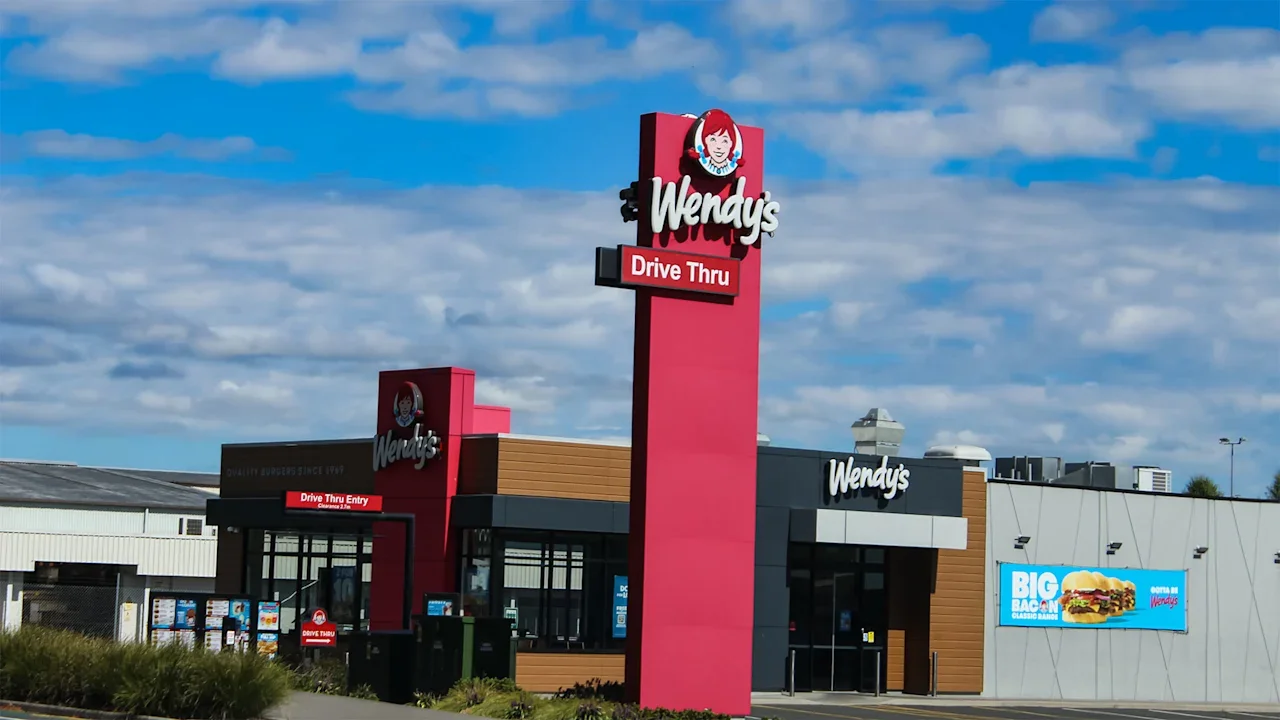
Wendy’s shares rose on Friday after the fast-food giant reported stronger-than-expected quarterly earnings, beating analyst estimates despite poor U.S. store performance, with U.S. same-restaurant sales falling 7.8%. That slow but steady growth reflects the burger chain’s effort to turn around sales by shedding low-performing American restaurants and improving menu quality. The plan comes amid an overall decline in fast-food store traffic, as American consumers grapple with higher prices and the cost of food and living soars. “We are in the early innings of our turnaround,” Ken Cook, Wendy’s CFO and interim CEO, told analysts on Friday’s earnings call. In the earnings report, Wendy’s shared that it had 5,979 U.S. restaurants at the beginning of Q4 2025, when it first announced its turnaround plan. By the end of Q1 2026, it had 5,805 restaurants—adding up to a net loss of 174 locations over those months. Fast Company has reached out to Wendy’s to confirm the number of store closures and a list of those locations. (Cook previously announced the company would be closing some 200 to 350 underperforming U.S. store locations this year.) Wendy’s quarterly revenue came in at $540.6 million, beating analyst estimates of $520.48 million, for a 3.3% increase from the same period last year. The company’s adjusted earnings per share (EPS) came in at 12 cents, versus expectations of 10 cents. Shares in The Wendy’s Co. (Nasdaq: WEN) rose over 4% in morning trading, and were up some 2% by midday on Friday at the time of this writing. “We are taking decisive action to strengthen the Wendy’s system and improve performance,” interim CEO Ken Cook said in a statement. “While our first quarter results reflect a business in the early stages of a turnaround, we are making progress to improve our U.S. business and are confident in the direction we are heading.” Cook said those improvements include a new Biggie platform, upgrading their premium hamburgers, and launching new chicken sandwiches. Additionally, he credited the company’s focus on operational excellence in “driving improvement in order accuracy and key customer satisfaction metrics” adding that while U.S. sales lag, “our international business continues to deliver strong results, with systemwide sales up 6% . . . supported by further expansion in key growth markets.” Those growth markets include China: On Friday, Cook announced a new franchise agreement to build up to 1,000 restaurants across China over the next 10 years. “These actions are strengthening our foundation and positioning Wendy’s to regain momentum and deliver sustainable growth and long-term value creation,” Cook said. View the full article
-
We may earn a commission from links on this page. Deal pricing and availability subject to change after time of publication. The new Google Fitbit Air is finally out. It costs $99.99, but if you pre-order by May 25, Google is offering $35 in Google Store credit after your order ships. The watch also comes with three months of Google Health Premium, which unlocks a wide range of Gemini-powered AI coaching features. Compared to Whoop-style trackers, which the watch is designed after, this is an especially appealing offer since Whoop’s premium plans start at $199 a year, depending on the region. Google Fitbit Air $64.99 at Google Store $99.99 Save $35.00 Get Deal Get Deal $64.99 at Google Store $99.99 Save $35.00 The Google Fitbit Air is essentially a Whoop alternative with its minimalist, screenless design, built to be worn discreetly while quietly tracking metrics like health, fitness, sleep, and recovery, making it a must for people who dislike the ping of a traditional smartwatch. The screenless design is also a perk if you’re not a fan of bulky wearables and want something you can wear during workouts, at work, or while sleeping without it being a distraction. Metrics like the Sleep Score, Sleep Stages, Cardio Load, and Readiness score help you focus on long-term recovery That said, it won’t automatically reduce screentime. Although having no display is the point, it means you’ll need your phone to check stats and progress. It doesn’t come with true smartwatch features like accessing calls, texts, apps, or maps on a watch face. Additionally, many of the best features rely on a paid subscription to Google Health Premium. Still, the three free months are a nice bonus, and with optional plans starting at $99 per year, it’s half the cost of a yearly mandatory Whoop subscription. (But it’s also worth noting that the Google credit comes after your order ships, so you’re still required to pay the $99.99 upfront.) Still, this is a great choice for people who want screen-free tracking à la Whoop but at a more budget-friendly price point (both upfront and over the long term with the subscription), and for those who want to track their daily activity and get insights without wearing a full smartwatch. It’s worth considering if you want a lighter, clutter-free wearable for overnight tracking or would use the $35 Google Store credit toward a second band or another Google accessory. However, if you want features like a built-in screen, music controls, and notifications available on your wrist, you’re better off with a more traditional smartwatch. Our Best Editor-Vetted Tech Deals Right Now Apple AirPods Pro 3 Noise Cancelling Heart Rate Wireless Earbuds — $199.99 (List Price $249.00) Apple Watch Series 11 [GPS 46mm] Smartwatch with Jet Black Aluminum Case with Black Sport Band - M/L. Sleep Score, Fitness Tracker, Health Monitoring, Always-On Display, Water Resistant — $329.00 (List Price $429.00) Fitbit Versa 4 Fitness Smartwatch (Black) — $149.95 (List Price $199.95) Apple iPad 11" A16 128GB Wi-Fi Tablet (Silver, 2025) — $299.00 (List Price $349.00) Anker 20,000mAh Portable Power Bank With Built-in USB-C Cable — $49.99 (List Price $69.99) Deals are selected by our commerce team View the full article
-
Effective hiring and recruitment is vital for building a strong team. To achieve this, you need to follow seven important steps, starting with defining your hiring needs and creating detailed job descriptions. It’s important to establish a recruiting budget and timeline to streamline the process. By developing a strategic recruitment plan that focuses on diverse sourcing methods, you’ll attract qualified candidates. The next steps involve creating a great interview experience and providing excellent candidate communication. Let’s explore how these elements work together to improve your hiring process. Key Takeaways Define hiring needs by analyzing team skills and creating detailed job descriptions that outline responsibilities and required qualifications. Establish a recruiting budget and timeline, considering both direct and indirect costs, while engaging stakeholders for alignment. Develop a strategic recruitment plan that includes diverse sourcing methods and ensures a structured interview process for fair candidate evaluation. Maintain timely communication with candidates, providing updates and feedback at each stage to enhance their experience and reduce anxiety. Foster open negotiation during the offer stage, addressing candidate concerns promptly to build trust and strengthen the employer brand. Define Your Hiring Needs When defining your hiring needs, it’s essential to first analyze your existing team’s skills to identify any gaps that a new hire should fill. Start by engaging department heads to gather their insights on the specific qualifications and competencies necessary for the role. This guarantees you have a thorough comprehension of the position’s purpose. It’s important to outline both the technical skills and the soft skills that will improve team dynamics and align with your company culture. Furthermore, consider the future growth potential of the position; a well-defined role addresses immediate needs while supporting long-term business objectives, reducing turnover. Finally, maintaining clarity on the role’s operational necessity will help justify your hiring decision within the HR recruitment process, making certain that the new hire directly contributes to your overall company strategy. Create Detailed Job Descriptions Creating detailed job descriptions is fundamental for attracting the right candidates to your organization, as they serve as the foundation for the hiring process. These descriptions should clearly outline responsibilities, qualifications, and desired skill sets, during incorporating measurable performance goals or KPIs. This approach helps in effectively attracting suitable candidates. Utilize data from top performers and managers to guarantee your job descriptions reflect the actual needs and expectations of the role. Using active language instead of cookie-cutter formats makes your job descriptions more engaging and appealing, increasing the likelihood of attracting a diverse candidate pool. Moreover, optimizing job descriptions for SEO is significant, as it boosts visibility on job boards and search engines, bringing in more qualified candidates. Regularly updating these descriptions guarantees they remain relevant, accurately reflecting the evolving needs of your organization and the job market, which is crucial for a successful recruitment process. Establish a Recruiting Budget and Timeline To effectively recruit, you need to define your budget parameters and set a realistic timeline for the entire process. This includes both the direct costs, like advertising and recruitment fees, and indirect costs, such as onboarding and training. Define Budget Parameters Defining budget parameters for your recruitment process is essential for ensuring financial efficiency and alignment with your organization’s goals. To effectively manage costs in the recruitment process in human resource management, consider the following: Direct costs, including advertising and recruitment agency fees Indirect costs, such as training and onboarding expenses Average estimated cost per hire, around $4,000 Stakeholder engagement for alignment on budget and hiring process steps Regular review and adjustments based on candidate feedback and hiring outcomes Set Realistic Timeline When setting a realistic timeline for your recruitment process, it’s important to take into account the specifics of the role and the current job market. A well-defined timeline should cover all stages, from sourcing candidates to onboarding them effectively. Consider the complexity of the role, as this impacts how long each stage will take. Furthermore, establishing a recruiting budget is vital; it should include both direct costs, like advertising and agency fees, and indirect costs, such as onboarding. Align Stakeholder Expectations Aligning stakeholder expectations is crucial for a successful recruitment process, as it guarantees everyone involved understands the budget and timeline for hiring. To achieve this, consider the following steps: Develop a recruiting budget that includes both direct and indirect costs. Track hiring costs to gain insights on cost per hire and resource efficiency. Establish a realistic timeline for all stages of the recruitment hiring process, from job posting to onboarding. Engage stakeholders in budgeting and timeline planning to encourage collaboration. Regularly review and adjust the budget and timeline based on market conditions and organizational needs. Devise a Strategic Recruitment Plan Creating a strategic recruitment plan is essential for attracting and engaging qualified candidates effectively. This plan should outline specific methods that align with your broader business goals and team requirements. Incorporating diverse sourcing strategies, like leveraging internal networks and employee referrals, can maximize candidate reach as well as enhancing engagement. Clearly defined hiring objectives and timelines within your recruitment business process can streamline the hiring process, improving the overall candidate experience. Regularly reviewing and adjusting your recruitment plan based on market trends and recruitment metrics helps maintain a competitive edge and adapt to changing hiring demands. Engaging stakeholders throughout the recruitment planning process encourages collaboration and guarantees that the plan meets organizational needs and expectations. Source Qualified Candidates To effectively source qualified candidates, it’s essential to adopt a multi-channel approach that broadens your reach and engages a diverse talent pool. Here are some strategies to improve your sourcing candidates in the recruitment procedure steps: Utilize job boards, social media, and networking events to widen your search. Engage with passive candidates through professional networks like LinkedIn, as they may consider new opportunities. Implement employee referral programs, since referred candidates often fit your company culture better. Attend industry-specific job fairs and college recruitment events to connect directly with potential candidates. Use data analytics to evaluate the effectiveness of your sourcing channels and adjust strategies accordingly. Create a Great Interview Experience After successfully sourcing qualified candidates, the next vital step in the recruitment process is creating a great interview experience. To do this, clearly communicate the interview process and expectations, as many candidates feel left in the dark. Using structured interviews with standardized questions guarantees fairness and consistency, allowing you to evaluate all candidates objectively. Incorporate behavioral interview techniques to gain insights into candidates’ past performances, which can be more predictive of future success. Creating a welcoming environment and introducing candidates to team members can greatly improve their overall experience. Finally, providing timely feedback after interviews is essential; many candidates feel disillusioned when they receive no feedback. Element Importance Clear communication Reduces candidate anxiety and confusion Structured interviews Guarantees fairness and consistency Behavioral techniques Predicts future performance effectively Welcoming environment Improves overall candidate experience Timely feedback Improves candidate satisfaction Provide Excellent Candidate Communication To provide excellent candidate communication, you need to focus on timely application updates and clear interview instructions. Keeping candidates informed about their progress not just improves their experience but also keeps them engaged in your hiring process. Furthermore, being open to offer negotiations can cultivate trust and show candidates that you value their input, in the end strengthening your employer brand. Timely Application Updates Even though the recruitment process can often feel overwhelming for candidates, providing timely application updates is essential for nurturing a positive experience. Effective communication during the application process helps maintain candidate interest and prevents them from seeking other opportunities. Here are some key practices to implement: Send updates at each stage of the recruitment process. Provide constructive feedback after interviews, regardless of the outcome. Schedule regular check-ins to keep candidates informed. Guarantee transparency about the timeline and next steps. Avoid “ghosting” by maintaining open lines of communication. Clear Interview Instructions Effective communication doesn’t stop at timely application updates; it extends to providing clear interview instructions, which can greatly improve a candidate’s experience. When you share detailed information about the interview format, expected duration, and the interviewers involved, candidates can prepare effectively and feel less anxious. Timely updates regarding the interview schedule, including reminders and any changes, show respect for their time and improve engagement. Furthermore, providing feedback post-interview is essential; 80% of candidates who receive no feedback miss valuable opportunities to connect with your organization. Utilizing technology to streamline communication, such as automated emails for interview confirmations and follow-ups, guarantees candidates feel valued throughout the recruitment process and helps build a positive employer brand. Open Offer Negotiation Clear communication during the offer negotiation phase is crucial for nurturing a positive candidate experience and ensuring a smooth changeover into the role. To effectively manage this process, consider the following: Provide thorough offer letters detailing salary, benefits, and work policies. Engage candidates swiftly after extending an offer to reduce their search for other opportunities. Be open to discussions about compensation and benefits, as flexibility cultivates positive relationships. Maintain regular check-ins with candidates during the waiting period to prevent “ghosting.” Address any candidate concerns immediately to improve trust and transparency. Frequently Asked Questions What Are the 7 Steps of the Hiring Process? The hiring process consists of seven key steps. First, you identify the need for a new role. Next, you create a detailed job description. Then, you establish a recruitment plan. After that, you source candidates through various platforms. You proceed by screening applications to assess fit. Following this, you conduct interviews to evaluate candidates further. Finally, you extend a job offer that clearly outlines compensation and responsibilities during allowing for negotiation. What Are the 5 C’s of Recruitment? The 5 C’s of recruitment are Clarity, Consistency, Communication, Candidate Experience, and Culture. You need Clarity to define job roles and skills accurately, helping attract the right candidates. Consistency guarantees you apply the same evaluation criteria throughout the process, promoting fairness. Effective Communication keeps candidates informed, enhancing their engagement. Focusing on Candidate Experience creates a welcoming environment, whereas a strong Culture aligns new hires with your organization’s values and goals. What Are the 5 Steps of the Hiring Process? The hiring process involves five key steps. First, you define the need for a new role by identifying skill gaps. Next, you create a detailed job description to attract suitable candidates. Then, you source candidates through job boards, social media, and referrals. After that, you conduct structured interviews to evaluate their skills and cultural fit. Finally, you extend a clear job offer, including compensation and onboarding details, to secure your chosen candidate. What Are the 4 R’s for Recruitment? The 4 R’s for recruitment are Recruitment, Retention, Refinement, and Re-engagement. First, you attract suitable candidates through targeted strategies. Next, you focus on Retention, ensuring employees feel valued and have growth opportunities. Refinement involves regularly evaluating your recruitment methods using data to improve efficiency. Finally, Re-engagement means reconnecting with past applicants who showed potential, allowing you to keep a talent pipeline ready for future openings and strengthen relationships with top talent. Conclusion In conclusion, following these seven crucial steps can greatly improve your hiring and recruitment process. By defining your needs, creating thorough job descriptions, and establishing a budget, you set a strong foundation. Developing a strategic recruitment plan and sourcing candidates effectively guarantees you attract the right talent. Prioritizing a positive interview experience and maintaining clear communication throughout keeps candidates engaged, eventually leading to successful hires. Implementing these practices will streamline your recruitment efforts and enhance overall outcomes. Image via Google Gemini and ArtSmart This article, "7 Essential Steps for Effective Hiring and Recruitment" was first published on Small Business Trends View the full article
-
Gmail does a decent job at filtering junk mail to the Spam folder, but there are always the marketing emails, newsletters, and other mass messages that slip through to your inbox. Maybe you accidentally signed up for a mailing list, or you wanted those promo emails at one point, but now they've become too much. You can keep deleting them one by one—or you can take action to remove spam from certain senders once and for all. Set up filtering to banish unwanted emailsFiltering is one of our favorite Gmail hacks for moving junk emails straight to the trash. Select the messages in your inbox from as many senders as you want to filter out, click the three-dot menu at the top of the screen, and select Filter messages like these. On the pop-up, click Create filter and check Delete it. Be sure to also check Also apply filter to [X] matching conversations. Future emails from filtered senders will automatically go to Trash. Filter entire domains insteadIf you're still getting emails from a sender you've filtered out, it may be because they're using multiple aliases on the same domain. To solve this, you can set up a filter for an entire domain. Go to Settings > See all settings > Filters and Blocked Addresses and select Create a new filter. Add the domain (@[domain].com) to the "From" field, select Create filter, and check Delete it. Unsubscribe en masse via 'Manage Subscriptions'You can unsubscribe from mailing lists by clicking "Unsubscribe" at the bottom of each individual email you receive, but this is both tedious and a potential security risk, as threat actors have been known to hijack these links for malicious purposes. At minimum, opening the email and clicking any link therein confirms that your email address is active and ripe for targeting. Google updated Gmail last year to include a "Manage Subscription" view, which centralizes mailing list and promotional emails in one place with a one-click unsubscribe option. In the left-hand navigation bar, click More > Manage subscriptions, locate the sender, and click Unsubscribe to be removed from that sender's list. Note that Gmail may not pull all email campaigns into this view—if that's the case for a list you want to unsubscribe from, you can click Unsubscribe at the top of the email itself (next to the sender's address) instead or use the next step to block the sender entirely. Use the 'Report spam' button ruthlesslyIf you find yourself deleting emails from the same senders over and over, report them as spam instead. This helps Gmail to recognize these and similar messages as junk, which over time can reduce how much clutter actually reaches your inbox. Select the email and click the Report spam button at the top of your inbox to move the message to your spam folder. Gmail automatically deletes spam after 30 days. Block external images to prevent trackingMarketing emails typically have tracking pixels—invisible 1x1 images used to monitor online activity—embedded that let senders know when you open a message, which is why you should stop opening emails you don't want and use one of the above strategies to filter, delete, or block them instead. To add an extra layer of protection, you can keep external images from loading in emails unless you explicitly allow them. Go to Settings > See all settings. On the General tab, scroll to Images and select Ask before displaying external images. Keep your email address private and use aliases insteadAn obvious way to keep junk from reaching your inbox is to avoid giving out your email address in the first place. You can create a second Gmail account to use solely for subscriptions, shopping, service sign-ups, etc. so any lists you are added to are directed straight to a separate inbox. Gmail also has unlimited aliases via "plus addressing," so you can easily see where spam is coming from. Or you can create burner accounts via "hide my email" services in browsers, password managers, or Apple iCloud. View the full article
-
US president says Putin and Zelenskyy agreed to request for cessation beginning May 9View the full article
-
An in-person remote position sounds like an oxymoron, but that’s exactly what athletic supplement company Inno Supps was advertising in a LinkedIn job posting that’s gone viral for all the wrong reasons. Though its listing for a senior copywriter was labeled as remote, job seekers were quick to call out the fine print at the top of the job description: “Please apply only if you are willing to eventually work onsite in Henderson, Nevada,” it read. “While this role is listed as ‘remote’ for visibility, it is an onsite position and requires in-office presence.” Inno Supps was apparently looking to capitalize on the gap between the demand and supply for remote work. A 2025 LinkedIn report showed that while the level of job seekers looking exclusively for remote work has stayed close to its mid-pandemic peak, the supply of those roles has dwindled as more and more employers insist on a return to the office. But advertising a role as remote when it’s actually in-person is a recipe for angry applicants, as the response to Inno Supps’ listing makes crystal clear. ‘The employment version of clickbait’: Social media comes for Inno Supps When a screenshot of Inno Supps’ post made its way to X, it quickly went viral, amassing 2.3 million views. Several users said that lying in a job listing destroys a company’s credibility. “We lied to you in this job posting but trust us, it’ll never happen again,” quipped one user in response to the post. It also encourages applicants to match the company’s behavior, other users said: “If HR isn’t going to be honest about the job posting(s), why should I be honest on my resume?” one poster asked. “This is the employment version of clickbait,” wrote another user. Several posters also used comparisons to highlight the unfairness of falsely advertising any aspect of a role. “While this role listed the salary as ‘$1,000,000’ for visibility, it is actually $10,000,” imagined one user. Inno Supps has not responded to Fast Company’s request for comment. Loopholes in LinkedIn’s policies Is a job posting like Inno Supp’s actually allowed on LinkedIn? At first glance, it seems in violation of LinkedIn’s Job Policies, which state that “the primary location of the role, along with any relocation and travel requirements and/or conditions, should be plainly visible within the post.” Any job post violating those policies will be taken down after review. But Inno Supps’ post may fall into a gray area. The fact that the role is actually in person is plainly visible within the post—just not in its heading. Still, the listing contradicts itself, meaning it may also violate LinkedIn’s policy that “job posts must contain truthful, accurate, and complete information about the jobs they promote.” Fast Company has reached out to LinkedIn for clarification on whether Inno Supp’s job posting violates its policies. The posting has stopped accepting applications, but that hasn’t stopped disgruntled social media users from coming for Inno Supps’ other available positions, including its listing for a new CEO, which is also listed as remote despite requiring on-site work in its description. “Inno Supps, I will be your downfall!!!!!!” one user wrote, adding screenshots of them reporting the job as fraudulent. View the full article

-
Results cement proprietary trading firm as one of the most profitable on Wall StreetView the full article
-
Schools and universities across the country are recovering from an outage that knocked down Canvas, an online platform that manages exams, course notes, lecture videos, and grades. The disruption tied to a cyberattack hit in the middle of finals period for many colleges, a high-stress time when students and instructors rely heavily on the platform. By late Thursday, Instructure, the parent company of Canvas, said the platform was available again to most users. The hacking group ShinyHunters claimed responsibility for the breach, said Luke Connolly, a threat analyst at the cybersecurity firm Emsisoft. On Friday, Instructure and Canvas no longer appeared on a site where ShinyHunters lists its targets. Some schools, however, have continued to block students and teachers from accessing Canvas, citing an abundance of caution while assessing security threats. Here’s what to know about the outage. What is Canvas? Schools and universities use Canvas to manage nearly all aspects of instruction. The platform acts as a gradebook, a hub for digital lectures and course materials, a discussion board for classroom projects, and a messaging platform between students and instructors. Some courses also give quizzes and exams on the platform, or use it as a portal where final projects and papers are submitted on deadline. Who is ShinyHunters? ShinyHunters is a loose association of teenage and young adult hackers in the U.S. and the United Kingdom who have been linked to other large-scale cyberattacks, including one on Ticketmaster, Connolly said. On the page listing their targets, the group describes itself as “rooting your systems since ‘19,” using a term for accessing a computer system’s deepest layer. Earlier this week, ShinyHunters said that nearly 9,000 schools and 275 million individuals’ data could be leaked if schools did not pay the ransom by a deadline of May 6. The group then extended the deadline, indicating some schools had engaged with them to negotiate. Schools and universities, rich in personally-identifiable information on students, teachers and employees, have become prime targets for criminal hackers in ransomware attacks. Targets can be individual districts, like the Minneapolis Public Schools or Los Angeles Unified School District, or external vendor platforms like Canvas or PowerSchool that education systems increasingly rely on to manage schedules, courses and exams. The impact on students Though most schools seem to have restored access to Canvas, the disruptions to finals period are likely to ripple throughout the week. The University of Massachusetts at Dartmouth said that it would postpone exams scheduled for Friday and Saturday to ensure students had time to review course materials that would not have been accessible during the shutdown. The University of Illinois postponed all exams that were scheduled to take place Friday, Saturday or Sunday for all classes, regardless of whether the courses utilized Canvas. And Montgomery County Public Schools in Maryland continued to limit access to Canvas on Friday, citing an abundance of caution “while we work to better understand the full impact of the incident and any potential vulnerabilities involving information connected to the platform.” ___ The Associated Press’ education coverage receives financial support from multiple private foundations. AP is solely responsible for all content. Find AP’s standards for working with philanthropies, a list of supporters and funded coverage areas at AP.org. —Annie Ma and Heather Hollingsworth, Associated Press View the full article

-
Pakistan cancelled plans to buy cargoes on spot market because it expected Gulf shipments to resumeView the full article
-
The Pentagon is releasing “never-before-seen” files on UFOs. The files, many which have been under wraps for decades, can now be accessed by anyone online. The Friday release includes the declassification of 162 files on what the government officially calls unidentified anomalous phenomena (UAP) these days. These files can be found under a new tab on the Defense Department’s website. The move follows a presidential order that came in February, which called for greater transparency around UAP. “The American people can now access the federal government’s declassified UAP files instantly. The latest UAP videos, photos, and original source documents from across the entire United States government are all in one place—no clearance required,” the Pentagon said in a post on X about the release. The statement went on to blame previous presidential administrations for keeping the documents secret. “While past administrations sought to discredit or dissuade the American people, President The President is focused on providing maximum transparency to the public, who can ultimately make up their own minds about the information contained in these files.” New files will be added to the database “on a rolling basis,” it said. That interest has undeniably ticked up in recent years. In part, that’s happened due to social media, given that a sighting viewed by one person—if captured on a smartphone—can go on to be viewed by millions. Likewise, there have been a number of documentary films released on the subject in recent years. Moreover, the number of people who say they believe in extraterrestrial life has been steadily climbing for decades. In 2025, 56% of Americans said they believe aliens exist, while 47% say they’ve probably visited Earth, up from 36% in 2012. As for the files, they include everything from photographs to reports on eyewitness sightings and other “unresolved cases,” which the page explains means that the government was unable to “make a definitive determination on the nature of the observed phenomena.” One file includes a transcript from Apollo 17, where astronauts can be heard speaking about “bright particles” or fragments,” along with alleged sightings going back to the 1950s. Still, experts say that those with an interest in alien life should keep their excitement in check. Sean Kirkpatrick, a former career intelligence officer who led the Defense Department’s All-Domain Anomaly Resolution Office (AARO) until 2023, has viewed the documents and told AP News that there is nothing that’s going to enlighten us on extraterrestrials. “Readers should not get their hopes up that there’s going to be some document with photos, interviewing the aliens when they came down,” he said. “Because that just doesn’t exist.” View the full article

-
Apple’s Worldwide Developers Conference (WWDC) is just one month away. That event will see Apple launch the next iterations of the software that powers its various devices, including iOS 27 for the iPhone. But Apple will also be rolling out a new version of iOS before then, and it will feature an enhancement that will benefit Android users as much as Apple’s own. Here’s what you need to know. iOS 26.5 brings encrypted RCS messaging to iPhone Apple’s iMessage protocol has long had end-to-end encryption for texts sent between Apple devices. But for texts sent between Android phones and iPhones, encryption has always been absent. And that wasn’t the fault of Apple or Android maker Google. It’s because, for years, the messages sent between the platforms were standard SMS, which lacked modern features such as read receipts and, more importantly, end-to-end encryption. Back in iOS 18, Apple added support for a new kind of text message protocol, called Rich Communication Service—better known by its acronym, RCS. This new RCS protocol brought read receipts, typing indicators, and more to standard text messages, greatly improving interactivity in messaging between iPhone and Android devices. Unfortunately, the way the RCS protocol has been implemented on iOS since then has meant that one of the protocol’s core benefits—end-to-end encryption—has not been adopted. But with iOS 26.5, that changes. Now, provided your carrier supports end-to-end encrypted RCS messaging, RCS texts sent between iPhones and Android devices on the same network will be unreadable to anyone but the sender and receiver—even Apple and your cellular service provider. What iPhones will support RCS end-to-end encryption? In the iOS 26.5 beta release notes, Apple states that new end-to-end encrypted RCS messaging will be in beta and work with “supported carriers” and “roll out over time.” The company points users to this support document, which lists which carriers support RCS messaging. In addition to carrier support, you’ll need an iPhone capable of running iOS 26.5. That includes any iPhone from the iPhone 11 series or later. Those using Android devices will also need to make sure their phone’s software and carrier support end-to-end encrypted RCS messaging. When can I download iOS 26.5? Apple has been beta testing iOS 26.5 for some time now, and this week it released the final candidate of the software, suggesting a public launch is imminent. That launch could happen today, though it is more likely to come sometime next week, perhaps as soon as Monday or Tuesday. iPhone users will be able to upgrade to iOS 26.5 by opening the Settings app, tapping General, and then tapping Software Update. In addition to end-to-end encrypted RCS support, iOS 26.5 will also add a new “Suggested Places” feature in Apple Maps that recommends businesses or other locations you may be interested in, as well as new Pride wallpapers and other enhancements. View the full article

-
Knowing when to switch project management tools is one of the trickiest calls a team leader can make. Hear from PMs and ops leaders who've been through it — and learn the real signs that it's time to go. The post The Moment I Knew It Was Time to Switch Tools appeared first on The Digital Project Manager. View the full article
-
Alongside its cloud-based brokerage, the company said the acquisition will transform eXp's existing infrastructure into a multi-model platform. View the full article
-
As technology advances, the demand for reliable and sustainable power solutions has become paramount for businesses, especially those growing in areas such as artificial intelligence (AI) and data management. Oracle’s recent initiative, Project Jupiter, located in Doña Ana County, New Mexico, aims to address this demand by harnessing the power of fuel cells. These innovative energy systems promise to deliver numerous benefits to local businesses while also contributing to a cleaner and quieter environment. Fuel cells, particularly Bloom fuel cells, have been a trusted source of electricity for essential facilities across the United States for nearly two decades. Unlike traditional power generation methods that rely on combustion, fuel cells utilize an electrochemical process to convert fuel and oxygen into electricity without producing harmful emissions. This shift from combustion to a clean energy solution can significantly affect how small business owners think about their energy needs. For small businesses, implementing fuel cells can yield several advantages. Firstly, they produce fewer air pollutants than combustion systems, which can lead to cleaner air and improved health outcomes for both employees and customers. This is particularly beneficial for small businesses striving for environmentally responsible operations, as they can align with community values promoting sustainability. Moreover, fuel cells use minimal water while generating electricity, which is a critical consideration in an age of increasing resource scarcity. As small businesses often face budget constraints, reducing operational costs associated with water usage can translate into significant savings over time. Additionally, the quiet operation of fuel cell systems, which are comparably quieter than common air conditioners, allows for seamless integration into community settings without disrupting daily activities. Another remarkable benefit is the visual compatibility of these systems. Designed to align with the surrounding infrastructure, fuel cells can fit into commercial environments without creating an eyesore. This aesthetic consideration can be pivotal for small businesses located in urban areas where appearance impacts foot traffic and customer perceptions. Fuel cells also deliver the promise of energy independence. As production costs fluctuate, small businesses can benefit from Bloom’s microgrids, allowing them to operate autonomously from the grid. This capability not only protects local businesses from sudden hikes in electricity bills but also ensures that they have a reliable source of power, essential for maintaining operations in an increasingly digital world. The modularity of fuel cell installations is another strong selling point. Small businesses can deploy fuel cells according to their immediate needs while retaining the flexibility to scale up as their operations grow. This capability ensures that businesses can invest in energy solutions that accommodate both current demands and future expansion plans without incurring unnecessary costs upfront. While these advantages paint a promising picture, small business owners should also consider the initial investment associated with fuel cell technology. Transitioning from conventional electricity sources to fuel cells may involve upfront costs that could be a concern for those with tight budgets. Understanding the financing options and potential long-term savings associated with fuel cells will be crucial in making informed decisions. Another consideration is the technology’s accessibility and maturity. While fuel cells have proven effective in various settings, businesses should evaluate if this solution aligns with their specific energy requirements and operational structures. Consultation with energy experts can help navigate these considerations. The push towards sustainable energy solutions such as fuel cells is gaining momentum as businesses realize the long-term benefits of cleaner and more reliable energy. Oracle’s Project Jupiter represents not only a shift in how data centers can meet their energy needs but also a broader signal to small business owners about the importance of sustainability in operations. For small businesses looking to enhance their operational efficiency while contributing to a healthier environment, fuel cells may represent a viable option. The potential benefits of cleaner air, reduced water usage, and energy independence underline the importance of exploring alternative power solutions. As the landscape of energy and technology evolves, insights from initiatives like this one can provide small businesses with the tools they need to thrive. For comprehensive details on the use of fuel cells, visit Oracle’s original post here. Image via Google Gemini This article, "Oracle’s Project Jupiter to Power AI Data Centers with Clean Fuel Cells" was first published on Small Business Trends View the full article
-
As technology advances, the demand for reliable and sustainable power solutions has become paramount for businesses, especially those growing in areas such as artificial intelligence (AI) and data management. Oracle’s recent initiative, Project Jupiter, located in Doña Ana County, New Mexico, aims to address this demand by harnessing the power of fuel cells. These innovative energy systems promise to deliver numerous benefits to local businesses while also contributing to a cleaner and quieter environment. Fuel cells, particularly Bloom fuel cells, have been a trusted source of electricity for essential facilities across the United States for nearly two decades. Unlike traditional power generation methods that rely on combustion, fuel cells utilize an electrochemical process to convert fuel and oxygen into electricity without producing harmful emissions. This shift from combustion to a clean energy solution can significantly affect how small business owners think about their energy needs. For small businesses, implementing fuel cells can yield several advantages. Firstly, they produce fewer air pollutants than combustion systems, which can lead to cleaner air and improved health outcomes for both employees and customers. This is particularly beneficial for small businesses striving for environmentally responsible operations, as they can align with community values promoting sustainability. Moreover, fuel cells use minimal water while generating electricity, which is a critical consideration in an age of increasing resource scarcity. As small businesses often face budget constraints, reducing operational costs associated with water usage can translate into significant savings over time. Additionally, the quiet operation of fuel cell systems, which are comparably quieter than common air conditioners, allows for seamless integration into community settings without disrupting daily activities. Another remarkable benefit is the visual compatibility of these systems. Designed to align with the surrounding infrastructure, fuel cells can fit into commercial environments without creating an eyesore. This aesthetic consideration can be pivotal for small businesses located in urban areas where appearance impacts foot traffic and customer perceptions. Fuel cells also deliver the promise of energy independence. As production costs fluctuate, small businesses can benefit from Bloom’s microgrids, allowing them to operate autonomously from the grid. This capability not only protects local businesses from sudden hikes in electricity bills but also ensures that they have a reliable source of power, essential for maintaining operations in an increasingly digital world. The modularity of fuel cell installations is another strong selling point. Small businesses can deploy fuel cells according to their immediate needs while retaining the flexibility to scale up as their operations grow. This capability ensures that businesses can invest in energy solutions that accommodate both current demands and future expansion plans without incurring unnecessary costs upfront. While these advantages paint a promising picture, small business owners should also consider the initial investment associated with fuel cell technology. Transitioning from conventional electricity sources to fuel cells may involve upfront costs that could be a concern for those with tight budgets. Understanding the financing options and potential long-term savings associated with fuel cells will be crucial in making informed decisions. Another consideration is the technology’s accessibility and maturity. While fuel cells have proven effective in various settings, businesses should evaluate if this solution aligns with their specific energy requirements and operational structures. Consultation with energy experts can help navigate these considerations. The push towards sustainable energy solutions such as fuel cells is gaining momentum as businesses realize the long-term benefits of cleaner and more reliable energy. Oracle’s Project Jupiter represents not only a shift in how data centers can meet their energy needs but also a broader signal to small business owners about the importance of sustainability in operations. For small businesses looking to enhance their operational efficiency while contributing to a healthier environment, fuel cells may represent a viable option. The potential benefits of cleaner air, reduced water usage, and energy independence underline the importance of exploring alternative power solutions. As the landscape of energy and technology evolves, insights from initiatives like this one can provide small businesses with the tools they need to thrive. For comprehensive details on the use of fuel cells, visit Oracle’s original post here. Image via Google Gemini This article, "Oracle’s Project Jupiter to Power AI Data Centers with Clean Fuel Cells" was first published on Small Business Trends View the full article
-
The opinion that supports national banks' ability to avoid paying interest on certain mortgage accounts in New York is unlikely to be the last word. View the full article
-
We may earn a commission from links on this page. Last weekend, I strapped two Garmin running watches to my wrists and raced a 10K—the top-of-the-line Forerunner 970 on one arm, and the budget-friendly Forerunner 165 Musicon the other. Whether you're toeing the line at your first 5K or chasing a marathon PR, one thing I learned is that even the most powerful running watch in the world won't help you on race day if you haven't set it up properly beforehand. Here's the checklist I wish I'd had before race day. Garmin Forerunner 970 $649.99 at Amazon $749.99 Save $100.00 Shop Now Shop Now $649.99 at Amazon $749.99 Save $100.00 How to train with a Garmin watch before a raceOnce you've registered for a race, it's time to start training. Step one: Set up a training plan in Garmin Connect. Once in the Garmin Connect app, navigate to Training & Planning > Training Plans to browse free plans for distances from 5K to marathons. Once you select a plan and sync it to your watch, daily workouts will push directly to your wrist. Beginner-friendly Garmin Coach plans are compatible with many models, including Forerunner 55, Vivoactive 5, and Venu 2/3. You start getting daily suggested workouts and more personalized, adaptive training plans with Garmin Run Coach in the more advanced watches, like the Forerunner 165 and 265. Jump up to the 570, you'll get projected race time and pace. The most advanced coaching features—like real-time stamina and endurance scores—are selling points for higher-end models, like the Forerunner 965 and 970. Before race week, take a look at your HRV Status and Training Readiness score. In theory, these metrics tell you whether your body has actually absorbed your training, or whether you've been digging yourself into a hole. HRV Status is available on the Forerunner 255 and above. Training Readiness is available on the Forerunner 265 and above, including the 955 and 970. The Forerunner 165 gives you a simpler "Body Battery" reading, which is still useful, albeit less granular. And remember to manually add your race as an event. Open Garmin Connect and go to Training & Planning > Courses, or look for the "Events" section. Add your race by entering the distance, date, and location. This does more than just mark the calendar—on supported watches, it activates a Race Calendar widget and begins surfacing a race-day countdown. If your race doesn't show up in the Garmin calendar, but it does have a published GPX or course file, you can download it and load it onto your watch via Garmin Connect. On race day, this gives you turn-by-turn navigation, elevation previews, and the ability to see exactly where you are on course (with compatible watches). Garmin Forerunner 265 Running Smartwatch (Black/Grey) $348.99 at Walmart $449.99 Save $101.00 Get Deal Get Deal $348.99 at Walmart $449.99 Save $101.00 How to set up your Garmin watch the night before your raceHere's the checklist I've cooked up after several races with several different watches: Charge your watch fully. Obvious, but easy to forget after a week of tapering distractions. Plug it in the night before so you start race morning at 100%. Confirm your data screens. Set up your race activity profile so the data fields you actually want—pace, heart rate, lap pace, distance—are front and center. Go to Settings > Activities & Apps > Running > Data Screens. Edit your screens so you're not fumbling through menus mid-race. An extra tip here: For racing, less is more. A cluttered screen with eight data fields is harder to read at race pace than two or three big numbers. Set up alerts. Pace alerts, heart rate alerts, or time alerts can keep you disciplined in the early miles. Set a minimum and maximum pace range if you tend to go out too fast, or a heart rate ceiling if you're racing by effort. Custom alert configurations are available across most Forerunner models, but heart rate zone alerts and the ability to set complex multi-condition alerts are more robust on the 265 and above. Configure auto lap. By default, Garmin watches auto-lap every mile or kilometer. For a race, decide whether you want to lap by distance, by the race's official kilometer markers, or manually. If you want to manually control your laps, which is useful for shorter races like 5Ks, turn off Auto Lap and use the lap button yourself. In the 970 exclusively, you can toggle on the "Timing Gate" option, and your watch will automatically trigger laps as you pass the predefined official course marker, in addition to showing the actual distance run. Check satellite signal. The night before, open the running activity on your watch and let it acquire a GPS signal. This helps pre-load satellite data so you get a faster lock on race morning. Set up Garmin's race day features. On higher-end models, make sure you toggle on any race-specific tools available on your watch. This might include Garmin's PacePro feature, which gives you a customized pacing plan for your race. Enter your goal time, and it will account for elevation changes and suggest a smart pacing strategy mile by mile. Another feature I plan to use during my next half-marathon is real-time stamina, available on the 970. This feature estimates how much energy you have left in the tank and projects whether your current pace is sustainable. It's a great reality check in the middle miles. How to set your Garmin watch on the morning of your raceGet a GPS lock early. Open your activity before getting into your corral. Wait for the GPS signal indicator to go solid. Don't start running until you have a clean lock, or your first splits will be inaccurate. Put on your heart rate monitor (if using one). If you race with a chest strap like the HRM-Pro Plus, strap it on and let it connect to your watch before the start. I personally don't race with one, but a chest strap will give you more accurate heart rate data when wrist-based optical sensors can struggle to keep up. Enable music (if using it). If you're racing with music, queue up your playlist before you get to the start corral. On any watch with "Music" in its name, you can store and play music directly from the watch without your phone. How to use your Garmin watch during a raceUse the lap button intentionally. Hit the lap button at official mile or kilometer markers if they don't line up with your auto-lap. This gives you splits that actually reflect the race course rather than GPS-calculated distances that can drift by several seconds per mile. Glance, don't stare. It's easy to become a data zombie mid-race. Train yourself to glance at your watch for one or two numbers—current pace and heart rate, for example—and then get your eyes back on the road. The watch should be a tool, not a distraction. Trust your training. No watch can run the race for you. At some point, put the data in the background and run on feel. The best use of a race-day watch is to keep you honest in the first half so you have something left for the finish. What to do on your Garmin watch after a raceSave and sync immediately. When you cross the finish line, let the watch record for a few extra seconds before stopping your activity. (Damn you, Strava tax!) Then sync to Garmin Connect over Bluetooth while your phone is nearby. Your race data, including splits, heart rate graph, and elevation, will all be waiting for you in the app. Review your race analysis. In Garmin Connect, pull up the race activity and review your pace curve, heart rate response, and cadence data. Look for where you faded, where you had a surge, and how your heart rate tracked to your perceived effort. This is some of the most valuable post-race coaching you can get. Whether you're wearing a $199 Forerunner 55 or the $750 Forerunner 970, working through this checklist before race day will make you a smarter, more prepared racer. The fancier watch gives you more tools—but only if you actually know how to use them. View the full article
-
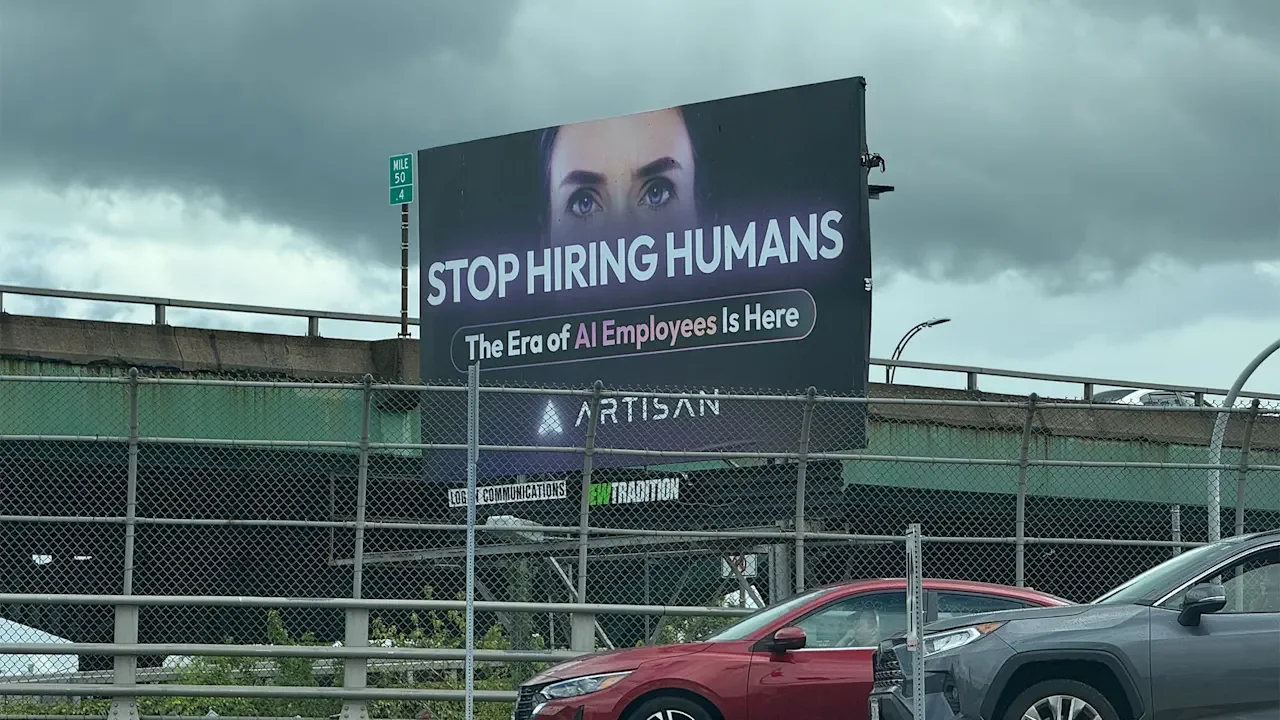
If you’ve taken the New York City subway lately, you might’ve seen an ad that’s driving social media wild. The ad shows messages from two employees: Steve, who says he’s “not coming in today sry,” and an AI sales agent named Ava, who says she booked 12 meetings and researched 1,269 prospects. The ad’s header reads, “Fire Steve. Hire Ava.” In other words, fire humans and replace them with AI. goddamn this sucks pic.twitter.com/InMUGd0y1A — F♯A♯∞, fka ☕️ (@coopercooperco) May 7, 2026 The ad comes from AI company Artisan, which offers an AI agent to replace low-level sales representatives. The company is known for its controversial anti-human advertising—and the campaign is certainly doing its job, in the sense that everyone seems to be talking about it. But are provocative ads still worthwhile if they’re only generating hate? Social media tears the ad to shreds With a whopping 71% of Americans concerned that AI will permanently put humans out of work as of 2025, the new Artisan ad plays into a widespread anxiety. It’s a hallmark of the company’s branding: Other Artisan billboards throughout New York City and San Francisco feature messages including “Your next hire isn’t human” and “Stop hiring humans.” While the ads capture people’s attention, that attention isn’t necessarily positive, and the latest ad’s reception on social media proves it. Many social media users were quick to undermine the ad’s logic. “Anyone who’s ever hired people knows that this is actually signal to hire Steve not Ava,” one user wrote, with others agreeing in their replies. “Steve at least *tells* you when he’s not able to work,” another user commented. “Ava will just lie, hallucinate, and blow smoke up your ass.” Others argued that while AI may outdeliver on quantity, that’s no guarantee of quality. One user wrote that Ava likely “booked 12 hallucinated meetings” and is “straight up lying about researching 1,269 prospects.” “Was the research any good?” wondered another poster. “Who knows? Who cares? We have QUANTITY!” One user argued that even if provocation is the goal, it’s only contributing to growing anti-AI attitudes. An April survey from Gallup found that 31% of Gen Z says AI makes them angry, while only 22% said they were excited about the technology, a drop of 14 percentage points from the previous year. “I’ve seen people who work in AI act shocked and dismayed by the hostile and sometimes violent way people talk about them,” the user wrote. “But it really seems like they’re intentionally inviting it at this point.” Why Artisan sells itself as anti-human The negative response may look bad on paper, but according to Artisan’s CEO and co-founder Jaspar Carmichael-Jack, his company’s ads are meant to be provocative. In response to Fast Company‘s request for comment, he referenced a blog post he wrote about Artisan’s “Stop hiring humans” campaign. “It works because it’s uncomfortable,” Carmichael-Jack wrote. “The belief underneath is more careful than three words on a wall, but the three words still mean what they say: stop hiring humans for the work AI can do better, and stop pretending that work was ever good for humans in the first place.” Throughout the post, Carmichael-Jack expanded on Artisan’s AI philosophy: not to replace humans with AI across the board, but specifically in roles like cold outbound that were “never good for humans in the first place.” “On the days I think about what comes after this product, this company, this decade, I think about a world where people work less and live more,” he added. “That’s what I want the billboards to be remembered as a step toward.” View the full article
-
It pulls the article and generates three to five distinct LinkedIn posts. Before that, every LinkedIn post started the same way. I’d re-explain the voice rules. The fold-line rule. The hook patterns I like, the ones I don’t. The example…Read more ›View the full article