All Activity
- Past hour
-
 Reading or sending emails may seem like an innocuous task, but sometimes, this simple act can trigger a dramatic bodily response. Like forgetting to literally breathe. “Many of us have heard of sleep apnea: the condition where breathing gets interrupted during sleep.” Dora Kamau, Lead Mindfulness and Meditation Teacher at mental health app Headspace, told Fast Company. “Email apnea is a similar idea—just happening in the middle of your workday,” When we’re intensely focused on a task, the brain will “switch off” certain unconscious functions to redirect its processing power to the task at hand. In that state, a lot of people unknowingly alter their breathing, taking short sips of breath, or sometimes holding it altogether. The term for this phenomenon was first coined by Linda Stone in the late 2000s in an article published by HuffPost. After noticing her own breathing became shallow when sat at her computer checking her emails, she decided to invite 200 participants to take part in a study at her home. She found that 80% of the participants also breathed more shallowly when stationed in front of a screen. Those who didn’t had received some kind of formal training in breathing as either athletes, dancers or musicians. “When we open an inbox, scroll through a feed, or get pulled into something on a screen, our nervous system shifts into low-grade alert mode,” explains Kamau. “In these moments, the body is doing what has been designed to do: to protect us. It’s a human, biological response to perceived uncertainty, threat or danger, which in the modern world, an overflowing inbox can feel like.” If you don’t think you do this, the tricky thing about email apnea is that it’s easy to miss, “because it happens in the background of something else you’re doing,” says Kamau. Do you reach the end of a work session feeling inexplicably tired, even if you haven’t done anything physically demanding? Do you suffer from tension headaches or a tight feeling across the shoulders and chest? Do you find yourself taking a big, involuntary sigh or deep breathing without really knowing why? These are all signs of email apnea. “That sigh is your body self-correcting, trying to restore balance after a period of shallow or held breath,” says Kamau. When we hold our breath or breathe shallowly for extended periods, carbon dioxide builds up in the bloodstream, signaling to the body to stay on high alert. Even after you’ve closed the email, that stress response keeps running, holding on to that tension long after your laptop is shut. “It also negatively impacts cognitive function,” Kamau explains. “When we’re not breathing fully, we’re not getting optimal oxygen to the brain, which means decision-making, creativity, and focus all take a hit. Ironically, the very things we need most at work.” Next time you’re racing to hit inbox zero, take a beat and notice your breath. Slow diaphragmatic breathing, expanding the lungs fully and breathing into the stomach, signals to the body it can relax. It reduces the heart rate, lowers blood pressure and can even help us make better decisions. It’s also important to designate mini-breaks to keep email apnea at bay. “At Headspace, we just created and launched a Pomodoro timer specifically designed with this in mind,” says Kamau. Making micro-adjustments to the way you sit can help, too. “Hunching over a screen compresses the lungs and makes full breathing physically harder,” she says. “Simply sitting up slightly, rolling the shoulders back, and dropping them away from the ears creates more space for the breath to move in our bodies.” View the full article
-
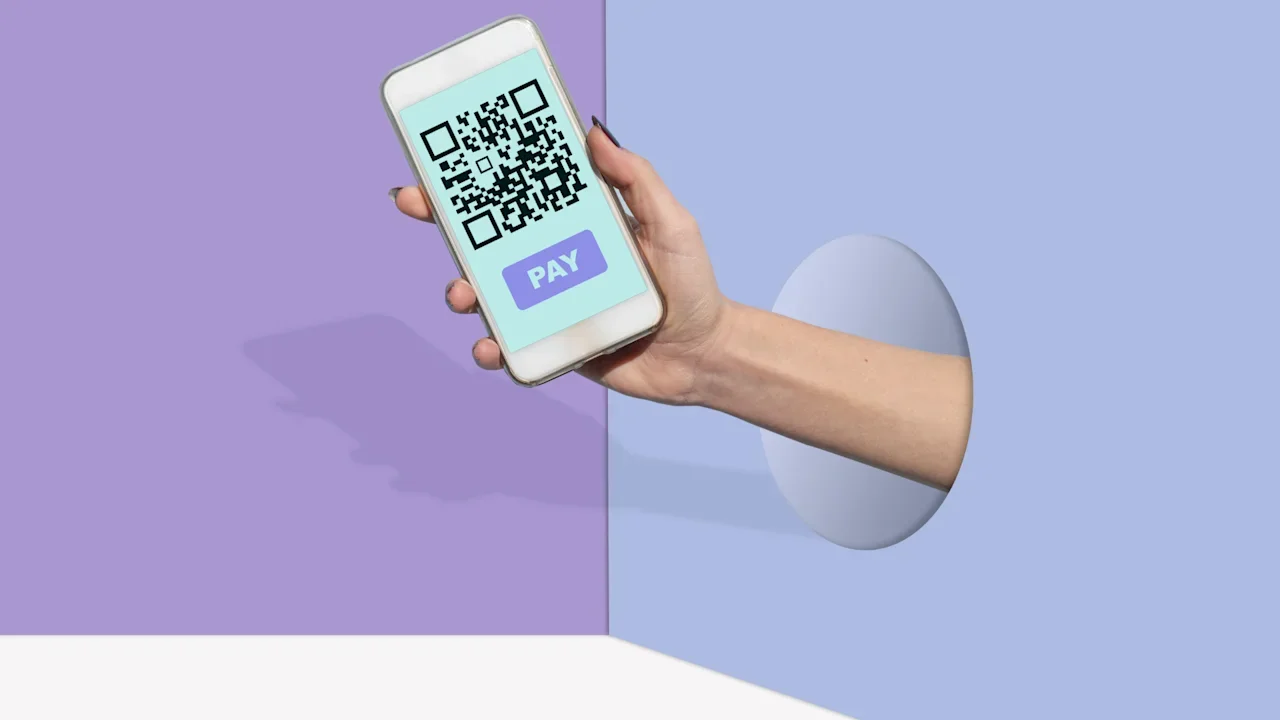
This article is republished with permission from Wonder Tools, a newsletter that helps you discover the most useful sites and apps. More than 600,000 podcasts released 27 million episodes in 2025. Keeping up with even a tiny fraction of those 70,000-plus daily releases is impossible. So I’ve been exploring new ways to keep up with audio: podcast summaries, audio digests, and cool new tools for finding and saving audio highlights. Podsnacks: Get podcast summaries by email Get podcast summaries delivered to your email with Podsnacks. Catch up on shows you don’t have time to listen to. The free digest includes AI-generated summaries drawn from 25 of the most popular news, business, and tech podcasts. For $5/month, you can get a daily digest of any five podcasts you want. Snipcast is an alternative that offers 2 summaries a month for free or 50 episode summaries for $8/month. TL;DL by Headliner: Listen to podcast digests If you want to listen to podcast summaries, try TL;DL. Pick up to five podcasts to summarize in 5, 10, 15, or 20 minutes. I like that it’s not just an AI-voiced synthesis, but includes excerpted audio clips. You can always click through to hear the full episode. Caveat: Expect to wait at least five minutes for each summary, and it’s still in beta. I run into occasional errors. Examples: Listen to this summary from my recent podcast interview with Azeem Azhar. Or try this summary of an episode of Shankar Vedantam’s terrific Hidden Brain podcast. Snipd: My favorite podcast app Snipd keeps improving. I rely on it mainly because it lets me save highlights from podcasts I’m listening to by tapping my AirPods. The app also provides detailed podcast summaries so I can decide what to listen to. Among the new features I like most: Skip intros and outros that clutter up many podcasts. AI chat with any episode to ask for best quotes, must-listen moments, key takeaways, clarification of a complex idea, or whatever else you want. I love the new “mentioned books” tab. It shows all the books discussed on a particular podcast. Click on a cover to learn more about the author and to see a list of podcasts where that book was discussed. Search by guest. Find and listen to all the podcasts where your favorite author/musician/guru has been interviewed. Listen and highlight audiobooks. Connect a Libro.fm audiobook account and import books with one click to listen to and highlight on Snipd. (Libro supports your local bookstore.) Alternatively, find free public domain audiobooks at LibriVox. You can manually upload your own audiobooks. Podcast Magic: Save a key audio moment When you’re listening to a podcast on Spotify or Apple Podcasts and want to save a highlight, take a screenshot and email it to podcastmagic@sublime.app. Podcast Magic will email you back an audio clip and transcript of the key moment to save or share. It’s a clever way to easily save and share a quote or anecdote. Example: One show I highlighted recently was Audio Flux, which The New Yorker picked as one of the 10 best podcasts of 2025. The all-star audio duo commissions and spotlights bold short-form audio stories. (You can also follow Team Audio Flux on Substack.) Listen Notes: Search for podcast mentions With Listen Notes, you can find podcast episodes where you’re mentioned. Type in your name or the name of your organization and search. Or look for interviews with a favorite author or musician. Other useful features: Curated Lists: See recommendations from publications, like the 6 healthcare podcasts or 7 podcasts for bookworms the NYTimes recommended. Listen Later: Make and share a curated podcast playlist. The playlist has an RSS feed that you can add to any major podcast player. Here’s a playlist of a few shows I like. Here’s a longer list of my favorites. Podchaser is a good alternative when you’re looking by topic. I discovered new podcasts about tennis and classical music. Also try the new advanced search by combining terms. EarBuds Podcast Collective, founded by podcast guru Arielle Nissenblatt, shares well-curated podcast recommendations. Each week a guest picks five shows to recommend. Example: 5 podcasts about bodies and how we see ourselves. Also: CBC’s Podcast Playlist (RIP) was a great show featuring highlights from all sorts of podcasts. The archive is full of great episodes. Perplexity Voice Mode for Web, iOS, and Android When I don’t have my computer, I prefer searching with my voice over thumb typing on my phone. Querying Perplexity verbally when I’m walking or when my fingers are freezing is convenient because it answers with audio quickly and accurately. I can ask follow-ups for clarification or elaboration. These iterative search conversations let me steer the exploration toward what’s most useful. (iOS and Android) Example: Here’s a screenshot of Perplexity’s short reply when I asked what voice search is useful for. Tip: Ask Perplexity for its sources to verify its results; voice searches don’t surface those unless you ask. Voicebox: Collect audio feedback Create your own inbox for voice input. Give anyone your Voicebox link or QR code, and they can leave you an audio message. No typing, no downloads, no forms to fill out. They just share their thoughts in a simple voice memo. It’s like an answering machine for the digital era. Voicebox is marketed as a B2B tool, but anyone can use it as an individual. Try it: Leave me a voice message about one thing you do that AI will never be able to replicate. Optionally, include your name and email. Send an audio note: Tuttu is a super simple free site where you can record and share a voice note. Then email a link to that audio or embed it. Here’s a quick example I recorded about 3 ways you can use Tuttu. Alternative: VideoAsk is a slick tool for collecting video or audio feedback instead of a dull form. You can gather 20 minutes of input each month for free. Collecting 100 monthly minutes costs $24/month billed annually. Rover AI: Get audio briefs to answer questions Rover is an early-stage app that answers your questions with AI-generated audio briefs. Type in a query, wait a few minutes, then listen to your 2-3 minute audio conversation between two AI hosts. Unique feature: Choose from three alternative responses to your query. Example: Listen to a short audio debate about whether Jonathan Franzen is overrated or a genius. Alternatives: NotebookLM, which I’ve written about, does a fantastic job of creating audio summaries—or even debates—exploring complex topics. And Huxe, which I wrote about last week, creates useful personalized audio updates. Rover is an earlier-stage experiment, by contrast, focused on brief audio answers to eclectic queries. Become a tester to try it out. This article is republished with permission from Wonder Tools, a newsletter that helps you discover the most useful sites and apps. View the full article
-
It’s five answers to five questions. Here we go… 1. I saw my coworker’s pregnancy announcement on TikTok I was just scrolling TikTok, and a video from “someone you may know” popped up. It is a coworker of mine, whose number is in my phone because we sit near each other and sometimes need to coordinate watering plants and such. It turns out she’s a somewhat well-known content creator in a pretty wholesome and innocuous genre. The video I landed on was especially well liked, because she used it to announce her pregnancy. I’m very happy for her and would like to congratulate her! However, I don’t know if she would think it’s weird that I watched her video. I’m a man who she knows a little bit through work, and I’m aware that this might not be a topic she would want to discuss with me. Do you think I can say something, or should I wait until she brings it up? Wait for her to bring it up. It’s true that by putting in on social media, she’s giving up the ability to control who knows — and maybe she wouldn’t care at all that you saw the announcement and are bringing it up at work — but it’s better to err on the side of discretion when it comes to colleagues (and also when it comes to pregnancy). Related: our coworker is obviously pregnant but hasn’t told us and we want to be cool 2. Should you still try to get a bonus when your boss knows you’re leaving? Many years ago, my husband worked as the only IT person for a small business (~75 people). He managed servers, desktops, and IT purchases/implementations. During the great recession, the company also farmed him out to another company, about the same size and in the same field. They bumped his salary a bit but essentially doubled his workload and he had to clean up a huge mess left by that company’s former IT person He was already working close to 60 hours a week and this was going to add more time and stress. A position in my company (different division) opened and the hiring manager, who knew husband through me, wanted to hire him. My husband was coming up to his 10th anniversary at his company and was due to get a large bonus. My company’s hiring process takes a long time, so we were certain he would get his bonus before he had to put in his notice. He felt a little uncomfortable about doing this because he loved his company, but he was burning out fast and needed to move on. Coincidentally, his big boss was friendly with my big boss. Their wives were best friends, so they frequently saw each other. My big boss was old school and really hated the idea of people “poaching” employees. He did what he thought was the right thing to do for his relationship with my husband’s boss and called before the hiring process was complete to let him know they were considering hiring my husband. The bonus never happened, and here is where I think we messed up. My husband didn’t pursue it because in his mind, it was a bonus for loyalty and, since he was leaving, he was no longer loyal. My husband actually had to continue to work part-time for old company to help them transition to another IT solution while working at my company. My big boss arranged it. He didn’t have to work extra hours; he was permitted to help them during regular work hours, so it was on my company’s dime. I encouraged my husband not to pursue the bonus, even though it would have been close to $10,000. He agreed because he felt guilty for leaving them. Were we absolute fools? It doesn’t matter now, of course. But I have always wondered. First and foremost, your boss was out of line. If he felt he couldn’t in good conscience hire your husband without letting his current boss know, he should have told your husband that and let him decide if he wanted to remain in consideration or not. In some companies, what he did could have gotten your husband fired. But as for the bonus, it’s pretty common for people to lose their eligibility for bonuses once it’s known that they’re leaving (unless the bonus is contractually required, which doesn’t sound like the case here). Bonuses are usually a retention strategy, so when someone is known to be in the process of leaving, the company no longer has an incentive to offer them. That said, in this case, your husband was going to continue to work part-time for them, which gave him some leverage — and yes, that arrangement was made on his behalf by his new boss (!) but it still gave him some leverage that in theory he could have tried to use. It might not have gone anywhere, but it wouldn’t have been outrageous to try. 3. Expecting candidates to relocate and start work in less than a week I work in higher education, so it’s not unusual to have to fly to another state to interview and then move several hours away if you get the job. While I was living in Texas, I interviewed for a job in Georgia. At the time I applied, they listed their estimated start date being June 1. However, as with all higher ed job searches, things took time, so I didn’t visit the campus for my final interview until the week before Memorial Day weekend. I was the first candidate to come for their on-campus interview, and I knew the other interview dates offered were for the following week. In my end-of-day wrap-up meeting with the director, I asked if there was an updated timeline given how close we were to June 1. The director looked me straight in the face and said that June 1 was still the expected start date, and that anyone who wanted this job would make it work. He explained that when he was hired for his current job, he packed a bag and moved into a dorm room temporarily while his wife stayed home with their child to pack up and sell their home. I politely mentioned how nice it was to have a support system like that to help with the move, but not everyone has one. He then reaffirmed that his expectation was a June 1 start date, and I quickly moved on to another topic. Was I wrong to feel that this was completely unrealistic? To me, this was a huge red flag about unrealistic expectations, and as soon as I received my flight reimbursement check, I withdrew my application. I also know that he had to repost the position by mid-June and start his search all over again. My colleague pointed out that, knowing how slow higher education moves, I shouldn’t have said anything because a June 1 date was never going to happen, and I should have waited until an offer was made to negotiate a start date that worked for me. Yes, that’s ridiculous. Memorial Day is, at most, eight days away from June 1. Some years it’s two days from June 1. Expecting people to interview, get an offer, consider it, accept it, move, and be ready to begin work in less than a week is absurd — in all cases, but especially in a situation where the employer could have moved faster but was already dragging their feet. 4. Job applicants don’t follow up with their driving records I work at a small business that makes deliveries. For the most part, I have good employees but unfortunately this job does not pay well so I do have some turnover. Most of the employees who leave are my drivers, usually due to relocation or a better paying job. Before I can hire a driver, they have to be added to our insurance so they can drive the company van and for that I have to have a copy of their license and driving record (either a hard copy or a screenshot). In my state, that is something they have to pay for, and I’m afraid that is scaring away applicants. I often give them the application and they fill it out on the spot but won’t stop back in with their driving record. What can I do to try and get more applicants to follow through? It’s understandable that people don’t want to pay to get a copy of their driving record before they’ve been offered the job or at least gone through some initial screening — particularly when they can apply for other jobs that don’t require them to shell out cash up-front. Can you move that part of the process to the end, make the offer contingent on a good driving record, and let them know you’ll reimburse the cost of obtaining it? 5. My job made me take an unpaid break at the very end of my shift I recently took a short-term part-time retail job to make a little extra money. This is my first retail job since college, which was the late ‘90s. At this gig, we’re scheduled for 6.5 hour shifts, during which we get a 15-minute paid break and a 30-minute unpaid break. We have a designated “breaker” who takes over our station so we can step away. During a shift this weekend, the breaker came for my 15-minute break, but never showed up for the 30-minute break. When I finally saw the supervisor at closing time, I asked her about the missing breaker — I figured something went amiss. It turned out the breaker told the supervisor she had given everyone their breaks and went home for the day. But she skipped my 30-minute. To my surprise, I was told I had to take my 30-minute unpaid break immediately — even though we were literally in the final 31 minutes of my shift. I was taken aback, so I offered two alternatives that seemed pretty reasonable to me: (1) I could to stay and help with closing procedures since I wasn’t anywhere near the overtime danger zone or (2) I could call it a day and leave. I kid you not. I was required to sit in a chair for my unpaid break while everyone washed dishes and did closing procedures. Then I would be allowed to punch out. So I was stuck taking a break that served zero purpose other than to inconvenience me. Am I out of touch with retail norms? Would it have been so unreasonable to let me leave and adjust my time card later? Nope, they broke the law. On unpaid breaks, you must be able to do what you want with that time; being required to sit in a chair doing nothing doesn’t qualify. (In most states they can require you to remain on the premises — although not in all — but in no state I’m aware of would “sit in this chair and don’t move for half an hour” meet the legal requirements for an unpaid break.) Also, many state laws require that breaks happen a certain number of hours after the start of a shift and before its final hours, not at the very end. You can google the name of your state and “break laws” to see if yours is one of them. The post I saw my coworker’s pregnancy announcement on TikTok, expecting candidates to relocate in a week, and more appeared first on Ask a Manager. View the full article
- Today
-
In today’s competitive environment, enhancing customer loyalty is essential for business success. The right loyalty rewards program can greatly impact customer retention and engagement. By partnering with leading companies like Clavaa, FiveStars, and TapMango, you can create customized programs that reflect your brand. These platforms offer intuitive features, robust analytics, and adaptable strategies to help build lasting relationships with your customers. Discover how these top seven companies can transform your approach to loyalty and drive profitability. Key Takeaways User-friendly features allow easy management and integration for businesses without technical expertise, enhancing loyalty program effectiveness. Customization options enable branding alignment and tailored loyalty structures to meet diverse customer needs and preferences. Performance analytics provide data-driven insights for optimizing loyalty strategies and measuring the effectiveness of initiatives. Engagement strategies such as referral incentives and tiered rewards encourage repeat visits and foster stronger customer relationships. Suitable for small to medium-sized enterprises, these platforms focus on improving customer retention and long-term profitability. Clavaa Loyalty Program The Clavaa Loyalty Program offers a straightforward and effective way for local retail businesses to improve customer loyalty and engagement. As a rewards company designed particularly for your needs, Clavaa provides a standard cashback of 3% on purchases, which can increase to 5% for VIP tier members. This tiered system promotes greater customer retention and encourages repeat visits. Setting up Clavaa takes just five minutes, allowing for seamless integration with existing PoS systems. It requires minimal staff training, making the implementation process efficient. The program tracks customer visit frequency and spending patterns, giving you valuable insights into customer behavior. This data allows you to optimize your marketing strategies effectively. In addition, Clavaa encourages community building by offering personalized demos, helping you tailor the loyalty experience to your customer base. With Clavaa, local retail businesses can improve customer engagement and promote loyalty within their communities, making it a top choice among loyalty rewards companies. FiveStars Loyalty Platform Boosting customer loyalty and retention is a key goal for many businesses, and the FiveStars Loyalty Platform offers a robust solution personalized to meet that need. This cloud-based platform improves customer engagement through automated marketing and loyalty management, making it easy for you to connect with your customers. With AutoPilot, you can send customized promotions across various channels, including phone numbers, apps, and payment systems, ensuring your message reaches customers where they’re most active. FiveStars provides detailed insights into customer behavior and campaign performance, allowing you to make informed decisions that drive sales. The platform also supports multi-channel rewards tracking, so customers can earn rewards using their preferred methods, increasing convenience. Furthermore, automated messaging capabilities enable you to promote offers and updates via text, email, and push notifications, keeping your brand top-of-mind and encouraging ongoing customer engagement. TapMango Loyalty Features For businesses seeking to improve customer loyalty, TapMango offers an extensive suite of features that facilitate meaningful engagement through a custom-branded loyalty app available on both iOS and Android devices. The platform includes a flexible points system, allowing customers to earn rewards not just through purchases, but as well by leaving reviews and referring friends, which drives repeat business effectively. With built-in online ordering capabilities, TapMango simplifies reward tracking and redemption, ensuring customers can easily access their benefits when they shop. In addition, the marketing suite is equipped with tools for SMS, email, and push notifications, enabling you to communicate promotions and engage customers across multiple channels. Designed to boost customer retention, TapMango’s features help you create a customized loyalty experience that encourages ongoing customer interaction and repeat purchases, in the end enhancing your business’s bottom line. Square Loyalty Square Loyalty offers a streamlined solution for businesses looking to improve customer engagement without the hassle of apps or physical cards. By integrating seamlessly with existing Point of Sale systems, it automatically tracks rewards through customers’ phone numbers, providing SMS updates for easy access to reward statuses. Furthermore, real-time analytics give you insights into customer behavior and sales, making it a strong tool for effective loyalty strategies. Seamless PoS Integration Integrating loyalty programs into your existing Point of Sale (PoS) system can considerably improve customer engagement without the hassle of overhauling your current setup. Square Loyalty seamlessly integrates with your PoS, making implementation straightforward and efficient. Enrolling customers is a breeze; they only need to provide their phone number, eliminating the need for physical cards or apps. Once enrolled, the program simplifies reward collection with a one-tap redemption process at checkout, benefiting both customers and staff. Furthermore, Square Loyalty sends SMS updates to keep customers informed about their reward status. The real-time analytics feature allows you to monitor the program’s effectiveness, offering insights into customer behavior and helping you refine your loyalty strategy for peak results. Automatic Rewards Tracking Automatic rewards tracking is a game-changer for businesses looking to improve customer loyalty without complicating their operations. With Square Loyalty, you can seamlessly integrate the system into your existing PoS, eliminating the need for extra apps or cards. Customers can enroll quickly using just their phone numbers, simplifying the signup process and enhancing their experience. The platform additionally sends SMS updates, keeping customers informed about their loyalty rewards and redemption options. At checkout, reward collection is straightforward, thanks to a one-tap redemption process that allows customers to use their rewards immediately. This efficiency not only boosts customer satisfaction but similarly encourages repeat visits, ultimately benefiting your business’s bottom line. Real-Time Analytics Insights Using real-time analytics insights can greatly improve your comprehension of customer behavior and loyalty program effectiveness. Square Loyalty offers an analytics dashboard that tracks customer visit frequency, spending patterns, and reward redemption rates. This data allows you to make informed, data-driven decisions to optimize your loyalty strategies. You can monitor the effectiveness of promotions and campaigns through real-time reporting, enabling you to adjust your tactics quickly for better customer engagement. Furthermore, the platform helps identify trends and customer preferences, allowing you to tailor your loyalty offerings more effectively. Smile.io Smile.io offers robust e-commerce integration features that allow you to easily implement and manage loyalty programs within your online store. With its advanced program customization options, you can tailor the rewards system to fit your brand’s unique needs, whether it’s through points for purchases or referral incentives. This flexibility not only improves customer engagement but additionally provides valuable insights through analytics, helping you refine your loyalty strategies. E-commerce Integration Features When integrating a loyalty program into your e-commerce site, it’s essential to choose a platform that streamlines the process and improves the customer experience. Smile.io offers seamless integration with popular platforms like Shopify, WooCommerce, and BigCommerce, making it easy for you to elevate customer interactions. With its user-friendly dashboard, you can track performance metrics and optimize your loyalty strategies in real-time. Consider these features: Customizable loyalty programs rewarding points for purchases, referrals, and social media engagements A freemium model allowing you to start without upfront investment Advanced options like tiered rewards and exclusive promotions to increase customer retention These integrations can greatly improve your e-commerce operations, nurturing a loyal customer base. Advanced Program Customization Advanced customization options in loyalty programs can greatly improve how businesses engage with their customers. Smile.io allows you to tailor your branding and rewards to fit your unique audience. Its user-friendly dashboard offers insights into program performance, helping you optimize strategies effectively. The platform integrates seamlessly with popular e-commerce systems, so you don’t need extensive technical knowledge to implement loyalty features. You can choose from multiple loyalty structures, including points, referrals, and VIP tiers, providing flexibility for diverse engagement strategies. Plus, with a freemium model, you can access advanced features without upfront investment, making it ideal for small to medium-sized enterprises. Feature Benefit Target Users Branding Customization Aligns loyalty program with identity All businesses Performance Insights Data-driven strategy optimization Data-focused businesses Loyalty Structures Flexible engagement options Various customer bases Kangaroo Rewards Kangaroo Rewards stands out as a versatile loyalty platform customized for small and medium businesses, aiming to improve customer engagement through custom-branded mobile apps. This platform offers a user-friendly interface, making it easy for you to manage your loyalty programs effectively. With its automated marketing tools, you can drive customer engagement and analyze the impact of your strategies. You can implement various loyalty strategies designed to your customers’ needs, such as: Points accumulation that keeps customers coming back Referral incentives encouraging your existing customers to spread the word Tiered rewards that motivate customers to reach higher levels of engagement Moreover, Kangaroo Rewards provides extensive analytics that help you measure the effectiveness of your loyalty initiatives, enabling you to refine your approach. Loyalzoo Loyalzoo transforms traditional loyalty programs by digitizing the punch card experience, allowing customers to earn points or stamps automatically through their phone numbers. This innovative approach modernizes how businesses track customer loyalty, making it convenient for both customers and owners. With customizable rewards based on accumulated points or visits, you can customize incentives to meet your customer base’s needs effectively. Additionally, Loyalzoo offers basic marketing capabilities that help you engage customers through monthly promotions and targeted communications. Its user-friendly interface simplifies loyalty program management, ensuring even those without technical expertise can navigate it easily. By digitizing loyalty efforts, Loyalzoo improves customer retention and encourages repeat visits, eventually driving your sales growth. Feature Benefit Impact Automatic Tracking Effortless earning Increased customer engagement Custom Rewards Customized incentives Improved customer satisfaction Marketing Capabilities Direct communication Improved customer relationships User-Friendly Interface Easy management Accessible for all businesses Growth Potential Increased sales Long-term profitability Frequently Asked Questions Which Company Has the Best Loyalty Program? Determining which company has the best loyalty program depends on your personal preferences. Starbucks Rewards offers personalized perks like birthday rewards and free refills, whereas Sephora‘s Beauty Insider provides tiered benefits and exclusive event access. Amazon Prime, with its extensive shipping and entertainment perks, attracts many. Nike Membership focuses on community and exclusive products, and IKEA Family incentivizes retention with discounts and rewards. Each has unique features, making your choice subjective. What Are the 4 C’s of Customer Loyalty? The 4 C’s of customer loyalty are Communication, Convenience, Consistency, and Community. You need effective Communication to keep customers informed about rewards and promotions, making them feel valued. Convenience simplifies participation in loyalty programs, ensuring user-friendly experiences. Consistency builds trust by delivering reliable service across various touchpoints. Finally, nurturing a sense of Community encourages engagement among customers, enhancing their loyalty and prompting positive word-of-mouth referrals, ultimately benefiting your business. What Is the Largest Loyalty Program? The largest loyalty program in the world is Amazon Prime, with over 200 million members since its 2005 launch. This program offers numerous benefits, including fast, free shipping, access to exclusive deals, and streaming services. These features greatly improve customer satisfaction and retention. What Is the World’s Most Generous Rewards Program? The world’s most generous rewards program is often considered to be American Express Membership Rewards. You earn points on every purchase, and these points never expire. This flexibility allows you to redeem them for travel, merchandise, or gift cards, providing a wide range of options. Furthermore, programs like Chase Ultimate Rewards and Starbucks Rewards likewise offer enticing benefits, but American Express stands out for its overall value and versatility in rewards accumulation and redemption. Conclusion Incorporating a loyalty rewards program can greatly improve your business’s customer retention and engagement. By partnering with companies like Clavaa, FiveStars, TapMango, Square, Smile.io, Kangaroo, and Loyalzoo, you can leverage user-friendly tools and customizable features. These platforms offer crucial analytics and engagement strategies, enabling you to create programs that resonate with your brand. Investing in a loyalty rewards strategy not just encourages customer loyalty but additionally contributes to long-term profitability, making it a smart decision for any business. Image via Google Gemini This article, "Top 7 Loyalty Rewards Companies to Enhance Business" was first published on Small Business Trends View the full article
-
In today’s competitive environment, enhancing customer loyalty is essential for business success. The right loyalty rewards program can greatly impact customer retention and engagement. By partnering with leading companies like Clavaa, FiveStars, and TapMango, you can create customized programs that reflect your brand. These platforms offer intuitive features, robust analytics, and adaptable strategies to help build lasting relationships with your customers. Discover how these top seven companies can transform your approach to loyalty and drive profitability. Key Takeaways User-friendly features allow easy management and integration for businesses without technical expertise, enhancing loyalty program effectiveness. Customization options enable branding alignment and tailored loyalty structures to meet diverse customer needs and preferences. Performance analytics provide data-driven insights for optimizing loyalty strategies and measuring the effectiveness of initiatives. Engagement strategies such as referral incentives and tiered rewards encourage repeat visits and foster stronger customer relationships. Suitable for small to medium-sized enterprises, these platforms focus on improving customer retention and long-term profitability. Clavaa Loyalty Program The Clavaa Loyalty Program offers a straightforward and effective way for local retail businesses to improve customer loyalty and engagement. As a rewards company designed particularly for your needs, Clavaa provides a standard cashback of 3% on purchases, which can increase to 5% for VIP tier members. This tiered system promotes greater customer retention and encourages repeat visits. Setting up Clavaa takes just five minutes, allowing for seamless integration with existing PoS systems. It requires minimal staff training, making the implementation process efficient. The program tracks customer visit frequency and spending patterns, giving you valuable insights into customer behavior. This data allows you to optimize your marketing strategies effectively. In addition, Clavaa encourages community building by offering personalized demos, helping you tailor the loyalty experience to your customer base. With Clavaa, local retail businesses can improve customer engagement and promote loyalty within their communities, making it a top choice among loyalty rewards companies. FiveStars Loyalty Platform Boosting customer loyalty and retention is a key goal for many businesses, and the FiveStars Loyalty Platform offers a robust solution personalized to meet that need. This cloud-based platform improves customer engagement through automated marketing and loyalty management, making it easy for you to connect with your customers. With AutoPilot, you can send customized promotions across various channels, including phone numbers, apps, and payment systems, ensuring your message reaches customers where they’re most active. FiveStars provides detailed insights into customer behavior and campaign performance, allowing you to make informed decisions that drive sales. The platform also supports multi-channel rewards tracking, so customers can earn rewards using their preferred methods, increasing convenience. Furthermore, automated messaging capabilities enable you to promote offers and updates via text, email, and push notifications, keeping your brand top-of-mind and encouraging ongoing customer engagement. TapMango Loyalty Features For businesses seeking to improve customer loyalty, TapMango offers an extensive suite of features that facilitate meaningful engagement through a custom-branded loyalty app available on both iOS and Android devices. The platform includes a flexible points system, allowing customers to earn rewards not just through purchases, but as well by leaving reviews and referring friends, which drives repeat business effectively. With built-in online ordering capabilities, TapMango simplifies reward tracking and redemption, ensuring customers can easily access their benefits when they shop. In addition, the marketing suite is equipped with tools for SMS, email, and push notifications, enabling you to communicate promotions and engage customers across multiple channels. Designed to boost customer retention, TapMango’s features help you create a customized loyalty experience that encourages ongoing customer interaction and repeat purchases, in the end enhancing your business’s bottom line. Square Loyalty Square Loyalty offers a streamlined solution for businesses looking to improve customer engagement without the hassle of apps or physical cards. By integrating seamlessly with existing Point of Sale systems, it automatically tracks rewards through customers’ phone numbers, providing SMS updates for easy access to reward statuses. Furthermore, real-time analytics give you insights into customer behavior and sales, making it a strong tool for effective loyalty strategies. Seamless PoS Integration Integrating loyalty programs into your existing Point of Sale (PoS) system can considerably improve customer engagement without the hassle of overhauling your current setup. Square Loyalty seamlessly integrates with your PoS, making implementation straightforward and efficient. Enrolling customers is a breeze; they only need to provide their phone number, eliminating the need for physical cards or apps. Once enrolled, the program simplifies reward collection with a one-tap redemption process at checkout, benefiting both customers and staff. Furthermore, Square Loyalty sends SMS updates to keep customers informed about their reward status. The real-time analytics feature allows you to monitor the program’s effectiveness, offering insights into customer behavior and helping you refine your loyalty strategy for peak results. Automatic Rewards Tracking Automatic rewards tracking is a game-changer for businesses looking to improve customer loyalty without complicating their operations. With Square Loyalty, you can seamlessly integrate the system into your existing PoS, eliminating the need for extra apps or cards. Customers can enroll quickly using just their phone numbers, simplifying the signup process and enhancing their experience. The platform additionally sends SMS updates, keeping customers informed about their loyalty rewards and redemption options. At checkout, reward collection is straightforward, thanks to a one-tap redemption process that allows customers to use their rewards immediately. This efficiency not only boosts customer satisfaction but similarly encourages repeat visits, ultimately benefiting your business’s bottom line. Real-Time Analytics Insights Using real-time analytics insights can greatly improve your comprehension of customer behavior and loyalty program effectiveness. Square Loyalty offers an analytics dashboard that tracks customer visit frequency, spending patterns, and reward redemption rates. This data allows you to make informed, data-driven decisions to optimize your loyalty strategies. You can monitor the effectiveness of promotions and campaigns through real-time reporting, enabling you to adjust your tactics quickly for better customer engagement. Furthermore, the platform helps identify trends and customer preferences, allowing you to tailor your loyalty offerings more effectively. Smile.io Smile.io offers robust e-commerce integration features that allow you to easily implement and manage loyalty programs within your online store. With its advanced program customization options, you can tailor the rewards system to fit your brand’s unique needs, whether it’s through points for purchases or referral incentives. This flexibility not only improves customer engagement but additionally provides valuable insights through analytics, helping you refine your loyalty strategies. E-commerce Integration Features When integrating a loyalty program into your e-commerce site, it’s essential to choose a platform that streamlines the process and improves the customer experience. Smile.io offers seamless integration with popular platforms like Shopify, WooCommerce, and BigCommerce, making it easy for you to elevate customer interactions. With its user-friendly dashboard, you can track performance metrics and optimize your loyalty strategies in real-time. Consider these features: Customizable loyalty programs rewarding points for purchases, referrals, and social media engagements A freemium model allowing you to start without upfront investment Advanced options like tiered rewards and exclusive promotions to increase customer retention These integrations can greatly improve your e-commerce operations, nurturing a loyal customer base. Advanced Program Customization Advanced customization options in loyalty programs can greatly improve how businesses engage with their customers. Smile.io allows you to tailor your branding and rewards to fit your unique audience. Its user-friendly dashboard offers insights into program performance, helping you optimize strategies effectively. The platform integrates seamlessly with popular e-commerce systems, so you don’t need extensive technical knowledge to implement loyalty features. You can choose from multiple loyalty structures, including points, referrals, and VIP tiers, providing flexibility for diverse engagement strategies. Plus, with a freemium model, you can access advanced features without upfront investment, making it ideal for small to medium-sized enterprises. Feature Benefit Target Users Branding Customization Aligns loyalty program with identity All businesses Performance Insights Data-driven strategy optimization Data-focused businesses Loyalty Structures Flexible engagement options Various customer bases Kangaroo Rewards Kangaroo Rewards stands out as a versatile loyalty platform customized for small and medium businesses, aiming to improve customer engagement through custom-branded mobile apps. This platform offers a user-friendly interface, making it easy for you to manage your loyalty programs effectively. With its automated marketing tools, you can drive customer engagement and analyze the impact of your strategies. You can implement various loyalty strategies designed to your customers’ needs, such as: Points accumulation that keeps customers coming back Referral incentives encouraging your existing customers to spread the word Tiered rewards that motivate customers to reach higher levels of engagement Moreover, Kangaroo Rewards provides extensive analytics that help you measure the effectiveness of your loyalty initiatives, enabling you to refine your approach. Loyalzoo Loyalzoo transforms traditional loyalty programs by digitizing the punch card experience, allowing customers to earn points or stamps automatically through their phone numbers. This innovative approach modernizes how businesses track customer loyalty, making it convenient for both customers and owners. With customizable rewards based on accumulated points or visits, you can customize incentives to meet your customer base’s needs effectively. Additionally, Loyalzoo offers basic marketing capabilities that help you engage customers through monthly promotions and targeted communications. Its user-friendly interface simplifies loyalty program management, ensuring even those without technical expertise can navigate it easily. By digitizing loyalty efforts, Loyalzoo improves customer retention and encourages repeat visits, eventually driving your sales growth. Feature Benefit Impact Automatic Tracking Effortless earning Increased customer engagement Custom Rewards Customized incentives Improved customer satisfaction Marketing Capabilities Direct communication Improved customer relationships User-Friendly Interface Easy management Accessible for all businesses Growth Potential Increased sales Long-term profitability Frequently Asked Questions Which Company Has the Best Loyalty Program? Determining which company has the best loyalty program depends on your personal preferences. Starbucks Rewards offers personalized perks like birthday rewards and free refills, whereas Sephora‘s Beauty Insider provides tiered benefits and exclusive event access. Amazon Prime, with its extensive shipping and entertainment perks, attracts many. Nike Membership focuses on community and exclusive products, and IKEA Family incentivizes retention with discounts and rewards. Each has unique features, making your choice subjective. What Are the 4 C’s of Customer Loyalty? The 4 C’s of customer loyalty are Communication, Convenience, Consistency, and Community. You need effective Communication to keep customers informed about rewards and promotions, making them feel valued. Convenience simplifies participation in loyalty programs, ensuring user-friendly experiences. Consistency builds trust by delivering reliable service across various touchpoints. Finally, nurturing a sense of Community encourages engagement among customers, enhancing their loyalty and prompting positive word-of-mouth referrals, ultimately benefiting your business. What Is the Largest Loyalty Program? The largest loyalty program in the world is Amazon Prime, with over 200 million members since its 2005 launch. This program offers numerous benefits, including fast, free shipping, access to exclusive deals, and streaming services. These features greatly improve customer satisfaction and retention. What Is the World’s Most Generous Rewards Program? The world’s most generous rewards program is often considered to be American Express Membership Rewards. You earn points on every purchase, and these points never expire. This flexibility allows you to redeem them for travel, merchandise, or gift cards, providing a wide range of options. Furthermore, programs like Chase Ultimate Rewards and Starbucks Rewards likewise offer enticing benefits, but American Express stands out for its overall value and versatility in rewards accumulation and redemption. Conclusion Incorporating a loyalty rewards program can greatly improve your business’s customer retention and engagement. By partnering with companies like Clavaa, FiveStars, TapMango, Square, Smile.io, Kangaroo, and Loyalzoo, you can leverage user-friendly tools and customizable features. These platforms offer crucial analytics and engagement strategies, enabling you to create programs that resonate with your brand. Investing in a loyalty rewards strategy not just encourages customer loyalty but additionally contributes to long-term profitability, making it a smart decision for any business. Image via Google Gemini This article, "Top 7 Loyalty Rewards Companies to Enhance Business" was first published on Small Business Trends View the full article
-
If you’re looking to improve your online presence, free social media schedulers can be invaluable tools. They help you manage multiple accounts, schedule posts, and analyze performance metrics without any cost. With user-friendly interfaces like drag-and-drop scheduling and engagement tracking, these platforms simplify your content management. In this discussion, we’ll explore seven of the best options available, each offering unique features that can boost your social media strategy effectively. Key Takeaways Buffer allows scheduling for three accounts with ten posts each, providing essential analytics and an easy-to-use interface for effective content management. Later features a drag-and-drop calendar, supporting four profiles and 30 posts per profile monthly, ideal for visually managing social media. Hootsuite’s free plan includes three accounts and ten posts each, with hashtag suggestions to enhance engagement and a user-friendly experience. Metricool offers scheduling for up to 50 posts across major networks without a credit card, along with performance analytics for informed strategies. Zoho Social integrates with CRM tools, allowing for post scheduling and engagement tracking across multiple accounts, all within a user-friendly interface. Buffer Buffer is a popular social media scheduling tool that streamlines the management of your online presence. With its free plan, you can connect up to three social media accounts, allowing you to post on multiple social media at once free. You can schedule up to ten posts per account, which aids in organizing your content effectively. The browser extension simplifies content sharing directly from the web, enhancing your posting experience. Buffer additionally offers valuable analytics to track post engagement, helping you refine your content strategies based on performance data. Its simple and intuitive interface is ideal for individuals and small businesses aiming to maintain a robust social media presence, making it a top choice as a free social media scheduler. Later If you’re looking for a visually appealing way to manage your social media, Later is an excellent option. This tool allows you to drag-and-drop your posts into a scheduling calendar, making it especially effective for Instagram users. With Later’s free plan, you can manage up to four social profiles and schedule up to 30 posts per profile each month. The platform likewise offers valuable analytics tools to track your post performance and engagement metrics, which helps optimize your content strategy. Plus, Later supports multiple platforms, including Facebook, Twitter, and Pinterest. Key features include: A visually intuitive scheduling interface The linkin.bio feature for driving traffic from Instagram Access to post performance analytics for better strategy development Hootsuite When you need a straightforward solution for managing your social media presence, Hootsuite stands out as a robust choice. It offers a free version that lets you manage up to three social media accounts and schedule up to ten posts per account. This makes it ideal for individuals or small businesses starting their social media expedition. Hootsuite likewise provides a 30-day free trial for premium features, allowing access to advanced tools. Notable free features include hashtag suggestions and content discovery streams, enhancing user engagement. Here’s a quick overview of Hootsuite’s key offerings: Feature Free Version Premium Version Accounts Managed Up to 3 Unlimited Posts Scheduled Up to 10 Bulk Scheduling Interface Rating 5/5 5/5 Hashtag Suggestions Yes Yes Content Discovery Yes Yes Planoly Planoly offers a user-friendly visual content planning tool customized for Instagram and Pinterest, allowing you to easily organize and schedule your posts with its drag-and-drop interface. With its free plan, you can schedule up to 10 media uploads each month, making it a great choice if you’re just starting out. Moreover, Planoly provides valuable analytics and insights to help you track post performance and adjust your social media strategy effectively. Visual Content Planning Visual content planning plays a crucial role in enhancing engagement on platforms like Instagram and Pinterest, where visual appeal is key. Using Planoly, you can effectively manage your visual content strategy with ease. Its drag-and-drop interface simplifies scheduling and organizing your posts, allowing you to create a visually appealing feed ahead of time. Preview mode lets you see how your content will appear in your feed before it goes live. The link management tool optimizes your Instagram bio with clickable links to drive traffic. The free plan allows for up to 10 media uploads per month, enabling basic visual planning without cost. This makes Planoly an excellent choice for those looking to uplift their visual content strategy. Analytics and Insights Effective visual content planning sets the stage for grasping how well your posts perform, and that’s where analytics and insights come into play. Planoly provides intuitive analytics that let you track engagement metrics like likes and comments, helping you assess content performance effectively. You can furthermore gain insights into ideal posting times based on historical engagement data, allowing you to maximize visibility. Monitoring account growth is straightforward with Planoly’s analytics dashboard, which shows follower trends and overall reach over time. In addition, performance reports highlight your top-performing content, enabling you to refine your social media strategy. Engagement rates and follower demographics give you a clearer perception of your audience, helping you tailor content to meet their preferences. Pricing and Features In regards to pricing and features, Planoly offers a compelling free plan that allows you to schedule up to 50 posts each month across a single social media set for platforms like Instagram, Facebook, and Pinterest. This free version includes vital content management tools such as: Auto-post functionality for seamless scheduling A visual grid for effective content planning Basic analytics to monitor engagement levels For those looking for more, paid plans start at $11.25/month, providing additional features like unlimited media uploads and advanced analytics. If you’re uncertain, you can likewise access a seven-day free trial for paid plans to explore these improved features before making a commitment. This makes Planoly a great choice for beginners or small businesses aiming to grow their online presence. Agorapulse Agorapulse stands out as an affordable all-in-one solution for social media management, especially with its free trial plan that lets you schedule posts for up to three profiles. Its user-friendly interface makes efficient scheduling a breeze, whether you’re managing your own accounts or handling multiple clients. With robust analytics tools and a social inbox feature, Agorapulse helps you streamline interactions and track engagement effectively. Affordable All-in-One Solution When managing multiple clients or campaigns, finding an affordable all-in-one social media scheduling solution can be challenging, yet Agorapulse rises to the occasion. Starting at just $79 per month, it’s accessible for agencies and small businesses. The platform offers extensive scheduling capabilities, allowing you to automate posts across various platforms as you track performance with robust analytics. Key features include: A user-friendly interface that simplifies social media engagement Social listening tools to monitor brand mentions and conversations An approval workflow for efficient team collaboration With these capabilities, Agorapulse improves client interaction and supports effective content creation. It’s a solid choice for anyone looking to boost their online presence without breaking the bank. Efficient Scheduling Features Efficient social media scheduling is essential for maximizing your online presence and managing multiple accounts effectively. Agorapulse improves your efficiency with batch scheduling, letting you plan and schedule multiple posts across various platforms simultaneously. This feature saves you time and effort during consistent content delivery. The platform likewise offers customizable scheduling options, allowing you to select ideal posting times based on audience behavior. In addition, Agorapulse’s social inbox consolidates all comments and messages, making it easier to engage with your audience and track responses. You can access detailed analytics to monitor post performance and audience insights, which inform your future scheduling strategies. These efficient scheduling features make Agorapulse a strong tool for social media management. User-Friendly Interface Design A user-friendly interface can greatly improve your experience during managing social media accounts, making it easier to navigate and execute tasks efficiently. Agorapulse stands out with its straightforward design, allowing you to manage multiple accounts from one dashboard without feeling overwhelmed. Key features include: A clean layout that simplifies scheduling, monitoring, and audience engagement. Customizable reports and analytics presented intuitively, making performance tracking effortless. Drag-and-drop functionality, enhancing usability and enabling you to visually organize your content. With these aspects, Agorapulse supports a streamlined workflow, combining content scheduling and inbox management, so you can handle posts and interactions seamlessly. This design approach guarantees you focus on growing your online presence rather than struggling with the tool itself. Metricool For those looking to streamline their social media management, Metricool stands out as a practical option. It offers a free plan that allows you to schedule up to 50 posts without needing credit card details, making it accessible for individuals and small businesses. This platform supports major social networks, including Facebook, Instagram, Twitter, and LinkedIn, so you can manage multiple accounts from one dashboard. Metricool likewise provides analytics to track your post performance, enabling you to monitor engagement metrics and optimize your social media strategies effectively. Its user-friendly interface simplifies the scheduling process and allows you to view performance insights at a glance. Furthermore, affordable paid plans with generous limits make it a cost-effective solution for enhancing your online presence. Zoho Social Zoho Social serves as a robust platform for managing your social media presence, particularly beneficial for startups and small businesses. With its free plan, you can manage multiple accounts without any financial commitment. The platform integrates seamlessly with Zoho CRM, enhancing your ability to track customer interactions alongside social media efforts. Key features include: Post Scheduling: Easily schedule posts to maintain a consistent online presence. Engagement Tracking: Monitor metrics to evaluate your social media campaign performance effectively. Team Collaboration: Work with team members to plan and execute content, ensuring a unified brand voice. The user-friendly interface simplifies the scheduling process, making it accessible even for those with limited social media management experience. Frequently Asked Questions What Is the Best Free Social Media Scheduler? Choosing the best free social media scheduler depends on your specific needs. Buffer’s free plan lets you manage three accounts and schedule ten posts per account, which is great for small-scale operations. Crowdfire offers content curation tools with a similar limit. If you focus on visuals, Planoly’s drag-and-drop interface supports fifty posts monthly. On the other hand, Odoo allows for unlimited accounts, whereas Hootsuite‘s 30-day trial helps you explore advanced features before deciding. What Is the Best Free App for Scheduling? When you’re looking for the best free app for scheduling, consider options like Buffer, which lets you connect three accounts and schedule ten posts per account. Crowdfire additionally allows ten posts, focusing on content curation. If you prioritize visual content, Planoly is great for Instagram and Pinterest, offering fifty posts monthly. Odoo supports unlimited accounts and engagement tracking, whereas Hootsuite provides a 30-day trial to explore its thorough features before committing. What Is the Best Content Planner for Social Media? The best content planner for social media should have a user-friendly interface, allowing you to easily schedule and organize posts across platforms like Facebook, Instagram, and Twitter. Look for tools that offer visual calendars and collaboration features, which are essential for teams needing input before publishing. Moreover, integrated analytics will help you track post performance and adjust your strategy based on audience engagement, ensuring you remain relevant and effective in your outreach efforts. Which Social Media Platform Is Best for Promoting Destinations? To promote destinations effectively, consider platforms like Instagram and TikTok, which excel in visual storytelling. Instagram’s over 1 billion users share stunning travel content, whereas TikTok engages younger audiences with short, trendy videos. Facebook remains valuable for targeted advertising, reaching a diverse demographic with its vast user base. Pinterest is likewise effective, as many users seek travel inspiration through visually appealing pins. Each platform offers unique advantages, so choose based on your target audience. Conclusion In summary, leveraging free social media schedulers like Buffer, Later, Hootsuite, Planoly, Agorapulse, Metricool, and Zoho Social can greatly improve your online presence. These tools provide straightforward ways to manage multiple accounts, schedule posts, and analyze engagement metrics, all without any financial investment. By utilizing these platforms, you can streamline your content strategy, improve audience interaction, and in the end, boost your brand’s visibility in a competitive digital environment. Choose the one that fits your needs best and start optimizing today. Image via Google Gemini This article, "7 Best Free Social Media Schedulers to Boost Online Presence" was first published on Small Business Trends View the full article
-
If you’re looking to improve your online presence, free social media schedulers can be invaluable tools. They help you manage multiple accounts, schedule posts, and analyze performance metrics without any cost. With user-friendly interfaces like drag-and-drop scheduling and engagement tracking, these platforms simplify your content management. In this discussion, we’ll explore seven of the best options available, each offering unique features that can boost your social media strategy effectively. Key Takeaways Buffer allows scheduling for three accounts with ten posts each, providing essential analytics and an easy-to-use interface for effective content management. Later features a drag-and-drop calendar, supporting four profiles and 30 posts per profile monthly, ideal for visually managing social media. Hootsuite’s free plan includes three accounts and ten posts each, with hashtag suggestions to enhance engagement and a user-friendly experience. Metricool offers scheduling for up to 50 posts across major networks without a credit card, along with performance analytics for informed strategies. Zoho Social integrates with CRM tools, allowing for post scheduling and engagement tracking across multiple accounts, all within a user-friendly interface. Buffer Buffer is a popular social media scheduling tool that streamlines the management of your online presence. With its free plan, you can connect up to three social media accounts, allowing you to post on multiple social media at once free. You can schedule up to ten posts per account, which aids in organizing your content effectively. The browser extension simplifies content sharing directly from the web, enhancing your posting experience. Buffer additionally offers valuable analytics to track post engagement, helping you refine your content strategies based on performance data. Its simple and intuitive interface is ideal for individuals and small businesses aiming to maintain a robust social media presence, making it a top choice as a free social media scheduler. Later If you’re looking for a visually appealing way to manage your social media, Later is an excellent option. This tool allows you to drag-and-drop your posts into a scheduling calendar, making it especially effective for Instagram users. With Later’s free plan, you can manage up to four social profiles and schedule up to 30 posts per profile each month. The platform likewise offers valuable analytics tools to track your post performance and engagement metrics, which helps optimize your content strategy. Plus, Later supports multiple platforms, including Facebook, Twitter, and Pinterest. Key features include: A visually intuitive scheduling interface The linkin.bio feature for driving traffic from Instagram Access to post performance analytics for better strategy development Hootsuite When you need a straightforward solution for managing your social media presence, Hootsuite stands out as a robust choice. It offers a free version that lets you manage up to three social media accounts and schedule up to ten posts per account. This makes it ideal for individuals or small businesses starting their social media expedition. Hootsuite likewise provides a 30-day free trial for premium features, allowing access to advanced tools. Notable free features include hashtag suggestions and content discovery streams, enhancing user engagement. Here’s a quick overview of Hootsuite’s key offerings: Feature Free Version Premium Version Accounts Managed Up to 3 Unlimited Posts Scheduled Up to 10 Bulk Scheduling Interface Rating 5/5 5/5 Hashtag Suggestions Yes Yes Content Discovery Yes Yes Planoly Planoly offers a user-friendly visual content planning tool customized for Instagram and Pinterest, allowing you to easily organize and schedule your posts with its drag-and-drop interface. With its free plan, you can schedule up to 10 media uploads each month, making it a great choice if you’re just starting out. Moreover, Planoly provides valuable analytics and insights to help you track post performance and adjust your social media strategy effectively. Visual Content Planning Visual content planning plays a crucial role in enhancing engagement on platforms like Instagram and Pinterest, where visual appeal is key. Using Planoly, you can effectively manage your visual content strategy with ease. Its drag-and-drop interface simplifies scheduling and organizing your posts, allowing you to create a visually appealing feed ahead of time. Preview mode lets you see how your content will appear in your feed before it goes live. The link management tool optimizes your Instagram bio with clickable links to drive traffic. The free plan allows for up to 10 media uploads per month, enabling basic visual planning without cost. This makes Planoly an excellent choice for those looking to uplift their visual content strategy. Analytics and Insights Effective visual content planning sets the stage for grasping how well your posts perform, and that’s where analytics and insights come into play. Planoly provides intuitive analytics that let you track engagement metrics like likes and comments, helping you assess content performance effectively. You can furthermore gain insights into ideal posting times based on historical engagement data, allowing you to maximize visibility. Monitoring account growth is straightforward with Planoly’s analytics dashboard, which shows follower trends and overall reach over time. In addition, performance reports highlight your top-performing content, enabling you to refine your social media strategy. Engagement rates and follower demographics give you a clearer perception of your audience, helping you tailor content to meet their preferences. Pricing and Features In regards to pricing and features, Planoly offers a compelling free plan that allows you to schedule up to 50 posts each month across a single social media set for platforms like Instagram, Facebook, and Pinterest. This free version includes vital content management tools such as: Auto-post functionality for seamless scheduling A visual grid for effective content planning Basic analytics to monitor engagement levels For those looking for more, paid plans start at $11.25/month, providing additional features like unlimited media uploads and advanced analytics. If you’re uncertain, you can likewise access a seven-day free trial for paid plans to explore these improved features before making a commitment. This makes Planoly a great choice for beginners or small businesses aiming to grow their online presence. Agorapulse Agorapulse stands out as an affordable all-in-one solution for social media management, especially with its free trial plan that lets you schedule posts for up to three profiles. Its user-friendly interface makes efficient scheduling a breeze, whether you’re managing your own accounts or handling multiple clients. With robust analytics tools and a social inbox feature, Agorapulse helps you streamline interactions and track engagement effectively. Affordable All-in-One Solution When managing multiple clients or campaigns, finding an affordable all-in-one social media scheduling solution can be challenging, yet Agorapulse rises to the occasion. Starting at just $79 per month, it’s accessible for agencies and small businesses. The platform offers extensive scheduling capabilities, allowing you to automate posts across various platforms as you track performance with robust analytics. Key features include: A user-friendly interface that simplifies social media engagement Social listening tools to monitor brand mentions and conversations An approval workflow for efficient team collaboration With these capabilities, Agorapulse improves client interaction and supports effective content creation. It’s a solid choice for anyone looking to boost their online presence without breaking the bank. Efficient Scheduling Features Efficient social media scheduling is essential for maximizing your online presence and managing multiple accounts effectively. Agorapulse improves your efficiency with batch scheduling, letting you plan and schedule multiple posts across various platforms simultaneously. This feature saves you time and effort during consistent content delivery. The platform likewise offers customizable scheduling options, allowing you to select ideal posting times based on audience behavior. In addition, Agorapulse’s social inbox consolidates all comments and messages, making it easier to engage with your audience and track responses. You can access detailed analytics to monitor post performance and audience insights, which inform your future scheduling strategies. These efficient scheduling features make Agorapulse a strong tool for social media management. User-Friendly Interface Design A user-friendly interface can greatly improve your experience during managing social media accounts, making it easier to navigate and execute tasks efficiently. Agorapulse stands out with its straightforward design, allowing you to manage multiple accounts from one dashboard without feeling overwhelmed. Key features include: A clean layout that simplifies scheduling, monitoring, and audience engagement. Customizable reports and analytics presented intuitively, making performance tracking effortless. Drag-and-drop functionality, enhancing usability and enabling you to visually organize your content. With these aspects, Agorapulse supports a streamlined workflow, combining content scheduling and inbox management, so you can handle posts and interactions seamlessly. This design approach guarantees you focus on growing your online presence rather than struggling with the tool itself. Metricool For those looking to streamline their social media management, Metricool stands out as a practical option. It offers a free plan that allows you to schedule up to 50 posts without needing credit card details, making it accessible for individuals and small businesses. This platform supports major social networks, including Facebook, Instagram, Twitter, and LinkedIn, so you can manage multiple accounts from one dashboard. Metricool likewise provides analytics to track your post performance, enabling you to monitor engagement metrics and optimize your social media strategies effectively. Its user-friendly interface simplifies the scheduling process and allows you to view performance insights at a glance. Furthermore, affordable paid plans with generous limits make it a cost-effective solution for enhancing your online presence. Zoho Social Zoho Social serves as a robust platform for managing your social media presence, particularly beneficial for startups and small businesses. With its free plan, you can manage multiple accounts without any financial commitment. The platform integrates seamlessly with Zoho CRM, enhancing your ability to track customer interactions alongside social media efforts. Key features include: Post Scheduling: Easily schedule posts to maintain a consistent online presence. Engagement Tracking: Monitor metrics to evaluate your social media campaign performance effectively. Team Collaboration: Work with team members to plan and execute content, ensuring a unified brand voice. The user-friendly interface simplifies the scheduling process, making it accessible even for those with limited social media management experience. Frequently Asked Questions What Is the Best Free Social Media Scheduler? Choosing the best free social media scheduler depends on your specific needs. Buffer’s free plan lets you manage three accounts and schedule ten posts per account, which is great for small-scale operations. Crowdfire offers content curation tools with a similar limit. If you focus on visuals, Planoly’s drag-and-drop interface supports fifty posts monthly. On the other hand, Odoo allows for unlimited accounts, whereas Hootsuite‘s 30-day trial helps you explore advanced features before deciding. What Is the Best Free App for Scheduling? When you’re looking for the best free app for scheduling, consider options like Buffer, which lets you connect three accounts and schedule ten posts per account. Crowdfire additionally allows ten posts, focusing on content curation. If you prioritize visual content, Planoly is great for Instagram and Pinterest, offering fifty posts monthly. Odoo supports unlimited accounts and engagement tracking, whereas Hootsuite provides a 30-day trial to explore its thorough features before committing. What Is the Best Content Planner for Social Media? The best content planner for social media should have a user-friendly interface, allowing you to easily schedule and organize posts across platforms like Facebook, Instagram, and Twitter. Look for tools that offer visual calendars and collaboration features, which are essential for teams needing input before publishing. Moreover, integrated analytics will help you track post performance and adjust your strategy based on audience engagement, ensuring you remain relevant and effective in your outreach efforts. Which Social Media Platform Is Best for Promoting Destinations? To promote destinations effectively, consider platforms like Instagram and TikTok, which excel in visual storytelling. Instagram’s over 1 billion users share stunning travel content, whereas TikTok engages younger audiences with short, trendy videos. Facebook remains valuable for targeted advertising, reaching a diverse demographic with its vast user base. Pinterest is likewise effective, as many users seek travel inspiration through visually appealing pins. Each platform offers unique advantages, so choose based on your target audience. Conclusion In summary, leveraging free social media schedulers like Buffer, Later, Hootsuite, Planoly, Agorapulse, Metricool, and Zoho Social can greatly improve your online presence. These tools provide straightforward ways to manage multiple accounts, schedule posts, and analyze engagement metrics, all without any financial investment. By utilizing these platforms, you can streamline your content strategy, improve audience interaction, and in the end, boost your brand’s visibility in a competitive digital environment. Choose the one that fits your needs best and start optimizing today. Image via Google Gemini This article, "7 Best Free Social Media Schedulers to Boost Online Presence" was first published on Small Business Trends View the full article
-
Accessibility is often treated as a technical problem. Does it meet standards? Is it ergonomic? Is it safe? Those questions matter, but they are incomplete. Many products fail not because they don’t function, but because they make the user feel singled out. Shame is one of the most powerful barriers to product adoption, and it is rarely discussed in design reviews. People delay using canes, grab bars, hearing aids, or mobility supports even when they would meaningfully improve daily life. Why? Because many products still communicate something the user does not want to say out loud: Something is wrong with me. If we want accessible design to succeed, and we want people to get the utility of these products, we have to design beyond function. We have to design for dignity, and we have to recognize that design has the power to remove stigma. ADOPTION IS EMOTIONAL A product can meet every ergonomic benchmark and still sit unused. Emotional adoption determines real adoption. When design feels institutional, clinical, or stigmatizing, it does not matter how useful it is. The user experiences a cost that is not in the price tag. The cost is identity. Great design reduces that cost. It normalizes support. It invites pride. It says, “You belong here,” not “You are an exception.” We have seen this shift before. Years ago, eyeglasses were considered medical devices. Kids were teased as “four eyes.” Glasses signaled something was wrong. Then design and culture evolved. Frames became expressive and stylish. Today, glasses are fashion accessories, and many people wear them without prescription lenses because they like how they look. A stigmatized object became a form of self-expression. The same pattern played out with bicycle helmets. They used to be awkward Styrofoam “brain buckets,” worn only by the most concerned riders, who were often teased for their appearance. Over time, design improved and so did perception. Helmets became lighter, sleeker, and more personal. Colors got bolder. Styles emerged, including playful options for kids like watermelon themes, mohawks, and distinctive graphics. Today, many children and young adults would never consider biking without a helmet. What was once stigmatized became normal, even a point of pride. This is what design can do. It can shift the cultural meaning of an object. WHAT SHAME LOOKS LIKE IN DESIGN Shame shows up in visual language and cues: Products that look medical, cold, or utilitarian Aesthetic choices that communicate “equipment” instead of “object” Forms that feel like warnings rather than invitations Branding that talks down to the user or overexplains This is not about hiding disability. It is about refusing to equate disability with ugliness, awkwardness, or compromise. We have found that most people do not reject support, but many reject what the support implies about them. DESIGN FOR PRIDE Design that reduces shame does a few things consistently. It respects the home. Accessible products should feel like they belong in a thoughtfully designed environment, not like they were borrowed from a hospital. It respects identity. People want tools that fit their aesthetic, their personality, and their sense of self. Options matter. And since no single brand can ever create the perfect widget for every body, real options only become possible when accessible design becomes “cost of entry” across categories, not a special edition for a small audience. It respects emotion. The experience should feel affirming. A product should make someone feel capable, not corrected. This is the heart of emotional accessibility. When people feel good using a product, they use it earlier, more often, and for longer. That improves independence, safety, and quality of life. REDUCING SHAME IS A BUSINESS STRATEGY There is a direct business consequence to stigma. If people delay adoption, they are not only losing out on joyful life experiences and often putting themselves in danger, but brands lose demand. If products are purchased reluctantly, loyalty erodes. If the category feels embarrassing, growth slows. Design that reduces shame expands markets. It turns an avoided purchase into a desired one. It transforms “I need this” into “I want this.” That shift changes everything. It also creates a new kind of brand equity. Companies that design with dignity earn trust, and trust is the rarest currency in consumer experience today. THE NEW GOAL FOR ACCESSIBLE DESIGN The future of accessibility is not compliance. It is cultural. It is designing products that support human vulnerability without amplifying it. Design is on the verge of destigmatizing aging and disability across our activities of daily living. When we get this right, we do more than make products usable. We make them desirable. We make them typical. We make them something people are proud to bring into their lives. The real test is not whether a product can be used. It is whether people want to use it, openly, confidently, and without shame. Ben Wintner is CEO of Michael Graves Design. View the full article
-
In IT service management processes (ITSM), end users rarely use tools like ServiceNow. That means everything from communicating with users to getting updated information for a ticket depends on a secondary data channel. Usually, it’s either copying and pasting data, communicating through a chat app, or even using email. Even with a dedicated IT portal, IT professionals have to switch between tools. There may also be tasks your IT department can only handle in other tools, making ServiceNow integrations essential. Here are some high-priority integrations. What is ServiceNow? ServiceNow is a popular platform for automating enterprise workflows across IT, HR, and customer service functions. It’s often used for ITSM, IT operations, and customer success, which often makes it a massive database essential to your most vital workflows. What is a ServiceNow integration? When we talk about integrations in this context we mean apps, tools or even add-ons to your ServiceNow plan that enable your organization to coordinate work to and from multiple other apps and tools. The most common product used for ServiceNow integrations is ServiceNow Integration Hub. However, you’ll find it’s expensive (especially since it’s considered an add-on to your ServiceNow plan) and can be challenging to use. More on that further down. Beyond Integration Hub, there are dozens of third-party apps you can use to automate workflows between ServiceNow and other tools. But generally speaking, a ServiceNow integration should enable your teams to turn records in tables (e.g., incidents) into objects or items in another tool and vice versa. What is ITSM? ITSM is an umbrella term covering all processes involved in providing the best possible service to the rest of the business. It’s not just about receiving, assessing, and resolving tickets; it’s about making IT services feel as simple as possible for everyone involved. IT workflows have historically been clunky and time-consuming, with end-users often waiting days — if not weeks — for an update on their IT ticket. Implementing the right ServiceNow Integration allows the IT department to speed up the process of resolving important tickets by staying connected to every other app or tool in real-time. Why ServiceNow integrations? ServiceNow ITSM allows IT teams to control the flow of information, track incidents, and respond more quickly to urgent requests, they’ll often run into situations where they need to consider a ServiceNow integration to quickly collaborate with teams in other tools or else rely on emails and chat messages to get all the data they need. With a properly integrated ITSM workflow, end users get automated updates without any extra work from your IT professionals. No more essential information falls through the cracks, customers get updates faster, and no tickets get lost after escalation. 3 types of ServiceNow integration When integrating ServiceNow with the rest of your tool stack, you have more than a few options. Some are built right into ServiceNow through Integration Hub, while others involve third-party platforms. No matter which platform you pick, you have to consider the following: Compatibility with external systems Data security Business needs Technical aptitude needed Price ServiceNow Integration Hub ServiceNow’s Integration Hub allows your teams to build step-by-step integrations called “spokes” between ServiceNow and over 175 other tools, from Salesforce to DocuSign and ChatGPT. You can purchase packages of spokes and apply them one at a time to your ServiceNow instance, deploying them organization-wide. Each spoke serves as a single connector for one tool. In many cases, the Integration Hub will be the first place you check for the integrations you need, especially if you just need a concise, scripted automation rather than a more in-depth workflow. For many organizations, however, it’s prohibitively expensive and implementation can be difficult. Automation tools Whether it’s a deep automation service like Make or a simpler, more user-friendly cloud-based platform like Zapier, these tools are some of the most popular ways to automate all kinds of workflows — including ITSM processes and ServiceNow integrations. They do have their limitations, but they can be hard to beat when it comes to onboarding your teams quickly. Two-way sync integration platforms A two-way sync solution like Unito doesn’t just allow you to create individual automations between tools; it creates true two-way relationships between work items in ServiceNow and a paired tool. That means any update made in one tool is automatically carried over to the next and vice versa with real-time updates. To replicate a ServiceNow integration with an automation tool — or Integration Hub — you’d need several layers of automation and dozens of individually set triggers and actions. That means more moving pieces that can break or delay things. Find out more about why two-way sync is the future of integration here. 5 essential ServiceNow integrations for ITSM You know why you need a ServiceNow integration with the rest of your stack and how you can do it. Now let’s cover what you should be integrating. Spreadsheets No matter how many tools your organization has deployed, tons of business processes still depend on spreadsheets. They’re a common data source for reporting, project management, accounting, and more. Both IT departments and end users will see at least some of their work involve a spreadsheet somewhere. That means having a way to seamlessly build a ServiceNow integration to and from spreadsheets is absolutely essential. Examples of use cases Pushing records from ServiceNow to a spreadsheet report Pulling error logs and similar technical information from spreadsheets Updating incident status for teams that work out of spreadsheets Examples of these tools Microsoft Excel Google Sheets Airtable Project management tools While your IT department might never need to open a project management tool in their daily work, colleagues in other teams likely do. One of the best ways to ensure they’re kept up-to-date is with a ServiceNow integration that connects records to tasks in project management tools, making information available where they do most of their work. By integrating ServiceNow with project management tools, you can ensure every aspect of your ITSM processes run smoothly. Examples of use cases Get context from business objectives detailed in PM tools Share updates on tickets, records, or incidents in project management tools Tag relevant IT tickets in tasks Examples of these tools Asana Trello ClickUp monday.com Smartsheet Software development tools When they think of ITSM, some might think of troubleshooting hardware or a stubborn operating system. But in many cases, IT specialists need to create or fix custom software solutions for end users, which involves using the same kind of tools that software developers rely on. Integrating these with ServiceNow can help ITSM leaders keep an eye on any software work that needs to happen in other tools, tying it to the appropriate records in ServiceNow. Examples of use cases Flagging tickets for code reviews in version control tools. Managing backlogs in tools like Jira or Azure DevOps by tying them to ServiceNow records. Tracking development progress in software development tools, such as GitHub or GitLab, through ServiceNow dashboards. Examples of these tools Jira Azure DevOps GitHub GitLab Knowledge bases Your IT department’s knowledge base is an incredibly valuable resource. It isn’t just a database of information that helps you quickly solve some of the most common IT problems for end users. A ServiceNow integration to your knowledge base centralizes updates and discoveries when dealing with new issues and sometimes can even close a ticket before any IT specialists need to get involved. This might be by forwarding the relevant knowledge base article, for instance. If you’re not using ServiceNow’s built-in knowledge base — maybe because your broader organization relies on a different tool for this — you’ll need an integration. By integrating ServiceNow with your knowledge base, you can make individual articles immediately available for end users as needed or update articles with data from ServiceNow tickets. Examples of use cases Update knowledge base articles with ticket data Attach articles to relevant tickets Host read-only versions of knowledge base articles in ServiceNow Examples of these tools Notion Confluence Other ticketing tools While your IT department — or even your entire organization — might run on ServiceNow, that might not be the case for your end user. They might submit IT and other tickets through platforms like Zendesk or Intercom, especially if they use these tools for customer support and want to keep things centralized. That might make an integration between these tools and ServiceNow absolutely essential. Examples of use cases Surfacing IT tickets among other internal support tickets Enriching IT tickets with data from customer support tools Examples of these tools Zendesk Intercom Jira Service Management How to integrate ServiceNow with Unito Here’s a look at how an integration between ServiceNow and other tools works with Unito. Step-by-step integration guide Connect tool accounts to Unito: After signing up for Unito, click +Create Flow and connect ServiceNow and the tool you’re integrating to Unito. Choose flow direction: Flow direction tells Unito flows where to create new work items. Most Unito flows are two-way, meaning they automatically create work items in ServiceNow and other tools. But you can also create one-way flows, which only create work items in one tool. Set rules: Unito rules use trigger-action logic to filter out work items you don’t want synced or automate certain actions. Build a rule by setting the trigger Unito should look for and the action you want it to take. Map fields: In most flows, Unito can automatically map fields in ServiceNow to fields in other tools. From there, you can customize these mappings to match statuses across tools or match your unique workflow. Launch your flow: Once you map your fields, your flow is ready to launch. After an initial sync, Unito will check for changes in real-time. Curious to see this in practice? Check out these video tutorials to syncing ServiceNow with other popular tools: Syncing ServiceNow with Jira Connecting ServiceNow with Azure DevOps Integrating ServiceNow with Smartsheet Syncing ServiceNow with Wrike Connecting ServiceNow with Salesforce Integrating ServiceNow with Asana Challenges to watch out for when integrating ServiceNow Integration depth Not all integration solutions have the same “depth,” meaning they don’t all support the same number of fields or automations. Some integrations might be able to cover most records in ServiceNow, while others only integrate with a few types for select workflows. Documentation from potential integration vendors can often answer any questions about integration depth, so it’s important to research this before choosing an integration. Authentication and security ServiceNow often holds a significant amount of customer data, making data security an especially important responsibility with this tool. Because integrations move data in and out of ServiceNow, they can potentially create security vulnerabilities. That’s why you need to carefully review how a potential integration might access your data and keep it safe. Performance and scalability A simple automation solution might suit your needs now, but can it support your workflows as you scale? Similarly, a workflow that only handles a limited amount of data might need a more advanced integration as it grows. When you choose an integration, you need to not just consider current needs but future needs as well. How to keep ServiceNow integrations secure Because integration solutions might potentially move sensitive data, it’s important to include the way you use them in your overall cybersecurity strategy. Here are some aspects of this to consider. Compliance Your organization likely has to comply with data security regulations like GDPR in the European Union or CCPA in California, and software integrations need to abide by these as well. Most integration vendors will list the security regulations they comply with on a page like this one. Research these potential compliance issues before you choose an integration solution. Access control Anyone who has access to your integration can potentially extract data from ServiceNow and move it to other platforms without IT or leadership knowing. That’s why many organizations rigorously control access to integrations, preventing lengthy approval processes or unauthorized connections. This may not be necessary in all organizations, however, so evaluate your needs in this area before choosing an integration vendor. Security certifications Security certification frameworks like SOC 2 Type 2 gives organizations clear guidelines to follow to keep data secure. Integration vendors can qualify for these certifications as well, which makes them a good touchpoint for getting a sense of their commitment to data security. Best practices when integrating ServiceNow When you roll out your first ServiceNow integration, consider these best practices: Start with a small pilot project, connecting ServiceNow with a single other tool. This will allow you to evaluate an integration’s capabilities and identify potential issues before they affect broader data. Evaluate the results of a pilot project before implementing integrations at scale. Consider if you need a technical integration solution with tight access control or something simpler but more widely accessible. Review integration vendors at least yearly to ensure they’re competitive compared to others on the market. Get all your ServiceNow integrations in one place Fully integrating your ServiceNow workspace with the tools both your IT professionals and end users rely on is essential to running more efficient ITSM processes. There’s only one platform that has all the integrations you need in a single platform with two-way syncing: Unito. Want to see what Unito can do? Talk to our integration experts to find out! View the full article
-
Tehran is seeking to tempt Donald The President with investments in its oil and gas reserves as it seeks to stave off an attackView the full article
- Yesterday
-
The President administration’s government job cuts threaten critical economic functions, fund warnsView the full article
-
At 12, I was walking around a very affluent neighborhood with my father and he said, “Mikey, all these people in these nice houses, not one of them could run a gas station.” That stuck with me. The gas station test isn’t about intelligence or ambition, it’s about aptitude for running a successful business. As a strong student, then an investment banking analyst, then a private equity associate, I was in this jetstream towards a career in investing. But can investors run gas stations? Does it matter? This concept was always in the back of my mind. I dove so deep into business details as an investor that my interest actually inhibited my performance. I was propelled into the operating world. As someone who made the transition from the investing world, albeit relatively quickly after four years, I get asked a lot about what attributes make someone successful in an operating role versus in an investing one. OPERATORS GO DEEP What stands out to me as the most basic difference between operating and investing comes back to the gas station. Most people in those nice houses I walked by at 12 years old probably weren’t interested in details like convenience store inventory. When you work in the operating world, you are in the weeds of your business. For example, at SoFi I knew all the nuances of different types of student loan forbearance programs and at Brex I knew the minutiae of the Mastercard transaction chargeback rules—though not an expectation of my role at either company. This contrasts with my experience as a private equity investor where I look at purchasing a business ranging from a chain of laundromats to Ancestry.com within the same month. In private equity, success often came down to three things: underwriting growth, paying the right multiple, and adding leverage. There is no way to distill what it is like to run a business, especially one as complex as Figure, into such a simple framework. The most successful operators enjoy going deep. PROACTIVITY VERSUS PROCEDURE In terms of behaviors that make someone successful in the operating world, proactivity stands out. My experience in fintech has been that everything is breaking all the time. I wake up each day to problems new and old. While high-growth industries like fintech exacerbate this, all operating roles have all kinds of changing dynamics and customer issues that create challenges. The way to combat this chaos and thrive is to proactively anticipate issues. The moment that most exemplified my proactivity was at Brex when I managed the Silicon Valley Bank fallout. I had been tracking the issues at the bank early, and I was able to swiftly reduce almost all of Brex’s exposure, enabling the company to be offensive in the wake of the crisis, and add over $1 billion of deposits in a weekend. On the investor side, work life is a lot more procedural. There is an investment process—and that itself differs across private and public investing. But regardless, there is a relatively defined set of steps investors take. Evaluating an investment in a gas station or chain of them is very different than actually operating one. The former allows you to calmly consider the supply and demand dynamics, commodity price forecasts, etc., but there is almost no chance you will be screamed at by an unhappy customer or feel the visceral worry about the liquidity to fund your business. The process is much calmer and more controlled. That doesn’t make investing easier, but the challenge is more intellectual rather than operational. PEOPLE MANAGEMENT IS THE JOB The operating world is all about people. The people who get to the top are most often the best managers of people. They know how to set goals and mobilize large teams towards those goals, because, at scale, leadership is less about individual contribution and more about creating the conditions for an organization to succeed. This seems very basic but it’s at the core of what differentiates operating roles from investing ones. My time as an operator meant managing a range of teams from accountants to mortgage loan officers to executives. The common approach I have taken is to understand people’s motivations and how I can help the company and role best fulfill them. Contrast this to my investor experience, where people management was a very small part of the picture. Most of the people were highly motivated and compensated in a competitive environment. Feedback was rarely given and what determined promotions was opaque. THE POINT IS HOW YOU’RE WIRED If the idea of going deep on messy details, waking up to problems, and spending most of your time thinking about how to get the best out of other people excites you, you are probably wired to be an operator. You don’t need a perfectly defined process to be comfortable; you need ownership. If, on the other hand, you enjoy pattern recognition across new areas of learning, structured decision-making, and optimizing within a defined framework, investing may be a better fit. It’s a very real craft, and often very lucrative. Early in my career, I assumed that operating was simply a more “hands-on” version of investing. It’s not. It’s a different job entirely. Running a business, whether it’s a fintech company or a gas station, requires a willingness to live inside complexity rather than analyze it from a distance. Not everyone wants to run a gas station, and that’s fine. But if you find yourself drawn to depth over breadth, proactivity over procedure, and people over process, you might want to step out of the jetstream, and into the operator’s seat. Michael Tannenbaum is CEO of Figure. View the full article

-
The lender announced a partnership with Framework Ventures that aims to provide $500 million in credit through an integration into the Sky stablecoin ecosystem. View the full article

-
Telegram is among the most popular WhatsApp alternatives around. Telegram supports messaging individuals and groups, but it also has social media-like channels where you can post to thousands of subscribers at once. In this piece, I'll be focusing more on Telegram as a messenger, since that's how I use it the most. In my decade of using the app, I've learned quite a bit about it, and I'm here to share the best Telegram hacks that you should know. You need to manually enable end-to-end encryptionUnlike Signal or WhatsApp, Telegram is not end-to-end encrypted by default. End-to-end encryption ensures that your messages cannot be read by anyone without accessing either your device or the recipient's device, and at this point, it's become an industry standard security protocol for messaging apps. You can enable end-to-end encryption in Telegram, but it requires a few extra steps, and even then, the implementation is not very user-friendly. Secret Chat is Telegram's name for messages that have end-to-end encryption, and to access it, follow these steps: Open Telegram and start a chat with a contact. In the chat window, tap the name of the contact up top. On the next page, tap more, and select Start Secret Chat. You now need to wait for the recipient to come online and accept your request to start a Secret Chat. When they do, that conversation will become end-to-end encrypted. Sadly, you'll have to repeat this process with each of your contacts, which leaves you with two different chats per contact (a Secret Chat and a normal chat). The other limitation is that you can't access Secret Chats on multiple devices. They're limited to your phone and the recipient's phone, and won't show up on Telegram's desktop app. It's great for security, but not as good for convenience. Don't forget to delete your old profile photosWhen you add a new profile picture to your Telegram account, it does not automatically delete the previous picture. That means your contacts can still go to your profile and see your older profile pictures. To fix this, open the Telegram app and go to the Settings page (which is within the bottom bar on iOS and hidden under the three-lines menu on other platforms). Tap your profile photo, select the Edit button, and delete the pictures you don't want to keep. Disable unwanted notifications Credit: Pranay Parab Telegram tends to be a bit spammy with its notifications. By default, you'll get an alert whenever any of your contacts joins Telegram, which gets tiring very fast. You can disable these unwanted notifications by going to Telegram Settings > Notifications and Sounds and disabling New Contacts. While you're on this page, you can take a moment to disable any other notification types you might not want to see, including Group Chats, Stories, Channels, Reactions, etc. Change when Telegram auto-deletes your accountTelegram is a bit aggressive about deleting inactive accounts. It will automatically delete your account if you don't use the app for six months. This isn't going to bother regular users, but it's a good idea to customize this duration based on your needs. Telegram lets you set the auto-delete timer for anywhere from 1 month to 24 months, so you can pick the option that's best for you. Go to Telegram Settings > Privacy and Security > If Away For to make the change. You can block Telegram callsTelegram supports voice and video calls, which is pretty standard for messaging apps. Unlike most of its competitors, though, Telegram allows you to block voice and video calls entirely. Just head over to Telegram Settings > Privacy and Security > Calls and select Nobody. Enhance your Telegram account's securityIt's never a bad idea to add a few extra layers of security to your Telegram account. The app supports two-step verification and passkeys, and you can enable both by going to Telegram Settings > Privacy and Security. Both options are located near the top of this page. Lower your data usageOne of Telegram's best features is granular controls for its various settings, including how much data the app uses. This is great for people with metered internet connections. You can access these options under Telegram Settings > Data and Storage. Go to Using Cellular and Using Wi-Fi to customize how much data the app uses. If you set data usage to Low, Telegram will compress media to preserve bandwidth. On the same page, you can also disable all auto-downloads for photos, stories, videos, and files. Or, if you tap any of these options, you can individually disable auto-downloads based on the type of chat. For instance, Telegram lets you disable automatic downloads of photos, videos, files, and stories from only group chats or only channels. This way, it'll still automatically download media sent in private chats, but not in group chats. You can also go to the Data and Storage settings page, and enable Use Less Data for Calls. This will compress audio a little bit, but can be helpful for staying under data limits. Automate the built-in power saving modeTelegram has a built-in power saving mode that conserves battery by reducing animations or disabling autoplaying videos and other intensive processes. Set it up by going to Telegram Settings > Power Saving. The slider at the top lets you set a battery percentage, and power saving will automatically turn on if your phone dips below it. I've set it to 30%, but you can choose a different number if you like. On the same page, you can also manually disable resource intensive processes, which I've used it to turn off autoplaying videos and gifs entirely. Telegram groups have useful granular controls Credit: Pranay Parab Group messaging is one area where Telegram allows you to do a lot more than its competition. After creating a group, tap the group's name, select Group Settings, and you'll see a plethora of options. Under Permissions, you'll be able to decide if group members can send messages, voice notes, photos, videos, music, links, add members, pin messages, etc. On the same page, you can also enable Slow Mode, which enforces a minimum delay between two messages from the same member. If you set this to 1 minute, then members will have to wait a minute before sending their second message. I would love to see other apps also implement a version of Slow Mode, as it stops people from spamming the group with multiple short messages in a row. Additional settings include enabling Topics, which lets you create different "channels" within a group to keep discussions from going astray (separate from the social media "channels" mentioned at the start of this guide). You can think of these like separate channels in Slack or IRC, so in larger groups, you can have separate topics to discuss sport or politics. This keeps the main feed free of unnecessary messages and assigns dedicated spots for different topics. Telegram Premium adds features you probably don't needTelegram has a subscription service ($5/mo) that lets you access features such as unlimited cloud storage (with a maximum of 4GB per document), chat transcription, automatic translation of incoming messages, support for checklists in the app, the ability to see when someone was last seen online (bypassing their privacy settings), and more. These features are great for people who have channels with a large following, but for most people, none of these features are essential. Other than the generous cloud storage, you can get all of these features in other apps for free. And even cloud storage has strong alternatives, including small providers like Proton or larger ones like Google and Apple. View the full article
-
During his State of the Union address on Tuesday, President The President made a bold claim about diversity, equity, and inclusion. “We ended DEI in America,” he said after touting his administration’s record on job creation. The remark was an echo of previous claims The President has made about DEI, which have been critiqued for misrepresenting his legal authority over DEI programs in the private sector. “I’ve ended all of the so-called diversity, equity and inclusion programs across the entire federal government and the private sector, and notified every single government DEI officer that their job has been deleted,” The President said in a speech last year at the Conservative Political Action Conference. “They’re gone. They’re fired.” It’s true that the The President administration’s repeated attacks on DEI have had a chilling effect on corporate America, and have more directly derailed DEI efforts in the public sector. Immediately after assuming office, The President issued multiple executive orders that targeted DEI, which slashed DEI offices and roles across the federal government and threatened private companies with potential legal action if they maintained “illegal” DEI programs. The sweeping federal layoffs in 2025 ultimately affected about 277,000 workers—including those culled from DEI teams at government agencies—and had a disproportionate impact on women and people of color. Under the The President administration, the Equal Employment Opportunity Commission—the agency tasked with enforcing anti-discrimination laws—has also adopted an anti-DEI posture. EEOC chair Andrea Lucas has set her sights on “DEI-related discrimination,” recently mounting an investigation into Nike over its DEI policies, claiming the company had discriminated against white employees and job applicants. Despite these setbacks, however, The President’s actions have not exactly ended DEI—far from it. Some employers, including Google and Meta, have moved away from certain types of DEI programs due to legal risk, whether that means cutting representation goals or no longer tying executive compensation to DEI metrics. But many private companies are still doing the work quietly, or have simply stopped using the term “DEI,” reframing their efforts as “belonging” instead. A benchmarking survey that culture and inclusion platform Paradigm put out last year found that federal contractors and large companies were more likely to make more drastic changes to their DEI initiatives—but many others were actually continuing to invest in DEI work; in fact, only 19% of the 400-plus employers surveyed said they were slashing DEI funding. Prominent companies like Apple and Costco have explicitly pledged their support for DEI, and pushed back on activist shareholders who introduced proposals that sought to end their DEI programs. And while public sentiment appears to have shifted on this issue, given the anti-DEI rhetoric from the highest levels of government, many workers still do support the tenets of diversity, equity, and inclusion. In a Gallup poll from last fall, 69% of Americans still agreed that it was important for businesses to promote DEI—and that figure was far higher among women and people of color. The President may believe his policies have ended DEI—but it seems few workers want to live in a country where that’s the case. View the full article

-
It probably will come as no surprise that Samsung claims its new S26 series delivers "the most powerful Galaxy experience yet." The company announced the new phones during its big Unpacked 2026 event, and, like most new smartphones these days, this year's models appear to be iterative updates to last year's S25 phones. The company particularly touted the S26 series' cameras, but the interesting thing is, the camera hardware hasn't much changed. If you look at the on-paper specs, you'll mostly see the same numbers across the lens and sensor sizes. The S26 and S26+ have three rear cameras, while the S26 Ultra adds a fourth; all three phones have the same 12MP selfie camera. Really, the only hardware change is to the S26 Ultra's 200MP main camera, which now has an f/1.4 aperture, compared to the f/1.7 aperture on the S25 Ultra's 200MP camera. Otherwise, Samsung kept things pretty much the same. The S26 cameras are still a decent upgrade over the S25'sAnd yet, there are some clear advantages to the S26 series, especially the S26 Ultra. While the selfie cameras are the same as last year, they now use a new AI processor to bring out more detail: When there's too much light in a shot, the S26 series can add virtual light to balance out the image. These phones are also better than previous models at filming video in low-light conditions, expanding on the company's "Nightography" feature, which previously boosted the detail in photos; now, it works for video as well. Speaking of video, Samsung says the S26 can automatically stabilize shots while maintaining a level image, even if you're not looking at the frame, using "Super Steady with Horizontal Lock" (catchy name!). If you pick up the Ultra, you'll also get some pro video features. First, the phone supports the APV video codec, Samsung's pro video codec, ideal for professional editors. Presumably, shooting in 8K APV will produce some large file sizes, which is why it's great that the S26 Ultra supports recording to external storage, like the recent Pro iPhones. If shooting in log, you'll be able to apply LUTs to your footage, to customize the overall color-grading of your images. One smaller upgrade is Ocean Mode, which takes detailed images in underwater environments. This feature was previously available to professionals only, but the S26 series gets it as part of the Expert RAW setting. Credit: Samsung/YouTube Samsung added a surprise twist to Unpacked, revealing towards the end of the show that the entire livestream was filmed using S26 Ultras. That follows Apple's playbook of recording events with iPhones, though Apple doesn't do livestreams anymore. As far as I can tell, this is the first time a company like Samsung has livestreamed its entire presentation on one of its smartphone cameras. (Though both Apple and Samsung also deck out their smartphones with expensive equipment to capture these images.) Credit: Samsung/YouTube Galaxy AI brings new camera features to the S26 tooSamsung's event focused a lot on Galaxy AI, and its benefits also applied to the cameras. For instance, the document scanner on the S26 can remove extraneous subjects from scans, such as your thumb or finger, and can combine multiple scans into one PDF. You can also use Galaxy AI for prompt-based editing. Samsung showed off how to merge two photos at once, so that the subject of one image is "seamlessly" edited into another. The example added a dog from one image into the arms of a woman sitting at a coffee shop in another. Other examples of prompt-based edits include swapping outfits in an image, or editing a bite out of a cupcake. Credit: Samsung/YouTube None of these upgrades alone are necessarily worth upgrading from the S25, but they show that Samsung is quite confident in the features and quality of its cameras. Even if you don't care for AI editing, it's helpful to have added details when shooting in low light, and any budding cinematographers may enjoy the pro features—especially codec support and the ability to shoot to external storage. But, as always, we'll need to wait for reviewers to get their hands on the phones before we know how good these cameras really are. View the full article
-
Survey data shows 49% of U.S. consumers have used TikTok for search, but Gen Z's TikTok-over-Google preference is dropping. The post Gen Z Preference For TikTok Over Google Drops 50%, Data Shows appeared first on Search Engine Journal. View the full article
-
Chips giant beats Wall Street’s expectations as it surpasses $200bn in annual revenue for the first timeView the full article
-
We may earn a commission from links on this page. On paper, the Samsung Galaxy S26 lineup seems like a pretty standard upgrade. The phones have received a new chip, some new AI features, slight bumps to the battery life and charging speeds (depending on your model), and even a fancy new gimmick in the Privacy Display. But once you add one of these new handsets to your cart, you'll notice another detail that's changed: Two of the Galaxy S26 phones cost $100 more than their Galaxy S25 counterparts did at launch last year. We were all hoping it wouldn't happen, but as AI demand makes components like storage, memory and even displays more expensive, the first major tech launch of the year has shown us that we can expect prices to increase in turn. This year, two models of the Galaxy S26 are $100 more expensive—but hey, at least your priciest options got out unscathed. Why the Galaxy S26 costs $100 more Samsung Galaxy S26 6.3" 512GB Smartphone + $100 Gift Card $899.99 at Amazon $1,199.99 Save $300.00 Shop Now Shop Now $899.99 at Amazon $1,199.99 Save $300.00 Maybe the most noticeable casualty in the S26 price hikes was the base model, which went from starting at $799 for the S25 to starting at $899 for the S26. That makes it pricier than an iPhone 17, but you do get a little something in exchange. Essentially, this is less of a price increase, and more like paring down your options: To coincide with the new price, Samsung has also bumped up the S26's base storage to 256GB (up from 128GB on the S25). That means Samsung has to produce fewer varieties for its base phone, which will likely help it deal with the ongoing components shortage, while keeping pricing stable for the most popular configurations. I say "close," because the 256GB S26 is still a bit more expensive than the 256GB S25. That phone costs $859, so whether the upgrade is worth an additional $40 depends on how much you care about a larger battery, a new chip, and a 0.1-inch larger display. Being the base phone, the S26 doesn't have the flashiest additions over its predecessor, but it might have fared better than the non-Ultra S26. The Galaxy S26+ costs as much as an iPhone 17 Pro Samsung Galaxy S26+ $1,099.99 at Amazon $1,399.99 Save $300.00 Shop Now Shop Now $1,099.99 at Amazon $1,399.99 Save $300.00 Perhaps the bigger victim in Samsung's S26 price increases is the Galaxy S26+, which now starts at $1,099, up from $999 for the S25+. The price increase here is a bit harder to explain, as it didn't get any bumps to its base storage to compensate. It still starts at 256GB of storage, still has a 6.7-inch screen, and still has the same 50MP/12MP/10MP rear camera system. The Privacy Display—the Ultra's flashiest new feature—isn't even included. The biggest on-paper upgrade is the new chip, the Snapdragon 8 Elite for Galaxy Gen 5. That means upgrading will only net you slightly faster processing, plus early access to those new AI features that are Galaxy S26 and Pixel 10-exclusive...for now. The lack of distinct selling points emphasizes the awkward space these middle-of-the-road models currently occupy. For instance, you can get an iPhone 17 Pro for the same $1,099, and that will get you Apple's best technology, minus the slightly larger display and battery on the iPhone 17 Pro Max. If Samsung is charging that much for a Plus model, maybe it makes sense that Apple ditched its own Plus version for the weirder (but unique) iPhone Air. Granted, the S26+ is still a strong phone. That new chip is no slouch, and while the ultrawide and telephoto lenses are weaker here than on the 17 Pro, the main lens is actually slightly stronger, at 50MP versus 48MP. I wouldn't be disappointed to get an S26+, but it might be difficult for an S25+ owner to find a reason to upgrade their current phone. It's basically the same device, but $100 pricier. The Galaxy S26 Ultra costs the same, probably because that's the one Samsung wants you to buy Samsung Galaxy S26 Ultra $1,299.99 at Amazon $1,699.99 Save $400.00 Shop Now Shop Now $1,299.99 at Amazon $1,699.99 Save $400.00 While it's unclear why Samsung put the S26+ out without making a compelling case for it—the company didn't even talk about it much during today's Galaxy Unpacked event—I'd guess that is because the company would much prefer you upgrade to the Galaxy S26 Ultra. This is the model with the most exclusive features, offering the clearest upgrades over its last gen version. It's also the only model that didn't see a price hike. The Galaxy S26 Ultra starts at $1,299, the same as the Galaxy S25 Ultra. But for that cost, you'll now get a new chip, faster wired charging (up from 45W to 60W), the Privacy Display, and improved nighttime photos as well as access to the APV codec used in professional video shoots. That's a good amount of upgrades over what the other models offer. To me, that signals one thing: Samsung is willing to raise its barrier to entry, but is going to do its best to keep pricing for its flagship devices as attractive as possible for as long as possible. If you're willing to buy the most expensive model, you can avoid a price hike, while also getting the biggest upgrades. Everyone else will have to pay more. I'm curious to see whether Apple will follow this trend when it drops the iPhone 18 later this year. View the full article
-
Software group projects revenue could be short of Wall Street’s expectationsView the full article
-
We may earn a commission from links on this page. The Galaxy S26 series is official, even if they're not quite officially here yet. Samsung announced the new smartphones at today's Unpacked 2026, touting their upgraded chips (Snapdragon 8 Elite Gen 5 for Galaxy), pro camera features, and new Galaxy AI capabilities. It might be a relatively quiet update, but an update's an update. If you're looking for the fastest Galaxy devices on the market, the choice just moved from the S25 to the S26. When is Samsung releasing the Galaxy S26?While the entire S26 lineup is currently available to preorder, they aren't yet available to purchase. Samsung is making users wait a bit—two weeks, to be exact. Preorders start today, Feb. 25, while the units themselves will be available in stores starting March 11. Still, even if you have two weeks to buy any of the S26 series, you might want to consider preordering them ahead of time if you want to secure your device. The newest smartphones from companies like Samsung tend to sell out on release, pushing shipping dates back further than the official release date. That's no guarantee it'll happen this time, but preorder sets your place in line if you're sure which model you want. How much does the Galaxy S26 cost?Three phones, three different starting prices: the Galaxy S26 is the smallest of the bunch, and costs the least, starting at $899.99 the S26 Plus starts at $1,099.99 the S26 Ultra starts at $1,299.99 Those are just the entry prices, of course—for the base storage for each device. If you want more storage, you'll need to pay more, though you could save some money, depending on the preorder deal you choose. Where to preorder the Galaxy S26 series (and the best deals)There are a number of stores you can preorder the Galaxy S26 series from, but Samsung would obviously prefer you to buy direct. The company is running promotions for preorders, such as trade-in deals, to knock some money off the price tag, but the best reason to go through Samsung is if you want one of their exclusive colors: Silver Shadow and Pinkgold are only available on Samsung's official site. Here are the current preorder deals I'm seeing: Galaxy S26AT&T: As low as $0 per month with eligible trade-in. Amazon: Save $200 off the 512GB model, and get a free gift card. Best Buy: Save $200 off the 512GB model. Trade-in offers accepted. Boost Mobile: $3 per month on the Infinite Access for Galaxy $65 Plan Samsung: Save up to $500 with eligible trade-in, plus $50 off through PayPal code. T-Mobile: As low as $0 per month with eligible trade-in or new line on the Experience Beyond plan. Verizon: As low as $0 per month with Unlimited Ultimate or Unlimited Plus plan. Galaxy S26 PlusAT&T: As low as $0 per month with eligible trade-in. Amazon: Save $200 off the 512GB model, and get a free gift card. Best Buy: Save $200 off the 512GB model. Boost Mobile: $8.33 per month with the Infinite Access for Galaxy $65 plan. Samsung: Save up to $500 with eligible trade-in, plus $50 off through PayPal code. T-Mobile: As low as $0 per month with eligible trade-in or new line on the Experience Beyond plan. Verizon: As low as $0 per month with Unlimited Ultimate or Unlimited Plus plan. Galaxy S26 UltraAT&T: As low as $0 per month with eligible trade-in. Amazon: Save $400 off the 512GB model, and get a free gift card. Best Buy: Save $200 off the 512GB model. Boost Mobile: $13.89 per month with the Infinite Access for Galaxy $64 plan. Samsung: Save up to $900 with eligible trade-in, plus $50 off through PayPal code. T-Mobile: As low as $0 per month with eligible trade-in or new line on the Experience Beyond plan. Verizon: Save up to $36.11 per month with the Unlimited Ultimate plan. View the full article
-
We may earn a commission from links on this page. I have a bad habit, and you probably do too: When someone opens their phone near me, I instinctively look. I'm not looking for anything intentionally—my eyes glance involuntarily, hovering for a moment before I return someone's privacy—but I've seen everything from harmless wallpapers to lock codes, bank statements, and text messages during relationship fights. I'm not a nosy person, nor am I overly concerned about my own privacy when it becomes too inconvenient. But the most common form of privacy invasion is likely the simplest: glancing at someone's phone screen, or someone glancing at yours. Years ago, I protected my privacy with privacy screens on both my laptop and phone, but I let that practice lapse so much that I almost forgot privacy screens existed. Today, at Samsung Galaxy Unpacked, the company introduced the privacy screen I wanted all along. This is the transition angle where viewability begins to fade. Credit: Samsung Galaxy Unpacked / Lifehacker Samsung's new Privacy Display can narrow the pixel light on your phone screen so it's only visible to you. The feature can be toggled on and off, and it's also customizable by app, allowing some apps to be viewable to others while keeping sensitive apps, like your banking app or an HBO show, unviewable to passersby. When the Privacy Display feature is off, pixels are viewable from every angle, but when it's on, the pixel lights narrow to you. Essentially, you can control when you want people to see your phone from over your shoulder, which is probably rare compared to when you'd rather have your phone protected from side angles. The Privacy Display will be available on the new Galaxy S26 Ultra, but the feature is so useful that it was the most interesting announcement from Galaxy Unpacked, and once competitors catch on, I expect a built-in privacy screen to become the standard in smartphones. It doesn't take much to imagine third-party privacy screens soon becoming obsolete. This is the angle from the side, where others can no longer view the screen. Credit: Samsung Galaxy Unpacked / Lifehacker After expensive device upgrades and buying a long list of accessories, adding a privacy screen protector can feel like a waste of money. To save a few bucks, I simply tell myself that I'll be more aware of my surroundings. Still, just yesterday on the subway, I noticed someone's harmless Shadow the Hedgehog screensaver, followed by their private, potentially embarrassing app notifications. Realistically, others have likely glanced at the same kind of information on my phone, too, no matter how "aware of my surroundings" I hope to be. So far, the new Privacy Display appears to be available only on the new Galaxy S26 Ultra, which will have a starting price of $1,299. Hopefully, the feature will be adopted more broadly, including on the cheaper S26, which will start at $899, and the S26+, which will start at $1,099. I don't know what took phone manufacturers so long to build such a useful tool, but I would guess it comes down to focusing on clumsily forcing AI into features I'll rarely use. Samsung Unpacked had plenty of hamfisted AI announcements—you should check out the longer list of those—but the simple utility of the privacy display stole the show. And it's better late than never. View the full article
-
Anthropic updated its crawler documentation to list separate Claude bots for training, search indexing, and user requests, with visibility tradeoffs when blocked. The post Anthropic’s Claude Bots Make Robots.txt Decisions More Granular appeared first on Search Engine Journal. View the full article
-
With Netflix now streaming original podcasts and Apple announcing a “category-leading video experience” on its app this spring, the meaning of the word “podcast” has grown increasingly diffuse. It was much easier to pin down during the medium’s mid-aughts infancy. Back then, a podcast was simply asynchronous talk radio—the natural next step after moving from terrestrial radio, to satellite platforms like SiriusXM, to a new and purely digital format that could be downloaded and consumed on demand. In the years since, the definition has vastly expanded. Essentially, any form of episodic audio or video content that involves people speaking into microphones can now be considered a podcast. We’ve drifted so far away from the original context and definition of the word that perhaps it’s time for semantics to catch up. “The consumption is moving more and more toward video-based podcasts,” says Jonathan Miller, a former Fox digital media and NBA executive and current CEO of Integrated Media Co. “At some point, there needs to be a new name. But it’s not going to happen easily.” Pivoting to video Originally coined in early 2004 by British journalist Ben Hammersley, the word “podcast” was an ingenious turn of phrase at the time. The punny portmanteau succinctly describes the then-emergent format of a broadcast that emanates from one’s iPod. The only problem? That title assumed a world in which iPods hung around for the long haul, rather than entering obsolescence just three years later with the invention of the iPhone. (The iPod ultimately remained in circulation for another 15 years, until Apple ceased manufacturing them in 2022.) Anyone on the younger end of the prime podcasting demographic of 18 to 34 years old has likely never used an iPod, and might regard one with the same anthropological curiosity they would a VCR or rotary phone. If the podcast’s outdated nominal inspiration weren’t enough reason for a rebrand, though, the popularity of video may be what cinches it. As more and more podcasters have started putting their shows on camera, YouTube has become the top podcast platform in the U.S., with over 1 billion active users logging on for them each month. Meanwhile, Apple’s audio-only app loses a little more of its market share every year, going from 15.7% of monthly podcast listeners’ preference in 2022 to 11.3% in 2025. Perhaps the company’s forthcoming video experience will help Apple regain some of that ground—if Netflix and its competitors all inevitably throwing their hats in the ring doesn’t erode that number further. But if a podcast is no longer something audiences hear but watch, is it even the same medium? “What we’re witnessing isn’t a departure from podcasting—it’s an evolution,” says Matt Sandler, general manager of creator services at Amazon. “The content itself has evolved from interviews into ensemble conversations, documentary-style storytelling, live experiences, and hybrid shows that blur the lines between what we’ve traditionally seen on social [media], podcasts, and TV. As a result, podcasts have naturally moved from audio-only experiences to screens.” As popular as the video format is getting, not everyone sees it as a full industry takeover. “I don’t see a pivot to video but an addition,” says Adam Curry, the former MTV VJ whose early adoption of podcasting earned him the nickname “The Podfather.” Of course, the addition of video to an audio format has always been disruptive, to say the least. The revolution will not be podcasted Before it became known as television, one of the invention’s developers, Charles Francis Jenkins, dubbed it “radiovision.” There must have been very little doubt among the public about which technology TV was intended to replace. The introduction of TV solved the problem of how boring and undynamic it must have been to gather one’s family around a radio and listen to Fibber McGee and Molly on a Thursday night. It created a dazzling new galaxy of programming possibilities that revolutionized show business, and just about every other kind of business. TV obviously didn’t kill radio, but it drastically diminished radio’s appeal and quickly supplanted it as the top option for home entertainment. Among the reasons radio has flourished well beyond TV’s invention is because people also wanted to be entertained outside the home. It turned out there were many situations where the dynamism of a visual component proved unnecessary—while driving, working, or shoveling snow, for instance. The main distinction between the rise of video podcasts and the rise of television is that, unlike the medium that TV disrupted, podcasts were originally made precisely for such moments of divided attention. People mostly consume them while their eyes are focused elsewhere. In fact, according to a YouGov survey from 2023, the topmost popular podcast-consuming situations are while doing chores, commuting, or working out. “I want something I can listen to like an audiobook when I’m driving, riding the subway, or walking in the park,” says Dave Winer, a software developer, writer, and pioneering podcaster. Though it’s technically possible to watch a long-form podcast while doing all those things, it’s not exactly practical. Still, the medium is now in a weird straddling moment in which many podcasters have not yet figured out for which of their audience’s senses they’re primarily creating content. It’s now quite common for the hosts of a podcast to pantomime actions, make faces and hand gestures, or employ some other visual aid that provokes an in-studio laugh, followed by a reflexive explanation to “our listeners” about what just happened on-screen. Will they eventually stop explaining? Or will they instead stop playing to the camera? Either way, it might be helpful to know that not as many people may be watching podcasts as it seems. According to Triton Digital’s annual podcasting report, only 7% of audiences exclusively watch their favorite podcasts, while 13% exclusively listen to them, and the remaining 80% now alternate between the two options. These results hint at an epidemic of video podcasts playing inside listeners’ jean pockets as they go about their business. Maybe not for long, though. What’s in a name Whichever way people prefer to consume video podcasts, the popularity of these shows has big business implications. As the recent cancellations of both Kelly Clarkson‘s and Sherri Shepherd‘s TV shows indicate, podcasts are coming for daytime TV. They’re also coming for the ailing late-night TV industry, and any other talky TV format that could technically be made with a tiny crew and no union involvement. (After launching without union coverage and incurring some blowback, Netflix’s The Pete Davidson Show has since signed with SAG-AFTRA.) “Talk television is set to become a derivative of video podcasting,” says Miller. Fewer traditional talk show options will inevitably mean more video podcasts with high-wattage guests, like Amy Poehler’s Good Hang and Matt Rogers and Bowen Yang’s Las Culturistas. That means more people will likely start consuming their podcasts on smart TVs while curled up on the couch with a second screen. In a scenario where that mode of consuming podcasts becomes more dominant, the word podcast will feel even more dissonant than it does now. Part of the reason any medium needs a definitive name is to quantify audience consumption for advertisers. As an industry, video podcasts are now roughly at the point where streaming series were at about a decade ago, when it was still common to call them TV shows. Nielsen struggled to adjust its language when TV moved to streaming, and remains stuck in a swamp of acronyms like SVOD (subscription video on demand), OTT (over-the-top), and CTV (connected TV). Keeping the podcast label would cleanly delineate shows like the Kelce brothers’ New Heights and Call Her Daddy for the remaining years of linear television. But if the word were to be replaced, what would we start calling podcasts instead? “We might call it ‘Social media TV,” says Henry Jenkins, a media studies professor at USC Annenberg School for Communication and Journalism. “The format is a longer and mostly unedited discussion compared to what’s possible via broadcasting. It’s consumed asynchronously. Both of these overlap with podcasts as we have understood them.” But with video, the medium is now yet another step removed from that original meaning, adds Jenkins. “What I like about ‘Social media TV’ is it conveys the hybrid nature of this new format,” he says. “I much prefer understanding it as something new than to allow it to define what podcasting becomes.” Miller thinks a potential linguistic change might be simpler, though. “What a podcast really refers to is a unit of something—one pod is one episode,” he says. “So maybe, at the end of the day, they simply become known as ‘episodes.’” Just because video podcasts have become the dominant commercial format, though—to the point of possibly redefining the medium—doesn’t mean the original format is on its way out. “If podcasting becomes video, and audio podcasting disappears . . . we’ll just boot up podcasting again with a different name,” Winer says. But don’t be surprised if the word sticks around as the industry evolves around it. “We still use paperclip icons to attach a file, and a floppy disc icon to save something,” Curry notes. Similarly, there’s a reason why iPhones still have the word phone in them, even though making phone calls is now among the device’s more marginal functions. Sometimes, words continue to survive long after the idea that inspired them becomes redundant. One such word, which originally referred to sowing seeds by scattering them over a wide area, is broadcast. View the full article

-
We may earn a commission from links on this page. A lot of us spend significant time and energy organizing our closets, home offices, and even our kitchen cabinets, but we toss our weekly groceries and daily leftovers into the fridge with little thought. Soon enough, we can't find the ranch dressing behind all the plastic containers filled with food that looks more like a science experiment. Even if you don’t let your fridge situation get quite that bad, a lack of organization in there will make it harder to keep it clean and find and grab what you need. If you want to get serious about organizing your fridge, you have to go beyond the standard drawers and shelves most models offer. Here are the products I recommend to turn your chaotic fridge into something more manageable. Add extra drawers to your fridgeMany refrigerators come with just a few drawers for storing produce or other foods, and that may not be enough to keep things separated. These under-shelf drawers clip into place and provide extra pull-out storage that won’t eat up precious shelf space (though they do, admittedly, reduce the vertical space you can use, so you have to be thoughtful about where to place them). Use fridge drink organizersMy wife buys a lot of soda. A lot. She used to just shove those cardboard sleeves into the fridge and take cans as she needed them, but the cans would sometimes just roll out onto the floor, the cardboard often got soggy, and it was just ugly. The better choice is to install a can holder—either a stand-up version like this one, or a plastic dispenser like this. Either choice will keep those cans organized and in place, and will make your fridge look neater. Stackable pull-out drawer bins make use of vertical fridge spaceThe key to fridge organization is a modular approach, dividing those vast shelf spaces into tidy, stackable components. These plastic bins are a good choice here: They can be stacked up so you can actually use the vertical space in your fridge, and their contents can be accessed via a pull-out drawer, so you don’t need to un-stack them to get to what you need. Add storage bins with removable colanders for your produceA great option for folks who eat a lot of produce that needs washing before use, these sturdy, airtight plastic containers stack up in your fridge for maximum neatness and have a built-in colander for quick and easy rinsing before use. Organize your condiments with a Lazy SusanA Lazy Susan—a rotating turntable—is an amazing addition to your refrigerator’s interior. It allows you to keep all those condiments and jars of leftover sauce in one place so you can easily access them without excavating the entirety of your refrigerator’s contents. Use peel and stick fridge organizers to save shelf spaceAnother way to maximize the vertical space in your fridge is to get those yogurt containers currently eating up so much real estate off the shelves. These peel-and-stick organizers fit four standard yogurt containers—or any similarly sized plastic containers. They can be mounted under shelves or even sideways on the walls of the fridge, keeping them out of the way but easily accessible. Use shelf dividers to make better use of your fridge door space The door shelves on your refrigerator are loaded with condiments, milk cartons, and anything else, all of it crammed together. The solution is to divide up the space. These adjustable dividers allow you to corral your bottles and jars, and they can be moved and removed to create different storage solutions as your grocery list changes over time. Organize your freezer tooIf you’ve got packs of meat, frozen meals, vegetables, and/or boxed items stacked up in the freezer, this organizer rack is an easy way to keep everything tidy and easily accessible. It’s designed with built-in handles, so you can easily pull the whole thing out if you need to, or just pluck that one box to defrost for dinner tonight. Use an egg storage tray to stack a few dozenThere are two kinds of people in this world: Those who enjoy an egg every now and then, and those who fuel their entire life on a steady supply of them. If you fall into the latter category, consider picking up a stackable egg holder or two. They are a far more efficient system than foam egg cartons for storing your eggs. Use an under-the-shelf bottle rack to free up shelf spaceAnother way to keep your shelf spaces clear is to get those bottles of soda, beer, wine, or water off of them. This under-the-shelf bottle holder is a great solution. It not only clears up shelf space, it makes it easy to grab your favorite beverage without rooting around in the depths of your refrigerator. View the full article