ResidentialBusiness
Administrators
-
Joined
-
Last visited
Everything posted by ResidentialBusiness
-
 Need to quickly edit a photo? MiNi PhotoEditor is a free and open source web application that lets you do basic image editing tasks in your browser, without having to upload your photos to a server somewhere. The application offers quick tools for cropping, lighting, and other adjustments, alongside Instagram-style filters. This is perfect if you ever need to quickly edit an image on a computer where you can't install photo editing software, such as a Chromebook or a work computer. To get started, simply open the MiNi PhotoEditor website and drag an image onto it. In my tests, all images—even large ones—opened instantly, which makes sense, given that all editing happens locally on your computer. No need to wait for it to upload. The editing interface is simple—your image is on the left, and the editing tools are arranged in boxes to the right (or below, if your window isn't wide enough to display them to the side). The top box allows you to rotate the image, crop it (by hand or to a given ratio) and even do some basic perspective shifting. Below that are boxes for adjusting the lighting levels and the color balance, which can be useful if the lighting wasn't quite right when you took the photo. There are also a few Instagram-style filters that can be applied with a click. Credit: Justin Pot Feel free to make as many edits as you want—the original file isn't affected. You can click the Split button in the top-right corner to see the difference between the original image and the edited version. When you're done, click the Download button to save the image as either a JPEG or PNG file. MiNi PhotoEditor is never going to replace a full-blown photo editor like Photoshop, granted, but it's completely free, it gives you a lot of the basics, and it's available on any device with a web browser. View the full article
 -
Britain does not have a populist problem. It has an unpopularist problemView the full article
-
Meta CEO Mark Zuckerberg has long encouraged people to use their phones, whether through the forsaken Poke on Facebook or uploading Reels on Instagram. But the company’s newest idea for how and when to take out your phone might be too big an ask for some cinema lovers: Meta wants people to use their phones in movie theaters, specifically for its chatbot Movie Mate. The chatbot, which Meta has reportedly claimed will “get audiences back in theaters,” works by sending moviegoers trivia, quips, and questions about the movie, according to the New York Times. The catch? All of this happens while the film plays in front of them. Fast Company has reached out to Meta for comment and more details, but we did not immediately hear back. On Wednesday, Movie Mate was tested in select theaters through a partnership with Blumhouse, a production company. Blumhouse screened the horror movie M3GAN as part of its Halfway to Halloween event, and Movie Mate took on the title character’s persona. This might be a good time to remind everyone that M3GAN centers on an AI-powered robot that turns hostile. As reported by NYT, about 70 people attended a screening at an AMC theater in Los Angeles. Before the movie began, a Blumhouse representative told the crowd, “I know this sounds weird, but please take out your phones.” She briefed the crowd on how to use Movie Mate, and then the movie began alongside the glow of screens—imagine describing that to horror’s own Alfred Hitchcock. Blumhouse wasn’t immediately available to comment. Mixed reactions Regal Cineworld joined AMC Entertainment as a testing ground for Movie Mate, though both were adamant that customers had to know what they were getting into before they bought tickets. Other chains, like Alamo Drafthouse, participated in the M3GAN rerelease but kept screens limited to the one in front, as Variety reported. Hollywood could definitely use help in getting people back into theaters. As Box Office Mojo data shows, domestic grosses still haven’t come close to returning to pre-pandemic levels. U.S. ticket sales hit $8.6 billion last year, compared to more than $11 billion in 2019. However, moviegoers apparently have mixed feelings about using their phones during showings. The New York Times noted that one woman initially thought, “This is really cool,” but soon felt uncomfortable taking her phone out, reading most of the messages after the movie ended. A Variety editor who attended a screening found the chatbot unable to converse, out of sync with the movie, and mostly ignored by others in the theater. He summed Movie Mate up in two words: “epic fail.” View the full article

-
Welcome to Remote Real Talk, our monthly Q&A series where we share honest, thoughtful conversations with members of the Remotive community who are building meaningful careers in remote work. This time, I had the chance to speak with Andrew Gobran, Senior People Business Partner at Doist and a longtime member of the Remotive community. Andrew’s thoughtful approach to people-first practices, intentional career choices, and remote hiring gave me a lot to think about, and I hope it will for you, too. Below are six highlights from our conversation, lightly edited for clarity and readability. 🧭 What made you want to join Doist?I have many reasons! I wanted to work for a company that was mission-driven, valued people, and saw success as more than just financial metrics. I also wanted to be in a smaller company where I could wear many hats, learn as I go, and see my impact tangibly. Doist checked all those boxes—and as a longtime Todoist user, I was already a believer in the product. Ironically, I wasn’t specifically looking for a remote job when I was applying in 2017, but it turned out to be a happy accident that I landed in the world of remote work. 🔍 What’s a common mistake remote job seekers make when applying for roles?A common mistake remote job seekers make is overemphasizing their desire for remote work rather than focusing on their fit for the actual role. While flexibility is a major perk, companies are hiring for skills and impact, not just a preference for remote work. Candidates who lead with why they want to work remotely instead of why they’re the best fit for the role risk presenting a weaker case for their qualifications. My advice is to approach it as a job that happens to be remote, rather than a remote job. Focus on demonstrating how your skills, experience, and working style align with the role and company culture. ✨ What’s the best way to stand out in a remote job application process?The best way to stand out is to be clear on what you’re looking for, demonstrate the impact you’ve had in previous roles and can have in the role you’re applying for, and demonstrate your alignment with the company’s mission, values, and culture. 🧠 If you were job-seeking today, what would be your top three non-negotiables for a remote role?Assuming I already identify with the mission and values of the company, my top three non-negotiables would be: A culture of honest, transparent communication—especially from leadership. I look for teams where it’s safe to speak openly, where people acknowledge when things aren’t working, and where the “why” behind decisions is consistently shared.Productivity measured by outcomes, not hours. I’m most motivated in environments that value impact over presence.An asynchronous-first culture that supports flexibility and deep work.🌀 How has a service mindset shaped your career decisions?I’ve always been someone who needs intrinsic motivation to stay engaged. While external motivators like money or status can play a role, I’ve found they don’t sustain me long-term. Service, on the other hand, is a value that was instilled in me from a young age, so it’s shaped how I approach work and life. Framing my career through the lens of service has helped me find purpose in what I do. It’s pushed me to be intentional about the kinds of opportunities I pursue—specifically seeking out roles where the mission and values are core to the work, not just lip service. On a more practical level, being service-oriented helps bring meaning to even the most mundane or challenging tasks. Focusing on who I’m supporting shifts my mindset and helps me stay grounded in the bigger picture. 🔎 What’s your advice for job seekers trying to find a fully remote job today? Any key strategies that worked in the past but don’t work as well now?The best advice I can offer is to be intentional about the kind of remote work you’re looking for so you can work smarter, not harder, in your job search. Many candidates approach their search by applying to any remote job they find, without considering that remote can mean very different things depending on the company. For example, one company may expect employees to work set hours within a specific time zone, while another may offer full flexibility with an asynchronous work culture. Both are technically remote, but the day-to-day experience will be vastly different. A key strategy is to research a company’s remote work culture before applying. Look for details in the job description, company website, or employee reviews that indicate how work is structured—things like core working hours, communication norms, and expectations around availability. This will help you target roles that truly align with your ideal way of working, making your applications stronger and increasing your chances of success. 🌍 Why This ResonatedAndrew’s responses are a great reminder that remote work isn’t just about location: it’s about how and why we work. His clarity around values, mission, and culture is something I think many job seekers— and companies — can learn from. You can connect with Andrew on LinkedIn. This conversation originally appeared in the Remotive Slack community. To join us and get future Q&As early, check out Remotive Accelerator and become part of our growing community of remote job seekers, builders, and believers. View the full article
-
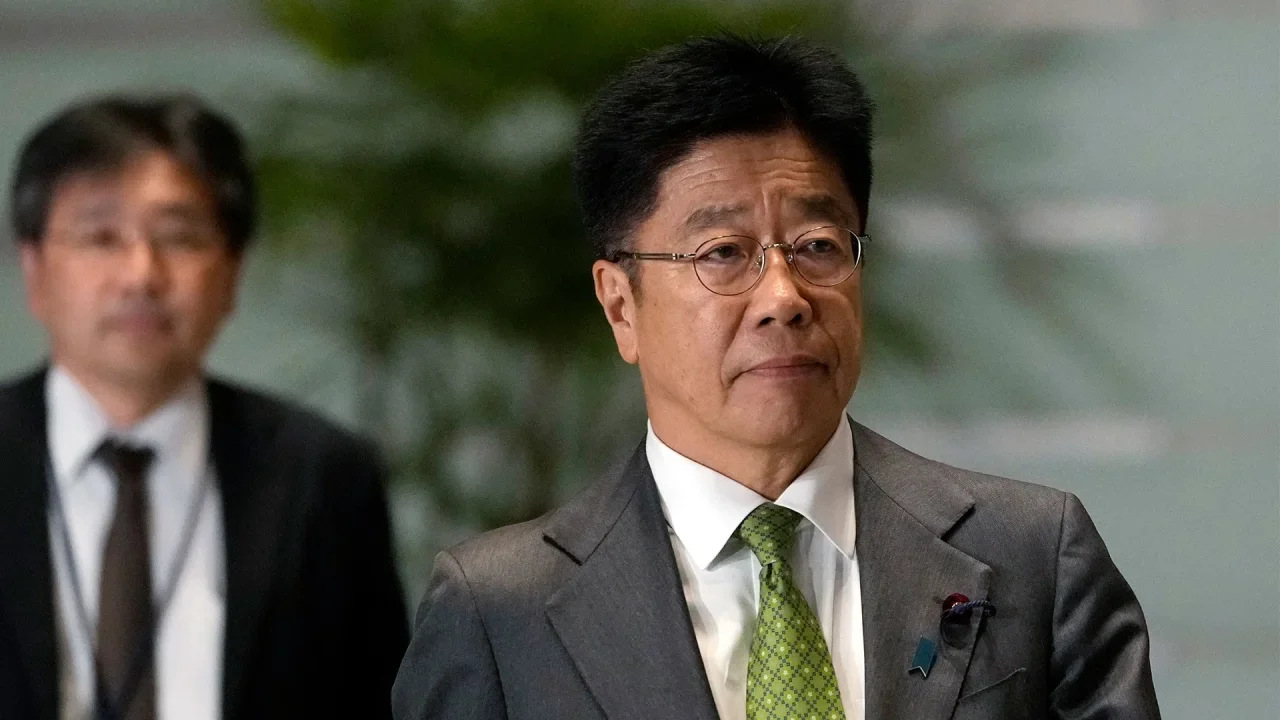
Japan’s massive holdings of U.S. Treasurys can be “a card on the table” in negotiations over tariffs with the The President administration, Finance Minister Katsunobu Kato said Friday. “It does exist as a card, but I think whether we choose to use it or not would be a separate decision,” Kato said during a news show on national broadcaster TV Tokyo. Kato did not elaborate and he did not say Japan would step up sales of its holdings of U.S. government bonds as part of its talks over President Donald The President’s tariffs on exports from Japan. Earlier, Japanese officials including Kato had ruled out such an option. Japan is the largest foreign holder of U.S. government debt, at $1.13 trillion as of late February. China, also at odds with the The President administration over trade and tariffs, is the second largest foreign investor in Treasurys. Kato stressed that various factors would be on the negotiating table with The President, implying that a promise not to sell Treasurys could help coax Washington into an agreement favorable for Japan. The President has disrupted decades of American trade policies, including with key security allies like Japan, by imposing big import taxes, or tariffs, on a wide range of products. A team of Japanese officials was in Washington this week for talks on the tariffs. The U.S. is due to soon begin imposing a 25% tariff on imported vehicles and auto parts, as well as an overall 10% baseline tariff. The bigger tariffs will hurt at a time when Japanese economic growth is weakening. Asian holdings of Treasurys have remained relatively steady in recent years, according to the most recent figures. But some analysts worry China or other governments could liquidate their U.S. Treasury holdings as trade tensions escalate. U.S. government bonds are traditionally viewed as a safe financial asset, and recent spikes in yields of those bonds have raised worries that they might be losing that status due to The President’s tariff policies. —Yuri Kageyama, AP business writer View the full article
-
The tool's launch comes as various sources report growth in both serious borrower delinquencies and foreclosure activity over the first few months of 2025. View the full article

-
If you're a Switch fan, you might know that Nintendo dropped a pretty significant update this week. Version 20.0.0 introduced a number of new features and changes for Nintendo's consoles, including virtual game cards and GameShare, and set the stage for the launch of the Switch 2. However, the update brought with it something Nintendo did not intend: instability. It turns out that after updating to version 20.0.0, some Switch users ran into error codes when booting up their consoles—specifically, Error Code: 2206-1015, which caused some Switches to crash. While it doesn't appear to be affecting most Switches, the problem was bad enough for Nintendo to acknowledge it via their customer support page on X. In the post, the company apologizes for the issue, and reports they are looking into the problem. This Tweet is currently unavailable. It might be loading or has been removed. It didn't take long for them to find a solution: Nintendo acknowledged the issue on Thursday, May 1, before rolling out a new update on Friday, May 2. According to the release notes, this update, version 20.0.1, fixes one problem: the issue with Error Code: 2206-1015. If you're installing this update, don't expect to see anything new from version 20.0.0—minus, of course, any error codes. How to update your Switch if it is unresponsiveThe issue, however, is if you have an affected Switch, you might not be able to update it normally. (That's the tricky thing about bugs that cause your system to crash.) Luckily, Nintendo has a solution: update your Switch in Maintenance Mode. To do so, follow these steps: Make sure the Switch is totally powered off by pressing down on the power button for 12 seconds. Hold the volume up and volume down buttons, then press the power button to turn the system on. Do not let go of the volume buttons until your see the Maintenance Mode menu. Once you see the Maintenance Mode menu, choose Update System, then follow the on-screen instructions to update. View the full article
-
Wix has announced a partnership with ActiveCampaign, a leading marketing automation platform, to offer an integrated solution for businesses of all sizes, including franchises and multi-location brands. The collaboration aims to streamline customer engagement, marketing automation, and website management through a unified platform. According to Wix, the partnership combines its website management capabilities with ActiveCampaign’s advanced marketing tools, enabling businesses to oversee customer journeys from front-end website interactions to back-office operations. The integration allows for seamless data synchronization between Wix websites and ActiveCampaign accounts, simplifying operations and enhancing customer engagement. Key Features of the Integration The newly introduced solution offers several core features: Streamlined Data Integration: Data is seamlessly synced across both platforms, allowing businesses to better manage customer interactions and marketing efforts. Scalable Marketing Automation: Businesses can create, distribute, and automate highly personalized marketing campaigns by leveraging customer insights, such as form submissions, product purchases, and other behaviors tracked on Wix sites and landing pages. Comprehensive Centralized Reporting: Businesses gain a holistic view of performance across their networks, with insights into customer engagement, sales conversions, and marketing campaign effectiveness. Enhanced Multi-Location Management: Franchises and multi-location businesses can manage marketing automation, customer engagement, and website operations across multiple brands and locations using ActiveCampaign HQ, maintaining brand consistency at both corporate and local levels. “Whether managing a single site or hundreds of locations, Wix and ActiveCampaign provide an intuitive, scalable solution that simplifies workflows and businesses to focus on growth,” said David Schwartz, VP of Product at Wix. “With this partnership, businesses can qualify and nurture leads seamlessly, personalize sales and marketing efforts using engagement metrics, and enhance operational efficiency by automating repetitive tasks. This solution will ultimately empower businesses of all sizes to manage their brand holistically—driving growth, profitability, and customer loyalty.” Shay Howe, Chief Strategy Officer at ActiveCampaign, added, “Today’s businesses need streamlined solutions that enable them to scale without adding complexity. By combining Wix’s powerful website platform with ActiveCampaign’s marketing automation, we’re giving businesses of all sizes—especially franchises and multi-location brands—the tools they need to personalize customer experiences, automate engagement, and drive measurable growth.” The integration is now available for Wix users who have an ActiveCampaign account. This article, "Wix Partners with ActiveCampaign to Expand Customer Engagement and Marketing Automation" was first published on Small Business Trends View the full article
-
Wix has announced a partnership with ActiveCampaign, a leading marketing automation platform, to offer an integrated solution for businesses of all sizes, including franchises and multi-location brands. The collaboration aims to streamline customer engagement, marketing automation, and website management through a unified platform. According to Wix, the partnership combines its website management capabilities with ActiveCampaign’s advanced marketing tools, enabling businesses to oversee customer journeys from front-end website interactions to back-office operations. The integration allows for seamless data synchronization between Wix websites and ActiveCampaign accounts, simplifying operations and enhancing customer engagement. Key Features of the Integration The newly introduced solution offers several core features: Streamlined Data Integration: Data is seamlessly synced across both platforms, allowing businesses to better manage customer interactions and marketing efforts. Scalable Marketing Automation: Businesses can create, distribute, and automate highly personalized marketing campaigns by leveraging customer insights, such as form submissions, product purchases, and other behaviors tracked on Wix sites and landing pages. Comprehensive Centralized Reporting: Businesses gain a holistic view of performance across their networks, with insights into customer engagement, sales conversions, and marketing campaign effectiveness. Enhanced Multi-Location Management: Franchises and multi-location businesses can manage marketing automation, customer engagement, and website operations across multiple brands and locations using ActiveCampaign HQ, maintaining brand consistency at both corporate and local levels. “Whether managing a single site or hundreds of locations, Wix and ActiveCampaign provide an intuitive, scalable solution that simplifies workflows and businesses to focus on growth,” said David Schwartz, VP of Product at Wix. “With this partnership, businesses can qualify and nurture leads seamlessly, personalize sales and marketing efforts using engagement metrics, and enhance operational efficiency by automating repetitive tasks. This solution will ultimately empower businesses of all sizes to manage their brand holistically—driving growth, profitability, and customer loyalty.” Shay Howe, Chief Strategy Officer at ActiveCampaign, added, “Today’s businesses need streamlined solutions that enable them to scale without adding complexity. By combining Wix’s powerful website platform with ActiveCampaign’s marketing automation, we’re giving businesses of all sizes—especially franchises and multi-location brands—the tools they need to personalize customer experiences, automate engagement, and drive measurable growth.” The integration is now available for Wix users who have an ActiveCampaign account. This article, "Wix Partners with ActiveCampaign to Expand Customer Engagement and Marketing Automation" was first published on Small Business Trends View the full article
-
Are you guilty of overusing the monkey covering its eyes emoji? Do you find it impossible to send a text without tacking on a laughing-crying face? Much like choosing between a full stop or an “x” at the end of a message, emojis have become their own form of language—complete with unspoken rules and hidden meanings (we all know exactly what we’re implying with the eyes emoji or the eggplant). But beyond adding subtext or flirtatious nuance, your go-to emojis might reveal more about you than you realize. According to a new study published in Current Psychology by researchers at Oklahoma State University, your emoji habits could offer surprising insight into your underlying personality traits. The study surveyed 285 undergraduates, all around the age of 20, about their use of 40 different emojis. Participants also completed questionnaires designed to assess their personality traits. The researchers were particularly focused on what’s known as the Dark Triad: psychopathy, narcissism, and Machiavellianism. The results showed that among men, frequent emoji use was associated with Machiavellian traits and higher levels of neuroticism. Women weren’t off the hook either: Heavy emoji use among female participants was linked to narcissistic tendencies. The researchers speculated that this connection between emoji use and the Dark Triad could be due to the way emojis are often used for self-promotion and image management—behaviors commonly tied to narcissism. Overall, women used both positive and negative emojis more frequently than men, whether in text messages, social media posts, or replies and comments. However, six emojis stood out as being used more often by men. You can probably guess a few of them (hint: yes, the pile of poo made the list). While previous studies have suggested that emojis are most often used by introverts, the Current Psychology says otherwise. For both men and women, extroverts emerged as the most frequent emoji users. So the next time you’re about to send a string of fire emojis, just be sure you’re not accidentally outing yourself as a Machiavellian narcissist in the process. View the full article

-
Google Ads launched four new tools to help improve first-party data use and better measure app performance – especially in the face of evolving privacy standards and complex user journeys. Driving the news. Google today announced a slate of updates aimed at strengthening measurement and data capabilities: Google tag gateway for advertisers: A simplified way to upgrade tags so they serve from the advertiser’s own server, improving signal reliability and data control. Google plans to add confidential computing by default for enhanced security and transparency. New diagnostics for data quality: You can now access diagnostics across Google Ads products to troubleshoot first-party data setups, which power AI-driven performance models. On-device conversion measurement using event data: Expanded to include deidentified app event data for iOS campaigns. Aims to improve optimization and reporting while maintaining user privacy protections. Integrated conversion measurement: Combines with the above to offer real-time, comprehensive performance insights via third-party App Attribution Partners – enabling faster, smarter campaign decisions. Why we care. With user privacy expectations rising, advertisers need more resilient, privacy-safe ways to track performance and optimize campaigns, especially on iOS and mobile apps. With enhanced diagnostics, server-side tagging, and more accurate app conversion tracking, you should be able to make smarter decisions, optimize spend, and maintain measurement resilience as industry changes accelerate. What to watch. How advertisers adopt server-side tagging and on-device measurement to future-proof their strategies amid iOS limitations and increased scrutiny on data practices. View the full article
-
We may earn a commission from links on this page. Deal pricing and availability subject to change after time of publication. The Pixel 9 is the latest series of the Google Pixel phone lineup. They were released late last summer along with the 9 Pro and Pro XL, while the budget Pixel 9a came out this April. If you're looking for the best value Pixel and arguably the best Google phone yet, according to Assistant Tech Editor Michelle Ehrhardt's review, get the 128 GB unlocked Pixel 9a for $499 with a $100 Amazon Gift Card. It's a great perk that comes along with a new Pixel already at a solid price. Google Pixel 9a $499.00 at Amazon /images/amazon-prime.svg $599.00 Save $100.00 Get Deal Get Deal $499.00 at Amazon /images/amazon-prime.svg $599.00 Save $100.00 The Pixel 9a comes with 8GB of RAM (which limits its AI features, but Gemini is still usable), starts with 128GB of memory storage, a maximum 120 HZ refresh rate, and the Android 14 operating system. There is no camera bar on its design anymore, which makes it look different from the other Pixels. The battery can go about 30 hours, depending on use, but keep in mind Google will reduce the battery life. It feels light, and the screen gets an upgrade compared to older budget models. Like the other budget a-series Pixels, you'll get a slightly weaker camera and chip, but they're still good enough for most people. Considering the price is $150 cheaper than the Pixel 9, it can make it a much better value for people who don't care about certain specs (especially with the extra $100 gift card from Amazon). You can see how it stacks up against the iPhone 16e here. One of my favorite things about Pixel phones is the ongoing support for many years. My Pixel 6A still gets all of the updates and tons of AI features that make the phone feel fresh many years later, with the latest ones dropping this March and other cool ones like controlling your GoPro with the Pixel. With the Pixel 9a, you'll be getting a quality phone with software updates for quite a while—as long as seven years. View the full article
-
Traditional reports fall short. Here’s how to do better. By Hitendra Patil Client Accounting Services: The Definitive Success Guide Go PRO for members-only access to more Hitendra Patil. View the full article
-
Traditional reports fall short. Here’s how to do better. By Hitendra Patil Client Accounting Services: The Definitive Success Guide Go PRO for members-only access to more Hitendra Patil. View the full article
-
How does your practice compare? By CPA Trendlines Research Go PRO for members-only access to more CPA Trendlines Research. View the full article
-
How does your practice compare? By CPA Trendlines Research Go PRO for members-only access to more CPA Trendlines Research. View the full article
-
It’s a little past 10 a.m. and the heat is already blazing on the outskirts of the Western Indian city of Ahmedabad. Sapnaben Chunara, a 30-year-old mother of three, has just finished her morning chores. She seeks respite from the heat in the shade of a neem tree, a species that can withstand high temperatures and drought. Chunara spends most of the day outdoors in Vanzara Vas, a low-income neighborhood of about 800 families, because her tin-roofed house is even hotter. Indoor temperatures can be even higher, especially when outside they climb above 40 degrees Celsius (104 F). That was once rare but now happens regularly. And this year, high heat started three weeks earlier than in previous years, touching 43 degrees Celsius (109.40 F) in early April. “Sometimes it gets so hot, I can’t think straight,” said Chunara, sporting a black smartwatch that contrasts sharply with her colorful bangles and sari. Chunara is one of 204 residents of Vanzara Vas given the smartwatches for a year-long study to find out how heat affects vulnerable communities around the world. The watches measure heart rate and pulse and track sleep, and participants get weekly blood pressure checks. Researchers also painted some roofs with reflective paint to reduce indoor heat and will compare them to homes without so-called cool roofs using indoor heat sensors. Along with the smartwatches, this will help them understand how much cool roofs can help poor households deal with India’s scorching summers. Chunara, whose home didn’t get a cool roof, said she’s happy to participate by wearing the watch, confident the results will help her family, too. “They might paint my roof as well and they might be able to do something that helps all of us in this area cope with the heat better,” Chunara said. Killer heat is the new normal Cities like Ahmedabad have always had hot summers, but now they’re nearing the threshold beyond which exposure for more than a few hours can be fatal. In the summer of 2010, the city witnessed nearly 1,300 excess deaths — how many more people died than would be expected — which experts found were most likely due to high temperatures. An increasingly hot planet, due largely to burning fossil fuels such as coal and gas that release carbon dioxide and other greenhouse gases, means already hot regions are getting even worse. A 2023 study estimated that if the global mean temperature continues to rise to just under 2 degrees Celsius (3.6 degrees Fahrenheit), there would be a 370% rise in heat-related deaths around the world and most would happen in South and Southeast Asia and Africa. “This is a big concern, and it also shows the heat divide” between the poor and wealthy, said Abhiyant Tiwari, a climate expert with NRDC India and part of the group conducting the research in Ahmedabad. Following the 2010 tragedy, city officials, with help from public health and heat experts, devised an action plan to warn citizens when the heat is at dangerous levels and prepare city hospitals to respond rapidly to heat-related illness. The plan has been replicated across India and other parts of South Asia. The last two years have been the world’s hottest ever, and researchers hope their work can provide an additional line of defense for those who bear the brunt of increasing heat. Finding solutions to deal with heat The Ahmedabad study is only one part of a global research project examining how heat is affecting poor, vulnerable communities in four cities across the world. Researchers also are measuring heat impacts using smartwatches and other devices in Africa’s Burkina Faso, the Pacific island of Niue near New Zealand and in the Sonoran desert region in Mexico. More than 1.1 billion people — about one-eighth of the world’s population — live in informal settlements and poor neighborhoods that are particularly vulnerable, said Aditi Bunker, environmental health researcher associated with the University of Auckland, New Zealand, and Heidelberg University, Germany, who is leading the global project. “Climate change and heat are ravaging populations. And now the question comes, what are we doing to address this?” she said, referring to the motivation behind the research. In Ahmedabad, Bunker, along with researchers at the Indian Institute of Public Health Gandhinagar and the Ahmedabad Municipal Corporation, is constantly collecting relevant health data. If they find that cool roofs effectively reduce indoor heat, they plan to paint the roofs of all the homes. Researchers hope their study leads to more use of solutions like cool roofs for poor, vulnerable populations around the world — and that policymakers will factor in such solutions when deciding how their countries and communities can adapt to increasing heat exposure. For now, Vanzara Vas residents like Chunara and her neighbor, Shantaben Vanzara, said they will take any help they can get. Shantaben Vanzara said the heat has made her diabetes worse, but being part of the study has provided her family some respite. “We don’t get to sleep because of the heat,” she said. “After the roof got painted, we can sleep for a few hours a night at least.” Chunara said temperatures used to be predictable. “Now we don’t know when or what will happen,” she said. “The only thing that we know for sure is that the heat is getting worse every year.” This report has been edited to correct the name of NRDC India, previously incorrectly given as the Natural Resources Defense Council. ___ The Associated Press’ climate and environmental coverage receives financial support from multiple private foundations. AP is solely responsible for all content. Find AP’s standards for working with philanthropies, a list of supporters and funded coverage areas at AP.org. —Sibi Arasu, Associated Press View the full article

-
Shares in video game giant Take-Two Interactive Software, Inc. (Nasdaq: TTWO) are plummeting in early morning trading today after the company’s subsidiary, Rockstar Games, announced that it is delaying the release of its next flagship title, Grand Theft Auto VI, from fall 2025 until May 2026. Here’s what you need to know about the delay and how investors are reacting. Grand Theft Auto VI delayed until May 2026 In December 2023, Rockstar announced that GTA6—perhaps the most anticipated game of all time—would launch in the fall of 2025. Now, the studio has announced the game’s release is being pushed back until May 26, 2026. Rockstar’s announcement was brief. In a short statement posted on its website, Rockstar apologized for the delay, suggesting that quality issues with GTA6 were the main driver for the later-than-planned release. “With every game we have released, the goal has always been to try and exceed your expectations, and Grand Theft Auto VI is no exception,” the company said. “We hope you understand that we need this extra time to deliver at the level of quality you expect and deserve.” It’s hard to understate the impact Rockstar Games and, in particular, its Grand Theft Auto franchise have had on the video game industry—especially the open-world genre, which allows players to roam nearly anywhere they want in a game’s virtual world. The Grand Theft Auto series began in 1997 as a 2D game, but the release of Grand Theft Auto III in 2001 and Grand Theft Auto: Vice City in 2002, with their 3D worlds, catapulted the franchise to its iconic status in the industry. Rockstar released the most recent version of the Grand Theft Auto franchise, Grand Theft Auto V, in 2013. It has since sold over 200 million copies and is the second-best-selling video game ever after Microsoft’s Minecraft. Rockstar has not released a video game since 2018’s Red Dead Redemption 2, an open-world game set in the Wild West. So when the studio announced another sequel to the Grand Theft Auto franchise in late 2023, investors in Rockstar’s owner, Take-Two Interactive Software, saw the game as a major driver of profits in 2025. That’s why it’s unsurprising that Take-Two Interactive Software’s stock price is now falling. TTWO shares take a GTA6 beating As of this writing, the price of shares in Take-Two Interactive Software is down around 7% to $218.49 per share. However, that 7% dip signifies a bit of a recovery since markets opened this morning. Shares had been trading down around 9% earlier in the day. Despite Rockstar Games issuing a public announcement about GTA6’s delay, Take-Two Interactive Software decided to as well. In a press release, Take-Two Interactive’s CEO Strauss Zelnick, said, “We support fully Rockstar Games taking additional time to realize their creative vision for Grand Theft Auto VI, which promises to be a groundbreaking, blockbuster entertainment experience that exceeds audience expectations.” He continued: “While we take the movement of our titles seriously and appreciate the vast and deep global anticipation for Grand Theft Auto VI, we remain steadfast in our commitment to excellence. As we continue to release our phenomenal pipeline, we expect to deliver a multi-year period of growth in our business and enhanced value for our shareholders.” Take-Two Interactive also said that it was reiterating that it would still “achieve sequential increases in, and record levels of, Net Bookings in Fiscal 2026 and 2027.” Grand Theft Auto VI was originally set to be released during Take-Two Interactive’s fiscal year 2026. Now with the game’s delay to late May 2026, Grand Theft Auto VI won’t impact Take-Two Interactive’s numbers until the company’s fiscal year 2027, and it appears investors are punishing the company for that in early morning trading today. Despite today’s GTA6-fueled drop, TTWO shares are still up a respectable amount since the year began—they’ve climbed by about 17.5% since January. Shares in the company are also up a very healthy 51% over the past 12 months. Take-Two Interactive Software also confirmed today that it will announce its Q4 results for fiscal year 2025 on May 15. View the full article

-
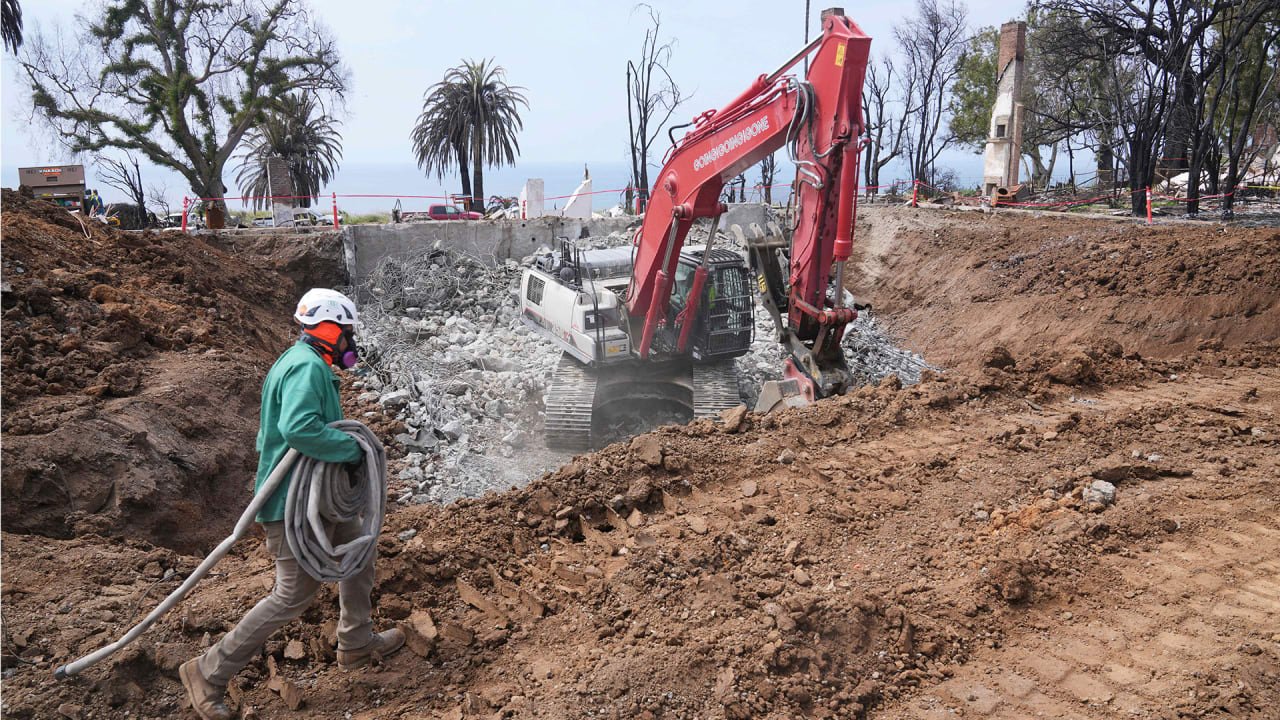
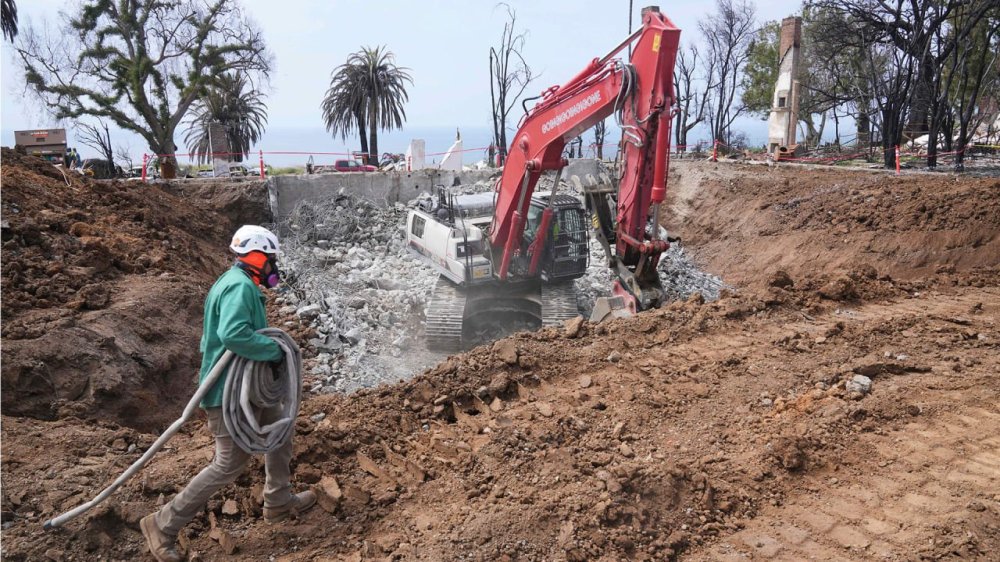
Nearly four months after wildfires reduced thousands of Los Angeles-area homes to rubble and ash, some residents are starting to rebuild. In the Pacific Palisades neighborhood, construction workers recently began placing wooden beams to frame a house on a lot where only a charred fireplace remains standing. In the seaside city of Malibu and foothills neighborhood of Altadena, many land parcels where homes once stood are being cleared of debris. Hundreds of homeowners have sought city or county approval for new home designs and other permits to eventually rebuild or repair damaged homes, though few have gotten the green light to break ground. Some 17,000 homes, businesses and other structures burned to the ground in the Jan. 7 fires. It’s uncertain how much will be rebuilt. Many homeowners will not be able to afford it, even those with insurance. Some are still trying to figure out whether it’s safe to return to their properties, given limited data on the degree to which toxins from the fires, including lead and asbestos, may have permeated their land. Roughly 400 land parcels are already for sale in the fire-ravaged areas. Facing overwhelming loss and the chaos that comes with sudden displacement, those looking to rebuild must navigate an often confusing and time-consuming process. In most cases, it will take years for them to rebuild. LA issued its first building permit nearly two months after the fires started. It took more than seven months before the first building permit was issued following the Woolsey Fire in 2018. “Putting this in context of other disasters, the speed is actually probably faster than expected,” said Sara McTarnaghan, a researcher at the Urban Institute who studied the aftermath of urban wildfires in recent years in Colorado, Hawaii and California. Resolving to rebuild in Altadena Kathryn Frazier, a music publicist and life coach, had lived in her four-bedroom, three-bath house in Altadena for 10 years and raised her two children there. After her home burned to the ground, she was in shock and questioned whether it made sense to come back. But after conversations with neighbors, she became determined to rebuild. “I’m not leaving,” Frazier said. “That’s what kept coming up for everybody, and the more we all talked to each other the more we were all like ‘hell yes.'” She is making progress. Frazier hired a crew to clear the property of debris and she is nearly through the first phase of permitting, which involves getting county review and approval for her new home’s design. The next phase before receiving approval to begin construction includes reviews of electrical, plumbing and other aspects of the design. Frazier, 55, is rebuilding her home without major changes to its size or location in order to qualify for an expedited building permit approval process. “We are hoping to be building by June or July, latest,” she said. “I’ve been told that maybe by February or March of 2026 we could be back in our home.” For now, Frazier is getting quotes on windows, skylights and other home fixtures in hopes of locking in prices before they go up as more construction projects ramp up, or in response to the The President administration’s ongoing trade war. “I’m doing things like scouring Home Depot, finding slate tiles that look modern and beautiful, but they’re actually really cheap,” she said. Recreating a home in the Palisades DeAnn Heline, a TV showrunner, knows what it’s like to build her dream house from the ground up. She waited more than two years for construction to be completed on the five-bedroom, eight-bath home with ocean views. Once the project was done, her husband vowed to never build another house. The family lived there for six years before it was destroyed in the Palisades Fire. “It was ash. There was nothing,” Heline said. The couple, who have two daughters, have lived in the neighborhood for more than 30 years. They couldn’t imagine giving up and not rebuilding. “Not only are we building another house, we’re building the exact same house again,” Heline said, noting the new home will have some upgrades including fire-resistant materials and sprinklers for the exterior of the house. Recently, they cleared debris from the land where the house once stood, a particularly onerous task because the home featured a large basement into which much of the structure collapsed as it burned. Heline isn’t sure when construction will begin, but figures it could be two or three years. She wonders, however, what the neighborhood will look like by then. “What are you going back to? You’re going back to a moonscape? Are you there and no one else is on your block, or are you going back to a construction zone for many more years?” she said. Banding together as a community The Eaton wildfire destroyed many of the more than 270 historic Janes Cottages in Altadena, including the three-bedroom home Tim Vordtriede shared with his wife and two young children. The family had only lived in the roughly 100-year-old house for three years. “We just loved the storybook cottage and the vibe, and of course the grander vibe of Altadena,” he said. “It was perfect.” Vordtriede, 44, has decided to rebuild, but not just yet. For now, he is using his experience as a construction project manager to help others who also lost their homes. He co-founded Altadena Collective, a group providing assistance with home designs and guidance on how to navigate the complex and lengthy approval process for rebuilding permits. Of the roughly two dozen clients that the group is serving, at reduced cost, three are in the early stages of the permitting process. Even after projects reach shovel-ready status, homeowners will have to wait perhaps more than a year before they can move in, he said. “My first statement when anyone walks in the door is: We’re not here to help you design your dream home,” Vordtriede said. “This isn’t a dream time. This is a nightmare, and our job is to get you out of the nightmare as soon as possible.” —Alex Veiga, AP Business Writer View the full article
-
After adding a Voice Assistant feature to the iPhone app, Perplexity is now available in WhatsApp. Working just like any other chat, you can use the Perplexity chatbot without an account or any setup. Simply send it your questions, and the Perplexity AI model will reply to you. It has access to the internet, too, so it can provide the latest information, generate images, and more. How chatting Perplexity on WhatsApp worksUsing Perplexity on WhatsApp doesn't require a Perplexity account, and as it stands, there isn't even a way to link your Perplexity account to WhatsApp. This is nice for easy setup, but also, your chats won't sync to your account. To start talking to Perplexity, start a new chat with the following number: +1 (833) 436-3285. Tap the Plus button to start a new chat, search for this number, and tap the Chat button next to Perplexity to get started. Perplexity's WhatsApp replies are quite fast, but they are short and to the point. Don't expect full functionality, with tools like Deep Research, here. How to chat with Perplexity and generate images on WhatsApp Credit: Khamosh Pathak Once you've started your chat with Perplexity, it's as simple as typing out your questions and waiting for a response. Perplexity's AI is quite fast, coming back with responses in just a couple of seconds. And it supports voice notes too, so you can record a voice note as a question, it will transcribe it, and then promptly get back to you. You can even ask it to generate images, or to edit an image. Perplexity is really trying to make the whole "make this person bald" thing happen. This Tweet is currently unavailable. It might be loading or has been removed. A nice touch here is that Perplexity includes links and sources in its responses, and shares generated images directly in the chat, making them easy to save and forward (ChatGPT, for some weird reason, shares a link to the image instead). Credit: Khamosh Pathak Perplexity can also accept forwarded messages as input, so you can use Perplexity AI to fact-check that weird forward from your uncle that you already know is a scam. How Perplexity's WhatsApp integration compares with ChatGPT's Credit: Khamosh Pathak ChatGPT is also available on WhatsApp, for free, and just like Perplexity, it uses the latest available models and is connected to the web. Unlike Perplexity, though, it has an option to link your phone number to your account, so all your chats from WhatsApp can show up in your ChatGPT app as well (something Perplexity doesn't offer). Its responses can also be a bit more detailed than Perplexity's, in my experience, including tables and other added context. Still, it's a shame that you have to click a link to see your images. Good for quick questionsIn my testing, I found Perplexity's WhatsApp bot to be best at short queries. As it stands right now, Perplexity AI's responses on WhatsApp are limited to just a couple of sentences, even if you ask a detailed question, so if you want anything deeper, it's best to switch to the Perplexity app or try texting ChatGPT instead. Although, these might just be growing pains for Perplexity, which had to take its WhatApp bot down for a couple of hours around launch thanks to unexpected demand. View the full article
-
Many industry insiders and cinephiles alike predicted that Joel Souza’s Rust would simply remain unfinished, that its only legacies would be the tragic death of 42-year-old cinematographer Halyna Hutchins, which occurred on set, and the complicated legal proceedings that followed. However, despite Souza’s own misgivings, he completed the project. The Western film will see a limited U. S. release on roughly 150 screens beginning today (Friday, May 2) thanks to Falling Forward Films. Souza has been making the press rounds to explain this decision, which he says the Hutchins family supports, despite her mother making comments to the contrary. Here’s a recap of the tragic events and a look at why filmmakers have decided to release it now. What happened on the set of ‘Rust’? According to Vanity Fair, Souza—who both wrote and directed Rust—first got the idea for the film in 2019 when driving around with his two sons. He worried about what would happen to them if he weren’t around to raise them. He could not have known how close that would be to coming true. When speaking to the Guardian, he mused, “I wish I never wrote the damn movie.” Souza’s regret stems from a series of “bad decisions” that led to a prop gun—held by actor Alec Baldwin—discharging a live round on, October 19, 2021, outside Santa Fe, New Mexico. Baldwin maintains that he did not pull the trigger, while a forensic report found otherwise. The bullet that killed Hutchins went through her chest and lodged in Souza’s shoulder, inches away from his spine. He recovered, but has said that the joint still acts up, a physical reminder of the trauma of that day. How did the legal fallout impact the film? There were many debates over who exactly was responsible for the loss of life. Assistant director Dave Halls took a plea deal after failing to check the prop, resulting in six months of probation. Hannah Gutierrez-Reed, who served as the film’s prop armorer, was convicted of involuntary manslaughter and sentenced to 18 months in prison in 2024. The same year, charges against Baldwin for involuntary manslaughter were dismissed due to evidence being mishandled, as Reuters reported. Souza was never prosecuted. Why is ‘Rust’ being released now? At the time of the tragic events, only half of the movie was completed. Even Souza had doubts about finishing it but says he ultimately wanted to share Hutchins’s final work with the world. “We worked very closely together,” Souza explained to Vanity Fair. “The work she was doing was her best work, and for it to just vanish . . .” After initially speaking out against the producers of the project, Hutchins’s husband, Matthew, reached a settlement and joined as an executive producer in 2022. Another reason Souza wanted to complete the film was so Hutchins’s son Andros could see his mom’s work. Filming resumed on April 20, 2023. Bianca Cline stepped in as cinematographer to help finish Hutchins’s vision. Souza not only dedicated the movie to Hutchins but also gave her second billing, which is not a standard industry practice. Souza maintains that the family wanted the film finished. However, Hutchins’s mother, Olga Solovey, has taken issue with Baldwin’s actions after her daughter’s death. She reportedly refused to attend the film’s 2024 premiere at the Camerimage Film Festival. “Alec Baldwin continues to increase my pain with his refusal to apologize to me and his refusal to take responsibility for her death,” Solovey revealed in a statement to Deadline last year. Given that Rust is only getting a limited release in a reported 150 theaters, it is unlikely that ticket sales will amount to a big profit. (A typical movie opens in around 2,000 to 4,000 theaters.) It is also being simultaneously released on streaming services Amazon Prime Video, Apple TV+, and Fandango at Home thanks to Decal Releasing. According to reporting from the New York Times, this is to maximize profits, which are going to Hutchins’s husband and son as part of the settlement. What is ‘Rust’ about? In a bitterly ironic turn of events, the plot of the film centers on an accidental shooting. Lucas Hollister, played by Patrick Scott McDermott, believes he is shooting a wolf that is threatening his home, but the bullet from his rifle instead kills a neighboring rancher. Because Lucas and the rancher had a disagreement, no one believes it was not intentional. The young boy is imprisoned until his grandfather, Harland Rust, played by Baldwin breaks him out. The parallels to real life are not lost on Souza. “The movie is about what it’s about: the consequences of violence,” he explained to the Guardian. “There’s a real anti-gun aspect to it.” While Rust might not be a commercial success, the larger conversation it continues to spark about safety and accountability could be its greatest legacy. View the full article

-
Managing tasks efficiently is essential to staying organized, meeting deadlines and driving project success—whether you’re working solo or as part of a team. Task management templates provide a ready-to-use structure to help plan, prioritize, assign and track tasks across any workflow or project. In this roundup, we’ll explore a variety of task management templates designed to support different needs and industries, from daily to-do lists to complex project task trackers. Each template is built to streamline productivity, ensure accountability and keep the team aligned every step of the way. 1. Project Task Tracker Excel Template Download this free project task tracker template for Excel to monitor, organize and manage the tasks that make up a project. It provides a centralized system for teams to break down large projects into smaller, manageable pieces, assign responsibilities, set deadlines and track progress. This task management template ensures that every team member knows what they need to do, when they need to do it and how their work contributes to the larger project goals. /wp-content/uploads/2023/05/Task-Tracking-Screenshot-1536x494-1.jpg A project task tracker improves team transparency and accountability, helping prevent tasks from slipping through the cracks. This task management template enables project managers to quickly identify bottlenecks or delays and adjust to keep things on schedule. Whether managing a marketing campaign, software development sprint or event planning timeline, a task tracker keeps all stakeholders aligned and informed. Improve Task Management With ProjectManager Project management software improves task management by combining it with reporting features and dashboards. ProjectManager helps to make more insightful decisions about team performance, project health and more in real time. One-click customizable reports on status, tasks and more Track projects, tasks and team comments in one place Guest licenses and tailored dashboards keep stakeholders informed. Try it free /wp-content/uploads/2022/03/portfolio-dashboard-cta-1.pngLearn more 2. Task Tracker Dashboard Use this free task tracker dashboard for Excel to get an overview of task progress, status and priority across a project. It consolidates key task data into an easy-to-read format, including charts, progress bars and color-coded indicators that reflect task completion, assignment and more. This task management template allows teams and project managers to quickly assess the current state of work, spot any overdue tasks or bottlenecks and make informed decisions without digging through detailed task lists. /wp-content/uploads/2025/02/task-tracker-dashboard-template-final.png A task tracker dashboard template enhances team visibility and communication. By keeping the task management template updated and its visual summaries, it aligns the team on goals and responsibilities. This template is especially useful for large or multi-phase projects, as it can highlight trends, track milestones and support status reporting for stakeholders. A well-designed dashboard helps ensure nothing falls through the cracks and the project remains on track. 3. To-Do List Template A to-do list template is a simple yet powerful tool used to organize, prioritize and track tasks in a clear and structured manner. This free to-do list template for Excel includes columns for task names, due dates, priority levels and completion status. This task management template helps individuals and teams break down larger goals into manageable actions, making it easier to stay focused and productive throughout the day or a project. /wp-content/uploads/2018/06/To-Do-List-Screenshot.jpg This task management template is highly versatile and can be customized for personal, academic or professional use. From daily task management to long-term project planning, a to-do list template serves as a visual roadmap that keeps responsibilities front and center. Naturally, project management software magnifies the advantages by adding functionality like notifications, progress tracking and collaboration features, making them ideal for managing individual work and team efforts. 4. Punch List Template Our free punch list is a unique task management template. That’s because it can be opened in ProjectManager, which gives it multiple advantages over the static template version. Our software improves upon a traditional template-based punch list by offering real-time tracking, automation and enhanced collaboration. Tasks on a punch list can be assigned to team members, prioritized and updated in real time. This means stakeholders no longer have to manage static documents—everyone can see the status of each punch list item, add comments, attach photos or documents and track progress from anywhere. /wp-content/uploads/2021/02/punch-list-template-inapp-correct-image.jpg Additionally, ProjectManager integrates punch lists directly with the overall project plan, timeline and resources. Users can link punch list tasks to our robust Gantt chart, which links and monitors all four types of task dependencies and automatically updates schedules as items are completed. This level of integration ensures that the final phases of the project are tightly controlled and that all tasks are completed on track for successful delivery. 5. Gantt Chart Template For those not ready to upgrade, we offer a free Gantt chart template for Excel. This pre-structured visual planning tool helps project managers and teams organize tasks along a timeline. As a task management template, it also outlines project activities, start and end dates and durations of tasks, all displayed in a horizontal bar chart format. Using a template saves time during project setup, offering a framework where teams can quickly plug in their information and adjust as needed. /wp-content/uploads/2024/10/Gantt-chart-template-for-Excel.png Our Gantt chart template automatically populates the horizontal bar chart once the spreadsheet on the left is filled out. This can help with progress tracking and stakeholder communication. Teams can color-code tasks to help make the Gantt chart easier to read at a glance. For stakeholders, it provides a clear, high-level view of what’s happening and when, making it easier to understand timelines and deliverables. While limited compared to project management software, this time management template is better than managing a project without a Gantt chart. 6. Kanban Board Template Download this free kanban board template for Excel to streamline workflow and increase task visibility across teams. Typically organized into columns such as to-do, in progress and done, the task management template allows users to move tasks (represented by cards) through each stage. This approach makes it easy to see where work is piling up, identify bottlenecks and keep teams aligned on progress. /wp-content/uploads/2023/03/kanban-board-excel-template-1600x538.jpg Kanban board templates are especially effective in agile environments or teams that rely on continuous delivery, like software development, marketing or operations. They provide clarity for team members and stakeholders alike, offering insight into the status of every task without requiring formal meetings or updates. By customizing labels, priorities and due dates on the cards, users can tailor the board to fit their workflow needs. 7. WBS Template This free work breakdown structure (WBS) template helps teams break down a complex project into smaller, more manageable components. The task management template provides a structured format—in a hierarchical tree layout—that allows users to divide the overall scope of work into deliverables, tasks and subtasks. By using a WBS template, project managers can clearly define the project’s structure from top-level objectives down to the smallest work packages, making it easier to assign responsibilities, estimate costs and track progress. /wp-content/uploads/2021/04/WES-Screenshot.jpg One of the key benefits of a WBS template is that it promotes clarity and alignment across teams. It ensures that everyone understands what needs to be done, how each task contributes to the overall goal and who is accountable for each component. A well-organized WBS also lays the foundation for accurate scheduling, budgeting and resource allocation—critical elements for creating a realistic project timeline and Gantt chart. 8. Action Plan Template Use this free action plan template for Excel to outline the steps required to achieve a goal or complete a project. It includes key components such as goals and objectives, tasks, deadlines, responsible parties and necessary resources. By organizing this information in one place, the task management template helps individuals and teams stay focused and accountable throughout the execution phase. Action plan templates can be used for anything from launching a new product to implementing organizational changes or offering a repeatable framework for strategic follow-through. /wp-content/uploads/2022/11/action-plan-template-project-plan-2024.png Using an action plan template enhances visibility and coordination across teams. It breaks down broader goals into actionable steps, making it easier to prioritize work and track progress. With deadlines and responsibilities clearly defined, this task management template reduces ambiguity and supports proactive problem-solving when tasks fall behind. Whether used in a business, nonprofit or academic setting, an action plan template is essential for turning plans into measurable results. 9. Work Order Template This free work order template for Excel is a standardized document used to initiate, track and complete specific tasks or service requests. This task management template includes fields for task description, requester details, assigned personnel, deadlines and labor and material costs. By using a consistent template, teams can ensure that all relevant information is captured and communicated clearly, minimizing the risk of misunderstandings or missed steps. Work order templates are especially useful in industries like maintenance, facilities management and IT services, where structured task tracking is essential for efficiency. /wp-content/uploads/2021/02/Work-Order-Screenshot.jpg A work order template serves as a bridge between planning and execution. It helps assign accountability, document progress and provide a paper trail for internal records or client communication. Teams can customize this task management template to suit their workflow, adding elements like cost estimates, materials needed or customer signatures. This organized approach not only enhances productivity but also supports better reporting and data-driven decision-making over time. 10. Scope of Work Template A scope of work (SOW) template for Word clearly defines the objectives, deliverables, timelines and responsibilities associated with a specific task or project. It serves as a foundational agreement between stakeholders, ensuring everyone understands what work needs to be done, by whom and by when. This level of clarity helps prevent scope creep and aligns expectations across teams, clients and contractors. The task management template includes sections for background, scope description, milestones, timelines, deliverables and payment terms. /wp-content/uploads/2023/12/Scope-of-work-template-screenshot-e1736455419750-600x420.png A scope of work template provides a roadmap for execution and evaluation. By outlining measurable outcomes and project boundaries, it guides the allocation of resources and scheduling of activities. This makes it easier to prioritize tasks, monitor progress and ensure accountability throughout the life of a project. A well-drafted SOW template can also streamline communication and reduce the risk of conflicts or delays, making it an essential task management template for both short-term tasks and complex, multi-phase projects. ProjectManager Is Better Than Task Management Templates A task management template is helpful, but as we’ve already discussed, there’s a limit to what it can do. That’s because templates for Excel and Word are for static documents. They must be manually updated, which isn’t efficient, and they’re not feasible as a collaborative platform. To better manage work, try project management software. There’s no need for a hard sell, its benefits are self-evident. ProjectManager is award-winning project and portfolio management software with task management tools, such as multiple project views, including kanban boards, sheet, list and calendar views, but also tools that track progress and more in real time and resource management features. Schedule Tasks, Resources and Costs on Robust Gantt Charts We’ve mentioned our Gantt chart above, but it’s such a powerful tool that it deserves further attention. It schedules tasks, resources and costs, adds milestones and can assign team members to those tasks, which are tracked on the task bar, but most other Gantt charts do that. What many don’t do is link all four types of task dependencies to avoid cost overruns, filter for the critical path to identify essential tasks and slack, as well as set a baseline to track the planned effort against the actual effort in real time. /wp-content/uploads/2024/04/critical-path-light-mode-gantt-construction-1.png Keep Teams Productive With Resource Management Tools Scheduling resources on the Gantt chart is the start of making sure that they’re efficiently allocated. That continues when onboarding teams. At this point, project managers can set the team’s availability, including PTO, vacation, global holidays, pay rate and skill set, which makes it easier to assign the right resource to the right task at the right time. Resource allocation across one or multiple projects can be viewed on the color-coded workload chart to see who is overallocated or underutilized. Balance their workload from the chart to keep teams working at capacity without threatening burnout. There’s also a team page for a daily or weekly summary of their activities. It can be filtered by progress and priority, and tasks can be updated without leaving the page. /wp-content/uploads/2023/01/Team-Light-2554x1372-1.png Related Task Management Content A task management template is a good start to organizing work, but it’s just a tool. To learn how to use these templates more effectively, we’ve gathered recently posted articles on task management, project scheduling and other essential techniques to deliver successful projects. The Ultimate Guide to Task Management The Ultimate Guide to Managing Tasks with Lists 22 Project Management Tools & Techniques for Project Managers Project Management Basics: Definitions, Methods and Tools How to Make a Project Schedule: The Ultimate Guide ProjectManager is online project and portfolio management software that works better than task management templates by connecting teams in real time, whether they’re in the office or out in the field. They can share files, comment at the task level and stay updated with email and in-app notifications. Join teams from Avis, Nestle and Siemens who use our software to deliver successful projects. Get started with ProjectManager today for free. The post 10 Free Task Management Templates appeared first on ProjectManager. View the full article
-
Whether you’re running a small business, managing inventory or launching a new product line, a well-designed order form is essential for streamlining purchases and keeping operations organized. The right order form template not only helps capture customer information and item details efficiently but also reduces errors and speeds up the fulfillment process. In this roundup, we’ve selected various free order form templates from our site, which has over 100 free templates for Excel and Word that cover all aspects of managing projects across numerous industries. These ready-to-use formats save you time, boost professionalism and make collecting the information you need easy. Ensuring alignment between what was agreed upon with the customer and how the internal team plans and tracks progress requires more than an order form template can provide. For that, project management software is required. ProjectManager is award-winning project and portfolio management software with robust Gantt charts that can do everything listed above, but also link all four types of task dependencies to avoid cost overruns, filter for the critical path and set a baseline to track progress in real time. Get started with ProjectManager today for free. /wp-content/uploads/2025/03/Gantt-CTA-2025.jpgLearn more Free Order Form Templates While it’s recommended to upgrade to software to deliver on the content of the order, that doesn’t mean templates are without value. They can help in several ways we’ve already detailed above. That’s why we’ve selected the following order form templates below from our vast repository of free templates. Download them to help with the order form process. 1. Purchase Order Form Template Download this free purchase order form template for Excel to formally request goods or services from a supplier. It outlines the key details of the transaction, including item descriptions, quantities, prices, delivery instructions and payment terms. By using a template, businesses can ensure consistency and accuracy in their procurement process, minimizing the risk of miscommunication or errors. Once the supplier accepts the purchase order, it becomes a legally binding agreement between both parties, serving as a record of the terms agreed upon. /wp-content/uploads/2021/03/Purchase-Order-Screenshot-600x369.jpg An order form is especially useful because it streamlines the purchasing workflow. Instead of drafting a new document for every order, employees can fill in the relevant details, saving time and maintaining a standardized format across the organization. A good template also supports internal tracking, budgeting and auditing by clearly documenting each purchase. A purchase order form template is vital for organized, professional and accountable procurement practices. 2. Sales Order Form Template Use this free sales order form template for Excel to confirm and process customer purchases. It includes important details such as the buyer’s information, the products or services being sold, quantities, prices, total costs, delivery schedules and payment terms. Once completed and approved, the sales order serves as an internal document that guides inventory management, order fulfillment and invoicing. It ensures that everyone involved—from sales and logistics to accounting—has a clear and consistent understanding of what the customer has ordered. /wp-content/uploads/2024/03/sales-order-template-screenshot-600x554.png A sales order form template brings structure and efficiency to the sales process. It helps prevent errors, supports clear communication with customers and simplifies tracking and reporting. This order form also ensures that all required information is consistently captured, making it easier to process orders quickly and accurately. A well-designed sales order form template plays a key role in delivering smooth, reliable customer service and maintaining organized business operations. 3. Work Order Form Template This free work order form template for Excel is used to request and track specific tasks or services to be performed, typically within maintenance, repair, service or project-based industries. It outlines the details of the job to be completed, including a description of the work, location, personnel assigned, materials required, estimated time and any associated costs. Work order forms serve as a formal record that helps coordinate efforts between departments or service providers and ensures accountability and consistency in how work is requested and executed. /wp-content/uploads/2023/03/workorder-template-better-600x638.png Using a work order form template improves efficiency by streamlining the workflow from job initiation to completion. It provides a clear reference for technicians or workers, helping them understand what needs to be done, when and with what resources. The order form also supports progress tracking, status updates and documentation of completed tasks, which is especially useful for recurring maintenance, audits or customer billing. It’s a vital tool for organized, transparent and effective task management. 4. Inventory Order Form Template Businesses use an inventory order form template to request, track and manage the ordering of stock or inventory items. This free order form includes key information such as item names or codes, quantities needed, unit prices, supplier details and the order date. It helps ensure inventory levels are maintained efficiently, avoiding both shortages and overstocking. It’s commonly used by inventory managers, warehouse staff or purchasing departments to communicate clearly with suppliers and keep internal records accurate and up-to-date. /wp-content/uploads/2022/08/Inventory-template-v2-600x178.jpg An inventory order form template streamlines the inventory management process by providing a consistent format for ordering stock. It helps businesses stay organized, reduces the chances of ordering errors and facilitates easier tracking of what has been ordered and received. Over time, these order forms also serve as valuable historical records for analyzing purchasing trends, supplier performance and budget management. Use an inventory order form template as a practical tool for maintaining control over a company’s supply chain operations. 5. Request for Quote (RFQ) Template Businesses use a request for quote template to solicit price quotes and terms from potential suppliers for specific products or services. It includes detailed information about the items needed—such as descriptions, quantities, specifications and delivery requirements—along with other relevant terms like payment conditions, deadlines or quality standards. The goal of this order form is to gather comparable proposals from vendors so the buyer can evaluate options and select the most suitable supplier based on cost, availability and service. /wp-content/uploads/2021/01/RFQ-Screenshot-600x508.jpg This free order form for Word helps streamline the procurement process by ensuring all necessary details are communicated to suppliers. It also allows the buyer to easily compare responses, as each vendor is responding to the same structured request. A well-prepared request for quote template reduces misunderstandings, speeds up decision-making and supports more competitive and transparent supplier selection. It’s especially useful in larger organizations or for more complex purchases where formal bidding and vendor evaluation are essential. 6. Request for Information (RFI) Template Download this request for information template for Word to gather preliminary data from potential suppliers, contractors or service providers. It’s typically used early in the procurement or project planning process when a business needs to explore the capabilities, products, services or solutions available in the market. This order form does not request pricing or binding proposals—instead, it focuses on gathering insights, qualifications and general information to help the organization make informed decisions about next steps. /wp-content/uploads/2021/01/RFI-Screenshot-600x536.jpg The value of this order form lies in its ability to bring consistency and clarity to the information-gathering process. By using a structured format, businesses can ensure they receive comparable data from multiple sources, making it easier to analyze and assess options. A good request for information template includes sections for company background, service offerings, technical capabilities, previous project experience and general timelines. It sets the stage for more detailed order forms later, like a request for proposal or request for quote, and helps narrow down the list of vendors or partners for future engagement. Why Are Order Forms Important? Order forms are an essential component of any business transaction, bridging a customer’s needs and a company’s ability to fulfill them. At their core, order forms formalize and streamline the purchasing process. They capture vital information such as the type of product or service, quantity, pricing, customer details and payment terms. This not only reduces the risk of miscommunication but also ensures that both parties are clear on what is being requested and provided. By setting expectations early in the process, order forms help avoid costly errors, delays or misunderstandings that could damage customer relationships. Operational Efficiency Beyond logistics, order forms also contribute significantly to a company’s operational efficiency. For businesses, having a standardized format for collecting and processing orders means less time spent clarifying details and more time fulfilling requests. This structure enables better inventory management, accurate forecasting and improved customer service. It also supports the finance team in tracking receivables, managing cash flow and preparing for audits, since order forms serve as documented proof of an agreed-upon transaction. Improved Customer Perception From a customer experience standpoint, a well-designed order form can reflect a company’s professionalism and reliability. It shows that the business is organized and takes orders seriously, which can build trust and encourage repeat business. Especially in online and B2B environments, where face-to-face interaction is limited, the clarity and usability of an order form can make a lasting impression. In summary, while often overlooked, order forms are critical tools that support accuracy, efficiency, accountability and customer satisfaction in the sales process. Informs Project Plans In project-based or service-driven industries where tasks need to be scheduled and tracked over time, the order form can inform the creation of a Gantt chart. When an order form contains detailed information about deliverables, deadlines, phases and resource requirements, it becomes a valuable input for creating a Gantt chart. For example, if a client places an order for a marketing campaign, website development or custom manufacturing, the order form might specify: the project start and end dates, milestones or key deliverables, dependencies between tasks, assigned personnel or departments and client approvals or review stages. This data can be used to build out the timeline in a Gantt chart. ProjectManager Helps Control the Order Form Process An order form serves a purpose. They are helpful throughout the life cycle of a project. But it is not useful for planning, managing and tracking that project. While they can complement the process a more dynamic tool than a static template is needed. That’s where project management software comes in. ProjectManager is award-winning project and portfolio management software that keeps the project moving forward, staying on budget and meeting quality standards. With multiple project views (Gantt charts, kanban boards, sheet, task and calendar views) that allow teams to work on the right tool for their tasks, automated workflows with task approval settings to add efficiency without sacrificing quality and resource and tracking tools, it’s the one tool to deliver successful projects. Stay Productive With Resource Management Features To keep to the details agreed upon in the order form, projects have to carefully manage their resources to ensure they have what they need when they need it. This starts on the Gantt chart, scheduling resources. Then, when onboarding teams, project managers set their availability to streamline the assignment process. To view resource allocation for one or multiple projects, use the color-coded workload page. It makes it quick and easy to see who is overallocated or underutilized, balance their workload right from the chart and keep everyone working at capacity, but not burnt out. A team page shows daily or weekly activity. It can be filtered by priority or progress and tasks can be updated without leaving the page. /wp-content/uploads/2023/01/Team-Light-2554x1372-1.png Track Key Project Metrics With Real-Time Dashboards and Reports Resources are one, but not the only metric to monitor. For a high-level project overview, toggle to the real-time project or portfolio dashboards. They don’t require setup and are automatically updated with live data. They display time, cost, workload and more in easy-to-read and quickly digestible graphs and charts. Customizable reports on status, variance, workload, timesheets and more can be filtered to go deeper into the data or provide a progress report to share with stakeholders. Even the secure timesheets help by monitoring labor costs to stay on budget. /wp-content/uploads/2024/04/Team-summary-better-data-light-mode-home-screen-dashboard.png Related Content For those who want to read more about order forms and the procurement process, below are some related pieces that we’ve published on our blog. What Is a Purchase Order? (Example Included) Purchase Management: A How-To Guide With Best Practices Creating a Request for Quote (RFQ) for Procurement How to Make a Procurement Management Plan Procurement Contracting: Types of Contracts & Best Practices ProjectManager is online project and portfolio management software that connects teams whether they’re in the office or out in the field. They can share files, comment at the task level and stay up to date with email and in-app notifications. Join teams at Avis, Nestle and Siemens who use our software to deliver successful projects. Get started with ProjectManager today for free. The post 6 Free Order Form Templates for Excel and Word appeared first on ProjectManager. View the full article
-
It’s the Friday open thread! The comment section on this post is open for discussion with other readers on any work-related questions that you want to talk about (that includes school). If you want an answer from me, emailing me is still your best bet*, but this is a chance to take your questions to other readers. * If you submitted a question to me recently, please do not repost it here, as it may be in my queue to answer. The post open thread – May 2, 2025 appeared first on Ask a Manager. View the full article
-
A proposal template is a versatile tool that streamlines the process of presenting, planning and initiating projects in any industry. Whether working in construction, IT, event planning, marketing, professional services or practically any business venture, a well-designed proposal template ensures that all critical components of a proposal are clearly outlined and professionally delivered. Why Use a Proposal Template? Across industries, a proposal template is a starting point for customizing proposals to suit specific needs. For example, in construction, the focus may be on deliverables, site plans and contractor timelines. In IT, the emphasis might be on system architecture and technical requirements. Despite the differences in content, the template’s consistent format—typically including an executive summary, goals, methodology, budget and risk assessment—ensures that decision-makers can quickly evaluate the feasibility and value of a proposed project. This cross-industry adaptability not only saves time and improves clarity but also enhances collaboration and decision-making across departments and sectors. 12 Free Proposal Templates for Submitting Proposals These proposal templates provide a standardized structure that helps stakeholders understand the project’s objectives, scope, timelines and resource requirements, regardless of the field. 1. Project Proposal Template Download this free project proposal template for Word to outline the details of a proposed project in a clear, organized manner. It serves as a structured framework for presenting important project information to stakeholders, clients or decision-makers to gain approval, funding or support. /wp-content/uploads/2021/08/Project-Proposal-Screenshot.jpg This fully customizable proposal template can be easily adapted for use in construction, IT, marketing, engineering or any business proposal. This document is created to kick off a new project. It’s in-depth with a clear and concise cover letter and executive summary to provide an overview of the proposal and convince the sponsor to approve it. If the project is approved, the proposal template will continue to be useful as it informs the project planning phase. That’s because it defines the project scope and objectives, identifies key activities and milestones, resources and roles, estimates timelines and shows dependencies. The project proposal template explains what will happen and why, which then allows a Gantt chart to show when it will happen and in what sequence. ProjectManager is award-winning project and portfolio management software with robust Gantt charts that can do all that and so much more. Yes, it schedules tasks, resources and costs, but unlike many of the competitors, it can also link all four types of task dependencies to avoid cost overruns. Also, we can filter for the critical path and set up a baseline to track progress in real time. Get started with ProjectManager today for free. /wp-content/uploads/2025/03/Gantt-CTA-2025.jpgLearn more 2. Event Proposal Template Download this free event proposal template for Word to outline key details, objectives and logistics of an event for potential clients, sponsors or internal stakeholders. It serves as a blueprint that describes the event’s purpose, target audience, venue, schedule, budget, marketing strategies and expected outcomes. By organizing this information in a clear, persuasive format, the template helps event planners present a professional and convincing case for why the event should be approved, funded or supported. /wp-content/uploads/2022/12/Event_Proposal_Template_Screenshot-1.png An event proposal template streamlines the planning process and ensures consistency across different events or clients. It allows planners to quickly adapt proposals to various audiences while maintaining a high standard of quality and thoroughness. A strong template not only improves communication but also demonstrates the planner’s expertise, attention to detail and understanding of the client’s or organization’s goals. 3. Request for Proposal Template Use this free request for proposal template (RFP) for Word to solicit bids from vendors, contractors or service providers for a specific project or service. It outlines the project’s requirements, objectives, scope of work, timelines, evaluation criteria and submission guidelines. Templates help organizations ensure that every RFP they issue is clear, consistent and detailed enough for vendors to prepare thorough, comparable proposals. /wp-content/uploads/2024/03/RFP-Template-screenshot.png A good RFP template reduces misunderstandings, improves the quality of vendor responses and helps the organization select the best partner for the project. This proposal template not only saves time but also increases transparency and fairness in the vendor selection process. 4. Budget Proposal Template This free budget proposal template for Word presents a detailed estimate of the financial resources needed for a project, event or organizational activity. It outlines expected costs across categories like labor, materials, equipment, travel, marketing and other expenses. A budget proposal helps stakeholders understand the financial requirements, justify funding requests and evaluate whether the proposed project is feasible and aligned with organizational goals. /wp-content/uploads/2022/11/budget-proposal-screenshot-template.jpg This proposal template ensures that all necessary financial details are included, organized clearly and presented consistently and professionally. A well-prepared budget proposal not only strengthens the overall project proposal but also helps with financial planning, accountability and decision-making once the project is underway. 5. Construction Proposal Template Download this free construction proposal template for Word to outline the scope, timeline, materials, labor and pricing for a construction project they are bidding on. It serves as a formal offer to a client, clearly detailing what work will be performed, the terms and conditions, project milestones, estimated costs and payment schedules. /wp-content/uploads/2022/01/Construction-Proposal-Screenshot.jpg This kind of proposal template ensures that all critical information is included, presented professionally and customized easily for different projects, helping contractors win jobs and protect themselves legally if disputes arise later. It not only clarifies expectations between the contractor and client but also builds trust by demonstrating transparency, thorough planning and professionalism. 6. Consulting Proposal Template Use this free consulting proposal template for Word to pitch services to potential clients by outlining the solutions they will provide, how they will deliver them and the value the client can expect. Unlike more technical proposals, a consulting proposal focuses on diagnosing the client’s problem, presenting a tailored approach and explaining why the consultant’s expertise is the right fit. /wp-content/uploads/2025/03/consulting-proposal-template.png It’s both a strategic and persuasive document, meant to demonstrate understanding of the client’s needs and build confidence in the consultant’s ability to drive results. Because consulting work often varies widely between clients, the proposal template is designed to be flexible, allowing for customization based on project scope, industry or business goals. A well-crafted consulting proposal not only lays the groundwork for the project but also sets the tone for the client-consultant relationship. 7. Bid Proposal Template Businesses, contractors and freelancers use this free bid proposal template for Word to formally offer their services or products at a specified price in response to a client’s request. It outlines key details such as the scope of work, timeline, cost breakdown and terms and conditions. /wp-content/uploads/2024/10/bid-proposal-template-screenshot.png The goal of this proposal template is to convince the client that the bidder not only understands the project requirements but is also offering the best combination of price, quality and reliability. Using a template ensures that bids are professional, complete and easy to compare against competitors’ submissions. 8. Service Proposal Template Use this free service proposal template for Word to offer professional services to potential clients in a clear, organized way. It outlines what services will be provided, how they will be delivered, the timeline for completion, pricing and any terms and conditions. A service proposal is not just a pricing sheet—it’s a persuasive document that explains the value and approach of the service provider, aiming to align the proposal with the client’s needs and goals. /wp-content/uploads/2024/08/Service-proposal-template-screenshot-450x604.png This proposal template helps service providers maintain consistency across different proposals while saving time and ensuring no important information is overlooked. A strong service proposal makes it easier for clients to understand exactly what they are getting, builds trust and increases the likelihood of securing the business. 9. Business Proposal Template This free business proposal template for Word is used to present a product, service or solution to a potential client, partner or investor to secure a deal or agreement. It organizes key information—such as the problem being addressed, the proposed solution, implementation strategies, pricing and terms—into a clear, persuasive document. /wp-content/uploads/2025/04/business-proposal-template.png A business proposal is meant to show not only what you are offering but also why your offering is the best choice. This proposal template ensures that proposals are consistent, comprehensive and professionally presented, saving time while improving the quality of communication. 10. Marketing Proposal Template Download this free marketing proposal template for Word to outline a strategic plan for promoting a client’s products, services or brand. It presents a clear framework that explains the client’s current challenges, proposed marketing solutions, specific tactics (like digital ads, SEO, social media campaigns), timelines, expected outcomes and associated costs. /wp-content/uploads/2025/04/marketing-proposal-template.png The purpose of this proposal template is to help marketers communicate their vision effectively, making it easier for clients to understand the value and impact of the proposed strategy. A marketing proposal not only highlights what actions will be taken but also emphasizes how those actions align with the client’s broader business objectives. 11. Grant Proposal Template Use this free grant proposal template for Word to apply for funding from a grant-making entity, such as a government agency, foundation or nonprofit. It provides a clear, organized way to present the project or program needing financial support, outlining objectives, methodologies, expected outcomes and budget requirements. /wp-content/uploads/2025/04/grant-proposal-template.png The goal of this proposal template is to convince the funding organization that the proposed project aligns with their goals and is worthy of financial backing. A grant proposal template helps ensure all necessary components are included in a way that meets the funder’s expectations and guidelines. 12. Work Proposal Template This free work proposal template for Word is used to outline a specific task or project, usually between a service provider (like a contractor, freelancer or consultant) and a client. It details the work to be completed, how it will be done, the timeline and the costs involved. /wp-content/uploads/2025/04/Work-proposal-template.png The purpose of this proposal template is to define expectations and terms, ensuring that both parties are on the same page before work begins. It serves as an agreement to avoid misunderstandings and sets a clear roadmap for how the work will progress. ProjectManager Turns Proposals Into Winning Projects A proposal template is valuable when appraising or bidding or a project. Once the project is accepted, the template is less useful. It’s not a waste, of course, as the information gathered can be used to plan the project. But that planning, managing and tracking of work shouldn’t be done on templates. That’s what project management software is for. ProjectManager is award-winning project and portfolio management software that has Gantt charts, but also multiple project views, such as sheet, task, list and calendar views and kanban boards to execute work in the way that’s right for you. Use custom or automated workflows, with task approval settings to ensure quality, to add efficiency to processes. This helps to meet the goals of the proposal. Manage Resources and Stay Productive Efficient resource management starts with scheduling the human and nonhuman resources on the Gantt chart. The next step is to onboard the team, but before assigning them to tasks, set their availability to streamline the process and ensure the right resources for the right job at the right time. View all project resources on the color-coded workload chart to see who is overallocated or underutilized. Balance the team’s workload right from that chart to keep them productive. A team page offers a daily or weekly overview of their activities, which can be filtered by priority or progress. Their tasks can even be updated without leaving the page. /wp-content/uploads/2023/01/Team-Light-2554x1372-1.png Track Metrics and Keep on Schedule Other project metrics need to be monitored and controlled. For a high-level project overview, toggle to the real-time project or portfolio dashboards. They’re already set up and ready to view easy-to-read graphs and charts that show time, cost, workload and more. Greater detail can be found with one-keystroke customizable reports on status, variance, workload, timesheets and more. Filter each to focus on key data points or progress, which can be shared with stakeholders to keep them updated. Even our secure timesheets help track labor costs to help projects stay on budget. /wp-content/uploads/2024/04/Team-summary-better-data-light-mode-home-screen-dashboard.png Related Proposal Content For those who want to explore the subject beyond the boundaries of proposal templates, below are some links to articles and a video that go into how to write and make different types of proposals. How to Write a Project Proposal (Examples & Template Included) How to Write a Service Proposal: Sample & Template Included How to Make a Request for Proposal (RFP) Project Proposal Writing: How to Write A Winning Project Proposal ProjectManager is online project and portfolio management software that connects teams whether they’re in the office or out in the field. They can share files, comment at the task level and stay up to date with email and in-app notifications. Join teams at Avis, Nestle and Siemens who use our software to deliver successful projects. Get started with ProjetManager today for free. The post 12 Free Proposal Templates for Submitting Proposals appeared first on ProjectManager. View the full article