Newsletter
Want to keep up to date with all our latest news and information?


ResidentialBusiness
Administrators
-
Joined
-
Last visited
Everything posted by ResidentialBusiness
-
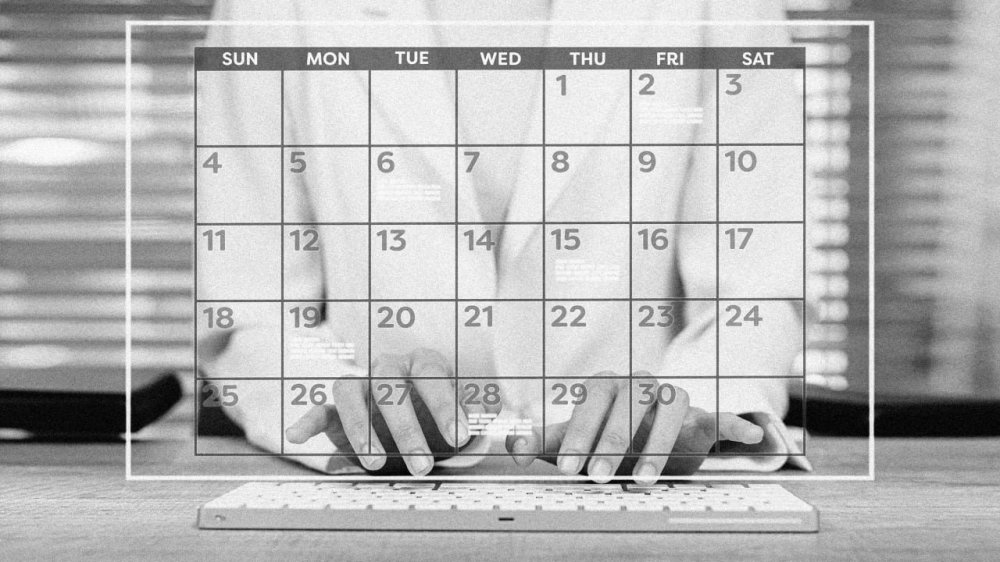
For Paul, a finance administrator, things came to a head when his report mistakenly included £7,000,000 of costs rather than £700,000. Fearing accusations of fraud, Paul disclosed his recent dementia diagnosis to his boss. Six weeks of sick leave became six months, and then a stepping stone to early retirement. Several years later, Paul regrets his unwanted unemployment, but at the time there didn’t seem to be an alternative. Paul was participating in an unrelated study about public transport when he told us about his unemployment. As researchers, we had heard many similar accounts—so we decided to dig down into the research on work and dementia. We were curious about how typical Paul’s experience was of the trajectories of people diagnosed while working. The ageing of populations around the world is influencing our lives in many ways. More people are extending their working lives beyond traditional retirement ages, and many more are being diagnosed with dementia. Around 9% of the world’s 55 million people with dementia are under 65, with around 370,000 new cases of young-onset dementia annually. It is striking then, that despite government and business commitments to support longer working lives and inclusive employment practices, workers with dementia are largely ignored. What little evidence we have paints a picture of widespread and unwanted unemployment. For some, this takes the form of redundancy or retirement. For others—like Paul—a period of temporary leave gradually evolves into a permanent exit. Alongside workforce ageing, digital transformation is perhaps the single most important development in modern industry. Almost all our working lives are now shaped by digital technologies in some form. Older people are often stereotyped as technologically incompetent. This can be even worse for people with dementia. When exciting digital innovations are discussed in relation to them, the focus is almost always on providing care. But someone diagnosed with dementia in their 60s today might have been blogging in their 30s, scrolling social media on a phone in their 40s, and using a smart home assistant in their 50s. The tech is here already The reality is that many people with dementia use digital tools every day. This ranges from familiar products like Google Maps to more cutting-edge technologies. A person with dementia recently introduced us to their voice-activated AI companion, with which they watch and discuss films. These companions can provide vital social interaction for people fearing judgement or isolation because of their cognitive decline. Far from being a barrier, digital technologies could offer ways to help people with dementia to enjoy positive working lives, just as they help workers who don’t have dementia. The trick is to use them to tailor work and workplaces to the individual. For example, if a worker is struggling to remember appointments, automated and shared calendar scheduling can take care of that. If a worker has impaired wayfinding, mapping apps can be tailored to working environments and live location data can be used to guide staff around complicated sites. This is hardly futuristic tech. Many of us would struggle without our online calendars and maps. Research shows that touchscreens can be particularly challenging for older people with dementia. To make interfaces more suitable, developers could encourage the integration of voice-operated smart assistants into employee workstations (think of Amazon’s Alexa or Apple’s Siri). While discussions of dementia often focus on memory loss, the various types of dementia are associated with a wide range of symptoms. One very common symptom is the struggle to find the right words. But recent developments in generative AI (like OpenAI’s ChatGPT) are proficient at predicting and expressing the next word in a sequence. These tools are also excellent at transforming text into different formats. Guidance on dementia-friendly information recommends features such as large fonts, single-clause sentences and single-syllable words. A generative AI tool could quickly transform documents into dementia-friendly formats. The integration of these tools into emailing and writing applications could make a lot of work far more accessible to people with dementia. These days, it makes little sense for workers to be manually entering costings into a spreadsheet. Dementia or no dementia, these practices are ripe for human error. By outsourcing them to digital technologies, we can free up our ageing workforces to use their unmatched skills, such as networking and experience. In practice, employers will likely be responsible for supporting positive working lives with dementia in the future. The best way to do this will be to develop strategies, in consultation with people with dementia, that identify interventions suitable for the workplace. Then, when an employee is diagnosed, they can pick and mix a personalised collection of tools to address their needs. Right now, we are not aware of any workplace that has such a strategy. But many organisations already have robust policies for other conditions. Our own employer, the University of Bath, has a repository of reasonable adjustments that can be tailored to support staff and students experiencing mental illness. Dementia could be approached in much the same way. The UK government is currently attempting to increase the number of people with disabilities participating in the labour market. It is simultaneously driving an agenda to increase the use of AI throughout the country. The potential of a digital working life for people with dementia highlights both promise and peril. Simply forcing every person into work is a surefire way of turning challenging situations into real problems. But providing tailored support for those who want to work can enrich organisations and workers alike. James Fletcher is a lecturer (assistant professor) of management information, decisions & operations at the Institute for Digital Security and Behaviour at the University of Bath. Olivia Brown is an associate professor in digital futures at the University of Bath. This article is republished from The Conversation under a Creative Commons license. Read the original article. View the full article
-
Billionaire dubs Peter Navarro a ‘moron’ as feud over policy intensifies View the full article
-
The internet is always open. What if it were closed sometimes? That's the central question of Seven39, an experimental social network that's only open for three hours a day, starting at 7:39pm Eastern. I logged in to the service last night and found a small, mostly friendly collection of people excited to try something new. We're a few decades into an experiment where everyone on Earth uses the same couple of social networks for everything. It's ... not perfect. That might be why more and more alternatives to Instagram, X, and Facebook keep popping up, all with some sort of hook. Some, like Mastodon and Bluesky, make decentralization their central promise. Seven39's hook is about time: You've got three hours to use the site every day—and that's it. Given the central mission of every other social network—basically, to take up as much of your time as possible—this is radical. "No endless scrolling. No FOMO. Just three hours of fun every evening," the website promises. Credit: Justin Pot I logged in last night and was charmed by the early 2000s design. There's a box you can use to browse posts above a timeline with everything posted on the network. Right now you can easily keep up with that, but there's also a "Top Posts" section you can use if you only want to see the posts with the most likes. You can also follow users directly, ase on other social networks, and see only those posts in the "Following" section. There is no ability to boost or retweet—just likes and replies. Post are mostly text but you can also add images or 60-second videos. All of these features add up to the internet equivalent of a small town. Conversations ranged in topics—there were a few meta-threads about the network itself (Europeans, it turns out, wish they didn't have to log in during the middle of the night to use the service). For the most part, though, people are talking about their lives, TV shows, and the like. I saw very little political content and nothing resembling influencer culture—just people casually chatting. And, honestly, that's what the internet needs more of: people casually chatting. This service isn't going to replace Facebook or Twitter and it isn't trying to. It's better for it. View the full article
-
The trade deficits will remain roughly unchanged — the globe will just end up poorerView the full article
-
The leading lender says its underwriters have already used Google's technology to improve from six loans a day to 14. View the full article

-
Federal Reserve officials want to see how exactly new trade policies impact the U.S. economy before adjusting interest rates. Markets and monetarists have different ideas about what that might look like. View the full article

-
We may earn a commission from links on this page. Deal pricing and availability subject to change after time of publication. The Garmin Forerunner 255 is on sale right now for $229.99, its lowest price ever. That’s about half the price of the Forerunner 265 ($449.99), which is the current generation (and my personal favorite running watch). The two watches have nearly identical features—I’ll explain the differences below—making the 255 an incredible bargain. Garmin Forerunner 255 GPS Running Smartwatch (Gray) $229.99 at Amazon /images/amazon-prime.svg $349.99 Save $120.00 Get Deal Get Deal $229.99 at Amazon /images/amazon-prime.svg $349.99 Save $120.00 The differences between the Forerunner 255 and the 265 Left: 265S (the smaller, newer model). Right: 255 (the larger one with the MIP screen that's currently on sale). Credit: Beth Skwarecki The numbered models can get confusing, but I promise you’ll be able to follow along. Just remember that the 255 is the slightly older one that’s on a big sale right now, and the 265 is the newer version. The newer 265 is my favorite running watch. You can read my review here: it has a ton of great features for runners. Some are concrete and functional: physical buttons, lots of options for data screens, and a dual-band GPS for extra location accuracy. Others are more software-y but still arguably useful: training status, daily suggested workouts. The battery also lasts between one and two weeks, depending on how many workouts you do. The 255 has all of these same features. The only features that are meaningfully different between the 255 and 265 are: The 255 has the older, always-on MIP screen, while the 265 has a smartphone-style AMOLED screen. The 255 doesn’t have a touchscreen. You’ll use the UP and DOWN buttons on the left side to scroll through options. The 255 can’t store music, unless you buy the 255 Music version. The 255 doesn’t have Training Readiness, but it does have Training Status. (Personally, I never use Training Readiness, so this isn’t much of a loss. You can always look at your HRV trend, which the watch also reports, if you want a sense of how recovered you are each morning.) For the detailed list of every minor feature that’s different between the two, you can check out this comparison page on Garmin’s site. Which Forerunner 255 version you should getThere are four versions of this watch, compared to two versions of the 265. Three of them are on sale. The regular Forerunner 255 is the larger size (45.6 mm) and does not have music storage. The Forerunner 255S is the smaller size (41 mm) and also does not have music storage. The Forerunner 255 Music is the larger size (45.6 mm) and does have music storage, so you can play tunes from the watch while leaving your phone at home. The Forerunner 255S Music is the smaller size (41 mm) with music storage. I’m not seeing any discounts on this one, so it still costs $100 more than its non-music counterpart—enough that you may want to look at the Forerunner 265S instead. Personally, I always have my phone with me when I run, so I’ve never found the standalone music feature very helpful. If you think you might use it, though, it’s normally a $50 upgrade, but currently only a $20 upgrade on the larger size of the watch. To help you decide, the photo above shows the difference in screens between the AMOLED 265S (left) and MIP 255 (right). It also shows the size difference between the smaller and larger models; the 265S on the left is 41.7 mm, very close to the 255S at 41 mm. How old is the 255, anyway? The 255 is only one year older than the 265. They were released in 2022 and 2023, respectively. Before that, Forerunner releases tended to be three to four years apart. The quick turnaround between the 255 and 265 makes sense when you realize they’re basically the same watch with a different display. So I wouldn’t expect a 255 to feel outdated anytime soon. The main question you need to ask yourself is: How do I feel about an MIP screen? I’ve written more about the difference between MIP and AMOLED here. MIP screens don’t light up, although they have a backlight that can come on automatically when you raise your wrist. At rest, they are “always on,” in the sense that they’re always displaying something, so you’ll never look down at a blank screen. They’re also brightly reflective in sunlight. AMOLED screens are more like a smartphone screen, with glowing pixels, and watches typically turn off the display when you’re not using it to save energy. (You can enable an always-on setting, but it eats battery.) That said, the overall battery life on both watches is similar on default settings—14 days not counting activities for the 255, and 13 days for the 265. Some people prefer the MIP screens, and if that includes you, this is a no-brainer: snag the 255. You can even get a refurbished version for $179.99, which makes this one of the cheapest Garmin watches in any line. View the full article
-
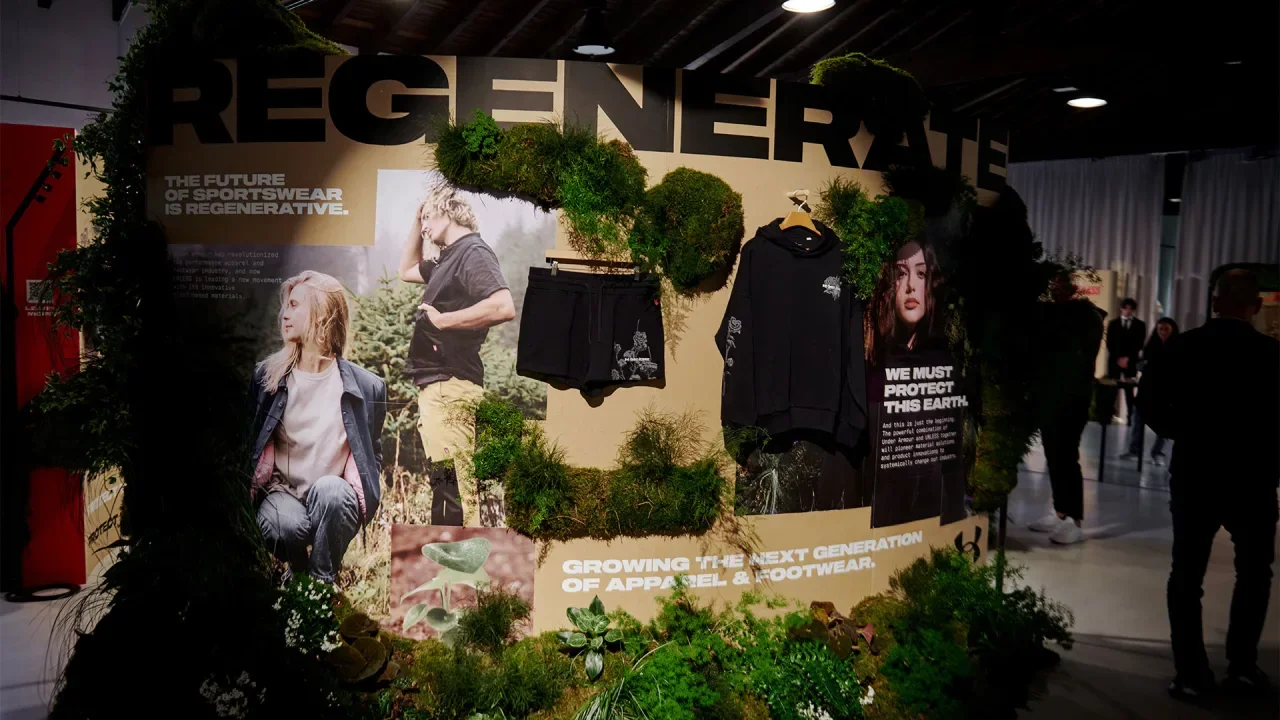
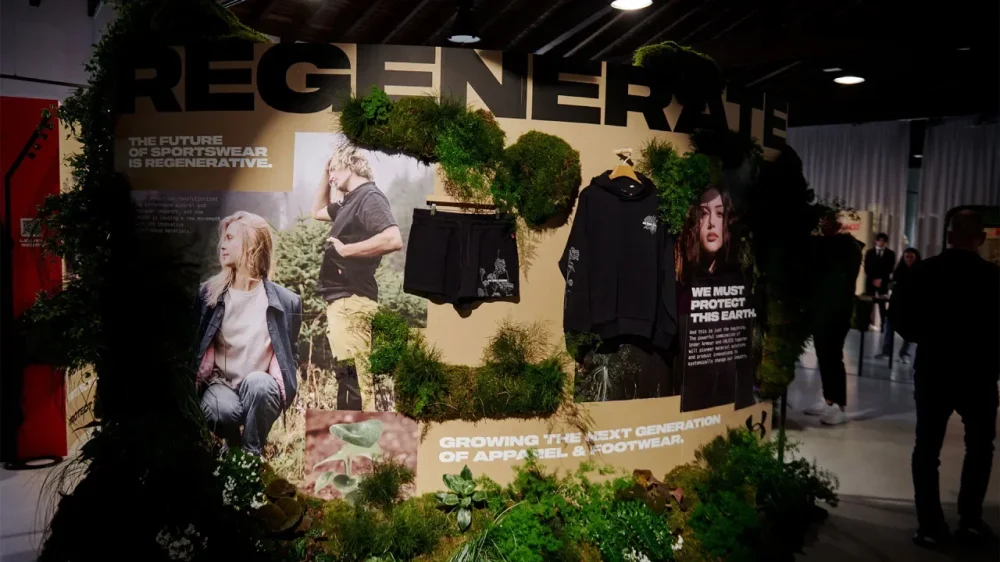
It would seem unlikely for clothing designers get their wheels turning by thinking about what happens to garments when people are through with them. But that’s exactly the sort of backward thinking that led to Under Armour’s new “regenerative sportswear collection,” created in collaboration with Portland, Oregon-based Unless Collective. The collection, which is making its debut in Italy this week during Milan Design Week, comprises footwear and clothing made entirely from plants and plant-based materials. That means they’re biodegradable and compostable. “All of our products make good dirt,” says Eric Liedtke, Unless co-founder & Under Armour EVP of brand strategy, who spoke with Fast Company from Milan. Unless was acquired by Baltimore-based Under Armour last summer, and Liedtke says that it’s allowed Unless to tap into Under Armour’s large base of resources and partnerships to expand its offerings and development operations—the new “regenerative” collection is the result. “We’re here to introduce the idea of regenerative fashion,” he says. “What we mean is that things come from plants and minerals, natural materials, and then go back to being natural materials . . . When you’re ‘regenerative,’ you add value back to the ecosystem, rather than being destructive.” Liedtke says that 70% of clothing is created from “petroleum-based feedstock,” mostly various types of plastics, which never completely vanish or go away—they break down into microplastics and end up in the food and water supply. But his new clothing line does break down and go away; once you’re through with one of Unless’s garments, for instance, you can bury it in your backyard garden, and it’ll compost away. In an industrial composter, an Unless tee shirt will decompose within weeks. The new collection features shoes, jackets, vests, shirts, and more that are made from a variety of plant materials. For instance, shoe liners and soles are made from coconut husks and natural rubber latex, buttons are made from corozo nuts, Kapok cotton is used for insulation in vests and jackets, while cotton remains a staple for shirts and other garments. Liedtke says that the garments are built to last, too, and could be compared to products from companies like Russell, Champion, Carhartt, or Dickies. And for those worried about their clothes decomposing while they sit in a dresser, he says not to worry: It takes very specific conditions to initiate the composting process—conditions hopefully not present in the typical closet or bedroom. The collection is meant to be provocative, in some ways, and bring attention to the pollution that modern fashion and clothing manufacturing produces. In that way, it’s not too different from how companies like Beyond Meat and Impossible Meat disrupted the meat industry, or how EVs have shaken up the auto market in recent years. Liedtke hopes that at least some clothing manufacturers will follow suit and start using more natural materials, rather than plastics, to cut down on waste and pollution. “The future is regenerative,” he says. “The question now is scaling it, and telling people about it.” View the full article
-
Insurers had already doled out more than $12 billion to pay for wildfire damages as of early March, according to California state officials. View the full article

-
What does the future of computing look like? Is it voice chat? Floating holographic displays? A generative AI fever dream with no escape? At Salone de Mobile—the annual design fair in Milan—Google is suggesting something less literal: It’s light that’s as pliable as fabric. Since first attending in 2018, Google has become a staple of Milan’s annual design festival, where the installations draw long lines and buzz. The company has measured how different rooms make you feel, demonstrated that water informs their design, and explored the ties of color and emotion through immersive spectacles. This year, Google’s project is called Making the Invisible Visible, on display at Garage 21 in Milan from April 7 to 13. It’s a series of what I might only describe as a series of light showers that stand six feet in diameter. Laser light rains down from a halo above, and by running your hands through the beams, they react in a dynamic animation that falls somewhere between a draping textile and the strings of a harp. The architectural approach was inspired by conversations Ivy Ross, chief design officer of consumer devices at Google, and artist Lachlan Turczan had around the role of technology in our lives. Turczan explores the intersection of light and the environment, with surreal works placed in nature that blend the wild and the technological. Squint and you can almost see a vision of ambient computing. Over several conversations, Ross and Turczan spoke about how Humanity shapes technology, and technology shapes humanity back. Turczan has been developing these sculptures, dubbed Lucida, out of those conversations. “At this moment in time, we’re questioning what role does technology have? What does it mean to be human?” says Ross. “We have to come to that place where we’re not competing [with technology], but we are interacting together, moving modern life forward.” The light showers in Making the Invisible Visible are meant to explore that theme, not necessarily literally, but as a more generalized ethos. Then through the rest of the installation, Google goes on to articulate how it’s made the invisible visible within their own products. That includes the Pixel Buds which required laser scans from 3,200 ears to get its one-size-fits-all geometries, along with the new Nest thermostat, which sits quietly until it senses your approach, and displays its user interface. Then in the final room, Google designers share some of the actual objects that have inspired their approach to products—like river rocks for an earbud case, and a macron for a speaker. (The design team is given a budget to acquire bits of inspiration in their travels around the world, which they deposit inside their design studio’s private library.) While the installation is built for the public, Ross sees the benefits this annual practice brings to her own team. “It’s giving them an opportunity to work at a different scale with a different set of challenges, which I think is really good to feed their creative muscle,” says Ross. “And [the other benefit] is the joy they get from manning these exhibits. Because we don’t usually get to interact with the public about what we do.” View the full article

-
Ukrainian president demands explanation and accuses Beijing of actively participating in Moscow’s warView the full article
-
If there's something you want to keep track of regularly, it belongs on your Mac's menu bar. The left side of the menu bar, of course, shows the menu for the current application. The right side, though, is a series of icons—and with the right application, you can put just about anything there. This is a list of the applications I find most useful in the menu bar but it's far from exhaustive—developers have gotten quite creative over the years. Check out the website MacMenuBar.com if you want to see even more menu bar tools. Check your calendar Credit: Khamosh Pathak Click the clock on Windows and you'll see a calendar. This is a feature macOS hasn't copied for reasons I don't understand. That's why I recommend Itsycal, a tiny free application that every Mac user needs. This application adds a calendar icon to your menu bar which you can click to see a mini calendar. This would be useful even if all you could see were which dates occur on which day of the week—a thing I need to reference constantly—but Itsycal offers more. Your appointments from the macOS calendar app all show up, making it easy to see which days you're free and which days you're busy. The application is also customizable—you can choose which appointments show up, the look and information offered by the icon, and whether you want to highlight the weekend or any other day of the week. It's a great addition to any menu bar. See the current temperature Credit: Khamosh Pathak I like to glance at the temperature before heading outside—the menu bar is perfect for this. That's why I'm happy Apple finally offers weather updates in the menu bar. This adds the temperature and an icon for the current conditions to the top of your screen—click the icon to see conditions for the next few hours and for all of your saved locations. You can click any city to open it in the Weather app. The feature isn't enabled by default, though, and is a little bit buried. You need to open System Settings, then head to Control Center. Scroll down until you see the Menu Bar Only subheading, and from the box next to Weather, switch to Show in Menu Bar. You'll now see the weather in your menu bar. I'm glad I can have this without the need to install a third party app. Check on your co-worker's time zones Credit: Justin Pot If you work remotely, time zones are the bane of your existence. Your co-workers in Europe are wrapping up their day around the time anyone on the North American west coast is waking up, and that's before you factor in that daylight savings happens at different times in different places. The application There takes care of this by letting you see the time where your co-workers are. Just install the application and add the co-workers you want to track, along with where they live. There's even the option to add photos, if you want. After setting everything up you can click the menu bar icon and see what time it is where your co-workers are, meaning you won't bother them during breakfast or dinner ever again. Quickly check maps Credit: Justin Pot If you find yourself constantly looking up where things are, consider downloading Mappa Mini, a free menu bar app you can use to search maps and addresses. Just click the icon and type where you're looking for—you'll see where it is, and the address, right away. You can also copy the address, or open the location in your preferred maps application or website. It's great Turn your taskbar into a virtual sticky note Credit: Sindre Sorhus No offense to people who put actual sticky notes on their screen when you need to remember something—it's a system that works. If you'd rather not use physical paper for the job, though, OneThing is an app that lets you leave notes for yourself on the menu bar. You can even leave emojis for emphasis or use Markdown to create clickable links. Get a Windows-style start menu Credit: Justin Pot Do you wish macOS had a Windows-style start menu? XMenu is basically that. With it you can add icons for your documents, applications, and other folders. Click the icons and you can browse everything in those folders, including subdirectories. It's a quick way to jump to applications or files without having to open a Finder window. Clean up the mac menu bar Credit: Justin Pot Installing even a few of these applications will create a lot of clutter, quickly, which can be a particular problem on notched Macs. The good news is you can hide menu bar icons you're not using with the free application Ice. With it you can clean up the Mac menu bar by hiding applications you don't need to reference often. You can click an icon anytime to see the icons you've decided to hide. It's a feature Apple should have added to the operating system decades ago but I'm glad there's a free tool for the job. View the full article
-
When everything bagel seasoning dropped as a supermarket seasoning blend, I admit, I bought a giant container of the stuff. The powerful concoction that transforms consolation prize, plain bagels into the most coveted bagel could now be mine? And I could use it on everything? And by golly, I did. I put it on everything—that is, until everything tasted the same. I lost myself for a while in that hoi polloi of seeds and dry onion, and I had to reset. Now when I crave a savory, oniony flavor, nigella seeds are my secret ingredient for better breads, salads, and spreads. What are Nigella seeds?Nigella seeds are from the nigella sativa plant. They’re small, black seeds that look deceptively similar to black sesame seeds. You have to look closely to see that nigella seeds have something of a pyramid shape, where sesame seeds are flatter and rounded. You’ll see it used frequently in South Asian and Western Asian cooking, though the seed has become available worldwide in most big box supermarkets. Nigella, sometimes called black seed or kalonji, has a strong onion flavor that borders on caraway seed. While this might sound like the most unattractive flavor, I’m telling you, it’s fantastic. I never would have known about it if my culinary mother, Nigella Lawson, hadn’t once used the seed in an episode of her TV show. I don’t remember what she sprinkled them in, but I remember becoming dedicated to the mission of finding some for myself. Once I finally did find them, hanging in a small pouch by the spice section of the nearby supermarket, I didn’t really know what to do with them. I don’t want you to run into the same problem. How I use nigella seeds Credit: Allie Chanthorn Reinmann Breads. When I think to myself, “Would I use everything bagel seasoning on this?"—that’s when I use nigella seeds. They’re absolutely lovely as a seed to stick on different breads. I spill some nigella out onto a plate and press the raw dough of any savory bread or roll I’m making before the final proofing period. Try using them on hamburger buns, dinner rolls, or savory biscuits. If you’re making pretzels, why not mix some nigella seeds into the finishing salt? Pigs in a blanket or sausage rolls are incredible with nigella seeds. Just brush the rolls lightly with an egg wash (or water if you can’t spare the egg) and sprinkle the seeds on. When you’re making homemade pizza—here are my top tips for a great ‘za—season the edge of the crust with a brush of oil and a sprinkle of nigella seeds before baking. You’ll get a hint of floral onion flavor that blossoms with the sweetness of the tomato sauce. Salads. I find that it’s the small details that bring the most interest to salads. Salads don’t always have a ton of flavor. I think that’s part of the reason they’re a hard sell. Sautéing and roasting ingredients with oils and fats make for flavorful meals, so in order to have a good salad, each component must pull its weight. Seeds are a phenomenal way to add flavor to salads. Add nigella seeds directly to the dressing, or sprinkle them in after the dressing has been tossed with the other ingredients so they’ll stick instead of falling to the bottom of the bowl. Dips and spreads. This is the easiest place to start if you’re not used to using seeds in cooking. Simply start by sprinkling them on top of dips and spreads. Homemade or purchased hummus is my favorite go-to. I’ll open a container of hummus or tzatziki and cover the surface with nigella seeds. Then I’ll get a little pop of herbal allium-esque flavor with every dip of a cracker. When you’re making a sandwich, swipe some mayo onto the bread and sprinkle nigella onto it. Nigella seeds are brilliant for garnishing your avocado toast. And of course, for the bagel that truly has everything, coat a split everything bagel with cream cheese and sprinkle on nigella seeds for a complementary flavor and a gorgeous contrast of color. View the full article
-
From AI resources to upskilling growth programs, LinkedIn’s annual Top Companies list reveals top employers are investing in making the workplace a place to grow and succeed. “These are companies that make a commitment to their employees and their employees know that they’re not alone in their career,” said Andrew Seaman, editor at large for Jobs & Career Development at LinkedIn News. “I think you can use the methodology in your own job search too.” Published on Tuesday, the list uses LinkedIn data on upskilling, attrition and retention, gender diversity, ability to advance, and more to rank the top 50 U.S. companies for career growth. The list not only honors the companies, but serves as a tool for members looking for jobs. Each honoree will receive a badge on its company page. And according to LinkedIn, all of those top companies are hiring right now, with more than 129,000 job openings across the companies. Landing at the top of the list, Google’s parent company Alphabet takes the number one spot, followed by Amazon and Wells Fargo, which ranked last year as well. AI companies also took the spotlight, with NVIDIA and ServiceNow landing on the list for the first time. Among the 50 honorees, which span across various industries, employers are using AI-powered resources for employees, like Bank of America’s (no. 11) AI virtual assistant Erica; Moderna’s (no. 43) AI academy which customizes learning for employees’ needs; and AT&T’s (no. 7) conversational productivity assistant “Ask AT&T.” AI upskilling initiatives further advances this year’s top skill on the rise, equipping employees with AI literacy. Beyond AI, many top companies shared growth programs for employees like cross-practice rotations. Some of the companies include Walmart (no. 10), which invested $1 billion in week-long training and certificate degrees, creating a pathway for in-demand jobs; and Kearny (no. 46), which offers rotational programs and six-month individualized coaching programs. LinkedIn’s methodology is based on eight pillars: ability to advance, skills growth, company stability, external opportunity, company affinity, gender diversity, educational background, and employee presence in the country. “It can feel really lonely navigating your career, and it’s nice to see companies that invest in their employees and have a vested interest in seeing them succeed,” Seaman said. Here are the top ten companies for 2025 in order: Alphabet Amazon Wells Fargo Northrop Grumman PwC Capital One AT&T JPMorgan Chase EY Walmart View the full article

-
Giving money away has never been so easy—thanks to AI. Daffy, a platform that facilitates charitable giving, is rolling out a suite of new AI-powered tools that’s making it easier than ever to donate to charity. So easy, in fact, that a Daffy user can feel like a billionaire making a quick donation to their chosen charity without having to fill out forms, mail checks, or any of the other tedium that can slow the giving process down—simply hit a button, or make a verbal command, and make a donation. Specifically, Daffy’s new tools include a Quick Donate feature, which converts free text or voice commands into an immediate donation. Daffy will need some direction (users choose a charity, donation amount, etc.), but from there, you can simply say to the application “make a donation to the ACLU,” or something similar, to facilitate the donation. “The idea was to leverage AI to improve the giving experience,” says Daffy CEO Adam Nash. “We looked at the real world to see what benefits the wealthy get—they get concierge service. They don’t need to fill out a bunch of forms or track down an EIN from a database. They tell an assistant they want to make a donation, and it gets done,” he says. The goal, then, was to get as close to that experience as possible while leveraging AI to make it happen. Over time, too, the feature will learn the specifics of a user’s desired causes or charities, so a user could tell it to make a donation to their child’s school, for example, and Daffy can handle the rest. And by allowing Daffy to handle the rest, Nash believes that people will give more. Because “friction is the enemy of generosity,” he says. In other words, the easier it is to make a donation, the more donations people will make. If the process is tedious and time-consuming, fewer people are going to do it. “We feel like we’ve proven the hypothesis that technology can help people be more generous,” Nash says. “And we think AI has a role to play.” Users can also use the AI features to set up recurring donations—like a donation to a local food bank every year on Thanksgiving, for example. In all, Nash thinks that the AI features could open the floodgates to potentially millions of dollars more in donations every year. “A lot of people are using AI right now and are just playing with it,” Nash says. “We’re trying to use it for something important.” View the full article

-
Gemini Live is the chatty, natural conversation mode inside Google's Gemini app, and it just got a significant upgrade: The AI can now instantly answer questions about what it's seeing through your phone's camera and on your phone's screen in real time. The feature is coming first to Google Pixel 9 and Samsung Galaxy S25 phones. You've long been able to offer up photos and screenshots for Gemini to analyze, but it's the real-time aspect of the upgrade that makes this most interesting—it's as if the AI bot can actually see the world around you. You may remember some of this functionality was shown off by Google under the Project Astra name last year. There are plenty of ways to use Gemini Live. Credit: Samsung Samsung says it "feels like a trusted friend who's always ready to help," while Google says you could use the improved features to get personalized shopping advice, troubleshoot something that's broken, or organize a messy space. You can have a discussion with Gemini Live about anything you can point your camera at. It's now available as a free update on Pixel 9 and Galaxy S25 phones, with further Android devices getting it soon—though wider availability will be tied to a Gemini Advanced subscription. As yet, there's no definitive list of which phones are in line for the update, though presumably it needs a certain level of local processing power to work. There's no word yet on it coming to the Gemini app for the iPhone. As always, the official advice is to "check responses for accuracy," so just because there's a fancy new interface to make use of doesn't mean the Gemini AI is any more reliable than it was before. You're also going to need an active internet connection for this to work, so the app can get some help from the web. Two new buttons have been added for camera and screen sharing. Credit: Lifehacker The feature is easy to find: You can launch the Gemini Live interface by tapping the button to the far right of the input box in any Gemini chat (it looks a bit like a sound wave). From there, you'll see two new icons at the bottom: One for accessing the camera (the video camera icon), and one for accessing the phone's screen (the arrow inside a rectangle). Close down the Gemini Live interface, and you'll find your conversation has been recorded as a standard text chat, so you can refer back to it if needed. As the new features have appeared on my Google Pixel 9, I tested them out using questions I already knew the answers to, to check for any unhelpful hallucinations. Putting Gemini Live to the testFirst up, I loaded the camera interface and asked Gemini Live about the Severance episode I was watching on my laptop. Initially, the AI thought I was watching You—presumably confusing its Penn Badgleys with its Adam Scotts—but it quickly fixed its mistake, identifying the right show and naming the actors on screen. I then asked about a package with a UN3481 label: lithium-ion batteries packed inside equipment (over-ear headphones, in this case). Gemini Live correctly figured out that lithium-ion batteries were involved, needing "extra care" when handled, but gave no more information. When pushed, it said these batteries were packed separately, not in equipment. Wrong answer, Gemini Live—you're thinking of code UN3480. Gemini Live figured out how to reset a Charge 6 (this is a transcript of the live conversation). Credit: Lifehacker Gemini Live was also able to tell me how to reset my Fitbit Charge 6 when I pointed my phone camera at it (though the AI originally thought it was a Fitbit Charge 5, which is an easy enough mistake to make). It's easy to see how this could come in handy if you're trying to troubleshoot gadgets, and aren't quite sure about the makes and model numbers of the devices. Sharing your screen with Gemini Live is interesting. The app shrinks to a small widget, so you can use your phone as normal, and then ask questions about anything on the screen. Gemini Live did a good job of identifying which apps I was using, and some of the content in those apps, like movie posters and band photos. It also accurately translated a social media post in a foreign language for me. Regarding a website showing the recent Leicester v Newcastle soccer match, Gemini Live correctly told me what the score was and which players got the goals—all information that was already on screen. When I asked when the match was though, the AI got confused, and told me it happened on May 22, 2023 (the same teams playing, but nearly two years ago). Gemini Live can see what's on your phone's screen, with permission. Credit: Lifehacker There was no faulting the speed with which Gemini Live came back with answers, and the calm and reassuring manner that it responded, but there are still issues around the quality of the results. Of course the convenience of using this—pointing the camera and saying "how do I fix this?" rather than crafting a complex Google query—means that many people may well prefer using it even with the mistakes, but it's still a worry. Essentially, this is just an enhanced, instant version of visual search: Previously, you might just type "UN3481 label" into Google for the same query. But whereas the traditional search results list of blue links lets you see the information you're looking up, and make a judgment on its reliability and authoritativeness, Gemini Live is much more of a closed box that doesn't show its workings. While it feels almost like magic at times, because of that interface, having to double-check everything it says isn't ideal. View the full article
-
We may earn a commission from links on this page. Deal pricing and availability subject to change after time of publication. If you’ve been holding off on buying an OLED TV, this Samsung S90D deal on Woot might catch your eye. It’s the 55-inch 2024 model, currently priced at $1,147.99 (for three days or until it sells out), which is about $650 off its list price and roughly $50 cheaper than Amazon right now—a solid discount, especially since you get the full one-year Samsung warranty, plus free shipping if you’re a Prime member. This is also its lowest price, according to price-trackers. Just keep in mind that Woot only ships to the lower 48 states, and if you’re not a Prime member, there’s a $6 shipping fee tacked on. Samsung S90D 55-inch OLED TV $1,147.99 $1,797.99 Save $650.00 Get Deal Get Deal $1,147.99 $1,797.99 Save $650.00 This S90D model uses a WOLED panel (basically Samsung’s slightly more affordable take on OLED), which means it doesn't hit the same brightness levels as Samsung’s priciest OLED, the S95D. The main thing you’re missing here is the fancy glare-free coating, so reflections might be an issue in sunlit rooms. But for most setups—especially dimmer spaces or nighttime streaming—you’ll still get that rich contrast and color accuracy OLEDs are known for. Reviewers at CNET mentioned it handles darker scenes really well, and it’s Pantone-validated, which means skin tones and colors should look more natural. It runs on Samsung’s Tizen OS, which has a clean interface and works with all the major apps. You also get 4K AI upscaling that can clean up older content (though the results usually depend on the source), and a 120Hz refresh rate with four HDMI ports, including at least one with HDMI 2.1, so next-gen console owners are covered—that's good news if you’ve got a PS5 or Xbox Series X and want low input lag with smooth motion. That said, the built-in Gaming Hub is more of a niche feature—you can stream games without a console, but you’ll still need a good internet connection and a compatible controller. Audio gets a bit of a lift with Dolby Atmos and Samsung's virtual audio tech that follows movement on screen, but it’s still a TV—if you care about sound, you’ll still need a separate soundbar or system to get the most out of it. View the full article
-
It’s only 9 a.m. and Michelle, a middle manager in a government organization, just received her eighth panicked email from a team member asking about the impending layoffs that were announced yesterday afternoon. People are clearly worried, and Michelle is beginning to feel overwhelmed. She’s in an unfortunate, yet common, position. She wants to keep people calm and focused, but information comes in drips from leaders above her. The culture she worked so hard to build is becoming flooded with uncertainty. People are scared. What can Michelle do to minimize feelings of threat and help the team keep running smoothly? Layoffs aren’t the only context in which uncertainty reigns. It shows up wherever there’s rapid change, which research suggests has become the norm within organizations. One study shows that organizational change accelerated by 183% between 2020 and 2024, and by 33% in 2024 alone. In other words, change isn’t just increasing — it’s increasing faster every year. All this flux makes working life feel much riskier and less stable, as people fear for their livelihoods amid ever-evolving governmental reductions and corporate restructurings. With so much uncertainty in the air, is it any wonder employee engagement hit an 11-year low in 2024? People can’t predict what’s coming next, so they’re checking out entirely. To help team members perform their essential tasks, leaders must learn to reduce uncertainty, minimize threat, and, ideally, create productive feelings of comfort and safety in an increasingly volatile world. Provide clarity if you can’t provide certainty A feeling of certainty isn’t just a nice-to-have. In life and in work, humans crave a sense of predictability about their environment — and we can think of this craving as a genuine psychological need. Thousands of years ago, a need for certainty kept us physically safe, whether from predators or suspicious-looking berries. Our sense of certainty was rewarded with survival. Today, a need for certainty shows up less in matters of survival and more in being able to predict what’s coming next in our professional, social, and personal lives. That’s why “C” stands for certainty in the NeuroLeadership Institute’s SCARF® Model of social threat and reward: When we can predict certain outcomes in our environment, we feel a sense of reward, which motivates us to take action. When we feel uncertain, however, we tend to feel threatened, which makes us freeze or retreat from the situation. At work, uncertainty leads to impaired judgment and reduced productivity. If a team faces a large amount of uncertainty, the task for leaders is to manage people’s sense of threat. There are several ways to go about this. In the best-case scenario, a leader in Michelle’s position could immediately send certainty rewards by sharing who’s safe from layoffs and who’s not. This would address the uncertainty head-on, and it would have the side benefit of minimizing the spread of office rumors, which only amplifies the uncertainty. Even delivering bad news to the people who are getting laid off will send a small reward signal, as research shows uncertainty tends to feel worse than the bad news itself. One study, for example, showed people experienced more dread about the possibility of a small electric shock than people who knew for certain a shock was coming. Uncertainty is that uncomfortable. And yet, providing certainty isn’t always feasible. A leader won’t necessarily have all the answers right when employees need them most. Sometimes, a leader can only share some of what they know, or they might not know anything at all. Here, neuroscience suggests the best practice is to share what you do know and what you don’t, both in terms of information as well as the ongoing process. Michelle, for example, might be able to share that while other departments have received the news of who’s being laid off, she’s still waiting on her supervisor to tell her. She might also share that the list of names is supposed to be shared with her in the next couple weeks, giving team members a window into the process. While not as rewarding as certainty, this sense of clarity sets people’s expectations, which creates a calming sense of predictability in the brain. Clarity is best offered in a three-pronged approach: making timelines explicit, taking unlikely outcomes off the table, and reminding employees about the organization’s key values, as a way to re-commit to a higher purpose and shared vision. In practice, clarity acts as a helpful substitute for certainty. For instance, even if people don’t know if they’ll have a job next month, having the clarity they’ll find out in two weeks is easier to deal with than waking up each day wondering if today’s the day. That’s the wisdom of offering clarity when certainty is in short supply: When people know what to expect, they feel more oriented and secure in the situation, putting their minds at ease. Offset the threat by reassuring in other areas Providing clarity about information and processes isn’t the only tool available to leaders dealing with uncertainty. They can also work to boost people’s sense of reward in the other four SCARF® domains: status, a feeling of prestige within the group; autonomy, a sense of control over our environment; relatedness, a feeling of belonging and connection to the group; and fairness, a sense of just and equal treatment within the group. Sending these reward signals creates what’s known as an “offsetting effect.” If one domain is threatened, we can compensate — or offset it — by amplifying feelings of reward in the other domains. That said, offsetting effects won’t make everything better, especially against very strong threats. But they can soften the blow. For example, here’s how Michelle could offset a certainty threat through the other four SCARF® domains in an all-hands meeting about the layoffs: Status: Michelle emphasizes that the layoffs have nothing to do with people’s individual performance — they are purely a cost-cutting measure. Autonomy: Prior to the meeting, Michelle asks people to submit questions via an anonymous form. She sorts the questions and answers a handful during the meeting. Relatedness: Michelle announces a partnership she’s leading with HR to help outgoing employees with resume coaching and finding their next job. Fairness: Michelle explains how the process of creating severance packages was based on a standard rubric across all employees, based on their tenure with the company. Again, none of these efforts will make the pain of losing their job any easier for employees to bear. The goal with offsetting is to reduce the pain brought on by the uncertainty of the situation. A leader might not be able to save an employee from getting laid off, but they can at least make the process of waiting feel more dignified, less isolating, and, hopefully, less threatening. Finding a balance In a rapidly changing work environment, including public-sector downsizing, uncertainty becomes a default state of mind. It becomes the air people breathe. But the constant vigilance needed to cope with uncertainty is exhausting. So unless leaders can replace uncertainty with certainty, their responsibility falls to offering clarity whenever possible, as well as boosting other SCARF® signals to offset people’s negative feelings. Otherwise, one thing that is certain is employees will struggle to be effective at their jobs. They’ll spend enormous amounts of cognitive energy resolving the feelings of threat, leaving them feeling drained and slow to respond to work’s many challenges, rather than being energized and proactive. This is also a drain on the organization as it struggles to maintain a high level of performance. However, when employees feel those rewarding signals being sent, despite how painful a situation may be, they’re much more likely to navigate uncertainty with a calm and focused mind. For creatures highly sensitive to social threat, that serenity counts for a lot. View the full article

-
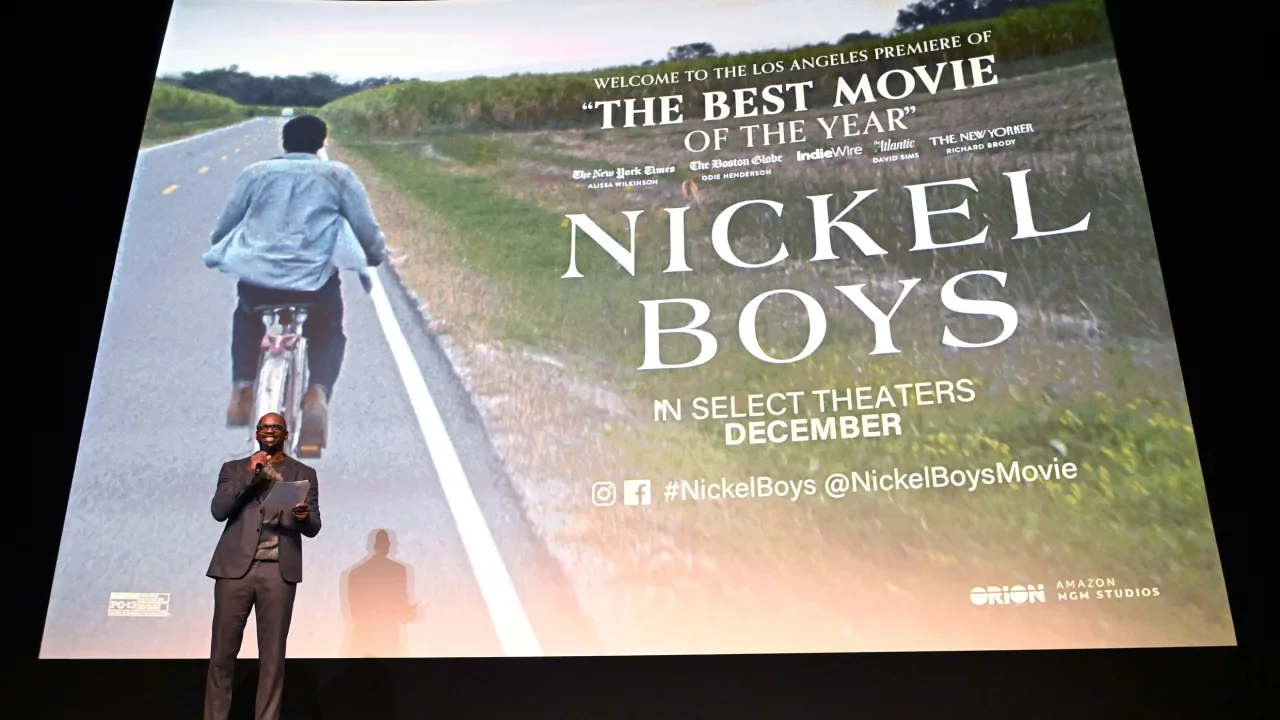
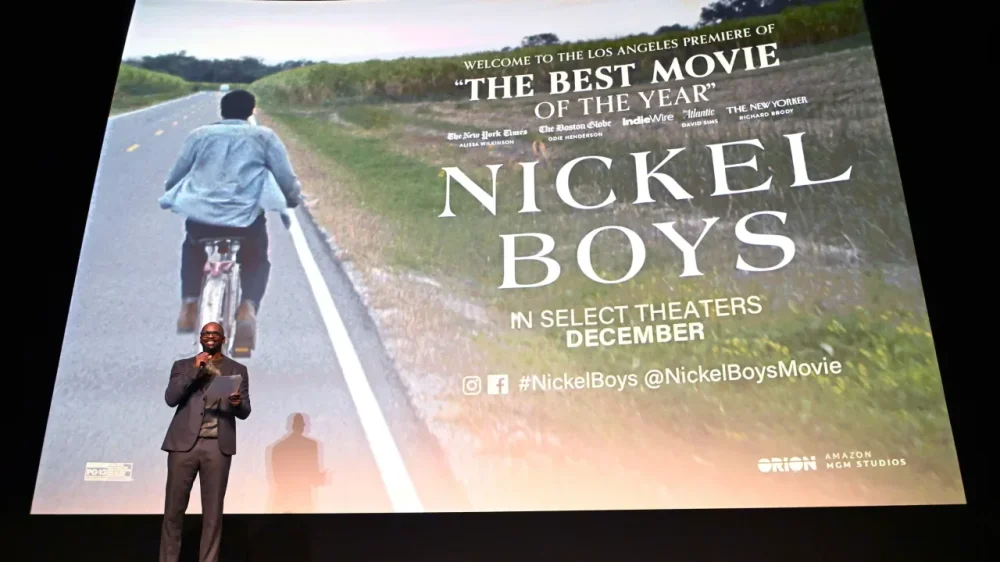
Amazon is betting big on movie theaters—even if it isn’t counting on mega profits. The Silicon Valley giant told The New York Times last week that it is planning to release about 14 movies annually in theaters across the United States, an untraditional move for a company that has for years focused on streaming. Instead of simply dropping films directly onto Prime Video, its streaming service, Amazon wants audiences to see its movies on the big screen first—typically for 45 days—before they’re available for streaming. Three years after Amazon bought MGM for $8.5 billion, the tech giant is signaling that it is ready to compete more directly with Hollywood’s biggest studios. According to eMarketer analyst Jeremy Goldman, the theatrical push has more to do with earning customer loyalty than it does raking in game-changing revenues. “By investing in wide releases with A-list talent and 45-day exclusive theatrical windows, Amazon is signaling that it wants its films to matter—not just be content that quietly drops on a Thursday night,” Goldman says. In the past 10 years, Amazon has acted as distributor for a number of critically acclaimed films, including Nickel Boys, American Fiction, Sound of Metal, and Manchester by the Sea, all of which were nominated for Best Picture Oscars and received at least limited theatrical releases. In recent years, Amazon has released five to eight films in theaters annually, often with varying time frames before they became available on Prime Video. The newly announced 14-film, 45-day-window strategy is in league with what the five major studios—Universal, Paramount, Warner Bros., Walt Disney, and Sony—do each year. The shift could be a boon for the movie theater business, which has struggled to recover from the COVID-19 pandemic. Box office receipts are down 20% to 25% from pre-pandemic levels in 2019, according to a research note Bloomberg Intelligence shared with Fast Company. Bloomberg Intelligence analysts Geetha Ranganathan and Kevin Near noted that this investment could fill a competition gap left when Disney bought 21st Century Fox in 2019. In addition to award-winning releases, Amazon has blockbuster films at the ready. The company reportedly paid an additional $1 billion earlier this year to take full control of the James Bond franchise, and is expected to name a new Bond to replace Daniel Craig soon. Amazon is honing its theatrical strategy as other streaming giants continue to tinker with theirs in an effort to fuel both streaming user and theatergoer demands. Apple and Netflix have limited theatrical releases, while Disney is stuck between fueling its Disney+ streaming services and giving moviegoing audiences the theater experience they crave for blockbusters. Mike Proulx, vice president and research director at Forrester, sees a parallel to Amazon’s model in Disney: “The company’s theatrical release strategy is akin to what Disney has been doing for years with Disney+ as the eventual beneficiary of the content.” Proulx adds that while Amazon is trying to find the right balance between its streaming and theater strategies, an uptick in quality films is ultimately a net positive for the company. “Better content makes Prime Video more valuable,” he says, “even if some people opt to wait for it to end up there.” View the full article
-
The top five banks have a combined HELOC volume of more than $90 billion at the end of Q4 2024. View the full article

-
There is no school of foreign policy realism or trade mercantilism that could explain the US president’s actionsView the full article
-
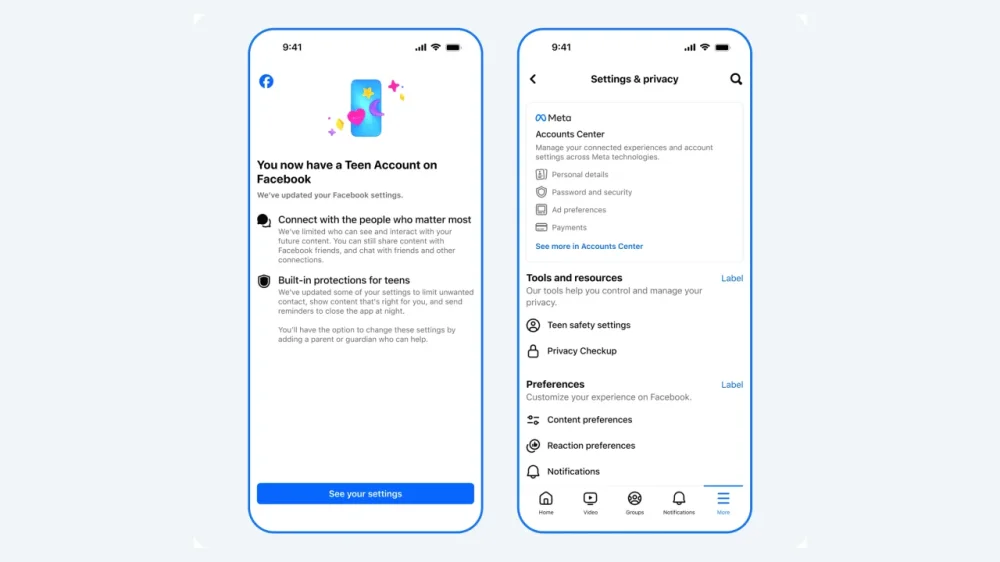
Meta is bringing its Teen Accounts, which have stricter parental controls, to its Facebook and Messenger platforms on Tuesday, expanding its teen service from just Instagram. The social media giant rolled out Teen Accounts last year on Instagram that have built-in restrictions on who can contact teens, the content they see, and limits on their time on Instagram. Tuesday’s announcement also includes updates to Instagram’s teen service that will roll out in the next couple of months. Instagram said that teens under 16 will be prohibited from going Live unless their parents give them permission to do so. Teens under that age also will be required to have parental permission to turn off a feature that automatically blurs imaged containing suspected nudity in DMs. Meta has come under fire from parents and lawmakers for its platforms’ impacts on young users. Forty-one states and D.C. filed lawsuits against Meta in 2023, alleging that the company intentionally designed some features on Facebook and Instagram that they knew could harm teens and other young users. Tuesday’s announcement is part of a broader push by the social media giant to beef up parental controls to drum up support. Instagram said it moved 54 million teens into Teen Accounts. It added that 97% of teens aged 13 to 15 years old keep those built-in protections on. View the full article
-
Almost seamlessly, the two sides of a scenic forest in Alberta, Canada, have been woven back together. Located between Calgary and Banff National Park, this stretch of the Canadian Rockies is sliced in two by the Trans-Canada Highway, one of the busiest roadways in the province. That’s had deadly consequences for the area’s abundant wildlife, as well as the tens of thousands of people who drive through it every day. But now, after years of mounting wildlife-vehicle collisions, the danger to animals and humans is being addressed with a stunning new wildlife overpass. The Bow Valley Gap wildlife overpass is a roughly 200-foot-wide cap over a four-lane highway, topped with soil and forest-like plantings that creates a bridge almost indistinguishable from the forest on either side. The design and engineering firm Dialog led the structural engineering and landscape architecture of the overpass, which was funded by Alberta’s provincial department of transportation and is now the first wildlife overpass in Canada constructed outside of a national park. It’s in an area where reported vehicle collisions with deer, elk, coyotes, and grizzly bears happen 69 times per year on average. “The very rough rule of thumb is for every collision that is recorded or every carcass that is seen on the side of the road, you can usually double that number,” says Dialog’s Neil Robson, the overpass project manager and lead designer. “The best way to mitigate collisions is to try to prevent them. The number one way to prevent them is actually fencing. But fencing doesn’t allow connectivity of the animal. It keeps them on both sides of the highway,” Robson says. “Very helpful for collisions, but not helpful for migration patterns, connectivity, the ability to get mates, genetic diversity, and that’s where the overpass comes into play.” The overpass sits atop two arched tunnels that cover the two traffic lanes and shoulders on each side of the road. Seen from a driver’s perspective, the overpass has a smooth M shape, and is covered with grasses, shrubs, and trees. A tall metal fence runs along its edges, as well as on the sides of the road leading up to the overpass, running a total of more than seven miles. Robson says the design of the overpass was heavily informed by animal migration data, with its width sized to accommodate the large species that are known to travel in this area. Wildlife biologists were involved during the initial design phases for the overpass and helped to shape its look and form. The overpass topography was influenced by the species that live in the area, and its slopes were calculated to accommodate what animals—both predator and prey—need to see to survive in the wild. “If you’re going up a crest and or up a hill and it’s too sharp, that’s not ideal for a prey species because they don’t really have the line of sight [to avoid predators],” Robson says. “Flatter topography for viewpoints and not having blind corners and other types of things also factor into the design.” These kinds of considerations are fairly new ones for wildlife overpasses. Dialog has some experience in this unique building typology, having designed a handful that already exist in Banff National Park. But Robson says the design process has become much more interdisciplinary in just the past few years, with designers and scientists working together. “It’s not just the engineering professional inheriting the recommendations from the biologist and ecologist or reading the report and then making their own decisions. We’re going to those sites together. We’re working through the designs together,” he says. That’s even affecting how these projects are planted. For the Bow Valley Gap overpass, scientists helped determine the ideal mix of plant species that would mimic the forest surroundings but not encourage animals to linger near what is still a potential collision area. “We do want the landscape architecture on top, the grasses, the shrubs, and the trees, to be as close to the natural surroundings as possible,” Robson says. “But you also don’t want them to be overly edible, because if you plant them in and a herd of deer or elk start to chew on things, you’re not going to have much vegetation left.” Those plants are still maturing on the overpass, which was officially completed in December. But even as it grows in, Robson says the design process behind the overpass is informing future wildlife overpasses in Canada, including three that Dialog is currently designing. And, perhaps more importantly, it’s already being used by the species it was designed to protect. View the full article

-
Former retail tycoon brought privacy claim after Lord Hain used parliamentary privilege to link him to sexual misconduct allegations View the full article
-
A dispute between a pair of pro athletes who both use the number 8 has been resolved, thanks to a change in font. Former NASCAR driver Dale Earnhardt Jr. said Friday his NASCAR team, JR Motorsports, had secured the rights to a stylized 8 mark through the U.S. Patent and Trademark Office (USPTO). The announcement came after attorneys for quarterback Lamar Jackson, who wears the No. 8 jersey for the Baltimore Ravens, filed a notice of opposition with the USPTO over JR Motorsports’s trademark claim to the mark, arguing it “falsely suggests a connection” with Jackson. pic.twitter.com/uZWk8kPlcW — Dale Earnhardt Jr. (@DaleJr) April 4, 2025 Earnhardt and his team have raced before as No. 8; and in 2019, when the team got the No. 8 car, he said the number was “very special to me and to JR nation. There’s a lot of history with the No. 8 in my family and in NASCAR. It’s time to write some new stories and continue to add to the number’s rich heritage,” according to Autoweek. But the number also means something to Jackson, who played with a No. 8 jersey at the University of Louisville, which the school retired, as well as for the Ravens since being drafted by the team in 2018. Jackson’s attorneys went after another No. 8 athlete last year, former Dallas Cowboys quarterback Troy Aikman. At the time, Aikman joked in a post on X, “Hey Lamar—Looks like a worthy conversation over a couple cold EIGHT beers! Maybe Steve Young can arbitrate??” (Aikman was referring to his beer brand Eight; and Young, a former San Francisco 49ers No. 8 player.) Aikman’s joke showed how a single number can refer to multiple well-known athletes simultaneously, potentially watering down the case a single athlete can make to lay absolute claim to a number. Earnhardt didn’t say much about how the dispute was resolved except that his JR Motorsports team would no longer use the forward-leaning 8 mark that they’ve used since 2019 and instead use a backward-leaning mark that resembles the No. 8 car Earnhardt raced with in the 2000s for Dale Earnhardt Inc., the team founded by his father. The resolution seems to suggest that the styling of a number plays a role in how the public perceives it in connection to specific athletes. Jackson has proven litigious over the number, but he said in 2021 that he’d change from No. 8 to No. 1 if he ever won a Super Bowl. So if you see Earnhardt, Aikman, Young, and other No. 8 athletes cheering for the Ravens, you might figure out why. View the full article