Newsletter
Want to keep up to date with all our latest news and information?


ResidentialBusiness
Administrators
-
Joined
-
Last visited
Everything posted by ResidentialBusiness
-
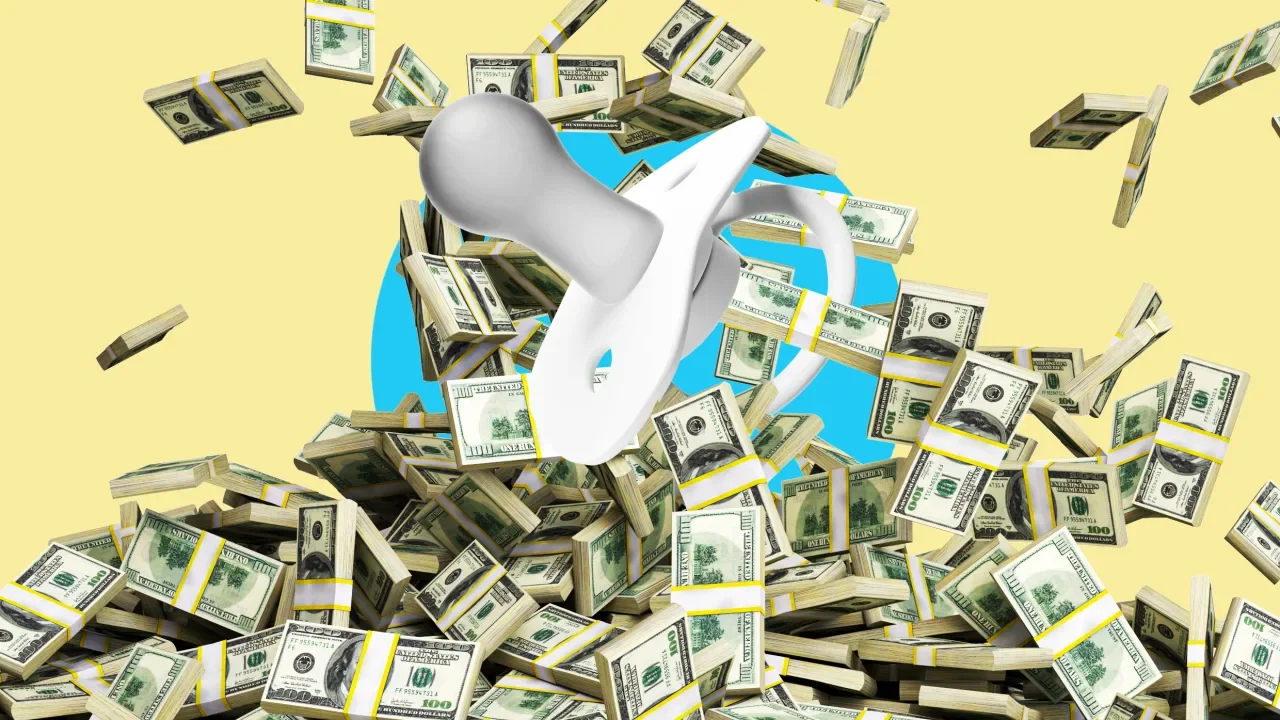
It’s no secret that raising kids in the U.S. has become grossly expensive. The price of childcare alone has ballooned over the past decade, with many families reporting that it costs them at least a quarter of their annual income. Across many states, families need to earn an average of $180,000 to comfortably afford infant care; the high cost of living in states like California and New York can require an income exceeding $250,000. An increasing burden on families A new analysis by the online lending marketplace LendingTree captures why so many families are struggling to manage the enormous cost of having children. The study found that since 2023, the annual cost of raising a young child has jumped by nearly 36%, coming to about $30,000 per year. Over the course of 18 years, that amounts to almost a whopping $300,000. In four states—Hawaii, North Dakota, Washington, and Maryland—that figure can be well over $300,000, even rising over $360,000. Overall, families report spending nearly 23% of their income on the annual expenses of raising children. Childcare comprises a significant portion of those expenses for families with young kids: According to LendingTree’s analysis, childcare costs spiked by more than 50% in just the past two years. Childcare centers have always struggled to make ends meet due to the steep cost of labor. As federal funding has dried up following the pandemic, however, that financial strain has only been exacerbated. Beyond childcare The cost of care is just one of the many additional expenses borne by families with children. There’s the cost of housing, as well as the attendant expenses associated with food, clothing, transportation, and healthcare. The LendingTree analysis found, for example, that food costs jumped by nearly 30% since 2023. That means even in states where childcare is less expensive—like North Dakota—the annual cost of raising children can remain high due to other expenses, like housing. (In fact, the average cost of raising children over 18 years is lower in Massachusetts than it is in North Dakota.) LendingTree’s findings also indicate that even as these costs rise precipitously, families are receiving less assistance from the government. Between 2023 and 2025, the value of federal tax credits decreased by over 44%, in part because the expanded child tax credit secured by the Biden administration expired. While it’s true that the cost of childcare continues to be one of the greatest challenges for many families, the financial burden doesn’t end there—and that’s unlikely to change without broader federal investment. View the full article
-
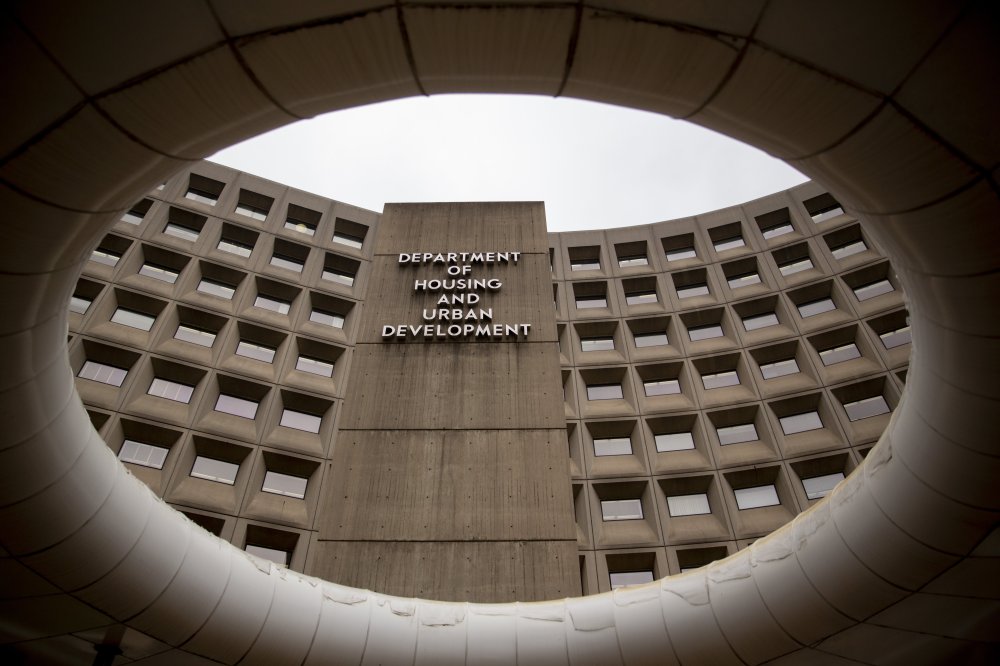
The housing regulator has been mum on details about its reshuffling, but Secretary Scott Turner has emphasized mission-critical functions would persist. View the full article
-
Regulators should approve the deal because post-merger, the servicing market remains fragmented and the mortgage origination business is even more dispersed. View the full article

-
Although home burglaries are trending downward overall, there are still more than 800,000 break-ins every year. Aside from the potential damage to your property and the loss of your belongings, there also the concern for your family’s safety—no one wants criminals wandering around your house. The obvious solution is to go with technology—alarm systems and security cameras. While these kinds of systems can definitely help defend against unwanted guests on your property (and give you peace of mind), there’s more you can do to keep your home secure. Your landscaping is a surprisingly key element of your home’s security—or it can be, if you plan it thoughtfully. Here are a few simple ways your home’s exterior design can help defend it against intruders. Keep your home's entrances visibleThe first thing to consider when it comes to security and landscaping is visibility. A lot of tall, lush plants can give you a feeling of cozy privacy—but it also offers a lot of places for people to conceal themselves. Trimming hedges, shrubs, and other plantings down to about 2 to 3 feet in height will ensure you have a good field of vision around your property, and can help eliminate those hiding spots and make it easier to actually use those security cameras you paid for. Having a lot of plants around windows and doors can give you a lot of privacy and shade, but it also means someone can get up close to your house to work on your door and window locks without being seen from the street. Your neighbors can’t help you if they can’t see what’s happening. And dense landscaping around your front door means someone can conceal themselves in order to wait for you to come home or open the door. To make your windows and entryway more secure, keep them clear. If you’re using defensive plants, keep them trimmed low and set them back from windows and doors. You should be able to see the area immediately around your apertures easily from a variety of angles. You can also increase visibility by avoiding opaque features like walls or fences, and instead going with see-through choices like picket or chain-link fences or lattices. Choose thorny plantsOne way to weaponize your landscaping against trespassers is to place “defensive” plants around access areas like first-floor windows. Thorny, prickly plants placed thickly around these areas create a natural barrier to anyone trying to creep around your house. It might not have the same visceral excitement as releasing a bunch of hounds, but it will definitely make a trespasser think twice as they nurse their wounds. Some examples of good defensive plants include cacti (including some mild-weather species like Prickly Pear), thorny rose bushes, Whale’s Tongue agave, or spiky plants like Barberry. Whatever climate or design you’re working with, there’s a plant that will make life uncomfortable for anyone trying to get close to your house. Trim back your treesIf you’ve got trees as part of your landscaping, you should keep them away from your house (about 8 to 20 feet, depending on the size of the tree) for a lot of very good reasons (root issues with your foundation or roof damage, for example). But if your trees are closer than that, or if they’re mature and their branches have crept closer to the house, you should hire an arborist to cut them back. Trim both horizontally (so no one can shimmy their way to a window or to get on your roof) and vertically (so there are no branches lower than seven feet or so off the ground) to prevent someone from climbing up. Untrimmed trees can provide hiding places or act as ladders for thieves and other intruders, so trimming them regularly is a very good idea. Skip the trellisYou might like the visual of a climbing plant snaking its way up your home’s walls, but if that includes a trellis or lattice you should reconsider. A trellis or lattice attached to an exterior wall (or leaned up against it) is essentially a ladder that someone can use to climb, gaining access to an upper floor window. Use gravel for ground coverOne way your landscaping can increase your home’s security is by making it more challenging for intruders to sneak around. Rough gravel used as a ground cover around access points like windows will be noisy when walked on, making it a lot more difficult for someone to get close without being noticed. It’s not going to be as effective as an alarm system, of course, but in the dead of night an unusual noise might alert you—or your dog—to the presence of an unwanted guest outside. Add lightingOne of the more obvious ways your landscaping plan can improve your home’s security is by adding a lot of lighting, especially motion-activated lights. Being able to see your outdoor spaces clearly makes it less likely someone can gain access to your property undetected, and a sudden flood of light will deter trespassers hoping for the cover of darkness. When planning your landscaping, make sure to include robust lighting to make it as safe and secure as possible. View the full article
-
Publicly traded lenders, including UWM, Rocket Mortgage and Guild Mortgage, saw personnel expenses increase significantly throughout last year. View the full article
-
We may earn a commission from links on this page. Deal pricing and availability subject to change after time of publication. If you've never considered the Kindle Kids e-reader because of the label, you've been missing out on some sweet perks. The 16 GB Amazon Kindle Paperwhite Kids is $139.99 (originally $179.99), the lowest price it has ever been, according to price-tracking tools. Here's why this is a great deal for everyone—not just kids. (16 GB) – larger 7" glare-free display – Cyber Amazon Kindle Paperwhite Kids $139.99 at Amazon /images/amazon-prime.svg $179.99 Save $40.00 Get Deal Get Deal $139.99 at Amazon /images/amazon-prime.svg $179.99 Save $40.00 (16 GB) – larger 7" glare-free display – Starfish Amazon Kindle Paperwhite Kids $139.99 at Amazon /images/amazon-prime.svg $179.99 Save $40.00 Get Deal Get Deal $139.99 at Amazon /images/amazon-prime.svg $179.99 Save $40.00 (16 GB) – Larger 7" glare-free display – Diary of a Wimpy Kid Amazon Kindle Paperwhite Kids $144.99 at Amazon /images/amazon-prime.svg $189.99 Save $45.00 Get Deal Get Deal $144.99 at Amazon /images/amazon-prime.svg $189.99 Save $45.00 SEE 0 MORE The kids' Kindle version includes a free case (about a $30 value), an ad-free experience ($20 value), six months of Amazon Kindle Kids + subscription ($36 value), and a two-year warranty (as opposed to the one-year warranty on the standard version). All that value for $20 less than the “adult” version is a no-brainer. The cases for these models are obviously tailored for kids, but it's hard to argue with free. The Amazon Kindle Kids + subscription will charge you automatically after the first six months, but you can cancel it beforehand. On these Kindle models, the kids’ mode feature is turned on by default. You can easily turn it off in the settings, but this will bring the ads back to the lock screen—the Kindle Kids also has some cool features even adults will appreciate, like the awards feature, as this video explains. With the six months of Amazon Kindle Kids + subscription, you can get unlimited access to thousands of kids' books, including all of the Harry Potter series. The Paperwhite Kindle hardware is the same as the adults, including that it's waterproof, has adjustable warm light, a 12-week battery, and Audible access through Bluetooth. You can read the full review of the 2024 Amazon Kindle Paperwhite Kids from PCMag here. If you still don't know which Kindle is best for you, check out our complete breakdown. View the full article
-
Blackstone and Andreessen Horowitz among firms that would wrest control of social media site from China’s ByteDance View the full article
-
Nintendo has never been known for high-performance hardware, but that certainly hasn't hurt its bottom line—especially in the Switch age. The company's decision to use more basic components for the Switch back in 2017 helped keep the console cheaper than any of its competitors. It's tough to get too hung up on the lack of 4K 60fps support when you can play the latest Zelda on a handheld that can cost less than $200. But lo, a new Switch is here, and with it, a new price. The Switch 2 is, indeed, a more powerful version of the Switch, and comes with a number of advantages: a larger 1080p HDR display with a 120Hz refresh rate, a dock equipped with a fan to support 4K 60fps gameplay, magnetic Joy-Cons with a "mouse mode" for tabletop controls, among other neat perks. Of course, Nintendo isn't giving those perks away for free, nor is it offering the Switch 2 at the same price as the Switch 1. If you want to order Nintendo's latest console, you're going to have to pay more—for everything. How much does the Switch 2 cost? The Switch 2 retails for $449.99. If you want the bundle that comes with a digital copy of Mario Kart World, that costs $499.99. That isn't cheap, especially when you can pick up a Switch OLED right now for $250. The original Switch retailed for $299.99 too, though that's roughly equal to $390 when adjusting for inflation, so the difference isn't quite so dramatic. We'll likely never know exactly what went into the pricing decision for the new Switch, but it's certainly possible tariffs played a big role. The Switch 2 sold in Japan, for example, costs 49,980 yen, which is just over $333 today. The Mario Kart bundle is 53,980 yen, or roughly $360—still cheaper than the original Switch's MSRP in today's money. Ouch. How much are Switch 2 games?There's a $50 difference between the standalone Switch 2 and the Mario Kart World bundle, so you might imagine that's what the game costs. Unfortunately, no: Mario Kart World is actually $80. Not all games may cost this much, however. According to Geoff Keighley, Donkey Kong Bananza retails for $70. These are the only two games with retail prices, so we'll have to see how Nintendo handles MSRPs with future games. (While we don't know the exact prices, we do know a lot of the games launching for Switch 2.) However, physical games might actually cost more. Reports show that Nintendo's European versions of Mario Kart World cost €79.99 for a digital copy, but €89.99 for the physical cart. $90 for a physical game card seems astronomical. We'll need to wait and see if Nintendo rolls out any other pricing information. Switch 2 accessoriesNintendo's official Switch 2 accessories page is live, which means we can see all the MSRPs for the console's newly-announced add-ons. Here's what you can expect to pay for each: Switch 2 Pro Controller: $79.99 Left and Right Joy-Con 2 controllers: $89.99 Joy-Con 2 charging grip: $34.99 Joy-Con 2 strap: $12.99 Joy-Con 2 wheel (two-pack): $19.99 Switch 2 camera: $49.99 Switch 2 dock: $109.99 Switch 2 carrying case (with screen protector): $34.99 Switch 2 all-in-one case: $79.99 Switch 2 AC adapter: $29.99 View the full article
-
On Monday, Apple released iOS 18.4, iPadOS 18.4, and macOS Sequoia 15.4 for compatible devices. But Apple Watch owners might have noticed watchOS 11.4 curiously missing from the list. Apple pulled the update at the last minute, something of a rarity from the company that likes to release all software updates together. But now, the new watchOS update is finally available to everyone, and the slight delay was worth it. This update enables a feature that many Apple Watch users have wanted for a long time: the ability to break through Silent mode when an alarm goes off. The iPhone already does this really well. You're in Silent mode, or you have Do Not Disturb enabled, but your morning alarm still sounds. Apple Watch, on the other hand, had no such option. So if you like using a Silent mode to protect yourself from notifications and other dings, you had to make do with the vibration alarm. Starting with watchOS 11.4, you can keep your notifications at bay, while relying on an audio alarm to sound alongside the gentle vibrations. Which Apple Watches are supported?The feature is available only for users who have watchOS 11.4 or newer. That means it's only available for Apple Watch Series 6 and above, Apple Watch Ultra and above, and the Apple Watch SE 2. If you're rocking the original Apple Watch SE, or the older Series 5 Apple Watch, you're left out in the cold here. Credit: Khamosh Pathak If you have one of the supported Apple Watches, first update your iPhone to iOS 18.4, and then head over to the Watch app. In the My Watch tab, go to General > Software Update. Here, download and install the latest watchOS 11.4 update. How to enable Break Through Silent Mode for any alarm Credit: Khamosh Pathak The feature isn't necessarily ideal, since you need to enable it for every alarm that you set. The news is good if you rely on the same repeating alarm each day, since those settings are preserved, but if you frequently set new alarms, make sure this setting is enabled each time. Hopefully, Apple will create a system-wide toggle for this, or even make this a default option down the line. Go to the Alarms app on your Apple Watch, and choose the alarm that you want to customize. Here, in the Edit Alarm menu, scroll down and enable Break Through Silent Mode. How to enable Break Through Silent Mode for Sleep Mode Credit: Khamosh Pathak If you wear your Apple Watch in bed, chances are you use Sleep mode, and the alarm associated with your sleep schedule. If you want to break through Silent mode here, you'll need to enable the feature separately. On your watch, open the Sleep app and scroll all the way down to your alarm schedule. You'll see two alarms here—one for setting your Bedtime, and one for Wake Up. Choose one of the alarms, and in the Edit Schedule view, scroll down and choose Sound & Haptics. Here, enable Break Through Silent Mode. View the full article
-
An artificial intelligence watchdog is accusing OpenAI of training its default ChatGPT model on copyrighted book content without permission. In a new paper published this week, the AI Disclosures Project alleges that OpenAI likely trained its GPT-4o model using non-public material from O’Reilly Media. The researchers used a legally obtained dataset of 34 copyrighted O’Reilly books and found that GPT-4o showed “strong recognition” of the company’s paywalled content. By contrast, GPT-3.5 Turbo appeared more familiar with publicly accessible O’Reilly book samples. “These results highlight the urgent need for increased corporate transparency regarding pre-training data sources as a means to develop formal licensing frameworks for AI content training,” the authors wrote in the paper. One of the nonprofit’s founders and paper’s authors, Tim O’Reilly, is the CEO of O’Reilly Media. An OpenAI spokesperson didn’t immediately respond to Fast Company‘s request for comment. Training data lies at the heart of all artificial intelligence models. Large language models require an incredible amount of information that it uses to guide back on when it churns out text or images for users. OpenAI has struck up some licensing deals to be able to train their models on certain content. But the company, which recently fundraised and is worth $300 billion, has also come under fire for sourcing certain content. The New York Times, for example, is leading a charge against OpenAI and minority owner Microsoft over alleged copyright infringement. The researchers acknowledged limitations in their study but argued the issue is likely part of a broader systemic problem in how large language models are developed. “Sustainable ecosystems need to be designed so that both creators and developers can benefit from generative AI,” the authors said. “Otherwise, model developers are likely to rapidly plateau in their progress, especially as newer content becomes produced less and less by humans.” View the full article
-
Zelle, the digital payment platform that allows you to send money directly to friends and family, has shuttered its standalone app. But while the Zelle app is no longer, you can likely still send and receive money with Zelle through your bank or credit union—Zelle is already integrated into over 2,200 bank apps, and you can use this search tool to find out if yours is one of them. Otherwise, you'll have to send money using another tool. Here are four of the best Zelle alternatives for peer-to-peer payments. VenmoVenmo allows you to request money or pay other users and send up to $60,000 a week once you've verified your identity within the app. You can transfer funds in your Venmo account to your bank account for free if you're willing to wait 1–3 days, or instantly for a 1.75% fee. Funds sent from from your Venmo balance or linked bank account/debit card are fee-free, while money sent using your credit card incur a 3% charge. Note that you should update the default privacy settings on Venmo to ensure your transactions and account information aren't publicly viewable. Venmo is available for iOS, Android, and on the web. PayPalPayPal is a well-established digital payment service that is useful for sending and receiving money from friends and contacts as well as making purchases online. There's no fee to send money via the "Friends and Family" function from a linked bank account or using your PayPal balance, and standard withdrawals are also free (like Venmo, instant transfers incur a 1.75% fee). There are fees for international transactions and currency conversions, as well as personal transactions made with credit cards. PayPal is available for iOS, Android, and on the web. Cash AppCash App is a peer-to-peer platform similar to Venmo. You can send money from a linked bank account or debit card to other Cash App users—if the recipient's phone number or email isn't linked to an account, they'll be prompted to create one to claim the funds—for free. Standard transfers are also free, and instant transfers from Cash App to your bank incur a 0.5%–1.75% fee. Cash App can also be used to send and receive bitcoin. It's available for iOS, Android, and on the web. Apple CashApple Cash is a built-in payment function for sending money to other iPhone users via Messages, Wallet, or Tap to Cash. Apple Cash is a digital card held in your Apple Wallet, and you can transfer funds out to your linked bank account (standard timing and free) or debit card (instant for a 1.5% fee). Apple Cash allows you to send or receive a maximum of $10,000 per message, with the same limit in a 7-day period. If you have an iPhone, you can pay someone using Apple Cash from within other apps, including Messages. Apple Cash is integrated into iOS and available on the web. How to protect your privacy with digital paymentsThe apps we've listed here have various privacy and security protections, like encryption and secure authentication, but peer-to-peer payment platforms are still targets for scammers. Make sure you only send funds to trusted contacts, and enable settings that keep your money safe, like identity verification and limiting who can see your account and request funds from you. View the full article
-
US president set to shake global trading system with announcements from White HouseView the full article
-
Nintendo Switch 2 is officially coming to stores on June 5. In just over two months, you might have the opportunity to own Nintendo's newest (and most expensive) console and play the latest Switch 2 exclusives (Mario Kart World looks ridiculously fun), assuming you can snag one of them. Because if you want to boot up a Switch 2 on launch day, you'll almost certainly need to preorder it. Unless you're lucky enough to find a store that has extra consoles in stock, or there turns out to be exceptionally low demand (unlikely given eight years of building anticipation among the Nintendo faithful), these things are going to be a rare commodity. One option, of course, is to preorder a system directly through Nintendo—but the company's requirements to do so are anything but orthodox. How to "register your interest" for a Switch 2Nintendo doesn't consider theirs a "preorder" program, per se. Instead, the company invites you to "register your interest" in buying a Switch 2. Assuming you're at least 18 years old, you'll need to head to Nintendo's official interest registration site, then sign into your Nintendo Account. Once Nintendo has confirmed your eligibility, it will send an invitation to the email address registered with your Nintendo Account. This invitation gives you the option to buy one Switch 2 console—either the standalone unit or the bundle with a digital copy of Mario Kart World. This invite will be good for 72 hours. Easy enough, right? It's not that simple. Only experienced gamers need applyThis is first come, first serve program, so the sooner you are able to register, the better your chance of being selected. On top of that, this...let's call it a "purchasing opportunity" is only open to registrants who have a Nintendo Switch Online subscription with at least 12 months of paid service. But the requirement that seems most out of left field to me is this: You also need to have at least 50 hours of gameplay associated with the Nintendo Account you use to register, as of April 2, 2025. If you don't meet any of these criteria, you'll be put on an overflow list. Nintendo will only start sending invites to members of this waitlist once the registrants who meet the requirements have all been invited. Fifty hours of gameplay is a bizarre requirement (can't I just give you money, Nintendo?) but you can see the company's reasoning. As a mega-hyped piece of hardware, the Switch 2 is a prime target for scalpers. By setting strict requirements for who can register for an invitation to purchase one (and by limiting each registration to one console purchase) Nintendo is trying to ensure that only true Nintendo fans get first crack. Scalpers won't even be able to make multiple Nintendo Accounts in order to get around these limits, as the aforementioned 50 hours of gameplay had to be logged before today, April 2. Unless scalpers knew the rules well ahead of time, any dummy accounts they make leading up to the Switch 2 launch will be useless. Even as someone with well over 50 hours of gameplay on my Nintendo Account, this all feels a bit weird. Perhaps its the data privacy geek in me, but it doesn't sit well with me that I need to share my gameplay with Nintendo in order to prove that I am, indeed, worthy of buying a Switch 2. Tie the purchase to my Nintendo Account, fine, but I'm not sure I like the precedent here. Because even if you have those 50 hours, you might not be eligible, since you also need to have opted in to share that data with Nintendo. Nintendo's language isn't totally clear here, so it's not obvious to me if it counts to if you opt in today, or if you had to have already opted in before the program was announced. If you want to maximize your chances of being selected to buy through Nintendo, it's time to check your Nintendo Account privacy settings and ensure that you are sharing your usage information with Nintendo under Data Usage – Opt-Out Preferences. When do invitations to buy a Switch 2 go out?Strange privacy implications aside, here's what happens after you register: Nintendo says the first round of invites will go out May 8, 2025, with subsequent rounds sending off "periodically" until purchases are available for all. The email will come from no-reply@noa.nintendo.com, so consider adding that to your email whitelist if you have an overzealous spam filter. If selected, you'll be able to buy your chosen Switch 2 console or bundle (the standalone system is $449, while the Mario Kart World bundle is $499) as well as a "variety of additional items." My guess is that will include the new Pro Controller, the retro GameCube controller, and perhaps additional Joy-Cons, as well as any other types of accessories Nintendo dreams up. As with the system itself, you'll only be able to purchase one of each of these additional items. Nintendo accepts Visa, Mastercard, Google Pay, and Apple Pay—but not Nintendo eShop gift cards. The company will also only ship products directly to customers, and will not make orders available at its two retail locations. Of course, Nintendo isn't the only company you can order a Switch 2 from. You can sign up for similar alerts from other retailers, including Best Buy and GameStop, and I imagine more retailers will add their own opportunities soon enough. View the full article
-
Zelle has been around as a convenient digital payment platform since 2017, but has now closed down payments inside its standalone apps for Android and iOS, as it promised it would last October—though the move is a sign of Zelle's success rather than its failure, and most Zelle users aren't going to need to change anything. If you're one of the 150 million or so people who make use of Zelle, you're no longer going to be able to use the Zelle app to send money to friends, family, and businesses. However, Zelle lives on as a platform: It's now integrated into the operations of more than 2,200 financial institutions, so you'll still be able to use it through your banking app. The Zelle apps are no more because Zelle has expanded its integrations so successfully. The peer-to-peer payment system says less than two percent of transactions were being made through these apps by the end of last year, so it didn't make sense to keep them going. Nothing is changing in terms of the links to banks and credit unions—if this is how you already do your Zelle business, you might not even have noticed the standalone app has been pulled. Zelle users shifted $1 trillion in payments over the course of 2024, so as a platform it's not going anywhere anytime soon. Another reason for the switch is security. As Zelle's YouTube page is testament to, users of the app were frequently targeted by scammers—via dating apps, ticketing platforms, rental listings, online marketplaces, job boards, and so on. Having Zelle work through banking systems makes it more secure as well. How to switch Zelle is popular for peer-to-peer payments. Credit: Zelle Given that two-percent figure mentioned above, chances are that you've already set Zelle up through your bank. If not, you'll need to register a Zelle account with your bank, or switch to a financial institution that offers Zelle: You can search through this comprehensive list. Until you set up Zelle somewhere else, you won't be able to make and receive payments. The specifics will of course depend on your bank and its app, but if you click through from the list then you'll be taken to the relevant sign-up page—here's the one for Wells Fargo, for example. You need to provide your registered email address or mobile number, and the bank will do the rest (you can use the existing details already registered with Zelle). If you know your bank or credit union supports Zelle, you can also dig through the options in the official app or the official website, and you should be able to register that way too: Most of the time it'll only be a couple of steps to get Zelle set up, and you can then register the people and businesses you want to enable transactions with. Unfortunately, your payment history isn't going to move along with you, though it will be available in the Zelle app until August 11, 2025. Although payments are now blocked, the app isn't going to stop working entirely, so you've got a few months to note any records you want to keep. There are plenty of other payment platforms you can turn to, if you do want to stay out of your banking app, including Venmo, PayPal, Cash App, Google Wallet, and Apple Pay—though they don't have quite the same tight bank-account integration that you get with Zelle, and which Zelle is now focused on. View the full article
-
The measure applies to mortgages closed in the months prior to the Southern California wildfires, which are now experiencing early-stage distress. View the full article

-
For decades, the only way to buy a car was to physically go to a dealership. If that idea gives you an anxiety attack, you’re not alone, so it’s a relief to know that the industry is finally embracing online shopping—even Amazon has gotten in on the act, and about half the buyers in one survey shopped for their car online. But just like anything else on the internet, buying a car online comes with the risk of fraud. Scammers are setting up entire fake online dealerships and ripping people off to the tune of tens of thousands of dollars. You might think you’re too savvy to get fleeces like that (who buys a $50,000 car sight unseen anyway?), but the risk is real. These fake online car dealership scams are fairly sophisticated and can be difficult to spot—it’s gotten so bad that some states, like Wisconsin, have issued official warnings about it. How online car dealership scams workAt its core, the scam is pretty simple: A scammer sets up a fake dealership website. Sometimes it’s an entirely fictional dealer, and sometimes the scammers hijack a real dealership's name and set up a fake site for it, often scraping the dealership’s legitimate website for graphics, text, and photos to make everything look legit. Sometimes they claim to sell classic cars, but just as often they pose as regular dealers. Step two is to adjust all the pricing on the vehicles so they’re incredibly attractive to potential buyers. In the current economic environment, where cars—used and new—are majorly expensive, folks who stumble on an amazing deal are more likely to get sucked into the scammers’ sales funnel. The "dealer" will be very responsive to messages from marks, and will provide everything you would expect a legitimate car dealership to provide—including photos and documentation. It can be extremely difficult to tell that you’re not interacting with an actual car dealership. The scam really kicks into gear when it comes time to make a down payment or negotiate a sale. Scam dealerships will usually require payment in unusual ways—typically via wire transfer—and then cease responding once they've got your money. A man in North Carolina lost $40,000 last year when he tried to buy a truck from a site claiming to sell “repossessed” vehicles at extremely low prices, while a California resident lost $24,000 to a fake online dealer when he thought he was buying a classic car. And this guy on Reddit apparently lost $55,000 to a sophisticated fake online dealer. What to look forThe scam works for a few reasons: People are increasingly comfortable making large purchases online, the in-person car buying experience is kind of terrible, and it’s relatively easy to set up a website that looks exactly like a real car dealership. If you’re thinking about buying a car online, there are a couple of things you should look for when considering an online dealership: Check with your state’s Department of Motor Vehicles or Department of Transportation to see if it maintains a list of authorized car dealers in the state, and if the dealership you’re considering is on the list. If it’s a local dealership, look up the phone number independently and contact them to ensure the website is legitimate. Be wary of unusually low prices, an inability to physically inspect and test-drive the car, and an unusual payment process. Buying a car online is convenient and less obnoxious than doing it in person—but it’s also a little more dangerous. A little extra due diligence can save you a lot of trouble. View the full article
-
Even a sector in secular decline can generate a lot of cash via advertising and subscriptionsView the full article
-
US president told confidants the billionaire’s role at Doge could end sooner than expected View the full article
-
In all, 42% of sales in the borough were financed, a larger share than in many recent quarters in the cash-heavy Manhattan market. View the full article
-
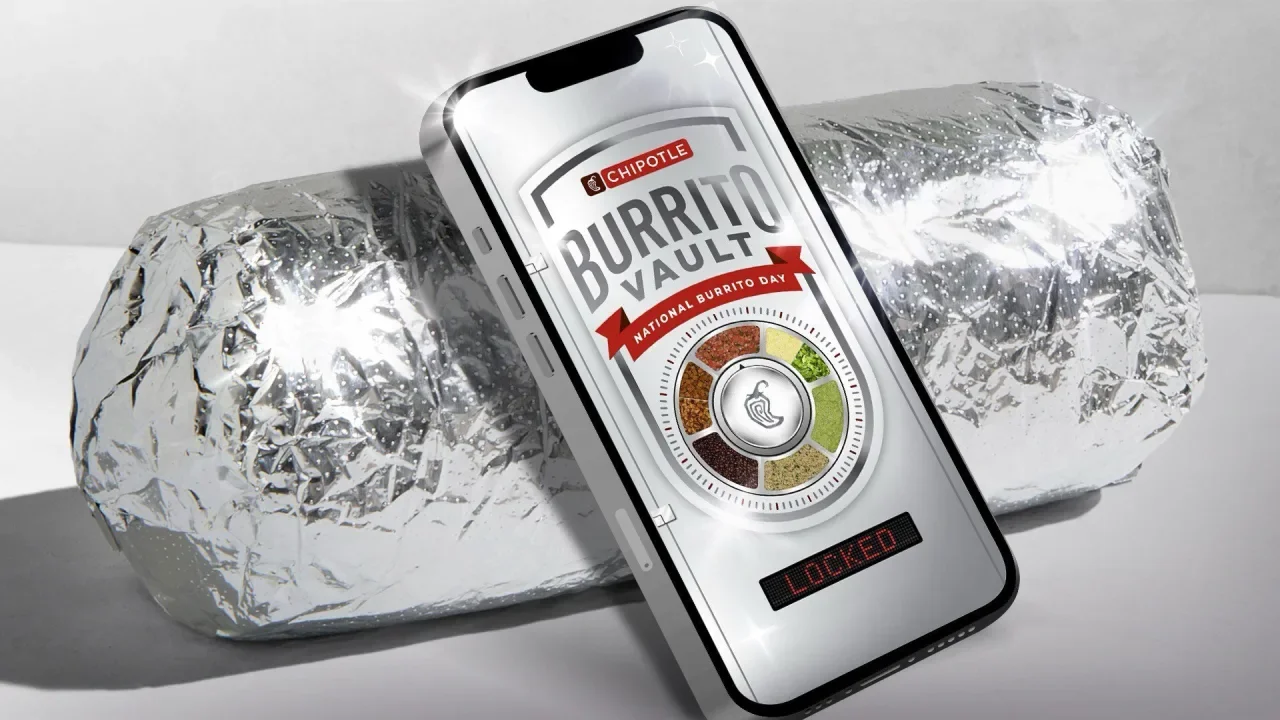
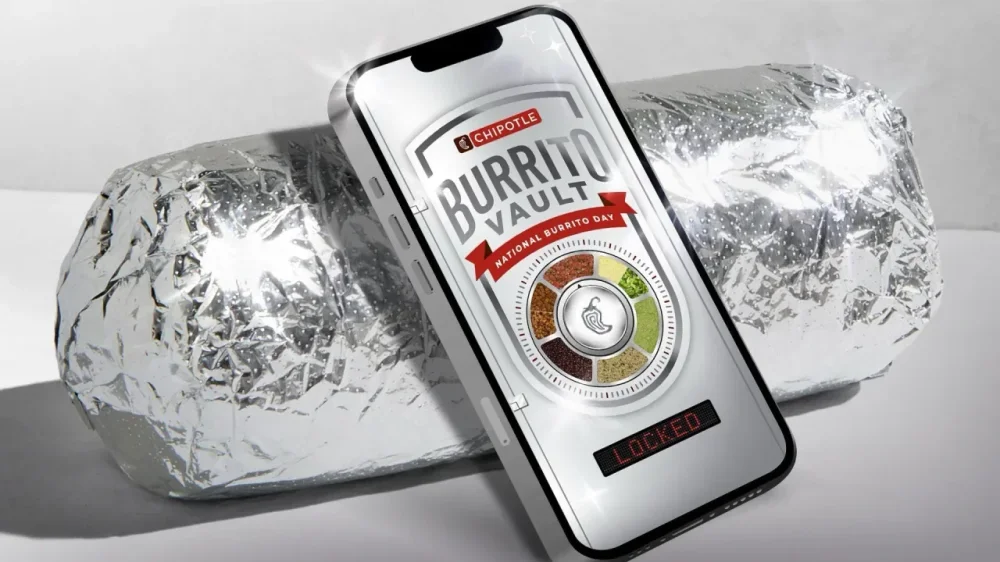
If you’re in need of some good and satisfying news, Chipotle has got you covered. The beloved burrito brand is bringing back its free burrito promotion for April 3rd’s National Burrito Day. According to the chain’s March 31 announcement, Chipotle Rewards members will once again be able to play the popular Burrito Vault game at UnlockBurritoDay.com. The game, which involves customers trying to guess exact burrito order combinations, is easy to play but comes with delicious prizes. Players will get four attempts to win BOGO (buy-one-get-one) codes. Each hour, the first 2,500 members to choose burrito orders with the correct ingredients will win free food. “Last year, our Burrito Vault drove unprecedented fan engagement that resulted in our highest digital transaction day of all time,” Chris Brandt, chief brand officer, said in the announcement. “Now, we are giving them another chance to crack the code and score more free burritos.” In addition to the BOGO deals, Chipotle is also giving Rewards Members $0 delivery fee offer for orders placed on National Burrito Day. Customers just have to use the code DELIVER on Chipotle’s app or website. The reprised promotion comes shortly after rumors about Chipotle restaurants being shuttered have swirled online. Chipotle dispelled bankruptcy rumors in a statement to Good Morning America. “The claim that Chipotle is closing restaurants is false,” a spokesperson for Chipotle told the outlet. “The false information stemmed from an inaccurate online article confusing Chipotle with a venture it tested in 2023. The story has since been corrected.” Despite rumors about the brand’s demise, it seems the reverse is actually true. In February, Fast Company reported that Chipotle was breaking records in terms of its growth. In 2024, the brand opened 304 new restaurants—the most in a single year for the chain. View the full article
-
There are many ways to copy text that can't be easily selected, but few that are as simple and fast as Text Lens ($6)—a new Mac app by prolific developer Sindre Sorhus. Text Lens lets you select any part of your Mac's screen and automatically copy all of the text from that part. This makes it easy to copy text from images, videos, scanned pages, settings menus, and other types of text that are otherwise impossible to grab. Text Lens vs. Apple's Live TextLive Text, which is built into macOS, allows you to capture text from screenshots. While it's good enough to get you started, it works only with Safari, Preview, and the built-in screenshot tool. You can't select text from other apps without taking a screenshot first, which adds an extra step to the process. With tools such as Text Lens, you can instantly go into selection mode to capture and copy text. There's no need to take a screenshot and then extract text. Using Text Lens on your Mac Credit: Pranay Parab Text Lens is simple and fast, but you should take a moment to configure it to make the most of the app. Once you've installed the app, click its menu bar icon and go to Settings. In the General tab, enable the following options: Launch at login Click menu bar icon to capture [you can right-click it to open the menu] Next, go to the Shortcuts tab and record keyboard shortcuts for this app. You can even use Raycast's Hyper Key to quickly create unique shortcuts. Once this is done, you're ready to use the app. Try either its keyboard shortcut or click the menu bar icon to fire up the selector. Click and drag to cover the area you want to copy text from, and release the mouse when you're done. Text Lens will show a popover to confirm if the text has been copied to your clipboard. (In case it fails to copy, the same popover will tell you that no text was detected.) Once it's successful, you can now paste the text in any app and carry on with your day. This app supports 18 languages including English, French, and Spanish. Text Lens will also allow you to copy text from saved files on your Mac: You can import images, PDFs, or other files, and Text Lens will copy everything on the page. The app can also copy text from images in your clipboard. Credit: Pranay Parab While I was quite impressed with Text Lens' accuracy with smaller bits of text, I imported a few larger batches of text to see how it works. For this, I compared it with the results from TextSniper ($11.99 for unlimited license) and Cleanshot X($29), two other Mac apps that let you copy text from images. I used one of my invoices to see how all three apps handle formatting challenges, and at the end of the quick test, TextSniper did the best job with the file. Text Lens and Cleanshot X were able to capture text from the invoice fairly well, but they both included a few typos and messed up the formatting. Both these apps listed all the items and dates first, and lumped together the prices at the end. Meanwhile, TextSniper listed each item, its date, and the price together. It also had the fewest typos. Still, for basic text copying, Text Lens does a fairly good job and is priced quite well. I hope that it gets better at copying large amounts of text in the future, but for copying a few lines here and there, it will do what you need it to do without much of a fuss. View the full article
-
The Nintendo Switch 2 is quite a bit different than the OG Switch: The Joy-Cons are beefier and connect via magnets; when docked, the console supports 4K 60fps output; and you can finally charge the console when playing in tabletop mode. But at the end of the day, what matters most about a new console like the Switch 2 is the games: If there's nothing new to play, what's the point? Of course, Nintendo shared a number of Switch 2 exclusives during its big Direct on Wednesday. This isn't a repeat of the Nintendo 3DS launch: There are games to play if you buy a Switch 2 on day one. But there are also a number of interesting titles coming soon and later this year. (There's even a new From Soft title coming in 2026!) Games launching the same day as Nintendo Switch 2 Whoa. Credit: Nintendo of America/YouTube Nintendo Switch 2 launches on June 5. While many of the games announced today do not launch alongside the console, there are also many that do—including Mario Kart World. True to its name, this game offers an open-world Mario Kart experience. You can drive around the world, with friends, as you travel to different races. Not that every game needs to be open-world, but this one's kind of a no brainer. It just seems like fun to drive around a giant Mario Kart map. You don't even need to drive anywhere in particular: Nintendo encourages you to drive around leisurely, taking selfies as you do. Of course, the core gameplay is still the same: Race other drivers around a track. But now, you can compete in races with up to 24 people at a time, and part of the competition is driving to the next race. There's even a new "Knockout Tour," where you race non-stop from one side of the map to the other. If you pass through a checkpoint in too low a position, you're eliminated. Plus, you can bounce off walls like Mario in a platformer, grind on rails, and play as a cow, for some reason. Here are the rest of the games that you can play on launch day: Nintendo Switch 2 Welcome Tour Street Fighter 6 Split Fiction Hogwarts Legacy Hitman World of Assassination Brave & Default Flying Fair (HD Remaster) Yakuza 0 Director's Cut The Legend of Zelda: The Wind Waker (Nintendo Switch Online) Soulcalibur II (Nintendo Switch Online) F-Zero GX (Nintendo Switch Online) Deltarune 1 + 2 + 3 + 4 Civilizations VII Survival Kids Cyberpunk 2077 Ultimate Edition Fortnite Arcade Archives 2 RIDGE RACER Rune Factory: Guardians of Azuma Puyo Puyo Tetris 2S Nobunaga's Ambition: Awakening Complete Edition Fast Fusion Upcoming Nintendo titlesThere are a number of first-party games and upgrades Nintendo announced during its presentation that won't be ready for launch on June 5. Drag X Drive (Summer 2025) Credit: Nintendo of America/YouTube This is an entirely new game for Nintendo. Drag X Drive is wheelchair basketball that uses the new mouse controls on the Switch 2 Joy-Cons. You can push both controllers forward, as your character pushes both wheels forward on their wheelchair. You can also swing the Joy-Con to throw a basket, similar to the experience with Wii Sports. Donkey Kong Bananza (TBA) Credit: Nintendo of America/YouTube After a number of remasters, Donkey Kong is finally getting a new game. This was the last announcement of the Direct, and was worth the wait: Bananza looks like Donkey Kong's version of Super Mario Odyssey—3D platforming in an open environment (though I'm not sure if it's "open world.") The biggest difference? You smash your way through just about anything you can see in the world. Hyrule Warriors Age of Imprisonment (Winter 2025) Credit: Nintendo of America/YouTube This is the third entry in the Hyrule Warriors series, and takes place prior to the events of Tears of the Kingdom. I won't go into spoiler territory here, but you will get to play out the events of the Imprisoning War, and even get to play as Zelda. Kirby Air Riders (2025) Credit: Nintendo of America/YouTube It looks like we're finally getting a sequel to 2003's Kirby Air Ride. We don't have a lot of details yet, other than seeing stars, bikes, and space ships as rideable vehicles. But Kirby Air Riders is directed by Masahiro Sakurai, the creator of both Kirby and Super Smash Bros., which bodes well. Nintendo Switch 2 EditionsLike other consoles, Nintendo is now offering Switch 2 users upgraded versions of certain Switch 1 titles. These can include better visuals, faster performance, or new features that take advantage of the Switch 2's controllers. These upgrades include: Super Mario Part Jamboree + Jamboree TV (July 24, 2025) The Legend of Zelda: Breath of the Wild (TBA) The Legend of Zelda: Tears of the Kingdom (TBA) Kirby and the Forgotten Land + Star Crossed World (TBA) Metroid Prime 4 Beyond (TBA) Pokémon Legends ZA (TBA) GameCube gamesNintendo Switch Online is finally adding support for GameCube games—but only for Nintendo Switch 2. (Why my 2017 Nintendo Switch is incompatible with games that ran on a system from 2001 is beyond me, but I digress.) In addition to the three aforementioned GameCube titles that will be available at launch, here's what's coming down the line, none of which have release dates yet: Super Mario Sunshine Fire Emblem: Path of Radiance Pokémon XD: Gale of Darkness Super Mario Strikes Chibi-Robo Luigi's Mansion Pokémon Colosseum Third-party titles Credit: Nintendo of America/YouTube Nintendo ran through a number of third-party titles that are making their way to Switch 2. They include: Elden Ring Tarnished Edition (2025) Hades II (TBA) Daemon X Machina Titanic Scion (Sept. 5, 2025) Tony Hawk's Pro Skater 3 + 4 (Summer 2025) Project 007 (TBA) Borderlands 4 (2025) WWE 2K (TBA) NBA 2K (TBA) Enter the Gungeon 2 (TBA) Starseeker Astoneer Expeditions (2026) Final Fantasy VII Remake Intergrade (TBA) Kunitsu-Gami: Path of the Goddess Hollow Knight: Silkson (2025) Story of Seasons: Grand Bazaar (Aug. 27, 2025) Goodnight Universe (2025) Silksong (2025) Two Point Museum (2025) Wild Hearts S (July 25, 2025) Witchbrook (Holiday 2025) Marvel Comic Invasion (Holiday 2025) Star Wars Outlaws (2025) Shadow Labyrinth (July 18, 2025) RAIDOU Remastered: The Mystery of the Soulless Army (June 19, 2025) No Sleep For Kaname Date - From AI: THE SOMNIUM FILES (July 25, 2025) REANIMAL (2025) Professor Layton and The New World of Steam (2025) Tamagotchi Plaza (June 27, 2025) Human Fall Flat 2 (TBA) The Duskbloods (2026) View the full article
-
In both countries, the mood is newly sober as a system of vested interests fights backView the full article
-
Producing video content is a particular challenge for generative AI models, which have no real concept of space or physics, and are essentially dreaming up clips frame by frame. It can lead to obvious errors and inconsistencies, as we wrote about in December with OpenAI's Sora, after it served up a video with a disappearing taxi. It's these specific problems that AI video company Runway says it's made some progress in fixing with its new Gen-4 models. The new models offer "a new generation of consistent and controllable media" according to Runway, with characters, objects, and scenes now much more likely to look the same over an entire project. If you've experimented with AI video, you'll know that many clips are brief and show slow movement, and don't feature elements that go out of the frame and come back in—usually because the AI will render them in a different way. People merge into buildings, limbs transform into animals, and entire scenes mutate as the seconds pass. This is because, as you might have gathered by now, these AIs are essentially probability machines. They know, more or less, what a futuristic cityscape should look like, based on scraping lots of futuristic cityscapes—but they don't understand the building blocks of the real world, and can't keep a fixed idea of a world in their memories. Instead, they keep reimagining it. Runway is aiming to fix this with reference images that it can keep going back to while it invents everything else in the frame: People should look the same from frame to frame, and there should be fewer issues with principal characters walking through furniture and transforming into walls. The new Gen-4 models can also "understand the world" and "simulate real-world physics" better than ever before, Runway says. The benefit of going out into the world with an actual video camera is that you can shoot a bridge from one side, then cross over and shoot the same bridge from the other side. With AI, you tend to get a different approximation of a bridge each time—something Runway wants to tackle. Have a look at the demo videos put together by Runway and you'll see they do a pretty good job in terms of consistency (though, of course, these are hand-picked from a wide pool). The characters in this clip look more or less the same from shot to shot, albeit with some variations in facial hair, clothing, and apparent age. There's also The Lonely Little Flame (above), which—like all Runway videos—has reportedly been synthesized from the hard work of actual animators and filmmakers. It looks impressively professional, but you'll see the shape and the markings on the skunk change from scene to scene, as does the shape of the rock character in the second half of the story. Even with these latest models, there's still some way to go. While Gen-4 models are now available for image-to-video generations for paying Runway users, the scene-to-scene consistency features haven't rolled out yet, so I can't test them personally. I have experimented with creating some short clips on Sora, and consistency and real-world physics remains an issue there, with objects appearing out of (and disappearing into) thin air, and characters moving through walls and furniture. See below for one of my creations: It is possible to create some polished-looking clips, as you can see from the official Sora showcase page, and the technology is now of a high-enough standard that it is starting to be used in a limited way in professional productions. However, the problems with vanishing and morphing taxis that we wrote about last year haven't gone away. Of course, you only have to look at where AI video technology was a year ago to know that these models are going to get better and better, but generating video is not the same as generating text, or a static image: It requires a lot more computing power and a lot more "thought," as well as a grasp of real-world physics that will be difficult for AI to learn. View the full article
-
We may earn a commission from links on this page. Deal pricing and availability subject to change after time of publication. If you’ve been eyeing a Nintendo Switch OLED but haven’t wanted to pay full price, you might want to check out this refurbished model (with white Joy-Cons) going for $249.99 on Woot—that’s a solid chunk cheaper than Amazon’s $289 sale-price tag. However, this price is only live for four days or until it sells out, whichever comes first. This is a refurbished unit (tested and certified to work like new), so it may show light cosmetic wear, but performance-wise, you’re getting the same console that PCMag called the “Best Gaming Console of the Year” in 2021. Nintendo Switch OLED Model $249.99 at Woot $339.99 Save $90.00 Get Deal Get Deal $249.99 at Woot $339.99 Save $90.00 Its seven-inch OLED screen is brighter, crisper, and more vibrant than the original’s LCD. Games like The Legend of Zelda: Tears of the Kingdom or Super Mario Odyssey just pop in handheld mode—this is especially noticeable when you’re gaming outdoors or in a room with lots of natural light. There’s also a wider kickstand that actually supports the console now (so tabletop play isn’t a balancing act anymore), and a slight bump in storage (64GB instead of 32GB), though you’ll still probably need a microSD card eventually, notes this PCMag review. And while the Joy-Cons are the same in terms of function, the dock has been tweaked with a wired LAN port if you want a more stable internet connection. It’s not a performance boost under the hood—same processor, same RAM—but it feels like an upgrade if you’re using it mostly as a handheld or tabletop device. That said, this deal has a few fine-print caveats. It only ships to the 48 contiguous U.S. states (so if you’re in Alaska, Hawaii, or elsewhere, no dice), and unless you’re an Amazon Prime member, you’re tacking on $6 for shipping. The 90-day Woot limited warranty is decent enough, too. If you’ve been debating whether the OLED version is worth the extra money over the base Switch, this refurbished deal narrows the price gap enough to make it more appealing. View the full article