Newsletter
Want to keep up to date with all our latest news and information?


ResidentialBusiness
Administrators
-
Joined
-
Last visited
Everything posted by ResidentialBusiness
-
Rightwing media mogul makes windfall on paper as stock in lossmaking conservative cable TV channel soarView the full article
-
We may earn a commission from links on this page. Deal pricing and availability subject to change after time of publication. The Bose Smart Soundbar wasn't very well received by reviewers when it came out last fall, citing small improvements for a larger price tag. But now with a $100 discount, we can have a serious conversation about who it's good for. You can get the Bose Smart Soundbar for $399 (originally $499), the lowest price it has been, according to price-tracking tools. Bose Smart Soundbar Channels: 3.0.2, Physical Connections: HDMI, optical, IR, subwoofer, USB. $399.00 at Amazon /images/amazon-prime.svg $499.00 Save $100.00 Get Deal Get Deal $399.00 at Amazon /images/amazon-prime.svg $499.00 Save $100.00 The Bose Smart Soundbar is the successor to the Bose Smart Soundbar 600, which was already a very good soundbar, so needless to say, standards were high. Bose essentially made a new soundbar with more modern features, but didn't upgrade the hardware, bringing into question the steep price increase, according to PCMag's and many other reviews. If you already have a 600, it's not worth upgrading even with the discount. However, if you're looking for a modern premium soundbar that has enough bass to not need a subwoofer, then consider the new Bose Smart Soundbar. Like most premium speakers, the soundbar doesn't need a subwoofer, because it creates its own bass, but the output will never match that of a dedicated subwoofer. This works well for bedrooms or small apartments. But keep in mind you can always add a subwoofer and/or rear speakers. Speaking of which, if you own Bose Ultra Open Earbuds, you can connect them to the soundbar to work as rear satellite speakers, creating a pseudo-surround-sound system (only for you, though). As the name implies, this is a "smart" soundbar, with wifi, meaning as long as you're in the same wifi network, you can stream your media to it with AirPlay or Chromecast. They also work as a smart speaker since it comes with built-in Alexa. The instrument separation is what makes this soundbar shine, which goes hand-in-hand with the AI Dialogue Mode feature for dialogue enhancement. But, if you can afford to spend a bit more, the Sonos Beam Gen 2 is the best stand-alone soundbar you can buy. View the full article
-
A Colorado regulator earlier this year revoked the license of the appraiser responsible for the 2021 evaluation at the center of the government's suit. View the full article

-
The average American must earn almost $117,000 a year in order to afford a median priced property as prices keep rising, a Bankrate analysis found. View the full article

-
A Jesuit priest says he prefers going to prison than paying a 500-euro ($541) fine for participating in a climate activists’ street blockade in the southern German city of Nuremberg. The Rev. Jörg Alt started serving his nearly month-long prison sentence on Tuesday in Nuremberg. “Today, I am starting my 25-day alternative custodial sentence in Nuremberg prison,” he said before entering the prison. “I don’t like doing this, especially as my health is no longer the best at the age of 63. But I see no alternative, because it’s the last form of protest I have left in this specific case to draw attention to important issues” such as climate change. In November, Alt said that “as a priest, I have no income and no bank account due to my vow of poverty and that I do not want to harm the order and my fellow brothers by paying my fine,” German news agency dpa reported. His remarks came after a Bavarian Higher Regional Court rejected his appeal to a lower court’s decision and confirmed Alt’s conviction for coercion for participating in a sit-in blockade. After the court’s decision, authorities repeatedly asked Alt to pay the 500 euros, before the fine was eventually commuted to the 25-day prison sentence. The court ruling in November was in connection with a street blockade in August 2022, when the Jesuit priest and about 40 other activists blocked traffic in Nuremberg by gluing their hands to a street in front of the city’s train station to draw attention to climate change. Numerous similar protests have taken place across Germany and other countries in recent years, as activists try to draw attention to the urgency of tackling climate change. The public and political response to such road blockades has been mixed. While some Germans have said they support the protesters’ cause, if not their means, activists have also faced violence from enraged motorists and calls for tough punishment from conservative politicians. German Chancellor Olaf Scholz has sharply criticized climate activists as “ nutty” for drastic protests such as blocking streets or gluing themselves to famous paintings in museums. Last year, activists belonging to one of the main protest groups, the Last Generation, announced that they would abandon the tactic and move on to holding what they call “disobedient assemblies.” Alt has said that he had also decided to serve the prison sentence instead of paying the fine “in solidarity with those climate activists who are treated similarly by the administration and the judiciary — it may all be lawful, but it is unjust.” It’s not the first time, that Alt was convicted for his activism. In May 2023, a court also convicted him of coercion after he participated in a road blockade in Munich and ordered him to pay a small fine. —Kirsten Grieshaber, Associated Press View the full article

-
A lot of small business owners feel shame when their company fails because they link who they are so much with their business. This is compounded when they lose money from people they know. What do we do with this shame? On The Small Business Radio show this week, I interviewed Dr. Abbie Maroño who has a new book called “Work in Progress: The Road to Empowerment, The Journey Through Shame” which offers a fresh perspective on the often-overlooked role of shame in personal growth. She explains that shame is a powerful emotion tied to our sense of self. For entrepreneurs, the line between personal identity and business success is often blurred, making failures feel deeply personal. Dr. Marono distinguishes between two types of shame: Healthy Shame: Acts as a motivator for self-improvement and growth. Toxic Shame: Leads to feelings of inadequacy and a diminished sense of self-worth. Recognizing and Addressing Shame To navigate feelings of shame, Dr. Marono suggests the following steps: Acknowledge the Shame: Recognize that feeling shame is a natural response to setbacks. Reflect on the Source: Understand why you feel shame and whether it stems from unrealistic expectations or external pressures. Avoid Distractions: Resist the urge to escape these feelings through overworking or unhealthy habits. Reframe Negative Thoughts: Shift your perspective to see failures as learning opportunities rather than personal shortcomings. The Impact of Social Media Social media can exacerbate feelings of shame by presenting an unrealistic picture of success. Entrepreneurs often compare themselves to others, leading to feelings of inadequacy. Dr. Marono advises: Limit Social Media Use: Be mindful of the time spent on social platforms. Focus on Your Journey: Remember that social media highlights successes, not the struggles behind them. Separating Identity from Business Outcomes Entrepreneurs need to cultivate a sense of self that is independent of their business achievements. Dr. Marono recommends: Explore Personal Values and Interests: Engage in activities outside of work that bring joy and fulfillment. Build a Support Network: Seek support from mentors, friends, and professionals who can provide perspective and encouragement. Practical Steps to Move Forward For those feeling overwhelmed by shame, Dr. Marono suggests: Set a Time Limit for Grieving: Allow yourself to feel the emotions but set a time limit, such as 48 hours, to process them. Take Actionable Steps: Focus on practical steps to move forward, such as developing a new business plan or seeking professional advice. Listen to the entire episode on The Small Business Radio Show. This article, "How to Move Past Shame When Your Small Business Fails" was first published on Small Business Trends View the full article
-
A lot of small business owners feel shame when their company fails because they link who they are so much with their business. This is compounded when they lose money from people they know. What do we do with this shame? On The Small Business Radio show this week, I interviewed Dr. Abbie Maroño who has a new book called “Work in Progress: The Road to Empowerment, The Journey Through Shame” which offers a fresh perspective on the often-overlooked role of shame in personal growth. She explains that shame is a powerful emotion tied to our sense of self. For entrepreneurs, the line between personal identity and business success is often blurred, making failures feel deeply personal. Dr. Marono distinguishes between two types of shame: Healthy Shame: Acts as a motivator for self-improvement and growth. Toxic Shame: Leads to feelings of inadequacy and a diminished sense of self-worth. Recognizing and Addressing Shame To navigate feelings of shame, Dr. Marono suggests the following steps: Acknowledge the Shame: Recognize that feeling shame is a natural response to setbacks. Reflect on the Source: Understand why you feel shame and whether it stems from unrealistic expectations or external pressures. Avoid Distractions: Resist the urge to escape these feelings through overworking or unhealthy habits. Reframe Negative Thoughts: Shift your perspective to see failures as learning opportunities rather than personal shortcomings. The Impact of Social Media Social media can exacerbate feelings of shame by presenting an unrealistic picture of success. Entrepreneurs often compare themselves to others, leading to feelings of inadequacy. Dr. Marono advises: Limit Social Media Use: Be mindful of the time spent on social platforms. Focus on Your Journey: Remember that social media highlights successes, not the struggles behind them. Separating Identity from Business Outcomes Entrepreneurs need to cultivate a sense of self that is independent of their business achievements. Dr. Marono recommends: Explore Personal Values and Interests: Engage in activities outside of work that bring joy and fulfillment. Build a Support Network: Seek support from mentors, friends, and professionals who can provide perspective and encouragement. Practical Steps to Move Forward For those feeling overwhelmed by shame, Dr. Marono suggests: Set a Time Limit for Grieving: Allow yourself to feel the emotions but set a time limit, such as 48 hours, to process them. Take Actionable Steps: Focus on practical steps to move forward, such as developing a new business plan or seeking professional advice. Listen to the entire episode on The Small Business Radio Show. This article, "How to Move Past Shame When Your Small Business Fails" was first published on Small Business Trends View the full article
-
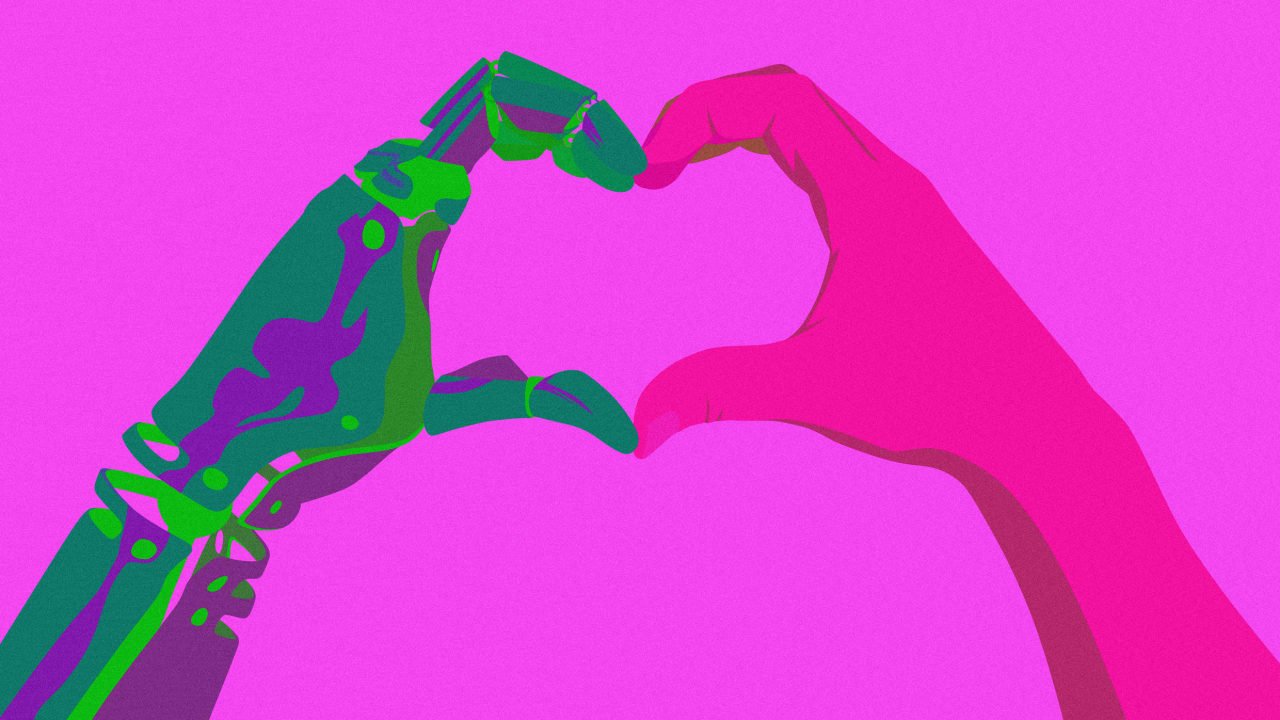
Think you’ve got game? Time to put it to the test with Tinder’s latest launch in collaboration with OpenAI. On Tuesday, Tinder rolled out The Game Game—a new experience designed to help users practice their flirting skills by chatting with an AI voice, powered by OpenAI’s GPT-4o model. Players are dealt a stack of virtual cards, each introducing a different AI persona and a hilariously exaggerated rom-com scenario (think: a luggage mix-up at the airport or accidentally crushing someone’s sunglasses on the beach). Your challenge? Charm your way through it. The bot makes the first move, and users respond in real time—earning feedback on their game as they go. Nail the convo, land a “date,” and you win. But don’t get too cozy with your digital crush: Each session is capped at three minutes, and users are limited to five plays per day—just in case you forget Tinder is still about connecting with real people. While The Game Game’s April 1 launch date might raise eyebrows, it’s no prank—it’s just not that serious. Using speech-to-speech AI, the game delivers absurdly funny scenarios designed to make you laugh more than sweat. “Our Future of Dating report found that 64% of young singles are totally fine with a little cringe if it leads to a real connection,” Hillary Paine, Tinder’s VP of product, growth, and revenue, tells Fast Company. “We didn’t want it to feel overly polished or intense. Instead, we leaned into humor, awkwardness, and low-pressure moments to help users practice flirting in a fun, playful, and judgment-free way.” Tinder has built in safeguards to ensure that conversations stay appropriate and follow community guidelines. And no, they’re not trying to create an AI companion (this isn’t Her). The goal is to blur the line between the digital and the real world—something Tinder has been exploring with events like the Single Summer Series, Chaotic Singles Party, and Swipe Off. According to a Forbes Health survey, 79% of Gen Z reported feeling dating-app burnout in 2023. Tinder is betting that a little fun might just reignite the spark. “Our mission has always been to spark real connections by making dating feel less like a chore and more like something to look forward to,” Paine says. At a launch event hosted at OpenAI’s New York City office, I got to try The Game Game myself. Let’s just say my gym meet-cute didn’t exactly end in a rom-com-style kiss in the rain. Humbling, to say the least. The Game Game is now live for U.S. Tinder users on iOS for a limited time. View the full article
-
Apple just released iOS 18.4 and macOS 15.4 for the iPhone and Mac, respectively. Once you complete the update, you'll see a prompt informing you that, as part of the update, the company has enabled automatic updates on your device, even if you had previously switched them off. This means that, unless you do something, Apple will start downloading and installing future software updates to your devices on its own. To test this out, I disabled automatic updates on my iPhone and on my Mac, and then began updating to iOS 18.4 and macOS 15.4. Sure enough, once the updates were complete, Apple duly informed me that it had gone ahead and enabled automatic updates on my devices. Now, I generally don't mind having the OS download updates automatically in the background while I go about my day, but enabling automatic installation without explicit consent is the kind of overreach that I absolutely don't want to see. On macOS, once an update is downloaded, you'll see a notification that says the Mac will restart within 60 seconds to complete the update. If you're away from your computer for a bit and miss this, you risk losing unsaved data. On my main work machine, I cannot have that happen. To Apple's credit, you can select Only Download Automatically on the update notification to stop automatic installation (the update's data will download to your machine but won't install), but the button can be a bit hard to notice, and you need to go into your settings to disable getting any future updates altogether. How to disable automatic updates (if you absolutely don't want it)I generally don't recommend disabling automatic downloads for new operating system software, since these updates can also close vulnerabilities, but it's the only option for people who wish to retain total control over their update schedule. This may be useful for those who rely on these devices for critical work, such as app developers, designers, or anyone who doesn't have enough free space on their phone or laptop. To disable automatic updates on your iPhone and Mac, go to Settings > General > Software Update > Automatic Updates. On your iPhone, disable all three checkboxes on this page (or pick and choose for a more granular experience). On macOS, disable Download new updates when available and Install macOS updates (or, again, pick and choose). View the full article
-
When it comes to chickpeas and aquafaba, the liquid and the legume are two very different residents of the same can. Just because you used garbanzo beans in your salad doesn’t mean that you’re craving these fluffy pancakes on the same day—but you might on Saturday. In the event that you have leftover aquafaba—or really, any time you’re eating chickpeas and find yourself about to drain out the liquid—stop your hand. It freezes incredibly well. How to use aquafaba Aquafaba has gained a lot of traction since it was discovered in 2014 as being a surprisingly effective replacement for making a fluffy and silky meringue (read more about the history here). However, it has more applications than being a pavlova party trick. It’s an excellent vegan ingredient that can thicken soups or replace eggs as a binder or aerating ingredient for baking. Use it as-is in muffins, whip it for fluffy pancakes, or try these other ways. I’m not vegan, and I use eggs in most of my baking, but I do often use aquafaba to thicken soups and sauces. It has some similar components to eggs, like albumins and globulins, and its starches give soup stocks added viscosity. It took some practice for me to stop draining my chickpeas, but I’ve built up a habit of freezing the leftover aquafaba. Whenever my soup could use a little somethin’, now I can easily turn to my freezer. Should you store aquafaba in the fridge or freezer?It's tempting to pop leftovers into the fridge. But if you're like me, containers get pushed to the back and then you discover it three months later and realize you probably should have frozen said item. You can store aquafaba in the fridge, but only for up to five days. After that, the liquid can get a little funky and it's not worth trying to use it. Aquafaba is easy to thaw so the best storage method is almost always going to be freezing it. How to freeze aquafabaAmerica’s Test Kitchen suggests freezing the stuff in ice cube trays, but I usually only freeze one can’s worth at a time, and slightly less than half a cup is not enough to command a whole tray. Instead, I freeze the aquafaba in a small plastic container (approximately a 4-ounce square), and then I tap out the brick into a freezer bag for long-term storage. A quarter cup brick is a great size for adding to soups and sauces. Credit: Allie Chanthorn Reinmann Sometimes I’ll have two or three cubes in there at a time, ready for my next soup or sauce. If you decide to divide it up into an ice cube tray, be sure to whisk or lightly shake the chickpea liquid before pouring. Aquafaba is not naturally homogenous, so this helps to evenly distribute those albumins and globulin particles before freezing. Aquafaba keeps in the freezer for up to four months. If you’re worried about the aquafaba not performing as well after it’s had some time in the ice chest, put your fears to rest. Freezing does not destroy or impair the starches that are responsible for its excellent whipping abilities, and according to America’s Test Kitchen, the frozen and thawed version works just as well as before. How to thaw aquafabaThaw aquafaba by putting the cubes in a bowl, covered, in the fridge overnight. If you need the viscous liquid sooner, simply microwave it for a minute or two, depending on how large the cube is. If you’re using it in a soup or sauce, just throw a frozen slab directly in the pot with everything else. View the full article
-
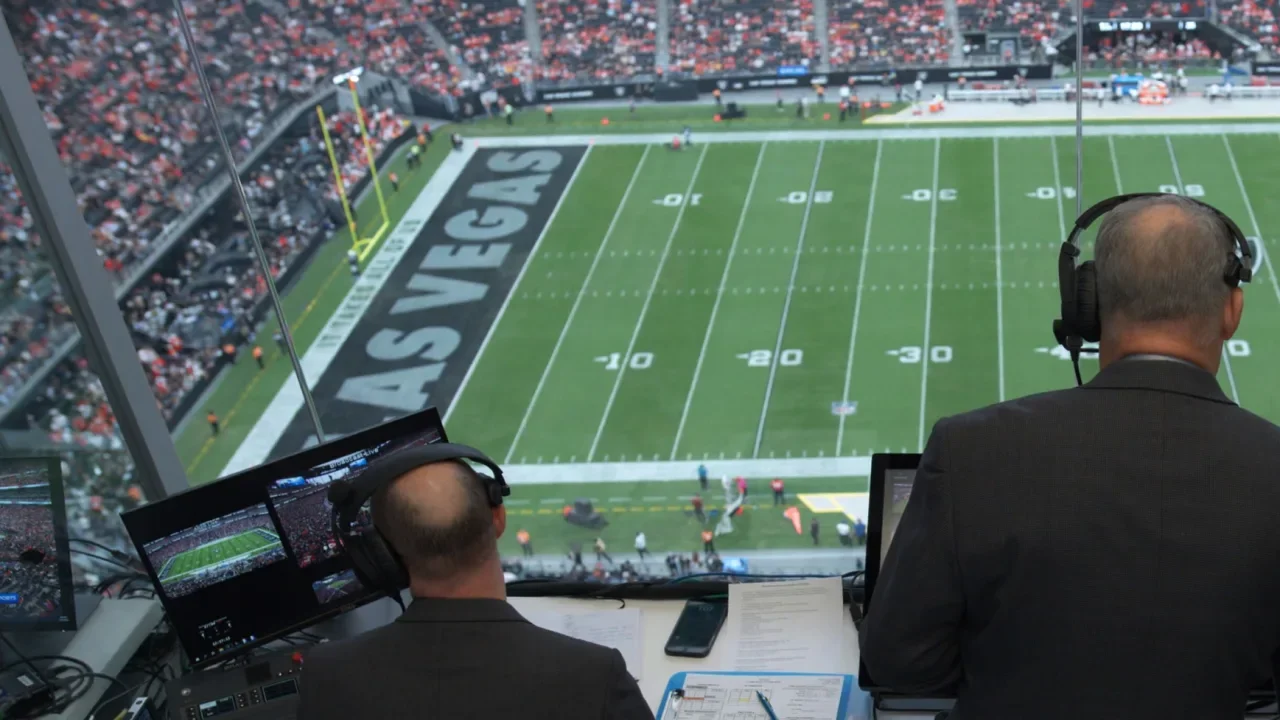
NFL games are slow. They’re 11 minutes of actual action, spread across a 3 hour and 12 minute broadcast. You can blame that pace of the game on penalties, injuries, and, of course, commercials. But now, the NFL is teaming up with Sony to fix one of the game’s biggest time sinks: measurements. Beginning in the 2025 NFL season, all 30 teams will switch from human measurements to computer automation. Each stadium will be equipped with six, 8K Sony Hawk-Eye cameras that track the position of the ball on the field. It’s a significant upgrade to century-old technology. Chains have been used to measure the position of the football since they were first introduced in 1898, when rules mandated the ideal tool for measuring progress down the field was “two light poles about six feet in length and connected at the lower ends by a stout cord or chain exactly five yards long.” By 1906, the five-yard standard in football switched to its current ten-yard mandate, and the chain has gone relatively changed since. Now, Sony cameras will replace the chain operators—what can frankly feel like an antiquated tool in the days of slow-motion replays and 3D recreations of the field. While the cameras are installed at stadiums locally, all of the footage will be sent to New York, where digital calls are coordinated by the NFL’s Art McNally GameDay Central Officiating Center. Whereas it took as long as 70 seconds for chains to measure the position of the ball, Sony’s cameras do the job in 30. When that 40 seconds of savings is multiplayed across the 153 average plays in a football game, that’s a wild 102 minutes in savings. The game length appears to be cut in half. Of course, all sorts of other things happen during those lengthy chain measurements. Every NFL broadcast is a masterclass in managing these logistics, juggling elements of the game’s narrative (wait, what penalty just happened?) and commercial cutaways (billionaire owners don’t do this for charity). And so it’s unclear how much time these new automated measurements might actually save you on a Sunday afternoon this year. While we’ve reached out to the NFL to clarify this point, is it too soon to bring up another sore point of fandom? Because in the face of so much amazing automation technology, the MLB is facing its own reckoning with the home plate umpire. This evolution certainly makes sense: I can see those strikes and balls better from my couch than they can from behind the batter! But at the same time, professional sports imbued with automated visual processing will face a tricky balance. While automation may improve the flow and accuracy of calls on the field, robots offer little in terms of suspenseful drama. View the full article
-
National Labor Relations Board freezes pair of disputes after Crystal Carey nominated as agency’s general counselView the full article
-
Baby boomers made up the largest share of home purchasers in 2024, as the percentage of millennial buyers declined, the National Association of Realtors found. View the full article

-
On Wednesday, April 2, Nintendo will finally host its first Direct entirely dedicated to Nintendo Switch 2. While we all know what the console looks like by now, there are still plenty of questions left for Nintendo to answer (and I'm expecting answers.) Here's what I'm looking out for, and where you can watch the Nintendo Switch 2 Direct. The truth is, we really don't know what Nintendo is going to share during Wednesday's Direct. What we know for sure is this: The presentation itself is going to run about 60 minutes. That's a long time for a Nintendo Direct. The company's last presentation on March 27, for example, was just under 37 minutes, which means Nintendo must have quite a bit to share about the Switch 2. But aside from that, Nintendo is tight-lipped about the actual content of its upcoming Direct. What we know about the Switch 2 That said, Nintendo has already shown off quite a bit about the Switch 2. In its original announcement earlier this year, the company unveiled the new hardware, revealing a larger display and console, and a redesigned kickstand that offers steeper angles to play in handheld mode. It also sports two USB-C ports instead of one (the new one is on the top of the console), and the dock now sports a "2," so you know you're playing on the latest Switch. The most noticeable change in the announcement video, perhaps, was the Joy-Cons: These Switch 2 controllers are beefier, with larger shoulder buttons and an adjusted shape. In case you didn't notice those adjustments, you could probably tell these Joy-Cons have a different color design than the originals, as these new controllers are mostly black, with color accents under the joysticks and along the rails. (The Switch 1 Joy-Cons, of course, are the opposite: very colorful, with black rails and accents.) These Joy-Cons connect to the Switch 2 magnetically, as opposed to the slide-rail mechanism of the original console. I'm sure Nintendo will show off more about this functionality tomorrow. The video did confirm a rumor that Nintendo would add a new "C" button to the console, but Nintendo did not elaborate further. What does it do? We simply don't know. We also know that Switch 2 will be backwards-compatible with Switch 1, which gives players a lot of flexibility. Of course, Switch 1 players likely won't be able to play Switch 2 games (though you never know), so the new Mario Kart that Nintendo teased in its announcement might just be a new-console exclusive. What we've learned since the announcementWhile Nintendo confirmed many of the leaks and rumors that had been circulating online for some time, there were still many questions left unanswered. While there are still plenty of unknowns here, we have learned more in the months since the official Switch 2 announcement. In February, a Nintendo patent surfaced showing off a feature that lets you use your Joy-Con as a computer mouse. It seems to track with the Switch 2 announcement video, which shows the new Joy-Cons dragging along a surface—like a mouse. While Nintendo hasn't publicly acknowledged this functionality yet, it could open up different kinds of gameplay mechanics. (Perhaps we'll have touchscreen-based DS and 3DS game support on Switch 2.) Then, last month, Nintendo submitted a number of filings with the FCC, which revealed three key things about the Switch 2: The new console supports NFC, Wi-Fi 6, and charging via both USB-C ports. What's left to learnIn all, we know a lot here: We know what the console looks like, many of its features, and that there's at least one new game in the works. But there's still plenty to learn. We don't know, for example, the console's true specs yet, nor do we know how powerful it really is. While analysts think the Switch 2 could be significantly more powerful than the original Switch, it's all speculation until Nintendo demos the games the console can run. Will we finally get a Nintendo console to run at 4K (preferably at 60fps)? Speaking of games, what will we actually be able to play on Nintendo's shiny new console? Rumors suggest third-party developers are planning titles including Assassin's Creed, Halo, and Microsoft Flight Simulator, while previously announced first-party Nintendo titles that haven't released yet, like Pokémon Legends: Z-A and Metroid Prime 4 will likely have a Switch 2 debut. We also don't know about the price. Rumors had suggested a $399 MSRP, which would seem reasonable when compared to the Switch's $299 price tag, but Nintendo hasn't confirmed one way or another. We also don't have an official release date. Hopefully, we will learn all these details tomorrow. I wouldn't be surprised if Nintendo has some wild-card announcements to generate buzz for the Switch 2. Could there be a 3D Zelda announcement? Will the company announce high-performance modes for older Switch titles? It's really a guessing game at this point. But it won't be for long. How to watch the Switch 2 Nintendo Direct Nintendo is going to stream live starting at 9 a.m. ET (6 a.m. PT) on Wednesday, April 2. You can catch the show from Nintendo's official YouTube page. View the full article
-
Pacific Residential Mortgage discovered the ransomware incident just weeks after the successful completion of its merger with an Ohio-based lender. View the full article

-
The deal is composed of 11,547 seasoned performing and reperforming loans that are first and second lien. Loan servicing includes a 180-day chargeoff feature. View the full article

-
If you're out and about with your laptop, or just in a different room than your charging cable, you want to eke out as much time as possible before the next recharge—and an important part of that is knowing which apps are draining the battery the quickest. Once you know who the worst offenders are as far as battery drain is concerned, you can do something about it. Maybe you can use the programs in question less often, enable any battery-saving features (if they're available), or uninstall them altogether and switch to less power-hungry alternatives. Take Google Chrome, for instance—not a program known for its light touch on system resources. If you find it's putting a lot of stress on your battery, you can turn on the Energy Saver feature, or perhaps just be more careful about how many tabs you've got open at any one time. Here's how to track down the apps using most battery life on Windows and macOS. Tracking apps on WindowsLoad up the Settings screen from the Start menu, then choose System and Power & Battery. If you click Battery Usage, you'll see how your laptop battery level has dropped over the last 24 hours or the last seven days (open the drop-down menu on the right to switch between the two time periods). Underneath the main graph, you should see a list of the programs that have been responsible for the battery drain over the last day or the last week, with the biggest battery hogs listed at the top. If you can't immediately see an app you want to check up on, scroll down the list or use the search box just above the list. If an app doesn't show up, then it hasn't affected the battery level for the chosen time period. Windows will list apps by battery usage. Credit: Lifehacker The drop-down menu under Sort by lets you order the apps by name rather than by battery usage. You can also choose to see programs based on how much battery life they've used up while in use, while running in the background, or both together (which is probably the most useful metric). With certain apps, you can click the three dots next to them and choose Manage background activity to reduce the demands they place on the battery when they're not being used. This feature is mostly available with native Windows applications, including Notepad and Paint, and will take you to the settings for that app. Tracking apps on macOSOver on macOS, you can start your investigations by clicking on the battery icon on the menu bar up in the top right corner of the screen. This will tell you which of the apps that you currently have open are "using significant energy"—so you're most likely going to see your web browser or your video editing software here. Click Battery Settings from the same pop-out dialog and you can see how your MacBook's battery has drained over the last 24 hours or the last 10 days (use the tab switcher just above to change between these two views). You can also turn on Low Power Mode and other battery options (like dimming the screen when on battery power). Head to Activity Monitor on macOS to check battery usage. Credit: Lifehacker What you can't do from this screen is see any more about which apps are using up battery—there's no simple list as there is on Windows. Instead, load up Activity Monitor from Spotlight or the Utilities folder in Finder, then switch to the Energy tab: You get to see which apps are currently using up most battery life, and which have been the most demanding in terms of energy use over the last 12 hours. To limit which apps can run in the background as well as in the foreground on your MacBook—which again can affect battery life—you need to go back to System Settings (via the Apple menu). Open the General tab, then click Login Items & Extensions, and you've got a series of permission toggle switches for all the installed programs that have requested to run in the background. View the full article
-
The old Tesla can’t come to the phone right now. Why? Oh, ‘cause she’s dead. Over the past few days, a new trend has emerged on TikTok: people are posting their Tesla trade-ins accompanied by the hashtag “ByeTesla” and soundtracked to Taylor Swift’s “Look What You Made Me Do.” In the videos, the Tesla driver backs out of a driveway as the lyrics play: “I’m sorry, the old Taylor can’t come to the phone right now. Why? Oh, ’cause she’s dead.” Cut to a brand-new Rivian R1S, Porsche Macan Electric, or even a GMC Hummer EV SUV as the song’s chorus plays: “Look what you made me do.” “The best upgrade I’ve seen in this trend,” one person commented on the video posted by the proud owner of a new Porsche Macan Electric, which retails for $75,300. “Talking about an upgrade!!! To go from that cheap built plastic toy car to German engineering is quite the change!! Enjoy!” Another user wrote: “Never skip a Tesla trade-in video.” The new GMC Hummer EV SUV driver—which starts at about $98,845, compared to the Cybertruck’s starting price of about $99,990—wrote in the caption of their trade-in: “Change is GOOD—when your principles/morals are important.” While some called out the car’s depreciating value (the driver confirmed in the comments that it’s a lease), others cheered on his commitment to his morals. “I never thought I’d be cheering for a Hummer purchase, but I have to say ethics make it look great!” one person wrote. “I’ve been saying this whole time imagine having cybertruck money and buying a cybertruck instead of the electric hummer. Approved,” another commented. Those participating in the #ByeTesla trend are part of a growing number of consumers who bought Tesla vehicles before Musk took over the Department of Government Efficiency, or DOGE, and are now looking to sell or trade them in. Others have resorted to anti-Musk bumper stickers to distance themselves from the billionaire. Thousands of anti-Tesla protesters took to the streets on Saturday, March 29, as part of the broader peaceful protest movement, Tesla Takedown, targeting Tesla dealerships and vehicles in opposition to Musk’s role as the head of DOGE. Hoping to hit him where it hurts—his estimated $340 billion fortune—the biggest portion of Musk’s wealth consists of his stock in the electric vehicle company. Musk, however, did not appear concerned about an extended slump in new sales during a recent meeting. Instead, he reassured workers that the company’s Model Y would remain “the best-selling car on Earth again this year.” He also predicted that Tesla will have sold more than 10 million cars worldwide by next year, up from the seven million currently sold. Clearly, he is not taking cues from TikTok. View the full article

-
Judges ruled that Atlantic Trust and District Lending continuing to send loans to UWM after the controversial amendment equates to accepting the ultimatum. View the full article

-
We may earn a commission from links on this page. Garmin announced a new fitness watch today, the Vivoactive 6. Its predecessor, the Vivoactive 5, is my pick for the best smartwatch to replace a Fitbit (beating out the Pixel Watch 3), and, if you ask me, it's the most underrated device in the Garmin lineup. The Vivoactive 6 is poised to be even better, adding a few new features, including a "smart wake" alarm and on-watch coaching for walking and strength training. The Vivoactive 6 will be available for preorder on April 4, with a suggested retail price of $299.99, the same initial price as the Vivoactive 5. (If you’re looking to save money by going with the older model, the Vivoactive 5 is currently on sale for around $219—an excellent deal on what is still a great fitness watch.) What kind of watch is the Vivoactive 6?The Vivoactive 6, like the 5 before it, is best described as a fitness watch. It’s not as sport-specific as something like a Forerunner, which is made specifically for runners, or an Instinct, which is made for people who are out hiking in the woods all the time. The Vivoactive 6 is more of a modern, everyday watch, with an AMOLED (smartphone-like) touchscreen and a lightweight plastic body that strikes a middle ground between sporty and fashionable. It measures 42 millimeters diagonally, which is on the smaller side for smartwatches. It’s roughly the same size as the Venu 3S and the Forerunner 265S, which are the smaller versions of their respective lines. In addition to the touchscreen, the Vivoactive 6 still has two buttons, so you’re not dependent on the touchscreen during activities. (This is a major plus for any fitness or sports watch.) It’s definitely more fitness-focused than a true smartwatch (like an Apple Watch), with its built-in fitness features available just a swipe or button press away from the home screen. What’s new on the Vivoactive 6? The size, shape, and general specs of the Vivoactive 6 are very similar to the Vivoactive 5. Colors have been slightly updated: there are still black and white models, but lavender and navy are out and peach and olive green are in. The new Vivoactive 6 has 8 GB of storage, double what the Vivoactive 5 had. It also has a gyroscope, the better to detect movement. Beyond those changes, there are a few really excellent features that are entirely new to the Vivoactive 6. Here’s a tour. Smart wake alarmInstead of just setting a time you’d like to wake up, the new smart wake alarm feature will let you set a window of time, and the watch will look for “lighter sleep stages” during that window to wake you with a vibration. (The manual for the Vivoactive 6 is not online yet, but that’s how it was described in a press release.) Daily suggested workouts for walkingGarmin’s running watches have long offered “daily suggested workouts” (DSW, we Garmin-heads call them) for running and cycling. The Vivoactive 5 didn’t have any DSW, and the Vivoactive 6 still doesn’t have them for running or cycling—but it does have DSW for walking. Coached running and strength programsThe Vivoactive 6, unlike the 5, gives you access to Garmin Run Coach and Garmin Strength Coach. The running coach is similar to the DSW for running, but they’re viewable on your phone. (I have thoughts on Garmin’s run coaching.) From my experience with the Forerunner watches, you cannot use both a run coach and a strength coach at the same time. The Vivoactive 5 only had run coaching through the “expert” plans (where you choose Coach Amy, Coach Greg, or Coach Jeff). The Vivoactive 6 still has those too. Improved navigationThe Vivoactive 6 can navigate with Beidou and QZSS networks, in addition to the usual GPS/GLONASS/GALILEO. Red shift modeIf you need to use your watch in low-light environments, you can shift the display to a dim red-on-black mode to give your eyes a rest. More activity modesThe new activity modes include (this is not a full list) mobility, track run, trail run, obstacle running, horseback riding, golf, mountaineering, disc golf, archery, gravel biking, cyclocross, kayaking, surfing, snorkeling, motorcycling, ATVing, snowmobiling, ice skating, and inline skating. View the full article
-
Case involving murder of Brain Thompson has unleashed fraught debates over country’s for-profit healthcareView the full article
-
2024 was a record year, but not in the way businesses hoped for. Employee engagement plummeted to its lowest point in a decade, with just 31% of employees describing themselves as engaged. Even more concerning is the fact that employers saw record levels of actively disengaged employees, with 17% of employees saying they’ve completely checked The post Want high team engagement and increased profitability? Try customizable goals and alerts. appeared first on RescueTime Blog. View the full article
-
Google has pushed out a shiny new AI model in the form of Gemini 2.5 Pro, albeit with an experimental label next to it—and it's available for free, so you don't need to subscribe to Gemini Advanced to get it. As with many recent AI model releases, the "reasoning" capabilities of the model are said to be the biggest upgrade here. In artificial intelligence terms, reasoning means answers that are more thoroughly worked through. That should produce fewer mistakes, more logical responses, and a better appreciation of "context and nuance" according to Google. This capability for extra "thought" will now come as standard in future Google models. The Pro (Experimental) release is the first variant of Gemini 2.5 to show up, and while the original blog post didn't mention free users, less than a week later we've got an update saying it's available for everyone—with rate limits applied if you're not a Gemini Advanced subscriber (Google hasn't specified what those rate limits are). The new model is available now through the desktop app, and coming soon to mobile. Gemini 2.5 Pro hits new levels in a variety of AI benchmarks. Credit: Google Google points to several benchmark tests that show the prowess of Gemini 2.5 Pro. At the time of writing it tops the LMArena leaderboard, where users give ratings on responses from dozens of AI chatbots. It also scores 18.8 percent on the Humanity's Last Exam test—which measures human knowledge and reasoning—narrowly edging out rival models from OpenAI and Anthropic. Also of note: the large context window. In simple terms, this is an indicator of how much data the AI model can churn through in one go, and Gemini 2.5 Pro has a context window of one million tokens, with two million "coming soon" according to Google. That compares to a context window of, for example, 200,000 tokens for ChatGPT's o3-mini reasoning model. As tends to be the norm with these AI announcements, there's no mention of copyright infringement as far as training data goes, or increasing energy use. According to MIT researchers, modern-day AI models use a "staggering" amount of electricity and water, and have put us on an "unsustainable path" that needs to change direction quickly. Putting Gemini 2.5 Pro to the testIt can be tricky to quantify improvements from one AI model to the next, which is why benchmarks like LMArena are useful. I lack the expert scientific or programming knowledge needed to really put Gemini 2.5 Pro to the test—though as with the previous model, I was able to create some simple web apps (like an online timer) in minutes. I do know a bit about Charles Dickens' Bleak House, so I set Gemini 2.5 Pro to work on the text. It gave me an accurate summary of the plot, and a clever assessment of the different narrative devices used (which would've really helped me in my study days). It also converted the book into a reasonably well done three-act structure for a movie—evidence of it holding a lot in its "mind" at once. The older Gemini 2.0 Flash was able to answer the same Bleak House prompts accurately too, but the responses from Gemini 2.5 Pro were longer, more detailed, less generic, and smarter—evidence of that extra "reasoning" being put to work. The Gemini 2.0 Flash model also had to split the movie adaptation into three responses, perhaps due to the sheer amount of text it was trying to process. Google has provided its own example of the capabilities of Gemini 2.5 Pro, showing how a simple endless runner game can be produced from a single prompt. While the demo video showing the code output is sped up, the game does appear to work and be pretty well-designed, which is an impressive end result from a single natural language prompt. There's also a neat web demo of digital fish swimming around. Elsewhere on the web, the new AI model is being extensively tested. Software engineer and independent AI researcher Simon Willison ran several tests covering image creation, audio transcription, and code generation, and came away very much liking what Gemini 2.5 Pro had been able to come up with. The frenetic pace of AI development shows no signs of slowing down anytime soon, and we can expect more Gemini 2.5 models to appear in the near future. "As always, we welcome feedback so we can continue to improve Gemini's impressive new abilities at a rapid pace, all with the goal of making our AI more helpful," says Koray Kavukcuoglu, from Google's DeepMind AI lab. View the full article
-
Policymakers in Beijing believe they will benefit from the destruction of America’s global credibilityView the full article
-
Sir Keir Starmer may have to make concessions on Britain’s digital services tax and agricultureView the full article