Newsletter
Want to keep up to date with all our latest news and information?


ResidentialBusiness
Administrators
-
Joined
-
Last visited
Everything posted by ResidentialBusiness
-
We may earn a commission from links on this page. Deal pricing and availability subject to change after time of publication. If you're looking for a MacBook without dropping over a grand, this refurbished 13" 2020 Apple MacBook Air is going for $439.99 on StackSocial right now. That’s a fraction of the original price, and it comes with 8GB of RAM, a 256GB SSD, and a 1.1GHz dual-core Intel Core i3 processor. It’s not the latest and greatest, but it holds up surprisingly well for students, freelancers, or anyone who needs a decent everyday laptop for web browsing, emails, documents, and streaming. You’re also getting that bright 13.3-inch Retina display with True Tone, which still looks sharp and vibrant in 2024. This model comes with the backlit Magic Keyboard and Touch ID, which makes unlocking your Mac or making secure purchases easy. The build is sleek, and at just under three pounds, it’s light enough to carry around all day. Battery life is also solid—you can expect up to 11 hours of wireless web use or 12 hours of video playback. Your mileage may vary depending on usage. You’ll get two Thunderbolt 3 (USB-C) ports for charging and accessories, and while that can feel limiting, a simple hub can easily expand your setup. It runs macOS and is compatible with updates to macOS Sonoma 14, so you’re not locked out of modern apps or features. It’s rated Grade-A refurbished, so you might see minimal cosmetic wear, but performance should be unaffected. It ships with a MagSafe charger and comes with a 30-day parts and labor warranty from a third party, not Apple. That’s something to factor in if long-term support matters to you. It also won’t blow you away with speed or handle heavy creative work like video editing or 3D rendering. Still, this deal checks the right boxes for writing, streaming, Zoom calls, and basic productivity—especially if you just want a clean, modern MacBook without paying full price. View the full article
-
US president describes three people accused of painting pro-Palestinian messages at his Scottish resort as ‘terrorists’View the full article
-
We may earn a commission from links on this page. We all know that renovating and remodeling a house is expensive. An average kitchen renovation costs more than $27,000, and a bathroom will run you more than $25,000 even if your plans are relatively modest. A lot of that cost is labor, which runs anywhere from $20 to $150 per hour depending on the trade involved and the specific contractor. If you’re looking to save some money on your home project, doing it yourself is one of the most obvious ways to go. But there are other, less obvious ways you can trim costs on your DIY renovation or remodel. To save money on a house project, it’s not always about buying cheaper materials or scaling back your design. Sometimes there are indirect actions you can take that lead to lower costs in surprising ways. Here are some unexpected strategies for reducing the overall costs of your next DIY project. Reuse demoThe demolition phase of a renovation project is something just about anyone can take care of themselves, and it saves a little money on labor. Plus, it’s cathartic to take a hammer to those outdated aspects of your house that you’ve hated since moving in. But if your goal is to save as much money as possible, hit pause before you swing that hammer and ask yourself if you can re-use any of the materials. Sanding and painting existing cabinetry instead of buying brand-new replacements is an obvious way to re-use materials instead of smashing them up, but think deeper: Tile. If your floor or backsplash tile is in good shape and still fits your new design, removing it carefully and cleaning it up instead of smashing it into pieces is a great use of existing resources. Decking. If you’re removing an old composite deck, consider using some of the composite materials as framing for the replacement. This works best with roof decks or ground-level decks where you only need a slight elevation, but it can save you money on fresh timber—and the composite materials will last longer. Removable stuff. All the things that can be easily removed instead of smashed up could be repurposed. Doors, cabinet hardware, and light fixtures don’t need to be replaced unless they’re crucial to your design (or no longer work properly). If you’re not going to re-use your doors, remember that they’re made of high-quality wood that could be cut up and repurposed elsewhere—as headboards or furniture, for example, instead of buying new. Walls. Taking a sledgehammer to the walls is fun, but ask yourself if you actually need to replace the walls. Drywall can be repaired and rehabbed, even if the paper has been peeled away or damaged (using a specialty primer like this), and once fresh paint, tile, or wallpaper is applied no one will know it’s the same wall that’s always been there. The Domino Effect. Consider whether you can save money on other projects by salvaging what you have. Old kitchen cabinets could be transferred to a garage or basement instead of buying new storage solutions for those areas, for example. If your dream involves fresh, brand-new everything, go for it. But spending a little time thinking about what you can salvage and re-use can add up to serious savings. Mix-up materialsBuying cheaper materials is one of the first things DIYers think of when trying to cut costs—and it works! But there’s a price to be paid, sometimes, in terms of the final look and durability of the finishes. One solution is to think about form and function separately. For example, cheap kitchen cabinets are usually not the most attractive, but a cabinet is essentially a wooden box. Cheap cabinets combined with high-end doors, drawer faces, hardware, and counter materials will look luxe but cost a lot less. You can also use different materials in different areas of a room. In the kitchen, for example, you can use different counter materials on the base cabinets and an island, going high-end in one area and mid-range in another. This not only saves you a little money, it adds a spice of variety to the design as well. Dry-fit everythingYou’ve heard the expression “measure twice, cut once.” Planning and taking your time are some of the easiest ways to save a little money on any home project. Before you start drilling, nailing, and driving screws into cabinets, for example, make sure they fit the way you expect and that there are no unexpected problems. Dry-fitting everything also lets you ensure your measurements for fill pieces and trim are correct, that all power cords will reach outlets, and that you haven’t overlooked anything that’s going to be costly to fix. This concept applies to your skill set, as well. If you’re planning to learn how to do something in real-time while you’re actually doing it, be prepared to waste a lot of time—and expensive materials. Practicing things you’ve never done before will save you money in the long run. When I decided to remodel my bathroom, I bought small squares of drywall and practiced cutting and installing tile a few times before tackling the actual job, and it paid off because I’d gotten basic mistakes out of the way before they could turn into tear-out-an-entire-wall-of-fresh-tile mistakes. Seek out dealsThings cost what people are willing to pay for them. If you can find high-end materials at discount prices, they’re still high-end, so before you break out the credit card to buy new, check out some options for lightly-used stuff, like Recycling centers. Stores like Habitat for Humanity’s ReStore chain take donated materials and sell them at steep discounts. You can find everything from flooring to kitchen cabinets at these stores, ranging from used-but-functional to brand new. Floor models. You can often find high-end appliances and furniture at steep discounts because of the relatively light wear-and-tear they suffer. It pays to make some calls or in-person visits to see what might be available. Your best bets for floor models are when new models come out, which is usually September/October for washers, dryers, and dishwashers, January/February for ovens, and May for refrigerators. Also, if you need framing material, you can look for the imperfect lumber at your local lumberyard or big box store. These pieces may not be perfectly straight, but can often be cut down to usable portions that might save you a lot of money. Remnants. Search for remnant stores to find leftover countertops, tile, and other renovation materials. When stone slabs are cut for custom countertops, for example, the remnants are often oddly-shaped or nonstandard size, so you can buy them cheap. Keep in mind, if you bought a full-sized slab that is cut down to fit your design, you can keep the remnants from that slab and use them as well. Often there’s enough material left over to use as a small vanity countertop in your bathroom, for example. Keep the layoutOne of the easiest ways to add costs to your kitchen or bathroom renovation is to move the plumbing. It costs nearly $1,100 on average per piping run to relocate your plumbing, and can run much higher if you’re making dramatic changes as opposed to shifting something a few feet this way or that. If you plan your design around the existing plumbing and electrical outlet layout, you can save a fair amount of money without losing any functionality. Tool librariesDIY projects often require tools you’ve never heard of before and may never use again. Renting those tools instead of buying them can save you some money—but first check if your local library has a tool library. You might be able to use an expensive tool for a few days or weeks at zero cost, and you get to avoid trying to find a place to store something you’ll probably never need again. Camp inSimply by choosing to live in your house during your renovation you’re saving money by not renting an apartment or hotel room. Yes, the dust and disorder can be stressful, but the savings will be significant. If you’re renovating your kitchen or only bathroom, however, this can be a challenge. Not having a functioning kitchen probably means a fortune in food delivery bills, and not having a working bathroom is simply no way to live. Setting up a temporary kitchen is relatively easy. With a few small appliances like an air fryer, microwave, toaster oven, hot plate, and mini-fridge, you can do some basic cookery. A dish-washing station outside, in the bathroom, or by a utility sink in the laundry room or basement might not be an ideal experience, but it will get the job done. It’s also possible to set up a usable temporary bathroom—even without plumbing. How fancy your bathroom accommodations have to be is entirely up to you, but as you shower in a makeshift stall in the basement, remind yourself how much money you’re not spending on a hotel room. View the full article
-
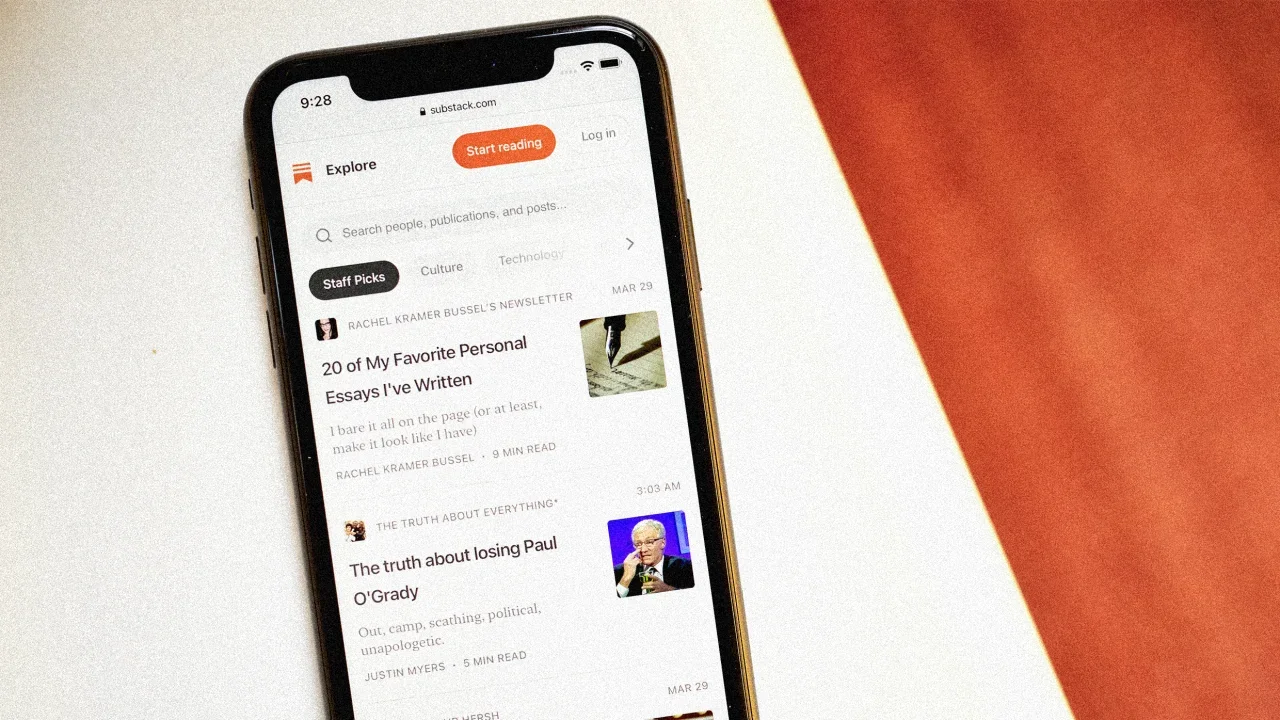
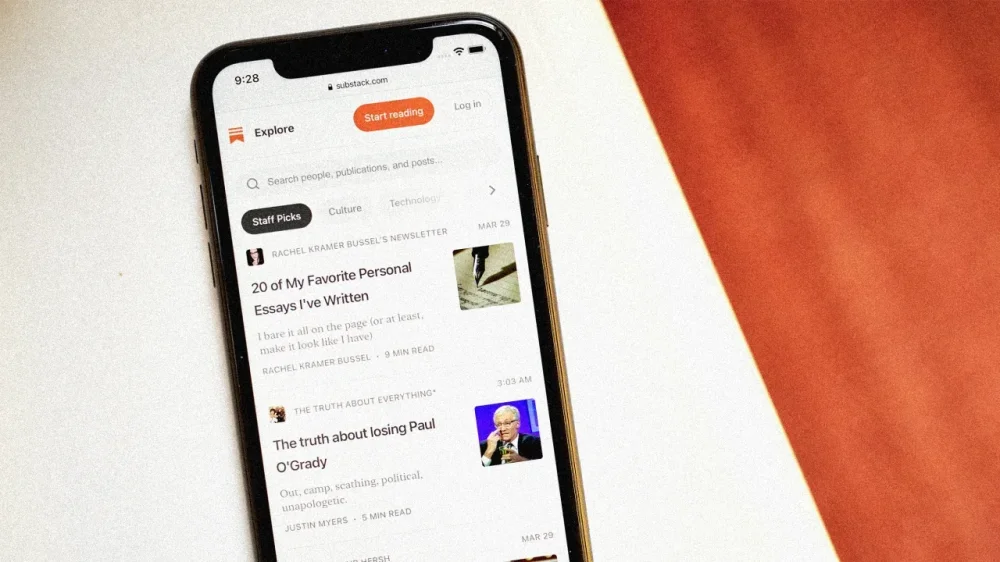
As a potential TikTok ban looms in the United States (again), Substack is making (another) play for video creators to join its platform. Back in January, Substack CEO Chris Best wrote on his personal account that the company was “going to rescue the smart people from TikTok!” It seems he’s making good on that promise, as the company announced on Monday that it’s rolling out a scrollable video feed in its app. Given the timing of this TikTok-like launch, Substack appears eager to capitalize on the potential void left behind if TikTok is actually banned this time around. Substack first launched video in 2022, later introducing an in-app Media Tab in 2024. The latest redesign transforms that tab into a scrollable, TikTok-style feed featuring short-form videos under 10 minutes, with long-form content and podcast previews expected to follow. This update comes just a month after Substack’s announcement that creators can now monetize their videos on the platform and publish video posts directly through the Substack app. As of February, 82% of the platform’s top-earning writers are using multimedia, up from just over 50% last April. Substack hopes to continue building on this momentum. According to the company, creators who’ve adopted video and/or audio have seen their revenue grow 2.5 times faster than those who haven’t. The new scrollable feed is designed to boost visibility and discovery for creators experimenting with new formats, while also helping readers stumble across new voices beyond their inboxes. “Substack isn’t built around any one medium—it’s built around creators. We’re committed to giving them the tools to share their work, connect with subscribers, and contribute to a thriving network of independent voices,” Substack product manager Zach Taylor tells Fast Company. “As we expand publishing capabilities across formats, the updated media tab makes it easier to discover standout video content from across the network—whether it’s a sharp take, a compelling story, or a powerful clip that sparks connection.” Taylor continues: “We’re excited to keep evolving the Substack app into a dynamic space where creators of all kinds can grow, connect, and build a sustainable business.” From TikTok to Substack, the demand for bite-size content shows no signs of slowing down. View the full article
-
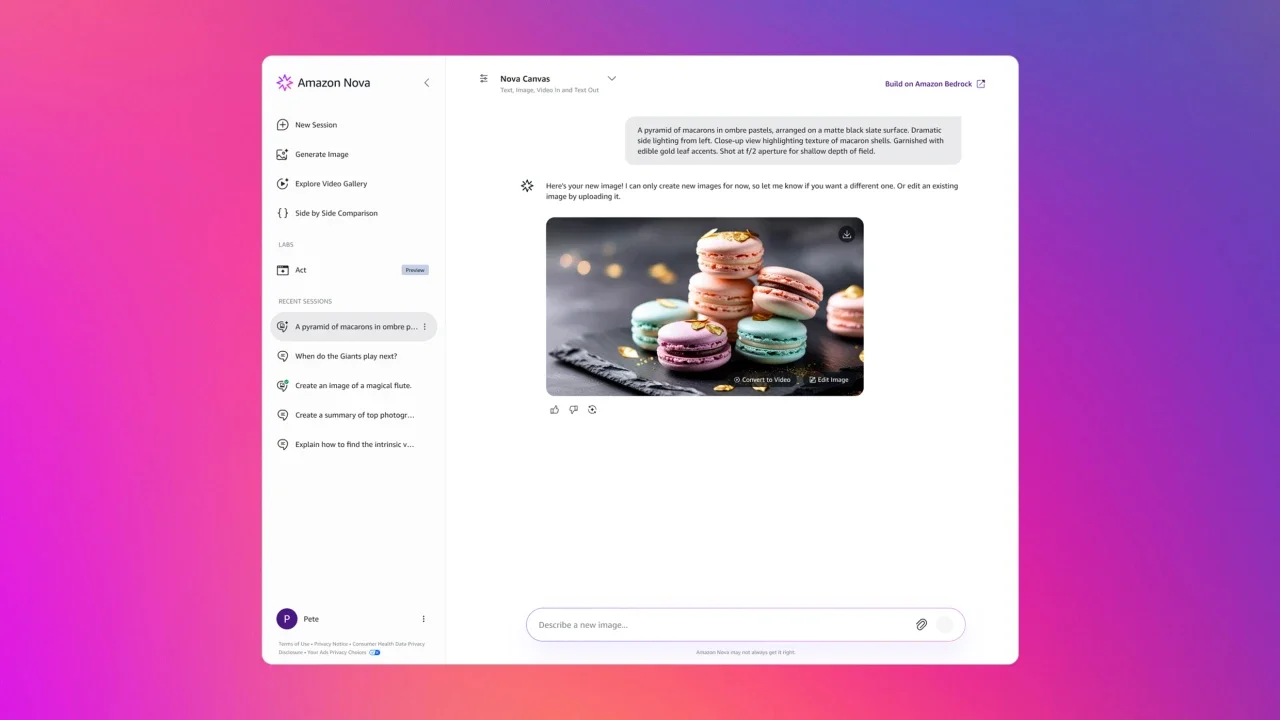
Amazon on Monday launched its latest AI model, designed to take over a user’s web browser and perform simple tasks. The move places the e-commerce giant in more direct competition with artificial intelligence companies like OpenAI and Anthropic, which are also developing AI “agents.” The model, called Nova Act, is currently available as a “research preview” for developers, meaning it’s not yet open to the general public. It can complete tasks such as browsing the web and making purchases without supervision. For instance, the company demonstrated Nova Act searching for apartments within biking distance of a specific train station. It can also handle more nuanced instructions like “don’t accept the insurance upsell.” “We think of agents as systems that can complete tasks and act in a range of digital and physical environments on behalf of the user,” Amazon wrote in a blog post on Monday. These types of agents are still in their early stages, but tech companies are placing big bets that agentic AI represents the next major frontier. OpenAI recently released “Operator,” a tool that automates web-based tasks, along with Deep Research, which it says can gather information from across the web and summarize it into digestible reports. Anthropic, the creator of Claude, and Google have also introduced AI agents. Nova Act is part of Amazon’s Nova series, first announced in December 2024, which is capable of generating text and images. “The Nova Act SDK is a crucial step forward, toward building reliable agents by enabling developers to break down complex workflows into atomic commands (e.g., search, checkout, answer questions about the screen),” the company wrote. View the full article

-
Some of Abir Barakat’s earliest childhood memories are of her father’s fascination with tatreez, a traditional Palestinian embroidery involving hand-stitching patterns and motifs on clothing, scarves, bedspreads, and pillows. Her father would collect thobes—tatreez-embroidered loose-fitting dresses worn by Palestinian women, ultimately amassing an extensive collection of unique, traditional tatreez pieces crafted decades ago by women in Palestine. “My memory is how passionate he was about it and how he would tell us different stories about (tatreez),” says Barakat. “He would acquire these old Palestinian dresses [some of which] are museum pieces, honestly, because they can no longer be found.” After nearly 15 years of working in various marketing roles, Barakat decided to combine her experience with her passion for tatreez and begin preserving historical tatreez pieces. “It was such a rich history and a rich heritage that it had to be repurposed,” she says, adding that “a lot of these villages that the embroidery comes from no longer exist.” That’s why she started Jeel, which means “generation” in Arabic—a name she chose because it reflects her goal of preserving a rich heritage and passing it down to future generations. Since the brand’s launch in 2014, it has grown into a profitable business selling a range of vibrant tatreez embroidery, amassing more than 18,000 Instagram followers. With the United Nations Cultural agency warning that tatreez is at risk of disappearing from collective memory, brands like Jeel and others are focused on preserving Palestinian heritage. Tatreez and the fabric of Palestinian identity Historically, tatreez also formed a Palestinian’s cultural identity as the embroidery weaves the origins and history of Palestinians into its diverse patterns and colors. “They would even know the social status of a person depending on what she is wearing,” Barakat says. “The headpieces in the Palestinian costumes would reflect if that person is rich or not.” Just like tatreez created a strong identity for Palestinian people decades ago, Barakat started Jeel hoping the craft would do the same for her. Despite growing up in Jerusalem as a Palestinian Muslim, she says she often grappled with understanding her identity, feeling that it was constantly under threat. “Every Palestinian would tell you there is always a piece of us that feels we need to preserve [our heritage] because we feel endangered at every point of our life,” Barakat says. “We feel always jeopardized to make sure we say we exist because at every level of our existence, we are being challenged about being Palestinian.” This pressing need to preserve Palestinian identity also motivated Suzy Adnan Tamimi, a New York-based Palestinian designer, to begin making tatreez designs of her own in 2014. Two years into the project, Tamimi got a unique opportunity which she defines as her “launchpad”: In 2016, the United Nations invited her to design a contemporary interpretation of a traditional Palestinian dress for an exhibition aimed at preserving Palestinian identity. She created a modern-day gown from tatreez scraps she bought from Hanan Munayyer—a renowned curator and collector of tatreez embroidery. The gown was displayed at the United Nations Headquarters for a month. Her experience at the United Nations deepened her passion for reinventing tatreez, exploring ways to modernize the craft and bringing Palestinian embroidery to a more global audience. Today, Tamimi’s tatreez brand boasts more than 29,000 followers on Instagram. She works with Palestinian women in refugee camps in the West bank city of Jenin to repurpose tatreez embroidery, integrating it with modern designs. Her modern take on tatreez has enabled her brand to attract a younger demographic. “I started coming up with ideas that were very innovative and new and fresh, like (tatreez embroidered) sneakers or guitar straps or jumpsuits, sweatsuits, bucket hats. So, kind of like an urban sportswear vibe,” says Tamimi. Growing awareness amid crisis As Israel’s assault on Gaza has worn on, both Barakat and Tamimi have seen growth in their followers—leading to mixed feelings about the growth of tatreez’s visibility being driven by the ongoing killing of Palestinians. “It’s kind of a confusing situation where you feel like, this is trending right now, but this is not really a trend,” she says. Tamimi is ardently focused on preserving the tatreez stitches through innovation and plans to further showcase the beauty and history of Palestine through this art form. Her Freedom Fighter collection is a tribute to resilience and a powerful statement about the resilience of Palestinians. More recent additions to her store—alongside the custom embroidery she offers—include sweaters, T-shirts, and hoodies featuring a 1950s chest panel from a tatreez thobe. On the back, the products read “these stitches speak of existence.” “When I pick up an old piece of embroidery from Palestine, sometimes I’m in tears because I can feel the energy in each piece,” says Tamimi. “I want them to live on and that’s why I bring them to life.” View the full article

-
There are brief moments when Annisa Faquir forgets that the Little Red Hen Coffee Shop, the Altadena diner her grandmother founded a half century ago, burned down in the Eaton Fire. “You think, ‘I can go grab something—oh wait, it’s in ashes,’” said Faquir, who has worked at the shop since her mother, Barbara Shay, took over the family business seven years ago. The women want to rebuild the diner loved by neighbors for its shrimp and grits, catfish, and Shay’s secret house coffee blend. They knew they’d need help, but were surprised when Paris Hilton called to offer it to them. The Little Red Hen Coffee Shop is one of 50 women-owned businesses impacted by the Eaton Fire receiving a recovery grant of up to $25,000 from Hilton’s nonprofit 11:11 Media Impact and GoFundMe.org. “These women are the backbone of their communities,” the reality TV star said in a statement. “Through this powerful partnership, we’re not just helping them rebuild—we’re investing in their futures, their families, and their neighborhoods.” Faquir said the significant grant and the ease of the process was helpful, especially compared to tougher questioning for smaller grants from other donors who asked “for an arm and a leg.” “They saw us,” she said. “They heard our story.” More than 1,800 businesses were located in the Eaton and Palisades fire zones, according to Los Angeles County’s Economic Development Corporation. They employed 9,600 workers and generated $1.4 billion in annual sales. The county estimates subsequent losses in economic output, income reductions, and tax revenue will be in the billions. “Making sure they stay afloat now is supercritical so that we can even talk to them about long-term recovery,” Kelly LoBianco, director of L.A. County’s Department of Economic Opportunity, said of those businesses. Businesses generally struggle to reopen after catastrophes. In 2023, three-quarters of small businesses were underinsured, according to the insurer Hiscox, and less than half had property insurance. In the L.A. fires, many business owners also lost their homes. Some are still repaying loans from the COVID-19 pandemic. The county is distributing about $20 million in emergency grants, but LoBianco said much more will be needed. After applications flooded in for its own program, 11:11 Media Impact and GoFundMe.org expanded it from 11 to 50 grants. The recipients include childcare centers, bakeries, bookshops, dance studios, and salons. “Seeing the overwhelming response from women entrepreneurs in need of support showed us how important and urgent the need is to help this community rebuild,” said Hilton. The money will boost entrepreneurs who worried the Eaton Fire had destroyed their futures, said Lizzy Okoro Davidson, director of the Pasadena Women’s Business Center, which is partnering on the grant program. The money can help pay back-rent after long closures, secure new spaces, and replace equipment. “In some cases the $25,000 will be the bridge to get them to 100% of what they need,” said Okoro Davidson. Renata Ortega, owner of Orla Floral Studio, used to run her floral design company out of a converted garage next to the home she shared with her husband and three dogs in the Altadena foothills. Since the Eaton fire destroyed their property, Ortega has been working from a shared workshop in downtown L.A. lent to her by a fellow floral designer. It was a kindness Ortega deeply appreciates, but she knows she’ll eventually need her own space. “I really didn’t know if we were going to make it or how long we were going to make it, having to start from scratch, so this grant is really giving me hope right now at a time of uncertainty,” she said. Ortega will use the money for a deposit and rent on a studio while she and her husband rebuild their property. She also needs to replace all the vases, shelving, and tools she lost. “I can continue a business that was once just a dream for me,” said Ortega, adding that she will be forever grateful to Hilton. “Now we’re going to make it.” The Pasadena Women’s Business Center will also receive $25,000 to provide no-cost advising to local business owners. Okoro Davidson said entrepreneurs will need lots of encouragement to keep going. “We’re really at the beginning of the beginning of the rebuild process,” she said, adding that “reimagining” businesses will come next. Companies that never even had websites might now sell their products online, she said, or restaurants could convert to food trucks while they—and their customers—rebuild. The grants came largely from GoFundMe.org’s Wildfire Relief Fund, which has raised $7.7 million from 43,000 donors so far. Hilton, whose Malibu home burned in the Palisades Fire, donated $150,000 to the Wildfire Relief Fund. Her nonprofit, which normally focuses on protecting children and amplifying female voices, raised $1.2 million in the first week after the fires. Faquir said she and her mom will put the money toward building the restaurant, replacing equipment, and finally buying the land their diner has stood on for the last 53 years. “It’s our family legacy,” said Faquir. “We have to uphold what her mom started.” Associated Press coverage of philanthropy and nonprofits receives support through the AP’s collaboration with The Conversation US, with funding from Lilly Endowment Inc. The AP is solely responsible for this content. For all of AP’s philanthropy coverage, visit https://apnews.com/hub/philanthropy. —Gabriela Aoun Angueira, Associated Press View the full article

-
Making a pizzeria-quality pizza at home is completely achievable, but it does take a little bit of know-how to make this happen. You can read my nine tips to get started, but you should know that there’s one very special tip on that list. Doing this one thing makes a huge impact on your pizza, requires literally no work on your end, and costs no money. In short: You should be aging your pizza dough. I do it every time I make pizza now and I haven’t looked back. Homemade pizza makes for a fun, shareable family dinner, but I actually love making personal pizzas for lunch. I’ll buy a pound of pizza dough from Trader Joe’s or Shoprite and cut it into four equal parts. I wrap the quadrants separately and start making personal pizzas for lunch—one small dough ball gets used each day, while the others sit in the fridge and wait for their turn. That's four days in a row of personal pizza. As the dough aged, I noticed a change. The first day’s crust would be more difficult to stretch out, the dough would feel more firm, and the finished pizza crust would be more dense, with tiny, close-set air bubbles. With each subsequent day, the texture of the crust would improve. By day four, the crust would have big, irregular bubbles, stretch easily, and bake with a more pizzeria-like quality. Plus, the crust would be more flavorful. Great bubbling action happening here on my aged dough. Credit: Allie Chanthorn Reinmann Why aging your pizza crust gives you better resultsWhether you’re making your own homemade crust recipe or you're buying raw dough from the supermarket, pizza dough is a yeast-leavened bread, and yeast breads develop flavor as they ferment. That’s why many sourdough recipes suggest letting the dough cold-ferment in the fridge overnight, and why others suggest 72-hour fermentation periods for pizza dough. This extra time gives the yeast time to eat and release carbon dioxide to make those lovely air pockets. Additionally, the gluten in the dough gets time to relax, so you can actually stretch it without a fight. My favorite thing about pizzeria pizza is when those gigantic air bubbles blossom around the pie. The only way I’ve been able to duplicate that at home is after aging my pizza dough in the fridge for three or four days. How to age (ferment) your pizza doughAging your pizza dough is so easy you might have done it by accident a few times already. If you buy your dough frozen from the supermarket, simply pop it into the fridge for at least three days. The first day is to thaw the dough, so it’s more like Day 0. Add 48 to 72 hours of additional time in the fridge for the dough to ferment. Left: 72-hour aged dough. Right: Un-aged dough. Credit: Allie Chanthorn Reinmann You can see the difference in the picture. The dough on the left has been fermenting for three days and the one on the right is just thawed—technically ready to use but unfermented. There are tons of air bubbles on the aged dough, visible against the plastic. You can also see a difference in the overall elasticity, the aged dough is much looser while the un-aged dough on the right still maintains a tight shape with a smooth, un-bubbled surface. If you make your own pizza dough, mix the recipe as usual. After the dough is completely mixed, shape it into a smooth ball and put it into a plastic bag or in a lightly oiled large bowl and cover it with plastic wrap. Put it in the fridge for 48 to 72 hours. Credit: Allie Chanthorn Reinmann Once it’s finished fermenting, scrape the dough out onto a floured surface and stretch the dough like you normally would. Slather it with tomato sauce (or one of these adventurous pizza sauces), top it and bake it until bubbling and crispy. And keep in mind, if you like big bubbles, make sure you don’t pop them while you stretch the dough. You shall be rewarded. View the full article
-
We may earn a commission from links on this page. Deal pricing and availability subject to change after time of publication. If you’ve been waiting for a low-stakes opportunity to buy an iPad, this $159.99 bundle on StackSocial could check enough boxes. It includes a refurbished 7th-gen Apple iPad (2019) with 32GB of storage and wifi in Space Gray, plus a pair of refurbished Beats Flex headphones. The refurbished condition means it’s been tested and certified to work as expected, though you might spot some cosmetic wear. You’re also getting a solid handful of accessories—a case, screen protector, stylus, charger, and cable—all generic but usable. This isn’t the newest iPad on the block, but it still runs iPadOS and handles the basics like email, Netflix, YouTube, and Zoom calls just fine. If you're not running Photoshop or editing videos, it does what most people need. That said, the 32GB of internal storage is tight—after system files and apps, you're not left much room. And since iPads don’t support microSD cards, cloud storage or streaming is your best workaround. Battery life is around 10 hours, which is fine for a day of use. The front and rear cameras are both 8MP and 1.2MP, so don't expect Instagram-ready shots, but they’re fine for FaceTime. The inclusion of Beats Flex wireless headphones makes this bundle a little better. They’re not high-end, but they get the job done for casual music, calls, or blocking out noise while watching a show. The neckband design isn’t for everyone, but they stay in place and have a 12-hour battery life. All things considered, this bundle makes sense if you're looking for a reliable tablet for the kids, for travel, or just as a backup screen for light tasks. View the full article
-
Former Capital One Multifamily executive Grace Huebscher departed recently and the Federal Housing Finance Agency appointed a replacement amid broader reform. View the full article

-
We may earn a commission from links on this page. The Oura Advisor, an AI feature formerly tucked away in Oura’s beta testing program, is now rolling out to all Oura Ring customers. It takes the form of a chatbot that you can start a conversation with at any time from within the Oura app—plus the Advisor promises to “check in” with you daily, weekly, or three times a week, depending on what you request. But do you actually want it to do any of those things? What does the Oura Advisor do? Credit: Beth Skawrecki Honestly, this seems to be a pretty standard fitness app AI—meaning that all it really does is restate metrics from the app in a more conversational tone. The Advisor itself told me that it "analyze[s] your Oura data to provide insights and guidance tailored to your health goals." Its language is in the same style as the little encouraging sentences you get on the Oura home screen, and it tends to repeat the same kinds of advice. When you open a chat with the Advisor, it asks what you’d like to talk about. So far I haven’t gotten it to tell me anything that wasn’t already obvious from other screens of the app. When I asked why my resting heart rate has been high lately, it gave a generic list of reasons that a resting heart rate might be high for anyone. When I asked it for an “insight” (since it told me that its job is to provide insights), it told me my cardiovascular age, which is a metric that also appears on my app home screen. How to turn on the Oura AdvisorUntil recently, you had to opt in to Oura Labs (the beta testing program) to access the Advisor. It’s still rolling out to all users, so if you want to try it in the meantime, you can turn on any Oura Labs features you like by going to the menu in the top left corner, selecting Oura Labs, and choosing what “experiments” you’d like to turn on. (There is currently a meal tracking feature, and a “heart check-in.”) You do have to use the app in English, although Oura says they're planning to offer the Advisor in other languages in the future. Once the Advisor is enabled, you can tap the “+” in the bottom right corner (the same place you would add an activity or start a meditation session) and choose Advisor. This opens up the chat, and from this screen you can also adjust the Advisor’s settings. How to change settings and delete “memories” on the Oura AdvisorIn the chat, you can tap a settings icon in the upper right corner of the screen. The available settings are: Style: Conversational, conversational, or direct. I can’t tell if the two “conversational” options are different, or if the duplication is an error on Oura’s part. Check-in notifications: Daily, three times a week, or weekly; you can also set whether your preferred time of day is morning, afternoon, or evening (or any combination) Memories: The Advisor remembers things you’ve told it about yourself. My Memories section has “The user participates in competitive weightlifting,” and “the user has been sick,” both things I told it directly in our conversations. You can delete a memory by tapping the trash can icon next to it. There is also a button to “reset” the advisor, which means all settings, conversations, and memories will be deleted. To test what it’s getting from its memories, I asked the advisor if its data suggested I was getting sick. With the “memory” of my illness, it said yes, and suggested I might want to focus on recovery today. After deleting that memory, I asked the same question again. It said that my resting heart rate suggests I’ve been under some stress, and that I might want to focus on recovery today. Is the Oura Advisor worthwhile? So far I haven’t seen the Advisor hallucinate data or say anything inappropriate, but it also hasn’t told me anything I would consider an “insight.” I tried asking it about data that I can’t easily read from the app—like my long term resilience trends—and it said it didn’t have that data available. On the Oura subreddit, most posts about the Advisor seem to be complaints that it isn't doing anything interesting, but one user said they were able to get the Advisor to talk to them about their meal choices logged with the Meals feature, which is still in beta. One user said the Advisor helped them to improve their resilience score, but they didn't provide much information about how it did that, just that they gave the advisor specific information about things like their sleep schedule. Now that the feature has rolled out to more users, perhaps we'll find out whether more people find it useful. View the full article
-
Banning the far-right leader from standing for office will inflame French politicsView the full article
-
For most baseball fans, hope springs eternal on Opening Day. Many of those fans—more than you might think—are women. A 2024 survey found that women made up 39% of those who attended or watched Major League Baseball games, and franchises have taken notice. The Philadelphia Phillies offer behind-the-scenes tours and clinics for their female fans, while the Boston Red Sox and New York Yankees offer fantasy camps that are geared to women. The number of women working professionally in baseball has also grown. Kim Ng made history in 2020 when she became the first woman general manager of an MLB team, the Miami Marlins. As of 2023, women made up 30% of central office professional staff and 27% of team senior administration jobs. In addition, 43 women held coaching and managerial jobs across the major and minor league levels—a 95% increase in just two years. As a fan and scholar of the game, I’m happy to see more women watching baseball and working in the industry. But it still nags at me that the girls and women who play baseball don’t get much recognition, particularly in the U.S. Women take the field In the U.S., baseball is seen as a sport for boys and men. Girls and women, on the other hand, are supposed to play softball, which uses a bigger ball and has a smaller field. It wasn’t always this way. Women have been playing baseball in the U.S. since at least the 1860s. At women’s colleges such as Smith and Vassar, students organized baseball teams as early as 1866. The first professional women’s baseball team was known as the Dolly Vardens, a team of Black players formed in Philadelphia in 1867. Barnstorming teams, known as Bloomer Girls, traveled across the country to play against men’s teams from the 1890s to the 1930s, providing the players with independence and the means to make a living. The All-American Girls Professional Baseball League, founded by Philip K. Wrigley in 1943, also offered women the chance to play professionally. The league, which inspired the 1992 film A League of Their Own, enforced rigid norms of femininity expected at the time. Players were required to wear skirts and makeup while playing and were fined if they engaged in any behavior deemed “unladylike.” Teams were open only to white women and light-skinned Latinas. Black women were not allowed to play, a policy that reflected the segregation of the Jim Crow era. Three Black women—Connie Morgan, Mamie “Peanut” Johnson, and Toni Stone—did play in the otherwise male Negro Leagues in the early 1950s. However, their skills were often downplayed by claims that they’d been signed to generate ticket sales and boost interest in the struggling league. The All-American Girls Professional Baseball League folded in 1954, and by the late-1950s women’s participation in baseball had dwindled. Girls funneled into softball Softball was invented in Chicago in 1887 as an indoor alternative to baseball. Originally aimed at both men and women, it eventually became the accepted sport for girls and women due to its smaller field, larger ball, and underhand pitching style—aspects deemed suitable for the supposedly weaker and more delicate female body. The passage of Title IX in 1972 further pushed the popularization of fast-pitch softball, as participation in high school and college increased markedly. In 1974, the National Organization for Women filed a lawsuit against Little League Baseball because the league’s charter excluded girls from playing. The lawsuit was successful, and girls were permitted to join teams. In response, Little League created Little League Softball as a way to funnel girls into softball instead of baseball. As political scientist Jennifer Ring has pointed out, this decision reinforced the gendered division of each sport and “cemented the post-Title IX segregated masculinity of baseball.” Girls can still play baseball, but most are encouraged to eventually switch to softball if they want to pursue college scholarships. If they want to keep playing baseball, they have to constantly confront stubborn cultural beliefs and assumptions that they should be playing softball instead. A global game You might be surprised to learn that the U.S. fields a national women’s baseball team that competes in the Women’s Baseball World Cup. But they receive scant media attention and remain unknown to most baseball fans. In a 2019 article published in the Journal of Sport and Social Issues, I argued that the U.S. has experienced inconsistent success on the global stage because of a lack of infrastructure, limited resources, and persistent gendered assumptions that hamper the development of women’s baseball. Other countries such as Japan, Canada, and Australia have established solid pathways that allow girls and women to pursue baseball from the youth level through high school and beyond. That being said, opportunities for girls to play baseball are increasing in the U.S. thanks to the efforts of organizations such as Baseball for All and DC Girls Baseball. Approximately 1,300 girls play high school baseball, and a handful of young women play on men’s college baseball teams each year. In recent years, numerous women’s collegiate club baseball teams have been established; there’s even an annual tournament to crown a national champion. Pro league in the works Momentum continues to build. MLB recently appointed Veronica Alvarez as its first girls baseball ambassador, who will oversee development programs such as the Trailblazers Series and the Elite Development Invitational. A new documentary film, See Her Be Her, is touring the country to celebrate the growth of women’s baseball and raise awareness of the challenges these athletes face. Perhaps most significantly, the Women’s Pro Baseball League announced that it is planning to start play in summer 2026 with six teams located in the northeastern U.S. Over 500 players from 11 countries have registered with the league, with a scouting camp and player draft scheduled for later this year. Should the league have success, it will mark a revitalization of women’s professional baseball in the U.S., a nod to the rich history of the women’s game and a commitment to securing opportunities for the girls and women who continue to defy cultural norms to play the game they love. Callie Maddox is an associate professor of sport leadership and management at Miami University. This article is republished from The Conversation under a Creative Commons license. Read the original article. View the full article

-
We may earn a commission from links on this page. Deal pricing and availability subject to change after time of publication. If you like to buy in bulk or just want one less thing to worry about during weekly errands, this sale might be worth the look: You can get a one-year membership to Sam's Club for $25 right now on StackSocial. It's half the usual price, but the catch is that it’s only for new members in the U.S. If you're eligible, though, the sale opens up access to warehouse prices on groceries, household staples, electronics, furniture, and even tires. It’s not just bulk cereal and 40-roll packs of paper towels anymore—there’s a surprising amount of variety on the shelves. You’ll need to activate your membership within 30 days of buying the code (and definitely before May 28, 2025, or the promo becomes invalid). Also, the code is non-transferable, so make sure you’re signing up for yourself. Sam’s Club uses a limited-item business model, meaning fewer brands per category but carefully selected products across the board. From what regular members say, the quality holds up well, especially in categories like meat, produce, and household cleaning. The membership also includes perks like discounts on travel, rental cars, concert tickets, and even movie nights—so there’s some value beyond groceries. You can shop in-store at one of their 597 U.S. locations or browse online through mobile and desktop platforms. Just be prepared for the occasional treasure hunt feel—inventory can vary. That said, this deal includes auto-renewal, which means your card will be charged yearly (currently $50 for Club members, plus taxes) unless you cancel. If you like buying snacks for months in one go, finding discounts on random big-ticket items, or just having one place to cover most of your shopping list, this might be a practical pick. If you're more of a once-a-week, two-bags-max kind of shopper, it may not be worth the warehouse dive. View the full article
-
The huge valuations ascribed to X and xAI have raised eyebrowsView the full article
-
Even if you don't use a PC, you probably know about the Blue Screen of Death (or BSOD). This iconic error screen has been a core component of Windows since the OS' first version (though it looked a bit more like something out of The Matrix back then). The BSOD isn't something you necessarily want to see—especially if you're Bill Gates showing off a new version of Windows—as it means some factor has crashed your system, and now your PC needs to restart. However, soon enough, when you do see it, you might not actually recognize it. As it happens, Microsoft is changing the look of the BSOD. The company announced the redesign in a Friday post on the Windows Insider blog. (The Windows Insider program allows software testers to try out new Windows features early before Microsoft launches them to the public.) In addition to a number of other new features and changes testers can try, there's the new BSOD, which Microsoft says is "more streamlined" and "better aligns with Windows 11 design principles," while maintaining the same technical information you'd expect from the traditional blue screen. The thing is, this new Blue Screen of Death isn't even blue. During testing, it appears green, but the screen will eventually be black when it rolls out to the public. (At least the BSOD acronym still holds up.) Further, the text you'll see is different. Gone is the emoticon of a frowny-face, which has defined the BSOD look since Windows 8. Now, the screen presents a simple message: "Your device ran into a problem, and needs to restart," followed by the current progress of the restart represented by a percentage. At the very bottom of the screen, you can see the stop code, as well as what failed. Credit: Microsoft This is far from the first time Microsoft has changed the BSOD for Windows. Martin Nobel has a great timeline of the changes, starting with that very first "Matrix-esque" screen back in Windows 1.0, to the warning Windows users of the 90s and 2000s are likely acutely acquainted with, all the way to the present design scheme kicked off with 2012's Windows 8. The color, too, has flip-flopped over the years. Microsoft experimented with a black BSOD for Windows NT, Windows 8, Windows 10, and even an earlier version of Windows 11. If you hate change, there's a chance Microsoft could flip back to blue down the line. How to try out Windows' new Blue Screen of Death I hope you don't run into a BSOD often. However, if you'd like your next encounter with a system crash to be with the new error screen, you'll need to enroll your PC in the Windows Insider program. Since the Insider program lets you test out new versions of Windows before the general public, there is a risk for bugs and other issues following the install. Make sure any important data is backed up before enrolling. If you're OK with those risks, you can follow our guide here to enroll your PC. This particular change is rolling out to the Canary, Dev, and Beta Channels, not the Release Preview Channel, so you'll need to enroll in one of these three channels in order to see the new BSOD. If you're looking to minimize your risk, I'd recommend the Beta channel here. This channel features builds that Microsoft has already tested, which means some of the issues have likely already been discovered and patched. It's not risk-free, but it offers a better balance than Dev, which throws the newest Windows features your way that haven't necessarily been tested yet. View the full article
-
AP Photo/Joshua A. Bickel As gerontologists—social scientists who study aging populations—we envision a future in which older people leave a doctor’s visit with a prescription to go volunteer for something. Does that sound far-fetched? There’s scientific research backing it up. Good for your health While spending more than a dozen years researching what happens when older adults volunteer with nonprofits, including churches, we’ve found that volunteers consider themselves to be in better health than their peers who don’t. In addition, their blood pressure is lower, and they appear to be aging more slowly than other people of the same age. Other researchers have found that volunteering is associated with a lower risk of having a heart attack. The mental health benefits are just as striking. Volunteering is tied to having fewer symptoms of depression and being more satisfied with your life. It often brings an instant boost in mood—along with a deeper sense of meaning and purpose. Even engaging in what’s known as “informal helping”—lending a hand to friends, neighbors, or community members in need, without getting paid or participating in an organized program—can help you in similar ways. There are also health benefits for those who start volunteering much earlier in life. Children and teens who volunteer tend to have better health and lower levels of anxiety and fewer behavioral problems than those who don’t volunteer. Changing demographics The number of U.S. adults at least 62 years old—the earliest age at which you can claim Social Security retirement benefits—has grown by nearly 35 million since 2000, while the number of children and teens under 18 has fallen by nearly 1.5 million. There are now about 76 million Americans over 62 and 71 million under 18. This change has been gradual. Following a long-term demographic shift, record numbers of Americans are reaching retirement age. https://datawrapper.dwcdn.net/FWpvb/1 Benefits for society and the economy The benefits of volunteering aren’t just for the volunteers themselves. The total value of the hours of unpaid work volunteers put in totals an estimated U.S.$170 billion each year, according to AmeriCorps, the federal agency focused on national and community service. And participating in community service programs can lead to better job prospects for volunteers, that same agency has found. AmeriCorps Seniors, which focuses on engaging volunteers ages 55 and older, runs programs that offer major benefits to their communities. These include the Foster Grandparent program, which connects older adult mentors to children, and the Senior Companion program, which connects volunteers to older adults seeking some help to continue living independently in their own homes. A current AmeriCorps Seniors pilot program is helping adults 55 and up, who can have more trouble landing new jobs than younger people, gain new job skills through their community service. People of all ages can get together through volunteering. Some organizations intentionally encourage this kind of intergenerational cooperation, including CoGenerate and Generations United. https://datawrapper.dwcdn.net/MYh8W/1 Rebuilding communities Researchers have also found that volunteering may increase trust within a community, especially when it brings together people from different backgrounds. It can strengthen “social cohesion,” a term researchers use to describe how much people bond and help each other, and reduce prejudice. Volunteers’ views on social issues may change through their work, too: More than 4 in 5 adults over 55 who tutored public school students to strengthen their reading skills in the national Experience Corps program, for example, stated that their views on public education evolved as a result. Those volunteers expressed more support for public education and said they’d be more likely to vote in favor of spending on schools. An American pastime Our findings are backed by science, but they also have roots in American history. Alexis de Tocqueville—a French philosopher and diplomat who arrived in the United States in 1831 to study the new nation’s penal system—was so impressed by the scale of volunteering in the U.S. that he wrote about it in his 1835 book Democracy in America. Tocqueville observed that “Americans of all ages, all conditions, all minds” were likely to unite in many kinds of groups or associations. More recently, former U.S. Surgeon General Vivek Murthy has said that volunteering can strengthen communities, and that “community is a powerful source of life satisfaction and life expectancy.” If you aren’t volunteering today, here are a few ideas to help you begin. Start small. Try joining an organization or association in your community, taking part in neighborhood cleanups, or volunteering at your local senior center, animal shelter, or museum. Love gardening? You can take care of local parks, conservation areas, community gardens, and more. Once you’re ready for a bigger commitment, consider becoming a mentor through programs such as OASIS Intergenerational Tutoring or Big Brothers Big Sisters. And consider a more extensive level of commitment to organizations or causes you care deeply about. This might include joining a nonprofit board of directors, volunteering more hours, or taking on a volunteer leadership role. At a time when trust is eroding and divisions seem insurmountable, volunteering offers something rare: an evidence-backed way to reconnect with communities, institutions, and each other. Reach out to your favorite nonprofit, visit Volunteer.gov or VolunteerMatch.org, or connect with a nonprofit resource center, a regional United Way or a community foundation to find volunteer opportunities near you. Cal J. Halvorsen is an associate professor of social work at Washington University in St. Louis. Seoyoun Kim is an associate adjunct of sociology at the University of Michigan. This article is republished from The Conversation under a Creative Commons license. Read the original article. View the full article
-
Company had £736mn of debt at end of 2023, much of it from entities controlled by its Chinese parent JingyeView the full article
-
Melody Wilding is a professor of human behavior at Hunter College and was recently named one of Insider’s “most innovative career coaches.” Her background as a therapist and emotions researcher informs her unique approach, weaving evidence-based neuroscience and psychology with professional development. She is the author of Trust Yourself. What’s the big idea? Do you feel stuck navigating office politics, micromanagement, or being overlooked at work? In Managing Up, human behavior professor and executive coach Melody Wilding reveals how to subtly teach those above you to respect your ideas—without needing a title change. Through real-life stories and research-backed strategies, she breaks down 10 key conversations that help you build influence, set boundaries, and operate from a position of power. Packed with actionable scripts and expert insights, this book is a must-read for anyone ready to take control of their career. Below, Melody shares five key insights from her new book, Managing Up: How to Get What You Need from the People in Charge. Listen to the audio version—read by Melody herself—in the Next Big Idea App. 1. Managing up is not about making your boss’s life easier. It’s about taking control of your own work experience. We often equate managing up with sucking up—knowing your boss’s coffee order, agreeing with everything they say, jumping at their urgent requests. Turning yourself into a professional yes-person may have been enough to get ahead 10 or 20 years ago, but things have changed. We’re working in a world of hybrid teams, instant messaging, and four generations collaborating side by side. Your leader might be younger than you, expertise matters more than hierarchy, and “face time” happens through Zoom. In this new reality, you need to get buy-in for your ideas even when budgets are tight, and to have strong boundaries when yet another task is dumped on your plate. Let’s face it: there will always be managers who are scattered, conflict-avoidant, or terrible at giving feedback. But when you master managing up, you’re no longer at the mercy of their limitations. This is why managing up is NOT about your boss at all. It’s about you doing your best work and securing the resources, opportunities, and recognition you deserve. Your career growth and peace of mind at work depend not only on how you perform your responsibilities but also on how effectively you advocate for yourself, influence decision-makers, and design the conditions for your success. The moment you shift from “How can I please my boss, how can I stay in their good graces?” to “How can I partner with my boss to achieve my goals and theirs?” new possibilities open. By stepping out of the “order taker” role and into a “respected advisor” mindset, you’re leveling the playing field. 2. There’s a method to managing up. If you’ve been told that you need to get better at influencing upward, then you’ve probably received some of this advice: Come with solutions, not problems! Build trust with leadership! Anticipate their needs! Make them look good! Be proactive! These pithy one-liners sound good but tend to be oversimplified and fall apart the minute things get complicated or don’t go as planned. Which, if we’re honest, might be often. You don’t have time to duct tape and shoestring scattered strategies together… and it’s not going to work for long. “When you master managing up, you’re no longer at the mercy of their limitations.” That’s precisely why I developed the 10 conversations framework—to give you a comprehensive, systematic roadmap to master the skill of managing up, where each step conversations build on the next. When I say conversations, this includes the overlooked opportunities and interactions we have every day to shape our leaders’ perception of us, like those two minutes before everyone else joins the meeting when it’s just you and the VP making small talk. The book begins with the most foundational conversations: Alignment: How do I know which tasks are most crucial to focus on? Styles: How can I work with different personalities? Ownership: What can I do to present—and go after— my ideas without overstepping? Boundaries: What do I say when my manager dumps yet another task on my plate? Feedback: How do I voice my opinion and deliver criticism up the chain of command? These conversations give way to more advanced ones later in the book—networking, visibility, advancement, money, and eventually even the quitting conversation. 3. Psychology is your secret advantage. You know those moments that make you want to pull your hair out? Your boss needs three meetings to make a decision that feels obvious. Your brilliant idea gets shot down because you “didn’t build enough consensus.” Your promotion gets delayed despite your team’s record-breaking quarter. It’s tempting to throw your hands up. To label your boss as “difficult.” To take it personally. But here’s what my career as a researcher and coach has taught me: When we say someone is “difficult,” what we often mean is they’re different: They process information differently than we do. They make decisions in a way that feels foreign to us. They have pressures and priorities we can’t see. Until you understand what actually drives decisions at the top—the hidden incentives, the competing agendas, the unspoken fears—you’re just throwing tactics at the wall and hoping something sticks. Every strategy in this book is grounded in the science of persuasion, trust-building, and more. As you rise in your career, how you handle the people dynamics around you gives you an edge: Instead of getting frustrated that your big-picture boss cares about the details, you lead with the vision. Instead of feeling dismissed when your risk-averse leader seems resistant, you address their concerns before they voice them. Instead of getting frustrated when an action-oriented executive shoots down ideas mid-sentence, you lead with the bottom line and save the context for follow-up. 4. Go beyond your boss. Think about your last major project. You probably had to coordinate with stakeholders across three different departments. Your resources might be controlled by someone you’ve never met. That promotion you want? It’s likely being decided by a committee. The truth is, your boss might be your biggest advocate, but they’re just one voice in a chorus of decision-makers shaping your career. I see this reality check hit hard when people come to me frustrated: “I don’t get it. My boss loves me. So why do I keep getting passed over?” Nine times out of ten, it’s because they’ve invested everything in that one relationship while ignoring the broader network of senior leaders who influence their success. Today’s workplaces are a complex web of dotted lines, matrix reporting, and cross-functional teams. When it comes to internal networking, focus on connecting with three groups: decision-makers who control resources and opportunities, power peers who are rising stars across the organization, and behind-the-scenes operators who make everything actually happen (assistants, HR, IT). “Before you can ask for career sponsorship or resources, ask for information.” Use what I call the “info-ask” strategy. Before you can ask for career sponsorship or resources, ask for information. Maybe it’s best practices from that VP whose project you want to join, insights into how approvals really happen from that senior director, or vendor recommendations from that influential peer. This approach does three powerful things: it signals respect for others’ expertise, demonstrates a genuine desire to learn (not just take), and creates natural follow-up opportunities to share how their advice helped. 5. You teach people how to treat you in the workplace. It’s easy to feel powerless at work. The latest reorg shifted your role. Your team’s headcount got frozen. Your skip-level keeps scheduling over your focus time. During the last few years, the number of professionals who believe they have little to no control over their careers, futures, and work relationships has doubled. A staggering forty percent of workers grapple with a sense of helplessness. But here’s what most people miss: Every interaction is a chance to subtly shape how others treat you. When your boss dumps a last-minute project on your team, you have a choice. You could just say yes (and reinforce that your time doesn’t matter), or you could say, “I can take this on, but it means pushing back the Q2 planning work we discussed. Which would you prefer I prioritize?” This simple trade-off shows you’re strategic, not just accommodating. When an executive criticizes your work in front of the team, you could stay quiet (teaching them this behavior is acceptable), or you could say, “Could we discuss these concerns one-on-one? It would help me better understand your expectations.” This shows you’re professional while setting a clear boundary about how you expect feedback to be delivered. You have more power than you realize to shape the dynamics around you. This article originally appeared in Next Big Idea Club magazine and is reprinted with permission. View the full article

-
If you're a gamer, beware a new malware that's pretending to be an ASUS utility. CoffeeLoader impersonates Armoury Crate, which manages ASUS and ROG software and peripherals, and infects your Windows machine with an infostealer that's nearly impossible to detect. How CoffeeLoader malware works According to an analysis by ZScaler, once on your system, the CoffeeLoader malware delivers the Rhadamanthys infostealer, which can extract credentials from applications like web browsers, email clients, crypto wallets, and even the password manager KeePass. CoffeeLoader then manages to evade most security tools on your device, including antivirus software and malware detectors, making it especially dangerous and difficult to catch. It does this in part by running on the graphics card (GPU), which security tools aren't as likely to scan, rather than your computer's CPU. It also uses techniques like Call Stack Spoofing, which changes its trail of function calls to appear harmless, and Sleep Obfuscation, through which it encrypts and locks itself in your computer's memory so it's unreadable to security scanners. CoffeeLoader will also use pathways like Windows Fibers that are less likely to be monitored by security software. How to protect your machine from CoffeeLoader malwareMalware like CoffeeLoader spreads successfully in part because it often looks like something trustworthy. Hackers may impersonate a brand like ASUS, leading you to believe you're downloading real software, whether from an ad, an online forum, a fake website found in search results, or a phishing attack via email or messenger app. To prevent a malware infection, use caution when downloading utilities or any type of software to your machine. Always go directly to the official site—rather than clicking through search results or a forum link—to ensure you're getting the real thing. You should also follow basic cybersecurity best practices, like avoiding clicking links or opening attachments in messages that could be malicious. If you believe your device is infected, there are a few steps you can take to remove malware from your machine. Start by disconnecting your PC from the internet and rebooting in safe mode. Search for and delete temporary files (Settings > System > Storage > Local Disk > Temporary files) and check Task Manager for suspicious activity or processes running on your device. In general, you can use a malware scanner to identify and remove infections. View the full article
-
Shares of the president’s company fell on the state’s market amid a broad sell-off fuelled by his trade agendaView the full article
-
Even the most powerful nation in the world needs foreign investment View the full article
-
We may earn a commission from links on this page. Deal pricing and availability subject to change after time of publication. The Sonos brand is well known in the smart speaker and surround sound space. And very much like Apple, people will pay a premium price for their minimalistic, premium quality, and discounts are often hard to come by. But today, the Sonos Arc, which was Sonos' flagship soundbar prior to the launch of the Sonos Arc Ultra, is $599, $300 off its usual $899 price. It's also a record low price for this model, according to price-tracking tools. Maximum Output Power: 110 Watts, Connectivity Technology: Wi-Fi, Audio Output Mode: Surround Mount. Sonos Arc Soundbar $599.00 at Amazon /images/amazon-prime.svg $899.00 Save $300.00 Get Deal Get Deal $599.00 at Amazon /images/amazon-prime.svg $899.00 Save $300.00 SEE -2 MORE Sonos speakers are not for everyone, if only because you'll have to justify paying around two grand for a complete surround sound system when you can get a setup like the Samsung Q990C for about half the price. But audiophiles swear they can hear the difference, so the cost might be worth it to you. If you pick up this soundbar, you'll want to consider the Sonos 300 rear speakers and the Gen 4 subwoofer to go with it—they're the latest Sonos has to offer, though you can choose Eras 100 or an older or smaller subwoofer to lower the price tag. As for the Arc, it offers Dolby Atmos, providing immersive three-dimensional sound with height channels that simulate audio coming from above you (you can read the details in PCMag's "excellent" review). It offers enough of a low-end kick that you don't really need a subwoofer if you have a small space. If you already own other Sonos speakers, you can seamlessly connect them through the Sonos app to create a surround sound setup or a multi-room system. View the full article
-
We may earn a commission from links on this page. Deal pricing and availability subject to change after time of publication. The Acer Chromebook Plus 514 is $299.99 on Amazon right now, reduced from its usual $399.99. Acer Chromebook Plus 514 $299.99 at Amazon /images/amazon-prime.svg $399.99 Save $100.00 Get Deal Get Deal $299.99 at Amazon /images/amazon-prime.svg $399.99 Save $100.00 According to price trackers, this is the lowest it’s been, and if you’re looking for a backup laptop or something for really light tasks, it might be worth a look. But let’s set expectations upfront—this isn’t a high-performance machine. It’s running on an AMD Ryzen 3 7320C processor with 8GB RAM and 128GB of eMMC storage, which puts it squarely in the “basic use only” category. You’ll get by fine with web browsing, emails, video calls, or streaming, but anything heavier than that—editing video, gaming, or multitasking with lots of tabs—is probably going to be a stretch. What it does have going for it is a 14-inch WUXGA display that has a 1920 x 1200 resolution and supports touch, so navigation feels a little smoother, especially when you’re scrolling through articles or zooming in on images. Additionally, it’s got Wi-Fi 6E and Bluetooth 5.1, which makes it more future-proof on the connectivity front. And even though it’s plastic, it’s rated MIL-STD-810H for durability (according to this PCMag review) and has a spill-resistant keyboard—handy if you’re clumsy with coffee. It also runs on ChromeOS, which means faster boot times and built-in security, plus support for Android apps through the Google Play Store. The battery life isn’t record-breaking, but it’ll give you a decent chunk of the workday—around 10 hours, depending on what you’re doing. It’s also got two USB-C ports, one USB-A, and a headphone jack, which covers most needs. That said, this is still a budget machine. The Ryzen 3 chip is entry-level, and the eMMC storage is slower than SSDs. You can’t upgrade the storage later either, so you’re stuck with what you get—unless you lean heavily on cloud storage. View the full article
-
AI unit is boosted by first external funding round led by OpenAI-backer Thrive CapitalView the full article