Newsletter
Want to keep up to date with all our latest news and information?


ResidentialBusiness
Administrators
-
Joined
-
Last visited
Everything posted by ResidentialBusiness
-
If you wanted to play some tunes on your iPhone this afternoon, but found nothing would play, it's not just you: As of Tuesday afternoon ET, Apple Music is down. Apple's System Status website currently confirms Apple Music's downtime. As of this piece, the site shows the following status for Apple Music: Apple Music - Outage Today, 2:26 PM - ongoing Some users are affected Users may be experiencing intermittent issues with this service. All other Apple services, including the App Store, FaceTime, iMessage, and all iCloud services, are currently online. I first saw the news thanks to 9to5Mac's Chance Miller. Both Miller and I are personally not experiencing any issues with Apple Music. In fact, as I write this piece, I'm streaming the same Lo-Fi Breeze playlist I've been playing all afternoon. I've tested it on both my iPhone and my Mac, making sure to stream music and not to play downloaded tracks, and I've encountered zero issues. The service has definitely worked for me since 2:26 p.m., so it's not clear how widespread this Apple Music outage actually is. But if you are having trouble getting Apple Music to work this afternoon, know you aren't alone, and that it likely isn't something on your end. Apple will likely have a fix out as soon as possible for whatever is causing the outage; so, in the meantime, sit tight, and play some music on YouTube. View the full article
-
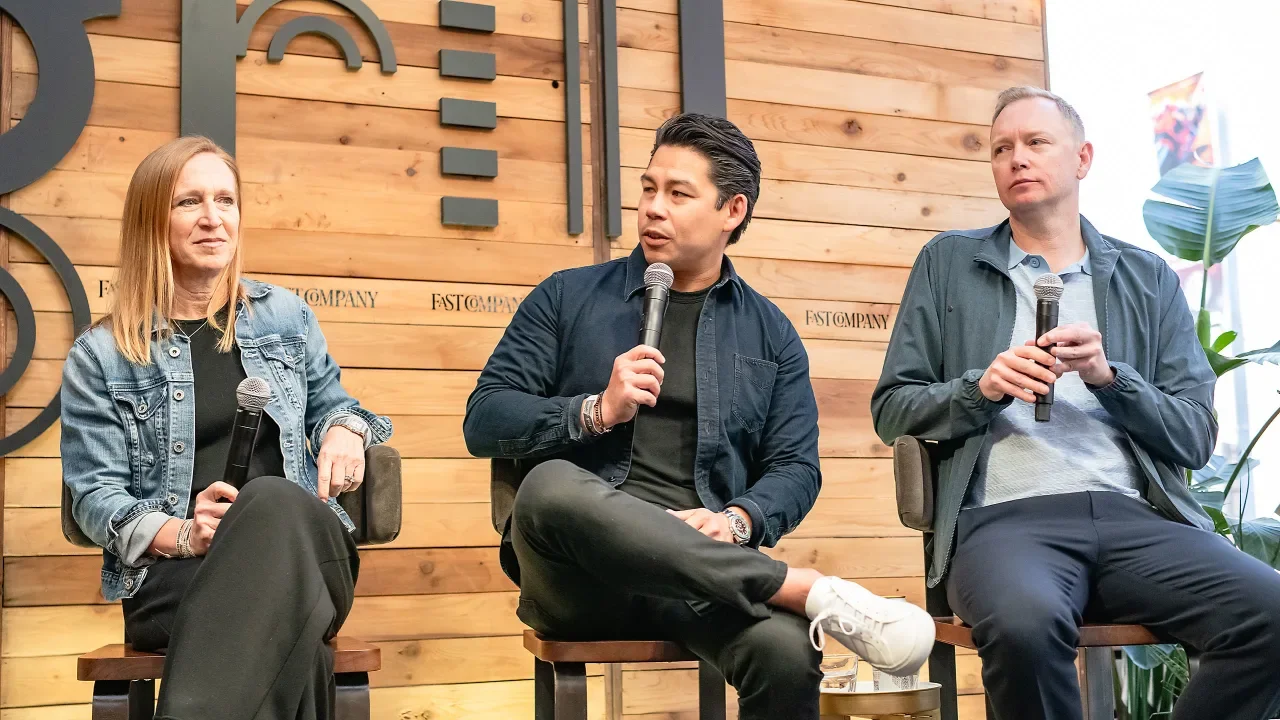
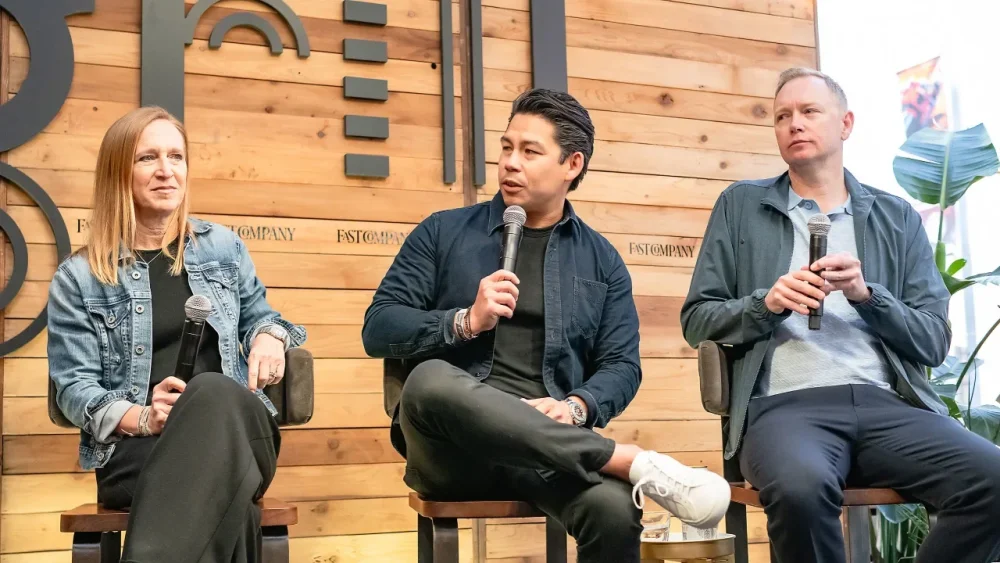
It’s never been a more complicated time to be a marketer, but connecting with consumers in a meaningful way is as important as ever. For brands like Liquid Death, GoDaddy, and Taco Bell, that sometimes means embracing another product or experience entirely—think: an adult diaper for concerts, celebrity-created goggle glasses, or a live experience for taco fans. Of course, not every risk pays off. But when a weird idea works, it can really work, as marketers from the three brands shared during a panel discussion at the Fast Company Grill at SXSW. “The power of an idea that can transcend channels and reach and connect with consumers is really important,” said Taylor Montgomery, chief marketing officer in North America at Taco Bell. When Taco Bell dreamed up its first Live Mas Live event in 2024, Taylor recalled how the team didn’t know if anyone would watch or like an event modeled after the Apple tech launches—but for tacos. Live Mas Live was just cool and weird enough to work, however, so Taco Bell held its second such event earlier this month in Brooklyn, ensuring a vast majority of invitees were diehard fans, he added. “It is a way to invite consumers in to have a relationship with the brand and for us to be just really real and raw and vulnerable and authentic,” Montgomery told the audience. “We try to stay really anchored on what’s in it for the fans.” The comedic connection Comedy can be a good entry for finding a new audience and converting them to fans. Liquid Death has done several collaborations with not-obvious collaborating brands, and even launched items that have very little direct relevance to the brand’s lineup of beverages. Late last year, Liquid Death collaborated with Depend on a limited-edition, metal-inspired $75 “Pit Diaper” so that music fans wouldn’t have to brave the bathrooms at a concert—and it sold out within hours, said Dan Murphy, senior vice president of marketing. It’s also found success with past collaborations on new products with brands like Yeti, E.l.f. Beauty, and Van Leeuwen Ice Cream. The goal, Murphy said, is to combine Liquid Death with an unexpected brand to reach a new audience and have fun. Often, the result is a parody of marketing or humorous content that “doesn’t smell like an ad” and creates engagement with consumers and the media, he added. “The metrics you should look for are saves and shares,” Murphy said. “If somebody’s going to go back and watch that again, if somebody’s sharing that with a friend, there’s that viral coefficient that is telling you you’re doing it right.” Revising the playbook GoDaddy took a similar approach with a Super Bowl ad this year that followed actor Walton Goggins using the company’s artificial intelligence-powered tools to launch a small business: Walton Goggins Goggle Glasses. As with Liquid Death’s diaper, consumers can actually buy the sunglasses and the ad marked the company’s return to the biggest advertising day of the year after an eight-year hiatus. “Our take was if we’re going to show back up at the Super Bowl, we’ve got to do something wacky and weird enough that people get pulled into the story, but the story has to be true, has to be authentic, and ultimately it’s got to be about the evolution of the products that we’re selling,” said Fara Howard, chief marketing officer at GoDaddy. For people who may recall the controversy-laden ads that made GoDaddy a household name in the first place, this year’s ad illustrated the transformation journey the brand has been undergoing for several years. “Being bold, taking risks has been what put us on the map to begin with,” Howard said. “Using that playbook, but in really different ways, has been our strategy.” Finding what works Of course, not every weird idea resonates with consumers. Murphy said that’s why Liquid Death opts for a “small bets approach” that helps it de-risk because it instead churns out a lot of content that often costs about $30,000. Brands with much larger budgets often miss the mark by mistaking their idea for more than it is. “It’s very easy internally to think your content is great when it’s really not, when it’s just an ad,” Murphy said. “People don’t like ads.” Liquid Death’s goal is to be “the funniest thing in your feed” on a given day, Murphy said, and the marketing team workshops ideas with comedians using a Hollywood-style writer’s room approach—which means keeping the non-funny operational people out of the room. Likewise, Howard said it’s important to know whose feedback isn’t a necessary part of the creative process. “All you’re going to do is make a saltine cracker,” she said. “If you ask everyone, do you like it, do you like it, do you like it, do you like it? And you take their feedback. All you’re going to do is water down the work.” Finally, it’s important not to get stuck looking backwards but to forge on when an idea doesn’t work, Montgomery said. Despite a lot of hype around Taco Bell’s launch of a Cheez-It Crunchwrap Supreme, it didn’t deliver what consumers wanted, but he said the company found success with other ideas. “There are always going to be setbacks; listen to the consumer, but just keep swinging,” Montgomery advised marketers in the audience. “If you’re not failing, you’re not trying.” View the full article
-
Nvidia indulged all your artificial intelligence fantasies on Tuesday at what was being called the “Super Bowl of AI.” The chip giant’s GPU Technology Conference (GTC) was held at the SAP Center in San Jose on Tuesday, and it was—you guessed it—all about AI. Nvidia founder and CEO Jensen Huang made several large announcements during a two-hour keynote, with plenty of meat to keep AI-hungry consumers and businesses happy. That includes partnerships with large automakers to build autonomous vehicles and even personal AI supercomputers that sit right on your desktop. Here are some of the key announcements from Huang’s keynote: GM partnership: General Motors selects Nvidia to build out its self-driving vehicle fleet, incorporating the technology in manufacturing and enterprise centers, in addition to in-vehicle features. Nvidia Dynamo: Dynamo is, in essence, the operating system of an AI factory, which will help companies process information to streamline AI capabilities. DGX Spark and DGX Station: New desktop “personal AI supercomputers” that are powered by Nvidia’s Grace Blackwell platform. The DGX Spark was announced earlier this year under the name “Digits” and will retail for $3,000. Robotics: Huang talked at length about the coming iteration of “physical AI,” which includes robotics, and announced a joint project between DeepMind and Disney Research for a new robotics platform called “Newton.” Huang was even joined onstage by a Disney-like robot that resembled the titular character from Wall-E. Huang noted that “the time has come for robots,” as the world is experiencing a shortage of human workers. We’re “50 million short,” he said, which is what will spur the robotics revolution. With generative AI now in widespread use, and agentic AI becoming ever-more ubiquitous, it’s only a matter of time before robots and other types of “physical AI” become commonplace, too. As such, Nvidia is keen on creating the infrastructure and technology to power it all. Investors didn’t seem too enthused by the keynote, however. Prior to the keynote, shares of Nvidia Corp (Nasdaq: NVDA) were trading at around $118 per share, down roughly 1.5% during intraday trading. After it concluded around 3:15 p.m. ET, shares continued to sag. The stock was down more than 3.4% as of late-afternoon trading on Tuesday. View the full article

-
Struggling to get enough spinach in your diet? Rather than rustling up a salad or green smoothie, one TikToker has a rather unusual hack to ensure she hits her daily greens goal. “I call it dinosaur time,” TikTok user @sahmthingsup said in a video posted last month, wherein she stands over the sink and stuffs handfuls of raw spinach into her mouth. While it may not be the most appetizing way to consume the leafy greens, the food “hack” has already racked up more than one million views. “For added enrichment, put on a dinosaur documentary,” one user commented. Another added: “My life changed when I realized I could do this with any food I should be getting more of.” In an interview with the New York Post, @sahmthingsup explained that she started eating raw greens as a way of managing her macronutrient-rich diet. Assembling salads every day was time-consuming; when she saw a Facebook post that suggested eating handfuls of spinach over the sink, it was a lightbulb moment. “I thought it was genius, so I decided to do the same and it worked beautifully,” she told the Post. Since it reminded her of a Brachiosaurus eating leaves from the tree in the film Jurassic Park, she decided to call it dinosaur time. And thus a trend was born. Packed with essential vitamins and minerals while being low in calories, spinach is a superfood when it comes to overall health. Rich in vitamin A, C, and K1, as well as iron, calcium, and folate, getting enough spinach in your diet supports immune function, bone health, and red blood cell production. While rawdogging handfuls of spinach may not be everyone’s idea of a fun snack, @sahmthingsup confessed that during dinosaur time, she channels Spike after he hatches out of his egg in the film The Land Before Time. The video somehow found its way onto the radar of Stu Krieger, writer of the 1998 film. He gave the hack his stamp of approval, commenting, “This might be the best channeling of Spike I’ve ever seen.” View the full article

-
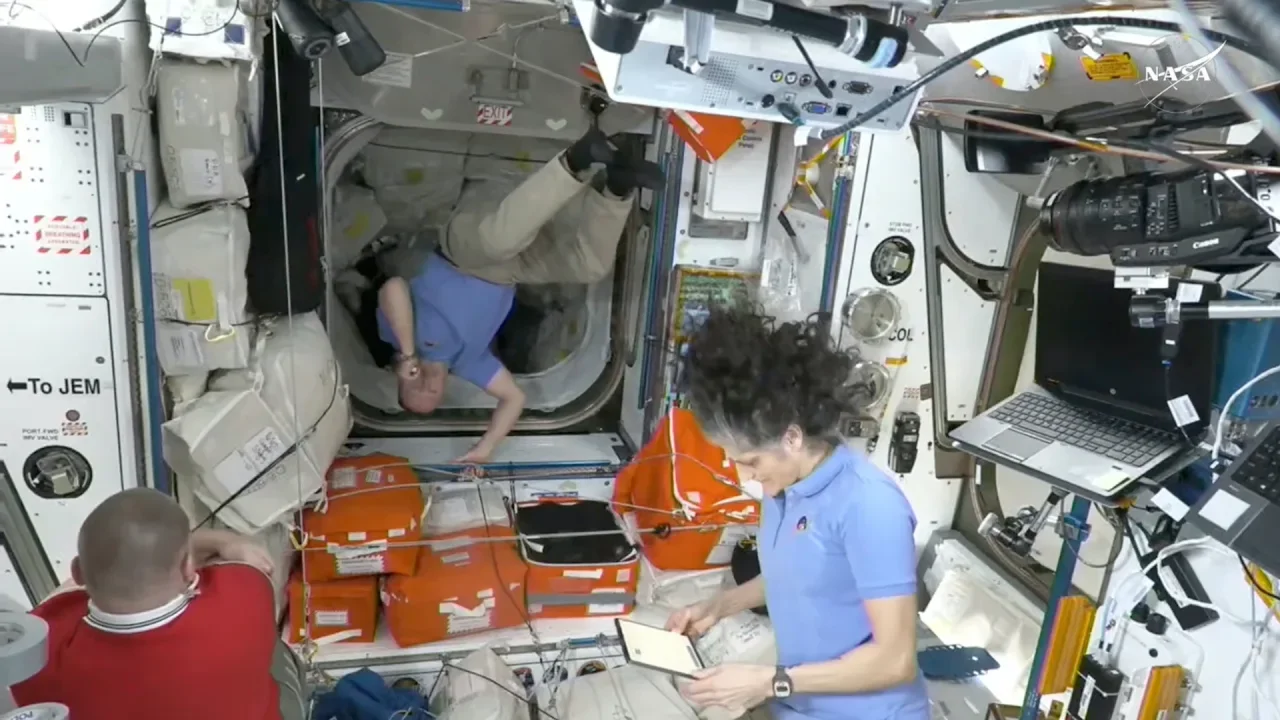
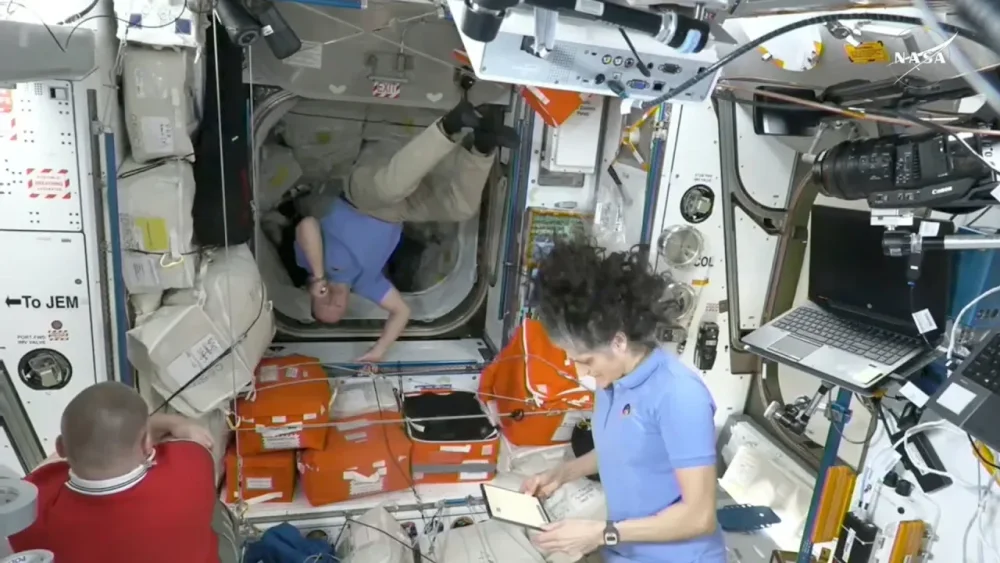
Marcia Dunn, AP reporter: Almost all roads to space begin here in Cape Canaveral. Haya Panjwani, AP correspondent: That’s Marcia Dunn, The Associated Press’ space writer. She’s following Butch Wilmore and Suni Williams’s return home from the International Space Station. PANJWANI: I’m Haya Panjwani. On this episode of “The Story Behind the AP Story,” we’re unpacking how the two astronauts got stuck up there in the first place and what they’ve done in the last few months at the station. DUNN: So Butch and Suni became the first people, the first astronauts, to strap into a Boeing Starliner capsule and be launched into space. This was last June, June 5, 2024. They launched aboard the Starliner on what was supposed to be an eight-day trip to the space station and back. Here we are, more than nine months later. This eight-day mission has turned into a nine-month marathon for them. So, Butch and Suni strap in on June 5. Launch goes off great from Cape Canaveral Space Force Station. I’m there watching, watching the rocket fly. They get to orbit safely. All is well, except the next day, as they’re going into dock with the International Space Station as planned, the thrusters start to fail. Helium is leaking. There had been some helium leaks prior to liftoff, but nobody thought it would morph into something bigger and worse. These two are test pilots. Suni’s a helicopter pilot by trade. Butch is a fighter pilot, combat pilot, both military skill people. They temporarily had to take control to try to get the thrusters back in business so that they could make a fully automated docking at the space station. They got docked to the space station, and months started rolling by. We’re now into the summer of 2024. Because engineers on the ground could just not exactly figure out what had happened. Well, what went wrong with the Starliner? Why did all these thrusters malfunction? What’s the deal with all the helium leaking out of it? Now, they were safe at the space station, right? And they didn’t need the Starliner at this point, but to come home. And because NASA was worried that it could be dangerous for them to get aboard this craft with these troubles, they kept them up there while they kept investigating the situation here on the ground. This dragged on for months. And finally, NASA told Boeing, that’s it. Done. You know, you bring that capsule back empty. We’ll see if it survives entry and it lands OK. But, Butch and Suni, we’re sorry, but you’re gonna have to be up there until next year. SpaceX was now the designated taxi service for Butch and Suni. There are only three ways to get Americans back from the space station. SpaceX, the Russians, right, because they have their capsules coming and going, and also, what should have been Starliner. The next SpaceX crew to go up, was launched in September. There should have been four people for astronauts on that flight. They knocked two people off the flight so that there were two empty seats on the SpaceX Dragon capsule for the return leg of Butch and Suni. Well, then they can’t leave until the replacements get there. Right? Because NASA always likes a crew handover between two crews to sort of, like, show them the ropes. And it just makes it an easier transition for everybody. So then they were told, hopefully you’ll be home by the end of March. This month, the end of March. They switched capsules in the end. The brand new capsule that was taking so long to get ready is going to be used by other people on the later this spring. A private crew. They hurried up. Friday night, this past Friday night, finally the replacements lifted off. We know that the crew, the space station crew, was up and watching via monitors and everything. And I’m sure there was a lot of hooting and hollering and a lot of smiles. PANJWANI: Butch and Suni were chosen specifically for this mission. DUNN: Both of them have been on military deployments. Right? So these are not your run of the mill scientists who or maybe a little more touchy feely. These two are like, you know, kick the tires. You know, fly boy, fly girl kind of people. But I have to say, I’ve never seen two people who seem so upbeat. They look on the positive side. Butch has his wife. They have two daughters, one’s college age. His youngest is a senior in high school, so he’s missed most of her senior year of high school. And Suni’s husband, they have two Labrador retrievers, right. That’s their babies. And she has an elderly mother who is and has been quite worried about all this going through all of this and this. They told reporters recently that being in space has got its challenges. No, they didn’t know that this was going to obviously take so long, but they’ve been busy doing experiments. They got to do a spacewalk together. Suni set a world record for most spacewalking time by any woman ever, with her latest spacewalk up there. They get to talk with their families almost every day with an internet phone. They got video hookups, but it’s not the same as being there. And they have told us repeatedly that it’s much harder on their families. Their families are down here on earth waiting and waiting and waiting. And while they’re busy, you know, they’re distracted with their mission. They’re laser focused on their mission. These two are particularly upbeat, positive, optimistic people. Butch in particular is quite a religious man. And he is an elder in his Baptist church back home in Houston, and he’s even done, I understand, some, put in some calls to some of his older church members to try to give them a pep talk, right? Right. He has said he’s used his faith a lot to get him through this and that there’s a reason for everything, and that’s what he’s trying to instill in his daughters as they deal with this as well, that, you know, persevere. This will make you stronger. PANJWANI: Now when they come back to Earth, what’s next? DUNN: NASA wants to have an overlap of at least a few days between the crew that’s recently launched, the replacements and Butch and Suni, and they will come back with two others. Right. The two people, people who launched in September with two empty seats, they’re coming back with them. And so they want a couple of spillover days so that the people who have been up there all this time can show them the ropes. Then they will undock in the SpaceX Dragon capsule that’s been up there since September and splash down off the Florida coast, and then they will be directly taken to Houston. You know, they have had astronauts up there as long as a year. They’ll be treated the same, you know. And of course, any astronaut coming back after six months is not allowed to drive for a certain amount of period because, you know, you’re wobbly when you get back. Your muscles are weak. Your bones are weak. Yes, you’ve been exercising two hours every day. But you know, some people do better than others coming back, right? And so they don’t want you behind a wheel. They don’t want you doing anything that could endanger you accidentally. Between the two of them, of course, they’ve been asked, what can’t… what do you miss? What can’t you wait to to do besides hug your families when you get back? And Suni can’t wait to take her dogs for a walk and jump in the ocean, she told us recently. And Butch can’t wait to get back to face to face ministering of his flock back home at his church in Houston. PANJWANI: Launch audio courtesy of NASA. —Haya Panjwani, Associated Press View the full article
-
We may earn a commission from links on this page. Deal pricing and availability subject to change after time of publication. Online security and an ad-free browsing can be expensive, but right now, StackSocial is offering the AdGuard Family Security Suite for just $49.99, bundling two services that would normally run you a lot more. You can also add the promo code GUARD5 to take off an additional $5, bringing the final cost of this sale down to $44.99. This bundle includes a five-year AdGuard VPN subscription (for up to 10 devices) and a lifetime Family Plan subscription to AdGuard Ad Blocker (covering up to 9 devices) across iOS, Android, macOS, Windows, and common browsers like Chrome. Just note that this plan is only for new users, and you need to redeem your code within 30 days of buying. Unlike free VPNs that might log and sell user data, AdGuard operates with a strict no-logs policy, meaning that with AdGuard VPN, your browsing history will stay private. It also lets you connect to over 60 server locations worldwide, so you can bypass geo-restrictions, access region-locked content, and keep your online activity hidden from prying eyes. Whether you're working remotely, streaming content from another country, or just trying to protect your information on public wifi, this VPN encrypts your data with industry-standard AES-256 encryption, preventing ISPs, hackers, and advertisers from tracking you. And with support for up to 10 devices, you can secure your phone, laptop, tablet, and your family’s gadgets under one plan. The AdGuard Ad Blocker Family Plan takes care of the other internet headaches too, blocking pop-ups, banners, and video ads across browsers and apps, meaning you get faster page loads and a cleaner experience without autoplay videos or sketchy pop-ups trying to trick you into clicking. Unlike most ad blockers that only work in browsers, AdGuard’s system-level filtering works on apps too, giving you cleaner feeds on social media and ad-free experiences on mobile games. It also includes advanced parental controls, letting you filter out inappropriate content to create a safer browsing environment for kids. The $45 deal with the promo code GUARD5 runs through March 30. View the full article
-
More than 300 organizations in critical infrastructure, including the medical, tech, and manufacturing sectors, have been victimized by a ransomware threat known as Medusa—and with attacks escalating significantly in the first few months of 2025, the FBI and the Cybersecurity and Infrastructure Agency (CISA) are advising companies to take steps now to secure their systems. What is Medusa ransomware? Medusa is a ransomware-as-a-service software that, when deployed successfully, encrypts your data along with a threat to release stolen information unless you comply with ransom demands. According to the CISA advisory, victims receive ransom notes requesting a response within 48 hours, or Medusa actors will reach out to them by phone or email. Victims are also listed on a data-leak website alongside a countdown timer and ransom demands with direct links to cryptocurrency wallets. Victims can pay $10,000 to add a day to the countdown—meanwhile, Medusa advertises the data for sale before the timer runs out. This "double extortion" approach forces payment to both decrypt locked files and prevent them from being released or sold (so even if you have a backup you can recover, you still face the threat of information being leaked). The Medusa ransomware was first identified in June 2021 and has since affected organizations across the medical, education, legal, insurance, technology, and manufacturing industries. According to the advisory, Medusa actors use common tricks like phishing campaigns and exploitation of unpatched software vulnerabilities to steal victims' credentials and gain access to their systems. While much of the Medusa threat mitigation happens at the organizational level, there are a few things you as an individual can do to protect your accounts and—by extension—the company you work for. How to protect yourself from Medusa ransomwareThe FBI and CISA are recommending a number of steps to lock down your devices and data against the Medusa threat: Use long, strong passwords for all accounts (a minimum of 15 characters is recommended). Enable multi-factor authentication (MFA) wherever possible, but especially for webmail, VPNs, and accounts with access to critical systems. Update operating systems, software, and firmware regularly to ensure timely patching of known vulnerabilities. Use a VPN when accessing systems remotely. The advisory also has guidance for organizations, such as auditing user accounts, maintaining offline backups, utilizing network monitoring tools, and discontinuing frequent mandatory password changes (which are considered outdated and may make systems less secure, not more). View the full article
-
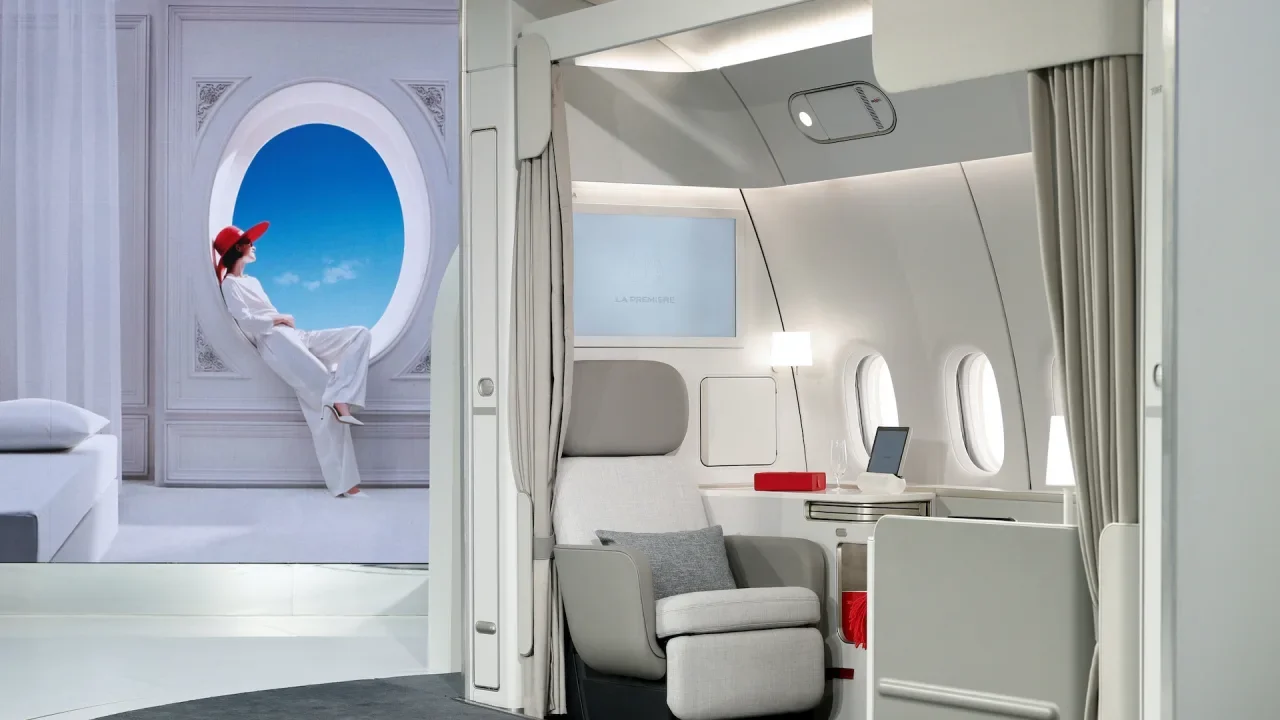
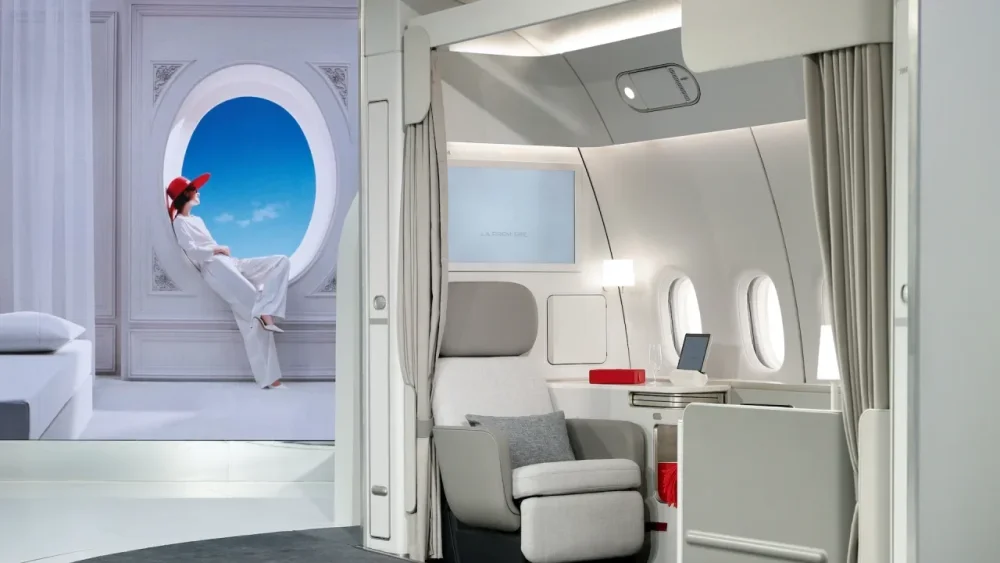
Air France on Tuesday unveiled a new first-class suite as it expands efforts to lure wealthy travelers from business jets and lend a ‘French touch’ to the tussle for premium revenue. The CEO of parent Air France-KLM, Ben Smith, told Reuters the unspecified investment aimed to place Air France at the top of the European league in airline luxury, signalling a battle with British Airways and Lufthansa. “A large percentage of the customers are flying for business reasons … Many of them have the choice of a private jet or flying in first class,” Smith said in an interview. “What is new for us over the last few years is a marked increase in the number of luxury customers that are flying for leisure purposes.” The air travel industry is locked in a battle for high fare-paying customers as it recovers from the pandemic but is split over the value of investing in first class, with many carriers focusing on steady improvements in business-class seating. Air France’s latest first-class cabin, laid out in four pairs of grey, red-accented beds and seats on select planes, follows a years-long effort to re-invent a once loss-making product since Smith joined the national carrier in 2018. The Canadian executive has long been a champion of first class even as many rivals retrench to business class. But he said only a handful of airlines had the depth of demand or ability to tap into assets like France as a destination. “A lot of people like to experience France. When they get on the airplane outside France, they want to start their journey from San Jose, Tokyo or Sao Paulo already in France through the environment on the airplane,” he said. The launch comes weeks after arch-rival British Airways launched its own new first-class cabin. Lufthansa also offers first class. Neither airline responded to requests for comment. French brand power Smith declined to say how much the investment in the new seats would cost, but the airline says its first-class service is already profitable, in part because the price of the ticket has risen in recent years. An average one-way Paris-New York ticket costs around 10,000 euros in May, according to the Air France website. Tuesday’s rollout reflected the airline’s efforts to strike a chord with France’s broader reputation for luxury, with waiters passing Michelin-starred snacks in the presence of specially invited influencers in a Paris Fashion Week location. Smith insisted, however, that Air France’s “La Premiere” brand could stand on its own feet as a luxury product. Partially state-owned Air France has long been synonymous with first class, with its passenger list so powerful that seats were once reputed to be bugged by the country’s spy agencies. Now, it must compete with now-common lie-flat seats in business class or increasingly accessible private jets. Much of the cost is wrapped up not just in the seats but in bespoke ground services such as special check-ins or limousines. There is also the hidden cost of creating a sub-fleet of airplanes that can only operate on a handful of routes. “Unless it’s rock solid, it can be quite marginal because of the operational complexity, the capital investment and the risk of substituting seats that they could be sure of selling in business class,” said aviation consultant John Strickland. —Joanna Plucinska and Tim Hepher, Reuters View the full article
-
A recent YouTube video from channel The Ultimate Discovery makes some claims that might surprise fans of actor Gene Hackman. According to the video, FBI agents searching Hackman's home following his death discovered a "hidden passageway concealed behind the library wall" that led to a "vast, eerie underground warehouse" containing documents, antiques, old photographs, and parts of unidentifiable machines. The walls were covered in runes and symbols that seem to be of ancient origin and could not be translated. Not only that, the bunker connects to larger network of tunnels, "similar to the catacombs of Paris." It's a pretty good story (if you can swallow the premise that actor Gene Hackman is a character in a Lovecraft novel) but It's not true. (I liked Gene Hackman in The Quick and the Dead, but he wasn't that cool.) At least, there's no reason to think it's true. The FBI has not issued a statement about the tunnels, nor have local authorities, and the Ultimate Discovery YouTube channel makes it clear it isn't telling the truth in its channel description, which reads: "Content on The Ultimate Discovery is for entertainment only... our information may not always be correct, up-to-date or complete. Always consult experts and do your own research." But almost a million people have viewed the video, despite the disclaimer and how farfetched the story is on its face. Claims about Hackman's secret tunnels are being repeated on TikTok videos, in X posts, and basically everywhere else. Judging by the comments, people believe it, too. The b-roll footage (that's either generated by AI or from unrelated incidents) helps, but any conspiracy theory that involves secret tunnels is bound to get people worked up. What is it about tunnels?Cave paintings from over 40,000 years ago suggest our ancestors used caverns as religious sites. During the Roman Empire, followers of Mithra dug tunnels specifically for elaborate rites, then swore oaths to not reveal what went on underground. There are around 170 miles of corpse-filled tunnels under Paris and a large portion of it has not been explored. So people have always thought something strange was going on under their feet. And they often aren't wrong. Modern cities are built atop elaborate, mysterious networks of utility tunnels, transportation tunnels, and more, and you generally can't visit them. While you could go down to the city hall and request civic planning documents that describe the sub-basements and sewers under your town, it's easier to just fill in the blanks with whatever you'd like. Hence the prominence of tunnels in modern conspiracy theories. D.U.M.B's: Deep Underground Military BasesUnderground spaces are a key aspect of "Pizzagate" conspiracies, lizard people conspiracies, Fourth Reich conspiracies, and more, whether it's non-existent basements below Italian restaurants in D.C., the claim that children were freed from Mammoth Cave in Kentucky by the National Park Service, or, now, the supposed tunnels beneath Gene Hackman's house. It's not stated outright in the video, but if you're of a conspiratorial mindset, you probably see the Gene Hackman tunnels as connected to our nation's D.U.M.Bs—Deep Underground Military Bases. The existence of a large, interconnected network of military bases under the United States is a common belief among conspiracy theorists. There are various ideas as to their purpose, but among the most widely accepted is that the Deep State uses DUMBs to transport and traffic children, and Hollywood people like Gene Hackman help in some way. Everyone wants that adrenochrome. But the most lasting conspiracy theories often have a germ of truth to them, and there really are underground military complexes in the U.S. Take, for example, The Cheyenne Mountain Complex, which was built under 2,000 feet of granite in Colorado in 1957. It was once the home of NORAD, as seen in War Games, but now it's a United States Space Force installation. Cheyenne Mountain isn't exactly secret, though: Before 9/11, they gave public tours, and if you know someone who works there, you can supposedly still visit. A very D.U.M.B. ideaReality and conspiracy theories differ as to the purpose and extent of underground military installations. Reality says there's a few of them, and they were built mainly so that the government could continue to function after a nuclear war (and probably as a Cold War show of strength.) Conspiracy theorists imagine a huge, interconnected network of underground bases that allow coast-to-coast hidden transportation of stolen children and/or lizard people. But the point of Cheyenne Mountain's design is that it's not connected to anything else. Cheyenne Mountain is built to be self-sufficient. Like most conspiracy theories, asking a few basic questions dispels the myth. Like: Why would the United States spend the time, money, and effort to build secret bases underground when we already have secret military bases that are above ground? It's way easier and cheaper to put up some fences and post some guards in the desert—which is what we actually do. Wouldn't a military jet, a train, or some trucks be a better way of transporting alien bodies or whatever? Again, this is how we already transport secrets. Gene Hackman—seriously?As for why conspiracy theorists would focus on Gene Hackman of all people, your guess is as good as mine. Usually the entertainment industry figures featured in conspiracy theories are particularly outspoken politically and highly visible, like George Clooney or Tom Hanks. Hackman was a lukewarm Hollywood liberal at best (He hated Nixon but supported Reagan) and he hadn't starred in a movie since 2004, so he's a strange target. Maybe the initial uncertainty about how he died was enough to suggest a mysterious hidden world. But as always, reality is way more boring than the imaginations of conspiracy theorists: Hackman was 95 years old when he died of a heart attack, and there was nothing under his house more mysterious than a basement rec room. View the full article
-
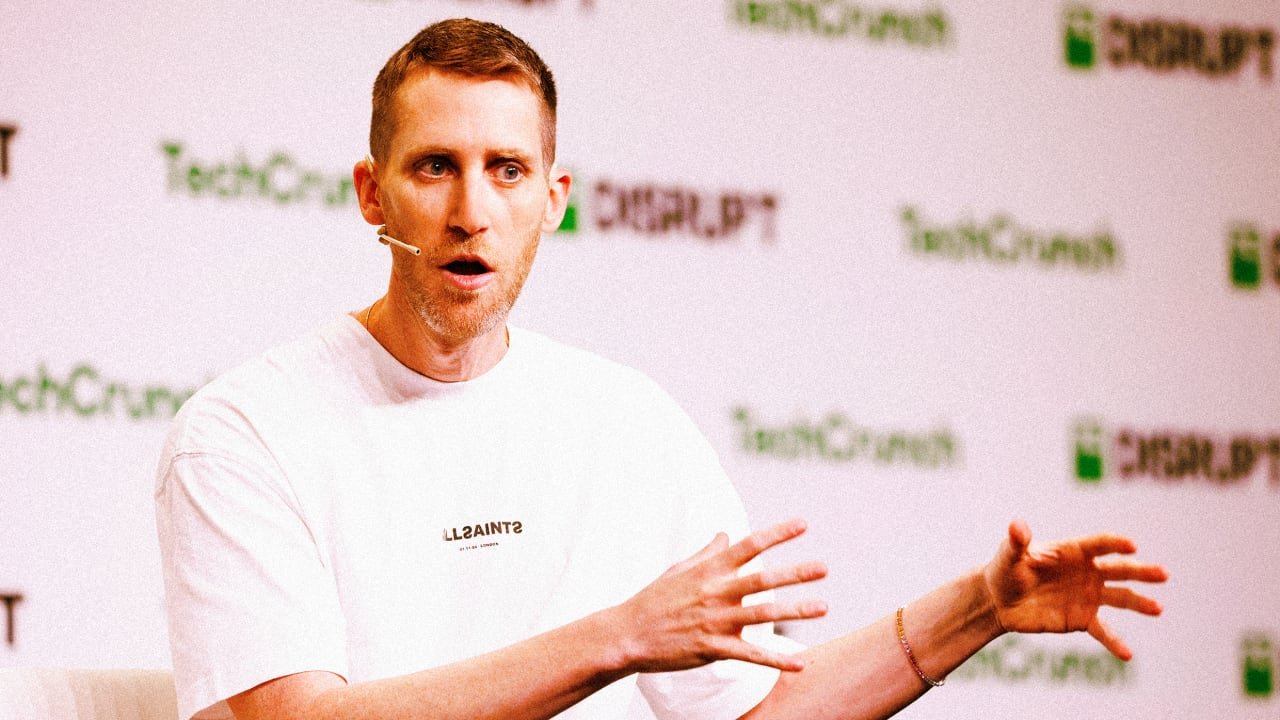
Tuesday’s news that Google would acquire the Israeli cybersecurity firm Wiz for $32 billion was remarkable on several fronts. The deal, assuming it closes, will be the largest acquisition in Google’s history. And it’s the biggest exit in Israeli history. “Becoming part of Google Cloud is effectively strapping a rocket to our backs,” Wiz CEO Assaf Rappaport wrote in a blog post. “[I]t will accelerate our rate of innovation faster than what we could achieve as a stand-alone company.” It also marks the close of a fast-paced, five-year chapter for the company. Founded in January 2020 by Assaf Rappaport, Yinon Costica, Roy Reznik, and Ami Luttwak, Wiz grew quickly, as the pandemic forced companies and workers online and cloud servers exploded in popularity. And as hybrid work has continued, so has the company’s expansion. An IPO on ice In just 16 months, Wiz became a unicorn, with a $1.7 billion valuation. By October 2021, its valuation had ballooned to $6 billion and by February 2023, that figure had jumped to $10 billion. Last May, the company raised $1 billion in funding, giving it a $12 billion valuation. As Wiz’s fortunes rose, so too did its reputation. The company’s researchers have alerted the public to a number of cloud vulnerabilities in everything from Microsoft’s Azure cloud system to the cloud systems of Oracle and IBM. In January, it raised a red flag about DeepSeek, finding that the Chinese AI system had inadvertently exposed a significant amount of sensitive data. The company has been on Google’s radar for some time. Last year, Alphabet offered $23 billion to acquire Wiz but was rejected. Instead, Wiz’s founders planned to pursue an IPO. “Saying no to such humbling offers is tough,” Rappaport wrote at the time in a memo seen by CNBC. The move was a calculated gamble. Wiz officials were worried whether a takeover by Google would be approved by regulators, given the Federal Trade Commission (FTC)’s fixation on Big Tech at the time and Google’s own antitrust court battles then. But the IPO market has hardly been welcoming to most tech companies for the past several years. Wiz aimed to hit $1 billion in annual recurring revenue before it filed for a public listing, which gave it some breathing room, but market conditions haven’t improved—in fact, have worsened in the past two months. Between that stock market volatility and the change in White House administrations, which shifted regulatory sentiment, Wiz’s leadership began to reconsider its options. Why regulators might let this one through While Google is still facing a possible breakup following a verdict that found the company to be an illegal monopoly last August, Justice Department officials dropped the push for the company to sell off its AI investments. That could signal improved odds that Tuesday’s deal will not face the same level of antitrust scrutiny it would have in 2024. Part of the secret to Wiz’s success is exactly why antitrust regulators might be amenable to the Google buyout. The company is a native multi-cloud platform. It works equally well on offerings from Google, Microsoft, Amazon, Oracle, and more. That makes this both a security play for Google as well as an AI infrastructure one, as it can secure workloads across multiple platforms and doesn’t force customers to use Google Cloud. “Wiz and Google Cloud are both fueled by the belief that cloud security needs to be easier, more accessible, more intelligent, and democratized so more organizations can adopt and use cloud and AI securely,” Wiz CEO Rappaport wrote in a blog post. “We both also believe Wiz needs to remain a multi-cloud platform, so that across any cloud, we will continue to be a leading platform. We will still work closely with our great partners at AWS, Azure, Oracle, and across the entire industry.“ The deal is expected to close in 2026, pending regulatory approval. View the full article
-
Deadly bombardment has strengthened Netanyahu’s far-right coalition but drawn the ire of hostages and their familiesView the full article
-
Radical changes that will cut income for 1mn people may not get many more into work, say analysts View the full article
-
GIMP, the free and open source image editing application long seen as the best free Photoshop alternative, just released a major update: Version 3. The update brings long-awaited improvements to working with filters, layers, and text. There's also a sleeker user interface with improved UI scaling. Among the biggest changes is nondestructive filters. Previously applying filters, such as blurs, was final—you could use the undo function to get back to a pre-filtered state but you couldn't simply edit or remove the filter. You can now tweak the settings of filters, or even remove filters entirely from the layer panel. Credit: Justin Pot Working with text is also streamlined with the addition of non-destructive text outlines. This allows you to change the widget, style, and color/pattern of text outlines from the text panel in the left sidebar. Credit: Justin Pot There are various useful tweaks to the way layers work. You can can now select multiple layers at once, without the need to link those layers, making it easier to apply changes. Copy and pasting is a lot less confusing: Pasting creates a new layer, instead of a confusing floating layer. This alone makes GIMP a lot easier to use, in my opinion. The paintbrush tool can now automatically expand the size of the selected layer if you paint over the edge. Just select the paintbrush tool and make sure the new "Expand Layers" tool is selected—you'll never again be confused about why the paintbrush isn't working. There are many more changes that make life simpler. Importing PSD files from Photoshop should be more accurate, for one thing, and there's support for RGB color spaces "beyond sRBG," meaning you should see fewer warnings about conversion while importing images. And the user interface has been updated to GTK3, , meaning the user interface looks more modern. There are other visual tweaks, including a welcome screen when you open the application and much better UI scaling: Icons that used to look blown up and blurry on high resolution screens now look great. Basically, if you tried GIMP years ago and weren't convinced, it's worth giving the application another chance. For more details, you can read the blog post announcing the update or the full release notes with more details. View the full article
-
We may earn a commission from links on this page. I’ve used a lot of fitness wearables, but none have been a constant presence in my life for as long as the Oura ring. I woke up to my first night of collected data on November 3, 2020, and I’ve worn an Oura ring nearly every night since. Here's what I've learned from over 1,500 days worth of data, including my thoughts on the hardware, the app, and on whether it's all been worth it. Oura Ring 4 $349.00 at Amazon /images/amazon-prime.svg Shop Now Shop Now $349.00 at Amazon /images/amazon-prime.svg How the generations compareOura is now on its fourth generation of rings, and I’ve used generations 2, 3, and 4. Here’s my retrospective of each, including what was new with each generation, and when and why I upgraded (or didn’t). Generations 2, 3, and 4 Credit: Beth Skwarecki Gen 2My first Oura ring, in late 2020, was a review unit from the company that I returned after I wrote about it. It was a second generation (“gen 2”) ring whose exact color, shape, and size I don’t recall. Shortly after sending it back, I decided I’d like to buy one of my own, so I ended up getting a silver Balance in size 7, to wear on my ring finger. The gen 2 had all the important features already: It could record my HRV and resting heart rate, make a pretty good guess at when I was awake or asleep, and make a not-so-great guess at when I was in each stage of sleep. It was widely recognized as the best wearable at sleep tracking, although that still comes with caveats—as we'll see. The ring also recorded my respiratory rate and the way my skin temperature fluctuated from night to night. Its ability to detect changes in temperature was being touted as a possible early detection mechanism for COVID. That didn’t pan out for me either, as we’ll see below, but it was a highly touted feature at the time. Gen 3 My third generation Oura ring—a silver Heritage. Credit: Beth Skwarecki When Oura came out with the gen 3, I reviewed that, too, and the company recommended wearing it on my index finger if possible. So I wore a gen 3 silver Heritage on my index finger and hated using that finger for the ring. I guess I’m in the habit of absentmindedly rubbing my nose with the side of my index finger, because anytime my nose was itchy, I’d reach up without thinking and gouge myself with the ring. When I was done with that review, I gladly switched back to my old gen 2 ring on my ring finger. But then one day, my beloved gen 2 ring died during the night, when I could have sworn I had just charged it. The same thing happened again a night or two later. I realized the battery must be dying, and with luck I was just inside the two-year warranty period. I’ll say more about battery longevity below, but two years appears to be a typical lifespan—and the warranty no longer covers you that long. But at the time, I got a free replacement, and it was a gen 3 (same size and color, but Heritage shape, since they no longer offered the Balance) and they threw in a lifetime subscription. New with the gen 3 ring was the subscription model: $5.99/month to be able to view your data from the ring. (Without the subscription, you get sleep and readiness “scores,” which are useless without the underlying data, in my opinion.) Owners of gen 2 rings didn’t have to start paying a subscription fee if they kept using their old ring, and there was a lifetime subscription promotion for anyone who upgraded to the gen 3 around that time. The gen 3 ring had the same fit and interior shape as the gen 2, but it now had green lights that glowed at night, which I found annoying when putting my kids to bed. It was during the gen 3 era that workout heart rate became available. I never found it very useful, although I was impressed that it auto-detected when I went for a walk or a run. It also interpreted brushing my kid’s hair as “dancing.” Good guess, I suppose! Two years later, in 2024, the battery died again. (A lifespan of two years seems to be sadly common.) This time my ring was out of warranty, since Oura had switched to only offering a one-year warranty. But the gen 4 had just launched, and presumably the company was trying to get rid of their gen 3 stock. They sent me an exact duplicate of the dead one, and that’s the ring I’m still wearing today. Gen 4 The fourth generation Oura ring that I just reviewed. Credit: Beth Skwarecki I did eventually get my hands on a gen 4 Oura ring to review (round shape, black, size 8 for my middle finger). I wrote a comparison of the gen 3 and gen 4 rings, and a review of the gen 4. The gen 4 is nice. But when I was done reviewing it, I happily went back to the gen 3. The essential features are all the same, and I preferred the way the gen 3 fit. With the gen 4, the ring lost its sensor bumps, making it smoother on the interior but also changing the sizing. The gen 4 comes in a wider range of sizes, and its accuracy at picking up heart rate is improved. The app was also redesigned around this time, the better to manage all the different features it’s acquired over the years—stress scores, resilience, chronotype, and cardiovascular age have all needed to squeeze in, and the main screen now has a timeline of your day that includes exercise sessions and more. So if you’re keeping count, I’ve worn six different individual Oura rings, from three different generations (2, 3, and 4), in three different shapes. If we’re counting only rings that I’ve owned for personal use, that would be one gen 2 and two identical gen 3 units, the first two dead from battery issues and the third a new-ish unit that is doing well so far. My favorite generationTechnologically, the gen 4 ring is the best of the generations, but sentimentally, the gen 2 is the one I miss the most. I liked its single-pointed shape, the better to fidget with and get it oriented correctly on my finger. And I loved that the LEDs were infrared rather than visible light. There was no green glow under the ring at night. If they brought back a version of the Oura without the green glow, I’d snap it up in a heartbeat. The features Oura has added over the last four years have been nice-to-haves, but not game changers. I don’t really care about activity tracking; the ring doesn’t do it well, so I either don’t track my workouts or I track them with another device like a Garmin. The everyday experience The top of the Today screen, and what you see as you scroll down. Credit: Beth Skwarecki It takes a few weeks for any wearable to learn your usual numbers, the Oura ring included. This is important to remember because the numbers reported by the ring make the most sense when compared to your own baseline, not to what is a “good” score for others. This is especially true for heart rate variability (HRV), which is one of the more important numbers the ring collects. An HRV of, say, 52 might be high for one person, signaling that they’re well recovered, and unusually low for another, signaling that they may be sick, overworked, or stressed. Knowing that, people sometimes ask on forums whether it’s OK to start wearing their ring during a stressful time or on vacation. Having been at this four years, I say: Start wearing it whenever. Two months from now, the exact metrics you had on your vacation will be history. Heck, you might enjoy looking back at them for comparison’s sake. But your baseline is built over time and changes with time. It’s not something the ring imprints on like a duckling. Continuing to scroll down the Today screen. Credit: Beth Skwarecki These are screenshots of what my Oura app shows me right now, and if you have a ring you’ve been wearing for at least a few weeks, you’ll see something similar. All of the screenshots you’ve seen so far are from the “today” tab, your home screen when you open the app. Most of them are summaries, and you can see more detailed data if you tap them, or if you go into other areas of the app. The scores at the top of the screen—readiness, sleep, and so on—each lead to one of these more detailed views. As I’ve written before, I find that “recovery” scores are too imperfect to be useful. Oura tries to be smart by bumping the score up or down based on a variety of things it measures. But these don’t always match up well to reality. For example, when the sleep algorithm was reading my REM stages poorly (more about that below), it would always ding me for my supposedly bad sleep. And it would sometimes reduce my readiness score if I went for a long walk on a rest day, even though I know from experience those long walks help me more than they hurt. Instead, I look at the raw numbers for my resting heart rate and my HRV. If I’m well rested, and I’m recovering well from the stresses of training and life, my HRV will be high and my RHR will be low. It’s normal for those numbers to get worse over the course of a week as I train and build up some fatigue, and then I see them get better once I’ve had an easier day or two. Watching that rhythm is what helps me to know if I’m recovering well, or if my stress—from training or otherwise—is steering me toward burnout. While RHR and HRV generally track the same trends (high HRV and low RHR are "good") I find they react a little differently. My RHR shoots up anytime my body is going through something stressful. That could be a heavy lifting session (my RHR often shoots up after a competition), but could also be drinking alcohol or even just staying up late. If I have a fever or a migraine, my RHR will skyrocket. Meanwhile, HRV can also dip in response to those things, but a high RHR doesn't always come with a low HRV. It seems like RHR tells me more about how hard something is hitting me, and HRV is how well my body is dealing with it. To be clear, that's not a scientist's understanding of the subject, just my own conclusions about my body from looking at this data over the years. The readiness screen, and (right) what you see when you scroll down. Credit: Beth Skwarecki Because I pay more attention to the raw numbers over the scores or little motivational messages, my favorite screen is the one I get when I tap on my Readiness number. Here’s an example. Notice that my Readiness scores (the blue bars in the graph at the top) have been pretty similar each day this past week. But I can tell that my resting heart rate rose over the latter half of last week, was especially high (for me) on Friday, and has only just come back down to a low number after resting a bit on the weekend. Last week was a hard training week, and this week I’m tapering again for a competition, so I’m hoping to see heart rates in the low 40’s and HRV numbers 95+ as my training ramps down this week. Also, yes, a resting heart rate in the 40's is pretty low. Partly that's just how I'm built (I've always had a low resting heart rate and a high max). Partly it's fitness—my RHR lowers slightly when I'm doing more exercise. And partly it's just that Oura records lower resting heart rates than other devices. When I compared the Oura ring's numbers with those of four other wearables, Oura always gave the lowest RHRs. When it records a 43, Fitbit might record a 50. Again: compare your Oura ring's numbers to each other, not to other people or even other devices. Sleep staging has not been useful (and was often wrong)For as long as I’ve been writing about wearables, I’ve been telling you—as sleep experts have been telling me—that you shouldn’t trust an app when it tells you how much light or deep sleep you got, or how much REM. Wearables tend to be reasonably good at telling how long you slept, but they’re not great at telling you when you’re in one stage versus another, nor do their measures of sleep “quality” mean anything that we can match up to a scientific meaning. My four years’ worth of data bear this out in two important ways. The most important is simply that data on sleep quality (the “sleep score,” in Oura’s case) just duplicates information you could get by looking at total sleep time. Oura has a web-based data viewer with a tool that will show the correlation between any two variables you care to compare. When comparing my sleep score with my total sleep time, surprise! There is a “strong” positive correlation, with a coefficient of 0.77. The more sleep I got, the higher my sleep score. You don’t need a ring or watch to tell you how long you slept; the old fashioned way, keeping a sleep diary, would do the same thing for the cost of a notebook and pen. Dark blue is my sleep score; light blue is amount of sleep. Credit: Beth Skwarecki When it comes to sleep stages, I have an even more dramatic way of showing the pitfalls of trusting an algorithm. I was always skeptical of the way Oura claimed to divide up my sleep into stages. For the first few years, it always reported an implausibly low amount of REM sleep, sometimes just a few minutes when you’d expect to see well over an hour. I mentioned this when I interviewed a sleep scientist, and she confirmed that the numbers I was seeing in my app were highly unlikely to be correct. Oura rolled out a new sleep staging algorithm in the summer of 2023, which they said should improve sleep stage accuracy. See if you can spot on this graph the day the algorithm changed: Light blue is total sleep; dark blue is REM sleep. Credit: Beth Skwarecki Suddenly, I was getting much more realistic estimates of REM sleep (although I’ve never gotten a sleep study in a lab, so I can’t confirm whether they’re correct.) We can even see where the “new” REM sleep came from. Not from awake time, or from light sleep, which were both reported in similar amounts before and after the change. No, the algorithm seems to have taken some of what it previously considered deep sleep, and recategorized it (maybe correctly) as REM sleep. The deep sleep graph looks like the opposite of the one above. I felt validated in my complaints that it must not be picking up my REM sleep properly. I also gained a lesson in just how much we are at the whims of the algorithm. It never predicted when I got sickI don’t think anybody who buys an Oura ring now is looking for an early detection system for when they get sick, but this was a major talking point for the company (and among users) for a little while. In 2020 the company worked with UCSF on the TemPredict study to see if the ring could let healthcare workers know when to test for COVID. Forums that discussed the Oura ring would occasionally feature posts from people who were able to see signs of poor recovery in the app before they realized they were sick. But my own experience didn’t bear that out. When I had been wearing the ring about a month, I got sick. It was probably a regular cold or flu, but my COVID test came back inconclusive(?!?) so I never did find out for sure. Whatever the illness, my Oura did not realize I was feeling anything less than stellar until three days after I started feeling feverish, tired, and icky. I got COVID for sure in June of 2022, and it’s interesting to take a look at my Oura ring data from the week I tested positive. I recall symptoms starting on that Thursday or Friday, June 2 or 3. It was on Sunday, June 5, that I felt awful enough that it occurred to me to take a COVID test, which was positive. You can see on this graph that my nighttime temperature peaked on June 7, two days after I tested positive. My readiness scores were all great—above 80—until that day. Every other metric I can think to check was normal as well, including my HRV, average resting heart rate, lowest resting heart rate, and respiratory rate. Dark blue is temperature, light blue is readiness score (out of 100). Credit: Beth Skwarecki Since then, I’ve only had minor colds and sniffles. While I’ve never had Oura drop any hints before I got sick, I have found it validating to see my RHR rise and readiness drop when I’m kinda-sorta feeling under the weather. That tells me that there really is something going on, even if it doesn’t rise to the level of a full-blown fever or coughing fit. But, again, I don’t get that validation until after I’ve started feeling crappy. Just me? I looked up the results of the TemPredict study. The researchers said they were able to use an algorithm to tell who was sick, and that the day the algorithm recognized the illness was on or before symptom onset in 65% of cases, and on or before a positive COVID test in 80% of cases. That is, to be honest, not all that useful! The idea was to predict illness before those dates, so “on or before” is lumping in the cases where it could act as an early warning system with cases where a person already knew they were sick. And, clearly, the algorithm missed a lot of people. Oura gave these results a positive spin. The headline finding was that when the algorithm worked, it predicted illness 2.75 days before a positive test. But symptom onset was 1.98 days before a positive test, so even the algorithm’s prediction—which was not revealed to users in the app, only examined by scientists—would give you less than a day’s notice before you started feeling sick. Oura called these results “preliminary” at the time, but the team has not published anything else on illness detection since then, at least not that I can find. But Oura did eventually launch Symptom Radar, a feature that rolled out to Oura users in December of 2024. I haven’t gotten sick since then, so I can’t comment on whether the algorithm would be able to notice anything I didn’t. Bottom line: I feel confident in saying the promise of illness prediction has fallen flat. If it works for a few people, and if they enjoy getting a day’s notice before they start feeling sick, cool. But that's not exactly helpful in any practical sense. Durability The top of the gen 3 ring that I wore for two years. Credit: Beth Skwarecki When you buy a $300+ piece of jewelry, you expect it to last. Oura owners (and prospective owners) are always asking on forums how easily the ring scratches, so here’s a photo. This is the gen 3 ring that I wore for two full years. You’d have to look closely at the top surface to see the little scuffs and scratches, but there are a few. The bottom surface, where the ring would contact things I’m holding, is more scratched up for sure. This doesn’t bother me, since I see the Oura ring as more of a tool than a pristine fashion piece. Others may feel differently. Oura rings have a titanium exterior, and interestingly I have a comparison for that—my wedding and engagement rings are also titanium. All three get plenty of daily wear. My wedding ring’s scratches are subtle; the Oura ring’s are much more obvious by comparison. Left: the bottom of the gen 2 Oura ring that I wore for two years. Right: the bottom of my wedding and engagement rings, also made of titanium, which I've been wearing for nearly 20 years. Credit: Beth Skwarecki Battery longevityMy biggest disappointment over the years has been the battery longevity. Not the battery life—the ring goes most of a week between charges without any problem. But I’m talking about how much use you get out of the ring before it stops holding a charge. My gen 2 ring came with a two-year warranty, and I recall seeing a Reddit post reminding people to check their battery health before the warranty was up, since some users had found that their battery died right around the two-year mark. I forgot all about that, and then it happened to me. Fortunately, I was just barely inside of the warranty period, and got my replacement. Two years later, the same thing happened again, although Oura had wised up and stopped offering a two-year warranty. The warranty is now one year and doesn’t cover battery issues, at least in the U.S. (A two-year warranty is required by law in the EU.) I lucked out again with my second replacement, since the gen 4 had just launched. I recall being given the choice of a $50 discount on a new gen 4, or a totally free gen 3. I went for the gen 3, but didn’t have an option to ask for a different shape or color. They just shipped me a duplicate of my old ring, in a baggie (no charger). I can’t complain about getting three rings for the price of one. That said, should I really need three rings in four years? There are plenty of five-year-old Apple Watches and Garmin watches out there that cost around $400 originally. You would expect a $300+ Oura ring to last longer than two years. But check the subreddits and forums, and ask any long-time Oura ring user you know. Two years is pretty typical for the gen 2 and gen 3 rings. (It’s too early for a verdict on the gen 4.) If you’re the kind of person to upgrade as soon as a new model is out, this may not matter too much—Oura has been releasing new rings on roughly a two-year cycle. But you should know that you’re not buying something that will last for years and years. I saw someone on a forum who was thinking about getting an Oura ring as his actual wedding ring. Not a good option if you’re going to be sentimentally attached to that specific, physical ring. The Oura is the lowest-maintenance wearable I’ve metWhy have I worn this ring nearly every night for the last four-plus years? Because it’s so dang easy. I don’t need to start or stop anything on the ring itself or on an app. I don’t need to wear it for workouts. It doesn’t take up valuable wrist real estate, so even when I’m wearing a Whoop, Fitbit, Apple Watch, and Garmin watch at the same time and griping about it as I strap them all on for bedtime, it doesn’t bother me at all to have the Oura ring on, too. Even during times I was paying more attention to other wearables, I kept the Oura ring on. Once a week or so, it might pop up a notification on my phone asking me to charge it before I go to bed. And as long as I open the app once or twice a week to be sure it’s syncing, I know my data is stored safely in a place I can look at it later. Charging is low-maintenance, too. I keep the Oura ring’s charger on my nightstand. I’ll charge my ring when I head to the gym, and even if I forget to put it back on right away, I’ll see it on the nightstand when I’m getting into bed. The only thing I find inconvenient about charging is the lack of a secure charging case or even a cheap spare nightstand charger I could bring with me when I travel. That said, the ring holds enough charge that I can get through a weekend trip without charging, as long as the battery was full when I left. My Oura ring data didn’t reveal any deep secrets about recoveryIn terms of the big-picture payoff of wearing the ring, I first need to say what it didn’t give me. My original interest in sleep and recovery tracking (with the Oura or otherwise) was to see if there was a way to predict my performance in the gym. Cardio exercise is reasonably easy to get a handle on, but weightlifting is different. I compete in Olympic-style weightlifting (the sport of the snatch and the clean and jerk). The weights are heavy, but the lifts also require precise technique and coordination. Some days you can snatch 60 kilos, some days you’re lucky to make 53. My coach patiently explained, on many occasions, that if I’m in the middle of a tough training block, fatigue would be masking some of my ability. This pops up in unexpected ways—if I just had a great performance on Saturday, maybe hitting a new PR (personal record), I might struggle on Monday because I'm having a “PR hangover.” Coaches and lifters have known this for decades, if not centuries. But it’s still hard to predict exactly when you’ll feel uncoordinated versus when you’ll perform well. I hoped that metrics like heart rate variability and resting heart rate would give me a window into what was happening under the hood. But it didn’t quite work out that way. While generally I would have better days when my HRV was high and my RHR was low, that wasn’t something I could rely on. There were plenty of times I had a great day in the gym or on the competition platform, despite mediocre recovery metrics. And the reverse happened, too. Ultimately, you don’t know how you’ll actually perform in the gym until you actually get there and do some lifts—performance can only be judged after the fact. I said from the start that I would never trust a device more than I’d trust my own body, and I’m glad I kept that promise. If I had skipped or rescheduled workouts based on my “readiness” or other metrics, I would have missed out on good training. Recovery metrics are a good reality check on the big picture of training and lifeSo if the metrics from the Oura app didn’t reveal any deep secrets or make me change my training, why do I still keep an eye on them, four years on? Because they give me subtle hints about what’s going on in my body, and bring the big picture of my training and life stresses into focus. I have a sense of what HRV and RHR numbers I see when I’m well-recovered and training is going well. I even know how much my resting heart rate tends to drop when I’m in the habit of doing a lot of cardio training (only about 3-4 beats, but that’s enough to be noticeable). I know what it looks like when my training stress has increased but I’m dealing with it well: a slightly elevated RHR, but HRV is still usually pretty high. I know what it looks like when I’m stressed and burned out: high RHR, low HRV. I know that if I’m managing my fatigue pretty well throughout the week, I’ll see the numbers reset on the weekend as my rest days or easy days allow my body to catch up. And I’ve come to know these numbers through comparing them to how I feel—not by trusting a score or a graph or an explanation in the app. You have to take ownership of your new self-knowledge, and learn, not just listen. Would I have gotten just as good an understanding of my body and my training without the ring? Probably, but I’d expect a lot more mental ups and downs. I have a tendency to go too hard and not realize how much I’m pushing myself, and then to beat myself up when things aren’t going according to plan. The data I get from my ring helps to give me a reality check on what my body is going through, whether it’s an under-the-radar cold or a tough training block that compounds with other stress I’m getting from life. I guess the ring has taught me a little bit of self-compassion. That’s helped me immeasurably, even though it’s not the lesson I was expecting to learn from tracking all this data. View the full article
-
Business communications and collaboration face big changes and a software tool from Zoho leads the way. Zoho Cliq changes the way teams communicate and work together even at great distances. “Zoho Cliq is a part of the Unified Communication and Collaboration stack. It basically helps teams work together more efficiently by integrating all your communication and collaboration needs into one platform,” explains Shanthana Lakshmi S, Senior Marketing Analyst for Zoho Cliq. How Technology Forces Changes in Communications and Collaboration One big change involves how close in proximity team members need to be in physical space. Take a look at this example. You come into the office on a Monday morning. You hoped to chat with Phil about a new hire but see he is in a huddle with two other co-workers. You take a minute to chat with Shiela in HR about the new hire instead. Then you notice a department head meeting scheduled for 3 p.m., so you start organizing your presentation until Phil gets free. Nothing about this scenario seems unusual for any office on any Monday morning anywhere in the world. Except that you work in the guest room of your apartment in New York City while Phil lives in Buenos Aires and his two co-workers reside in Portland, Ore. and Sacramento, Calif. Shiela from HR works from your company’s regional office in Columbus, Ohio and the department heads you plan to present to this afternoon are scattered across the globe from Australia, to South Asia to Toronto, Can. Obviously the new communications and collaboration revolution defies the old understanding of what working together even means. And Zoho’s communications and collaboration software continues to broaden this defintion. Cliq Pushes The Limits of Team Collaboration Zoho launched Cliq in 2017, and today the company says a substantial percentage of its users work remotely. The service includes both instant messaging, a market projected to reach $75 billion by 2025, and internal communication, a market set to break $1.78 billion by 2027. The global pandemic only increased this demand, especially for messaging. The Cliq dashboard creates an overview giving you the feeling of working in an office instead of what you are really doing. That is sitting at a laptop maybe hundreds or even thousands of miles from the rest of your team. (See below.) At a glance, you see availability of team members and an overview of meetings. Cliq also gives you the ability to schedule new meetings with your team. But more than just calendar management, it allows you to make calls and attend meetings right on the software with audio and video. This puts Cliq light years ahead of simple internal messaging or scheduling software which offer only some of these functions, not all. Zoho Cliq Offers Messaging with Something Extra The impressive Zoho Cliq messaging dashboard (below) offers an ongoing flow of communications with your team keeping you constantly in touch. This represents way more than a simple messaging app with a list of contacts! Features include DMs, groups and channels. So you can send messages to individuals. Or you can send messages to groups or channels you’ve created. You can even time your messages so they reach the proper people (or team members) at the proper time. With messaging, you can text one on one with your sales manager or head of marketing or create a channel for both departments so everyone can get involved in the conversation. File sharing means you can quickly share slides for an upcoming meeting. A writing assistant brings AI into the picture helping you quickly craft a message to the staff without sitting and musing about it first. Voice and video messaging allow you to give your team interactions a more personal tone. Multi-chat view lets you keep track of all these conversations at once. A message reaction feature lets you react to a team member’s comments or shared files without typing out a comment – or to respond to a specific comment directly underneath. Rich message formats let you and your team bump up the look of your message from just straight text. This helps when you need to highlight information with your team that you don’t want them to miss! And yes, you even get a task management view, so you can keep track of projects and their due dates – and offer progress reports. “Whether you’re chatting one on one or with a group or with a particular channel for a team – also you’re sharing files or expressing ideas – every interaction should feel effortless,” says Shanthana Lakshmi S. Zoho Cliq Makes Virtual Meetings a Breeze Now look at the calls and meetings features Zoho Cliq offers. The solution allows you to join one on one calls or meetings instantly. But, wait! That’s not all! If you jump on a call at the office near the end of the day and you’re ready to leave, simply transfer the call (or meeting) to your smartphone or smartwatch. Finish the call or meeting on your way home without the need to disconnect. Calls and meetings aren’t limited to your internal team either. Say you want to invite external users. Maybe you and your sales manager need to chat with an existing client. Or maybe you need to give a presentation to a prospective client or partner. Whatever the reason, Zoho Cliq allows you to easily invite guest users into calls or meetings. The meeting feature also syncs with your calendar making it easy to keep track of scheduled meetings and calls – and never miss one. Zoho Cliq also adds another nifty little feature if you need to skip a meeting due to a scheduling conflict. It provides a transcript, summary and list of action points which sum up what was discussed. This allows you to read what transpired at your leisure and bring yourself up to speed about what was discussed. Hold the Phone! Zoho Cliq Provides This Service Too There happens to be another hugely important communications detail Zoho Cliq can take off your plate. Yes, Zoho Cliq also offers phone service inside the platform. Use Zoho Voice, the company’s native service, for your support teams and for incoming calls without need for traditional PBX systems. If you prefer, use RingCentral or other similar services instead. Zoho Cliq allows integration of these services into its software too. Zoho Cliq Unifies Communications and Collaboration for Teams With Cliq, Zoho aims to unify communications and collaboration for teams. What began as Zoho Chat, an instant messaging tool, in 2007, has grown into an all-in-one collaboration hub combining messaging, meetings, automation and more recently AI and enterprise grade features. The tool also includes Networks, an external collaboration feature. (More on this later.) “With every update, every innovation and every consumer insight, Cliq has grown, not just in features, but in impact,” Shanthana Lakshmi S explains. “Today it’s more than just a chat platform. It’s where teams brainstorm, collaborate, and build together.” Cliq addresses some longtime pain points faced by collaborating teams. Of course, team collaboration (and even remote teams) are nothing new to the business environment. But numerous challenges remain. The need for a variety of tools causes communications to take place across multiple platforms. Likewise, productivity tools remain scattered. For example, you might use one platform for communications, another for calendars and reminders and yet another for notebooks. In the end, workflows remain chaotic and disorganized, conversations are scattered, decisions become delayed and productivity suffers. And none of this begins to address security concerns. By contrast, Zoho Cliq introduces a very different idea. Imagine instead a scenario where all the tools you use and all the people you talk to are in one place and workflows are automated. The result becomes a solution to simplify, streamline and bring your team together – no matter where they are in the world. For example, you might be the CEO of an ecommerce business with a marketing department that brings in traffic to your online store via social media, email campaigns and content marketing. That content marketing comes mainly in the form of a blog and guest posts on other websites. Your order processing team works from an office in Boise, Idaho. Employees ship your products to customers from a warehouse in Atlanta, Ga. Your social media is handled by a virtual assistant from the Philippines. Blog posts are written by a freelancer just outside London, U.K. And your email marketing is handled by a marketer in Philadelphia, Pa. They talk to each other and share information via instant messaging, voice, video and file sharing. You hold weekly meetings with each of them via an online calendar you all share. And you do it all whether you happen to be at your kitchen table in your apartment in Seattle, Wash. or lying on the beach in Honduras. Sound too good to be true? Just look at what other teams are already doing with Zoho Cliq! Imagine What Your Team Could Do Check out what this business organization does with Zoho Cliq. One of Zoho’s customers in the healthcare industry with locations throughout the U.S. used Cliq to transform company wide and departmental announcements. In particular, an automated customized alert system makes sure critical updates reach staff in a timely fashion. This allows the company to share the best, most updated information for treatment of patients. Many businesses in the healthcare sector already use Zoho Cliq to improve collaboration and communications for better patient care. Just imagine easier consultations between physicians, better access to patient information and critical information updates about new treatments. Of course, other businesses benefit from these communications tools as well, not just those in the healthcare industry. For example, a U.K.- based outsourcing provider uses Zoho Cliq to streamline communications between management and employees. Zoho’s phone system also helps customer facing teams respond to calls efficiently while letting apps handle more mundane customer service tasks. Use Live Events and Networks Zoho Cliq also provides some other functions that shouldn’t be overlooked. Take Live Events. Not too long ago industry events required booking hotels and conference centers and having all your participants climb aboard airplanes bound for a single remote location. This process made events costly – think of the catering bill alone! – and time consuming for your company and attendees. The same holds true for corporate retreats or anything similar that allows you to bring your team together. And frankly this cost and complexity put such events beyond the reach of companies without the financial and logistical resources to pull them off. Enter Zoho Cliq’s Live Events feature. It allows anyone to host large scale virtual events where teams can see keynote speakers and interact just like at an in-person event. And all this happens by logging on with a laptop or other mobile device from anywhere in the world. There are more features too. For example, Zoho Cliq’s Networks allows you to corral your external collaborators into separate groups. These groups might include your clients, your partners and your vendors. You can interact with each Network individually without giving them access to your company’s full online resources. This feature is an example of Zoho’s wider dedication to security too. Final Thoughts Freeing teams from the tyranny of proximity means a level of autonomy businesses have rarely experienced before. At the same time, collaboration and communication continue to evolve. This ties teams and even individual team members scattered across the world more closely than ever before. For huge enterprises, this sea change represents a totally different way of doing business. For smaller organizations, the shift is even more seismic. It enables small businesses and start-up entrepreneurs to access resources and build teams anywhere in the world. Zoho Cliq allows teams to connect with text, file sharing, one-on-one calls and meetings from anywhere in the world. And all you need is a laptop or mobile device and internet connection. Team members access Cliq either directly or from almost any other Zoho app they happen to be using through a simple “mini bar.” Native integrations already exist with apps like Zoho Project, Zoho Voice, Zoho Notebook, and Zoho People. Find other extensions in the Zoho Marketplace. Get Zoho Cliq in a free version or professional and enterprise versions for $1.80 per user per month and $3.60 per user per month respectively. See details here. The app also comes with the Zoho One, Zoho Workplace, CRM Plus, Marketing Plus, and People Plus suites. Learn more about Zoho Cliq here. This article, "Zoho Cliq Leads a Communications and Collaborations Revolution" was first published on Small Business Trends View the full article
-
Business communications and collaboration face big changes and a software tool from Zoho leads the way. Zoho Cliq changes the way teams communicate and work together even at great distances. “Zoho Cliq is a part of the Unified Communication and Collaboration stack. It basically helps teams work together more efficiently by integrating all your communication and collaboration needs into one platform,” explains Shanthana Lakshmi S, Senior Marketing Analyst for Zoho Cliq. How Technology Forces Changes in Communications and Collaboration One big change involves how close in proximity team members need to be in physical space. Take a look at this example. You come into the office on a Monday morning. You hoped to chat with Phil about a new hire but see he is in a huddle with two other co-workers. You take a minute to chat with Shiela in HR about the new hire instead. Then you notice a department head meeting scheduled for 3 p.m., so you start organizing your presentation until Phil gets free. Nothing about this scenario seems unusual for any office on any Monday morning anywhere in the world. Except that you work in the guest room of your apartment in New York City while Phil lives in Buenos Aires and his two co-workers reside in Portland, Ore. and Sacramento, Calif. Shiela from HR works from your company’s regional office in Columbus, Ohio and the department heads you plan to present to this afternoon are scattered across the globe from Australia, to South Asia to Toronto, Can. Obviously the new communications and collaboration revolution defies the old understanding of what working together even means. And Zoho’s communications and collaboration software continues to broaden this defintion. Cliq Pushes The Limits of Team Collaboration Zoho launched Cliq in 2017, and today the company says a substantial percentage of its users work remotely. The service includes both instant messaging, a market projected to reach $75 billion by 2025, and internal communication, a market set to break $1.78 billion by 2027. The global pandemic only increased this demand, especially for messaging. The Cliq dashboard creates an overview giving you the feeling of working in an office instead of what you are really doing. That is sitting at a laptop maybe hundreds or even thousands of miles from the rest of your team. (See below.) At a glance, you see availability of team members and an overview of meetings. Cliq also gives you the ability to schedule new meetings with your team. But more than just calendar management, it allows you to make calls and attend meetings right on the software with audio and video. This puts Cliq light years ahead of simple internal messaging or scheduling software which offer only some of these functions, not all. Zoho Cliq Offers Messaging with Something Extra The impressive Zoho Cliq messaging dashboard (below) offers an ongoing flow of communications with your team keeping you constantly in touch. This represents way more than a simple messaging app with a list of contacts! Features include DMs, groups and channels. So you can send messages to individuals. Or you can send messages to groups or channels you’ve created. You can even time your messages so they reach the proper people (or team members) at the proper time. With messaging, you can text one on one with your sales manager or head of marketing or create a channel for both departments so everyone can get involved in the conversation. File sharing means you can quickly share slides for an upcoming meeting. A writing assistant brings AI into the picture helping you quickly craft a message to the staff without sitting and musing about it first. Voice and video messaging allow you to give your team interactions a more personal tone. Multi-chat view lets you keep track of all these conversations at once. A message reaction feature lets you react to a team member’s comments or shared files without typing out a comment – or to respond to a specific comment directly underneath. Rich message formats let you and your team bump up the look of your message from just straight text. This helps when you need to highlight information with your team that you don’t want them to miss! And yes, you even get a task management view, so you can keep track of projects and their due dates – and offer progress reports. “Whether you’re chatting one on one or with a group or with a particular channel for a team – also you’re sharing files or expressing ideas – every interaction should feel effortless,” says Shanthana Lakshmi S. Zoho Cliq Makes Virtual Meetings a Breeze Now look at the calls and meetings features Zoho Cliq offers. The solution allows you to join one on one calls or meetings instantly. But, wait! That’s not all! If you jump on a call at the office near the end of the day and you’re ready to leave, simply transfer the call (or meeting) to your smartphone or smartwatch. Finish the call or meeting on your way home without the need to disconnect. Calls and meetings aren’t limited to your internal team either. Say you want to invite external users. Maybe you and your sales manager need to chat with an existing client. Or maybe you need to give a presentation to a prospective client or partner. Whatever the reason, Zoho Cliq allows you to easily invite guest users into calls or meetings. The meeting feature also syncs with your calendar making it easy to keep track of scheduled meetings and calls – and never miss one. Zoho Cliq also adds another nifty little feature if you need to skip a meeting due to a scheduling conflict. It provides a transcript, summary and list of action points which sum up what was discussed. This allows you to read what transpired at your leisure and bring yourself up to speed about what was discussed. Hold the Phone! Zoho Cliq Provides This Service Too There happens to be another hugely important communications detail Zoho Cliq can take off your plate. Yes, Zoho Cliq also offers phone service inside the platform. Use Zoho Voice, the company’s native service, for your support teams and for incoming calls without need for traditional PBX systems. If you prefer, use RingCentral or other similar services instead. Zoho Cliq allows integration of these services into its software too. Zoho Cliq Unifies Communications and Collaboration for Teams With Cliq, Zoho aims to unify communications and collaboration for teams. What began as Zoho Chat, an instant messaging tool, in 2007, has grown into an all-in-one collaboration hub combining messaging, meetings, automation and more recently AI and enterprise grade features. The tool also includes Networks, an external collaboration feature. (More on this later.) “With every update, every innovation and every consumer insight, Cliq has grown, not just in features, but in impact,” Shanthana Lakshmi S explains. “Today it’s more than just a chat platform. It’s where teams brainstorm, collaborate, and build together.” Cliq addresses some longtime pain points faced by collaborating teams. Of course, team collaboration (and even remote teams) are nothing new to the business environment. But numerous challenges remain. The need for a variety of tools causes communications to take place across multiple platforms. Likewise, productivity tools remain scattered. For example, you might use one platform for communications, another for calendars and reminders and yet another for notebooks. In the end, workflows remain chaotic and disorganized, conversations are scattered, decisions become delayed and productivity suffers. And none of this begins to address security concerns. By contrast, Zoho Cliq introduces a very different idea. Imagine instead a scenario where all the tools you use and all the people you talk to are in one place and workflows are automated. The result becomes a solution to simplify, streamline and bring your team together – no matter where they are in the world. For example, you might be the CEO of an ecommerce business with a marketing department that brings in traffic to your online store via social media, email campaigns and content marketing. That content marketing comes mainly in the form of a blog and guest posts on other websites. Your order processing team works from an office in Boise, Idaho. Employees ship your products to customers from a warehouse in Atlanta, Ga. Your social media is handled by a virtual assistant from the Philippines. Blog posts are written by a freelancer just outside London, U.K. And your email marketing is handled by a marketer in Philadelphia, Pa. They talk to each other and share information via instant messaging, voice, video and file sharing. You hold weekly meetings with each of them via an online calendar you all share. And you do it all whether you happen to be at your kitchen table in your apartment in Seattle, Wash. or lying on the beach in Honduras. Sound too good to be true? Just look at what other teams are already doing with Zoho Cliq! Imagine What Your Team Could Do Check out what this business organization does with Zoho Cliq. One of Zoho’s customers in the healthcare industry with locations throughout the U.S. used Cliq to transform company wide and departmental announcements. In particular, an automated customized alert system makes sure critical updates reach staff in a timely fashion. This allows the company to share the best, most updated information for treatment of patients. Many businesses in the healthcare sector already use Zoho Cliq to improve collaboration and communications for better patient care. Just imagine easier consultations between physicians, better access to patient information and critical information updates about new treatments. Of course, other businesses benefit from these communications tools as well, not just those in the healthcare industry. For example, a U.K.- based outsourcing provider uses Zoho Cliq to streamline communications between management and employees. Zoho’s phone system also helps customer facing teams respond to calls efficiently while letting apps handle more mundane customer service tasks. Use Live Events and Networks Zoho Cliq also provides some other functions that shouldn’t be overlooked. Take Live Events. Not too long ago industry events required booking hotels and conference centers and having all your participants climb aboard airplanes bound for a single remote location. This process made events costly – think of the catering bill alone! – and time consuming for your company and attendees. The same holds true for corporate retreats or anything similar that allows you to bring your team together. And frankly this cost and complexity put such events beyond the reach of companies without the financial and logistical resources to pull them off. Enter Zoho Cliq’s Live Events feature. It allows anyone to host large scale virtual events where teams can see keynote speakers and interact just like at an in-person event. And all this happens by logging on with a laptop or other mobile device from anywhere in the world. There are more features too. For example, Zoho Cliq’s Networks allows you to corral your external collaborators into separate groups. These groups might include your clients, your partners and your vendors. You can interact with each Network individually without giving them access to your company’s full online resources. This feature is an example of Zoho’s wider dedication to security too. Final Thoughts Freeing teams from the tyranny of proximity means a level of autonomy businesses have rarely experienced before. At the same time, collaboration and communication continue to evolve. This ties teams and even individual team members scattered across the world more closely than ever before. For huge enterprises, this sea change represents a totally different way of doing business. For smaller organizations, the shift is even more seismic. It enables small businesses and start-up entrepreneurs to access resources and build teams anywhere in the world. Zoho Cliq allows teams to connect with text, file sharing, one-on-one calls and meetings from anywhere in the world. And all you need is a laptop or mobile device and internet connection. Team members access Cliq either directly or from almost any other Zoho app they happen to be using through a simple “mini bar.” Native integrations already exist with apps like Zoho Project, Zoho Voice, Zoho Notebook, and Zoho People. Find other extensions in the Zoho Marketplace. Get Zoho Cliq in a free version or professional and enterprise versions for $1.80 per user per month and $3.60 per user per month respectively. See details here. The app also comes with the Zoho One, Zoho Workplace, CRM Plus, Marketing Plus, and People Plus suites. Learn more about Zoho Cliq here. This article, "Zoho Cliq Leads a Communications and Collaborations Revolution" was first published on Small Business Trends View the full article
-
Kremlin said Russian president ‘reacted positively’ to US counterpart’s suggestion during callView the full article
-
Amazon is in the process of overhauling Alexa, introducing a new Alexa+ AI service that will be available free of charge for Prime users (or $20 per month on its own). But as the company plans to roll out this new service, user privacy across Echo devices is taking a hit. In a March 15 email, Amazon announced its Echo devices will no longer support local processing for Alexa requests, and will stop offering “Do Not Send Voice Recordings” as an option. This means that every request—and its subsequent voice recording—will end up going to Amazon's cloud. Even a request as simple as "turn off the lights" will be sent to Amazon. This change starts on March 28th, and it includes all spoken commands to Alexa in Echo speakers and smart displays. Why is this happening? According to Amazon's email (sourced by Ars Technica) it all comes down to Alexa's new generative AI features. In the email, Amazon says: As we continue to expand Alexa’s capabilities with generative AI features that rely on the processing power of Amazon’s secure cloud, we have decided to no longer support this feature. The focus is Amazon's new Alexa Voice ID feature, which the company is highlighting as a flagship feature in Alexa+. It lets Alexa+ recognize who is speaking to it, and reply accordingly. But even if you choose not to enable Alexa+, or to use Voice ID, Amazon is still taking away local processing. Why is this concerning?This move has raised many concerns about user privacy on Amazon devices. The idea that a major tech company can listen in on all requests made through its devices, at any time, doesn't sit well, especially when users have no choice in the matter. There really isn't much that Amazon Echo customers can do here, aside from quitting Alexa. Of course, for many users, Alexa is an integral part of their smart home. The decision now is to continue on using the features users have relied on for years, forgoing privacy, or quit the ecosystem entirely. Amazon does say that they will automatically delete recordings of all Alexa requests after the processing is done. Plus, Amazon is assuring users that all their recordings are encrypted in transit to Amazon's secure cloud servers. But given Amazon's track record, it's hard to trust their word. Amazon has a history of mismanaging Alexa voice recordings. In 2023, Amazon paid $25 million in a case over revelations the company stored recordings of children's voices forever, and it gave employees access to this data, as well as footage from Ring cameras. In the same year, reports showed Amazon was using real conversations in Alexa to train its AI (the one that is now shipping with Alexa+). In the past, company also admitted to letting its employees listen in on audio conversations. 'Don't Save Recordings' is now much less useful Previously, users at least had the choice to stop sharing their requests to Amazon servers (“Do Not Send Voice Recordings”) as well as not to save them ("Don't Save Recordings"). Now, Amazon is effectively removing that second choice as well, if you want your device to work as advertised. As it happens, the "Don't Save Recordings" toggle is also linked to the Voice ID feature. This is the feature that can identify who is making the request, so Alexa can personalize its response accordingly. That way, your requests for calendar events, reminders, or music don't interfere with anyone else's requests in your home. It was already quite useful, and is becoming an even bigger deal with Alexa+. The thing is, if you ask Alexa not to save your recordings, it will also automatically disable Voice ID, and you'll lose out on all the user-identifying features. Amazon previously warned enabling this feature could affect Voice ID, but now it essentially guarantees it won't work. So, your "choice" isn't really a choice at all. You can either let Amazon process, save, and use your recordings however they want, or you lose out on the Voice ID feature, limiting the usefulness of the product—while still sending your requests to Amazon's servers. View the full article
-
A gust of wind sweeps over bare soil, kicking up enough dirt and dust to cut visibility to nearly zero, and for drivers, the dust storm seems to come out of nowhere. Such conditions resulted in a pileup on Interstate 70 last week in western Kansas involving dozens of cars and trucks that left eight people dead. Blinding dust also prompted New Mexico’s transportation department to close Interstate 25 from the Colorado border southwest to Las Vegas, New Mexico. Hazy or dust-darkened skies have recalled the “Dust Bowl” of the 1930s, when millions of tons of blowing soil buried farms and coated towns across the Great Plains. Lesser storms occur every year, particularly in the western U.S., particularly when farmland hasn’t been planted yet in the spring. Some scientists worry that many motorists don’t take them seriously enough. “We have a very low level of public awareness of a dust storm and what damage it can cause,” said Daniel Tong, an associate professor of atmospheric chemistry at George Mason University who is among the authors of a 2023 paper on dust storm deaths. Dust storms have a history of causing fatalities The High Plains Museum in Goodland displays a photo of a tractor buried in blown soil in the 1930s, a reminder of the consequences of a severe drought across the Great Plains that came after farming had destroyed native grasses. The fatalities Friday near Goodland were the first in the area in a dust storm since 2014, said Jeremy Martin, the Weather Service meteorologist in charge there. But they came less than a month after an 11-car pileup on I-25 left three people dead, with heavy dust cited as a factor, according to Albuquerque TV’s KRQE. Similarly, a dust storm on I-55 between St. Louis and Springfield, Illinois, in 2023 led to a fatal pileup involving dozens of vehicles. In 1991, 17 people died in an accident involving more than 100 vehicles on I-5 in California’s San Joaquin Valley, blamed on blowing dust. Tong and four co-authors concluded in their paper published in 2023 in the Bulletin of the American Meteorological Society that there were 232 deaths from “windblown dust events” from 2007 through 2017, far higher than the number recorded by National Oceanic and Atmospheric Association data. In January, he and four colleagues concluded that the economic damaged caused by wind erosion and dust is four times higher than previously calculated and more than $154 billion a year. A cold front carries dust through western Kansas Martin said a cold front moved through the area of the pileup after it had been warm and dry for six hours. Winds that reached 70 miles per hour (113 kph) kicked up dust that then became trapped in the cold front. “That’s when you get that classic wall of dust,” he said. As blowing dust cut visibility on the road to almost zero, drivers slowed down, causing collisions, authorities said. A preliminary investigation found that 71 vehicles were involved, said Kansas Highway Patrol spokesperson April McCollum. Aerial photos showed at least 10 were semis. “It was hard to even keep your eyes open outside because there was so much dust in the air,” said Jeremy Martin, the National Weather Service meteorologist in charge in Goodland. “It kind of stung to even breathe out in it.” Similar conditions in eastern Colorado prompted the Colorado State Patrol to warn drivers: “Zero visibility due to high winds and blowing dirt.” “You couldn’t see,” said Jerry Burkhart, the fire and emergency services chief in Lamar, Colorado. “The best thing to do is get way off the road in a parking lot or something like that.” A lack of visibility is not the only problem Martin said it’s hard to tell how thick dust is from a distance, so motorists often don’t know they won’t able to see until they’re in it. Weather Service forecasters also said some of the advice for motorists in a dust storm is counter-intuitive. Michael Anand, a NWS meteorologist in Albuquerque, said motorists should pull off the road as safely as possible, turn off all lights and never use their high beams. “You don’t want people behind you to think you’re going in the road,” Martin said. “That light from your tail light might be the only thing they can see. They’re thinking the road suddenly curves.” High winds make cars harder to control, and a dust storm coats the road with fine particles that slow breaking, and drivers panic, Tong said. He said dust storms are frequent and widespread enough across the U.S. that states should test prospective drivers on what to do in a dust storm on license exams. “That could be, actually, a very easy way to educate drivers,” he said. —John Hanna, Associated Press Associated Press writer Janie Far contributed. View the full article

-
Lidar has long been considered the gold standard of self-driving technology. Most car companies use the technology, alongside cameras, radar, and AI, to fully assess a vehicles’ environment. Except for one notable exception: Tesla. Elon Musk has always had it out for Lidar, calling it a “a crutch,” “a loser’s technology” and “too expensive.” After experimenting with Lidar in early autonomous driving prototypes, Musk went a different direction. He ditched radar from Tesla’s production models in 2021, against the criteria of his own engineers, opting instead for his camera-based AI “Tesla Vision” system, which relies on cameras and AI alone. This has proven to be one of his biggest mistakes when it comes to Tesla’s future. Lidar, which works by firing laser beams to capture a car’s surroundings in three dimensions as a way to assess its environment, is widely used in the autonomous vehicle industry because it provides precise depth perception, even in poor visibility conditions. Radar is also needed to detect obstacles further away and calculate their speed…and yet, Musk insisted that vision-based AI alone—using only cameras, like human eyes—is sufficient. As of December 2024, Tesla remains committed to its camera-only Tesla Vision system. “We are confident that this is the best strategy for the future of Autopilot and the safety of our customers,” the company says on its webpage. But as this video by Mark Rober, a former NASA engineer-turned-YouTuber, demonstrates, Tesla Vision may not be the safest option both drivers and pedestrians. Rober designed an experiment inspired by the classic Wile E. Coyote and Road Runner cartoons to compare Tesla’s Autopilot with Lidar-based systems. He created a polystyrene wall with an image of a road printed on it and placed it in the middle of a real street to evaluate the reaction of the sensors in his own Tesla Model Y, which relies only on cameras. For comparison, Rober also tested a Lexus RX equipped with Lidar under the same conditions. In the initial tests, both the Tesla and the Lexus successfully stopped in front of a stationary dummy and another dummy in motion. But the Tesla’s camera-based system, which struggles in poor visibility, failed when adverse conditions were introduced. It could not detect the same dummy in fog and rain, while the Lexus’ Lidar identified it without issue. The ultimate test was the painted-wall experiment. In Chuck Jones’ classic cartoons, Wile E. Coyote often paints a fake tunnel on a wall, making it appear as though the road continues. The Road Runner always escapes by running through the illusion, while the Coyote, baffled, inevitably crashes into the obstacle. That’s exactly what happened to Rober’s Tesla, which kept driving until it smashed into the wall. The vehicle’s artificial intelligence trusted what its cameras saw: an uninterrupted road. The Lexus, on the other hand, stopped immediately—its laser beams detected a solid wall, regardless of the image painted on it. Some have dismissed the test as a gimmick, but it highlights a fundamental flaw: Tesla’s system cannot reliably distinguish real objects from illusions. It misinterprets reality because it relies solely on optical sensors. As seen in the dummy test under rain and fog, poor visibility leads the car’s AI to make dangerous misjudgments. While Lidar scans the environment in 3D regardless of an object’s visual appearance, Tesla’s cameras only process flat images, making them vulnerable to visual deception. This is a well-documented issue in AI systems, as multiple studies have shown. More concerning is that this test was conducted under ideal conditions—broad daylight, with no rain or fog—yet the Tesla still failed to recognize the obstacle, exposing a fundamental flaw in its technology. This technology has not changed since 2022, when sensor company Luminar conducted a similar test with a child-sized dummy, and Tesla failed in poor visibility conditions. Another Musk mistake This isn’t the first time Tesla’s disastrous design choices have called its products’ viability into question. Elon Musk’s obsession with only using cameras goes against the strategy of his competitors. As a result, Tesla’s Autopilot has remained stuck at Level 2 autonomy—requiring constant driver supervision—for a decade, while Waymo and Mercedes have reached Level 4, and Chinese manufacturer BYD has reached Level 3, meaning their cars can drive autonomously without human intervention. Waymo, Alphabet’s autonomous vehicle subsidiary, has demonstrated that its self-driving system allows vehicles to travel 17,311 miles between human interventions. In contrast, Tesla’s misleadingly named Full Self-Driving (FSD) software requires corrections every 71 miles. Waymo’s cars are not perfect, but they are light-years ahead of Tesla’s. In 2024, Tesla purchased Lidar sensors from Luminar, leading some to speculate that Musk was reconsidering his stance. But the reality was different. The sensors were only used for reference data collection, not for integration into Tesla’s vehicles. In fact, Musk recently claimed that Tesla no longer needs Lidar for testing. This confirms that he remains committed to his camera-only approach, despite overwhelming evidence of its limitations. Rather than admitting his mistake, Musk is doubling down. He has been promising full self-driving since 2014, repeatedly claiming the technology would be ready “next year.” Just months ago, he pitched the idea that Tesla would launch autonomous Cybercab taxis by 2026—while Waymo already operates robotaxis in multiple U.S. cities, and brands like Mercedes and BYD have secured certification for driverless operation on roads in Germany and China. After watching Rober’s test, the notion that Tesla can catch up to its competitors without using Lidar seems as viable as Wile E. Coyote’s plans to catch the Road Runner. View the full article
-
When it comes to digital assistants, especially on mobile, there are really two most people think of: Siri and Google Assistant. (Sorry, Bixby.) Just as Siri is Apple through and through, Google Assistant is synonymous with Android for me (even if you can download Google Assistant on iPhone). But it appears Google Assistant's time is coming to an end, and faster than you might think. Google announced in a blog post on Friday that the company is switching more users from Google Assistant to Gemini "over the coming months," before retiring its iconic assistant later this year on most devices. That includes not just the built-in assistant on most Android devices, but also downloads on app stores—so iPhone users won't be able to download Google Assistant, either. Why the sudden retirement party for Android's version of Siri? Well, there's a new player in town, whether or not it's actually ready for primetime. Goodbye, Google AssistantIn case you missed it, Google is all-in on Gemini, the company's generative AI assistant. Gemini, formerly Bard, is both a generative AI model, like OpenAI's GPT models, and an assistant, like ChatGPT. As such, Google can offer Gemini as a tool for users to rely on for traditional assistant tasks, while routinely upgrading it with the company's latest AI models. Like other big tech companies, Google is rolling out these new AI models at a steady clip, which means Gemini is constantly receiving upgrades. Google Assistant, on the other hand, is not. If you don't care for generative AI, or haven't found Gemini all that reliable, you might be disappointed by this latest announcement. But it isn't necessarily a surprise. Google has signaled this was the plan for a while now. Since its launch, Google has started rolling out Gemini to more users, either as a built-in solution on Android, or as a standalone app, pushing users to try it out over Google Assistant. In fact, the company quickly began allowing Android users to replace Google Assistant with Gemini, even when Gemini lacked basic assistant features like setting alarms or integrating with your calendar. If you wanted the full assistant experience, Google Assistant was still the way to go. Of course, that wouldn't stay the case forever. Google kept adding to Gemini, while actively limiting its legacy assistant. The company started removing Google Assistant features over a year ago, and continues to do so to this day. But why replace Google Assistant with Gemini?In Google's view, Gemini is simply the better all-around solution. It now offers previously missing assistant features, like playing song requests and setting timers, but also includes the company's latest AI features, like Gemini Live, which gives Gemini access to your camera to answer questions about your surroundings, and Deep Research, which uses a "reasoning" model to "think" through each step of a problem before solving it. The service has expanded to support more than 40 languages in over 200 countries, so it is now widely available—just as Google Assistant once was. In theory, it makes sense: New tech replaces the old, and Gemini happens to be the new tech in the game. The problem is, there are still tons of issues with generative AI, issues companies like Google have struggled to stamp out. While Google has added assistant features to Gemini, users continue to report the bot has trouble with basic tasks, such as opening specific apps, setting reminders, or changing smart lights a certain color. The only devices that won't make the switch are those that can't meet the Gemini device requirements, which include those with fewer than 2GB of RAM and running Android 9 or older. If you want to keep using Google Assistant into 2026, you're going to need a very old Android. View the full article
-
We may earn a commission from links on this page. Deal pricing and availability subject to change after time of publication. A quality set of tools is critical for most any DIY or home improvement project, and whether you’re doing home repairs or trying your hand at woodworking, cordless tools can make your project go much more smoothly—but the tradeoff comes in the investment required, especially as you’re just starting out. Right now, you can ease the pain a bit: Many Milwaukee cordless tools and accessories are currently on sale at Home Depot for more than 50% off, making it a good time to build out a new tool kit or expand your existing one. Cordless toolsCordless power tools can make or break your DIY project, from cutting to driving screws. Here are some deals on power drivers and saws from Milwaukee to help you elevate your DIY game. The Milwaukee 18-Volt quarter-inch impact driver is on sale for $99, 50% off its usual price. The driver includes a 2-amp-hour battery and a charger as well as a tool bag. This is a great beginner kit, as it comes with an 18-volt battery and compatible charger. The Milwaukee 18-volt reciprocating saw is on sale for $149, 52% off its regular price. The reciprocating saw comes with a 5-amp-hour battery and a charger. This is a good deal, as larger-capacity batteries can be expensive on their own, making this tool and 18-volt-battery combo a good choice to expand your existing Milwaukee set. The Milwaukee 18-volt Hackzall reciprocating saw is on sale for $149, 52% off its typical price. This tool set also comes with a 5-amp-hour battery and a charger. The Hackzall version of the reciprocating saw has a compact, one-handed design, making it ideal for squeezing into smaller spaces where a larger tool won’t fit. BatteriesBatteries tend to be the most expensive component of cordless tools. They can also wear out over time, lasting for 2-3 years on average. With a few freshly charged batteries on hand, your projects will go faster, so it's worth picking up some spares at a discount. The Milwaukee 8-amp-hour, 18-volt battery and charger is on sale for $149, 52% off its usual price. This set is a good deal because higher-capacity chargers last longer and can run more powerful tools. If you have a home shop situation that isn’t close to a power outlet, having an 8-amp-hour battery for your cordless tools will allow you to work for hours without needing to swap the battery. The Milwaukee 18-volt battery three-pack is on sale for $219, 33% off its regular price. This set of batteries includes two 18-volt cp3 batteries and one 18-volt, 5-amp-hour battery. The cp3 batteries are smaller and lighter, charging in 35 minutes on a Milwaukee rapid charger. The 5-amp-hour battery takes 60 minutes to top up on a rapid charger. This is a good deal on replacement batteries if you already have tools and chargers, but need to replace worn out batteries. BitsBits for your drivers are essential, and having a good collection of various types and sizes will help to eliminate those lat-minute trips to the hardware store while working on a project. The Milwaukee 105-piece driver and drill bit set is on sale for $69, 37% off its typical price. This set includes several sizes and types of driver bits, and 15 sizes of drill bits to fit either an impact driver or a standard drill. This is a good foundational set if you have a range of small projects to work on. The Milwaukee 90-piece driver bit set is on sale for $49, 51% off its usual price. The bits are a range of sizes and tip types including Philips head, and they come with a case compatible with Milwaukee packout toolboxes. These bits are useful for a range of projects, making this a good choice if you’re building out an impact driver kit. The Milwaukee 95-piece drill and driver bit set is on sale for $39.97, 34% off its regular price. The set includes a quarter-inch socket adapter, a range of driver bit sizes and types, and a few drill bits. This is a more compact kit that travels easily, and is a good addition to your tool go-bag. View the full article
-
John Roberts issues rare statement to say attacks on judicial branch of government are not ‘appropriate’View the full article
-
The US president wants both to protect domestic manufacturing and hold the dollar as the reserve currencyView the full article
-
It's been clear for some time that the Gemini AI app would be replacing Google Assistant, once it had learned all the necessary tricks and been granted all the required hooks into other apps. Now, Google is in the process of actively dismantling the features available in Google Assistant ahead of its retirement. As per Google's official support document (as spotted by 9to5Google), seven more Google Assistant features have recently been pulled across Android devices and Nest smart speakers and displays. These deactivated features add to a bunch of other capabilities that were taken away last year. On smart displays, you can no longer use your voice and Google Assistant to favorite, share, or ask where and when your photos were taken, or to access photo frame settings. You'll now need to delve into Google Photos or the options panel on your smart display to get at this information. Google Assistant remains integral to Google's smart speakers and displays. Credit: Google Another Google Assistant capability that's going away across devices is interpreter mode, where you can have a conversation translated in real time. It's still available in the Google Translate app, though you can't yet do this with Gemini. When it comes to Google Assistant Routines, you can no longer get birthday reminders as part of a Routine. Google is also taking away daily updates and Family Bell announcements from Google Assistant, pointing users towards Routines instead. And finally, Google Assistant is being pulled from car accessories that work via Bluetooth or an AUX plug. Google says this is all part of "prioritizing the experiences you love and investing in the underlying technology to make them even better" while retiring "underutilized features"—but considering we just received an official announcement that Google Assistant is going to be replaced by Gemini on phones before the end of 2025, there's not going to be much investing in the older AI app from this point on. Google Gemini is the new default on Pixel phones. Credit: Google As long as your phone meets the minimum requirements of 2GB of RAM and Android 10 or later, Google Assistant will be switched off in the coming months, and you'll be pointed toward Google Gemini instead (which has already replaced Google Assistant on newer phones such as the Google Pixel 9). Google also says new Gemini-powered experiences are coming to other devices, including smart speakers and TVs, in the "next few months." The switchover on these other gadgets may take longer, but it'll happen eventually—and it probably makes sense to start using Gemini as much as possible, where you can. There's still a lot of maintenance work for Google to do here: Routines, for example, let you group a bunch of actions with a single Google Assistant voice command, and there's no sign yet of the functionality appearing in Gemini. However, I wouldn't be surprised to see more Google Assistant features deactivated in the coming months. View the full article