Newsletter
Want to keep up to date with all our latest news and information?


ResidentialBusiness
Administrators
-
Joined
-
Last visited
Everything posted by ResidentialBusiness
-
It took years of convincing before I finally started cooking with a Dutch oven, but once I started it quickly became my favorite pot to cook with. This dense and nearly indestructible pot is as versatile as it is beautiful to look at. The heavy cast iron allows for evenly distributed heat, and the glossy enameled surface is easy to clean. Plus they come in a rainbow of colors, which appeals to my need for whimsy in the kitchen. Contrary to what you might think, a good Dutch oven can be affordable too (for example, not $300). Read here for alternatives to the high-priced French brands. My brandless Dutch oven has been braising, baking, and frying for years and she has many more left. Here are my favorite recipes and ways to use a Dutch oven to the fullest. One-pot meals Credit: Allie Chanthorn Reinmann Few things are as relieving to me as not having a sink full of dishes, and the Dutch oven offers me this blessing. It’s the perfect solution for one pot meals because cast iron is up to the challenge of multiple cooking methods. It can spend hours on heat without scorching, and it can move seamlessly from the stovetop to the oven if you’re searing and braising. This savory sausage and beans recipe is my favorite one-pot dish. It’s flavorful, hearty, and requires very little attention. Aside from roughly chopping the veg, you barely have to prepare the ingredients. Leave the sausages whole and sear the links on all sides. Then simply dump in the rest of the ingredients and let them simmer until fork tender. Low and slow cooking Credit: Allie Chanthorn Reinmann The Dutch oven excels at low and slow cooking. Again, it’s that clever cast iron core. You can set the pot over low heat for hours and tough, chewy meats will tenderize into soft, buttery morsels. One of my favorite meals to make is this crispy chicken and rice recipe. While chicken doesn’t require tenderizing, rice and other dried grains and beans benefit from low and slow cooking. This dish is hearty, simple, and packed with bright flavors, thanks to the tomatoes and olives. Start by searing chicken thighs, skin-side down, and then cook the remaining ingredients. Nestle the thighs back into the rice during the last bit of cooking time for juicy chicken with crispy skin. Homemade breadsI’ve boasted already about the Dutch oven’s heavy duty cast iron construction, and I’ll never stop. These pots are called “ovens” for a reason—they’re great for baking. Dutch ovens can comfortably withstand temperatures of 500°F and sometimes higher (just check the details of the particular one that you buy). High temperatures like that are great for homemade breads, like this sourdough recipe I always make in my Dutch oven. Putting the lid on the pot encloses the bread in a small space and naturally creates a humid environment as the bread begins to cook. The extra humidity allows for maximum oven spring, leaving you with a well-risen loaf. For a bread that doesn’t require proofing, try this Irish soda bread recipe in your Dutch oven. It only requires four ingredients, and the resulting quick bread is fantastic with a smear of salty butter and raspberry jam. Deep frying Credit: Allie Chanthorn Reinmann One of the biggest challenges that comes with deep frying is keeping the temperature consistent. When you drop cold or room temperature batter into hot oil, it’s normal for the oil’s overall temperature to drop down. The bigger the batch, the more the temperature will dip, potentially resulting in a greasy batter. The best solution is to use a heavy pot. Unlike a thin-walled pot, the Dutch oven will help keep the temperature consistent so you can deep fry bigger batches. My favorite recipe that requires deep frying is this instant pancake apple fritter recipe. You can make this in a small pot, cooking one at a time, but I suggest the wider frying pool of a Dutch oven for cooking bigger batches. Big batches of soupSoup is the best way to show off your Dutch oven. You can easily find recipes that are one pot, low and slow, and undemanding. Sure, not every soup is like this, but I’m partial to the ones that are. It’s nice to carelessly toss ingredients into a giant pot and come back to reveal an impressive meal. This French onion soup recipe is one of my go-tos because it doesn’t require any babysitting. The onions soften easily in the pot and caramelize gently without too much intervention. The beef broth fills out the soup, while wine and herbs bring in complexity. Other than that, you just have to broil some stretchy cheese onto a slice of bread before digging in. In fact, I think broiling some stretchy cheese fits into all the recipes above (even the fritters). Enjoy your Dutch oven explorations, folks. Bonus tip: Use it as a coolerThe same qualities that allow a Dutch oven to hold onto heat also enables it to maintain a chill too. I use my Dutch oven as an attractive drink cooler for parties. It’s especially helpful when your fridge is packed and you could use a little extra external space. About an hour before your guests come over, put the Dutch oven in the fridge (the lid too if you’ll be chilling cans). Take the pot out and fill it halfway with ice. Tuck bottles of chilled wine, pre-mixed cocktails, or cans of seltzer into the ice and freshen it up with new ice when needed. View the full article
-
Prospect of reaching peak populism is an opportunity View the full article
-
Prime minister says move will slash bureaucracy and bring health system ‘back into democratic control’View the full article
-
Putin’s foreign policy adviser says Moscow wants long-term settlement taking its interests into accountView the full article
-
The task force terminated vendor contracts at the Department of Housing and Urban Development worth a combined $305 million, according to its wall of receipts. View the full article

-
Across the U.S., dozens of proposed solar, wind, and battery projects—encompassing thousands of gigawatts of potential power—are backlogged as they wait to be allowed to plug into the power grid. And, even in areas where renewable energy projects are already online, their output is often heavily curtailed. This clean energy bottleneck stems from the fact that, as demand for renewable energy rises, the U.S. isn’t building new transmission lines fast enough to transport large amounts of clean energy from point A to point B. Now, there’s a company looking to address that problem with a simple yet radical solution: Putting renewable energy into giant batteries and transporting those batteries by train. SunTrain is a San Francisco-based company founded by green energy developer Christopher Smith, who now serves as the company’s president and chief technology officer. The idea, he explains, is to use the existing U.S. freight train system—which covers around 140,000 miles of terrain—to bring renewable energy that’s being curtailed by transmission bottlenecks to the areas that need it most. SunTrain is currently working on a pilot project that would run between Pueblo, Colorado, and Denver. If it’s approved by regulators, Smith says, he expects the pilot could be off the ground in just two years. [Photo: SunTrain] Current challenges to transporting renewables Clean energy is the fastest-growing source of electricity in the U.S. According to a report from American Clean power, 93% of the new energy capacity last year was solar, wind, and battery storage. The issue, Smith says, is that transmission line infrastructure lags far behind the rate of clean energy growth. “The United States needs 300,000 miles of new transmission lines, like, right now. That’s the amount that we need immediately to keep up with current demand,” Smith says. “It’s also estimated that, to reach 100% renewables, as well as the electrification demand that we’ll have by 2050, we’ll need over a million miles of new transmission lines by 2050. Currently, we’re building less than 1,000 miles a year.” [Image: SunTrain] Building new transmission lines is challenging for a number of reasons, including environmental regulations, the time it takes, and the fact that any new lines would have to cross thousands of miles of privately owned land. In Colorado, for example, Smith says there’s a lot of renewable energy in the state’s southeast corner, which flows through the grid to Pueblo. However, because there’s not enough transmission line capacity between Pueblo and Denver, much of that power can’t ultimately be used. “Once that renewable energy gets to Pueblo, there’s not enough transmission line capacity to get it into downtown Denver,” Smith says. “So that energy basically gets curtailed—a fancy word for being wasted.” Until now, the costly construction of new transmission lines has been the main solution that’s available. But Smith says this discussion overlooks a resource that’s been used to transport energy for almost 200 years: railroads. “The freight railroad network already moves virtually every single form of energy known to man that’s used in a real way: natural gas, coal, oil, ethanol, biomass, spent nuclear waste, various fossil fuels, and the list goes on and on,” Smith says. “So there’s this huge amount of overlap of our great railroad network and our electrical systems already. There is no reason why we cannot be moving battery trains over the freight rail network like we move every other form of energy.” [Photo: SunTrain] SunTrain’s solution For its pilot project, SunTrain is partnering with Xcel Energy, Colorado’s largest electric utility. Xcel owns a coal plant in Pueblo (Comanche Generating Station) and a natural gas plant in Denver (Cherokee Generating Station) that are both set to be decommissioned within the next several years. Through a collaboration with SunTrain, these plants could potentially be re-powered with battery stored energy. Smith says SunTrain would use the existing substation inside Comanche Generating Station—which already has extensive railroad infrastructure from its history as a coal plant—to charge its batteries from Pueblo’s bottlenecked grid. During the day, Smith says, the energy will likely be 100% renewable. Then, the batteries would be transported to Denver and the energy offloaded at the Cherokee Generating Station onto Denver’s grid. (Charging and discharging take between four and six hours each, and the 139-mile trip from Pueblo to Denver takes about five hours by train.) “A substation can turn energy into a format that can cover long distances without losing much energy,” Smith says. “A substation can also turn electricity generated from a power plant into a format that can be used by local homes and businesses. For SunTrain’s purposes, the Pueblo substation allows us to get the electricity formatted properly for our batteries while also collectively accessing all the various renewable energy generators in the region.” [Photo: SunTrain] SunTrain’s proposed railcars will be made of 20-foot shipping containers, each of which will hold about 40 tons of batteries. The company designed proprietary charging and discharging systems that “allow the energy to flow right from where it’s generated, whether it’s a solar array or a substation, right under the batteries on the railcar,” Smith says. Then, once the train arrives at its destination, the discharging system would similarly allow the energy to flow right off the batteries. The whole process is designed so that the batteries never actually need to be removed from the train. [Image: SunTrain] In an interview with the podcast In the Noco, Smith said SunTrain’s first generation railcars are designed to match the freight railroad’s existing standards for coal trains, to ensure that the system itself doesn’t need to change anything in order for SunTrain to come to market. Based on those parameters, each train will be built at between 8,000 and 9,000 feet long, with the capacity to carry around two gigawatt hours of power in total. That’s enough to power a city of 100,000 for a full day. Smith says the team has already tested a proof-of-concept train on several trips amounting to more than 10,000 miles on the Union Pacific network, traveling from SunTrain’s San Francisco testbed to discharge locations across California, Nevada, and Colorado. Now, the company is waiting for Colorado’s Public Utilities Commission to approve Xcel’s expenditure of about $125 million to begin construction on the pilot project. “We tested the technology, the feasibility, made sure the mechanical standards were there,” Smith says. “Our manufacturing partners can deliver entire unit trains of these—meaning 200 rail cars of batteries that could carry about 1.75 gigawatt hours of energy. So this isn’t something that’s far away, coming in the pipeline, or needing some kind of technological breakthrough. This is an immediately executable idea. It just needs the capital.” View the full article

-
Push comes as Russian and US officials gear up for meeting to discuss end to Ukraine warView the full article
-
Visit a celebrity’s Wikipedia page and there’s a good chance you’ll be greeted by a blurry, outdated, or unflattering photo. These images often look like they were snapped in passing at a public event—because, in many cases, they were. The reason? Wikipedia requires all images to be freely available for public use. Since professional photographers typically sell their work, high-quality portraits rarely make it onto the site. That’s bad news for celebrities, for whom this page is often their most-viewed online presence—and therefore the face they present to the world. Some photos are so notoriously bad, they’ve even earned a spot on a dedicated Instagram page. Enter WikiPortraits: a team of volunteer photographers on a mission to fix this injustice. Armed with their own camera gear—and often covering their own travel—these photographers attend festivals, award shows, and industry events to capture high-quality, freely licensed images of celebrities and other notable figures. They’ve brought portrait studios to major events like the Sundance Film Festival, SXSW, and Cannes, helping to refresh outdated Wikipedia photos or fill in the blanks for biographies missing images altogether. “It’s been in the back of our minds for quite a while now,” Kevin Payravi, one of WikiPortraits’ cofounders, told 404 Media in a recent interview. Last year, the team decided to turn the idea into action. They secured press credentials for Sundance 2024, sent a few photographers to the festival, and set up a portrait studio on site. It marked WikiPortraits’s first coordinated effort in the U.S. to capture high-quality, freely licensed images specifically for Wikipedia. Since launching last year, WikiPortraits has grown to over 30 photographers, collectively covering about 10 global festivals and snapping nearly 5,000 freely licensed celebrity portraits. Their photos have racked up millions of views on Wikipedia and have even been picked up by news outlets around the world. Celebrities? They’re often thrilled. Just ask Jeremy Strong. At a New York screening of The Apprentice, photographer Nikhil Dixit approached the Succession star about taking an updated Wikipedia photo. Strong’s publicist initially declined, Dixit told 404 Media, but the actor interrupted. “Wait, you’re from Wikipedia?” he asked. “For the love of God, please take down that photo. You’d be doing me a service.” View the full article

-
Travel restrictions and asset freeze orders are due to expire on SaturdayView the full article
-
One of the wonderful things about watching AppleTV’s Severance is seeing the variety of “employee appreciation events” they throw. Each one worse than the last, but they provide wonderful satire of the flat attempts many companies make to demonstrate to their employees that they are valued. The truth is that employee appreciation is not shown by any event. It turns out that if you want the people who work in an organization to feel appreciated, you need to show that they are respected and valued every day. Managers should not wait for special occasions to say nice things about their employees’ performance. Instead, leaders need to be looking for chances to compliment excellence, effort, and improvement all the time. It is particularly important that significant recognition, praise, and rewards be given to people whose actions and ethos are aligned with the mission of the organization. When visible awards and praise go to people who are widely known to be favorites of management rather than to great team players, that undermines people’s belief that leaders care about the values they talk about. Intrinsic versus extrinsic rewards Psychologists have long distinguished between intrinsic and extrinsic rewards. Intrinsic rewards reflect the joy of engaging in a particular activity. For example, you might read often because you genuinely love engaging with a good book. Extrinsic rewards are rewards given that are independent of the activity itself. If someone paid me $5 for every book I read, that would be an extrinsic reward. The danger with extrinsic rewards is that people pursue the activity for that reward, and will often stop doing it when the reward is taken away. In fact, extrinsic rewards can sometimes interfere with people’s ability to learn that an activity is intrinsically rewarding. There is a parallel with employee appreciation. Authentic employee appreciation is embedded in the daily workflow in a way that feels connected (or intrinsic) to the work itself. Supervisors should regularly catch people doing good things and give them positive feedback. Highlighting great work during team meetings and in email updates is also valuable. What authentic appreciation looks like When compliments are freely given to acknowledge significant contributions, then other employee rewards often feel more authentic. Still, it’s useful for organizations to think about ways to provide perks that are consistent with their brand and mission. For example, I have seen leaders at my university use tickets to sporting events and other events on campus to reward service that goes beyond the call of duty. Rewards ring hollow when they feel separated from the work itself. When leaders routinely lead by creating fear, and fail to acknowledge great work, then any reward—even ones that are on-brand—will still feel forced and inauthentic. On top of that, the rewards given to employees should feel like actual rewards. Holding a party after hours to honor people who have done great work may create a burden for those who have long commutes home or family obligations to attend to. Sending out gift baskets of food that get dietary restrictions of employees wrong is also a problem, because it signals you don’t really know the people you’re trying to honor. We spend a lot of our waking life at work. It’s nice to be recognized for the contributions we have made to the mission of our team. But an inauthentic reward can be worse than none. It leaves people feeling cynical because it suggests that their true contribution hasn’t really been noticed. View the full article

-
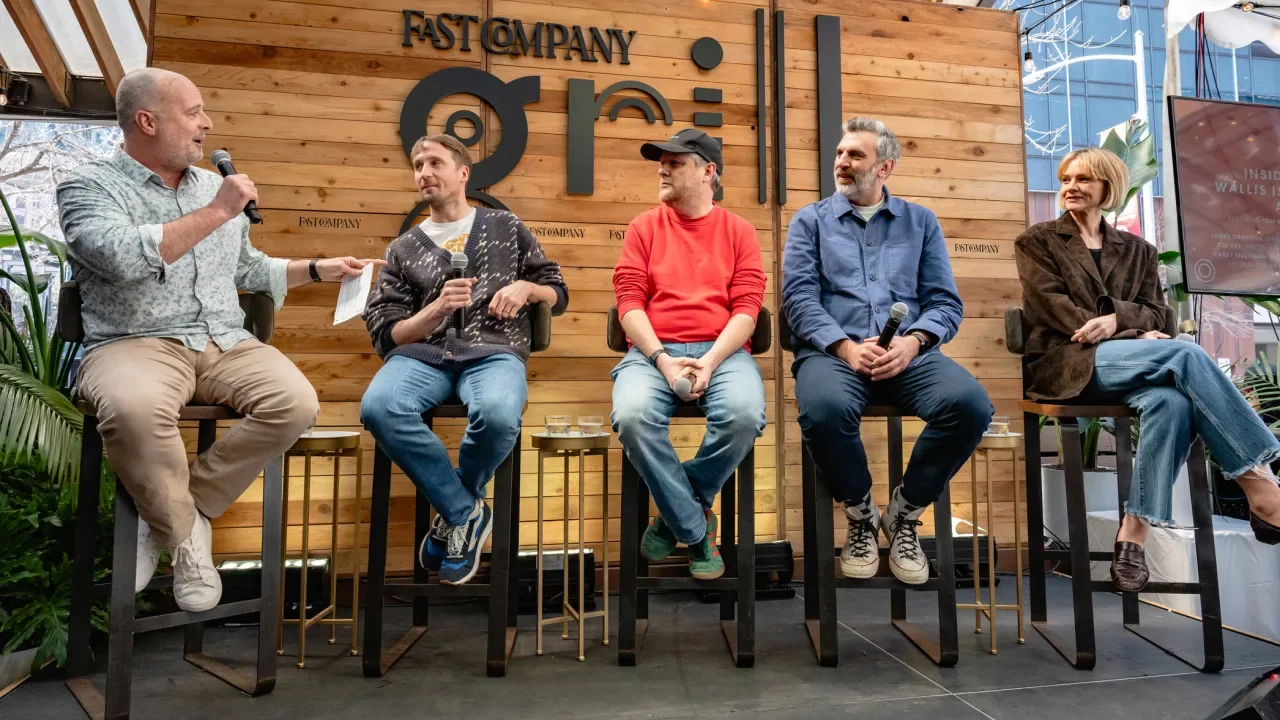
On a remote Polynesian island, an eccentric lottery winner uses his earnings to bring his favorite musicians back together—and they’re also former lovers. What could go wrong? The Ballad of Wallis Island is a new film that tackles this zany scenario; it premiered at Sundance to critical acclaim and will hit movie theaters March 28. This past weekend at the Fast Company Grill at SXSW, editor-in-chief Brendan Vaughan sat down with the film’s cast, writers and director to talk about how they found the right note for their musical rom-com. Panelists included four executive producers who all had additional roles behind and in front of the camera: James Griffiths, the director; Tim Key, a writer and actor; Carey Mulligan, an actress; and Tom Basden, a writer and actor who also wrote the original music for the film. Humble Beginnings The Ballad of Wallis Island is adapted from a BAFTA-winning short film produced in 2008, written by Key and Basden and directed by Griffiths. Basden returned to it over a decade later because he felt it was “unfinished business.” “It was quite a short script, but we played around with it. It was all very loose and we just loved the characters and loved making it,” Basden said. To lengthen the film from a short under 30 minutes to a feature-length film, the team made a few changes—including the addition of Carey Mulligan’s character as a former love interest and bandmate of Basden’s original character. “In the first one, I live on an island, I invite this guy to an island, we don’t really get on. And then . . . we start to get on and it ends. And then in the feature we sort of built on that, that felt like quite a winning formula. So in the feature he arrives, we don’t get on, he has a fantastic actress with him, and there’s two other people in it as well who are also fantastic,” Key said. “So basically everything in the first film developed and then added more dimensions and color to it.” [Photo: Maggie Boyd for Fast Company] Preaching to the Choir The film has a strong musical component, with original music by Basden. Basden spoke about the writing process for the music: “There was a long process of compiling the songs, but it’s not ever something I’ve done for a living. Writing. I’ve written comedy songs, but not songs like this. So I‘ve never really gone out of my way to spend time writing songs apart from when we were making the short, so I had to plug back into that and try to generate songs I was happy with.” He added that he sent every song back to actress Carey Mulligan knowing that her husband, musician Marcus Mumford, would have an opinion on them. And Mulligan had only sung at a school choir level before and had sung alongside a few other actors in the film Inside Llewyn Davis. “I’d done it a bit in films enough to sort of think that I could probably get away with it,” Mulligan said. “But with the caveat that I said to Tom: I don’t want to ever sing on my own. And we did shoot a scene that didn’t end up in the film where I sing on my own, and it was the closest I’ve been to tears filming anything.” Creativity Under Budget The film’s team had to navigate what director Griffiths called a “tight budget.” He spoke about how the team tried to be as creative and ambitious as possible with limited resources. “That’s where a lot of the fun is—in the parameters of what you can afford, what you want to do, your ambition for the film. Our ambition was always high for the film, to make the best thing we could with the resources we had,” said Griffith. “But ultimately, you’re only judged by the product that you create. That’s the only thing you can control, how good it is.” View the full article
-
When you think of an electrical outlet, the first thing that likely comes to mind is a simple, rectangular device mounted on the wall—purely functional, often hidden from sight. Architect and designer India Mahdavi has different ideas, though. Working with the high-end electrical brand 22 System, Mahdavi reimagined the outlet as a cheerful pop of color that’s reminiscent of a smiley face. [Photo: Thierry Depagne/22 System] Omer Arbel, co-founder of 22 System and design brand Bocci, asked Mahdavi to bring an unexpected element of joy to this everyday utility by creating a distinct colorway for the existing outlet face—transforming it from a discreet necessity into a bold design statement. Her vision led to the Smiley, an outlet with a fluorescent yellow hue that infuses playfulness into an otherwise technical product. Mahdavi says she wanted something that could stand out even in the dark. Instead of concealing the outlets, as people typically do, she aimed to celebrate them, making them an intentional part of the space. Mahdavi not only provided input on the product’s color but also crafted a narrative around it—one that challenges traditional notions of how electrical outlets fit into homes. [Photo: Celia Spenard-Ko/courtesy 22 System] “How could we perceive it differently, perceive it in a more homey, familiar, and maybe more feminine way? Instead of having these technical, sophisticated elements, how can you make them your own? How can you use them in your own home?” Mahdavi says. To show off the outlet, she transformed her classic Oliver armchair into a multi-socket appliance adorned with vibrant yellow outlets. [Photo: Thierry Depagne/22 System] Mahdavi believes the pandemic heightened our awareness of the unseen, prompting deeper consideration of the objects around us. People started asking more questions like: How was it made? Who designed it? How is it presented? What is the story behind it? This shift in perspective encouraged Mahdavi to reimagine an often-overlooked necessity as an object of intrigue and design. “It was about how do you turn something that is not supposed to be seen into something that is really seen,” says Mahdavi. View the full article

-
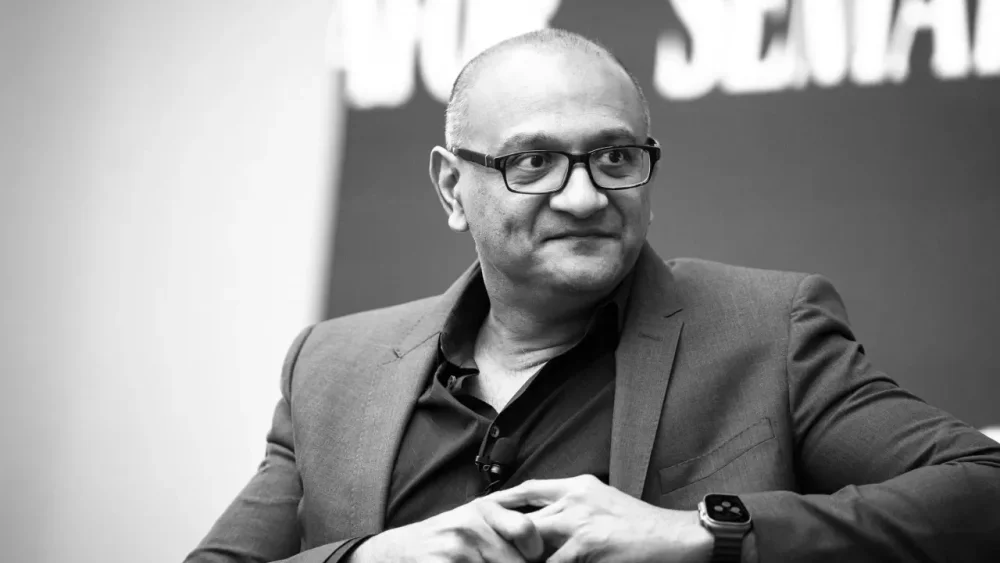
For 40 years, Cisco has been best known for building routers, switches, and other networking technology that connects computers within offices, data centers, and across the internet. Cisco’s also a software business, known for its cybersecurity products and familiar applications like the conferencing and communications platform Webex. And last year, the company announced the $28 billion acquisition of big data company Splunk, part of Cisco’s growing role in powering data-driven AI technology. Cisco also last year named Jeetu Patel as executive vice president and chief product officer, with the goal of breaking down barriers within the company as it bets big on providing hardware, software, and security infrastructure for the rapidly growing AI sector. Patel spoke to Fast Company about his role, what the AI-powered transformation looks like inside Cisco and in the industry as a whole, and why the company is well-positioned to play a key role in the future of artificial intelligence. Can you tell me a little bit about what this AI transformation looks like? This is an exciting time at Cisco. We’re a $55-billion+ company, but the goal and the hope is that we’re going to be able to operate like the world’s largest startup, meaning we’ll operate at speed with scale. Every once in a while, you have this kind of massive shift in the market that creates an unpredictable opportunity none of us would have thought about even 10 years ago. It feels like the foundation we’ve been laying for 40 years is now going to come to life. I frankly feel like there are going to be two types of companies in the world: companies that are really dexterous with the use of AI and companies that really struggle for relevance, and it’ll be the largest shift we’ve seen from a platform perspective in our lifetimes. We’ve done a lot of studies with customers, and 97% of them are really excited about the possibilities of AI, but only 1.7% feel prepared that they know how to tackle it. So there’s a big gap between the possibilities and what needs to happen. And when you ask them a follow-on question, what holds you back, they answer three things. The first is, they’re not sure they have the necessary infrastructure or technical know-how to construct that infrastructure. The second is they feel like there are 1,000 ideas within their company, but adoption slows down because safety and security become big concerns. The third area is that they just don’t feel they’ve got the right level of training and skills internally. In each of those three areas, Cisco can be meaningfully accretive to their mission, and it’s an amazing opportunity for Cisco to shape this entire next wave. What will Cisco’s role be in that transition? We will provide infrastructure for AI. You’re going to have many AI agents talking to each other across the data center, as well as physical AI, with robotics and humanoids. A world of 8 billion people will feel like a world of 80 billion from a throughput perspective, because of the digital workers that will be added to the mix. And I think that order of magnitude differential might be a gross understatement. That means there’s going to be much more demand for high-performance, low-latency, power-efficient networking so one agent can talk to another and coordinate and come back with an answer. You’ll see much more demand for high scale infrastructure, not just around GPUs but around [data processing units (DPUs)] and different types of compute paradigms. Five key areas will be networking, security, safety, data, and models, and Cisco will participate in each of them and we will partner with others. We just announced a partnership with Nvidia. We just made an investment in Anthropic. We are investors in Scale.AI and we’re investors in Groq. All of these innovative things that kind of refactor the world will start happening, and Cisco will be at the center of it all. What puts Cisco in a position to lead in all of these different areas? Cisco historically has been very oriented on different technologies that operated well in their own siloes. But the true opportunity is not in acting like a holding company but as an integrated platform, tightly integrated but loosely coupled. The first characteristic of a platform is to lower the marginal cost for existing customers for every new technology from Cisco. It’s good for customers and good for us. But the second thing is to compound the value of things you might already have. For instance, networking is great, but networking without security is just selling pipes. When you take security and bake it into the fabric of the network, you can deliver a trusted network and trusted communications. Cisco can be a secure networking company that’s AI first and completely change the value proposition for the market. Our goal is to make sure to tie things together, build amazing products people love and talk to friends and family about, operate in an open ecosystem, and make sure we’re at least 10 times better than others in the market. Nobody switches to you for 10% better, but when it’s 10 times better, it’s irresponsible for a customer to not consider switching. We want to make it irresponsible for the customer to not consider Cisco. What does being AI first mean in the security context? To handle attacks that are happening at an extremely sophisticated level, you have to have defenses not at human scale but at machine scale. So you have to natively build AI capabilities into your product, not as an afterthought that’s bolted on. But it’s not just about using AI in your security stack. It’s about securing AI itself. The characteristic of AI that’s scary to companies is that models are, by definition, non-deterministic, which means they’re by definition unpredictable. If I ask the same question twice, I might get two slightly different answers. But enterprises bank on predictability. You need to have a common way that safety and security can be addressed regardless of which model you’re using, which application you’re using, and how many agents you have. The huge opportunity is, can we make AI safe and secure so that when it does hallucinate, we’ve got guardrails for it, and when it has toxicity and harmful content, we have guardrails for it. And when something like DeepSeek comes out, we can figure out how to jailbreak it through an algorithmic red teaming exercise, and figure out guardrails organizations can put around it so if they do end up using it, they’ll know it doesn’t behave in an unpredictable way. That’s where a company like Cisco comes in, as that common, neutral-party security substrate across every model, every application, every cloud, every agent. A product that just went into general availability is AI Defense, an AI safety and security product. If you believe in a world that’s going to be multi-model and multi-agent, we would be the common security layer that could provide visibility into every company about what data is being used and what applications of AI are being used by developers and users. We can also provide validation of AI models—are they working the way we intend them to work? What would have taken seven to 10 weeks to validate a model can now be done within a matter of seconds or minutes, because we have the algorithmic process to do it. For example, in the first 48 hours that DeepSeek came out, we were able to jailbreak that model on 50 different prompts that HarmBench had. But then we were able to say, given that, we can now give you guardrails on what you do. How are the investments and partnerships you mentioned important to your work in AI? One of the key principles we talk about is that you have to operate with the broader ecosystem. You cannot be a walled garden in this day and age. With our partnership with Nvidia, Nvidia now includes Cisco in its reference architecture, and where an enterprise has Nvidia and Cisco, they want the two of them to work together. As companies we’re committed to making that happen, and we’ll work with Nvidia and ensure our switches work well with Nvidia SmartNICs, and their GPU clusters will have CIsco networking to connect clusters with low latency and high performance and power efficiency. How have you worked to break down silos internally? I can give you an example. I was just with the Splunk team. That’s a very large acquisition—about $28 billion. People on the all-hands call asked what we think about preserving the Splunk culture. Culture is basically an agreed-upon set of norms of how we’re going to work together. I think Splunk culture is amazing, and not only should we preserve the Splunk culture, we should actually take elements of it and make it part of the CIsco culture, so Cisco can learn from what the Splunkers have learned. But I also feel that Splunk has a lot to learn from Cisco, so we should integrate elements of Cisco culture into Splunk culture. And if both Cisco and Splunk don’t do certain things well, we might learn from the market. If another company’s doing it well, we should evolve with the market. Just staying stagnant is actually our biggest enemy. We need to constantly be curious, keep learning ferociously, and also remember to keep unlearning certain patterns. When I explained this to the team, what the possibilities were, it took very little time for them to get on board, and before you knew it, the tempo of the organization changed. We have amazing people in the company, and we have to make sure we can unlock their creativity while still using Cisco’s size and scale. The good news is, I’ve done this a few times. When I came in I was running the Webex business, and it’s now a beautifully built product with AI infused into its fabric. It does really well with the team that built Webex in the past but had struggled because the clarity was not there from leadership. We’ve got an amazing broad portfolio that, if we harmoniously weave together, magic starts to happen. You’re Cisco’s first chief product officer. What’s your vision for that role? We want to be an AI-first, product-first company. We have to build amazing products that people love, that they talk to their friends and family about. There’s no marketing engine that’s as good as word of mouth. We want to make sure we really sweat the details and build amazing products that people love. We want to make sure that we stay slightly dissatisfied, slightly paranoid and superbly humble, keeping our heads down, just obsessed about the customer and how we’re going to get better and better. The reason this role is consequential is the decision-making velocity. You don’t have to go out and get in a room with a committee to make a decision. There’s very clearly one team, and the goal is to make sure we build a platform that accretes value on top of each other. What would have taken us three years to get done, we were able to do within three months. There was that much of a difference in decision-making velocity. We have a key set of values and guiding principles that we make sure everyone’s aligned on. The people here believe in the power of AI and what it’s going to be able to do. It’s less about me and more about taking the friction out of the organization to move at speed and move with scale, with a combination of systems thinking and a level of grit, being able to be scrappy. If you can be scrappy with systems thinking, you get the best of both worlds. Operate like the world’s largest startup, and you can do things no startup can do, and things no large company can do. View the full article
-
If the joy of seeing butterflies seems increasingly rare these days, it isn’t your imagination. From 2000 to 2020, the number of butterflies fell by 22% across the continental United States. That’s 1 in 5 butterflies lost. The findings are from an analysis just published in the journal Science by the U.S. Geological Survey’s Powell Center Status of Butterflies of the United States Working Group, which I am involved in. The endangered Karner blue butterfly has struggled with habitat loss. [Photo: USFWS/Flickr] We found declines in just about every region of the continental U.S. and across almost all butterfly species. Overall, nearly one-third of the 342 butterfly species we were able to study declined by more than half. Twenty-two species fell by more than 90%. Only nine actually increased in numbers. West Coast lady butterflies range across the Western U.S., but their numbers have dropped by 80% in two decades. [Photo: Renee Las Vegas/Wiki Commons] Some species’ numbers are dropping faster than others. The West Coast lady, a fairly widespread species across the western U.S., dropped by 80% in 20 years. Given everything we know about its biology, it should be doing fine – it has a wide range and feeds on a variety of plants. Yet, its numbers are absolutely tanking across its range. Why care about butterflies? Butterflies are beautiful. They inspire people, from art to literature and poetry. They deserve to exist simply for the sake of existing. They are also important for ecosystem function. Butterflies are pollinators, picking up pollen on their legs and bodies as they feed on nectar from one flower and carrying it to the next. In their caterpillar stage, they also play an important role as herbivores, keeping plant growth in check. A pipevine swallowtail caterpillar munches on leaves at Brookside Gardens in Wheaton, Md. Herbivores help keep plant growth in check. [Photo: Judy Gallagher/Wikimedia Commons, CC BY] Butterflies can also serve as an indicator species that can warn of threats and trends in other insects. Because humans are fond of butterflies, it’s easy to get volunteers to participate in surveys to count them. The annual North American Butterfly Association Fourth of July Count is an example and one we used in the analysis. The same kind of nationwide monitoring by amateur naturalists doesn’t exist for less charismatic insects such as walking sticks. What’s causing butterflies to decline? Butterfly populations can decline for a number of reasons. Habitat loss, insecticides, rising temperatures and drying landscapes can all harm these fragile insects. A study published in 2024 found that a change in insecticide use was a major factor in driving butterfly declines in the Midwest over 17 years. The authors, many of whom were also part of the current study, noted that the drop coincided with a shift to using seeds with prophylactic insecticides, rather than only spraying crops after an infestation. The Southwest saw the greatest drops in butterfly abundance of any region. As that region heats up and dries out, the changing climate may be driving some of the butterfly decline there. Butterflies have a high surface-to-volume ratio – they don’t hold much moisture – so they can easily become desiccated in dry conditions. Drought can also harm the plants that butterflies rely on. Only the Pacific Northwest didn’t lose butterfly population on average. This trend was largely driven by an irruptive species, meaning one with extremely high abundance in some years – the California tortoiseshell. When this species was excluded from the analyses, trends in the Pacific Northwest were similar to other regions. The California tortoiseshell butterfly can look like wood when its wings are closed, but they’re a soft orange on the other side. [Photo: Walter Siegmund/Wikimedia Commons, CC BY-SA] When we looked at each species by its historical range, we found something else interesting. Many species suffered their highest losses at the southern ends of their ranges, while the northern losses generally weren’t as severe. While we could not link drivers to trends directly, the reason for this pattern might involve climate change, or greater exposure to agriculture with insecticides in southern areas, or it may be a combination of many stressors. There is hope for populations to recover Some butterfly species can have multiple generations per year, and depending on the environmental conditions, the number of generations can vary between years. This gives me a bit of hope when it comes to butterfly conservation. Because they have such short generation times, even small conservation steps can make a big difference and we can see populations bounce back. The Karner blue is an example. It’s a small, endangered butterfly that depends on oak savannas and pine barren ecosystems. These habitats are uncommon and require management, especially prescribed burning, to maintain. With restoration efforts, one Karner blue population in the Albany Pine Bush Preserve in New York rebounded from a few hundred individuals in the early 1990s to thousands of butterflies. Similar management and restoration efforts could help other rare and declining butterflies to recover. What you can do to help butterflies recover The magnitude and rate of biodiversity loss in the world right now can make one feel helpless. But while national and international efforts are needed to address the crisis, you can also take small actions that can have quick benefits, starting in your own backyard. Butterflies love wildflowers, and planting native wildflowers can benefit many butterfly species. The Xerces Society for Invertebrate Conservation has guides recommending which native species are best to plant in which parts of the country. Letting grass grow can help, even if it’s just a strip of grass and wildflowers a couple of feet wide at the back of the yard. A patch of wildflowers and grasses can become a butterfly garden, like this one in Townsend, Tenn. [Photo: Chris Light, CC BY-SA] Supporting policies that benefit conservation can also help. In some states, insects aren’t considered wildlife, so state wildlife agencies have their hands tied when it comes to working on butterfly conservation. But those laws could be changed. The federal Endangered Species Act can also help. The law mandates that the government maintain habitat for listed species. The U.S. Fish and Wildlife Service in December 2024 recommended listing the monarch butterfly as a threatened species. With the new study, we now have population trends for more than half of all U.S. butterfly species, including many that likely should be considered for listing. With so many species needing help, it can be difficult to know where to start. But the new data can help concentrate conservation efforts on those species at the highest risk. I believe this study should be a wake-up call about the need to better protect butterflies and other insects – “the little things that run the world.” Eliza Grames is an assistant professor of biological sciences at Binghamton University, State University of New York. This article is republished from The Conversation under a Creative Commons license. Read the original article. View the full article

-
MrBeast is currently the most-subscribed YouTuber in the world—but his biggest moneymaker isn’t content. It’s chocolate. The 26-year-old creator, whose real name is Jimmy Donaldson, owns the snack brand Feastables, which generated $251 million in sales and more than $20 million in profit last year, according to investor documents obtained by Bloomberg. By contrast, his main media business—including his blockbuster YouTube channel and the Amazon Prime reality competition show, Beast Games—brought in similar revenue but lost nearly $80 million over the same period. With 372 million subscribers at the time of writing, MrBeast’s videos range from spending “100 hours inside the pyramids” to helping “2,000 people walk again.” As you might imagine, content of that sort doesn’t come cheap. The average video for MrBeast’s main channel now costs between $3 million and $4 million, according to Bloomberg. Recouping such extravagant production budgets is no easy task, especially with only a few videos released per month. Little surprise, then, that the YouTube star has spent the past few years leveraging his fame to build businesses that have nothing to do with the social media platforms he started out on. Now, the most profitable arm of Beast Industries is its commerce division, led by the chocolate brand Feastables. According to Bloomberg, the company forecasts that Feastables will triple in size over the next couple of years, while media revenue will only account for one-fifth of its total sales by 2026. (MrBeast did not respond to Fast Company’s request for comment.) As well as Feastables, Beast Industries is also a shareholder in the snack brand Lunchly and owns Viewstats, a software firm that sells digital tools to fellow content creators. As reported by Bloomberg, Beast Industries has secured more than $450 million in funding over the past four years to fuel its businesses. In recent months, MrBeast has been in talks with investors to raise an additional $200 million, which would push the company’s valuation past $5 billion, The Verge reported last week. Investors backing Beast Industries’s $5 billion valuation are betting on a future driven by consumer products rather than viral videos. Beyond Feastables, MrBeast is gearing up to launch a range of new products in the coming years, including beverages, a snack brand, and a cereal line. He’s also set to expand into mobile gaming, with a division expected to debut next year. This reflects a broader monetization shift in the creator economy, where major social media stars are pivoting from content to consumer products. Last year, popular podcast host Alex Cooper launched her drink brand, Unwell, while YouTuber-turned-podcaster Emma Chamberlain opened her first ever café in Los Angeles for her coffee brand, Chamberlain Coffee. Logan Paul, another early YouTube star, cofounded Prime energy drink and teamed up with MrBeast on Lunchly. Turns out, selling your brand as a chocolate bar or a beverage might be the real jackpot. View the full article

-
One individual was paid €18mn in 2024, while boss Christian Sewing could earn €9.8mnView the full article
-
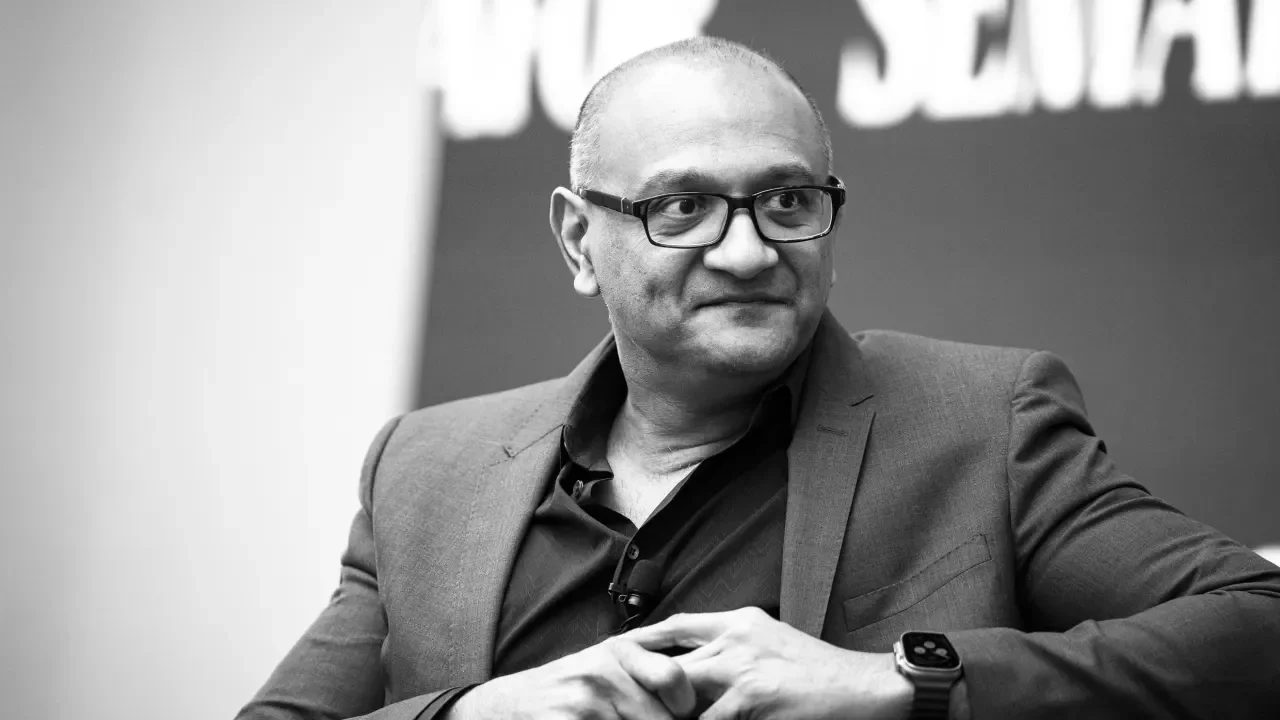
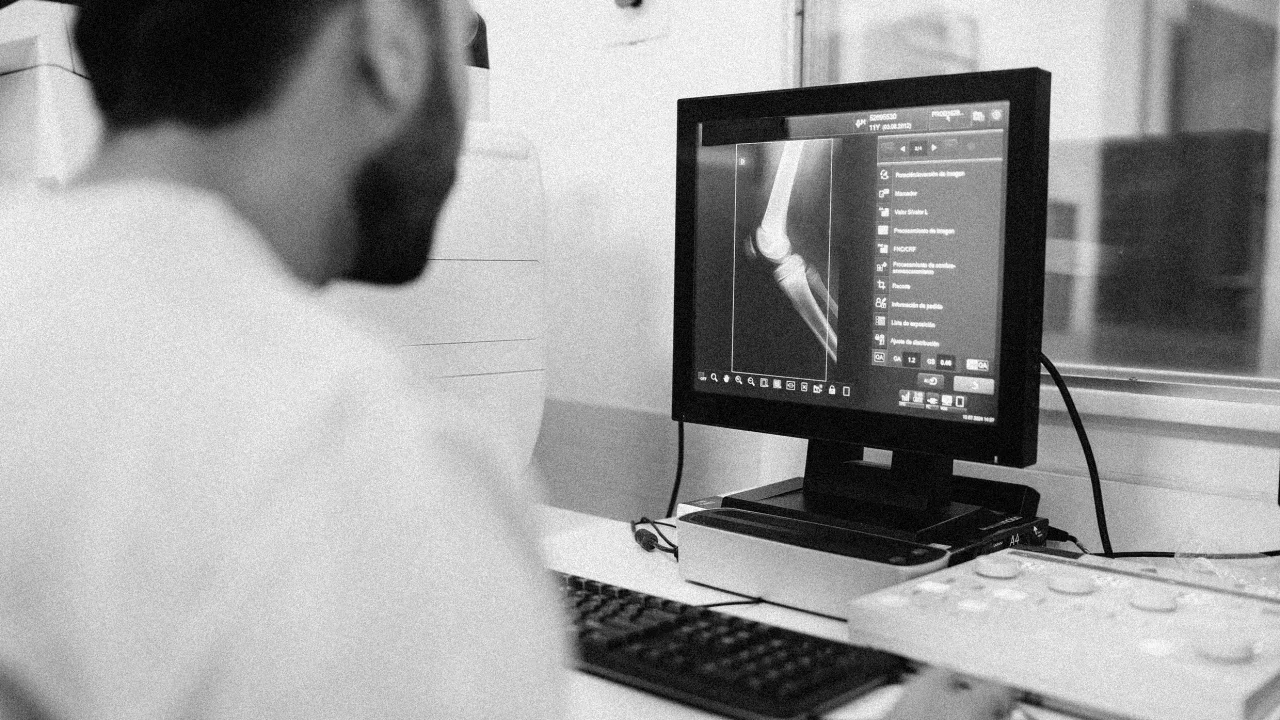
Let’s face it: The workplace is pretty much an extrovert’s world, with all those meetings and open work spaces. It’s not always easy for introverts and people who prefer a quieter setting to be at the top of their game, but that doesn’t mean they can’t be productive in an office and have a really successful career. The trick is finding the right job fit. Resume Genius, a website for job seekers, recently released its curated list of introvert-friendly well-paying jobs for 2025. Jobs were ranked based on four factors: autonomy, amount of social interaction, minimum median salary of $48,000 a year, and high job-growth potential. The researchers compiled their results from O*Net and Glassdoor reviews to determine the first two factors, and data from the Bureau of Labor Statistics (BLS) to determine the last two. The jobs on this list emphasize independent work, problem-solving, and analysis. “Introverts can be more independent and usually possess highly sought-after soft skills like deep focus and creative problem-solving,” Nathan Soto, a career expert at Resume Genius, said in a statement. Here are the top 10 jobs for introverts: 1. Radiologist Median annual salary: $353,960 Estimated job growth (2023 to 2033): 3% Typical educational requirements: Doctor of medicine (MD) degree, radiology residency program 2. Natural Sciences Manager Median annual salary: $169,120 Estimated job growth (2023 to 2033): 8% Typical education level: Bachelor’s degree in natural science or a related field 3. Computer and information research scientist Median annual salary: $157,160 Estimated job growth (2023 to 2033): 26% Typical educational requirements: Master’s degree in computer science or related field 4. Physicist and Astronomer Median annual salary: $149,530 Estimated job growth (2023 to 2033): 7% Typical educational requirements: Bachelor’s degree for entry-level position, master’s and PhD in physics for advanced 5. Computer hardware engineer Median annual salary: $147,770 Estimated job growth (2023 to 2033): 7% Typical educational requirements: Bachelor’s degree 6. Software developer Median annual salary: $138,110 Estimated job growth (2023 to 2033): 17% Typical educational requirements: Bachelor’s degree in computer and information technology or related field 7. Computer network architect Median annual salary: $133,930 Estimated job growth (2023 to 2033): 13% Typical educational requirements: Bachelor’s degree in computer-related field 8. Actuary Median annual salary: $132,500 Estimated job growth (2023 to 2033): 22% Typical educational requirements: Bachelor’s degree in mathematics, actuarial science, statistics, or other analytical field 9. Biochemist and Biophysicist Median annual salary: $120,310 Estimated job growth (2023 to 2033): 9% Typical educational requirements: Bachelor’s degree in biochemistry, biology or related field for entry-level position; master’s and PhD for advanced 10. Operations research analyst Median annual salary: $95,600 Estimated job growth (2023 to 2033): 23% Typical educational requirements: Bachelor’s degree in operations research, business, mathematics, or engineering View the full article
-
We are not infinite gods. We are finite creatures. And because of that, all of our life resources are finite. Our days are finite. Our money is finite. Our time and attention and energy are finite. The abundance of these resources may vary from person to person, but for all of us, they are limited. And because of that, every “more” comes with a tradeoff. More of one thing always means less of something else. In some areas of life, this is easier to see: More junk food means less health. More screen time means less time outside. More spending means less savings. More late nights means less enjoyable mornings. More clutter means less calm. But in other areas of life, we are less likely to notice or consider the full cost: Wanting more money means less energy for more significant pursuits. Wanting more career success means fewer family dinners. Wanting more power means less freedom. Wanting more status means less peace. Wanting a bigger house means less time playing with your kids. Wanting more comfort means less personal growth. Because we are finite creatures, we can have more of anything. But not more of everything. That’s why it’s important to decide—intentionally, deliberately, and thoughtfully—what we want more of. And if we don’t choose our “more” carefully, the world will choose for us. And it rarely chooses well. The things that matter most are often quiet. They don’t clamor for attention. They don’t shout from billboards or flash on screens. But they are what we most desire in our deepest heart: purpose, peace, love, presence, meaning, connection, contribution. Those items are always worth choosing. And always require us to choose less of something else. So let’s be sure to ask ourselves the most important questions: What do we want more of in our lives? And what are we willing to have less of so we can make room for it? Because life is too short to chase the wrong more. The post What Do You Want More of in Your Life? appeared first on Becoming Minimalist. View the full article
-
Although Kyiv has agreed to a potential ceasefire, most people in the country expect the war to continue and retain the will to keep battlingView the full article
-
Marketing firm Wolff Olins wanted its name off asset manager’s promotional material View the full article
-
Call from Andrzej Duda aimed at deterring future Russian aggression likely to be viewed as highly provocative in MoscowView the full article
-
Premium investors’ demand to hold riskier debt jumps to highest level in six months View the full article
-
This article is republished with permission from Wonder Tools, a newsletter that helps you discover the most useful sites and apps. Subscribe here. I like thinking on paper. That’s why I’ve got a box under my desk with 27 old idea notebooks. But when I’m looking for a specific note scrawled early in 2020, digital notes are helpfully searchable. Given that paper and digital have distinct advantages, I’ve been experimenting lately with hybrid approaches. Read on for what I’ve found to be most useful. My current notebook of choice: The reMarkable Paper Pro What it is: A specialized paper tablet originating from Oslo, Norway that feels like a cross between a Kindle and an iPad. It’s designed for writing and reading, not Web surfing, games or social apps. In touch and sound it’s closer to paper than any digital device I’ve used. It’s simple to use, well-designed, and I rarely need to charge it. Choose this if . . . You like the feel of paper but prefer having a single, organized device to piles of paper notebooks. It’s great if you’re easily distracted by multi-purpose devices (that’s me) or if you spend a lot of time taking notes by hand and want a luxurious, minimalist device. My favorite features: Feels like paper. You can adjust the marker (stylus) to look and feel like various pens or pencils. The screen somehow even sounds like paper. Backup and sync. See any of your notes later on your phone, tablet, or laptop app as editable PDFs. During an online meeting you can even use the paper tablet as a whiteboard to screenshare live notes or diagrams. Flexible annotations. I like annotating PDFs as I read. You can toggle your notes on/off to return to the original. Unlike the Remarkable 2, this model lets you add color annotations, though I rarely do. You might find it handy to have distinct hues for highlighting facts or quotes. Distraction-free. No apps, email, browser, or notifications to tug at your attention. Easy import. You can easily import articles or documents from your Web browser or from Google Drive or Dropbox. Eye-friendly It’s easier on your eyes than an iPad or computer, and works well in the dark, too, with an adjustable, built-in backlight. Templates. You can start with a blank page or your choice of lined or dotted page templates; calendar or task list templates; or even a Bullet Journal from the new template and workbook collection. Caveats Single-purpose device. If you need a multi-function tablet, this isn’t it. If you already have a digital watch, phone, tablet, & laptop, you may have enough. Premium investment. The $579 price point makes this a luxury device for those who can afford to invest in a fancy note-taking tablet. Doesn’t work with Kindle books or other reading formats. It’s great for PDFs and ePub files, and you can even import Web articles with a bookmarklet in your browser. But you can’t use it to read your Kindle books. Feels large for reading. If you’re used to holding a small Kindle in your hand, this device feels big at 274 x 197mm (10.8’’ x 7.8’’). The reMarkable 2 is a little smaller and cheaper ($399). No multi-document view. Unlike a laptop or an iPad, this device doesn’t let you view multiple documents at once. That’s good for staying focused, but it adds friction when you’re switching back and forth between two reference documents, as I’ve been doing lately. Slower page turns. As with other E Ink screens, you have to wait a bit longer for each new page to load on this device than on LCD or LED screen devices. Clunky handwriting to text conversion. You can convert handwritten notes into digital text, even if you have messy handwriting like mine, but the process involves multiple clicks and I haven’t been thrilled with the resulting conversion and formatting. Slight learning curve. It’s easy to use out of the box. But for advanced features, like triple-tapping to cut and paste text or adding multiple annotation layers, you’ll need a bit of practice. Pricing: $579 with the Marker (stylus) or $629 with the Marker Plus, which has a built-in digital eraser. The Book Folio protective cover is $89, while the Type Folio cover, which lets you type notes, is $229. The eraser tip is worth the extra $50 for quick corrections. The cover with built-in keyboard is only necessary for those who type all the time or use the device in place of a laptop. The optional Connect subscription for backing up your device and syncing to mobile and desktop apps is $30/year after a free 100-day trial. My flexible, reusable backup notebook: Rocketbook What it is: A reusable notebook with plastic pages (made with Polyester/ Polypropylene) that you write on with erasable FriXion pens. How it works: To digitize notes, use Rocketbook’s free smartphone app (iOS or Android) to scan a page and send it to Google Drive, Evernote, Slack, Dropbox, Box, Trello, OneNote, OneDrive, iMessage, iCloud, or Google Photos. Then wipe the page off to reuse it. Choose this if . . . You like writing with an ink pen but want to keep notes organized in your preferred digital hub. It works well if you want a relatively low-cost, reusable notebook and don’t want another digital device. My favorite features Reusable pages. Wipe off the ink with a damp cloth and you can repeatedly use the same pages. Easily scan notes to your digital hub. By marking a symbol at the bottom of a given notes page, you can send that particular page to your preferred destination. You can send some pages to one place, others to another. No subscription cost. The app is free, with no monthly fees. Lightweight design. The spiral binding and fold-back cover makes it easy to quickly return to any page. Easy page titling. You can write a double-hashtag at the top of any page to set its title for simpler digital categorization. Text conversion. Transform your handwriting to searchable text as long as it’s not illegible. Caveats Requires a special pen. You’ll need a backup supply of FriXion pens. Different writing feel. Plastic pages feel different from traditional paper. Occasional smudging. The erasable ink can sometimes smudge before it dries completely. Be careful about leaning your hand on fresh ink. Cheap, light material. This is essentially a collection of coated plastic sheets, so it doesn’t have the heft of a thick notebook or a digital tablet. Pricing: $30 to $50 depending on the size and style. These go on sale periodically. FriXion pens cost a few dollars each. Tips: I like the $38 Fusion model because it includes 42 pages with seven different page templates. It includes monthly and weekly calendar pages, dotted, lined and list pages, and project, goal and idea templates. Size: I prefer the executive size (6 x 8.8 inches) because it’s a bit more portable than the larger letter format. The mini size can be handy if you like keeping a notebook in your pocket. I also like a new hybrid alternative, the Boogie Board Blackboard 2.0 This reusable smart notebook has a permanently dark screen. It feels like writing on black glass with a special smart pen/stylus. Like the Rocketbook, you link the Blackboard to a free mobile app. From the app you can send an image or PDF of anything you’ve written or drawn to another app like Dropbox or Apple Notes. Like the Rocketbook, you don’t have to worry about recharging the screen. There is, technically, a battery in the Blackboard, because it’s a passive LCD screen, but you can use it for years without an issue. I’ve used other Boogie Board screens and never had to change a battery. I think of it like a grown-up Etch a Sketch. It’s a fraction of the cost of the reMarkable tablet or an iPad, but its flimsy case gives it a much cheaper, more plastic-y feel. Limited space: The Blackboard 2.0 has just one page to use and then sync before running out of space. The Rocketbook, by comparison, gives you 42 pages to write on before you need to sync or erase. The reMarkable can store hundreds of thousands of pages of digital notes. Charging and syncing: If you get the Blackboard version with the Smart Pen, you do have to recharge the stylus. It’s easy to misplace either the pen or the pen cover. On the plus side, it’s a little easier to sync and erase than the Rocketbook—just press a button to sync your writing or drawing to your online notes. Press another button to erase a page and start fresh. Pricing: $150 for the Blackboard 2.0 with the Smart Pen, or $45 for the same Blackboard minus the smart pen—in which case you use your phone to scan what you write into the Blackboard app, much like the Rocketbook. If you want a digital pen: Livescribe’s LivePen What it is: A digital pen that records what you write on special paper and converts it to digital text. Consider this if you like the feel of paper and want to backup your notes digitally without a tablet. You’ll still have to buy special notebooks so the pen’s built-in camera can track your words digitally. I like that the newest model is ultra-portable. I had an old version of this pen that felt like a chunky highlighter. The $65 LivePen bundle includes four 158-page journal-sized notebooks. Keep them in distinct locations so you can use them with your digital pen wherever inspiration strikes. Caveats Special paper required. You’ll have to repeatedly buy Livescribe notebooks or download and print special paper files with the required micro-dots. Easy to misplace. The LivePen is smaller than the other note-taking tools, meaning it’s easier to lose it. Comfort considerations. It’s smaller than older models, but may not be as sleek as your favorite Cross pen. Battery dependent. You’ll have to charge it every couple of weeks. Prefer plain paper? Try Leuchtturm1917 What it is: A traditional, sturdy, paper notebook, with a table of contents section at the front to help make it easier to organize notes inside. Choose this if . . . You’re a traditionalist who wants zero distractions or if have no interest in additional gizmos to plug in. Or maybe you just enjoy the tactile experience of pen on paper. No batteries, charging, cords or software updates needed. Tips: Snap pictures of important notes and upload them to ChatGPT, which excels at recognizing handwriting and converting it to digital text. No special app needed, and you can send the converted notes to your digital hub of choice. Options: I like the $17.50 dotted model with numbered pages, two page markers, a pocket and an elastic closure band. If you often write outdoors, consider the $29 Outlines model for extra durable waterproof paper and a water resistant cover. Or if you draw, try the 120g model for $29 for low-transparency paper that won’t let ink run or colors show through to the back. Want a cheaper choice? This similar Rettacy notebook is just $8. Bottom line: I rely on a blended system No one tool satisfies all of my note-taking needs. Other explorations: I use Letterly to take audio notes, and I experiment occasionally with Goodnotes and other iPhone and iPad apps. Why all-digital isn’t optimal: I need to get away from screens on Saturdays, and periodically at work. So no digital-only system will work for me. Why all-paper doesn’t work: Having filled up desk drawers and storage bins with old reporting notebooks, I’m not eager to accumulate more paper. And my urban life is variable—I often don’t have a paper notebook with me. What I prefer: For now, the reMarkable Paper Pro is my preferred note-taking tool when I’m at work or doing extended brainstorming at home. An occasional replacement: When in meetings or with my children, I sometimes prefer my Rocketbook to remove any hint of digitalia. Paper lives on. I sometimes pull out an individual piece of paper—or index cards—and later digitize it with ChatGPT. This article is republished with permission from Wonder Tools, a newsletter that helps you discover the most useful sites and apps. Subscribe here. View the full article

-
Two powerful forces are dramatically reshaping the current world of work—artificial intelligence and an aging workforce. While we can see that the way we work is changing, we need to move quickly to effectively cope with both. Currently, AI, machine learning, digitization, automation, and other technology shifts are continuing to drive big changes in how we work and evolving the skills we need. In fact, new Workday research into the AI skills revolution shows that 81% of workers globally recognize that AI is changing the skills needed for their jobs. At the same time, throughout most countries, midcareer and older workers (people aged 45-64) make up a growing portion of the workforce, thanks to steady advances in health and longevity, and comprise 40% of the workforce in Organization for Economic Cooperation and Development countries. For these older workers, especially those who are currently unemployed, advances in new technologies could be a concern. In fact, Generation, a global employment nonprofit organization, conducted research in 2023 in eight countries that showed nearly half of long-term unemployed people are aged 45 and up, and 60% of midcareer workers view their age as their greatest barrier to new employment—and their perception is correct. With this worker demographic shift, a looming social and economic challenge is facing most countries around the globe. To ignite progress and elevate potential for midcareer and older workers, three imperatives stand out: 1. Bust the myths: Age and performance Many employers underestimate and are less likely to hire midcareer candidates than their younger counterparts. Not surprisingly for those who have encountered age bias, research shows that preference for younger candidates intensifies when considering roles that regularly use AI tools. Hiring managers are three times more likely to consider job applicants who are 35 or younger, compared to those 60 and older. However, the 2023 Generation research also shows that 89% of employers who have hired people aged 45+ reported that these individuals perform as well as or better than their younger peers, and 83% of employers said they learned as quickly or even better than their younger counterparts. It’s imperative that employers stop clinging to persistent and harmful age biases. 2. Green shoots of opportunity: Where the jobs are There are jobs out there already with the magic mix of an immediate hiring need and a large supply of enthusiastic midcareer candidates. Green jobs are an exciting and unexpected opportunity. In Workday’s collaboration with Generation in Spain, more than half of the program participants in our Solar PV Installer Program were over age 40, and most were non-degree holders (only 6% had a post-secondary degree). Within 6 months, 90% of them had been successfully placed in jobs. Green jobs are a clear win-win for candidates and employers. 3. Beyond degrees: Skills-based hiring and mobility Moving to skills-based hiring and assessment, rather than relying solely on 4-year college degrees or very specific previous work experience, will open opportunities for older workers and qualified candidates of all ages. By focusing on assessing skills and giving all hiring teams exposure to interviewing older candidates, we can decrease the likelihood that talented individuals will be overlooked. Moreover, once workers are on the job, employers can—and should—measure job performance and use that data to bust myths around midcareer candidate potential. To get candidates into new positions, training and mentorship also play important roles. In Generation’s 2023 research, 48% of successful midcareer and older job switchers had recent and relevant training prior to being employed, versus only 34% of unemployed individuals. On top of training, mentorship can help smooth career transitions. Workday and Generation developed customized mentor support focusing on the midcareer experience—including cultivating a growth mindset and moving seamlessly to a new industry. It was well-received, helping midcareer candidates improve their resumes and better prepare for interviews, with 96% saying they had a positive mentorship experience. The path forward: A two-way street Change takes collaboration, and both workers and employers should prioritize upskilling. Embracing equity, being inclusive of age differences, and hiring for skills is also good for business. There is research which shows that hiring for skills is five times more predictive of positive job performance than hiring for education alone, and 2.5 times more predictive of success than hiring for past work experience. Additional research shows that those who are hired on based on skills have, on average, a 9% longer tenure at their organizations than traditional hires, saving companies money on turnover and backfilling. Supporting workers in their career journeys helps ensure that individuals, businesses, and societies all thrive. Carrie Varoquiers is the chief philanthropy officer at Workday. Mona Mourshed is the founding global CEO of Generation: You Employed. The Fast Company Impact Council is a private membership community of influential leaders, experts, executives, and entrepreneurs who share their insights with our audience. Members pay annual membership dues for access to peer learning and thought leadership opportunities, events and more. View the full article

-
With the advent of generative AI and other advanced technologies like quantum computing, we are entering a period of massive innovation. It is likely we are about to see more future-facing products and services than we witnessed in the past 25 years. These companies will disrupt current industries and change the way we work, live, and play. This creates a new paradigm in how companies identify the best opportunities and how those ideas are developed, branded, and activated. For the past 40 years, I have had a front row seat to some of the world’s most valuable brands’ early days. Lexicon Branding played a role in developing names for hundreds of iconic brands and products—most that were new to the world at the time. Brands like Blackberry, Impossible Foods, Lucid, Sonos, Pentium, and many more. Having an innovative name is just one part of building a future-facing brand that connects with consumers, while also being memorable and distinct. The industry-disrupting brands we’ve worked with have taken a unique approach to building their brands and finding their unique place in their industries. These brands adopted the following principles to set them up for success as they build their next iteration. Think zero to one “Zero to one” is a phrase that describes the process of creating something radically new and taking it to its first growth step. A zero to one idea is not about disruption, but market expansion. They start small, very small, and then scale. Future-facing brands behave differently. They come with attitude. They depart from the past. While Gatorade was invented in 1965, it is a perfect example of a brand that reflects risk-taking thinking. Risk is an essential element of attitude. Using one of earth’s oldest predators to bring an entirely new idea and attitude to the market was risky, but it worked. Gatorade’s name makes us think: What’s in that bottle? On the other hand, Coca-Cola’s highly suggestive competitive entry, Powerade, is both safe and mundane. Sixty years after launch, Gatorade is still the leader. Brands that embody a zero to one attitude, behave differently from others in the market. SpaceX is the poster child of a zero to one brand. SpaceX isn’t just a new type of space travel, it is the foundation for entirely new, multi-billion-dollar industries such as space tourism, space-based solar power, and moon/asteroid mining. A relentless focus on achieving “firsts”—from landing on ocean platforms to being the first privately owned company to send astronauts to the International Space Station—epitomizes what it means to be a zero to one company. Another example is OpenAI’s ChatGPT. ChatGPT defined a new paradigm for consumers and businesses to use generative AI in day-to-day work and life. Since its launch, ChatGPT has continued to dominate consumer interest, with 10 times the search traffic of the next four AI models combined. Cultivate distinctive behaviors Future-facing brands embody unique, novel attitudes. They depart boldly from the past. They do not rely only on their product, they must cultivate behaviors that stand out in the marketplace. In a market dominated by serene imagery of pristine islands and alpine springs, Liquid Death boldly subverts the beverage industry norms. It packages mountain water in tallboy cans resembling craft beers—complete with heavy metal-inspired branding—and turn a simple product into a nonconformity statement. Its marketing strategy reinforces this unique behavior with taglines like “Murder your thirst,” helping Liquid Death double its valuation since 2022 to reach $1.4 billion today. Naming new brands a strategic imperative In today’s hyper-competitive market, a brand name can no longer be viewed as a label—it’s a strategic asset. It must work harder, reach further, and resonate across multiple platforms and cultures. We’re moving from tactical naming to strategic decision making, where the right name can be a powerful competitive advantage. Comfort is the enemy of great branding. The most impactful names are risky. As Oscar Wilde aptly put it, “An idea that isn’t dangerous is unworthy of being called an idea at all.” Remember: The name you choose is often your first and most enduring marketing asset. Choose wisely, and let it be the cornerstone of your strategic advantage. Impossible Foods (formerly Maraxi) aligned an audacious name with an audacious goal: producing great tasting and completely vegan alternatives to meat products. Although Beyond Meat was the first alternative meat brand to appear in restaurants, Impossible has become the household name, maintaining a lead over Beyond in Google Search interest. The brand continues to invest in its brand fame with bold moves such as sponsoring Joey Chestnut, the hot dog eating world record leader. Uberstarted out as a premium “black car” service before transitioning to offer rides in just about any type of car. The name Uber, meaning above all the rest, served as a point of reference not only for customers but also for employees. It is a surprisingly familiar term—recognizable but not commonplace—which lends itself to consumer curiosity and interest. Today, more than 170 million people use Uber each month and Uber’s market capitalization is over $155 billion. Solve bigger problems Future-facing brands don’t chase trends; they create the future. These brands should focus on addressing significant challenges that open doors to new possibilities and positive outcomes. For example, Seatrain Linesrevolutionized maritime shipping in 1928 with a forward-thinking approach. Founder Graham Brush designed ships capable of carrying entire loaded railroad cars, transforming traditional cargo handling. This innovation allowed for seamless loading and unloading of train cars, saving time, and reducing damage risks. Seatrain’s concept wasn’t just an improvement; it reimagined shipping entirely. By creating a new market for intermodal transport, Seatrain expanded the industry beyond disruption, laying the groundwork for modern container shipping and reshaping global freight movement We forget that Amazonstarted out by making books easier to buy online. Its focus on customer convenience sparked innovations like Amazon Web Services, which has revolutionized cloud computing and become a cornerstone of its business, was expected to hit a $110 billion revenue run rate in 2024. While retail is still the largest piece of Amazon’s revenue with online and retail combined, its AI-driven products like Alexa and exploration of drone delivery continue to redefine ecommerce. What all of these brands have in common is the attitude and acumen to take risks and see beyond their initial idea. By rethinking the way brands are developed, conceptualized, and ultimately named and introduced to the world, expect more future-facing brands to disrupt our lives for the better. David Placek is founder and CEO of Lexicon Branding. The Fast Company Impact Council is a private membership community of influential leaders, experts, executives, and entrepreneurs who share their insights with our audience. Members pay annual membership dues for access to peer learning and thought leadership opportunities, events and more. View the full article