Newsletter
Want to keep up to date with all our latest news and information?


ResidentialBusiness
Administrators
-
Joined
-
Last visited
Everything posted by ResidentialBusiness
-
I’ve always been vocal about the need to fight inequality in our own backyards. As a resident of New York’s Capital Region, I built my marketing business here. And in 2020, I founded Business for Good Foundation, a nonprofit philanthropy organization focused on closing the growing wealth gap and providing a hand up to underserved entrepreneurs. The inequality is blatantly real. The 23.3% poverty rate is more than twice as high in Albany versus the 11.1% national average. In fact, New York is one of the most economically unequal states in the country. While local and state government have made promises to help clean up the city, reduce crime rates, and create more affordable housing, the reality is that we haven’t seen much movement and things aren’t getting better. If we truly hope to level the playing field and tackle these inequities, then those of us driving change in the private sector will simply need to keep our eyes on the ball, and step in where government officials are not. The growing wealth divide in the U.S. While those in political power might not always care to acknowledge it, income inequality remains one of the greatest challenges facing our country, to the point that the U.S. continues to boast a significantly larger wealth gap between the rich and poor than any other developed nation in the world. To put the issue into perspective, according to the Peter G. Petersen Foundation, the income of the 20% of wealthiest U.S. households rose 165% between 1981 and 2021, whereas middle and low income households have only seen growth of 33% and 38%, respectively. And if our political leaders aren’t even willing to recognize, much less take action to address the nation’s growing wealth divide, then making a real impact will require the collective effort, dedication, and resources of private advocacy groups and philanthropists in our communities. The compounding threat of housing inequality Sadly, for the millions of people living in underserved communities across the nation, overcoming income insecurity isn’t about striving for the American dream, but rather ensuring they can feed their families and keep a roof over their heads. And as the U.S. economy continues to grapple with an ongoing housing shortage and affordability crisis, this growing sense of anxiety and desperation has the very real potential to result in further increases in poverty, crime and social unrest. The state of housing affordability in America today is frankly appalling. According to the National Low Income Housing Coalition, there is currently an estimated shortage of over 7 million affordable homes in the U.S., not even close to enough to accommodate the nearly 11 million extremely low income families throughout the country. I’ve witnessed this devastating reality firsthand while living in the Capital Region. To address these issues, Albany announced an executive budget proposal earlier this year that would include a $400 million investment toward revitalizing the community. However, Albany’s government has once again been slow to act, and the commitment has not been seen through, further underscoring the need for community and business leaders to work together to drive meaningful change, with or without state or federal institutional support. Relying on the private sector As someone who’s been lucky enough to have a successful career as an entrepreneur, and who recognizes how the unfair advantages provided to certain groups prevent others from getting ahead, I’ve frequently struggled to understand the state’s unwillingness to step in and put an end to the widespread inequalities that have been plaguing this country for so long. This is exactly the issue I set out to address when I founded the Business for Good Foundation. And if there’s one thing I’ve learned in my experience, it’s that providing those who are less fortunate with equal access to resources and opportunities is often all it takes to uplift an entire community. Going forward, I won’t simply sit on my hands any longer and wait for state leaders’ support to do what’s right. Instead, I plan to double down on our work in New York’s Capital Region through a heightened focus on fostering business growth, economic inclusion, housing stability, and community development to build a better, more equitable world for all. It’s my hope that other business leaders across the private sector will do the same. Ed Mitzen is cofounder of Business for Good. The Fast Company Impact Council is a private membership community of influential leaders, experts, executives, and entrepreneurs who share their insights with our audience. Members pay annual membership dues for access to peer learning and thought leadership opportunities, events and more. View the full article

-
The Irvine, California-based firm reported a net loss of $67.5 million in the fourth quarter. View the full article
-
Government says regulator’s merger with Financial Conduct Authority will reduce complexity and boost innovationView the full article
-
The company is a leading player in the primary and secondary markets for government-backed reverse mortgages and also has been developing proprietary products. View the full article
-
Legislation on stop-gap measure now moves to the Senate to avoid a government shutdownView the full article
-
Manchester United unveiled plans on Tuesday to build the “world’s greatest” soccer stadium. A proposed 100,000-seater arena would replace its iconic Old Trafford home and surpass Wembley as the biggest in the United Kingdom. “Manchester United is the world’s most favourite football club and, in my view, is the biggest and deserves a stadium fitting of its stature,” part owner Jim Ratcliffe said. Ratcliffe, who is one of Britain’s richest people, said the new venue could be a tourist attraction in the manner of the Eiffel Tower. “We have 1 billion people around the world who follow Manchester United. They will all want to visit this stadium,” he said. Designed by British architect Norman Foster, the first released images of the stadium include three giant tentpoles that would be seen from 40km away. They support a surrounding covered area, which he describes as “arguably the largest public space in the world.” Wembley is currently the biggest stadium in the U.K., with a capacity of 90,000, and is home to England’s national soccer team. Twickenham, which is home to the national rugby team, holds 82,500. Old Trafford is the country’s biggest dedicated soccer stadium with a capacity of just over 74,000, but is dated in comparison to the likes of the Tottenham Hotspur Stadium in London, which regularly hosts NFL games. Old Trafford, which was bombed during World War II, has been home to United since 1910. Under the plans, the 20-time English champion said it would build next to its current ground, meaning it would not need to relocate during the construction process. It is estimated it would then take around 12 months to disassemble Old Trafford. British billionaire Ratcliffe paid $1.3 billion for an initial 25% stake in United last year and made a new stadium one of his priorities. “Today marks the start of an incredibly exciting journey to the delivery of what will be the world’s greatest football stadium,” Ratcliffe said. “Our current stadium has served us brilliantly for the past 115 years, but it has fallen behind the best arenas in world sport.” The possibility of redeveloping Old Trafford was considered but an entirely new construction was the preferred option. United has not set a start date yet but Foster said building work, which could include pre-fabricated parts and a “Meccano” type construction, could mean it is completed in five years. Timings would likely rely on government involvement in what United wants to be part of a wider project to regenerate the surrounding Old Trafford area. It said it would be worth 7.3 billion pounds ($9.4 billion) to the U.K. economy, and the U.K. government has already voiced its support for the project. “Our long-term objective as a club is to have the world’s best football team playing in the world’s best stadium,” United chief executive Omar Berrada said. Managerial great Alex Ferguson said the club “must be brave and seize this opportunity to build a new home, fit for the future, where new history can be made.” The announcement came days after thousands of United fans marched in protest against the club’s ownership in the face of cost cuts, ticket price rises and ongoing failure on the field. United is majority owned by the American Glazer family, which also owns the NFL’s Tampa Bay Buccaneers. Upon investing, Ratcliffe vowed to return the once-dominant club back to the summit of European soccer after more than a decade since it last won the Premier League. But his first year in charge of soccer operations has been turbulent. United endured its worst-ever Premier League season last year and is on course to set a new low this term, with the team currently languishing in the bottom half of the standings in 14th position. —James Robson, AP soccer writer View the full article

-
The Girl Scouts have been sued by consumers over the alleged presence of “heavy metals” and pesticides in its popular Thin Mints and other cookies. A proposed class action lawsuit was filed on Monday night in federal court in the New York City borough of Brooklyn against the 113-year-old nonprofit and the cookies’ licensed producers, ABC Bakers and Ferrero USA’s Little Brownie Bakers. It cited a December 2024 study commissioned by GMO Science and Moms Across America that tested samples of 25 cookies from three U.S. states. The study said Girl Scout cookies contained at least four of five heavy metals – aluminum, arsenic, cadmium, lead and mercury – that can harm people’s health or the environment, often at levels exceeding regulators’ recommended limits. It also said all samples contained glyphosate, a pesticide used in some weed killers, with Thin Mints containing the highest levels. “While the entire sales practice system for Girl Scout Cookies is built on a foundation of ethics and teaching young girls sustainable business practices, defendants failed to uphold this standard themselves,” the lawsuit said. The defendants did not immediately respond to requests for comment. Girl Scouts, short for Girl Scouts of the United States of America, addressed the study in a February 6 blog post. It said heavy metals occur naturally in soil, with trace amounts not a safety issue, while glyphosate is found “nearly everywhere” in the food chain. Girl Scouts also said its bakers are committed to complying with all food safety standards. “The health and safety of Girl Scouts and cookie customers is our top priority,” the New York-based nonprofit said. “Rest assured: Girl Scout Cookies are safe to consume.” Cookies are sold by registered Girl Scouts from January to April, with net proceeds supporting councils and local troops. About 200 million boxes are sold annually, NPR reported in 2023. The lawsuit is led by Amy Mayo, a resident of Bayside, New York. Mayo said she bought numerous Girl Scout products such as Adventurefuls, Peanut Butter Patties and Caramel deLites, believing they were “quality and safe cookies.” She said she would not have bought the cookies or “would have paid substantially less” had Girl Scouts disclosed the presence of “dangerous toxins.” The lawsuit seeks at least $5 million in damages for U.S. cookie purchasers, for alleged violations of New York consumer protection laws, and an injunction requiring accurate labeling. Blake Yagman, a lawyer for Mayo, in an interview said the government does not adequately regulate many privately sold products such as Girl Scout cookies. “Lead is our foremost concern, but the presence of the other four heavy metals and pesticides is deeply concerning, especially because these products are marketed to and sold by children,” he said. Several chocolate makers including Hershey faced lawsuits after Consumer Reports in December 2022 found elevated levels of cadmium, lead or both in their products. The case is Mayo v Girl Scouts of the United States of America et al, U.S. District Court, Eastern District of New York, No. 25-01367. —Jonathan Stempel, Reuters View the full article

-
Bluesky's latest update adds a few more useful options to its impressive arsenal of anti-harassment tools. The changes make it easier to hide direct messages (DMs) from strangers, and to mute accounts even faster. You don't need to do anything to receive these features, too. As long as you're using the latest version of Bluesky's apps or log in to the website on any browser, you should see them. Here's everything that's now available as a part of Bluesky's 1.99 update. Block DMs from strangersNo one wants a bunch of DMs from strangers, and Bluesky has now acknowledged that. If you're on the end of a targeted harassment campaign, you'll now be able to sort out DMs from strangers quite easily. Go to the Chat tab in Bluesky's apps or website, and you'll see the new Chat requests button up top. This is where all DMs from strangers will now end up by default. You can accept these requests to allow the people behind them to DM you on a case-by-case basis, or reject them to stop them from pinging you again. Faster account mutingBluesky now lets you mute accounts directly from any post. If you're scrolling through your feed and you see a post you dislike, just hit the three-dots button next to the post and select Mute account. This will mute the account until you choose to unmute it. This is useful if you encounter accounts posting things you'd rather not see, such as spoilers, political content, or incendiary posts. It's much faster than having to go to their profile to mute them. Longer videos on BlueskyBluesky has increased the length of videos you're allowed to post on the service. Previously, you could post videos up to 60 seconds long, but with the 1.99 update, you can now post three-minute long videos, too. This brings Bluesky closer to its competitors. Threads allows you to upload individual videos that are up to five minutes long, while X (formerly Twitter) has the limit at two minutes and 20 seconds for people who don't pay for its premium subscription. Other notable improvementsThis update has a few other improvements, including translations to three new languages—Esperanto, Scottish Gaelic, and Welsh. It also has better layouts for those accessing Bluesky's website from tablets. The company also claims that it has improved the process of reporting posts to moderators and the error reports you see when you encounter an issue during the signup process. View the full article
-
Renovating your house has serious upsides in terms of your enjoyment of the property and the return on your investment—but there’s a price to be paid in time and discomfort. Renovation projects can take weeks or months to complete, and during that time your home will mostly likely be filled with dust, debris, and workers. It’s little wonder people choose to move out of their homes and live in a rental while the work is being done. Not everyone can do that, of course—and not everyone can spend the next few months living in a construction zone. If you’ve got limited time (and limited tolerance for the mess and disruption), you might choose to put off home improvement projects until you have more of each. Or you could re-calibrate your expectations, because there are several one-day renovation projects (including clean up) that will have a big impact but have you relaxing on the couch by dinner time. Refresh a bathroomA complete bathroom remodel can take weeks or months to complete, which is seriously inconvenient—especially if you only have one bathroom in the house. But you can accomplish a pretty dramatic refresh of your bathroom in one day if you keep your focus narrow: Re-caulking the shower should take just a few hours. This not only gets rid of unsightly stained, discolored caulk—it will also help prevent future leaks resulting from failing old caulk. A new showerhead can be installed in less than an hour. Alternatively, clean the one you have: Remove the existing showerhead and soak it in white, distilled vinegar for about an hour, then rinse, scrub, and re-install. Similarly, a new faucet on the vanity can be installed within an hour, unless accessing the supply lines and drain is difficult. Boom! A day’s work and your bathroom can be dramatically improved. You could also consider intalling a bath liner, instantly transforming your shower or bath in (theoretically) just a day. PaintPaint is the easiest and cheapest remodel of them all, and you can get a lot done with one day and a gallon of good-quality paint: Paint a room—you can absolutely paint an entire room in one day. You’ll need to budget in a few hours between coats, so get an early start and have a plan. Paint furniture: Any piece of furniture in your house that’s looking a little drab can be upscaled with a coat of paint—including upholstered pieces. You can also paint floors that have seen better days; additionally, lampshades, fireplaces, radiators, and kitchen appliances can all be successfully painted in just a few hours. Update your kitchen's detailsJust like your bathroom, a full-scale kitchen remodel can take a long time, and have your house filled with dust for ages. But you can transform your kitchen in one day by targeting a few relatively easy but visually powerful spots: New pulls. Swap out the old, tarnished, probably outdated pulls on your drawers and cabinets for shiny new ones. New faucet. Swapping out the old faucet for a new one shouldn’t take more than a few hours. Lighting. Adding adhesive lights under your cabinets will a) make the space brighter, which in turn will make it look cleaner and fresher, and b) add a touch of glamour to the space. Cover the backsplash with peel-and-stick tiles for a whole new look. Install vinyl plank flooringIf your current floors are a little sad and worn out, you might think that installing a whole new floor will take at least several days, if not a week. But you can install brand-new vinyl plank flooring in a day, as you can see here (and this guy tore out and replaced his subfloor, then installed vinyl plank, all in one day). Granted, your mileage will vary on how comfortable you are measuring and cutting the planks, but this kind of flooring is one of the easiest to install—and it looks great and wears well. Replace bathroom vanityIf you’re thinking about replacing the faucet in your bathroom as noted above, why not take it one step further and upgrade the entire vanity? Disconnecting the plumbing, removing the old vanity and faucet, and installing new ones requires just some basic plumbing knowledge and the use of a power drill, and should only take you a few hours from beginning to end—even if you include going out to buy the new vanity. Add new light fixtures and switchesIf you’re not afraid to do a little basic wiring, you can change the light fixtures in your house, the plates over the outlets and switches, and even the outlets and switches themselves all in one day. Once you’ve turned off the power so there’s no chance of killing yourself, changing out existing light fixtures can take just a few minutes for each one, so unless you’ve got a football field of lights in your house it shouldn’t take more than an hour or two to tackle them all (or however many you want to change). Similarly, swapping out outlet and switch plates takes just a few minutes each (and requires just a screwdriver). And upgrading your light switches to dimmer switches is a similarly quick and relatively easy project that you can do all over the house in one day, easily. Stick decals on your tile floorsIf you’ve got tile floors that need a little upgrade but you don’t want to install a floor over them or tear them out entirely, you can cover them up with peel-and-stick tile tiles or decals very quickly. While you shouldn’t rush, because the end result depends heavily on how accurately and neatly you cut your pieces to fit your space, you can definitely complete an average-sized room within a day, and you can probably do multiple rooms in one day if you’re focused once you get the hang of it. View the full article
-
Nationally, starts are higher even when seasonal differences are accounted for and in some areas distress is far above the U.S. average, Attom found. View the full article
-
We may earn a commission from links on this page. Deal pricing and availability subject to change after time of publication. Tomorrow Apple will be releasing new MacBooks and iPads, which is why you're seeing discounts on the older MacBooks and iPads. There are two iPads being released tomorrow, the M3 iPad Air, which you can pre-order right now for $559 (originally $599) for the 11-inch version, or the the 11th-generation iPad for $329 (originally $349) for the 11-inch version, or $749 (originally $799) for the bigger 13-inch version. Impressive by Apple's standards considering they haven't even released yet. However, this could be because the older versions might be a better deal for you. Brand: Apple, Model Name: iPad, Memory Storage Capacity: 128 GB, Screen Size: 11 Inches. Apple iPad 11-inch (A16 chip) $329.00 at Amazon /images/amazon-prime.svg $349.00 Save $20.00 Pre-order Here Pre-order Here $329.00 at Amazon /images/amazon-prime.svg $349.00 Save $20.00 Brand: Apple, Model Name: iPad Air, Memory Storage Capacity: 128 GB, Screen Size: 11 Inches. Apple iPad Air 11-inch (M3 Chip) $559.00 at Amazon /images/amazon-prime.svg $599.00 Save $40.00 Pre-order Here Pre-order Here $559.00 at Amazon /images/amazon-prime.svg $599.00 Save $40.00 Brand: Apple, Model Name: iPad Air, Memory Storage Capacity: 128 GB, Screen Size: 13 Inches. Apple iPad Air 13-inch (M3 chip) $749.00 at Amazon /images/amazon-prime.svg $799.00 Save $50.00 Pre-order Here Pre-order Here $749.00 at Amazon /images/amazon-prime.svg $799.00 Save $50.00 Brand: Apple, Model Name: iPad Air, Memory Storage Capacity: 256 GB, Screen Size: 11 Inches. Apple iPad Air 11-inch (M2) $699.00 at Amazon /images/amazon-prime.svg Get Deal Get Deal $699.00 at Amazon /images/amazon-prime.svg SEE 1 MORE Yes, it's always nice to get the shiny new toy, but as Jake Peterson, Lifehacker's Senior Technology Editor explains, the new iPad Air might not be worth it when you can get the very capable M2 iPad Air for cheaper. Most people can justify an M3 chip over an M2 chip on a laptop, where there's more multitasking, heavier applications running, and speed is more important. But unless you're looking to do those things on a tablet, the difference between the M2 and M3 chip's speed might not be worth the money for you. If you can wait until after the release of the new iPads on March 12 to make your purchase, that will be the most sensible decision, as the M2 iPads will likely drop in price and be a better value than the new iPad Air (if you can find the M2 iPads in stock). While Apple might not sell the older iPads in new conditions, Amazon and Best Buy will. However, if money is not an issue and you want the best iPads available, both the iPad 11th-generation and the M3 iPad Air will be your best options. View the full article
-
Torsten Bell says government is ‘encouraging, not instigating’ investment in wider range of assetsView the full article
-
Washington says it will ‘immediately’ restore intelligence sharing and military aidView the full article
-
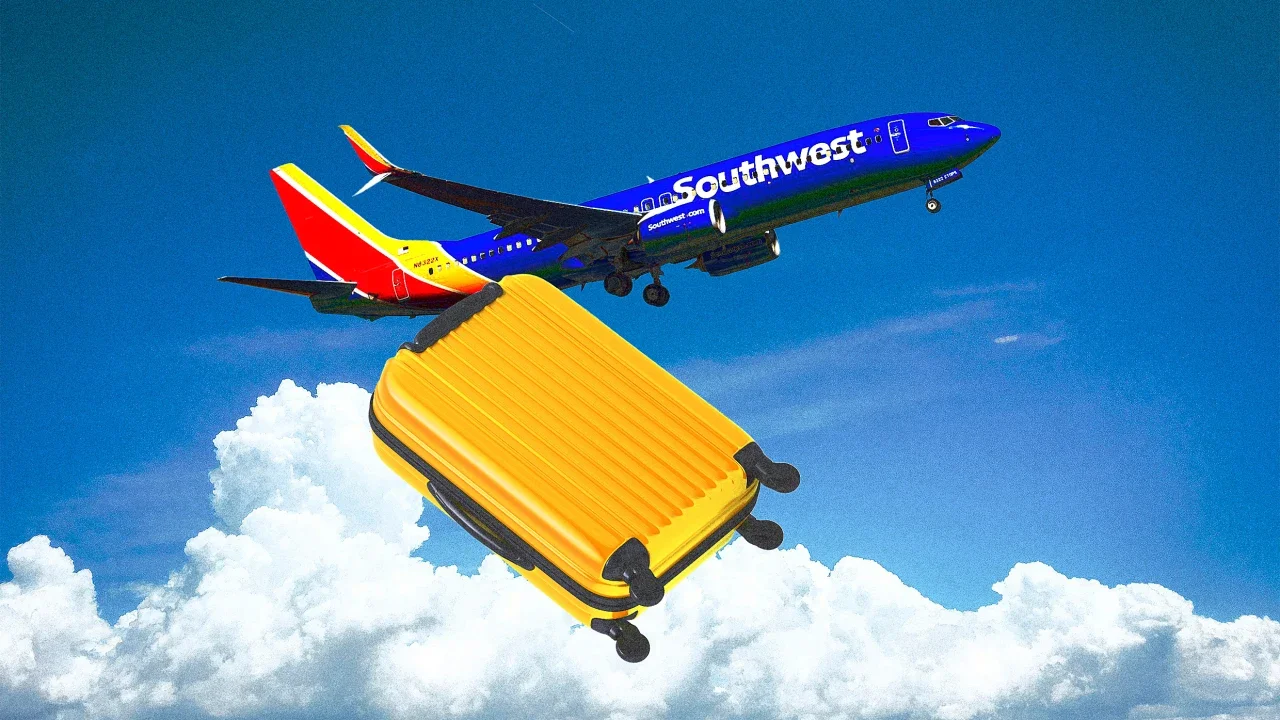
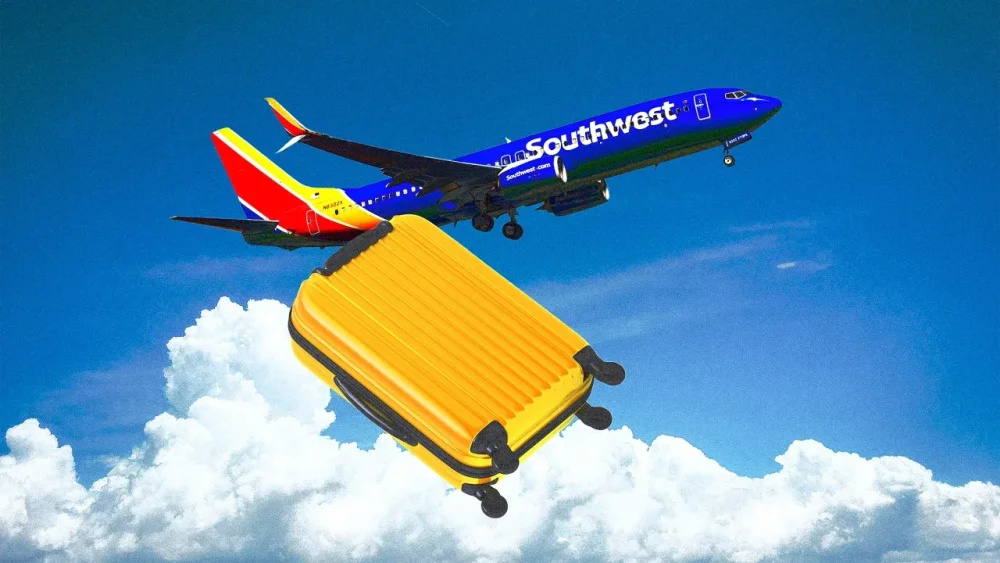
Southwest Airlines’ signature tagline “Bags Fly Free” seems to be a thing of the past. Since its inception nearly 60 years ago, the airline has offered customers two complimentary checked bags as part of its pitch to distinguish it from competitors. But by this summer, it seems, Southwest will have to replace its oft-repeated slogan with a new one: “bags fly for an added fee.” That’s because any customers who are not members of Southwest’s frequent fliers programs or traveling in an upgraded seat will have to pay for their checked bags, starting with flights booked after May 28, according to a company press release. The airline did not provide specific rates for the new fees. Southwest also announced that flight credits will now expire after one year, walking back a policy put in place during the pandemic that allowed customers to keep their credits indefinitely. So far, the reaction to the new bag fees has been overwhelmingly negative. But, when observed alongside all of the other changes that Southwest has made to its programming over the past several months, it’s not exactly surprising. As of last month, shares of Southwest’s stock (NYSE: LUV) were down nearly 50% compared to five years ago. In an effort to appease its investors, Southwest has been on a mission to aggressively cut costs and implement a slew of added fees. Those cost-saving policy changes appear to jettison all of the elements that once made Southwest’s brand identity distinct. Turbulence for Southwest’s leadership From its inception in 1966, Southwest has cultivated a reputation as a quirky, lower-cost carrier with unique perks and an equitable approach to seating that endeared it to a base of loyal fans. However, those perks have been first on the company’s chopping block as it’s reduced costs and implemented more Spirit-esque fees to drive sales. Over the past several months, Southwest has been rolling out an overhaul intended to catch up with competitors like Delta and United by reviving its shrinking profits and the downward trajectory of its stock. The breakneck pace of this overhaul has been egged on by hedge fund Elliott Investment Management, which owns a $1.9 billion minority stake in the company and has frequently publicly criticized Southwest for not adapting to the times and cutting costs. Southwest kicked off 2024 by debuting an interior cabin redesign, which is set hit runways this year. While the company argued that the revamped look was made with comfort in mind, customers pointed out that the seating looked like a major downgrade—mainly because, based on renderings provided by the company, the seats looked almost comically thin and rigid. TikTok users dubbed them “lawn chairs” and “Ozempic seats.” But, as it turns out, the lackluster seating was only a harbinger of the airline’s larger plans to come. A once-quirky airline joins a sea of corporate sameness Southwest has spent the last few months nixing its most distinctive offerings. In September, the company announced that it would slash its open seating policy, one of its characteristic brand traits, which allowed every Southwest passenger to choose their own seat when boarding. At the same time, the company revealed that it would swap a third of its seats for more “premium” chairs, which come with more legroom, faster Wi-Fi, and larger overhead bins—for an added cost, of course. This new seating policy on its own was enough to cause Fast Company to ask whether Southwest was losing its “Southwest-ness” by sacrificing its unfussy reputation for greater profits. Even during the September investor call announcing the end of open seating, though, Southwest executives argued that ending the signature “Bags Fly Free” plan would be a “destructive” step too far, adding that they estimated charging bag fees would bring in about $1.5 billion per year but cost another $1.8 billion in lost business. The program was so central to Southwest’s identity that the company trademarked the “Bags Fly Free” slogan and has a whole backlog of ads, going back decades, that center on the promise (see this spot from 2009 and this one from 2023.) Now, Southwest is scrapping the last vestige of its recognizable brand identity by backtracking on free bags. The backlash from fans has been swift. On X, one recent tweet with 4,000 likes and counting reads, “If Southwest Airlines had assembled a focus group and asked them ‘what’s the stupidest thing that we could do to ruin our company,’ this is what they would have come up with.” Another tweet with 11,000 likes adds, “Is Southwest aware that now people are no longer incentivized to fly with them??” Popular opinion may have turned against the airline, but the market seems to approve. As of this writing, Southwest stock is up around 9%. The market also responded positively last month when the airline announced that it planned to lay off 15% of its corporate workforce in another cost-cutting measure. As Southwest continues to whittle away the perks it once touted, it’s become just another set of wings in an industry full of likeminded competitors. View the full article
-
After years of intense rumor and speculation, Nintendo finally revealed the Switch 2 in January of this year. While the company hasn't yet announced each and every new feature the Switch's successor will sport, the company did confirm a number of details leakers had been hinting for a long time, including a larger display, redesigned magnetic Joy-Cons, a new kickstand, backwards compatibility, and, least consequentially, a large "2" embossed on the console and dock. Since the initial announcement, we've learned a bit more about the Switch 2 in advance of its full unveiling later this year. Nintendo announced a worldwide tour, where fans can try out the Switch 2 early. It also appears that the new Joy-Cons will have a "mouse mode" that will let you drag a controller around on a table...like a computer mouse. Other than that, things have been a tad quiet—until now. Here are new Switch 2 details, courtesy of FCC filings—and what they might hint for the future of the system. The Switch 2 will use NFC, which bodes well for Amiibo supportAs spotted by The Verge, Nintendo has submitted a number of filings to the FCC. The outlet scanned through these documents, and discovered the Switch 2 will support NFC (near field communication)—the technology the enables products like Amiibo to wirelessly communicate with the console. (It's also the tech behind tap-to-pay features like Apple Pay and Google Play.) If you've used Amiibo before, you might remember NFC communication happens through the right Joy-Con on the Switch. That appears the be the case for the Switch 2 as well. A second USB-C portAnother interesting confirmation in these filings concerns the console's second USB-C port. You could see this new port in the official Switch 2 announcement video, but Nintendo didn't elaborate on what it was meant for. Now we know: You'll be able to charge your Switch 2 via either USB-C port, which is great news for portable players. With the first generation of Switch, the USB-C port is on the bottom, meaning you can't charge the console while playing with the kickstand out (unless you get very creative). A second port on the side will solve for that issue. This isn't a necessarily reason to upgrade to a Switch 2, but it is a perk—perhaps one that should have been thought through a decade ago with the first Switch. Wi-Fi 6 supportFinally, the filings show that the Switch 2 supports Wi-Fi 6 with up to 80MHz of bandwidth. The OG Switch supports Wi-Fi 5, as Wi-Fi 6 wasn't even a thing when it came out back in 2017. The upgrade should enable faster internet speeds for game downloads and online play while potentially increasing battery life, as Wi-Fi 6 connections can turn off when you aren't using them. That said, we won't know how much the Switch 2's speed and battery life improve over the original Switch until reviewers are able to put the console through its paces. Mark you calendar for an April 2 Nintendo DirectThe Switch 2 has no current release date. However, the company did say in the announcement video that there will be a Nintendo Direct on Wednesday, April 2 at 6 a.m. PDT, specifically intended to offer "a closer look at Nintendo Switch 2." We'll see how much more information is leaked before that date. View the full article
-
The continent is an economic superpower but it now has to mobilise in defence of democracyView the full article
-
Far-right presidential candidate backed by Russia cannot run in May voteView the full article
-
We may earn a commission from links on this page. Deal pricing and availability subject to change after time of publication. The M3 lineup of MacBook Air laptops is already seeing big discounts before the release of the new M4 MacBook Air laptops tomorrow. You can get the 13-inch MacBook Air laptop with 16GB RAM and 256GB SSD storage for $794.99 (originally $1,099) after an additional $54.01 on-page coupon on Amazon. This is the lowest price this MacBook has been since its release, according to price-tracking tools. M3 MacBook Air 13-inch Laptop (2024) $794.99 at Amazon $1,099.00 Save $304.01 Get Deal Get Deal $794.99 at Amazon $1,099.00 Save $304.01 If you're looking for longevity in your laptop, the 16GB RAM on any MacBook Air is vital and will last you a long time. All "older" MacBook Airs, including those with M2 and M1 chips, have good discounts right now (if you can find them in stock), but if you can afford to upgrade to the new M4 MacBook Air that comes out tomorrow, March 12, you'll be getting a better value for your money, according to Jake Peterson, Lifehacker's Senior Technology Editor. It's an even better value than the M4 Pro. However, if you prefer to save yourself some $200, the M3 is still a capable and powerful laptop in 2025. You can see the full breakdown of the M3 MacBook Air in CNET's review. The M2 is also deeply discounted, but it's not easy to find a new one in stock right now. Keep in mind the M3 chips have almost double the read speeds of the M2 and 33% faster write speeds. If you're not sure if it's worth upgrading from the M2 or are undecided about which one to get, you can read our breakdown comparing the two. One of the advantages of getting the M3 over the M2 is the dual monitor support on the M3 MacBook Air, a feature that used to come only from the MacBook Pro lineup. View the full article
-
More than three million developers are using OpenAI’s APIs as shorthand code to infuse apps and websites with an engine of advanced AI. And today, the company’s most popular API, called Chat Completions, is getting a significant sequel called Responses. Eight months in development, it will vastly expand upon and simplify the experience of plugging into OpenAI. For developers, Responses will mean using less code to stack more complex questions to the AI. A hundred lines of code will turn into just three, as the company is courting a wider set of developers who don’t consider themselves LLM experts. For consumers, it will mean you’ll soon be interacting with AI that’s faster, more fluid in using forms of media other than text, and more capable of taking more steps on your behalf. “Completions were very much designed in a world where you could only put text into it, and you could only get text out of it. But now we have models that can do work across multiple mediums. We can put images in, we can get audio out of the model, and [users] can speak to the model in real time and have it speak to you back,” says Steve Coffey, an engineer at OpenAI. “[Completions] is just like the wrong tool for the job…so Responses was designed from the ground up.” What is OpenAI’s new Responses API update? APIs are basically the software gateways to use features from a service or platform inside your own. And to OpenAI, its APIs are as carefully designed as any product—even if we don’t tend to consider APIs as designed objects. The iPhone has APIs for apps using its camera and accelerometers, for instance, while Stripe’s APIs make it possible for websites and apps to take payments—and in each case, the ease of integrating these APIs has been vital to courting developers and growing a business. OpenAI created the modern API for AI in 2020 (and Chat Completions in 2023) so developers could plug into its AI platform. Its competitors have since copied OpenAI’s approach to be something of an informal standard across the industry. Thousands of apps, ranging from Perplexity (an AI search engine) to Harvey (an AI for lawyers), currently integrate OpenAI APIs. Today, OpenAI offers a few different APIs, including one that generates images for Dall-E and another that exclusively works to summarize or write text from scratch. For this release, OpenAI is focusing on Responses, the evolution of its Chat Completion API—the company’s popular way that app developers can plug into the core conversational technology behind ChatGPT. The way the Chat Completions was designed, developers could only send one query in text at a time, and get a single answer in text back. Practically speaking, that meant complicated questions could take several steps, and each individual new question took time, introducing more latency. Now, a developer plugs strings of code into the Responses API, crossed with natural language queries that developers can use that are more or less the way you or I would talk to ChatGPT. (A long user manual helps developers understand what they can and can’t do.) OpenAI’s API will offer “multi turn” conversations that understand context and conversational flow—even when you mix in multimedia like images and, soon to arrive, voice/sound. Responses can also juggle several processes at once, because with a single line of code, you can connect “Tools” hosted by OpenAI into this process. These tools will include a web search (so OpenAI’s responses can be grounded in more real time data), a code interpreter to write and test code, and a file search to analyze and summarize files. The new API will also let developers connect to Operator—OpenAI’s agentic tool that can analyze screens and actually take actions on the user’s behalf—and comes with a new kit of software that helps developers juggle multiple AI agents at the same time. As the company explains, building APIs requires forecasting years ahead at the functions developers may want, and if you squint, it’s not hard to deconstruct OpenAI’s own thesis on the future lurking in the feature set. The API has vastly expanded upon what’s possible to do when you plug into OpenAI as a developer—embracing fuzzy inputs of multimedia, integrating information so responses are current, and perhaps most notable of all, acting on behalf of the user to save them time and effort. “I’m very excited for this year because of the agentic behavior that our models will unlock… the model is taking multiple steps on its own volition and giving you an answer,” says Atty Eleti, an engineer at OpenAI. “On the far end, [it makes way for] AI engineers, AI designers, AI auditors, AI accountants. Little junior interns that you can instruct and operate and ask them to go up and do these things. And I think we’re on the cusp of that becoming a very tangible reality.” Still, these long-term possibilities are grounded in immediate efficiencies. The API updates mean that a simple question, “what’s the weather in San Francisco,” goes from taking a hundred lines of code to just three. Adding all of the aforementioned tools requires just one line of code. This means that coding AI apps should be faster for developers. And because many queries hit OpenAI’s servers all at once, responses should come faster for end users. [Image: OpenAI] The challenge of bringing developers along Like any tool, APIs have to be designed for ease of use. They are not just about coding capabilities, the OpenAI team argues, but about designing clarity and possibility. “The education ladder of an API is something that has to be very consciously designed, because our target audience is not people who know how AI works or how LLMs work,” says Eleti. “And so we introduce them to AI in a sort of a ladder way, where you do a bit of work and you get some reward out of it. You do a bit more work, you understand some more concepts, and then over time, you can graduate to the more complex functionality.” OpenAI gives this instructive feedback to developers through their own mistakes. Whenever it generates errors, OpenAI tries to explain what went wrong in plain language, so the developer can actually understand how to improve their technique. The OpenAI team believes that such feedback, coupled with autocomplete coding tools, should make Responses easy for developers to learn. “I think that really good APIs sort of allow you to start off with the gas pedal in the steering wheel and graduate slowly to the airplane cockpit by exposing more and more functionality in the form of knobs, in the form of like settings and these other things that are hidden from you first, but exposed over time,” says Coffey. The tricky part of updating an API, however, is not just making it self-explanatory. The API also needs to be backwards compatible because software that’s already been built to connect to OpenAI can’t suddenly go dark after an update. So Responses is backwards compatible with software built upon Chat Completions. Furthermore, the Completions API itself will continue working as it always has. OpenAI will continue to support it into the future, offering updates that put Completions as close to feature parity with Responses as it can. (But to use those nifty tools, you’ll need to graduate to Responses.) Over time, the OpenAI API team bets that most of its developers will land on Responses, given the extra capabilities and that it will be price-equivalent to run. Assuming that OpenAI has bet on the right future, AI software is about to become faster, more capable, and more proactive than anything we’ve seen to date. View the full article

-
For the first time in almost two years, mortgage products available for consumers are at a level established in 2012. View the full article

-
Reason for crash still unknown after container vessel struck tanker carrying US military fuel View the full article
-
Apple, Google, and Samsung are competing on multiple fronts—from phones, to health apps, to smartwatches—and that rivalry extends to AI tools as well. All of these tech giants offer AI-powered object removal features in their mobile photo editing apps, which ostensibly allow you get rid of an unwanted person, a tree, a hand, or anything else that's ruining your shot, with only a tap or two on the screen. However, just because Apple, Google, and Samsung all offer AI object removal doesn't mean the tools are of the same standard. There's been a fair bit of chatter online about how these features stack up against one another, so it feels as though a head-to-head object removal test is in order. These AI tools all work in the same way. Obviously, the tools don't know what's really behind the object being removed—but thanks to a combination of clues in the surrounding pixels and the image training built into their underlying models, they can make a reasonably good guess. How good that guess is then determines the quality of the end result. This test covers three tools: Clean Up (in Apple Photos on iOS), Magic Eraser (in Google Photos on Android), and Object Eraser (in the Samsung Gallery app on One UI). These tools all appear as options when you open images in the relevant apps. For testing purposes, I've borrowed some great photos from Taan Huyn, Tolga Ahmetler, and Marek Piwnicki. (A quick note on the comparison images: There's some variation in resolution because of how I saved them using various devices; it has nothing to do with the AI tools in question, so you can mostly ignore the sharpness of the pictures.) Which AI tool is best at removing a lamp from a photo? The original photo. Credit: Taan Huyn/Unsplash Our first photo challenge—removing the lamp in the image above—is relatively simple in some ways, but complex in others. There are some useful guidelines for the AI in terms of the wall and the window, but there are also shadows to deal with (including the shadow of the lamp on the wall behind it, which AI isn't smart enough to know it needs to remove as well). First up was Apple Clean Up. The tool did a fine job of identifying the lamp as I scribbled over it—I like the glow effect—and once the removal process was complete, the back wall was filled in nicely. Most of the window pane work looked okay too, but there were a few weird artifacts left as evidence of an object removal. Next was Google Magic Eraser. The lamp wasn't identified as a suggestion for something to erase, but selecting it was pretty straightforward and accurate in terms of the boundaries. Unfortunately, while most of the job was done well, Magic Eraser left evidence of the lampshade up at the top, like a ghost of what had been there before. Finally, I tried Samsung Object Eraser. Here the object selection process was a bit more fiddly—it's more difficult to zoom and pan in Samsung Gallery, and the automatic selection was less accurate. However, the removal job was the best of the three, with both the wall and the windows accurately filled in. Apple on the left, Google in the middle, and Samsung on the right. Credit: Lifehacker Which AI photo tool does the best job removing a person from a photo? The original photo. Credit: Tolga Ahmetler/Unsplash Our second photo challenge is removing the walking man from this street scene, and it's a tricky one—the AI has to imagine most of the white car behind our primary subject, as well as fill in the road and its markings. What's more, it's a darker scene, with the foreground in focus and the background getting increasingly blurry. With Apple Clean Up, the tool's automatic selection wanted to clear away the cars in the background rather than the man in the foreground, but selecting him was easy enough. The AI fill results were patchy, and got worse further back in the scene, with the car at the back turning into a pixelated mess. Over to Google Magic Eraser, which also wanted to erase people in the background rather than the foreground. It had some trouble picking out the man against the dark and wet street—and it then had difficulty both removing all of the man and replacing the pixels properly. It borrowed pixels from the wrong part of the image on the whole, and the tool couldn't even carry on the yellow line consistently. As for Samsung Object Eraser, again the selection process was a bit awkward, but ultimately it did a perfect job of selecting the male figure against the background. It then did really well at removal: It was the only AI to actually end up with a realistic looking car and road after the man had gone. While it's not perfect, this would probably fool most people at first glance. Apple on the left, Google in the middle, and Samsung on the right. Credit: Lifehacker Which AI photo tool is best at removing a bicycle from a photo? The original photo. Credit: Marek Piwnicki/Unsplash This third photo challenge, removing the bicycle from this scene, offers a lot of information for the AI to use in terms of the surrounding field. The barely visible fencing behind the bike adds to the difficulty, so I was interested to see if these tools would try to continue the fence, or just ignore it and go with the grass. With this one, Apple Clean Up needed a few goes to get the whole of the bicycle selected—possibly because it doesn't appear to be one single object. When that was done, Clean Up was reasonably proficient at filling in the blanks, though both the greenery and the fence it created showed inconsistencies. Google Magic Eraser also needed several attempts to get the entirety of the bike selected. It tried to fill in the fence as well as the field, and while the results weren't a disaster, there were obvious errors—some of the bike wheel spokes are still there, for example. It was maybe slightly better than Apple Clean Up, but not by much. As with the man in the street, Samsung Object Eraser was the best at making an accurate selection first time around, and better at putting something convincing in the space that was left. Both the field and the fence were filled in an accurate, realistic way, and this could easily pass as an unedited photo. Apple on the left, Google in the middle, and Samsung on the right. Credit: Lifehacker The final verdict: Samsung's tool performs bestThe first thing to say is that your mileage may vary with these sorts of tasks—as you will see if you look at similar comparison challenges from around social media and the internet at large. Every photo has different characteristics, and every AI tool has its own approach in dealing with object removal. In terms of my tests, Galaxy AI and Samsung's Object Eraser are the clear winners. The tool seems to take more time over the replacement pixels, and does some actual image generation rather than just copying and pasting pixels from elsewhere in the image—as you can see with the car on the street. That's just an AI imagining of a car, not the actual car, but it makes for a photo that looks genuine. Apple and Google did okay, and were about on a par with one another. The selections are easy to make (easier than with the Samsung, actually), and some more straightforward removal tasks are handled perfectly well. However, these AI removal features do tend to struggle with complex operations where there are fewer clues about how the background should look. Ultimately, it's unlikely that anyone's going to change their phone solely because of the AI object removal tools it offers, but it's interesting to chart the progress these three companies have made with their AI offerings. It's also worth noting that Google Photos and its Magic Eraser are available on all Android and iOS devices, which puts pressure on Apple and Samsung to keep up (or stay ahead). View the full article
-
The following content is brought to you by Lifehacker partners. If you buy a product featured here, we may earn an affiliate commission or other compensation. Photoshop has been the industry standard in image-editing software for over 30 years, but up until now, creators have been limited to using it on their computers and tablets. The recent launch of the first Photoshop iPhone app has (finally) changed that. Now you can go to the App Store, search "Photoshop," and download the spanking-new Photoshop iPhone mobile app. It’s available for free with an impressive feature set, but if you’re a savvy Photoshop user, the $7.99 a month/$69.99 a year Photoshop Mobile and Web Plans unlocks a wider set of premium features. Adobe Photoshop Mobile and Web Plan With 100GB of cloud storage and 100 generative credits a month at Adobe Learn More Learn More at Adobe This rundown of the app’s key offerings will help you choose what’s right for you. The 'freemium' version is ideal for beginners Credit: Adobe The mobile app’s free version is an excellent entry point for mobile creators who want to build their Photoshop skills. The free toolkit includes several Photoshop editing tools, including the Spot Healing Brush, unlimited layers and masks, and a new Tap Select tool that makes it a snap to edit photos on the small screen by tapping on the object you want to highlight, instead of having to wrestle with tools. The freebie also comes with the Firefly-powered Generative Fill and Generative Expand AI tools, which let you fill in what's missing or remove unwanted elements from images in seconds. The premium plan has more tools, plus web Credit: Adobe If you have Photoshop experience, the Mobile and Web Plan unlocks full access to Photoshop for iPhone and iPad, plus Photoshop on the web. Add in 100GB storage and 100 generative credits a month, and you’re ready to create from anywhere. Additional premium mobile tools include Object Select, Magic Wand, Remove Tool and Clone Stamp, plus the handy Content-Aware Fill, which allows you to fill portions of an image with content sampled from other parts of the image. All of your mobile files will automatically sync with your go-to Creative Cloud apps and Photoshop on the web, so you can work across all your devices. Exclusive AI webtools uplevel your content Credit: Adobe If you use AI to generate content, the premium plan also comes with exclusive access to next-gen Firefly AI web tools such as Reference Image, Generate Background, and Generate Similar, which lets you generate multiple variations of the same image. Adobe’s first-ever Photoshop iPhone app makes it easy to create on your phone and is a win for all skill levels. Download the free version or subscribe to the loaded Photoshop Mobile and Web Plan for just $7.99 a month. View the full article
-
Cash earnings to increase from current level of £1,000 in boost to people who sell goods online View the full article
-
My Boox Palma is one of the most easily lovable pieces of tech I've ever used—an e-ink reader with a phone-like form factor that isn't locked down to one specific retailer's ecosystem. It has helped me read more and waste time on social media less, but as much as I appreciate it, it can also be weird and finicky. For example, why is it so tricky to use it to listen to audiobooks? Like most people, before I got the Palma, my phone was my main driver for audiobooks, music, and podcasts—it was always with me and the apps made it super convenient. But I'd find myself pausing my book every time a notification pinged in my headphones, so I decided to shift that "content" over to my e-reader as well. Then I hit a snag: Every time I closed the protective cover that came with the device, it would go to sleep—shutting off the screen and the front light, disconnecting my Bluetooth headphones, and pausing the audio. While the Palma looks like a phone and runs on Android, it doesn't always act like a phone. And while my iPhone never gave me any problems playing audio with the screen off, doing the same on the Palma (or any other Boox device) requires some tinkering. Three settings to changeWhile it would be nice if the Palma could play audio with the screen off right out of the box—as has been the case for every phone I've used since I got my first smartphone in 2010—you'll need to change a few settings to make it happen. Keep your audio apps active in the background Credit: Screenshot by Joel Cunningham The first thing you'll need to do is adjust your settings to allow apps that play audio to continue running in the background. In the interest of preserving battery life, the Palma OS turns this setting off for every app you download from the Google Play store, but you can fix that in one of two ways. First, you can long press the icon of any app on the home screen. This will bring up a menu with a few different options. Tap Optimize. From the next pop-up menu, select the Others tab, then make sure the slider next to Stay active in the background is turned to On. "Unfreeze" your audio apps Credit: Screenshot by Joel Cunningham Next, you'll need to stop the Palma's OS from "freezing" audio-playing apps running in the background. You can make this change globally, or on a per-app basis. Freezing apps improves battery life, so keep that in mind as you make your decision. To unfreeze a single app, open Settings and scroll down to Apps and Notifications. Tap Freeze Settings, find your audio-playing apps in the list of installed programs, and turn the slider to Off. To unfreeze all your apps, from this same menu, turn the Do not freeze apps running in the background (such as audio/input method) slider to On. You can also stop the Palma from automatically freezing newly downloaded apps by turning the slider next to Automatically enable freezing after installing an app to Off. Keep your headphones connected Credit: Screenshot by Joel Cunningham The last thing you'll need to do is keep the Palma from turning off Bluetooth and disconnecting your headphones after the device goes to sleep. To do that, open Settings and scroll to Power. On the next screen, tap Bluetooth Status After Sleep and select Stay Connected from the pop-up menu. (I'd also suggest turning on Always turn Bluetooth on when the device starts up from this menu, so you won't have to manually turn Bluetooth on every time you want to connect your headphones—though, again, that will affect your overall battery life. Now that that's taken care of, here are other settings you should consider changing on any Boox device. View the full article